MANAGEMENT INFORMATION
SYSTEMS SECURITY AND
CONTROL


Submitted By:

 Gurjit Singh
 Shallu Thakur
 MBA 3rd sem.
What is security?
   The quality or state of being secure to be
    free from danger
   Security is achieved using several strategies
    simultaneously or used in combination with
    one another
   Security is recognized as essential to protect
    vital processes and the systems that provide
    those processes
   Security is not something you buy, it is
    something you do
OBJECTIVES


• Explain why information systems need
  special protection from destruction,
  error, and abuse

• Assess the business value of security
  and control

• Evaluate elements of an organizational
  and managerial framework for security
  and control
OBJECTIVES

   Identify the challenges posed by
    information systems security and control
    and management solutions

   Why are information systems so
    vulnerable to destruction, error, abuse,
    and system quality problems?
   What types of controls are available for
    information systems?
Vulnerability, Threat and Attack
   A vulnerability:- is a weakness in security
    system
    ◦ Can be in design, implementation, etc.
    ◦ Can be hardware, or software

   A threat:- is a set of circumstances that has the
    potential to cause loss or harm
    ◦ Or it’s a potential violation of security
    ◦ Threat can be:
       Accidental (natural disasters, human error,
        …)
       Malicious (attackers, insider fraud, …)

   An attack:- is the actual violation of security
Why Systems are Vulnerable?

 Hardware problems-
   • Breakdowns, configuration errors, damage
      from improper use or crime
 Software problems-
   • Programming errors, installation errors,
      unauthorized changes)
 Disasters-
   • Power failures, flood, fires, etc.
 Use of networks and computers outside of
  firm’s control -
   • E.g. with domestic or offshore outsourcing
      vendors
SYSTEM VULNERABILITY
AND ABUSE
  Concerns for System Builders and Users
 Disaster
      Destroys computer hardware, programs, data
  files, and other equipment


 Security
     Prevents unauthorized access, alteration, theft,
  or physical damage
SYSTEM VULNERABILITY
AND ABUSE
 Concerns for System Builders and Users
 Errors-
       Cause computers to disrupt or destroy
      organization’s record-keeping and
  operations
 Bugs-
      Program code defects or errors
 Maintenance Nightmare-
      Maintenance costs high due to
  organizational change, software complexity,
  and faulty system      analysis and design
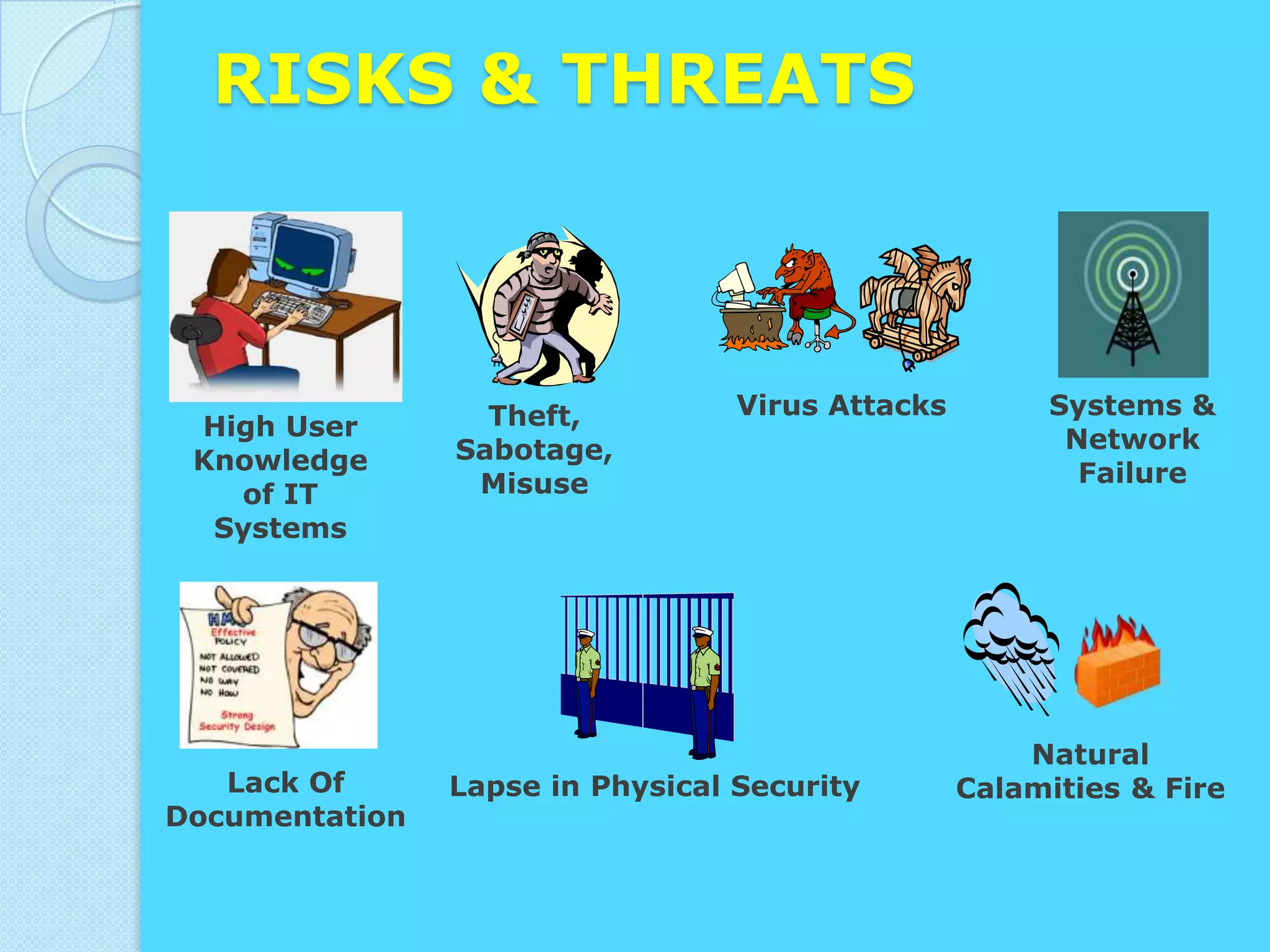
RISKS & THREATS


                  Theft,          Virus Attacks        Systems &
 High User                                              Network
 Knowledge      Sabotage,
                 Misuse                                  Failure
   of IT
  Systems


                                                      Natural
   Lack Of      Lapse in Physical Security        Calamities & Fire
Documentation
SO HOW DO
WE
OVERCOME
THESE
PROBLEMS?
BUSINESS VALUE OF
SECURITY AND CONTROL
• Inadequate security and control may create
  serious legal liability.
• Businesses must protect not only their own
  information assets but also those of
  customers, employees, and business
  partners. Failure to do so can lead to costly
  litigation for data exposure or theft.
•   A sound security and control framework that
    protects business information assets can thus
    produce a high return on investment.
ESTABLISHING A MANAGEMENT
FRAMEWORK FOR SECURITY AND
CONTROL
 General controls:
 Establish framework for controlling
 design, security, and use of computer
 programs
 • Software controls
 • Hardware controls
 • Computer operations controls
 • Data security controls
 • Implementation controls
ESTABLISHING A MANAGEMENT
FRAMEWORK FOR SECURITY AND
CONTROL

Application controls:
 Unique to each computerized
 application
• Input
• Processing
• Output
CREATING A CONTROL
ENVIRONMENT
 Controls:-

 • Methods, policies, and procedures

 • Ensures protection of organization’s
   assets

 • Ensures accuracy and reliability of
   records, and operational adherence to
   management standards
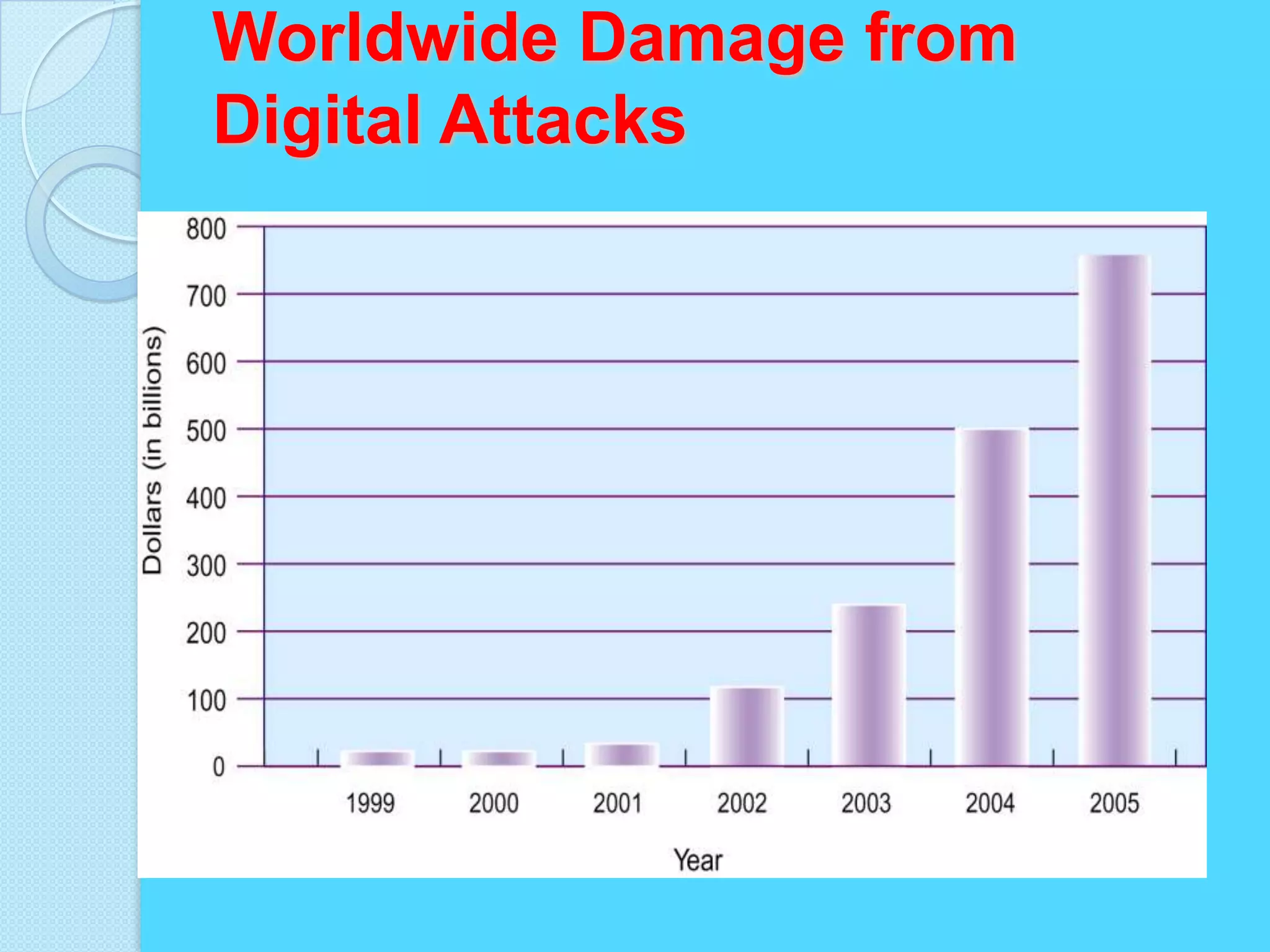
Worldwide Damage from
Digital Attacks
CREATING A CONTROL
 ENVIRONMENT

Disaster recovery plan:
   Runs business in event of
 computer   outage


Load balancing:
    Distributes large number of
 requests for access among multiple
 servers
CREATING A CONTROL
ENVIRONMENT
• Mirroring:
       Duplicating all processes and transactions of
  server      on backup server to prevent any
  interruption


• Clustering:
      Linking two computers together so that a
  second     computer can act as a backup to the
  primary    computer or speed up processing
CREATING A CONTROL
ENVIRONMENT
       Internet Security Challenges
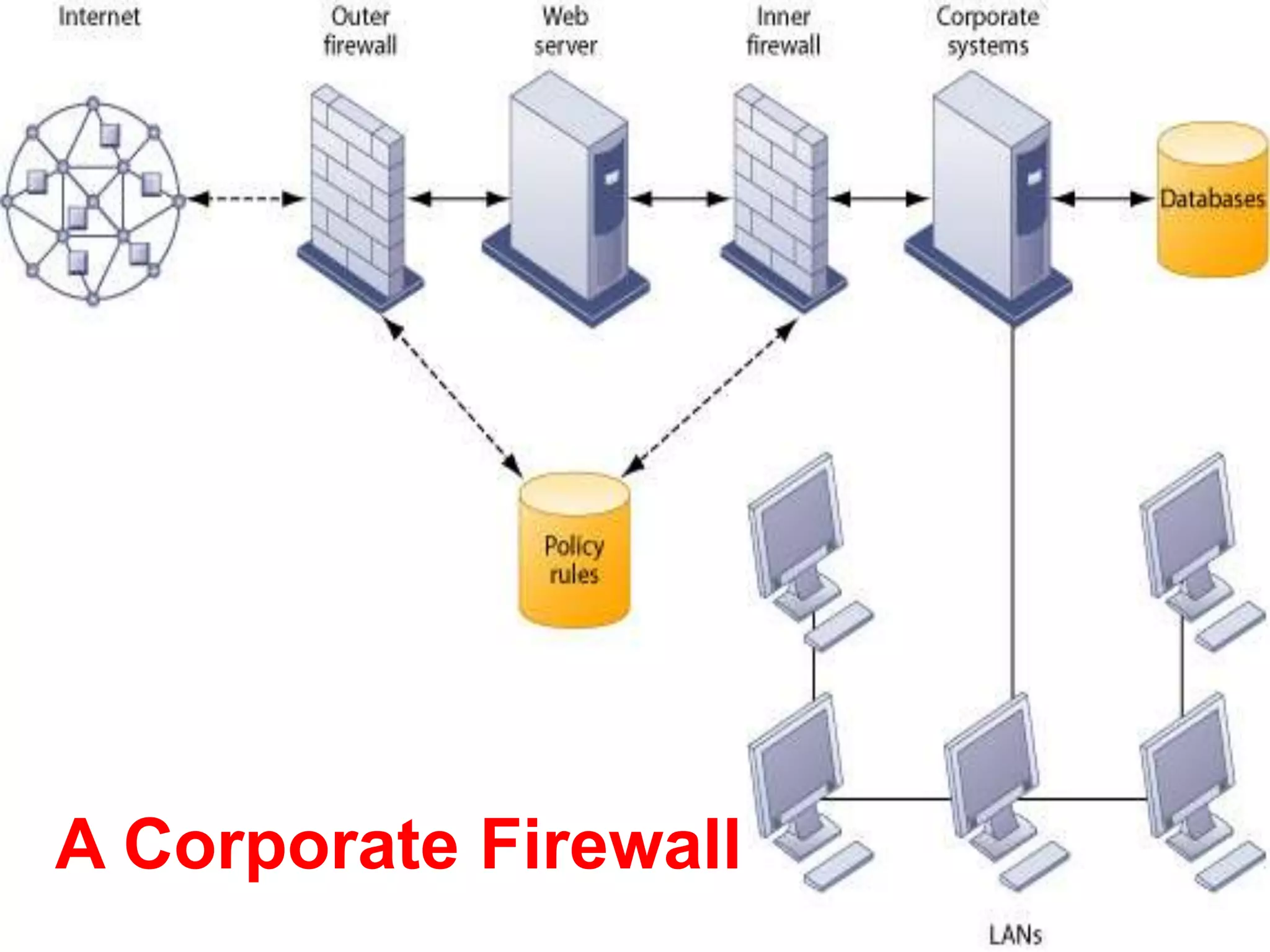
Firewalls:-
• Hardware and software controlling flow of incoming
  and outgoing network traffic
• Prevent unauthorized users from accessing private
  networks
• Two types: proxies and stateful inspection


Intrusion Detection System:-
• Monitors vulnerable points in network to detect and
  deter unauthorized intruders
Figure 10-7
A Corporate Firewall
CREATING A CONTROL
    ENVIRONMENT
        Internet Security
•       Challenges
    Encryption: -
       Coding and scrambling of messages to prevent
       their access without authorization

• Authentication: -
      Ability of each party in a transaction to
      ascertain identity of other party

• Message integrity: -
      Ability to ascertain that transmitted message has
  not been copied or altered
CREATING A CONTROL
ENVIRONMENT
       Internet Security Challenges
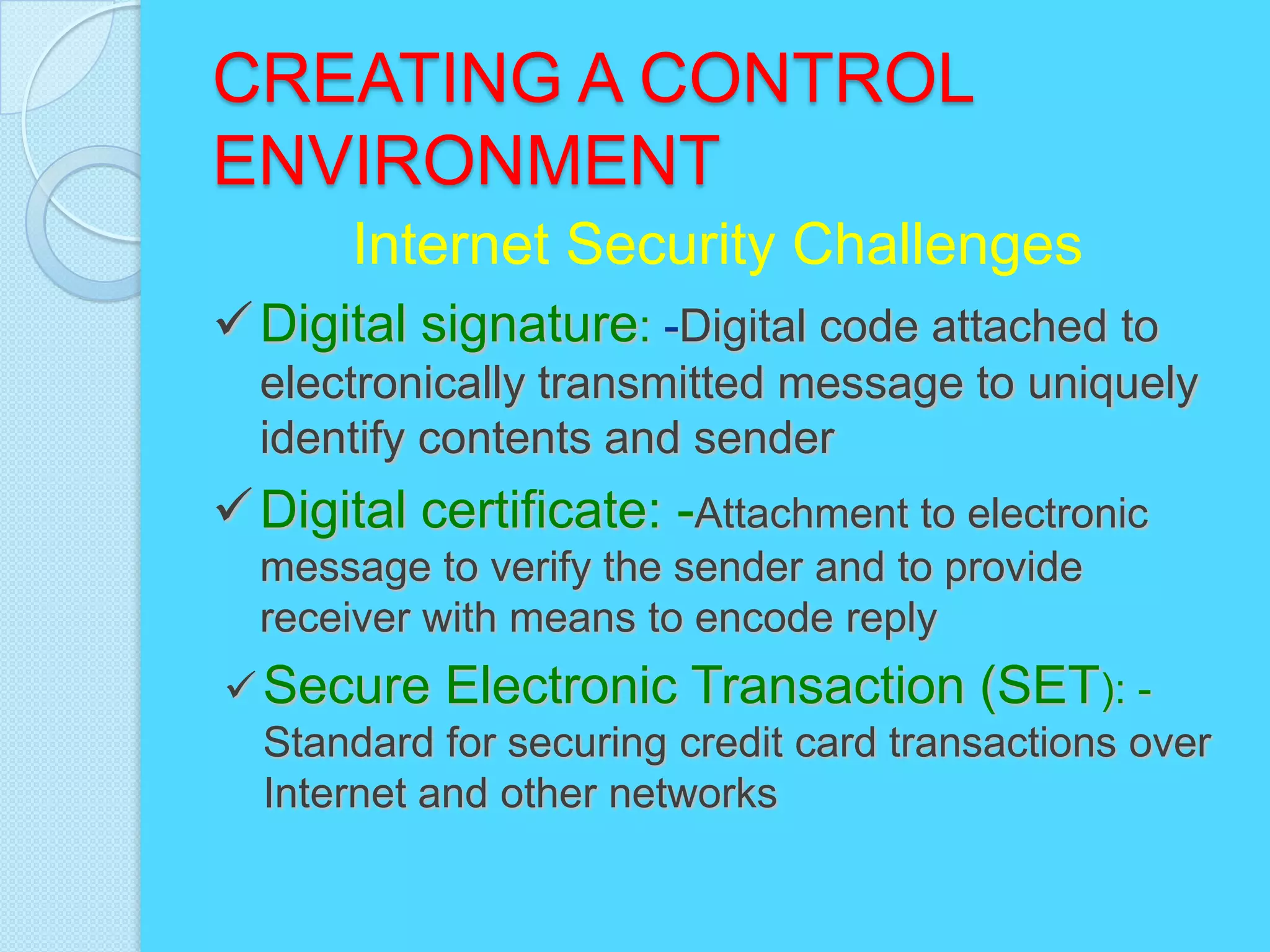
 Digital signature: -Digital code attached to
  electronically transmitted message to uniquely
  identify contents and sender
 Digital certificate: -Attachment to electronic
  message to verify the sender and to provide
  receiver with means to encode reply
 Secure Electronic Transaction (SET): -
  Standard for securing credit card transactions over
  Internet and other networks
USER RESPONSIBILITIES
       Access Control - Physical
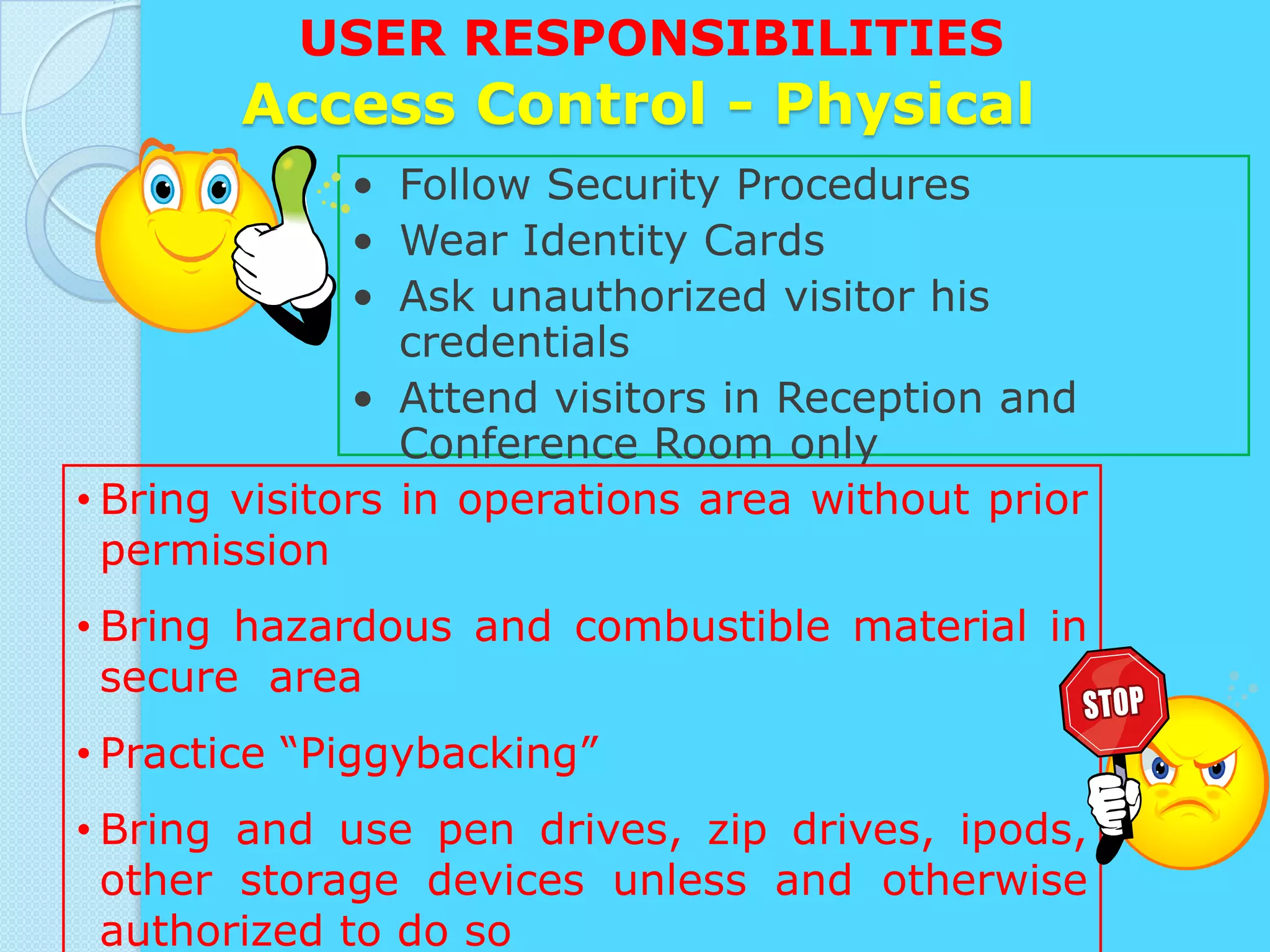
              • Follow Security Procedures
              • Wear Identity Cards
              • Ask unauthorized visitor his
                 credentials
              • Attend visitors in Reception and
                 Conference Room only
• Bring visitors in operations area without prior
  permission
• Bring hazardous and combustible material in
  secure area
• Practice “Piggybacking”
• Bring and use pen drives, zip drives, ipods,
  other storage devices unless and otherwise
  authorized to do so
USER RESPONSIBILITIES
            Password Guidelines
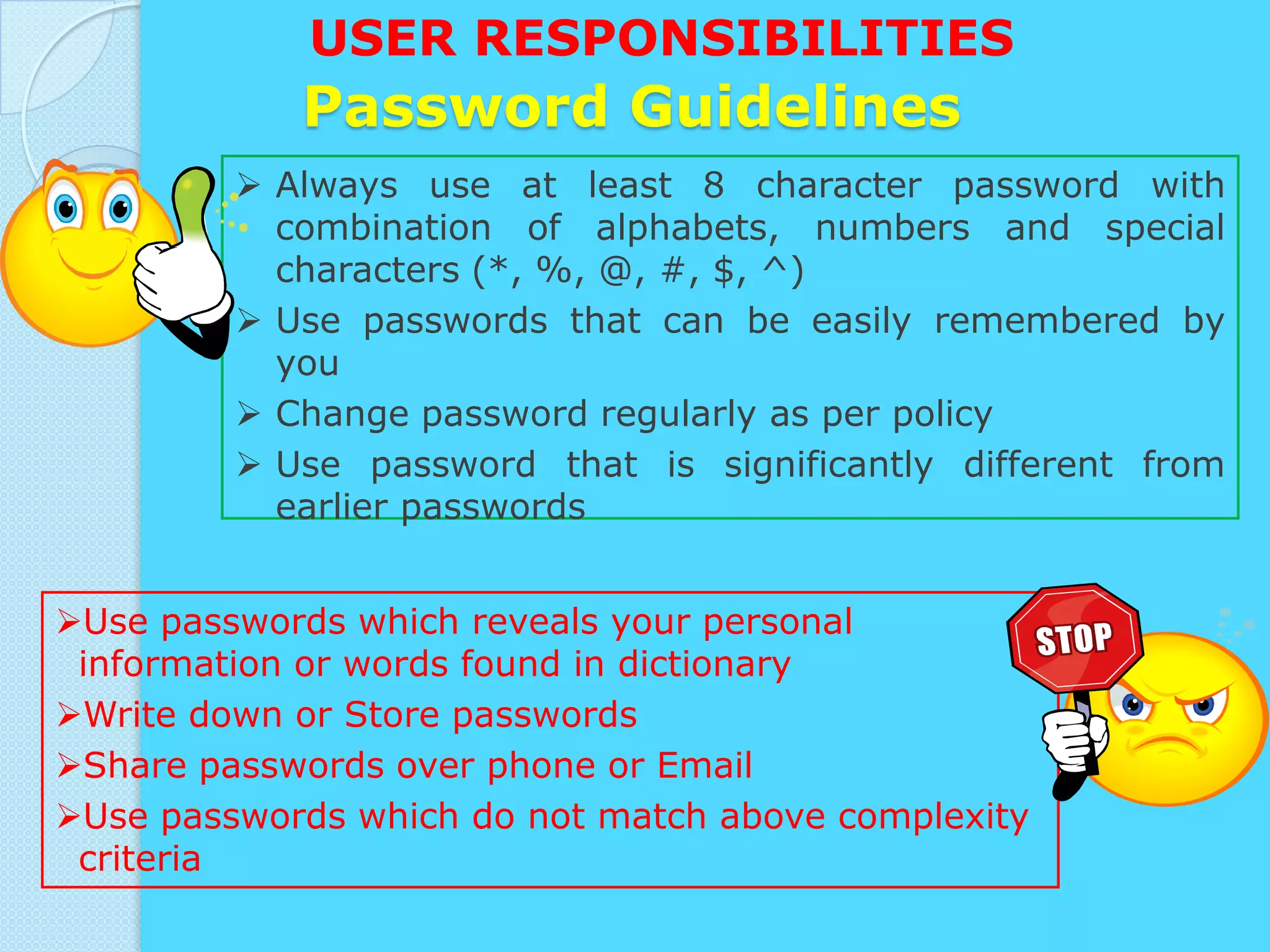
          Always use at least 8 character password with
           combination of alphabets, numbers and special
           characters (*, %, @, #, $, ^)
          Use passwords that can be easily remembered by
           you
          Change password regularly as per policy
          Use password that is significantly different from
           earlier passwords


Use passwords which reveals your personal
 information or words found in dictionary
Write down or Store passwords
Share passwords over phone or Email
Use passwords which do not match above complexity
 criteria
USER RESPONSIBILITIES
            Internet Usage
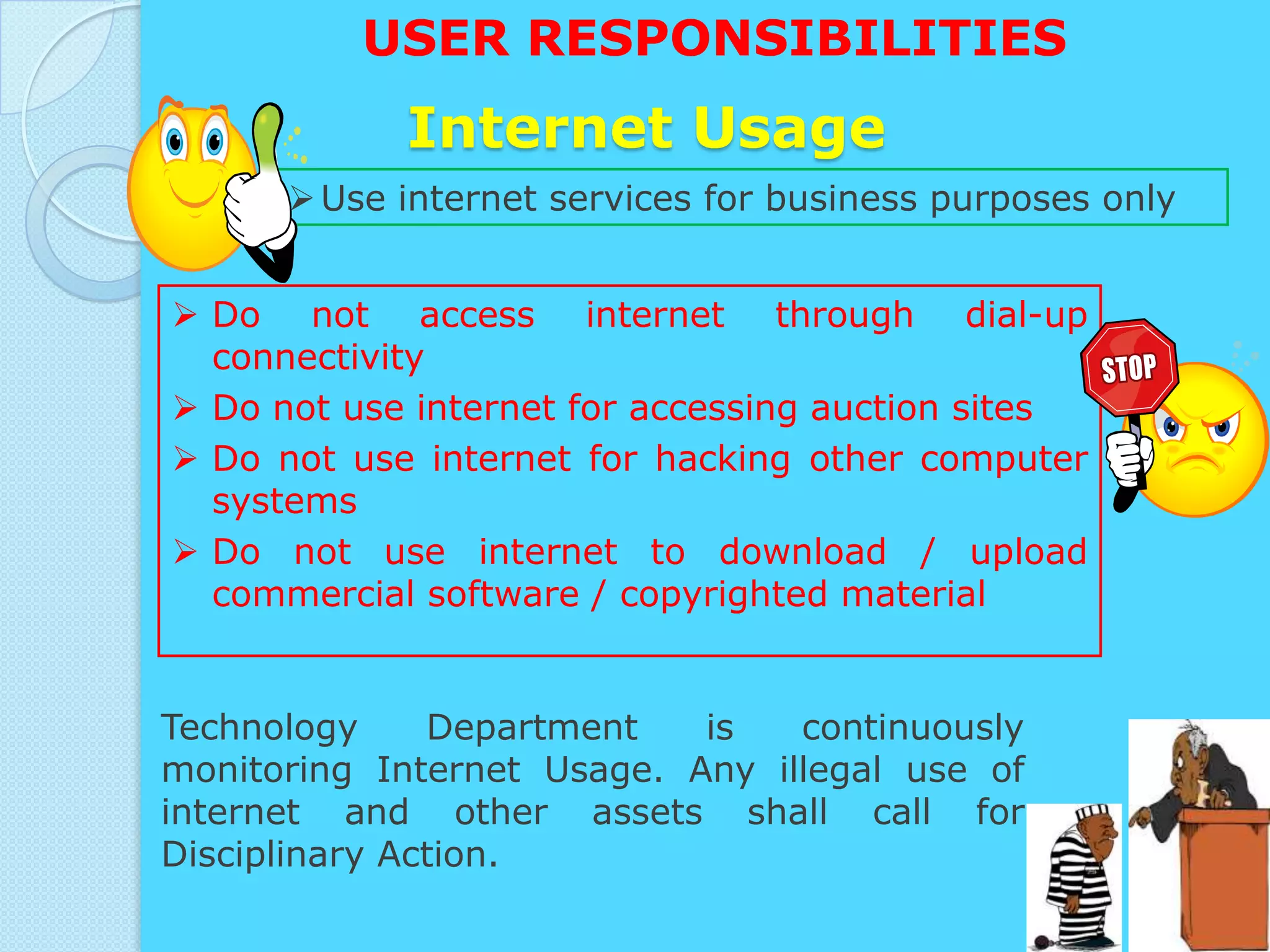
       Use internet services for business purposes only


 Do not access internet through dial-up
  connectivity
 Do not use internet for accessing auction sites
 Do not use internet for hacking other computer
  systems
 Do not use internet to download / upload
  commercial software / copyrighted material


Technology     Department   is   continuously
monitoring Internet Usage. Any illegal use of
internet and other assets shall call for
Disciplinary Action.
CREATING A CONTROL
ENVIRONMENT
       Antivirus Software
Antivirus software: -
     Software that checks computer
  systems and drives for the presence of
  computer viruses and can eliminate the
  virus from the infected area


• Wi-Fi Protected Access specification
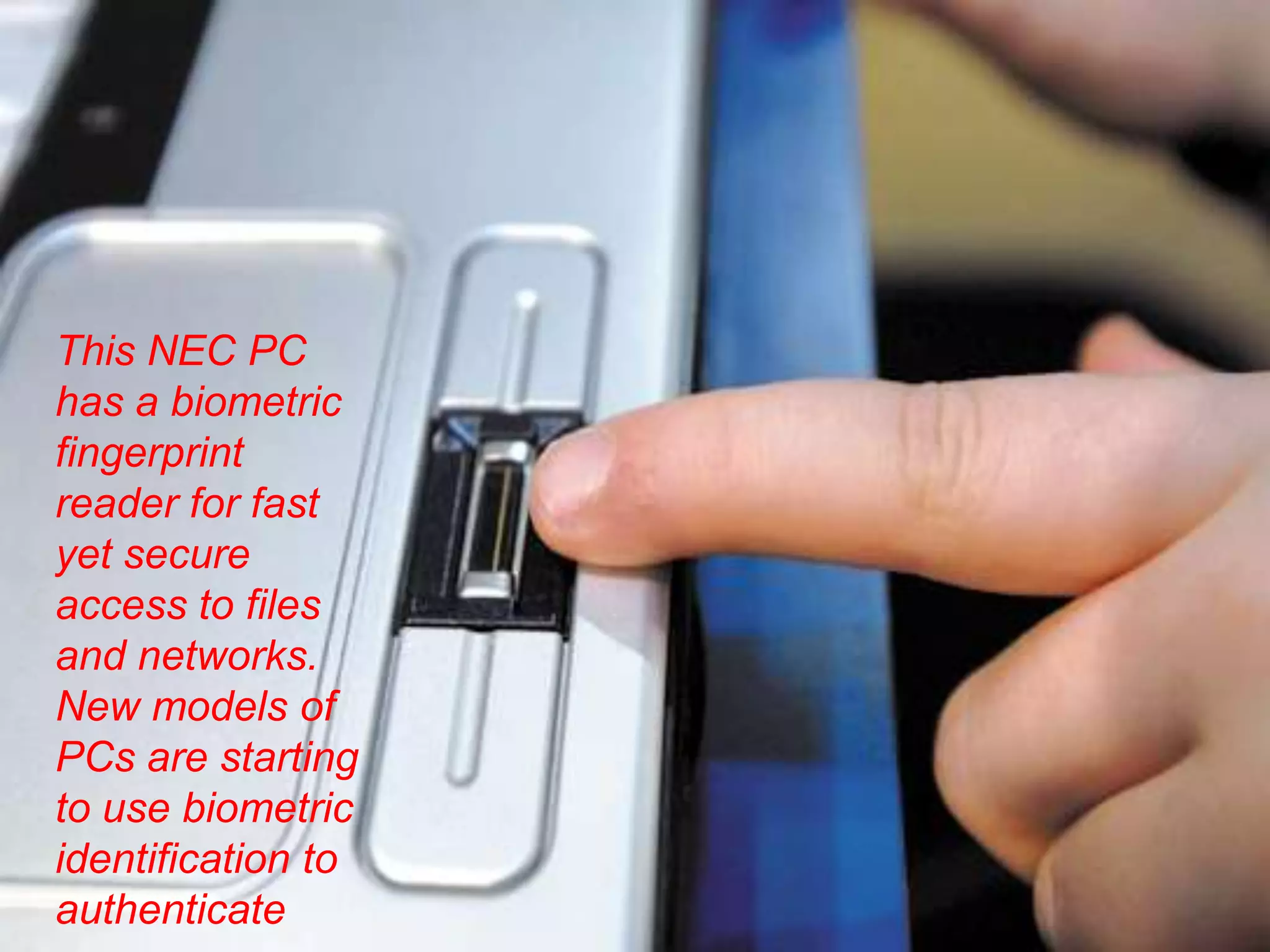
This NEC PC
has a biometric
fingerprint
reader for fast
yet secure
access to files
and networks.
New models of
PCs are starting
to use biometric
identification to
authenticate
MANAGEMENT OPPORTUNITIES,
CHALLENGES AND SOLUTIONS

oManagement Opportunities: -
Creation of secure, reliable Web sites and
systems that can support e-commerce and e-
business strategies
MANAGEMENT
CHALLENGES
Designing systems that are neither over-controlled
nor under-controlled


provide network and infrastructure security to a
financial services firm in a Web-enabled high-threat
environment
MANAGEMENT
CHALLENGES
    Implementing an effective security policy
   Applying quality assurance standards in large
    systems projects

   What are the most important software quality
    assurance techniques?

   Why are auditing information systems and
    safeguarding data quality so important?
Solution Guidelines
•   Security and control must become a more visible and
    explicit priority and area of information systems
    investment.
•   Support and commitment from top management is
    required to show that security is indeed a corporate
    priority and vital to all aspects of the business.
•   Security and control should be the responsibility of
    everyone in the organization.
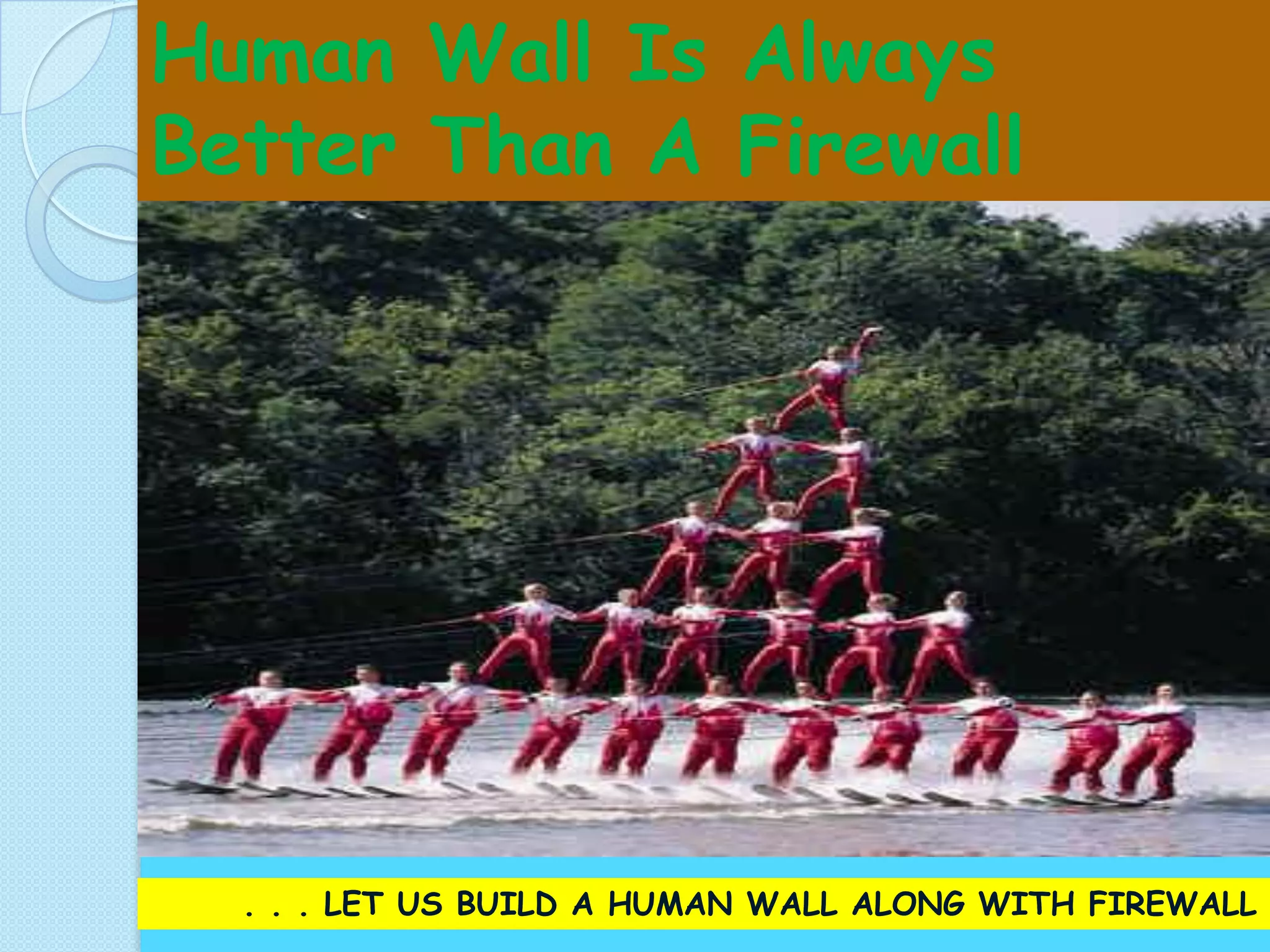
Human Wall Is Always
Better Than A Firewall


  . . . LET US BUILD A HUMAN WALL ALONG WITH FIREWALL
Security and control in mis

Security and control in mis

  • 1.
    MANAGEMENT INFORMATION SYSTEMS SECURITYAND CONTROL Submitted By: Gurjit Singh Shallu Thakur MBA 3rd sem.
  • 2.
    What is security?  The quality or state of being secure to be free from danger  Security is achieved using several strategies simultaneously or used in combination with one another  Security is recognized as essential to protect vital processes and the systems that provide those processes  Security is not something you buy, it is something you do
  • 3.
    OBJECTIVES • Explain whyinformation systems need special protection from destruction, error, and abuse • Assess the business value of security and control • Evaluate elements of an organizational and managerial framework for security and control
  • 4.
    OBJECTIVES  Identify the challenges posed by information systems security and control and management solutions  Why are information systems so vulnerable to destruction, error, abuse, and system quality problems?  What types of controls are available for information systems?
  • 5.
    Vulnerability, Threat andAttack  A vulnerability:- is a weakness in security system ◦ Can be in design, implementation, etc. ◦ Can be hardware, or software  A threat:- is a set of circumstances that has the potential to cause loss or harm ◦ Or it’s a potential violation of security ◦ Threat can be:  Accidental (natural disasters, human error, …)  Malicious (attackers, insider fraud, …)  An attack:- is the actual violation of security
  • 6.
    Why Systems areVulnerable?  Hardware problems- • Breakdowns, configuration errors, damage from improper use or crime  Software problems- • Programming errors, installation errors, unauthorized changes)  Disasters- • Power failures, flood, fires, etc.  Use of networks and computers outside of firm’s control - • E.g. with domestic or offshore outsourcing vendors
  • 7.
    SYSTEM VULNERABILITY AND ABUSE Concerns for System Builders and Users  Disaster Destroys computer hardware, programs, data files, and other equipment  Security Prevents unauthorized access, alteration, theft, or physical damage
  • 8.
    SYSTEM VULNERABILITY AND ABUSE Concerns for System Builders and Users  Errors- Cause computers to disrupt or destroy organization’s record-keeping and operations  Bugs- Program code defects or errors  Maintenance Nightmare- Maintenance costs high due to organizational change, software complexity, and faulty system analysis and design
  • 9.
    RISKS & THREATS Theft, Virus Attacks Systems & High User Network Knowledge Sabotage, Misuse Failure of IT Systems Natural Lack Of Lapse in Physical Security Calamities & Fire Documentation
  • 10.
  • 11.
    BUSINESS VALUE OF SECURITYAND CONTROL • Inadequate security and control may create serious legal liability. • Businesses must protect not only their own information assets but also those of customers, employees, and business partners. Failure to do so can lead to costly litigation for data exposure or theft. • A sound security and control framework that protects business information assets can thus produce a high return on investment.
  • 12.
    ESTABLISHING A MANAGEMENT FRAMEWORKFOR SECURITY AND CONTROL  General controls: Establish framework for controlling design, security, and use of computer programs • Software controls • Hardware controls • Computer operations controls • Data security controls • Implementation controls
  • 13.
    ESTABLISHING A MANAGEMENT FRAMEWORKFOR SECURITY AND CONTROL Application controls: Unique to each computerized application • Input • Processing • Output
  • 14.
    CREATING A CONTROL ENVIRONMENT Controls:- • Methods, policies, and procedures • Ensures protection of organization’s assets • Ensures accuracy and reliability of records, and operational adherence to management standards
  • 15.
  • 16.
    CREATING A CONTROL ENVIRONMENT Disaster recovery plan: Runs business in event of computer outage Load balancing: Distributes large number of requests for access among multiple servers
  • 17.
    CREATING A CONTROL ENVIRONMENT •Mirroring: Duplicating all processes and transactions of server on backup server to prevent any interruption • Clustering: Linking two computers together so that a second computer can act as a backup to the primary computer or speed up processing
  • 18.
    CREATING A CONTROL ENVIRONMENT Internet Security Challenges Firewalls:- • Hardware and software controlling flow of incoming and outgoing network traffic • Prevent unauthorized users from accessing private networks • Two types: proxies and stateful inspection Intrusion Detection System:- • Monitors vulnerable points in network to detect and deter unauthorized intruders
  • 19.
  • 20.
    CREATING A CONTROL ENVIRONMENT Internet Security • Challenges Encryption: - Coding and scrambling of messages to prevent their access without authorization • Authentication: - Ability of each party in a transaction to ascertain identity of other party • Message integrity: - Ability to ascertain that transmitted message has not been copied or altered
  • 21.
    CREATING A CONTROL ENVIRONMENT Internet Security Challenges  Digital signature: -Digital code attached to electronically transmitted message to uniquely identify contents and sender  Digital certificate: -Attachment to electronic message to verify the sender and to provide receiver with means to encode reply  Secure Electronic Transaction (SET): - Standard for securing credit card transactions over Internet and other networks
  • 22.
    USER RESPONSIBILITIES Access Control - Physical • Follow Security Procedures • Wear Identity Cards • Ask unauthorized visitor his credentials • Attend visitors in Reception and Conference Room only • Bring visitors in operations area without prior permission • Bring hazardous and combustible material in secure area • Practice “Piggybacking” • Bring and use pen drives, zip drives, ipods, other storage devices unless and otherwise authorized to do so
  • 23.
    USER RESPONSIBILITIES Password Guidelines  Always use at least 8 character password with combination of alphabets, numbers and special characters (*, %, @, #, $, ^)  Use passwords that can be easily remembered by you  Change password regularly as per policy  Use password that is significantly different from earlier passwords Use passwords which reveals your personal information or words found in dictionary Write down or Store passwords Share passwords over phone or Email Use passwords which do not match above complexity criteria
  • 24.
    USER RESPONSIBILITIES Internet Usage  Use internet services for business purposes only  Do not access internet through dial-up connectivity  Do not use internet for accessing auction sites  Do not use internet for hacking other computer systems  Do not use internet to download / upload commercial software / copyrighted material Technology Department is continuously monitoring Internet Usage. Any illegal use of internet and other assets shall call for Disciplinary Action.
  • 25.
    CREATING A CONTROL ENVIRONMENT Antivirus Software Antivirus software: - Software that checks computer systems and drives for the presence of computer viruses and can eliminate the virus from the infected area • Wi-Fi Protected Access specification
  • 26.
    This NEC PC hasa biometric fingerprint reader for fast yet secure access to files and networks. New models of PCs are starting to use biometric identification to authenticate
  • 27.
    MANAGEMENT OPPORTUNITIES, CHALLENGES ANDSOLUTIONS oManagement Opportunities: - Creation of secure, reliable Web sites and systems that can support e-commerce and e- business strategies
  • 28.
    MANAGEMENT CHALLENGES Designing systems thatare neither over-controlled nor under-controlled provide network and infrastructure security to a financial services firm in a Web-enabled high-threat environment
  • 29.
    MANAGEMENT CHALLENGES  Implementing an effective security policy  Applying quality assurance standards in large systems projects  What are the most important software quality assurance techniques?  Why are auditing information systems and safeguarding data quality so important?
  • 30.
    Solution Guidelines • Security and control must become a more visible and explicit priority and area of information systems investment. • Support and commitment from top management is required to show that security is indeed a corporate priority and vital to all aspects of the business. • Security and control should be the responsibility of everyone in the organization.
  • 31.
    Human Wall IsAlways Better Than A Firewall . . . LET US BUILD A HUMAN WALL ALONG WITH FIREWALL