SECURE YOUR FOLDER WITH
PASSWORD
With just simple code in notepad
With this simple notepad hack, you can hide
your folder and whenever someone try to open
your folder it will require password. So
without any software you can lock your folder
to keep your important document safe.
You just need to write some code in notepad
which will be displayed on next slide and save
that notepad file with extension (.bat), that
is a bath file in anywhere in your system.
OPEN NOTEPAD
ADD CODE TO DOCUMENT
 @ECHO OFF
 if EXIST "Control Panel.{21EC2020-3AEA-1069-A2DD-08002B30309D}" goto UNLOCK
 if NOT EXIST folder_name goto Mdfolder_name
 :CONFIRM
 echo Are you sure to lock this folder? (Y/N)
 set/p "cho=>"
 if %cho%==Y goto LOCK
 if %cho%==y goto LOCK
 if %cho%==n goto END
 if %cho%==N goto END
 echo Invalid choice.
 goto CONFIRM
 :LOCK
 ren folder_name "Control Panel.{21EC2020-3AEA-1069-A2DD-08002B30309D}"
 attrib +h +s "Control Panel.{21EC2020-3AEA-1069-A2DD-08002B30309D}"
 echo Folder locked
 goto End
Continue......
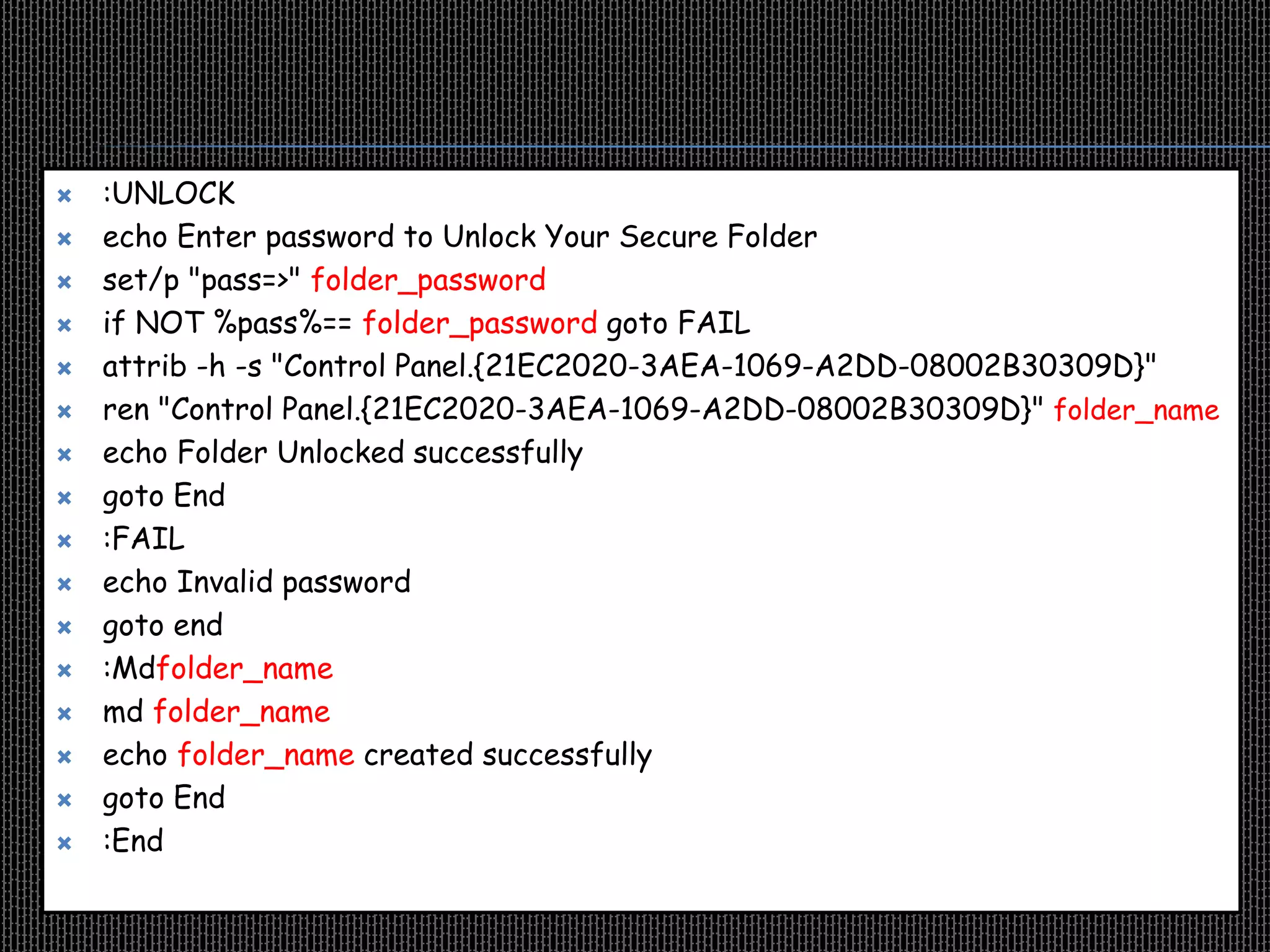
 :UNLOCK
 echo Enter password to Unlock Your Secure Folder
 set/p "pass=>" folder_password
 if NOT %pass%== folder_password goto FAIL
 attrib -h -s "Control Panel.{21EC2020-3AEA-1069-A2DD-08002B30309D}"
 ren "Control Panel.{21EC2020-3AEA-1069-A2DD-08002B30309D}" folder_name
 echo Folder Unlocked successfully
 goto End
 :FAIL
 echo Invalid password
 goto end
 :Mdfolder_name
 md folder_name
 echo folder_name created successfully
 goto End
 :End
You can use your Own folder name and
password as well. In the code, I gave, I
used folder_name as the folder name and
folder_password as the password. I
highlighted them with the red color.
Next step is to save the file. You can give any name to this
notepad file but ends with .bat that is a batch file. Also
remember to select “All files” in the drop down menu in Save as
type.
LOCKER IS READY TO USE
Double click the batch file. You will find the new folder
with as same name as you given in the code
To lock the folder, double click that batch file again then a new
window will pop up in which it will ask you to lock the folder or not
select “y” and hit enter to lock. And the folder will be vanished.
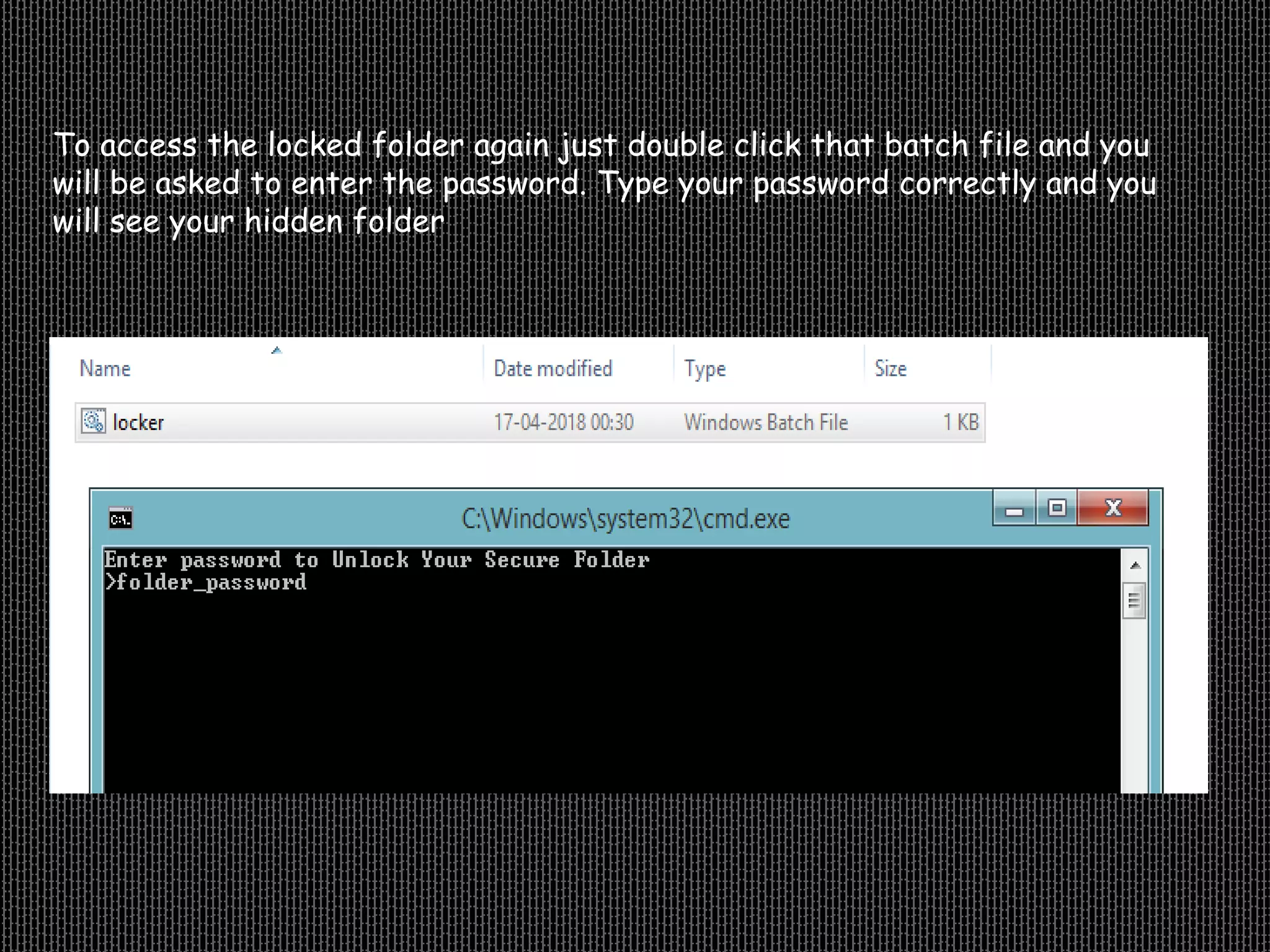
To access the locked folder again just double click that batch file and you
will be asked to enter the password. Type your password correctly and you
will see your hidden folder

Secure your folder with password/without any software

  • 1.
    SECURE YOUR FOLDERWITH PASSWORD With just simple code in notepad
  • 2.
    With this simplenotepad hack, you can hide your folder and whenever someone try to open your folder it will require password. So without any software you can lock your folder to keep your important document safe. You just need to write some code in notepad which will be displayed on next slide and save that notepad file with extension (.bat), that is a bath file in anywhere in your system.
  • 3.
  • 4.
    ADD CODE TODOCUMENT  @ECHO OFF  if EXIST "Control Panel.{21EC2020-3AEA-1069-A2DD-08002B30309D}" goto UNLOCK  if NOT EXIST folder_name goto Mdfolder_name  :CONFIRM  echo Are you sure to lock this folder? (Y/N)  set/p "cho=>"  if %cho%==Y goto LOCK  if %cho%==y goto LOCK  if %cho%==n goto END  if %cho%==N goto END  echo Invalid choice.  goto CONFIRM  :LOCK  ren folder_name "Control Panel.{21EC2020-3AEA-1069-A2DD-08002B30309D}"  attrib +h +s "Control Panel.{21EC2020-3AEA-1069-A2DD-08002B30309D}"  echo Folder locked  goto End Continue......
  • 5.
     :UNLOCK  echoEnter password to Unlock Your Secure Folder  set/p "pass=>" folder_password  if NOT %pass%== folder_password goto FAIL  attrib -h -s "Control Panel.{21EC2020-3AEA-1069-A2DD-08002B30309D}"  ren "Control Panel.{21EC2020-3AEA-1069-A2DD-08002B30309D}" folder_name  echo Folder Unlocked successfully  goto End  :FAIL  echo Invalid password  goto end  :Mdfolder_name  md folder_name  echo folder_name created successfully  goto End  :End
  • 6.
    You can useyour Own folder name and password as well. In the code, I gave, I used folder_name as the folder name and folder_password as the password. I highlighted them with the red color.
  • 7.
    Next step isto save the file. You can give any name to this notepad file but ends with .bat that is a batch file. Also remember to select “All files” in the drop down menu in Save as type.
  • 8.
    LOCKER IS READYTO USE Double click the batch file. You will find the new folder with as same name as you given in the code
  • 9.
    To lock thefolder, double click that batch file again then a new window will pop up in which it will ask you to lock the folder or not select “y” and hit enter to lock. And the folder will be vanished.
  • 10.
    To access thelocked folder again just double click that batch file and you will be asked to enter the password. Type your password correctly and you will see your hidden folder