Scraping with Python
     for Fun & Profit


@PyCon India 2010          Abhishek Mishra
http://in.pycon.org   hello@ideamonk.com
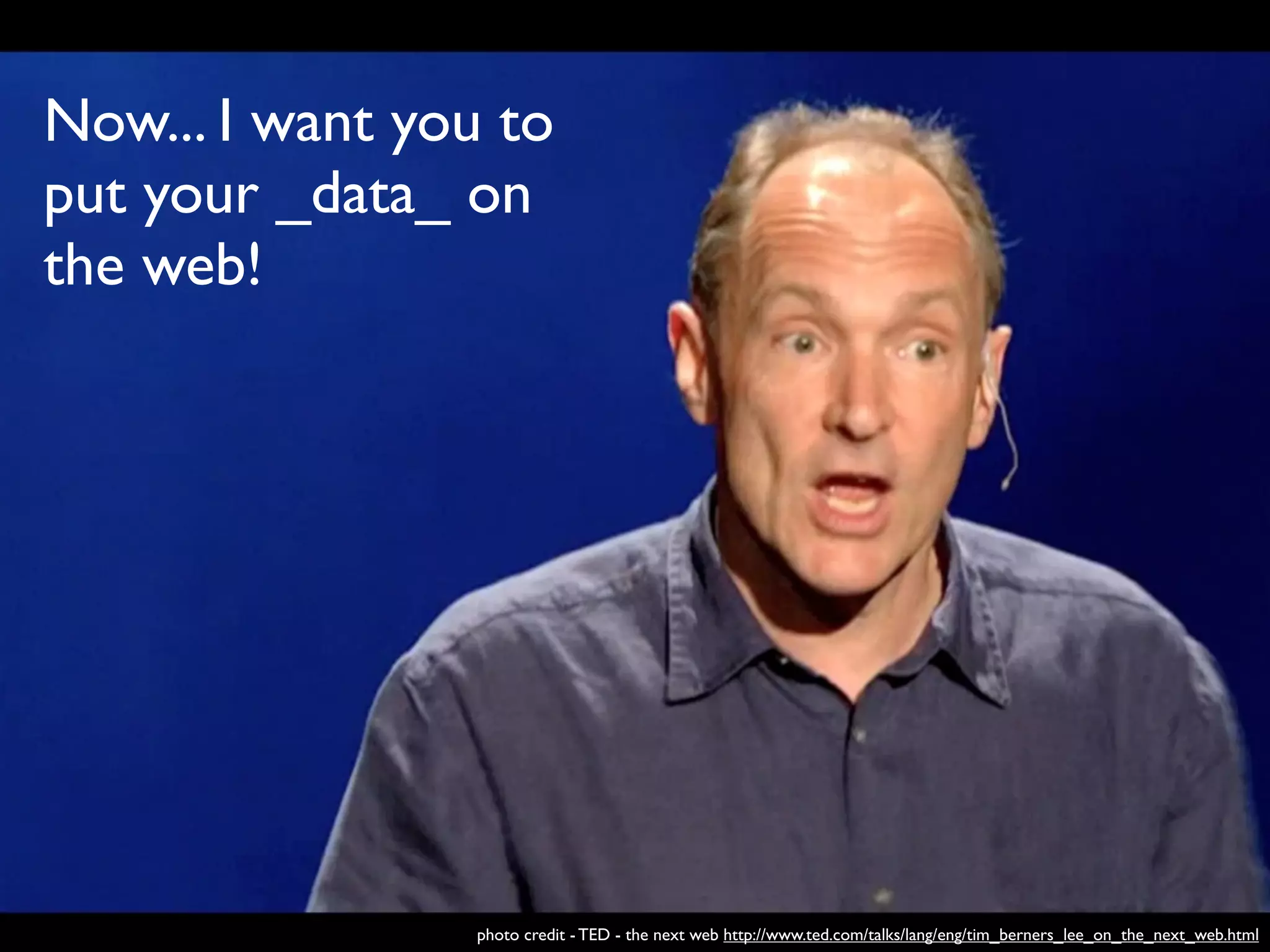
Now... I want you to
put your _data_ on
the web!


                photo credit - TED - the next web http://www.ted.com/talks/lang/eng/tim_berners_lee_on_the_next_web.html
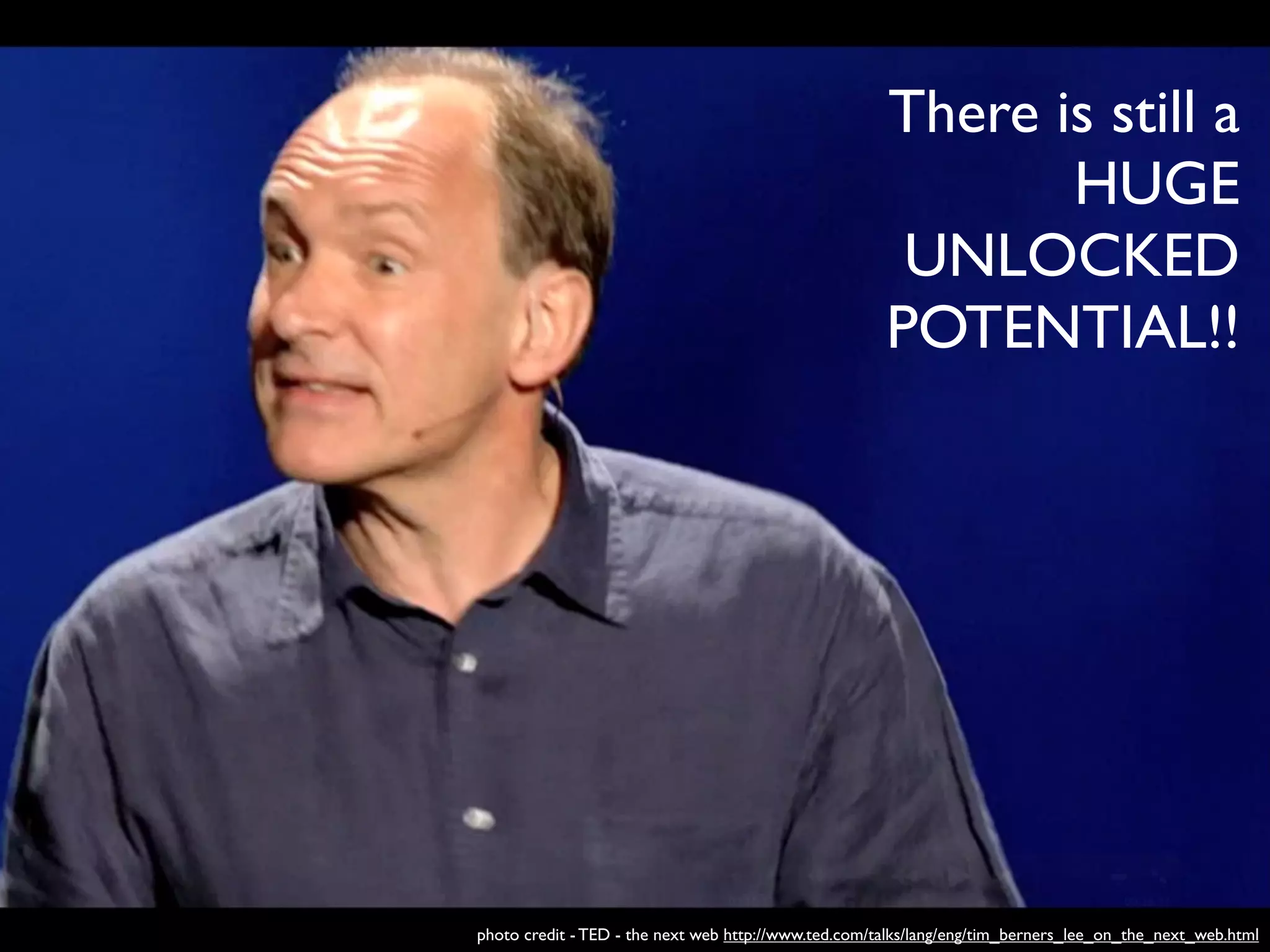
There is still a
                                                             HUGE
                                                       UNLOCKED
                                                      POTENTIAL!!


photo credit - TED - the next web http://www.ted.com/talks/lang/eng/tim_berners_lee_on_the_next_web.html
There is still a
                                                                         HUGE
                                                                   UNLOCKED
                                                                  POTENTIAL!!


search analyze visualize co-relate

            photo credit - TED - the next web http://www.ted.com/talks/lang/eng/tim_berners_lee_on_the_next_web.html
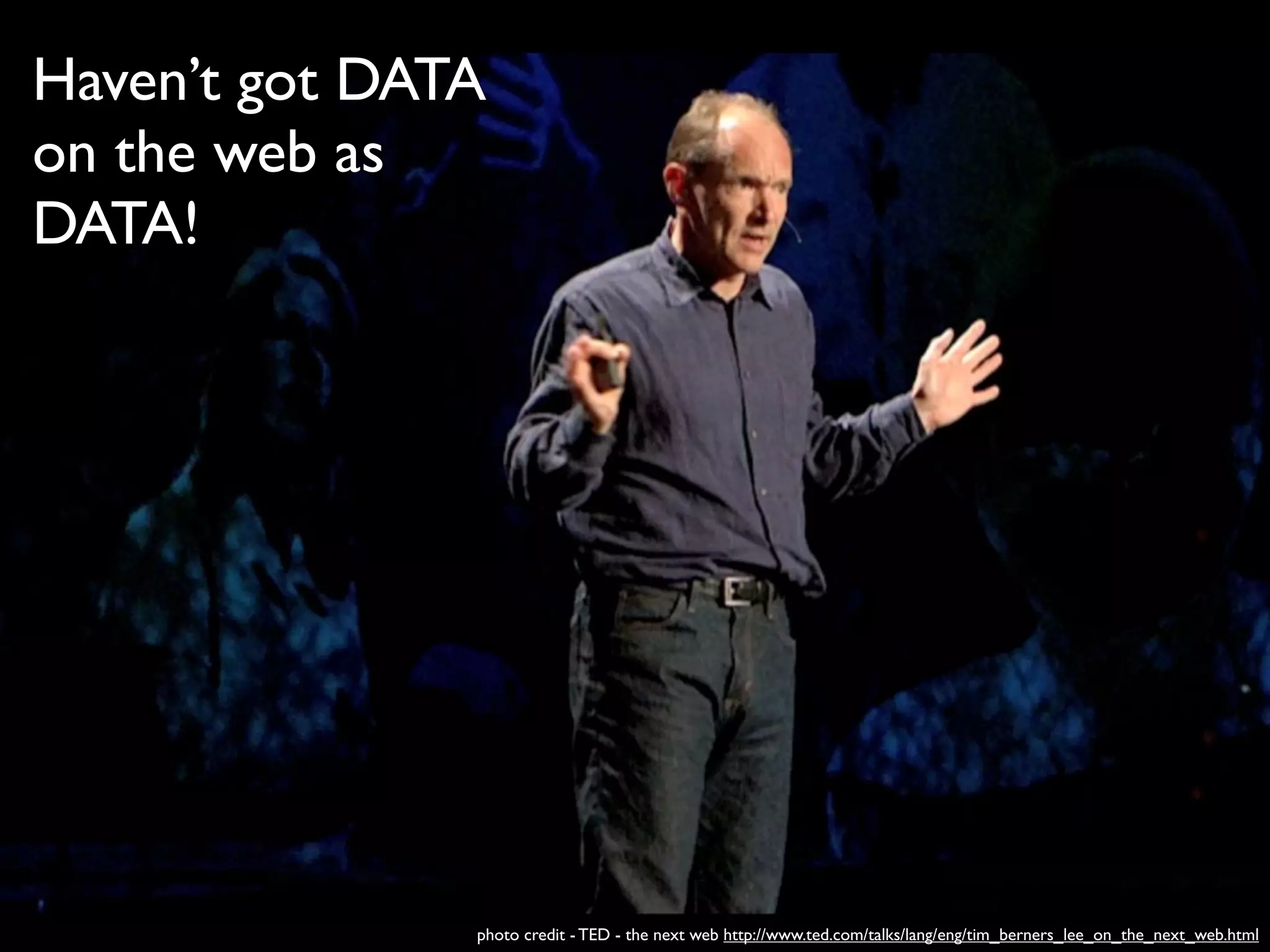
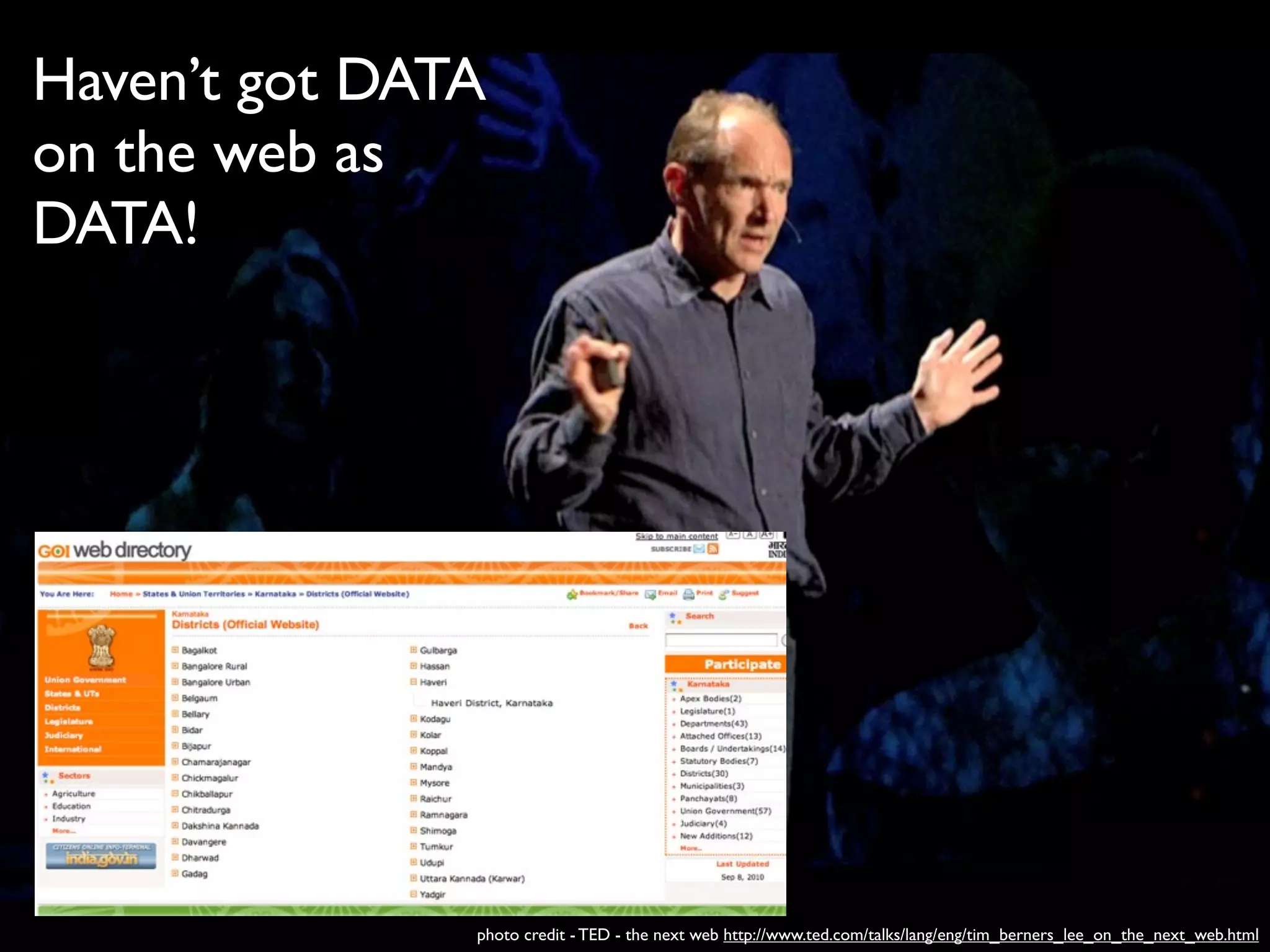
Haven’t got DATA
on the web as
DATA!


               photo credit - TED - the next web http://www.ted.com/talks/lang/eng/tim_berners_lee_on_the_next_web.html
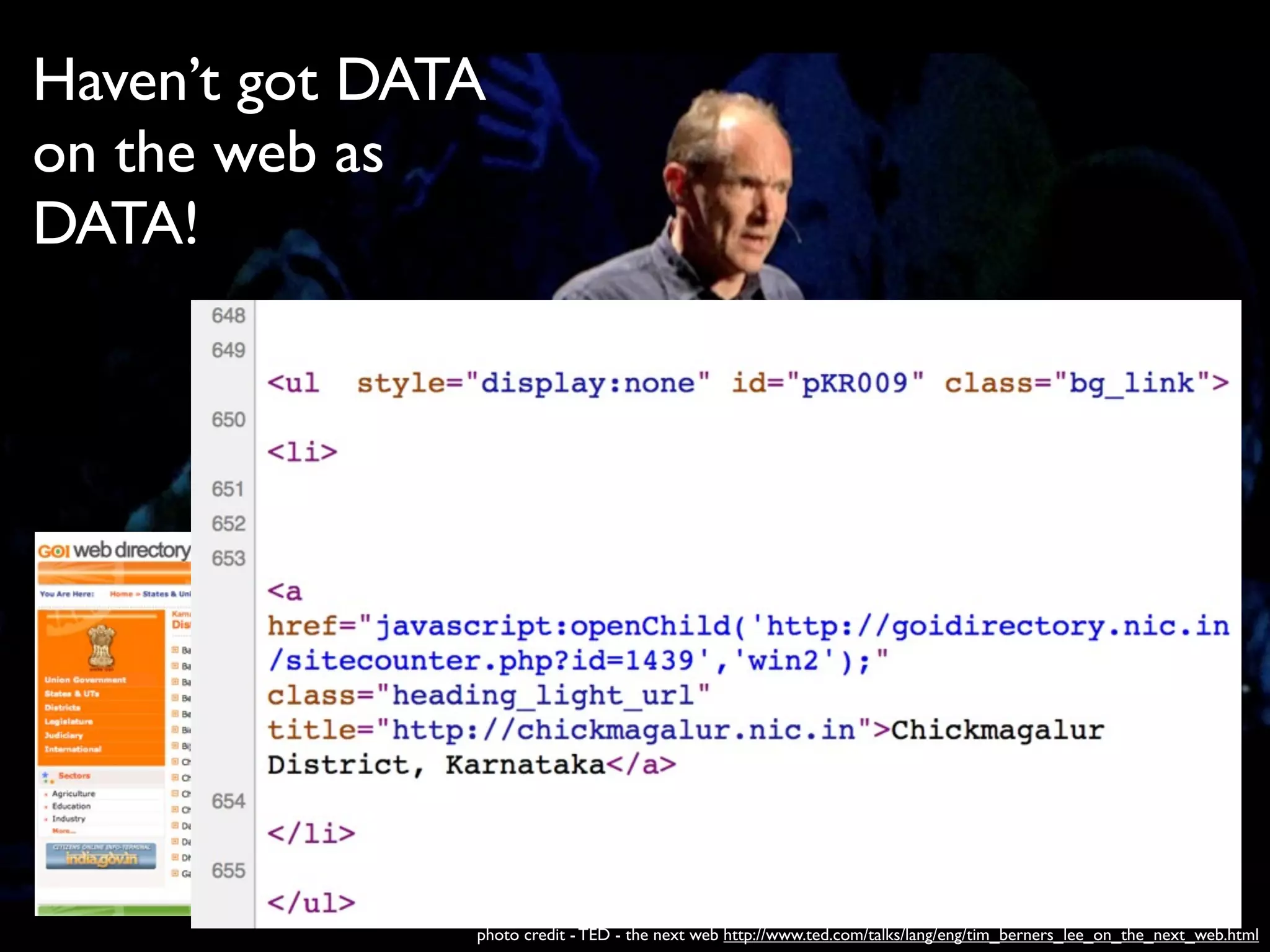
Haven’t got DATA
on the web as
DATA!


               photo credit - TED - the next web http://www.ted.com/talks/lang/eng/tim_berners_lee_on_the_next_web.html
Haven’t got DATA
on the web as
DATA!


               photo credit - TED - the next web http://www.ted.com/talks/lang/eng/tim_berners_lee_on_the_next_web.html
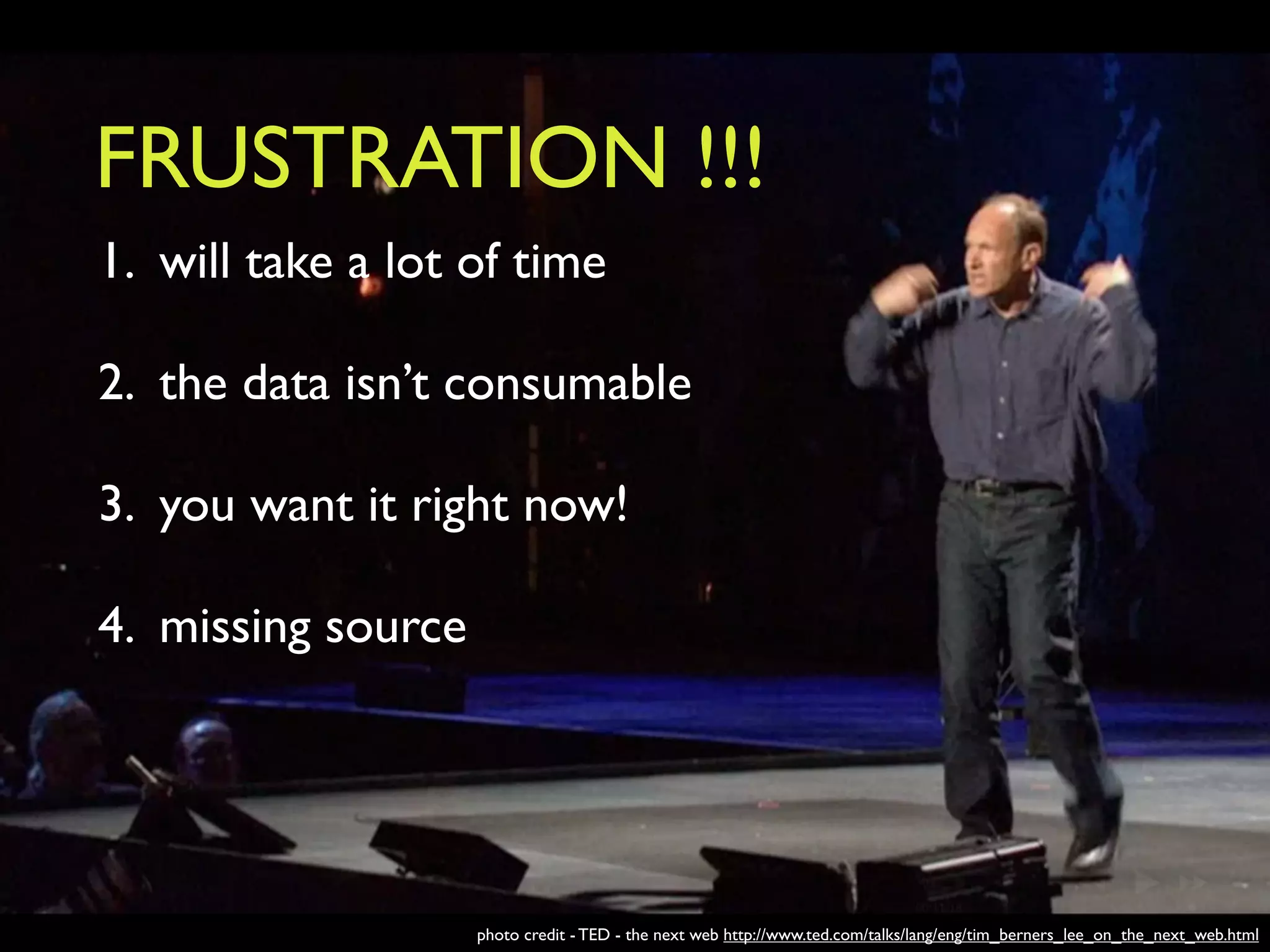
FRUSTRATION !!!
1. will take a lot of time

2. the data isn’t consumable

3. you want it right now!

4. missing source


                    photo credit - TED - the next web http://www.ted.com/talks/lang/eng/tim_berners_lee_on_the_next_web.html
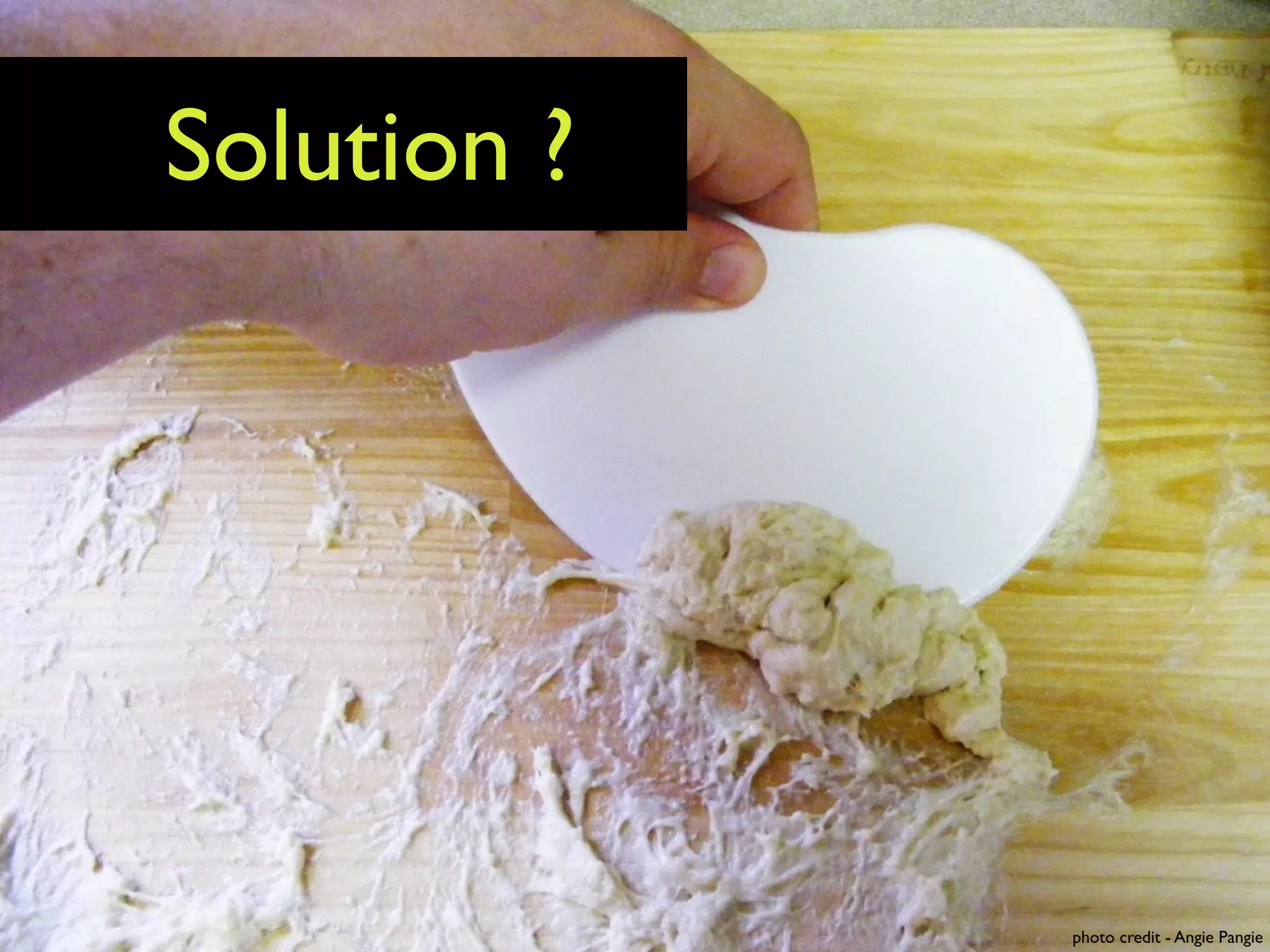
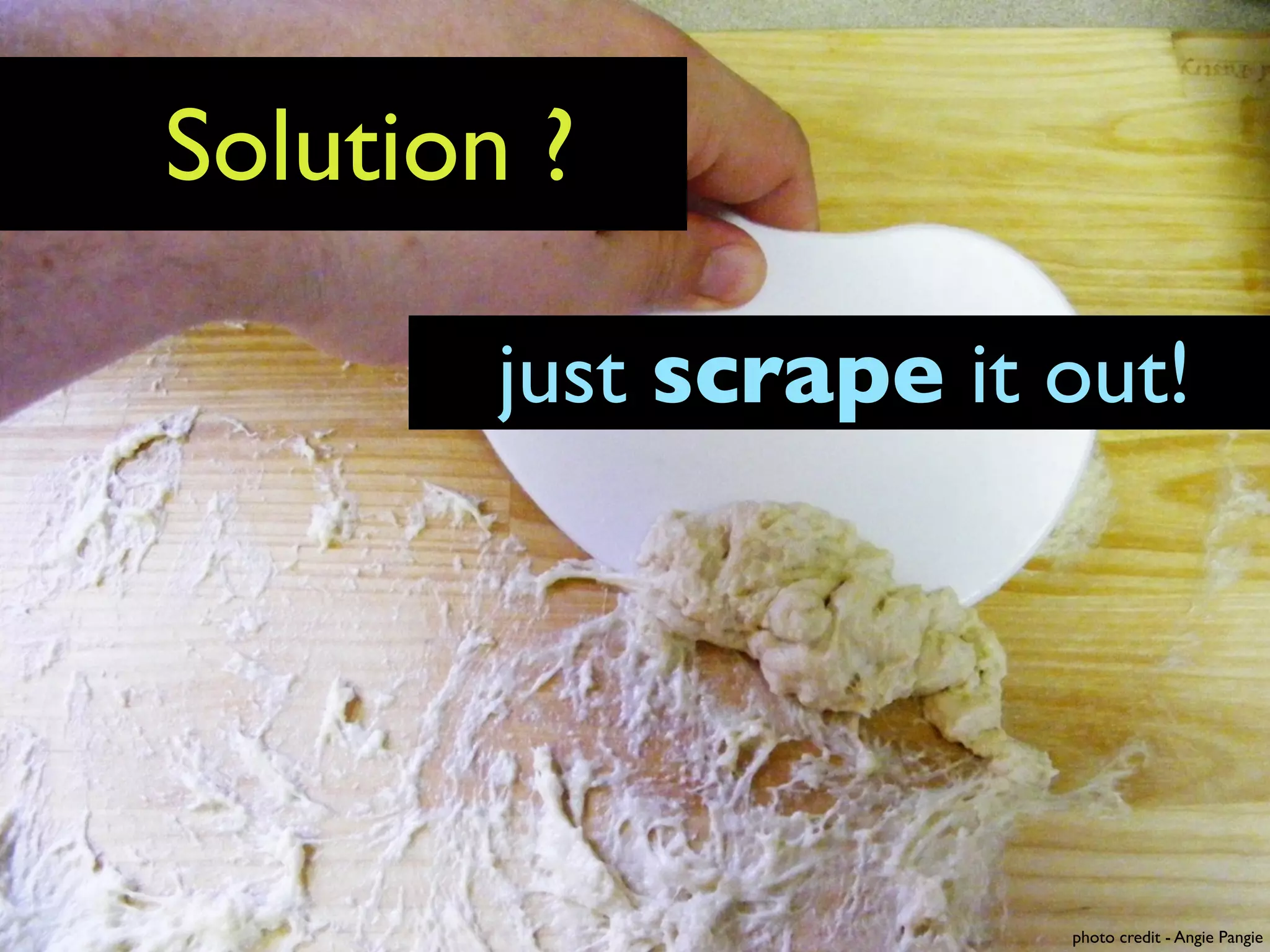
Solution ?


             photo credit - Angie Pangie
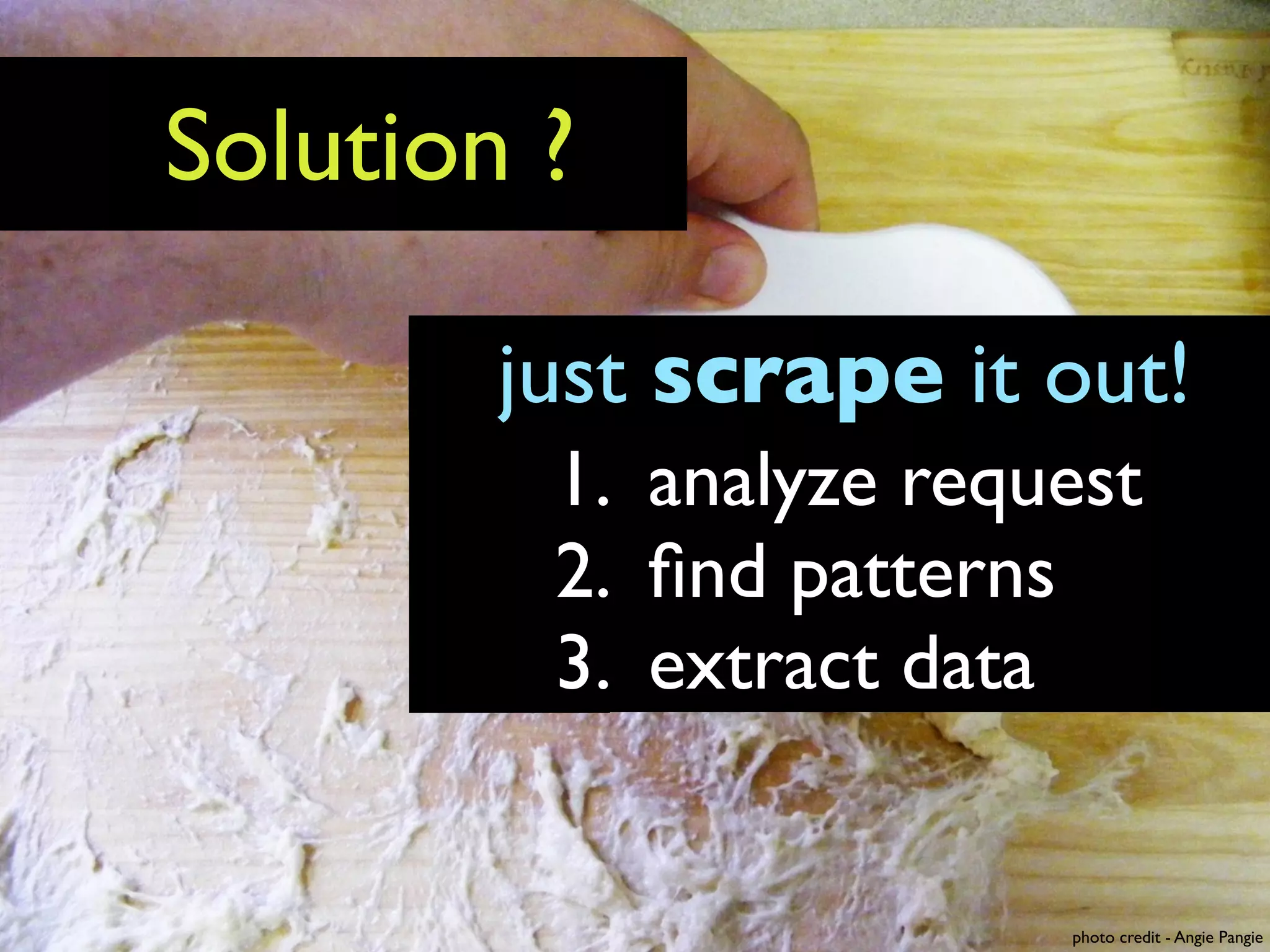
Solution ?

        just scrape it out!


                       photo credit - Angie Pangie
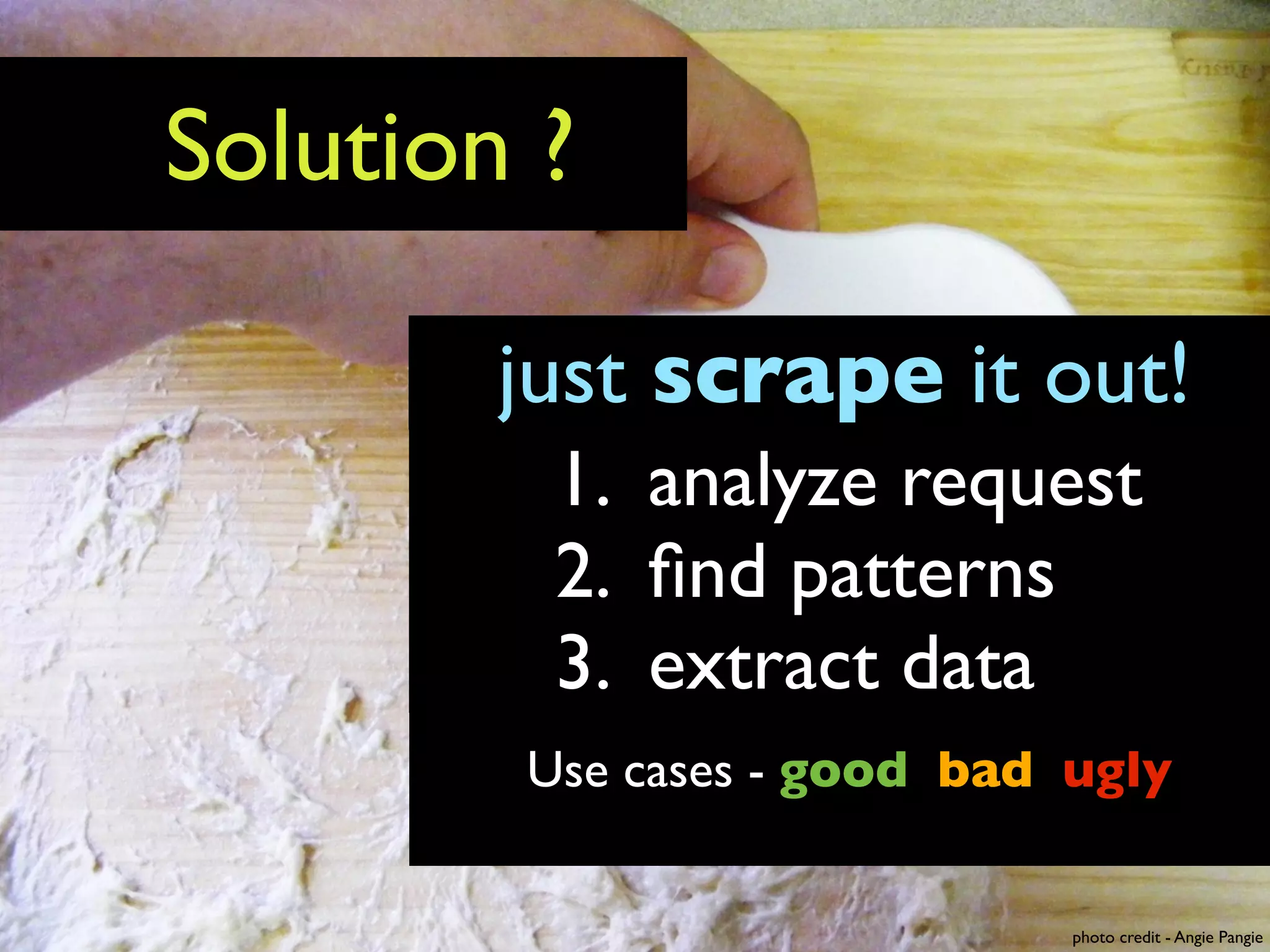
Solution ?

        just scrape it out!
         1. analyze request
         2. find patterns
         3. extract data


                        photo credit - Angie Pangie
Solution ?

        just scrape it out!
         1. analyze request
         2. find patterns
         3. extract data
        Use cases - good bad ugly


                             photo credit - Angie Pangie
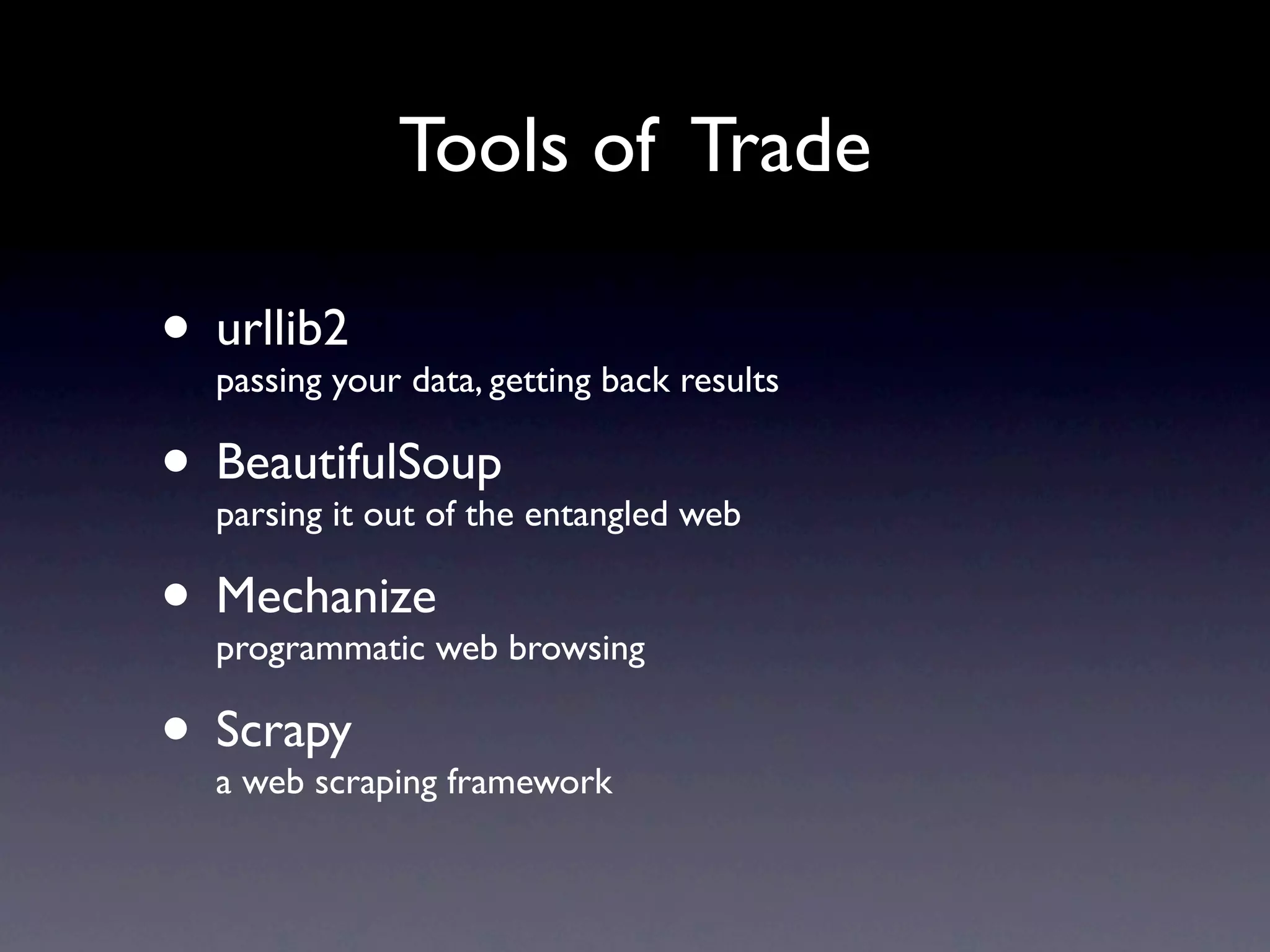
Tools of Trade

• urllib2your data, getting back results
  passing

• BeautifulSoup entangled web
  parsing it out of the

• Mechanizeweb browsing
  programmatic

• Scrapy framework
  a web scraping
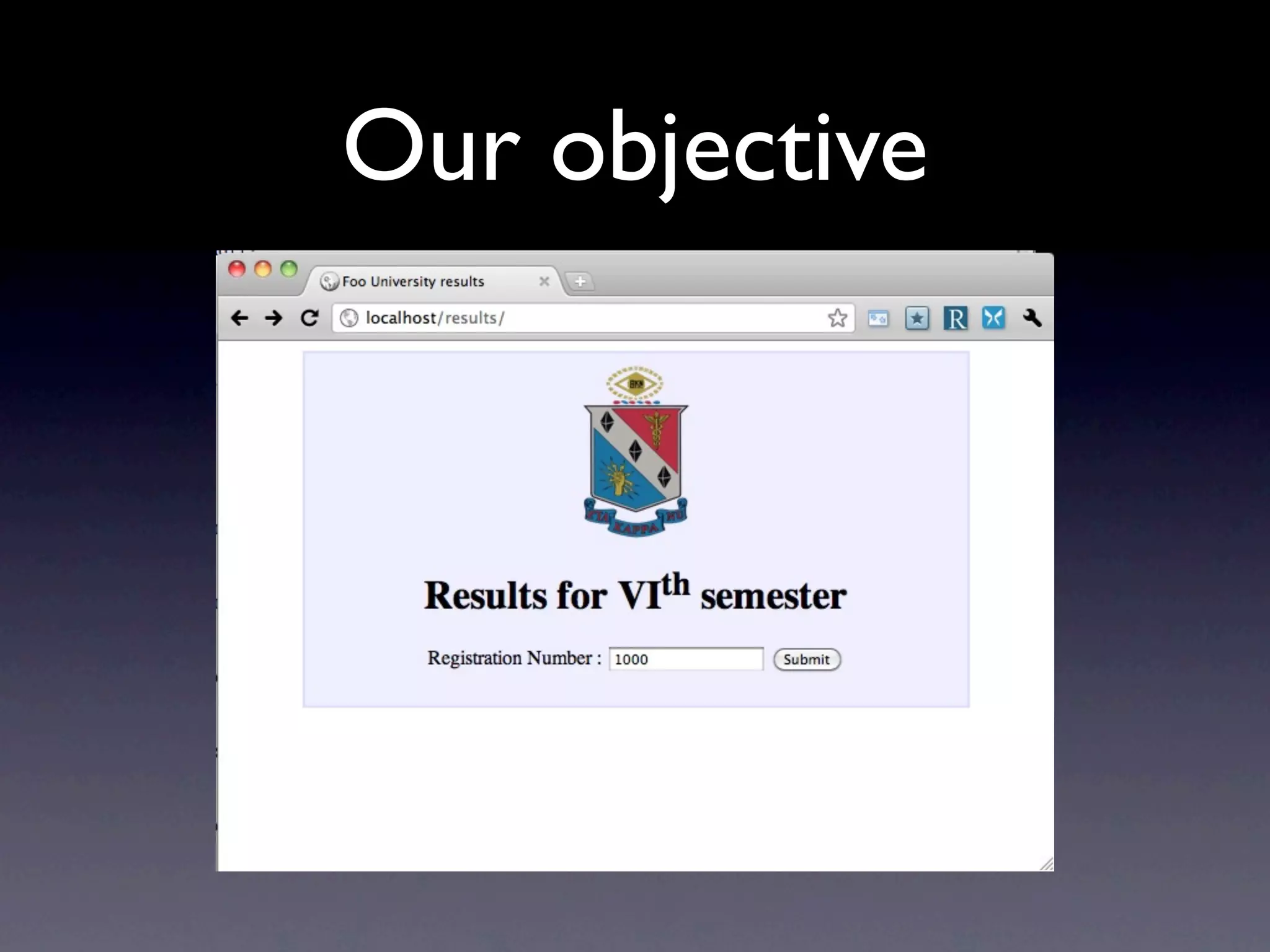
Our objective
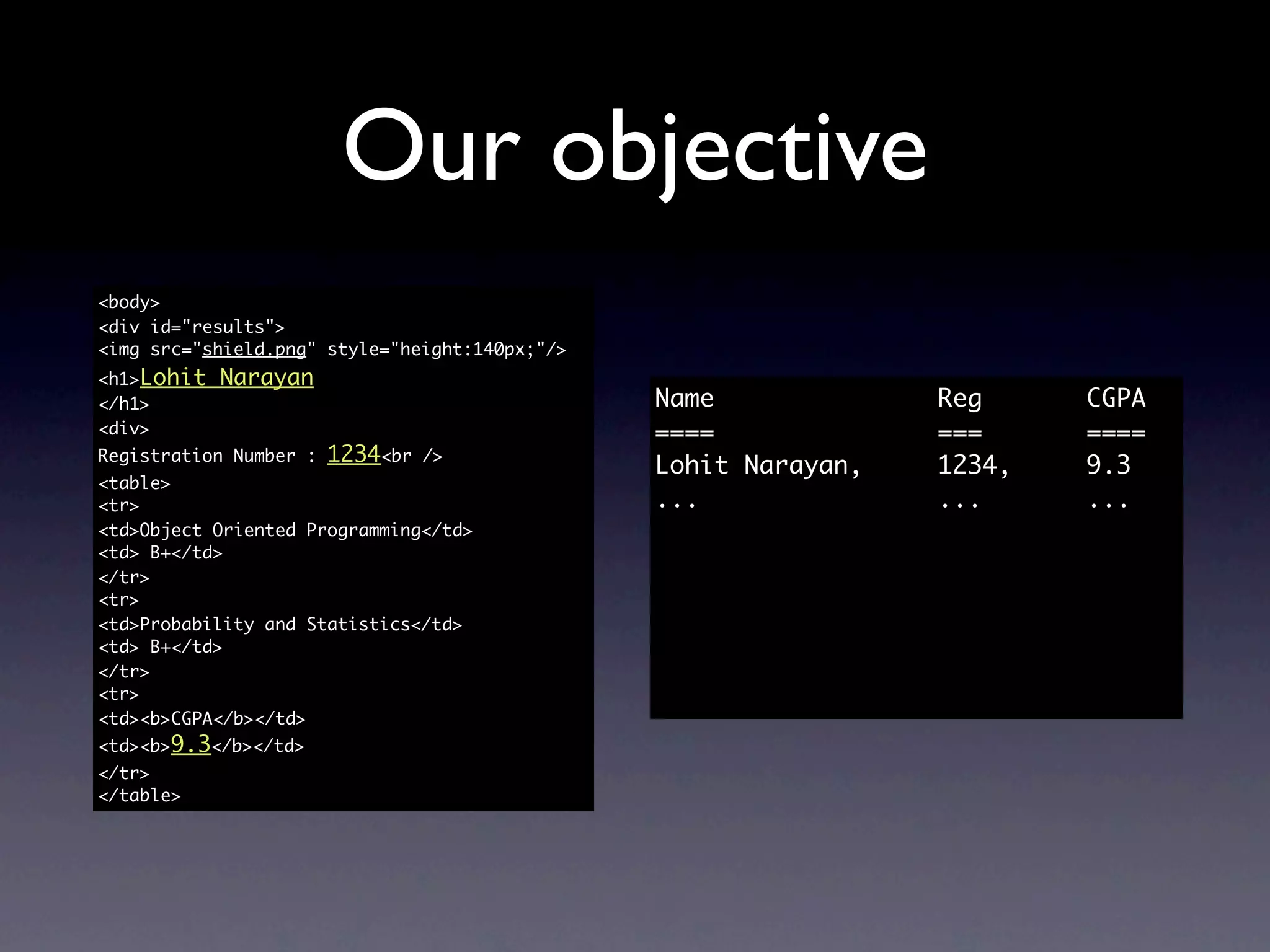
Our objective
<body>
<div id="results">
<img src="shield.png" style="height:140px;"/>
<h1>Lohit   Narayan
</h1>                                           Name             Reg     CGPA
<div>                                           ====             ===     ====
Registration Number :   1234<br   />
                                                Lohit Narayan,   1234,   9.3
<table>
<tr>                                            ...              ...     ...
<td>Object Oriented Programming</td>
<td> B+</td>
</tr>
<tr>
<td>Probability and Statistics</td>
<td> B+</td>
</tr>
<tr>
<td><b>CGPA</b></td>
<td><b>9.3</b></td>
</tr>
</table>
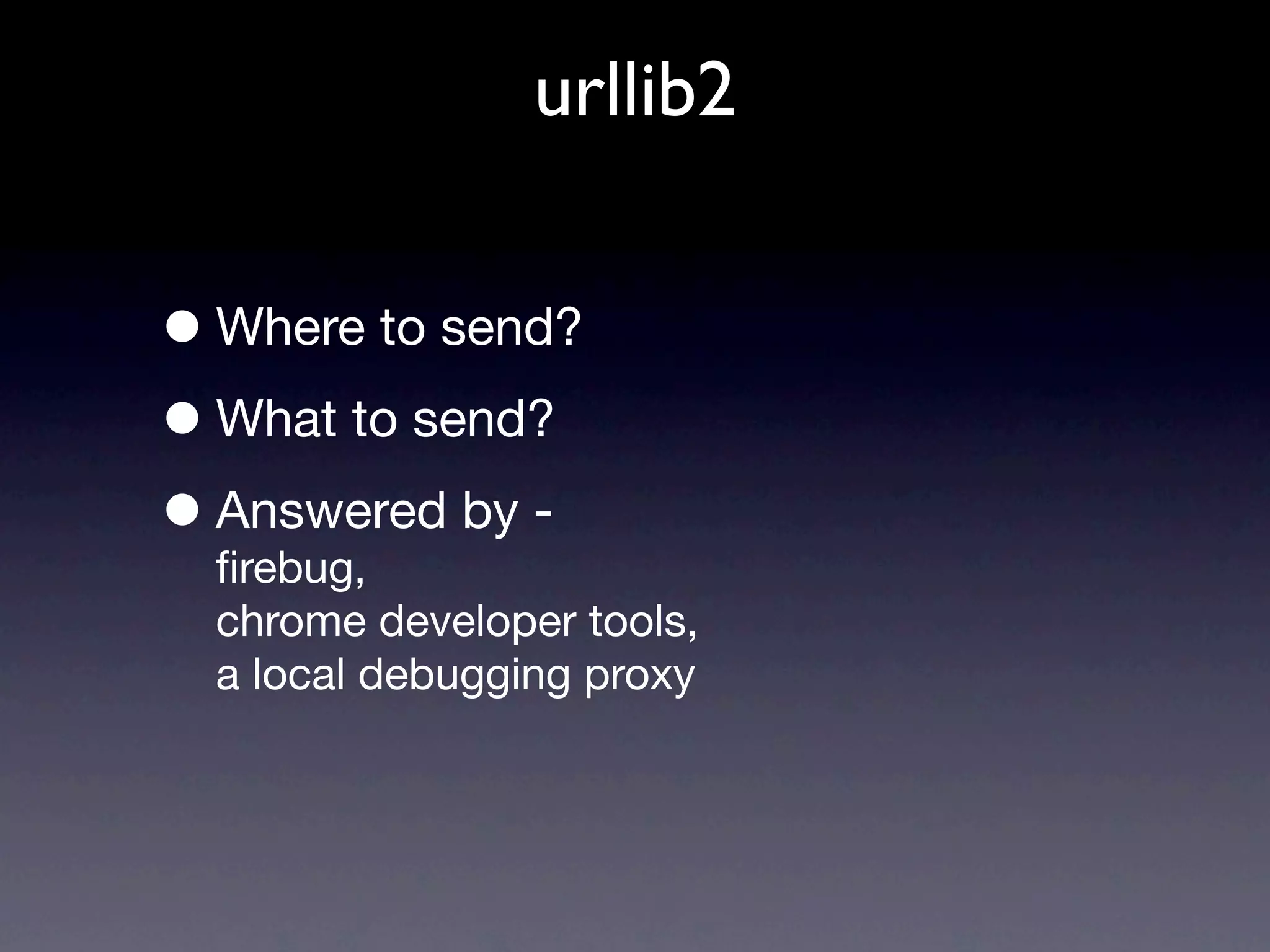
urllib2


• Where to send?
• What to send?
• Answered by -
  firebug,
  chrome developer tools,
  a local debugging proxy
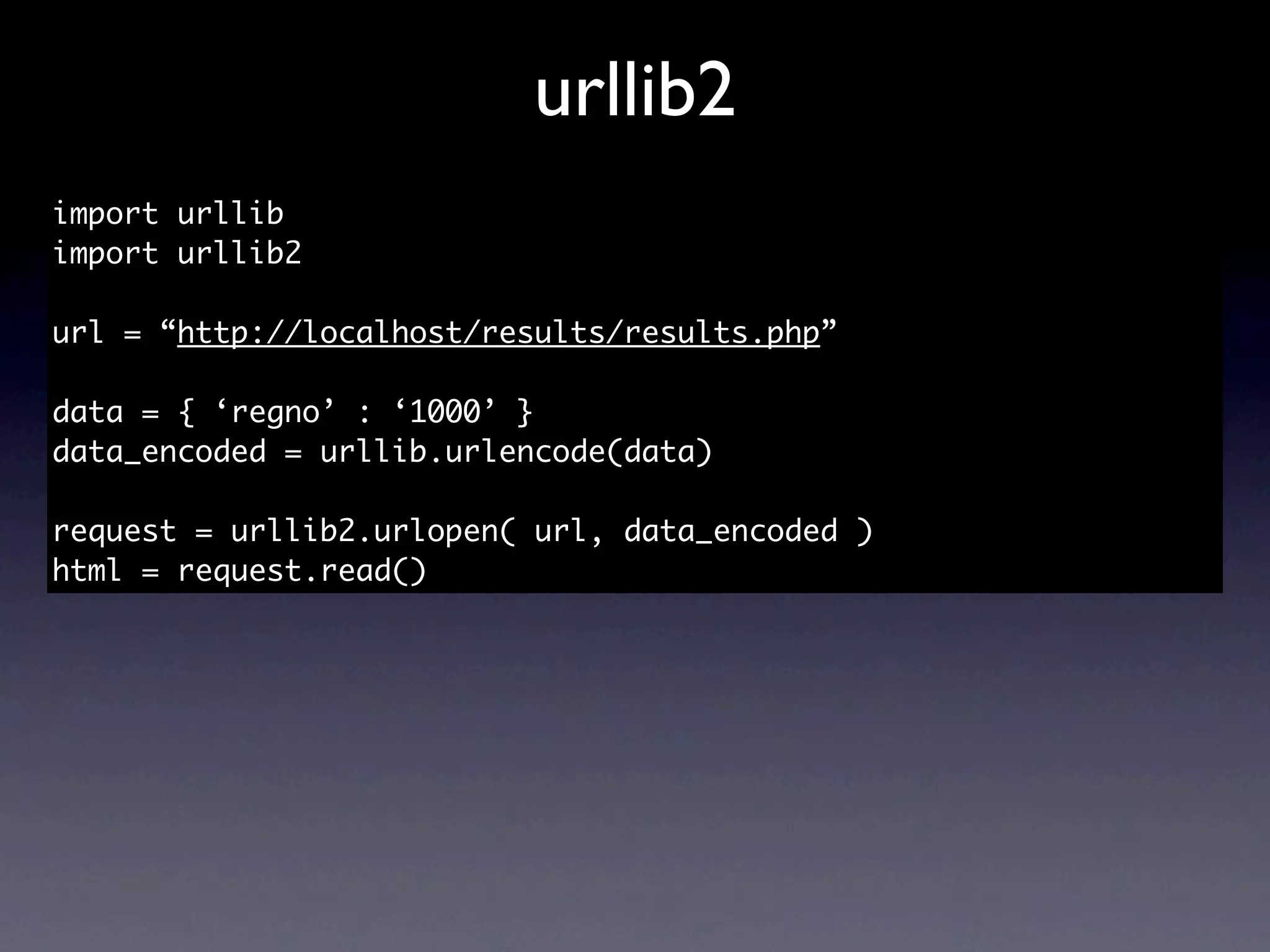
urllib2
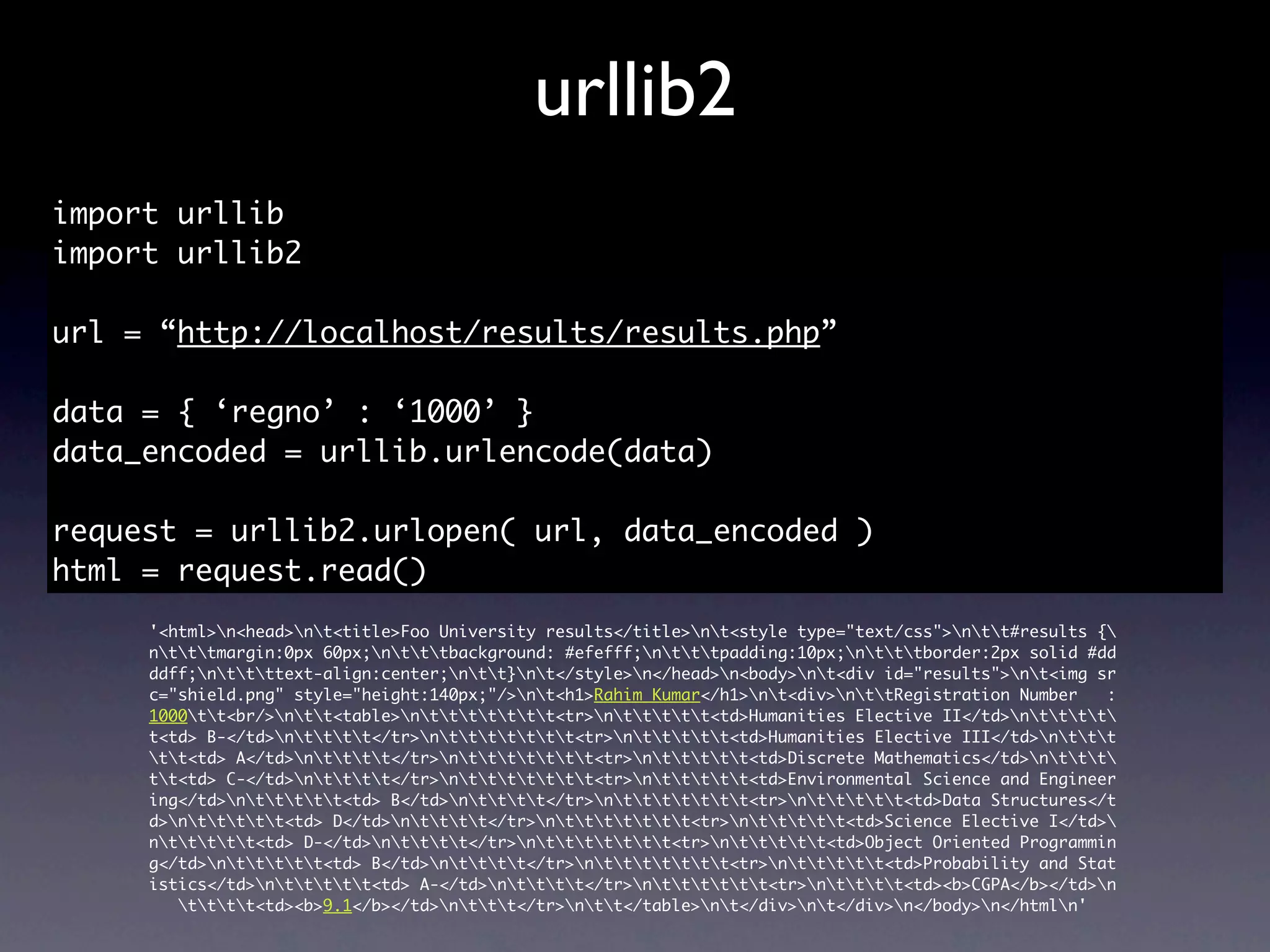
import urllib
import urllib2

url = “http://localhost/results/results.php”

data = { ‘regno’ : ‘1000’ }
data_encoded = urllib.urlencode(data)

request = urllib2.urlopen( url, data_encoded )
html = request.read()
urllib2
import urllib
import urllib2

url = “http://localhost/results/results.php”

data = { ‘regno’ : ‘1000’ }
data_encoded = urllib.urlencode(data)

request = urllib2.urlopen( url, data_encoded )
html = request.read()
     '<html>n<head>nt<title>Foo University results</title>nt<style type="text/css">ntt#results {
     ntttmargin:0px 60px;ntttbackground: #efefff;ntttpadding:10px;ntttborder:2px solid #dd
     ddff;nttttext-align:center;ntt}nt</style>n</head>n<body>nt<div id="results">nt<img sr
     c="shield.png" style="height:140px;"/>nt<h1>Rahim Kumar</h1>nt<div>nttRegistration Number   :
     1000tt<br/>ntt<table>nttttttt<tr>nttttt<td>Humanities Elective II</td>ntttt
     t<td> B-</td>ntttt</tr>nttttttt<tr>nttttt<td>Humanities Elective III</td>nttt
     tt<td> A</td>ntttt</tr>nttttttt<tr>nttttt<td>Discrete Mathematics</td>nttt
     tt<td> C-</td>ntttt</tr>nttttttt<tr>nttttt<td>Environmental Science and Engineer
     ing</td>nttttt<td> B</td>ntttt</tr>nttttttt<tr>nttttt<td>Data Structures</t
     d>nttttt<td> D</td>ntttt</tr>nttttttt<tr>nttttt<td>Science Elective I</td>
     nttttt<td> D-</td>ntttt</tr>nttttttt<tr>nttttt<td>Object Oriented Programmin
     g</td>nttttt<td> B</td>ntttt</tr>nttttttt<tr>nttttt<td>Probability and Stat
     istics</td>nttttt<td> A-</td>ntttt</tr>ntttttt<tr>ntttt<td><b>CGPA</b></td>n
        tttt<td><b>9.1</b></td>nttt</tr>ntt</table>nt</div>nt</div>n</body>n</htmln'
urllib2
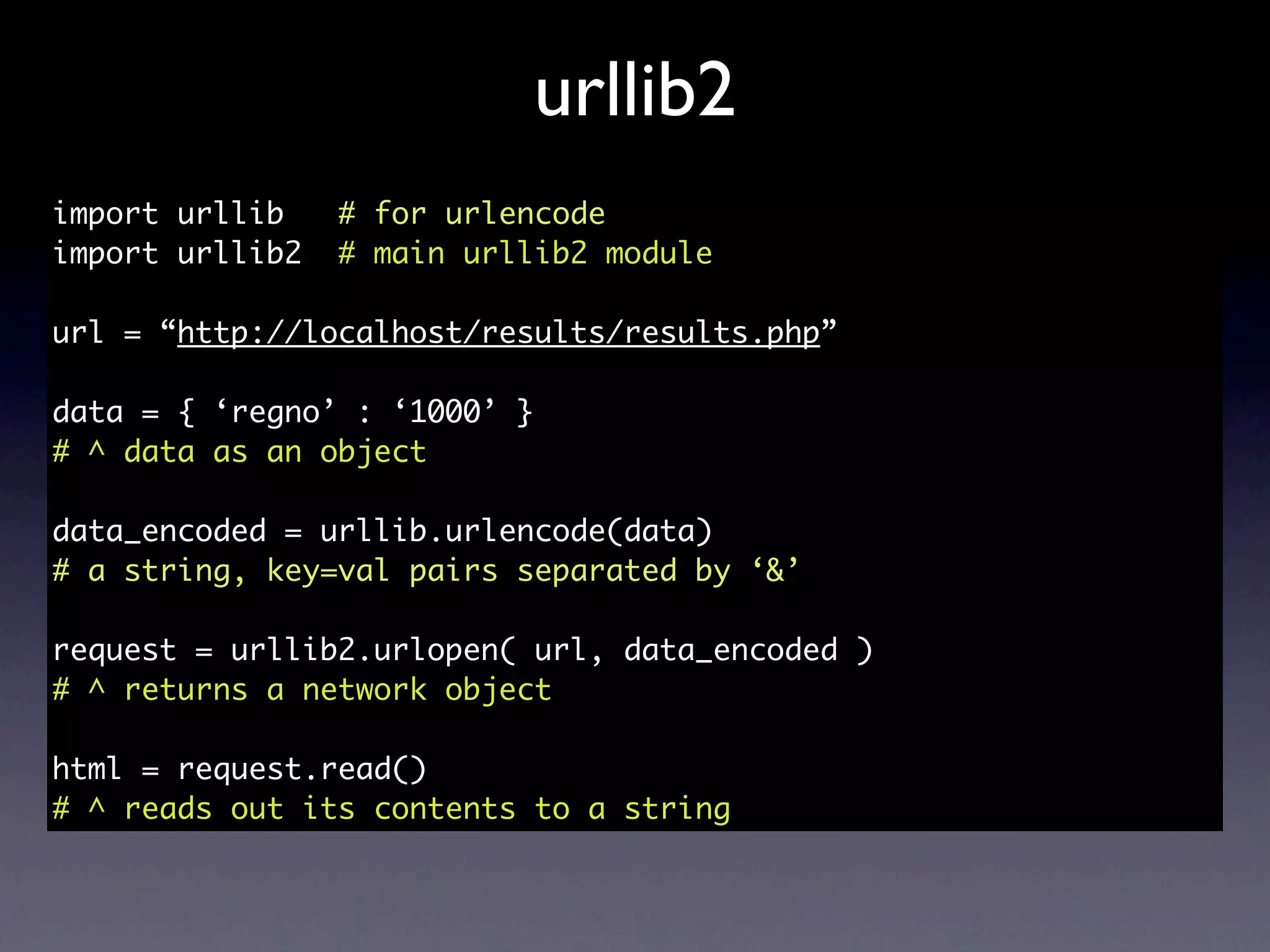
import urllib    # for urlencode
import urllib2   # main urllib2 module

url = “http://localhost/results/results.php”

data = { ‘regno’ : ‘1000’ }
# ^ data as an object

data_encoded = urllib.urlencode(data)
# a string, key=val pairs separated by ‘&’

request = urllib2.urlopen( url, data_encoded )
# ^ returns a network object

html = request.read()
# ^ reads out its contents to a string
urllib2
import urllib
import urllib2

url = “http://localhost/results/results.php”
data = {}
scraped_results = []

for i in xrange(1000, 3000):
    data[‘regno’] = str(i)
    data_encoded = urllib.urlencode(data)
    request = urllib2.urlopen(url, data_encoded)
    html = request.read()
    scraped_results.append(html)
'<html>n<head>nt<title>Foo University results</title>nt<style type="text/css">ntt#results {
ntttmargin:0px 60px;ntttbackground: #efefff;ntttpadding:10px;ntttborder:2px solid #dd
ddff;nttttext-align:center;ntt}nt</style>n</head>n<body>nt<div id="results">nt<img sr
c="shield.png" style="height:140px;"/>nt<h1>Rahim Kumar</h1>nt<div>nttRegistration Number   :
1000tt<br/>ntt<table>nttttttt<tr>nttttt<td>Humanities Elective II</td>ntttt
t<td> B-</td>ntttt</tr>nttttttt<tr>nttttt<td>Humanities Elective III</td>nttt
tt<td> A</td>ntttt</tr>nttttttt<tr>nttttt<td>Discrete Mathematics</td>nttt
tt<td> C-</td>ntttt</tr>nttttttt<tr>nttttt<td>Environmental Science and Engineer
ing</td>nttttt<td> B</td>ntttt</tr>nttttttt<tr>nttttt<td>Data Structures</t
d>nttttt<td> D</td>ntttt</tr>nttttttt<tr>nttttt<td>Science Elective I</td>
nttttt<td> D-</td>ntttt</tr>nttttttt<tr>nttttt<td>Object Oriented Programmin
g</td>nttttt<td> B</td>ntttt</tr>nttttttt<tr>nttttt<td>Probability and Stat
istics</td>nttttt<td> A-</td>ntttt</tr>ntttttt<tr>ntttt<td><b>CGPA</b></td>n
   tttt<td><b>9.1</b></td>nttt</tr>ntt</table>nt</div>nt</div>n</body>n</htmln'


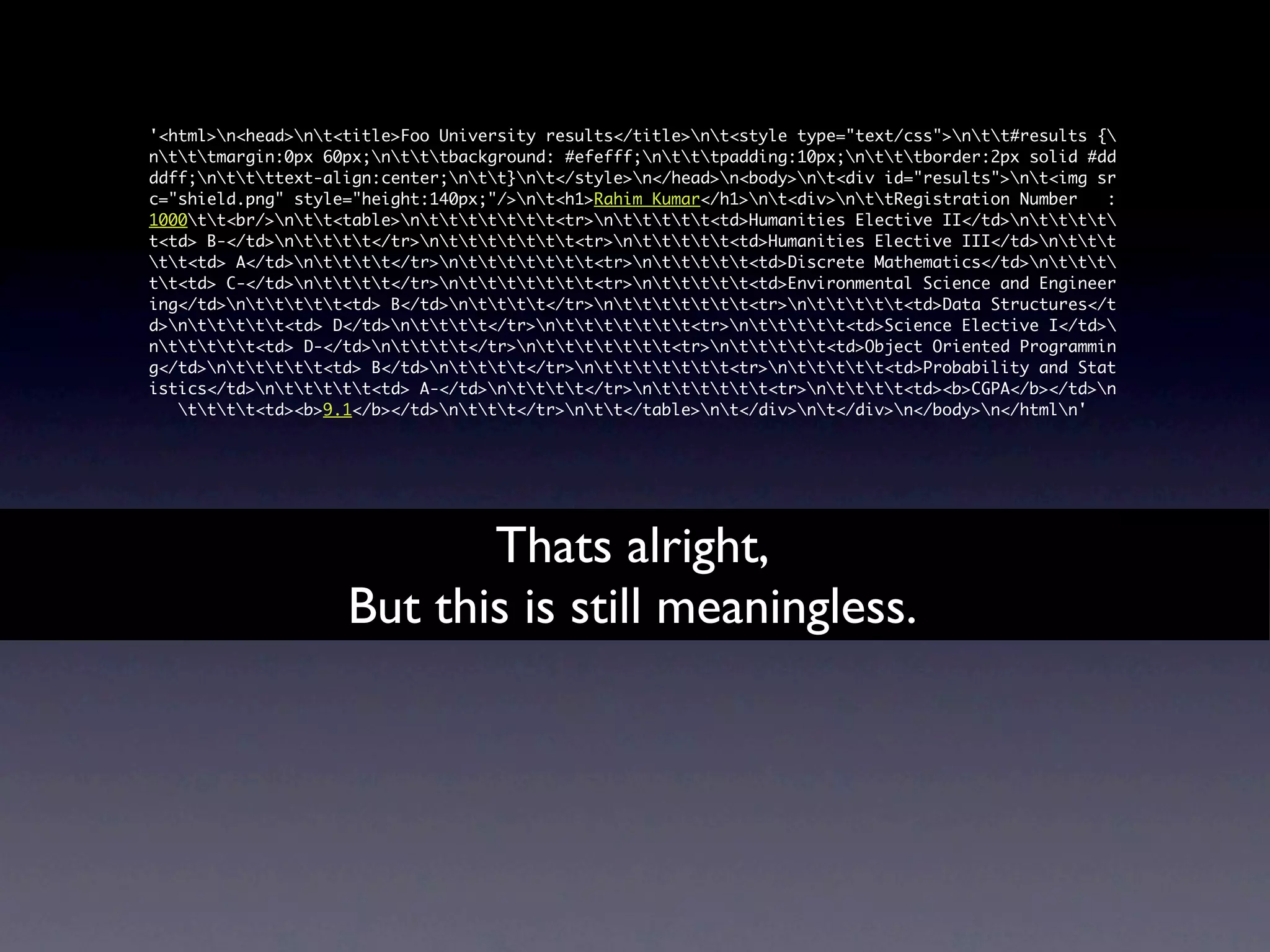
                           Thats alright,
                    But this is still meaningless.
'<html>n<head>nt<title>Foo University results</title>nt<style type="text/css">ntt#results {
ntttmargin:0px 60px;ntttbackground: #efefff;ntttpadding:10px;ntttborder:2px solid #dd
ddff;nttttext-align:center;ntt}nt</style>n</head>n<body>nt<div id="results">nt<img sr
c="shield.png" style="height:140px;"/>nt<h1>Rahim Kumar</h1>nt<div>nttRegistration Number   :
1000tt<br/>ntt<table>nttttttt<tr>nttttt<td>Humanities Elective II</td>ntttt
t<td> B-</td>ntttt</tr>nttttttt<tr>nttttt<td>Humanities Elective III</td>nttt
tt<td> A</td>ntttt</tr>nttttttt<tr>nttttt<td>Discrete Mathematics</td>nttt
tt<td> C-</td>ntttt</tr>nttttttt<tr>nttttt<td>Environmental Science and Engineer
ing</td>nttttt<td> B</td>ntttt</tr>nttttttt<tr>nttttt<td>Data Structures</t
d>nttttt<td> D</td>ntttt</tr>nttttttt<tr>nttttt<td>Science Elective I</td>
nttttt<td> D-</td>ntttt</tr>nttttttt<tr>nttttt<td>Object Oriented Programmin
g</td>nttttt<td> B</td>ntttt</tr>nttttttt<tr>nttttt<td>Probability and Stat
istics</td>nttttt<td> A-</td>ntttt</tr>ntttttt<tr>ntttt<td><b>CGPA</b></td>n
   tttt<td><b>9.1</b></td>nttt</tr>ntt</table>nt</div>nt</div>n</body>n</htmln'


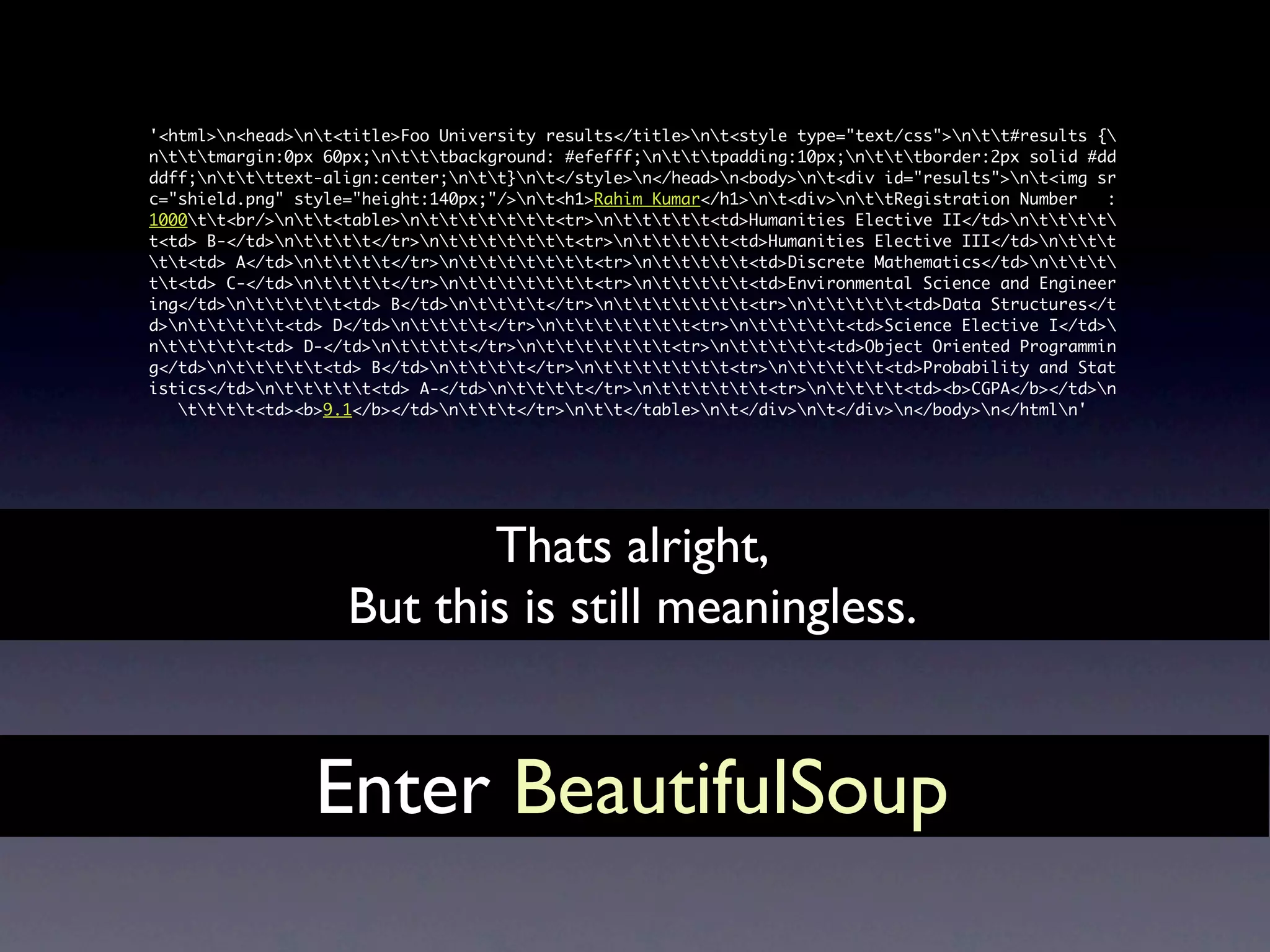
                           Thats alright,
                    But this is still meaningless.


                 Enter BeautifulSoup
BeautifulSoup


            http://www.flickr.com/photos/29233640@N07/3292261940/
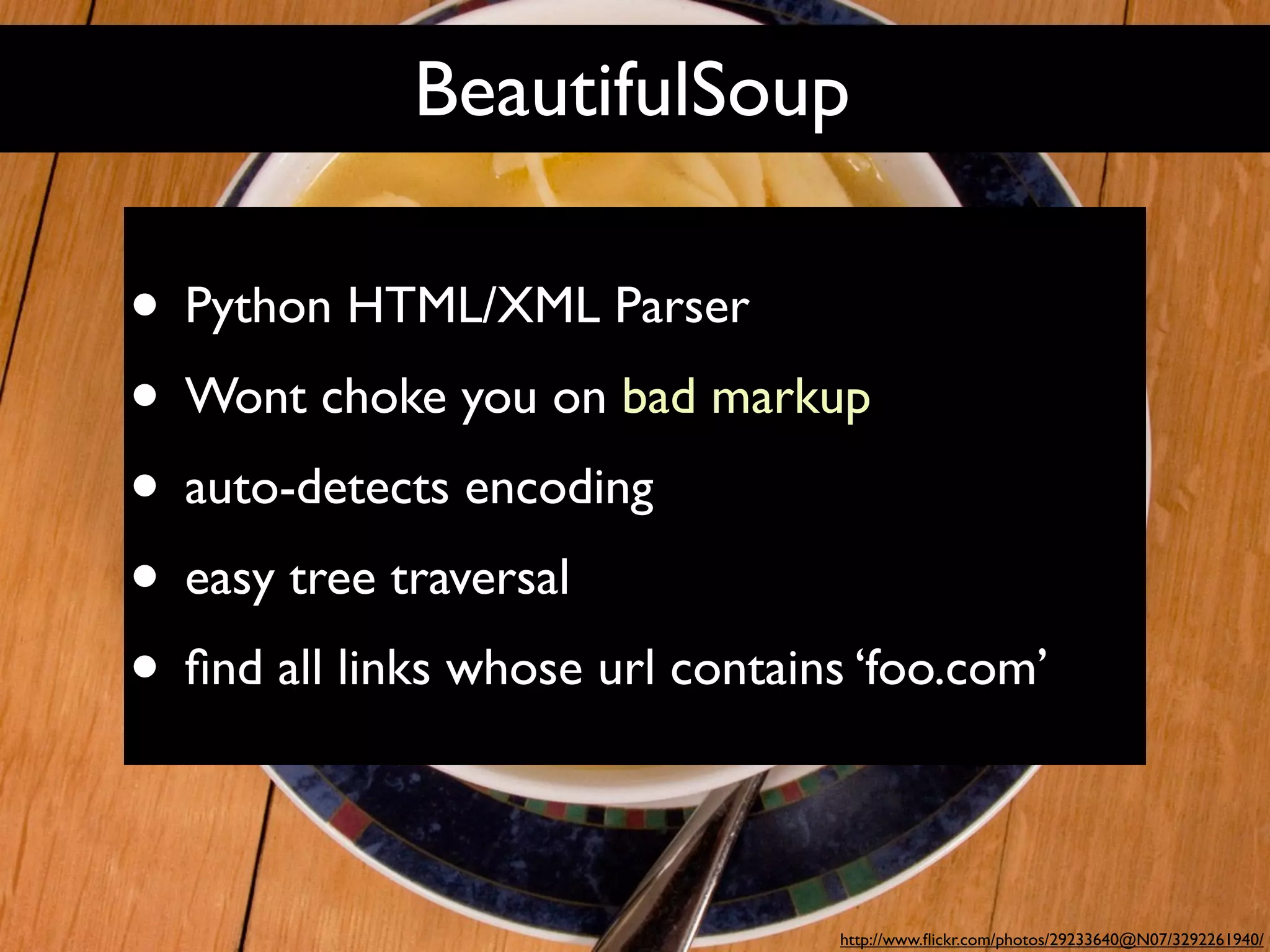
BeautifulSoup

• Python HTML/XML Parser
• Wont choke you on bad markup
• auto-detects encoding
• easy tree traversal
• find all links whose url contains ‘foo.com’

                                  http://www.flickr.com/photos/29233640@N07/3292261940/
BeautifulSoup
>>> import re
>>> from BeautifulSoup import BeautifulSoup

>>> html = """<a href="http://foo.com/foobar">link1</a> <a
href="http://foo.com/beep">link2</a> <a href="http://
foo.co.in/beep">link3</a>"""

>>> soup = BeautifulSoup(html)
>>> links = soup.findAll('a', {'href': re.compile
(".*foo.com.*")})
>>> links
[<a href="http://foo.com/foobar">link1</a>, <a href="http://
foo.com/beep">link2</a>]

>>> links[0][‘href’]
u'http://foo.com/foobar'

>>> links[0].contents
[u'link1']
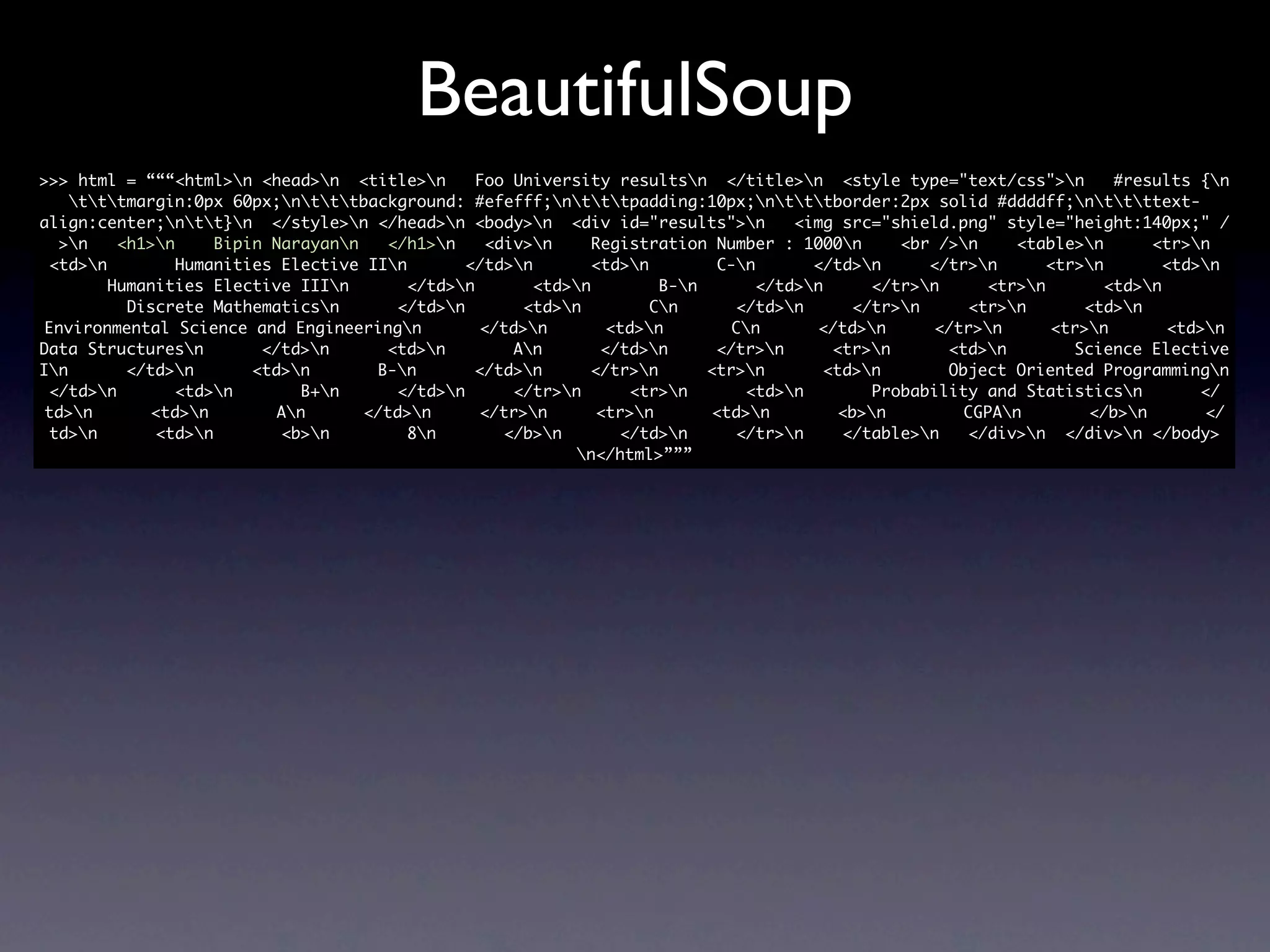
BeautifulSoup
>>> html = “““<html>n <head>n <title>n        Foo University resultsn </title>n <style type="text/css">n          #results {n
    tttmargin:0px 60px;ntttbackground: #efefff;ntttpadding:10px;ntttborder:2px solid #ddddff;nttttext-
align:center;ntt}n </style>n </head>n <body>n <div id="results">n            <img src="shield.png" style="height:140px;" /
  >n    <h1>n     Bipin Narayann   </h1>n     <div>n     Registration Number : 1000n      <br />n    <table>n       <tr>n
 <td>n         Humanities Elective IIn       </td>n        <td>n        C-n       </td>n     </tr>n      <tr>n        <td>n
        Humanities Elective IIIn        </td>n       <td>n         B-n       </td>n     </tr>n     <tr>n        <td>n
          Discrete Mathematicsn       </td>n        <td>n         Cn      </td>n      </tr>n     <tr>n       <td>n
 Environmental Science and Engineeringn         </td>n        <td>n        Cn       </td>n     </tr>n      <tr>n        <td>n
Data Structuresn        </td>n      <td>n         An       </td>n      </tr>n      <tr>n      <td>n        Science Elective
In       </td>n       <td>n       B-n       </td>n      </tr>n       <tr>n       <td>n       Object Oriented Programmingn
 </td>n        <td>n        B+n     </td>n       </tr>n      <tr>n       <td>n        Probability and Statisticsn         </
 td>n       <td>n        An      </td>n      </tr>n       <tr>n       <td>n        <b>n        CGPAn        </b>n        </
 td>n       <td>n        <b>n         8n        </b>n       </td>n      </tr>n     </table>n   </div>n </div>n </body>
                                                           n</html>”””
BeautifulSoup
>>> html = “““<html>n <head>n <title>n        Foo University resultsn </title>n <style type="text/css">n          #results {n
    tttmargin:0px 60px;ntttbackground: #efefff;ntttpadding:10px;ntttborder:2px solid #ddddff;nttttext-
align:center;ntt}n </style>n </head>n <body>n <div id="results">n            <img src="shield.png" style="height:140px;" /
  >n    <h1>n     Bipin Narayann   </h1>n     <div>n     Registration Number : 1000n      <br />n    <table>n       <tr>n
 <td>n         Humanities Elective IIn       </td>n        <td>n        C-n       </td>n     </tr>n      <tr>n        <td>n
        Humanities Elective IIIn        </td>n       <td>n         B-n       </td>n     </tr>n     <tr>n        <td>n
          Discrete Mathematicsn       </td>n        <td>n         Cn      </td>n      </tr>n     <tr>n       <td>n
 Environmental Science and Engineeringn         </td>n        <td>n        Cn       </td>n     </tr>n      <tr>n        <td>n
Data Structuresn        </td>n      <td>n         An       </td>n      </tr>n      <tr>n      <td>n        Science Elective
In       </td>n       <td>n       B-n       </td>n      </tr>n       <tr>n       <td>n       Object Oriented Programmingn
 </td>n        <td>n        B+n     </td>n       </tr>n      <tr>n       <td>n        Probability and Statisticsn         </
 td>n       <td>n        An      </td>n      </tr>n       <tr>n       <td>n        <b>n        CGPAn        </b>n        </
 td>n       <td>n        <b>n         8n        </b>n       </td>n      </tr>n     </table>n   </div>n </div>n </body>
                                                           n</html>”””


 >>> soup.h1
 <h1>Bipin Narang</h1>
 >>> soup.h1.contents
 [u’Bipin Narang’]
 >>> soup.h1.contents[0]
 u’Bipin Narang’
BeautifulSoup
>>> html = “““<html>n <head>n <title>n        Foo University resultsn </title>n <style type="text/css">n          #results {n
    tttmargin:0px 60px;ntttbackground: #efefff;ntttpadding:10px;ntttborder:2px solid #ddddff;nttttext-
align:center;ntt}n </style>n </head>n <body>n <div id="results">n            <img src="shield.png" style="height:140px;" /
  >n    <h1>n     Bipin Narayann   </h1>n     <div>n    Registration Number : 1000n       <br />n    <table>n       <tr>n
 <td>n         Humanities Elective IIn       </td>n        <td>n        C-n       </td>n     </tr>n      <tr>n        <td>n
        Humanities Elective IIIn        </td>n       <td>n         B-n       </td>n     </tr>n     <tr>n        <td>n
          Discrete Mathematicsn       </td>n        <td>n         Cn      </td>n      </tr>n     <tr>n       <td>n
 Environmental Science and Engineeringn         </td>n        <td>n        Cn       </td>n     </tr>n      <tr>n        <td>n
Data Structuresn        </td>n      <td>n         An       </td>n      </tr>n      <tr>n      <td>n        Science Elective
In       </td>n       <td>n       B-n       </td>n      </tr>n       <tr>n       <td>n       Object Oriented Programmingn
 </td>n        <td>n        B+n     </td>n       </tr>n      <tr>n       <td>n        Probability and Statisticsn         </
 td>n       <td>n        An      </td>n      </tr>n       <tr>n       <td>n        <b>n        CGPAn        </b>n        </
 td>n       <td>n        <b>n         8n        </b>n       </td>n      </tr>n     </table>n   </div>n </div>n </body>
                                                           n</html>”””


 >>> soup.div.div.contents[0]
 u'nttRegistration Number : 1000tt'
 >>> soup.div.div.contents[0].split(':')
 [u'nttRegistration Number ', u' 1000tt']
 >>> soup.div.div.contents[0].split(':')[1].strip()
 u'1000'
BeautifulSoup
>>> html = “““<html>n <head>n <title>n        Foo University resultsn </title>n <style type="text/css">n          #results {n
    tttmargin:0px 60px;ntttbackground: #efefff;ntttpadding:10px;ntttborder:2px solid #ddddff;nttttext-
align:center;ntt}n </style>n </head>n <body>n <div id="results">n            <img src="shield.png" style="height:140px;" /
  >n    <h1>n     Bipin Narayann   </h1>n     <div>n    Registration Number : 1000n       <br />n    <table>n       <tr>n
 <td>n         Humanities Elective IIn       </td>n        <td>n        C-n       </td>n     </tr>n      <tr>n        <td>n
        Humanities Elective IIIn        </td>n       <td>n         B-n       </td>n     </tr>n     <tr>n        <td>n
          Discrete Mathematicsn       </td>n        <td>n         Cn      </td>n      </tr>n     <tr>n       <td>n
 Environmental Science and Engineeringn         </td>n        <td>n        Cn       </td>n     </tr>n      <tr>n        <td>n
Data Structuresn        </td>n      <td>n         An       </td>n      </tr>n      <tr>n      <td>n        Science Elective
In       </td>n       <td>n       B-n       </td>n      </tr>n       <tr>n       <td>n       Object Oriented Programmingn
 </td>n        <td>n        B+n     </td>n       </tr>n      <tr>n       <td>n        Probability and Statisticsn         </
 td>n       <td>n        An      </td>n      </tr>n       <tr>n       <td>n        <b>n        CGPAn        </b>n        </
 td>n       <td>n        <b>n         8n        </b>n       </td>n      </tr>n     </table>n   </div>n </div>n </body>
                                                           n</html>”””


 >>> soup.find('b')
 <b>CGPA</b>
 >>> soup.find('b').findNext('b')
 <b>8</b>
 >>> soup.find('b').findNext('b').contents[0]
 u'8'
urllib2 + BeautifulSoup

import urllib
import urllib2
from BeautifulSoup import BeautifulSoup

url = "http://localhost/results/results.php"
data={}
for i in xrange(1000,1100):
    data['regno'] = str(i)
    html = urllib2.urlopen( url, urllib.urlencode(data) ).read()
    soup = BeautifulSoup(html)
    name = soup.h1.contents[0]
    regno = soup.div.div.contents[0].split(':')[1].strip()
    # ^ though we alread know current regno ;) == str(i)
    cgpa = soup.find('b').findNext('b').contents[0]
    print "%s,%s,%s" % (regno, name, 'cgpa')
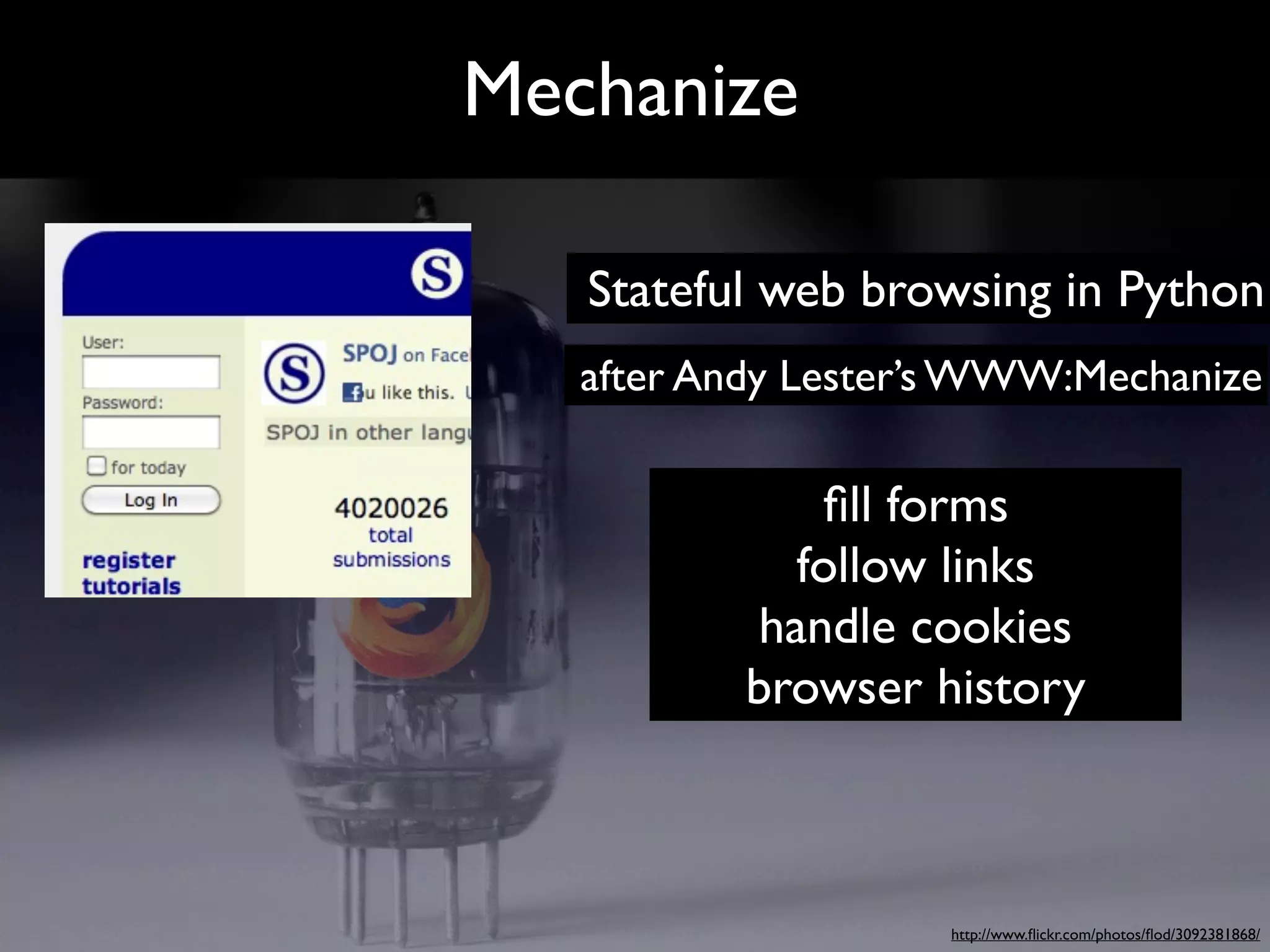
Mechanize


            http://www.flickr.com/photos/flod/3092381868/
Mechanize

   Stateful web browsing in Python
   after Andy Lester’s WWW:Mechanize

              fill forms
             follow links
           handle cookies
           browser history


                    http://www.flickr.com/photos/flod/3092381868/
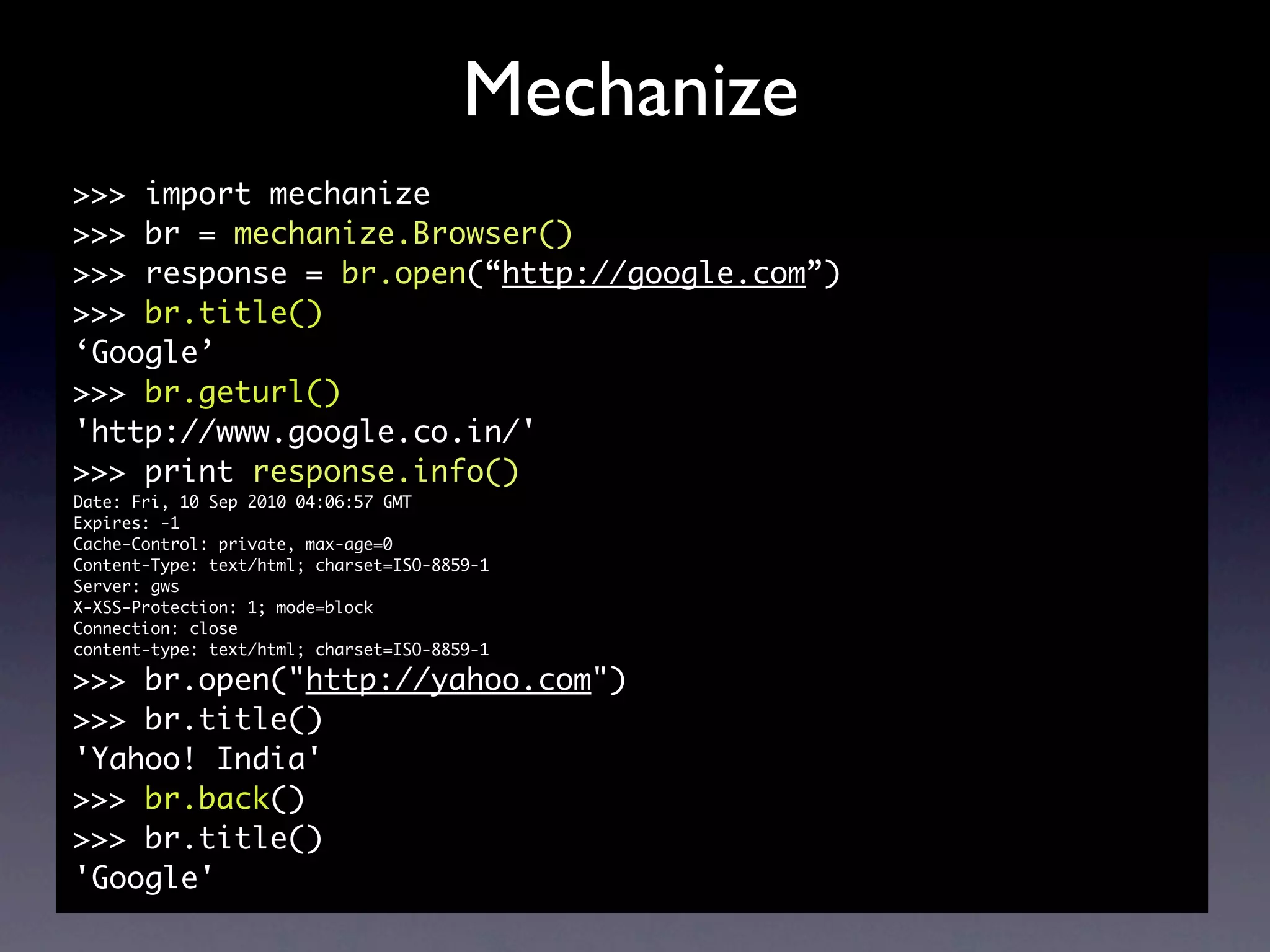
Mechanize
>>> import mechanize
>>> br = mechanize.Browser()
>>> response = br.open(“http://google.com”)
>>> br.title()
‘Google’
>>> br.geturl()
'http://www.google.co.in/'
>>> print response.info()
Date: Fri, 10 Sep 2010 04:06:57 GMT
Expires: -1
Cache-Control: private, max-age=0
Content-Type: text/html; charset=ISO-8859-1
Server: gws
X-XSS-Protection: 1; mode=block
Connection: close
content-type: text/html; charset=ISO-8859-1

>>> br.open("http://yahoo.com")
>>> br.title()
'Yahoo! India'
>>> br.back()
>>> br.title()
'Google'
Mechanize
filling forms
  >>> import mechanize
  >>> br = mechanize.Browser()
  >>> response = br.open("http://in.pycon.org/2010/account/
  login")
  >>> html = response.read()
  >>> html.find('href="/2010/user/ideamonk">Abhishek |')
  -1

  >>> br.select_form(name="login")
  >>> br.form["username"] = "ideamonk"
  >>> br.form["password"] = "***********"
  >>> response2 = br.submit()
  >>> html = response2.read()
  >>> html.find('href="/2010/user/ideamonk">Abhishek |')
  10186
Mechanize
filling forms
  >>> import mechanize
  >>> br = mechanize.Browser()
  >>> response = br.open("http://in.pycon.org/2010/account/
  login")
  >>> html = response.read()
  >>> html.find('href="/2010/user/ideamonk">Abhishek |')
  -1

  >>> br.select_form(name="login")
  >>> br.form["username"] = "ideamonk"
  >>> br.form["password"] = "***********"
  >>> response2 = br.submit()
  >>> html = response2.read()
  >>> html.find('href="/2010/user/ideamonk">Abhishek |')
  10186
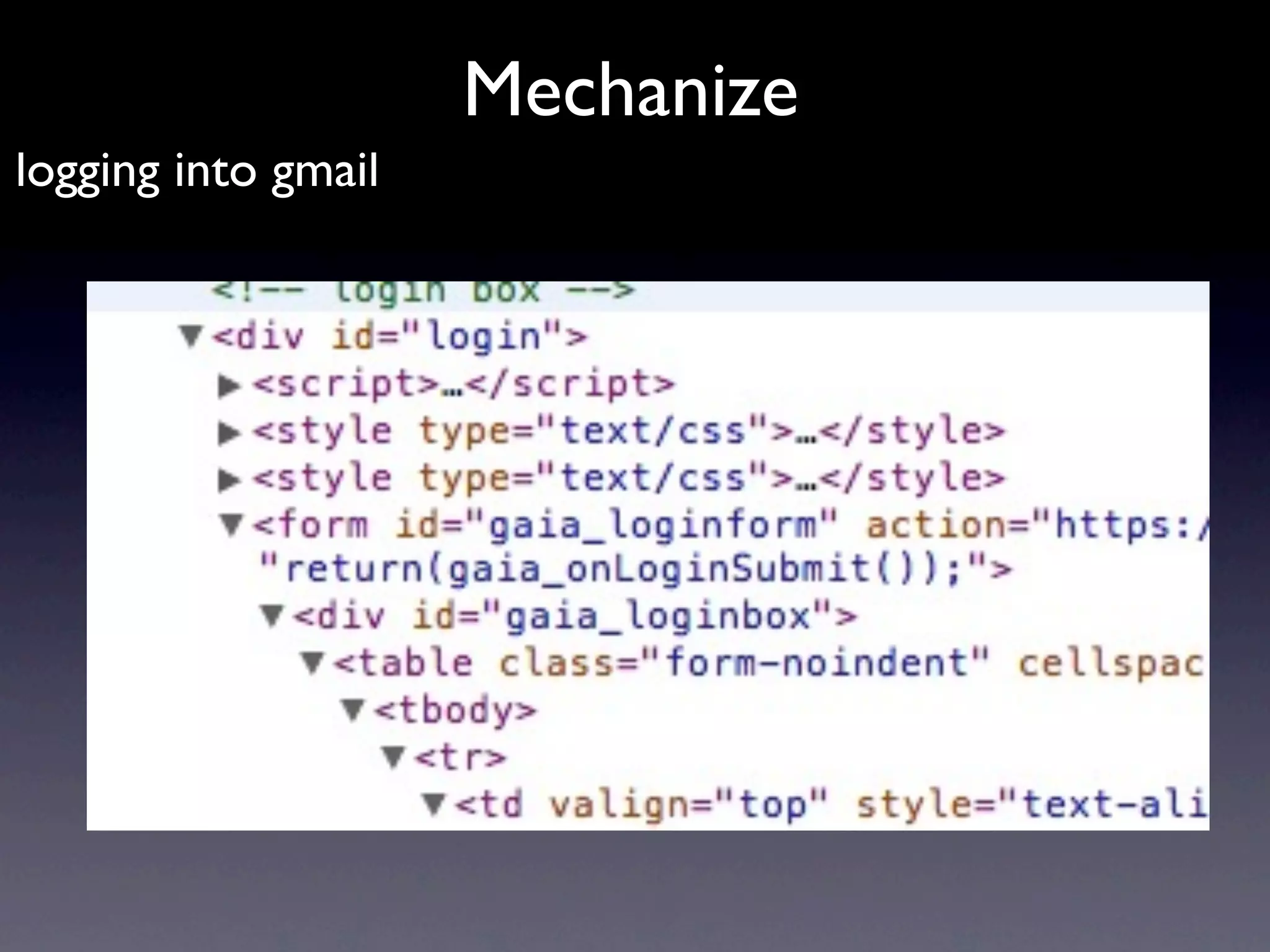
Mechanize
logging into gmail
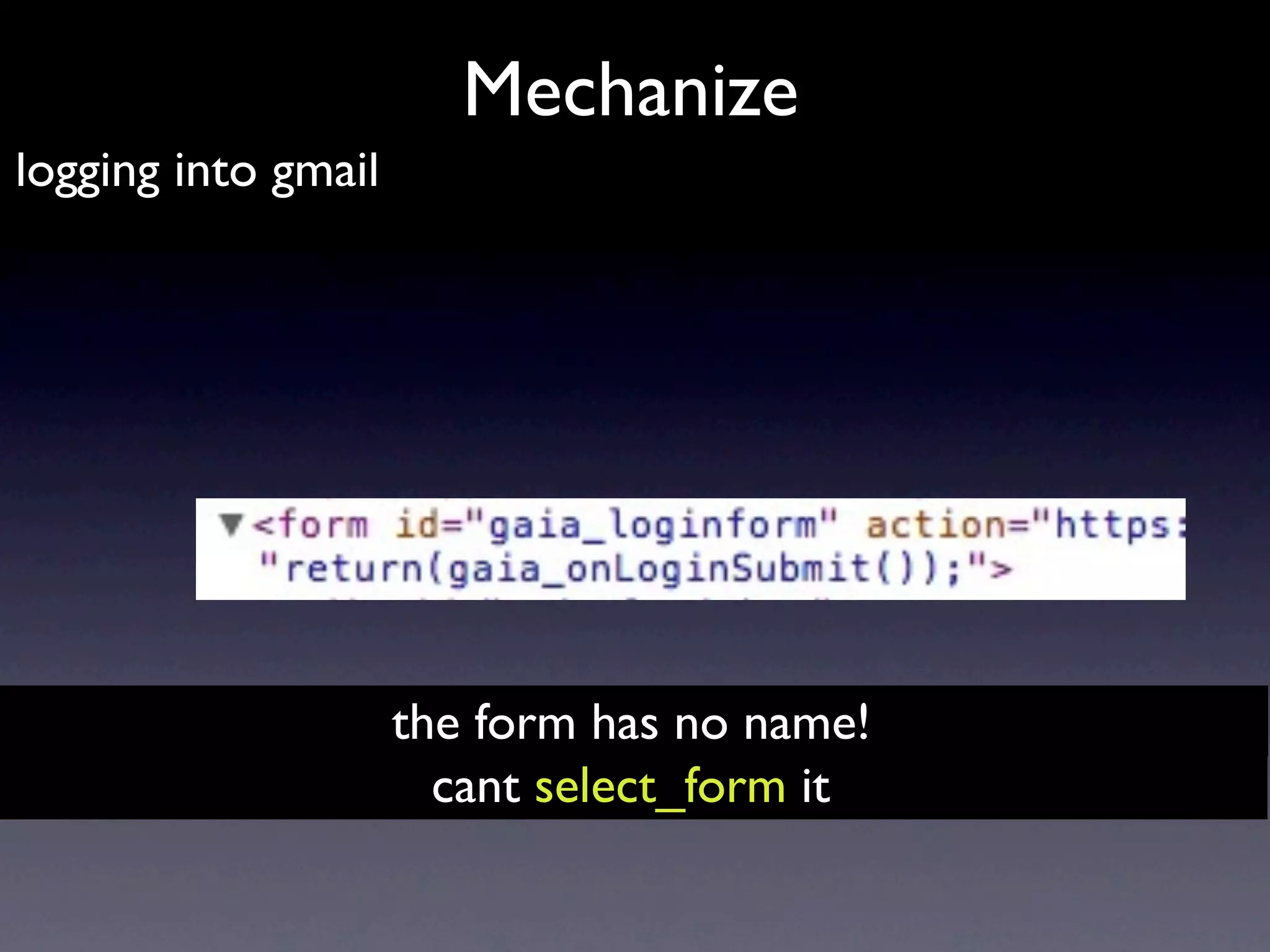
Mechanize
logging into gmail


                     the form has no name!
                       cant select_form it
Mechanize
logging into gmail

  >>> br.open("http://mail.google.com")
  >>> login_form = br.forms().next()
  >>> login_form["Email"] = "ideamonk@gmail.com"
  >>> login_form["Passwd"] = "*************"
  >>> response = br.open( login_form.click() )
  >>> br.geturl()
  'https://mail.google.com/mail/?shva=1'
  >>> response2 = br.open("http://mail.google.com/mail/h/")
  >>> br.title()
  'Gmail - Inbox'
  >>> html = response2.read()
Mechanize
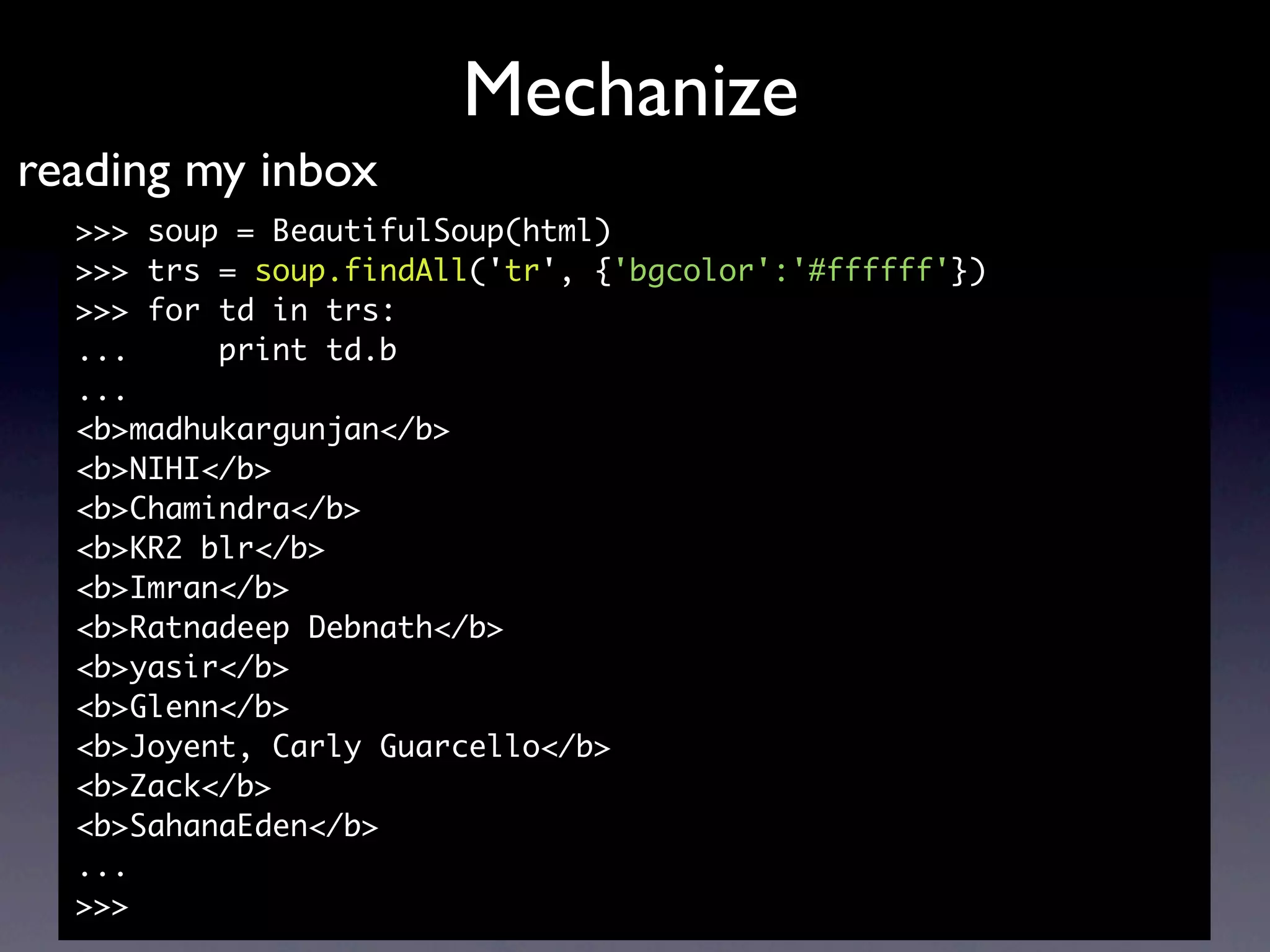
reading my inbox
  >>> soup = BeautifulSoup(html)
  >>> trs = soup.findAll('tr', {'bgcolor':'#ffffff'})
  >>> for td in trs:
  ...     print td.b
  ...
  <b>madhukargunjan</b>
  <b>NIHI</b>
  <b>Chamindra</b>
  <b>KR2 blr</b>
  <b>Imran</b>
  <b>Ratnadeep Debnath</b>
  <b>yasir</b>
  <b>Glenn</b>
  <b>Joyent, Carly Guarcello</b>
  <b>Zack</b>
  <b>SahanaEden</b>
  ...
  >>>
Mechanize


Can scrape my gmail chats !?
                          http://www.flickr.com/photos/ktylerconk/1465018115/
Scrapy


a Framework for web scraping
                           http://www.flickr.com/photos/lwr/3191194761
Scrapy


        uses XPath
navigate through elements
                            http://www.flickr.com/photos/apc33/15012679/
Scrapy
XPath and Scrapy
  <h1> My important chunk of text </h1>
  //h1/text()

  <div id=”description”> Foo bar beep &gt; 42 </div>
  //div[@id=‘description’]

  <div id=‘report’> <p>Text1</p> <p>Text2</p> </div>
  //div[@id=‘report’]/p[2]/text()

  // select from the document, wherever they are
  / select from root node
  @ select attributes

                scrapy.selector.XmlXPathSelector
               scrapy.selector. HtmlXPathSelector
          http://www.w3schools.com/xpath/default.asp
Scrapy


       Interactive Scraping Shell!
$ scrapy-ctl.py shell http://my/target/website

                                     http://www.flickr.com/photos/span112/2650364158/
Scrapy


           Step1
define a model to store Items

                           http://www.flickr.com/photos/bunchofpants/106465356
Scrapy


             Step II
create your Spider to extract Items

                            http://www.flickr.com/photos/thewhitestdogalive/4187373600
Scrapy


          Step III
write a Pipeline to store them

                                 http://www.flickr.com/photos/zen/413575764/
Scrapy


Lets write a Scrapy spider
SpojBackup

• Spoj? Programming contest website
• 4021039 code submissions
• 81386 users
• web scraping == backup tool
• uses Mechanize
• http://github.com/ideamonk/spojbackup
SpojBackup

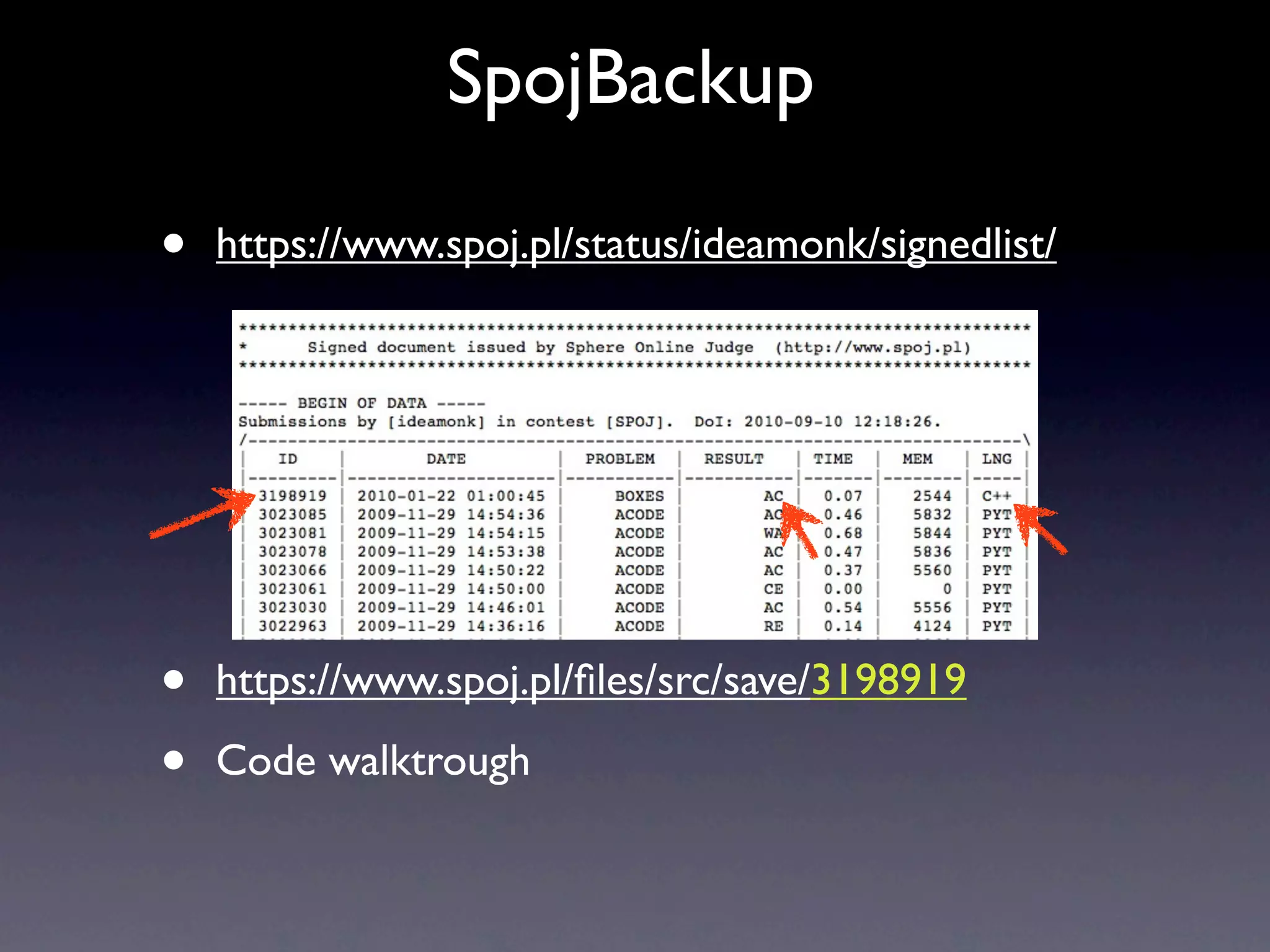
•   https://www.spoj.pl/status/ideamonk/signedlist/


•   https://www.spoj.pl/files/src/save/3198919

•   Code walktrough
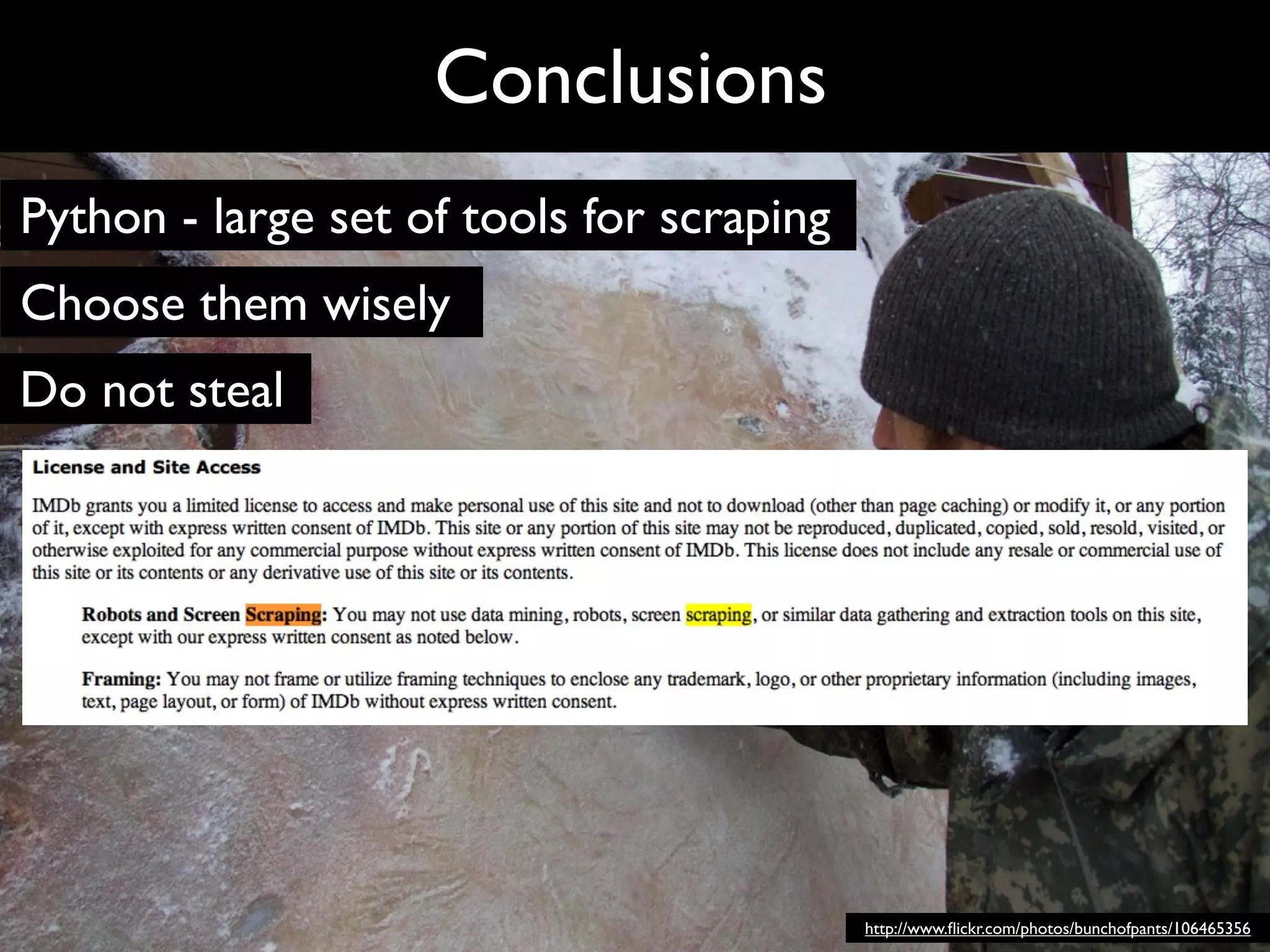
Conclusions


              http://www.flickr.com/photos/bunchofpants/106465356
Conclusions
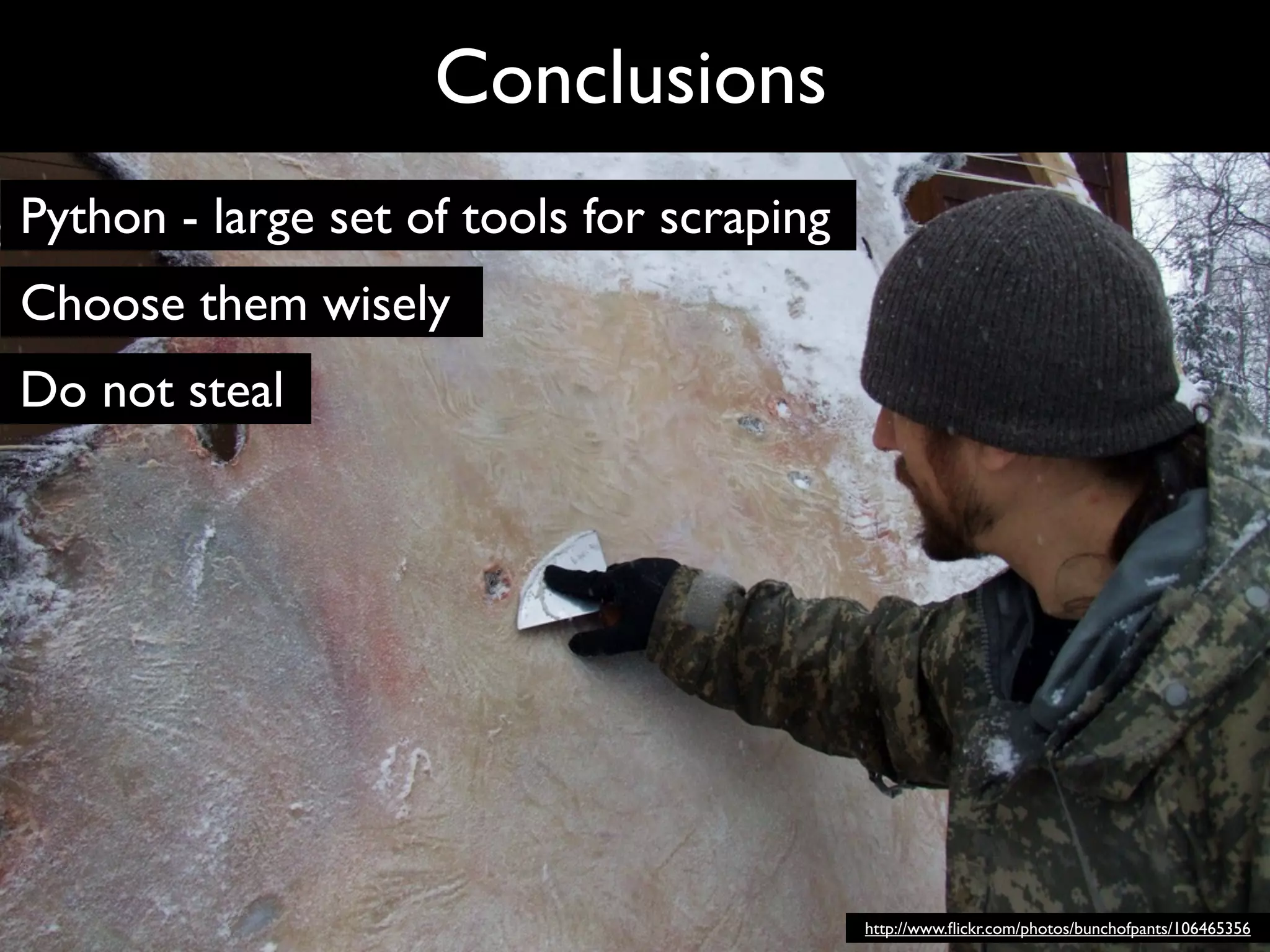
Python - large set of tools for scraping
Choose them wisely
Do not steal


                                           http://www.flickr.com/photos/bunchofpants/106465356
Conclusions
Python - large set of tools for scraping
Choose them wisely
Do not steal


                                           http://www.flickr.com/photos/bunchofpants/106465356
Conclusions
Python - large set of tools for scraping
Choose them wisely
Do not steal
Use the cloud - http://docs.picloud.com/advanced_examples.html
Share your scrapers - http://scraperwiki.com/
Thanks to @amatix , flickr, you, etc

        @PyCon India 2010                                     Abhishek Mishra
        http://in.pycon.org                              hello@ideamonk.com

                                                                 http://www.flickr.com/photos/bunchofpants/106465356

Scraping with Python for Fun and Profit - PyCon India 2010

  • 1.
    Scraping with Python for Fun & Profit @PyCon India 2010 Abhishek Mishra http://in.pycon.org hello@ideamonk.com
  • 2.
    Now... I wantyou to put your _data_ on the web! photo credit - TED - the next web http://www.ted.com/talks/lang/eng/tim_berners_lee_on_the_next_web.html
  • 3.
    There is stilla HUGE UNLOCKED POTENTIAL!! photo credit - TED - the next web http://www.ted.com/talks/lang/eng/tim_berners_lee_on_the_next_web.html
  • 4.
    There is stilla HUGE UNLOCKED POTENTIAL!! search analyze visualize co-relate photo credit - TED - the next web http://www.ted.com/talks/lang/eng/tim_berners_lee_on_the_next_web.html
  • 5.
    Haven’t got DATA onthe web as DATA! photo credit - TED - the next web http://www.ted.com/talks/lang/eng/tim_berners_lee_on_the_next_web.html
  • 6.
    Haven’t got DATA onthe web as DATA! photo credit - TED - the next web http://www.ted.com/talks/lang/eng/tim_berners_lee_on_the_next_web.html
  • 7.
    Haven’t got DATA onthe web as DATA! photo credit - TED - the next web http://www.ted.com/talks/lang/eng/tim_berners_lee_on_the_next_web.html
  • 8.
    FRUSTRATION !!! 1. willtake a lot of time 2. the data isn’t consumable 3. you want it right now! 4. missing source photo credit - TED - the next web http://www.ted.com/talks/lang/eng/tim_berners_lee_on_the_next_web.html
  • 9.
    Solution ? photo credit - Angie Pangie
  • 10.
    Solution ? just scrape it out! photo credit - Angie Pangie
  • 11.
    Solution ? just scrape it out! 1. analyze request 2. find patterns 3. extract data photo credit - Angie Pangie
  • 12.
    Solution ? just scrape it out! 1. analyze request 2. find patterns 3. extract data Use cases - good bad ugly photo credit - Angie Pangie
  • 13.
    Tools of Trade •urllib2your data, getting back results passing • BeautifulSoup entangled web parsing it out of the • Mechanizeweb browsing programmatic • Scrapy framework a web scraping
  • 14.
  • 15.
    Our objective <body> <div id="results"> <imgsrc="shield.png" style="height:140px;"/> <h1>Lohit Narayan </h1> Name Reg CGPA <div> ==== === ==== Registration Number : 1234<br /> Lohit Narayan, 1234, 9.3 <table> <tr> ... ... ... <td>Object Oriented Programming</td> <td> B+</td> </tr> <tr> <td>Probability and Statistics</td> <td> B+</td> </tr> <tr> <td><b>CGPA</b></td> <td><b>9.3</b></td> </tr> </table>
  • 16.
    urllib2 • Where tosend? • What to send? • Answered by - firebug, chrome developer tools, a local debugging proxy
  • 17.
    urllib2 import urllib import urllib2 url= “http://localhost/results/results.php” data = { ‘regno’ : ‘1000’ } data_encoded = urllib.urlencode(data) request = urllib2.urlopen( url, data_encoded ) html = request.read()
  • 18.
    urllib2 import urllib import urllib2 url= “http://localhost/results/results.php” data = { ‘regno’ : ‘1000’ } data_encoded = urllib.urlencode(data) request = urllib2.urlopen( url, data_encoded ) html = request.read() '<html>n<head>nt<title>Foo University results</title>nt<style type="text/css">ntt#results { ntttmargin:0px 60px;ntttbackground: #efefff;ntttpadding:10px;ntttborder:2px solid #dd ddff;nttttext-align:center;ntt}nt</style>n</head>n<body>nt<div id="results">nt<img sr c="shield.png" style="height:140px;"/>nt<h1>Rahim Kumar</h1>nt<div>nttRegistration Number : 1000tt<br/>ntt<table>nttttttt<tr>nttttt<td>Humanities Elective II</td>ntttt t<td> B-</td>ntttt</tr>nttttttt<tr>nttttt<td>Humanities Elective III</td>nttt tt<td> A</td>ntttt</tr>nttttttt<tr>nttttt<td>Discrete Mathematics</td>nttt tt<td> C-</td>ntttt</tr>nttttttt<tr>nttttt<td>Environmental Science and Engineer ing</td>nttttt<td> B</td>ntttt</tr>nttttttt<tr>nttttt<td>Data Structures</t d>nttttt<td> D</td>ntttt</tr>nttttttt<tr>nttttt<td>Science Elective I</td> nttttt<td> D-</td>ntttt</tr>nttttttt<tr>nttttt<td>Object Oriented Programmin g</td>nttttt<td> B</td>ntttt</tr>nttttttt<tr>nttttt<td>Probability and Stat istics</td>nttttt<td> A-</td>ntttt</tr>ntttttt<tr>ntttt<td><b>CGPA</b></td>n tttt<td><b>9.1</b></td>nttt</tr>ntt</table>nt</div>nt</div>n</body>n</htmln'
  • 19.
    urllib2 import urllib # for urlencode import urllib2 # main urllib2 module url = “http://localhost/results/results.php” data = { ‘regno’ : ‘1000’ } # ^ data as an object data_encoded = urllib.urlencode(data) # a string, key=val pairs separated by ‘&’ request = urllib2.urlopen( url, data_encoded ) # ^ returns a network object html = request.read() # ^ reads out its contents to a string
  • 20.
    urllib2 import urllib import urllib2 url= “http://localhost/results/results.php” data = {} scraped_results = [] for i in xrange(1000, 3000): data[‘regno’] = str(i) data_encoded = urllib.urlencode(data) request = urllib2.urlopen(url, data_encoded) html = request.read() scraped_results.append(html)
  • 21.
    '<html>n<head>nt<title>Foo University results</title>nt<styletype="text/css">ntt#results { ntttmargin:0px 60px;ntttbackground: #efefff;ntttpadding:10px;ntttborder:2px solid #dd ddff;nttttext-align:center;ntt}nt</style>n</head>n<body>nt<div id="results">nt<img sr c="shield.png" style="height:140px;"/>nt<h1>Rahim Kumar</h1>nt<div>nttRegistration Number : 1000tt<br/>ntt<table>nttttttt<tr>nttttt<td>Humanities Elective II</td>ntttt t<td> B-</td>ntttt</tr>nttttttt<tr>nttttt<td>Humanities Elective III</td>nttt tt<td> A</td>ntttt</tr>nttttttt<tr>nttttt<td>Discrete Mathematics</td>nttt tt<td> C-</td>ntttt</tr>nttttttt<tr>nttttt<td>Environmental Science and Engineer ing</td>nttttt<td> B</td>ntttt</tr>nttttttt<tr>nttttt<td>Data Structures</t d>nttttt<td> D</td>ntttt</tr>nttttttt<tr>nttttt<td>Science Elective I</td> nttttt<td> D-</td>ntttt</tr>nttttttt<tr>nttttt<td>Object Oriented Programmin g</td>nttttt<td> B</td>ntttt</tr>nttttttt<tr>nttttt<td>Probability and Stat istics</td>nttttt<td> A-</td>ntttt</tr>ntttttt<tr>ntttt<td><b>CGPA</b></td>n tttt<td><b>9.1</b></td>nttt</tr>ntt</table>nt</div>nt</div>n</body>n</htmln' Thats alright, But this is still meaningless.
  • 22.
    '<html>n<head>nt<title>Foo University results</title>nt<styletype="text/css">ntt#results { ntttmargin:0px 60px;ntttbackground: #efefff;ntttpadding:10px;ntttborder:2px solid #dd ddff;nttttext-align:center;ntt}nt</style>n</head>n<body>nt<div id="results">nt<img sr c="shield.png" style="height:140px;"/>nt<h1>Rahim Kumar</h1>nt<div>nttRegistration Number : 1000tt<br/>ntt<table>nttttttt<tr>nttttt<td>Humanities Elective II</td>ntttt t<td> B-</td>ntttt</tr>nttttttt<tr>nttttt<td>Humanities Elective III</td>nttt tt<td> A</td>ntttt</tr>nttttttt<tr>nttttt<td>Discrete Mathematics</td>nttt tt<td> C-</td>ntttt</tr>nttttttt<tr>nttttt<td>Environmental Science and Engineer ing</td>nttttt<td> B</td>ntttt</tr>nttttttt<tr>nttttt<td>Data Structures</t d>nttttt<td> D</td>ntttt</tr>nttttttt<tr>nttttt<td>Science Elective I</td> nttttt<td> D-</td>ntttt</tr>nttttttt<tr>nttttt<td>Object Oriented Programmin g</td>nttttt<td> B</td>ntttt</tr>nttttttt<tr>nttttt<td>Probability and Stat istics</td>nttttt<td> A-</td>ntttt</tr>ntttttt<tr>ntttt<td><b>CGPA</b></td>n tttt<td><b>9.1</b></td>nttt</tr>ntt</table>nt</div>nt</div>n</body>n</htmln' Thats alright, But this is still meaningless. Enter BeautifulSoup
  • 23.
    BeautifulSoup http://www.flickr.com/photos/29233640@N07/3292261940/
  • 24.
    BeautifulSoup • Python HTML/XMLParser • Wont choke you on bad markup • auto-detects encoding • easy tree traversal • find all links whose url contains ‘foo.com’ http://www.flickr.com/photos/29233640@N07/3292261940/
  • 25.
    BeautifulSoup >>> import re >>>from BeautifulSoup import BeautifulSoup >>> html = """<a href="http://foo.com/foobar">link1</a> <a href="http://foo.com/beep">link2</a> <a href="http:// foo.co.in/beep">link3</a>""" >>> soup = BeautifulSoup(html) >>> links = soup.findAll('a', {'href': re.compile (".*foo.com.*")}) >>> links [<a href="http://foo.com/foobar">link1</a>, <a href="http:// foo.com/beep">link2</a>] >>> links[0][‘href’] u'http://foo.com/foobar' >>> links[0].contents [u'link1']
  • 26.
    BeautifulSoup >>> html =“““<html>n <head>n <title>n Foo University resultsn </title>n <style type="text/css">n #results {n tttmargin:0px 60px;ntttbackground: #efefff;ntttpadding:10px;ntttborder:2px solid #ddddff;nttttext- align:center;ntt}n </style>n </head>n <body>n <div id="results">n <img src="shield.png" style="height:140px;" / >n <h1>n Bipin Narayann </h1>n <div>n Registration Number : 1000n <br />n <table>n <tr>n <td>n Humanities Elective IIn </td>n <td>n C-n </td>n </tr>n <tr>n <td>n Humanities Elective IIIn </td>n <td>n B-n </td>n </tr>n <tr>n <td>n Discrete Mathematicsn </td>n <td>n Cn </td>n </tr>n <tr>n <td>n Environmental Science and Engineeringn </td>n <td>n Cn </td>n </tr>n <tr>n <td>n Data Structuresn </td>n <td>n An </td>n </tr>n <tr>n <td>n Science Elective In </td>n <td>n B-n </td>n </tr>n <tr>n <td>n Object Oriented Programmingn </td>n <td>n B+n </td>n </tr>n <tr>n <td>n Probability and Statisticsn </ td>n <td>n An </td>n </tr>n <tr>n <td>n <b>n CGPAn </b>n </ td>n <td>n <b>n 8n </b>n </td>n </tr>n </table>n </div>n </div>n </body> n</html>”””
  • 27.
    BeautifulSoup >>> html =“““<html>n <head>n <title>n Foo University resultsn </title>n <style type="text/css">n #results {n tttmargin:0px 60px;ntttbackground: #efefff;ntttpadding:10px;ntttborder:2px solid #ddddff;nttttext- align:center;ntt}n </style>n </head>n <body>n <div id="results">n <img src="shield.png" style="height:140px;" / >n <h1>n Bipin Narayann </h1>n <div>n Registration Number : 1000n <br />n <table>n <tr>n <td>n Humanities Elective IIn </td>n <td>n C-n </td>n </tr>n <tr>n <td>n Humanities Elective IIIn </td>n <td>n B-n </td>n </tr>n <tr>n <td>n Discrete Mathematicsn </td>n <td>n Cn </td>n </tr>n <tr>n <td>n Environmental Science and Engineeringn </td>n <td>n Cn </td>n </tr>n <tr>n <td>n Data Structuresn </td>n <td>n An </td>n </tr>n <tr>n <td>n Science Elective In </td>n <td>n B-n </td>n </tr>n <tr>n <td>n Object Oriented Programmingn </td>n <td>n B+n </td>n </tr>n <tr>n <td>n Probability and Statisticsn </ td>n <td>n An </td>n </tr>n <tr>n <td>n <b>n CGPAn </b>n </ td>n <td>n <b>n 8n </b>n </td>n </tr>n </table>n </div>n </div>n </body> n</html>””” >>> soup.h1 <h1>Bipin Narang</h1> >>> soup.h1.contents [u’Bipin Narang’] >>> soup.h1.contents[0] u’Bipin Narang’
  • 28.
    BeautifulSoup >>> html =“““<html>n <head>n <title>n Foo University resultsn </title>n <style type="text/css">n #results {n tttmargin:0px 60px;ntttbackground: #efefff;ntttpadding:10px;ntttborder:2px solid #ddddff;nttttext- align:center;ntt}n </style>n </head>n <body>n <div id="results">n <img src="shield.png" style="height:140px;" / >n <h1>n Bipin Narayann </h1>n <div>n Registration Number : 1000n <br />n <table>n <tr>n <td>n Humanities Elective IIn </td>n <td>n C-n </td>n </tr>n <tr>n <td>n Humanities Elective IIIn </td>n <td>n B-n </td>n </tr>n <tr>n <td>n Discrete Mathematicsn </td>n <td>n Cn </td>n </tr>n <tr>n <td>n Environmental Science and Engineeringn </td>n <td>n Cn </td>n </tr>n <tr>n <td>n Data Structuresn </td>n <td>n An </td>n </tr>n <tr>n <td>n Science Elective In </td>n <td>n B-n </td>n </tr>n <tr>n <td>n Object Oriented Programmingn </td>n <td>n B+n </td>n </tr>n <tr>n <td>n Probability and Statisticsn </ td>n <td>n An </td>n </tr>n <tr>n <td>n <b>n CGPAn </b>n </ td>n <td>n <b>n 8n </b>n </td>n </tr>n </table>n </div>n </div>n </body> n</html>””” >>> soup.div.div.contents[0] u'nttRegistration Number : 1000tt' >>> soup.div.div.contents[0].split(':') [u'nttRegistration Number ', u' 1000tt'] >>> soup.div.div.contents[0].split(':')[1].strip() u'1000'
  • 29.
    BeautifulSoup >>> html =“““<html>n <head>n <title>n Foo University resultsn </title>n <style type="text/css">n #results {n tttmargin:0px 60px;ntttbackground: #efefff;ntttpadding:10px;ntttborder:2px solid #ddddff;nttttext- align:center;ntt}n </style>n </head>n <body>n <div id="results">n <img src="shield.png" style="height:140px;" / >n <h1>n Bipin Narayann </h1>n <div>n Registration Number : 1000n <br />n <table>n <tr>n <td>n Humanities Elective IIn </td>n <td>n C-n </td>n </tr>n <tr>n <td>n Humanities Elective IIIn </td>n <td>n B-n </td>n </tr>n <tr>n <td>n Discrete Mathematicsn </td>n <td>n Cn </td>n </tr>n <tr>n <td>n Environmental Science and Engineeringn </td>n <td>n Cn </td>n </tr>n <tr>n <td>n Data Structuresn </td>n <td>n An </td>n </tr>n <tr>n <td>n Science Elective In </td>n <td>n B-n </td>n </tr>n <tr>n <td>n Object Oriented Programmingn </td>n <td>n B+n </td>n </tr>n <tr>n <td>n Probability and Statisticsn </ td>n <td>n An </td>n </tr>n <tr>n <td>n <b>n CGPAn </b>n </ td>n <td>n <b>n 8n </b>n </td>n </tr>n </table>n </div>n </div>n </body> n</html>””” >>> soup.find('b') <b>CGPA</b> >>> soup.find('b').findNext('b') <b>8</b> >>> soup.find('b').findNext('b').contents[0] u'8'
  • 30.
    urllib2 + BeautifulSoup importurllib import urllib2 from BeautifulSoup import BeautifulSoup url = "http://localhost/results/results.php" data={} for i in xrange(1000,1100): data['regno'] = str(i) html = urllib2.urlopen( url, urllib.urlencode(data) ).read() soup = BeautifulSoup(html) name = soup.h1.contents[0] regno = soup.div.div.contents[0].split(':')[1].strip() # ^ though we alread know current regno ;) == str(i) cgpa = soup.find('b').findNext('b').contents[0] print "%s,%s,%s" % (regno, name, 'cgpa')
  • 31.
    Mechanize http://www.flickr.com/photos/flod/3092381868/
  • 32.
    Mechanize Stateful web browsing in Python after Andy Lester’s WWW:Mechanize fill forms follow links handle cookies browser history http://www.flickr.com/photos/flod/3092381868/
  • 33.
    Mechanize >>> import mechanize >>>br = mechanize.Browser() >>> response = br.open(“http://google.com”) >>> br.title() ‘Google’ >>> br.geturl() 'http://www.google.co.in/' >>> print response.info() Date: Fri, 10 Sep 2010 04:06:57 GMT Expires: -1 Cache-Control: private, max-age=0 Content-Type: text/html; charset=ISO-8859-1 Server: gws X-XSS-Protection: 1; mode=block Connection: close content-type: text/html; charset=ISO-8859-1 >>> br.open("http://yahoo.com") >>> br.title() 'Yahoo! India' >>> br.back() >>> br.title() 'Google'
  • 34.
    Mechanize filling forms >>> import mechanize >>> br = mechanize.Browser() >>> response = br.open("http://in.pycon.org/2010/account/ login") >>> html = response.read() >>> html.find('href="/2010/user/ideamonk">Abhishek |') -1 >>> br.select_form(name="login") >>> br.form["username"] = "ideamonk" >>> br.form["password"] = "***********" >>> response2 = br.submit() >>> html = response2.read() >>> html.find('href="/2010/user/ideamonk">Abhishek |') 10186
  • 35.
    Mechanize filling forms >>> import mechanize >>> br = mechanize.Browser() >>> response = br.open("http://in.pycon.org/2010/account/ login") >>> html = response.read() >>> html.find('href="/2010/user/ideamonk">Abhishek |') -1 >>> br.select_form(name="login") >>> br.form["username"] = "ideamonk" >>> br.form["password"] = "***********" >>> response2 = br.submit() >>> html = response2.read() >>> html.find('href="/2010/user/ideamonk">Abhishek |') 10186
  • 36.
  • 37.
    Mechanize logging into gmail the form has no name! cant select_form it
  • 38.
    Mechanize logging into gmail >>> br.open("http://mail.google.com") >>> login_form = br.forms().next() >>> login_form["Email"] = "ideamonk@gmail.com" >>> login_form["Passwd"] = "*************" >>> response = br.open( login_form.click() ) >>> br.geturl() 'https://mail.google.com/mail/?shva=1' >>> response2 = br.open("http://mail.google.com/mail/h/") >>> br.title() 'Gmail - Inbox' >>> html = response2.read()
  • 39.
    Mechanize reading my inbox >>> soup = BeautifulSoup(html) >>> trs = soup.findAll('tr', {'bgcolor':'#ffffff'}) >>> for td in trs: ... print td.b ... <b>madhukargunjan</b> <b>NIHI</b> <b>Chamindra</b> <b>KR2 blr</b> <b>Imran</b> <b>Ratnadeep Debnath</b> <b>yasir</b> <b>Glenn</b> <b>Joyent, Carly Guarcello</b> <b>Zack</b> <b>SahanaEden</b> ... >>>
  • 40.
    Mechanize Can scrape mygmail chats !? http://www.flickr.com/photos/ktylerconk/1465018115/
  • 41.
    Scrapy a Framework forweb scraping http://www.flickr.com/photos/lwr/3191194761
  • 42.
    Scrapy uses XPath navigate through elements http://www.flickr.com/photos/apc33/15012679/
  • 43.
    Scrapy XPath and Scrapy <h1> My important chunk of text </h1> //h1/text() <div id=”description”> Foo bar beep &gt; 42 </div> //div[@id=‘description’] <div id=‘report’> <p>Text1</p> <p>Text2</p> </div> //div[@id=‘report’]/p[2]/text() // select from the document, wherever they are / select from root node @ select attributes scrapy.selector.XmlXPathSelector scrapy.selector. HtmlXPathSelector http://www.w3schools.com/xpath/default.asp
  • 44.
    Scrapy Interactive Scraping Shell! $ scrapy-ctl.py shell http://my/target/website http://www.flickr.com/photos/span112/2650364158/
  • 45.
    Scrapy Step1 define a model to store Items http://www.flickr.com/photos/bunchofpants/106465356
  • 46.
    Scrapy Step II create your Spider to extract Items http://www.flickr.com/photos/thewhitestdogalive/4187373600
  • 47.
    Scrapy Step III write a Pipeline to store them http://www.flickr.com/photos/zen/413575764/
  • 48.
    Scrapy Lets write aScrapy spider
  • 49.
    SpojBackup • Spoj? Programmingcontest website • 4021039 code submissions • 81386 users • web scraping == backup tool • uses Mechanize • http://github.com/ideamonk/spojbackup
  • 50.
    SpojBackup • https://www.spoj.pl/status/ideamonk/signedlist/ • https://www.spoj.pl/files/src/save/3198919 • Code walktrough
  • 51.
    Conclusions http://www.flickr.com/photos/bunchofpants/106465356
  • 52.
    Conclusions Python - largeset of tools for scraping Choose them wisely Do not steal http://www.flickr.com/photos/bunchofpants/106465356
  • 53.
    Conclusions Python - largeset of tools for scraping Choose them wisely Do not steal http://www.flickr.com/photos/bunchofpants/106465356
  • 54.
    Conclusions Python - largeset of tools for scraping Choose them wisely Do not steal Use the cloud - http://docs.picloud.com/advanced_examples.html Share your scrapers - http://scraperwiki.com/ Thanks to @amatix , flickr, you, etc @PyCon India 2010 Abhishek Mishra http://in.pycon.org hello@ideamonk.com http://www.flickr.com/photos/bunchofpants/106465356