This document provides an overview of SciPy and demonstrates some of its functionality for interpolation, integration, and optimization. SciPy imports NumPy functions and provides additional tools for domains like signal processing, linear algebra, special functions, and more. Examples show linear, cubic and barycentric interpolation of 1D and 2D functions. Integration tools like quad, dblquad, simps and cumtrapz are applied to functions. However, optimization examples are not shown.
![SCIPY-SYMPY
November 10, 2022
1 SCIPY
[2]: import scipy as sp
import numpy as np
import sympy as syp
import matplotlib.pyplot as plt
[6]: help(sp)
Help on package scipy:
NAME
scipy
DESCRIPTION
SciPy: A scientific computing package for Python
================================================
Documentation is available in the docstrings and
online at https://docs.scipy.org.
Contents
--------
SciPy imports all the functions from the NumPy namespace, and in
addition provides:
Subpackages
-----------
Using any of these subpackages requires an explicit import. For example,
``import scipy.cluster``.
::
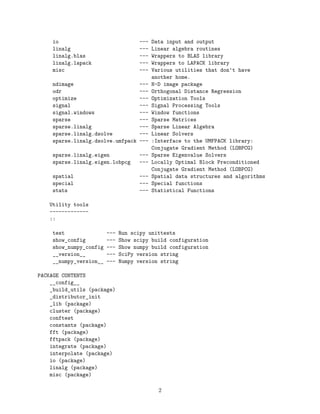
cluster --- Vector Quantization / Kmeans
fft --- Discrete Fourier transforms
fftpack --- Legacy discrete Fourier transforms
integrate --- Integration routines
interpolate --- Interpolation Tools
1](https://image.slidesharecdn.com/scipy-sympy-231121021820-90eaf564/85/SCIPY-SYMPY-pdf-1-320.jpg)
![SCIPY-SYMPY
November 10, 2022
1 SCIPY
[2]: import scipy as sp
import numpy as np
import sympy as syp
import matplotlib.pyplot as plt
[6]: help(sp)
Help on package scipy:
NAME
scipy
DESCRIPTION
SciPy: A scientific computing package for Python
================================================
Documentation is available in the docstrings and
online at https://docs.scipy.org.
Contents
--------
SciPy imports all the functions from the NumPy namespace, and in
addition provides:
Subpackages
-----------
Using any of these subpackages requires an explicit import. For example,
``import scipy.cluster``.
::
cluster --- Vector Quantization / Kmeans
fft --- Discrete Fourier transforms
fftpack --- Legacy discrete Fourier transforms
integrate --- Integration routines
interpolate --- Interpolation Tools
1](https://image.slidesharecdn.com/scipy-sympy-231121021820-90eaf564/75/SCIPY-SYMPY-pdf-1-2048.jpg)
![ndimage (package)
odr (package)
optimize (package)
setup
signal (package)
sparse (package)
spatial (package)
special (package)
stats (package)
version
DATA
test = <scipy._lib._testutils.PytestTester object>
VERSION
1.7.3
FILE
/Users/mac21/opt/anaconda3/lib/python3.9/site-packages/scipy/__init__.py
1.1 INTERPOLACION
1.1.1 Univariable
[69]: from scipy.interpolate import *
%matplotlib notebook
[49]: #sp.interpolate.interp1d
nodos=np.linspace(0,1,6)
def f(t):
return np.sin(3*t)
x=np.linspace(0,1,100)
inter=interp1d(nodos,f(nodos),kind='cubic')
plt.figure(figsize=(6,5))
plt.plot(nodos,f(nodos),'ro',label='nodos')
plt.plot(x,f(x),'b-',label=r'$f(x)=sin(3x)$')
plt.plot(x,inter(x),'r--',label='interpolacion');
plt.legend();
3](https://image.slidesharecdn.com/scipy-sympy-231121021820-90eaf564/85/SCIPY-SYMPY-pdf-3-320.jpg)
![[71]: nodos2=np.linspace(-5,5,51)
x2=np.linspace(-5,5,200)
def runge(y):
return 1./(1.+y**2)
inter2=BarycentricInterpolator(nodos2,runge(nodos2))
inter3=interp1d(nodos2,runge(nodos2),kind='cubic')
plt.figure(figsize=(6,5))
plt.plot(nodos2,runge(nodos2),'ro',label='nodos')
plt.plot(x2,runge(x2),'b-',label=r'$runge(x)=frac{1}{1+x^2}$')
plt.plot(x2,inter3(x2),'r--',label='interpolacion cubico');
plt.legend();
<IPython.core.display.Javascript object>
<IPython.core.display.HTML object>
[67]: aa=lagrange(nodos2,runge(nodos2))
print(aa)
10 9 8 7 6
-2.262e-05 x - 3.611e-20 x + 0.001267 x + 7.619e-18 x - 0.02441 x
5 4 3 2
4](https://image.slidesharecdn.com/scipy-sympy-231121021820-90eaf564/85/SCIPY-SYMPY-pdf-4-320.jpg)
![+ 1.046e-16 x + 0.1974 x - 1.3e-16 x - 0.6742 x - 1.546e-16 x + 1
[ ]:
[72]: from mpl_toolkits.mplot3d.axes3d import Axes3D
[164]: xx=np.linspace(-3,3,50)
X,Y=np.meshgrid(xx,xx)
def g(x,y):
return np.sin(x)+np.sin(y)
Z=g(X,Y)
fig=plt.figure(figsize=(10,10))
ej1=plt.subplot2grid((2,2),(0,0),aspect='equal')
p1=ej1.pcolor(X,Y,Z)
fig.colorbar(p1)
C1=ej1.contour(X,Y,Z,colors='k')
ej1.clabel(C1)
ej1.set_title('Grafica del contorno')
#nodos
#np.random.seed(33)
nodos3=-3+6*np.random.rand(50,2)
xi=nodos3[:,0]
yi=nodos3[:,1]
zi=g(xi,yi)
ej2=plt.subplot2grid((2,2),(0,1),aspect='equal')
p2=ej2.pcolor(X,Y,Z)
fig.colorbar(p2)
ej2.scatter(xi,yi,c='k')
ej2.set_title('nube de puntos')
ej3=plt.subplot2grid((2,2),(1,0),projection='3d',colspan=2, rowspan=2)
ej3.plot_surface(X,Y,Z,alpha=0.4)
ej3.scatter(xi,yi,zi,s=22,c='r')
ej3.contour(X,Y,Z,zdir='z',offset=-4)
ej3.contour(X,Y,Z,zdir='x',offset=-5)
ej3.set_xlim3d(-5,3)
ej3.set_ylim3d(-3,5)
ej3.set_zlim3d(-4,2)
fig.tight_layout()
<IPython.core.display.Javascript object>
<IPython.core.display.HTML object>
/var/folders/v1/vg27shm94bz102sndw5m5pc80000gn/T/ipykernel_37019/3583880009.py:9
: MatplotlibDeprecationWarning: shading='flat' when X and Y have the same
dimensions as C is deprecated since 3.3. Either specify the corners of the
quadrilaterals with X and Y, or pass shading='auto', 'nearest' or 'gouraud', or
5](https://image.slidesharecdn.com/scipy-sympy-231121021820-90eaf564/85/SCIPY-SYMPY-pdf-5-320.jpg)
![set rcParams['pcolor.shading']. This will become an error two minor releases
later.
p1=ej1.pcolor(X,Y,Z)
/var/folders/v1/vg27shm94bz102sndw5m5pc80000gn/T/ipykernel_37019/3583880009.py:2
2: MatplotlibDeprecationWarning: shading='flat' when X and Y have the same
dimensions as C is deprecated since 3.3. Either specify the corners of the
quadrilaterals with X and Y, or pass shading='auto', 'nearest' or 'gouraud', or
set rcParams['pcolor.shading']. This will become an error two minor releases
later.
p2=ej2.pcolor(X,Y,Z)
[160]: from scipy.interpolate import interp2d
ti = np.linspace(-3, 3, 10)
xi, yi = np.meshgrid(ti, ti)
zi = g(xi, yi)
inte2d = interp2d(xi, yi, zi, kind='linear')
plt.figure()
plt.axes().set_aspect('equal')
plt.pcolor(X, Y, inte2d(xx, xx))
plt.scatter(xi, yi,c='r',s=11)
CP = plt.contour(X, Y, inte2d(xx, xx), colors='k')
plt.clabel(CP)
plt.xlim(-3, 3)
plt.ylim(-3, 3)
plt.title('linear ')
<IPython.core.display.Javascript object>
<IPython.core.display.HTML object>
/var/folders/v1/vg27shm94bz102sndw5m5pc80000gn/T/ipykernel_37019/2983383542.py:8
: MatplotlibDeprecationWarning: shading='flat' when X and Y have the same
dimensions as C is deprecated since 3.3. Either specify the corners of the
quadrilaterals with X and Y, or pass shading='auto', 'nearest' or 'gouraud', or
set rcParams['pcolor.shading']. This will become an error two minor releases
later.
plt.pcolor(X, Y, inte2d(xx, xx))
[160]: Text(0.5, 1.0, 'linear ')
[167]: ti = np.linspace(-3, 3, 10)
xi, yi = np.meshgrid(ti, ti)
zi = g(xi, yi)
interpola = RectBivariateSpline(ti, ti, zi, kx=3, ky=3)
plt.figure()
plt.axes().set_aspect('equal')
plt.pcolor(xi, yi, interpola(ti, ti))
CP = plt.contour(xi, yi, interpola(ti, ti), colors='k')
plt.clabel(CP)
6](https://image.slidesharecdn.com/scipy-sympy-231121021820-90eaf564/85/SCIPY-SYMPY-pdf-6-320.jpg)
![plt.scatter(xi, yi,s=11,c='r')
plt.xlim(-3, 3)
plt.ylim(-3, 3)
<IPython.core.display.Javascript object>
<IPython.core.display.HTML object>
/var/folders/v1/vg27shm94bz102sndw5m5pc80000gn/T/ipykernel_37019/2885320853.py:7
: MatplotlibDeprecationWarning: shading='flat' when X and Y have the same
dimensions as C is deprecated since 3.3. Either specify the corners of the
quadrilaterals with X and Y, or pass shading='auto', 'nearest' or 'gouraud', or
set rcParams['pcolor.shading']. This will become an error two minor releases
later.
plt.pcolor(xi, yi, interpola(ti, ti))
[167]: (-3.0, 3.0)
[ ]:
[ ]:
[ ]:
[ ]:
1.2 INTEGRACION
[168]: from scipy.integrate import *
𝑓(𝑥) = 𝑒−𝑥2
[199]: fun=lambda x : np.exp(-x**2)
print(quad(fun,0,2))
print(quad(lambda x : np.exp(-x**2),0,np.inf))
quad(lambda x : np.exp(-x**2),-np.inf,0)
np.pi/2
(0.8820813907624215, 9.793070696178202e-15)
(0.8862269254527579, 7.101318390472462e-09)
[199]: 1.5707963267948966
[200]: 0.8820813907624215*2
[200]: 1.764162781524843
7](https://image.slidesharecdn.com/scipy-sympy-231121021820-90eaf564/85/SCIPY-SYMPY-pdf-7-320.jpg)
![∫
𝑥=𝑏
𝑥=𝑎
∫
𝑦=𝑔(𝑥)
𝑦=ℎ(𝑥)
𝑓(𝑥, 𝑦)𝑑𝑦𝑑𝑥
∫
1/2
0
∫
√1−4𝑦2
0
16𝑥𝑦 𝑑𝑦𝑑𝑥
[190]: f1=lambda x,y : 16*x*y
f2=lambda y : 0
f3=lambda y : np.sqrt(1-4*y**2)
dblquad(f1,0,0.5,f2,f3)
[190]: (0.5, 1.7092350012594845e-14)
[192]: nodos4=np.linspace(-2,1,100)
def inte(x):
return x**5
simps(nodos4,inte(nodos4))
[192]: -52.49987339719653
[193]: cumtrapz(nodos4,inte(nodos4))
[193]: array([ -4.66813575, -8.99065694, -12.98834443, -16.68102752,
-20.08761349, -23.22611658, -26.11368661, -28.76663709,
-31.20047282, -33.4299171 , -35.46893844, -37.33077682,
-39.02796944, -40.57237608, -41.97520392, -43.24703196,
-44.39783493, -45.43700675, -46.37338356, -47.21526618,
-47.97044226, -48.64620784, -49.24938848, -49.78635996,
-50.26306848, -50.6850504 , -51.05745154, -51.38504595,
-51.67225433, -51.92316183, -52.14153557, -52.33084151,
-52.494261 , -52.63470679, -52.75483857, -52.85707812,
-52.9436239 , -53.01646524, -53.07739604, -53.12802802,
-53.16980346, -53.20400758, -53.23178032, -53.25412776,
-53.27193301, -53.28596671, -53.29689696, -53.30529889,
-53.3116637 , -53.31640724, -53.31987819, -53.32236566,
-53.32410644, -53.32529173, -53.32607339, -53.32656975,
-53.32687098, -53.32704396, -53.32713665, -53.3271821 ,
-53.32720191, -53.32720923, -53.32721135, -53.32721175,
-53.32721179, -53.32721179, -53.32721179, -53.32721175,
-53.32721135, -53.32720923, -53.32720191, -53.3271821 ,
-53.32713665, -53.32704396, -53.32687098, -53.32656975,
-53.32607339, -53.32529173, -53.32410644, -53.32236566,
-53.31987819, -53.31640724, -53.3116637 , -53.30529889,
-53.29689696, -53.28596671, -53.27193301, -53.25412776,
-53.23178032, -53.20400758, -53.16980346, -53.12802802,
8](https://image.slidesharecdn.com/scipy-sympy-231121021820-90eaf564/85/SCIPY-SYMPY-pdf-8-320.jpg)
![-53.07739604, -53.01646524, -52.9436239 , -52.85707812,
-52.75483857, -52.63470679, -52.494261 ])
∫
1
−1
sin(𝑥)
𝑥
𝑑𝑥
∫
∞
0
sin(𝑥)
𝑥
𝑑𝑥
[195]: def in2(x):
return np.sin(x)/x
quad(in2,0,np.inf)
/var/folders/v1/vg27shm94bz102sndw5m5pc80000gn/T/ipykernel_37019/1883490797.py:3
: IntegrationWarning: The integral is probably divergent, or slowly convergent.
quad(in2,0,np.inf)
[195]: (2.247867963468921, 3.2903230524472544)
[ ]:
[ ]:
[ ]:
[ ]:
[ ]:
1.3 OPTIMIZACION
[196]: from scipy.optimize import *
[ ]:
[ ]:
[ ]:
1.4 EDO
[ ]:
[ ]:
[ ]:
[ ]:
9](https://image.slidesharecdn.com/scipy-sympy-231121021820-90eaf564/85/SCIPY-SYMPY-pdf-9-320.jpg)
![[ ]:
[ ]:
[ ]:
[ ]:
[ ]:
[ ]:
[ ]:
[ ]:
[ ]:
[ ]:
[ ]:
[ ]:
[ ]:
[ ]:
[ ]:
[ ]:
[ ]:
[ ]:
[ ]:
[ ]:
[ ]:
[ ]:
[ ]:
[ ]:
10](https://image.slidesharecdn.com/scipy-sympy-231121021820-90eaf564/85/SCIPY-SYMPY-pdf-10-320.jpg)
![[ ]:
[ ]:
[ ]:
[ ]:
[ ]:
[ ]:
[ ]:
[ ]:
[ ]:
[ ]:
[ ]:
[ ]:
[ ]:
[ ]:
[ ]:
[ ]:
11](https://image.slidesharecdn.com/scipy-sympy-231121021820-90eaf564/85/SCIPY-SYMPY-pdf-11-320.jpg)


