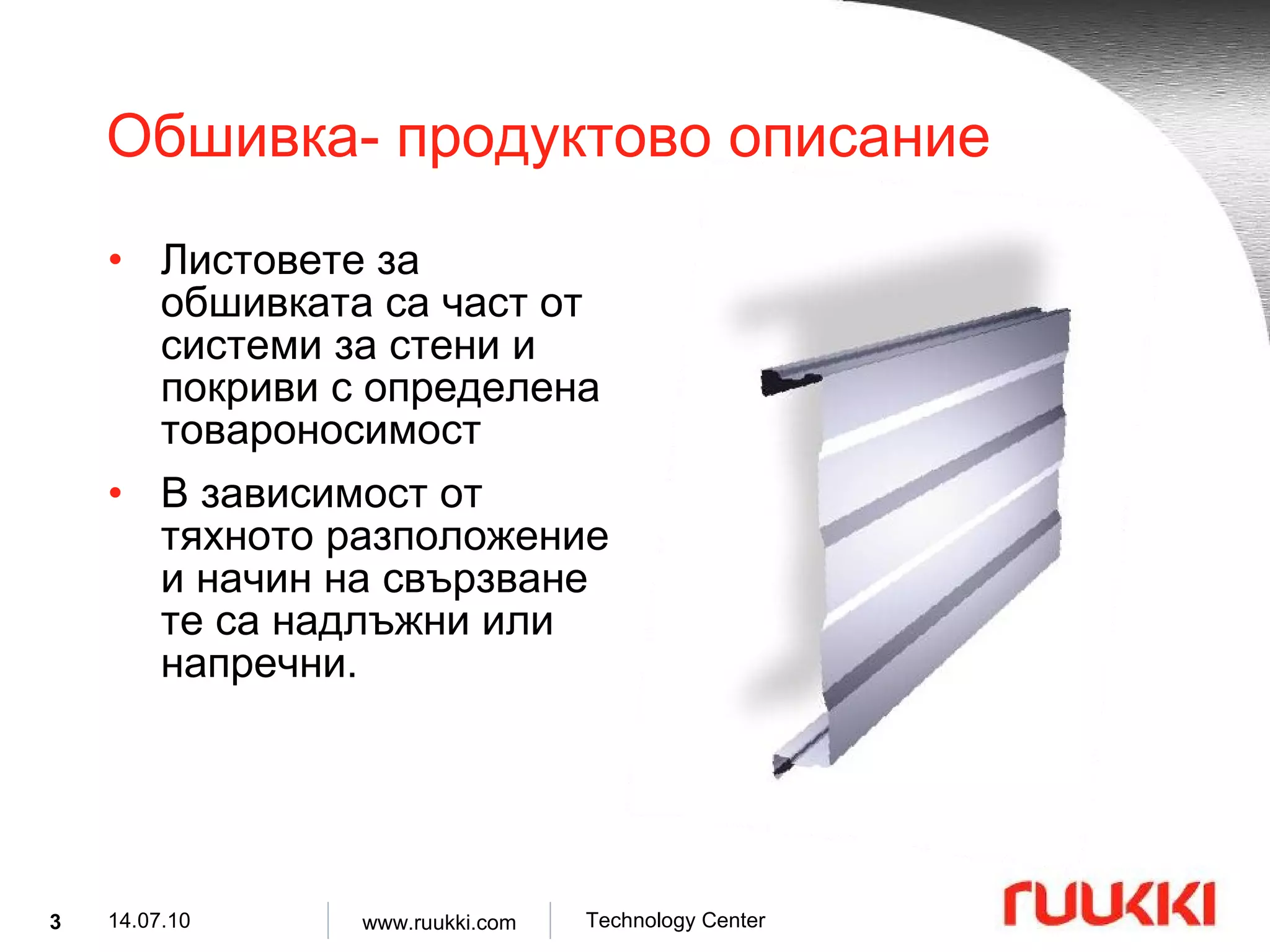
Обшивка- продуктово описаниеЛистовете за обшивката са част от системи за стени и покриви с определена товароносимост В зависимост от тяхното разположение и начин на свързване те са надлъжни или напречни .
4.
Листове за обшивка-продуктово описание Символ : LT 100 ÷200 -600S Материал : S320GD Цинково покритие : Z100, Z275 [g/m 2 ] Дебелина на материала : 0.75, 0.88, 1.00, 1.25, 1.50 [mm] Покритие : SP 15 µ m. Цветове : RAL 9002, RAL 9010.
5.
Листове за обшивка – продуктово описание 12000 600 SP15 SP25 Z 100 Z 275 S320GD S320GD 600 200 0.75 ÷1.50 LT200-600S 4 12000 600 SP15 SP25 Z 100 Z 275 S320GD S320GD 600 150 0.75 ÷1.50 LT150-600S 3 12000 600 SP15 SP25 Z 100 Z 275 S320GD S320GD 600 125 0.75 ÷1.50 LT125-600S 2 12000 600 SP15 Z 100 S320GD 600 150 0.75 ÷1. 0 0 Biatrobagy-150 7 12000 600 SP15 Z 100 S320GD 600 125 0.75 ÷1. 0 0 Biatrobagy-125 6 12000 600 SP15 Z 100 S320GD 600 100 0.75 ÷1. 0 0 Biatrobagy-100 5 12000 600 SP15 SP25 Z 100 Z 275 S320GD S320GD 600 100 0.75 ÷1.50 LT100-600S 1 [mm] [mm] органично цинково [mm] [mm] [mm] max min дължина покритие стомана височина дълбочина дебелина Профил No Лист
6.
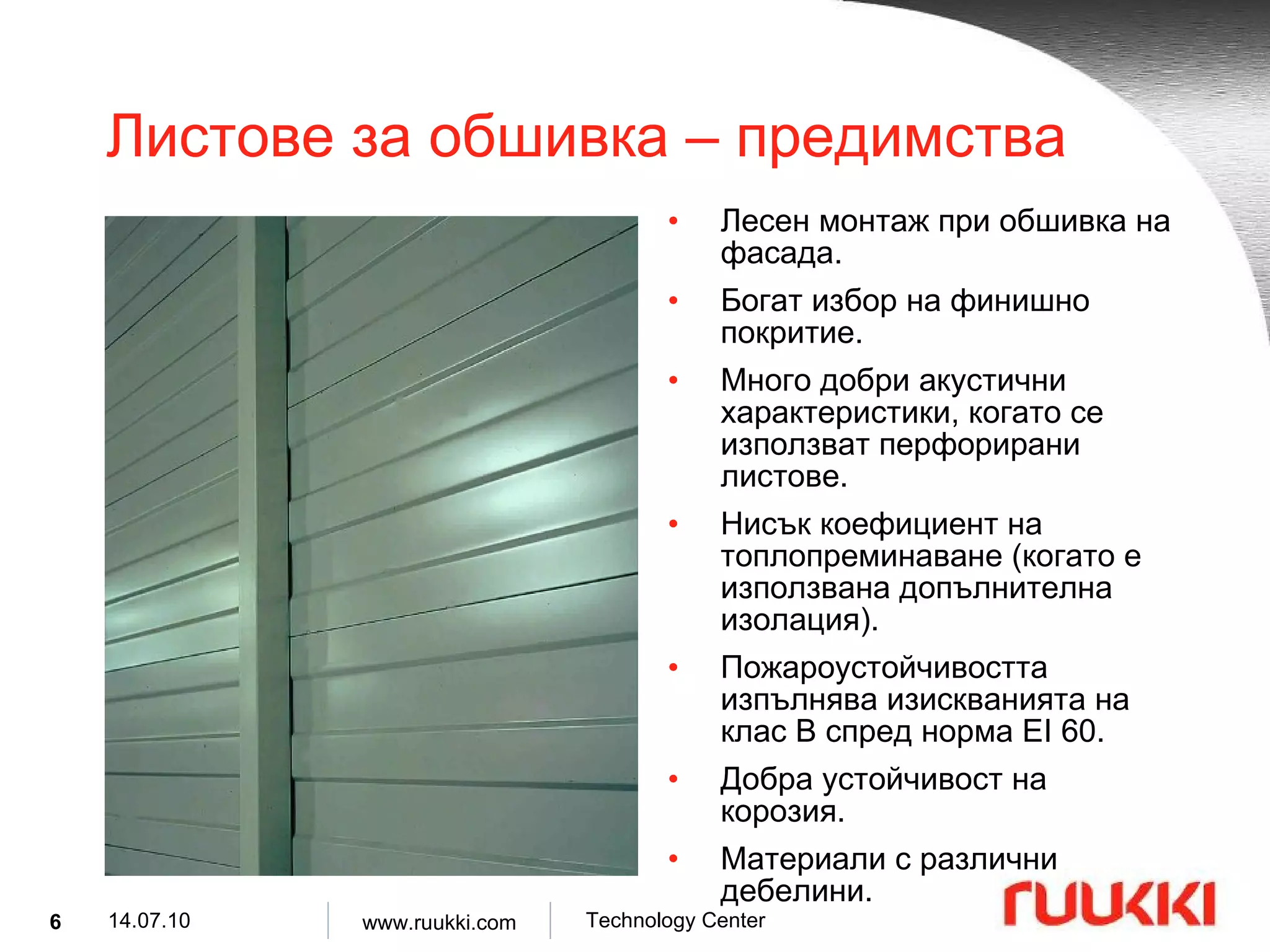
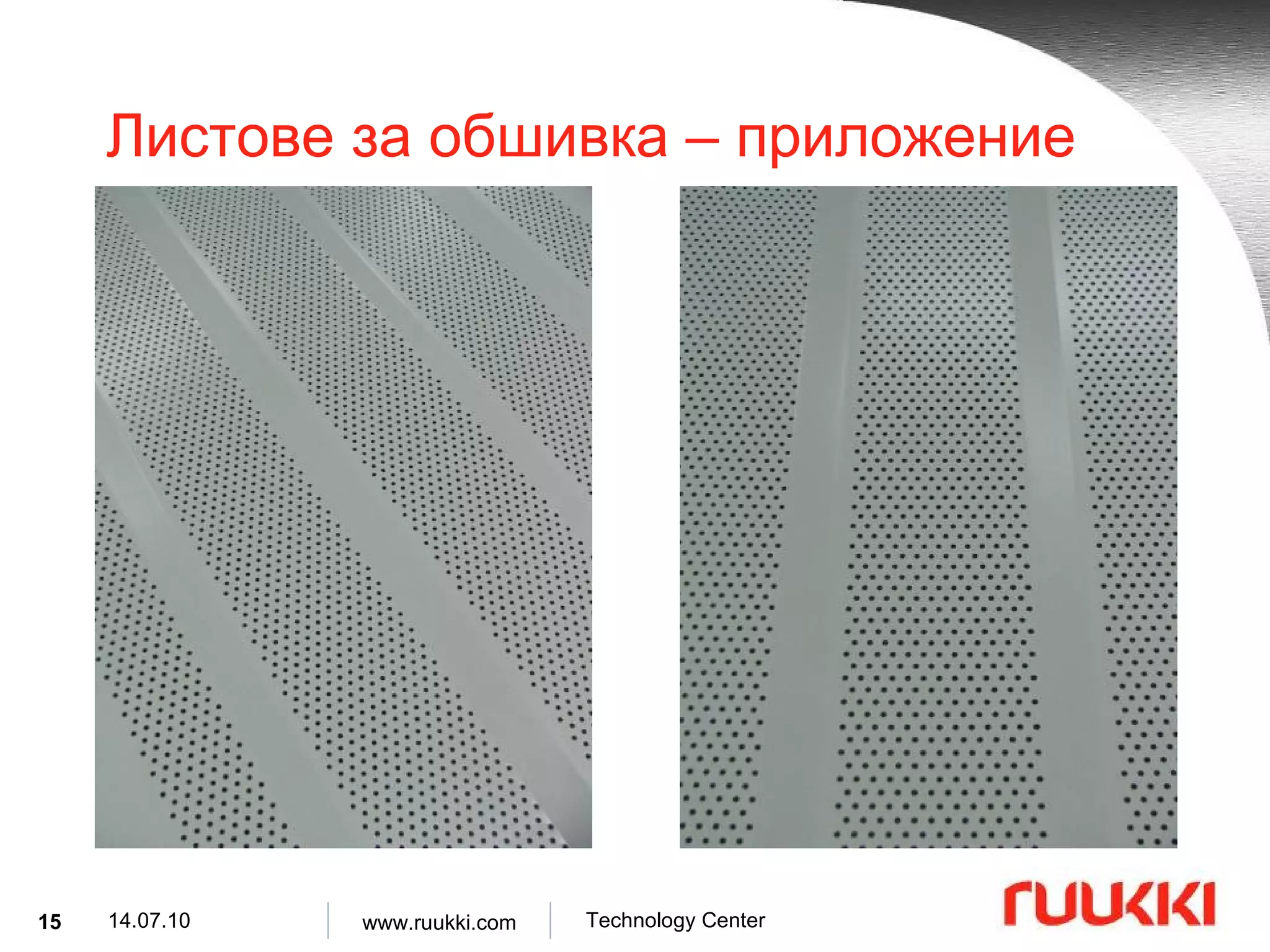
Листове за обшивка – предимства Лесен монтаж при обшивка на фасада . Богат избор на финишно покритие . Много добри акустични характеристики, когато се използват перфорирани листове . Нисък коефициент на топлопреминаване ( когато е използвана допълнителна изолация ). Пожароустойчивостта изпълнява изискванията на клас B спред норма EI 60. Добра устойчивост на корозия . Материали с различни дебелини .
7.
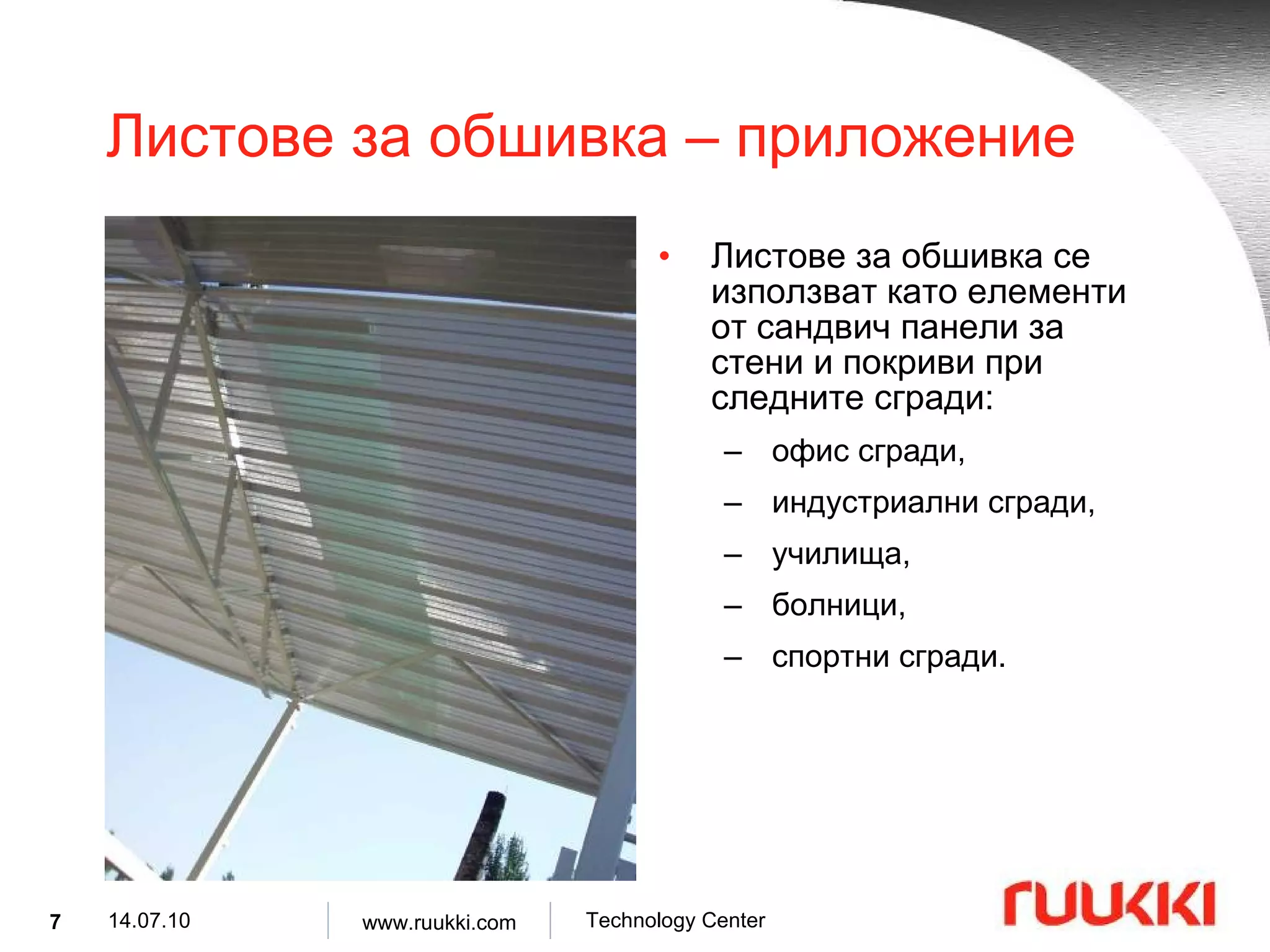
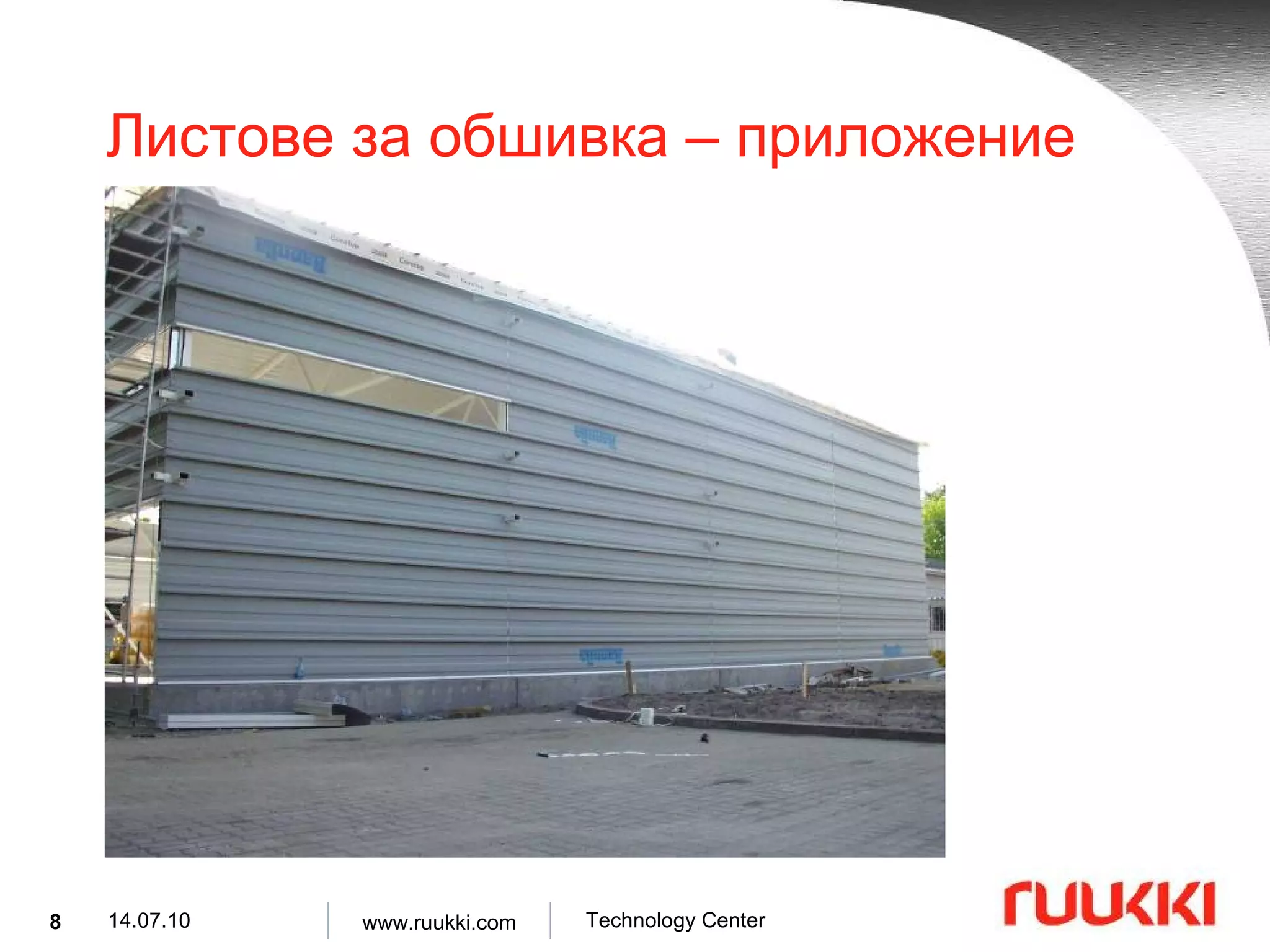
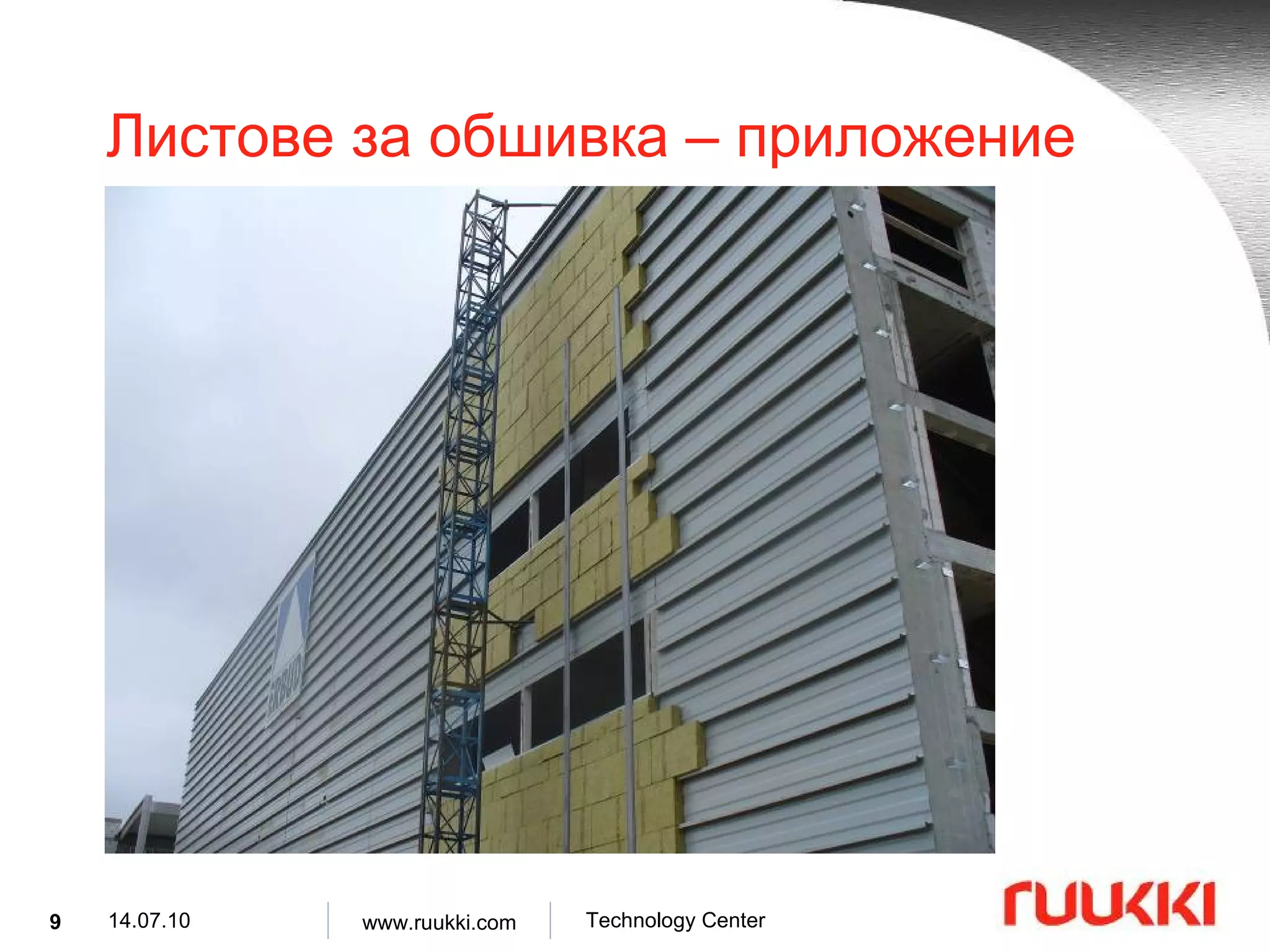
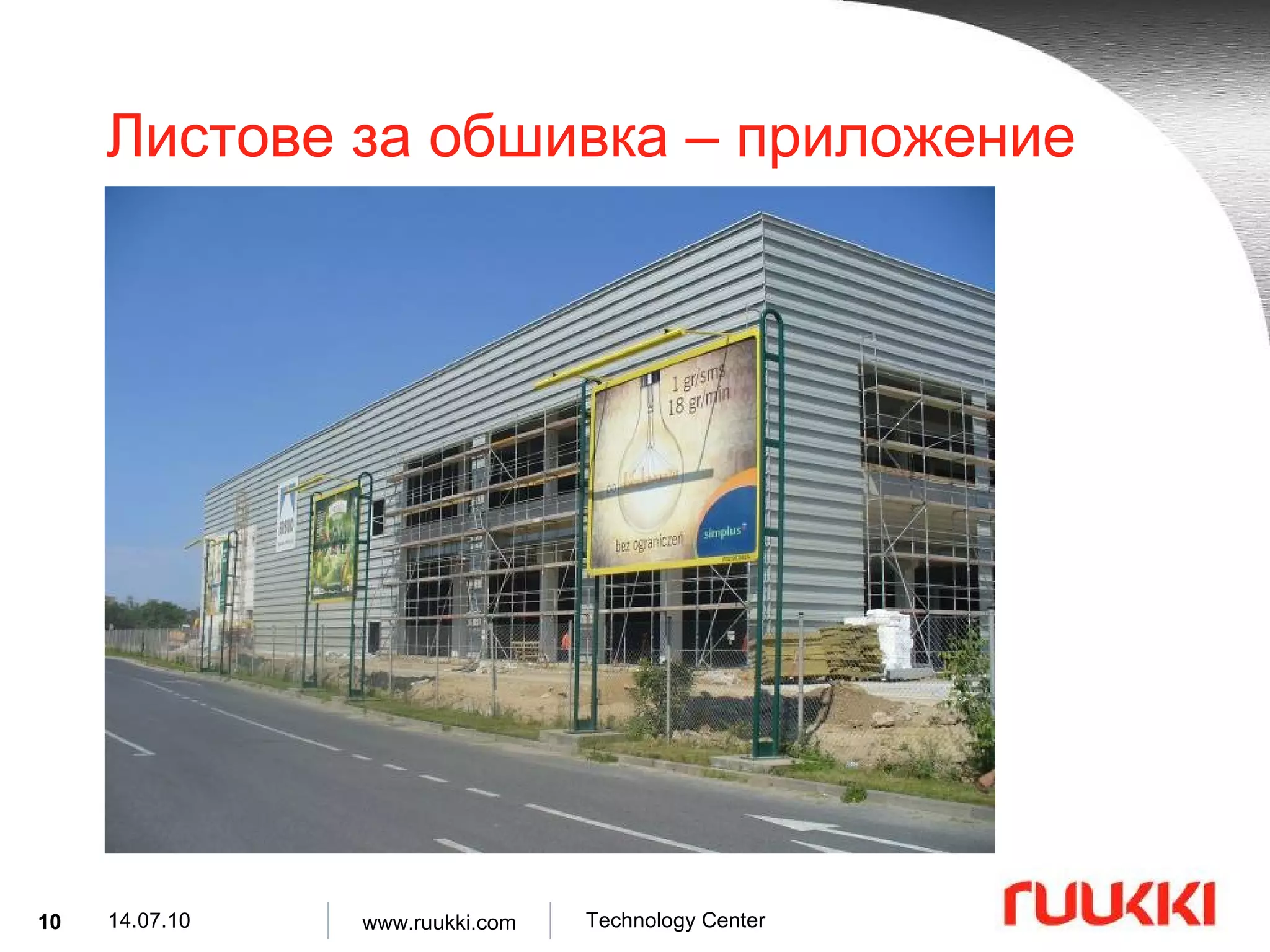
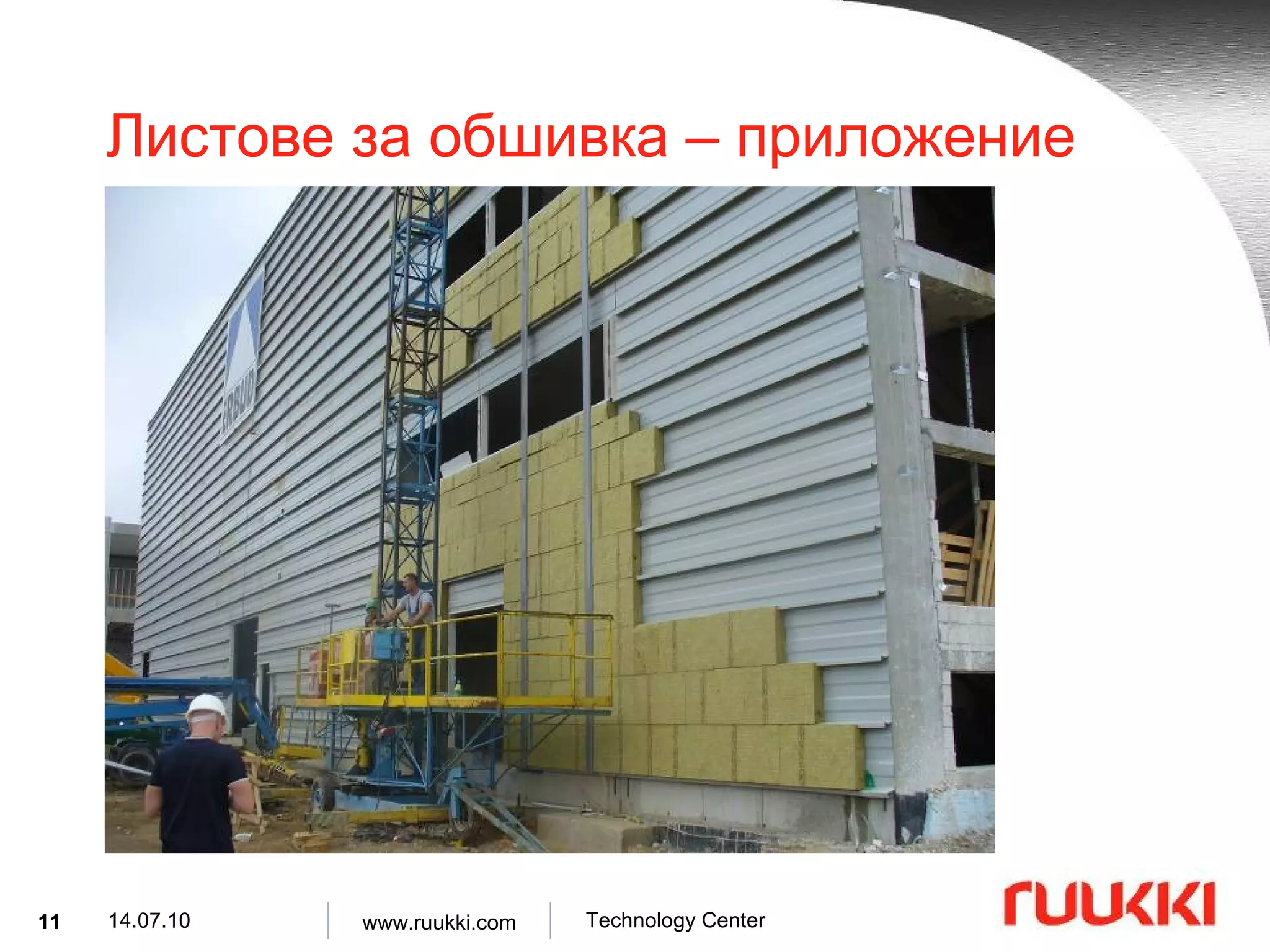
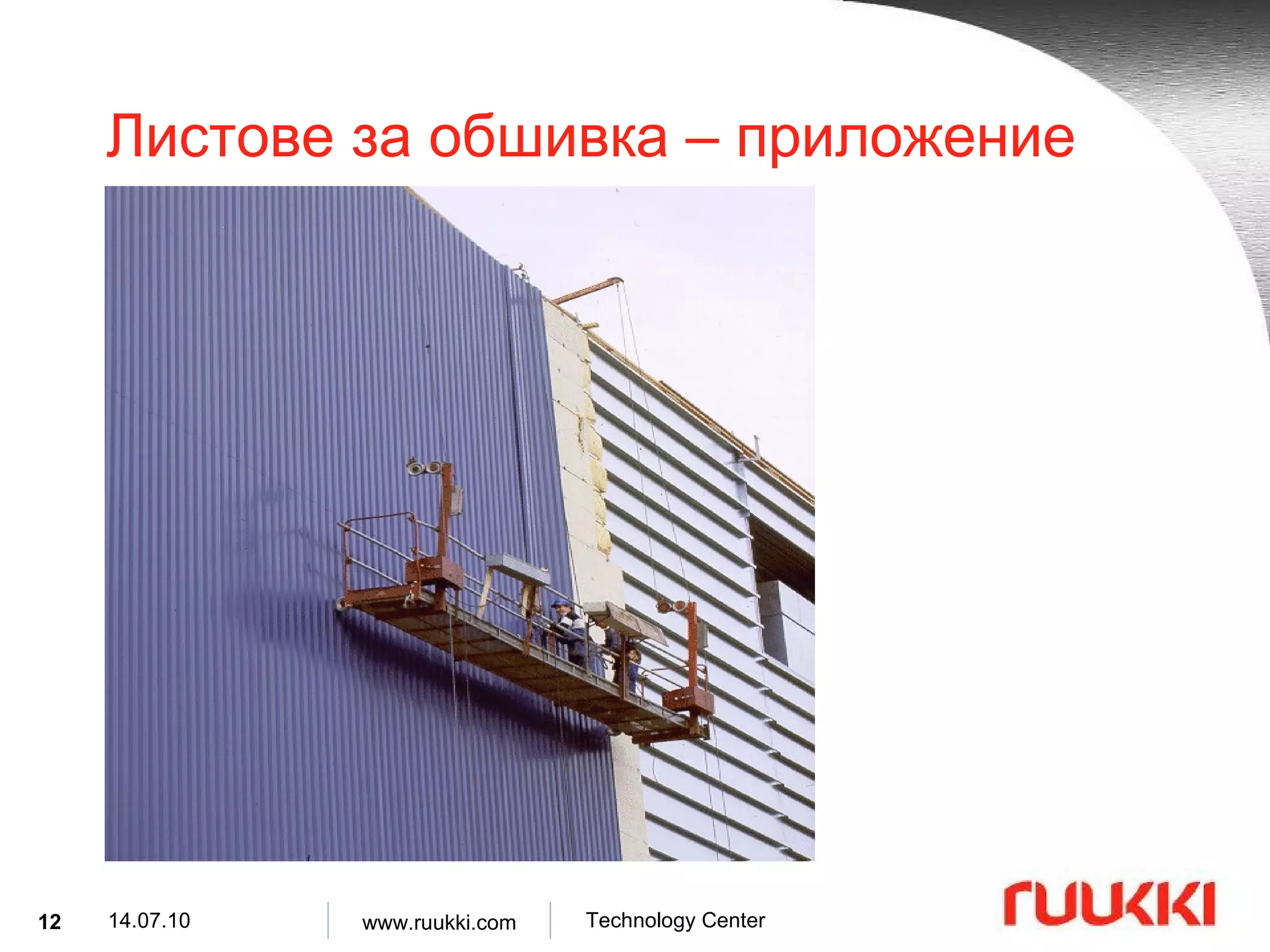
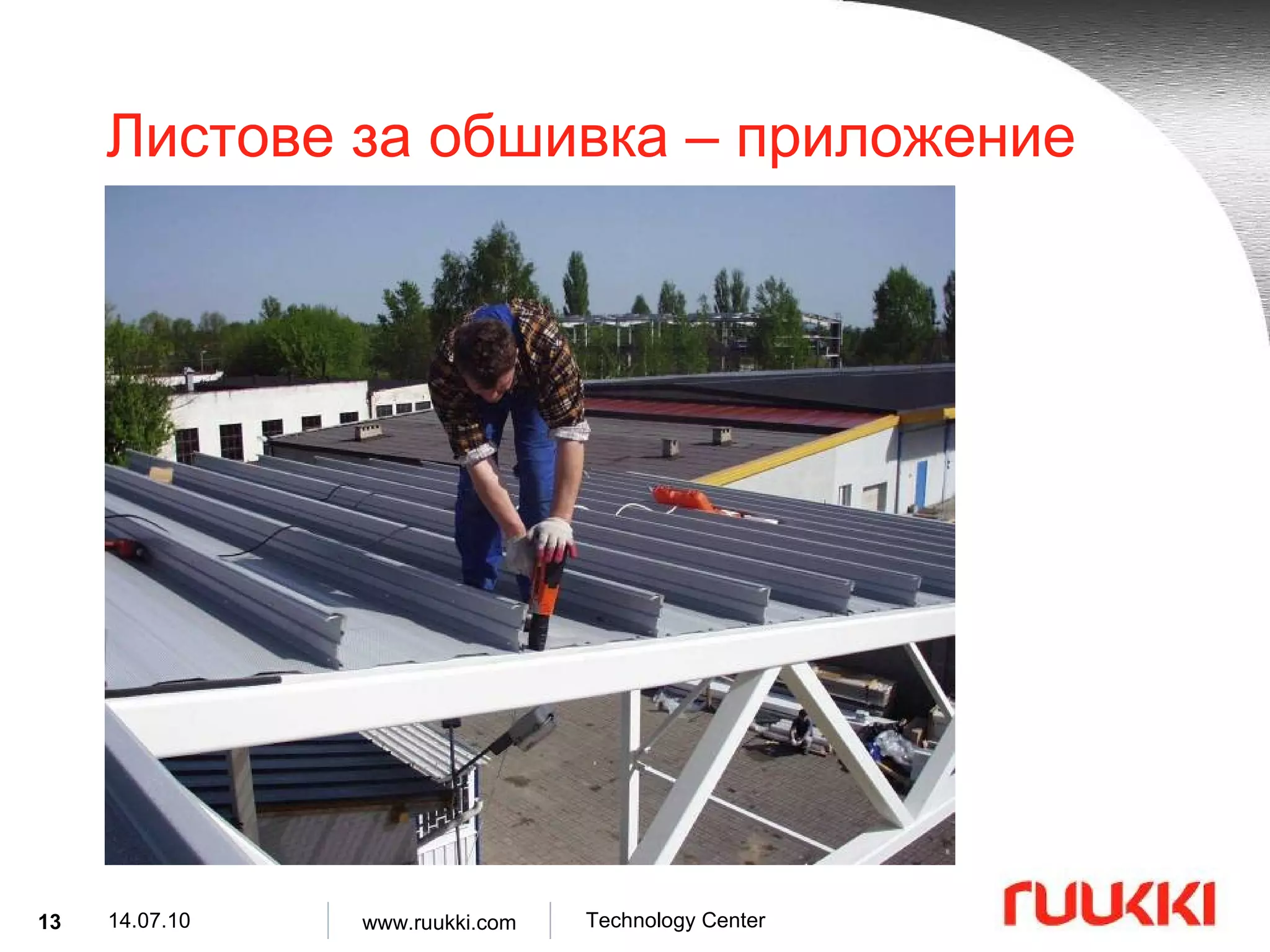
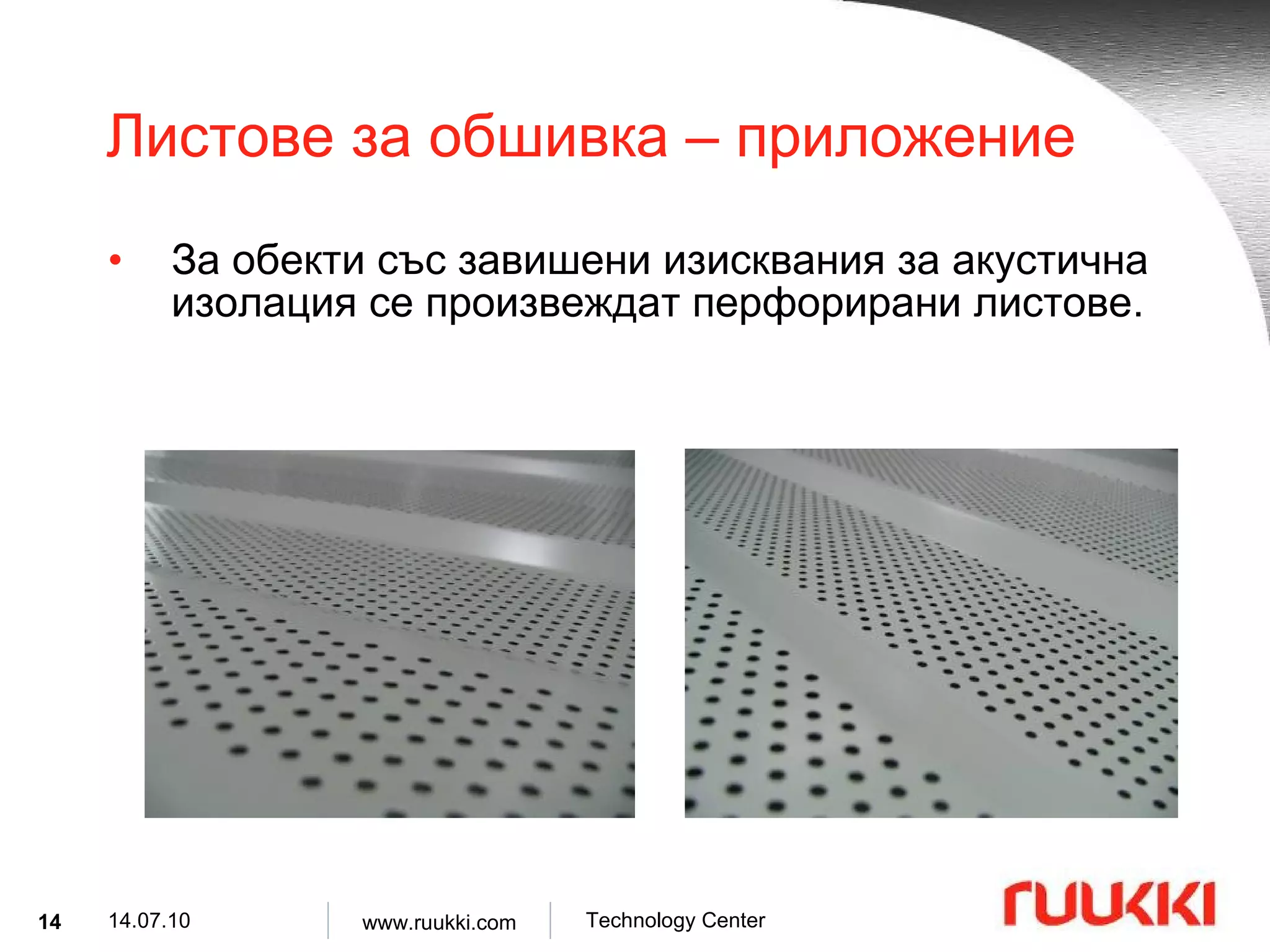
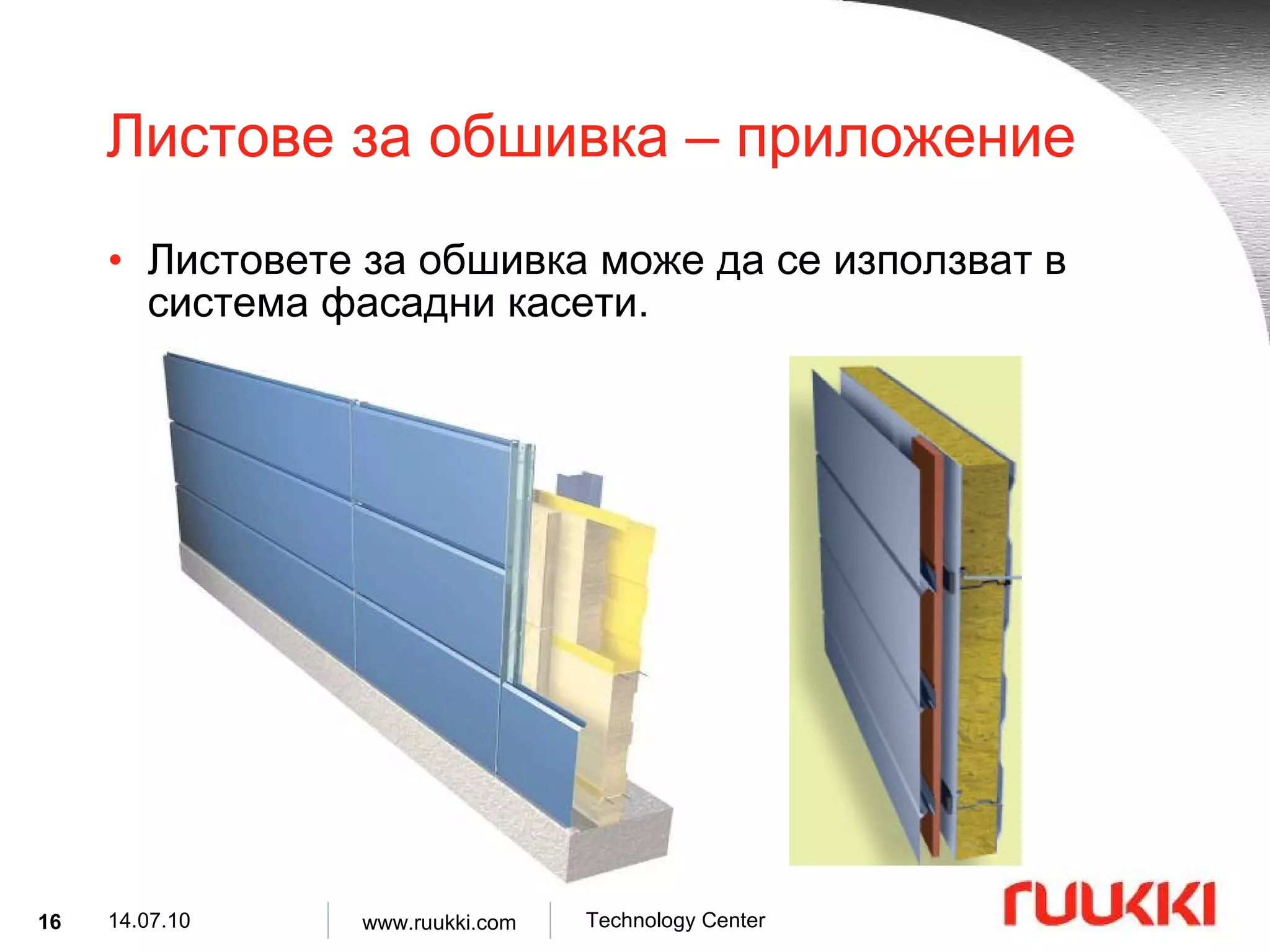
Листове за обшивка – приложение Листове за обшивка се използват като елементи от сандвич панели за стени и покриви при следните сгради : офис сгради , индустриални сгради , училища , болници , спортни сгради .
RSP100 – структура 1.00,1.20,1.25,1.50 t 2500 2500 500 B 500 A 60 20 C 60 20 D max min [mm]
23.
RSP102 – структура 1.00,1.20,1.25,1.50 t 2500 2500 500 B 500 A 60 20 C 60 20 D max min [mm]
24.
RSP102G – структура 1.00,1.20,1.25,1.50 t 2500 2500 500 B 500 A 60 20 C 60 20 D max min [mm]
25.
RSP200 – структура 1.00,1.20,1.25,1.50 t 800 2500 30 5 D p 500 B 1600 A 60 25 C 60 15 D v max min [mm]
26.
RSP500 – структура 1.00,1.20,1.25 t 800 2300 400 B 800 A 50 25 C 30 5 D max min [mm]
27.
RSP500G – структура 1.20 t 3000 3000 900 B 900 A 50 25 C 30 5 D max min [mm]
28.
RSP600 – структура 1.50 t 800 2270 500 B 1600 A 50 25 C 30 5 D max min [mm]
29.
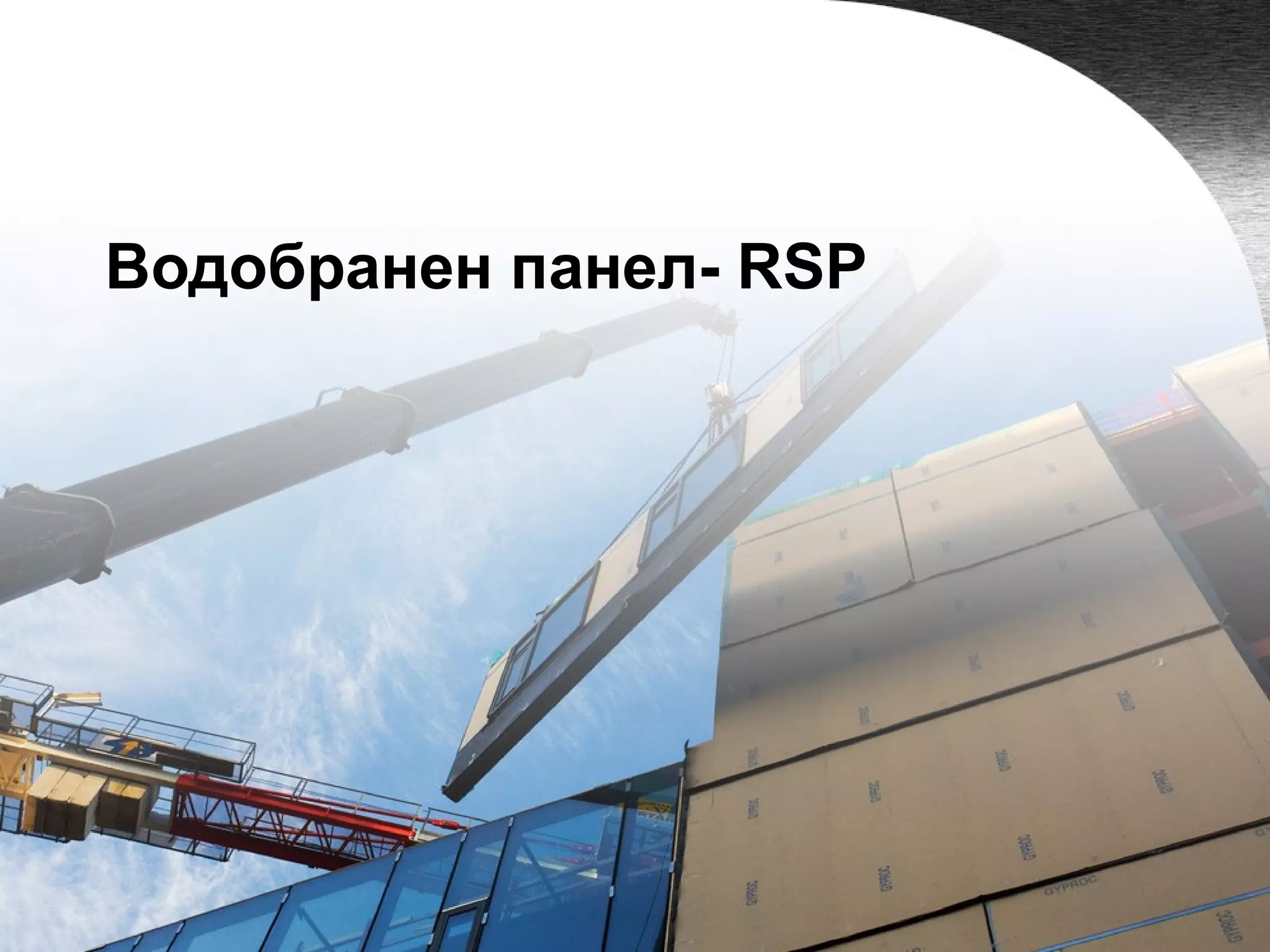
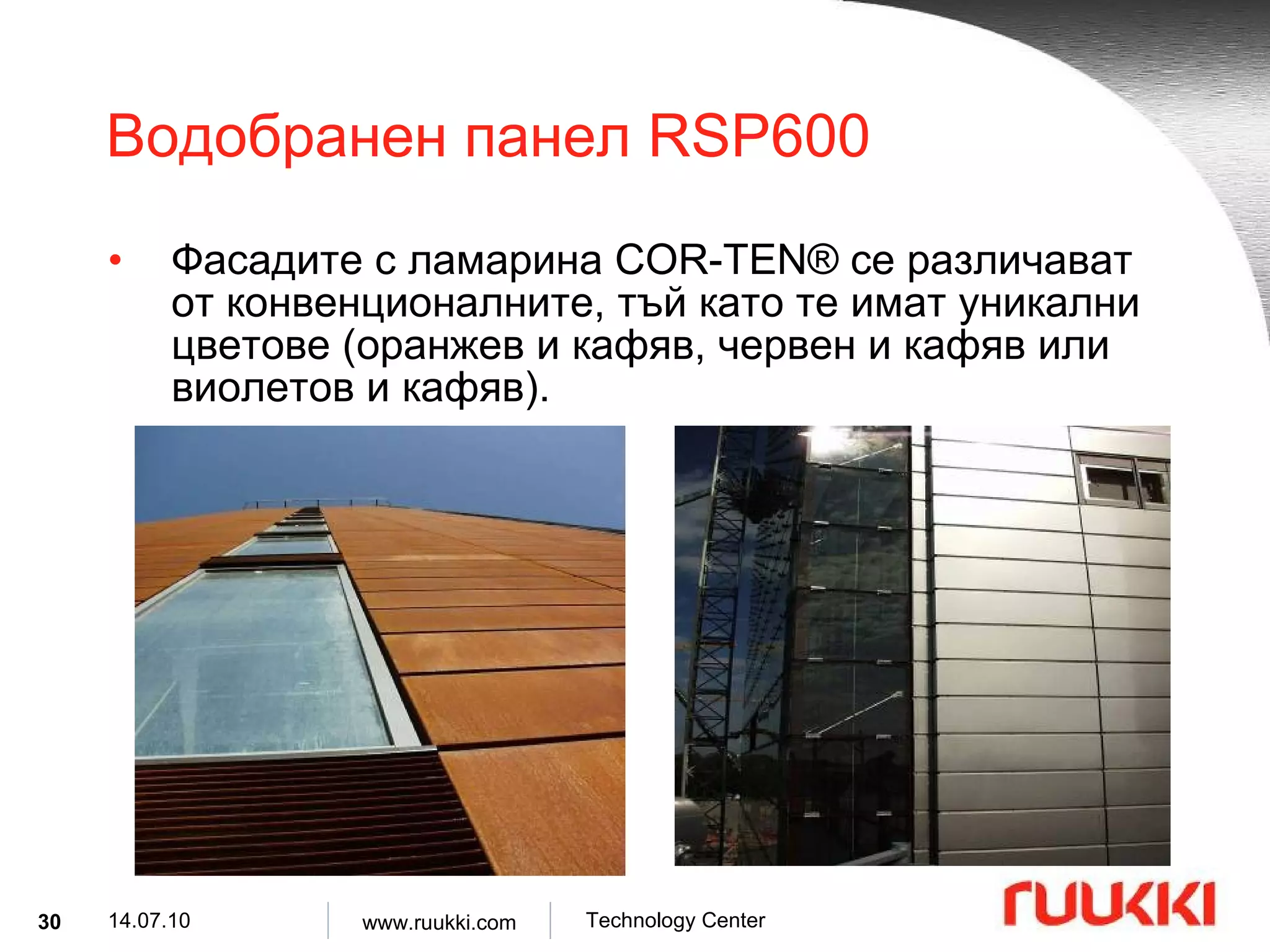
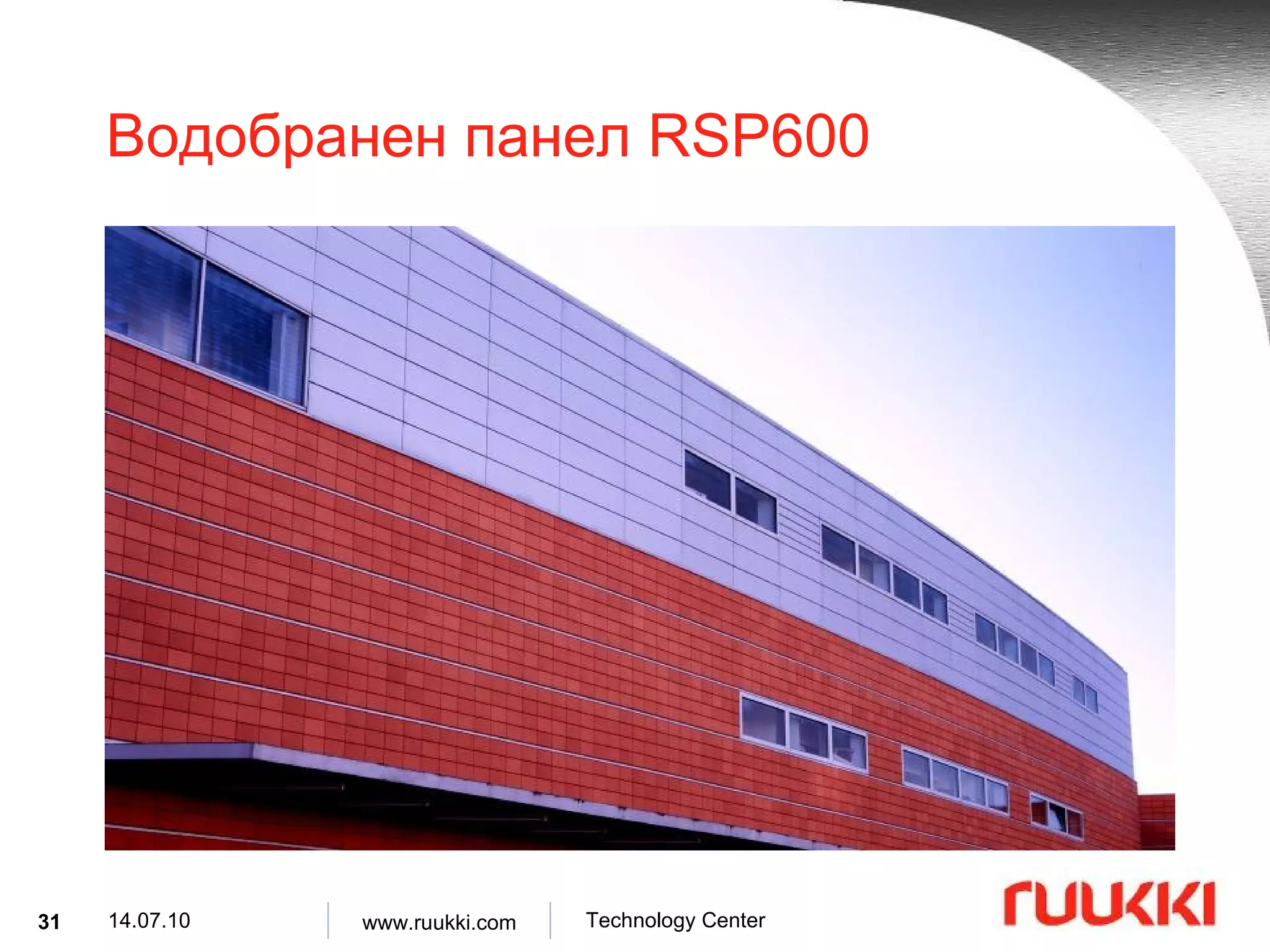
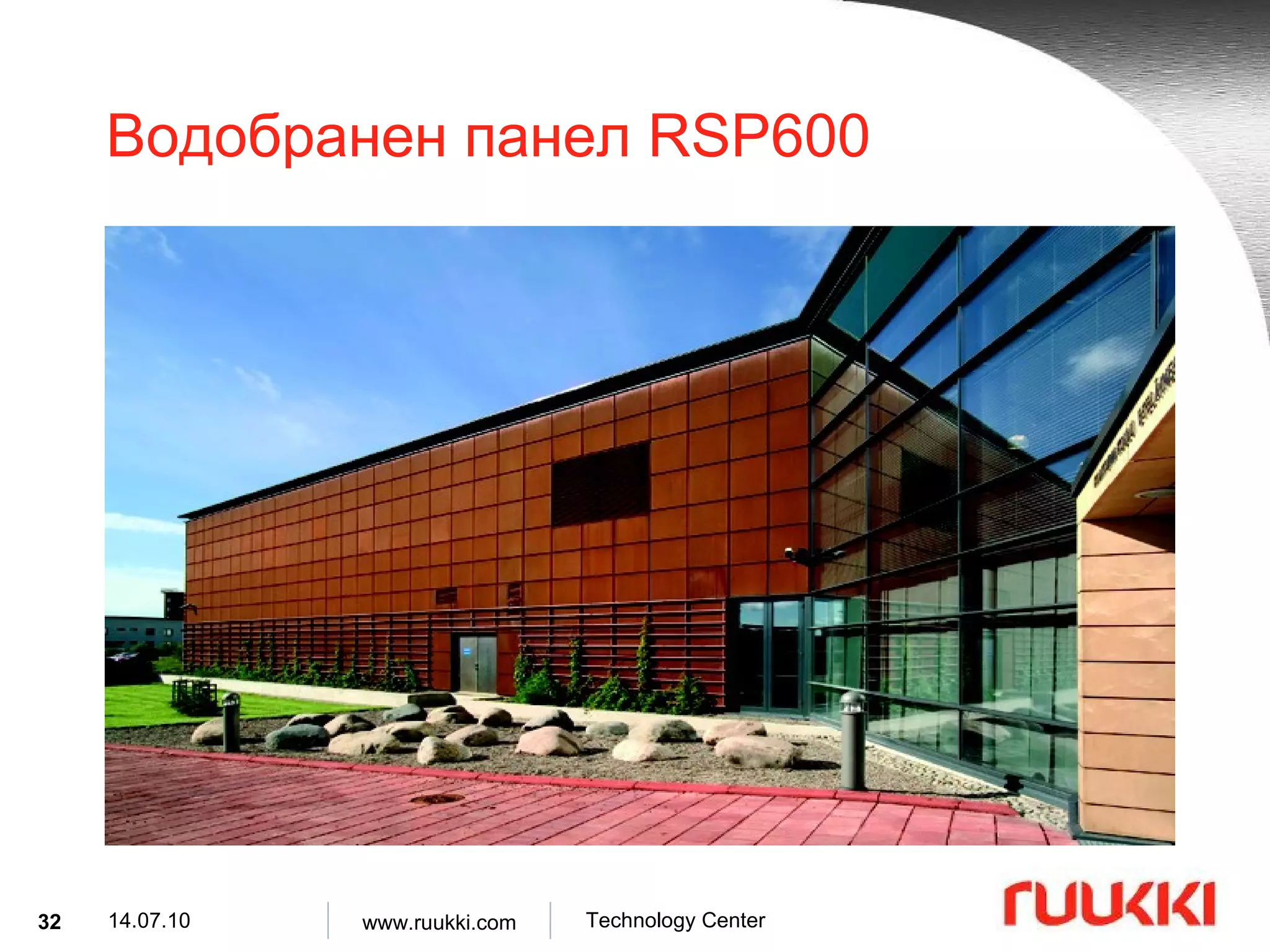
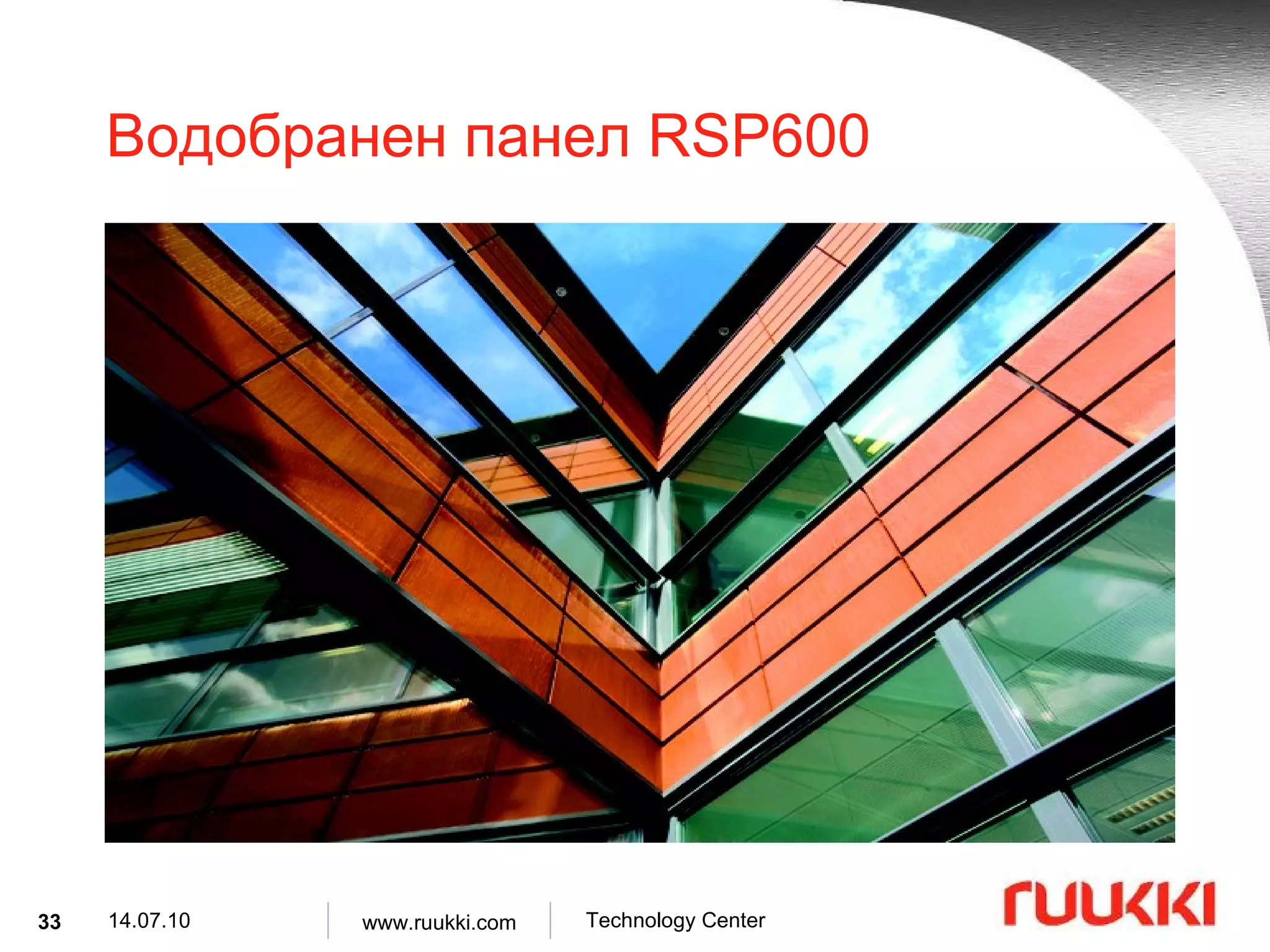
Водобранни панели RSP600 Водобранният панел RSP 600 ( COR-TEN ® ) е касета, направена от стомана , устойчива на атмосферни влияния , на повърхността на която се образува патина (зелен меден окис) при реакция на листовете ламарина с въздуха .
30.
Водобранен панел RSP600 Фасадите с ламарина COR-TEN® се различават от конвенционалните, тъй като те имат уникални цветове ( оранжев и кафяв, червен и кафяв или виолетов и кафяв ).
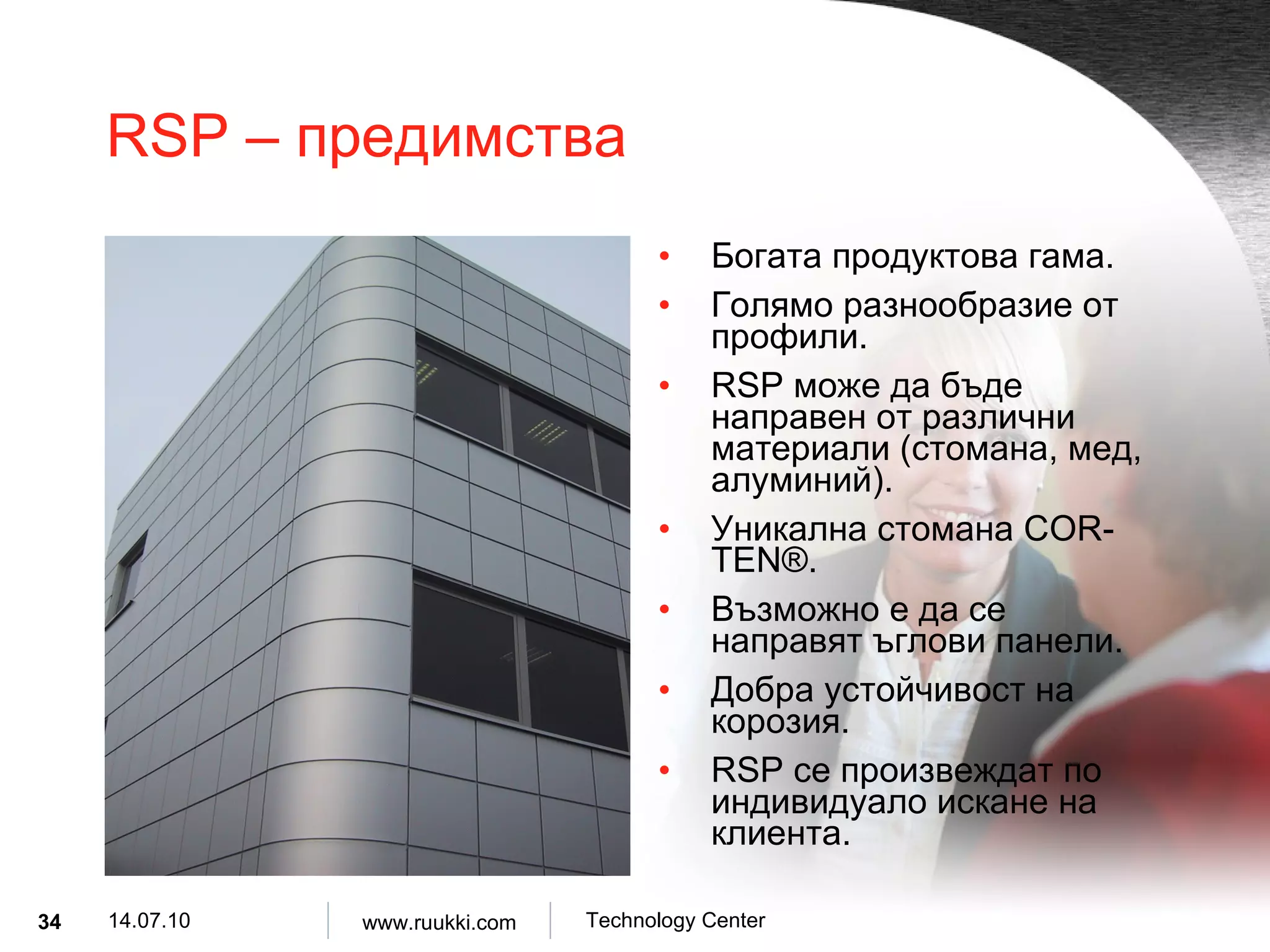
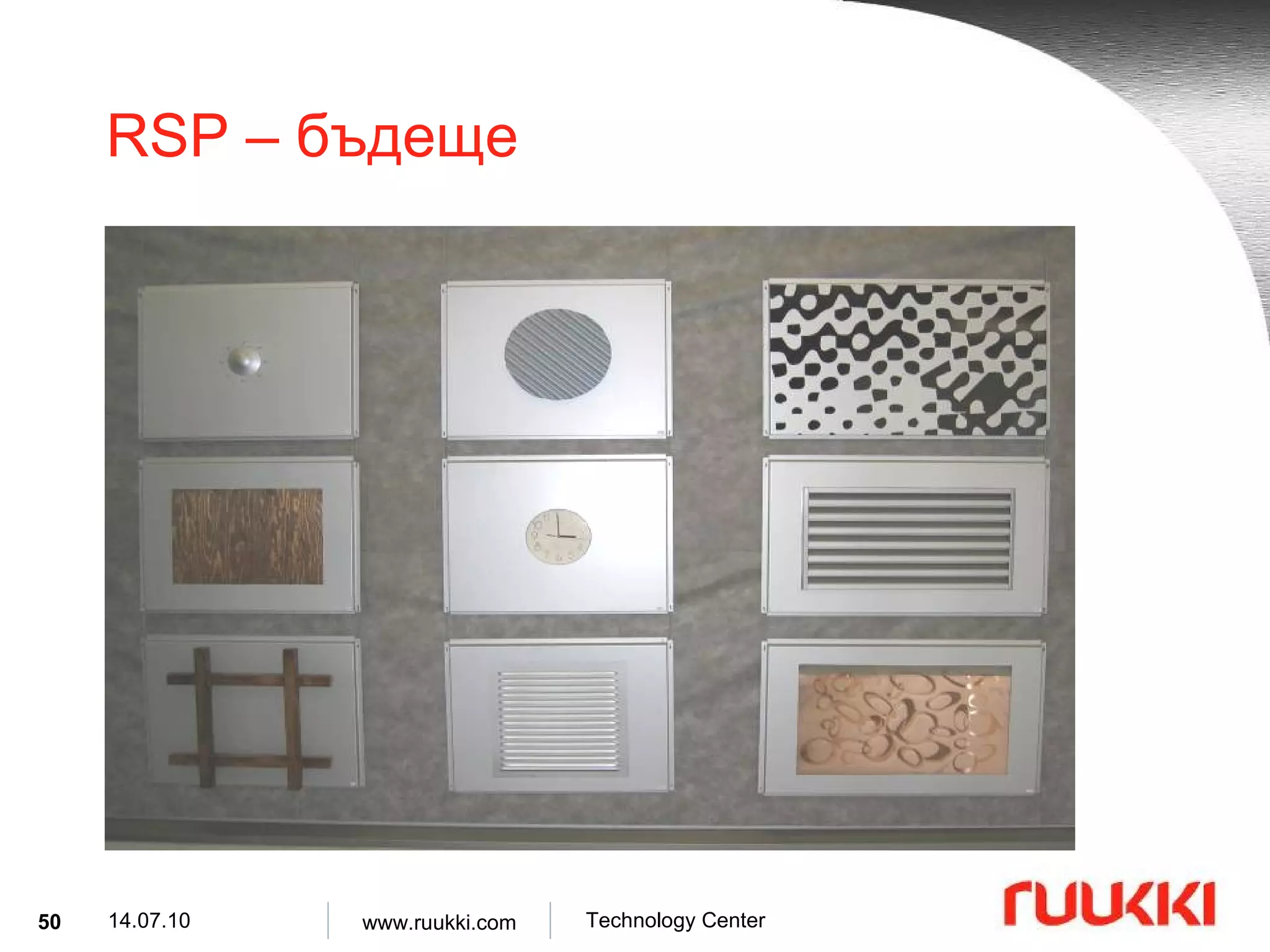
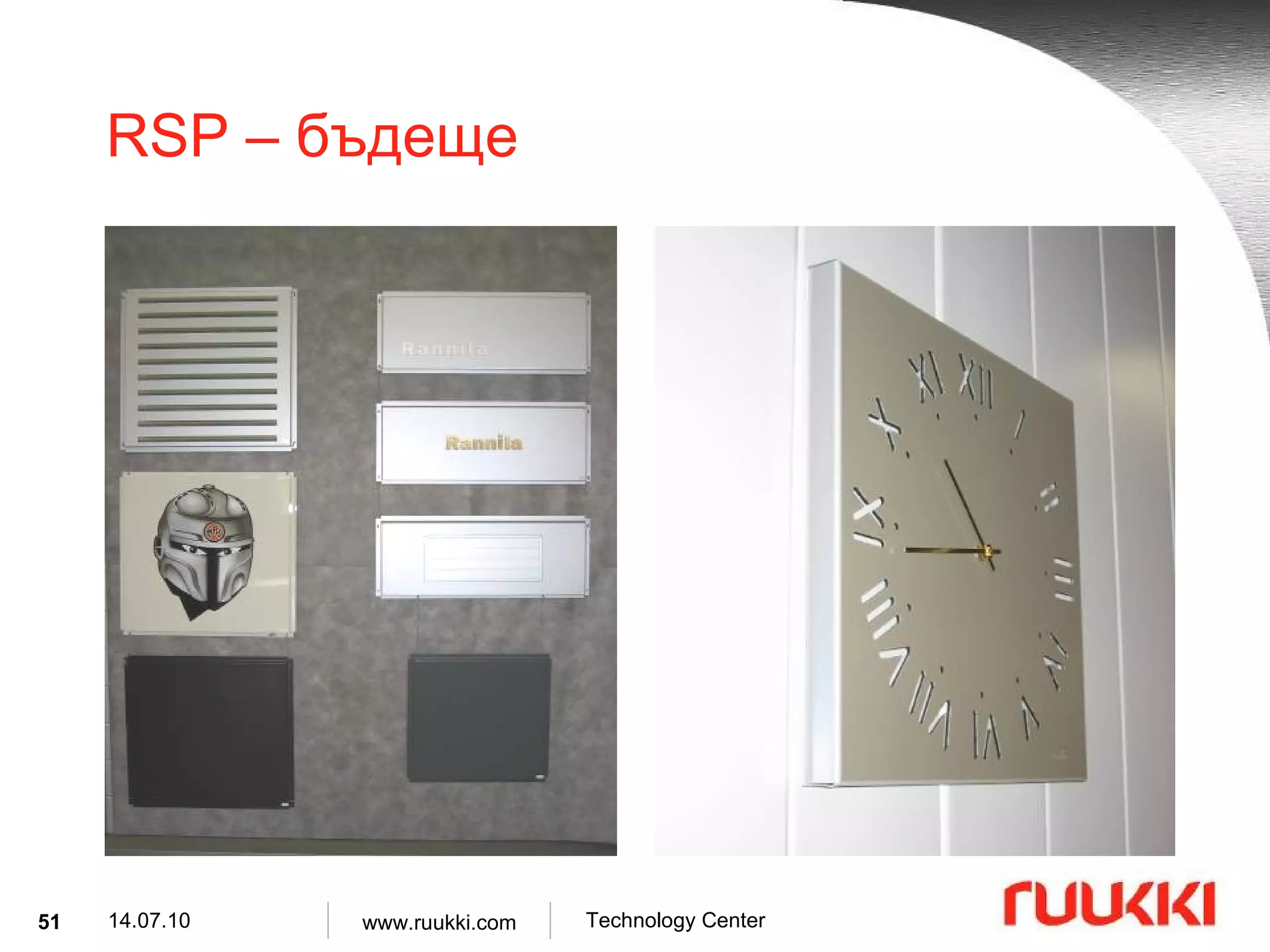
RSP – предимства Богата продуктова гама . Голямо разнообразие от профили . RSP може да бъде направен от различни материали ( стомана, мед, алуминий ). Уникална стомана COR-TEN®. Възможно е да се направят ъглови панели . Добра устойчивост на корозия . RSP се произвеждат по индивидуало искане на клиента .
35.
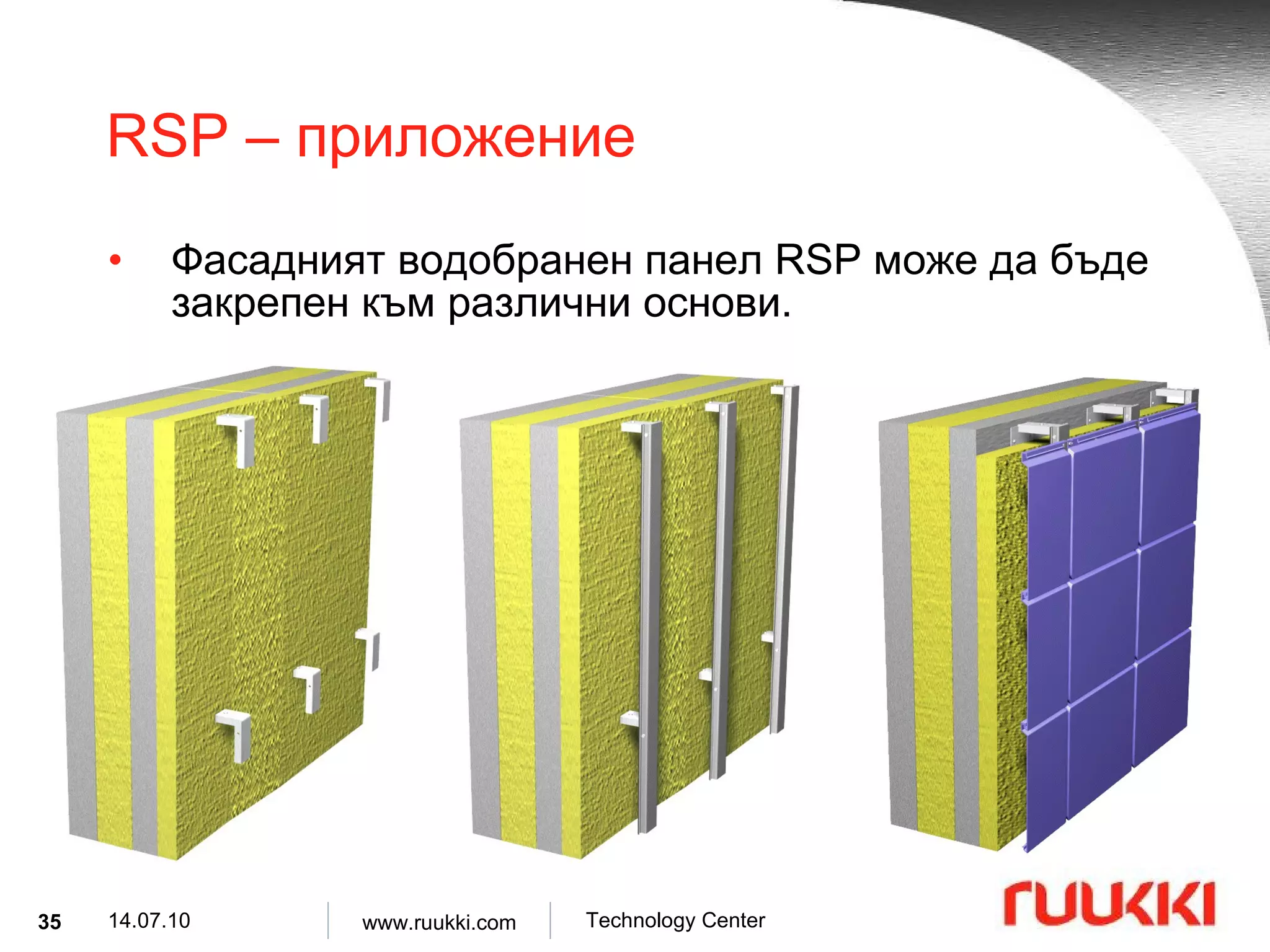
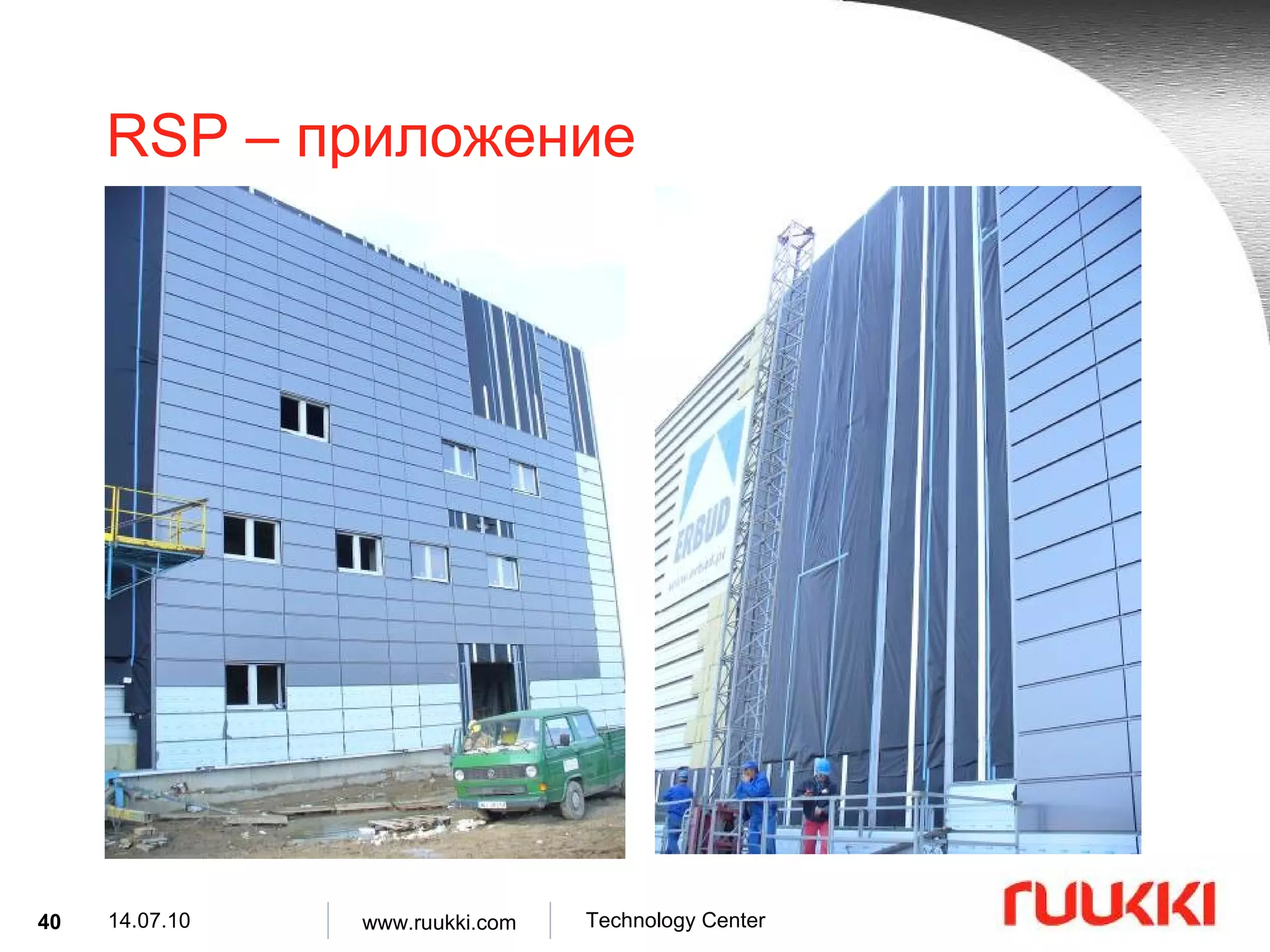
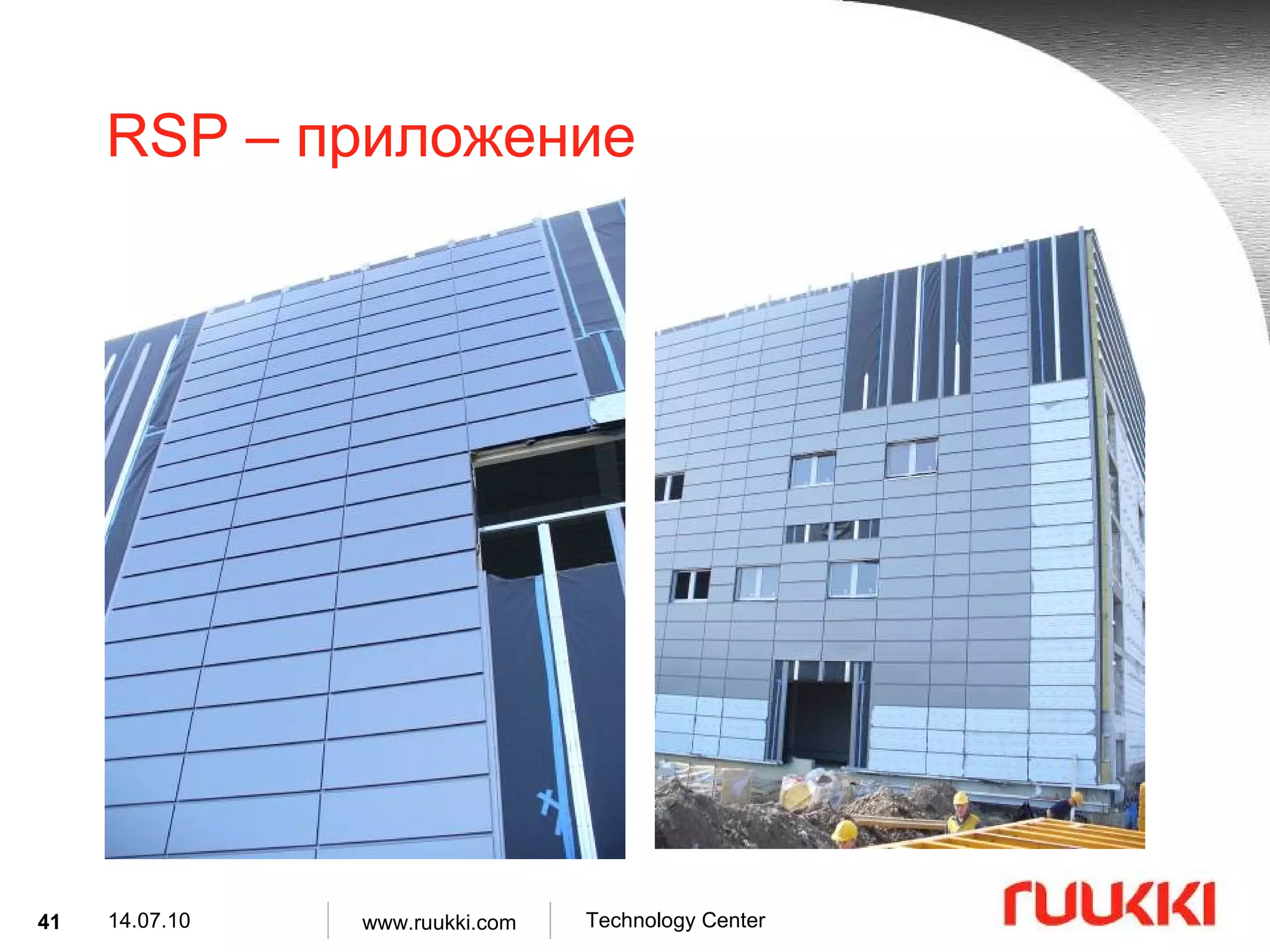
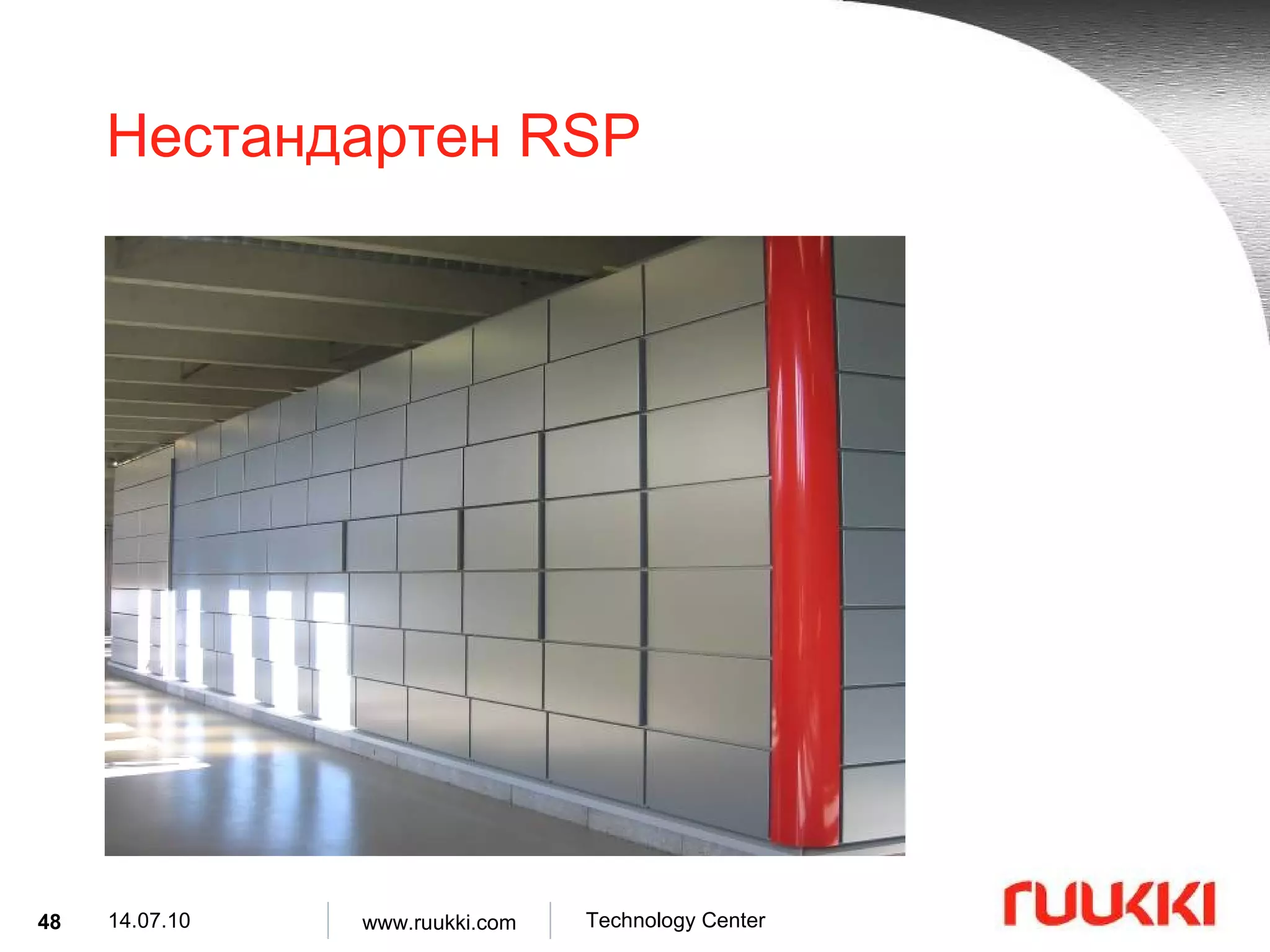
RSP – приложение Фасадният водобранен панел RSP може да бъде закрепен към различни основи .
36.
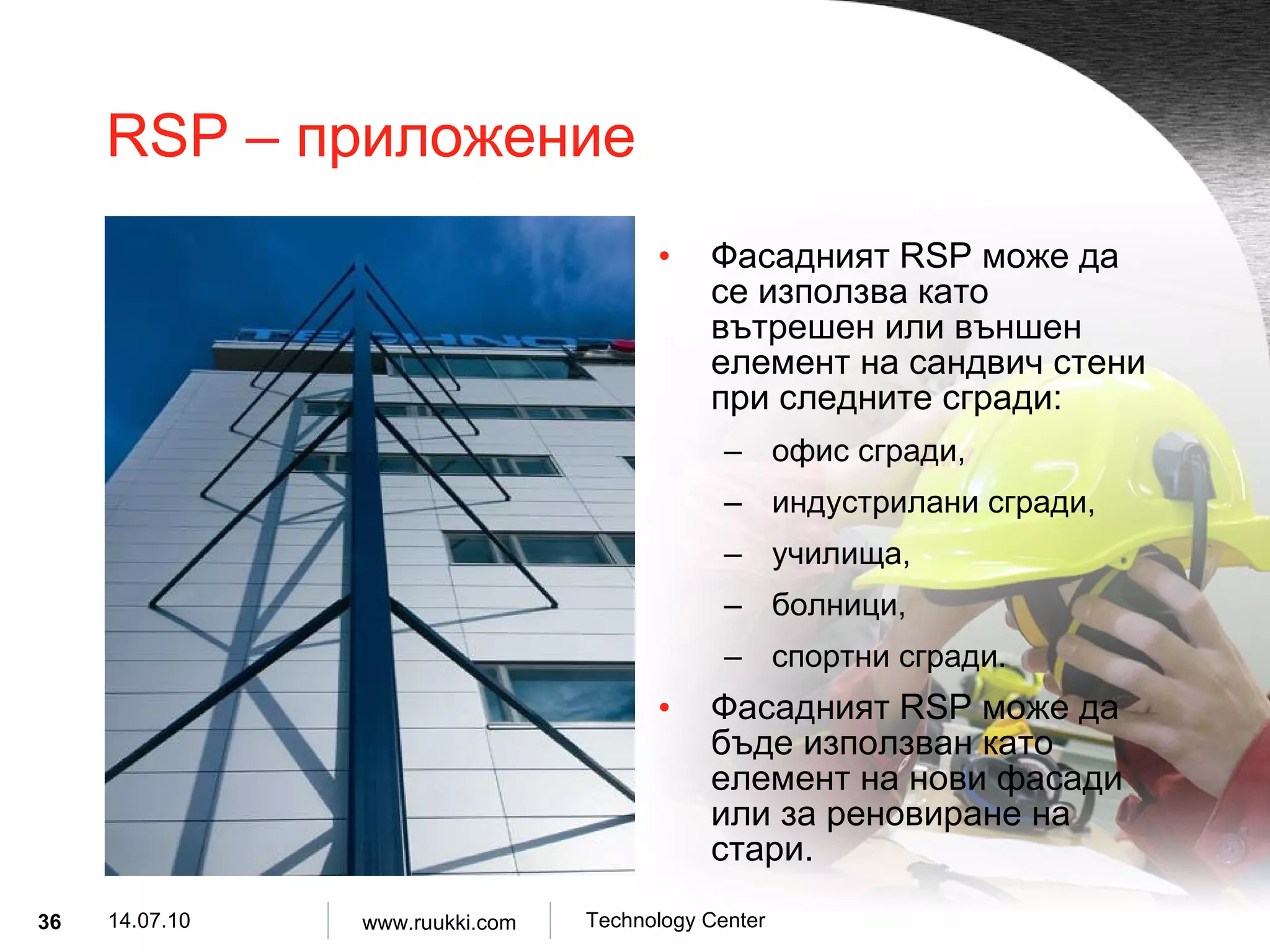
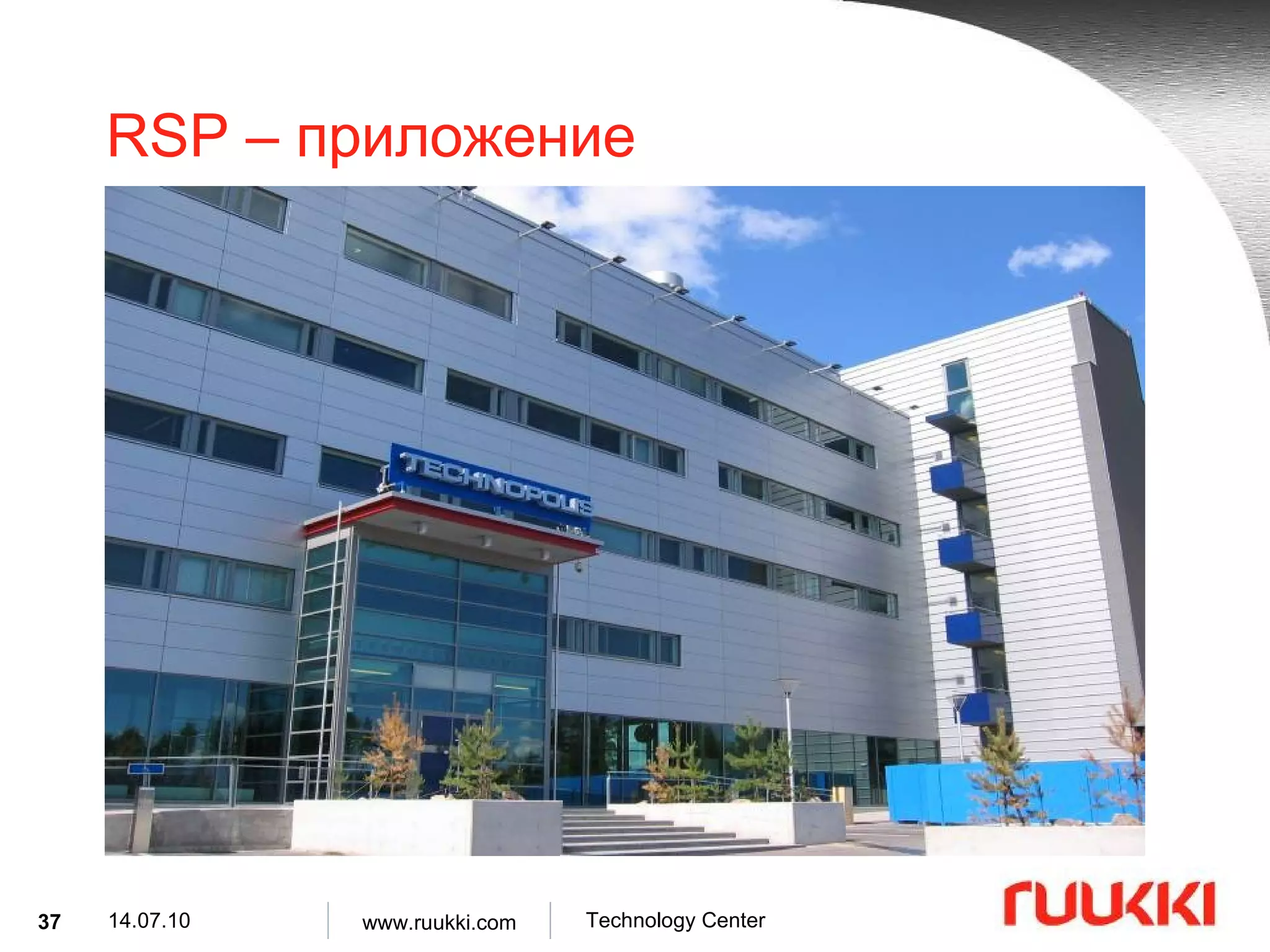
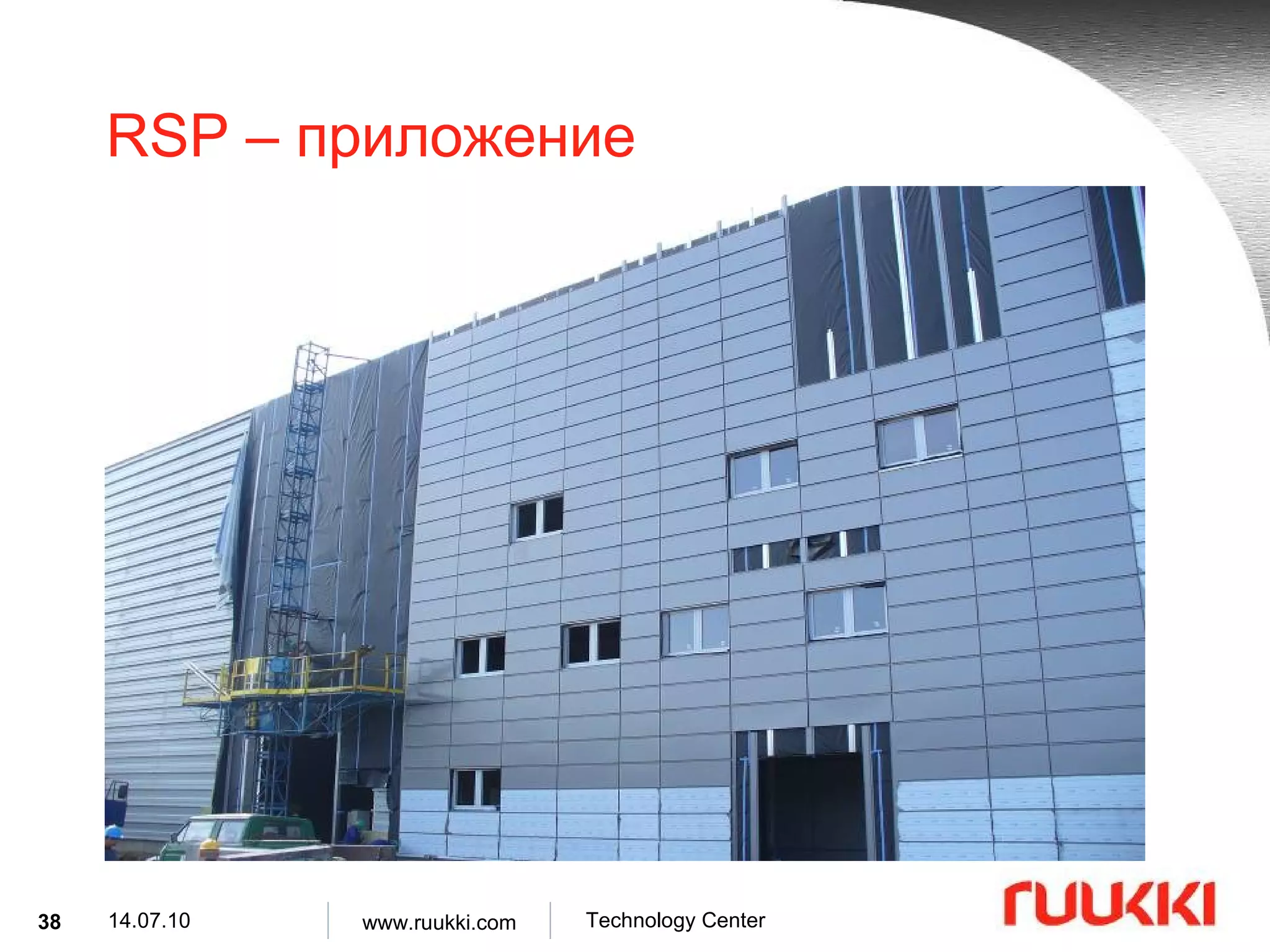
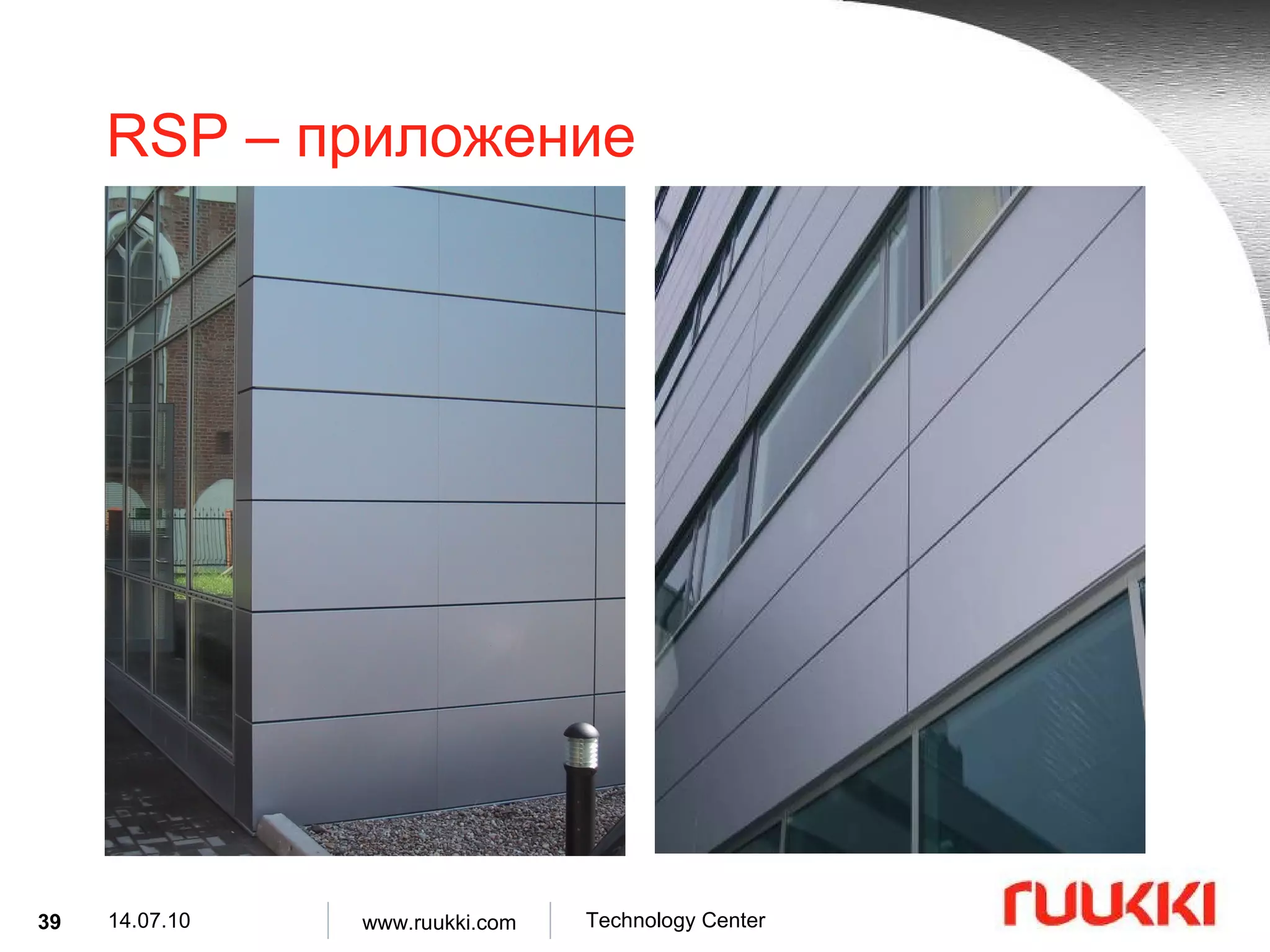
RSP – приложение Фасадният RSP може да се използва като вътрешен или външен елемент на сандвич стени при следните сгради : офис сгради , индустрилани сгради , училища , болници , спортни сгради . Фасадният RSP може да бъде използван като елемент на нови фасади или за реновиране на стари .
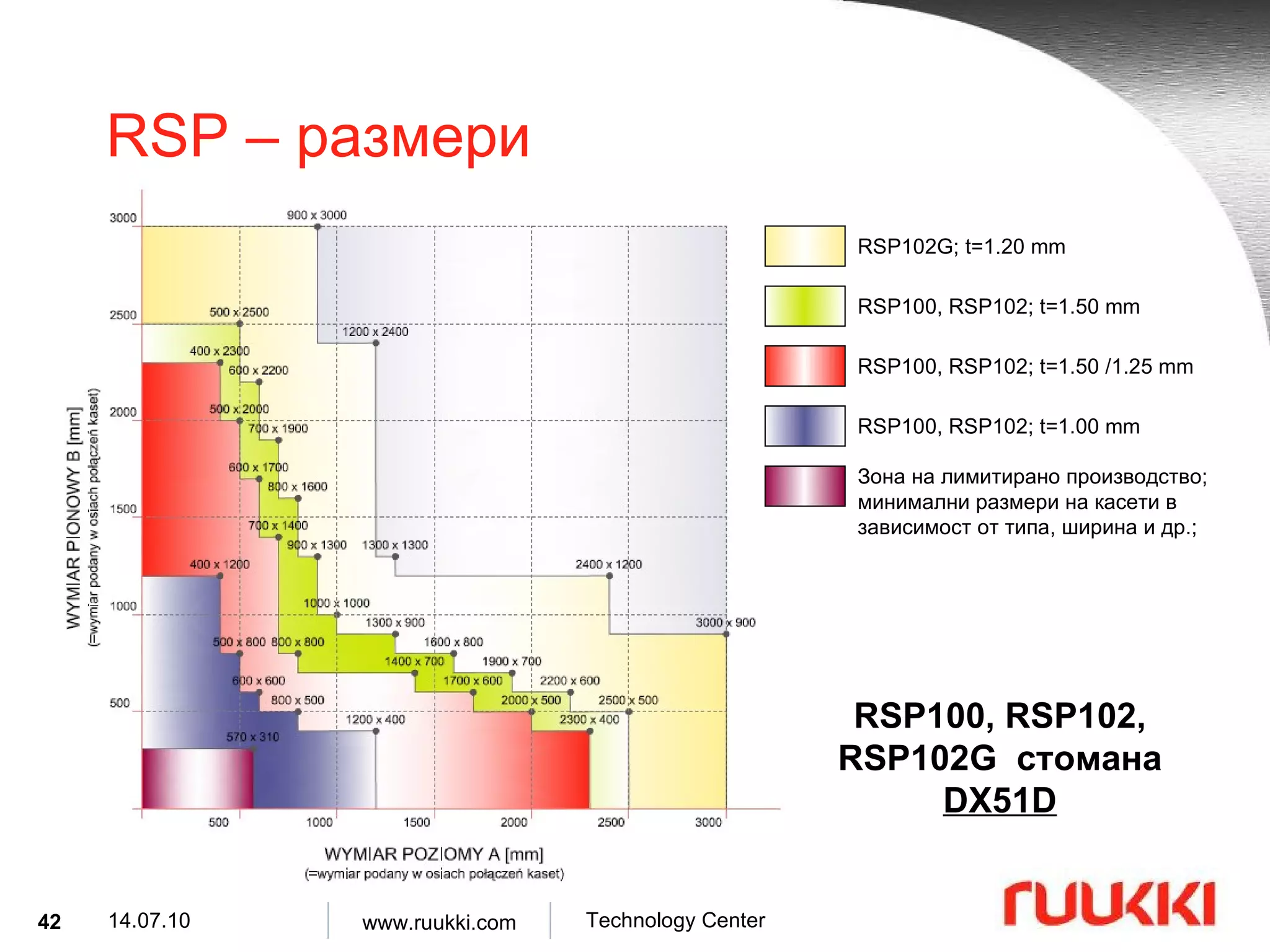
RSP – размери RSP102G; t=1.20 mm RSP100, RSP102; t=1.50 mm RSP100, RSP102; t=1.50 /1.25 mm RSP100, RSP102; t=1.00 mm RSP100, RSP102, RSP102G стомана DX51D Зона на лимитирано производство ; минимални размери на касети в зависимост от типа, ширина и др. ;
43.
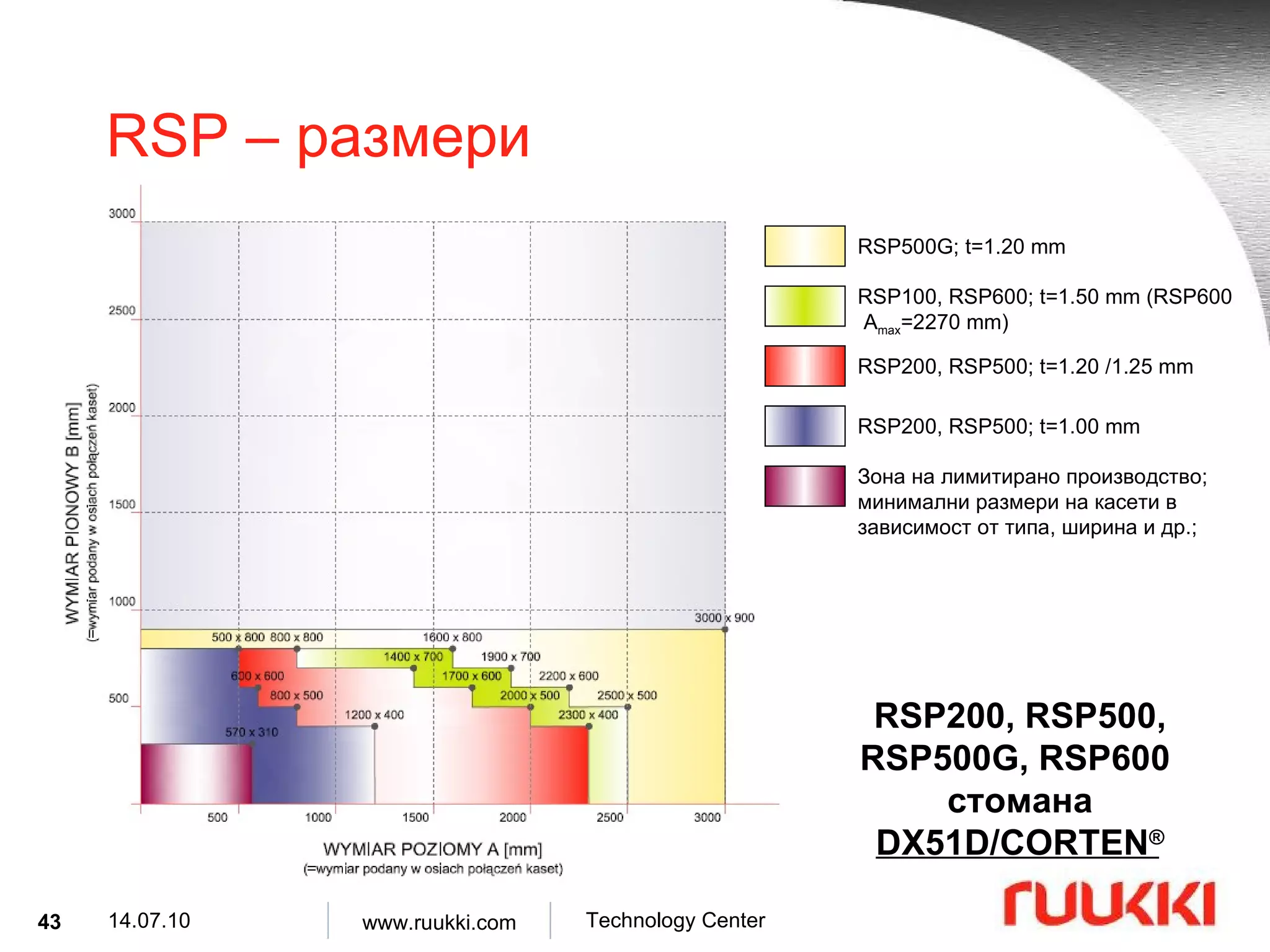
RSP – размери RSP500G; t=1.20 mm RSP100, RSP600; t=1.50 mm (RSP600 A max =2270 mm) RSP200, RSP500; t=1.20 /1.25 mm RSP200, RSP500; t=1.00 mm Зона на лимитирано производство ; минимални размери на касети в зависимост от типа, ширина и др. ; RSP200, RSP500, RSP500G, RSP600 стомана DX51D/CORTEN ®
44.
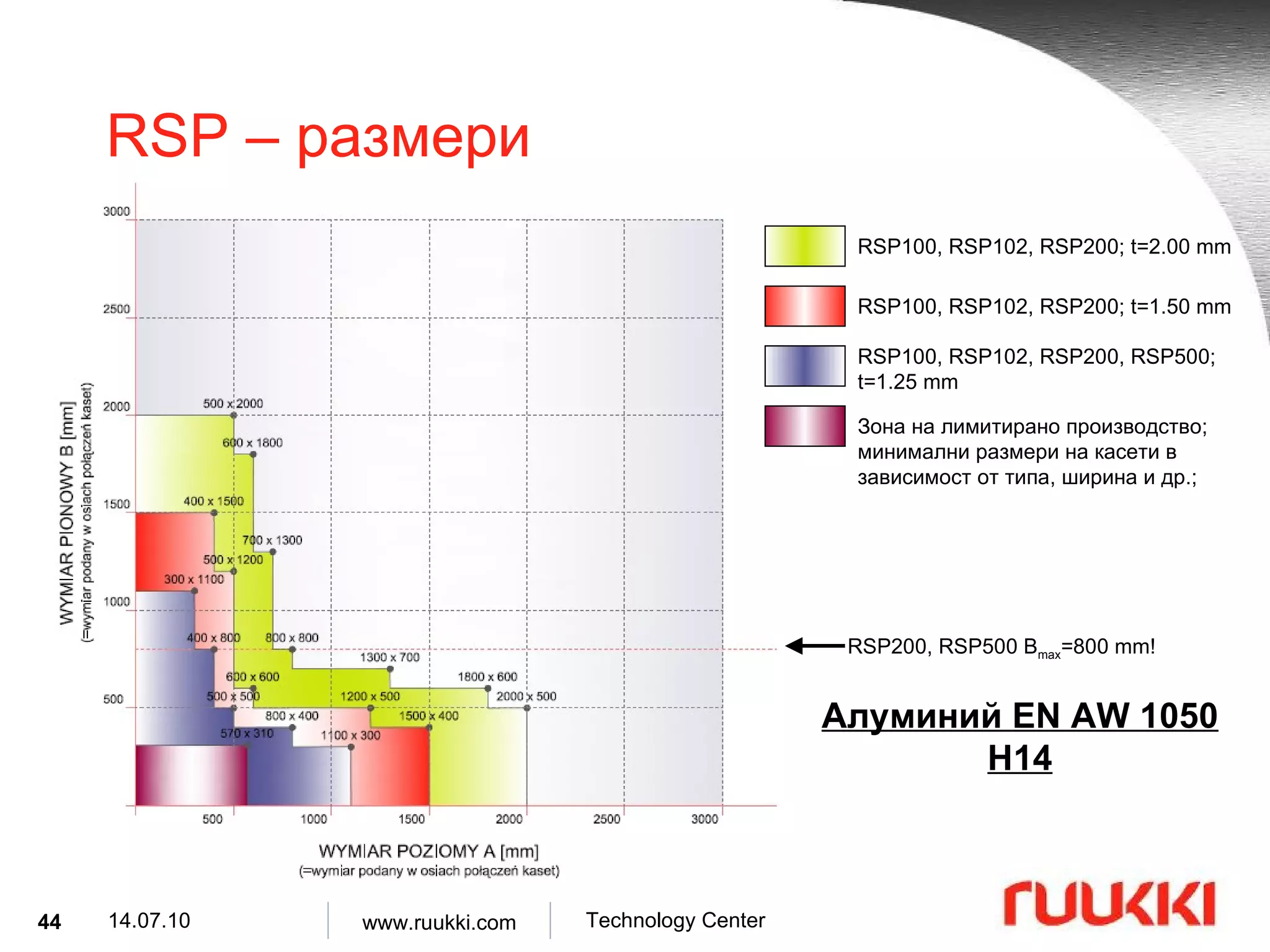
RSP – размери RSP100, RSP102, RSP200; t=2.00 mm RSP100, RSP102, RSP200; t=1.50 mm RSP100, RSP102, RSP200, RSP500; t=1.25 mm Алуминий EN AW 1050 H14 RSP200, RSP500 B max =800 mm! Зона на лимитирано производство ; минимални размери на касети в зависимост от типа, ширина и др. ;
45.
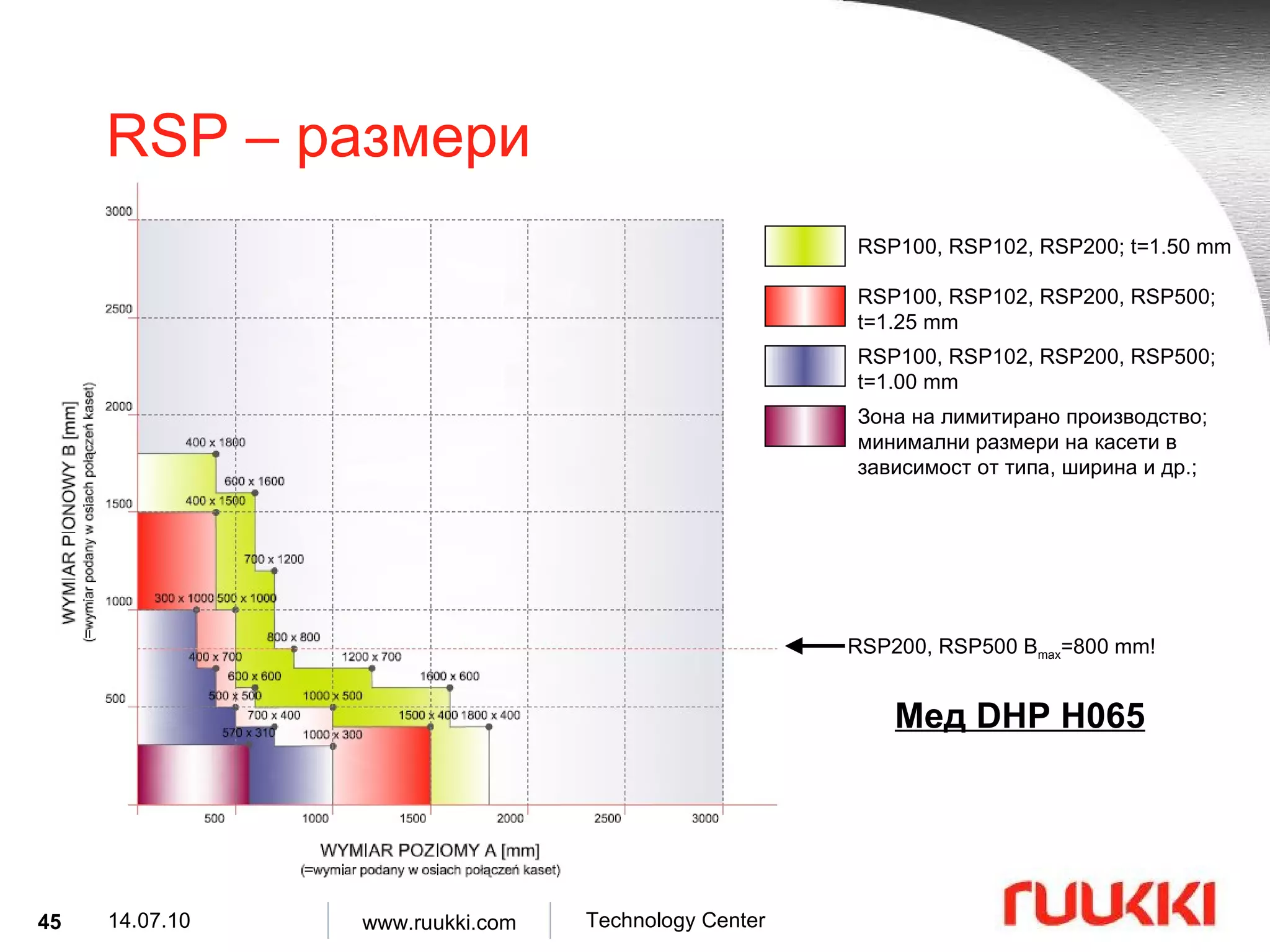
RSP – размери RSP100, RSP102, RSP200; t=1.50 mm RSP100, RSP102, RSP200, RSP500; t=1.25 mm RSP100, RSP102, RSP200, RSP500; t=1.00 mm Мед DHP H065 RSP200, RSP500 B max =800 mm! Зона на лимитирано производство ; минимални размери на касети в зависимост от типа, ширина и др. ;
46.
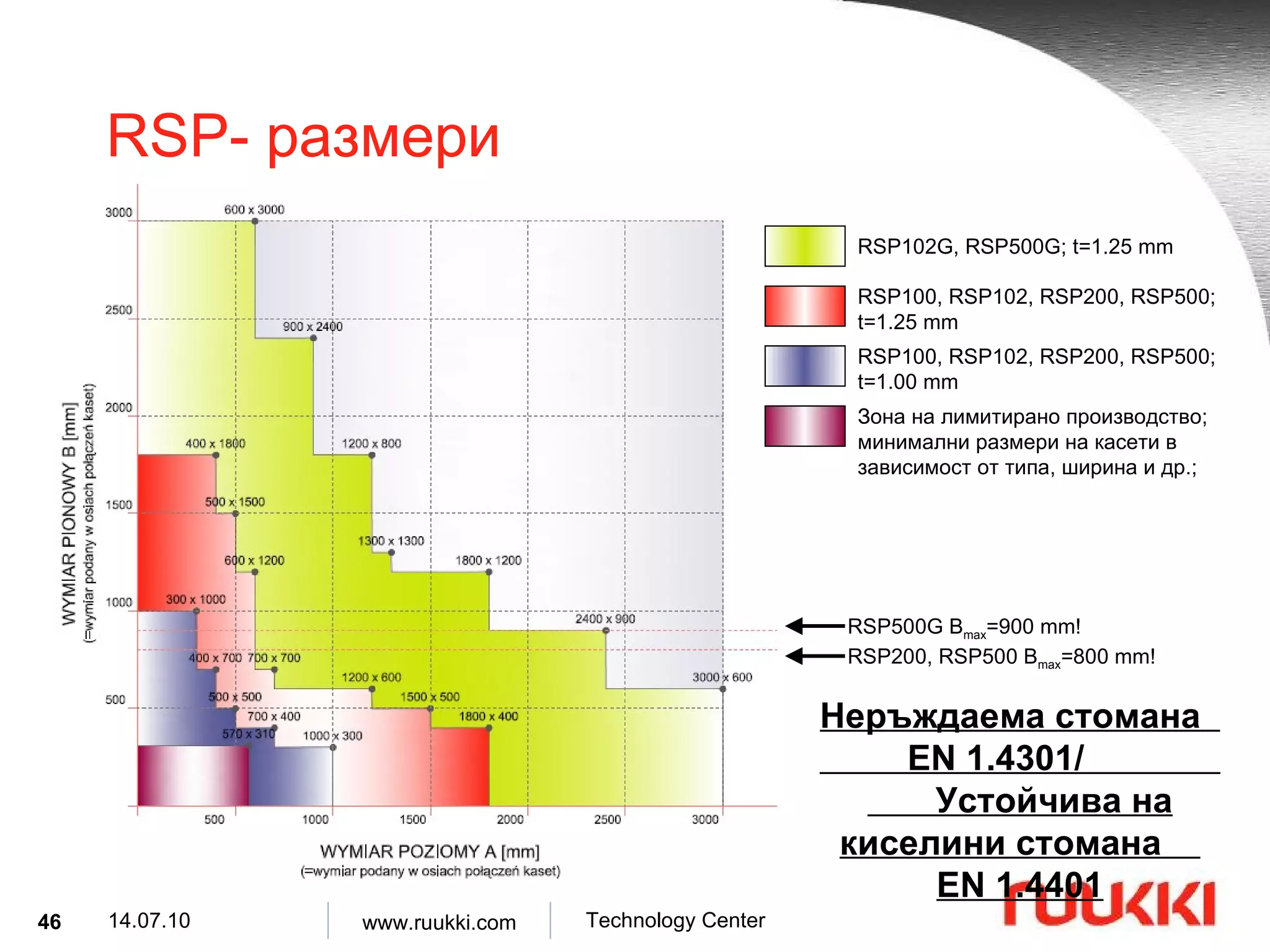
RSP- размериRSP102G, RSP500G; t=1.25 mm RSP100, RSP102, RSP200, RSP500; t=1.25 mm RSP100, RSP102, RSP200, RSP500; t=1.00 mm Неръждаема стомана EN 1.4301/ Устойчива на киселини стомана EN 1.4401 RSP200, RSP500 B max =800 mm! RSP500G B max =900 mm! Зона на лимитирано производство ; минимални размери на касети в зависимост от типа, ширина и др. ;
Перфорирани RSP Възможна е перфорация по цялата повърхност Възможна перфорация на отделна част Възможна е перфорация само за RSP 100, 102, 200, 500 Възможна за стомана DX51D (PVDF и цинково покритие Z350), неръждаема стомана 1.4301 и устойчива на киселинност стомана 1.4401 Невъзможна за алуминий и мед Дебелина на материала 1.20 до 1.25 mm Количество на перфорацията 15% до 30% ( Ø 3 mm) Максимални размери 1200 ÷ 1500 x 600 (A x B)
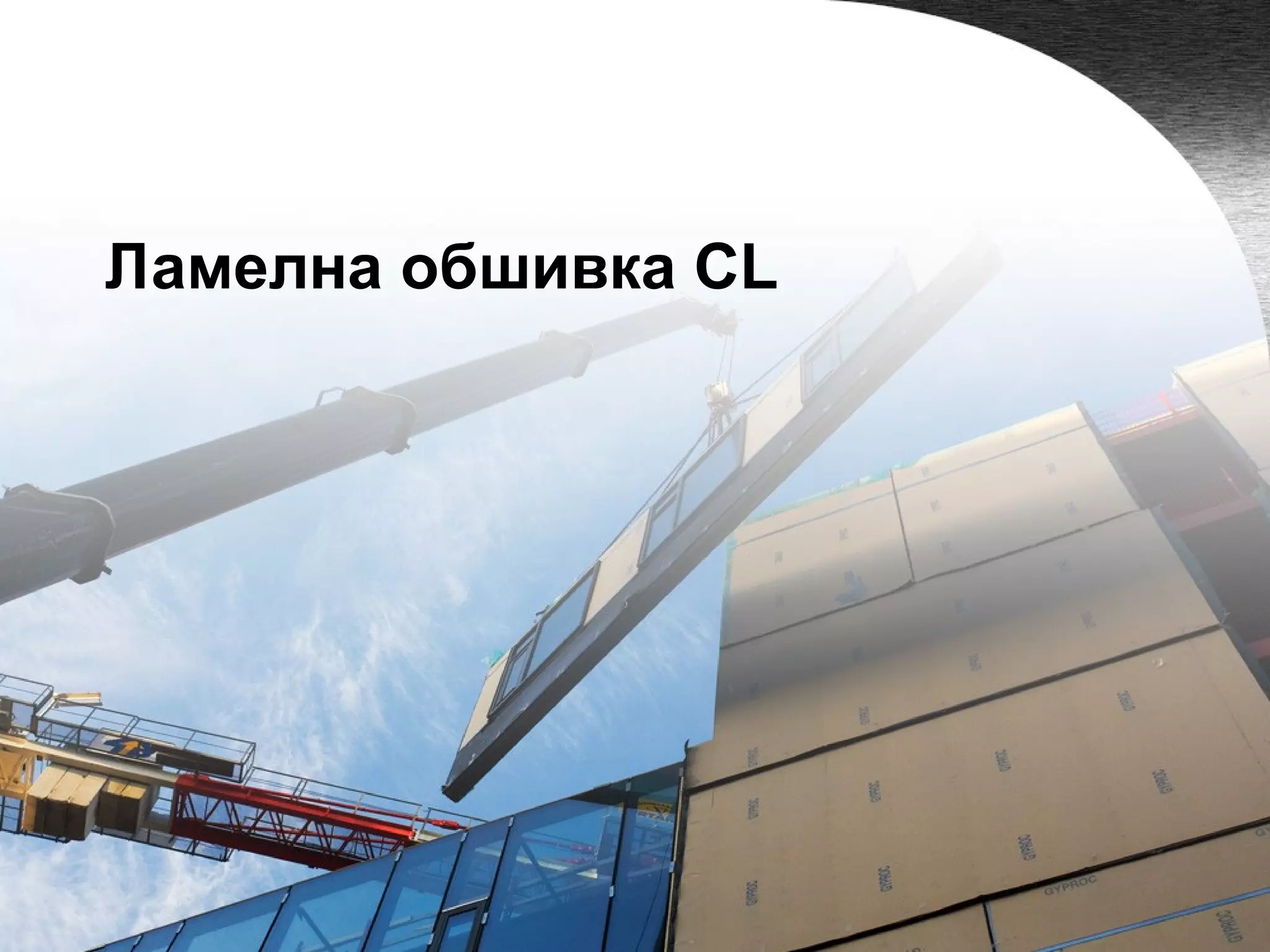
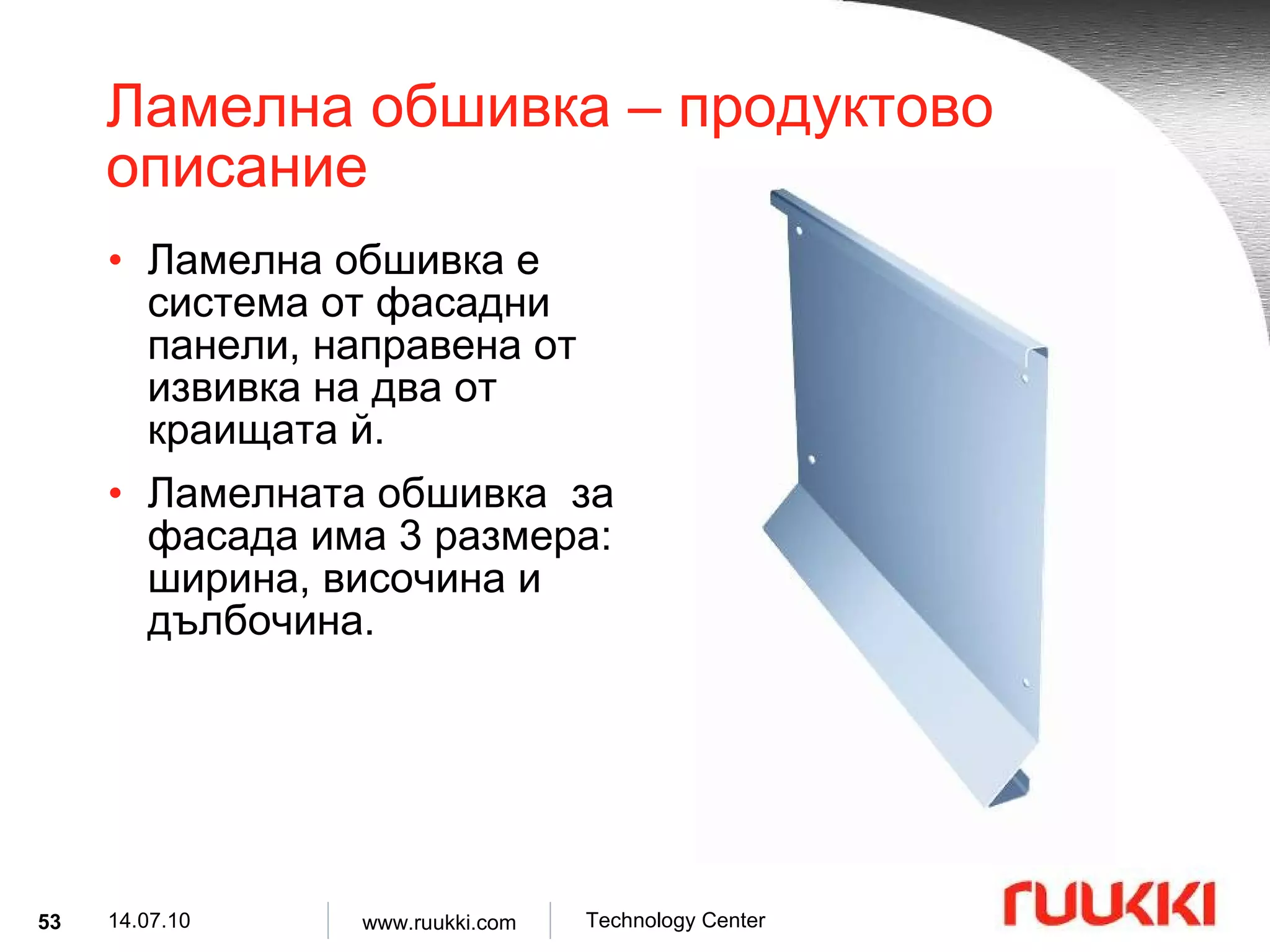
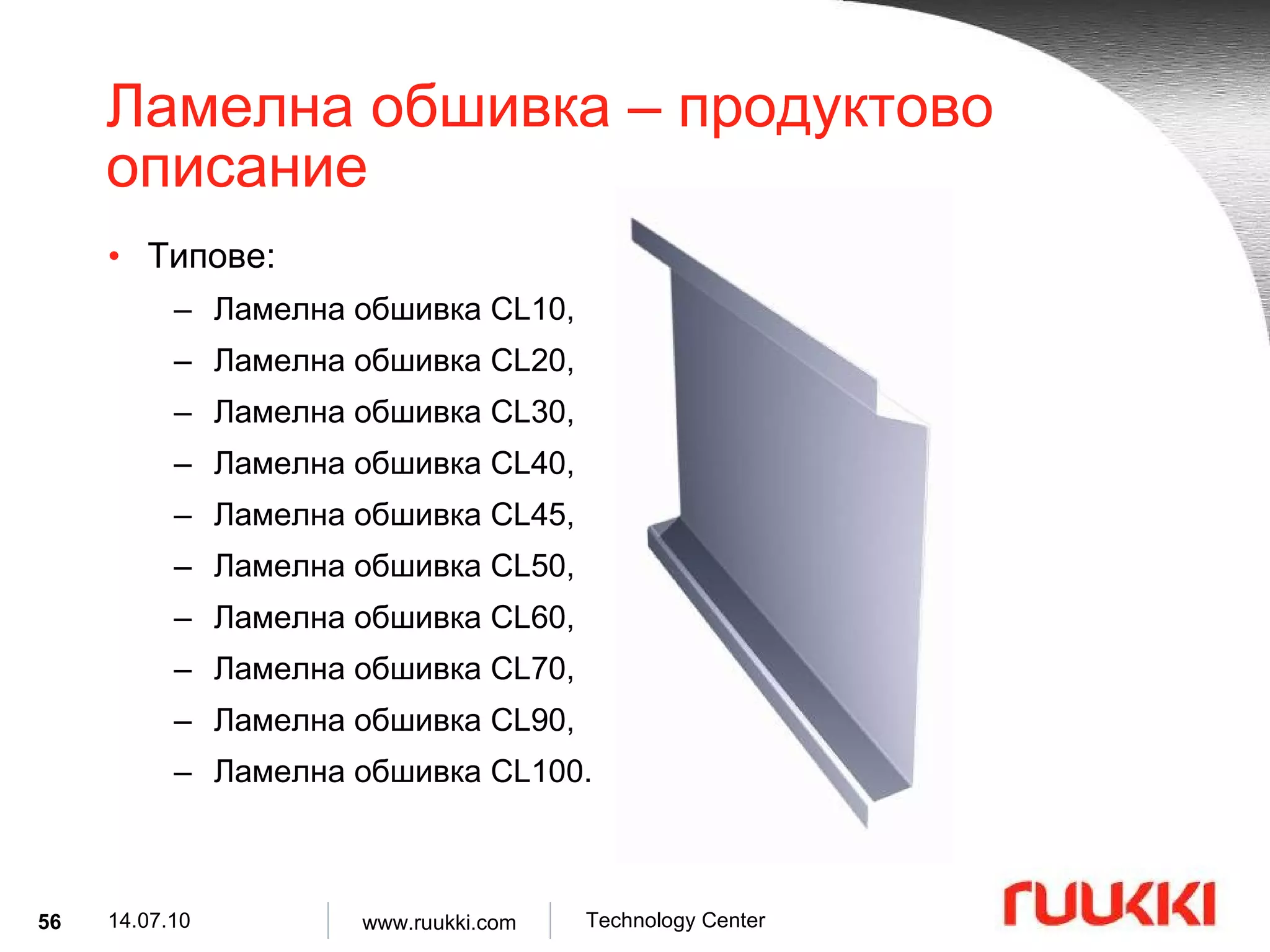
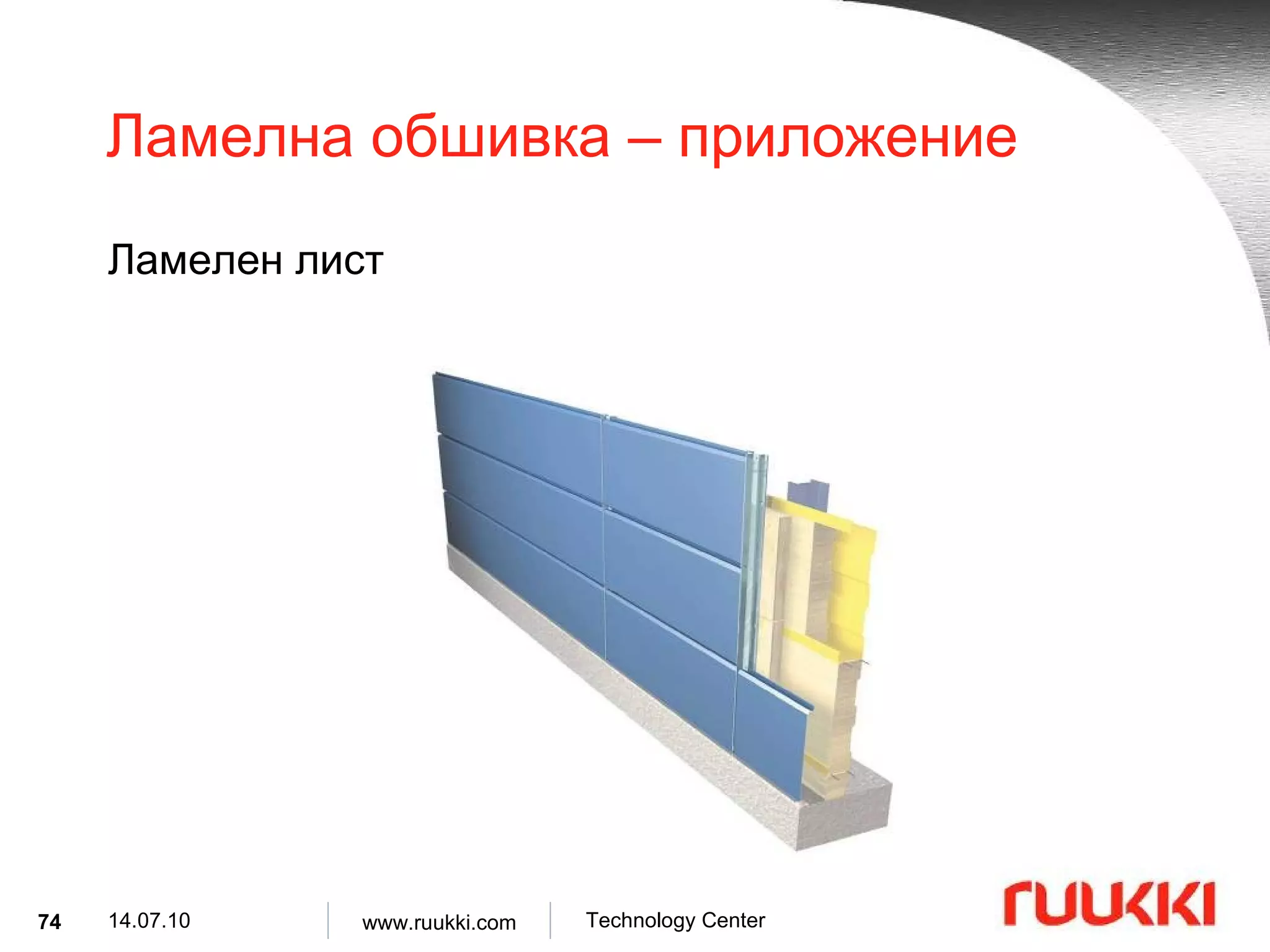
Ламелна обшивка – продуктово описание Ламелна обшивка е система от фасадни панели, направена от извивка на два от краищата й . Ламелната обшивка за фасада има 3 размера : ширина, височина и дълбочина .
54.
Ламелна обшивка – продуктово описание Материали : DX51D, Алуминий, Мед , Неръждаема стомана 1.4301, Киселинно изпитана стомана 1.4401. Дебелина на материала : 1.00, 1.20, 1.25, 1.50, 2.00 [mm]
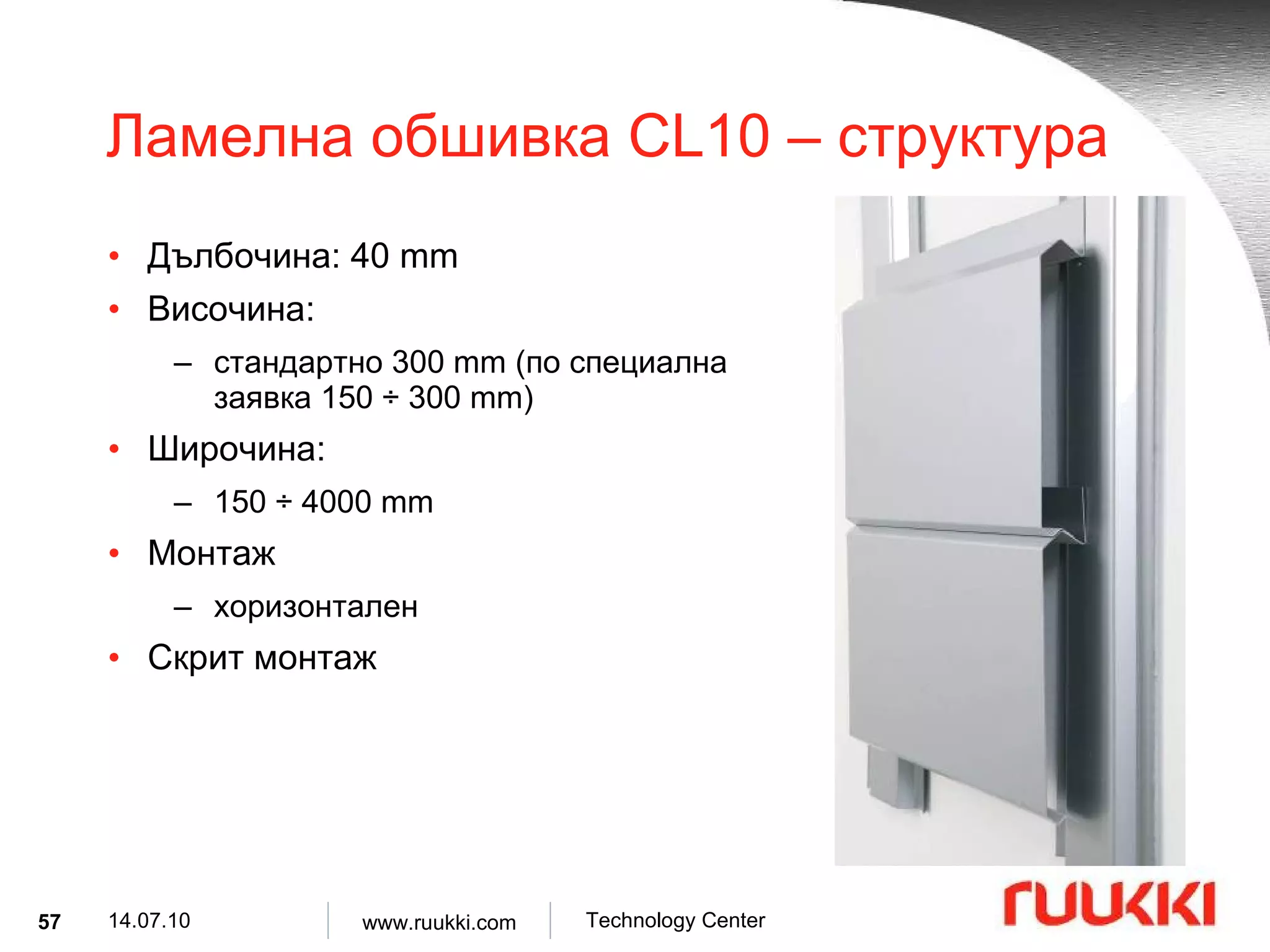
Ламелна обшивка CL10 – структура Дълбочина : 40 mm Височина : стандартно 300 mm ( по специална заявка 150 ÷ 300 mm) Широчина : 150 ÷ 4000 mm Монтаж хоризонтален Скрит монтаж
58.
Ламелна обшивка CL20 – структура Дълбочина : 40 mm Височина : стандартно 300 mm ( по специална заявка 150 ÷ 300 mm) Широчина : 150 ÷ 4000 mm Монтаж хоризонтален Скрит монтаж
59.
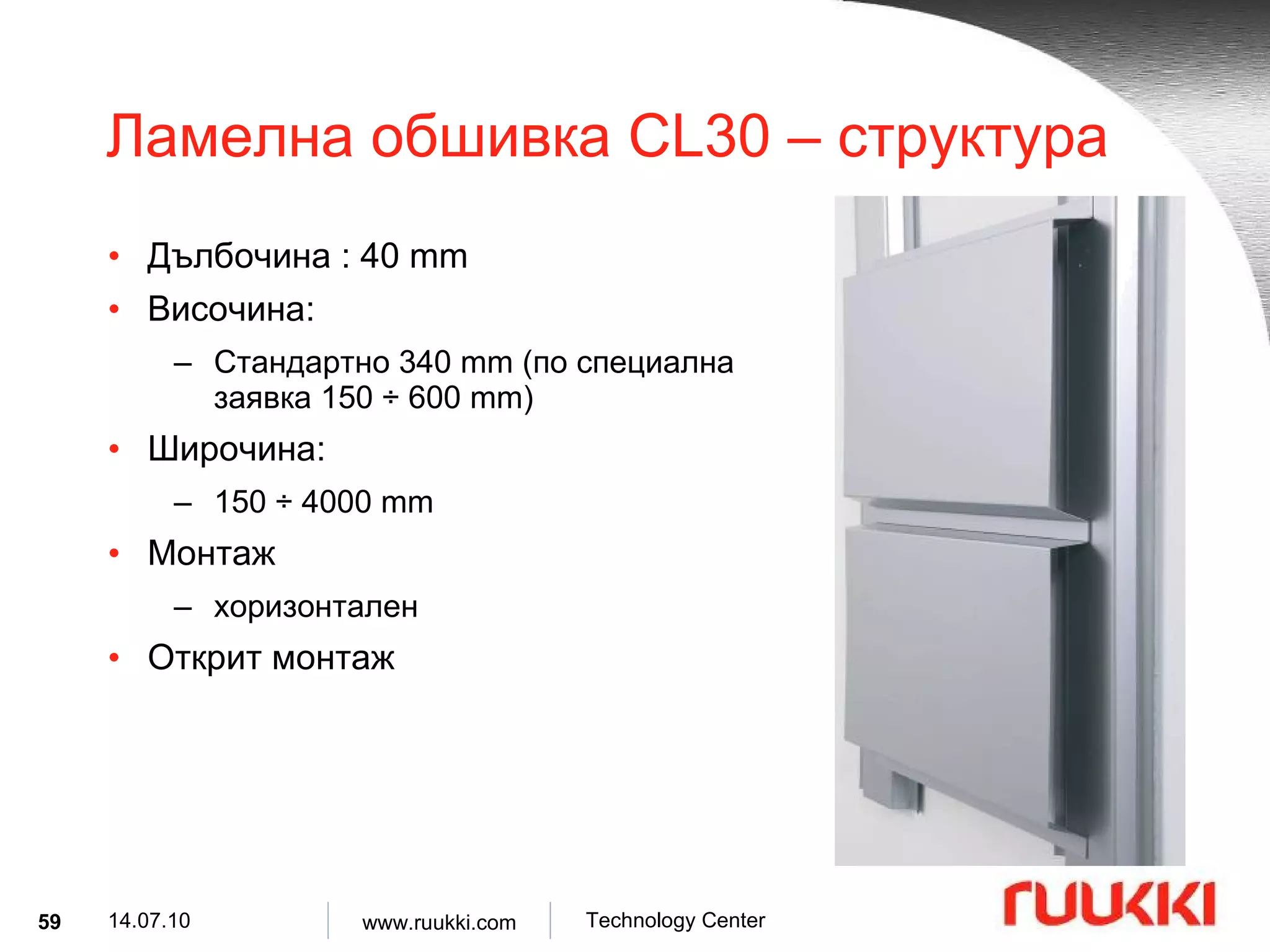
Ламелна обшивка CL30 – структура Дълбочина : 40 mm Височина : Стандартно 340 mm ( по специална заявка 150 ÷ 600 mm) Широчина : 150 ÷ 4000 mm Монтаж хоризонтален Открит монтаж
60.
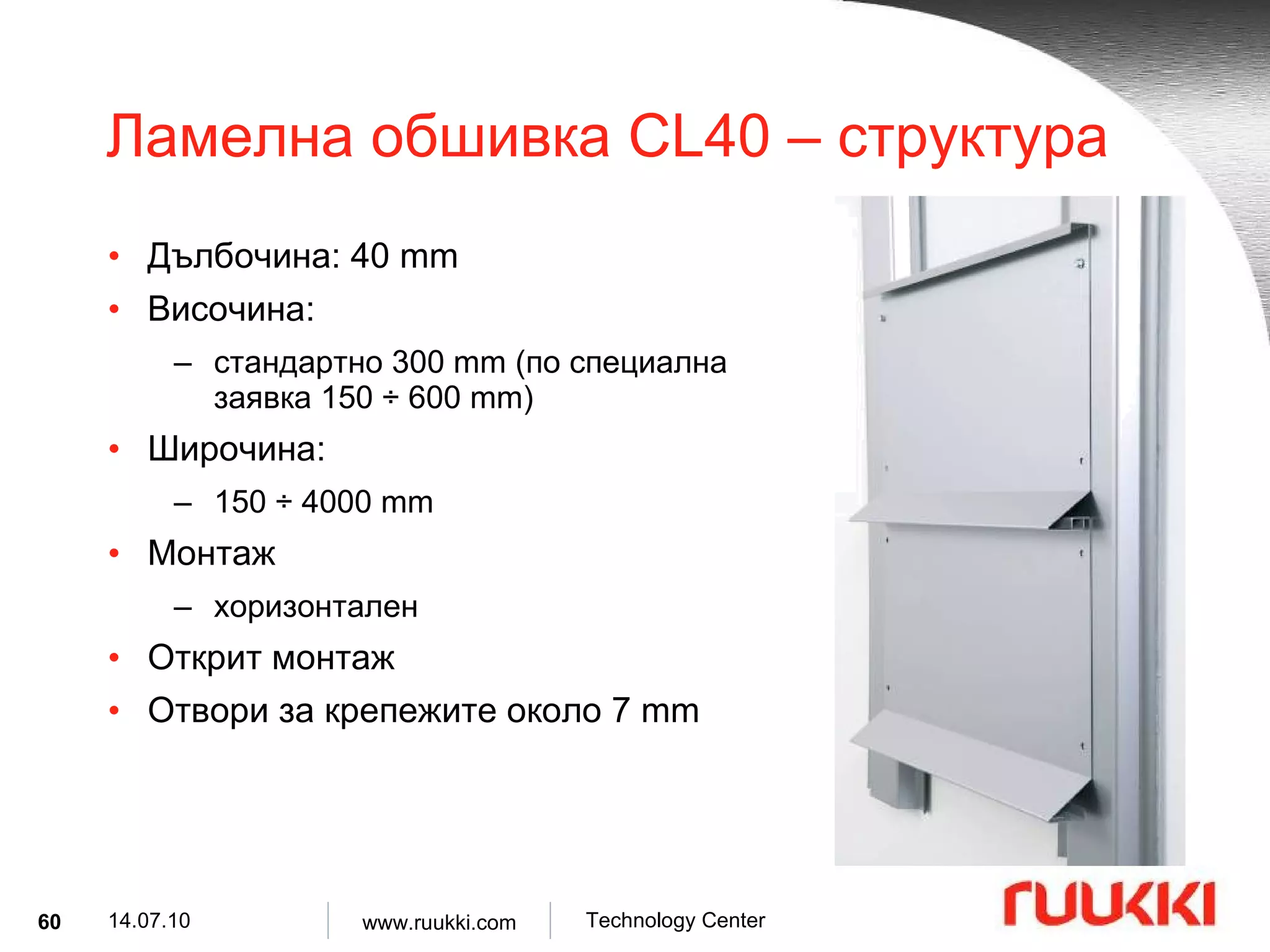
Ламелна обшивка CL 4 0 – структура Дълбочина : 40 mm Височина : стандартно 300 mm ( по специална заявка 150 ÷ 600 mm) Широчина : 150 ÷ 4000 mm Монтаж хоризонтален Открит монтаж Отвори за крепежите около 7 mm
61.
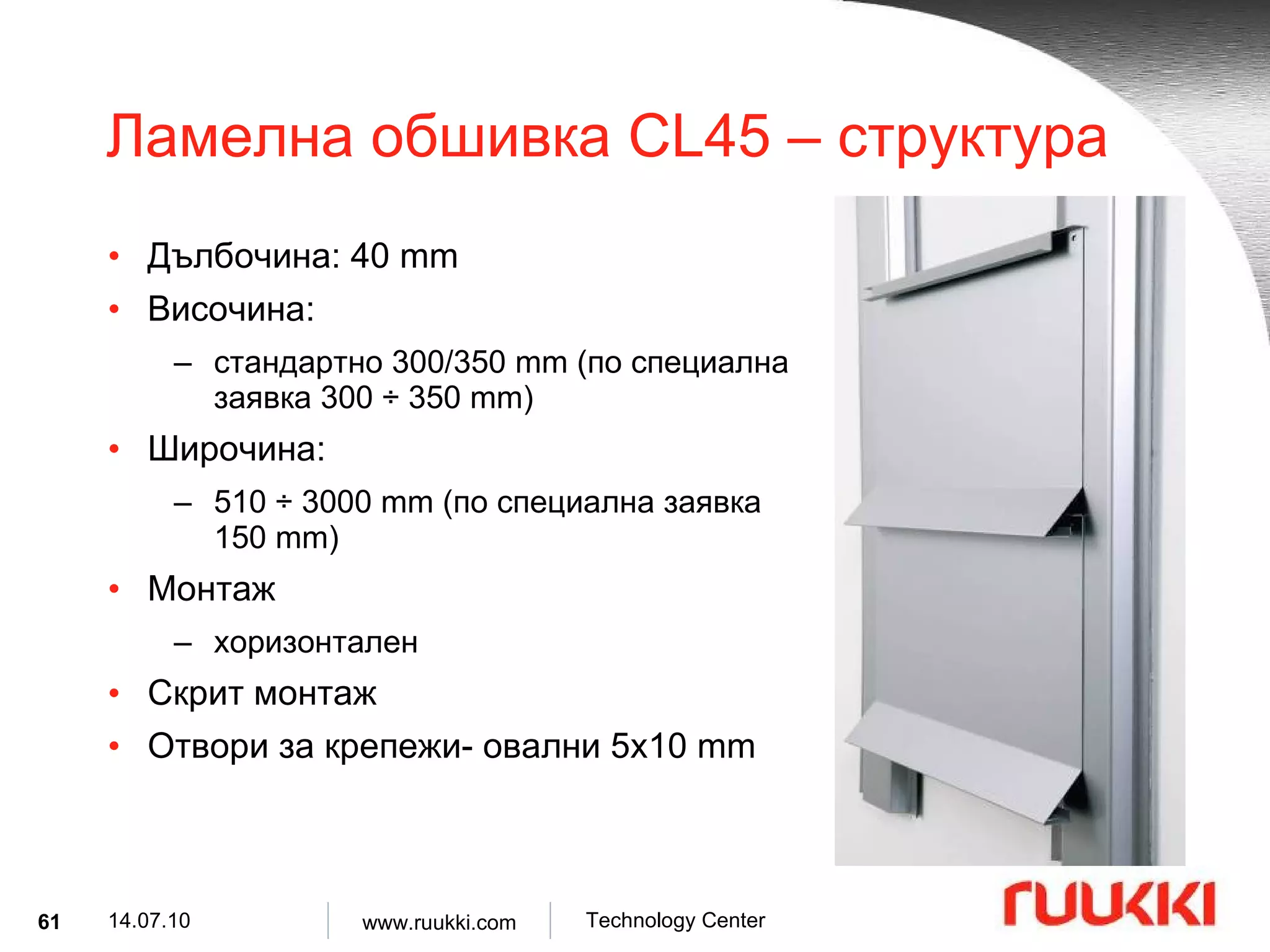
Ламелна обшивка CL45 – структура Дълбочина : 40 mm Височина : стандартно 300/350 mm ( по специална заявка 300 ÷ 350 mm) Широчина : 510 ÷ 3000 mm ( по специална заявка 150 mm) Монтаж хоризонтален Скрит монтаж Отвори за крепежи- овални 5x10 mm
62.
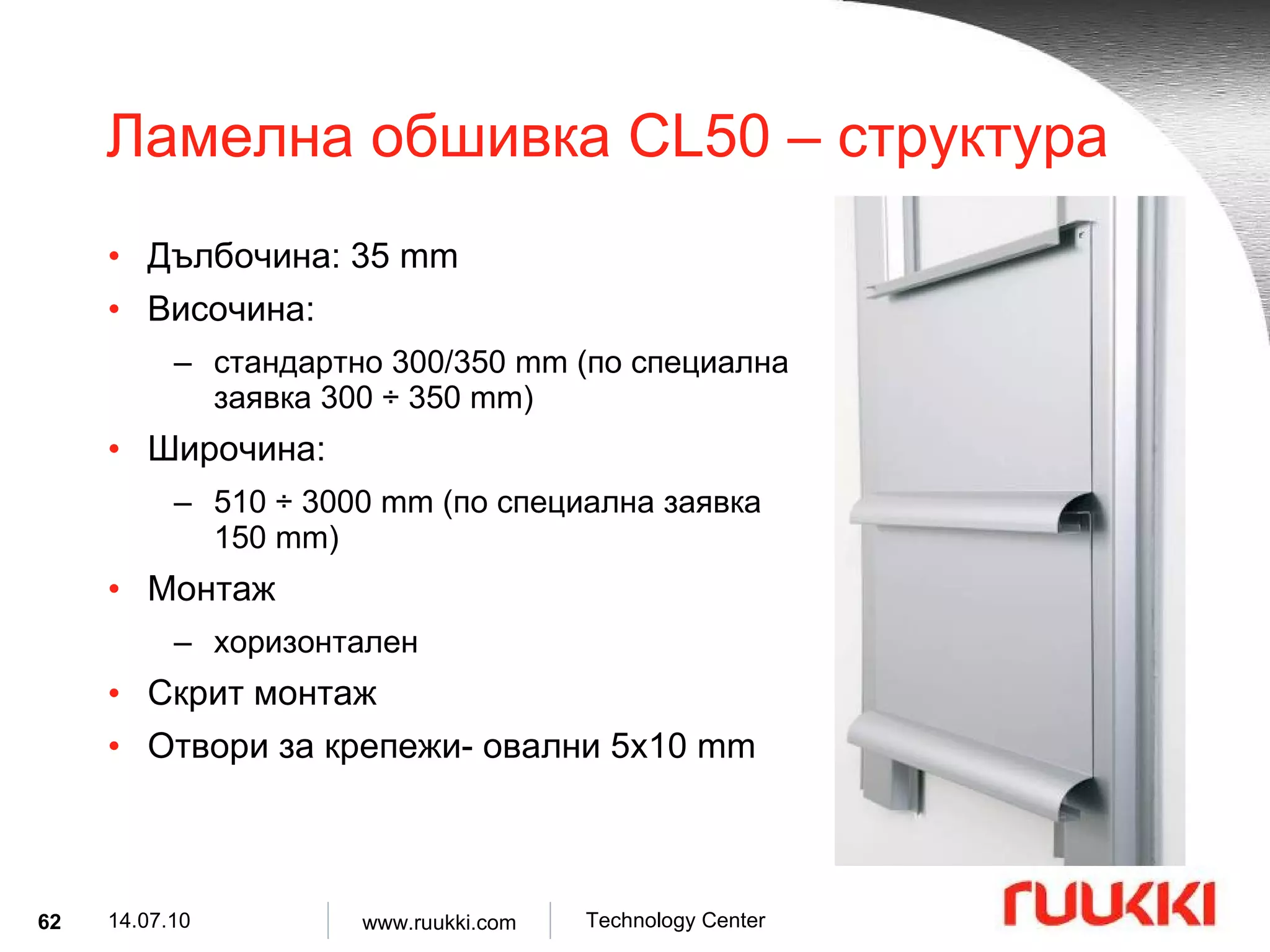
Ламелна обшивка CL50 – структура Дълбочина : 35 mm Височина : стандартно 300/350 mm ( по специална заявка 300 ÷ 350 mm) Широчина : 510 ÷ 3000 mm ( по специална заявка 150 mm) Монтаж хоризонтален Скрит монтаж Отвори за крепежи- овални 5x10 mm
63.
Ламелна обшивка CL60 – структура Дълбочина : 40 mm Височина : стандартно 300 mm Широчина : 510 ÷ 3000 mm ( по заявка 150 mm) Монтаж хоризонтален Скрит монтаж Отвори за крепежи- овални 5x10 mm
64.
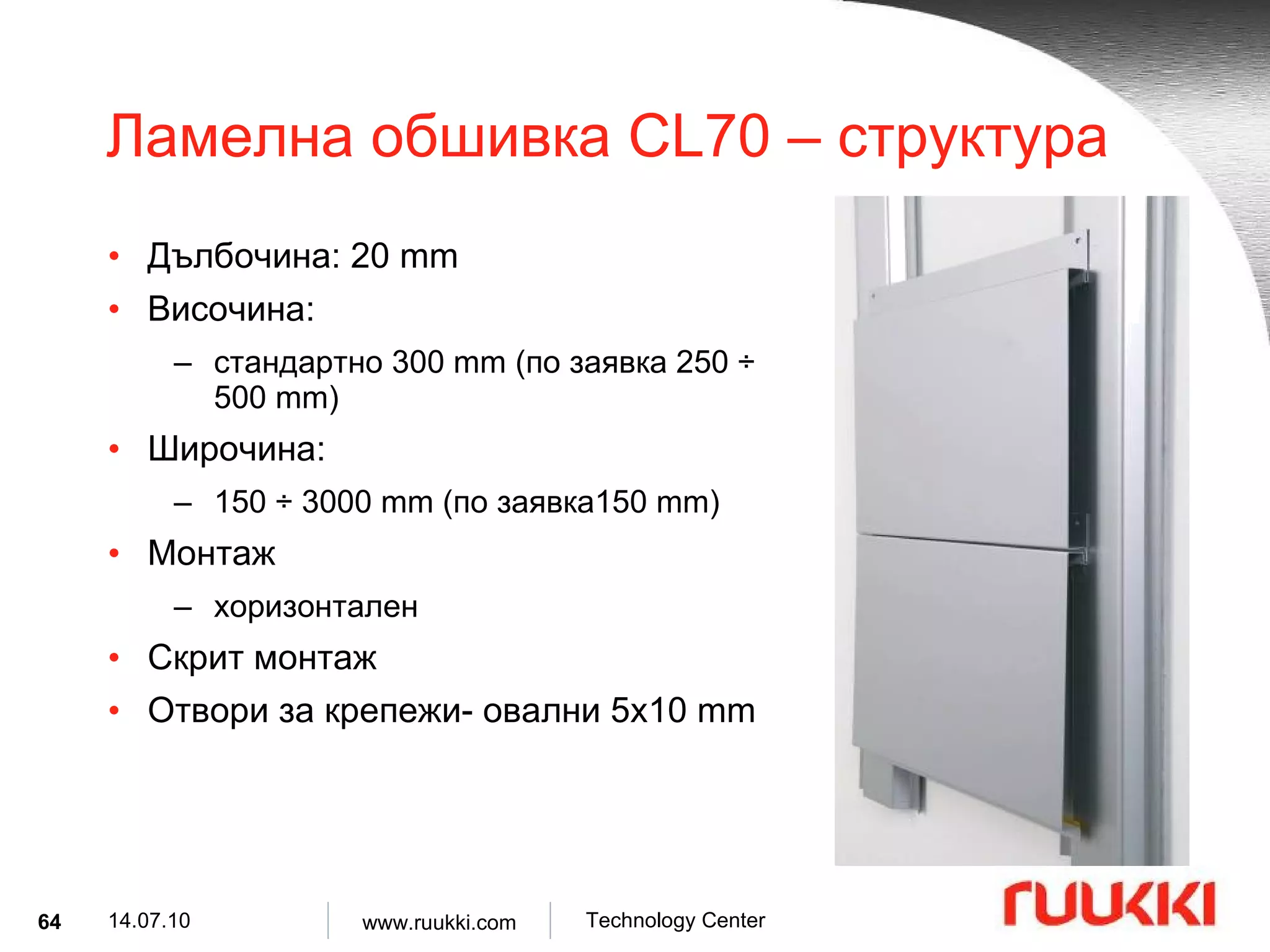
Ламелна обшивка CL70 – структура Дълбочина : 20 mm Височина : стандартно 300 mm ( по заявка 250 ÷ 500 mm) Широчина : 150 ÷ 3000 mm ( по заявка 150 mm) Монтаж хоризонтален Скрит монтаж Отвори за крепежи- овални 5x10 mm
65.
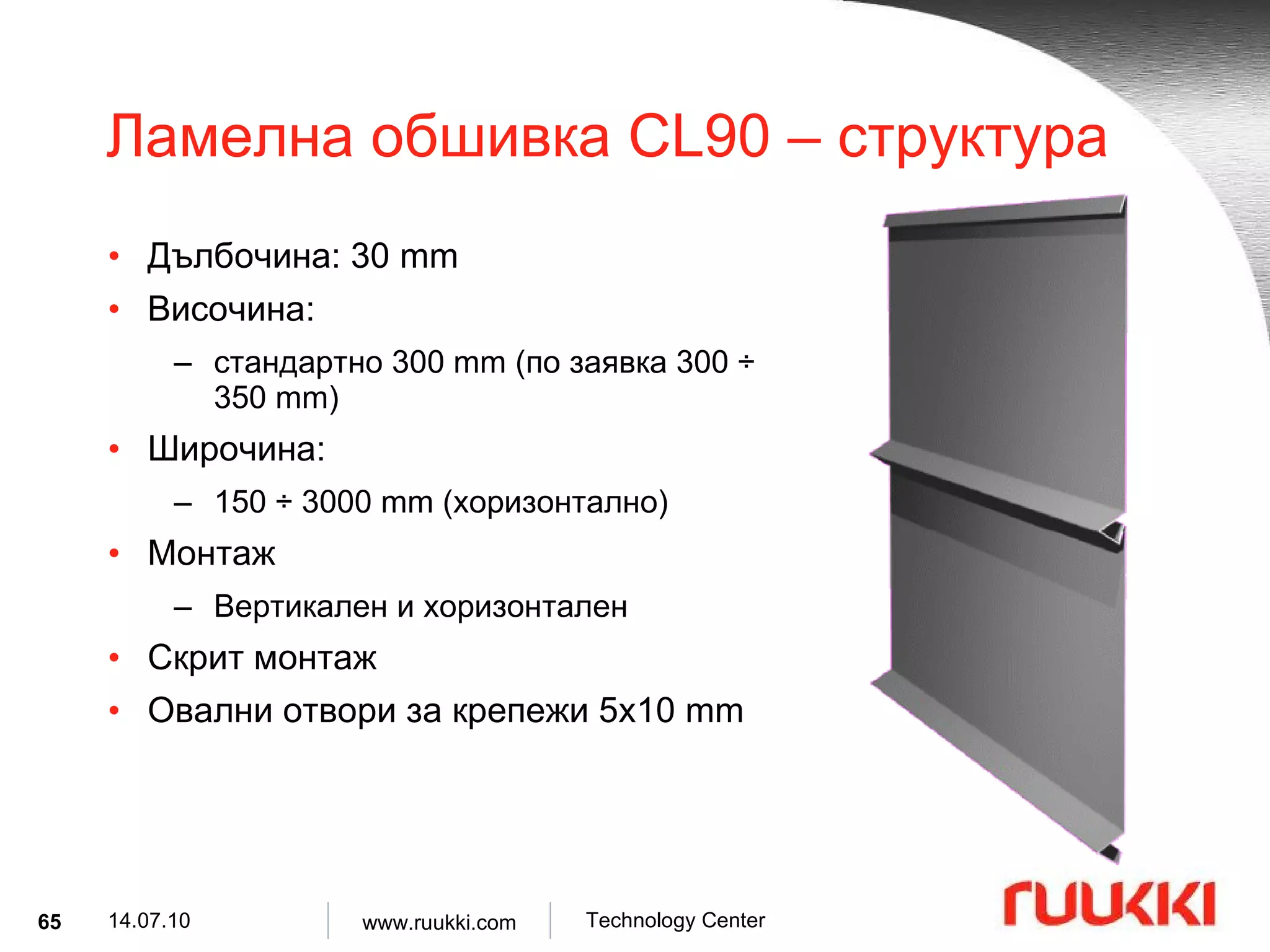
Ламелна обшивка CL90 – структура Дълбочина : 30 mm Височина : стандартно 300 mm ( по заявка 300 ÷ 350 mm) Широчина : 150 ÷ 3000 mm ( хоризонтално ) Монтаж Вертикален и хоризонтален Скрит монтаж Овални отвори за крепежи 5x10 mm
66.
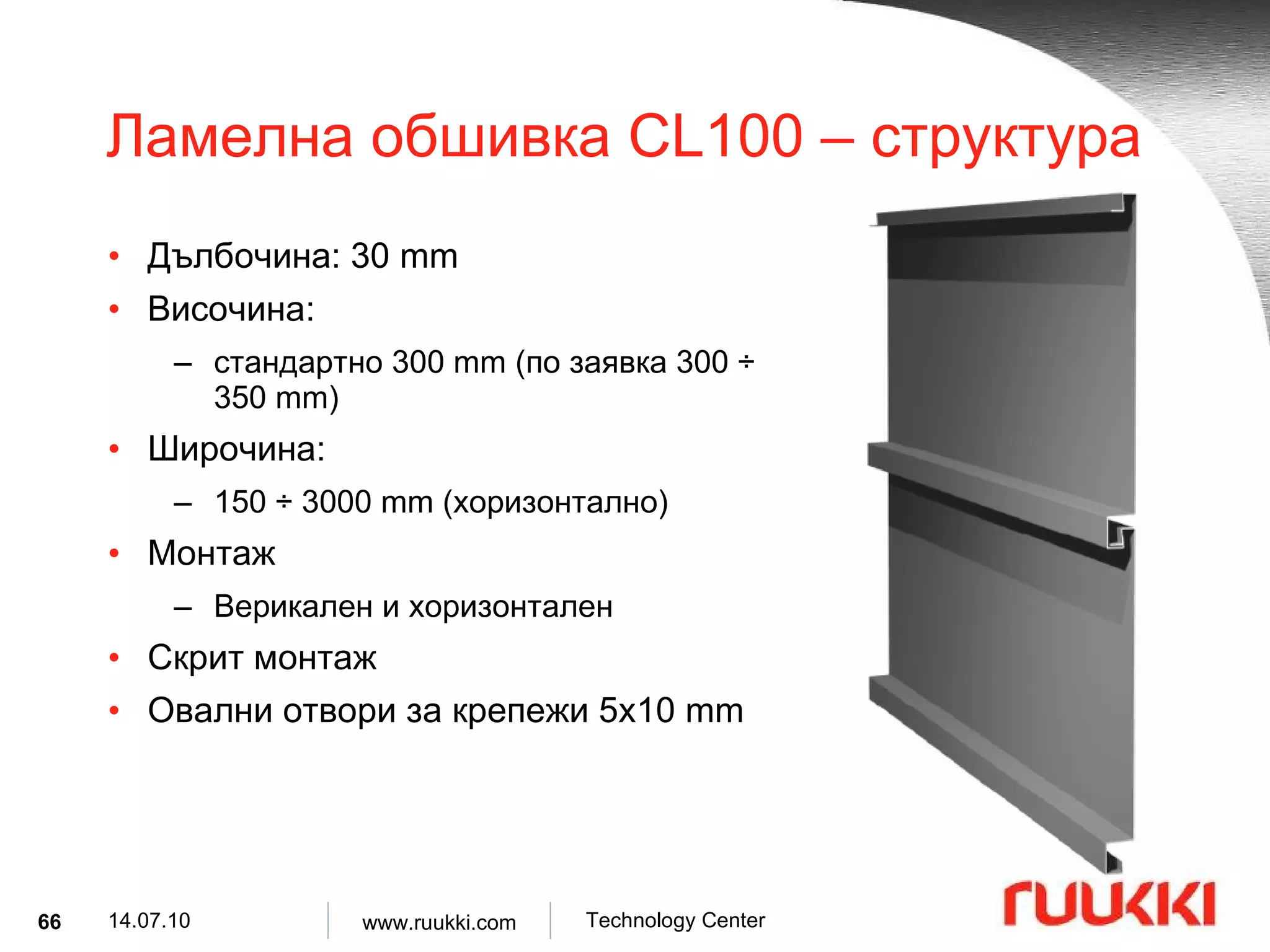
Ламелна обшивка CL100 – структура Дълбочина : 30 mm Височина : стандартно 300 mm ( по заявка 300 ÷ 350 mm) Широчина : 150 ÷ 3000 mm ( хоризонтално ) Монтаж Верикален и хоризонтален Скрит монтаж Овални отвори за крепежи 5x10 mm
67.
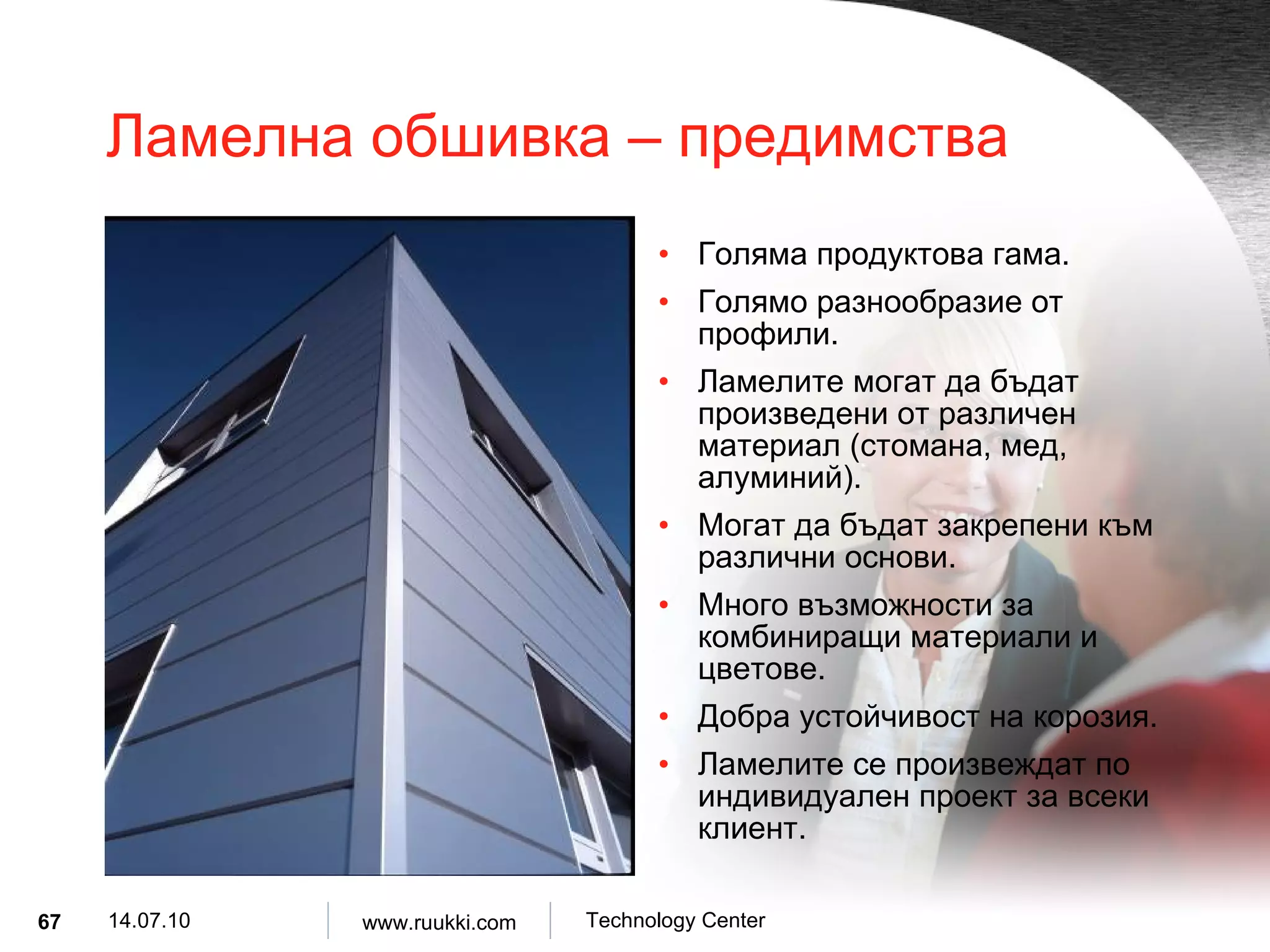
Ламелна обшивка – предимства Голяма продуктова гама . Голямо разнообразие от профили . Ламелите могат да бъдат произведени от различен материал ( стомана, мед, алуминий ). Могат да бъдат закрепени към различни основи . Много възможности за комбиниращи материали и цветове . Добра устойчивост на корозия . Ламелите се произвеждат по индивидуален проект за всеки клиент .
68.
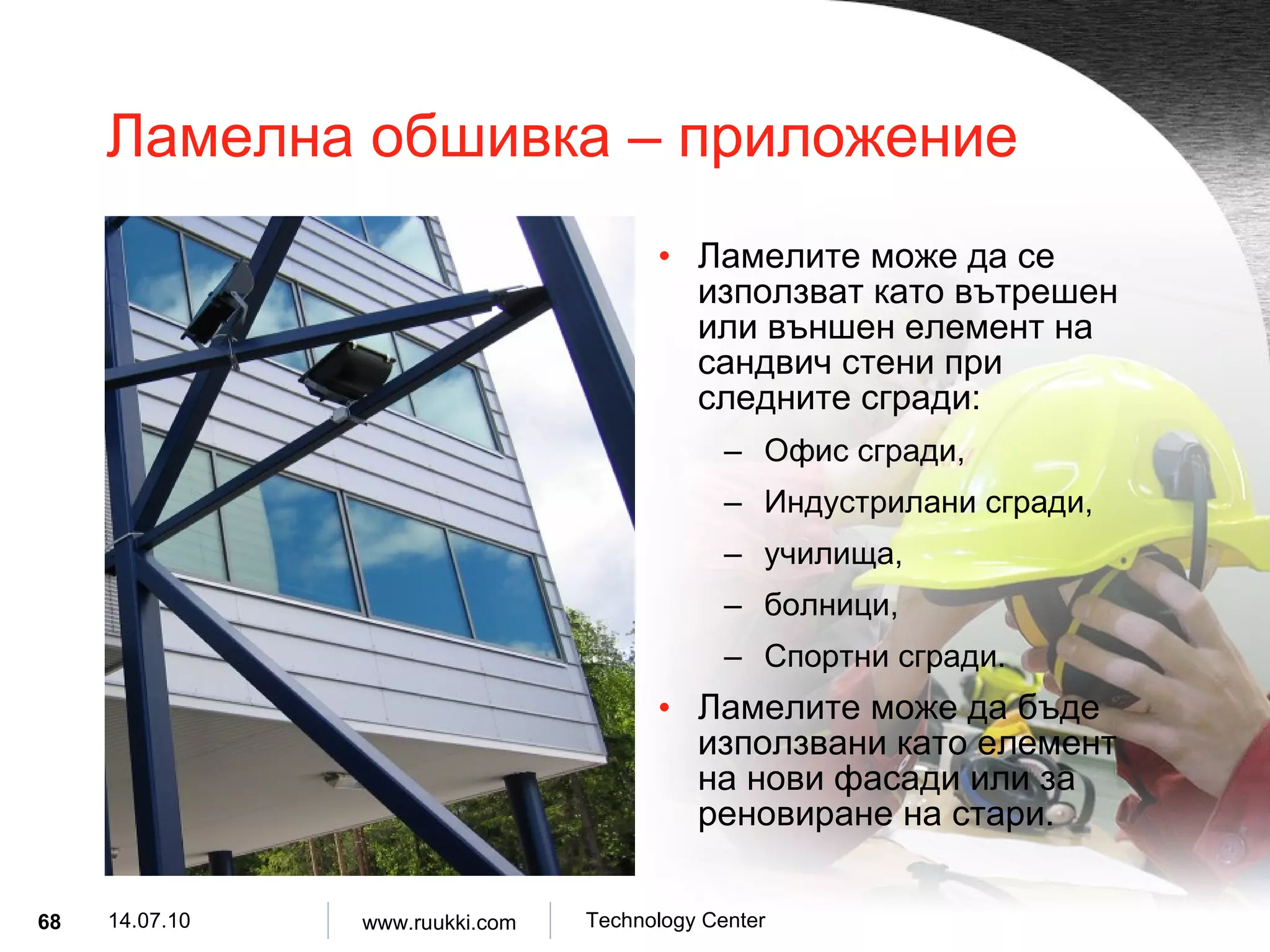
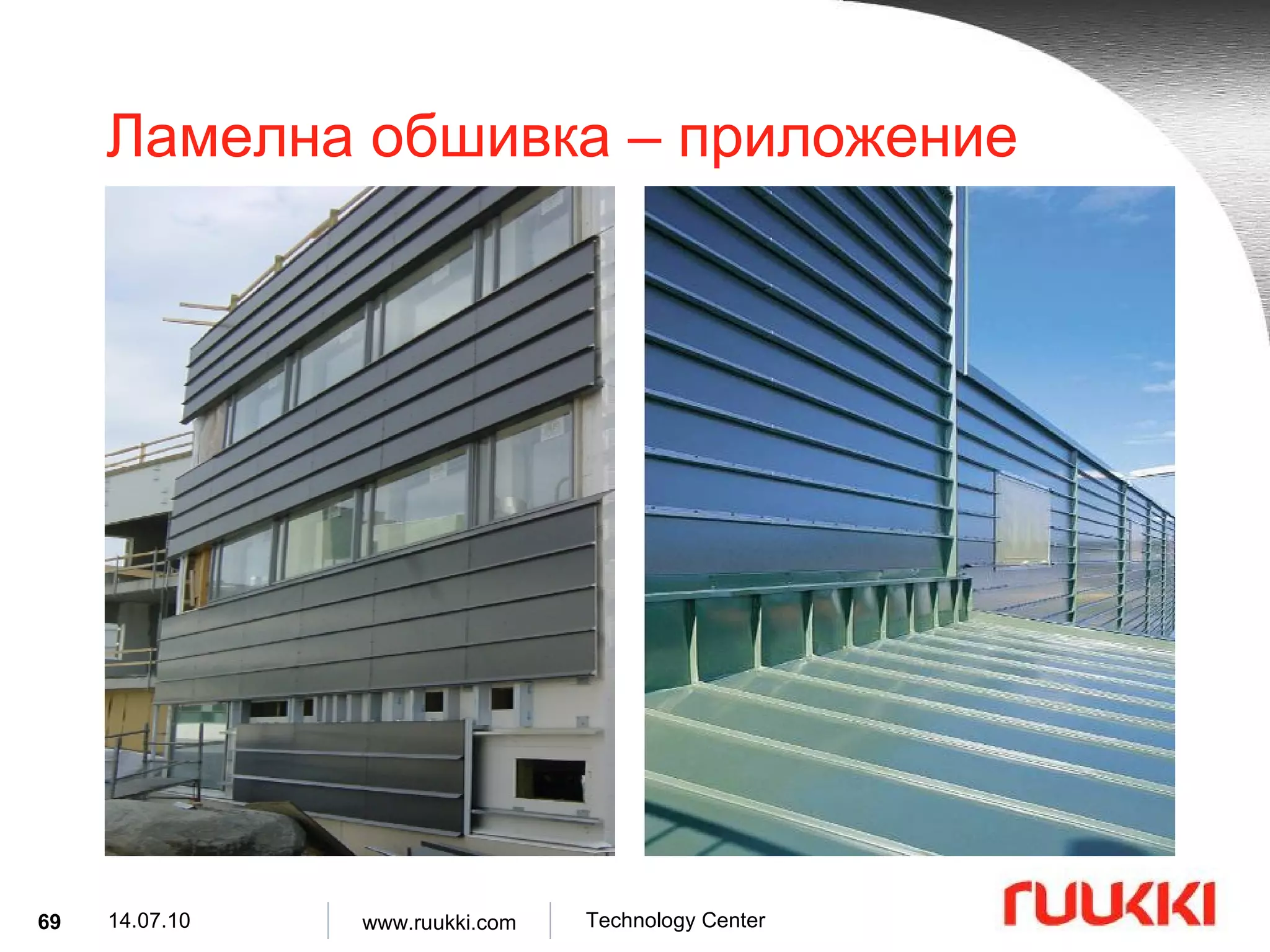
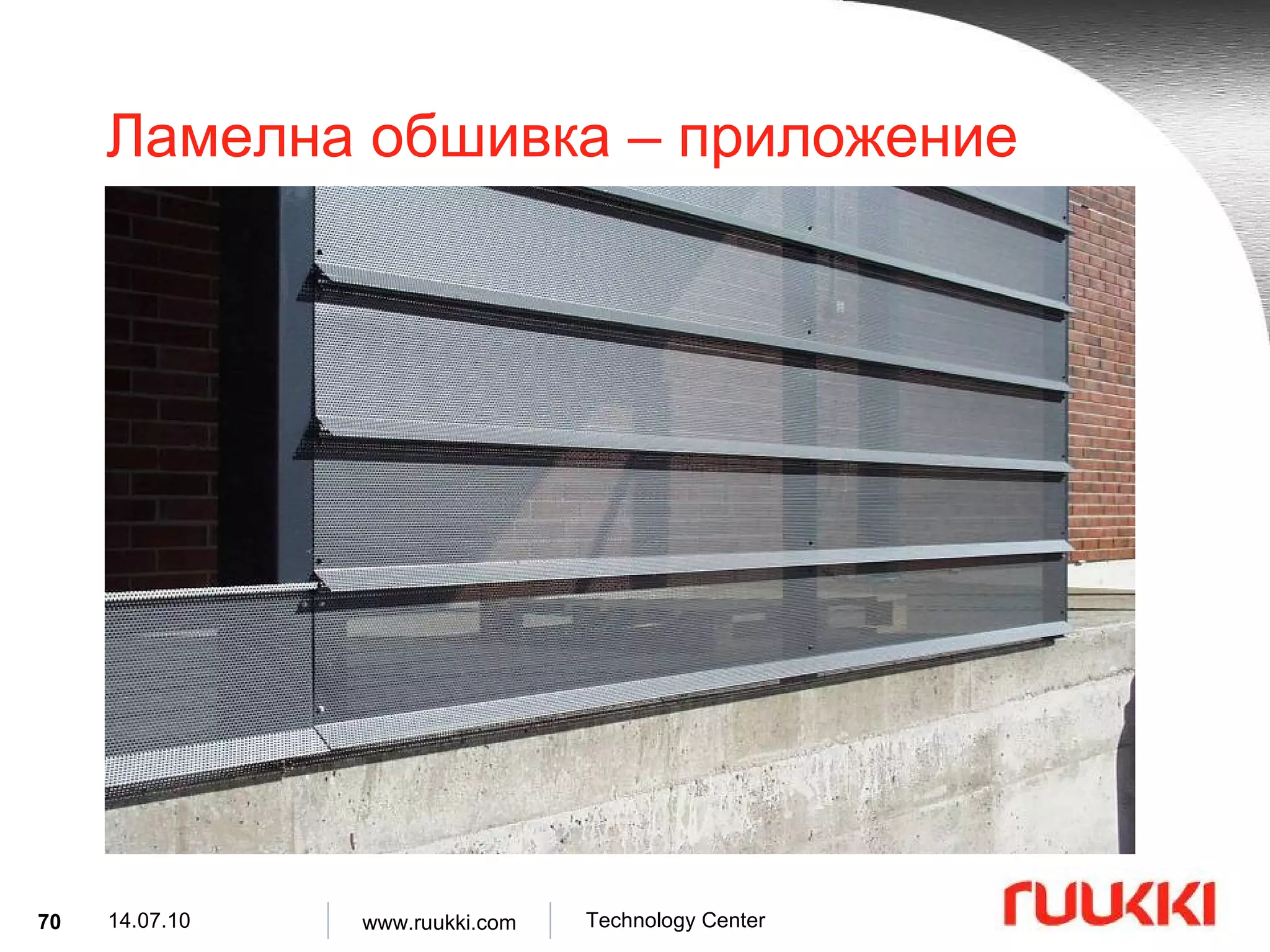
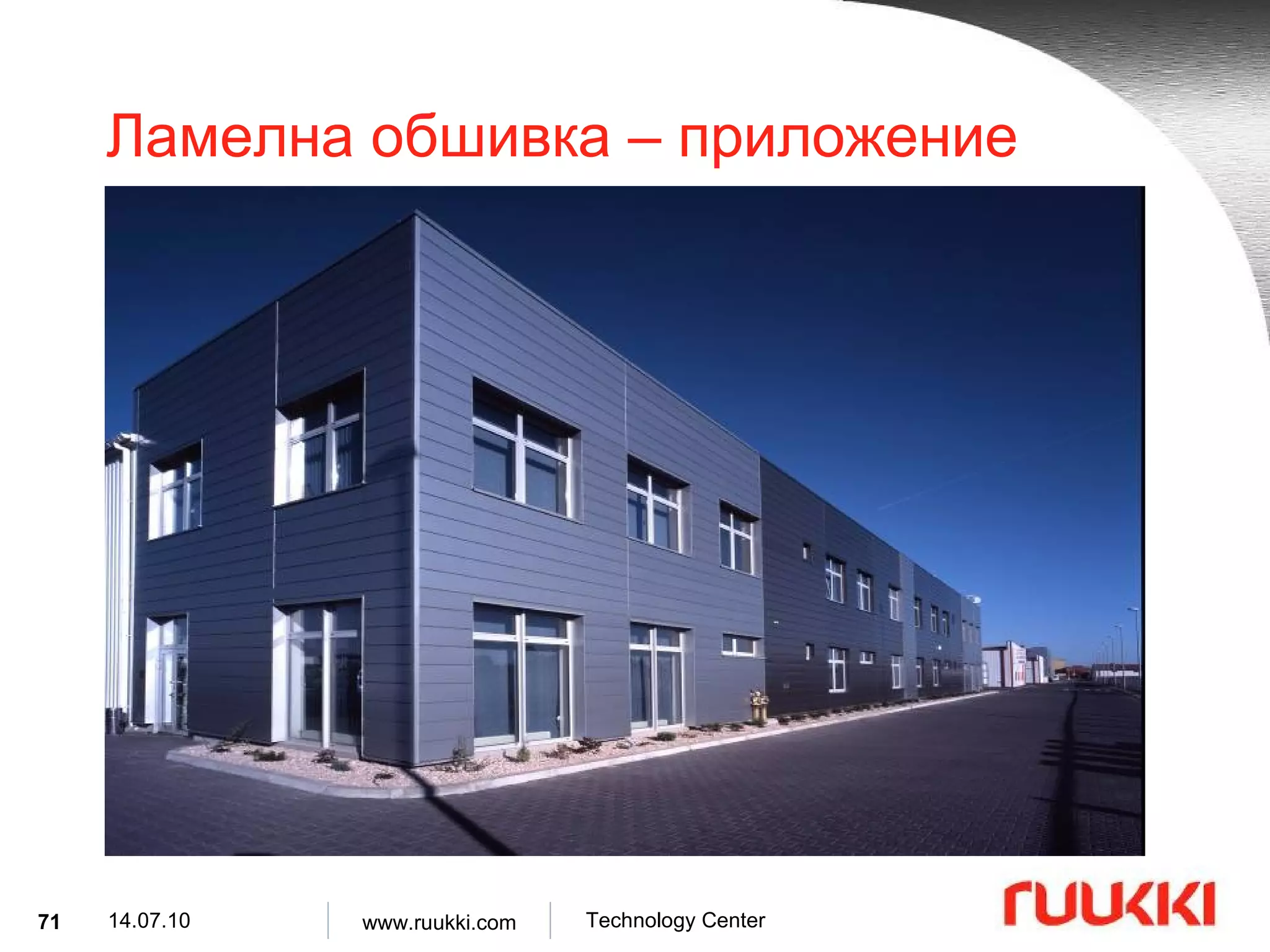
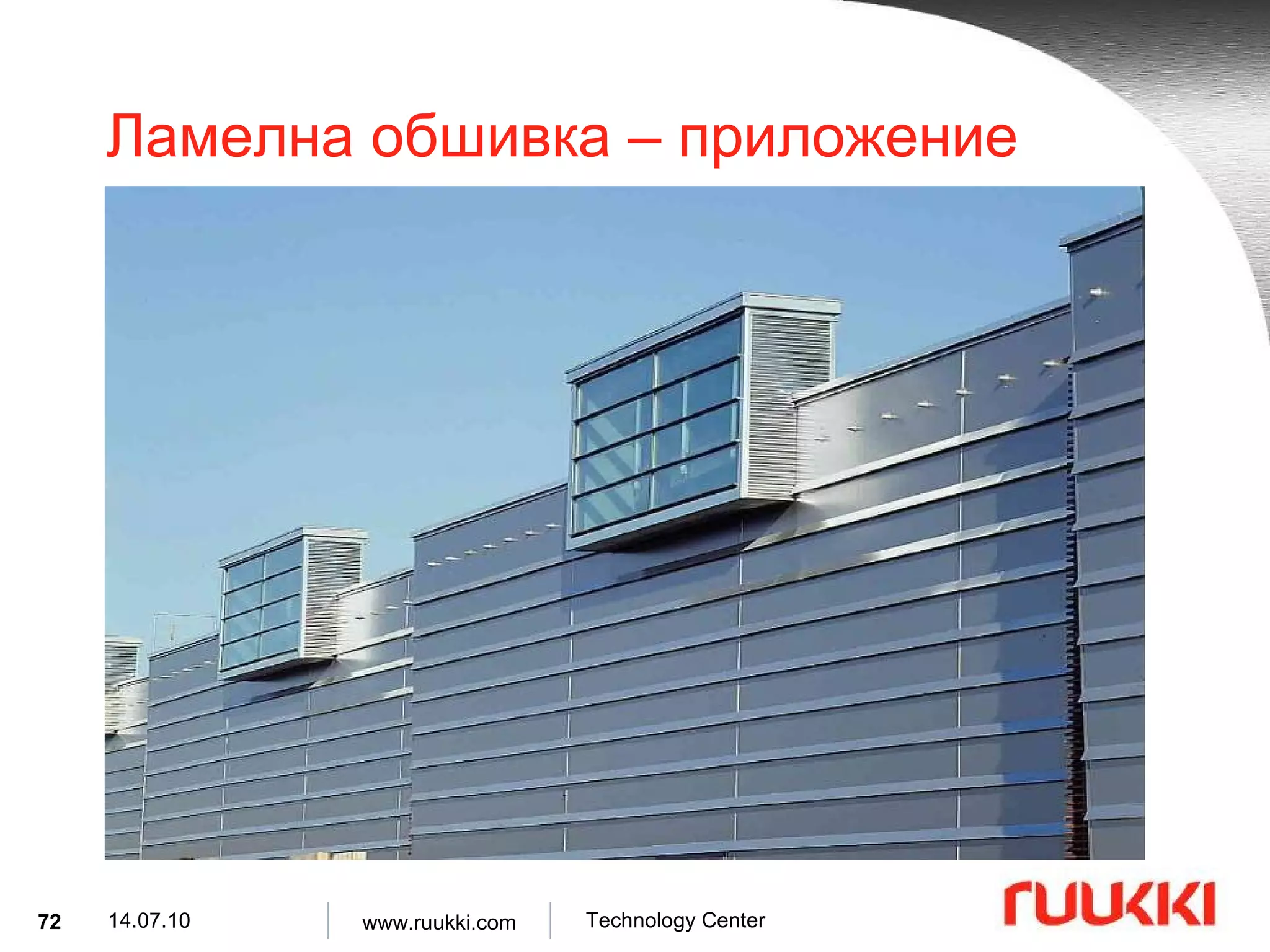
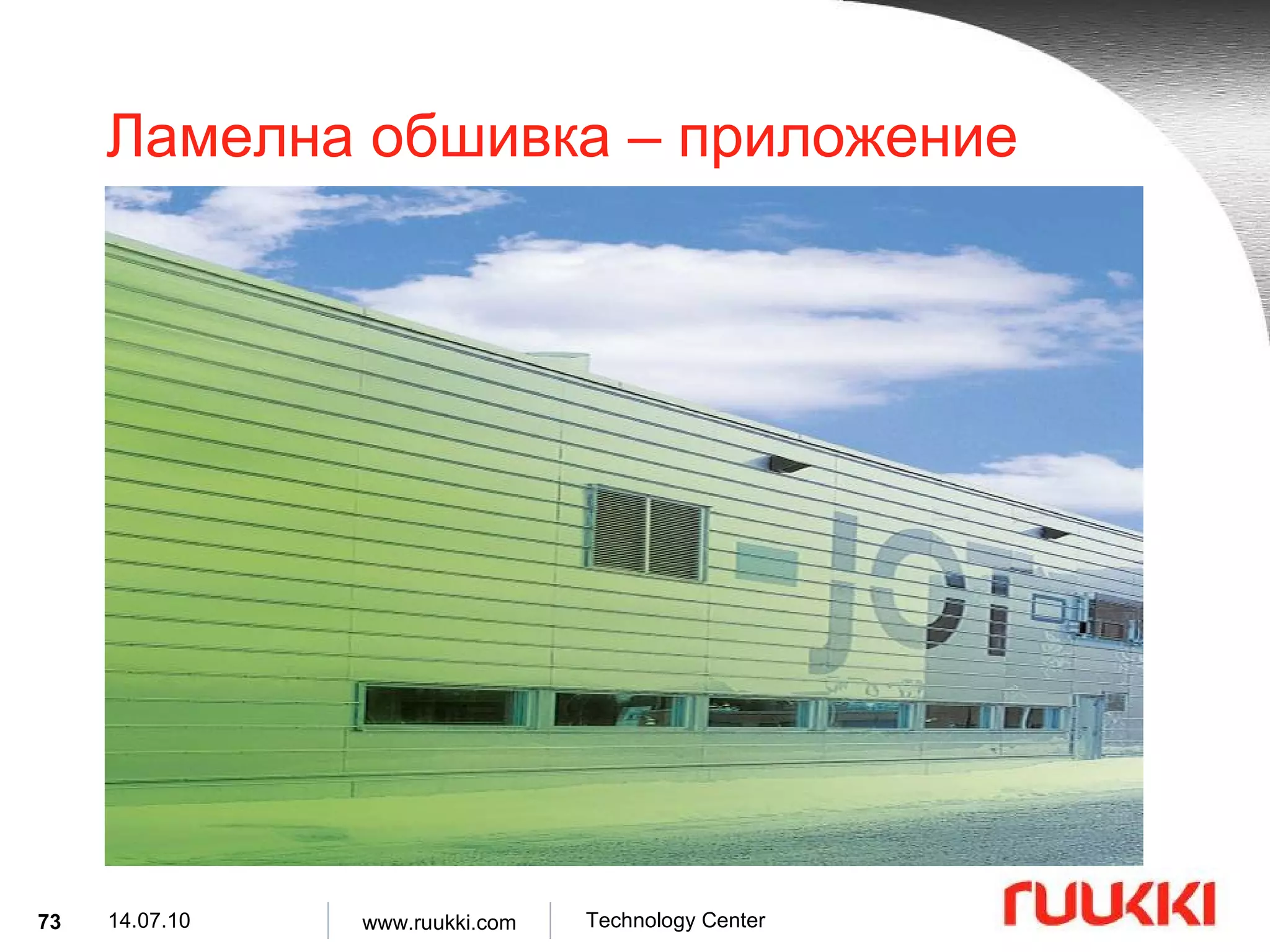
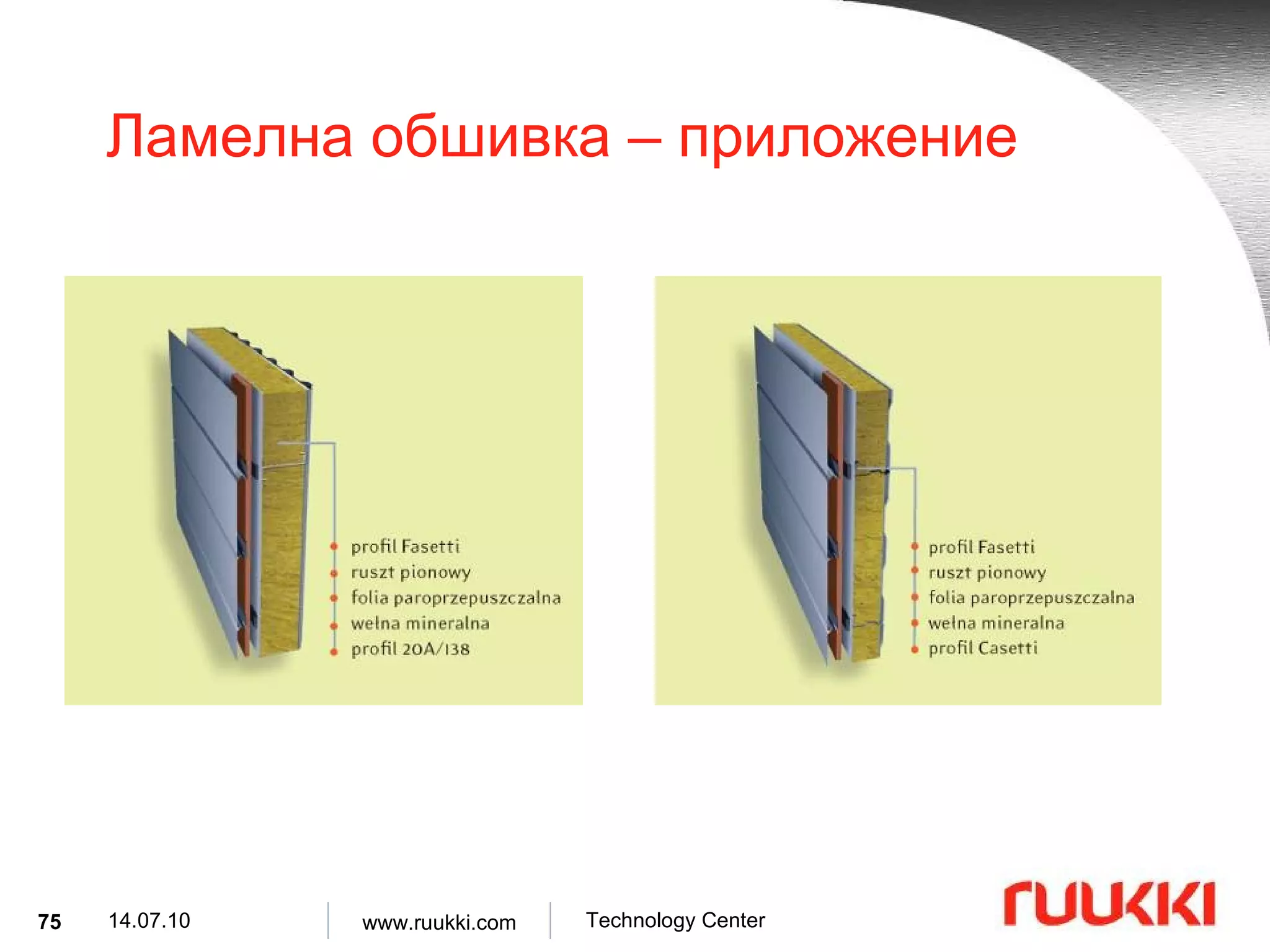
Ламелна обшивка – приложение Ламелите може да се използват като вътрешен или външен елемент на сандвич стени при следните сгради : Офис сгради , Индустрилани сгради , училища , болници , Спортни сгради . Ламелите може да бъде използвани като елемент на нови фасади или за реновиране на стари .
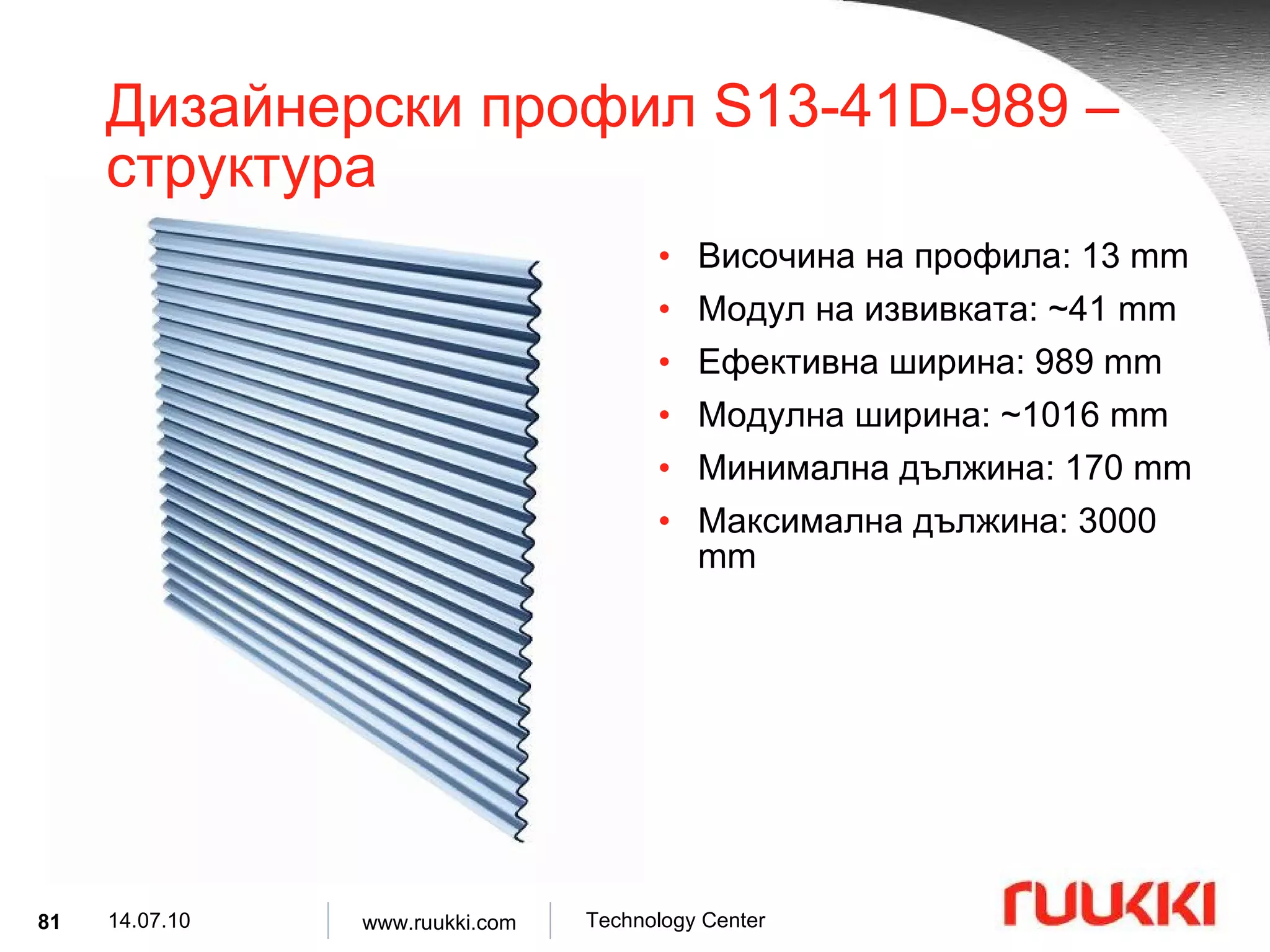
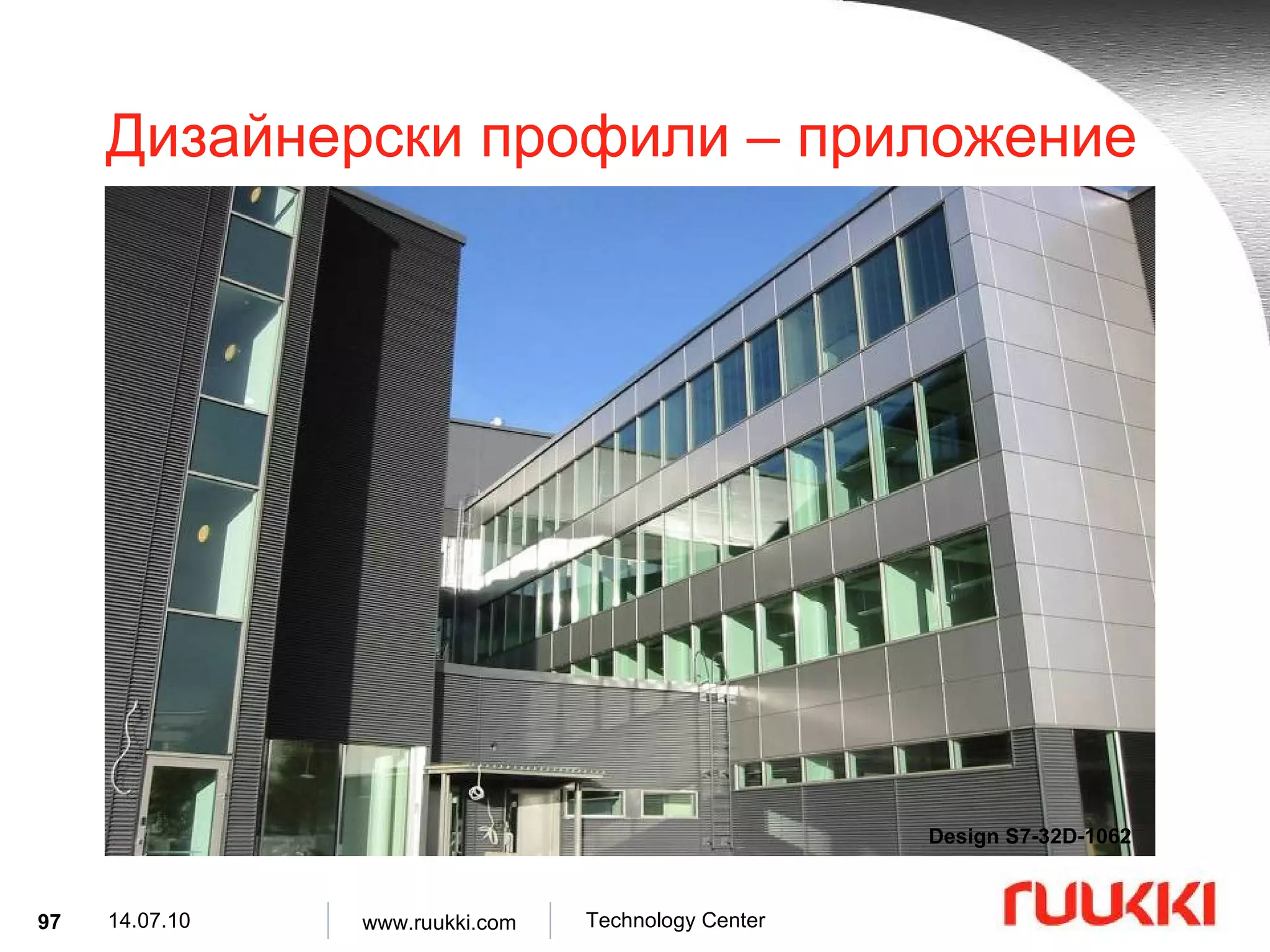
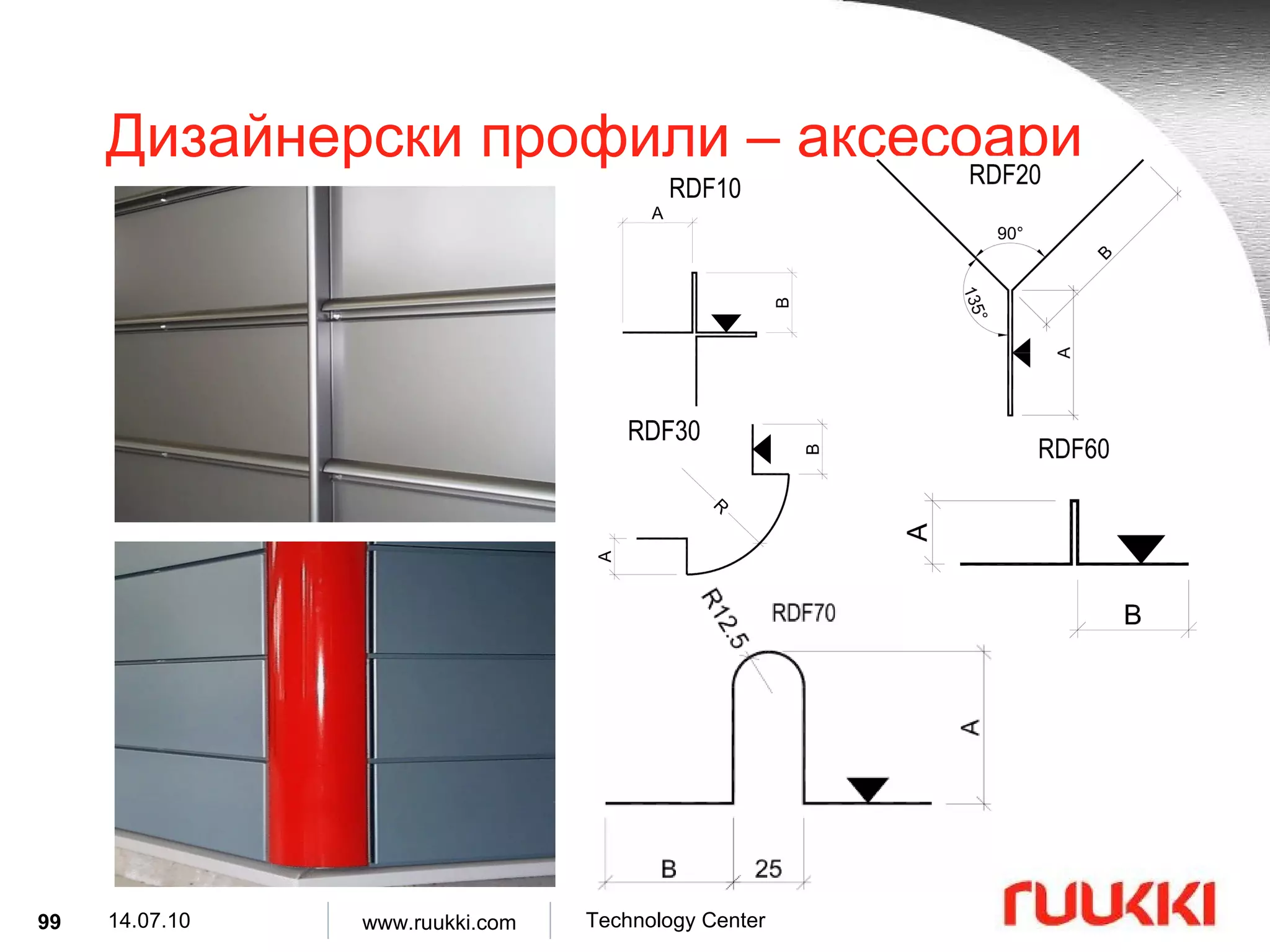
Дизайнерски профил S13-41D-989 – структура Височина на профила : 1 3 mm Модул на извивката : ~41 mm Ефективна ширина : 9 89 mm Модулна ширина : ~1 016 mm Минимална дължина : 170 mm Максимална дължина : 30 00 mm
82.
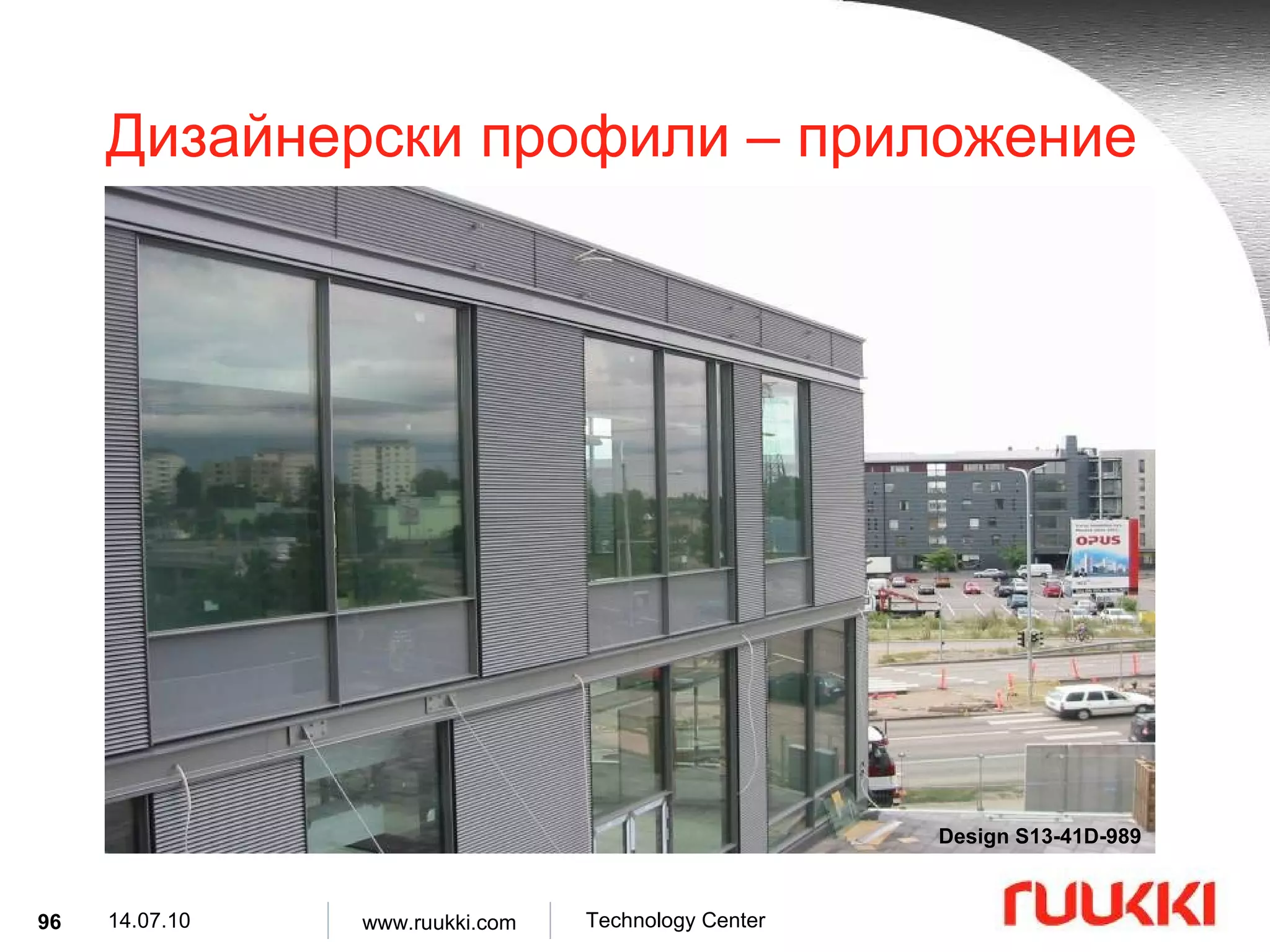
Дизайнерски профил S7-32D-1062 – структура Височина на профила : 7 mm Дължина на вълната : ~32 mm Ефективна ширина : 1062 mm Модулна ширина : ~1104 mm Минимална дължина : 170 mm Максимална дължина : 3000 mm
83.
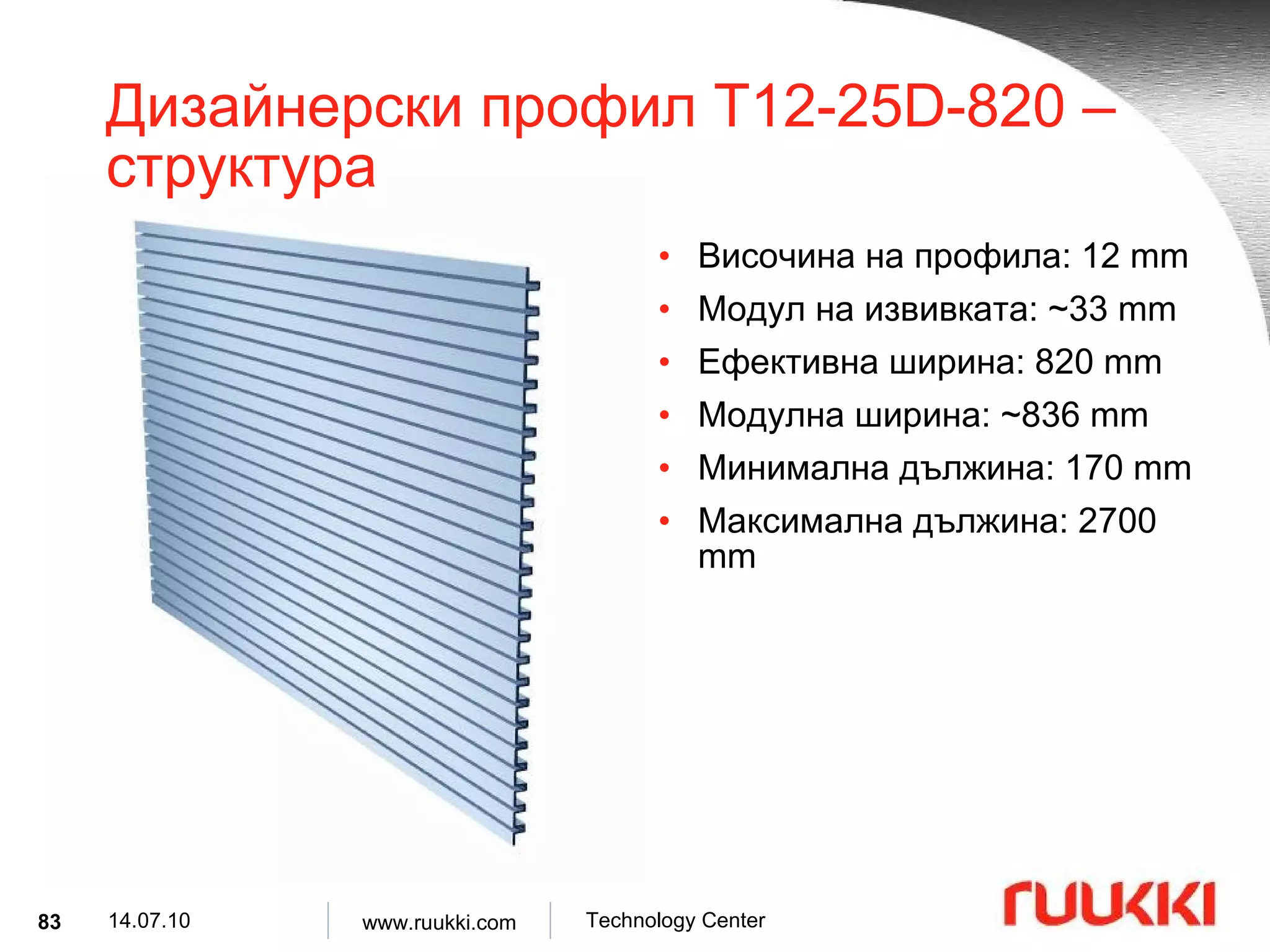
Дизайнерски профил T12-25D-820 – структура Височина на профила : 12 mm Модул на извивката : ~33 mm Ефективна ширина : 820 mm Модулна ширина : ~836 mm Минимална дължина : 170 mm Максимална дължина : 2700 mm
84.
Дизайнерски профил T10-47D-982 – структура Височина на профила: 10 mm Модул на извивката : ~61 mm Ефективна ширина : 982 mm Модулна ширина : ~1037 mm Минимална дължина : 170 mm Максимална дължина : 3000 mm
85.
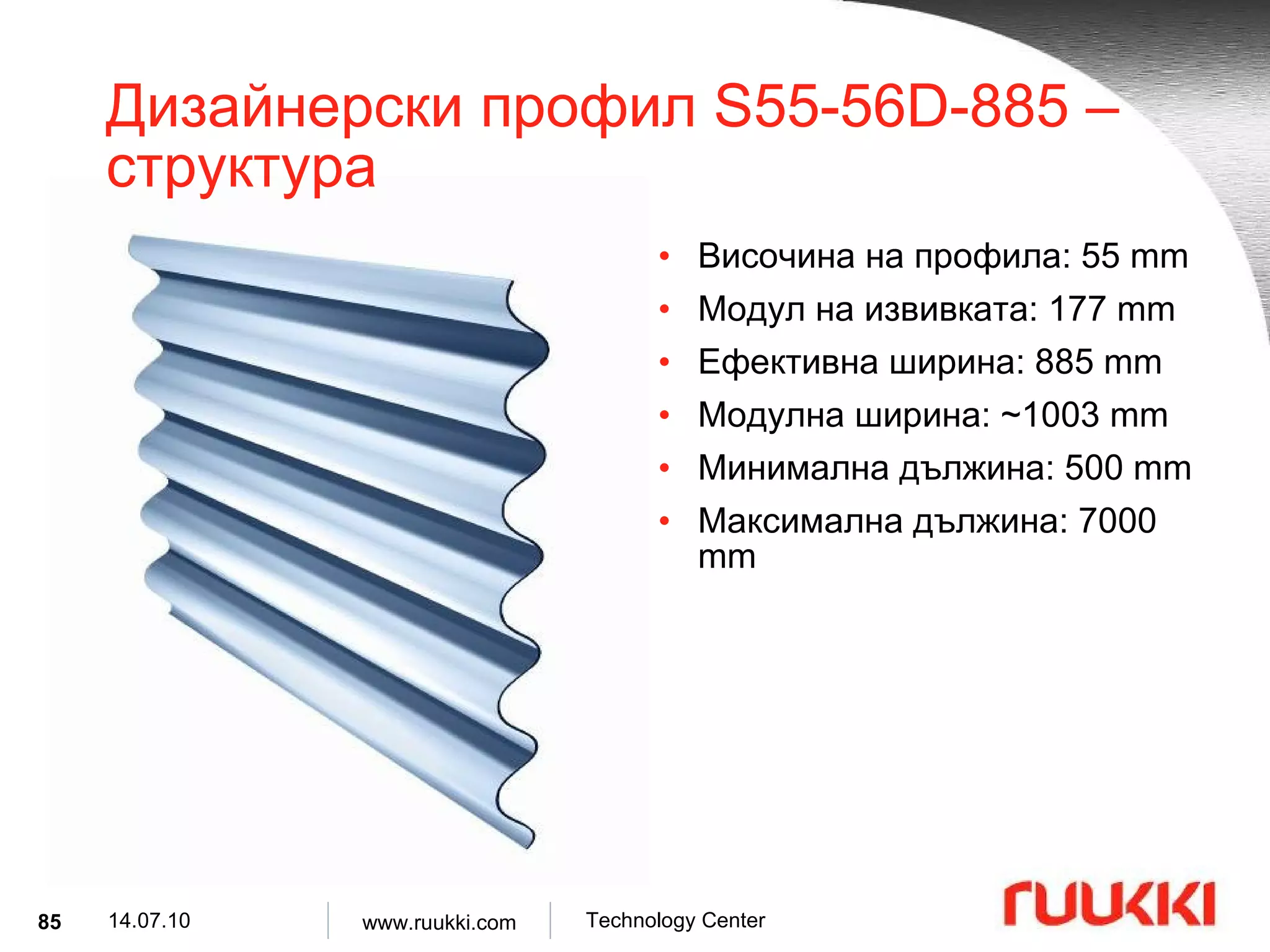
Дизайнерски профил S55-56D-885 – структура Височина на профила : 55 mm Модул на извивката : 177 mm Ефективна ширина : 885 mm Модулна ширина : ~1003 mm Минимална дължина : 500 mm Максимална дължина : 7000 mm
86.
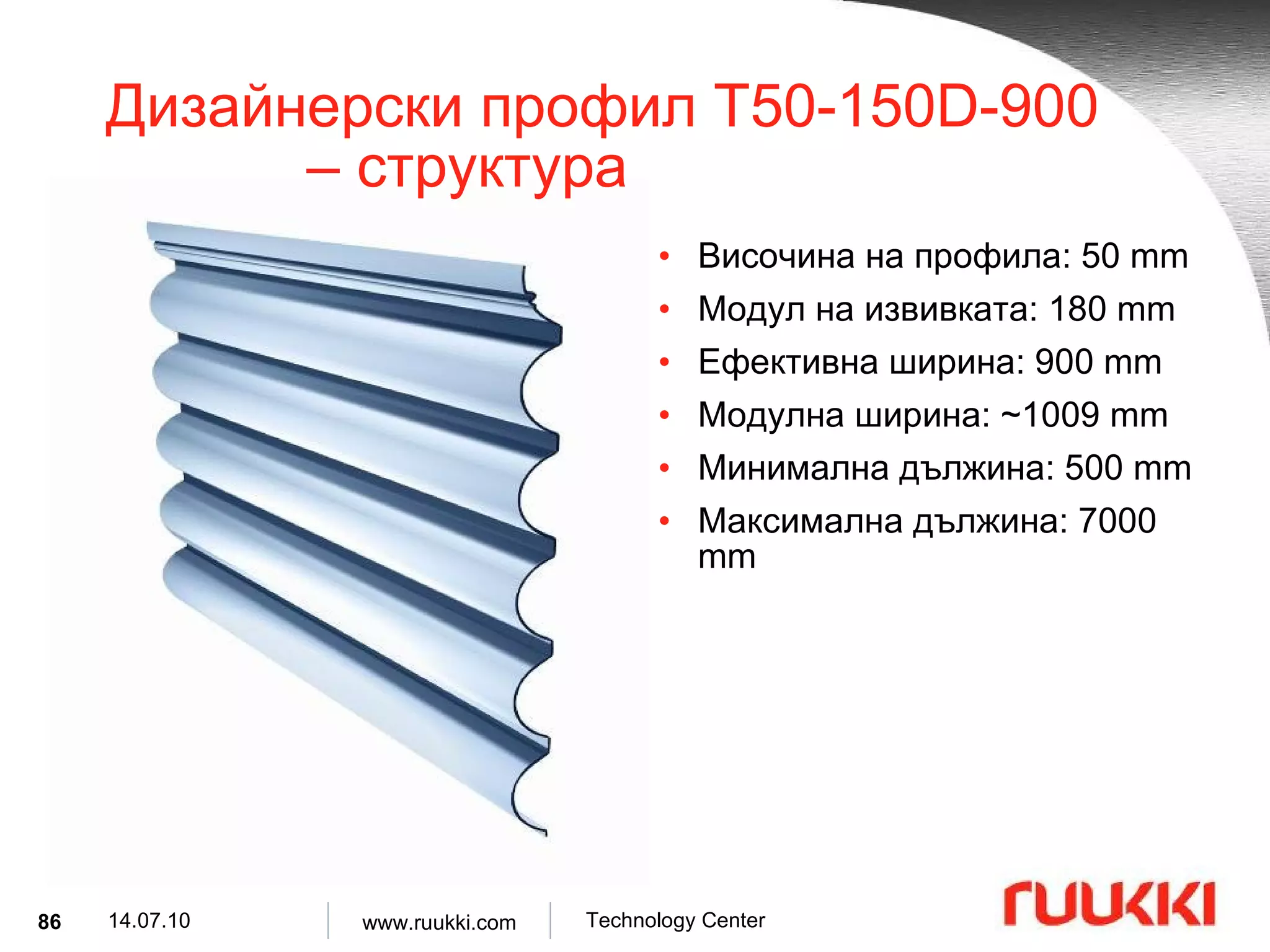
Дизайнерски профил T50-150D-900 – структура Височина на профила : 50 mm Модул на извивката : 180 mm Ефективна ширина : 900 mm Модулна ширина : ~1009 mm Минимална дължина : 500 mm Максимална дължина : 7000 mm
87.
Дизайнерски профил S34-82D-900 – структура Височина на профила : 34 mm Модул на извивката : ~82 mm Ефективна ширина : 900 mm Модулна ширина : ~935 mm Минимална дължина : 500 mm Максимална дължина : 7000 mm
88.
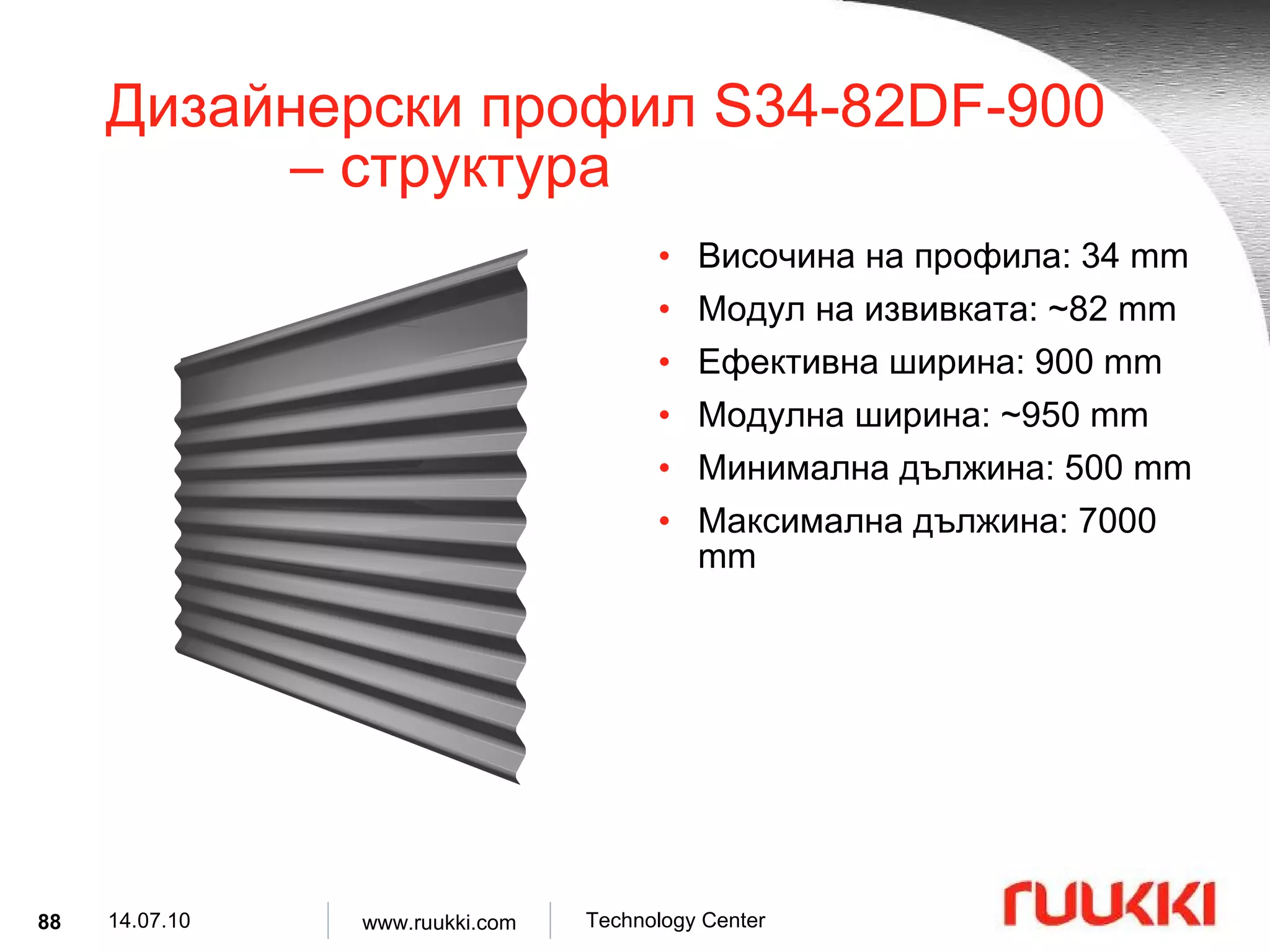
Дизайнерски профил S34-82DF-900 – структура Височина на профила : 34 mm Модул на извивката : ~82 mm Ефективна ширина : 900 mm Модулна ширина : ~950 mm Минимална дължина : 500 mm Максимална дължина : 7000 mm
89.
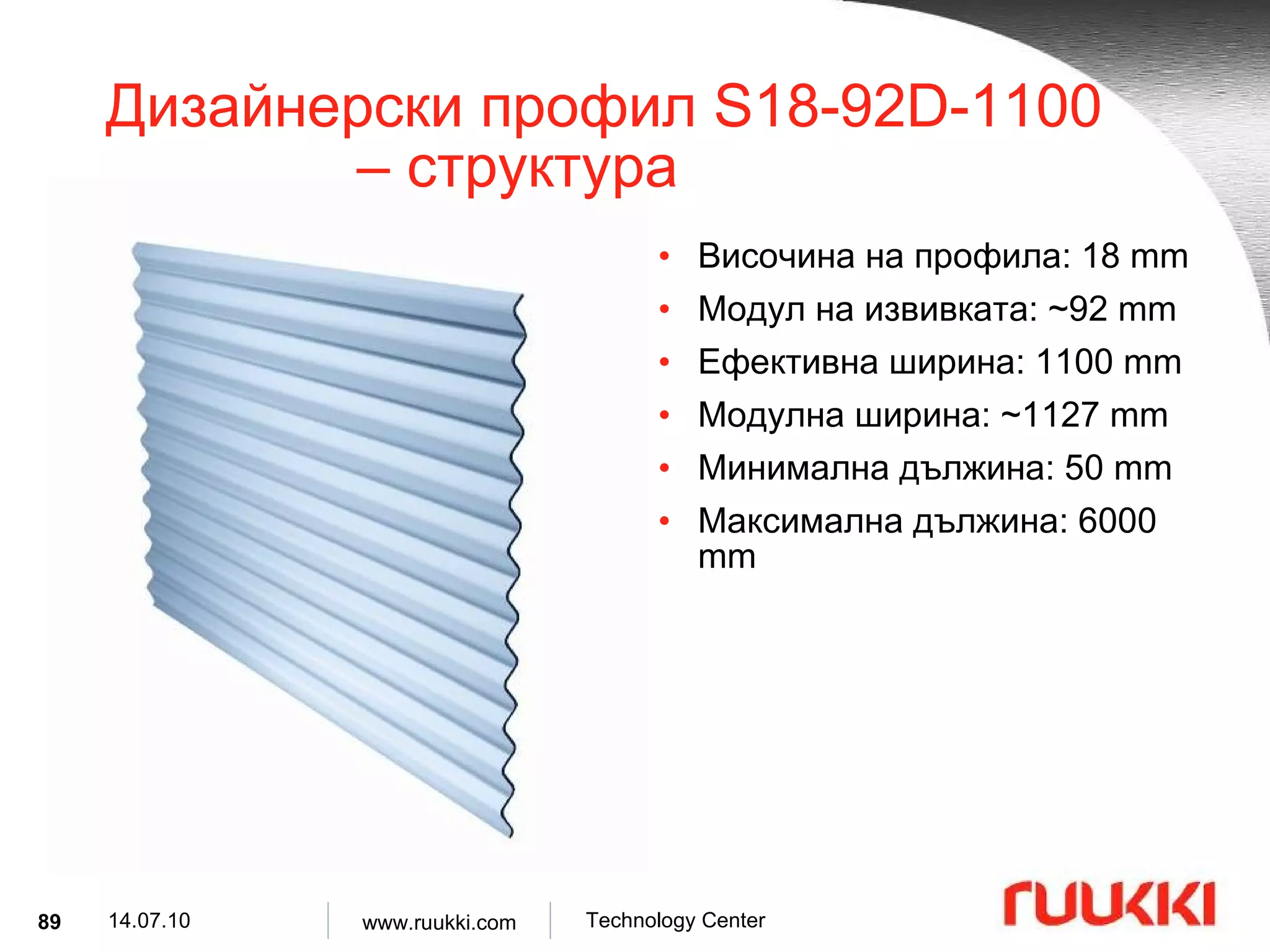
Дизайнерски профил S18-92D-1100 – структура Височина на профила : 18 mm Модул на извивката : ~92 mm Ефективна ширина : 1100 mm Модулна ширина : ~1127 mm Минимална дължина : 50 mm Максимална дължина : 6000 mm
90.
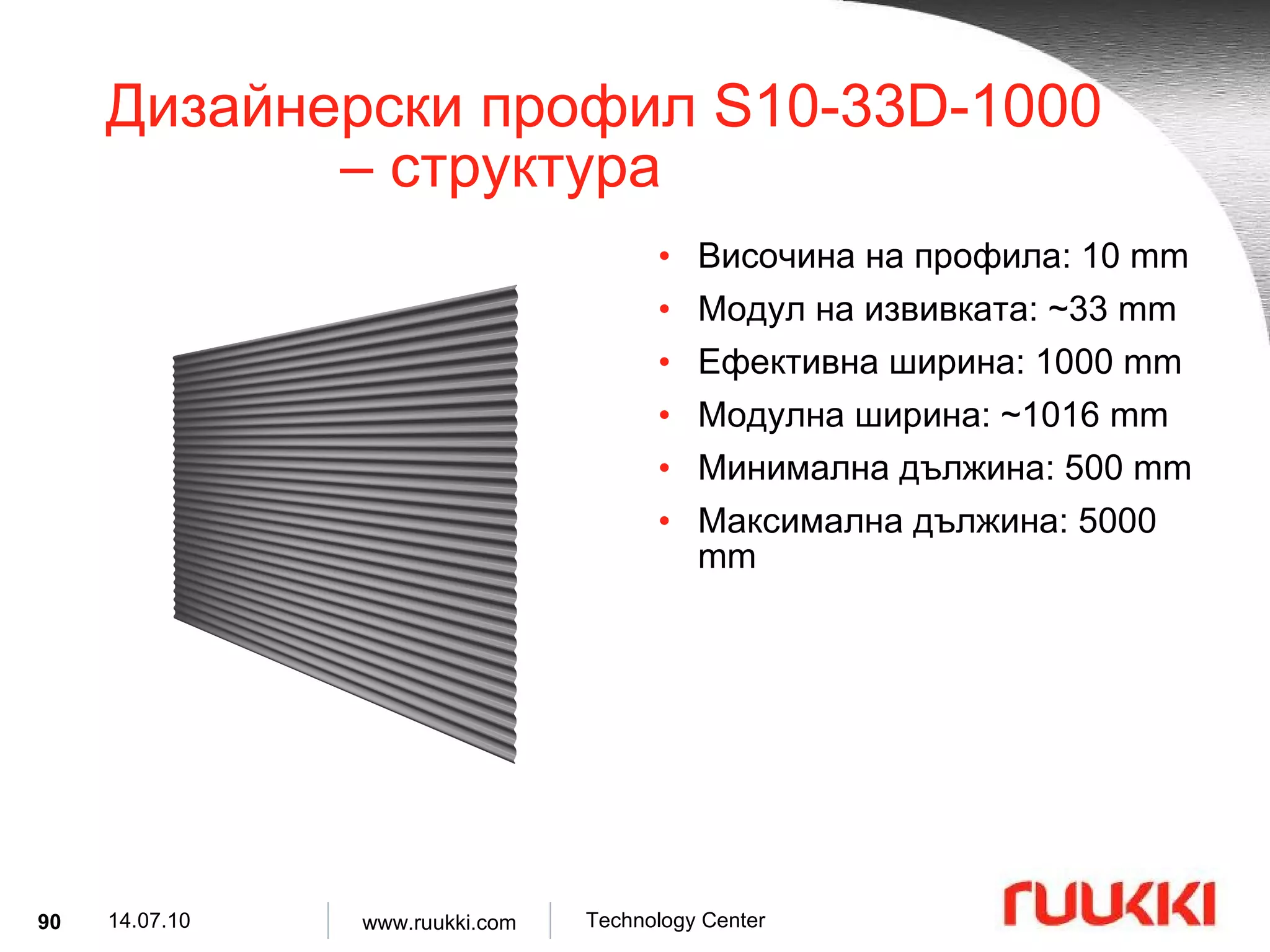
Дизайнерски профил S10-33D-1000 – структура Височина на профила : 10 mm Модул на извивката : ~33 mm Ефективна ширина : 1000 mm Модулна ширина : ~1016 mm Минимална дължина : 500 mm Максимална дължина : 5000 mm
91.
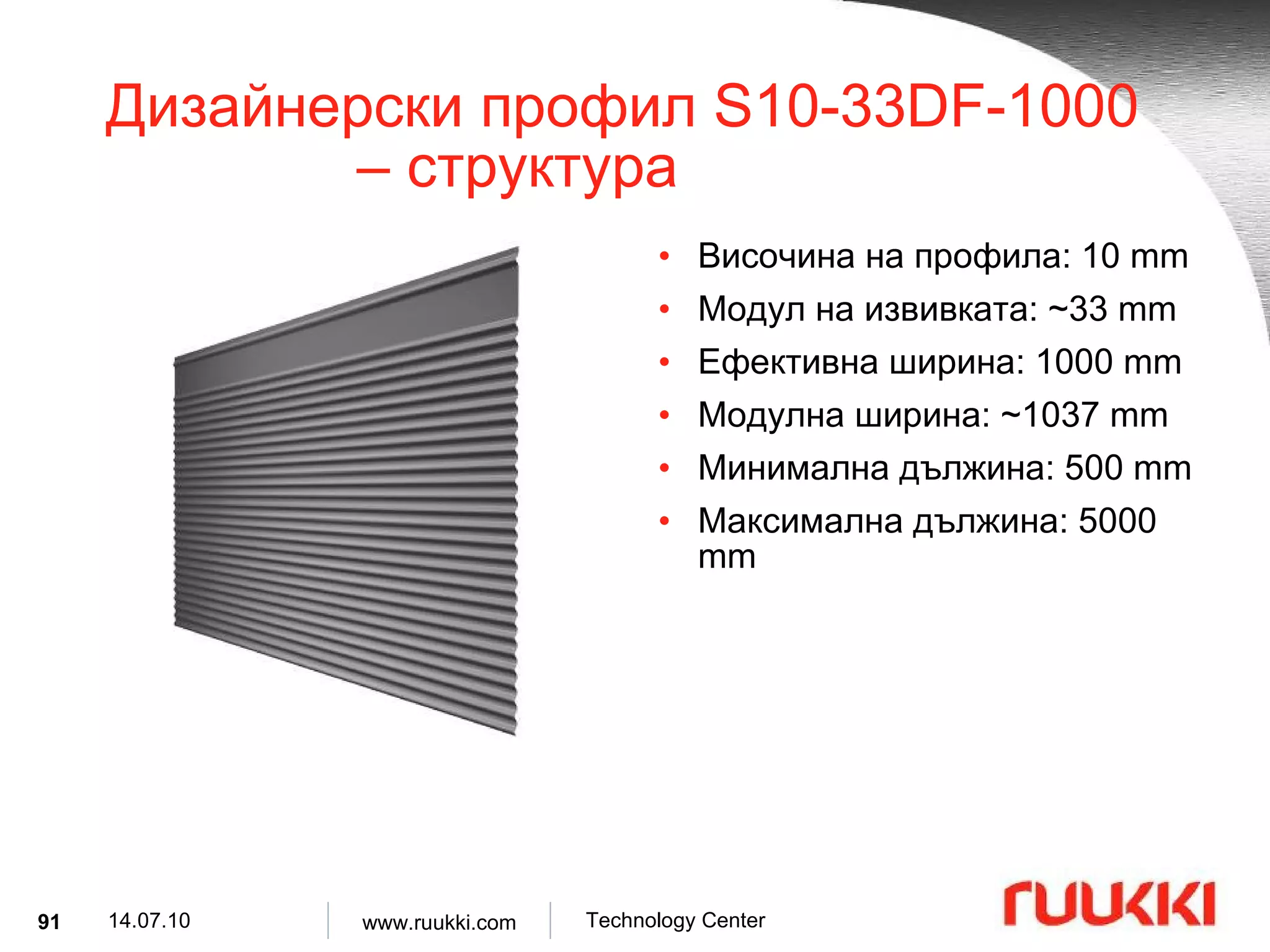
Дизайнерски профил S10-33DF-1000 – структура Височина на профила : 1 0 mm Модул на извивката : ~33 mm Ефективна ширина : 10 00 mm Модулна ширина : ~1037 mm Минимална дължина : 500 mm Максимална дължина : 5 000 mm
92.
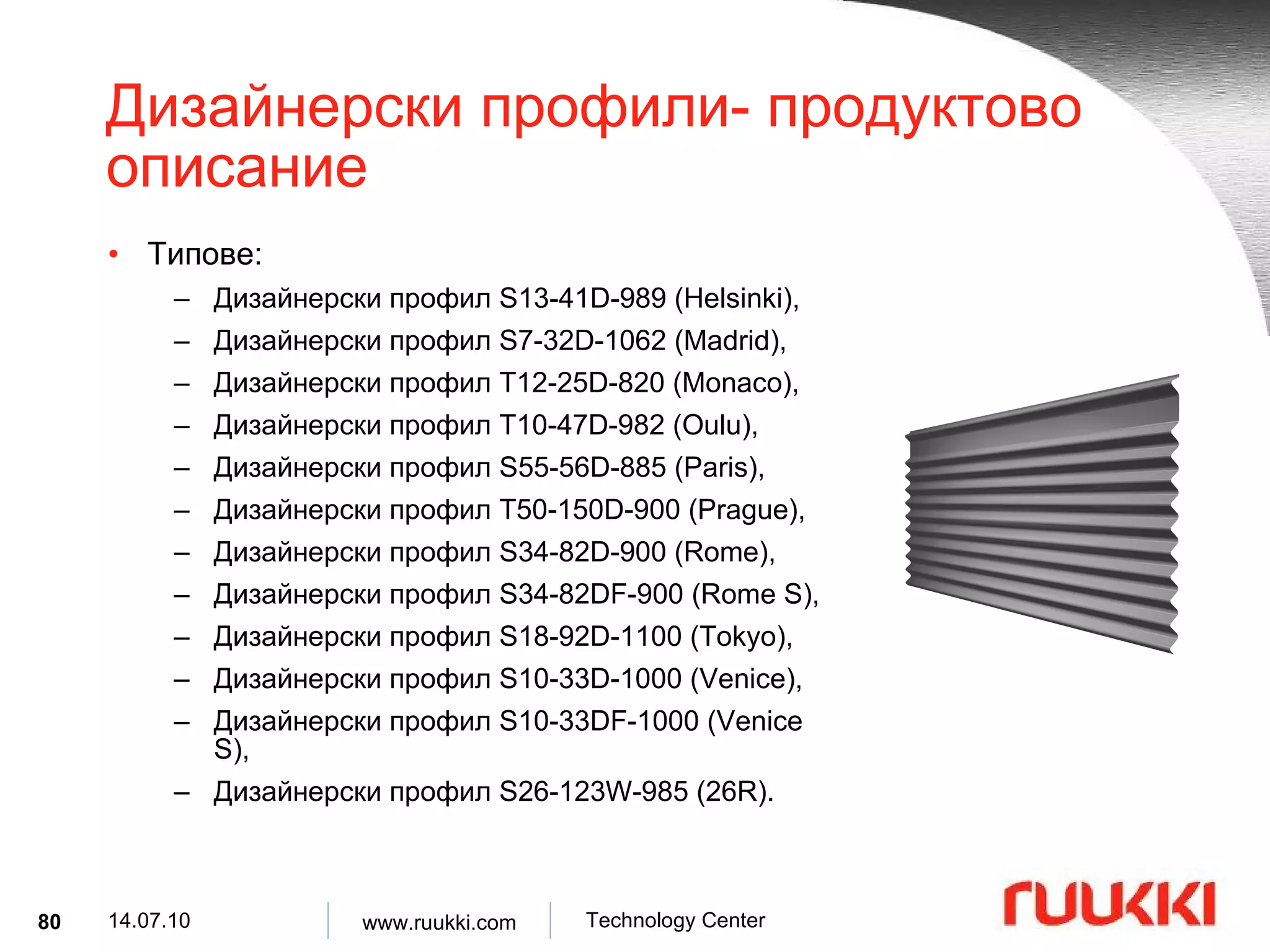
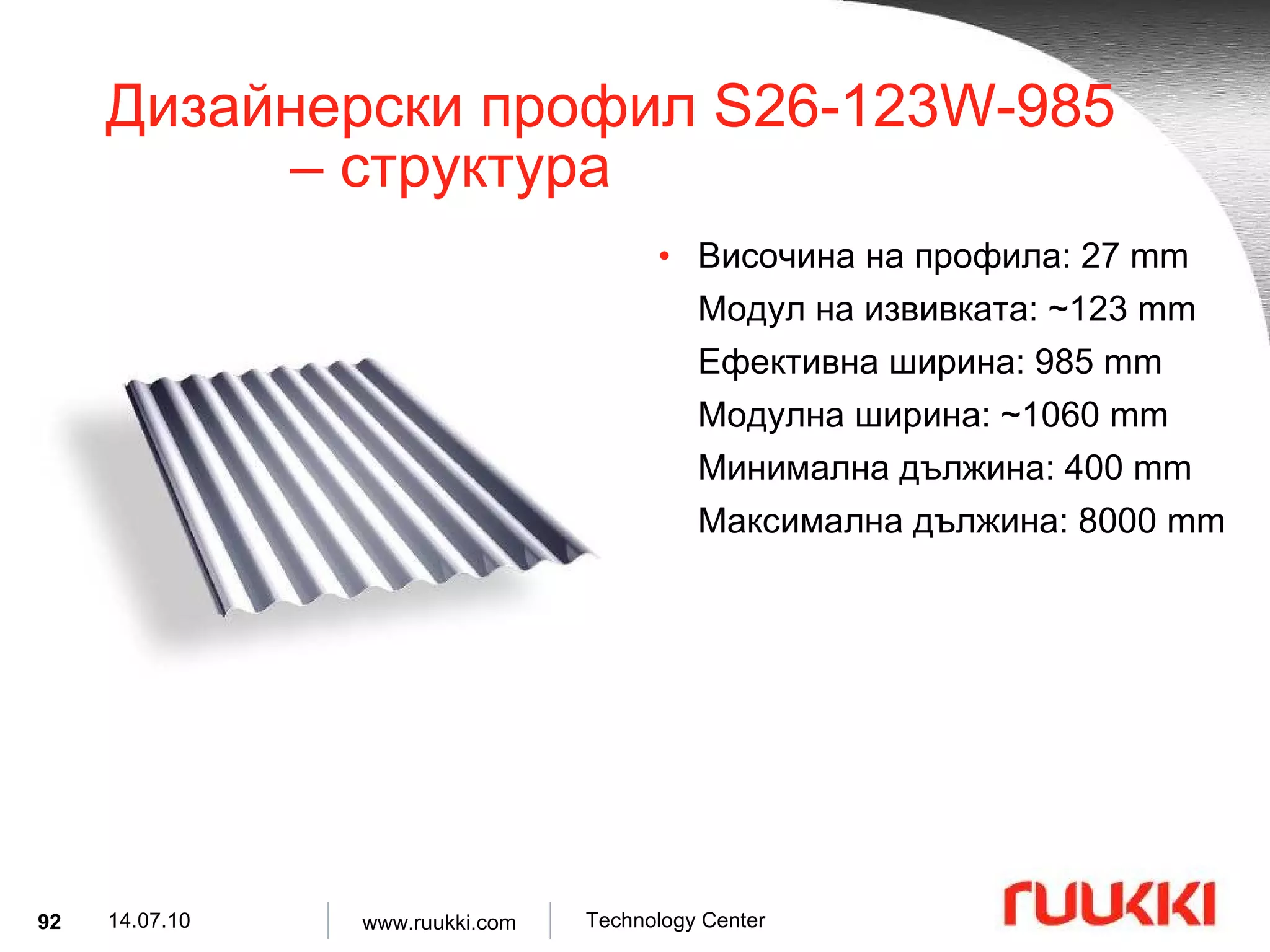
Дизайнерски профил S26-123W-985 – структура Височина на профила : 27 mm Модул на извивката : ~123 mm Ефективна ширина : 985 mm Модулна ширина : ~1060 mm Минимална дължина : 400 mm Максимална дължина : 8000 mm
93.
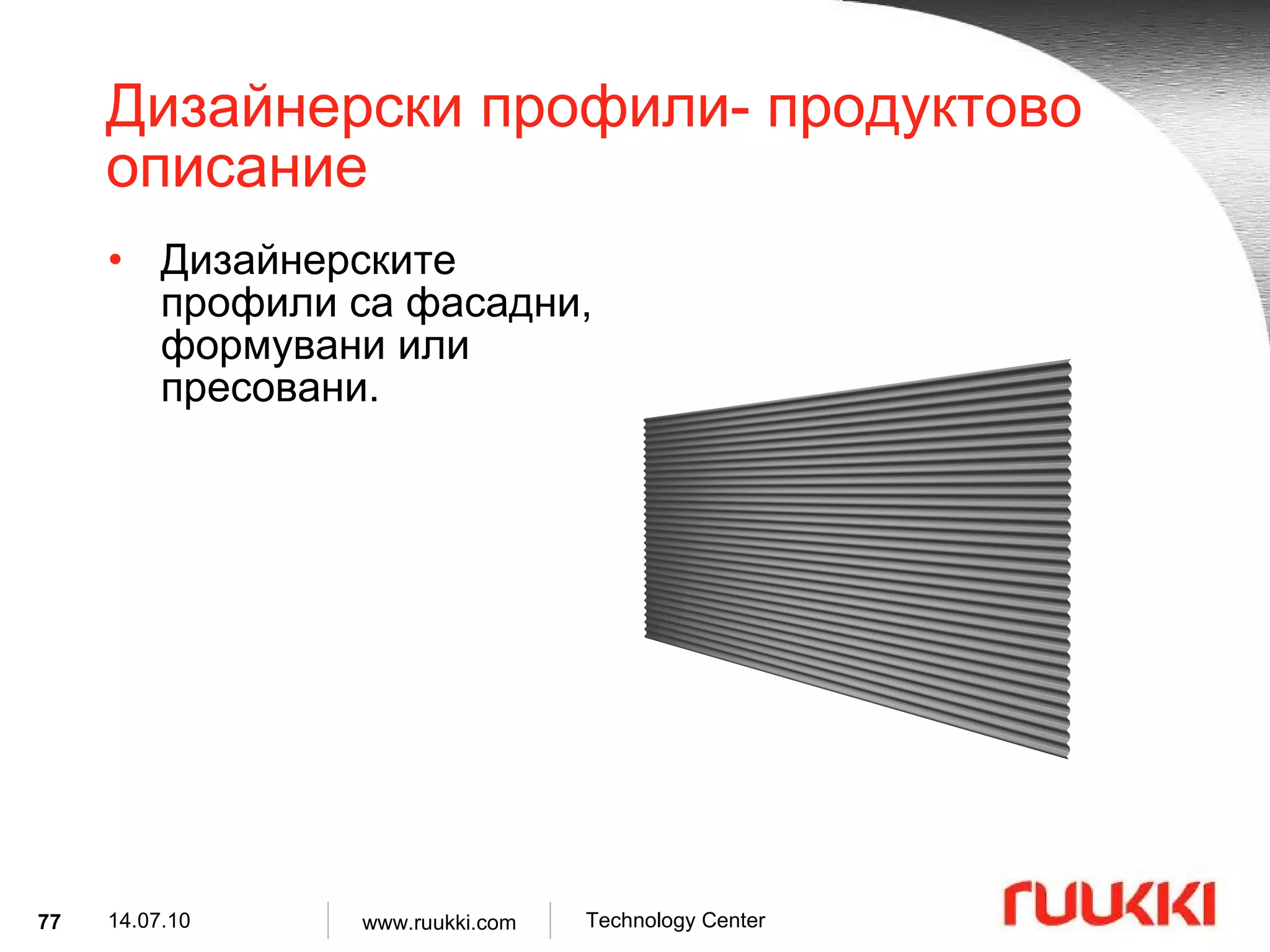
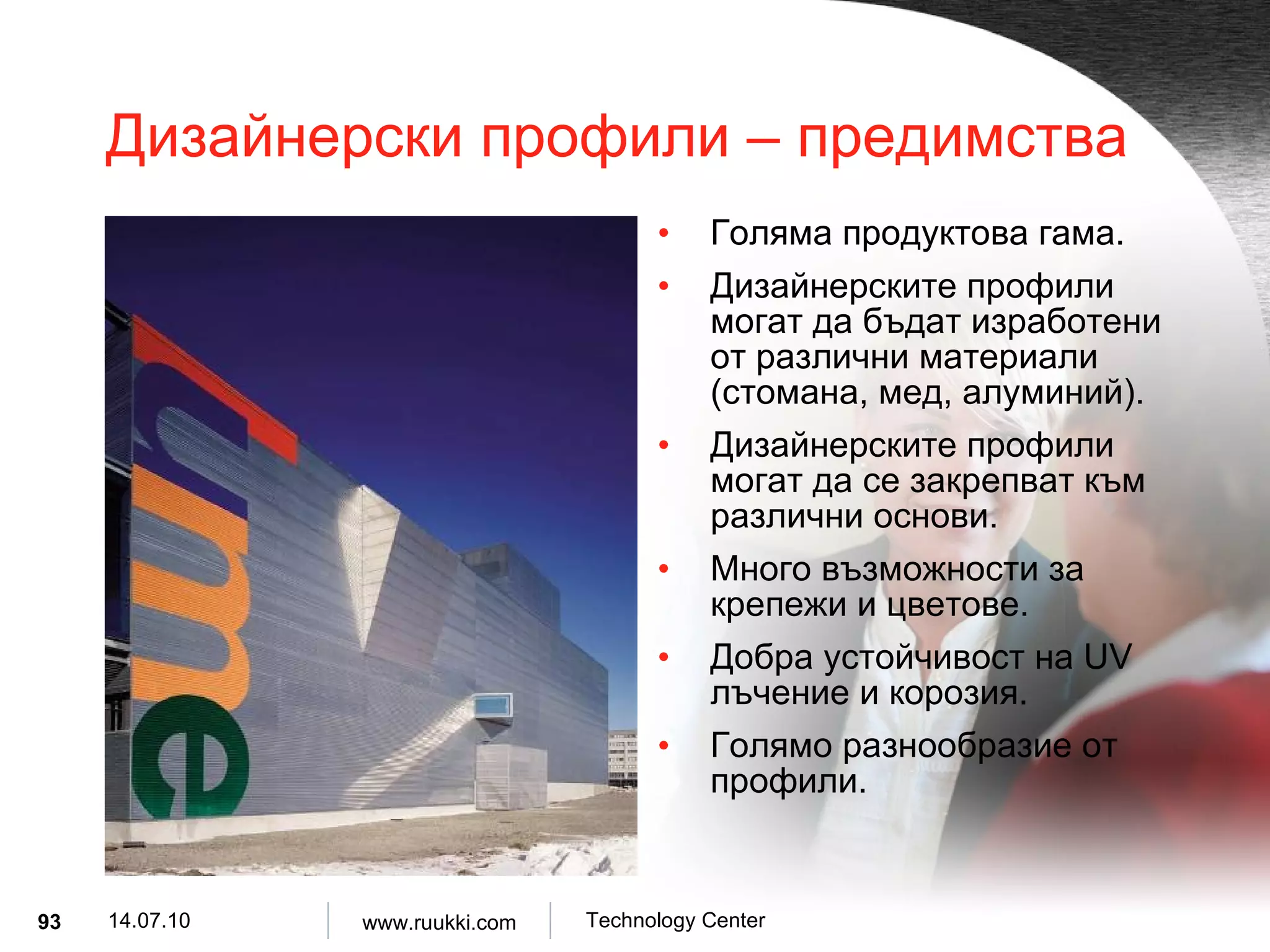
Дизайнерски профили – предимства Голяма продуктова гама . Дизайнерските профили могат да бъдат изработени от различни материали ( стомана, мед, алуминий ). Дизайнерските профили могат да се закрепват към различни основи . Много възможности за крепежи и цветове . Добра устойчивост на UV лъчение и корозия . Голямо разнообразие от профили .
94.
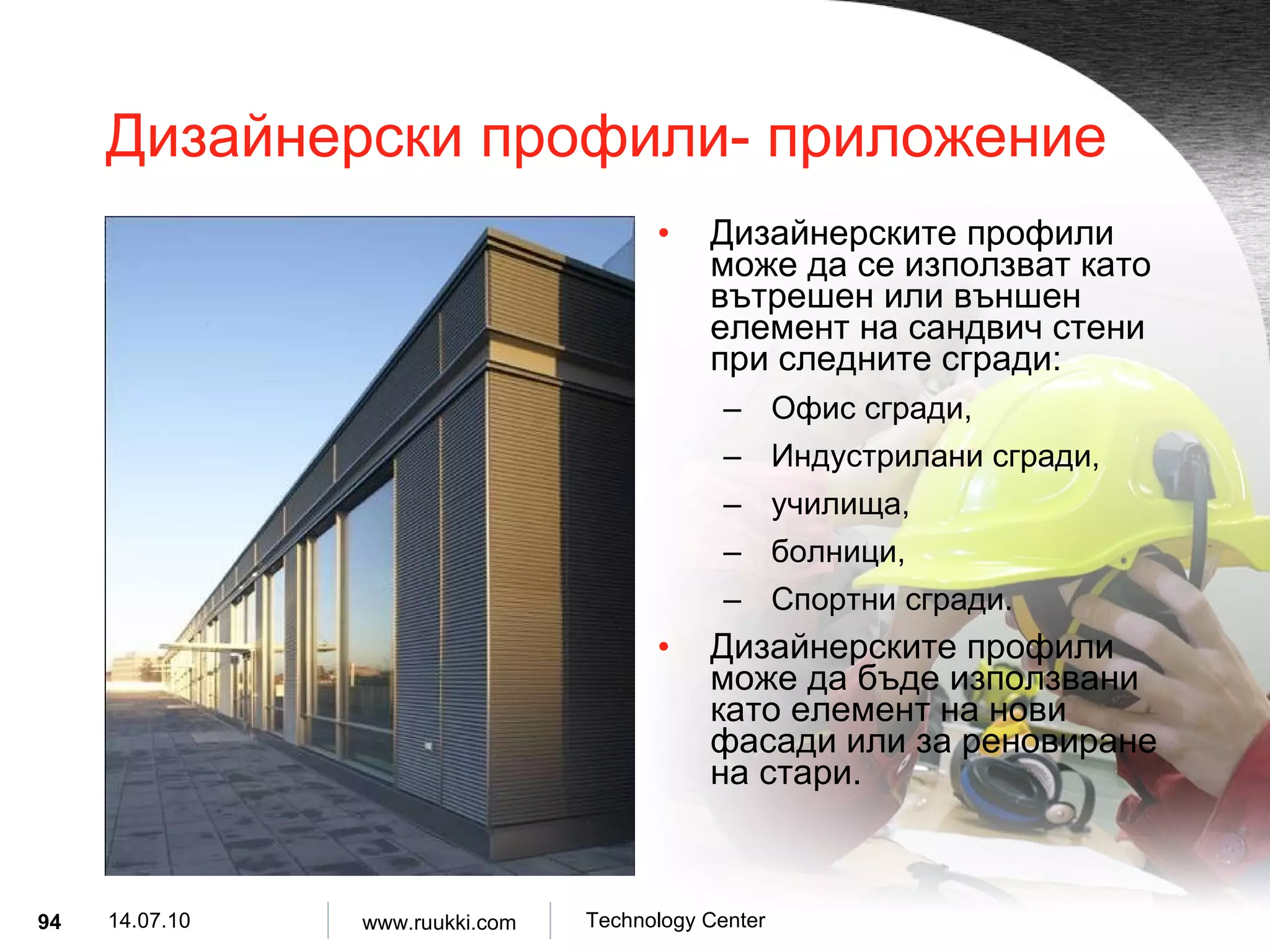
Дизайнерски профили- приложениеДизайнерските профили може да се използват като вътрешен или външен елемент на сандвич стени при следните сгради : Офис сгради , Индустрилани сгради , училища , болници , Спортни сгради . Дизайнерските профили може да бъде използвани като елемент на нови фасади или за реновиране на стари .
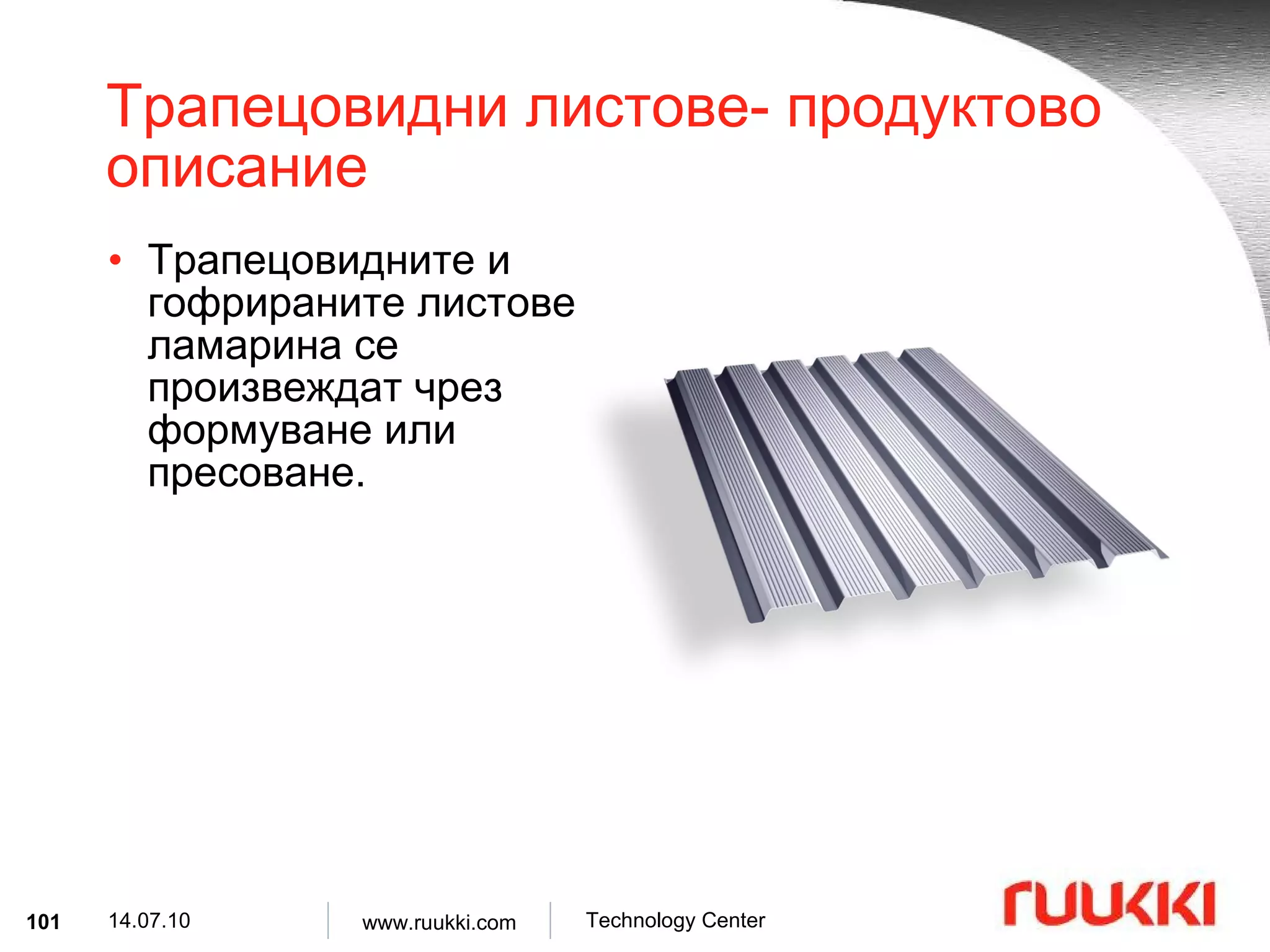
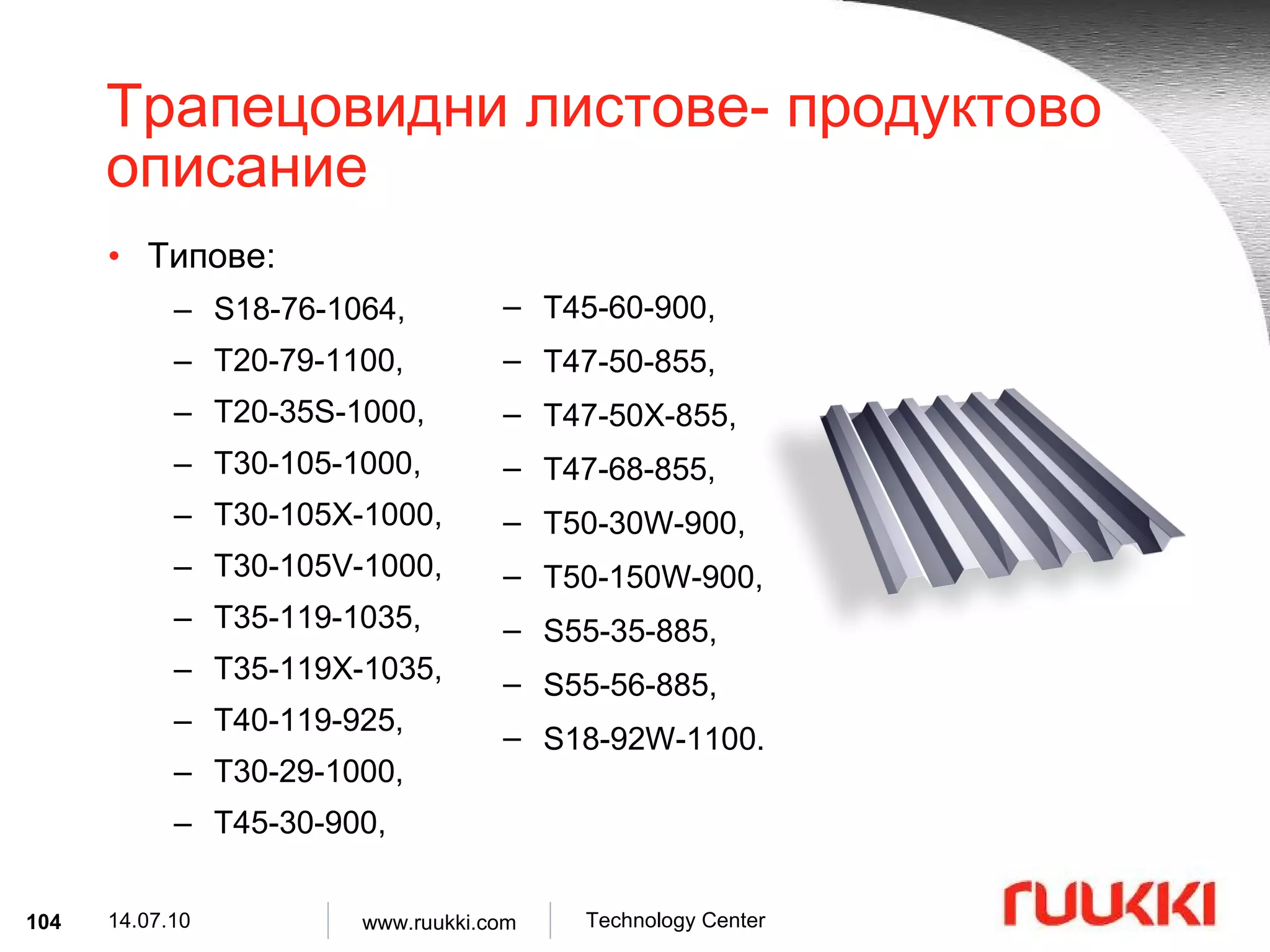
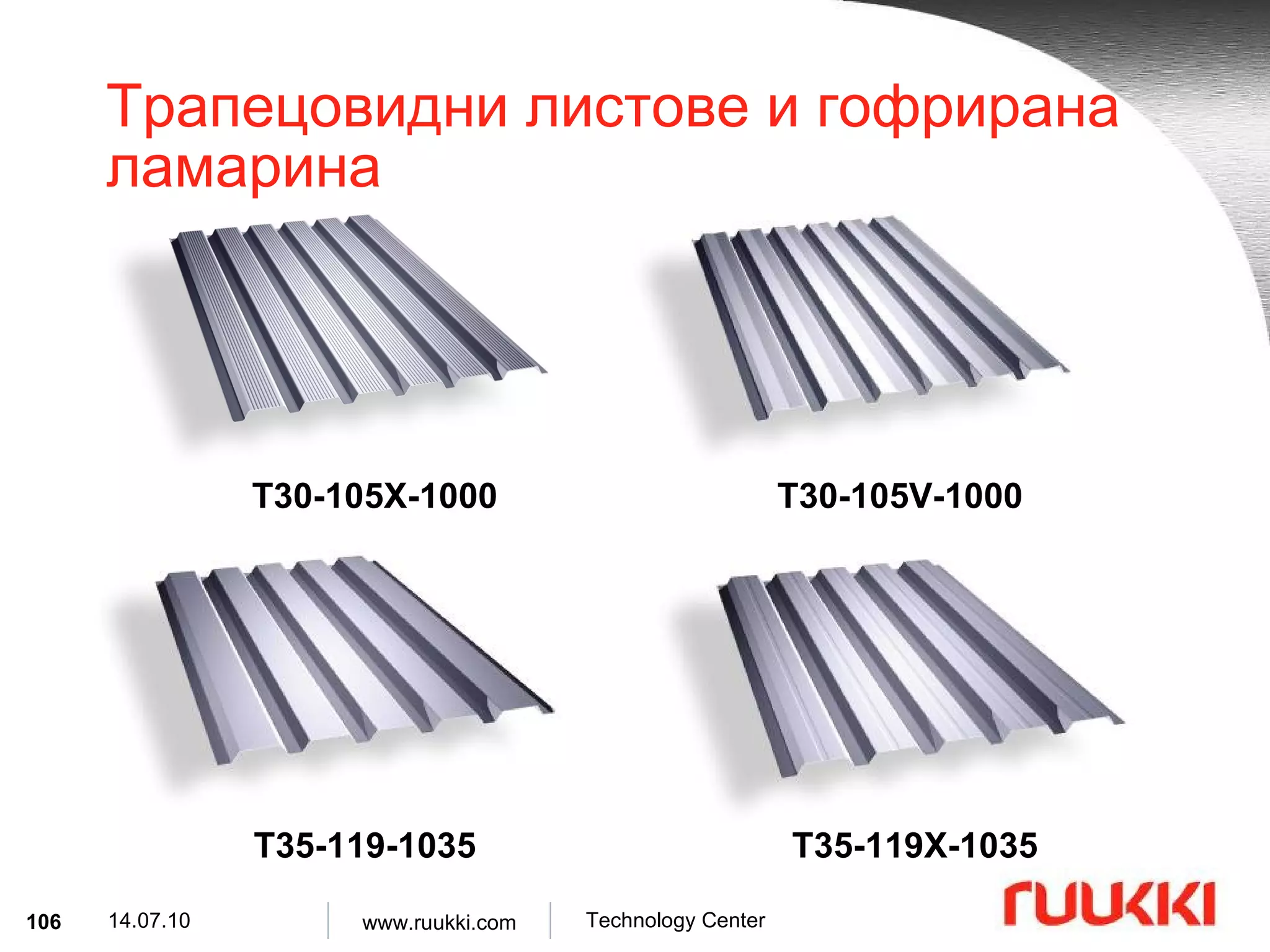
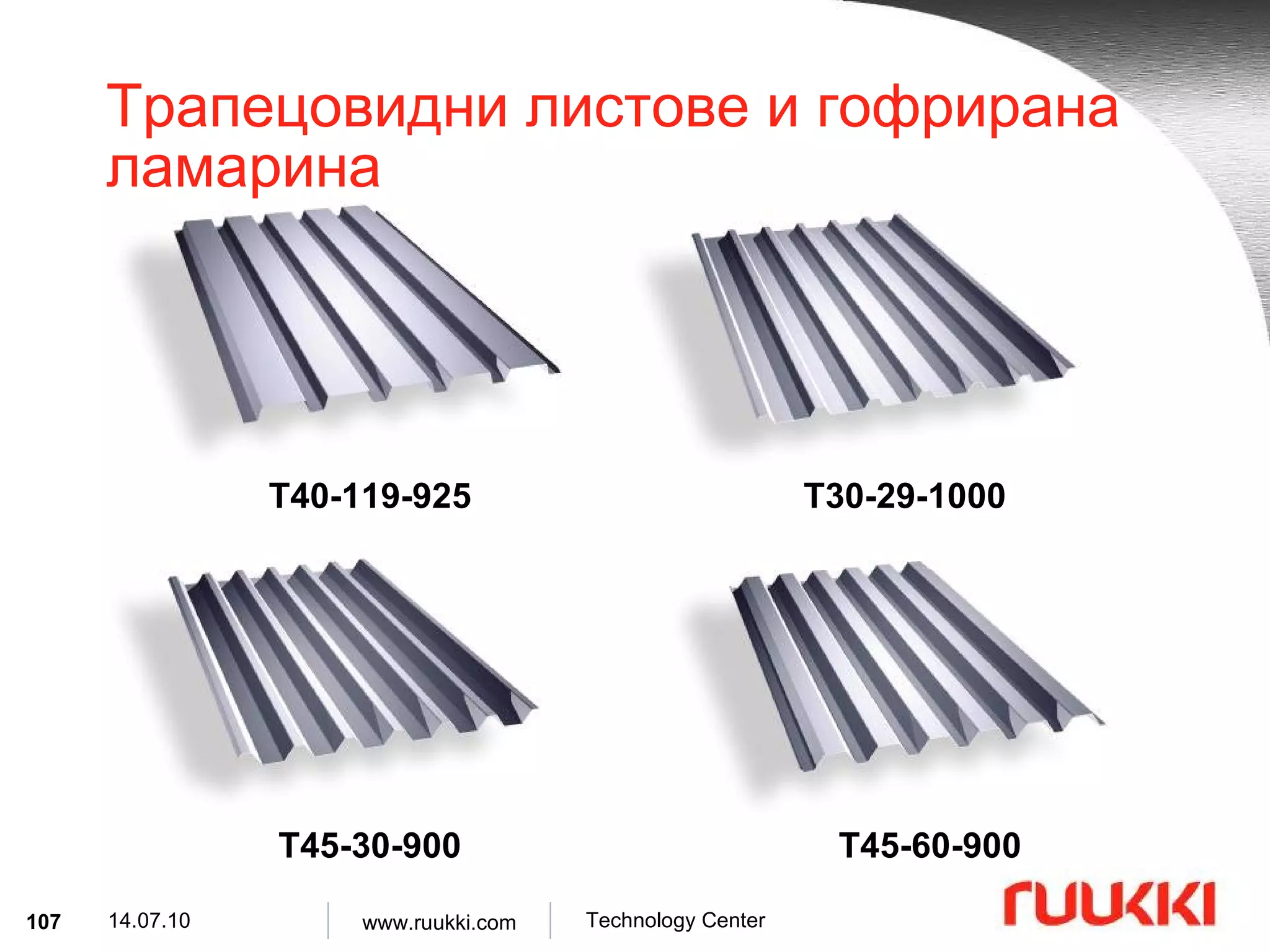
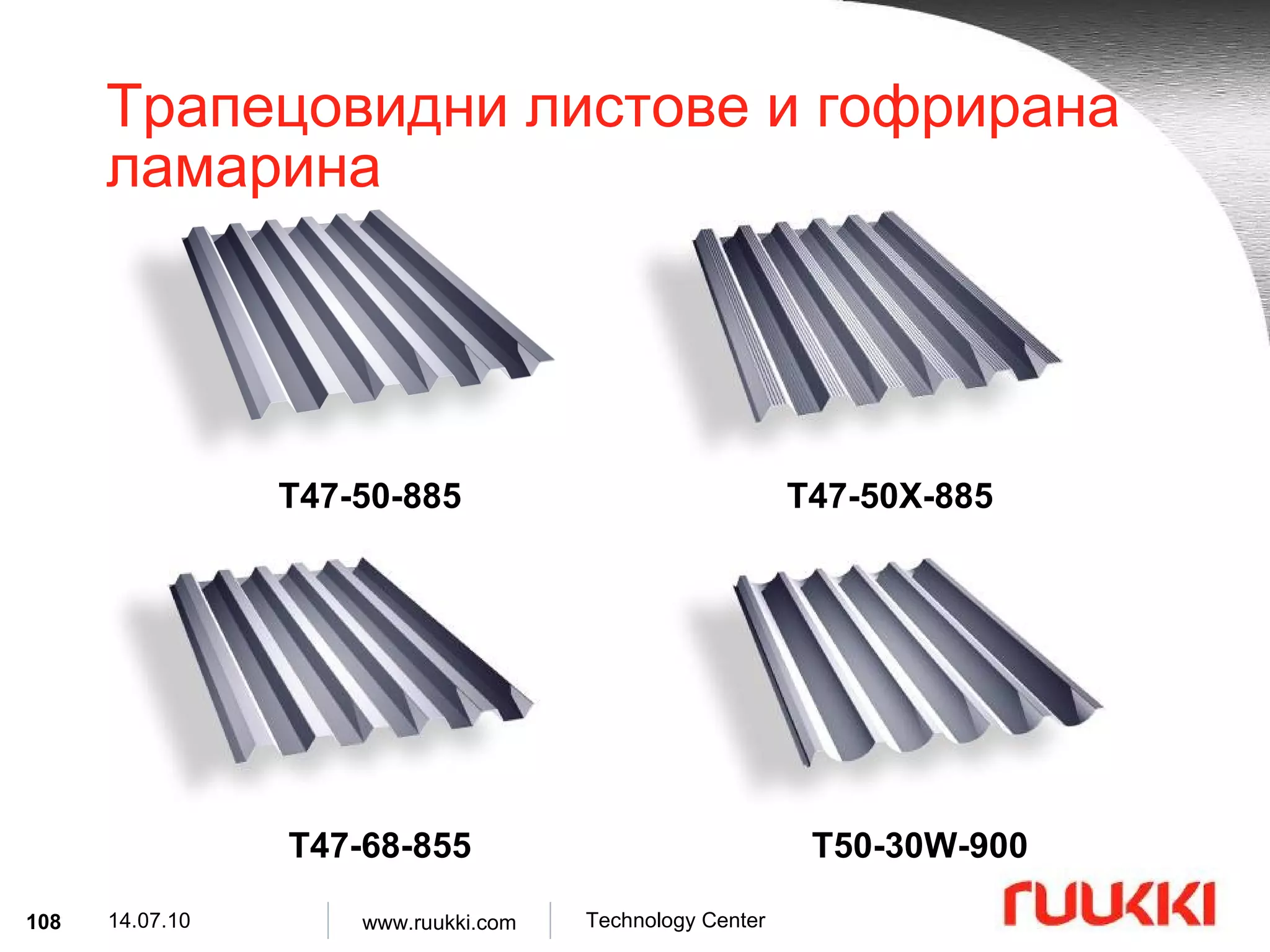
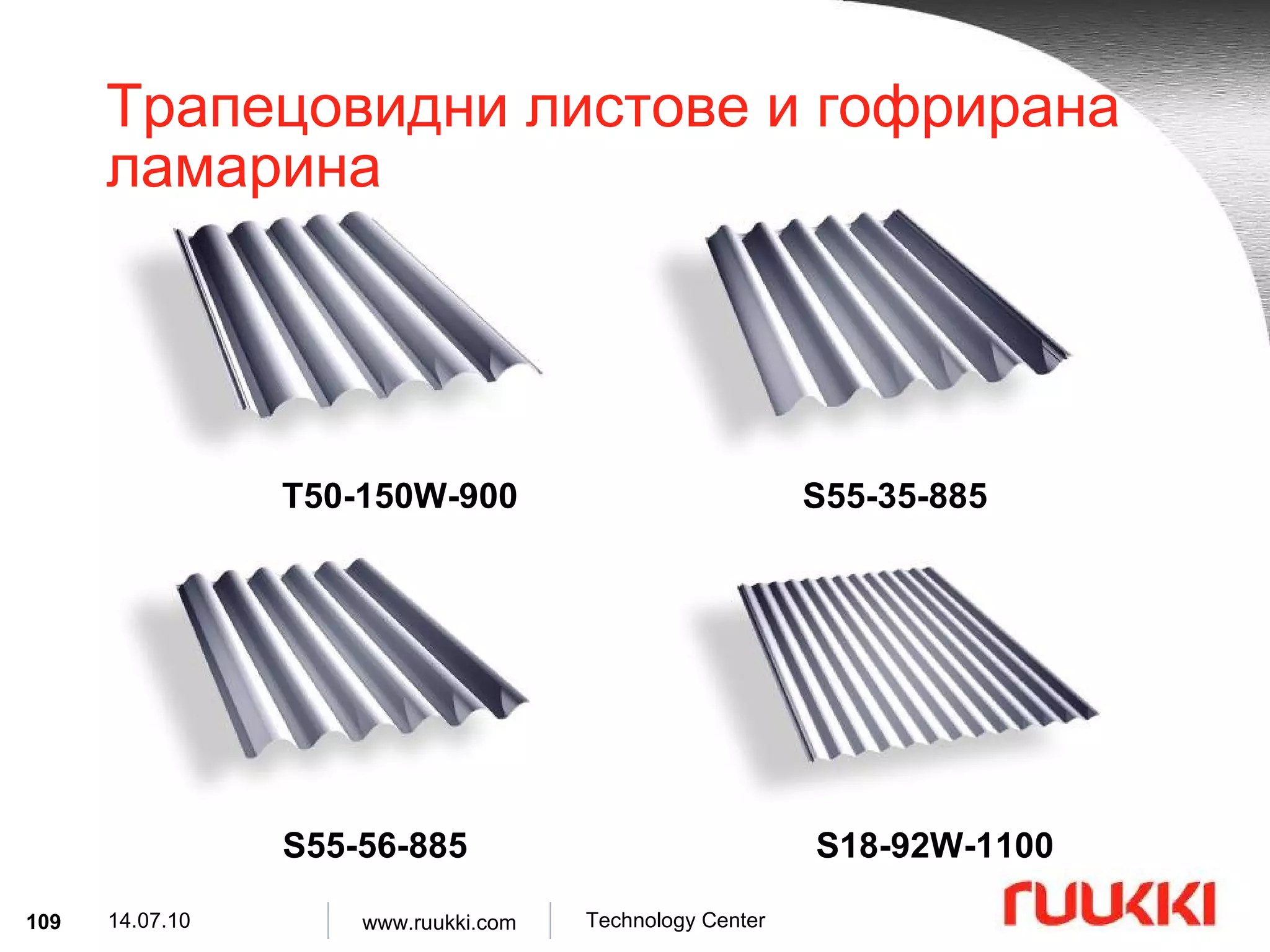
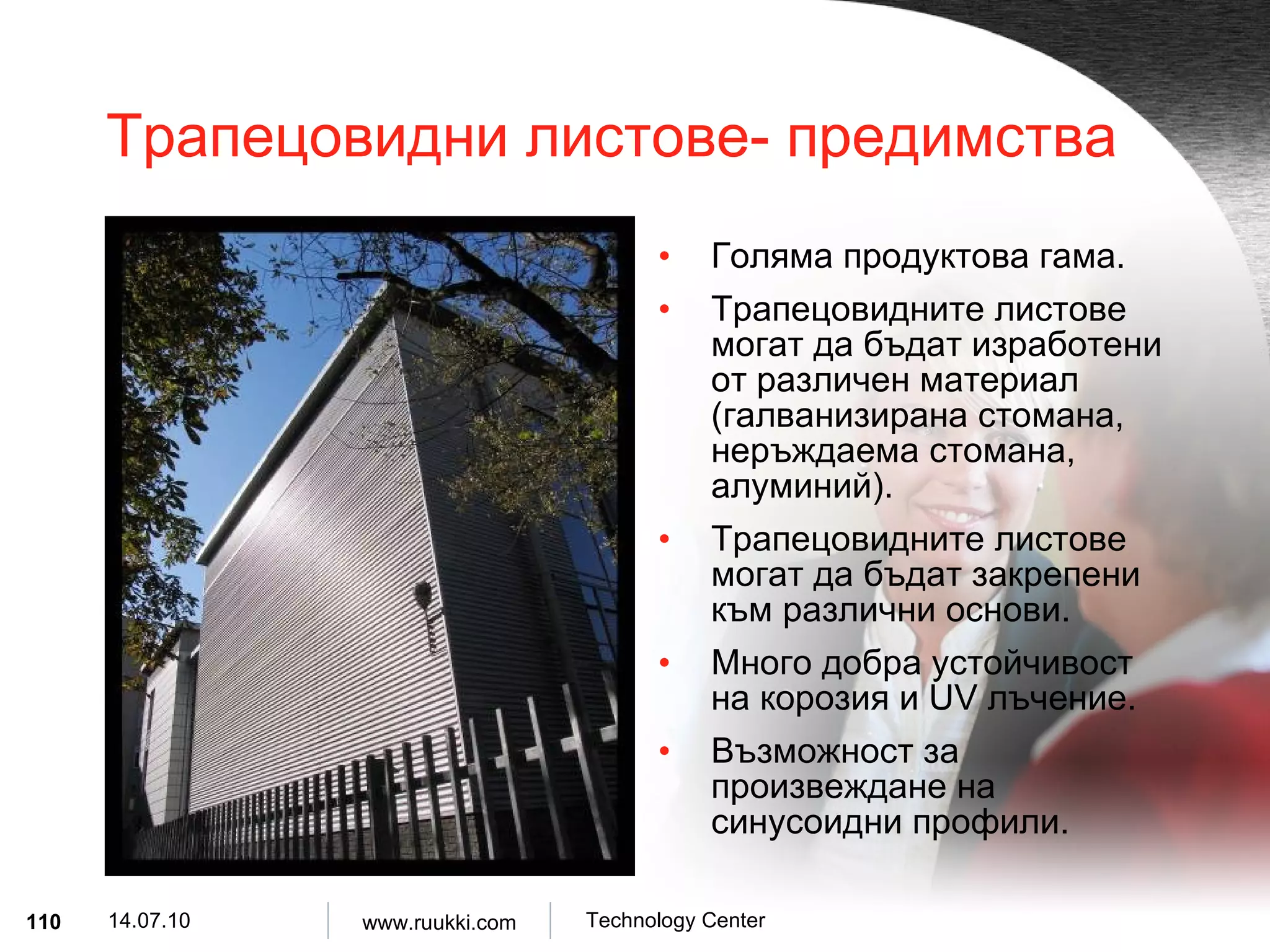
Трапецовидни листове- предимстваГоляма продуктова гама . Трапецовидните листове могат да бъдат изработени от различен материал ( галванизирана стомана , неръждаема стомана , алуминий ). Трапецовидните листове могат да бъдат закрепени към различни основи . Много добра устойчивост на корозия и UV лъчение . Възможност за произвеждане на синусоидни профили .
111.
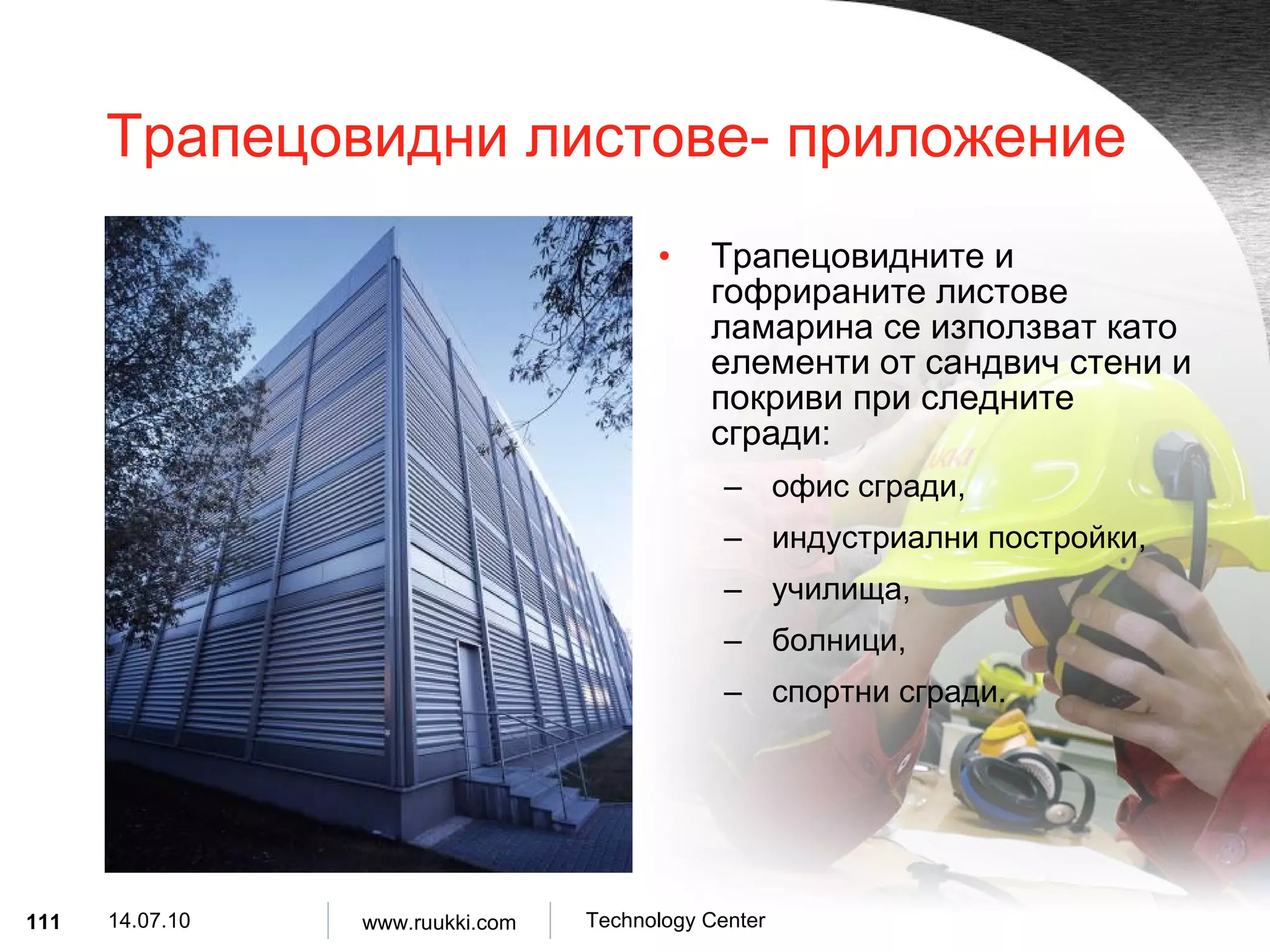
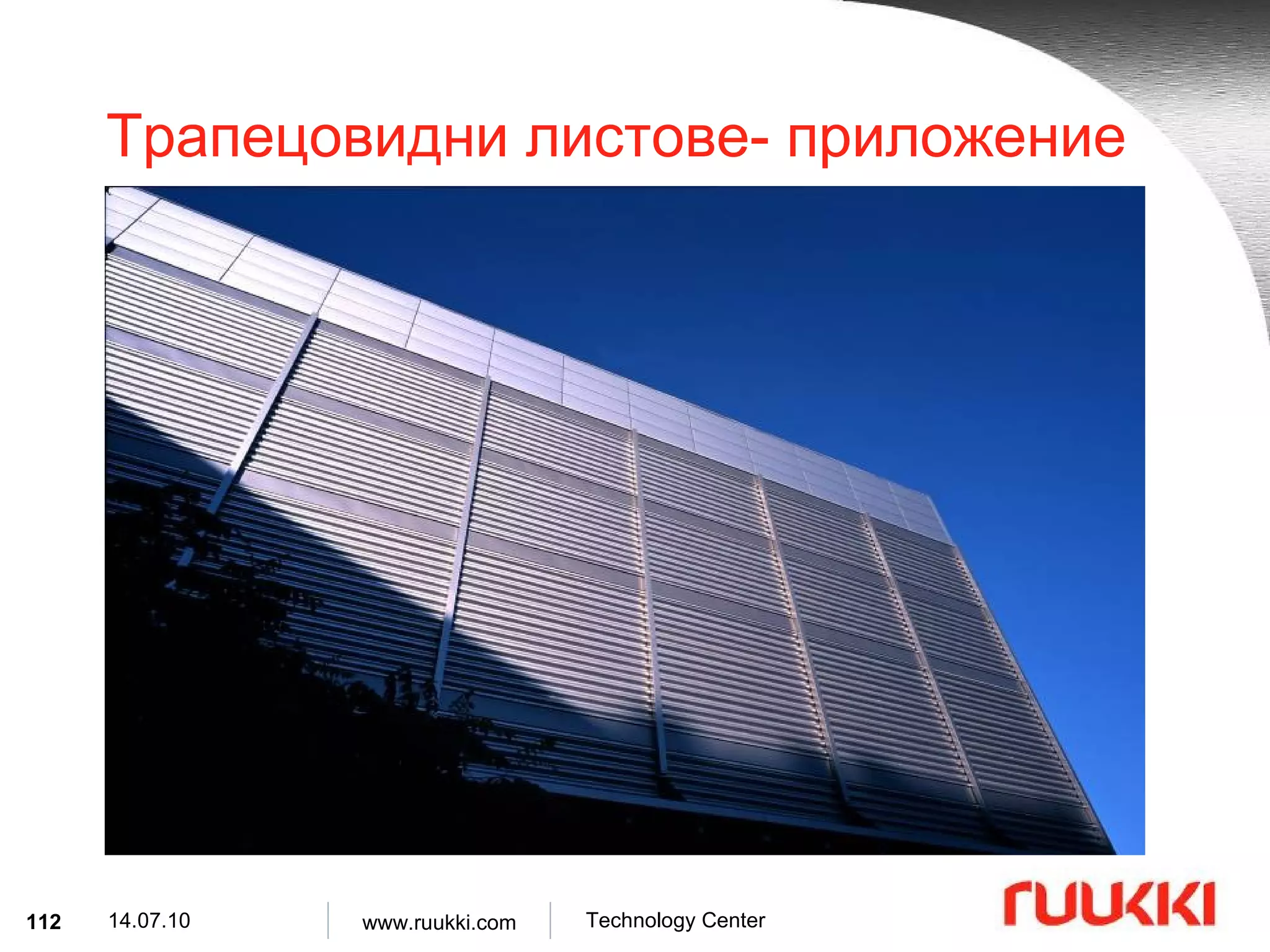
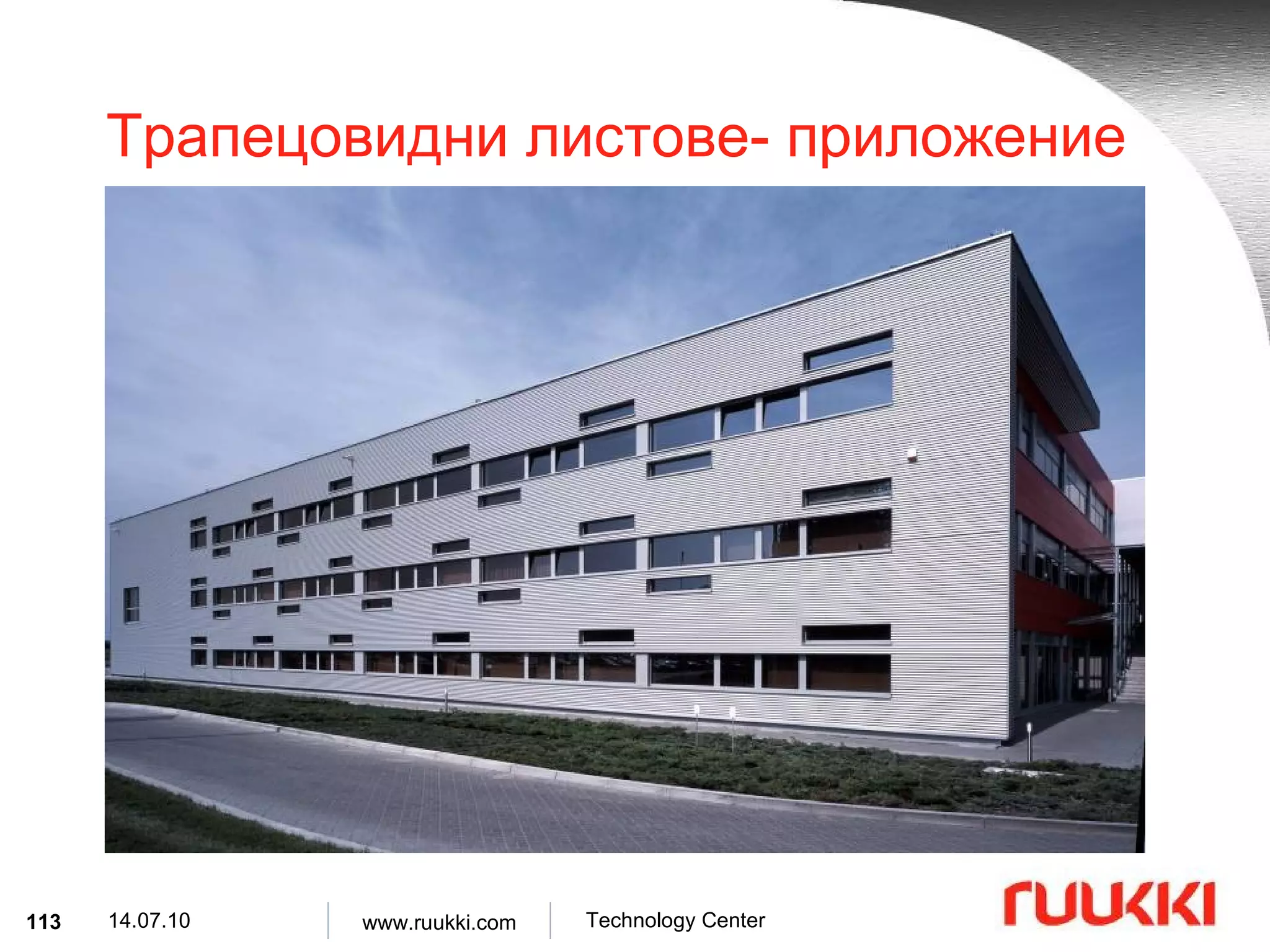
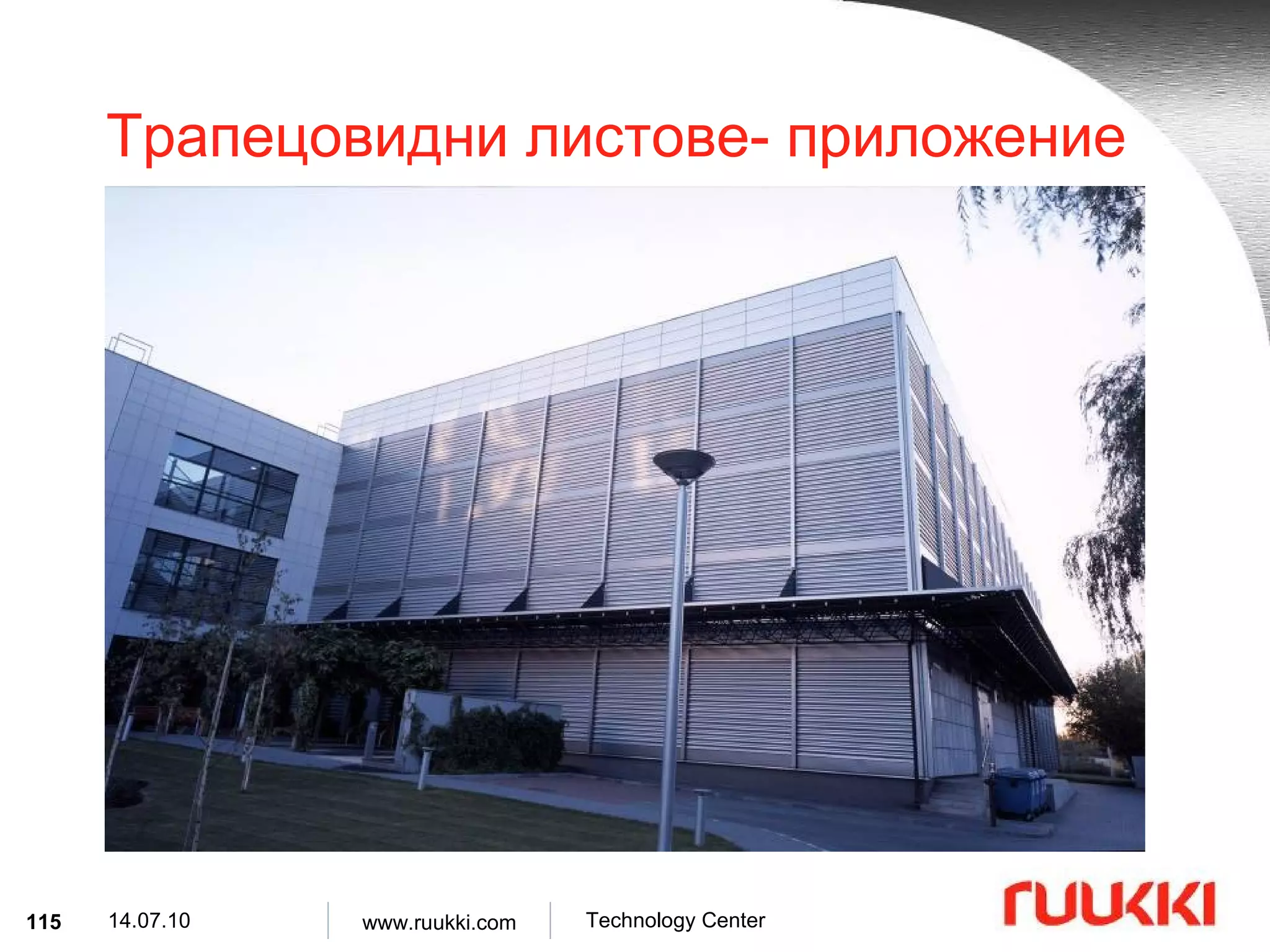
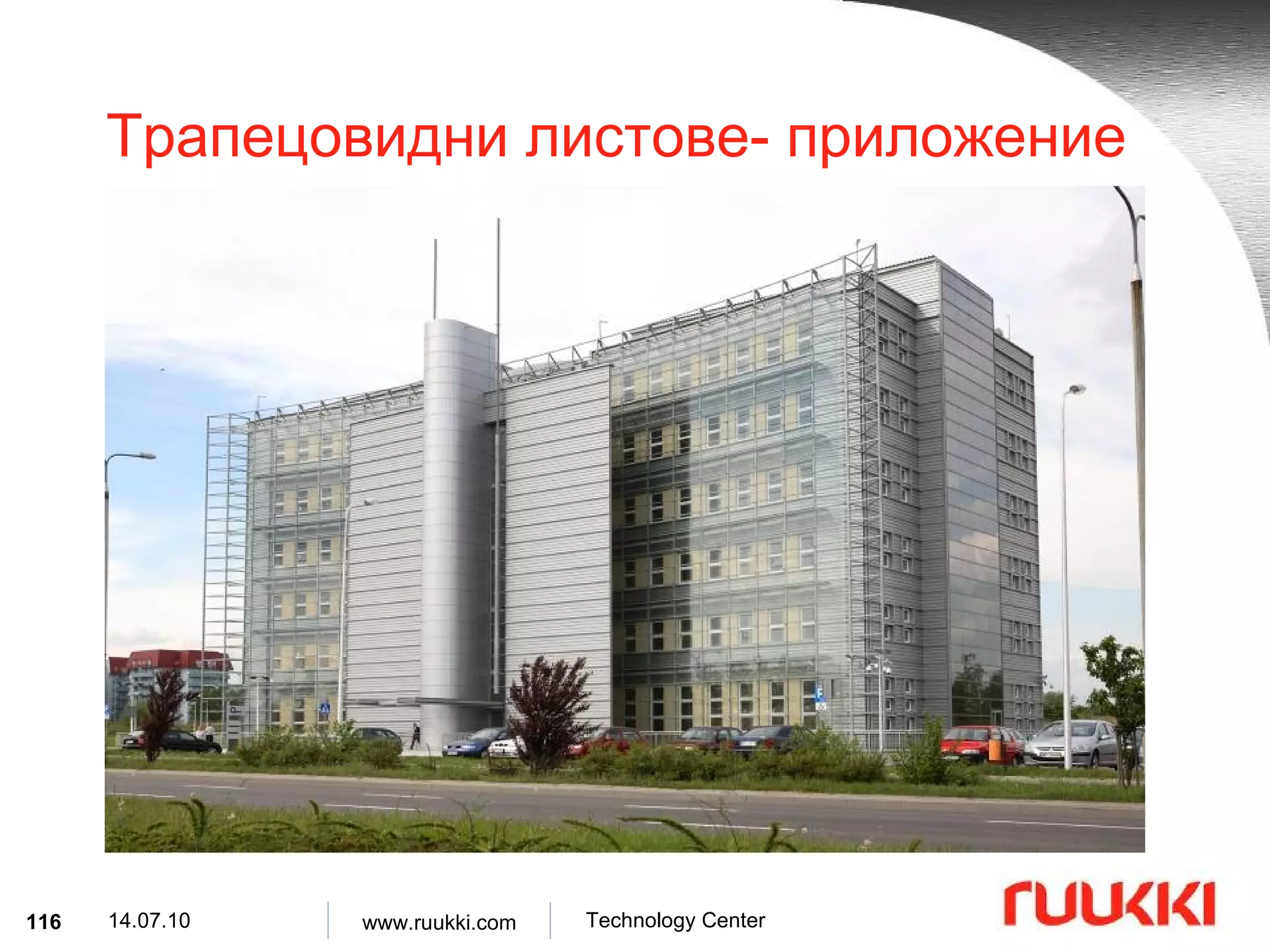
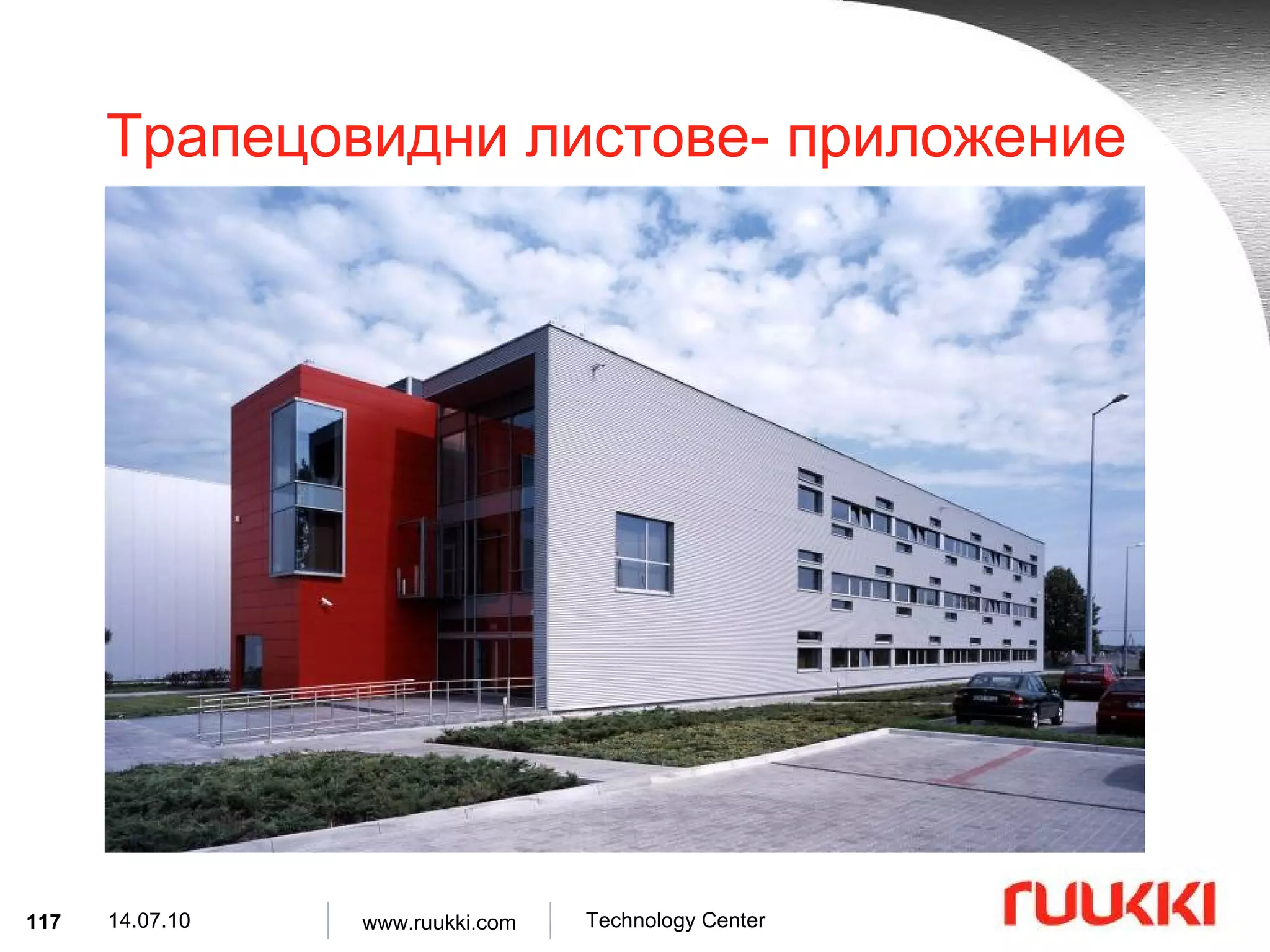
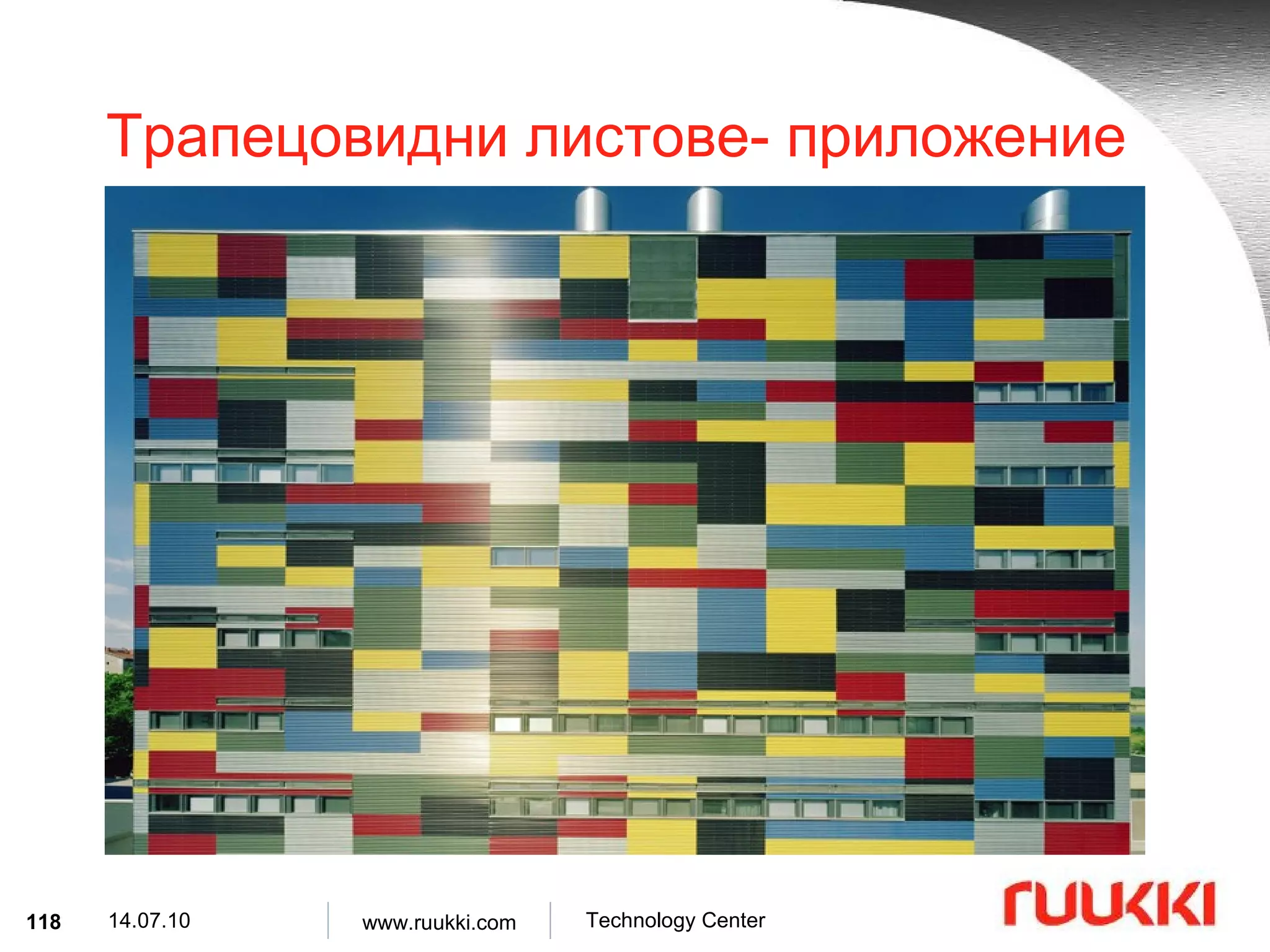
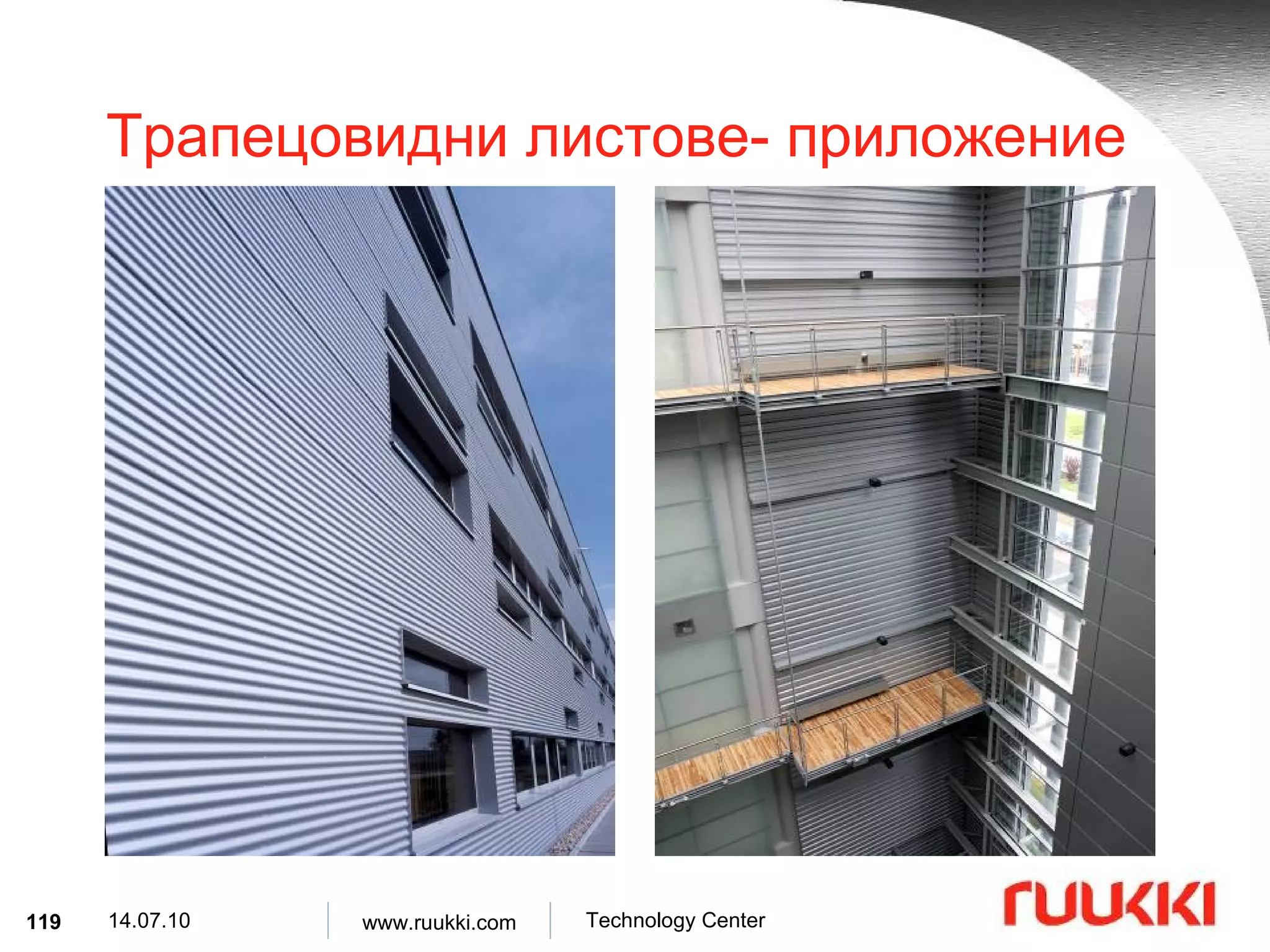
Трапецовидни листове- приложениеТрапецовидните и гофрираните листове ламарина се използват като елементи от сандвич стени и покриви при следните сгради : офис сгради , индустриални постройки , училища , болници , спортни сгради .
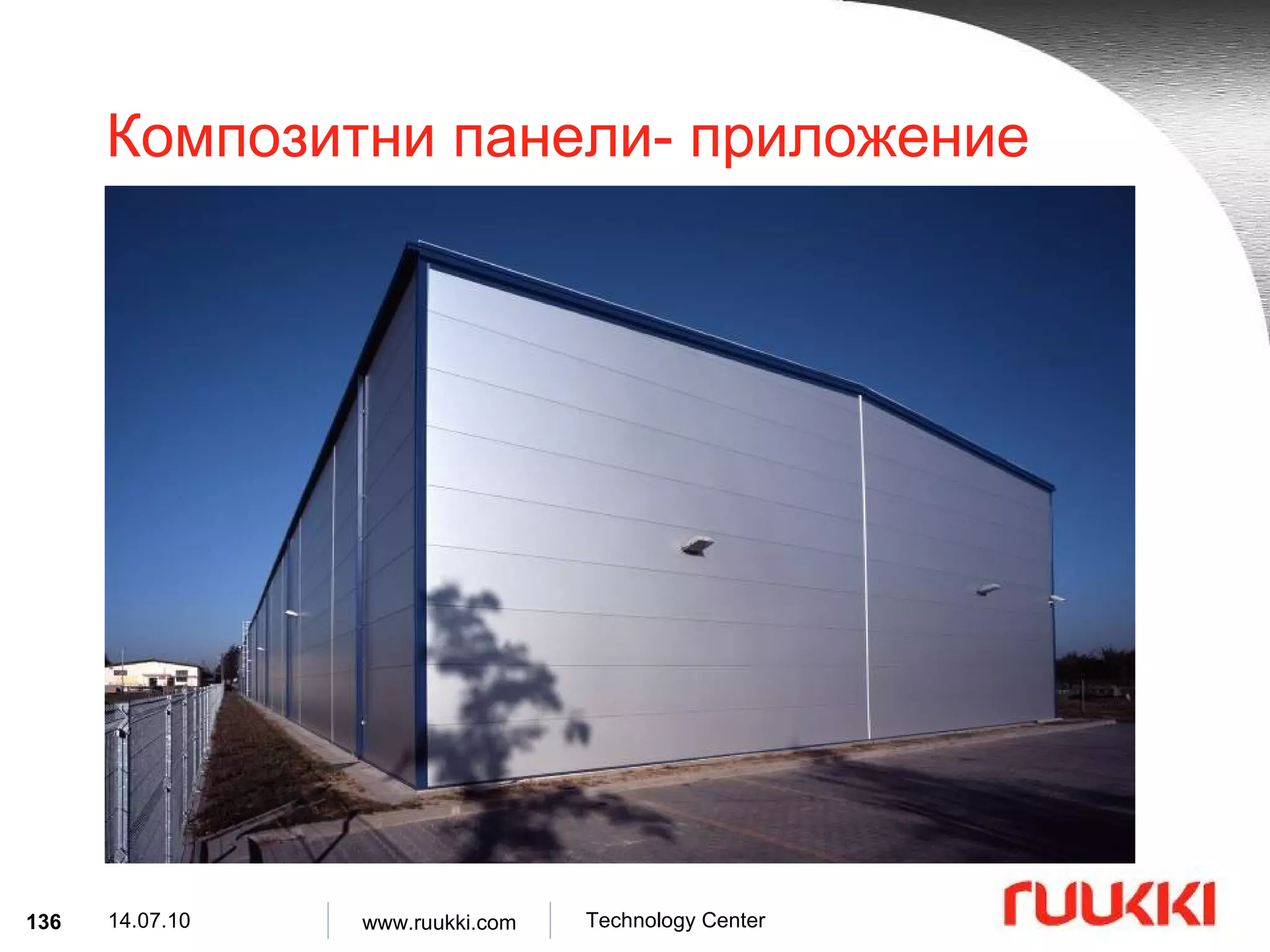
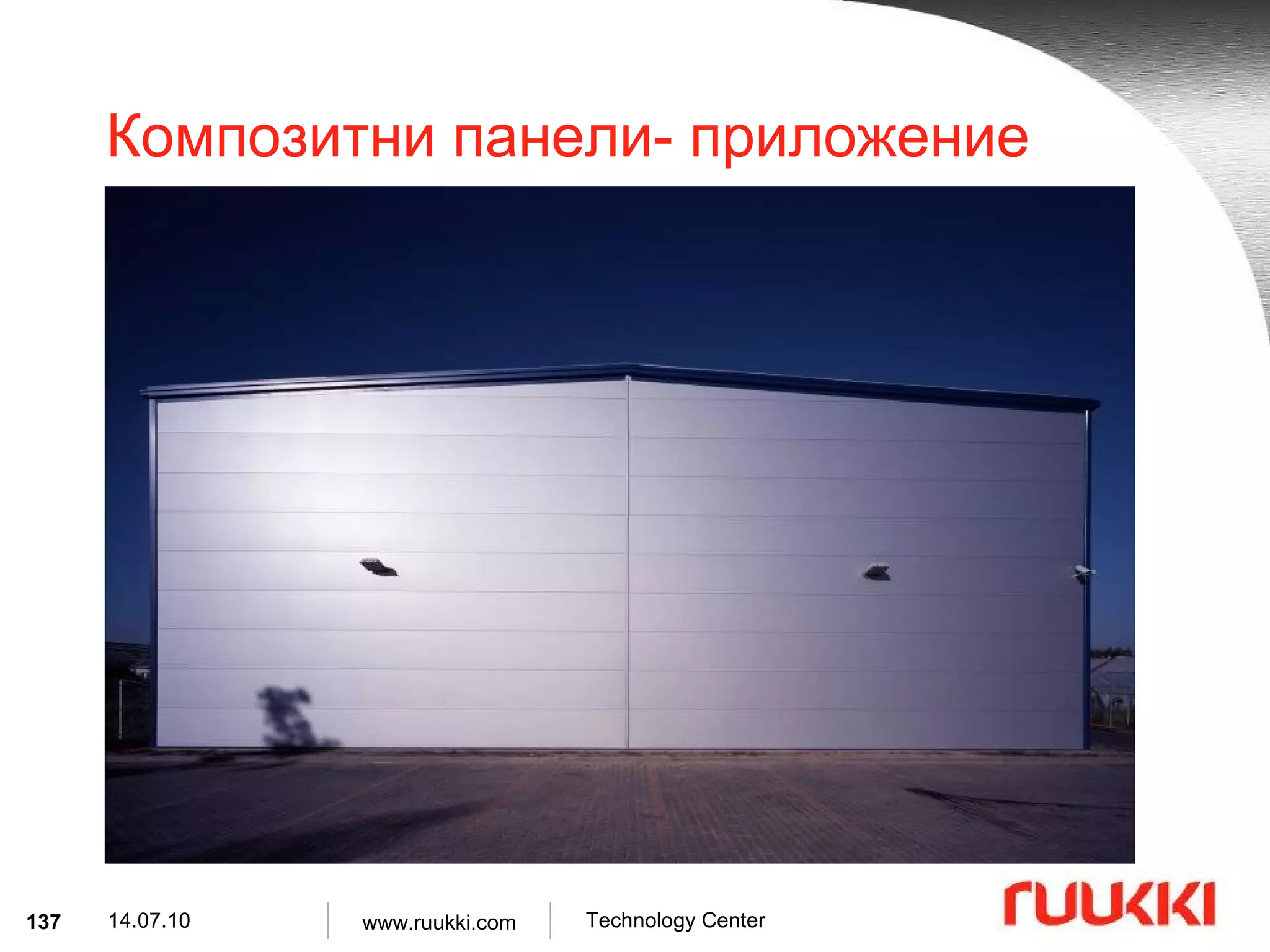
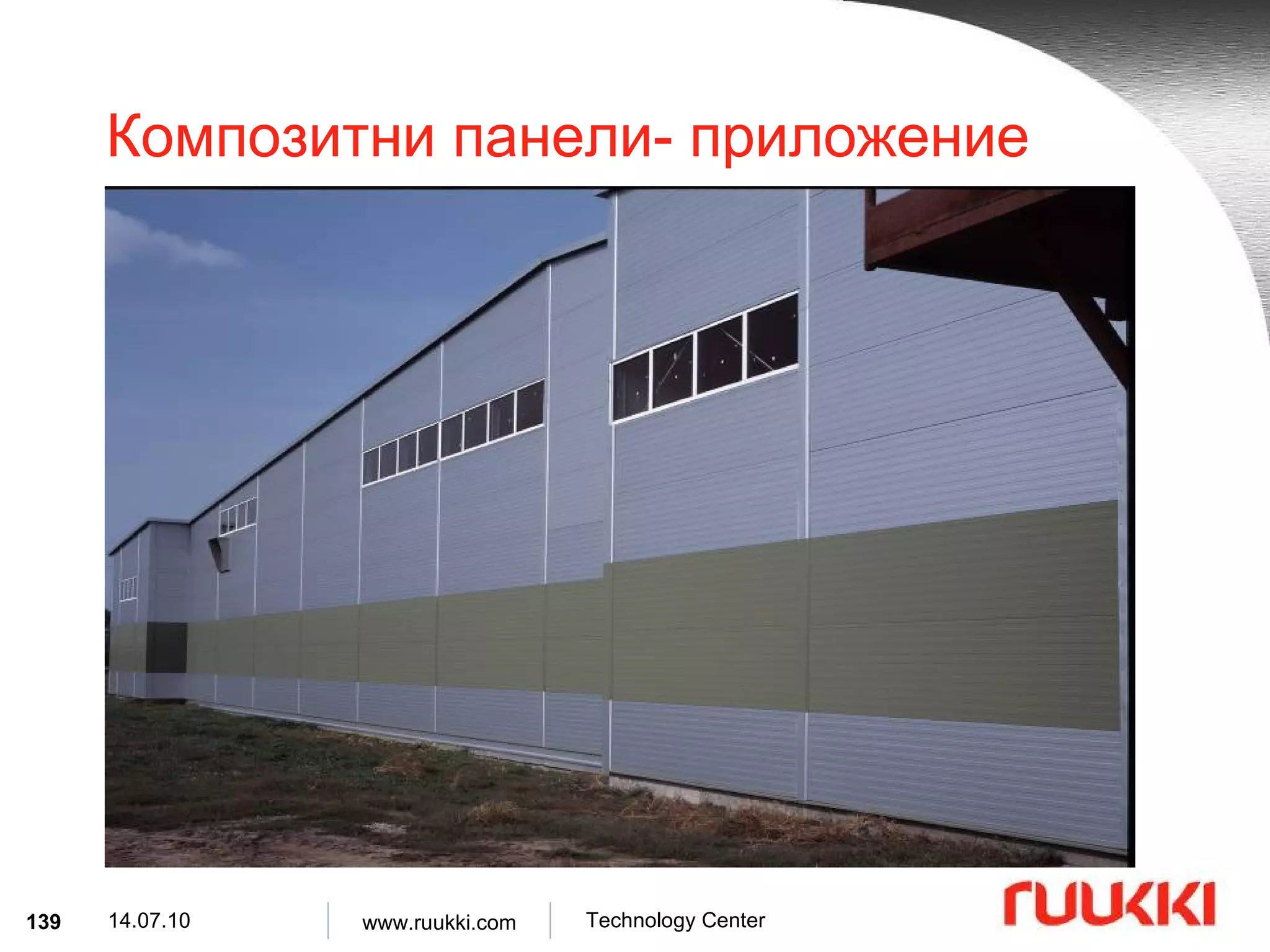
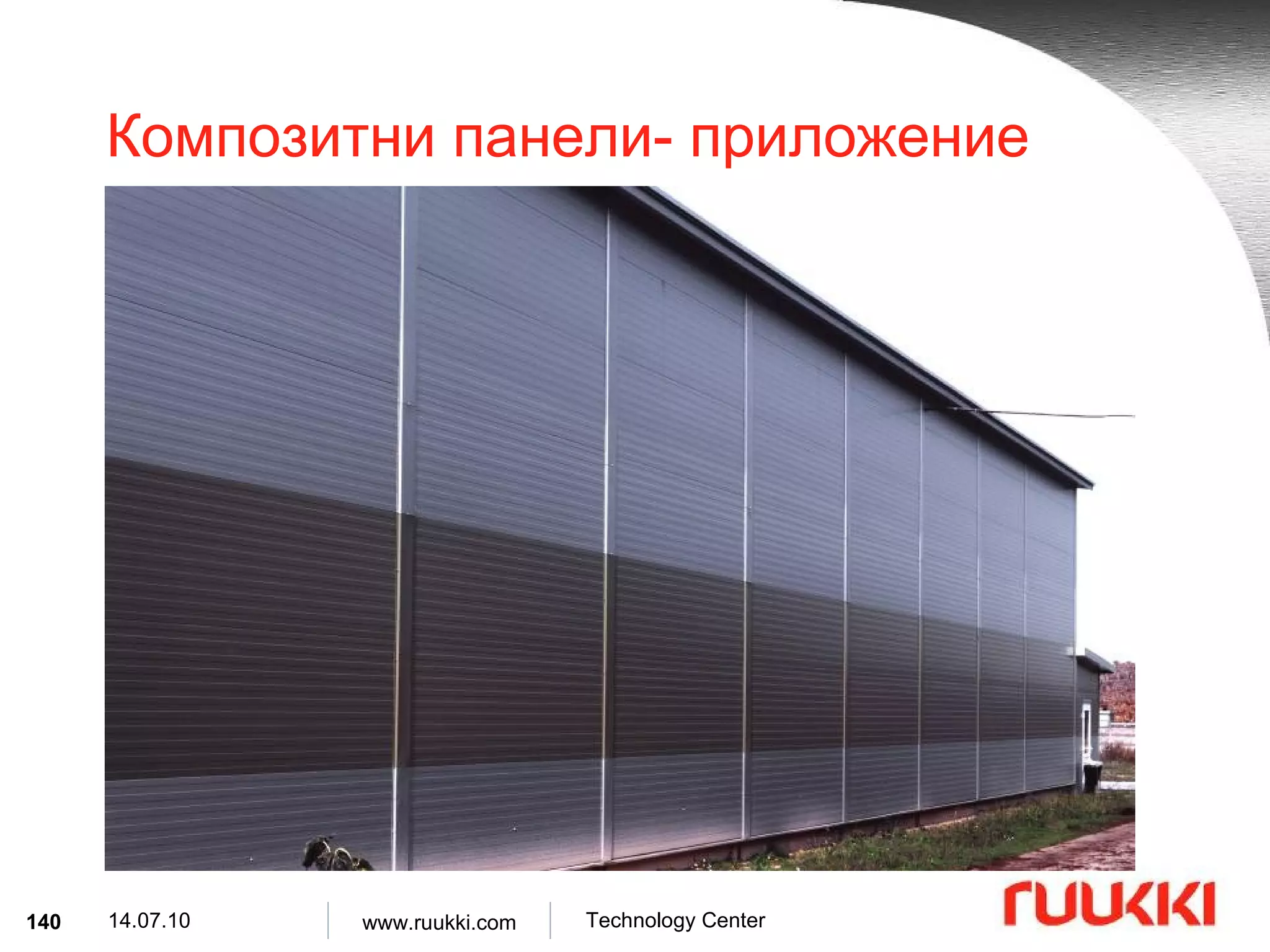
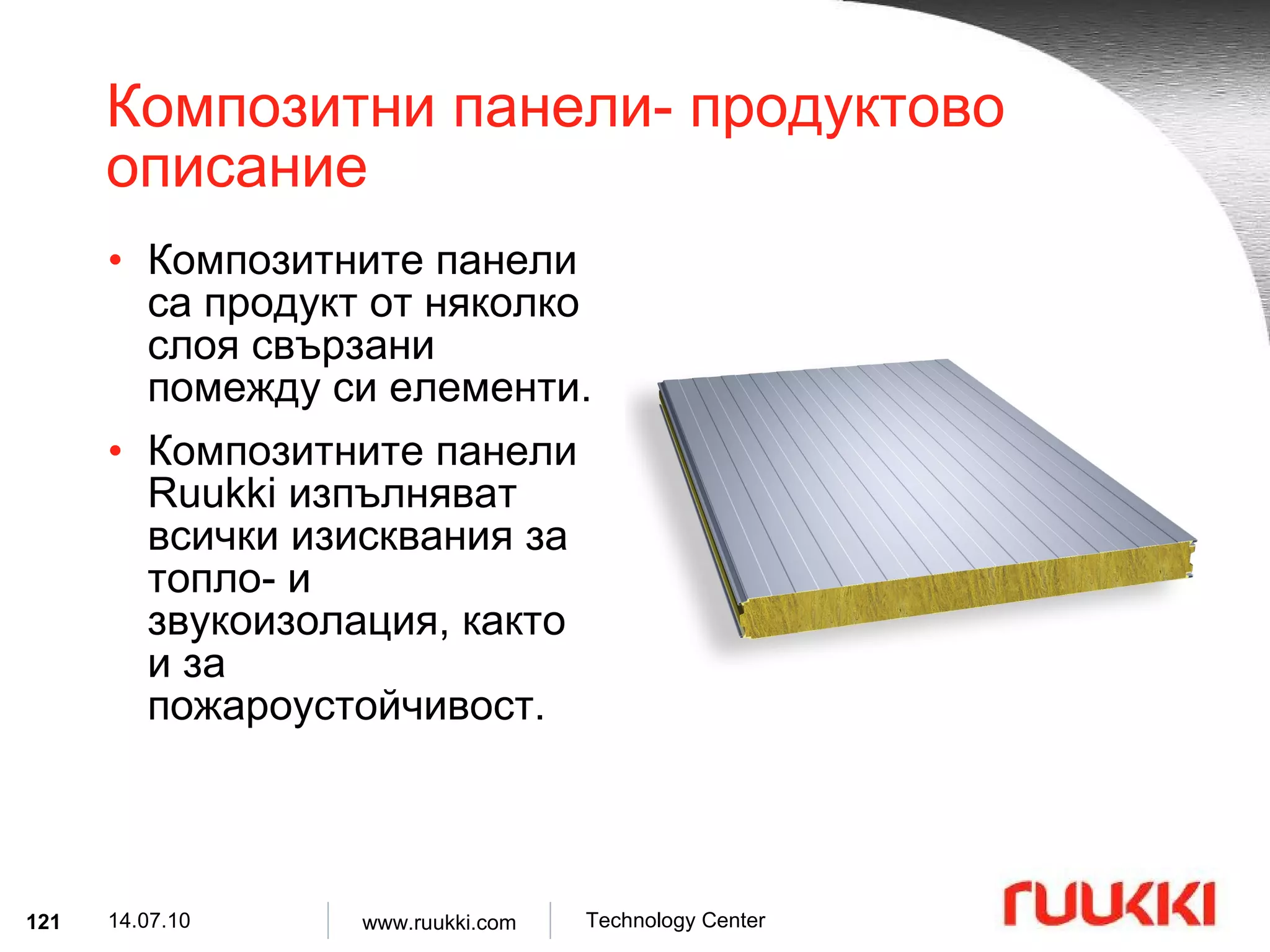
Композитни панели- продуктовоописание Композитните панели са продукт от няколко слоя свързани помежду си елементи . Композитните панели Ruukki изпълняват всички изисквания за топло- и звукоизолация, както и за пожароустойчивост.
122.
Композитни панели- продуктовоописание Компоненти : Стомана с цинково покритие S280GD, S320GD Неръждаема стомана X5CrNi18-10 Дебелина на материала : 0.50, 0.55, 0.60, 0.63 [mm] Ядро : Полиуретанова пяна PUR Полиизоциануратна пяна PIR Каменна вата MW
Композитни панели- продуктовоописание Типове : PUR MW Ruukki SPB W Ruukki SP2D W Ruukki SPC W Ruukki SP2B PU Ruukki SP2D PU Ruukki SP2E PU Ruukki SP2C PU
125.
Ruukki SP2B PU– структура L w D Външен и вътрешен слой ламарина Структурно ядро Полиуретаново уплътнение Алуминиево фолио 100 80 2000 ÷ 18500 L 1100 w 60 40 D [mm]
126.
Ruukki SP2D PU– структура L w D Външен и вътрешен слой ламарина Структурно ядро Полиуретаново уплътнение Алуминиево фолио 100 80 2000 ÷ 18500 L 1000 w 60 D [mm]
127.
Ruukki SP2E PU– структура L w D Външен и вътрешен слой ламарина Структурно ядро Канална сглобка Плътна свръзка 200 180 2000 ÷ 18500 L 1100 w 160 120 D [mm]
128.
Ruukki SP2C PU– структура L w D Външен и вътрешен слой ламарина Структурно ядро Полиуретаново уплътнение Алуминиево фолио 100 80 2000 ÷ 21000 L 1000 w 60 40 D [mm]
129.
Ruukki SPB W– структура L w D Външен и вътрешен слой ламарина Структурно ядро Канална сглобка Плътна свръзка 140 120 2000 ÷ 12000 L 1000 / 1100 w 100 80* D [mm]
130.
Ruukki SP2D W– структура L w D Външен и вътрешен слой ламарина Структурно ядро Канална сглобка Плътна свръзка 2000 ÷ 12000 L 1000 w 120 100 D [mm]
131.
Ruukki SPC W– структура L w D Външен и вътрешен слой ламарина Структурно ядро Канална сглобка Плътна свръзка Mineral wool hump 2000 ÷ 12000 L 1000 w 150 100 D [mm]
132.
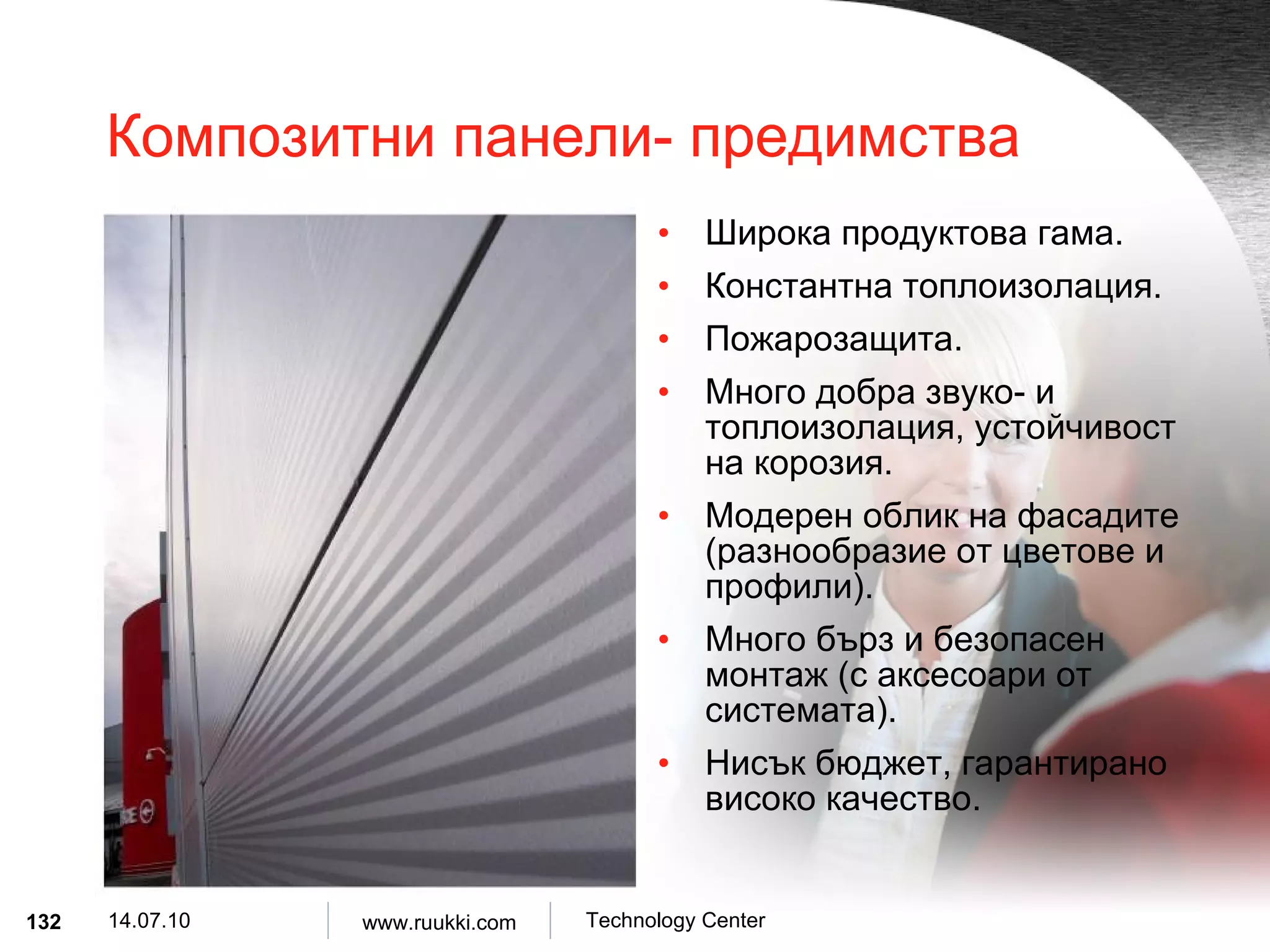
Композитни панели- предимстваШирока продуктова гама . Константна топлоизолация . Пожарозащита . Много добра звуко- и топлоизолация, устойчивост на корозия . Модерен облик на фасадите ( разнообразие от цветове и профили ). Много бърз и безопасен монтаж ( с аксесоари от системата ). Нисък бюджет, гарантирано високо качество .
133.
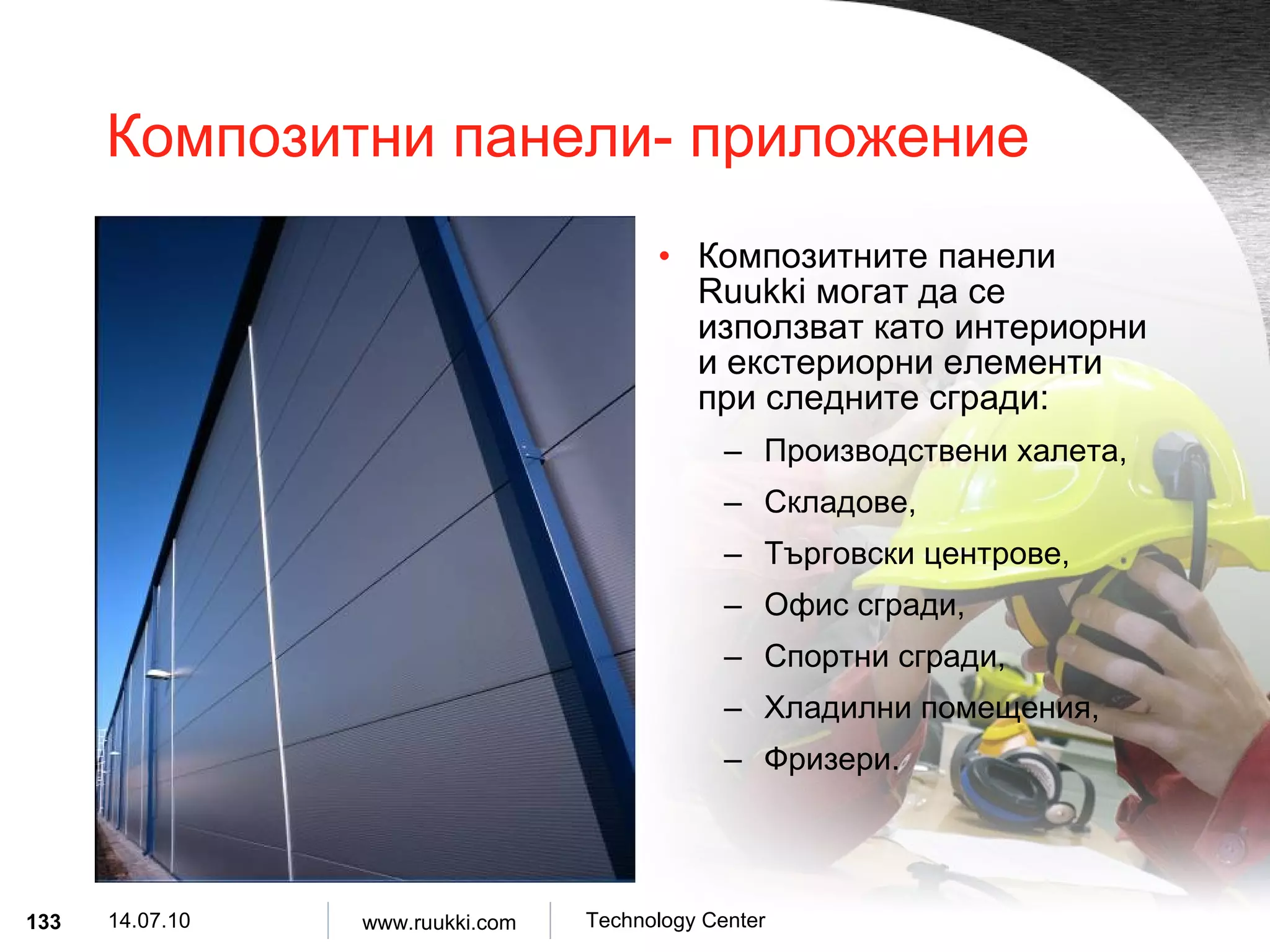
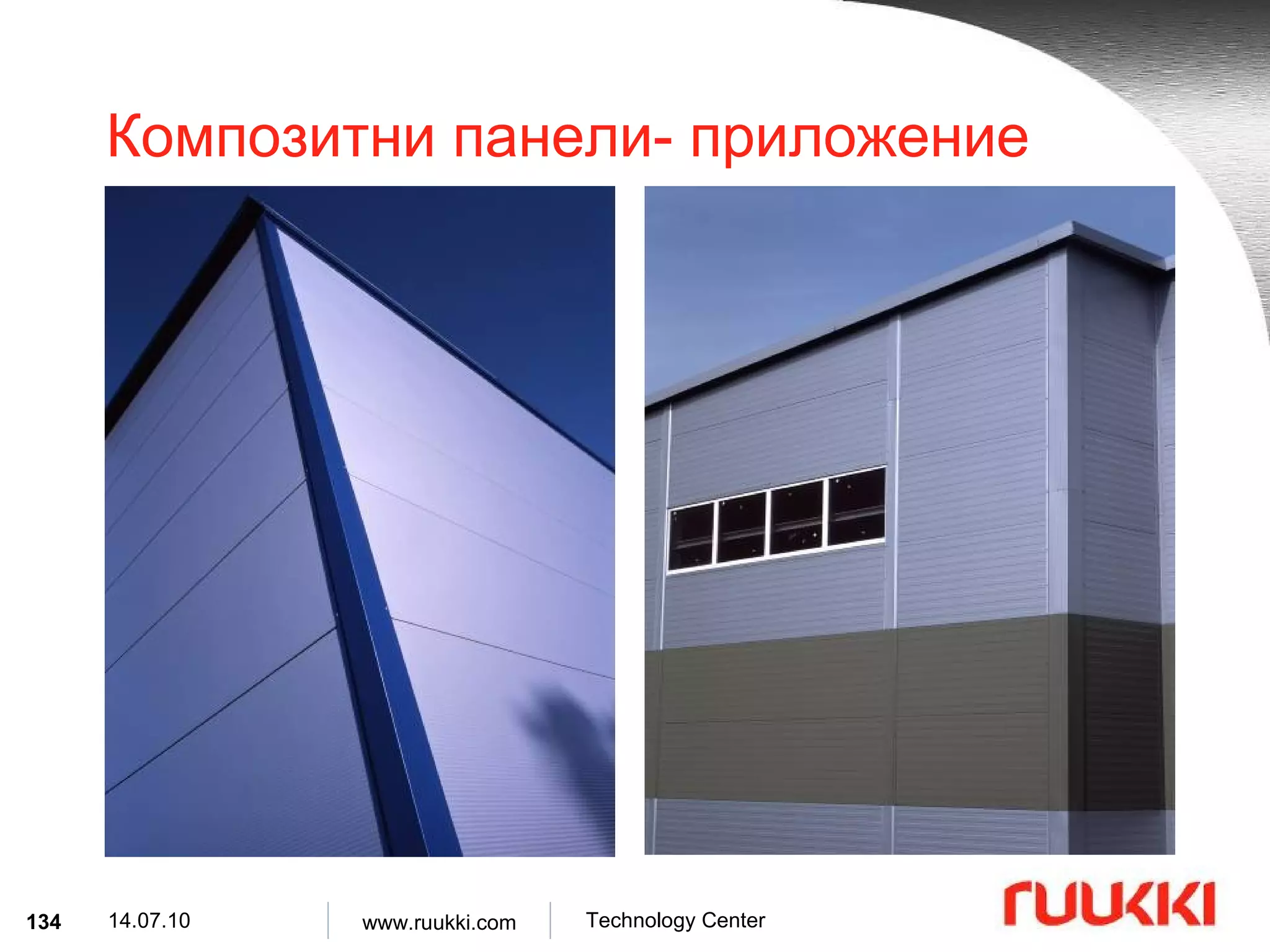
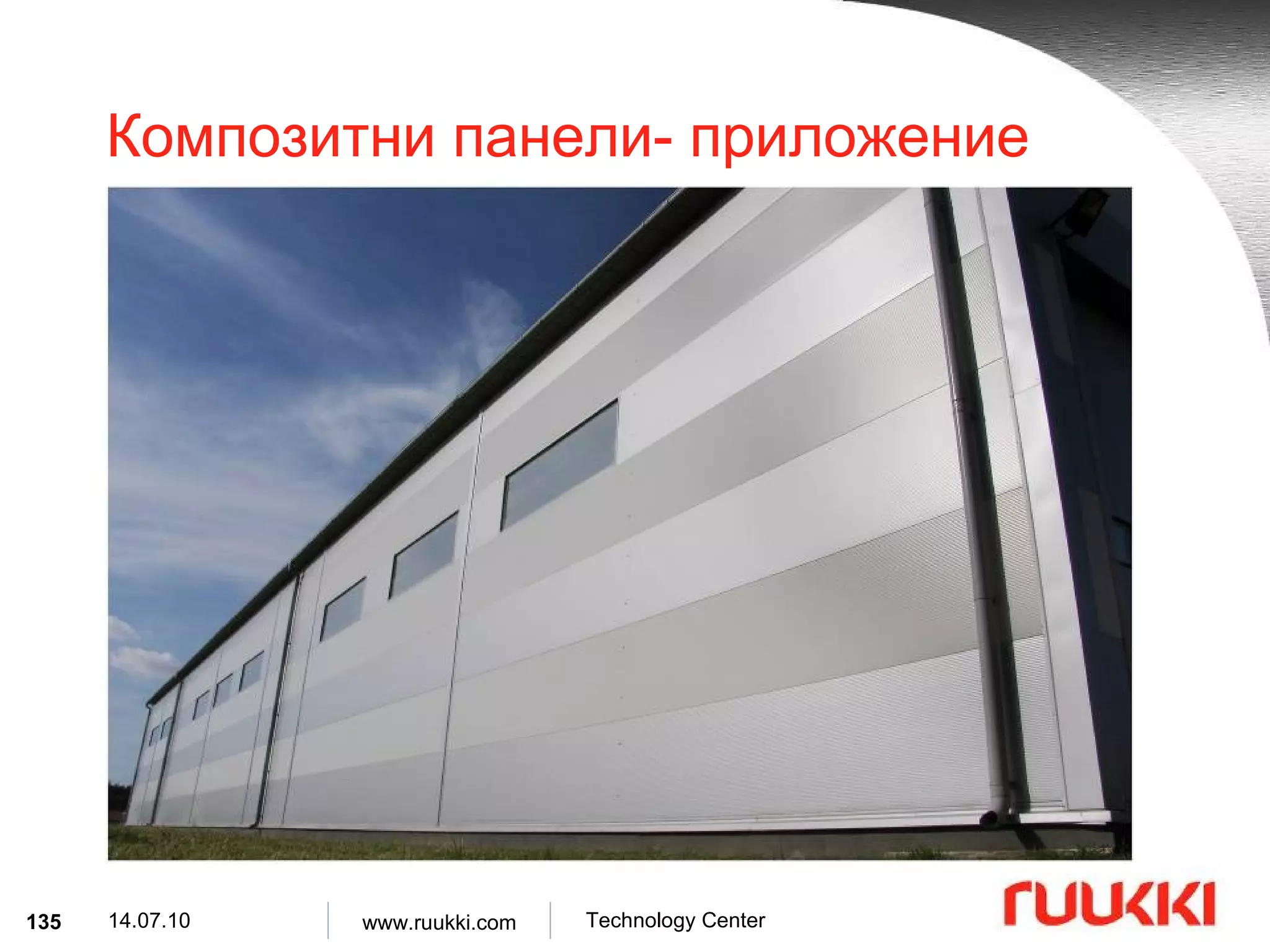
Композитни панели- приложениеКомпозитните панели Ruukki могат да се използват като интериорни и екстериорни елементи при следните сгради : Производствени халета , Складове , Търговски центрове , Офис сгради , Спортни сгради , Хладилни помещения , Фризери .
#2 This PowerPoint template is suitable for purposes such as black & white printing, color printing and screenshows. It contains it’s own colorscheme, background and different version of logos. This is the basic title slide. Use this slide in the beginning of your presentation. Click text to add Title and Subtitle. The title’s typeface is Arial Bold, 36 points. Typeface for the additional subtitle is Arial Normal, 28 points and it includes bullets. Do not cover this logo or the metallic corner! “ Firstname Lastname” is the footer text. It can be edited through View / Header- and Footer…. Title slide
#3 This is the subtitle slide. This slide is available with both green and white background. Click text to add Subtitle. The title’s typeface is Arial Bold, 36 points. Do not add additional text into this slide. Use this slide in the beginning of a new section. You may duplicate it using command Insert / Duplicate Slide or move it to it’s right place or remove it if not needed. Subtitle slide with green background
#5 This is the slide where most of the information is presented including text, pictures and graphs. Do not cover the metallic corner. The title’s typeface is in red color Arial Normal, 34 points. Typeface for the body text is Arial Normal, 24 points and it includes red bullets. Other type sizes used are Arial 20pt, Arial 16pt and Arial 12pt. Always use only these type sizes. Bullets can be switched off by selecting text and clicking the bullet tool or using command Format / Bullets… Numbers can be used instead of bullets too. Do not change the style or colors for bullets or texts! Try to keep the amount of bullet lines limited to four. The Ruukki logo which has been placed on the Master slide and can not to be edited. Grey text is the footer text for the whole presentation. It will include the information for slidenumber, date, creator of the presentation, presentator or the division.It can be edited through View / Header- and Footer … Type you name or other relevant information in Footer field. Do not change date & time or other information in that window. The footer text “Firstname Lastname” can be replaced for the whole presentation by selecting from the menu View / Header- and Footer… / Apply to all . The footer text for separate slides can be edited by first selecting the slides from View / Slide sorter and then replacing the new footertext from the menu View / Header- and Footer… / Apply . Basic slides
#18 This is the subtitle slide. This slide is available with both green and white background. Click text to add Subtitle. The title’s typeface is Arial Bold, 36 points. Do not add additional text into this slide. Use this slide in the beginning of a new section. You may duplicate it using command Insert / Duplicate Slide or move it to it’s right place or remove it if not needed. Subtitle slide with green background
#20 This is the slide where most of the information is presented including text, pictures and graphs. Do not cover the metallic corner. The title’s typeface is in red color Arial Normal, 34 points. Typeface for the body text is Arial Normal, 24 points and it includes red bullets. Other type sizes used are Arial 20pt, Arial 16pt and Arial 12pt. Always use only these type sizes. Bullets can be switched off by selecting text and clicking the bullet tool or using command Format / Bullets… Numbers can be used instead of bullets too. Do not change the style or colors for bullets or texts! Try to keep the amount of bullet lines limited to four. The Ruukki logo which has been placed on the Master slide and can not to be edited. Grey text is the footer text for the whole presentation. It will include the information for slidenumber, date, creator of the presentation, presentator or the division.It can be edited through View / Header- and Footer … Type you name or other relevant information in Footer field. Do not change date & time or other information in that window. The footer text “Firstname Lastname” can be replaced for the whole presentation by selecting from the menu View / Header- and Footer… / Apply to all . The footer text for separate slides can be edited by first selecting the slides from View / Slide sorter and then replacing the new footertext from the menu View / Header- and Footer… / Apply . Basic slides
#21 This is the slide where most of the information is presented including text, pictures and graphs. Do not cover the metallic corner. The title’s typeface is in red color Arial Normal, 34 points. Typeface for the body text is Arial Normal, 24 points and it includes red bullets. Other type sizes used are Arial 20pt, Arial 16pt and Arial 12pt. Always use only these type sizes. Bullets can be switched off by selecting text and clicking the bullet tool or using command Format / Bullets… Numbers can be used instead of bullets too. Do not change the style or colors for bullets or texts! Try to keep the amount of bullet lines limited to four. The Ruukki logo which has been placed on the Master slide and can not to be edited. Grey text is the footer text for the whole presentation. It will include the information for slidenumber, date, creator of the presentation, presentator or the division.It can be edited through View / Header- and Footer … Type you name or other relevant information in Footer field. Do not change date & time or other information in that window. The footer text “Firstname Lastname” can be replaced for the whole presentation by selecting from the menu View / Header- and Footer… / Apply to all . The footer text for separate slides can be edited by first selecting the slides from View / Slide sorter and then replacing the new footertext from the menu View / Header- and Footer… / Apply . Basic slides
#22 This is the slide where most of the information is presented including text, pictures and graphs. Do not cover the metallic corner. The title’s typeface is in red color Arial Normal, 34 points. Typeface for the body text is Arial Normal, 24 points and it includes red bullets. Other type sizes used are Arial 20pt, Arial 16pt and Arial 12pt. Always use only these type sizes. Bullets can be switched off by selecting text and clicking the bullet tool or using command Format / Bullets… Numbers can be used instead of bullets too. Do not change the style or colors for bullets or texts! Try to keep the amount of bullet lines limited to four. The Ruukki logo which has been placed on the Master slide and can not to be edited. Grey text is the footer text for the whole presentation. It will include the information for slidenumber, date, creator of the presentation, presentator or the division.It can be edited through View / Header- and Footer … Type you name or other relevant information in Footer field. Do not change date & time or other information in that window. The footer text “Firstname Lastname” can be replaced for the whole presentation by selecting from the menu View / Header- and Footer… / Apply to all . The footer text for separate slides can be edited by first selecting the slides from View / Slide sorter and then replacing the new footertext from the menu View / Header- and Footer… / Apply . Basic slides
#53 This is the subtitle slide. This slide is available with both green and white background. Click text to add Subtitle. The title’s typeface is Arial Bold, 36 points. Do not add additional text into this slide. Use this slide in the beginning of a new section. You may duplicate it using command Insert / Duplicate Slide or move it to it’s right place or remove it if not needed. Subtitle slide with green background
#55 This is the slide where most of the information is presented including text, pictures and graphs. Do not cover the metallic corner. The title’s typeface is in red color Arial Normal, 34 points. Typeface for the body text is Arial Normal, 24 points and it includes red bullets. Other type sizes used are Arial 20pt, Arial 16pt and Arial 12pt. Always use only these type sizes. Bullets can be switched off by selecting text and clicking the bullet tool or using command Format / Bullets… Numbers can be used instead of bullets too. Do not change the style or colors for bullets or texts! Try to keep the amount of bullet lines limited to four. The Ruukki logo which has been placed on the Master slide and can not to be edited. Grey text is the footer text for the whole presentation. It will include the information for slidenumber, date, creator of the presentation, presentator or the division.It can be edited through View / Header- and Footer … Type you name or other relevant information in Footer field. Do not change date & time or other information in that window. The footer text “Firstname Lastname” can be replaced for the whole presentation by selecting from the menu View / Header- and Footer… / Apply to all . The footer text for separate slides can be edited by first selecting the slides from View / Slide sorter and then replacing the new footertext from the menu View / Header- and Footer… / Apply . Basic slides
#56 This is the slide where most of the information is presented including text, pictures and graphs. Do not cover the metallic corner. The title’s typeface is in red color Arial Normal, 34 points. Typeface for the body text is Arial Normal, 24 points and it includes red bullets. Other type sizes used are Arial 20pt, Arial 16pt and Arial 12pt. Always use only these type sizes. Bullets can be switched off by selecting text and clicking the bullet tool or using command Format / Bullets… Numbers can be used instead of bullets too. Do not change the style or colors for bullets or texts! Try to keep the amount of bullet lines limited to four. The Ruukki logo which has been placed on the Master slide and can not to be edited. Grey text is the footer text for the whole presentation. It will include the information for slidenumber, date, creator of the presentation, presentator or the division.It can be edited through View / Header- and Footer … Type you name or other relevant information in Footer field. Do not change date & time or other information in that window. The footer text “Firstname Lastname” can be replaced for the whole presentation by selecting from the menu View / Header- and Footer… / Apply to all . The footer text for separate slides can be edited by first selecting the slides from View / Slide sorter and then replacing the new footertext from the menu View / Header- and Footer… / Apply . Basic slides
#57 This is the slide where most of the information is presented including text, pictures and graphs. Do not cover the metallic corner. The title’s typeface is in red color Arial Normal, 34 points. Typeface for the body text is Arial Normal, 24 points and it includes red bullets. Other type sizes used are Arial 20pt, Arial 16pt and Arial 12pt. Always use only these type sizes. Bullets can be switched off by selecting text and clicking the bullet tool or using command Format / Bullets… Numbers can be used instead of bullets too. Do not change the style or colors for bullets or texts! Try to keep the amount of bullet lines limited to four. The Ruukki logo which has been placed on the Master slide and can not to be edited. Grey text is the footer text for the whole presentation. It will include the information for slidenumber, date, creator of the presentation, presentator or the division.It can be edited through View / Header- and Footer … Type you name or other relevant information in Footer field. Do not change date & time or other information in that window. The footer text “Firstname Lastname” can be replaced for the whole presentation by selecting from the menu View / Header- and Footer… / Apply to all . The footer text for separate slides can be edited by first selecting the slides from View / Slide sorter and then replacing the new footertext from the menu View / Header- and Footer… / Apply . Basic slides
#77 This is the subtitle slide. This slide is available with both green and white background. Click text to add Subtitle. The title’s typeface is Arial Bold, 36 points. Do not add additional text into this slide. Use this slide in the beginning of a new section. You may duplicate it using command Insert / Duplicate Slide or move it to it’s right place or remove it if not needed. Subtitle slide with green background
#79 This is the slide where most of the information is presented including text, pictures and graphs. Do not cover the metallic corner. The title’s typeface is in red color Arial Normal, 34 points. Typeface for the body text is Arial Normal, 24 points and it includes red bullets. Other type sizes used are Arial 20pt, Arial 16pt and Arial 12pt. Always use only these type sizes. Bullets can be switched off by selecting text and clicking the bullet tool or using command Format / Bullets… Numbers can be used instead of bullets too. Do not change the style or colors for bullets or texts! Try to keep the amount of bullet lines limited to four. The Ruukki logo which has been placed on the Master slide and can not to be edited. Grey text is the footer text for the whole presentation. It will include the information for slidenumber, date, creator of the presentation, presentator or the division.It can be edited through View / Header- and Footer … Type you name or other relevant information in Footer field. Do not change date & time or other information in that window. The footer text “Firstname Lastname” can be replaced for the whole presentation by selecting from the menu View / Header- and Footer… / Apply to all . The footer text for separate slides can be edited by first selecting the slides from View / Slide sorter and then replacing the new footertext from the menu View / Header- and Footer… / Apply . Basic slides
#80 This is the slide where most of the information is presented including text, pictures and graphs. Do not cover the metallic corner. The title’s typeface is in red color Arial Normal, 34 points. Typeface for the body text is Arial Normal, 24 points and it includes red bullets. Other type sizes used are Arial 20pt, Arial 16pt and Arial 12pt. Always use only these type sizes. Bullets can be switched off by selecting text and clicking the bullet tool or using command Format / Bullets… Numbers can be used instead of bullets too. Do not change the style or colors for bullets or texts! Try to keep the amount of bullet lines limited to four. The Ruukki logo which has been placed on the Master slide and can not to be edited. Grey text is the footer text for the whole presentation. It will include the information for slidenumber, date, creator of the presentation, presentator or the division.It can be edited through View / Header- and Footer … Type you name or other relevant information in Footer field. Do not change date & time or other information in that window. The footer text “Firstname Lastname” can be replaced for the whole presentation by selecting from the menu View / Header- and Footer… / Apply to all . The footer text for separate slides can be edited by first selecting the slides from View / Slide sorter and then replacing the new footertext from the menu View / Header- and Footer… / Apply . Basic slides
#81 This is the slide where most of the information is presented including text, pictures and graphs. Do not cover the metallic corner. The title’s typeface is in red color Arial Normal, 34 points. Typeface for the body text is Arial Normal, 24 points and it includes red bullets. Other type sizes used are Arial 20pt, Arial 16pt and Arial 12pt. Always use only these type sizes. Bullets can be switched off by selecting text and clicking the bullet tool or using command Format / Bullets… Numbers can be used instead of bullets too. Do not change the style or colors for bullets or texts! Try to keep the amount of bullet lines limited to four. The Ruukki logo which has been placed on the Master slide and can not to be edited. Grey text is the footer text for the whole presentation. It will include the information for slidenumber, date, creator of the presentation, presentator or the division.It can be edited through View / Header- and Footer … Type you name or other relevant information in Footer field. Do not change date & time or other information in that window. The footer text “Firstname Lastname” can be replaced for the whole presentation by selecting from the menu View / Header- and Footer… / Apply to all . The footer text for separate slides can be edited by first selecting the slides from View / Slide sorter and then replacing the new footertext from the menu View / Header- and Footer… / Apply . Basic slides
#101 This is the subtitle slide. This slide is available with both green and white background. Click text to add Subtitle. The title’s typeface is Arial Bold, 36 points. Do not add additional text into this slide. Use this slide in the beginning of a new section. You may duplicate it using command Insert / Duplicate Slide or move it to it’s right place or remove it if not needed. Subtitle slide with green background
#103 This is the slide where most of the information is presented including text, pictures and graphs. Do not cover the metallic corner. The title’s typeface is in red color Arial Normal, 34 points. Typeface for the body text is Arial Normal, 24 points and it includes red bullets. Other type sizes used are Arial 20pt, Arial 16pt and Arial 12pt. Always use only these type sizes. Bullets can be switched off by selecting text and clicking the bullet tool or using command Format / Bullets… Numbers can be used instead of bullets too. Do not change the style or colors for bullets or texts! Try to keep the amount of bullet lines limited to four. The Ruukki logo which has been placed on the Master slide and can not to be edited. Grey text is the footer text for the whole presentation. It will include the information for slidenumber, date, creator of the presentation, presentator or the division.It can be edited through View / Header- and Footer … Type you name or other relevant information in Footer field. Do not change date & time or other information in that window. The footer text “Firstname Lastname” can be replaced for the whole presentation by selecting from the menu View / Header- and Footer… / Apply to all . The footer text for separate slides can be edited by first selecting the slides from View / Slide sorter and then replacing the new footertext from the menu View / Header- and Footer… / Apply . Basic slides
#104 This is the slide where most of the information is presented including text, pictures and graphs. Do not cover the metallic corner. The title’s typeface is in red color Arial Normal, 34 points. Typeface for the body text is Arial Normal, 24 points and it includes red bullets. Other type sizes used are Arial 20pt, Arial 16pt and Arial 12pt. Always use only these type sizes. Bullets can be switched off by selecting text and clicking the bullet tool or using command Format / Bullets… Numbers can be used instead of bullets too. Do not change the style or colors for bullets or texts! Try to keep the amount of bullet lines limited to four. The Ruukki logo which has been placed on the Master slide and can not to be edited. Grey text is the footer text for the whole presentation. It will include the information for slidenumber, date, creator of the presentation, presentator or the division.It can be edited through View / Header- and Footer … Type you name or other relevant information in Footer field. Do not change date & time or other information in that window. The footer text “Firstname Lastname” can be replaced for the whole presentation by selecting from the menu View / Header- and Footer… / Apply to all . The footer text for separate slides can be edited by first selecting the slides from View / Slide sorter and then replacing the new footertext from the menu View / Header- and Footer… / Apply . Basic slides
#105 This is the slide where most of the information is presented including text, pictures and graphs. Do not cover the metallic corner. The title’s typeface is in red color Arial Normal, 34 points. Typeface for the body text is Arial Normal, 24 points and it includes red bullets. Other type sizes used are Arial 20pt, Arial 16pt and Arial 12pt. Always use only these type sizes. Bullets can be switched off by selecting text and clicking the bullet tool or using command Format / Bullets… Numbers can be used instead of bullets too. Do not change the style or colors for bullets or texts! Try to keep the amount of bullet lines limited to four. The Ruukki logo which has been placed on the Master slide and can not to be edited. Grey text is the footer text for the whole presentation. It will include the information for slidenumber, date, creator of the presentation, presentator or the division.It can be edited through View / Header- and Footer … Type you name or other relevant information in Footer field. Do not change date & time or other information in that window. The footer text “Firstname Lastname” can be replaced for the whole presentation by selecting from the menu View / Header- and Footer… / Apply to all . The footer text for separate slides can be edited by first selecting the slides from View / Slide sorter and then replacing the new footertext from the menu View / Header- and Footer… / Apply . Basic slides
#121 This is the subtitle slide. This slide is available with both green and white background. Click text to add Subtitle. The title’s typeface is Arial Bold, 36 points. Do not add additional text into this slide. Use this slide in the beginning of a new section. You may duplicate it using command Insert / Duplicate Slide or move it to it’s right place or remove it if not needed. Subtitle slide with green background
#123 This is the slide where most of the information is presented including text, pictures and graphs. Do not cover the metallic corner. The title’s typeface is in red color Arial Normal, 34 points. Typeface for the body text is Arial Normal, 24 points and it includes red bullets. Other type sizes used are Arial 20pt, Arial 16pt and Arial 12pt. Always use only these type sizes. Bullets can be switched off by selecting text and clicking the bullet tool or using command Format / Bullets… Numbers can be used instead of bullets too. Do not change the style or colors for bullets or texts! Try to keep the amount of bullet lines limited to four. The Ruukki logo which has been placed on the Master slide and can not to be edited. Grey text is the footer text for the whole presentation. It will include the information for slidenumber, date, creator of the presentation, presentator or the division.It can be edited through View / Header- and Footer … Type you name or other relevant information in Footer field. Do not change date & time or other information in that window. The footer text “Firstname Lastname” can be replaced for the whole presentation by selecting from the menu View / Header- and Footer… / Apply to all . The footer text for separate slides can be edited by first selecting the slides from View / Slide sorter and then replacing the new footertext from the menu View / Header- and Footer… / Apply . Basic slides
#124 This is the slide where most of the information is presented including text, pictures and graphs. Do not cover the metallic corner. The title’s typeface is in red color Arial Normal, 34 points. Typeface for the body text is Arial Normal, 24 points and it includes red bullets. Other type sizes used are Arial 20pt, Arial 16pt and Arial 12pt. Always use only these type sizes. Bullets can be switched off by selecting text and clicking the bullet tool or using command Format / Bullets… Numbers can be used instead of bullets too. Do not change the style or colors for bullets or texts! Try to keep the amount of bullet lines limited to four. The Ruukki logo which has been placed on the Master slide and can not to be edited. Grey text is the footer text for the whole presentation. It will include the information for slidenumber, date, creator of the presentation, presentator or the division.It can be edited through View / Header- and Footer … Type you name or other relevant information in Footer field. Do not change date & time or other information in that window. The footer text “Firstname Lastname” can be replaced for the whole presentation by selecting from the menu View / Header- and Footer… / Apply to all . The footer text for separate slides can be edited by first selecting the slides from View / Slide sorter and then replacing the new footertext from the menu View / Header- and Footer… / Apply . Basic slides
#125 This is the slide where most of the information is presented including text, pictures and graphs. Do not cover the metallic corner. The title’s typeface is in red color Arial Normal, 34 points. Typeface for the body text is Arial Normal, 24 points and it includes red bullets. Other type sizes used are Arial 20pt, Arial 16pt and Arial 12pt. Always use only these type sizes. Bullets can be switched off by selecting text and clicking the bullet tool or using command Format / Bullets… Numbers can be used instead of bullets too. Do not change the style or colors for bullets or texts! Try to keep the amount of bullet lines limited to four. The Ruukki logo which has been placed on the Master slide and can not to be edited. Grey text is the footer text for the whole presentation. It will include the information for slidenumber, date, creator of the presentation, presentator or the division.It can be edited through View / Header- and Footer … Type you name or other relevant information in Footer field. Do not change date & time or other information in that window. The footer text “Firstname Lastname” can be replaced for the whole presentation by selecting from the menu View / Header- and Footer… / Apply to all . The footer text for separate slides can be edited by first selecting the slides from View / Slide sorter and then replacing the new footertext from the menu View / Header- and Footer… / Apply . Basic slides
#142 This is an enging slide which normally stays visible after the show. Click text to add ending title. The title’s typeface is Arial Bold, 36 points. Do not add additional text into this slide. Ending slide
![Листове за обшивка- продуктово описание Символ : LT 100 ÷200 -600S Материал : S320GD Цинково покритие : Z100, Z275 [g/m 2 ] Дебелина на материала : 0.75, 0.88, 1.00, 1.25, 1.50 [mm] Покритие : SP 15 µ m. Цветове : RAL 9002, RAL 9010.](https://image.slidesharecdn.com/sandvich-paneli-100714015632-phpapp01/75/Sandvich-Paneli-4-2048.jpg)
![Листове за обшивка – продуктово описание 12000 600 SP15 SP25 Z 100 Z 275 S320GD S320GD 600 200 0.75 ÷1.50 LT200-600S 4 12000 600 SP15 SP25 Z 100 Z 275 S320GD S320GD 600 150 0.75 ÷1.50 LT150-600S 3 12000 600 SP15 SP25 Z 100 Z 275 S320GD S320GD 600 125 0.75 ÷1.50 LT125-600S 2 12000 600 SP15 Z 100 S320GD 600 150 0.75 ÷1. 0 0 Biatrobagy-150 7 12000 600 SP15 Z 100 S320GD 600 125 0.75 ÷1. 0 0 Biatrobagy-125 6 12000 600 SP15 Z 100 S320GD 600 100 0.75 ÷1. 0 0 Biatrobagy-100 5 12000 600 SP15 SP25 Z 100 Z 275 S320GD S320GD 600 100 0.75 ÷1.50 LT100-600S 1 [mm] [mm] органично цинково [mm] [mm] [mm] max min дължина покритие стомана височина дълбочина дебелина Профил No Лист](https://image.slidesharecdn.com/sandvich-paneli-100714015632-phpapp01/75/Sandvich-Paneli-5-2048.jpg)
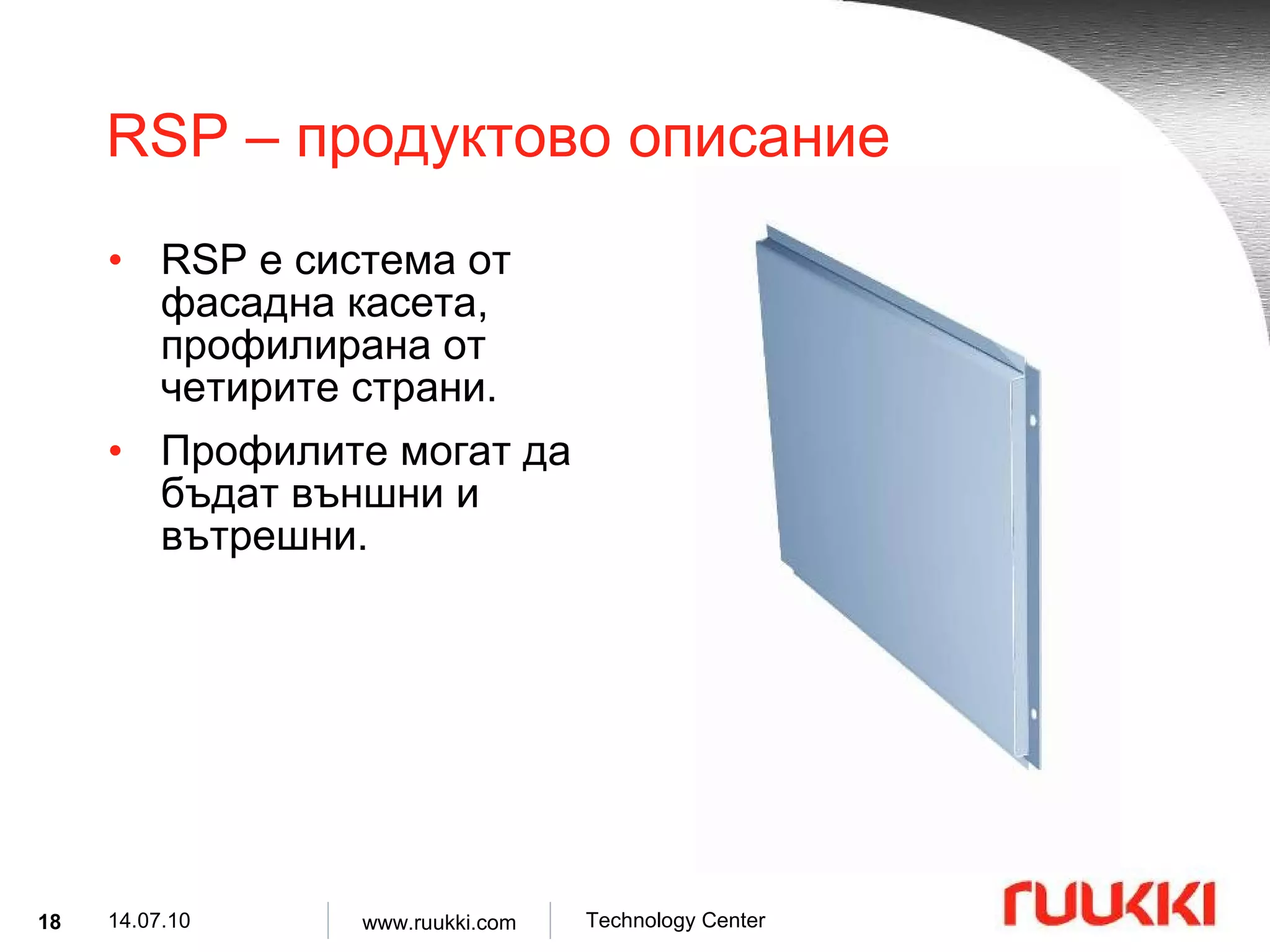
![RSP – продуктово описание Материали : DX51D, COR-TEN ® , Алуминий, Мед , Неръждаема стомана 1.4301, Устойчива на киселини стомана 1.4401. Дебелина на материала : 1.00, 1.20, 1.25, 1.50, 2.00 [mm]](https://image.slidesharecdn.com/sandvich-paneli-100714015632-phpapp01/75/Sandvich-Paneli-19-2048.jpg)
![RSP – продуктово описание Цинково покритие : Z275, Z350 [g/m 2 ] Органично покритие : PVDF 25-60 µ m, PVDF HIRAC, SP 25 µ m, SP 35 µ m мат . Цветове : Съгласно системата RAL , Нестандартни цветове по специална поръчка .](https://image.slidesharecdn.com/sandvich-paneli-100714015632-phpapp01/75/Sandvich-Paneli-20-2048.jpg)
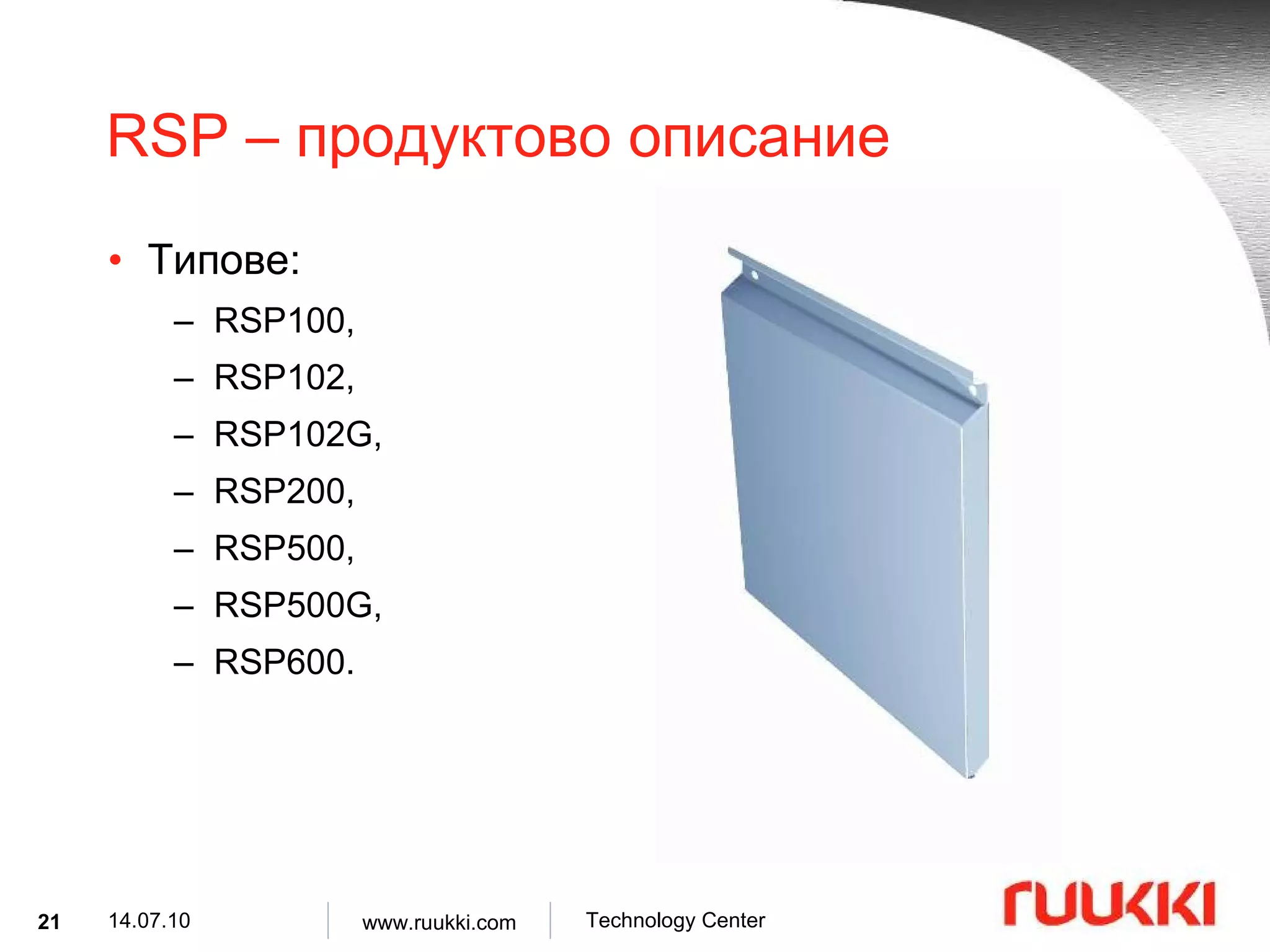
![RSP100 – структура 1.00,1.20,1.25,1.50 t 2500 2500 500 B 500 A 60 20 C 60 20 D max min [mm]](https://image.slidesharecdn.com/sandvich-paneli-100714015632-phpapp01/75/Sandvich-Paneli-22-2048.jpg)
![RSP102 – структура 1.00,1.20,1.25,1.50 t 2500 2500 500 B 500 A 60 20 C 60 20 D max min [mm]](https://image.slidesharecdn.com/sandvich-paneli-100714015632-phpapp01/75/Sandvich-Paneli-23-2048.jpg)
![RSP102G – структура 1.00,1.20,1.25,1.50 t 2500 2500 500 B 500 A 60 20 C 60 20 D max min [mm]](https://image.slidesharecdn.com/sandvich-paneli-100714015632-phpapp01/75/Sandvich-Paneli-24-2048.jpg)
![RSP200 – структура 1.00,1.20,1.25,1.50 t 800 2500 30 5 D p 500 B 1600 A 60 25 C 60 15 D v max min [mm]](https://image.slidesharecdn.com/sandvich-paneli-100714015632-phpapp01/75/Sandvich-Paneli-25-2048.jpg)
![RSP500 – структура 1.00,1.20,1.25 t 800 2300 400 B 800 A 50 25 C 30 5 D max min [mm]](https://image.slidesharecdn.com/sandvich-paneli-100714015632-phpapp01/75/Sandvich-Paneli-26-2048.jpg)
![RSP500G – структура 1.20 t 3000 3000 900 B 900 A 50 25 C 30 5 D max min [mm]](https://image.slidesharecdn.com/sandvich-paneli-100714015632-phpapp01/75/Sandvich-Paneli-27-2048.jpg)
![RSP600 – структура 1.50 t 800 2270 500 B 1600 A 50 25 C 30 5 D max min [mm]](https://image.slidesharecdn.com/sandvich-paneli-100714015632-phpapp01/75/Sandvich-Paneli-28-2048.jpg)

![Ламелна обшивка – продуктово описание Материали : DX51D, Алуминий, Мед , Неръждаема стомана 1.4301, Киселинно изпитана стомана 1.4401. Дебелина на материала : 1.00, 1.20, 1.25, 1.50, 2.00 [mm]](https://image.slidesharecdn.com/sandvich-paneli-100714015632-phpapp01/75/Sandvich-Paneli-54-2048.jpg)
![Ламелна обшивка – продуктово описание Цинково покритие : Z275, Z350 [g/m 2 ] Органично покритие : PVDF 25-60 µm, SP 25 µm, SP 35 µm мат , Pural, Pural mat 50 µm. Цветове : Съгласно стандарта RAL и нестандартни цветове .](https://image.slidesharecdn.com/sandvich-paneli-100714015632-phpapp01/75/Sandvich-Paneli-55-2048.jpg)


![Дизайнерски профили- продуктово описание Материали : S320 GD, Алуминий , Мед , COR-TEN ® . Дебелина на материала : 0.60, 0.65, 0.70, 0.90, 1.00 [mm]](https://image.slidesharecdn.com/sandvich-paneli-100714015632-phpapp01/75/Sandvich-Paneli-78-2048.jpg)
![Дизайнерски профили- продуктово описание Цинково покритие : Z275, Z350 [g/m 2 ] Органично покритие : PVDF 25-60 µm, Цветове : Съгласно станадарта RAL , Нестандартни цветове по поръчка .](https://image.slidesharecdn.com/sandvich-paneli-100714015632-phpapp01/75/Sandvich-Paneli-79-2048.jpg)






![Трапецовидни листове- продуктово описание Материали : S320 GD, Алуминий , Неръждаема стомана . Дебелина на материала : 0.50, 0.60, 0.65, 0.70, 0.75, 0.85 [mm]](https://image.slidesharecdn.com/sandvich-paneli-100714015632-phpapp01/75/Sandvich-Paneli-102-2048.jpg)
![Трапецовидни листове- продуктово описание Цинково покритие : Z275, Z350 [g/m 2 ] Органично покритие : PVDF 25-60 µm, Цветове : Съгласно стандарта RAL , Нестандартни цветове по специална заявка .](https://image.slidesharecdn.com/sandvich-paneli-100714015632-phpapp01/75/Sandvich-Paneli-103-2048.jpg)


![Композитни панели- продуктово описание Компоненти : Стомана с цинково покритие S280GD, S320GD Неръждаема стомана X5CrNi18-10 Дебелина на материала : 0.50, 0.55, 0.60, 0.63 [mm] Ядро : Полиуретанова пяна PUR Полиизоциануратна пяна PIR Каменна вата MW](https://image.slidesharecdn.com/sandvich-paneli-100714015632-phpapp01/75/Sandvich-Paneli-122-2048.jpg)
![Композитни панели- продуктово описание Цинково покритие : 275 [g/m 2 ] Цинково покритие : 137.5 + 50 [g/m 2 ] Органични покрития : SP 15 µ m, SP 25 µ m ( стандартно ), PVDF 25 µ m, PVC (F) фолио 120 µ m. Цветове : Съгласно стандарта RAL и нестандартни цветове .](https://image.slidesharecdn.com/sandvich-paneli-100714015632-phpapp01/75/Sandvich-Paneli-123-2048.jpg)

![Ruukki SP2B PU – структура L w D Външен и вътрешен слой ламарина Структурно ядро Полиуретаново уплътнение Алуминиево фолио 100 80 2000 ÷ 18500 L 1100 w 60 40 D [mm]](https://image.slidesharecdn.com/sandvich-paneli-100714015632-phpapp01/75/Sandvich-Paneli-125-2048.jpg)
![Ruukki SP2D PU – структура L w D Външен и вътрешен слой ламарина Структурно ядро Полиуретаново уплътнение Алуминиево фолио 100 80 2000 ÷ 18500 L 1000 w 60 D [mm]](https://image.slidesharecdn.com/sandvich-paneli-100714015632-phpapp01/75/Sandvich-Paneli-126-2048.jpg)
![Ruukki SP2E PU – структура L w D Външен и вътрешен слой ламарина Структурно ядро Канална сглобка Плътна свръзка 200 180 2000 ÷ 18500 L 1100 w 160 120 D [mm]](https://image.slidesharecdn.com/sandvich-paneli-100714015632-phpapp01/75/Sandvich-Paneli-127-2048.jpg)
![Ruukki SP2C PU – структура L w D Външен и вътрешен слой ламарина Структурно ядро Полиуретаново уплътнение Алуминиево фолио 100 80 2000 ÷ 21000 L 1000 w 60 40 D [mm]](https://image.slidesharecdn.com/sandvich-paneli-100714015632-phpapp01/75/Sandvich-Paneli-128-2048.jpg)
![Ruukki SPB W – структура L w D Външен и вътрешен слой ламарина Структурно ядро Канална сглобка Плътна свръзка 140 120 2000 ÷ 12000 L 1000 / 1100 w 100 80* D [mm]](https://image.slidesharecdn.com/sandvich-paneli-100714015632-phpapp01/75/Sandvich-Paneli-129-2048.jpg)
![Ruukki SP2D W – структура L w D Външен и вътрешен слой ламарина Структурно ядро Канална сглобка Плътна свръзка 2000 ÷ 12000 L 1000 w 120 100 D [mm]](https://image.slidesharecdn.com/sandvich-paneli-100714015632-phpapp01/75/Sandvich-Paneli-130-2048.jpg)
![Ruukki SPC W – структура L w D Външен и вътрешен слой ламарина Структурно ядро Канална сглобка Плътна свръзка Mineral wool hump 2000 ÷ 12000 L 1000 w 150 100 D [mm]](https://image.slidesharecdn.com/sandvich-paneli-100714015632-phpapp01/75/Sandvich-Paneli-131-2048.jpg)