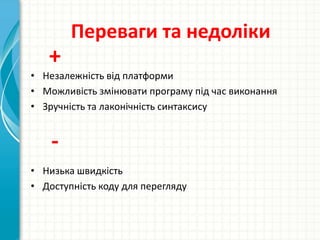
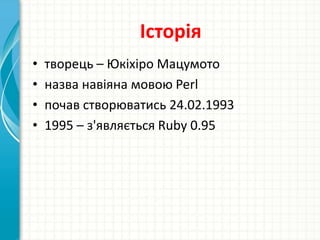
Доступність коду дляпереглядуІсторіятворець – ЮкіхіроМацумотоназва навіяна мовою Perlпочав створюватись 24.02.19931995 – з'являється Ruby 0.95
7.
Основні принципи(Ruby Way) просто,але не надто простопринцип найменшого подивувторинність швидкості виконаннядинамічністьпрості та строгі правила
8.
Семантика та особливостіПовністюоб'єктно-орієнтована моваВсі дані є об'єктамиКожна функція – це методЗмінні зберігають не об'єкти, а лише посилання на нихНе обов'язково оголошувати змінніЄ збірник сміттяВсі глобальні процедури неявно є закритими методами класу ObjectМає свою незалежну від ОС невитісняючу багатопоточність В самій мові реалізовано багато шаблонів проектуванняНема множинного наслідування (натомість є домішки (mixins) )
Ruby on RailsПрограмнийкаркас для створення веб-програм, написаний на RubyНадає каркас Модель-Вид-КонтролерЗабезпечує інтеграцію з веб-сервером та сервером бази данихПредставляє однорідне середовище для розробки динамічних AJAX-інтерфейсів з обробкою запитів та видачею даних в контролерах, відображення предметної області в базі данихRubyonRails є відкритим програмним забезпеченням та поширюється під ліцензією MIT
Editor's Notes
#2 This template can be used as a starter file for presenting training materials in a group setting.SectionsRight-click on a slide to add sections. Sections can help to organize your slides or facilitate collaboration between multiple authors.NotesUse the Notes section for delivery notes or to provide additional details for the audience. View these notes in Presentation View during your presentation. Keep in mind the font size (important for accessibility, visibility, videotaping, and online production)Coordinated colors Pay particular attention to the graphs, charts, and text boxes.Consider that attendees will print in black and white or grayscale. Run a test print to make sure your colors work when printed in pure black and white and grayscale.Graphics, tables, and graphsKeep it simple: If possible, use consistent, non-distracting styles and colors.Label all graphs and tables.
#3 Give a brief overview of the presentation. Describe the major focus of the presentation and why it is important.Introduce each of the major topics.To provide a road map for the audience, you can repeat this Overview slide throughout the presentation, highlighting the particular topic you will discuss next.
#4 Give a brief overview of the presentation. Describe the major focus of the presentation and why it is important.Introduce each of the major topics.To provide a road map for the audience, you can repeat this Overview slide throughout the presentation, highlighting the particular topic you will discuss next.
#5 Give a brief overview of the presentation. Describe the major focus of the presentation and why it is important.Introduce each of the major topics.To provide a road map for the audience, you can repeat this Overview slide throughout the presentation, highlighting the particular topic you will discuss next.
#6 Give a brief overview of the presentation. Describe the major focus of the presentation and why it is important.Introduce each of the major topics.To provide a road map for the audience, you can repeat this Overview slide throughout the presentation, highlighting the particular topic you will discuss next.
#7 Give a brief overview of the presentation. Describe the major focus of the presentation and why it is important.Introduce each of the major topics.To provide a road map for the audience, you can repeat this Overview slide throughout the presentation, highlighting the particular topic you will discuss next.
#8 Give a brief overview of the presentation. Describe the major focus of the presentation and why it is important.Introduce each of the major topics.To provide a road map for the audience, you can repeat this Overview slide throughout the presentation, highlighting the particular topic you will discuss next.
#9 Give a brief overview of the presentation. Describe the major focus of the presentation and why it is important.Introduce each of the major topics.To provide a road map for the audience, you can repeat this Overview slide throughout the presentation, highlighting the particular topic you will discuss next.
#10 Give a brief overview of the presentation. Describe the major focus of the presentation and why it is important.Introduce each of the major topics.To provide a road map for the audience, you can repeat this Overview slide throughout the presentation, highlighting the particular topic you will discuss next.
#11 Give a brief overview of the presentation. Describe the major focus of the presentation and why it is important.Introduce each of the major topics.To provide a road map for the audience, you can repeat this Overview slide throughout the presentation, highlighting the particular topic you will discuss next.
#12 Give a brief overview of the presentation. Describe the major focus of the presentation and why it is important.Introduce each of the major topics.To provide a road map for the audience, you can repeat this Overview slide throughout the presentation, highlighting the particular topic you will discuss next.
#13 Give a brief overview of the presentation. Describe the major focus of the presentation and why it is important.Introduce each of the major topics.To provide a road map for the audience, you can repeat this Overview slide throughout the presentation, highlighting the particular topic you will discuss next.
#14 Give a brief overview of the presentation. Describe the major focus of the presentation and why it is important.Introduce each of the major topics.To provide a road map for the audience, you can repeat this Overview slide throughout the presentation, highlighting the particular topic you will discuss next.