Ruby	
for	devops
	
Adam	Klein
Questions
Ask	at	any	time
Why!?
Ruby	for	automation	scripts
easy	&	intuitive
rich	libraries	and	open	source
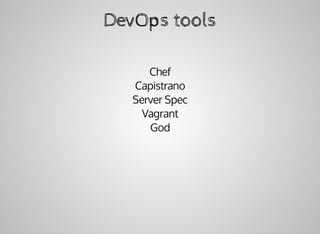
DevOps	tools
Chef
Capistrano
Server	Spec
Vagrant
God
Better	understanding
	of	Ruby-based	systems
About	me
Adam	Klein
Co-Founder	of	500Tech.com
@500TechIL
Some	stuff	to	know	about	Ruby
Interpreted	language
It's	fun	
Rich	built-in	libraries	
Garbage	collection
Great	open-source
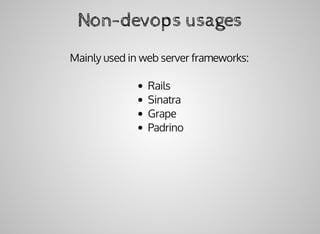
Non-devops	usages
Mainly	used	in	web	server	frameworks:
Rails
Sinatra
Grape
Padrino
Supports
Mac
Linux
"Windows"
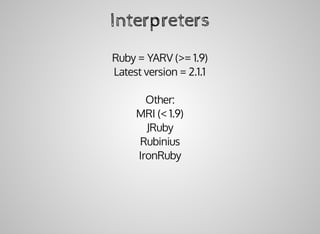
Interpreters
Ruby	=	YARV	(>=	1.9)
Latest	version	=	2.1.1
Other:
MRI	(<	1.9)
JRuby
Rubinius
IronRuby
Threading
(YARV)
native	threads	-	only	one	at	a	time
JRuby
Allows	Java	code	integration
Allows	parallel	multi-threading	(JVM	threads)
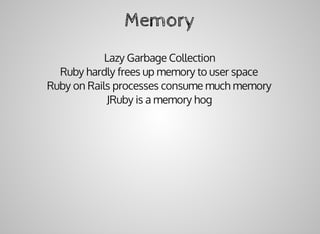
Memory
Lazy	Garbage	Collection
Ruby	hardly	frees	up	memory	to	user	space
Ruby	on	Rails	processes	consume	much	memory
JRuby	is	a	memory	hog
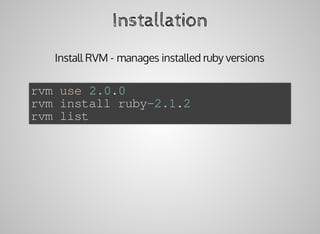
Installation
Install	RVM	-	manages	installed	ruby	versions
rvm	use	2.0.0
rvm	install	ruby-2.1.2	
rvm	list
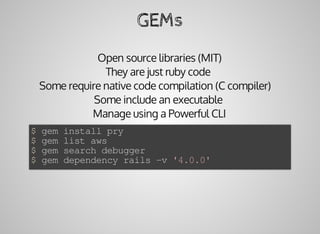
GEMs
Open	source	libraries	(MIT)
They	are	just	ruby	code	
Some	require	native	code	compilation	(C	compiler)			
Some	include	an	executable	
Manage	using	a	Powerful	CLI
$	gem	install	pry
$	gem	list	aws
$	gem	search	debugger
$	gem	dependency	rails	-v	'4.0.0'
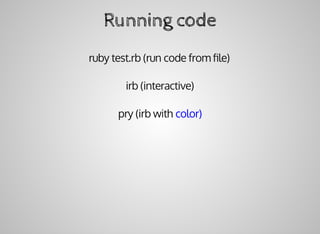
Running	code
ruby	test.rb	(run	code	from	file)
irb	(interactive)
pry	(irb	with	color)
Basic	syntax
Dynamic	vars
num	=	5
numbers	=	[1,2,3]
title	=	"hello	world"
details	=	{name:	'Adam',	company:	'500Tech'}
now	=	Time.new
methods
>	arr	=	["one",	"two",	"three"]
>	csv	=	arr.join	",	"
=>	"one,	two,	three"
>	4.to_f
=>	4.0
>	Time.now
=>	2014-07-13	19:23:09	+0300
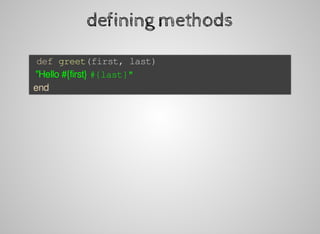
defining	methods
	def	greet(first,	last)
		"Hello	#{first}	#{last}"
	end
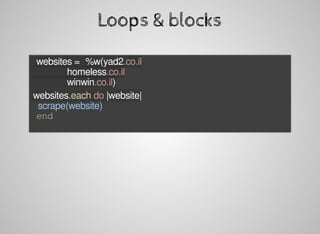
Loops	&	blocks
	websites	=	%w(yad2.co.il
															homeless.co.il
															winwin.co.il)
	websites.each	do	|website|
			scrape(website)
	end
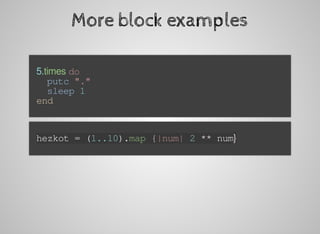
More	block	examples
	5.times	do
			putc	"."
			sleep	1
	end
	hezkot	=	(1..10).map	{|num|	2	**	num}
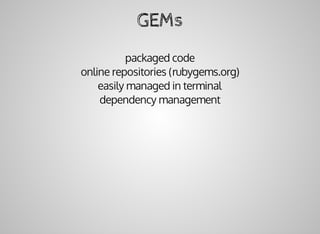
GEMs
packaged	code
online	repositories	(rubygems.org)
easily	managed	in	terminal
dependency	management
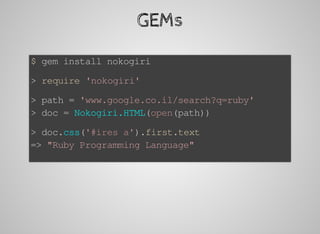
GEMs
$	gem	install	nokogiri
>	require	'nokogiri'
>	path	=	'www.google.co.il/search?q=ruby'
>	doc	=	Nokogiri.HTML(open(path))
>	doc.css('#ires	a').first.text
=>	"Ruby	Programming	Language"
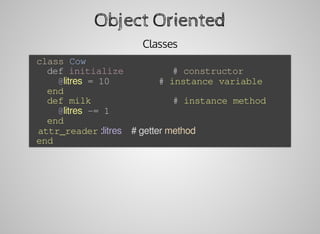
Object	Oriented
Classes
	class	Cow
			def	initialize									#	constructor
					@litres	=	10									#	instance	variable
			end
			def	milk															#	instance	method
					@litres	-=	1
			end
			attr_reader	:litres				#	getter	method
	end
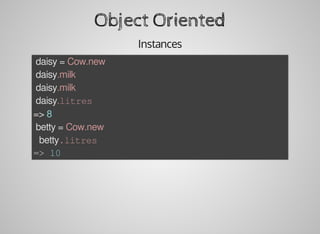
Object	Oriented
Instances
	daisy	=	Cow.new
	daisy.milk
	daisy.milk
	daisy.litres
=>	8
	betty	=	Cow.new
	betty.litres
=>	10
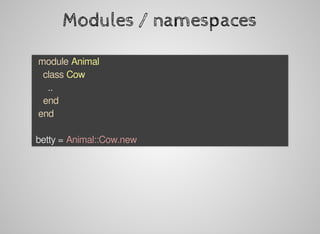
Modules	/	namespaces
		module	Animal
				class	Cow
						..
				end
		end
	betty	=	Animal::Cow.new
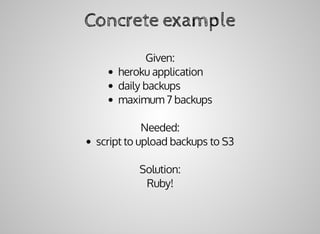
Concrete	example
Given:
heroku	application
daily	backups
maximum	7	backups
Needed:
script	to	upload	backups	to	S3
Solution:
Ruby!
The	GEMs
open-uri
aws-sdk
The	code
require	'open-uri'
require	'aws'
AWS.config(access_key_id:	'XXX',	secret_access_key:	'YYY')
bucket	=	AWS::S3.new.buckets['my_project']
data	=	open(`heroku	pgbackups:url`)
bucket.objects["backups/#{Time.now.to_i}"].write(data)
Directories	and	Files
	Dir.pwd
	Dir['**.txt']
	Dir.open('.').each	{|f|	...	}
	Dir.mkdir('tmp/files')
	File.exist?('docs/words.txt')
	File.basename?('docs/words.txt')
	f	=	File.open('docs/words.txt')
	f.size
	f.path
DB
		client	=	Mysql2::Client.new
			host:	'localhost',
			username:	'root'
	client.query('select	*	from	users')
		.each	do	|user|
			puts	user[:name]
	end
ActiveRecord
Migrations
Change	DB	Schema	with	ruby	code
Keep	several	branches	in	sync
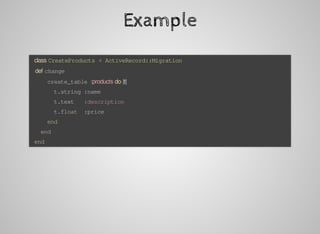
Example
	class	CreateProducts	<	ActiveRecord::Migration
			def	change
					create_table	:products	do	|t|
							t.string	:name
							t.text			:description
							t.float		:price
					end
			end
	end
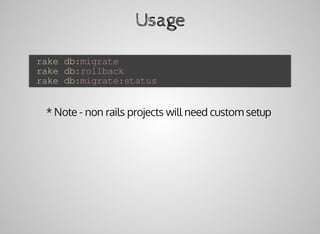
Usage
	rake	db:migrate
	rake	db:rollback
	rake	db:migrate:status
*	Note	-	non	rails	projects	will	need	custom	setup
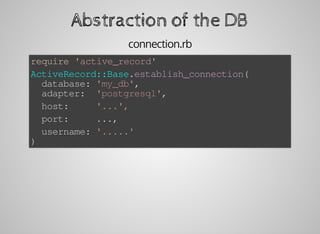
Abstraction	of	the	DB
connection.rb
require	'active_record'
ActiveRecord::Base.establish_connection(
		database:	'my_db',
		adapter:		'postgresql',
		host:					'...',
		port:					...,
		username:	'.....'
)
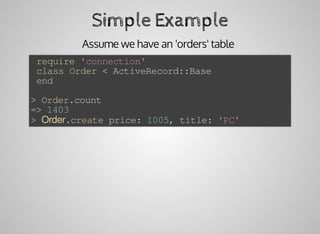
Simple	Example
Assume	we	have	an	'orders'	table	
	require	'connection'
	class	Order	<	ActiveRecord::Base
	end
>	Order.count
=>	1403
>	Order.create	price:	1005,	title:	'PC'
*	Note:	you	can	override	conventions
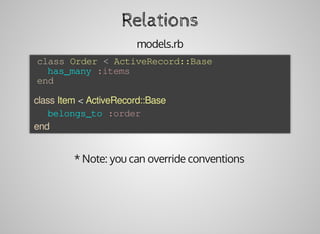
Relations
models.rb
	class	Order	<	ActiveRecord::Base
			has_many	:items
	end
	class	Item	<	ActiveRecord::Base
			belongs_to	:order
	end
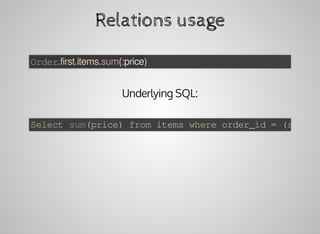
Relations	usage
Order.first.items.sum(:price)
Underlying	SQL:
Select	sum(price)	from	items	where	order_id	=	(select
God
monitoring	framework
config	files	in	ruby
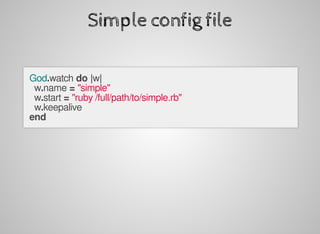
Simple	config	file
God.watch	do	|w|
		w.name	=	"simple"
		w.start	=	"ruby	/full/path/to/simple.rb"
		w.keepalive
end
Complex	config	files
		God.watch	do	|w|
				w.name	=	"gravatar2-mongrel-#{port}"
				w.start	=	"mongrel_rails	start	-c	#{RAILS_ROOT}	-p	#{port}	
						-P	#{RAILS_ROOT}/log/mongrel.#{port}.pid		-d"
				w.stop	=	"mongrel_rails	stop	-P	#{RAILS_ROOT}/log/mongrel.#{port}.pid"
				w.restart	=	"mongrel_rails	restart	-P	#{RAILS_ROOT}/log/mongrel.#{port}.pid"
				w.pid_file	=	File.join(RAILS_ROOT,	"log/mongrel.#{port}.pid")
				w.behavior(:clean_pid_file)
				w.start_if	do	|start|
						start.condition(:process_running)	do	|c|
								c.interval	=	5.seconds
								c.running	=	false
						end
				end
				w.restart_if	do	|restart|
						restart.condition(:memory_usage)	do	|c|
								c.above	=	150.megabytes
								c.times	=	[3,	5]	#	3	out	of	5	intervals
end
						restart.condition(:cpu_usage)	do	|c|
								c.above	=	50.percent
								c.times	=	5
						end
				end
				#	lifecycle
				w.lifecycle	do	|on|
						on.condition(:flapping)	do	|c|
								c.to_state	=	[:start,	:restart]
								c.times	=	5
								c.within	=	5.minute
								c.transition	=	:unmonitored
								c.retry_in	=	10.minutes
								c.retry_times	=	5
								c.retry_within	=	2.hours
						end
				end
		end
Features
Alert	contacts	(email,	webhooks,	campfire,	etc.)
Memory	/	CPU	thresholds
Restart	logic	(retries,	intervals)
Modify	STOP	signal
Grouping	processes
Etc.
e.g:
If	process	goes	over	95%	CPU	5	times	in	1	minutes,	restart	it.	If
this	condition	was	met	more	than	5	times	within	20	minutes,
shutdown	the	process	and	alert	the	admin.
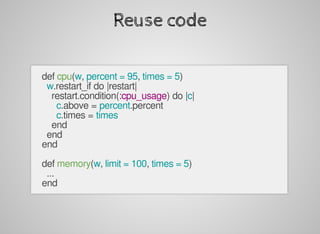
Reuse	code
		def	cpu(w,	percent	=	95,	times	=	5)
				w.restart_if	do	|restart|
						restart.condition(:cpu_usage)	do	|c|
								c.above	=	percent.percent
								c.times	=	times
						end
				end
		end
		
		def	memory(w,	limit	=	100,	times	=	5)
				...
		end
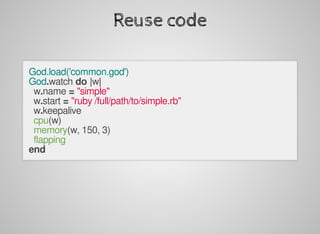
Reuse	code
God.load('common.god')
God.watch	do	|w|
		w.name	=	"simple"
		w.start	=	"ruby	/full/path/to/simple.rb"
		w.keepalive
		cpu(w)
		memory(w,	150,	3)
		flapping
end
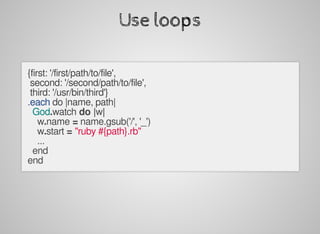
Use	loops
{first:	'/first/path/to/file',
	second:	'/second/path/to/file',
	third:	'/usr/bin/third'}
.each	do	|name,	path|
		God.watch	do	|w|
				w.name	=	name.gsub('/',	'_')
				w.start	=	"ruby	#{path}.rb"
				...
		end
end
Debug!
$	gem	install	pry-debugger
require	'pry'
God.watch	do	|w|
		w.name	=	"simple"
		w.start	=	"ruby	#{ENV['ROOT_DIR']}/simple.rb"
		binding.pry
		w.keepalive
end
Ruby	DSLs
Domain	Specific	Language
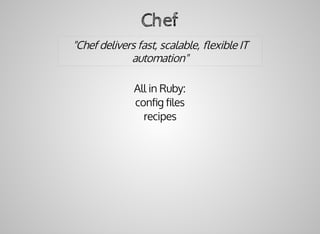
Chef
"Chef	delivers	fast,	scalable,	flexible	IT
automation"
All	in	Ruby:
config	files
recipes
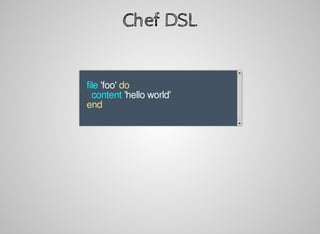
Chef	DSL
								
			file	'foo'	do
					content	'hello	world'
			end
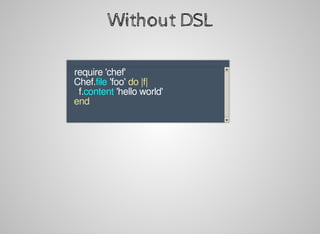
Without	DSL
					require	'chef'	
			Chef.file	'foo'	do	|f|
					f.content	'hello	world'
			end
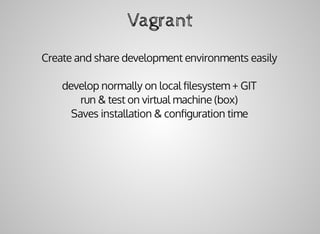
Vagrant
Create	and	share	development	environments	easily
develop	normally	on	local	filesystem	+	GIT
run	&	test	on	virtual	machine	(box)
Saves	installation	&	configuration	time
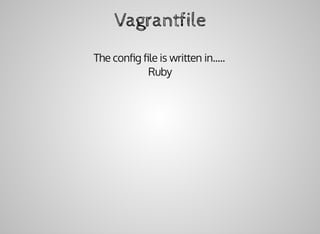
Vagrantfile
The	config	file	is	written	in.....
Ruby
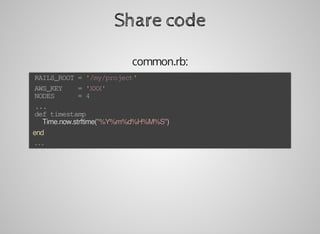
Share	code
common.rb:
	RAILS_ROOT	=	'/my/project'
	AWS_KEY				=	'XXX'
	NODES						=	4
	...
	def	timestamp
			Time.now.strftime("%Y%m%d%H%M%S")
	end
	...
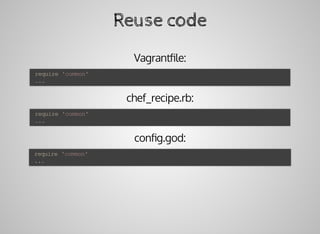
Reuse	code
Vagrantfile:
chef_recipe.rb:
config.god:
	require	'common'
	...
	require	'common'
	...
	require	'common'
	...
server	spec
Testing	server	configuration	with	RSpec
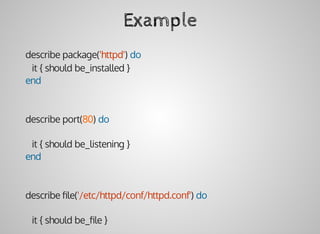
Example
describe	package('httpd')	do
			it	{	should	be_installed	}
end
describe	port(80)	do
			it	{	should	be_listening	}
end
describe	file('/etc/httpd/conf/httpd.conf')	do
			it	{	should	be_file	}
its(:content)	{	should	match	/ServerName	www.example.jp/	}
end
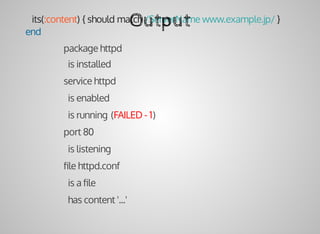
Output
package	httpd
		is	installed
service	httpd
		is	enabled
		is	running	(FAILED	-	1)
port	80
		is	listening
file	httpd.conf
		is	a	file
		has	content	'...'
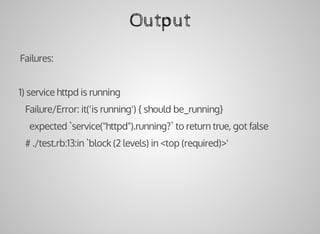
Output
		Failures:
		1)	service	httpd	is	running
					Failure/Error:	it('is	running')	{	should	be_running}
							expected	`service("httpd").running?`	to	return	true,	got	false
					#	./test.rb:13:in	`block	(2	levels)	in	<top	(required)>'
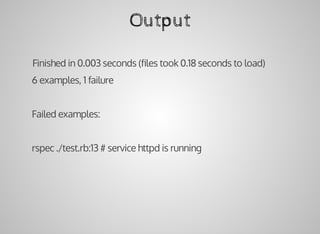
Output
		Finished	in	0.003	seconds	(files	took	0.18	seconds	to	load)
		6	examples,	1	failure
		Failed	examples:
		rspec	./test.rb:13	#	service	httpd	is	running
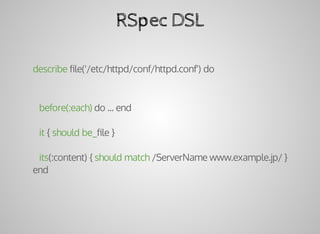
RSpec	DSL
describe	file('/etc/httpd/conf/httpd.conf')	do
			before(:each)	do	...	end
			it	{	should	be_file	}
			its(:content)	{	should	match	/ServerName	www.example.jp/	}
end
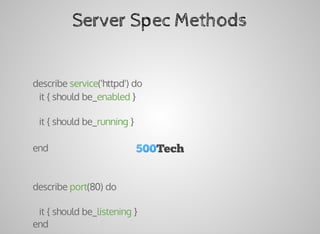
Server	Spec	Methods
describe	service('httpd')	do
			it	{	should	be_enabled	}
			it	{	should	be_running	}
end
describe	port(80)	do
			it	{	should	be_listening	}
end
describe	file('/etc/httpd/conf/httpd.conf')	do
			it	{	should	be_file	}
			its(:content)	{	should	match	/ServerName	www.example.jp/	}
end
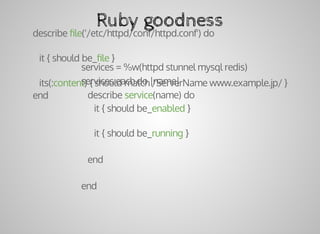
Ruby	goodness
services	=	%w(httpd	stunnel	mysql	redis)
services.each	do	|name|
			describe	service(name)	do
						it	{	should	be_enabled	}
						it	{	should	be_running	}
			end
end
Resources
www.ruby-doc.org
ruby-toolbox.com
Questions?
adam@500tech.com
@500TechIL
500tech.com
hackademy.co.il
angular.co.il

Ruby for devops