Introduction to php
PHP

Most of this is from the PHP
manual online at:
http://www.php.net/manual/
What we'll cover
•
•
•
•
•
•
•
•

A short history of php
Parsing
Variables
Arrays
Operators
Functions
Control Structures
External Data Files
Background
• PHP is server side scripting system
• PHP stands for "PHP: Hypertext
Preprocessor"
• Syntax based on Perl, Java, and C
• Very good for creating dynamic content
• Powerful, but somewhat risky!
• If you want to focus on one system for
dynamic content, this is a good one to
choose
History
• Started as a Perl hack in 1994 by Rasmus
Lerdorf (to handle his resume), developed to
PHP/FI 2.0
• By 1997 up to PHP 3.0 with a new parser
engine by Zeev Suraski and Andi Gutmans
• Version 5.2.4 is current version, rewritten by
Zend (www.zend.com) to include a number of
features, such as an object model
• Current is version 5
• php is one of the premier examples of what
an open source project can be
About Zend
• A Commercial Enterprise
• Zend provides Zend engine for PHP for free
• They provide other products and services for
a fee
• Server side caching and other optimizations
• Encoding in Zend's intermediate format to protect
source code
• IDE-a developer's package with tools to make life
easier
• Support and training services

• Zend's web site is a great resource
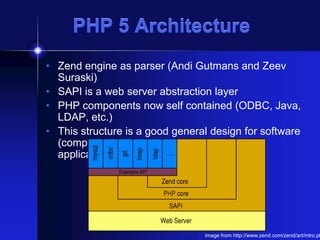
PHP 5 Architecture
• Zend engine as parser (Andi Gutmans and Zeev
Suraski)
• SAPI is a web server abstraction layer
• PHP components now self contained (ODBC, Java,
LDAP, etc.)
• This structure is a good general design for software
(compare to OSI model, and middleware
applications)

image from http://www.zend.com/zend/art/intro.ph
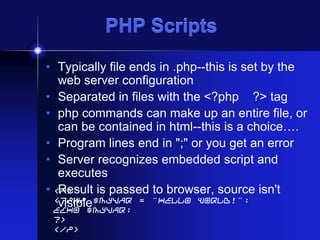
PHP Scripts
• Typically file ends in .php--this is set by the
web server configuration
• Separated in files with the <?php ?> tag
• php commands can make up an entire file, or
can be contained in html--this is a choice….
• Program lines end in ";" or you get an error
• Server recognizes embedded script and
executes
• <P>
Result is passed to browser, source isn't
<?php $myvar = "Hello World!";
visible
echo $myvar;
?>
</P>
Parsing
• We've talk about how the browser can read a
text file and process it, that's a basic parsing
method
• Parsing involves acting on relevant portions
of a file and ignoring others
• Browsers parse web pages as they load
• Web servers with server side technologies
like php parse web pages as they are being
passed out to the browser
• Parsing does represent work, so there is a
cost
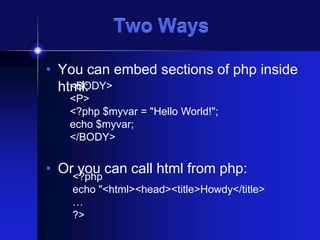
Two Ways
• You can embed sections of php inside
<BODY>
html:
<P>
<?php $myvar = "Hello World!";
echo $myvar;
</BODY>

• Or<?php can call html from php:
you
echo "<html><head><title>Howdy</title>
…
?>
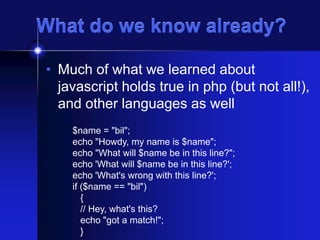
What do we know already?
• Much of what we learned about
javascript holds true in php (but not all!),
and other languages as well
$name = "bil";
echo "Howdy, my name is $name";
echo "What will $name be in this line?";
echo 'What will $name be in this line?';
echo 'What's wrong with this line?';
if ($name == "bil")
{
// Hey, what's this?
echo "got a match!";
}
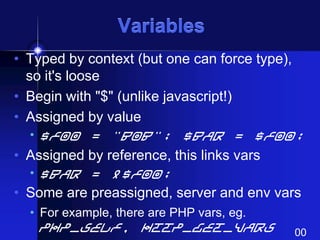
Variables
• Typed by context (but one can force type),
so it's loose
• Begin with "$" (unlike javascript!)
• Assigned by value
• $foo = "Bob"; $bar = $foo;

• Assigned by reference, this links vars
• $bar = &$foo;

• Some are preassigned, server and env vars
• For example, there are PHP vars, eg.

PHP_SELF, HTTP_GET_VARS

00
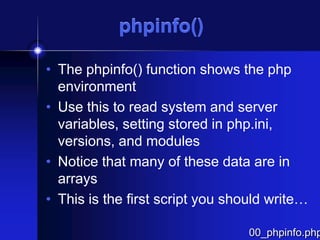
phpinfo()
• The phpinfo() function shows the php
environment
• Use this to read system and server
variables, setting stored in php.ini,
versions, and modules
• Notice that many of these data are in
arrays
• This is the first script you should write…

00_phpinfo.php
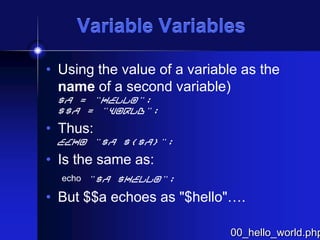
Variable Variables
• Using the value of a variable as the
name of a second variable)
$a = "hello";
$$a = "world";

• Thus:
echo "$a ${$a}";

• Is the same as:
echo "$a $hello";

• But $$a echoes as "$hello"….

00_hello_world.php
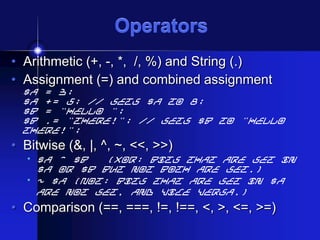
Operators
• Arithmetic (+, -, *, /, %) and String (.)
• Assignment (=) and combined assignment

$a = 3;
$a += 5; // sets $a to 8;
$b = "Hello ";
$b .= "There!"; // sets $b to "Hello
There!";

• Bitwise (&, |, ^, ~, <<, >>)
• $a ^ $b

(Xor: Bits that are set in
$a or $b but not both are set.)
• ~ $a (Not: Bits that are set in $a
are not set, and vice versa.)

• Comparison (==, ===, !=, !==, <, >, <=, >=)
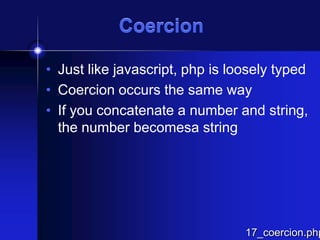
Coercion
• Just like javascript, php is loosely typed
• Coercion occurs the same way
• If you concatenate a number and string,
the number becomesa string

17_coercion.php
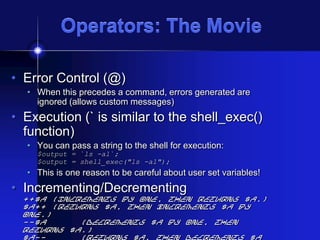
Operators: The Movie
• Error Control (@)
• When this precedes a command, errors generated are
ignored (allows custom messages)

• Execution (` is similar to the shell_exec()
function)
• You can pass a string to the shell for execution:
$output = `ls -al`;
$output = shell_exec("ls -al");

• This is one reason to be careful about user set variables!

• Incrementing/Decrementing

++$a (Increments by one, then returns $a.)
$a++ (Returns $a, then increments $a by
one.)
--$a
(Decrements $a by one, then
returns $a.)
$a-(Returns $a, then decrements $a
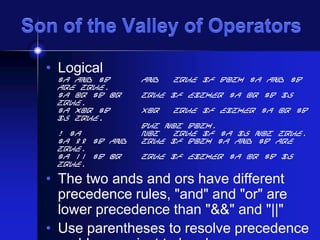
Son of the Valley of Operators
• Logical

$a and $b
are true.
$a or $b Or
true.
$a xor $b
is true,
! $a
$a && $b And
true.
$a || $b Or
true.

And

True if both $a and $b

True if either $a or $b is
Xor

True if either $a or $b

but not both.
Not
True if $a is not true.
True if both $a and $b are
True if either $a or $b is

• The two ands and ors have different
precedence rules, "and" and "or" are
lower precedence than "&&" and "||"
• Use parentheses to resolve precedence
Control Structures
• Wide Variety available
•
•
•
•
•

if, else, elseif
while, do-while
for, foreach
break, continue, switch
require, include, require_once,
include_once
Control Structures
• Mostly parallel to what we've covered
already in javascript
• if, elseif, else, while, for, foreach, break
and continue
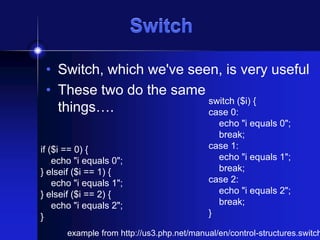
Switch
• Switch, which we've seen, is very useful
• These two do the same
switch ($i) {
things….
case 0:
if ($i == 0) {
echo "i equals 0";
} elseif ($i == 1) {
echo "i equals 1";
} elseif ($i == 2) {
echo "i equals 2";
}

echo "i equals 0";
break;
case 1:
echo "i equals 1";
break;
case 2:
echo "i equals 2";
break;
}

example from http://us3.php.net/manual/en/control-structures.switch
Nesting Files
• require(), include(), include_once(),
require_once() are used to bring in an external file
• This lets you use the same chunk of code in a
number of pages, or read other kinds of files into
your program
• Be VERY careful of using these anywhere close
to user input--if a hacker can specify the file to be
included, that file will execute within your script,
with whatever rights your script has (readfile is a
good alternative if you just want the file, but don't
need to execute it)
Example: A Dynamic Table
• I hate writing html tables
• You can build one in php
• This example uses pictures and builds a
table with pictures in one column, and
captions in another
• The captions are drawn from text files
• I'm using tables, but you could use css
for placement easily…
Arrays

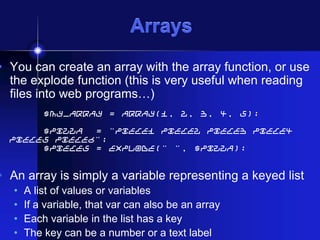
• You can create an array with the array function, or use
the explode function (this is very useful when reading
files into web programs…)
$my_array = array(1, 2, 3, 4, 5);
$pizza
= "piece1 piece2 piece3 piece4
piece5 piece6";
$pieces = explode(" ", $pizza);

• An array is simply a variable representing a keyed list
•
•
•
•

A list of values or variables
If a variable, that var can also be an array
Each variable in the list has a key
The key can be a number or a text label
Arrays
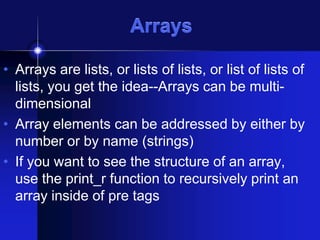
• Arrays are lists, or lists of lists, or list of lists of
lists, you get the idea--Arrays can be multidimensional
• Array elements can be addressed by either by
number or by name (strings)
• If you want to see the structure of an array,
use the print_r function to recursively print an
array inside of pre tags
Text versus Keys
• Text keys work like number keys (well,
really, it's the other way around--number
keys are just labels)
• You assign and call them the same way,
except you have to assign the label to
the value or variables, eg:
echo "$my_text_array[third]";

$my_text_array = array(first=>1, seco
echo "<pre>";
print_r($my_text_array);
echo "</pre>";
Walking Arrays
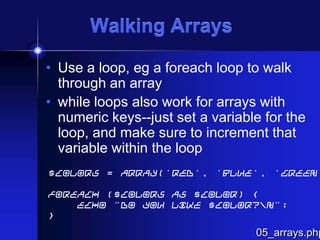
• Use a loop, eg a foreach loop to walk
through an array
• while loops also work for arrays with
numeric keys--just set a variable for the
loop, and make sure to increment that
variable within the loop

$colors = array('red', 'blue', 'green'
foreach ($colors as $color) {
echo "Do you like $color?n";
}

05_arrays.php
05_arrays.php
• You can't echo an
array directly…
• You can walk
through an echo or
print() line by line
• You can use
print_r(), this will
show you the
structure of complex
arrays--that output
is to the right, and
it's handy for

Array
(
[1] => Array
(
[sku] =>
[quantit
[item] =
[price]
)

[2] => Array
(
[sku] =>
[quantit
[item] =
[price]
)
Multidimensional Arrays
• A one dimensional array is a list, a spreadsheet or other
columnar data is two dimensional…
• Basically, you can make an array of arrays
$multiD = array
(
"fruits"
=> array("myfavorite" =>
"orange", "yuck" => "banana", "yum" => "apple"),
"numbers" => array(1, 2, 3, 4, 5, 6),
"holes"
=> array("first", 5 =>
"second", "third")
);

• The structure can be built array by array, or declared with a
single statement
• You can reference individual elements by nesting:
echo "<p>Yes, we have no " .
$multiD["fruits"]["yuck"] . " (ok by
01a_arrays.php
Getting Data into arrays
• You can directly read data into
individual array slots via a direct
assignment:
$pieces[5] = "poulet resistance";
• From a file:
• Use the file command to read a delimited
file (the delimiter can be any unique char):
$pizza = file(./our_pizzas.txt)
• Use explode to create an array from a line
within a loop:
$pieces = explode(" ", $pizza);
The Surface
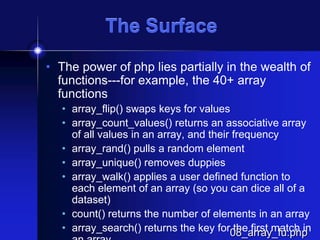
• The power of php lies partially in the wealth of
functions---for example, the 40+ array
functions
• array_flip() swaps keys for values
• array_count_values() returns an associative array
of all values in an array, and their frequency
• array_rand() pulls a random element
• array_unique() removes duppies
• array_walk() applies a user defined function to
each element of an array (so you can dice all of a
dataset)
• count() returns the number of elements in an array
• array_search() returns the key for08_array_fu.php
the first match in
Using External Data
• You can build dynamic pages with just
the information in a php script
• But where php shines is in building
pages out of external data sources, so
that the web pages change when the
data does
• Most of the time, people think of a
database like MySQL as the backend,
but you can also use text or other files,
LDAP, pretty much anything….
Standard data files
• Normally you'd use a tab delimited file, but you
can use pretty much anything as a delimiter
• Files get read as arrays, one line per slot
• Remember each line ends in n, you should
clean this up, and be careful about white
space
• Once the file is read, you can use explode to
break the lines into fields, one at a time, in a
loop….
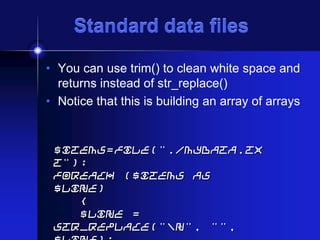
Standard data files
• You can use trim() to clean white space and
returns instead of str_replace()
• Notice that this is building an array of arrays

$items=file("./mydata.tx
t");
foreach ($items as
$line)
{
$line =
str_replace("n", "",
Useful string functions
•
•
•
•
•

str_replace()
trim(), ltrim(), rtrim()
implode(), explode()
addslashes(), stripslashes()
htmlentities(), html_entity_decode(),
htmlspecialchars()
• striptags()
06_more_arrays.php
• This is a simple script to read and process a
text file
• The data file is tab delimited and has the
column titles as the first line of the file
How it works
• The script uses the first line to build text
labels for the subsequent lines, so that the
array elements can be called by the text label
• If you add a new column, this script
compensates
• Text based arrays are not position
dependent…
• This script could be the basis of a nice
function
• There are two version of this, calling two
different datafiles, but that's the only
06a_more_arrays.php
• This version shows how to dynamically build a table
in the html output
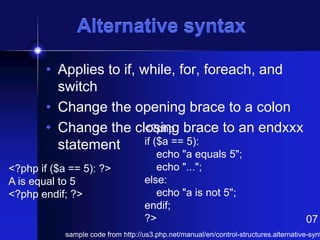
Alternative syntax
• Applies to if, while, for, foreach, and
switch
• Change the opening brace to a colon
<?php
• Change the closing brace to an endxxx
if ($a == 5):
statement
<?php if ($a == 5): ?>
A is equal to 5
<?php endif; ?>

echo "a equals 5";
echo "...";
else:
echo "a is not 5";
endif;
?>

07

sample code from http://us3.php.net/manual/en/control-structures.alternative-synt
Sources
• http://www.zend.com/zend/art/intro.php
• http://www.php.net/
• http://hotwired.lycos.com/webmonkey/pr
ogramming/php/index.html

rtwerewr

  • 1.
  • 2.
    PHP Most of thisis from the PHP manual online at: http://www.php.net/manual/
  • 3.
    What we'll cover • • • • • • • • Ashort history of php Parsing Variables Arrays Operators Functions Control Structures External Data Files
  • 4.
    Background • PHP isserver side scripting system • PHP stands for "PHP: Hypertext Preprocessor" • Syntax based on Perl, Java, and C • Very good for creating dynamic content • Powerful, but somewhat risky! • If you want to focus on one system for dynamic content, this is a good one to choose
  • 5.
    History • Started asa Perl hack in 1994 by Rasmus Lerdorf (to handle his resume), developed to PHP/FI 2.0 • By 1997 up to PHP 3.0 with a new parser engine by Zeev Suraski and Andi Gutmans • Version 5.2.4 is current version, rewritten by Zend (www.zend.com) to include a number of features, such as an object model • Current is version 5 • php is one of the premier examples of what an open source project can be
  • 6.
    About Zend • ACommercial Enterprise • Zend provides Zend engine for PHP for free • They provide other products and services for a fee • Server side caching and other optimizations • Encoding in Zend's intermediate format to protect source code • IDE-a developer's package with tools to make life easier • Support and training services • Zend's web site is a great resource
  • 7.
    PHP 5 Architecture •Zend engine as parser (Andi Gutmans and Zeev Suraski) • SAPI is a web server abstraction layer • PHP components now self contained (ODBC, Java, LDAP, etc.) • This structure is a good general design for software (compare to OSI model, and middleware applications) image from http://www.zend.com/zend/art/intro.ph
  • 8.
    PHP Scripts • Typicallyfile ends in .php--this is set by the web server configuration • Separated in files with the <?php ?> tag • php commands can make up an entire file, or can be contained in html--this is a choice…. • Program lines end in ";" or you get an error • Server recognizes embedded script and executes • <P> Result is passed to browser, source isn't <?php $myvar = "Hello World!"; visible echo $myvar; ?> </P>
  • 9.
    Parsing • We've talkabout how the browser can read a text file and process it, that's a basic parsing method • Parsing involves acting on relevant portions of a file and ignoring others • Browsers parse web pages as they load • Web servers with server side technologies like php parse web pages as they are being passed out to the browser • Parsing does represent work, so there is a cost
  • 10.
    Two Ways • Youcan embed sections of php inside <BODY> html: <P> <?php $myvar = "Hello World!"; echo $myvar; </BODY> • Or<?php can call html from php: you echo "<html><head><title>Howdy</title> … ?>
  • 11.
    What do weknow already? • Much of what we learned about javascript holds true in php (but not all!), and other languages as well $name = "bil"; echo "Howdy, my name is $name"; echo "What will $name be in this line?"; echo 'What will $name be in this line?'; echo 'What's wrong with this line?'; if ($name == "bil") { // Hey, what's this? echo "got a match!"; }
  • 12.
    Variables • Typed bycontext (but one can force type), so it's loose • Begin with "$" (unlike javascript!) • Assigned by value • $foo = "Bob"; $bar = $foo; • Assigned by reference, this links vars • $bar = &$foo; • Some are preassigned, server and env vars • For example, there are PHP vars, eg. PHP_SELF, HTTP_GET_VARS 00
  • 13.
    phpinfo() • The phpinfo()function shows the php environment • Use this to read system and server variables, setting stored in php.ini, versions, and modules • Notice that many of these data are in arrays • This is the first script you should write… 00_phpinfo.php
  • 14.
    Variable Variables • Usingthe value of a variable as the name of a second variable) $a = "hello"; $$a = "world"; • Thus: echo "$a ${$a}"; • Is the same as: echo "$a $hello"; • But $$a echoes as "$hello"…. 00_hello_world.php
  • 15.
    Operators • Arithmetic (+,-, *, /, %) and String (.) • Assignment (=) and combined assignment $a = 3; $a += 5; // sets $a to 8; $b = "Hello "; $b .= "There!"; // sets $b to "Hello There!"; • Bitwise (&, |, ^, ~, <<, >>) • $a ^ $b (Xor: Bits that are set in $a or $b but not both are set.) • ~ $a (Not: Bits that are set in $a are not set, and vice versa.) • Comparison (==, ===, !=, !==, <, >, <=, >=)
  • 16.
    Coercion • Just likejavascript, php is loosely typed • Coercion occurs the same way • If you concatenate a number and string, the number becomesa string 17_coercion.php
  • 17.
    Operators: The Movie •Error Control (@) • When this precedes a command, errors generated are ignored (allows custom messages) • Execution (` is similar to the shell_exec() function) • You can pass a string to the shell for execution: $output = `ls -al`; $output = shell_exec("ls -al"); • This is one reason to be careful about user set variables! • Incrementing/Decrementing ++$a (Increments by one, then returns $a.) $a++ (Returns $a, then increments $a by one.) --$a (Decrements $a by one, then returns $a.) $a-(Returns $a, then decrements $a
  • 18.
    Son of theValley of Operators • Logical $a and $b are true. $a or $b Or true. $a xor $b is true, ! $a $a && $b And true. $a || $b Or true. And True if both $a and $b True if either $a or $b is Xor True if either $a or $b but not both. Not True if $a is not true. True if both $a and $b are True if either $a or $b is • The two ands and ors have different precedence rules, "and" and "or" are lower precedence than "&&" and "||" • Use parentheses to resolve precedence
  • 19.
    Control Structures • WideVariety available • • • • • if, else, elseif while, do-while for, foreach break, continue, switch require, include, require_once, include_once
  • 20.
    Control Structures • Mostlyparallel to what we've covered already in javascript • if, elseif, else, while, for, foreach, break and continue
  • 21.
    Switch • Switch, whichwe've seen, is very useful • These two do the same switch ($i) { things…. case 0: if ($i == 0) { echo "i equals 0"; } elseif ($i == 1) { echo "i equals 1"; } elseif ($i == 2) { echo "i equals 2"; } echo "i equals 0"; break; case 1: echo "i equals 1"; break; case 2: echo "i equals 2"; break; } example from http://us3.php.net/manual/en/control-structures.switch
  • 22.
    Nesting Files • require(),include(), include_once(), require_once() are used to bring in an external file • This lets you use the same chunk of code in a number of pages, or read other kinds of files into your program • Be VERY careful of using these anywhere close to user input--if a hacker can specify the file to be included, that file will execute within your script, with whatever rights your script has (readfile is a good alternative if you just want the file, but don't need to execute it)
  • 23.
    Example: A DynamicTable • I hate writing html tables • You can build one in php • This example uses pictures and builds a table with pictures in one column, and captions in another • The captions are drawn from text files • I'm using tables, but you could use css for placement easily…
  • 24.
    Arrays • You cancreate an array with the array function, or use the explode function (this is very useful when reading files into web programs…) $my_array = array(1, 2, 3, 4, 5); $pizza = "piece1 piece2 piece3 piece4 piece5 piece6"; $pieces = explode(" ", $pizza); • An array is simply a variable representing a keyed list • • • • A list of values or variables If a variable, that var can also be an array Each variable in the list has a key The key can be a number or a text label
  • 25.
    Arrays • Arrays arelists, or lists of lists, or list of lists of lists, you get the idea--Arrays can be multidimensional • Array elements can be addressed by either by number or by name (strings) • If you want to see the structure of an array, use the print_r function to recursively print an array inside of pre tags
  • 26.
    Text versus Keys •Text keys work like number keys (well, really, it's the other way around--number keys are just labels) • You assign and call them the same way, except you have to assign the label to the value or variables, eg: echo "$my_text_array[third]"; $my_text_array = array(first=>1, seco echo "<pre>"; print_r($my_text_array); echo "</pre>";
  • 27.
    Walking Arrays • Usea loop, eg a foreach loop to walk through an array • while loops also work for arrays with numeric keys--just set a variable for the loop, and make sure to increment that variable within the loop $colors = array('red', 'blue', 'green' foreach ($colors as $color) { echo "Do you like $color?n"; } 05_arrays.php
  • 28.
    05_arrays.php • You can'techo an array directly… • You can walk through an echo or print() line by line • You can use print_r(), this will show you the structure of complex arrays--that output is to the right, and it's handy for Array ( [1] => Array ( [sku] => [quantit [item] = [price] ) [2] => Array ( [sku] => [quantit [item] = [price] )
  • 29.
    Multidimensional Arrays • Aone dimensional array is a list, a spreadsheet or other columnar data is two dimensional… • Basically, you can make an array of arrays $multiD = array ( "fruits" => array("myfavorite" => "orange", "yuck" => "banana", "yum" => "apple"), "numbers" => array(1, 2, 3, 4, 5, 6), "holes" => array("first", 5 => "second", "third") ); • The structure can be built array by array, or declared with a single statement • You can reference individual elements by nesting: echo "<p>Yes, we have no " . $multiD["fruits"]["yuck"] . " (ok by 01a_arrays.php
  • 30.
    Getting Data intoarrays • You can directly read data into individual array slots via a direct assignment: $pieces[5] = "poulet resistance"; • From a file: • Use the file command to read a delimited file (the delimiter can be any unique char): $pizza = file(./our_pizzas.txt) • Use explode to create an array from a line within a loop: $pieces = explode(" ", $pizza);
  • 31.
    The Surface • Thepower of php lies partially in the wealth of functions---for example, the 40+ array functions • array_flip() swaps keys for values • array_count_values() returns an associative array of all values in an array, and their frequency • array_rand() pulls a random element • array_unique() removes duppies • array_walk() applies a user defined function to each element of an array (so you can dice all of a dataset) • count() returns the number of elements in an array • array_search() returns the key for08_array_fu.php the first match in
  • 32.
    Using External Data •You can build dynamic pages with just the information in a php script • But where php shines is in building pages out of external data sources, so that the web pages change when the data does • Most of the time, people think of a database like MySQL as the backend, but you can also use text or other files, LDAP, pretty much anything….
  • 33.
    Standard data files •Normally you'd use a tab delimited file, but you can use pretty much anything as a delimiter • Files get read as arrays, one line per slot • Remember each line ends in n, you should clean this up, and be careful about white space • Once the file is read, you can use explode to break the lines into fields, one at a time, in a loop….
  • 34.
    Standard data files •You can use trim() to clean white space and returns instead of str_replace() • Notice that this is building an array of arrays $items=file("./mydata.tx t"); foreach ($items as $line) { $line = str_replace("n", "",
  • 35.
    Useful string functions • • • • • str_replace() trim(),ltrim(), rtrim() implode(), explode() addslashes(), stripslashes() htmlentities(), html_entity_decode(), htmlspecialchars() • striptags()
  • 36.
    06_more_arrays.php • This isa simple script to read and process a text file • The data file is tab delimited and has the column titles as the first line of the file
  • 37.
    How it works •The script uses the first line to build text labels for the subsequent lines, so that the array elements can be called by the text label • If you add a new column, this script compensates • Text based arrays are not position dependent… • This script could be the basis of a nice function • There are two version of this, calling two different datafiles, but that's the only
  • 38.
    06a_more_arrays.php • This versionshows how to dynamically build a table in the html output
  • 39.
    Alternative syntax • Appliesto if, while, for, foreach, and switch • Change the opening brace to a colon <?php • Change the closing brace to an endxxx if ($a == 5): statement <?php if ($a == 5): ?> A is equal to 5 <?php endif; ?> echo "a equals 5"; echo "..."; else: echo "a is not 5"; endif; ?> 07 sample code from http://us3.php.net/manual/en/control-structures.alternative-synt
  • 40.
    Sources • http://www.zend.com/zend/art/intro.php • http://www.php.net/ •http://hotwired.lycos.com/webmonkey/pr ogramming/php/index.html