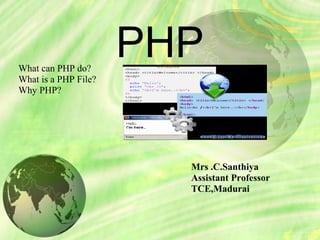
PHPWhat can PHP do?
What is a PHP File?
Why PHP?
Mrs .C.Santhiya
Assistant Professor
TCE,Madurai
Background
 PHP is server side scripting system.
 PHP stands for "PHP: Hypertext Preprocessor“
 Syntax based on Perl, Java, and C
 Very good for creating dynamic content
 Powerful, but somewhat risky!
 If you want to focus on one system for dynamic content,
this is a good one to choose
PHP Scripts
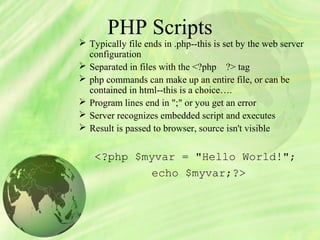
 Typically file ends in .php--this is set by the web server
configuration
 Separated in files with the <?php ?> tag
 php commands can make up an entire file, or can be
contained in html--this is a choice….
 Program lines end in ";" or you get an error
 Server recognizes embedded script and executes
 Result is passed to browser, source isn't visible
<?php $myvar = "Hello World!";
echo $myvar;?>
Two Ways
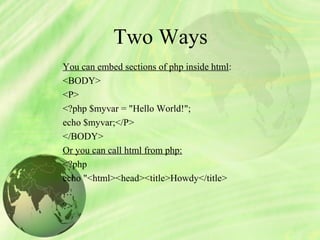
You can embed sections of php inside html:
<BODY>
<P>
<?php $myvar = "Hello World!";
echo $myvar;</P>
</BODY>
Or you can call html from php:
<?php
echo "<html><head><title>Howdy</title>
…
?>
Code:
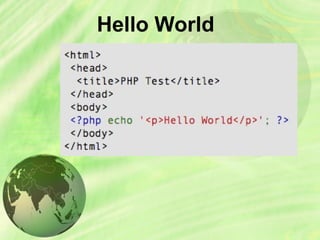
<?php
echo "Hello world!";
?>
Run a php file
 http://www.wampserver.com
Go to start & start wamp server
Open browser & http://local host
Put php file in www folder c://wamp/www
http:///local host/filename.php
Hello World
Literals
 All strings must be enclosed in single of
doublequotes: ‘Hello’ or “Hello”.
 Numbers are not in enclosed in quotes: 1 or 45
or34.564
 Booleans (true/false) can be written directly as
true or false.
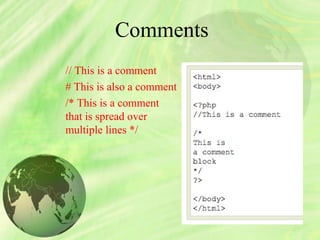
Comments
// This is a comment
# This is also a comment
/* This is a comment
that is spread over
multiple lines */
Displaying Data
There are two language constructs available todisplay data: print() and
echo().
They can be used with or without brackets.
Note that the data ‘displayed’ by PHP is actually parsed by your
browser as HTML. View source to see actual output.
<?php
echo ‘Hello World!<br />’;
echo(‘Hello World!<br />’);
print ‘Hello World!<br />’;
print(‘Hello World!<br />’);
?>
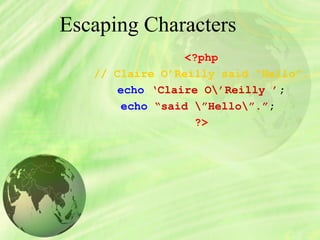
Escaping Characters
<?php
// Claire O’Reilly said “Hello”.
echo ‘Claire O’Reilly ’;
echo “said ”Hello”.”;
?>
Variables: What are they?
labelled ‘places’ are called VARIABLES
$ followed by variable name
Case sensitive
$variable differs from $Variable
Stick to lower-case to be sure!
Name must started with a letter or an underscore
Followed by any number of letters, numbers and underscores
<?php
$name = ‘Phil’;
$age = 23;
echo $name;
echo ’ is ‘;
echo $age;
// Phil is 23
?>
Variables: What are they?
Assigned by value
$foo = "Bob"; $bar = $foo;
Assigned by reference, this links vars
$bar = &$foo
Some are preassigned, server and env vars
For example, there are PHP vars, eg. PHP_SELF,
HTTP_GET_VARS,etc
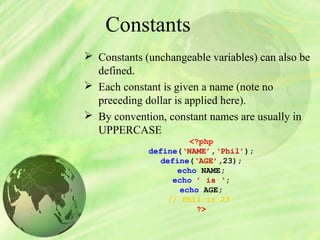
Constants
 Constants (unchangeable variables) can also be
defined.
 Each constant is given a name (note no
preceding dollar is applied here).
 By convention, constant names are usually in
UPPERCASE
<?php
define(‘NAME’,‘Phil’);
define(‘AGE’,23);
echo NAME;
echo ’ is ‘;
echo AGE;
// Phil is 23
?>
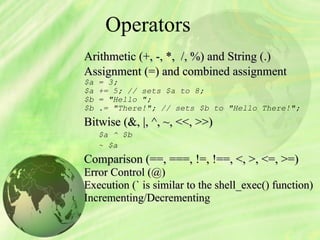
Operators
Arithmetic (+, -, *, /, %) and String (.)Arithmetic (+, -, *, /, %) and String (.)
Assignment (=) and combined assignmentAssignment (=) and combined assignment
$a = 3;
$a += 5; // sets $a to 8;
$b = "Hello ";
$b .= "There!"; // sets $b to "Hello There!";
Bitwise (&, |, ^, ~, <<, >>)Bitwise (&, |, ^, ~, <<, >>)
$a ^ $b
~ $a
Comparison (==, ===, !=, !==, <, >, <=, >=)Comparison (==, ===, !=, !==, <, >, <=, >=)
Error Control (@)Error Control (@)
Execution (` is similar to the shell_exec() function)Execution (` is similar to the shell_exec() function)
Incrementing/DecrementingIncrementing/Decrementing
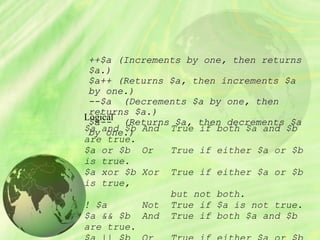
Logical
$a and $b And True if both $a and $b
are true.
$a or $b Or True if either $a or $b
is true.
$a xor $b Xor True if either $a or $b
is true,
but not both.
! $a Not True if $a is not true.
$a && $b And True if both $a and $b
are true.
++$a (Increments by one, then returns++$a (Increments by one, then returns
$a.)$a.)
$a++ (Returns $a, then increments $a$a++ (Returns $a, then increments $a
by one.)by one.)
--$a--$a (Decrements $a by one, then(Decrements $a by one, then
returns $a.)returns $a.)
$a--$a-- (Returns $a, then decrements $a(Returns $a, then decrements $a
by one.)by one.)
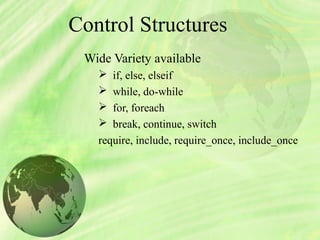
Control Structures
Wide Variety available
 if, else, elseif
 while, do-while
 for, foreach
 break, continue, switch
require, include, require_once, include_once
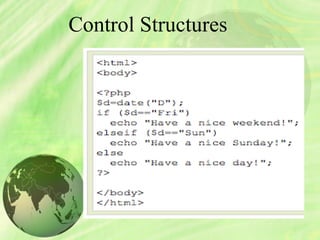
Control Structures
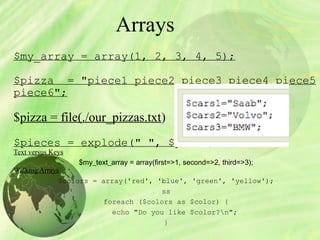
Arrays
$my_array = array(1, 2, 3, 4, 5);
$pizza = "piece1 piece2 piece3 piece4 piece5
piece6";
$pizza = file(./our_pizzas.txt)
$pieces = explode(" ", $pizza);
Text versus Keys
$my_text_array = array(first=>1, second=>2, third=>3);
Walking Arrays
$colors = array('red', 'blue', 'green', 'yellow');
ss
foreach ($colors as $color) {
echo "Do you like $color?n";
}
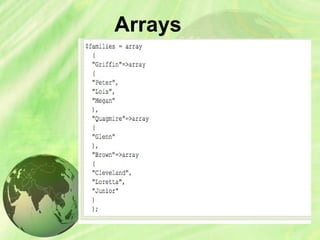
Multidimensional Arrays
$multiD = array
(
"fruits" => array("myfavorite" => "orange",
"yuck" => "banana", "yum" => "apple"),
"numbers" => array(1, 2, 3, 4, 5, 6),
"holes" => array("first", 5 => "second",
"third")
);
Getting Data into array
$pieces[5] = "poulet resistance"; -----direct assignment
From a file
$pizza = file(./our_pizzas.txt)
$pieces = explode(" ", $pizza);
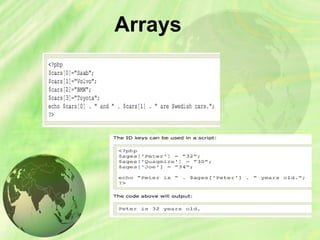
Arrays
Arrays
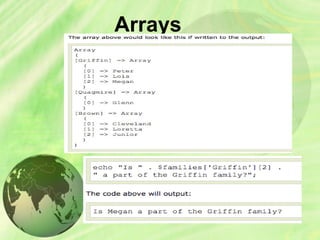
Arrays
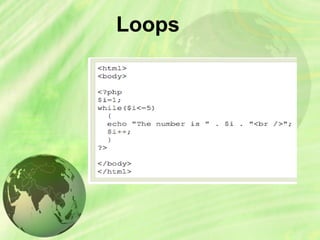
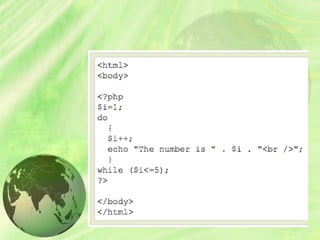
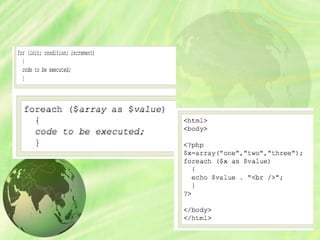
Loops
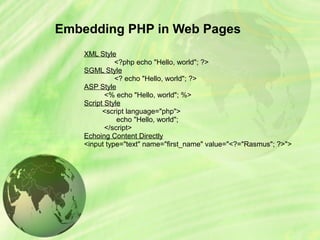
Embedding PHP in Web Pages
XML Style
<?php echo "Hello, world"; ?>
SGML Style
<? echo "Hello, world"; ?>
ASP Style
<% echo "Hello, world"; %>
Script Style
<script language="php">
echo "Hello, world";
</script>
Echoing Content Directly
<input type="text" name="first_name" value="<?="Rasmus"; ?>">
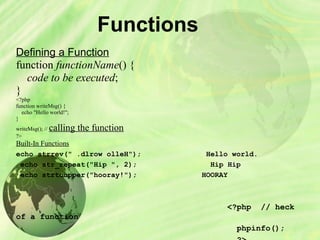
Functions
Defining a Function
function functionName() {
    code to be executed;
}
<?php
function writeMsg() {
    echo "Hello world!";
}
writeMsg(); // calling the function
?>
Built-In Functions
echo strrev(" .dlrow olleH"); Hello world.
echo str_repeat("Hip ", 2); Hip Hip
echo strtoupper("hooray!"); HOORAY
<?php // heck
of a function
phpinfo();
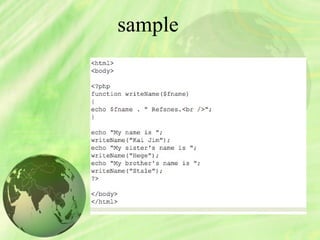
sample
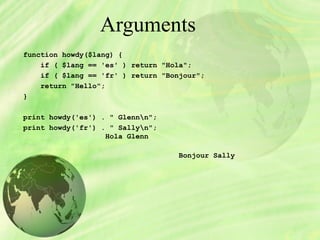
Arguments
function howdy($lang) {
if ( $lang == 'es' ) return "Hola";
if ( $lang == 'fr' ) return "Bonjour";
return "Hello";
}
print howdy('es') . " Glennn";
print howdy('fr') . " Sallyn";
Hola Glenn
Bonjour Sally
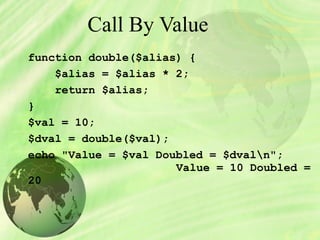
Call By Value
function double($alias) {
$alias = $alias * 2;
return $alias;
}
$val = 10;
$dval = double($val);
echo "Value = $val Doubled = $dvaln";
Value = 10 Doubled =
20
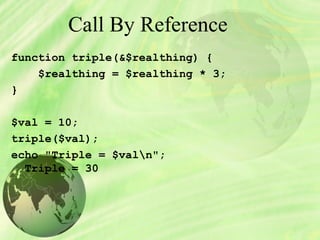
Call By Reference
function triple(&$realthing) {
$realthing = $realthing * 3;
}
$val = 10;
triple($val);
echo "Triple = $valn";
Triple = 30
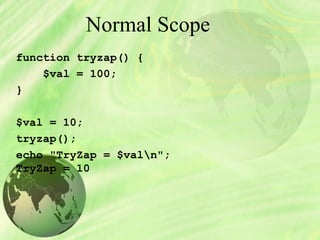
Normal Scope
function tryzap() {
$val = 100;
}
$val = 10;
tryzap();
echo "TryZap = $valn";
TryZap = 10
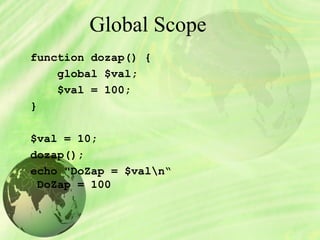
Global Scope
function dozap() {
global $val;
$val = 100;
}
$val = 10;
dozap();
echo "DoZap = $valn“
DoZap = 100
 
PHP Global Variables
The PHP superglobal variables are
$GLOBALS
$_SERVER
$_REQUEST
$_POST
$_GET
$_FILES
$_ENV
$_COOKIE
$_SESSION
PHP $_GLOBALS
<!DOCTYPE html>
<html>
<body>
<?php 
$x = 75;
$y = 25; 
function addition() {
     $GLOBALS['z'] = $GLOBALS['x'] + $GLOBALS['y'];
}
addition();
echo $z;
?>
</body>
</html>                                                   
                                                                                                            OUTPUT
100
PHP $_SERVER
<?php 
echo $_SERVER['PHP_SELF'];
echo "<br>";
echo $_SERVER['SERVER_NAME'];
echo "<br>";
echo $_SERVER['HTTP_HOST'];
echo "<br>";
echo $_SERVER['HTTP_REFERER'];
echo "<br>";
echo $_SERVER['HTTP_USER_AGENT'];
echo "<br>";
echo $_SERVER['SCRIPT_NAME'];
?>                                          OUTPUT
                                             php/demo_global_server.php
                                             www.w3schools.com
                                               www.w3schools.com
                                             http://www.w3schools.com/php/showphp.asp?filename=demo_global_server
       Mozilla/5.0 (Windows NT 6.1) AppleWebKit/537.36 (KHTML, like Gecko) Chrome/48.0.2564.109 
Safari/537.36
/                                                       php/demo_global_server.php
PHP $_REQUEST
form method="post" action="<?php echo $_SERVER['PHP_SELF'];?>">
  Name: <input type="text" name="fname">
  <input type="submit">
</form>
<?php
if ($_SERVER["REQUEST_METHOD"] == "POST") {
    // collect value of input field
    $name = $_REQUEST['fname'];
    if (empty($name)) {
        echo "Name is empty";
    } else {                                                                                        
        echo $name;
    }
}
?>
PHP $_GET
<!DOCTYPE html>
<html>
<body>
<a href="test_get.php?subject=PHP&web=W3schools.com">Test $GET</a>
</body>
</html>
test_get.php
<a href="test_get.php?subject=PHP&web=W3schools.com">Test $GET</a>
Test $GET
Study PHP at W3schools.com
Forms
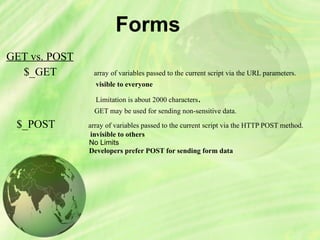
GET vs. POST
$_GET                    array of variables passed to the current script via the URL parameters.
visible to everyone
                                                 Limitation is about 2000 characters.
      GET may be used for sending non-sensitive data.
$_POST            array of variables passed to the current script via the HTTP POST method.
invisible to others 
No Limits
Developers prefer POST for sending form data
Form Elements
<form method="post" action="<?php echo htmlspecialchars($_
SERVER["PHP_SELF"]);?>">
PHP Form Security
<form method="post" action="<?php echo 
$_SERVER["PHP_SELF"];?>">
<form method="post" action="test_form.php">
http://www.example.com/test_form.php/%22%3E%3Cscript%3Ealer
<form method="post" action="<?php echo 
htmlspecialchars($_SERVER["PHP_SELF"]);?>">
Validate Form
use the htmlspecialchars() function
with the PHP trim() function
with the PHP stripslashes() function)
$_POST variable with the test_input() function
<?php
// define variables and set to empty values
$name = $email = $gender = $comment = $website = "";
if ($_SERVER["REQUEST_METHOD"] == "POST") {
   $name = test_input($_POST["name"]);
   $email = test_input($_POST["email"]);
   $website = test_input($_POST["website"]);
   $comment = test_input($_POST["comment"]);
   $gender = test_input($_POST["gender"]);
}
function test_input($data) {
   $data = trim($data);
   $data = stripslashes($data);
   $data = htmlspecialchars($data);                          
   return $data;
}
?>
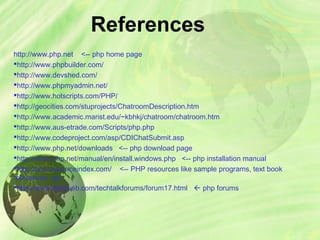
References
http://www.php.net <-- php home page
http://www.phpbuilder.com/
http://www.devshed.com/
http://www.phpmyadmin.net/
http://www.hotscripts.com/PHP/
http://geocities.com/stuprojects/ChatroomDescription.htm
http://www.academic.marist.edu/~kbhkj/chatroom/chatroom.htm
http://www.aus-etrade.com/Scripts/php.php
http://www.codeproject.com/asp/CDIChatSubmit.asp
http://www.php.net/downloads <-- php download page
http://www.php.net/manual/en/install.windows.php <-- php installation manual
http://php.resourceindex.com/ <-- PHP resources like sample programs, text book
references, etc.
http://www.daniweb.com/techtalkforums/forum17.html  php forums

Php Lecture Notes