Presented On 2 REVIEW INTERNET TV WEBSITE www.itcoolgang.com www.ricngroup.co.cc
What is Internet TV ?
Internet TV ? Internet television  (Internet TV or iTV) is  television  distributed through the  Internet . Internet television allows viewers to choose the show they want to watch from a library of shows. The primary models for Internet television are streaming Internet TV or selectable video on an Internet location, typically a website. The video can also be broadcast with a peer-to-peer network( P2PTV ),which doesn't rely on single website's streaming. It differs from  IPTV  in that IPTV offerings are typically offered on discrete service provider networks,requiring a special IPTV set-top-box. Internet TV is a quick-to-market and relatively low investment service. Internet TV rides on existing infrastructure including broadband, ADSL, Wi-Fi, cable and satellite which makes it a valuable tool for a wide variety of service providers and content owners looking for new revenue streams.
Other names for Internet television Television on the desktop   ( TOD )  TV over IP  - Television over Internet Protocol  Vlog  For video web logging .  Vodcast  For video on demand .
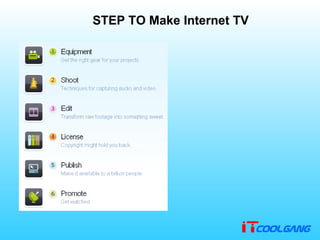
STEP TO Make Internet TV
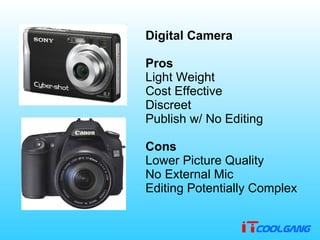
          Digital Camera Pros Light Weight   Cost Effective   Discreet   Publish w /  No Editing   Cons Lower Picture Quality   No External Mic   Editing Potentially Complex
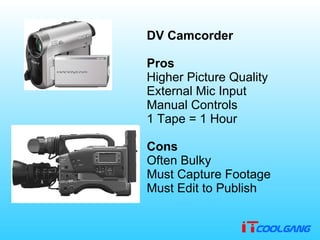
DV Camcorder Pros Higher Picture Quality   External Mic Input   Manual Controls   1 Tape  =  1 Hour   Cons Often Bulky   Must Capture Footage   Must Edit to Publish
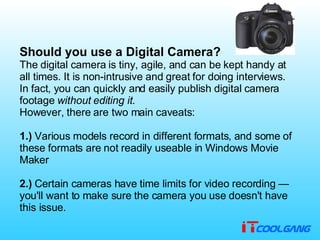
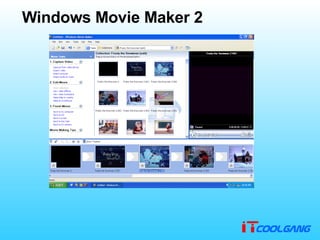
Should you use a Digital Camera? The digital camera is tiny, agile, and can be kept handy at all times .  It is non - intrusive and great for doing interviews .  In fact, you can quickly and easily publish digital camera footage  without editing it . However, there are two main caveats :  1.)  Various models record in different formats, and some of these formats are not readily useable in Windows Movie Maker  2.)  Certain cameras have time limits for video recording — you'll want to make sure the camera you use doesn't have this issue .
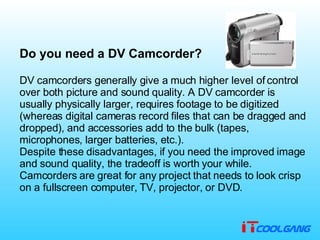
Do you need a DV Camcorder? DV camcorders generally give a much higher level of control over both picture and sound quality .  A DV camcorder is usually physically larger, requires footage to be digitized  ( whereas digital cameras record files that can be dragged and dropped ) , and accessories add to the bulk  ( tapes, microphones, larger batteries, etc .). Despite these disadvantages, if you need the improved image and sound quality, the tradeoff is worth your while .  Camcorders are great for any project that needs to look crisp on a fullscreen computer, TV, projector, or DVD .
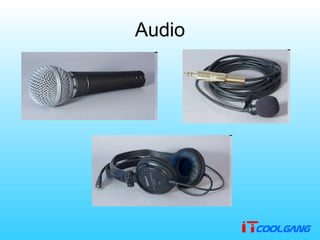
Audio
Light
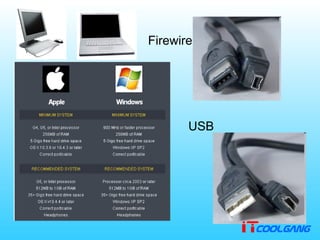
Firewire USB
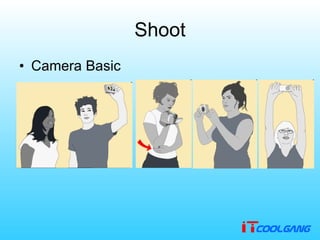
Shoot Camera Basic
Capital Sound
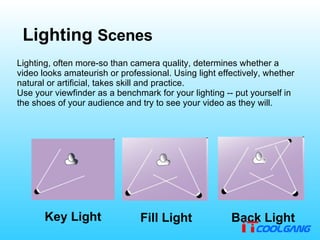
Lighting  Scenes Lighting, often more - so than camera quality, determines whether a video looks amateurish or professional .  Using light effectively, whether natural or artificial, takes skill and practice . Use your viewfinder as a benchmark for your lighting  --  put yourself in the shoes of your audience and try to see your video as they will . Key Light Fill Light Back Light
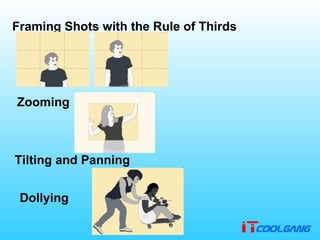
Framing Shots with the Rule of Thirds Zooming Tilting and Panning Dollying
Planning a Shoot Sometimes it is good to just grab your camera and shoot indiscriminately, but usually a little planning can save you a  lot  of time and energy .  Planning is especially important when you only have one opportunity to capture an event or important interview . This short chapter covers a few things you might want to consider, before starting a production . Storyboarding, Scribbling and Drawing
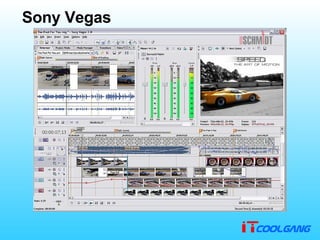
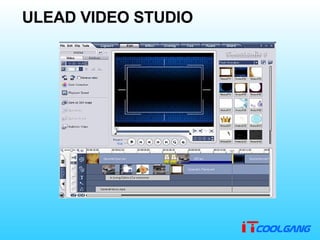
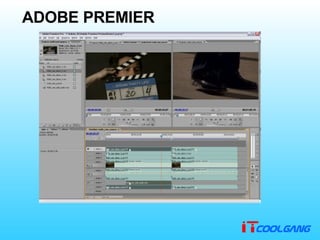
Editing Video Adobe Premier Sony Vegas Kino Windows Movie Maker Ulead Video Studio IMOVIE
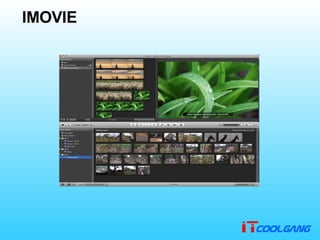
IMOVIE
Sony Vegas
ULEAD VIDEO STUDIO
ADOBE PREMIER
Windows Movie Maker 2
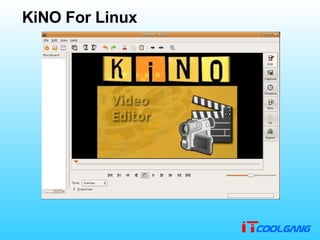
KiNO For Linux
Creative Commons allows you to explicitly state what other people can do with your videos (eg. share, copy, modify, etc). It is easy to use and gives others the ability to spread your work without fear of a lawsuit                                    Because it is so easy to duplicate digital files, a host of new questions, problems and arguments have come into being. If you're interested in learning more about the issues surrounding copyright, you'll want to look at this section License
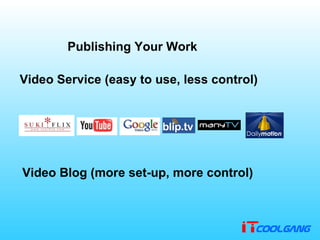
Publishing Your Work Video Service  ( easy to use, less control ) Video Blog  ( more set - up, more control )
Promote Rss feed Hi5 messenger Twitter Blog My Website Send E-mail Advertisement webboard Notice Cable TV Talk to Your Friend Letter Newspaper Search Engine

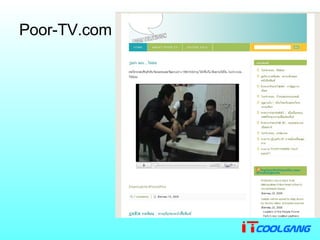
Poor-TV.com
Poor TV เวบไซต์เกี่ยวกับบ้านเมือง เน้นการเมืองโดยผลงานนักศึกษาคณะรัฐศาสตร์จุฬาลงกรณ์มหาวิทยาลัย ใช้งบประมาณไม่มาก แค่ทุ่มเรื่องโดเมน และการถ่ายทำรวมถึงไอเดียเท่านั้น ที่เหลือฟรีหมด เช่น  wordpress.com  และ  googlevideo มีสื่อโปรโมต ผ่าน  hi5
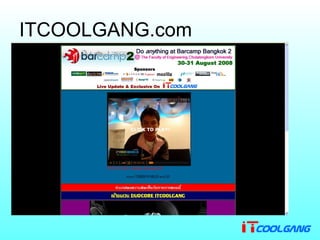
ITCOOLGANG.com
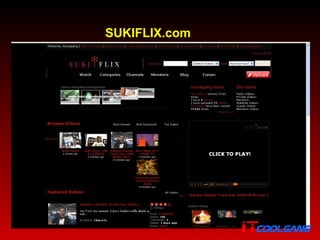
ITCOOLGANG  เวบไซต์แวดวงข่าวไอที และกลุ่มคอมมิวนิตี้ของเยาวชนคนไอที กำเนิดจากรูปแบบการเขียนข่าวไอทีและจัดแบบ  blogtalk  ใน  oknation พัฒนามาเป็น  PODCAST  และเป็นรายการความยาว  15  นาทีอัพวีดีโอลงใน  sukiflix.com  ถ่ายวีดีโอด้วยกล้องดิจิตอลธรรมดา  สื่อประชาสัมพันธ์ ผ่านจาก  oknation  sukiflix.com mblog  twitter ใช้รูปแบบเวบธรรมดา สร้างด้วย  MS Frontpage 2003   กับ  Macromedia Dreamweaver 8 แต่จุดเด่นของรายการคือการเสนอข่าวจริงแบบ  Exclusive  ซึ่งถ้าทำได้ก็เป็นรายการที่อัพเดทไว ทันเหตุการณ์ เร็วๆนี้จะมีเวบบอร์ด  SMF  มาบริการอีกครั้ง ได้เคยร่วมส่งข่าวให้  ubuntuclub  และ  aminthai
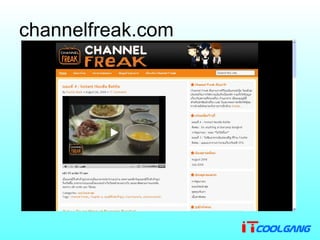
channelfreak.com
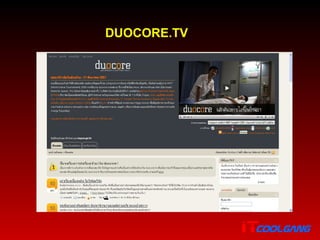
Channel Freak ให้ความบันเทิงเป็นหลักรวมทั้งให้ข้อมูลเกี่ยวกับสถานที่ท่องเที่ยว ร้านอาหาร เป็นคอมมูนิตี้สำหรับนักชิมนักเที่ยว ใช้  wordpress  ในการทำเว็บไซต์ ใช้  การแสดงวีดีโอ มีการประชาสัมพันธ์ผ่าน  hi5  และ  twitter  รวมไปถึง  duocore.tv มีระบบเวบบอร์ด  smf มีระบบข้อมูลแจ้งร้านอาหาร
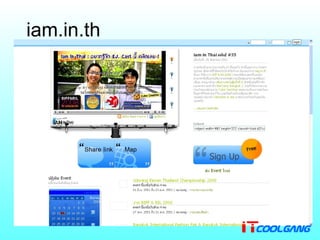
iam.in.th
Am in Thai รายงานโปรโมตการจัดการแสดง หรือการแข่งขัน หรือการสัมมนาต่างๆ ที่น่าสนใจ ใช้เวบ  CMS  อย่าง  Plig  ในการทำเว็บเพื่อใช้โหวต  event มี  twitter  ประชาสัมพันธ์   มีช่องให้ดูถึง  4  ช่อง โดยมีช่องรายการหลักอยู่ที่ ช่อง  1 ผู้เข้าชมเวบมีส่วนร่วมในการเสนอบรรยากาศงานหรือประชาสัมพันธ์งานที่น่าสนใจ
เวบรายการ  Internet  ที่น่าสนใจและ ต้องศึกษาเป็นแบบอย่าง
DUOCORE.TV
FUKDUK.TV
ARTSCENETV.NET
SUKIFLIX.com
More website Internet tv Songburi.com Prachathai.com Mcot.net Nationchannel.com  Manytv.com Tricast.tv Beartai.com Ihere.tv Ch7.com  jiggaban  Manager.co.th  Etc….. In the future
Q&A
Reference Wikipedia.org makeinternettv . org
Presented By Mr.Pradya Wongworakul Follow me on twitter at  @aumpradya  or @itcoolgang (special event) (TECH NEWS EVERY THURSDAY) www.itcoolgang.com 2
Thank You! 2 www.itcoolgang.com www.ricngroup.co.cc

Review Internet TV WEBSITE

  • 1.
    Presented On 2REVIEW INTERNET TV WEBSITE www.itcoolgang.com www.ricngroup.co.cc
  • 2.
  • 3.
    Internet TV ?Internet television (Internet TV or iTV) is television distributed through the Internet . Internet television allows viewers to choose the show they want to watch from a library of shows. The primary models for Internet television are streaming Internet TV or selectable video on an Internet location, typically a website. The video can also be broadcast with a peer-to-peer network( P2PTV ),which doesn't rely on single website's streaming. It differs from IPTV in that IPTV offerings are typically offered on discrete service provider networks,requiring a special IPTV set-top-box. Internet TV is a quick-to-market and relatively low investment service. Internet TV rides on existing infrastructure including broadband, ADSL, Wi-Fi, cable and satellite which makes it a valuable tool for a wide variety of service providers and content owners looking for new revenue streams.
  • 4.
    Other names forInternet television Television on the desktop ( TOD ) TV over IP - Television over Internet Protocol Vlog For video web logging . Vodcast For video on demand .
  • 5.
    STEP TO MakeInternet TV
  • 6.
             Digital Camera Pros Light Weight Cost Effective Discreet Publish w / No Editing Cons Lower Picture Quality No External Mic Editing Potentially Complex
  • 7.
    DV Camcorder ProsHigher Picture Quality External Mic Input Manual Controls 1 Tape = 1 Hour Cons Often Bulky Must Capture Footage Must Edit to Publish
  • 8.
    Should you usea Digital Camera? The digital camera is tiny, agile, and can be kept handy at all times . It is non - intrusive and great for doing interviews . In fact, you can quickly and easily publish digital camera footage without editing it . However, there are two main caveats : 1.) Various models record in different formats, and some of these formats are not readily useable in Windows Movie Maker 2.) Certain cameras have time limits for video recording — you'll want to make sure the camera you use doesn't have this issue .
  • 9.
    Do you needa DV Camcorder? DV camcorders generally give a much higher level of control over both picture and sound quality . A DV camcorder is usually physically larger, requires footage to be digitized ( whereas digital cameras record files that can be dragged and dropped ) , and accessories add to the bulk ( tapes, microphones, larger batteries, etc .). Despite these disadvantages, if you need the improved image and sound quality, the tradeoff is worth your while . Camcorders are great for any project that needs to look crisp on a fullscreen computer, TV, projector, or DVD .
  • 10.
  • 11.
  • 12.
  • 13.
  • 14.
  • 15.
    Lighting ScenesLighting, often more - so than camera quality, determines whether a video looks amateurish or professional . Using light effectively, whether natural or artificial, takes skill and practice . Use your viewfinder as a benchmark for your lighting -- put yourself in the shoes of your audience and try to see your video as they will . Key Light Fill Light Back Light
  • 16.
    Framing Shots withthe Rule of Thirds Zooming Tilting and Panning Dollying
  • 17.
    Planning a ShootSometimes it is good to just grab your camera and shoot indiscriminately, but usually a little planning can save you a lot of time and energy . Planning is especially important when you only have one opportunity to capture an event or important interview . This short chapter covers a few things you might want to consider, before starting a production . Storyboarding, Scribbling and Drawing
  • 18.
    Editing Video AdobePremier Sony Vegas Kino Windows Movie Maker Ulead Video Studio IMOVIE
  • 19.
  • 20.
  • 21.
  • 22.
  • 23.
  • 24.
  • 25.
    Creative Commons allowsyou to explicitly state what other people can do with your videos (eg. share, copy, modify, etc). It is easy to use and gives others the ability to spread your work without fear of a lawsuit                                Because it is so easy to duplicate digital files, a host of new questions, problems and arguments have come into being. If you're interested in learning more about the issues surrounding copyright, you'll want to look at this section License
  • 26.
    Publishing Your WorkVideo Service ( easy to use, less control ) Video Blog ( more set - up, more control )
  • 27.
    Promote Rss feedHi5 messenger Twitter Blog My Website Send E-mail Advertisement webboard Notice Cable TV Talk to Your Friend Letter Newspaper Search Engine
  • 28.
  • 29.
    Poor TV เวบไซต์เกี่ยวกับบ้านเมืองเน้นการเมืองโดยผลงานนักศึกษาคณะรัฐศาสตร์จุฬาลงกรณ์มหาวิทยาลัย ใช้งบประมาณไม่มาก แค่ทุ่มเรื่องโดเมน และการถ่ายทำรวมถึงไอเดียเท่านั้น ที่เหลือฟรีหมด เช่น wordpress.com และ googlevideo มีสื่อโปรโมต ผ่าน hi5
  • 30.
  • 31.
    ITCOOLGANG เวบไซต์แวดวงข่าวไอทีและกลุ่มคอมมิวนิตี้ของเยาวชนคนไอที กำเนิดจากรูปแบบการเขียนข่าวไอทีและจัดแบบ blogtalk ใน oknation พัฒนามาเป็น PODCAST และเป็นรายการความยาว 15 นาทีอัพวีดีโอลงใน sukiflix.com ถ่ายวีดีโอด้วยกล้องดิจิตอลธรรมดา สื่อประชาสัมพันธ์ ผ่านจาก oknation sukiflix.com mblog twitter ใช้รูปแบบเวบธรรมดา สร้างด้วย MS Frontpage 2003 กับ Macromedia Dreamweaver 8 แต่จุดเด่นของรายการคือการเสนอข่าวจริงแบบ Exclusive ซึ่งถ้าทำได้ก็เป็นรายการที่อัพเดทไว ทันเหตุการณ์ เร็วๆนี้จะมีเวบบอร์ด SMF มาบริการอีกครั้ง ได้เคยร่วมส่งข่าวให้ ubuntuclub และ aminthai
  • 32.
  • 33.
    Channel Freak ให้ความบันเทิงเป็นหลักรวมทั้งให้ข้อมูลเกี่ยวกับสถานที่ท่องเที่ยวร้านอาหาร เป็นคอมมูนิตี้สำหรับนักชิมนักเที่ยว ใช้ wordpress ในการทำเว็บไซต์ ใช้ การแสดงวีดีโอ มีการประชาสัมพันธ์ผ่าน hi5 และ twitter รวมไปถึง duocore.tv มีระบบเวบบอร์ด smf มีระบบข้อมูลแจ้งร้านอาหาร
  • 34.
  • 35.
    Am in Thaiรายงานโปรโมตการจัดการแสดง หรือการแข่งขัน หรือการสัมมนาต่างๆ ที่น่าสนใจ ใช้เวบ CMS อย่าง Plig ในการทำเว็บเพื่อใช้โหวต event มี twitter ประชาสัมพันธ์ มีช่องให้ดูถึง 4 ช่อง โดยมีช่องรายการหลักอยู่ที่ ช่อง 1 ผู้เข้าชมเวบมีส่วนร่วมในการเสนอบรรยากาศงานหรือประชาสัมพันธ์งานที่น่าสนใจ
  • 36.
    เวบรายการ Internet ที่น่าสนใจและ ต้องศึกษาเป็นแบบอย่าง
  • 37.
  • 38.
  • 39.
  • 40.
  • 41.
    More website Internettv Songburi.com Prachathai.com Mcot.net Nationchannel.com Manytv.com Tricast.tv Beartai.com Ihere.tv Ch7.com jiggaban Manager.co.th Etc….. In the future
  • 42.
  • 43.
  • 44.
    Presented By Mr.PradyaWongworakul Follow me on twitter at @aumpradya or @itcoolgang (special event) (TECH NEWS EVERY THURSDAY) www.itcoolgang.com 2
  • 45.
    Thank You! 2www.itcoolgang.com www.ricngroup.co.cc