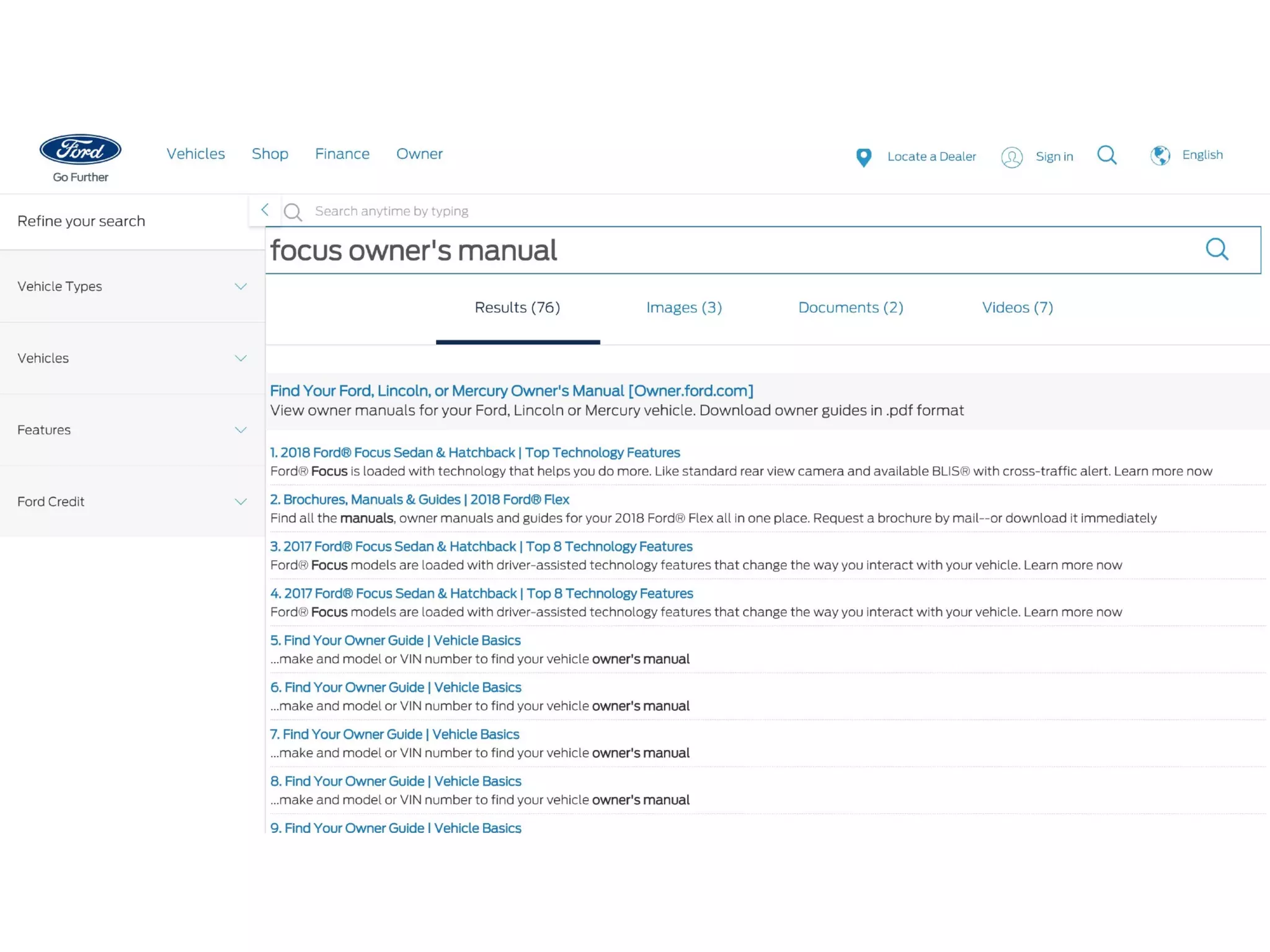
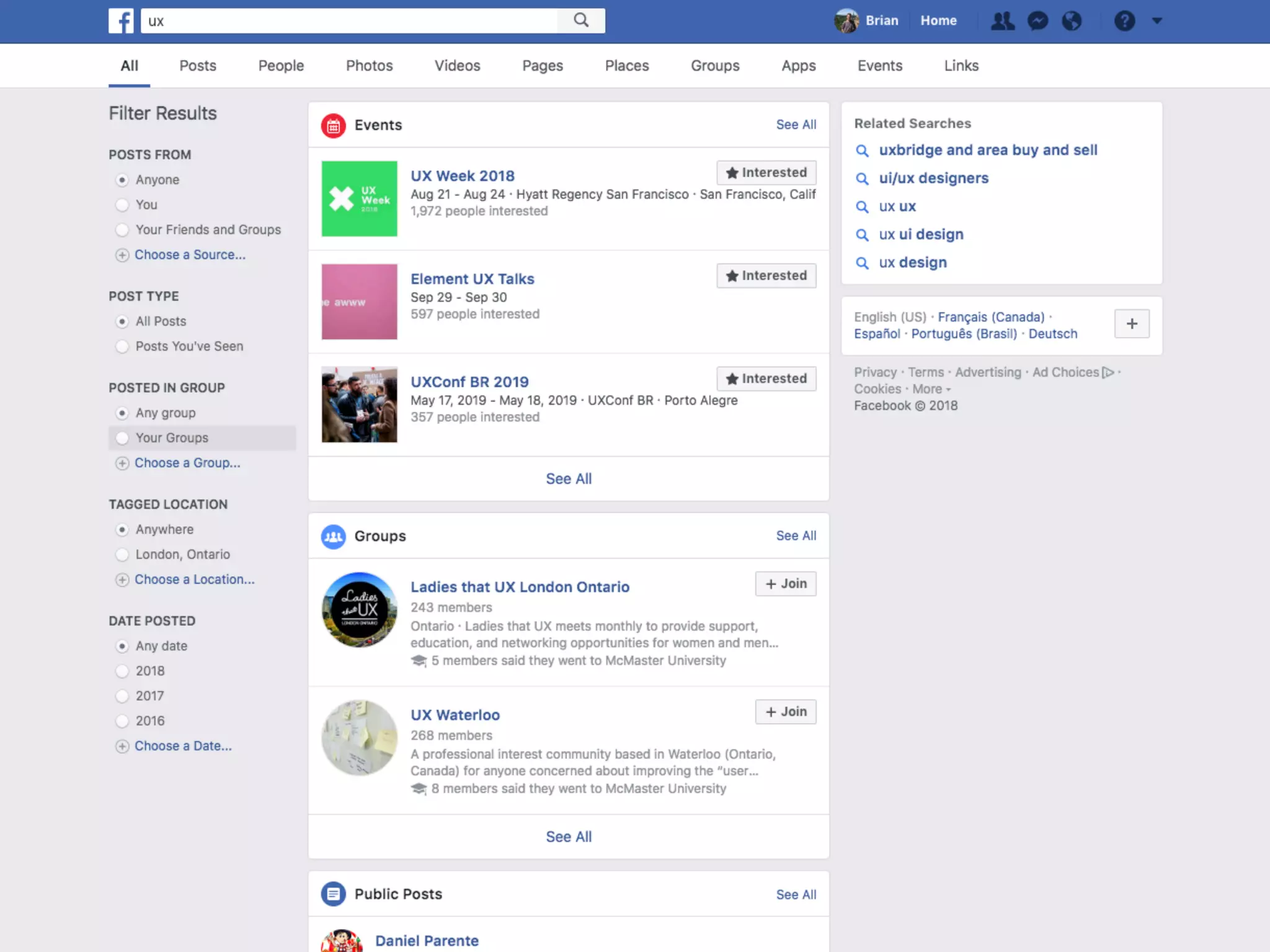
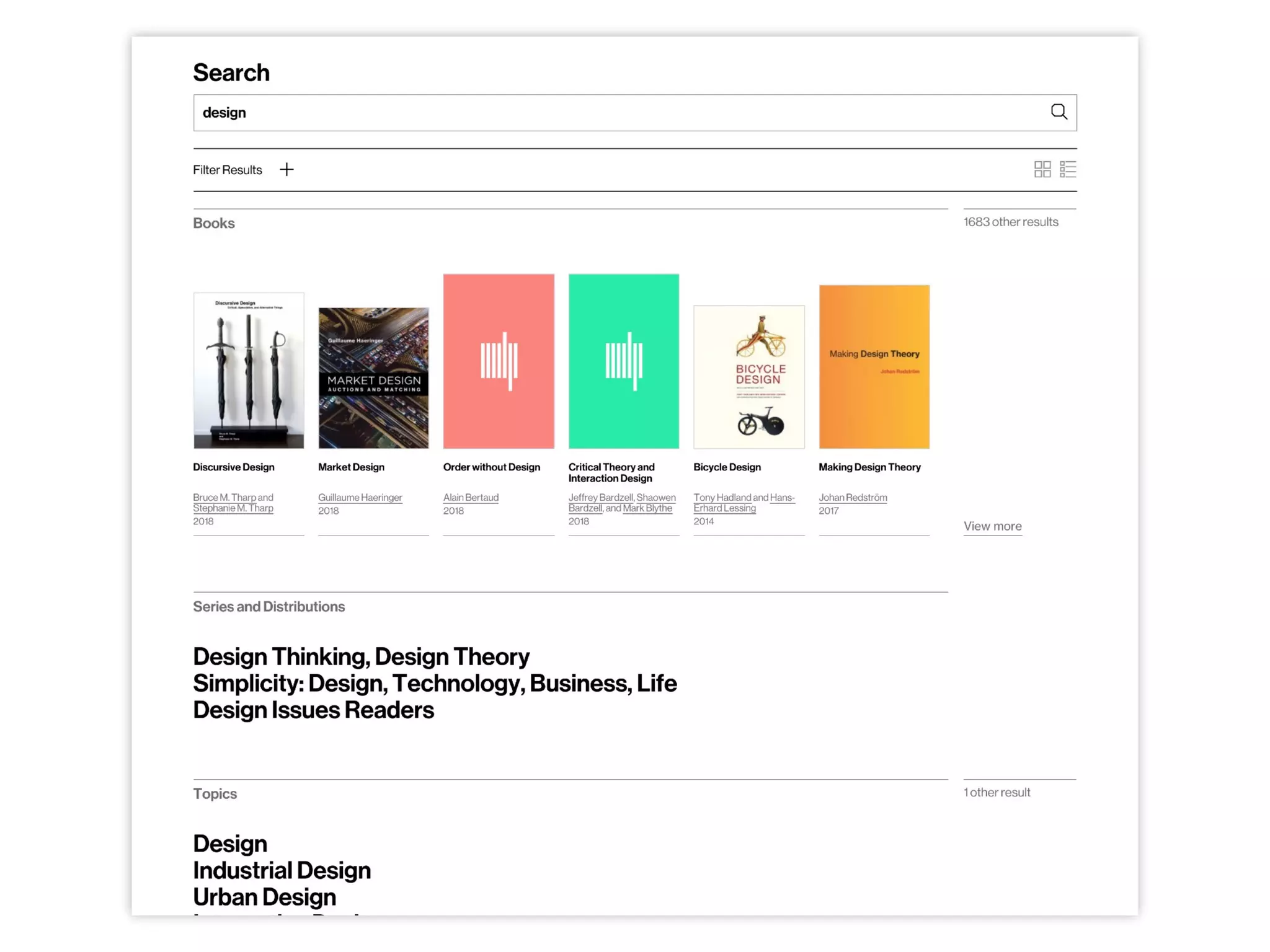
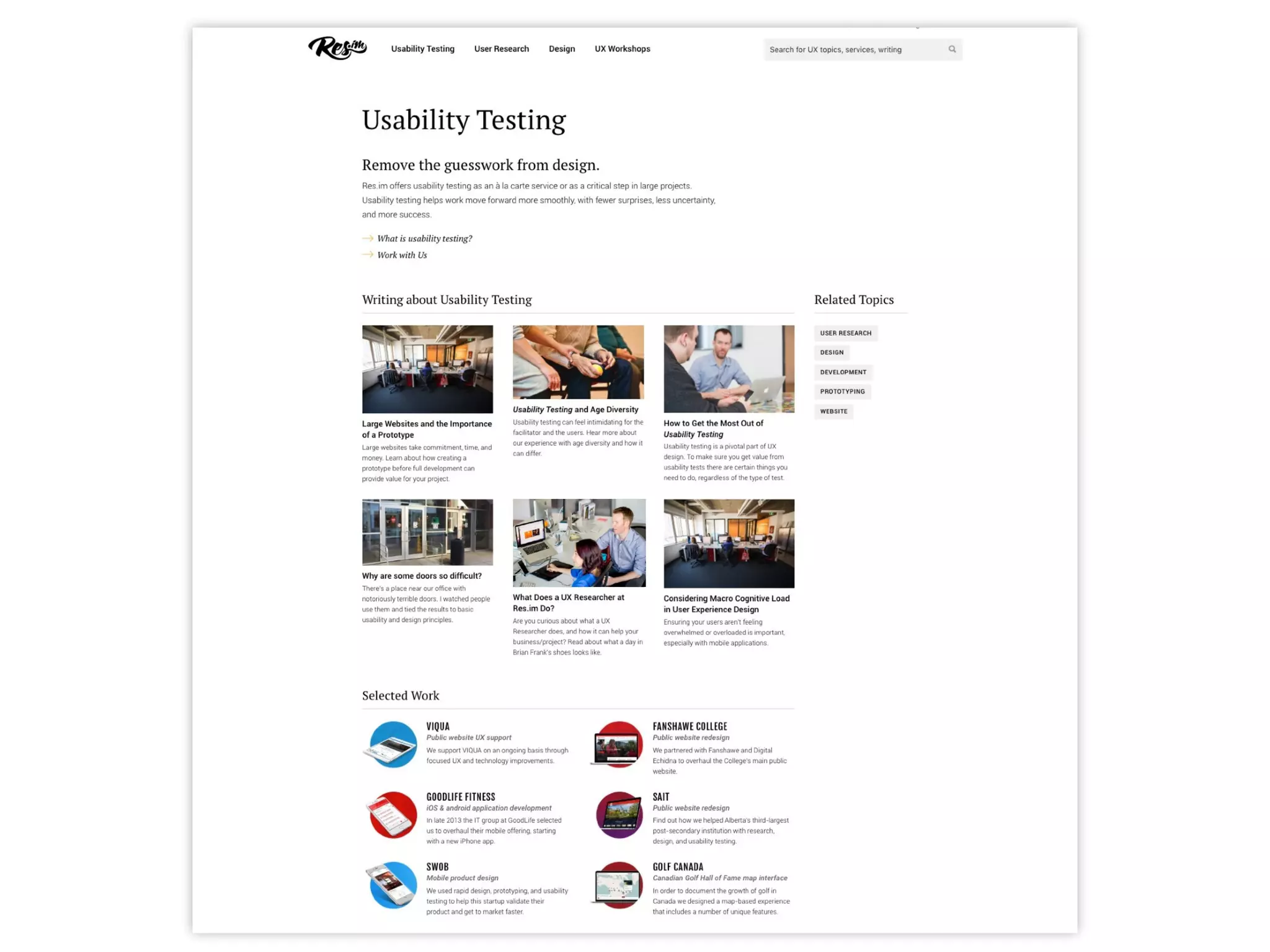
Rethinking Search Results
from the Users’
Perspective
Brian Frank | @brian_frank
UX Researcher at Res.im
#PSEWeb 2018
About Me
Full-time UX researcher at Res.im since 2015
50% of my time is on post-secondary/higher-ed projects
Experience spans 12 PSE institutions, including 5 public website overhauls
since 2015 (not including other/previous Res.im projects)
First PSE experience was in 2010
Other work includes B2B ecommerce overhauls, publishing, gov't, startup, etc
100s of hours of user research and usability testing on 30+ sites and apps
Why Search?
Everyone uses search. Some people prefer
to search. Others resort to it at critical
moments — often when they’re already
frustrated or lost.
Navigation will never be perfect. You can
spend endless time refining sitemaps and
menus but some people will still have
trouble finding some things.
Search is usually one of the most prevalent
complaints.
Many frequent users avoid it completely by
doing external searches instead.
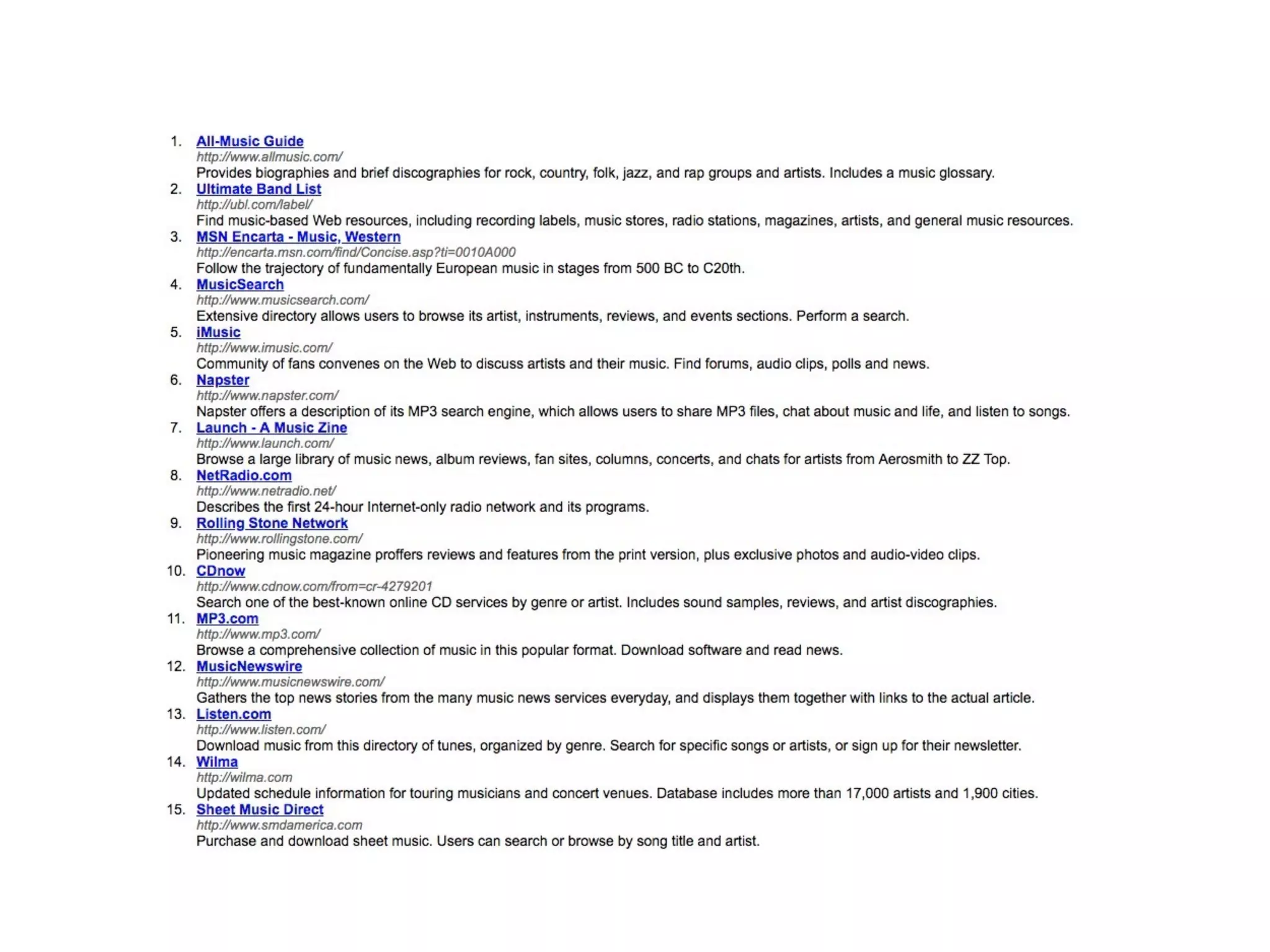
Site search is stuck in the past.
Why is Search Stuck?
Technology-first approaches. Site search is
easy to do adequately (sort of) with CMS
defaults and other solutions.
Law of triviality. It’s easier to have an
opinion about how users start a search than
how to improve the results.
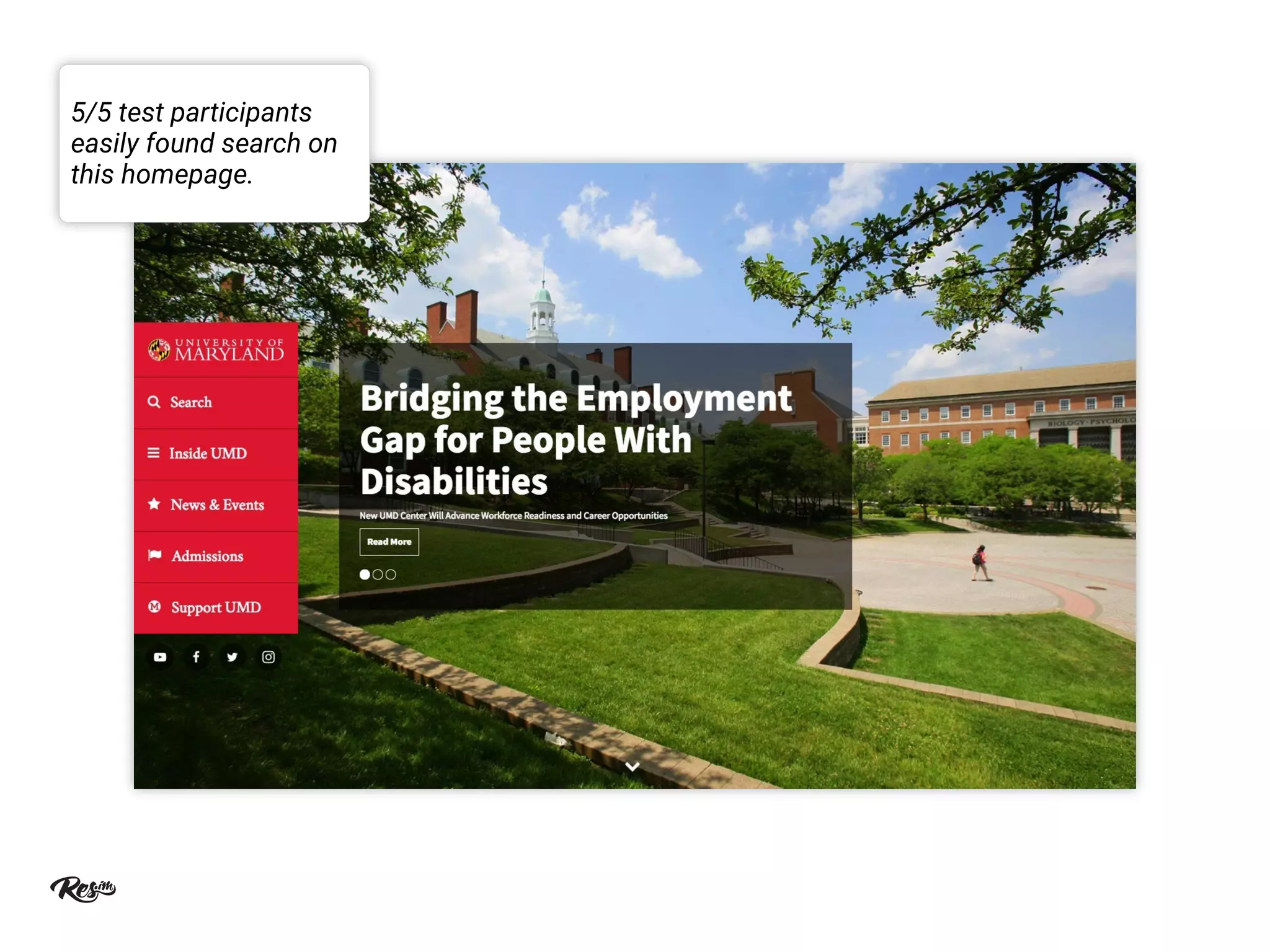
5/5 test participants
easily found search on
this homepage.
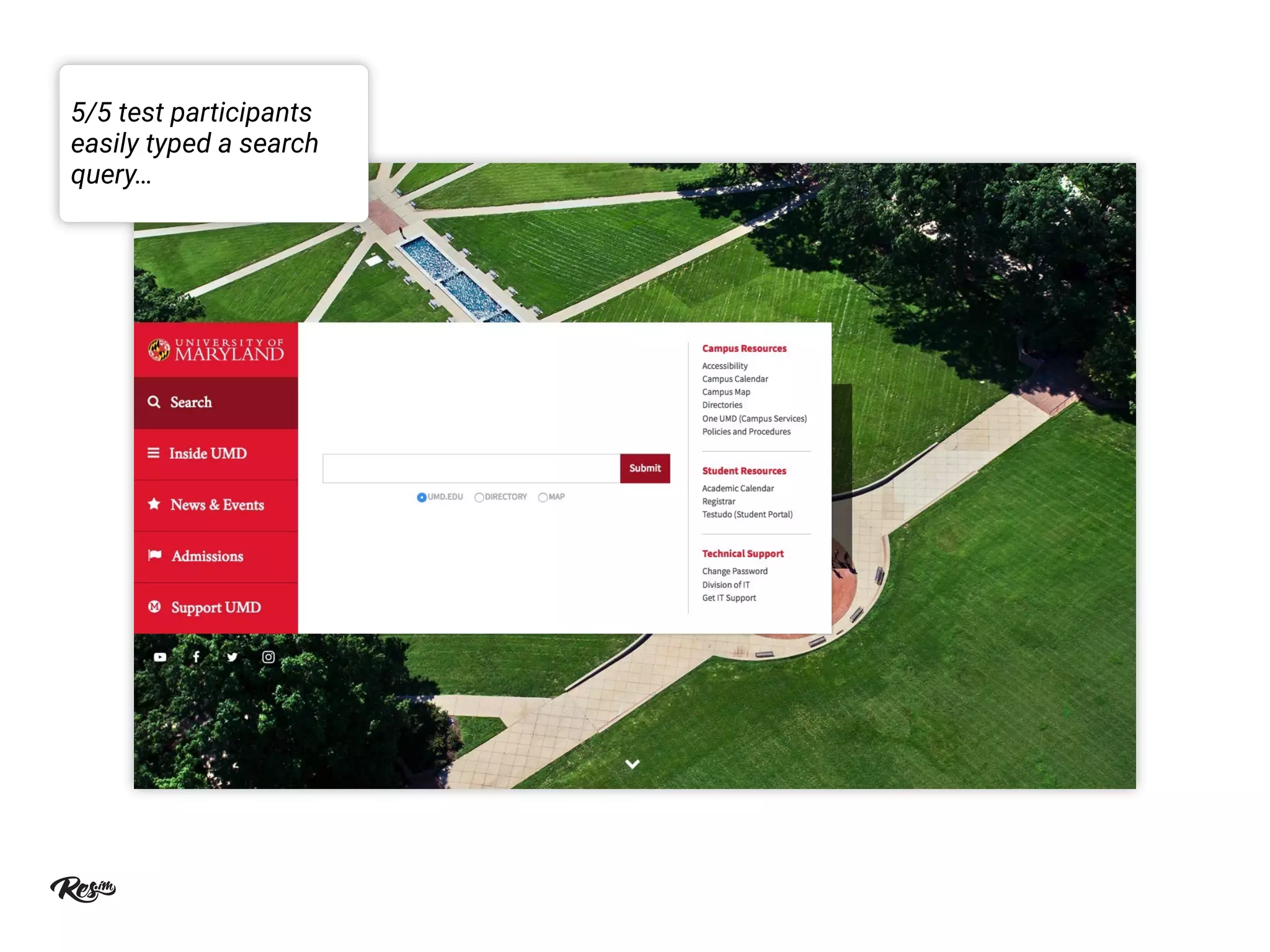
5/5 test participants
easily typed a search
query…
2/5 test participants took more than 1
minute to find a student residence page.
Only 1 participant found it quickly.
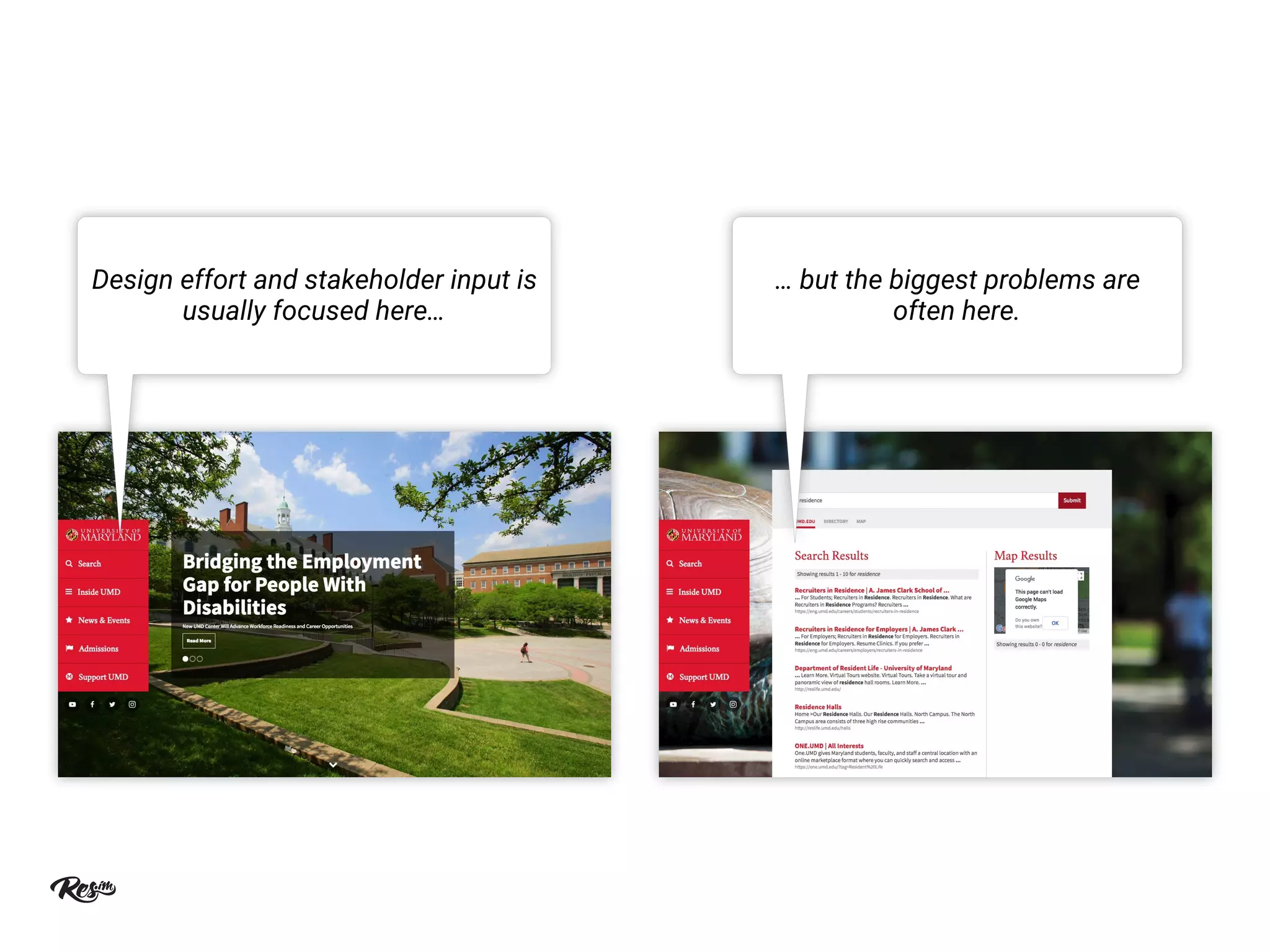
Design effort and stakeholder input is
usually focused here…
… but the biggest problems are
often here.
Phase One: Understand Users
1. Review site search data.
2. Map site search user flows.
3. Interview and observe users to test your
assumptions.
Review site search data.
Review the top 100+ search terms during the past year (at least).
Consider segmenting by month, location, device, etc. to see specific needs.
Look at which pages/contexts users search from.
Look at pageviews per search, refinements, search exits, depth, etc.
Map site search user flows.
Categorize search types based on search terms and contexts, e.g.
“program discovery,” “student services & support,” “community,” etc.
Define user characteristics, goals and needs for each search type.
Audit the top searches for each type to identify and prioritize challenges
and opportunities for improvement.
Interview and observe users to test
assumptions.
Interview and test with a cross section of users/personas.
Combine open-ended prompts and closed-ended questions to elicit open
feedback and test for specific tasks.
Ask and watch how they use Google and other sites (if applicable).
Phase Two: Cover the Basics
1. Clean up and organize your content.
2. Leverage your current search features.
3. Style search results like the rest of the site.
Clean up and organize your content.
Remove outdated or redundant content.
Fix content structure: titles, headings, metadata, tags, etc.
Leverage your current search features.
Prioritize more important and popular types of content.
Set up synonyms, spelling variations, etc. for common searches.
Style search results like the rest of the site.
Use consistent colours and fonts.
Have sufficient white space for keywords to be easily noticed.
Phase Three: Explore Improvements
• Featured Results
• Grouped Results
• Redirects
• Autosuggested Queries
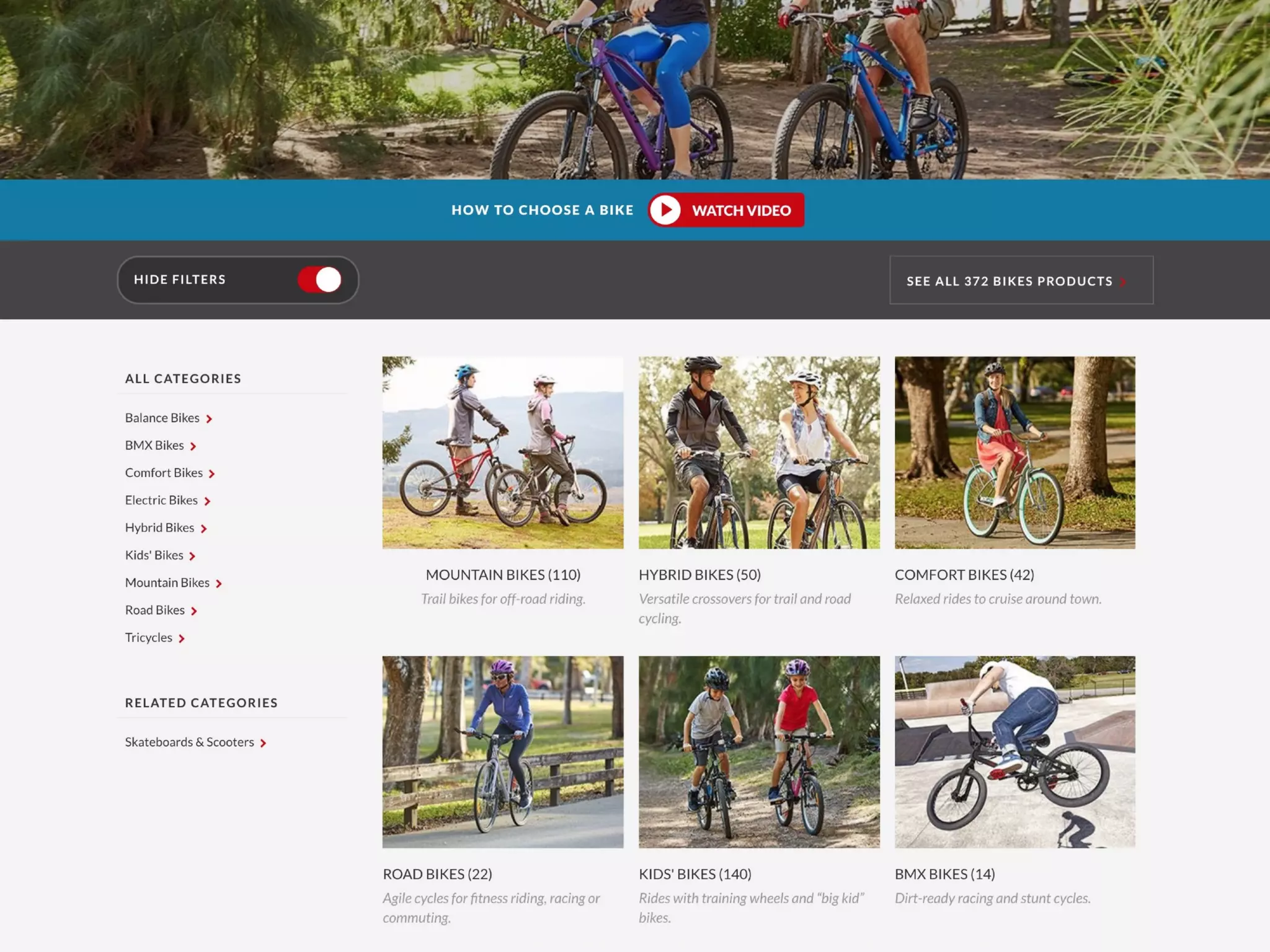
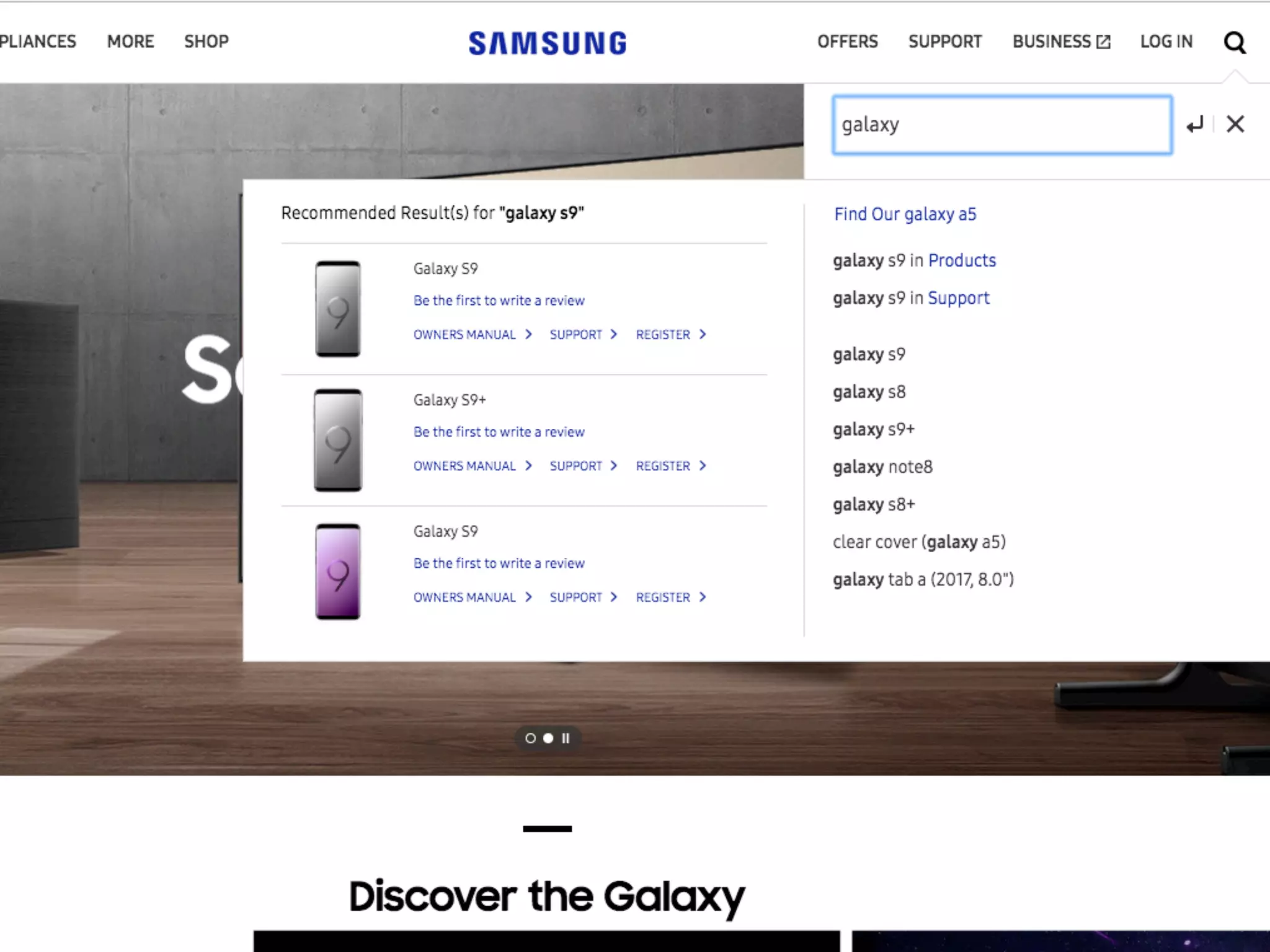
• Sublinks
• Contextual Advanced Search
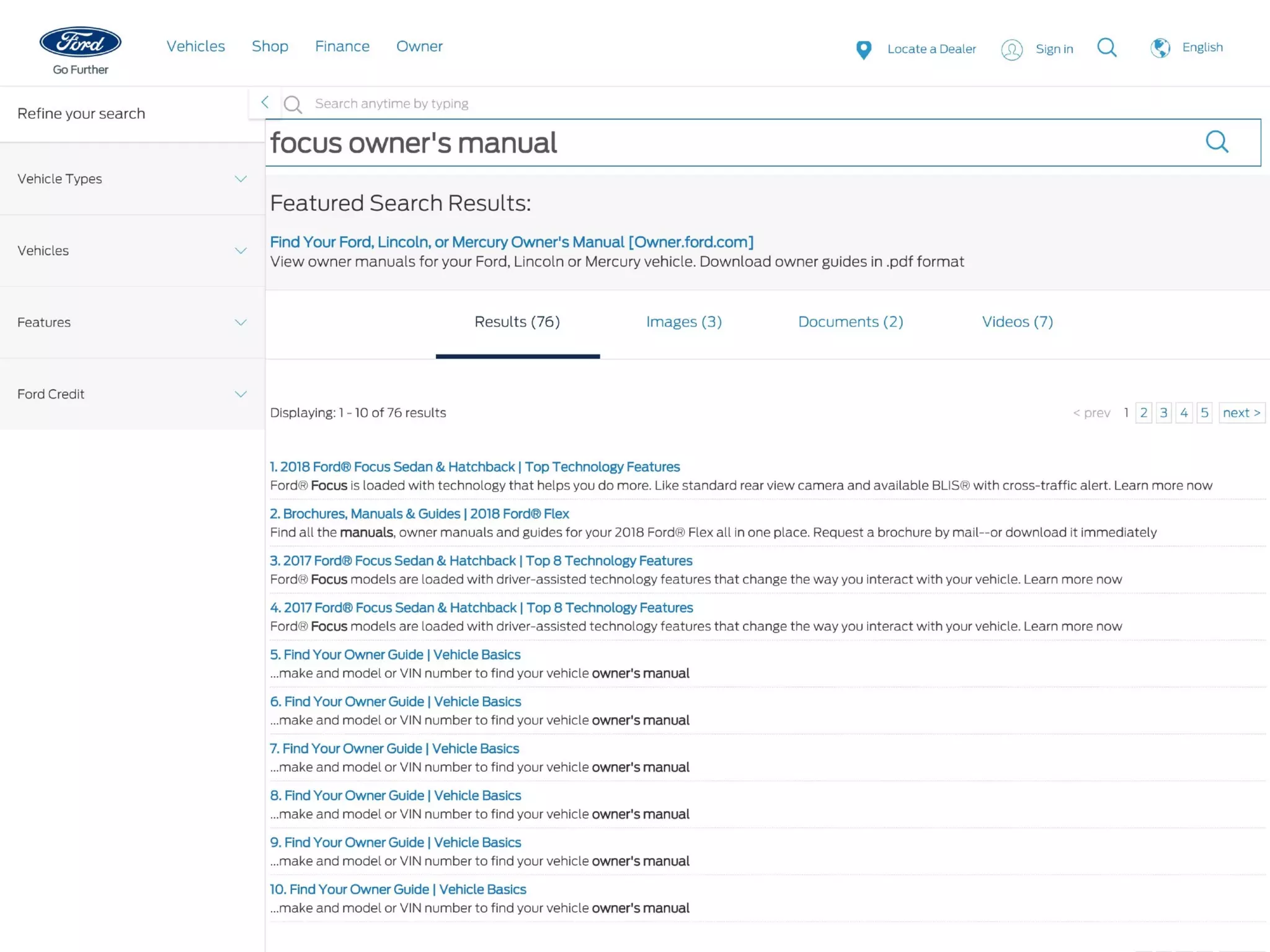
Featured Results
Manually promoting results can be a
relatively easy way to mitigate irrelevant
search results.
Elements outside the main results are often
ignored.
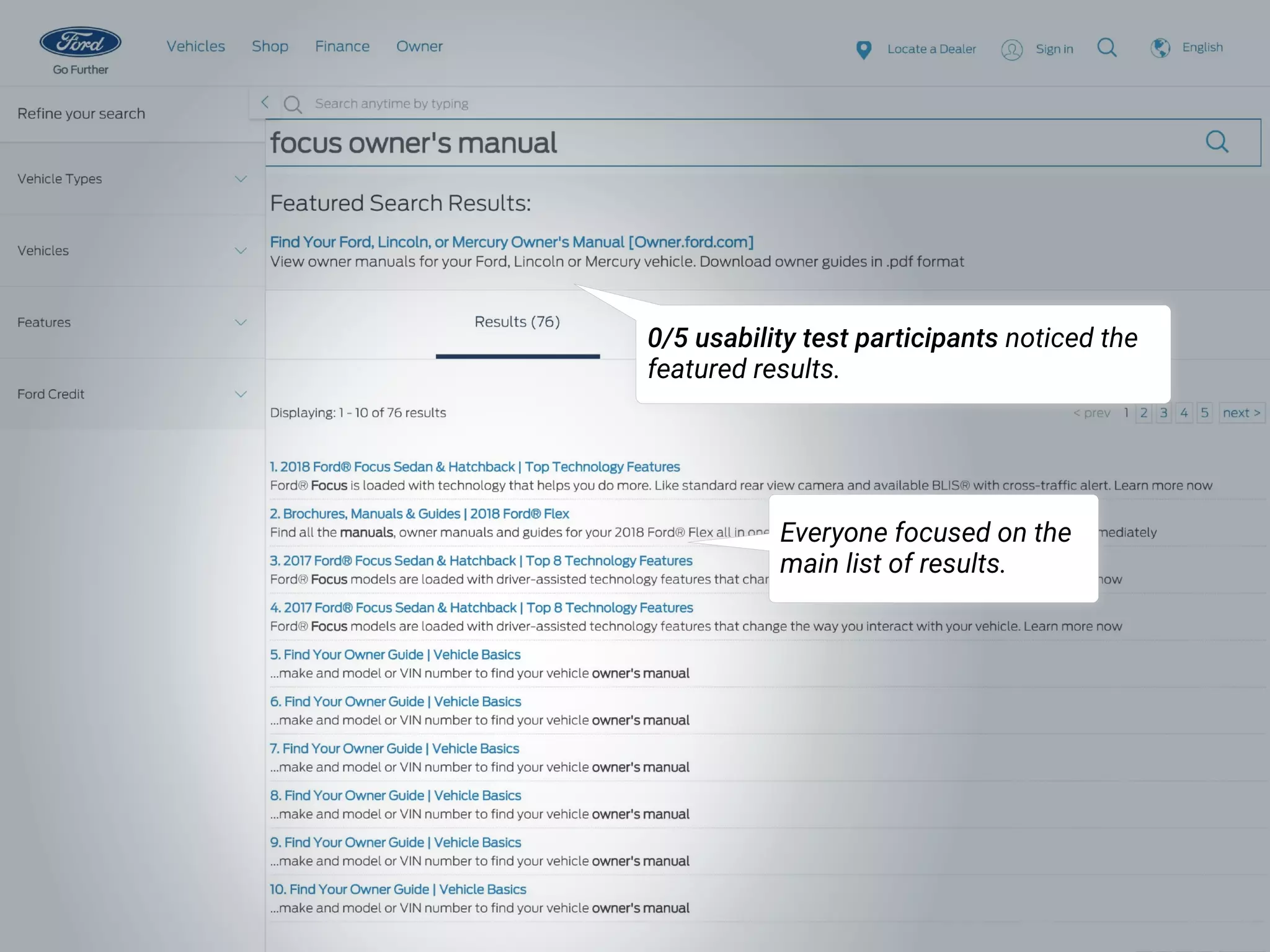
0/5 usability test participants noticed the
featured results.
Everyone focused on the
main list of results.
Grouped Results
Grouped results reveal the site’s breadth
and depth of content.
Users often don't know what the names of
facets or scopes mean until they see the
actual results.
Many users prefer to navigate by “berry
picking” directly to lower-level pages rather
than drilling down from abstract
categories.
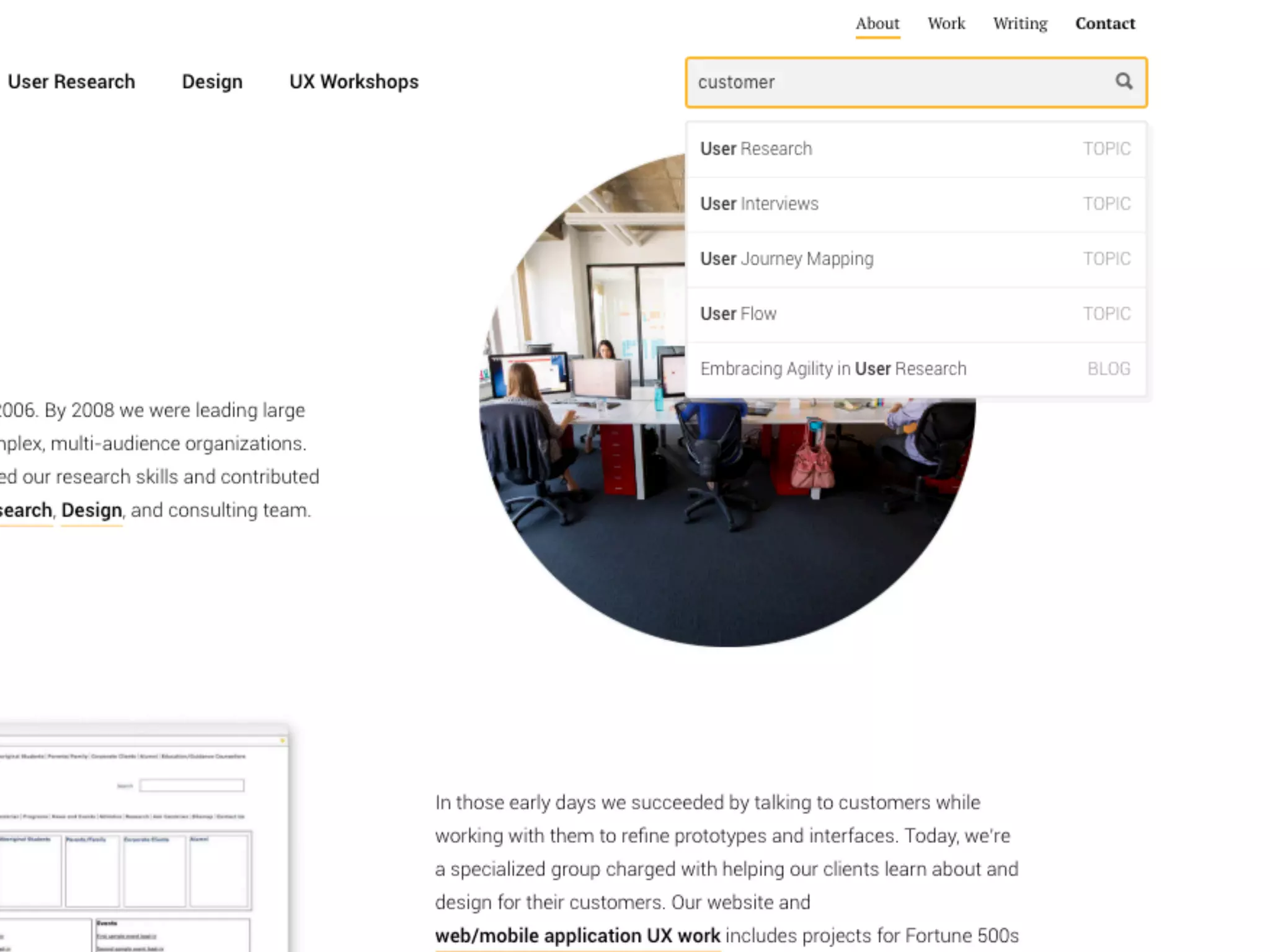
Autosuggested Queries
Autosuggestions are great shortcuts and
hints to help people avoid errors and find or
discover things more efficiently.
Many users won’t notice search
suggestions — at least not at first.
See Site Search Suggestions. Nielsen Norman Group. 2018.
Redirects
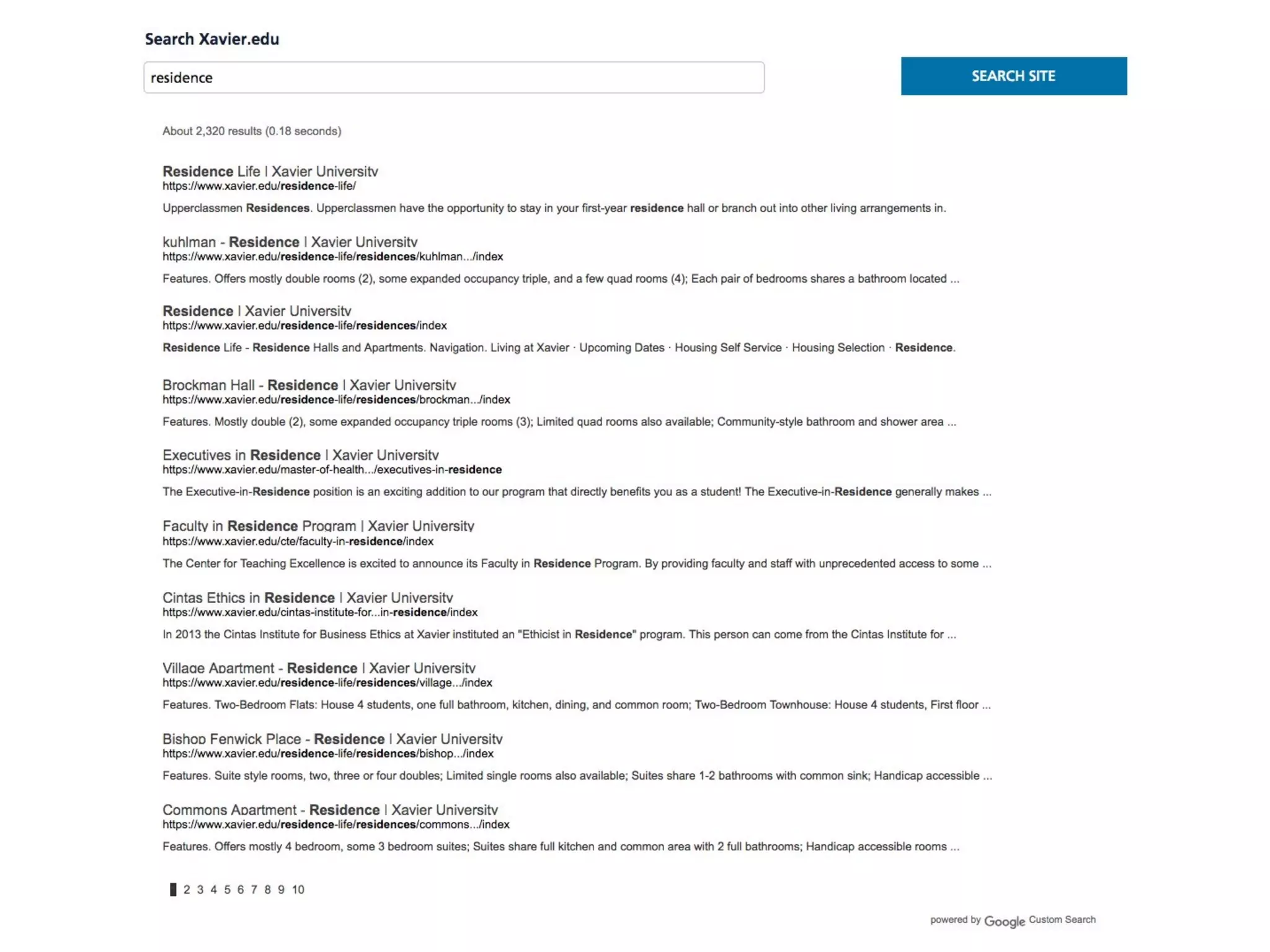
Think of site search as navigation by
keyword, not a “data dump.”
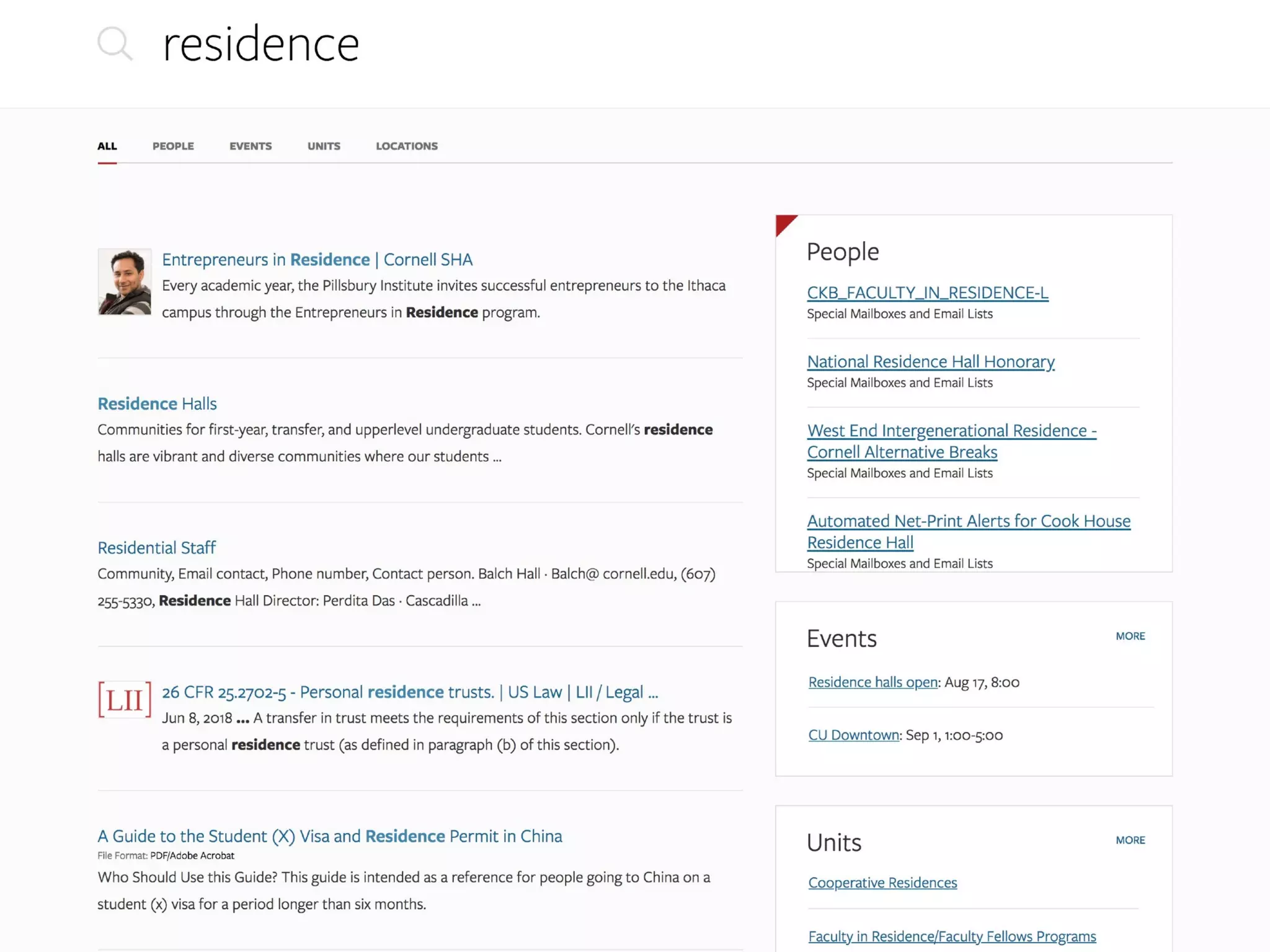
Search results pages are often worse than
other pages at their primary job of showing
relevant navigation options.
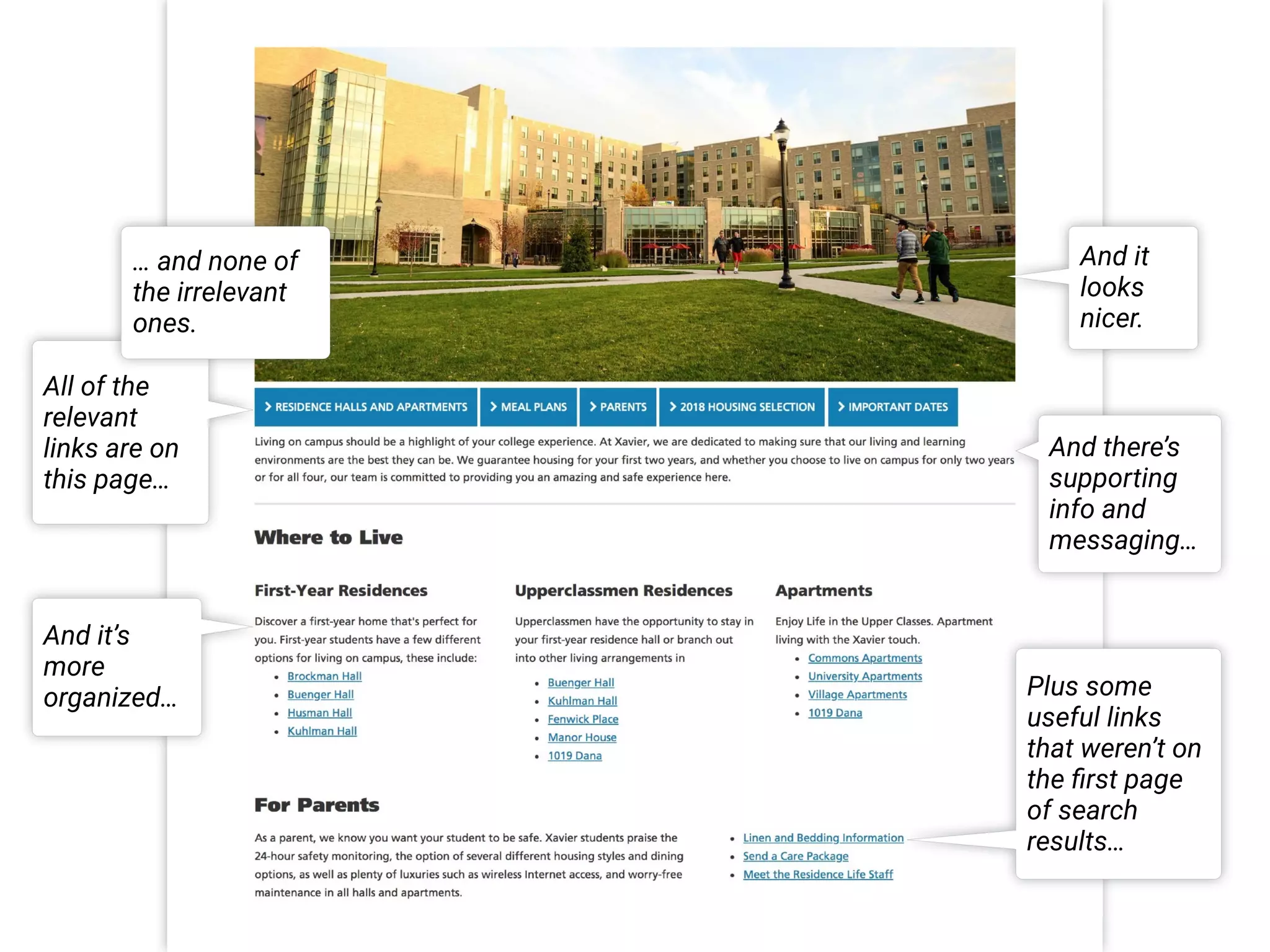
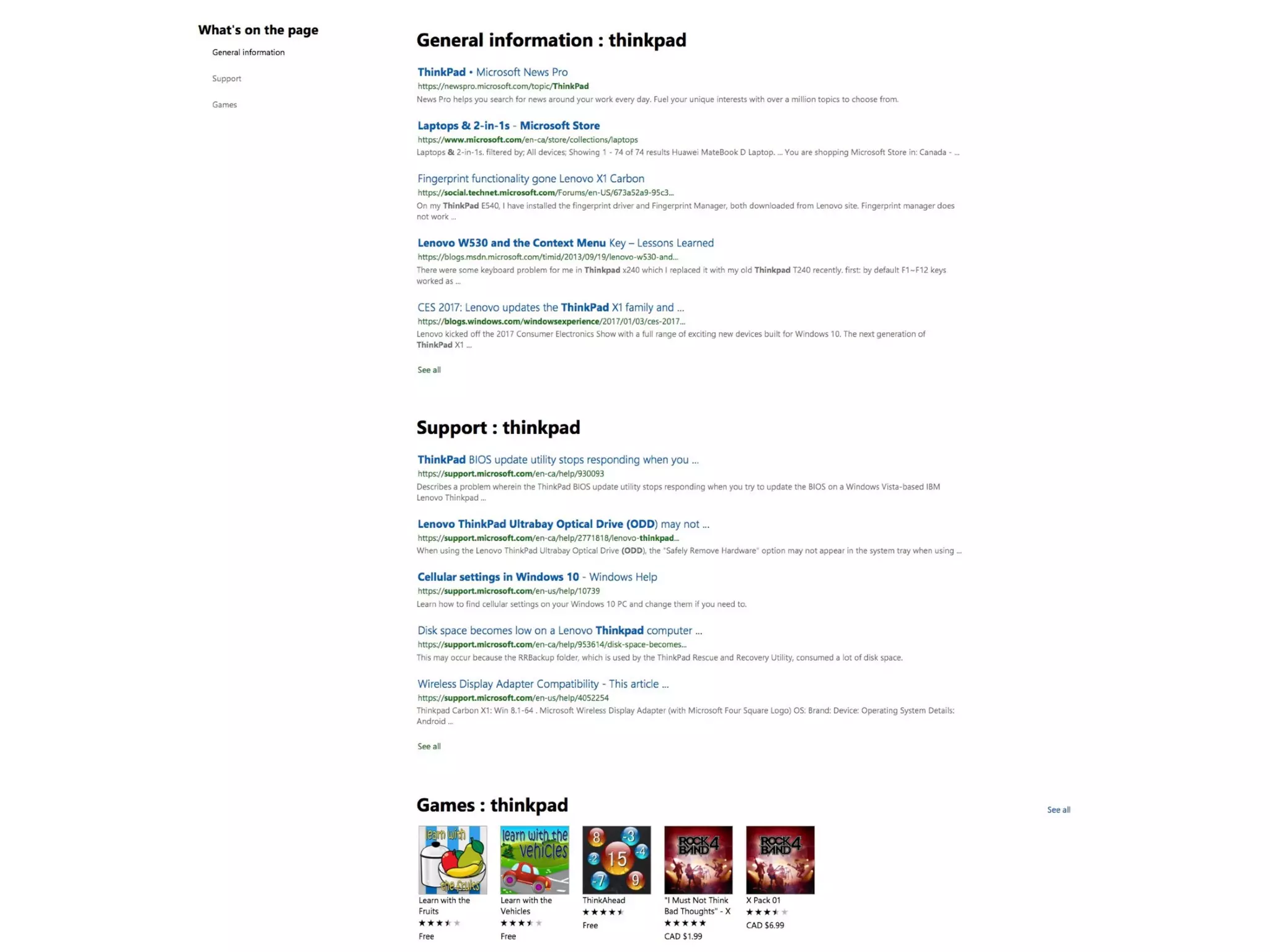
All of the
relevant
links are on
this page…
Plus some
useful links
that weren’t on
the first page
of search
results…
… and none of
the irrelevant
ones.
And it’s
more
organized…
And there’s
supporting
info and
messaging…
And it
looks
nicer.
Make key pages easy to scan for relevant
keywords.
Program and course code queries can
redirect as a shortcut for frequent users
who memorize or cut-and-paste.
Sublinks in Results
Contextualized Advanced Search
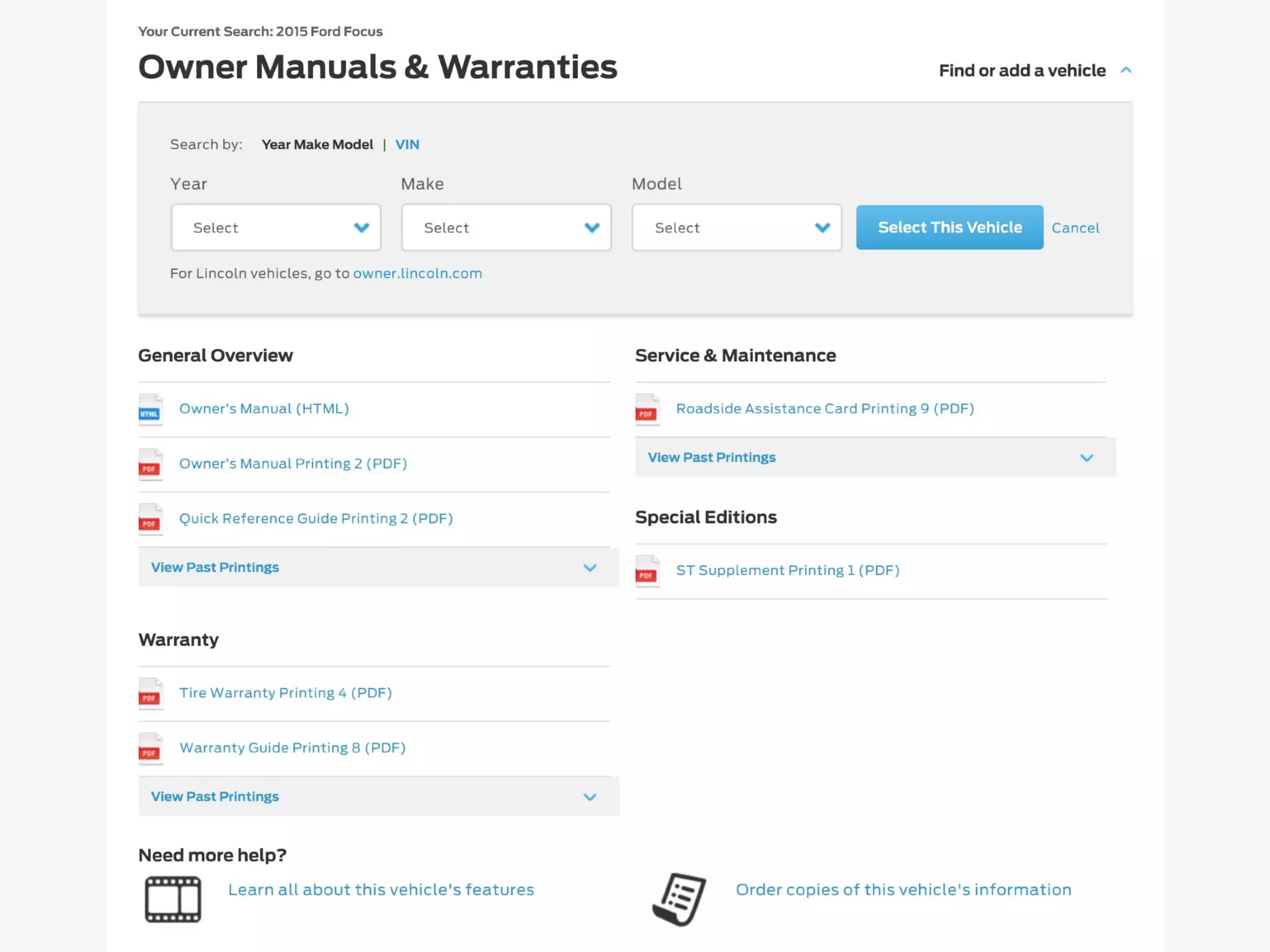
Advanced search helps users target or
refine queries.
Generic advanced search pages overwhelm
most users with too many options.
Tailor advanced search features to specific
contexts or types of search.
Filtering and sorting options have become
standard and expected by users.
Explore opportunities to integrate site
search with program and course search,
contact directories, events listings, etc.
Other Ideas
• Scoped Search
• Natural Language Queries
Scoped Search
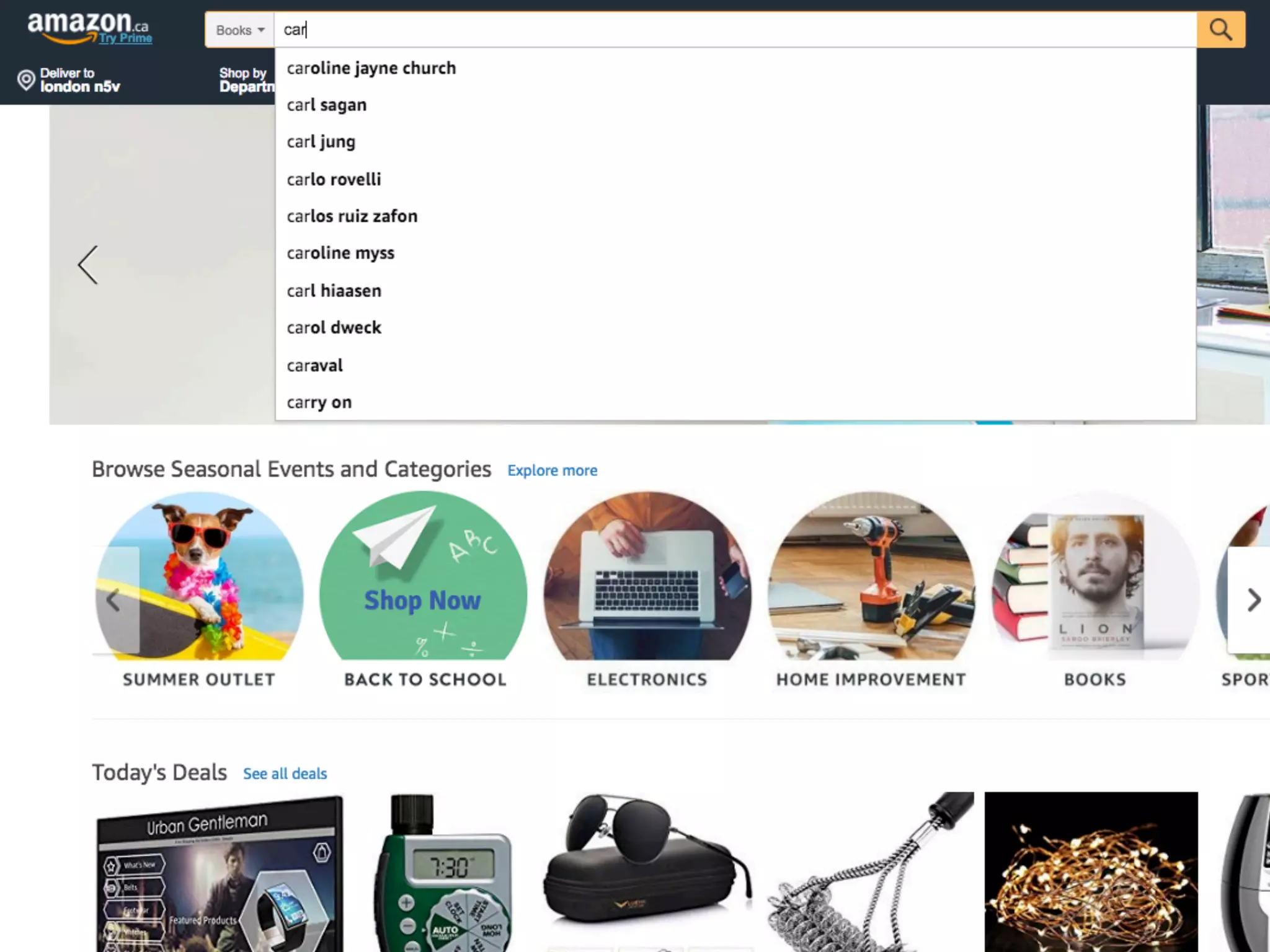
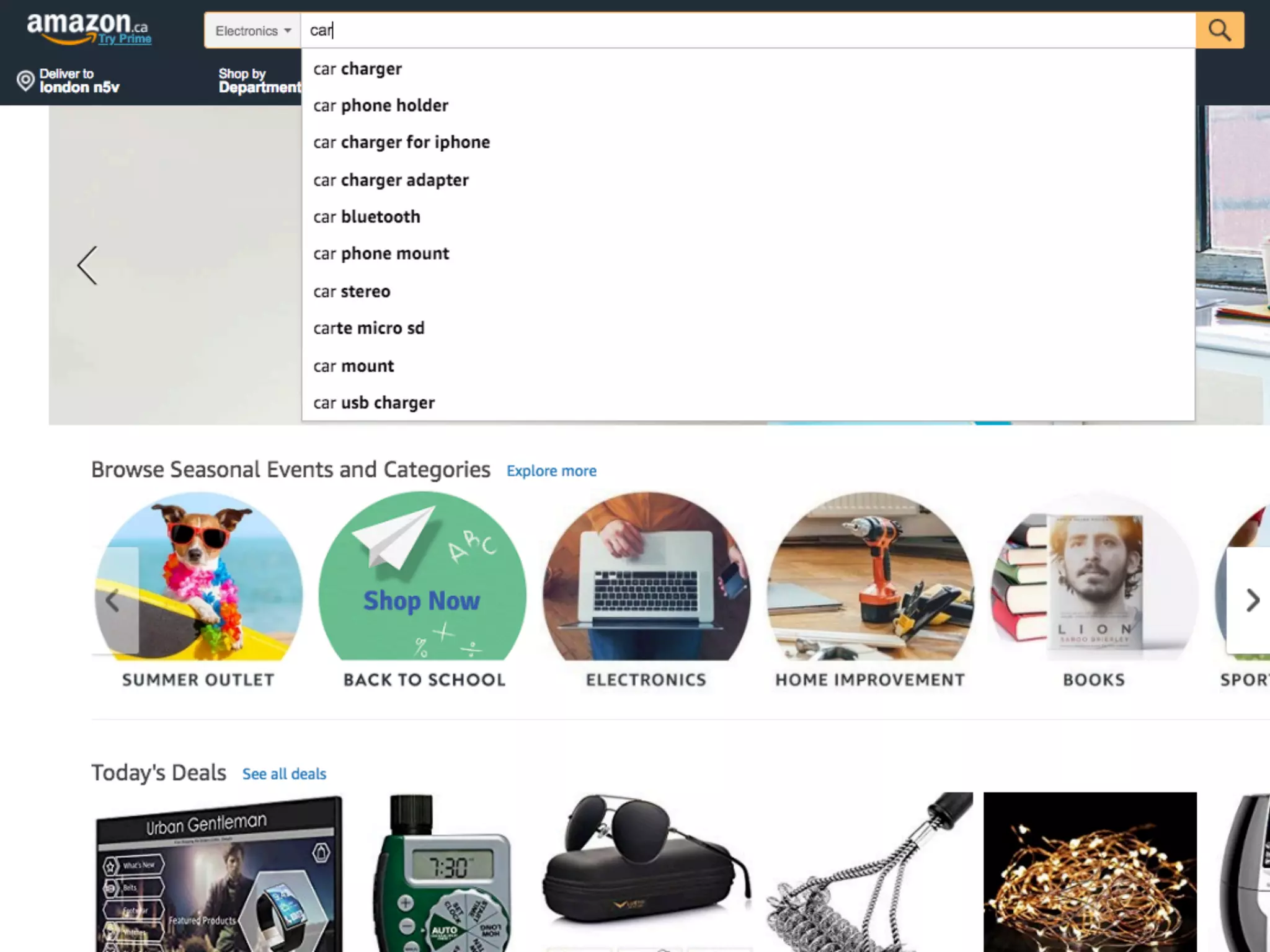
Scoped search helps users focus, and
helps us tailor the experience with special
filters, features, etc.
Users often don't realize (or quickly forget)
that search is scoped and they aren't
seeing all possible results.
See Scoped Search: Dangerous, but Sometimes Useful. Nielsen Norman Group. 2015.
Natural Language Queries
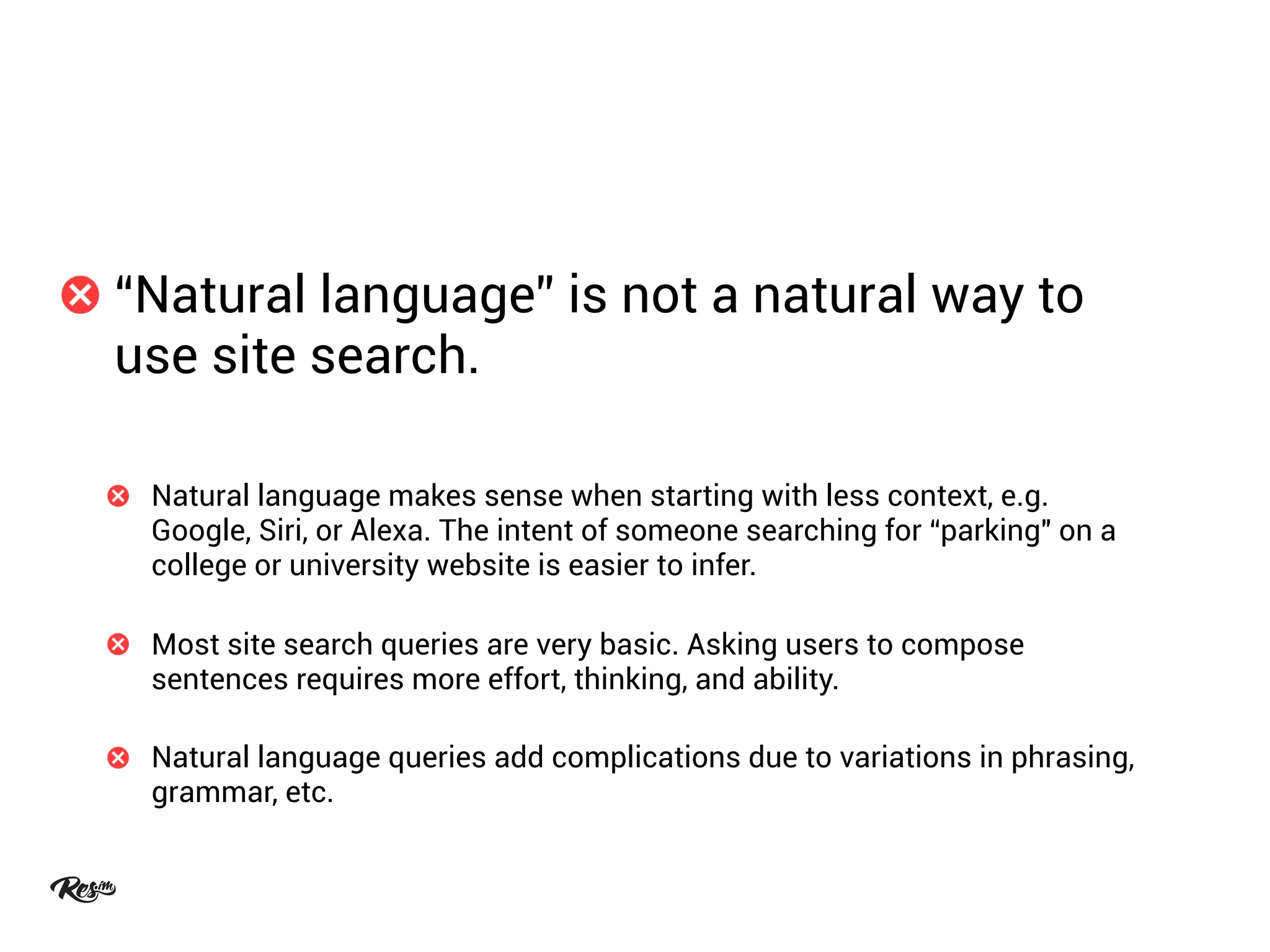
“Natural language” is not a natural way to
use site search.
Natural language makes sense when starting with less context, e.g.
Google, Siri, or Alexa. The intent of someone searching for “parking" on a
college or university website is easier to infer.
Most site search queries are very basic. Asking users to compose
sentences requires more effort, thinking, and ability.
Natural language queries add complications due to variations in phrasing,
grammar, etc.
Chat is a better place to integrate natural-
language results or suggestions.
Unlike site search, users expect to use natural language for chat.
Chat signals a user’s preference for natural language for that particular
inquiry or task.
Chat solutions increasingly incorporate automation and AI.
In closing…
Take a user-driven, not technology-driven
approach to improvement.
Test changes with users — because small
things make big differences.
Thank you.
Email brian@res.im
Twitter @brian_frank
LinkedIn /brnfrnk

Rethinking Search Results from the Users' Perspective

  • 1.
    Rethinking Search Results fromthe Users’ Perspective Brian Frank | @brian_frank UX Researcher at Res.im #PSEWeb 2018
  • 2.
    About Me Full-time UXresearcher at Res.im since 2015 50% of my time is on post-secondary/higher-ed projects Experience spans 12 PSE institutions, including 5 public website overhauls since 2015 (not including other/previous Res.im projects) First PSE experience was in 2010 Other work includes B2B ecommerce overhauls, publishing, gov't, startup, etc 100s of hours of user research and usability testing on 30+ sites and apps
  • 3.
  • 4.
    Everyone uses search.Some people prefer to search. Others resort to it at critical moments — often when they’re already frustrated or lost. Navigation will never be perfect. You can spend endless time refining sitemaps and menus but some people will still have trouble finding some things.
  • 5.
    Search is usuallyone of the most prevalent complaints. Many frequent users avoid it completely by doing external searches instead. Site search is stuck in the past.
  • 8.
  • 9.
    Technology-first approaches. Sitesearch is easy to do adequately (sort of) with CMS defaults and other solutions. Law of triviality. It’s easier to have an opinion about how users start a search than how to improve the results.
  • 10.
    5/5 test participants easilyfound search on this homepage.
  • 11.
    5/5 test participants easilytyped a search query…
  • 12.
    2/5 test participantstook more than 1 minute to find a student residence page. Only 1 participant found it quickly.
  • 13.
    Design effort andstakeholder input is usually focused here… … but the biggest problems are often here.
  • 14.
  • 15.
    1. Review sitesearch data. 2. Map site search user flows. 3. Interview and observe users to test your assumptions.
  • 16.
    Review site searchdata. Review the top 100+ search terms during the past year (at least). Consider segmenting by month, location, device, etc. to see specific needs. Look at which pages/contexts users search from. Look at pageviews per search, refinements, search exits, depth, etc.
  • 17.
    Map site searchuser flows. Categorize search types based on search terms and contexts, e.g. “program discovery,” “student services & support,” “community,” etc. Define user characteristics, goals and needs for each search type. Audit the top searches for each type to identify and prioritize challenges and opportunities for improvement.
  • 18.
    Interview and observeusers to test assumptions. Interview and test with a cross section of users/personas. Combine open-ended prompts and closed-ended questions to elicit open feedback and test for specific tasks. Ask and watch how they use Google and other sites (if applicable).
  • 19.
    Phase Two: Coverthe Basics
  • 20.
    1. Clean upand organize your content. 2. Leverage your current search features. 3. Style search results like the rest of the site.
  • 21.
    Clean up andorganize your content. Remove outdated or redundant content. Fix content structure: titles, headings, metadata, tags, etc.
  • 22.
    Leverage your currentsearch features. Prioritize more important and popular types of content. Set up synonyms, spelling variations, etc. for common searches.
  • 23.
    Style search resultslike the rest of the site. Use consistent colours and fonts. Have sufficient white space for keywords to be easily noticed.
  • 24.
  • 25.
    • Featured Results •Grouped Results • Redirects • Autosuggested Queries • Sublinks • Contextual Advanced Search
  • 26.
  • 28.
    Manually promoting resultscan be a relatively easy way to mitigate irrelevant search results. Elements outside the main results are often ignored.
  • 30.
    0/5 usability testparticipants noticed the featured results. Everyone focused on the main list of results.
  • 32.
  • 34.
    Grouped results revealthe site’s breadth and depth of content. Users often don't know what the names of facets or scopes mean until they see the actual results. Many users prefer to navigate by “berry picking” directly to lower-level pages rather than drilling down from abstract categories.
  • 39.
  • 41.
    Autosuggestions are greatshortcuts and hints to help people avoid errors and find or discover things more efficiently. Many users won’t notice search suggestions — at least not at first. See Site Search Suggestions. Nielsen Norman Group. 2018.
  • 43.
  • 44.
    Think of sitesearch as navigation by keyword, not a “data dump.” Search results pages are often worse than other pages at their primary job of showing relevant navigation options.
  • 46.
    All of the relevant linksare on this page… Plus some useful links that weren’t on the first page of search results… … and none of the irrelevant ones. And it’s more organized… And there’s supporting info and messaging… And it looks nicer.
  • 47.
    Make key pageseasy to scan for relevant keywords. Program and course code queries can redirect as a shortcut for frequent users who memorize or cut-and-paste.
  • 50.
  • 53.
  • 54.
    Advanced search helpsusers target or refine queries. Generic advanced search pages overwhelm most users with too many options.
  • 55.
    Tailor advanced searchfeatures to specific contexts or types of search. Filtering and sorting options have become standard and expected by users. Explore opportunities to integrate site search with program and course search, contact directories, events listings, etc.
  • 57.
  • 58.
    • Scoped Search •Natural Language Queries
  • 59.
  • 62.
    Scoped search helpsusers focus, and helps us tailor the experience with special filters, features, etc. Users often don't realize (or quickly forget) that search is scoped and they aren't seeing all possible results. See Scoped Search: Dangerous, but Sometimes Useful. Nielsen Norman Group. 2015.
  • 63.
  • 64.
    “Natural language” isnot a natural way to use site search. Natural language makes sense when starting with less context, e.g. Google, Siri, or Alexa. The intent of someone searching for “parking" on a college or university website is easier to infer. Most site search queries are very basic. Asking users to compose sentences requires more effort, thinking, and ability. Natural language queries add complications due to variations in phrasing, grammar, etc.
  • 66.
    Chat is abetter place to integrate natural- language results or suggestions. Unlike site search, users expect to use natural language for chat. Chat signals a user’s preference for natural language for that particular inquiry or task. Chat solutions increasingly incorporate automation and AI.
  • 67.
  • 68.
    Take a user-driven,not technology-driven approach to improvement. Test changes with users — because small things make big differences.
  • 69.
    Thank you. Email brian@res.im Twitter@brian_frank LinkedIn /brnfrnk