Teamwork Matrix 
How To Register?
1. Click Register button and create an account.
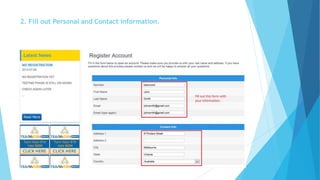
2. Fill out Personal and Contact information.
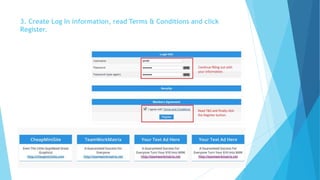
3. Create Log In information, read Terms & Conditions and click 
Register.
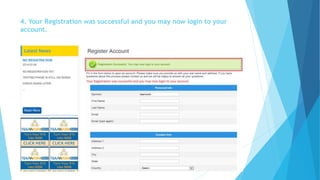
4. Your Registration was successful and you may now login to your 
account.
5. Click Lon In button to proceed to your account.
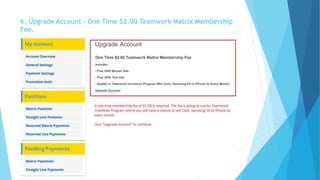
6. Upgrade Account - One Time $2.00 Teamwork Matrix Membership 
Fee.
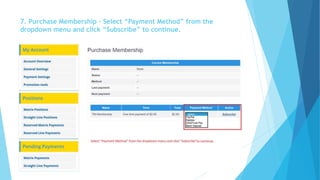
7. Purchase Membership – Select “Payment Method” from the 
dropdown menu and click “Subscribe” to continue.
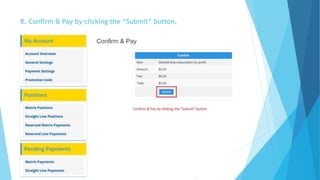
8. Confirm & Pay by clicking the “Submit” button.
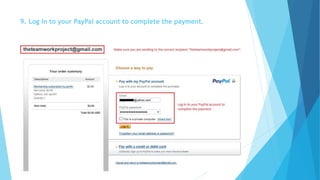
9. Log in to your PayPal account to complete the payment.
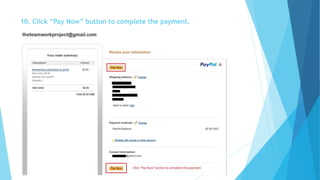
10. Click “Pay Now” button to complete the payment.
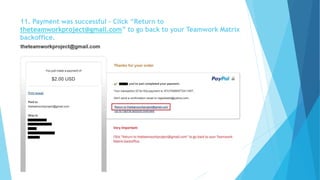
11. Payment was successful – Click “Return to 
theteamworkproject@gmail.com” to go back to your Teamwork Matrix 
backoffice.
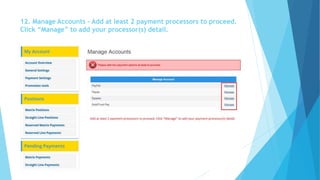
12. Manage Accounts – Add at least 2 payment processors to proceed. 
Click “Manage” to add your processor(s) detail.
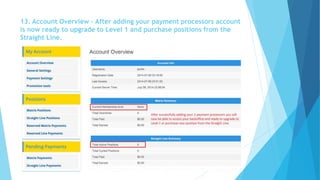
13. Account Overview – After adding your payment processors account 
is now ready to upgrade to Level 1 and purchase positions from the 
Straight Line.
End of Tutorial

Registro de TeamWord Matrix