Files and exceptions:text files, reading and writing files,
format operator; command line arguments, errors and
exceptions, handling exceptions, modules, packages;
Illustrative programs: word count, copy file, Voter’s age
validation, Marks range validation (0-100).
3.
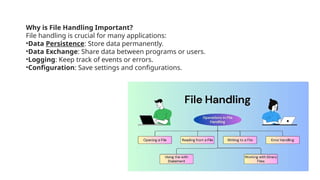
Why is FileHandling Important?
File handling is crucial for many applications:
•Data Persistence: Store data permanently.
•Data Exchange: Share data between programs or users.
•Logging: Keep track of events or errors.
•Configuration: Save settings and configurations.
4.
FILE AND ITSOPERATION
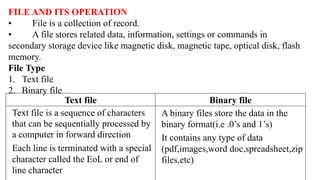
• File is a collection of record.
• A file stores related data, information, settings or commands in
secondary storage device like magnetic disk, magnetic tape, optical disk, flash
memory.
File Type
1. Text file
2. Binary file
Text file Binary file
Text file is a sequence of characters
that can be sequentially processed by
a computer in forward direction
Each line is terminated with a special
character called the EoL or end of
line character
A binary files store the data in the
binary format(i.e .0’s and 1’s)
It contains any type of data
(pdf,images,word doc,spreadsheet,zip
files,etc)
5.
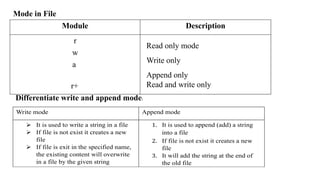
Mode in File
ModuleDescription
r
w
a
r+
Read only mode
Write only
Append only
Read and write only
Differentiate write and append mode:
Write mode Append mode
It is used to write a string in a file
If file is not exist it creates a new
file
If file is exit in the specified name,
the existing content will overwrite
in a file by the given string
1. It is used to append (add) a string
into a file
2. If file is not exist it creates a new
file
3. It will add the string at the end of
the old file
6.
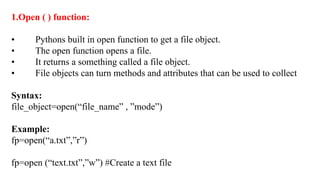
1.Open ( )function:
• Pythons built in open function to get a file object.
• The open function opens a file.
• It returns a something called a file object.
• File objects can turn methods and attributes that can be used to collect
Syntax:
file_object=open(“file_name” , ”mode”)
Example:
fp=open(“a.txt”,”r”)
fp=open (“text.txt”,”w”) #Create a text file
7.
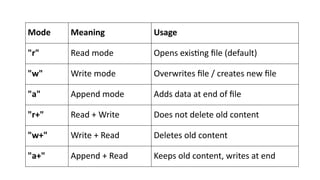
Mode Meaning Usage
"r"Read mode Opens existing file (default)
"w" Write mode Overwrites file / creates new file
"a" Append mode Adds data at end of file
"r+" Read + Write Does not delete old content
"w+" Write + Read Deletes old content
"a+" Append + Read Keeps old content, writes at end
8.
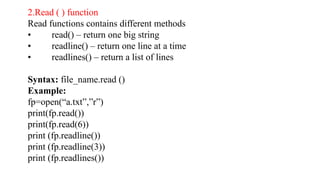
2.Read ( )function
Read functions contains different methods
• read() – return one big string
• readline() – return one line at a time
• readlines() – return a list of lines
Syntax: file_name.read ()
Example:
fp=open(“a.txt”,”r”)
print(fp.read())
print(fp.read(6))
print (fp.readline())
print (fp.readline(3))
print (fp.readlines())
9.
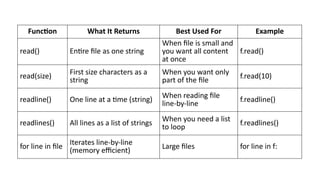
Function What ItReturns Best Used For Example
read() Entire file as one string
When file is small and
you want all content
at once
f.read()
read(size) First size characters as a
string
When you want only
part of the file
f.read(10)
readline() One line at a time (string) When reading file
line-by-line
f.readline()
readlines() All lines as a list of strings When you need a list
to loop
f.readlines()
for line in file Iterates line-by-line
(memory efficient)
Large files for line in f:
10.
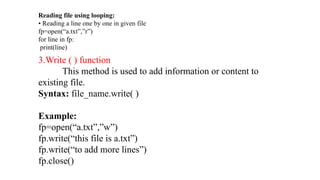
3.Write ( )function
This method is used to add information or content to
existing file.
Syntax: file_name.write( )
Example:
fp=open(“a.txt”,”w”)
fp.write(“this file is a.txt”)
fp.write(“to add more lines”)
fp.close()
Reading file using looping:
• Reading a line one by one in given file
fp=open(“a.txt”,”r”)
for line in fp:
print(line)
11.
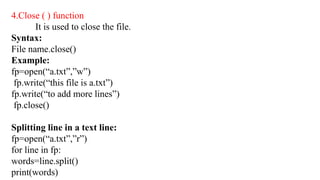
4.Close ( )function
It is used to close the file.
Syntax:
File name.close()
Example:
fp=open(“a.txt”,”w”)
fp.write(“this file is a.txt”)
fp.write(“to add more lines”)
fp.close()
Splitting line in a text line:
fp=open(“a.txt”,”r”)
for line in fp:
words=line.split()
print(words)
12.
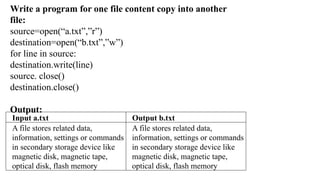
Input a.txt Outputb.txt
A file stores related data,
information, settings or commands
in secondary storage device like
magnetic disk, magnetic tape,
optical disk, flash memory
A file stores related data,
information, settings or commands
in secondary storage device like
magnetic disk, magnetic tape,
optical disk, flash memory
Write a program for one file content copy into another
file:
source=open(“a.txt”,”r”)
destination=open(“b.txt”,”w”)
for line in source:
destination.write(line)
source. close()
destination.close()
Output:
13.
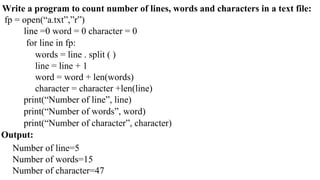
Write a programto count number of lines, words and characters in a text file:
fp = open(“a.txt”,”r”)
line =0 word = 0 character = 0
for line in fp:
words = line . split ( )
line = line + 1
word = word + len(words)
character = character +len(line)
print(“Number of line”, line)
print(“Number of words”, word)
print(“Number of character”, character)
Output:
Number of line=5
Number of words=15
Number of character=47
14.
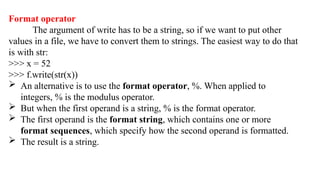
Format operator
The argumentof write has to be a string, so if we want to put other
values in a file, we have to convert them to strings. The easiest way to do that
is with str:
>>> x = 52
>>> f.write(str(x))
An alternative is to use the format operator, %. When applied to
integers, % is the modulus operator.
But when the first operand is a string, % is the format operator.
The first operand is the format string, which contains one or more
format sequences, which specify how the second operand is formatted.
The result is a string.
15.
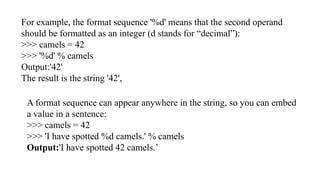
For example, theformat sequence '%d' means that the second operand
should be formatted as an integer (d stands for “decimal”):
>>> camels = 42
>>> '%d' % camels
Output:'42'
The result is the string '42',
A format sequence can appear anywhere in the string, so you can embed
a value in a sentence:
>>> camels = 42
>>> 'I have spotted %d camels.' % camels
Output:'I have spotted 42 camels.’
16.
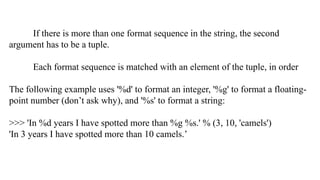
If there ismore than one format sequence in the string, the second
argument has to be a tuple.
Each format sequence is matched with an element of the tuple, in order
The following example uses '%d' to format an integer, '%g' to format a floating-
point number (don’t ask why), and '%s' to format a string:
>>> 'In %d years I have spotted more than %g %s.' % (3, 10, 'camels')
'In 3 years I have spotted more than 10 camels.’
17.
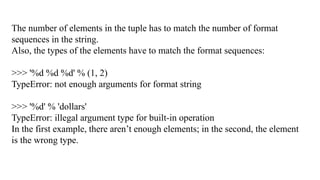
The number ofelements in the tuple has to match the number of format
sequences in the string.
Also, the types of the elements have to match the format sequences:
>>> '%d %d %d' % (1, 2)
TypeError: not enough arguments for format string
>>> '%d' % 'dollars'
TypeError: illegal argument type for built-in operation
In the first example, there aren’t enough elements; in the second, the element
is the wrong type.
18.
The arguments thatare given after the name of the program in the command line shell
of the operating system are known as Command Line Arguments.
Python provides various ways of dealing with these types of arguments.
The three most common are:
Using sys.argv
The sys module provides functions and variables used to manipulate different parts of the
Python runtime environment.
This module provides access to some variables used or maintained by the interpreter and
to functions that interact strongly with the interpreter.
One such variable is sys.argv which is a simple list structure. It’s main purpose are:
It is a list of command line arguments.
len(sys.argv) provides the number of command line arguments.
sys.argv[0] is the name of the current Python script
import sys.
Command Line Arguments
19.
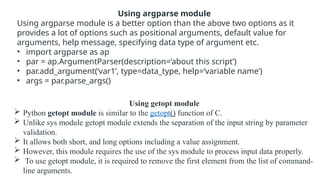
Using getopt module
Python getopt module is similar to the getopt() function of C.
Unlike sys module getopt module extends the separation of the input string by parameter
validation.
It allows both short, and long options including a value assignment.
However, this module requires the use of the sys module to process input data properly.
To use getopt module, it is required to remove the first element from the list of command-
line arguments.
Using argparse module
Using argparse module is a better option than the above two options as it
provides a lot of options such as positional arguments, default value for
arguments, help message, specifying data type of argument etc.
• import argparse as ap
• par = ap.ArgumentParser(description=‘about this script’)
• par.add_argument(‘var1’, type=data_type, help=‘variable name’)
• args = par.parse_args()
20.
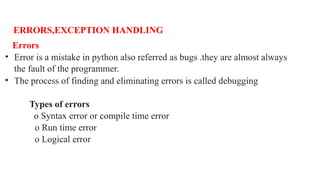
ERRORS,EXCEPTION HANDLING
Errors
• Erroris a mistake in python also referred as bugs .they are almost always
the fault of the programmer.
• The process of finding and eliminating errors is called debugging
Types of errors
o Syntax error or compile time error
o Run time error
o Logical error
21.
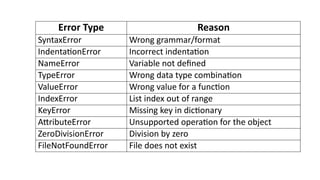
Error Type Reason
SyntaxErrorWrong grammar/format
IndentationError Incorrect indentation
NameError Variable not defined
TypeError Wrong data type combination
ValueError Wrong value for a function
IndexError List index out of range
KeyError Missing key in dictionary
AttributeError Unsupported operation for the object
ZeroDivisionError Division by zero
FileNotFoundError File does not exist
22.
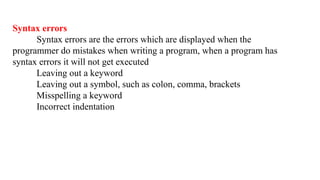
Syntax errors
Syntax errorsare the errors which are displayed when the
programmer do mistakes when writing a program, when a program has
syntax errors it will not get executed
Leaving out a keyword
Leaving out a symbol, such as colon, comma, brackets
Misspelling a keyword
Incorrect indentation
23.
Runtime errors
If aprogram is syntactically correct-that is ,free of syntax errors-it will
be run by the python interpreter
However, the program may exit unexpectedly during execution if it
encounters a runtime error.
When a program has runtime error it will get executed but it will not
produce output
Division by zero
Performing an operation on incompatible types
Using an identifier which has not been defined
Trying to access a file which doesn’t exit
24.
Logical errors
Logical errorsare the most difficult to fix
They occur when the program runs without crashing but produces
incorrect result
Using the wrong variable name
Indenting a blocks to the wrong level
Using integer division instead of floating point division
Getting operator precedence wrong
25.
Exception handling
Exceptions
• Anexception is an error that happens during execution of a
program. When that Error occurs
Errors in python
• IO Error-If the file cannot be opened.
• Import Error -If python cannot find the module
• Value Error -Raised when a built-in operation or function receives
an argument that has the right type but an inappropriate value
• Keyboard Interrupt -Raised when the user hits the interrupt
• EOF Error -Raised when one of the built-in functions (input() or
len()) hits an end-of-file condition (EOF) without reading any data
26.
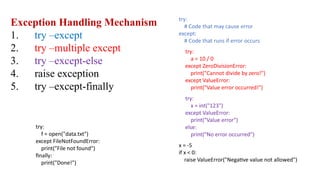
Exception Handling Mechanism
1.try –except
2. try –multiple except
3. try –except-else
4. raise exception
5. try –except-finally
try:
# Code that may cause error
except:
# Code that runs if error occurs
try:
a = 10 / 0
except ZeroDivisionError:
print("Cannot divide by zero!")
except ValueError:
print("Value error occurred!")
try:
x = int("123")
except ValueError:
print("Value error")
else:
print("No error occurred")
x = -5
if x < 0:
raise ValueError("Negative value not allowed")
try:
f = open("data.txt")
except FileNotFoundError:
print("File not found")
finally:
print("Done!")
27.
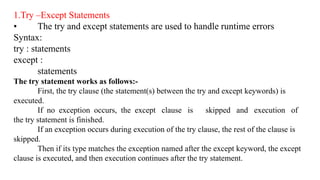
1.Try –Except Statements
•The try and except statements are used to handle runtime errors
Syntax:
try : statements
except :
statements
The try statement works as follows:-
First, the try clause (the statement(s) between the try and except keywords) is
executed.
If no exception occurs, the except clause is skipped and execution of
the try statement is finished.
If an exception occurs during execution of the try clause, the rest of the clause is
skipped.
Then if its type matches the exception named after the except keyword, the except
clause is executed, and then execution continues after the try statement.
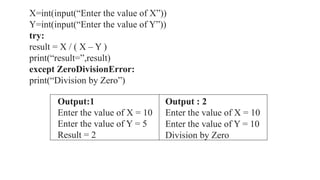
28.
Output:1
Enter the valueof X = 10
Enter the value of Y = 5
Result = 2
Output : 2
Enter the value of X = 10
Enter the value of Y = 10
Division by Zero
X=int(input(“Enter the value of X”))
Y=int(input(“Enter the value of Y”))
try:
result = X / ( X – Y )
print(“result=”,result)
except ZeroDivisionError:
print(“Division by Zero”)
29.
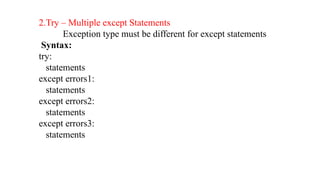
2.Try – Multipleexcept Statements
Exception type must be different for except statements
Syntax:
try:
statements
except errors1:
statements
except errors2:
statements
except errors3:
statements
30.
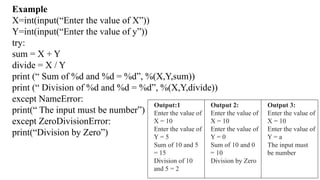
Example
X=int(input(“Enter the valueof X”))
Y=int(input(“Enter the value of y”))
try:
sum = X + Y
divide = X / Y
print (“ Sum of %d and %d = %d”, %(X,Y,sum))
print (“ Division of %d and %d = %d”, %(X,Y,divide))
except NameError:
print(“ The input must be number”)
except ZeroDivisionError:
print(“Division by Zero”)
Output:1
Enter the value of
X = 10
Enter the value of
Y = 5
Sum of 10 and 5
= 15
Division of 10
and 5 = 2
Output 2:
Enter the value of
X = 10
Enter the value of
Y = 0
Sum of 10 and 0
= 10
Division by Zero
Output 3:
Enter the value of
X = 10
Enter the value of
Y = a
The input must
be number
31.
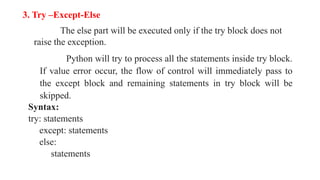
3. Try –Except-Else
Theelse part will be executed only if the try block does not
raise the exception.
Python will try to process all the statements inside try block.
If value error occur, the flow of control will immediately pass to
the except block and remaining statements in try block will be
skipped.
Syntax:
try: statements
except: statements
else:
statements
32.
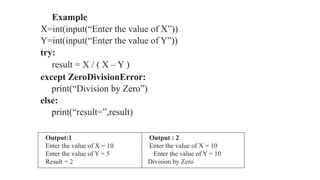
Example
X=int(input(“Enter the valueof X”))
Y=int(input(“Enter the value of Y”))
try:
result = X / ( X – Y )
except ZeroDivisionError:
print(“Division by Zero”)
else:
print(“result=”,result)
Output:1
Enter the value of X = 10
Enter the value of Y = 5
Result = 2
Output : 2
Enter the value of X = 10
Enter the value of Y = 10
Division by Zero
33.
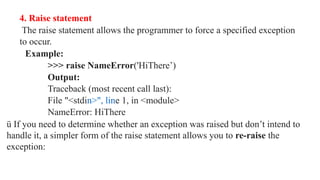
4. Raise statement
Theraise statement allows the programmer to force a specified exception
to occur.
Example:
>>> raise NameError('HiThere’)
Output:
Traceback (most recent call last):
File "<stdin>", line 1, in <module>
NameError: HiThere
ü If you need to determine whether an exception was raised but don’t intend to
handle it, a simpler form of the raise statement allows you to re-raise the
exception:
34.
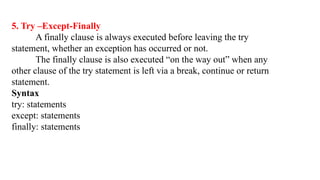
5. Try –Except-Finally
Afinally clause is always executed before leaving the try
statement, whether an exception has occurred or not.
The finally clause is also executed “on the way out” when any
other clause of the try statement is left via a break, continue or return
statement.
Syntax
try: statements
except: statements
finally: statements
35.
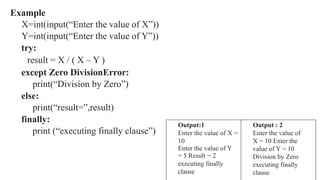
Example
X=int(input(“Enter the valueof X”))
Y=int(input(“Enter the value of Y”))
try:
result = X / ( X – Y )
except Zero DivisionError:
print(“Division by Zero”)
else:
print(“result=”,result)
finally:
print (“executing finally clause”)
Output:1
Enter the value of X =
10
Enter the value of Y
= 5 Result = 2
executing finally
clause
Output : 2
Enter the value of
X = 10 Enter the
value of Y = 10
Division by Zero
executing finally
clause
36.
MODULES IN PYTHON
Apython module is a file that consists of python definition and
statements. A module can define functions, classes and variables.
It allows us to logically arrange related code and makes the code easier
to understand and use.
1.Import statement: • An import statement is used to import python
module in some python source file. Syntax: import module1 [, module2
[…module]]
Example:
>>>import math
>>>print (math.pi)
3.14159265
37.
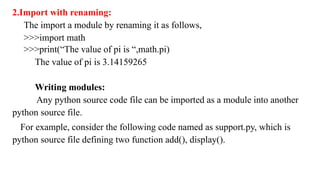
2.Import with renaming:
Theimport a module by renaming it as follows,
>>>import math
>>>print(“The value of pi is “,math.pi)
The value of pi is 3.14159265
Writing modules:
Any python source code file can be imported as a module into another
python source file.
For example, consider the following code named as support.py, which is
python source file defining two function add(), display().
38.
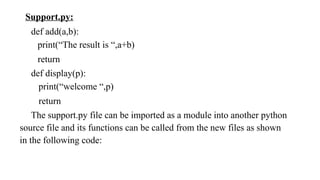
Support.py:
def add(a,b):
print(“The resultis “,a+b)
return
def display(p):
print(“welcome “,p)
return
The support.py file can be imported as a module into another python
source file and its functions can be called from the new files as shown
in the following code:
39.
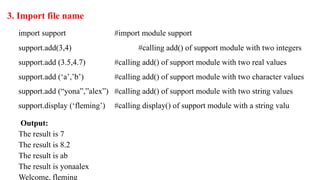
3. Import filename
import support #import module support
support.add(3,4) #calling add() of support module with two integers
support.add (3.5,4.7) #calling add() of support module with two real values
support.add (‘a’,’b’) #calling add() of support module with two character values
support.add (“yona”,”alex”) #calling add() of support module with two string values
support.display (‘fleming’) #calling display() of support module with a string valu
Output:
The result is 7
The result is 8.2
The result is ab
The result is yonaalex
Welcome, fleming
40.
4. from……import statement:
Itallows us to import specific attributes from a module into the current namespace.
Syntax: from module name import name1 [, name2[,……nameN]] from support
import add #import module support
support.add(3,4) #calling add() of support module with two integers
support.add(3.5,4.7) #calling add() of support module with two real values
support.add(‘a’,’b’) #calling add() of support module with two character
values
support.add (“yona”,”alex”)#calling add() of support module with two string values
support.display (‘fleming’) #calling display() of support module with a string value
Output:
The result is 7
The result is 8.2
The result is ab
41.
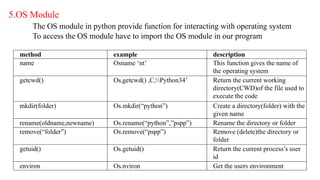
5.OS Module
The OSmodule in python provide function for interacting with operating system
To access the OS module have to import the OS module in our program
method example description
name Osname ‘nt’ This function gives the name of
the operating system
getcwd() Os,getcwd() ,C;Python34’ Return the current working
directory(CWD)of the file used to
execute the code
mkdir(folder) Os.mkdir(“python”) Create a directory(folder) with the
given name
rename(oldname,newname) Os.rename(“python”,”pspp”) Rename the directory or folder
remove(“folder”) Os.remove(“pspp”) Remove (delete)the directory or
folder
getuid() Os.getuid() Return the current process’s user
id
environ Os.nviron Get the users environment
42.
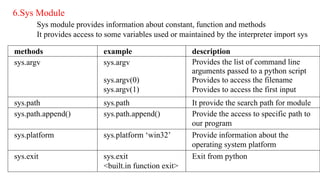
6.Sys Module
Sys moduleprovides information about constant, function and methods
It provides access to some variables used or maintained by the interpreter import sys
methods example description
sys.argv sys.argv
sys.argv(0)
sys.argv(1)
Provides the list of command line
arguments passed to a python script
Provides to access the filename
Provides to access the first input
sys.path sys.path It provide the search path for module
sys.path.append() sys.path.append() Provide the access to specific path to
our program
sys.platform sys.platform ‘win32’ Provide information about the
operating system platform
sys.exit sys.exit
<built.in function exit>
Exit from python
43.
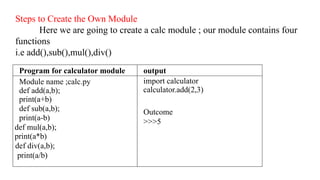
Steps to Createthe Own Module
Here we are going to create a calc module ; our module contains four
functions
i.e add(),sub(),mul(),div()
Program for calculator module output
Module name ;calc.py
def add(a,b);
print(a+b)
def sub(a,b);
print(a-b)
def mul(a,b);
print(a*b)
def div(a,b);
print(a/b)
import calculator
calculator.add(2,3)
Outcome
>>>5
44.
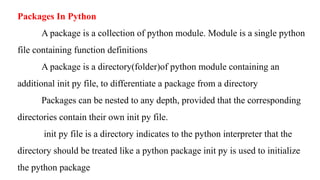
Packages In Python
Apackage is a collection of python module. Module is a single python
file containing function definitions
A package is a directory(folder)of python module containing an
additional init py file, to differentiate a package from a directory
Packages can be nested to any depth, provided that the corresponding
directories contain their own init py file.
init py file is a directory indicates to the python interpreter that the
directory should be treated like a python package init py is used to initialize
the python package
45.
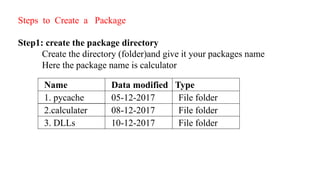
Steps to Createa Package
Step1: create the package directory
Create the directory (folder)and give it your packages name
Here the package name is calculator
Name Data modified Type
1. pycache 05-12-2017 File folder
2.calculater 08-12-2017 File folder
3. DLLs 10-12-2017 File folder
46.
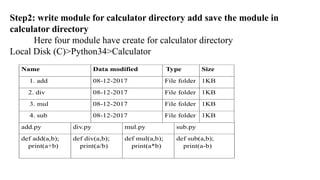
Step2: write modulefor calculator directory add save the module in
calculator directory
Here four module have create for calculator directory
Local Disk (C)>Python34>Calculator
Name Data modified Type Size
1. add 08-12-2017 File folder 1KB
2. div 08-12-2017 File folder 1KB
3. mul 08-12-2017 File folder 1KB
4. sub 08-12-2017 File folder 1KB
add.py div.py mul.py sub.py
def add(a,b);
print(a+b)
def div(a,b);
print(a/b)
def mul(a,b);
print(a*b)
def sub(a,b);
print(a-b)
47.
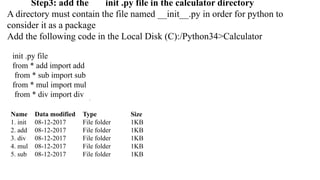
Step3: add theinit .py file in the calculator directory
A directory must contain the file named __init__.py in order for python to
consider it as a package
Add the following code in the Local Disk (C):/Python34>Calculator
init .py file
from * add import add
from * sub import sub
from * mul import mul
from * div import div
Name Data modified Type Size
1. init 08-12-2017 File folder 1KB
2. add 08-12-2017 File folder 1KB
3. div 08-12-2017 File folder 1KB
4. mul 08-12-2017 File folder 1KB
5. sub 08-12-2017 File folder 1KB
48.
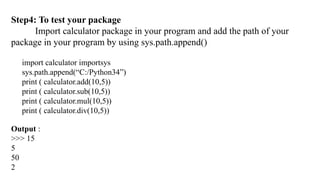
Step4: To testyour package
Import calculator package in your program and add the path of your
package in your program by using sys.path.append()
import calculator importsys
sys.path.append(“C:/Python34”)
print ( calculator.add(10,5))
print ( calculator.sub(10,5))
print ( calculator.mul(10,5))
print ( calculator.div(10,5))
Output :
>>> 15
5
50
2
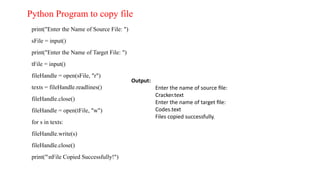
print("Enter the Nameof Source File: ")
sFile = input()
print("Enter the Name of Target File: ")
tFile = input()
fileHandle = open(sFile, "r")
texts = fileHandle.readlines()
fileHandle.close()
fileHandle = open(tFile, "w")
for s in texts:
fileHandle.write(s)
fileHandle.close()
print("nFile Copied Successfully!")
Output:
Enter the name of source file:
Cracker.text
Enter the name of target file:
Codes.text
Files copied successfully.
Python Program to copy file
51.
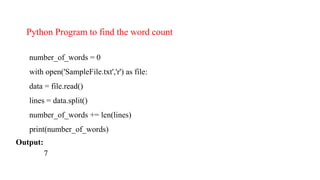
number_of_words = 0
withopen('SampleFile.txt','r') as file:
data = file.read()
lines = data.split()
number_of_words += len(lines)
print(number_of_words)
Output:
7
Python Program to find the word count
52.
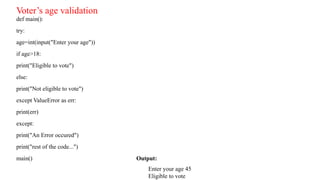
def main():
try:
age=int(input("Enter yourage"))
if age>18:
print("Eligible to vote")
else:
print("Not eligible to vote")
except ValueError as err:
print(err)
except:
print("An Error occured")
print("rest of the code...")
main() Output:
Enter your age 45
Eligible to vote
Voter’s age validation
53.
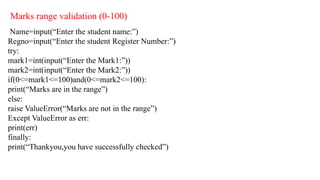
Marks range validation(0-100)
Name=input(“Enter the student name:”)
Regno=input(“Enter the student Register Number:”)
try:
mark1=int(input(“Enter the Mark1:”))
mark2=int(input(“Enter the Mark2:”))
if(0<=mark1<=100)and(0<=mark2<=100):
print(“Marks are in the range”)
else:
raise ValueError(“Marks are not in the range”)
Except ValueError as err:
print(err)
finally:
print(“Thankyou,you have successfully checked”)
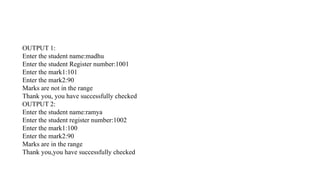
54.
OUTPUT 1:
Enter thestudent name:madhu
Enter the student Register number:1001
Enter the mark1:101
Enter the mark2:90
Marks are not in the range
Thank you, you have successfully checked
OUTPUT 2:
Enter the student name:ramya
Enter the student register number:1002
Enter the mark1:100
Enter the mark2:90
Marks are in the range
Thank you,you have successfully checked
![The arguments that are given after the name of the program in the command line shell
of the operating system are known as Command Line Arguments.
Python provides various ways of dealing with these types of arguments.
The three most common are:
Using sys.argv
The sys module provides functions and variables used to manipulate different parts of the
Python runtime environment.
This module provides access to some variables used or maintained by the interpreter and
to functions that interact strongly with the interpreter.
One such variable is sys.argv which is a simple list structure. It’s main purpose are:
It is a list of command line arguments.
len(sys.argv) provides the number of command line arguments.
sys.argv[0] is the name of the current Python script
import sys.
Command Line Arguments](https://image.slidesharecdn.com/pythonunit5-260119113640-1651104c/85/python_unit5_files_modules_Packages-pptx-18-320.jpg)
![MODULES IN PYTHON
A python module is a file that consists of python definition and
statements. A module can define functions, classes and variables.
It allows us to logically arrange related code and makes the code easier
to understand and use.
1.Import statement: • An import statement is used to import python
module in some python source file. Syntax: import module1 [, module2
[…module]]
Example:
>>>import math
>>>print (math.pi)
3.14159265](https://image.slidesharecdn.com/pythonunit5-260119113640-1651104c/85/python_unit5_files_modules_Packages-pptx-36-320.jpg)
![4. from……import statement:
It allows us to import specific attributes from a module into the current namespace.
Syntax: from module name import name1 [, name2[,……nameN]] from support
import add #import module support
support.add(3,4) #calling add() of support module with two integers
support.add(3.5,4.7) #calling add() of support module with two real values
support.add(‘a’,’b’) #calling add() of support module with two character
values
support.add (“yona”,”alex”)#calling add() of support module with two string values
support.display (‘fleming’) #calling display() of support module with a string value
Output:
The result is 7
The result is 8.2
The result is ab](https://image.slidesharecdn.com/pythonunit5-260119113640-1651104c/85/python_unit5_files_modules_Packages-pptx-40-320.jpg)