P.INDURANI
ASSISTANT PROFESSOR & HEAD
DEPARTMENT OF COMPUTER SCIENCE
PARVATHY’S ARTS AND SCIENCE COLLEGE
DINDIGUL
11
PYTHON
PROGRAMMING
UNIT I
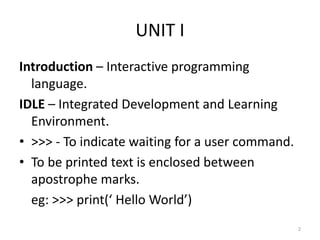
Introduction – Interactive programming
language.
IDLE – Integrated Development and Learning
Environment.
‱ >>> - To indicate waiting for a user command.
‱ To be printed text is enclosed between
apostrophe marks.
eg: >>> print(‘ Hello World’)
2
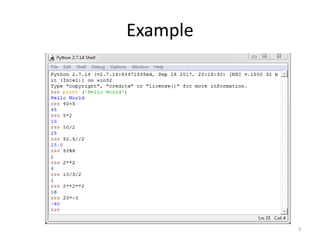
Example
3
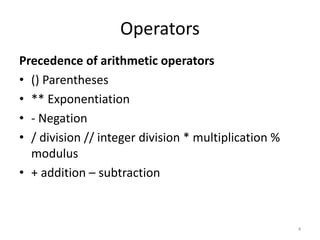
Operators
Precedence of arithmetic operators
‱ () Parentheses
‱ ** Exponentiation
‱ - Negation
‱ / division // integer division * multiplication %
modulus
‱ + addition – subtraction
4
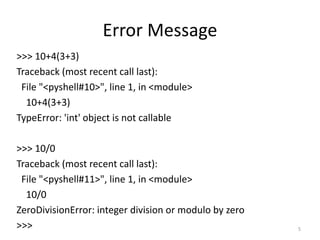
Error Message
>>> 10+4(3+3)
Traceback (most recent call last):
File "<pyshell#10>", line 1, in <module>
10+4(3+3)
TypeError: 'int' object is not callable
>>> 10/0
Traceback (most recent call last):
File "<pyshell#11>", line 1, in <module>
10/0
ZeroDivisionError: integer division or modulo by zero
>>> 5
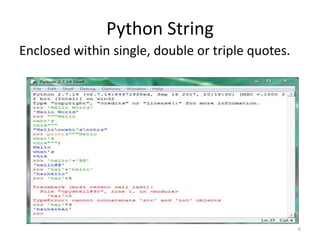
Python String
Enclosed within single, double or triple quotes.
6
Relational Operators
‱ To comparing expression values.
‱ Yield values: true, false
‱ ASCII values are used for string comparison
‱ Does not allow string values to be compared with
numeric values.
Operators are: ==, <, >, <=, >=, !=
7
Operators
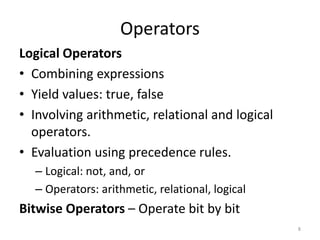
Logical Operators
‱ Combining expressions
‱ Yield values: true, false
‱ Involving arithmetic, relational and logical
operators.
‱ Evaluation using precedence rules.
– Logical: not, and, or
– Operators: arithmetic, relational, logical
Bitwise Operators – Operate bit by bit
8
Variables and Assignment
Statements
‱ Variables are often called names.
‱ Binds a variable to an object
‱ Syntax: variable = expression
Rules:
‱ Must begin with letter or _ underscore
‱ Contain any number of letters, digits or underscore.
‱ Python is case sensitive
‱ More than one variable may refer to the same
object.
‱ Shorthand Notation: >> a=a+5
9
Statements
Keywords
‱ Have special meaning.
‱ Cannot be used for naming objects.
‱ Eg: continue, for, while, del, true, def, except,
if, return, and, else, nonlocal, etc.,
Script Mode
‱ Instruction are written in a file.
‱ Should have extension .py or .pyw
10
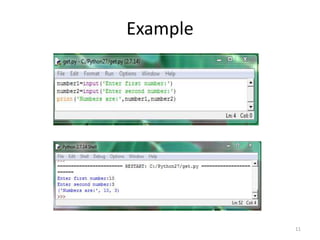
Example
11
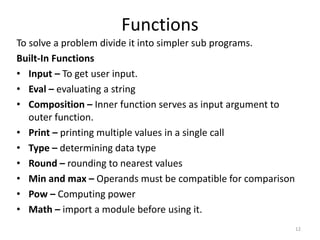
Functions
To solve a problem divide it into simpler sub programs.
Built-In Functions
‱ Input – To get user input.
‱ Eval – evaluating a string
‱ Composition – Inner function serves as input argument to
outer function.
‱ Print – printing multiple values in a single call
‱ Type – determining data type
‱ Round – rounding to nearest values
‱ Min and max – Operands must be compatible for comparison
‱ Pow – Computing power
‱ Math – import a module before using it.
12
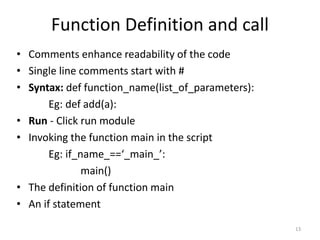
Function Definition and call
‱ Comments enhance readability of the code
‱ Single line comments start with #
‱ Syntax: def function_name(list_of_parameters):
Eg: def add(a):
‱ Run - Click run module
‱ Invoking the function main in the script
Eg: if_name_==‘_main_’:
main()
‱ The definition of function main
‱ An if statement
13
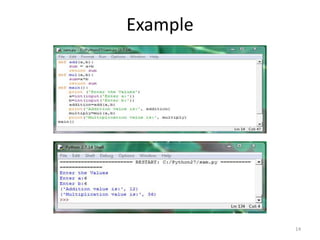
Example
14
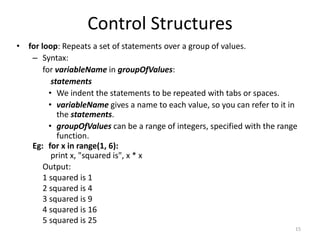
‱ for loop: Repeats a set of statements over a group of values.
– Syntax:
for variableName in groupOfValues:
statements
‱ We indent the statements to be repeated with tabs or spaces.
‱ variableName gives a name to each value, so you can refer to it in
the statements.
‱ groupOfValues can be a range of integers, specified with the range
function.
Eg: for x in range(1, 6):
print x, "squared is", x * x
Output:
1 squared is 1
2 squared is 4
3 squared is 9
4 squared is 16
5 squared is 25
Control Structures
15
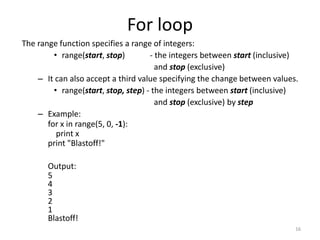
The range function specifies a range of integers:
‱ range(start, stop) - the integers between start (inclusive)
and stop (exclusive)
– It can also accept a third value specifying the change between values.
‱ range(start, stop, step) - the integers between start (inclusive)
and stop (exclusive) by step
– Example:
for x in range(5, 0, -1):
print x
print "Blastoff!"
Output:
5
4
3
2
1
Blastoff!
16
For loop
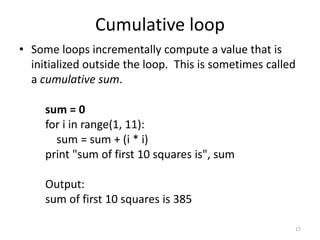
‱ Some loops incrementally compute a value that is
initialized outside the loop. This is sometimes called
a cumulative sum.
sum = 0
for i in range(1, 11):
sum = sum + (i * i)
print "sum of first 10 squares is", sum
Output:
sum of first 10 squares is 385
17
Cumulative loop
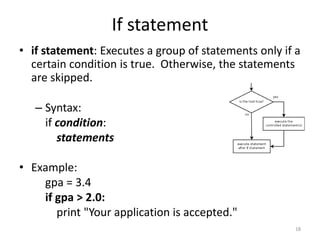
‱ if statement: Executes a group of statements only if a
certain condition is true. Otherwise, the statements
are skipped.
– Syntax:
if condition:
statements
‱ Example:
gpa = 3.4
if gpa > 2.0:
print "Your application is accepted."
18
If statement
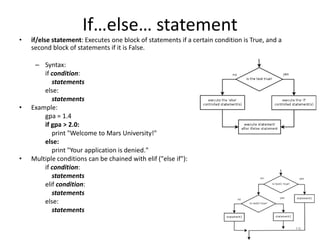
‱ if/else statement: Executes one block of statements if a certain condition is True, and a
second block of statements if it is False.
– Syntax:
if condition:
statements
else:
statements
‱ Example:
gpa = 1.4
if gpa > 2.0:
print "Welcome to Mars University!"
else:
print "Your application is denied."
‱ Multiple conditions can be chained with elif ("else if"):
if condition:
statements
elif condition:
statements
else:
statements
19
If
else
 statement
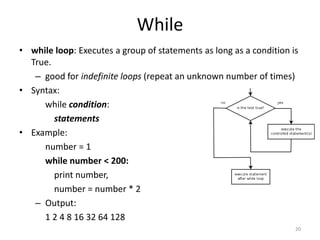
‱ while loop: Executes a group of statements as long as a condition is
True.
– good for indefinite loops (repeat an unknown number of times)
‱ Syntax:
while condition:
statements
‱ Example:
number = 1
while number < 200:
print number,
number = number * 2
– Output:
1 2 4 8 16 32 64 128
20
While

PYTHON PROGRAMMING

  • 1.
    P.INDURANI ASSISTANT PROFESSOR &HEAD DEPARTMENT OF COMPUTER SCIENCE PARVATHY’S ARTS AND SCIENCE COLLEGE DINDIGUL 11 PYTHON PROGRAMMING
  • 2.
    UNIT I Introduction –Interactive programming language. IDLE – Integrated Development and Learning Environment. ‱ >>> - To indicate waiting for a user command. ‱ To be printed text is enclosed between apostrophe marks. eg: >>> print(‘ Hello World’) 2
  • 3.
  • 4.
    Operators Precedence of arithmeticoperators ‱ () Parentheses ‱ ** Exponentiation ‱ - Negation ‱ / division // integer division * multiplication % modulus ‱ + addition – subtraction 4
  • 5.
    Error Message >>> 10+4(3+3) Traceback(most recent call last): File "<pyshell#10>", line 1, in <module> 10+4(3+3) TypeError: 'int' object is not callable >>> 10/0 Traceback (most recent call last): File "<pyshell#11>", line 1, in <module> 10/0 ZeroDivisionError: integer division or modulo by zero >>> 5
  • 6.
    Python String Enclosed withinsingle, double or triple quotes. 6
  • 7.
    Relational Operators ‱ Tocomparing expression values. ‱ Yield values: true, false ‱ ASCII values are used for string comparison ‱ Does not allow string values to be compared with numeric values. Operators are: ==, <, >, <=, >=, != 7
  • 8.
    Operators Logical Operators ‱ Combiningexpressions ‱ Yield values: true, false ‱ Involving arithmetic, relational and logical operators. ‱ Evaluation using precedence rules. – Logical: not, and, or – Operators: arithmetic, relational, logical Bitwise Operators – Operate bit by bit 8
  • 9.
    Variables and Assignment Statements ‱Variables are often called names. ‱ Binds a variable to an object ‱ Syntax: variable = expression Rules: ‱ Must begin with letter or _ underscore ‱ Contain any number of letters, digits or underscore. ‱ Python is case sensitive ‱ More than one variable may refer to the same object. ‱ Shorthand Notation: >> a=a+5 9
  • 10.
    Statements Keywords ‱ Have specialmeaning. ‱ Cannot be used for naming objects. ‱ Eg: continue, for, while, del, true, def, except, if, return, and, else, nonlocal, etc., Script Mode ‱ Instruction are written in a file. ‱ Should have extension .py or .pyw 10
  • 11.
  • 12.
    Functions To solve aproblem divide it into simpler sub programs. Built-In Functions ‱ Input – To get user input. ‱ Eval – evaluating a string ‱ Composition – Inner function serves as input argument to outer function. ‱ Print – printing multiple values in a single call ‱ Type – determining data type ‱ Round – rounding to nearest values ‱ Min and max – Operands must be compatible for comparison ‱ Pow – Computing power ‱ Math – import a module before using it. 12
  • 13.
    Function Definition andcall ‱ Comments enhance readability of the code ‱ Single line comments start with # ‱ Syntax: def function_name(list_of_parameters): Eg: def add(a): ‱ Run - Click run module ‱ Invoking the function main in the script Eg: if_name_==‘_main_’: main() ‱ The definition of function main ‱ An if statement 13
  • 14.
  • 15.
    ‱ for loop:Repeats a set of statements over a group of values. – Syntax: for variableName in groupOfValues: statements ‱ We indent the statements to be repeated with tabs or spaces. ‱ variableName gives a name to each value, so you can refer to it in the statements. ‱ groupOfValues can be a range of integers, specified with the range function. Eg: for x in range(1, 6): print x, "squared is", x * x Output: 1 squared is 1 2 squared is 4 3 squared is 9 4 squared is 16 5 squared is 25 Control Structures 15
  • 16.
    The range functionspecifies a range of integers: ‱ range(start, stop) - the integers between start (inclusive) and stop (exclusive) – It can also accept a third value specifying the change between values. ‱ range(start, stop, step) - the integers between start (inclusive) and stop (exclusive) by step – Example: for x in range(5, 0, -1): print x print "Blastoff!" Output: 5 4 3 2 1 Blastoff! 16 For loop
  • 17.
    ‱ Some loopsincrementally compute a value that is initialized outside the loop. This is sometimes called a cumulative sum. sum = 0 for i in range(1, 11): sum = sum + (i * i) print "sum of first 10 squares is", sum Output: sum of first 10 squares is 385 17 Cumulative loop
  • 18.
    ‱ if statement:Executes a group of statements only if a certain condition is true. Otherwise, the statements are skipped. – Syntax: if condition: statements ‱ Example: gpa = 3.4 if gpa > 2.0: print "Your application is accepted." 18 If statement
  • 19.
    ‱ if/else statement:Executes one block of statements if a certain condition is True, and a second block of statements if it is False. – Syntax: if condition: statements else: statements ‱ Example: gpa = 1.4 if gpa > 2.0: print "Welcome to Mars University!" else: print "Your application is denied." ‱ Multiple conditions can be chained with elif ("else if"): if condition: statements elif condition: statements else: statements 19 If
else
 statement
  • 20.
    ‱ while loop:Executes a group of statements as long as a condition is True. – good for indefinite loops (repeat an unknown number of times) ‱ Syntax: while condition: statements ‱ Example: number = 1 while number < 200: print number, number = number * 2 – Output: 1 2 4 8 16 32 64 128 20 While