Python 3
Introduction
 Python is a general-purpose
 interpreted,
 interactive,
 object-oriented, and high-level
programming language.
 It was created by
 Guido van Rossum during 1985 – 1990.
 Python source code is also available
under the GNU General Public License
(GPL).
 Python is named after a TV Show called
‘Monty Python’s Flying Circus’
Introduction
 Python 3.0 was released in 2008.
 Although this version is supposed to
be backward incompatibles, later on
many of its important features have
been backported to be compatible with
the version 2.7.
 This tutorial gives enough
understanding on Python 3 version
programming language.
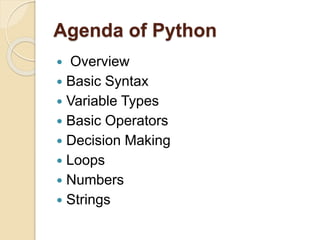
Agenda of Python
 Overview
 Basic Syntax
 Variable Types
 Basic Operators
 Decision Making
 Loops
 Numbers
 Strings
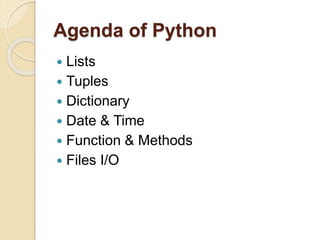
Agenda of Python
 Lists
 Tuples
 Dictionary
 Date & Time
 Function & Methods
 Files I/O
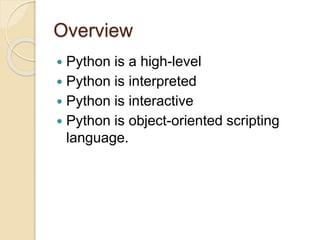
Overview
 Python is a high-level
 Python is interpreted
 Python is interactive
 Python is object-oriented scripting
language.
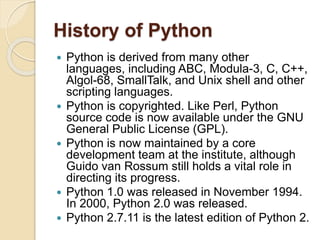
History of Python
 Python is derived from many other
languages, including ABC, Modula-3, C, C++,
Algol-68, SmallTalk, and Unix shell and other
scripting languages.
 Python is copyrighted. Like Perl, Python
source code is now available under the GNU
General Public License (GPL).
 Python is now maintained by a core
development team at the institute, although
Guido van Rossum still holds a vital role in
directing its progress.
 Python 1.0 was released in November 1994.
In 2000, Python 2.0 was released.
 Python 2.7.11 is the latest edition of Python 2.
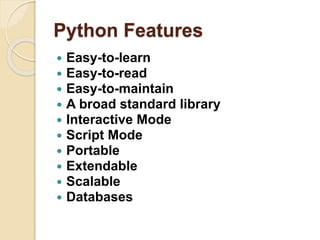
Python Features
 Easy-to-learn
 Easy-to-read
 Easy-to-maintain
 A broad standard library
 Interactive Mode
 Script Mode
 Portable
 Extendable
 Scalable
 Databases
Basic Syntax
◦ The Python language has many similarities to Perl, C, and
Java etc.
 Interactive Mode Programming
 $ python
 Python 3.3.2 (default, Dec 10 2013, 11:35:01)
 [GCC 4.6.3] on Linux
 Type "help", "copyright", "credits", or "license" for more
information.
 >>>
 On Windows:
 Python 3.4.3 (v3.4.3:9b73f1c3e601, Feb 24 2015,
22:43:06) [MSC v.1600 32 bit (Intel)] on
 win32
 Type "copyright", "credits" or "license()" for more
information.
Basic Syntax
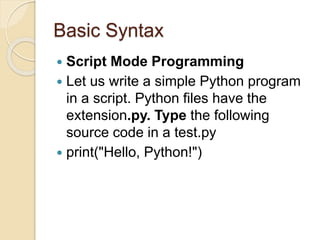
 Script Mode Programming
 Let us write a simple Python program
in a script. Python files have the
extension.py. Type the following
source code in a test.py
 print("Hello, Python!")
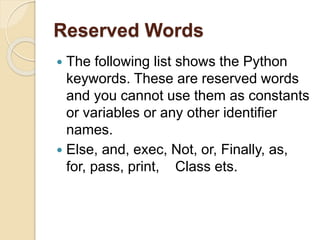
Reserved Words
 The following list shows the Python
keywords. These are reserved words
and you cannot use them as constants
or variables or any other identifier
names.
 Else, and, exec, Not, or, Finally, as,
for, pass, print, Class ets.
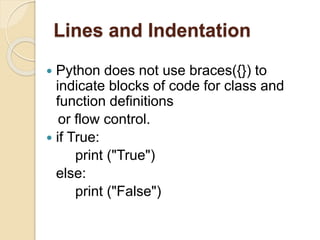
Lines and Indentation
 Python does not use braces({}) to
indicate blocks of code for class and
function definitions
or flow control.
 if True:
print ("True")
else:
print ("False")
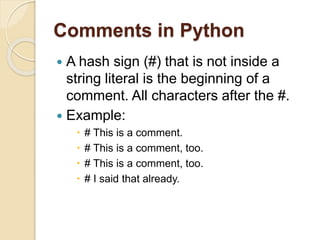
Comments in Python
 A hash sign (#) that is not inside a
string literal is the beginning of a
comment. All characters after the #.
 Example:
 # This is a comment.
 # This is a comment, too.
 # I said that already.
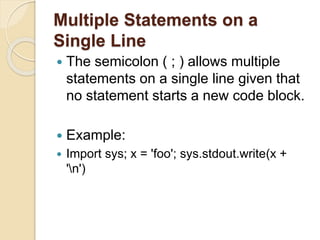
Multiple Statements on a
Single Line
 The semicolon ( ; ) allows multiple
statements on a single line given that
no statement starts a new code block.
 Example:
 Import sys; x = 'foo'; sys.stdout.write(x +
'n')
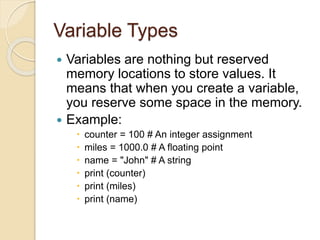
Variable Types
 Variables are nothing but reserved
memory locations to store values. It
means that when you create a variable,
you reserve some space in the memory.
 Example:
 counter = 100 # An integer assignment
 miles = 1000.0 # A floating point
 name = "John" # A string
 print (counter)
 print (miles)
 print (name)
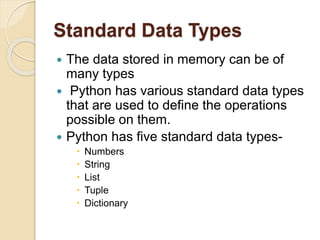
Standard Data Types
 The data stored in memory can be of
many types
 Python has various standard data types
that are used to define the operations
possible on them.
 Python has five standard data types-
 Numbers
 String
 List
 Tuple
 Dictionary
Python Numbers
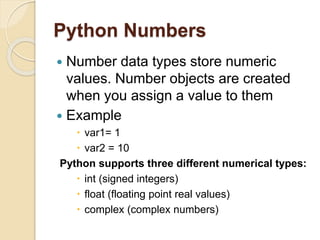
 Number data types store numeric
values. Number objects are created
when you assign a value to them
 Example
 var1= 1
 var2 = 10
Python supports three different numerical types:
 int (signed integers)
 float (floating point real values)
 complex (complex numbers)
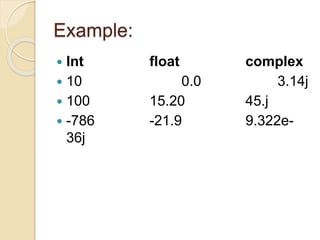
Example:
 Int float complex
 10 0.0 3.14j
 100 15.20 45.j
 -786 -21.9 9.322e-
36j
Python Strings
 Strings in Python are identified as a
contiguous set of characters represented in
the quotation marks. Python allows either
pair of single or double quotes. Subsets of
strings can be taken using the slice
operator ([ ] and [:] ) with indexes starting at
0 in the beginning of the string and working
their way from -1 to the end.
Example
 str = 'Hello World!'
 print (str) # Prints complete string
 print (str[0]) # Prints first character of
the string
 print (str[2:5]) # Prints characters
starting from 3rd to 5th
 print (str[2:]) # Prints string starting
from 3rd character
 print (str * 2) # Prints string two times
Python Lists
 A list contains items separated by
commas and enclosed within square
brackets ([]).
 Example:
list = [ 'abcd', 786 , 2.23, 'john', 70.2 ]
tinylist = [123, 'john']
 print (list) # Prints complete list
 print (list[0]) # Prints first element of the
list
 print (list[1:3]) # Prints elements starting from 2nd
till 3rd
 print (list[2:]) # Prints elements starting from 3rd
element
Python Tuples
 A tuple is another sequence data type that is
similar to the list. A tuple consists of a number
of values separated by commas.
Example:
 tuple = ( 'abcd', 786 , 2.23, 'john', 70.2 )
 tinytuple = (123, 'john')
 print (tuple) # Prints complete tuple
 print (tuple[0]) # Prints first element of the
tuple
 print (tuple[1:3]) # Prints elements starting
from 2nd till 3rd
 print (tuple[2:]) # Prints elements starting from
3rd element
Python Dictionary
 Python's dictionaries are kind of hash-table
type. They work like associative arrays or
hashes found in Perl and consist of key-value
pairs.
 Example:
dict = {}
dict['one'] = "This is one"
dict[2] = "This is two"
tinydict = {'name': 'john','code':6734, 'dept': 'sales'}
print (dict['one']) # Prints value for 'one' key
print (dict[2]) # Prints value for 2 key
print (tinydict) # Prints complete dictionary
print (tinydict.keys()) # Prints all the keys
print (tinydict.values()) # Prints all the values
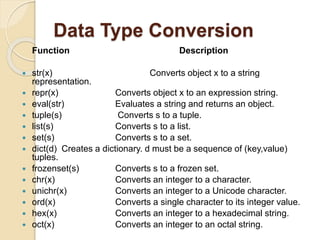
Data Type Conversion
 There are several built-in functions to
perform conversion from one data
type to another.
Function
Description
 int(x [,base]) Converts x to an
integer.
 float(x) Converts x to a floating-point
number.
 complex(real [,imag])
Data Type Conversion
Function Description
 str(x) Converts object x to a string
representation.
 repr(x) Converts object x to an expression string.
 eval(str) Evaluates a string and returns an object.
 tuple(s) Converts s to a tuple.
 list(s) Converts s to a list.
 set(s) Converts s to a set.
 dict(d) Creates a dictionary. d must be a sequence of (key,value)
tuples.
 frozenset(s) Converts s to a frozen set.
 chr(x) Converts an integer to a character.
 unichr(x) Converts an integer to a Unicode character.
 ord(x) Converts a single character to its integer value.
 hex(x) Converts an integer to a hexadecimal string.
 oct(x) Converts an integer to an octal string.
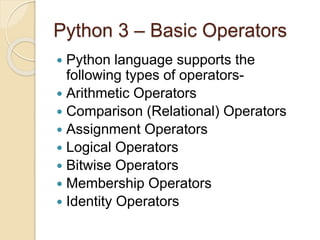
Python 3 – Basic Operators
 Python language supports the
following types of operators-
 Arithmetic Operators
 Comparison (Relational) Operators
 Assignment Operators
 Logical Operators
 Bitwise Operators
 Membership Operators
 Identity Operators
Example
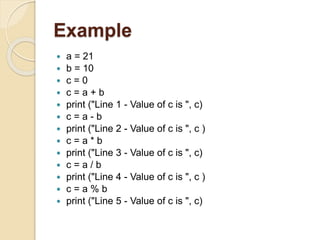
 a = 21
 b = 10
 c = 0
 c = a + b
 print ("Line 1 - Value of c is ", c)
 c = a - b
 print ("Line 2 - Value of c is ", c )
 c = a * b
 print ("Line 3 - Value of c is ", c)
 c = a / b
 print ("Line 4 - Value of c is ", c )
 c = a % b
 print ("Line 5 - Value of c is ", c)
Python Membership Operators
 Python’s membership operators test
for membership in a sequence, such
as strings, lists, or tuples.
 Operators
 In
 Not in
Example
 a = 10
 b = 20
 list = [1, 2, 3, 4, 5 ]
 if ( a in list ):
 print ("Line 1 - a is available in the given list")
 else:
 print ("Line 1 - a is not available in the given
list")
 if ( b not in list ):
 print ("Line 2 - b is not available in the given
list")
 else:
 print ("Line 2 - b is available in the given list")
Python Identity Operators
 Identity operators compare the
memory locations of two objects.
Operators:
 Is
 Is not
Example
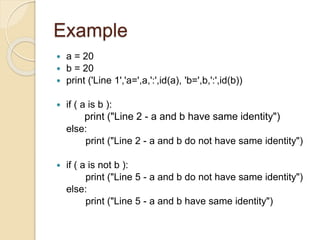
 a = 20
 b = 20
 print ('Line 1','a=',a,':',id(a), 'b=',b,':',id(b))
 if ( a is b ):
print ("Line 2 - a and b have same identity")
else:
print ("Line 2 - a and b do not have same identity")
 if ( a is not b ):
print ("Line 5 - a and b do not have same identity")
else:
print ("Line 5 - a and b have same identity")
Python 3 – Decision Making
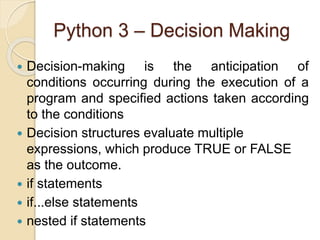
 Decision-making is the anticipation of
conditions occurring during the execution of a
program and specified actions taken according
to the conditions
 Decision structures evaluate multiple
expressions, which produce TRUE or FALSE
as the outcome.
 if statements
 if...else statements
 nested if statements
Example
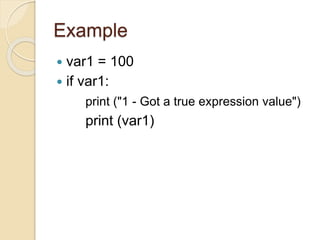
 var1 = 100
 if var1:
print ("1 - Got a true expression value")
print (var1)
Example
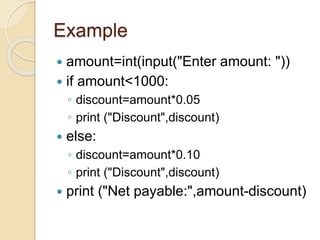
 amount=int(input("Enter amount: "))
 if amount<1000:
◦ discount=amount*0.05
◦ print ("Discount",discount)
 else:
◦ discount=amount*0.10
◦ print ("Discount",discount)
 print ("Net payable:",amount-discount)
Example
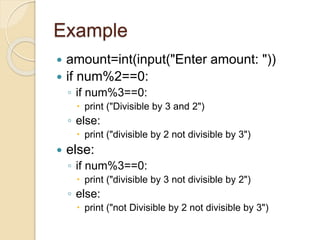
 amount=int(input("Enter amount: "))
 if num%2==0:
◦ if num%3==0:
 print ("Divisible by 3 and 2")
◦ else:
 print ("divisible by 2 not divisible by 3")
 else:
◦ if num%3==0:
 print ("divisible by 3 not divisible by 2")
◦ else:
 print ("not Divisible by 2 not divisible by 3")
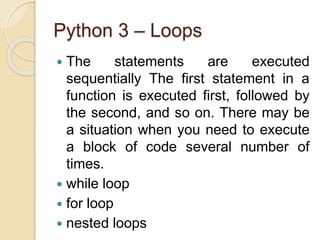
Python 3 – Loops
 The statements are executed
sequentially The first statement in a
function is executed first, followed by
the second, and so on. There may be
a situation when you need to execute
a block of code several number of
times.
 while loop
 for loop
 nested loops
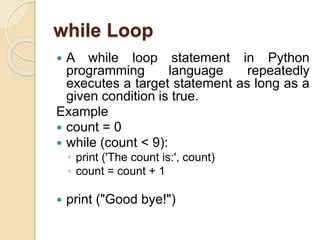
while Loop
 A while loop statement in Python
programming language repeatedly
executes a target statement as long as a
given condition is true.
Example
 count = 0
 while (count < 9):
◦ print ('The count is:', count)
◦ count = count + 1
 print ("Good bye!")
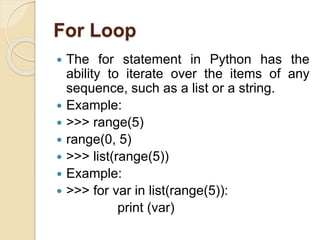
For Loop
 The for statement in Python has the
ability to iterate over the items of any
sequence, such as a list or a string.
 Example:
 >>> range(5)
 range(0, 5)
 >>> list(range(5))
 Example:
 >>> for var in list(range(5)):
print (var)
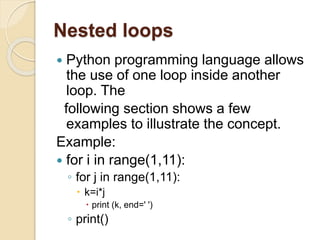
Nested loops
 Python programming language allows
the use of one loop inside another
loop. The
following section shows a few
examples to illustrate the concept.
Example:
 for i in range(1,11):
◦ for j in range(1,11):
 k=i*j
 print (k, end=' ')
◦ print()
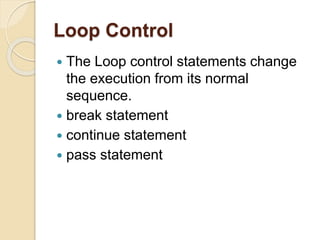
Loop Control
 The Loop control statements change
the execution from its normal
sequence.
 break statement
 continue statement
 pass statement
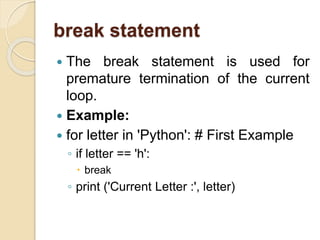
break statement
 The break statement is used for
premature termination of the current
loop.
 Example:
 for letter in 'Python': # First Example
◦ if letter == 'h':
 break
◦ print ('Current Letter :', letter)
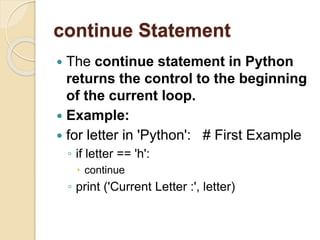
continue Statement
 The continue statement in Python
returns the control to the beginning
of the current loop.
 Example:
 for letter in 'Python': # First Example
◦ if letter == 'h':
 continue
◦ print ('Current Letter :', letter)
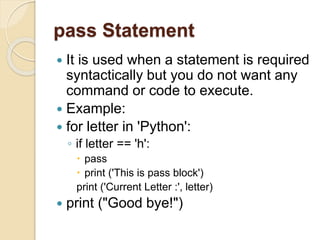
pass Statement
 It is used when a statement is required
syntactically but you do not want any
command or code to execute.
 Example:
 for letter in 'Python':
◦ if letter == 'h':
 pass
 print ('This is pass block')
print ('Current Letter :', letter)
 print ("Good bye!")
Iterator and Generator
 Iterator is an object, which allows a
programmer to traverse through all the
elements of a collection, regardless of
its specific implementation. In Python,
an iterator object
 implements two methods, iter() and
next()
Example
 list=[1,2,3,4]
 it = iter(list) # this builds an iterator object
 print (next(it)) #prints next available element in iterator
 Iterator object can be traversed using regular for
statement
 !usr/bin/python3
 for x in it:
◦ print (x, end=" ")
 or using next() function
 while True:
◦ try:
 print (next(it))
◦ except StopIteration:
 sys.exit() #you have to import sys module for this
Generator
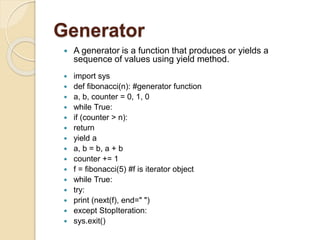
 A generator is a function that produces or yields a
sequence of values using yield method.
 import sys
 def fibonacci(n): #generator function
 a, b, counter = 0, 1, 0
 while True:
 if (counter > n):
 return
 yield a
 a, b = b, a + b
 counter += 1
 f = fibonacci(5) #f is iterator object
 while True:
 try:
 print (next(f), end=" ")
 except StopIteration:
 sys.exit()
Python Number Built in Function
 Python includes the following
functions that perform mathematical
calculations
 Mathematical Functions
 Trigonometric Functions

Python 3.pptx

  • 1.
  • 2.
    Introduction  Python isa general-purpose  interpreted,  interactive,  object-oriented, and high-level programming language.  It was created by  Guido van Rossum during 1985 – 1990.  Python source code is also available under the GNU General Public License (GPL).  Python is named after a TV Show called ‘Monty Python’s Flying Circus’
  • 3.
    Introduction  Python 3.0was released in 2008.  Although this version is supposed to be backward incompatibles, later on many of its important features have been backported to be compatible with the version 2.7.  This tutorial gives enough understanding on Python 3 version programming language.
  • 4.
    Agenda of Python Overview  Basic Syntax  Variable Types  Basic Operators  Decision Making  Loops  Numbers  Strings
  • 5.
    Agenda of Python Lists  Tuples  Dictionary  Date & Time  Function & Methods  Files I/O
  • 6.
    Overview  Python isa high-level  Python is interpreted  Python is interactive  Python is object-oriented scripting language.
  • 7.
    History of Python Python is derived from many other languages, including ABC, Modula-3, C, C++, Algol-68, SmallTalk, and Unix shell and other scripting languages.  Python is copyrighted. Like Perl, Python source code is now available under the GNU General Public License (GPL).  Python is now maintained by a core development team at the institute, although Guido van Rossum still holds a vital role in directing its progress.  Python 1.0 was released in November 1994. In 2000, Python 2.0 was released.  Python 2.7.11 is the latest edition of Python 2.
  • 8.
    Python Features  Easy-to-learn Easy-to-read  Easy-to-maintain  A broad standard library  Interactive Mode  Script Mode  Portable  Extendable  Scalable  Databases
  • 9.
    Basic Syntax ◦ ThePython language has many similarities to Perl, C, and Java etc.  Interactive Mode Programming  $ python  Python 3.3.2 (default, Dec 10 2013, 11:35:01)  [GCC 4.6.3] on Linux  Type "help", "copyright", "credits", or "license" for more information.  >>>  On Windows:  Python 3.4.3 (v3.4.3:9b73f1c3e601, Feb 24 2015, 22:43:06) [MSC v.1600 32 bit (Intel)] on  win32  Type "copyright", "credits" or "license()" for more information.
  • 10.
    Basic Syntax  ScriptMode Programming  Let us write a simple Python program in a script. Python files have the extension.py. Type the following source code in a test.py  print("Hello, Python!")
  • 11.
    Reserved Words  Thefollowing list shows the Python keywords. These are reserved words and you cannot use them as constants or variables or any other identifier names.  Else, and, exec, Not, or, Finally, as, for, pass, print, Class ets.
  • 12.
    Lines and Indentation Python does not use braces({}) to indicate blocks of code for class and function definitions or flow control.  if True: print ("True") else: print ("False")
  • 13.
    Comments in Python A hash sign (#) that is not inside a string literal is the beginning of a comment. All characters after the #.  Example:  # This is a comment.  # This is a comment, too.  # This is a comment, too.  # I said that already.
  • 14.
    Multiple Statements ona Single Line  The semicolon ( ; ) allows multiple statements on a single line given that no statement starts a new code block.  Example:  Import sys; x = 'foo'; sys.stdout.write(x + 'n')
  • 15.
    Variable Types  Variablesare nothing but reserved memory locations to store values. It means that when you create a variable, you reserve some space in the memory.  Example:  counter = 100 # An integer assignment  miles = 1000.0 # A floating point  name = "John" # A string  print (counter)  print (miles)  print (name)
  • 16.
    Standard Data Types The data stored in memory can be of many types  Python has various standard data types that are used to define the operations possible on them.  Python has five standard data types-  Numbers  String  List  Tuple  Dictionary
  • 17.
    Python Numbers  Numberdata types store numeric values. Number objects are created when you assign a value to them  Example  var1= 1  var2 = 10 Python supports three different numerical types:  int (signed integers)  float (floating point real values)  complex (complex numbers)
  • 18.
    Example:  Int floatcomplex  10 0.0 3.14j  100 15.20 45.j  -786 -21.9 9.322e- 36j
  • 19.
    Python Strings  Stringsin Python are identified as a contiguous set of characters represented in the quotation marks. Python allows either pair of single or double quotes. Subsets of strings can be taken using the slice operator ([ ] and [:] ) with indexes starting at 0 in the beginning of the string and working their way from -1 to the end.
  • 20.
    Example  str ='Hello World!'  print (str) # Prints complete string  print (str[0]) # Prints first character of the string  print (str[2:5]) # Prints characters starting from 3rd to 5th  print (str[2:]) # Prints string starting from 3rd character  print (str * 2) # Prints string two times
  • 21.
    Python Lists  Alist contains items separated by commas and enclosed within square brackets ([]).  Example: list = [ 'abcd', 786 , 2.23, 'john', 70.2 ] tinylist = [123, 'john']  print (list) # Prints complete list  print (list[0]) # Prints first element of the list  print (list[1:3]) # Prints elements starting from 2nd till 3rd  print (list[2:]) # Prints elements starting from 3rd element
  • 22.
    Python Tuples  Atuple is another sequence data type that is similar to the list. A tuple consists of a number of values separated by commas. Example:  tuple = ( 'abcd', 786 , 2.23, 'john', 70.2 )  tinytuple = (123, 'john')  print (tuple) # Prints complete tuple  print (tuple[0]) # Prints first element of the tuple  print (tuple[1:3]) # Prints elements starting from 2nd till 3rd  print (tuple[2:]) # Prints elements starting from 3rd element
  • 23.
    Python Dictionary  Python'sdictionaries are kind of hash-table type. They work like associative arrays or hashes found in Perl and consist of key-value pairs.  Example: dict = {} dict['one'] = "This is one" dict[2] = "This is two" tinydict = {'name': 'john','code':6734, 'dept': 'sales'} print (dict['one']) # Prints value for 'one' key print (dict[2]) # Prints value for 2 key print (tinydict) # Prints complete dictionary print (tinydict.keys()) # Prints all the keys print (tinydict.values()) # Prints all the values
  • 24.
    Data Type Conversion There are several built-in functions to perform conversion from one data type to another. Function Description  int(x [,base]) Converts x to an integer.  float(x) Converts x to a floating-point number.  complex(real [,imag])
  • 25.
    Data Type Conversion FunctionDescription  str(x) Converts object x to a string representation.  repr(x) Converts object x to an expression string.  eval(str) Evaluates a string and returns an object.  tuple(s) Converts s to a tuple.  list(s) Converts s to a list.  set(s) Converts s to a set.  dict(d) Creates a dictionary. d must be a sequence of (key,value) tuples.  frozenset(s) Converts s to a frozen set.  chr(x) Converts an integer to a character.  unichr(x) Converts an integer to a Unicode character.  ord(x) Converts a single character to its integer value.  hex(x) Converts an integer to a hexadecimal string.  oct(x) Converts an integer to an octal string.
  • 26.
    Python 3 –Basic Operators  Python language supports the following types of operators-  Arithmetic Operators  Comparison (Relational) Operators  Assignment Operators  Logical Operators  Bitwise Operators  Membership Operators  Identity Operators
  • 27.
    Example  a =21  b = 10  c = 0  c = a + b  print ("Line 1 - Value of c is ", c)  c = a - b  print ("Line 2 - Value of c is ", c )  c = a * b  print ("Line 3 - Value of c is ", c)  c = a / b  print ("Line 4 - Value of c is ", c )  c = a % b  print ("Line 5 - Value of c is ", c)
  • 28.
    Python Membership Operators Python’s membership operators test for membership in a sequence, such as strings, lists, or tuples.  Operators  In  Not in
  • 29.
    Example  a =10  b = 20  list = [1, 2, 3, 4, 5 ]  if ( a in list ):  print ("Line 1 - a is available in the given list")  else:  print ("Line 1 - a is not available in the given list")  if ( b not in list ):  print ("Line 2 - b is not available in the given list")  else:  print ("Line 2 - b is available in the given list")
  • 30.
    Python Identity Operators Identity operators compare the memory locations of two objects. Operators:  Is  Is not
  • 31.
    Example  a =20  b = 20  print ('Line 1','a=',a,':',id(a), 'b=',b,':',id(b))  if ( a is b ): print ("Line 2 - a and b have same identity") else: print ("Line 2 - a and b do not have same identity")  if ( a is not b ): print ("Line 5 - a and b do not have same identity") else: print ("Line 5 - a and b have same identity")
  • 32.
    Python 3 –Decision Making  Decision-making is the anticipation of conditions occurring during the execution of a program and specified actions taken according to the conditions  Decision structures evaluate multiple expressions, which produce TRUE or FALSE as the outcome.  if statements  if...else statements  nested if statements
  • 33.
    Example  var1 =100  if var1: print ("1 - Got a true expression value") print (var1)
  • 34.
    Example  amount=int(input("Enter amount:"))  if amount<1000: ◦ discount=amount*0.05 ◦ print ("Discount",discount)  else: ◦ discount=amount*0.10 ◦ print ("Discount",discount)  print ("Net payable:",amount-discount)
  • 35.
    Example  amount=int(input("Enter amount:"))  if num%2==0: ◦ if num%3==0:  print ("Divisible by 3 and 2") ◦ else:  print ("divisible by 2 not divisible by 3")  else: ◦ if num%3==0:  print ("divisible by 3 not divisible by 2") ◦ else:  print ("not Divisible by 2 not divisible by 3")
  • 36.
    Python 3 –Loops  The statements are executed sequentially The first statement in a function is executed first, followed by the second, and so on. There may be a situation when you need to execute a block of code several number of times.  while loop  for loop  nested loops
  • 37.
    while Loop  Awhile loop statement in Python programming language repeatedly executes a target statement as long as a given condition is true. Example  count = 0  while (count < 9): ◦ print ('The count is:', count) ◦ count = count + 1  print ("Good bye!")
  • 38.
    For Loop  Thefor statement in Python has the ability to iterate over the items of any sequence, such as a list or a string.  Example:  >>> range(5)  range(0, 5)  >>> list(range(5))  Example:  >>> for var in list(range(5)): print (var)
  • 39.
    Nested loops  Pythonprogramming language allows the use of one loop inside another loop. The following section shows a few examples to illustrate the concept. Example:  for i in range(1,11): ◦ for j in range(1,11):  k=i*j  print (k, end=' ') ◦ print()
  • 40.
    Loop Control  TheLoop control statements change the execution from its normal sequence.  break statement  continue statement  pass statement
  • 41.
    break statement  Thebreak statement is used for premature termination of the current loop.  Example:  for letter in 'Python': # First Example ◦ if letter == 'h':  break ◦ print ('Current Letter :', letter)
  • 42.
    continue Statement  Thecontinue statement in Python returns the control to the beginning of the current loop.  Example:  for letter in 'Python': # First Example ◦ if letter == 'h':  continue ◦ print ('Current Letter :', letter)
  • 43.
    pass Statement  Itis used when a statement is required syntactically but you do not want any command or code to execute.  Example:  for letter in 'Python': ◦ if letter == 'h':  pass  print ('This is pass block') print ('Current Letter :', letter)  print ("Good bye!")
  • 44.
    Iterator and Generator Iterator is an object, which allows a programmer to traverse through all the elements of a collection, regardless of its specific implementation. In Python, an iterator object  implements two methods, iter() and next()
  • 45.
    Example  list=[1,2,3,4]  it= iter(list) # this builds an iterator object  print (next(it)) #prints next available element in iterator  Iterator object can be traversed using regular for statement  !usr/bin/python3  for x in it: ◦ print (x, end=" ")  or using next() function  while True: ◦ try:  print (next(it)) ◦ except StopIteration:  sys.exit() #you have to import sys module for this
  • 46.
    Generator  A generatoris a function that produces or yields a sequence of values using yield method.  import sys  def fibonacci(n): #generator function  a, b, counter = 0, 1, 0  while True:  if (counter > n):  return  yield a  a, b = b, a + b  counter += 1  f = fibonacci(5) #f is iterator object  while True:  try:  print (next(f), end=" ")  except StopIteration:  sys.exit()
  • 47.
    Python Number Builtin Function  Python includes the following functions that perform mathematical calculations  Mathematical Functions  Mathematical Functions  Trigonometric Functions