中華民國圖書館學會 資訊科技委員
陳勇汀
blog@pulipuli.info
2024
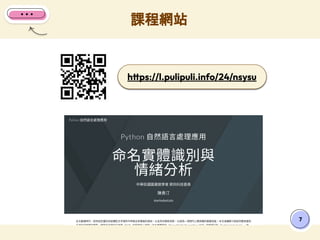
https://l.pulipuli.info/24/nsysu
Python自然語言處理應用
命名實體識別
與情緒分析
── 1. 環境配置篇 ──
2
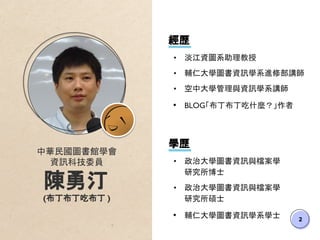
中華民國圖書館學會
資訊科技委員
陳勇汀
(布丁布丁吃布丁 )
學歷
• 政治大學圖書資訊與檔案學
研究所博士
• 政治大學圖書資訊與檔案學
研究所碩士
• 輔仁大學圖書資訊學系學士
經歷
• 淡江資圖系助理教授
• 輔仁大學圖書資訊學系進修部講師
• 空中大學管理與資訊學系講師
• BLOG「布丁布丁吃什麼?」作者
政大圖檔 112-2
3
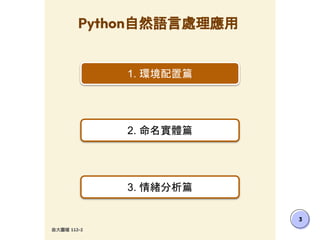
Python自然語言處理應用
1. 環境配置篇
2. 命名實體篇
3. 情緒分析篇
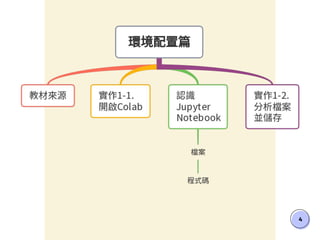
4
5
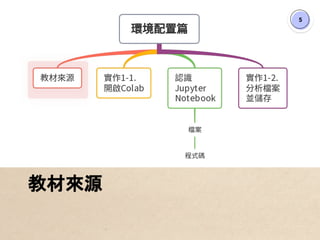
教材來源
6
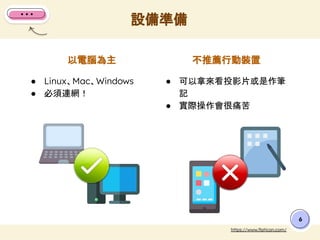
不推薦行動裝置
以電腦為主
● Linux、Mac、Windows
● 必須連網!
● 可以拿來看投影片或是作筆
記
● 實際操作會很痛苦
設備準備
https://www.flaticon.com/
課程網站
7
https://l.pulipuli.info/24/nsysu
8
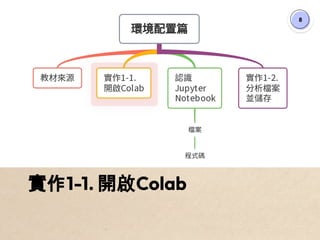
實作1-1. 開啟Colab
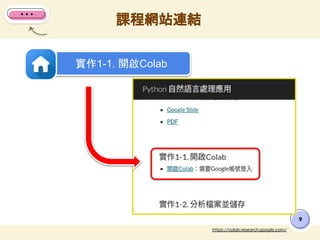
課程網站連結
9
https://colab.research.google.com/
實作1-1. 開啟Colab
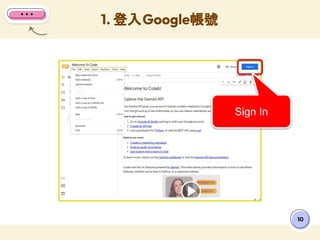
1. 登入Google帳號
10
Sign In
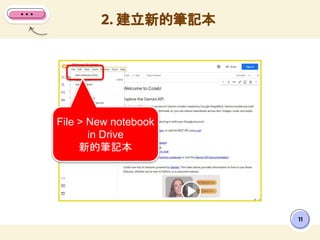
2. 建立新的筆記本
11
File > New notebook
in Drive
新的筆記本
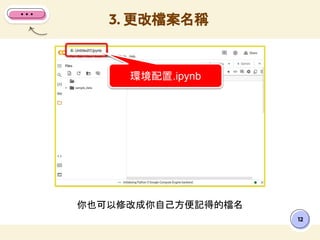
你也可以修改成你自己方便記得的檔名
3. 更改檔案名稱
12
環境配置.ipynb
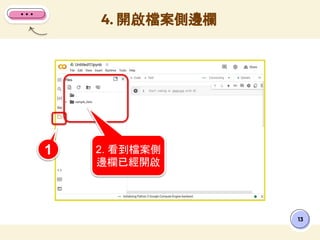
4. 開啟檔案側邊欄
13
1 2. 看到檔案側
邊欄已經開啟
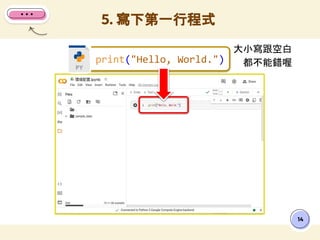
大小寫跟空白
都不能錯喔
5. 寫下第一行程式
14
print("Hello, World.")
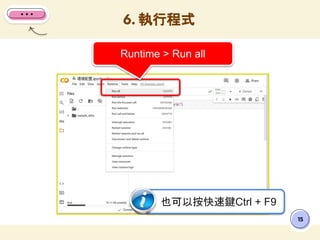
6. 執行程式
15
Runtime > Run all
也可以按快速鍵Ctrl + F9
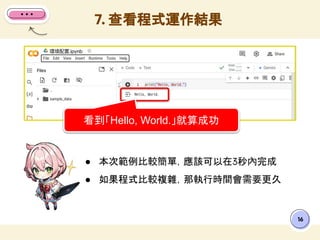
● 本次範例比較簡單,應該可以在3秒內完成
● 如果程式比較複雜,那執行時間會需要更久
7. 查看程式運作結果
16
看到「Hello, World.」就算成功
17
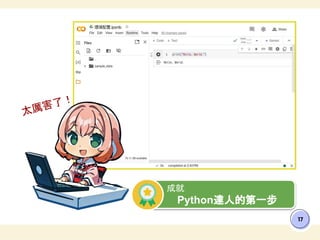
成就
Python達人的第一步
太厲害了!
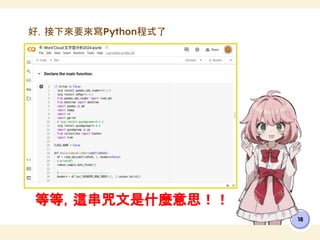
等等,這串咒文是什麼意思!!
18
好,接下來要來寫Python程式了
19
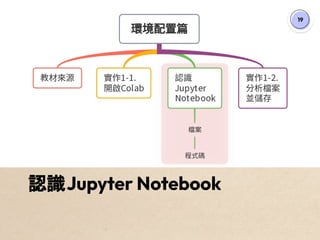
認識Jupyter Notebook
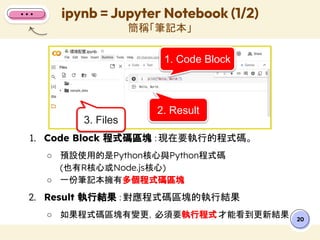
1. Code Block 程式碼區塊 :現在要執行的程式碼。
○ 預設使用的是Python核心與Python程式碼
(也有R核心或Node.js核心)
○ 一份筆記本擁有多個程式碼區塊
2. Result 執行結果:對應程式碼區塊的執行結果
○ 如果程式碼區塊有變更,必須要執行程式才能看到更新結果
ipynb = Jupyter Notebook (1/2)
簡稱「筆記本」
20
1. Code Block
2. Result
3. Files
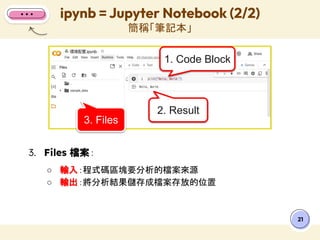
3. Files 檔案:
○ 輸入:程式碼區塊要分析的檔案來源
○ 輸出:將分析結果儲存成檔案存放的位置
ipynb = Jupyter Notebook (2/2)
簡稱「筆記本」
21
1. Code Block
2. Result
3. Files
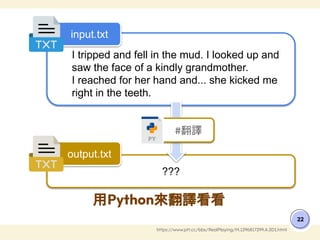
用Python來翻譯看看
22
https://www.ptt.cc/bbs/RealPlaying/M.1296817299.A.3D1.html
I tripped and fell in the mud. I looked up and
saw the face of a kindly grandmother.
I reached for her hand and... she kicked me
right in the teeth.
???
input.txt
output.txt
#翻譯
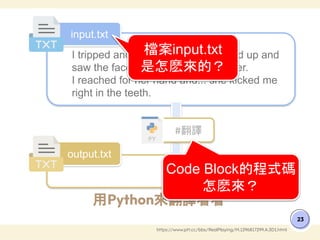
用Python來翻譯看看
23
https://www.ptt.cc/bbs/RealPlaying/M.1296817299.A.3D1.html
I tripped and fell in the mud. I looked up and
saw the face of a kindly grandmother.
I reached for her hand and... she kicked me
right in the teeth.
???
input.txt
output.txt
#翻譯
檔案input.txt
是怎麽來的?
Code Block的程式碼
怎麽來?
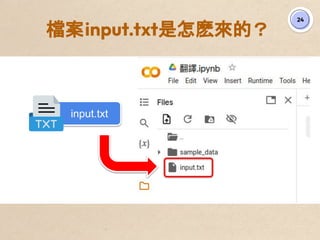
檔案input.txt是怎麽來的?
24
input.txt
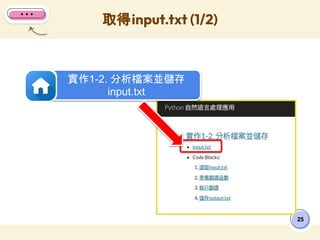
取得input.txt (1/2)
25
實作1-2. 分析檔案並儲存
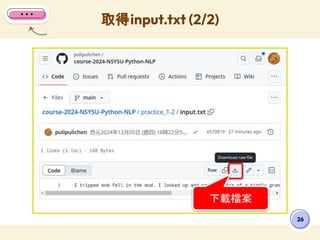
input.txt
取得input.txt (2/2)
26
下載檔案
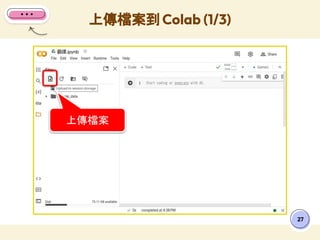
上傳檔案到 Colab (1/3)
27
上傳檔案
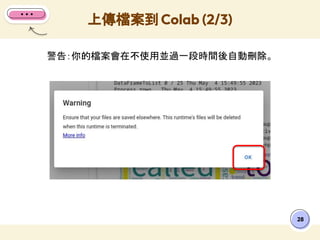
警告:你的檔案會在不使用並過一段時間後自動刪除。
上傳檔案到 Colab (2/3)
28
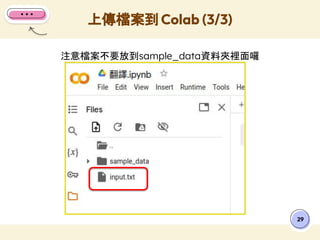
注意檔案不要放到sample_data資料夾裡面囉
上傳檔案到 Colab (3/3)
29
30
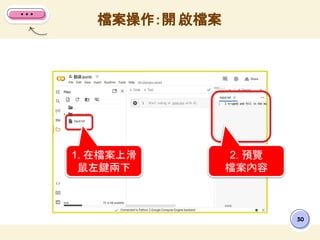
檔案操作:開 啟檔案
1. 在檔案上滑
鼠左鍵兩下
2. 預覽
檔案內容
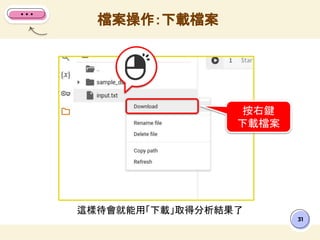
這樣待會就能用「下載」取得分析結果了
檔案操作:下載檔案
31
!
按右鍵
下載檔案
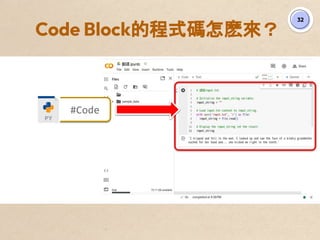
Code Block的程式碼怎麽來?
32
#Code
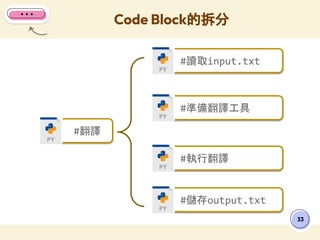
Code Block的拆分
33
#翻譯
#讀取input.txt
#準備翻譯工具
#執行翻譯
#儲存output.txt
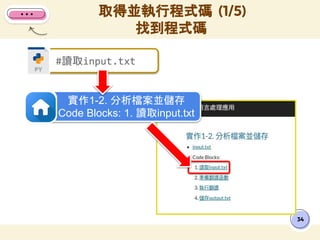
取得並執行程式碼 (1/5)
找到程式碼
34
#讀取input.txt
實作1-2. 分析檔案並儲存
Code Blocks: 1. 讀取input.txt
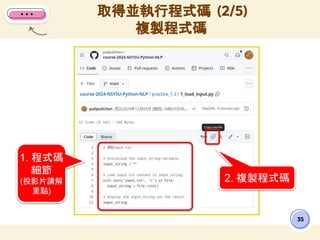
35
2. 複製程式碼
1. 程式碼
細節
(投影片講解
重點)
取得並執行程式碼 (2/5)
複製程式碼
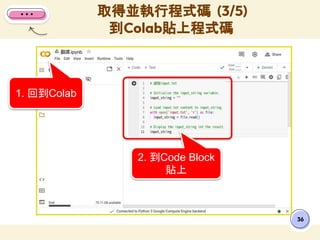
36
2. 到Code Block
貼上
1. 回到Colab
取得並執行程式碼 (3/5)
到Colab貼上程式碼
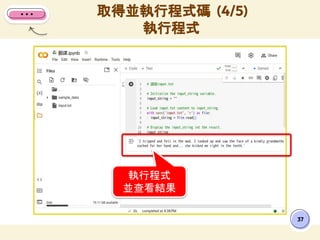
37
執行程式
並查看結果
取得並執行程式碼 (4/5)
執行程式
取得並執行程式碼 (5/5)
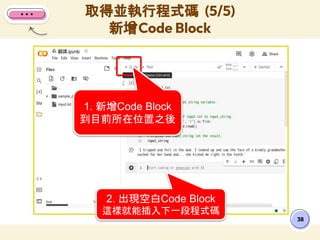
新增Code Block
38
1. 新增Code Block
到目前所在位置之後
2. 出現空白Code Block
這樣就能插入下一段程式碼
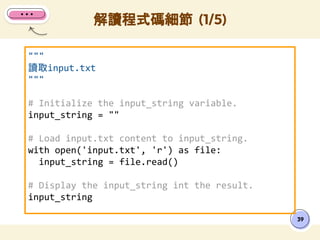
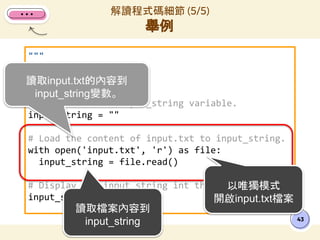
"""
讀取input.txt
"""
# Initialize the input_string variable.
input_string = ""
# Load input.txt content to input_string.
with open('input.txt', 'r') as file:
input_string = file.read()
# Display the input_string int the result.
input_string
解讀程式碼細節 (1/5)
39
"""
讀取input.txt
"""
# Initialize the input_string variable.
input_string = ""
# Load input.txt content to input_string.
with open('input.txt', 'r') as file:
input_string = file.read()
# Display the input_string int the result.
input_string
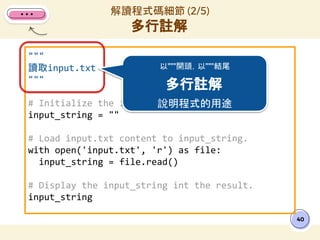
解讀程式碼細節 (2/5)
多行註解
40
以"""開頭,以"""結尾
多行註解
說明程式的用途
"""
讀取input.txt
"""
# Initialize the input_string variable.
input_string = ""
# Load the content of input.txt to input_string.
with open('input.txt', 'r') as file:
input_string = file.read()
# Display the input_string int the result.
input_string
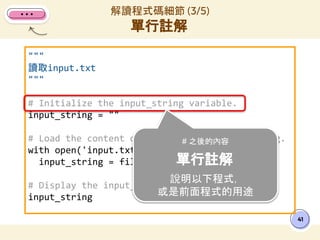
解讀程式碼細節 (3/5)
單行註解
41
# 之後的內容
單行註解
說明以下程式,
或是前面程式的用途
"""
讀取input.txt
"""
# Initialize the input_string variable.
input_string = ""
# Load the content of input.txt to input_string.
with open('input.txt', 'r') as file:
input_string = file.read()
# Display the input_string int the result.
input_string
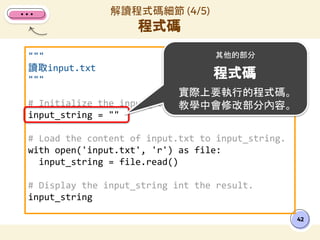
解讀程式碼細節 (4/5)
程式碼
42
其他的部分
程式碼
實際上要執行的程式碼。
教學中會修改部分內容。
"""
讀取input.txt
"""
# Initialize the input_string variable.
input_string = ""
# Load the content of input.txt to input_string.
with open('input.txt', 'r') as file:
input_string = file.read()
# Display the input_string int the result.
input_string
解讀程式碼細節 (5/5)
舉例
43
讀取input.txt的內容到
input_string變數。
以唯獨模式
開啟input.txt檔案
讀取檔案內容到
input_string
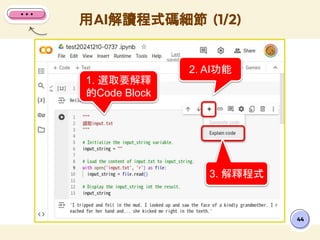
用AI解讀程式碼細節 (1/2)
44
1. 選取要解釋
的Code Block
2. AI功能
3. 解釋程式
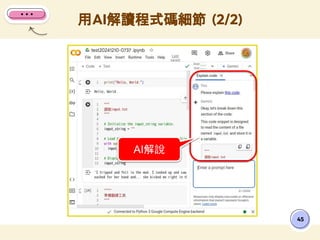
用AI解讀程式碼細節 (2/2)
45
AI解說
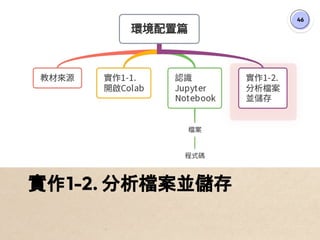
46
實作1-2. 分析檔案並儲存
47
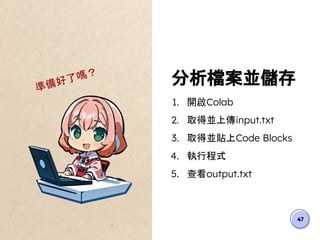
分析檔案並儲存
1. 開啟Colab
2. 取得並上傳input.txt
3. 取得並貼上Code Blocks
4. 執行程式
5. 查看output.txt
準備好了嗎?
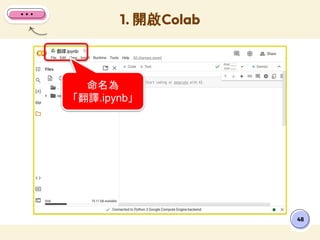
48
1. 開啟Colab
命名為
「翻譯.ipynb」
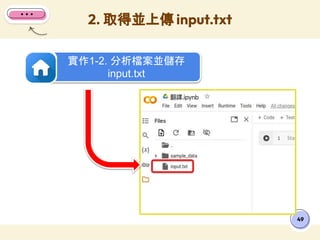
49
2. 取得並上傳 input.txt
實作1-2. 分析檔案並儲存
input.txt
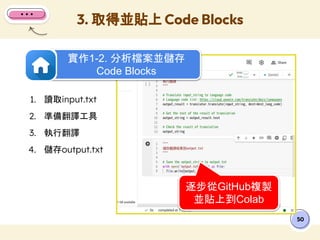
3. 取得並貼上 Code Blocks
50
1. 讀取input.txt
2. 準備翻譯工具
3. 執行翻譯
4. 儲存output.txt
實作1-2. 分析檔案並儲存
Code Blocks
逐步從GitHub複製
並貼上到Colab
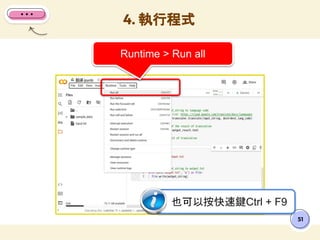
4. 執行程式
51
Runtime > Run all
也可以按快速鍵Ctrl + F9
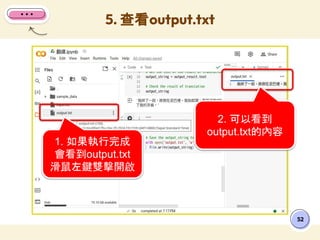
5. 查看output.txt
52
1. 如果執行完成
會看到output.txt
滑鼠左鍵雙擊開啟
2. 可以看到
output.txt的內容
53
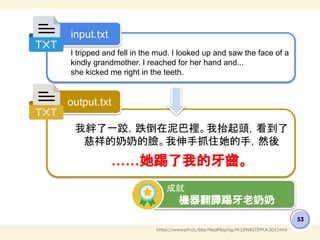
https://www.ptt.cc/bbs/RealPlaying/M.1296817299.A.3D1.html
I tripped and fell in the mud. I looked up and saw the face of a
kindly grandmother. I reached for her hand and...
she kicked me right in the teeth.
我絆了一跤,跌倒在泥巴裡。我抬起頭,看到了
慈祥的奶奶的臉。我伸手抓住她的手,然後
……她踢了我的牙齒。
input.txt
output.txt
成就
機器翻譯踢牙老奶奶
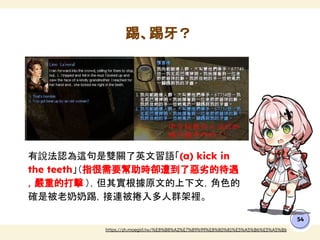
有說法認為這句是雙關了英文習語「(a) kick in
the teeth」(指很需要幫助時卻遭到了惡劣的待遇
,嚴重的打擊 ),但其實根據原文的上下文,角色的
確是被老奶奶踢,接連被捲入多人群架裡。
踢、踢牙?
54
https://zh.moegirl.tw/%E8%B8%A2%E7%89%99%E8%80%81%E5%A5%B6%E5%A5%B6
NEXT PART:
2. 命名實體篇
55
56
感謝聆聽
任何問題都可以發問喔!
有什麼問題嗎?
電子信箱
blog@pulipuli.info
BLOG 布丁布丁吃什麼?
blog.pulipuli.info
https://l.pulipuli.info
/24/nsysu

Python 自然語言處理應用 - 1. 環境配置篇 - 2024 / Environment Configuration