

Deepak D. Upadhyay
160511201754
MCA-4
A new way to deliver amazing user experiences on the web.
Progressive Web App (PWA)
 Production Use Case of PWD
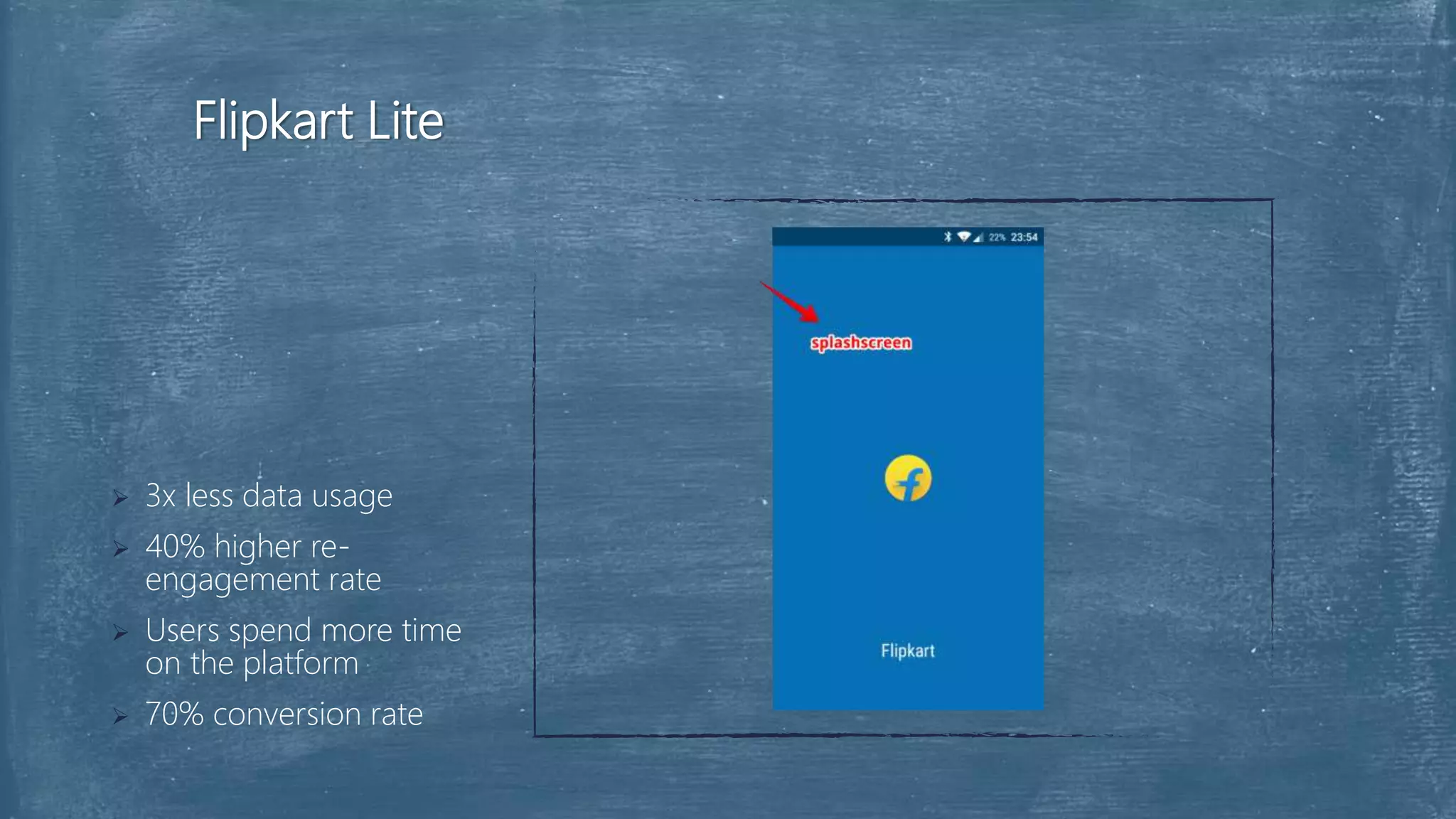
 Flipkart Lite
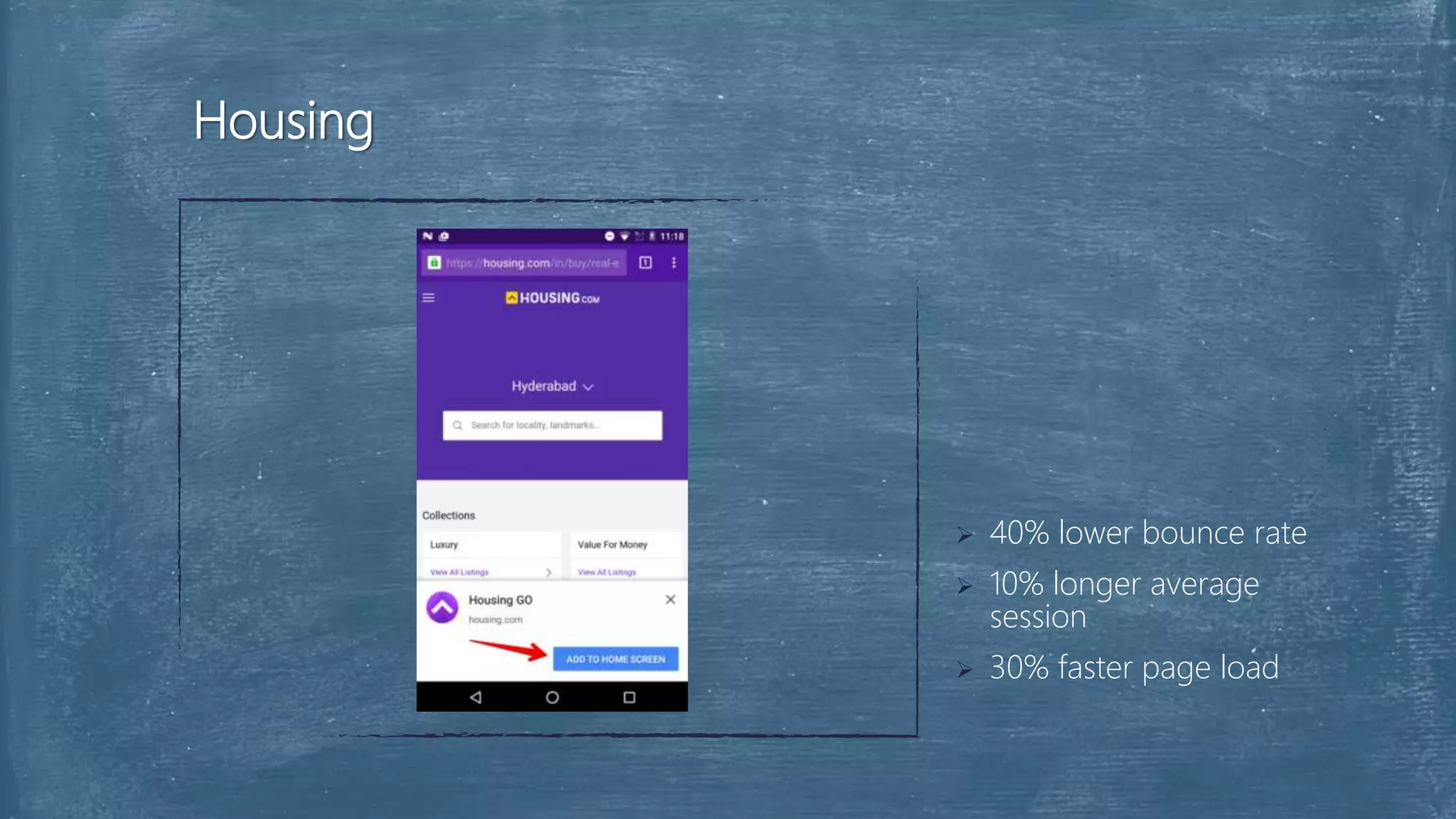
 Housing
 Conclusion
 Description
 Introduction
 Features of PWA
 Principles of PWA
 Web App Manifest
 Add to Home Screen Banner
 Service Workers
 Push Notifications
Overview
Web development has evolved significantly over the years allowing
developers to deploy a website or web application and serve millions of
people around the globe within minutes. With just a browser, a user can
put in a URL and access a web application. With, Progressive Web
Apps, developers can deliver amazing app-like experiences to users
using modern web technologies.
Description
 A progressive web application is basically a website built using modern web
technologies but acts and feels like a mobile app.
 In 2015, Alex Russell, Google engineer, and Frances Berriman coined the
term Progressive Web Apps.
 Google has been immensely working on making sure that progressive web
apps can really give users that native-app like experience.
Introduction
 The flow of a typical progressive web app goes thus:
 Starts out as accessible in tabs on the Web browser
 Shows the option of adding to the home screen of the device
 Progressively starts exhibiting app-like properties such as offline usage, push
notifications and background sync
Introduction
 Progressive: Work for every user, regardless of browser choice
because they’re built with progressive enhancement as a core.
 Responsive: Fit any form factor, desktop, mobile, tablet, or whatever
is next.
 Connectivity independent: Enhanced with service workers to work
offline or on low quality networks.
Features of Progressive Web App
 App-like: Use the app-shell model to provide app-style navigations
and interactions.
 Fresh: Always up-to-date thanks to the service worker update
process.
 Safe: Served via TLS to prevent snooping and ensure content hasn’t
been tampered with.
Features of Progressive Web App
 Discoverable: Are identifiable as “applications” thanks to W3C
manifests and service worker registration scope allowing search
engines to find them.
 Re-engageable: Make re-engagement easy through features like
push notifications.
 Installable: Allow users to “keep” apps they find most useful on their
home screen without the hassle of an app store.
Features of Progressive Web App
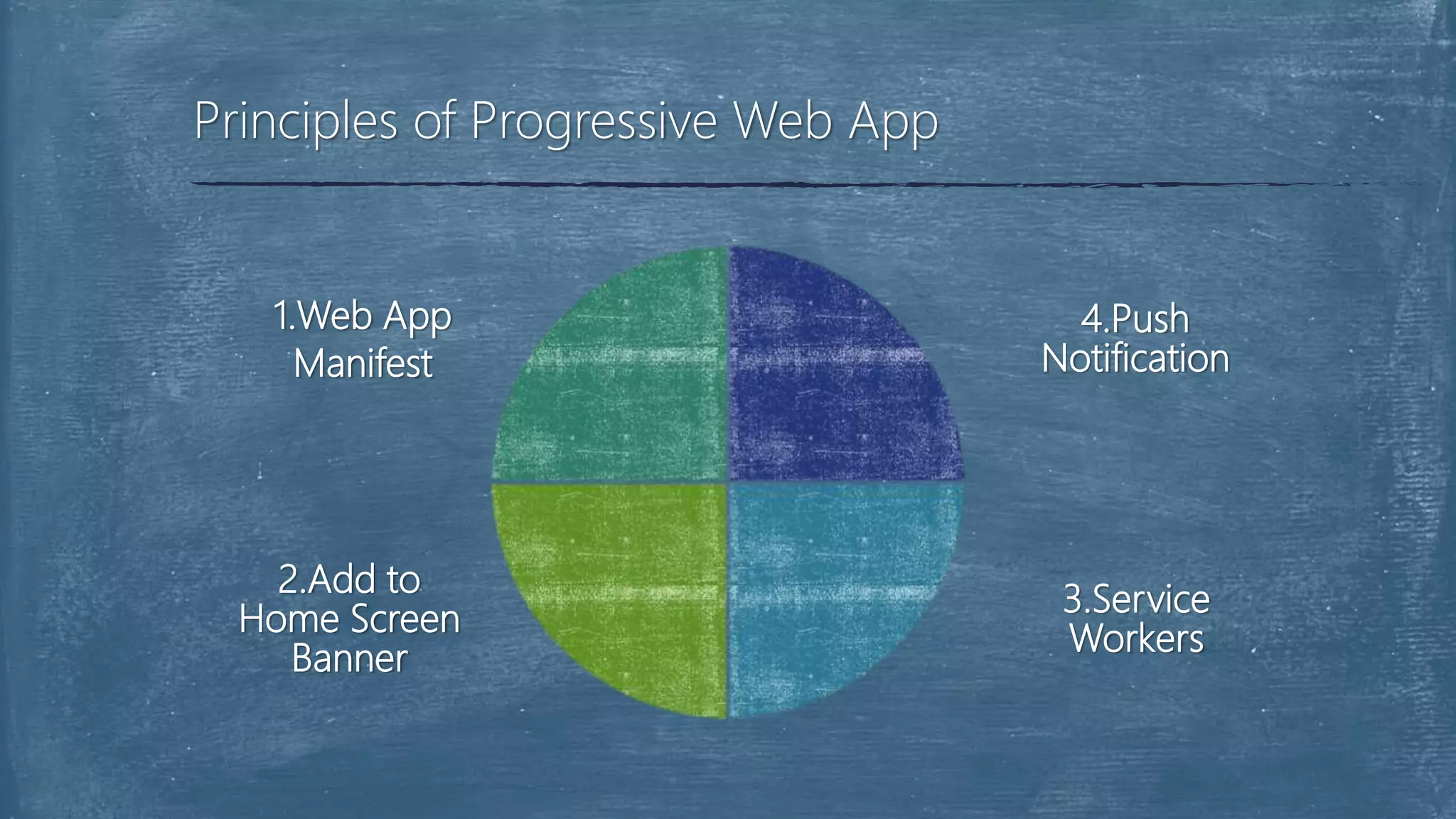
Principles of Progressive Web App
1.Web App
Manifest
2.Add to
Home Screen
Banner
4.Push
Notification
3.Service
Workers
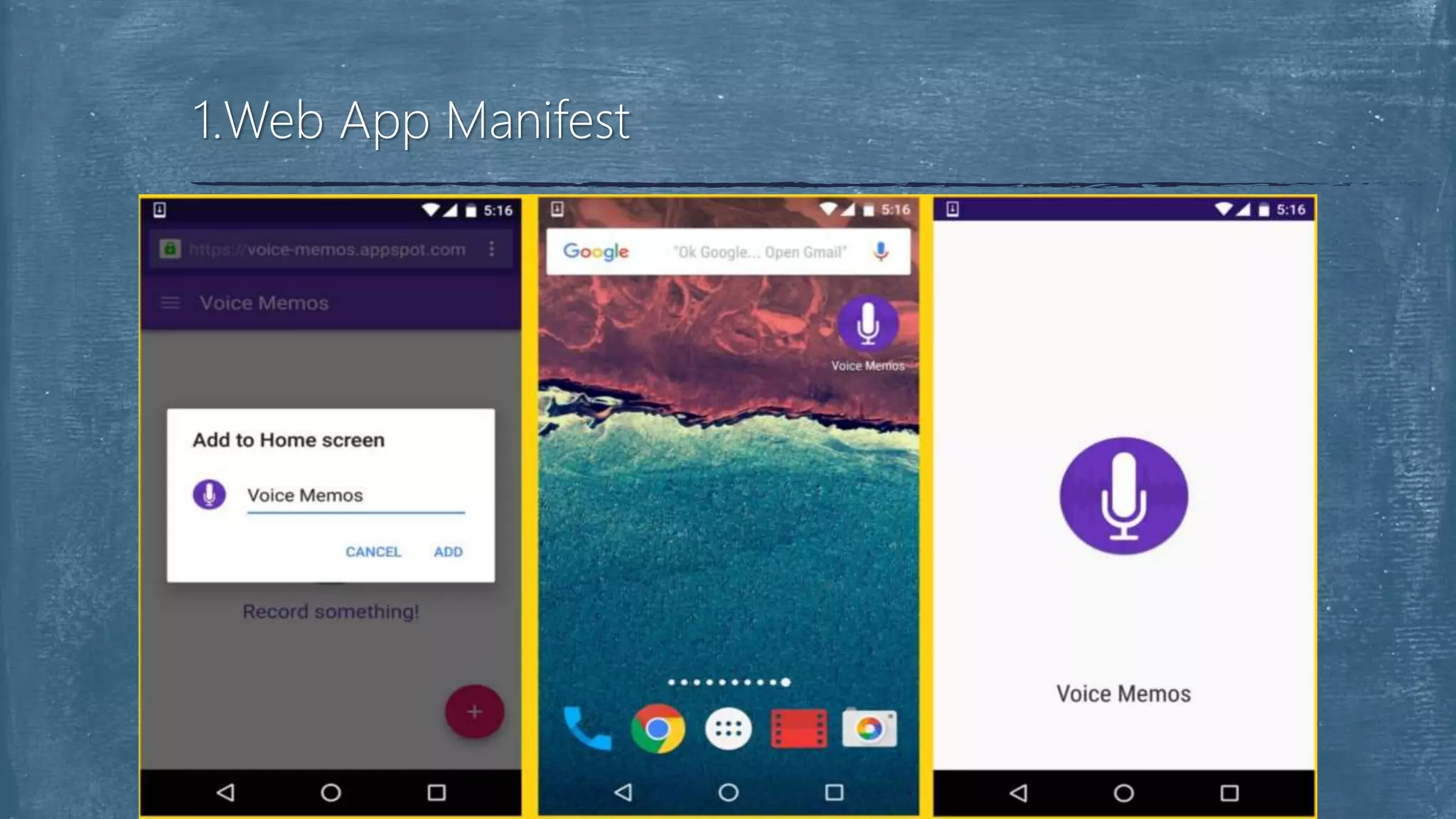
 The Manifest for Web applications is a simple JSON file that gives
you, the developer, the ability to control how your app appears to
the user in the areas that they would expect to see apps (for
example the device home screen), direct what the user can launch
and more importantly how they can launch it.
 The manifest enables your web app to have a more native-like
1.Web App Manifest
 It allows the app to be launched in full-screen mode, provides
control over the screen orientation and in recent versions of Chrome
on Android supports defining a Splash Screen and theme color for
the address bar.
 It is also used to define a set of icons by size and density used for
the aforementioned Splash screen and home screen icon.
1.Web App Manifest
1.Web App Manifest
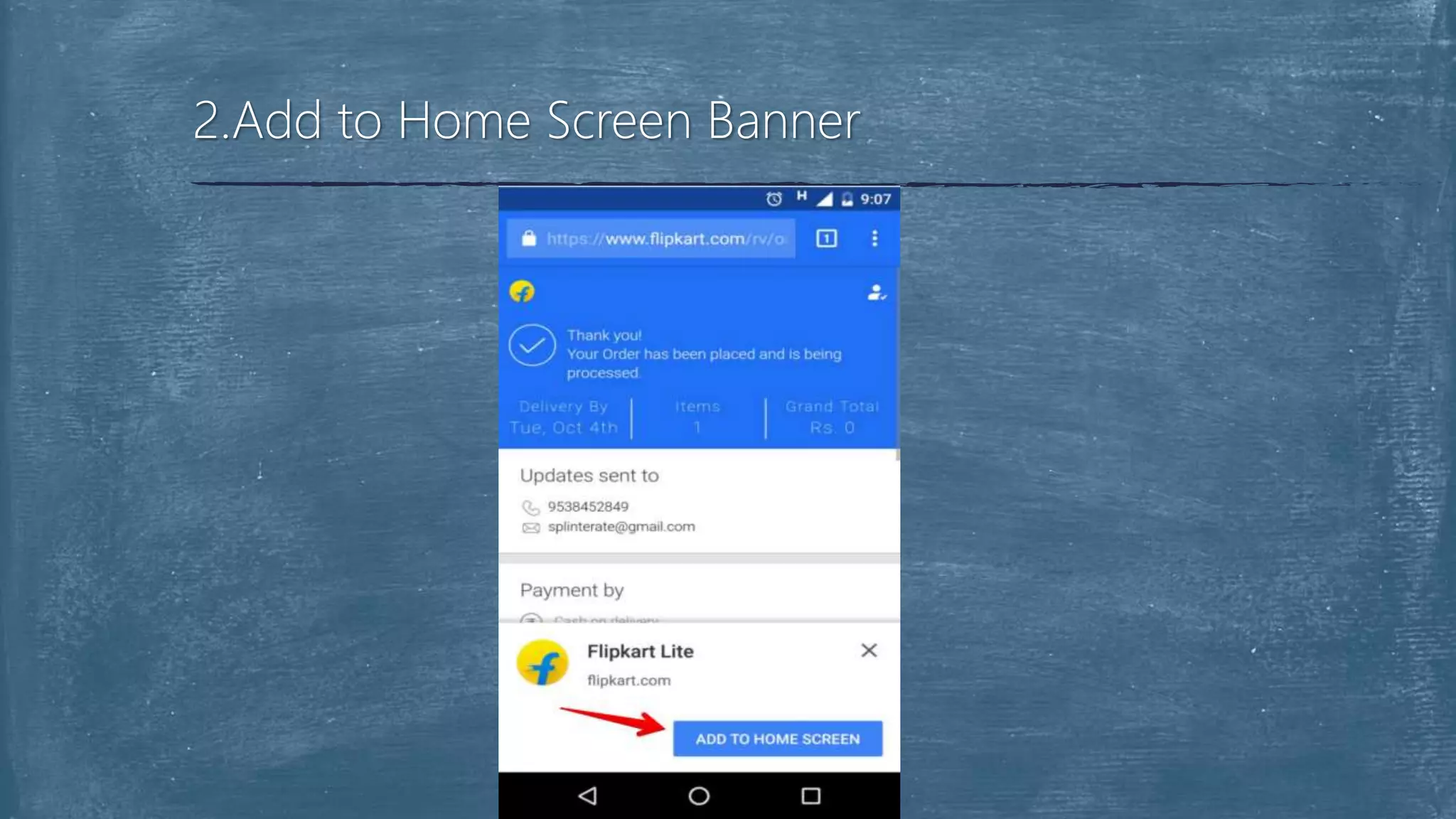
 Chrome on Android has support adding in your site to the home
screen for a while now, but recent versions also support proactively
suggesting sites be added using native Web App install banners.
2.Add to Home Screen Banner
 In order for the app install prompts to display your app must:
 A valid Web App manifest
 Served over HTTPS
 A valid service worker registered
 Be visited twice, with at least 5 minutes between visits
2.Add to Home Screen Banner
 A service worker is a script that runs in the background, separate
from your web page.
 It responds to events, including network requests made from pages
it serves. A service worker has an intentionally short lifetime.
3.Service Workers for Offline Caching
 Service workers are powerful for offline caching but they also offer
significant performance wins in the form of instant loading for repeat
visits to your site or web app.
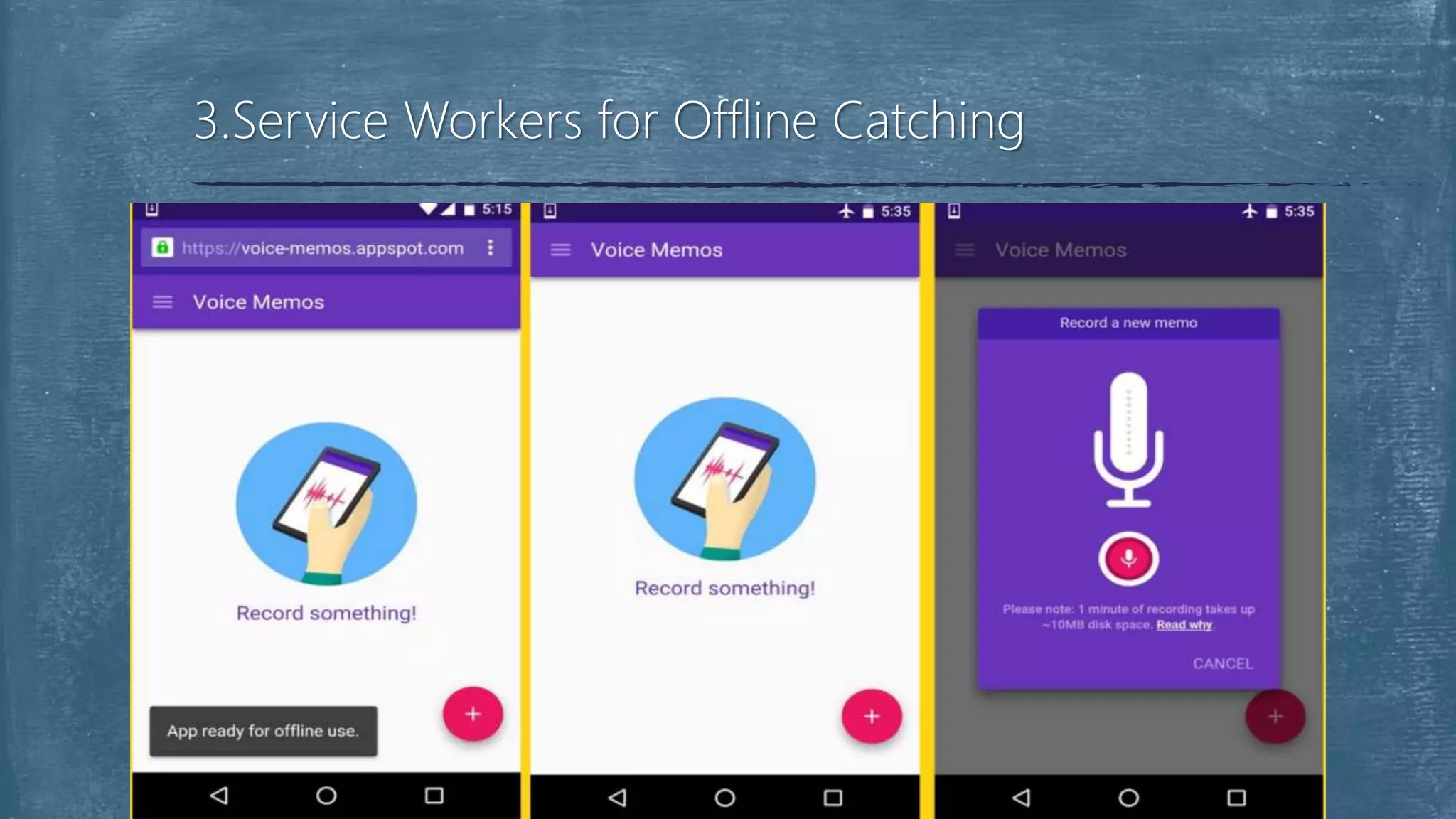
 You can cache your application shell so it works offline and populate
its content using JavaScript.
3.Service Workers for Offline Caching
3.Service Workers for Offline Catching
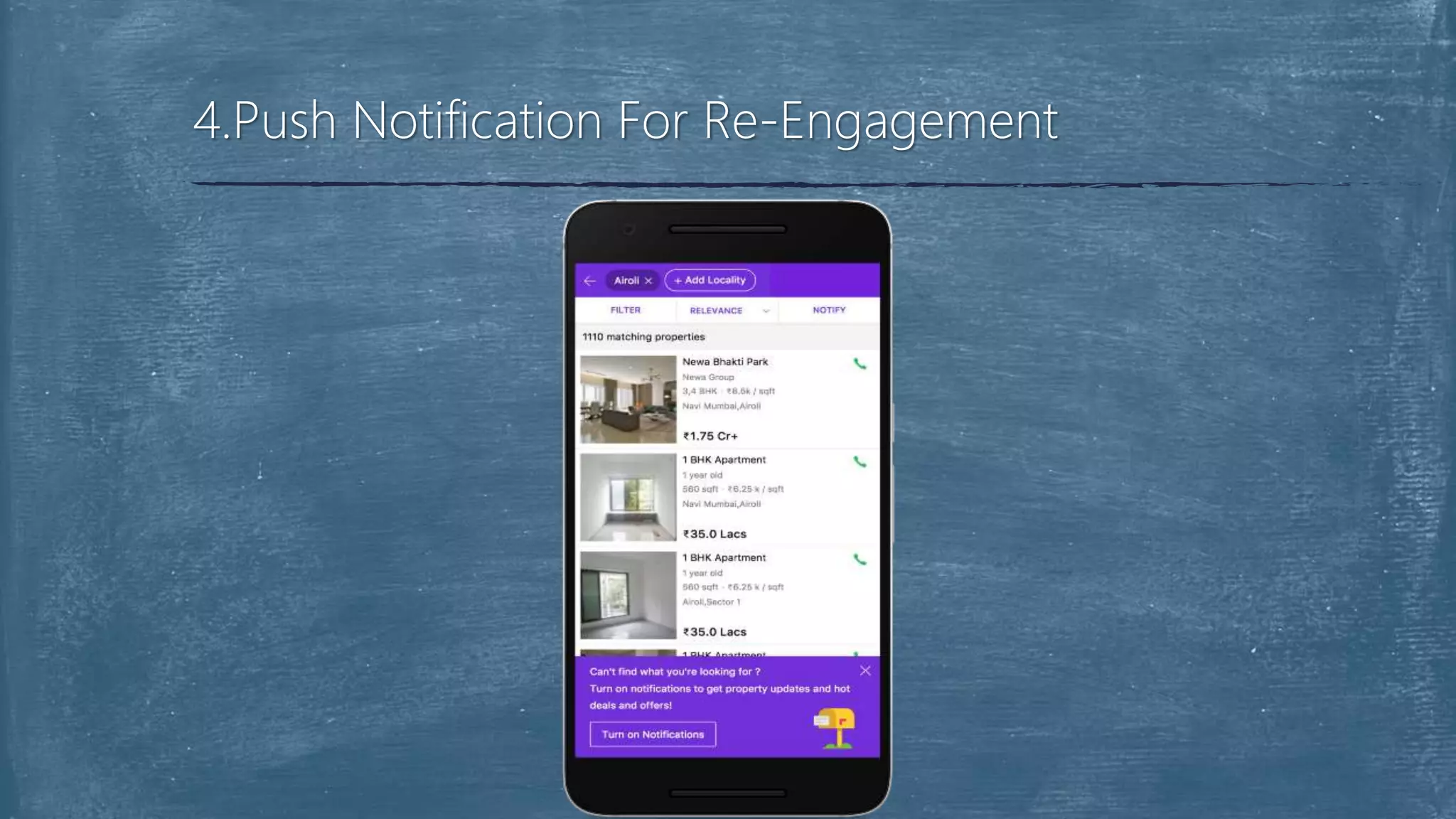
 Push notifications allow your users to opt-in to timely updates from
sites they love and allow you to effectively reengage them with
customized, engaging content.
4.Push Notification For Re-Engagement
 Several developers and companies have re-developed their websites
into progressive web apps.
 I'll give a summary of three significant products that are progressive
web apps and the benefits they have accrued over time.
Production Use Case of PWA
 3x less data usage
 40% higher re-
engagement rate
 Users spend more time
on the platform
 70% conversion rate
Flipkart Lite
 40% lower bounce rate
 10% longer average
session
 30% faster page load
Housing
 I will be able to cover basics of how progressive web apps work
in general.
 Building a high-quality Progressive Web App has incredible
benefits, making it easy to delight your users, grow
engagement and increase conversions.
Conclusion
Questions & Discussion
Progressive web app

Progressive web app

  • 1.
    Deepak D. Upadhyay 160511201754 MCA-4 Anew way to deliver amazing user experiences on the web. Progressive Web App (PWA)
  • 2.
     Production UseCase of PWD  Flipkart Lite  Housing  Conclusion  Description  Introduction  Features of PWA  Principles of PWA  Web App Manifest  Add to Home Screen Banner  Service Workers  Push Notifications Overview
  • 3.
    Web development hasevolved significantly over the years allowing developers to deploy a website or web application and serve millions of people around the globe within minutes. With just a browser, a user can put in a URL and access a web application. With, Progressive Web Apps, developers can deliver amazing app-like experiences to users using modern web technologies. Description
  • 4.
     A progressiveweb application is basically a website built using modern web technologies but acts and feels like a mobile app.  In 2015, Alex Russell, Google engineer, and Frances Berriman coined the term Progressive Web Apps.  Google has been immensely working on making sure that progressive web apps can really give users that native-app like experience. Introduction
  • 5.
     The flowof a typical progressive web app goes thus:  Starts out as accessible in tabs on the Web browser  Shows the option of adding to the home screen of the device  Progressively starts exhibiting app-like properties such as offline usage, push notifications and background sync Introduction
  • 6.
     Progressive: Workfor every user, regardless of browser choice because they’re built with progressive enhancement as a core.  Responsive: Fit any form factor, desktop, mobile, tablet, or whatever is next.  Connectivity independent: Enhanced with service workers to work offline or on low quality networks. Features of Progressive Web App
  • 7.
     App-like: Usethe app-shell model to provide app-style navigations and interactions.  Fresh: Always up-to-date thanks to the service worker update process.  Safe: Served via TLS to prevent snooping and ensure content hasn’t been tampered with. Features of Progressive Web App
  • 8.
     Discoverable: Areidentifiable as “applications” thanks to W3C manifests and service worker registration scope allowing search engines to find them.  Re-engageable: Make re-engagement easy through features like push notifications.  Installable: Allow users to “keep” apps they find most useful on their home screen without the hassle of an app store. Features of Progressive Web App
  • 9.
    Principles of ProgressiveWeb App 1.Web App Manifest 2.Add to Home Screen Banner 4.Push Notification 3.Service Workers
  • 10.
     The Manifestfor Web applications is a simple JSON file that gives you, the developer, the ability to control how your app appears to the user in the areas that they would expect to see apps (for example the device home screen), direct what the user can launch and more importantly how they can launch it.  The manifest enables your web app to have a more native-like 1.Web App Manifest
  • 11.
     It allowsthe app to be launched in full-screen mode, provides control over the screen orientation and in recent versions of Chrome on Android supports defining a Splash Screen and theme color for the address bar.  It is also used to define a set of icons by size and density used for the aforementioned Splash screen and home screen icon. 1.Web App Manifest
  • 12.
  • 13.
     Chrome onAndroid has support adding in your site to the home screen for a while now, but recent versions also support proactively suggesting sites be added using native Web App install banners. 2.Add to Home Screen Banner
  • 14.
     In orderfor the app install prompts to display your app must:  A valid Web App manifest  Served over HTTPS  A valid service worker registered  Be visited twice, with at least 5 minutes between visits 2.Add to Home Screen Banner
  • 15.
    2.Add to HomeScreen Banner
  • 16.
     A serviceworker is a script that runs in the background, separate from your web page.  It responds to events, including network requests made from pages it serves. A service worker has an intentionally short lifetime. 3.Service Workers for Offline Caching
  • 17.
     Service workersare powerful for offline caching but they also offer significant performance wins in the form of instant loading for repeat visits to your site or web app.  You can cache your application shell so it works offline and populate its content using JavaScript. 3.Service Workers for Offline Caching
  • 18.
    3.Service Workers forOffline Catching
  • 19.
     Push notificationsallow your users to opt-in to timely updates from sites they love and allow you to effectively reengage them with customized, engaging content. 4.Push Notification For Re-Engagement
  • 20.
  • 21.
     Several developersand companies have re-developed their websites into progressive web apps.  I'll give a summary of three significant products that are progressive web apps and the benefits they have accrued over time. Production Use Case of PWA
  • 22.
     3x lessdata usage  40% higher re- engagement rate  Users spend more time on the platform  70% conversion rate Flipkart Lite
  • 23.
     40% lowerbounce rate  10% longer average session  30% faster page load Housing
  • 24.
     I willbe able to cover basics of how progressive web apps work in general.  Building a high-quality Progressive Web App has incredible benefits, making it easy to delight your users, grow engagement and increase conversions. Conclusion
  • 25.