Introduction to R
     Basic Teaching module
 EMBL International PhD Program
           13-10-2010
Sander Timmer & Myrto Kostadima
Overview

What is R

Quick overview datatypes, input/output and
plots

Some biological examples

I’m not a particular good teacher, so please
ask when you’re lost!
What is this R thing?

R is a powerful, general purpose language
and software environment for statistical
computing and graphics

Runs on Linux, OS X and for the unlucky few
also on Windows

R is open source and free!
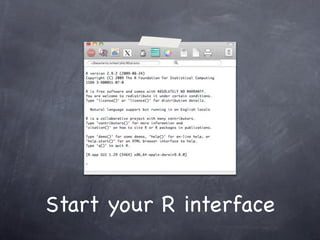
Start your R interface
Variables


x <- 2

x <- x^2

x

[1] 4
Vectors
Many ways of generating a vector with a range of numbers:

   x <- 1:10

   assign(“x”, 1:10)

   x <- c(1,2,3,4,5,6,7,8,9,10)

   x <- seq(1,10, by=1)

   x <- seq(length = 10, from=1,by=1)

x
[1] 1 2 3 4 5 6 7 8 9 10
Vectors

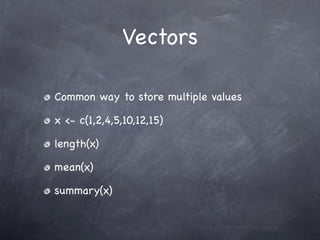
Common way to store multiple values

x <- c(1,2,4,5,10,12,15)

length(x)

mean(x)

summary(x)
Vectors

Vectors are indexed

x[5] + x[10]
[1] 15

x[-c(5,10)]
[1] 1 2 3 4 6 7 8 9
Matrices

Common form of storing 2 dimensional data

  Think about having an Excel sheet

m = matrix(1:10,2,5)
     [,1] [,2] [,3] [,4] [,5]
[1,]    1   3    5    7    9
[2,] 2      4    6    8 10

summary(m)
Factors
Factors are vectors with a discrete number of
levels:

x <- factor(c(“Cancer”, “Cancer”, “Normal”,
“Normal”))

levels(x)
[1] “Cancer” “Normal”

table(x)
Cancer Normal
      2     2
Lists

A list can contain “anything”

Useful for storing several vectors

list(gene=”gene 1”, expression=c(5,2,3))
$gene
[1] “gene 1”
$expression
[1] 5, 2, 4
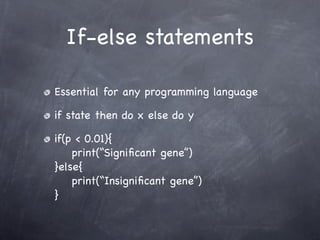
If-else statements

Essential for any programming language

if state then do x else do y

if(p < 0.01){
    print(“Significant gene”)
}else{
    print(“Insignificant gene”)
}
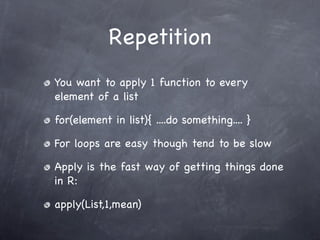
Repetition
You want to apply 1 function to every
element of a list

for(element in list){ ....do something.... }

For loops are easy though tend to be slow

Apply is the fast way of getting things done
in R:

apply(List,1,mean)
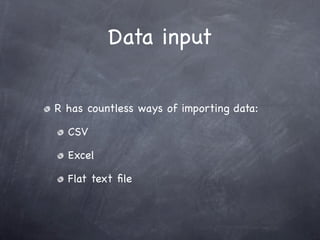
Data input


R has countless ways of importing data:

  CSV

  Excel

  Flat text file
Data input
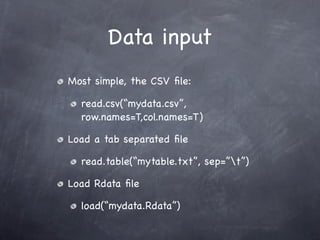
Most simple, the CSV file:

  read.csv(“mydata.csv”,
  row.names=T,col.names=T)

Load a tab separated file

  read.table(“mytable.txt”, sep=”t”)

Load Rdata file

  load(“mydata.Rdata”)
Data input
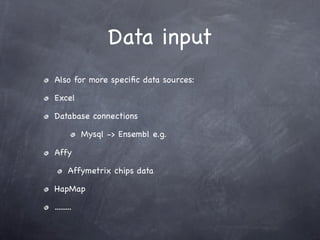
Also for more specific data sources:

Excel

Database connections

            Mysql -> Ensembl e.g.

Affy

       Affymetrix chips data

HapMap

.........
Data output
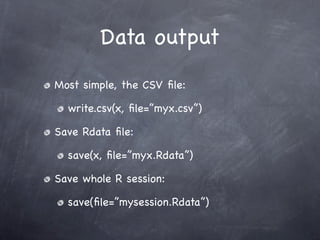
Most simple, the CSV file:

  write.csv(x, file=”myx.csv”)

Save Rdata file:

  save(x, file=”myx.Rdata”)

Save whole R session:

  save(file=”mysession.Rdata”)
Graphics


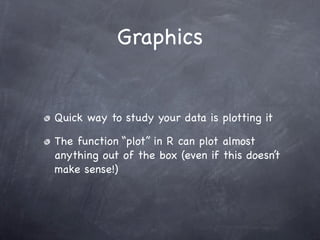
Quick way to study your data is plotting it

The function “plot” in R can plot almost
anything out of the box (even if this doesn’t
make sense!)
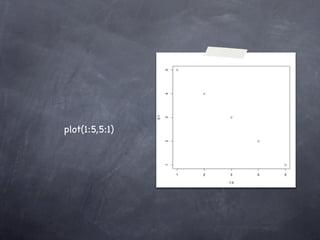
plot(1:5,5:1)
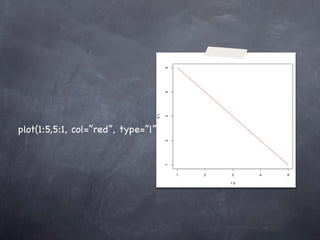
plot(1:5,5:1, col=”red”, type=”l”)
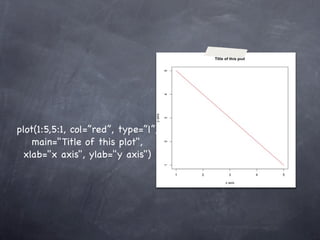
plot(1:5,5:1, col=”red”, type=”l”,
    main="Title of this plot",
  xlab="x axis", ylab="y axis")
Basic graphics

With R you can plot almost any object

  Multidimensional variables like matrixes
  can be plotted with matplot()

Other often used plot functions are:

  boxplot(), hist(), levelplot(), heatmap()
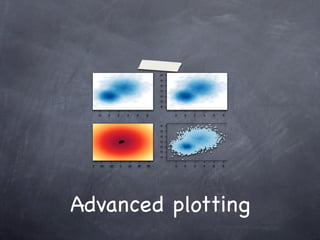
Advanced plotting
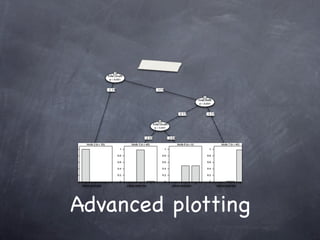
Advanced plotting
Advanced plotting
Before the example
Help page for functions in R can be called:

  ?plot, ?hist, ?vector

Examples for most functions can be runned:

  example(plot)

Text search for functions can be done by
performing:

  ??plot
Example

Some example Affymetrix dataset to play
with

  Checking distribution of data

  Plotting data

  Clustering data

  Correlate data
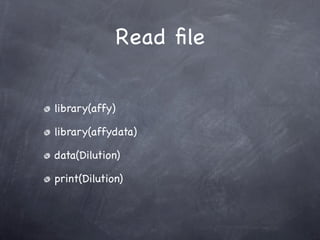
Read file


library(affy)

library(affydata)

data(Dilution)

print(Dilution)
Read file


dil = pm(Dilution)[1:2000,]

dil.ex = exprs(Dilution)[1:2000,]

rownames(dil.ex) =
row.names(probes(Dilution))[1:2000]
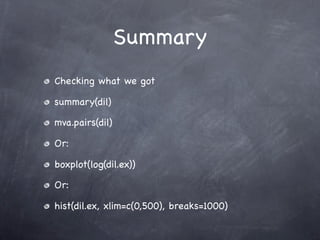
Summary
Checking what we got

summary(dil)

mva.pairs(dil)

Or:

boxplot(log(dil.ex))

Or:

hist(dil.ex, xlim=c(0,500), breaks=1000)
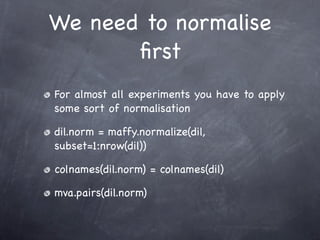
We need to normalise
       first
For almost all experiments you have to apply
some sort of normalisation

dil.norm = maffy.normalize(dil,
subset=1:nrow(dil))

colnames(dil.norm) = colnames(dil)

mva.pairs(dil.norm)
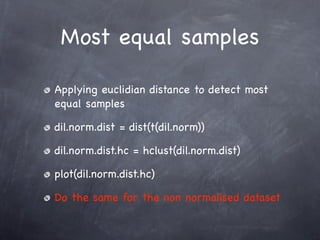
Most equal samples

Applying euclidian distance to detect most
equal samples

dil.norm.dist = dist(t(dil.norm))

dil.norm.dist.hc = hclust(dil.norm.dist)

plot(dil.norm.dist.hc)

Do the same for the non normalised dataset
Checking expression

Heatmap representation of expression levels
for different probes

heatmap(dil.ex.norm[1:50,])

You could apply a T-test for example to rank
to only plot the most significant probes
Checking expression

Heatmap representation of expression levels
for different probes

heatmap(dil.ex.norm[1:50,])

You could apply a T-test for example to rank
to only plot the most significant probes
Checking expression
You could apply a T-test for example to rank
to only plot the most significant probes

library(genefilter)

f = factor(c(1,1,2,2))

dil.exp.norm.t = rowttests(dil.exp.norm, fac=f)

heatmap(dil.exp.norm[order(dil.exp.norm.t
$dm)[1:10],])
Want to know more?
Using R will benefit all PhD’s in this room

Learning by doing

Loads of basic examples at:

  http://addictedtor.free.fr/graphiques/

  http://www.mayin.org/ajayshah/KB/R/
  index.html

  http://www.r-project.org/
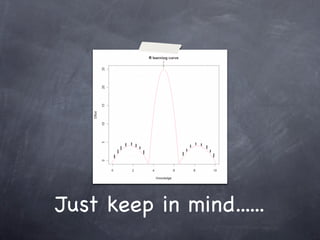
Just keep in mind......
Questions?


Contact me:

swtimmer@ebi.ac.uk

http://www.ebi.ac.uk/~swtimmer/ for slides
or http://www.slideshare.net/swtimmer

Presentation R basic teaching module

  • 1.
    Introduction to R Basic Teaching module EMBL International PhD Program 13-10-2010 Sander Timmer & Myrto Kostadima
  • 2.
    Overview What is R Quickoverview datatypes, input/output and plots Some biological examples I’m not a particular good teacher, so please ask when you’re lost!
  • 3.
    What is thisR thing? R is a powerful, general purpose language and software environment for statistical computing and graphics Runs on Linux, OS X and for the unlucky few also on Windows R is open source and free!
  • 4.
    Start your Rinterface
  • 5.
    Variables x <- 2 x<- x^2 x [1] 4
  • 6.
    Vectors Many ways ofgenerating a vector with a range of numbers: x <- 1:10 assign(“x”, 1:10) x <- c(1,2,3,4,5,6,7,8,9,10) x <- seq(1,10, by=1) x <- seq(length = 10, from=1,by=1) x [1] 1 2 3 4 5 6 7 8 9 10
  • 7.
    Vectors Common way tostore multiple values x <- c(1,2,4,5,10,12,15) length(x) mean(x) summary(x)
  • 8.
    Vectors Vectors are indexed x[5]+ x[10] [1] 15 x[-c(5,10)] [1] 1 2 3 4 6 7 8 9
  • 9.
    Matrices Common form ofstoring 2 dimensional data Think about having an Excel sheet m = matrix(1:10,2,5) [,1] [,2] [,3] [,4] [,5] [1,] 1 3 5 7 9 [2,] 2 4 6 8 10 summary(m)
  • 10.
    Factors Factors are vectorswith a discrete number of levels: x <- factor(c(“Cancer”, “Cancer”, “Normal”, “Normal”)) levels(x) [1] “Cancer” “Normal” table(x) Cancer Normal 2 2
  • 11.
    Lists A list cancontain “anything” Useful for storing several vectors list(gene=”gene 1”, expression=c(5,2,3)) $gene [1] “gene 1” $expression [1] 5, 2, 4
  • 12.
    If-else statements Essential forany programming language if state then do x else do y if(p < 0.01){ print(“Significant gene”) }else{ print(“Insignificant gene”) }
  • 13.
    Repetition You want toapply 1 function to every element of a list for(element in list){ ....do something.... } For loops are easy though tend to be slow Apply is the fast way of getting things done in R: apply(List,1,mean)
  • 14.
    Data input R hascountless ways of importing data: CSV Excel Flat text file
  • 15.
    Data input Most simple,the CSV file: read.csv(“mydata.csv”, row.names=T,col.names=T) Load a tab separated file read.table(“mytable.txt”, sep=”t”) Load Rdata file load(“mydata.Rdata”)
  • 16.
    Data input Also formore specific data sources: Excel Database connections Mysql -> Ensembl e.g. Affy Affymetrix chips data HapMap .........
  • 17.
    Data output Most simple,the CSV file: write.csv(x, file=”myx.csv”) Save Rdata file: save(x, file=”myx.Rdata”) Save whole R session: save(file=”mysession.Rdata”)
  • 18.
    Graphics Quick way tostudy your data is plotting it The function “plot” in R can plot almost anything out of the box (even if this doesn’t make sense!)
  • 19.
  • 20.
  • 21.
    plot(1:5,5:1, col=”red”, type=”l”, main="Title of this plot", xlab="x axis", ylab="y axis")
  • 22.
    Basic graphics With Ryou can plot almost any object Multidimensional variables like matrixes can be plotted with matplot() Other often used plot functions are: boxplot(), hist(), levelplot(), heatmap()
  • 23.
  • 24.
  • 25.
  • 26.
    Before the example Helppage for functions in R can be called: ?plot, ?hist, ?vector Examples for most functions can be runned: example(plot) Text search for functions can be done by performing: ??plot
  • 27.
    Example Some example Affymetrixdataset to play with Checking distribution of data Plotting data Clustering data Correlate data
  • 28.
  • 29.
    Read file dil =pm(Dilution)[1:2000,] dil.ex = exprs(Dilution)[1:2000,] rownames(dil.ex) = row.names(probes(Dilution))[1:2000]
  • 30.
    Summary Checking what wegot summary(dil) mva.pairs(dil) Or: boxplot(log(dil.ex)) Or: hist(dil.ex, xlim=c(0,500), breaks=1000)
  • 31.
    We need tonormalise first For almost all experiments you have to apply some sort of normalisation dil.norm = maffy.normalize(dil, subset=1:nrow(dil)) colnames(dil.norm) = colnames(dil) mva.pairs(dil.norm)
  • 32.
    Most equal samples Applyingeuclidian distance to detect most equal samples dil.norm.dist = dist(t(dil.norm)) dil.norm.dist.hc = hclust(dil.norm.dist) plot(dil.norm.dist.hc) Do the same for the non normalised dataset
  • 33.
    Checking expression Heatmap representationof expression levels for different probes heatmap(dil.ex.norm[1:50,]) You could apply a T-test for example to rank to only plot the most significant probes
  • 34.
    Checking expression Heatmap representationof expression levels for different probes heatmap(dil.ex.norm[1:50,]) You could apply a T-test for example to rank to only plot the most significant probes
  • 35.
    Checking expression You couldapply a T-test for example to rank to only plot the most significant probes library(genefilter) f = factor(c(1,1,2,2)) dil.exp.norm.t = rowttests(dil.exp.norm, fac=f) heatmap(dil.exp.norm[order(dil.exp.norm.t $dm)[1:10],])
  • 36.
    Want to knowmore? Using R will benefit all PhD’s in this room Learning by doing Loads of basic examples at: http://addictedtor.free.fr/graphiques/ http://www.mayin.org/ajayshah/KB/R/ index.html http://www.r-project.org/
  • 37.
    Just keep inmind......
  • 38.