SAP XI
(Parameters)
1.F110
• Parameters for
Automatic
payment.
2.WE02
• Display IDoc.
3.WE14
• Test Outbound
Processing/
Clear IDoc.
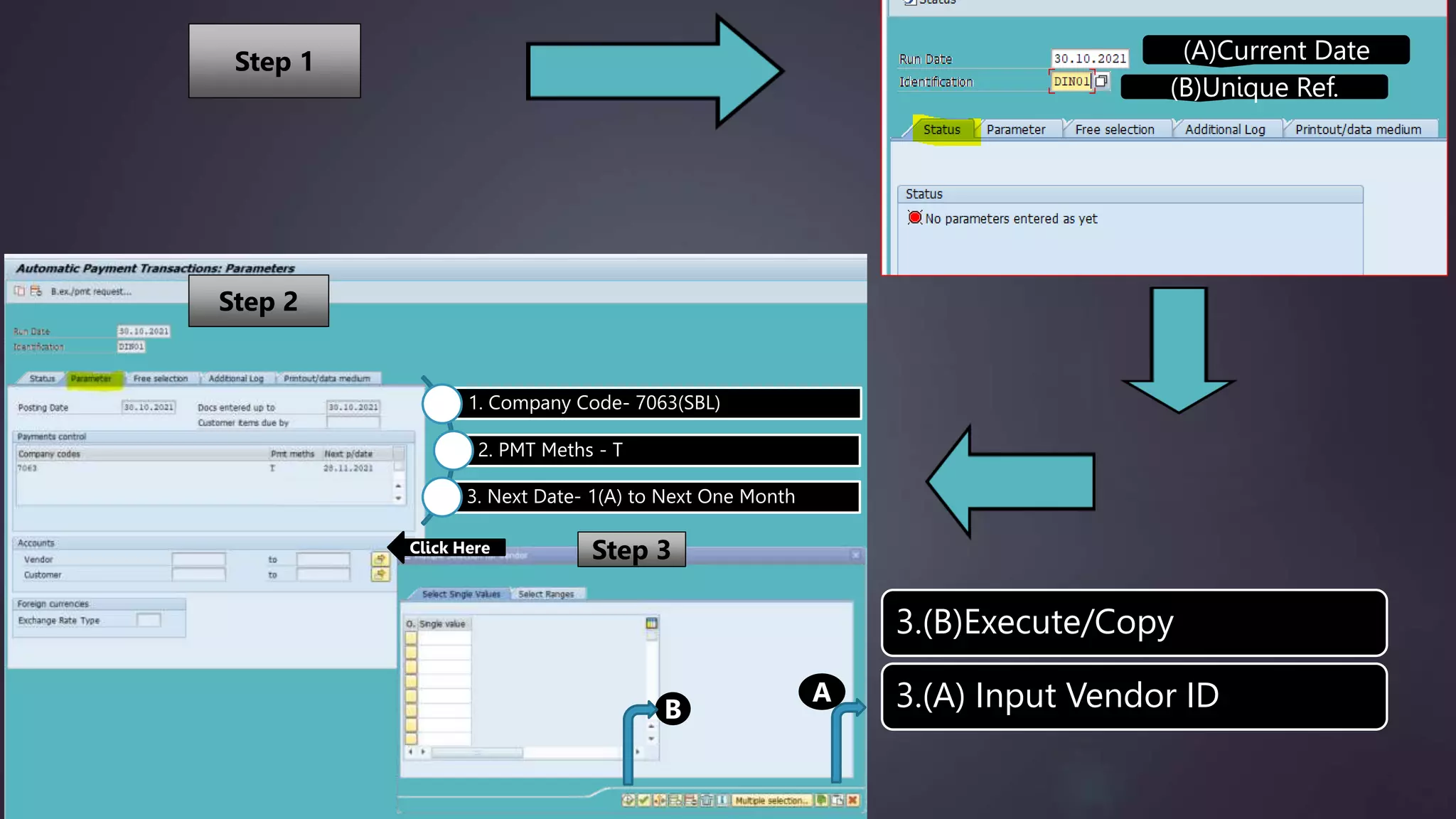
(A)Current Date
(B)Unique Ref.
1. Company Code- 7063(SBL)
2. PMT Meths - T
3. Next Date- 1(A) to Next One Month
Click Here
A
3.(B)Execute/Copy
3.(A) Input Vendor ID
B
Step 1
Step 2
Step 3
A
B
C
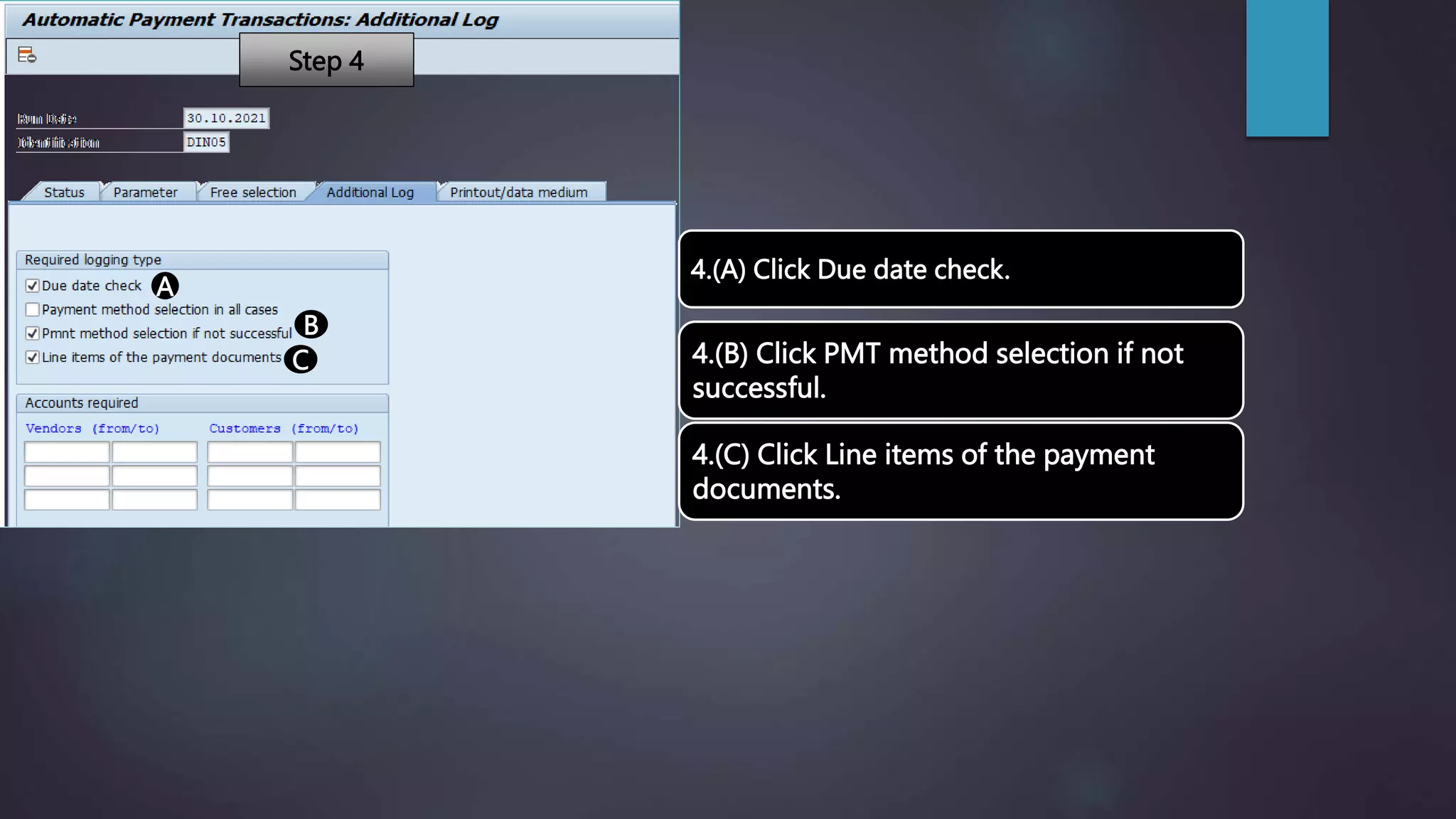
4.(A) Click Due date check.
4.(B) Click PMT method selection if not
successful.
4.(C) Click Line items of the payment
documents.
Step 4
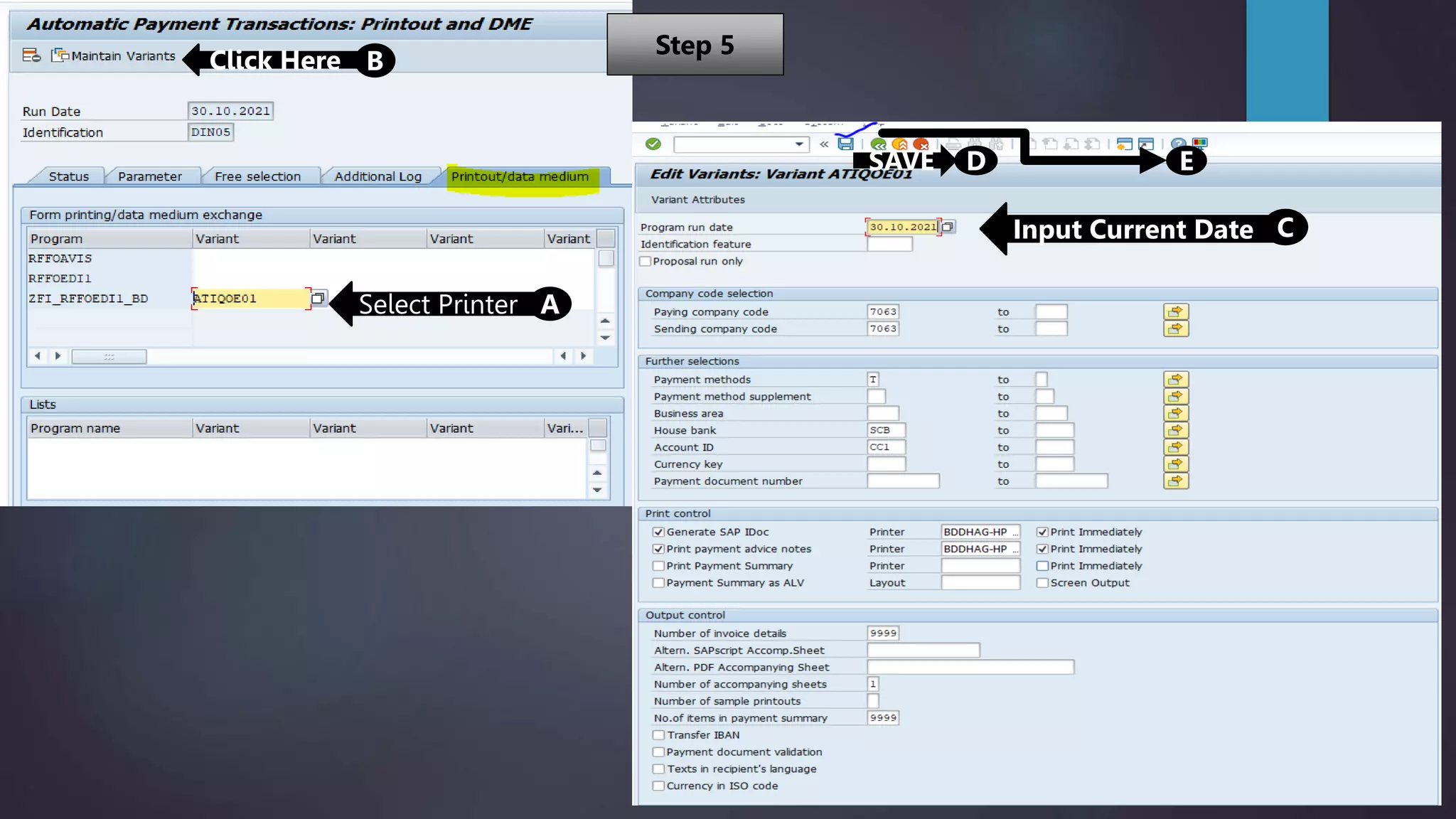
Select Printer A
Click Here B
Input Current Date C
SAVE D E
Step 5
A
B
C
D
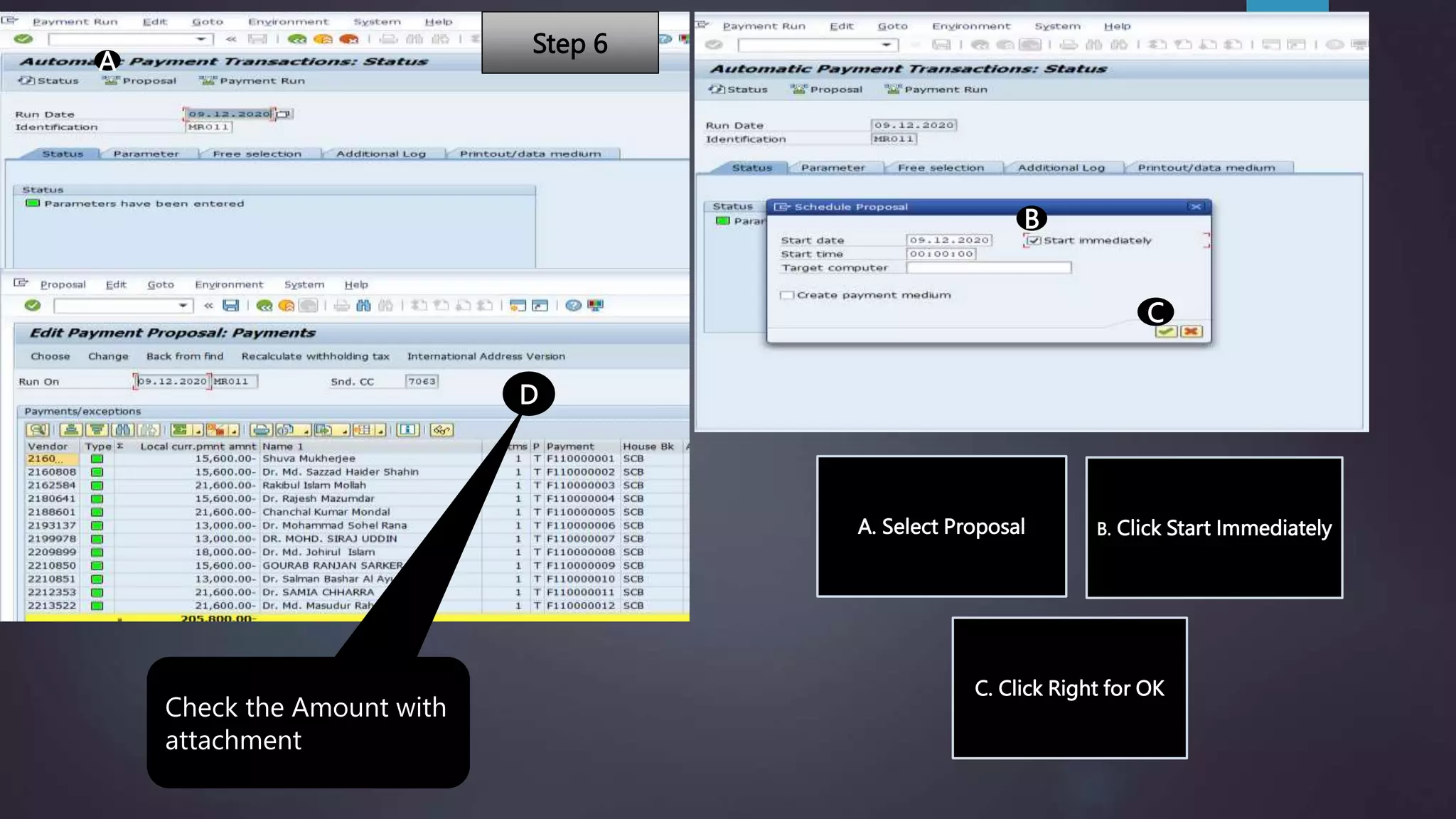
Check the Amount with
attachment
A. Select Proposal B. Click Start Immediately
C. Click Right for OK
Step 6
A
B
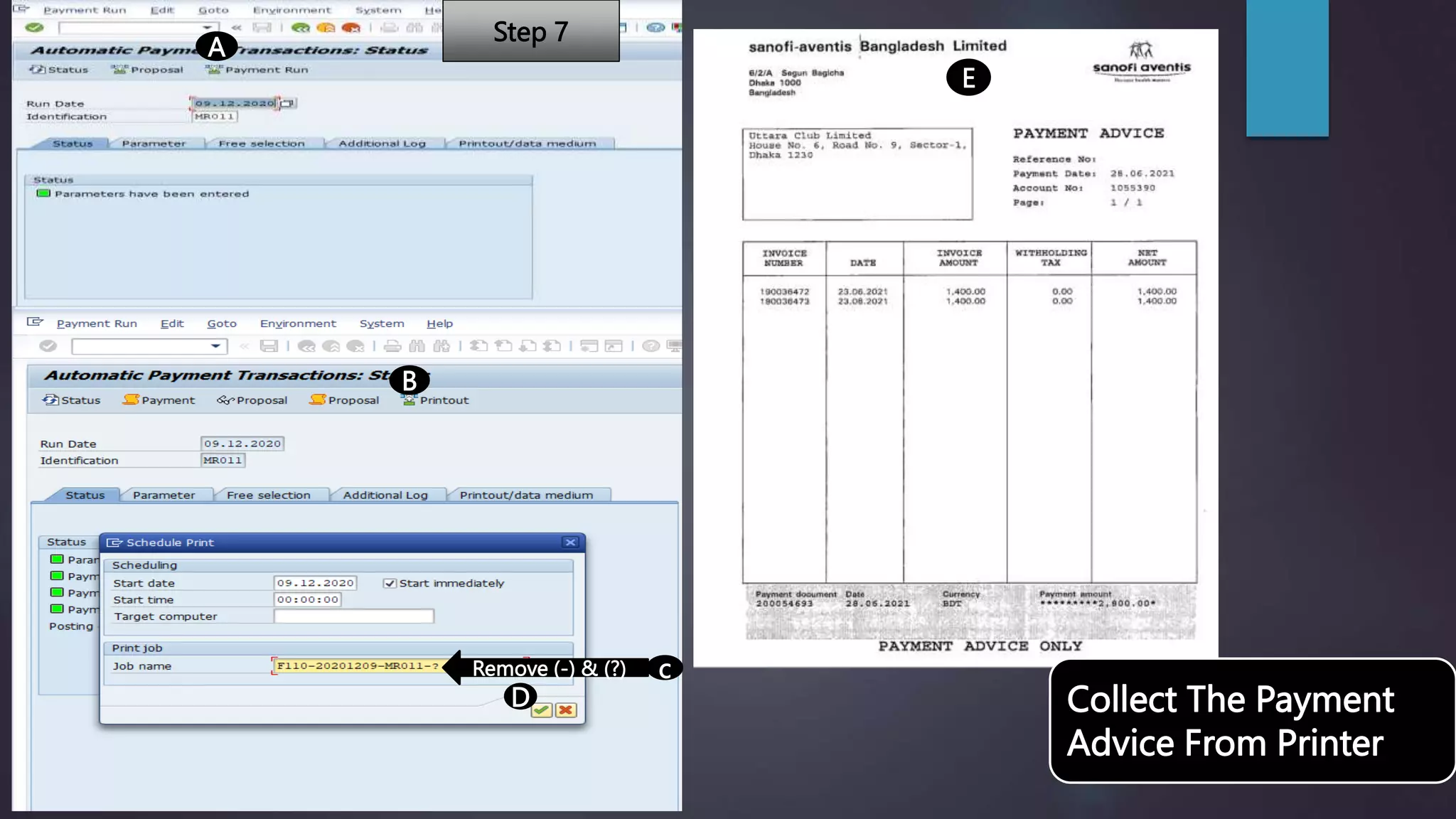
Remove (-) & (?) c
D
E
Collect The Payment
Advice From Printer
Step 7
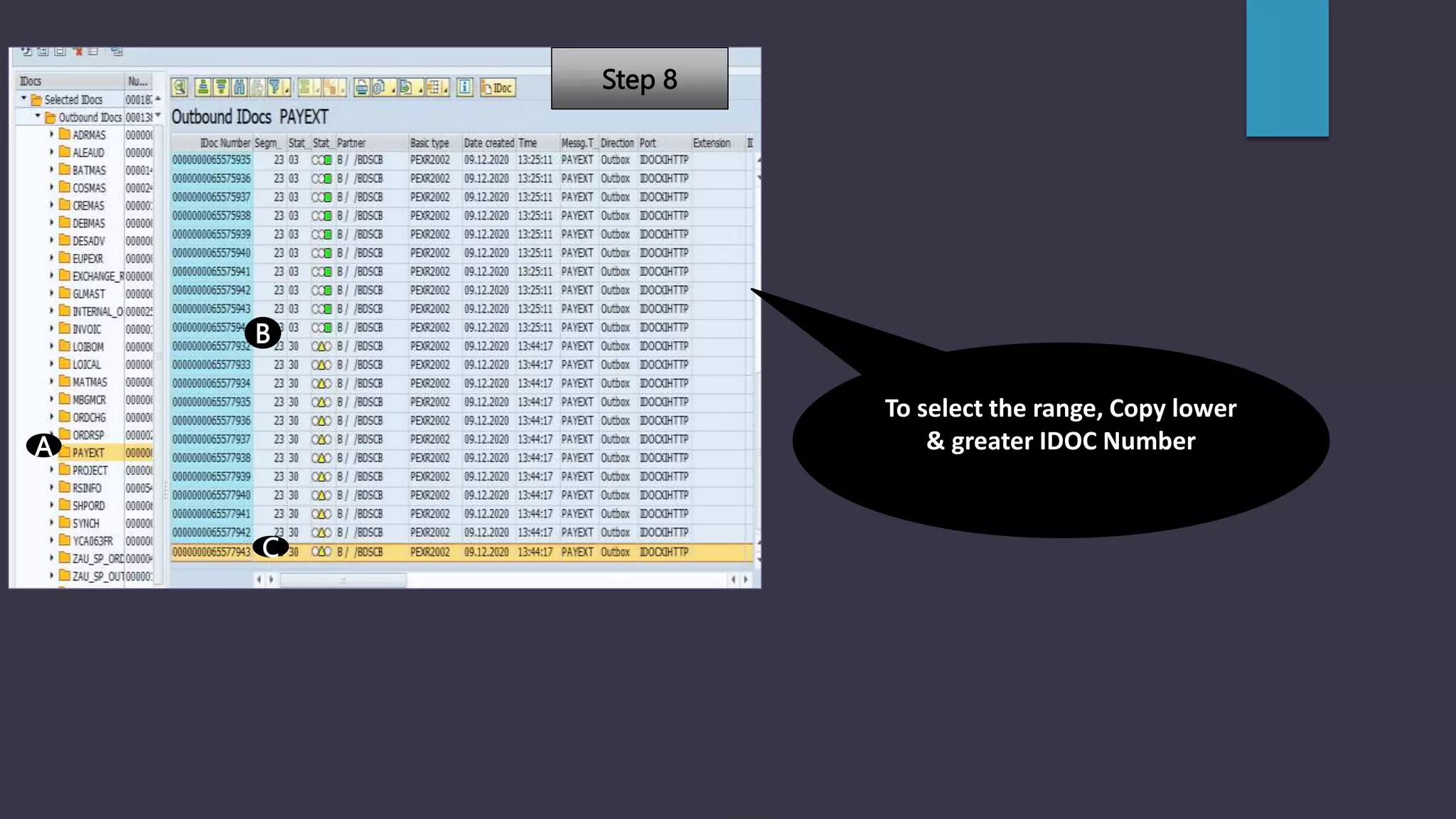
A
B
C
To select the range, Copy lower
& greater IDOC Number
Step 8
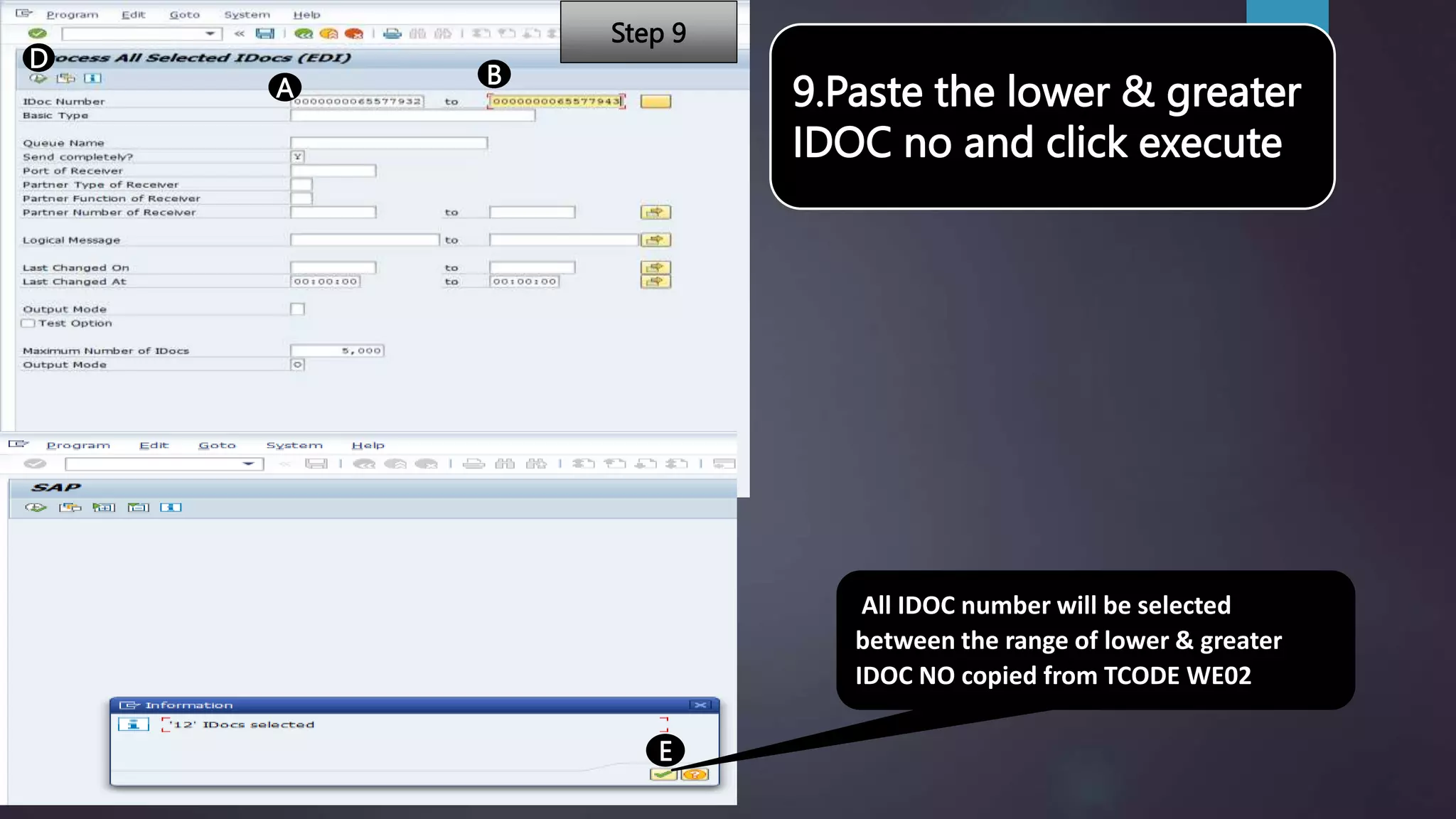
9.Paste the lower & greater
IDOC no and click execute
A B
D
E
All IDOC number will be selected
between the range of lower & greater
IDOC NO copied from TCODE WE02
Step 9
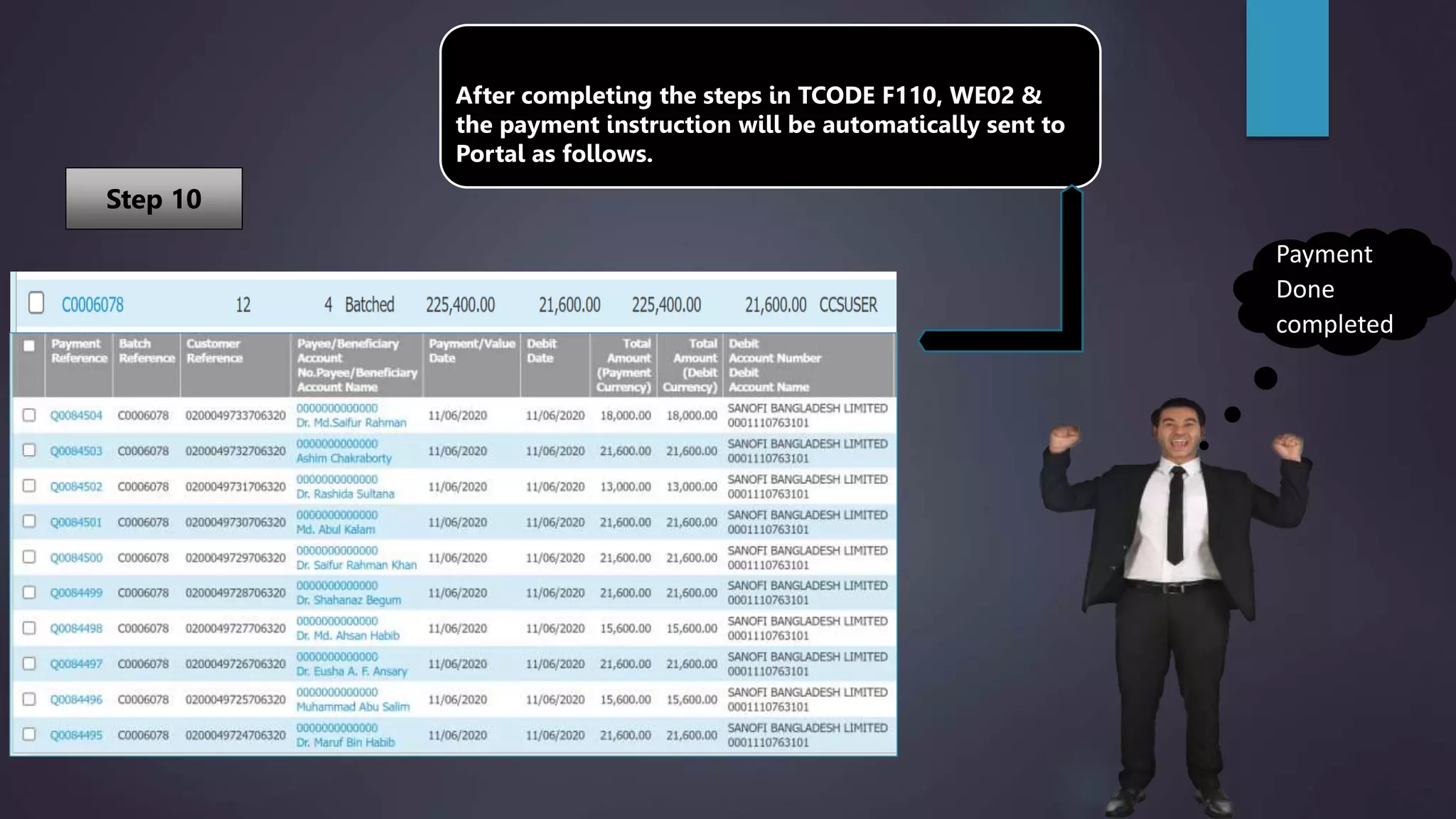
After completing the steps in TCODE F110, WE02 &
the payment instruction will be automatically sent to
Portal as follows.
Payment
Done
completed
Step 10

Presentation On Automated Payment System.pptx

  • 1.
    SAP XI (Parameters) 1.F110 • Parametersfor Automatic payment. 2.WE02 • Display IDoc. 3.WE14 • Test Outbound Processing/ Clear IDoc.
  • 2.
    (A)Current Date (B)Unique Ref. 1.Company Code- 7063(SBL) 2. PMT Meths - T 3. Next Date- 1(A) to Next One Month Click Here A 3.(B)Execute/Copy 3.(A) Input Vendor ID B Step 1 Step 2 Step 3
  • 3.
    A B C 4.(A) Click Duedate check. 4.(B) Click PMT method selection if not successful. 4.(C) Click Line items of the payment documents. Step 4
  • 4.
    Select Printer A ClickHere B Input Current Date C SAVE D E Step 5
  • 5.
    A B C D Check the Amountwith attachment A. Select Proposal B. Click Start Immediately C. Click Right for OK Step 6
  • 6.
    A B Remove (-) &(?) c D E Collect The Payment Advice From Printer Step 7
  • 7.
    A B C To select therange, Copy lower & greater IDOC Number Step 8
  • 8.
    9.Paste the lower& greater IDOC no and click execute A B D E All IDOC number will be selected between the range of lower & greater IDOC NO copied from TCODE WE02 Step 9
  • 9.
    After completing thesteps in TCODE F110, WE02 & the payment instruction will be automatically sent to Portal as follows. Payment Done completed Step 10