Handling massive traffic
with Python
Òscar Vilaplana, Paylogic
PyGrunn 2013
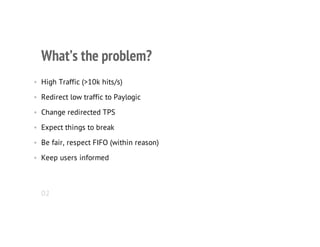
What’s the problem?
• High Traffic (>10k hits/s)
• Redirect low traffic to Paylogic
• Change redirected TPS
• Expect things to break
• Be fair, respect FIFO (within reason)
• Keep users informed
02
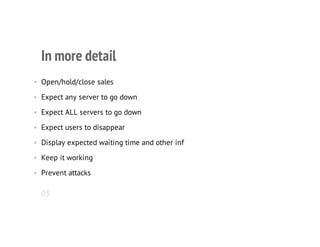
In more detail
• Open/hold/close sales
• Expect any server to go down
• Expect ALL servers to go down
• Expect users to disappear
• Display expected waiting time and other inf
• Keep it working
• Prevent attacks
03
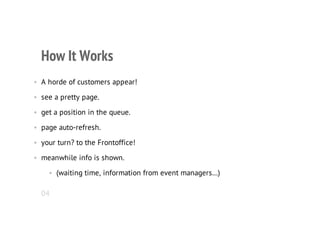
How It Works
• A horde of customers appear!
• see a pretty page.
• get a position in the queue.
• page auto-refresh.
• your turn? to the Frontoffice!
• meanwhile info is shown.
• (waiting time, information from event managers…)
04
Data Storage
• Estimates
• Not much data, stored in the instances and synced.
• Tokens
• A LOT of data!
• way too much to store and sync
• use distributed storage
• (the browsers)
05
Architecture
• ELB
• Queue Instances
• Bouncer Process
• Syncer Process
• HTML/JS Queue Page in Cloudfront
06
ELB
• Auto-scales (but not fast enough).
• Many regions.
• Can boot/kill instances automatically.
• We don’t do it yet.
07
Queue Instances
• EC2 instances, which handle the traffic.
• All identical, sync eachother.
• They can be added or removed at will.
• If some (but not all) die, the users won’t notice.
• If all die, only the statistics will be affected.
• (Never happened).
08
Users Handler
• Give out and validate tokens.
• Determine if the user should:
• Keep waiting
• Go to the Frontoffice
• See the Sold Out page.
• Return the expected waiting time.
• Return the values configured by the Event Managers.
09
Synchronization of Statistics
• Keep the Queue Instances synced so they know:
• How many users are waiting.
• How to calculate the waiting time.
• How many users are being let through by the system
10
HTML/JS Queue Page in Cloudfront
• Uses Handlebars
• Served by Cloudfront so that the Queue keeps looking good even if all
our servers were down.
• Updated frequently.
• Calls the Load Balancer. Error? Retry.
• Errors are very rare.
11
Deployment
• Debs in private repos.
• Installed through tunnel.
• Custom python2deb tool (to be released).
12
Stresstest
• Custom client with human-like behaviour.
• Notify amazon!
13
What we learned
• Debugging distributed apps is hard.
• Last bugs are nasty.
• ELB doesn’t scale fast enough by itself.
14
Q&A
15

Handling Massive Traffic with Python

  • 1.
    Handling massive traffic withPython Òscar Vilaplana, Paylogic PyGrunn 2013
  • 2.
    What’s the problem? •High Traffic (>10k hits/s) • Redirect low traffic to Paylogic • Change redirected TPS • Expect things to break • Be fair, respect FIFO (within reason) • Keep users informed 02
  • 3.
    In more detail •Open/hold/close sales • Expect any server to go down • Expect ALL servers to go down • Expect users to disappear • Display expected waiting time and other inf • Keep it working • Prevent attacks 03
  • 4.
    How It Works •A horde of customers appear! • see a pretty page. • get a position in the queue. • page auto-refresh. • your turn? to the Frontoffice! • meanwhile info is shown. • (waiting time, information from event managers…) 04
  • 5.
    Data Storage • Estimates •Not much data, stored in the instances and synced. • Tokens • A LOT of data! • way too much to store and sync • use distributed storage • (the browsers) 05
  • 6.
    Architecture • ELB • QueueInstances • Bouncer Process • Syncer Process • HTML/JS Queue Page in Cloudfront 06
  • 7.
    ELB • Auto-scales (butnot fast enough). • Many regions. • Can boot/kill instances automatically. • We don’t do it yet. 07
  • 8.
    Queue Instances • EC2instances, which handle the traffic. • All identical, sync eachother. • They can be added or removed at will. • If some (but not all) die, the users won’t notice. • If all die, only the statistics will be affected. • (Never happened). 08
  • 9.
    Users Handler • Giveout and validate tokens. • Determine if the user should: • Keep waiting • Go to the Frontoffice • See the Sold Out page. • Return the expected waiting time. • Return the values configured by the Event Managers. 09
  • 10.
    Synchronization of Statistics •Keep the Queue Instances synced so they know: • How many users are waiting. • How to calculate the waiting time. • How many users are being let through by the system 10
  • 11.
    HTML/JS Queue Pagein Cloudfront • Uses Handlebars • Served by Cloudfront so that the Queue keeps looking good even if all our servers were down. • Updated frequently. • Calls the Load Balancer. Error? Retry. • Errors are very rare. 11
  • 12.
    Deployment • Debs inprivate repos. • Installed through tunnel. • Custom python2deb tool (to be released). 12
  • 13.
    Stresstest • Custom clientwith human-like behaviour. • Notify amazon! 13
  • 14.
    What we learned •Debugging distributed apps is hard. • Last bugs are nasty. • ELB doesn’t scale fast enough by itself. 14
  • 15.