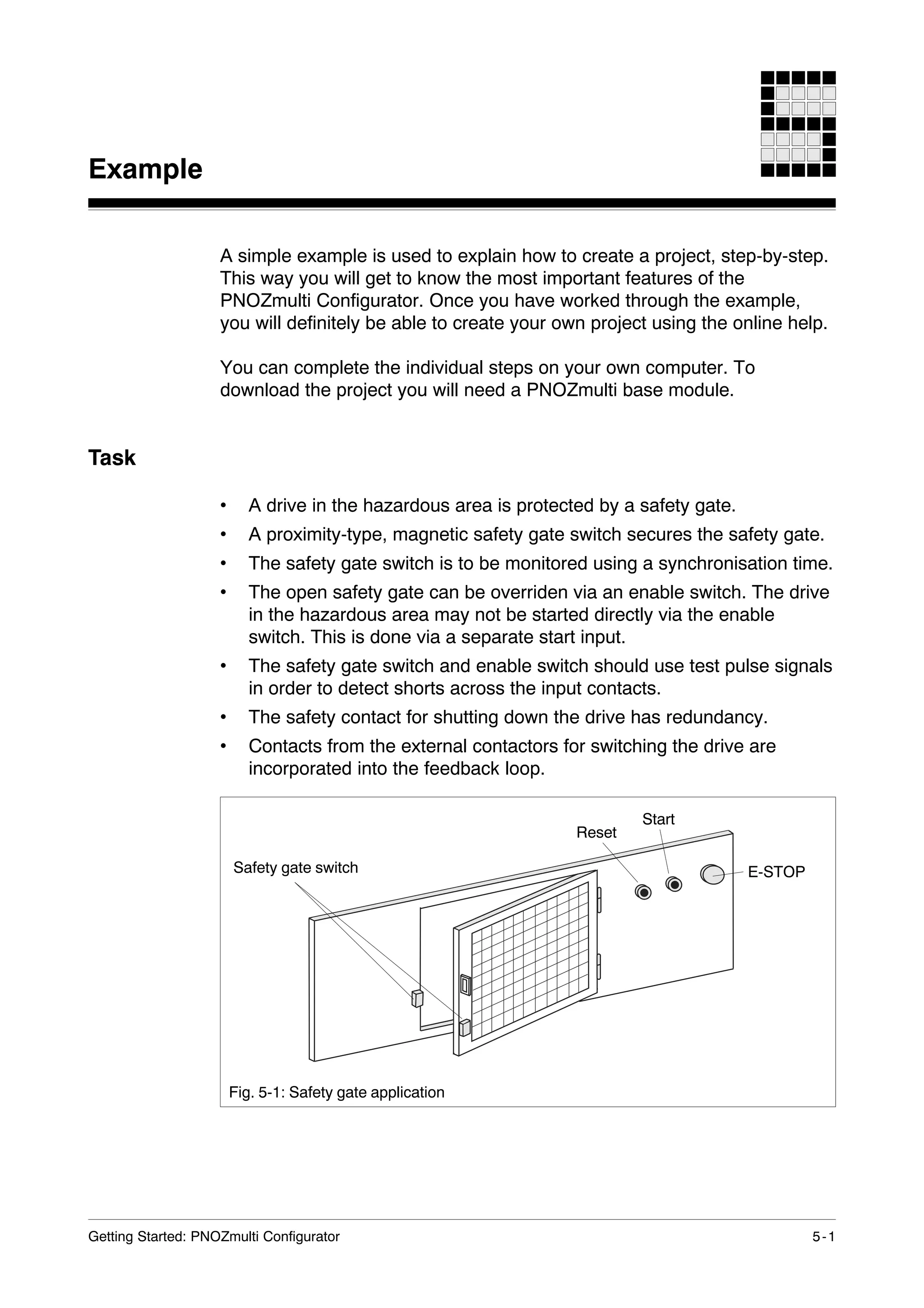
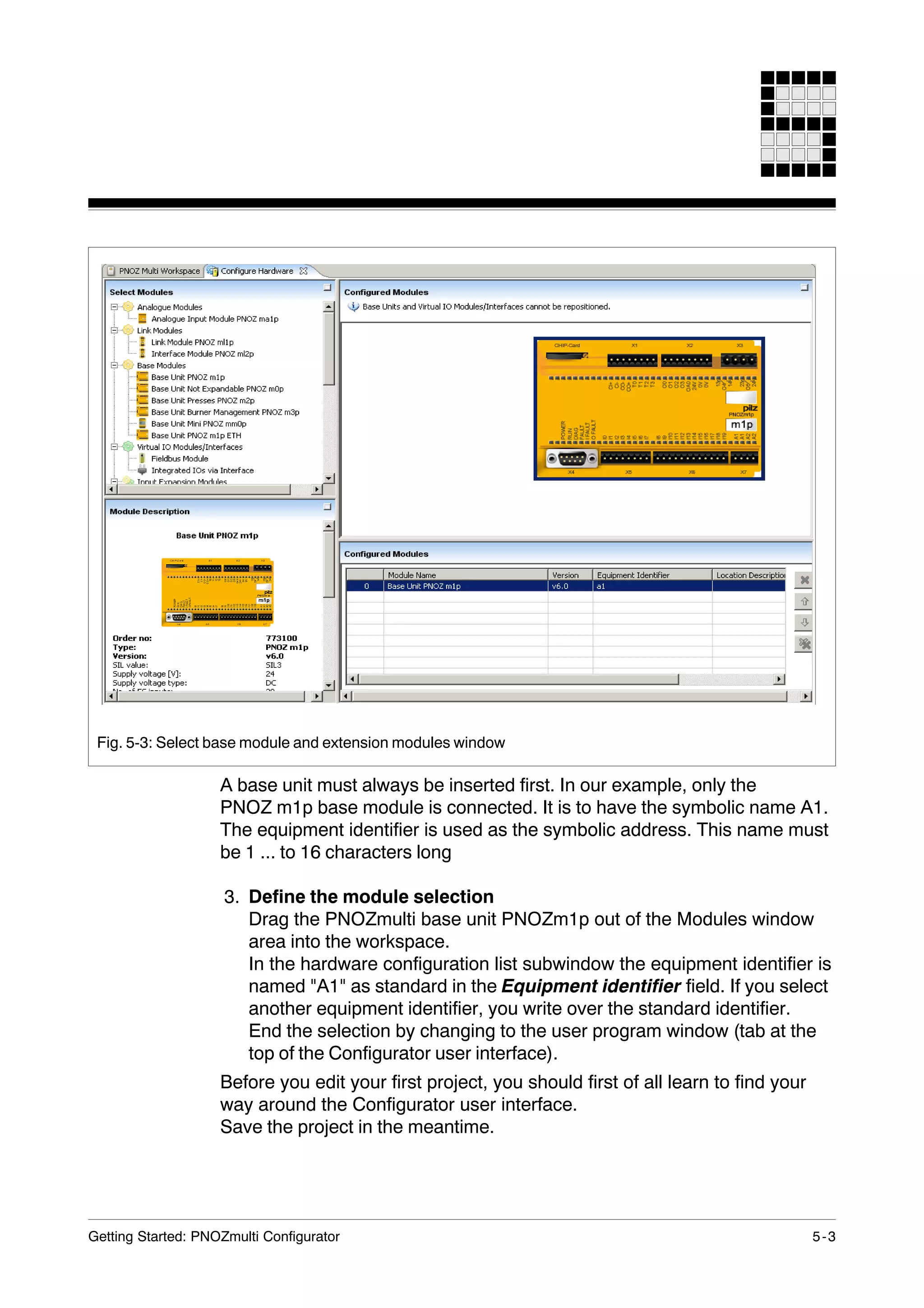
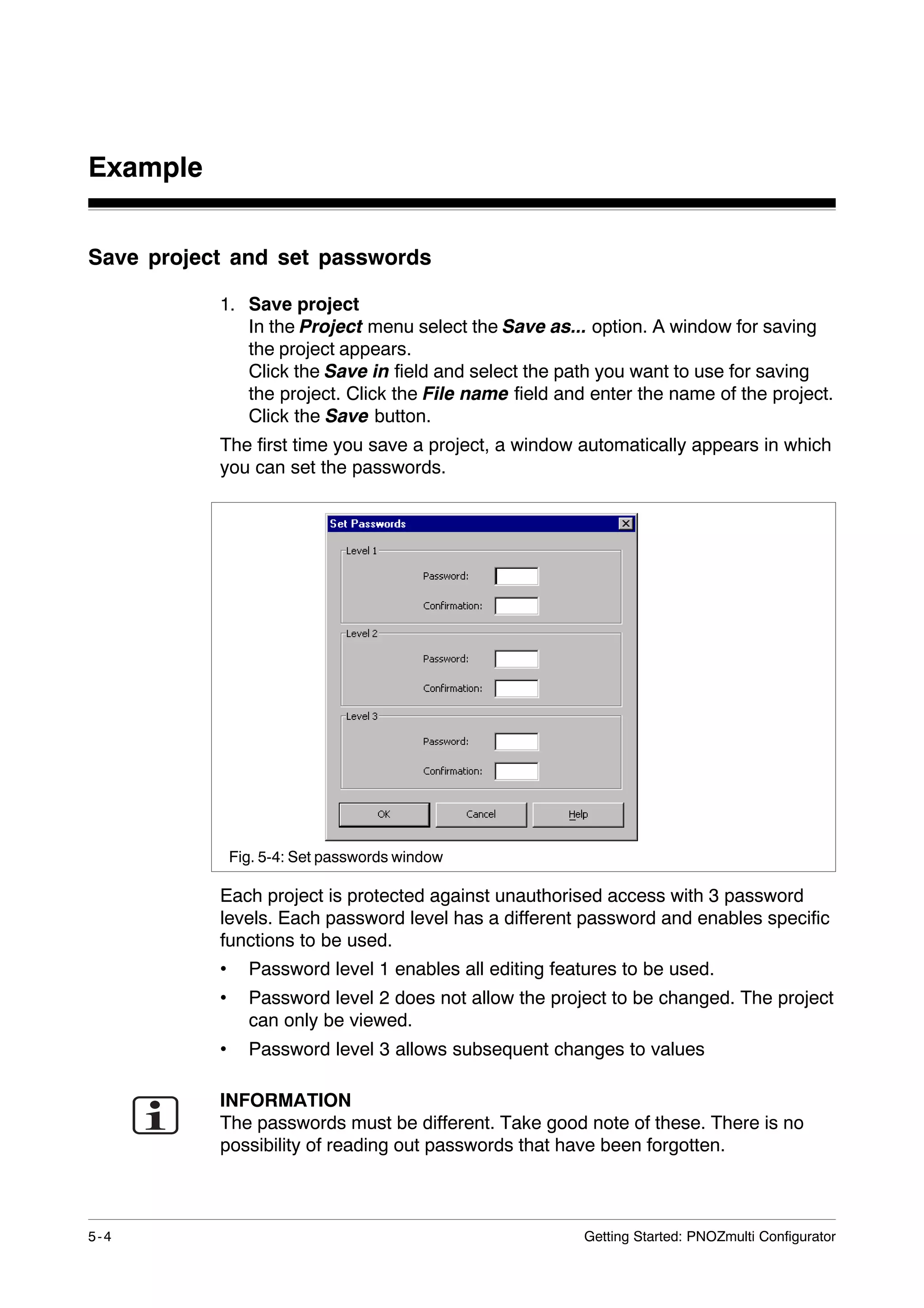
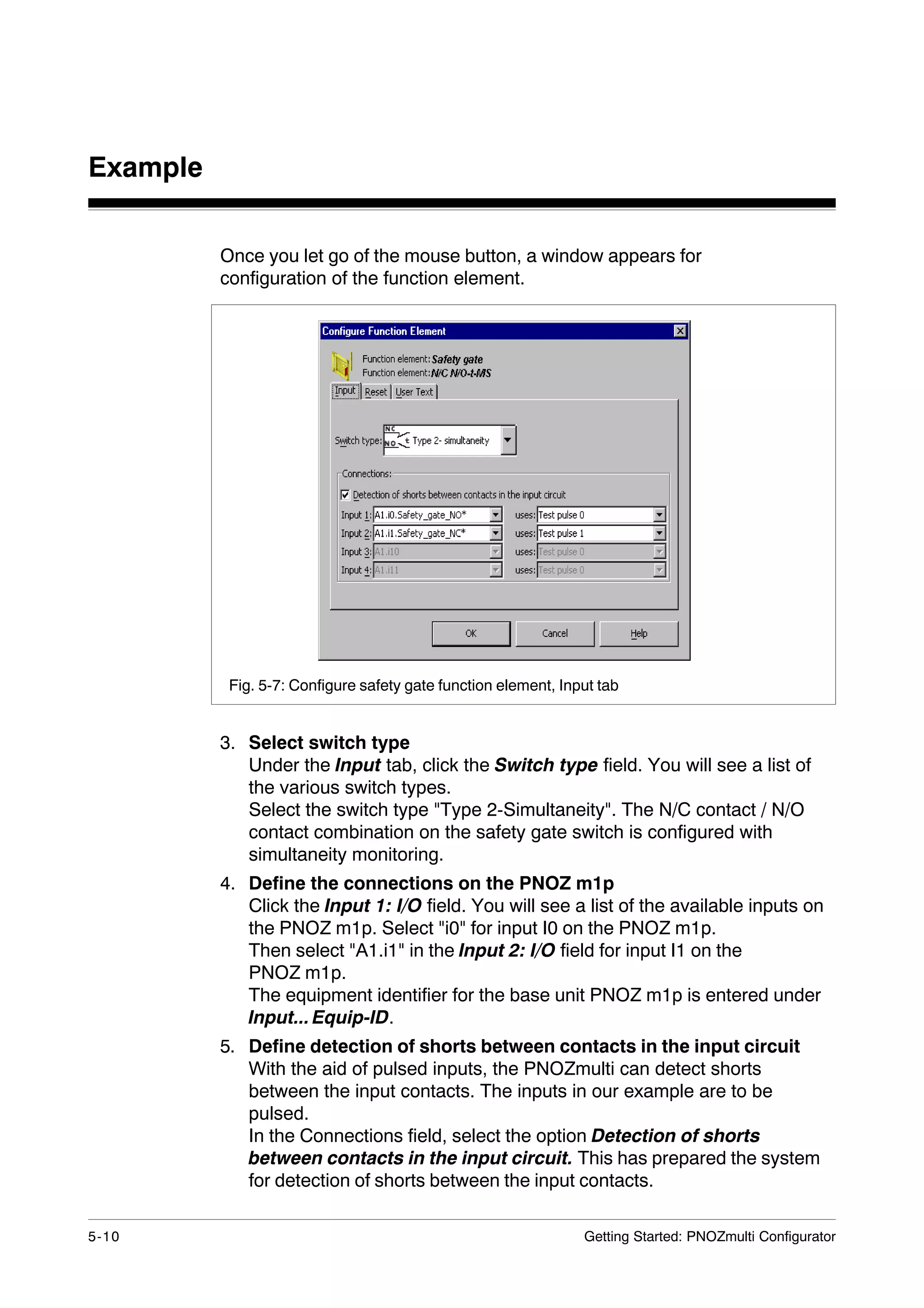
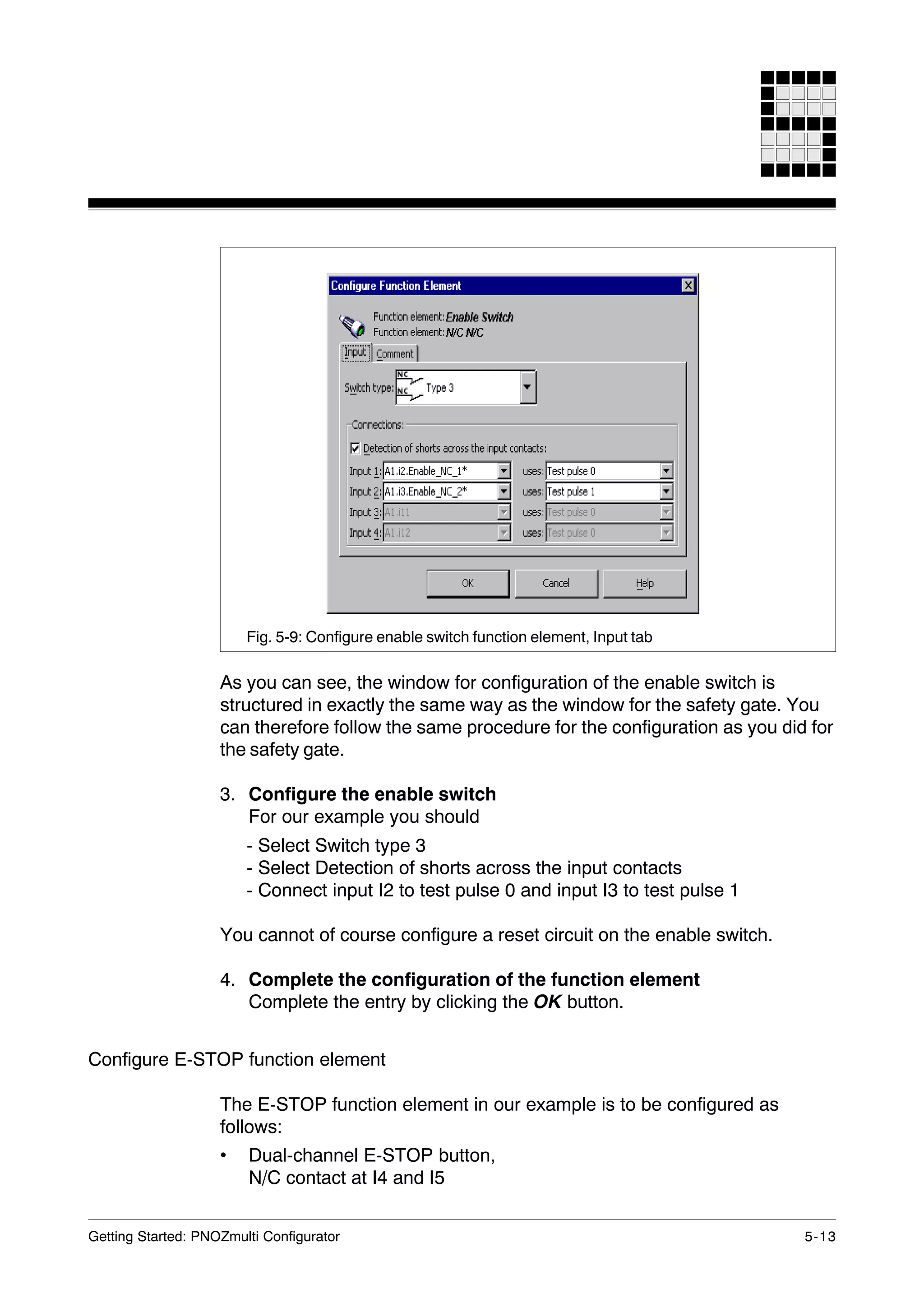
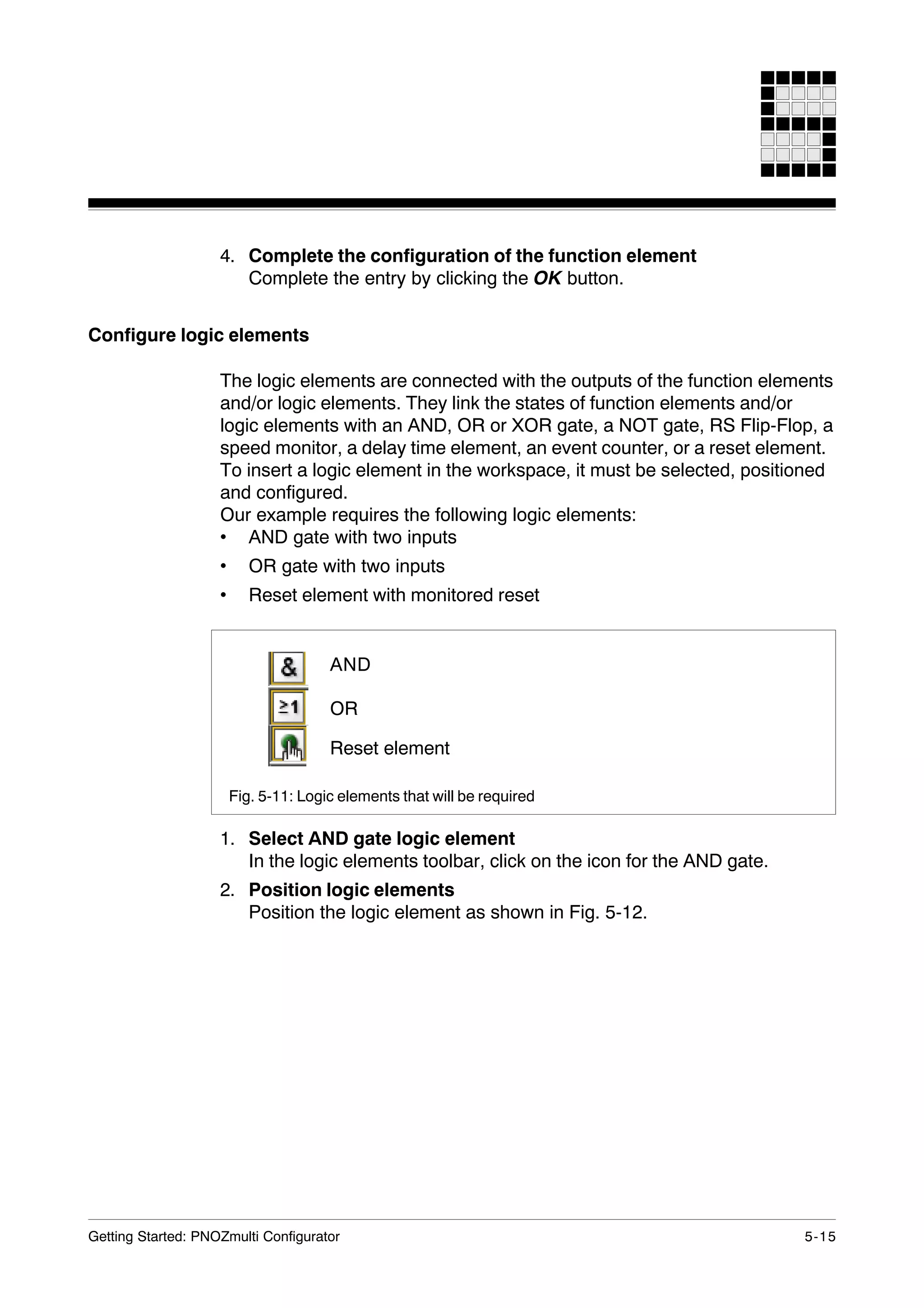
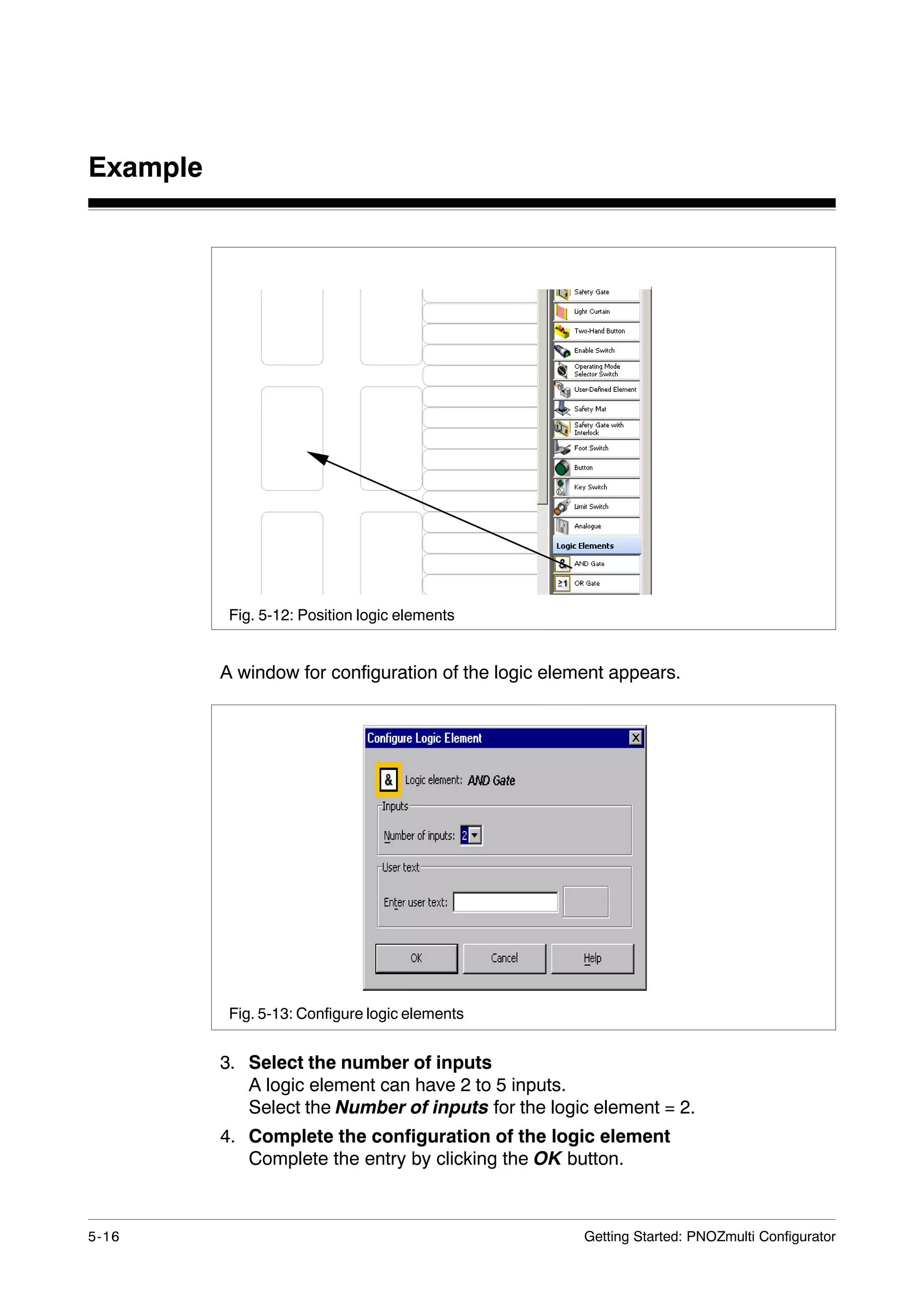
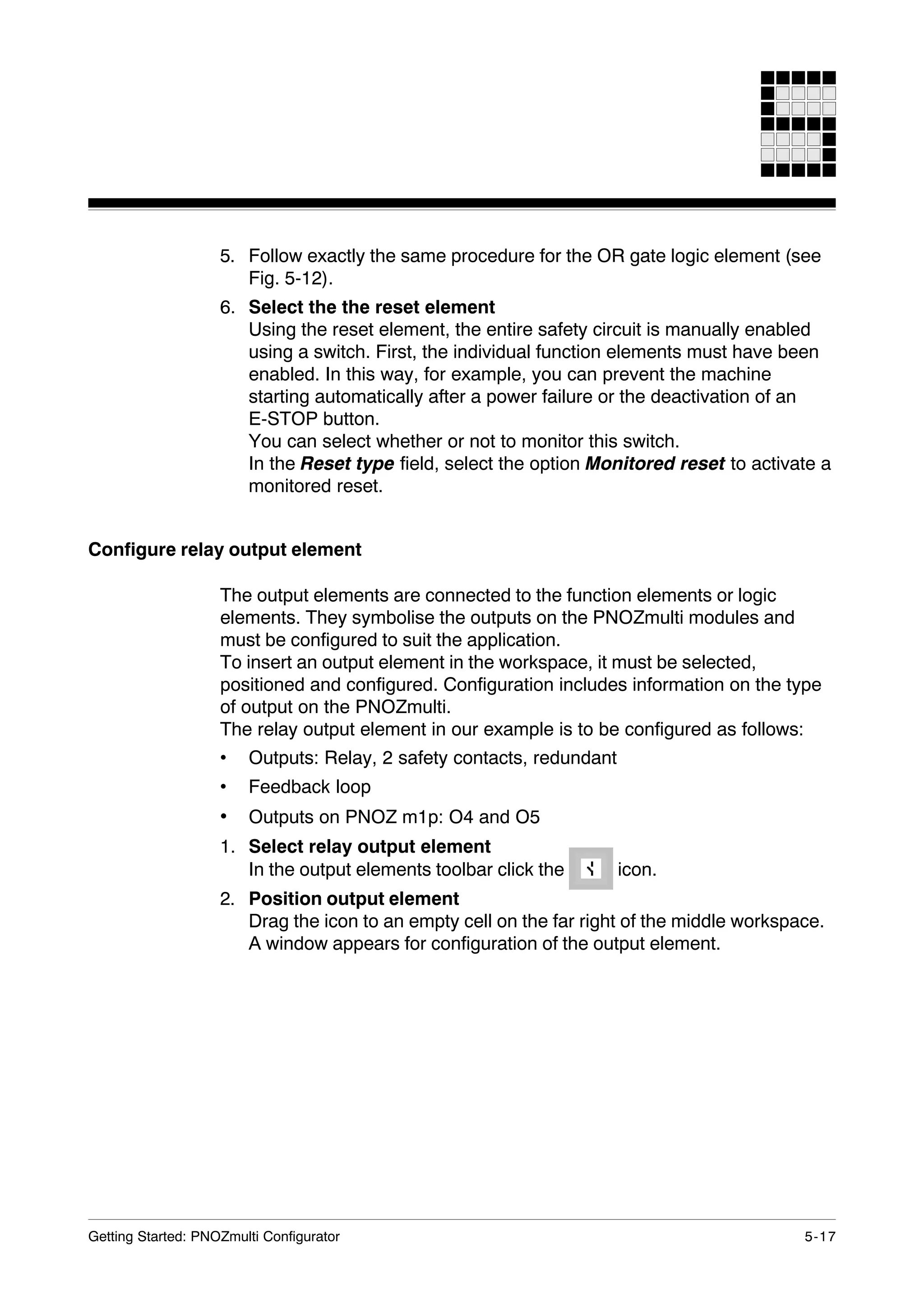
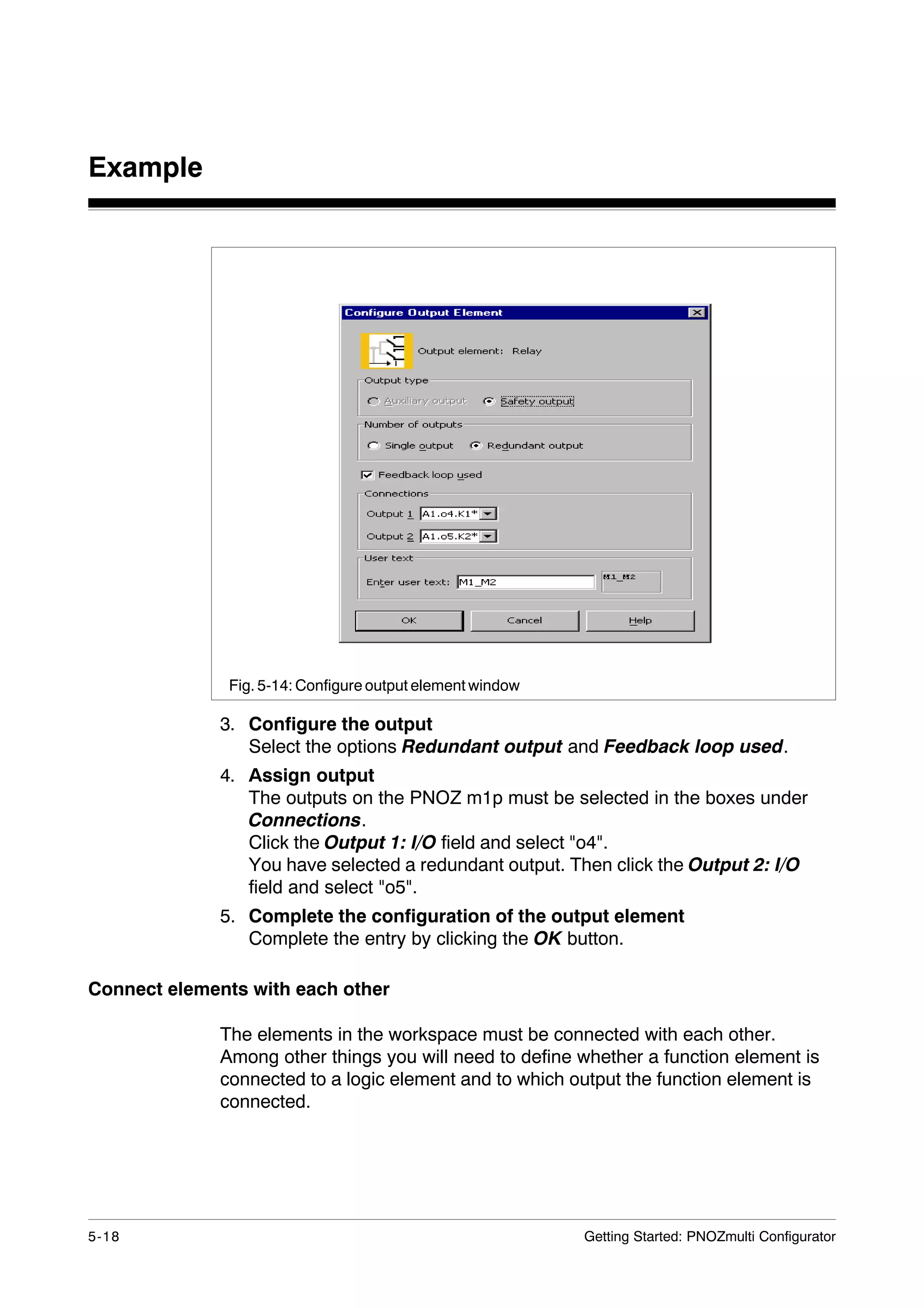
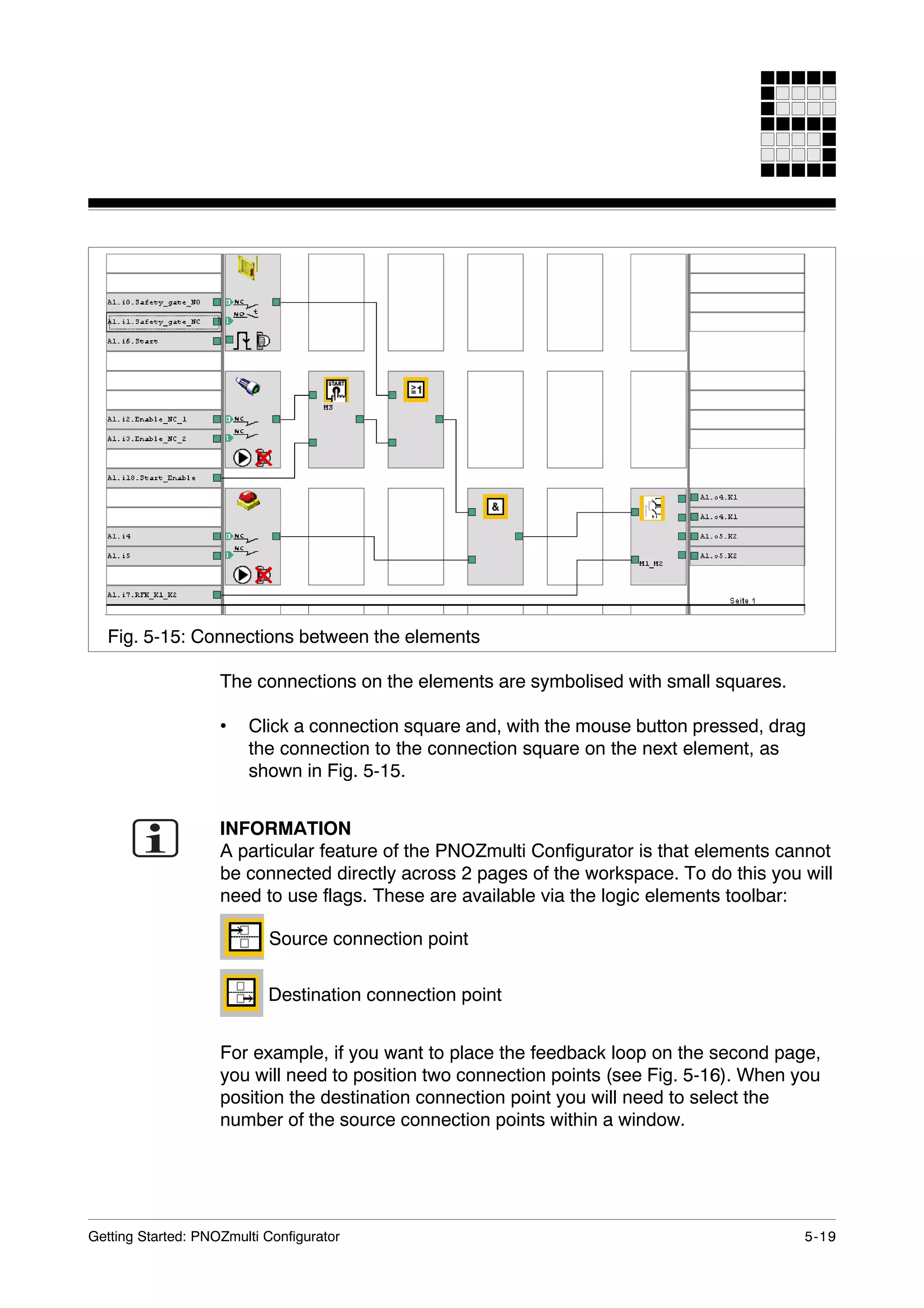
The document provides instructions for creating a safety circuit project using the PNOZmulti Configurator software. It describes installing the software, creating a new project, wiring a PNOZ m1p base module, saving the project and setting passwords. The example safety circuit project involves protecting a drive with a safety gate switch, enable switch, E-STOP and start input. Key steps covered include configuring function, logic and output elements, connecting elements and transferring the completed project to a PNOZ m1p base module.