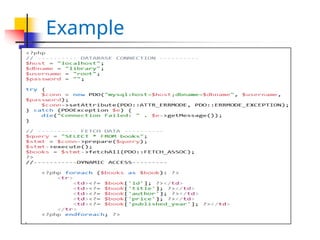
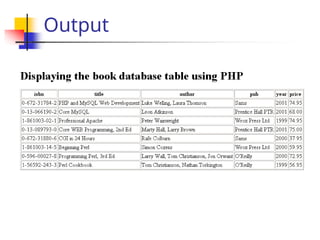
PHP MySQL Functions
Connecting to a
Database
Making a query
Using results of a query
freeing resources
closing the connection
3.
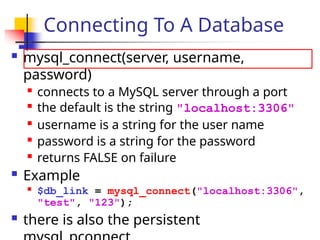
mysql_connect(server, username,
password)
connectsto a MySQL server through a port
the default is the string "localhost:3306"
username is a string for the user name
password is a string for the password
returns FALSE on failure
Example
$db_link = mysql_connect("localhost:3306",
"test", "123");
there is also the persistent
Connecting To A Database
4.
Example From PHPDocs
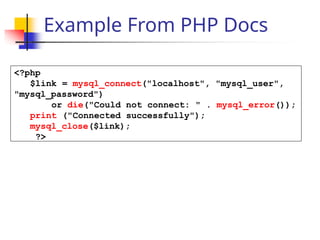
<?php
$link = mysql_connect("localhost", "mysql_user",
"mysql_password")
or die("Could not connect: " . mysql_error());
print ("Connected successfully");
mysql_close($link);
?>
5.
Selecting A Database
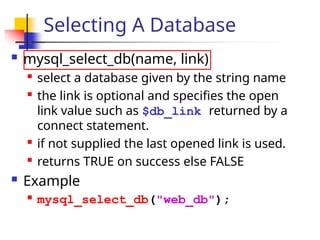
mysql_select_db(name, link)
select a database given by the string name
the link is optional and specifies the open
link value such as $db_link returned by a
connect statement.
if not supplied the last opened link is used.
returns TRUE on success else FALSE
Example
mysql_select_db("web_db");
6.
Making A Query
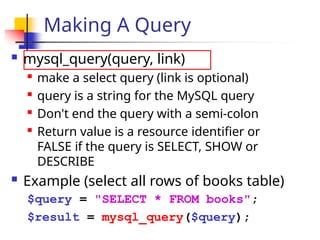
mysql_query(query, link)
make a select query (link is optional)
query is a string for the MySQL query
Don't end the query with a semi-colon
Return value is a resource identifier or
FALSE if the query is SELECT, SHOW or
DESCRIBE
Example (select all rows of books table)
$query = "SELECT * FROM books";
$result = mysql_query($query);
7.
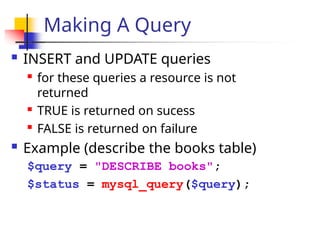
Making A Query
INSERT and UPDATE queries
for these queries a resource is not
returned
TRUE is returned on sucess
FALSE is returned on failure
Example (describe the books table)
$query = "DESCRIBE books";
$status = mysql_query($query);
8.
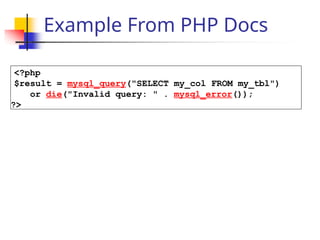
Example From PHPDocs
<?php
$result = mysql_query("SELECT my_col FROM my_tbl")
or die("Invalid query: " . mysql_error());
?>
9.
Accessing Table Rows
mysql_fetch_row(result)
each call returns the next row as an indexed
array where result is a resource returned
from a call to mysql_query (FALSE if no more
rows)
Example
$query = "SELECT * FROM books";
$result = mysql_query($query);
$row = mysql_fetch_row($result); // row 0
$isbn = $row[0]; // isbn for row 0
10.
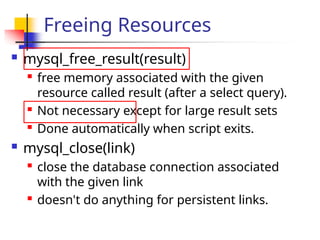
Freeing Resources
mysql_free_result(result)
freememory associated with the given
resource called result (after a select query).
Not necessary except for large result sets
Done automatically when script exits.
mysql_close(link)
close the database connection associated
with the given link
doesn't do anything for persistent links.
11.
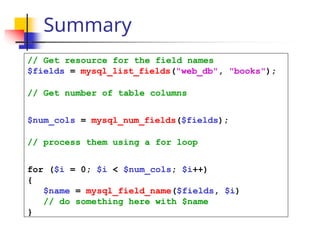
Summary
// Get resourcefor the field names
$fields = mysql_list_fields("web_db", "books");
// Get number of table columns
$num_cols = mysql_num_fields($fields);
// process them using a for loop
for ($i = 0; $i < $num_cols; $i++)
{
$name = mysql_field_name($fields, $i)
// do something here with $name
}
12.
Summary
{
while ($row =mysql_fetch_array($result)
{
for ($i = 0; $i < count($row); *i++)From SELECT
query
$col_value = $row[$i]'
// Do something with $col_value here
}
// do end of row processing here
}
// do end of table processing here
Here $row is returned as an array so the inner loop is
a for loop

![Accessing Table Rows
mysql_fetch_row(result)
each call returns the next row as an indexed
array where result is a resource returned
from a call to mysql_query (FALSE if no more
rows)
Example
$query = "SELECT * FROM books";
$result = mysql_query($query);
$row = mysql_fetch_row($result); // row 0
$isbn = $row[0]; // isbn for row 0](https://image.slidesharecdn.com/php-251219100526-dd425685/85/php-Mysql-databases-connectivity-and-qureries-pptx-9-320.jpg)
![Summary
{
while ($row = mysql_fetch_array($result)
{
for ($i = 0; $i < count($row); *i++)From SELECT
query
$col_value = $row[$i]'
// Do something with $col_value here
}
// do end of row processing here
}
// do end of table processing here
Here $row is returned as an array so the inner loop is
a for loop](https://image.slidesharecdn.com/php-251219100526-dd425685/85/php-Mysql-databases-connectivity-and-qureries-pptx-12-320.jpg)