Form Processing
• Wecan access form data using there inbuilt PHP associative array.
• $_GET => in case we have used get method in the form
• $_POST => in case we have used post method in the form
• $_REQUEST => in both the cases
• For example,
html
<form action=“recive.php”
method=“get”>
<input type=“text”
name=“UserName”>
<input type=“submit”>
</form>
recive.php
<?php
$u = $_GET[‘UserName’];
echo($u);
?>
3.
File Handling inPHP
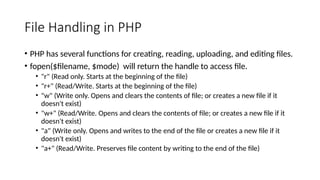
• PHP has several functions for creating, reading, uploading, and editing files.
• fopen($filename, $mode) will return the handle to access file.
• "r" (Read only. Starts at the beginning of the file)
• "r+" (Read/Write. Starts at the beginning of the file)
• "w" (Write only. Opens and clears the contents of file; or creates a new file if it
doesn't exist)
• "w+" (Read/Write. Opens and clears the contents of file; or creates a new file if it
doesn't exist)
• "a" (Write only. Opens and writes to the end of the file or creates a new file if it
doesn't exist)
• "a+" (Read/Write. Preserves file content by writing to the end of the file)
4.
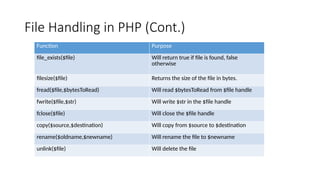
File Handling inPHP (Cont.)
Function Purpose
file_exists($file) Will return true if file is found, false
otherwise
filesize($file) Returns the size of the file in bytes.
fread($file,$bytesToRead) Will read $bytesToRead from $file handle
fwrite($file,$str) Will write $str in the $file handle
fclose($file) Will close the $file handle
copy($source,$destination) Will copy from $source to $destination
rename($oldname,$newname) Will rename the file to $newname
unlink($file) Will delete the file
5.
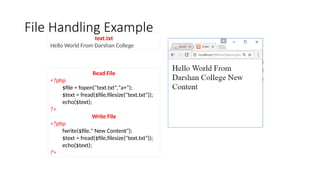
File Handling Example
ReadFile
<?php
$file = fopen("text.txt","a+");
$text = fread($file,filesize("text.txt"));
echo($text);
?>
Write File
<?php
fwrite($file," New Content");
$text = fread($file,filesize("text.txt"));
echo($text);
?>
text.txt
Hello World From Darshan College
6.
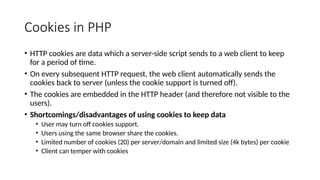
Cookies in PHP
•HTTP cookies are data which a server-side script sends to a web client to keep
for a period of time.
• On every subsequent HTTP request, the web client automatically sends the
cookies back to server (unless the cookie support is turned off).
• The cookies are embedded in the HTTP header (and therefore not visible to the
users).
• Shortcomings/disadvantages of using cookies to keep data
• User may turn off cookies support.
• Users using the same browser share the cookies.
• Limited number of cookies (20) per server/domain and limited size (4k bytes) per cookie
• Client can temper with cookies
7.
Cookies in PHP(Cont.)
• To set a cookie, call setcookie()
• e.g., setcookie('username', ‘AVB');
• To delete a cookie (use setcookie() without a value)
• e.g., setcookie('username');
• To retrieve a cookie, refer to $COOKIE
• e.g. $username = $_COOKIE['username‘];
• Note :
• Cookies can only be set before any output is sent.
• You cannot set and access a cookie in the same page. Cookies set in a page
are available only in the future requests.
8.
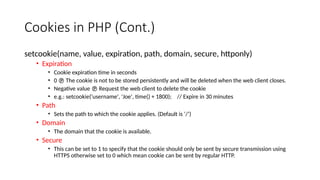
Cookies in PHP(Cont.)
setcookie(name, value, expiration, path, domain, secure, httponly)
• Expiration
• Cookie expiration time in seconds
• 0 The cookie is not to be stored persistently and will be deleted when the web client closes.
• Negative value Request the web client to delete the cookie
• e.g.: setcookie('username', 'Joe', time() + 1800); // Expire in 30 minutes
• Path
• Sets the path to which the cookie applies. (Default is ‘/’)
• Domain
• The domain that the cookie is available.
• Secure
• This can be set to 1 to specify that the cookie should only be sent by secure transmission using
HTTPS otherwise set to 0 which mean cookie can be sent by regular HTTP.
9.
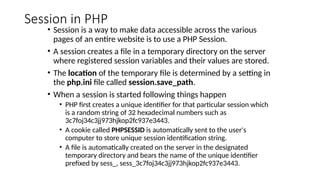
Session in PHP
•Session is a way to make data accessible across the various
pages of an entire website is to use a PHP Session.
• A session creates a file in a temporary directory on the server
where registered session variables and their values are stored.
• The location of the temporary file is determined by a setting in
the php.ini file called session.save_path.
• When a session is started following things happen
• PHP first creates a unique identifier for that particular session which
is a random string of 32 hexadecimal numbers such as
3c7foj34c3jj973hjkop2fc937e3443.
• A cookie called PHPSESSID is automatically sent to the user's
computer to store unique session identification string.
• A file is automatically created on the server in the designated
temporary directory and bears the name of the unique identifier
prefixed by sess_, sess_3c7foj34c3jj973hjkop2fc937e3443.
10.
Starting a PHPSession
• A PHP session is easily started by making a call to the session_start()
function.This function first checks if a session is already started and if
none is started then it starts one.
• It is recommended to put the call to session_start() at the beginning
of the page.
• The following example starts a session then register a variable called
counter that is incremented each time the page is visited during the
session.
11.
• <?php
• session_start();
•if( isset( $_SESSION['counter'] ) ) {
• $_SESSION['counter'] += 1;
• }else {
• $_SESSION['counter'] = 1;
• }
• $msg = "You have visited this page ". $_SESSION['counter'];
• $msg .= "in this session.";
• ?>
• <html><head>
• <title>Setting up a PHP session</title>
• </head><body>
• <?php echo ( $msg ); ?>
• </body></html>
12.
Destroying a PHPSession
• A PHP session can be destroyed by session_destroy() function.
• This function does not need any argument and a single call can
destroy all the session variables.
• If you want to destroy a single session variable then you can use
unset() function to unset a session variable.
Logout.php
<?php
session_destroy();
?>
Logout.php
<?php
unset(S_SESSION[‘counter’]);
?>
13.
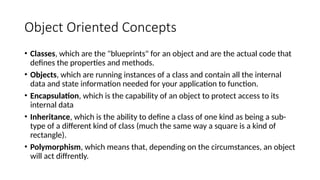
Object Oriented Concepts
•Classes, which are the "blueprints" for an object and are the actual code that
defines the properties and methods.
• Objects, which are running instances of a class and contain all the internal
data and state information needed for your application to function.
• Encapsulation, which is the capability of an object to protect access to its
internal data
• Inheritance, which is the ability to define a class of one kind as being a sub-
type of a different kind of class (much the same way a square is a kind of
rectangle).
• Polymorphism, which means that, depending on the circumstances, an object
will act diffrently.
14.
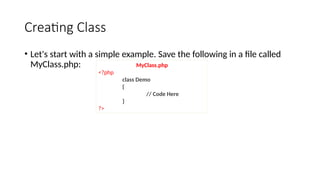
Creating Class
• Let'sstart with a simple example. Save the following in a file called
MyClass.php: MyClass.php
<?php
class Demo
{
// Code Here
}
?>
15.
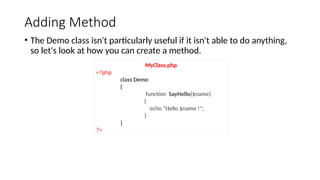
Adding Method
• TheDemo class isn't particularly useful if it isn't able to do anything,
so let's look at how you can create a method.
MyClass.php
<?php
class Demo
{
function SayHello($name)
{
echo “Hello $name !”;
}
}
?>
16.
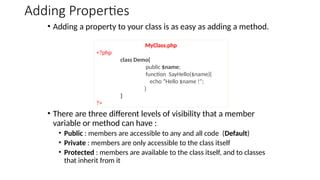
Adding Properties
• Addinga property to your class is as easy as adding a method.
• There are three different levels of visibility that a member
variable or method can have :
• Public : members are accessible to any and all code (Default)
• Private : members are only accessible to the class itself
• Protected : members are available to the class itself, and to classes
that inherit from it
MyClass.php
<?php
class Demo{
public $name;
function SayHello($name){
echo “Hello $name !”;
}
}
?>
17.
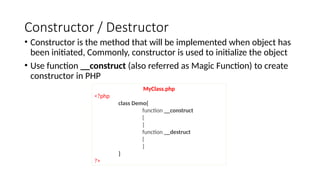
Constructor / Destructor
•Constructor is the method that will be implemented when object has
been initiated, Commonly, constructor is used to initialize the object
• Use function __construct (also referred as Magic Function) to create
constructor in PHP
MyClass.php
<?php
class Demo{
function __construct
{
}
function __destruct
{
}
}
?>
18.
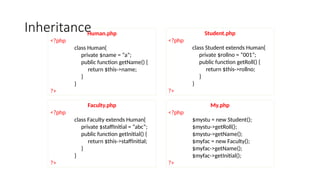
Inheritance
Human.php
<?php
class Human{
private $name= “a”;
public function getName() {
return $this->name;
}
}
?>
Student.php
<?php
class Student extends Human{
private $rollno = “001”;
public function getRoll() {
return $this->rollno;
}
}
?>
Faculty.php
<?php
class Faculty extends Human{
private $staffInitial = “abc”;
public function getInitial() {
return $this->staffInitial;
}
}
?>
My.php
<?php
$mystu = new Student();
$mystu->getRoll();
$mystu->getName();
$myfac = new Faculty();
$myfac->getName();
$myfac->getInitial();
?>


![Form Processing
• We can access form data using there inbuilt PHP associative array.
• $_GET => in case we have used get method in the form
• $_POST => in case we have used post method in the form
• $_REQUEST => in both the cases
• For example,
html
<form action=“recive.php”
method=“get”>
<input type=“text”
name=“UserName”>
<input type=“submit”>
</form>
recive.php
<?php
$u = $_GET[‘UserName’];
echo($u);
?>](https://image.slidesharecdn.com/phpformssessions-251030023601-921ac6bc/85/PHP-Forms-sessions-and-file-handling-with-example-2-320.jpg)
![Cookies in PHP (Cont.)
• To set a cookie, call setcookie()
• e.g., setcookie('username', ‘AVB');
• To delete a cookie (use setcookie() without a value)
• e.g., setcookie('username');
• To retrieve a cookie, refer to $COOKIE
• e.g. $username = $_COOKIE['username‘];
• Note :
• Cookies can only be set before any output is sent.
• You cannot set and access a cookie in the same page. Cookies set in a page
are available only in the future requests.](https://image.slidesharecdn.com/phpformssessions-251030023601-921ac6bc/85/PHP-Forms-sessions-and-file-handling-with-example-7-320.jpg)
![• <?php
• session_start();
• if( isset( $_SESSION['counter'] ) ) {
• $_SESSION['counter'] += 1;
• }else {
• $_SESSION['counter'] = 1;
• }
• $msg = "You have visited this page ". $_SESSION['counter'];
• $msg .= "in this session.";
• ?>
• <html><head>
• <title>Setting up a PHP session</title>
• </head><body>
• <?php echo ( $msg ); ?>
• </body></html>](https://image.slidesharecdn.com/phpformssessions-251030023601-921ac6bc/85/PHP-Forms-sessions-and-file-handling-with-example-11-320.jpg)
![Destroying a PHP Session
• A PHP session can be destroyed by session_destroy() function.
• This function does not need any argument and a single call can
destroy all the session variables.
• If you want to destroy a single session variable then you can use
unset() function to unset a session variable.
Logout.php
<?php
session_destroy();
?>
Logout.php
<?php
unset(S_SESSION[‘counter’]);
?>](https://image.slidesharecdn.com/phpformssessions-251030023601-921ac6bc/85/PHP-Forms-sessions-and-file-handling-with-example-12-320.jpg)