PhoneGap API Getting Started


范圣刚,princetoad@gmail.com, www.tfan.org
Accelerometer
What we will learn?
• 三维⽅方位解析
• 设备⽅方位查询
• 加速度检测
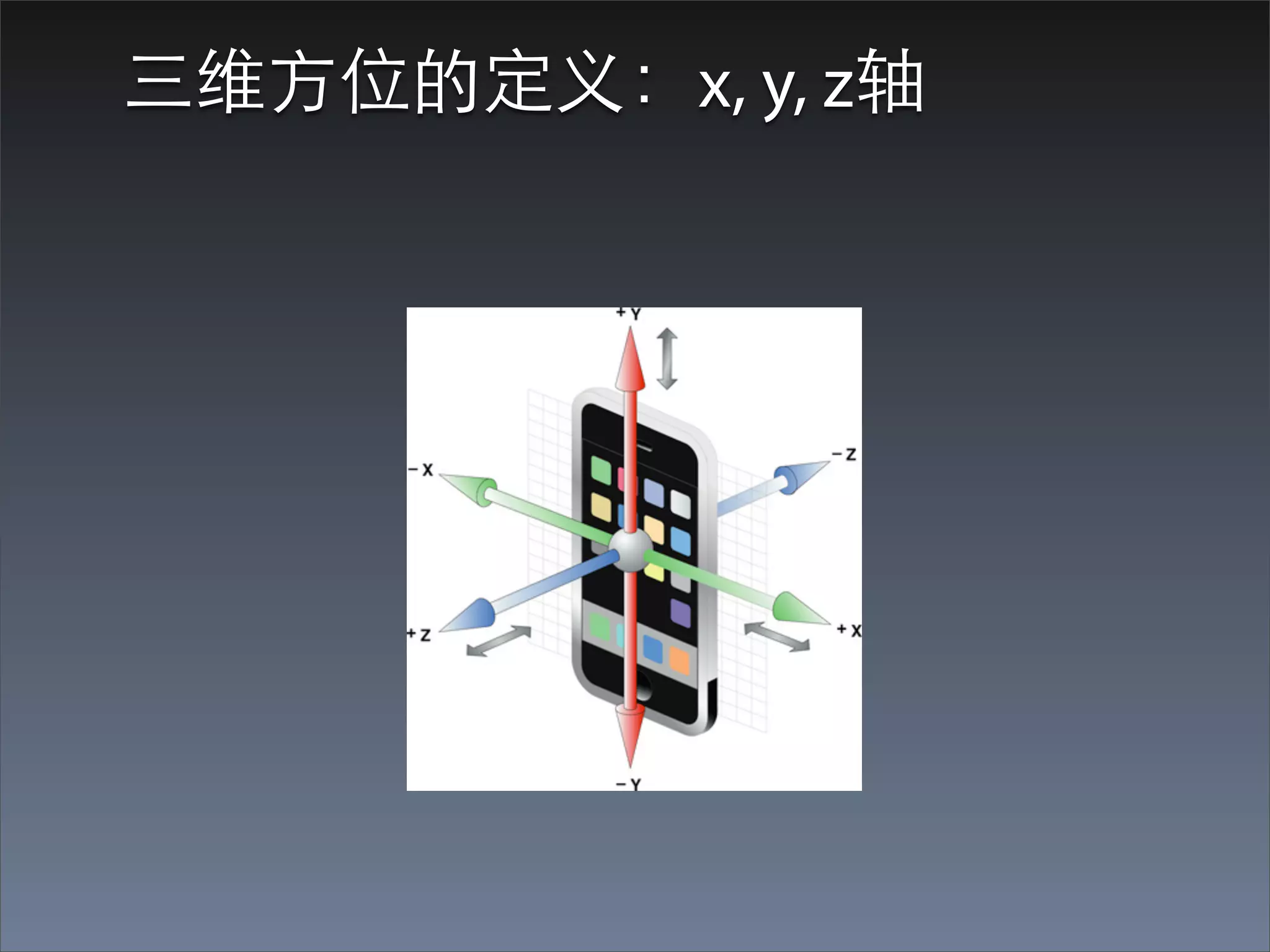
三维⽅方位的定义:x, y, z轴
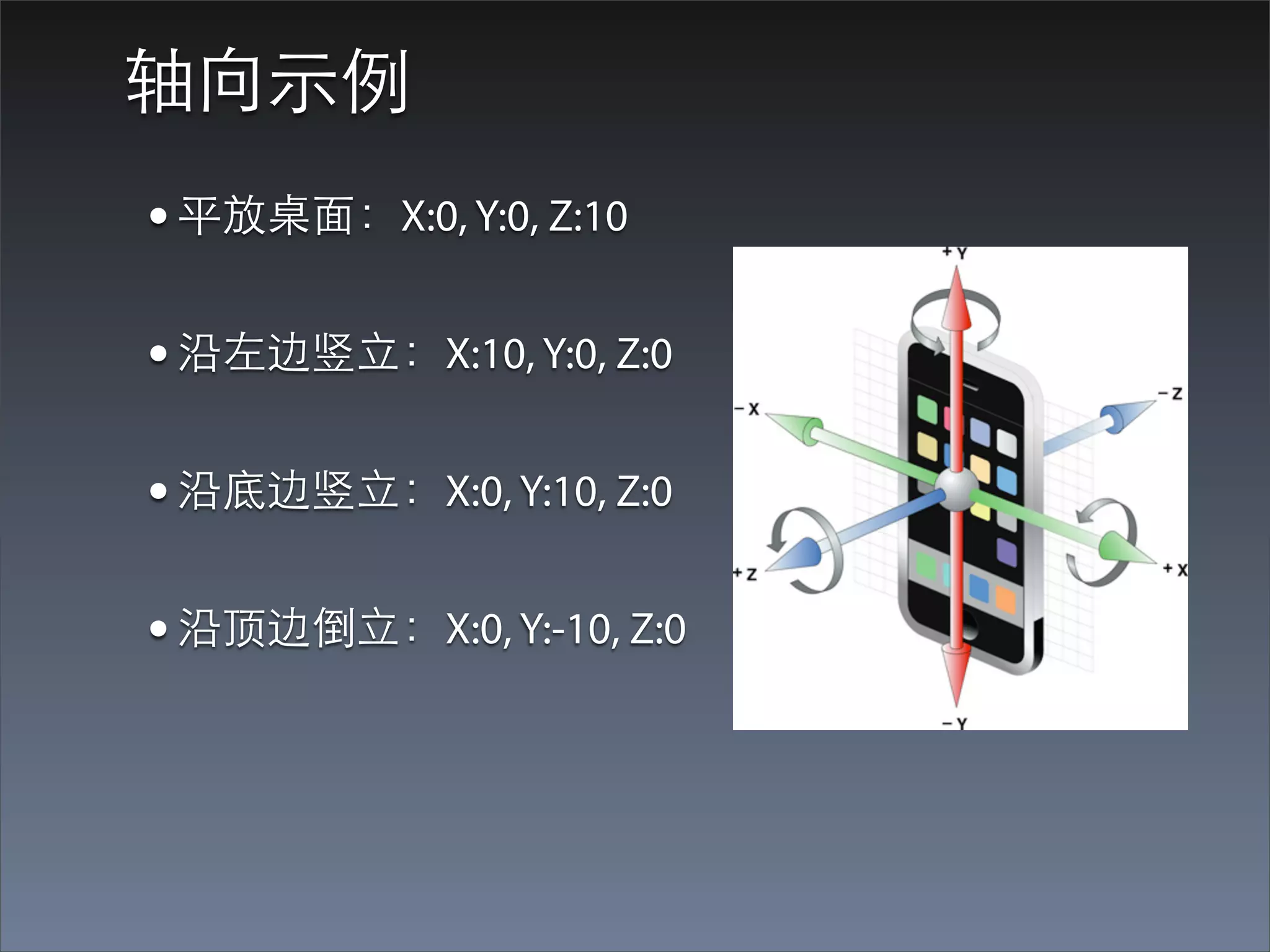
轴向⽰示例
• 平放桌⾯面:X:0, Y:0, Z:10
• 沿左边竖⽴立:X:10, Y:0, Z:0
• 沿底边竖⽴立:X:0, Y:10, Z:0
• 沿顶边倒⽴立:X:0, Y:-10, Z:0
Accelerometer的应⽤用
• ⽤用户交互的⼀一种⽅方式
• 游戏:Midnight Bowling,Driving Game
• 趣味:摇⼀一摇功能
Accelerometer两个主要API
• 查询设备的当前⽅方位
• 判断加速度
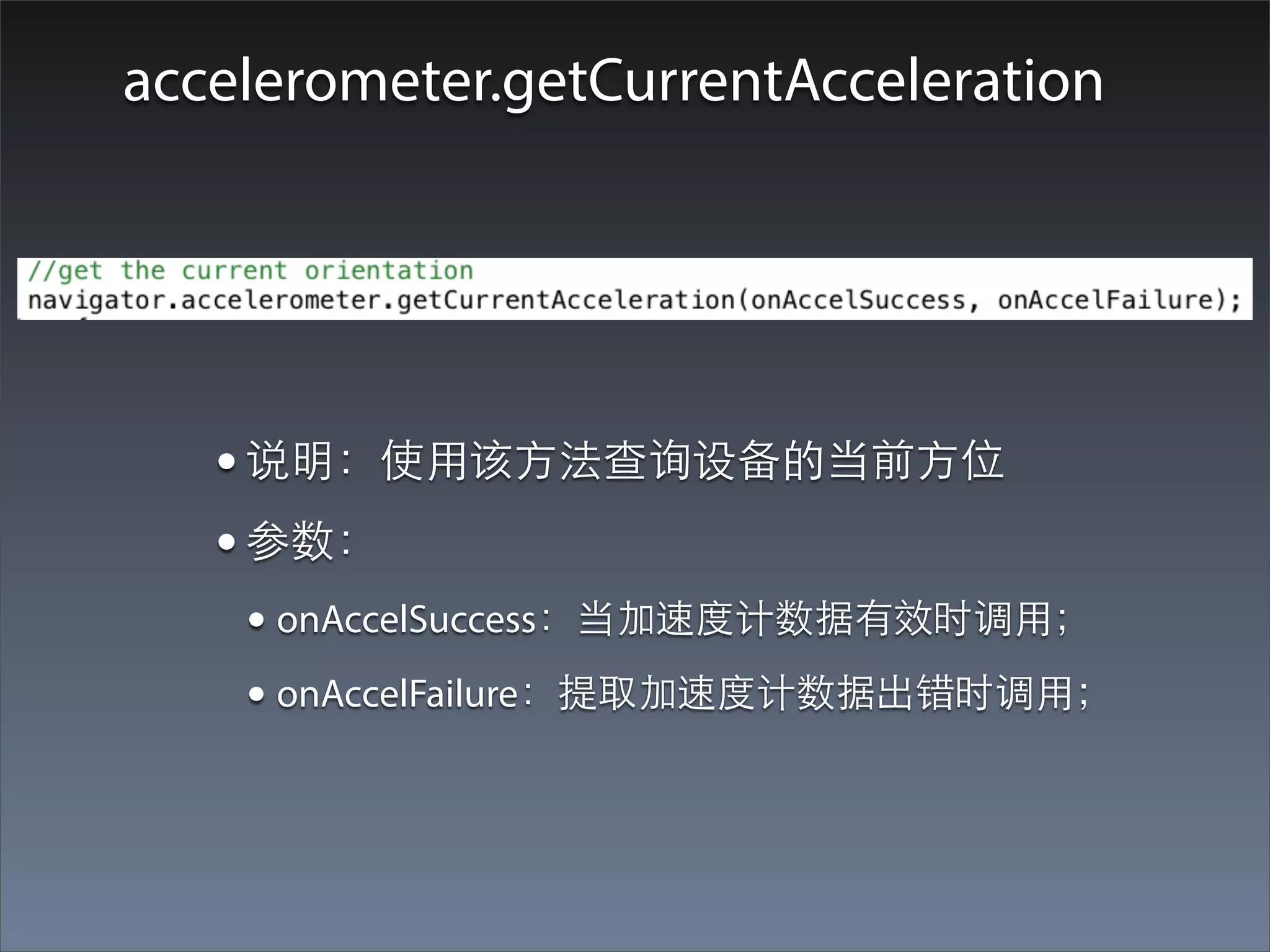
accelerometer.getCurrentAcceleration


   • 说明:使⽤用该⽅方法查询设备的当前⽅方位
   • 参数:
    • onAccelSuccess:当加速度计数据有效时调⽤用;
    • onAccelFailure:提取加速度计数据出错时调⽤用;
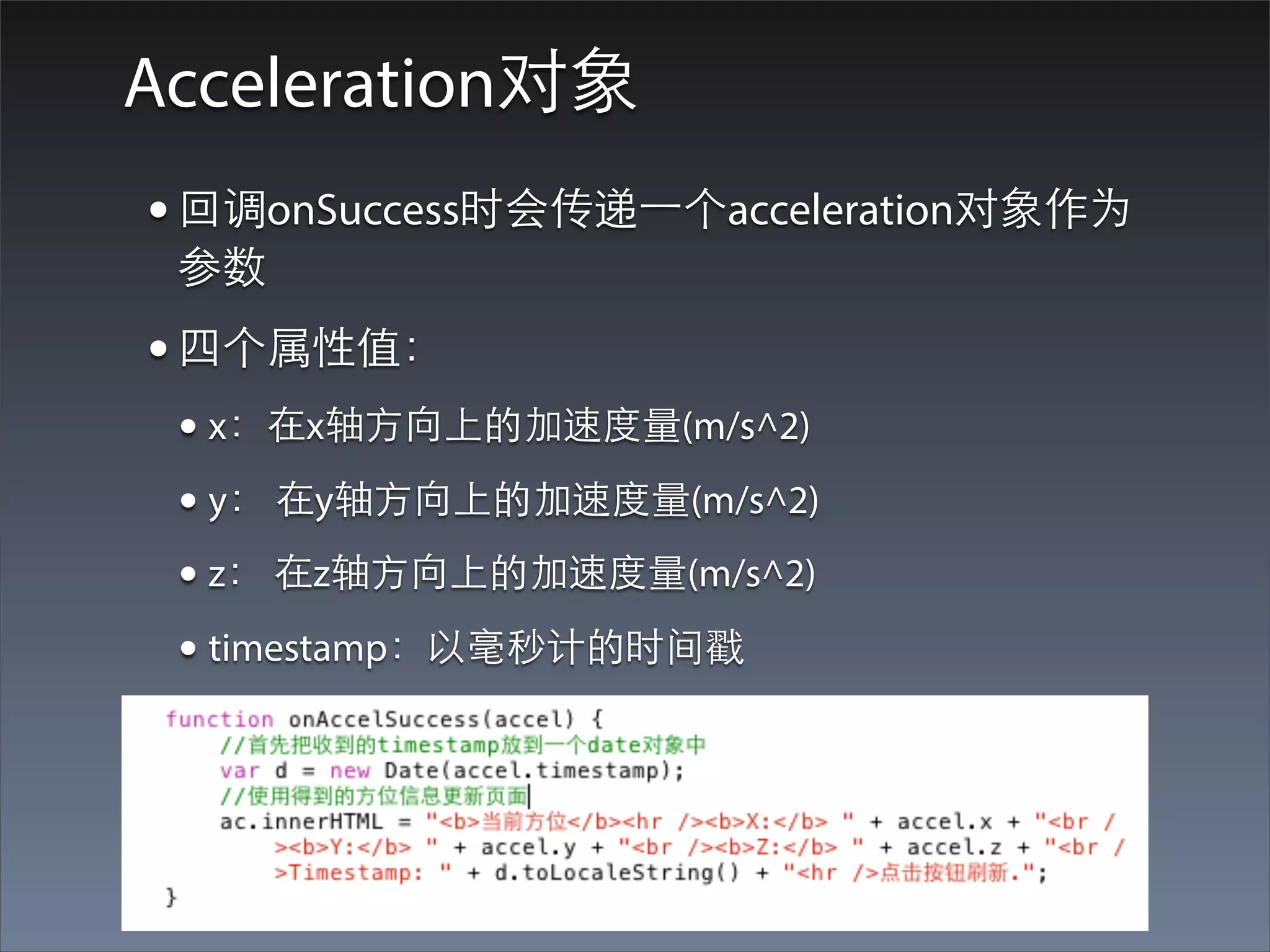
Acceleration对象
• 回调onSuccess时会传递⼀一个acceleration对象作为
 参数
• 四个属性值:
 • x:在x轴⽅方向上的加速度量(m/s^2)
 • y: 在y轴⽅方向上的加速度量(m/s^2)
 • z: 在z轴⽅方向上的加速度量(m/s^2)
 • timestamp:以毫秒计的时间戳
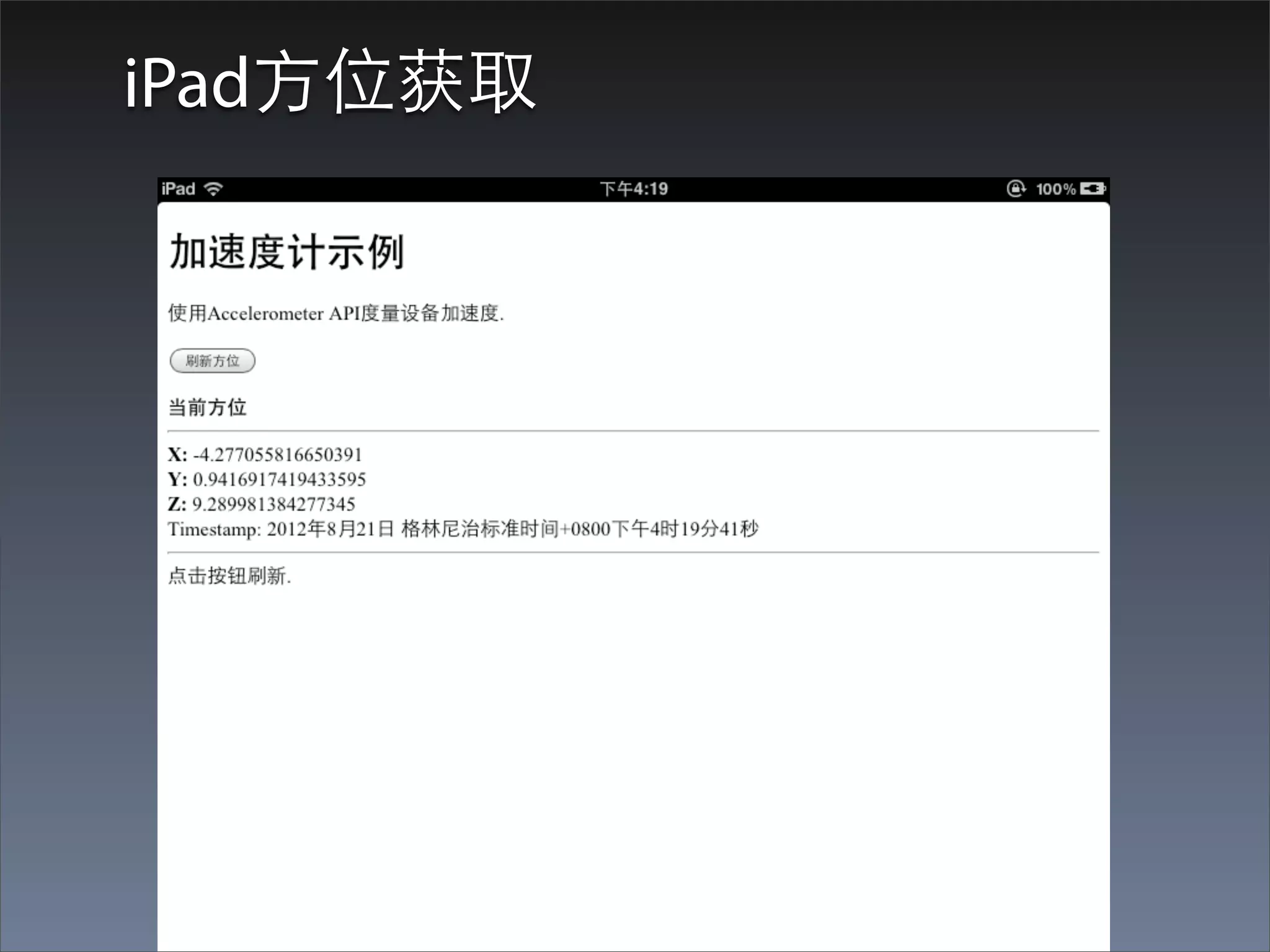
Demo:Accel01
iPad⽅方位获取
设备⽅方位的观测
• ⽅方法1:⼿手动实现阶段性的⽅方向检查
• 定义加速度计观测
• iOS Core Motion的实现
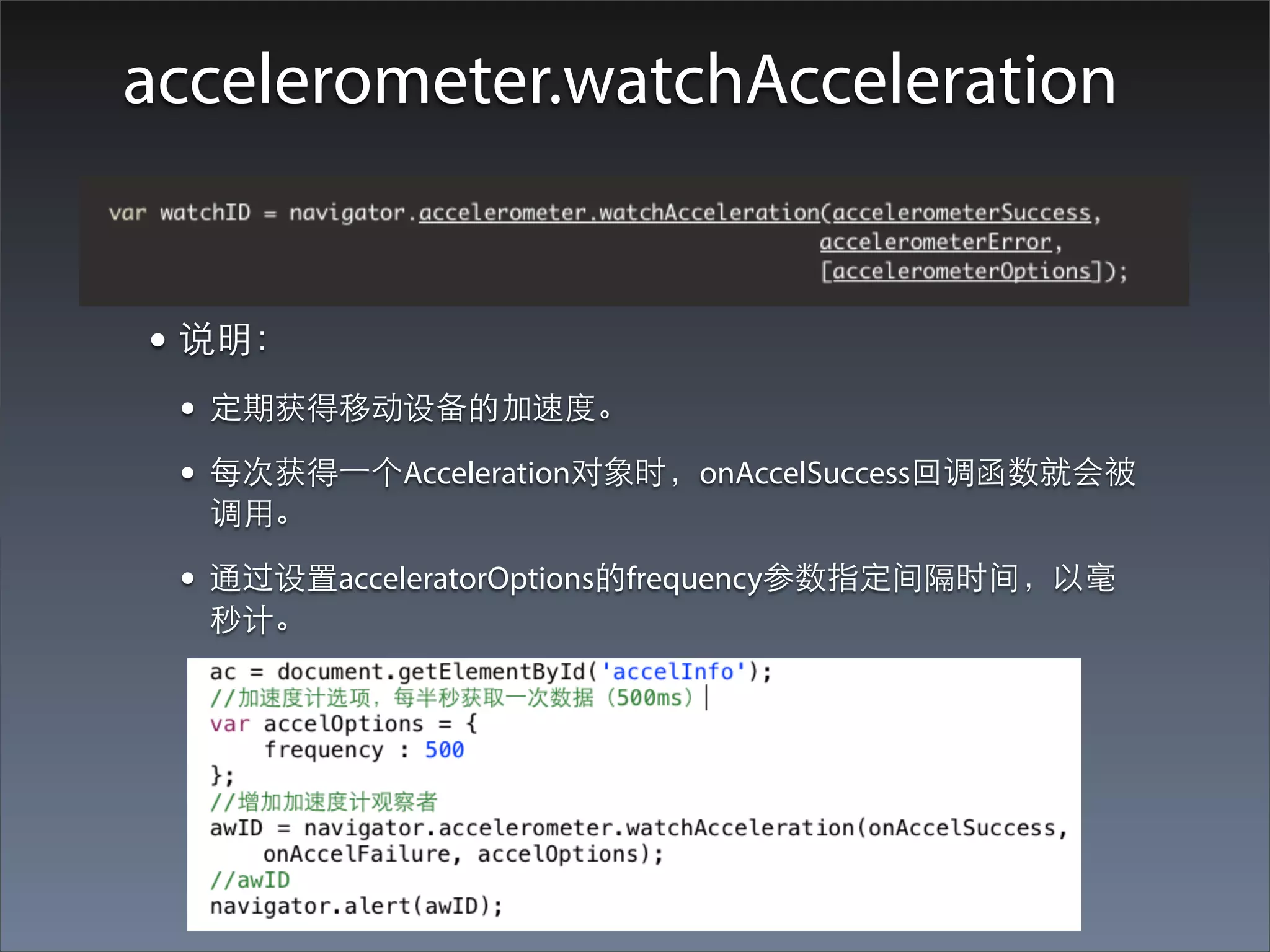
accelerometer.watchAcceleration


• 说明:
 • 定期获得移动设备的加速度。
 • 每次获得⼀一个Acceleration对象时,onAccelSuccess回调函数就会被
  调⽤用。

 • 通过设置acceleratorOptions的frequency参数指定间隔时间,以毫
  秒计。
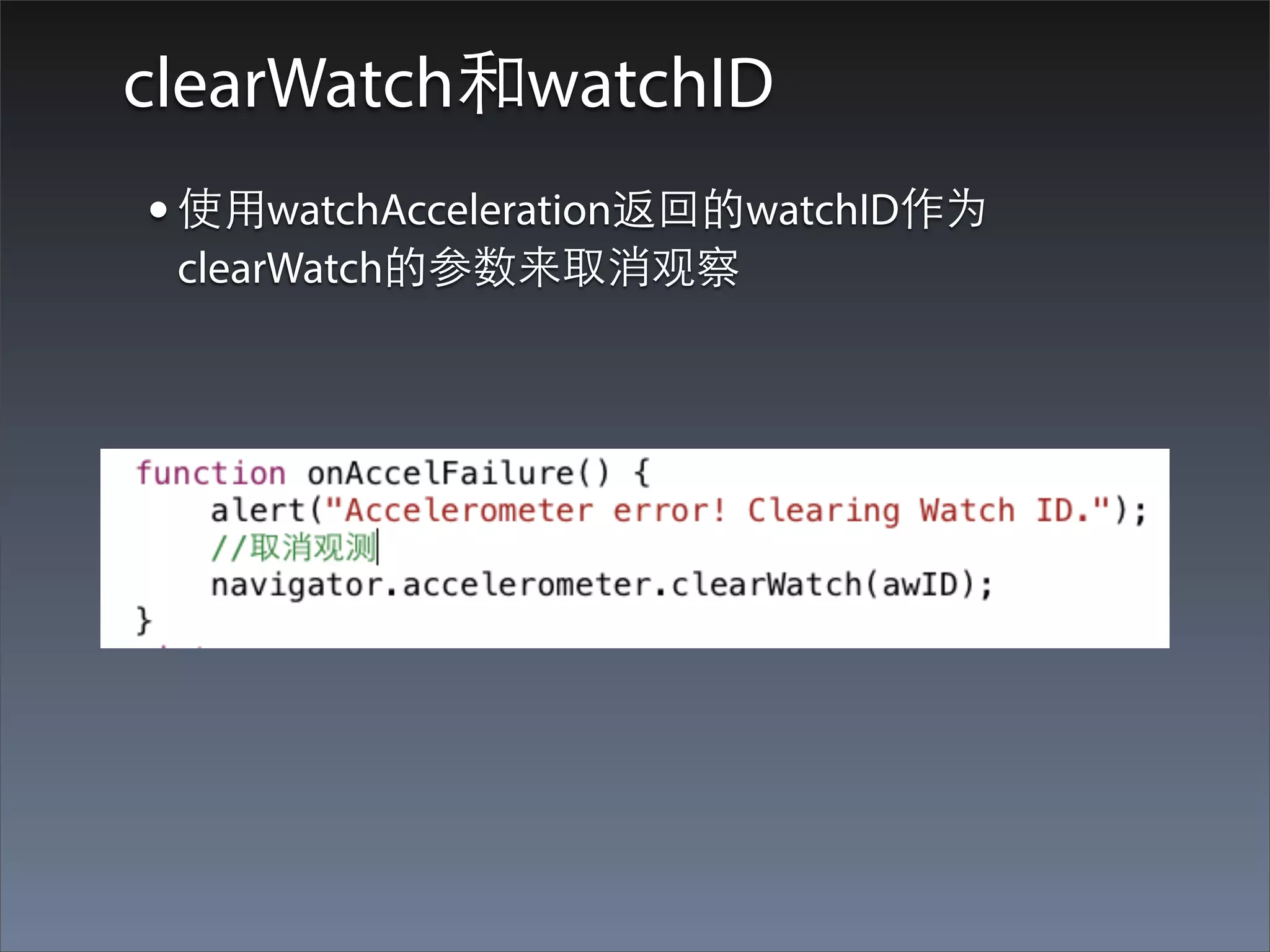
clearWatch和watchID
• 使⽤用watchAcceleration返回的watchID作为
 clearWatch的参数来取消观察
Accelerometer注意问题
• 加速度计的返回值问题:操作系统不同,返回值
 的范围也有差异
• 加速度计硬件检测问题
• accelOptions的默认值:如果accelOptions参数被
 忽略,那么默认每10秒中测量⼀一次加速度计数
 据。(accelerometerOptions只有⼀一个选项:
 frequency)
• iPhone Quirks
Camera
Camera API简介
PhoneGap Camera API提供给应⽤用处理照⽚片的能
⼒力,可以直接从摄像头采集或者从设备的相册获取
照⽚片。
当提取照⽚片时,API可以返回指向设备⽂文件系统上
的image⽂文件URI,或者以base64编码字符串的⽅方式
返回image⽂文件内容。
Camera API只提供了⼀一个⽅方法:
navigator.camera.getPicture。但是getPicture的
cameraOptions参数提供了⾮非常丰富的配置选项!
访问照⽚片(拍照,相⽚片库)
  navigator.camera.getPicture( onCameraSuccess,
       onCameraError, [ cameraOptions ] );


• 说明:
• 同样需要传⼊入两个函数:onCameraSuccess,
 onCameraError。成功得到照⽚片的时候调⽤用
 onCameraSuccess函数;⽤用户取消或者获取照⽚片失败的
 时候会调⽤用onCameraError函数。

• cameraOptions是⼀一个可选的配置选项。(后⾯面会详细
 介绍)
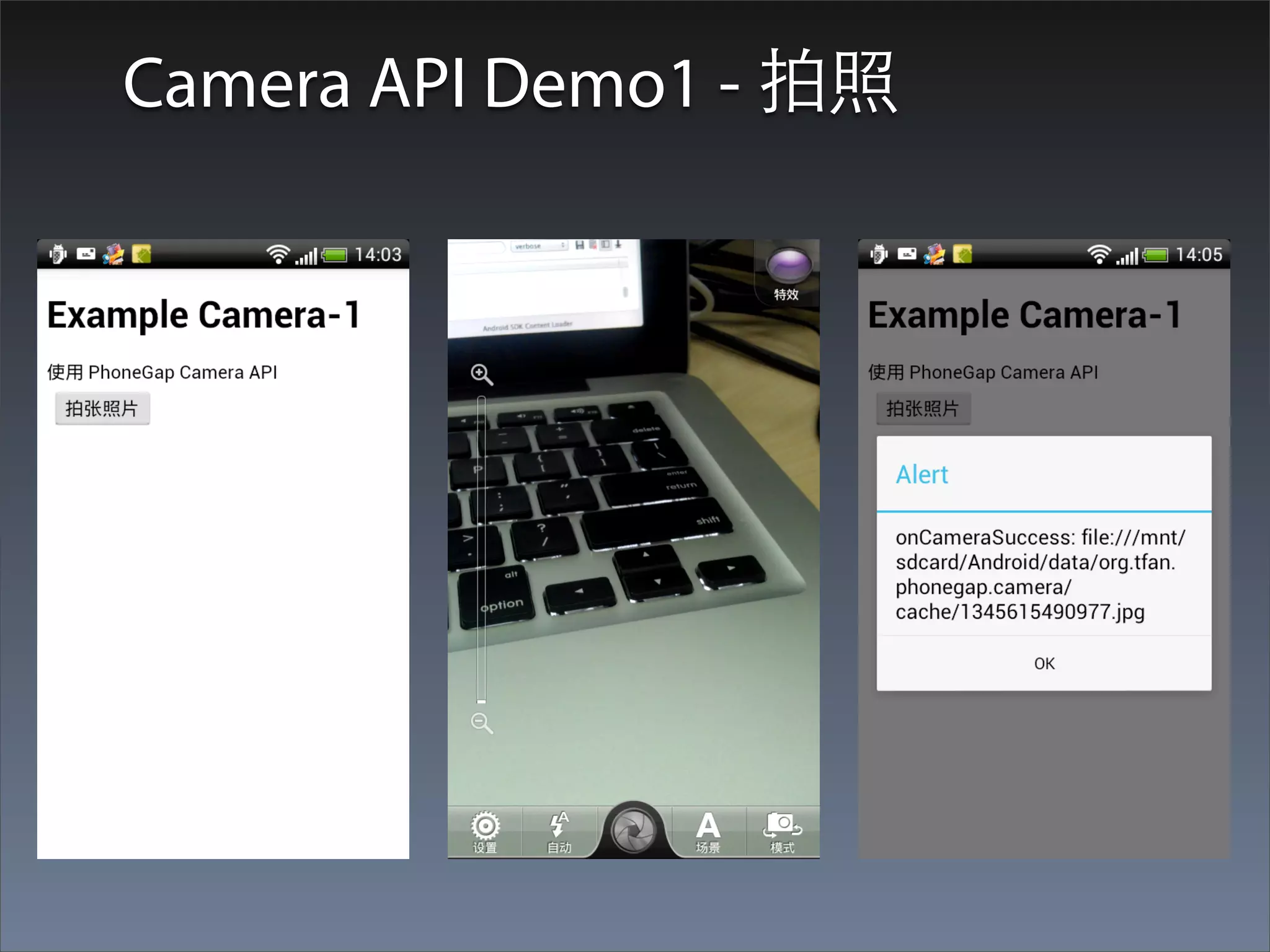
Camera API Demo1 - 拍照
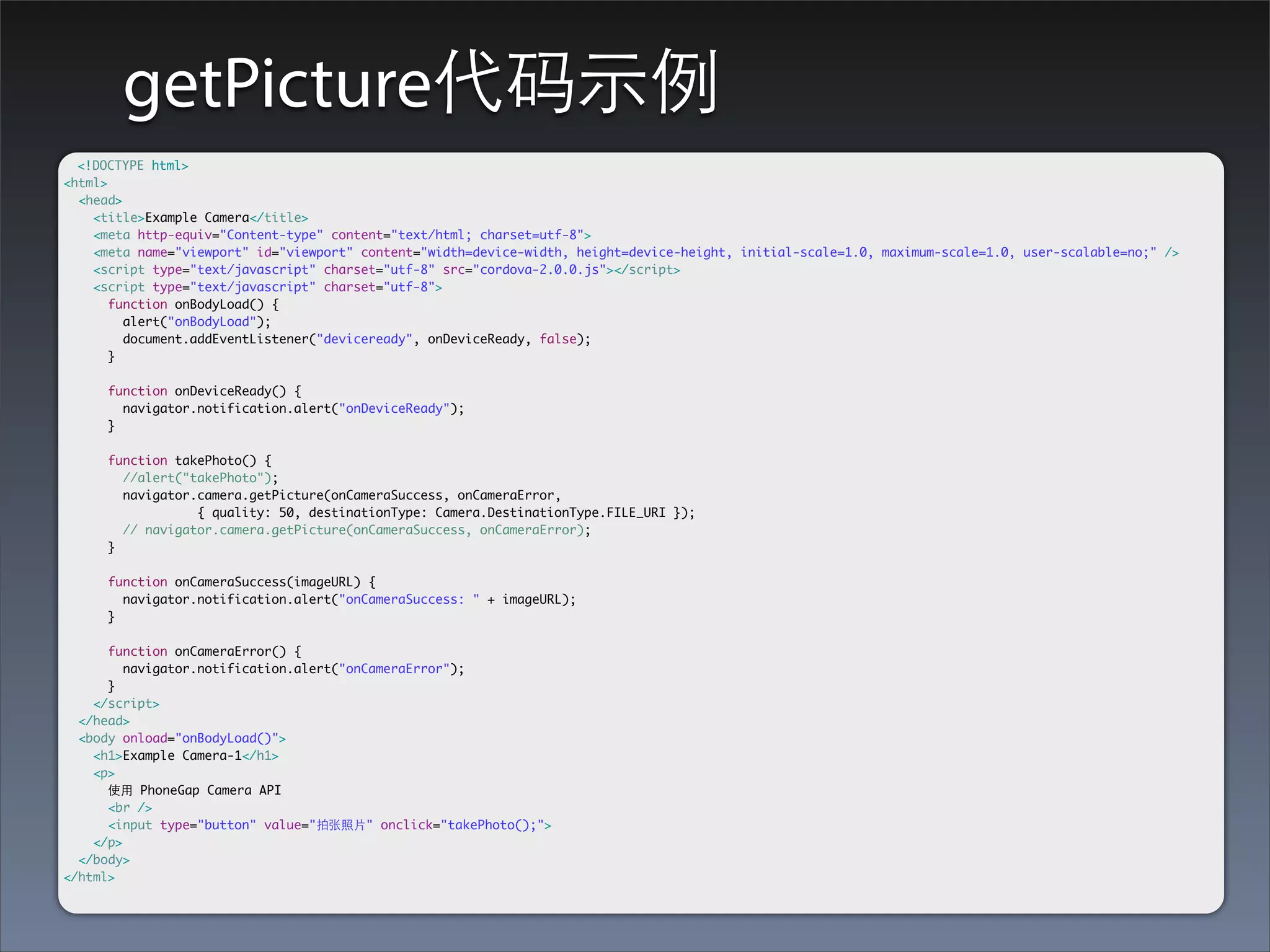
getPicture代码⽰示例
  <!DOCTYPE html>
<html>
  <head>
    <title>Example Camera</title>
    <meta http-equiv="Content-type" content="text/html; charset=utf-8">
    <meta name="viewport" id="viewport" content="width=device-width, height=device-height, initial-scale=1.0, maximum-scale=1.0, user-scalable=no;" />
    <script type="text/javascript" charset="utf-8" src="cordova-2.0.0.js"></script>
    <script type="text/javascript" charset="utf-8">
       function onBodyLoad() {
         alert("onBodyLoad");
         document.addEventListener("deviceready", onDeviceReady, false);
       }

      function onDeviceReady() {
        navigator.notification.alert("onDeviceReady");
      }

      function takePhoto() {
        //alert("takePhoto");
        navigator.camera.getPicture(onCameraSuccess, onCameraError,
        	   	     { quality: 50, destinationType: Camera.DestinationType.FILE_URI });
        // navigator.camera.getPicture(onCameraSuccess, onCameraError);
      }

      function onCameraSuccess(imageURL) {
        navigator.notification.alert("onCameraSuccess: " + imageURL);
      }

      function onCameraError() {
         navigator.notification.alert("onCameraError");
      }
    </script>
  </head>
  <body onload="onBodyLoad()">
    <h1>Example Camera-1</h1>
    <p>
      使⽤用 PhoneGap Camera API
      <br />
      <input type="button" value="拍张照⽚片" onclick="takePhoto();">
    </p>
  </body>
</html>
cameraOptions的默认⾏行为
• 从camera获得照⽚片
• 返回指向图⽚片⽂文件的URI
• iOS和Android的注意问题
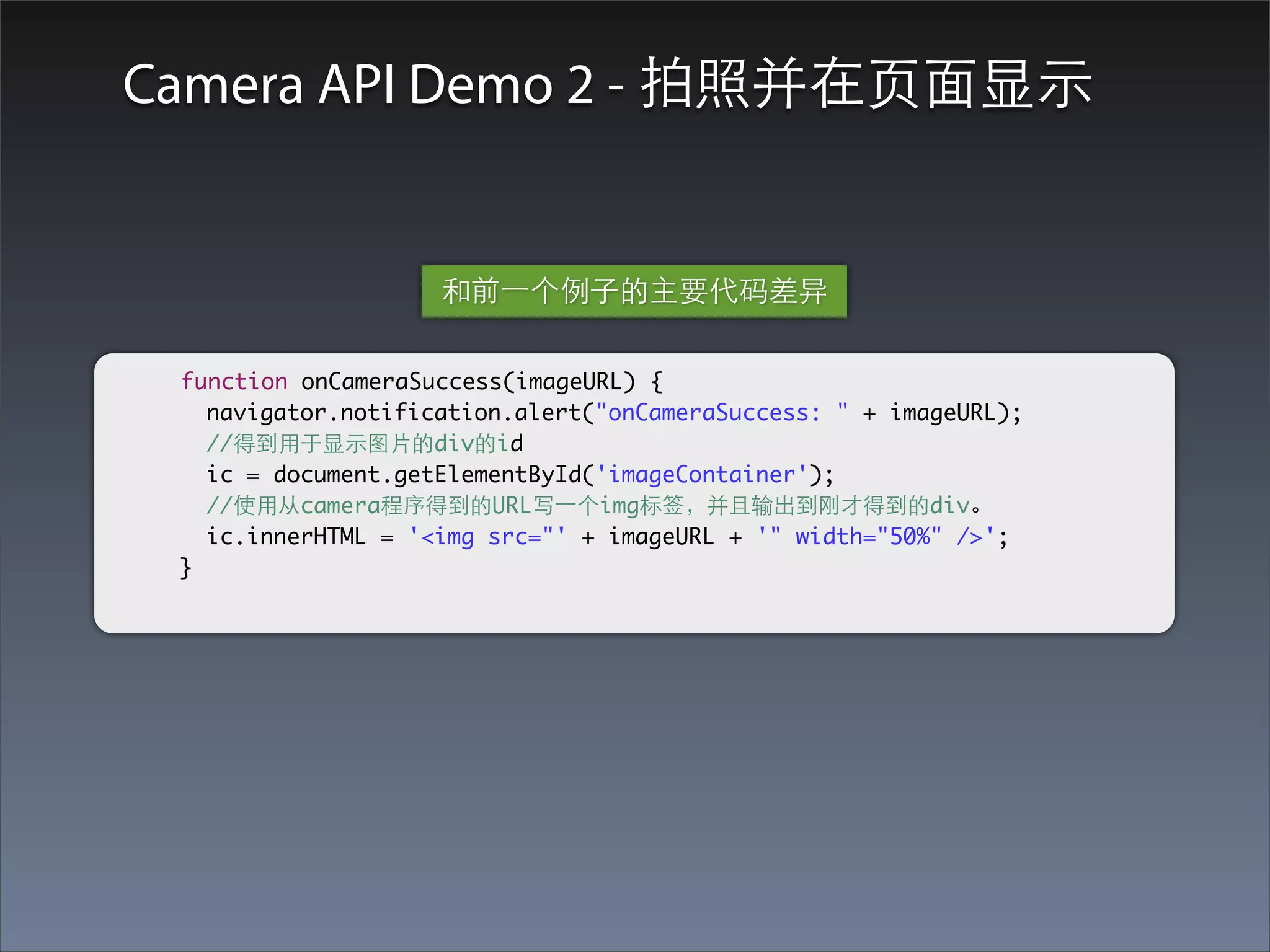
Camera API Demo 2 - 拍照并在⻚页⾯面显⽰示


                    和前⼀一个例⼦子的主要代码差异

 function onCameraSuccess(imageURL) {
   navigator.notification.alert("onCameraSuccess: " + imageURL);
   //得到⽤用于显⽰示图⽚片的div的id
   ic = document.getElementById('imageContainer');
   //使⽤用从camera程序得到的URL写⼀一个img标签,并且输出到刚才得到的div。
   ic.innerHTML = '<img src="' + imageURL + '" width="50%" />';
 }
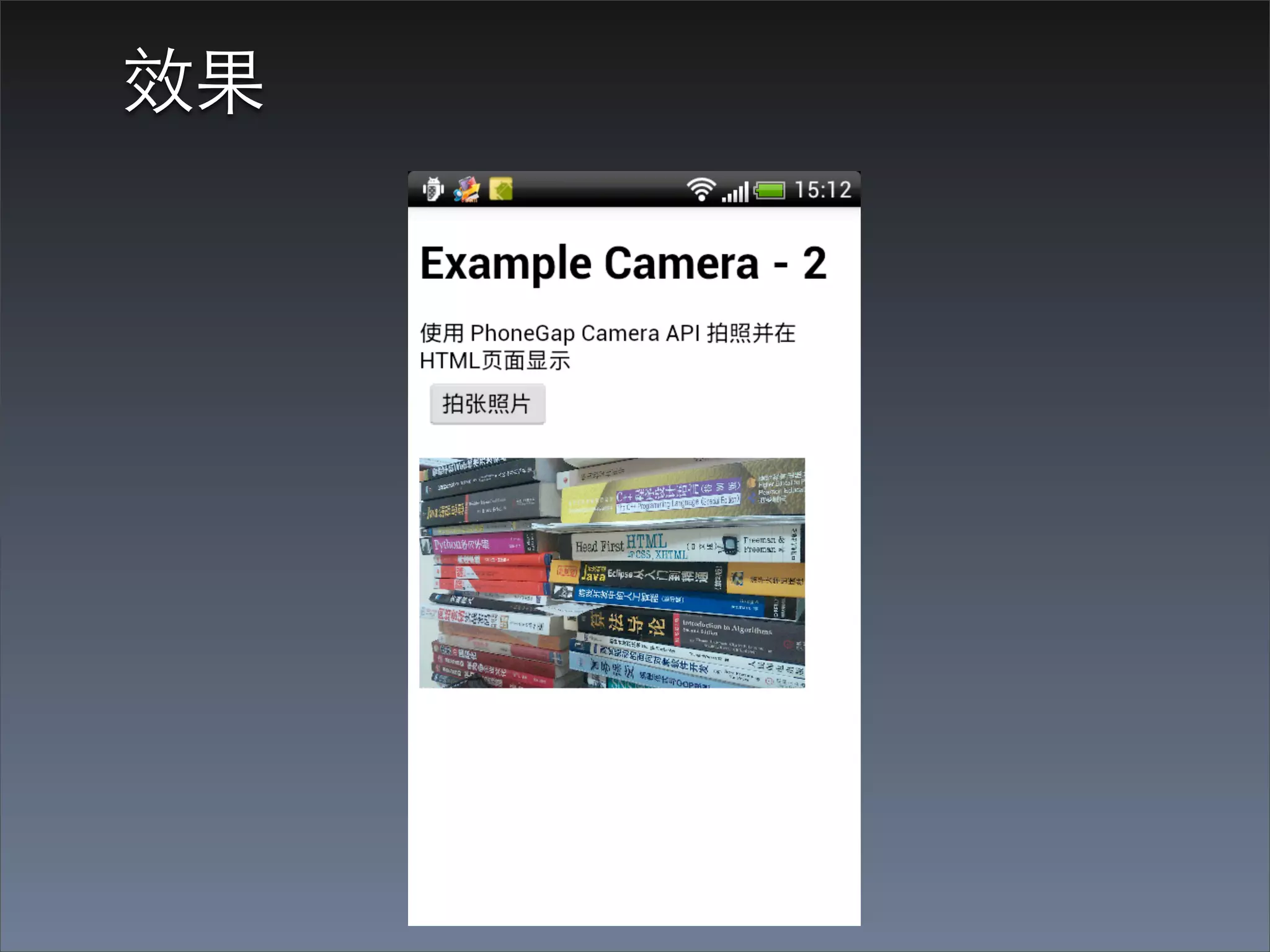
效果
cameraOptions - quality

	        	{   quality : 75,
    		        destinationType : Camera.DestinationType.DATA_URL,
    		        sourceType : Camera.PictureSourceType.CAMERA,
    		        allowEdit : true,
    		        encodingType: Camera.EncodingType.JPEG,
    		        targetWidth: 100,
    		        targetHeight: 100,
    		        popoverOptions: CameraPopoverOptions,
    		        saveToPhotoAlbum: false };


         quality:保存相⽚片的质量。范围[0, 100](Number)
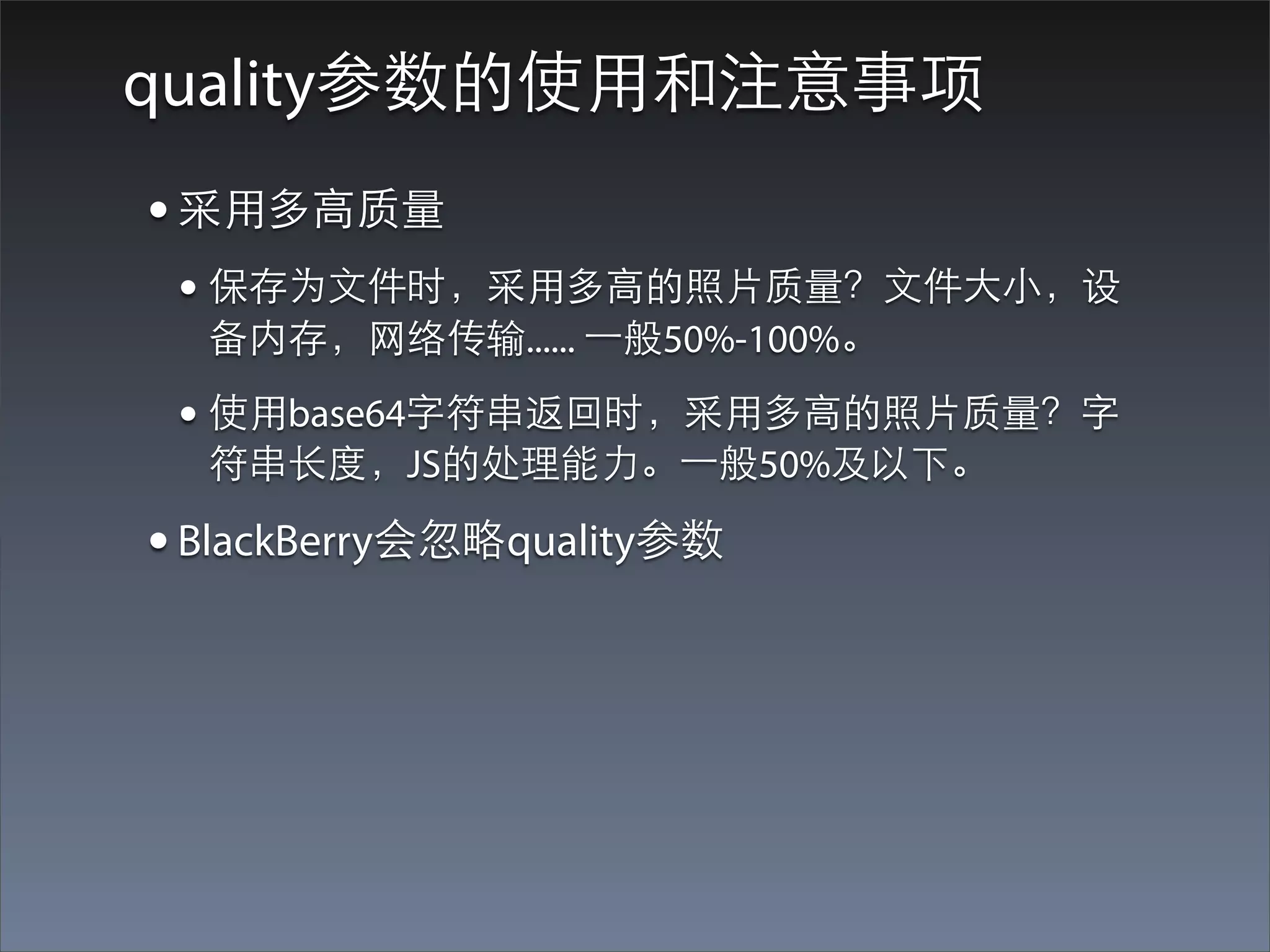
quality参数的使⽤用和注意事项
• 采⽤用多⾼高质量
 • 保存为⽂文件时,采⽤用多⾼高的照⽚片质量?⽂文件⼤大⼩小,设
  备内存,⺴⽹网络传输...... ⼀一般50%-100%。

 • 使⽤用base64字符串返回时,采⽤用多⾼高的照⽚片质量?字
  符串⻓长度,JS的处理能⼒力。⼀一般50%及以下。

• BlackBerry会忽略quality参数
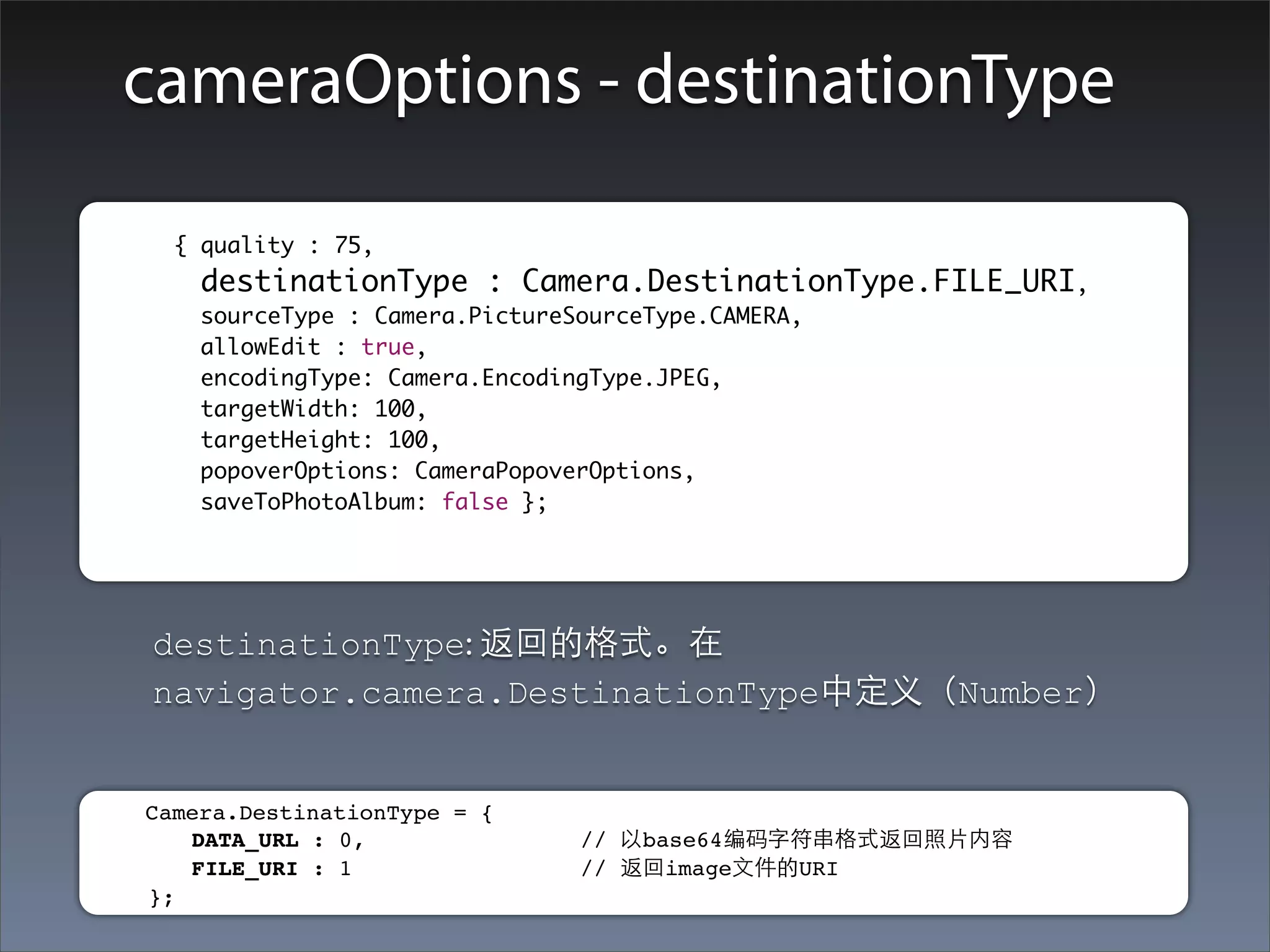
cameraOptions - destinationType

	        	 { quality : 75,
    		      destinationType : Camera.DestinationType.FILE_URI,
    		      sourceType : Camera.PictureSourceType.CAMERA,
    		      allowEdit : true,
    		      encodingType: Camera.EncodingType.JPEG,
    		      targetWidth: 100,
    		      targetHeight: 100,
    		      popoverOptions: CameraPopoverOptions,
    		      saveToPhotoAlbum: false };


         destinationType: 返回的格式。在
         navigator.camera.DestinationType中定义(Number)


     Camera.DestinationType = {
        DATA_URL : 0,                // 以base64编码字符串格式返回照⽚片内容
        FILE_URI : 1                 // 返回image⽂文件的URI
     };
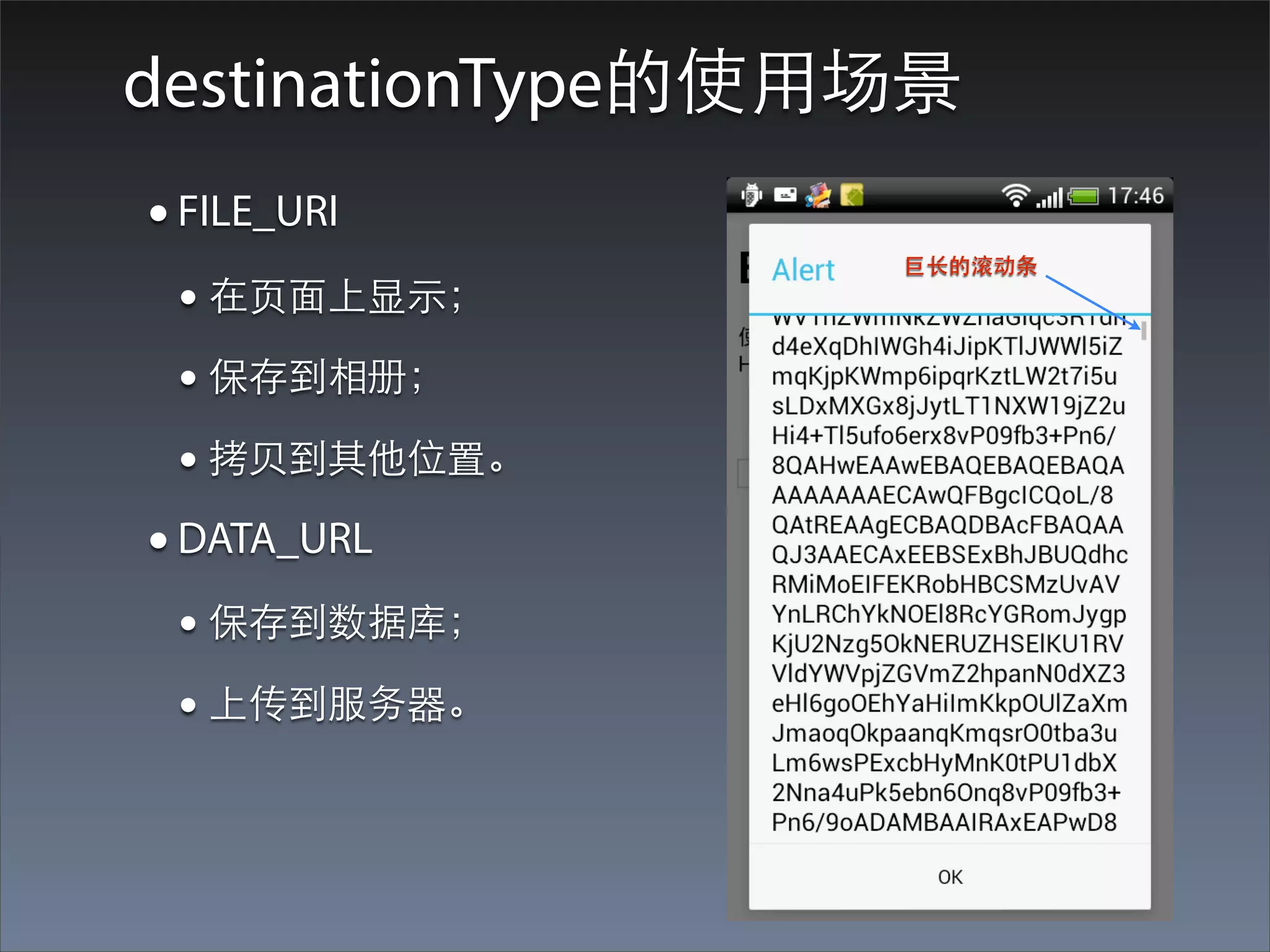
destinationType的使⽤用场景
• FILE_URI
                   巨⻓长的滚动条
 • 在⻚页⾯面上显⽰示;
 • 保存到相册;
 • 拷⻉贝到其他位置。
• DATA_URL
 • 保存到数据库;
 • 上传到服务器。
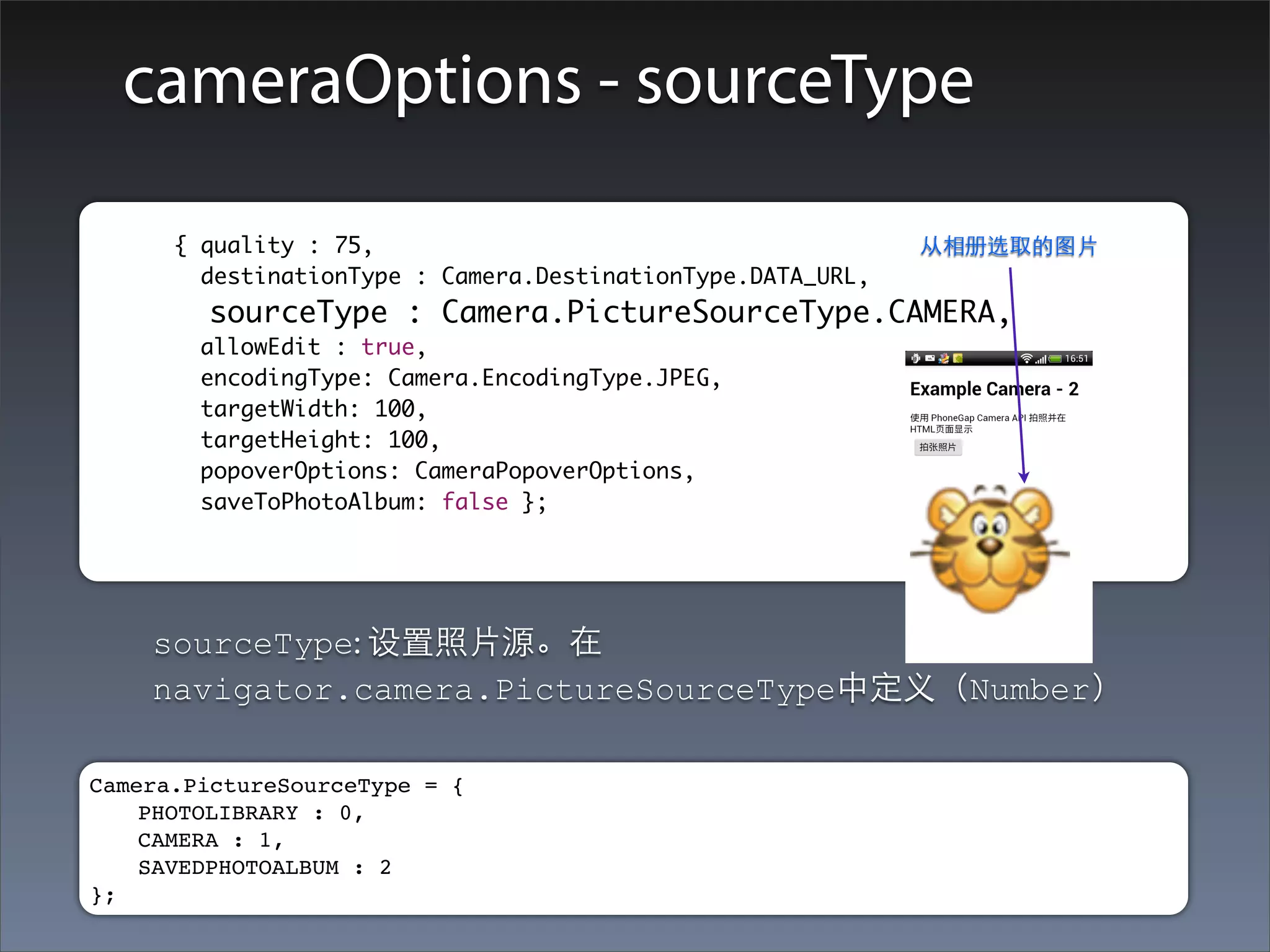
cameraOptions - sourceType

	      	 { quality : 75,                                        从相册选取的图⽚片
    		     destinationType : Camera.DestinationType.DATA_URL,
    		     sourceType : Camera.PictureSourceType.CAMERA,
    		     allowEdit : true,
    		     encodingType: Camera.EncodingType.JPEG,
    		     targetWidth: 100,
    		     targetHeight: 100,
    		     popoverOptions: CameraPopoverOptions,
    		     saveToPhotoAlbum: false };


         sourceType: 设置照⽚片源。在
         navigator.camera.PictureSourceType中定义(Number)

Camera.PictureSourceType = {
    PHOTOLIBRARY : 0,
    CAMERA : 1,
    SAVEDPHOTOALBUM : 2
};
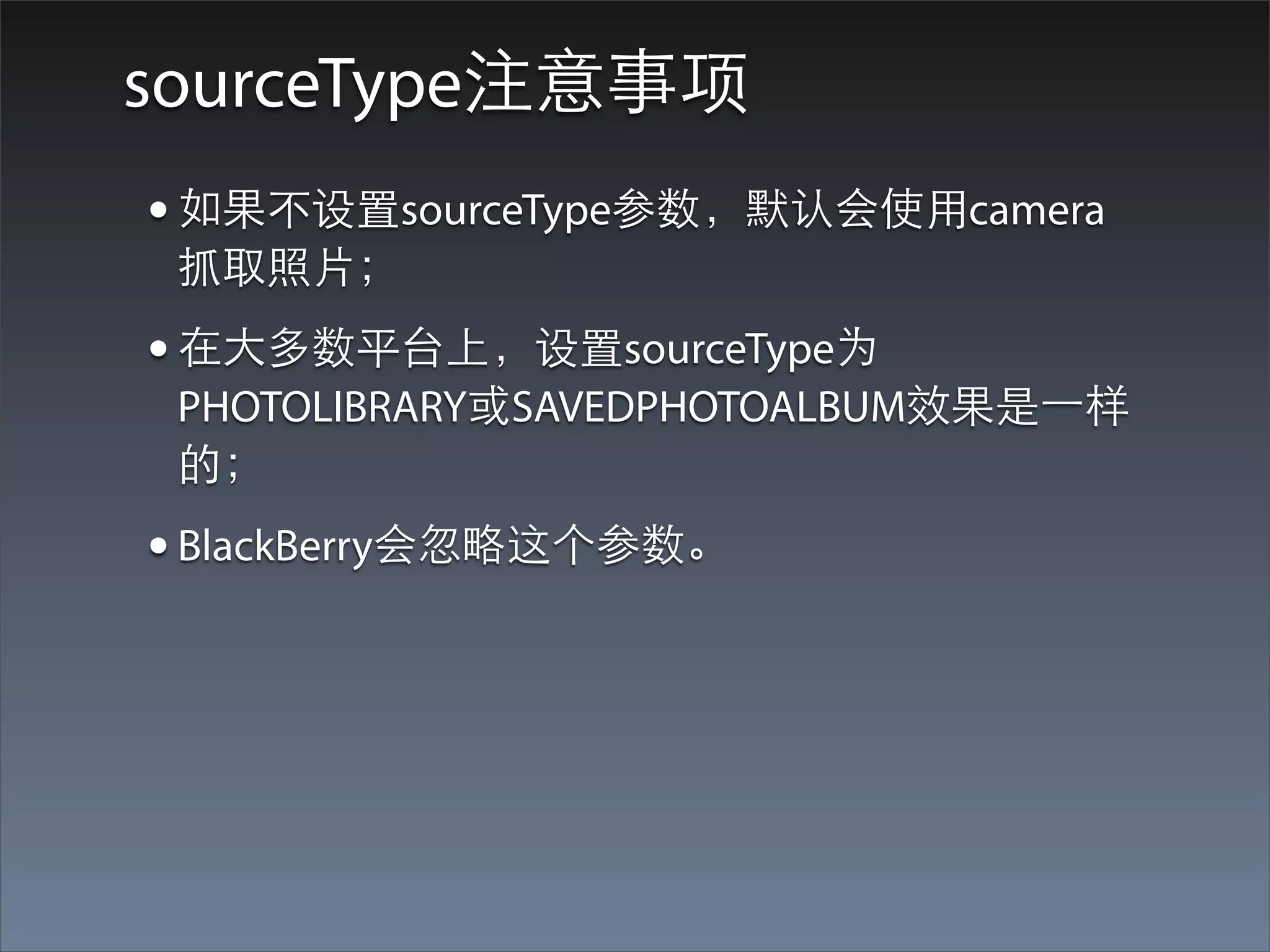
sourceType注意事项
• 如果不设置sourceType参数,默认会使⽤用camera
 抓取照⽚片;
• 在⼤大多数平台上,设置sourceType为
 PHOTOLIBRARY或SAVEDPHOTOALBUM效果是⼀一样
 的;
• BlackBerry会忽略这个参数。
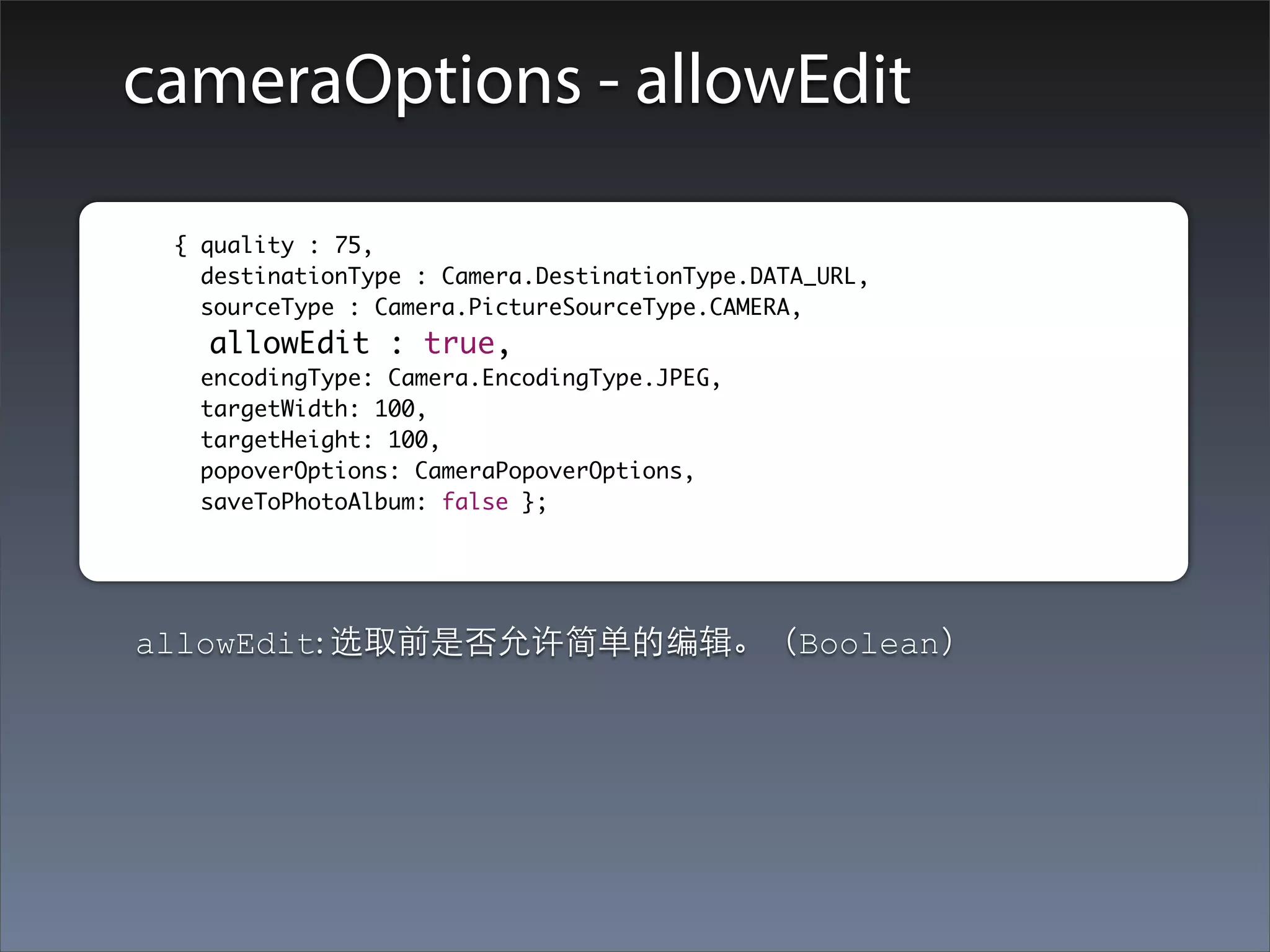
cameraOptions - allowEdit

	      	 { quality : 75,
    		     destinationType : Camera.DestinationType.DATA_URL,
    		     sourceType : Camera.PictureSourceType.CAMERA,
    		     allowEdit : true,
    		    encodingType: Camera.EncodingType.JPEG,
    		    targetWidth: 100,
    		    targetHeight: 100,
    		    popoverOptions: CameraPopoverOptions,
    		    saveToPhotoAlbum: false };


     allowEdit: 选取前是否允许简单的编辑。(Boolean)
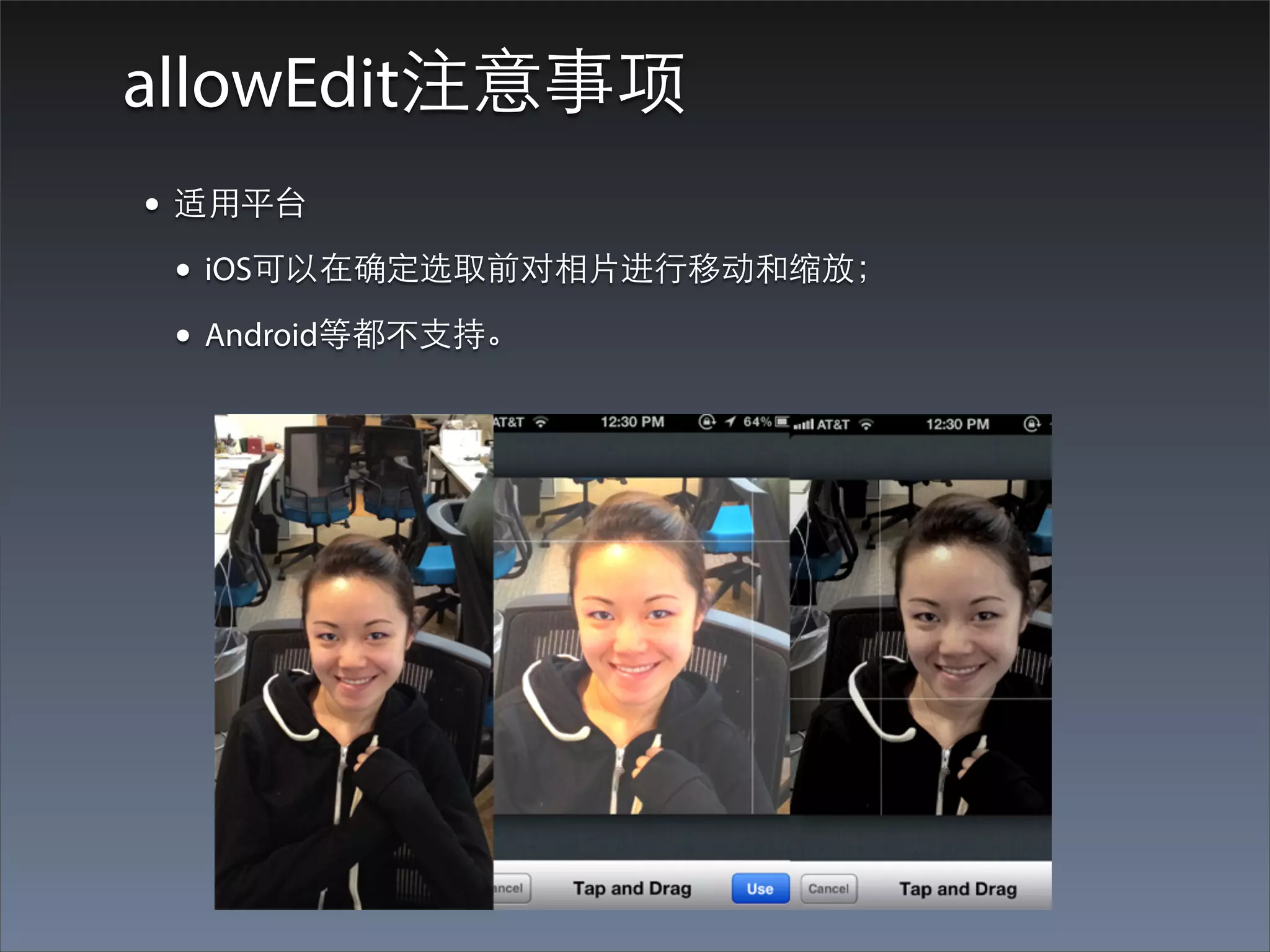
allowEdit注意事项
• 适⽤用平台
  • iOS可以在确定选取前对相⽚片进⾏行移动和缩放;
  • Android等都不⽀支持。
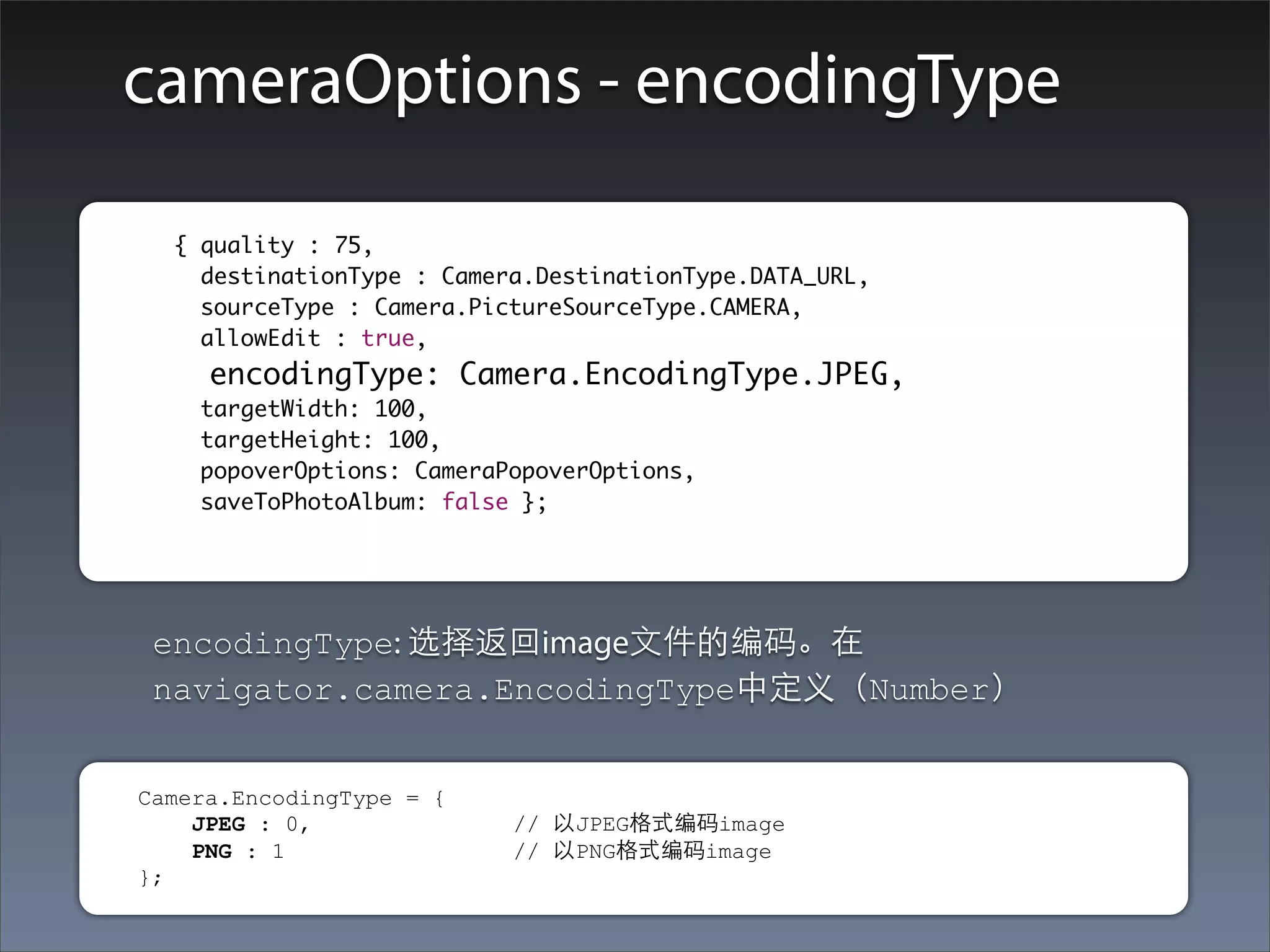
cameraOptions - encodingType

	      	 { quality : 75,
    		     destinationType : Camera.DestinationType.DATA_URL,
    		     sourceType : Camera.PictureSourceType.CAMERA,
    		     allowEdit : true,
    		     encodingType: Camera.EncodingType.JPEG,
    		     targetWidth: 100,
    		     targetHeight: 100,
    		     popoverOptions: CameraPopoverOptions,
    		     saveToPhotoAlbum: false };


         encodingType: 选择返回image⽂文件的编码。在
         navigator.camera.EncodingType中定义(Number)


     Camera.EncodingType = {
         JPEG : 0,                // 以JPEG格式编码image
         PNG : 1                  // 以PNG格式编码image
     };
encodingType注意事项
• ⼤大部分平台默认是JPEG格式。(照⽚片通常是JPEG)
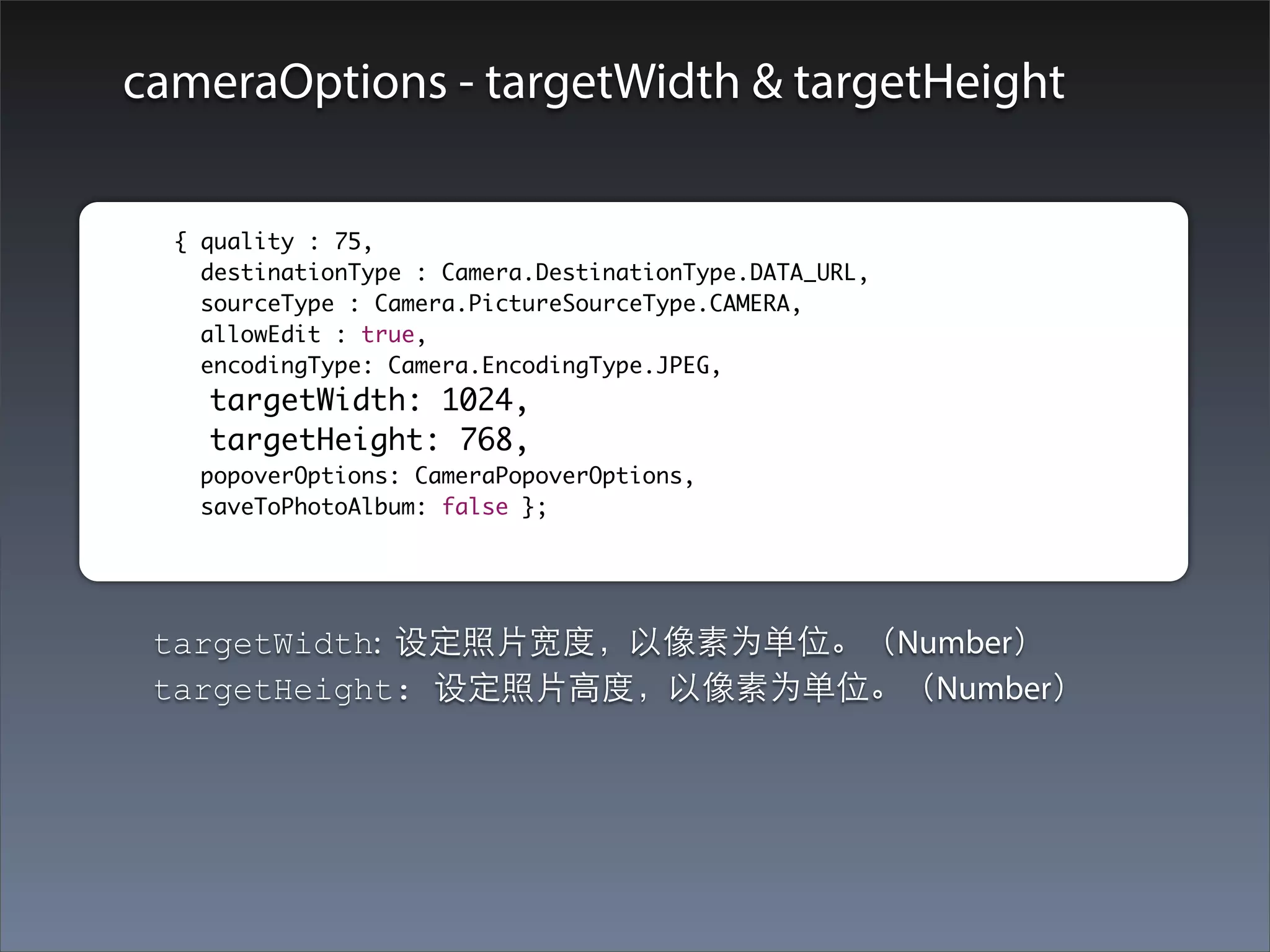
cameraOptions - targetWidth & targetHeight

	        	 { quality : 75,
    		       destinationType : Camera.DestinationType.DATA_URL,
    		       sourceType : Camera.PictureSourceType.CAMERA,
    		       allowEdit : true,
    		       encodingType: Camera.EncodingType.JPEG,
    		       targetWidth: 1024,
    		       targetHeight: 768,
    		      popoverOptions: CameraPopoverOptions,
    		      saveToPhotoAlbum: false };


         targetWidth: 设定照⽚片宽度,以像素为单位。(Number)
         targetHeight: 设定照⽚片⾼高度,以像素为单位。(Number)
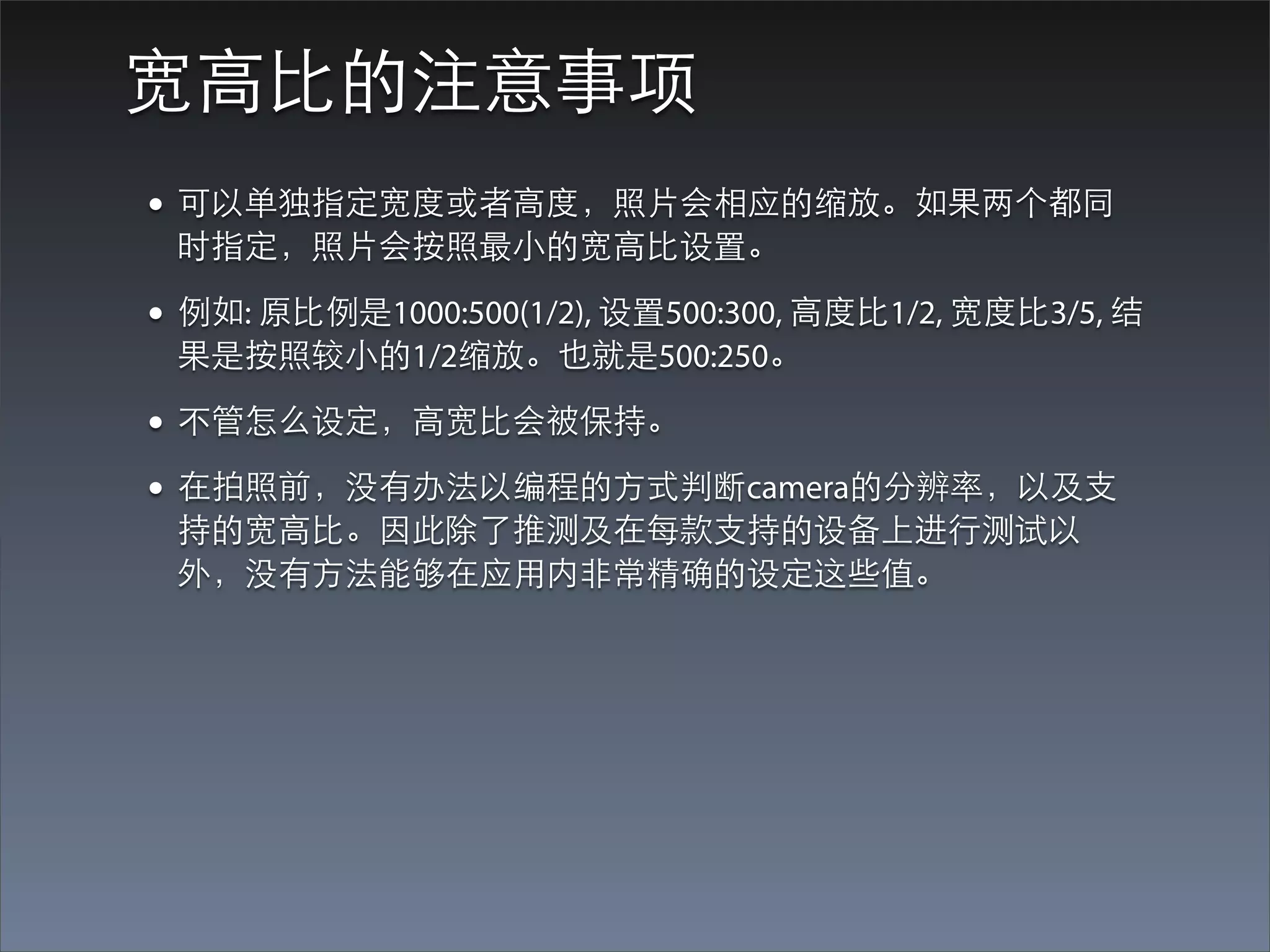
宽⾼高⽐比的注意事项
• 可以单独指定宽度或者⾼高度,照⽚片会相应的缩放。如果两个都同
 时指定,照⽚片会按照最⼩小的宽⾼高⽐比设置。

• 例如: 原⽐比例是1000:500(1/2), 设置500:300, ⾼高度⽐比1/2, 宽度⽐比3/5, 结
 果是按照较⼩小的1/2缩放。也就是500:250。

• 不管怎么设定,⾼高宽⽐比会被保持。
• 在拍照前,没有办法以编程的⽅方式判断camera的分辨率,以及⽀支
 持的宽⾼高⽐比。因此除了推测及在每款⽀支持的设备上进⾏行测试以
 外,没有⽅方法能够在应⽤用内⾮非常精确的设定这些值。
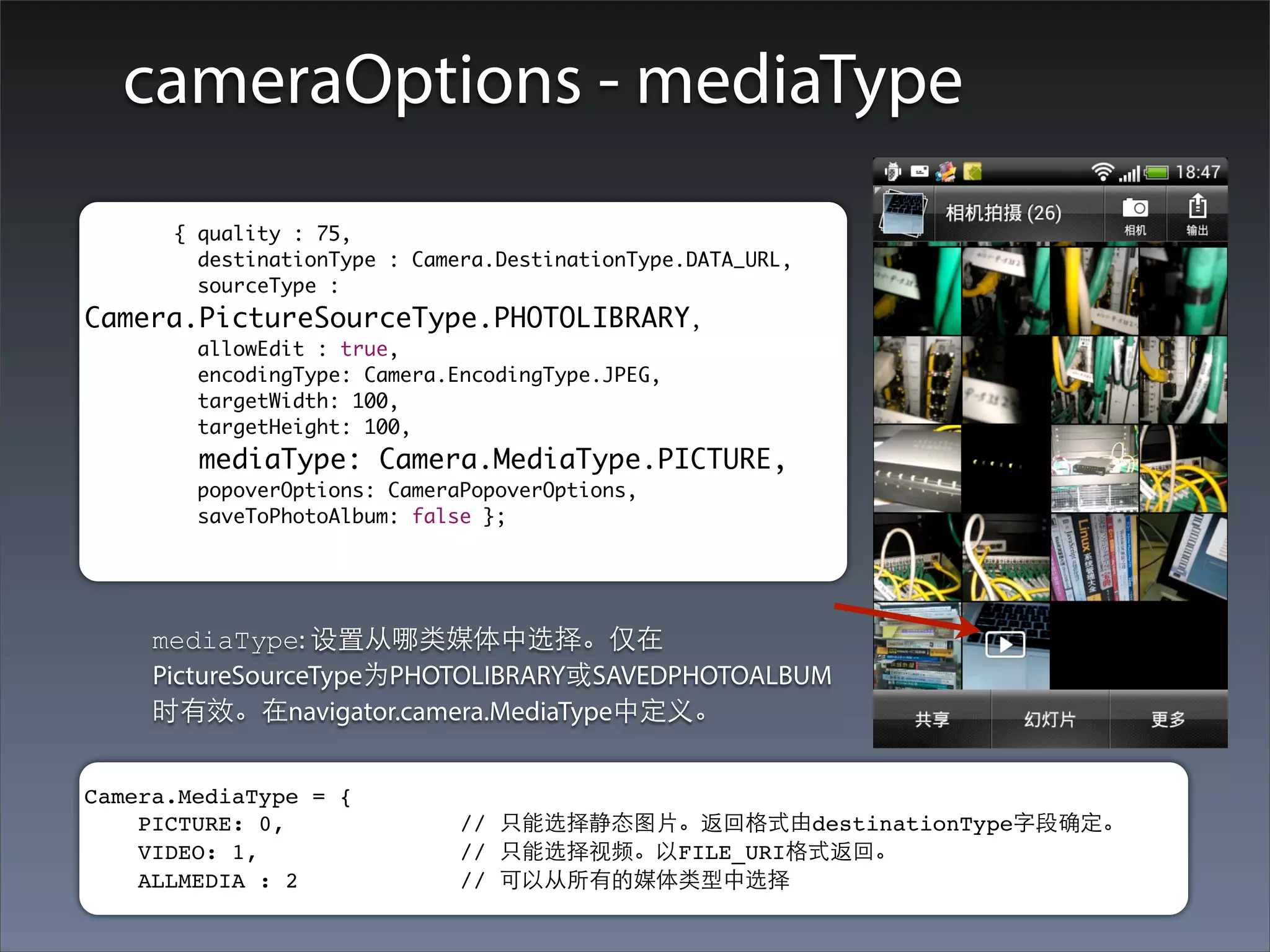
cameraOptions - mediaType
	       	 { quality : 75,
    	 	     destinationType : Camera.DestinationType.DATA_URL,
    	 	     sourceType :
Camera.PictureSourceType.PHOTOLIBRARY,
    	   	      allowEdit : true,
    	   	      encodingType: Camera.EncodingType.JPEG,
    	   	      targetWidth: 100,
    	   	      targetHeight: 100,
               mediaType: Camera.MediaType.PICTURE,
    	 	        popoverOptions: CameraPopoverOptions,
    	 	        saveToPhotoAlbum: false };


            mediaType: 设置从哪类媒体中选择。仅在
            PictureSourceType为PHOTOLIBRARY或SAVEDPHOTOALBUM
            时有效。在navigator.camera.MediaType中定义。


Camera.MediaType = {
    PICTURE: 0,             // 只能选择静态图⽚片。返回格式由destinationType字段确定。
    VIDEO: 1,               // 只能选择视频。以FILE_URI格式返回。
    ALLMEDIA : 2            // 可以从所有的媒体类型中选择
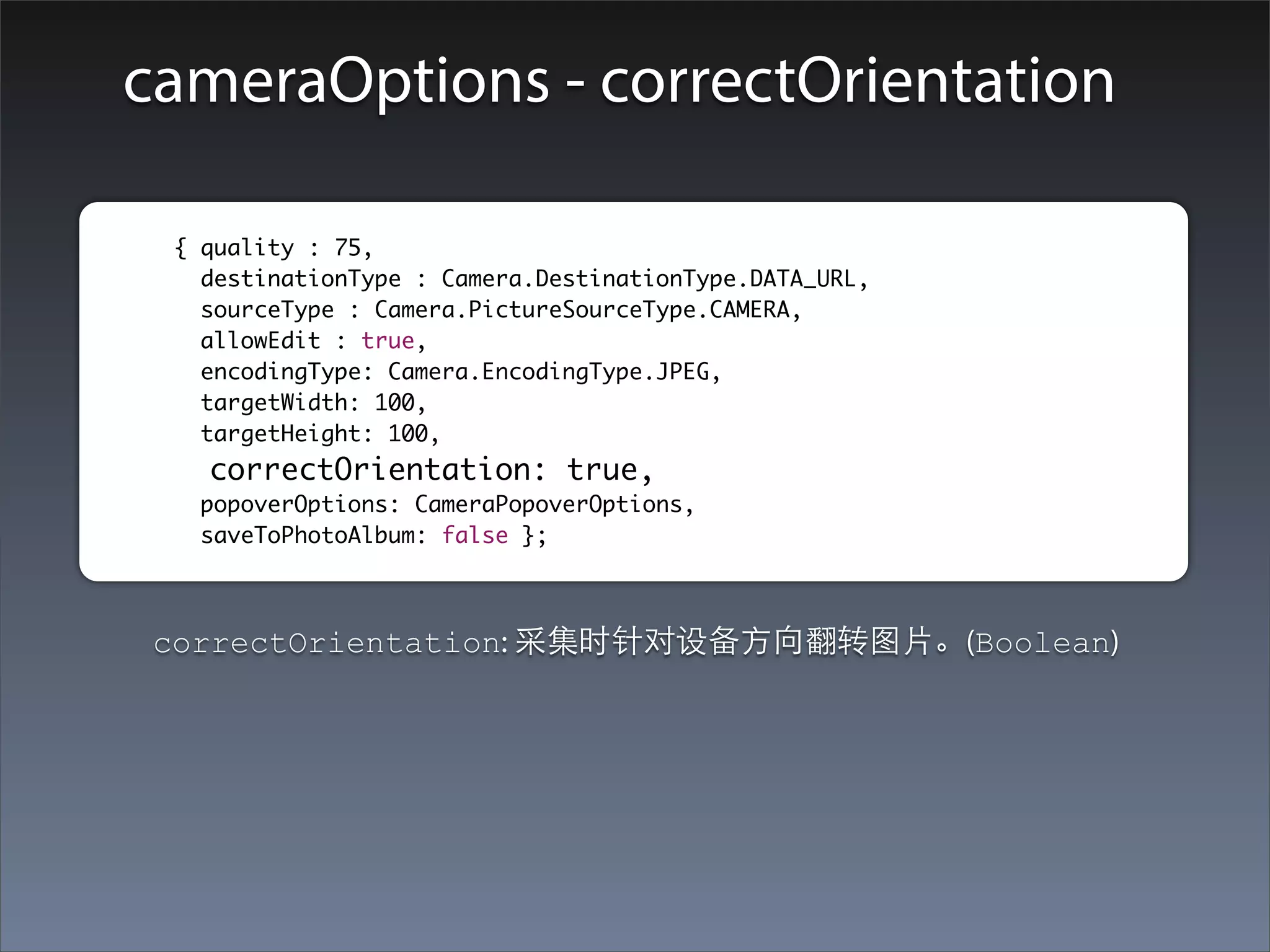
cameraOptions - correctOrientation

	        	 { quality : 75,
    		       destinationType : Camera.DestinationType.DATA_URL,
    		       sourceType : Camera.PictureSourceType.CAMERA,
    		       allowEdit : true,
    		       encodingType: Camera.EncodingType.JPEG,
    		       targetWidth: 100,
    		       targetHeight: 100,
             correctOrientation: true,
    		      popoverOptions: CameraPopoverOptions,
    		      saveToPhotoAlbum: false };


         correctOrientation: 采集时针对设备⽅方向翻转图⽚片。(Boolean)
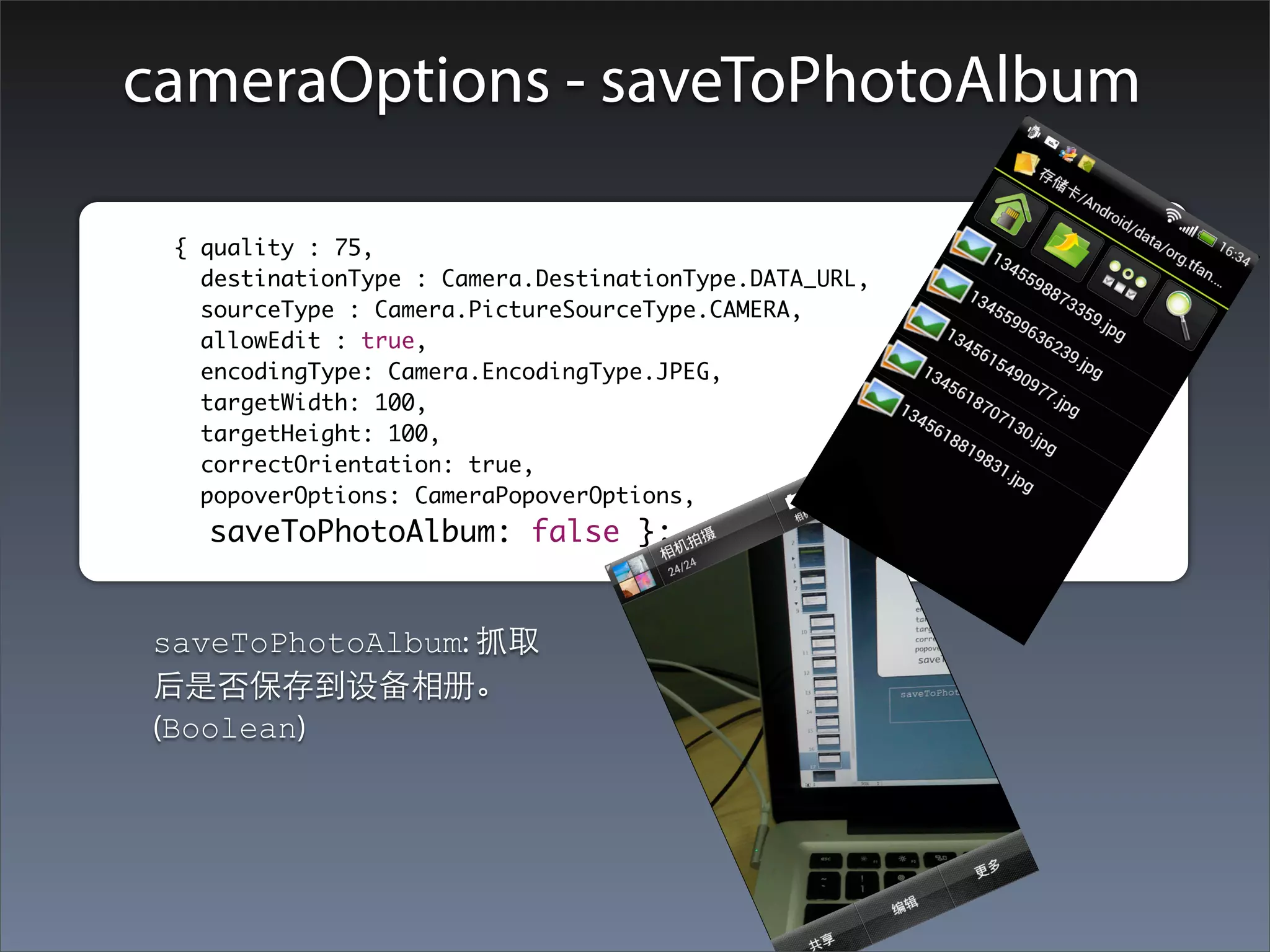
cameraOptions - saveToPhotoAlbum

	        	 { quality : 75,
    		       destinationType : Camera.DestinationType.DATA_URL,
    		       sourceType : Camera.PictureSourceType.CAMERA,
    		       allowEdit : true,
    		       encodingType: Camera.EncodingType.JPEG,
    		       targetWidth: 100,
    		       targetHeight: 100,
             correctOrientation: true,
    		       popoverOptions: CameraPopoverOptions,
    		       saveToPhotoAlbum: false };


         saveToPhotoAlbum: 抓取
         后是否保存到设备相册。
         (Boolean)
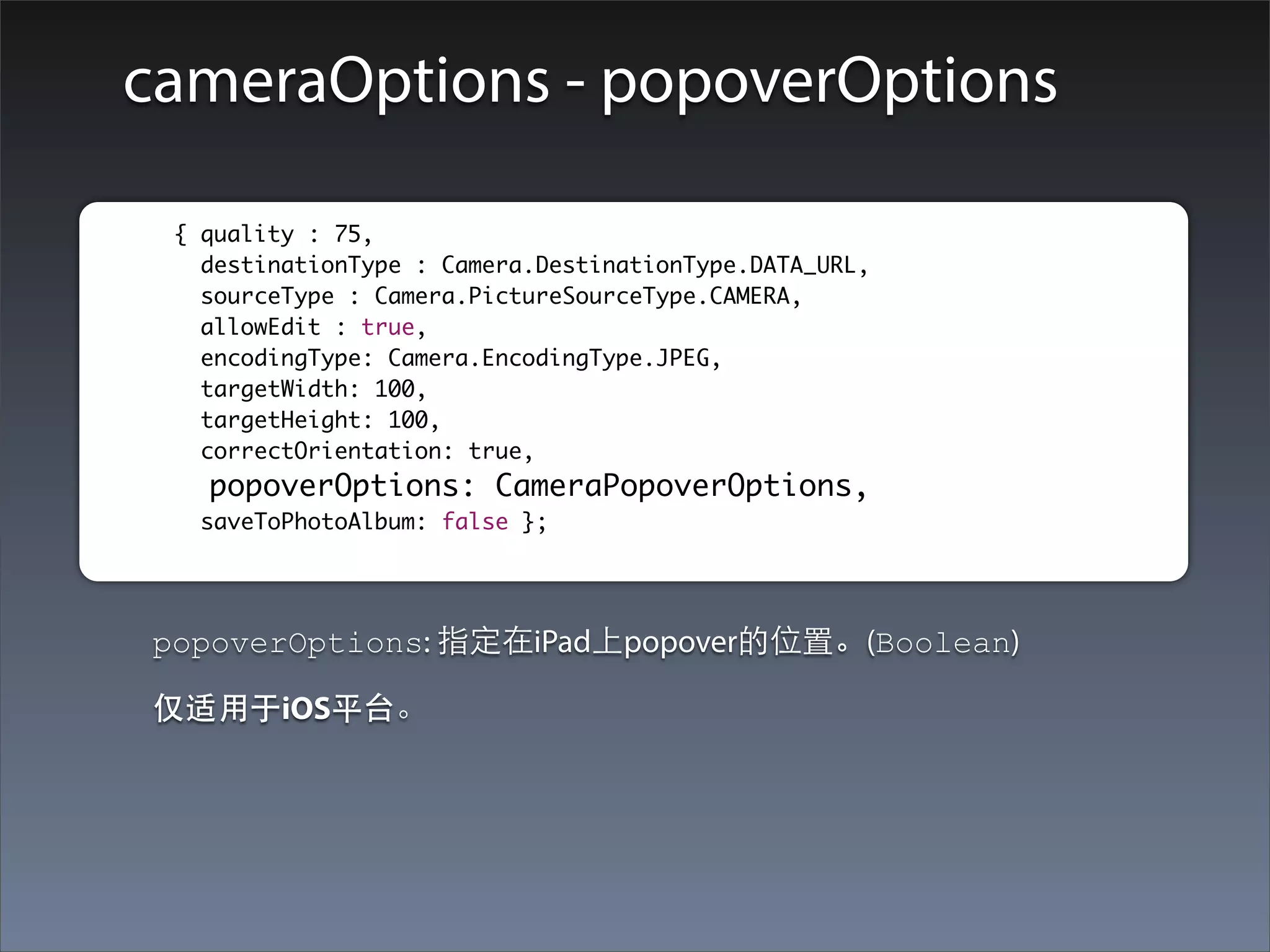
cameraOptions - popoverOptions

	        	 { quality : 75,
    		       destinationType : Camera.DestinationType.DATA_URL,
    		       sourceType : Camera.PictureSourceType.CAMERA,
    		       allowEdit : true,
    		       encodingType: Camera.EncodingType.JPEG,
    		       targetWidth: 100,
    		       targetHeight: 100,
             correctOrientation: true,
    		       popoverOptions: CameraPopoverOptions,
    		      saveToPhotoAlbum: false };


         popoverOptions: 指定在iPad上popover的位置。(Boolean)

         仅适⽤用于iOS平台。
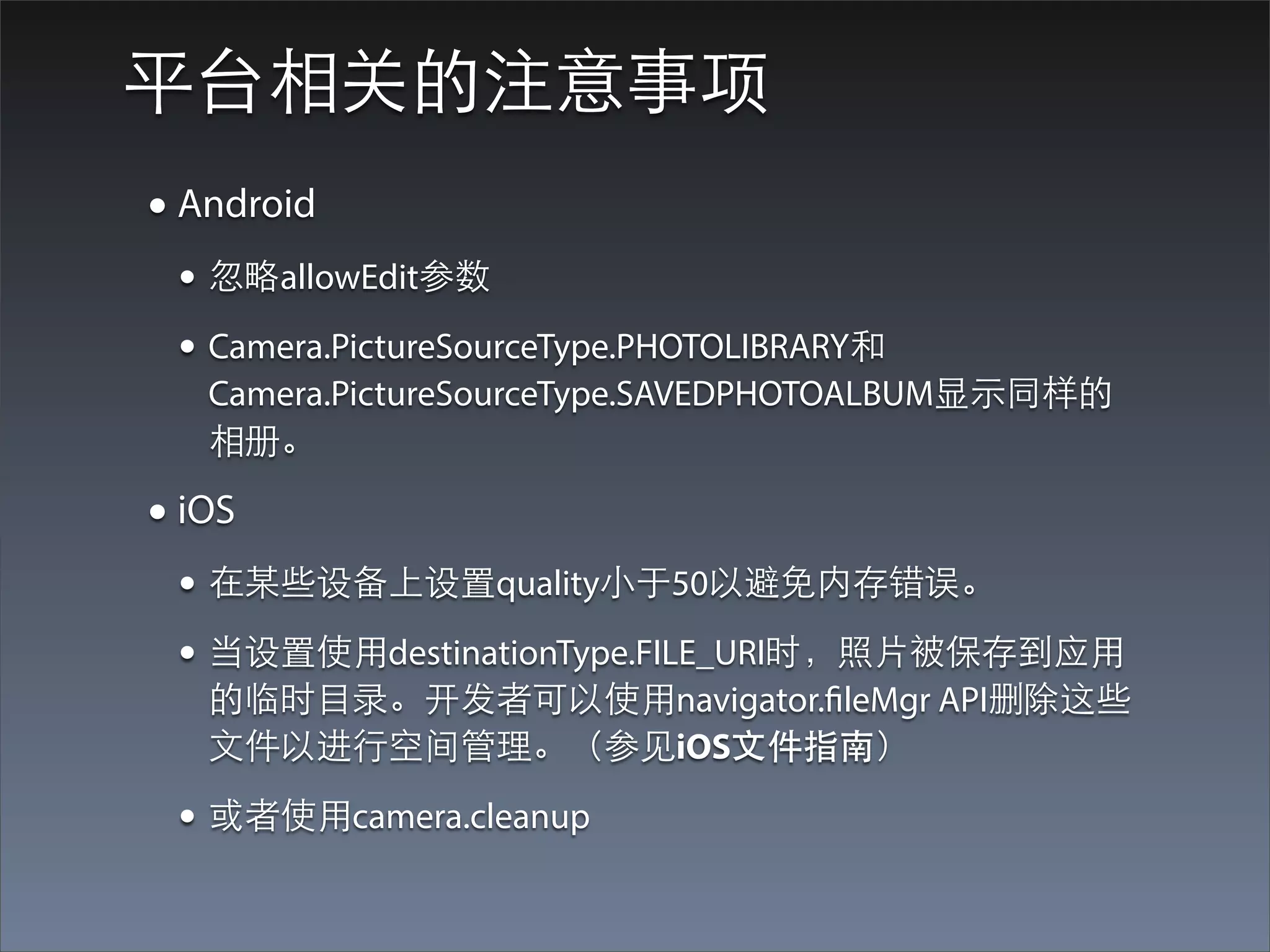
平台相关的注意事项
• Android
 • 忽略allowEdit参数
 • Camera.PictureSourceType.PHOTOLIBRARY和
   Camera.PictureSourceType.SAVEDPHOTOALBUM显⽰示同样的
   相册。

• iOS
 • 在某些设备上设置quality⼩小于50以避免内存错误。
 • 当设置使⽤用destinationType.FILE_URI时,照⽚片被保存到应⽤用
   的临时⺫⽬目录。开发者可以使⽤用navigator.fileMgr API删除这些
   ⽂文件以进⾏行空间管理。(参⻅见iOS⽂文件指南)

 • 或者使⽤用camera.cleanup
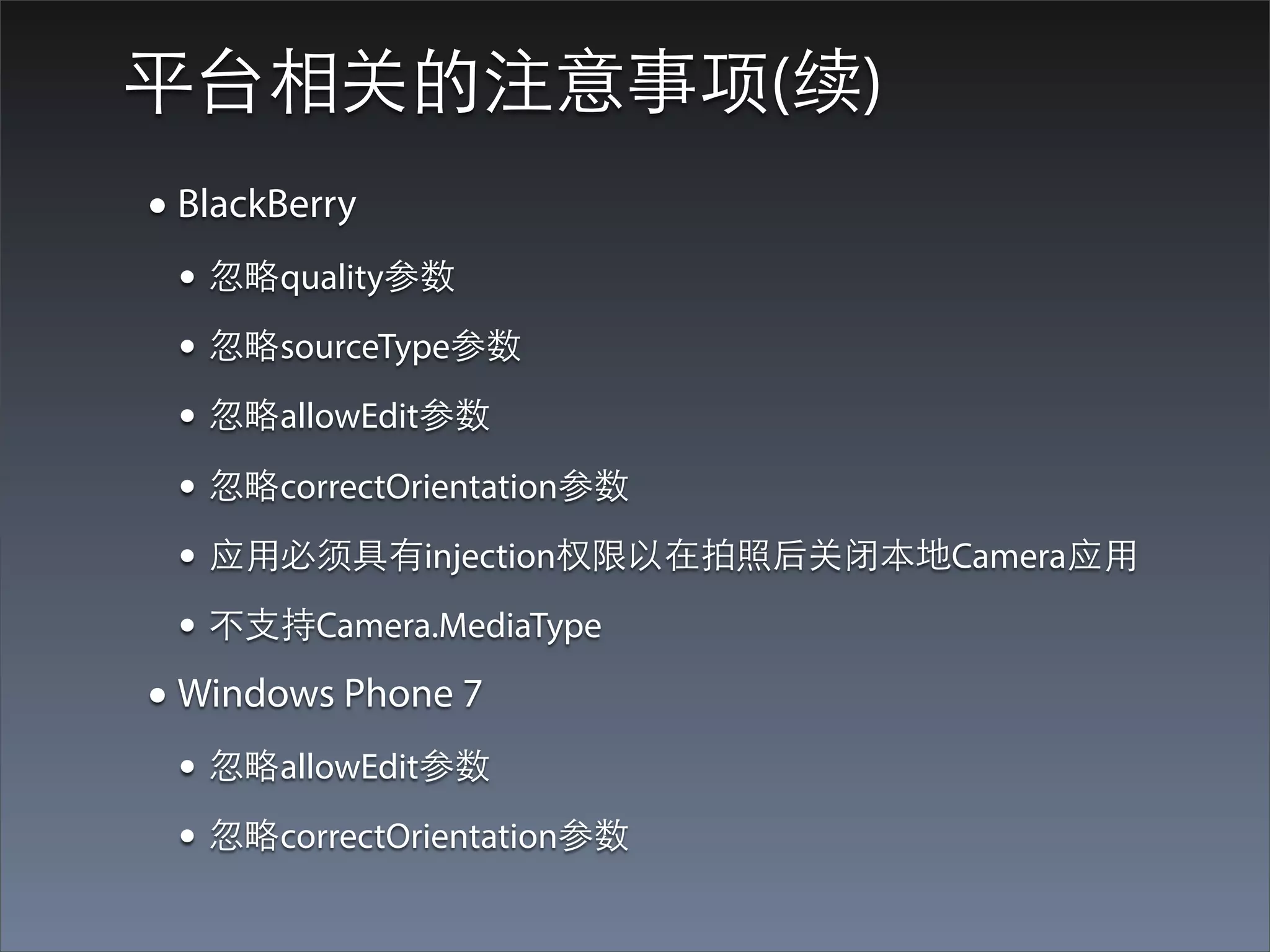
平台相关的注意事项(续)
• BlackBerry
 • 忽略quality参数
 • 忽略sourceType参数
 • 忽略allowEdit参数
 • 忽略correctOrientation参数
 • 应⽤用必须具有injection权限以在拍照后关闭本地Camera应⽤用
 • 不⽀支持Camera.MediaType
• Windows Phone 7
 • 忽略allowEdit参数
 • 忽略correctOrientation参数
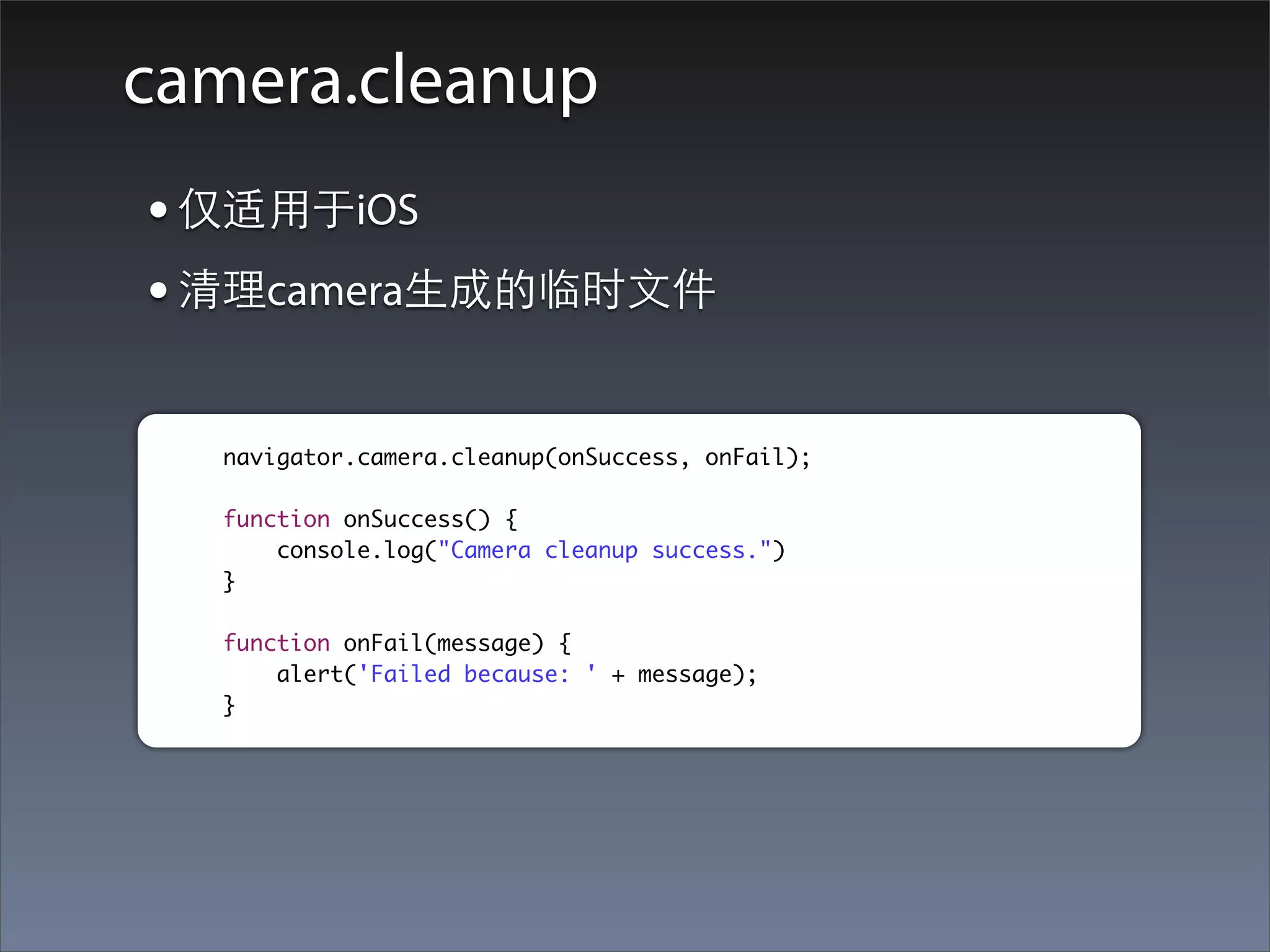
camera.cleanup
• 仅适⽤用于iOS
• 清理camera⽣生成的临时⽂文件

  navigator.camera.cleanup(onSuccess, onFail);

  function onSuccess() {
      console.log("Camera cleanup success.")
  }

  function onFail(message) {
      alert('Failed because: ' + message);
  }
Camera常⻅见问题
• 设备没有摄像头怎么办?
• 应⽤用为什么会Crash?
Capture
What we will learn?
• 图⽚片,视频,⾳音频采集的基本⽅方法
• 采集选项的指定:次数,时⻓长...
• 采集⽂文件数组的遍历和⽂文件属性
• 获取采集⽂文件的格式相关信息
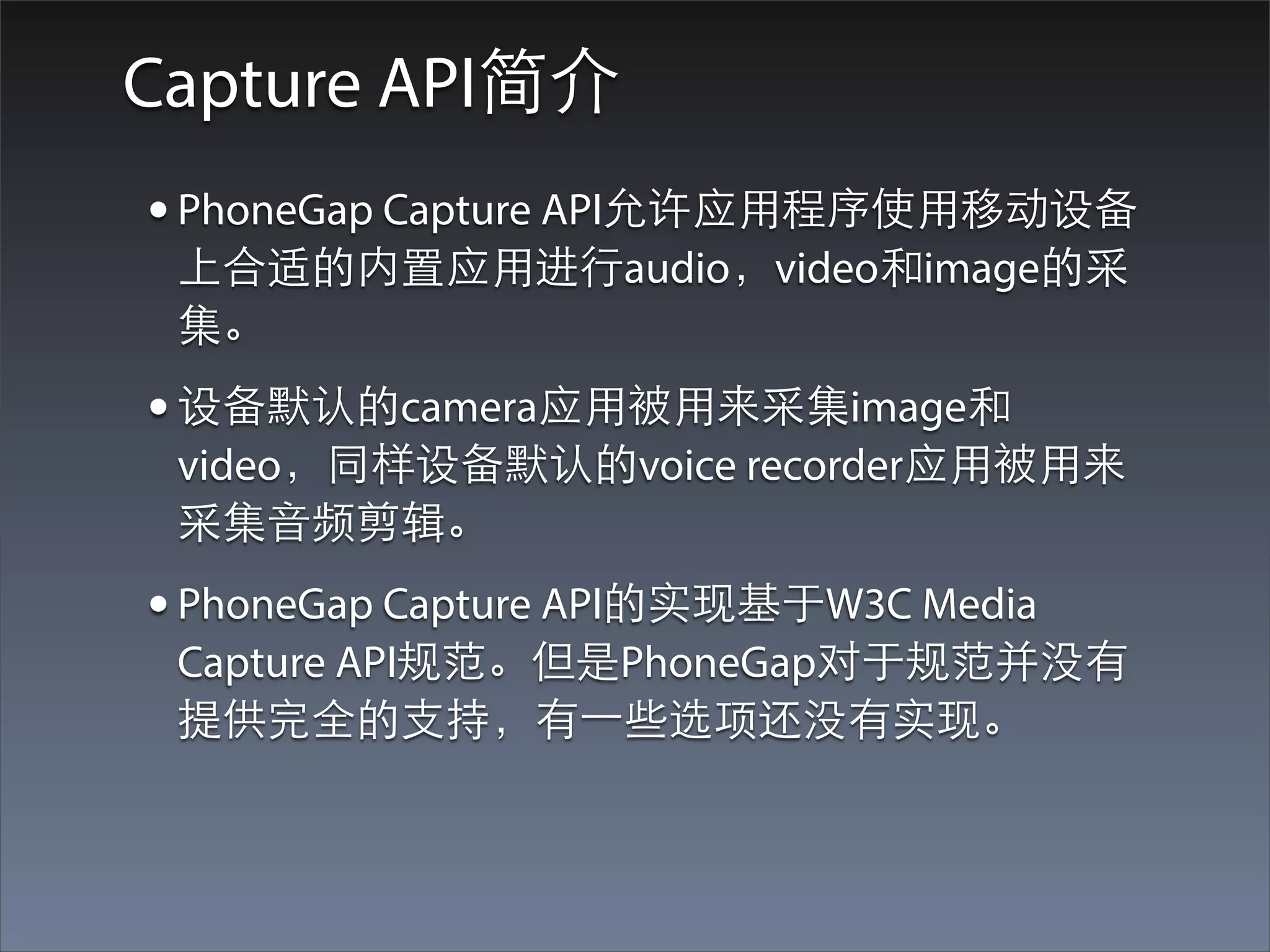
Capture API简介
• PhoneGap Capture API允许应⽤用程序使⽤用移动设备
 上合适的内置应⽤用进⾏行audio,video和image的采
 集。
• 设备默认的camera应⽤用被⽤用来采集image和
 video,同样设备默认的voice recorder应⽤用被⽤用来
 采集⾳音频剪辑。
• PhoneGap Capture API的实现基于W3C Media
 Capture API规范。但是PhoneGap对于规范并没有
 提供完全的⽀支持,有⼀一些选项还没有实现。
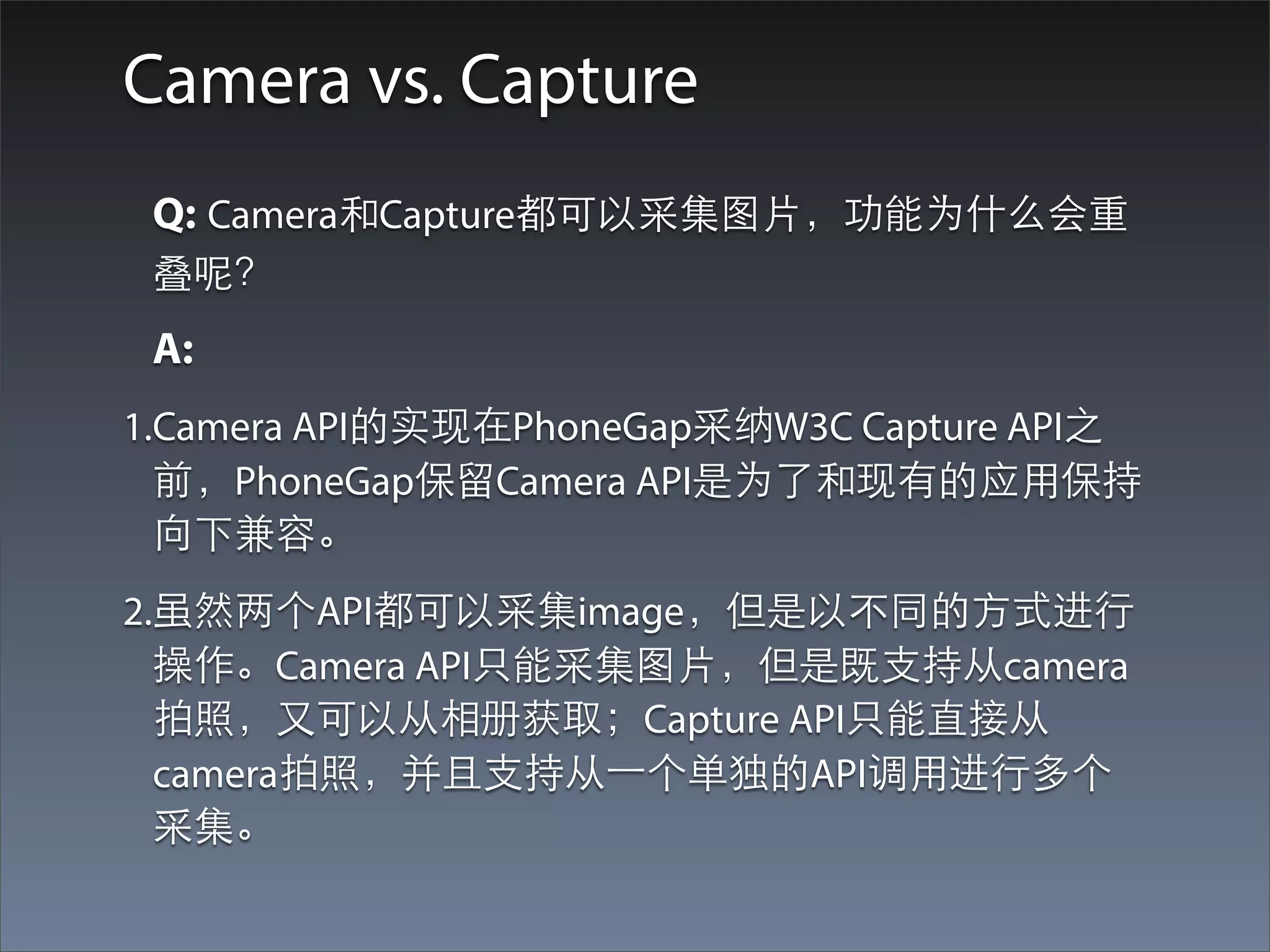
Camera vs. Capture
 Q: Camera和Capture都可以采集图⽚片,功能为什么会重
 叠呢?
 A:
1.Camera API的实现在PhoneGap采纳W3C Capture API之
  前,PhoneGap保留Camera API是为了和现有的应⽤用保持
  向下兼容。
2.虽然两个API都可以采集image,但是以不同的⽅方式进⾏行
  操作。Camera API只能采集图⽚片,但是既⽀支持从camera
  拍照,⼜又可以从相册获取;Capture API只能直接从
  camera拍照,并且⽀支持从⼀一个单独的API调⽤用进⾏行多个
  采集。
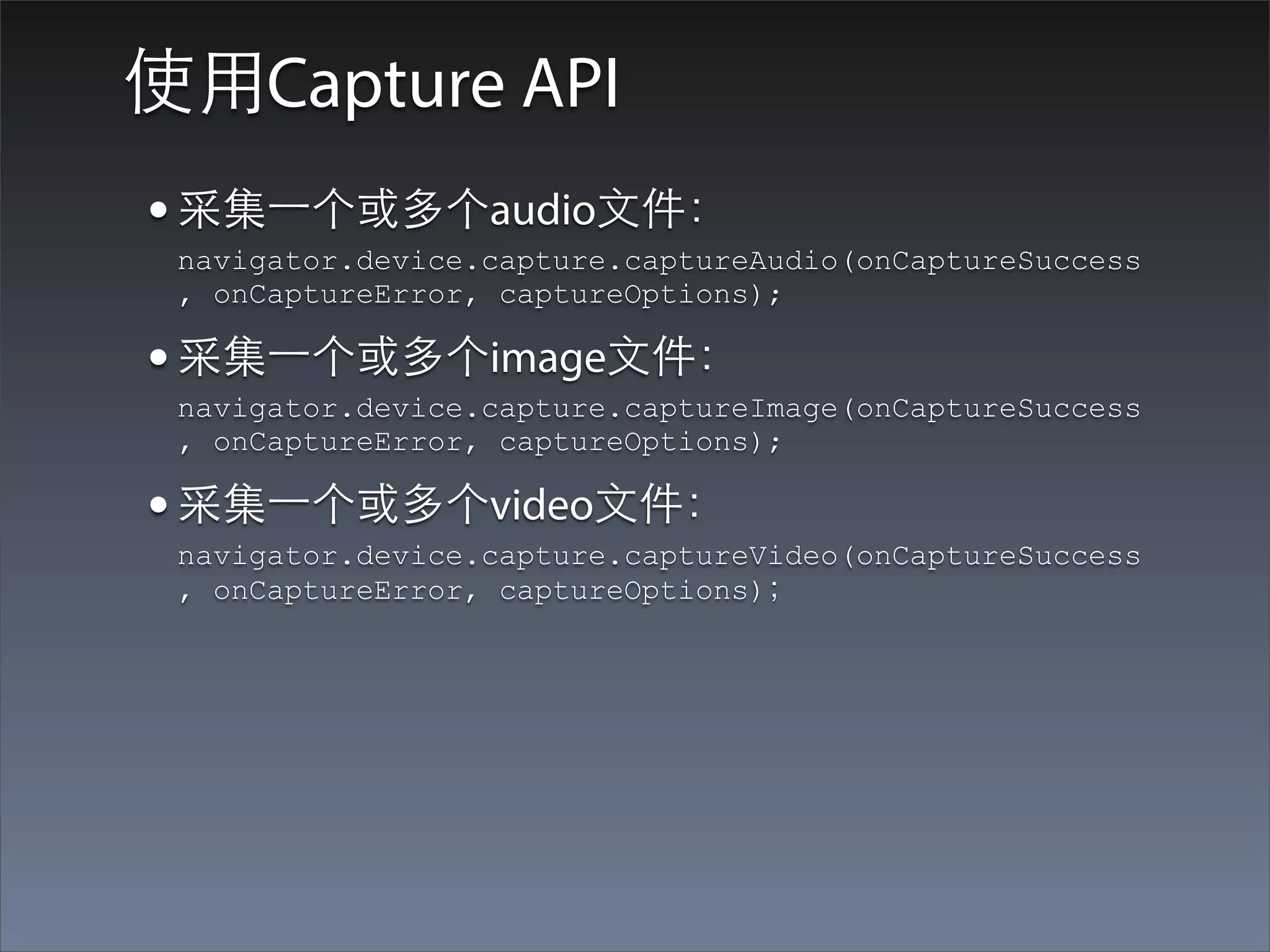
使⽤用Capture API
• 采集⼀一个或多个audio⽂文件:
 navigator.device.capture.captureAudio(onCaptureSuccess
 , onCaptureError, captureOptions);

• 采集⼀一个或多个image⽂文件:
 navigator.device.capture.captureImage(onCaptureSuccess
 , onCaptureError, captureOptions);

• 采集⼀一个或多个video⽂文件:
 navigator.device.capture.captureVideo(onCaptureSuccess
 , onCaptureError, captureOptions);
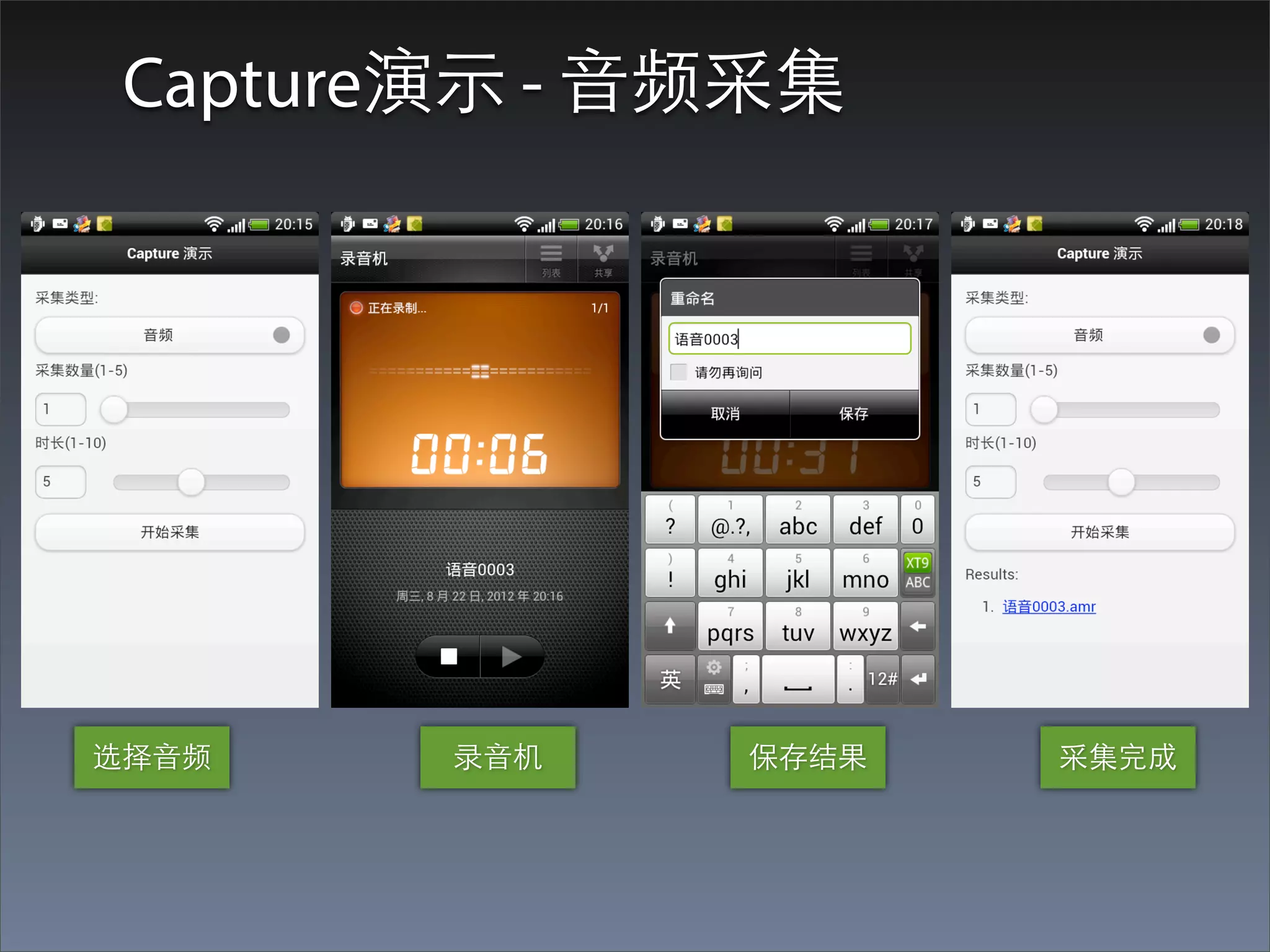
Capture演⽰示 - ⾳音频采集


选择⾳音频    录⾳音机   保存结果   采集完成
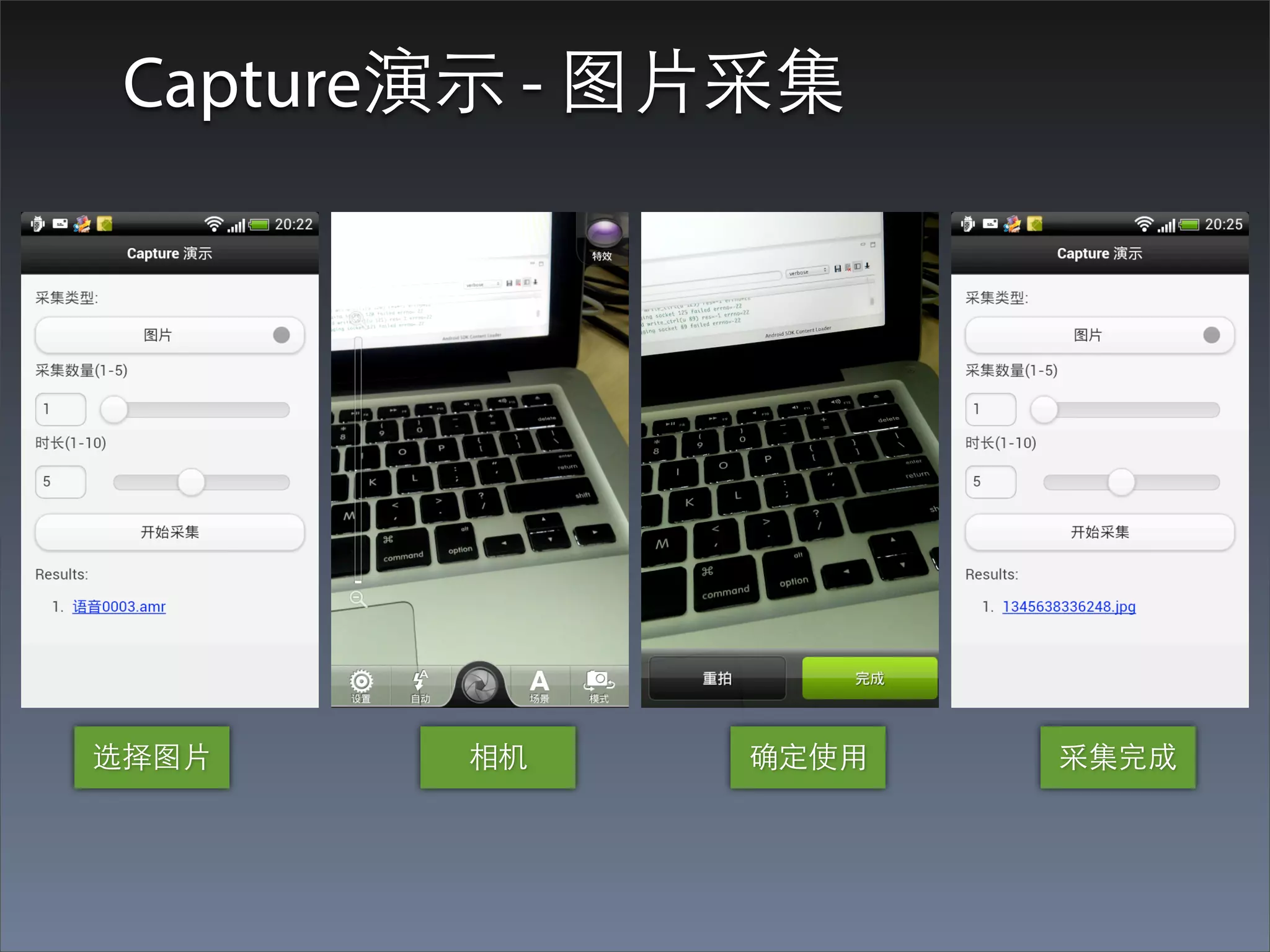
Capture演⽰示 - 图⽚片采集


选择图⽚片    相机     确定使⽤用   采集完成
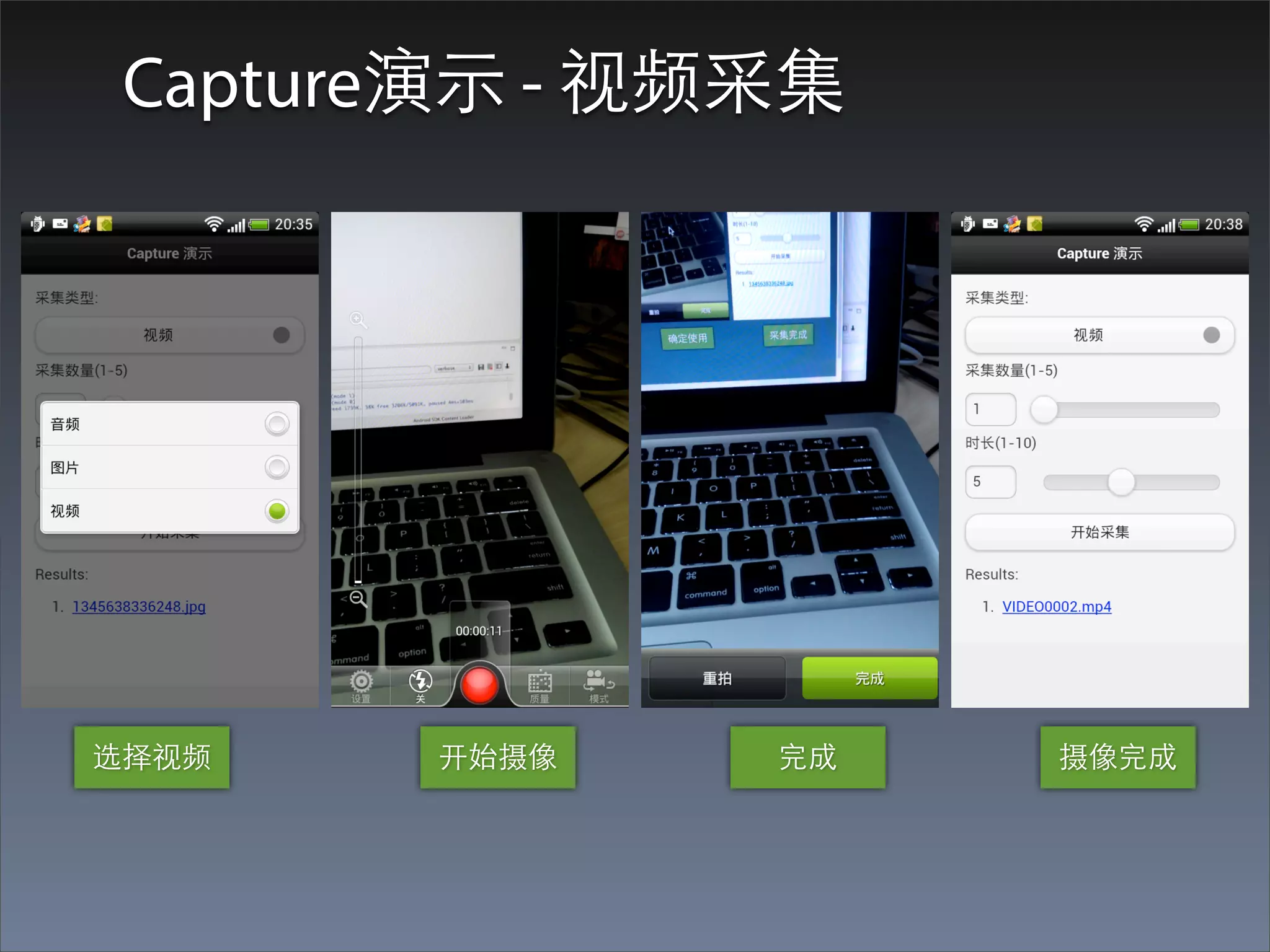
Capture演⽰示 - 视频采集


选择视频    开始摄像    完成   摄像完成
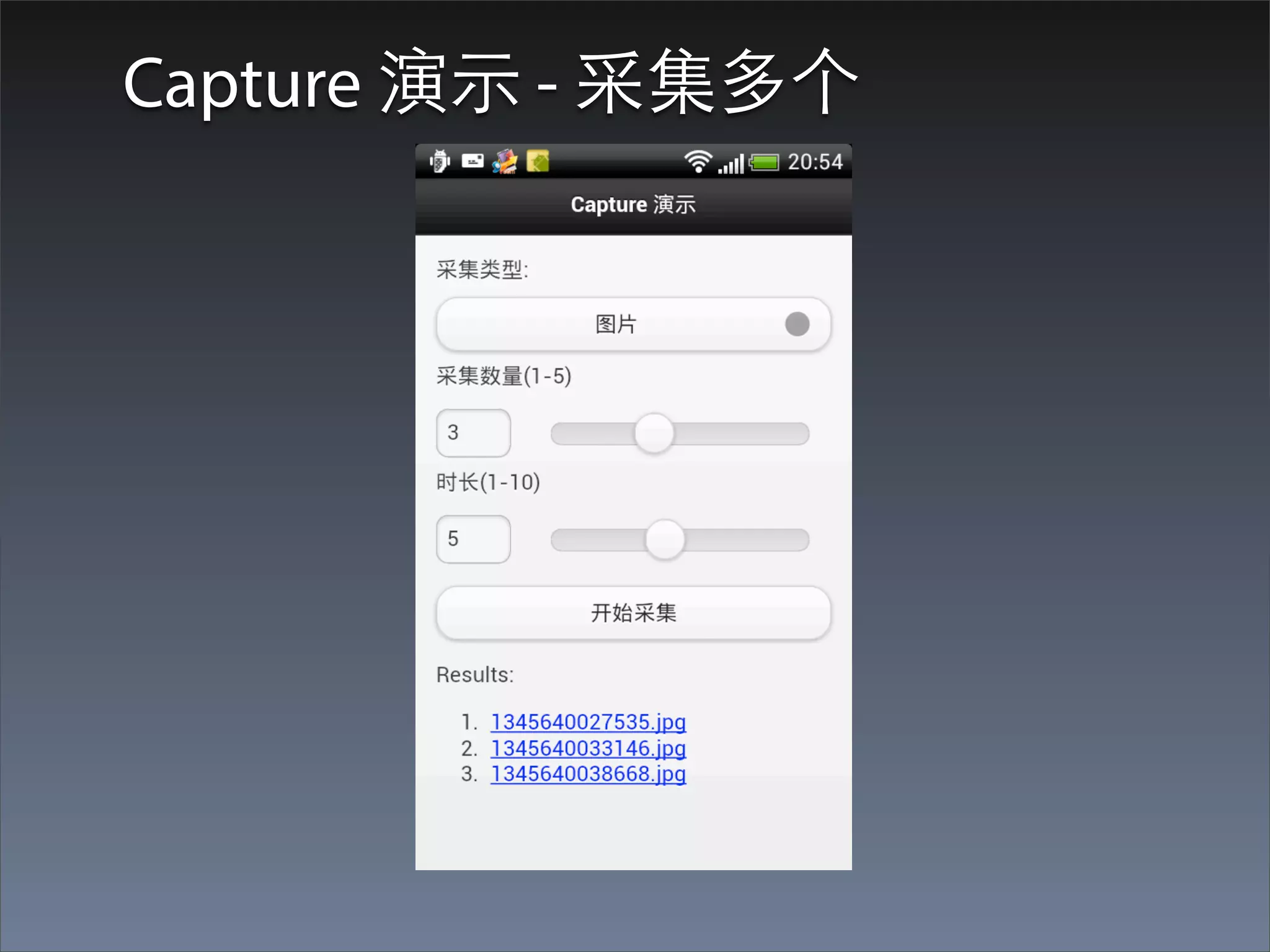
Capture 演⽰示 - 采集多个
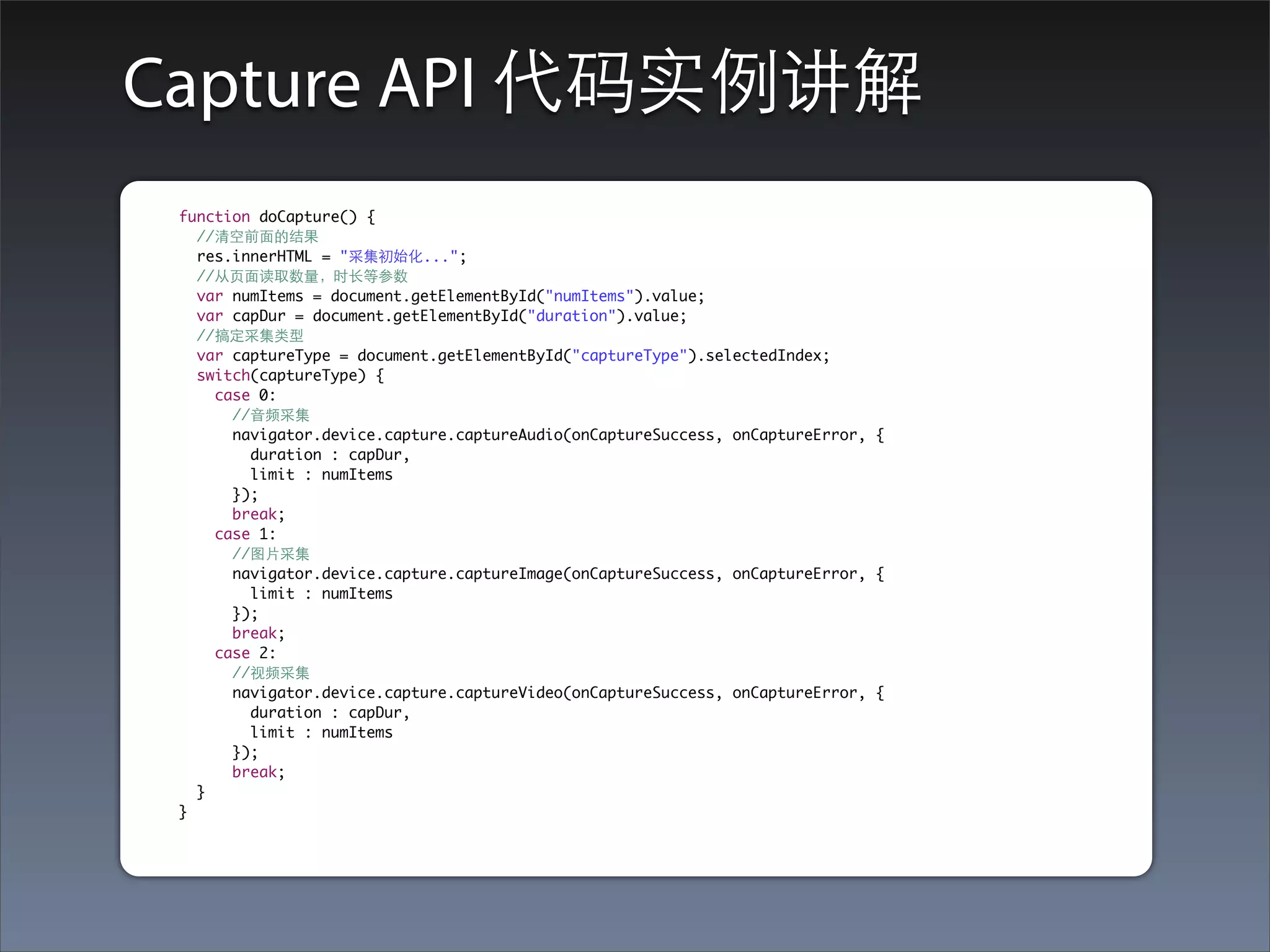
Capture API 代码实例讲解
 function doCapture() {
   //清空前⾯面的结果
   res.innerHTML = "采集初始化...";
   //从⻚页⾯面读取数量,时⻓长等参数
   var numItems = document.getElementById("numItems").value;
   var capDur = document.getElementById("duration").value;
   //搞定采集类型
   var captureType = document.getElementById("captureType").selectedIndex;
   switch(captureType) {
     case 0:
       //⾳音频采集
       navigator.device.capture.captureAudio(onCaptureSuccess, onCaptureError, {
         duration : capDur,
         limit : numItems
       });
       break;
     case 1:
       //图⽚片采集
       navigator.device.capture.captureImage(onCaptureSuccess, onCaptureError, {
         limit : numItems
       });
       break;
     case 2:
       //视频采集
       navigator.device.capture.captureVideo(onCaptureSuccess, onCaptureError, {
         duration : capDur,
         limit : numItems
       });
       break;
   }
 }
CaptureOption对象
• CaptureAudioOption
• CaptureVideoOption
• CaptureImageOption
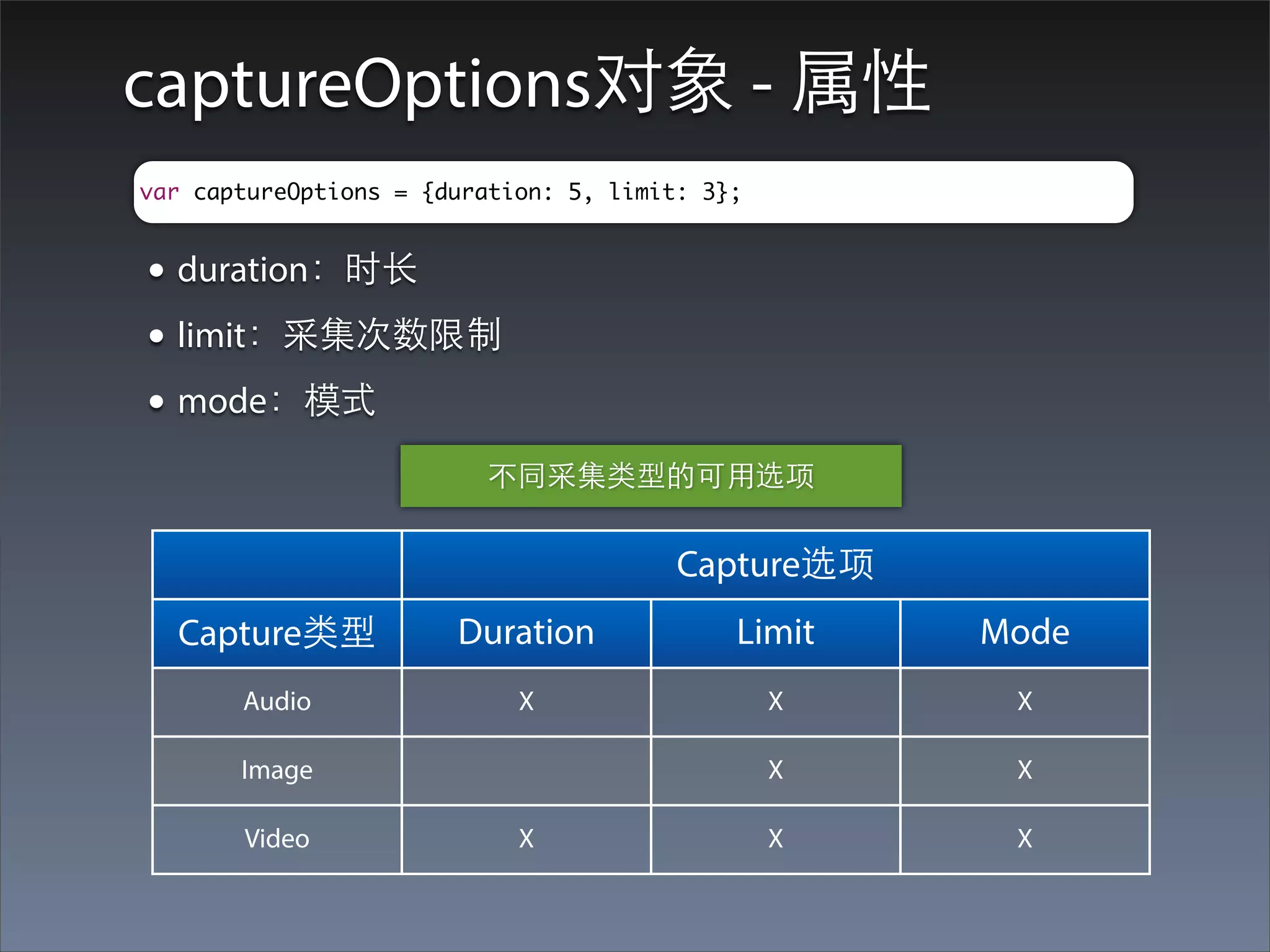
captureOptions对象 - 属性
var captureOptions = {duration: 5, limit: 3};


• duration:时⻓长
• limit:采集次数限制
• mode:模式
                         不同采集类型的可⽤用选项


                                        Capture选项
  Capture类型            Duration             Limit   Mode
       Audio                X                   X    X

       Image                                    X    X

       Video                X                   X    X
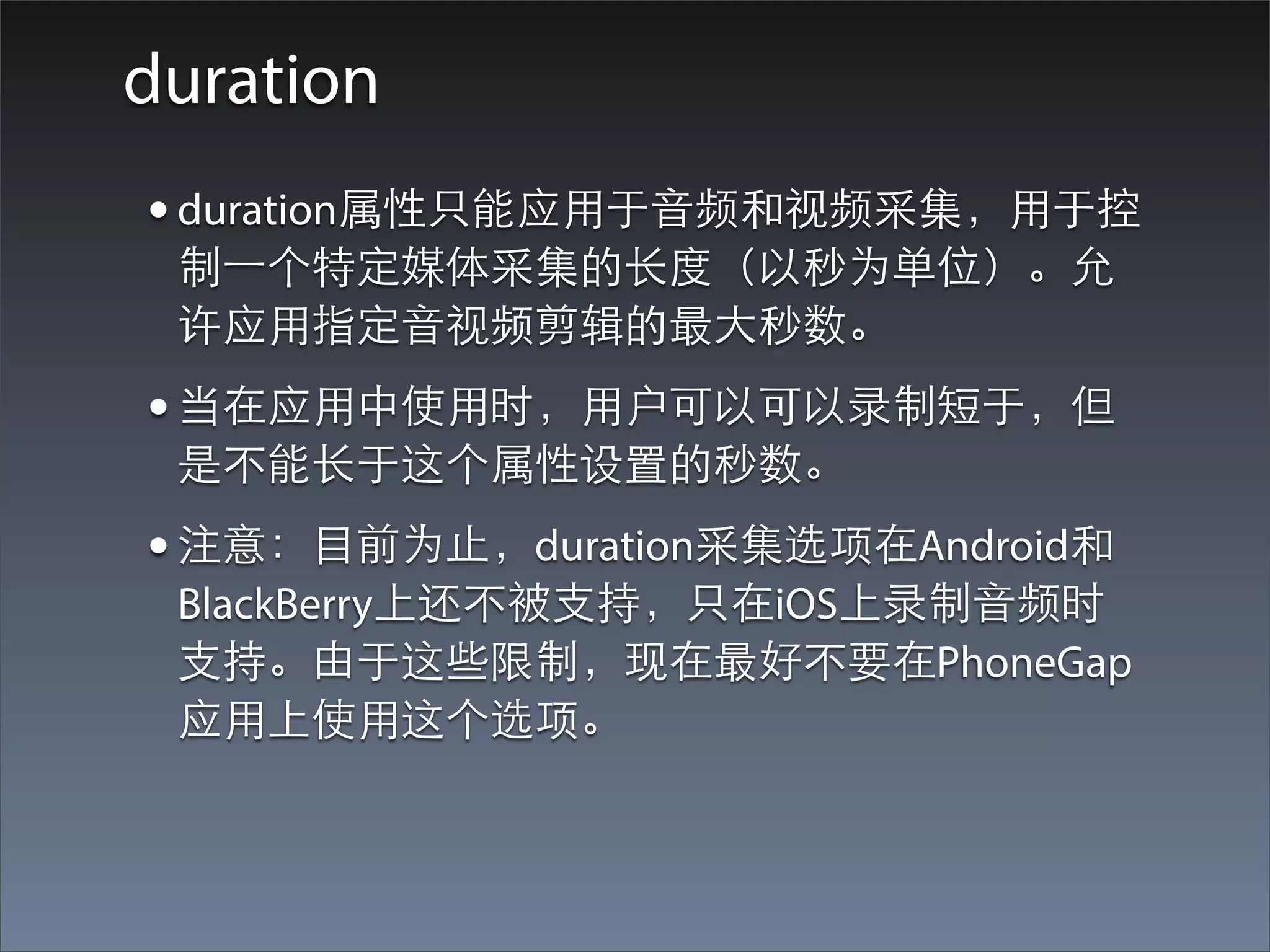
duration
• duration属性只能应⽤用于⾳音频和视频采集,⽤用于控
 制⼀一个特定媒体采集的⻓长度(以秒为单位)。允
 许应⽤用指定⾳音视频剪辑的最⼤大秒数。
• 当在应⽤用中使⽤用时,⽤用户可以可以录制短于,但
 是不能⻓长于这个属性设置的秒数。
• 注意:⺫⽬目前为⽌止,duration采集选项在Android和
 BlackBerry上还不被⽀支持,只在iOS上录制⾳音频时
 ⽀支持。由于这些限制,现在最好不要在PhoneGap
 应⽤用上使⽤用这个选项。
limit
• 定义每次可执⾏行的最⼤大采集次数。
• 如果设置了这个选项的话,必须要设置1或者更⼤大
  的值才可以。
mode
• 定义为每⼀一种⽀支持的采集类型的录制模式。
• 例如为image采集指定JPGE还是PNG。
onCaptureSuccess的处理过程
      function onCaptureSuccess(fileList) {
        var i, len, htmlStr;
        len = fileList.length;
        //确保采集成功。如果成功的话,length应该 > 0
        if(len > 0) {
          htmlStr = "<p>Results:</p><ol>";
          for( i = 0, len; i < len; i += 1) {
            alert(fileList[i].fullPath);
            htmlStr += '<li><a href="' + fileList[i].fullPath + '">' +
fileList[i].name + '</a></li>';
          }
          htmlStr += "</ol>";
          //这是result内容
          res.innerHTML = htmlStr;
        }
      }


         采集结果是⼀一个MediaFile数组,遍历以获得所有采集结果。
MediaType对象
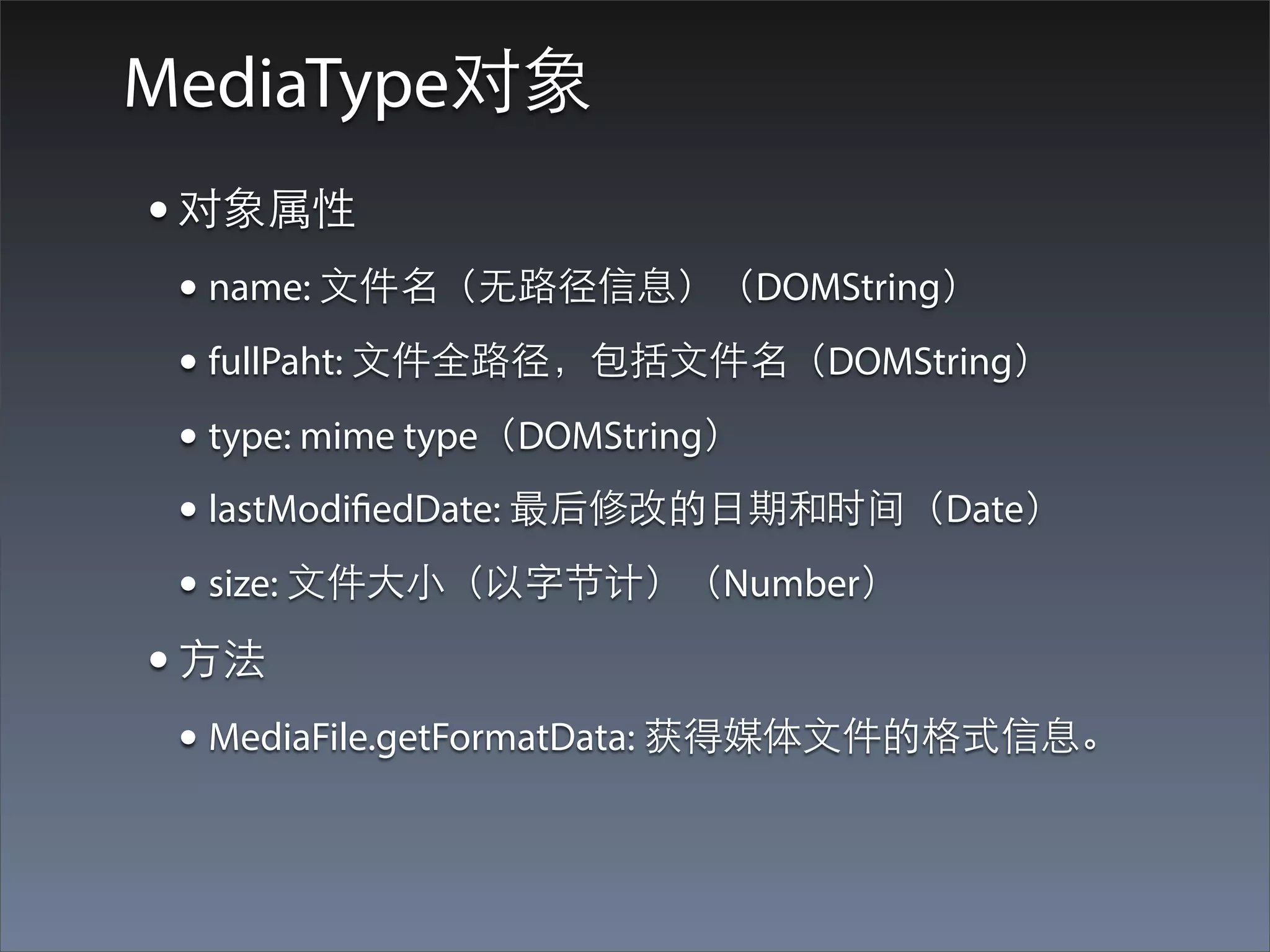
• 对象属性
 • name: ⽂文件名(⽆无路径信息)(DOMString)
 • fullPaht: ⽂文件全路径,包括⽂文件名(DOMString)
 • type: mime type(DOMString)
 • lastModifiedDate: 最后修改的⽇日期和时间(Date)
 • size: ⽂文件⼤大⼩小(以字节计)(Number)
• ⽅方法
 • MediaFile.getFormatData: 获得媒体⽂文件的格式信息。
getFormatData⽅方法
mediaFile.getFormatData(
    MediaFileDataSuccessCB successCallback,
    [MediaFileDataErrorCB errorCallback]
);
成功的话,回调successCallBack,并传⼊入⼀一个
MediaFileData对象。
MediaFileData对象
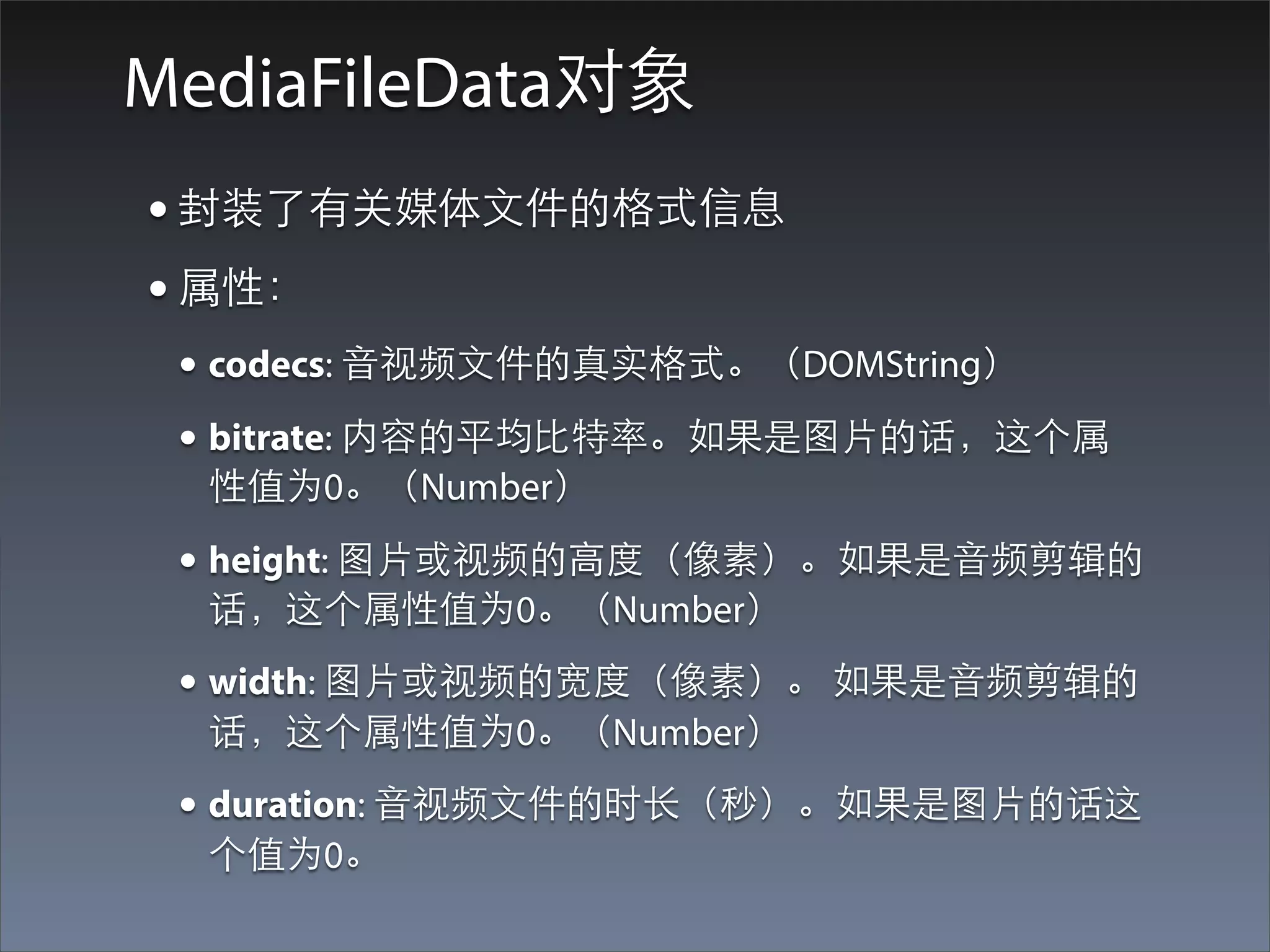
• 封装了有关媒体⽂文件的格式信息
• 属性:
 • codecs: ⾳音视频⽂文件的真实格式。(DOMString)
 • bitrate: 内容的平均⽐比特率。如果是图⽚片的话,这个属
  性值为0。(Number)

 • height: 图⽚片或视频的⾼高度(像素)。如果是⾳音频剪辑的
  话,这个属性值为0。(Number)
 • width: 图⽚片或视频的宽度(像素)。 如果是⾳音频剪辑的
  话,这个属性值为0。(Number)
 • duration: ⾳音视频⽂文件的时⻓长(秒)。如果是图⽚片的话这
  个值为0。
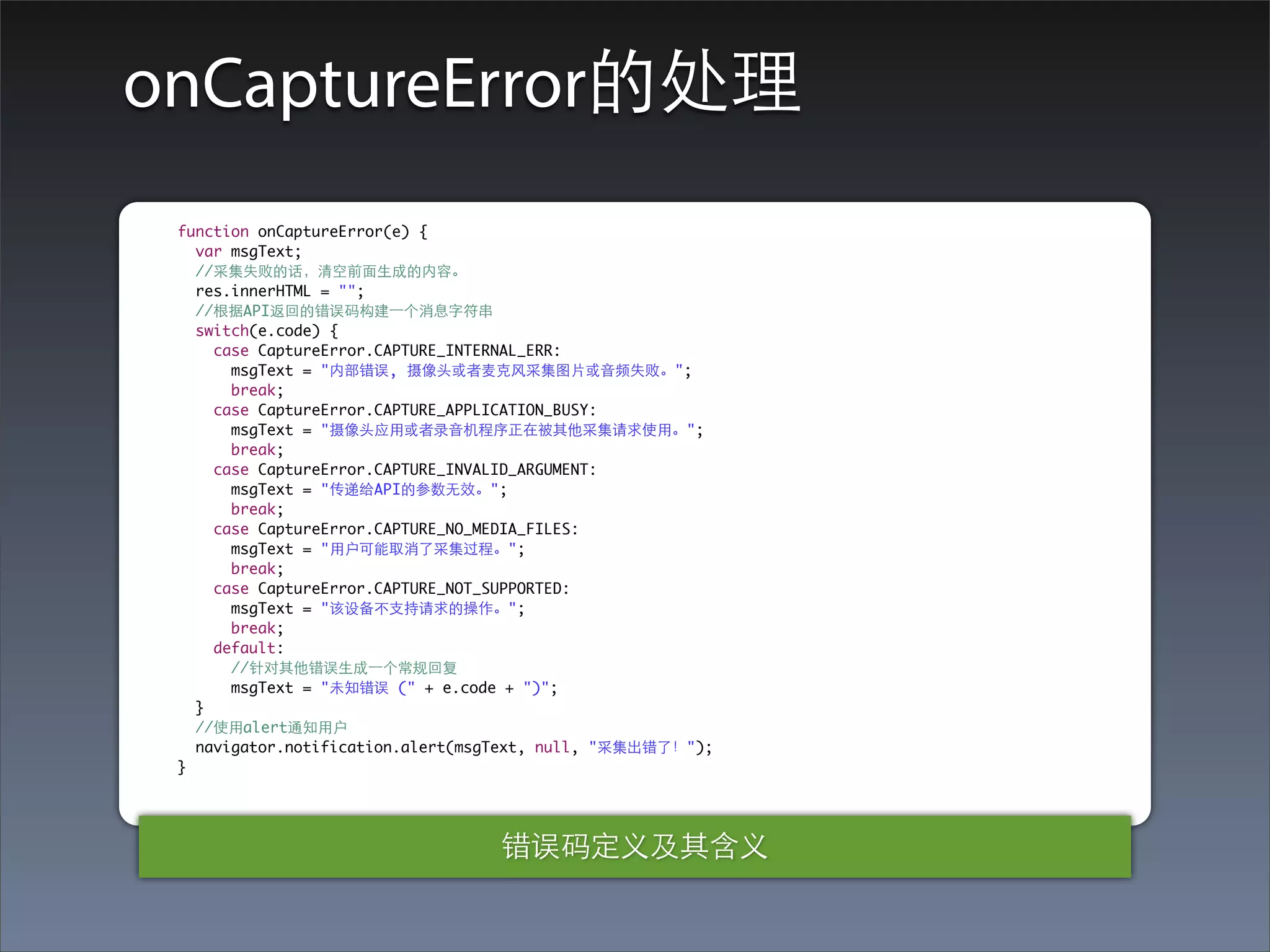
onCaptureError的处理
 function onCaptureError(e) {
   var msgText;
   //采集失败的话,清空前⾯面⽣生成的内容。
   res.innerHTML = "";
   //根据API返回的错误码构建⼀一个消息字符串
   switch(e.code) {
     case CaptureError.CAPTURE_INTERNAL_ERR:
       msgText = "内部错误, 摄像头或者⻨麦克⻛风采集图⽚片或⾳音频失败。";
       break;
     case CaptureError.CAPTURE_APPLICATION_BUSY:
       msgText = "摄像头应⽤用或者录⾳音机程序正在被其他采集请求使⽤用。";
       break;
     case CaptureError.CAPTURE_INVALID_ARGUMENT:
       msgText = "传递给API的参数⽆无效。";
       break;
     case CaptureError.CAPTURE_NO_MEDIA_FILES:
       msgText = "⽤用户可能取消了采集过程。";
       break;
     case CaptureError.CAPTURE_NOT_SUPPORTED:
       msgText = "该设备不⽀支持请求的操作。";
       break;
     default:
       //针对其他错误⽣生成⼀一个常规回复
       msgText = "未知错误 (" + e.code + ")";
   }
   //使⽤用alert通知⽤用户
   navigator.notification.alert(msgText, null, "采集出错了!");
 }


                                  错误码定义及其含义
Compass
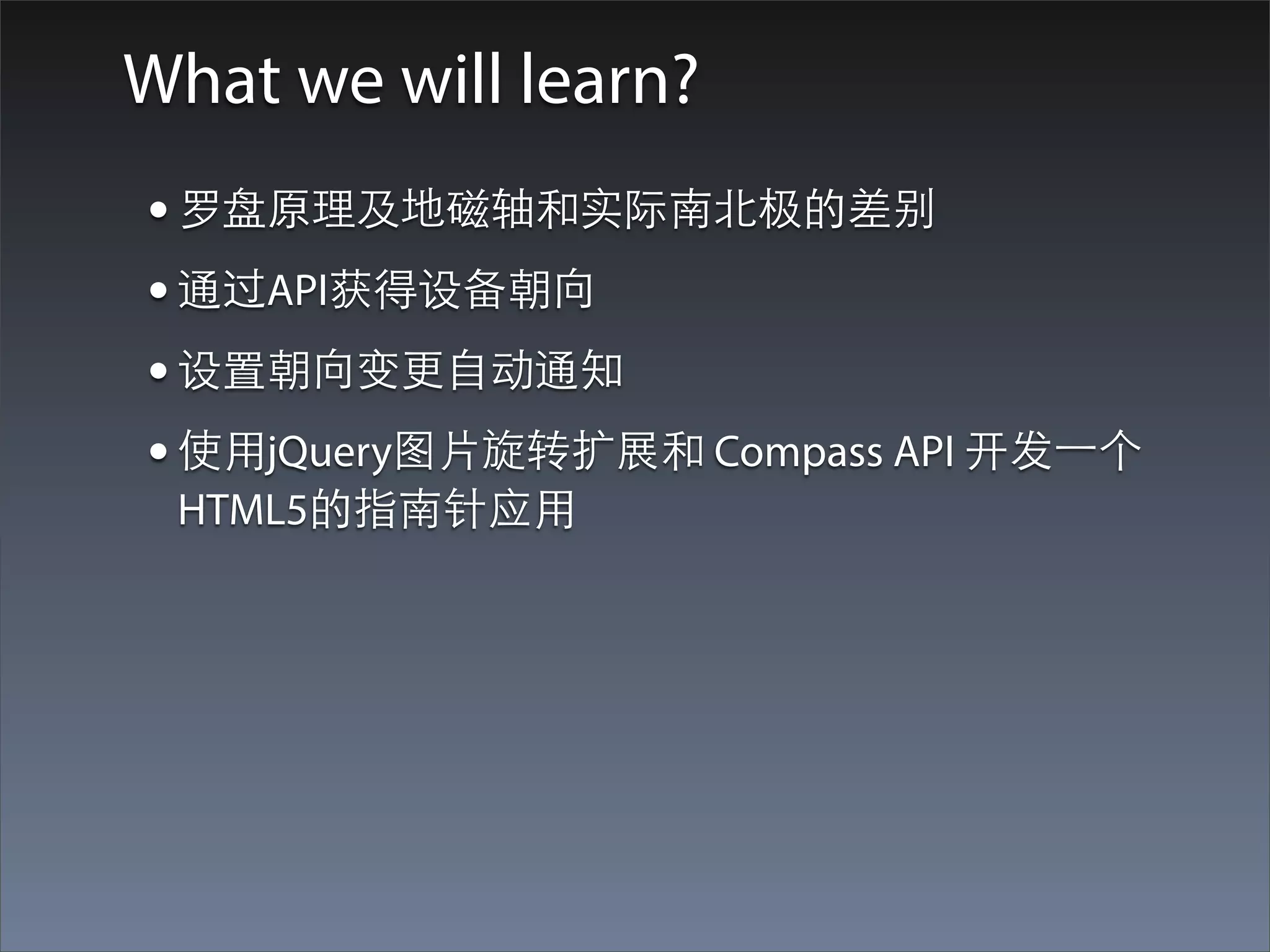
What we will learn?
• 罗盘原理及地磁轴和实际南北极的差别
• 通过API获得设备朝向
• 设置朝向变更⾃自动通知
• 使⽤用jQuery图⽚片旋转扩展和 Compass API 开发⼀一个
 HTML5的指南针应⽤用
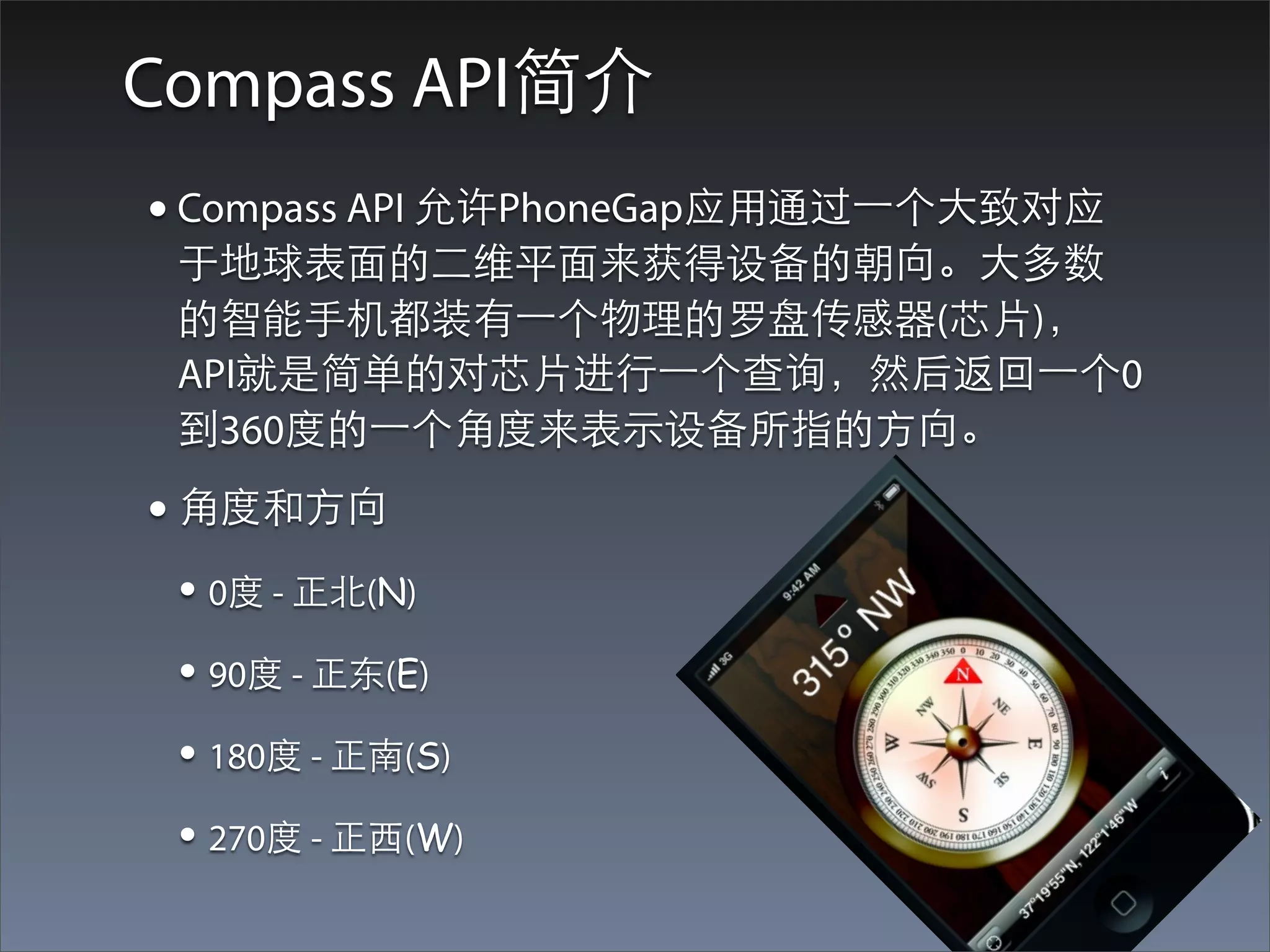
Compass API简介
• Compass API 允许PhoneGap应⽤用通过⼀一个⼤大致对应
 于地球表⾯面的⼆二维平⾯面来获得设备的朝向。⼤大多数
 的智能⼿手机都装有⼀一个物理的罗盘传感器(芯⽚片),
 API就是简单的对芯⽚片进⾏行⼀一个查询,然后返回⼀一个0
 到360度的⼀一个⾓角度来表⽰示设备所指的⽅方向。
• ⾓角度和⽅方向
 • 0度 - 正北(N)
 • 90度 - 正东(E)
 • 180度 - 正南(S)
 • 270度 - 正⻄西(W)
Compass API简介(续)
• Compass API的⼯工作⽅方式和Accelerometer类似,既
 可以⼿手动查询设备的朝向,也可以设定⼀一个watch
 让API以⼀一个指定的频率在设备朝向变化超过设定
 的最⼩小的阀值时向应⽤用报告朝向。
• 注意:不是所有的智能机都具有物理罗盘。
 iPhone 3GS及以后都有,BlackBerry知道7 OS设备
 才有。
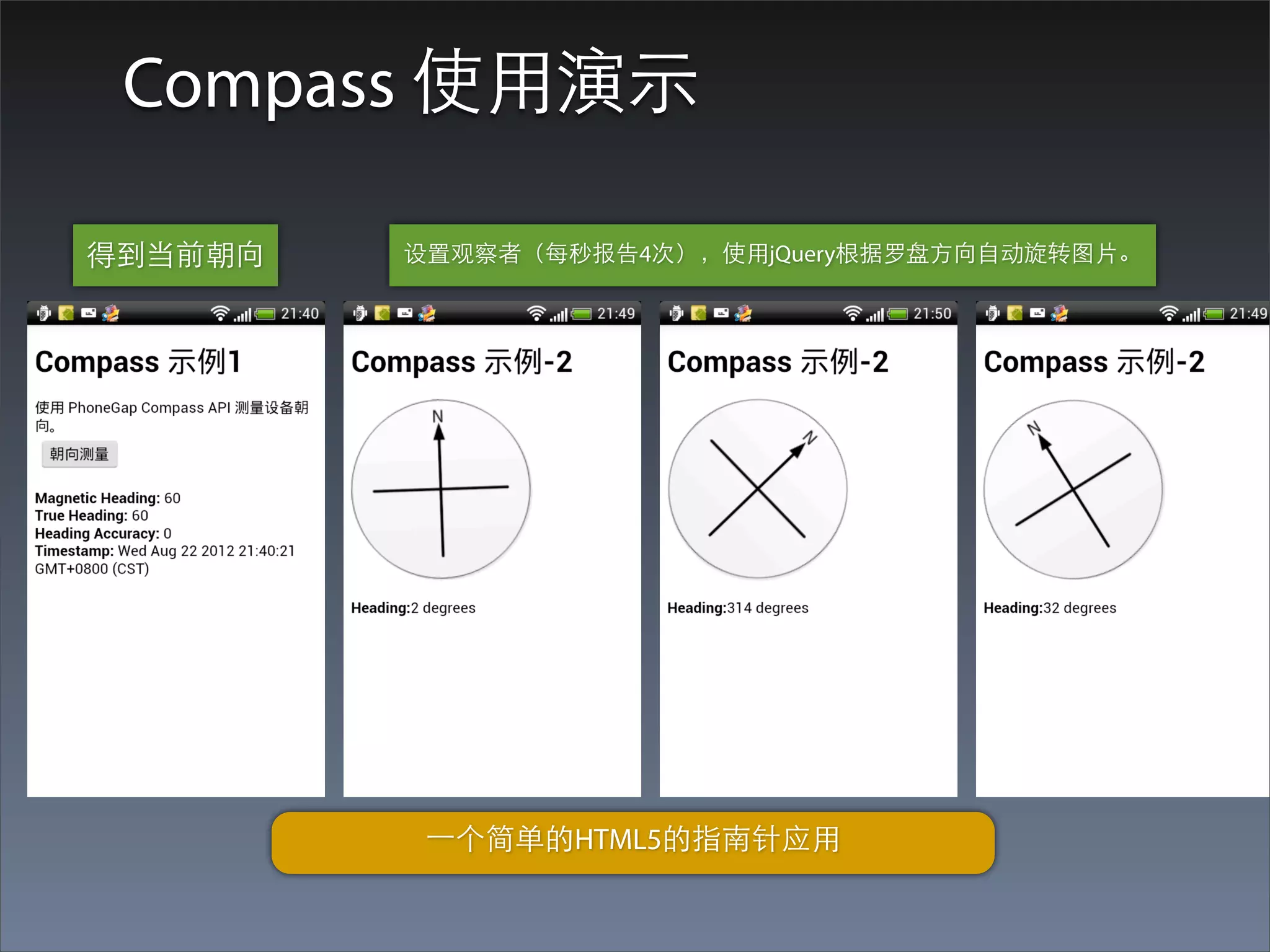
Compass 使⽤用演⽰示

得到当前朝向   设置观察者(每秒报告4次),使⽤用jQuery根据罗盘⽅方向⾃自动旋转图⽚片。


          ⼀一个简单的HTML5的指南针应⽤用
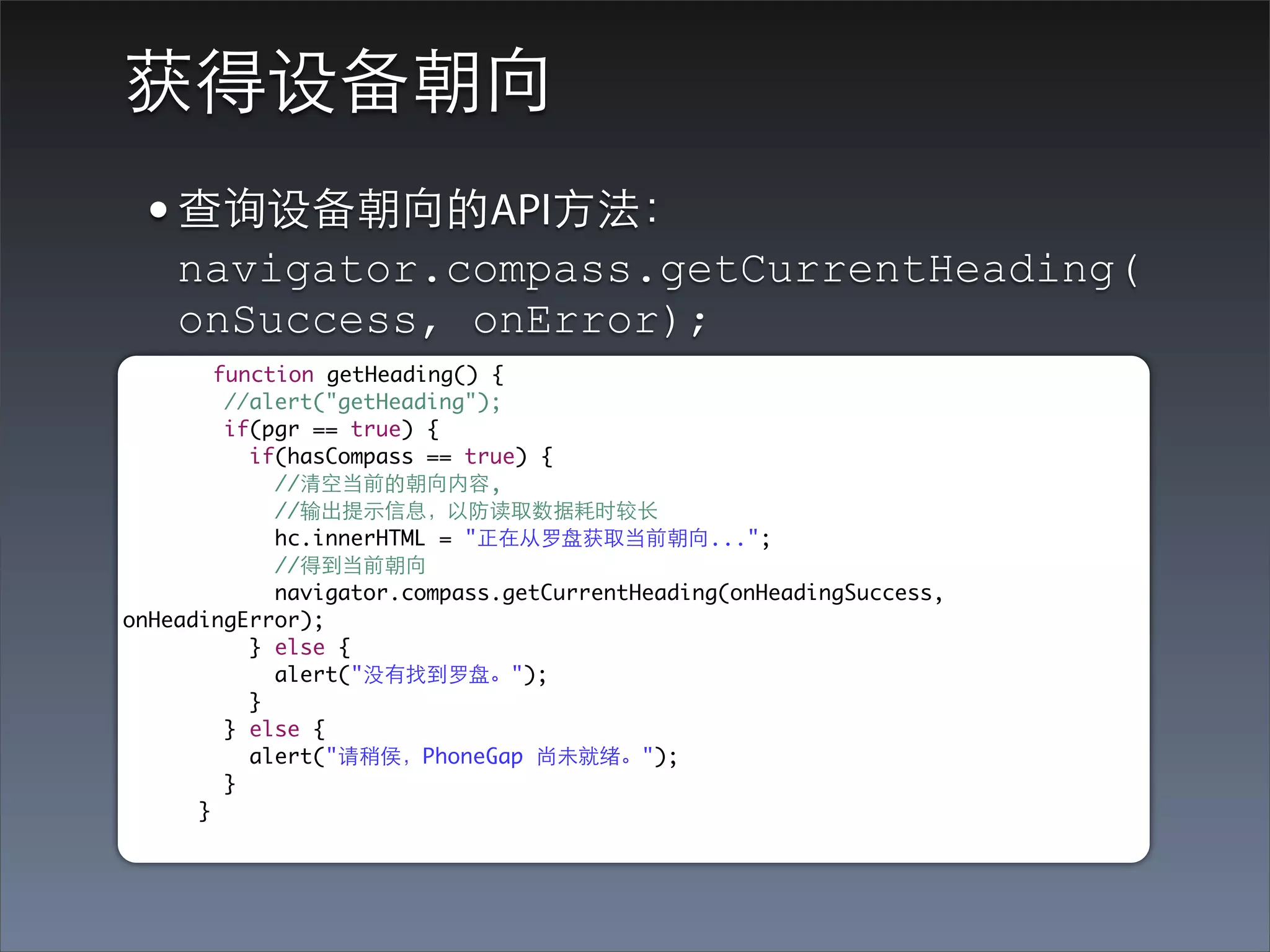
获得设备朝向
 • 查询设备朝向的API⽅方法:
    navigator.compass.getCurrentHeading(
    onSuccess, onError);
        function getHeading() {
         //alert("getHeading");
         if(pgr == true) {
           if(hasCompass == true) {
             //清空当前的朝向内容,
             //输出提⽰示信息,以防读取数据耗时较⻓长
             hc.innerHTML = "正在从罗盘获取当前朝向...";
             //得到当前朝向
             navigator.compass.getCurrentHeading(onHeadingSuccess,
onHeadingError);
           } else {
             alert("没有找到罗盘。");
           }
         } else {
           alert("请稍侯,PhoneGap 尚未就绪。");
         }
      }
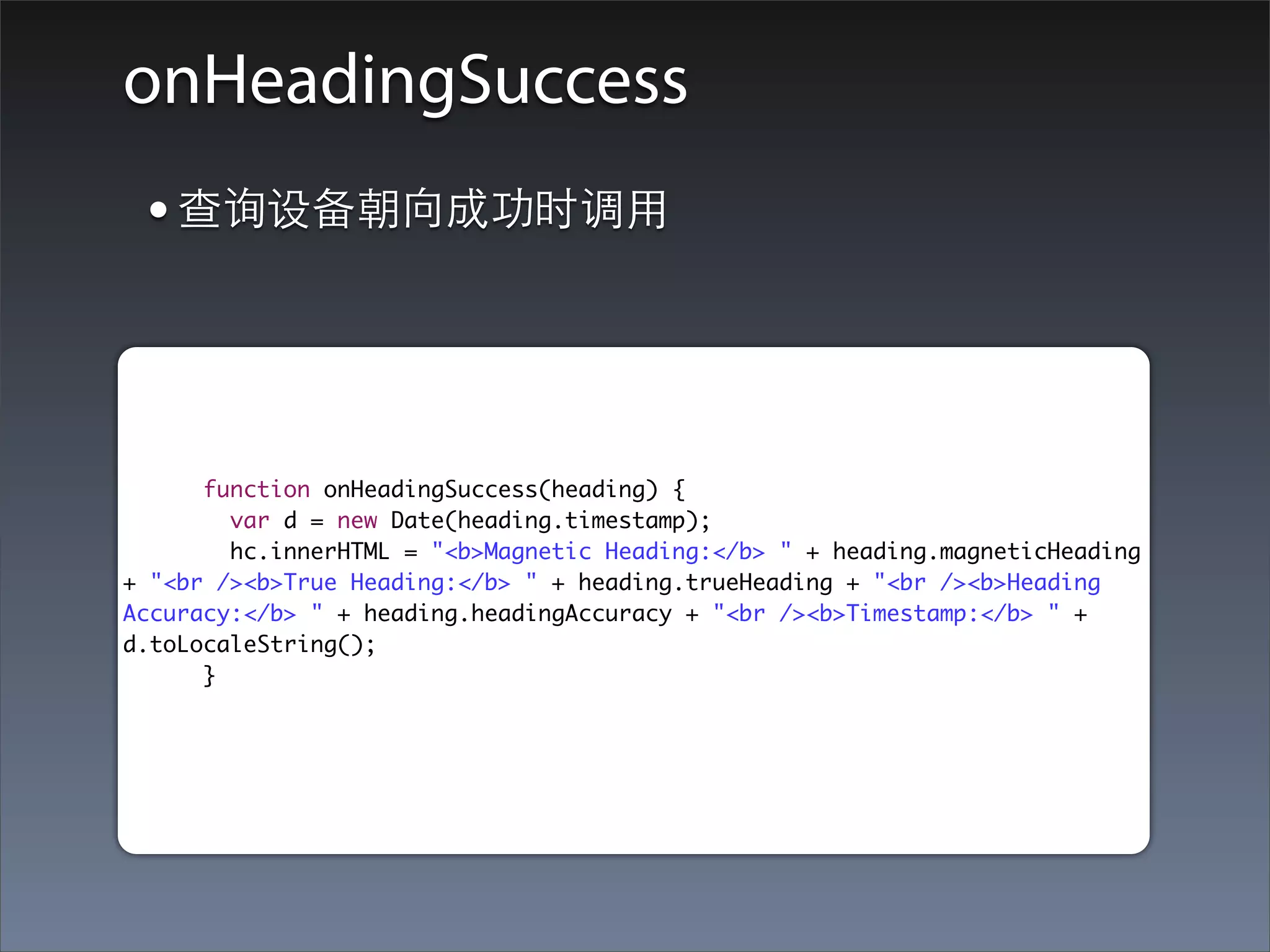
onHeadingSuccess
 • 查询设备朝向成功时调⽤用


      function onHeadingSuccess(heading) {
        var d = new Date(heading.timestamp);
        hc.innerHTML = "<b>Magnetic Heading:</b> " + heading.magneticHeading
+ "<br /><b>True Heading:</b> " + heading.trueHeading + "<br /><b>Heading
Accuracy:</b> " + heading.headingAccuracy + "<br /><b>Timestamp:</b> " +
d.toLocaleString();
      }
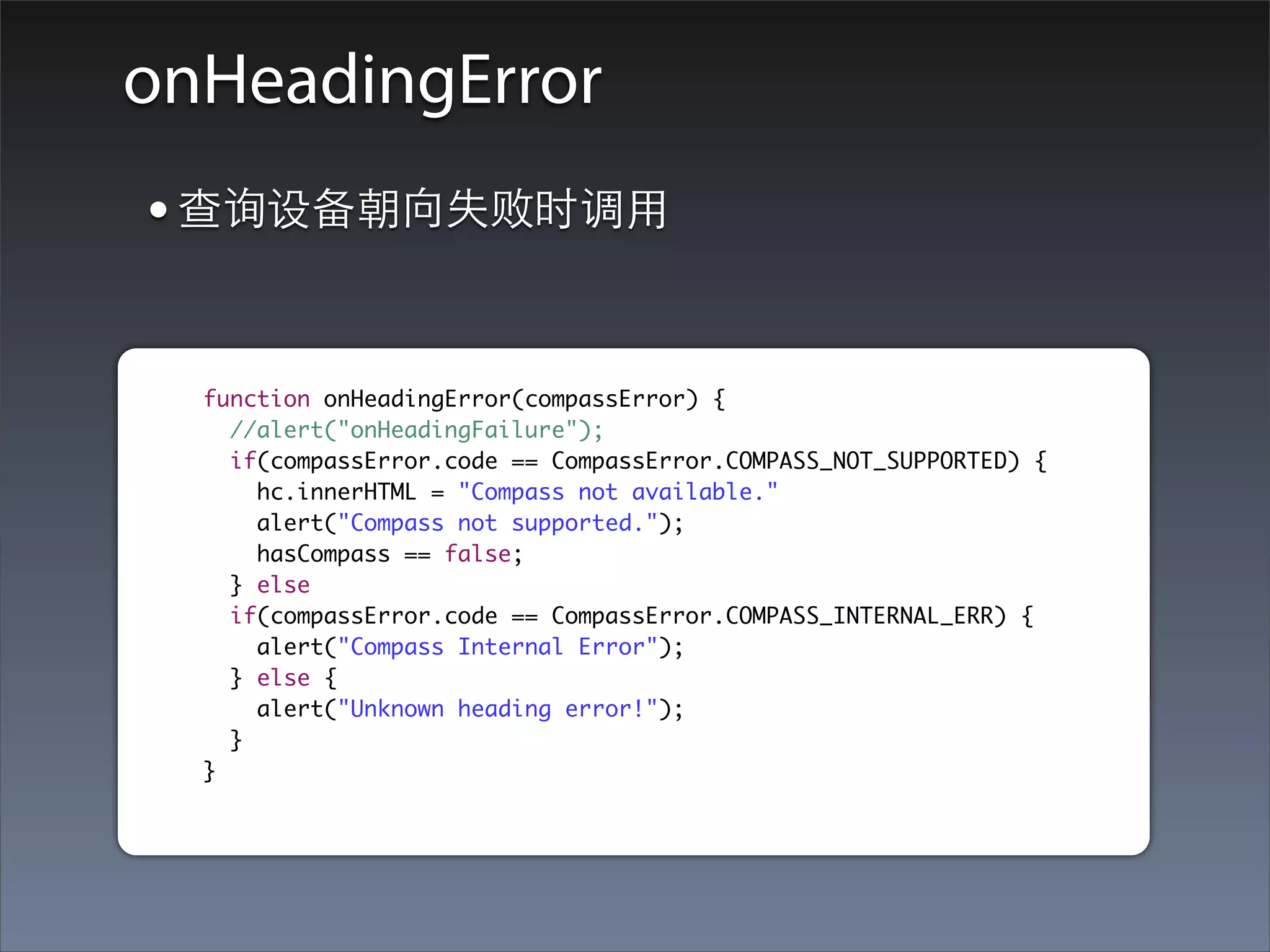
onHeadingError
• 查询设备朝向失败时调⽤用

  function onHeadingError(compassError) {
    //alert("onHeadingFailure");
    if(compassError.code == CompassError.COMPASS_NOT_SUPPORTED) {
      hc.innerHTML = "Compass not available."
      alert("Compass not supported.");
      hasCompass == false;
    } else
    if(compassError.code == CompassError.COMPASS_INTERNAL_ERR) {
      alert("Compass Internal Error");
    } else {
      alert("Unknown heading error!");
    }
  }
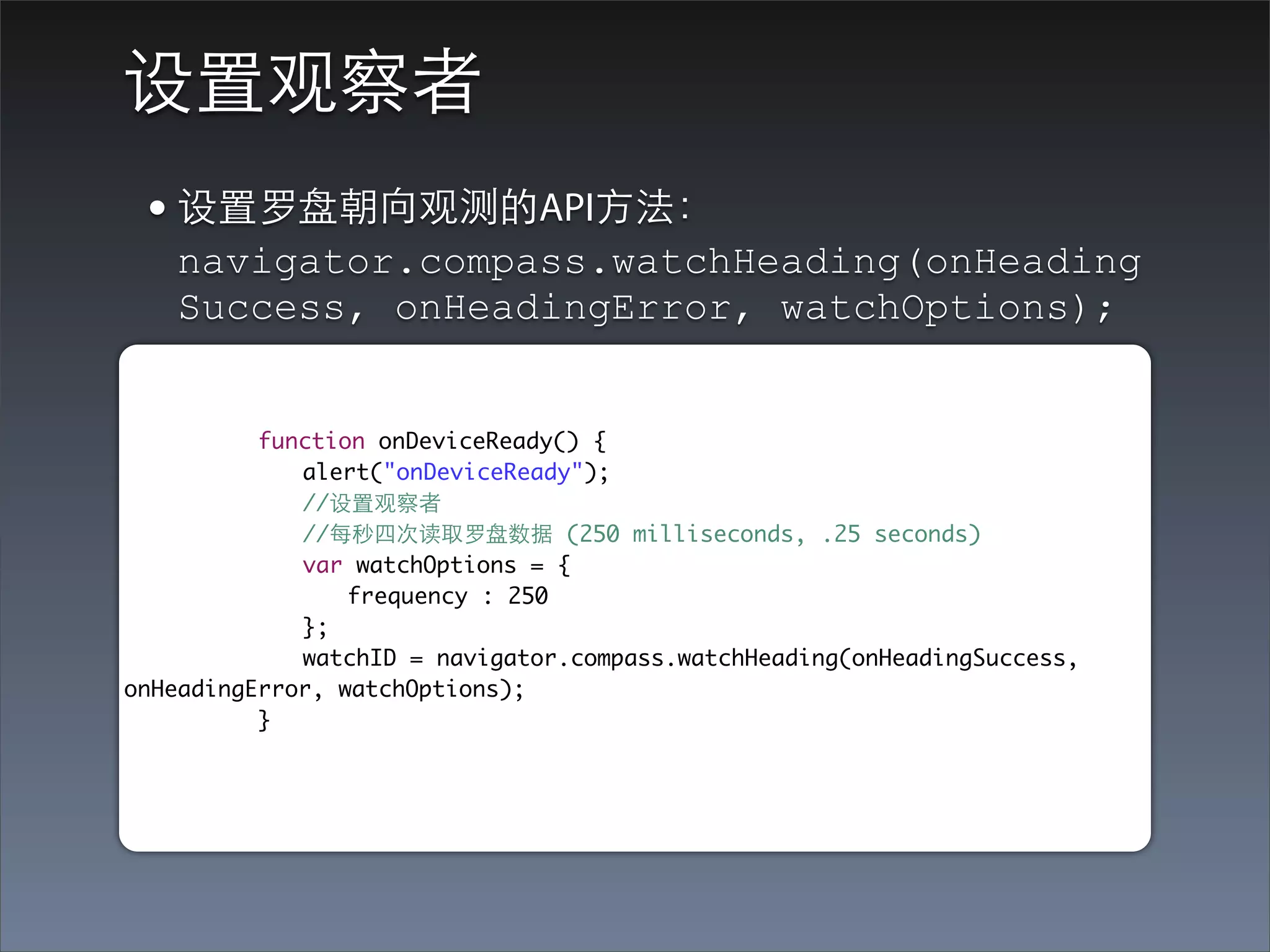
设置观察者
 • 设置罗盘朝向观测的API⽅方法:
   navigator.compass.watchHeading(onHeading
   Success, onHeadingError, watchOptions);


	 	 	 function onDeviceReady() {
	 	 	 	 alert("onDeviceReady");
	 	 	 	 //设置观察者
	 	 	 	 //每秒四次读取罗盘数据 (250 milliseconds, .25 seconds)
	 	 	 	 var watchOptions = {
	 	 	 	 	 frequency : 250
	 	 	 	 };
	 	 	 	 watchID = navigator.compass.watchHeading(onHeadingSuccess,
onHeadingError, watchOptions);
	 	 	 }
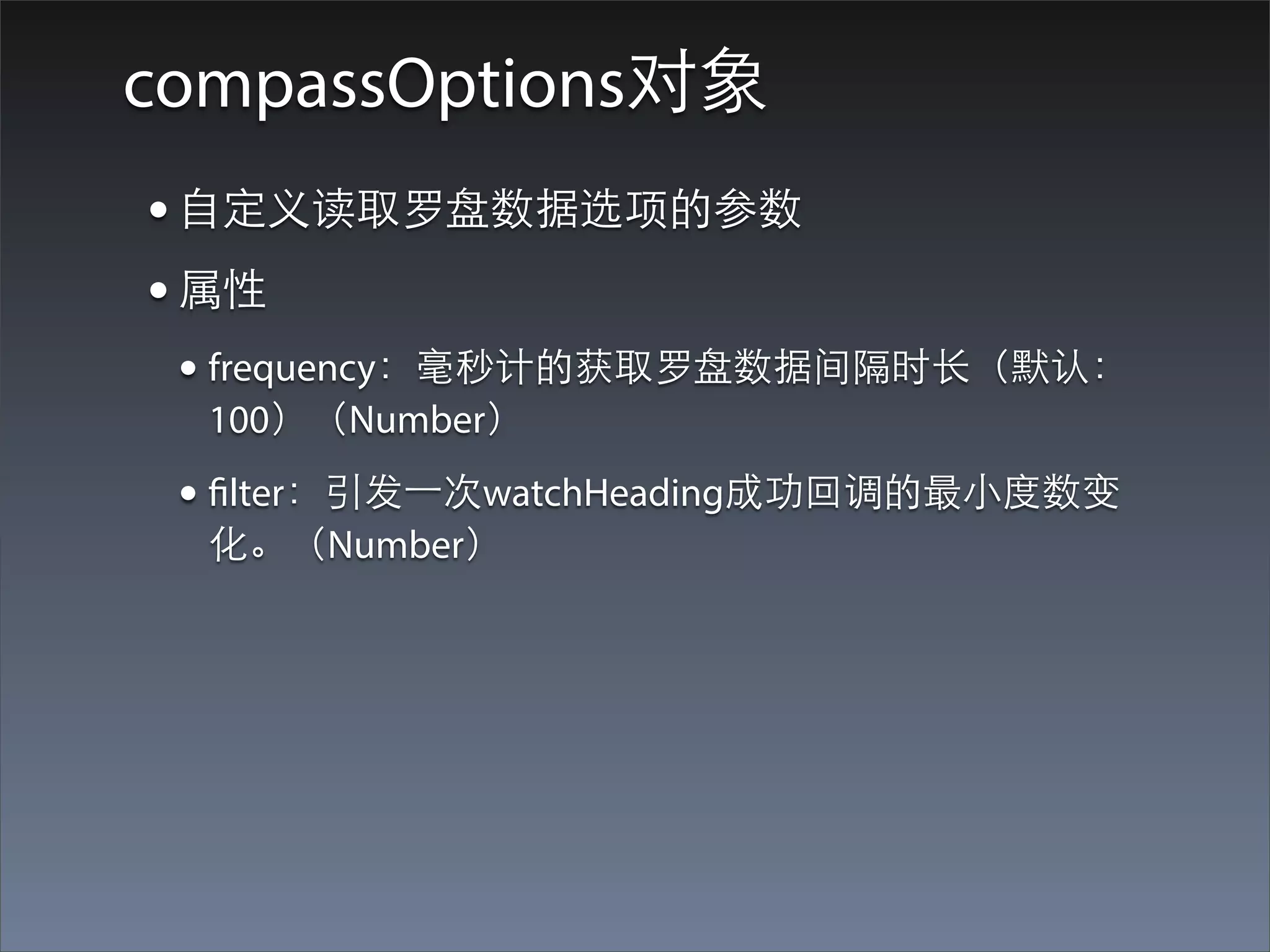
compassOptions对象
• ⾃自定义读取罗盘数据选项的参数
• 属性
 • frequency:毫秒计的获取罗盘数据间隔时⻓长(默认:
  100)(Number)
 • filter:引发⼀一次watchHeading成功回调的最⼩小度数变
  化。(Number)
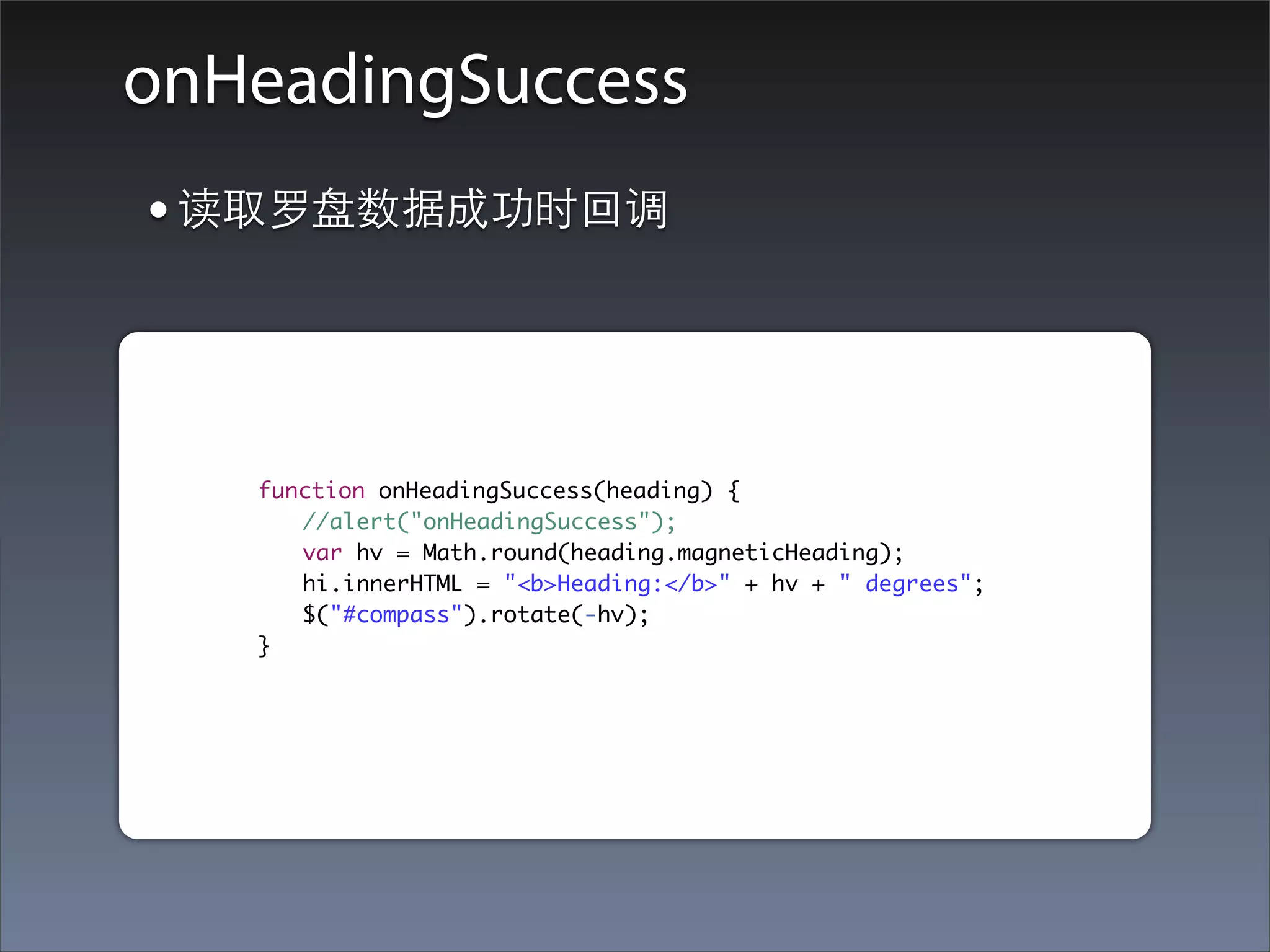
onHeadingSuccess
    • 读取罗盘数据成功时回调


	   	   	   function onHeadingSuccess(heading) {
	   	   	   	 //alert("onHeadingSuccess");
	   	   	   	 var hv = Math.round(heading.magneticHeading);
	   	   	   	 hi.innerHTML = "<b>Heading:</b>" + hv + " degrees";
	   	   	   	 $("#compass").rotate(-hv);
	   	   	   }
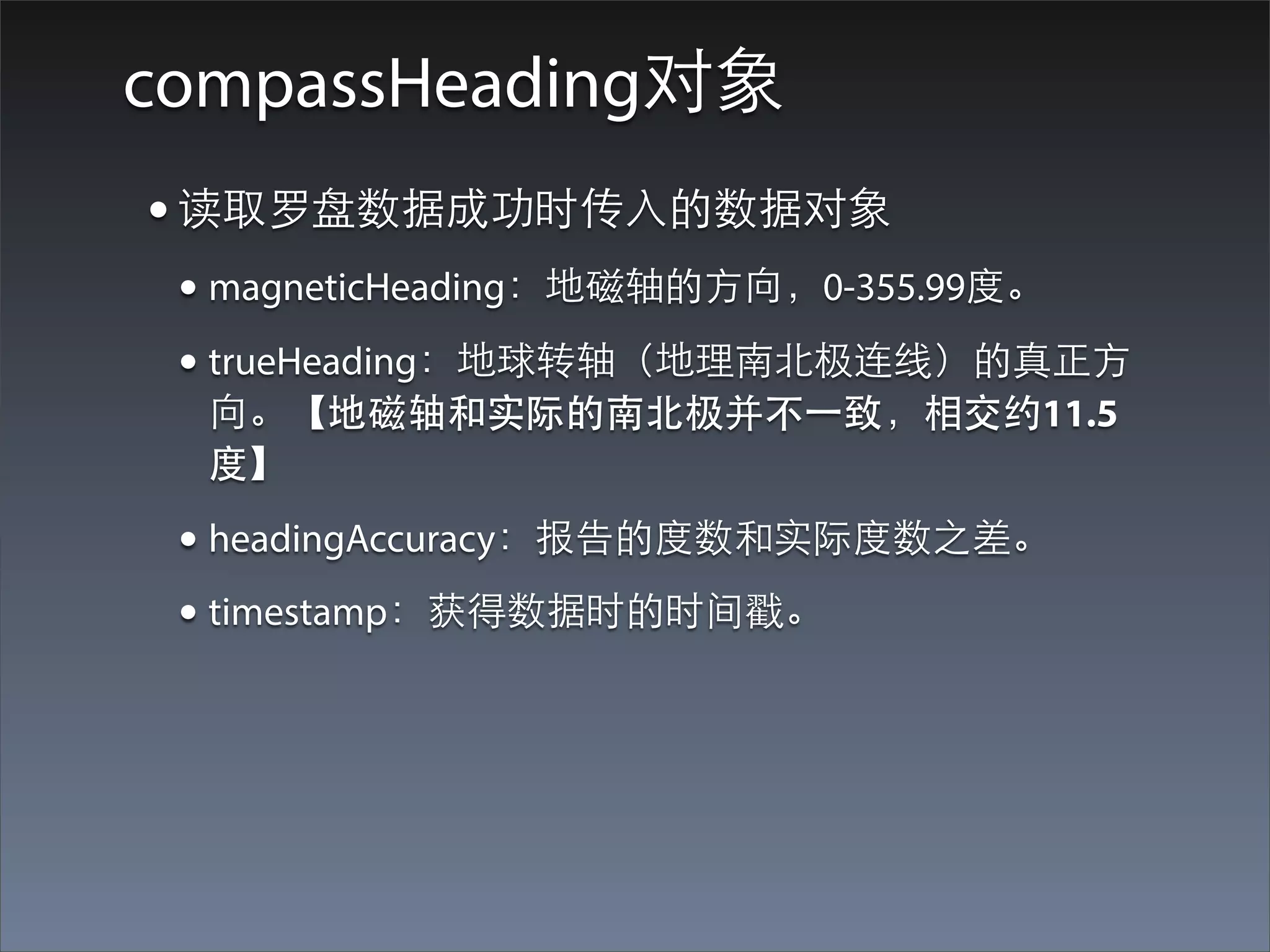
compassHeading对象
• 读取罗盘数据成功时传⼊入的数据对象
 • magneticHeading:地磁轴的⽅方向,0-355.99度。
 • trueHeading:地球转轴(地理南北极连线)的真正⽅方
  向。【地磁轴和实际的南北极并不⼀一致,相交约11.5
  度】

 • headingAccuracy:报告的度数和实际度数之差。
 • timestamp:获得数据时的时间戳。
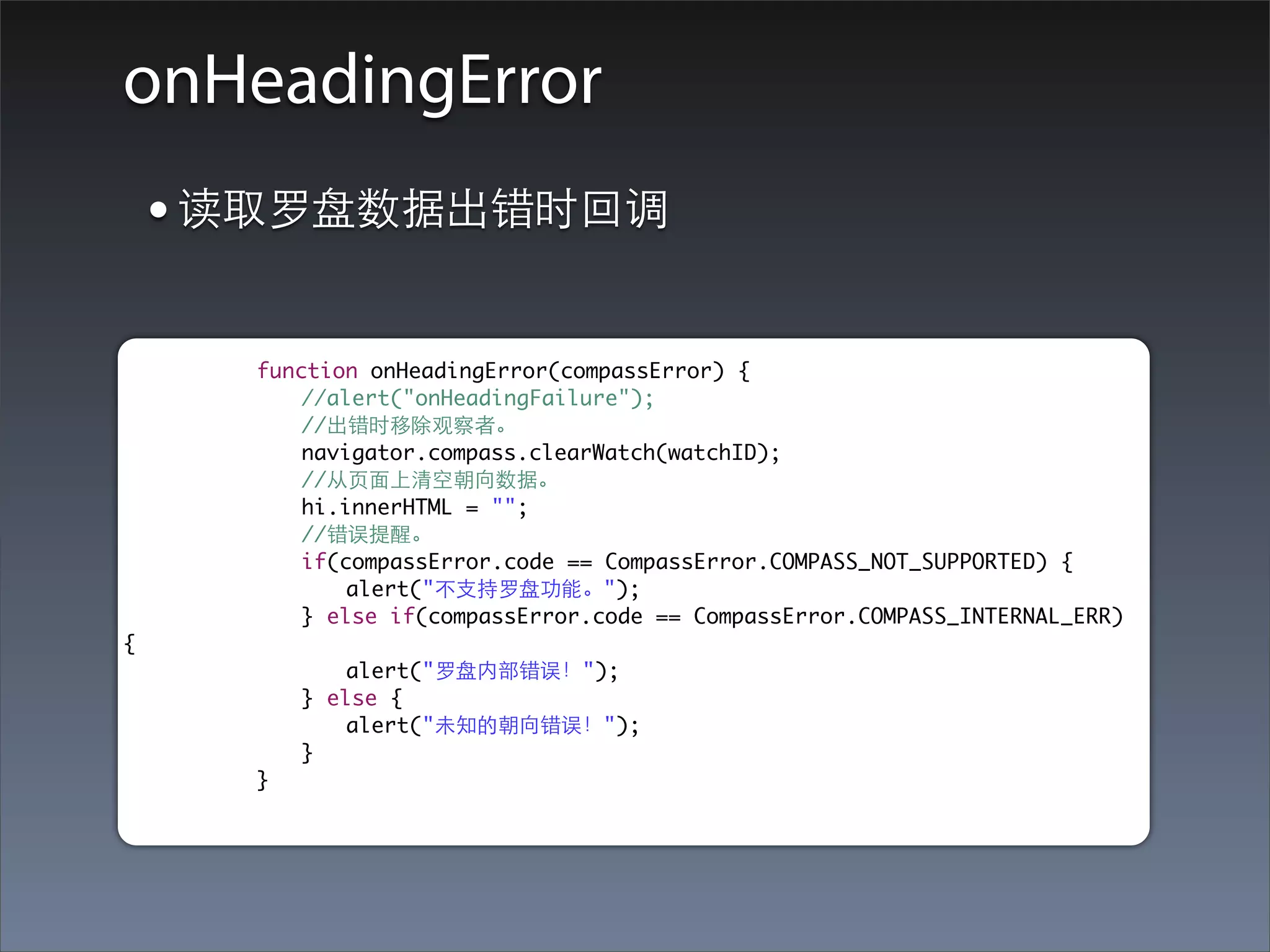
onHeadingError
    • 读取罗盘数据出错时回调
	   	   	   function onHeadingError(compassError) {
	   	   	   	   //alert("onHeadingFailure");
	   	   	   	   //出错时移除观察者。
	   	   	   	   navigator.compass.clearWatch(watchID);
	   	   	   	   //从⻚页⾯面上清空朝向数据。
	   	   	   	   hi.innerHTML = "";
	   	   	   	   //错误提醒。
	   	   	   	   if(compassError.code == CompassError.COMPASS_NOT_SUPPORTED) {
	   	   	   	   	   alert("不⽀支持罗盘功能。");
	   	   	   	   } else if(compassError.code == CompassError.COMPASS_INTERNAL_ERR)
{
	   	   	   	   	   alert("罗盘内部错误!");
	   	   	   	   } else {
	   	   	   	   	   alert("未知的朝向错误!");
	   	   	   	   }
	   	   	   }
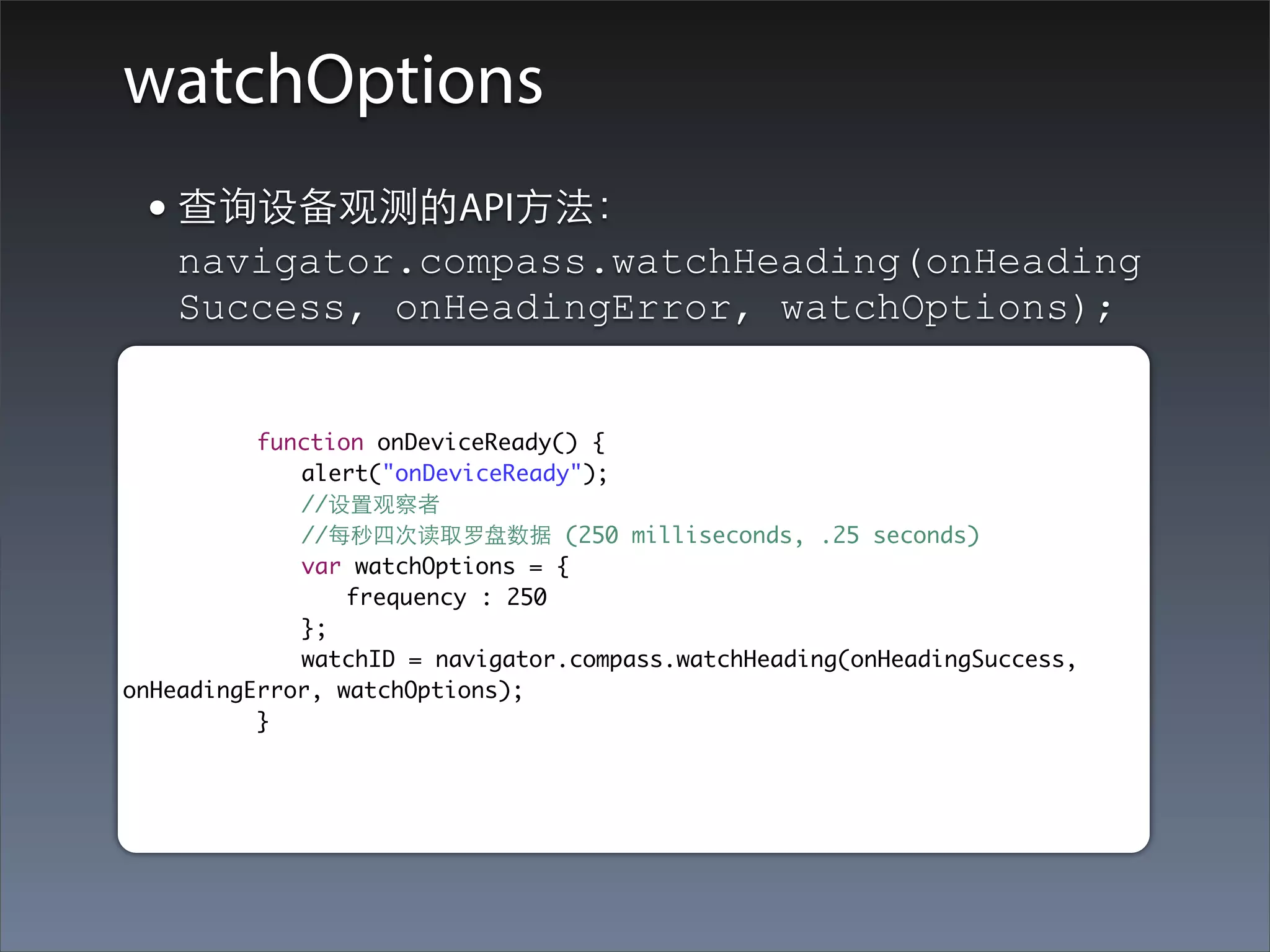
watchOptions
 • 查询设备观测的API⽅方法:
   navigator.compass.watchHeading(onHeading
   Success, onHeadingError, watchOptions);


	 	 	 function onDeviceReady() {
	 	 	 	 alert("onDeviceReady");
	 	 	 	 //设置观察者
	 	 	 	 //每秒四次读取罗盘数据 (250 milliseconds, .25 seconds)
	 	 	 	 var watchOptions = {
	 	 	 	 	 frequency : 250
	 	 	 	 };
	 	 	 	 watchID = navigator.compass.watchHeading(onHeadingSuccess,
onHeadingError, watchOptions);
	 	 	 }
Connection
Connection API简介
• PhoneGap Connection 对象提供给应⽤用程序当前
 应⽤用可⽤用⺴⽹网络连接的相关信息。
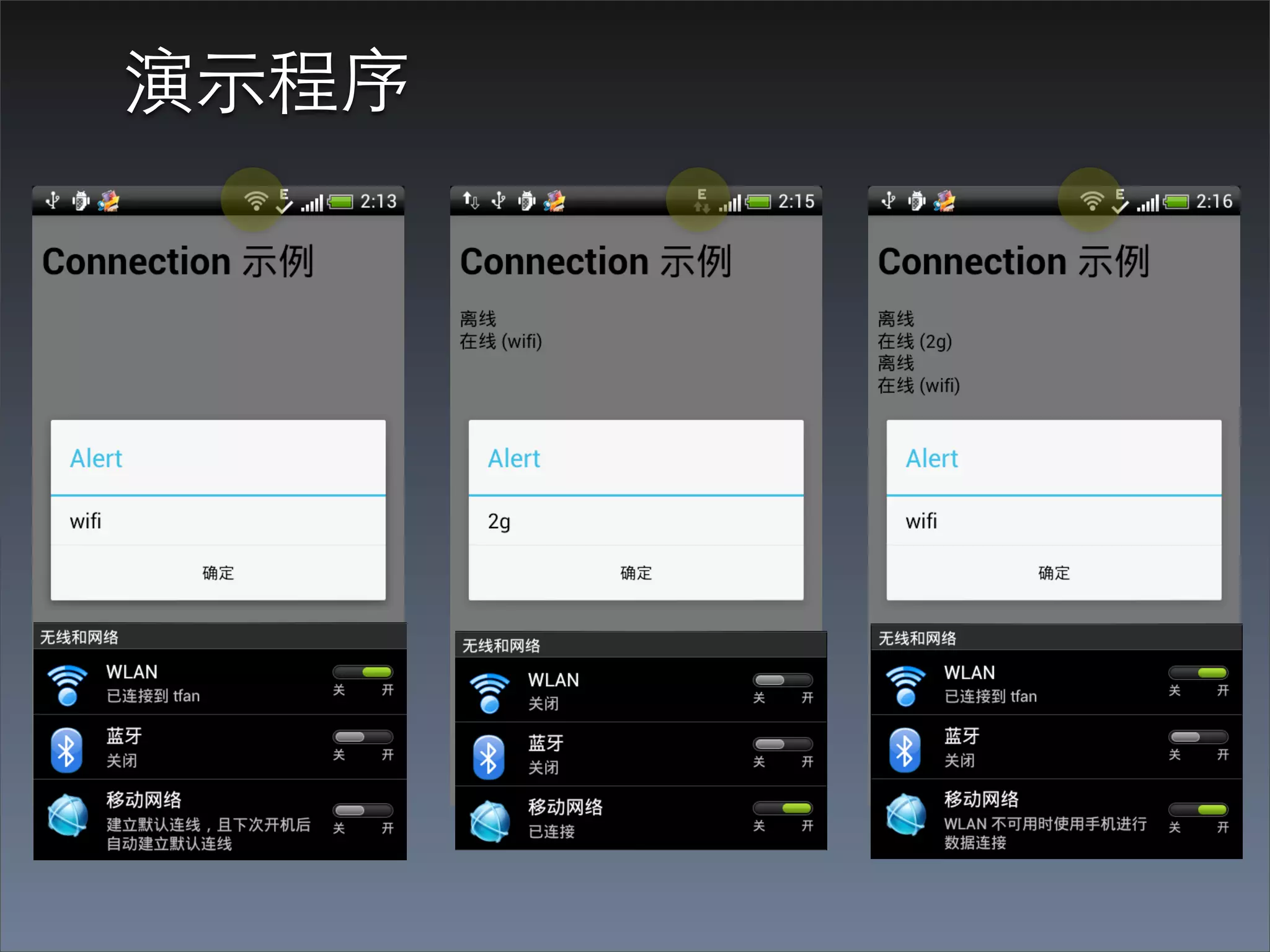
演⽰示程序
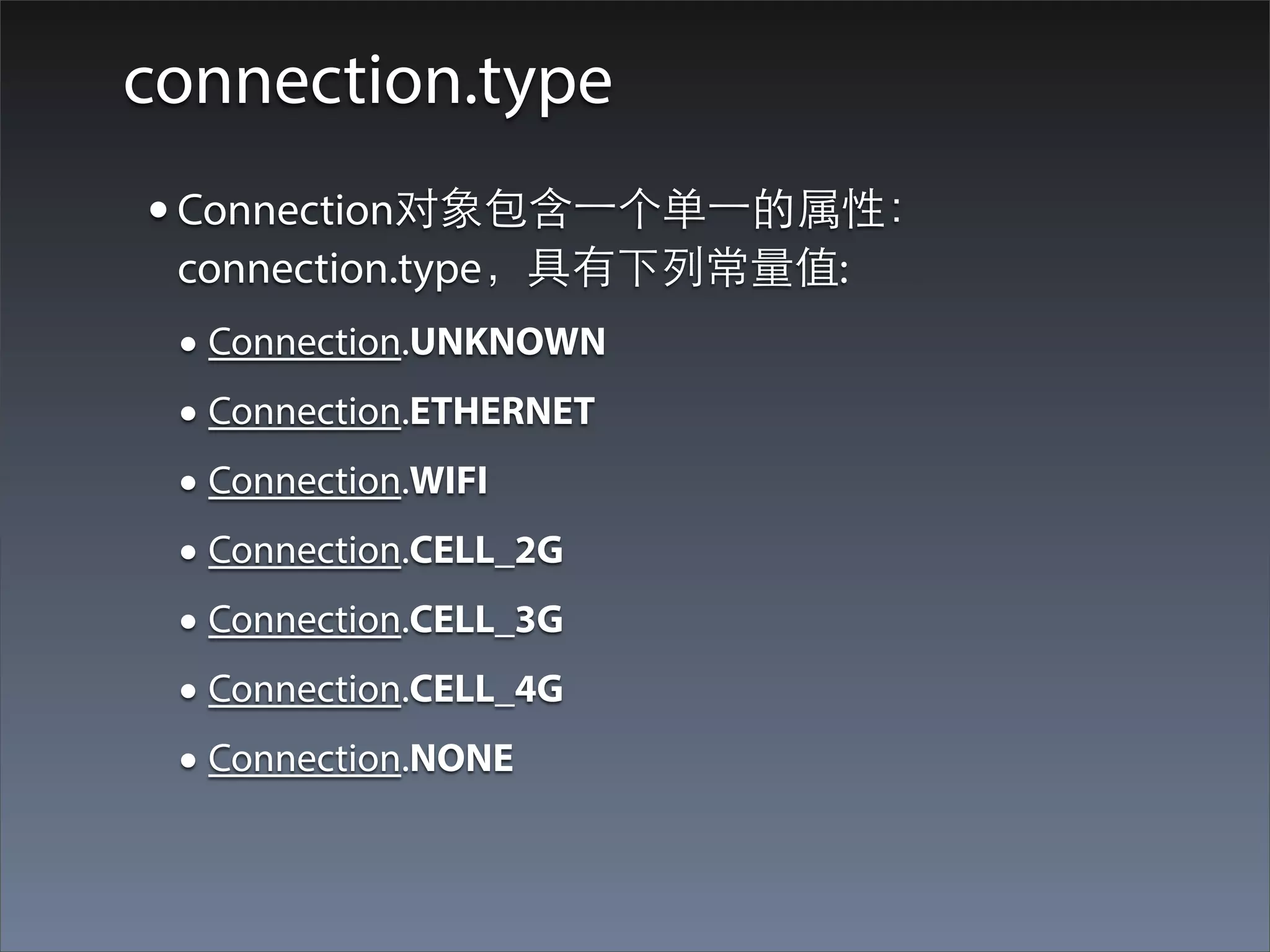
connection.type
• Connection对象包含⼀一个单⼀一的属性:
 connection.type,具有下列常量值:
 • Connection.UNKNOWN
 • Connection.ETHERNET
 • Connection.WIFI
 • Connection.CELL_2G
 • Connection.CELL_3G
 • Connection.CELL_4G
 • Connection.NONE
Connection 代码⽰示例
function onDeviceReady() {
  navigator.notification.alert("PhoneGap 就绪!");
  //Add the online event listener
  document.addEventListener("online", isOnline, false);
  //Add the offline event listener
  document.addEventListener("offline", isOffline, false);
}

function isOnline() {
  //alert("isOnline");
  var d = new Date();
  $('#networkInfo').prepend("在线 (" + getConnectionTypeStr() + ")<br />");
}

function isOffline() {
  //alert("isOffline");
  var d = new Date();
  $('#networkInfo').prepend("离线<br />");
}

function getConnectionTypeStr() {
  //得到⺴⽹网络状态
  var networkState = navigator.network.connection.type;
  alert(networkState);
  //返回表⽰示⺴⽹网络状态的字符串
  //return states[networkState];
  return networkState;
}
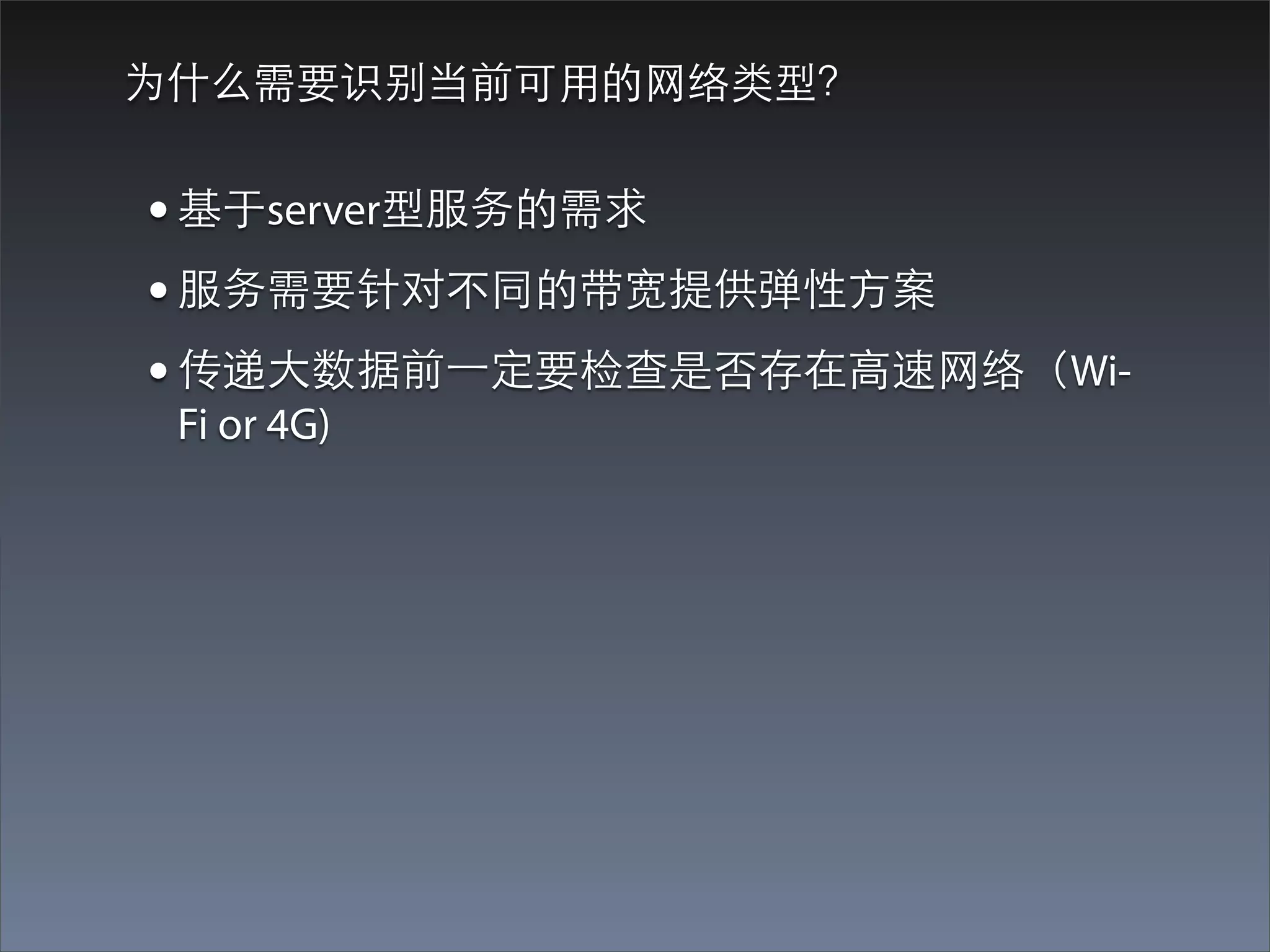
为什么需要识别当前可⽤用的⺴⽹网络类型?


• 基于server型服务的需求
• 服务需要针对不同的带宽提供弹性⽅方案
• 传递⼤大数据前⼀一定要检查是否存在⾼高速⺴⽹网络(Wi-
 Fi or 4G)
Contacts
Contacts API简介
• PhoneGap Contacts API 为应⽤用提供了⼀一个到设备
 联系⼈人数据库的访问接⼝口,可以被⽤用来从设备的
 本地“联系⼈人”应⽤用创建,定位,编辑,拷⻉贝以及
 删除联系⼈人记录。
• PhoneGap的Contacts API是W3C Contacts API 规范
 的⼀一个实现。
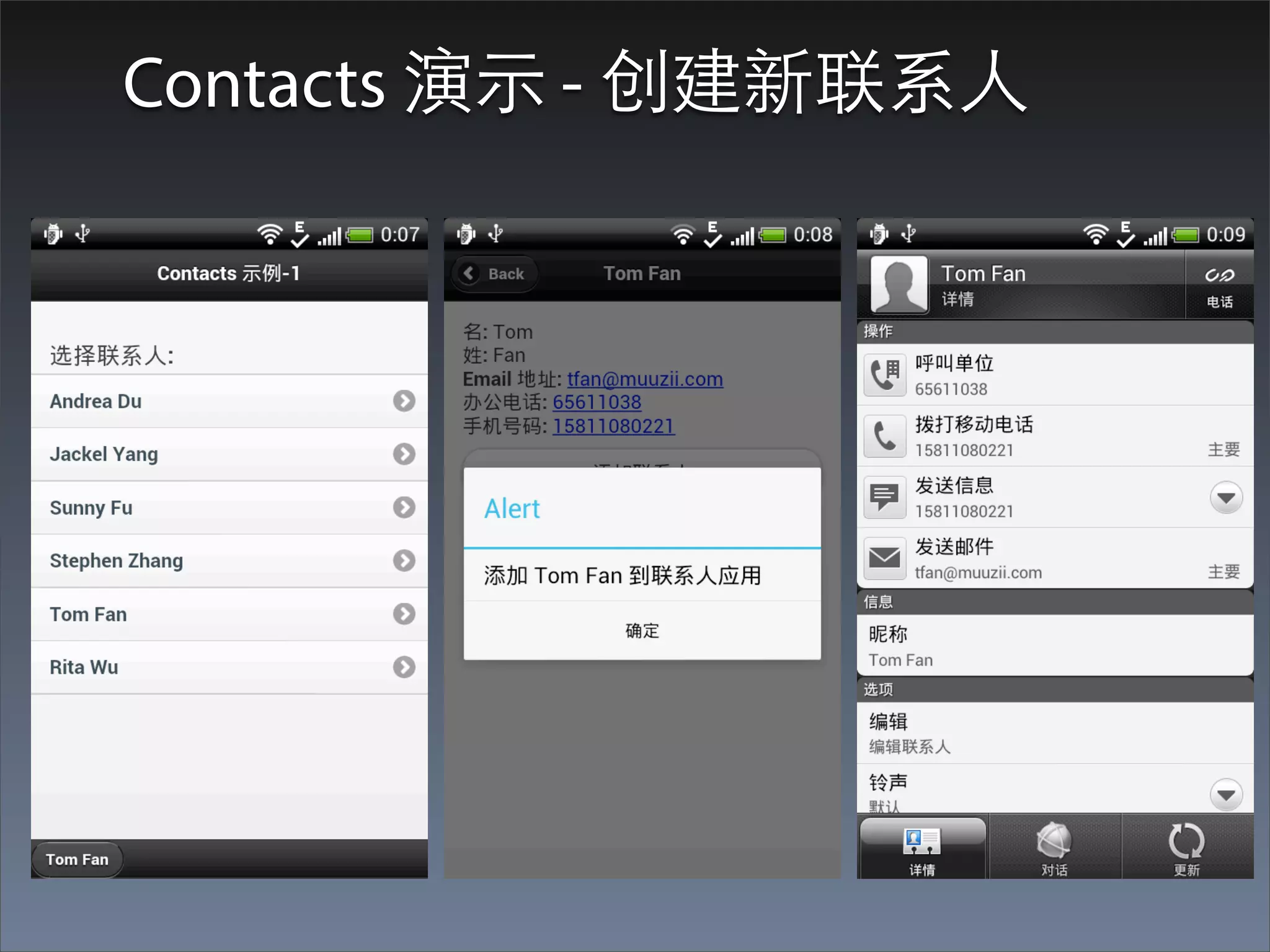
Contacts 演⽰示 - 创建新联系⼈人
创建⼀一个联系⼈人
• 返回⼀一个新的Contact对象
function addContact() {
  alert("Adding " + contactInfo.FullName + " to contacts application");
  var contact = navigator.contacts.create();
  contact.displayName = contactInfo.FullName;
  contact.nickname = contactInfo.FullName;
  var tmpName = new ContactName();
  tmpName.givenName = contactInfo.FirstName;
  tmpName.familyName = contactInfo.LastName;
  tmpName.formatted = contactInfo.FullName;
  contact.name = tmpName;
  var phoneNums = [2];
  phoneNums[0] = new ContactField('work', contactInfo.OfficePhone, false);
  phoneNums[1] = new ContactField('mobile', contactInfo.MobilePhone, true);
  contact.phoneNumbers = phoneNums;
  var emailAddresses = [1];
  emailAddresses[0] = new ContactField('home', contactInfo.EmailAddress, true);
  contact.emails = emailAddresses;

    // 保存到设备
    contact.save(onContactSaveSuccess, onContactSaveError);
}
Contact对象
•   id: A globally unique identifier. (DOMString)

•   displayName: The name of this Contact, suitable for display to end-users.
    (DOMString)

•   name: An object containing all components of a persons name. (ContactName)

•   nickname: A casual name to address the contact by. (DOMString)

•   phoneNumbers: An array of all the contact's phone numbers. (ContactField[])

•   emails: An array of all the contact's email addresses. (ContactField[])

•   addresses: An array of all the contact's addresses. (ContactAddress[])

•   ims: An array of all the contact's IM addresses. (ContactField[])

•   organizations: An array of all the contact's organizations. (ContactOrganization[])

•   birthday: The birthday of the contact. (Date)

•   note: A note about the contact. (DOMString)

•   photos: An array of the contact's photos. (ContactField[])

•   categories: An array of all the contacts user defined categories. (ContactField[])

•   urls: An array of web pages associated to the contact. (ContactField[])
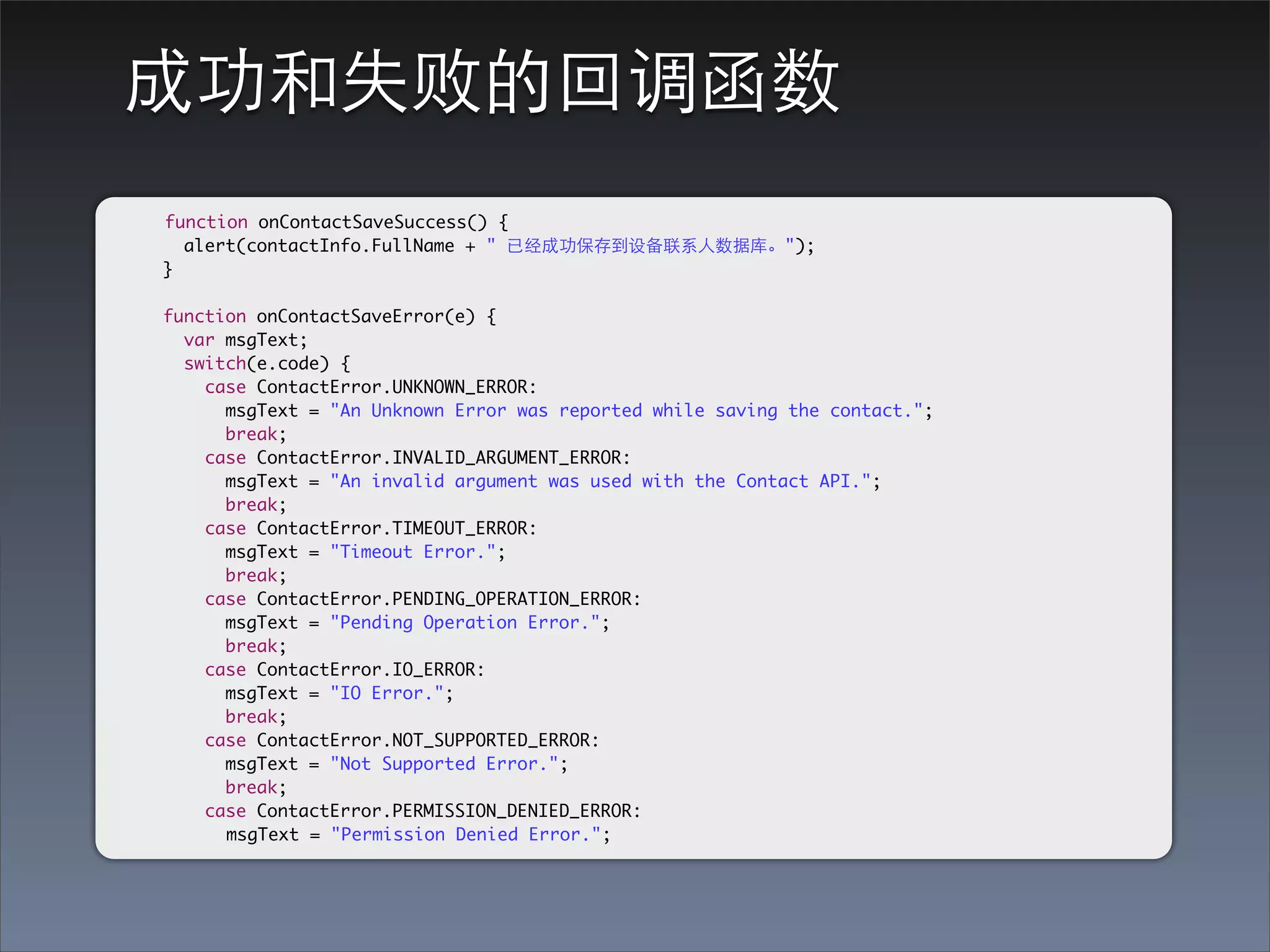
成功和失败的回调函数
function onContactSaveSuccess() {
  alert(contactInfo.FullName + " 已经成功保存到设备联系⼈人数据库。");
}

function onContactSaveError(e) {
  var msgText;
  switch(e.code) {
    case ContactError.UNKNOWN_ERROR:
      msgText = "An Unknown Error was reported while saving the contact.";
      break;
    case ContactError.INVALID_ARGUMENT_ERROR:
      msgText = "An invalid argument was used with the Contact API.";
      break;
    case ContactError.TIMEOUT_ERROR:
      msgText = "Timeout Error.";
      break;
    case ContactError.PENDING_OPERATION_ERROR:
      msgText = "Pending Operation Error.";
      break;
    case ContactError.IO_ERROR:
      msgText = "IO Error.";
      break;
    case ContactError.NOT_SUPPORTED_ERROR:
      msgText = "Not Supported Error.";
      break;
    case ContactError.PERMISSION_DENIED_ERROR:
      msgText = "Permission Denied Error.";
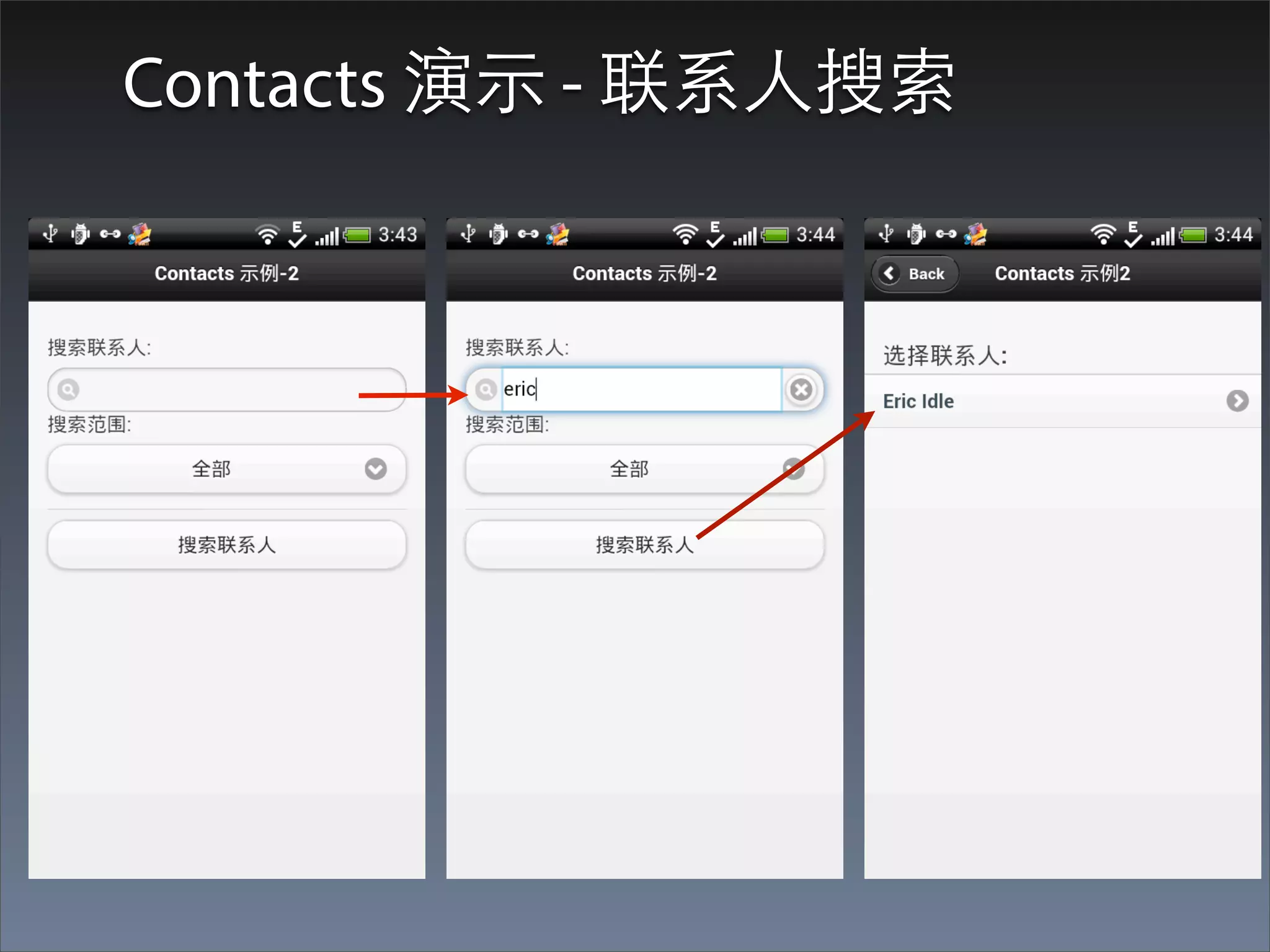
Contacts 演⽰示 - 联系⼈人搜索
搜索联系⼈人                               navigator.contacts.find(contactFields, contactSuccess,
                                         contactError, contactFindOptions);


      function searchContacts() {
        alert("searchContacts");
        $('#contacts').html('<p>Search Results</p>');
        var searchStr = document.getElementById("editSearch").value;
        var searchScope = document.getElementById("searchScope").selectedIndex;
        var contactFields = [];
        switch(searchScope) {
           case 1:
             contactFields = ['displayName', 'name', 'nickname'];
             break;
           case 2:
             contactFields = ['streetAddress', 'locality', 'region', 'postalCode', 'country'];
             break;
           case 3:
             contactFields = ['note'];
             break;
           default:
             contactFields = ['*'];
        }
        //Populate the search options object
        var searchOptions = {
           filter : searchStr,
           multiple : true,
        };
        //Execute the search
        navigator.contacts.find(contactFields, onContactSearchSuccess, onContactSearchError,
searchOptions);
onContactSearchSuccess
      function onContactSearchSuccess(contacts) {
        var i, len, theList;
        contactList = contacts;
        len = contacts.length;
        if(len > 0) {
          theList = '<ul data-role="listview">';
          for( i = 0, len; i < len; i += 1) {
            if(contacts[i].displayName == null) {
              theList += '<li><a onclick="showContact(' + i + ');">' +
contacts[i].name.familyName + ", " + contacts[i].name.givenName + '</a></li>';
            } else {
              theList += '<li><a onclick="showContact(' + i + ');">' +
contacts[i].displayName + '</a></li>';
            }
          }
          theList += '</ul>';
          $('#contacts').replaceWith(theList);
          $.mobile.changePage("#contactList", "slide", false, true);
        } else {
          navigator.notification.alert('Search returned 0 results', null, 'Contact
Search');
        }
      }
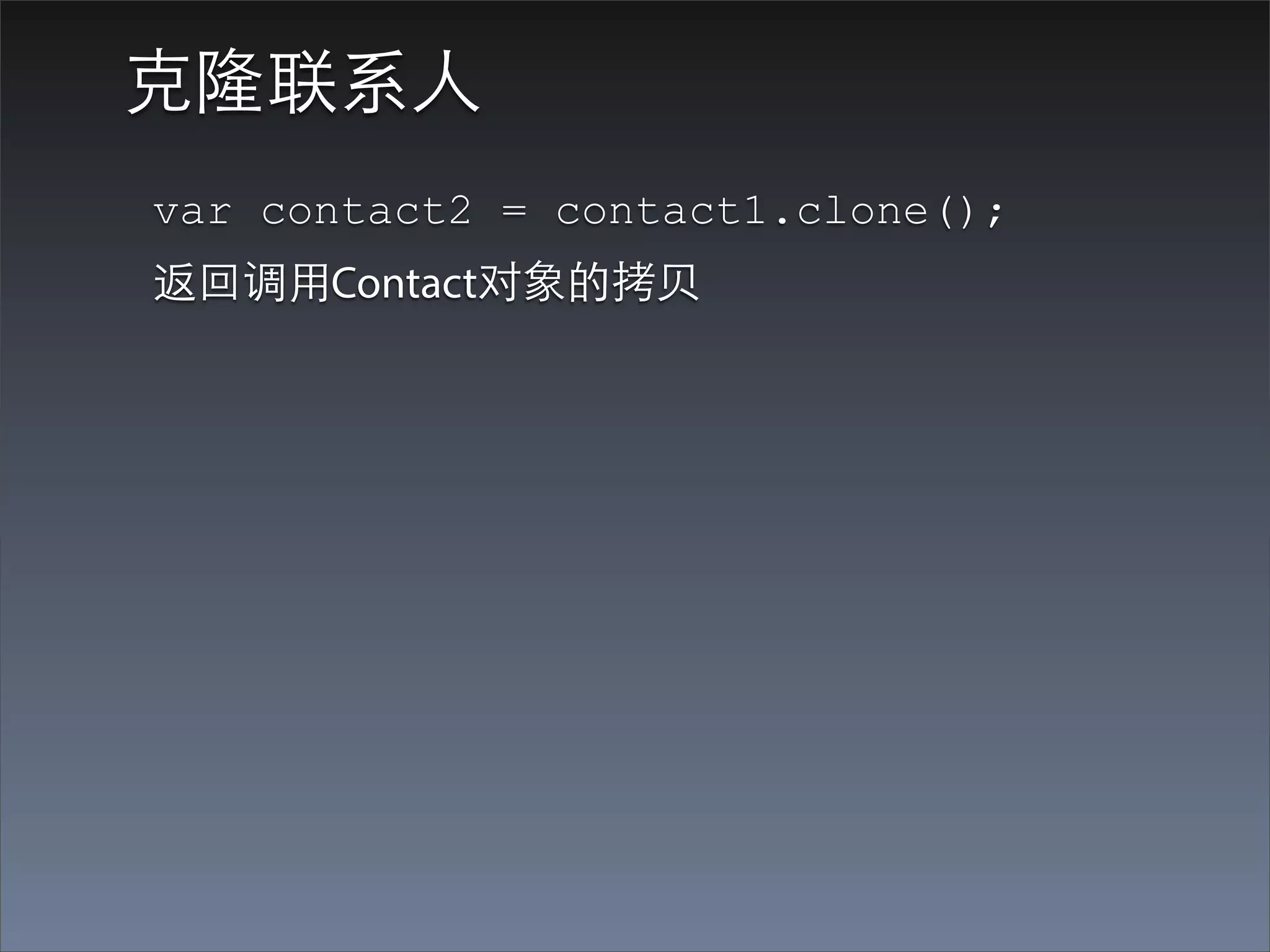
克隆联系⼈人
var contact2 = contact1.clone();
返回调⽤用Contact对象的拷⻉贝
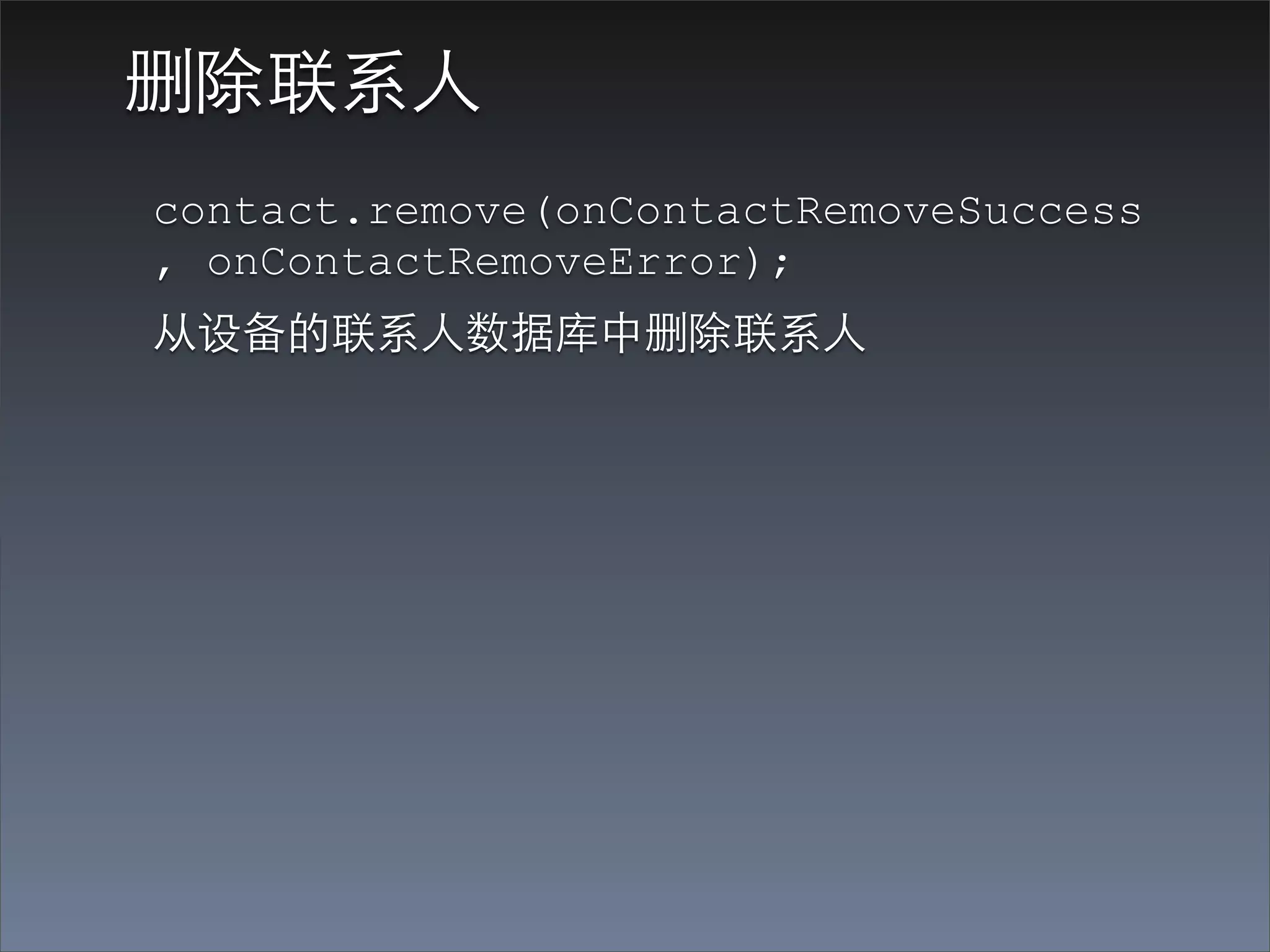
删除联系⼈人
contact.remove(onContactRemoveSuccess
, onContactRemoveError);
从设备的联系⼈人数据库中删除联系⼈人
Device
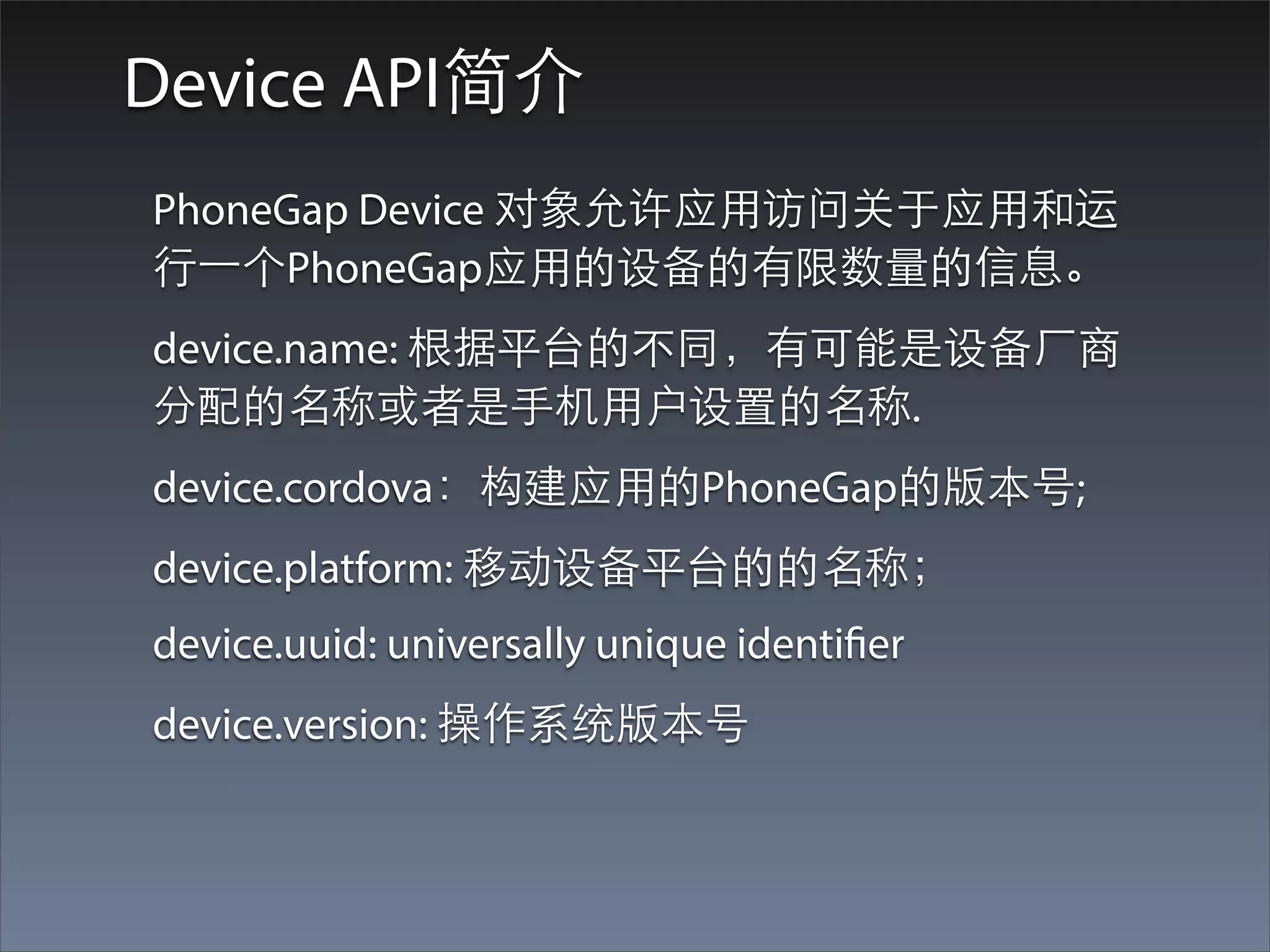
Device API简介
PhoneGap Device 对象允许应⽤用访问关于应⽤用和运
⾏行⼀一个PhoneGap应⽤用的设备的有限数量的信息。
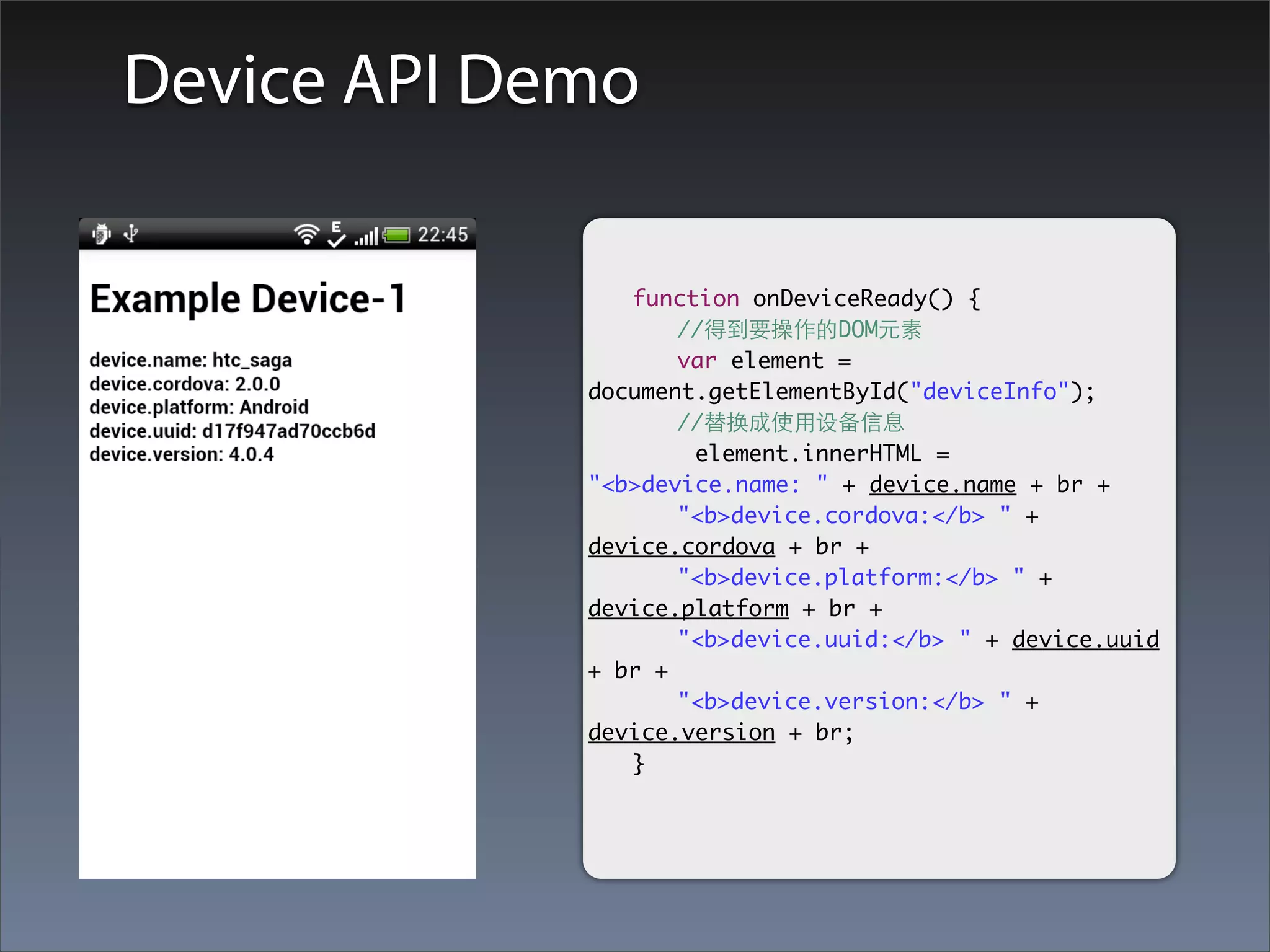
device.name: 根据平台的不同,有可能是设备⼚厂商
分配的名称或者是⼿手机⽤用户设置的名称.
device.cordova:构建应⽤用的PhoneGap的版本号;
device.platform: 移动设备平台的的名称;
device.uuid: universally unique identifier
device.version: 操作系统版本号
Device API Demo

             	 function onDeviceReady() {
             	 	 //得到要操作的DOM元素
             	 	 var element =
             document.getElementById("deviceInfo");
             	 	 //替换成使⽤用设备信息
                     element.innerHTML =
             "<b>device.name: " + device.name + br +
             	 	 "<b>device.cordova:</b> " +
             device.cordova + br +
             	 	 "<b>device.platform:</b> " +
             device.platform + br +
             	 	 "<b>device.uuid:</b> " + device.uuid
             + br +
             	 	 "<b>device.version:</b> " +
             device.version + br;
             	 }
Events
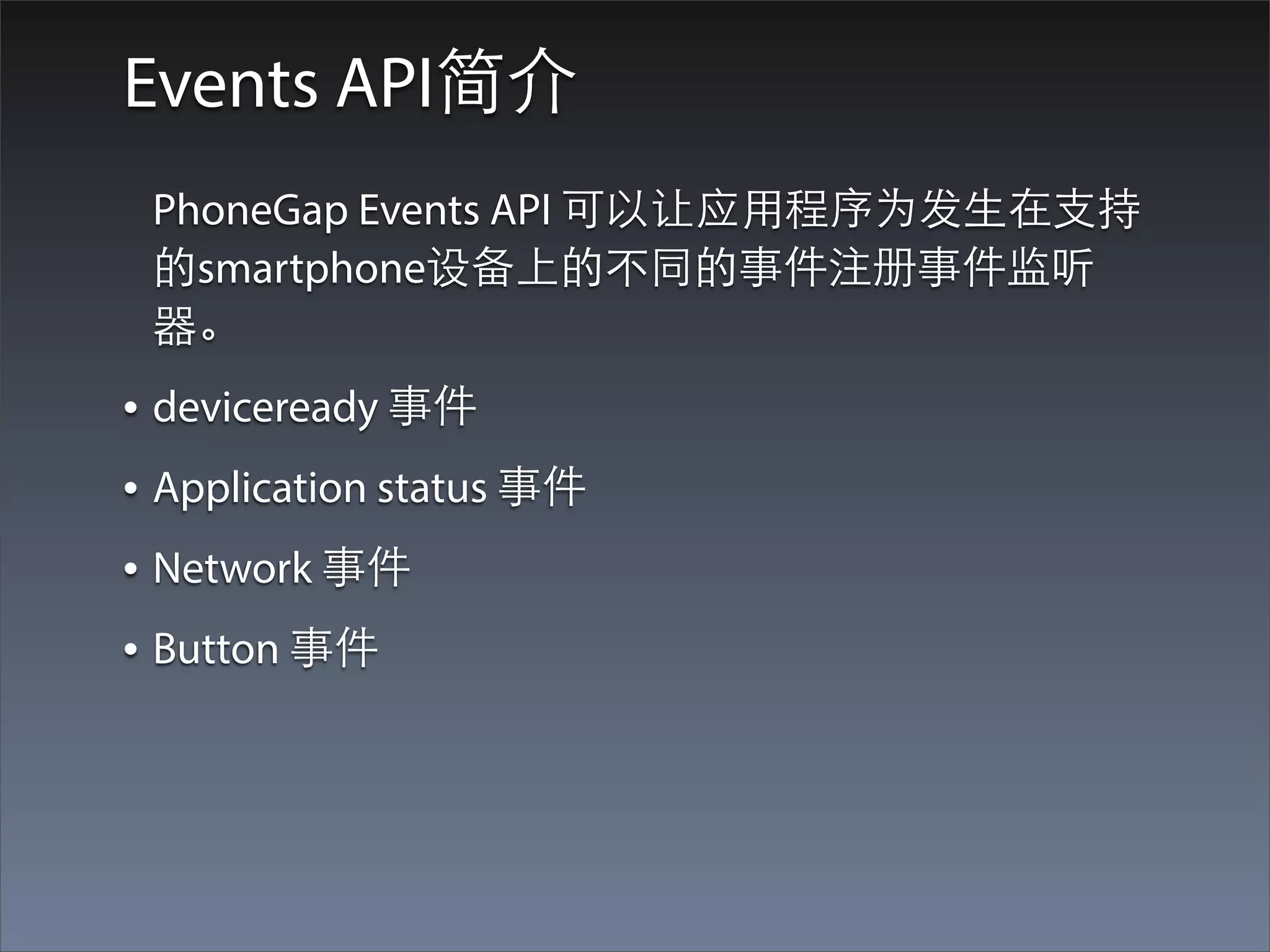
Events API简介
 PhoneGap Events API 可以让应⽤用程序为发⽣生在⽀支持
 的smartphone设备上的不同的事件注册事件监听
 器。
• deviceready 事件
• Application status 事件
• Network 事件
• Button 事件
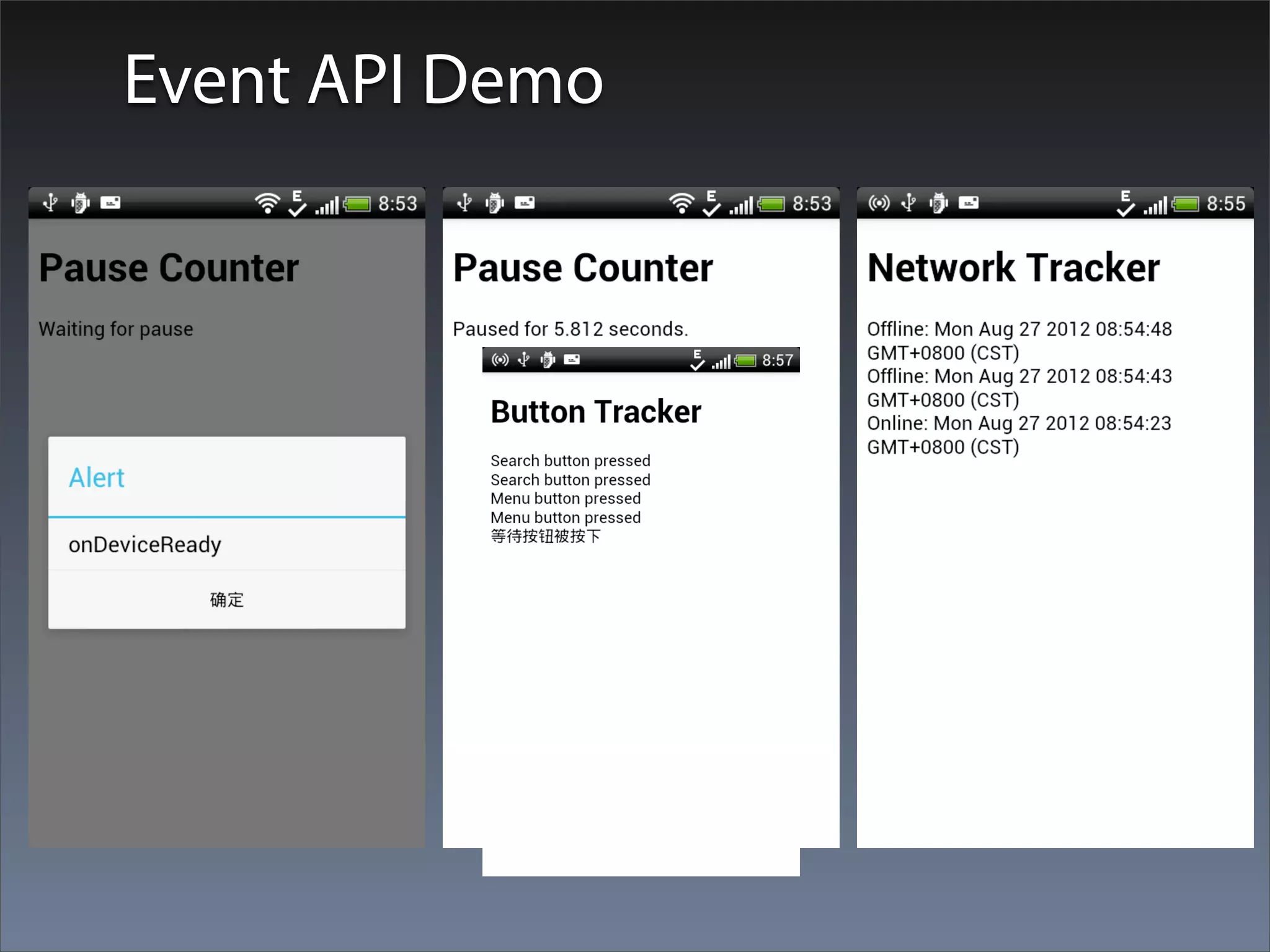
Event API Demo
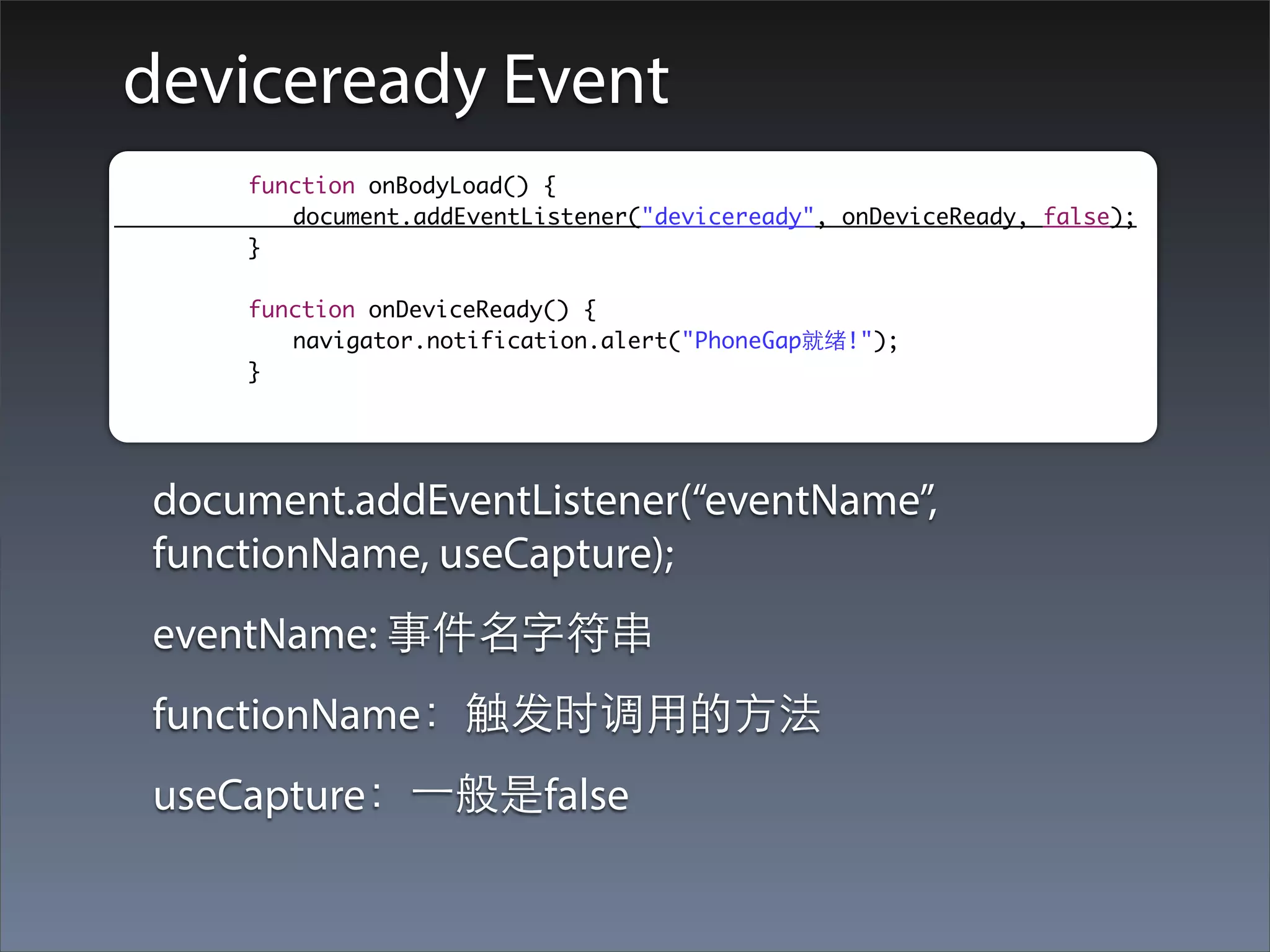
deviceready Event
	   	   	   function onBodyLoad() {
	   	   	   	 document.addEventListener("deviceready", onDeviceReady, false);
	   	   	   }

	   	   	   function onDeviceReady() {
	   	   	   	 navigator.notification.alert("PhoneGap就绪!");
	   	   	   }


    document.addEventListener(“eventName”,
    functionName, useCapture);
    eventName: 事件名字符串
    functionName:触发时调⽤用的⽅方法
    useCapture:⼀一般是false
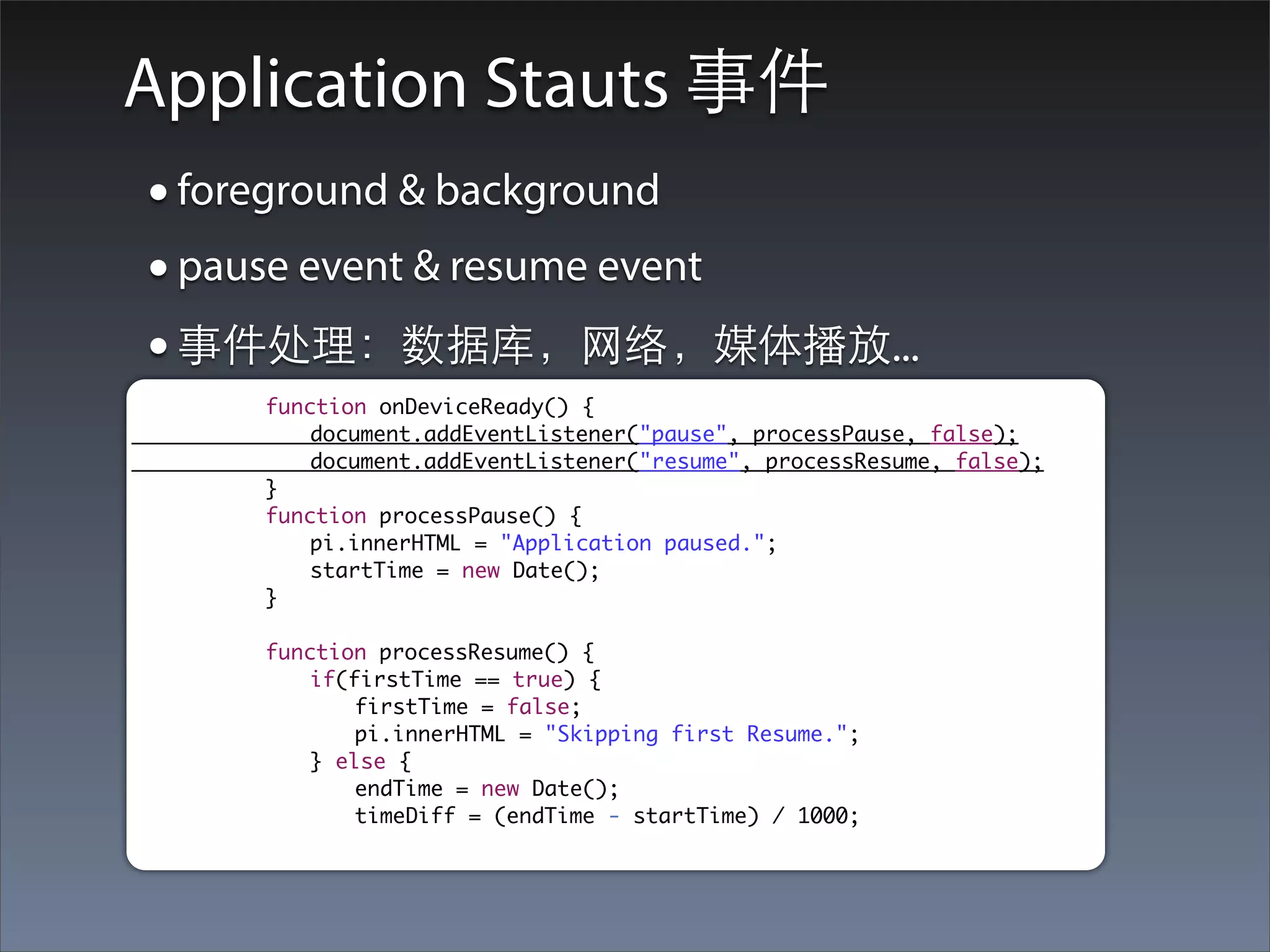
Application Stauts 事件
    • foreground & background
    • pause event & resume event
    • 事件处理:数据库,⺴⽹网络,媒体播放...
	    	   	   function onDeviceReady() {
	    	   	   	   document.addEventListener("pause", processPause, false);
	    	   	   	   document.addEventListener("resume", processResume, false);
	    	   	   }
	    	   	   function processPause() {
	    	   	   	   pi.innerHTML = "Application paused.";
	    	   	   	   startTime = new Date();
	    	   	   }

	    	   	   function processResume() {
	    	   	   	   if(firstTime == true) {
	    	   	   	   	   firstTime = false;
	    	   	   	   	   pi.innerHTML = "Skipping first Resume.";
	    	   	   	   } else {
	    	   	   	   	   endTime = new Date();
	    	   	   	   	   timeDiff = (endTime - startTime) / 1000;
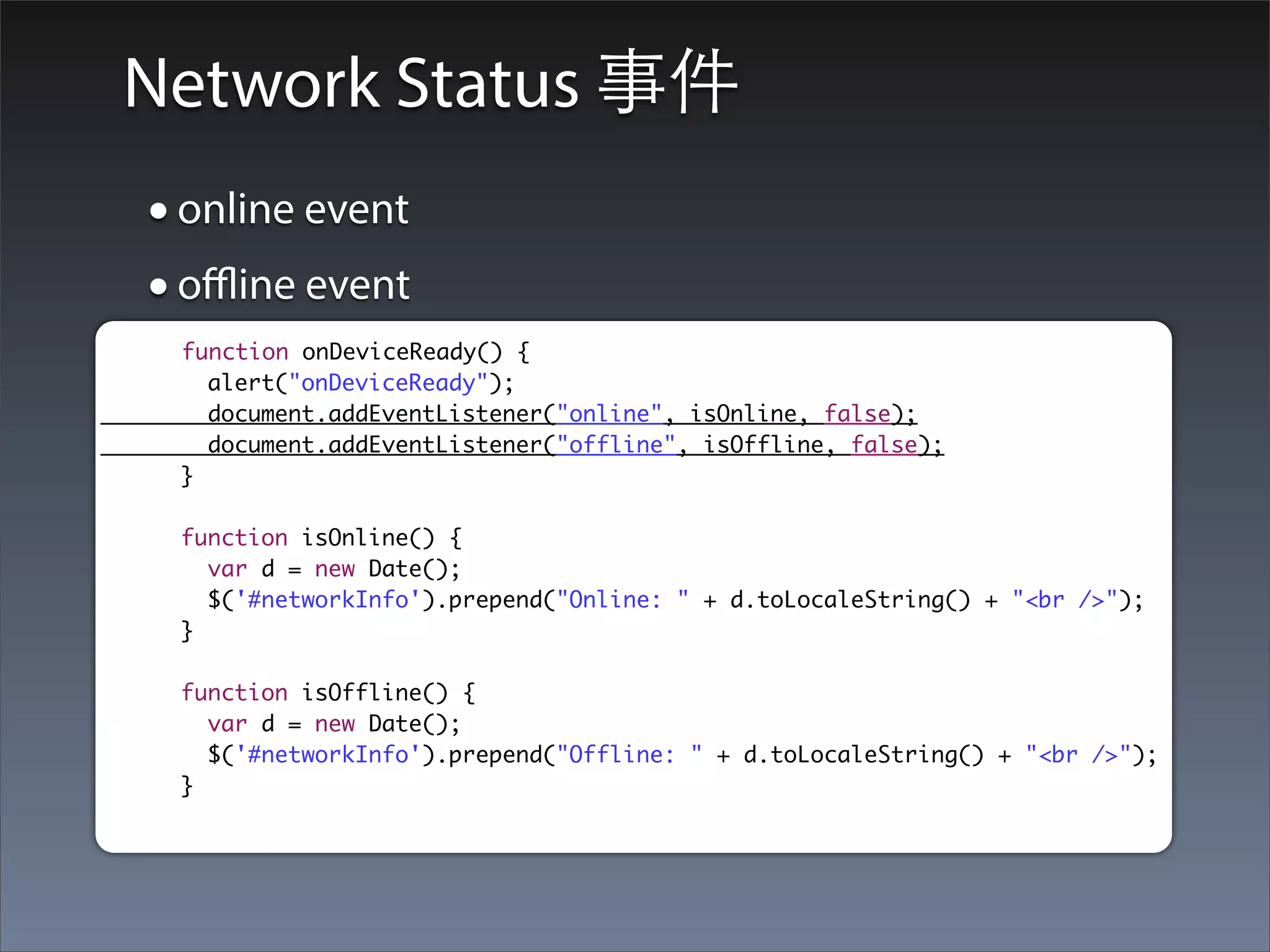
Network Status 事件
• online event
• offline event
 function onDeviceReady() {
   alert("onDeviceReady");
   document.addEventListener("online", isOnline, false);
   document.addEventListener("offline", isOffline, false);
 }

 function isOnline() {
   var d = new Date();
   $('#networkInfo').prepend("Online: " + d.toLocaleString() + "<br />");
 }

 function isOffline() {
   var d = new Date();
   $('#networkInfo').prepend("Offline: " + d.toLocaleString() + "<br />");
 }
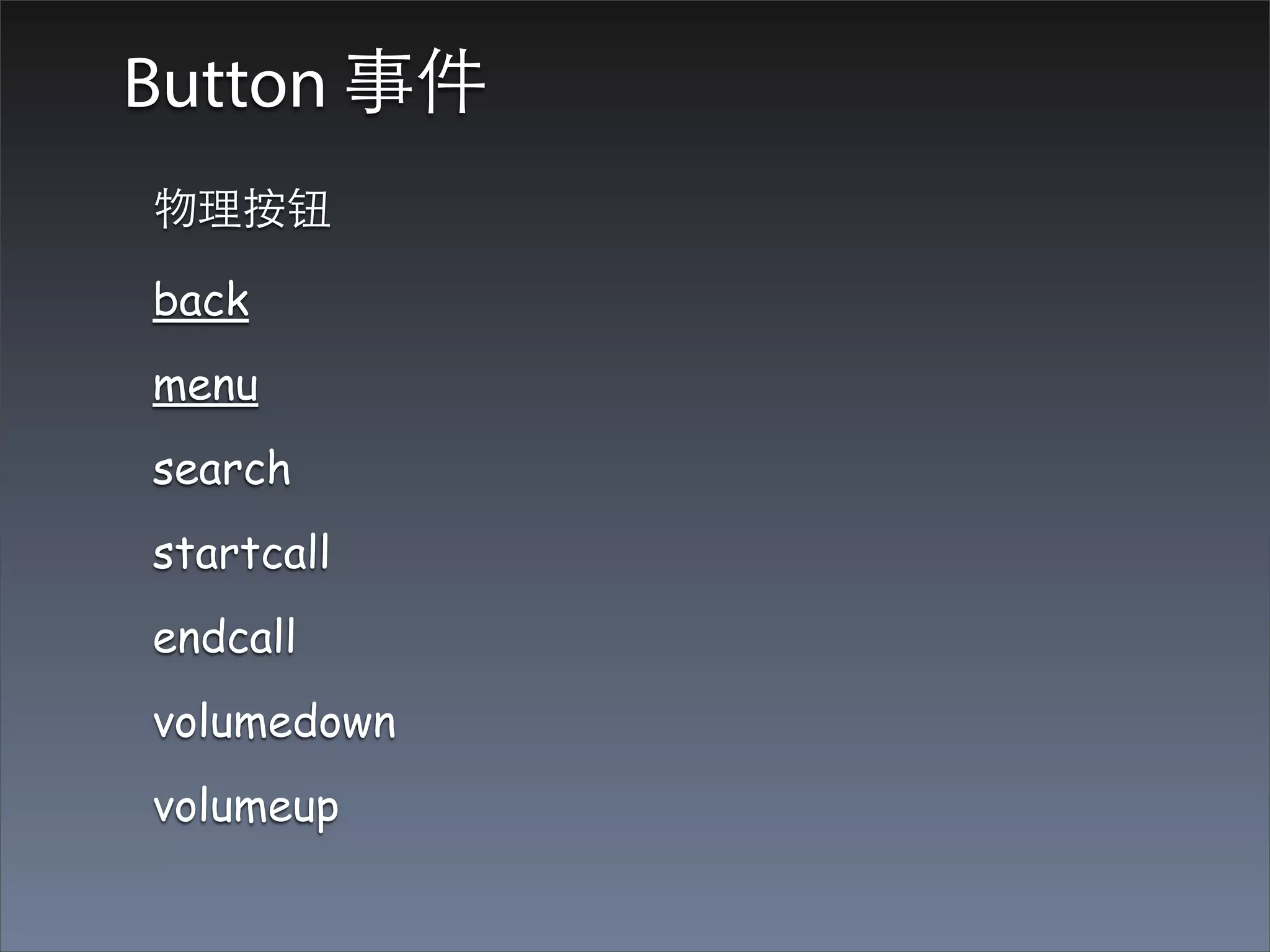
Button 事件
物理按钮

back
menu
search
startcall
endcall
volumedown
volumeup
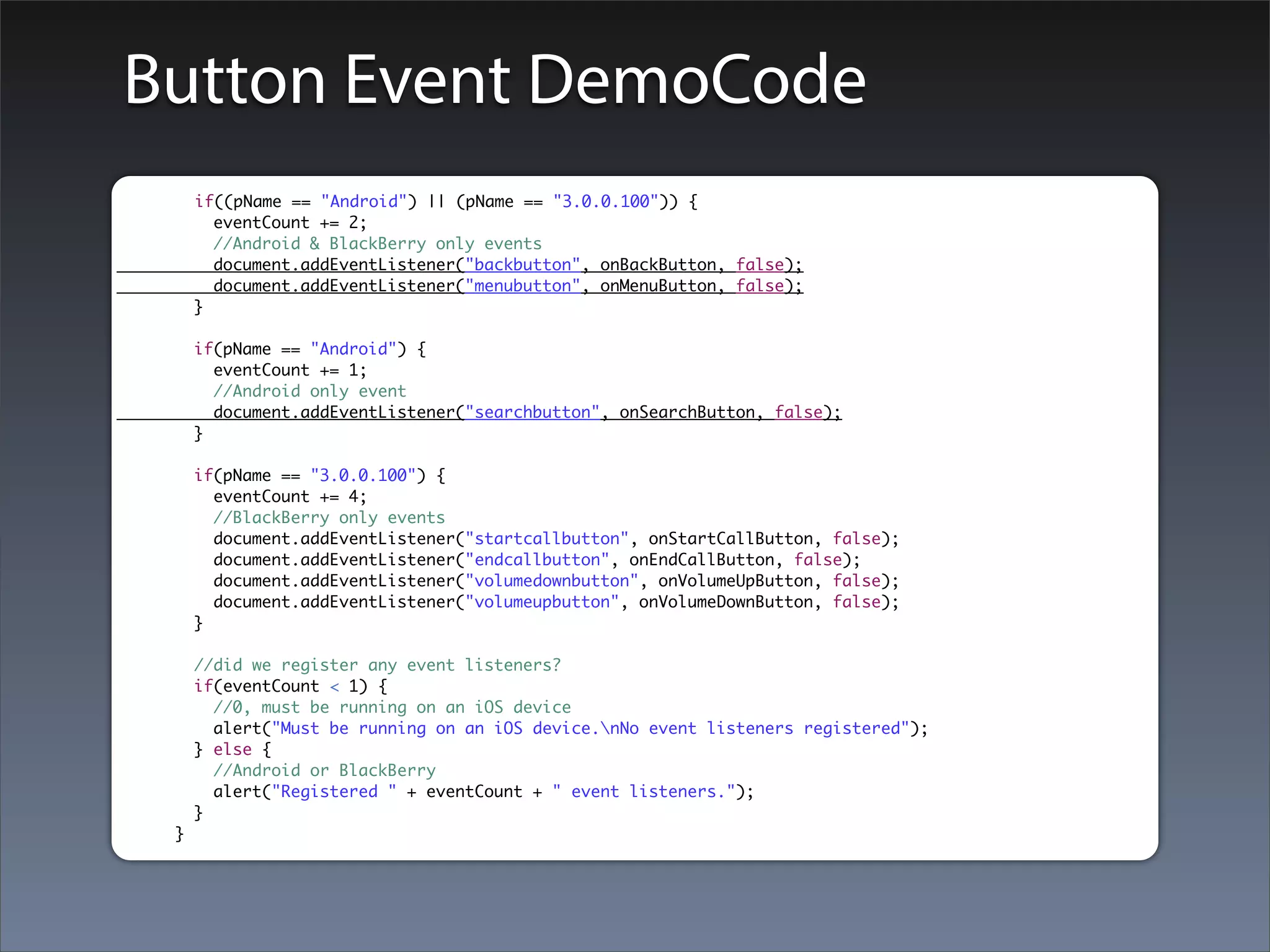
Button Event DemoCode
     if((pName == "Android") || (pName == "3.0.0.100")) {
       eventCount += 2;
       //Android & BlackBerry only events
       document.addEventListener("backbutton", onBackButton, false);
       document.addEventListener("menubutton", onMenuButton, false);
     }

     if(pName == "Android") {
       eventCount += 1;
       //Android only event
       document.addEventListener("searchbutton", onSearchButton, false);
     }

     if(pName == "3.0.0.100") {
       eventCount += 4;
       //BlackBerry only events
       document.addEventListener("startcallbutton", onStartCallButton, false);
       document.addEventListener("endcallbutton", onEndCallButton, false);
       document.addEventListener("volumedownbutton", onVolumeUpButton, false);
       document.addEventListener("volumeupbutton", onVolumeDownButton, false);
     }

     //did we register any event listeners?
     if(eventCount < 1) {
       //0, must be running on an iOS device
       alert("Must be running on an iOS device.nNo event listeners registered");
     } else {
       //Android or BlackBerry
       alert("Registered " + eventCount + " event listeners.");
     }
 }
Files
File API简介
PhoneGap File API 提供给应⽤用程序对移动设备上的
临时⽂文件或者持久化⽂文件系统进⾏行访问的⽅方法。包
括:
locate, read , write, copy, move以及remove。
PhoneGap File API 基于部分W3C File API 规范实
现:Directories and System specification。
只提供了开发者最常⽤用的功能,并没有完全实现
W3C规范。
File API Demo
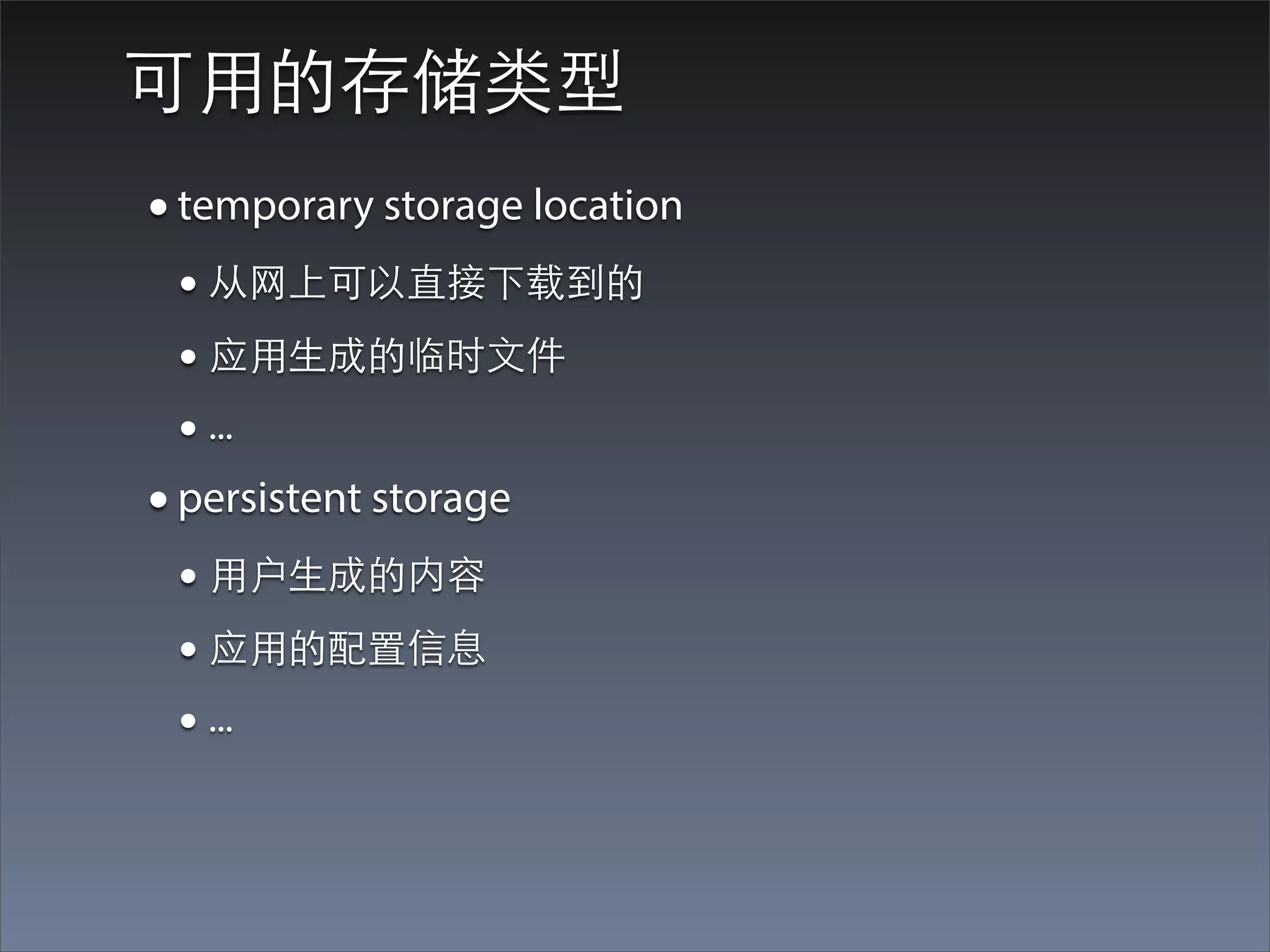
可⽤用的存储类型
• temporary storage location
 • 从⺴⽹网上可以直接下载到的
 • 应⽤用⽣生成的临时⽂文件
 • ...
• persistent storage
 • ⽤用户⽣生成的内容
 • 应⽤用的配置信息
 • ...
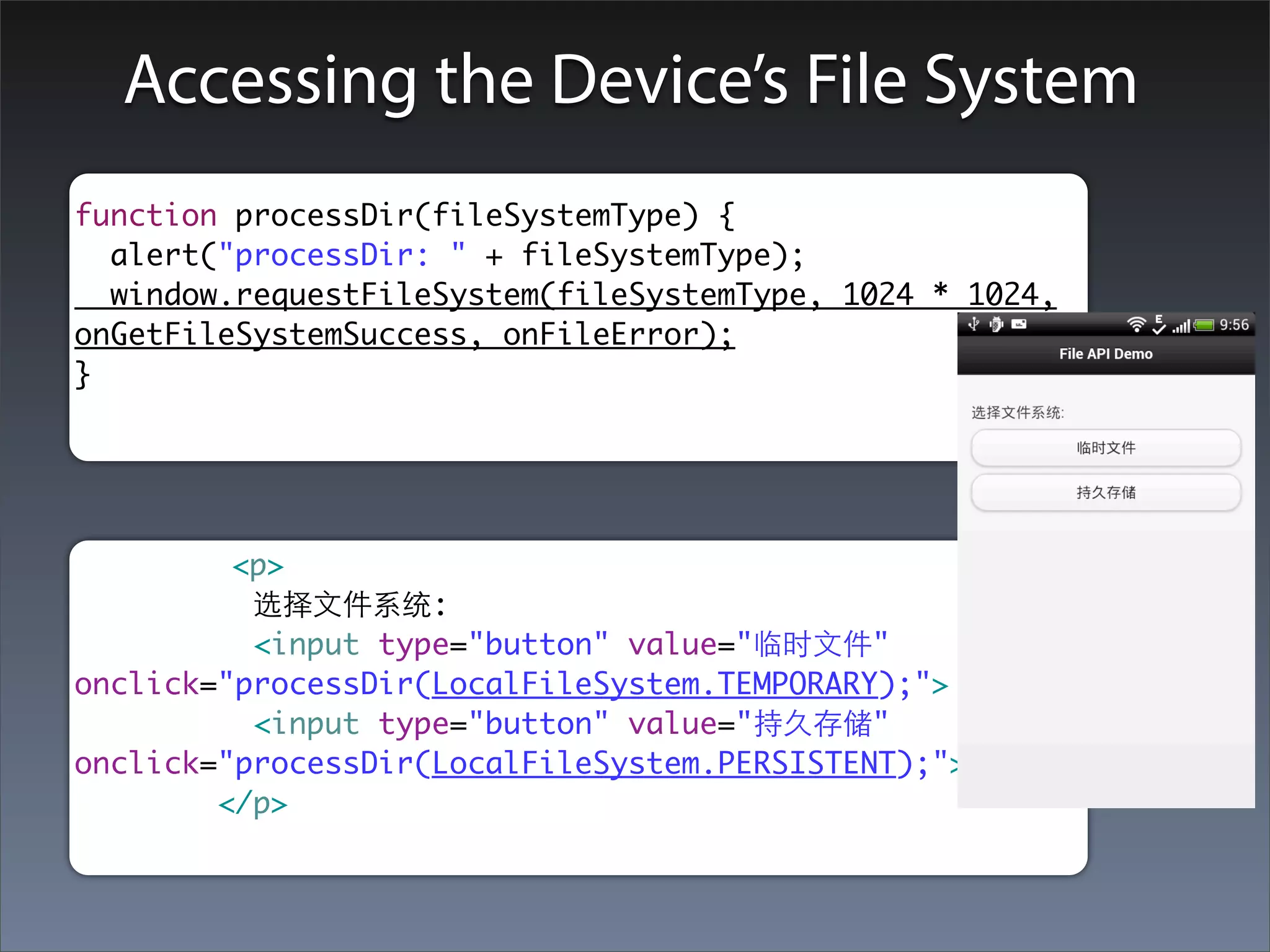
Accessing the Device’s File System
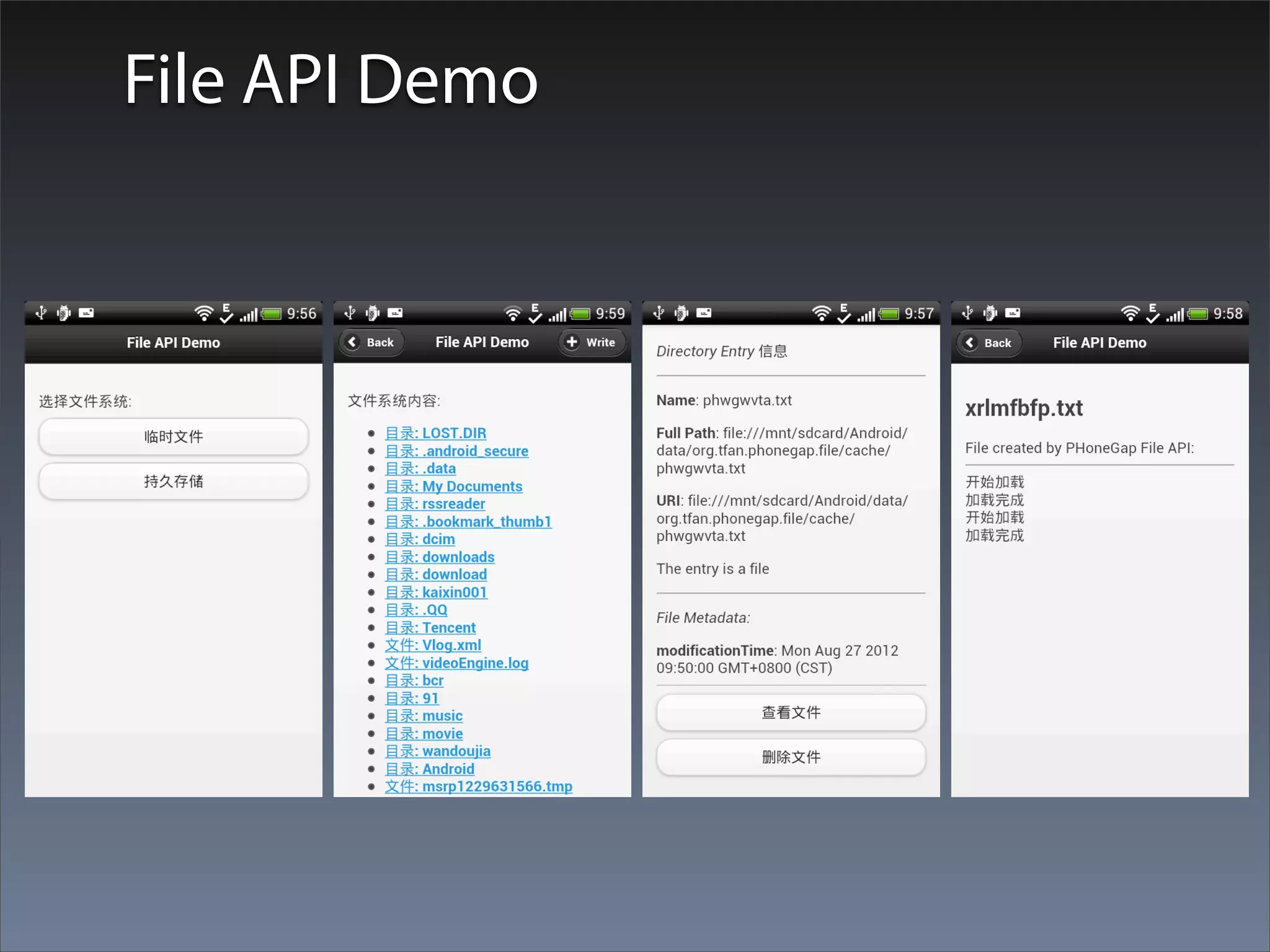
function processDir(fileSystemType) {
  alert("processDir: " + fileSystemType);
  window.requestFileSystem(fileSystemType, 1024 * 1024,
onGetFileSystemSuccess, onFileError);
}


         <p>
          选择⽂文件系统:
          <input type="button" value="临时⽂文件"
onclick="processDir(LocalFileSystem.TEMPORARY);">
          <input type="button" value="持久存储"
onclick="processDir(LocalFileSystem.PERSISTENT);">
        </p>
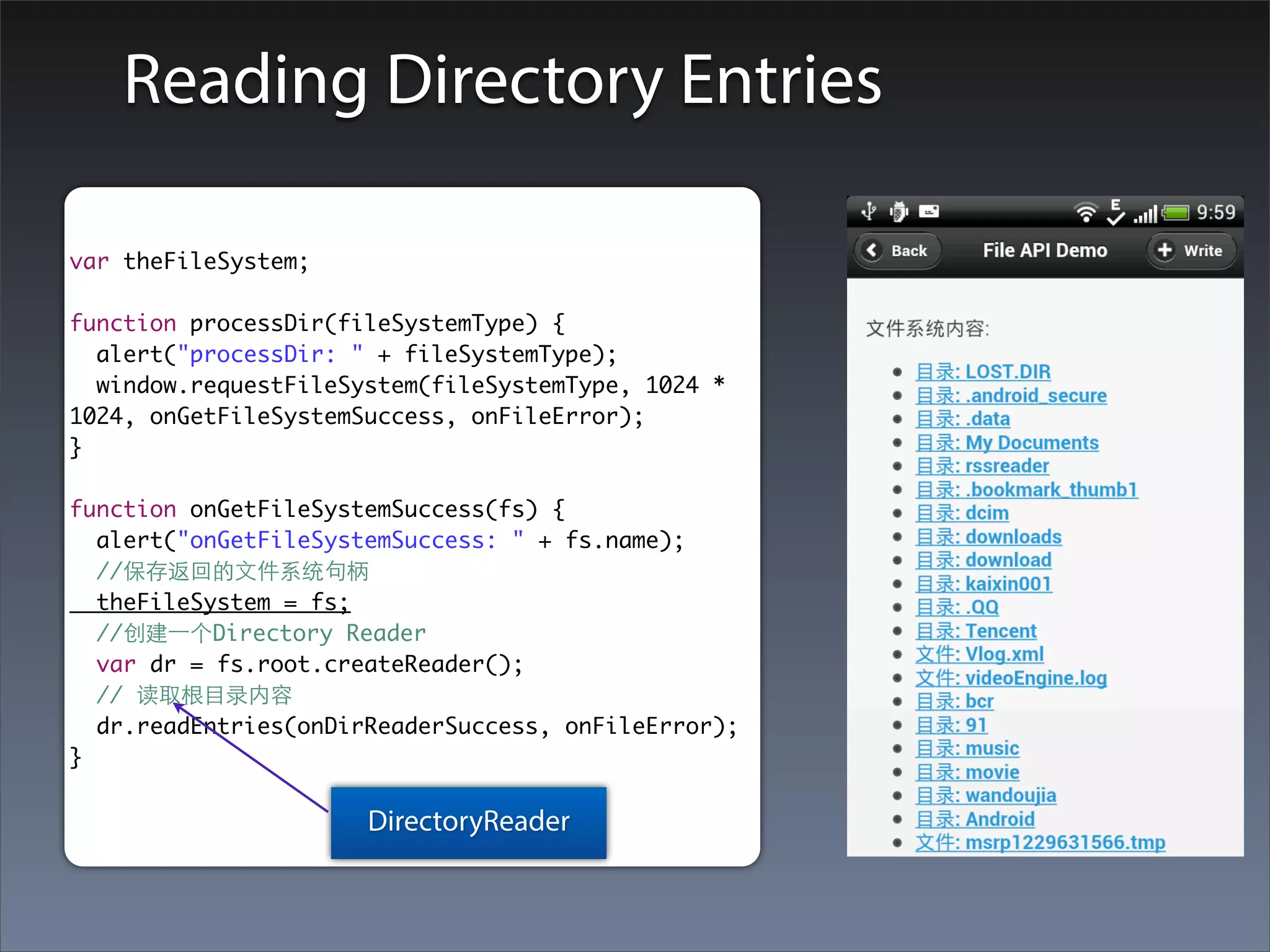
Reading Directory Entries

var theFileSystem;

function processDir(fileSystemType) {
  alert("processDir: " + fileSystemType);
  window.requestFileSystem(fileSystemType, 1024 *
1024, onGetFileSystemSuccess, onFileError);
}

function onGetFileSystemSuccess(fs) {
  alert("onGetFileSystemSuccess: " + fs.name);
  //保存返回的⽂文件系统句柄
  theFileSystem = fs;
  //创建⼀一个Directory Reader
  var dr = fs.root.createReader();
  // 读取根⺫⽬目录内容
  dr.readEntries(onDirReaderSuccess, onFileError);
}

                      DirectoryReader
onDirReaderSuccess
function onDirReaderSuccess(dirEntries) {
                                              FileEntry or DirectoryEntry数组
  theEntries = dirEntries;
  var i, fl, len;
  len = theEntries.length;
  if(len > 0) {
    for( i = 0; i < len; i++) {
      if(theEntries[i].isDirectory == true) {
        fl += '<li><a href="#" onclick="processEntry(' + i + ');">⺫⽬目录: ' +
theEntries[i].name + '</a></li>';
      } else {
        fl += '<li><a href="#" onclick="processEntry(' + i + ');">⽂文件: ' +
theEntries[i].name + '</a></li>';
      }
    }
  } else {
    fl = "<p>No entries found</p>";
    $('#dirEntries').html(fl);
  }
}
Accessing FileEntry and DirectoryEntry Properties

 • isFile
 • isDirectory
 • name
 • fullPath
function processEntry(entryIndex) {
  theEntry = theEntries[entryIndex];
  //FileInfo variable
  var fi = "";
  fi += startP + '<b>Name</b>: ' + theEntry.name + endP;
  fi += startP + '<b>Full Path</b>: ' + theEntry.fullPath + endP;
  fi += startP + '<b>URI</b>: ' + theEntry.toURI() + endP;
  if(theEntry.isFile == true) {
    fi += startP + 'The entry is a file' + endP;
  } else {
    fi += startP + 'The entry is a directory' + endP;
  }
MetaData
function onGetMetadataSuccess(metadata) {
  // alert("onGetMetadataSuccess");
  var md = '';
  for(aKey in metadata) {
    md += '<b>' + aKey + '</b>: ' + metadata[aKey] + br;
  }
  md += hr;
  $('#fileMetadata').html(md);
}
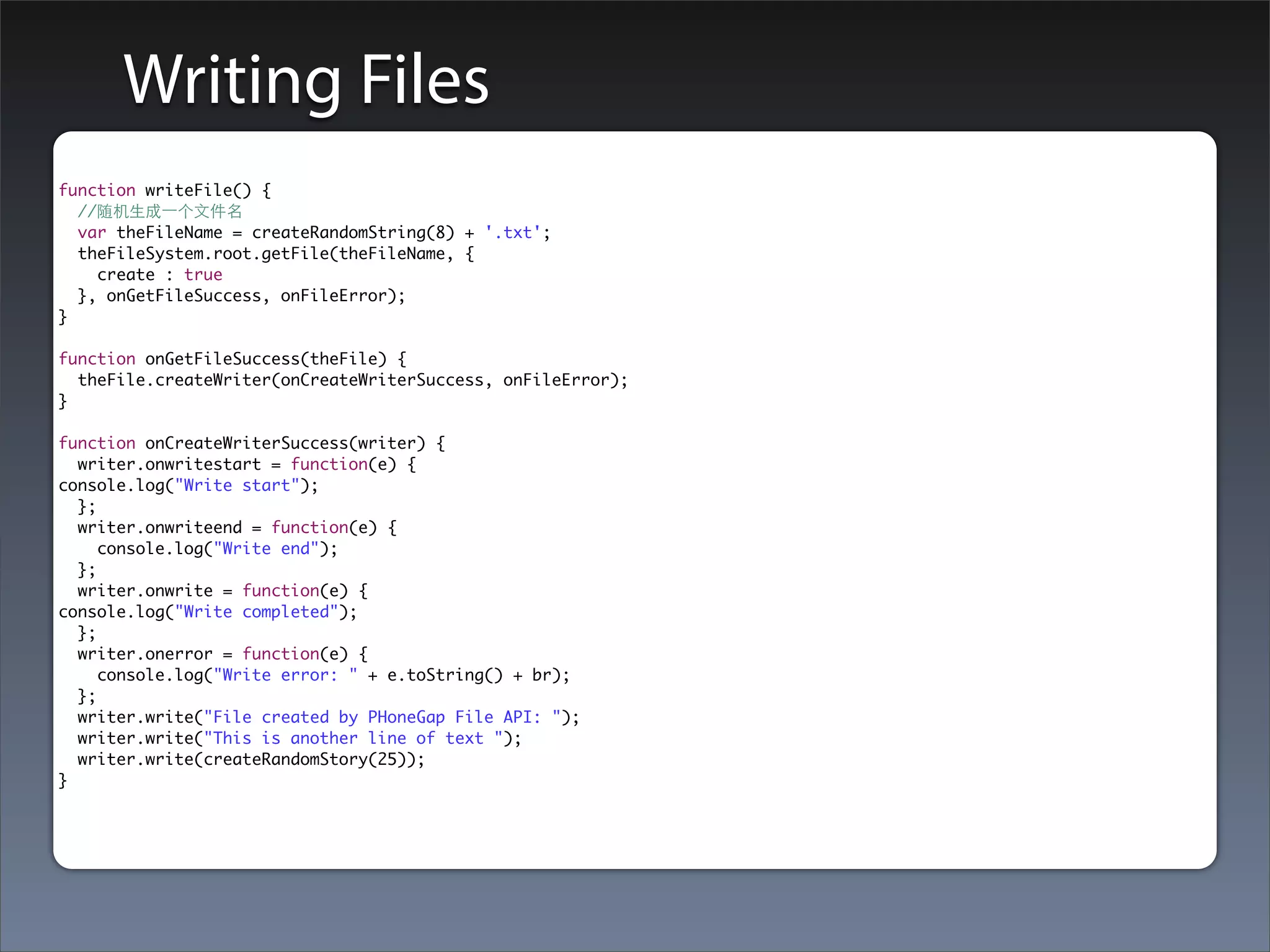
Writing Files
function writeFile() {
  //随机⽣生成⼀一个⽂文件名
  var theFileName = createRandomString(8) + '.txt';
  theFileSystem.root.getFile(theFileName, {
    create : true
  }, onGetFileSuccess, onFileError);
}

function onGetFileSuccess(theFile) {
  theFile.createWriter(onCreateWriterSuccess, onFileError);
}

function onCreateWriterSuccess(writer) {
  writer.onwritestart = function(e) {
console.log("Write start");
  };
  writer.onwriteend = function(e) {
     console.log("Write end");
  };
  writer.onwrite = function(e) {
console.log("Write completed");
  };
  writer.onerror = function(e) {
     console.log("Write error: " + e.toString() + br);
  };
  writer.write("File created by PHoneGap File API: ");
  writer.write("This is another line of text ");
  writer.write(createRandomStory(25));
}
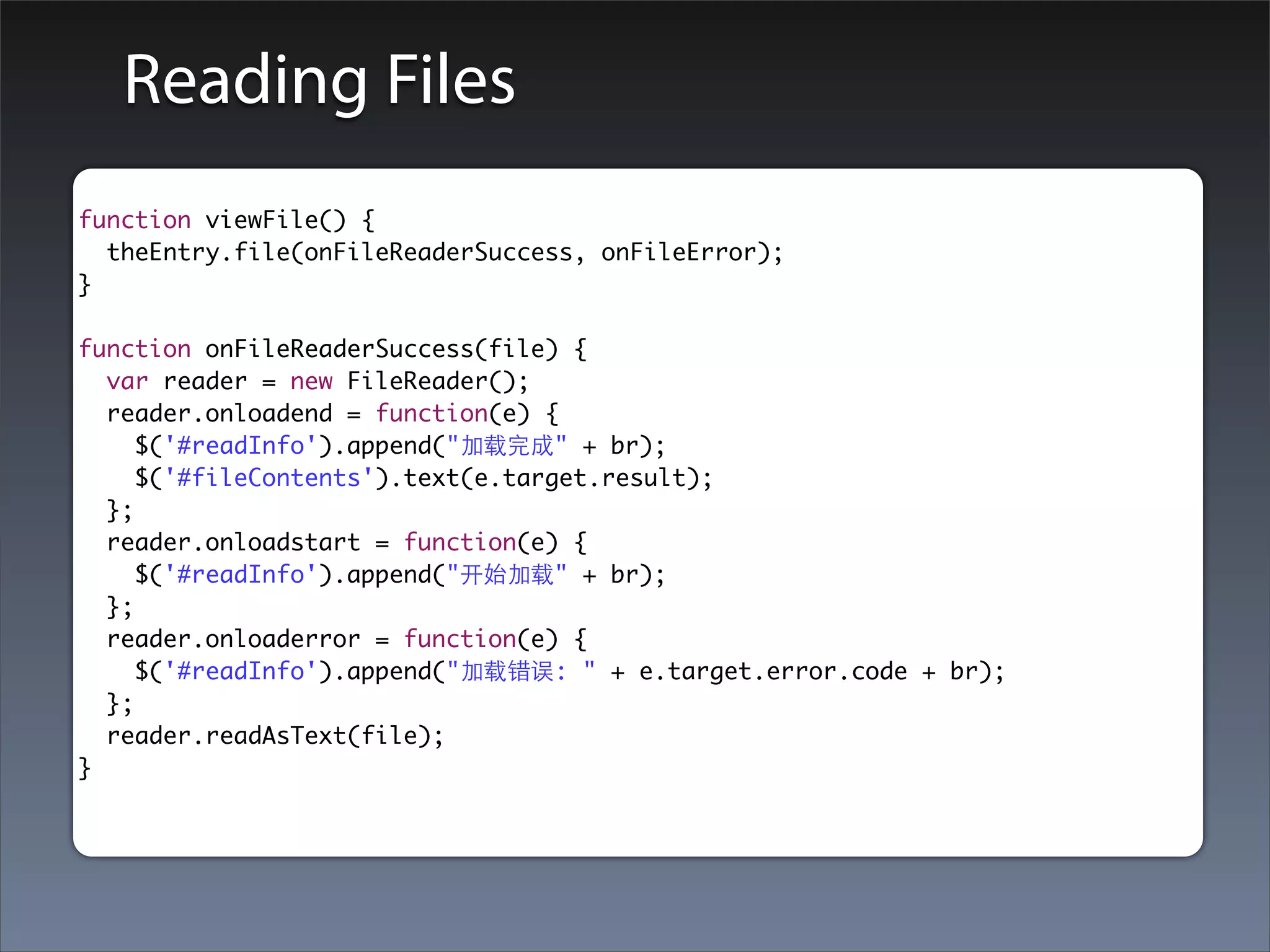
Reading Files
function viewFile() {
  theEntry.file(onFileReaderSuccess, onFileError);
}

function onFileReaderSuccess(file) {
  var reader = new FileReader();
  reader.onloadend = function(e) {
     $('#readInfo').append("加载完成" + br);
     $('#fileContents').text(e.target.result);
  };
  reader.onloadstart = function(e) {
     $('#readInfo').append("开始加载" + br);
  };
  reader.onloaderror = function(e) {
     $('#readInfo').append("加载错误: " + e.target.error.code + br);
  };
  reader.readAsText(file);
}
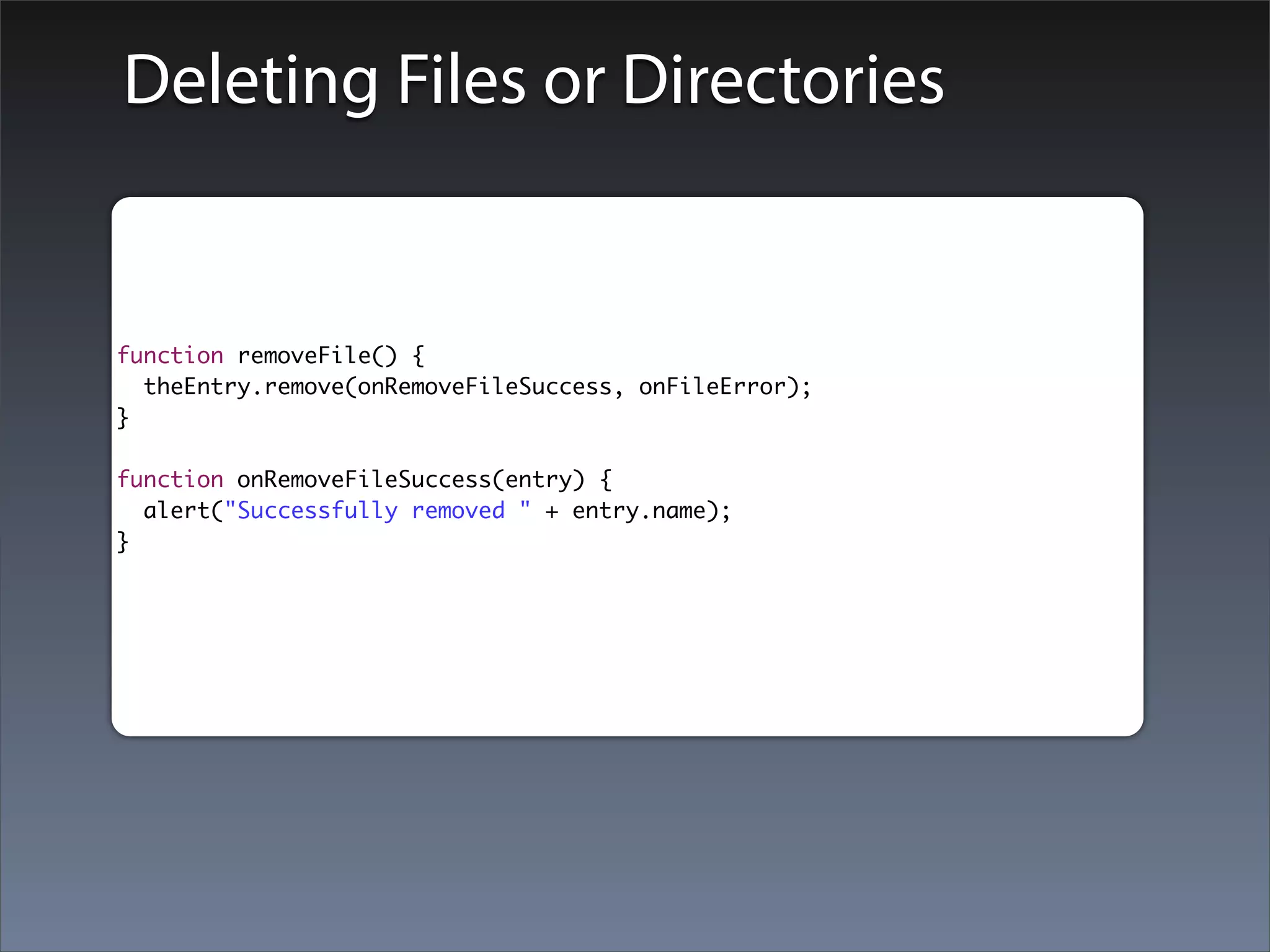
Deleting Files or Directories


function removeFile() {
  theEntry.remove(onRemoveFileSuccess, onFileError);
}

function onRemoveFileSuccess(entry) {
  alert("Successfully removed " + entry.name);
}
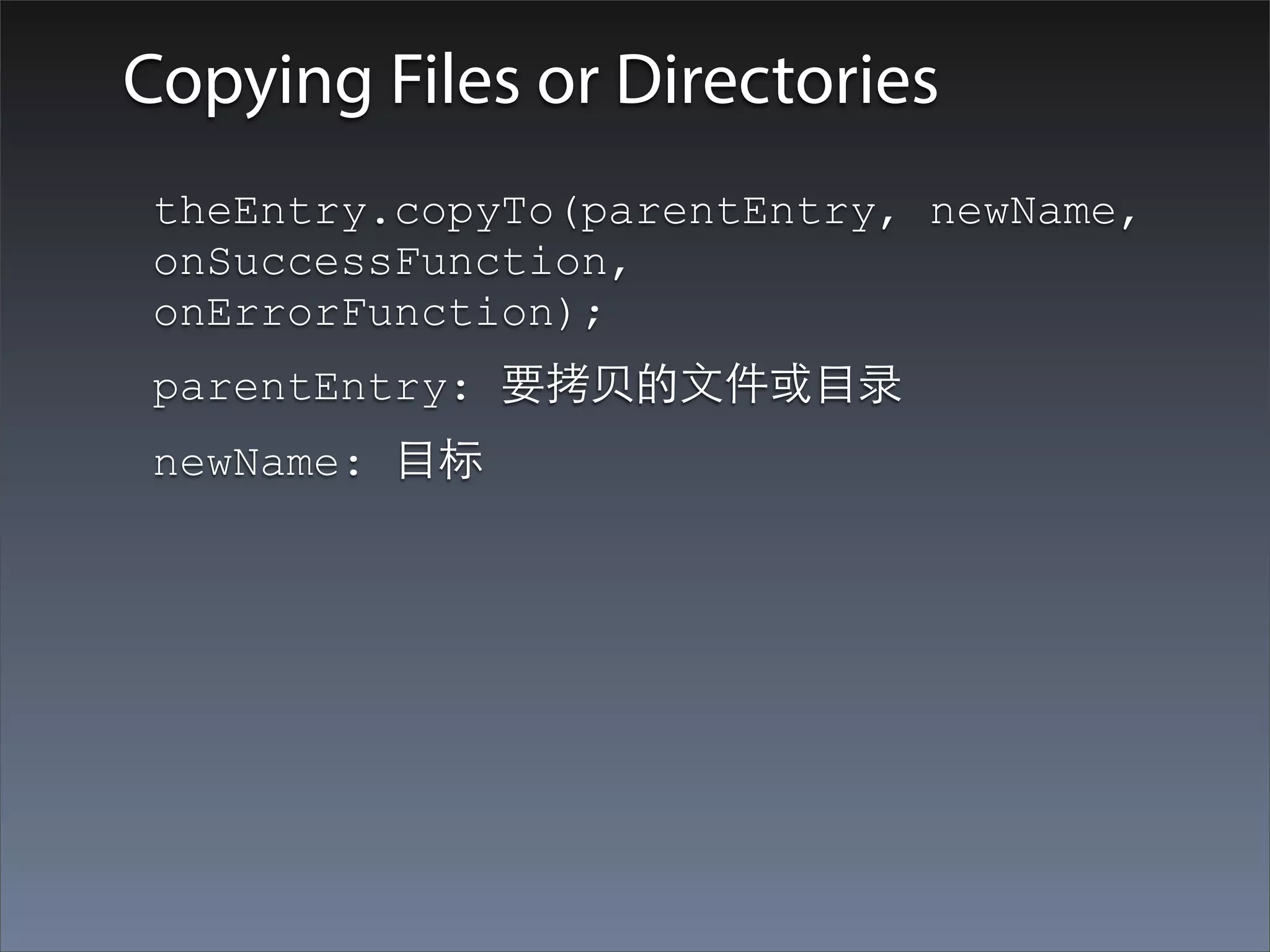
Copying Files or Directories
 theEntry.copyTo(parentEntry, newName,
 onSuccessFunction,
 onErrorFunction);
 parentEntry: 要拷⻉贝的⽂文件或⺫⽬目录
 newName: ⺫⽬目标
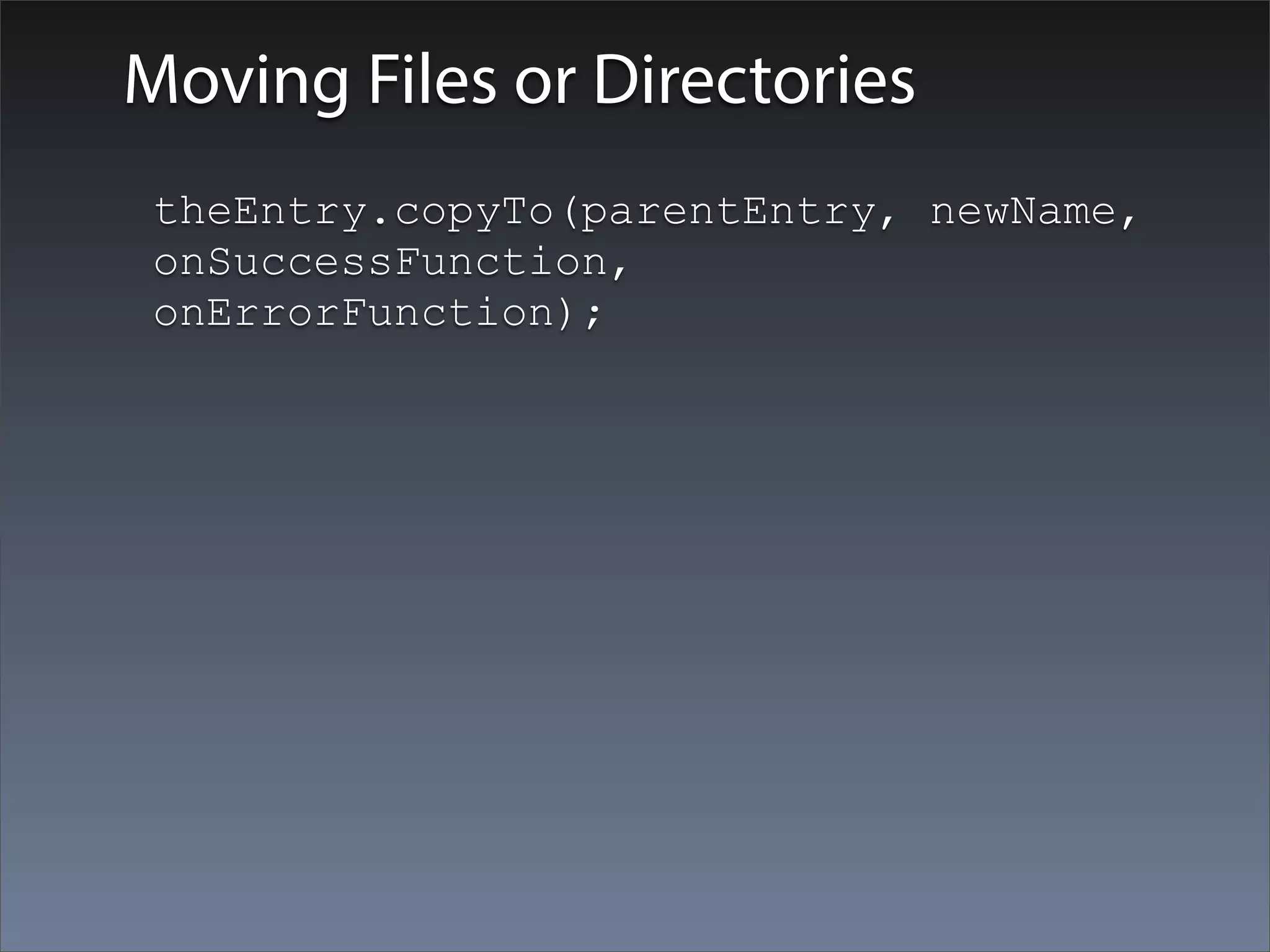
Moving Files or Directories
 theEntry.copyTo(parentEntry, newName,
 onSuccessFunction,
 onErrorFunction);
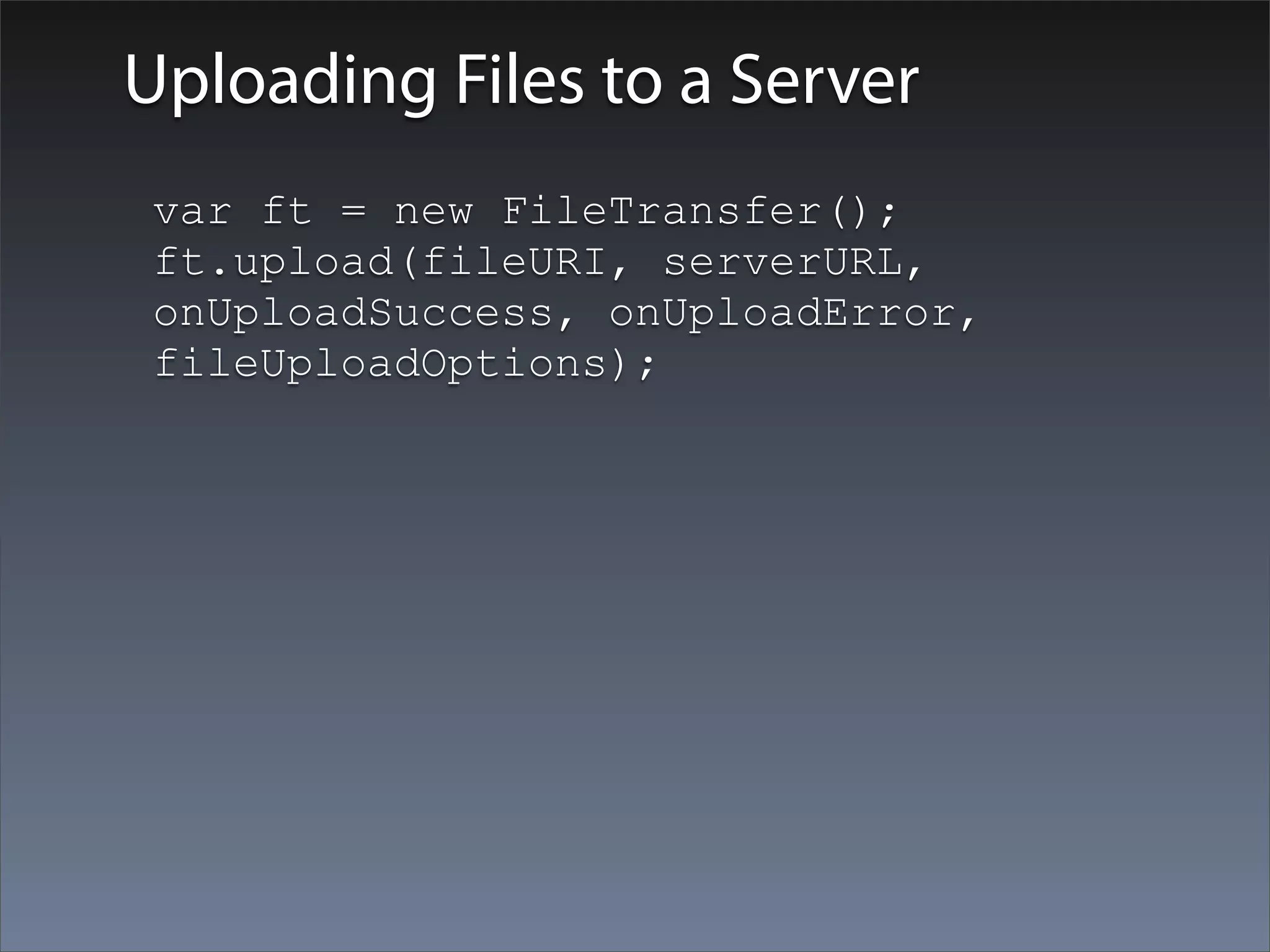
Uploading Files to a Server
 var ft = new FileTransfer();
 ft.upload(fileURI, serverURL,
 onUploadSuccess, onUploadError,
 fileUploadOptions);
扩展阅读
• HTML5⽂文件的拖拽
Geolocation
Geolocation API简介
PhoneGap Geolocation API 允许设备利⽤用移动设备
上的GPS能⼒力来判断设备在地球表⾯面上的位置。
应⽤用可以直接⼿手动获取当前位置,也可以设置⼀一个
观察者,当位置变化时可以周期性的通知应⽤用。
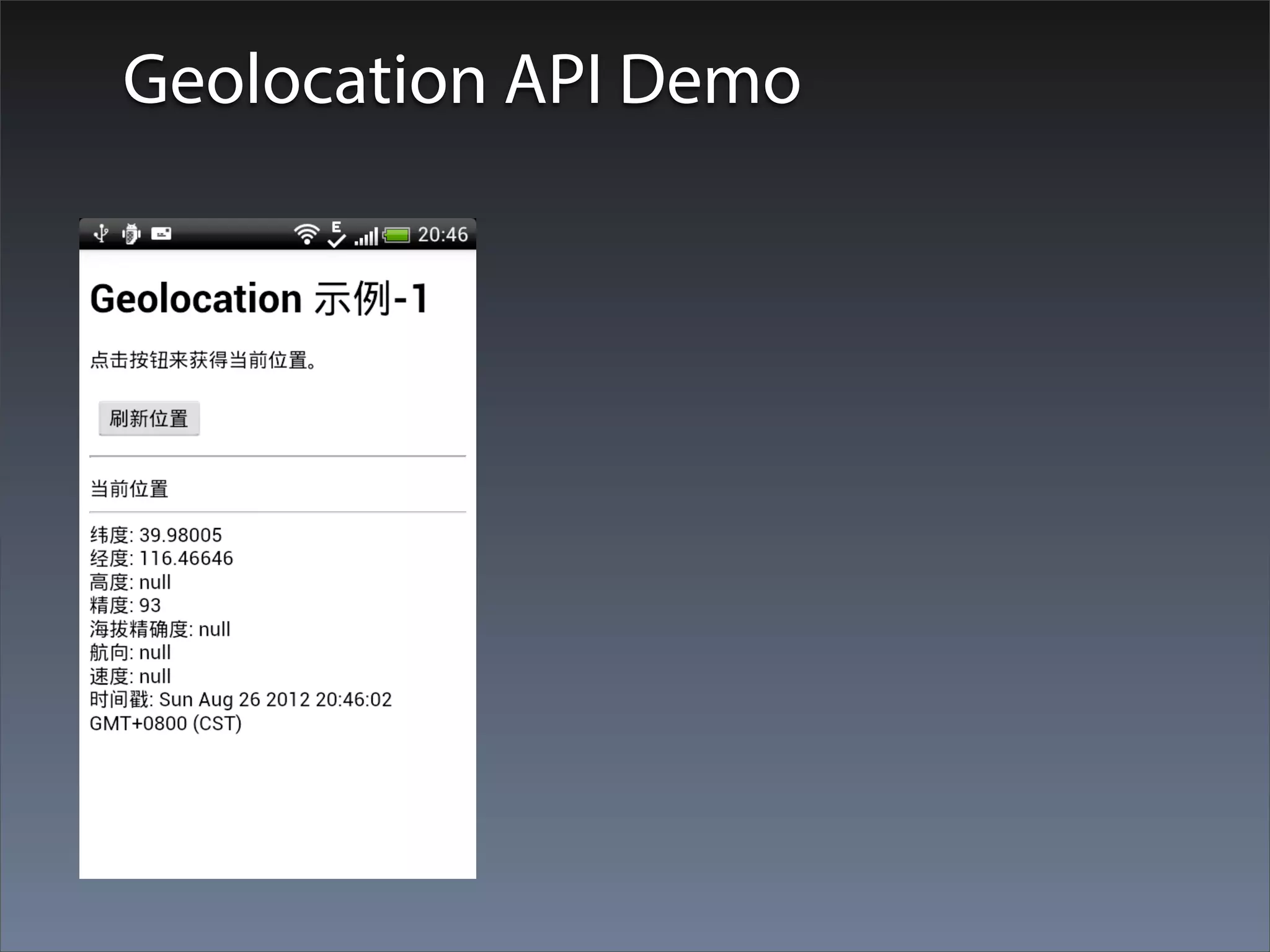
Geolocation API Demo
Getting a Device’s Current Location
Get Current Position
    使⽤用Position对象返回⼀一个设备的当前位置
    navigator.geolocation.getCurrentPosition(
       onGeolocationSuccess,
       [onGeolocationError],
       [geolocationOptions]);
    参数:
•   onGeolocationSuccess: 成功时使⽤用当前位置回调
•   onGeolocationError: 可选,出错时调⽤用
•   geolocationOptions: 可选,geolocation选项
    说明:
    geolocation.getCurrentPosition是⼀一个异步调⽤用的函数。将设备的当前位置
    作为⼀一个Position参数返回给geolocationSuccess函数。出错的时候,使⽤用
    ⼀一个PositionError对象回调geolocationError回调函数。
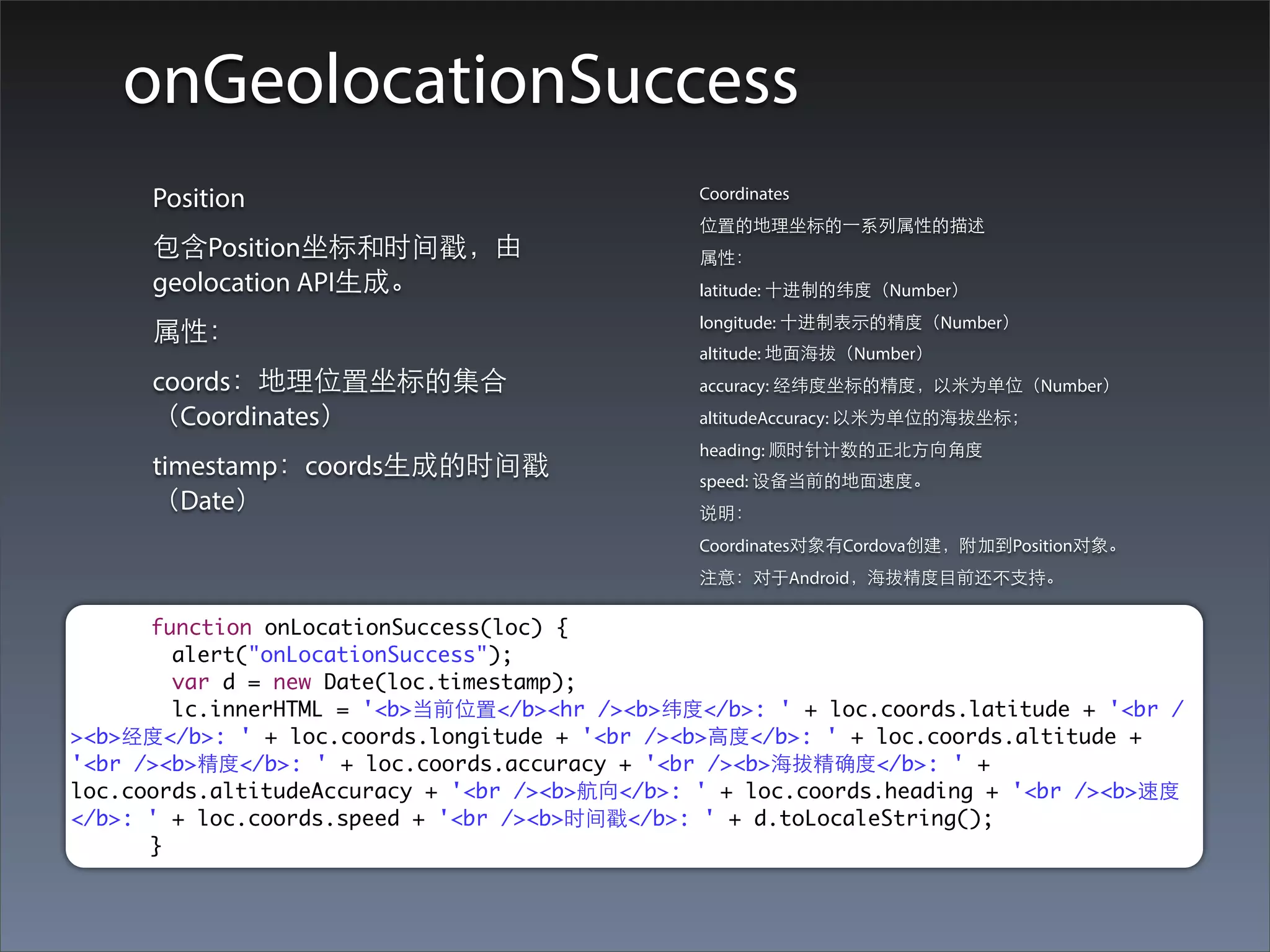
onGeolocationSuccess
      Position                                  Coordinates
                                                位置的地理坐标的⼀一系列属性的描述
      包含Position坐标和时间戳,由                        属性:
      geolocation API⽣生成。                       latitude: ⼗十进制的纬度(Number)
                                                longitude: ⼗十进制表⽰示的精度(Number)
      属性:
                                                altitude: 地⾯面海拔(Number)
      coords:地理位置坐标的集合                          accuracy: 经纬度坐标的精度,以⽶米为单位(Number)
      (Coordinates)                             altitudeAccuracy: 以⽶米为单位的海拔坐标;
                                                heading: 顺时针计数的正北⽅方向⾓角度
      timestamp:coords⽣生成的时间戳                   speed: 设备当前的地⾯面速度。
      (Date)                                    说明:
                                                Coordinates对象有Cordova创建,附加到Position对象。
                                                注意:对于Android,海拔精度⺫⽬目前还不⽀支持。

      function onLocationSuccess(loc) {
        alert("onLocationSuccess");
        var d = new Date(loc.timestamp);
        lc.innerHTML = '<b>当前位置</b><hr /><b>纬度</b>: ' + loc.coords.latitude + '<br /
><b>经度</b>: ' + loc.coords.longitude + '<br /><b>⾼高度</b>: ' + loc.coords.altitude +
'<br /><b>精度</b>: ' + loc.coords.accuracy + '<br /><b>海拔精确度</b>: ' +
loc.coords.altitudeAccuracy + '<br /><b>航向</b>: ' + loc.coords.heading + '<br /><b>速度
</b>: ' + loc.coords.speed + '<br /><b>时间戳</b>: ' + d.toLocaleString();
      }
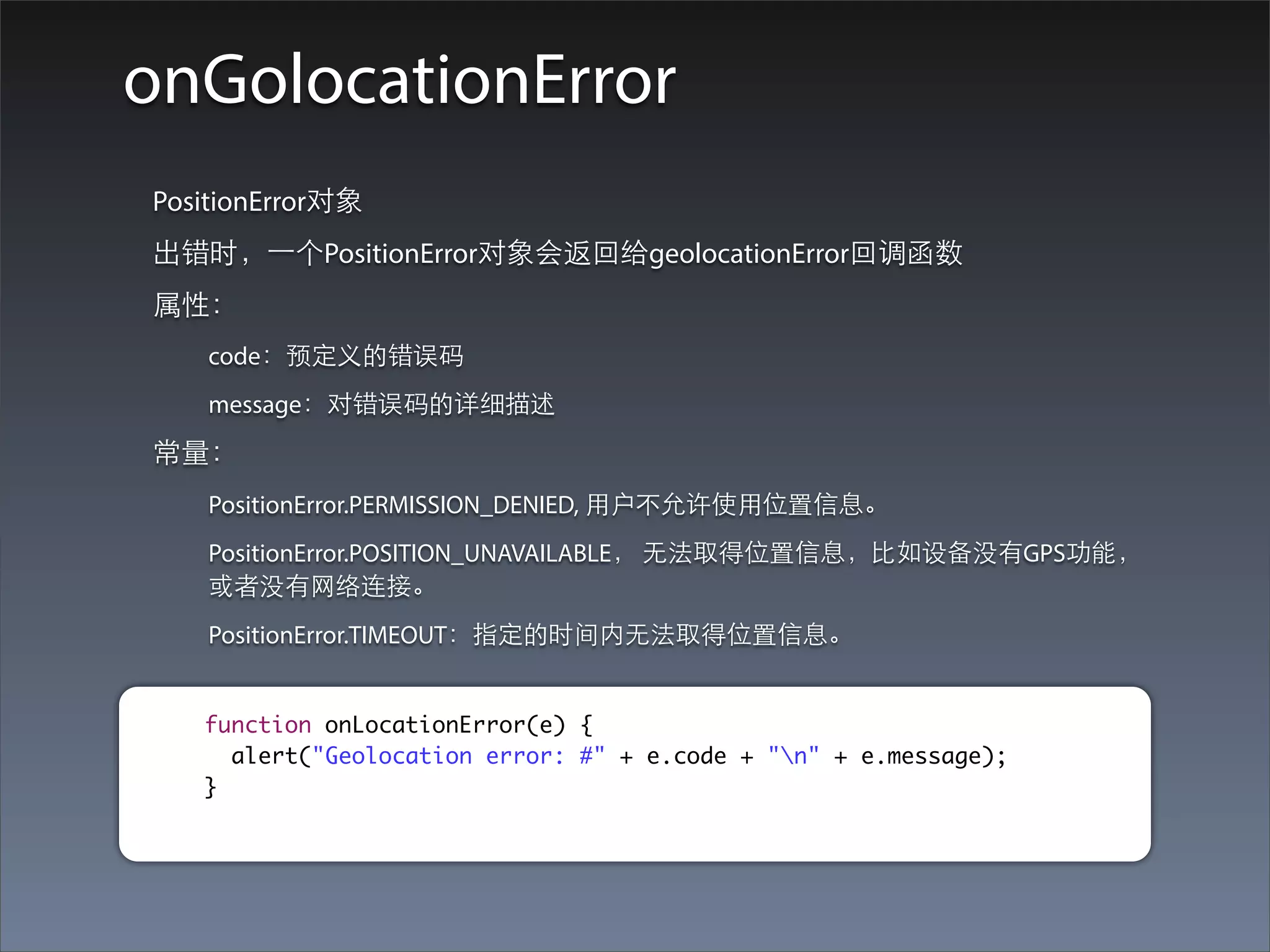
onGolocationError
PositionError对象
出错时,⼀一个PositionError对象会返回给geolocationError回调函数
属性:
   code:预定义的错误码
   message:对错误码的详细描述
常量:
   PositionError.PERMISSION_DENIED, ⽤用户不允许使⽤用位置信息。
   PositionError.POSITION_UNAVAILABLE, ⽆无法取得位置信息,⽐比如设备没有GPS功能,
   或者没有⺴⽹网络连接。
   PositionError.TIMEOUT:指定的时间内⽆无法取得位置信息。


   function onLocationError(e) {
     alert("Geolocation error: #" + e.code + "n" + e.message);
   }
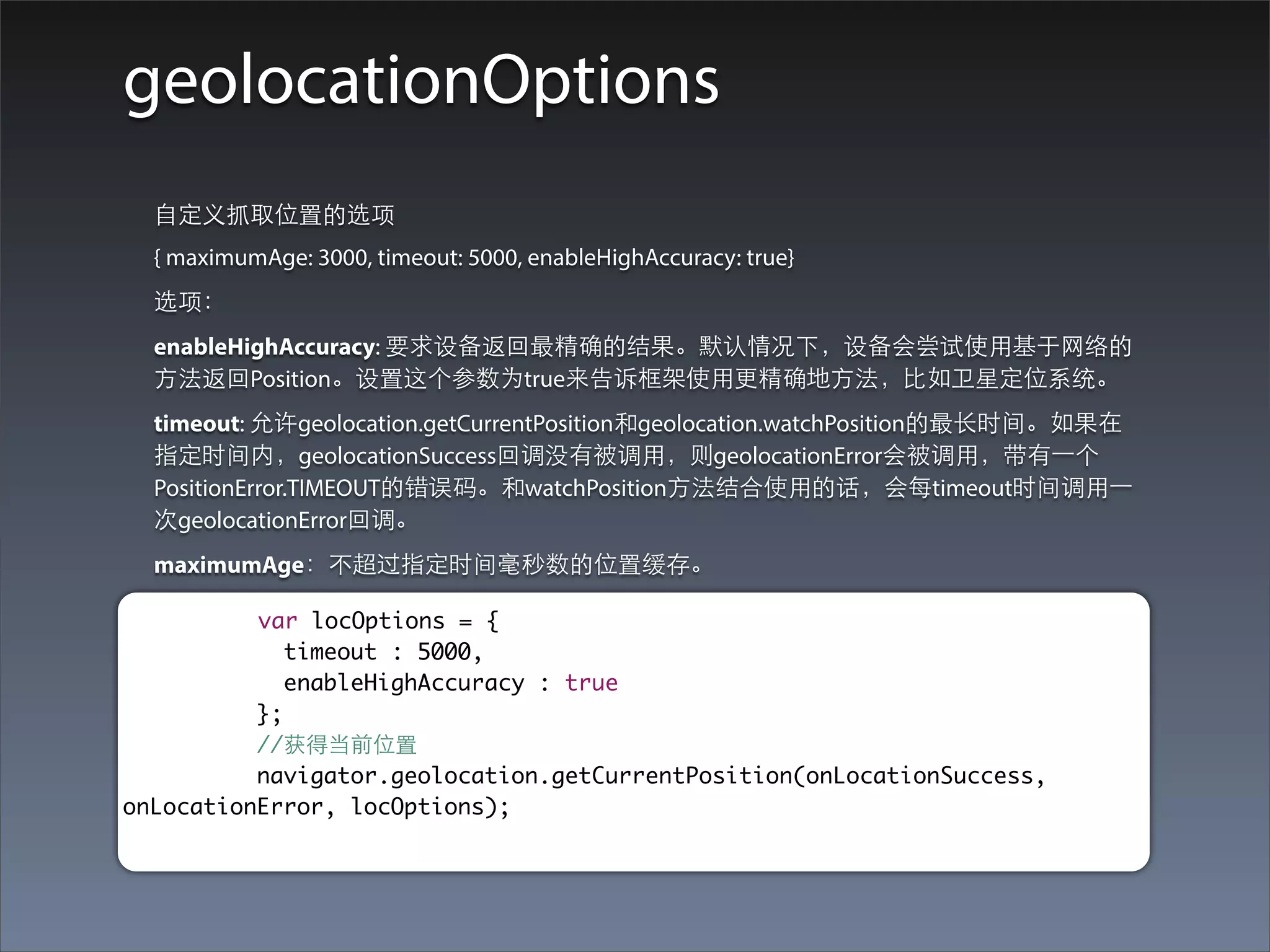
geolocationOptions
  ⾃自定义抓取位置的选项
  { maximumAge: 3000, timeout: 5000, enableHighAccuracy: true}
  选项:
  enableHighAccuracy: 要求设备返回最精确的结果。默认情况下,设备会尝试使⽤用基于⺴⽹网络的
  ⽅方法返回Position。设置这个参数为true来告诉框架使⽤用更精确地⽅方法,⽐比如卫星定位系统。
  timeout: 允许geolocation.getCurrentPosition和geolocation.watchPosition的最⻓长时间。如果在
  指定时间内,geolocationSuccess回调没有被调⽤用,则geolocationError会被调⽤用,带有⼀一个
  PositionError.TIMEOUT的错误码。和watchPosition⽅方法结合使⽤用的话,会每timeout时间调⽤用⼀一
  次geolocationError回调。
  maximumAge:不超过指定时间毫秒数的位置缓存。

          var locOptions = {
             timeout : 5000,
             enableHighAccuracy : true
          };
          //获得当前位置
          navigator.geolocation.getCurrentPosition(onLocationSuccess,
onLocationError, locOptions);
Watching a Device Location
Setting a Watch
  var watchId = navigator.geolocation.watchPosition(
     geolocationSuccess,
     [geolocationError],
     [geolocationOptions]);
  观察设备当前位置的变化
  参数:
• geolocationSuccess: 成功带着当前位置回调;
• geolocationError: 可选,出错时回调;
• geolocationOptions: 可选,geolocation选项
  返回:
  String:返回⼀一个watch id,是watch position interval观察位置间隔的引⽤用。应该和
  geolocation.clearWatch⼀一起使⽤用来停⽌止观察位置变化。
  说明:
  geolocation.watchPosition是⼀一个异步函数。当检测到位置变化时会返回设备的当前
  位置。当设备取得⼀一个新的位置,geolocationSuccess回调被调⽤用,带着⼀一个Position
  对象作为参数。如果出错了,geolocationError回调被调⽤用,带着PositionError对象。
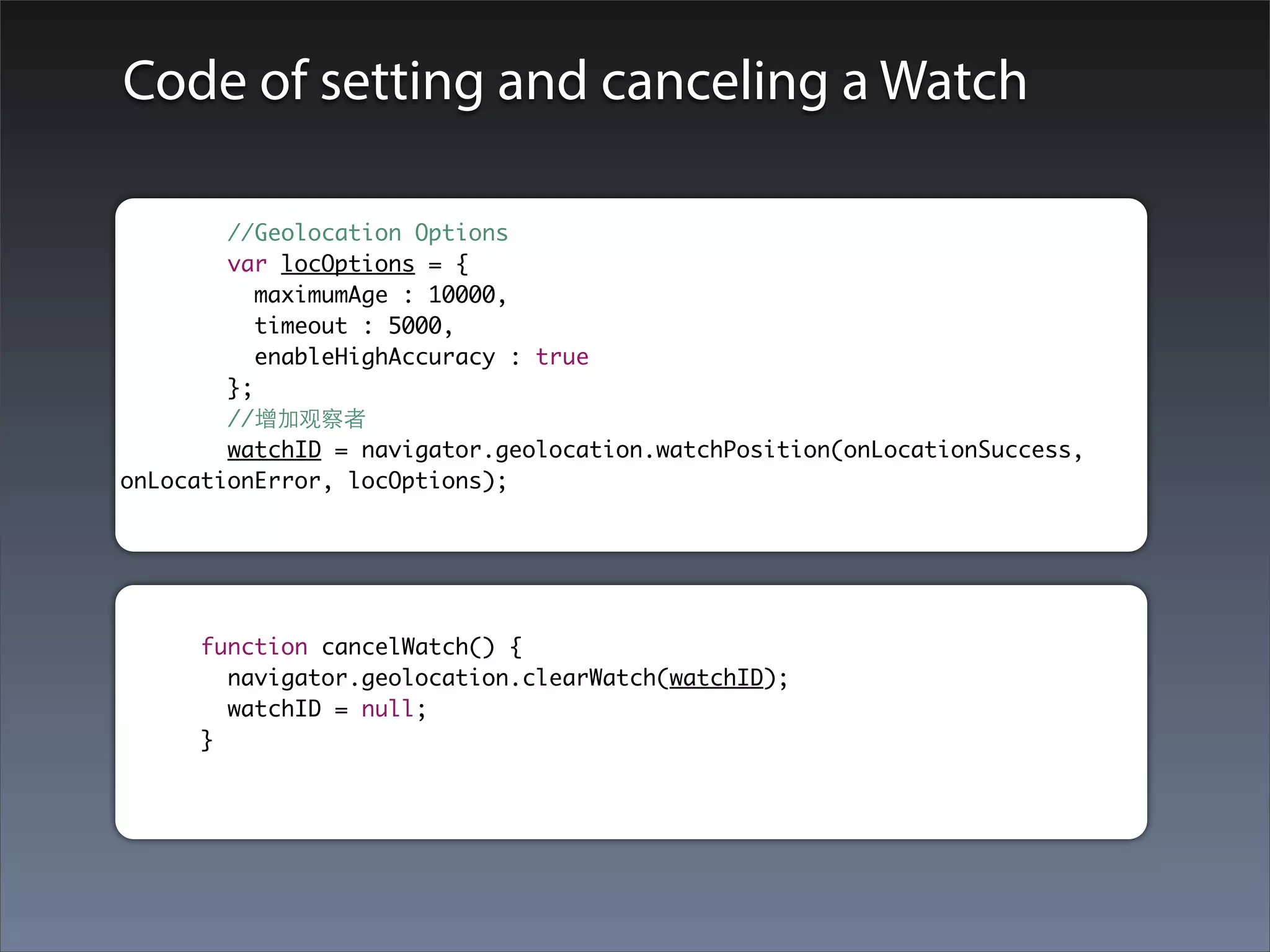
Code of setting and canceling a Watch

        //Geolocation Options
        var locOptions = {
           maximumAge : 10000,
           timeout : 5000,
           enableHighAccuracy : true
        };
        //增加观察者
        watchID = navigator.geolocation.watchPosition(onLocationSuccess,
onLocationError, locOptions);


     function cancelWatch() {
       navigator.geolocation.clearWatch(watchID);
       watchID = null;
     }
Media
Media API简介
PhoneGap Media API提供了在设备上录⾳音和播放⾳音
频⽂文件的能⼒力。
提⽰示:当前Media API的实现并没有遵循W3C的媒体
捕捉的规范,只是提供了⼀一个实现供⼤大家⽅方便使
⽤用。未来的实现将会遵循W3C有关媒体捕捉的规
范,并且有可能会弃⽤用现在的API。也就是上⾯面列
出来的这个。
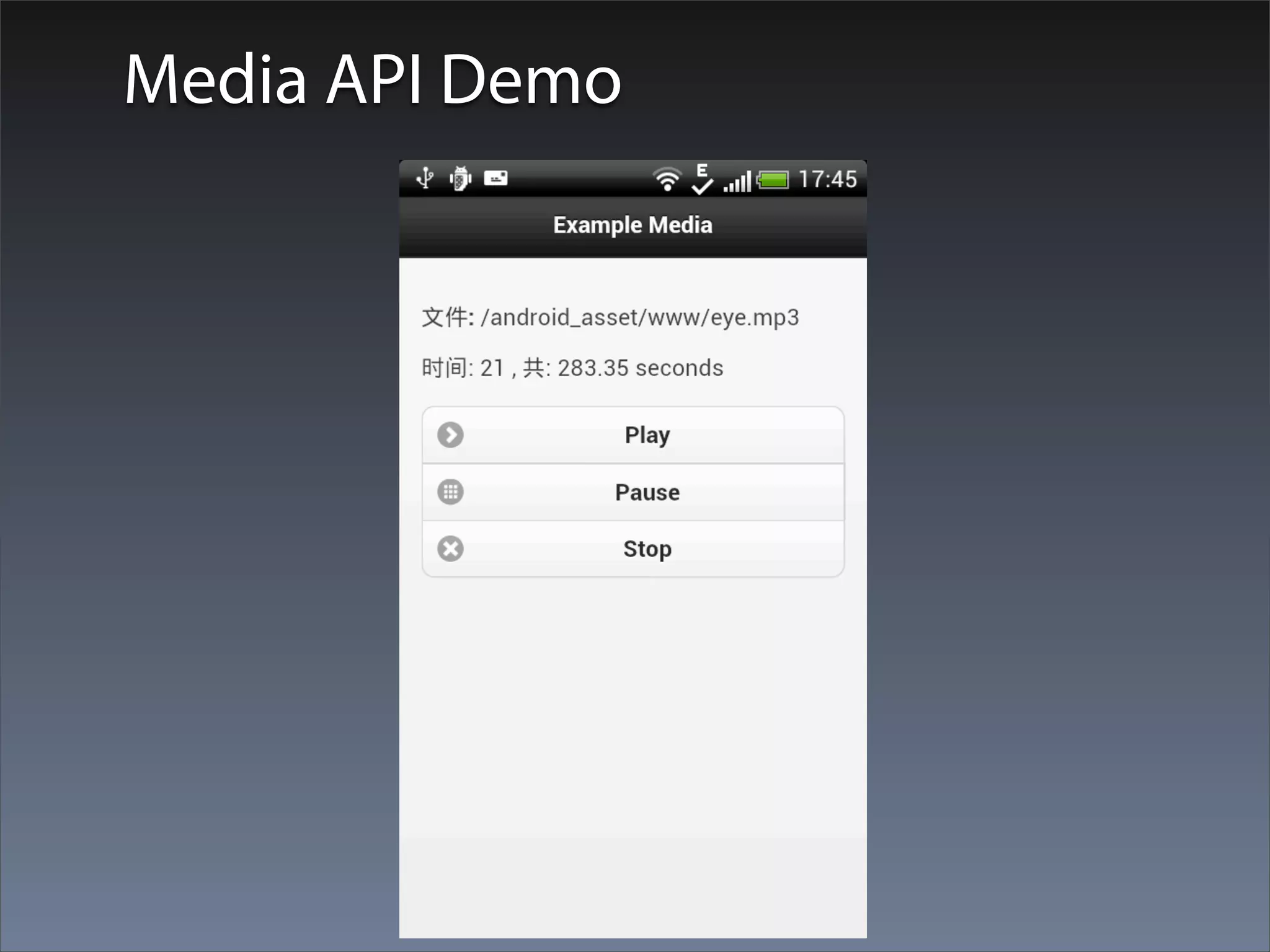
Media API Demo
The Media Object
创建⼀一个Media对象
var media = new Media(mediaFileURI, onMediaSuccess,
[mediaError], [mediaStatus];
注意:这⾥里的onMediaSuccess不会在new Media完成后执⾏行,⽽而是会在
每次播放或者录⾳音完成后调⽤用。
new Media完成后,可以对media判断时⻓长或者读设当前位置,但是这些
操作都不会得到任何值,除⾮非已经开始播放。


//     var fileName = "http://192.168.1.103/~tom/dan.mp3";
     var fileName = "/android_asset/www/eye.mp3";

  theMedia = new Media(fileName, onMediaSuccess, onMediaError,
onMediaStatus);
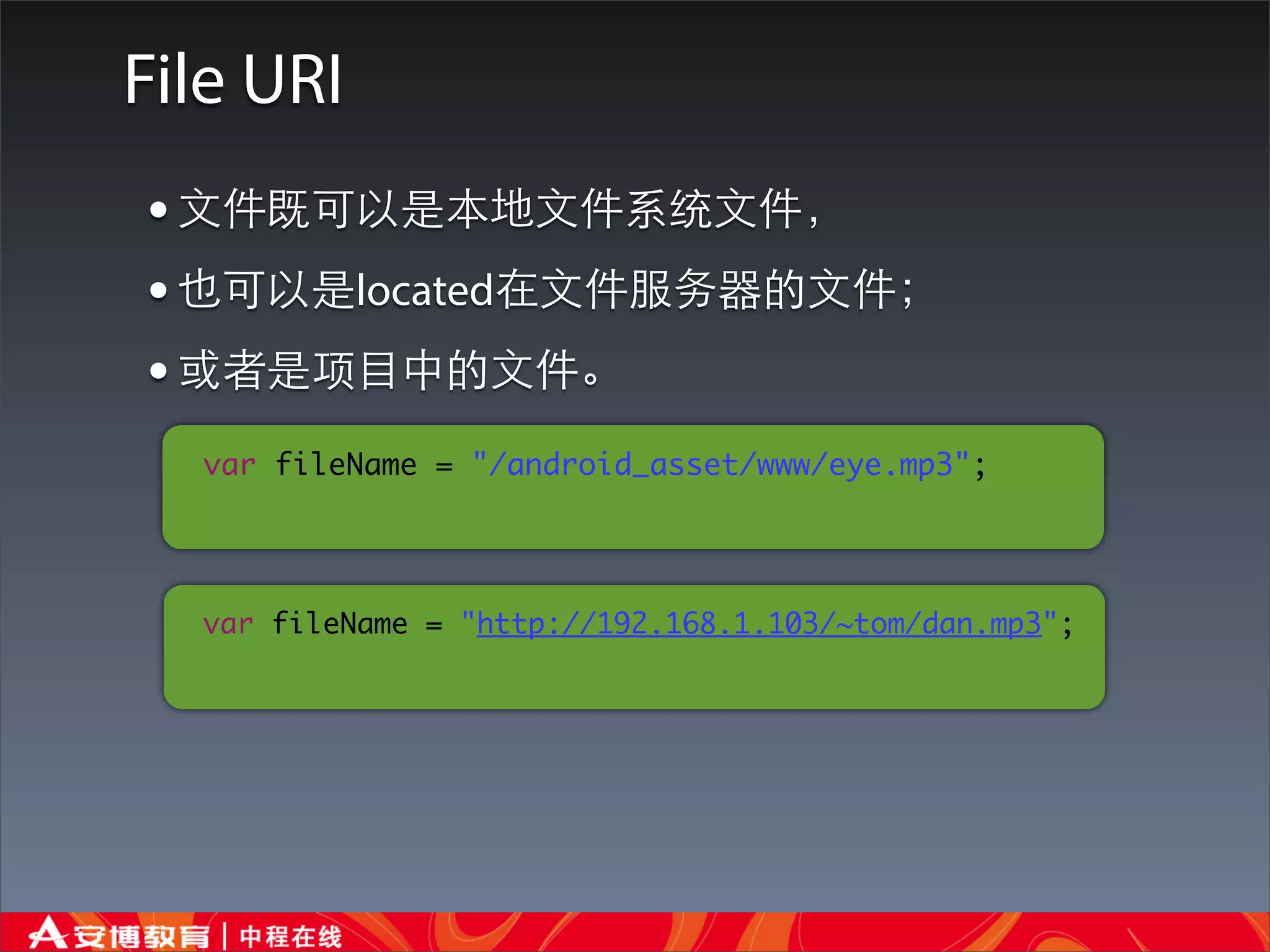
File URI
• ⽂文件既可以是本地⽂文件系统⽂文件,
• 也可以是located在⽂文件服务器的⽂文件;
• 或者是项⺫⽬目中的⽂文件。
  var fileName = "/android_asset/www/eye.mp3";


  var fileName = "http://192.168.1.103/~tom/dan.mp3";
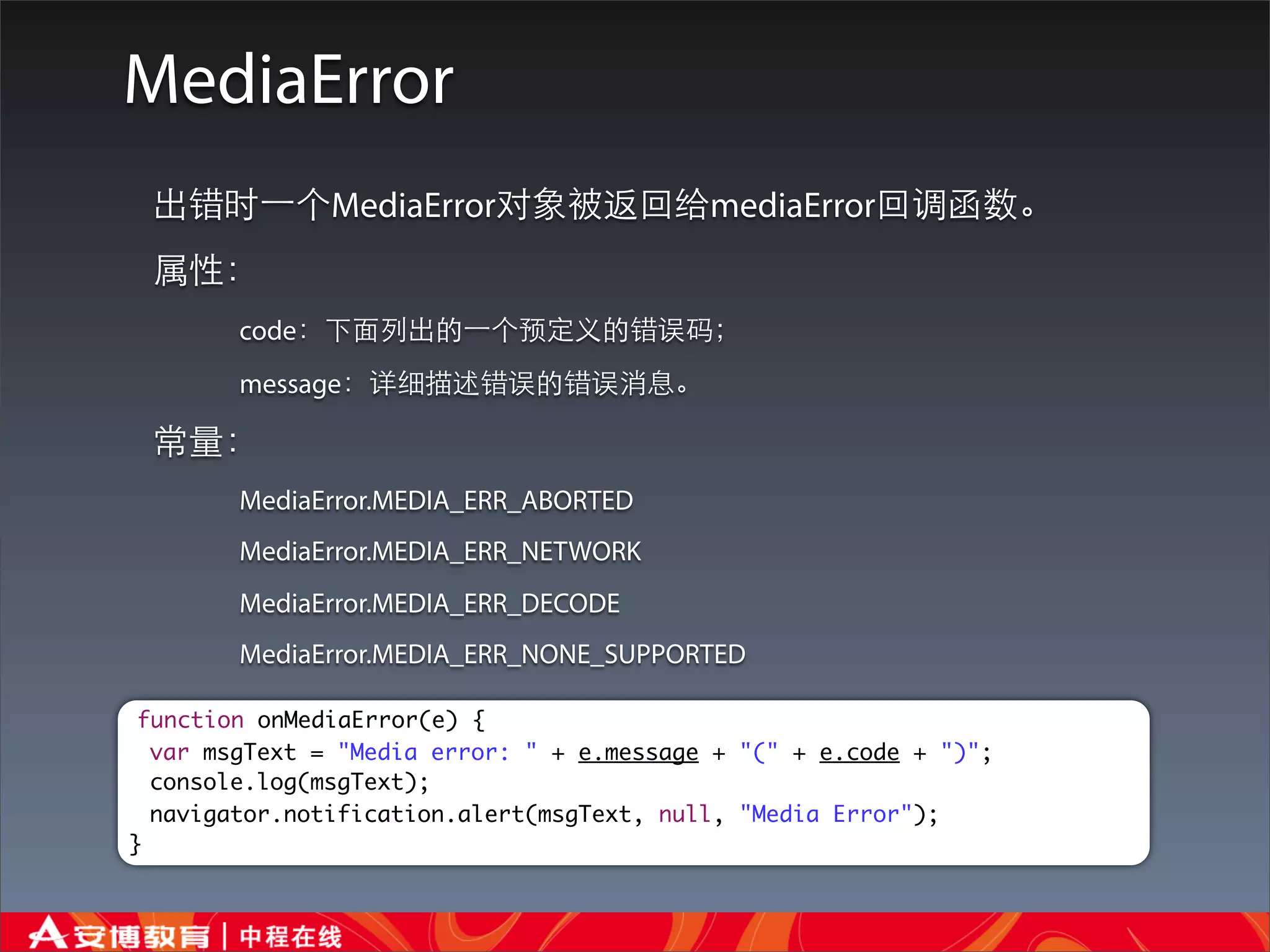
MediaError
 出错时⼀一个MediaError对象被返回给mediaError回调函数。
 属性:
        code:下⾯面列出的⼀一个预定义的错误码;
        message:详细描述错误的错误消息。

 常量:
        MediaError.MEDIA_ERR_ABORTED
        MediaError.MEDIA_ERR_NETWORK
        MediaError.MEDIA_ERR_DECODE
        MediaError.MEDIA_ERR_NONE_SUPPORTED

 function onMediaError(e) {
  var msgText = "Media error: " + e.message + "(" + e.code + ")";
  console.log(msgText);
  navigator.notification.alert(msgText, null, "Media Error");
}
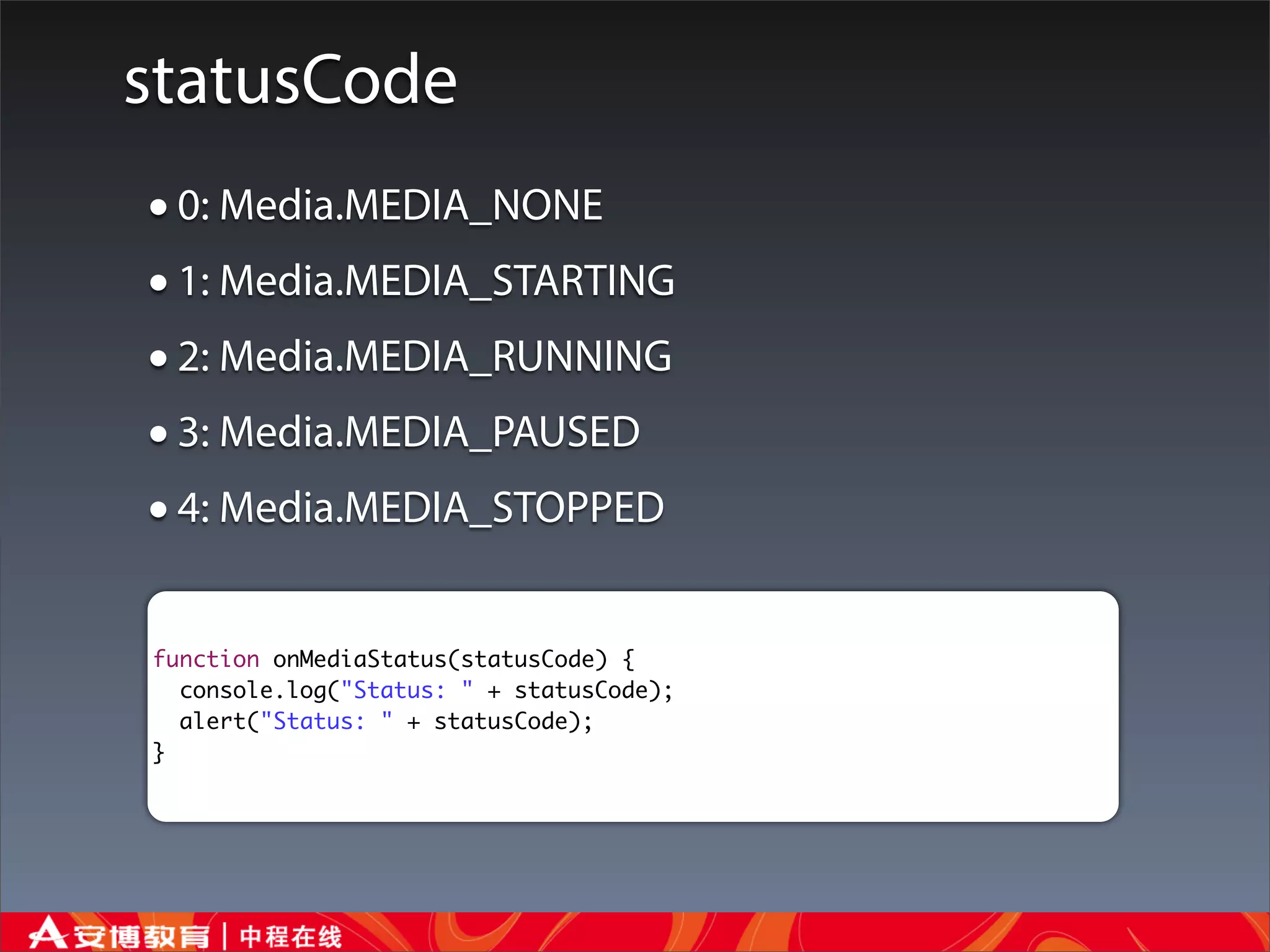
statusCode
• 0: Media.MEDIA_NONE
• 1: Media.MEDIA_STARTING
• 2: Media.MEDIA_RUNNING
• 3: Media.MEDIA_PAUSED
• 4: Media.MEDIA_STOPPED
function onMediaStatus(statusCode) {
  console.log("Status: " + statusCode);
  alert("Status: " + statusCode);
}
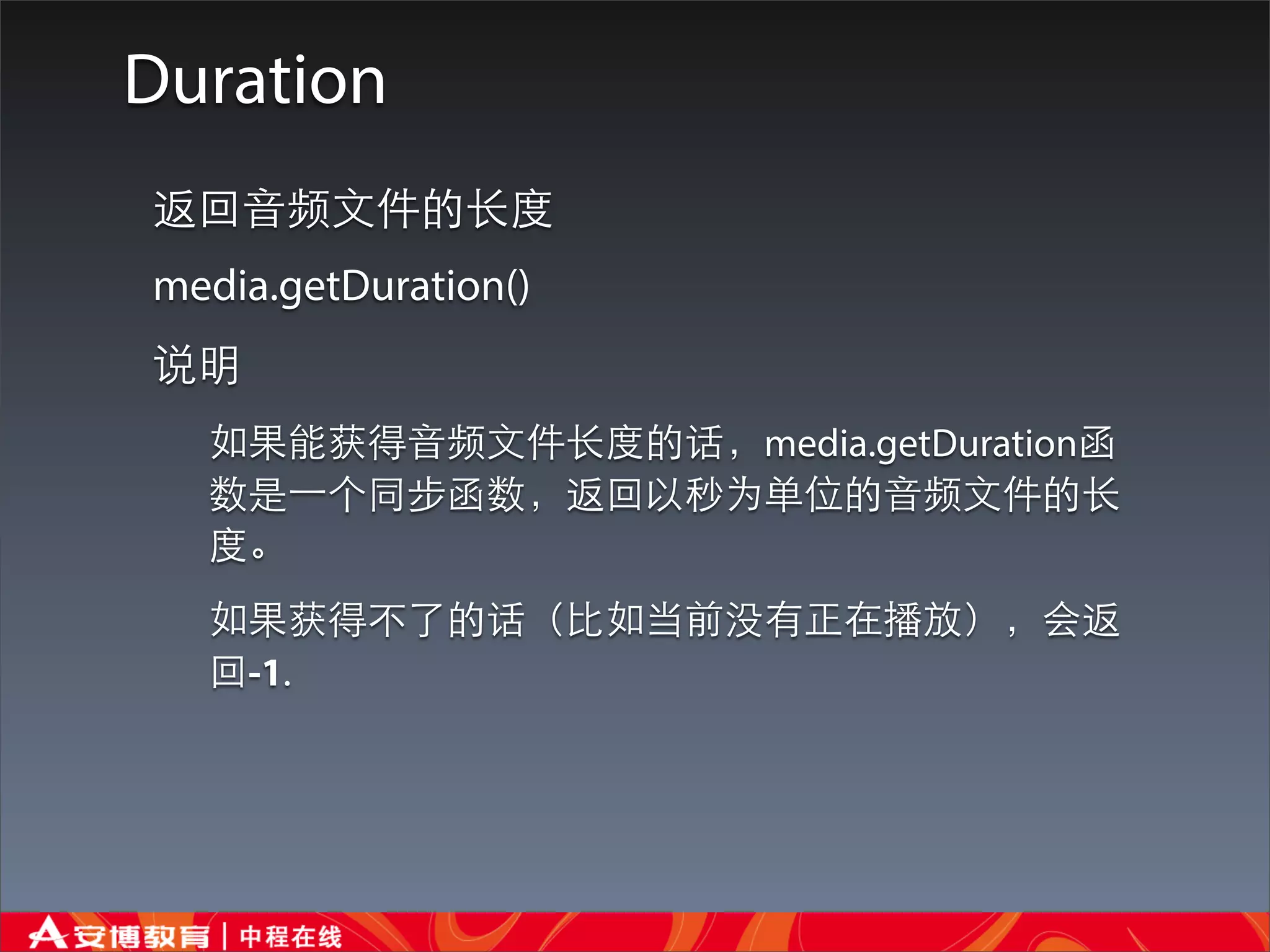
Duration
返回⾳音频⽂文件的⻓长度
media.getDuration()
说明
  如果能获得⾳音频⽂文件⻓长度的话,media.getDuration函
  数是⼀一个同步函数,返回以秒为单位的⾳音频⽂文件的⻓长
  度。
  如果获得不了的话(⽐比如当前没有正在播放),会返
  回-1.
Current Position
    返回声⾳音⽂文件内的当前位置
    media.getCurrentPosition(mediaSuccess, [mediaError]);
    参数
         mediaSuccess:带着以秒为单位的当前位置进⾏行回调。
         mediaError:可选,出错时调⽤用。                    需要设置⼀一个定时器来获取当前位置

    说明:media.getCurrentPosition函数是⼀一个返回Media对象底层声⾳音⽂文件的当前位置的异
    步函数。同时更新Media对象的_position参数。
function updateUI() {
  console.log("updateUI");
  theMedia.getCurrentPosition(onGetPosition, onMediaError);
}

function onGetPosition(filePos) {
  console.log("onGetPosition");
  //We won't have any information about the file until it's
  // actually played. Update the counter on the page
  $('#pos').html('时间: ' + Math.floor(filePos) + ' , 共: ' +
theMedia.getDuration() + ' seconds');
}

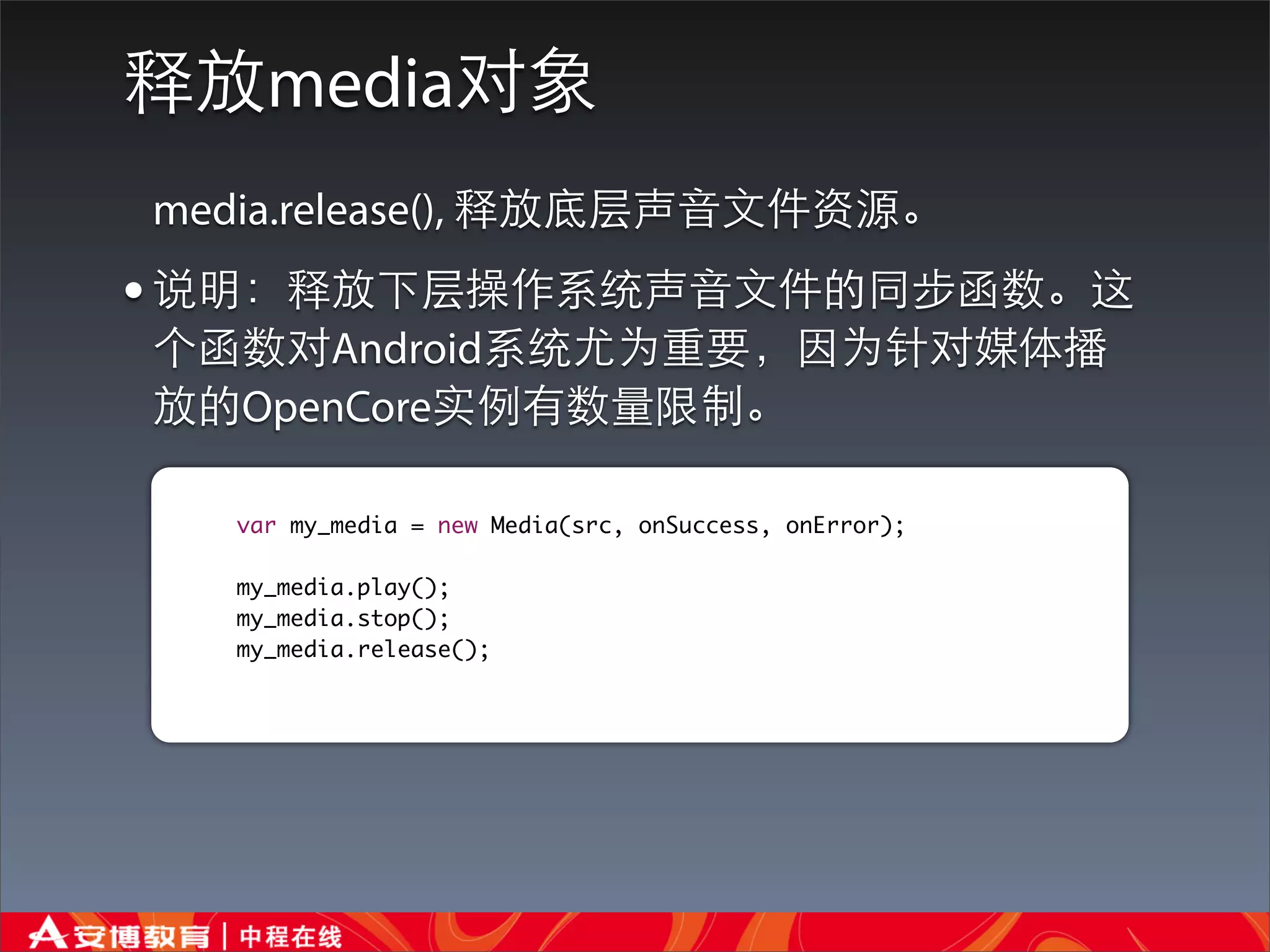
释放media对象
media.release(), 释放底层声⾳音⽂文件资源。
• 说明:释放下层操作系统声⾳音⽂文件的同步函数。这
个函数对Android系统尤为重要,因为针对媒体播
放的OpenCore实例有数量限制。

   var my_media = new Media(src, onSuccess, onError);

   my_media.play();
   my_media.stop();
   my_media.release();
Playing Audio Files
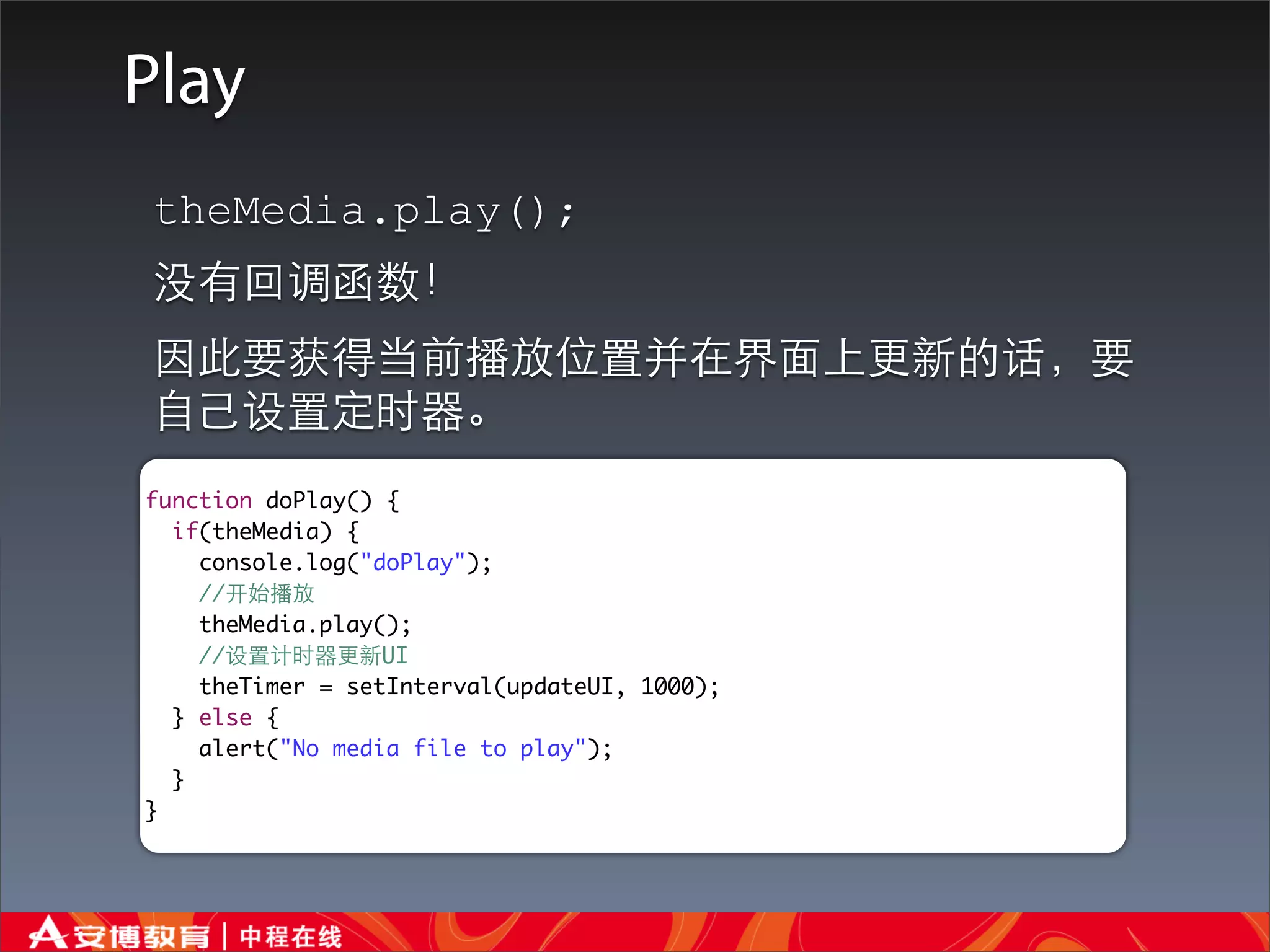
Play
theMedia.play();
没有回调函数!
因此要获得当前播放位置并在界⾯面上更新的话,要
⾃自⼰己设置定时器。
function doPlay() {
  if(theMedia) {
    console.log("doPlay");
    //开始播放
    theMedia.play();
    //设置计时器更新UI
    theTimer = setInterval(updateUI, 1000);
  } else {
    alert("No media file to play");
  }
}
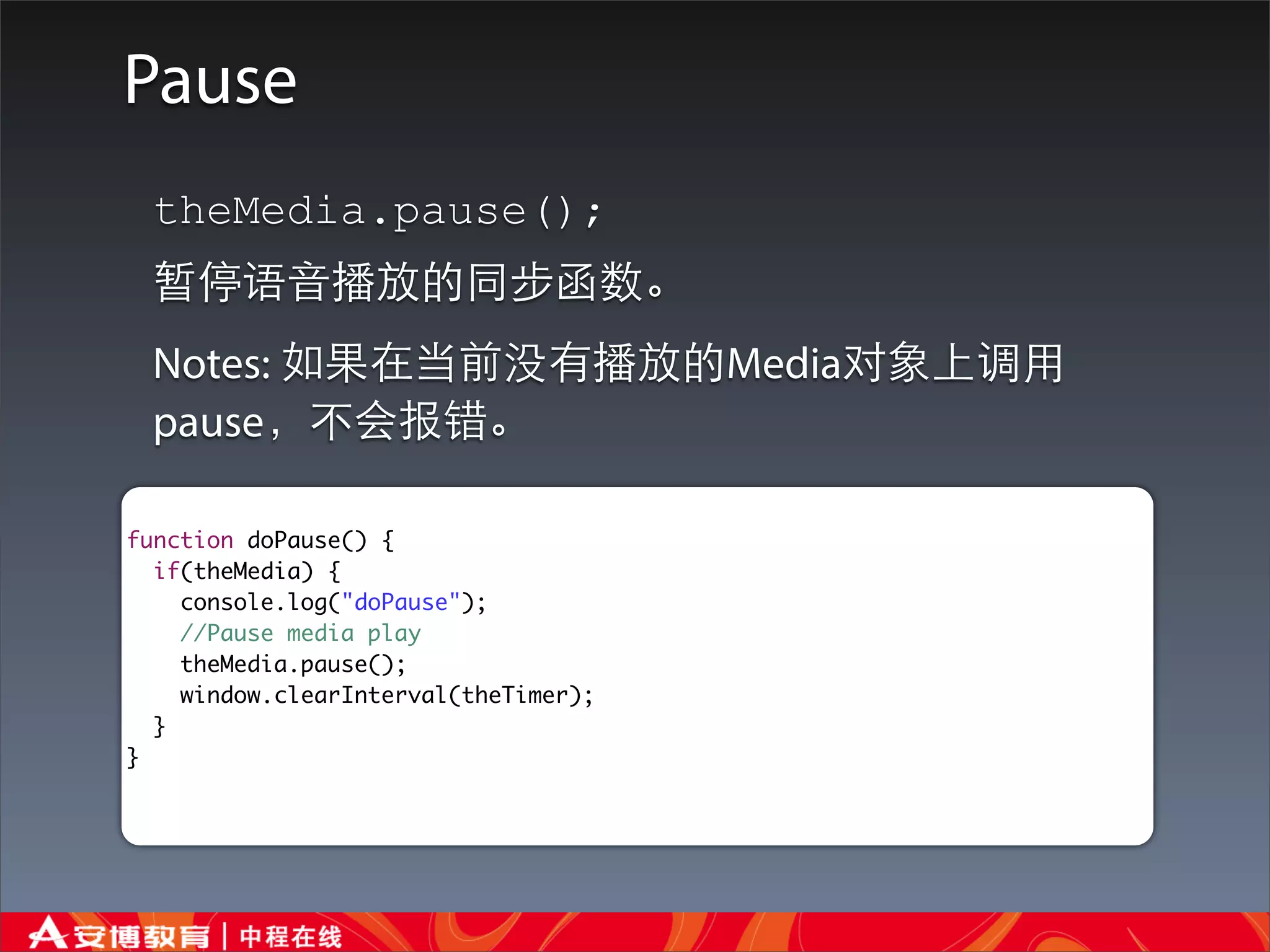
Pause
 theMedia.pause();
 暂停语⾳音播放的同步函数。
 Notes: 如果在当前没有播放的Media对象上调⽤用
 pause,不会报错。

function doPause() {
  if(theMedia) {
    console.log("doPause");
    //Pause media play
    theMedia.pause();
    window.clearInterval(theTimer);
  }
}
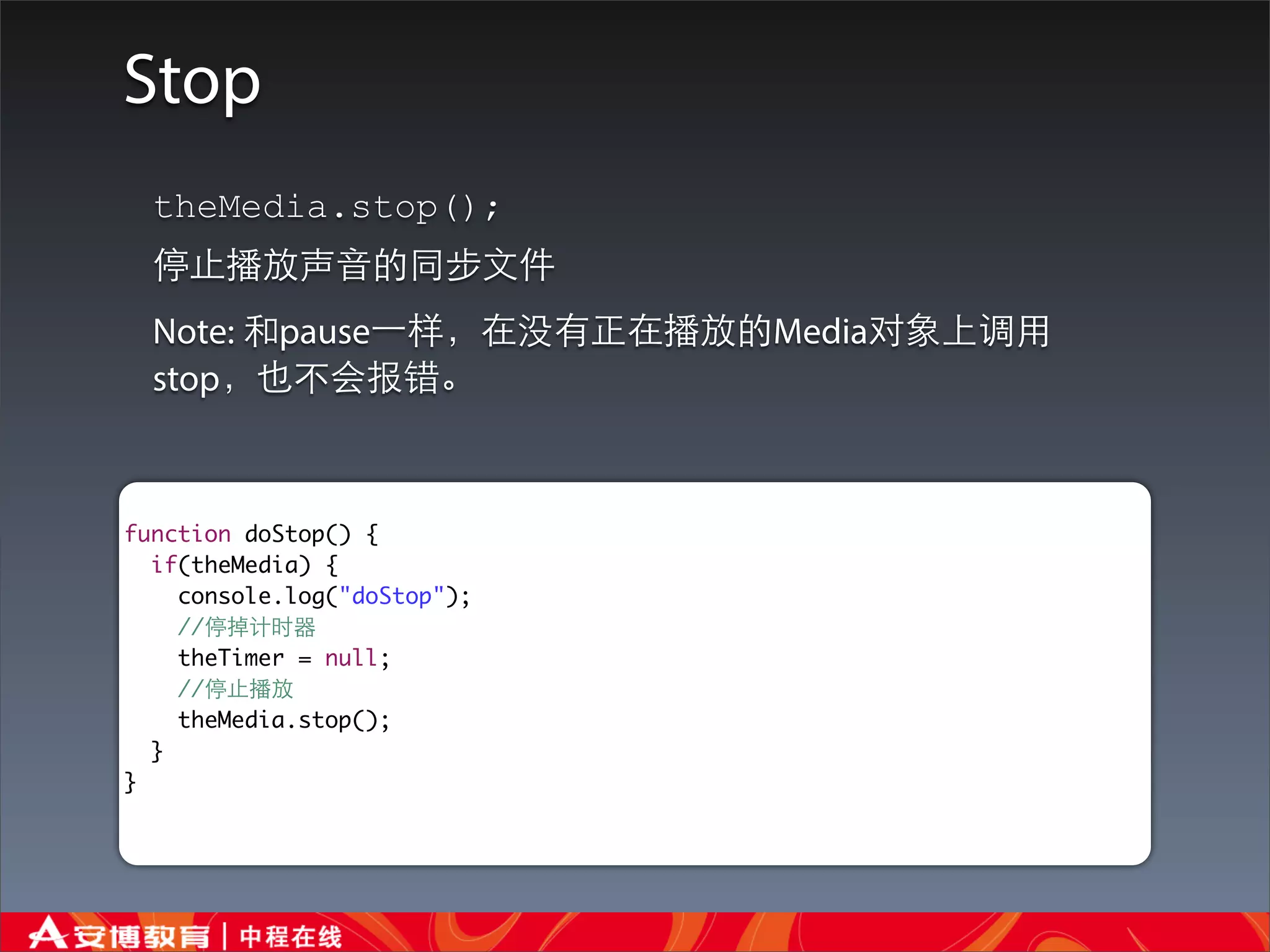
Stop
  theMedia.stop();
  停⽌止播放声⾳音的同步⽂文件
  Note: 和pause⼀一样,在没有正在播放的Media对象上调⽤用
  stop,也不会报错。


function doStop() {
  if(theMedia) {
    console.log("doStop");
    //停掉计时器
    theTimer = null;
    //停⽌止播放
    theMedia.stop();
  }
}
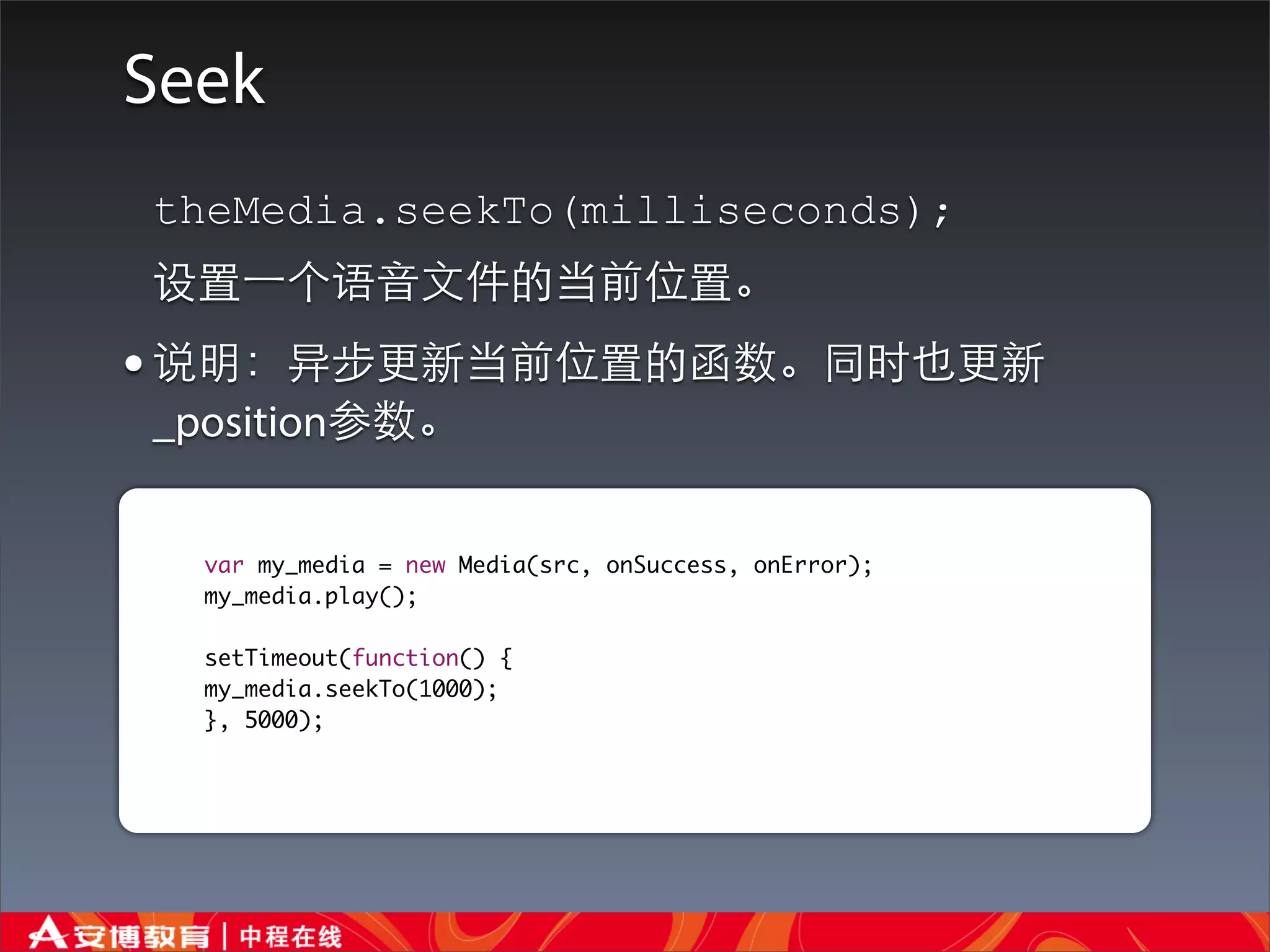
Seek
theMedia.seekTo(milliseconds);
设置⼀一个语⾳音⽂文件的当前位置。
• 说明:异步更新当前位置的函数。同时也更新
_position参数。


  var my_media = new Media(src, onSuccess, onError);
  my_media.play();

  setTimeout(function() {
  my_media.seekTo(1000);
  }, 5000);
Recording Audio Files
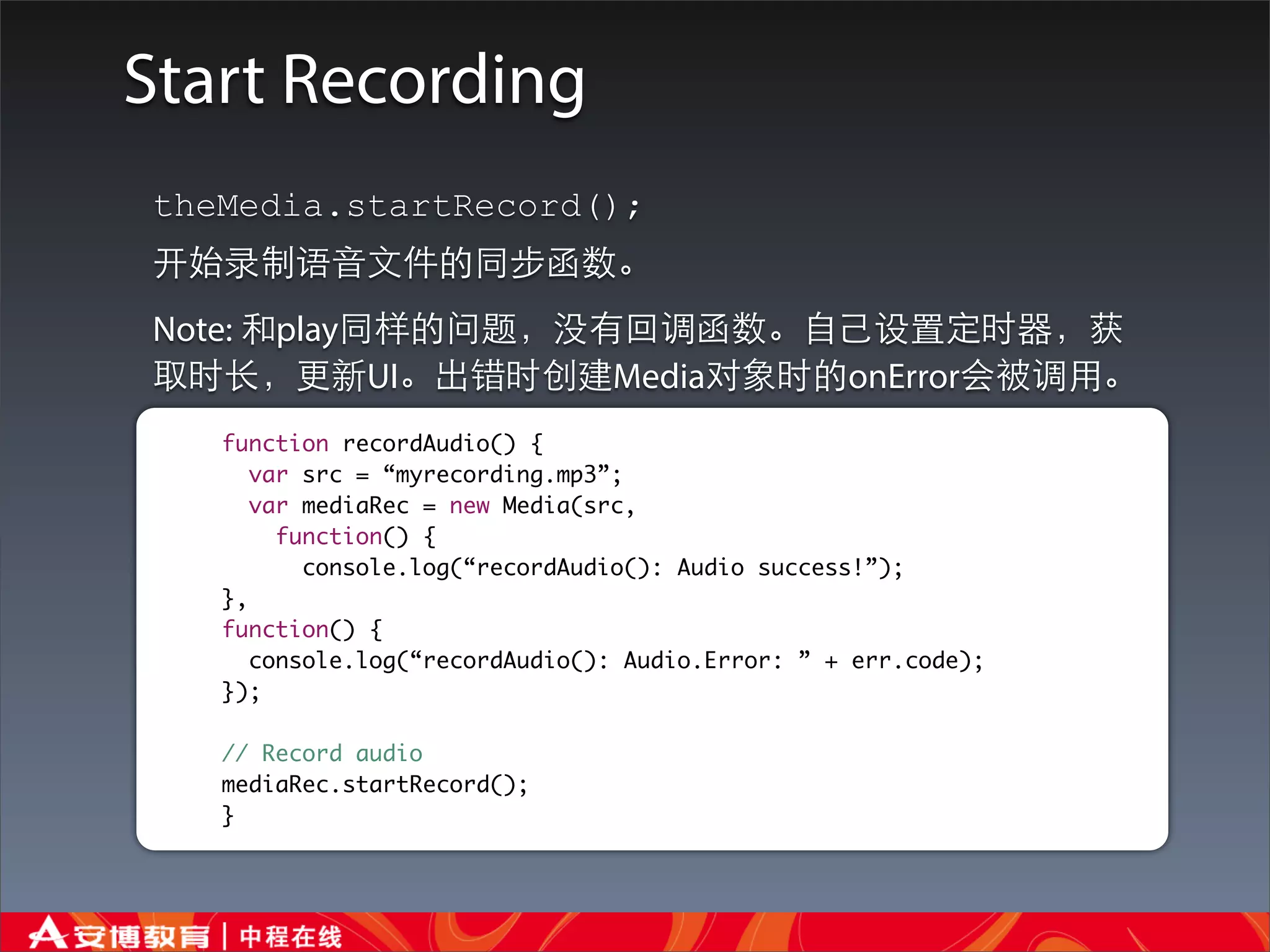
Start Recording
theMedia.startRecord();
开始录制语⾳音⽂文件的同步函数。
Note: 和play同样的问题,没有回调函数。⾃自⼰己设置定时器,获
取时⻓长,更新UI。出错时创建Media对象时的onError会被调⽤用。
   function recordAudio() {
      var src = “myrecording.mp3”;
      var mediaRec = new Media(src,
        function() {
          console.log(“recordAudio(): Audio success!”);
   },
   function() {
      console.log(“recordAudio(): Audio.Error: ” + err.code);
   });

   // Record audio
   mediaRec.startRecord();
   }
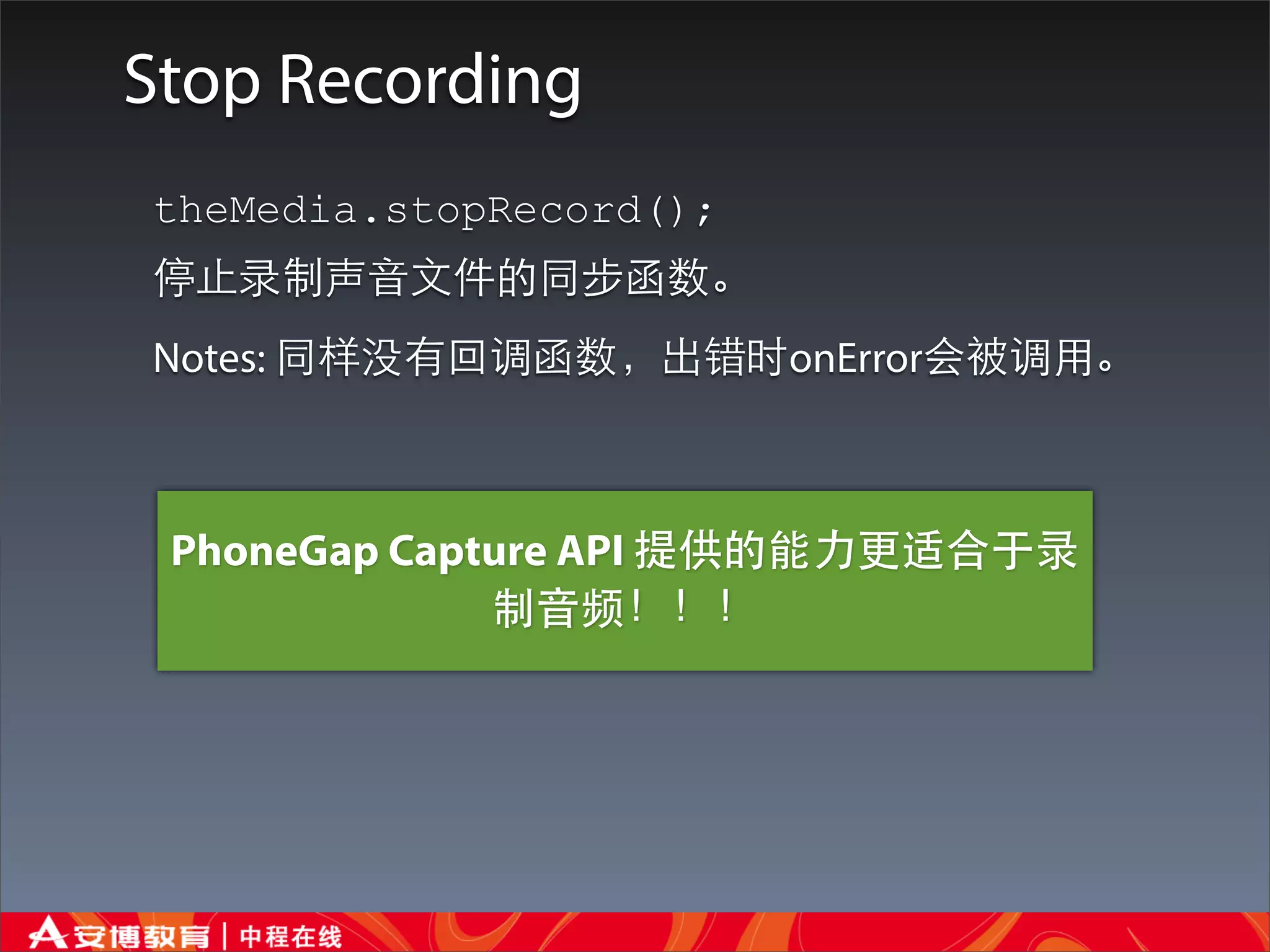
Stop Recording
theMedia.stopRecord();
停⽌止录制声⾳音⽂文件的同步函数。
Notes: 同样没有回调函数,出错时onError会被调⽤用。


 PhoneGap Capture API 提供的能⼒力更适合于录
              制⾳音频!!!
Notification
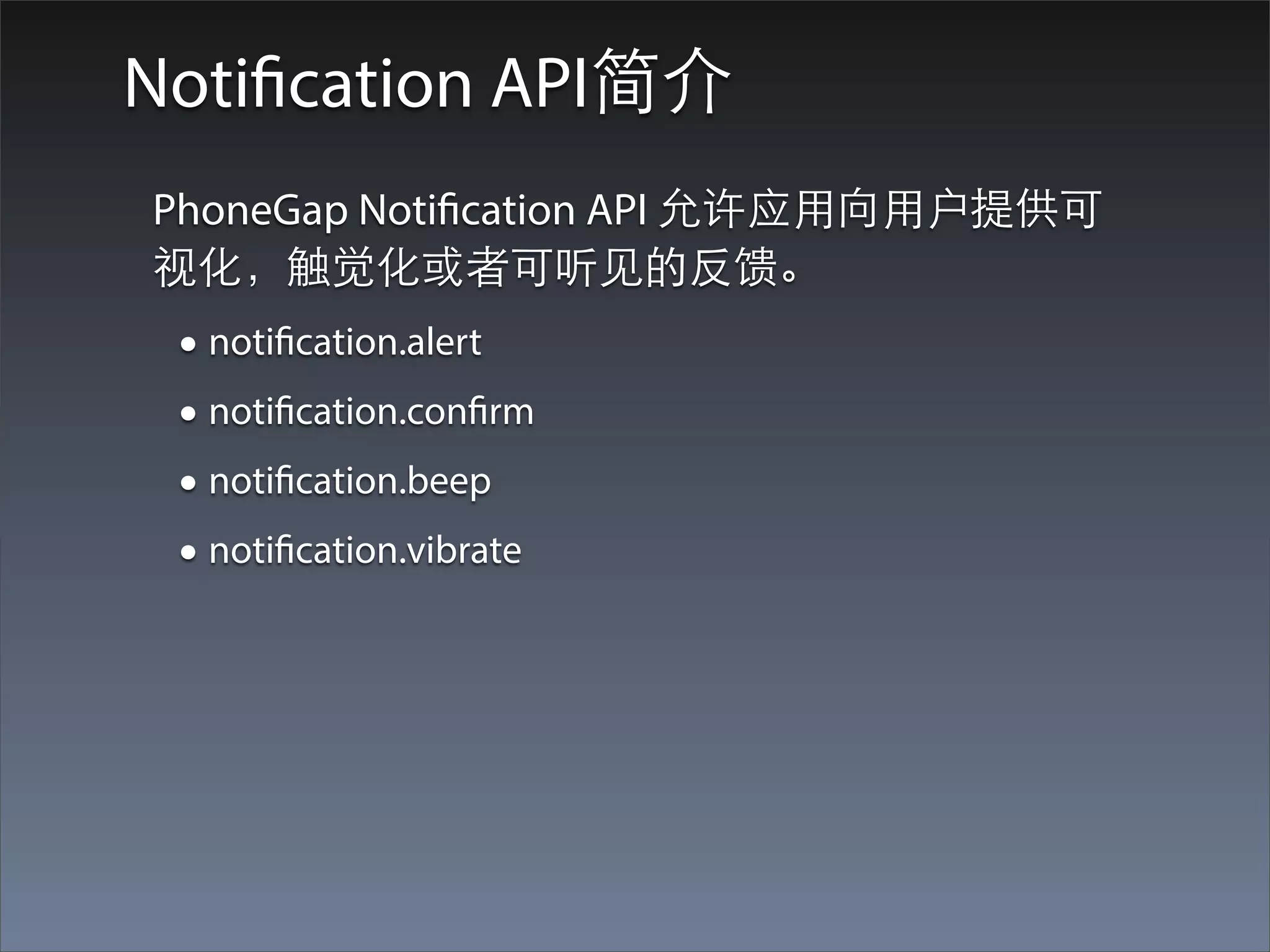
Notification API简介
PhoneGap Notification API 允许应⽤用向⽤用户提供可
视化,触觉化或者可听⻅见的反馈。
 • notification.alert
 • notification.confirm
 • notification.beep
 • notification.vibrate
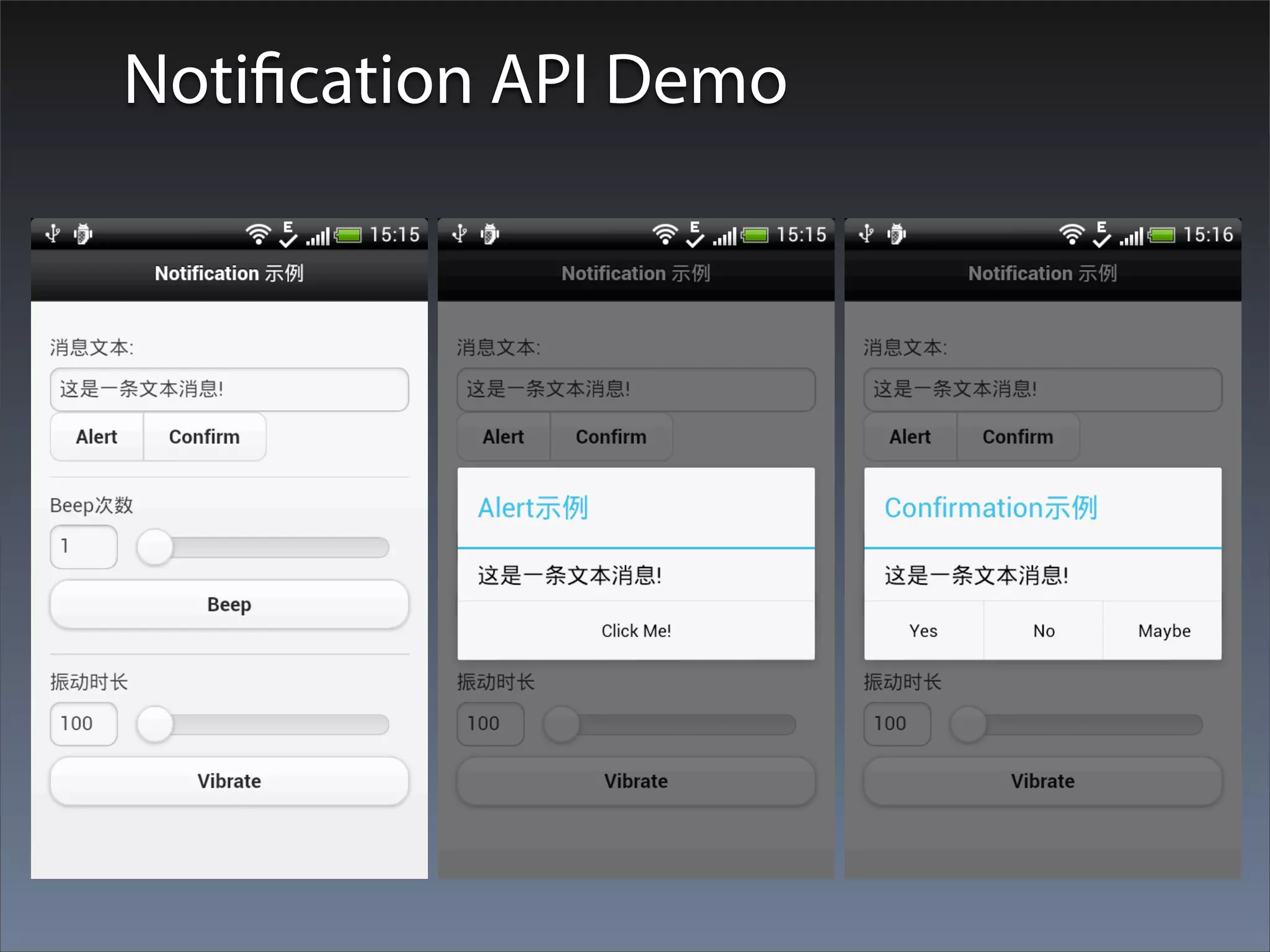
Notification API Demo
Visual Alerts(Alert and Confirm)
notification.alert


                                      显
                                       ⽰示
                                         ⼀一
                                           个
                                              按
                                               钮
 显⽰示⼀一个⾃自定义的alert或者对话框。 对于这个功能⼤大
 多数的Cordova的实现使⽤用⼀一个本地的对话框。然⽽而,有些
 平台简单的使⽤用浏览器的alert功能,这些alert的可定制性就
 稍微差⼀一些。
 navigator.notification.alert(message_t
 ext, callback_function, [“title”],
 [“button_text”])
  • message: 对话框消息(String)
  • alertCallback:当对话框消息释放的时候调⽤用的回调⽅方
   法(Function)
  • title: 对话框标题(String)(可选,默认是:”Alert”)
  • buttonName: 按钮名称(String)(可选,默认:”OK”)
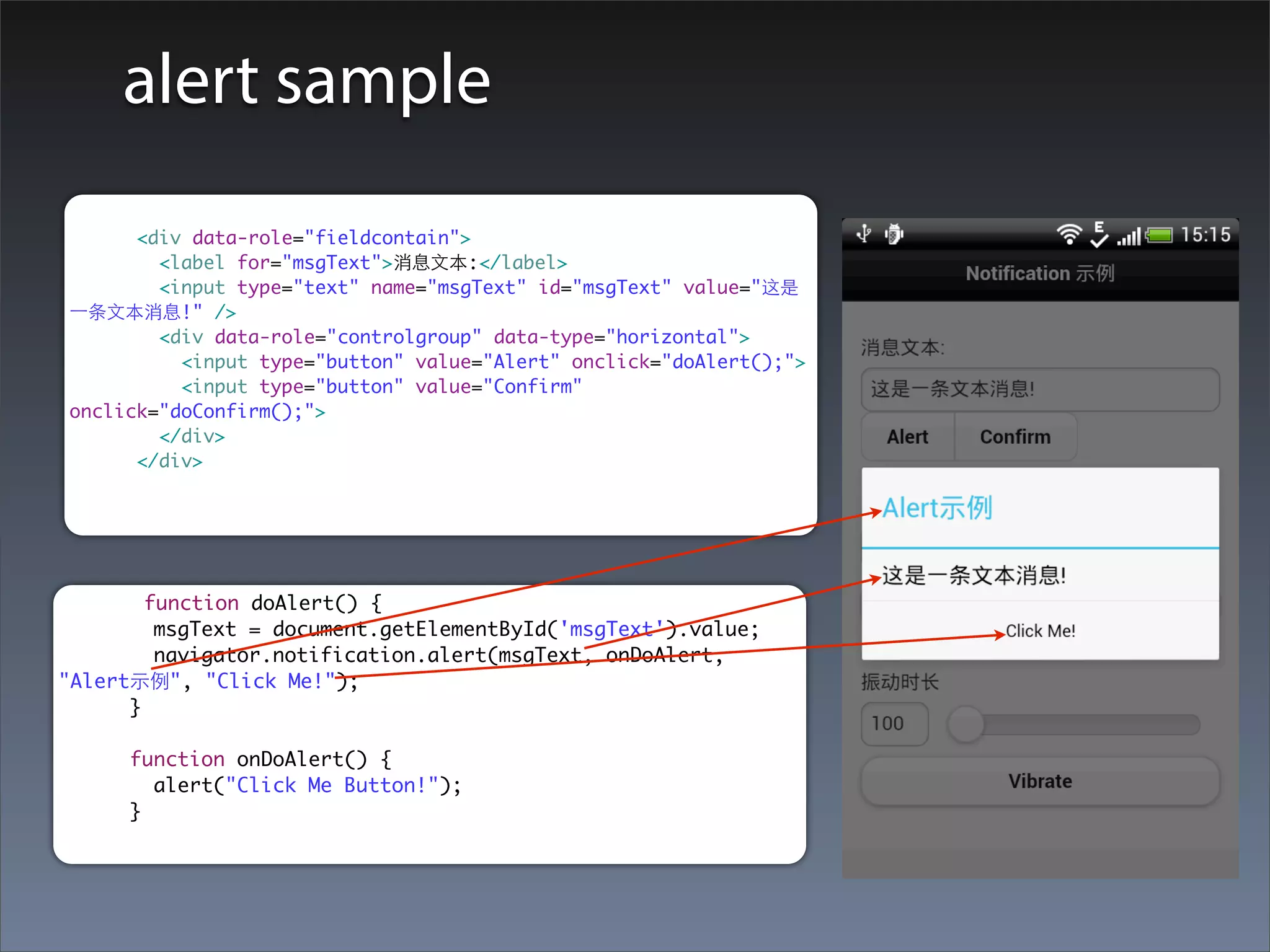
alert sample
      <div data-role="fieldcontain">
        <label for="msgText">消息⽂文本:</label>
        <input type="text" name="msgText" id="msgText" value="这是
⼀一条⽂文本消息!" />
        <div data-role="controlgroup" data-type="horizontal">
          <input type="button" value="Alert" onclick="doAlert();">
          <input type="button" value="Confirm"
onclick="doConfirm();">
        </div>
      </div>


        function doAlert() {
         msgText = document.getElementById('msgText').value;
         navigator.notification.alert(msgText, onDoAlert,
"Alert⽰示例", "Click Me!");
      }

      function onDoAlert() {
        alert("Click Me Button!");
      }
显
notification.confirm


                                                     ⽰示
                                                        ⼀一
                                                          个
                                                           或
                                                              多
                                                               个
 显⽰示⼀一个⾃自定义的确认对话框


                                                                按
                                                                  钮
 navigator.notification.confirm(message_text,
 callback_confirm, [“title”], [“button_text_array”])
  •   message: 对话框消息(String)
  •   confirmCallback: 回调⽅方法,带着被按下按钮的索引(1,2,或3)(Function)
  •   title: 对话框标题(String)(可选,默认是:“Confirm”)
  •   buttonLabels:逗号分割的按钮标签字符串(String)(可选,默认是:“OK,
      Cancel”)

• 说明
  •   notification.confirm函数显⽰示⼀一个⽐比浏览器的确认框更具定制化的本地对话框。
  •   confirmCallback
      •   当⽤用户按下了确认框的按钮之⼀一时confirmCallback会被调⽤用。

      •   这个回调函数带有⼀一个buttonIndex(数值)参数,是被按下按钮的索引。需要指出的是这
          ⾥里使⽤用的索引是以1开始的,所以这⾥里的值是1,2,3这样。
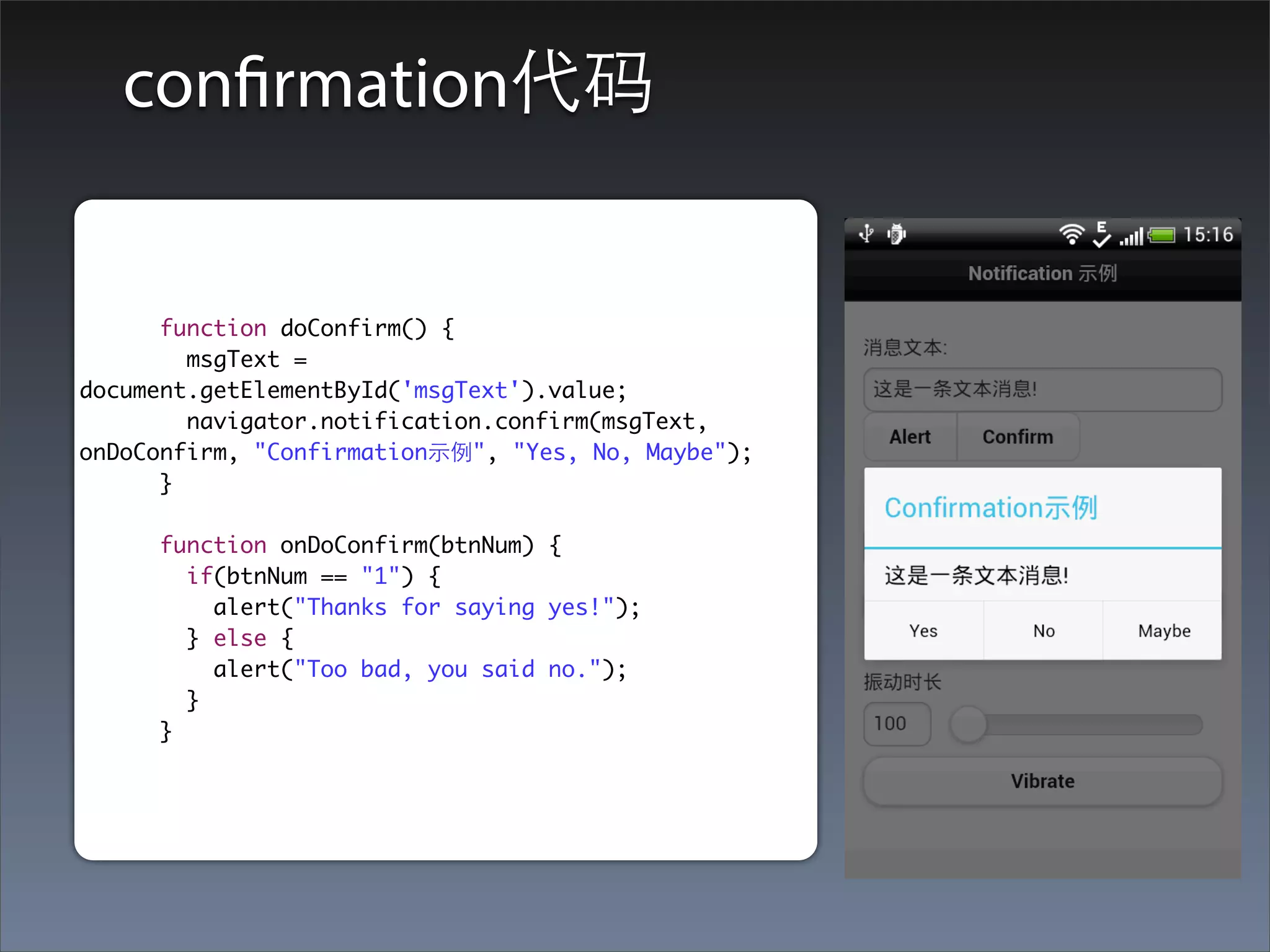
confirmation代码


      function doConfirm() {
        msgText =
document.getElementById('msgText').value;
        navigator.notification.confirm(msgText,
onDoConfirm, "Confirmation⽰示例", "Yes, No, Maybe");
      }

     function onDoConfirm(btnNum) {
       if(btnNum == "1") {
         alert("Thanks for saying yes!");
       } else {
         alert("Too bad, you said no.");
       }
     }
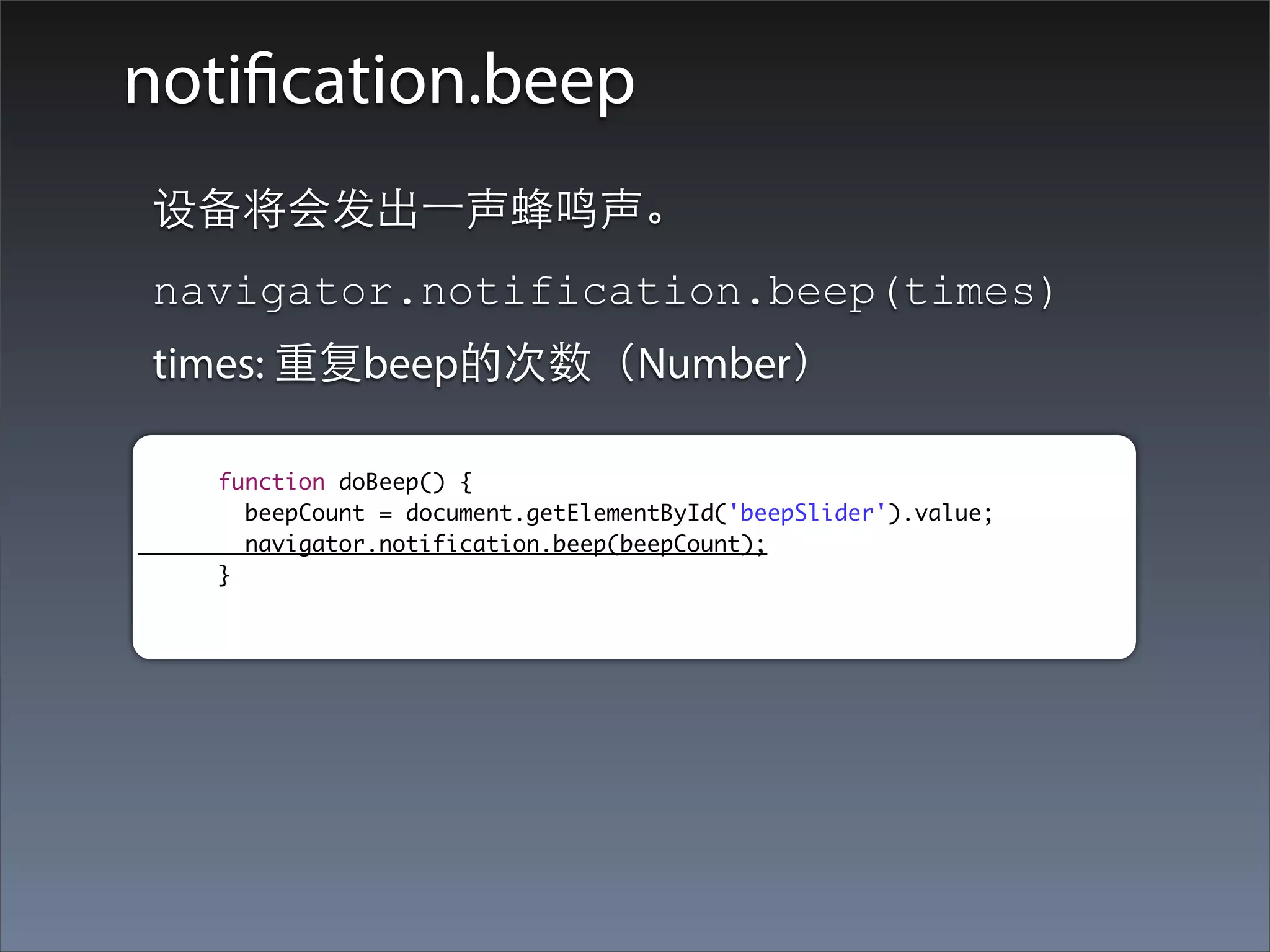
notification.beep
设备将会发出⼀一声蜂鸣声。
navigator.notification.beep(times)
times: 重复beep的次数(Number)

   function doBeep() {
     beepCount = document.getElementById('beepSlider').value;
     navigator.notification.beep(beepCount);
   }
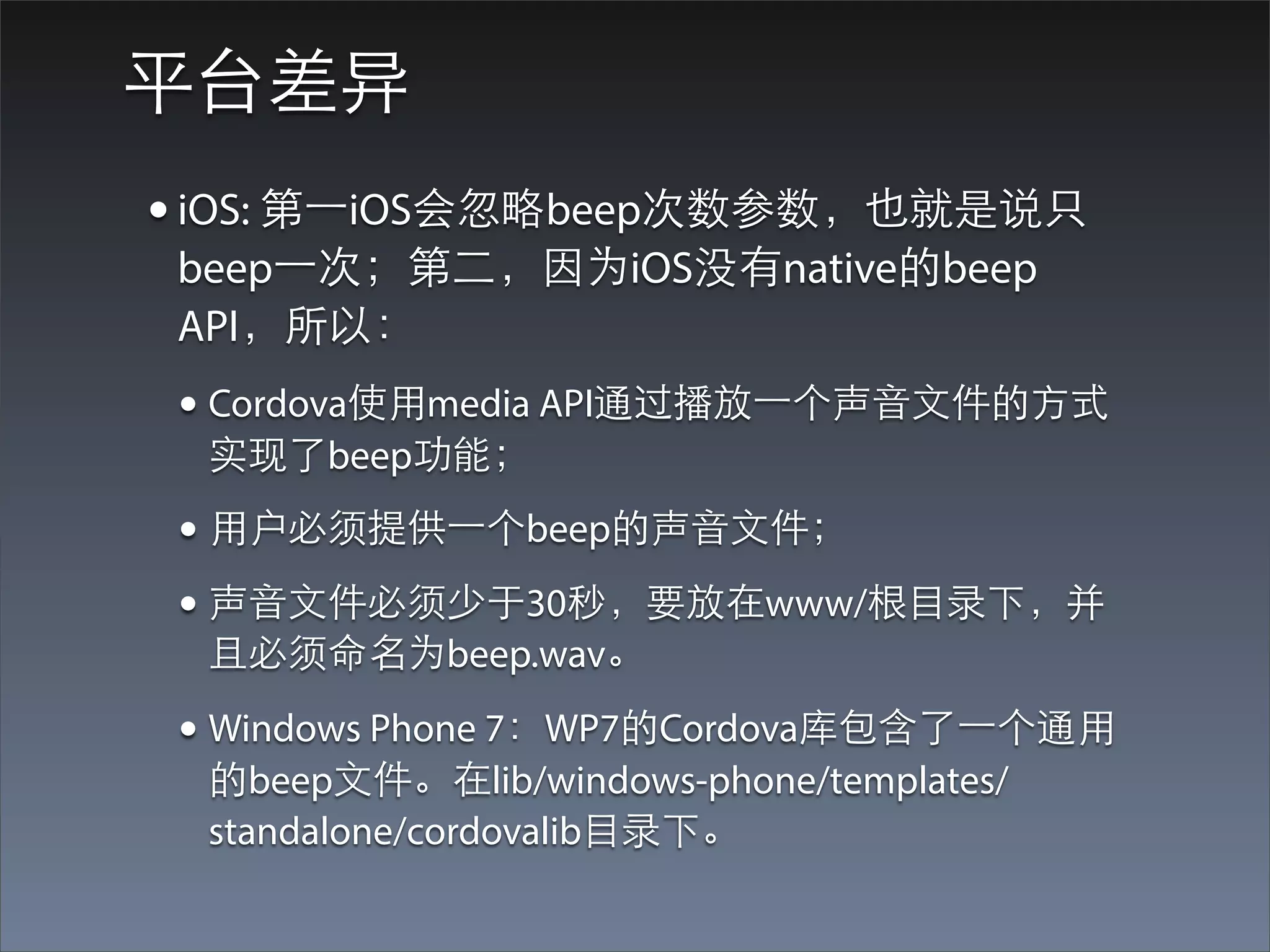
平台差异
• iOS: 第⼀一iOS会忽略beep次数参数,也就是说只
beep⼀一次;第⼆二,因为iOS没有native的beep
API,所以:
• Cordova使⽤用media API通过播放⼀一个声⾳音⽂文件的⽅方式
 实现了beep功能;
• ⽤用户必须提供⼀一个beep的声⾳音⽂文件;
• 声⾳音⽂文件必须少于30秒,要放在www/根⺫⽬目录下,并
 且必须命名为beep.wav。

• Windows Phone 7:WP7的Cordova库包含了⼀一个通⽤用
 的beep⽂文件。在lib/windows-phone/templates/
 standalone/cordovalib⺫⽬目录下。
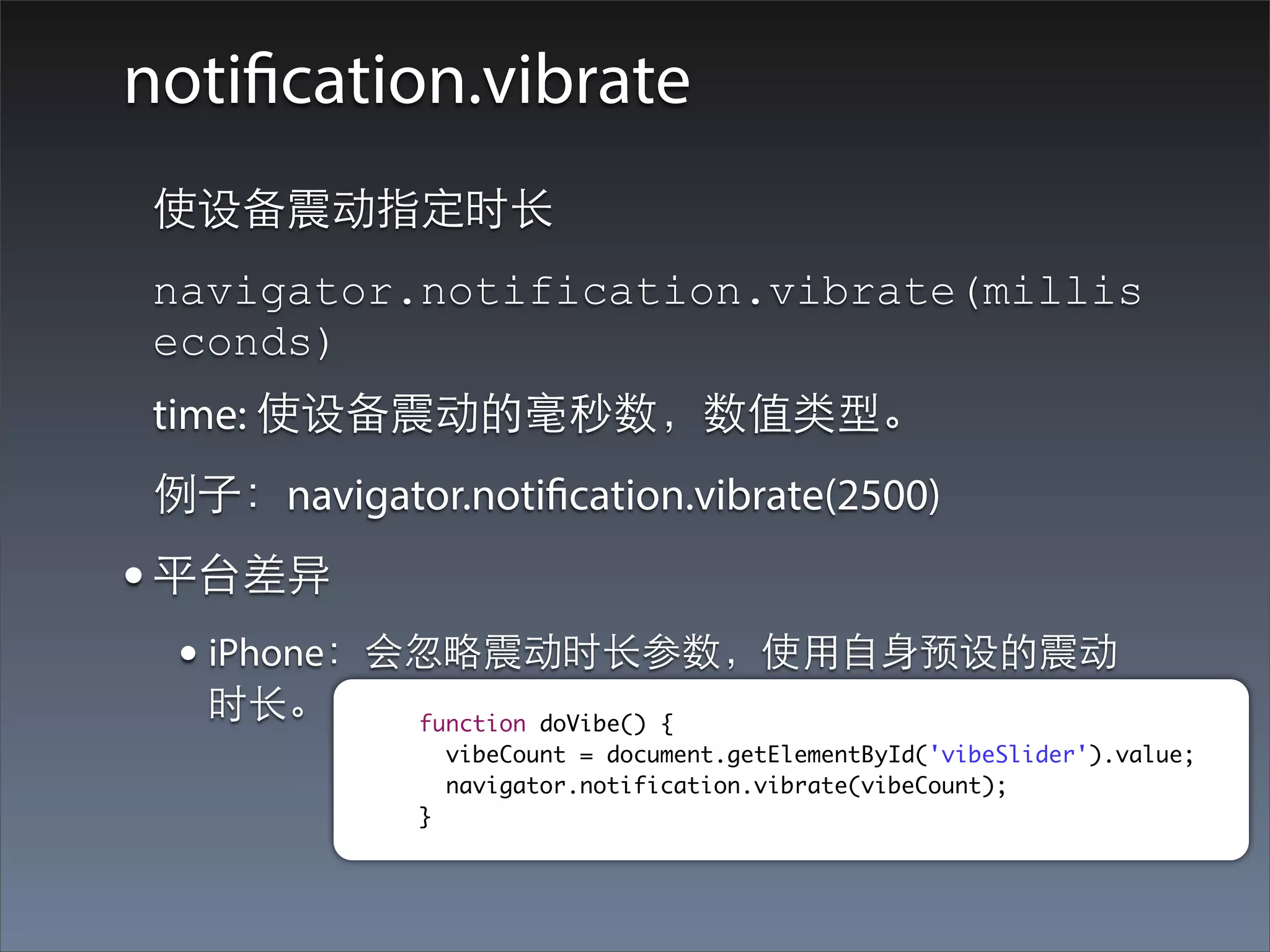
notification.vibrate
 使设备震动指定时⻓长
 navigator.notification.vibrate(millis
 econds)
 time: 使设备震动的毫秒数,数值类型。
 例⼦子:navigator.notification.vibrate(2500)
• 平台差异
  • iPhone:会忽略震动时⻓长参数,使⽤用⾃自⾝身预设的震动
   时⻓长。       function doVibe() {
                vibeCount = document.getElementById('vibeSlider').value;
                navigator.notification.vibrate(vibeCount);
              }
Storage
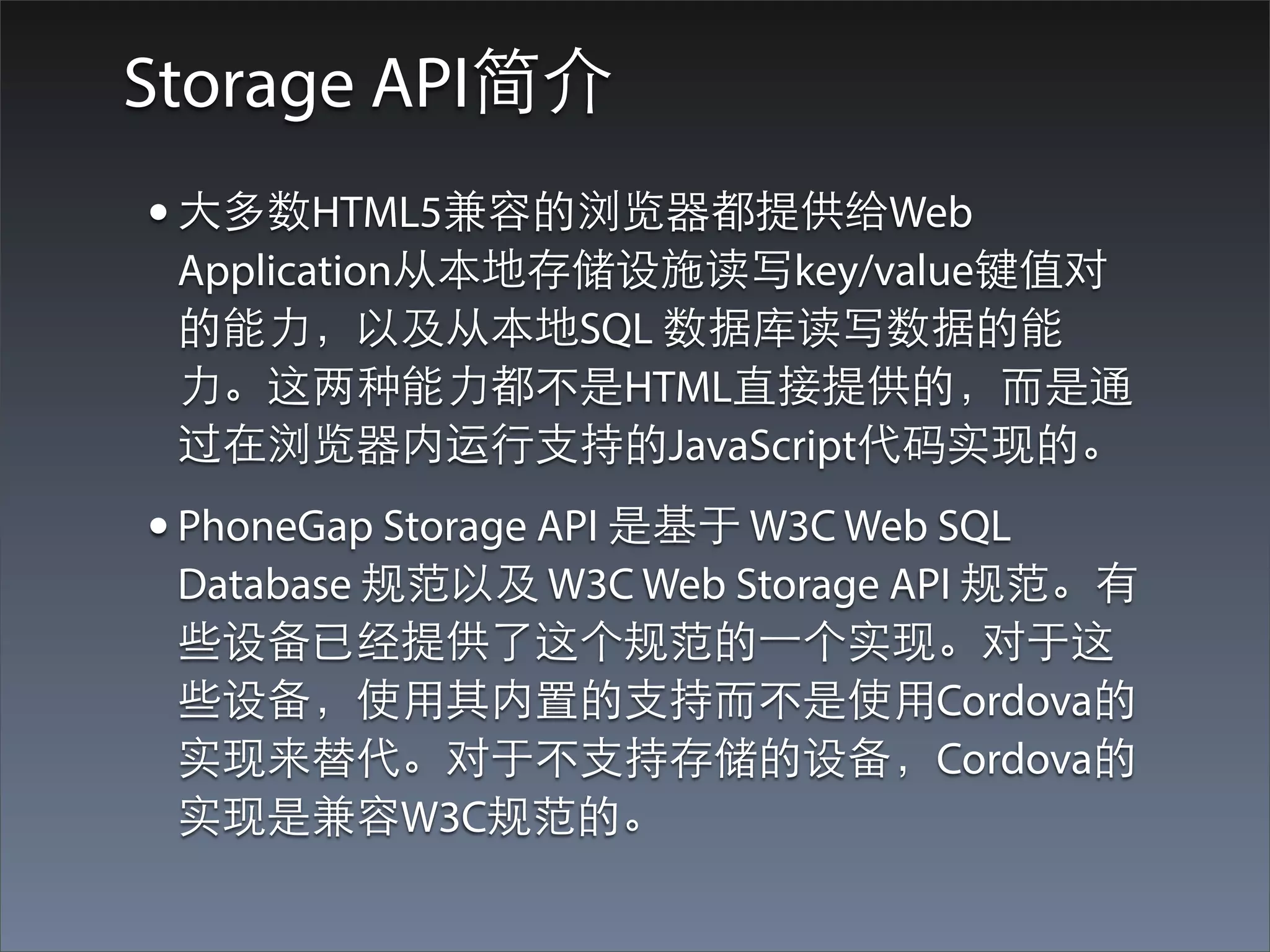
Storage API简介
• ⼤大多数HTML5兼容的浏览器都提供给Web
 Application从本地存储设施读写key/value键值对
 的能⼒力,以及从本地SQL 数据库读写数据的能
 ⼒力。这两种能⼒力都不是HTML直接提供的,⽽而是通
 过在浏览器内运⾏行⽀支持的JavaScript代码实现的。
• PhoneGap Storage API 是基于 W3C Web SQL
 Database 规范以及 W3C Web Storage API 规范。有
 些设备已经提供了这个规范的⼀一个实现。对于这
 些设备,使⽤用其内置的⽀支持⽽而不是使⽤用Cordova的
 实现来替代。对于不⽀支持存储的设备,Cordova的
 实现是兼容W3C规范的。
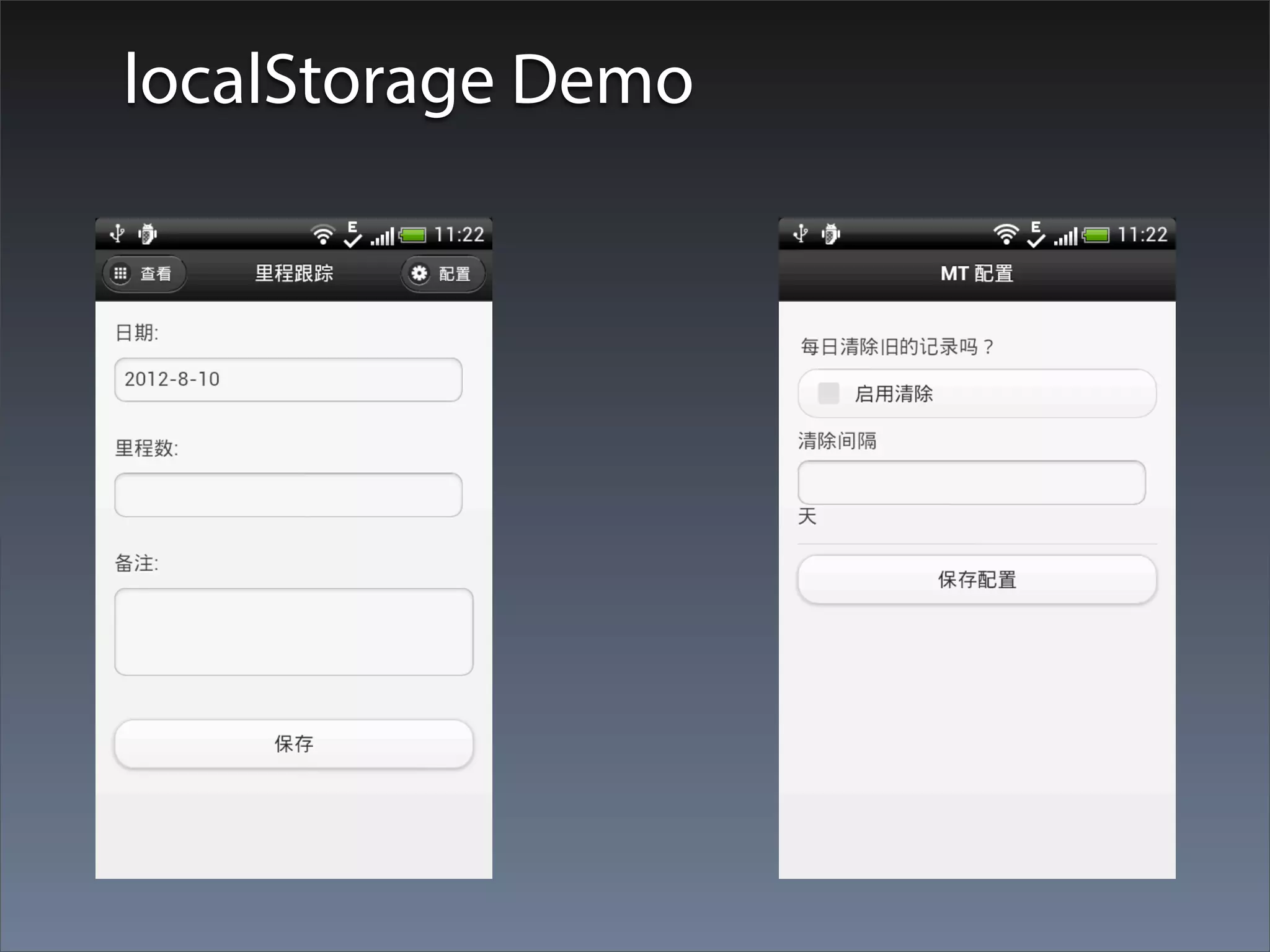
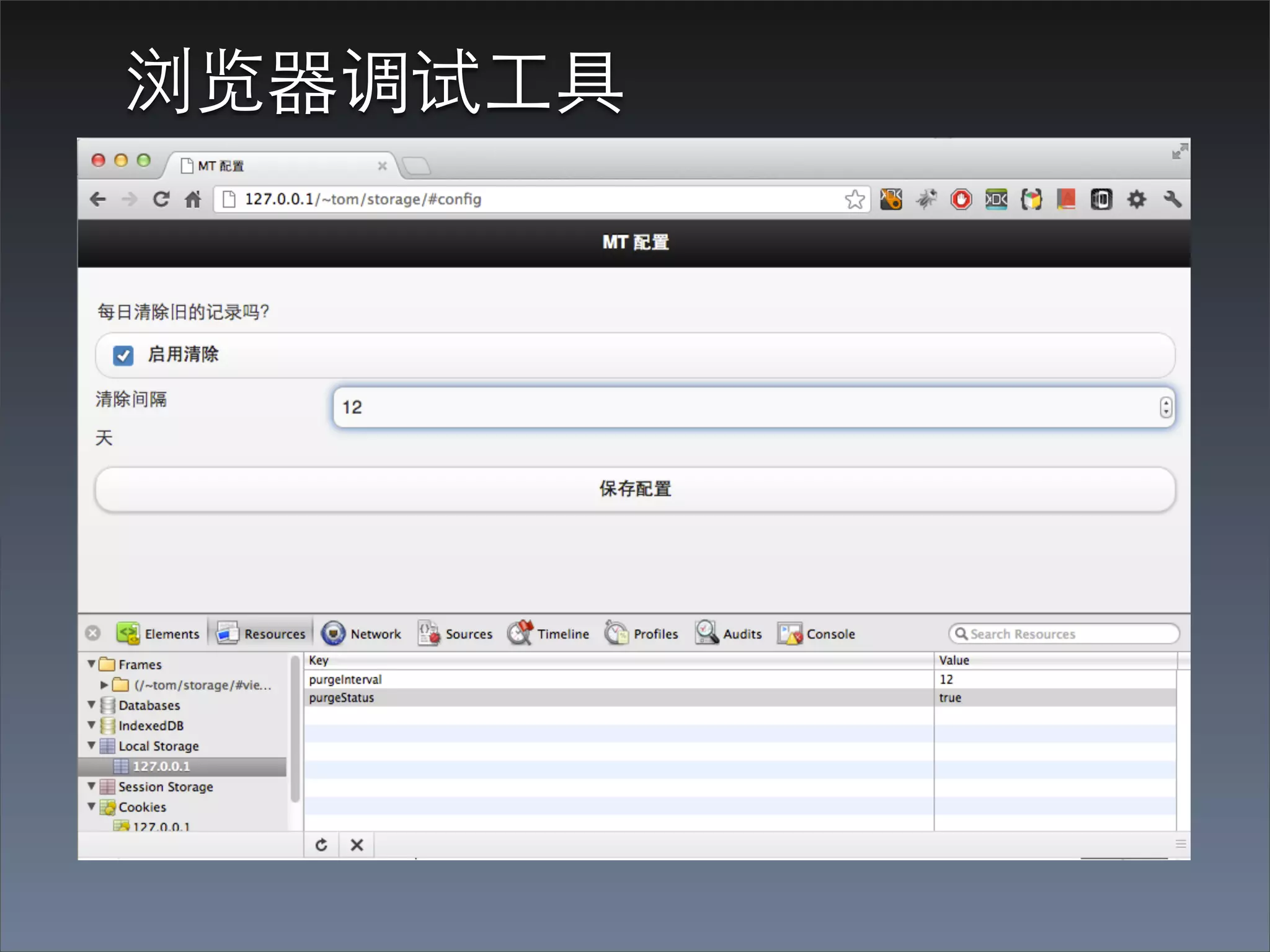
localStorage Demo
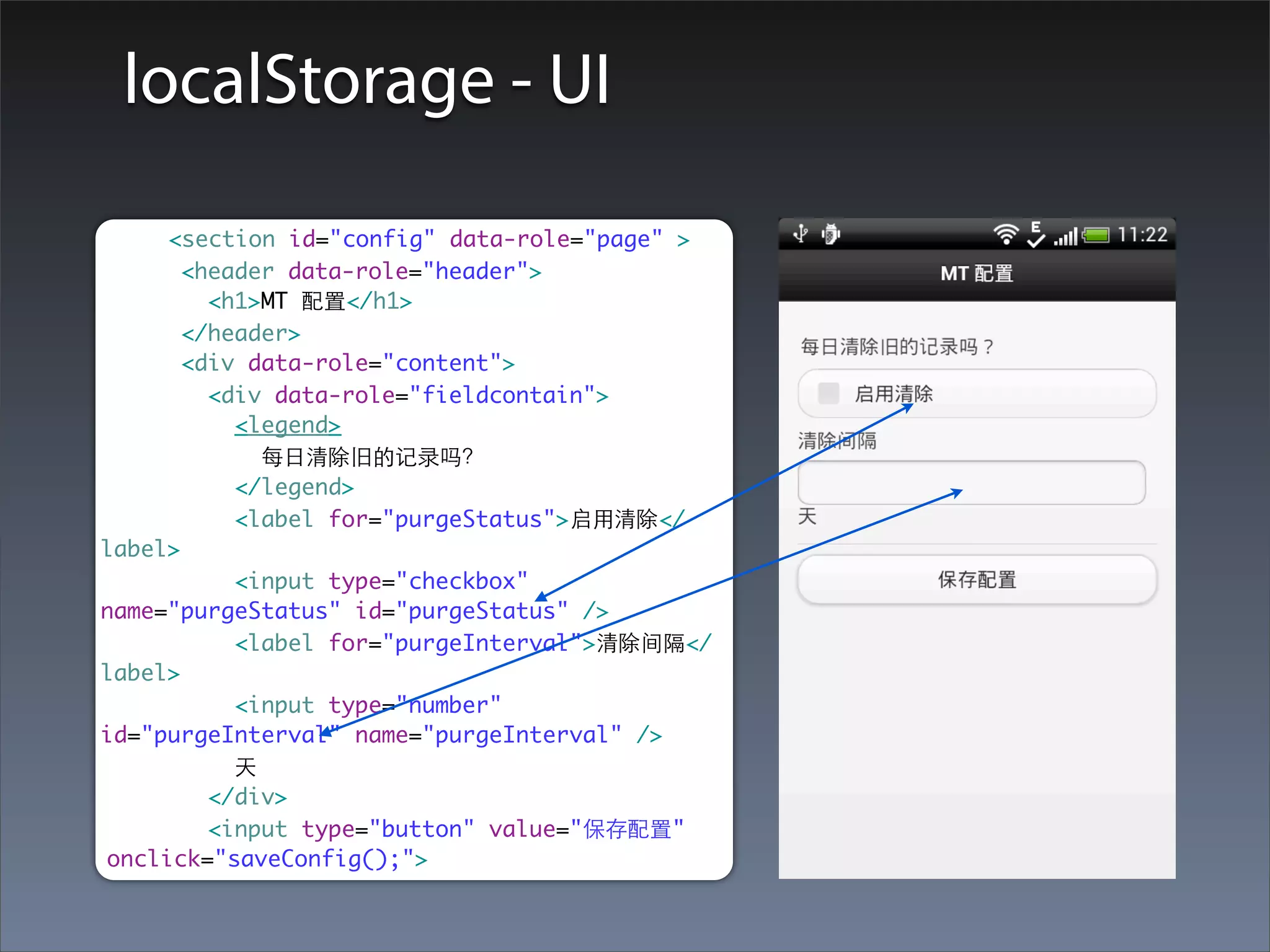
localStorage - UI

     <section id="config" data-role="page" >
       <header data-role="header">
         <h1>MT 配置</h1>
       </header>
       <div data-role="content">
         <div data-role="fieldcontain">
           <legend>
             每⽇日清除旧的记录吗?
           </legend>
           <label for="purgeStatus">启⽤用清除</
label>
           <input type="checkbox"
name="purgeStatus" id="purgeStatus" />
           <label for="purgeInterval">清除间隔</
label>
           <input type="number"
id="purgeInterval" name="purgeInterval" />
           天
         </div>
         <input type="button" value="保存配置"
onclick="saveConfig();">
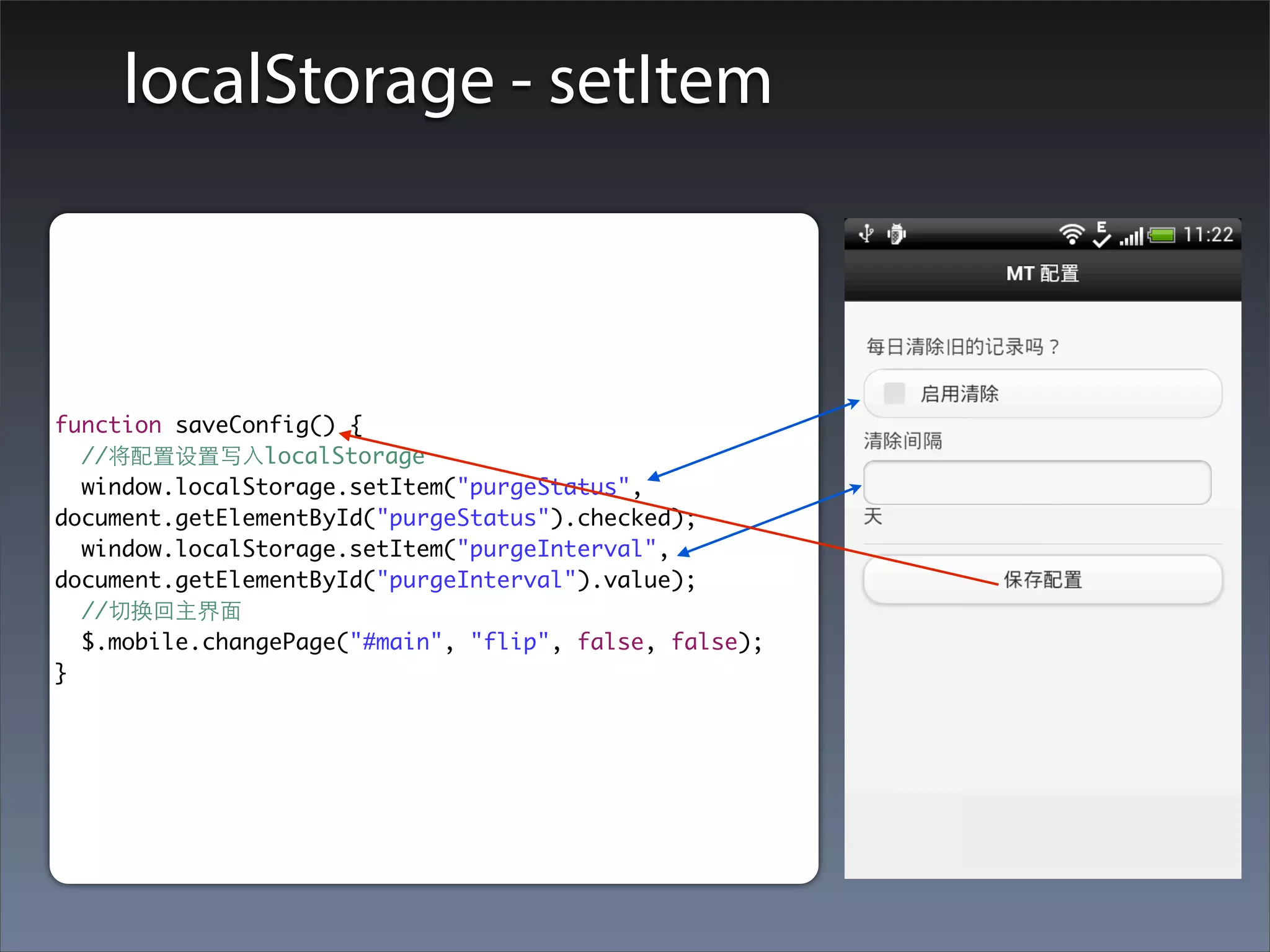
localStorage - setItem


function saveConfig() {
  //将配置设置写⼊入localStorage
  window.localStorage.setItem("purgeStatus",
document.getElementById("purgeStatus").checked);
  window.localStorage.setItem("purgeInterval",
document.getElementById("purgeInterval").value);
  //切换回主界⾯面
  $.mobile.changePage("#main", "flip", false, false);
}
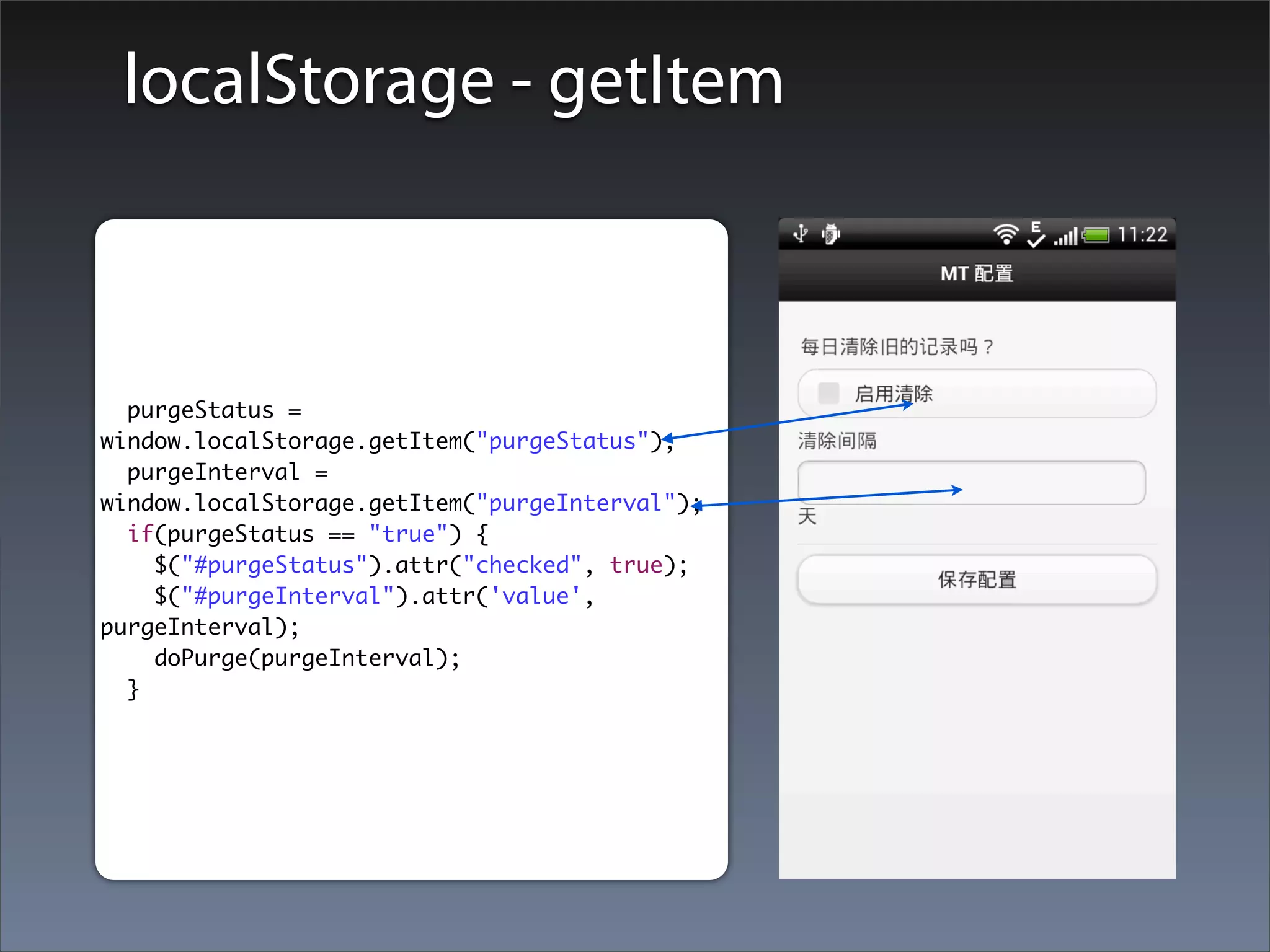
localStorage - getItem


  purgeStatus =
window.localStorage.getItem("purgeStatus");
  purgeInterval =
window.localStorage.getItem("purgeInterval");
  if(purgeStatus == "true") {
    $("#purgeStatus").attr("checked", true);
    $("#purgeInterval").attr('value',
purgeInterval);
    doPurge(purgeInterval);
  }
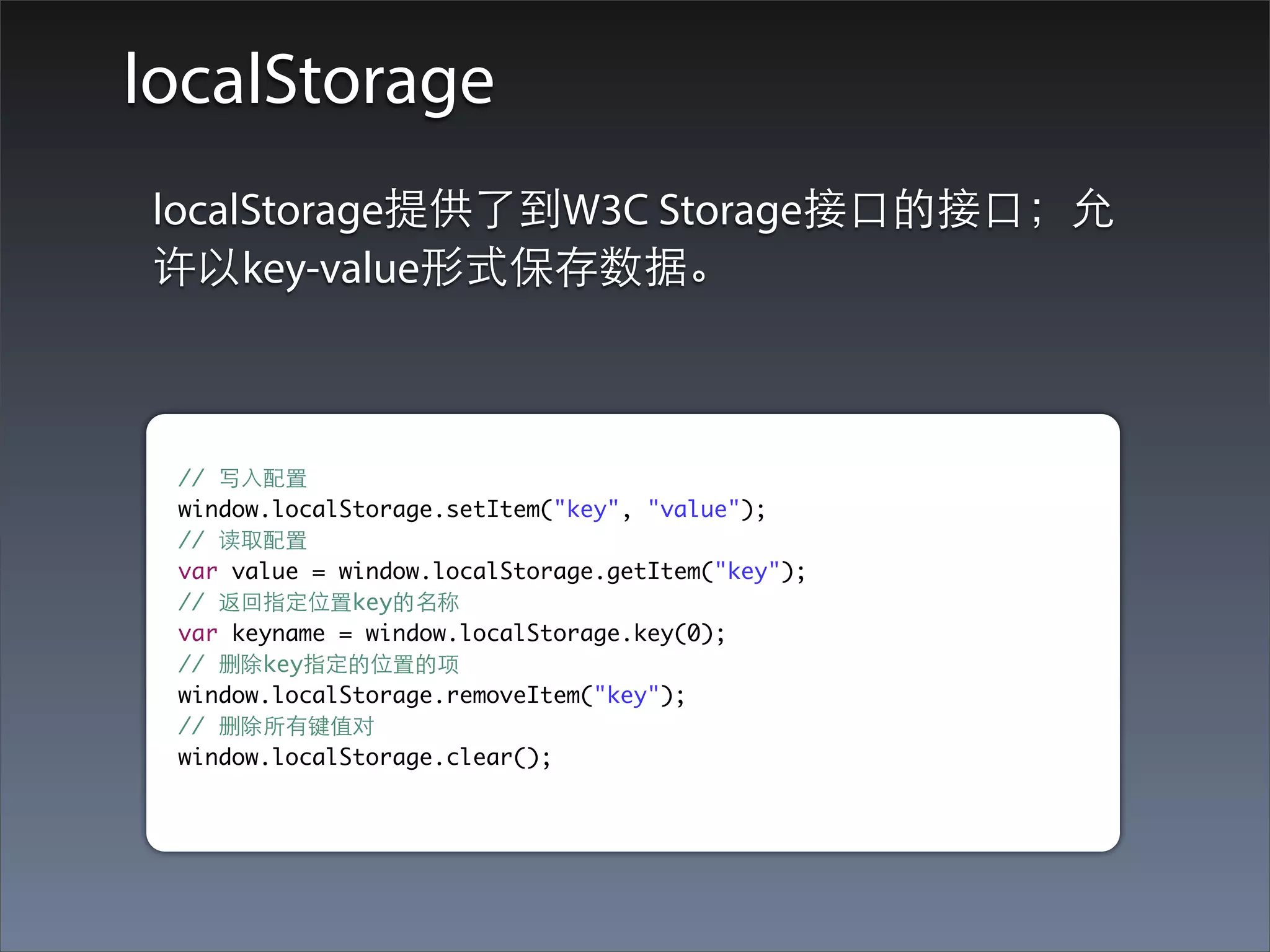
localStorage
localStorage提供了到W3C Storage接⼝口的接⼝口;允
许以key-value形式保存数据。


 // 写⼊入配置
 window.localStorage.setItem("key", "value");
 // 读取配置
 var value = window.localStorage.getItem("key");
 // 返回指定位置key的名称
 var keyname = window.localStorage.key(0);
 // 删除key指定的位置的项
 window.localStorage.removeItem("key");
 // 删除所有键值对
 window.localStorage.clear();
浏览器调试⼯工具
SQL Database
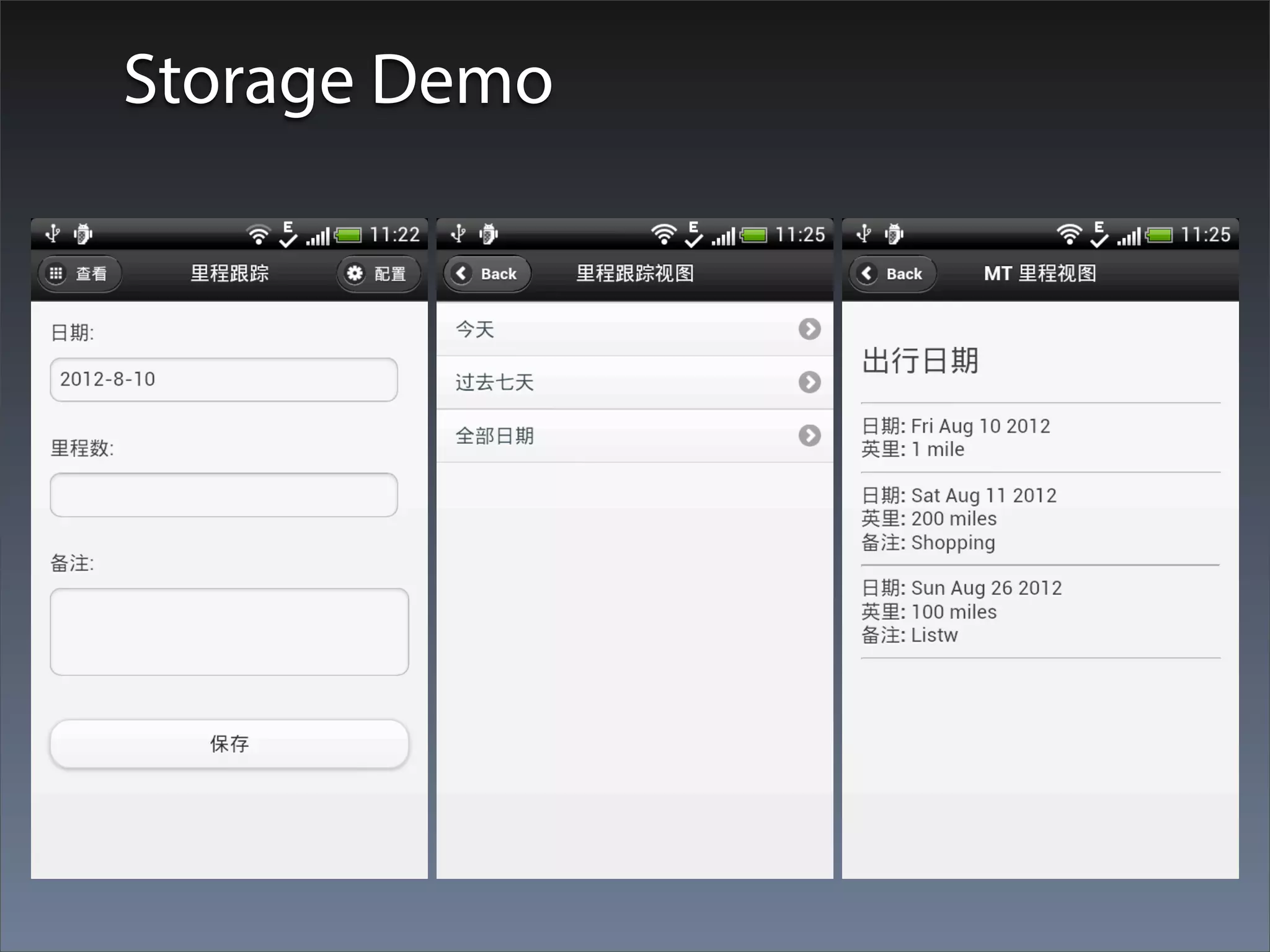
Storage Demo
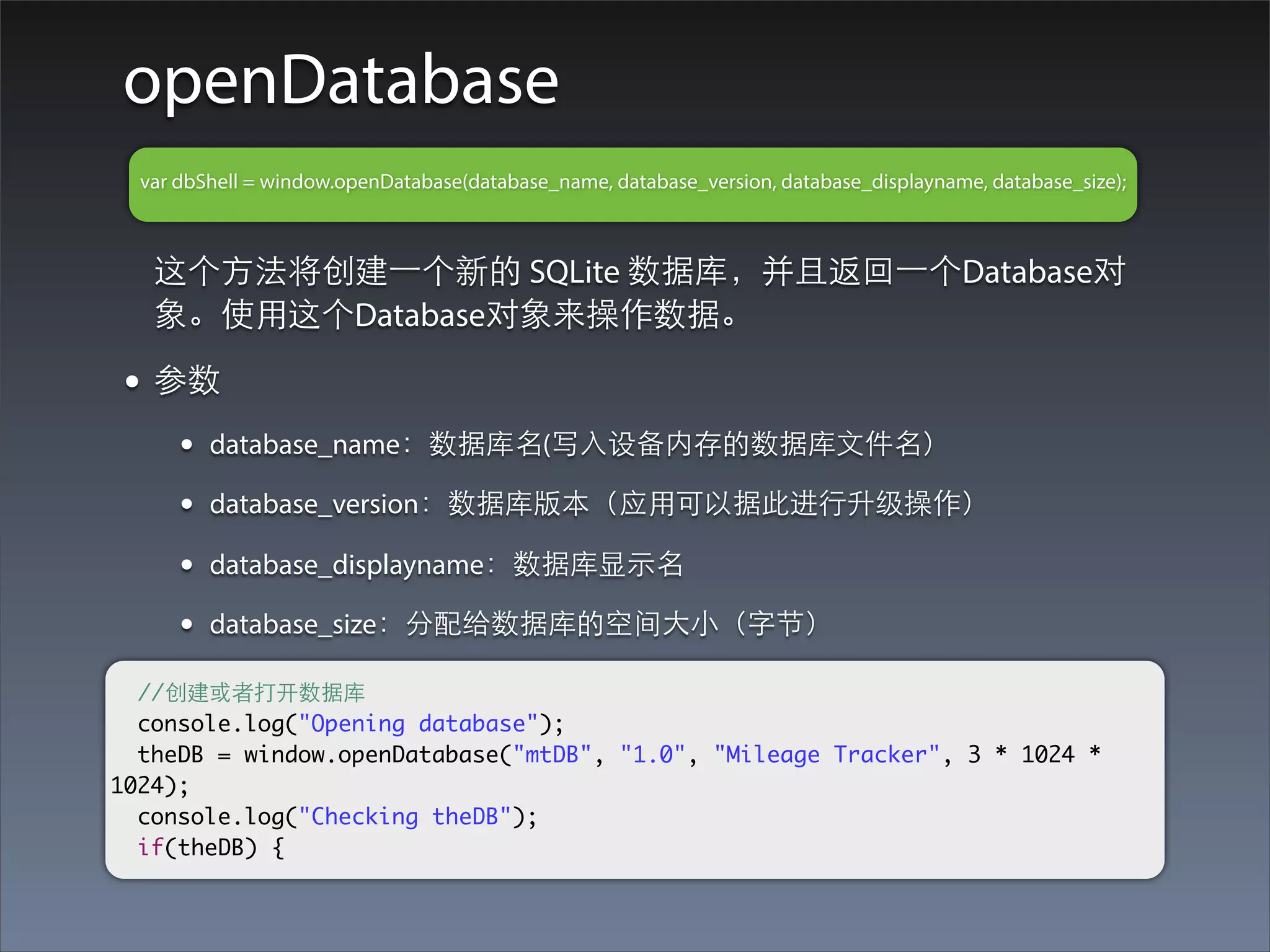
openDatabase
  var dbShell = window.openDatabase(database_name, database_version, database_displayname, database_size);


   这个⽅方法将创建⼀一个新的 SQLite 数据库,并且返回⼀一个Database对
   象。使⽤用这个Database对象来操作数据。

 • 参数
      •   database_name:数据库名(写⼊入设备内存的数据库⽂文件名)

      •   database_version:数据库版本(应⽤用可以据此进⾏行升级操作)

      •   database_displayname:数据库显⽰示名

      •   database_size:分配给数据库的空间⼤大⼩小(字节)

  //创建或者打开数据库
  console.log("Opening database");
  theDB = window.openDatabase("mtDB", "1.0", "Mileage Tracker", 3 * 1024 *
1024);
  console.log("Checking theDB");
  if(theDB) {
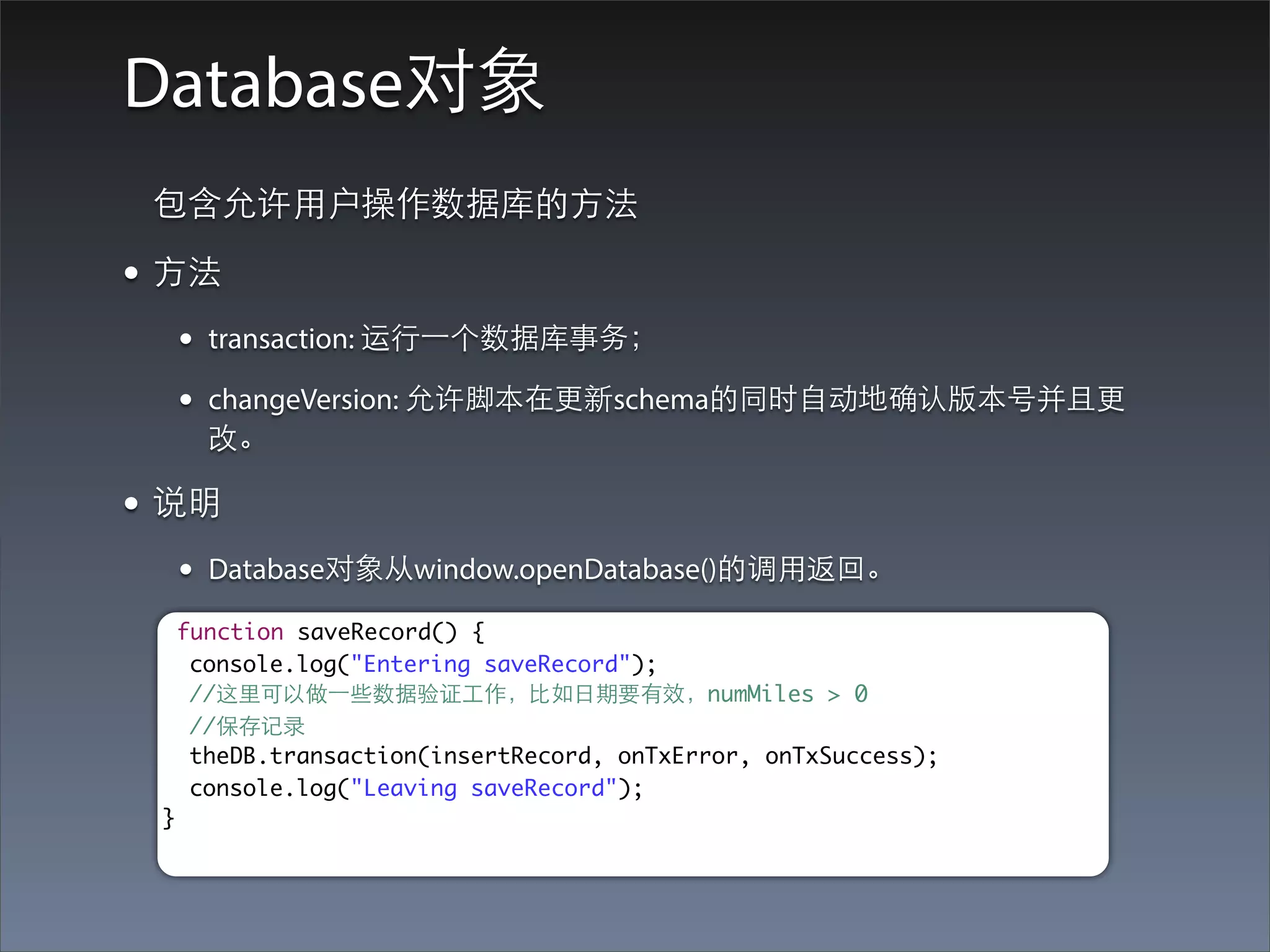
Database对象
 包含允许⽤用户操作数据库的⽅方法

• ⽅方法
      •   transaction: 运⾏行⼀一个数据库事务;

      •   changeVersion: 允许脚本在更新schema的同时⾃自动地确认版本号并且更
          改。

• 说明
      •   Database对象从window.openDatabase()的调⽤用返回。

      function saveRecord() {
       console.log("Entering saveRecord");
       //这⾥里可以做⼀一些数据验证⼯工作,⽐比如⽇日期要有效,numMiles > 0
       //保存记录
       theDB.transaction(insertRecord, onTxError, onTxSuccess);
       console.log("Leaving saveRecord");
  }
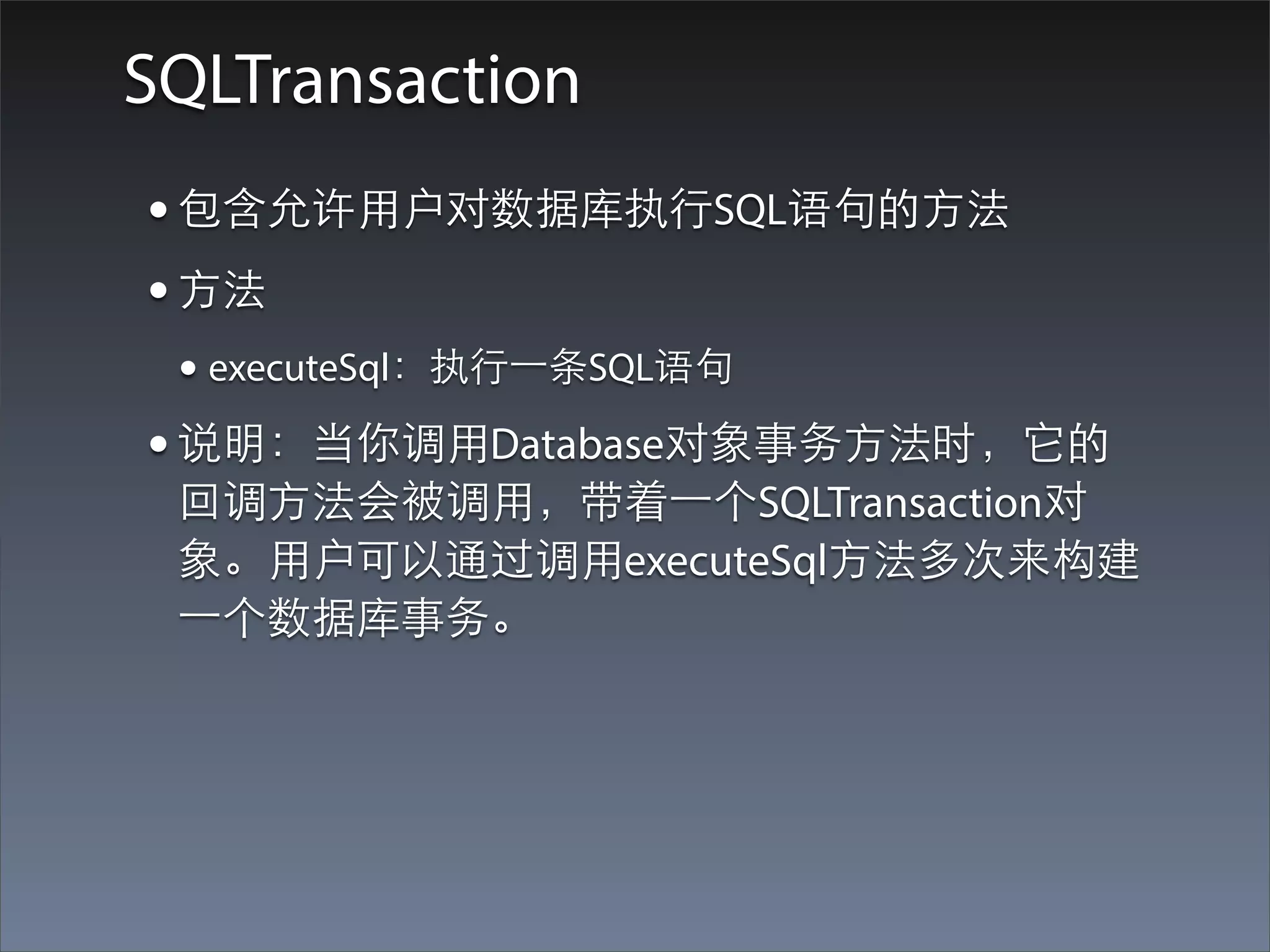
SQLTransaction
• 包含允许⽤用户对数据库执⾏行SQL语句的⽅方法
• ⽅方法
 • executeSql:执⾏行⼀一条SQL语句
• 说明:当你调⽤用Database对象事务⽅方法时,它的
 回调⽅方法会被调⽤用,带着⼀一个SQLTransaction对
 象。⽤用户可以通过调⽤用executeSql⽅方法多次来构建
 ⼀一个数据库事务。
executeSql
function insertRecord(tx) {
  console.log("Entering insertRecord");
  //创建⼀一个新的Date对象来持有⽤用户输⼊入的⽇日期
  var tmpDate = new Date.fromString(document.getElementById("editDate").value);
  console.log("Date: " + tmpDate.valueOf());
  var tmpMiles = document.getElementById("editNumMiles").value;
  console.log("Miles: " + tmpMiles);
  var tmpNotes = document.getElementById("editNotes").value;
  console.log("Notes: " + tmpNotes);
  var sqlStr = 'INSERT INTO MILEAGE (tripDate, miles, notes) VALUES (?, ?, ?)';
  console.log(sqlStr);
  tx.executeSql(sqlStr, [tmpDate.valueOf(), tmpMiles, tmpNotes], onSqlSuccess,
onSqlError);

    // 使⽤用jQuery重置表单的输⼊入值
    var blankVal = {
       value : ''
    };
    $("#editNumMiles").attr(blankVal);
    $("#editNotes").attr(blankVal);
    console.log("Leaving insertRecord");
}
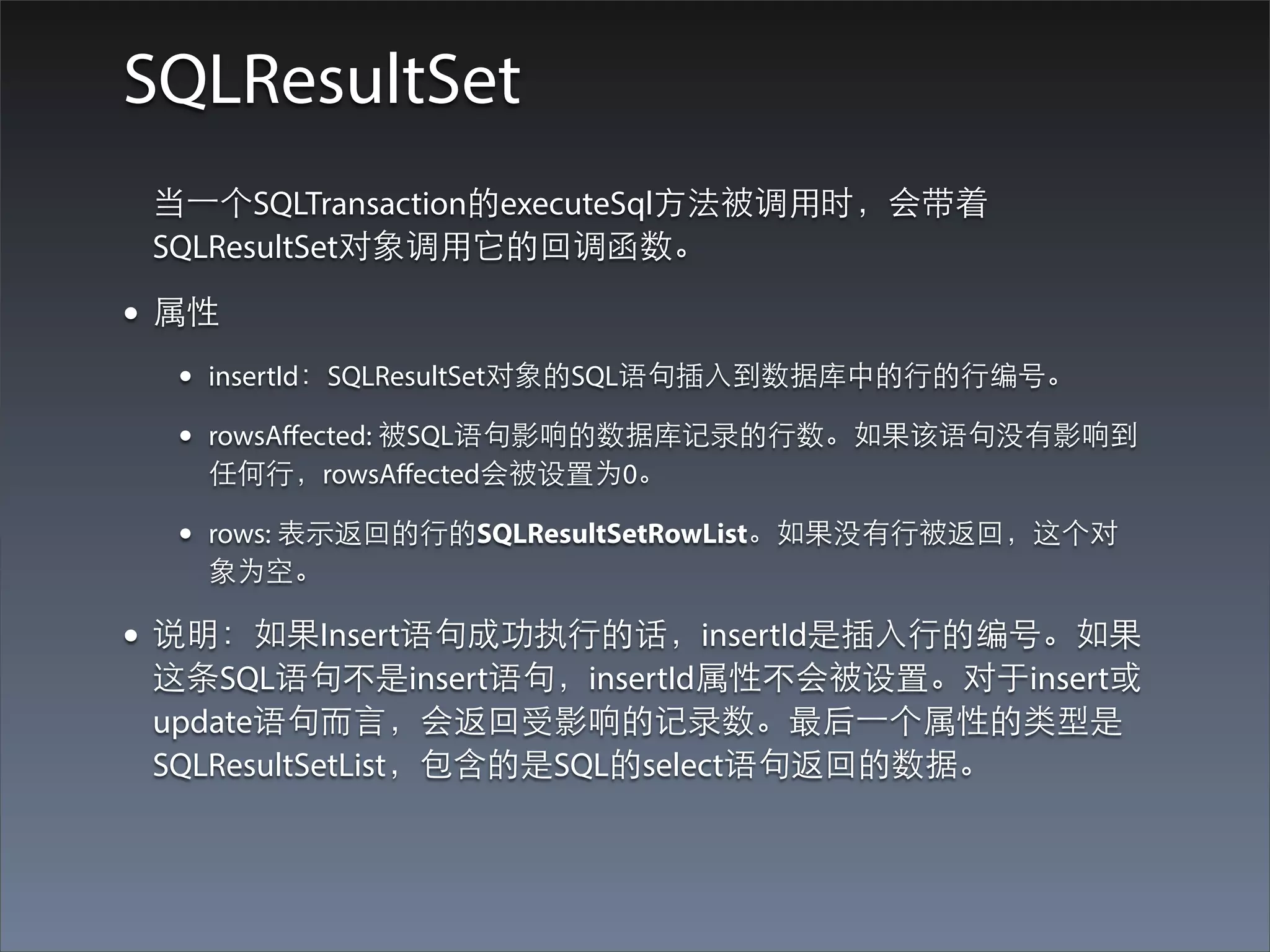
SQLResultSet
 当⼀一个SQLTransaction的executeSql⽅方法被调⽤用时,会带着
 SQLResultSet对象调⽤用它的回调函数。

• 属性
  •   insertId:SQLResultSet对象的SQL语句插⼊入到数据库中的⾏行的⾏行编号。

  •   rowsAffected: 被SQL语句影响的数据库记录的⾏行数。如果该语句没有影响到
      任何⾏行,rowsAffected会被设置为0。

  •   rows: 表⽰示返回的⾏行的SQLResultSetRowList。如果没有⾏行被返回,这个对
      象为空。

• 说明:如果Insert语句成功执⾏行的话,insertId是插⼊入⾏行的编号。如果
 这条SQL语句不是insert语句,insertId属性不会被设置。对于insert或
 update语句⽽而⾔言,会返回受影响的记录数。最后⼀一个属性的类型是
 SQLResultSetList,包含的是SQL的select语句返回的数据。
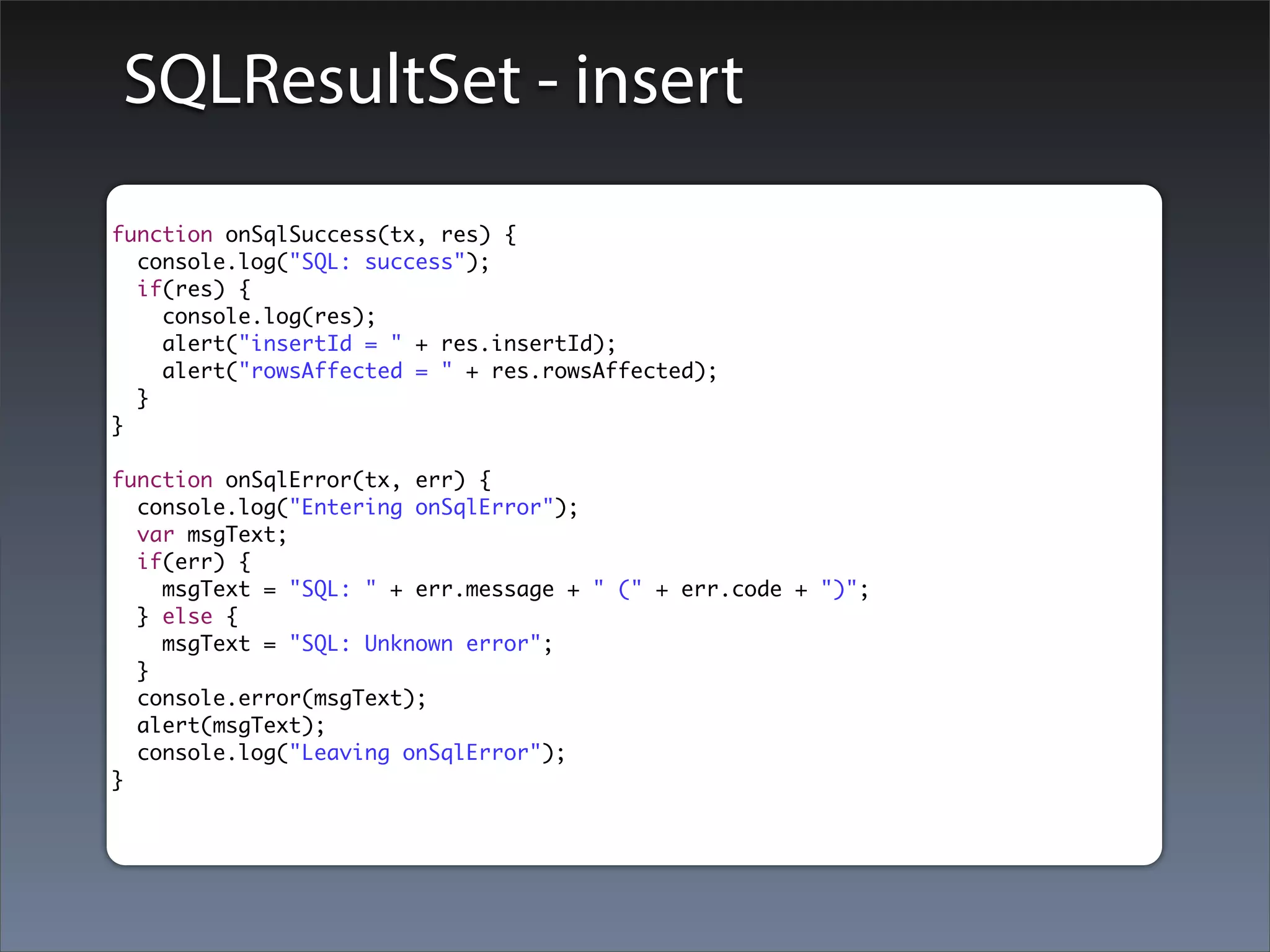
SQLResultSet - insert
function onSqlSuccess(tx, res) {
  console.log("SQL: success");
  if(res) {
    console.log(res);
    alert("insertId = " + res.insertId);
    alert("rowsAffected = " + res.rowsAffected);
  }
}

function onSqlError(tx, err) {
  console.log("Entering onSqlError");
  var msgText;
  if(err) {
    msgText = "SQL: " + err.message + " (" + err.code + ")";
  } else {
    msgText = "SQL: Unknown error";
  }
  console.error(msgText);
  alert(msgText);
  console.log("Leaving onSqlError");
}
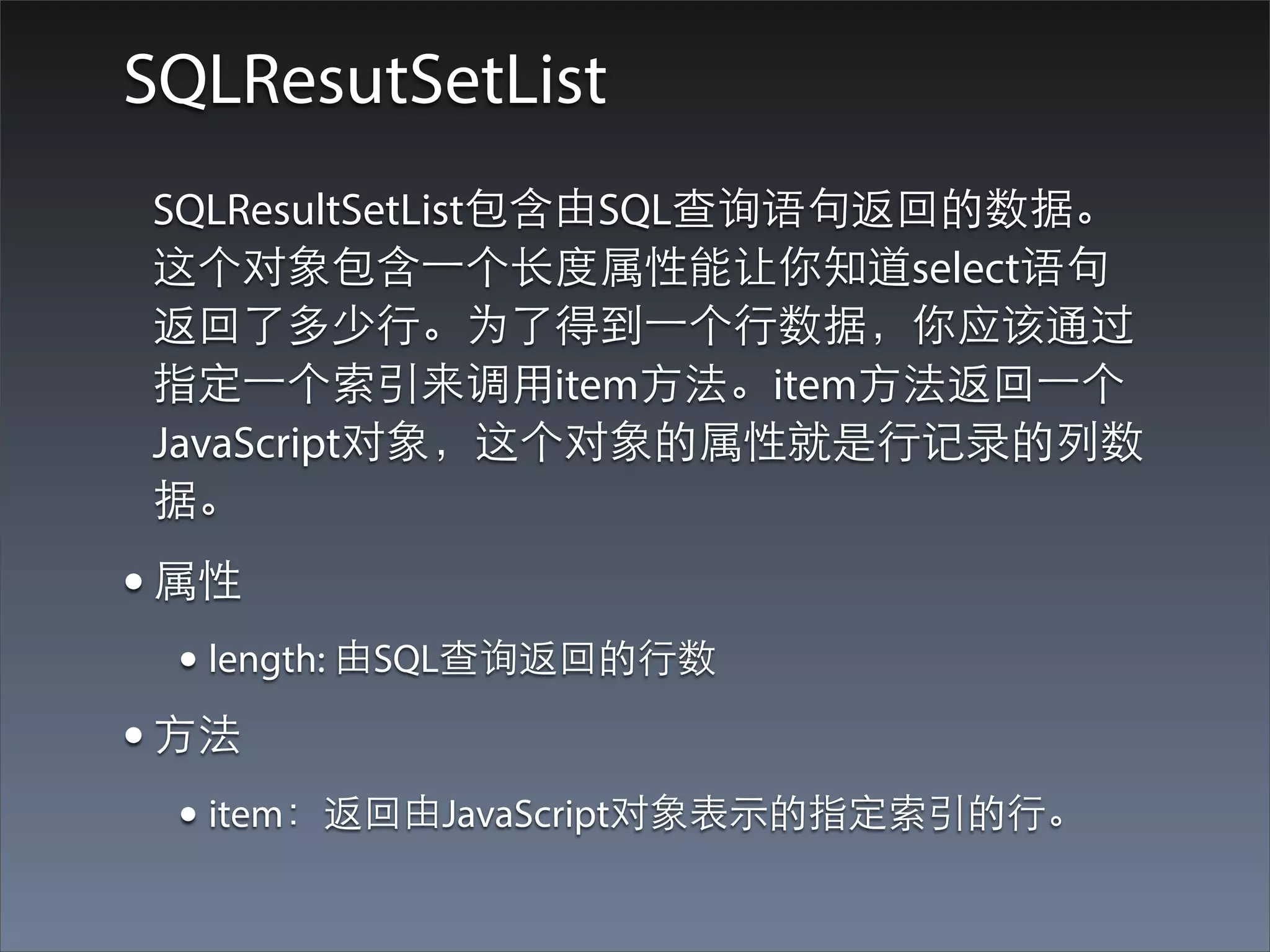
SQLResutSetList
 SQLResultSetList包含由SQL查询语句返回的数据。
 这个对象包含⼀一个⻓长度属性能让你知道select语句
 返回了多少⾏行。为了得到⼀一个⾏行数据,你应该通过
 指定⼀一个索引来调⽤用item⽅方法。item⽅方法返回⼀一个
 JavaScript对象,这个对象的属性就是⾏行记录的列数
 据。
• 属性
  • length: 由SQL查询返回的⾏行数
• ⽅方法
  • item:返回由JavaScript对象表⽰示的指定索引的⾏行。
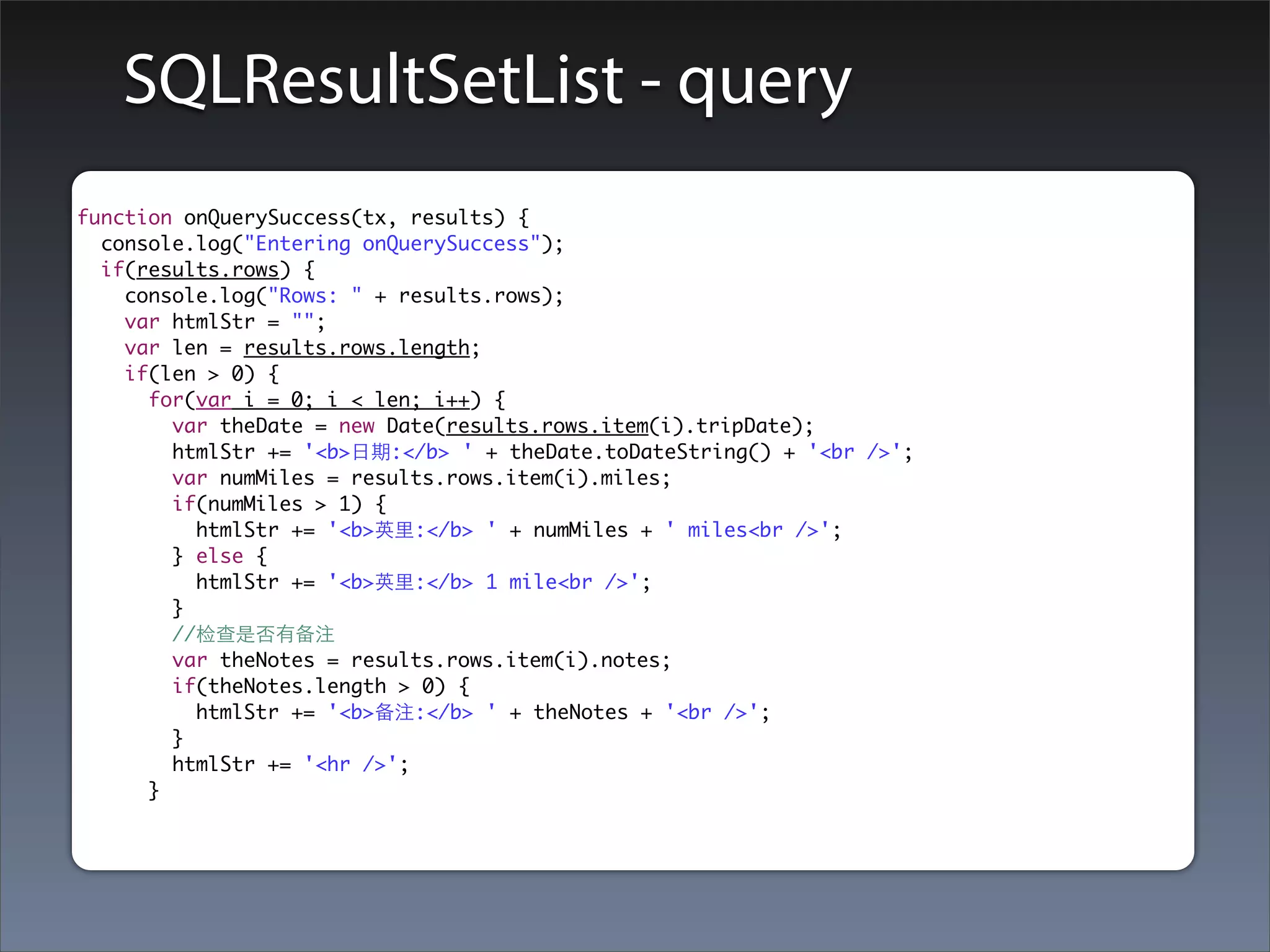
SQLResultSetList - query
function onQuerySuccess(tx, results) {
  console.log("Entering onQuerySuccess");
  if(results.rows) {
    console.log("Rows: " + results.rows);
    var htmlStr = "";
    var len = results.rows.length;
    if(len > 0) {
      for(var i = 0; i < len; i++) {
        var theDate = new Date(results.rows.item(i).tripDate);
        htmlStr += '<b>⽇日期:</b> ' + theDate.toDateString() + '<br />';
        var numMiles = results.rows.item(i).miles;
        if(numMiles > 1) {
          htmlStr += '<b>英⾥里:</b> ' + numMiles + ' miles<br />';
        } else {
          htmlStr += '<b>英⾥里:</b> 1 mile<br />';
        }
        //检查是否有备注
        var theNotes = results.rows.item(i).notes;
        if(theNotes.length > 0) {
          htmlStr += '<b>备注:</b> ' + theNotes + '<br />';
        }
        htmlStr += '<hr />';
      }
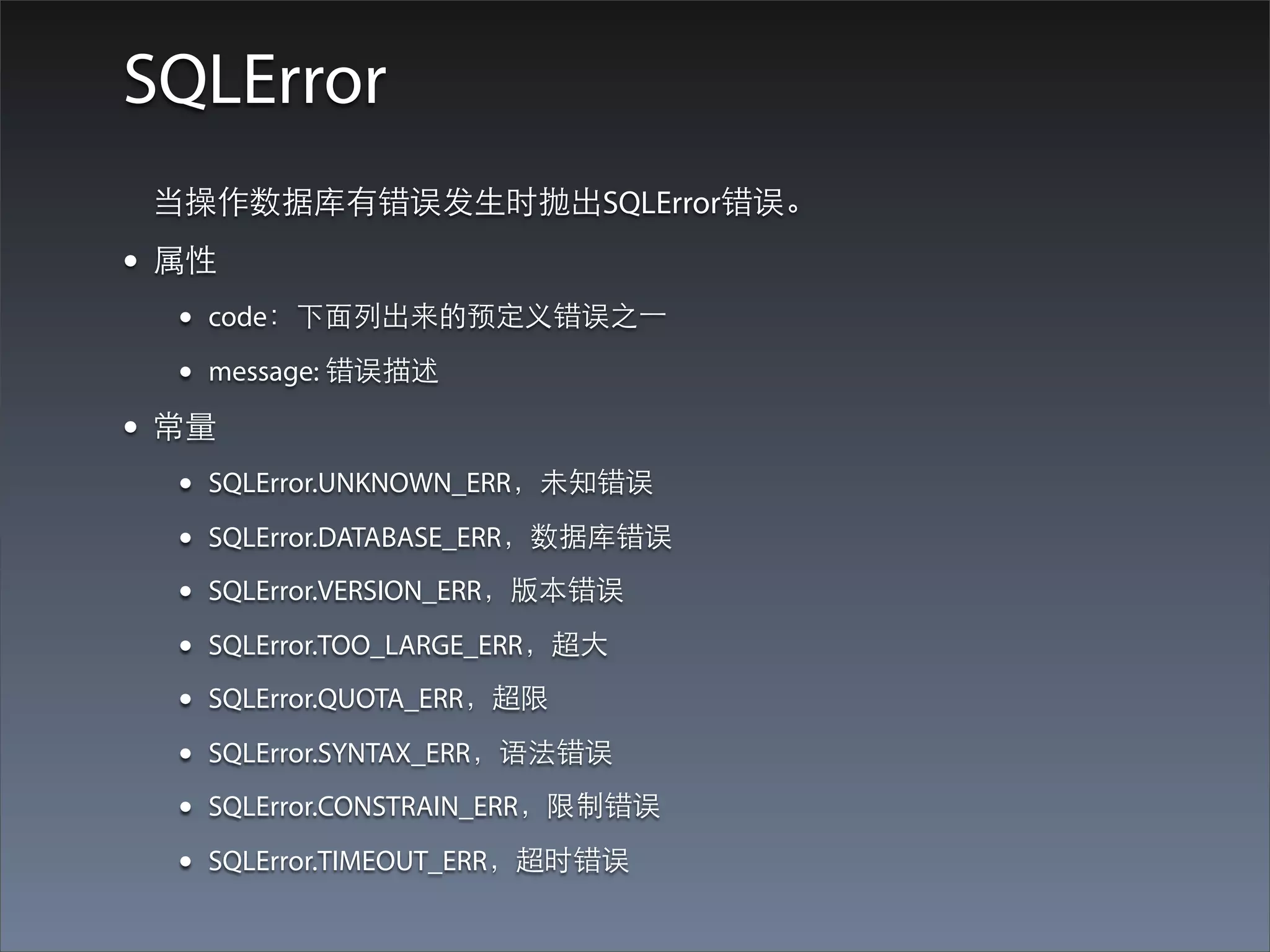
SQLError
 当操作数据库有错误发⽣生时抛出SQLError错误。
• 属性
  •   code:下⾯面列出来的预定义错误之⼀一

  •   message: 错误描述

• 常量
  •   SQLError.UNKNOWN_ERR,未知错误

  •   SQLError.DATABASE_ERR,数据库错误

  •   SQLError.VERSION_ERR,版本错误

  •   SQLError.TOO_LARGE_ERR,超⼤大

  •   SQLError.QUOTA_ERR,超限

  •   SQLError.SYNTAX_ERR,语法错误

  •   SQLError.CONSTRAIN_ERR,限制错误

  •   SQLError.TIMEOUT_ERR,超时错误
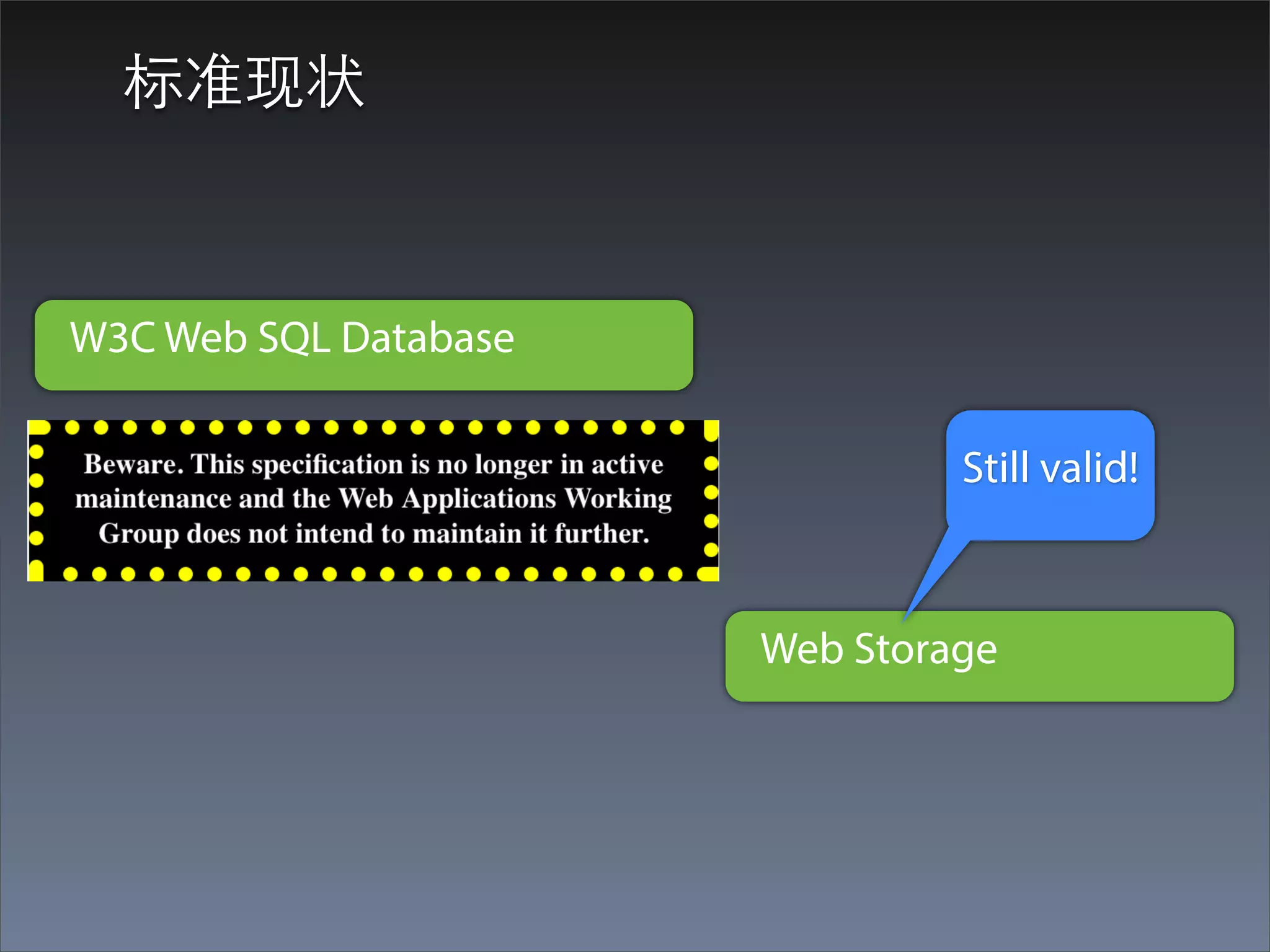
标准现状


W3C Web SQL Database

                                Still valid!


                       Web Storage
扩展阅读
• PersistenceJS - persistencejs.org
• lawnchair - http://brian.io/lawnchair/
• DOM Storage - https://developer.mozilla.org/en-US/
 docs/DOM/Storage
Thank you!

PhoneGap 2.0 开发

  • 1.
    PhoneGap API GettingStarted 范圣刚,princetoad@gmail.com, www.tfan.org
  • 2.
  • 3.
    What we willlearn? • 三维⽅方位解析 • 设备⽅方位查询 • 加速度检测
  • 4.
  • 5.
    轴向⽰示例 • 平放桌⾯面:X:0, Y:0,Z:10 • 沿左边竖⽴立:X:10, Y:0, Z:0 • 沿底边竖⽴立:X:0, Y:10, Z:0 • 沿顶边倒⽴立:X:0, Y:-10, Z:0
  • 6.
  • 7.
  • 8.
    accelerometer.getCurrentAcceleration • 说明:使⽤用该⽅方法查询设备的当前⽅方位 • 参数: • onAccelSuccess:当加速度计数据有效时调⽤用; • onAccelFailure:提取加速度计数据出错时调⽤用;
  • 9.
    Acceleration对象 • 回调onSuccess时会传递⼀一个acceleration对象作为 参数 •四个属性值: • x:在x轴⽅方向上的加速度量(m/s^2) • y: 在y轴⽅方向上的加速度量(m/s^2) • z: 在z轴⽅方向上的加速度量(m/s^2) • timestamp:以毫秒计的时间戳
  • 10.
  • 11.
  • 12.
  • 13.
    accelerometer.watchAcceleration • 说明: •定期获得移动设备的加速度。 • 每次获得⼀一个Acceleration对象时,onAccelSuccess回调函数就会被 调⽤用。 • 通过设置acceleratorOptions的frequency参数指定间隔时间,以毫 秒计。
  • 14.
  • 15.
    Accelerometer注意问题 • 加速度计的返回值问题:操作系统不同,返回值 的范围也有差异 •加速度计硬件检测问题 • accelOptions的默认值:如果accelOptions参数被 忽略,那么默认每10秒中测量⼀一次加速度计数 据。(accelerometerOptions只有⼀一个选项: frequency) • iPhone Quirks
  • 16.
  • 17.
    Camera API简介 PhoneGap CameraAPI提供给应⽤用处理照⽚片的能 ⼒力,可以直接从摄像头采集或者从设备的相册获取 照⽚片。 当提取照⽚片时,API可以返回指向设备⽂文件系统上 的image⽂文件URI,或者以base64编码字符串的⽅方式 返回image⽂文件内容。 Camera API只提供了⼀一个⽅方法: navigator.camera.getPicture。但是getPicture的 cameraOptions参数提供了⾮非常丰富的配置选项!
  • 18.
    访问照⽚片(拍照,相⽚片库) navigator.camera.getPicture(onCameraSuccess, onCameraError, [ cameraOptions ] ); • 说明: • 同样需要传⼊入两个函数:onCameraSuccess, onCameraError。成功得到照⽚片的时候调⽤用 onCameraSuccess函数;⽤用户取消或者获取照⽚片失败的 时候会调⽤用onCameraError函数。 • cameraOptions是⼀一个可选的配置选项。(后⾯面会详细 介绍)
  • 19.
  • 20.
    getPicture代码⽰示例 <!DOCTYPEhtml> <html> <head> <title>Example Camera</title> <meta http-equiv="Content-type" content="text/html; charset=utf-8"> <meta name="viewport" id="viewport" content="width=device-width, height=device-height, initial-scale=1.0, maximum-scale=1.0, user-scalable=no;" /> <script type="text/javascript" charset="utf-8" src="cordova-2.0.0.js"></script> <script type="text/javascript" charset="utf-8"> function onBodyLoad() { alert("onBodyLoad"); document.addEventListener("deviceready", onDeviceReady, false); } function onDeviceReady() { navigator.notification.alert("onDeviceReady"); } function takePhoto() { //alert("takePhoto"); navigator.camera.getPicture(onCameraSuccess, onCameraError, { quality: 50, destinationType: Camera.DestinationType.FILE_URI }); // navigator.camera.getPicture(onCameraSuccess, onCameraError); } function onCameraSuccess(imageURL) { navigator.notification.alert("onCameraSuccess: " + imageURL); } function onCameraError() { navigator.notification.alert("onCameraError"); } </script> </head> <body onload="onBodyLoad()"> <h1>Example Camera-1</h1> <p> 使⽤用 PhoneGap Camera API <br /> <input type="button" value="拍张照⽚片" onclick="takePhoto();"> </p> </body> </html>
  • 21.
  • 22.
    Camera API Demo2 - 拍照并在⻚页⾯面显⽰示 和前⼀一个例⼦子的主要代码差异 function onCameraSuccess(imageURL) { navigator.notification.alert("onCameraSuccess: " + imageURL); //得到⽤用于显⽰示图⽚片的div的id ic = document.getElementById('imageContainer'); //使⽤用从camera程序得到的URL写⼀一个img标签,并且输出到刚才得到的div。 ic.innerHTML = '<img src="' + imageURL + '" width="50%" />'; }
  • 23.
  • 24.
    cameraOptions - quality { quality : 75, destinationType : Camera.DestinationType.DATA_URL, sourceType : Camera.PictureSourceType.CAMERA, allowEdit : true, encodingType: Camera.EncodingType.JPEG, targetWidth: 100, targetHeight: 100, popoverOptions: CameraPopoverOptions, saveToPhotoAlbum: false }; quality:保存相⽚片的质量。范围[0, 100](Number)
  • 25.
    quality参数的使⽤用和注意事项 • 采⽤用多⾼高质量 •保存为⽂文件时,采⽤用多⾼高的照⽚片质量?⽂文件⼤大⼩小,设 备内存,⺴⽹网络传输...... ⼀一般50%-100%。 • 使⽤用base64字符串返回时,采⽤用多⾼高的照⽚片质量?字 符串⻓长度,JS的处理能⼒力。⼀一般50%及以下。 • BlackBerry会忽略quality参数
  • 26.
    cameraOptions - destinationType { quality : 75, destinationType : Camera.DestinationType.FILE_URI, sourceType : Camera.PictureSourceType.CAMERA, allowEdit : true, encodingType: Camera.EncodingType.JPEG, targetWidth: 100, targetHeight: 100, popoverOptions: CameraPopoverOptions, saveToPhotoAlbum: false }; destinationType: 返回的格式。在 navigator.camera.DestinationType中定义(Number)     Camera.DestinationType = {         DATA_URL : 0,                // 以base64编码字符串格式返回照⽚片内容         FILE_URI : 1                 // 返回image⽂文件的URI     };
  • 27.
    destinationType的使⽤用场景 • FILE_URI 巨⻓长的滚动条 • 在⻚页⾯面上显⽰示; • 保存到相册; • 拷⻉贝到其他位置。 • DATA_URL • 保存到数据库; • 上传到服务器。
  • 28.
    cameraOptions - sourceType { quality : 75, 从相册选取的图⽚片 destinationType : Camera.DestinationType.DATA_URL, sourceType : Camera.PictureSourceType.CAMERA, allowEdit : true, encodingType: Camera.EncodingType.JPEG, targetWidth: 100, targetHeight: 100, popoverOptions: CameraPopoverOptions, saveToPhotoAlbum: false }; sourceType: 设置照⽚片源。在 navigator.camera.PictureSourceType中定义(Number) Camera.PictureSourceType = {     PHOTOLIBRARY : 0,     CAMERA : 1,     SAVEDPHOTOALBUM : 2 };
  • 29.
    sourceType注意事项 • 如果不设置sourceType参数,默认会使⽤用camera 抓取照⽚片; •在⼤大多数平台上,设置sourceType为 PHOTOLIBRARY或SAVEDPHOTOALBUM效果是⼀一样 的; • BlackBerry会忽略这个参数。
  • 30.
    cameraOptions - allowEdit { quality : 75, destinationType : Camera.DestinationType.DATA_URL, sourceType : Camera.PictureSourceType.CAMERA, allowEdit : true, encodingType: Camera.EncodingType.JPEG, targetWidth: 100, targetHeight: 100, popoverOptions: CameraPopoverOptions, saveToPhotoAlbum: false }; allowEdit: 选取前是否允许简单的编辑。(Boolean)
  • 31.
    allowEdit注意事项 • 适⽤用平台 • iOS可以在确定选取前对相⽚片进⾏行移动和缩放; • Android等都不⽀支持。
  • 32.
    cameraOptions - encodingType { quality : 75, destinationType : Camera.DestinationType.DATA_URL, sourceType : Camera.PictureSourceType.CAMERA, allowEdit : true, encodingType: Camera.EncodingType.JPEG, targetWidth: 100, targetHeight: 100, popoverOptions: CameraPopoverOptions, saveToPhotoAlbum: false }; encodingType: 选择返回image⽂文件的编码。在 navigator.camera.EncodingType中定义(Number) Camera.EncodingType = { JPEG : 0, // 以JPEG格式编码image PNG : 1 // 以PNG格式编码image };
  • 33.
  • 34.
    cameraOptions - targetWidth& targetHeight { quality : 75, destinationType : Camera.DestinationType.DATA_URL, sourceType : Camera.PictureSourceType.CAMERA, allowEdit : true, encodingType: Camera.EncodingType.JPEG, targetWidth: 1024, targetHeight: 768, popoverOptions: CameraPopoverOptions, saveToPhotoAlbum: false }; targetWidth: 设定照⽚片宽度,以像素为单位。(Number) targetHeight: 设定照⽚片⾼高度,以像素为单位。(Number)
  • 35.
    宽⾼高⽐比的注意事项 • 可以单独指定宽度或者⾼高度,照⽚片会相应的缩放。如果两个都同 时指定,照⽚片会按照最⼩小的宽⾼高⽐比设置。 •例如: 原⽐比例是1000:500(1/2), 设置500:300, ⾼高度⽐比1/2, 宽度⽐比3/5, 结 果是按照较⼩小的1/2缩放。也就是500:250。 • 不管怎么设定,⾼高宽⽐比会被保持。 • 在拍照前,没有办法以编程的⽅方式判断camera的分辨率,以及⽀支 持的宽⾼高⽐比。因此除了推测及在每款⽀支持的设备上进⾏行测试以 外,没有⽅方法能够在应⽤用内⾮非常精确的设定这些值。
  • 36.
    cameraOptions - mediaType { quality : 75, destinationType : Camera.DestinationType.DATA_URL, sourceType : Camera.PictureSourceType.PHOTOLIBRARY, allowEdit : true, encodingType: Camera.EncodingType.JPEG, targetWidth: 100, targetHeight: 100, mediaType: Camera.MediaType.PICTURE, popoverOptions: CameraPopoverOptions, saveToPhotoAlbum: false }; mediaType: 设置从哪类媒体中选择。仅在 PictureSourceType为PHOTOLIBRARY或SAVEDPHOTOALBUM 时有效。在navigator.camera.MediaType中定义。 Camera.MediaType = {     PICTURE: 0,             // 只能选择静态图⽚片。返回格式由destinationType字段确定。     VIDEO: 1,               // 只能选择视频。以FILE_URI格式返回。     ALLMEDIA : 2            // 可以从所有的媒体类型中选择
  • 37.
    cameraOptions - correctOrientation { quality : 75, destinationType : Camera.DestinationType.DATA_URL, sourceType : Camera.PictureSourceType.CAMERA, allowEdit : true, encodingType: Camera.EncodingType.JPEG, targetWidth: 100, targetHeight: 100, correctOrientation: true, popoverOptions: CameraPopoverOptions, saveToPhotoAlbum: false }; correctOrientation: 采集时针对设备⽅方向翻转图⽚片。(Boolean)
  • 38.
    cameraOptions - saveToPhotoAlbum { quality : 75, destinationType : Camera.DestinationType.DATA_URL, sourceType : Camera.PictureSourceType.CAMERA, allowEdit : true, encodingType: Camera.EncodingType.JPEG, targetWidth: 100, targetHeight: 100, correctOrientation: true, popoverOptions: CameraPopoverOptions, saveToPhotoAlbum: false }; saveToPhotoAlbum: 抓取 后是否保存到设备相册。 (Boolean)
  • 39.
    cameraOptions - popoverOptions { quality : 75, destinationType : Camera.DestinationType.DATA_URL, sourceType : Camera.PictureSourceType.CAMERA, allowEdit : true, encodingType: Camera.EncodingType.JPEG, targetWidth: 100, targetHeight: 100, correctOrientation: true, popoverOptions: CameraPopoverOptions, saveToPhotoAlbum: false }; popoverOptions: 指定在iPad上popover的位置。(Boolean) 仅适⽤用于iOS平台。
  • 40.
    平台相关的注意事项 • Android •忽略allowEdit参数 • Camera.PictureSourceType.PHOTOLIBRARY和 Camera.PictureSourceType.SAVEDPHOTOALBUM显⽰示同样的 相册。 • iOS • 在某些设备上设置quality⼩小于50以避免内存错误。 • 当设置使⽤用destinationType.FILE_URI时,照⽚片被保存到应⽤用 的临时⺫⽬目录。开发者可以使⽤用navigator.fileMgr API删除这些 ⽂文件以进⾏行空间管理。(参⻅见iOS⽂文件指南) • 或者使⽤用camera.cleanup
  • 41.
    平台相关的注意事项(续) • BlackBerry •忽略quality参数 • 忽略sourceType参数 • 忽略allowEdit参数 • 忽略correctOrientation参数 • 应⽤用必须具有injection权限以在拍照后关闭本地Camera应⽤用 • 不⽀支持Camera.MediaType • Windows Phone 7 • 忽略allowEdit参数 • 忽略correctOrientation参数
  • 42.
    camera.cleanup • 仅适⽤用于iOS • 清理camera⽣生成的临时⽂文件 navigator.camera.cleanup(onSuccess, onFail); function onSuccess() { console.log("Camera cleanup success.") } function onFail(message) { alert('Failed because: ' + message); }
  • 43.
  • 44.
  • 45.
    What we willlearn? • 图⽚片,视频,⾳音频采集的基本⽅方法 • 采集选项的指定:次数,时⻓长... • 采集⽂文件数组的遍历和⽂文件属性 • 获取采集⽂文件的格式相关信息
  • 46.
    Capture API简介 • PhoneGapCapture API允许应⽤用程序使⽤用移动设备 上合适的内置应⽤用进⾏行audio,video和image的采 集。 • 设备默认的camera应⽤用被⽤用来采集image和 video,同样设备默认的voice recorder应⽤用被⽤用来 采集⾳音频剪辑。 • PhoneGap Capture API的实现基于W3C Media Capture API规范。但是PhoneGap对于规范并没有 提供完全的⽀支持,有⼀一些选项还没有实现。
  • 47.
    Camera vs. Capture Q: Camera和Capture都可以采集图⽚片,功能为什么会重 叠呢? A: 1.Camera API的实现在PhoneGap采纳W3C Capture API之 前,PhoneGap保留Camera API是为了和现有的应⽤用保持 向下兼容。 2.虽然两个API都可以采集image,但是以不同的⽅方式进⾏行 操作。Camera API只能采集图⽚片,但是既⽀支持从camera 拍照,⼜又可以从相册获取;Capture API只能直接从 camera拍照,并且⽀支持从⼀一个单独的API调⽤用进⾏行多个 采集。
  • 48.
    使⽤用Capture API • 采集⼀一个或多个audio⽂文件: navigator.device.capture.captureAudio(onCaptureSuccess , onCaptureError, captureOptions); • 采集⼀一个或多个image⽂文件: navigator.device.capture.captureImage(onCaptureSuccess , onCaptureError, captureOptions); • 采集⼀一个或多个video⽂文件: navigator.device.capture.captureVideo(onCaptureSuccess , onCaptureError, captureOptions);
  • 49.
    Capture演⽰示 - ⾳音频采集 选择⾳音频 录⾳音机 保存结果 采集完成
  • 50.
    Capture演⽰示 - 图⽚片采集 选择图⽚片 相机 确定使⽤用 采集完成
  • 51.
    Capture演⽰示 - 视频采集 选择视频 开始摄像 完成 摄像完成
  • 52.
    Capture 演⽰示 -采集多个
  • 53.
    Capture API 代码实例讲解 function doCapture() { //清空前⾯面的结果 res.innerHTML = "采集初始化..."; //从⻚页⾯面读取数量,时⻓长等参数 var numItems = document.getElementById("numItems").value; var capDur = document.getElementById("duration").value; //搞定采集类型 var captureType = document.getElementById("captureType").selectedIndex; switch(captureType) { case 0: //⾳音频采集 navigator.device.capture.captureAudio(onCaptureSuccess, onCaptureError, { duration : capDur, limit : numItems }); break; case 1: //图⽚片采集 navigator.device.capture.captureImage(onCaptureSuccess, onCaptureError, { limit : numItems }); break; case 2: //视频采集 navigator.device.capture.captureVideo(onCaptureSuccess, onCaptureError, { duration : capDur, limit : numItems }); break; } }
  • 54.
  • 55.
    captureOptions对象 - 属性 varcaptureOptions = {duration: 5, limit: 3}; • duration:时⻓长 • limit:采集次数限制 • mode:模式 不同采集类型的可⽤用选项 Capture选项 Capture类型 Duration Limit Mode Audio X X X Image X X Video X X X
  • 56.
    duration • duration属性只能应⽤用于⾳音频和视频采集,⽤用于控 制⼀一个特定媒体采集的⻓长度(以秒为单位)。允 许应⽤用指定⾳音视频剪辑的最⼤大秒数。 • 当在应⽤用中使⽤用时,⽤用户可以可以录制短于,但 是不能⻓长于这个属性设置的秒数。 • 注意:⺫⽬目前为⽌止,duration采集选项在Android和 BlackBerry上还不被⽀支持,只在iOS上录制⾳音频时 ⽀支持。由于这些限制,现在最好不要在PhoneGap 应⽤用上使⽤用这个选项。
  • 57.
  • 58.
  • 59.
    onCaptureSuccess的处理过程 function onCaptureSuccess(fileList) { var i, len, htmlStr; len = fileList.length; //确保采集成功。如果成功的话,length应该 > 0 if(len > 0) { htmlStr = "<p>Results:</p><ol>"; for( i = 0, len; i < len; i += 1) { alert(fileList[i].fullPath); htmlStr += '<li><a href="' + fileList[i].fullPath + '">' + fileList[i].name + '</a></li>'; } htmlStr += "</ol>"; //这是result内容 res.innerHTML = htmlStr; } } 采集结果是⼀一个MediaFile数组,遍历以获得所有采集结果。
  • 60.
    MediaType对象 • 对象属性 •name: ⽂文件名(⽆无路径信息)(DOMString) • fullPaht: ⽂文件全路径,包括⽂文件名(DOMString) • type: mime type(DOMString) • lastModifiedDate: 最后修改的⽇日期和时间(Date) • size: ⽂文件⼤大⼩小(以字节计)(Number) • ⽅方法 • MediaFile.getFormatData: 获得媒体⽂文件的格式信息。
  • 61.
    getFormatData⽅方法 mediaFile.getFormatData(     MediaFileDataSuccessCBsuccessCallback,     [MediaFileDataErrorCB errorCallback] ); 成功的话,回调successCallBack,并传⼊入⼀一个 MediaFileData对象。
  • 62.
    MediaFileData对象 • 封装了有关媒体⽂文件的格式信息 • 属性: • codecs: ⾳音视频⽂文件的真实格式。(DOMString) • bitrate: 内容的平均⽐比特率。如果是图⽚片的话,这个属 性值为0。(Number) • height: 图⽚片或视频的⾼高度(像素)。如果是⾳音频剪辑的 话,这个属性值为0。(Number) • width: 图⽚片或视频的宽度(像素)。 如果是⾳音频剪辑的 话,这个属性值为0。(Number) • duration: ⾳音视频⽂文件的时⻓长(秒)。如果是图⽚片的话这 个值为0。
  • 63.
    onCaptureError的处理 function onCaptureError(e){ var msgText; //采集失败的话,清空前⾯面⽣生成的内容。 res.innerHTML = ""; //根据API返回的错误码构建⼀一个消息字符串 switch(e.code) { case CaptureError.CAPTURE_INTERNAL_ERR: msgText = "内部错误, 摄像头或者⻨麦克⻛风采集图⽚片或⾳音频失败。"; break; case CaptureError.CAPTURE_APPLICATION_BUSY: msgText = "摄像头应⽤用或者录⾳音机程序正在被其他采集请求使⽤用。"; break; case CaptureError.CAPTURE_INVALID_ARGUMENT: msgText = "传递给API的参数⽆无效。"; break; case CaptureError.CAPTURE_NO_MEDIA_FILES: msgText = "⽤用户可能取消了采集过程。"; break; case CaptureError.CAPTURE_NOT_SUPPORTED: msgText = "该设备不⽀支持请求的操作。"; break; default: //针对其他错误⽣生成⼀一个常规回复 msgText = "未知错误 (" + e.code + ")"; } //使⽤用alert通知⽤用户 navigator.notification.alert(msgText, null, "采集出错了!"); } 错误码定义及其含义
  • 64.
  • 65.
    What we willlearn? • 罗盘原理及地磁轴和实际南北极的差别 • 通过API获得设备朝向 • 设置朝向变更⾃自动通知 • 使⽤用jQuery图⽚片旋转扩展和 Compass API 开发⼀一个 HTML5的指南针应⽤用
  • 66.
    Compass API简介 • CompassAPI 允许PhoneGap应⽤用通过⼀一个⼤大致对应 于地球表⾯面的⼆二维平⾯面来获得设备的朝向。⼤大多数 的智能⼿手机都装有⼀一个物理的罗盘传感器(芯⽚片), API就是简单的对芯⽚片进⾏行⼀一个查询,然后返回⼀一个0 到360度的⼀一个⾓角度来表⽰示设备所指的⽅方向。 • ⾓角度和⽅方向 • 0度 - 正北(N) • 90度 - 正东(E) • 180度 - 正南(S) • 270度 - 正⻄西(W)
  • 67.
    Compass API简介(续) • CompassAPI的⼯工作⽅方式和Accelerometer类似,既 可以⼿手动查询设备的朝向,也可以设定⼀一个watch 让API以⼀一个指定的频率在设备朝向变化超过设定 的最⼩小的阀值时向应⽤用报告朝向。 • 注意:不是所有的智能机都具有物理罗盘。 iPhone 3GS及以后都有,BlackBerry知道7 OS设备 才有。
  • 68.
    Compass 使⽤用演⽰示 得到当前朝向 设置观察者(每秒报告4次),使⽤用jQuery根据罗盘⽅方向⾃自动旋转图⽚片。 ⼀一个简单的HTML5的指南针应⽤用
  • 69.
    获得设备朝向 • 查询设备朝向的API⽅方法: navigator.compass.getCurrentHeading( onSuccess, onError); function getHeading() { //alert("getHeading"); if(pgr == true) { if(hasCompass == true) { //清空当前的朝向内容, //输出提⽰示信息,以防读取数据耗时较⻓长 hc.innerHTML = "正在从罗盘获取当前朝向..."; //得到当前朝向 navigator.compass.getCurrentHeading(onHeadingSuccess, onHeadingError); } else { alert("没有找到罗盘。"); } } else { alert("请稍侯,PhoneGap 尚未就绪。"); } }
  • 70.
    onHeadingSuccess • 查询设备朝向成功时调⽤用 function onHeadingSuccess(heading) { var d = new Date(heading.timestamp); hc.innerHTML = "<b>Magnetic Heading:</b> " + heading.magneticHeading + "<br /><b>True Heading:</b> " + heading.trueHeading + "<br /><b>Heading Accuracy:</b> " + heading.headingAccuracy + "<br /><b>Timestamp:</b> " + d.toLocaleString(); }
  • 71.
    onHeadingError • 查询设备朝向失败时调⽤用 function onHeadingError(compassError) { //alert("onHeadingFailure"); if(compassError.code == CompassError.COMPASS_NOT_SUPPORTED) { hc.innerHTML = "Compass not available." alert("Compass not supported."); hasCompass == false; } else if(compassError.code == CompassError.COMPASS_INTERNAL_ERR) { alert("Compass Internal Error"); } else { alert("Unknown heading error!"); } }
  • 72.
    设置观察者 • 设置罗盘朝向观测的API⽅方法: navigator.compass.watchHeading(onHeading Success, onHeadingError, watchOptions); function onDeviceReady() { alert("onDeviceReady"); //设置观察者 //每秒四次读取罗盘数据 (250 milliseconds, .25 seconds) var watchOptions = { frequency : 250 }; watchID = navigator.compass.watchHeading(onHeadingSuccess, onHeadingError, watchOptions); }
  • 73.
    compassOptions对象 • ⾃自定义读取罗盘数据选项的参数 • 属性 • frequency:毫秒计的获取罗盘数据间隔时⻓长(默认: 100)(Number) • filter:引发⼀一次watchHeading成功回调的最⼩小度数变 化。(Number)
  • 74.
    onHeadingSuccess • 读取罗盘数据成功时回调 function onHeadingSuccess(heading) { //alert("onHeadingSuccess"); var hv = Math.round(heading.magneticHeading); hi.innerHTML = "<b>Heading:</b>" + hv + " degrees"; $("#compass").rotate(-hv); }
  • 75.
    compassHeading对象 • 读取罗盘数据成功时传⼊入的数据对象 •magneticHeading:地磁轴的⽅方向,0-355.99度。 • trueHeading:地球转轴(地理南北极连线)的真正⽅方 向。【地磁轴和实际的南北极并不⼀一致,相交约11.5 度】 • headingAccuracy:报告的度数和实际度数之差。 • timestamp:获得数据时的时间戳。
  • 76.
    onHeadingError • 读取罗盘数据出错时回调 function onHeadingError(compassError) { //alert("onHeadingFailure"); //出错时移除观察者。 navigator.compass.clearWatch(watchID); //从⻚页⾯面上清空朝向数据。 hi.innerHTML = ""; //错误提醒。 if(compassError.code == CompassError.COMPASS_NOT_SUPPORTED) { alert("不⽀支持罗盘功能。"); } else if(compassError.code == CompassError.COMPASS_INTERNAL_ERR) { alert("罗盘内部错误!"); } else { alert("未知的朝向错误!"); } }
  • 77.
    watchOptions • 查询设备观测的API⽅方法: navigator.compass.watchHeading(onHeading Success, onHeadingError, watchOptions); function onDeviceReady() { alert("onDeviceReady"); //设置观察者 //每秒四次读取罗盘数据 (250 milliseconds, .25 seconds) var watchOptions = { frequency : 250 }; watchID = navigator.compass.watchHeading(onHeadingSuccess, onHeadingError, watchOptions); }
  • 78.
  • 79.
    Connection API简介 • PhoneGapConnection 对象提供给应⽤用程序当前 应⽤用可⽤用⺴⽹网络连接的相关信息。
  • 80.
  • 81.
    connection.type • Connection对象包含⼀一个单⼀一的属性: connection.type,具有下列常量值: • Connection.UNKNOWN • Connection.ETHERNET • Connection.WIFI • Connection.CELL_2G • Connection.CELL_3G • Connection.CELL_4G • Connection.NONE
  • 82.
    Connection 代码⽰示例 function onDeviceReady(){ navigator.notification.alert("PhoneGap 就绪!"); //Add the online event listener document.addEventListener("online", isOnline, false); //Add the offline event listener document.addEventListener("offline", isOffline, false); } function isOnline() { //alert("isOnline"); var d = new Date(); $('#networkInfo').prepend("在线 (" + getConnectionTypeStr() + ")<br />"); } function isOffline() { //alert("isOffline"); var d = new Date(); $('#networkInfo').prepend("离线<br />"); } function getConnectionTypeStr() { //得到⺴⽹网络状态 var networkState = navigator.network.connection.type; alert(networkState); //返回表⽰示⺴⽹网络状态的字符串 //return states[networkState]; return networkState; }
  • 83.
  • 84.
  • 85.
    Contacts API简介 • PhoneGapContacts API 为应⽤用提供了⼀一个到设备 联系⼈人数据库的访问接⼝口,可以被⽤用来从设备的 本地“联系⼈人”应⽤用创建,定位,编辑,拷⻉贝以及 删除联系⼈人记录。 • PhoneGap的Contacts API是W3C Contacts API 规范 的⼀一个实现。
  • 86.
    Contacts 演⽰示 -创建新联系⼈人
  • 87.
    创建⼀一个联系⼈人 • 返回⼀一个新的Contact对象 function addContact(){ alert("Adding " + contactInfo.FullName + " to contacts application"); var contact = navigator.contacts.create(); contact.displayName = contactInfo.FullName; contact.nickname = contactInfo.FullName; var tmpName = new ContactName(); tmpName.givenName = contactInfo.FirstName; tmpName.familyName = contactInfo.LastName; tmpName.formatted = contactInfo.FullName; contact.name = tmpName; var phoneNums = [2]; phoneNums[0] = new ContactField('work', contactInfo.OfficePhone, false); phoneNums[1] = new ContactField('mobile', contactInfo.MobilePhone, true); contact.phoneNumbers = phoneNums; var emailAddresses = [1]; emailAddresses[0] = new ContactField('home', contactInfo.EmailAddress, true); contact.emails = emailAddresses; // 保存到设备 contact.save(onContactSaveSuccess, onContactSaveError); }
  • 88.
    Contact对象 • id: A globally unique identifier. (DOMString) • displayName: The name of this Contact, suitable for display to end-users. (DOMString) • name: An object containing all components of a persons name. (ContactName) • nickname: A casual name to address the contact by. (DOMString) • phoneNumbers: An array of all the contact's phone numbers. (ContactField[]) • emails: An array of all the contact's email addresses. (ContactField[]) • addresses: An array of all the contact's addresses. (ContactAddress[]) • ims: An array of all the contact's IM addresses. (ContactField[]) • organizations: An array of all the contact's organizations. (ContactOrganization[]) • birthday: The birthday of the contact. (Date) • note: A note about the contact. (DOMString) • photos: An array of the contact's photos. (ContactField[]) • categories: An array of all the contacts user defined categories. (ContactField[]) • urls: An array of web pages associated to the contact. (ContactField[])
  • 89.
    成功和失败的回调函数 function onContactSaveSuccess() { alert(contactInfo.FullName + " 已经成功保存到设备联系⼈人数据库。"); } function onContactSaveError(e) { var msgText; switch(e.code) { case ContactError.UNKNOWN_ERROR: msgText = "An Unknown Error was reported while saving the contact."; break; case ContactError.INVALID_ARGUMENT_ERROR: msgText = "An invalid argument was used with the Contact API."; break; case ContactError.TIMEOUT_ERROR: msgText = "Timeout Error."; break; case ContactError.PENDING_OPERATION_ERROR: msgText = "Pending Operation Error."; break; case ContactError.IO_ERROR: msgText = "IO Error."; break; case ContactError.NOT_SUPPORTED_ERROR: msgText = "Not Supported Error."; break; case ContactError.PERMISSION_DENIED_ERROR: msgText = "Permission Denied Error.";
  • 90.
    Contacts 演⽰示 -联系⼈人搜索
  • 91.
    搜索联系⼈人 navigator.contacts.find(contactFields, contactSuccess, contactError, contactFindOptions); function searchContacts() { alert("searchContacts"); $('#contacts').html('<p>Search Results</p>'); var searchStr = document.getElementById("editSearch").value; var searchScope = document.getElementById("searchScope").selectedIndex; var contactFields = []; switch(searchScope) { case 1: contactFields = ['displayName', 'name', 'nickname']; break; case 2: contactFields = ['streetAddress', 'locality', 'region', 'postalCode', 'country']; break; case 3: contactFields = ['note']; break; default: contactFields = ['*']; } //Populate the search options object var searchOptions = { filter : searchStr, multiple : true, }; //Execute the search navigator.contacts.find(contactFields, onContactSearchSuccess, onContactSearchError, searchOptions);
  • 92.
    onContactSearchSuccess function onContactSearchSuccess(contacts) { var i, len, theList; contactList = contacts; len = contacts.length; if(len > 0) { theList = '<ul data-role="listview">'; for( i = 0, len; i < len; i += 1) { if(contacts[i].displayName == null) { theList += '<li><a onclick="showContact(' + i + ');">' + contacts[i].name.familyName + ", " + contacts[i].name.givenName + '</a></li>'; } else { theList += '<li><a onclick="showContact(' + i + ');">' + contacts[i].displayName + '</a></li>'; } } theList += '</ul>'; $('#contacts').replaceWith(theList); $.mobile.changePage("#contactList", "slide", false, true); } else { navigator.notification.alert('Search returned 0 results', null, 'Contact Search'); } }
  • 93.
    克隆联系⼈人 var contact2 =contact1.clone(); 返回调⽤用Contact对象的拷⻉贝
  • 94.
  • 95.
  • 96.
    Device API简介 PhoneGap Device对象允许应⽤用访问关于应⽤用和运 ⾏行⼀一个PhoneGap应⽤用的设备的有限数量的信息。 device.name: 根据平台的不同,有可能是设备⼚厂商 分配的名称或者是⼿手机⽤用户设置的名称. device.cordova:构建应⽤用的PhoneGap的版本号; device.platform: 移动设备平台的的名称; device.uuid: universally unique identifier device.version: 操作系统版本号
  • 97.
    Device API Demo function onDeviceReady() { //得到要操作的DOM元素 var element = document.getElementById("deviceInfo"); //替换成使⽤用设备信息 element.innerHTML = "<b>device.name: " + device.name + br + "<b>device.cordova:</b> " + device.cordova + br + "<b>device.platform:</b> " + device.platform + br + "<b>device.uuid:</b> " + device.uuid + br + "<b>device.version:</b> " + device.version + br; }
  • 98.
  • 99.
    Events API简介 PhoneGapEvents API 可以让应⽤用程序为发⽣生在⽀支持 的smartphone设备上的不同的事件注册事件监听 器。 • deviceready 事件 • Application status 事件 • Network 事件 • Button 事件
  • 100.
  • 101.
    deviceready Event function onBodyLoad() { document.addEventListener("deviceready", onDeviceReady, false); } function onDeviceReady() { navigator.notification.alert("PhoneGap就绪!"); } document.addEventListener(“eventName”, functionName, useCapture); eventName: 事件名字符串 functionName:触发时调⽤用的⽅方法 useCapture:⼀一般是false
  • 102.
    Application Stauts 事件 • foreground & background • pause event & resume event • 事件处理:数据库,⺴⽹网络,媒体播放... function onDeviceReady() { document.addEventListener("pause", processPause, false); document.addEventListener("resume", processResume, false); } function processPause() { pi.innerHTML = "Application paused."; startTime = new Date(); } function processResume() { if(firstTime == true) { firstTime = false; pi.innerHTML = "Skipping first Resume."; } else { endTime = new Date(); timeDiff = (endTime - startTime) / 1000;
  • 103.
    Network Status 事件 •online event • offline event function onDeviceReady() { alert("onDeviceReady"); document.addEventListener("online", isOnline, false); document.addEventListener("offline", isOffline, false); } function isOnline() { var d = new Date(); $('#networkInfo').prepend("Online: " + d.toLocaleString() + "<br />"); } function isOffline() { var d = new Date(); $('#networkInfo').prepend("Offline: " + d.toLocaleString() + "<br />"); }
  • 104.
  • 105.
    Button Event DemoCode if((pName == "Android") || (pName == "3.0.0.100")) { eventCount += 2; //Android & BlackBerry only events document.addEventListener("backbutton", onBackButton, false); document.addEventListener("menubutton", onMenuButton, false); } if(pName == "Android") { eventCount += 1; //Android only event document.addEventListener("searchbutton", onSearchButton, false); } if(pName == "3.0.0.100") { eventCount += 4; //BlackBerry only events document.addEventListener("startcallbutton", onStartCallButton, false); document.addEventListener("endcallbutton", onEndCallButton, false); document.addEventListener("volumedownbutton", onVolumeUpButton, false); document.addEventListener("volumeupbutton", onVolumeDownButton, false); } //did we register any event listeners? if(eventCount < 1) { //0, must be running on an iOS device alert("Must be running on an iOS device.nNo event listeners registered"); } else { //Android or BlackBerry alert("Registered " + eventCount + " event listeners."); } }
  • 106.
  • 107.
    File API简介 PhoneGap FileAPI 提供给应⽤用程序对移动设备上的 临时⽂文件或者持久化⽂文件系统进⾏行访问的⽅方法。包 括: locate, read , write, copy, move以及remove。 PhoneGap File API 基于部分W3C File API 规范实 现:Directories and System specification。 只提供了开发者最常⽤用的功能,并没有完全实现 W3C规范。
  • 108.
  • 109.
    可⽤用的存储类型 • temporary storagelocation • 从⺴⽹网上可以直接下载到的 • 应⽤用⽣生成的临时⽂文件 • ... • persistent storage • ⽤用户⽣生成的内容 • 应⽤用的配置信息 • ...
  • 110.
    Accessing the Device’sFile System function processDir(fileSystemType) { alert("processDir: " + fileSystemType); window.requestFileSystem(fileSystemType, 1024 * 1024, onGetFileSystemSuccess, onFileError); } <p> 选择⽂文件系统: <input type="button" value="临时⽂文件" onclick="processDir(LocalFileSystem.TEMPORARY);"> <input type="button" value="持久存储" onclick="processDir(LocalFileSystem.PERSISTENT);"> </p>
  • 111.
    Reading Directory Entries vartheFileSystem; function processDir(fileSystemType) { alert("processDir: " + fileSystemType); window.requestFileSystem(fileSystemType, 1024 * 1024, onGetFileSystemSuccess, onFileError); } function onGetFileSystemSuccess(fs) { alert("onGetFileSystemSuccess: " + fs.name); //保存返回的⽂文件系统句柄 theFileSystem = fs; //创建⼀一个Directory Reader var dr = fs.root.createReader(); // 读取根⺫⽬目录内容 dr.readEntries(onDirReaderSuccess, onFileError); } DirectoryReader
  • 112.
    onDirReaderSuccess function onDirReaderSuccess(dirEntries) { FileEntry or DirectoryEntry数组 theEntries = dirEntries; var i, fl, len; len = theEntries.length; if(len > 0) { for( i = 0; i < len; i++) { if(theEntries[i].isDirectory == true) { fl += '<li><a href="#" onclick="processEntry(' + i + ');">⺫⽬目录: ' + theEntries[i].name + '</a></li>'; } else { fl += '<li><a href="#" onclick="processEntry(' + i + ');">⽂文件: ' + theEntries[i].name + '</a></li>'; } } } else { fl = "<p>No entries found</p>"; $('#dirEntries').html(fl); } }
  • 113.
    Accessing FileEntry andDirectoryEntry Properties • isFile • isDirectory • name • fullPath function processEntry(entryIndex) { theEntry = theEntries[entryIndex]; //FileInfo variable var fi = ""; fi += startP + '<b>Name</b>: ' + theEntry.name + endP; fi += startP + '<b>Full Path</b>: ' + theEntry.fullPath + endP; fi += startP + '<b>URI</b>: ' + theEntry.toURI() + endP; if(theEntry.isFile == true) { fi += startP + 'The entry is a file' + endP; } else { fi += startP + 'The entry is a directory' + endP; }
  • 114.
    MetaData function onGetMetadataSuccess(metadata) { // alert("onGetMetadataSuccess"); var md = ''; for(aKey in metadata) { md += '<b>' + aKey + '</b>: ' + metadata[aKey] + br; } md += hr; $('#fileMetadata').html(md); }
  • 115.
    Writing Files function writeFile(){ //随机⽣生成⼀一个⽂文件名 var theFileName = createRandomString(8) + '.txt'; theFileSystem.root.getFile(theFileName, { create : true }, onGetFileSuccess, onFileError); } function onGetFileSuccess(theFile) { theFile.createWriter(onCreateWriterSuccess, onFileError); } function onCreateWriterSuccess(writer) { writer.onwritestart = function(e) { console.log("Write start"); }; writer.onwriteend = function(e) { console.log("Write end"); }; writer.onwrite = function(e) { console.log("Write completed"); }; writer.onerror = function(e) { console.log("Write error: " + e.toString() + br); }; writer.write("File created by PHoneGap File API: "); writer.write("This is another line of text "); writer.write(createRandomStory(25)); }
  • 116.
    Reading Files function viewFile(){ theEntry.file(onFileReaderSuccess, onFileError); } function onFileReaderSuccess(file) { var reader = new FileReader(); reader.onloadend = function(e) { $('#readInfo').append("加载完成" + br); $('#fileContents').text(e.target.result); }; reader.onloadstart = function(e) { $('#readInfo').append("开始加载" + br); }; reader.onloaderror = function(e) { $('#readInfo').append("加载错误: " + e.target.error.code + br); }; reader.readAsText(file); }
  • 117.
    Deleting Files orDirectories function removeFile() { theEntry.remove(onRemoveFileSuccess, onFileError); } function onRemoveFileSuccess(entry) { alert("Successfully removed " + entry.name); }
  • 118.
    Copying Files orDirectories theEntry.copyTo(parentEntry, newName, onSuccessFunction, onErrorFunction); parentEntry: 要拷⻉贝的⽂文件或⺫⽬目录 newName: ⺫⽬目标
  • 119.
    Moving Files orDirectories theEntry.copyTo(parentEntry, newName, onSuccessFunction, onErrorFunction);
  • 120.
    Uploading Files toa Server var ft = new FileTransfer(); ft.upload(fileURI, serverURL, onUploadSuccess, onUploadError, fileUploadOptions);
  • 121.
  • 122.
  • 123.
    Geolocation API简介 PhoneGap GeolocationAPI 允许设备利⽤用移动设备 上的GPS能⼒力来判断设备在地球表⾯面上的位置。 应⽤用可以直接⼿手动获取当前位置,也可以设置⼀一个 观察者,当位置变化时可以周期性的通知应⽤用。
  • 124.
  • 125.
    Getting a Device’sCurrent Location
  • 126.
    Get Current Position 使⽤用Position对象返回⼀一个设备的当前位置 navigator.geolocation.getCurrentPosition( onGeolocationSuccess, [onGeolocationError], [geolocationOptions]); 参数: • onGeolocationSuccess: 成功时使⽤用当前位置回调 • onGeolocationError: 可选,出错时调⽤用 • geolocationOptions: 可选,geolocation选项 说明: geolocation.getCurrentPosition是⼀一个异步调⽤用的函数。将设备的当前位置 作为⼀一个Position参数返回给geolocationSuccess函数。出错的时候,使⽤用 ⼀一个PositionError对象回调geolocationError回调函数。
  • 127.
    onGeolocationSuccess Position Coordinates 位置的地理坐标的⼀一系列属性的描述 包含Position坐标和时间戳,由 属性: geolocation API⽣生成。 latitude: ⼗十进制的纬度(Number) longitude: ⼗十进制表⽰示的精度(Number) 属性: altitude: 地⾯面海拔(Number) coords:地理位置坐标的集合 accuracy: 经纬度坐标的精度,以⽶米为单位(Number) (Coordinates) altitudeAccuracy: 以⽶米为单位的海拔坐标; heading: 顺时针计数的正北⽅方向⾓角度 timestamp:coords⽣生成的时间戳 speed: 设备当前的地⾯面速度。 (Date) 说明: Coordinates对象有Cordova创建,附加到Position对象。 注意:对于Android,海拔精度⺫⽬目前还不⽀支持。 function onLocationSuccess(loc) { alert("onLocationSuccess"); var d = new Date(loc.timestamp); lc.innerHTML = '<b>当前位置</b><hr /><b>纬度</b>: ' + loc.coords.latitude + '<br / ><b>经度</b>: ' + loc.coords.longitude + '<br /><b>⾼高度</b>: ' + loc.coords.altitude + '<br /><b>精度</b>: ' + loc.coords.accuracy + '<br /><b>海拔精确度</b>: ' + loc.coords.altitudeAccuracy + '<br /><b>航向</b>: ' + loc.coords.heading + '<br /><b>速度 </b>: ' + loc.coords.speed + '<br /><b>时间戳</b>: ' + d.toLocaleString(); }
  • 128.
    onGolocationError PositionError对象 出错时,⼀一个PositionError对象会返回给geolocationError回调函数 属性: code:预定义的错误码 message:对错误码的详细描述 常量: PositionError.PERMISSION_DENIED, ⽤用户不允许使⽤用位置信息。 PositionError.POSITION_UNAVAILABLE, ⽆无法取得位置信息,⽐比如设备没有GPS功能, 或者没有⺴⽹网络连接。 PositionError.TIMEOUT:指定的时间内⽆无法取得位置信息。 function onLocationError(e) { alert("Geolocation error: #" + e.code + "n" + e.message); }
  • 129.
    geolocationOptions ⾃自定义抓取位置的选项 { maximumAge: 3000, timeout: 5000, enableHighAccuracy: true} 选项: enableHighAccuracy: 要求设备返回最精确的结果。默认情况下,设备会尝试使⽤用基于⺴⽹网络的 ⽅方法返回Position。设置这个参数为true来告诉框架使⽤用更精确地⽅方法,⽐比如卫星定位系统。 timeout: 允许geolocation.getCurrentPosition和geolocation.watchPosition的最⻓长时间。如果在 指定时间内,geolocationSuccess回调没有被调⽤用,则geolocationError会被调⽤用,带有⼀一个 PositionError.TIMEOUT的错误码。和watchPosition⽅方法结合使⽤用的话,会每timeout时间调⽤用⼀一 次geolocationError回调。 maximumAge:不超过指定时间毫秒数的位置缓存。 var locOptions = { timeout : 5000, enableHighAccuracy : true }; //获得当前位置 navigator.geolocation.getCurrentPosition(onLocationSuccess, onLocationError, locOptions);
  • 130.
  • 131.
    Setting a Watch var watchId = navigator.geolocation.watchPosition( geolocationSuccess, [geolocationError], [geolocationOptions]); 观察设备当前位置的变化 参数: • geolocationSuccess: 成功带着当前位置回调; • geolocationError: 可选,出错时回调; • geolocationOptions: 可选,geolocation选项 返回: String:返回⼀一个watch id,是watch position interval观察位置间隔的引⽤用。应该和 geolocation.clearWatch⼀一起使⽤用来停⽌止观察位置变化。 说明: geolocation.watchPosition是⼀一个异步函数。当检测到位置变化时会返回设备的当前 位置。当设备取得⼀一个新的位置,geolocationSuccess回调被调⽤用,带着⼀一个Position 对象作为参数。如果出错了,geolocationError回调被调⽤用,带着PositionError对象。
  • 132.
    Code of settingand canceling a Watch //Geolocation Options var locOptions = { maximumAge : 10000, timeout : 5000, enableHighAccuracy : true }; //增加观察者 watchID = navigator.geolocation.watchPosition(onLocationSuccess, onLocationError, locOptions); function cancelWatch() { navigator.geolocation.clearWatch(watchID); watchID = null; }
  • 133.
  • 134.
    Media API简介 PhoneGap MediaAPI提供了在设备上录⾳音和播放⾳音 频⽂文件的能⼒力。 提⽰示:当前Media API的实现并没有遵循W3C的媒体 捕捉的规范,只是提供了⼀一个实现供⼤大家⽅方便使 ⽤用。未来的实现将会遵循W3C有关媒体捕捉的规 范,并且有可能会弃⽤用现在的API。也就是上⾯面列 出来的这个。
  • 135.
  • 136.
  • 137.
    创建⼀一个Media对象 var media =new Media(mediaFileURI, onMediaSuccess, [mediaError], [mediaStatus]; 注意:这⾥里的onMediaSuccess不会在new Media完成后执⾏行,⽽而是会在 每次播放或者录⾳音完成后调⽤用。 new Media完成后,可以对media判断时⻓长或者读设当前位置,但是这些 操作都不会得到任何值,除⾮非已经开始播放。 // var fileName = "http://192.168.1.103/~tom/dan.mp3"; var fileName = "/android_asset/www/eye.mp3"; theMedia = new Media(fileName, onMediaSuccess, onMediaError, onMediaStatus);
  • 138.
    File URI • ⽂文件既可以是本地⽂文件系统⽂文件, •也可以是located在⽂文件服务器的⽂文件; • 或者是项⺫⽬目中的⽂文件。 var fileName = "/android_asset/www/eye.mp3"; var fileName = "http://192.168.1.103/~tom/dan.mp3";
  • 139.
    MediaError 出错时⼀一个MediaError对象被返回给mediaError回调函数。 属性: code:下⾯面列出的⼀一个预定义的错误码; message:详细描述错误的错误消息。 常量: MediaError.MEDIA_ERR_ABORTED MediaError.MEDIA_ERR_NETWORK MediaError.MEDIA_ERR_DECODE MediaError.MEDIA_ERR_NONE_SUPPORTED function onMediaError(e) { var msgText = "Media error: " + e.message + "(" + e.code + ")"; console.log(msgText); navigator.notification.alert(msgText, null, "Media Error"); }
  • 140.
    statusCode • 0: Media.MEDIA_NONE •1: Media.MEDIA_STARTING • 2: Media.MEDIA_RUNNING • 3: Media.MEDIA_PAUSED • 4: Media.MEDIA_STOPPED function onMediaStatus(statusCode) { console.log("Status: " + statusCode); alert("Status: " + statusCode); }
  • 141.
    Duration 返回⾳音频⽂文件的⻓长度 media.getDuration() 说明 如果能获得⾳音频⽂文件⻓长度的话,media.getDuration函 数是⼀一个同步函数,返回以秒为单位的⾳音频⽂文件的⻓长 度。 如果获得不了的话(⽐比如当前没有正在播放),会返 回-1.
  • 142.
    Current Position 返回声⾳音⽂文件内的当前位置 media.getCurrentPosition(mediaSuccess, [mediaError]); 参数 mediaSuccess:带着以秒为单位的当前位置进⾏行回调。 mediaError:可选,出错时调⽤用。 需要设置⼀一个定时器来获取当前位置 说明:media.getCurrentPosition函数是⼀一个返回Media对象底层声⾳音⽂文件的当前位置的异 步函数。同时更新Media对象的_position参数。 function updateUI() { console.log("updateUI"); theMedia.getCurrentPosition(onGetPosition, onMediaError); } function onGetPosition(filePos) { console.log("onGetPosition"); //We won't have any information about the file until it's // actually played. Update the counter on the page $('#pos').html('时间: ' + Math.floor(filePos) + ' , 共: ' + theMedia.getDuration() + ' seconds'); }
  • 143.
  • 144.
  • 145.
    Play theMedia.play(); 没有回调函数! 因此要获得当前播放位置并在界⾯面上更新的话,要 ⾃自⼰己设置定时器。 function doPlay() { if(theMedia) { console.log("doPlay"); //开始播放 theMedia.play(); //设置计时器更新UI theTimer = setInterval(updateUI, 1000); } else { alert("No media file to play"); } }
  • 146.
    Pause theMedia.pause(); 暂停语⾳音播放的同步函数。 Notes: 如果在当前没有播放的Media对象上调⽤用 pause,不会报错。 function doPause() { if(theMedia) { console.log("doPause"); //Pause media play theMedia.pause(); window.clearInterval(theTimer); } }
  • 147.
    Stop theMedia.stop(); 停⽌止播放声⾳音的同步⽂文件 Note: 和pause⼀一样,在没有正在播放的Media对象上调⽤用 stop,也不会报错。 function doStop() { if(theMedia) { console.log("doStop"); //停掉计时器 theTimer = null; //停⽌止播放 theMedia.stop(); } }
  • 148.
    Seek theMedia.seekTo(milliseconds); 设置⼀一个语⾳音⽂文件的当前位置。 • 说明:异步更新当前位置的函数。同时也更新 _position参数。 var my_media = new Media(src, onSuccess, onError); my_media.play(); setTimeout(function() { my_media.seekTo(1000); }, 5000);
  • 149.
  • 150.
    Start Recording theMedia.startRecord(); 开始录制语⾳音⽂文件的同步函数。 Note: 和play同样的问题,没有回调函数。⾃自⼰己设置定时器,获 取时⻓长,更新UI。出错时创建Media对象时的onError会被调⽤用。 function recordAudio() { var src = “myrecording.mp3”; var mediaRec = new Media(src, function() { console.log(“recordAudio(): Audio success!”); }, function() { console.log(“recordAudio(): Audio.Error: ” + err.code); }); // Record audio mediaRec.startRecord(); }
  • 151.
  • 152.
  • 153.
    Notification API简介 PhoneGap NotificationAPI 允许应⽤用向⽤用户提供可 视化,触觉化或者可听⻅见的反馈。 • notification.alert • notification.confirm • notification.beep • notification.vibrate
  • 154.
  • 155.
  • 156.
    notification.alert 显 ⽰示 ⼀一 个 按 钮 显⽰示⼀一个⾃自定义的alert或者对话框。 对于这个功能⼤大 多数的Cordova的实现使⽤用⼀一个本地的对话框。然⽽而,有些 平台简单的使⽤用浏览器的alert功能,这些alert的可定制性就 稍微差⼀一些。 navigator.notification.alert(message_t ext, callback_function, [“title”], [“button_text”]) • message: 对话框消息(String) • alertCallback:当对话框消息释放的时候调⽤用的回调⽅方 法(Function) • title: 对话框标题(String)(可选,默认是:”Alert”) • buttonName: 按钮名称(String)(可选,默认:”OK”)
  • 157.
    alert sample <div data-role="fieldcontain"> <label for="msgText">消息⽂文本:</label> <input type="text" name="msgText" id="msgText" value="这是 ⼀一条⽂文本消息!" /> <div data-role="controlgroup" data-type="horizontal"> <input type="button" value="Alert" onclick="doAlert();"> <input type="button" value="Confirm" onclick="doConfirm();"> </div> </div> function doAlert() { msgText = document.getElementById('msgText').value; navigator.notification.alert(msgText, onDoAlert, "Alert⽰示例", "Click Me!"); } function onDoAlert() { alert("Click Me Button!"); }
  • 158.
    显 notification.confirm ⽰示 ⼀一 个 或 多 个 显⽰示⼀一个⾃自定义的确认对话框 按 钮 navigator.notification.confirm(message_text, callback_confirm, [“title”], [“button_text_array”]) • message: 对话框消息(String) • confirmCallback: 回调⽅方法,带着被按下按钮的索引(1,2,或3)(Function) • title: 对话框标题(String)(可选,默认是:“Confirm”) • buttonLabels:逗号分割的按钮标签字符串(String)(可选,默认是:“OK, Cancel”) • 说明 • notification.confirm函数显⽰示⼀一个⽐比浏览器的确认框更具定制化的本地对话框。 • confirmCallback • 当⽤用户按下了确认框的按钮之⼀一时confirmCallback会被调⽤用。 • 这个回调函数带有⼀一个buttonIndex(数值)参数,是被按下按钮的索引。需要指出的是这 ⾥里使⽤用的索引是以1开始的,所以这⾥里的值是1,2,3这样。
  • 159.
    confirmation代码 function doConfirm() { msgText = document.getElementById('msgText').value; navigator.notification.confirm(msgText, onDoConfirm, "Confirmation⽰示例", "Yes, No, Maybe"); } function onDoConfirm(btnNum) { if(btnNum == "1") { alert("Thanks for saying yes!"); } else { alert("Too bad, you said no."); } }
  • 160.
    notification.beep 设备将会发出⼀一声蜂鸣声。 navigator.notification.beep(times) times: 重复beep的次数(Number) function doBeep() { beepCount = document.getElementById('beepSlider').value; navigator.notification.beep(beepCount); }
  • 161.
    平台差异 • iOS: 第⼀一iOS会忽略beep次数参数,也就是说只 beep⼀一次;第⼆二,因为iOS没有native的beep API,所以: •Cordova使⽤用media API通过播放⼀一个声⾳音⽂文件的⽅方式 实现了beep功能; • ⽤用户必须提供⼀一个beep的声⾳音⽂文件; • 声⾳音⽂文件必须少于30秒,要放在www/根⺫⽬目录下,并 且必须命名为beep.wav。 • Windows Phone 7:WP7的Cordova库包含了⼀一个通⽤用 的beep⽂文件。在lib/windows-phone/templates/ standalone/cordovalib⺫⽬目录下。
  • 162.
    notification.vibrate 使设备震动指定时⻓长 navigator.notification.vibrate(millis econds) time: 使设备震动的毫秒数,数值类型。 例⼦子:navigator.notification.vibrate(2500) • 平台差异 • iPhone:会忽略震动时⻓长参数,使⽤用⾃自⾝身预设的震动 时⻓长。 function doVibe() { vibeCount = document.getElementById('vibeSlider').value; navigator.notification.vibrate(vibeCount); }
  • 163.
  • 164.
    Storage API简介 • ⼤大多数HTML5兼容的浏览器都提供给Web Application从本地存储设施读写key/value键值对 的能⼒力,以及从本地SQL 数据库读写数据的能 ⼒力。这两种能⼒力都不是HTML直接提供的,⽽而是通 过在浏览器内运⾏行⽀支持的JavaScript代码实现的。 • PhoneGap Storage API 是基于 W3C Web SQL Database 规范以及 W3C Web Storage API 规范。有 些设备已经提供了这个规范的⼀一个实现。对于这 些设备,使⽤用其内置的⽀支持⽽而不是使⽤用Cordova的 实现来替代。对于不⽀支持存储的设备,Cordova的 实现是兼容W3C规范的。
  • 165.
  • 166.
    localStorage - UI <section id="config" data-role="page" > <header data-role="header"> <h1>MT 配置</h1> </header> <div data-role="content"> <div data-role="fieldcontain"> <legend> 每⽇日清除旧的记录吗? </legend> <label for="purgeStatus">启⽤用清除</ label> <input type="checkbox" name="purgeStatus" id="purgeStatus" /> <label for="purgeInterval">清除间隔</ label> <input type="number" id="purgeInterval" name="purgeInterval" /> 天 </div> <input type="button" value="保存配置" onclick="saveConfig();">
  • 167.
    localStorage - setItem functionsaveConfig() { //将配置设置写⼊入localStorage window.localStorage.setItem("purgeStatus", document.getElementById("purgeStatus").checked); window.localStorage.setItem("purgeInterval", document.getElementById("purgeInterval").value); //切换回主界⾯面 $.mobile.changePage("#main", "flip", false, false); }
  • 168.
    localStorage - getItem purgeStatus = window.localStorage.getItem("purgeStatus"); purgeInterval = window.localStorage.getItem("purgeInterval"); if(purgeStatus == "true") { $("#purgeStatus").attr("checked", true); $("#purgeInterval").attr('value', purgeInterval); doPurge(purgeInterval); }
  • 169.
    localStorage localStorage提供了到W3C Storage接⼝口的接⼝口;允 许以key-value形式保存数据。 //写⼊入配置 window.localStorage.setItem("key", "value"); // 读取配置 var value = window.localStorage.getItem("key"); // 返回指定位置key的名称 var keyname = window.localStorage.key(0); // 删除key指定的位置的项 window.localStorage.removeItem("key"); // 删除所有键值对 window.localStorage.clear();
  • 170.
  • 171.
  • 172.
  • 173.
    openDatabase vardbShell = window.openDatabase(database_name, database_version, database_displayname, database_size); 这个⽅方法将创建⼀一个新的 SQLite 数据库,并且返回⼀一个Database对 象。使⽤用这个Database对象来操作数据。 • 参数 • database_name:数据库名(写⼊入设备内存的数据库⽂文件名) • database_version:数据库版本(应⽤用可以据此进⾏行升级操作) • database_displayname:数据库显⽰示名 • database_size:分配给数据库的空间⼤大⼩小(字节) //创建或者打开数据库 console.log("Opening database"); theDB = window.openDatabase("mtDB", "1.0", "Mileage Tracker", 3 * 1024 * 1024); console.log("Checking theDB"); if(theDB) {
  • 174.
    Database对象 包含允许⽤用户操作数据库的⽅方法 • ⽅方法 • transaction: 运⾏行⼀一个数据库事务; • changeVersion: 允许脚本在更新schema的同时⾃自动地确认版本号并且更 改。 • 说明 • Database对象从window.openDatabase()的调⽤用返回。 function saveRecord() { console.log("Entering saveRecord"); //这⾥里可以做⼀一些数据验证⼯工作,⽐比如⽇日期要有效,numMiles > 0 //保存记录 theDB.transaction(insertRecord, onTxError, onTxSuccess); console.log("Leaving saveRecord"); }
  • 175.
    SQLTransaction • 包含允许⽤用户对数据库执⾏行SQL语句的⽅方法 • ⽅方法 • executeSql:执⾏行⼀一条SQL语句 • 说明:当你调⽤用Database对象事务⽅方法时,它的 回调⽅方法会被调⽤用,带着⼀一个SQLTransaction对 象。⽤用户可以通过调⽤用executeSql⽅方法多次来构建 ⼀一个数据库事务。
  • 176.
    executeSql function insertRecord(tx) { console.log("Entering insertRecord"); //创建⼀一个新的Date对象来持有⽤用户输⼊入的⽇日期 var tmpDate = new Date.fromString(document.getElementById("editDate").value); console.log("Date: " + tmpDate.valueOf()); var tmpMiles = document.getElementById("editNumMiles").value; console.log("Miles: " + tmpMiles); var tmpNotes = document.getElementById("editNotes").value; console.log("Notes: " + tmpNotes); var sqlStr = 'INSERT INTO MILEAGE (tripDate, miles, notes) VALUES (?, ?, ?)'; console.log(sqlStr); tx.executeSql(sqlStr, [tmpDate.valueOf(), tmpMiles, tmpNotes], onSqlSuccess, onSqlError); // 使⽤用jQuery重置表单的输⼊入值 var blankVal = { value : '' }; $("#editNumMiles").attr(blankVal); $("#editNotes").attr(blankVal); console.log("Leaving insertRecord"); }
  • 177.
    SQLResultSet 当⼀一个SQLTransaction的executeSql⽅方法被调⽤用时,会带着 SQLResultSet对象调⽤用它的回调函数。 •属性 • insertId:SQLResultSet对象的SQL语句插⼊入到数据库中的⾏行的⾏行编号。 • rowsAffected: 被SQL语句影响的数据库记录的⾏行数。如果该语句没有影响到 任何⾏行,rowsAffected会被设置为0。 • rows: 表⽰示返回的⾏行的SQLResultSetRowList。如果没有⾏行被返回,这个对 象为空。 • 说明:如果Insert语句成功执⾏行的话,insertId是插⼊入⾏行的编号。如果 这条SQL语句不是insert语句,insertId属性不会被设置。对于insert或 update语句⽽而⾔言,会返回受影响的记录数。最后⼀一个属性的类型是 SQLResultSetList,包含的是SQL的select语句返回的数据。
  • 178.
    SQLResultSet - insert functiononSqlSuccess(tx, res) { console.log("SQL: success"); if(res) { console.log(res); alert("insertId = " + res.insertId); alert("rowsAffected = " + res.rowsAffected); } } function onSqlError(tx, err) { console.log("Entering onSqlError"); var msgText; if(err) { msgText = "SQL: " + err.message + " (" + err.code + ")"; } else { msgText = "SQL: Unknown error"; } console.error(msgText); alert(msgText); console.log("Leaving onSqlError"); }
  • 179.
    SQLResutSetList SQLResultSetList包含由SQL查询语句返回的数据。 这个对象包含⼀一个⻓长度属性能让你知道select语句 返回了多少⾏行。为了得到⼀一个⾏行数据,你应该通过 指定⼀一个索引来调⽤用item⽅方法。item⽅方法返回⼀一个 JavaScript对象,这个对象的属性就是⾏行记录的列数 据。 • 属性 • length: 由SQL查询返回的⾏行数 • ⽅方法 • item:返回由JavaScript对象表⽰示的指定索引的⾏行。
  • 180.
    SQLResultSetList - query functiononQuerySuccess(tx, results) { console.log("Entering onQuerySuccess"); if(results.rows) { console.log("Rows: " + results.rows); var htmlStr = ""; var len = results.rows.length; if(len > 0) { for(var i = 0; i < len; i++) { var theDate = new Date(results.rows.item(i).tripDate); htmlStr += '<b>⽇日期:</b> ' + theDate.toDateString() + '<br />'; var numMiles = results.rows.item(i).miles; if(numMiles > 1) { htmlStr += '<b>英⾥里:</b> ' + numMiles + ' miles<br />'; } else { htmlStr += '<b>英⾥里:</b> 1 mile<br />'; } //检查是否有备注 var theNotes = results.rows.item(i).notes; if(theNotes.length > 0) { htmlStr += '<b>备注:</b> ' + theNotes + '<br />'; } htmlStr += '<hr />'; }
  • 181.
    SQLError 当操作数据库有错误发⽣生时抛出SQLError错误。 • 属性 • code:下⾯面列出来的预定义错误之⼀一 • message: 错误描述 • 常量 • SQLError.UNKNOWN_ERR,未知错误 • SQLError.DATABASE_ERR,数据库错误 • SQLError.VERSION_ERR,版本错误 • SQLError.TOO_LARGE_ERR,超⼤大 • SQLError.QUOTA_ERR,超限 • SQLError.SYNTAX_ERR,语法错误 • SQLError.CONSTRAIN_ERR,限制错误 • SQLError.TIMEOUT_ERR,超时错误
  • 182.
    标准现状 W3C Web SQLDatabase Still valid! Web Storage
  • 183.
    扩展阅读 • PersistenceJS -persistencejs.org • lawnchair - http://brian.io/lawnchair/ • DOM Storage - https://developer.mozilla.org/en-US/ docs/DOM/Storage
  • 184.