2 - File information tutorial
This tutorial is based on the step of the previous tutorial, please refer to that for details on the
single steps.
1 - Create a new “File information” profile, and activate it
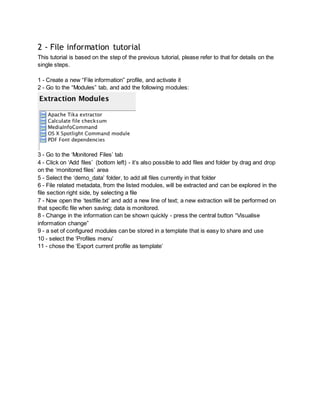
2 - Go to the “Modules” tab, and add the following modules:
3 - Go to the ‘Monitored Files’ tab
4 - Click on ‘Add files’ (bottom left) - it’s also possible to add files and folder by drag and drop
on the ‘monitored files’ area
5 - Select the ‘demo_data’ folder, to add all files currently in that folder
6 - File related metadata, from the listed modules, will be extracted and can be explored in the
file section right side, by selecting a file
7 - Now open the ‘testfile.txt’ and add a new line of text; a new extraction will be performed on
that specific file when saving; data is monitored.
8 - Change in the information can be shown quickly - press the central button “Visualise
information change”
9 - a set of configured modules can be stored in a template that is easy to share and use
10 - select the ‘Profiles menu’
11 - chose the ‘Export current profile as template’

Pet tutorial script 2 - file information

  • 1.
    2 - Fileinformation tutorial This tutorial is based on the step of the previous tutorial, please refer to that for details on the single steps. 1 - Create a new “File information” profile, and activate it 2 - Go to the “Modules” tab, and add the following modules: 3 - Go to the ‘Monitored Files’ tab 4 - Click on ‘Add files’ (bottom left) - it’s also possible to add files and folder by drag and drop on the ‘monitored files’ area 5 - Select the ‘demo_data’ folder, to add all files currently in that folder 6 - File related metadata, from the listed modules, will be extracted and can be explored in the file section right side, by selecting a file 7 - Now open the ‘testfile.txt’ and add a new line of text; a new extraction will be performed on that specific file when saving; data is monitored. 8 - Change in the information can be shown quickly - press the central button “Visualise information change” 9 - a set of configured modules can be stored in a template that is easy to share and use 10 - select the ‘Profiles menu’ 11 - chose the ‘Export current profile as template’