PROGRAMMING
LANGUAGE
•A programming languageis a type of
written language that tells computers
what to do.
•A "program" in general, is a sequence
of instructions written so that a
computer can perform certain task.
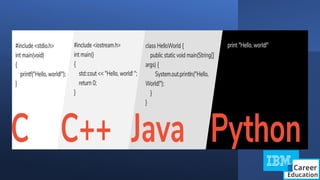
Types of programminglanguages
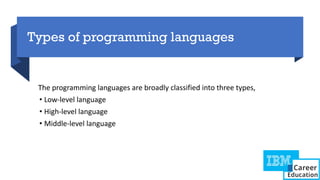
The programming languages are broadly classified into three types,
• Low-level language
• High-level language
• Middle-level language
6.
Low-level langu
age
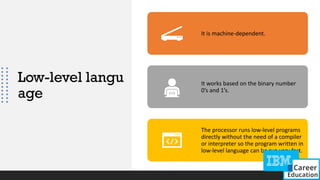
It ismachine-dependent.
It works based on the binary number
0’s and 1’s.
The processor runs low-level programs
directly without the need of a compiler
or interpreter so the program written in
low-level language can be run very fast.
7.
High-level programming language
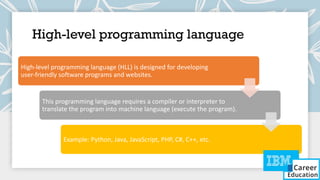
High-levelprogramming language (HLL) is designed for developing
user-friendly software programs and websites.
This programming language requires a compiler or interpreter to
translate the program into machine language (execute the program).
Example: Python, Java, JavaScript, PHP, C#, C++, etc.
8.
Middle-level programming language
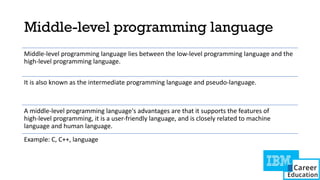
Middle-levelprogramming language lies between the low-level programming language and the
high-level programming language.
It is also known as the intermediate programming language and pseudo-language.
A middle-level programming language's advantages are that it supports the features of
high-level programming, it is a user-friendly language, and is closely related to machine
language and human language.
Example: C, C++, language
PROGRAMMING
VS
SCRIPTING
Scripts are fewlines of code used
within a program. These scripts
are written to automate some
particular tasks within the
program.
Programming languages are a set
of code/instructions for the
computer that are compiled at
runtime. Thus an exe file is
created
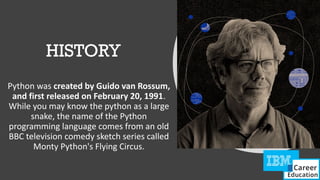
HISTORY
Python was createdby Guido van Rossum,
and first released on February 20, 1991.
While you may know the python as a large
snake, the name of the Python
programming language comes from an old
BBC television comedy sketch series called
Monty Python's Flying Circus.
15.
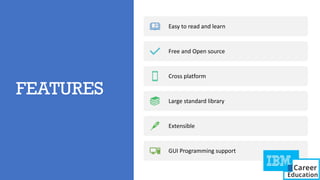
FEATURES
Easy to readand learn
Free and Open source
Cross platform
Large standard library
Extensible
GUI Programming support
16.
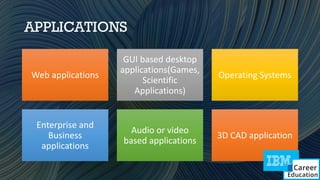
APPLICATIONS
Web applications
GUI baseddesktop
applications(Games,
Scientific
Applications)
Operating Systems
Enterprise and
Business
applications
Audio or video
based applications
3D CAD application
Ways to runPython Scripts
1. Command Line [python script.py]
✔ Open a terminal or command prompt.
✔ Navigate to the directory containing your Python script using the cd command.
2. IDLE (Python's Integrated Development and Learning Environment):
✔ Open IDLE and use the "File" menu to open your script, then run it.
3. Jupyter Notebooks [Using interpreter interactively]
✔ If you are using Jupyter Notebooks, you can run individual cells or the entire notebook.
✔ Use the "Run" button or press Shift + Enter to execute a cell.
20.
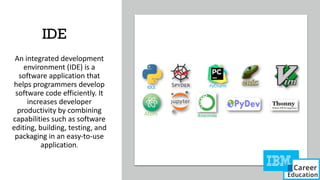
IDE
An integrated development
environment(IDE) is a
software application that
helps programmers develop
software code efficiently. It
increases developer
productivity by combining
capabilities such as software
editing, building, testing, and
packaging in an easy-to-use
application.
21.
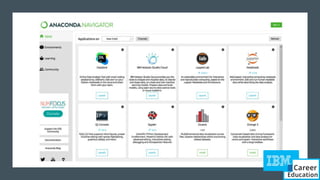
ANACONDA PYTHON
Anaconda isa distribution of the Python
and R programming languages for
scientific computing (data science,
machine learning applications,
large-scale data processing, predictive
analytics, etc.), that aims to simplify
package management and
deployment.
24.
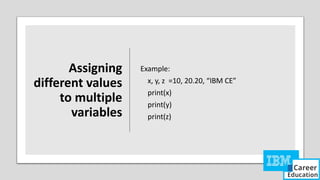
VARIABLE
• In Python,variables are a storage placeholder for texts and numbers.
• It must have a name so that you are able to find it again
• The variable is always assigned with the equal sign, followed by the value of the variable.
• A variable is created the moment we first assign a value to it.
Example:
a=10
b=“IBM”
print(a)
Print(b)
25.
RULES FOR CREATINGVARIABLES
Must start with a letter or the underscore character
Cannot start with a number
Can only contain alpha-numeric characters and underscores (A-z, 0-9, and _ )
Case-sensitive (name, Name and NAME are three different variables)
The reserved words(keywords) cannot be used naming the variable
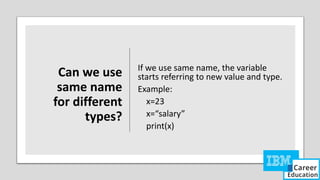
Can we use
samename
for different
types?
If we use same name, the variable
starts referring to new value and type.
Example:
x=23
x=“salary”
print(x)
29.
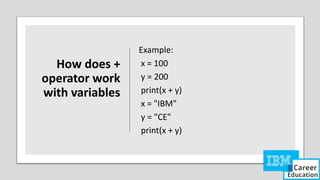
How does +
operatorwork
with variables
Example:
x = 100
y = 200
print(x + y)
x = "IBM"
y = "CE"
print(x + y)
30.
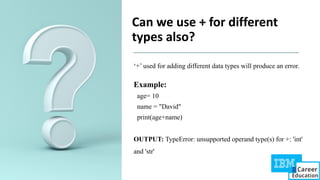
Can we use+ for different
types also?
‘+’ used for adding different data types will produce an error.
Example:
age= 10
name = "David"
print(age+name)
OUTPUT: TypeError: unsupported operand type(s) for +: 'int'
and 'str'
31.
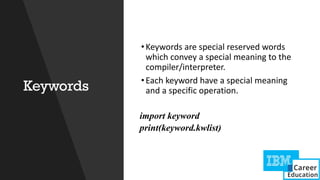
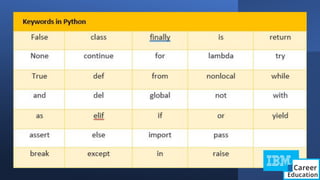
Keywords
•Keywords are specialreserved words
which convey a special meaning to the
compiler/interpreter.
•Each keyword have a special meaning
and a specific operation.
import keyword
print(keyword.kwlist)
33.
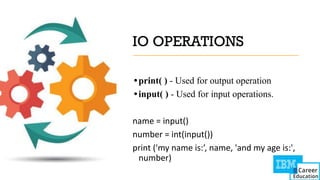
IO OPERATIONS
•print( )- Used for output operation
•input( ) - Used for input operations.
name = input()
number = int(input())
print ('my name is:’, name, 'and my age is:',
number)
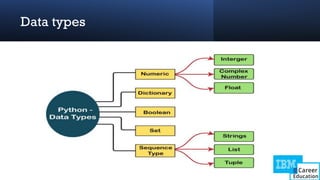
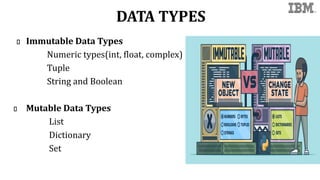
DATA TYPES
Immutable DataTypes
Numeric types(int, float, complex)
Tuple
String and Boolean
Mutable Data Types
List
Dictionary
Set
36.
Data Types:-
Variables willhold values, and every value has its own
data-type.
Python is a dynamically typed language
Hence we do not need to define the type of the variable
while declaring it.
The interpreter implicitly binds the value with its type.
37.
a = 5
Thevariable a holds integer value five and we did not define
its type. Python interpreter will automatically interpret
variables a as an integer type.
Python enables us to check the type of the variable used in the
program. Python provides us the type() function, which
returns the type of the variable passed.
38.
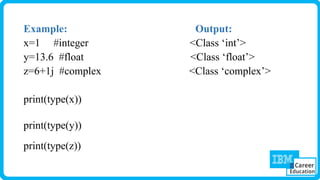
Numeric Datatype :-
Numericvalues are known as numbers.
There are three types.
integer, float, and complex
(They may be +ve /-ve)
Python provides the type() function to know the data-type
of the variable.
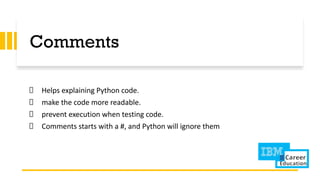
Comments
Helps explaining Pythoncode.
make the code more readable.
prevent execution when testing code.
Comments starts with a #, and Python will ignore them
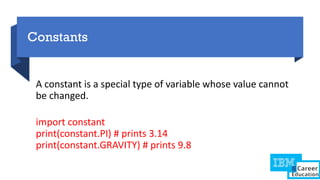
41.
Constants
A constant isa special type of variable whose value cannot
be changed.
import constant
print(constant.PI) # prints 3.14
print(constant.GRAVITY) # prints 9.8
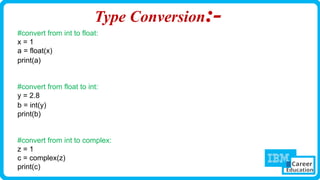
42.
Type Conversion:-
#convert fromint to float:
x = 1
a = float(x)
print(a)
#convert from float to int:
y = 2.8
b = int(y)
print(b)
#convert from int to complex:
z = 1
c = complex(z)
print(c)
43.
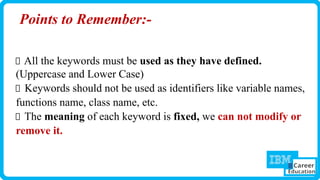
Points to Remember:-
Allthe keywords must be used as they have defined.
(Uppercase and Lower Case)
Keywords should not be used as identifiers like variable names,
functions name, class name, etc.
The meaning of each keyword is fixed, we can not modify or
remove it.
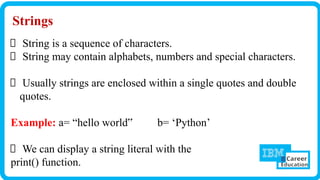
Strings
String is asequence of characters.
String may contain alphabets, numbers and special characters.
Usually strings are enclosed within a single quotes and double
quotes.
Example: a= “hello world‟ b= ‘Python’
We can display a string literal with the
print() function.
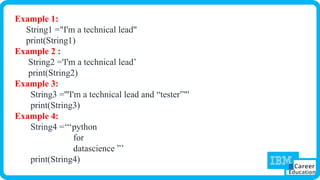
46.
Example 1:
String1 ="I'ma technical lead"
print(String1)
Example 2 :
String2 ='I'm a technical lead’
print(String2)
Example 3:
String3 ='''I'm a technical lead and “tester”"'
print(String3)
Example 4:
String4 =‘‘‘python
for
datascience ”’
print(String4)
47.
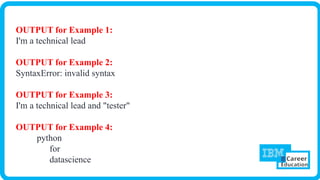
OUTPUT for Example1:
I'm a technical lead
OUTPUT for Example 2:
SyntaxError: invalid syntax
OUTPUT for Example 3:
I'm a technical lead and "tester"
OUTPUT for Example 4:
python
for
datascience
48.
Multiline Strings
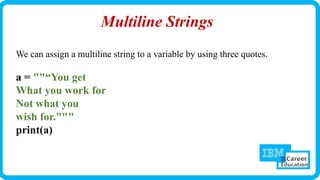
We canassign a multiline string to a variable by using three quotes.
a = ""“You get
What you work for
Not what you
wish for."""
print(a)
49.
Strings in Pythonare arrays of bytes representing unicode characters.
Python does not have a character data type, a single character is simply a
string with a length of 1.
Square brackets can be used to access elements of the string.
Indexing:-
a = "Hello, World!"
print(a[1])
50.
Accessing characters inPython
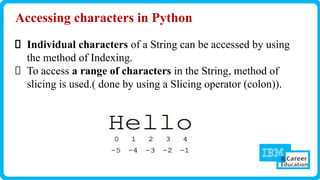
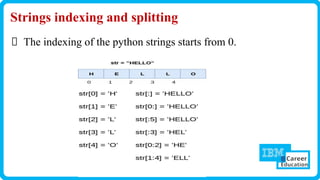
Individual characters of a String can be accessed by using
the method of Indexing.
To access a range of characters in the String, method of
slicing is used.( done by using a Slicing operator (colon)).
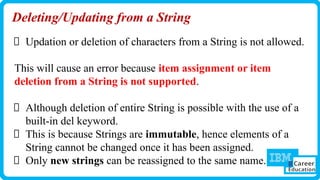
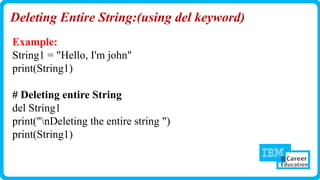
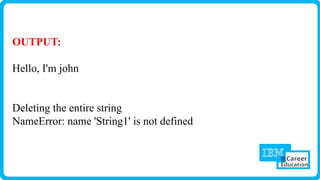
Deleting/Updating from aString
Updation or deletion of characters from a String is not allowed.
This will cause an error because item assignment or item
deletion from a String is not supported.
Although deletion of entire String is possible with the use of a
built-in del keyword.
This is because Strings are immutable, hence elements of a
String cannot be changed once it has been assigned.
Only new strings can be reassigned to the same name.
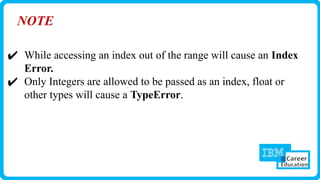
NOTE
✔ While accessingan index out of the range will cause an Index
Error.
✔ Only Integers are allowed to be passed as an index, float or
other types will cause a TypeError.
59.
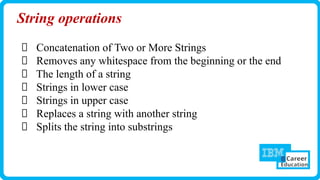
String operations
Concatenation ofTwo or More Strings
Removes any whitespace from the beginning or the end
The length of a string
Strings in lower case
Strings in upper case
Replaces a string with another string
Splits the string into substrings
60.
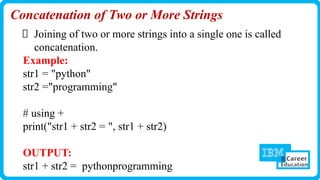
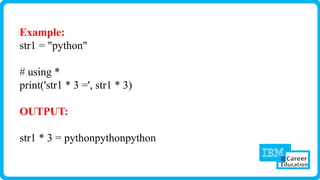
Concatenation of Twoor More Strings
Joining of two or more strings into a single one is called
concatenation.
Example:
str1 = "python"
str2 ="programming"
# using +
print("str1 + str2 = ", str1 + str2)
OUTPUT:
str1 + str2 = pythonprogramming
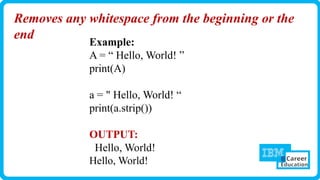
Removes any whitespacefrom the beginning or the
end
Example:
A = “ Hello, World! ”
print(A)
a = " Hello, World! “
print(a.strip())
OUTPUT:
Hello, World!
Hello, World!
63.
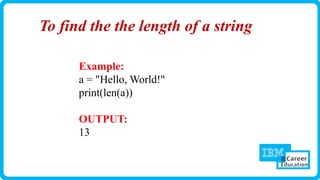
To find thethe length of a string
Example:
a = "Hello, World!"
print(len(a))
OUTPUT:
13
64.
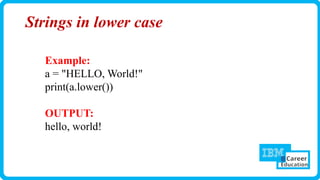
Strings in lowercase
Example:
a = "HELLO, World!"
print(a.lower())
OUTPUT:
hello, world!
65.
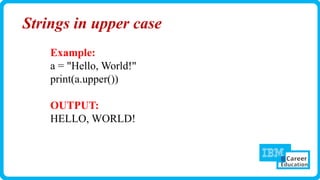
Strings in uppercase
Example:
a = "Hello, World!"
print(a.upper())
OUTPUT:
HELLO, WORLD!
66.
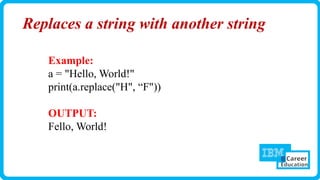
Replaces a stringwith another string
Example:
a = "Hello, World!"
print(a.replace("H", “F"))
OUTPUT:
Fello, World!
67.
Splits the stringinto substrings
Example:
a = "Hello, World!"
print(a.split(","))
OUTPUT:
['Hello', ' World!']

![Ways to run Python Scripts
1. Command Line [python script.py]
✔ Open a terminal or command prompt.
✔ Navigate to the directory containing your Python script using the cd command.
2. IDLE (Python's Integrated Development and Learning Environment):
✔ Open IDLE and use the "File" menu to open your script, then run it.
3. Jupyter Notebooks [Using interpreter interactively]
✔ If you are using Jupyter Notebooks, you can run individual cells or the entire notebook.
✔ Use the "Run" button or press Shift + Enter to execute a cell.](https://image.slidesharecdn.com/part-1pythonintroduction-variables-datatypes-numeric-string-boolean-240304050441-b7f10370/85/PART-1-Python-Introduction-Variables-Data-types-Numeric-String-Boolean-pptx-pdf-19-320.jpg)
![Strings in Python are arrays of bytes representing unicode characters.
Python does not have a character data type, a single character is simply a
string with a length of 1.
Square brackets can be used to access elements of the string.
Indexing:-
a = "Hello, World!"
print(a[1])](https://image.slidesharecdn.com/part-1pythonintroduction-variables-datatypes-numeric-string-boolean-240304050441-b7f10370/85/PART-1-Python-Introduction-Variables-Data-types-Numeric-String-Boolean-pptx-pdf-49-320.jpg)
![b = "Hello, World!"
print(b[3:-5])
Slicing:-
b = "Hello,World!"
print(b[2:5])
b = "Hello,World!"
print(b[:5])
b = "Hello,World!"
print(b[2:])](https://image.slidesharecdn.com/part-1pythonintroduction-variables-datatypes-numeric-string-boolean-240304050441-b7f10370/85/PART-1-Python-Introduction-Variables-Data-types-Numeric-String-Boolean-pptx-pdf-52-320.jpg)
![Output:
b="hello,world!"
print(b)
print(b[2:5])
print(b[2:])
print(b[:5])
print(b[3:-5])
hello,world!
llo
llo,world!
hello
lo,w](https://image.slidesharecdn.com/part-1pythonintroduction-variables-datatypes-numeric-string-boolean-240304050441-b7f10370/85/PART-1-Python-Introduction-Variables-Data-types-Numeric-String-Boolean-pptx-pdf-53-320.jpg)
![Find the output
str1="IBM"
print(str1[5])
print(str1)
OUTPUT:
IndexError: string index out of range
IBM](https://image.slidesharecdn.com/part-1pythonintroduction-variables-datatypes-numeric-string-boolean-240304050441-b7f10370/85/PART-1-Python-Introduction-Variables-Data-types-Numeric-String-Boolean-pptx-pdf-57-320.jpg)
![Splits the string into substrings
Example:
a = "Hello, World!"
print(a.split(","))
OUTPUT:
['Hello', ' World!']](https://image.slidesharecdn.com/part-1pythonintroduction-variables-datatypes-numeric-string-boolean-240304050441-b7f10370/85/PART-1-Python-Introduction-Variables-Data-types-Numeric-String-Boolean-pptx-pdf-67-320.jpg)


![[DSC Europe 25] Marcos Heidemann - Beyond the Hype: Making AI Coding Assistan...](https://cdn.slidesharecdn.com/ss_thumbnails/eexkhvldrjsopspdjbur-marcos-heidemann-beyond-the-hype-getting-real-value-out-of-ai-assisted-coding-260121115910-7e9d41ec-thumbnail.jpg?width=640&height=640&fit=bounds)


![[DSC Europe 25] Bojan Djuricic - Predictive Design Process.pdf](https://cdn.slidesharecdn.com/ss_thumbnails/5awdrbedqdek3gqu2ezy-4-the-predictive-design-bojan-djuricic-260120105856-6c399e9b-thumbnail.jpg?width=640&height=640&fit=bounds)


![[DSC Europe 25] Egor Krasheninnikov - The Control Stack: Building Guardrails ...](https://cdn.slidesharecdn.com/ss_thumbnails/3lzcz7hxqmo51mtalv4u-the-control-stack-260119101520-ea90841a-thumbnail.jpg?width=640&height=640&fit=bounds)


![[DSC Europe 25] Milos Belcevic - Product Professional's Journey to Full-Stack...](https://cdn.slidesharecdn.com/ss_thumbnails/1zovd6fgsycdg4wvgvls-milos-belcevic-product-professionals-journey-to-full-stack-product-developer-260123083019-d993120d-thumbnail.jpg?width=640&height=640&fit=bounds)


