OSI Reference ModelOSI Reference Model
Prepared by
Siddique Ibrahim S P AP/CSE
Kumaraguru college of Technology
2
Objectives
 Data communication among
heterogeneous systems – difficulties and
solutions
 The need for layered architecture
 Design issues for the layers
 The OSI model
3
Network complexities
 Different types of hardware and software
 Different operating systems
 Different types of data to be transferred –
text, images, music, video, etc
 Data must be transferred without errors
 Many different paths may have to be taken
4
Network complexities
 Data formats and data exchange
conventions vary between manufacturers
E.g., ASCII, UNICODE, EBCDIC(Extended
Binary Coded Decimal Interchange Code),
etc.
5
Solution:
 This can be resolved only if computers
follow certain common set of rules or
protocols
6
What is a protocol?
 It is a formal description of message
formats and the rules that two computers
must follow in order to exchange
messages.
 This set of rules describes how data is
transmitted over a network.
7
Why are protocols needed?
 Protocols are needed for communication
between any two devices.
 In what format will the messages be transmitted?
 At what speed should messages be transmitted?
 What to do if errors take place?
 What to do if parts of a message are lost?
8
Protocols in daily life
 How does conversation take place between
human beings
 “Hello”
 “Goodbye”
 Handshake
 Letters
 “Dear Sir”
 “Yours faithfully”
 No splleing mistakes !
9
Network Model
 Network model - A method of describing and
analyzing data communications networks by
breaking the entire set of communications
process into a number of layers.
 Each layer has a specific function
10
Open Systems Interconnect (OSI)
Model
 Who made:
International Standards Organization (ISO)
 A Model of How Protocols and Networking
Components Could be Made
 “Open” means the concepts are non-
proprietary; can be used by anyone.
 OSI is not a protocol. It is a model for
understanding and designing a network
architecture that is flexible and robust.
11
Open Systems Interconnect (OSI)
Model
 The OSI model describes how data flows from one
computer, through a network to another computer
 The OSI model divides the tasks involved with
moving information between networked computers
into 7 smaller, more manageable sub-task .
 A task is then assigned to each of the seven OSI
layers.
 Each layer is reasonably self-contained so that the
tasks assigned to each layer can be implemented
independently.
13
7-layer OSI model
 Why so many layers?
To reduce complexity, networks are organized
as a stack of layers, one below the other.
Each layer performs a specific task. It
provides services to an adjacent layer
This is similar to the concept of a function in
programming languages – function does a
specific task
14
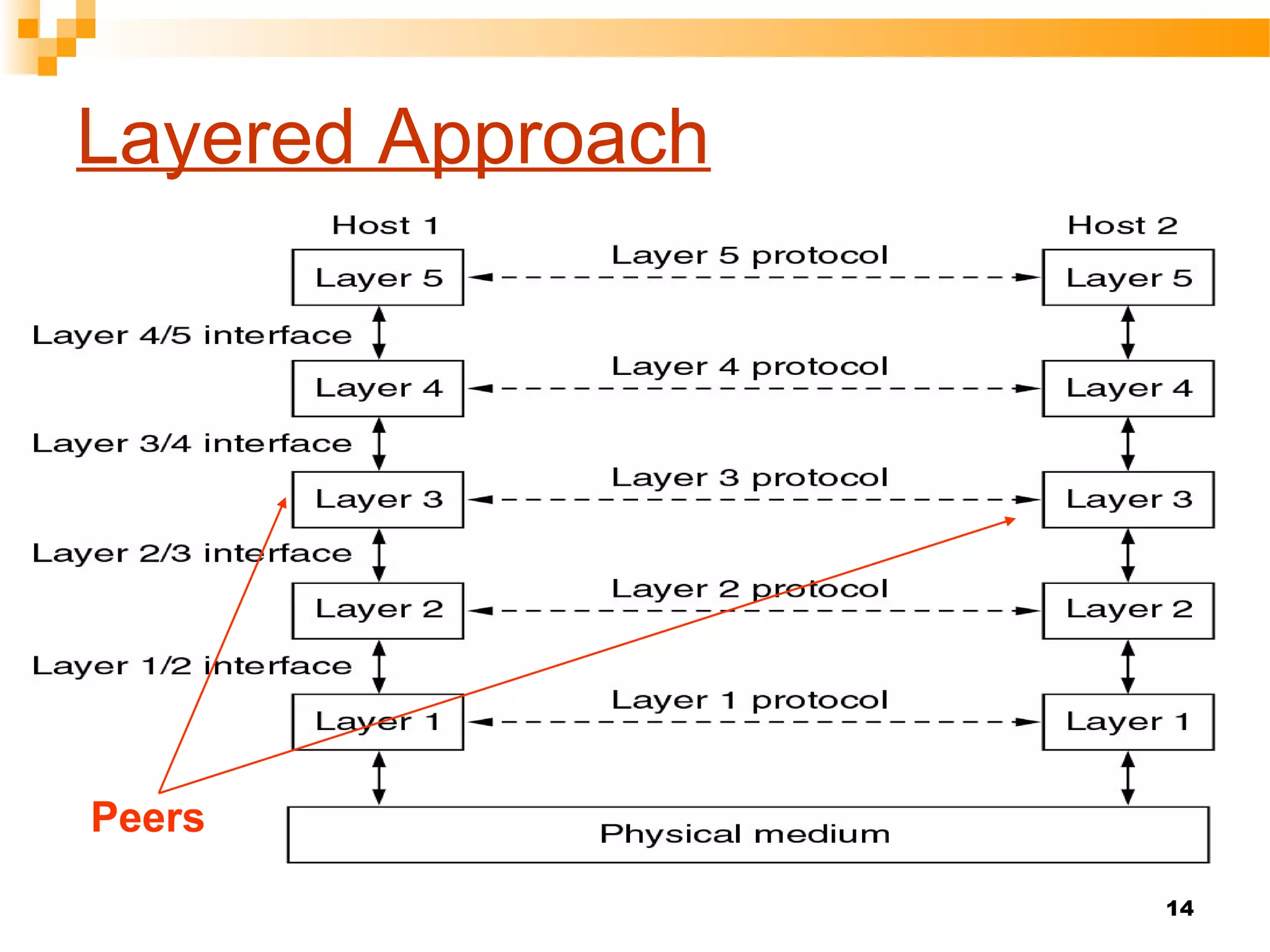
Layered Approach
Peers
15
Layered Approach
 The entities comprising the corresponding layers on
different machines are called peers
 It is the peers that communicate by using the protocols
 Actually, data is not transferred from layer n on one
machine to layer n on another machine
 Each layer passes data and control information to the
layer immediately below it, until the lowest layer is
reached
 Actual data communication takes place through the
lowest layer – the physical layer
16
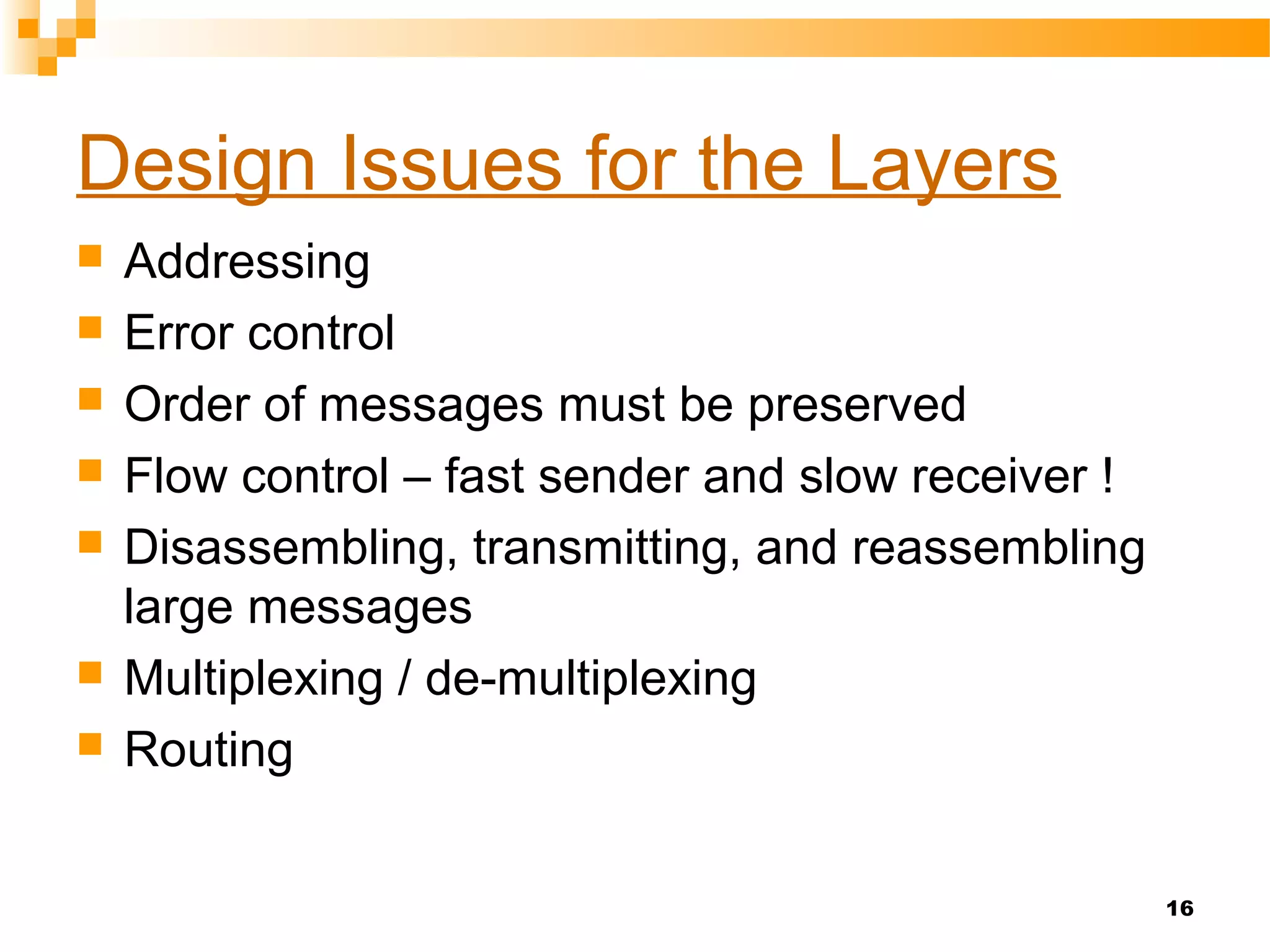
Design Issues for the Layers
 Addressing
 Error control
 Order of messages must be preserved
 Flow control – fast sender and slow receiver !
 Disassembling, transmitting, and reassembling
large messages
 Multiplexing / de-multiplexing
 Routing
 OSI model did not fully implemented.
 TCP/IP was used and tested extensively
in the internet.
17
18
The Layers of the OSI Model
Application
Presentation
Session
Transport
Network
Data Link
Physical
19
The Layers of the OSI Model
Some Mnemonics
Application
Presentation
Session
Transport
Network
Data Link
Physical
All
People
Seem
To
Need
Data
Processing
Please
Do
Not
Tell
Secret
Passwords
Anytime
20
21
22
Physical layer
 Coordinates the functions required to carry
a bit stream over physical medium.
 It deals with a electrical and mechanical
specifications of the interface and
transmission medium(type of medium).
 It responsible for movements of individual
bits from one hop(node) to the next.
23
24
Physical layer
• Specifications for the physical
components of the network.
• Functions of Physical Layer:
• Bit representation – encode bits(0’s and 1’s)
into electrical or optical signals
• Transmission rate – The number of bits sent
each second
• Physical characteristics of transmission
media
• Synchronizing the sender and receiver
clocks(both are not have same bit rate).
• Line Configuration The physical layer is
concerned with the connection of devices to
the media.(point-to-point (or) multipoint)
• Transmission mode – simplex, half-duplex,
full duplex
• Physical Topology – how devices are
connected – ring, star, mesh, bus topology
Application
Presentation
Session
Transport
Network
Data Link
Physical
25
Physical Layer
26
Data Link Layer
Responsible for delivery of data between two
systems on the same network(hop to hop delivery)
Main functions of this layer are:
• Framing – divides the stream of bits
received from network layer into
manageable data units called frames.
• Physical Addressing – Add a header to the
frame to define the physical address of the
source and the destination
machines(MAC).
• Flow control – If the receiver is less than
rate of at which data are produced in the
sender.[The flow control mechanism to
avoid overwhelming the receiver]
Application
Presentation
Session
Transport
Network
Data Link
Physical
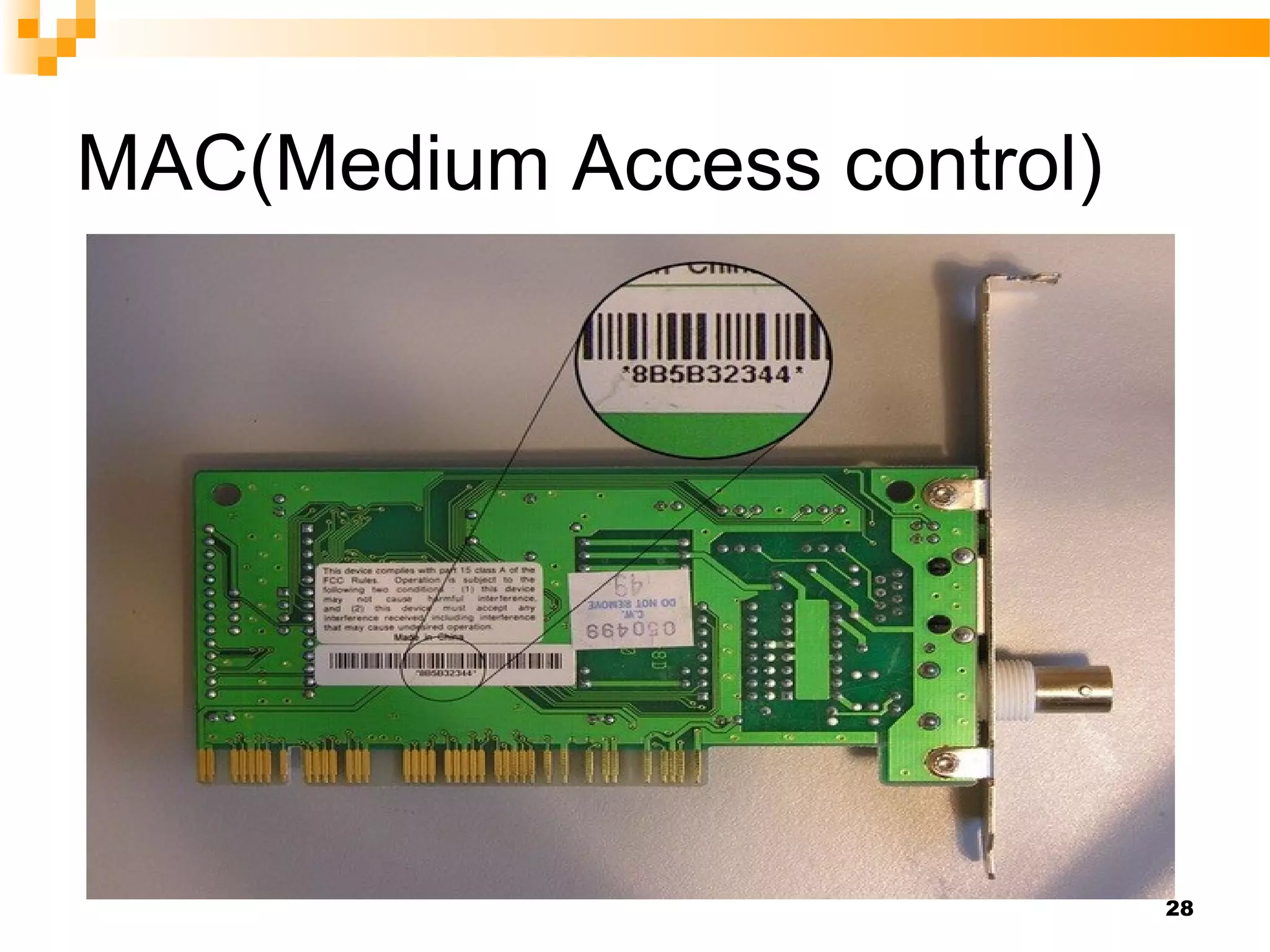
MAC(Medium Access control)
27
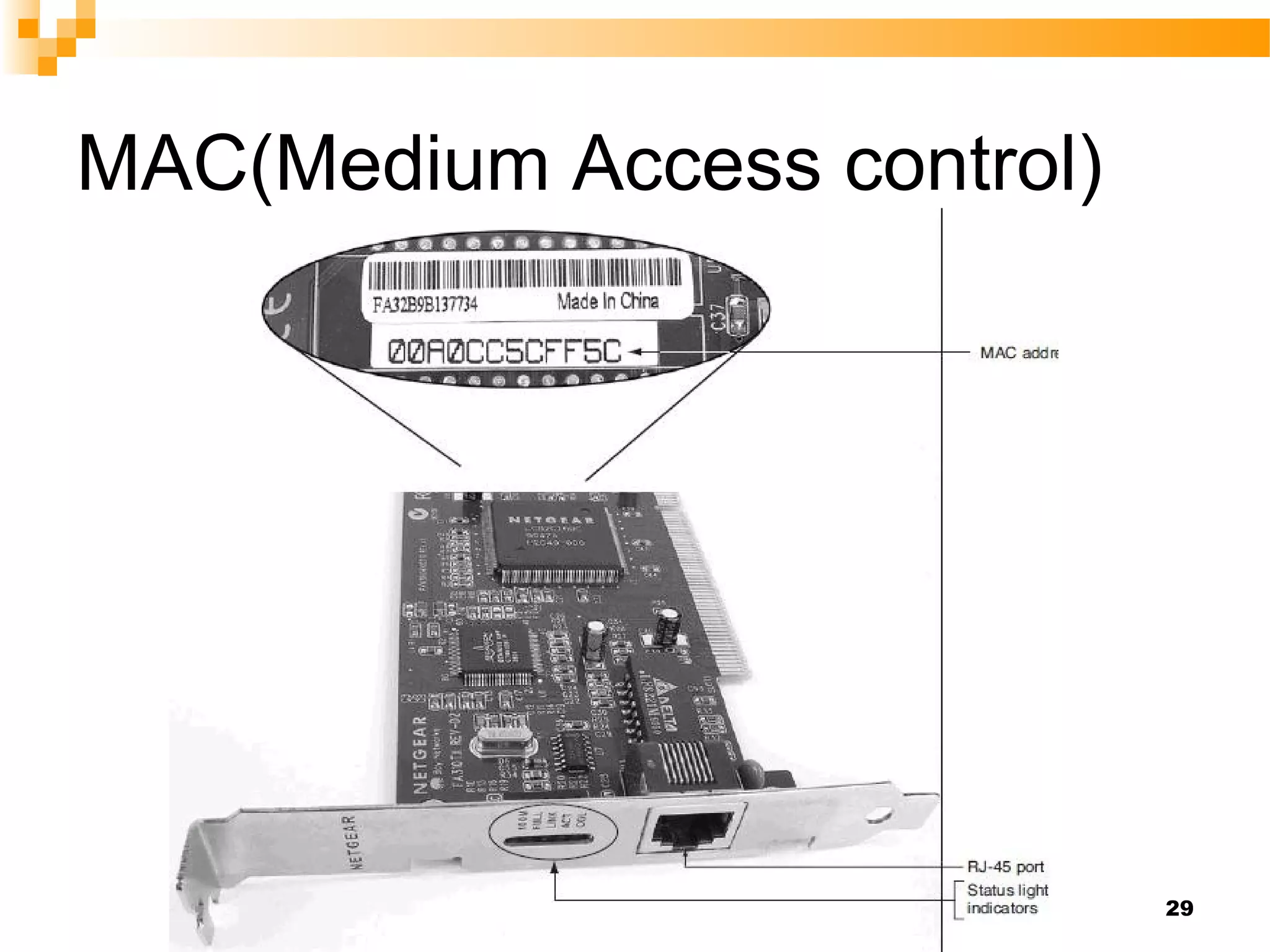
MAC(Medium Access control)
28
MAC(Medium Access control)
29
MAC(Medium Access control)
30
31
Data Link Layer
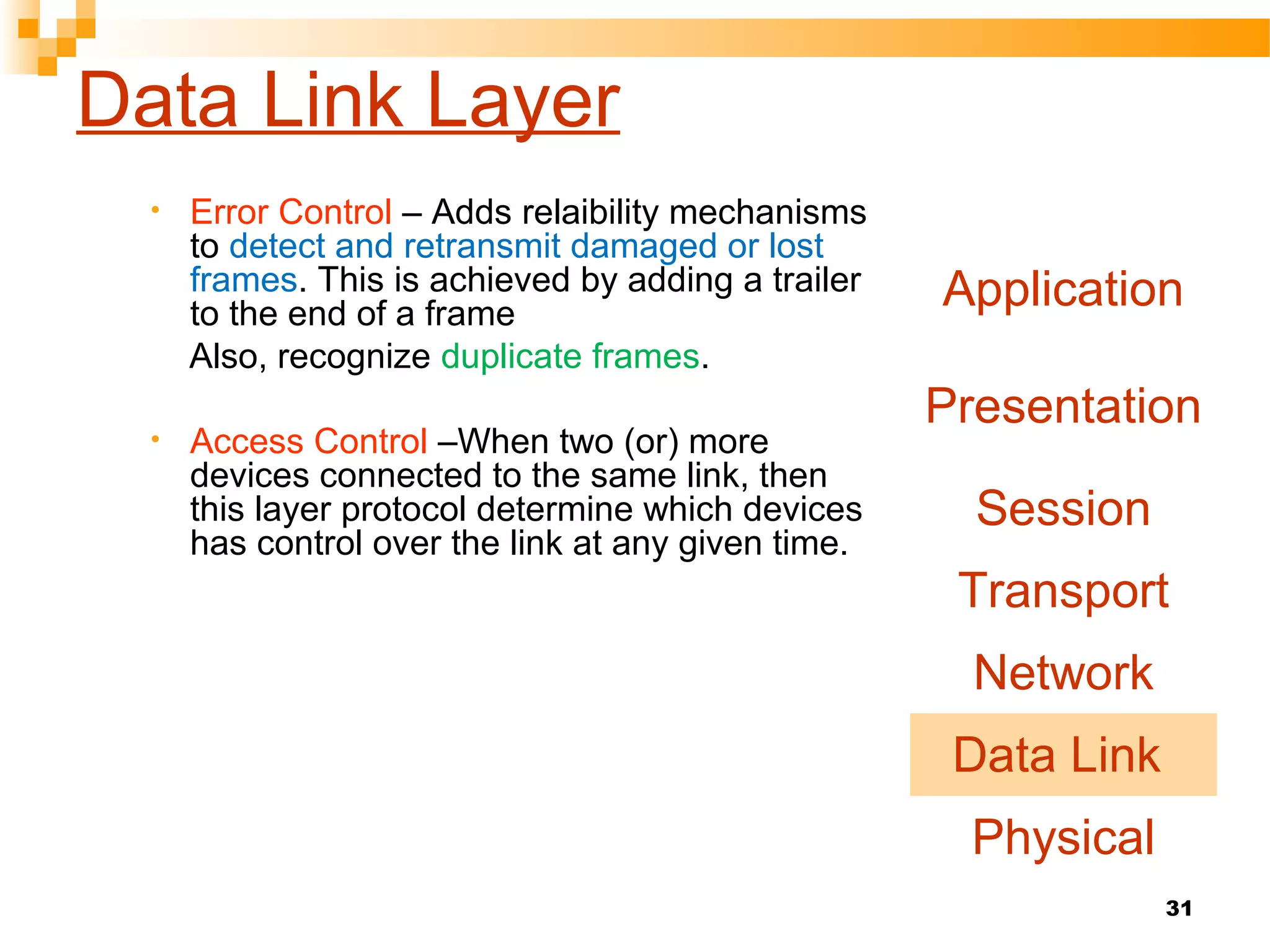
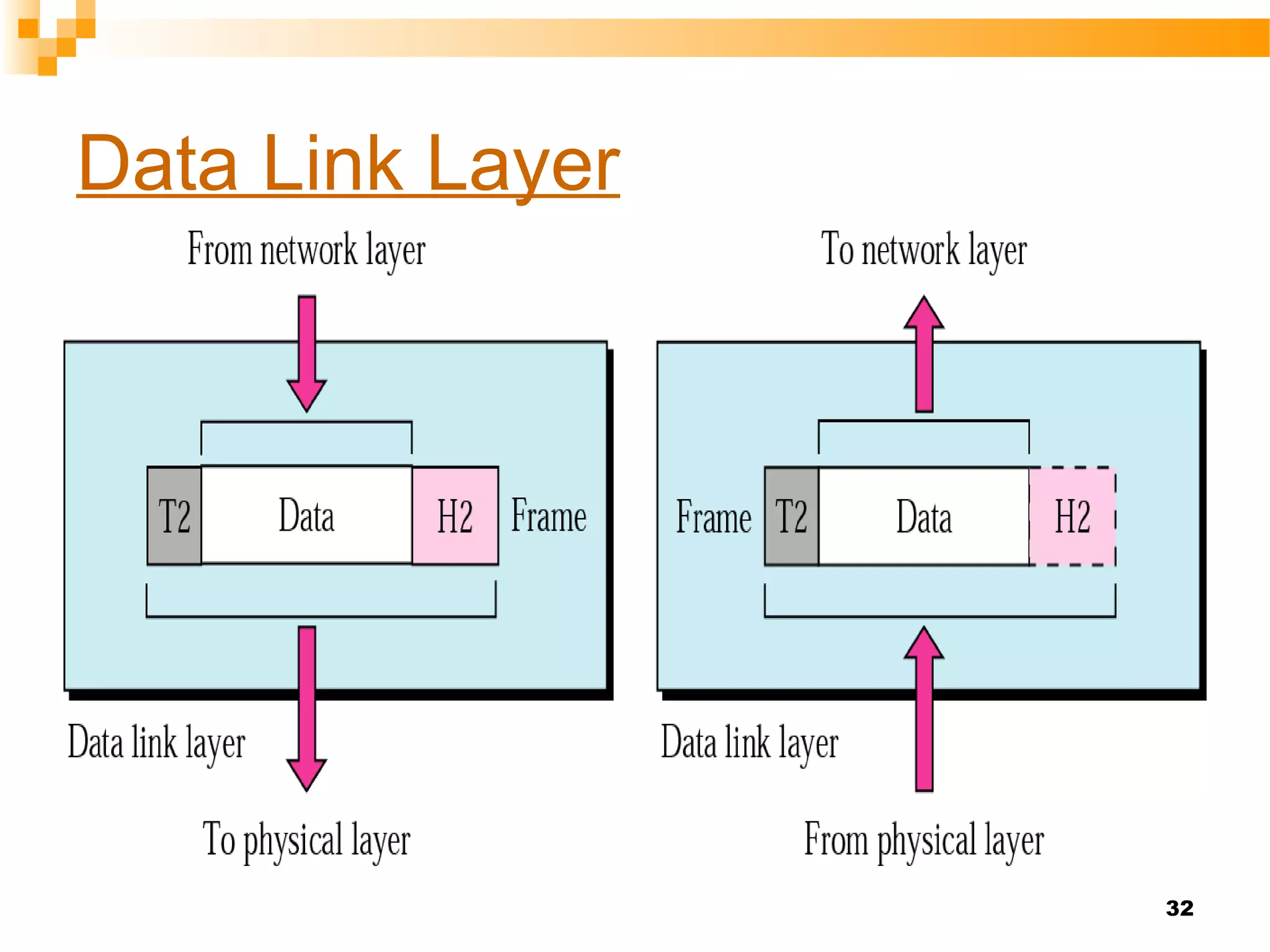
• Error Control – Adds relaibility mechanisms
to detect and retransmit damaged or lost
frames. This is achieved by adding a trailer
to the end of a frame
Also, recognize duplicate frames.
• Access Control –When two (or) more
devices connected to the same link, then
this layer protocol determine which devices
has control over the link at any given time.
Application
Presentation
Session
Transport
Network
Data Link
Physical
32
Data Link Layer
33
Data Link Layer
34
Network Layer
Main functions of this layer are:
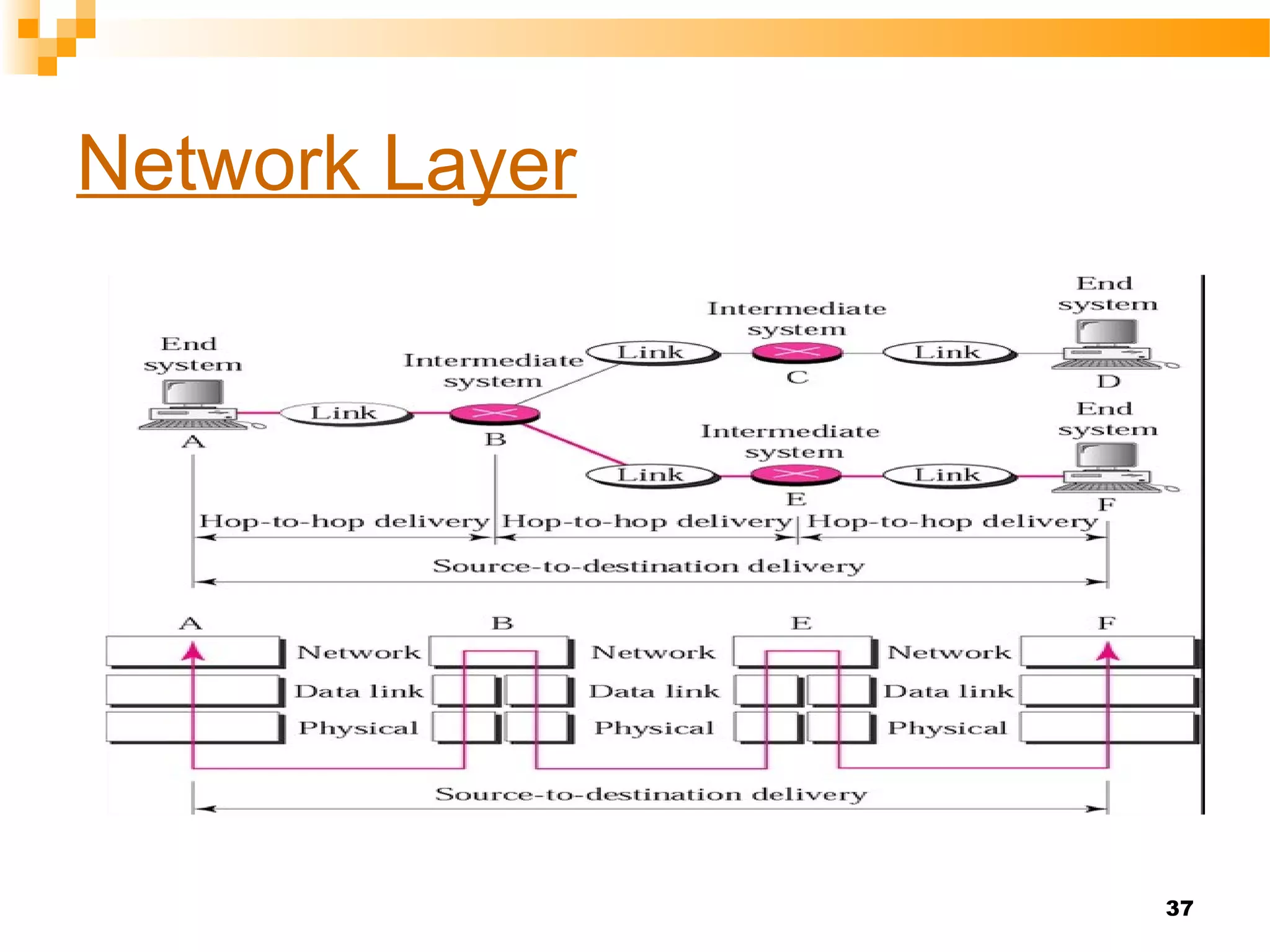
• Responsible for delivery of packets
across multiple(sou to des delivery)
networks[Note: if two systems are
connected to the same link there is
no need for a n/w layer]
• Logical Addressing:The physical
addressing implemented by the
data link layer handles the
addressing problem locally(MAC)
• When it passes the boundary the n/w
layer adds a header to the packet(IP)
coming from the upper layer(include
logical address of sender and receiver)
Application
Presentation
Session
Transport
Network
Data Link
Physical
35
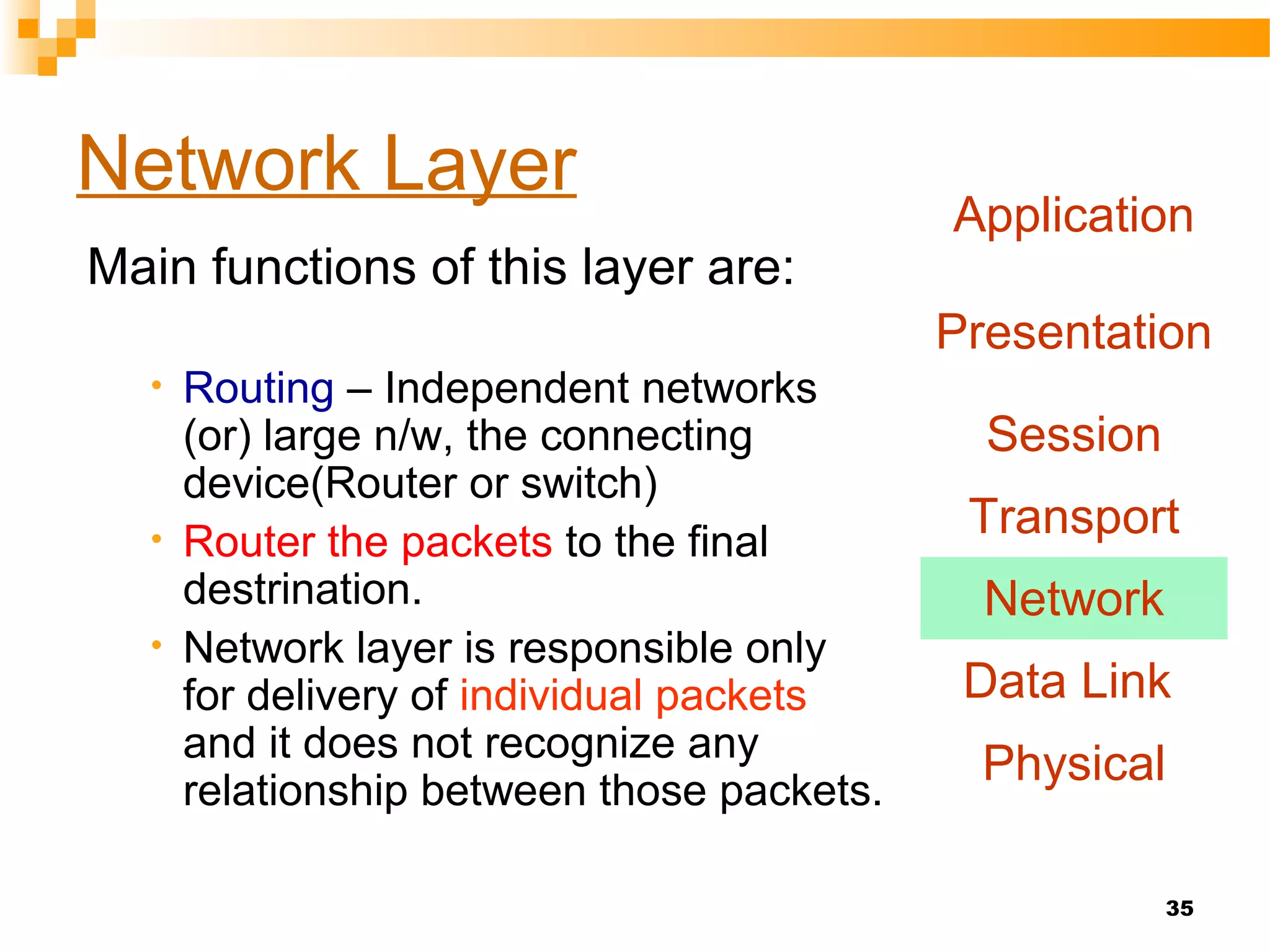
Network Layer
Main functions of this layer are:
• Routing – Independent networks
(or) large n/w, the connecting
device(Router or switch)
• Router the packets to the final
destrination.
• Network layer is responsible only
for delivery of individual packets
and it does not recognize any
relationship between those packets.
Application
Presentation
Session
Transport
Network
Data Link
Physical
36
Network Layer
37
Network Layer
38
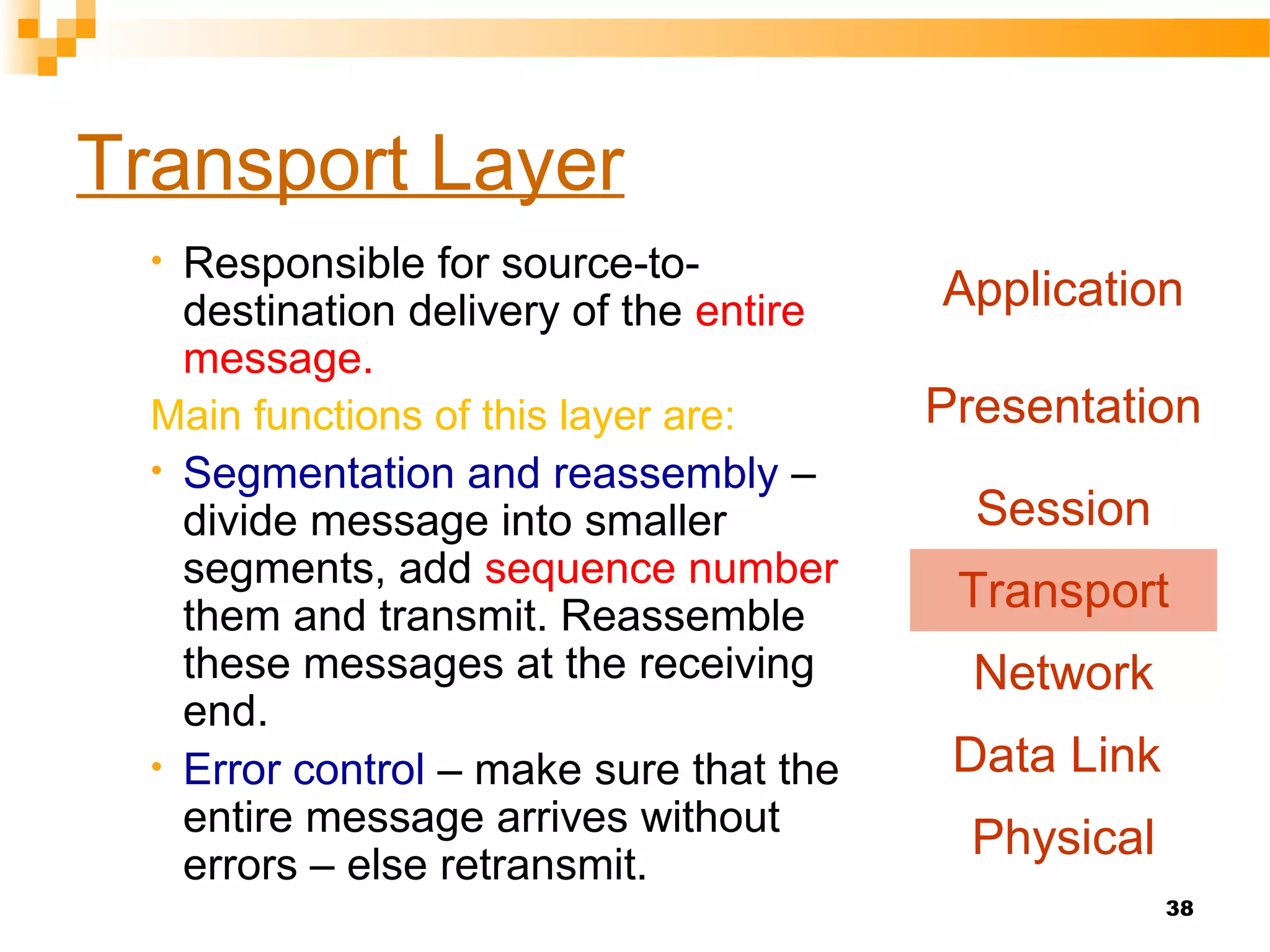
Transport Layer
• Responsible for source-to-
destination delivery of the entire
message.
Main functions of this layer are:
• Segmentation and reassembly –
divide message into smaller
segments, add sequence number
them and transmit. Reassemble
these messages at the receiving
end.
• Error control – make sure that the
entire message arrives without
errors – else retransmit.
Application
Presentation
Session
Transport
Network
Data Link
Physical
39
Transport Layer
Service point addressing:
Compuer often run several programs at a same
time.
Sou-to-des not only from one computer to next.
The transport layer header must therefore include
a address called service point address[port
address]
Connection control:
Connectionless- Each segment as a individual
& delivery to the destination.
Connection oriented- Fist establish a
connection with the transport layer at the
destination before the packets send.
After all data packets delivered, then the
connection is terminated.
Application
Presentation
Session
Transport
Network
Data Link
Physical
40
Transport Layer
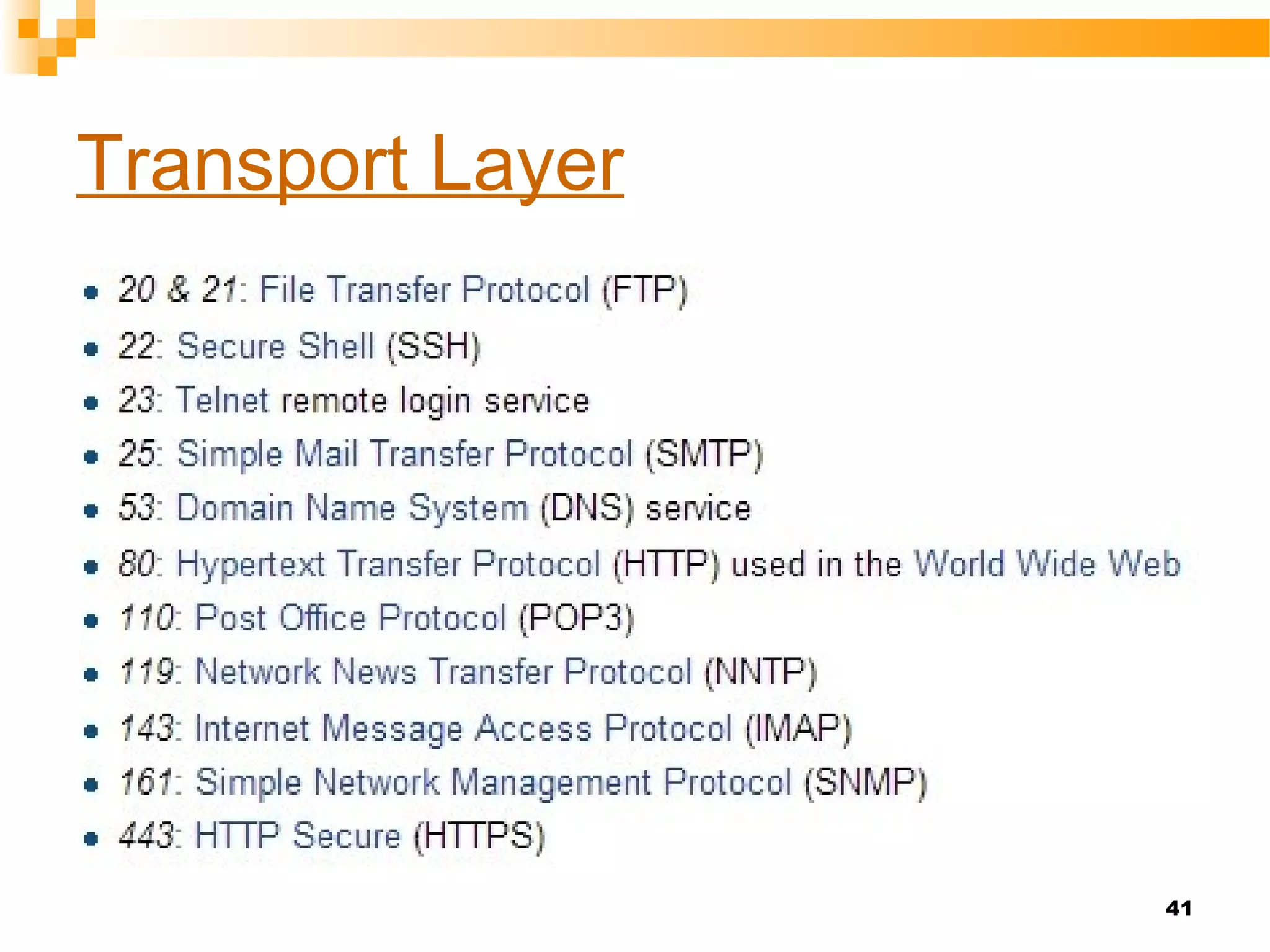
A port is identified for each address and protocol by
a 16-bit number, commonly known as the port
number.
A port number is a 16-bit unsigned integer, thus
ranging from 1 to 65535 (port number 0 is
reserved and can't be used).
Transport Layer protocols, such as the
Transmission Control Protocol (TCP) and the
User Datagram Protocol (UDP), specify a source
and destination port number in their packet
headers.
Transport Layer
41
42
Transport Layer
43
Session Layer
First three layers not sufficient for
some processes.session layer
establishes, maintains and
synchronizes the interaction among
communicating systems.
Main functions of this layer are:
• Dialog control – allows two systems
to enter into a dialog, keep a track of
whose turn it is to transmit
• Synchronization – adds check points
(synchronization points) into stream
of data.
Application
Presentation
Session
Transport
Network
Data Link
Physical
44
Session Layer
H5
syn syn syn
From Presentation Layer
To Transport Layer
Session Layer
From Transport Layer
To Presentation Layer
H5
syn syn syn
Session Layer
45
Presentation Layer
Responsibilities of this layer are:
• Translation
• Different computers use different
encoding systems (bit order
translation)
• Convert data into a common format
before transmitting.
• Syntax represents info such as
character codes - how many bits to
represent data – 8 or 7 bits
• Compression – reduce number of
bits to be transmitted
Application
Presentation
Session
Transport
Network
Data Link
Physical
46
Presentation Layer
• Encryption – transform data into an
unintelligible format at the sending
end for data security
• Decryption – at the receiving end
Application
Presentation
Session
Transport
Network
Data Link
Physical
47
Application Layer
•Contains protocols that allow the
users to access the network (FTP,
HTTP, SMTP, etc)
• Does not include application
programs such as email, browsers,
word processing applications, etc.
• Protocols contain utilities and
network-based services that support
email via SMTP, Internet access via
HTTP, file transfer via FTP, etc
Application
Presentation
Session
Transport
Network
Data Link
Physical
48
Application Layer
To Presentation Layer From Presentation Layer
49
Summary of Functions of Layers
Application
Presentation
Session
Transport
Network
Data Link
Physical
To allow access to
network resources
To establish, manage
& terminate sessions
To move packets from
source to destination
To transmit bits over
a medium & provide
electrical specs.
To translate, encrypt
and compress data
To provide reliable
end-to-end message
delivery
To organise bits into
frames
 Lyer 1-3-are the network support layer.
 (they deal with the physical aspects of
moving data from one device to another)
 Layer4- links the two subgroups
 Layer 6-7-can be thought of as the user
support layers(Allow interoperability
among unrelated software system)
50
51
References
 “Computer Networks”,
Tanenbaum A (PHI)
 “Data Communications and Networking”,
Forouzan B (TMH)
 “Local Area Networks”,
Keiser (TMH)
52

Osi model 7 Layers

  • 1.
    OSI Reference ModelOSIReference Model Prepared by Siddique Ibrahim S P AP/CSE Kumaraguru college of Technology
  • 2.
    2 Objectives  Data communicationamong heterogeneous systems – difficulties and solutions  The need for layered architecture  Design issues for the layers  The OSI model
  • 3.
    3 Network complexities  Differenttypes of hardware and software  Different operating systems  Different types of data to be transferred – text, images, music, video, etc  Data must be transferred without errors  Many different paths may have to be taken
  • 4.
    4 Network complexities  Dataformats and data exchange conventions vary between manufacturers E.g., ASCII, UNICODE, EBCDIC(Extended Binary Coded Decimal Interchange Code), etc.
  • 5.
    5 Solution:  This canbe resolved only if computers follow certain common set of rules or protocols
  • 6.
    6 What is aprotocol?  It is a formal description of message formats and the rules that two computers must follow in order to exchange messages.  This set of rules describes how data is transmitted over a network.
  • 7.
    7 Why are protocolsneeded?  Protocols are needed for communication between any two devices.  In what format will the messages be transmitted?  At what speed should messages be transmitted?  What to do if errors take place?  What to do if parts of a message are lost?
  • 8.
    8 Protocols in dailylife  How does conversation take place between human beings  “Hello”  “Goodbye”  Handshake  Letters  “Dear Sir”  “Yours faithfully”  No splleing mistakes !
  • 9.
    9 Network Model  Networkmodel - A method of describing and analyzing data communications networks by breaking the entire set of communications process into a number of layers.  Each layer has a specific function
  • 10.
    10 Open Systems Interconnect(OSI) Model  Who made: International Standards Organization (ISO)  A Model of How Protocols and Networking Components Could be Made  “Open” means the concepts are non- proprietary; can be used by anyone.  OSI is not a protocol. It is a model for understanding and designing a network architecture that is flexible and robust.
  • 11.
    11 Open Systems Interconnect(OSI) Model  The OSI model describes how data flows from one computer, through a network to another computer  The OSI model divides the tasks involved with moving information between networked computers into 7 smaller, more manageable sub-task .  A task is then assigned to each of the seven OSI layers.  Each layer is reasonably self-contained so that the tasks assigned to each layer can be implemented independently.
  • 12.
    13 7-layer OSI model Why so many layers? To reduce complexity, networks are organized as a stack of layers, one below the other. Each layer performs a specific task. It provides services to an adjacent layer This is similar to the concept of a function in programming languages – function does a specific task
  • 13.
  • 14.
    15 Layered Approach  Theentities comprising the corresponding layers on different machines are called peers  It is the peers that communicate by using the protocols  Actually, data is not transferred from layer n on one machine to layer n on another machine  Each layer passes data and control information to the layer immediately below it, until the lowest layer is reached  Actual data communication takes place through the lowest layer – the physical layer
  • 15.
    16 Design Issues forthe Layers  Addressing  Error control  Order of messages must be preserved  Flow control – fast sender and slow receiver !  Disassembling, transmitting, and reassembling large messages  Multiplexing / de-multiplexing  Routing
  • 16.
     OSI modeldid not fully implemented.  TCP/IP was used and tested extensively in the internet. 17
  • 17.
    18 The Layers ofthe OSI Model Application Presentation Session Transport Network Data Link Physical
  • 18.
    19 The Layers ofthe OSI Model Some Mnemonics Application Presentation Session Transport Network Data Link Physical All People Seem To Need Data Processing Please Do Not Tell Secret Passwords Anytime
  • 19.
  • 20.
  • 21.
  • 22.
    Physical layer  Coordinatesthe functions required to carry a bit stream over physical medium.  It deals with a electrical and mechanical specifications of the interface and transmission medium(type of medium).  It responsible for movements of individual bits from one hop(node) to the next. 23
  • 23.
    24 Physical layer • Specificationsfor the physical components of the network. • Functions of Physical Layer: • Bit representation – encode bits(0’s and 1’s) into electrical or optical signals • Transmission rate – The number of bits sent each second • Physical characteristics of transmission media • Synchronizing the sender and receiver clocks(both are not have same bit rate). • Line Configuration The physical layer is concerned with the connection of devices to the media.(point-to-point (or) multipoint) • Transmission mode – simplex, half-duplex, full duplex • Physical Topology – how devices are connected – ring, star, mesh, bus topology Application Presentation Session Transport Network Data Link Physical
  • 24.
  • 25.
    26 Data Link Layer Responsiblefor delivery of data between two systems on the same network(hop to hop delivery) Main functions of this layer are: • Framing – divides the stream of bits received from network layer into manageable data units called frames. • Physical Addressing – Add a header to the frame to define the physical address of the source and the destination machines(MAC). • Flow control – If the receiver is less than rate of at which data are produced in the sender.[The flow control mechanism to avoid overwhelming the receiver] Application Presentation Session Transport Network Data Link Physical
  • 26.
  • 27.
  • 28.
  • 29.
  • 30.
    31 Data Link Layer •Error Control – Adds relaibility mechanisms to detect and retransmit damaged or lost frames. This is achieved by adding a trailer to the end of a frame Also, recognize duplicate frames. • Access Control –When two (or) more devices connected to the same link, then this layer protocol determine which devices has control over the link at any given time. Application Presentation Session Transport Network Data Link Physical
  • 31.
  • 32.
  • 33.
    34 Network Layer Main functionsof this layer are: • Responsible for delivery of packets across multiple(sou to des delivery) networks[Note: if two systems are connected to the same link there is no need for a n/w layer] • Logical Addressing:The physical addressing implemented by the data link layer handles the addressing problem locally(MAC) • When it passes the boundary the n/w layer adds a header to the packet(IP) coming from the upper layer(include logical address of sender and receiver) Application Presentation Session Transport Network Data Link Physical
  • 34.
    35 Network Layer Main functionsof this layer are: • Routing – Independent networks (or) large n/w, the connecting device(Router or switch) • Router the packets to the final destrination. • Network layer is responsible only for delivery of individual packets and it does not recognize any relationship between those packets. Application Presentation Session Transport Network Data Link Physical
  • 35.
  • 36.
  • 37.
    38 Transport Layer • Responsiblefor source-to- destination delivery of the entire message. Main functions of this layer are: • Segmentation and reassembly – divide message into smaller segments, add sequence number them and transmit. Reassemble these messages at the receiving end. • Error control – make sure that the entire message arrives without errors – else retransmit. Application Presentation Session Transport Network Data Link Physical
  • 38.
    39 Transport Layer Service pointaddressing: Compuer often run several programs at a same time. Sou-to-des not only from one computer to next. The transport layer header must therefore include a address called service point address[port address] Connection control: Connectionless- Each segment as a individual & delivery to the destination. Connection oriented- Fist establish a connection with the transport layer at the destination before the packets send. After all data packets delivered, then the connection is terminated. Application Presentation Session Transport Network Data Link Physical
  • 39.
    40 Transport Layer A portis identified for each address and protocol by a 16-bit number, commonly known as the port number. A port number is a 16-bit unsigned integer, thus ranging from 1 to 65535 (port number 0 is reserved and can't be used). Transport Layer protocols, such as the Transmission Control Protocol (TCP) and the User Datagram Protocol (UDP), specify a source and destination port number in their packet headers.
  • 40.
  • 41.
  • 42.
    43 Session Layer First threelayers not sufficient for some processes.session layer establishes, maintains and synchronizes the interaction among communicating systems. Main functions of this layer are: • Dialog control – allows two systems to enter into a dialog, keep a track of whose turn it is to transmit • Synchronization – adds check points (synchronization points) into stream of data. Application Presentation Session Transport Network Data Link Physical
  • 43.
    44 Session Layer H5 syn synsyn From Presentation Layer To Transport Layer Session Layer From Transport Layer To Presentation Layer H5 syn syn syn Session Layer
  • 44.
    45 Presentation Layer Responsibilities ofthis layer are: • Translation • Different computers use different encoding systems (bit order translation) • Convert data into a common format before transmitting. • Syntax represents info such as character codes - how many bits to represent data – 8 or 7 bits • Compression – reduce number of bits to be transmitted Application Presentation Session Transport Network Data Link Physical
  • 45.
    46 Presentation Layer • Encryption– transform data into an unintelligible format at the sending end for data security • Decryption – at the receiving end Application Presentation Session Transport Network Data Link Physical
  • 46.
    47 Application Layer •Contains protocolsthat allow the users to access the network (FTP, HTTP, SMTP, etc) • Does not include application programs such as email, browsers, word processing applications, etc. • Protocols contain utilities and network-based services that support email via SMTP, Internet access via HTTP, file transfer via FTP, etc Application Presentation Session Transport Network Data Link Physical
  • 47.
    48 Application Layer To PresentationLayer From Presentation Layer
  • 48.
    49 Summary of Functionsof Layers Application Presentation Session Transport Network Data Link Physical To allow access to network resources To establish, manage & terminate sessions To move packets from source to destination To transmit bits over a medium & provide electrical specs. To translate, encrypt and compress data To provide reliable end-to-end message delivery To organise bits into frames
  • 49.
     Lyer 1-3-arethe network support layer.  (they deal with the physical aspects of moving data from one device to another)  Layer4- links the two subgroups  Layer 6-7-can be thought of as the user support layers(Allow interoperability among unrelated software system) 50
  • 50.
    51 References  “Computer Networks”, TanenbaumA (PHI)  “Data Communications and Networking”, Forouzan B (TMH)  “Local Area Networks”, Keiser (TMH)
  • 51.

Editor's Notes

  • #17 Addressing – specify with which machine to communicate Error detecting and error correcting codes can be used provided same mechanism is being used at both ends Order of messages must be preserved. Messages may arrive out of order – i.e. not in the sequence. The protocol must allow the receiver to reassemble the pices properly, in the required sequence. Flow control – A fast sender should not swamp a slow receiver. Some kind of feedback is required between sender and receiver in order to limit the data transfer rate. Arbitrarily long messages must be broken down into smaller messages. These small messages are then transmitted and reassembled at the receiving end. Multiplexing/de-multiplexing – use a single connection for multiple, unrelated conversations Routing – if multiple paths exist between source and destination, which path to use. Various factors may come into play – urgency, speed, volume of data, etc.
  • #25 1. This layer is concerned with issues such as signal durations, voltage levels (what voltage represents a 0 and what represents a 1), types of connectors, assignment of pins on connectors