


ICT. MAAR DAN VOOR MENSEN
Marco Gralike, Ordina, 2014
SAMEN
DUURZAAM
INNOVEREN
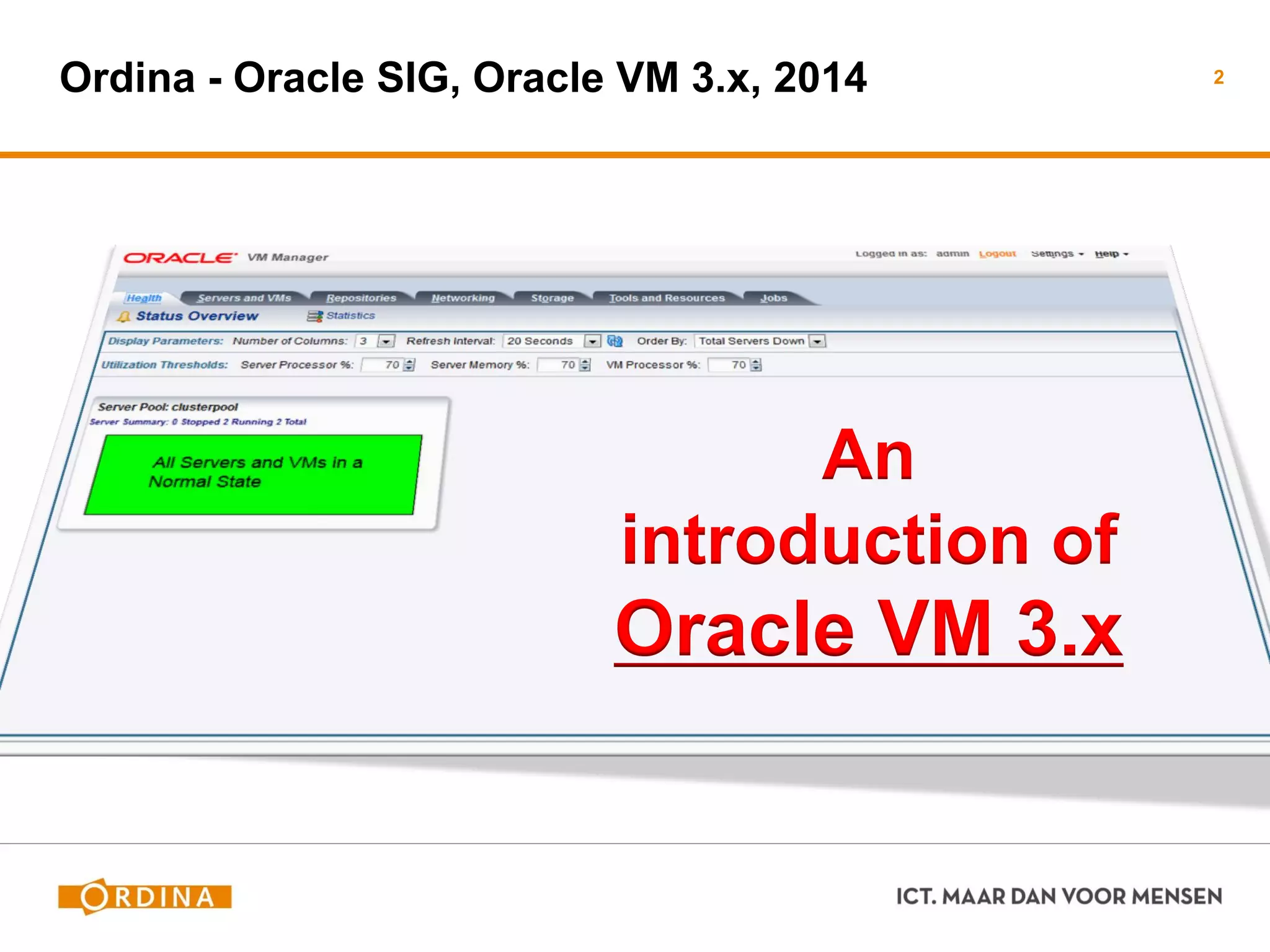
Ordina - Oracle SIG, Oracle VM 3.x, 2014 2
An
introduction of
Oracle VM 3.x
Marco Gralike
 Management Consultant
 Ordina RT&I, Platforms
 marco.gralike@ordina.nl
 Oracle ACE Director, XML DB
 20+ jaar IT experience (since1993)
− Oracle Database Administration, OS Admin, App.Servers Admin
− Virtualization, Cloud Architectures
− Presenter
 Performance & Troubleshooting
 Semi- & Un-structured Data
3
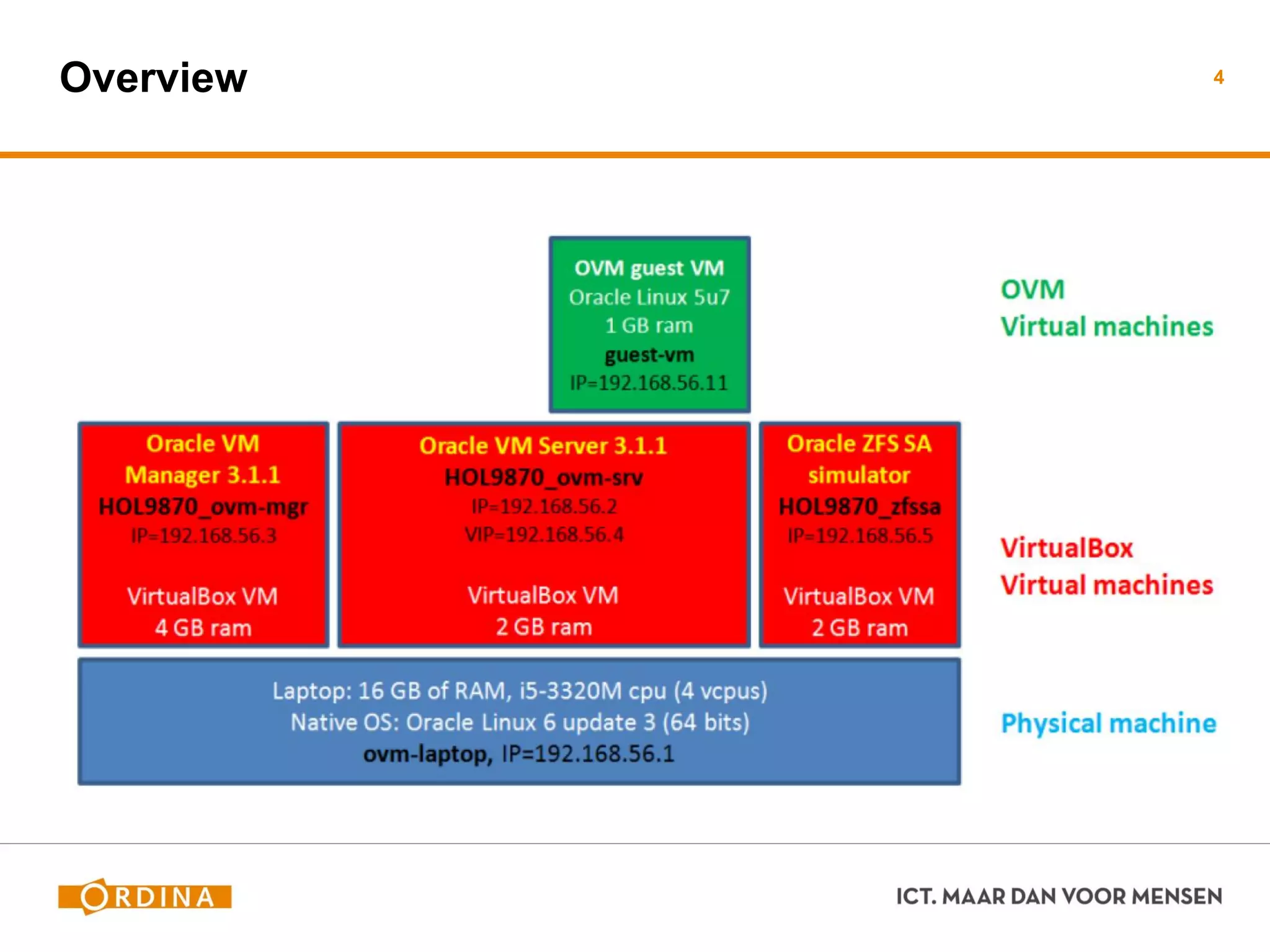
Overview 4
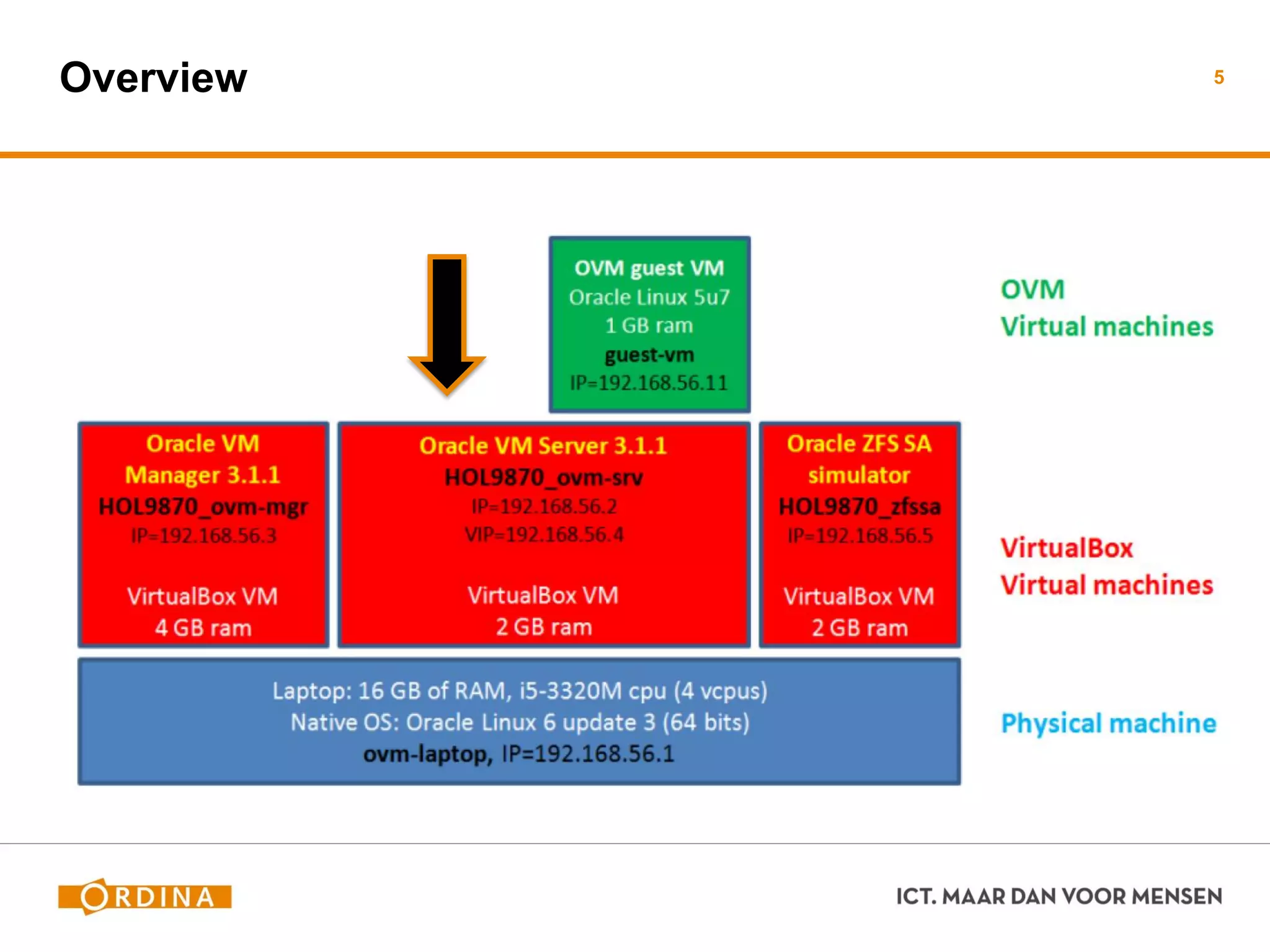
Overview 5
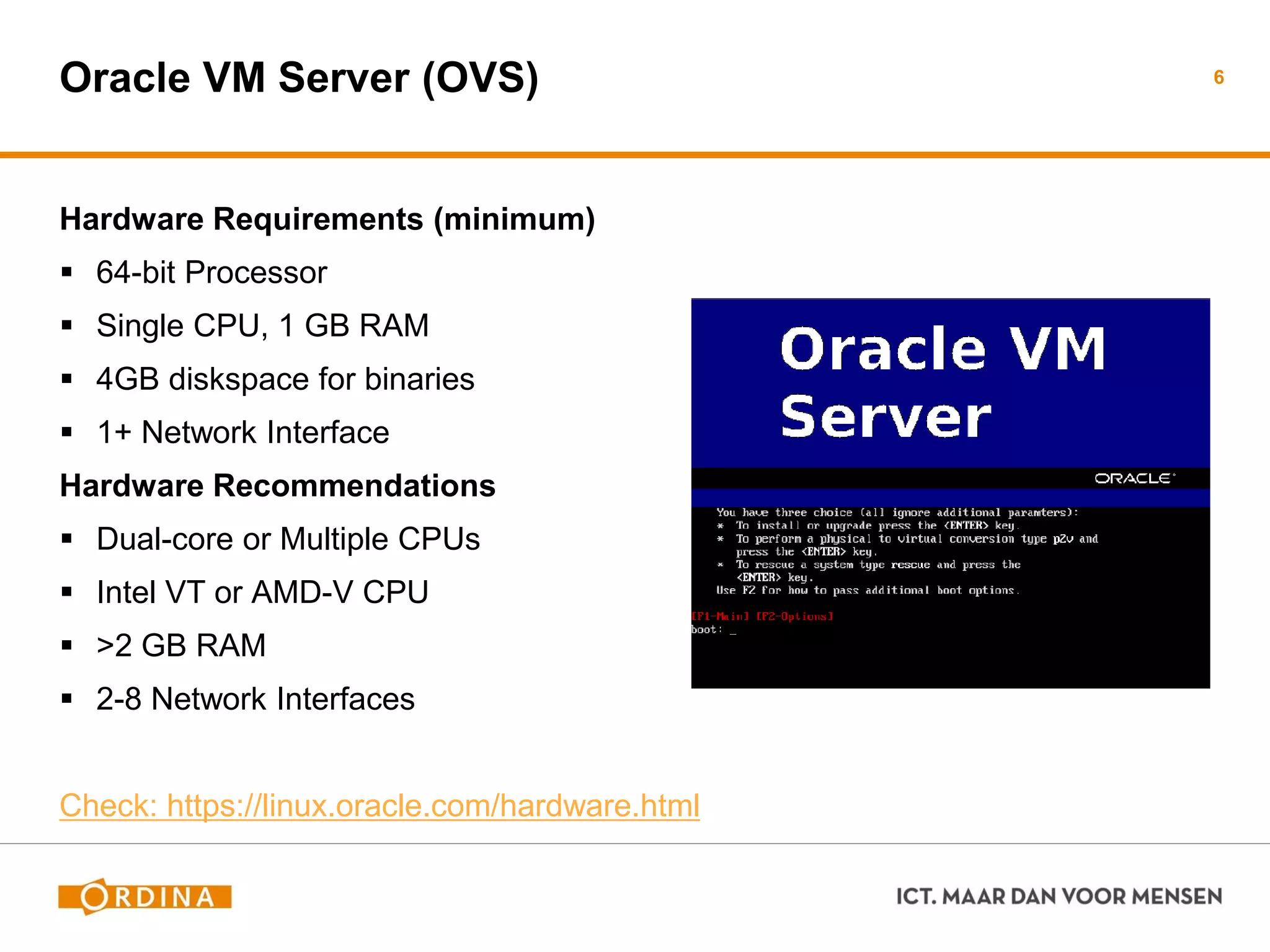
Oracle VM Server (OVS)
Hardware Requirements (minimum)
 64-bit Processor
 Single CPU, 1 GB RAM
 4GB diskspace for binaries
 1+ Network Interface
Hardware Recommendations
 Dual-core or Multiple CPUs
 Intel VT or AMD-V CPU
 >2 GB RAM
 2-8 Network Interfaces
Check: https://linux.oracle.com/hardware.html
6
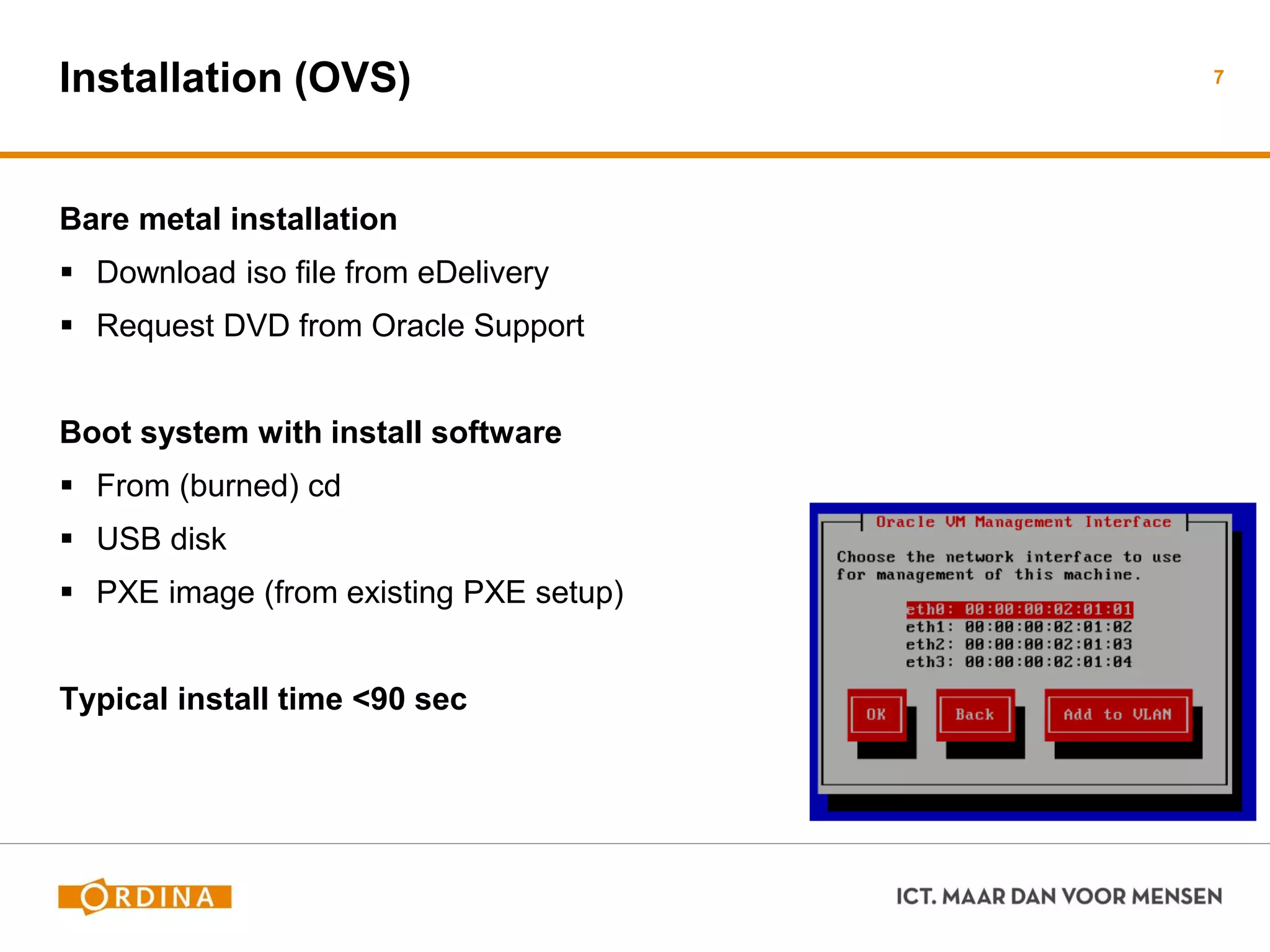
Installation (OVS)
Bare metal installation
 Download iso file from eDelivery
 Request DVD from Oracle Support
Boot system with install software
 From (burned) cd
 USB disk
 PXE image (from existing PXE setup)
Typical install time <90 sec
7
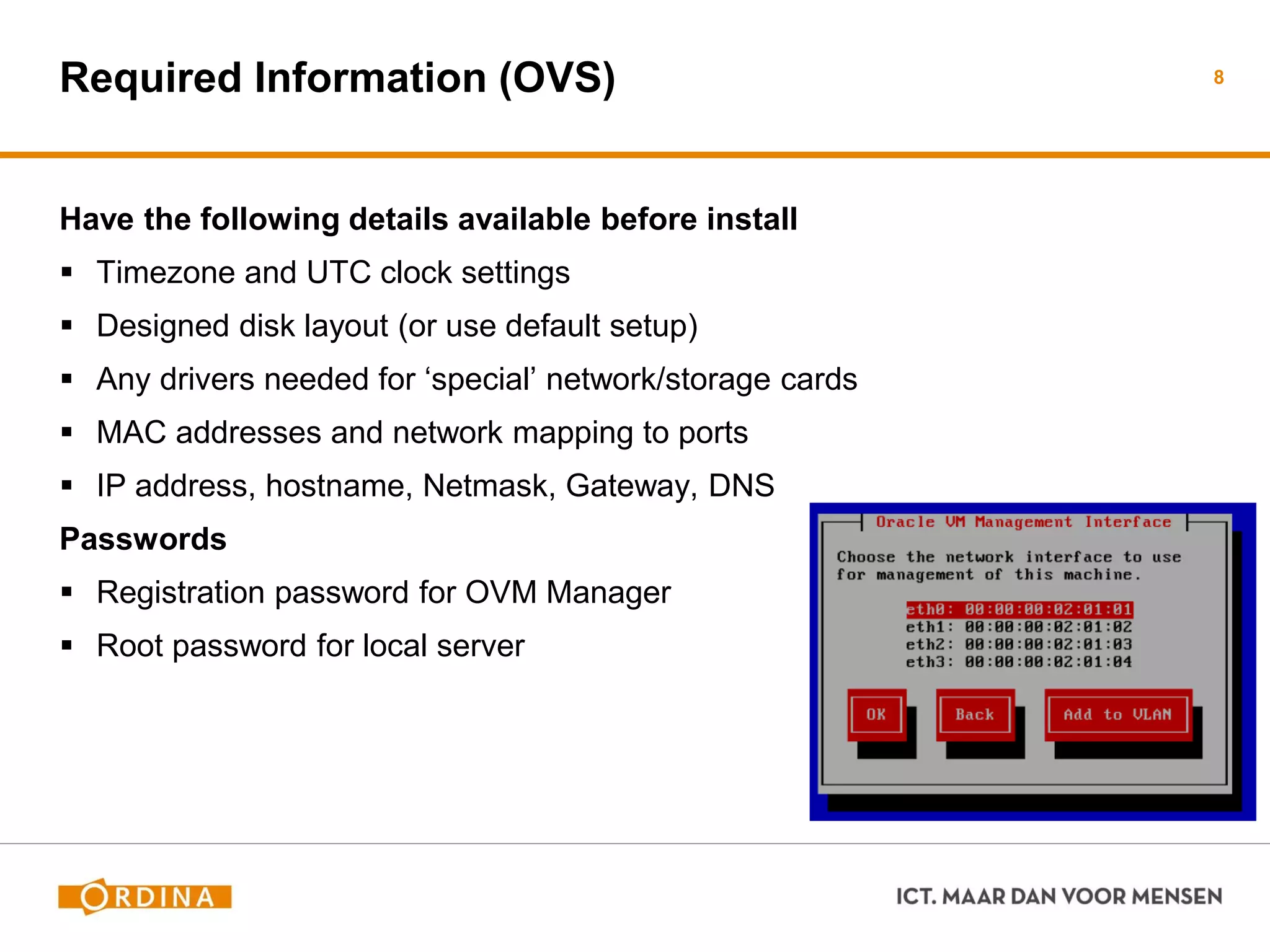
Required Information (OVS)
Have the following details available before install
 Timezone and UTC clock settings
 Designed disk layout (or use default setup)
 Any drivers needed for ‘special’ network/storage cards
 MAC addresses and network mapping to ports
 IP address, hostname, Netmask, Gateway, DNS
Passwords
 Registration password for OVM Manager
 Root password for local server
8
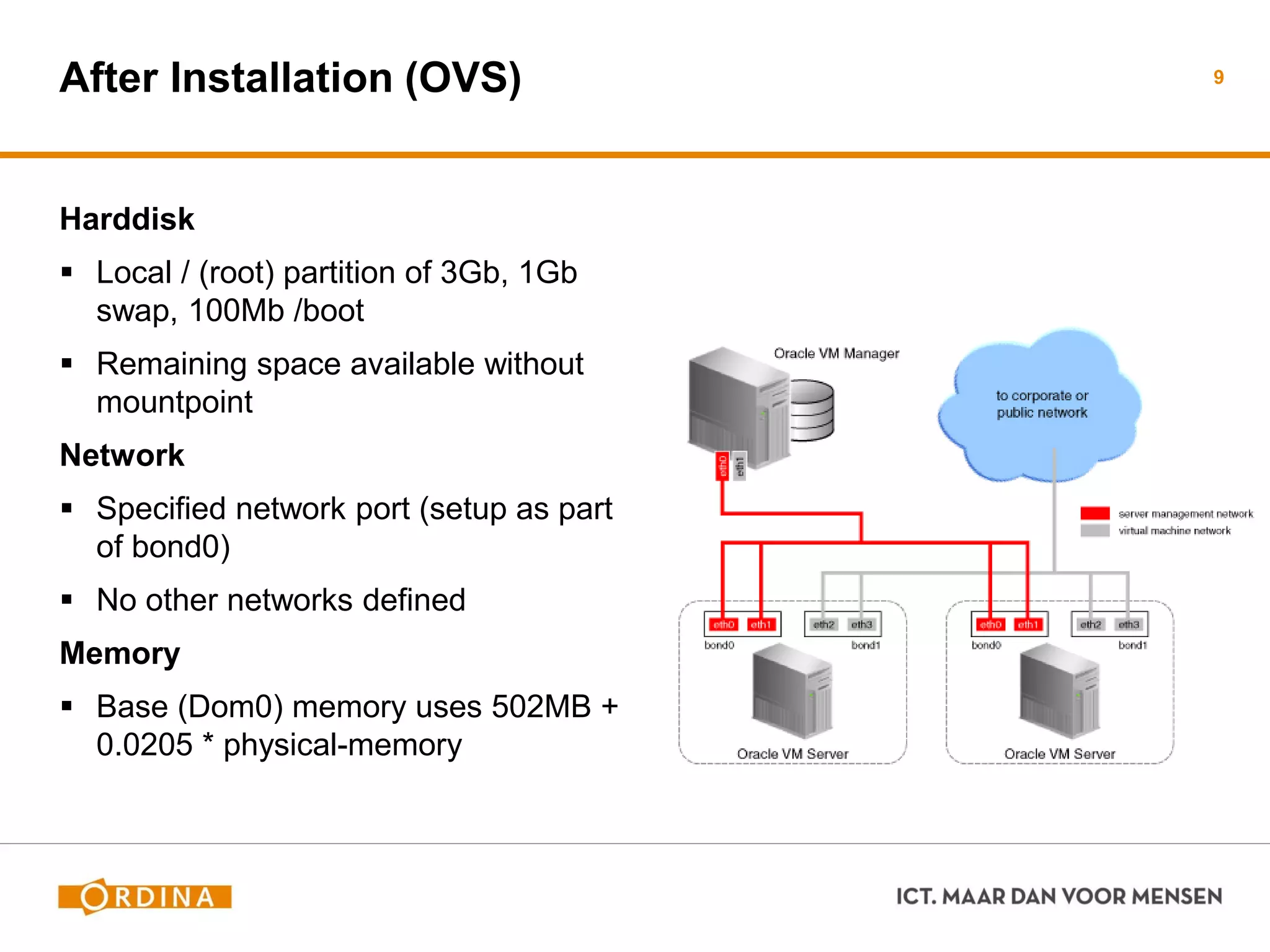
After Installation (OVS)
Harddisk
 Local / (root) partition of 3Gb, 1Gb
swap, 100Mb /boot
 Remaining space available without
mountpoint
Network
 Specified network port (setup as part
of bond0)
 No other networks defined
Memory
 Base (Dom0) memory uses 502MB +
0.0205 * physical-memory
9
Troubleshooting (OVS)
/var/log contains important files
 ovs-agent.log
− Logfile for the Oracle VM agent. Remote requests and jobs by VM Manager are logged
here. 95% of all issues can be detected and solved by viewing this logfile
 messages
− Logfile containing (default) Linux OS information including usual Linux processes like
network, filesystems, drivers etc
 Various other logfiles
− But the two mentioned are the most important ones !
10
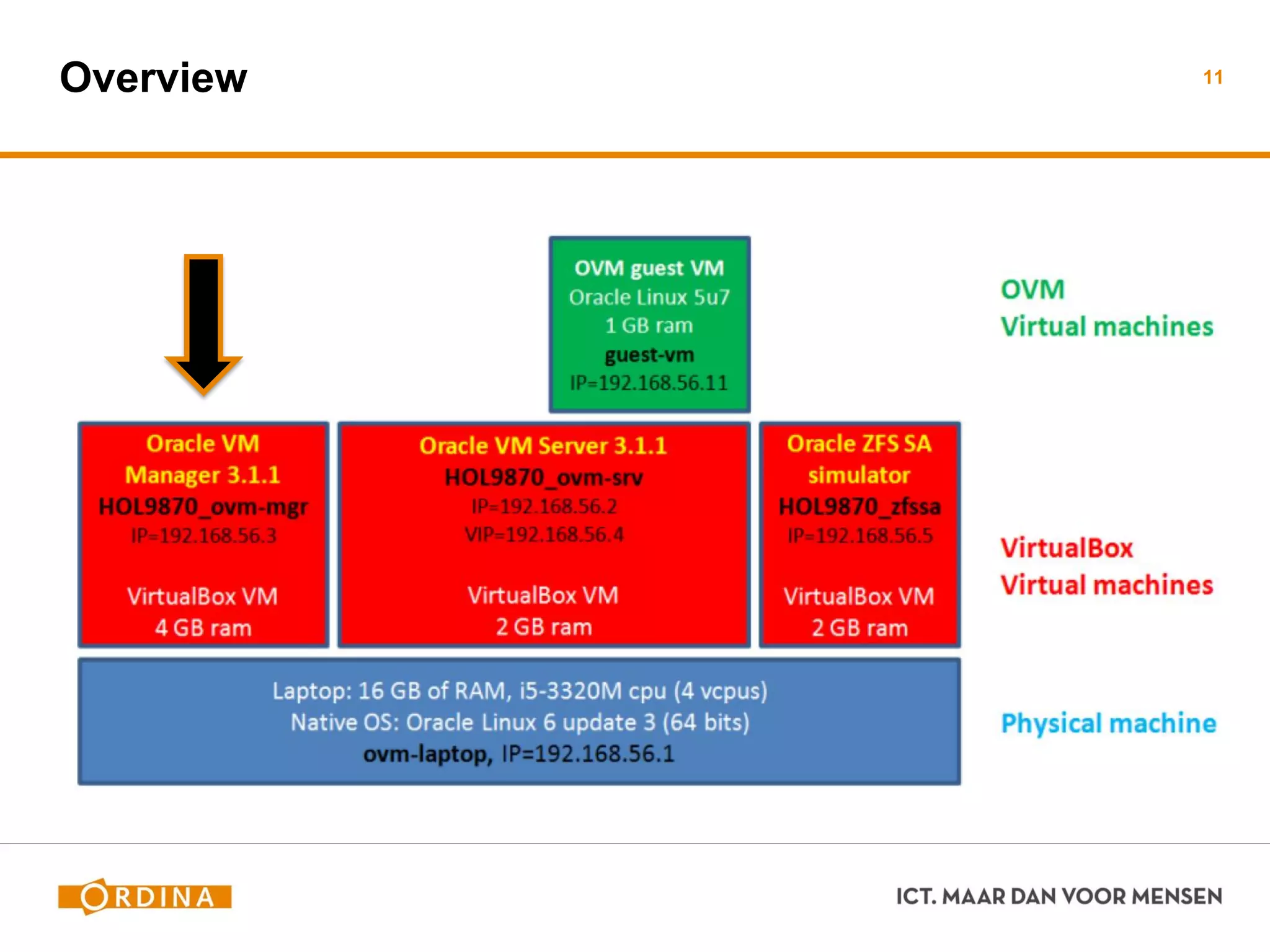
Overview 11
Oracle VM Manager (OVM)
Needs pre-existing OL5-64 bit or OL6-64 bit system
 Only Oracle Linux 5/6 are certified
 Networking already configured
 Required packages installed
− Libaio and unzip
− oracle-validated (optional, helpful)
 May be virtualized
− Is allowed to be installed on the managed OVM environment
− Check installation manual for specific steps
12
Prerequisites (OVM) - 1
Hardware requirements
 8 GB Memory (or 6 GB if DB is on other host)
 1x 1.83 Ghz 64bit processor
 1 network card
 Harddisk space
− 2.1 GB swapspace
− 5.5 GB in /u01
− 2 GB in /tmp
− 500MB in /var and /usr
13
Prerequisites (OVM) - 2
Software requirements
 Oracle Linux / Red Hat Enterprise Linux 5.5/6 64bit or later
 Hostname, /etc/hosts and network working/setup
 Oracle VM Manager mounted and accessible
 Oracle user created with required settings
− Can use script ‘createOracle.sh’ from install media
 Following packages installed:
− libaio
− unzip
− bc
14
Components (OVM)
Oracle MySQL 5.0 database
 Allowed to be used for production
 Can also choose to use Oracle database SE/EE
Oracle Java 1.6 SE
Oracle WebLogic Server 11g
Oracle ADF (provides web interface look-and-feel)
Oracle VM 3.2 Manager
15
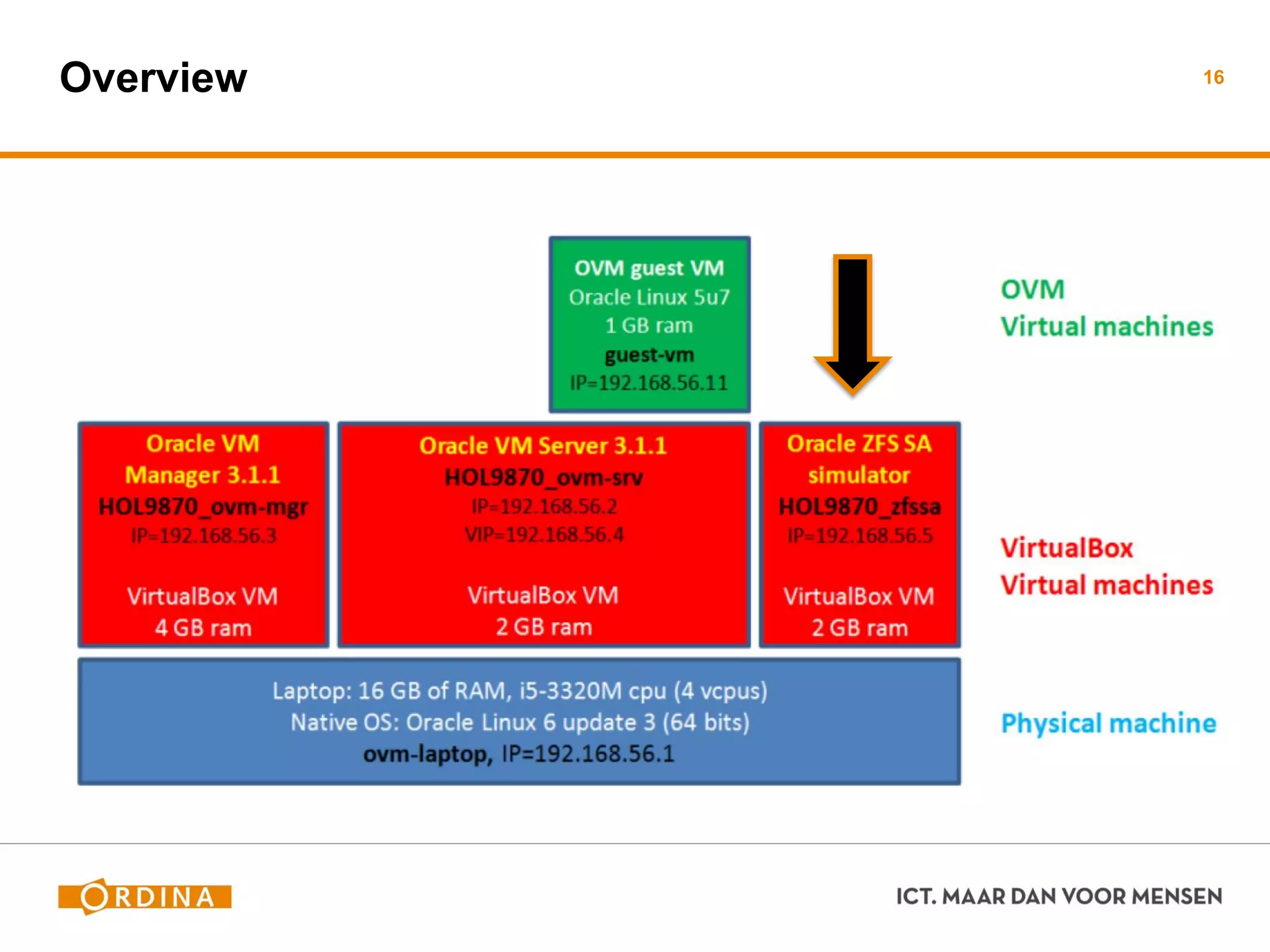
Overview 16
Storage Needed For…
Storage and Oracle VM
 Storage types
 Discovering storage for VM usage
Repositories
 NFS Storage
 SAN Storage
 Repositories need to presented to servers
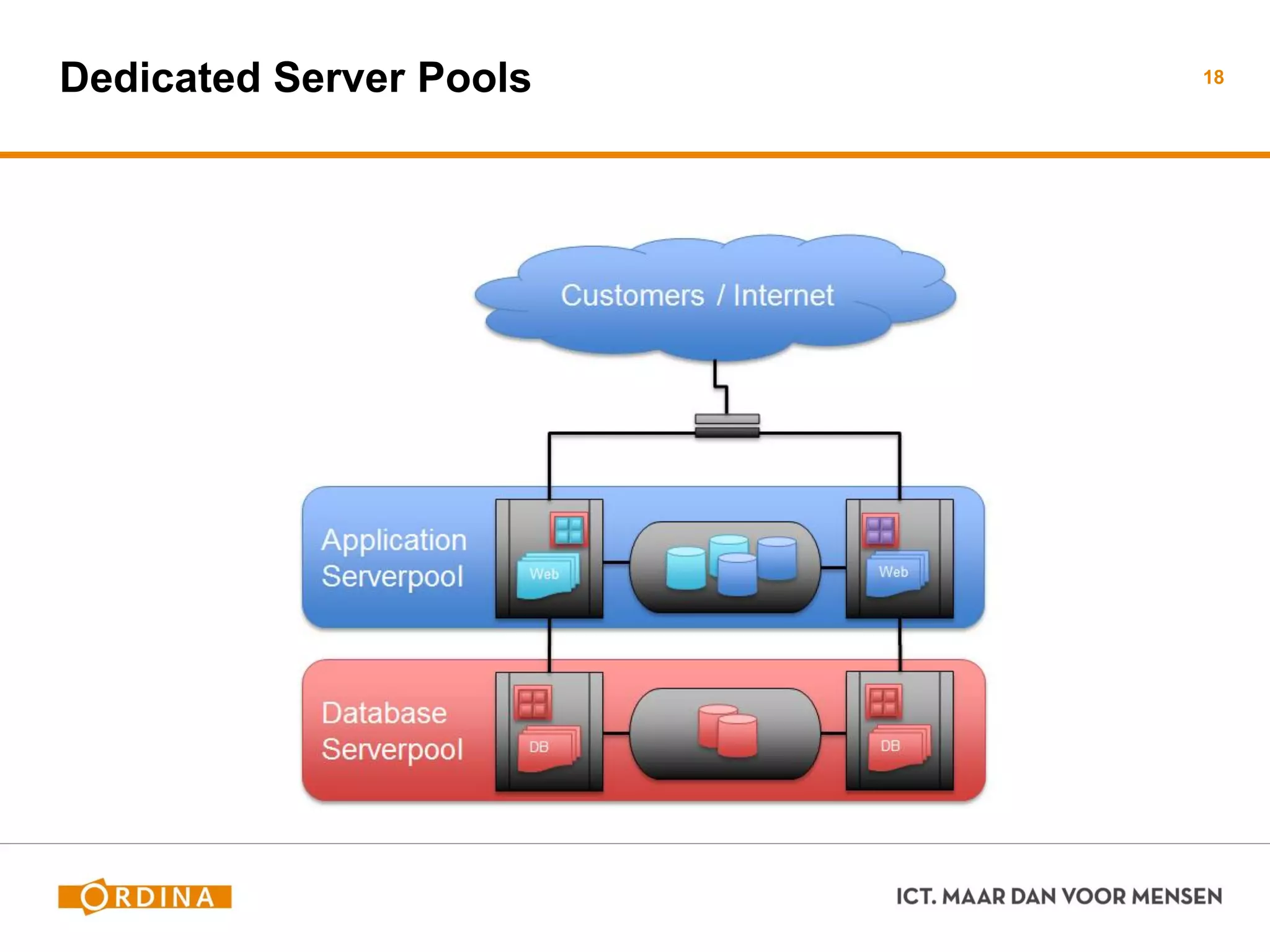
Server pools
 Logical grouping of one or more physical servers
 Virtual Machines can run on or migrate to any server in the pool
 Create different Server Pools for different purposes
17
Dedicated Server Pools 18
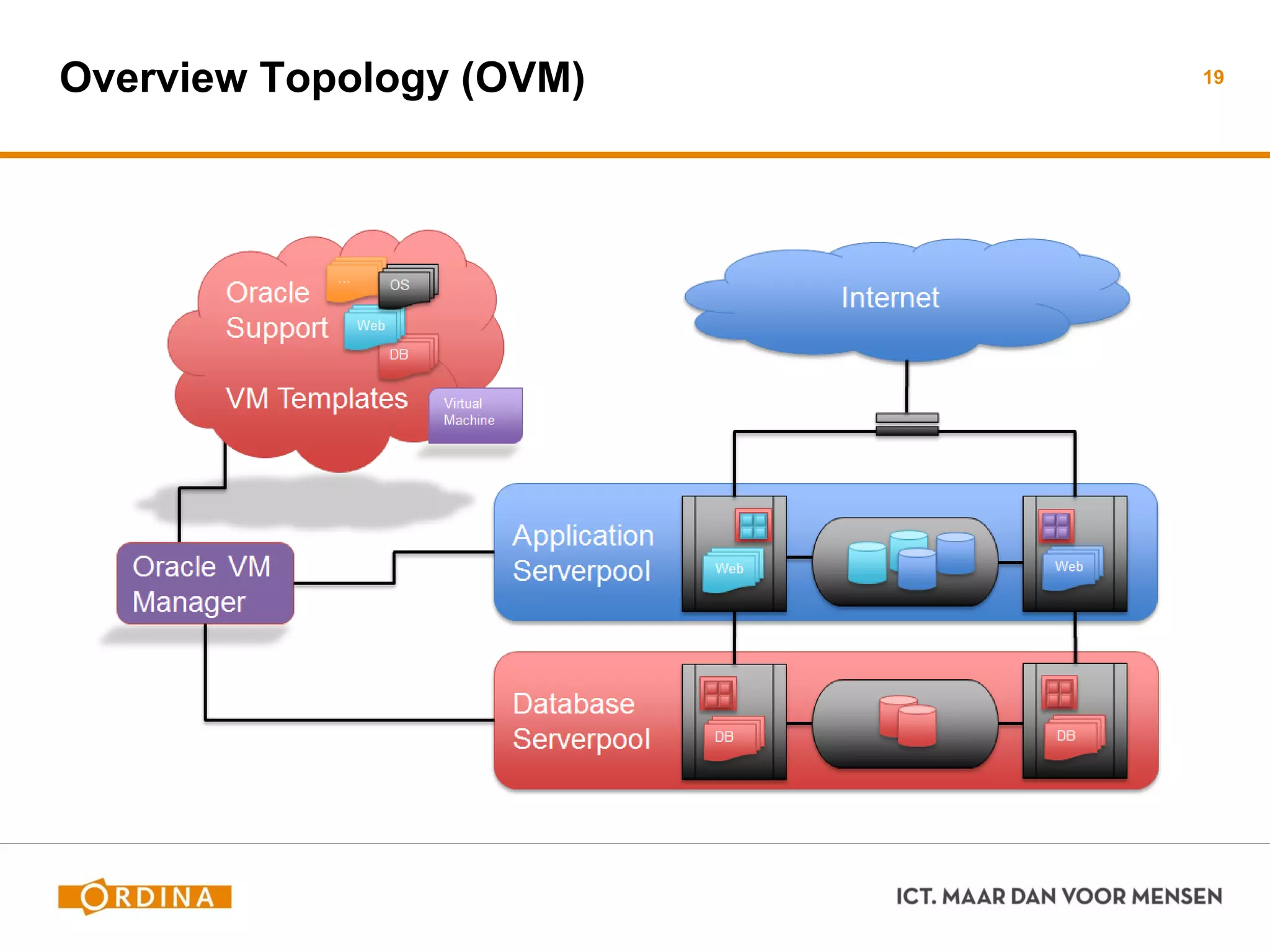
Overview Topology (OVM) 19
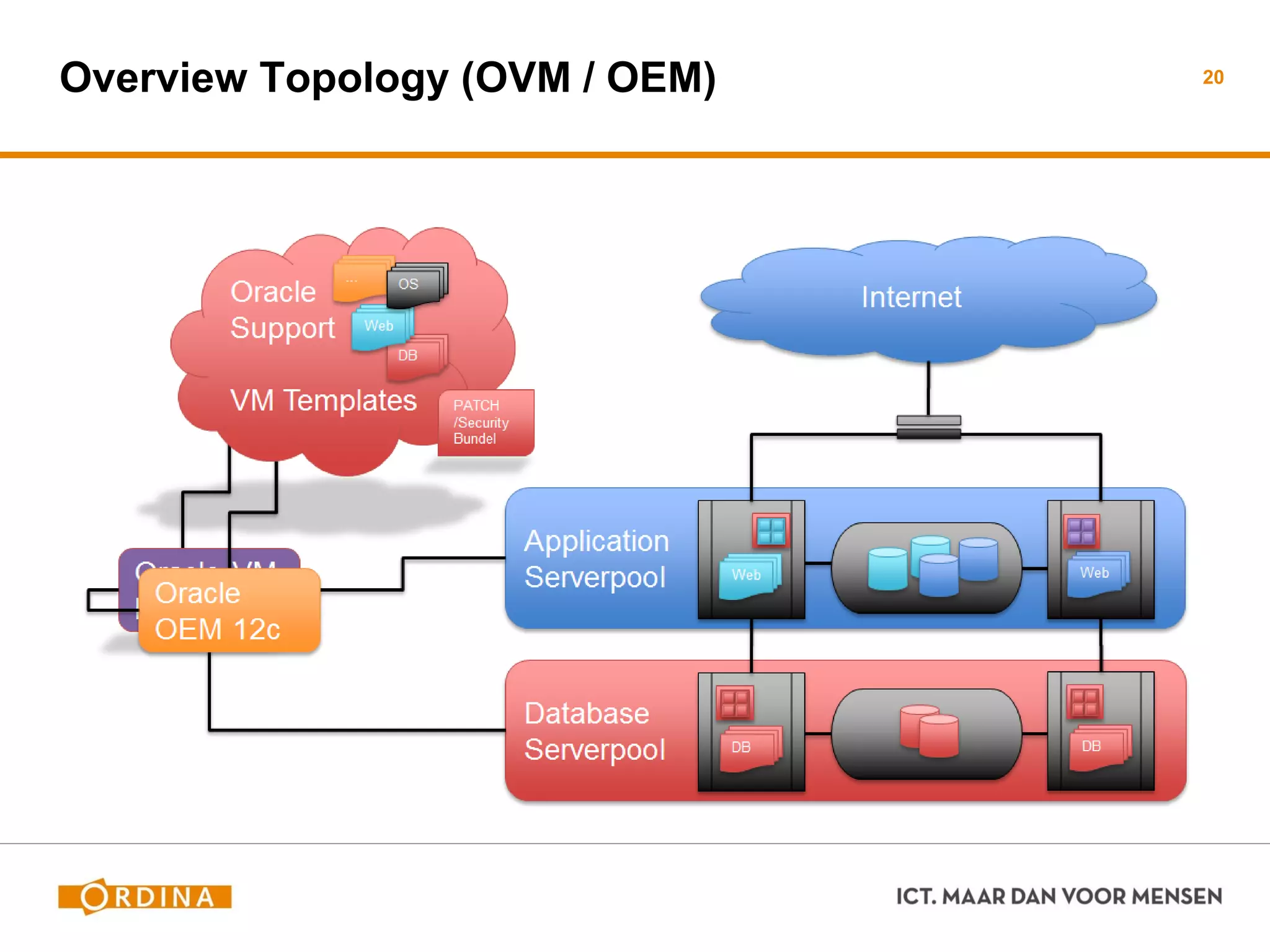
Overview Topology (OVM / OEM) 20
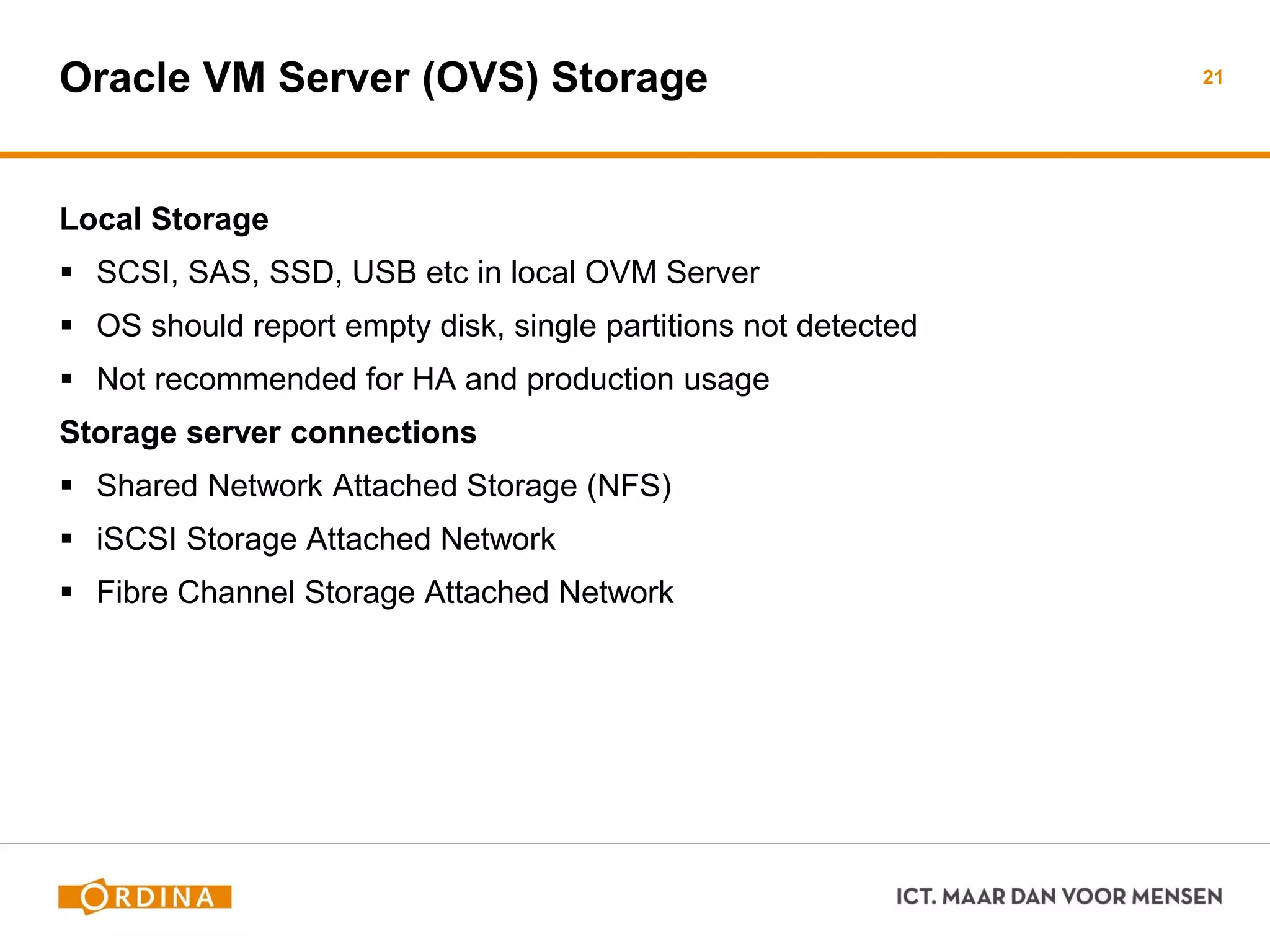
Oracle VM Server (OVS) Storage
Local Storage
 SCSI, SAS, SSD, USB etc in local OVM Server
 OS should report empty disk, single partitions not detected
 Not recommended for HA and production usage
Storage server connections
 Shared Network Attached Storage (NFS)
 iSCSI Storage Attached Network
 Fibre Channel Storage Attached Network
21
Shared Network Attached Storage (NFS)
Create NFS shares on NFS Server
 Detect NFS server and NFS shares in OVM Manager
 Determine which VM’s can use the shares
 Start storing information on the NFS shares
When Virtual Machines are stored on NFS
 Virtual disk I/O needs to be translated into NFS files
 Slower than block I/O like local disks, iSCSI or FC San storage
22
iSCSI Network Attached Storage (iSCSI)
Simulate remote disks as if they were local
 Normal SCSI commands are transported to iSCSI server
Supported by default
 iSCSI client software (initiator) is present by default
 iSCSI server (target) needs to be setup
 Access rights based on OVM Manager or iSCSI Server setup
When Virtual Machines are stored on iSCSI
 Performance depends on iSCSI Target and network
 Can be as fast as local storage, overhead is less than NFS
23
Uses dedicated hardware
 To present remote disks/LUNs as local disks
 Setup and acces permissions are setup on the SAN Server
Supported by default
 Drivers might be needed if no default driver exists
 Linux Multipath supported by default for HA setup
 Local changes might be needed (driver options etc)
When Virtual Machines are stored on FibreChannel SAN
 Depends on remote system and FibreChannel network
24Fibre Channel (FC) Storage Attached Network (SAN)
Storage Connect Plugins - 1
Specialized plugins for Oracle VM Server
 Plugin created and supported by storage vendor
 Installed on Oracle VM Server
 Oracle VM Manager detects and uses functionality
Functionality varies per Storage Plugin
 Create new NFS shares
 Create new iSCSI disks
 Clone existing NFS shares or iSCSI disks
 Performs other options (access rights etc)
25
Storage Connect Plugins - 2
Plugins available by default
 NFS, SCSI (local disks), ZFS Storage Appliance, NetApp Filer
 Example: ZFS Storage Appliance plugin can close iSCSI LUNs, create new
iSCSI LUNS and clone/create NFS shares from the OVM Manager
Additional Plugins available
 https://wikis.oracle.com/display/oraclevm/Oracle+VM+Storage+Connect+Plugins
 Examples: Hitachi, Fujitsu, EMC
 Read the plugin documentation carefully for supported models and any licenses
needed for usage. Oracle is not responsible for the functioning of these plugins
26
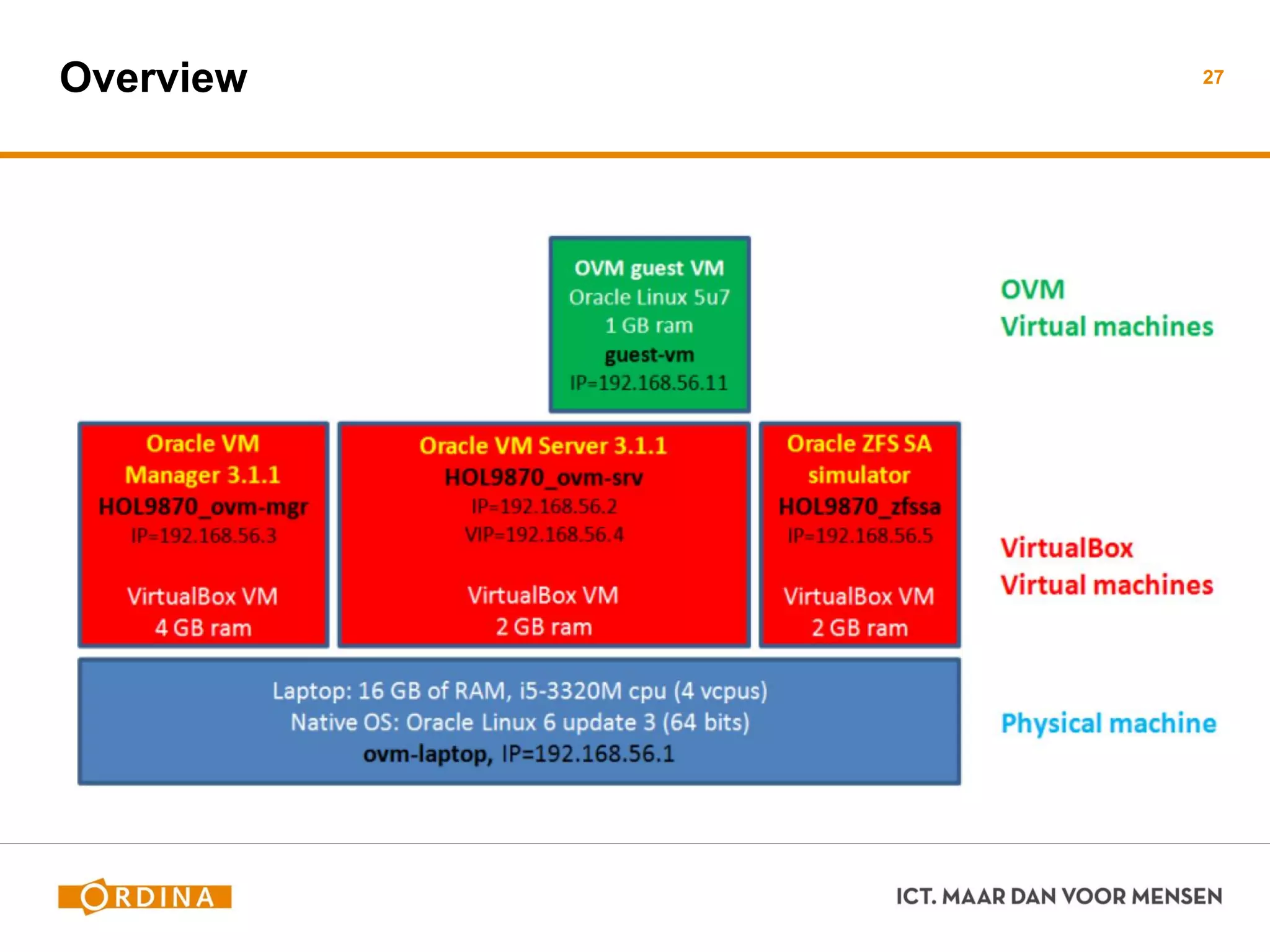
Overview 27
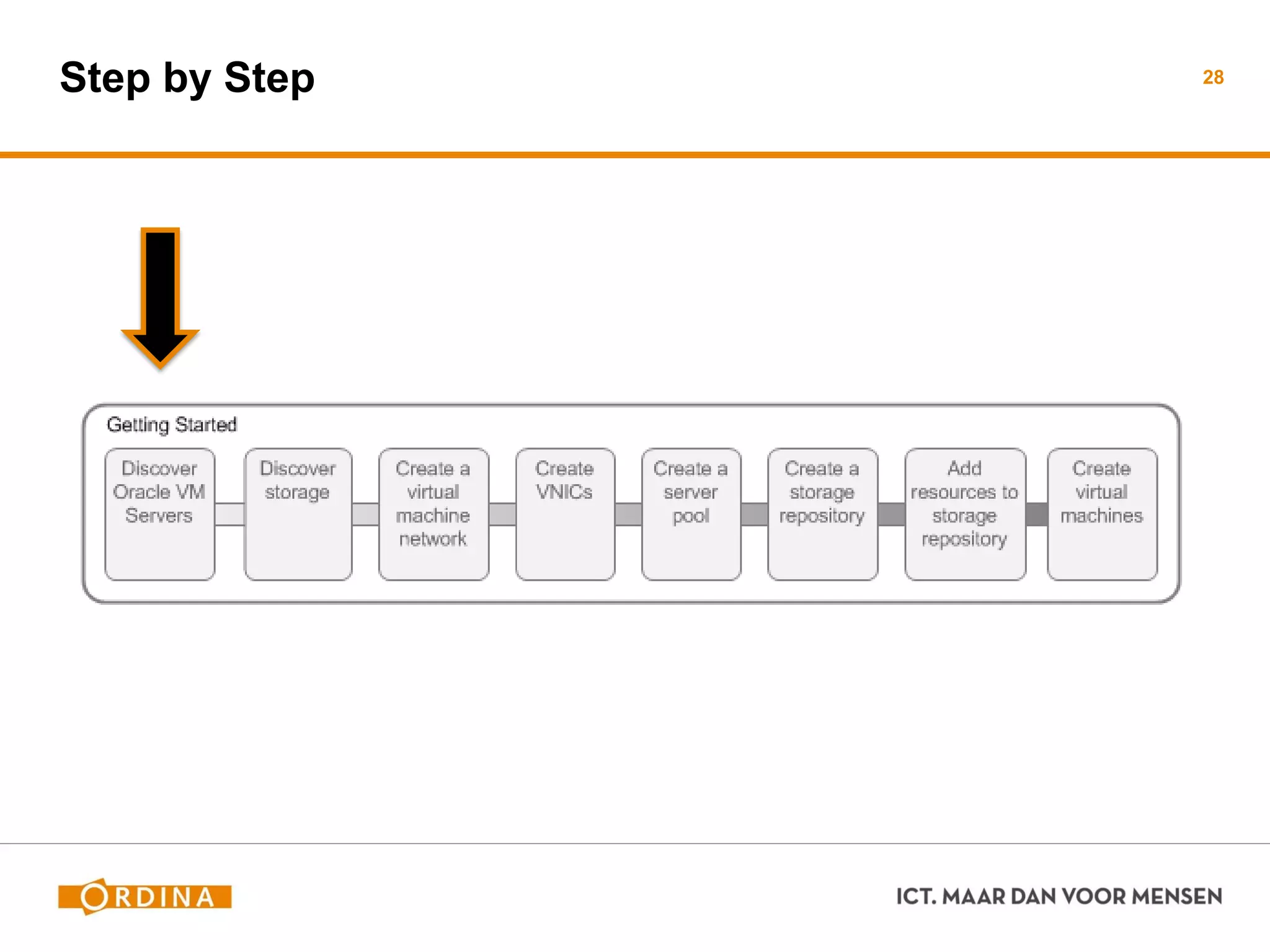
Step by Step 28
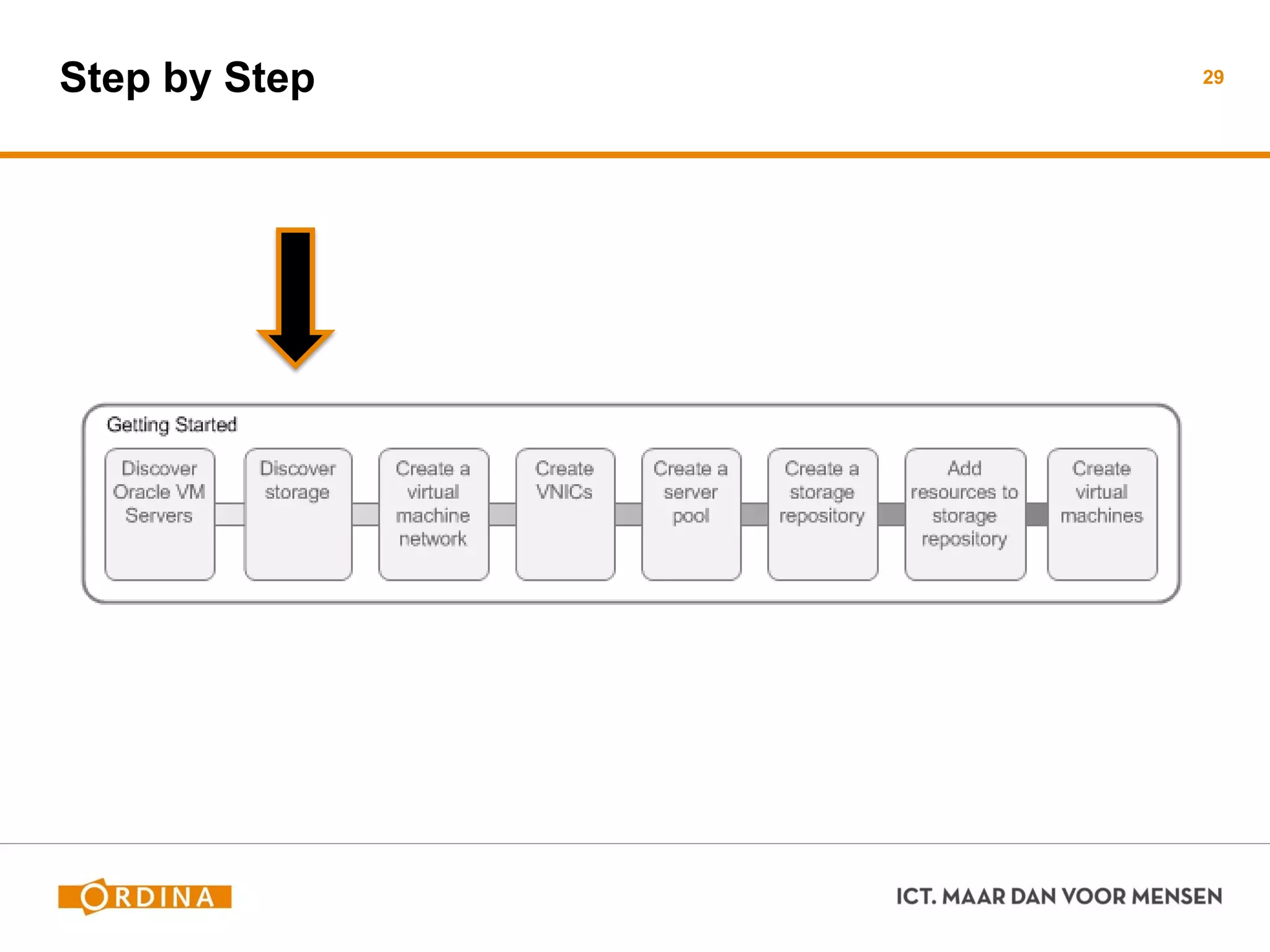
Step by Step 29
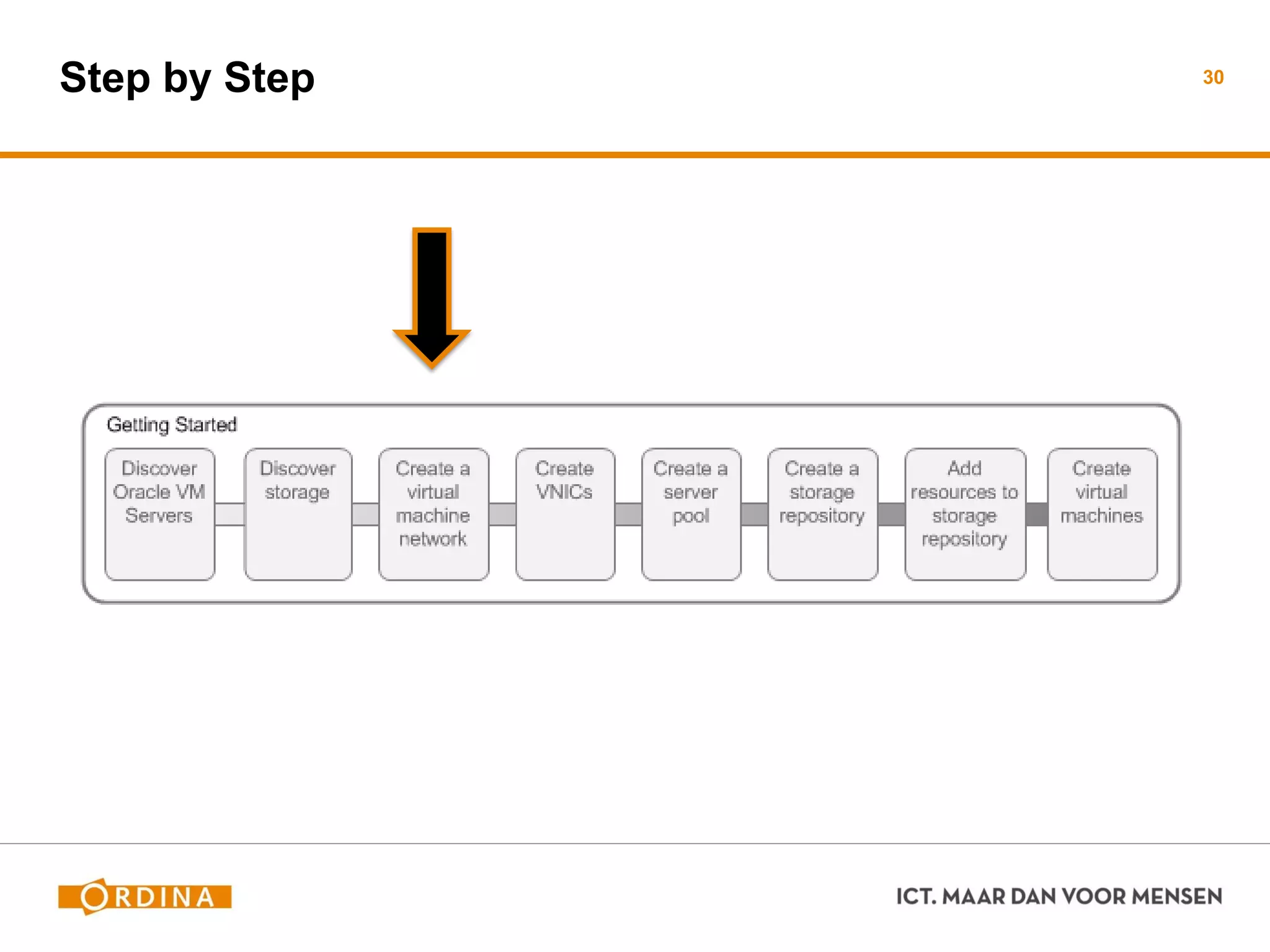
Step by Step 30
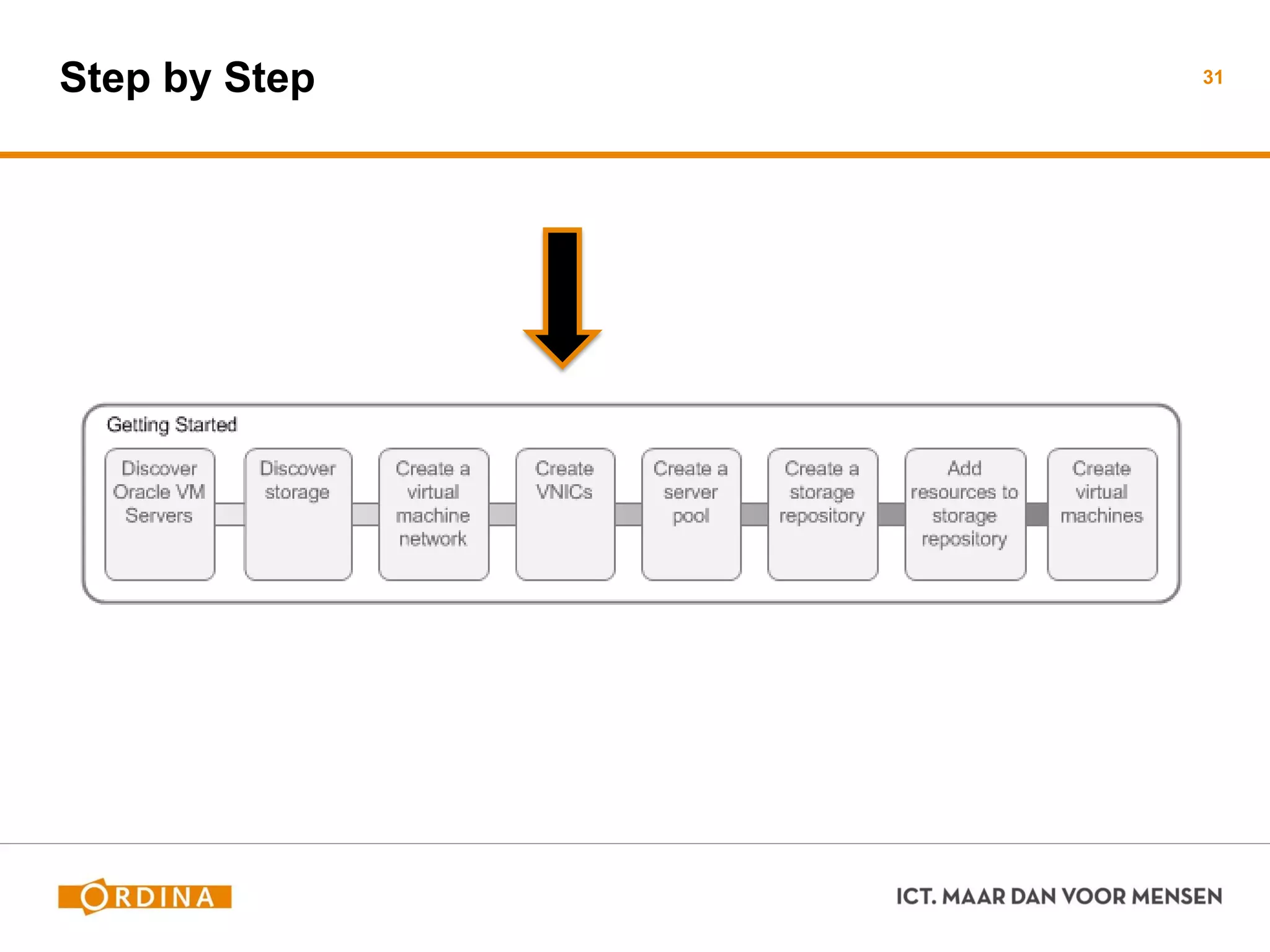
Step by Step 31
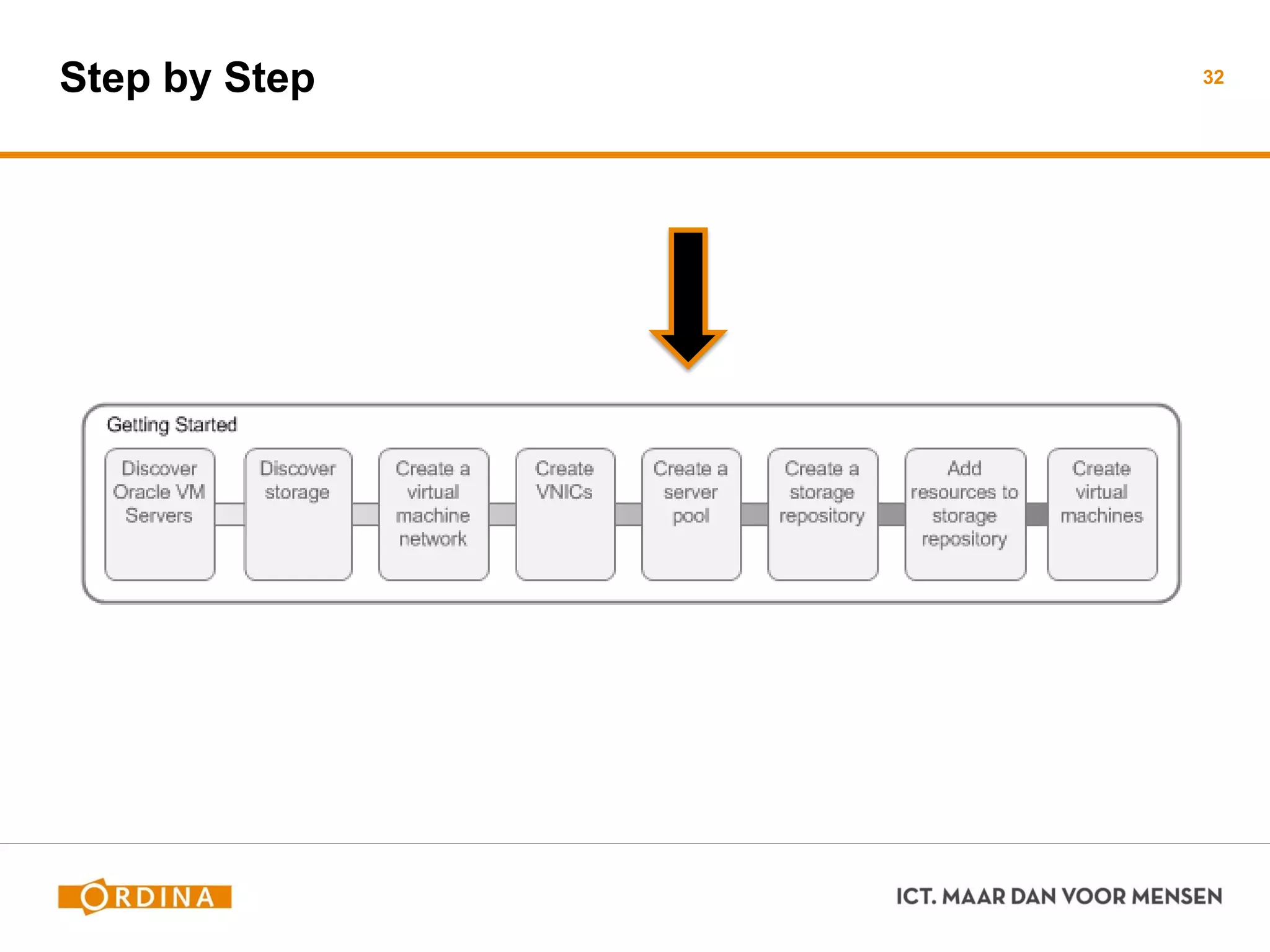
Step by Step 32
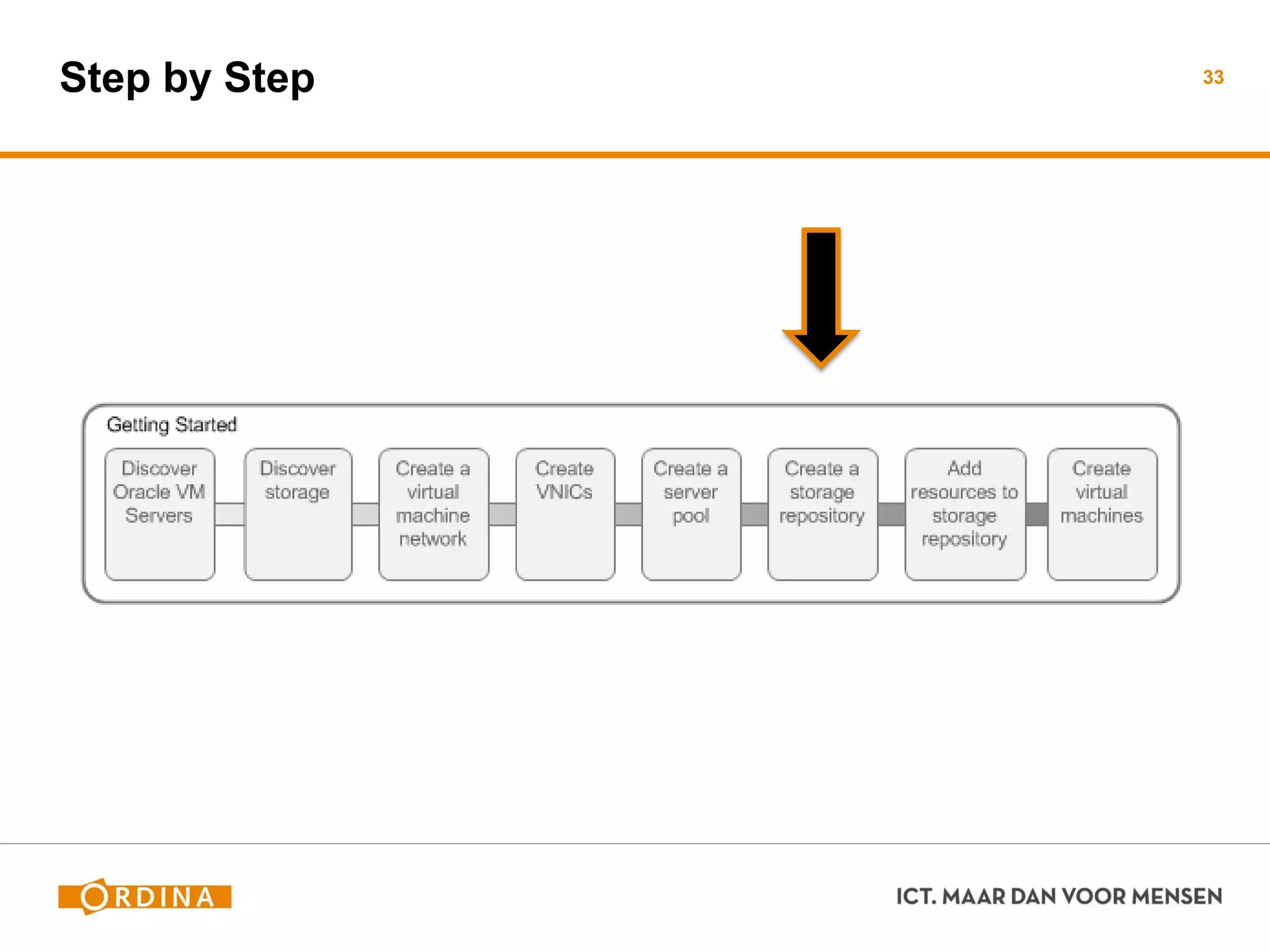
Step by Step 33
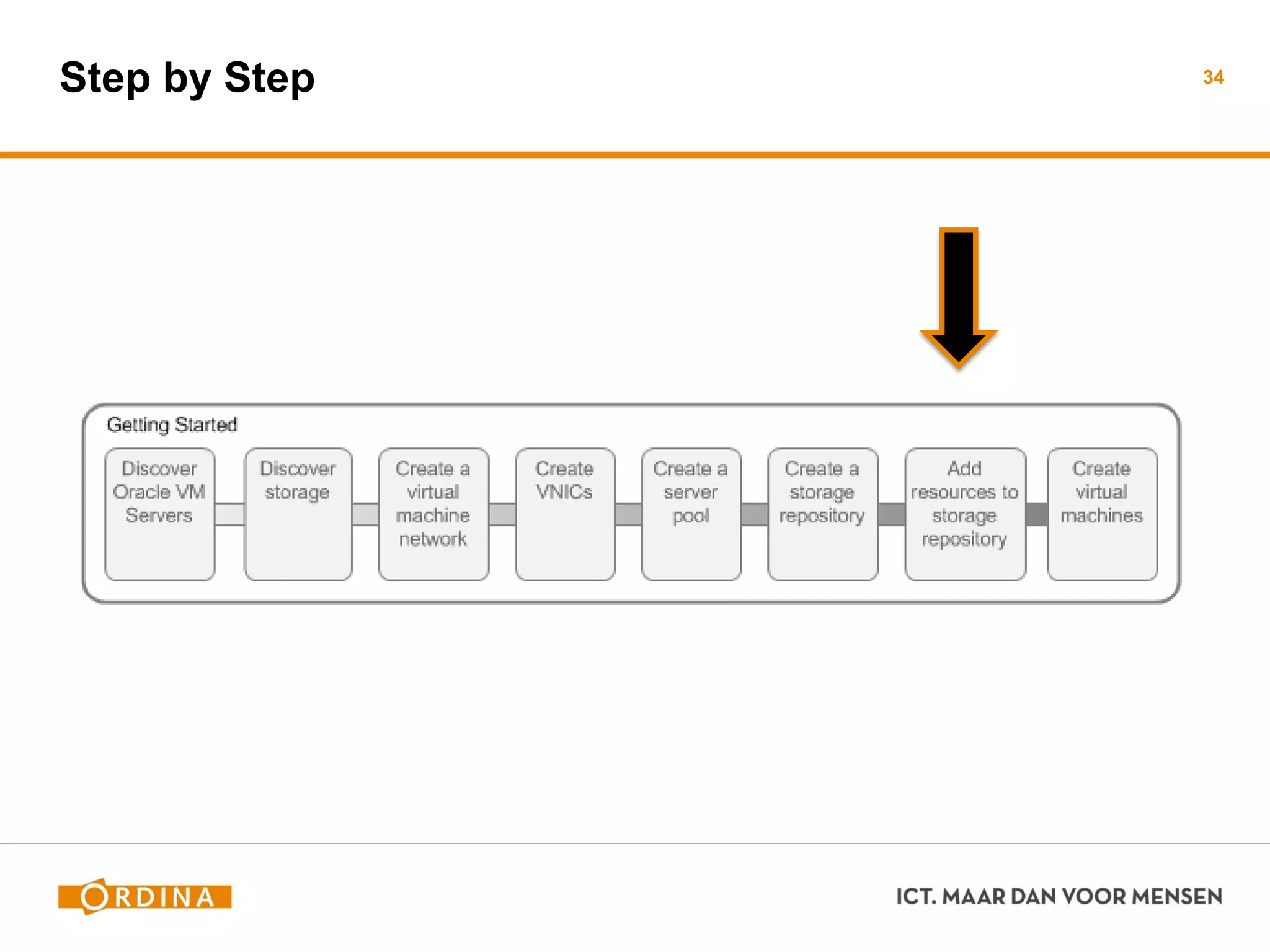
Step by Step 34
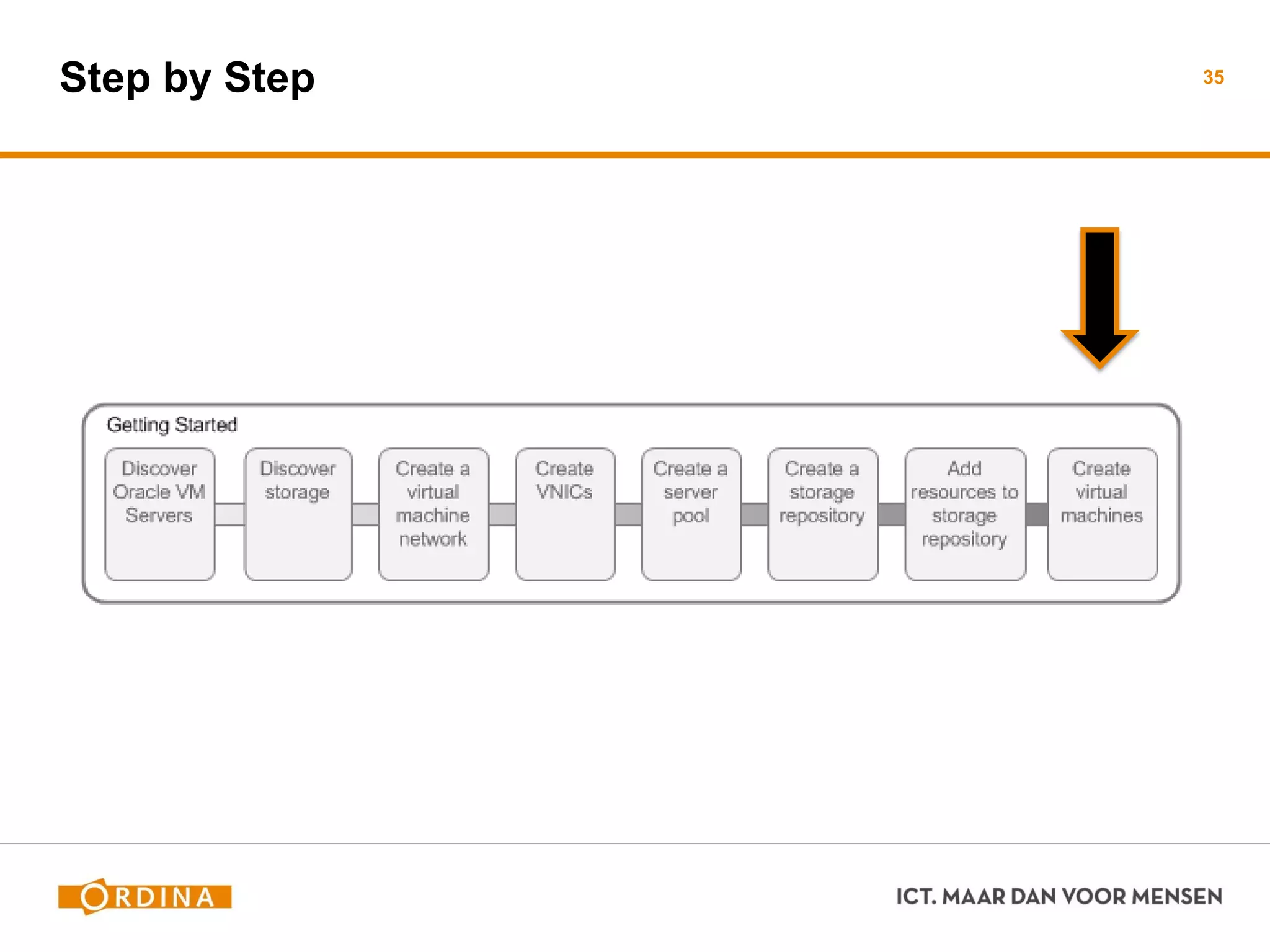
Step by Step 35
Demo
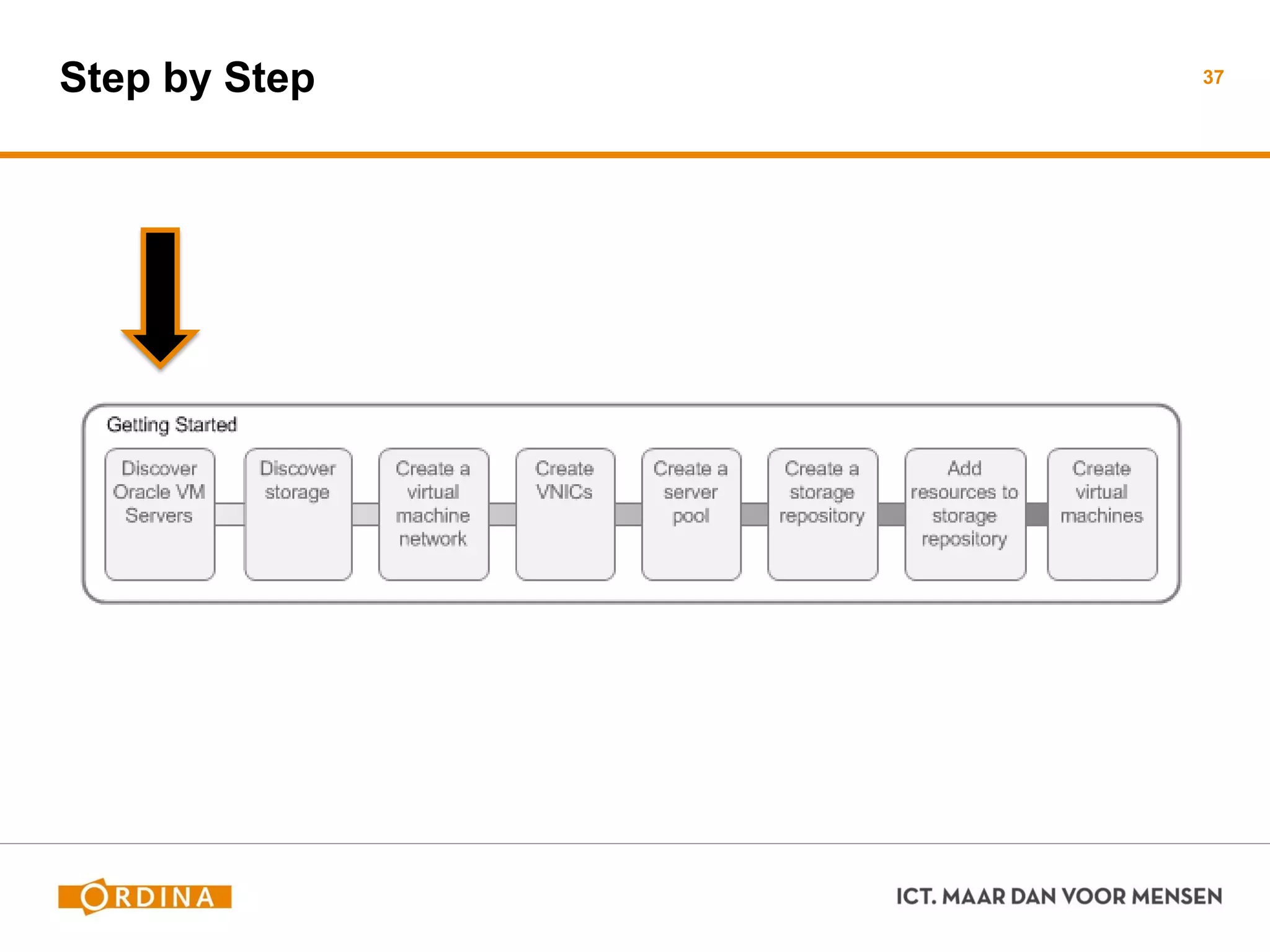
Step by Step 37
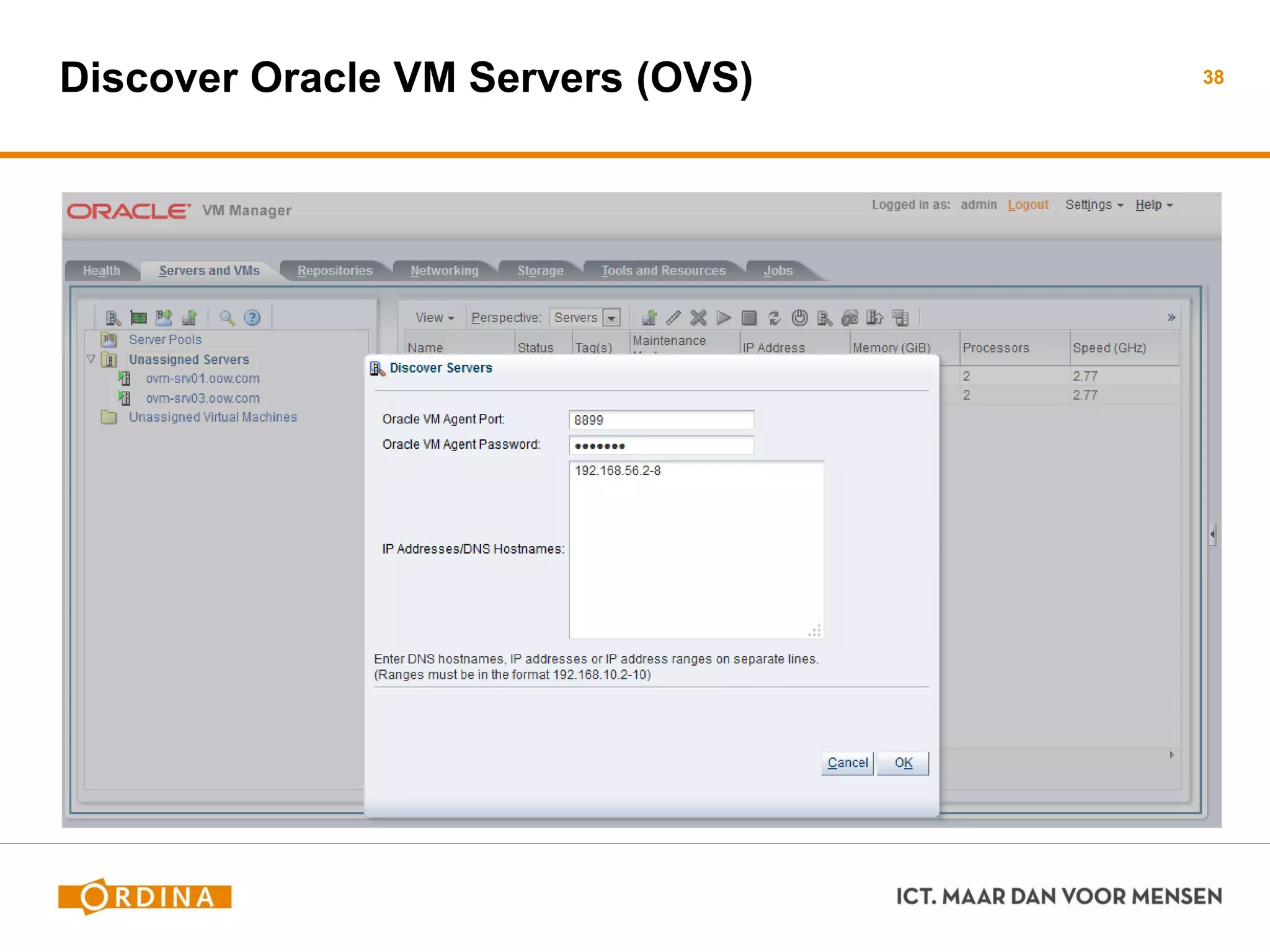
Discover Oracle VM Servers (OVS) 38
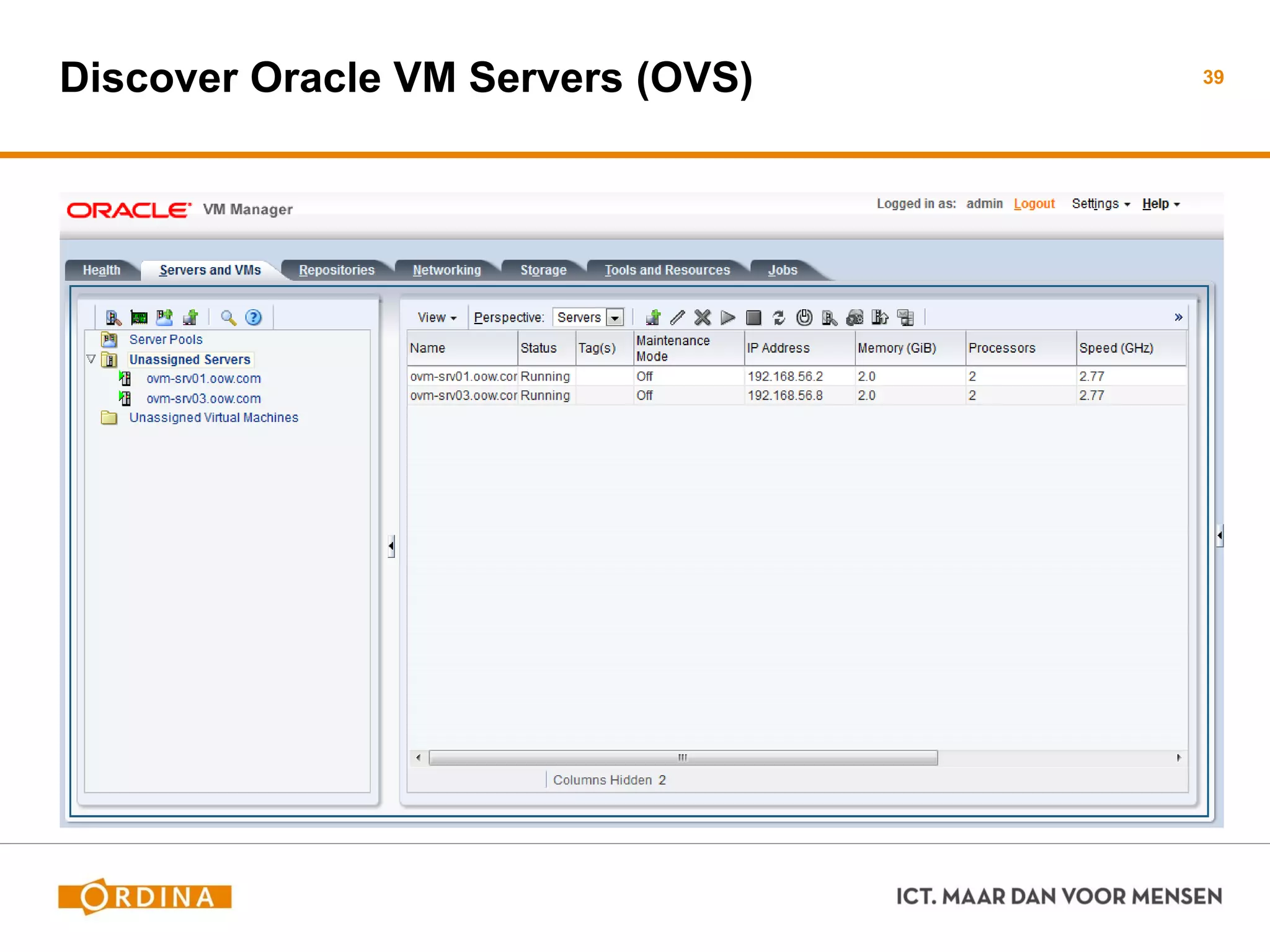
Discover Oracle VM Servers (OVS) 39
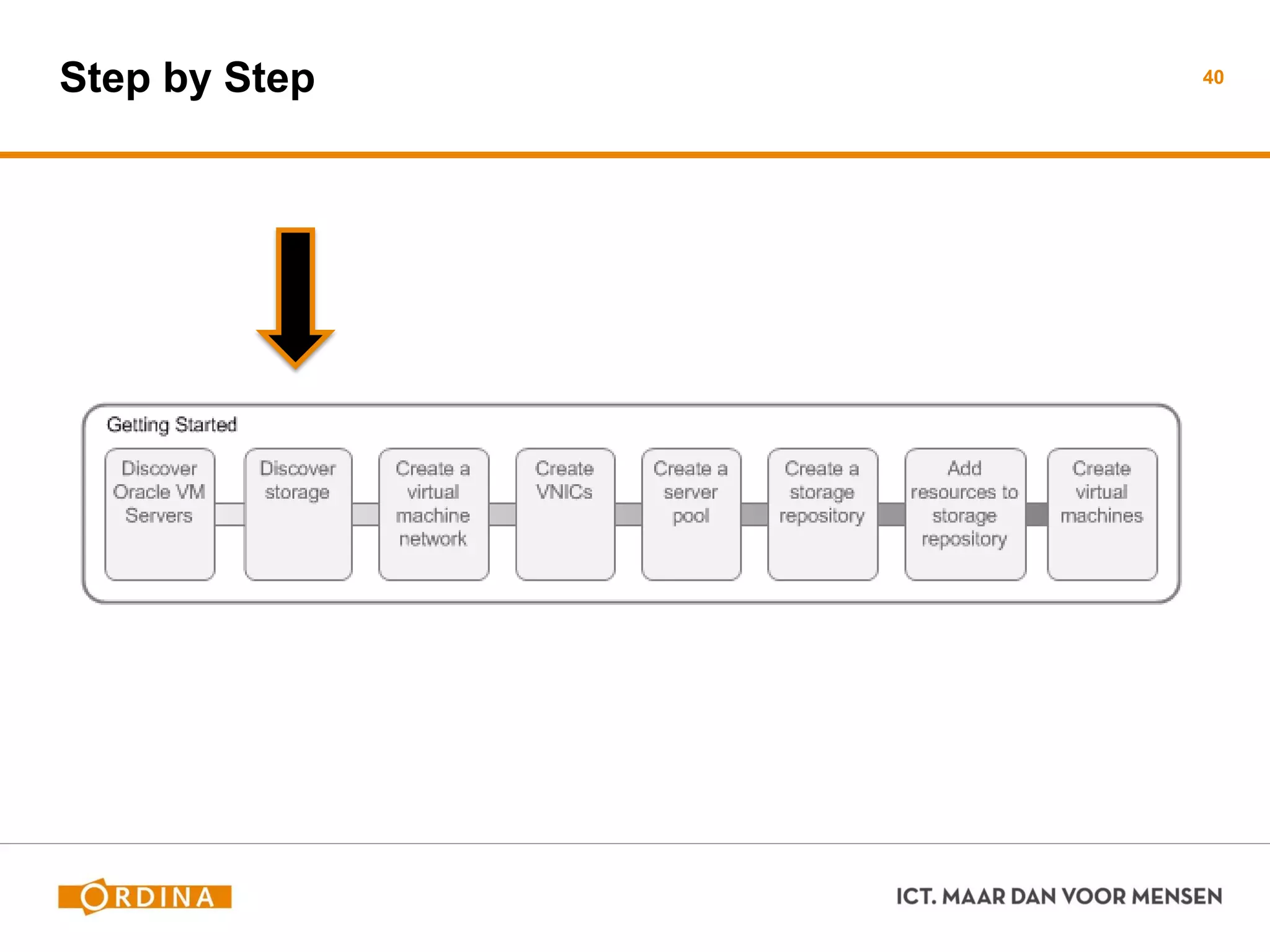
Step by Step 40
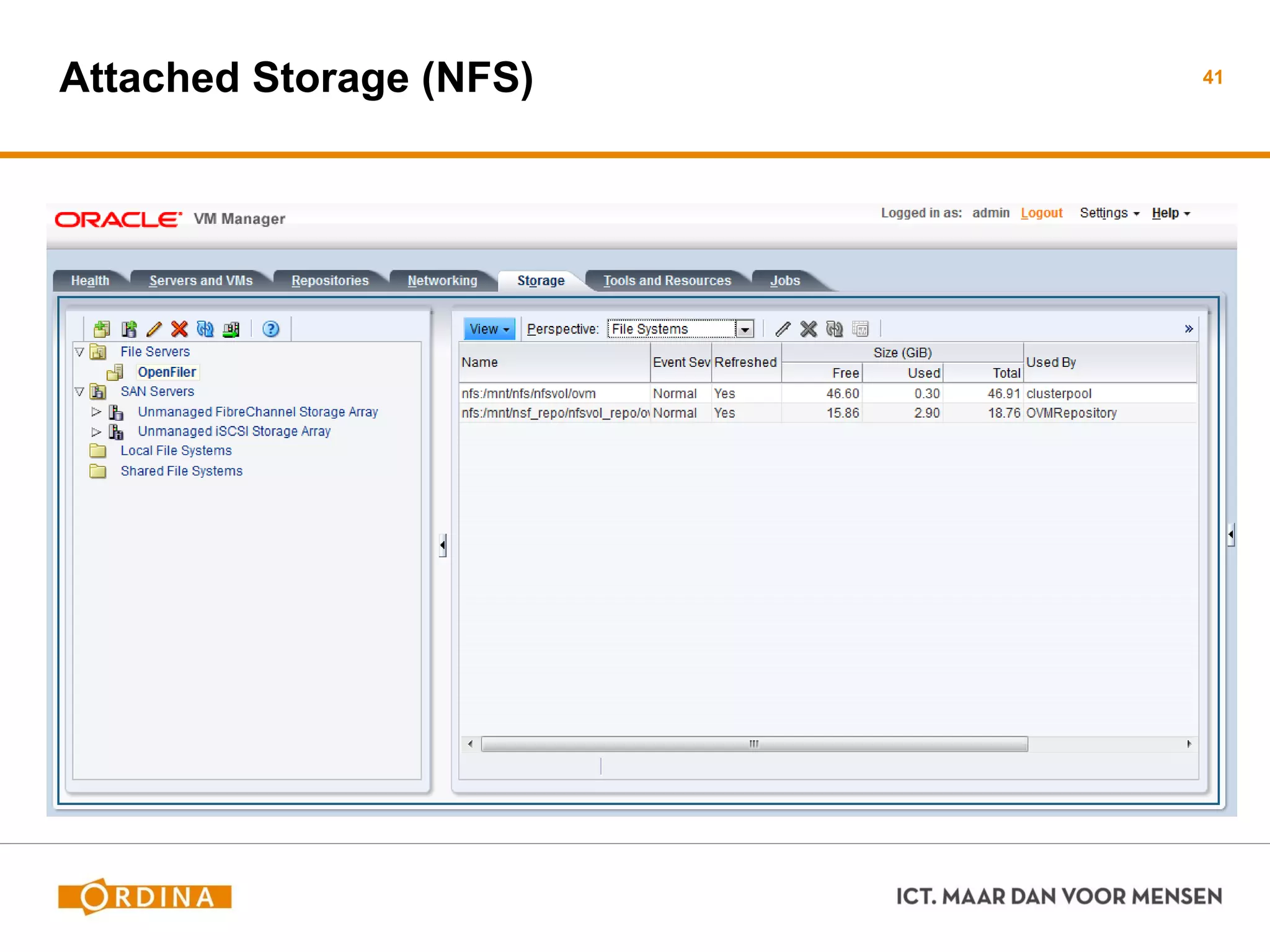
Attached Storage (NFS) 41
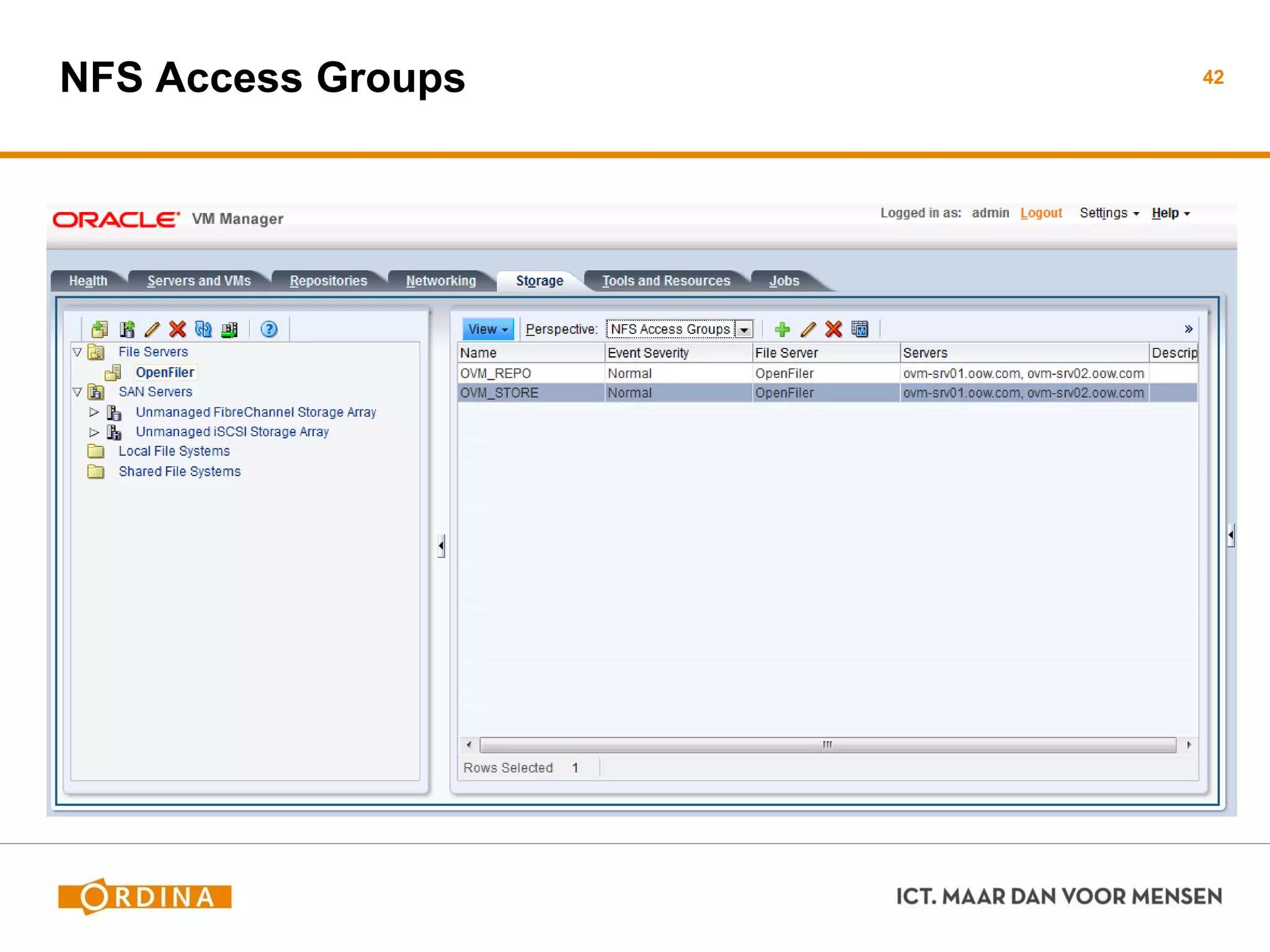
NFS Access Groups 42
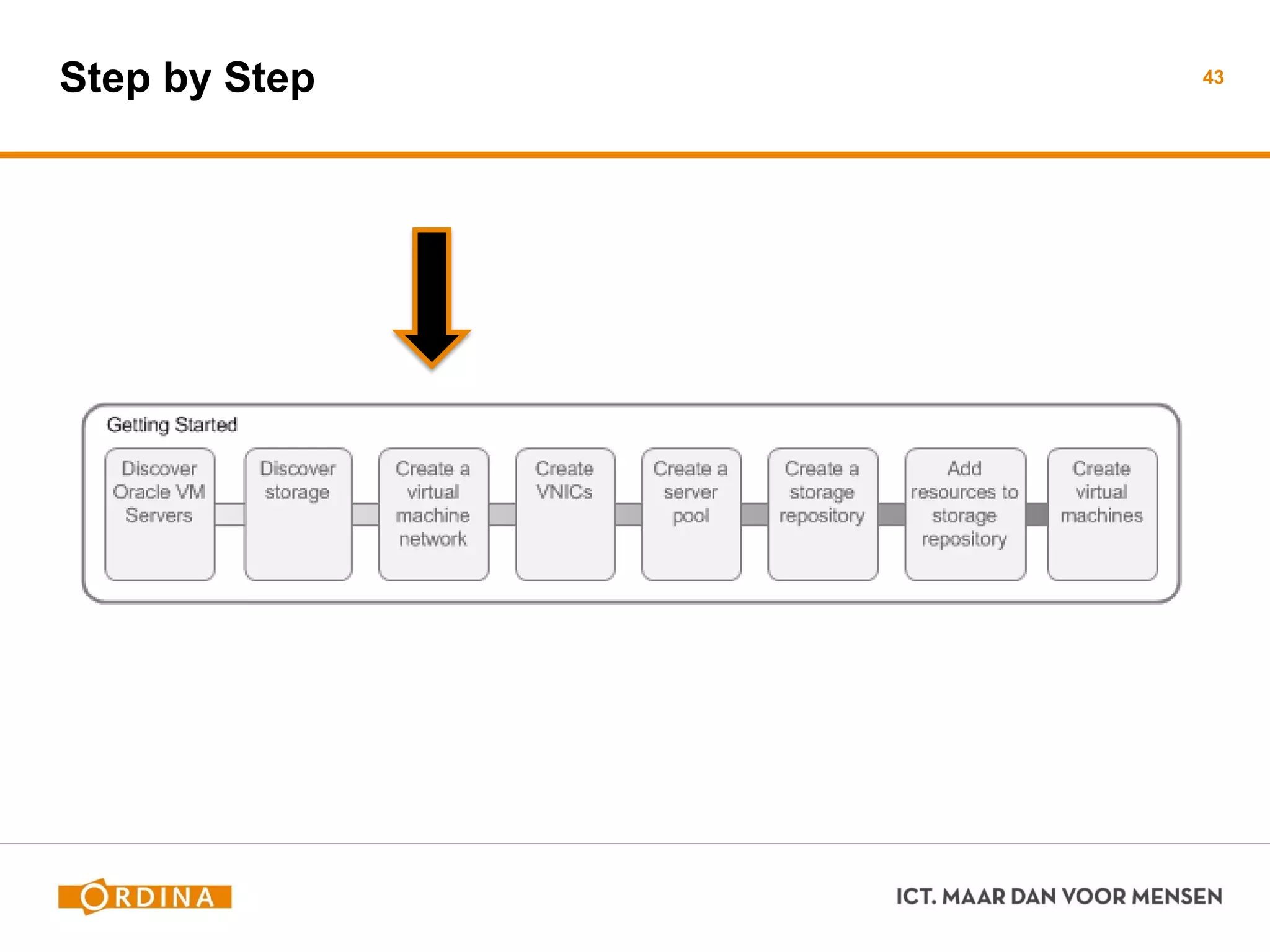
Step by Step 43
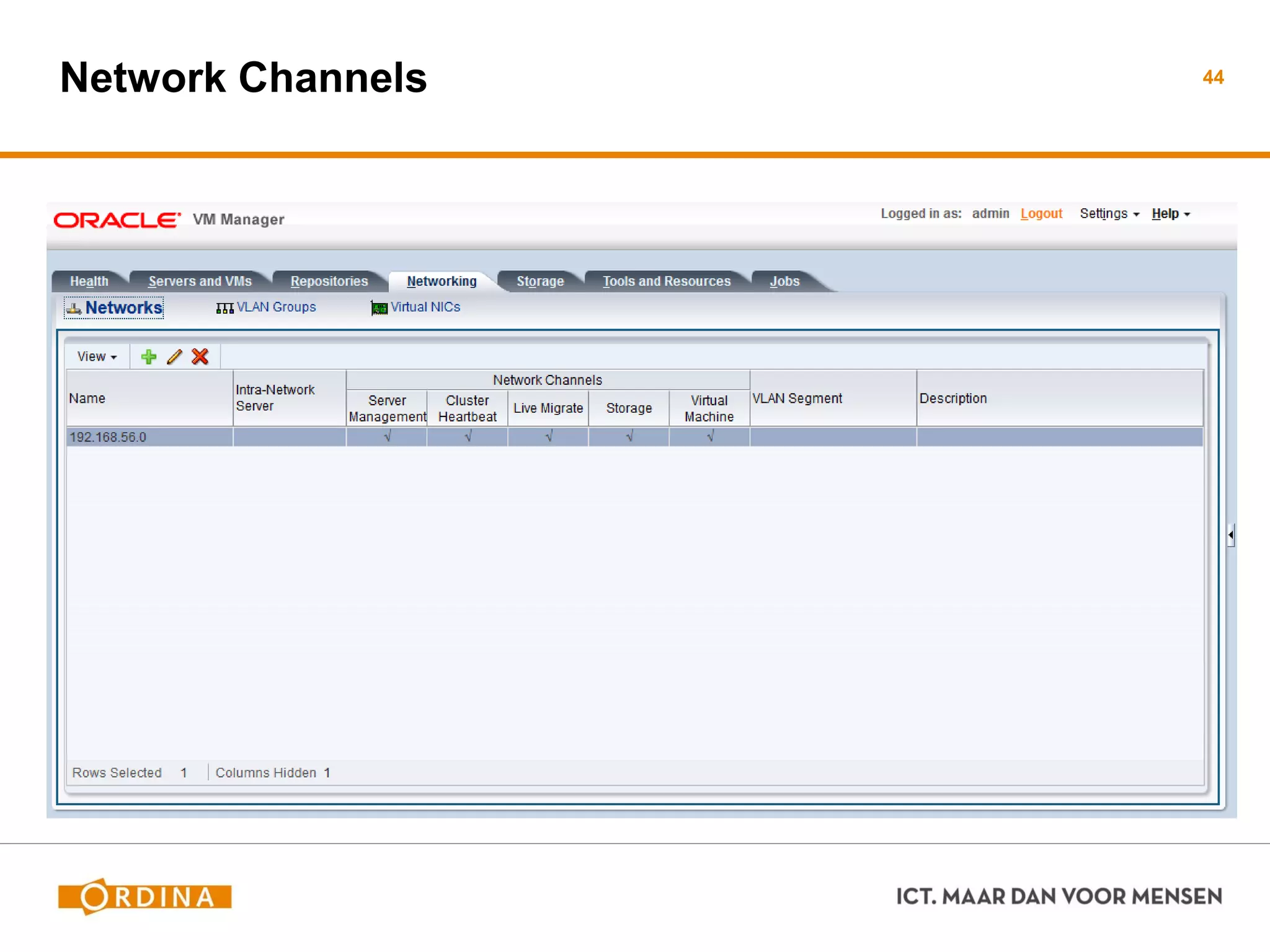
Network Channels 44
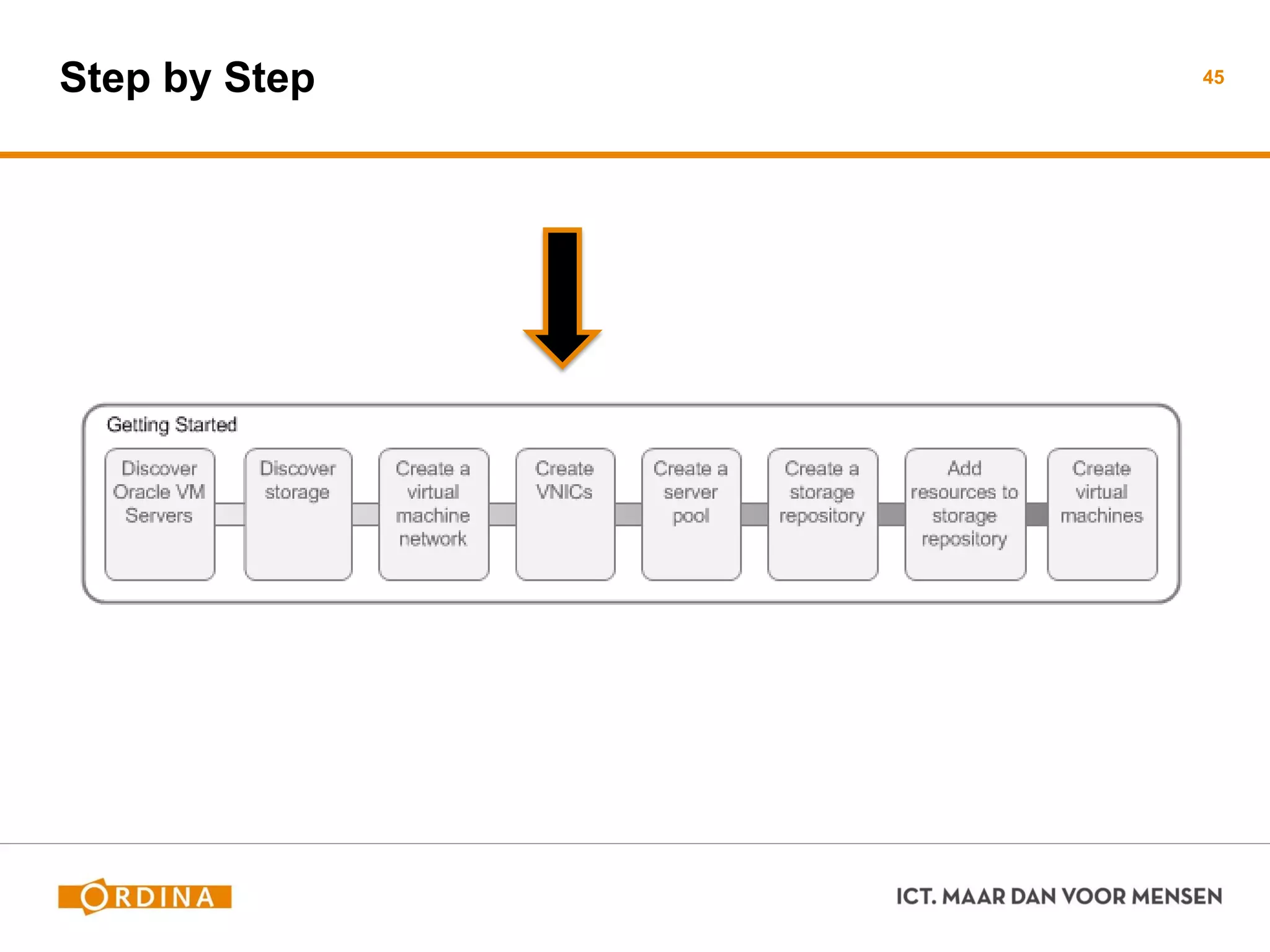
Step by Step 45
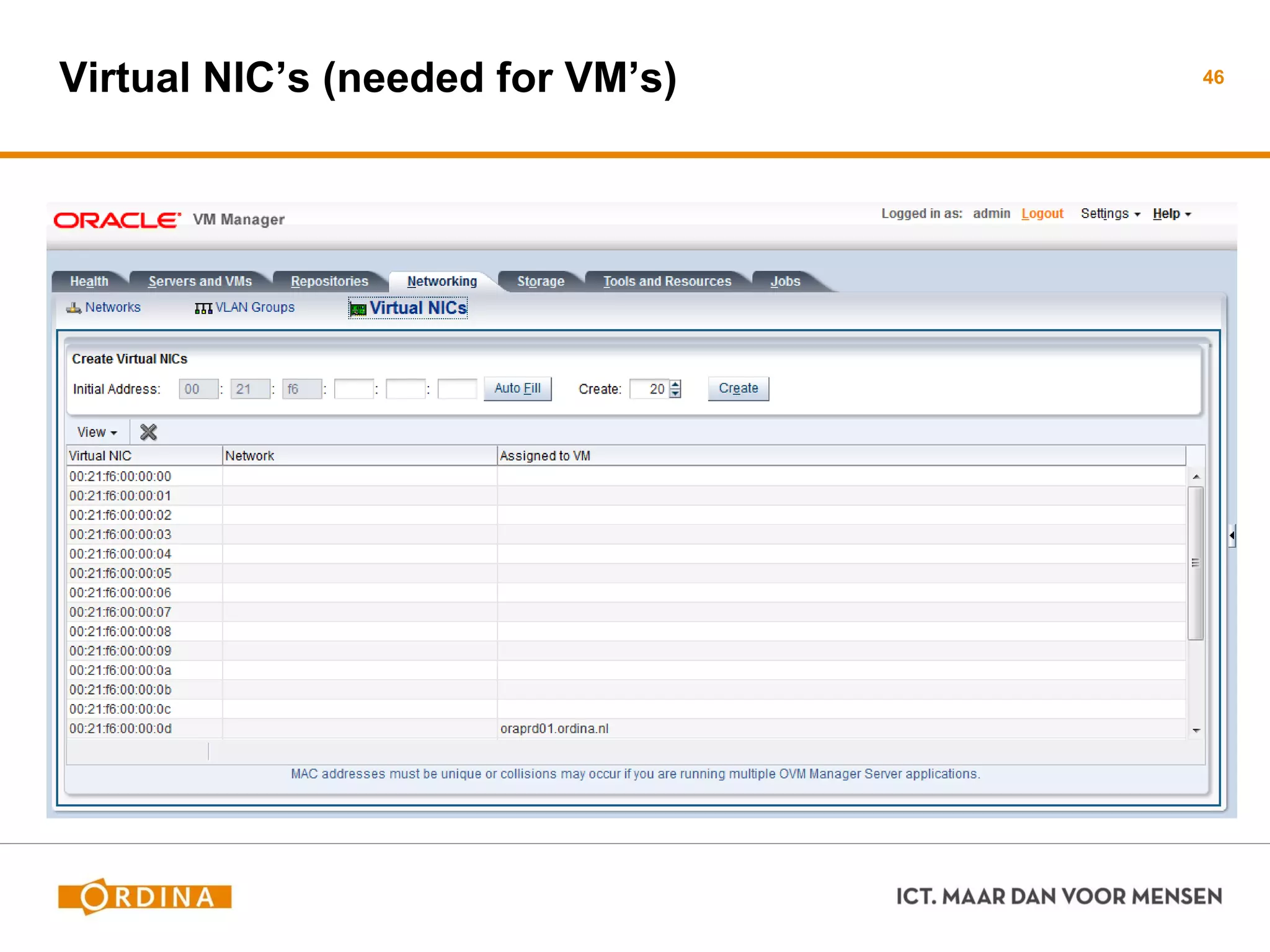
Virtual NIC’s (needed for VM’s) 46
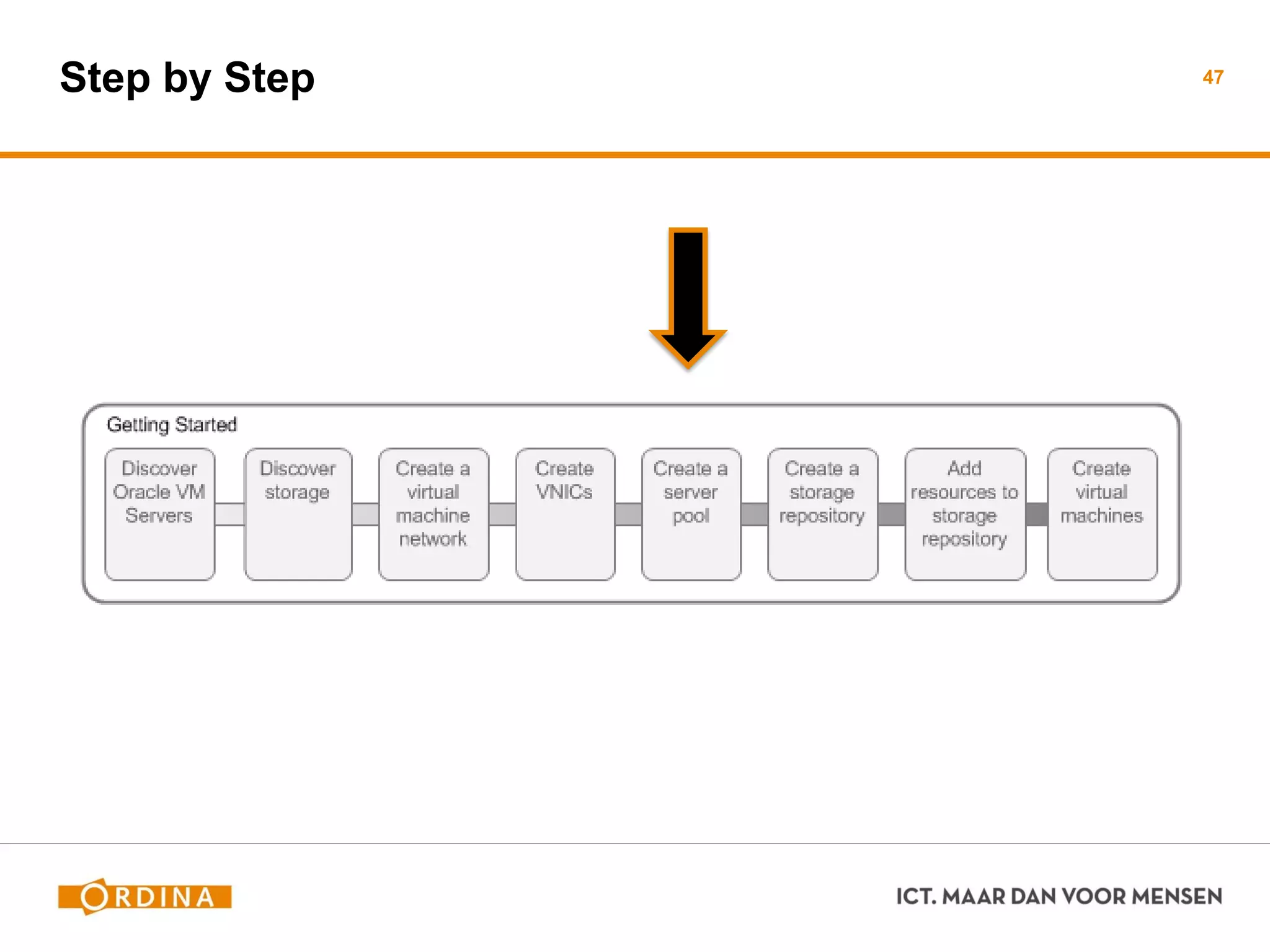
Step by Step 47
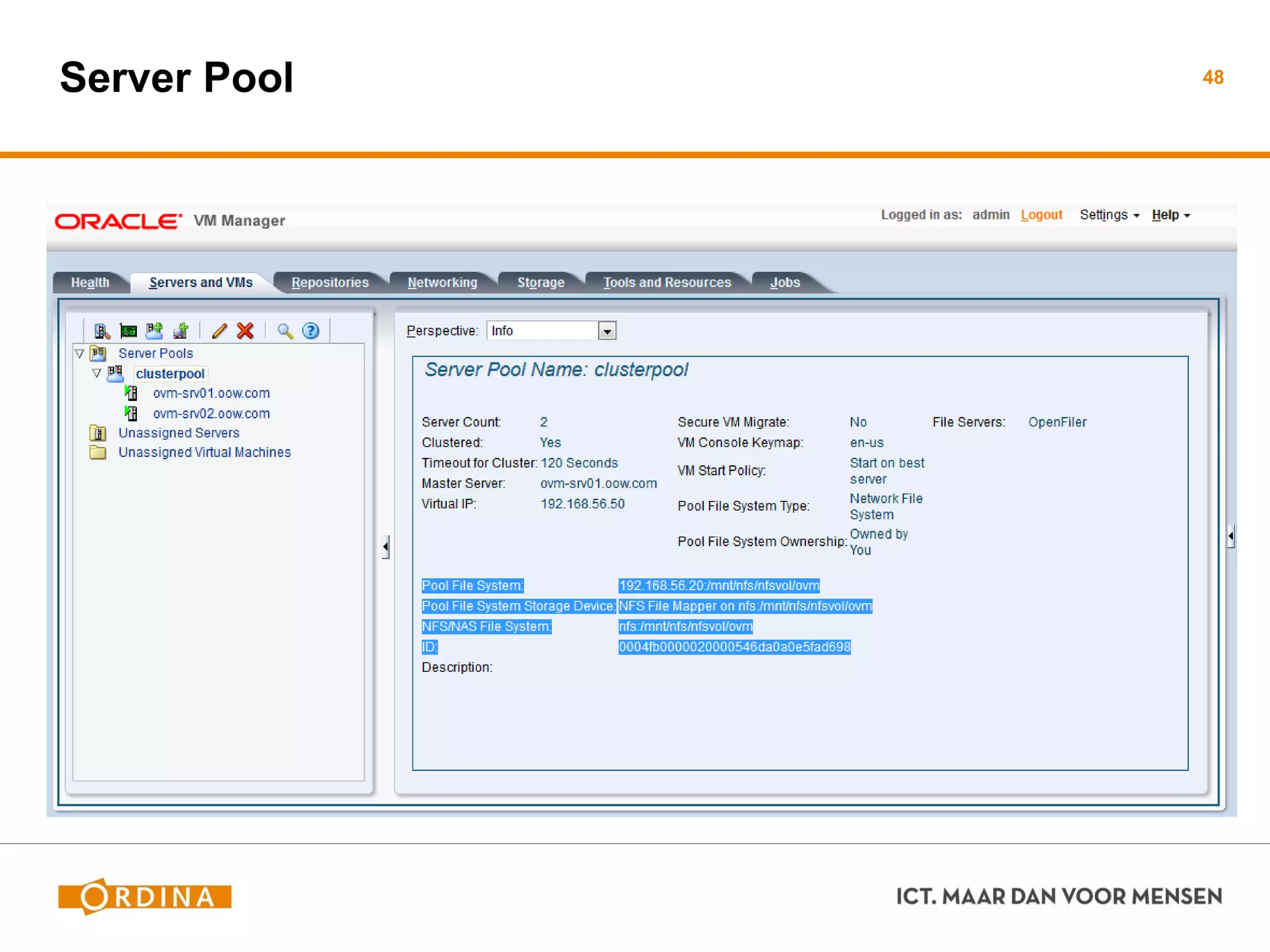
Server Pool 48
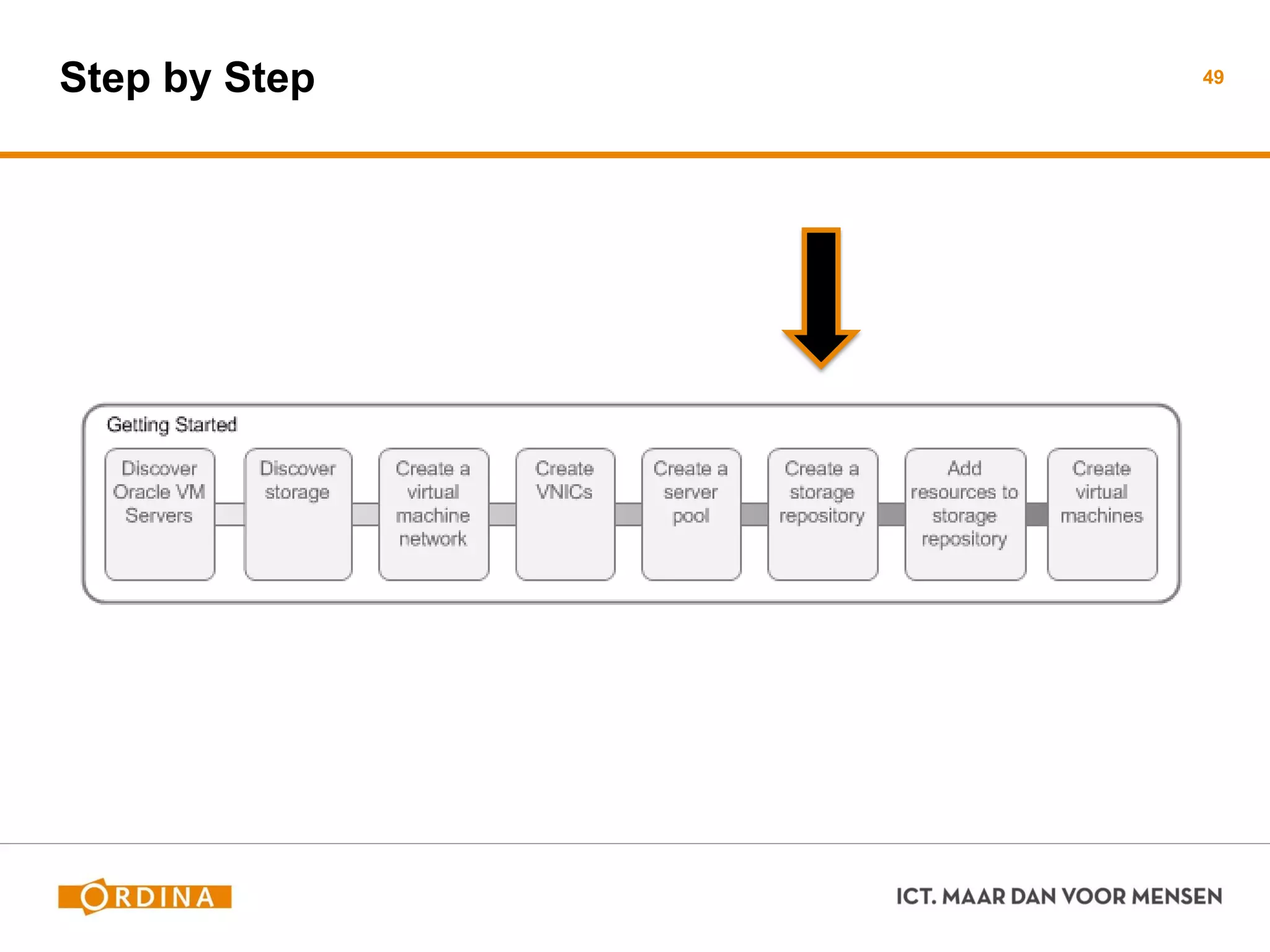
Step by Step 49
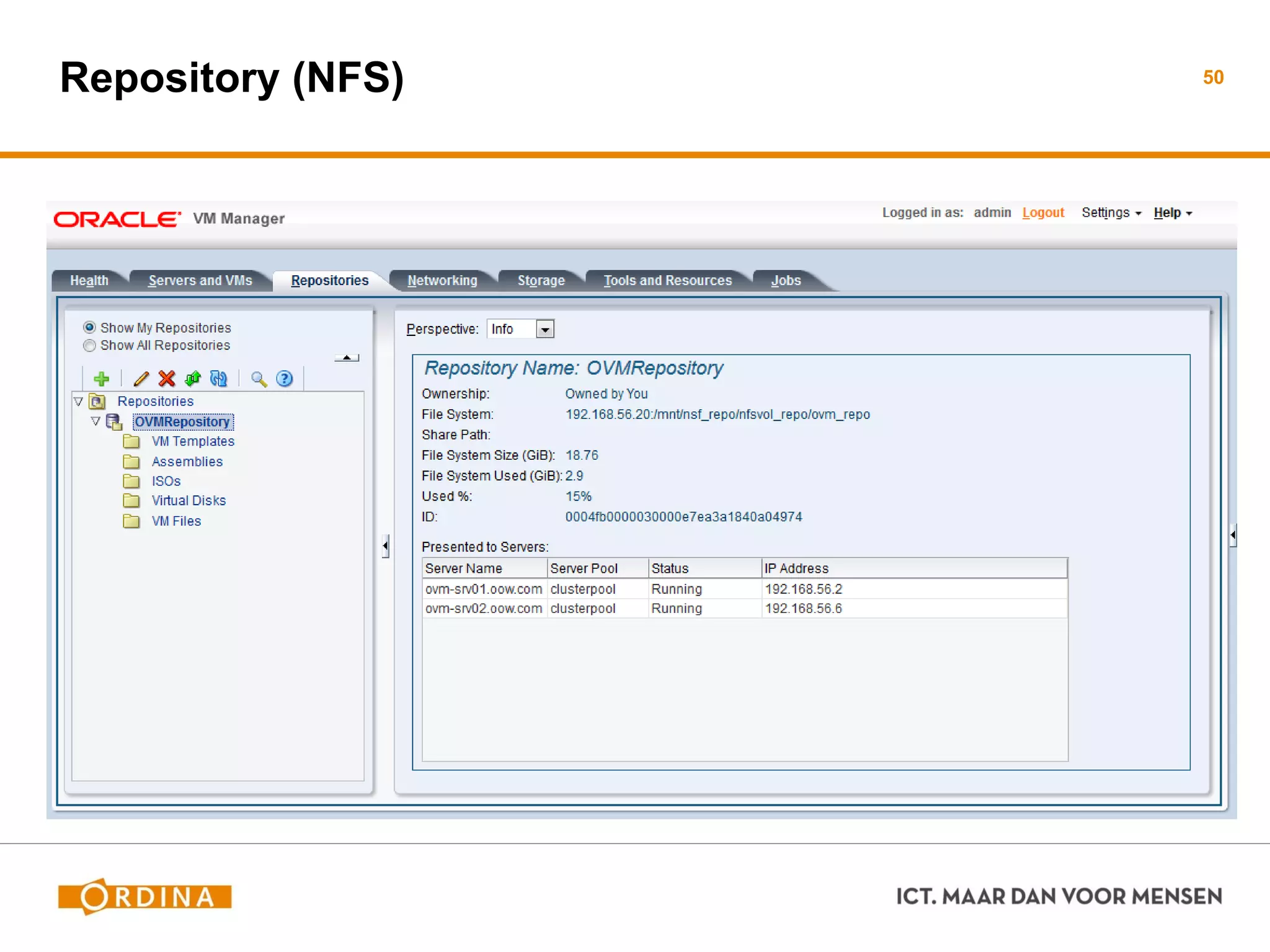
Repository (NFS) 50
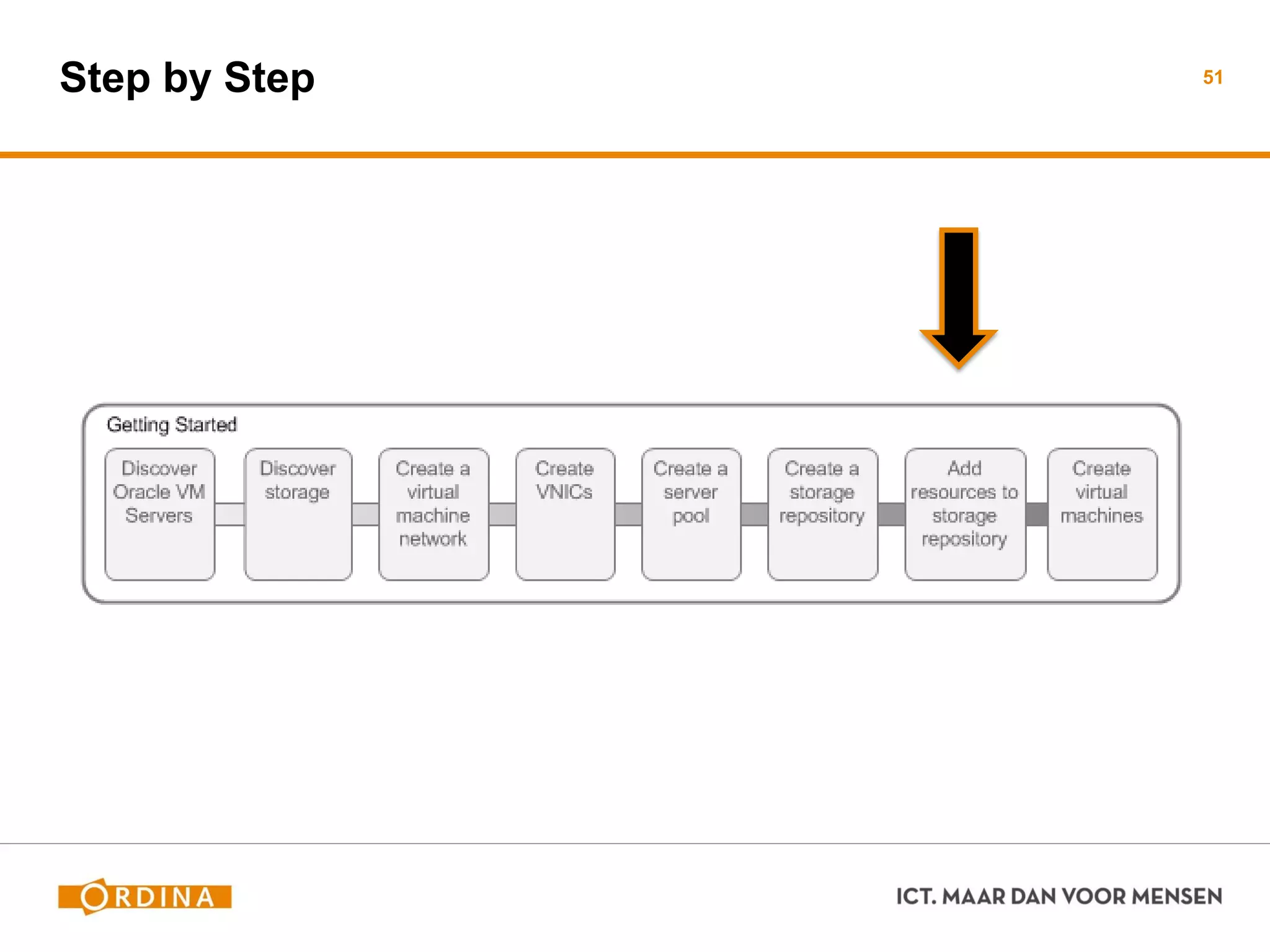
Step by Step 51
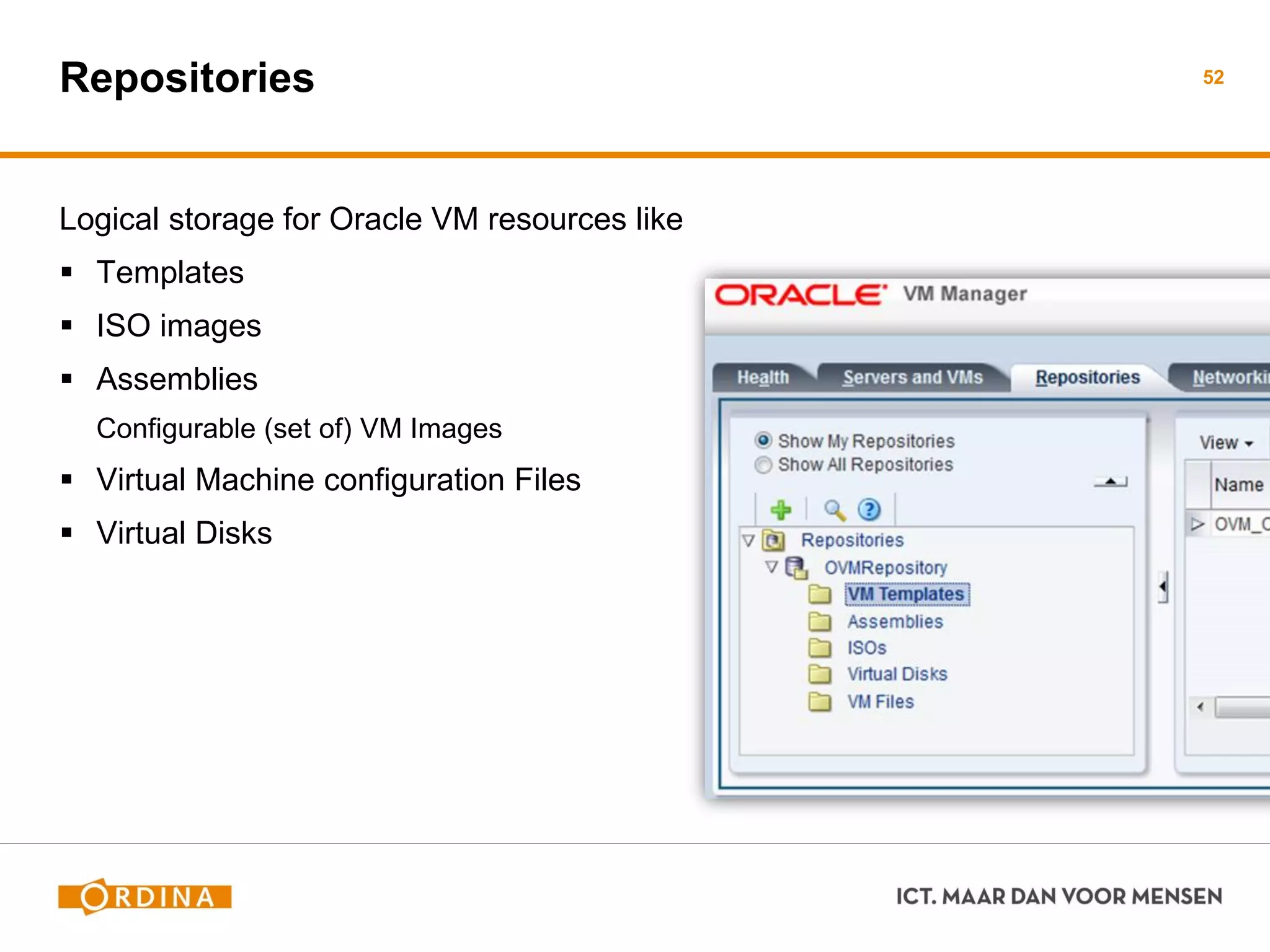
Repositories
Logical storage for Oracle VM resources like
 Templates
 ISO images
 Assemblies
Configurable (set of) VM Images
 Virtual Machine configuration Files
 Virtual Disks
52
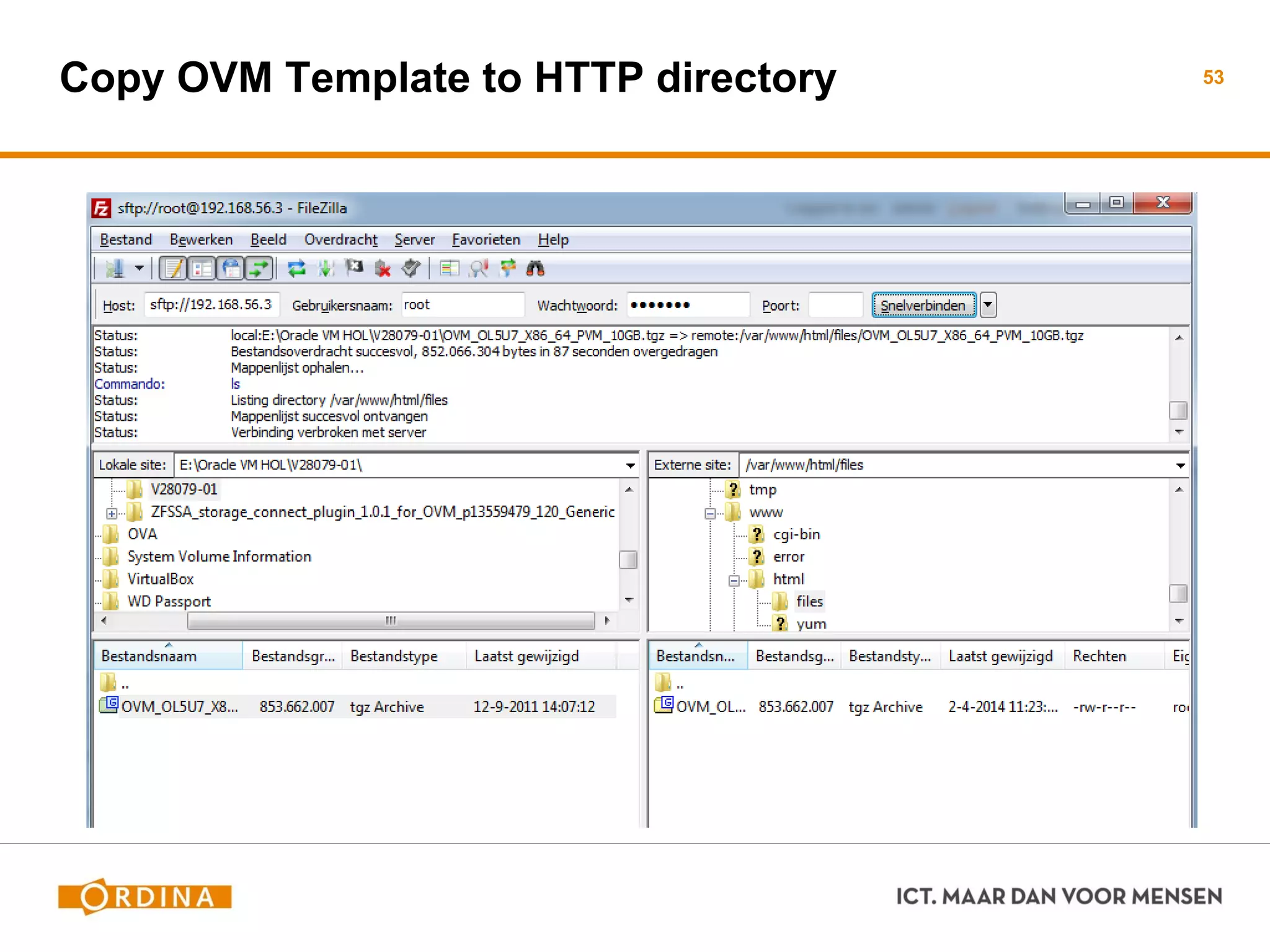
Copy OVM Template to HTTP directory 53
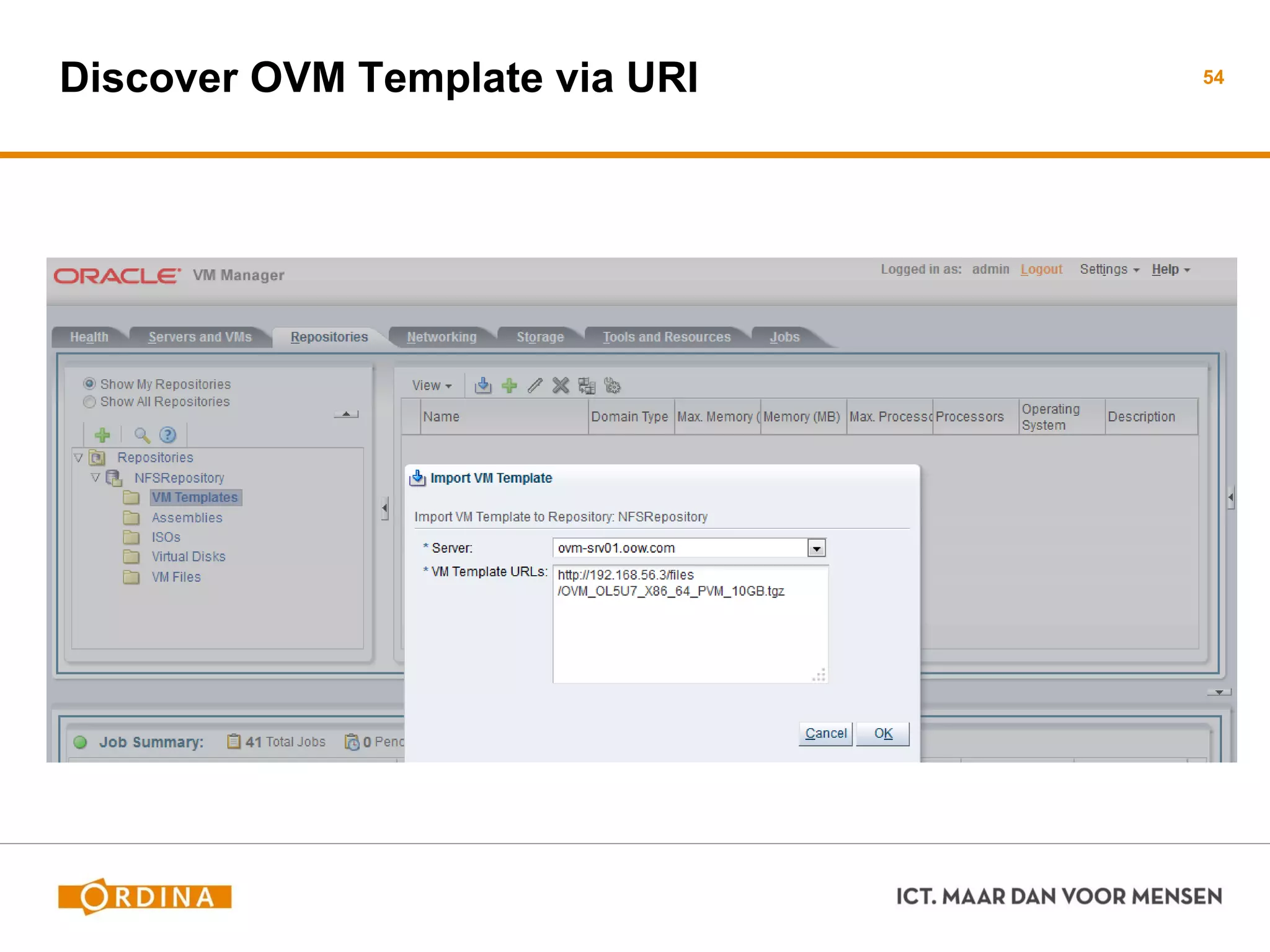
Discover OVM Template via URI 54
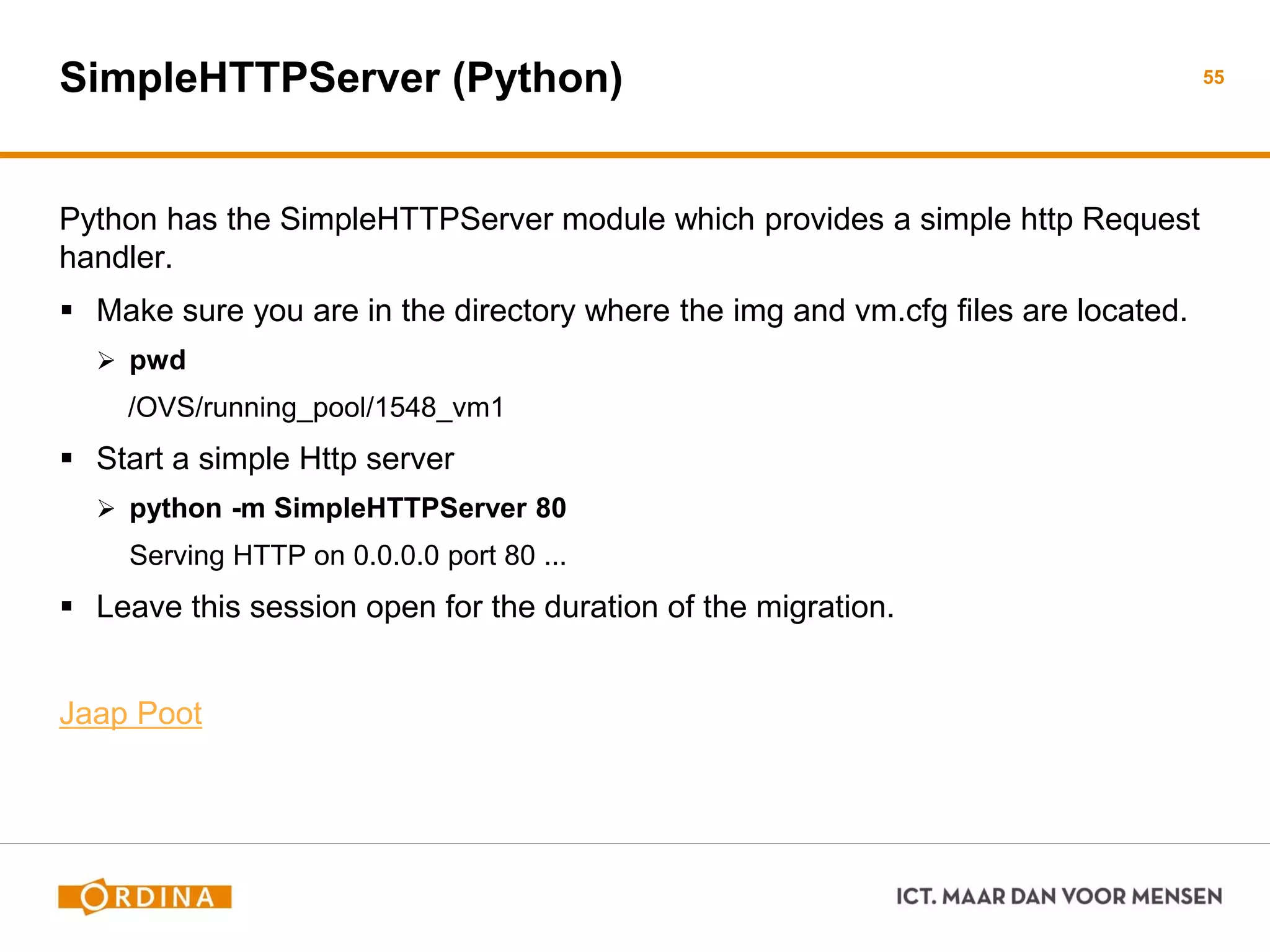
SimpleHTTPServer (Python)
Python has the SimpleHTTPServer module which provides a simple http Request
handler.
 Make sure you are in the directory where the img and vm.cfg files are located.
 pwd
/OVS/running_pool/1548_vm1
 Start a simple Http server
 python -m SimpleHTTPServer 80
Serving HTTP on 0.0.0.0 port 80 ...
 Leave this session open for the duration of the migration.
Jaap Poot
55
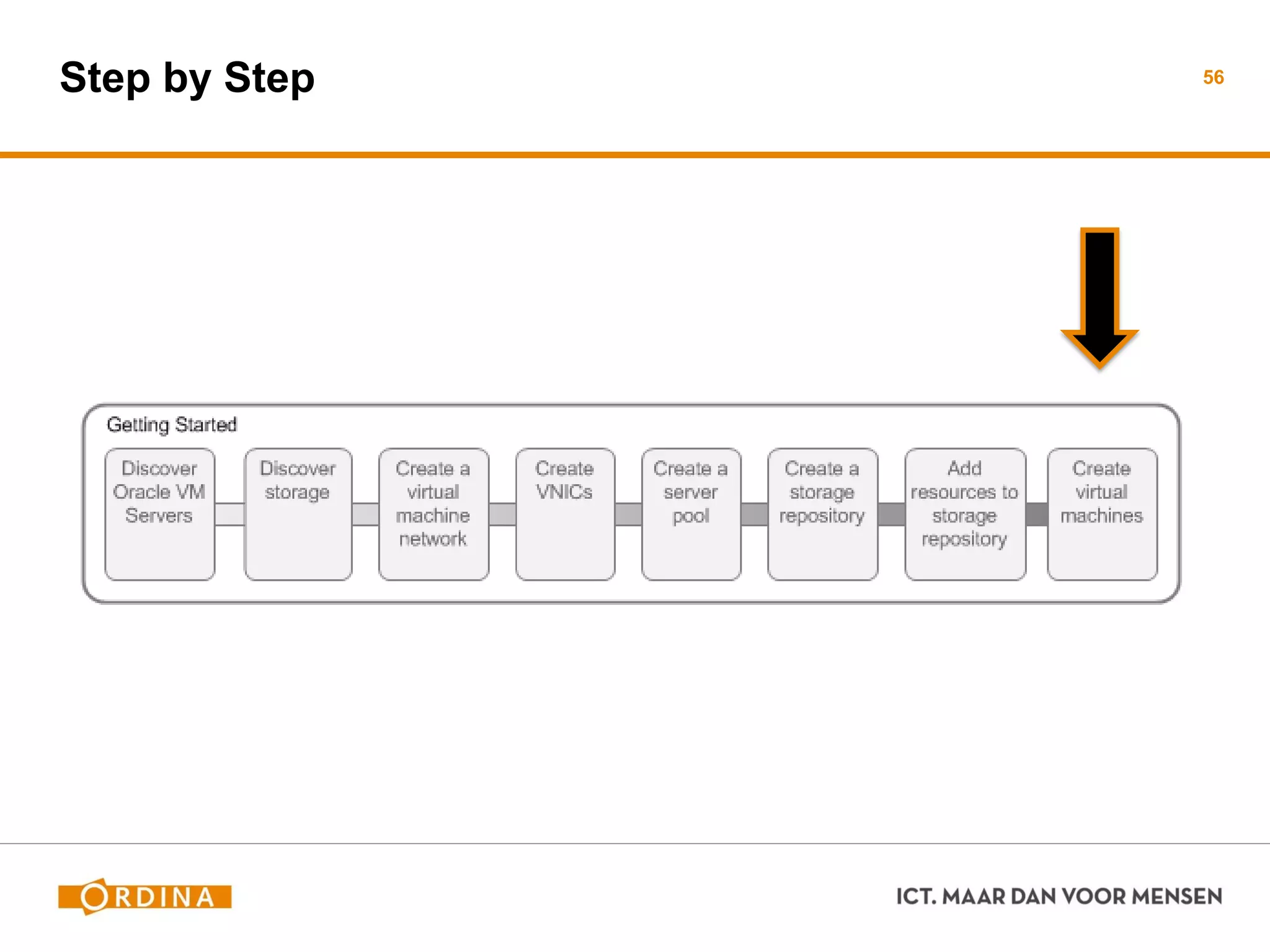
Step by Step 56
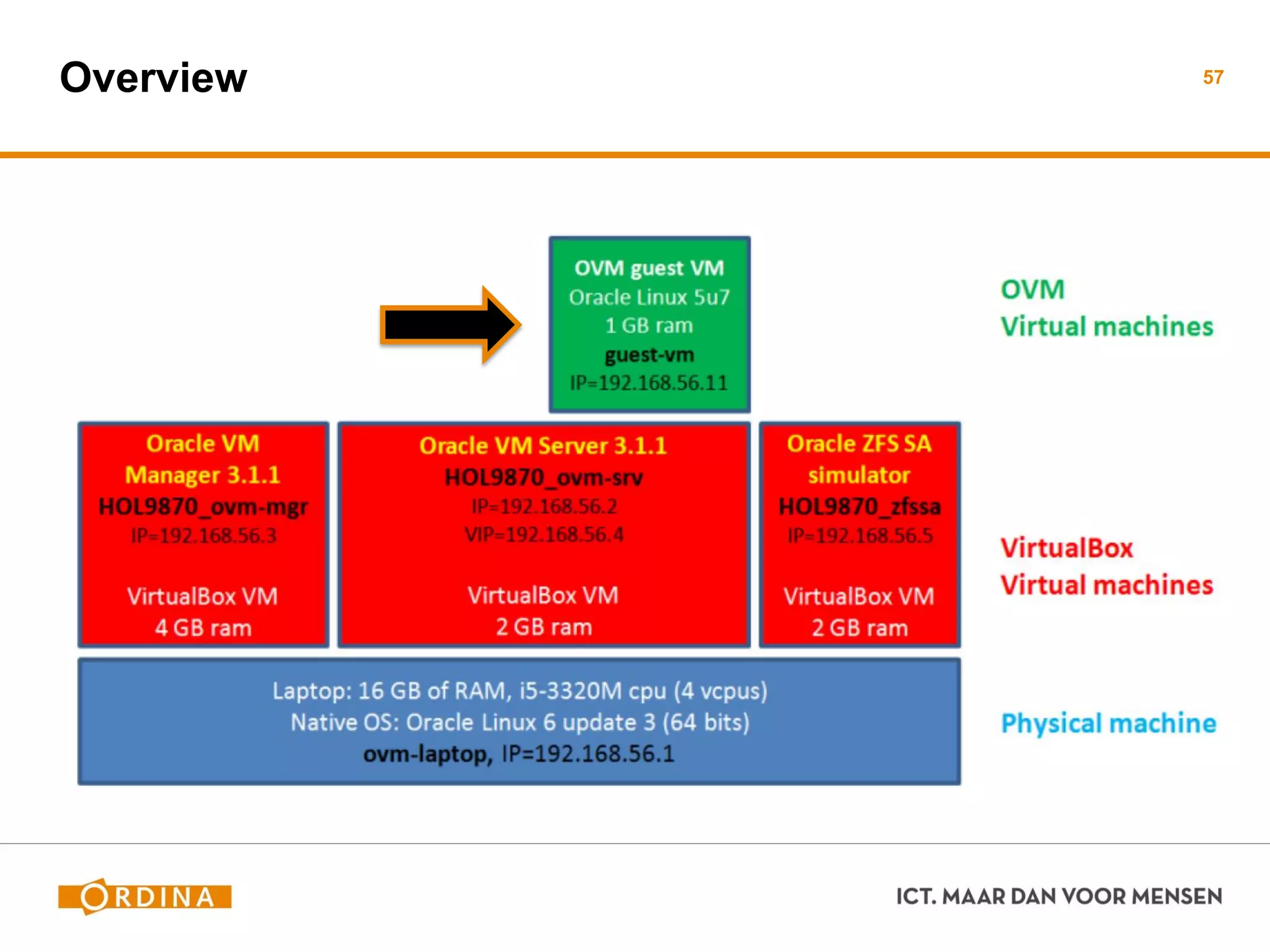
Overview 57
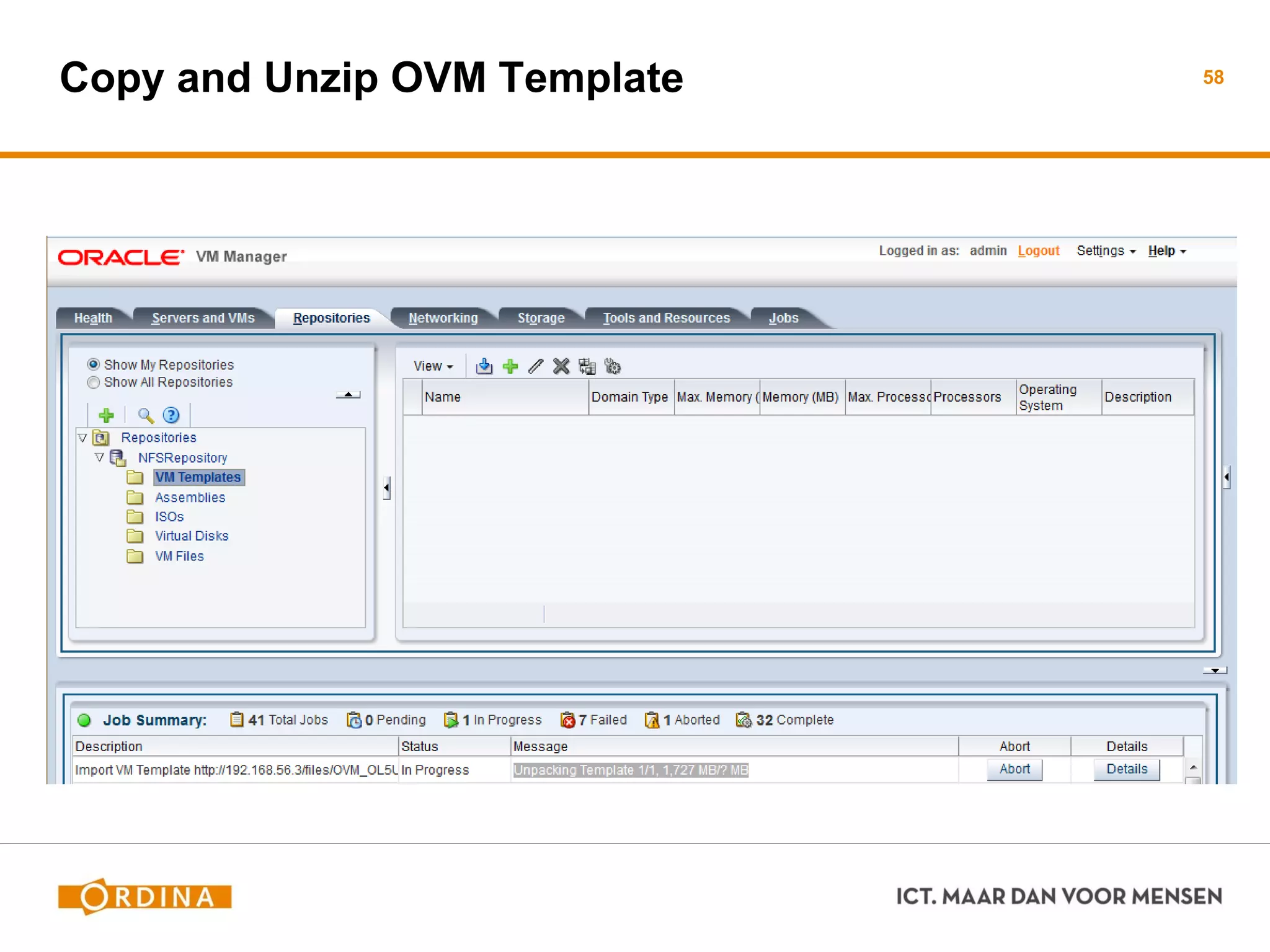
Copy and Unzip OVM Template 58
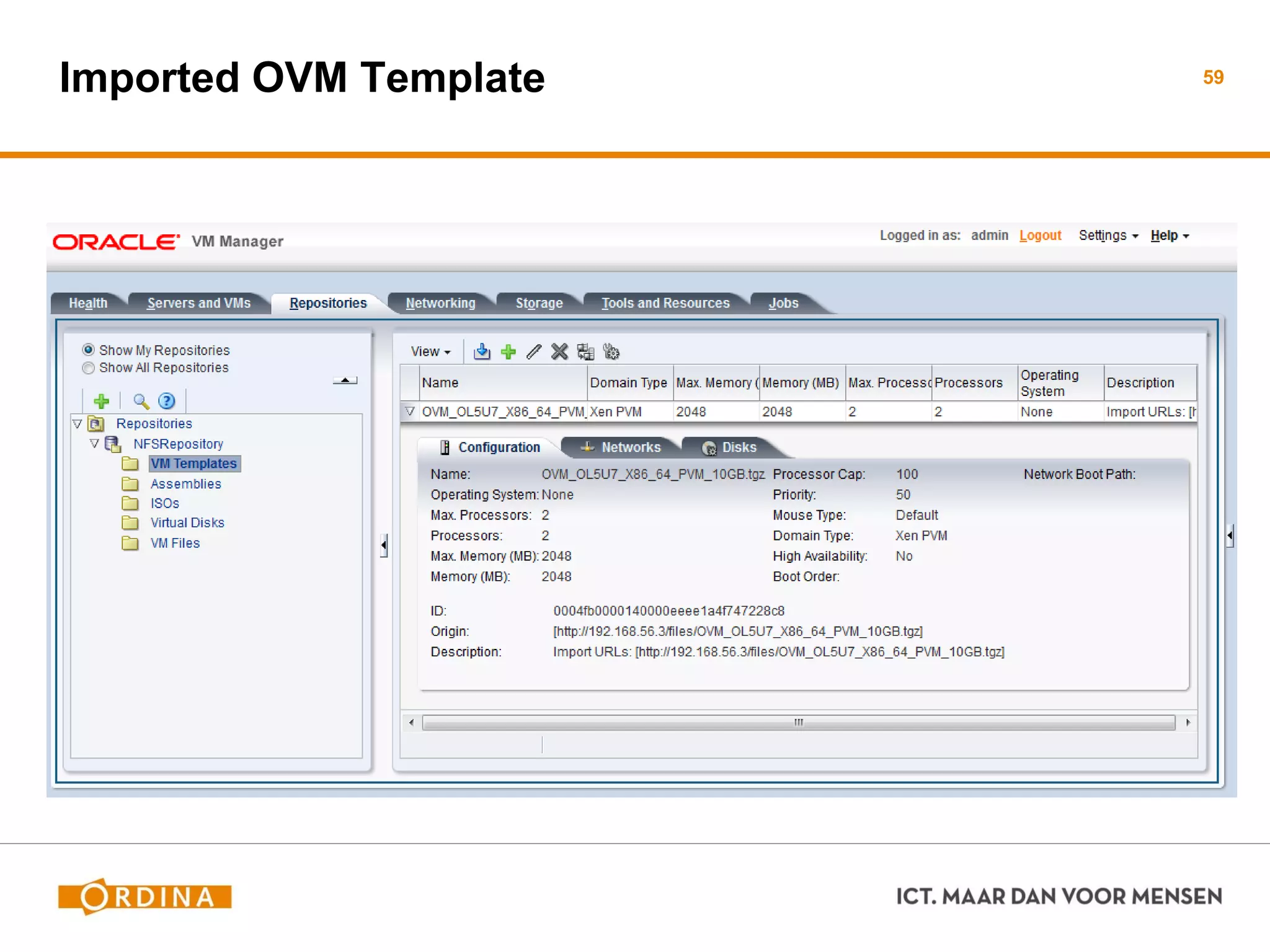
Imported OVM Template 59
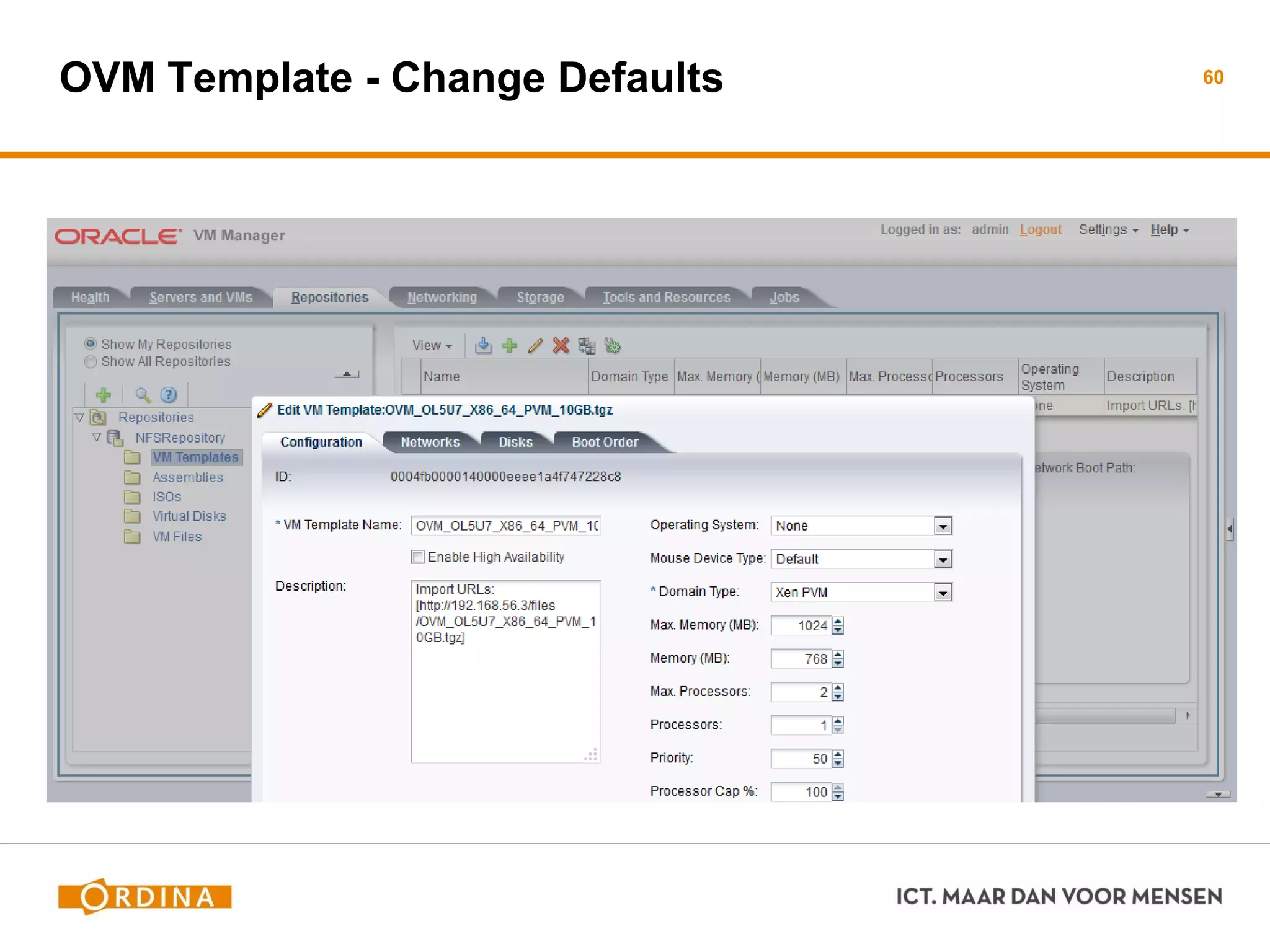
OVM Template - Change Defaults 60
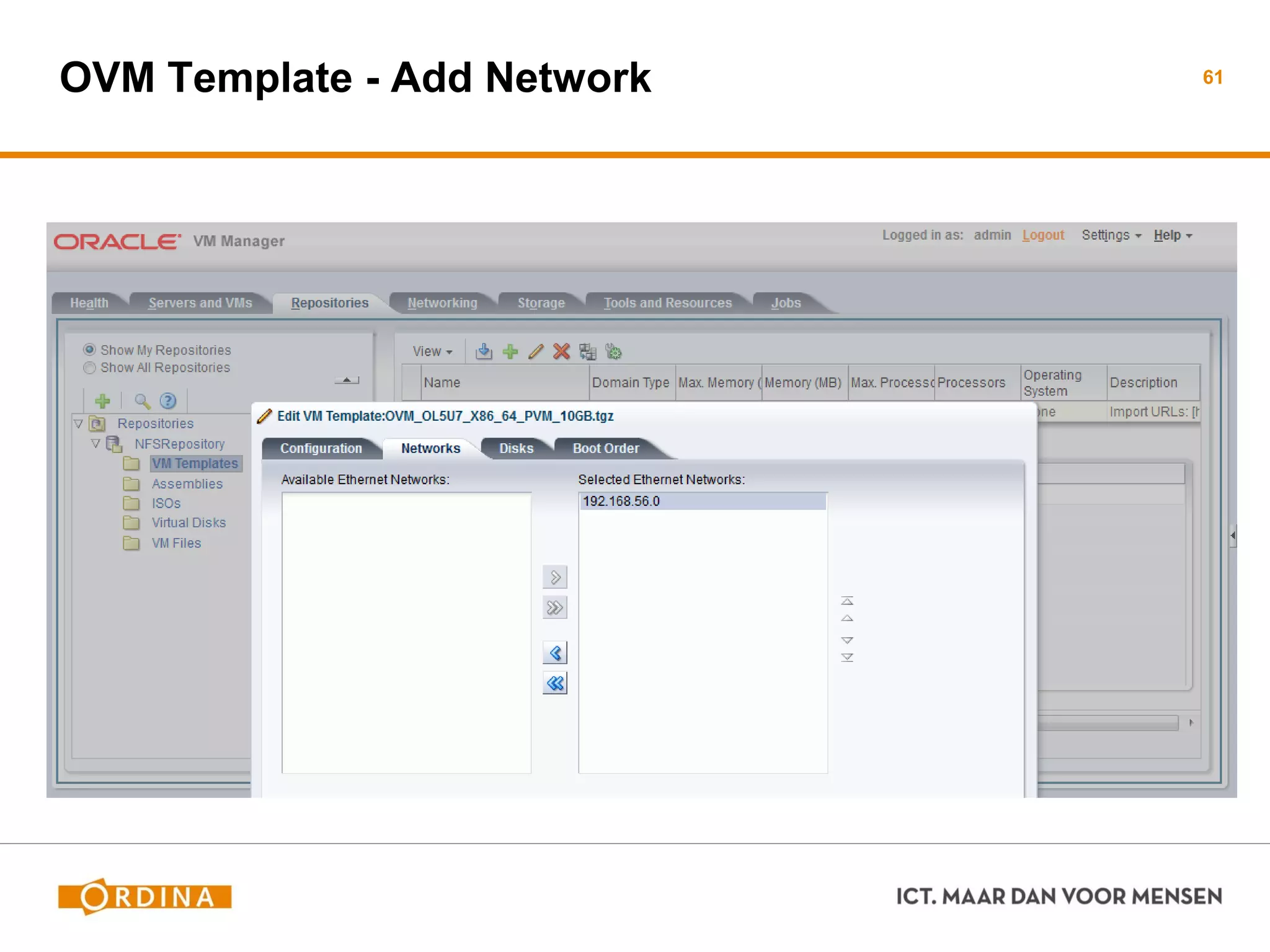
OVM Template - Add Network 61
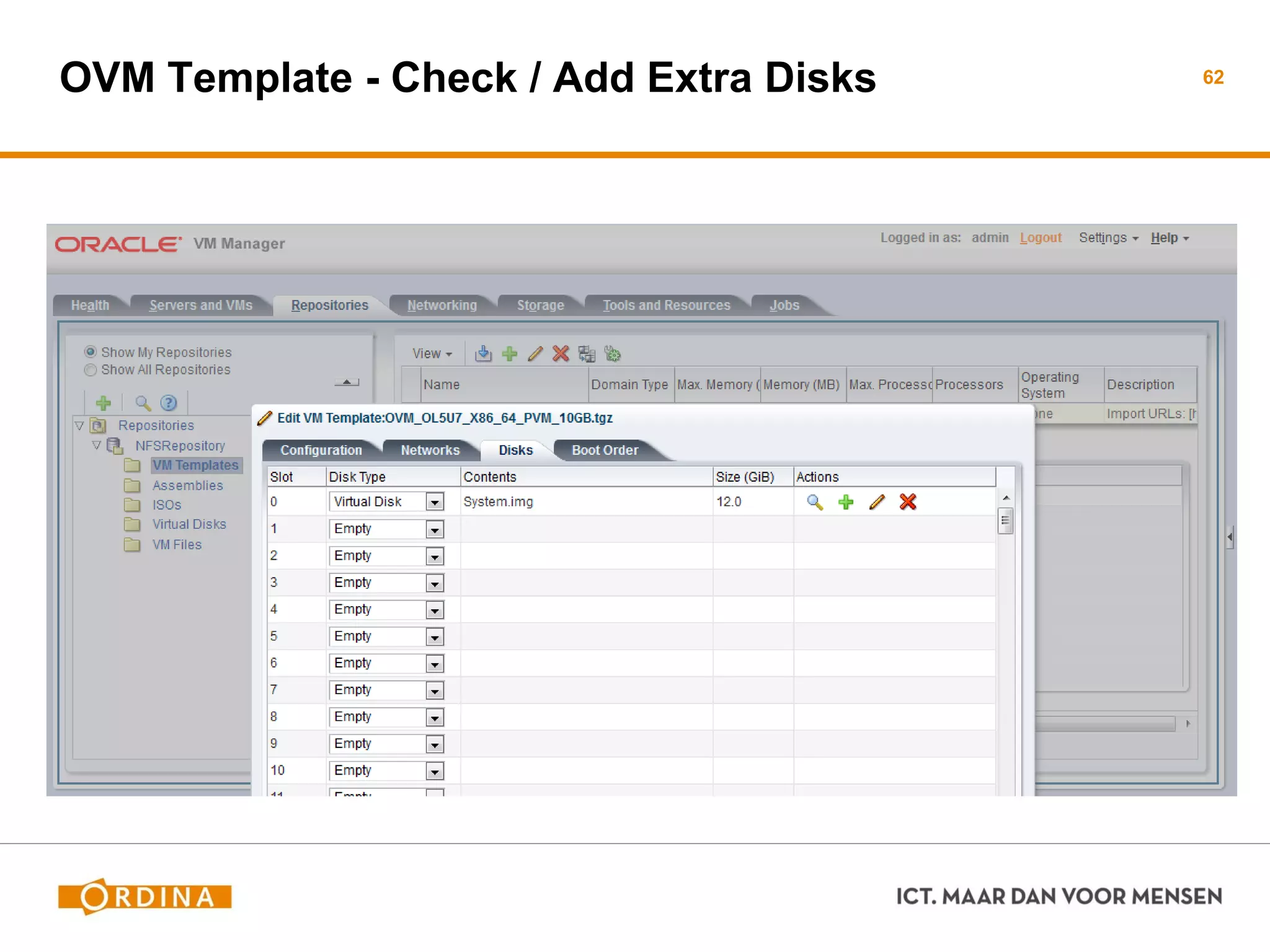
OVM Template - Check / Add Extra Disks 62
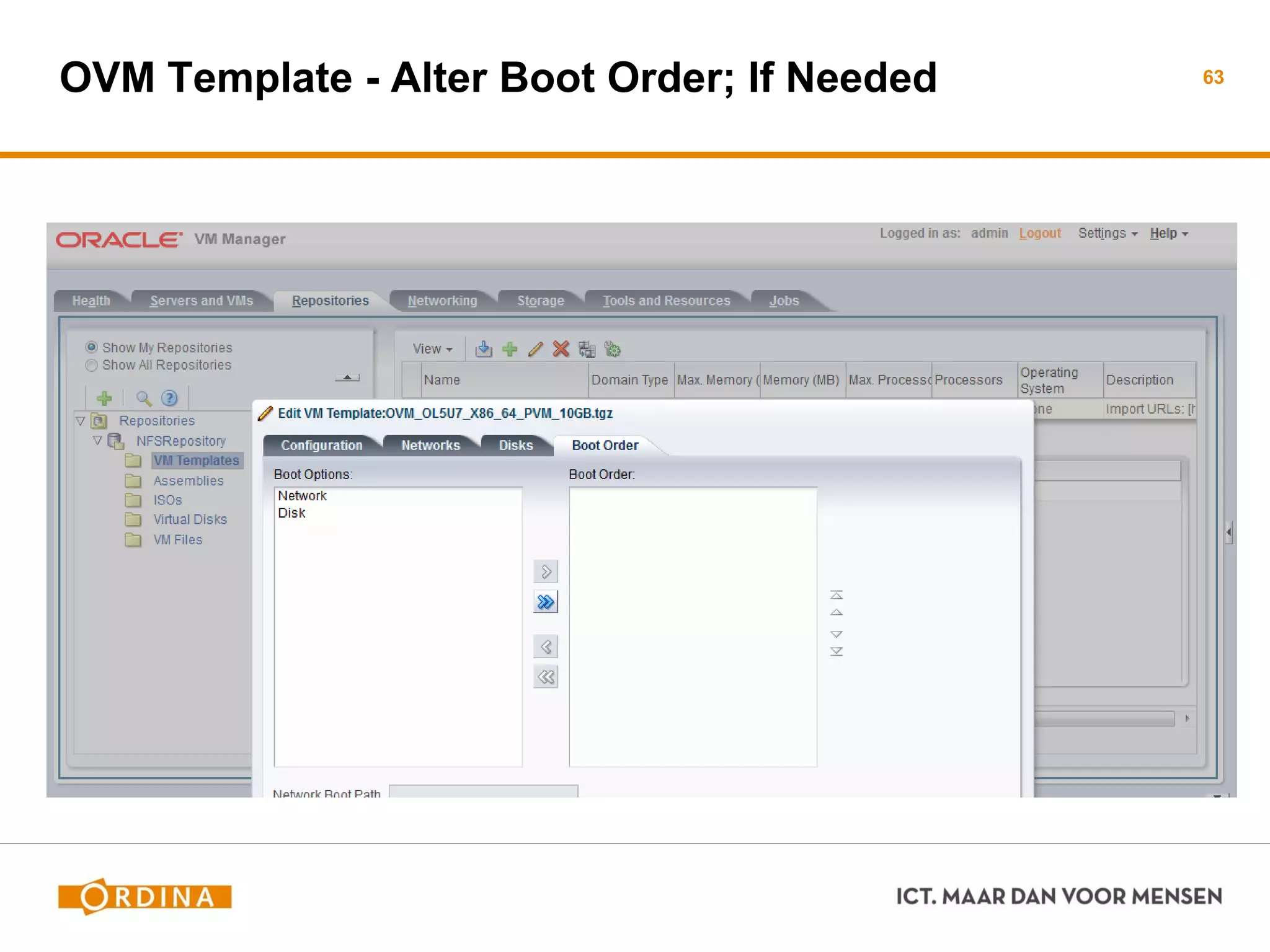
OVM Template - Alter Boot Order; If Needed 63
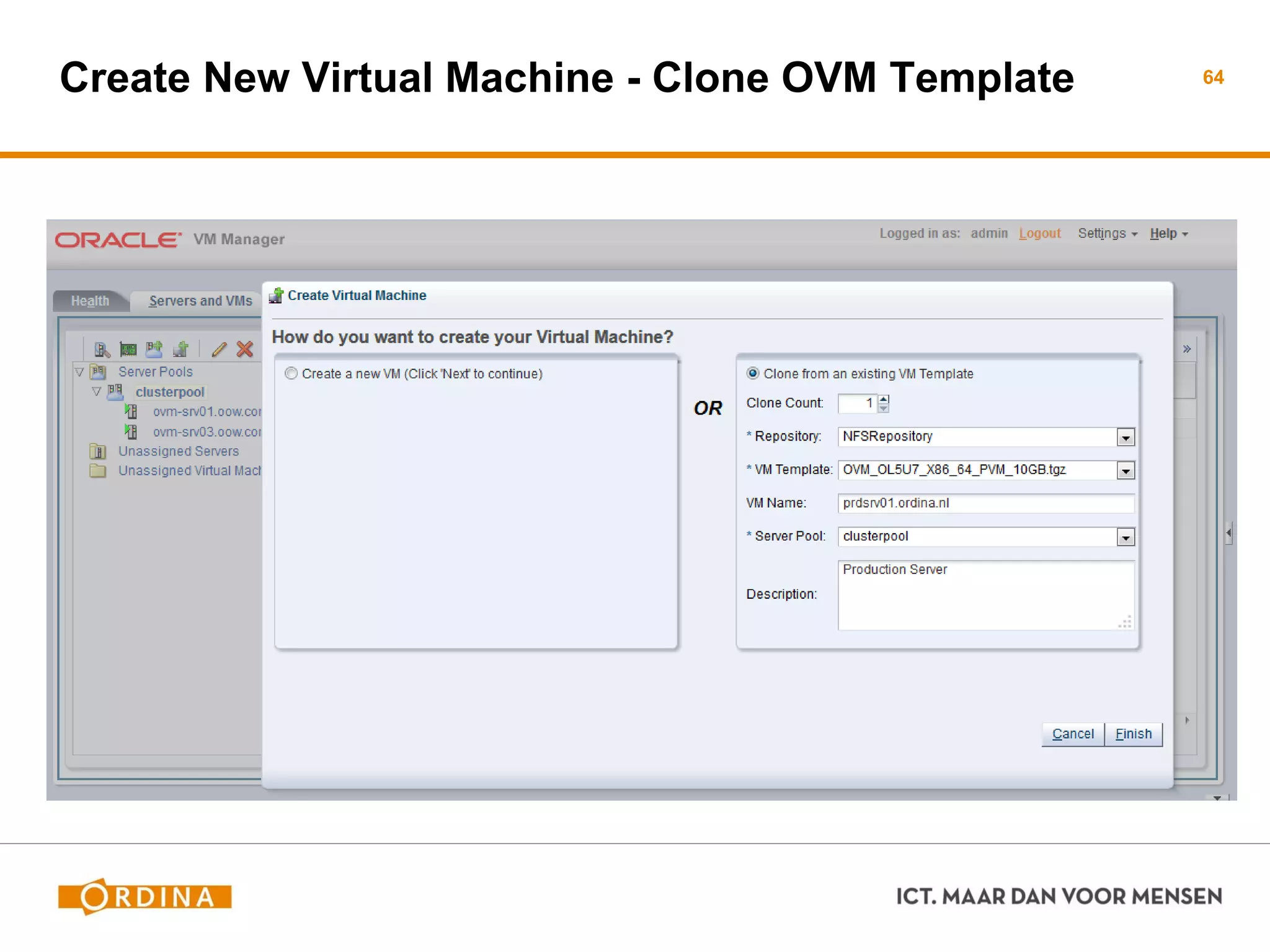
Create New Virtual Machine - Clone OVM Template 64
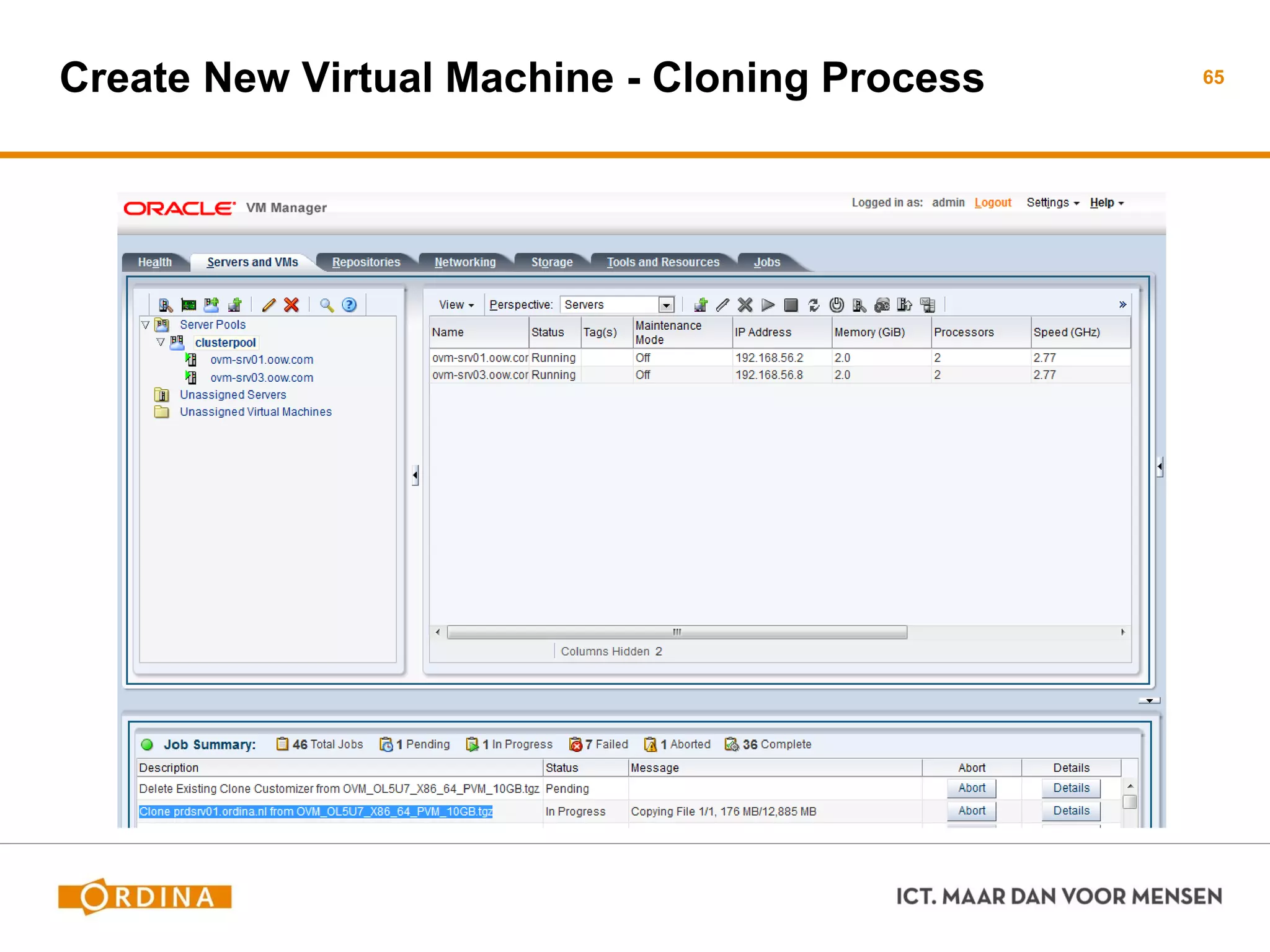
Create New Virtual Machine - Cloning Process 65
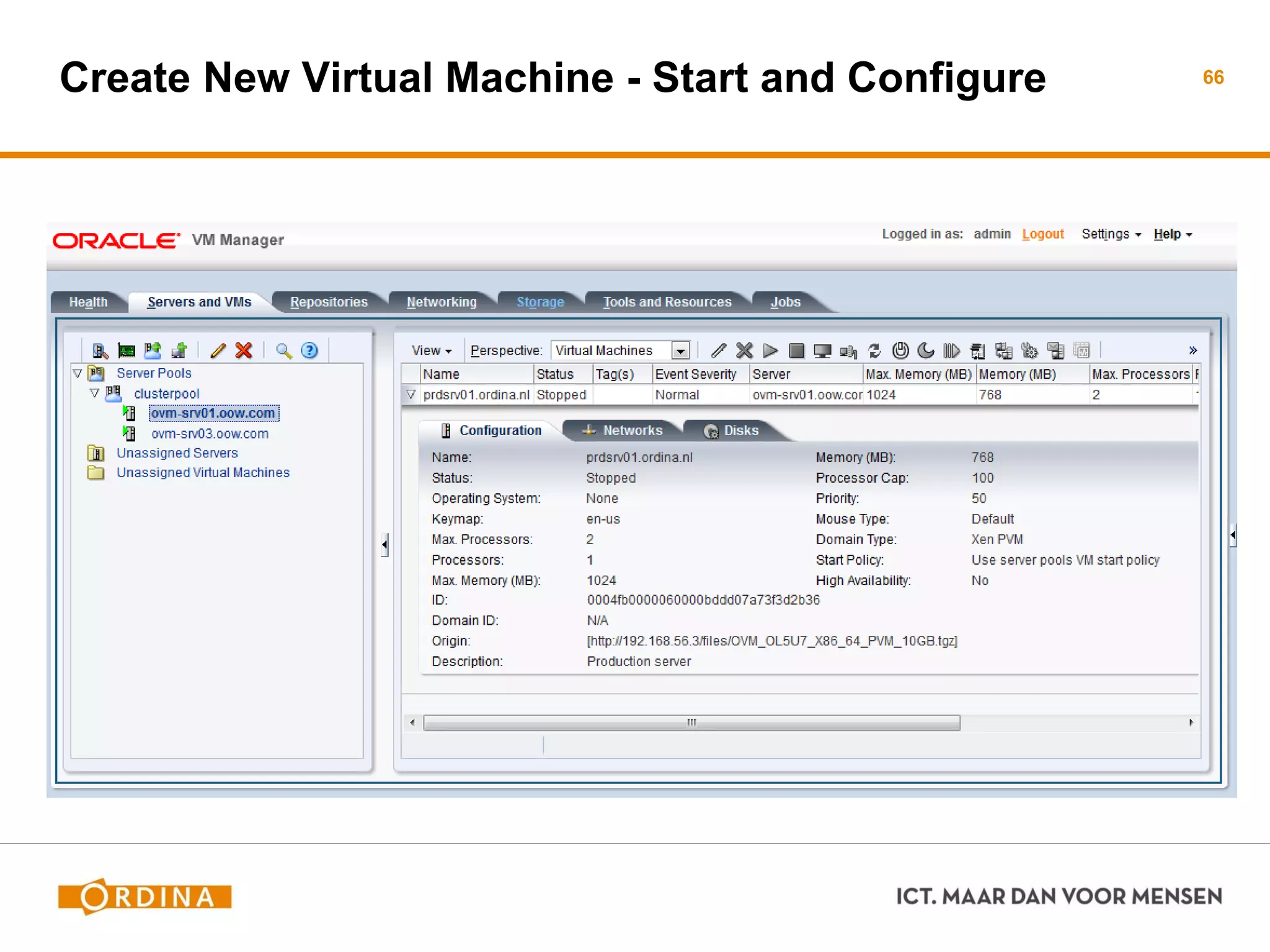
Create New Virtual Machine - Start and Configure 66
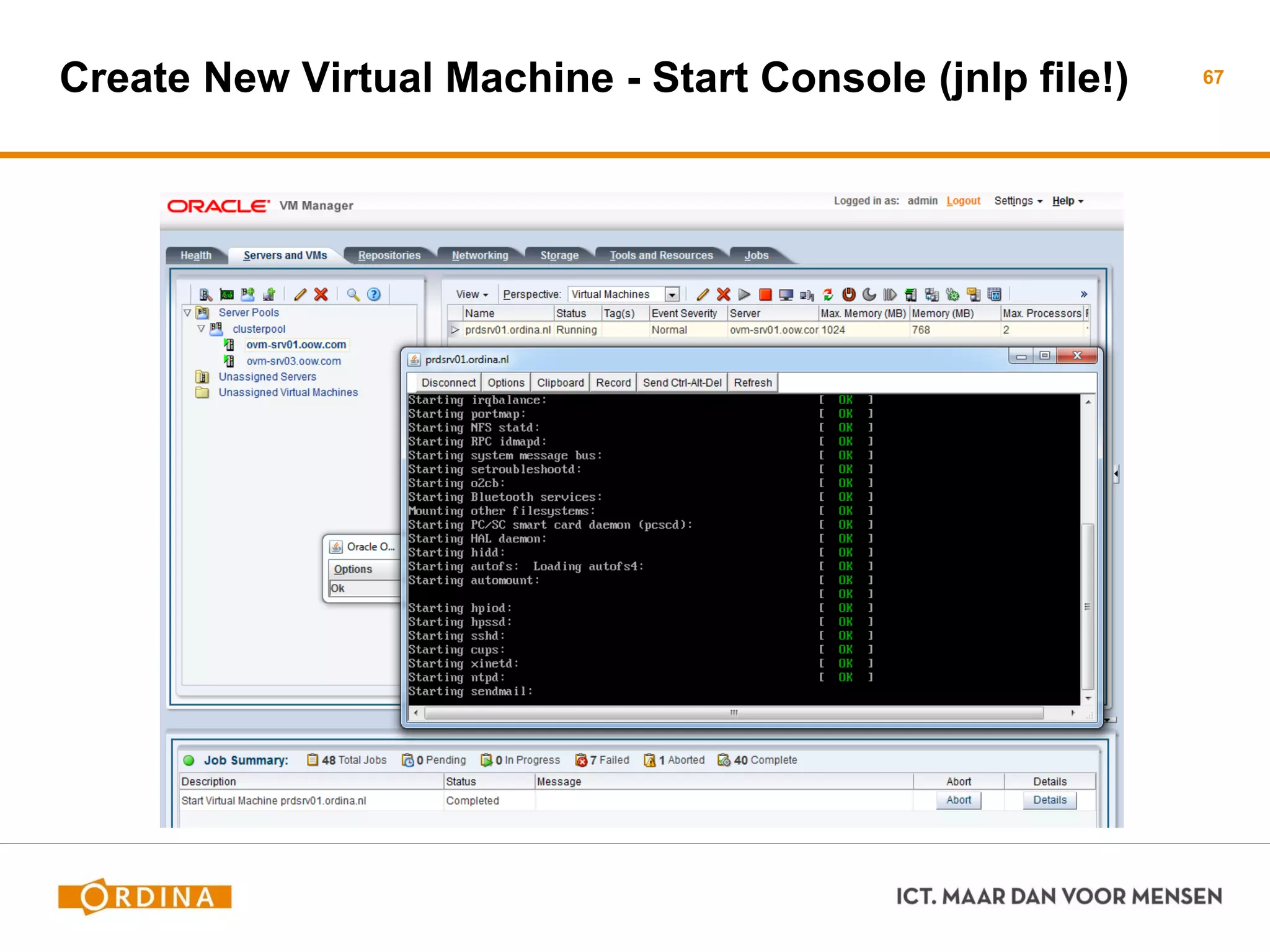
Create New Virtual Machine - Start Console (jnlp file!) 67
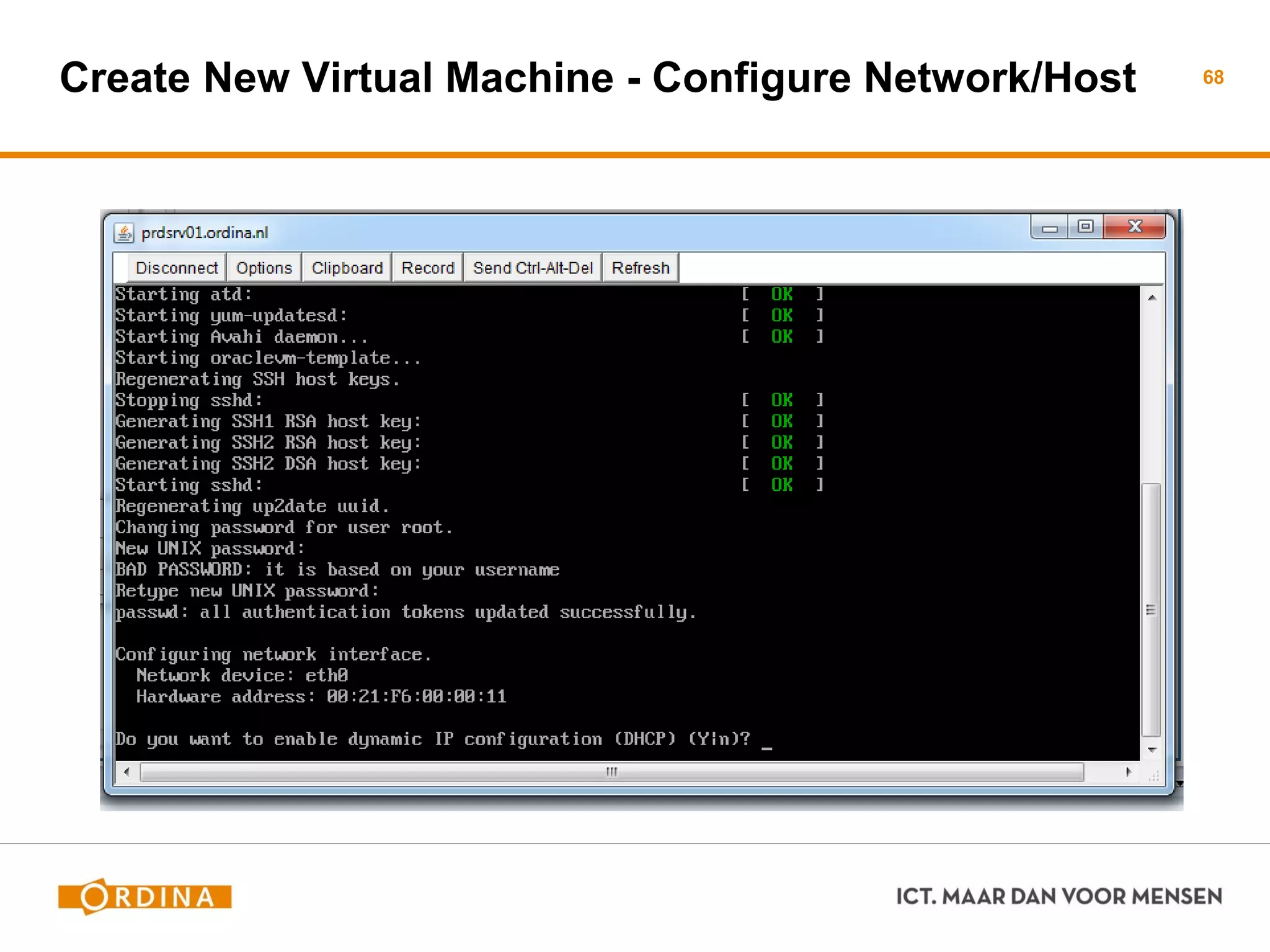
Create New Virtual Machine - Configure Network/Host 68
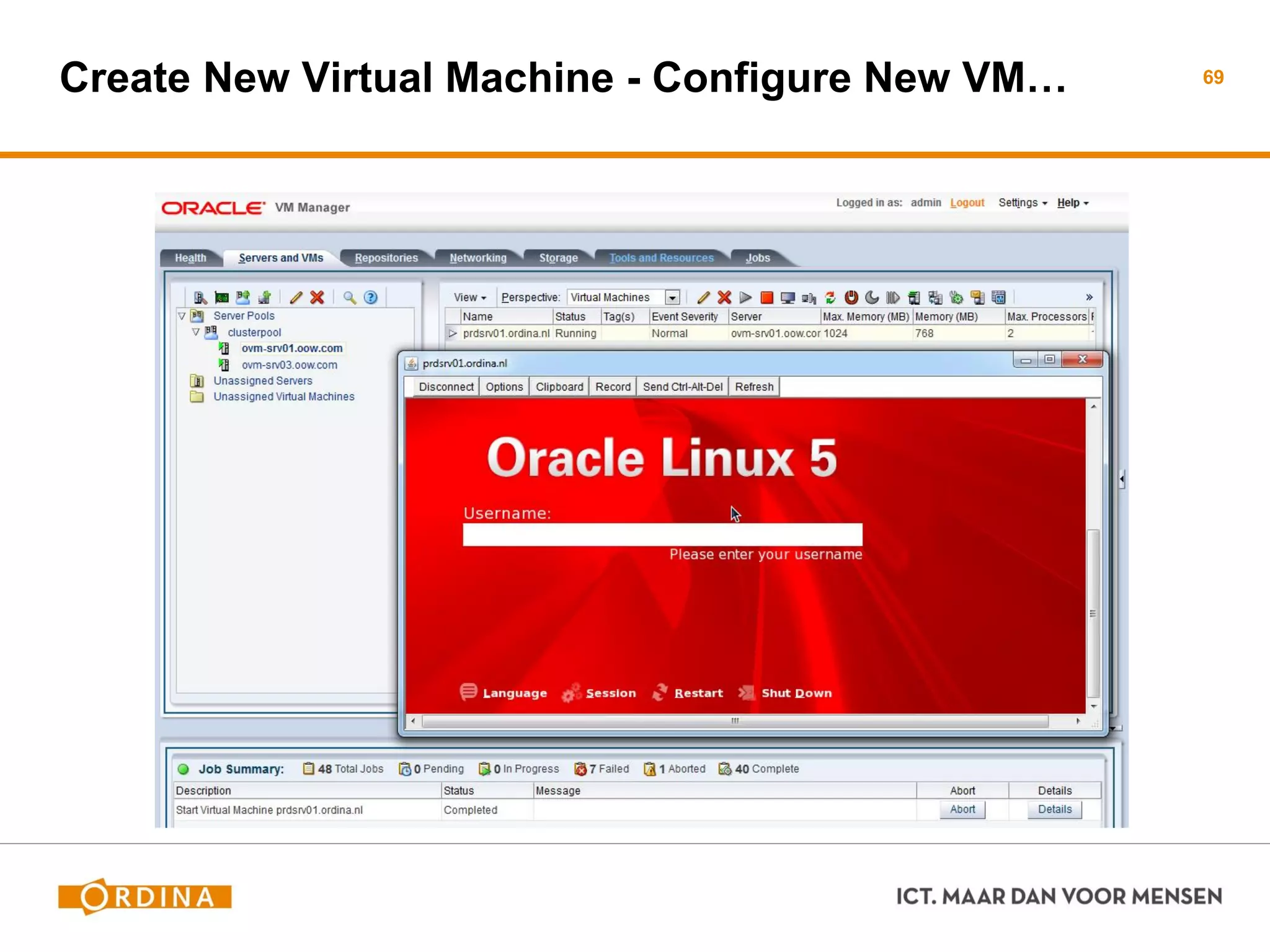
Create New Virtual Machine - Configure New VM… 69
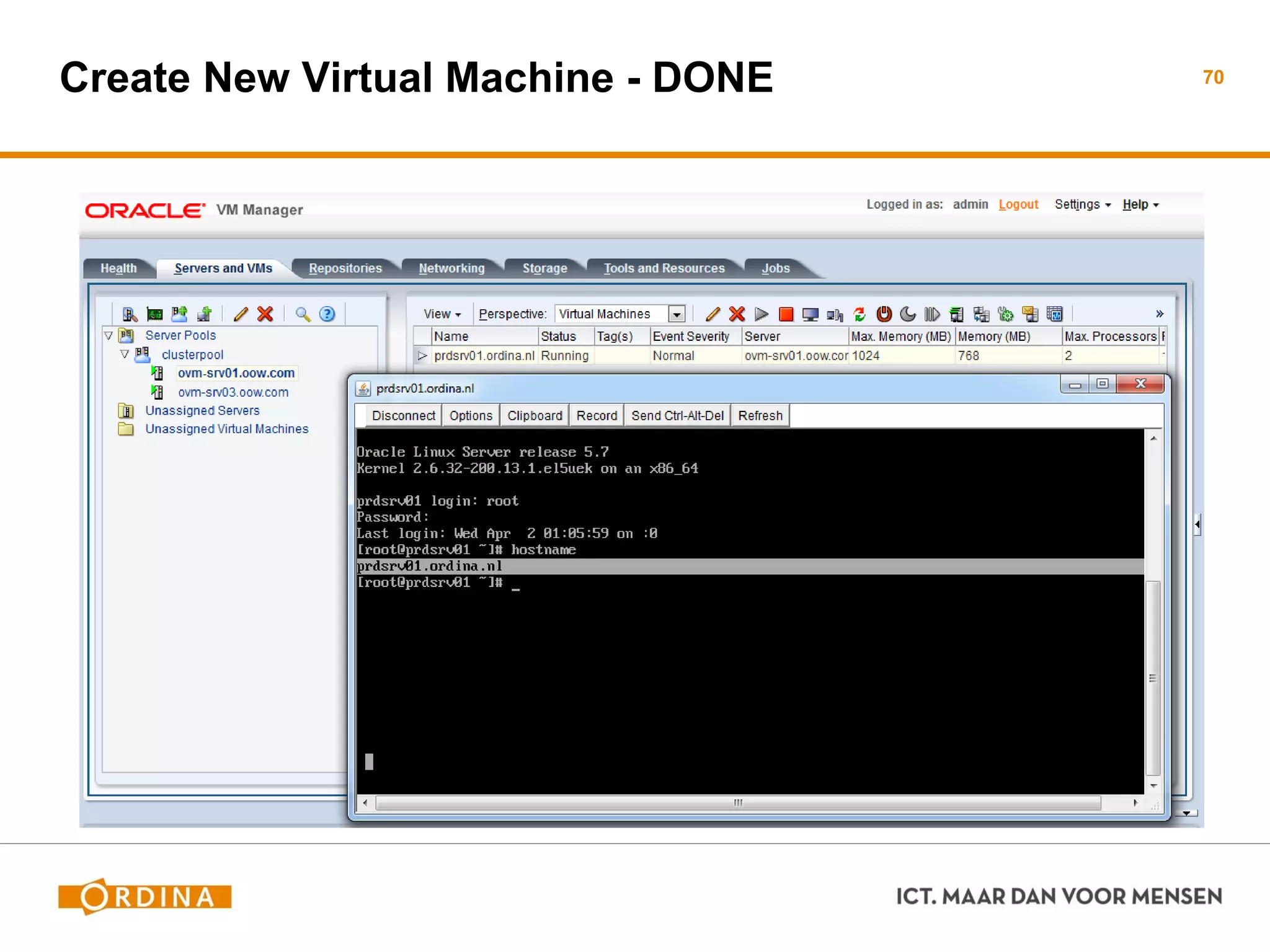
Create New Virtual Machine - DONE 70
71
VRAGEN…?
 Marco Gralike
 Management Consultant
 Ordina RT&I, Platformen
 marco.gralike@ordina.nl
72
References
 Special thanks to
− Christophe Pauliat, Oracle
− Eric Bezille, Oracle
− Oracle Partner Network
 Oracle VM OTN
− https://blogs.oracle.com/cpauliat/
− Oracle OpenWorld 2013 Hands-On Lab: Lab 9870: x86 Enterprise Cloud Infrastructure
with Oracle VM 3.x and Sun ZFS Storage Appliance
 Oracle manuals
− http://www.oracle.com/technetwork/documentation/vm-096300.html
− http://docs.oracle.com/cd/E35328_01/index.html
73
74
www.ordina.nl

An introduction into Oracle VM V3.x

  • 1.
    ICT. MAAR DANVOOR MENSEN Marco Gralike, Ordina, 2014 SAMEN DUURZAAM INNOVEREN
  • 2.
    Ordina - OracleSIG, Oracle VM 3.x, 2014 2 An introduction of Oracle VM 3.x
  • 3.
    Marco Gralike  ManagementConsultant  Ordina RT&I, Platforms  marco.gralike@ordina.nl  Oracle ACE Director, XML DB  20+ jaar IT experience (since1993) − Oracle Database Administration, OS Admin, App.Servers Admin − Virtualization, Cloud Architectures − Presenter  Performance & Troubleshooting  Semi- & Un-structured Data 3
  • 4.
  • 5.
  • 6.
    Oracle VM Server(OVS) Hardware Requirements (minimum)  64-bit Processor  Single CPU, 1 GB RAM  4GB diskspace for binaries  1+ Network Interface Hardware Recommendations  Dual-core or Multiple CPUs  Intel VT or AMD-V CPU  >2 GB RAM  2-8 Network Interfaces Check: https://linux.oracle.com/hardware.html 6
  • 7.
    Installation (OVS) Bare metalinstallation  Download iso file from eDelivery  Request DVD from Oracle Support Boot system with install software  From (burned) cd  USB disk  PXE image (from existing PXE setup) Typical install time <90 sec 7
  • 8.
    Required Information (OVS) Havethe following details available before install  Timezone and UTC clock settings  Designed disk layout (or use default setup)  Any drivers needed for ‘special’ network/storage cards  MAC addresses and network mapping to ports  IP address, hostname, Netmask, Gateway, DNS Passwords  Registration password for OVM Manager  Root password for local server 8
  • 9.
    After Installation (OVS) Harddisk Local / (root) partition of 3Gb, 1Gb swap, 100Mb /boot  Remaining space available without mountpoint Network  Specified network port (setup as part of bond0)  No other networks defined Memory  Base (Dom0) memory uses 502MB + 0.0205 * physical-memory 9
  • 10.
    Troubleshooting (OVS) /var/log containsimportant files  ovs-agent.log − Logfile for the Oracle VM agent. Remote requests and jobs by VM Manager are logged here. 95% of all issues can be detected and solved by viewing this logfile  messages − Logfile containing (default) Linux OS information including usual Linux processes like network, filesystems, drivers etc  Various other logfiles − But the two mentioned are the most important ones ! 10
  • 11.
  • 12.
    Oracle VM Manager(OVM) Needs pre-existing OL5-64 bit or OL6-64 bit system  Only Oracle Linux 5/6 are certified  Networking already configured  Required packages installed − Libaio and unzip − oracle-validated (optional, helpful)  May be virtualized − Is allowed to be installed on the managed OVM environment − Check installation manual for specific steps 12
  • 13.
    Prerequisites (OVM) -1 Hardware requirements  8 GB Memory (or 6 GB if DB is on other host)  1x 1.83 Ghz 64bit processor  1 network card  Harddisk space − 2.1 GB swapspace − 5.5 GB in /u01 − 2 GB in /tmp − 500MB in /var and /usr 13
  • 14.
    Prerequisites (OVM) -2 Software requirements  Oracle Linux / Red Hat Enterprise Linux 5.5/6 64bit or later  Hostname, /etc/hosts and network working/setup  Oracle VM Manager mounted and accessible  Oracle user created with required settings − Can use script ‘createOracle.sh’ from install media  Following packages installed: − libaio − unzip − bc 14
  • 15.
    Components (OVM) Oracle MySQL5.0 database  Allowed to be used for production  Can also choose to use Oracle database SE/EE Oracle Java 1.6 SE Oracle WebLogic Server 11g Oracle ADF (provides web interface look-and-feel) Oracle VM 3.2 Manager 15
  • 16.
  • 17.
    Storage Needed For… Storageand Oracle VM  Storage types  Discovering storage for VM usage Repositories  NFS Storage  SAN Storage  Repositories need to presented to servers Server pools  Logical grouping of one or more physical servers  Virtual Machines can run on or migrate to any server in the pool  Create different Server Pools for different purposes 17
  • 18.
  • 19.
  • 20.
  • 21.
    Oracle VM Server(OVS) Storage Local Storage  SCSI, SAS, SSD, USB etc in local OVM Server  OS should report empty disk, single partitions not detected  Not recommended for HA and production usage Storage server connections  Shared Network Attached Storage (NFS)  iSCSI Storage Attached Network  Fibre Channel Storage Attached Network 21
  • 22.
    Shared Network AttachedStorage (NFS) Create NFS shares on NFS Server  Detect NFS server and NFS shares in OVM Manager  Determine which VM’s can use the shares  Start storing information on the NFS shares When Virtual Machines are stored on NFS  Virtual disk I/O needs to be translated into NFS files  Slower than block I/O like local disks, iSCSI or FC San storage 22
  • 23.
    iSCSI Network AttachedStorage (iSCSI) Simulate remote disks as if they were local  Normal SCSI commands are transported to iSCSI server Supported by default  iSCSI client software (initiator) is present by default  iSCSI server (target) needs to be setup  Access rights based on OVM Manager or iSCSI Server setup When Virtual Machines are stored on iSCSI  Performance depends on iSCSI Target and network  Can be as fast as local storage, overhead is less than NFS 23
  • 24.
    Uses dedicated hardware To present remote disks/LUNs as local disks  Setup and acces permissions are setup on the SAN Server Supported by default  Drivers might be needed if no default driver exists  Linux Multipath supported by default for HA setup  Local changes might be needed (driver options etc) When Virtual Machines are stored on FibreChannel SAN  Depends on remote system and FibreChannel network 24Fibre Channel (FC) Storage Attached Network (SAN)
  • 25.
    Storage Connect Plugins- 1 Specialized plugins for Oracle VM Server  Plugin created and supported by storage vendor  Installed on Oracle VM Server  Oracle VM Manager detects and uses functionality Functionality varies per Storage Plugin  Create new NFS shares  Create new iSCSI disks  Clone existing NFS shares or iSCSI disks  Performs other options (access rights etc) 25
  • 26.
    Storage Connect Plugins- 2 Plugins available by default  NFS, SCSI (local disks), ZFS Storage Appliance, NetApp Filer  Example: ZFS Storage Appliance plugin can close iSCSI LUNs, create new iSCSI LUNS and clone/create NFS shares from the OVM Manager Additional Plugins available  https://wikis.oracle.com/display/oraclevm/Oracle+VM+Storage+Connect+Plugins  Examples: Hitachi, Fujitsu, EMC  Read the plugin documentation carefully for supported models and any licenses needed for usage. Oracle is not responsible for the functioning of these plugins 26
  • 27.
  • 28.
  • 29.
  • 30.
  • 31.
  • 32.
  • 33.
  • 34.
  • 35.
  • 36.
  • 37.
  • 38.
    Discover Oracle VMServers (OVS) 38
  • 39.
    Discover Oracle VMServers (OVS) 39
  • 40.
  • 41.
  • 42.
  • 43.
  • 44.
  • 45.
  • 46.
  • 47.
  • 48.
  • 49.
  • 50.
  • 51.
  • 52.
    Repositories Logical storage forOracle VM resources like  Templates  ISO images  Assemblies Configurable (set of) VM Images  Virtual Machine configuration Files  Virtual Disks 52
  • 53.
    Copy OVM Templateto HTTP directory 53
  • 54.
  • 55.
    SimpleHTTPServer (Python) Python hasthe SimpleHTTPServer module which provides a simple http Request handler.  Make sure you are in the directory where the img and vm.cfg files are located.  pwd /OVS/running_pool/1548_vm1  Start a simple Http server  python -m SimpleHTTPServer 80 Serving HTTP on 0.0.0.0 port 80 ...  Leave this session open for the duration of the migration. Jaap Poot 55
  • 56.
  • 57.
  • 58.
    Copy and UnzipOVM Template 58
  • 59.
  • 60.
    OVM Template -Change Defaults 60
  • 61.
    OVM Template -Add Network 61
  • 62.
    OVM Template -Check / Add Extra Disks 62
  • 63.
    OVM Template -Alter Boot Order; If Needed 63
  • 64.
    Create New VirtualMachine - Clone OVM Template 64
  • 65.
    Create New VirtualMachine - Cloning Process 65
  • 66.
    Create New VirtualMachine - Start and Configure 66
  • 67.
    Create New VirtualMachine - Start Console (jnlp file!) 67
  • 68.
    Create New VirtualMachine - Configure Network/Host 68
  • 69.
    Create New VirtualMachine - Configure New VM… 69
  • 70.
    Create New VirtualMachine - DONE 70
  • 71.
  • 72.
    VRAGEN…?  Marco Gralike Management Consultant  Ordina RT&I, Platformen  marco.gralike@ordina.nl 72
  • 73.
    References  Special thanksto − Christophe Pauliat, Oracle − Eric Bezille, Oracle − Oracle Partner Network  Oracle VM OTN − https://blogs.oracle.com/cpauliat/ − Oracle OpenWorld 2013 Hands-On Lab: Lab 9870: x86 Enterprise Cloud Infrastructure with Oracle VM 3.x and Sun ZFS Storage Appliance  Oracle manuals − http://www.oracle.com/technetwork/documentation/vm-096300.html − http://docs.oracle.com/cd/E35328_01/index.html 73
  • 74.