Download free for 30 days
Sign in
Upload
Language (EN)
Support
Business
Mobile
Social Media
Marketing
Technology
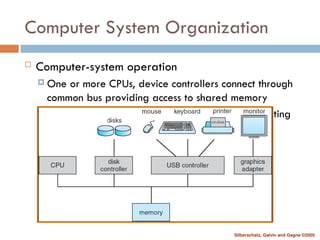
Art & Photos
Career
Design
Education
Presentations & Public Speaking
Government & Nonprofit
Healthcare
Internet
Law
Leadership & Management
Automotive
Engineering
Software
Recruiting & HR
Retail
Sales
Services
Science
Small Business & Entrepreneurship
Food
Environment
Economy & Finance
Data & Analytics
Investor Relations
Sports
Spiritual
News & Politics
Travel
Self Improvement
Real Estate
Entertainment & Humor
Health & Medicine
Devices & Hardware
Lifestyle
Change Language
Language
English
Español
Português
Français
Deutsche
Cancel
Save
EN
Uploaded by
seemabandgar
PPT, PDF
169 views
Operating Systems Structure Function Services
Operating Systems Structure Function Services
Engineering
◦
Read more
0
Save
Share
Embed
Embed presentation
Download
Download to read offline
1
/ 44
2
/ 44
3
/ 44
4
/ 44
5
/ 44
6
/ 44
7
/ 44
8
/ 44
9
/ 44
10
/ 44
11
/ 44
12
/ 44
13
/ 44
14
/ 44
15
/ 44
16
/ 44
17
/ 44
18
/ 44
19
/ 44
20
/ 44
21
/ 44
22
/ 44
23
/ 44
24
/ 44
25
/ 44
26
/ 44
27
/ 44
28
/ 44
29
/ 44
30
/ 44
31
/ 44
32
/ 44
33
/ 44
34
/ 44
35
/ 44
36
/ 44
37
/ 44
38
/ 44
39
/ 44
40
/ 44
41
/ 44
42
/ 44
43
/ 44
44
/ 44
More Related Content
PPTX
UNIT-I-Operating System detailedPPT.pptx
by
Gayatri Wahane
PPT
Operating systems ch1 about introduction .ppt
by
fakenot059
PPT
Operating systems galvin-ch1
by
Bat-Ochir Gan-Ochir
PPT
Introduction to OS.
by
Reham Maher El-Safarini
PPT
Ch01 introduction
by
GRajendra
PPTX
introduction to operating systems and services.pptx
by
anilvarsha1
PPT
Chapter 1 of operating system and it's working.ppt
by
snehalgoyal2
PPT
UNIT 1 OS.ppt UNIT 1 OS.ppt UNIT 1 OS.ppt
by
just4anjusha
UNIT-I-Operating System detailedPPT.pptx
by
Gayatri Wahane
Operating systems ch1 about introduction .ppt
by
fakenot059
Operating systems galvin-ch1
by
Bat-Ochir Gan-Ochir
Introduction to OS.
by
Reham Maher El-Safarini
Ch01 introduction
by
GRajendra
introduction to operating systems and services.pptx
by
anilvarsha1
Chapter 1 of operating system and it's working.ppt
by
snehalgoyal2
UNIT 1 OS.ppt UNIT 1 OS.ppt UNIT 1 OS.ppt
by
just4anjusha
Similar to Operating Systems Structure Function Services
PPTX
Unit 1-Operating Systems Overview .pptx
by
ThamaraiselviAvinuty
PPT
ch1-introduction-to-os operating system .ppt
by
tanwarbhavya7
PPT
1.introduction
by
Senthil Kanth
PPT
1.Introduction
by
Senthil Kanth
PPTX
ch1 operating system chapter 1 to OS.pptx
by
Zahoorahmed536759
PDF
ch1.pdf
by
SanthoshSgrao2
PPTX
Ch1 Operating System
by
ChhayaShelake
PPT
Ch3: Operating System Structure
by
Ahmar Hashmi
PPT
introduction for operating system structures for it students
by
AbdalrhmanHassan6
PPTX
Ch1-Operating System Concept
by
Muhammad Bilal Tariq
PPTX
Ch1-Operating System Concepts
by
Muhammad Bilal Tariq
PPTX
OS oprating system introduction Note (1).pptx
by
aalfakeah02
PPTX
Operating system chapter 1 of module 1 and notes
by
aishwaryasalian2
PPTX
module1module1module1module1module1ch1.pptx
by
shruthilikhil
PPTX
Operating System Chapter One Introduction
by
shaikrasool39
PPTX
operating system basic and windows versions and types of operating system
by
nandemprasanna
PPTX
ch1-1.pptx
by
Kunaljit2
PDF
chp1_merged.pdf
by
BatoolKhan15
PPT
Operating Systems Introduction From Silberchatz
by
samioulislam08
PPTX
Chapter 1 Introduction.pptx
by
AbdiAzizMaashaa1
Unit 1-Operating Systems Overview .pptx
by
ThamaraiselviAvinuty
ch1-introduction-to-os operating system .ppt
by
tanwarbhavya7
1.introduction
by
Senthil Kanth
1.Introduction
by
Senthil Kanth
ch1 operating system chapter 1 to OS.pptx
by
Zahoorahmed536759
ch1.pdf
by
SanthoshSgrao2
Ch1 Operating System
by
ChhayaShelake
Ch3: Operating System Structure
by
Ahmar Hashmi
introduction for operating system structures for it students
by
AbdalrhmanHassan6
Ch1-Operating System Concept
by
Muhammad Bilal Tariq
Ch1-Operating System Concepts
by
Muhammad Bilal Tariq
OS oprating system introduction Note (1).pptx
by
aalfakeah02
Operating system chapter 1 of module 1 and notes
by
aishwaryasalian2
module1module1module1module1module1ch1.pptx
by
shruthilikhil
Operating System Chapter One Introduction
by
shaikrasool39
operating system basic and windows versions and types of operating system
by
nandemprasanna
ch1-1.pptx
by
Kunaljit2
chp1_merged.pdf
by
BatoolKhan15
Operating Systems Introduction From Silberchatz
by
samioulislam08
Chapter 1 Introduction.pptx
by
AbdiAzizMaashaa1
Recently uploaded
PDF
Computer Graphics Fundamentals (v0p1) - DannyJiang
by
Danny Jiang
PDF
Murdoca Arquictetura de computadoras 2026
by
silviosalicacordoba
PDF
Fire fighting arrangement in public assembly buildings
by
xaliaboyzz
PDF
Python programming basics Unit-1 for R25 regulation
by
ssuser492e7f
PDF
JVM in the Age of AI: 2026 Edition - Deep Dive
by
Artur Skowroński
PPTX
Theory to Practice of Unsaturated Soil Mechanics-1.pptx
by
MahmoodKhalid11
PPTX
Integrating Azure Event Services_ Event Grid, Event Hubs, and Service Bus.pptx
by
ADITYASHARMA423788
PPTX
Optimized access control techniques in Cloud Computing with Security and Scal...
by
mareswariesteru
PDF
Basic Thumb rule For switchgear Selection
by
Vimal Kr
PDF
Introduction to C++.pdf it is best material for beginner student and above that
by
aron63chala
PDF
Manual de instalacion de notifire NFS320
by
MarcoPolitoPerez
PDF
10 Tips for Successfully Purchasing Twitter Accounts.pdf
by
marketing
PDF
A Newbie’s Journey: Hidden MySQL Pain Points That Vitess Quietly Solves
by
Igor Donchovski
PPTX
Introduction to AI and Applications Module-4.pptx
by
KalaiselviSubramania2
PPTX
Lubrication Neglect Causes More Downtime Than AI Ever Will Why Maintenance Fu...
by
MaintWiz Technologies Private Limited
PPTX
UNIT 2 - Electronics Device - EC25C01 - PN Junction Diodes
by
Mathavan N
PPT
L9_Statistical Evaluation of Measurement Data.ppt
by
kohila15
PDF
Fluid Mechanics, Heat Transfer, and Mass Transfer_ Chemical Engineering Pract...
by
nikptl09
PPTX
The #1 Reason Your MRO Budget Exploded — And How Predictive Maintenance Fixes It
by
MaintWiz Technologies Private Limited
PPTX
Basin Design Service, LLC Introduction Presentation
by
Hubie Fix
Computer Graphics Fundamentals (v0p1) - DannyJiang
by
Danny Jiang
Murdoca Arquictetura de computadoras 2026
by
silviosalicacordoba
Fire fighting arrangement in public assembly buildings
by
xaliaboyzz
Python programming basics Unit-1 for R25 regulation
by
ssuser492e7f
JVM in the Age of AI: 2026 Edition - Deep Dive
by
Artur Skowroński
Theory to Practice of Unsaturated Soil Mechanics-1.pptx
by
MahmoodKhalid11
Integrating Azure Event Services_ Event Grid, Event Hubs, and Service Bus.pptx
by
ADITYASHARMA423788
Optimized access control techniques in Cloud Computing with Security and Scal...
by
mareswariesteru
Basic Thumb rule For switchgear Selection
by
Vimal Kr
Introduction to C++.pdf it is best material for beginner student and above that
by
aron63chala
Manual de instalacion de notifire NFS320
by
MarcoPolitoPerez
10 Tips for Successfully Purchasing Twitter Accounts.pdf
by
marketing
A Newbie’s Journey: Hidden MySQL Pain Points That Vitess Quietly Solves
by
Igor Donchovski
Introduction to AI and Applications Module-4.pptx
by
KalaiselviSubramania2
Lubrication Neglect Causes More Downtime Than AI Ever Will Why Maintenance Fu...
by
MaintWiz Technologies Private Limited
UNIT 2 - Electronics Device - EC25C01 - PN Junction Diodes
by
Mathavan N
L9_Statistical Evaluation of Measurement Data.ppt
by
kohila15
Fluid Mechanics, Heat Transfer, and Mass Transfer_ Chemical Engineering Pract...
by
nikptl09
The #1 Reason Your MRO Budget Exploded — And How Predictive Maintenance Fixes It
by
MaintWiz Technologies Private Limited
Basin Design Service, LLC Introduction Presentation
by
Hubie Fix
Operating Systems Structure Function Services
1.
CHAPTER 1: INTRODUCTION
2.
Silberschatz, Galvin and
Gagne ©2005 The textbook Operating System Concepts, 7th Edition Abraham Silberschatz, Yale University Peter Baer Galvin, Corporate Technologies Greg Gagne, Westminster College ISBN: 0-471-69466-5 http://he-cda.wiley.com/WileyCDA/HigherEdTitle /productCd-0471694665.html
3.
Silberschatz, Galvin and
Gagne ©2005 Chapter 1: Introduction Introduction Operating Systems Computer-System Organization Computer-System Architecture Operating-System Structure Operating-System Operations Function of Operating System Distributed Systems Special-Purpose Systems Operating System Services
4.
Silberschatz, Galvin and
Gagne ©2005 Objectives To provide a grand tour of the major operating systems components To provide coverage of basic computer system organization
5.
Silberschatz, Galvin and
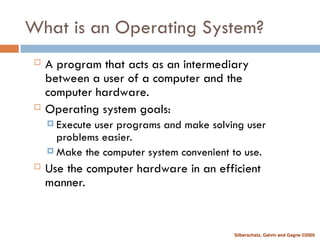
Gagne ©2005 What is an Operating System? A program that acts as an intermediary between a user of a computer and the computer hardware. Operating system goals: Execute user programs and make solving user problems easier. Make the computer system convenient to use. Use the computer hardware in an efficient manner.
6.
Silberschatz, Galvin and
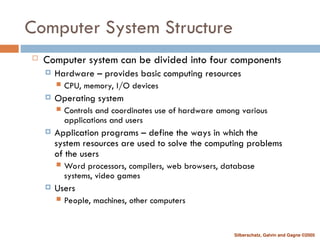
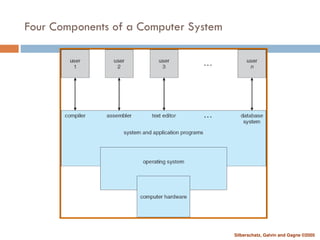
Gagne ©2005 Computer System Structure Computer system can be divided into four components Hardware – provides basic computing resources CPU, memory, I/O devices Operating system Controls and coordinates use of hardware among various applications and users Application programs – define the ways in which the system resources are used to solve the computing problems of the users Word processors, compilers, web browsers, database systems, video games Users People, machines, other computers
7.
Silberschatz, Galvin and
Gagne ©2005 Four Components of a Computer System
8.
Silberschatz, Galvin and
Gagne ©2005 Operating System Definition OS is a resource allocator Manages all resources Decides between conflicting requests for efficient and fair resource use OS is a control program Controls execution of programs to prevent errors and improper use of the computer
9.
Silberschatz, Galvin and
Gagne ©2005 Operating System Definition (Cont.) No universally accepted definition “Everything a vendor ships when you order an operating system” is good approximation But varies wildly “The one program running at all times on the computer” is the kernel. Everything else is either a system program (ships with the operating system) or an application program
10.
Silberschatz, Galvin and
Gagne ©2005 Computer System Organization Computer-system operation One or more CPUs, device controllers connect through common bus providing access to shared memory Concurrent execution of CPUs and devices competing for memory cycles
11.
Silberschatz, Galvin and
Gagne ©2005 Computer-System Operation I/O devices and the CPU can execute concurrently. Each device controller is in charge of a particular device type. Each device controller has a local buffer. CPU moves data from/to main memory to/from local buffers I/O is from the device to local buffer of controller. Device controller informs CPU that it has finished its operation by causing an interrupt.
12.
Silberschatz, Galvin and
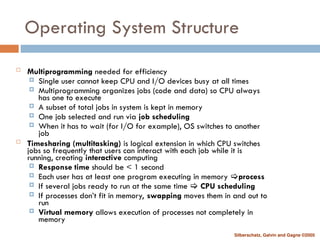
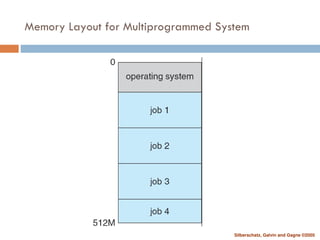
Gagne ©2005 Operating System Structure Multiprogramming needed for efficiency Single user cannot keep CPU and I/O devices busy at all times Multiprogramming organizes jobs (code and data) so CPU always has one to execute A subset of total jobs in system is kept in memory One job selected and run via job scheduling When it has to wait (for I/O for example), OS switches to another job Timesharing (multitasking) is logical extension in which CPU switches jobs so frequently that users can interact with each job while it is running, creating interactive computing Response time should be < 1 second Each user has at least one program executing in memory process If several jobs ready to run at the same time CPU scheduling If processes don’t fit in memory, swapping moves them in and out to run Virtual memory allows execution of processes not completely in memory
13.
Silberschatz, Galvin and
Gagne ©2005 Memory Layout for Multiprogrammed System
14.
Silberschatz, Galvin and
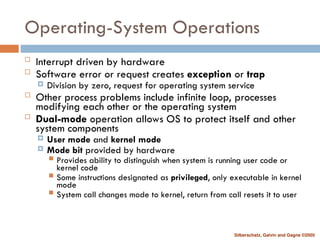
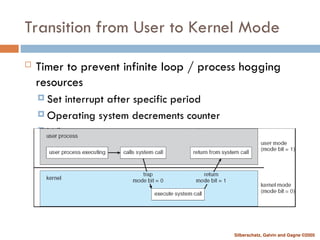
Gagne ©2005 Operating-System Operations Interrupt driven by hardware Software error or request creates exception or trap Division by zero, request for operating system service Other process problems include infinite loop, processes modifying each other or the operating system Dual-mode operation allows OS to protect itself and other system components User mode and kernel mode Mode bit provided by hardware Provides ability to distinguish when system is running user code or kernel code Some instructions designated as privileged, only executable in kernel mode System call changes mode to kernel, return from call resets it to user
15.
Silberschatz, Galvin and
Gagne ©2005 Transition from User to Kernel Mode Timer to prevent infinite loop / process hogging resources Set interrupt after specific period Operating system decrements counter When counter zero generate an interrupt Set up before scheduling process to regain control or terminate program that exceeds allotted time
16.
Silberschatz, Galvin and
Gagne ©2005 Functions: Process Management A process is a program in execution. It is a unit of work within the system. Program is a passive entity, process is an active entity. Process needs resources to accomplish its task CPU, memory, I/O, files Initialization data Process termination requires reclaim of any reusable resources Single-threaded process has one program counter specifying location of next instruction to execute Process executes instructions sequentially, one at a time, until completion Multi-threaded process has one program counter per thread Typically system has many processes, some user, some operating system running concurrently on one or more CPUs Concurrency by multiplexing the CPUs among the processes / threads
17.
Silberschatz, Galvin and
Gagne ©2005 Process Management Activities The operating system is responsible for the following activities in connection with process management: Creating and deleting both user and system processes Suspending and resuming processes Providing mechanisms for process synchronization Providing mechanisms for process communication Providing mechanisms for deadlock handling
18.
Silberschatz, Galvin and
Gagne ©2005 Memory Management All data in memory before and after processing All instructions in memory in order to execute Memory management determines what is in memory when Optimizing CPU utilization and computer response to users Memory management activities Keeping track of which parts of memory are currently being used and by whom Deciding which processes (or parts thereof) and data to move into and out of memory Allocating and deallocating memory space as needed
19.
Silberschatz, Galvin and
Gagne ©2005 Storage Management OS provides uniform, logical view of information storage Abstracts physical properties to logical storage unit - file Each medium is controlled by device (i.e., disk drive, tape drive) Varying properties include access speed, capacity, data-transfer rate, access method (sequential or random) File-System management Files usually organized into directories Access control on most systems to determine who can access what OS activities include Creating and deleting files and directories Primitives to manipulate files and dirs Mapping files onto secondary storage Backup files onto stable (non-volatile) storage media
20.
Silberschatz, Galvin and
Gagne ©2005 I/O Subsystem One purpose of OS is to hide peculiarities of hardware devices from the user I/O subsystem responsible for Memory management of I/O including buffering (storing data temporarily while it is being transferred), caching (storing parts of data in faster storage for performance), spooling (the overlapping of output of one job with input of other jobs) General device-driver interface Drivers for specific hardware devices
21.
Silberschatz, Galvin and
Gagne ©2005 Protection and Security Protection – any mechanism for controlling access of processes or users to resources defined by the OS Security – defense of the system against internal and external attacks Huge range, including denial-of-service, worms, viruses, identity theft, theft of service Systems generally first distinguish among users, to determine who can do what User identities (user IDs, security IDs) include name and associated number, one per user User ID then associated with all files, processes of that user to determine access control Group identifier (group ID) allows set of users to be defined and controls managed, then also associated with each process, file Privilege escalation allows user to change to effective ID with more rights
22.
Silberschatz, Galvin and
Gagne ©2005 Distributed System It is a collection of processors that do not share memory or a clock Each processor has its own local memory Processors communicate with one another through various communication i.e. network , such as high speed buses or telephone lines Here we discuss the general structure of distributed systems and the network that interconnect them We contrast main differences in OS design between these systems and centralized systems
23.
Silberschatz, Galvin and
Gagne ©2005 Motivation Distributed system is a collection of loosely coupled processors interconnected by a communication network Each processor has its own local resources The processors communicate through networks General structure of distributed system
24.
Silberschatz, Galvin and
Gagne ©2005 Four reasons for building Distributed Systems: Resource sharing Computation speedup Reliability Communication
25.
Silberschatz, Galvin and
Gagne ©2005 Resource Sharing A user at one site can use the resources at another site E. g. sharing files, processing info, printing files…. Computation Speedup If a computation can be partitioned into sub computations that can run concurrently then a distributed system allows us to distribute the sub computations among various sites If a particular site is overloaded with jobs,some may be moved to other lightly loaded sites(=loadsharing)
26.
Silberschatz, Galvin and
Gagne ©2005 Reliability If one fails, the remaining ones can still operate If each machine is responsible foe some crucial system function, then a single failure may halt the whole system With enough redundancy, the system can continue operation The system must no longer use the services of that site When the failed site recovers/ is repaired, mechanisms must be available to integrate it back into the system
27.
Silberschatz, Galvin and
Gagne ©2005 Communication Messages passed between systems in the same way a single computer message system does Functions include file transfer, login, mail, and remote procedure calls (RCPs) These functions can be carried out over distances Users at different sites can exchange information Advantages: Collaboration over distances Downsizing
28.
Silberschatz, Galvin and
Gagne ©2005 Types of Network based Operating Systems Two general categories of network oriented operating systems: Network Operating Systems Distributed Operating Systems
29.
Silberschatz, Galvin and
Gagne ©2005 Network Operating Systems Simpler to implement, but more difficult for users to access and utilize than distributed Oss Provides an environment where users who are aware of multiplicity of machines can access remote resources on each others machines Remote login Internet provides the telnet facility for this purpose Create socket Open bidirectional connection Users must enter username and password Execute any command
30.
Silberschatz, Galvin and
Gagne ©2005 Distributed Operating Systems: Provide more features than network Oss Users access remote resources in the same manner as local ones Data and process migration is under control of distributed operating system Data Migration Computation Migration Process Migration
31.
Silberschatz, Galvin and
Gagne ©2005 Operating system services It provides environment for execution of program Provide services to programs and users that use those programs We identify common classes of services for all OS One set of operating system services provide functions helpful to user: User Interface Almost all operating systems have a user interface(UI) Varies between command line, Graphics user interface (GUI) , Batch Program Execution System must able to load a program into memory and run it Program must able to end its execution I/O Operations File-System manipulation Communications Error Detection
32.
Silberschatz, Galvin and
Gagne ©2005 User-Operating System Interface Two ways that users interface with the OS: Command Interpreter(Command line interface) Graphical User Interface (GUI) Batch interface
33.
Silberschatz, Galvin and
Gagne ©2005 Command Interpreter Main function of command interpreter is to get and execute the next user specified command Many of command are used to manipulate, create, copy, print, execute etc. files Fastest way to interact with machine i.e. Linux, Unix Two general ways to implement this command Command interpreter self contains code to execute command Command are implemented through system programs
34.
Silberschatz, Galvin and
Gagne ©2005 Graphical User Interface Include mouse, keyboard, monitor for I/O buttons, graphs, icons, folders, menus. No entering of commands but the use of a mouse based window and menu system characterized by a desktop metaphor Mouse is used to move a pointer to the position of an icon that represents a file, program or folder & by clicking on it the program is invoked
35.
Silberschatz, Galvin and
Gagne ©2005 System calls System calls provide an interface to the services made available by an operating system Example Application developers design programs according to an application programming interface(API) API defines a set of functions that are available to an application programmer This includes parameter passed to functions and return values the programmer can accept Win 32 API, POSIX API and JAVA API are the three most common API’s The function that make up an API typically invoke the actual system calls on behalf of application programmer
36.
Silberschatz, Galvin and
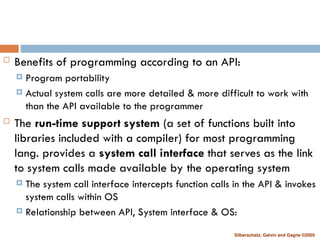
Gagne ©2005 Benefits of programming according to an API: Program portability Actual system calls are more detailed & more difficult to work with than the API available to the programmer The run-time support system (a set of functions built into libraries included with a compiler) for most programming lang. provides a system call interface that serves as the link to system calls made available by the operating system The system call interface intercepts function calls in the API & invokes system calls within OS Relationship between API, System interface & OS:
37.
Silberschatz, Galvin and
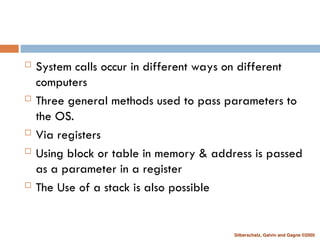
Gagne ©2005 System calls occur in different ways on different computers Three general methods used to pass parameters to the OS. Via registers Using block or table in memory & address is passed as a parameter in a register The Use of a stack is also possible
38.
Silberschatz, Galvin and
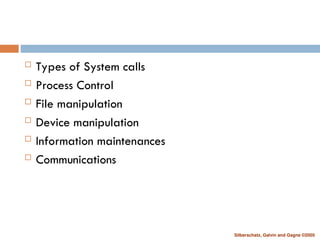
Gagne ©2005 Types of System calls Process Control File manipulation Device manipulation Information maintenances Communications
39.
Silberschatz, Galvin and
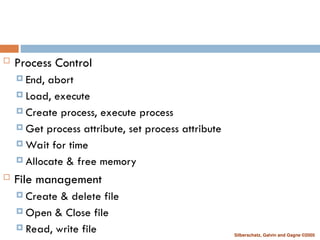
Gagne ©2005 Process Control End, abort Load, execute Create process, execute process Get process attribute, set process attribute Wait for time Allocate & free memory File management Create & delete file Open & Close file Read, write file
40.
Silberschatz, Galvin and
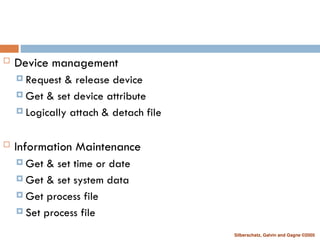
Gagne ©2005 Device management Request & release device Get & set device attribute Logically attach & detach file Information Maintenance Get & set time or date Get & set system data Get process file Set process file
41.
Silberschatz, Galvin and
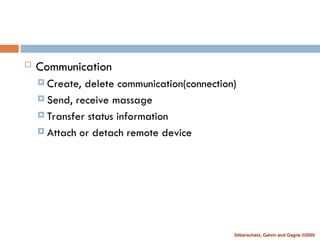
Gagne ©2005 Communication Create, delete communication(connection) Send, receive massage Transfer status information Attach or detach remote device
42.
Silberschatz, Galvin and
Gagne ©2005 Virtual Machines
43.
Silberschatz, Galvin and
Gagne ©2005 System Boot
44.
END OF CHAPTER
1
Download