Mobile DevelopmentMobile Development
Classroom SolutionsClassroom Solutions
Daniel DownsDaniel Downs
Boston TechForum 2013Boston TechForum 2013
@danieldowns@danieldowns
www.projectbasedlearningonline.comwww.projectbasedlearningonline.com
Why Mobile App Curriculum?Why Mobile App Curriculum?
► Planning (Context, ContentPlanning (Context, Content
& User Interface Design Of& User Interface Design Of
Application)Application)
► Graphic Design/LayoutGraphic Design/Layout
Skills (icons, buttons)Skills (icons, buttons)
► Coding/ProgrammingCoding/Programming
Language Skills (HTML,Language Skills (HTML,
CSS, Action Script 3.0 ,CSS, Action Script 3.0 ,
Java)Java)
► Real World Application ToReal World Application To
Devices & Markets (GoogleDevices & Markets (Google
Play, App StorePlay, App Store))
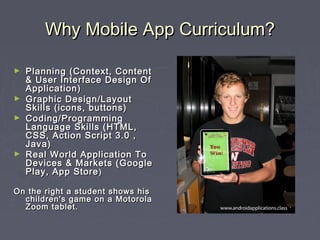
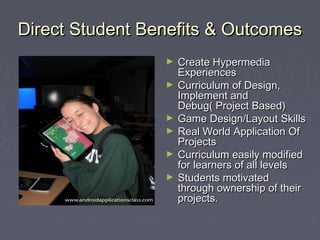
On the right a student shows hisOn the right a student shows his
children's game on a Motorolachildren's game on a Motorola
Zoom tablet.Zoom tablet.
Survey Of Development OptionsSurvey Of Development Options
*Currently there are a variety of*Currently there are a variety of
Development tools for mobile.Development tools for mobile.
*Many are low cost, free or could*Many are low cost, free or could
be part of a software package yoube part of a software package you
currently use (Android SDK &currently use (Android SDK &
Tools)Tools)
*Each Of These Options Can Be*Each Of These Options Can Be
Integrated in classrooms fromIntegrated in classrooms from
Grades 5-12Grades 5-12
*For lower levels or introductory*For lower levels or introductory
levels AppInventor is a greatlevels AppInventor is a great
option!option!
http://appinventor.mit.edu/http://appinventor.mit.edu/
Android DevelopmentAndroid Development
- Adobe Flash- Adobe Flash
-PhoneGap (Eclipse, Dreamweaver)-PhoneGap (Eclipse, Dreamweaver)
-Jquery (Dreamweaver)-Jquery (Dreamweaver)
-Java For Android (Eclipse)-Java For Android (Eclipse)
- App Inventor- App Inventor
IOS DevelopmentIOS Development
- Xcode (Download)- Xcode (Download)
- Adobe Flash (Adobe Software)- Adobe Flash (Adobe Software)
- Objective C Programming- Objective C Programming
Open Source AlternativesOpen Source Alternatives
► These open source toolsThese open source tools
are generally downloadare generally download
based and require a basicbased and require a basic
working knowledge ofworking knowledge of
HTML/CSS andHTML/CSS and
Javascript.Javascript.
► These platforms areThese platforms are
building in popularity withbuilding in popularity with
small businesses and newsmall businesses and new
mobile developers.mobile developers.
► RhodesRhodes
http://www.motorola.com/Business/US-EN/Business+Product+andhttp://www.motorola.com/Business/US-EN/Business+Product+and
(html 5 based)(html 5 based)
► AppceleratorAppcelerator
http://www.appcelerator.com/platform/demo/http://www.appcelerator.com/platform/demo/
(Javascript)(Javascript)
► WidgetPadWidgetPad (Iphone)(Iphone)
http://readwrite.com/2009/09/21/widgetpadhttp://readwrite.com/2009/09/21/widgetpad
► MosyncMosync (HTML/Javascript)(HTML/Javascript)
http://www.mosync.com/http://www.mosync.com/
My Android Experiences In TheMy Android Experiences In The
ClassroomClassroom
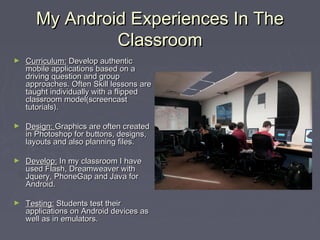
► Curriculum:Curriculum: Develop authenticDevelop authentic
mobile applications based on amobile applications based on a
driving question and groupdriving question and group
approaches. Often Skill lessons areapproaches. Often Skill lessons are
taught individually with a flippedtaught individually with a flipped
classroom model(screencastclassroom model(screencast
tutorials).tutorials).
► Design:Design: Graphics are often createdGraphics are often created
in Photoshop for buttons, designs,in Photoshop for buttons, designs,
layouts and also planning files.layouts and also planning files.
► Develop:Develop: In my classroom I haveIn my classroom I have
used Flash, Dreamweaver withused Flash, Dreamweaver with
Jquery, PhoneGap and Java forJquery, PhoneGap and Java for
Android.Android.
► Testing:Testing: Students test theirStudents test their
applications on Android devices asapplications on Android devices as
well as in emulators.well as in emulators.
Getting Started LessonsGetting Started Lessons
► Flash LessonsFlash Lessons
Basic Layout LessonBasic Layout Lesson
API Lessons( Application Programming Interface: TouchAPI Lessons( Application Programming Interface: Touch
Events, Google Maps,Accelerometer)Events, Google Maps,Accelerometer)
Tommy PineTommy Pine
Student Authentic Project (group 3)Student Authentic Project (group 3)
Group 2 PBL Project(7 minutes in)Group 2 PBL Project(7 minutes in)
Group 3 Presentation of AppGroup 3 Presentation of App
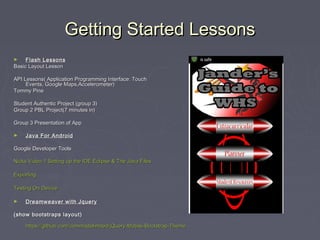
► Java For AndroidJava For Android
Google Developer ToolsGoogle Developer Tools
Nicks Video 1:Setting up the IDE Eclipse & The Java FilesNicks Video 1:Setting up the IDE Eclipse & The Java Files
ExportingExporting
Testing On DeviceTesting On Device
► Dreamweaver with JqueryDreamweaver with Jquery
(show bootstraps layout)(show bootstraps layout)
https://github.com/commadelimited/jQuery-Mobile-Bootstrap-Themehttps://github.com/commadelimited/jQuery-Mobile-Bootstrap-Theme
Direct Student Benefits & OutcomesDirect Student Benefits & Outcomes
► Create HypermediaCreate Hypermedia
ExperiencesExperiences
► Curriculum of Design,Curriculum of Design,
Implement andImplement and
Debug( Project Based)Debug( Project Based)
► Game Design/Layout SkillsGame Design/Layout Skills
► Real World Application OfReal World Application Of
ProjectsProjects
► Curriculum easily modifiedCurriculum easily modified
for learners of all levelsfor learners of all levels
► Students motivatedStudents motivated
through ownership of theirthrough ownership of their
projects.projects.

Open source mobile development solutions

  • 1.
    Mobile DevelopmentMobile Development ClassroomSolutionsClassroom Solutions Daniel DownsDaniel Downs Boston TechForum 2013Boston TechForum 2013 @danieldowns@danieldowns www.projectbasedlearningonline.comwww.projectbasedlearningonline.com
  • 2.
    Why Mobile AppCurriculum?Why Mobile App Curriculum? ► Planning (Context, ContentPlanning (Context, Content & User Interface Design Of& User Interface Design Of Application)Application) ► Graphic Design/LayoutGraphic Design/Layout Skills (icons, buttons)Skills (icons, buttons) ► Coding/ProgrammingCoding/Programming Language Skills (HTML,Language Skills (HTML, CSS, Action Script 3.0 ,CSS, Action Script 3.0 , Java)Java) ► Real World Application ToReal World Application To Devices & Markets (GoogleDevices & Markets (Google Play, App StorePlay, App Store)) On the right a student shows hisOn the right a student shows his children's game on a Motorolachildren's game on a Motorola Zoom tablet.Zoom tablet.
  • 3.
    Survey Of DevelopmentOptionsSurvey Of Development Options *Currently there are a variety of*Currently there are a variety of Development tools for mobile.Development tools for mobile. *Many are low cost, free or could*Many are low cost, free or could be part of a software package yoube part of a software package you currently use (Android SDK &currently use (Android SDK & Tools)Tools) *Each Of These Options Can Be*Each Of These Options Can Be Integrated in classrooms fromIntegrated in classrooms from Grades 5-12Grades 5-12 *For lower levels or introductory*For lower levels or introductory levels AppInventor is a greatlevels AppInventor is a great option!option! http://appinventor.mit.edu/http://appinventor.mit.edu/ Android DevelopmentAndroid Development - Adobe Flash- Adobe Flash -PhoneGap (Eclipse, Dreamweaver)-PhoneGap (Eclipse, Dreamweaver) -Jquery (Dreamweaver)-Jquery (Dreamweaver) -Java For Android (Eclipse)-Java For Android (Eclipse) - App Inventor- App Inventor IOS DevelopmentIOS Development - Xcode (Download)- Xcode (Download) - Adobe Flash (Adobe Software)- Adobe Flash (Adobe Software) - Objective C Programming- Objective C Programming
  • 4.
    Open Source AlternativesOpenSource Alternatives ► These open source toolsThese open source tools are generally downloadare generally download based and require a basicbased and require a basic working knowledge ofworking knowledge of HTML/CSS andHTML/CSS and Javascript.Javascript. ► These platforms areThese platforms are building in popularity withbuilding in popularity with small businesses and newsmall businesses and new mobile developers.mobile developers. ► RhodesRhodes http://www.motorola.com/Business/US-EN/Business+Product+andhttp://www.motorola.com/Business/US-EN/Business+Product+and (html 5 based)(html 5 based) ► AppceleratorAppcelerator http://www.appcelerator.com/platform/demo/http://www.appcelerator.com/platform/demo/ (Javascript)(Javascript) ► WidgetPadWidgetPad (Iphone)(Iphone) http://readwrite.com/2009/09/21/widgetpadhttp://readwrite.com/2009/09/21/widgetpad ► MosyncMosync (HTML/Javascript)(HTML/Javascript) http://www.mosync.com/http://www.mosync.com/
  • 5.
    My Android ExperiencesIn TheMy Android Experiences In The ClassroomClassroom ► Curriculum:Curriculum: Develop authenticDevelop authentic mobile applications based on amobile applications based on a driving question and groupdriving question and group approaches. Often Skill lessons areapproaches. Often Skill lessons are taught individually with a flippedtaught individually with a flipped classroom model(screencastclassroom model(screencast tutorials).tutorials). ► Design:Design: Graphics are often createdGraphics are often created in Photoshop for buttons, designs,in Photoshop for buttons, designs, layouts and also planning files.layouts and also planning files. ► Develop:Develop: In my classroom I haveIn my classroom I have used Flash, Dreamweaver withused Flash, Dreamweaver with Jquery, PhoneGap and Java forJquery, PhoneGap and Java for Android.Android. ► Testing:Testing: Students test theirStudents test their applications on Android devices asapplications on Android devices as well as in emulators.well as in emulators.
  • 6.
    Getting Started LessonsGettingStarted Lessons ► Flash LessonsFlash Lessons Basic Layout LessonBasic Layout Lesson API Lessons( Application Programming Interface: TouchAPI Lessons( Application Programming Interface: Touch Events, Google Maps,Accelerometer)Events, Google Maps,Accelerometer) Tommy PineTommy Pine Student Authentic Project (group 3)Student Authentic Project (group 3) Group 2 PBL Project(7 minutes in)Group 2 PBL Project(7 minutes in) Group 3 Presentation of AppGroup 3 Presentation of App ► Java For AndroidJava For Android Google Developer ToolsGoogle Developer Tools Nicks Video 1:Setting up the IDE Eclipse & The Java FilesNicks Video 1:Setting up the IDE Eclipse & The Java Files ExportingExporting Testing On DeviceTesting On Device ► Dreamweaver with JqueryDreamweaver with Jquery (show bootstraps layout)(show bootstraps layout) https://github.com/commadelimited/jQuery-Mobile-Bootstrap-Themehttps://github.com/commadelimited/jQuery-Mobile-Bootstrap-Theme
  • 7.
    Direct Student Benefits& OutcomesDirect Student Benefits & Outcomes ► Create HypermediaCreate Hypermedia ExperiencesExperiences ► Curriculum of Design,Curriculum of Design, Implement andImplement and Debug( Project Based)Debug( Project Based) ► Game Design/Layout SkillsGame Design/Layout Skills ► Real World Application OfReal World Application Of ProjectsProjects ► Curriculum easily modifiedCurriculum easily modified for learners of all levelsfor learners of all levels ► Students motivatedStudents motivated through ownership of theirthrough ownership of their projects.projects.