Download to read offline




![Almost done! When you complete step 16, please call me @ 915 778 6657 ext 5321 or email me [email_address] to complete assembly. Thank you . . .](https://image.slidesharecdn.com/olymco-1205973613970595-5/75/Olymco-10-2048.jpg)

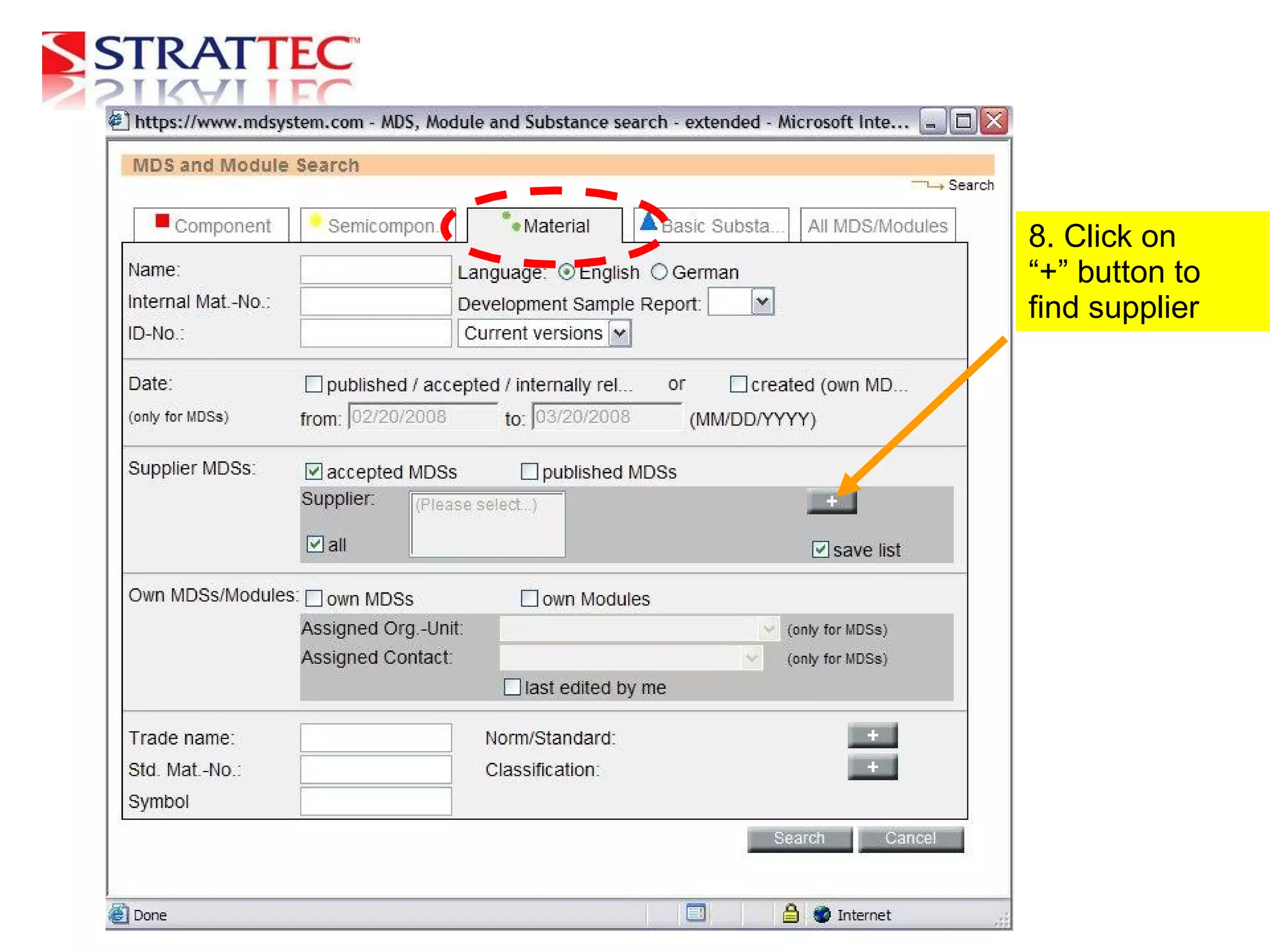
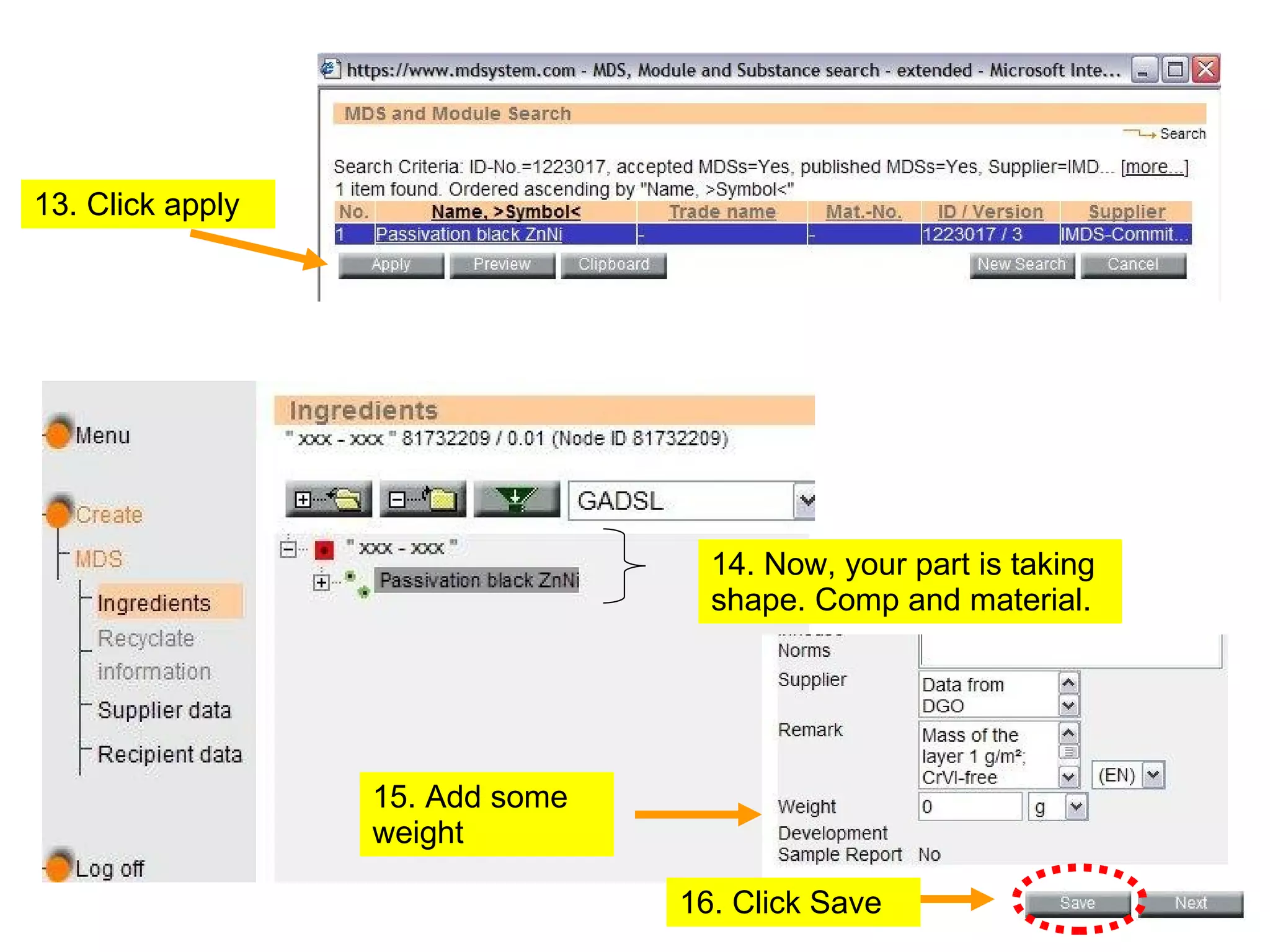
The document provides instructions for creating a new component in an IMDS account, including logging in, clicking "Create" and "Component", adding a process description and part number, clicking "Save", adding material by clicking on green dots and the "+" button to search for a supplier by entering a Company ID and searching, applying the found supplier, searching for another ID and applying it with the "Published" box checked, adding weight, and saving. The final steps are to call or email the provided contact information to complete the assembly.


![Coded Agents – with UiPath SDK + LangGraph [Virtual Hands-on Workshop]](https://cdn.slidesharecdn.com/ss_thumbnails/codedagentsdeck-251215155422-5497c599-thumbnail.jpg?width=640&height=640&fit=bounds)


