



PC-BSD: An Easy to Use
       BSD Desktop

Dru Lavigne
Community Manager, PC-BSD Project
Ohio LinuxFest 2010
This presentation will cover...

What is PC-BSD?

Features

Plans for 9.0

Community

Additional Resources
What is PC-BSD?

●   Not a Linux distro

●   Not a fork of FreeBSD

●   Easy to use FreeBSD-based desktop
    operating system

●   Ready to work "out of the box" - graphics,
    sound, networking, Java, Flash are pre-
    configured for you
FreeBSD "under the hood"
●   Uses same version numbers e.g. current
    release is 8.1

●   Anything you can do in FreeBSD, you can
    do in PC-BSD

●   FreeBSD resources (e.g. Handbook, FAQs)
    are still an excellent source of information

●   Many settings that you have to configure
    manually in FreeBSD "just work" in PC-
    BSD
KDE for Default Desktop

●   Intuitive for new users

●   Provides hundreds of GUI applications

●   Supports desktop effects

●   Very customizable
But what if I can't stand KDE?

●   Fluxbox is pre-configured and integrated
    into PC-BSD's utilities should you need a
    lighter weight desktop

●   PBIs are available for GNOME,
    Enlightenment, and XFCE

●   143 window managers are available as
    FreeBSD ports/packages
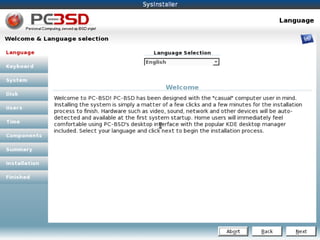
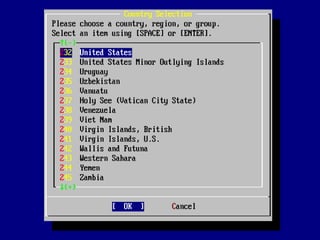
Graphical Installer

●   Visually attractive

●   Intuitive to use

●   Includes a live mode

●   Provides post-installation Display Settings
    Manager
PC-BSD GUI Applications

●   PC-BSD provides graphical utilities to
    manage common configuration tasks
    (e.g. networking, firewall settings, user
    management, and printing)

●   Designed to understand BSD device
    names, expected paths, etc.

●   Graphical utilities for functions unique to
    FreeBSD such as jail(8) management and
    geli(8) disk encryption
Tweaked for Desktop Usage

●   Customized kernel

●   sysctl(8) and loader.conf(5) settings

●   rc.conf(5) settings

Can browse all customizations at
trac.pcbsd.org/browser/pcbsd/branches/8.1
Features
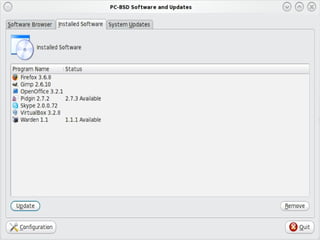
Software/Update Manager
●   Uses PBI (Push Button Installer) system

●   Recommended method for installing
    software on PC-BSD

●   Even novice users can easily and safely
    find, install, uninstall, and upgrade
    software

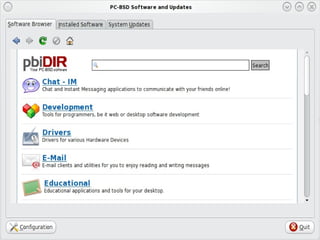
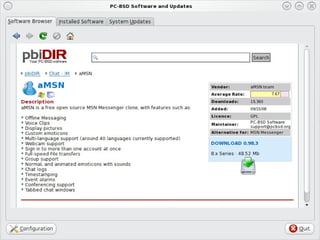
●   Provides a software browser for finding
    applications--simply click Download
    button in application's description
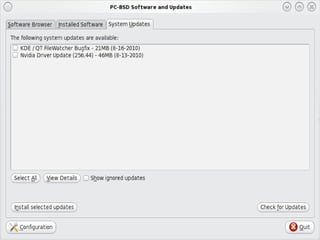
Software/Update Manager

●   Automatically detects platform and
    version and installs correct application

●   Installed software is listed

●   User automatically notified when new
    versions are available, for both software
    and the operating system

●   OS updates include link to security
    advisory description
Ports Jail

●   Allows advanced users to safely use
    FreeBSD ports and packages without
    affecting the software installed with the
    operating system

For more information about jails, see:
http://en.wikipedia.org/wiki/FreeBSD_jail
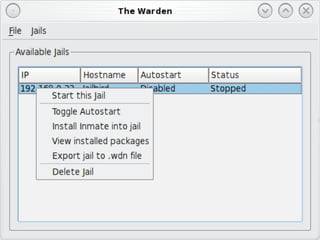
Warden

●   GUI that allows advanced users to easily
    create, manage, and delete FreeBSD jails

●   Makes it easy to clone a jail (save as .wdn
    file)

●   Makes it easy to create and install
    inmates (.wit files) which are pre-
    configured server environments e.g. an
    AMP stack
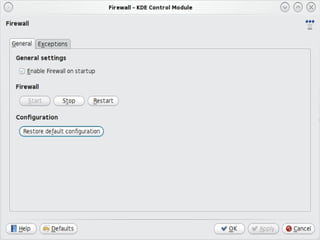
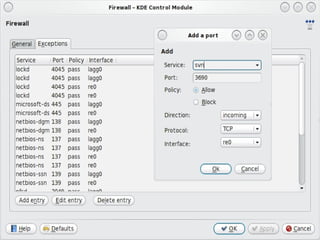
Firewall Manager

●   GUI for starting and stopping the firewall
    and adding, deleting, modifying firewall
    rules

●   Designed for pf
    http://www.openbsd.org/faq/pf/

●   May be replaced by fwbuilder in 9.0
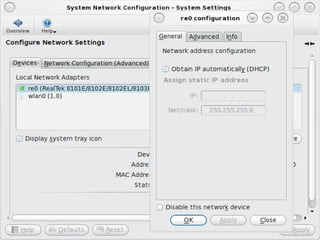
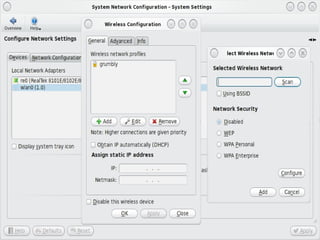
Network Manager

●   GUI to view and configure network
    interfaces (Ethernet, wireless, PPP/PPPoE)

●   Auto-detects interfaces

●   Allows creation of wireless profiles

●   Shows interface stats and IP addressing
    info for active interfaces
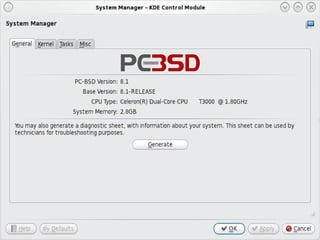
System Manager

●   GUI to view system info and generate a
    diagnostic report

●   Kernel tab used to set boot delay

●   Tasks tab used to install src or ports tree

●   Misc tab used to customize boot splash
    screen
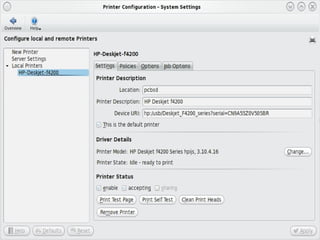
Printer Manager

●   GUI to configure and manage printers

●   Auto-detects connected printers as well
    as printers shared over a network

●   Auto-detects correct driver for the printer

●   Provides print job management
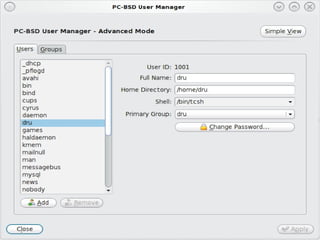
User Manager

●   GUI to manage user accounts

●   Simple view shows users only, Advanced
    view also shows system accounts

●   Can be used to change root or users'
    passwords

●   Can change user's home directory or shell

●   Easy to add/remove users from groups
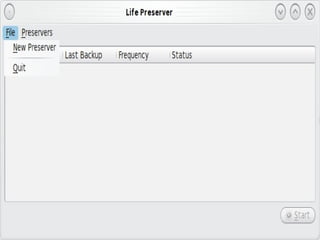
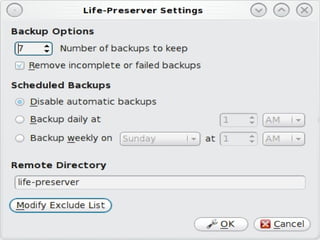
Life Preserver

●   GUI to backup entire system to a remote
    system using rsync and SSH

●   Provides scheduler to automate backups
    and determine how many backups to
    keep

●   Installation utility allows you to restore a
    system from a specified Life Preserver
    backup
PBI Builder

●   Command line tool for converting an
    existing FreeBSD package into a PBI

●   Can be as simple as modifying a few
    variables to indicate the program's name
    and location in KDE menu

●   Provides variables for advanced
    configuration

●   Creates clean build sandbox for each PBI
pc-sysinstall

●   Scriptable backend to GUI installer

●   Allows for the creation of custom and
    automated installations

Examples of custom configurations can be
found in /PCBSD/pc-sysinstall/examples
Plans for 9.0
Plans for 9.0
●   Uncouple PC-BSD utilities from KDE so
    they can integrate into any window
    manager

●   Allow the selection of more window
    managers during installation

●   Early days yet, we're open to features
    users find useful

http://wiki.pcbsd.org/index.php/
PC-BSD_9.0_TODO
Plans for 9.0

● Overhaul the PBI structure to include
  incremental PBIs (download just the
  change instead of the whole PBI)
http://wiki.pcbsd.org/index.php/PBI9_Format

●   Overhaul the PC-BSD Users Handbook
    and include an off-line version with the
    release

●   Start translations of documentation
    resources
Community
Community

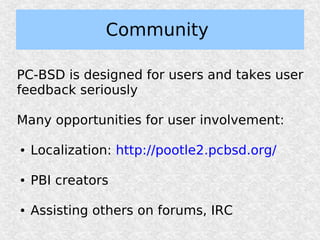
PC-BSD is designed for users and takes user
feedback seriously

Many opportunities for user involvement:

●   Localization: http://pootle2.pcbsd.org/

●   PBI creators

●   Assisting others on forums, IRC
Community

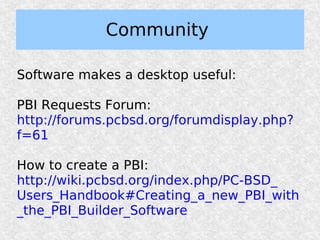
Software makes a desktop useful:

PBI Requests Forum:
http://forums.pcbsd.org/forumdisplay.php?
f=61

How to create a PBI:
http://wiki.pcbsd.org/index.php/PC-BSD_
Users_Handbook#Creating_a_new_PBI_with
_the_PBI_Builder_Software
Additional
Resources
Additional Resources

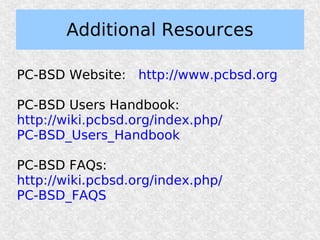
PC-BSD Website: http://www.pcbsd.org

PC-BSD Users Handbook:
http://wiki.pcbsd.org/index.php/
PC-BSD_Users_Handbook

PC-BSD FAQs:
http://wiki.pcbsd.org/index.php/
PC-BSD_FAQS
Additional Resources

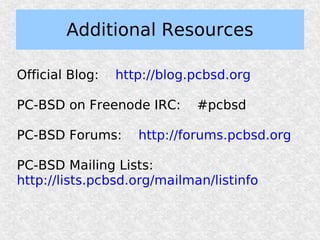
Official Blog:   http://blog.pcbsd.org

PC-BSD on Freenode IRC:      #pcbsd

PC-BSD Forums:      http://forums.pcbsd.org

PC-BSD Mailing Lists:
http://lists.pcbsd.org/mailman/listinfo
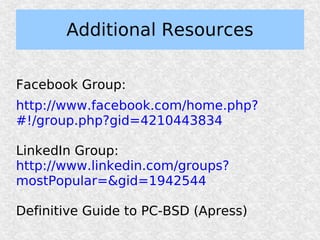
Additional Resources

Facebook Group:
http://www.facebook.com/home.php?
#!/group.php?gid=4210443834

LinkedIn Group:
http://www.linkedin.com/groups?
mostPopular=&gid=1942544

Definitive Guide to PC-BSD (Apress)
Questions?

        dru@freebsd.org


         URL to slides:
   http://www.slideshare.net/
       dlavigne/olf10.pdf


Stop by the BSD booth and say hi!

olf10

  • 1.
    PC-BSD: An Easyto Use BSD Desktop Dru Lavigne Community Manager, PC-BSD Project Ohio LinuxFest 2010
  • 2.
    This presentation willcover... What is PC-BSD? Features Plans for 9.0 Community Additional Resources
  • 3.
    What is PC-BSD? ● Not a Linux distro ● Not a fork of FreeBSD ● Easy to use FreeBSD-based desktop operating system ● Ready to work "out of the box" - graphics, sound, networking, Java, Flash are pre- configured for you
  • 4.
    FreeBSD "under thehood" ● Uses same version numbers e.g. current release is 8.1 ● Anything you can do in FreeBSD, you can do in PC-BSD ● FreeBSD resources (e.g. Handbook, FAQs) are still an excellent source of information ● Many settings that you have to configure manually in FreeBSD "just work" in PC- BSD
  • 5.
    KDE for DefaultDesktop ● Intuitive for new users ● Provides hundreds of GUI applications ● Supports desktop effects ● Very customizable
  • 6.
    But what ifI can't stand KDE? ● Fluxbox is pre-configured and integrated into PC-BSD's utilities should you need a lighter weight desktop ● PBIs are available for GNOME, Enlightenment, and XFCE ● 143 window managers are available as FreeBSD ports/packages
  • 7.
    Graphical Installer ● Visually attractive ● Intuitive to use ● Includes a live mode ● Provides post-installation Display Settings Manager
  • 10.
    PC-BSD GUI Applications ● PC-BSD provides graphical utilities to manage common configuration tasks (e.g. networking, firewall settings, user management, and printing) ● Designed to understand BSD device names, expected paths, etc. ● Graphical utilities for functions unique to FreeBSD such as jail(8) management and geli(8) disk encryption
  • 11.
    Tweaked for DesktopUsage ● Customized kernel ● sysctl(8) and loader.conf(5) settings ● rc.conf(5) settings Can browse all customizations at trac.pcbsd.org/browser/pcbsd/branches/8.1
  • 12.
  • 13.
    Software/Update Manager ● Uses PBI (Push Button Installer) system ● Recommended method for installing software on PC-BSD ● Even novice users can easily and safely find, install, uninstall, and upgrade software ● Provides a software browser for finding applications--simply click Download button in application's description
  • 16.
    Software/Update Manager ● Automatically detects platform and version and installs correct application ● Installed software is listed ● User automatically notified when new versions are available, for both software and the operating system ● OS updates include link to security advisory description
  • 19.
    Ports Jail ● Allows advanced users to safely use FreeBSD ports and packages without affecting the software installed with the operating system For more information about jails, see: http://en.wikipedia.org/wiki/FreeBSD_jail
  • 20.
    Warden ● GUI that allows advanced users to easily create, manage, and delete FreeBSD jails ● Makes it easy to clone a jail (save as .wdn file) ● Makes it easy to create and install inmates (.wit files) which are pre- configured server environments e.g. an AMP stack
  • 22.
    Firewall Manager ● GUI for starting and stopping the firewall and adding, deleting, modifying firewall rules ● Designed for pf http://www.openbsd.org/faq/pf/ ● May be replaced by fwbuilder in 9.0
  • 25.
    Network Manager ● GUI to view and configure network interfaces (Ethernet, wireless, PPP/PPPoE) ● Auto-detects interfaces ● Allows creation of wireless profiles ● Shows interface stats and IP addressing info for active interfaces
  • 28.
    System Manager ● GUI to view system info and generate a diagnostic report ● Kernel tab used to set boot delay ● Tasks tab used to install src or ports tree ● Misc tab used to customize boot splash screen
  • 30.
    Printer Manager ● GUI to configure and manage printers ● Auto-detects connected printers as well as printers shared over a network ● Auto-detects correct driver for the printer ● Provides print job management
  • 32.
    User Manager ● GUI to manage user accounts ● Simple view shows users only, Advanced view also shows system accounts ● Can be used to change root or users' passwords ● Can change user's home directory or shell ● Easy to add/remove users from groups
  • 34.
    Life Preserver ● GUI to backup entire system to a remote system using rsync and SSH ● Provides scheduler to automate backups and determine how many backups to keep ● Installation utility allows you to restore a system from a specified Life Preserver backup
  • 37.
    PBI Builder ● Command line tool for converting an existing FreeBSD package into a PBI ● Can be as simple as modifying a few variables to indicate the program's name and location in KDE menu ● Provides variables for advanced configuration ● Creates clean build sandbox for each PBI
  • 38.
    pc-sysinstall ● Scriptable backend to GUI installer ● Allows for the creation of custom and automated installations Examples of custom configurations can be found in /PCBSD/pc-sysinstall/examples
  • 39.
  • 40.
    Plans for 9.0 ● Uncouple PC-BSD utilities from KDE so they can integrate into any window manager ● Allow the selection of more window managers during installation ● Early days yet, we're open to features users find useful http://wiki.pcbsd.org/index.php/ PC-BSD_9.0_TODO
  • 41.
    Plans for 9.0 ●Overhaul the PBI structure to include incremental PBIs (download just the change instead of the whole PBI) http://wiki.pcbsd.org/index.php/PBI9_Format ● Overhaul the PC-BSD Users Handbook and include an off-line version with the release ● Start translations of documentation resources
  • 42.
  • 43.
    Community PC-BSD is designedfor users and takes user feedback seriously Many opportunities for user involvement: ● Localization: http://pootle2.pcbsd.org/ ● PBI creators ● Assisting others on forums, IRC
  • 44.
    Community Software makes adesktop useful: PBI Requests Forum: http://forums.pcbsd.org/forumdisplay.php? f=61 How to create a PBI: http://wiki.pcbsd.org/index.php/PC-BSD_ Users_Handbook#Creating_a_new_PBI_with _the_PBI_Builder_Software
  • 45.
  • 46.
    Additional Resources PC-BSD Website:http://www.pcbsd.org PC-BSD Users Handbook: http://wiki.pcbsd.org/index.php/ PC-BSD_Users_Handbook PC-BSD FAQs: http://wiki.pcbsd.org/index.php/ PC-BSD_FAQS
  • 47.
    Additional Resources Official Blog: http://blog.pcbsd.org PC-BSD on Freenode IRC: #pcbsd PC-BSD Forums: http://forums.pcbsd.org PC-BSD Mailing Lists: http://lists.pcbsd.org/mailman/listinfo
  • 48.
    Additional Resources Facebook Group: http://www.facebook.com/home.php? #!/group.php?gid=4210443834 LinkedInGroup: http://www.linkedin.com/groups? mostPopular=&gid=1942544 Definitive Guide to PC-BSD (Apress)
  • 49.
    Questions? dru@freebsd.org URL to slides: http://www.slideshare.net/ dlavigne/olf10.pdf Stop by the BSD booth and say hi!