Taking Your Web Apps
Offline
Mike Nitchie
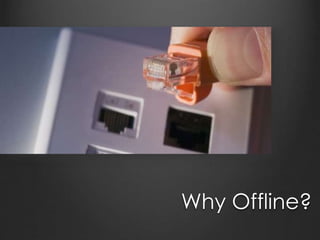
Why Offline?
The lines between web,
desktop, and mobile apps
are being increasingly
blurred.[citation needed]
HTML5 Puppy to the Rescue
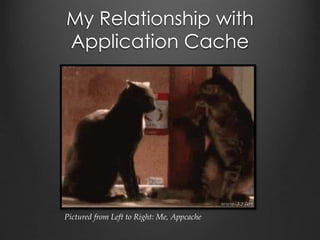
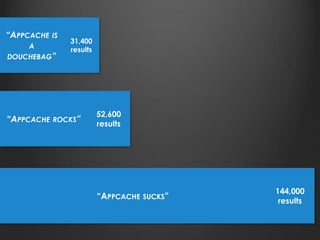
My Relationship with
Application Cache
Pictured from Left to Right: Me, Appcache
All
is
Not
Lost
Let’s talk about how to use it.
Let’s talk about when to use it.
Let’s talk about how to improve it.
www.mikenitchie.com
github.com/mnitchie
@mnitchie
mikenitchie@gmail.com
Cat slap 1
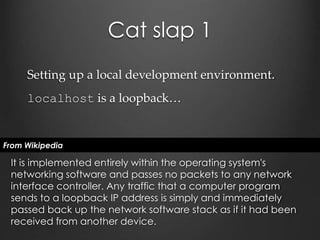
Setting up a local development environment.
localhost is a loopback…
From Wikipedia
It is implemented entirely within the operating system's
networking software and passes no packets to any network
interface controller. Any traffic that a computer program
sends to a loopback IP address is simply and immediately
passed back up the network software stack as if it had been
received from another device.
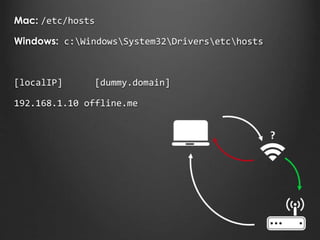
?
Mac: /etc/hosts
Windows: c:WindowsSystem32Driversetchosts
[localIP] [dummy.domain]
192.168.1.10 offline.me
Demos!
www.mikenitchie.com
github.com/mnitchie/OfflineDemo1/
github.com/mnitchie/OfflineDemo2/


Catslap2
The cache
manifest file IS the
app. If a resource
isn’t listed there,
it’s not available
to the app.
Catslap 3
… Except for the
first time you visit
the page. Then, it
pulls everything
from the server.
Catslap 4
After the first
caching, resources
will always be
loaded from cache.
Never the server.
Until the manifest
file itself changes…
Catslap5
Cache-control headers…
So much nerd rage.
cache-control:’no-cache, max-age=0’
Expires: Date.now()
Catslap 6
Using a cache
manifest is great
for performance,
except…
Back to the Demos!
Let’s Crowd-Source Some
Facts
http://bit.ly/1DrQegP
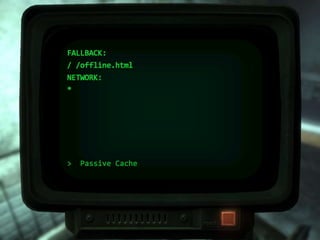
> Passive Cache
FALLBACK:
/ /offline.html
NETWORK:
*
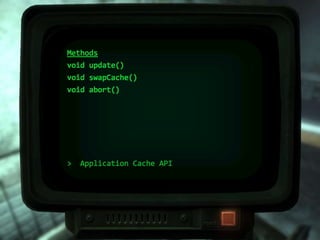
> Application Cache API
Methods
void update()
void swapCache()
void abort()
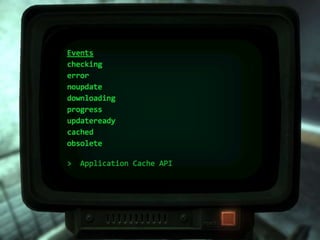
> Application Cache API
Events
checking
error
noupdate
downloading
progress
updateready
cached
obsolete
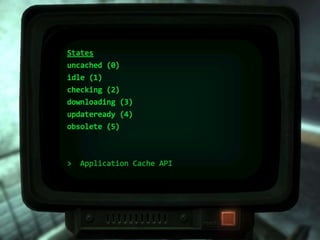
> Application Cache API
States
uncached (0)
idle (1)
checking (2)
downloading (3)
updateready (4)
obsolete (5)
MOAR DEMOS!
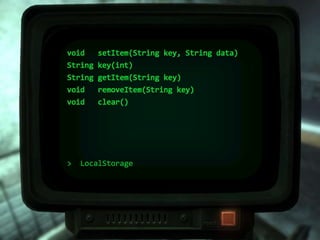
> LocalStorage
void setItem(String key, String data)
String key(int)
String getItem(String key)
void removeItem(String key)
void clear()
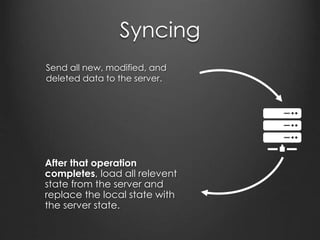
Syncing
Send all new, modified, and
deleted data to the server.
After that operation
completes, load all relevent
state from the server and
replace the local state with
the server state.
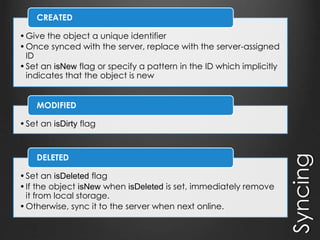
Syncing
•Give the object a unique identifier
•Once synced with the server, replace with the server-assigned
ID
•Set an isNew flag or specify a pattern in the ID which implicitly
indicates that the object is new
CREATED
•Set an isDirty flag
MODIFIED
•Set an isDeleted flag
•If the object isNew when isDeleted is set, immediately remove
it from local storage.
•Otherwise, sync it to the server when next online.
DELETED
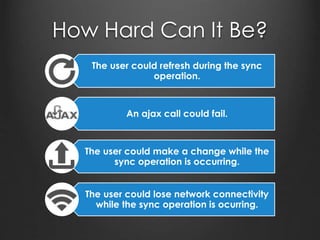
How Hard Can It Be?
The user could refresh during the sync
operation.
An ajax call could fail.
The user could make a change while the
sync operation is occurring.
The user could lose network connectivity
while the sync operation is ocurring.
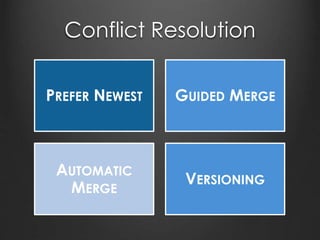
Conflict Resolution
PREFER NEWEST GUIDED MERGE
AUTOMATIC
MERGE
VERSIONING
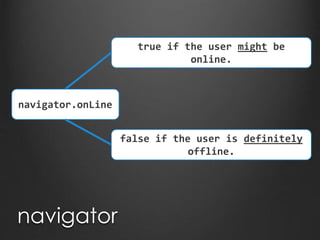
navigator
navigator.onLine
false if the user is definitely
offline.
true if the user might be
online.
PouchDB and CouchDB
PouchDB/CouchDB
From pouchdb.com
PouchDB is an open-source JavaScript database
inspired by Apache CouchDB that is designed to run
well within the browser.
PouchDB was created to help web developers build
applications that work as well offline as they do online.
It enables applications to store data locally while
offline, then synchronize it with CouchDB and
compatible servers when the application is back online,
keeping the user's data in sync no matter where they
next login.
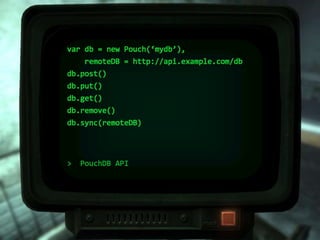
> PouchDB API
var db = new Pouch(‘mydb’),
remoteDB = http://api.example.com/db
db.post()
db.put()
db.get()
db.remove()
db.sync(remoteDB)
When
does
offline
make
sense?
Straight-forward “look-stuff-up”
or “do-stuff” applications.
When it is explicitly requested
by a customer.
When it is a better alternative to
writing the app for multiple
platforms.
When we are absolutely
positively sure that our users will
know it is there and take
advantage of it.
What’s the way forward?
Always show the most up-to-date version when online
Only update changed resources
Give programatic control over how much can be stored in
the appcache.
Give programatic control over the contents of the
appcache.
Better user awareness
Perhaps less-sandboxed browser designed for delivering
applications
Complaints are just feature requests in disguise.
Offline Webapps

Offline Webapps

Editor's Notes

  • #2 Hand wavy. We're here to talk about how to talk offline apps. Lets get on the same page here… A web app is downloaded when you visit the page. Can’t download while offline, but can while online to save for later. An offline web app is a web application that works offline as well as offline. Could be offline-first or offline only could allow some features offline while full functionality online Equally functional offline and online. It’s pretty cool. I often see my devices as all but useless when I don’t have an internet connection. The more I’m able to do offline, the better.
  • #3 There are a number of reasons: It’s pretty cool. I often see my devices as all but useless when I don’t have an internet connection. The more I’m able to do offline, the better. Our customers might require it Performance Those are all great and are immediate wins, but there’s a bigger picture here Code re-use Say what? This makes sense when we consider the browser as a delivery platform for our software. We can consider this as another form of cross platform development an alternative to options like xamarin, cordova, electron Truly cross platform. xamarin I think is the best at this. Electron is for desktop apps. Cordova phone gap for mobile apps Why not write once a rich and responsive web application that runs as well offline as it does offline. It has the benefit that it runs in a browser which already runs on all platforms. I think this is important, and I think this is the way things are going, because:
  • #4 We’re already writing mobile apps and desktop apps in web tools. Why not make the final leap. Write once, consume everywhere. Using the browser as a delivery platform for the software. I want to be able to write a rich and responsive client application runnable on all platforms.
  • #5 HTML5 gets us there... Almost. The Application Cache API lets users access web pages without a network connection, but is problematic. Web Storage solutions allow for persisting data on the client. This is a bit limited, and syncing with the server is a huge challenge. Workign with it is a pain in the a$$
  • #6 Working with these apis feels a bit like this. There are lots and lots of gotchas and caveats and limits. They hit you right in the face as soon as you start working with it, so there is a bit of an adjustment period.
  • #7 All is not lost. Application Cache is extremely effective and useful. It does accomplish what it set out to do. Browser support is excellent. The APIs are simple. Understand its quirks, limits, and use cases It’s okay, so long as you understand its limitations and work within the boundaries. If you try to do something that the appcache was not designed to do, you’re in a world of hurt. If you understand how to use it and treat it with respect, it can be an incredibly useful tool.
  • #9 I’ve worked at Titania Software for a bit over 2 years. We write software to help out customers deliver their intelligent and structured technical documentation to whoever they want to see it. Car manual. Sucks. PDFs. Suck. We don’t know how to do it. I love the sense of comradarie and the open exchange of ideas that groups like this facilitate. I’m really excited to be speaking up here. Manager: We need offline access for our apps. Team: ummm… We don’t know how to do that. We’ll have To write a separate app for each device. Manager: Use HTML5, dummies. Brian: SEM.js is looking for a speaker to talk about Offline apps Me to buddy: We should go! Buddy to me: Nah. You should give the talk. Me: Ha! Yeah, right. Buddy: No, for seriously.
  • #10 You try to go offline, the app will work the same as online.
  • #11 * Request - router, off to internet, hits app, response
  • #13 Do Demos 1, 2, and 3. Feel free to ignore me for the remainder of the talk and futz with the demos. If I’m glossing over anything you want to hear more about, feel free to interrupt me, throws stuff at me, whatever…
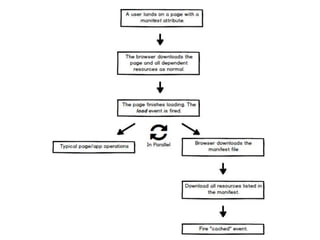
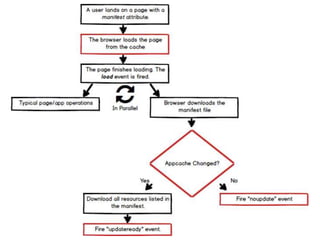
  • #17 Downloads the manifest file --- so long as the cache headers say that it is okay to. It downloads all resources. Yes, all of them.
  • #18 I could change a resource and it won’t update on the client until the cache manifest changes. When the manifest file changes, the resources are re-downloaded but the user is still shown the cached version
  • #19 The Server probably included cache control headers on the cache manifest file telling the client. If so, the client won’t even bother asking for it… The change can be inconsequential. A comment. #. Whatever. Could also “Disable Cache” in the browser.
  • #20 It downloads EVERYTHING! Whenever the manifest file is returned from the server (not a 304) and it is not byte-for-byte the same, it will re-download everything in the manifest.
  • #21 Us and App Cache understand each other a little bit better. Let’s go build cool things with it… Go through version 8. Finish by talking about how actively caching is a really bad idea.
  • #22 Then, go to version 9
  • #23 Pages with a “manifest” attribute are implicitly cached.
  • #27 Do version 1
  • #28 Minimal and simplistic apa. Disk based. Go do version 2
  • #31 No surprise, here.
  • #33 Go do version 3
  • #34 “online” and “offline” events
  • #35 DBs that sync. They do all that hard work for you, kind of blows my mind. When we look at the demos we’ll see lots and lots of network traffic going by.
  • #36 Awesome! But, not a silver bullet…
  • #37 CouchDB is exposed over a REST interface. Go look at the rest of the demos. Compare with equivalent versions.
  • #39 Service Worker