Office 365 Excel is Microsoft’s new “cloud” based
spreadsheet that’s available anywhere.
Use your browser to edit and create Excel workbooks
and worksheets, simultaneously edit spreadsheets with
your colleagues and securely store them online, making
them available on tablets, phones, laptops and
desktops.
In this Office 365 Excel Essentials training
course running in Charlotte, Memphis, Orlando,
Columbia, Atlanta, Birmingham and Flowood,
participants will learn how to share and upload
spreadsheets, open and close spreadsheets and
print them.
Participants will also learn how to edit the spreadsheet in
the browser, open the spreadsheet in Excel, edit the
spreadsheet in the browser, format fonts and much more.
Learning Outcomes Include:
 Open and close spreadsheets
 Understand the Office 365 web interface, including the
home page, the team site, and the shared documents list
 Understand the Excel 365 browser interface
 Upload a spreadsheet to the Shared Documents library
 Differentiate between worksheets, workbooks, rows,
columns, and cells
 Download and reload workbooks
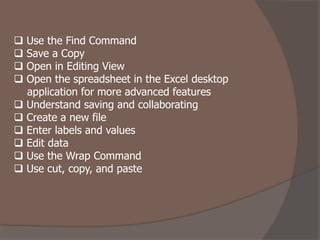
 Use the Find Command
 Save a Copy
 Open in Editing View
 Open the spreadsheet in the Excel desktop
application for more advanced features
 Understand saving and collaborating
 Create a new file
 Enter labels and values
 Edit data
 Use the Wrap Command
 Use cut, copy, and paste
PD Training USA delivers a one day training
course on “Office 365 Excel Training Course”
in
Charlotte, Memphis, Orlando, Columbia, Atlan
ta, Birmingham and Flowood.
All students receive post Office 365 Excel
Training Course from the instructor for 12
months, a certificate of completion and small
class sizes are guaranteed to result in a
better training experience for you.

Office 365 Excel Essentials Training Course.pdf

  • 2.
    Office 365 Excelis Microsoft’s new “cloud” based spreadsheet that’s available anywhere. Use your browser to edit and create Excel workbooks and worksheets, simultaneously edit spreadsheets with your colleagues and securely store them online, making them available on tablets, phones, laptops and desktops.
  • 3.
    In this Office365 Excel Essentials training course running in Charlotte, Memphis, Orlando, Columbia, Atlanta, Birmingham and Flowood, participants will learn how to share and upload spreadsheets, open and close spreadsheets and print them.
  • 4.
    Participants will alsolearn how to edit the spreadsheet in the browser, open the spreadsheet in Excel, edit the spreadsheet in the browser, format fonts and much more. Learning Outcomes Include:  Open and close spreadsheets  Understand the Office 365 web interface, including the home page, the team site, and the shared documents list  Understand the Excel 365 browser interface  Upload a spreadsheet to the Shared Documents library  Differentiate between worksheets, workbooks, rows, columns, and cells  Download and reload workbooks
  • 5.
     Use theFind Command  Save a Copy  Open in Editing View  Open the spreadsheet in the Excel desktop application for more advanced features  Understand saving and collaborating  Create a new file  Enter labels and values  Edit data  Use the Wrap Command  Use cut, copy, and paste
  • 6.
    PD Training USAdelivers a one day training course on “Office 365 Excel Training Course” in Charlotte, Memphis, Orlando, Columbia, Atlan ta, Birmingham and Flowood. All students receive post Office 365 Excel Training Course from the instructor for 12 months, a certificate of completion and small class sizes are guaranteed to result in a better training experience for you.