Odoo 17
New Expected Features
Odoo 17 is the upcoming major release of the popular open-source
ERP software. It is scheduled to be released in October 2023, and it
is packed with new features that will help businesses of all sizes
to be more efficient and productive.
hello@entrivistech.com www.entrivistech.com
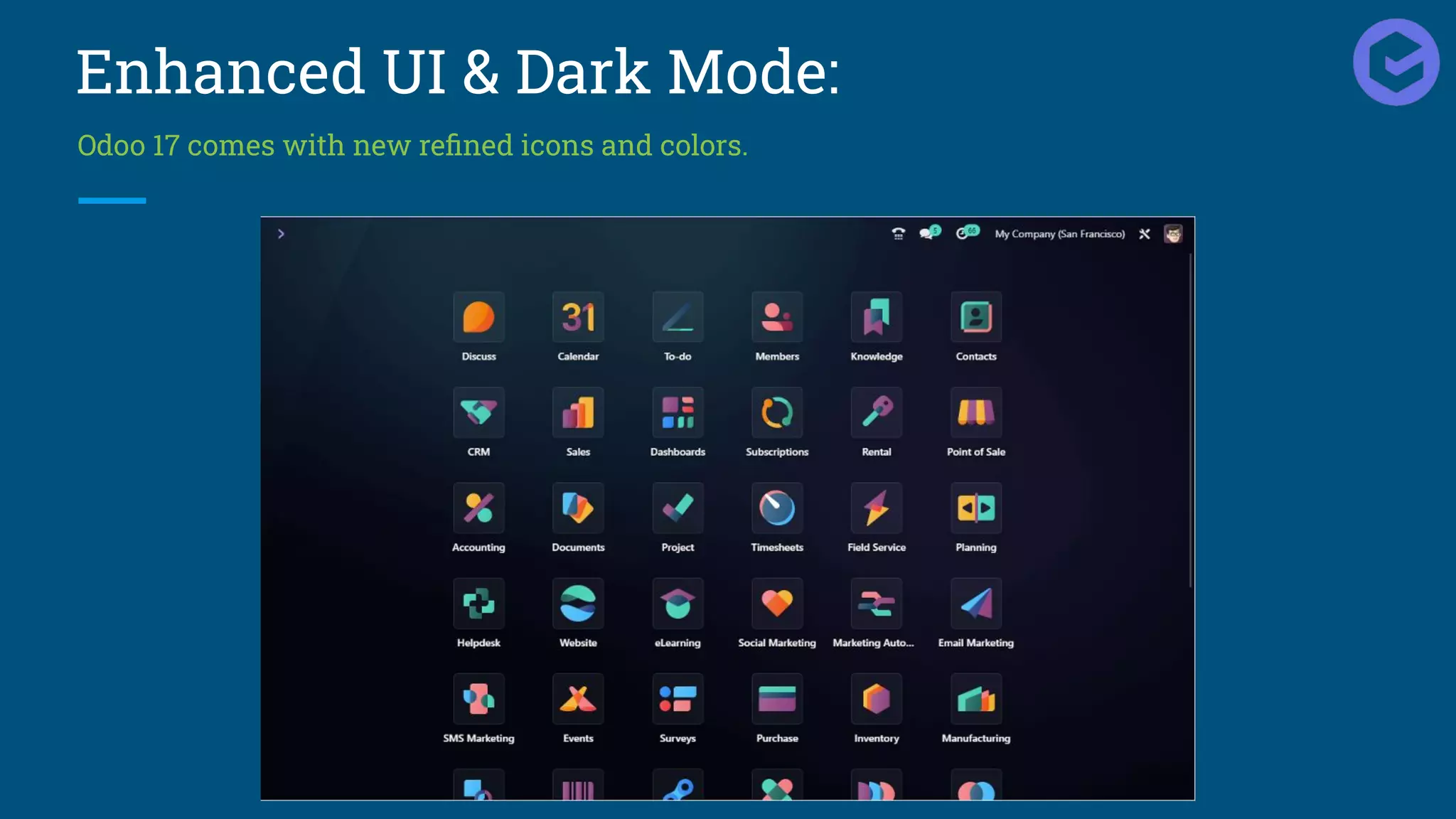
Enhanced UI & Dark Mode:
Odoo 17 comes with new refined icons and colors.
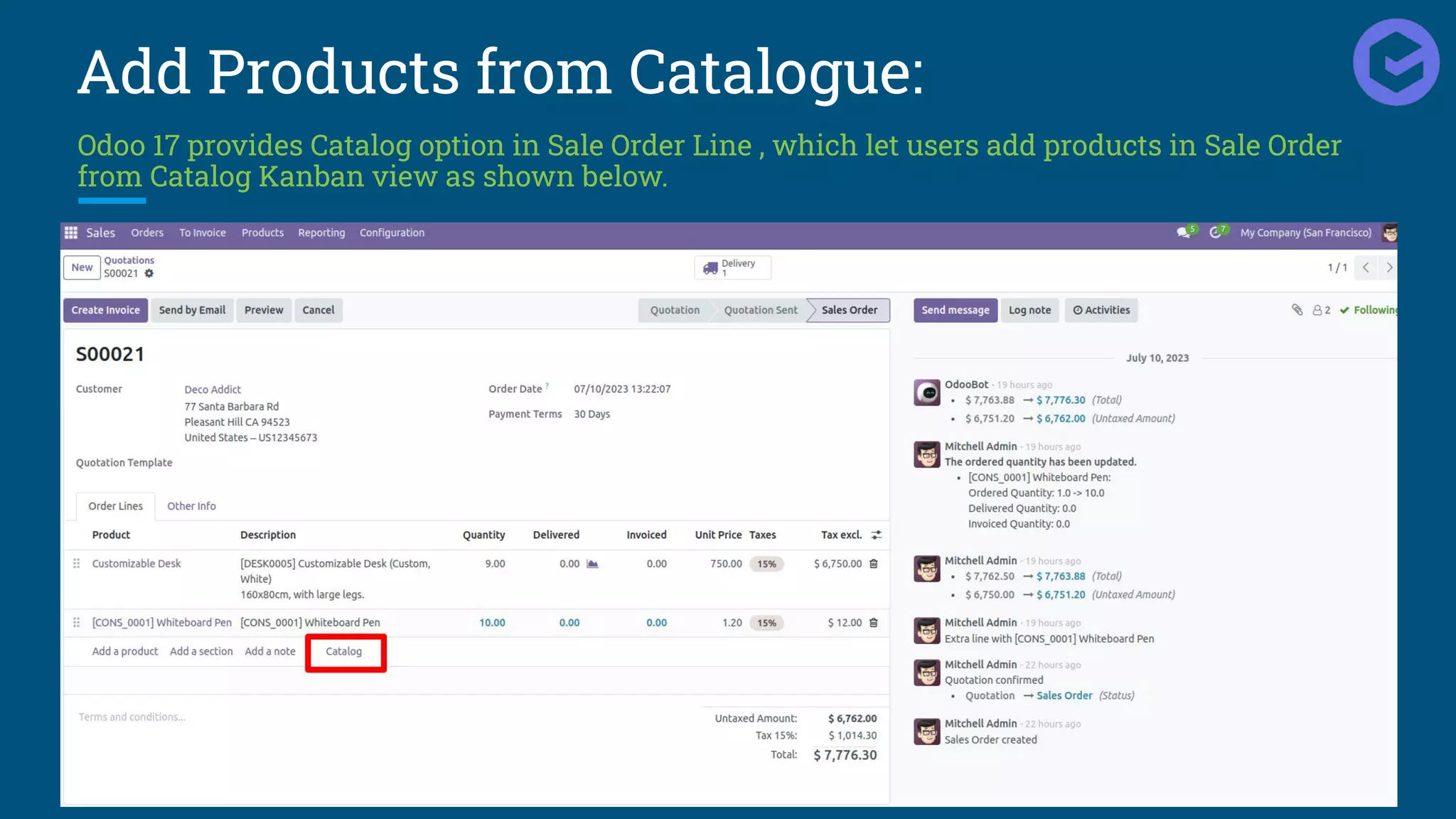
Add Products from Catalogue:
Odoo 17 provides Catalog option in Sale Order Line , which let users add products in Sale Order
from Catalog Kanban view as shown below.
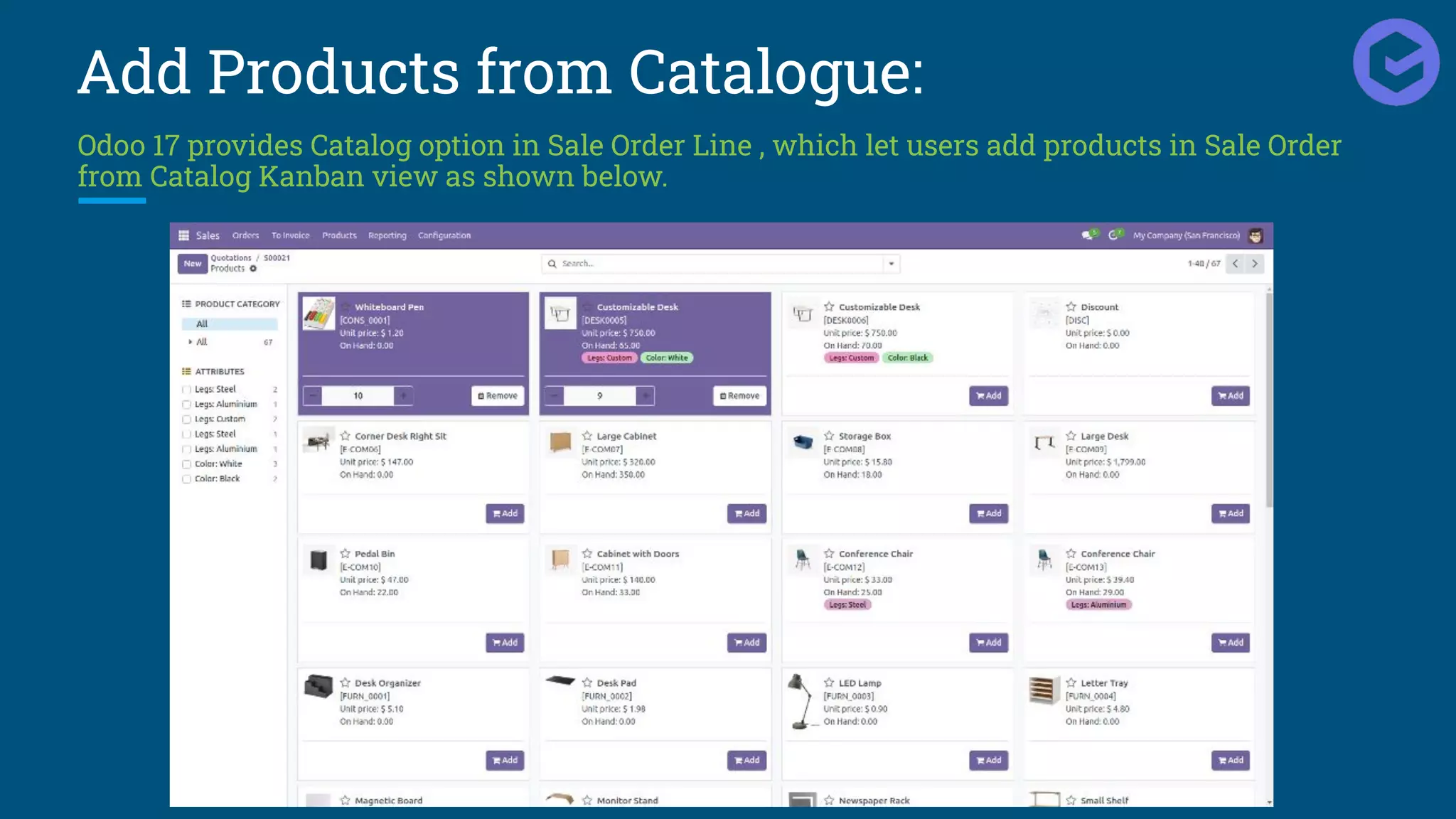
Add Products from Catalogue:
Odoo 17 provides Catalog option in Sale Order Line , which let users add products in Sale Order
from Catalog Kanban view as shown below.
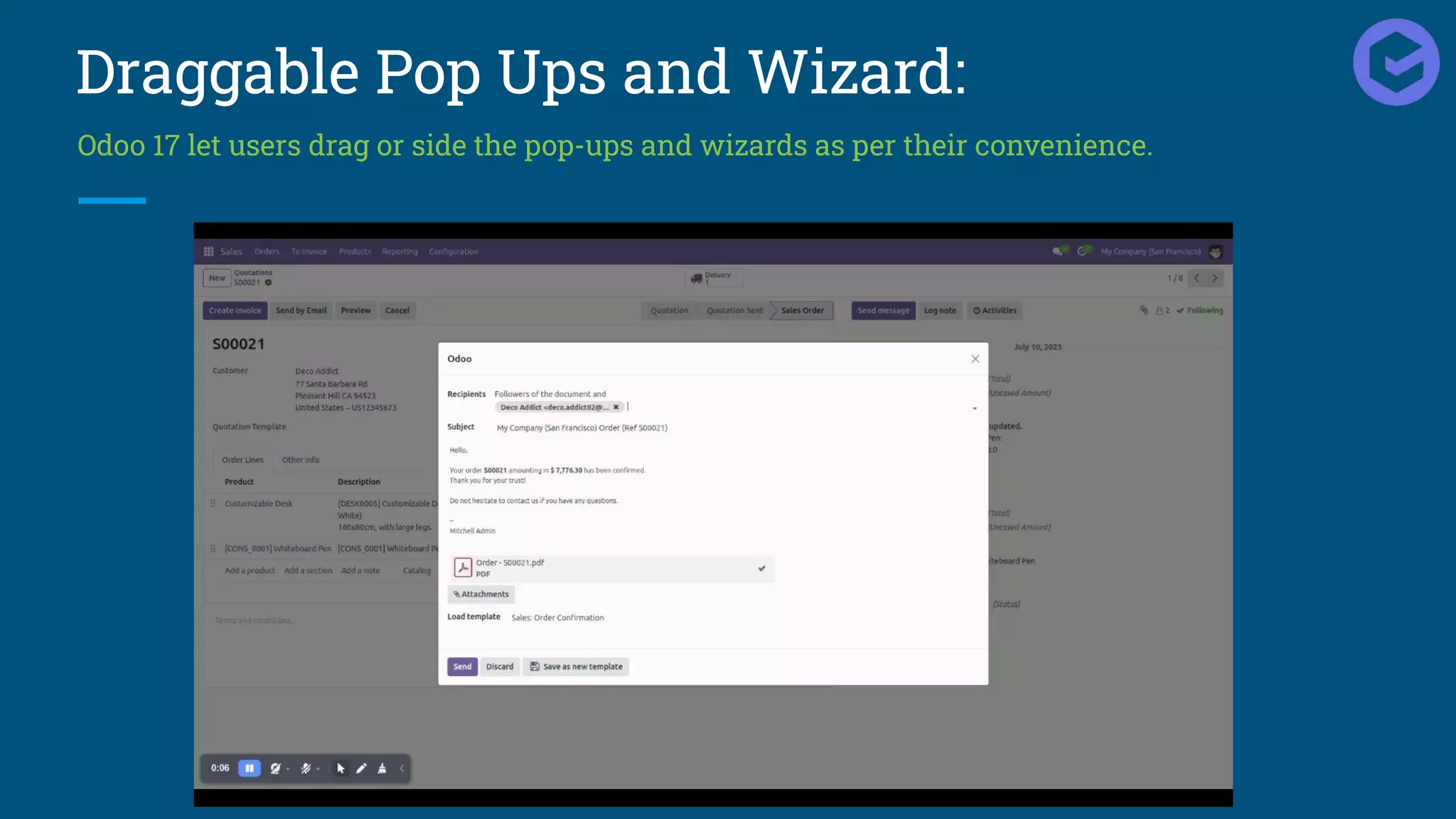
Draggable Pop Ups and Wizard:
Odoo 17 let users drag or side the pop-ups and wizards as per their convenience.
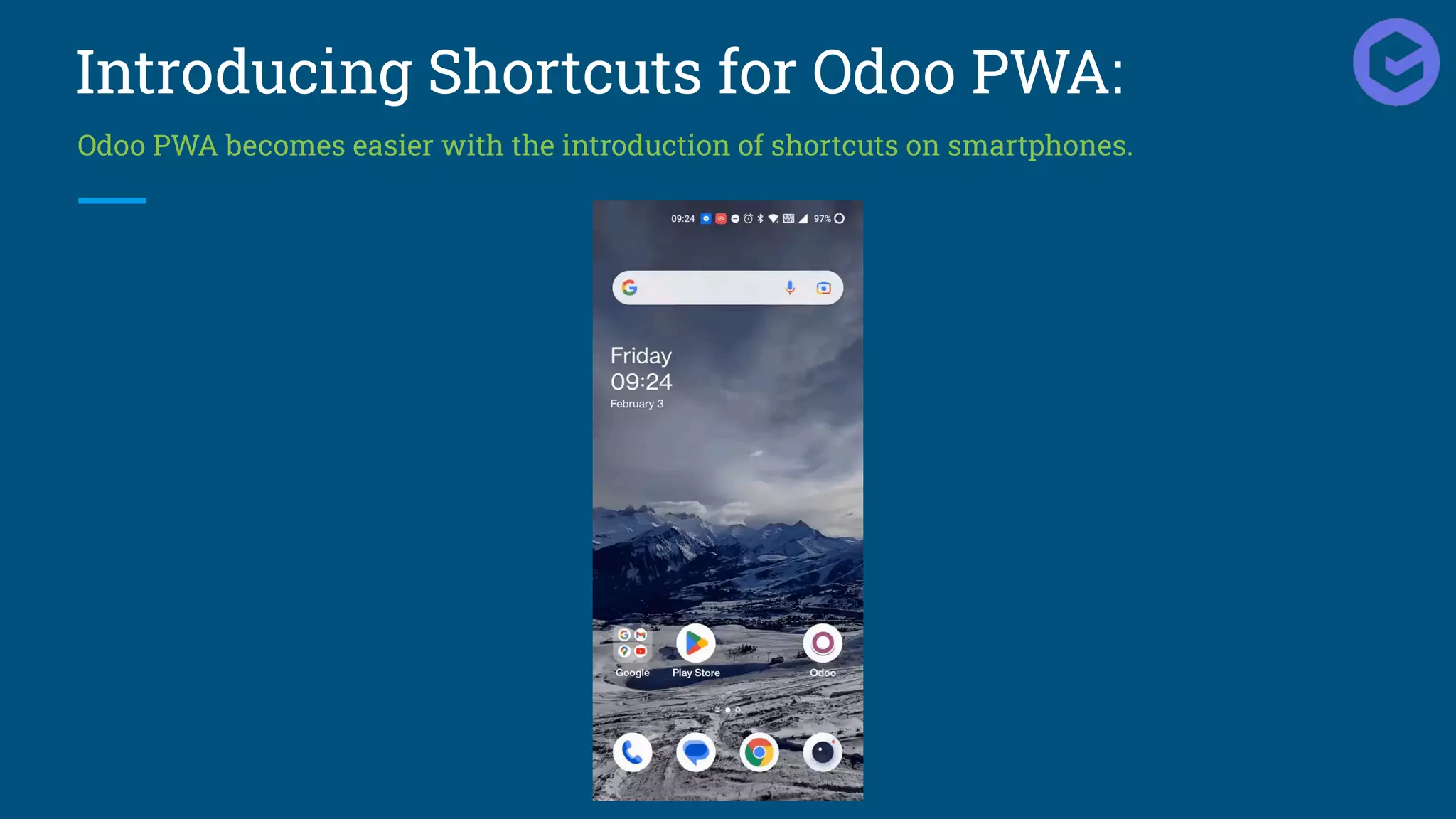
Introducing Shortcuts for Odoo PWA:
Odoo PWA becomes easier with the introduction of shortcuts on smartphones.
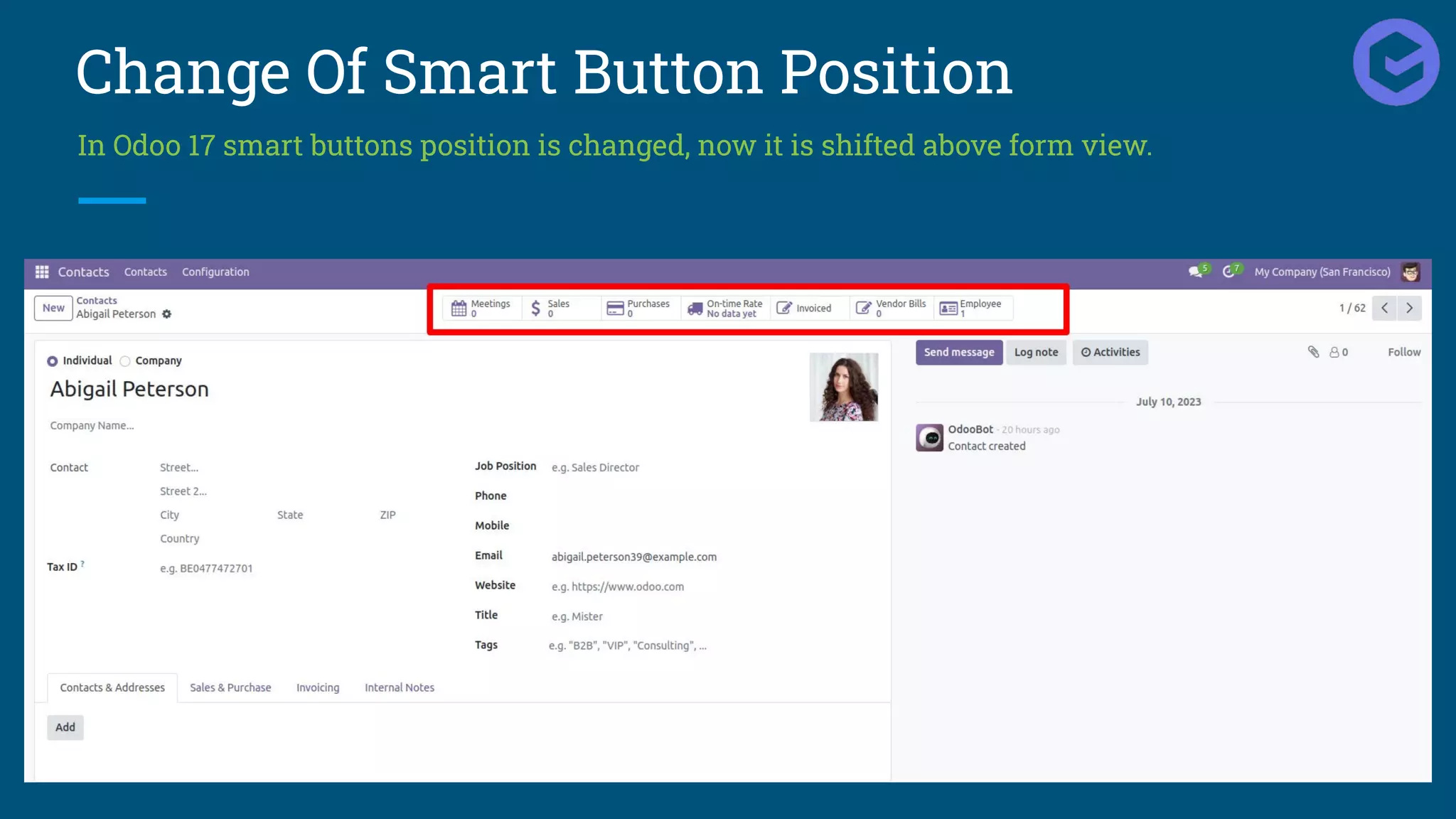
Change Of Smart Button Position
In Odoo 17 smart buttons position is changed, now it is shifted above form view.
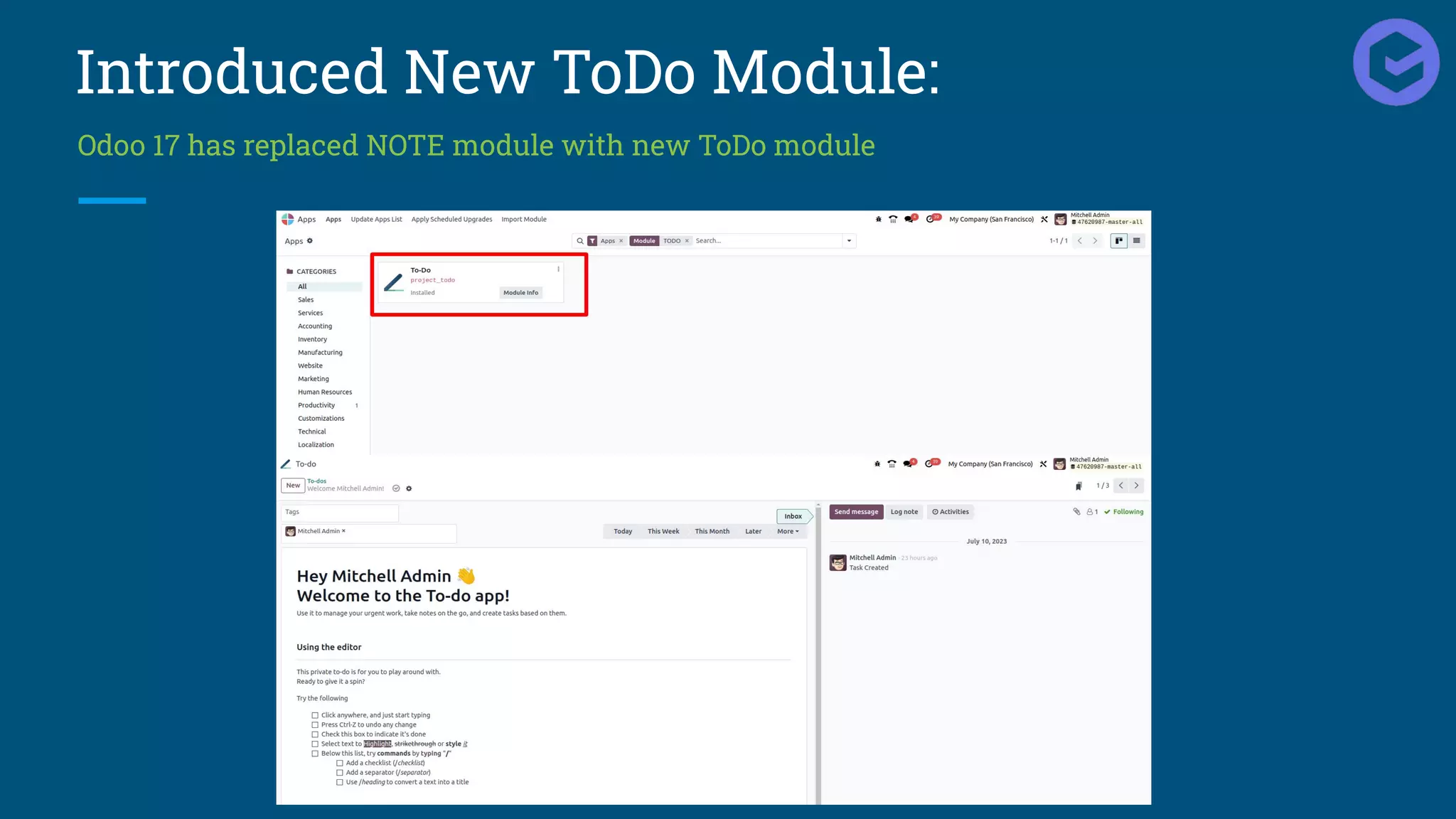
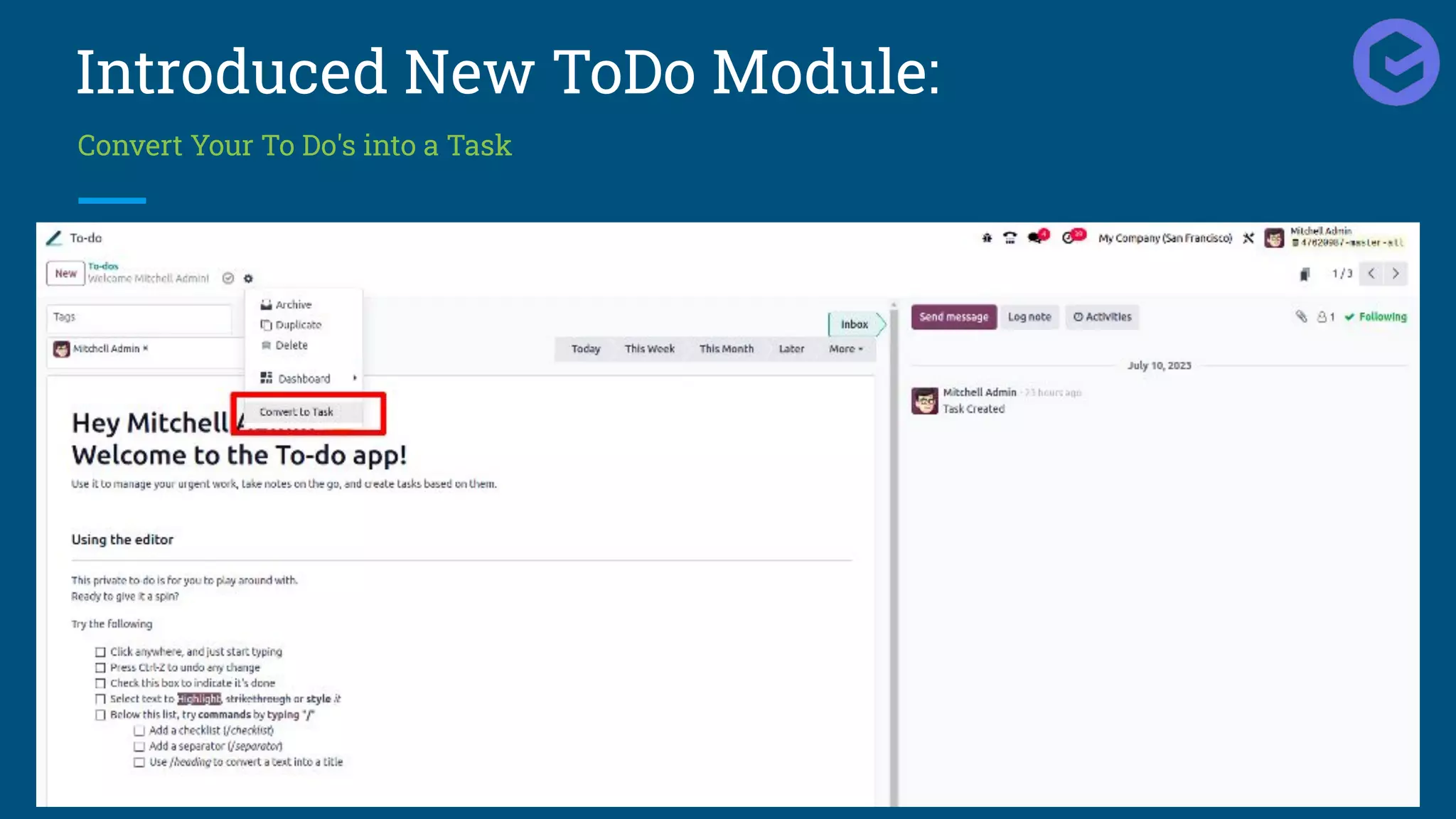
Introduced New ToDo Module:
Odoo 17 has replaced NOTE module with new ToDo module
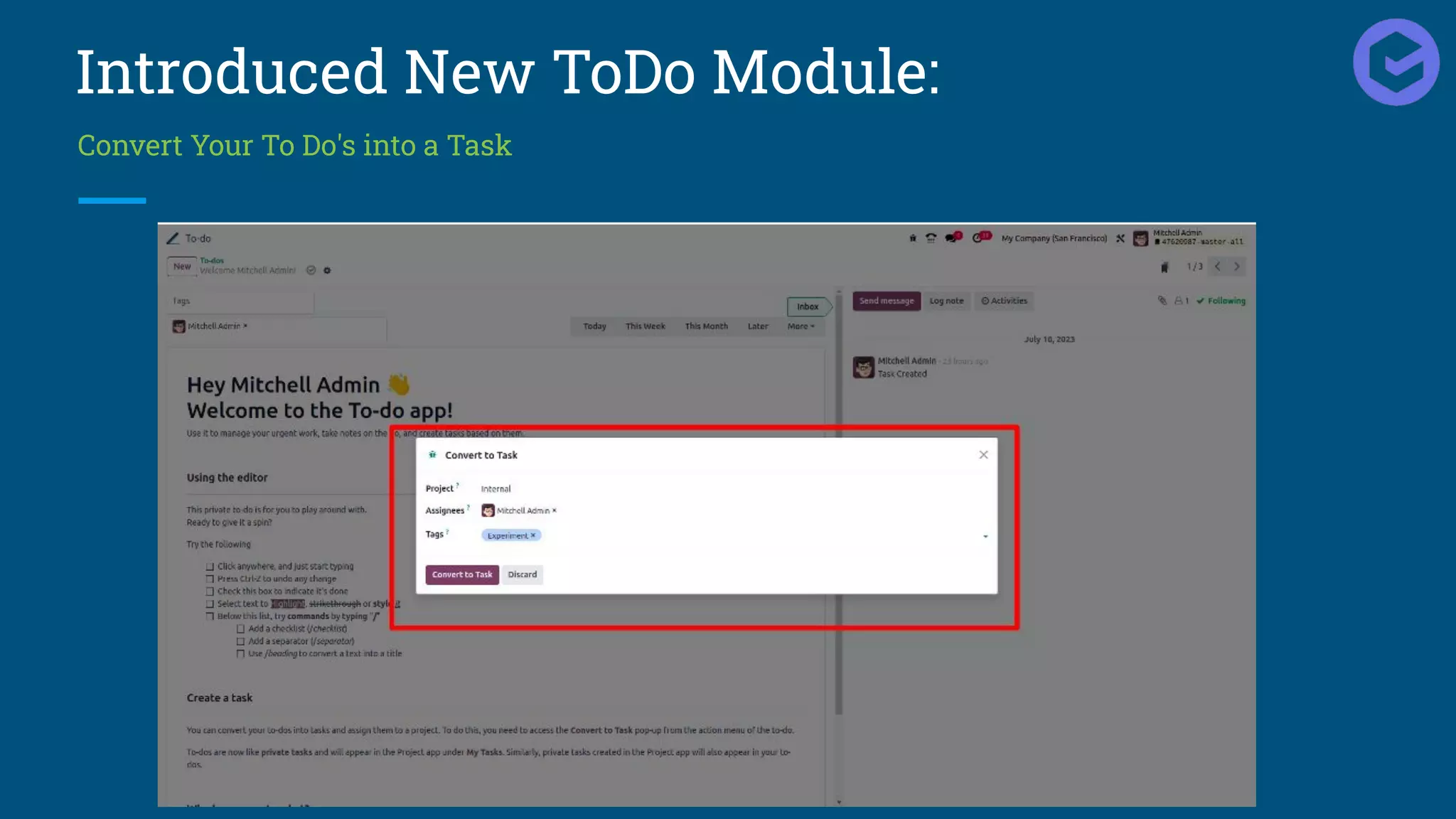
Introduced New ToDo Module:
Convert Your To Do's into a Task
Introduced New ToDo Module:
Convert Your To Do's into a Task
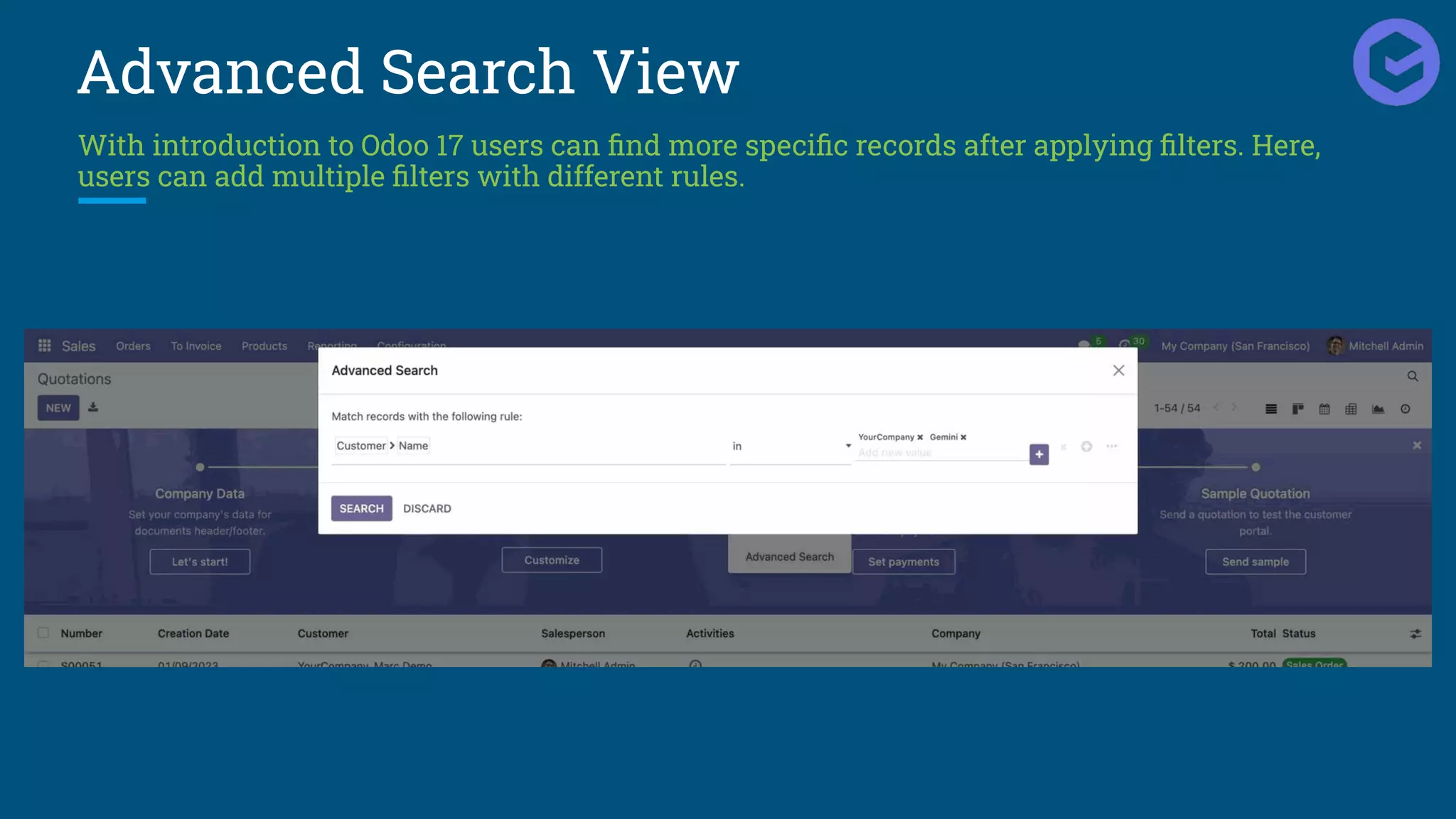
Advanced Search View
With introduction to Odoo 17 users can find more specific records after applying filters. Here,
users can add multiple filters with different rules.
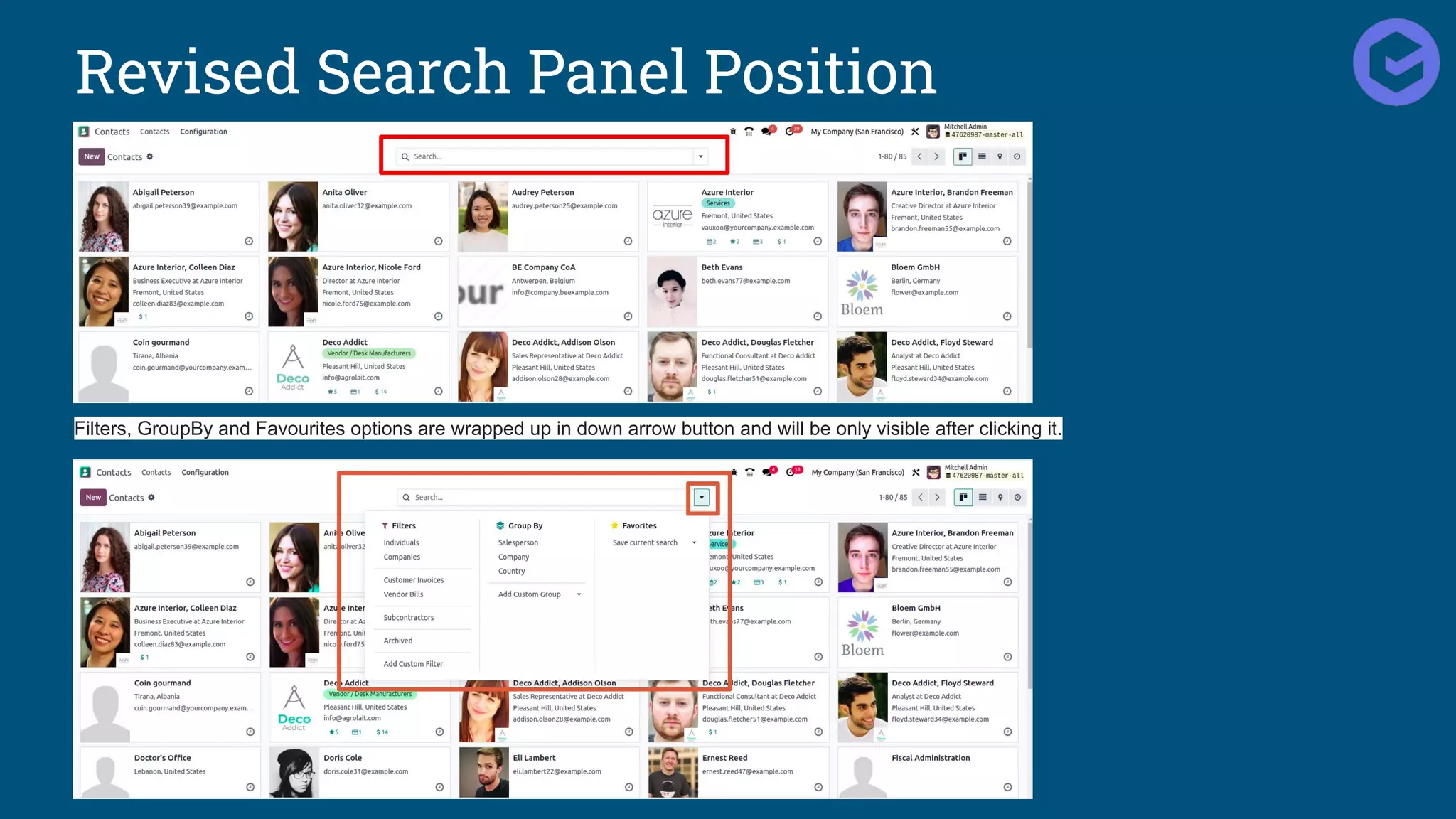
Revised Search Panel Position
Filters, GroupBy and Favourites options are wrapped up in down arrow button and will be only visible after clicking it.
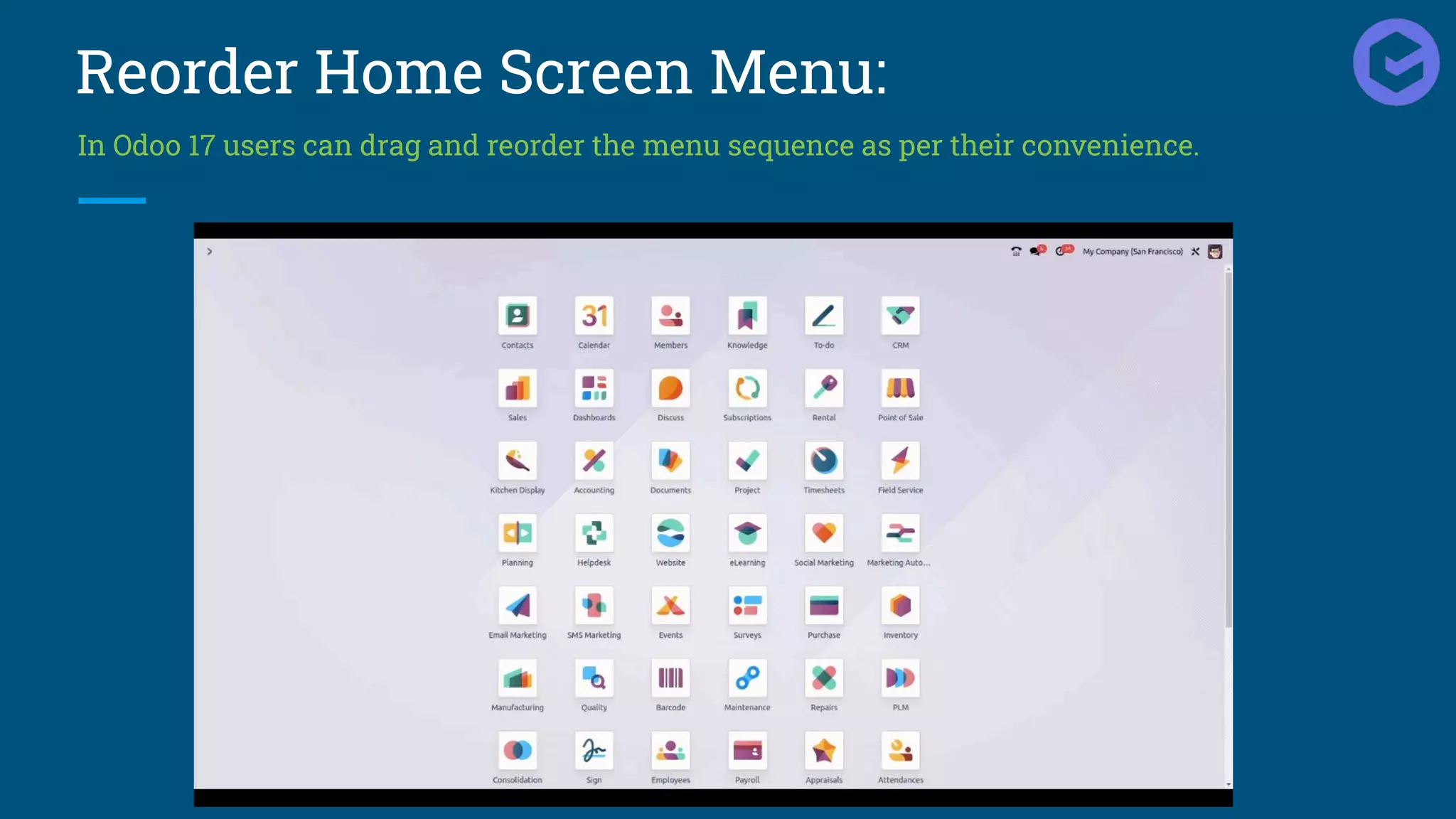
Reorder Home Screen Menu:
In Odoo 17 users can drag and reorder the menu sequence as per their convenience.
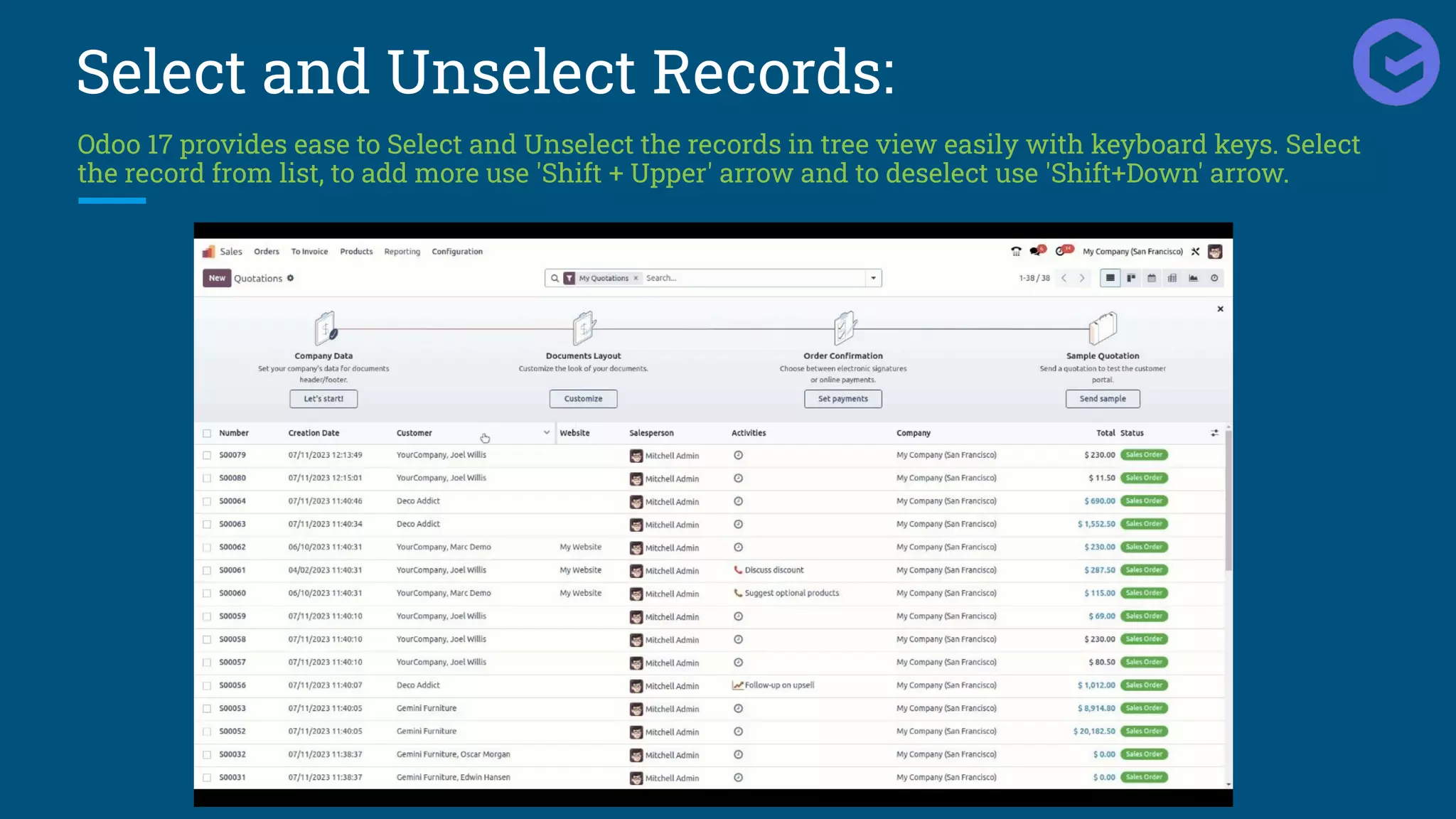
Select and Unselect Records:
Odoo 17 provides ease to Select and Unselect the records in tree view easily with keyboard keys. Select
the record from list, to add more use 'Shift + Upper' arrow and to deselect use 'Shift+Down' arrow.
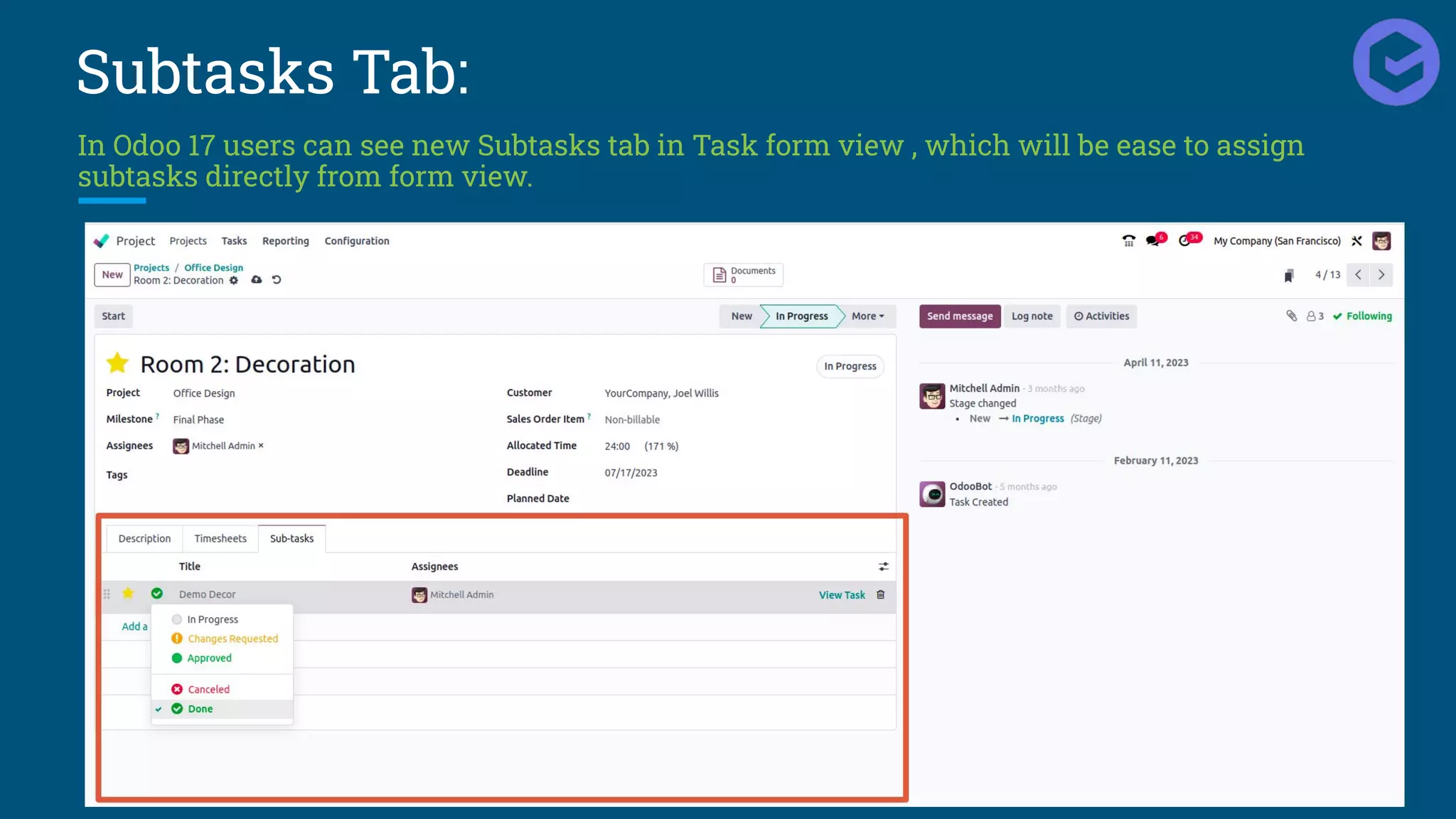
Subtasks Tab:
In Odoo 17 users can see new Subtasks tab in Task form view , which will be ease to assign
subtasks directly from form view.
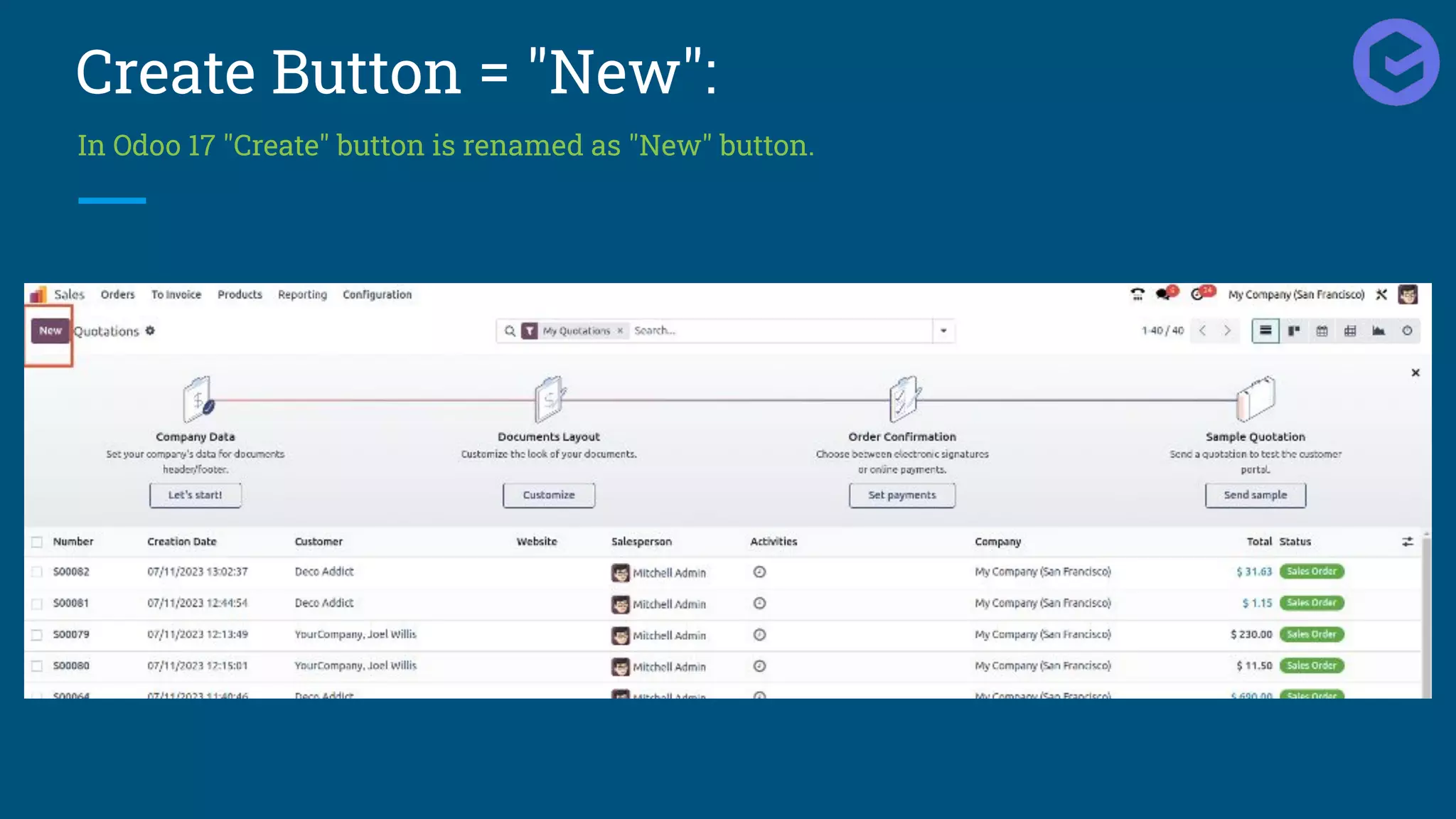
Create Button = "New":
In Odoo 17 "Create" button is renamed as "New" button.
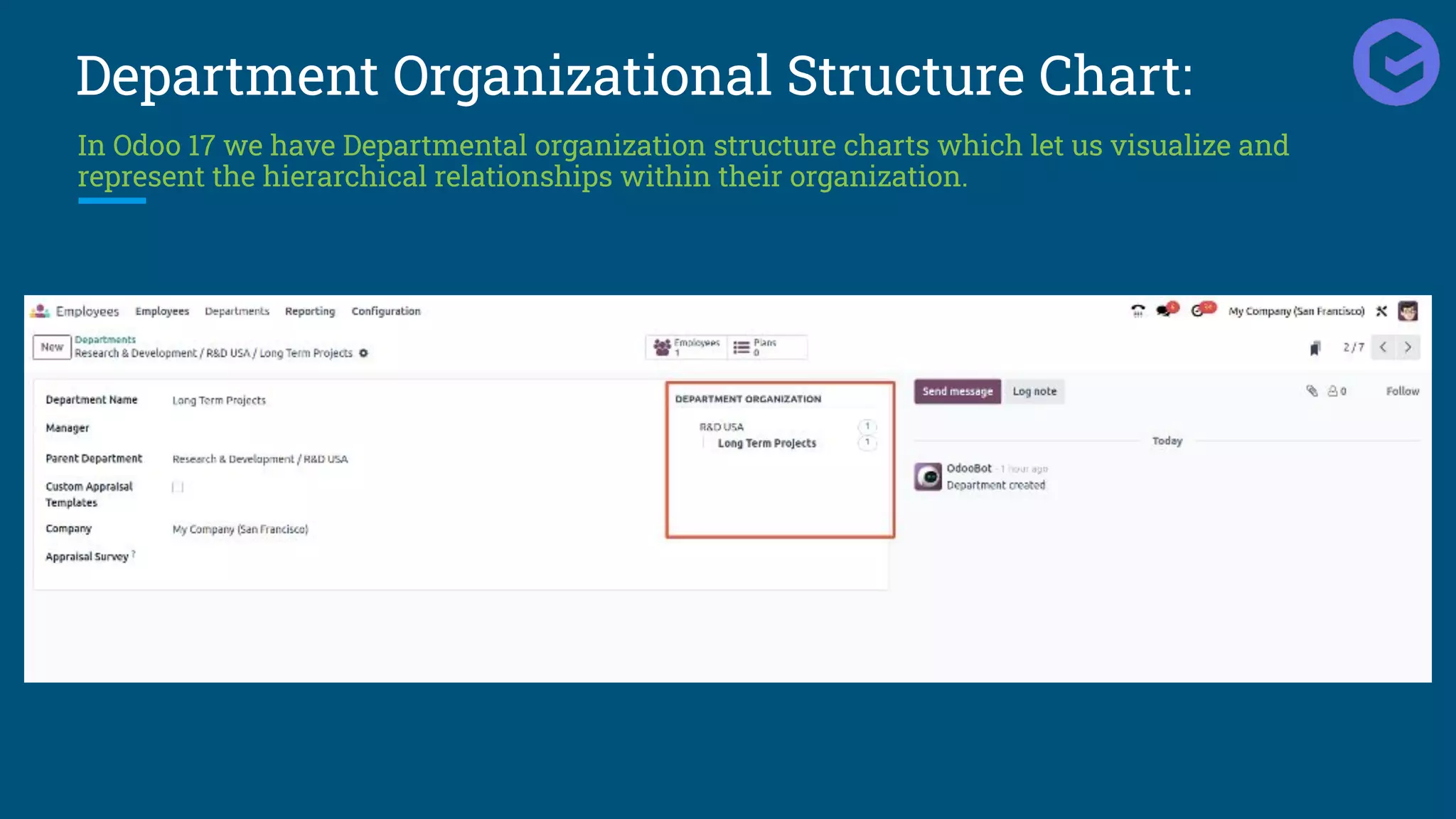
Department Organizational Structure Chart:
In Odoo 17 we have Departmental organization structure charts which let us visualize and
represent the hierarchical relationships within their organization.
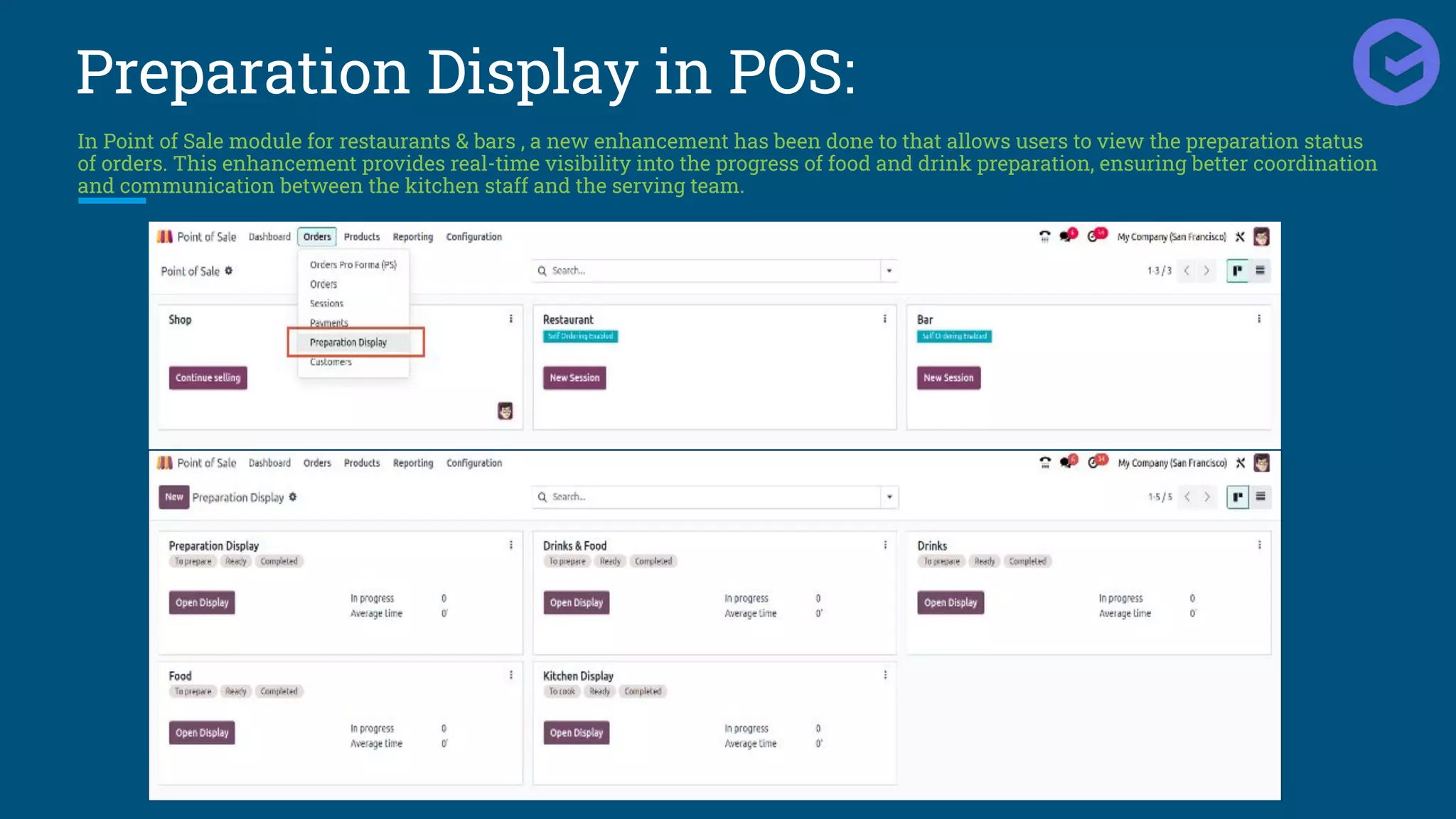
Preparation Display in POS:
In Point of Sale module for restaurants & bars , a new enhancement has been done to that allows users to view the preparation status
of orders. This enhancement provides real-time visibility into the progress of food and drink preparation, ensuring better coordination
and communication between the kitchen staff and the serving team.
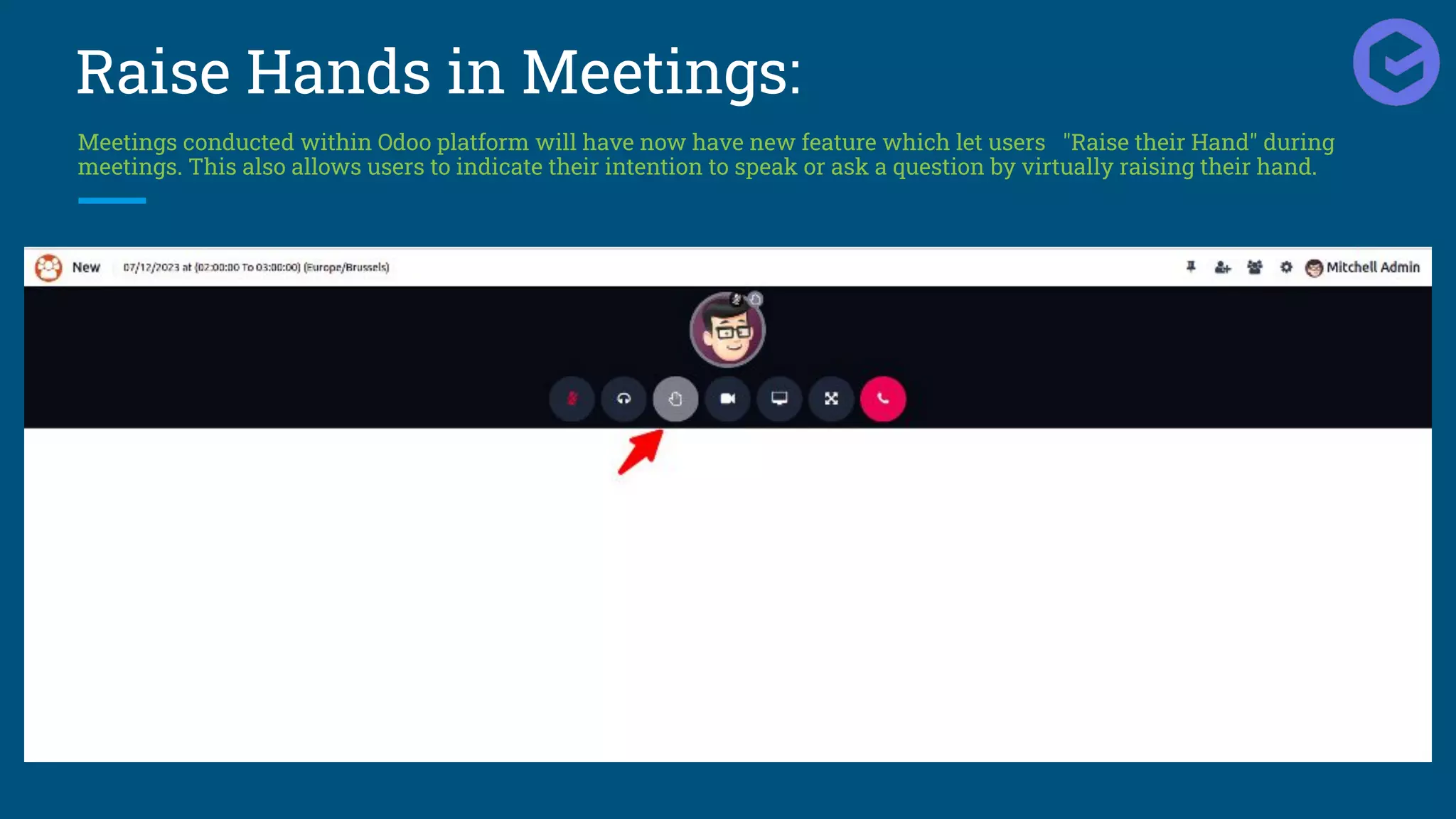
Raise Hands in Meetings:
Meetings conducted within Odoo platform will have now have new feature which let users "Raise their Hand" during
meetings. This also allows users to indicate their intention to speak or ask a question by virtually raising their hand.
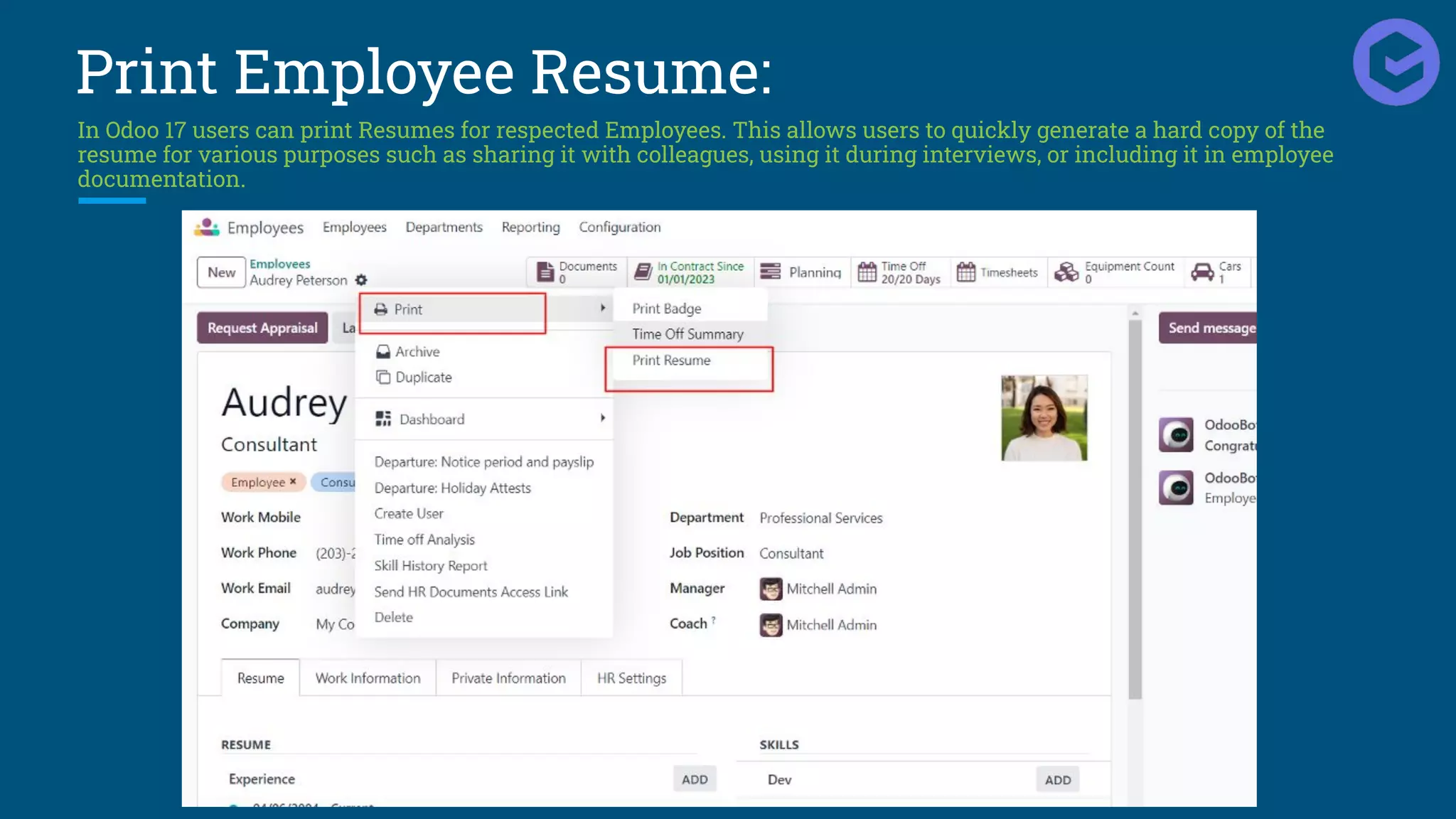
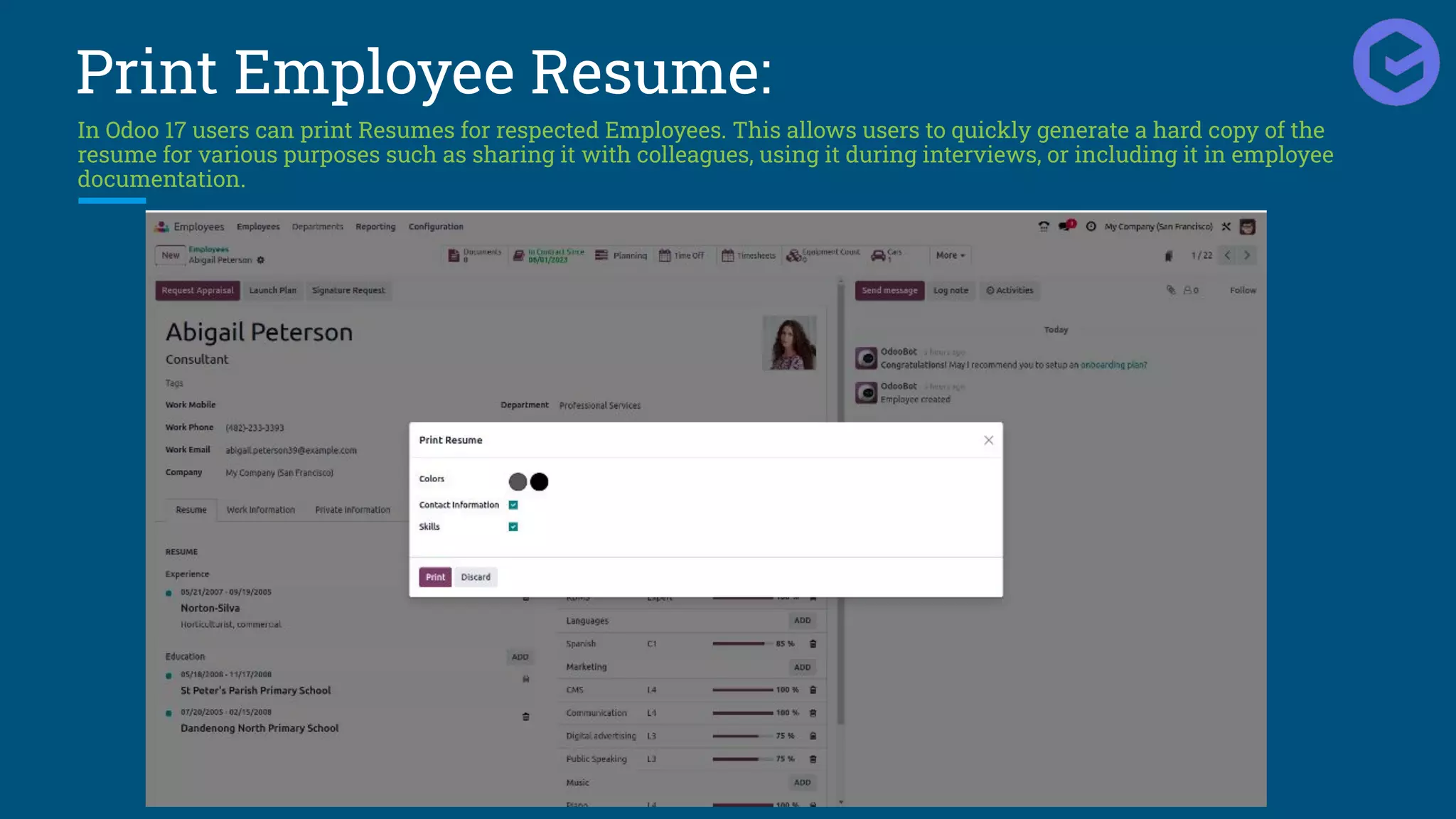
Print Employee Resume:
In Odoo 17 users can print Resumes for respected Employees. This allows users to quickly generate a hard copy of the
resume for various purposes such as sharing it with colleagues, using it during interviews, or including it in employee
documentation.
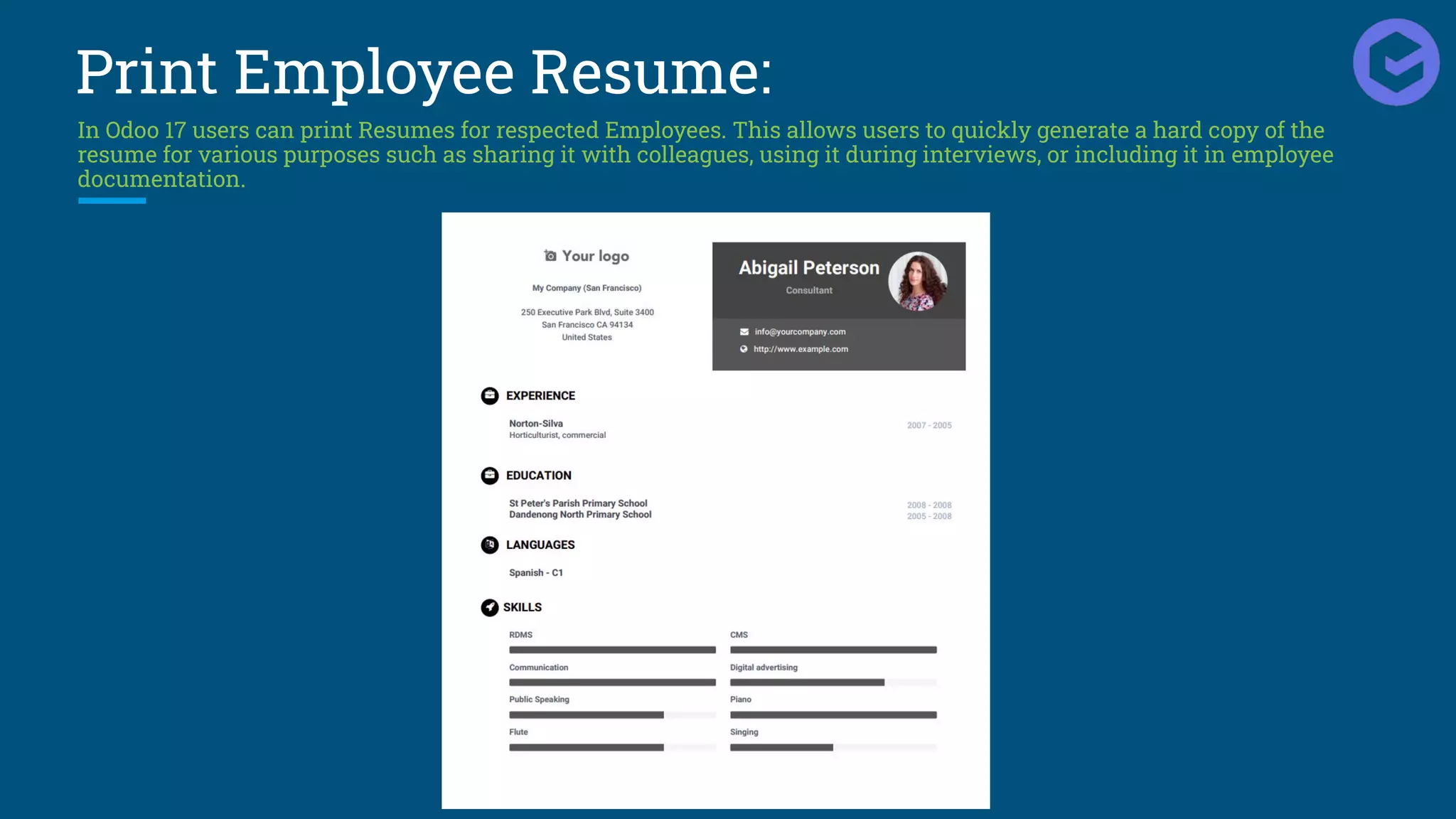
Print Employee Resume:
In Odoo 17 users can print Resumes for respected Employees. This allows users to quickly generate a hard copy of the
resume for various purposes such as sharing it with colleagues, using it during interviews, or including it in employee
documentation.
Print Employee Resume:
In Odoo 17 users can print Resumes for respected Employees. This allows users to quickly generate a hard copy of the
resume for various purposes such as sharing it with colleagues, using it during interviews, or including it in employee
documentation.
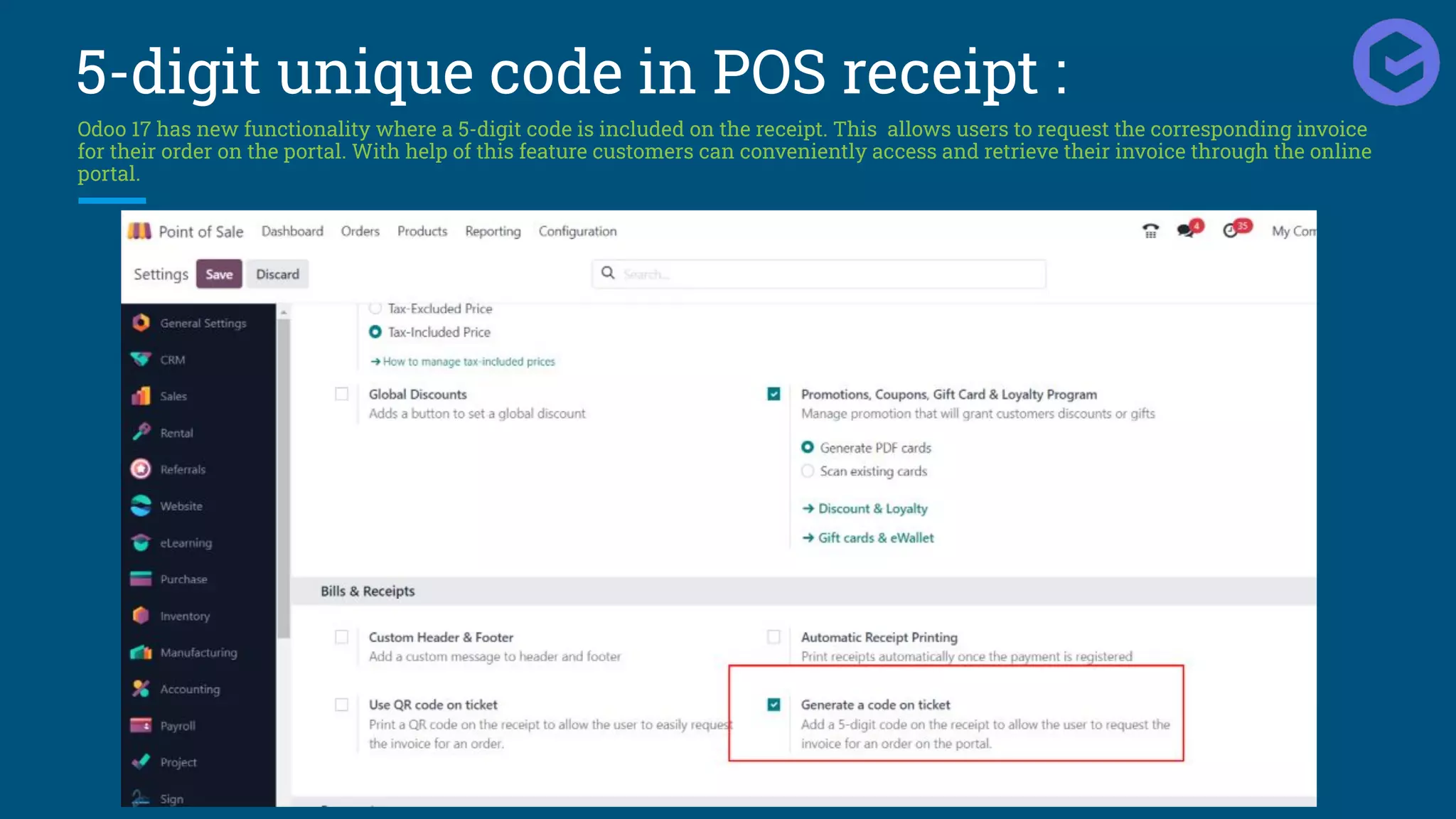
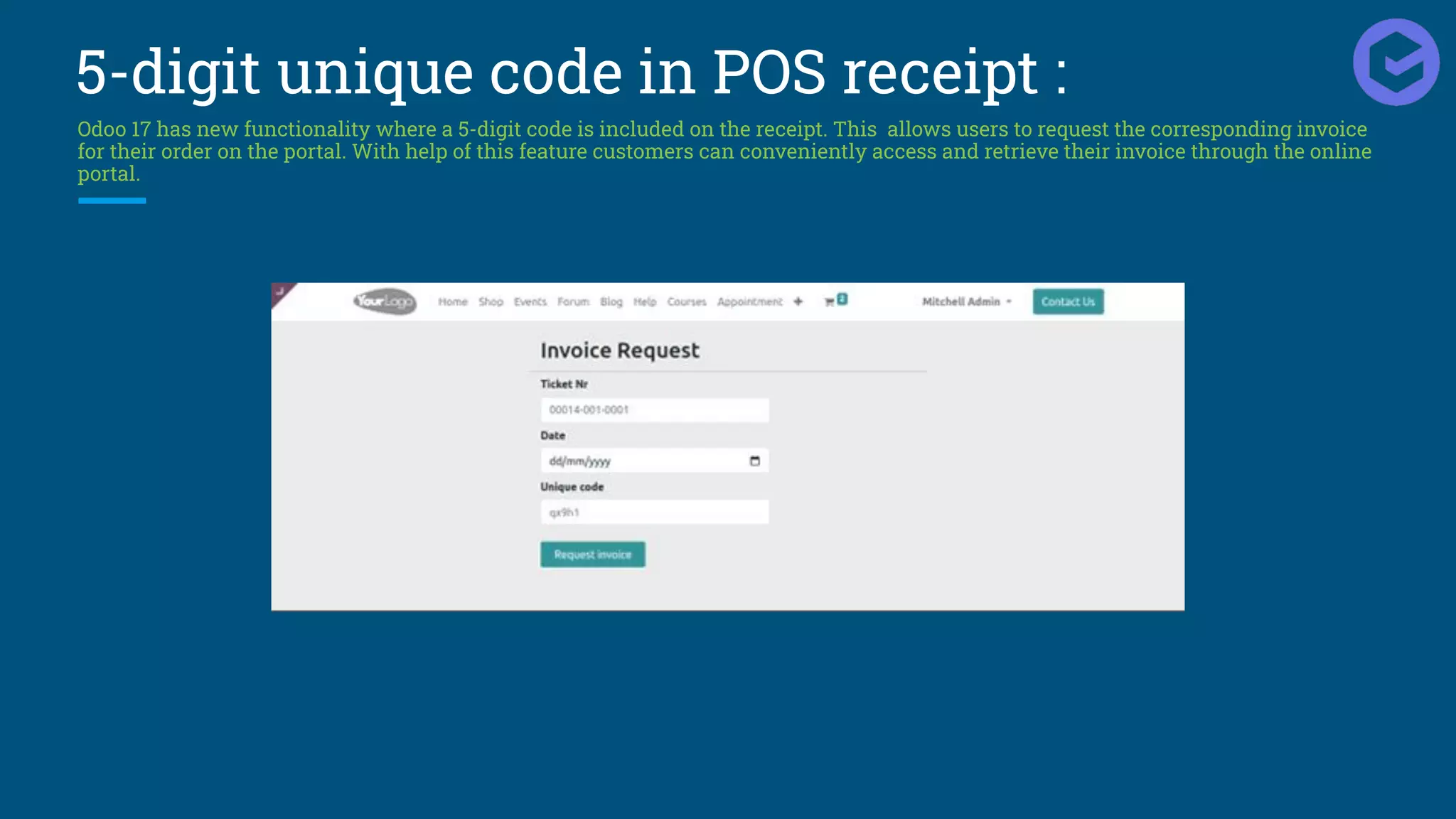
5-digit unique code in POS receipt :
Odoo 17 has new functionality where a 5-digit code is included on the receipt. This allows users to request the corresponding invoice
for their order on the portal. With help of this feature customers can conveniently access and retrieve their invoice through the online
portal.
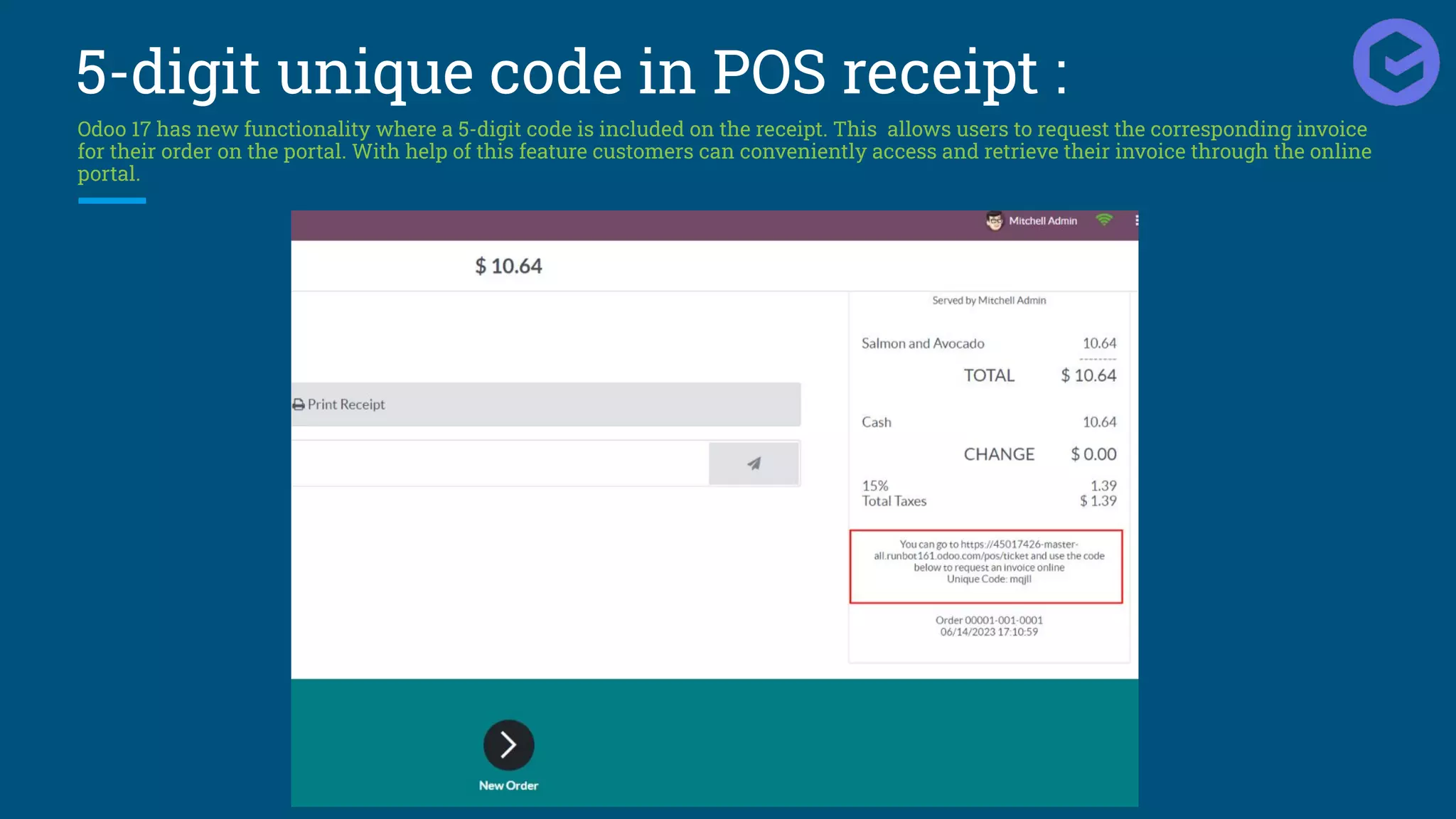
5-digit unique code in POS receipt :
Odoo 17 has new functionality where a 5-digit code is included on the receipt. This allows users to request the corresponding invoice
for their order on the portal. With help of this feature customers can conveniently access and retrieve their invoice through the online
portal.
5-digit unique code in POS receipt :
Odoo 17 has new functionality where a 5-digit code is included on the receipt. This allows users to request the corresponding invoice
for their order on the portal. With help of this feature customers can conveniently access and retrieve their invoice through the online
portal.
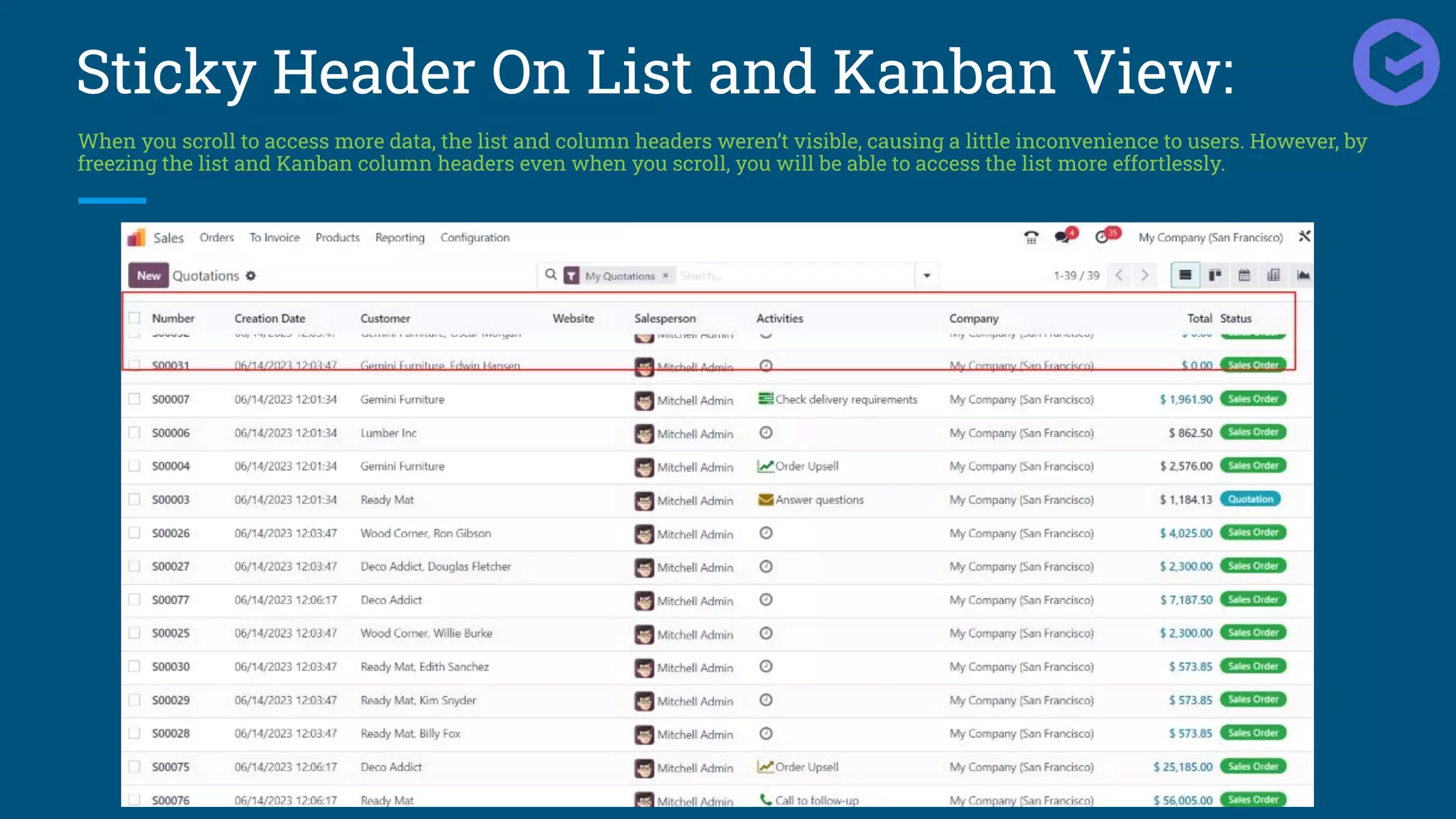
Sticky Header On List and Kanban View:
When you scroll to access more data, the list and column headers weren’t visible, causing a little inconvenience to users. However, by
freezing the list and Kanban column headers even when you scroll, you will be able to access the list more effortlessly.
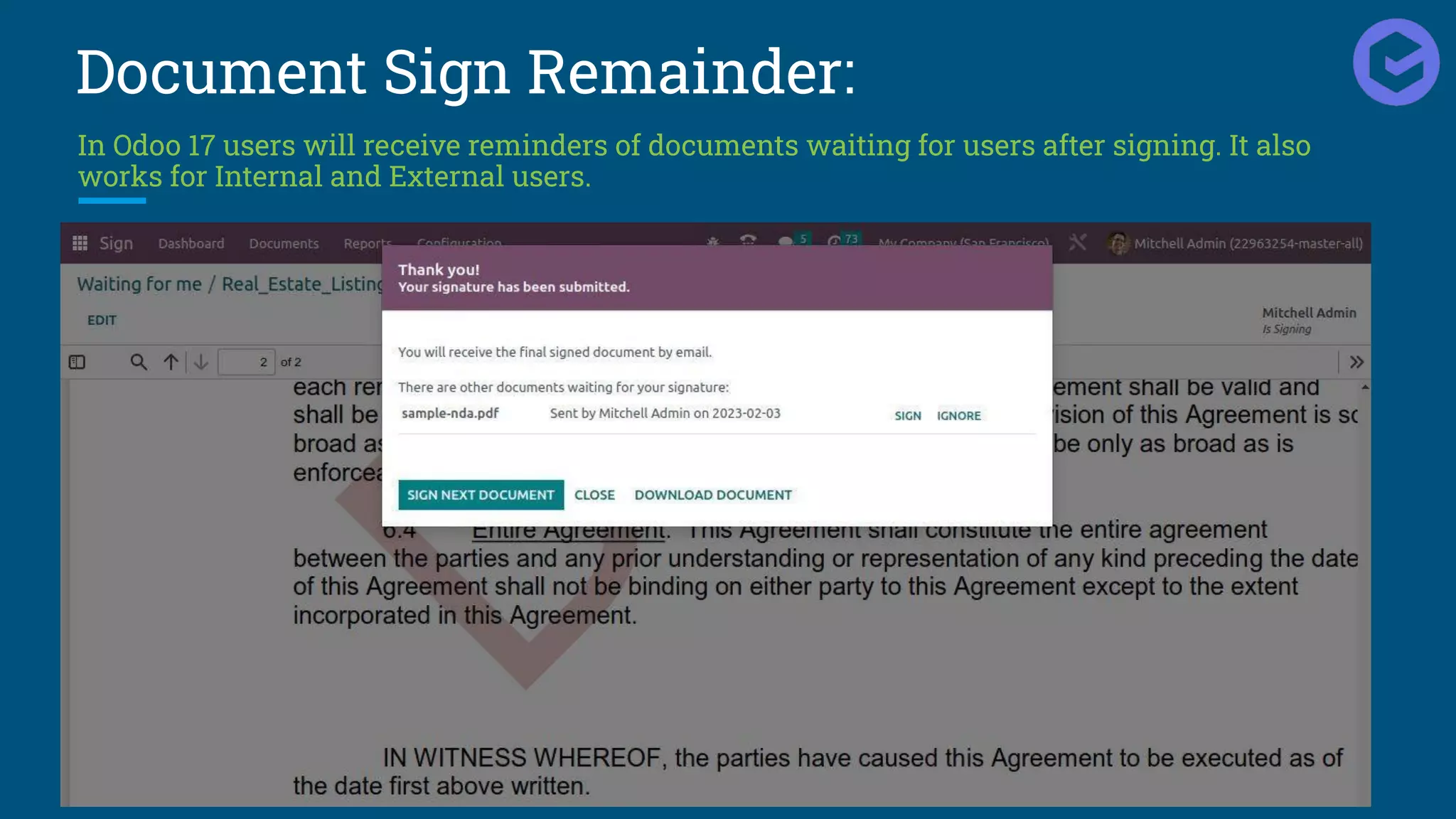
Document Sign Remainder:
In Odoo 17 users will receive reminders of documents waiting for users after signing. It also
works for Internal and External users.
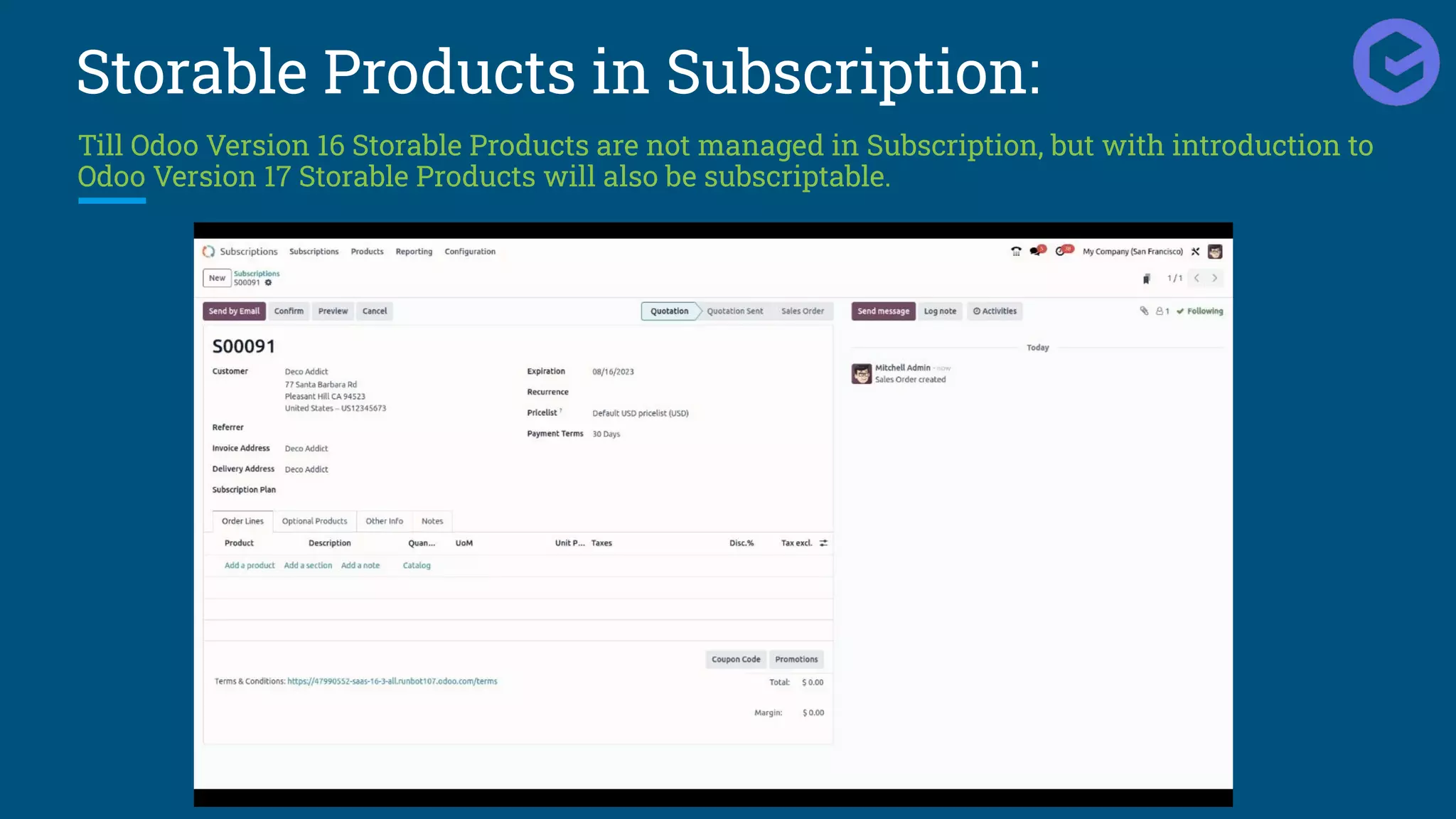
Storable Products in Subscription:
Till Odoo Version 16 Storable Products are not managed in Subscription, but with introduction to
Odoo Version 17 Storable Products will also be subscriptable.
Introduction Of New Survey Types:
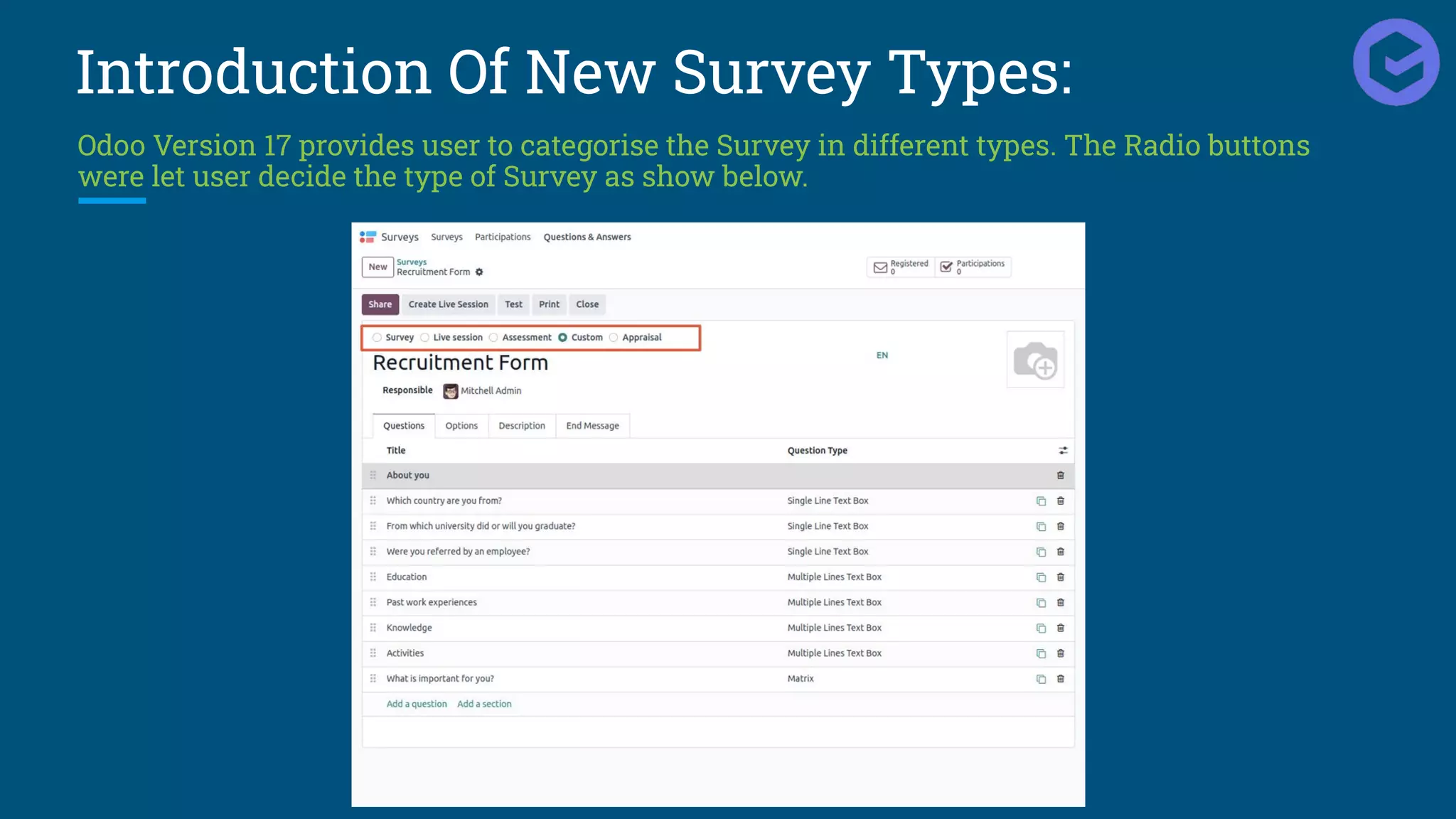
Odoo Version 17 provides user to categorise the Survey in different types. The Radio buttons
were let user decide the type of Survey as show below.
Self Ordering QR Code Menu In POS:
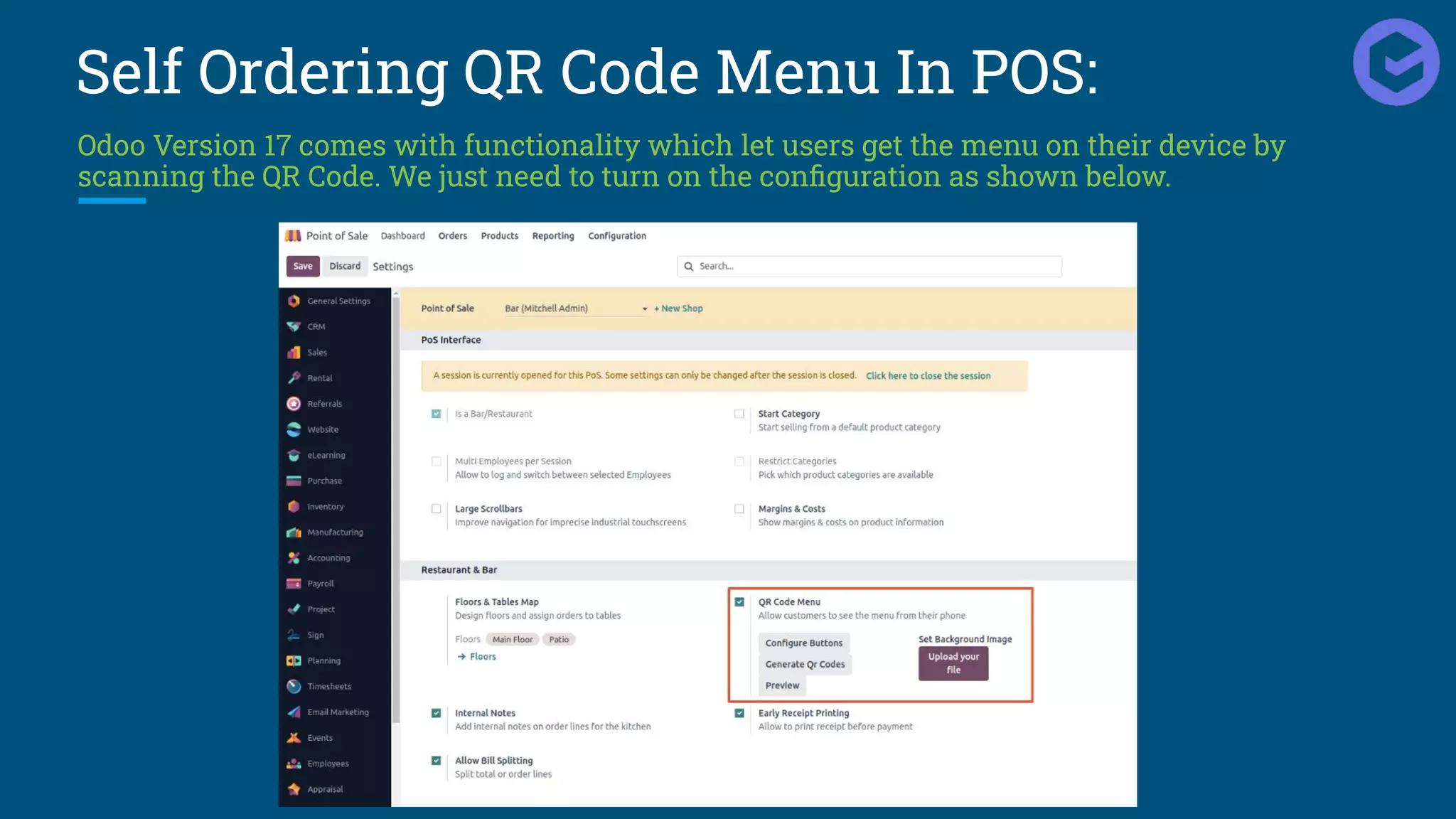
Odoo Version 17 comes with functionality which let users get the menu on their device by
scanning the QR Code. We just need to turn on the configuration as shown below.
Self Ordering QR Code Menu In POS:
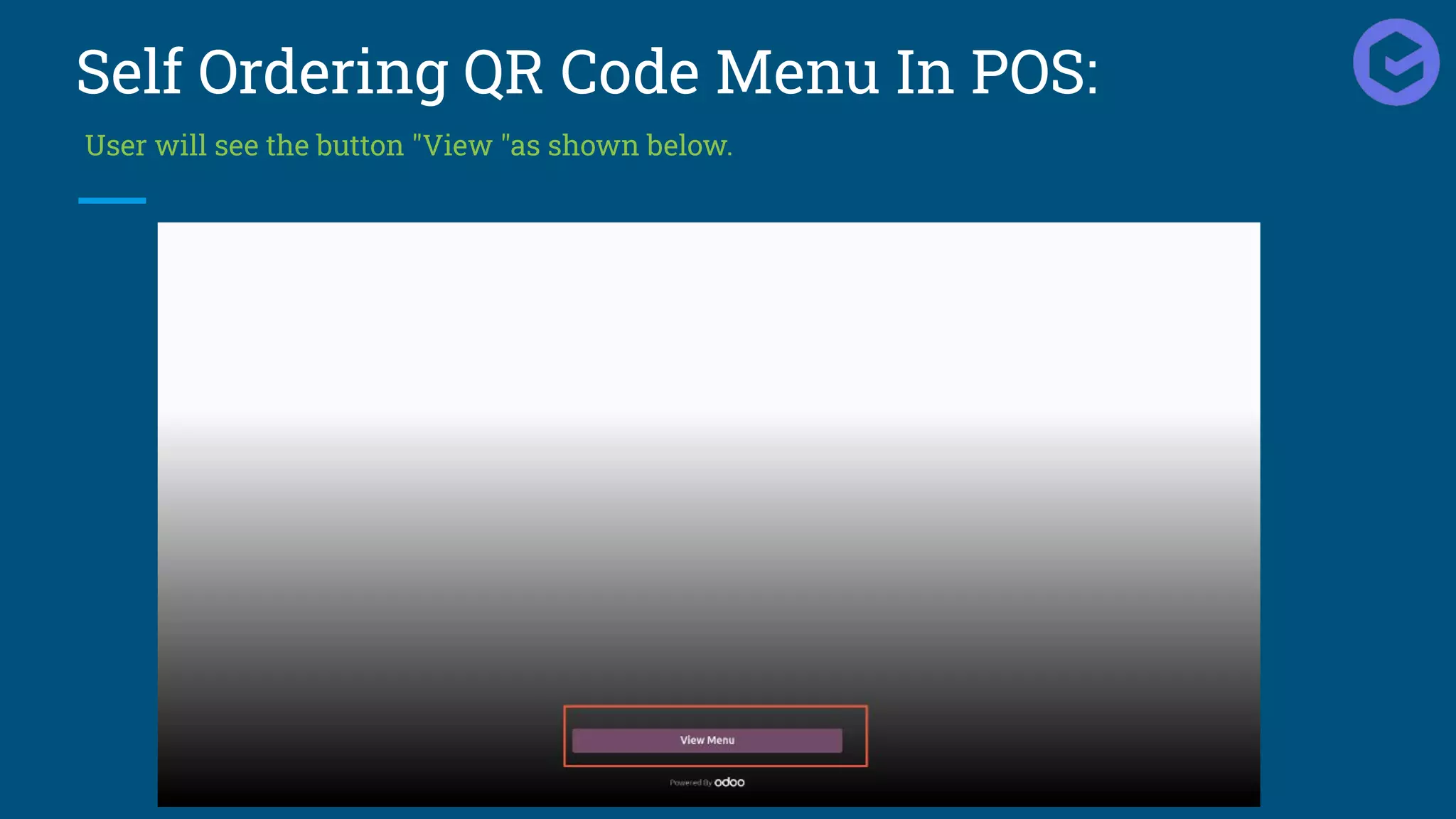
User will see the button "View "as shown below.
Self Ordering QR Code Menu In POS:
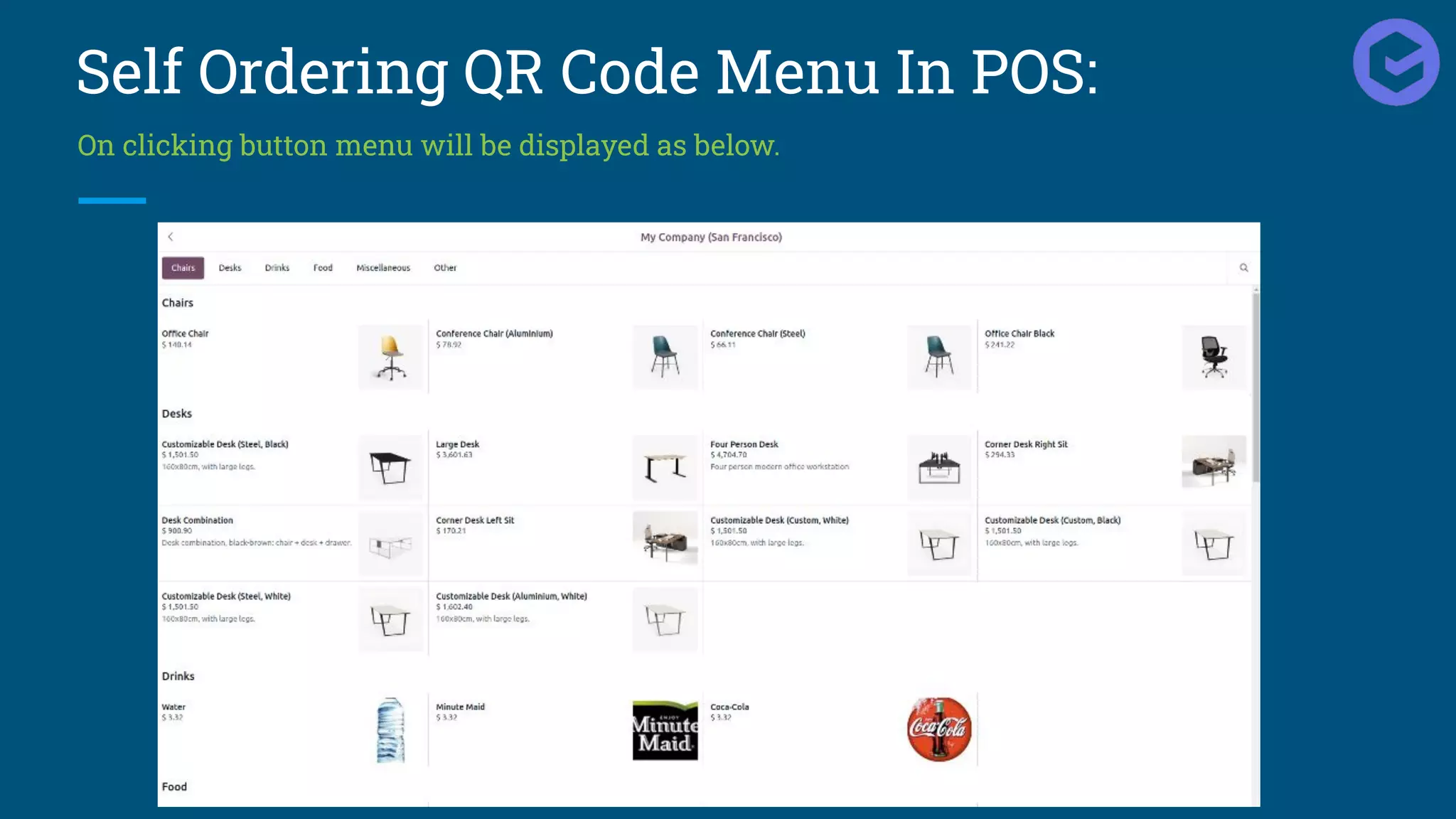
On clicking button menu will be displayed as below.
Improved E-Learning:
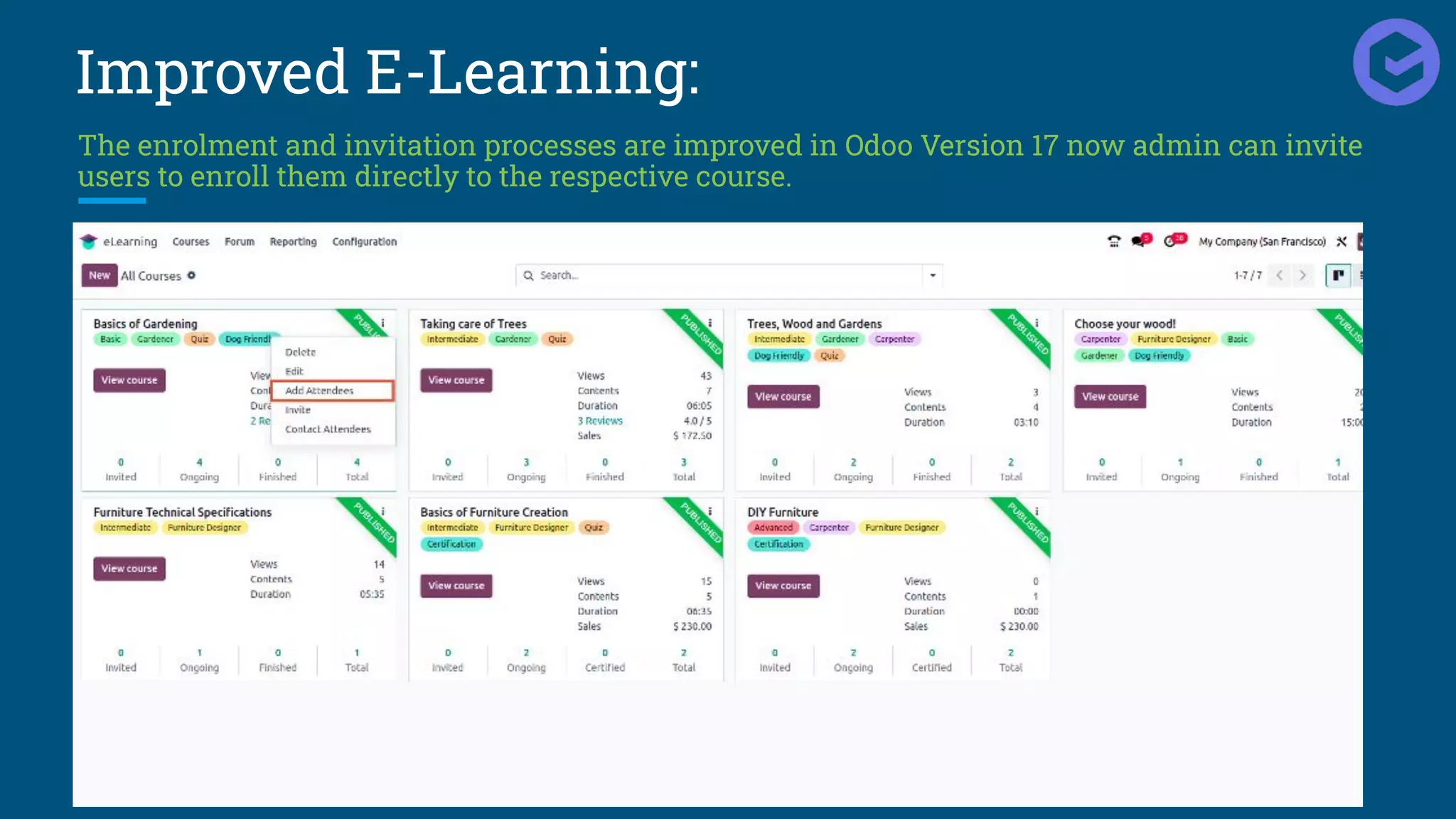
The enrolment and invitation processes are improved in Odoo Version 17 now admin can invite
users to enroll them directly to the respective course.
Improved E-Learning:
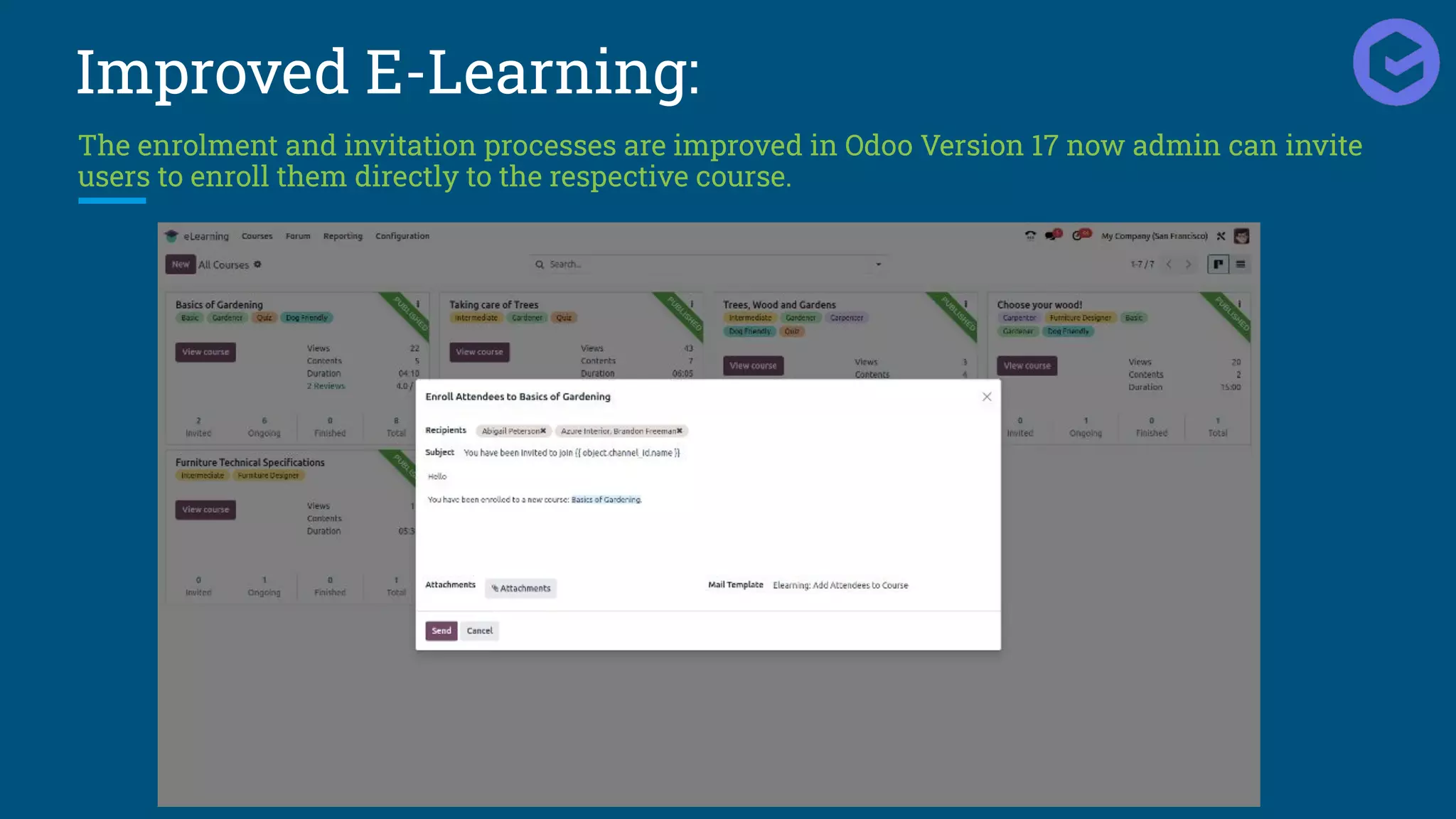
The enrolment and invitation processes are improved in Odoo Version 17 now admin can invite
users to enroll them directly to the respective course.
Thank You
hello@entrivistech.com www.entrivistech.com

Odoo 17 New Expected Features - Entrivis Tech.pdf

  • 1.
    Odoo 17 New ExpectedFeatures Odoo 17 is the upcoming major release of the popular open-source ERP software. It is scheduled to be released in October 2023, and it is packed with new features that will help businesses of all sizes to be more efficient and productive. hello@entrivistech.com www.entrivistech.com
  • 2.
    Enhanced UI &Dark Mode: Odoo 17 comes with new refined icons and colors.
  • 3.
    Add Products fromCatalogue: Odoo 17 provides Catalog option in Sale Order Line , which let users add products in Sale Order from Catalog Kanban view as shown below.
  • 4.
    Add Products fromCatalogue: Odoo 17 provides Catalog option in Sale Order Line , which let users add products in Sale Order from Catalog Kanban view as shown below.
  • 5.
    Draggable Pop Upsand Wizard: Odoo 17 let users drag or side the pop-ups and wizards as per their convenience.
  • 6.
    Introducing Shortcuts forOdoo PWA: Odoo PWA becomes easier with the introduction of shortcuts on smartphones.
  • 7.
    Change Of SmartButton Position In Odoo 17 smart buttons position is changed, now it is shifted above form view.
  • 8.
    Introduced New ToDoModule: Odoo 17 has replaced NOTE module with new ToDo module
  • 9.
    Introduced New ToDoModule: Convert Your To Do's into a Task
  • 10.
    Introduced New ToDoModule: Convert Your To Do's into a Task
  • 11.
    Advanced Search View Withintroduction to Odoo 17 users can find more specific records after applying filters. Here, users can add multiple filters with different rules.
  • 12.
    Revised Search PanelPosition Filters, GroupBy and Favourites options are wrapped up in down arrow button and will be only visible after clicking it.
  • 13.
    Reorder Home ScreenMenu: In Odoo 17 users can drag and reorder the menu sequence as per their convenience.
  • 14.
    Select and UnselectRecords: Odoo 17 provides ease to Select and Unselect the records in tree view easily with keyboard keys. Select the record from list, to add more use 'Shift + Upper' arrow and to deselect use 'Shift+Down' arrow.
  • 15.
    Subtasks Tab: In Odoo17 users can see new Subtasks tab in Task form view , which will be ease to assign subtasks directly from form view.
  • 16.
    Create Button ="New": In Odoo 17 "Create" button is renamed as "New" button.
  • 17.
    Department Organizational StructureChart: In Odoo 17 we have Departmental organization structure charts which let us visualize and represent the hierarchical relationships within their organization.
  • 18.
    Preparation Display inPOS: In Point of Sale module for restaurants & bars , a new enhancement has been done to that allows users to view the preparation status of orders. This enhancement provides real-time visibility into the progress of food and drink preparation, ensuring better coordination and communication between the kitchen staff and the serving team.
  • 19.
    Raise Hands inMeetings: Meetings conducted within Odoo platform will have now have new feature which let users "Raise their Hand" during meetings. This also allows users to indicate their intention to speak or ask a question by virtually raising their hand.
  • 20.
    Print Employee Resume: InOdoo 17 users can print Resumes for respected Employees. This allows users to quickly generate a hard copy of the resume for various purposes such as sharing it with colleagues, using it during interviews, or including it in employee documentation.
  • 21.
    Print Employee Resume: InOdoo 17 users can print Resumes for respected Employees. This allows users to quickly generate a hard copy of the resume for various purposes such as sharing it with colleagues, using it during interviews, or including it in employee documentation.
  • 22.
    Print Employee Resume: InOdoo 17 users can print Resumes for respected Employees. This allows users to quickly generate a hard copy of the resume for various purposes such as sharing it with colleagues, using it during interviews, or including it in employee documentation.
  • 23.
    5-digit unique codein POS receipt : Odoo 17 has new functionality where a 5-digit code is included on the receipt. This allows users to request the corresponding invoice for their order on the portal. With help of this feature customers can conveniently access and retrieve their invoice through the online portal.
  • 24.
    5-digit unique codein POS receipt : Odoo 17 has new functionality where a 5-digit code is included on the receipt. This allows users to request the corresponding invoice for their order on the portal. With help of this feature customers can conveniently access and retrieve their invoice through the online portal.
  • 25.
    5-digit unique codein POS receipt : Odoo 17 has new functionality where a 5-digit code is included on the receipt. This allows users to request the corresponding invoice for their order on the portal. With help of this feature customers can conveniently access and retrieve their invoice through the online portal.
  • 26.
    Sticky Header OnList and Kanban View: When you scroll to access more data, the list and column headers weren’t visible, causing a little inconvenience to users. However, by freezing the list and Kanban column headers even when you scroll, you will be able to access the list more effortlessly.
  • 27.
    Document Sign Remainder: InOdoo 17 users will receive reminders of documents waiting for users after signing. It also works for Internal and External users.
  • 28.
    Storable Products inSubscription: Till Odoo Version 16 Storable Products are not managed in Subscription, but with introduction to Odoo Version 17 Storable Products will also be subscriptable.
  • 29.
    Introduction Of NewSurvey Types: Odoo Version 17 provides user to categorise the Survey in different types. The Radio buttons were let user decide the type of Survey as show below.
  • 30.
    Self Ordering QRCode Menu In POS: Odoo Version 17 comes with functionality which let users get the menu on their device by scanning the QR Code. We just need to turn on the configuration as shown below.
  • 31.
    Self Ordering QRCode Menu In POS: User will see the button "View "as shown below.
  • 32.
    Self Ordering QRCode Menu In POS: On clicking button menu will be displayed as below.
  • 33.
    Improved E-Learning: The enrolmentand invitation processes are improved in Odoo Version 17 now admin can invite users to enroll them directly to the respective course.
  • 34.
    Improved E-Learning: The enrolmentand invitation processes are improved in Odoo Version 17 now admin can invite users to enroll them directly to the respective course.
  • 35.