T.Y. B.Sc. (Comp. Sci.) Sem I
Object Oriented Software Engineering
(OOSE)
CS-336
Faculty
Dr. Amit D. Kasliwal
Asst. Professor
Chapter 6
Object Oriented Analyis
Overview
• Iterative Development and the Rational Unified
Process
• Inception
• Understanding Requirements
• Use Case Model From Inception to Elaboration
• Elaboration
Thinking in Objects and UML
 The Unified Modeling Language (UML) is a standard
diagramming notation; sometimes referred to as a blueprint.
 It is NOT OOA/OOD or a method
 Only a notation for capturing objects.
 UML is language-independent
 Analysis and design provide software “blueprints” captured in
UML.
 Blueprints serve as a tool for thought and as a form of
communication with others.
Thinking in Objects and UML
 But it is far more essential to ‘think’ in terms of objects as
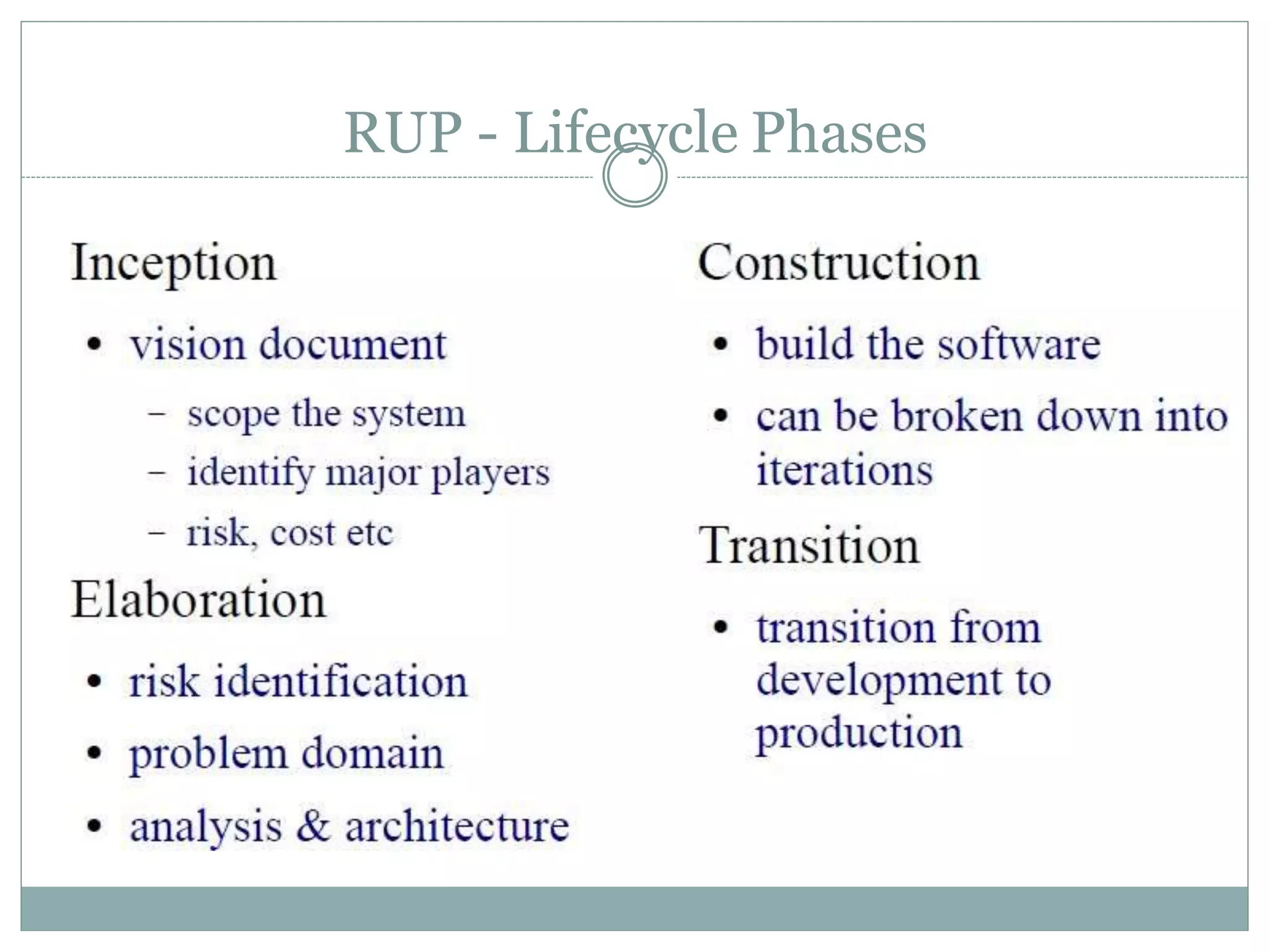
providing ‘services’ and accommodating
‘responsibilities.’
 Discuss: What is meant by ‘services?’ How indicated?
 How might you think these ‘services’ impact the design of classes?
 How might a client access these services?
 Discuss: What is meant by ‘responsibilities?’
 Encapsulation of data and services?
Thinking in Terms of Objects and UML
 Object-Oriented Analysis (Overview)
 An investigation of the problem (rather than how a solution
is defined)
 During OO analysis, there is an emphasis on finding and
describing the objects (or concepts) in the problem domain.
 For example, concepts in a Library Information System
include Book, and Library.
Thinking in Terms of Objects and UML - 4
 Object-Oriented Design
 Emphasizes a conceptual solution that fulfills the requirements.
 Need to define software objects and how they collaborate to fulfill the
requirements.
 For example, in the Library Information System, a Book software
object may have a title attribute and a getChapter method.
 Designs are implemented in a programming language.
 In the example, we will have a Book class in Java.
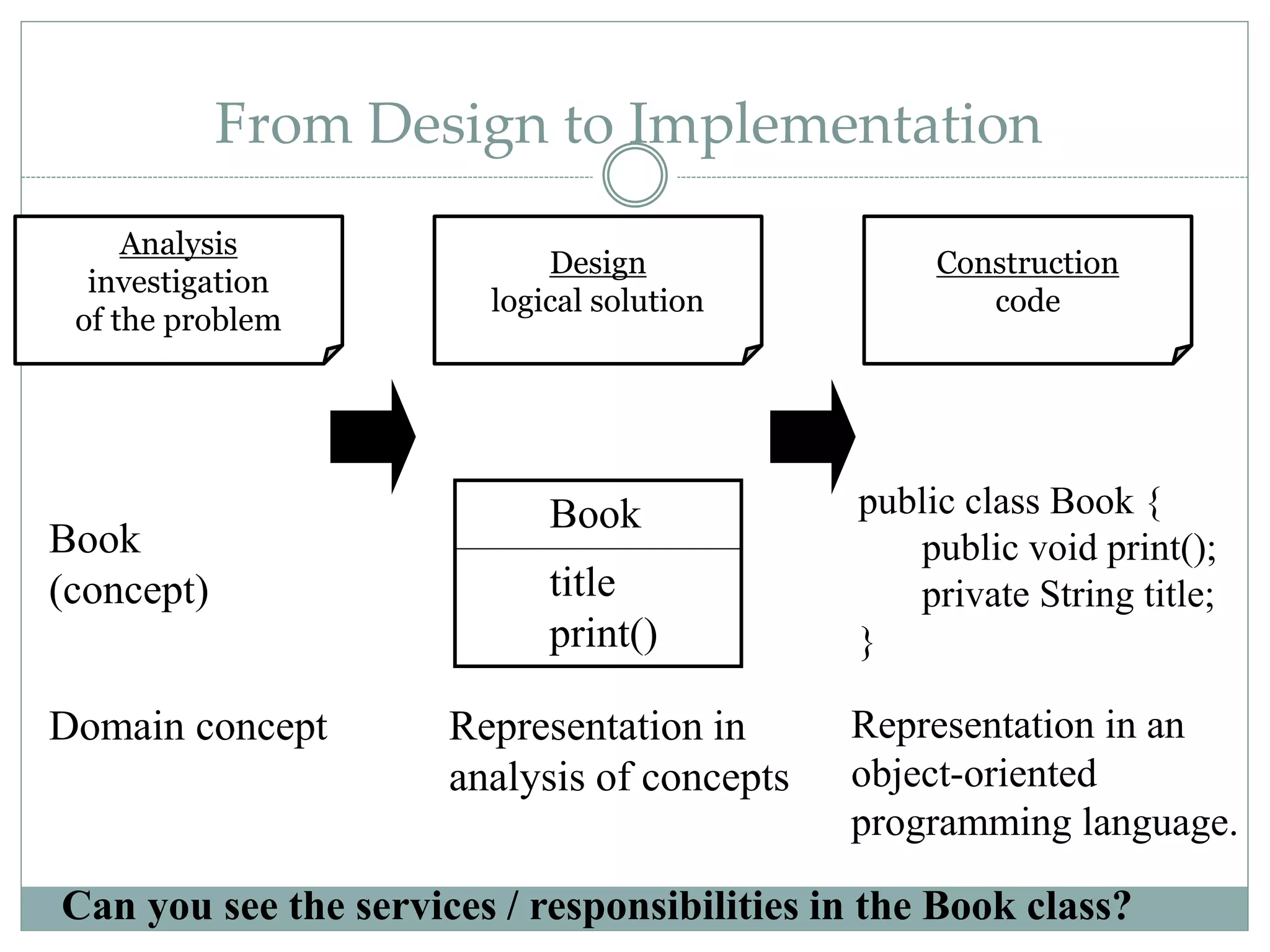
From Design to Implementation
Book
title
print()
public class Book {
public void print();
private String title;
}
Book
(concept)
Analysis
investigation
of the problem
Design
logical solution
Construction
code
Domain concept Representation in
analysis of concepts
Representation in an
object-oriented
programming language.
Can you see the services / responsibilities in the Book class?
Thinking in Objects and UML
 Then too, there are sets of proven design
solutions to problems that are considered ‘best
practices.’
 Certain ‘groupings’ of classes with specific responsibilities /
interfaces.
 These provide specific solutions to specific problems.
 Called Design Patterns
 We will discuss (much later) these patterns and how
to apply them to develop solutions to problems.
Thinking in Objects and UML
 Of course, design, solutions to requirements, ‘assume’ a
robust requirements analysis has taken place.
 Use Cases are often used to capture stories of
requriements.
 Use Cases are not specifically designed to be object-
oriented, but rather are meant to capture how an
application will be used.
 While there are many methods for capturing
requirements, we will concentrate on Use Cases ahead.
Iterative, Evolutionary, and Agile
1. Introduction
 Iterative because the entire project will be composed of min-
projects and will iterate the same activities again and again
(but on different part of the project) until completion.
 Evolutionary (or incremental) because the software grows by
increments (to be opposed to the traditional, and somewhat
old-fashioned, Waterfall model of software development).
 Agile because we will use a light approach to software
development rather than a very rigid one (which may be
needed for a safety-critical system for example)
 This kind of approach seems better at treating software
development as a problem solving activity; also the use of
objects makes it amenable.
Approach:
 We need a Requirements Analysis approach with
OOA/OOD need to be practiced in a framework of a
development process.
 We will adopt an agile approach (light weight, flexible)
in the context of the Unified Process, which can be used
as a sample iterative development process.
 Within this process, the principles can be discussed.
 Please note that there are several other contexts that
may be used, such as Scrum, Feature-Driven
Development, Lean Development, Crystal Methods and
others…
Unified Process:
 The Unified Process is a popular iterative software
development process.
 Iterative and evolutionary development involves
relatively early programming and testing of a partial
system, in repeated cycles.
 It typically also means that development starts before
the exact software requirements have been specified in
detail; feedback is used to clarify, correct and improve
the evolving specification: this is in complete contrast to
what we usually mean by engineering!
Unified Process
 The UP is very flexible and open and can include
other practices from other methods such as Extreme
Programming (XP) or Scrum for example.
 e.g. XP’s test-driven development, refactoring can fit within a
UP project; So can Scrum’s daily meeting.
 Being pragmatic in adapting a particular process to your
needs is an important skill : all projects are different.
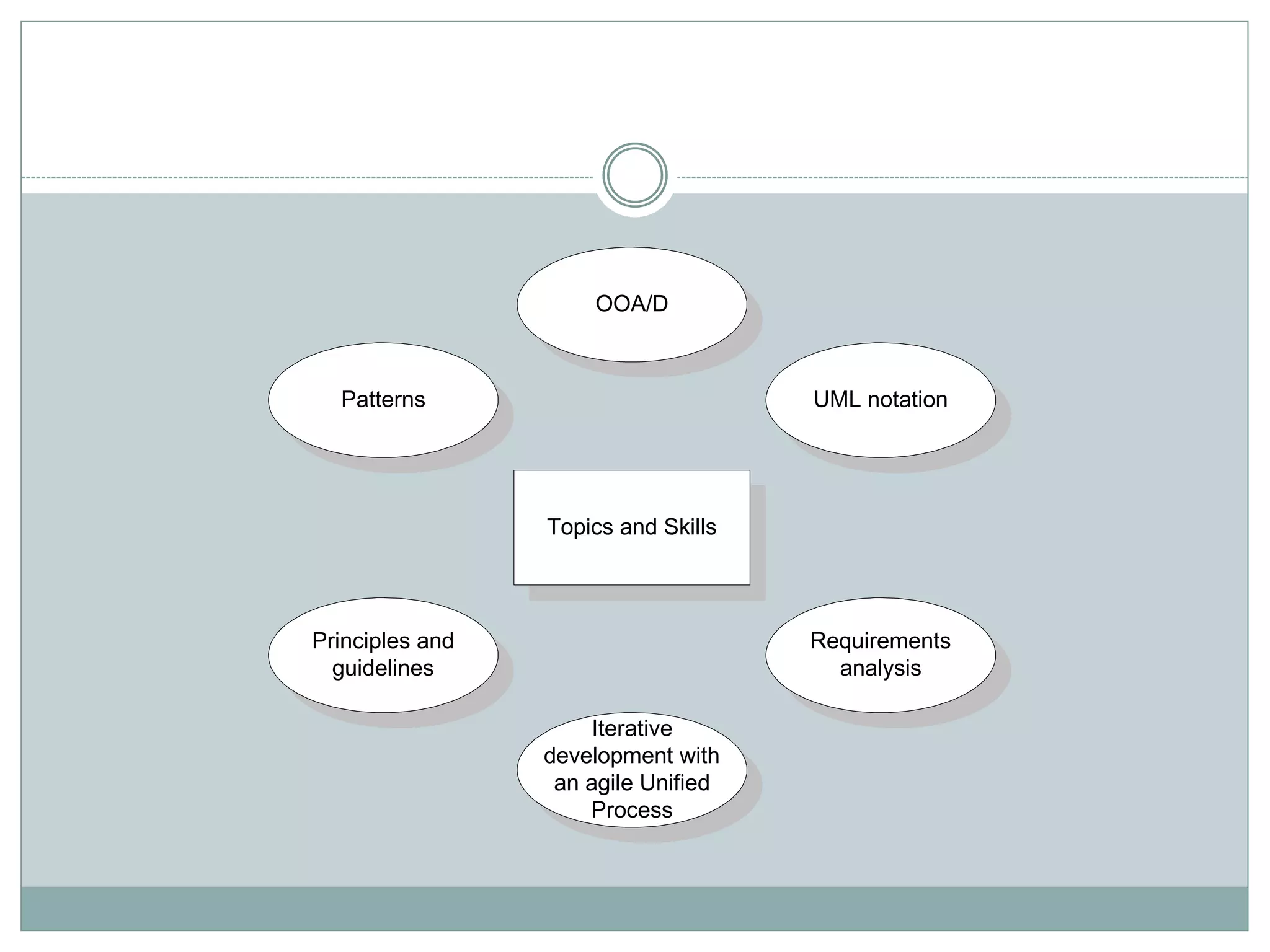
Topics and Skills
UML notation
Requirements
analysis
Principles and
guidelines
Patterns
Iterative
development with
an agile Unified
Process
OOA/D
What is Object-Oriented Analysis and Design
 OOA: we find and describe objects or concepts in the
problem domain
 OOD: we define how these software objects
collaborate to meet the requirements.
 Attributes and methods.
 OOP: Implementation: we implement the design
objects in, say, Java, C++, C#, etc.
Unified Process
• A iterative and incremental software
development process framework for building
object-oriented systems.
• Emerged as a popular software development
process
Iterative development
• An iterative and evolutionary approach allows start of
development with incomplete, imperfect knowledge
• Iterative and evolutionary have the following
advantages:
– Logical progress toward a robust architecture
– Effective management of changing requirements
– Continuous integration
– Early understanding of the system
– Ongoing risk assessment
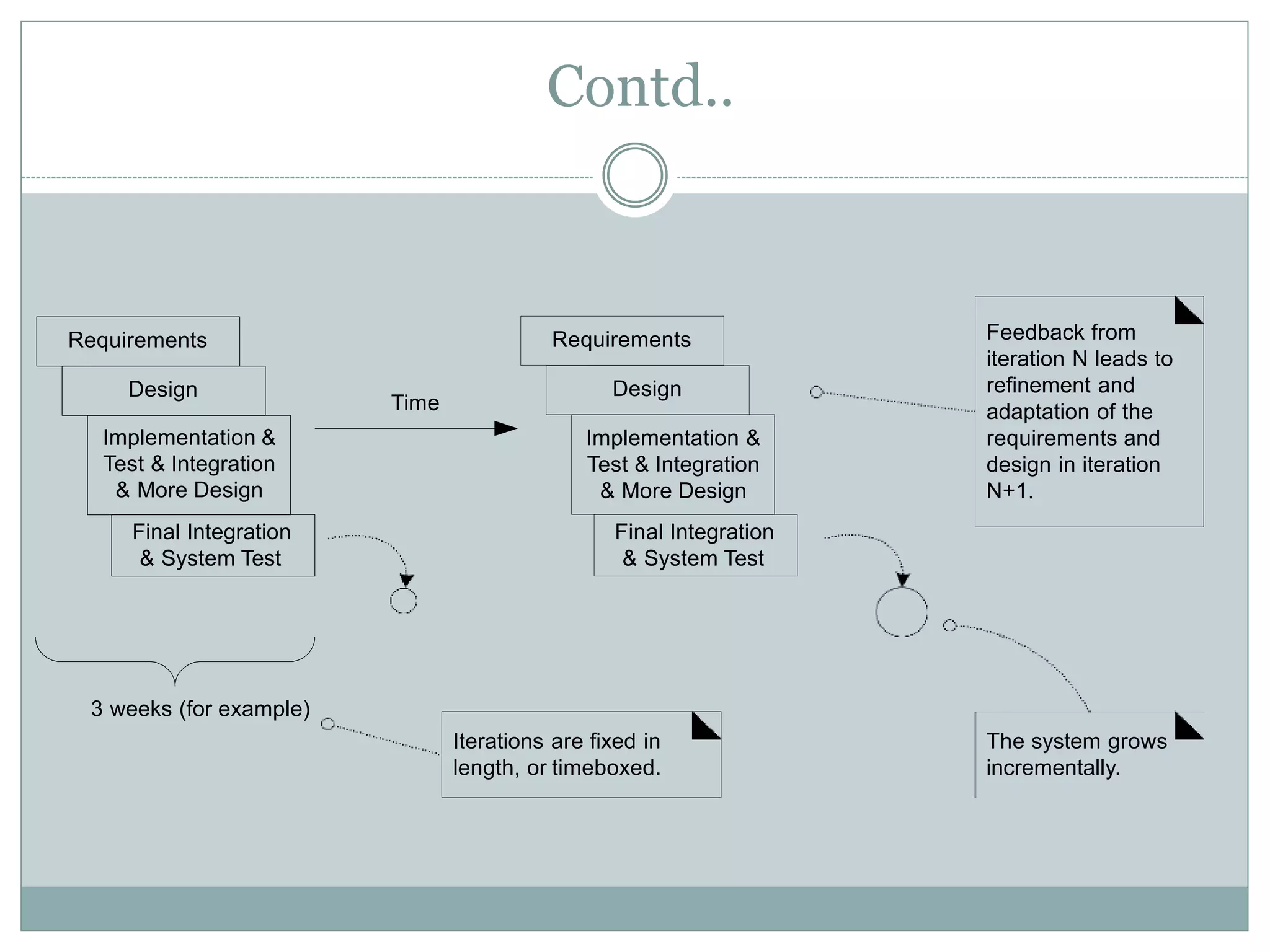
Contd..
Requirements
Design
Implementation &
Test & Integration
& More Design
Final Integration
& System Test
Requirements
Design
3 weeks (for example)
The system grows
incrementally.
Feedback from
iteration N leads to
refinement and
adaptation of the
requirements and
design in iteration
N+1.
Iterations are fixed in
length, or timeboxed.
Time
Implementation &
Test & Integration
& More Design
Final Integration
& System Test
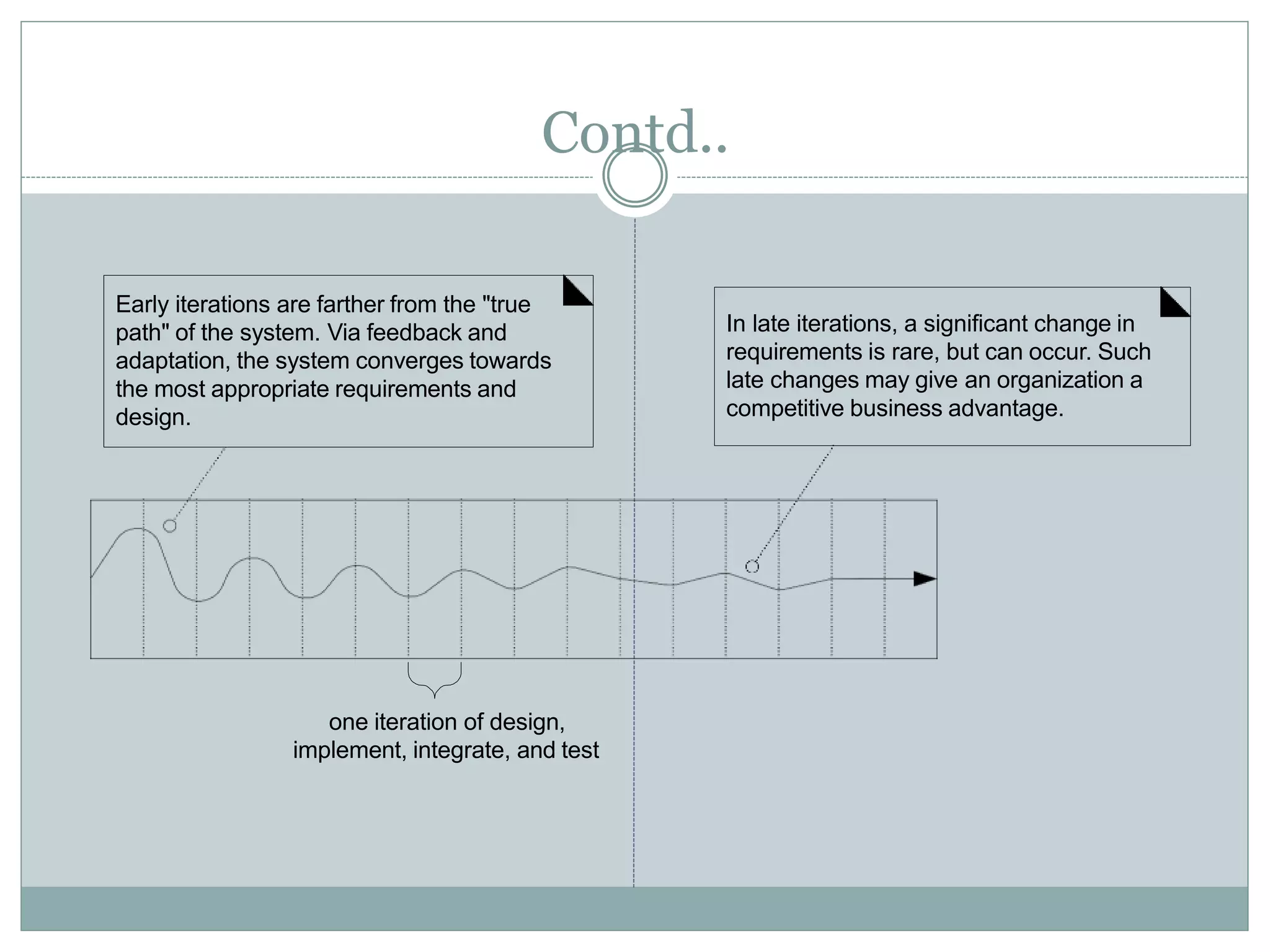
Contd..
Early iterations are farther from the "true
path" of the system. Via feedback and
adaptation, the system converges towards
the most appropriate requirements and
design.
In late iterations, a significant change in
requirements is rare, but can occur. Such
late changes may give an organization a
competitive business advantage.
one iteration of design,
implement, integrate, and test
Rational Unified Process
•
•
•
A refinement of the unified process i.e. iterative software
development process.
provides a disciplined approach to assigning tasks and
responsibilities within a development organization
Goal - to ensure the production of high-quality software
that meets the needs of its end-users, within a predictable
schedule and budget
RUP
• Process
– Enhance team productivity
–Configurable
• no single process is suitable for all software
development
• adapts to small & large development teams
–Documentation
• Model based artifacts
• UML
RUP
• Building blocks
– Roles (who)
• responsibilities
– Tasks (how)
• Unit of work
• Result oriented – should be useful
– Work products (what)
• Resultant product
RUP Best Practices
Question is “how to effectively deploy commercially proven
approaches to software development for software development
teams?”
•Develop software iteratively
– not possible to
– define the problem upfront
– design the entire solution
– each iteration ends with a release
•Manage requirements
– use case to capture functional requirements
– should be traceable
Contd..
• Use component-based architectures
• Visually model software
– different models to communicate
• different aspects with different stakeholders
• UML
Contd..
• Verify software quality
– review
• functional requirements
• non-functional requirements
– should be part of the process
• Control changes to software
– continuous integration
RUP Process
• Two dimensions.
– Horizontal axis represents time and shows the dynamic
aspect of the process as it is enacted, and it is expressed
in terms of cycles, phases, iterations, and milestones.
– Vertical axis represents the static aspect of the process:
how it is described in terms of activities, artifacts,
workers and workflows.
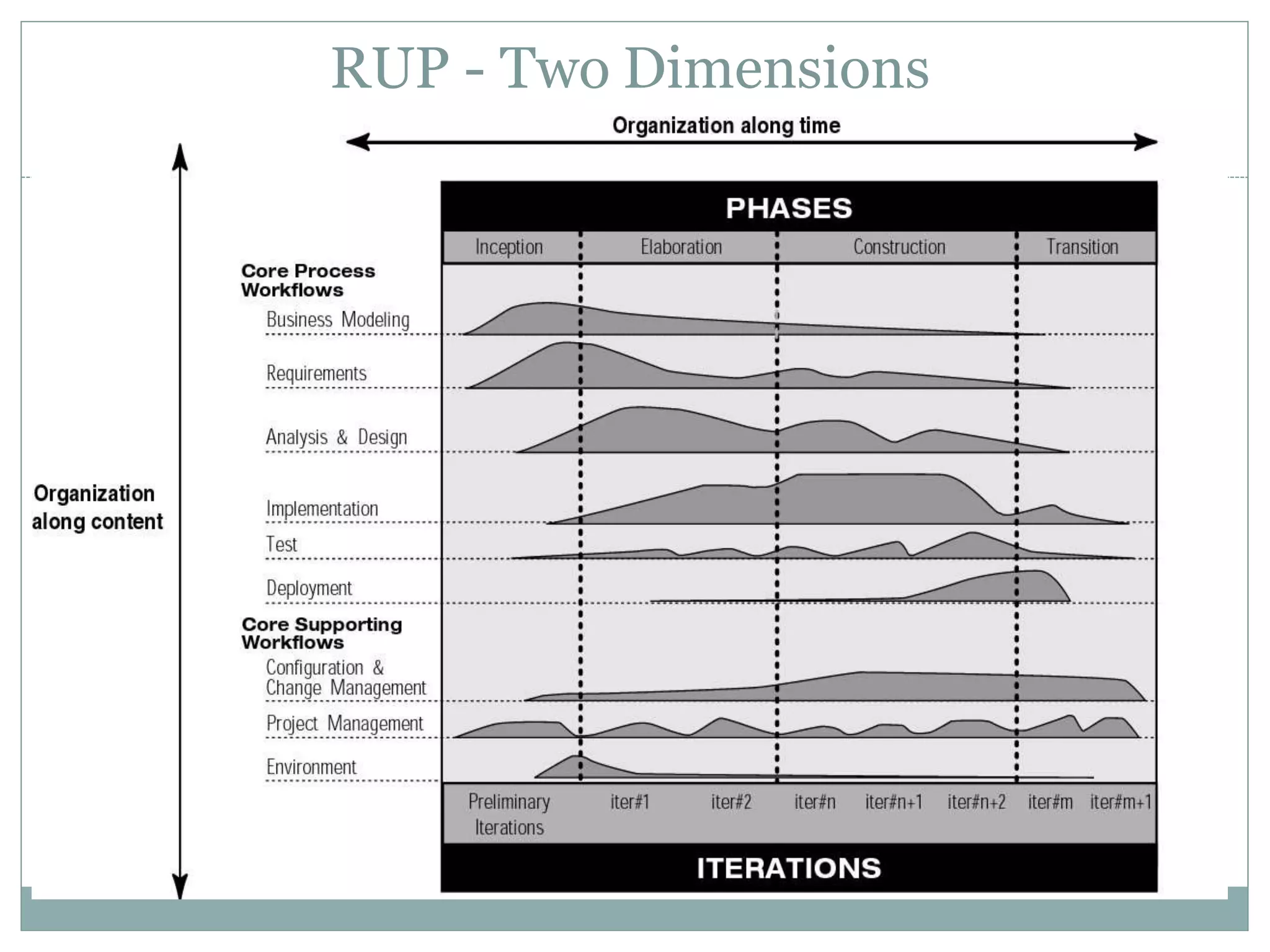
RUP - Two Dimensions
Phases and Iterations - The Time Dimension
• dynamic organization of the process along time
• the software lifecycle is broken into cycles, each cycle
working on a new generation of the product
– Inception phase
– Elaboration phase
– Construction phase
– Transition phase
RUP - Lifecycle Phases
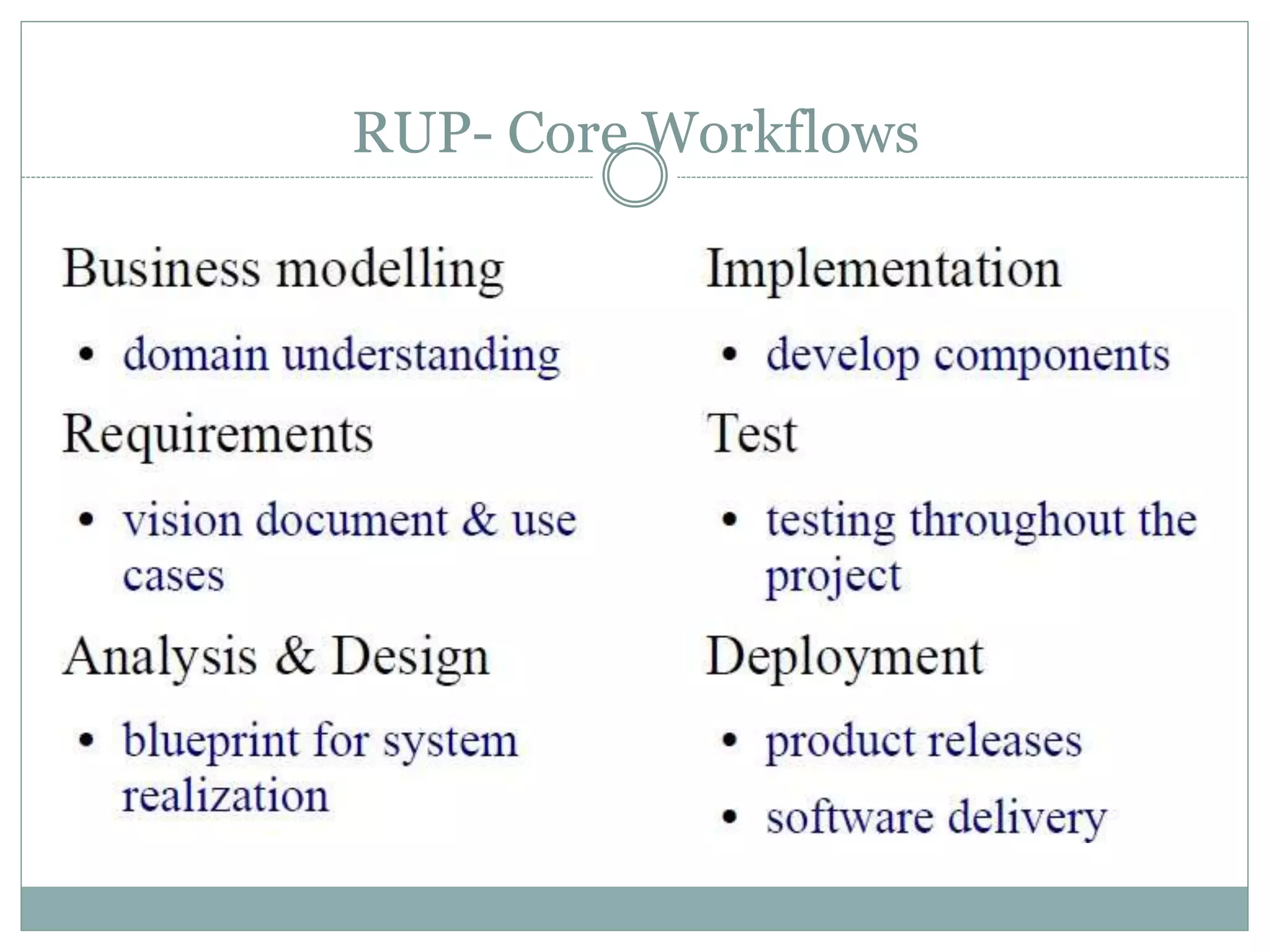
RUP- Core Workflows
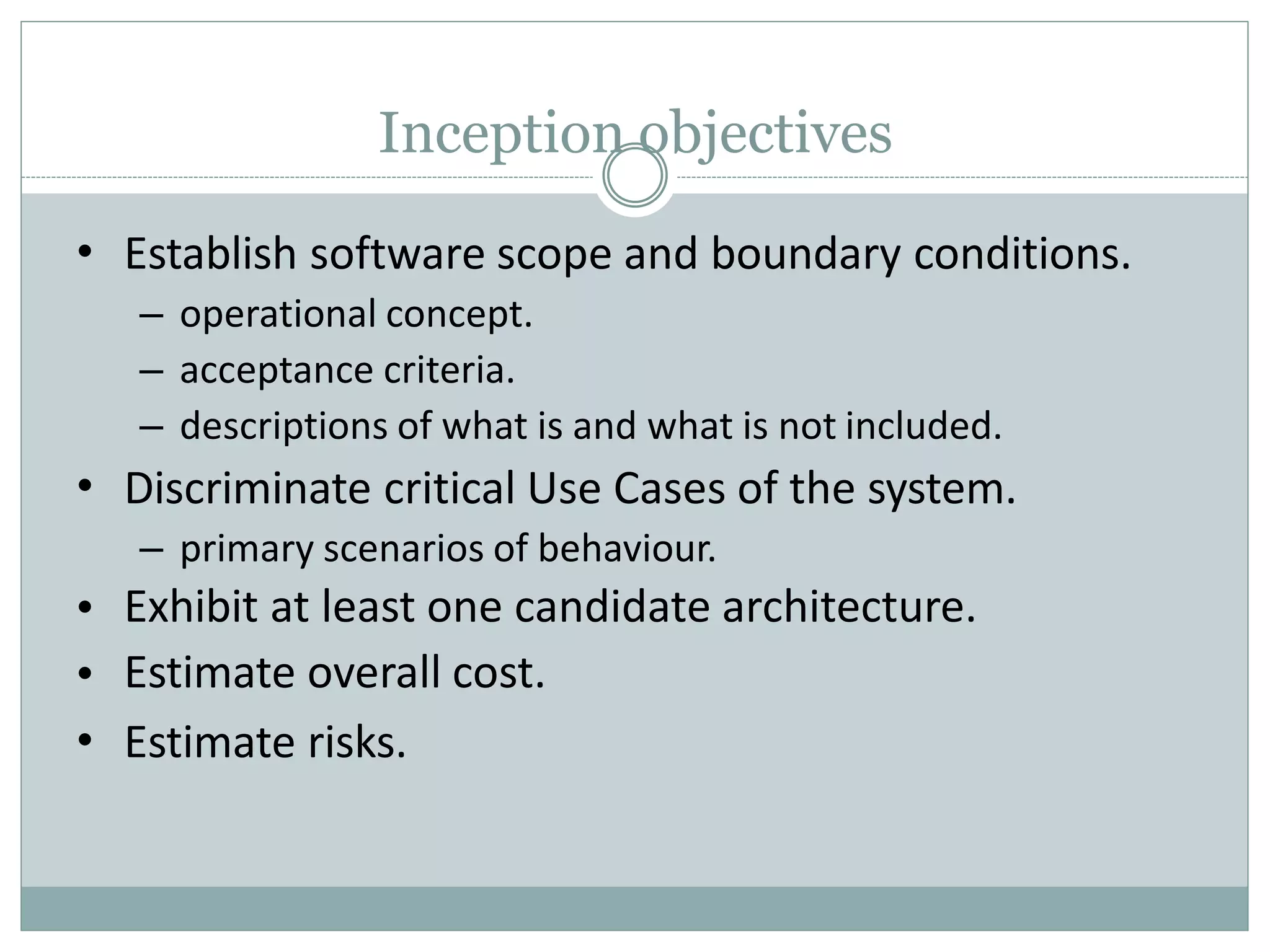
Inception objectives
•
•
•
•
•
Establish software scope and boundary conditions.
– operational concept.
– acceptance criteria.
– descriptions of what is and what is not included.
Discriminate critical Use Cases of the system.
– primary scenarios of behaviour.
Exhibit at least one candidate architecture.
Estimate overall cost.
Estimate risks.
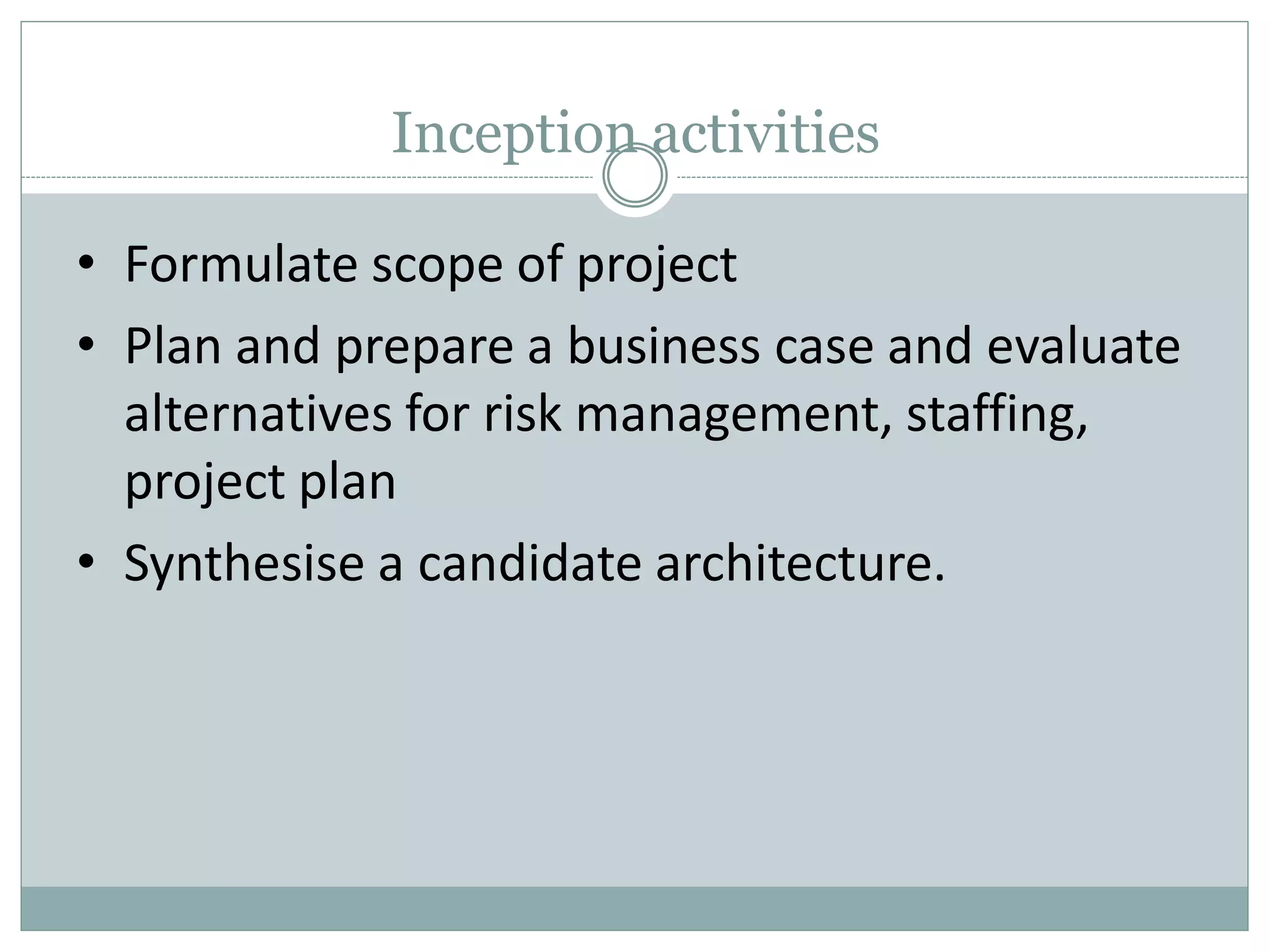
Inception activities
• Formulate scope of project
• Plan and prepare a business case and evaluate
alternatives for risk management, staffing,
project plan
• Synthesise a candidate architecture.
Outcome of inception
•
•
•
•
•
•
A ‘vision’ document, i.e., a general vision of the core projects
requirements, key features and main constraints.
A Use-Case model survey – all Use Cases and Actors that can
be identified so far.
An initial project glossary.
An initial business case including business context, success
criteria and financial forecast.
Initial risk assessment.
Project plan, with phases and iterations.
Evaluation criteria at end
•
•
•
•
•
Agreement on scope definition and cost and
schedule estimates
Requirements understanding as shown by the
correctness of the primary Use Cases.
Credibility of the cost and schedule estimates,
priorities, risks and development process.
Depth and breadth of any architectural prototype
that was developed.
Actual expenditure v planned expenditure.
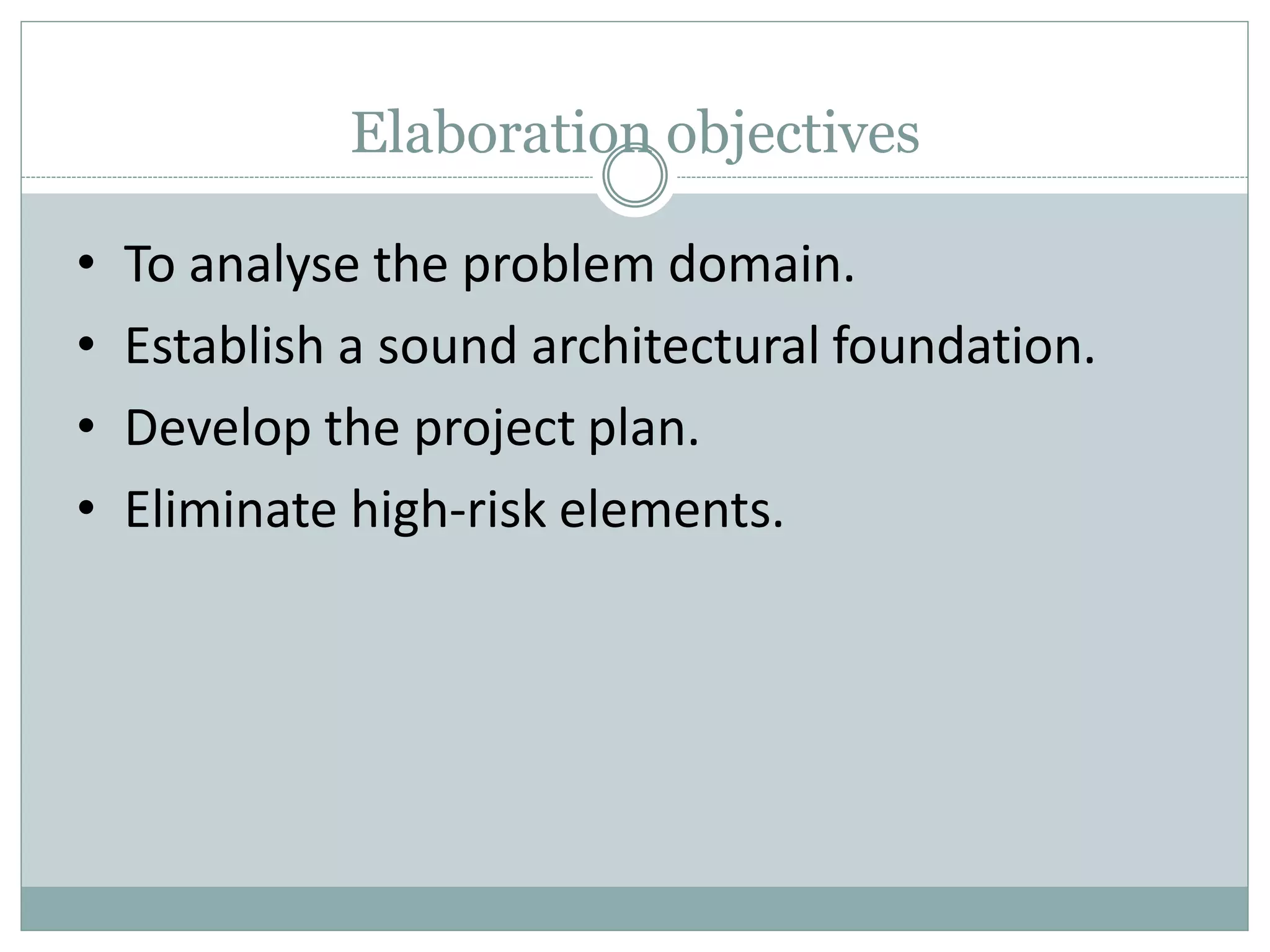
Elaboration objectives
• To analyse the problem domain.
• Establish a sound architectural foundation.
• Develop the project plan.
• Eliminate high-risk elements.
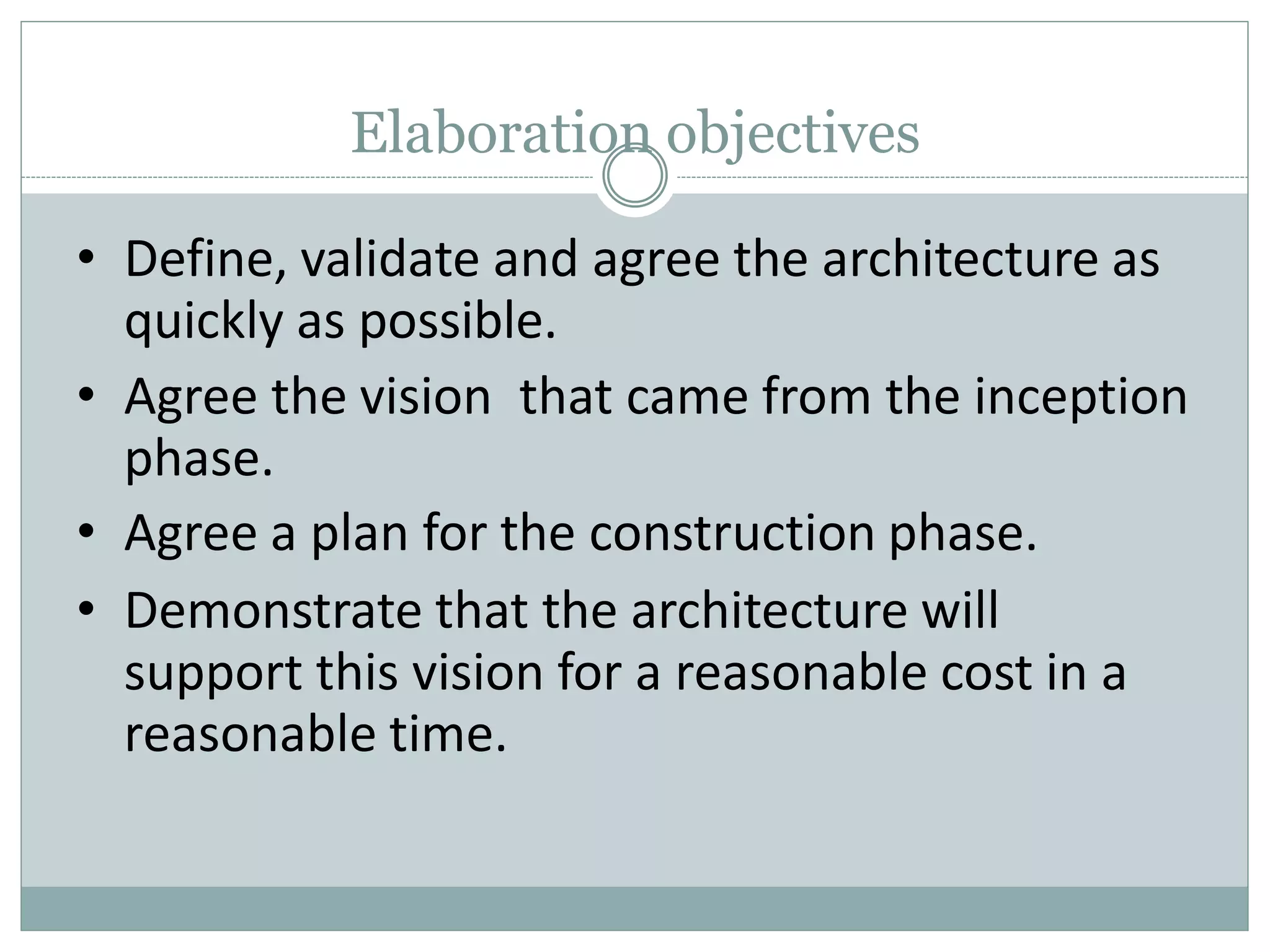
Elaboration objectives
• Define, validate and agree the architecture as
quickly as possible.
• Agree the vision that came from the inception
phase.
• Agree a plan for the construction phase.
• Demonstrate that the architecture will
support this vision for a reasonable cost in a
reasonable time.
Elaboration activities
• The vision is
understanding is
elaborated
established
and a solid
of the most
critical Use Cases that drive the architectural
and planning decisions.
• The Process, the infrastructure and the
development environment are elaborated,
and the process, tools and automation
support are put into place.
Elaboration activities
• The architecture is elaborated and
components are selected.
– Potential components are evaluated.
– make / buy / reuse decisions determine the
construction phase cost and schedule.
– Architectural components integrated and
assessed against primary scenarios.
– This is done iteratively.
Outcome of elaboration
• Use Case model (at least 80% complete).
– All Use Cases identified.
– All Actors identified.
– Most Use-Case descriptions developed.
• Supplementary requirements.
– (non-functional or not associated with a Use
Case)
• Software architecture description.
Outcome of elaboration
• Executable architectural prototype.
• Revised risk list and revised business case.
• Development plan for overall project.
– coarse grained project plan, with iterations and
evaluation criteria for each iteration.
• Updated development case that specifies
process to be used.
• Preliminary user manual (optional).
Construction
• All remaining components and application
features are developed and integrated into
the product.
• All features are tested thoroughly.
• Emphasis is placed on managing resources and
controlling operations to optimise cost, schedules
and quality.
• Parallel construction can accelerate the
availability of deployable releases.
Construction objectives
• Minimise development costs by optimising
resources and avoiding unnecessary scrap and
rework.
• Achieve adequate quality as rapidly as
possible.
• Achieve useful versions (alpha, beta or other
test releases) as rapidly as practical.
Construction activities
• Resource management, resource control,
process optimisation.
• Complete component development and
testing against the defined evaluation criteria.
• Assessment of product releases against
acceptance criteria for the vision.
Outcome of construction
• A product ready to put into the hands of end
users.
• The software product integrated on the
adequate platforms.
• The user manuals.
• A description of the current release.
Transition
•
•
•
•
This moves the software project to the user
community.
After release, issues usually arise that require new
releases, either to correct problems or finish features
that were postponed.
This phase is entered when a baseline is mature
enough to be deployed in the end-user domain.
This means that some usable subset of the system
has beem completed to an acceptable level of quality
and that user documentation is available.
Transition phase includes
 Beta testing to validate the new system against use
expectations.
 Parallel operation with the legacy system that the
project is replacing
 Conversion of operational databases.
Training of users and maintainers.
 Rollout of the product to the marketing, distribution
and sales teams.
 It concludes when the deployment baseline has
achieved the completed vision.
•
Transition objectives
• Achieve user self-supportability.
• Achieve stakeholder concurrence that
deployment baselines are complete and
consistent with the evaluation criteria of the
vision.
• Achieve final product baseline as rapidly and
cost-effectively as practical.
Transition activities
 Deployment-specific engineering, i.e. cutover,
commercial packaging and production, sales rollout,
and field personnel training.
 Tuning activities, including bug fixing and
enhancement for performance and usability.
 Assessing the deployment baselines against the vision
and the acceptance criteria for the product.
 The activities depend on the goal
– For fixing bugs, implementation and testing are usually
enough.
– For new features, iteration is similar to construction phase.
•
•
•
•
Object Oriented Analysis

Object Oriented Analysis

  • 1.
    T.Y. B.Sc. (Comp.Sci.) Sem I Object Oriented Software Engineering (OOSE) CS-336 Faculty Dr. Amit D. Kasliwal Asst. Professor
  • 2.
    Chapter 6 Object OrientedAnalyis Overview • Iterative Development and the Rational Unified Process • Inception • Understanding Requirements • Use Case Model From Inception to Elaboration • Elaboration
  • 3.
    Thinking in Objectsand UML  The Unified Modeling Language (UML) is a standard diagramming notation; sometimes referred to as a blueprint.  It is NOT OOA/OOD or a method  Only a notation for capturing objects.  UML is language-independent  Analysis and design provide software “blueprints” captured in UML.  Blueprints serve as a tool for thought and as a form of communication with others.
  • 4.
    Thinking in Objectsand UML  But it is far more essential to ‘think’ in terms of objects as providing ‘services’ and accommodating ‘responsibilities.’  Discuss: What is meant by ‘services?’ How indicated?  How might you think these ‘services’ impact the design of classes?  How might a client access these services?  Discuss: What is meant by ‘responsibilities?’  Encapsulation of data and services?
  • 5.
    Thinking in Termsof Objects and UML  Object-Oriented Analysis (Overview)  An investigation of the problem (rather than how a solution is defined)  During OO analysis, there is an emphasis on finding and describing the objects (or concepts) in the problem domain.  For example, concepts in a Library Information System include Book, and Library.
  • 6.
    Thinking in Termsof Objects and UML - 4  Object-Oriented Design  Emphasizes a conceptual solution that fulfills the requirements.  Need to define software objects and how they collaborate to fulfill the requirements.  For example, in the Library Information System, a Book software object may have a title attribute and a getChapter method.  Designs are implemented in a programming language.  In the example, we will have a Book class in Java.
  • 7.
    From Design toImplementation Book title print() public class Book { public void print(); private String title; } Book (concept) Analysis investigation of the problem Design logical solution Construction code Domain concept Representation in analysis of concepts Representation in an object-oriented programming language. Can you see the services / responsibilities in the Book class?
  • 8.
    Thinking in Objectsand UML  Then too, there are sets of proven design solutions to problems that are considered ‘best practices.’  Certain ‘groupings’ of classes with specific responsibilities / interfaces.  These provide specific solutions to specific problems.  Called Design Patterns  We will discuss (much later) these patterns and how to apply them to develop solutions to problems.
  • 9.
    Thinking in Objectsand UML  Of course, design, solutions to requirements, ‘assume’ a robust requirements analysis has taken place.  Use Cases are often used to capture stories of requriements.  Use Cases are not specifically designed to be object- oriented, but rather are meant to capture how an application will be used.  While there are many methods for capturing requirements, we will concentrate on Use Cases ahead.
  • 10.
    Iterative, Evolutionary, andAgile 1. Introduction  Iterative because the entire project will be composed of min- projects and will iterate the same activities again and again (but on different part of the project) until completion.  Evolutionary (or incremental) because the software grows by increments (to be opposed to the traditional, and somewhat old-fashioned, Waterfall model of software development).  Agile because we will use a light approach to software development rather than a very rigid one (which may be needed for a safety-critical system for example)  This kind of approach seems better at treating software development as a problem solving activity; also the use of objects makes it amenable.
  • 11.
    Approach:  We needa Requirements Analysis approach with OOA/OOD need to be practiced in a framework of a development process.  We will adopt an agile approach (light weight, flexible) in the context of the Unified Process, which can be used as a sample iterative development process.  Within this process, the principles can be discussed.  Please note that there are several other contexts that may be used, such as Scrum, Feature-Driven Development, Lean Development, Crystal Methods and others…
  • 12.
    Unified Process:  TheUnified Process is a popular iterative software development process.  Iterative and evolutionary development involves relatively early programming and testing of a partial system, in repeated cycles.  It typically also means that development starts before the exact software requirements have been specified in detail; feedback is used to clarify, correct and improve the evolving specification: this is in complete contrast to what we usually mean by engineering!
  • 13.
    Unified Process  TheUP is very flexible and open and can include other practices from other methods such as Extreme Programming (XP) or Scrum for example.  e.g. XP’s test-driven development, refactoring can fit within a UP project; So can Scrum’s daily meeting.  Being pragmatic in adapting a particular process to your needs is an important skill : all projects are different.
  • 14.
    Topics and Skills UMLnotation Requirements analysis Principles and guidelines Patterns Iterative development with an agile Unified Process OOA/D
  • 15.
    What is Object-OrientedAnalysis and Design  OOA: we find and describe objects or concepts in the problem domain  OOD: we define how these software objects collaborate to meet the requirements.  Attributes and methods.  OOP: Implementation: we implement the design objects in, say, Java, C++, C#, etc.
  • 16.
    Unified Process • Aiterative and incremental software development process framework for building object-oriented systems. • Emerged as a popular software development process
  • 17.
    Iterative development • Aniterative and evolutionary approach allows start of development with incomplete, imperfect knowledge • Iterative and evolutionary have the following advantages: – Logical progress toward a robust architecture – Effective management of changing requirements – Continuous integration – Early understanding of the system – Ongoing risk assessment
  • 18.
    Contd.. Requirements Design Implementation & Test &Integration & More Design Final Integration & System Test Requirements Design 3 weeks (for example) The system grows incrementally. Feedback from iteration N leads to refinement and adaptation of the requirements and design in iteration N+1. Iterations are fixed in length, or timeboxed. Time Implementation & Test & Integration & More Design Final Integration & System Test
  • 19.
    Contd.. Early iterations arefarther from the "true path" of the system. Via feedback and adaptation, the system converges towards the most appropriate requirements and design. In late iterations, a significant change in requirements is rare, but can occur. Such late changes may give an organization a competitive business advantage. one iteration of design, implement, integrate, and test
  • 20.
    Rational Unified Process • • • Arefinement of the unified process i.e. iterative software development process. provides a disciplined approach to assigning tasks and responsibilities within a development organization Goal - to ensure the production of high-quality software that meets the needs of its end-users, within a predictable schedule and budget
  • 21.
    RUP • Process – Enhanceteam productivity –Configurable • no single process is suitable for all software development • adapts to small & large development teams –Documentation • Model based artifacts • UML
  • 22.
    RUP • Building blocks –Roles (who) • responsibilities – Tasks (how) • Unit of work • Result oriented – should be useful – Work products (what) • Resultant product
  • 23.
    RUP Best Practices Questionis “how to effectively deploy commercially proven approaches to software development for software development teams?” •Develop software iteratively – not possible to – define the problem upfront – design the entire solution – each iteration ends with a release •Manage requirements – use case to capture functional requirements – should be traceable
  • 24.
    Contd.. • Use component-basedarchitectures • Visually model software – different models to communicate • different aspects with different stakeholders • UML
  • 25.
    Contd.. • Verify softwarequality – review • functional requirements • non-functional requirements – should be part of the process • Control changes to software – continuous integration
  • 26.
    RUP Process • Twodimensions. – Horizontal axis represents time and shows the dynamic aspect of the process as it is enacted, and it is expressed in terms of cycles, phases, iterations, and milestones. – Vertical axis represents the static aspect of the process: how it is described in terms of activities, artifacts, workers and workflows.
  • 27.
    RUP - TwoDimensions
  • 28.
    Phases and Iterations- The Time Dimension • dynamic organization of the process along time • the software lifecycle is broken into cycles, each cycle working on a new generation of the product – Inception phase – Elaboration phase – Construction phase – Transition phase
  • 29.
  • 30.
  • 31.
    Inception objectives • • • • • Establish softwarescope and boundary conditions. – operational concept. – acceptance criteria. – descriptions of what is and what is not included. Discriminate critical Use Cases of the system. – primary scenarios of behaviour. Exhibit at least one candidate architecture. Estimate overall cost. Estimate risks.
  • 32.
    Inception activities • Formulatescope of project • Plan and prepare a business case and evaluate alternatives for risk management, staffing, project plan • Synthesise a candidate architecture.
  • 33.
    Outcome of inception • • • • • • A‘vision’ document, i.e., a general vision of the core projects requirements, key features and main constraints. A Use-Case model survey – all Use Cases and Actors that can be identified so far. An initial project glossary. An initial business case including business context, success criteria and financial forecast. Initial risk assessment. Project plan, with phases and iterations.
  • 34.
    Evaluation criteria atend • • • • • Agreement on scope definition and cost and schedule estimates Requirements understanding as shown by the correctness of the primary Use Cases. Credibility of the cost and schedule estimates, priorities, risks and development process. Depth and breadth of any architectural prototype that was developed. Actual expenditure v planned expenditure.
  • 35.
    Elaboration objectives • Toanalyse the problem domain. • Establish a sound architectural foundation. • Develop the project plan. • Eliminate high-risk elements.
  • 36.
    Elaboration objectives • Define,validate and agree the architecture as quickly as possible. • Agree the vision that came from the inception phase. • Agree a plan for the construction phase. • Demonstrate that the architecture will support this vision for a reasonable cost in a reasonable time.
  • 37.
    Elaboration activities • Thevision is understanding is elaborated established and a solid of the most critical Use Cases that drive the architectural and planning decisions. • The Process, the infrastructure and the development environment are elaborated, and the process, tools and automation support are put into place.
  • 38.
    Elaboration activities • Thearchitecture is elaborated and components are selected. – Potential components are evaluated. – make / buy / reuse decisions determine the construction phase cost and schedule. – Architectural components integrated and assessed against primary scenarios. – This is done iteratively.
  • 39.
    Outcome of elaboration •Use Case model (at least 80% complete). – All Use Cases identified. – All Actors identified. – Most Use-Case descriptions developed. • Supplementary requirements. – (non-functional or not associated with a Use Case) • Software architecture description.
  • 40.
    Outcome of elaboration •Executable architectural prototype. • Revised risk list and revised business case. • Development plan for overall project. – coarse grained project plan, with iterations and evaluation criteria for each iteration. • Updated development case that specifies process to be used. • Preliminary user manual (optional).
  • 41.
    Construction • All remainingcomponents and application features are developed and integrated into the product. • All features are tested thoroughly. • Emphasis is placed on managing resources and controlling operations to optimise cost, schedules and quality. • Parallel construction can accelerate the availability of deployable releases.
  • 42.
    Construction objectives • Minimisedevelopment costs by optimising resources and avoiding unnecessary scrap and rework. • Achieve adequate quality as rapidly as possible. • Achieve useful versions (alpha, beta or other test releases) as rapidly as practical.
  • 43.
    Construction activities • Resourcemanagement, resource control, process optimisation. • Complete component development and testing against the defined evaluation criteria. • Assessment of product releases against acceptance criteria for the vision.
  • 44.
    Outcome of construction •A product ready to put into the hands of end users. • The software product integrated on the adequate platforms. • The user manuals. • A description of the current release.
  • 45.
    Transition • • • • This moves thesoftware project to the user community. After release, issues usually arise that require new releases, either to correct problems or finish features that were postponed. This phase is entered when a baseline is mature enough to be deployed in the end-user domain. This means that some usable subset of the system has beem completed to an acceptable level of quality and that user documentation is available.
  • 46.
    Transition phase includes Beta testing to validate the new system against use expectations.  Parallel operation with the legacy system that the project is replacing  Conversion of operational databases. Training of users and maintainers.  Rollout of the product to the marketing, distribution and sales teams.  It concludes when the deployment baseline has achieved the completed vision. •
  • 47.
    Transition objectives • Achieveuser self-supportability. • Achieve stakeholder concurrence that deployment baselines are complete and consistent with the evaluation criteria of the vision. • Achieve final product baseline as rapidly and cost-effectively as practical.
  • 48.
    Transition activities  Deployment-specificengineering, i.e. cutover, commercial packaging and production, sales rollout, and field personnel training.  Tuning activities, including bug fixing and enhancement for performance and usability.  Assessing the deployment baselines against the vision and the acceptance criteria for the product.  The activities depend on the goal – For fixing bugs, implementation and testing are usually enough. – For new features, iteration is similar to construction phase. • • • •