Tutorial CUDA
Cyril Zeller
NVIDIA Developer Technology
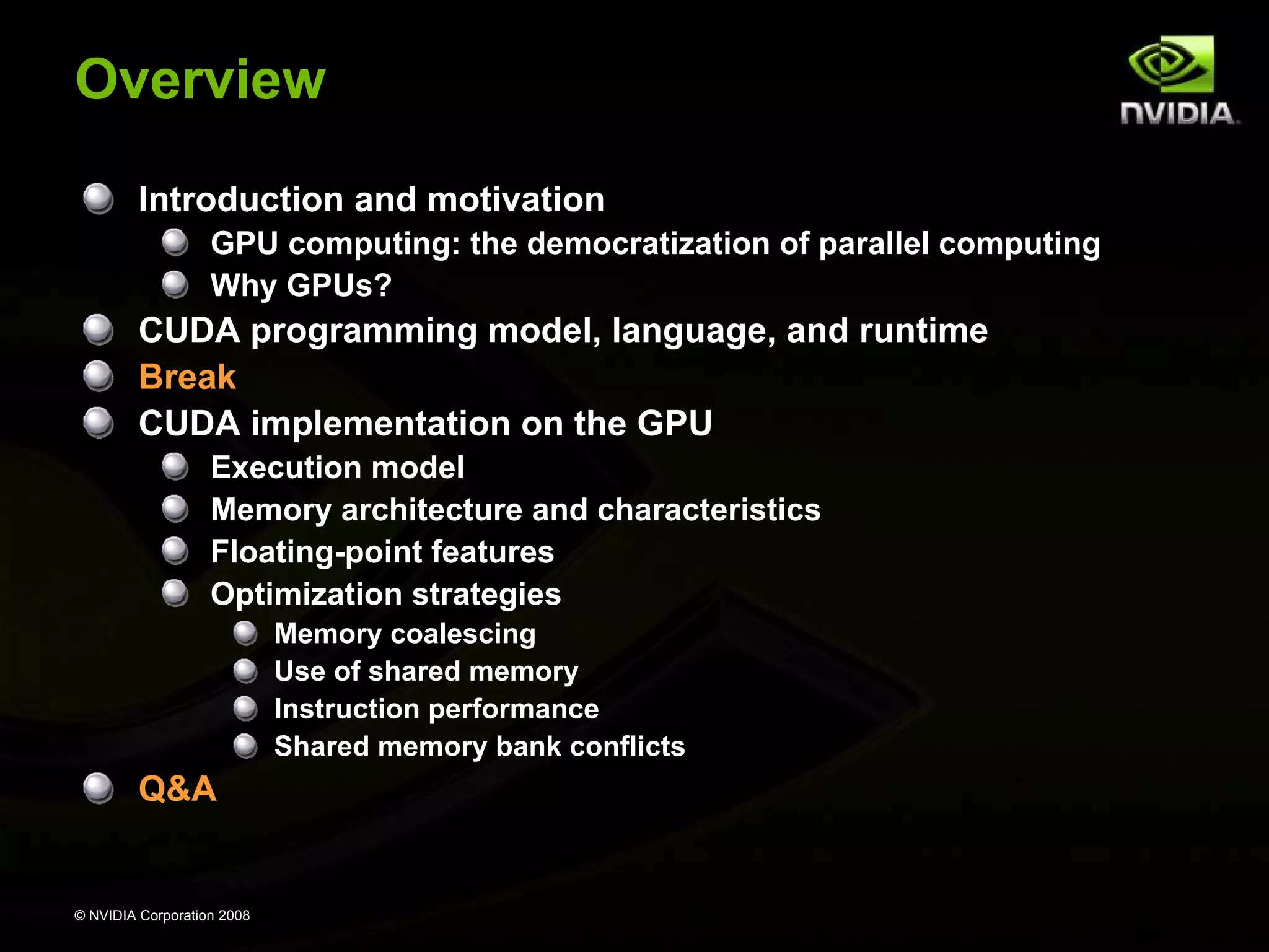
Overview
Introduction and motivation
GPU computing: the democratization of parallel computing
Why GPUs?

CUDA programming model, language, and runtime
Break
CUDA implementation on the GPU
Execution model
Memory architecture and characteristics
Floating-point features
Optimization strategies
Memory coalescing
Use of shared memory
Instruction performance
Shared memory bank conflicts

Q&A

© NVIDIA Corporation 2008
GPU Computing:
The Democratization
of
Parallel Computing

© NVIDIA Corporation 2008
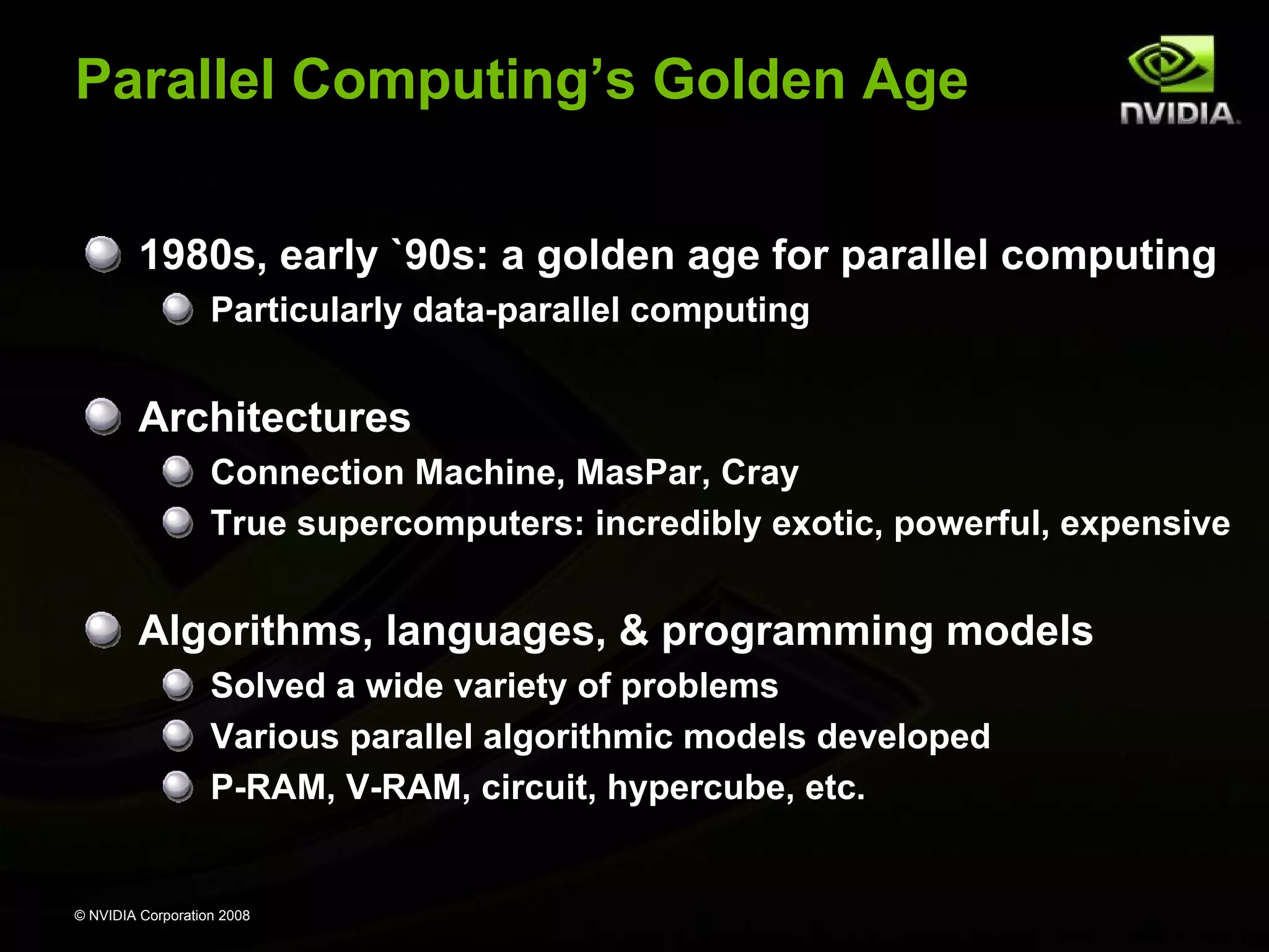
Parallel Computing’s Golden Age
1980s, early `90s: a golden age for parallel computing
Particularly data-parallel computing

Architectures
Connection Machine, MasPar, Cray
True supercomputers: incredibly exotic, powerful, expensive

Algorithms, languages, & programming models
Solved a wide variety of problems
Various parallel algorithmic models developed
P-RAM, V-RAM, circuit, hypercube, etc.

© NVIDIA Corporation 2008
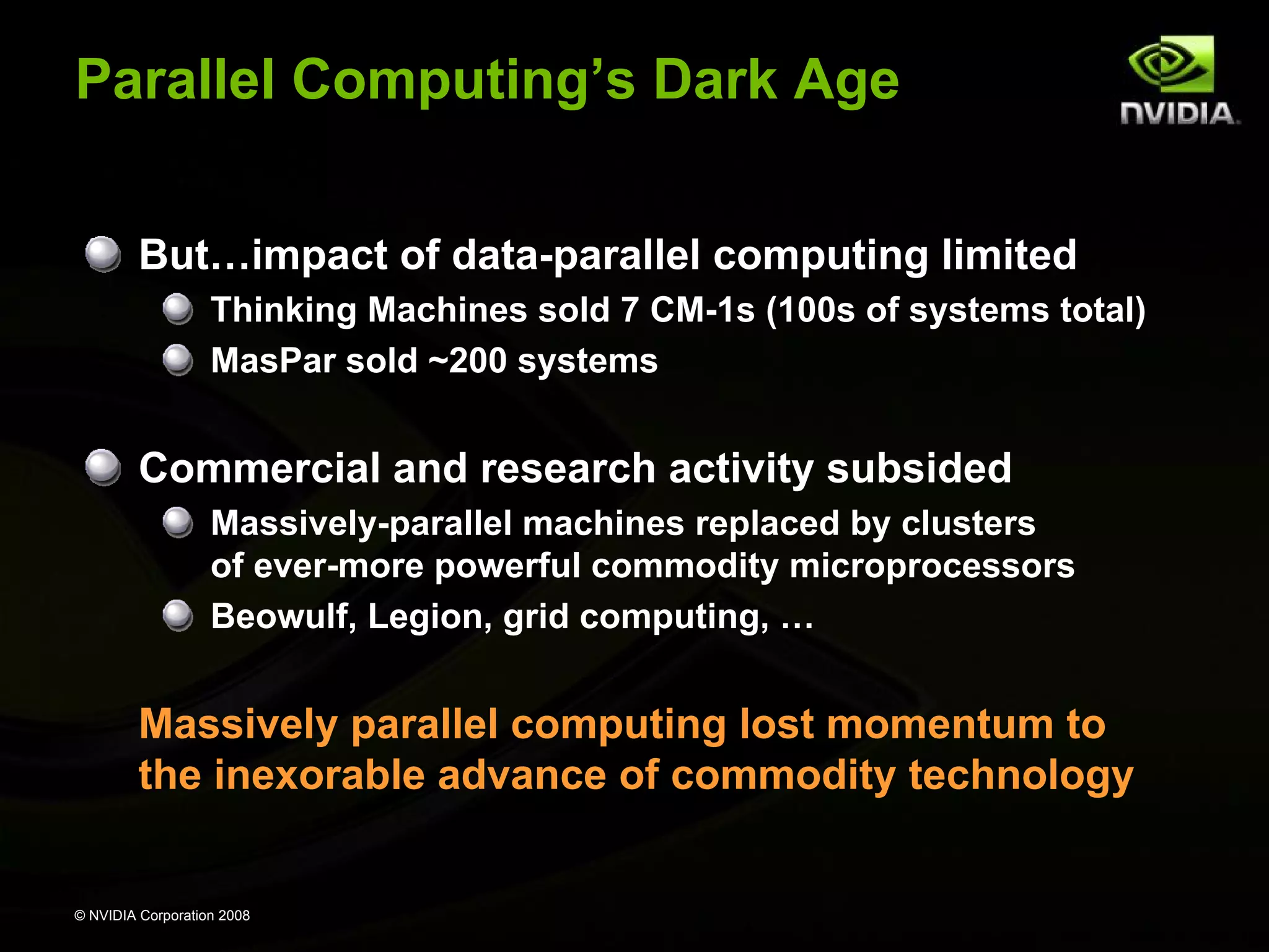
Parallel Computing’s Dark Age
But…impact of data-parallel computing limited
Thinking Machines sold 7 CM-1s (100s of systems total)
MasPar sold ~200 systems

Commercial and research activity subsided
Massively-parallel machines replaced by clusters
of ever-more powerful commodity microprocessors
Beowulf, Legion, grid computing, …

Massively parallel computing lost momentum to
the inexorable advance of commodity technology

© NVIDIA Corporation 2008
Illustrated History of
Parallel Computing

© NVIDIA Corporation 2008
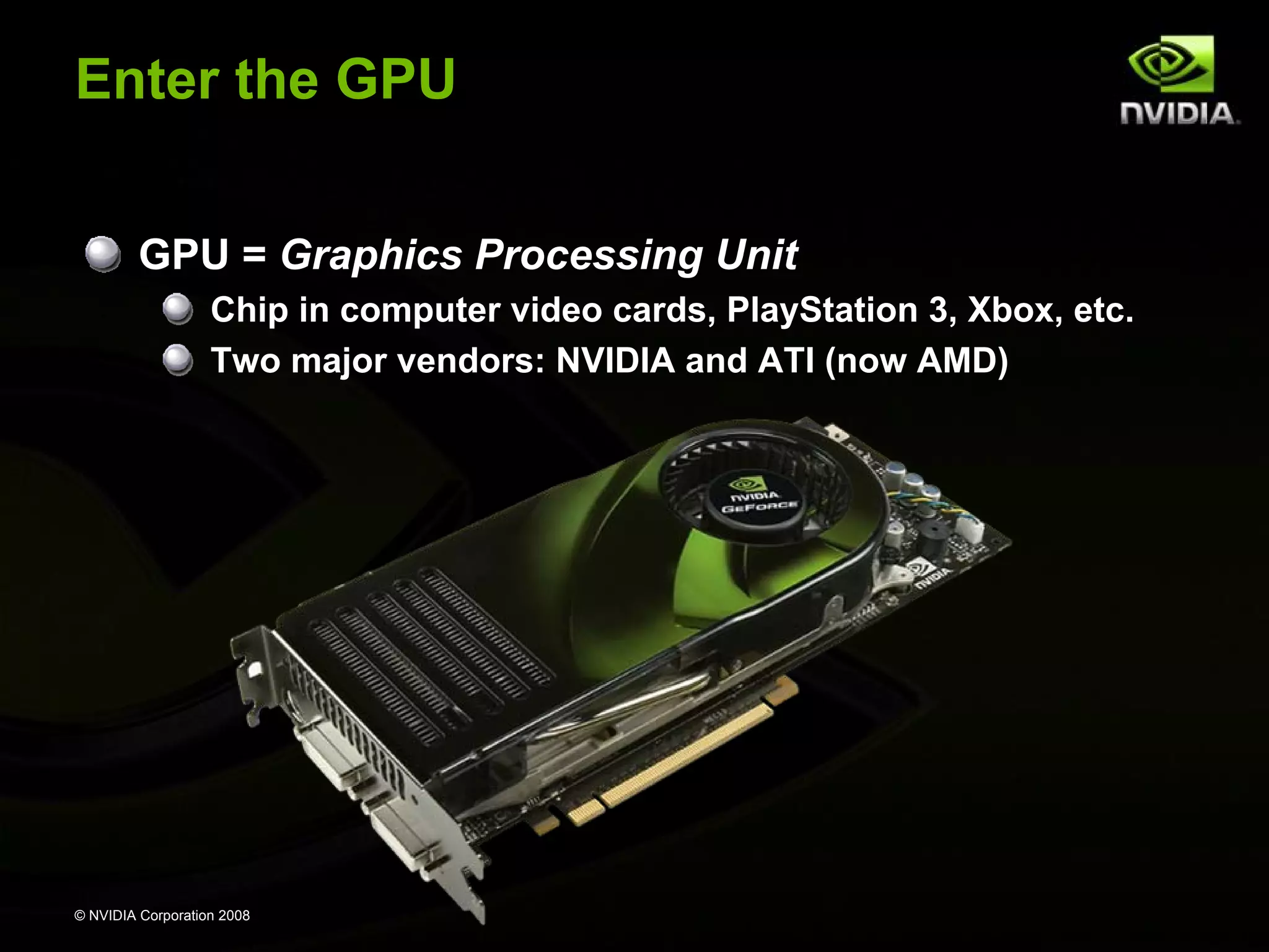
Enter the GPU
GPU = Graphics Processing Unit
Chip in computer video cards, PlayStation 3, Xbox, etc.
Two major vendors: NVIDIA and ATI (now AMD)

© NVIDIA Corporation 2008
Enter the GPU
GPUs are massively multithreaded manycore chips
NVIDIA Tesla products have up to 128 scalar processors
Over 12,000 concurrent threads in flight
Over 470 GFLOPS sustained performance

Users across science & engineering disciplines are
achieving 100x or better speedups on GPUs
CS researchers can use GPUs as a research platform
for manycore computing: arch, PL, numeric, …

© NVIDIA Corporation 2008
Enter CUDA
CUDA is a scalable parallel programming model and a
software environment for parallel computing
Minimal extensions to familiar C/C++ environment
Heterogeneous serial-parallel programming model

NVIDIA’s TESLA GPU architecture accelerates CUDA
Expose the computational horsepower of NVIDIA GPUs
Enable general-purpose GPU computing

CUDA also maps well to multicore CPUs!

© NVIDIA Corporation 2008
The Democratization
of Parallel Computing
GPU Computing with CUDA brings data-parallel
computing to the masses
Over 46,000,000 CUDA-capable GPUs sold
A “developer kit” costs ~$200 (for 500 GFLOPS)

Data-parallel supercomputers are everywhere!
CUDA makes this power accessible
We’re already seeing innovations in data-parallel
computing

Massively parallel computing has become a
commodity technology!
© NVIDIA Corporation 2008
17X
45X

100X

13–457x

Why GPUs?
110-240X
© NVIDIA Corporation 2008

35X
GPUs Are Fast
Theoretical peak performance: 518 GFLOPS
Sustained μbenchmark performance:
Raw math: 472 GFLOPS (8800 Ultra)
Raw bandwidth: 80 GB per second (Tesla C870)

Actual application performance:
Molecular dynamics: 290 GFLOPS
(VMD ion placement)

© NVIDIA Corporation 2008
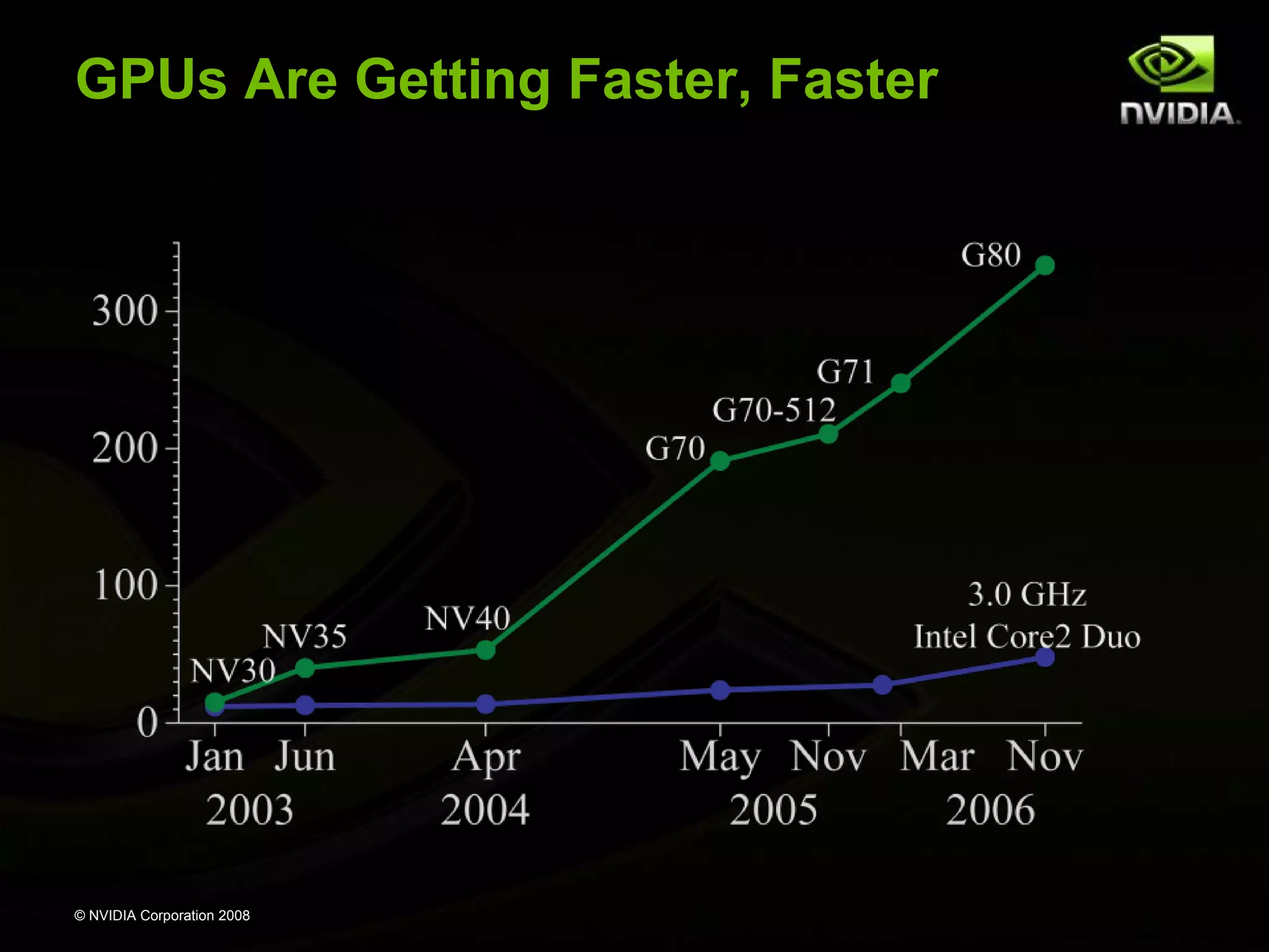
GPUs Are Getting Faster, Faster

© NVIDIA Corporation 2008
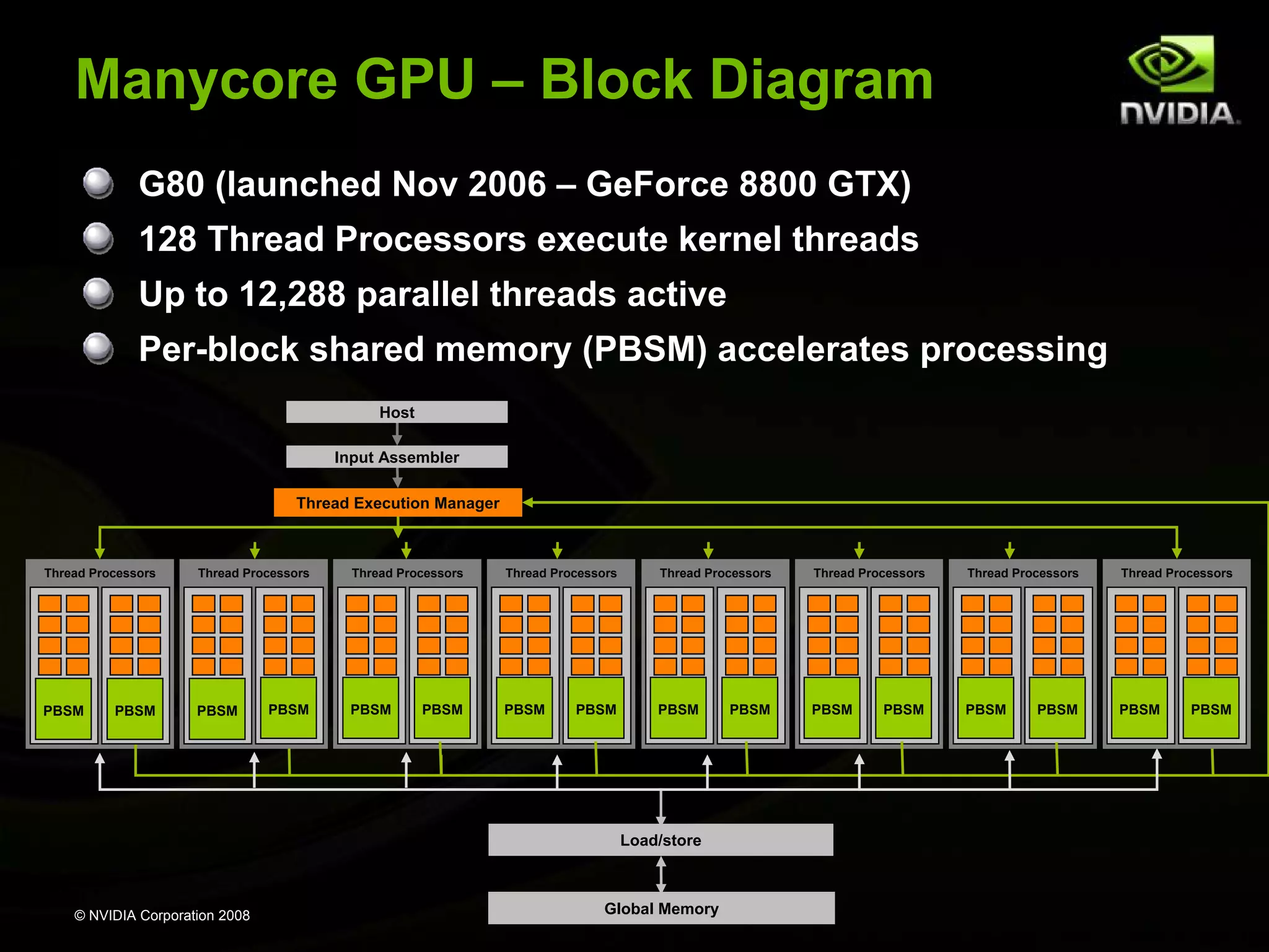
Manycore GPU – Block Diagram
G80 (launched Nov 2006 – GeForce 8800 GTX)
128 Thread Processors execute kernel threads
Up to 12,288 parallel threads active
Per-block shared memory (PBSM) accelerates processing
Host
Input Assembler
Thread Execution Manager

Thread Processors

Thread Processors

PBSM

PBSM

PBSM

PBSM

Thread Processors

Thread Processors

Thread Processors

Thread Processors

Thread Processors

Thread Processors

PBSM

PBSM

PBSM

PBSM

PBSM

PBSM

PBSM

PBSM

Load/store

© NVIDIA Corporation 2008

Global Memory

PBSM

PBSM

PBSM

PBSM
CUDA
Programming Model

© NVIDIA Corporation 2008
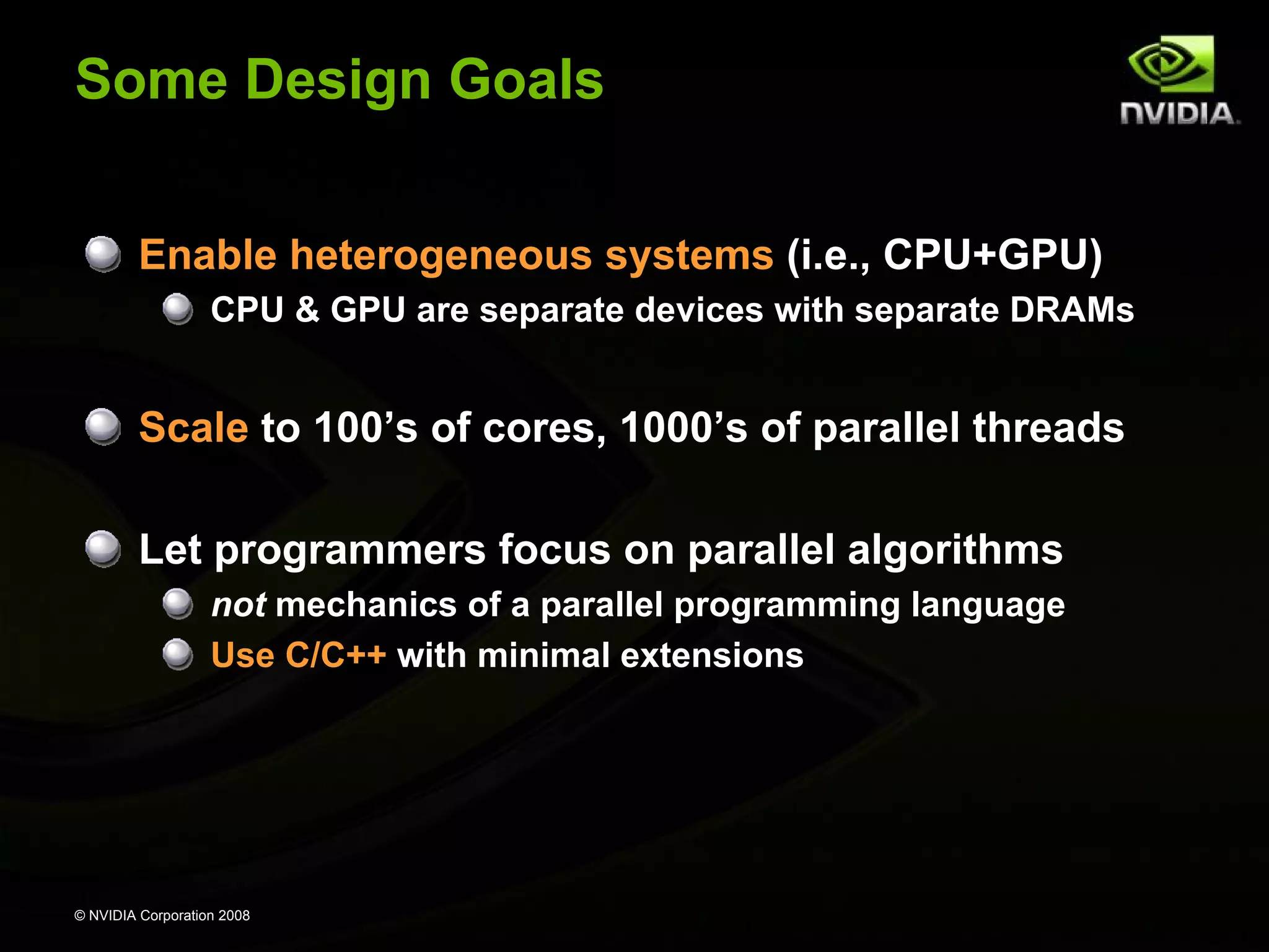
Some Design Goals
Enable heterogeneous systems (i.e., CPU+GPU)
CPU & GPU are separate devices with separate DRAMs

Scale to 100’s of cores, 1000’s of parallel threads
Let programmers focus on parallel algorithms
not mechanics of a parallel programming language
Use C/C++ with minimal extensions

© NVIDIA Corporation 2008
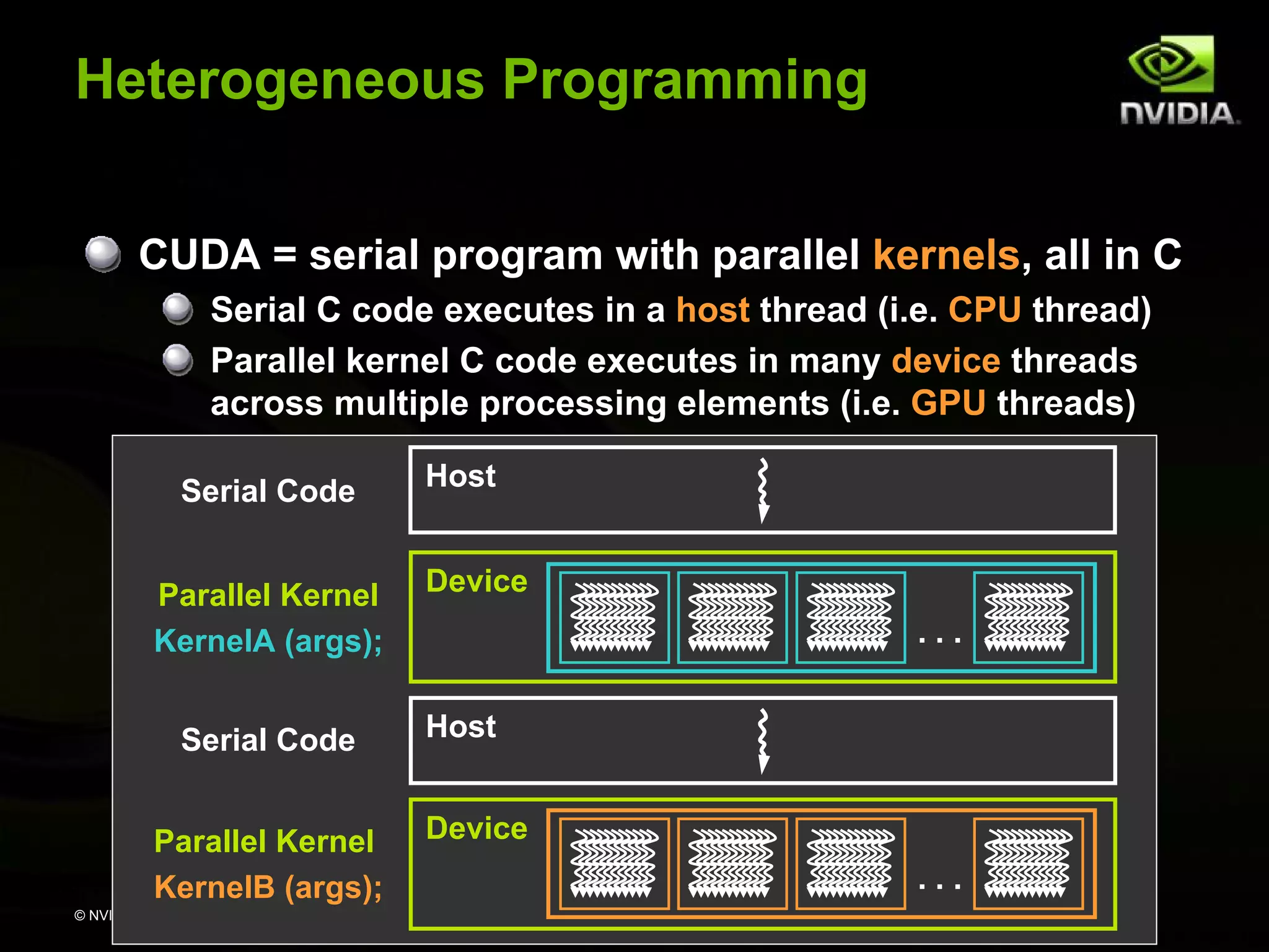
Heterogeneous Programming
CUDA = serial program with parallel kernels, all in C
Serial C code executes in a host thread (i.e. CPU thread)
Parallel kernel C code executes in many device threads
across multiple processing elements (i.e. GPU threads)
Serial Code
Parallel Kernel
KernelA (args);
Serial Code
Parallel Kernel
KernelB (args);
© NVIDIA Corporation 2008

Host
Device
...
Host
Device
...
Kernel = Many Concurrent Threads
One kernel is executed at a time on the device
Many threads execute each kernel
Each thread executes the same code…
… on different data based on its threadID
threadID

0 1 2 3 4 5 6 7

CUDA threads might be
Physical threads
As on NVIDIA GPUs
GPU thread creation and
context switching are
essentially free

Or virtual threads
E.g. 1 CPU core might execute
multiple CUDA threads
© NVIDIA Corporation 2008

…
float x = input[threadID];
float y = func(x);
output[threadID] = y;
…
Hierarchy of Concurrent Threads
Threads are grouped into thread blocks
Kernel = grid of thread blocks
Thread Block 1

Thread Block 0
threadID

0

1

2

3

4

5

6

…
float x =
input[threadID];
float y = func(x);
output[threadID] = y;
…

7

0

1

2

3

4

5

6

Thread Block N - 1
7

…
float x =
input[threadID];
float y = func(x);
output[threadID] = y;
…

0

…

1

2

3

4

5

6

7

…
float x =
input[threadID];
float y = func(x);
output[threadID] = y;
…

By definition, threads in the same block may synchronize with
barriers
scratch[threadID] = begin[threadID];
__syncthreads();
int left = scratch[threadID - 1];
© NVIDIA Corporation 2008

Threads
wait at the barrier
until all threads
in the same block
reach the barrier
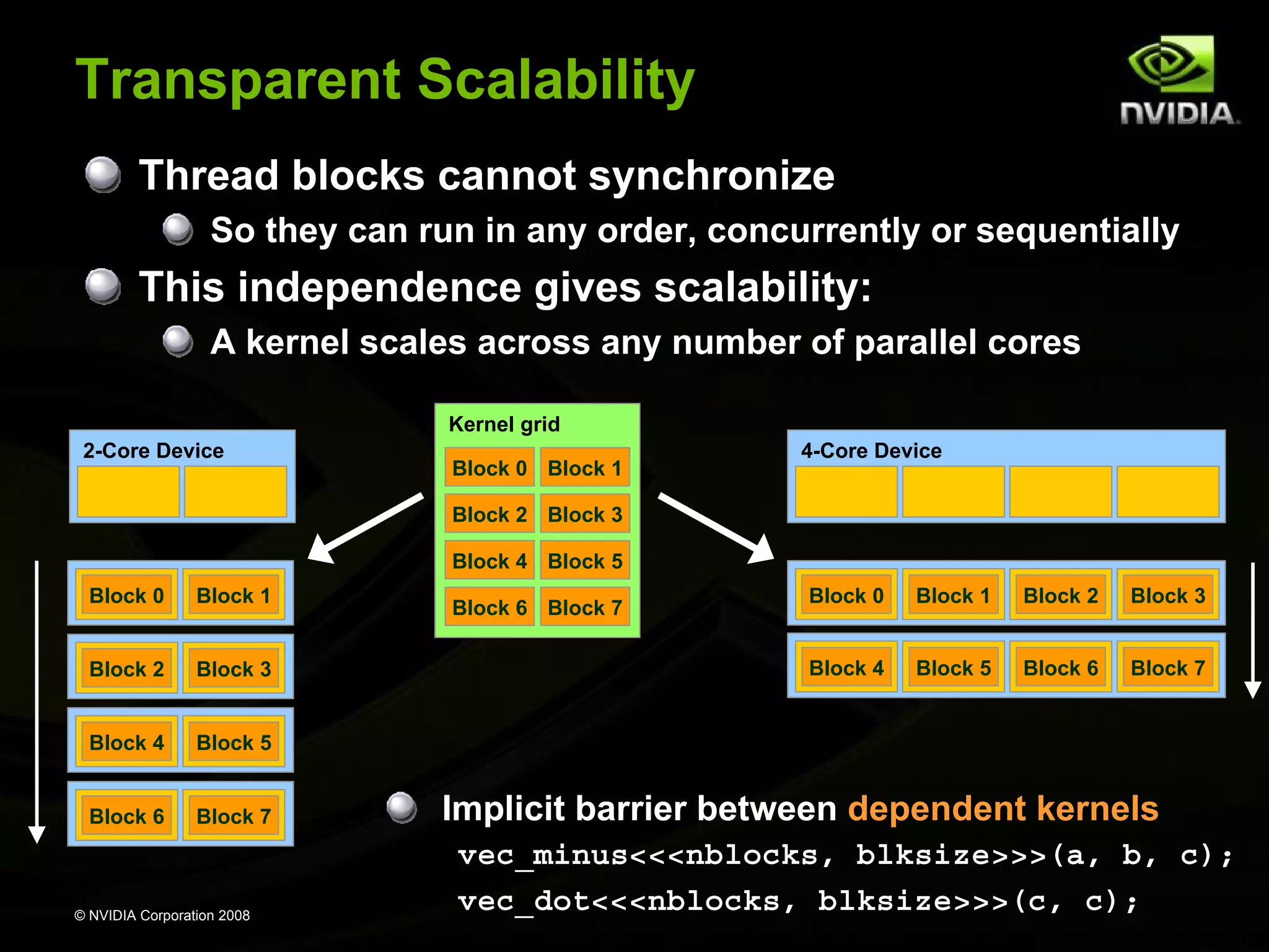
Transparent Scalability
Thread blocks cannot synchronize
So they can run in any order, concurrently or sequentially

This independence gives scalability:
A kernel scales across any number of parallel cores
Kernel grid
2-Core Device

Block 0 Block 1

4-Core Device

Block 2 Block 3
Block 4 Block 5
Block 0

Block 1

Block 2

Block 3

Block 4

Block 5

Block 6

Block 7

© NVIDIA Corporation 2008

Block 0

Block 1

Block 2

Block 3

Block 4

Block 6 Block 7

Block 5

Block 6

Block 7

Implicit barrier between dependent kernels
vec_minus<<<nblocks, blksize>>>(a, b, c);
vec_dot<<<nblocks, blksize>>>(c, c);
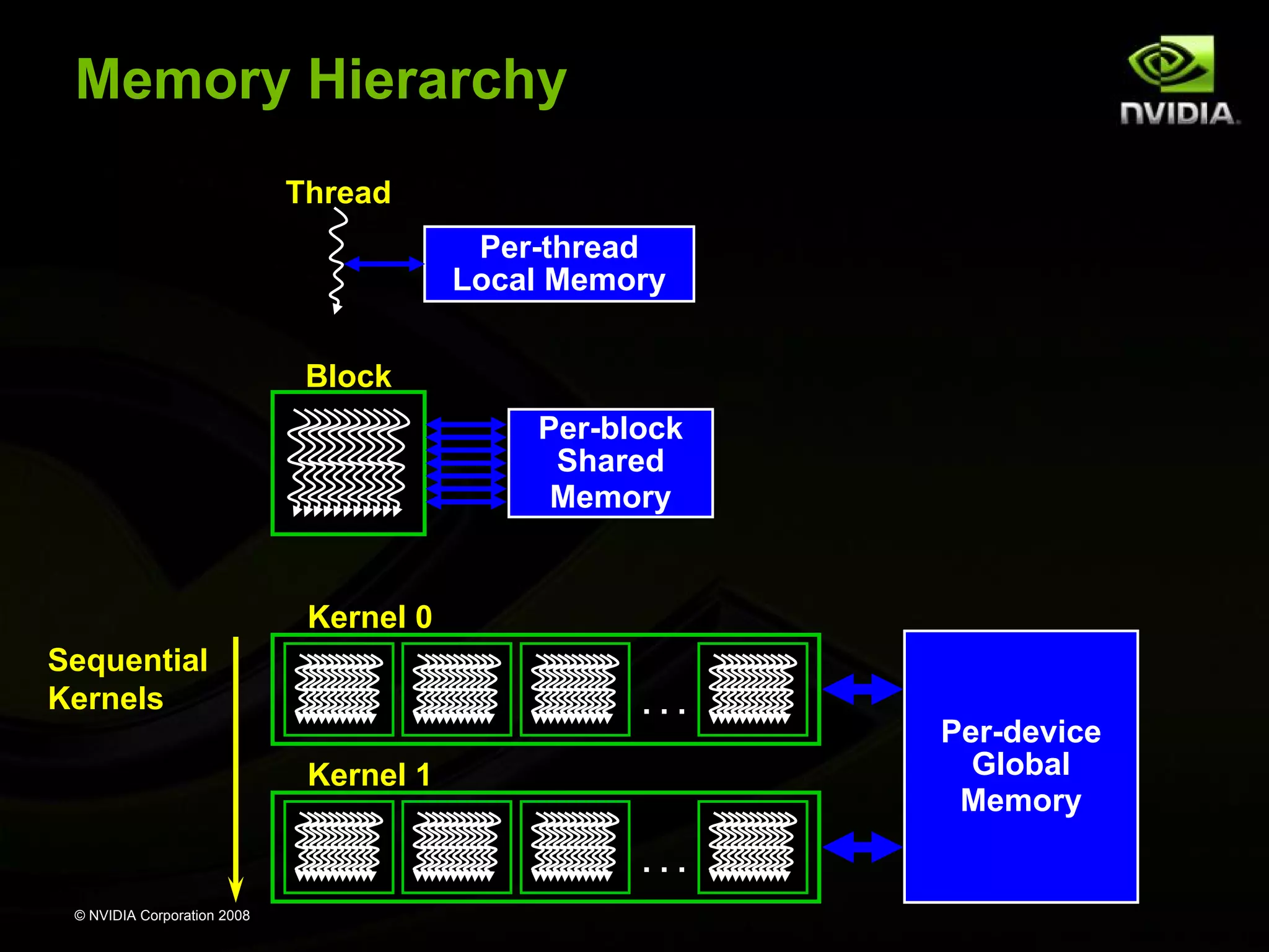
Memory Hierarchy
Thread
Per-thread
Local Memory
Block
Per-block
Shared
Memory

Kernel 0
Sequential
Kernels

...
Kernel 1
...

© NVIDIA Corporation 2008

Per-device
Global
Memory
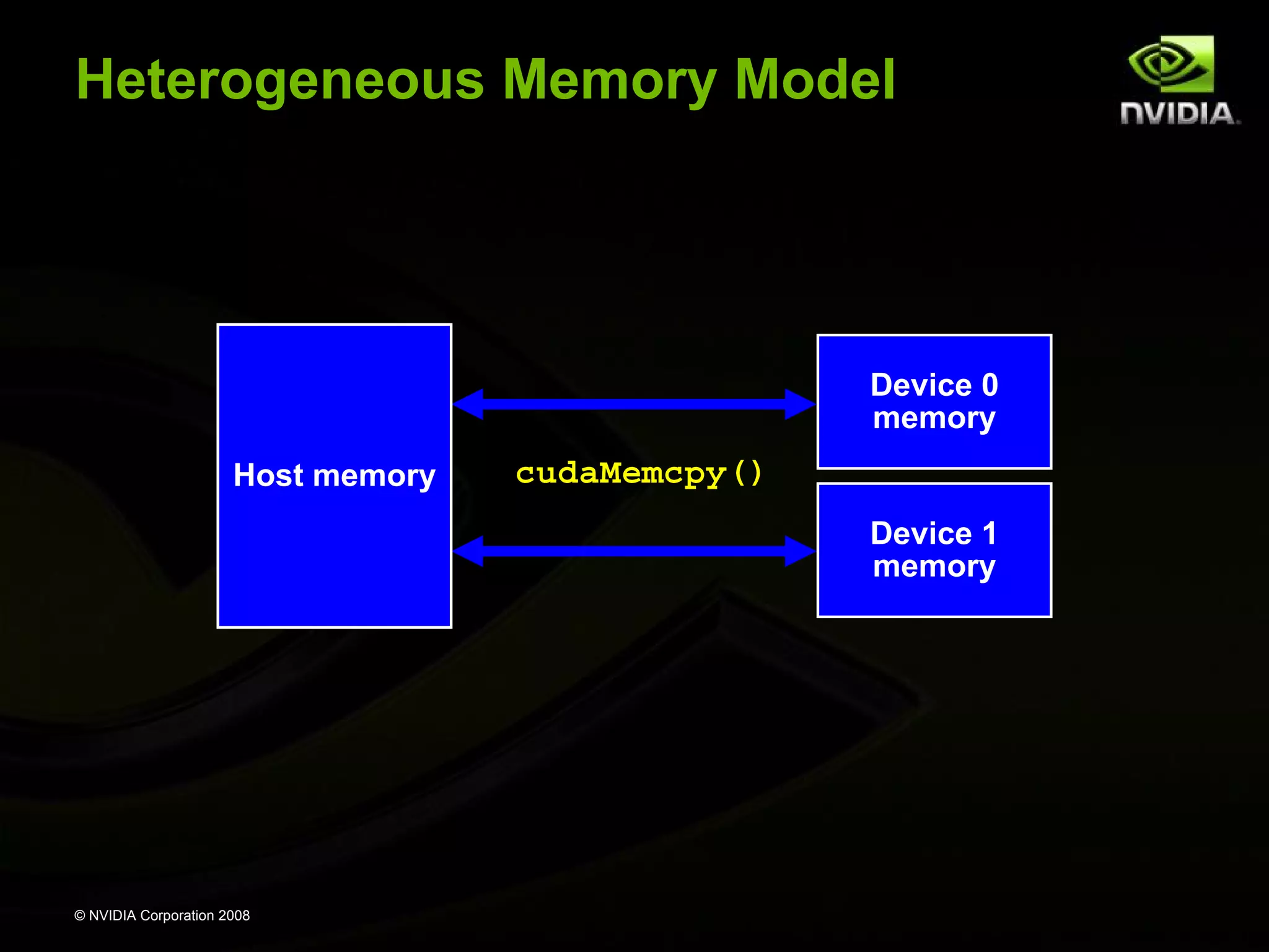
Heterogeneous Memory Model

Device 0
memory
Host memory

cudaMemcpy()
Device 1
memory

© NVIDIA Corporation 2008
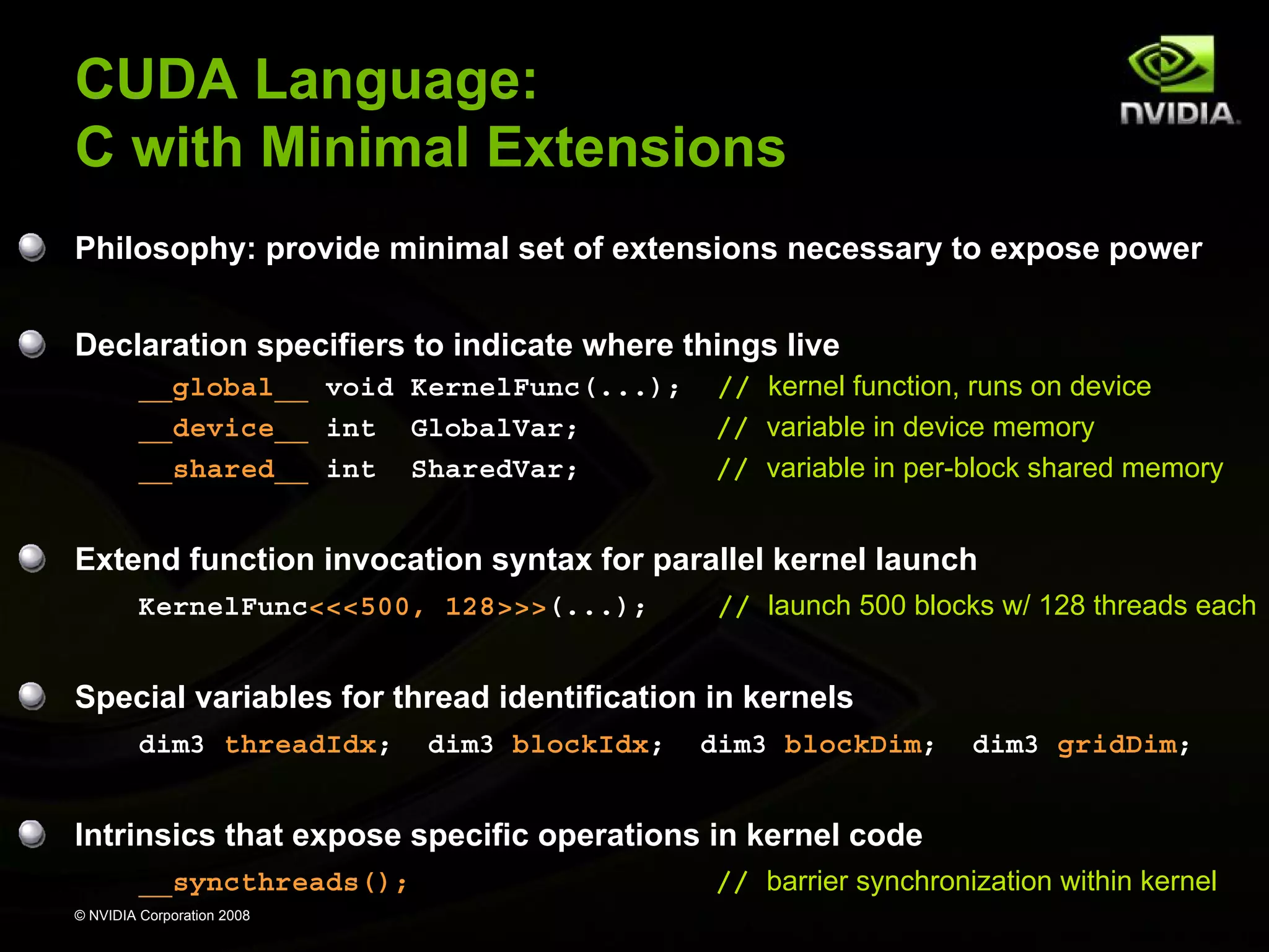
CUDA Language:
C with Minimal Extensions
Philosophy: provide minimal set of extensions necessary to expose power
Declaration specifiers to indicate where things live
__global__ void KernelFunc(...);
__device__ int GlobalVar;
__shared__ int SharedVar;

// kernel function, runs on device
// variable in device memory
// variable in per-block shared memory

Extend function invocation syntax for parallel kernel launch
KernelFunc<<<500, 128>>>(...);

// launch 500 blocks w/ 128 threads each

Special variables for thread identification in kernels
dim3 threadIdx;

dim3 blockIdx;

dim3 blockDim;

dim3 gridDim;

Intrinsics that expose specific operations in kernel code
__syncthreads();
© NVIDIA Corporation 2008

// barrier synchronization within kernel
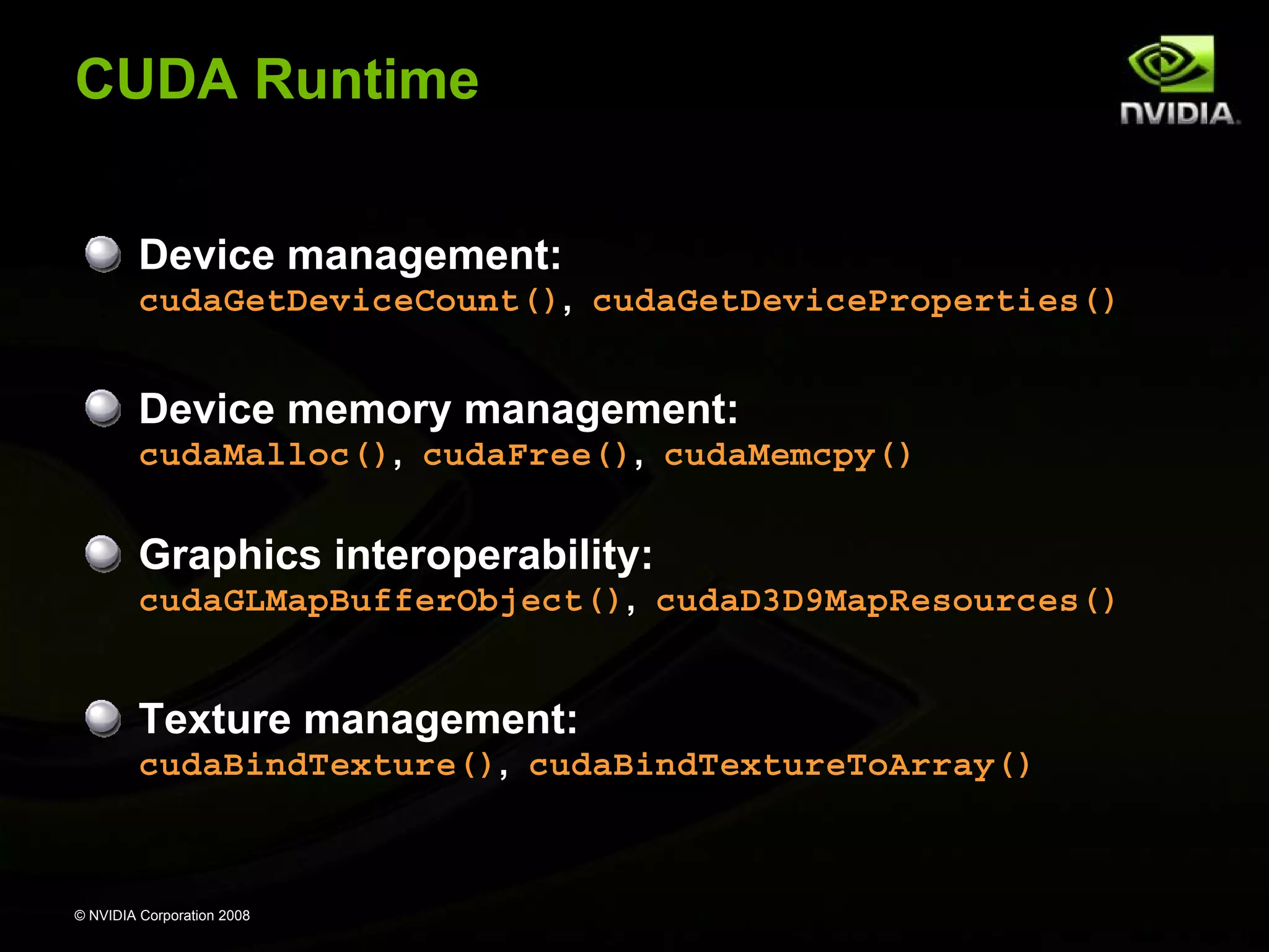
CUDA Runtime
Device management:
cudaGetDeviceCount(), cudaGetDeviceProperties()

Device memory management:
cudaMalloc(), cudaFree(), cudaMemcpy()

Graphics interoperability:
cudaGLMapBufferObject(), cudaD3D9MapResources()

Texture management:
cudaBindTexture(), cudaBindTextureToArray()

© NVIDIA Corporation 2008
Example: Increment Array Elements
CPU program

CUDA program

void increment_cpu(float *a, float b, int N)
{
for (int idx = 0; idx<N; idx++)
a[idx] = a[idx] + b;
}

__global__ void increment_gpu(float *a, float b, int N)
{
int idx = blockIdx.x * blockDim.x + threadIdx.x;
if (idx < N)
a[idx] = a[idx] + b;
}

void main()
{
.....
increment_cpu(a, b, N);
}

void main()
{
…..
dim3 dimBlock (blocksize);
dim3 dimGrid( ceil( N / (float)blocksize) );
increment_gpu<<<dimGrid, dimBlock>>>(a, b, N);
}

© NVIDIA Corporation 2008

25
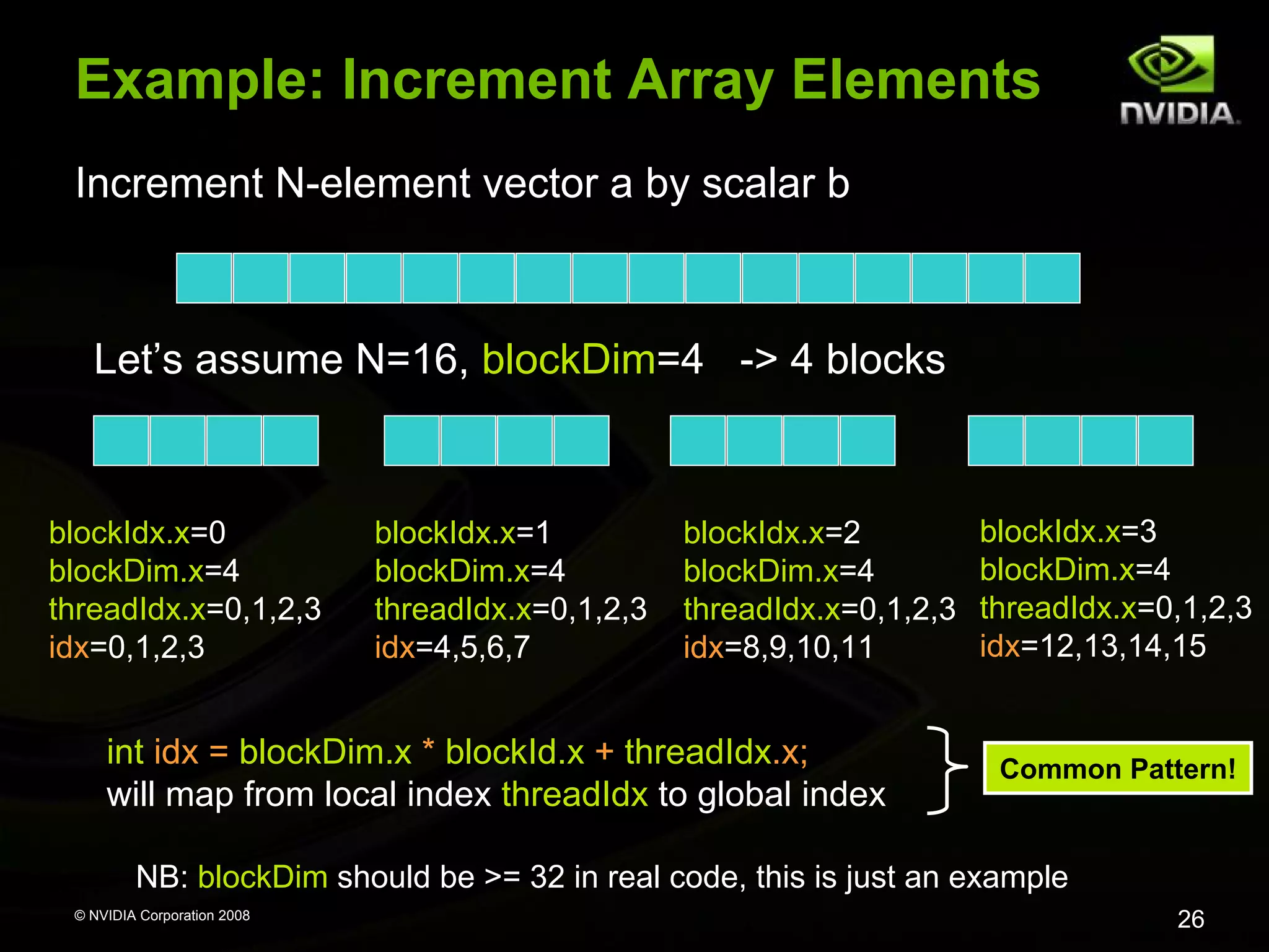
Example: Increment Array Elements
Increment N-element vector a by scalar b

Let’s assume N=16, blockDim=4 -> 4 blocks

blockIdx.x=0
blockDim.x=4
threadIdx.x=0,1,2,3
idx=0,1,2,3

blockIdx.x=1
blockDim.x=4
threadIdx.x=0,1,2,3
idx=4,5,6,7

blockIdx.x=2
blockDim.x=4
threadIdx.x=0,1,2,3
idx=8,9,10,11

int idx = blockDim.x * blockId.x + threadIdx.x;
will map from local index threadIdx to global index

blockIdx.x=3
blockDim.x=4
threadIdx.x=0,1,2,3
idx=12,13,14,15

Common Pattern!

NB: blockDim should be >= 32 in real code, this is just an example
© NVIDIA Corporation 2008

26
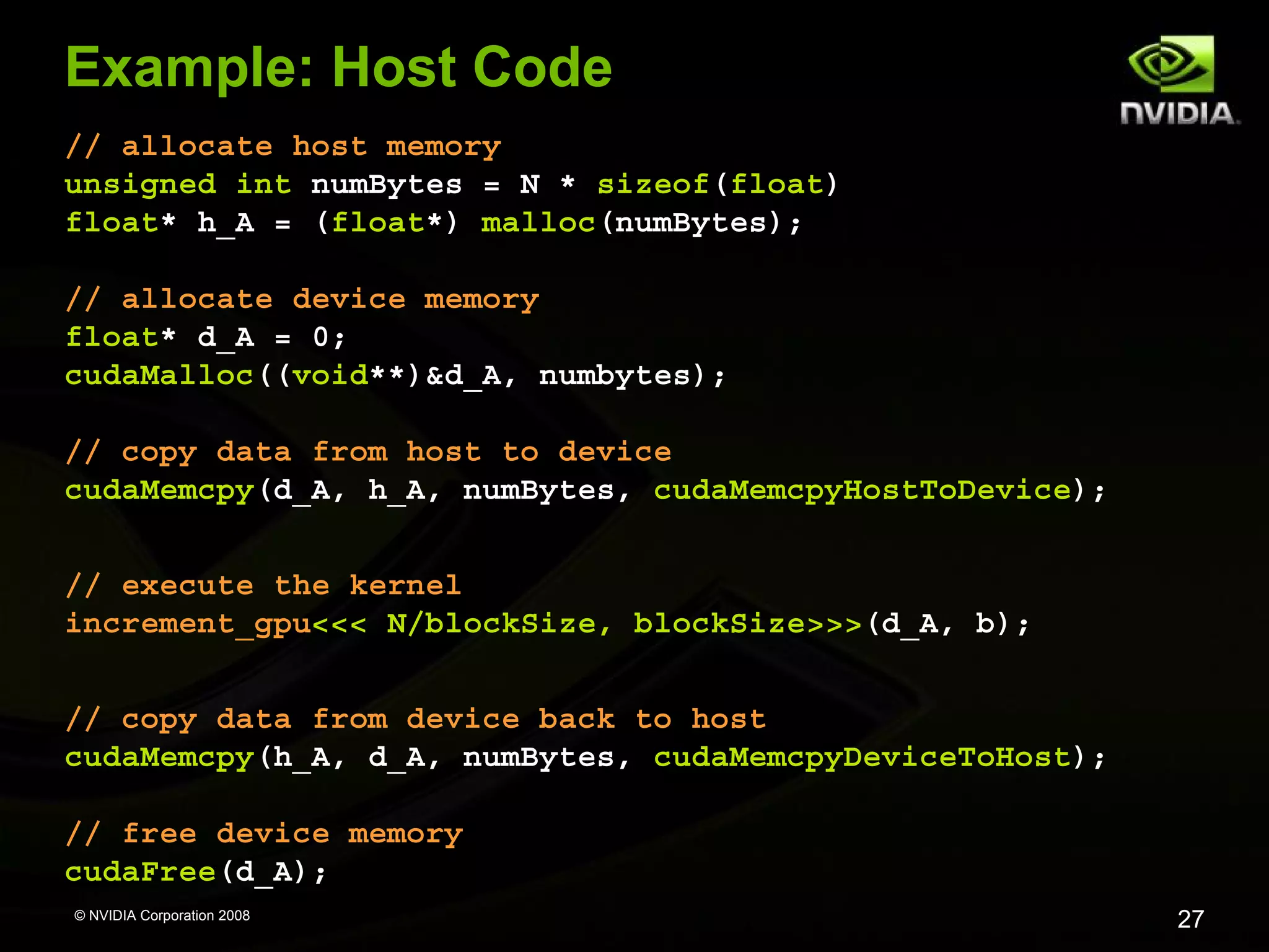
Example: Host Code
// allocate host memory
unsigned int numBytes = N * sizeof(float)
float* h_A = (float*) malloc(numBytes);
// allocate device memory
float* d_A = 0;
cudaMalloc((void**)&d_A, numbytes);
// copy data from host to device
cudaMemcpy(d_A, h_A, numBytes, cudaMemcpyHostToDevice);
// execute the kernel
increment_gpu<<< N/blockSize, blockSize>>>(d_A, b);
// copy data from device back to host
cudaMemcpy(h_A, d_A, numBytes, cudaMemcpyDeviceToHost);
// free device memory
cudaFree(d_A);
© NVIDIA Corporation 2008

27
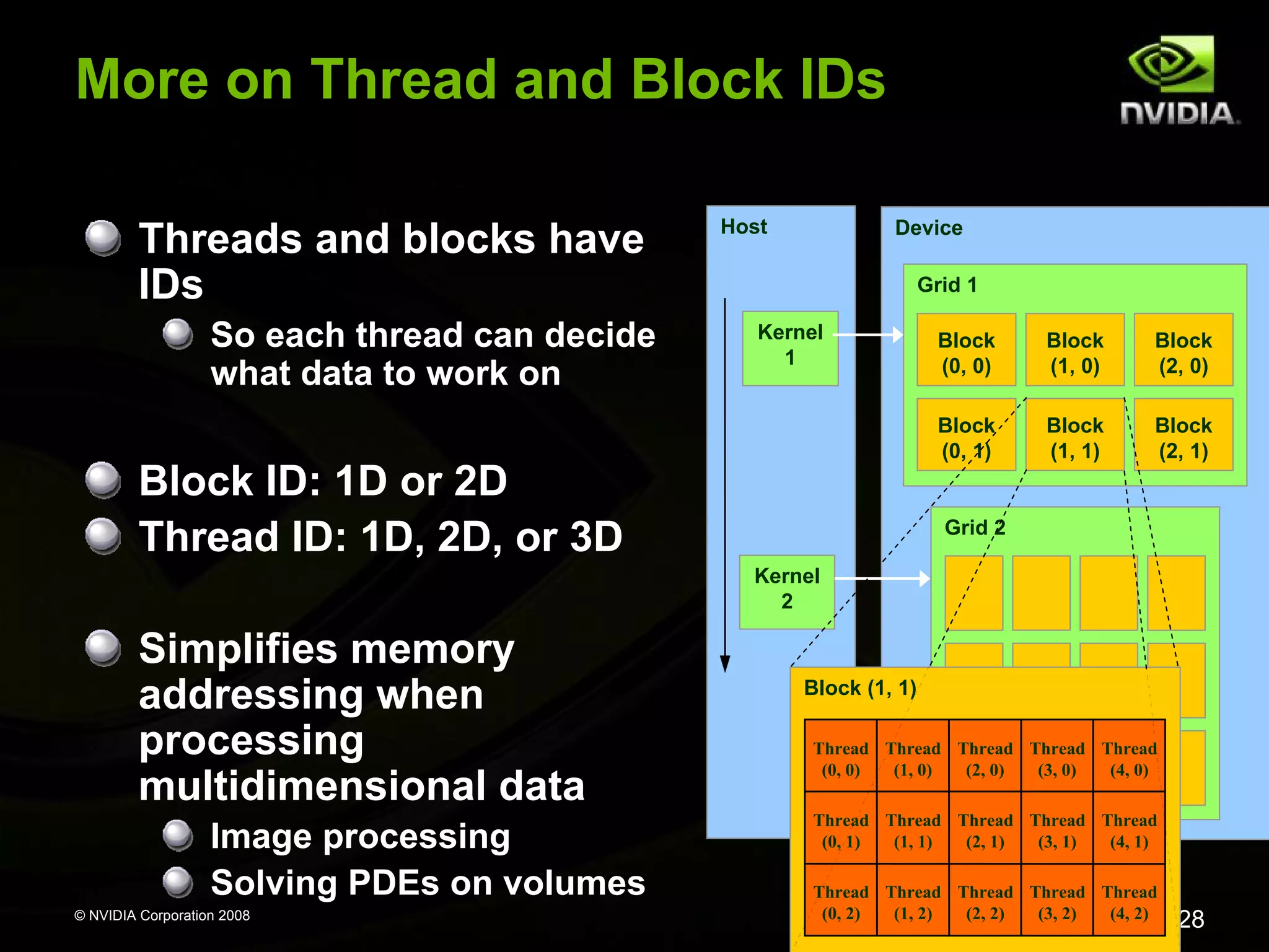
More on Thread and Block IDs
Threads and blocks have
IDs
So each thread can decide
what data to work on

Host

Device
Grid 1

Kernel
1

Block
(1, 0)

Block
(2, 0)

Block
(0, 1)

Block ID: 1D or 2D
Thread ID: 1D, 2D, or 3D

Block
(0, 0)

Block
(1, 1)

Block
(2, 1)

Grid 2
Kernel
2

Simplifies memory
addressing when
processing
multidimensional data
Image processing
Solving PDEs on volumes
© NVIDIA Corporation 2008

Block (1, 1)
Thread Thread Thread Thread Thread
(0, 0)
(1, 0)
(2, 0)
(3, 0)
(4, 0)
Thread Thread Thread Thread Thread
(0, 1)
(1, 1)
(2, 1)
(3, 1)
(4, 1)
Thread Thread Thread Thread Thread
(0, 2)
(1, 2)
(2, 2)
(3, 2)
(4, 2)

28
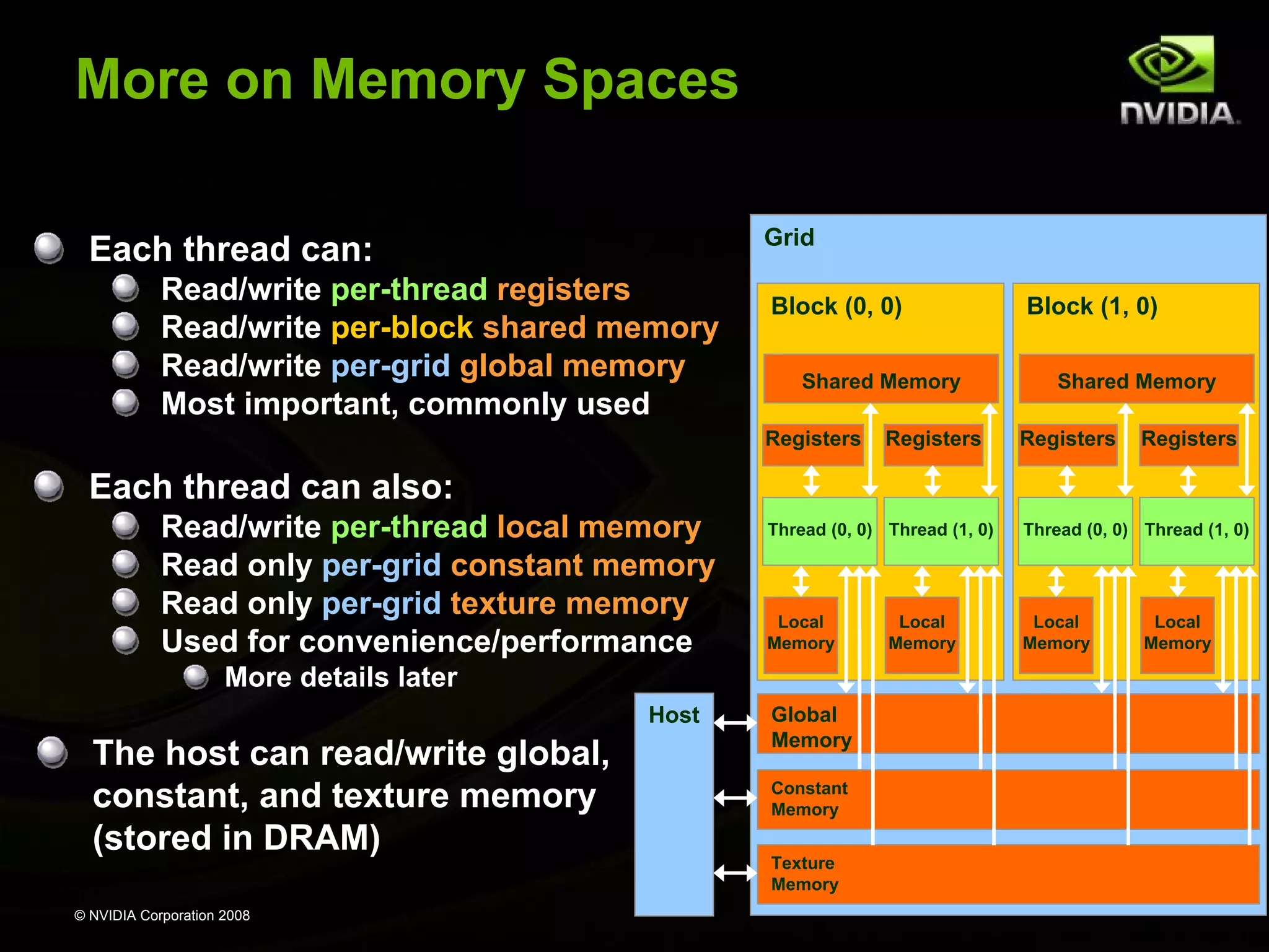
More on Memory Spaces
Grid

Each thread can:
Read/write per-thread registers
Read/write per-block shared memory
Read/write per-grid global memory
Most important, commonly used

Block (0, 0)
Shared Memory
Registers

Registers

Block (1, 0)
Shared Memory
Registers

Registers

Each thread can also:
Read/write per-thread local memory
Read only per-grid constant memory
Read only per-grid texture memory
Used for convenience/performance

Thread (0, 0) Thread (1, 0)

Thread (0, 0) Thread (1, 0)

Local
Memory

Local
Memory

More details later
Host

The host can read/write global,
constant, and texture memory
(stored in DRAM)
© NVIDIA Corporation 2008

Global
Memory
Constant
Memory
Texture
Memory

Local
Memory

Local
Memory
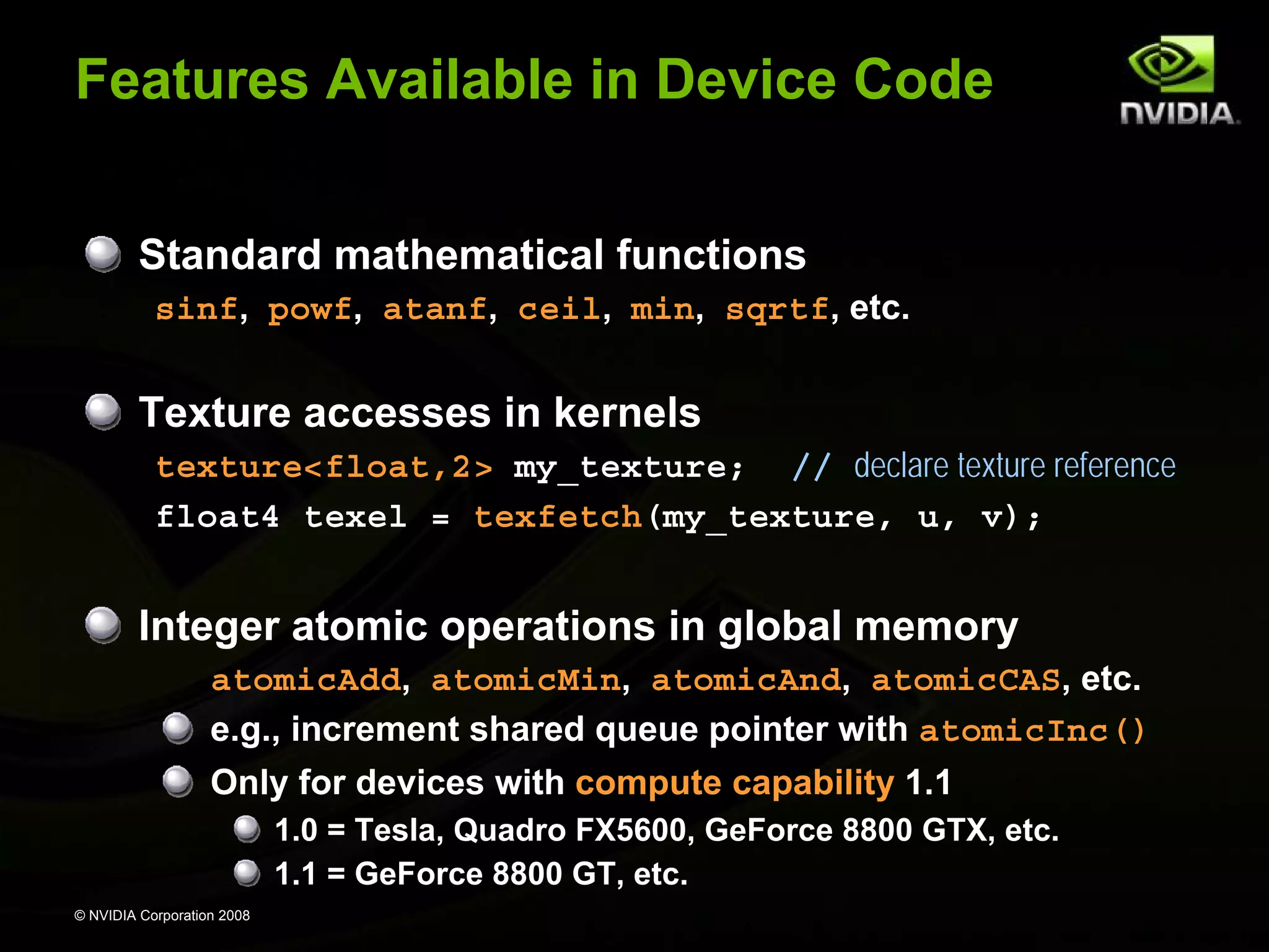
Features Available in Device Code
Standard mathematical functions
sinf, powf, atanf, ceil, min, sqrtf, etc.

Texture accesses in kernels
texture<float,2> my_texture; // declare texture reference
float4 texel = texfetch(my_texture, u, v);

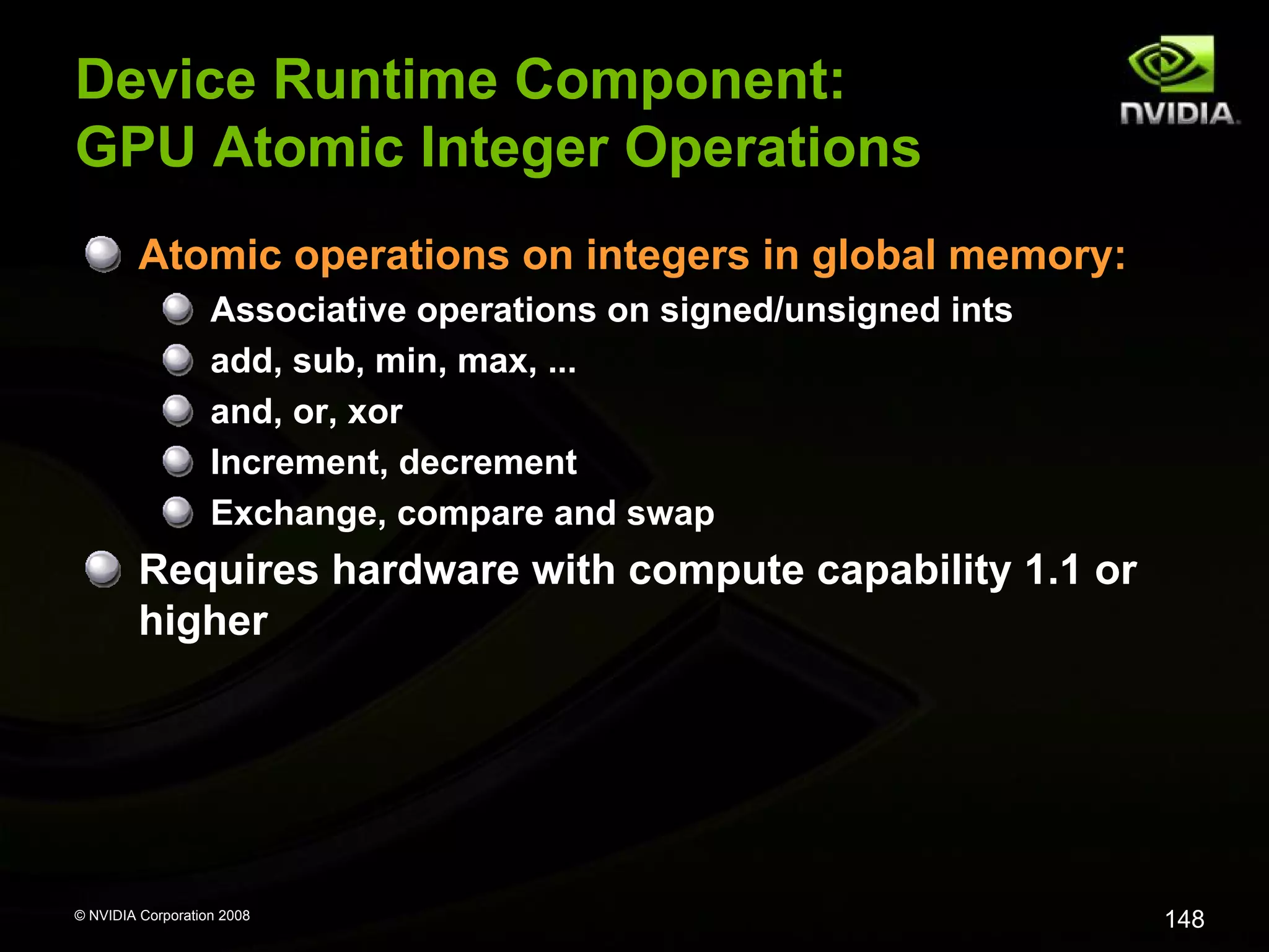
Integer atomic operations in global memory
atomicAdd, atomicMin, atomicAnd, atomicCAS, etc.
e.g., increment shared queue pointer with atomicInc()
Only for devices with compute capability 1.1
1.0 = Tesla, Quadro FX5600, GeForce 8800 GTX, etc.
1.1 = GeForce 8800 GT, etc.
© NVIDIA Corporation 2008
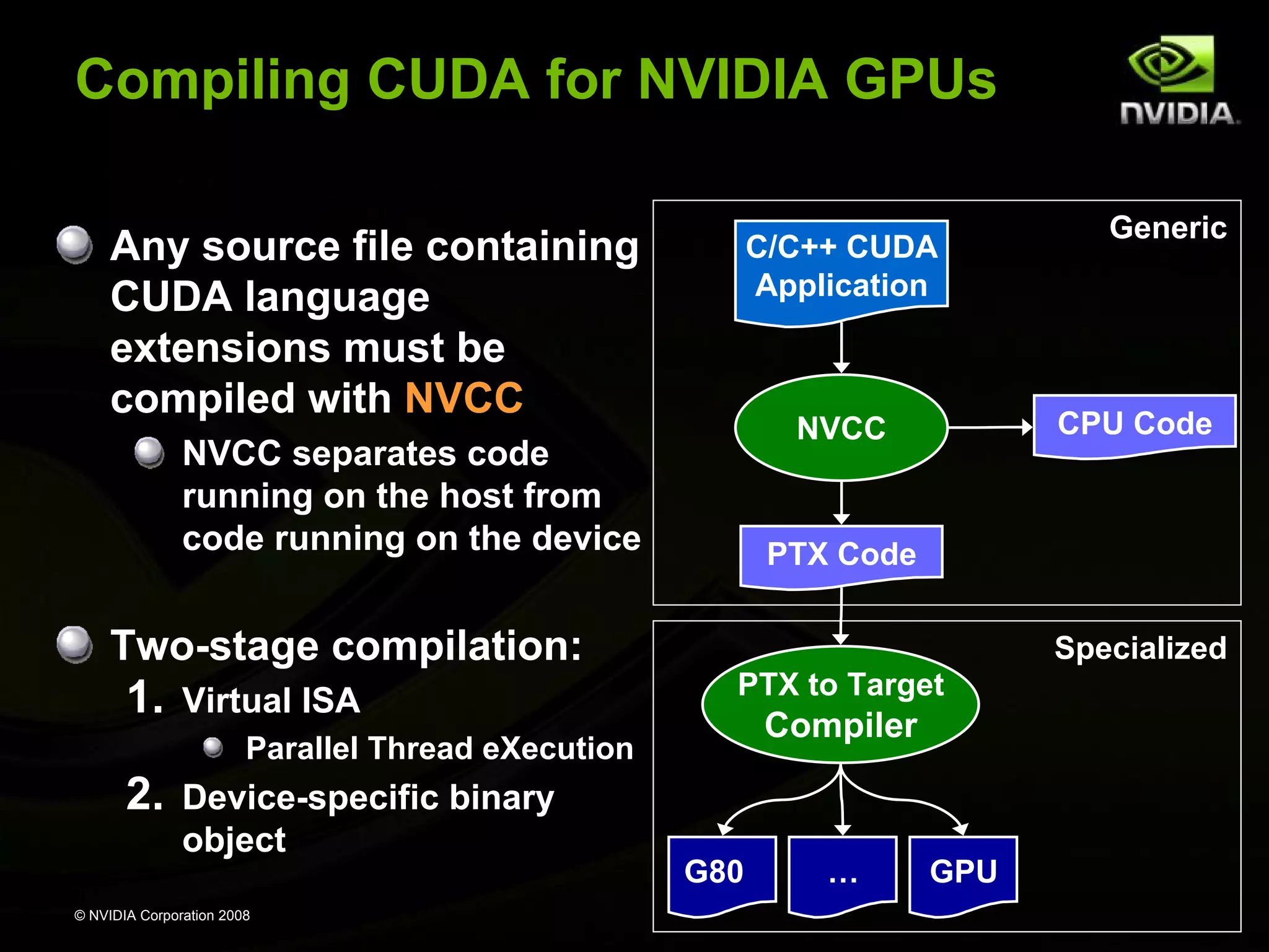
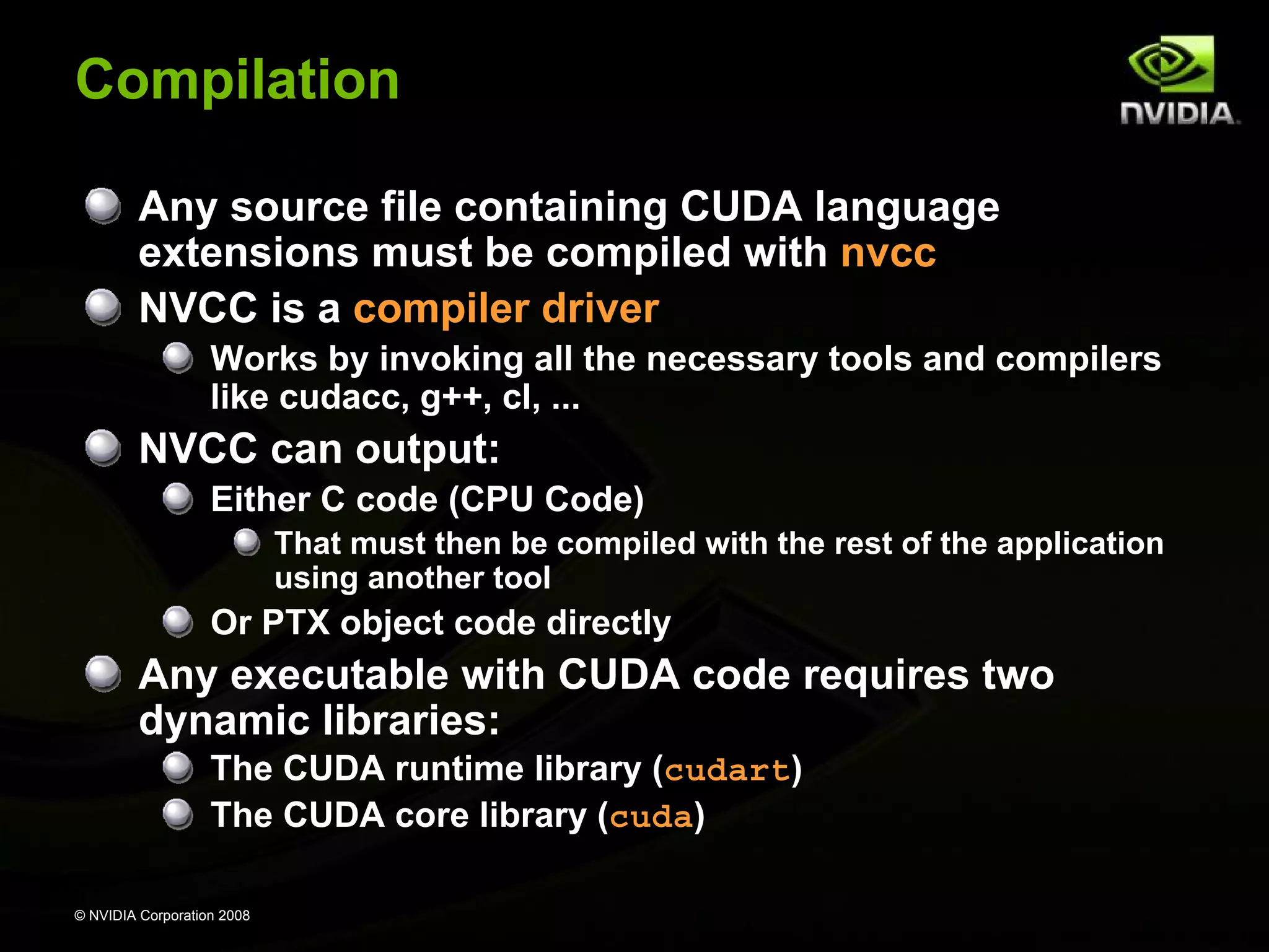
Compiling CUDA for NVIDIA GPUs
Any source file containing
CUDA language
extensions must be
compiled with NVCC

C/C++ CUDA
Application

Two-stage compilation:

1.

Virtual ISA

PTX Code
Specialized
PTX to Target

Compiler

Parallel Thread eXecution

2.

Device-specific binary
object

© NVIDIA Corporation 2008

CPU Code

NVCC

NVCC separates code
running on the host from
code running on the device

Generic

G80

…

GPU
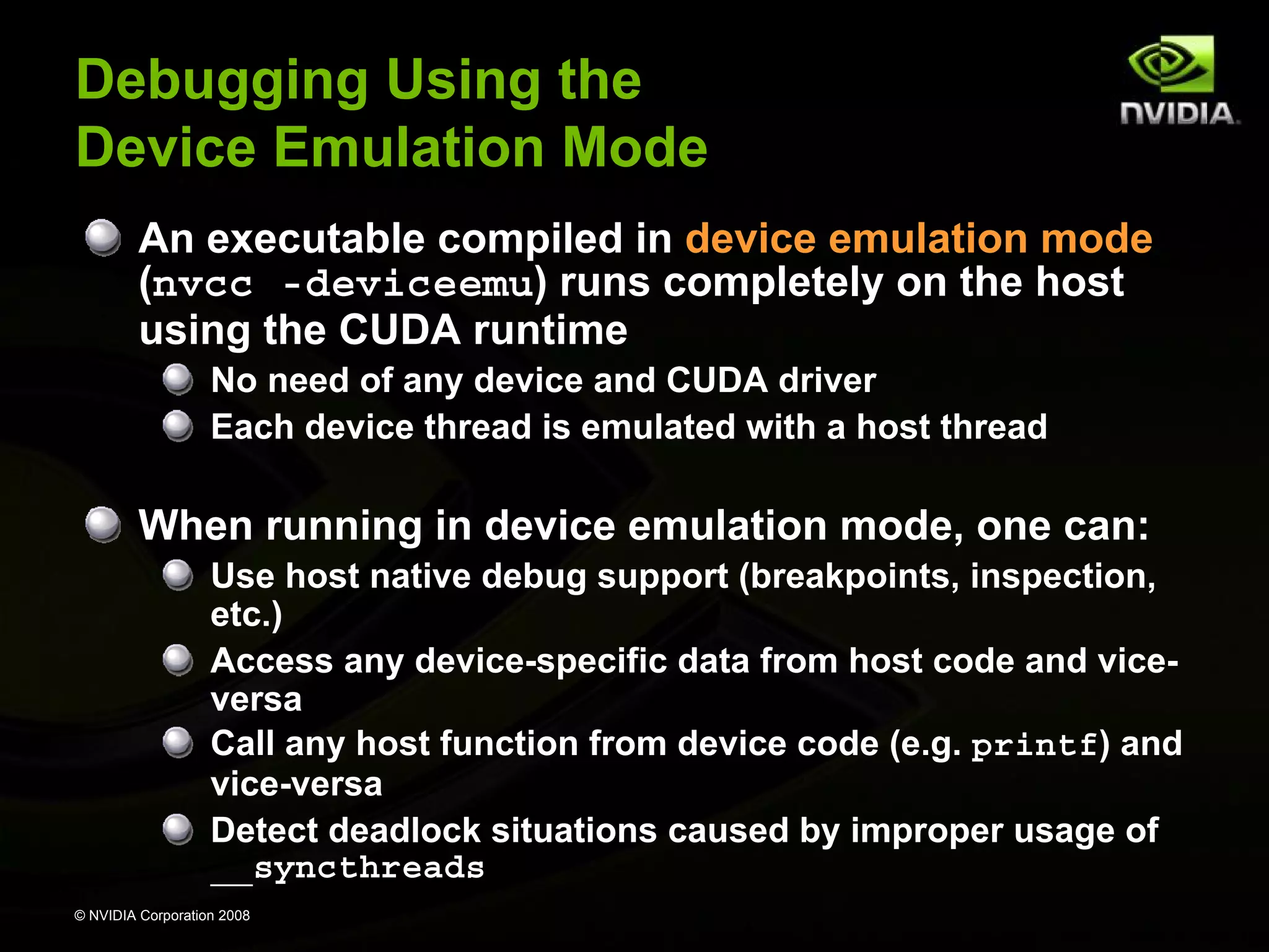
Debugging Using the
Device Emulation Mode
An executable compiled in device emulation mode
(nvcc -deviceemu) runs completely on the host
using the CUDA runtime
No need of any device and CUDA driver
Each device thread is emulated with a host thread

When running in device emulation mode, one can:
Use host native debug support (breakpoints, inspection,
etc.)
Access any device-specific data from host code and viceversa
Call any host function from device code (e.g. printf) and
vice-versa
Detect deadlock situations caused by improper usage of
__syncthreads
© NVIDIA Corporation 2008
Device Emulation Mode Pitfalls
Emulated device threads execute sequentially, so
simultaneous accesses of the same memory
location by multiple threads potentially produce
different results
Dereferencing device pointers on the host or host
pointers on the device can produce correct results
in device emulation mode, but will generate an error
in device execution mode
Results of floating-point computations will slightly
differ because of:
Different compiler outputs
Different instruction sets
Use of extended precision for intermediate results
There are various options to force strict single precision on
the host
© NVIDIA Corporation 2008
Reduction Example
Reduce N values to a single one:
Sum(v0, v1, … , vN-2, vN-1)
Min(v0, v1, … , vN-2, vN-1)
Max(v0, v1, … , vN-2, vN-1)

Common primitive in parallel programming
Easy to implement in CUDA
Less so to get it right

Divided into 5 exercises throughout the day
Each exercise illustrates one particular optimization
strategy

© NVIDIA Corporation 2008
Reduction Exercise
At the end of each exercise, the result of the
reduction computed on the device is checked for
correctness
“Test PASSED” or “Test FAILED” is printed out to the
console

The goal is to replace the “TODO“ words in the code
by the right piece of code to get “test PASSED”

© NVIDIA Corporation 2008
Reduction Exercise 1
Open up reducesrcreduce1.sln
Code walkthrough:
main.cpp
Allocate host and device memory
Call reduce() defined in reduce1.cu
Profile and verify result

reduce1.cu
CUDA code compiled with nvcc
Contains TODOs

Device emulation compilation configurations: Emu*

© NVIDIA Corporation 2008
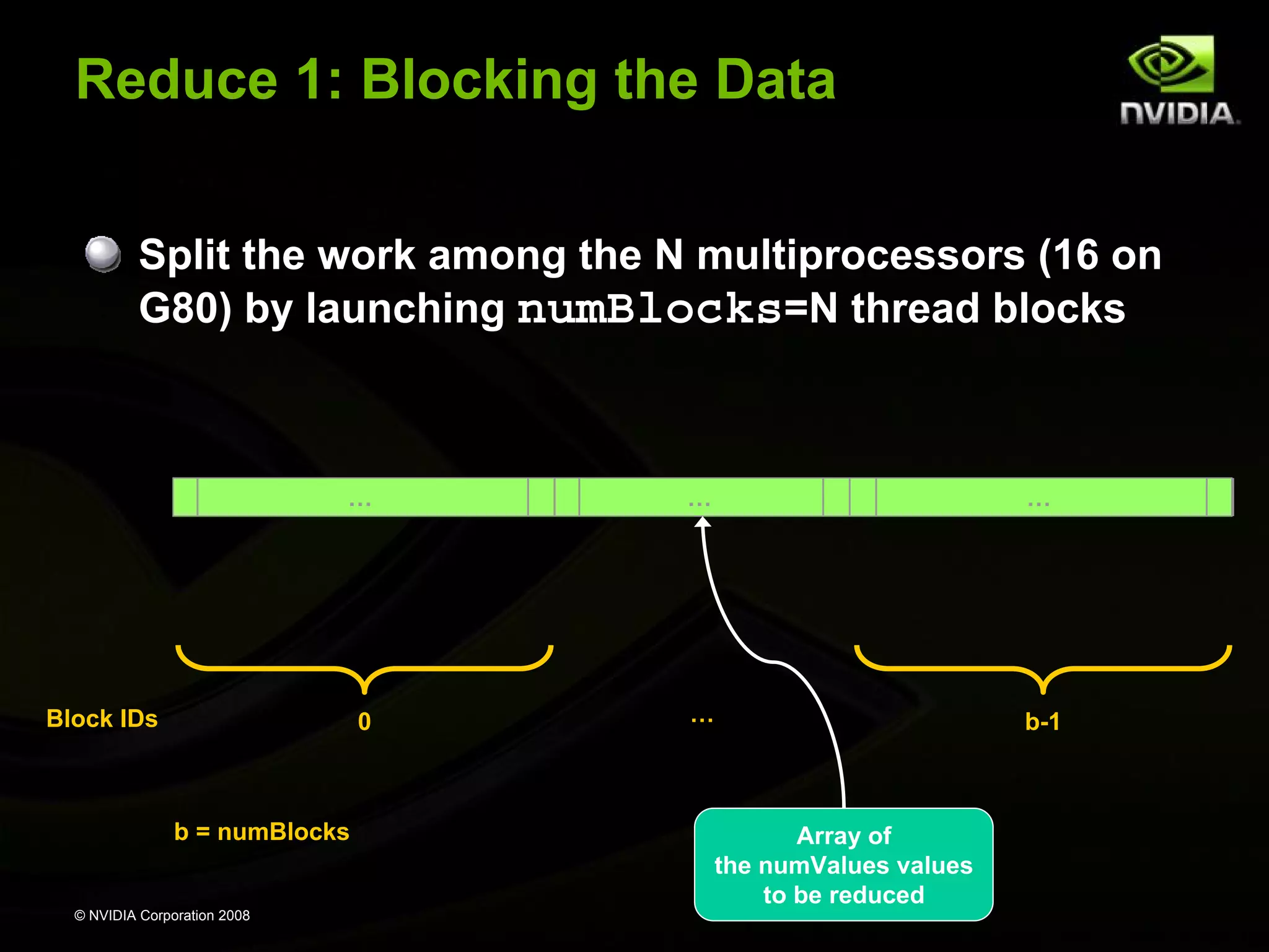
Reduce 1: Blocking the Data
Split the work among the N multiprocessors (16 on
G80) by launching numBlocks=N thread blocks

…

…

…

0

…

b-1

Block IDs

b = numBlocks

© NVIDIA Corporation 2008

Array of
the numValues values
to be reduced
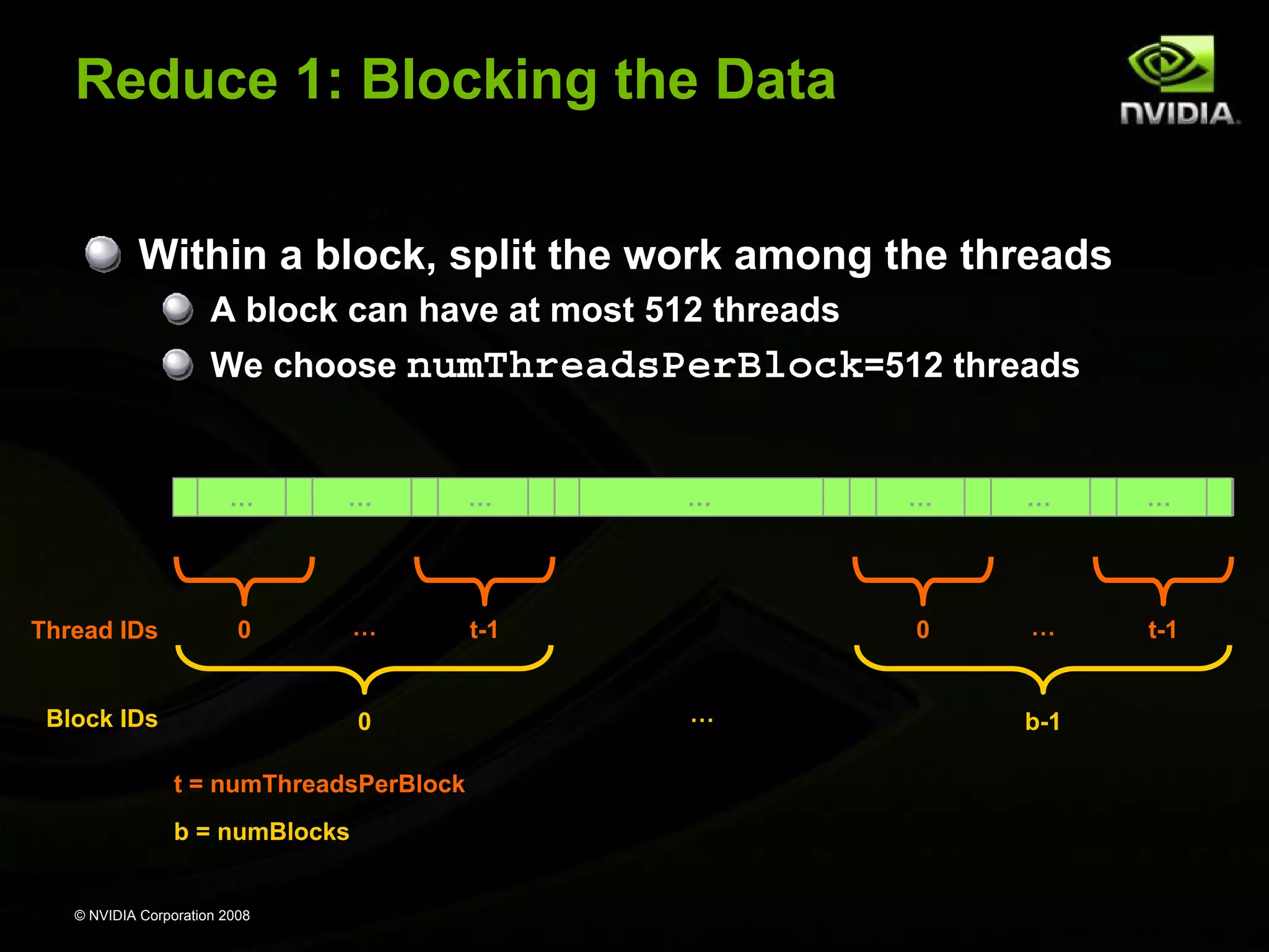
Reduce 1: Blocking the Data
Within a block, split the work among the threads
A block can have at most 512 threads
We choose numThreadsPerBlock=512 threads

…

Thread IDs

…

…

0

…

…

t-1

Block IDs

0
t = numThreadsPerBlock
b = numBlocks

© NVIDIA Corporation 2008

…

…

0
…

…

…

t-1

b-1
Reduce 1: Multi-Pass Reduction
Blocks cannot synchronize so reduce_kernel is
called multiple times:
First call reduces from numValues to numThreads
Each subsequent call reduces by half
Ping pong between input and output buffers
(d_Result[2])

© NVIDIA Corporation 2008
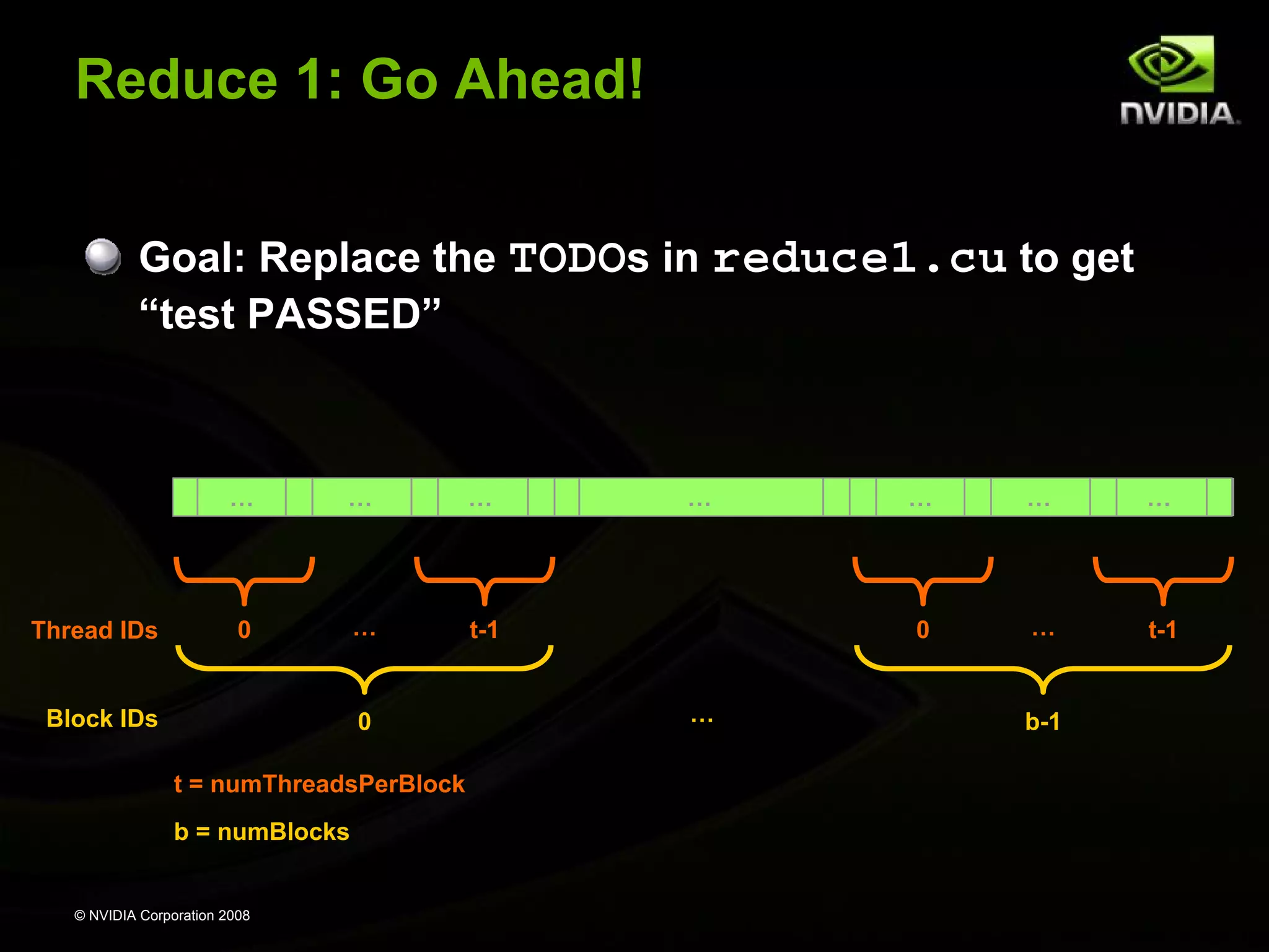
Reduce 1: Go Ahead!
Goal: Replace the TODOs in reduce1.cu to get
“test PASSED”

…

Thread IDs

…

…

0

…

…

t-1

Block IDs

0
t = numThreadsPerBlock
b = numBlocks

© NVIDIA Corporation 2008

…

…

0
…

…

…

t-1

b-1
CUDA Implementation
on the GPU

© NVIDIA Corporation 2008
CUDA Is Easy and Fast
CUDA can provide large speedups on data-parallel
computations straight out of the box!
Even higher speedups are achievable by
understanding hardware implementation and tuning
for it
What the rest of the presentation is about

© NVIDIA Corporation 2008
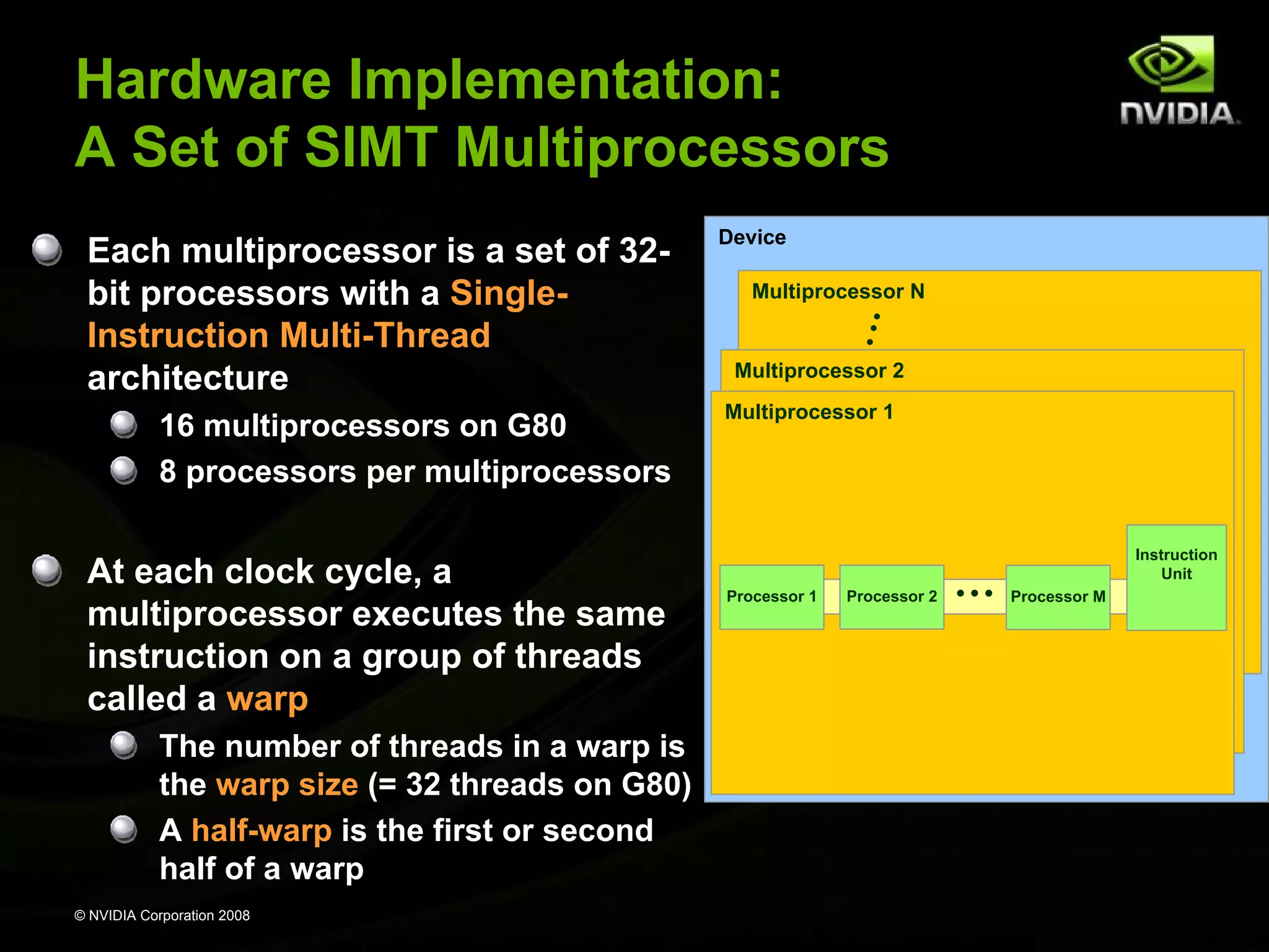
Hardware Implementation:
A Set of SIMT Multiprocessors
Each multiprocessor is a set of 32bit processors with a SingleInstruction Multi-Thread
architecture
16 multiprocessors on G80
8 processors per multiprocessors

At each clock cycle, a
multiprocessor executes the same
instruction on a group of threads
called a warp
The number of threads in a warp is
the warp size (= 32 threads on G80)
A half-warp is the first or second
half of a warp
© NVIDIA Corporation 2008

Device
Multiprocessor N

Multiprocessor 2
Multiprocessor 1

Processor 1

Processor 2

…

Instruction
Unit
Processor M
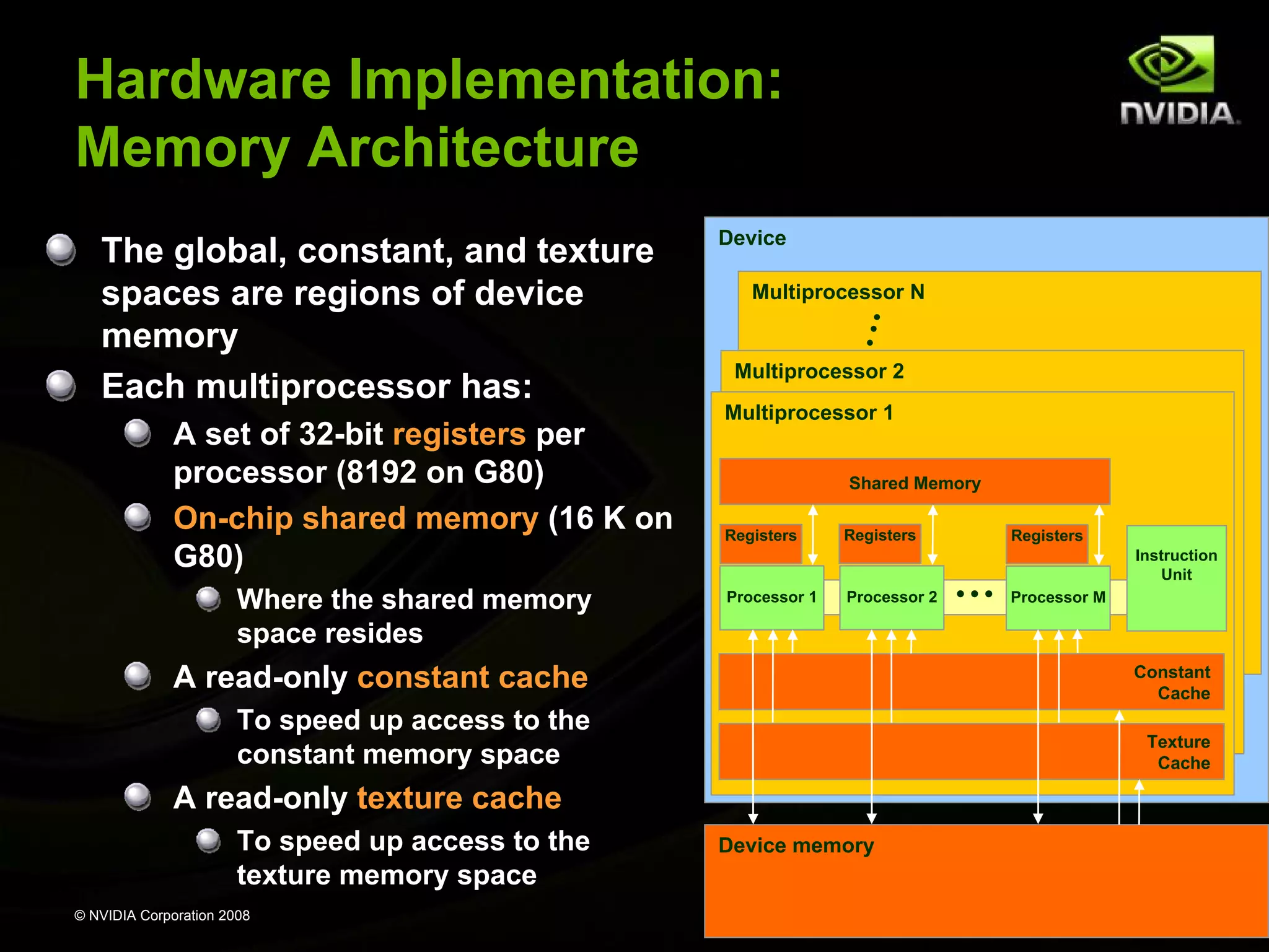
Hardware Implementation:
Memory Architecture
The global, constant, and texture
spaces are regions of device
memory
Each multiprocessor has:
A set of 32-bit registers per
processor (8192 on G80)
On-chip shared memory (16 K on
G80)
Where the shared memory
space resides

Device
Multiprocessor N

Multiprocessor 2
Multiprocessor 1
Shared Memory
Registers

Processor 1

Registers

Processor 2

Registers

…

Instruction
Unit
Processor M

A read-only constant cache

Constant
Cache

To speed up access to the
constant memory space

Texture
Cache

A read-only texture cache
To speed up access to the
texture memory space
© NVIDIA Corporation 2008

Device memory
Hardware Implementation:
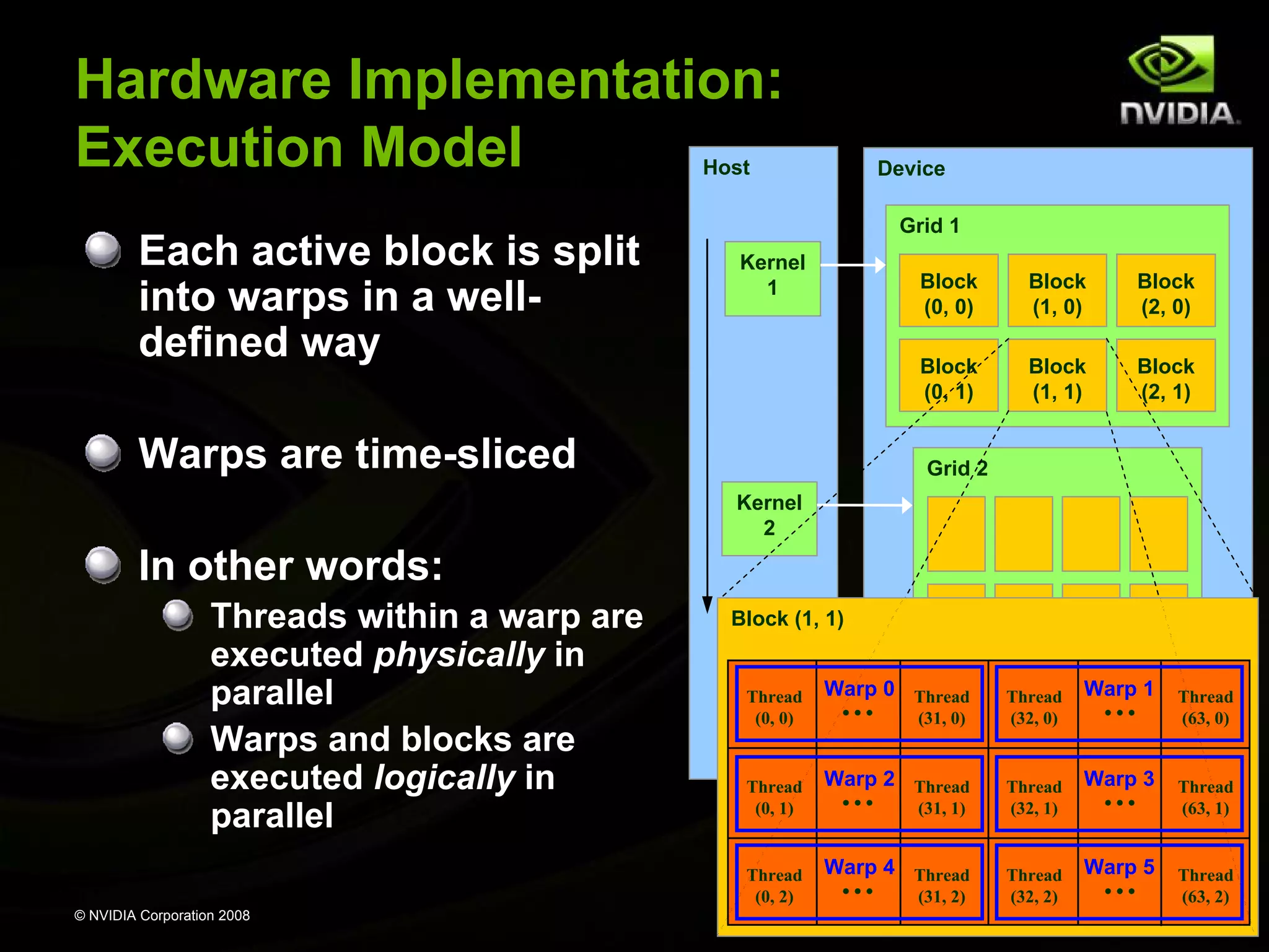
Execution Model
Each multiprocessor processes batches of blocks
one batch after the other
Active blocks = the blocks processed by one
multiprocessor in one batch
Active threads = all the threads from the active blocks

The multiprocessor’s registers and shared memory
are split among the active threads
Therefore, for a given kernel, the number of active
blocks depends on:
The number of registers the kernel compiles to
How much shared memory the kernel requires

If there cannot be at least one active block, the
kernel fails to launch
© NVIDIA Corporation 2008
Hardware Implementation:
Execution Model
Host

Each active block is split
into warps in a welldefined way

Device
Grid 1

Kernel
1

Block
(0, 0)

Block
(2, 0)

Block
(0, 1)

Warps are time-sliced

Block
(1, 0)
Block
(1, 1)

Block
(2, 1)

Grid 2
Kernel
2

In other words:
Threads within a warp are
executed physically in
parallel
Warps and blocks are
executed logically in
parallel

Block (1, 1)

Thread
(0, 0)

Thread
(0, 1)

Thread
(0, 2)
© NVIDIA Corporation 2008

Warp 0 Thread

…

(31, 0)

Warp 2 Thread

…

(31, 1)

Warp 4 Thread

…

(31, 2)

Thread
(32, 0)

Thread
(32, 1)

Thread
(32, 2)

Warp 1

…

Warp 3

…

Warp 5

…

Thread
(63, 0)

Thread
(63, 1)

Thread
(63, 2)
Host Synchronization
All kernel launches are asynchronous
control returns to CPU immediately
kernel executes after all previous CUDA calls have
completed

cudaMemcpy is synchronous
control returns to CPU after copy completes
copy starts after all previous CUDA calls have completed

cudaThreadSynchronize()
blocks until all previous CUDA calls complete

© NVIDIA Corporation 2008

47
Device Management
CPU can query and select GPU devices
cudaGetDeviceCount( int *count )
cudaSetDevice( int device )
cudaGetDevice( int *current_device )
cudaGetDeviceProperties( cudaDeviceProp* prop,
int device )
cudaChooseDevice( int *device, cudaDeviceProp* prop )

Multi-GPU setup:
device 0 is used by default
one CPU thread can control only one GPU
multiple CPU threads can control the same GPU

– calls are serialized by the driver
© NVIDIA Corporation 2008

48
Multiple CPU Threads and CUDA
CUDA resources allocated by a CPU thread can be
consumed only by CUDA calls from the same CPU
thread
Violation Example:
CPU thread 2 allocates GPU memory, stores address in p
thread 3 issues a CUDA call that accesses memory via p

© NVIDIA Corporation 2008

49
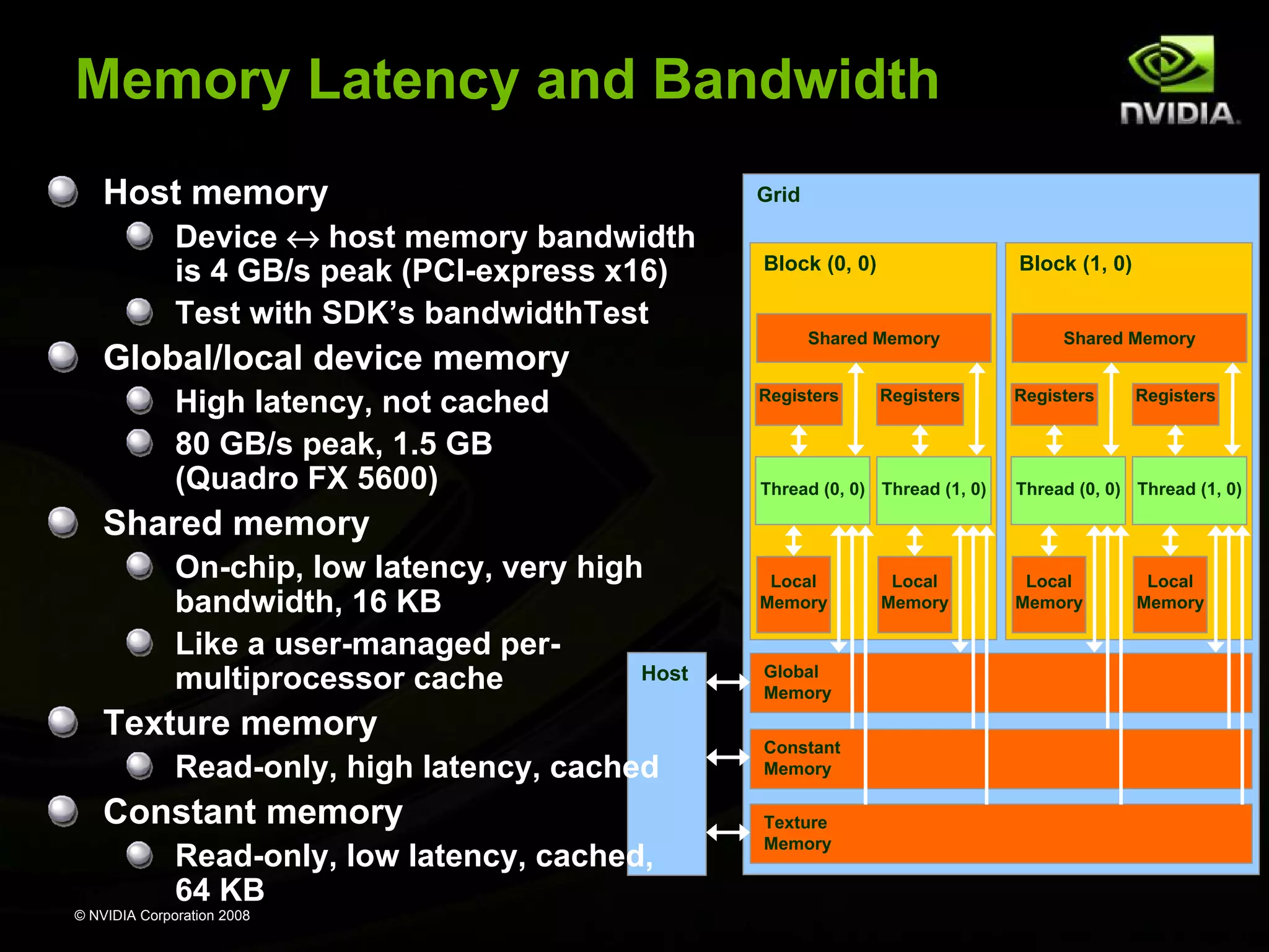
Memory Latency and Bandwidth
Host memory
Device ↔ host memory bandwidth
is 4 GB/s peak (PCI-express x16)
Test with SDK’s bandwidthTest

Global/local device memory
High latency, not cached
80 GB/s peak, 1.5 GB
(Quadro FX 5600)

Grid
Block (0, 0)

Block (1, 0)

Shared Memory
Registers

Registers

Shared Memory
Registers

Registers

Thread (0, 0) Thread (1, 0)

Thread (0, 0) Thread (1, 0)

Local
Memory

Local
Memory

Shared memory
On-chip, low latency, very high
bandwidth, 16 KB
Like a user-managed perHost
multiprocessor cache

Texture memory
Read-only, high latency, cached

Constant memory
Read-only, low latency, cached,
64 KB
© NVIDIA Corporation 2008

Global
Memory
Constant
Memory
Texture
Memory

Local
Memory

Local
Memory
Performance Optimization
Expose as much parallelism as possible
Optimize memory usage for maximum bandwidth
Maximize occupancy to hide latency
Optimize instruction usage for maximum
throughput

© NVIDIA Corporation 2008
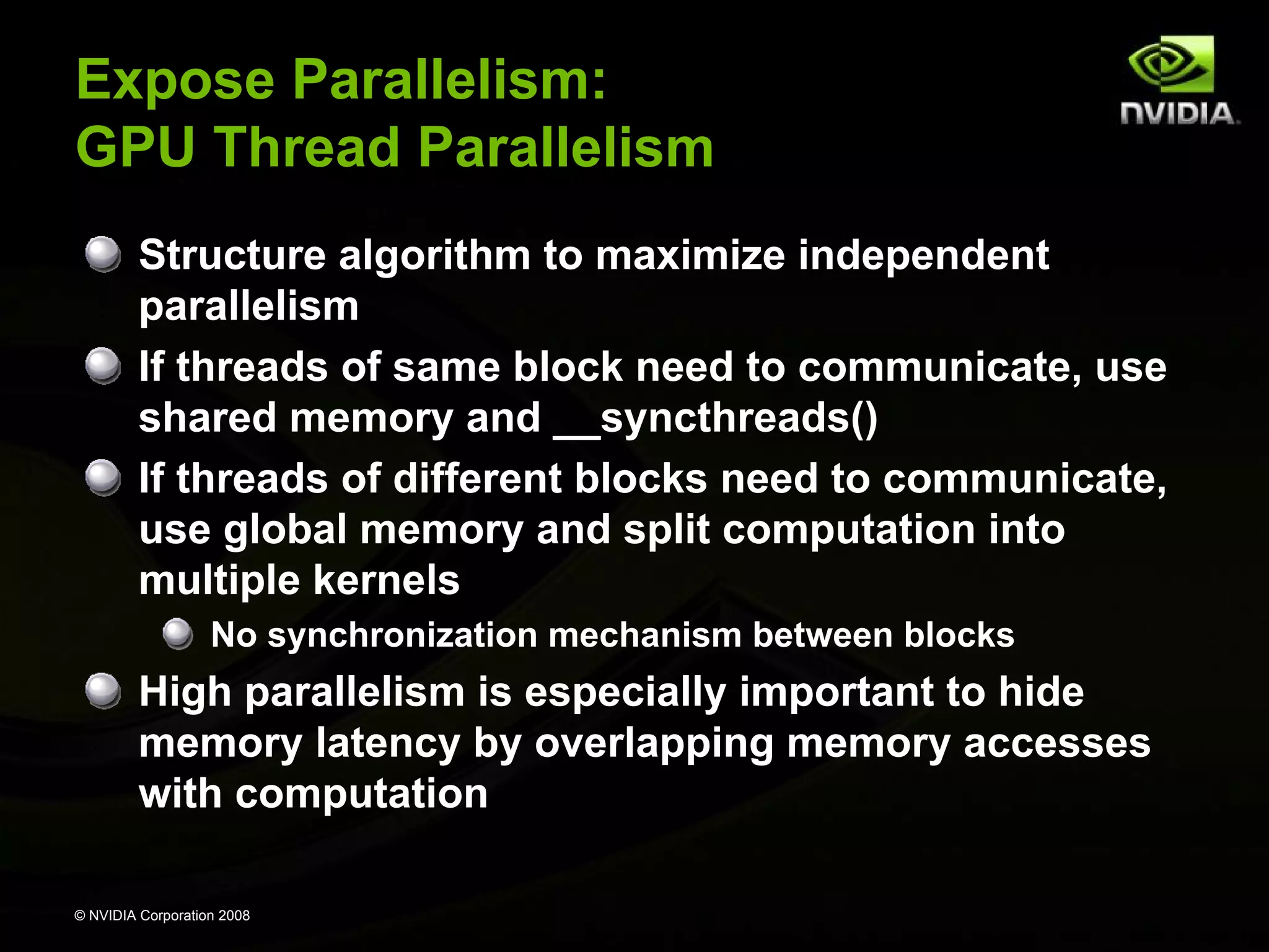
Expose Parallelism:
GPU Thread Parallelism
Structure algorithm to maximize independent
parallelism
If threads of same block need to communicate, use
shared memory and __syncthreads()
If threads of different blocks need to communicate,
use global memory and split computation into
multiple kernels
No synchronization mechanism between blocks

High parallelism is especially important to hide
memory latency by overlapping memory accesses
with computation
© NVIDIA Corporation 2008
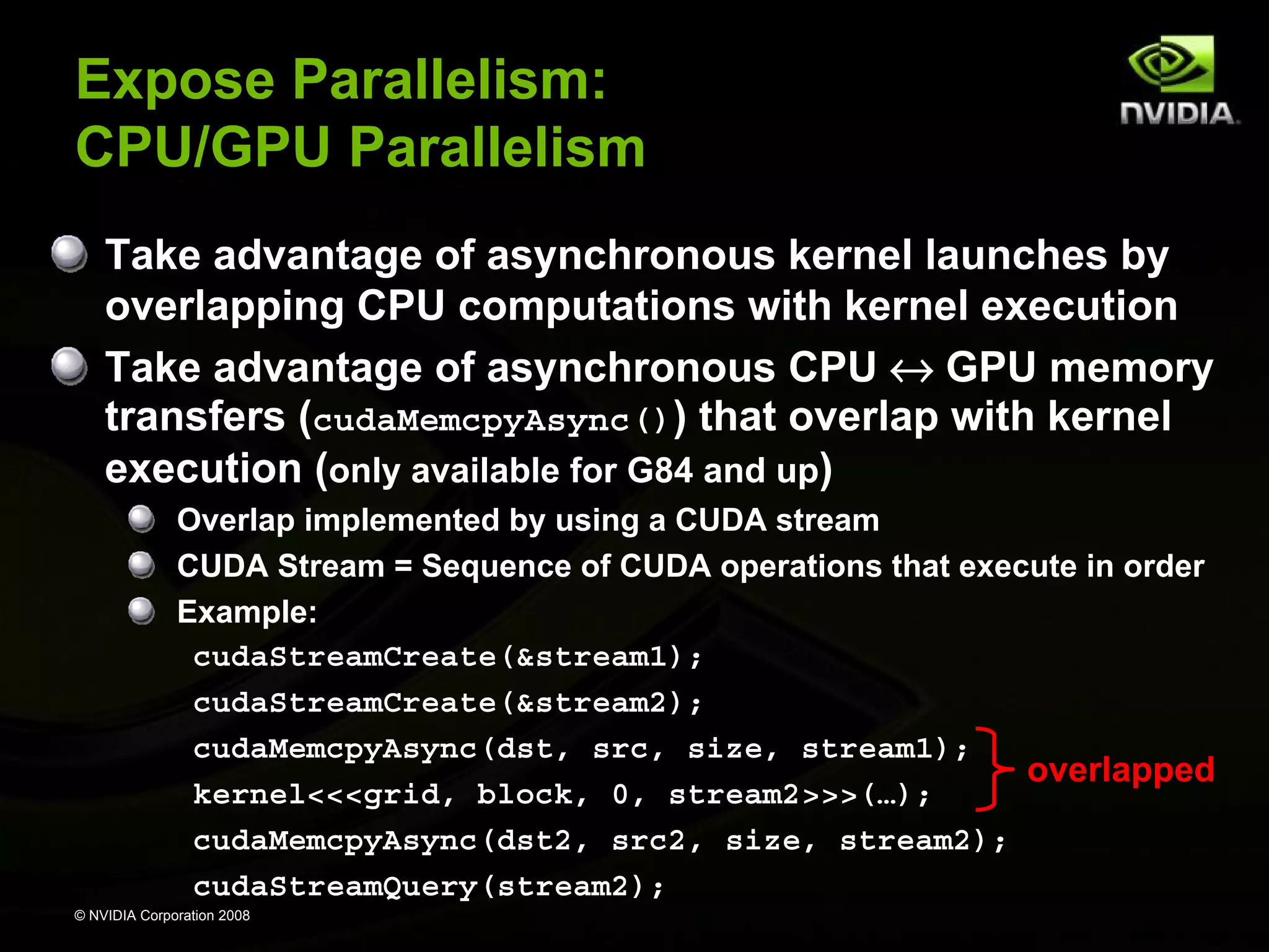
Expose Parallelism:
CPU/GPU Parallelism
Take advantage of asynchronous kernel launches by
overlapping CPU computations with kernel execution
Take advantage of asynchronous CPU ↔ GPU memory
transfers (cudaMemcpyAsync()) that overlap with kernel
execution (only available for G84 and up)
Overlap implemented by using a CUDA stream
CUDA Stream = Sequence of CUDA operations that execute in order
Example:
cudaStreamCreate(&stream1);
cudaStreamCreate(&stream2);
cudaMemcpyAsync(dst, src, size, stream1);
overlapped
kernel<<<grid, block, 0, stream2>>>(…);
cudaMemcpyAsync(dst2, src2, size, stream2);
cudaStreamQuery(stream2);
© NVIDIA Corporation 2008
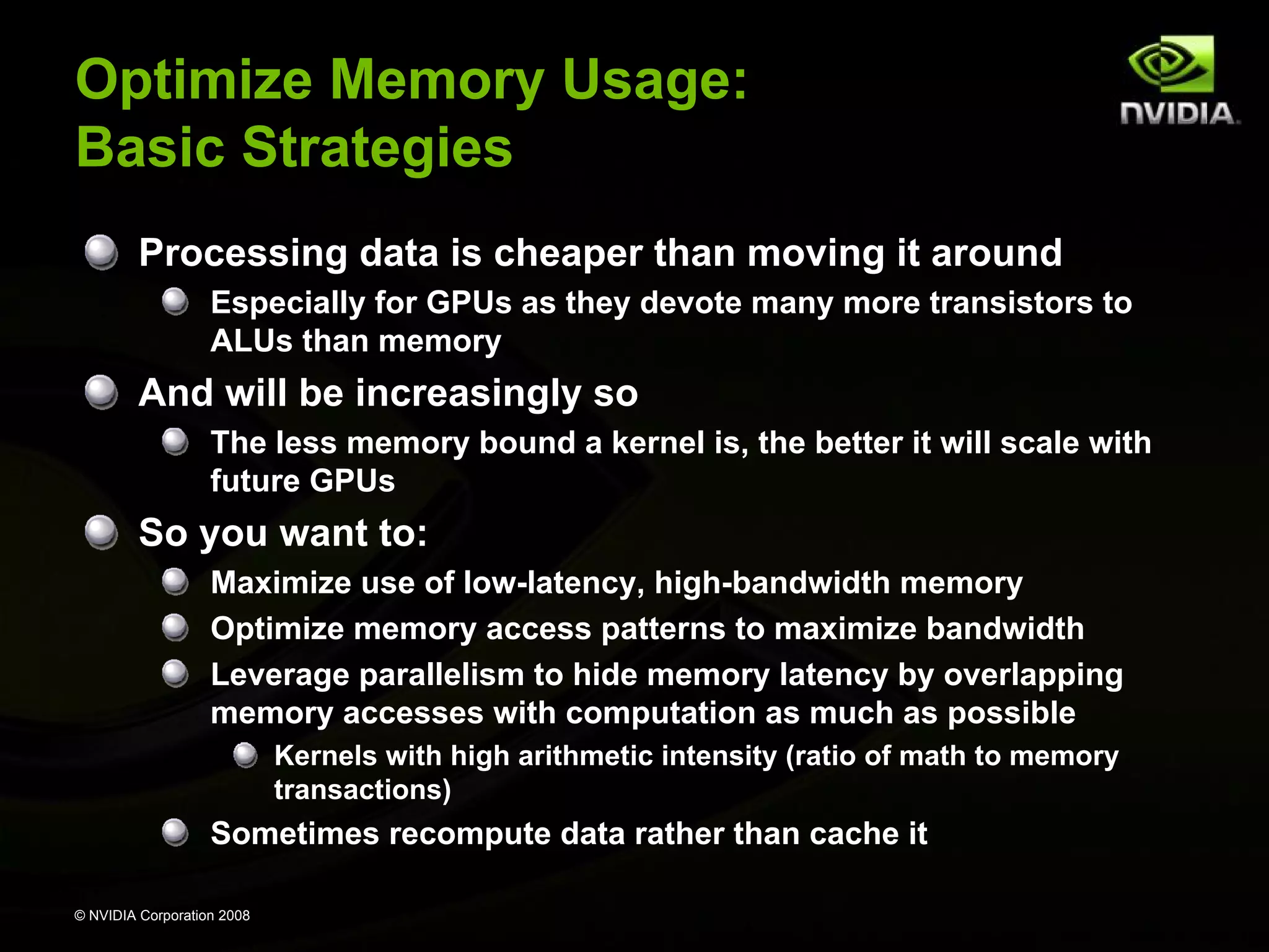
Optimize Memory Usage:
Basic Strategies
Processing data is cheaper than moving it around
Especially for GPUs as they devote many more transistors to
ALUs than memory

And will be increasingly so
The less memory bound a kernel is, the better it will scale with
future GPUs

So you want to:
Maximize use of low-latency, high-bandwidth memory
Optimize memory access patterns to maximize bandwidth
Leverage parallelism to hide memory latency by overlapping
memory accesses with computation as much as possible
Kernels with high arithmetic intensity (ratio of math to memory
transactions)

Sometimes recompute data rather than cache it
© NVIDIA Corporation 2008
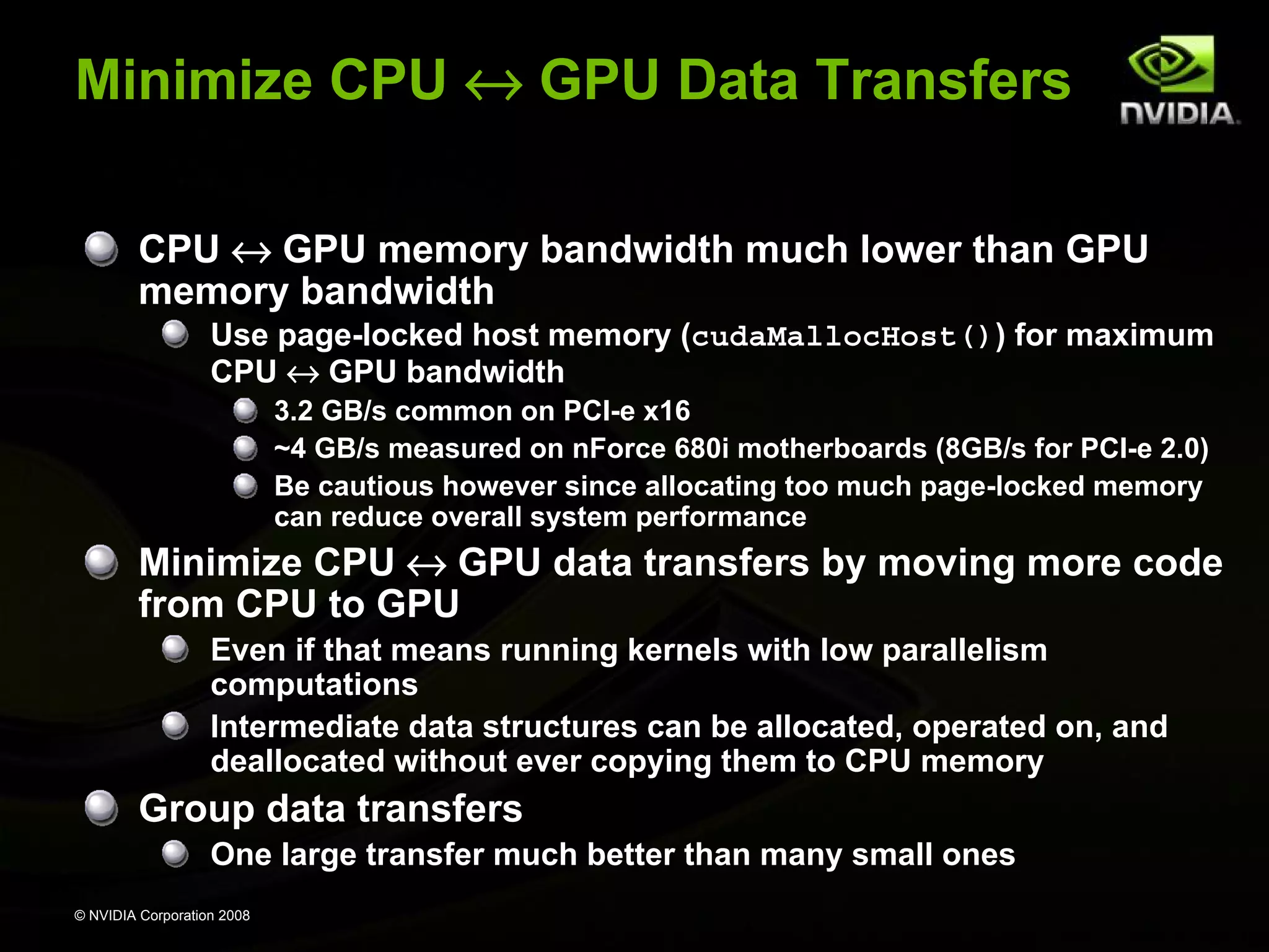
Minimize CPU ↔ GPU Data Transfers
CPU ↔ GPU memory bandwidth much lower than GPU
memory bandwidth
Use page-locked host memory (cudaMallocHost()) for maximum
CPU ↔ GPU bandwidth
3.2 GB/s common on PCI-e x16
~4 GB/s measured on nForce 680i motherboards (8GB/s for PCI-e 2.0)
Be cautious however since allocating too much page-locked memory
can reduce overall system performance

Minimize CPU ↔ GPU data transfers by moving more code
from CPU to GPU
Even if that means running kernels with low parallelism
computations
Intermediate data structures can be allocated, operated on, and
deallocated without ever copying them to CPU memory

Group data transfers
One large transfer much better than many small ones
© NVIDIA Corporation 2008
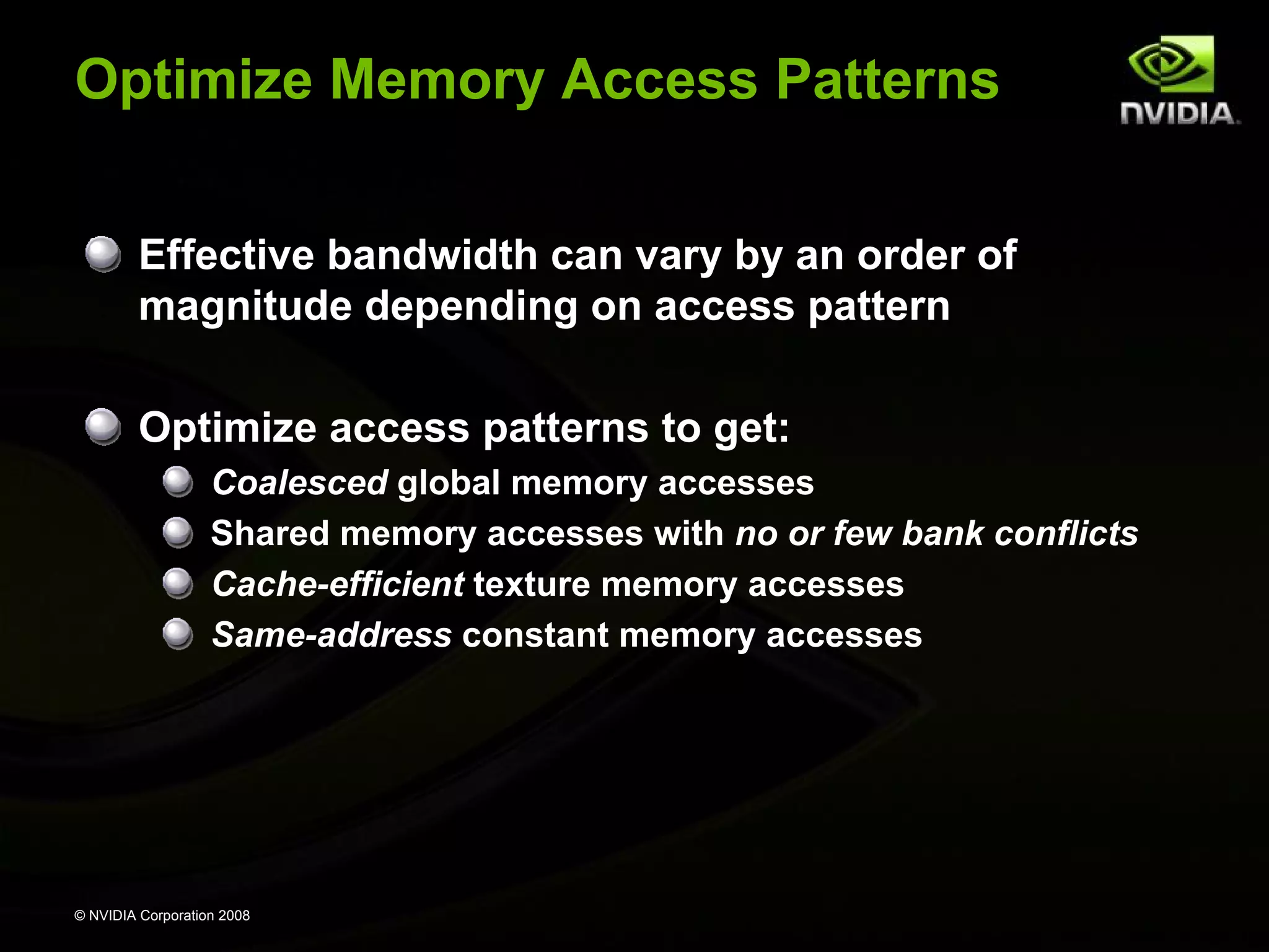
Optimize Memory Access Patterns
Effective bandwidth can vary by an order of
magnitude depending on access pattern
Optimize access patterns to get:
Coalesced global memory accesses
Shared memory accesses with no or few bank conflicts
Cache-efficient texture memory accesses
Same-address constant memory accesses

© NVIDIA Corporation 2008
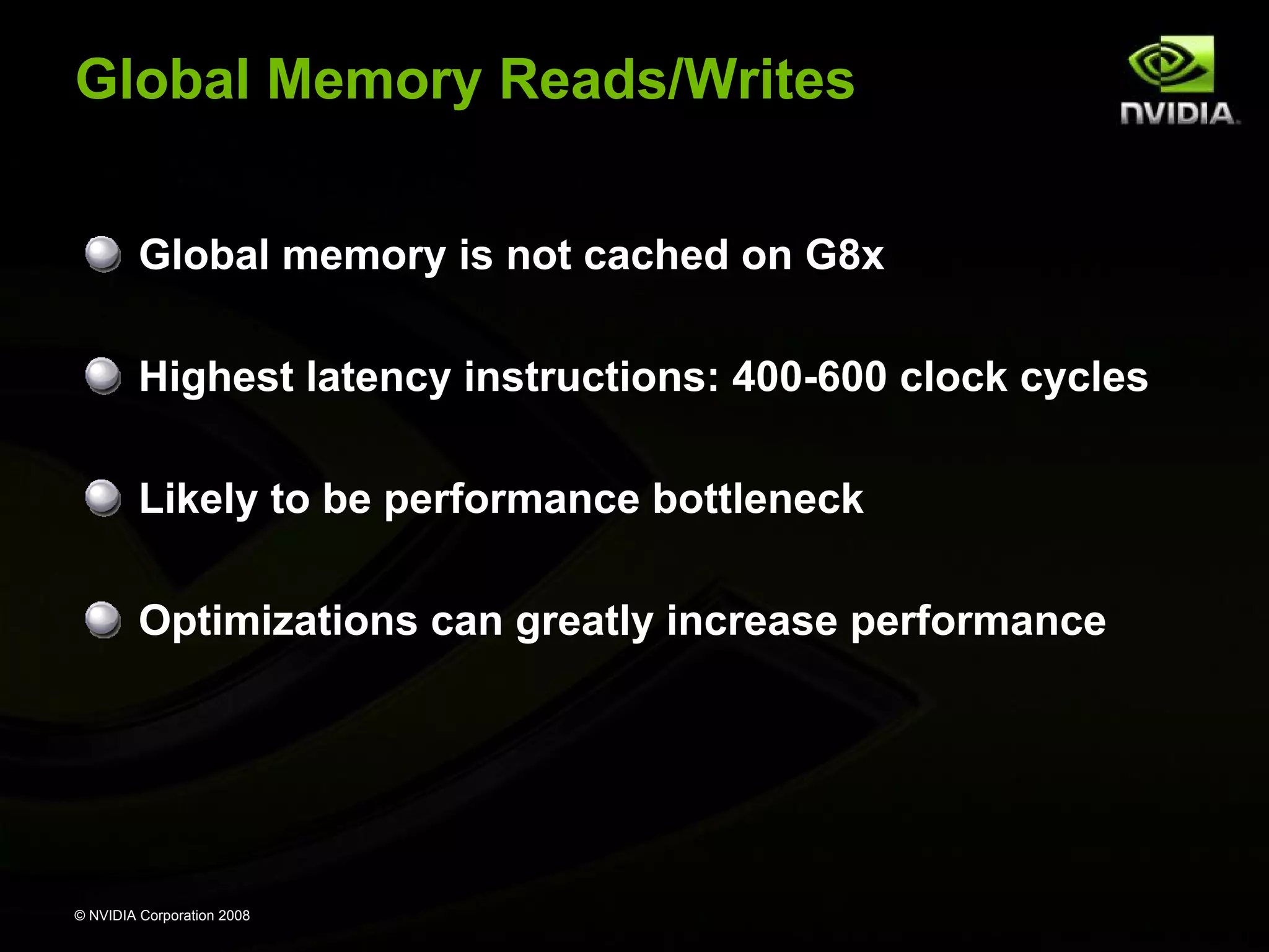
Global Memory Reads/Writes
Global memory is not cached on G8x
Highest latency instructions: 400-600 clock cycles
Likely to be performance bottleneck
Optimizations can greatly increase performance

© NVIDIA Corporation 2008
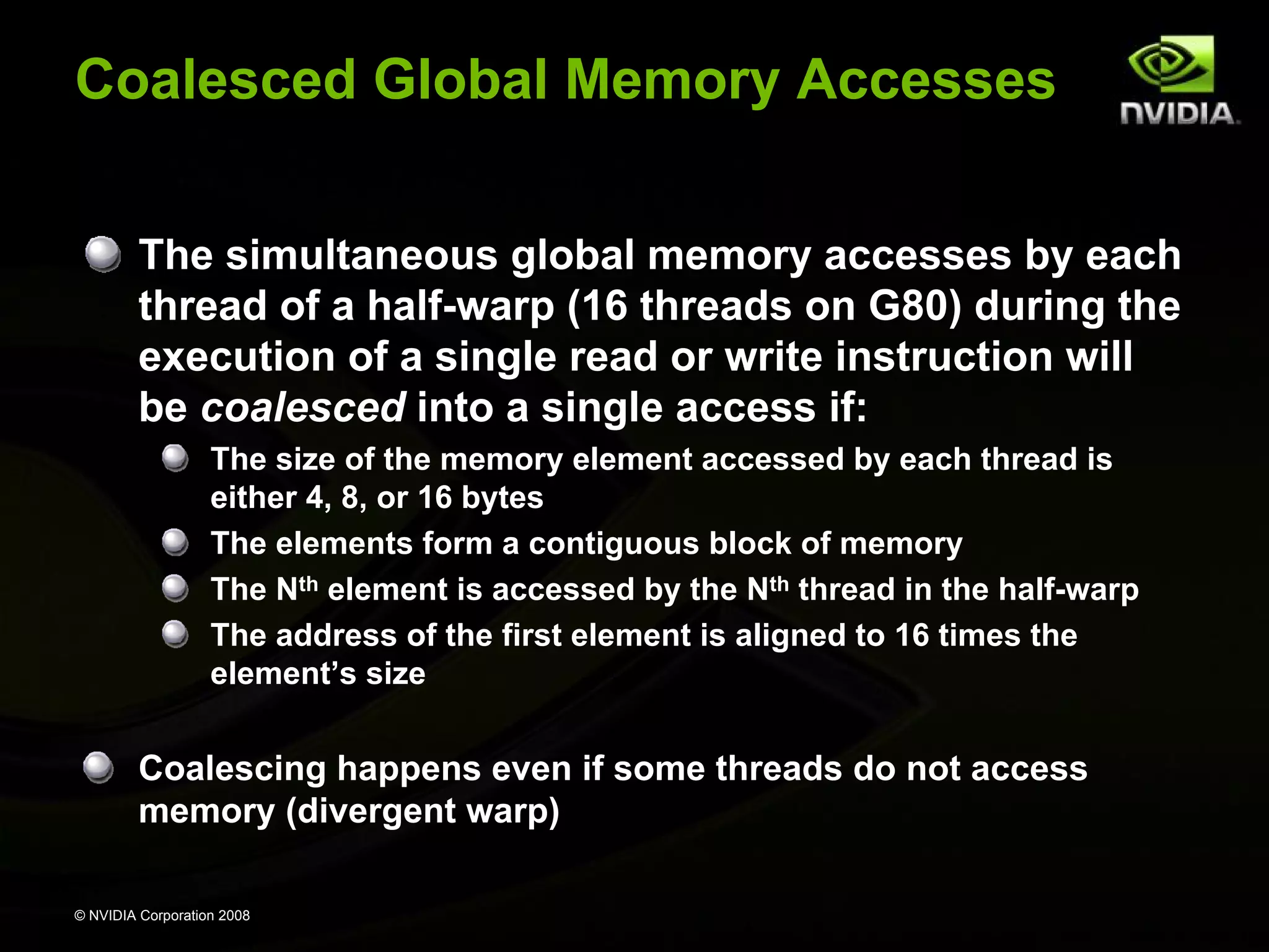
Coalesced Global Memory Accesses
The simultaneous global memory accesses by each
thread of a half-warp (16 threads on G80) during the
execution of a single read or write instruction will
be coalesced into a single access if:
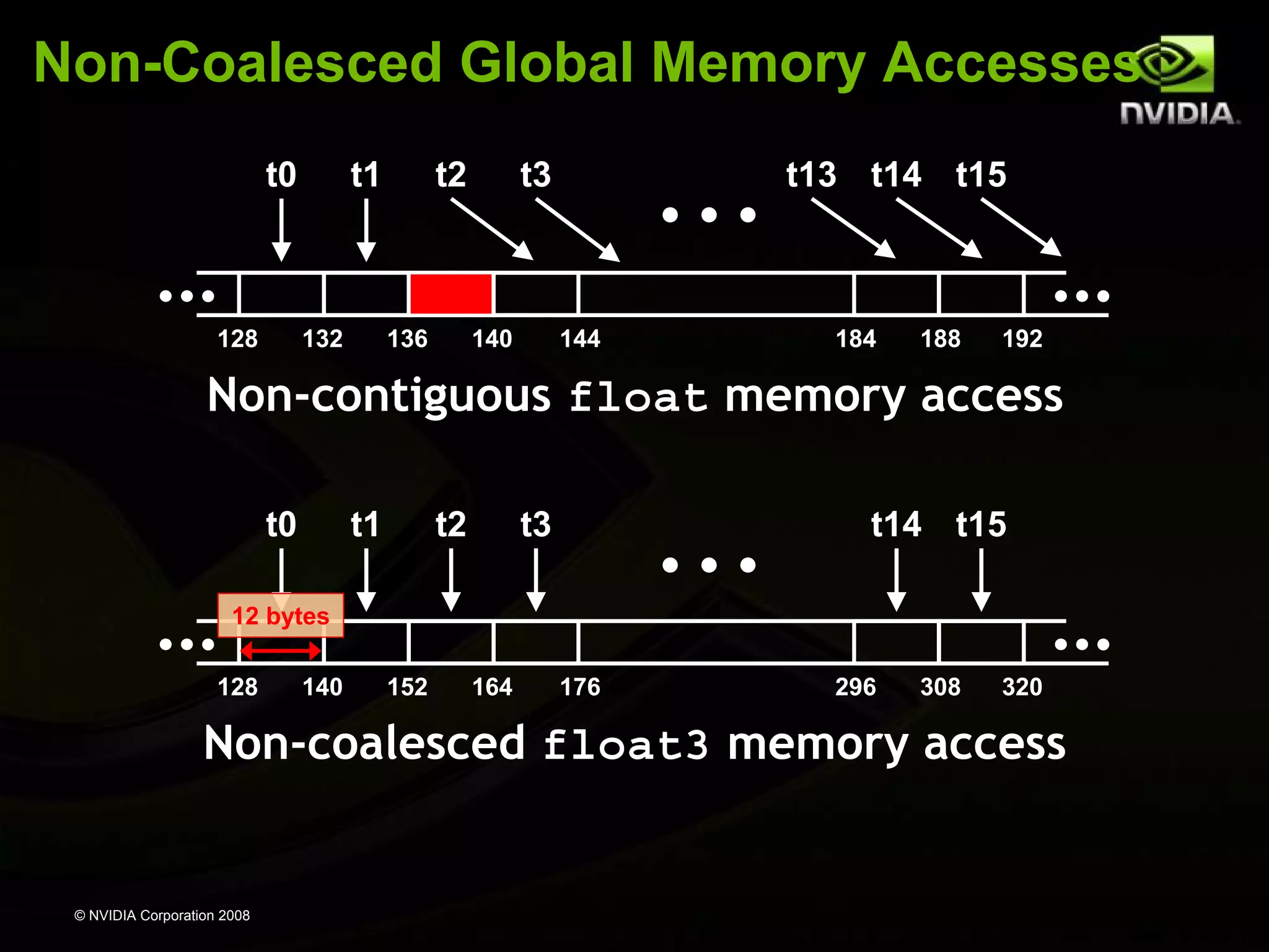
The size of the memory element accessed by each thread is
either 4, 8, or 16 bytes
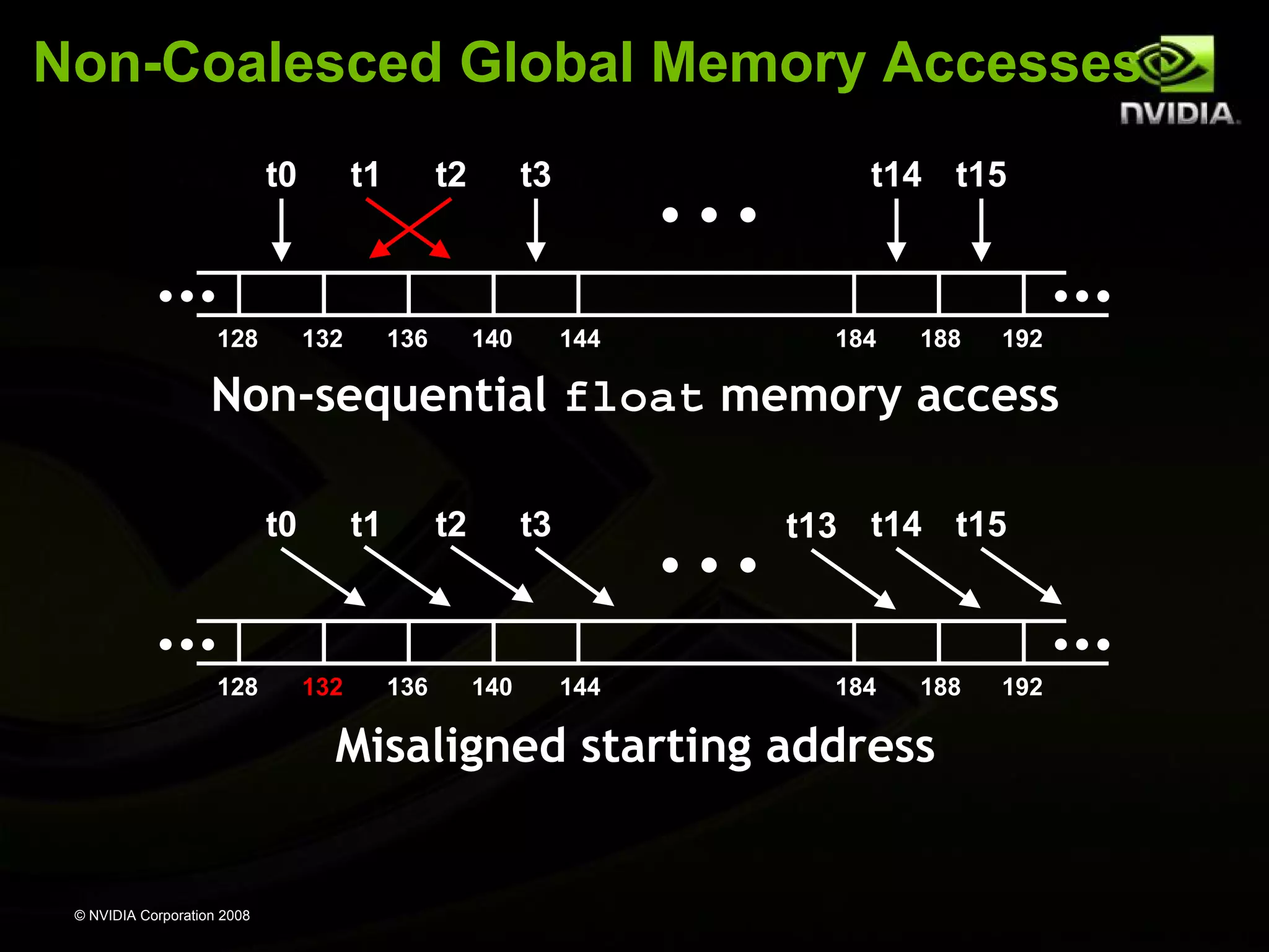
The elements form a contiguous block of memory
The Nth element is accessed by the Nth thread in the half-warp
The address of the first element is aligned to 16 times the
element’s size

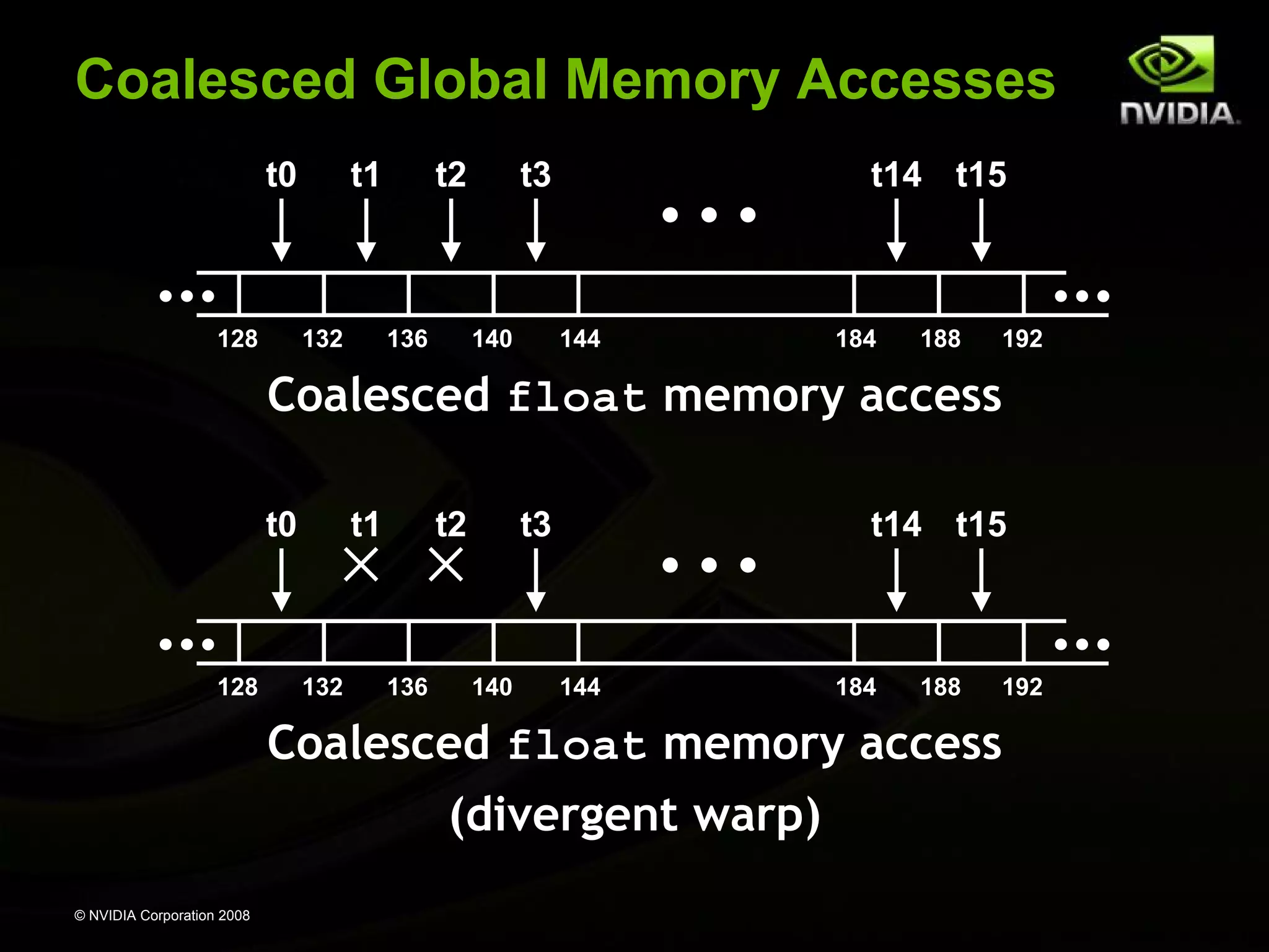
Coalescing happens even if some threads do not access
memory (divergent warp)
© NVIDIA Corporation 2008
Coalesced Global Memory Accesses
t0

128

t1

132

t2

136

t3

140

t14 t15

144

184

188

192

Coalesced float memory access
t0

128

t1

132

t2

136

t3

140

t14 t15

144

184

188

192

Coalesced float memory access
(divergent warp)
© NVIDIA Corporation 2008
Non-Coalesced Global Memory Accesses
t0

128

t1

132

t2

136

t3

140

t14 t15

144

184

188

192

Non-sequential float memory access
t0

128

t1

132

t2

136

t3

140

t13 t14 t15

144

184

188

Misaligned starting address

© NVIDIA Corporation 2008

192
Non-Coalesced Global Memory Accesses
t0

128

t1

132

t2

136

t3

140

t13 t14 t15

144

184

188

192

Non-contiguous float memory access
t0

t1

t2

t3

t14 t15

12 bytes
128

140

152

164

176

296

308

320

Non-coalesced float3 memory access

© NVIDIA Corporation 2008
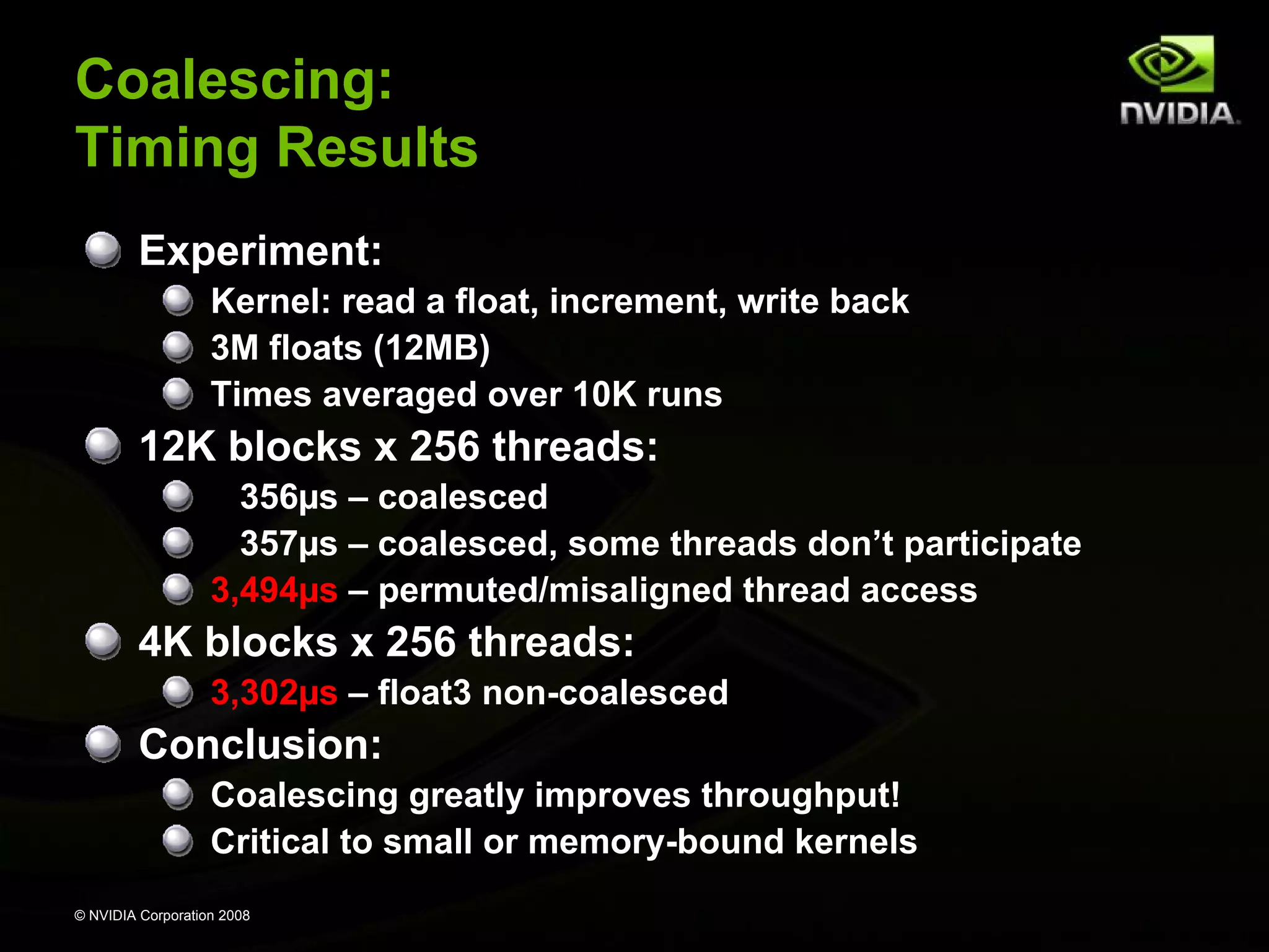
Coalescing:
Timing Results
Experiment:
Kernel: read a float, increment, write back
3M floats (12MB)
Times averaged over 10K runs

12K blocks x 256 threads:
356µs – coalesced
357µs – coalesced, some threads don’t participate
3,494µs – permuted/misaligned thread access

4K blocks x 256 threads:
3,302µs – float3 non-coalesced

Conclusion:
Coalescing greatly improves throughput!
Critical to small or memory-bound kernels
© NVIDIA Corporation 2008
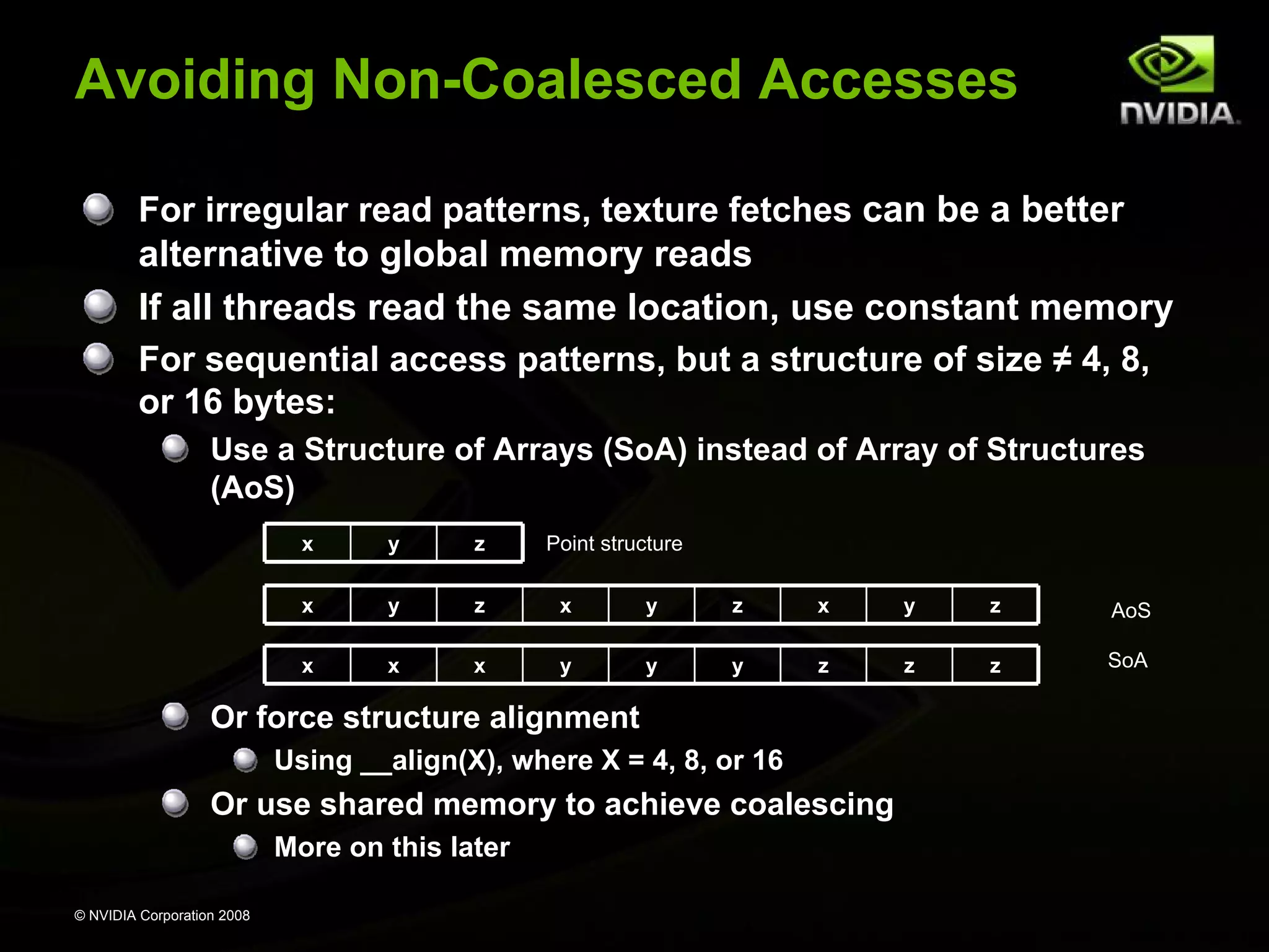
Avoiding Non-Coalesced Accesses
For irregular read patterns, texture fetches can be a better

alternative to global memory reads
If all threads read the same location, use constant memory
For sequential access patterns, but a structure of size ≠ 4, 8,
or 16 bytes:
Use a Structure of Arrays (SoA) instead of Array of Structures
(AoS)
x

y

z

x

y

z

x

y

z

x

y

z

AoS

x

x

x

y

y

y

z

z

z

SoA

Point structure

Or force structure alignment
Using __align(X), where X = 4, 8, or 16

Or use shared memory to achieve coalescing
More on this later
© NVIDIA Corporation 2008
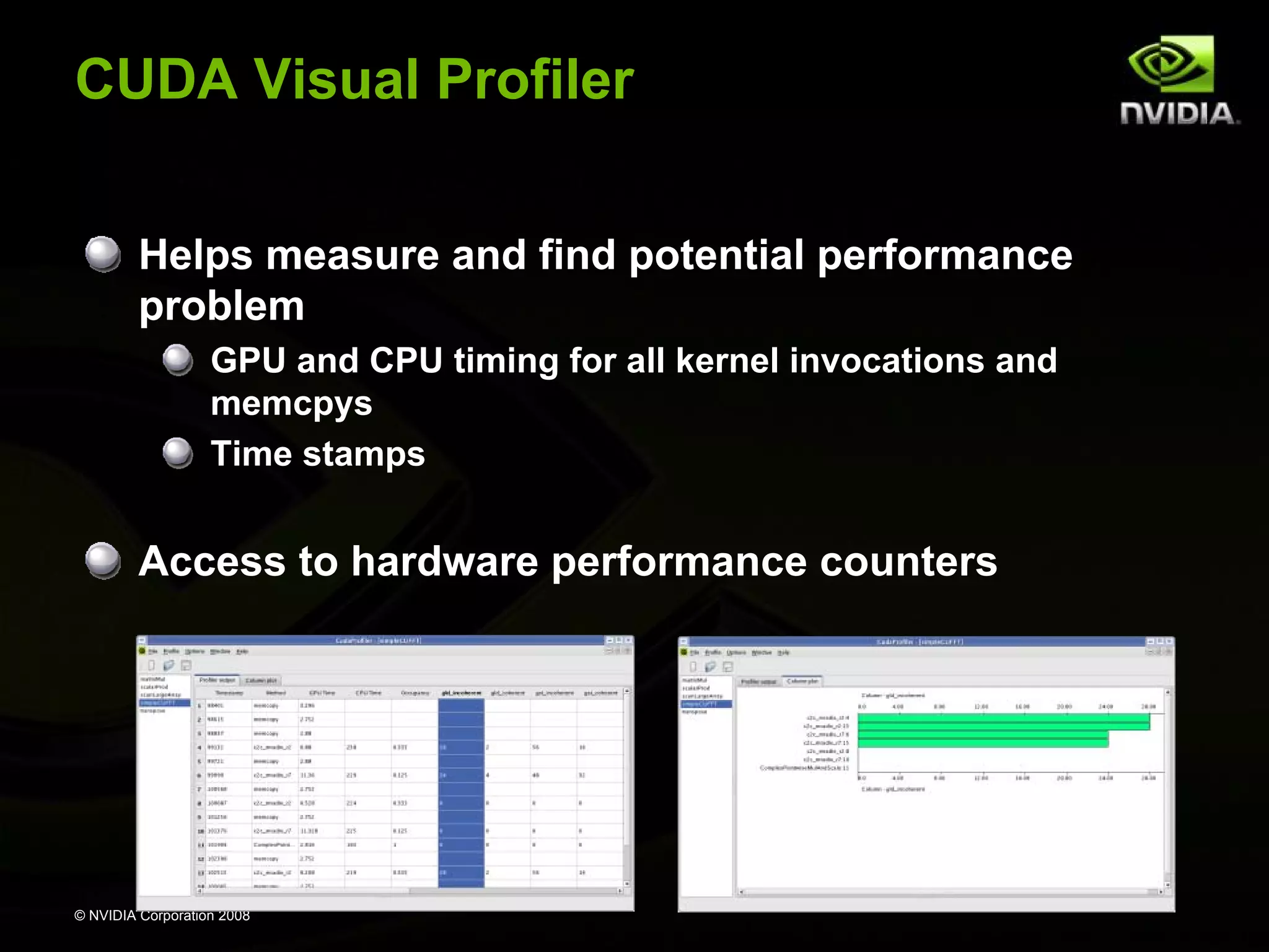
CUDA Visual Profiler
Helps measure and find potential performance
problem
GPU and CPU timing for all kernel invocations and
memcpys
Time stamps

Access to hardware performance counters

© NVIDIA Corporation 2008
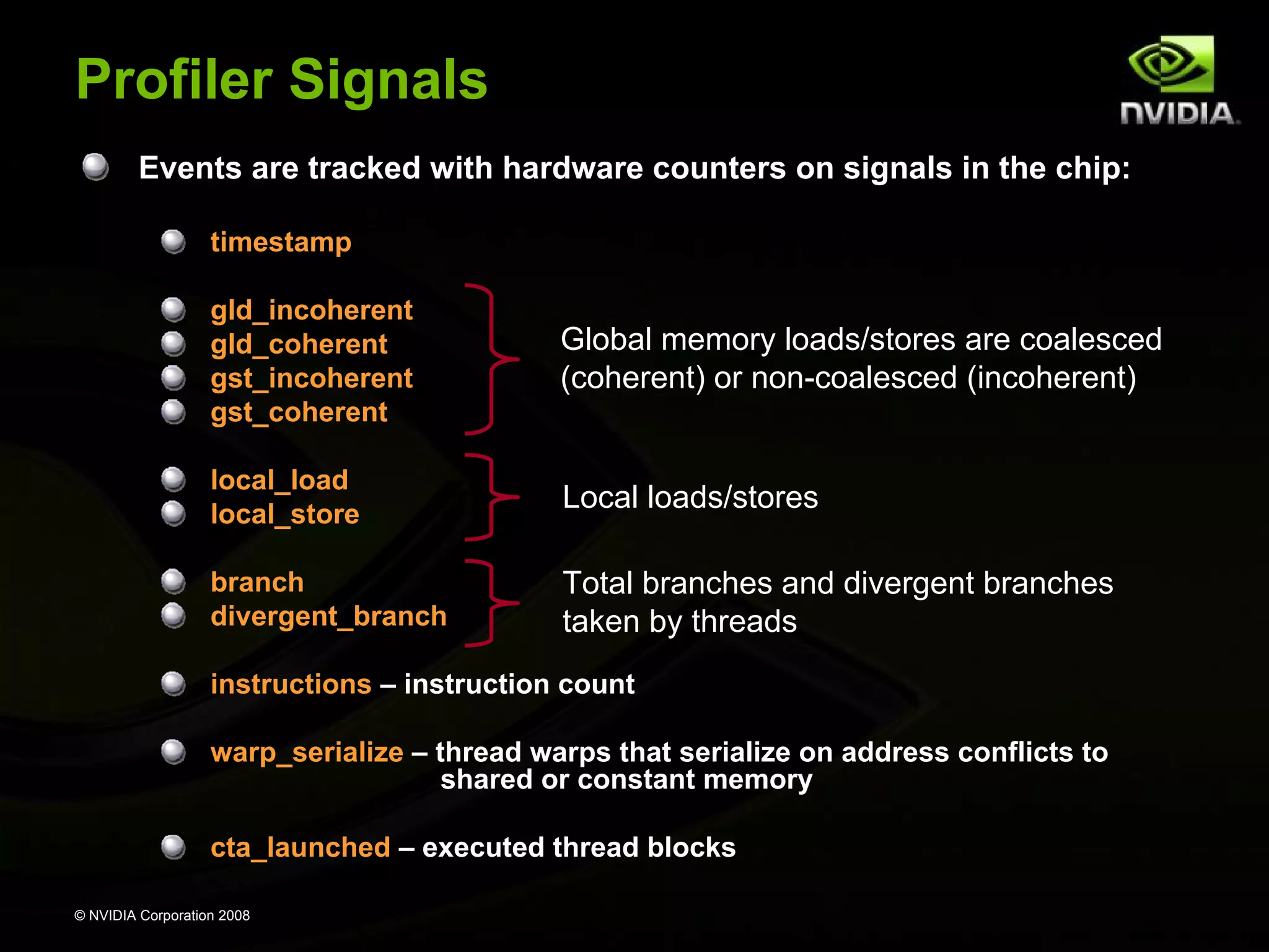
Profiler Signals
Events are tracked with hardware counters on signals in the chip:
timestamp
gld_incoherent
gld_coherent
gst_incoherent
gst_coherent

Global memory loads/stores are coalesced
(coherent) or non-coalesced (incoherent)

local_load
local_store

Local loads/stores

branch
divergent_branch

Total branches and divergent branches
taken by threads

instructions – instruction count
warp_serialize – thread warps that serialize on address conflicts to
shared or constant memory
cta_launched – executed thread blocks
© NVIDIA Corporation 2008
Interpreting profiler counters
Values represent events within a thread warp
Only targets one multiprocessor
Values will not correspond to the total number of warps
launched for a particular kernel.
Launch enough thread blocks to ensure that the target
multiprocessor is given a consistent percentage of the total
work.

Values are best used to identify relative performance
differences between unoptimized and optimized code
In other words, try to reduce the magnitudes of
gld/gst_incoherent, divergent_branch, and warp_serialize

© NVIDIA Corporation 2008
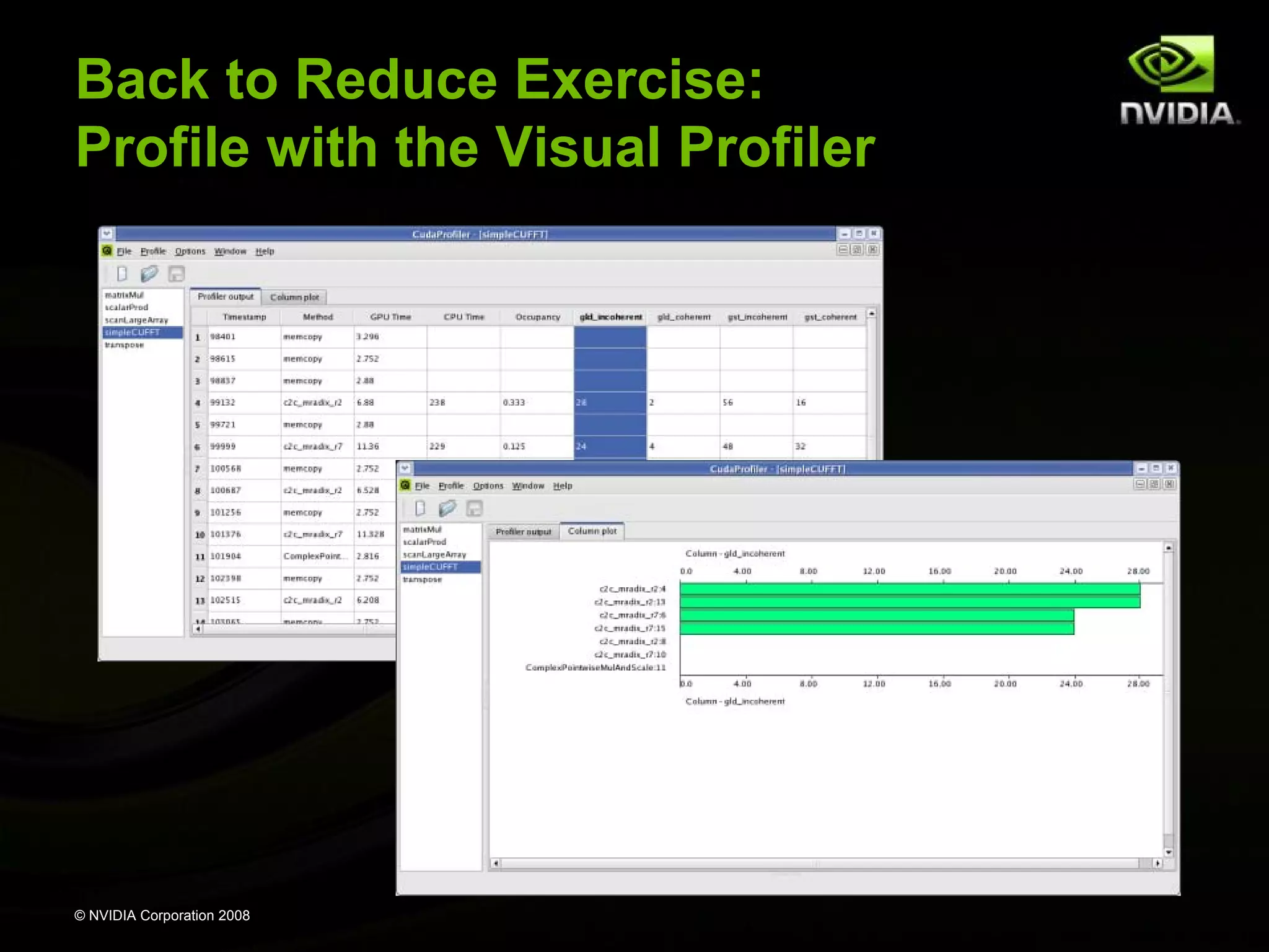
Back to Reduce Exercise:
Profile with the Visual Profiler

© NVIDIA Corporation 2008
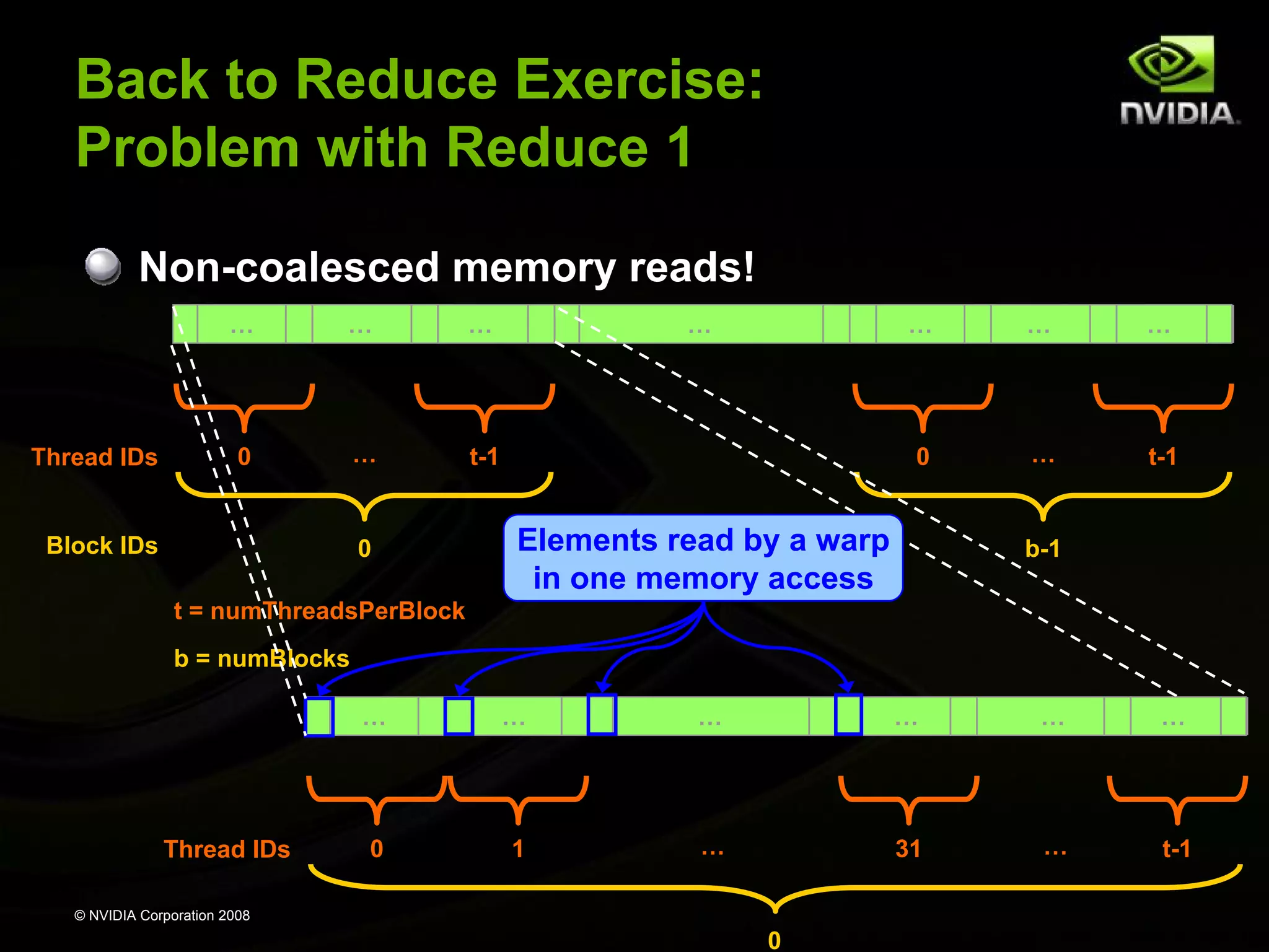
Back to Reduce Exercise:
Problem with Reduce 1
Non-coalesced memory reads!
…

Thread IDs

…

0

…

…

…

t-1

Block IDs

0

…

…

…

0

…

t-1

…
Elements read by a warp
in one memory access

b-1

t = numThreadsPerBlock
b = numBlocks
…

Thread IDs

…

…

…

…

…

0

1

…

31

…

t-1

© NVIDIA Corporation 2008

0
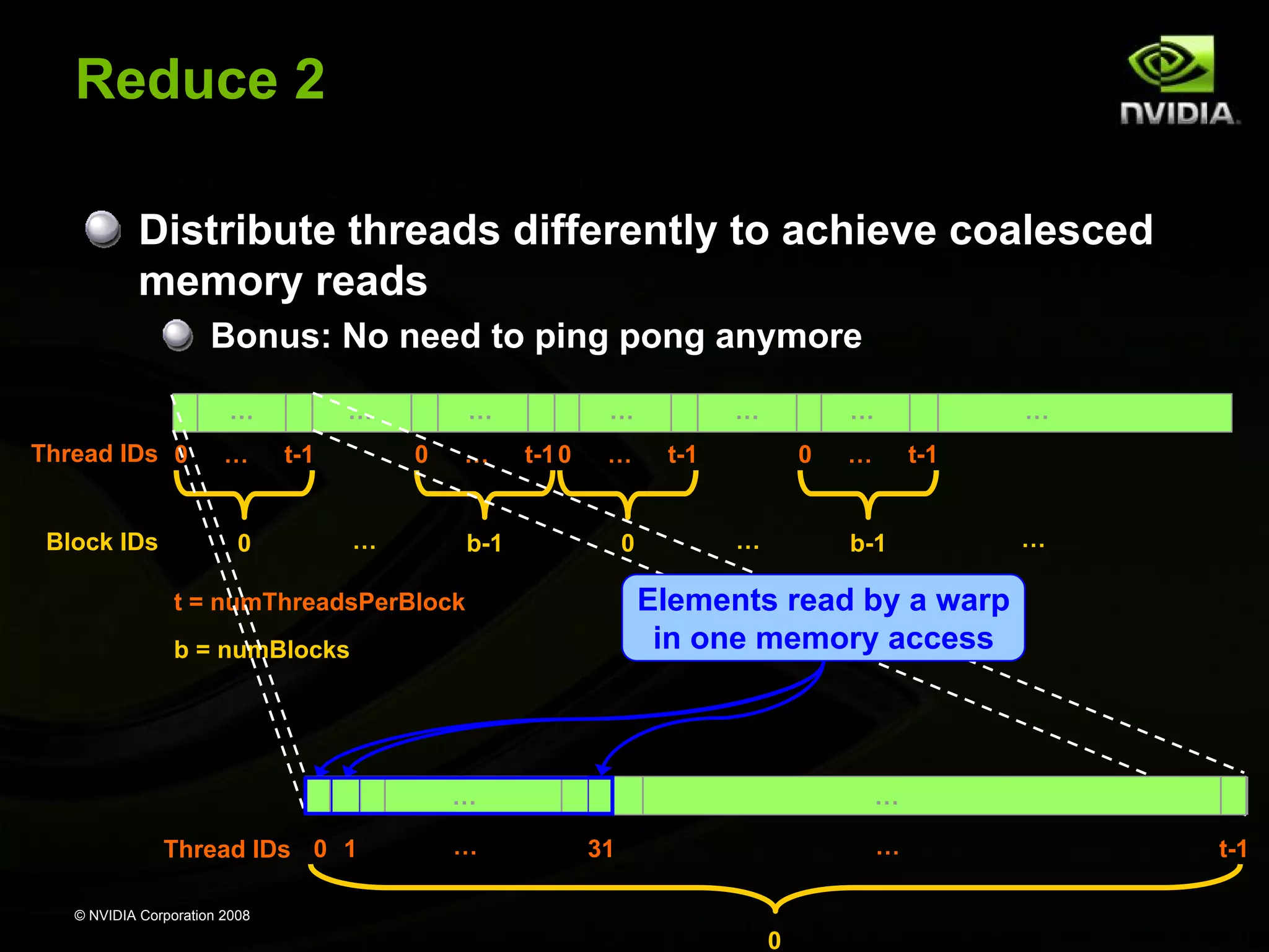
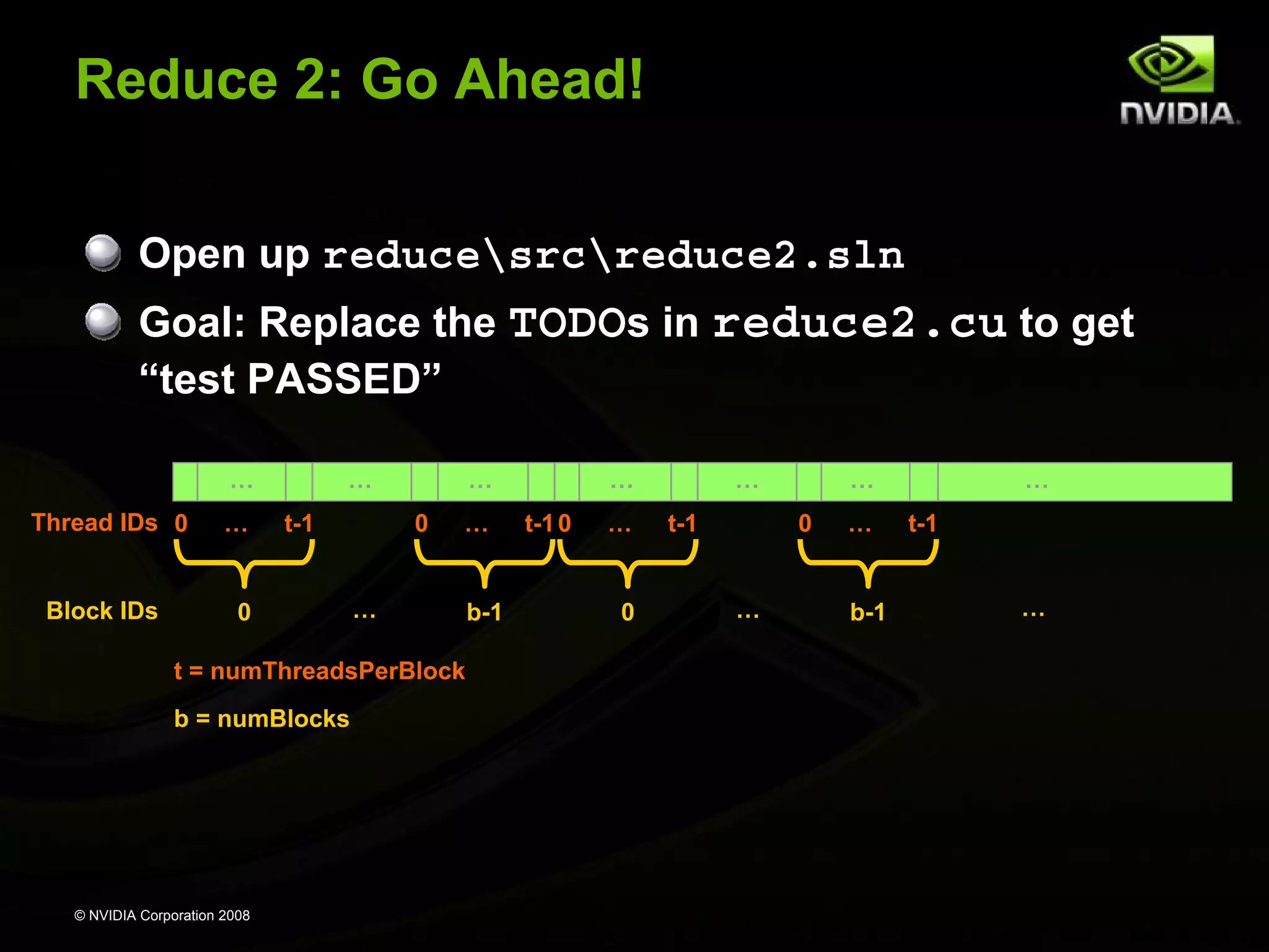
Reduce 2
Distribute threads differently to achieve coalesced
memory reads
Bonus: No need to ping pong anymore
…
Thread IDs 0
Block IDs

…

…
t-1

0

…
0

…

…

…
t-1 0

…

b-1

0

…

…

t-1

0
…

b = numBlocks

t-1

b-1

…

…

…
…

…

Elements read by a warp
in one memory access

t = numThreadsPerBlock

Thread IDs 0 1

…

…

31

© NVIDIA Corporation 2008

0

t-1
Reduce 2: Go Ahead!
Open up reducesrcreduce2.sln
Goal: Replace the TODOs in reduce2.cu to get
“test PASSED”
…
Thread IDs 0
Block IDs

…

…
t-1

0

…
0

…

…

t = numThreadsPerBlock
b = numBlocks

© NVIDIA Corporation 2008

b-1

…
t-1 0

…
0

…
t-1

…
0

…

…
b-1

…
t-1
…
Maximize Use of Shared Memory
Shared memory is hundreds of times faster than global
memory
Threads can cooperate via shared memory
Not so via global memory

A common way of scheduling some computation on the
device is to block it up to take advantage of shared memory:
Partition the data set into data subsets that fit into shared
memory
Handle each data subset with one thread block:
Load the subset from global memory to shared memory
__syncthreads()
Perform the computation on the subset from shared memory

– each thread can efficiently multi-pass over any data element
__syncthreads() (if needed)
Copy results from shared memory to global memory
© NVIDIA Corporation 2008
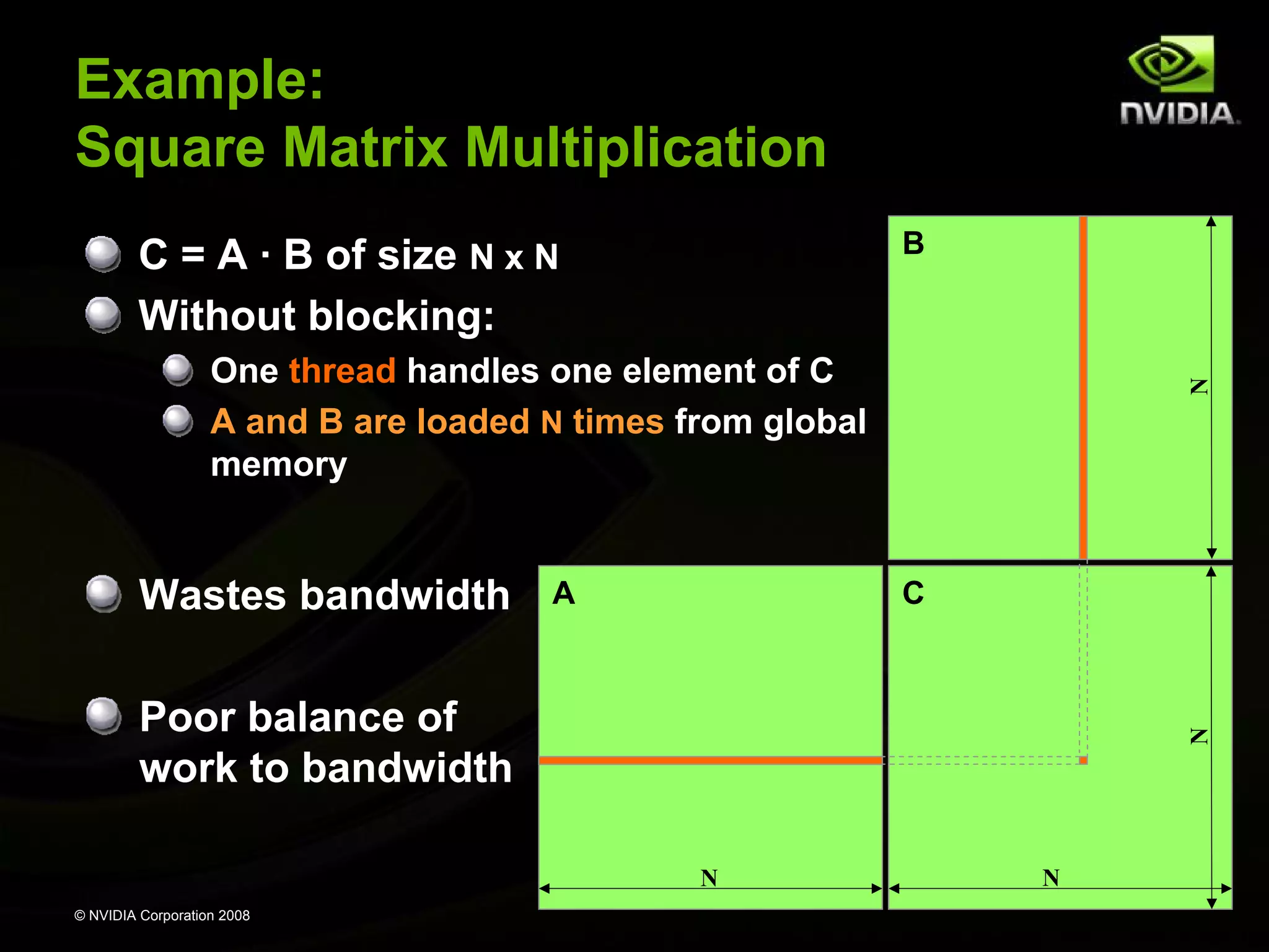
Example:
Square Matrix Multiplication
B

C = A · B of size N x N
Without blocking:

Wastes bandwidth

A

N

One thread handles one element of C
A and B are loaded N times from global
memory

C

N

Poor balance of
work to bandwidth
N
© NVIDIA Corporation 2008

N
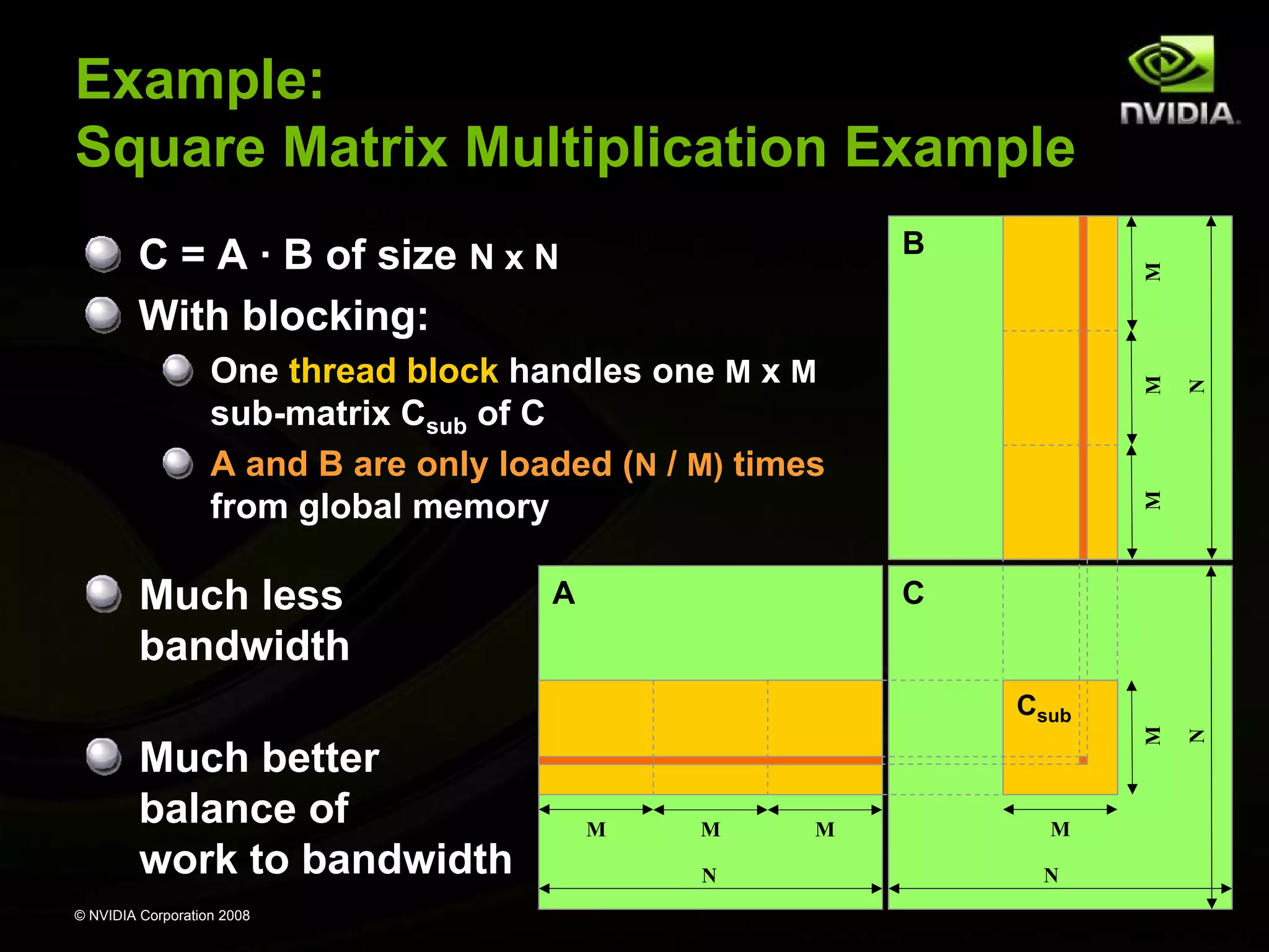
Example:
Square Matrix Multiplication Example
B

M

C
Csub

Much better
balance of
work to bandwidth
© NVIDIA Corporation 2008

M

M
N

M

M
N

N

A

M

Much less
bandwidth

M

One thread block handles one M x M
sub-matrix Csub of C
A and B are only loaded (N / M) times
from global memory

N

M

C = A · B of size N x N
With blocking:
Example: Avoiding Non-Coalesced
float3 Memory Accesses

__global__ void accessFloat3(float3 *d_in, float3 d_out)
{
int index = blockIdx.x * blockDim.x + threadIdx.x;
float3 a = d_in[index];
a.x += 2;
a.y += 2;
a.z += 2;
d_out[index] = a;
}

© NVIDIA Corporation 2008
Example: Avoiding Non-Coalesced
float3 Memory Accesses
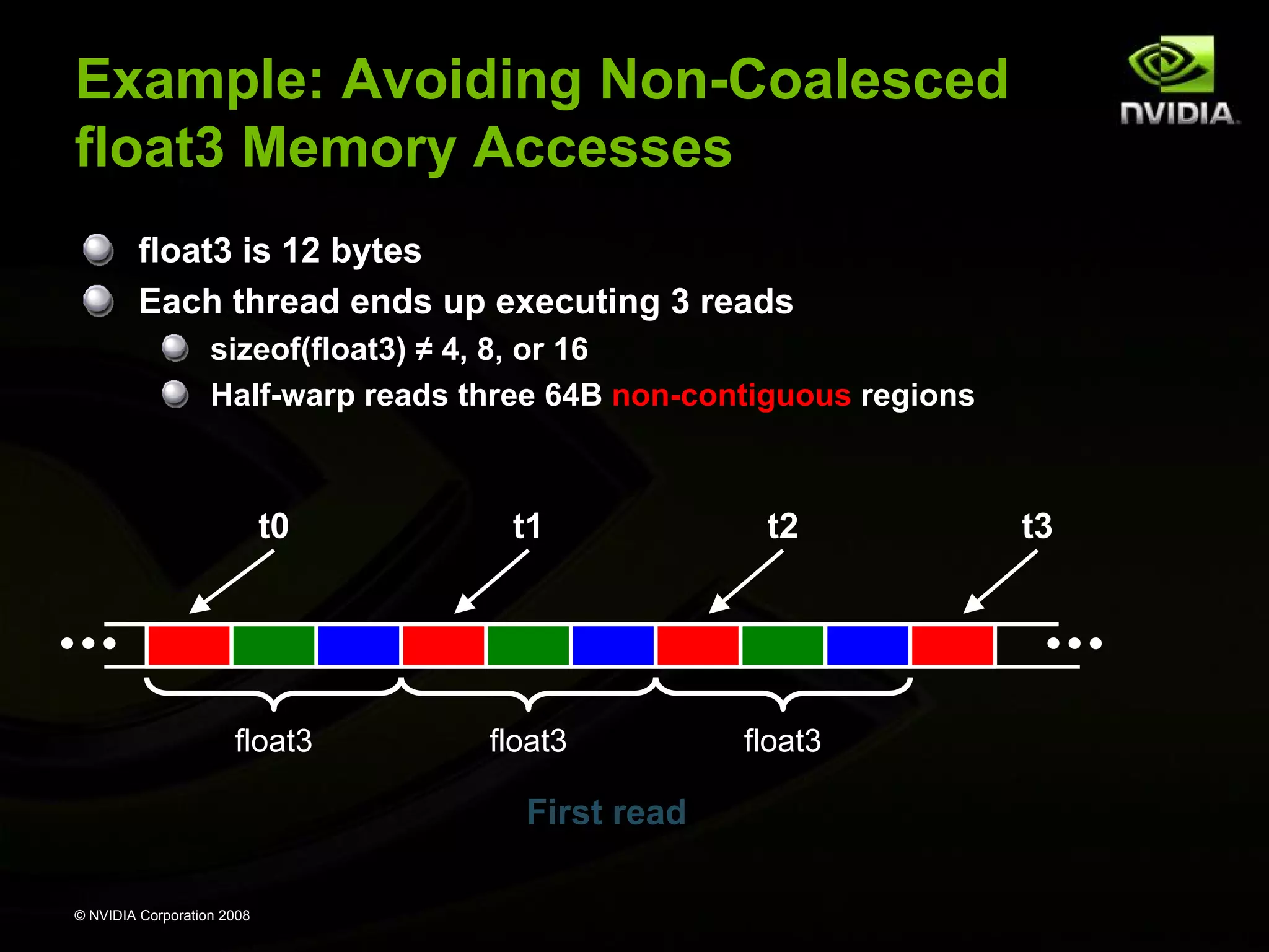
float3 is 12 bytes
Each thread ends up executing 3 reads
sizeof(float3) ≠ 4, 8, or 16
Half-warp reads three 64B non-contiguous regions

t0

t1

t2

float3

float3

float3

First read
© NVIDIA Corporation 2008

t3
Example: Avoiding Non-Coalesced
float3 Memory Accesses
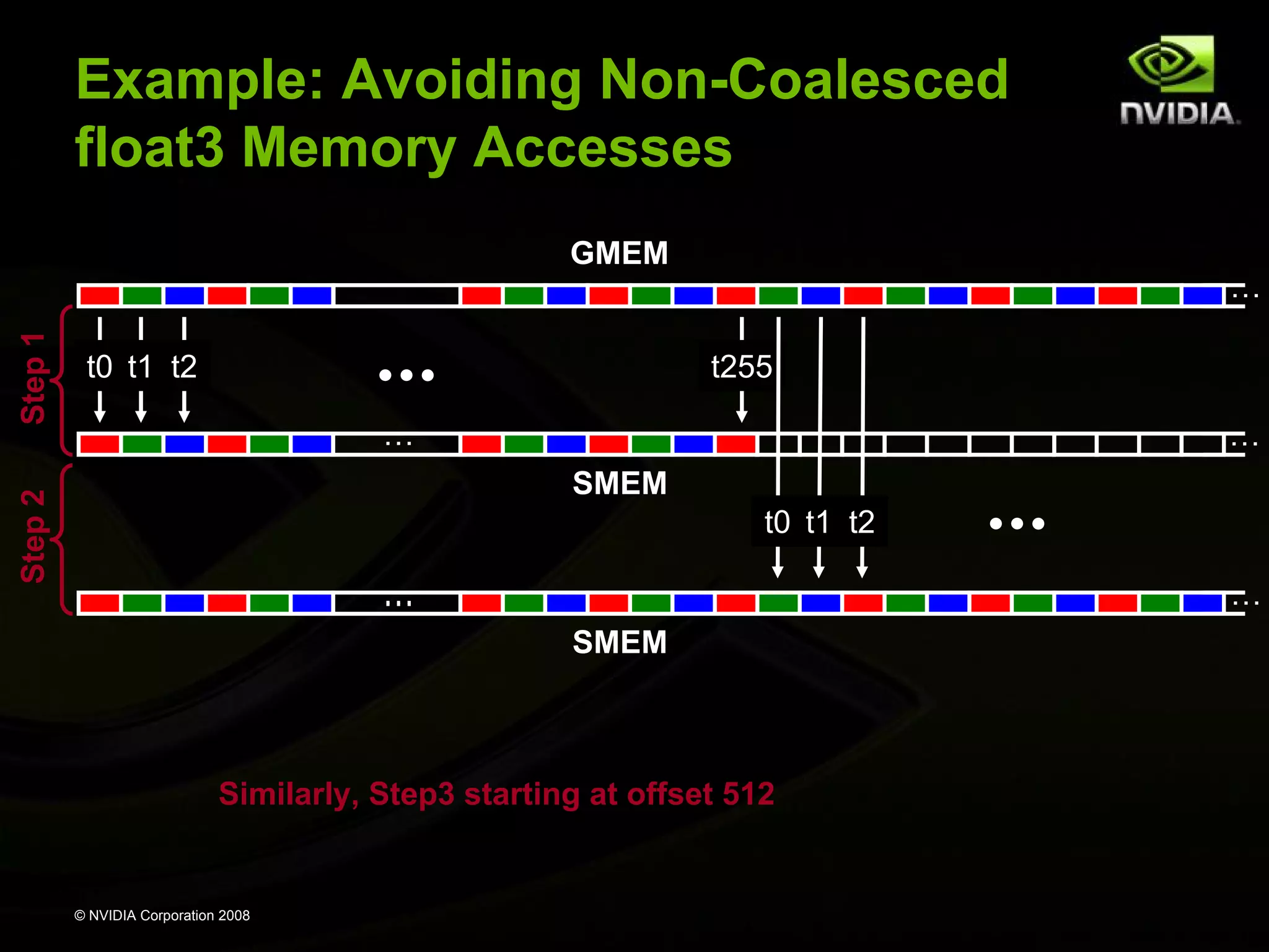
GMEM

t0 t1 t2

t255
…

…
SMEM

Step 2

Step 1

…

t0 t1 t2
…

…
SMEM

Similarly, Step3 starting at offset 512

© NVIDIA Corporation 2008
Example: Avoiding Non-Coalesced
float3 Memory Accesses
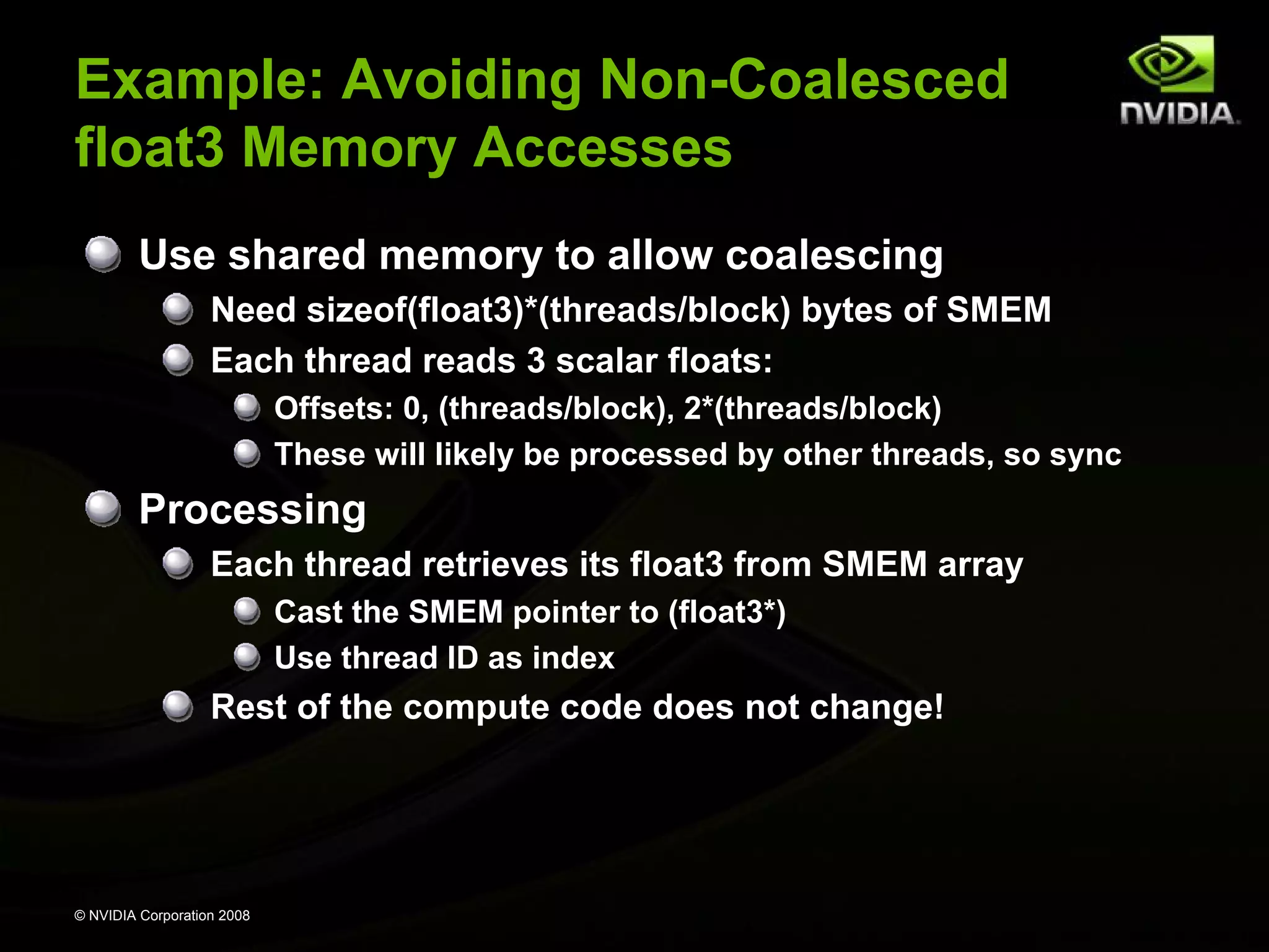
Use shared memory to allow coalescing
Need sizeof(float3)*(threads/block) bytes of SMEM
Each thread reads 3 scalar floats:
Offsets: 0, (threads/block), 2*(threads/block)
These will likely be processed by other threads, so sync

Processing
Each thread retrieves its float3 from SMEM array
Cast the SMEM pointer to (float3*)
Use thread ID as index

Rest of the compute code does not change!

© NVIDIA Corporation 2008
Example: Avoiding Non-Coalesced
float3 Memory void accessInt3Shared(float *g_in, float *g_out)
Accesses
__global__
{

Read the input
through SMEM

int index = blockIdx.x * blockDim.x + threadIdx.x;
__shared__ float s_data[256*3];
s_data[threadIdx.x]
= g_in[index];
s_data[threadIdx.x+256] = g_in[index+256];
s_data[threadIdx.x+512] = g_in[index+512];
__syncthreads();
float3 a = ((float3*)s_data)[threadIdx.x];

Compute code
is not changed

a.x += 2;
a.y += 2;
a.z += 2;

Write the result
through SMEM

((float3*)s_data)[threadIdx.x] = a;
__syncthreads();
g_out[index]
= s_data[threadIdx.x];
g_out[index+256] = s_data[threadIdx.x+256];
g_out[index+512] = s_data[threadIdx.x+512];

© NVIDIA Corporation 2008

}
Example: Avoiding Non-Coalesced
float3 Memory Accesses
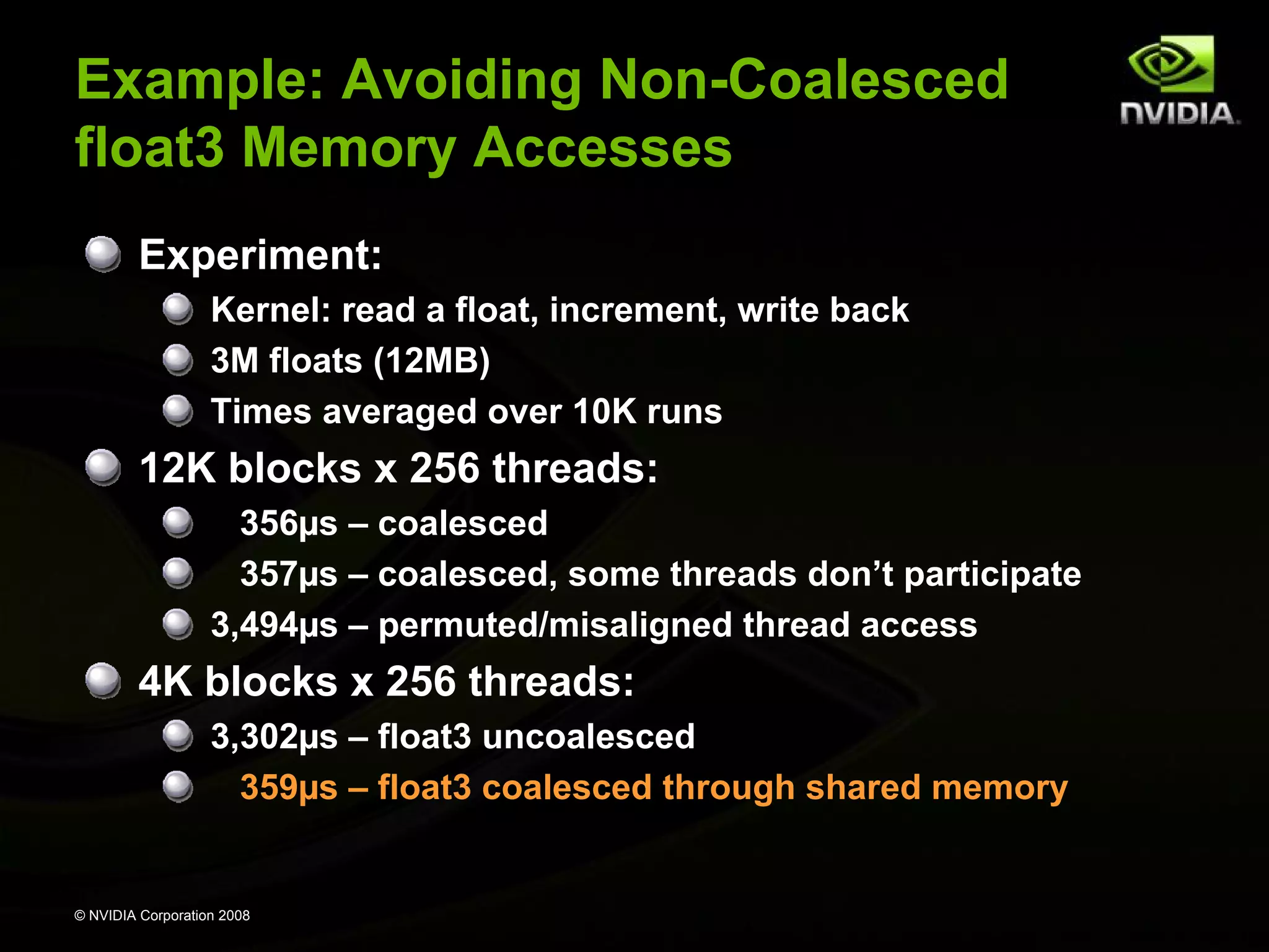
Experiment:
Kernel: read a float, increment, write back
3M floats (12MB)
Times averaged over 10K runs

12K blocks x 256 threads:
356µs – coalesced
357µs – coalesced, some threads don’t participate
3,494µs – permuted/misaligned thread access

4K blocks x 256 threads:
3,302µs – float3 uncoalesced
359µs – float3 coalesced through shared memory

© NVIDIA Corporation 2008
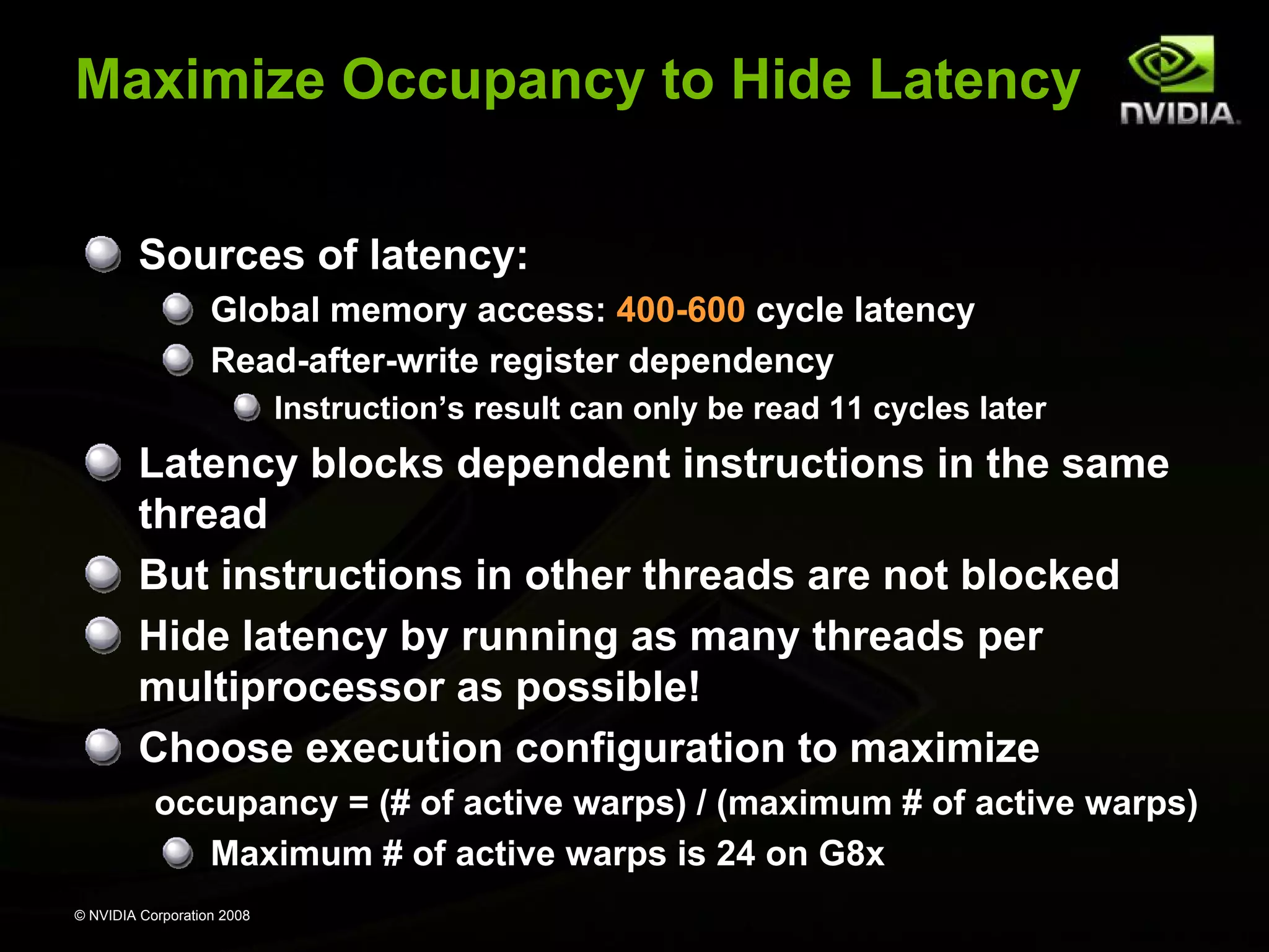
Maximize Occupancy to Hide Latency
Sources of latency:
Global memory access: 400-600 cycle latency
Read-after-write register dependency
Instruction’s result can only be read 11 cycles later

Latency blocks dependent instructions in the same
thread
But instructions in other threads are not blocked
Hide latency by running as many threads per
multiprocessor as possible!
Choose execution configuration to maximize
occupancy = (# of active warps) / (maximum # of active warps)
Maximum # of active warps is 24 on G8x
© NVIDIA Corporation 2008
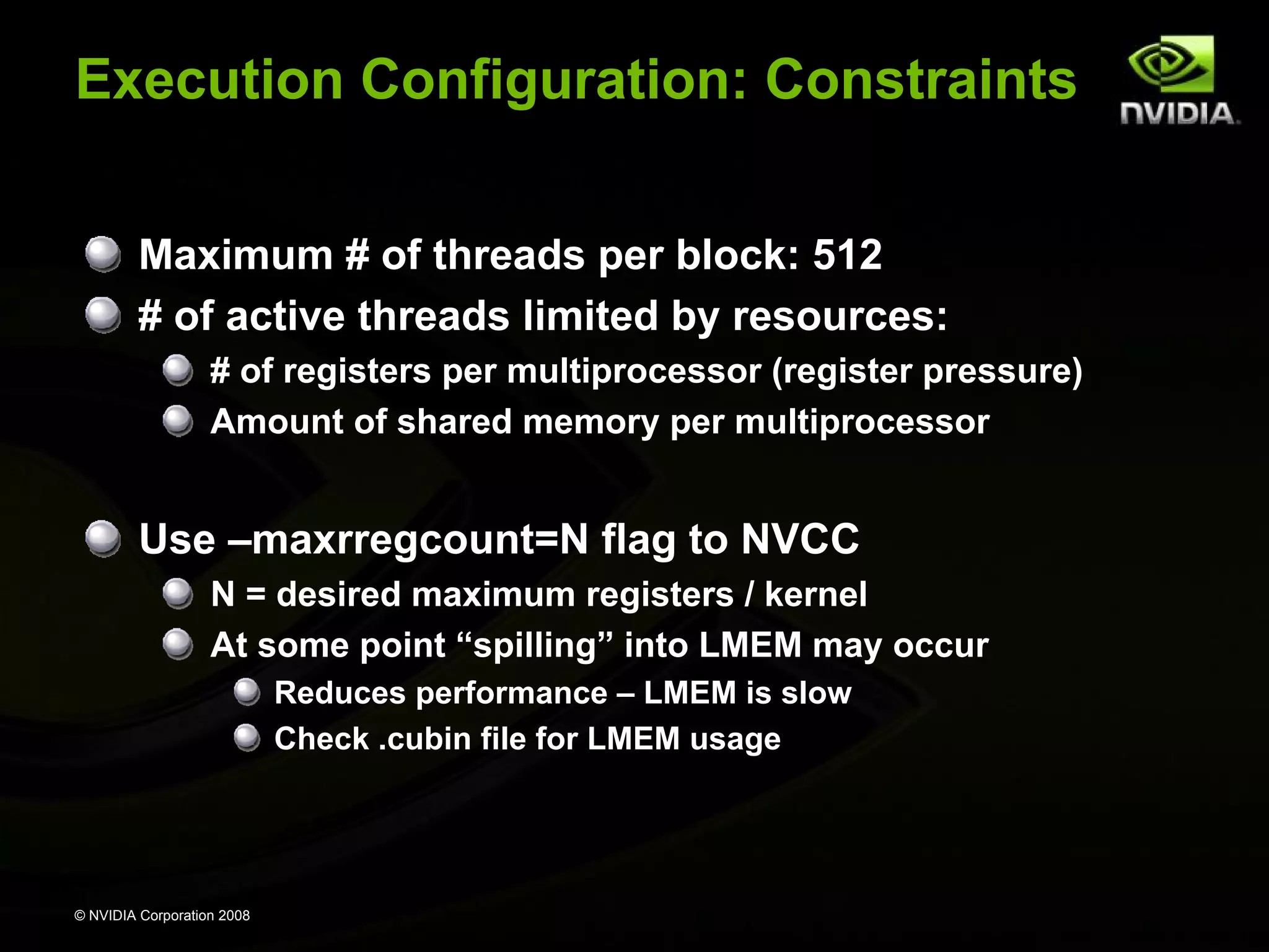
Execution Configuration: Constraints
Maximum # of threads per block: 512
# of active threads limited by resources:
# of registers per multiprocessor (register pressure)
Amount of shared memory per multiprocessor

Use –maxrregcount=N flag to NVCC
N = desired maximum registers / kernel
At some point “spilling” into LMEM may occur
Reduces performance – LMEM is slow
Check .cubin file for LMEM usage

© NVIDIA Corporation 2008
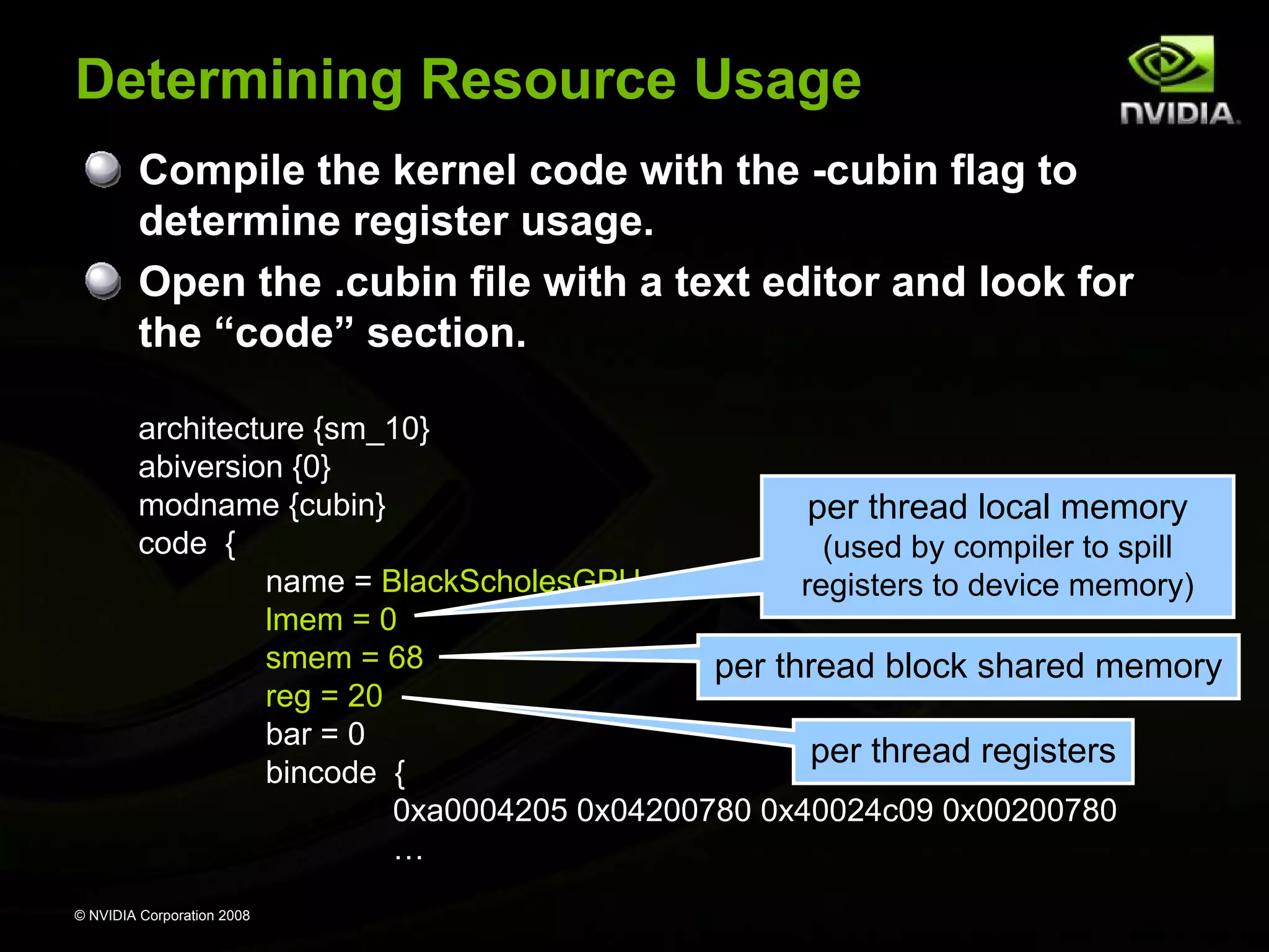
Determining Resource Usage
Compile the kernel code with the -cubin flag to
determine register usage.
Open the .cubin file with a text editor and look for
the “code” section.
architecture {sm_10}
abiversion {0}
modname {cubin}
per thread local memory
code {
(used by compiler to spill
name = BlackScholesGPU
registers to device memory)
lmem = 0
smem = 68
per thread block shared memory
reg = 20
bar = 0
per thread registers
bincode {
0xa0004205 0x04200780 0x40024c09 0x00200780
…
© NVIDIA Corporation 2008
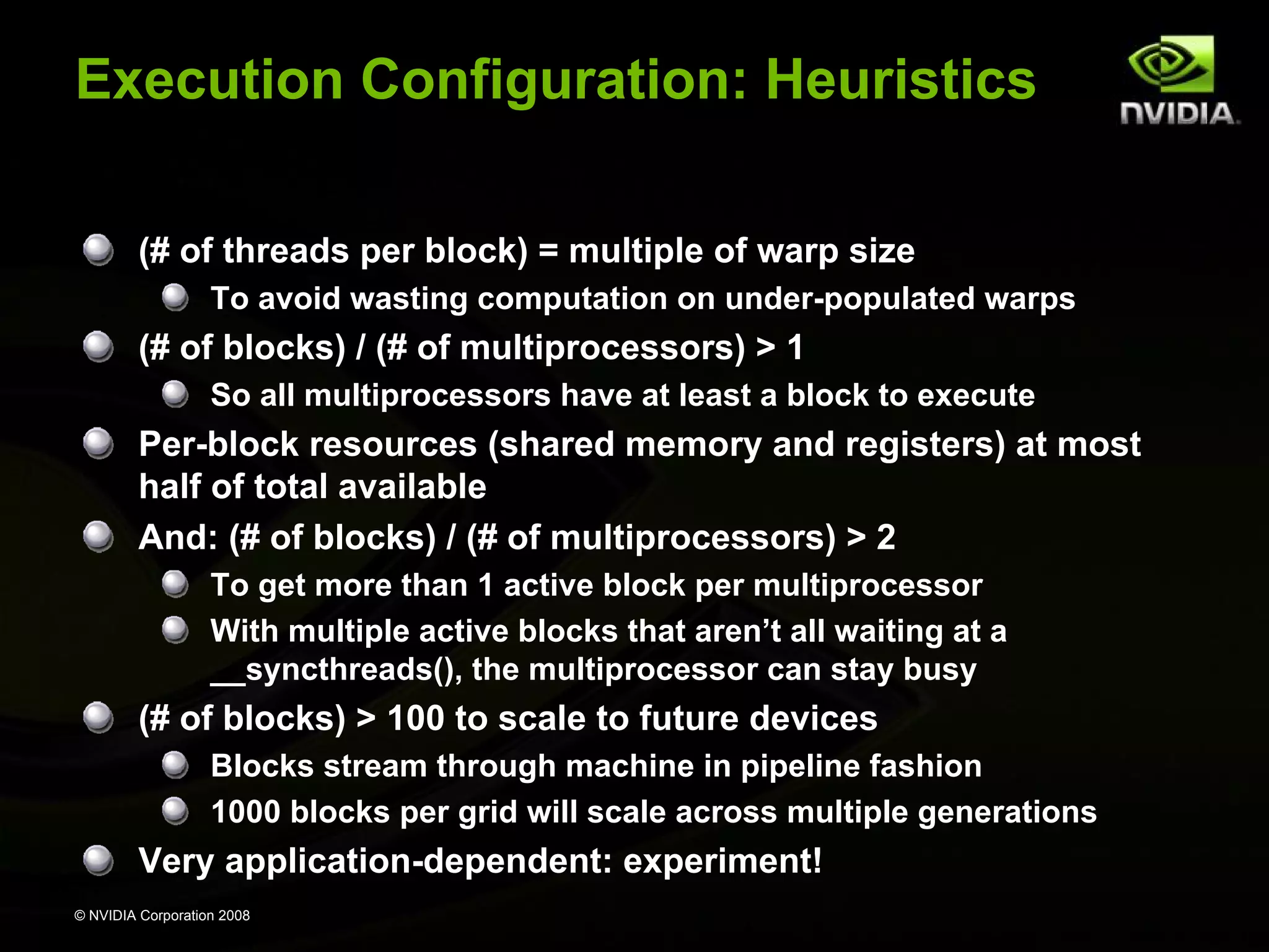
Execution Configuration: Heuristics
(# of threads per block) = multiple of warp size
To avoid wasting computation on under-populated warps

(# of blocks) / (# of multiprocessors) > 1
So all multiprocessors have at least a block to execute

Per-block resources (shared memory and registers) at most
half of total available
And: (# of blocks) / (# of multiprocessors) > 2
To get more than 1 active block per multiprocessor
With multiple active blocks that aren’t all waiting at a
__syncthreads(), the multiprocessor can stay busy

(# of blocks) > 100 to scale to future devices
Blocks stream through machine in pipeline fashion
1000 blocks per grid will scale across multiple generations

Very application-dependent: experiment!
© NVIDIA Corporation 2008
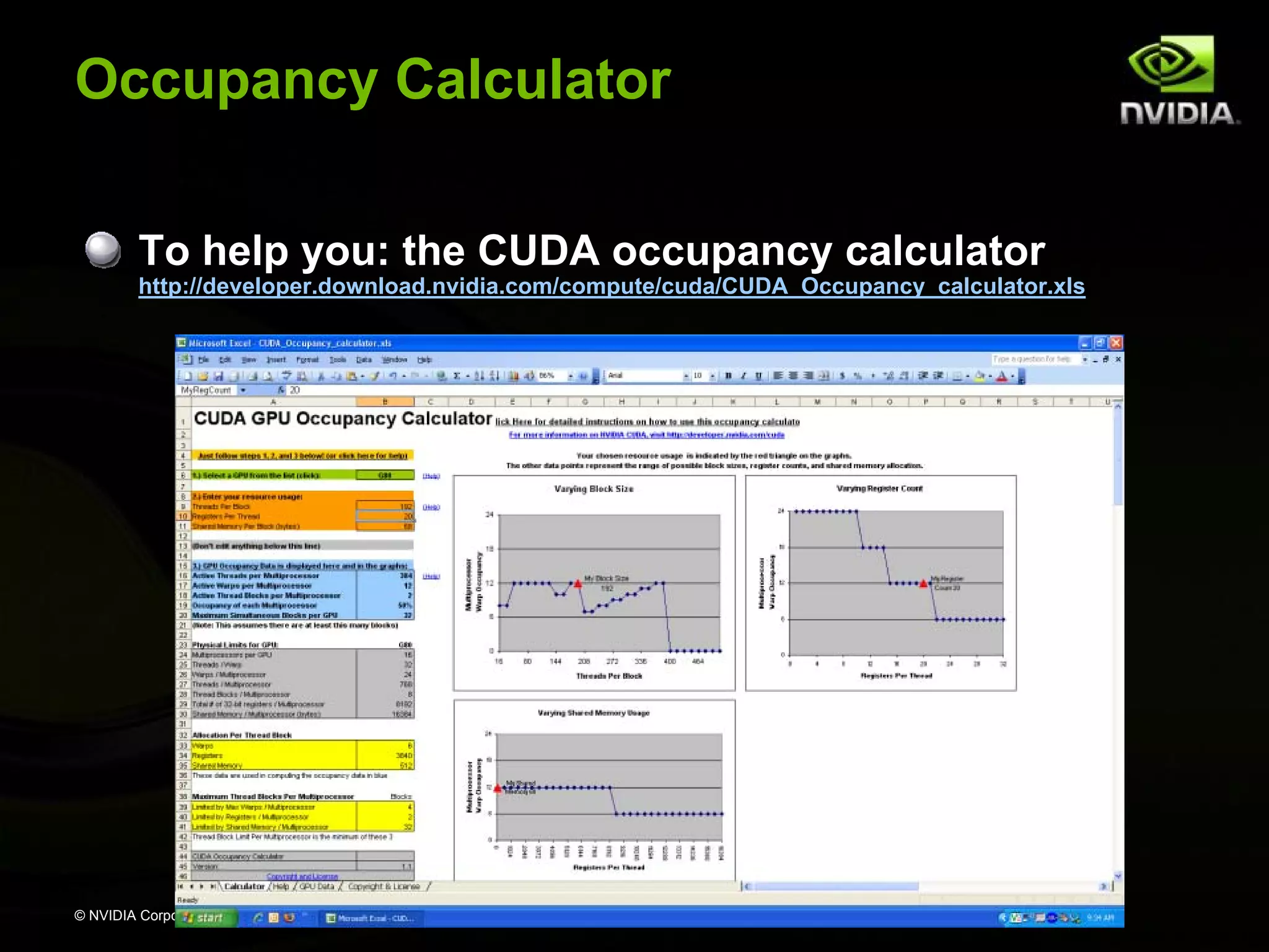
Occupancy Calculator
To help you: the CUDA occupancy calculator

http://developer.download.nvidia.com/compute/cuda/CUDA_Occupancy_calculator.xls

# of active warps per multiprocessor
maximum # of active warps per multiprocessor

© NVIDIA Corporation 2008
Back to Reduce Exercise:
Problem with Reduce 2
Reduce 2 does not take advantage of shared memory!
Reduce 3 fixes this by implementing parallel
reduction in shared memory
Runtime shared memory allocation:
size_t SharedMemBytes = 64; // 64 bytes of shared memory
KernelFunc<<< DimGrid, DimBlock, SharedMemBytes >>>(...);

The optional SharedMemBytes bytes are:
Allocated in addition to the compiler allocated shared memory
Mapped to any variable declared as:

extern __shared__ float DynamicSharedMem[];
© NVIDIA Corporation 2008
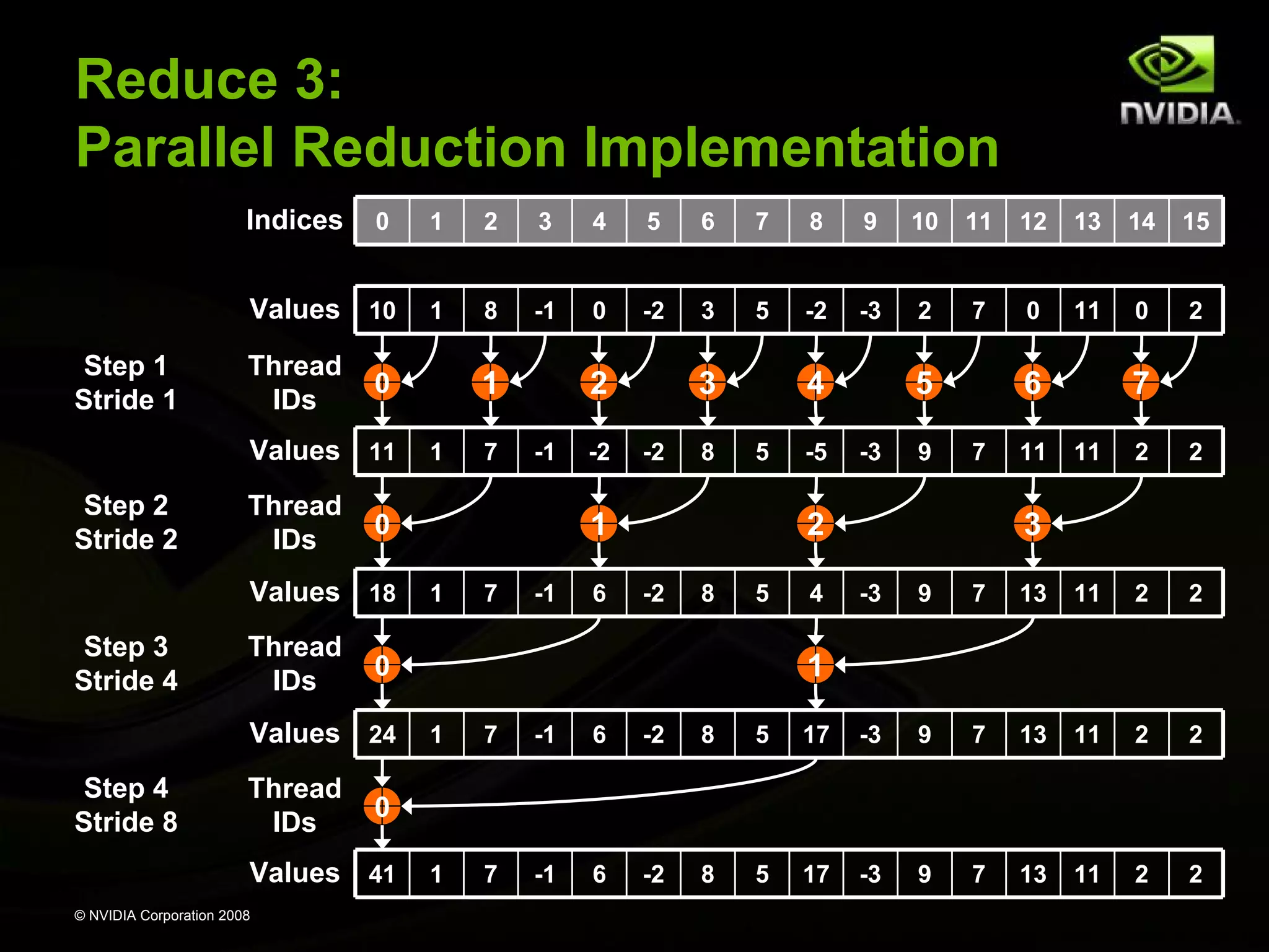
Reduce 3:
Parallel Reduction Implementation
Indices

1

2

3

4

5

6

7

8

9

10

11

12

13

14

15

Values 10
Step 1
Stride 1

0

1

8

-1

0

-2

3

5

-2

-3

2

7

0

11

0

2

Thread
IDs

Values 11
Step 2
Stride 2

Thread
IDs

Thread
IDs

Thread
IDs

-1

-2

-2

8

4
5

1
1

7

-1

6

-5

5
-3

9

6
7

2
-2

8

5

4

11

7
11

2

2

3
-3

9

7

13

11

2

2

1
1

7

-1

6

-2

8

5

17

-3

9

7

13

11

2

2

1

7

-1

6

-2

8

5

17

-3

9

7

13

11

2

2

0

Values 41
© NVIDIA Corporation 2008

7

3

0

Values 24
Step 4
Stride 8

1

2

0

Values 18
Step 3
Stride 4

1

0
Parallel Reduction Complexity
Takes log(N) steps and each step S performs N/2S
independent operations
Step complexity is O(log(N))

For N=2D, performs ∑S∈[1..D]2D-S = N-1 operations
Work complexity is O(N)
Is work-efficient (i.e. does not perform more operations
than a sequential reduction)

With P threads physically in parallel (P processors),
performs ∑S∈[1..D]ceil(2D-S/P) operations
∑S∈[1..D]ceil(2D-S/P) < ∑S∈[1..D](floor(2D-S/P) + 1) < N/P + log(N)
Time complexity is O(N/P + log(N))
Compare to O(N) for sequential reduction
© NVIDIA Corporation 2008
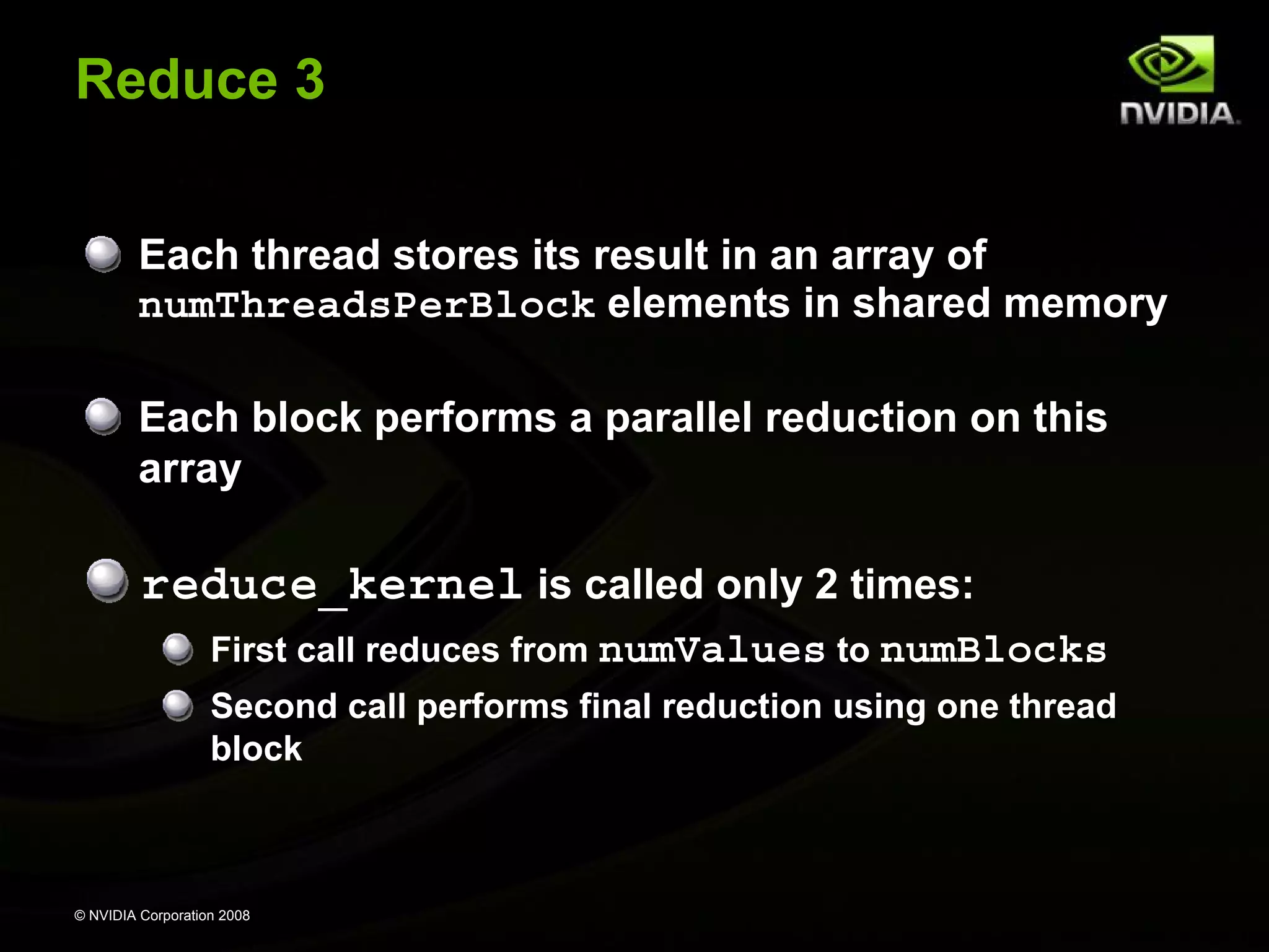
Reduce 3
Each thread stores its result in an array of
numThreadsPerBlock elements in shared memory
Each block performs a parallel reduction on this
array

reduce_kernel is called only 2 times:
First call reduces from numValues to numBlocks
Second call performs final reduction using one thread
block

© NVIDIA Corporation 2008
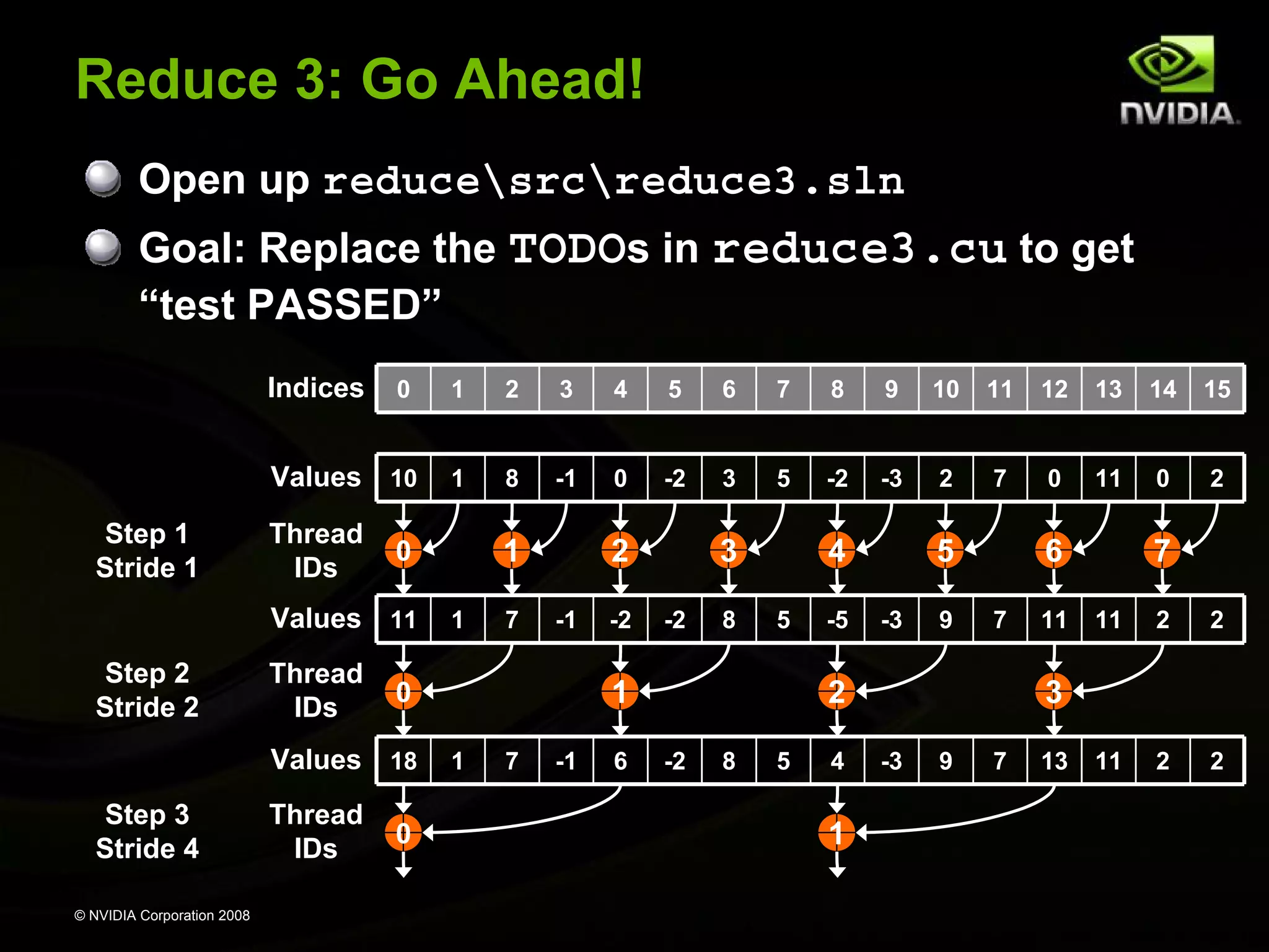
Reduce 3: Go Ahead!
Open up reducesrcreduce3.sln
Goal: Replace the TODOs in reduce3.cu to get
“test PASSED”
Indices

1

2

3

4

5

6

7

8

9

10

11

12

13

14

15

Values 10
Step 1
Stride 1

0

1

8

-1

0

-2

3

5

-2

-3

2

7

0

11

0

2

Thread
IDs

Values 11
Step 2
Stride 2

Thread
IDs

© NVIDIA Corporation 2008

Thread
IDs

1

7

2
-1

0

-2

3
-2

8

4
5

1

0

Values 18
Step 3
Stride 4

1

0

1

7

-1

6

-5

5
-3

9

6
7

2
-2

8

5

4

1

11

7
11

2

2

11

2

2

3
-3

9

7

13
Optimize Instruction Usage:
Basic Strategies
Minimize use of low-throughput instructions
Use high precision only where necessary
Minimize divergent warps

© NVIDIA Corporation 2008
Arithmetic Instruction Throughput
float add/mul/mad, int add, shift, min, max:
4 cycles per warp
int multiply (*) is by default 32-bit
Requires multiple cycles per warp
Use __[u]mul24() intrinsics for 4-cycle 24-bit int multiply

Integer divide and modulo are more expensive
Compiler will convert literal power-of-2 divides to shifts
But we have seen it miss some cases

Be explicit in cases where compiler can’t tell that divisor
is a power of 2!
Useful trick: foo%n == foo&(n-1) if n is a power of 2

© NVIDIA Corporation 2008
Arithmetic Instruction Throughput
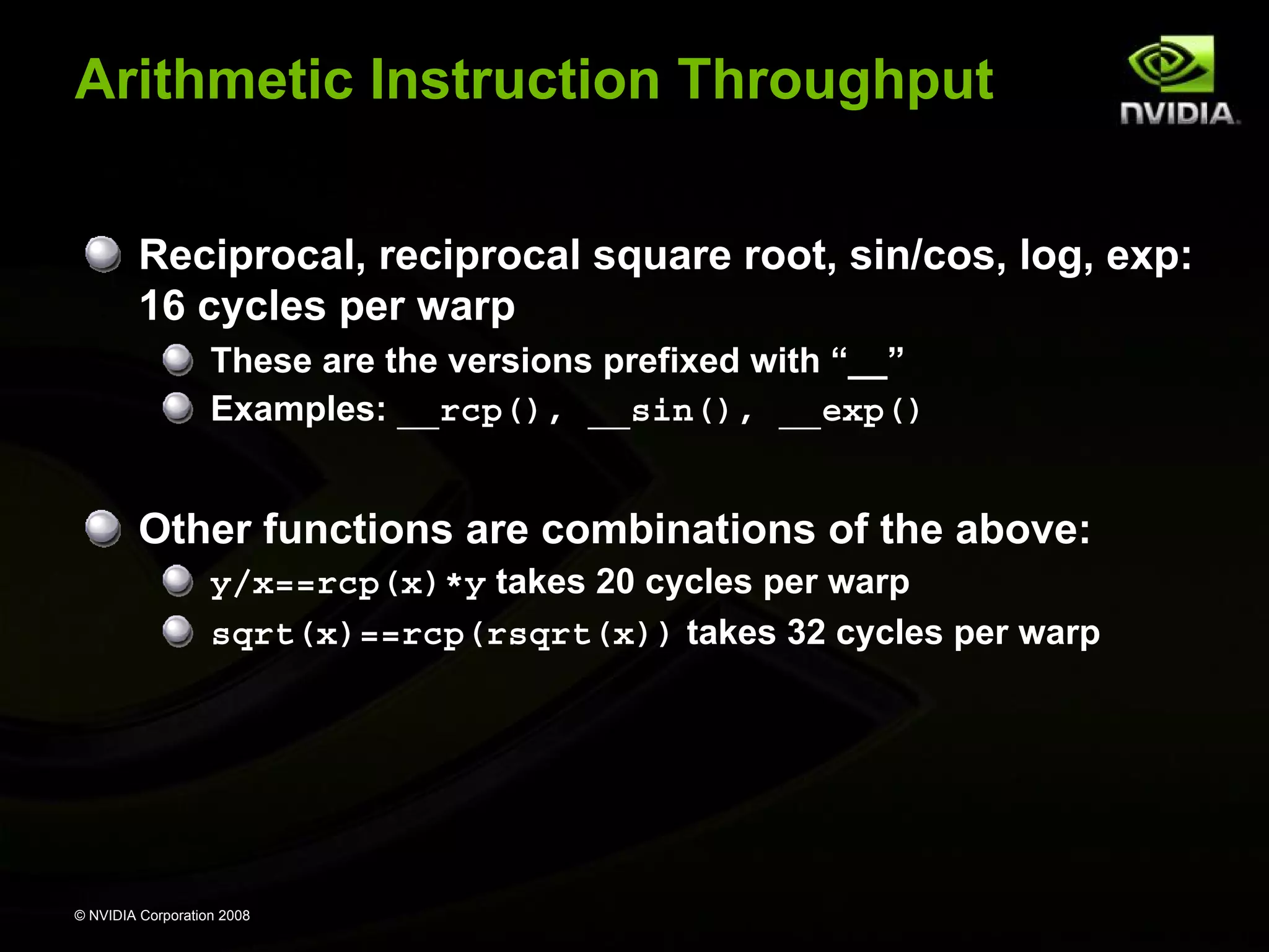
Reciprocal, reciprocal square root, sin/cos, log, exp:
16 cycles per warp
These are the versions prefixed with “__”
Examples: __rcp(), __sin(), __exp()

Other functions are combinations of the above:
y/x==rcp(x)*y takes 20 cycles per warp
sqrt(x)==rcp(rsqrt(x)) takes 32 cycles per warp

© NVIDIA Corporation 2008
Runtime Math Library
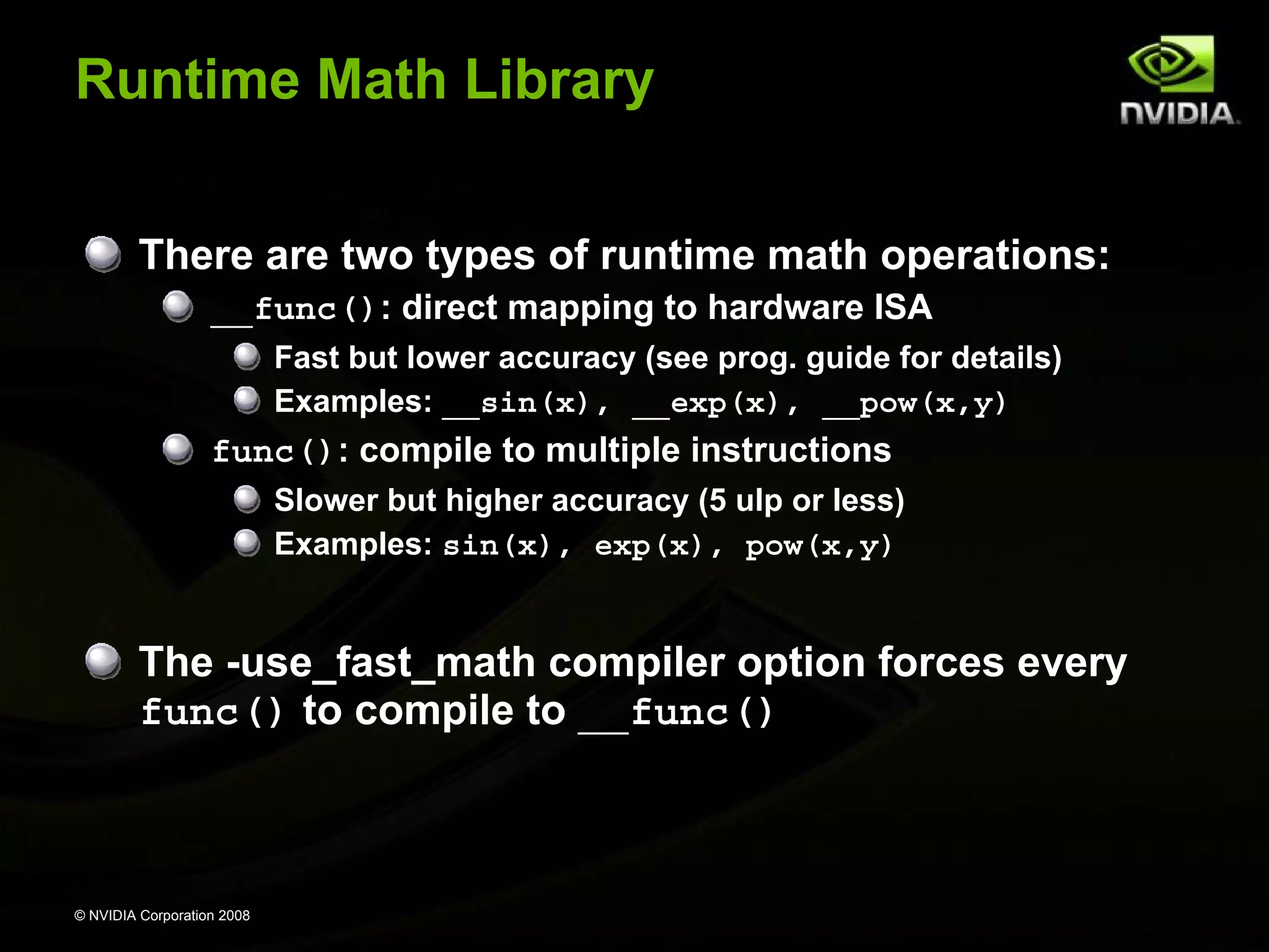
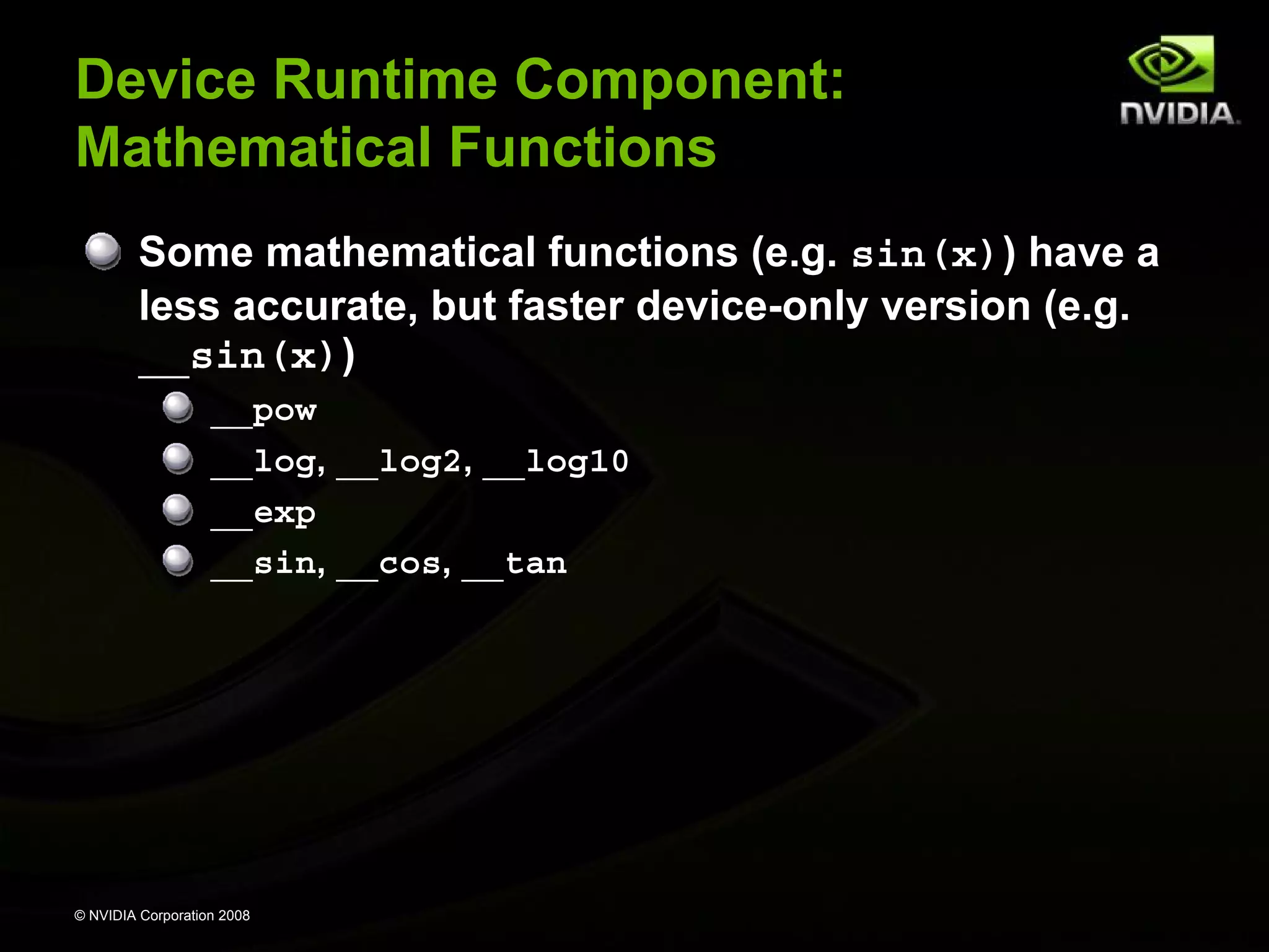
There are two types of runtime math operations:
__func(): direct mapping to hardware ISA
Fast but lower accuracy (see prog. guide for details)
Examples: __sin(x), __exp(x), __pow(x,y)

func(): compile to multiple instructions
Slower but higher accuracy (5 ulp or less)
Examples: sin(x), exp(x), pow(x,y)

The -use_fast_math compiler option forces every
func() to compile to __func()

© NVIDIA Corporation 2008
Double Precision Is Coming…
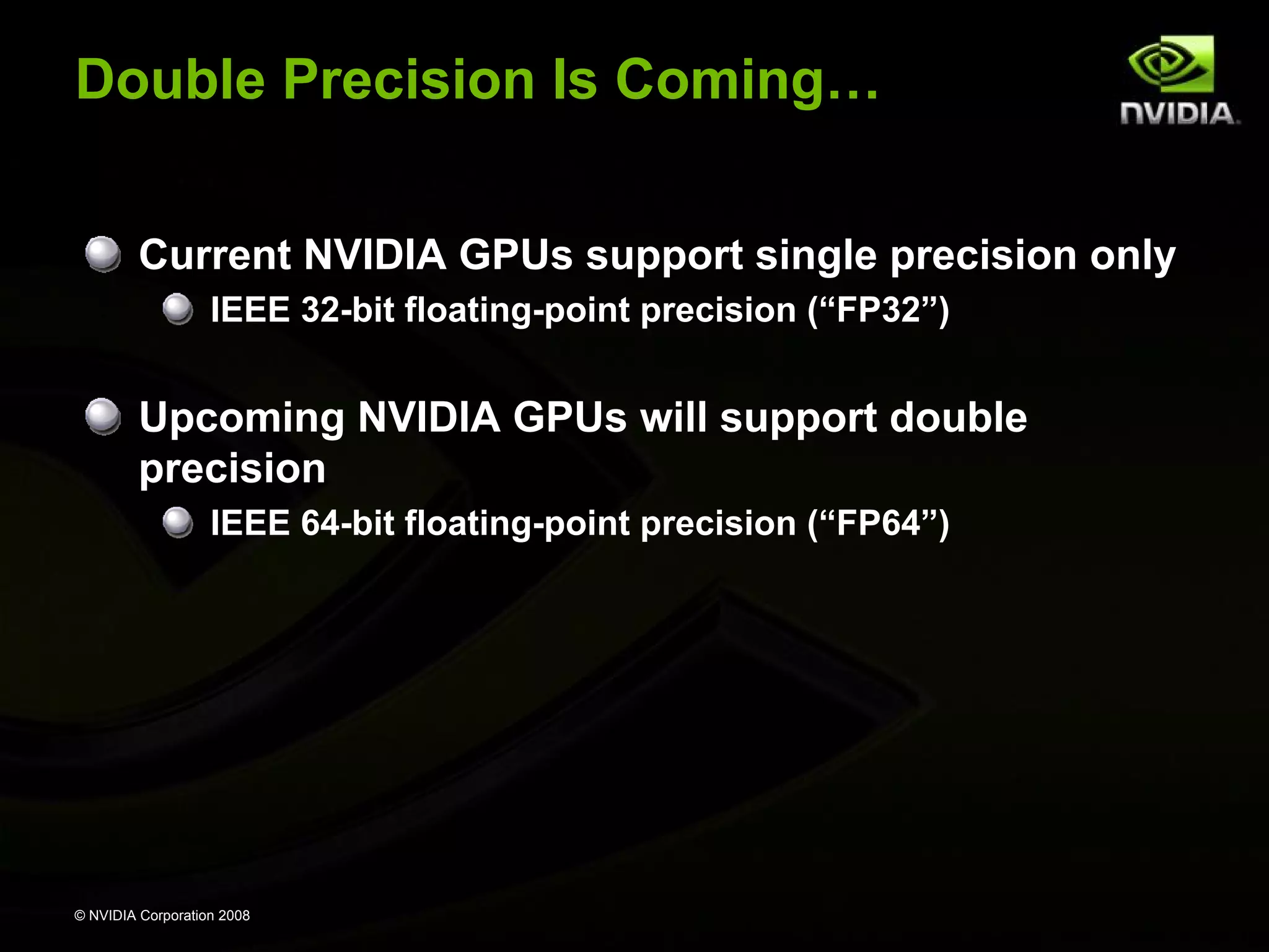
Current NVIDIA GPUs support single precision only
IEEE 32-bit floating-point precision (“FP32”)

Upcoming NVIDIA GPUs will support double
precision
IEEE 64-bit floating-point precision (“FP64”)

© NVIDIA Corporation 2008
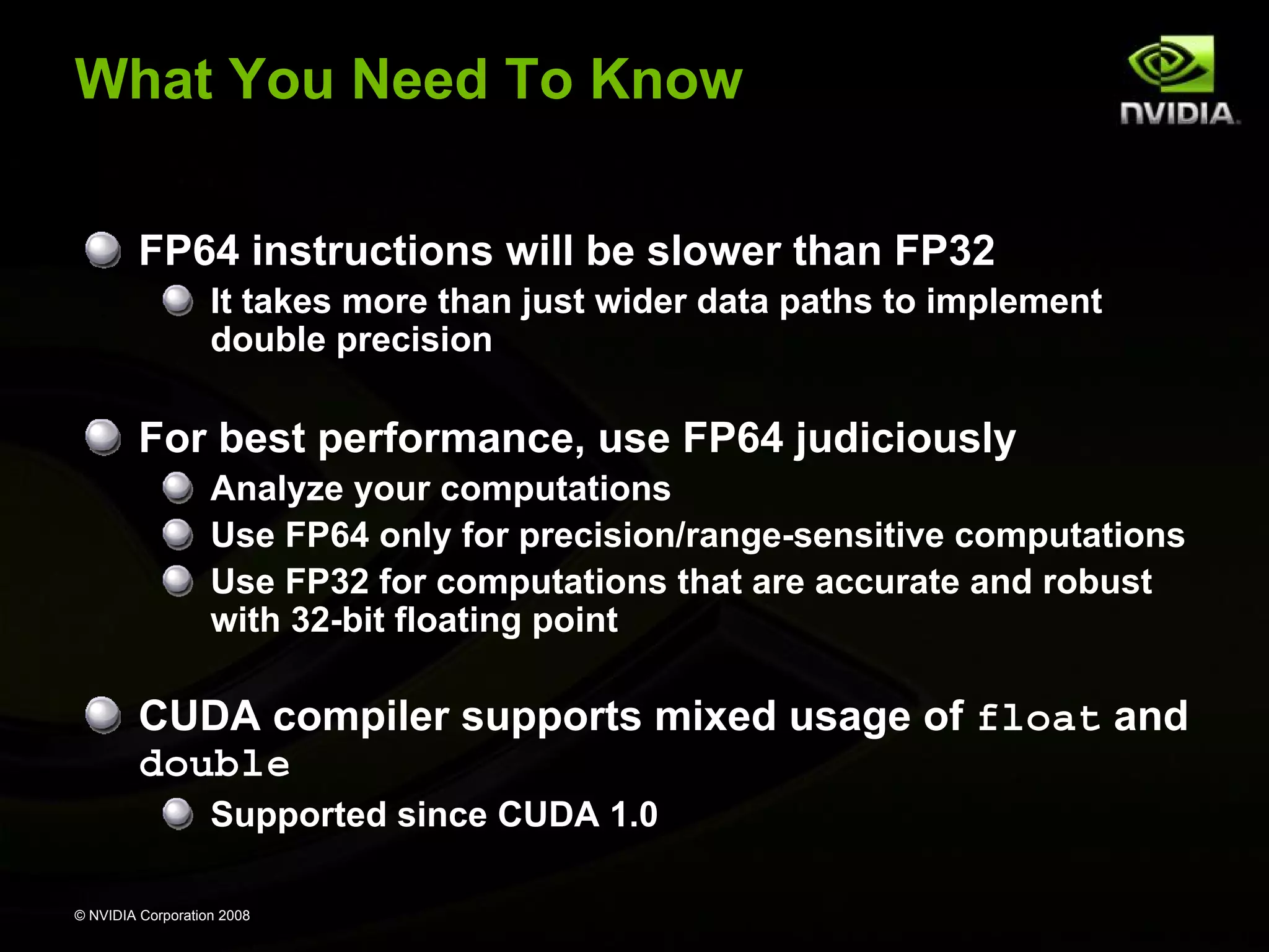
What You Need To Know
FP64 instructions will be slower than FP32
It takes more than just wider data paths to implement
double precision

For best performance, use FP64 judiciously
Analyze your computations
Use FP64 only for precision/range-sensitive computations
Use FP32 for computations that are accurate and robust
with 32-bit floating point

CUDA compiler supports mixed usage of float and
double
Supported since CUDA 1.0
© NVIDIA Corporation 2008
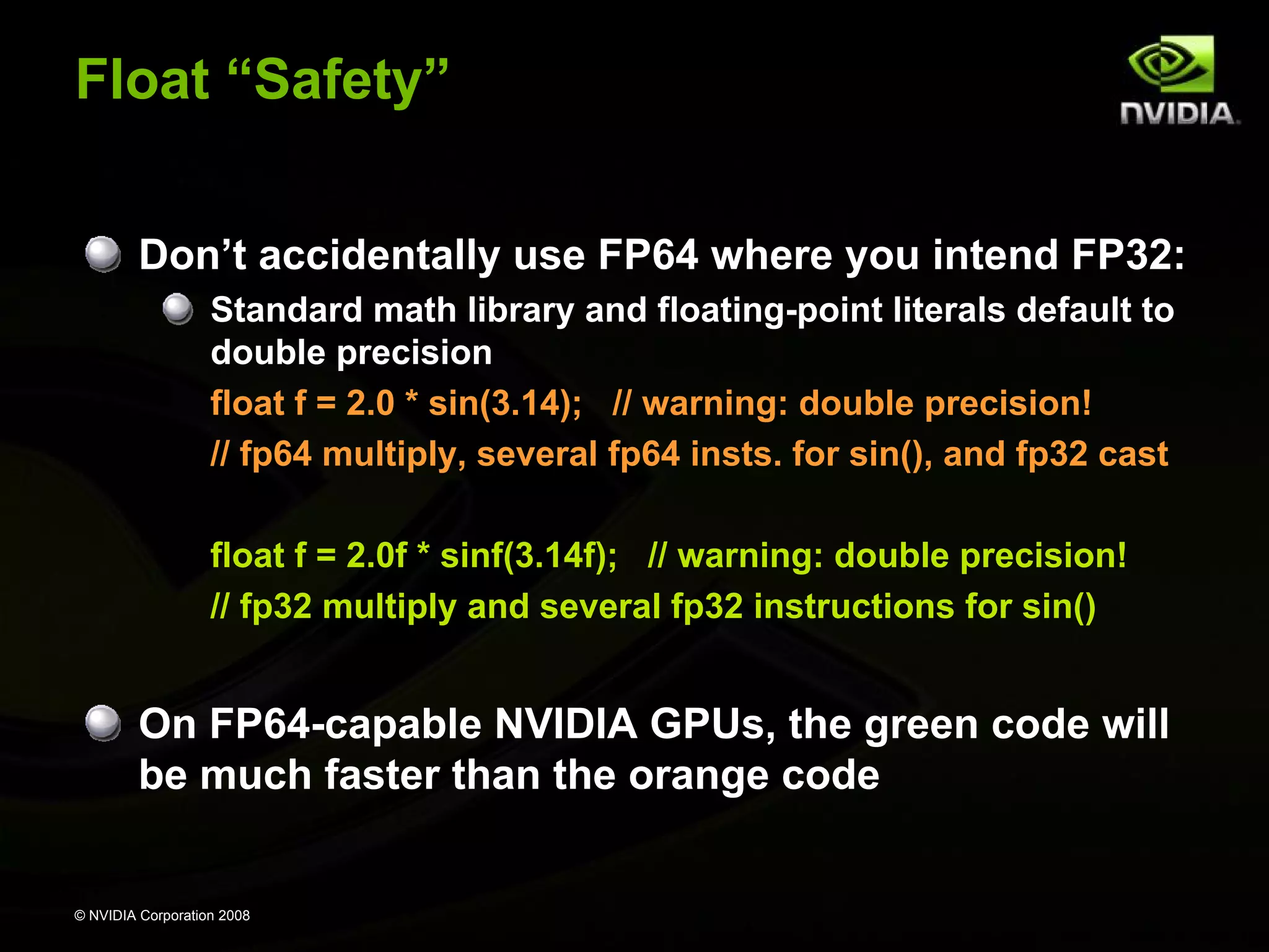
Float “Safety”
Don’t accidentally use FP64 where you intend FP32:
Standard math library and floating-point literals default to
double precision
float f = 2.0 * sin(3.14); // warning: double precision!
// fp64 multiply, several fp64 insts. for sin(), and fp32 cast
float f = 2.0f * sinf(3.14f); // warning: double precision!
// fp32 multiply and several fp32 instructions for sin()

On FP64-capable NVIDIA GPUs, the green code will
be much faster than the orange code

© NVIDIA Corporation 2008
Mixed Precision Arithmetic
Researchers are achieving great speedups at high
accuracy using mixed 32/64-bit arithmetic
“Exploiting Mixed Precision Floating Point Hardware
in Scientific Computations”
Alfredo Buttari, Jack Dongarra, Jakub Kurzak, Julie Langou,
Julien Langou, Piotr Luszczek, and Stanimire Tomov.
November, 2007.
http://www.netlib.org/utk/people/JackDongarra/PAPERS/par_comp_iter_ref.pdf

Abstract: By using a combination of 32-bit and 64-bit floating point arithmetic,
the performance of many dense and sparse linear algebra algorithms can be
significantly enhanced while maintaining the 64-bit accuracy of the resulting
solution. The approach presented here can apply not only to conventional
processors but also to exotic technologies such as Field Programmable Gate
Arrays (FPGA), Graphical Processing Units (GPU), and the Cell BE
processor. Results on modern processor architectures and the Cell BE are
presented.

© NVIDIA Corporation 2008
Single Precision IEEE Floating Point
Addition and multiplication are IEEE compliant
Maximum 0.5 ulp error

However, often combined into multiply-add (FMAD)
Intermediate result is truncated

Division is non-compliant (2 ulp)
Not all rounding modes are supported
Denormalized numbers are not supported
No mechanism to detect floating-point exceptions

© NVIDIA Corporation 2008
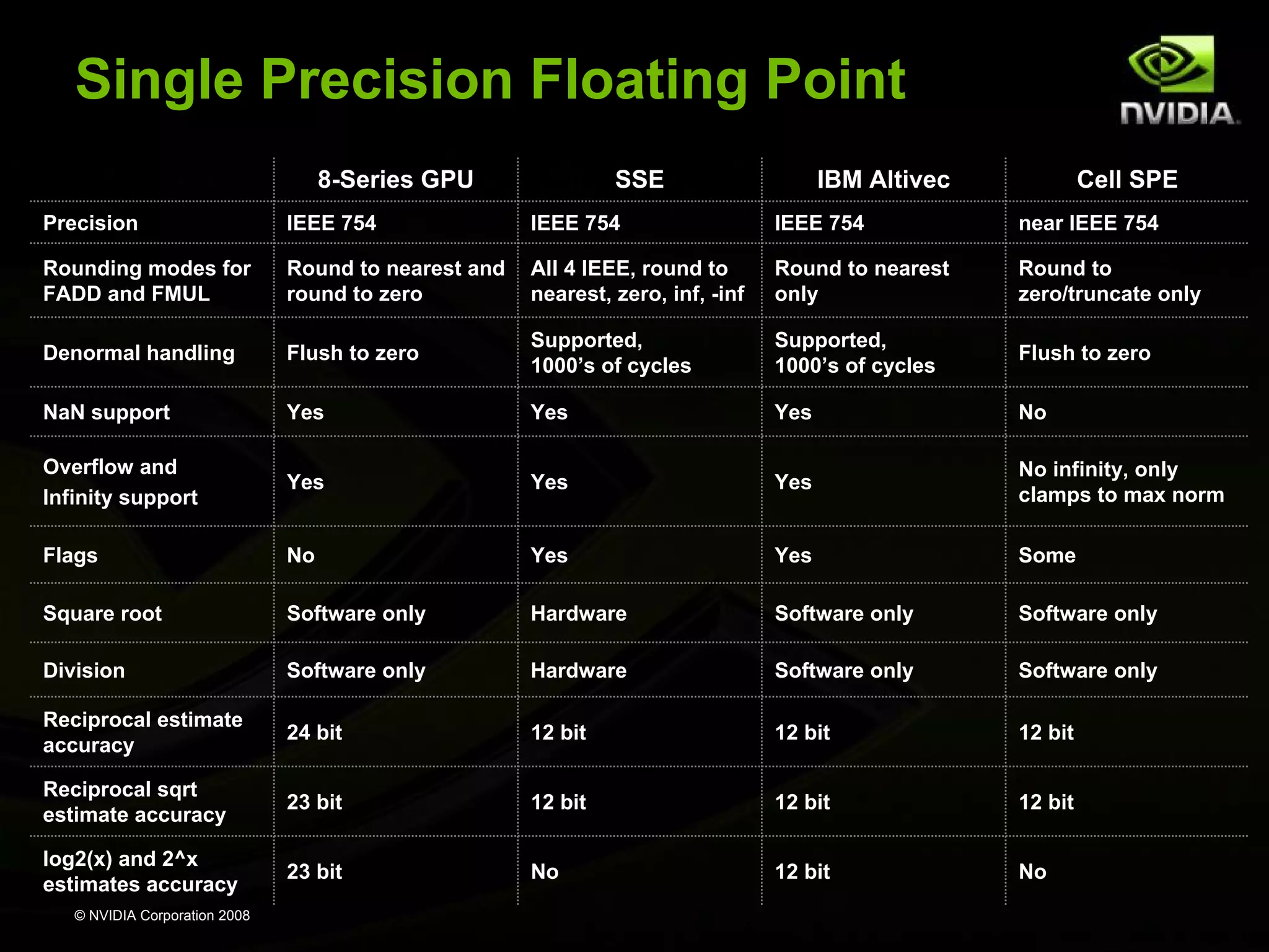
Single Precision Floating Point
8-Series GPU

SSE

IBM Altivec

Cell SPE

Precision

IEEE 754

IEEE 754

IEEE 754

near IEEE 754

Rounding modes for
FADD and FMUL

Round to nearest and
round to zero

All 4 IEEE, round to
nearest, zero, inf, -inf

Round to nearest
only

Round to
zero/truncate only

Denormal handling

Flush to zero

Supported,
1000’s of cycles

Supported,
1000’s of cycles

Flush to zero

NaN support

Yes

Yes

Yes

No

Overflow and
Infinity support

Yes

Yes

Yes

No infinity, only
clamps to max norm

Flags

No

Yes

Yes

Some

Square root

Software only

Hardware

Software only

Software only

Division

Software only

Hardware

Software only

Software only

Reciprocal estimate
accuracy

24 bit

12 bit

12 bit

12 bit

Reciprocal sqrt
estimate accuracy

23 bit

12 bit

12 bit

12 bit

log2(x) and 2^x
estimates accuracy

23 bit

No

12 bit

No

© NVIDIA Corporation 2008
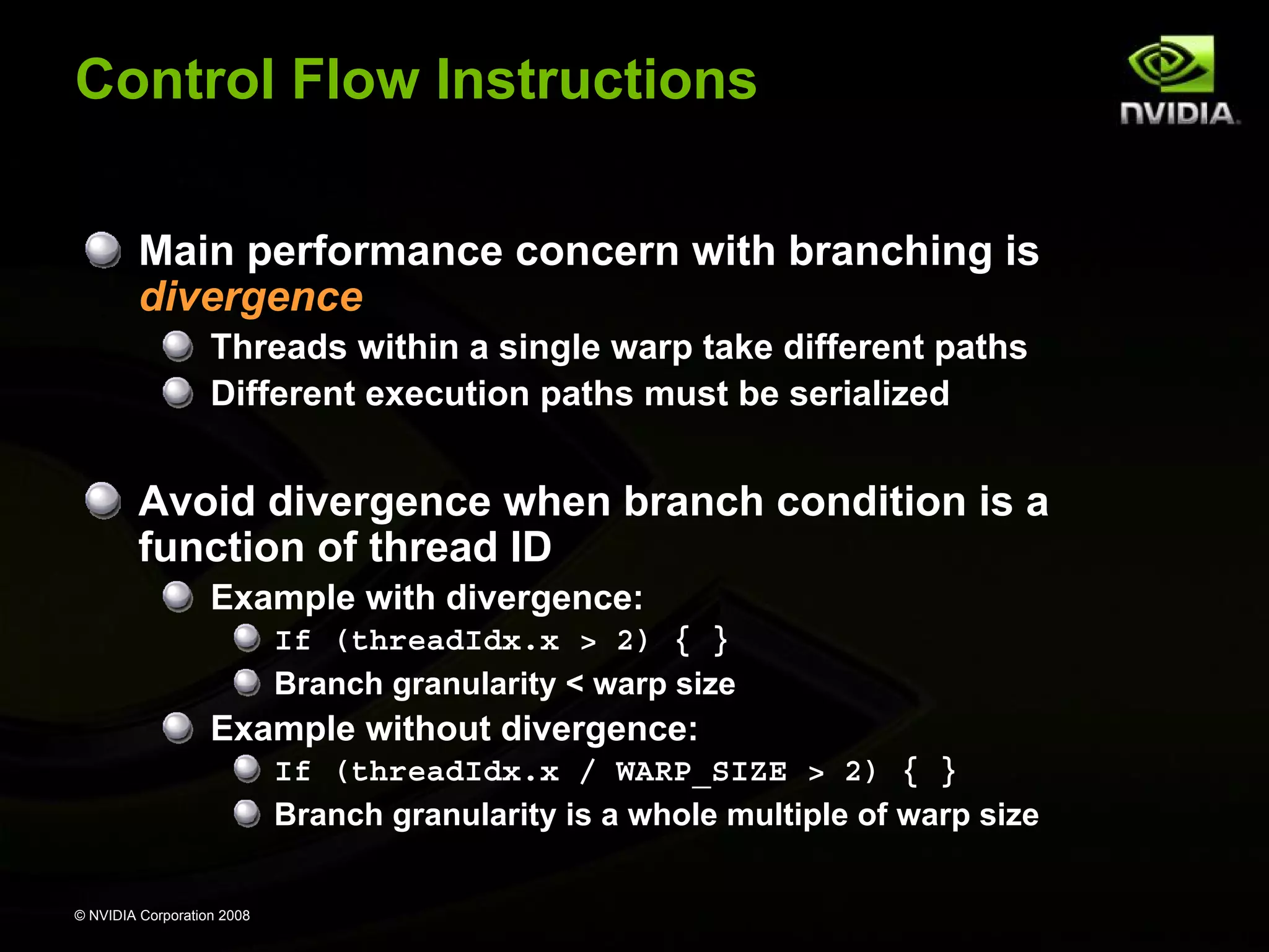
Control Flow Instructions
Main performance concern with branching is
divergence
Threads within a single warp take different paths
Different execution paths must be serialized

Avoid divergence when branch condition is a
function of thread ID
Example with divergence:
If (threadIdx.x > 2) { }
Branch granularity < warp size

Example without divergence:
If (threadIdx.x / WARP_SIZE > 2) { }
Branch granularity is a whole multiple of warp size
© NVIDIA Corporation 2008
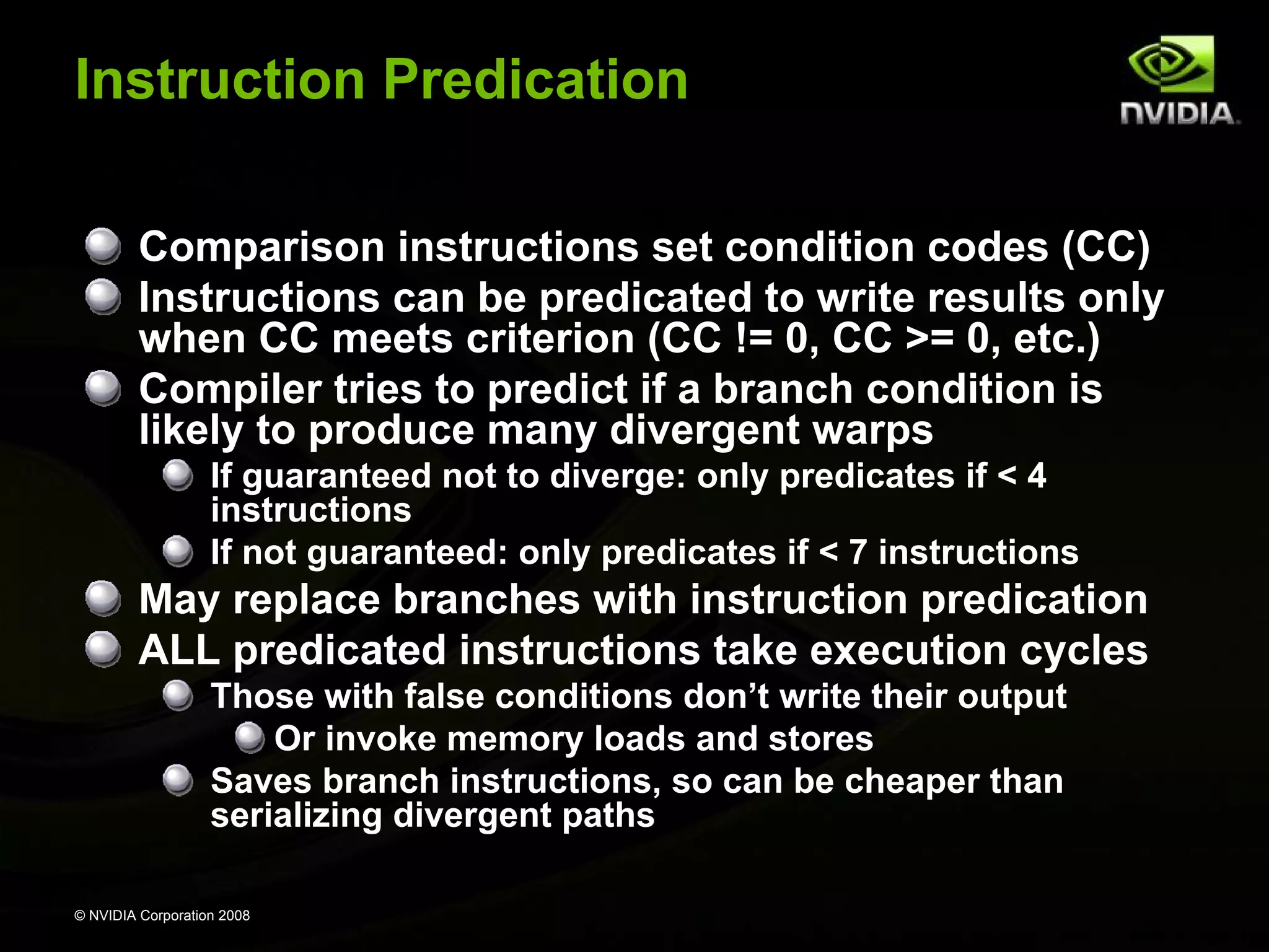
Instruction Predication
Comparison instructions set condition codes (CC)
Instructions can be predicated to write results only
when CC meets criterion (CC != 0, CC >= 0, etc.)
Compiler tries to predict if a branch condition is
likely to produce many divergent warps
If guaranteed not to diverge: only predicates if < 4
instructions
If not guaranteed: only predicates if < 7 instructions

May replace branches with instruction predication
ALL predicated instructions take execution cycles
Those with false conditions don’t write their output
Or invoke memory loads and stores
Saves branch instructions, so can be cheaper than
serializing divergent paths
© NVIDIA Corporation 2008
Shared Memory Implementation:
Banked Memory
In a parallel machine, many threads access
memory
Therefore, memory is divided into banks
Essential to achieve high bandwidth

Each bank can service one address per cycle
A memory can service as many simultaneous
accesses as it has banks

Multiple simultaneous accesses to a bank
result in a bank conflict
Conflicting accesses are serialized
© NVIDIA Corporation 2008

Bank 0
Bank 1
Bank 2
Bank 3
Bank 4
Bank 5
Bank 6
Bank 7

Bank 15
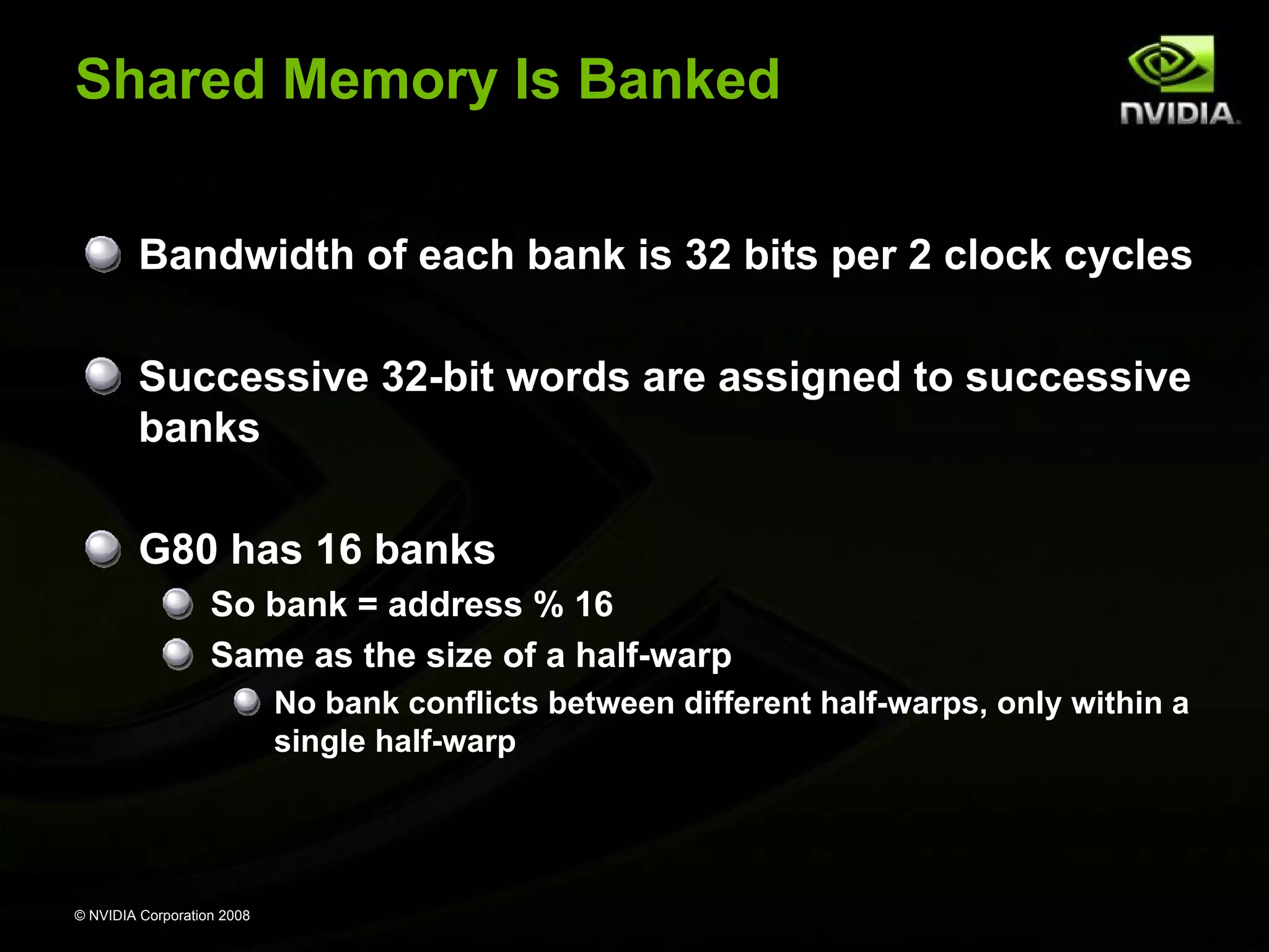
Shared Memory Is Banked
Bandwidth of each bank is 32 bits per 2 clock cycles
Successive 32-bit words are assigned to successive
banks
G80 has 16 banks
So bank = address % 16
Same as the size of a half-warp
No bank conflicts between different half-warps, only within a
single half-warp

© NVIDIA Corporation 2008
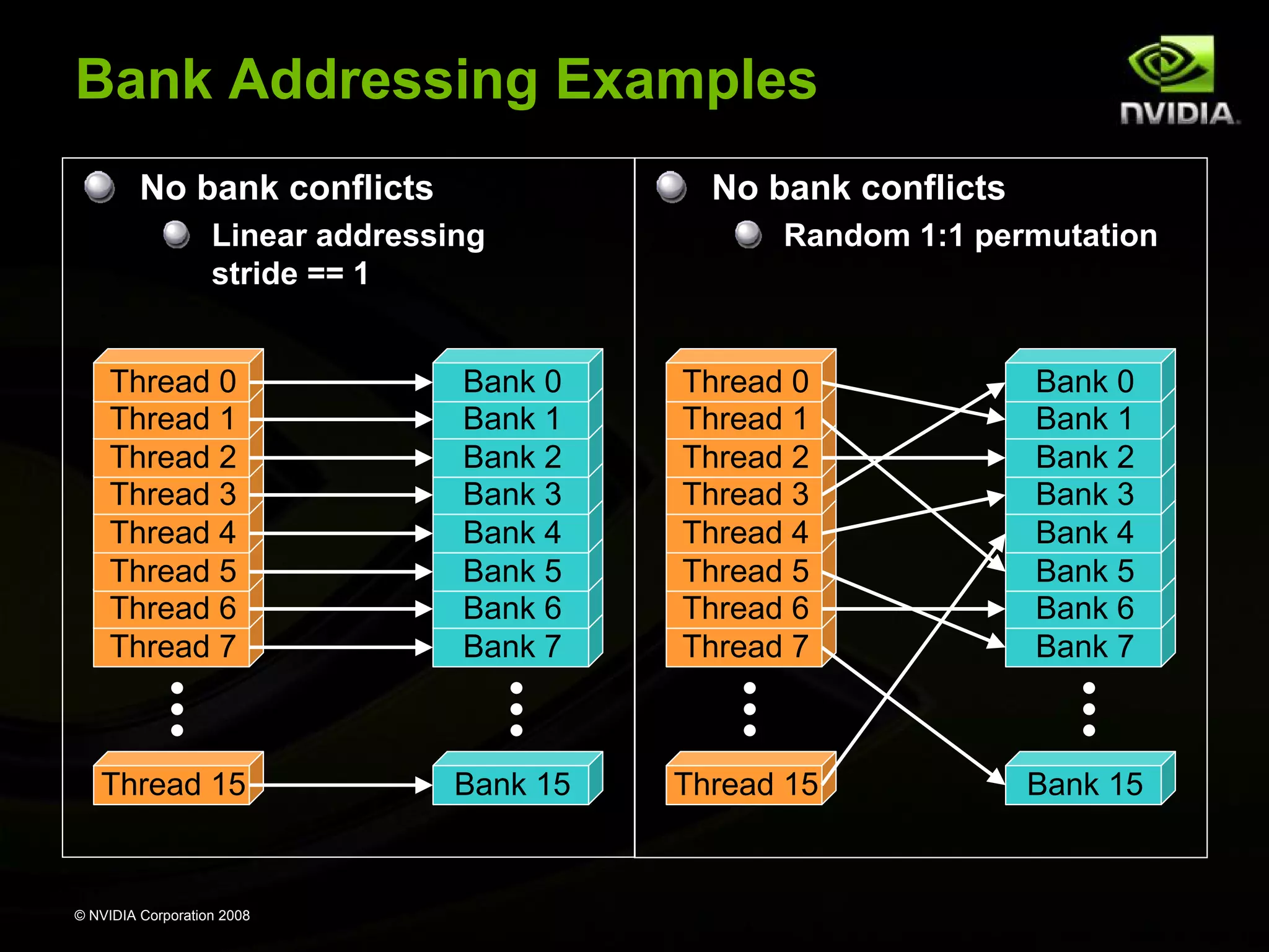
Bank Addressing Examples
No bank conflicts

No bank conflicts

Linear addressing
stride == 1

Random 1:1 permutation

Thread 0
Thread 1
Thread 2
Thread 3
Thread 4
Thread 5
Thread 6
Thread 7

Bank 0
Bank 1
Bank 2
Bank 3
Bank 4
Bank 5
Bank 6
Bank 7

Thread 0
Thread 1
Thread 2
Thread 3
Thread 4
Thread 5
Thread 6
Thread 7

Bank 0
Bank 1
Bank 2
Bank 3
Bank 4
Bank 5
Bank 6
Bank 7

Thread 15

Bank 15

Thread 15

Bank 15

© NVIDIA Corporation 2008
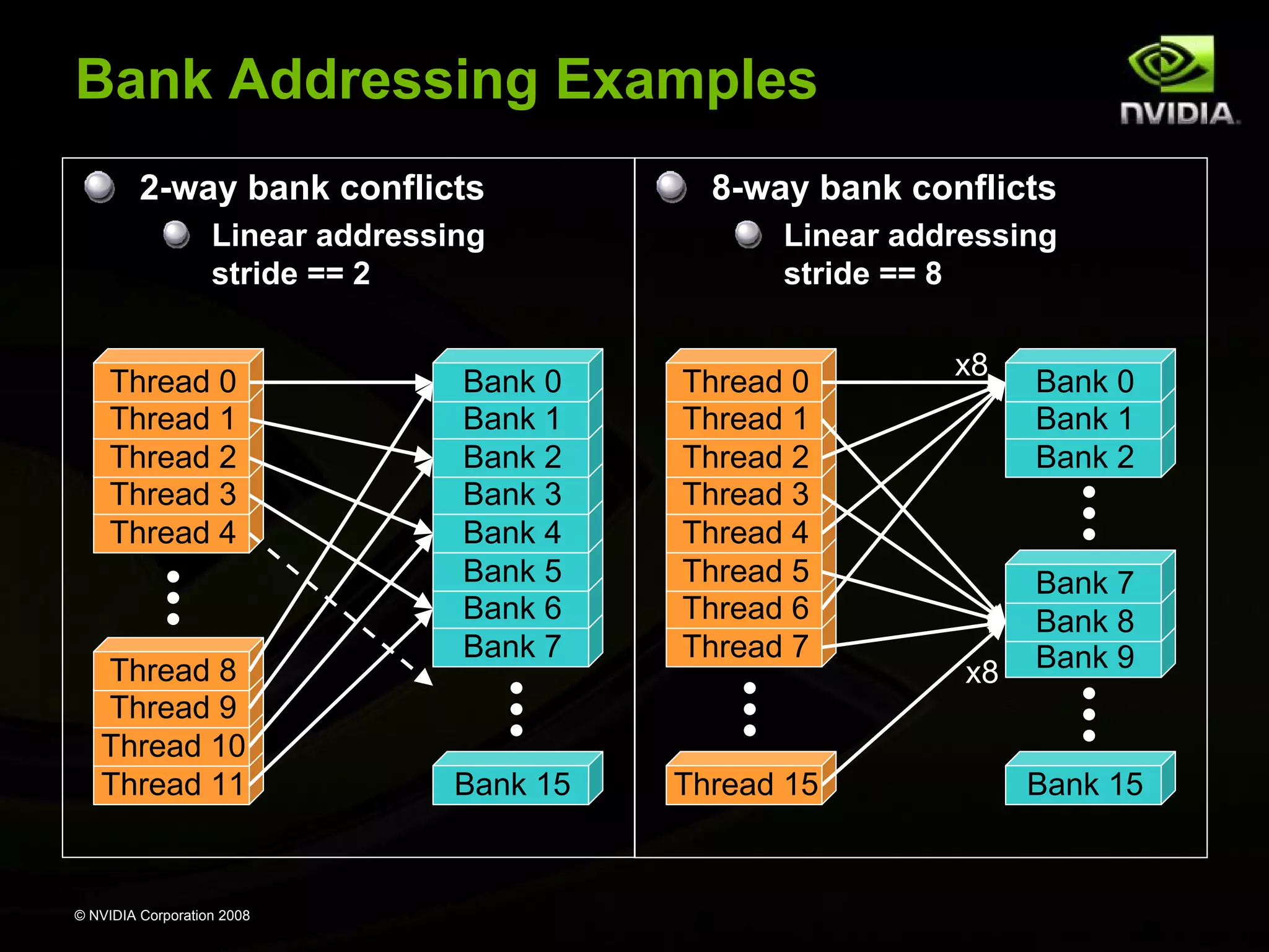
Bank Addressing Examples
2-way bank conflicts

8-way bank conflicts

Linear addressing
stride == 2

Linear addressing
stride == 8

Thread 0
Thread 1
Thread 2
Thread 3
Thread 4

Thread 8
Thread 9
Thread 10
Thread 11

© NVIDIA Corporation 2008

Bank 0
Bank 1
Bank 2
Bank 3
Bank 4
Bank 5
Bank 6
Bank 7

Thread 0
Thread 1
Thread 2
Thread 3
Thread 4
Thread 5
Thread 6
Thread 7

Bank 15

Thread 15

x8

x8

Bank 0
Bank 1
Bank 2

Bank 7
Bank 8
Bank 9

Bank 15
Shared Memory Bank Conflicts
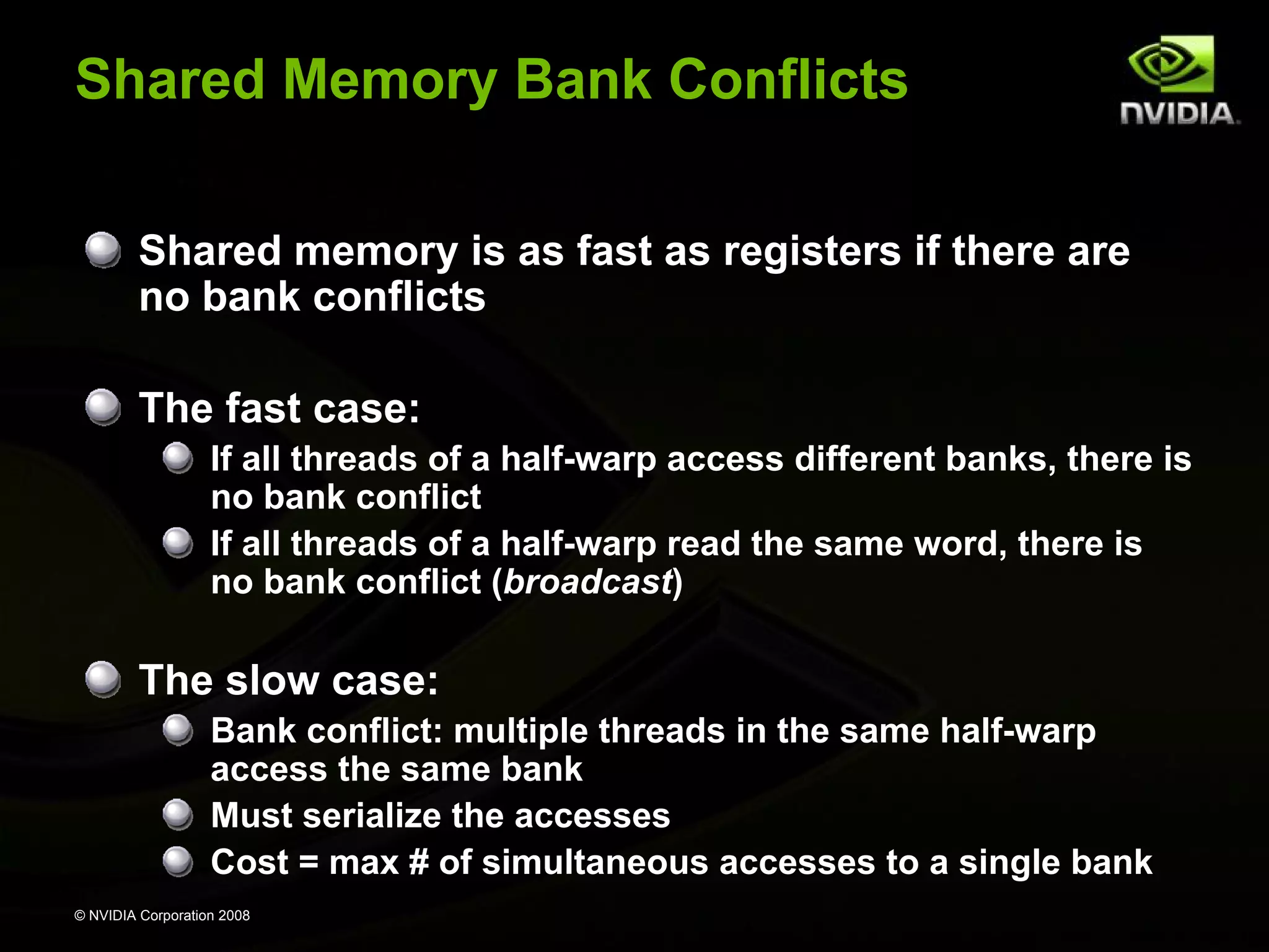
Shared memory is as fast as registers if there are
no bank conflicts
The fast case:
If all threads of a half-warp access different banks, there is
no bank conflict
If all threads of a half-warp read the same word, there is
no bank conflict (broadcast)

The slow case:
Bank conflict: multiple threads in the same half-warp
access the same bank
Must serialize the accesses
Cost = max # of simultaneous accesses to a single bank
© NVIDIA Corporation 2008
Back to Reduce Exercise:
Problem with Reduce 3
Reduce 3 has shared memory bank conflicts!
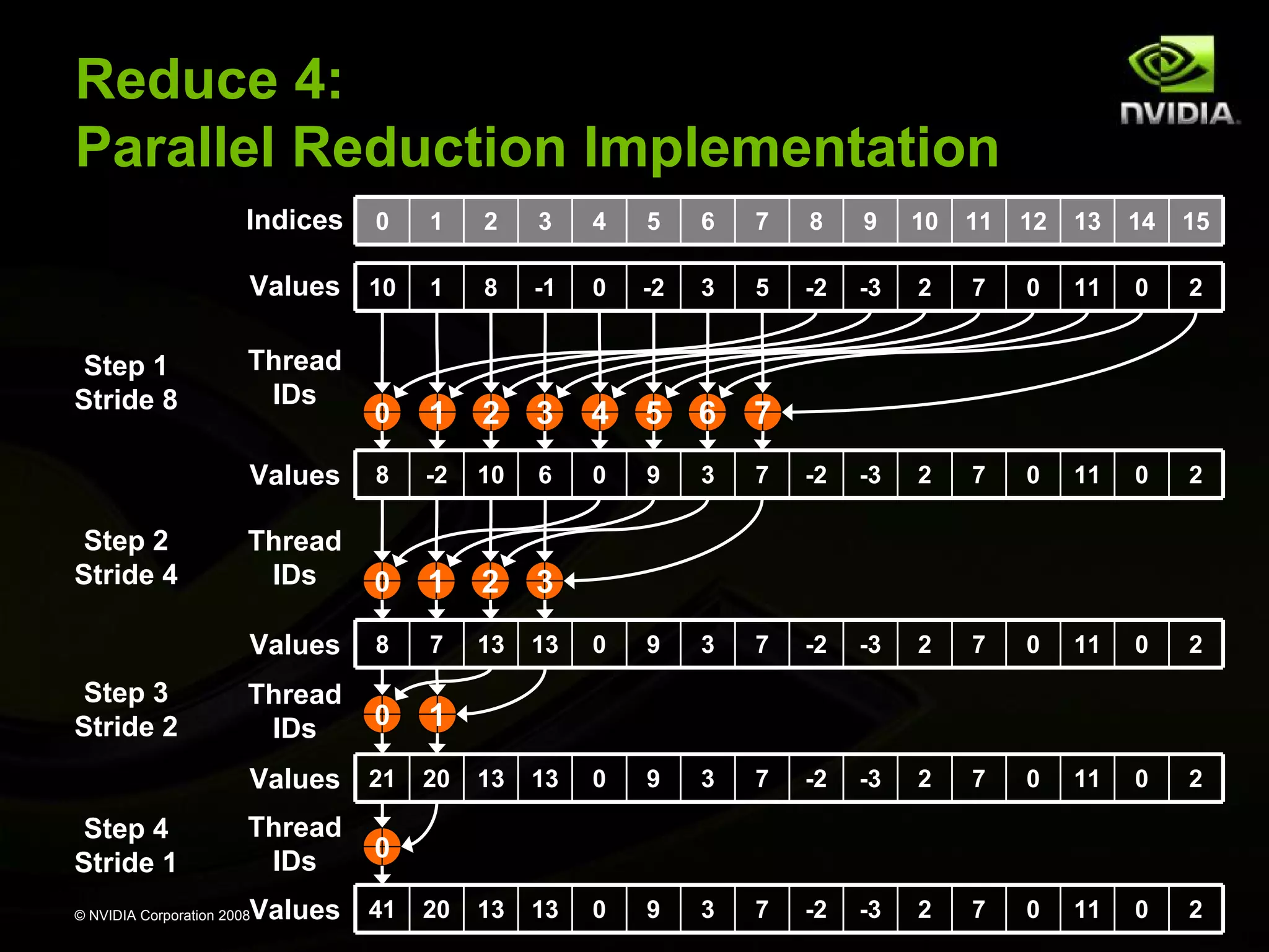
Reduce 4 fixes this by modifying the mapping
between threads and data during parallel reduction

© NVIDIA Corporation 2008
Reduce 3: Bank Conflicts
Showed for step 1 below
First simultaneous memory access
sresult[2 * stride * threadID]
Threads 0 and 8 access the same bank
Threads 1 and 9 access the same bank
Threads 2 and 10 access the same bank, etc.
Banks
Indices

0 1 2 3 4 5 6 7 8 9 10 11 12 13 14 15 16 17 18 19 20 21 ...

Values
Stride 1

0 1 2 3 4 5 6 7 8 9 10 11 12 13 14 15 0 1 2 3 4 5 ...

10 1 8 -1 0 -2 3 5 -2 -3 2 7 0 11 0 2 -1 4 11 -5 0 12 ...

Thread
IDs

0

© NVIDIA Corporation 2008

1

2

3

4

5

6

7

8

9

10
Reduce 3: Bank Conflicts
Showed for step 1 below
Second simultaneous memory access
sresult[2 * stride * threadID + stride]
Threads 0 and 8 access the same bank
Threads 1 and 9 access the same bank
Threads 2 and 10 access the same bank, etc.
Banks
Indices

0 1 2 3 4 5 6 7 8 9 10 11 12 13 14 15 16 17 18 19 20 21 ...

Values
Stride 1

0 1 2 3 4 5 6 7 8 9 10 11 12 13 14 15 0 1 2 3 4 5 ...

10 1 8 -1 0 -2 3 5 -2 -3 2 7 0 11 0 2 -1 4 11 -5 0 12 ...

Thread
IDs

0

© NVIDIA Corporation 2008

1

2

3

4

5

6

7

8

9

10
Reduce 4:
Parallel Reduction Implementation
Indices

4

5

6

7

8

9

10

11

12

13

14

15

1

8

-1

0

-2

3

5

-2

-3

2

7

0

11

0

2

0

1

2

3

4

5

6

7

8

-2

10

6

0

9

3

7

-2

-3

2

7

0

11

0

2

Thread
IDs

0

1

2

3

8

7

13

13

0

9

3

7

-2

-3

2

7

0

11

0

2

Thread
IDs

0

1

Values 21 20 13 13
Step 4
Stride 1

3

Values
Step 3
Stride 2

2

Values
Step 2
Stride 4

1

Values 10
Step 1
Stride 8

0

0

9

3

7

-2

-3

2

7

0

11

0

2

0

9

3

7

-2

-3

2

7

0

11

0

2

Thread
IDs

Thread
IDs

0

Values 41 20 13 13

© NVIDIA Corporation 2008
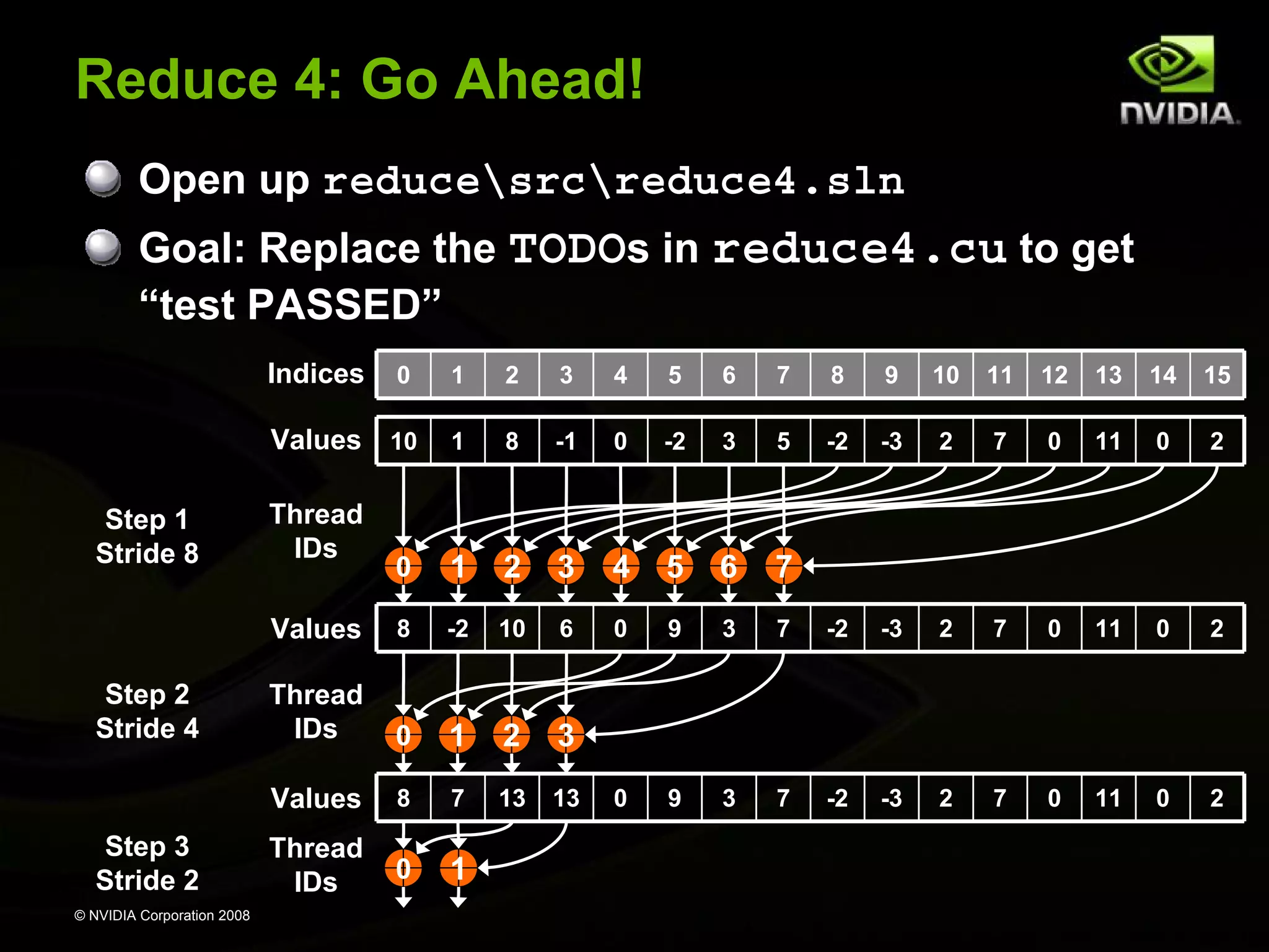
Reduce 4: Go Ahead!
Open up reducesrcreduce4.sln
Goal: Replace the TODOs in reduce4.cu to get
“test PASSED”
Indices

© NVIDIA Corporation 2008

3

4

5

6

7

8

9

10

11

12

13

14

15

1

8

-1

0

-2

3

5

-2

-3

2

7

0

11

0

2

0

1

2

3

4

5

6

7

8

-2

10

6

0

9

3

7

-2

-3

2

7

0

11

0

2

Thread
IDs

0

1

2

3

Values
Step 3
Stride 2

2

Values
Step 2
Stride 4

1

Values 10
Step 1
Stride 8

0

8

7

13

13

0

9

3

7

-2

-3

2

7

0

11

0

2

Thread
IDs

0

1

Thread
IDs
Reduce 5:
More Optimizations through Unrolling
Parallel reduction inner loop:
for (int stride = numThreadsPerBlock / 2;
stride > 0; stride /= 2)
{
__syncthreads();
if (threadID < stride)
sresult[threadID] += sresult[threadID + stride];
}
There are only so many values for numThreadsPerBlock:
Multiple of 32, less or equal to 512
So, templatize on numThreadsPerBlock:
template <uint numThreadsPerBlock>
__global__ void reduce_kernel(const float* valuesIn,
uint numValues,
float* valuesOut)

And unroll:
© NVIDIA Corporation 2008
Reduce 5: Unrolled Loop
if (numThreadsPerBlock >= 512)
{ __syncthreads(); if (threadID < 256) sresult[threadID] += sresult[threadID + 256]; }
if (numThreadsPerBlock >= 256)
{ __syncthreads(); if (threadID < 128) sresult[threadID] += sresult[threadID + 128]; }
if (numThreadsPerBlock >= 128)
{ __syncthreads(); if (threadID < 64) sresult[threadID] += sresult[threadID + 64]; }
if (numThreadsPerBlock >= 64)
{ __syncthreads(); if (threadID < 32) sresult[threadID] += sresult[threadID + 32]; }
if (numThreadsPerBlock >= 32)
{ __syncthreads(); if (threadID < 16) sresult[threadID] += sresult[threadID + 16]; }
…
if (numThreadsPerBlock >= 4)
{ __syncthreads(); if (threadID < 2) sresult[threadID] += sresult[threadID + 2]; }
if (numThreadsPerBlock >= 2)
{ __syncthreads(); if (threadID < 1) sresult[threadID] += sresult[threadID + 1]; }

All code in blue will be evaluated at compile time!
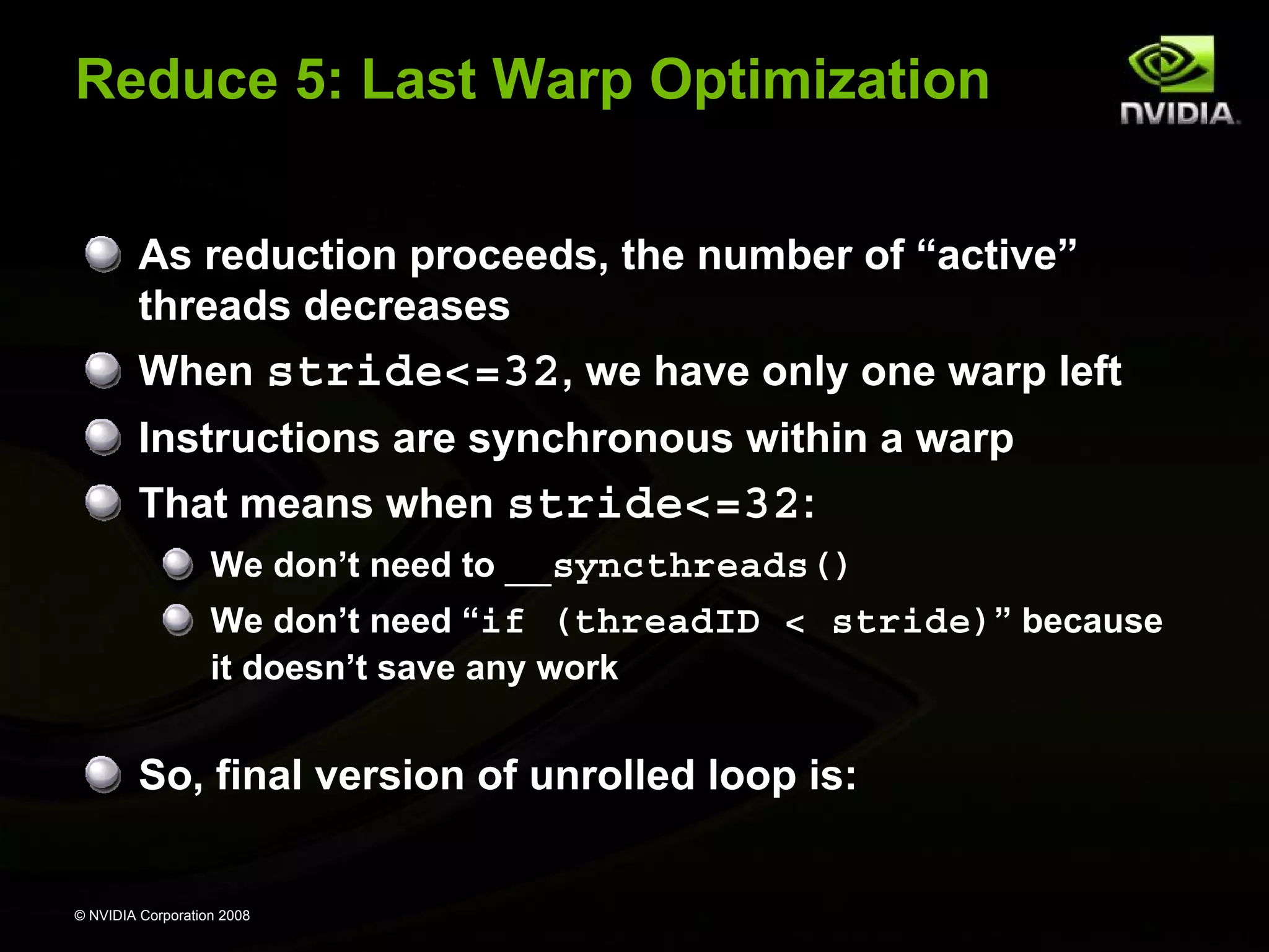
© NVIDIA Corporation 2008
Reduce 5: Last Warp Optimization
As reduction proceeds, the number of “active”
threads decreases
When stride<=32, we have only one warp left
Instructions are synchronous within a warp
That means when stride<=32:
We don’t need to __syncthreads()
We don’t need “if (threadID < stride)” because
it doesn’t save any work

So, final version of unrolled loop is:

© NVIDIA Corporation 2008
Reduce 5: Final Unrolled Loop
if (numThreadsPerBlock >= 512)
{ __syncthreads(); if (threadID < 256) sresult[threadID] += sresult[threadID + 256]; }
if (numThreadsPerBlock >= 256)
{ __syncthreads(); if (threadID < 128) sresult[threadID] += sresult[threadID + 128]; }
if (numThreadsPerBlock >= 128)
{ __syncthreads(); if (threadID < 64) sresult[threadID] += sresult[threadID + 64]; }
__syncthreads();
if (threadID < 32) {
if (numThreadsPerBlock >= 64) sresult[threadID] += sresult[threadID + 32];
if (numThreadsPerBlock >= 32) sresult[threadID] += sresult[threadID + 16];
if (numThreadsPerBlock >= 16) sresult[threadID] += sresult[threadID + 8];
if (numThreadsPerBlock >= 8) sresult[threadID] += sresult[threadID + 4];
if (numThreadsPerBlock >= 4) sresult[threadID] += sresult[threadID + 2];
if (numThreadsPerBlock >= 2) sresult[threadID] += sresult[threadID + 1];
}

All code in blue will be evaluated at compile time!
© NVIDIA Corporation 2008
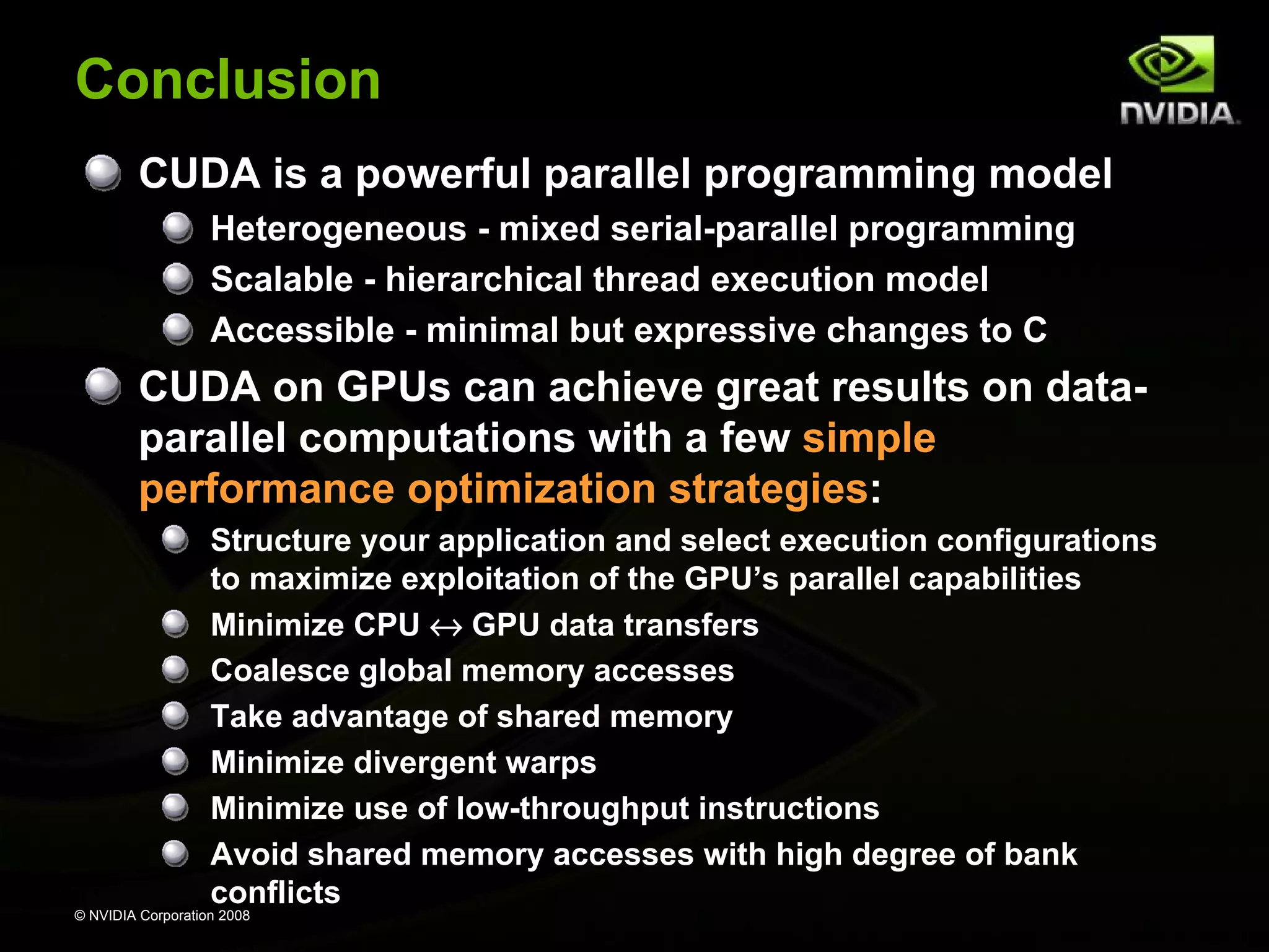
Conclusion
CUDA is a powerful parallel programming model
Heterogeneous - mixed serial-parallel programming
Scalable - hierarchical thread execution model
Accessible - minimal but expressive changes to C

CUDA on GPUs can achieve great results on dataparallel computations with a few simple
performance optimization strategies:
Structure your application and select execution configurations
to maximize exploitation of the GPU’s parallel capabilities
Minimize CPU ↔ GPU data transfers
Coalesce global memory accesses
Take advantage of shared memory
Minimize divergent warps
Minimize use of low-throughput instructions
Avoid shared memory accesses with high degree of bank
conflicts
© NVIDIA Corporation 2008
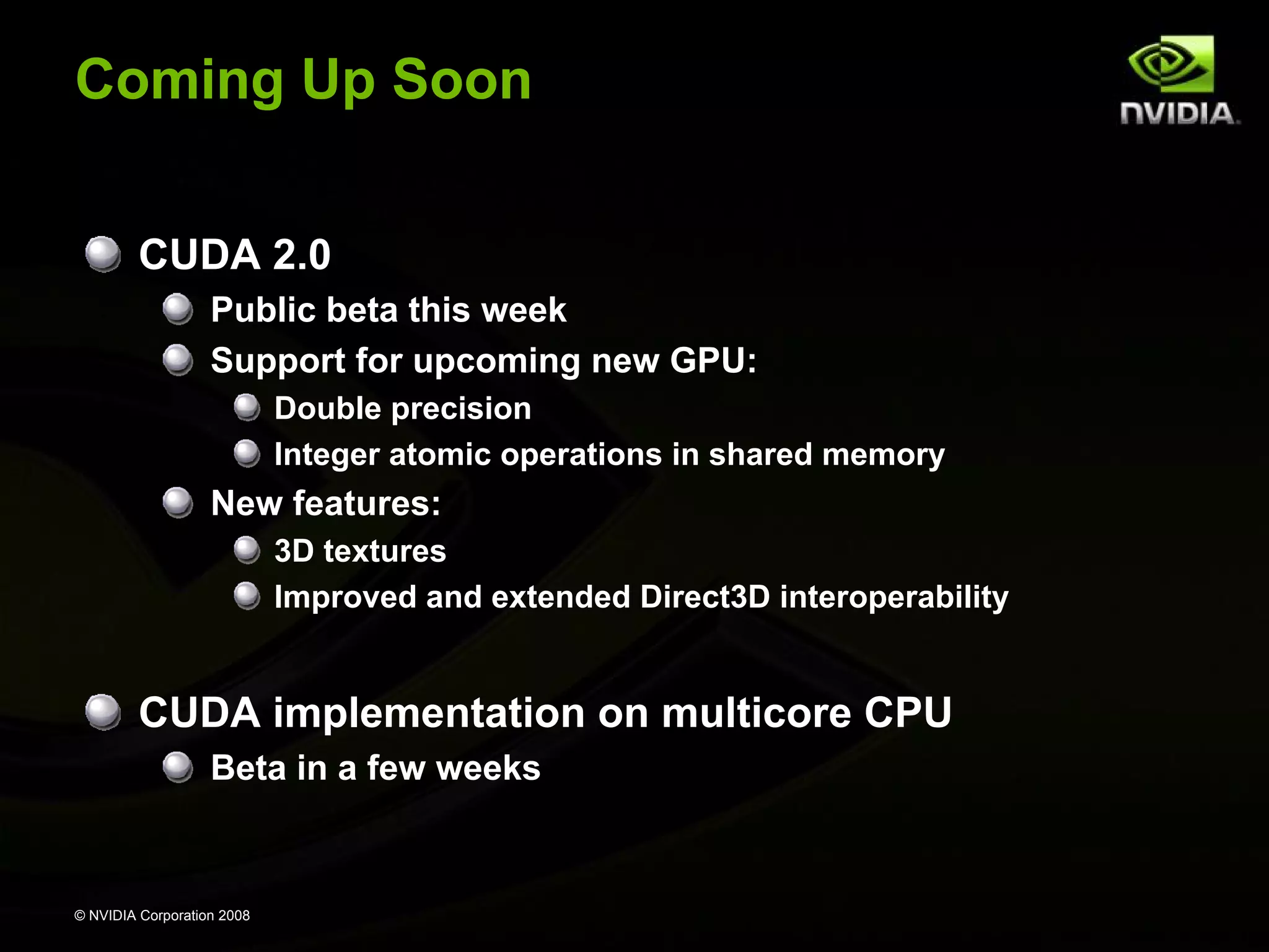
Coming Up Soon
CUDA 2.0
Public beta this week
Support for upcoming new GPU:
Double precision
Integer atomic operations in shared memory

New features:
3D textures
Improved and extended Direct3D interoperability

CUDA implementation on multicore CPU
Beta in a few weeks

© NVIDIA Corporation 2008
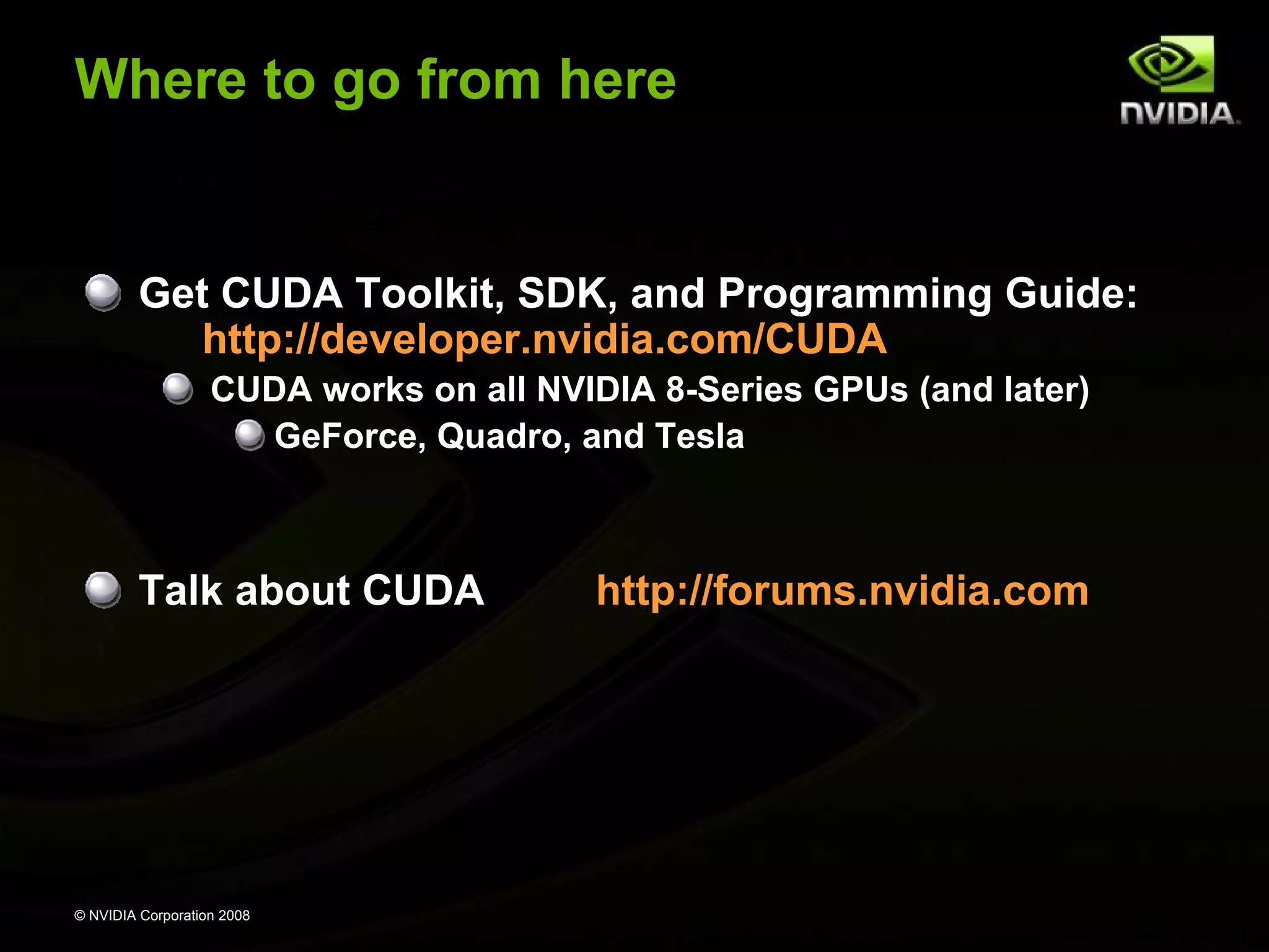
Where to go from here

Get CUDA Toolkit, SDK, and Programming Guide:
http://developer.nvidia.com/CUDA
CUDA works on all NVIDIA 8-Series GPUs (and later)
GeForce, Quadro, and Tesla

Talk about CUDA

© NVIDIA Corporation 2008

http://forums.nvidia.com
Extra Slides
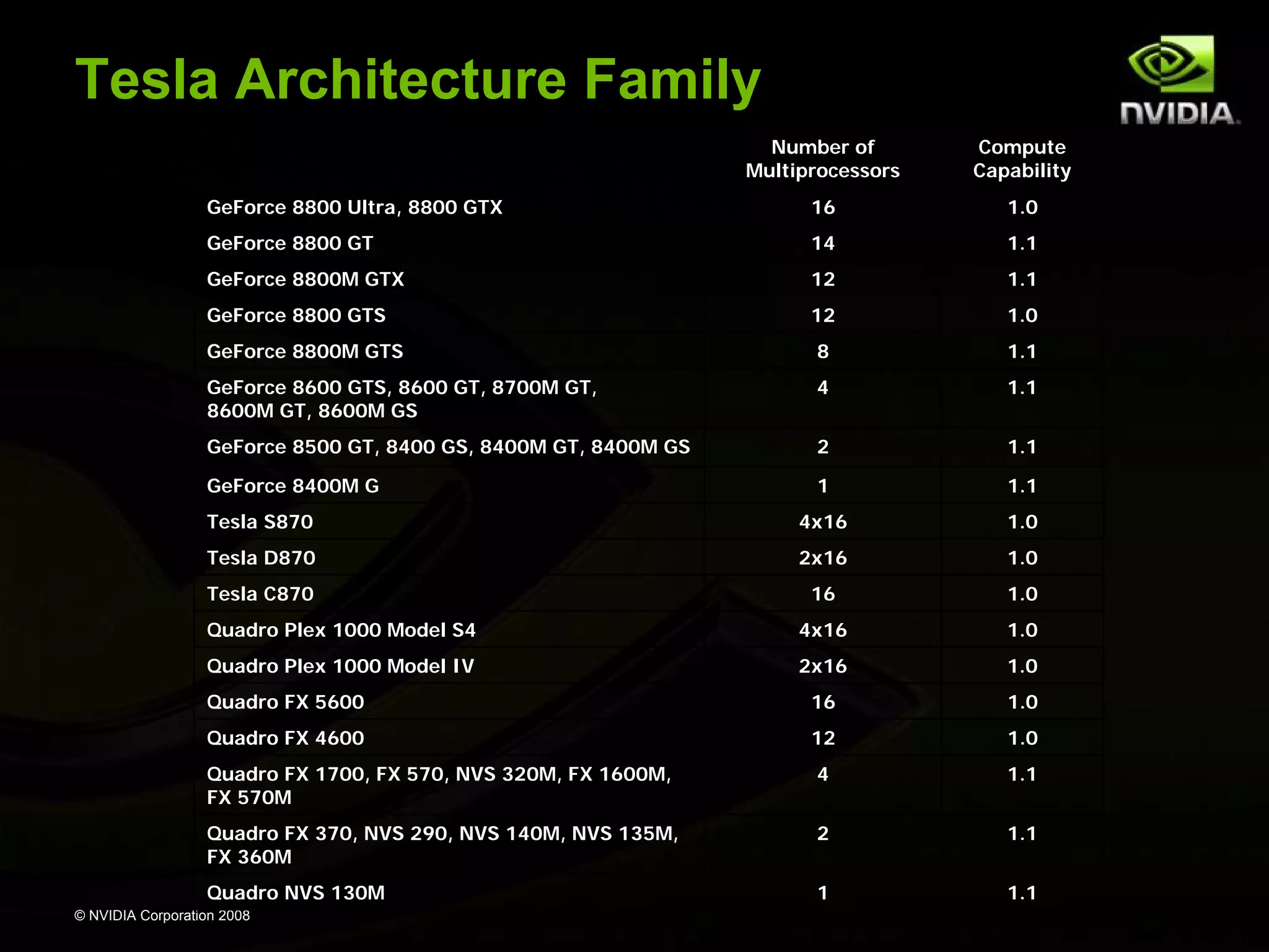
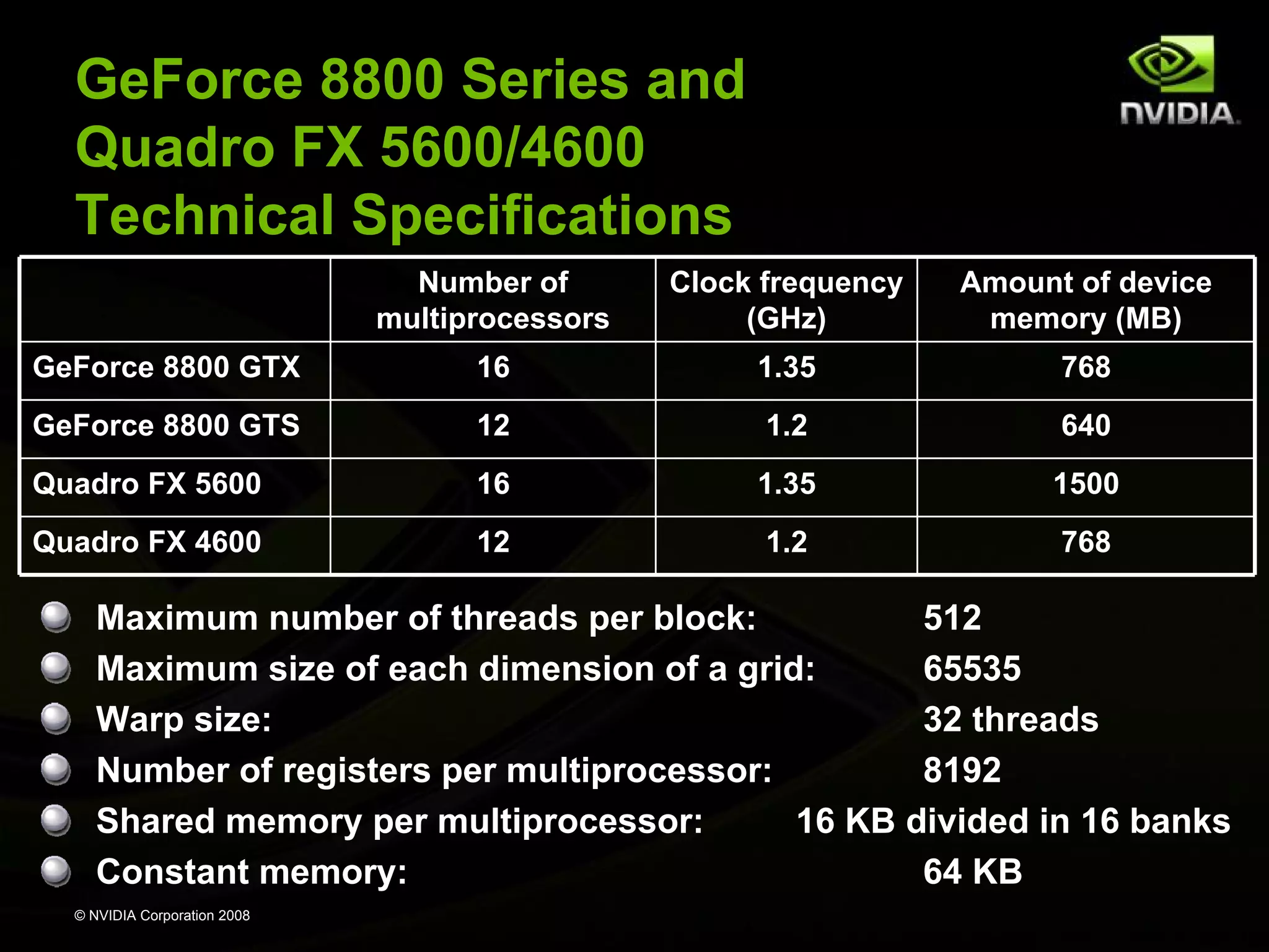
Tesla Architecture Family
Number of
Multiprocessors

Compute
Capability

GeForce 8800 Ultra, 8800 GTX

16

1.0

GeForce 8800 GT

14

1.1

GeForce 8800M GTX

12

1.1

GeForce 8800 GTS

12

1.0

GeForce 8800M GTS

8

1.1

GeForce 8600 GTS, 8600 GT, 8700M GT,
8600M GT, 8600M GS

4

1.1

GeForce 8500 GT, 8400 GS, 8400M GT, 8400M GS

2

1.1

GeForce 8400M G

1

1.1

Tesla S870

4x16

1.0

Tesla D870

2x16

1.0

Tesla C870

16

1.0

Quadro Plex 1000 Model S4

4x16

1.0

Quadro Plex 1000 Model IV

2x16

1.0

Quadro FX 5600

16

1.0

Quadro FX 4600

12

1.0

Quadro FX 1700, FX 570, NVS 320M, FX 1600M,
FX 570M

4

1.1

Quadro FX 370, NVS 290, NVS 140M, NVS 135M,
FX 360M

2

1.1

Quadro NVS 130M

1

1.1

© NVIDIA Corporation 2008
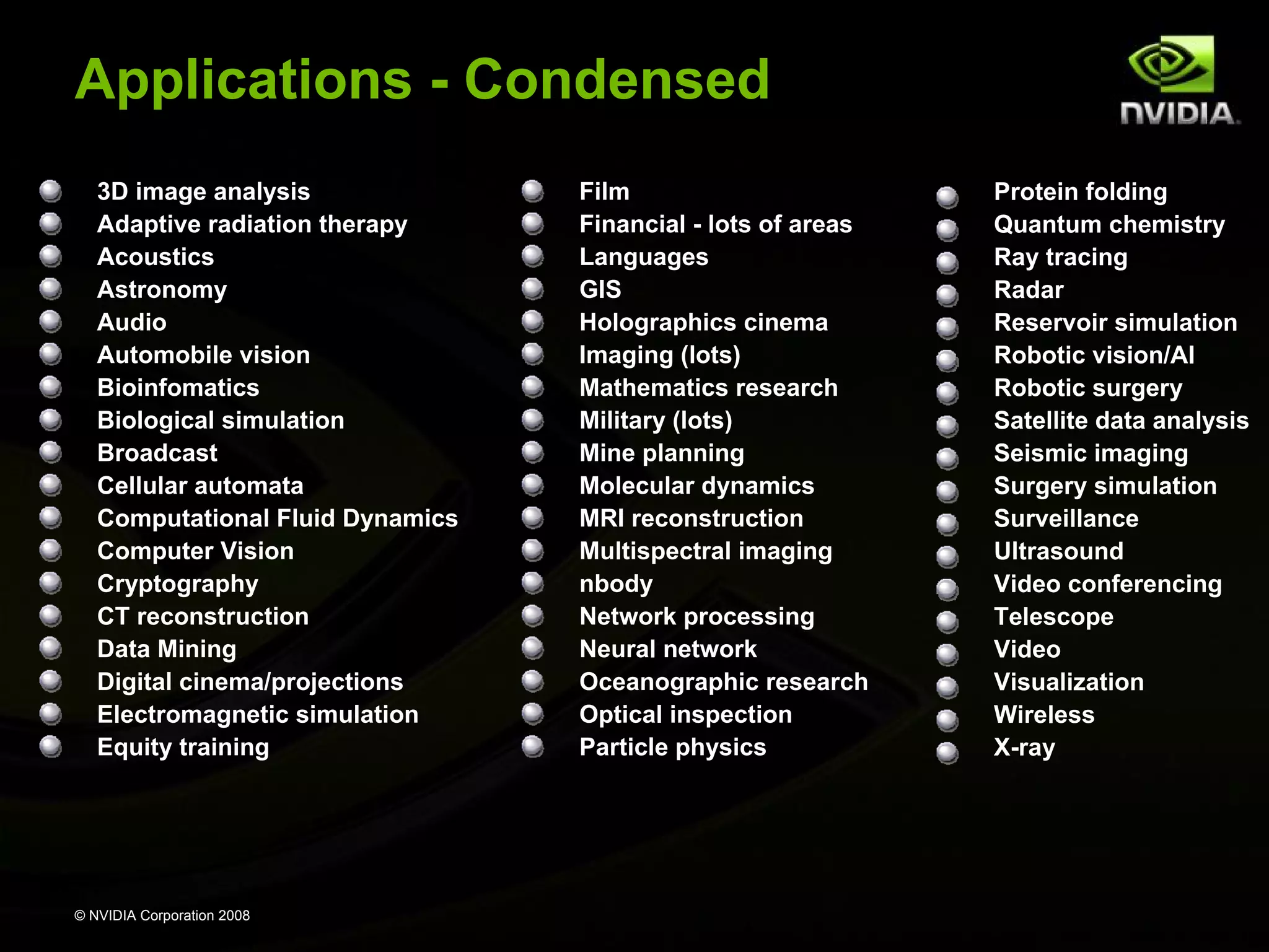
Applications - Condensed
3D image analysis
Adaptive radiation therapy
Acoustics
Astronomy
Audio
Automobile vision
Bioinfomatics
Biological simulation
Broadcast
Cellular automata
Computational Fluid Dynamics
Computer Vision
Cryptography
CT reconstruction
Data Mining
Digital cinema/projections
Electromagnetic simulation
Equity training

© NVIDIA Corporation 2008

Film
Financial - lots of areas
Languages
GIS
Holographics cinema
Imaging (lots)
Mathematics research
Military (lots)
Mine planning
Molecular dynamics
MRI reconstruction
Multispectral imaging
nbody
Network processing
Neural network
Oceanographic research
Optical inspection
Particle physics

Protein folding
Quantum chemistry
Ray tracing
Radar
Reservoir simulation
Robotic vision/AI
Robotic surgery
Satellite data analysis
Seismic imaging
Surgery simulation
Surveillance
Ultrasound
Video conferencing
Telescope
Video
Visualization
Wireless
X-ray
New Applications
Real-time options implied volatility engine
Ultrasound imaging
Swaption volatility cube calculator
HOOMD Molecular Dynamics
Manifold 8 GIS

Also…
Image rotation/classification
Graphics processing toolbox
Microarray data analysis
Data parallel primitives
© NVIDIA Corporation
Astrophysics2008
simulations

SDK: Mandelbrot, computer vision

Seismic migration
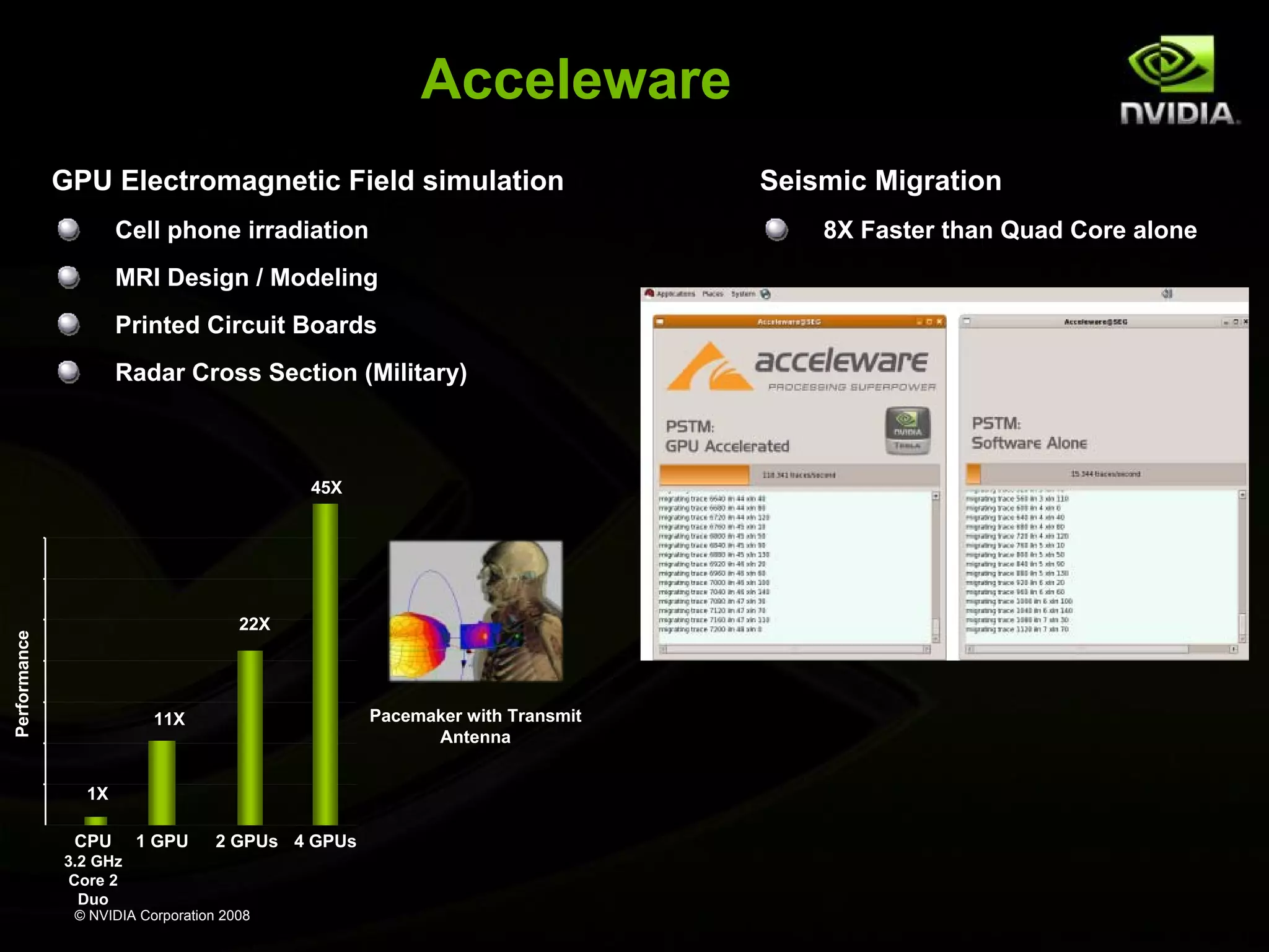
Acceleware
GPU Electromagnetic Field simulation
Cell phone irradiation

8X Faster than Quad Core alone

MRI Design / Modeling
Printed Circuit Boards
Radar Cross Section (Military)

45X

Performance

22X

Pacemaker with Transmit
Antenna

11X

1X
CPU

1 GPU

2 GPUs 4 GPUs

3.2 GHz
Core 2
Duo
© NVIDIA Corporation 2008

Seismic Migration
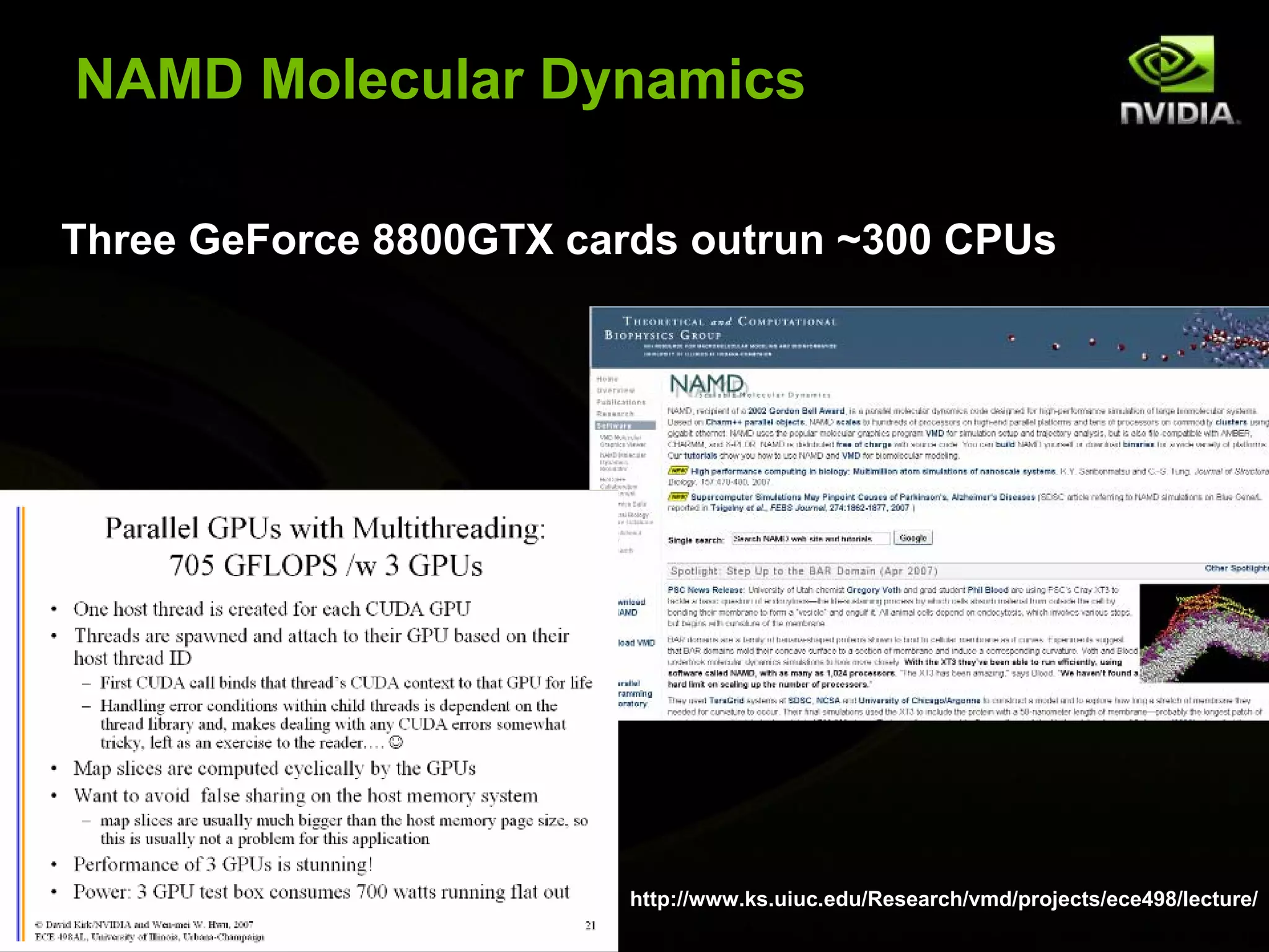
NAMD Molecular Dynamics
Three GeForce 8800GTX cards outrun ~300 CPUs

© NVIDIA Corporation 2008

http://www.ks.uiuc.edu/Research/vmd/projects/ece498/lecture/
EvolvedMachines
130X Speed up
Brain circuit simulation
Sensory computing: vision, olfactory

EvolvedMachines
© NVIDIA Corporation 2008
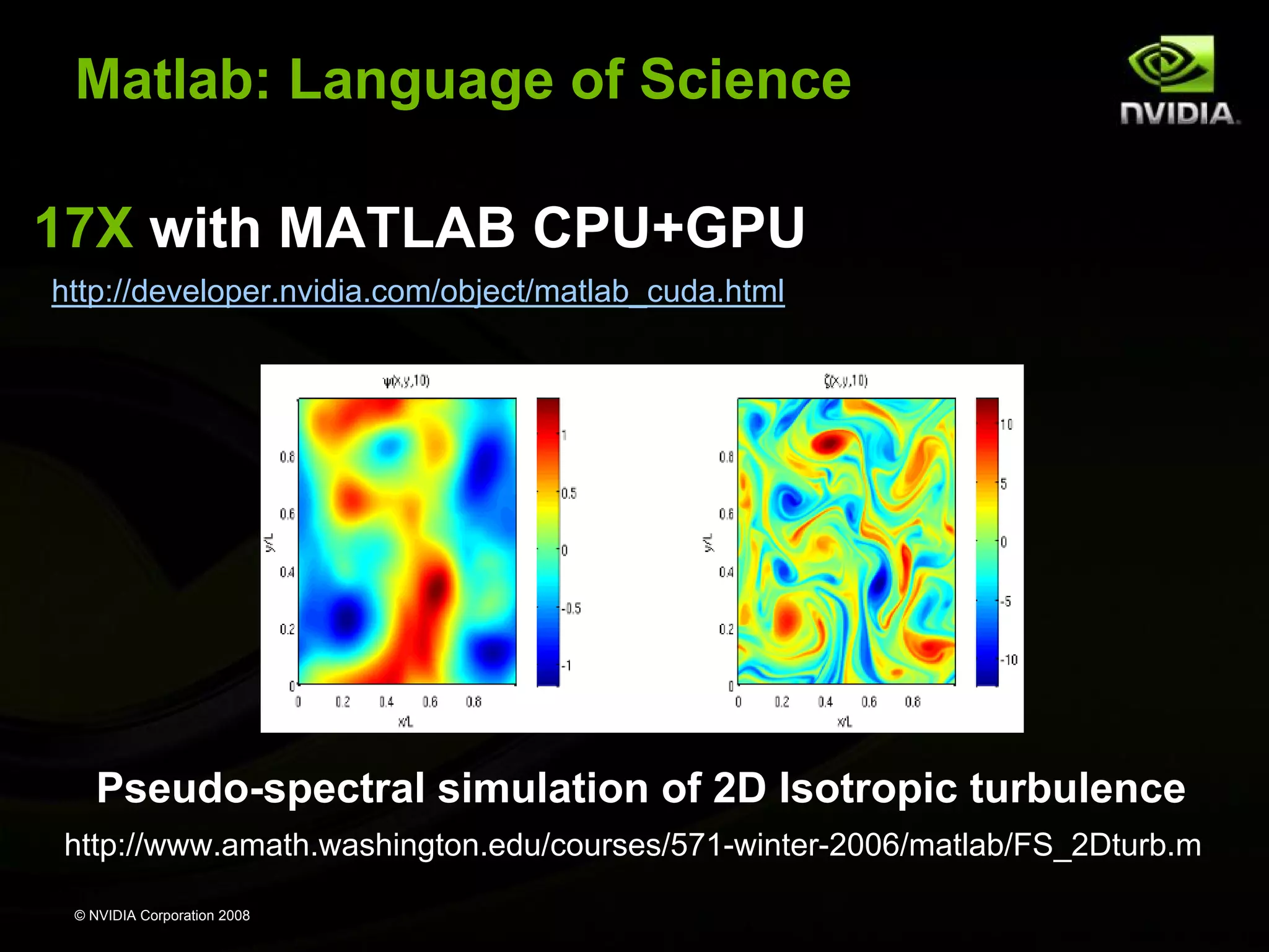
Matlab: Language of Science
17X with MATLAB CPU+GPU
http://developer.nvidia.com/object/matlab_cuda.html

Pseudo-spectral simulation of 2D Isotropic turbulence
http://www.amath.washington.edu/courses/571-winter-2006/matlab/FS_2Dturb.m
© NVIDIA Corporation 2008
nbody Astrophysics

Astrophysics research
1 GF on standard PC
300+ GF on GeForce 8800GTX

http://progrape.jp/cs/

Faster than GRAPE-6Af custom simulation computer

Video demo
© NVIDIA Corporation 2008
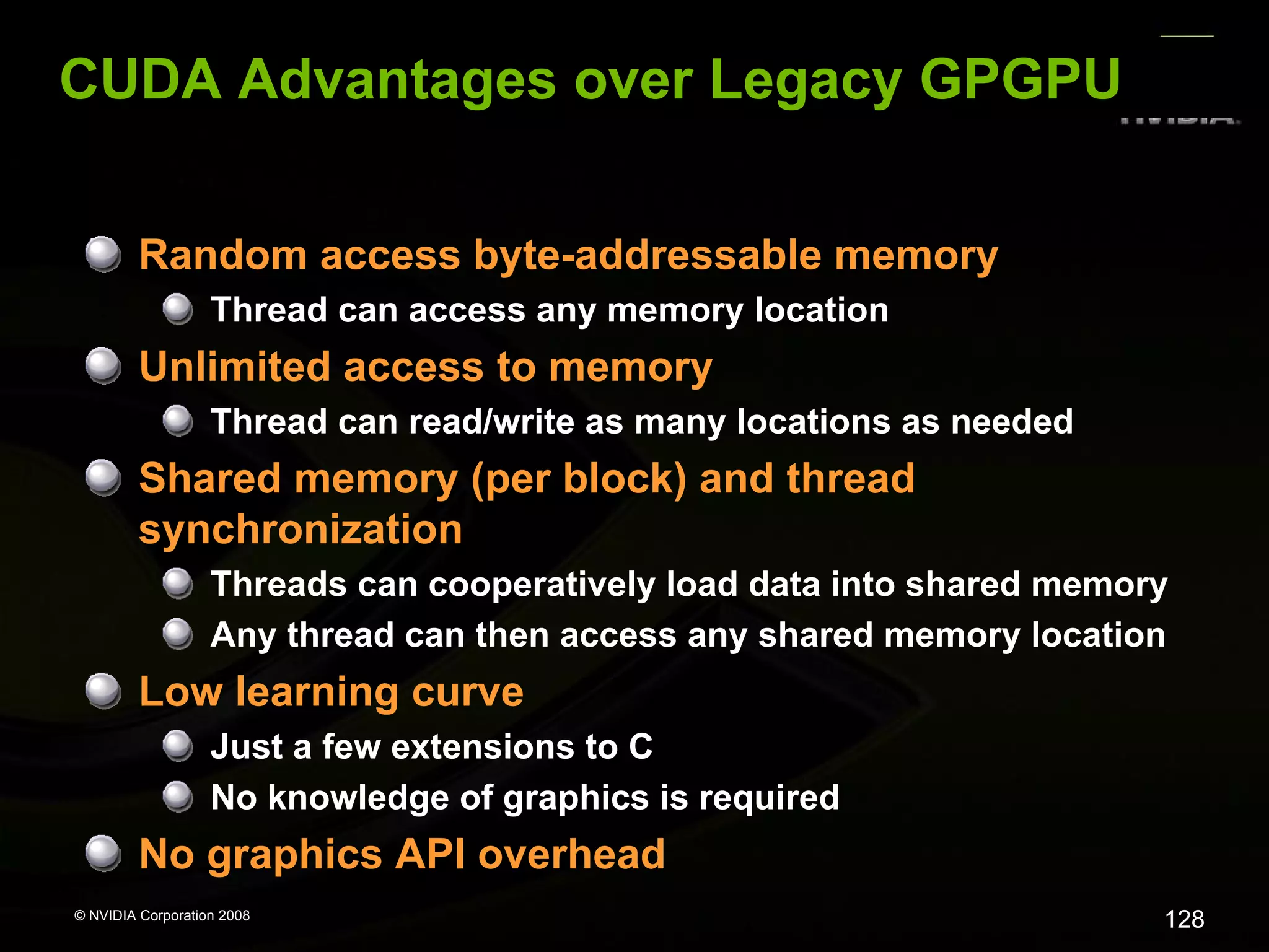
CUDA Advantages over Legacy GPGPU
Random access byte-addressable memory
Thread can access any memory location

Unlimited access to memory
Thread can read/write as many locations as needed

Shared memory (per block) and thread
synchronization
Threads can cooperatively load data into shared memory
Any thread can then access any shared memory location

Low learning curve
Just a few extensions to C
No knowledge of graphics is required

No graphics API overhead
© NVIDIA Corporation 2008

128
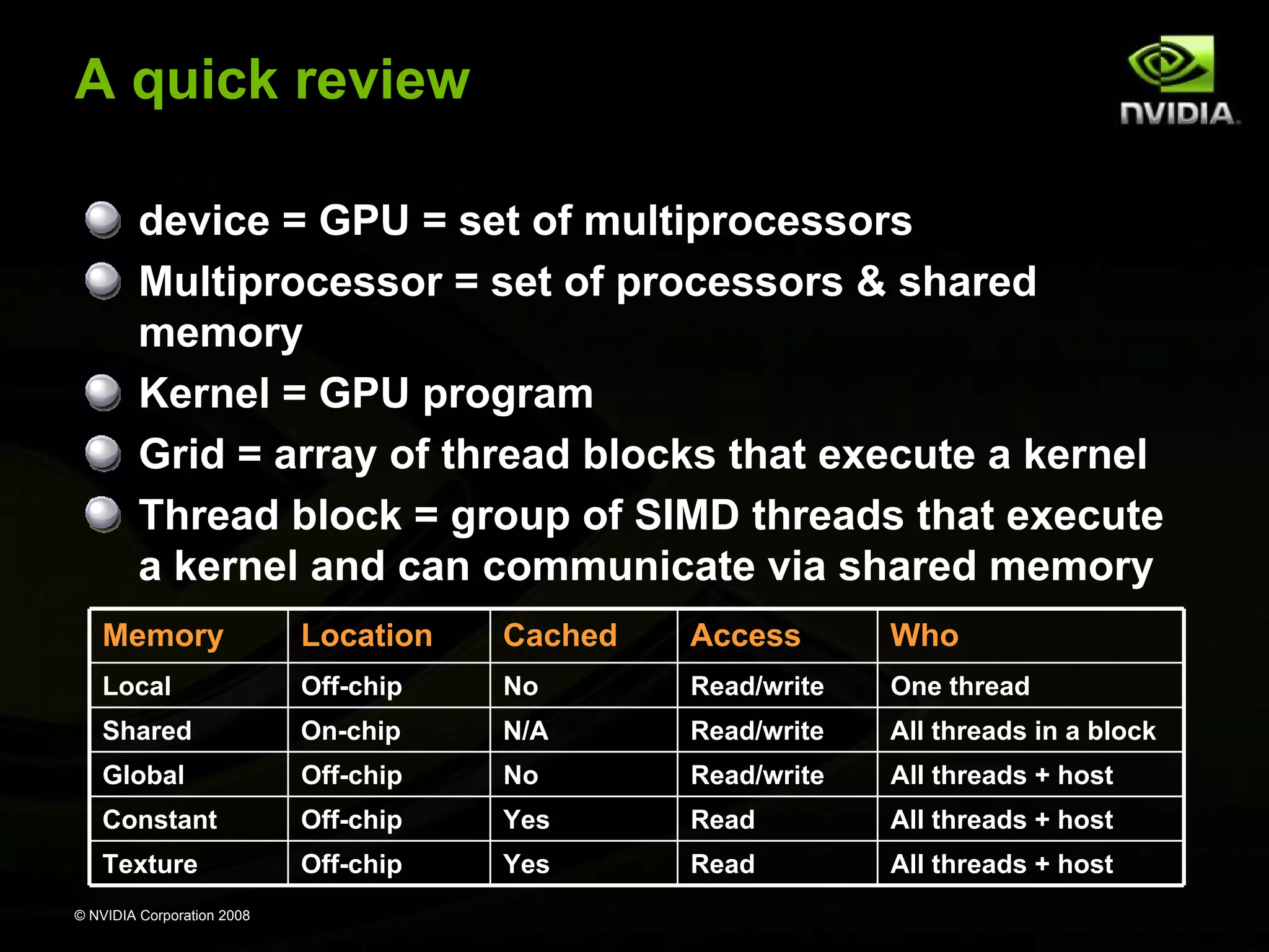
A quick review
device = GPU = set of multiprocessors
Multiprocessor = set of processors & shared
memory
Kernel = GPU program
Grid = array of thread blocks that execute a kernel
Thread block = group of SIMD threads that execute
a kernel and can communicate via shared memory
Memory

Location

Cached

Access

Who

Local

Off-chip

No

Read/write

One thread

Shared

On-chip

N/A

Read/write

All threads in a block

Global

Off-chip

No

Read/write

All threads + host

Constant

Off-chip

Yes

Read

All threads + host

Texture

Off-chip

Yes

Read

All threads + host

© NVIDIA Corporation 2008
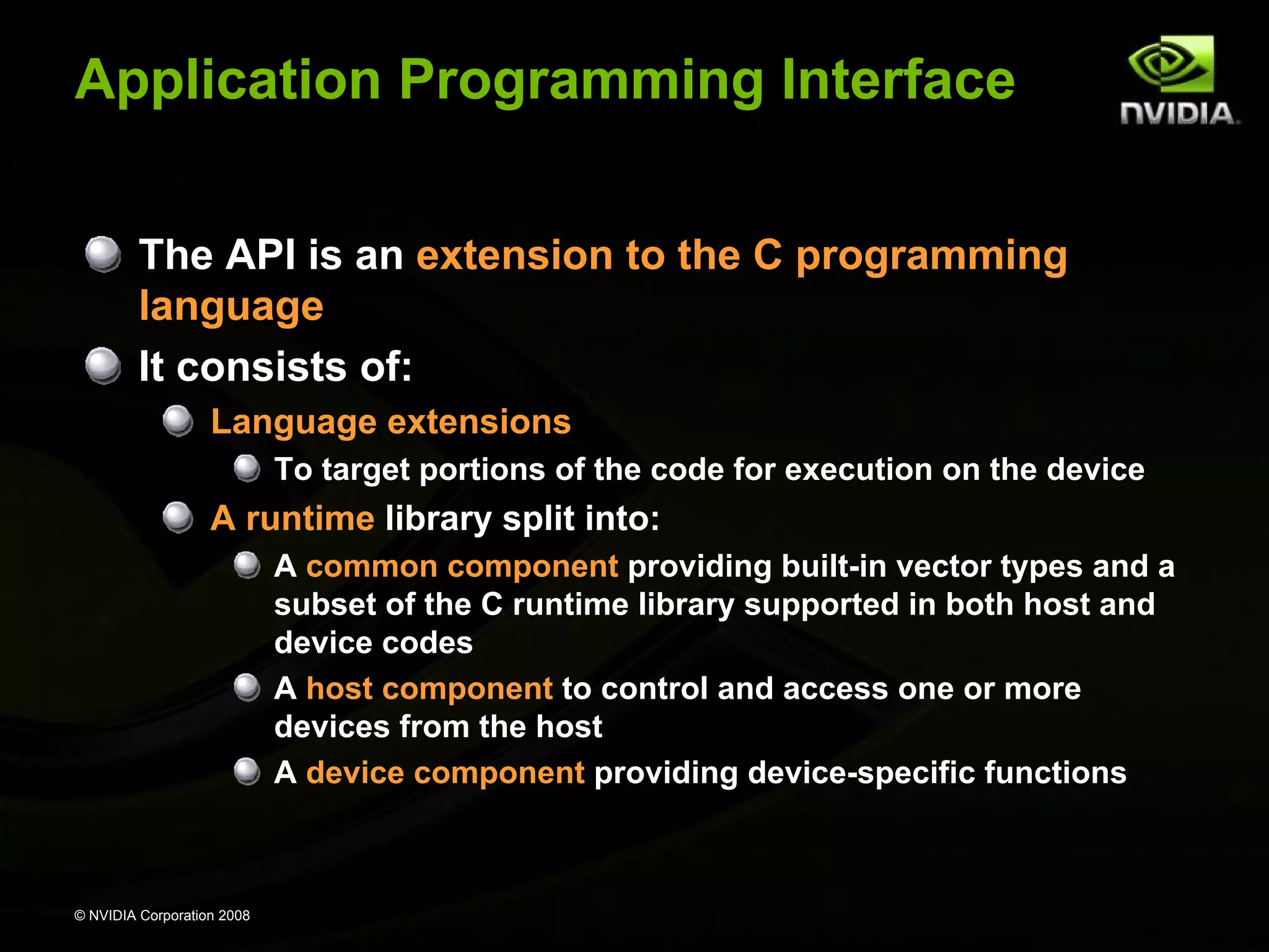
Application Programming Interface
The API is an extension to the C programming
language
It consists of:
Language extensions
To target portions of the code for execution on the device

A runtime library split into:
A common component providing built-in vector types and a
subset of the C runtime library supported in both host and
device codes
A host component to control and access one or more
devices from the host
A device component providing device-specific functions

© NVIDIA Corporation 2008
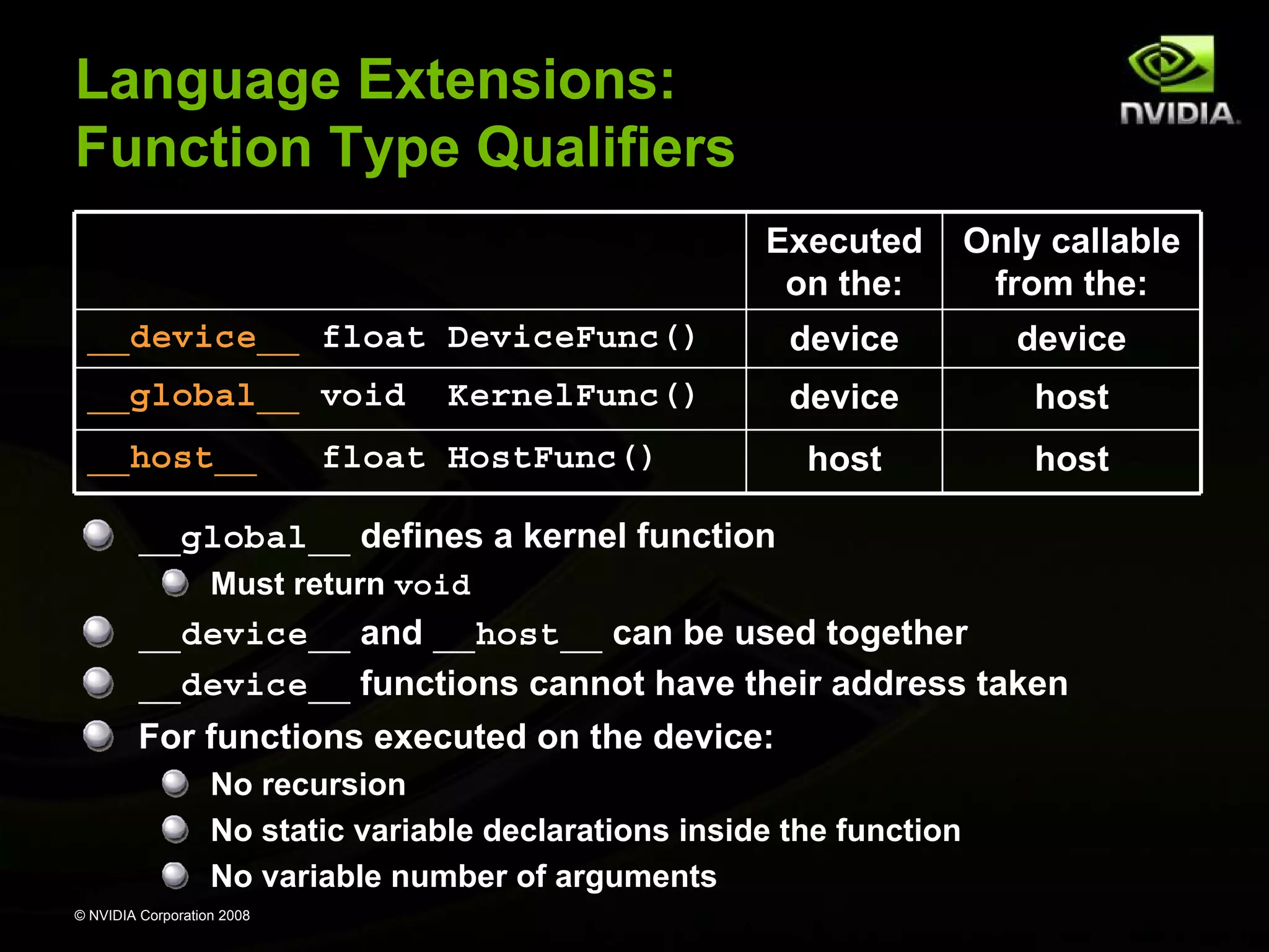
Language Extensions:
Function Type Qualifiers
Executed
on the:

Only callable
from the:

__device__ float DeviceFunc()

device

device

__global__ void

device

host

host

host

__host__

KernelFunc()

float HostFunc()

__global__ defines a kernel function
Must return void

__device__ and __host__ can be used together
__device__ functions cannot have their address taken
For functions executed on the device:
No recursion
No static variable declarations inside the function
No variable number of arguments
© NVIDIA Corporation 2008
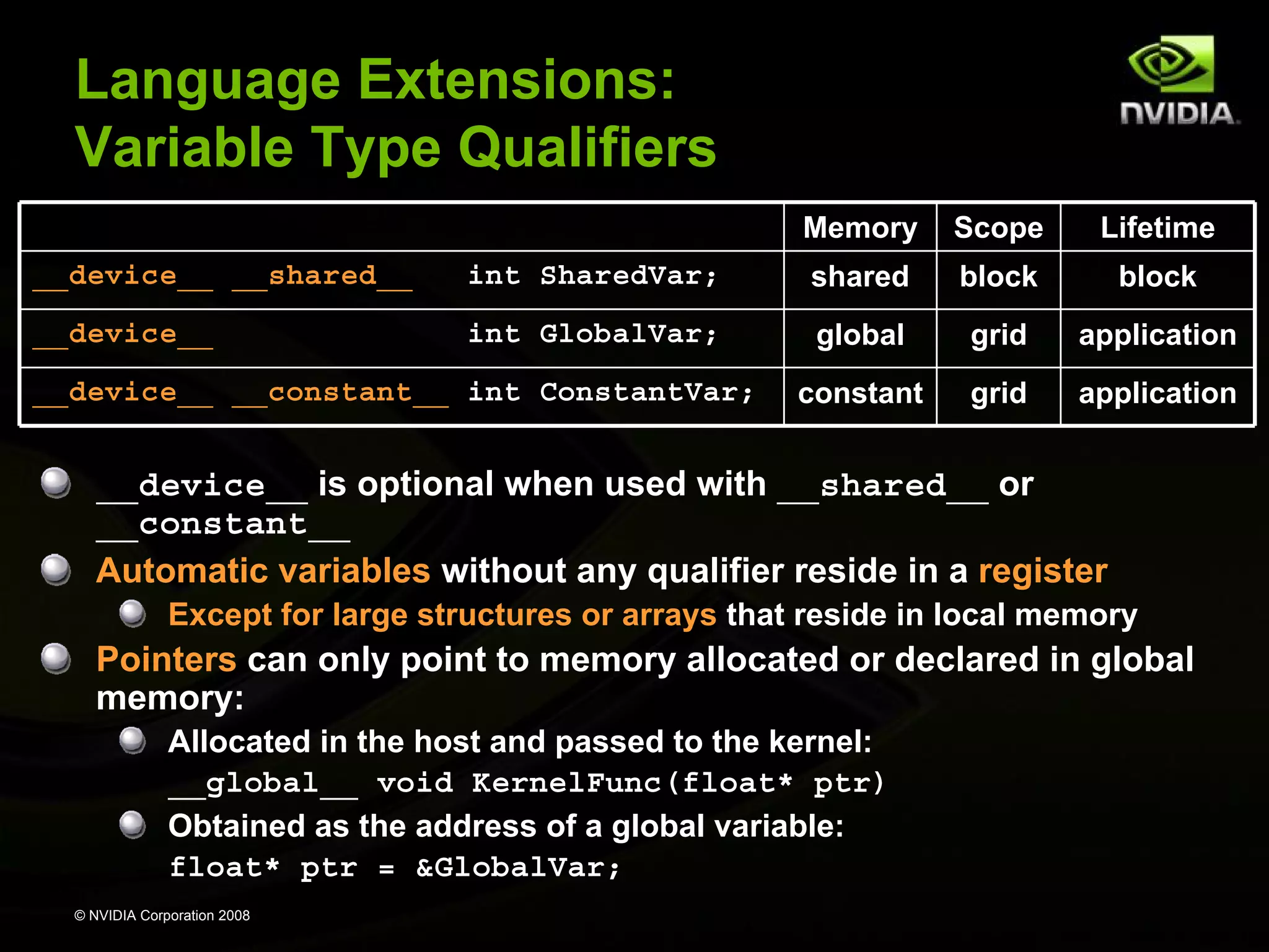
Language Extensions:
Variable Type Qualifiers
Memory

Scope

Lifetime

__device__ __shared__

int SharedVar;

shared

block

block

__device__

int GlobalVar;

global

grid

application

constant

grid

application

__device__ __constant__ int ConstantVar;

__device__ is optional when used with __shared__ or
__constant__
Automatic variables without any qualifier reside in a register
Except for large structures or arrays that reside in local memory

Pointers can only point to memory allocated or declared in global
memory:
Allocated in the host and passed to the kernel:
__global__ void KernelFunc(float* ptr)
Obtained as the address of a global variable:
float* ptr = &GlobalVar;
© NVIDIA Corporation 2008
Language Extensions:
Execution Configuration
A kernel function must be called with an execution
configuration:
__global__ void KernelFunc(...);
dim3
DimGrid(100, 50);
// 5000 thread blocks
dim3
DimBlock(4, 8, 8);
// 256 threads per block
size_t SharedMemBytes = 64; // 64 bytes of shared memory
KernelFunc<<< DimGrid, DimBlock, SharedMemBytes >>>(...);

The optional SharedMemBytes bytes are:
Allocated in addition to the compiler allocated shared memory
Mapped to any variable declared as:

extern __shared__ float DynamicSharedMem[];

Any call to a kernel function is asynchronous
Control returns to CPU immediately
© NVIDIA Corporation 2008
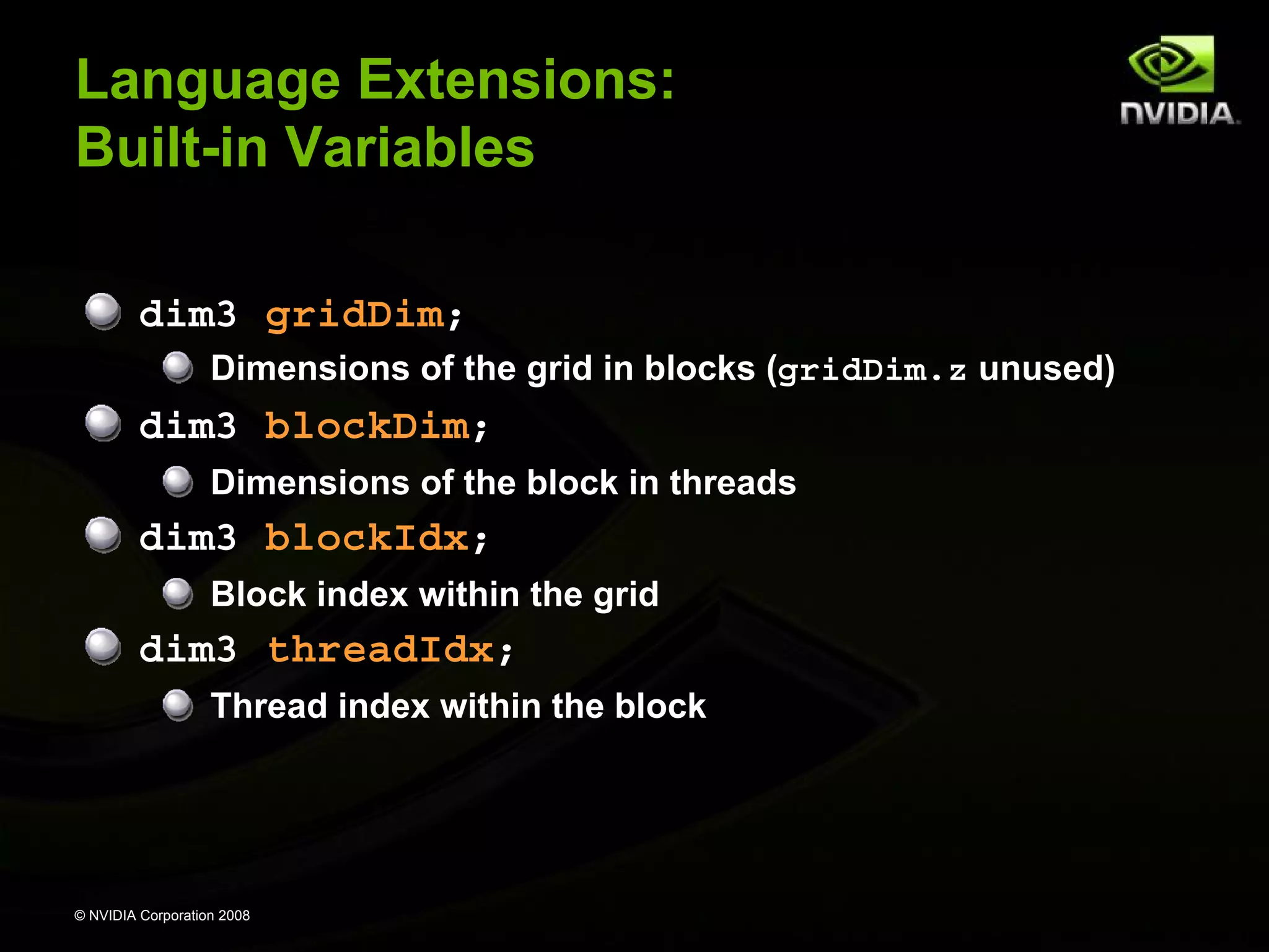
Language Extensions:
Built-in Variables
dim3 gridDim;
Dimensions of the grid in blocks (gridDim.z unused)

dim3 blockDim;
Dimensions of the block in threads

dim3 blockIdx;
Block index within the grid

dim3 threadIdx;
Thread index within the block

© NVIDIA Corporation 2008
Common Runtime Component
Provides:
Built-in vector types
A subset of the C runtime library supported in both host
and device codes

© NVIDIA Corporation 2008
Common Runtime Component:
Built-in Vector Types
[u]char[1..4], [u]short[1..4], [u]int[1..4],
[u]long[1..4], float[1..4]
Structures accessed with x, y, z, w fields:
uint4 param;
int y = param.y;

dim3
Based on uint3
Used to specify dimensions

© NVIDIA Corporation 2008
Common Runtime Component:
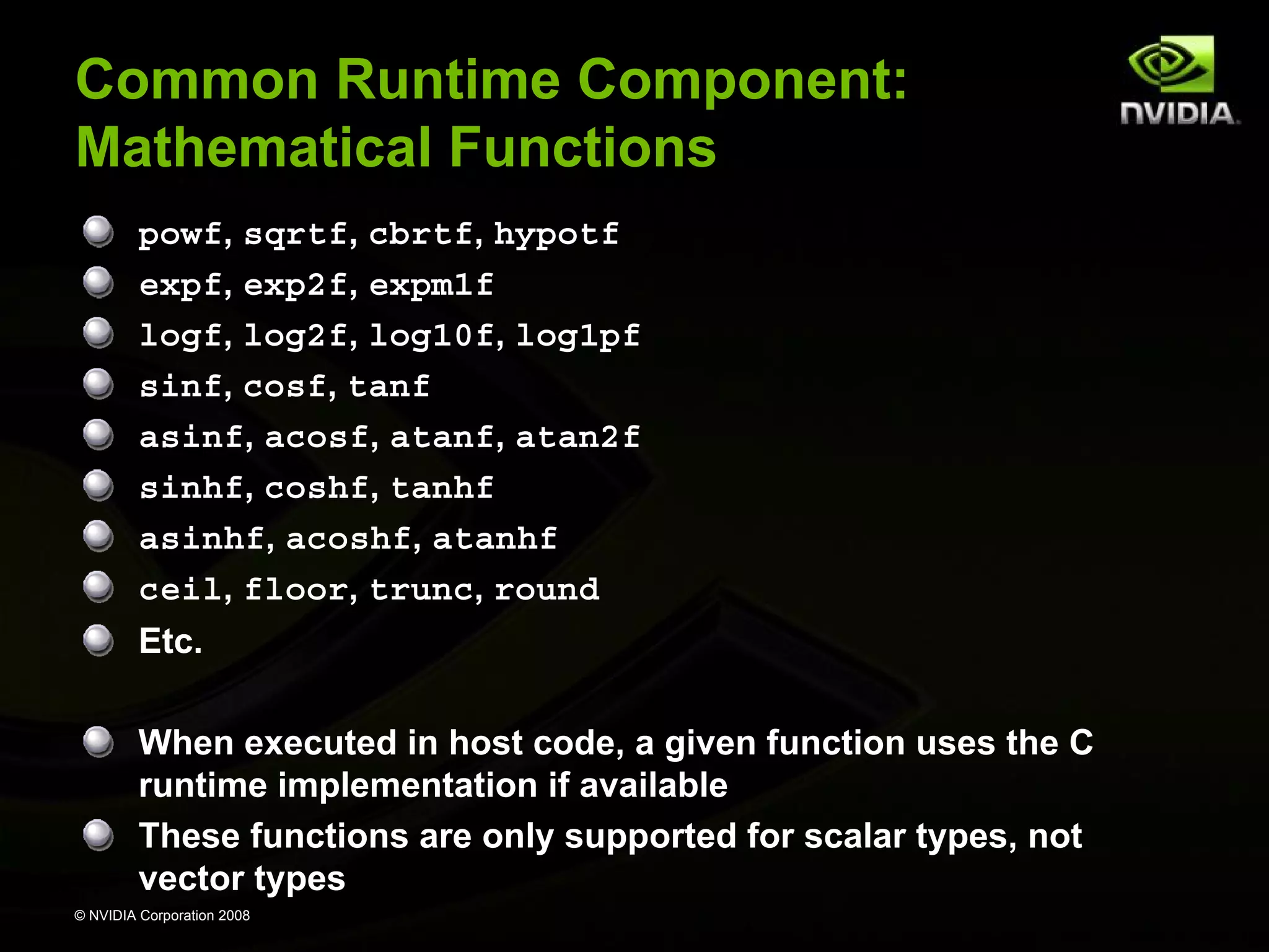
Mathematical Functions
powf, sqrtf, cbrtf, hypotf
expf, exp2f, expm1f
logf, log2f, log10f, log1pf
sinf, cosf, tanf
asinf, acosf, atanf, atan2f
sinhf, coshf, tanhf
asinhf, acoshf, atanhf
ceil, floor, trunc, round
Etc.
When executed in host code, a given function uses the C
runtime implementation if available
These functions are only supported for scalar types, not
vector types
© NVIDIA Corporation 2008
Common Runtime Component:
Texture Types
Texture memory is accessed through texture
references:
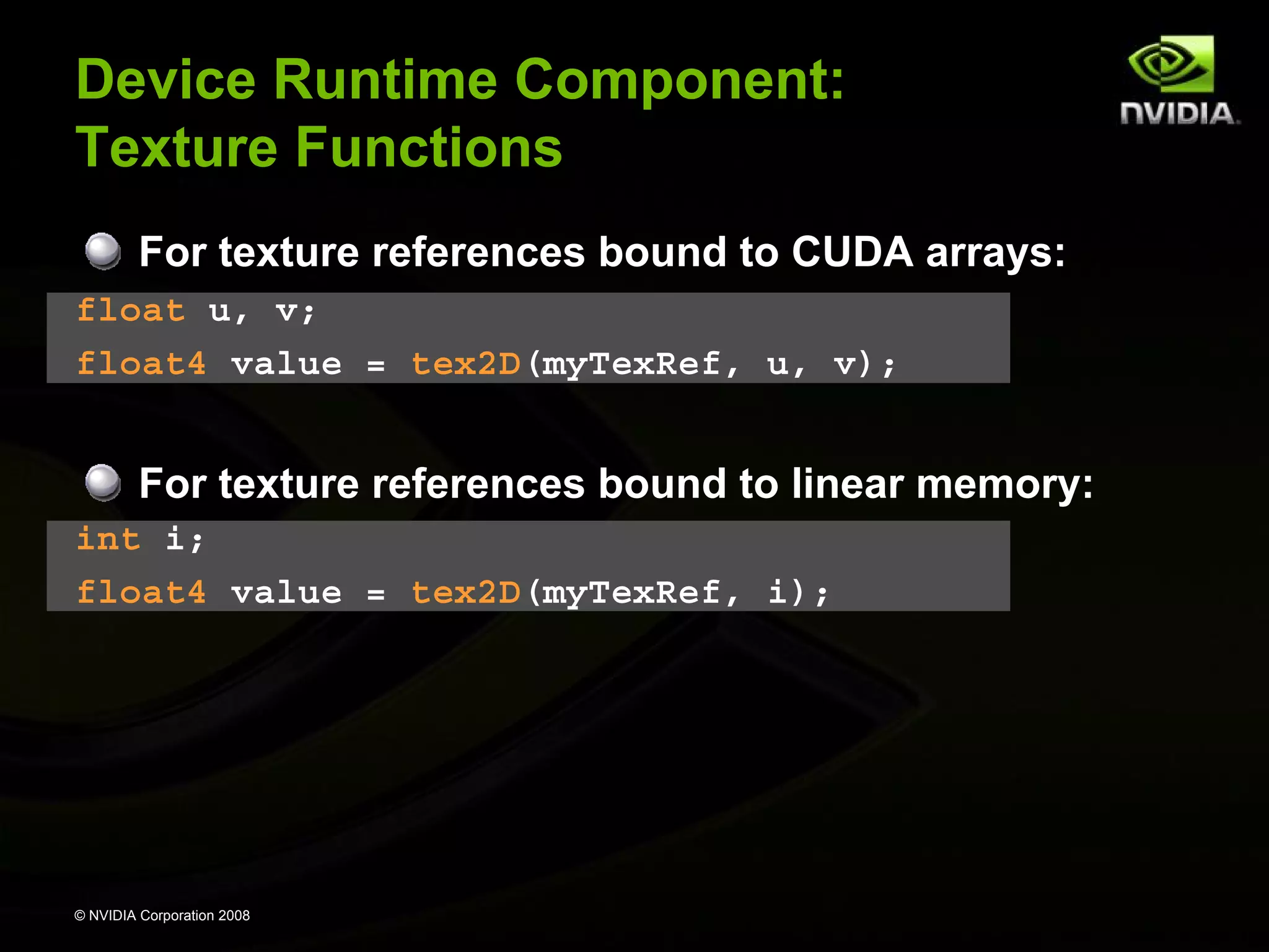
texture<float, 2> myTexRef; // 2D texture of float values
myTexRef.addressMode[0] = cudaAddressModeWrap;
myTexRef.addressMode[1] = cudaAddressModeWrap;
myTexRef.filterMode
= cudaFilterModeLinear;

Texture fetching in device code:
float4 value = tex2D(myTexRef, u, v);

© NVIDIA Corporation 2008
Host Runtime Component
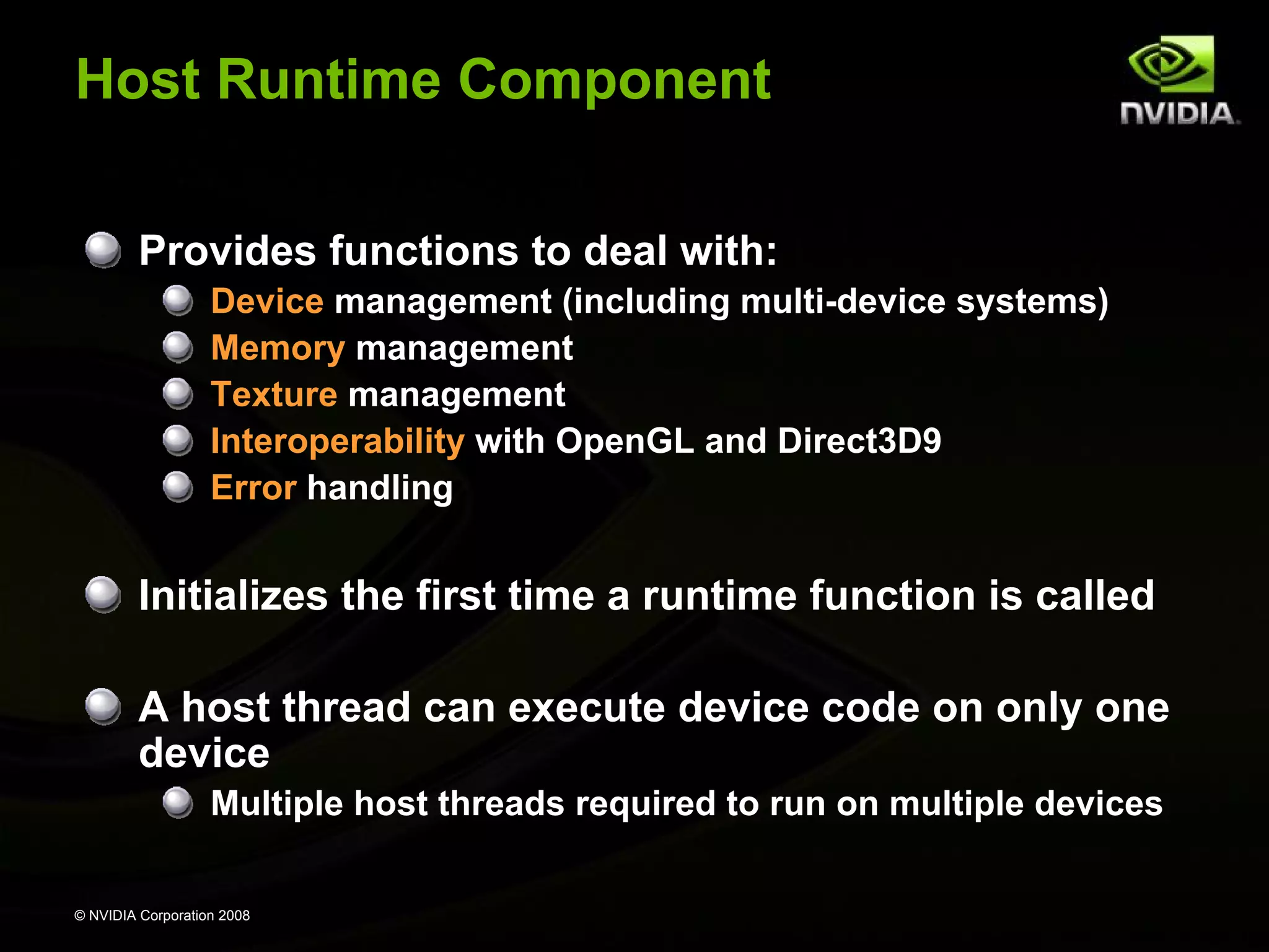
Provides functions to deal with:
Device management (including multi-device systems)
Memory management
Texture management
Interoperability with OpenGL and Direct3D9
Error handling

Initializes the first time a runtime function is called
A host thread can execute device code on only one
device
Multiple host threads required to run on multiple devices
© NVIDIA Corporation 2008
Host Runtime Component:
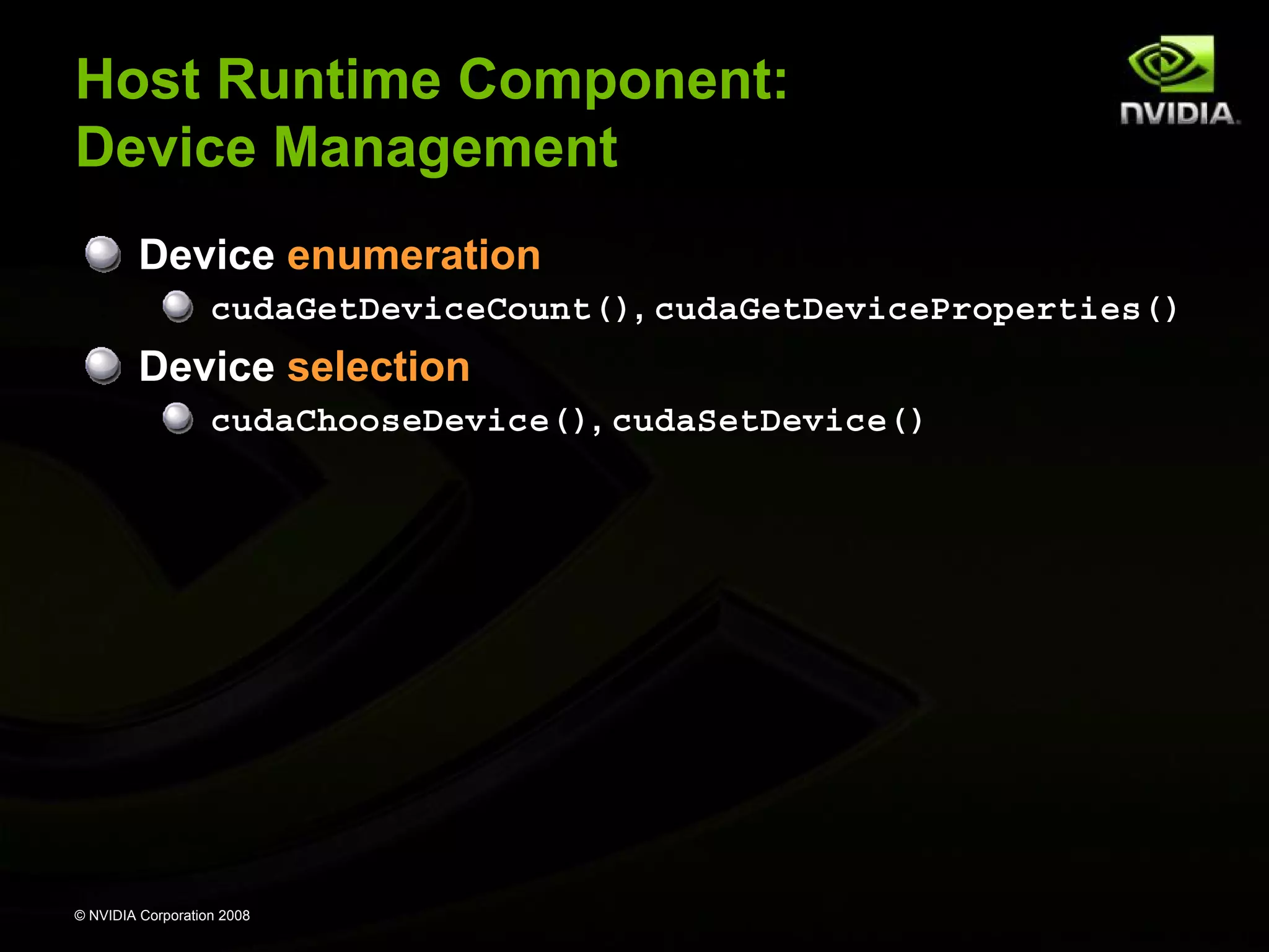
Device Management
Device enumeration
cudaGetDeviceCount(), cudaGetDeviceProperties()

Device selection
cudaChooseDevice(), cudaSetDevice()

© NVIDIA Corporation 2008
Host Runtime Component:
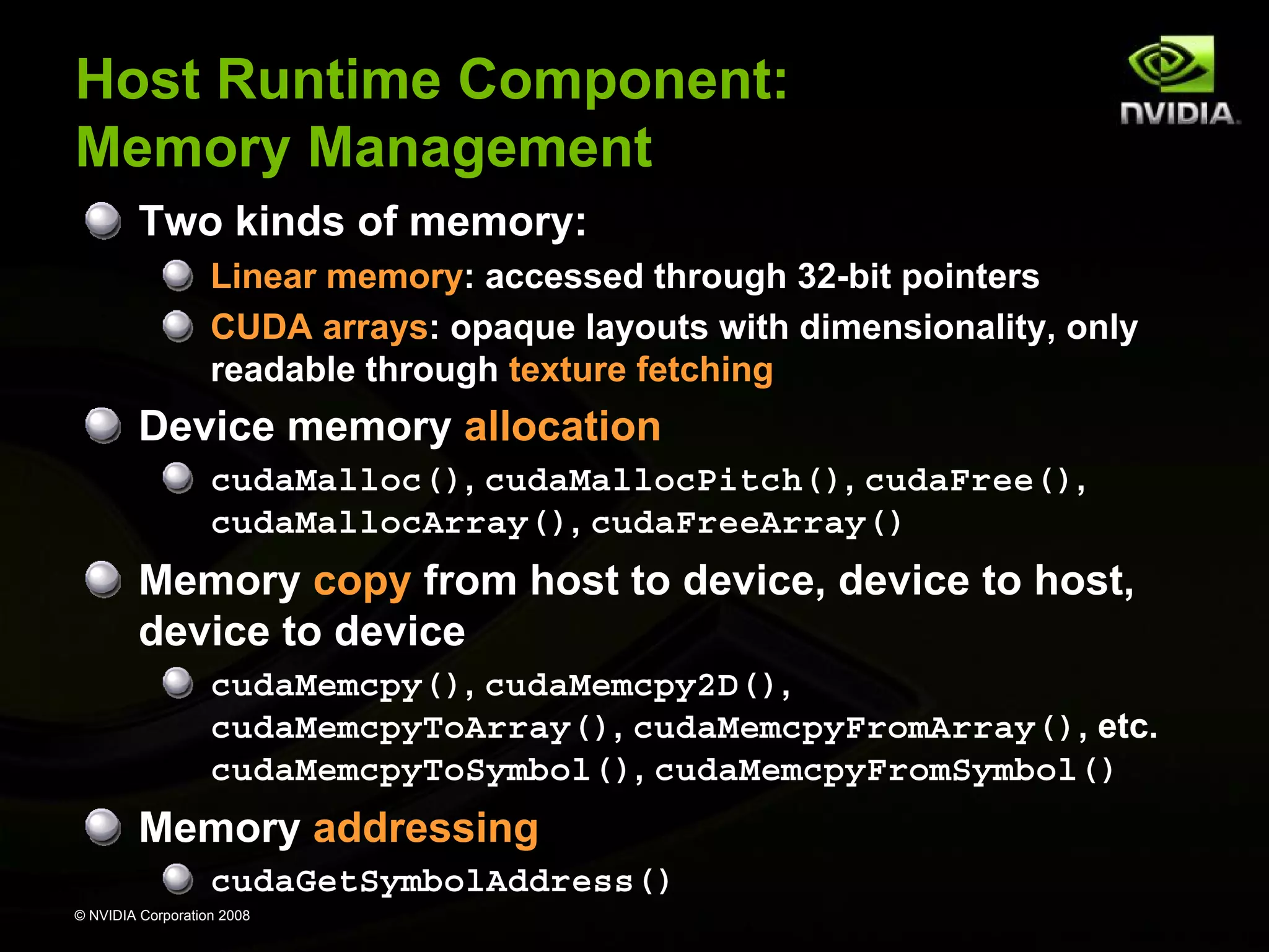
Memory Management
Two kinds of memory:
Linear memory: accessed through 32-bit pointers
CUDA arrays: opaque layouts with dimensionality, only
readable through texture fetching

Device memory allocation
cudaMalloc(), cudaMallocPitch(), cudaFree(),
cudaMallocArray(), cudaFreeArray()

Memory copy from host to device, device to host,
device to device
cudaMemcpy(), cudaMemcpy2D(),
cudaMemcpyToArray(), cudaMemcpyFromArray(), etc.
cudaMemcpyToSymbol(), cudaMemcpyFromSymbol()

Memory addressing
cudaGetSymbolAddress()
© NVIDIA Corporation 2008
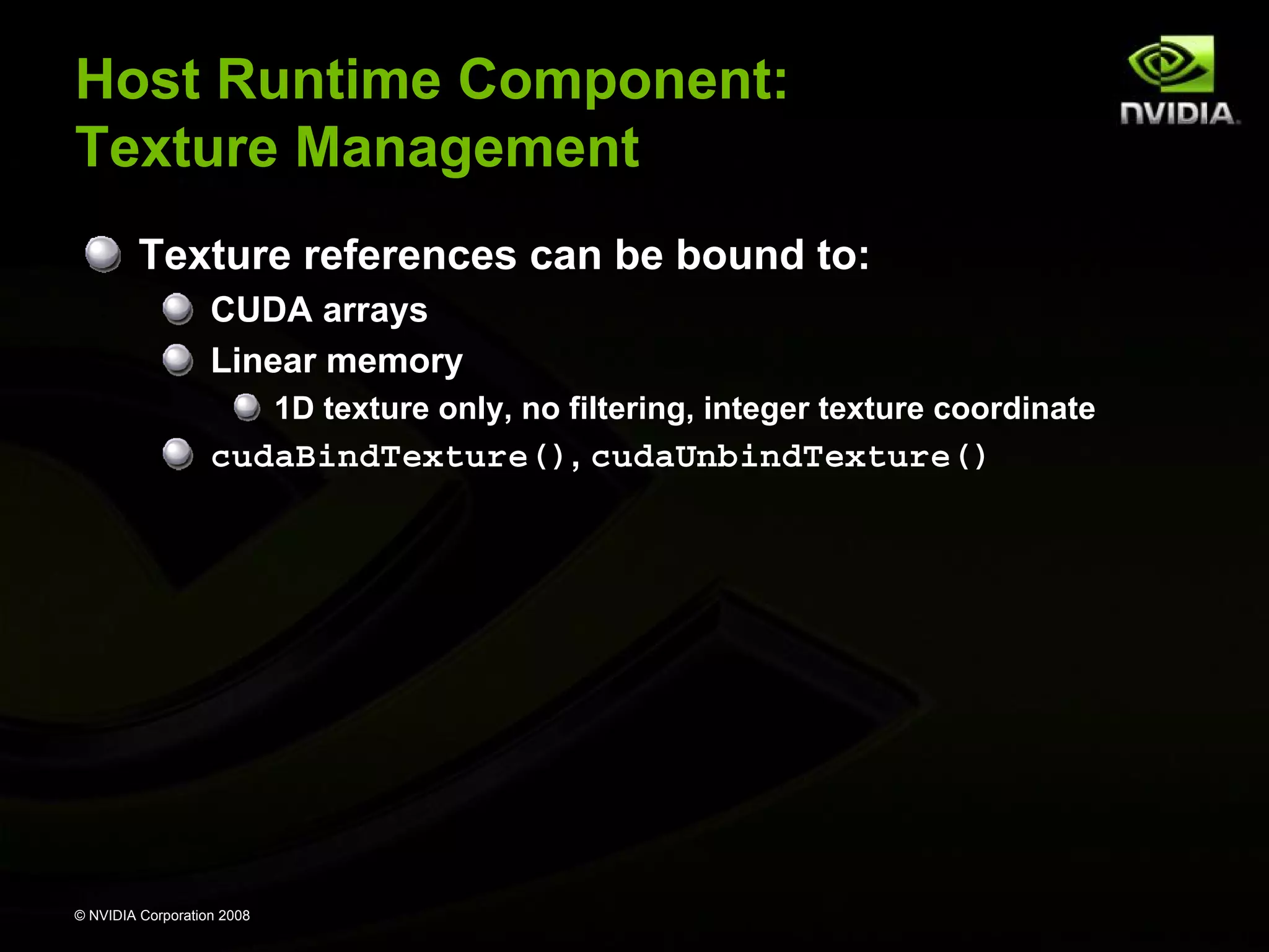
Host Runtime Component:
Texture Management
Texture references can be bound to:
CUDA arrays
Linear memory
1D texture only, no filtering, integer texture coordinate

cudaBindTexture(), cudaUnbindTexture()

© NVIDIA Corporation 2008
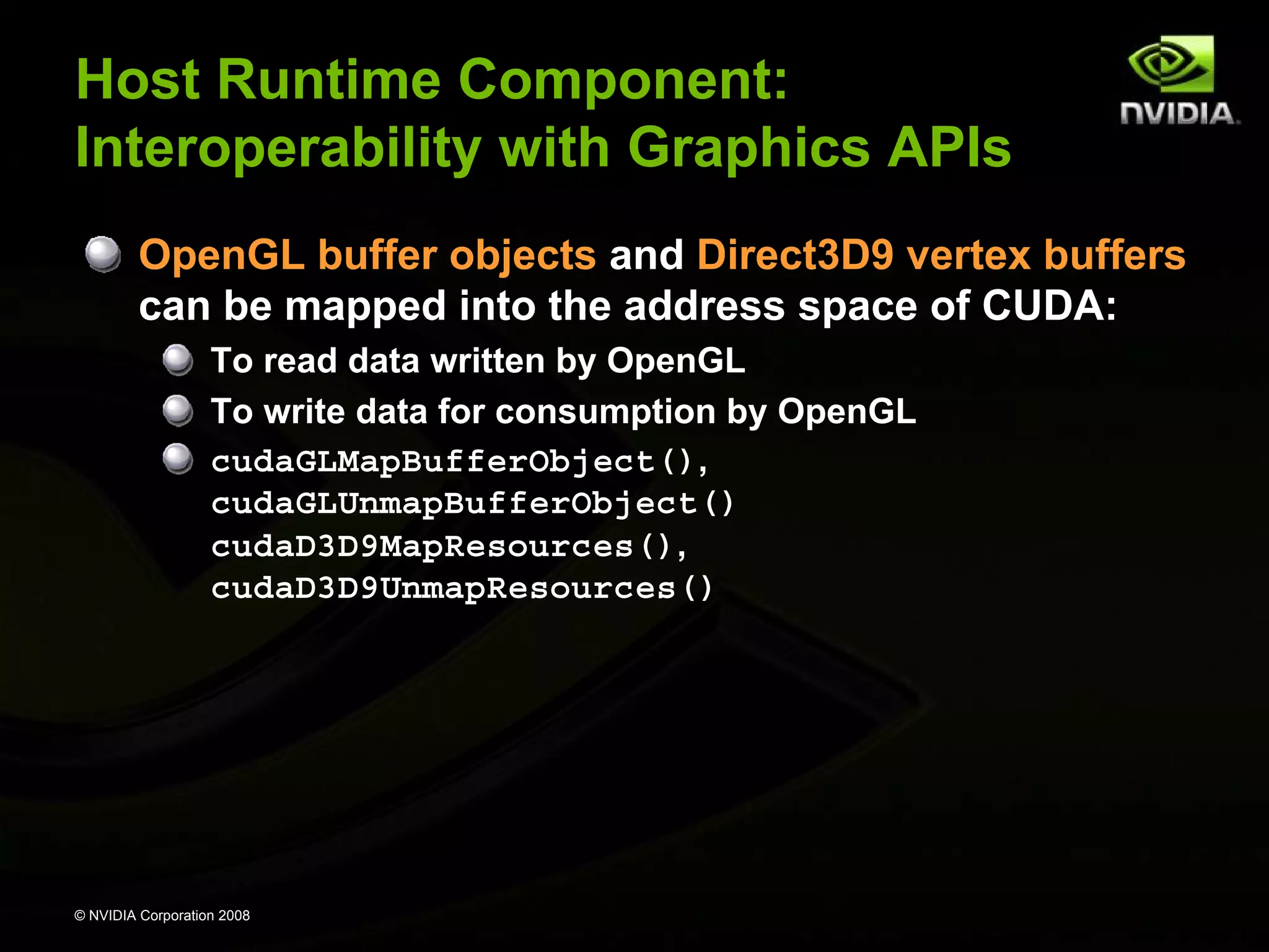
Host Runtime Component:
Interoperability with Graphics APIs
OpenGL buffer objects and Direct3D9 vertex buffers
can be mapped into the address space of CUDA:
To read data written by OpenGL
To write data for consumption by OpenGL
cudaGLMapBufferObject(),
cudaGLUnmapBufferObject()
cudaD3D9MapResources(),
cudaD3D9UnmapResources()

© NVIDIA Corporation 2008
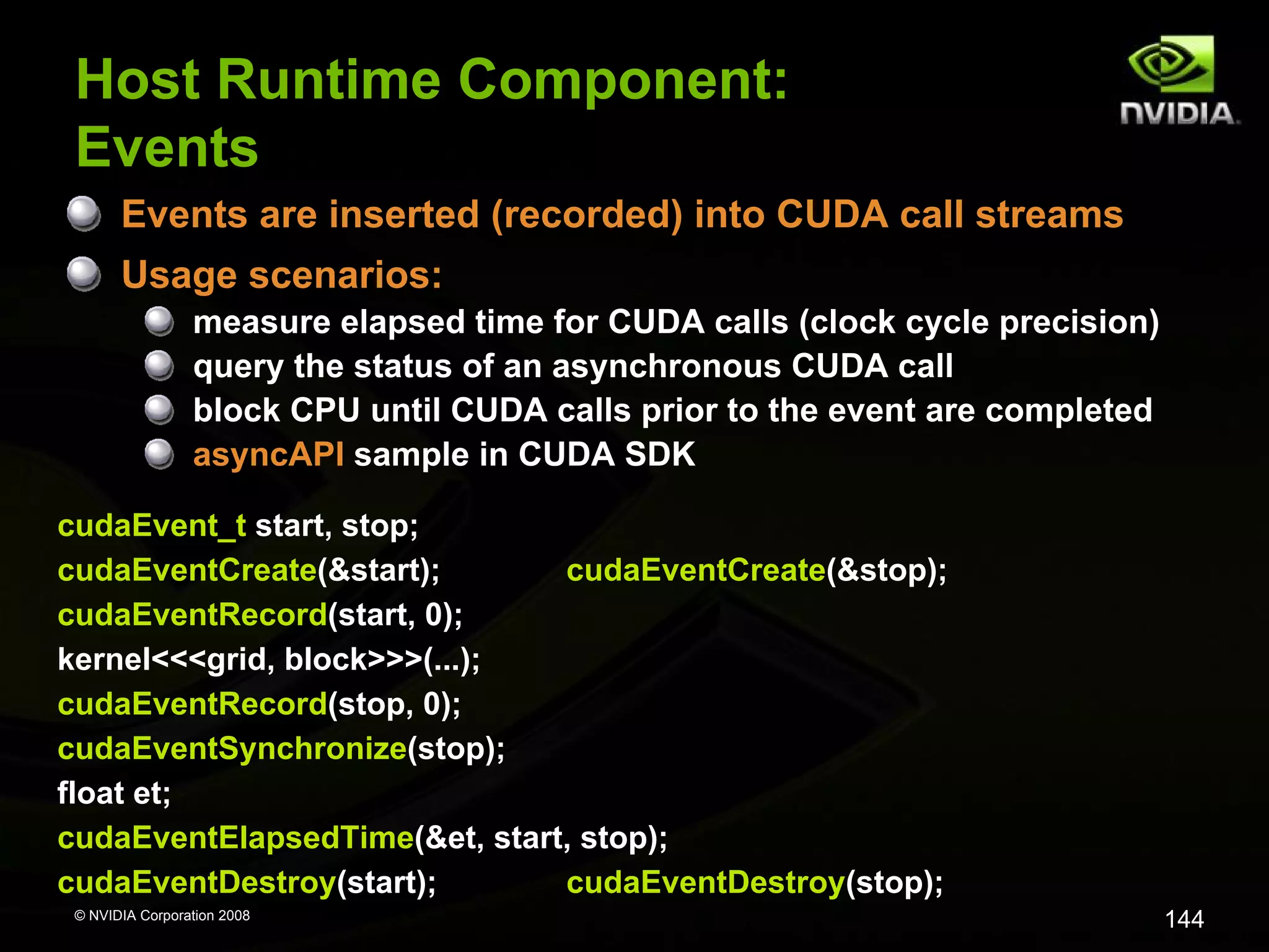
Host Runtime Component:
Events
Events are inserted (recorded) into CUDA call streams
Usage scenarios:
measure elapsed time for CUDA calls (clock cycle precision)
query the status of an asynchronous CUDA call
block CPU until CUDA calls prior to the event are completed
asyncAPI sample in CUDA SDK
cudaEvent_t start, stop;
cudaEventCreate(&start);
cudaEventCreate(&stop);
cudaEventRecord(start, 0);
kernel<<<grid, block>>>(...);
cudaEventRecord(stop, 0);
cudaEventSynchronize(stop);
float et;
cudaEventElapsedTime(&et, start, stop);
cudaEventDestroy(start);
cudaEventDestroy(stop);
© NVIDIA Corporation 2008

144
Host Runtime Component:
Error Handling
All CUDA calls return error code:
except for kernel launches
cudaError_t type

cudaError_t cudaGetLastError(void)
returns the code for the last error (no error has a code)

char* cudaGetErrorString(cudaError_t code)
returns a null-terminted character string describing the
error

printf(“%sn”, cudaGetErrorString( cudaGetLastError() ) );

© NVIDIA Corporation 2008

145
Device Runtime Component
Provides device-specific functions

© NVIDIA Corporation 2008
Device Runtime Component:
Mathematical Functions
Some mathematical functions (e.g. sin(x)) have a
less accurate, but faster device-only version (e.g.
__sin(x))
__pow
__log, __log2, __log10
__exp
__sin, __cos, __tan

© NVIDIA Corporation 2008
Device Runtime Component:
GPU Atomic Integer Operations
Atomic operations on integers in global memory:
Associative operations on signed/unsigned ints
add, sub, min, max, ...
and, or, xor
Increment, decrement
Exchange, compare and swap

Requires hardware with compute capability 1.1 or
higher

© NVIDIA Corporation 2008

148
Device Runtime Component:
Texture Functions
For texture references bound to CUDA arrays:
float u, v;
float4 value = tex2D(myTexRef, u, v);

For texture references bound to linear memory:
int i;
float4 value = tex2D(myTexRef, i);

© NVIDIA Corporation 2008
Device Runtime Component:
Synchronization Function
void __syncthreads();
Synchronizes all threads in a block
Once all threads have reached this point, execution
resumes normally
Used to avoid RAW / WAR / WAW hazards when
accessing shared or global memory
Allowed in conditional code only if the conditional is
uniform across the entire thread block

© NVIDIA Corporation 2008
Compilation
Any source file containing CUDA language
extensions must be compiled with nvcc
NVCC is a compiler driver
Works by invoking all the necessary tools and compilers
like cudacc, g++, cl, ...

NVCC can output:
Either C code (CPU Code)
That must then be compiled with the rest of the application
using another tool

Or PTX object code directly

Any executable with CUDA code requires two
dynamic libraries:
The CUDA runtime library (cudart)
The CUDA core library (cuda)
© NVIDIA Corporation 2008
NVCC & PTX Virtual Machine
C/C++ CUDA
Application

float4 me = gx[gtid];
me.x += me.y * me.z;

EDG
Separate GPU vs. CPU code
EDG

CPU Code

Open64
Generates GPU PTX
assembly

Open64

Parallel Thread eXecution
(PTX)
Virtual Machine and ISA
Programming model
Execution resources and
state

PTX Code

ld.global.v4.f32
mad.f32
© NVIDIA Corporation 2008

{$f1,$f3,$f5,$f7}, [$r9+0];
$f1, $f5, $f3, $f1;
Role of Open64
Open64 compiler gives us
A complete C/C++ compiler framework. Forward looking. We
do not need to add infrastructure framework as our hardware
arch advances over time.
A good collection of high level architecture independent
optimizations. All GPU code is in the inner loop.
Compiler infrastructure that interacts well with other related
standardized tools.

© NVIDIA Corporation 2008
GeForce 8800 Series and
Quadro FX 5600/4600
Technical Specifications
Number of
multiprocessors

Clock frequency
(GHz)

Amount of device
memory (MB)

GeForce 8800 GTX

16

1.35

768

GeForce 8800 GTS

12

1.2

640

Quadro FX 5600

16

1.35

1500

Quadro FX 4600

12

1.2

768

Maximum number of threads per block:
512
Maximum size of each dimension of a grid:
65535
Warp size:
32 threads
Number of registers per multiprocessor:
8192
Shared memory per multiprocessor:
16 KB divided in 16 banks
Constant memory:
64 KB
© NVIDIA Corporation 2008
CUDA Libraries
CUBLAS
CUDA “Basic Linear Algebra Subprograms”
Implementation of BLAS standard on CUDA
For details see cublas_library.pdf and cublas.h

CUFFT
CUDA Fast Fourier Transform (FFT)
FFT one of the most important and widely used numerical
algorithms
For details see cufft_library.pdf and cufft.h

© NVIDIA Corporation 2008
CUBLAS Library
Self-contained at API level
Application needs no direct interaction with CUDA driver

Currently only a subset of CUBLAS core functions
are implemented
Simple to use:
Create matrix and vector objects in GPU memory
Fill them with data
Call sequence of CUBLAS functions
Upload results back from GPU to host

Column-major storage and 1-based indexing
For maximum compatibility with existing Fortran apps
© NVIDIA Corporation 2008
CUFFT Library
Efficient implementation of FFT on CUDA
Features
1D, 2D, and 3D FFTs of complex-valued signal data
Batch execution for multiple 1D transforms in parallel
Transform sizes (in any dimension) in the range [2, 16384]

© NVIDIA Corporation 2008

Nvidia cuda tutorial_no_nda_apr08

  • 1.
  • 2.
    Overview Introduction and motivation GPUcomputing: the democratization of parallel computing Why GPUs? CUDA programming model, language, and runtime Break CUDA implementation on the GPU Execution model Memory architecture and characteristics Floating-point features Optimization strategies Memory coalescing Use of shared memory Instruction performance Shared memory bank conflicts Q&A © NVIDIA Corporation 2008
  • 3.
    GPU Computing: The Democratization of ParallelComputing © NVIDIA Corporation 2008
  • 4.
    Parallel Computing’s GoldenAge 1980s, early `90s: a golden age for parallel computing Particularly data-parallel computing Architectures Connection Machine, MasPar, Cray True supercomputers: incredibly exotic, powerful, expensive Algorithms, languages, & programming models Solved a wide variety of problems Various parallel algorithmic models developed P-RAM, V-RAM, circuit, hypercube, etc. © NVIDIA Corporation 2008
  • 5.
    Parallel Computing’s DarkAge But…impact of data-parallel computing limited Thinking Machines sold 7 CM-1s (100s of systems total) MasPar sold ~200 systems Commercial and research activity subsided Massively-parallel machines replaced by clusters of ever-more powerful commodity microprocessors Beowulf, Legion, grid computing, … Massively parallel computing lost momentum to the inexorable advance of commodity technology © NVIDIA Corporation 2008
  • 6.
    Illustrated History of ParallelComputing © NVIDIA Corporation 2008
  • 7.
    Enter the GPU GPU= Graphics Processing Unit Chip in computer video cards, PlayStation 3, Xbox, etc. Two major vendors: NVIDIA and ATI (now AMD) © NVIDIA Corporation 2008
  • 8.
    Enter the GPU GPUsare massively multithreaded manycore chips NVIDIA Tesla products have up to 128 scalar processors Over 12,000 concurrent threads in flight Over 470 GFLOPS sustained performance Users across science & engineering disciplines are achieving 100x or better speedups on GPUs CS researchers can use GPUs as a research platform for manycore computing: arch, PL, numeric, … © NVIDIA Corporation 2008
  • 9.
    Enter CUDA CUDA isa scalable parallel programming model and a software environment for parallel computing Minimal extensions to familiar C/C++ environment Heterogeneous serial-parallel programming model NVIDIA’s TESLA GPU architecture accelerates CUDA Expose the computational horsepower of NVIDIA GPUs Enable general-purpose GPU computing CUDA also maps well to multicore CPUs! © NVIDIA Corporation 2008
  • 10.
    The Democratization of ParallelComputing GPU Computing with CUDA brings data-parallel computing to the masses Over 46,000,000 CUDA-capable GPUs sold A “developer kit” costs ~$200 (for 500 GFLOPS) Data-parallel supercomputers are everywhere! CUDA makes this power accessible We’re already seeing innovations in data-parallel computing Massively parallel computing has become a commodity technology! © NVIDIA Corporation 2008
  • 11.
  • 12.
    GPUs Are Fast Theoreticalpeak performance: 518 GFLOPS Sustained μbenchmark performance: Raw math: 472 GFLOPS (8800 Ultra) Raw bandwidth: 80 GB per second (Tesla C870) Actual application performance: Molecular dynamics: 290 GFLOPS (VMD ion placement) © NVIDIA Corporation 2008
  • 13.
    GPUs Are GettingFaster, Faster © NVIDIA Corporation 2008
  • 14.
    Manycore GPU –Block Diagram G80 (launched Nov 2006 – GeForce 8800 GTX) 128 Thread Processors execute kernel threads Up to 12,288 parallel threads active Per-block shared memory (PBSM) accelerates processing Host Input Assembler Thread Execution Manager Thread Processors Thread Processors PBSM PBSM PBSM PBSM Thread Processors Thread Processors Thread Processors Thread Processors Thread Processors Thread Processors PBSM PBSM PBSM PBSM PBSM PBSM PBSM PBSM Load/store © NVIDIA Corporation 2008 Global Memory PBSM PBSM PBSM PBSM
  • 15.
  • 16.
    Some Design Goals Enableheterogeneous systems (i.e., CPU+GPU) CPU & GPU are separate devices with separate DRAMs Scale to 100’s of cores, 1000’s of parallel threads Let programmers focus on parallel algorithms not mechanics of a parallel programming language Use C/C++ with minimal extensions © NVIDIA Corporation 2008
  • 17.
    Heterogeneous Programming CUDA =serial program with parallel kernels, all in C Serial C code executes in a host thread (i.e. CPU thread) Parallel kernel C code executes in many device threads across multiple processing elements (i.e. GPU threads) Serial Code Parallel Kernel KernelA (args); Serial Code Parallel Kernel KernelB (args); © NVIDIA Corporation 2008 Host Device ... Host Device ...
  • 18.
    Kernel = ManyConcurrent Threads One kernel is executed at a time on the device Many threads execute each kernel Each thread executes the same code… … on different data based on its threadID threadID 0 1 2 3 4 5 6 7 CUDA threads might be Physical threads As on NVIDIA GPUs GPU thread creation and context switching are essentially free Or virtual threads E.g. 1 CPU core might execute multiple CUDA threads © NVIDIA Corporation 2008 … float x = input[threadID]; float y = func(x); output[threadID] = y; …
  • 19.
    Hierarchy of ConcurrentThreads Threads are grouped into thread blocks Kernel = grid of thread blocks Thread Block 1 Thread Block 0 threadID 0 1 2 3 4 5 6 … float x = input[threadID]; float y = func(x); output[threadID] = y; … 7 0 1 2 3 4 5 6 Thread Block N - 1 7 … float x = input[threadID]; float y = func(x); output[threadID] = y; … 0 … 1 2 3 4 5 6 7 … float x = input[threadID]; float y = func(x); output[threadID] = y; … By definition, threads in the same block may synchronize with barriers scratch[threadID] = begin[threadID]; __syncthreads(); int left = scratch[threadID - 1]; © NVIDIA Corporation 2008 Threads wait at the barrier until all threads in the same block reach the barrier
  • 20.
    Transparent Scalability Thread blockscannot synchronize So they can run in any order, concurrently or sequentially This independence gives scalability: A kernel scales across any number of parallel cores Kernel grid 2-Core Device Block 0 Block 1 4-Core Device Block 2 Block 3 Block 4 Block 5 Block 0 Block 1 Block 2 Block 3 Block 4 Block 5 Block 6 Block 7 © NVIDIA Corporation 2008 Block 0 Block 1 Block 2 Block 3 Block 4 Block 6 Block 7 Block 5 Block 6 Block 7 Implicit barrier between dependent kernels vec_minus<<<nblocks, blksize>>>(a, b, c); vec_dot<<<nblocks, blksize>>>(c, c);
  • 21.
    Memory Hierarchy Thread Per-thread Local Memory Block Per-block Shared Memory Kernel0 Sequential Kernels ... Kernel 1 ... © NVIDIA Corporation 2008 Per-device Global Memory
  • 22.
    Heterogeneous Memory Model Device0 memory Host memory cudaMemcpy() Device 1 memory © NVIDIA Corporation 2008
  • 23.
    CUDA Language: C withMinimal Extensions Philosophy: provide minimal set of extensions necessary to expose power Declaration specifiers to indicate where things live __global__ void KernelFunc(...); __device__ int GlobalVar; __shared__ int SharedVar; // kernel function, runs on device // variable in device memory // variable in per-block shared memory Extend function invocation syntax for parallel kernel launch KernelFunc<<<500, 128>>>(...); // launch 500 blocks w/ 128 threads each Special variables for thread identification in kernels dim3 threadIdx; dim3 blockIdx; dim3 blockDim; dim3 gridDim; Intrinsics that expose specific operations in kernel code __syncthreads(); © NVIDIA Corporation 2008 // barrier synchronization within kernel
  • 24.
    CUDA Runtime Device management: cudaGetDeviceCount(),cudaGetDeviceProperties() Device memory management: cudaMalloc(), cudaFree(), cudaMemcpy() Graphics interoperability: cudaGLMapBufferObject(), cudaD3D9MapResources() Texture management: cudaBindTexture(), cudaBindTextureToArray() © NVIDIA Corporation 2008
  • 25.
    Example: Increment ArrayElements CPU program CUDA program void increment_cpu(float *a, float b, int N) { for (int idx = 0; idx<N; idx++) a[idx] = a[idx] + b; } __global__ void increment_gpu(float *a, float b, int N) { int idx = blockIdx.x * blockDim.x + threadIdx.x; if (idx < N) a[idx] = a[idx] + b; } void main() { ..... increment_cpu(a, b, N); } void main() { ….. dim3 dimBlock (blocksize); dim3 dimGrid( ceil( N / (float)blocksize) ); increment_gpu<<<dimGrid, dimBlock>>>(a, b, N); } © NVIDIA Corporation 2008 25
  • 26.
    Example: Increment ArrayElements Increment N-element vector a by scalar b Let’s assume N=16, blockDim=4 -> 4 blocks blockIdx.x=0 blockDim.x=4 threadIdx.x=0,1,2,3 idx=0,1,2,3 blockIdx.x=1 blockDim.x=4 threadIdx.x=0,1,2,3 idx=4,5,6,7 blockIdx.x=2 blockDim.x=4 threadIdx.x=0,1,2,3 idx=8,9,10,11 int idx = blockDim.x * blockId.x + threadIdx.x; will map from local index threadIdx to global index blockIdx.x=3 blockDim.x=4 threadIdx.x=0,1,2,3 idx=12,13,14,15 Common Pattern! NB: blockDim should be >= 32 in real code, this is just an example © NVIDIA Corporation 2008 26
  • 27.
    Example: Host Code //allocate host memory unsigned int numBytes = N * sizeof(float) float* h_A = (float*) malloc(numBytes); // allocate device memory float* d_A = 0; cudaMalloc((void**)&d_A, numbytes); // copy data from host to device cudaMemcpy(d_A, h_A, numBytes, cudaMemcpyHostToDevice); // execute the kernel increment_gpu<<< N/blockSize, blockSize>>>(d_A, b); // copy data from device back to host cudaMemcpy(h_A, d_A, numBytes, cudaMemcpyDeviceToHost); // free device memory cudaFree(d_A); © NVIDIA Corporation 2008 27
  • 28.
    More on Threadand Block IDs Threads and blocks have IDs So each thread can decide what data to work on Host Device Grid 1 Kernel 1 Block (1, 0) Block (2, 0) Block (0, 1) Block ID: 1D or 2D Thread ID: 1D, 2D, or 3D Block (0, 0) Block (1, 1) Block (2, 1) Grid 2 Kernel 2 Simplifies memory addressing when processing multidimensional data Image processing Solving PDEs on volumes © NVIDIA Corporation 2008 Block (1, 1) Thread Thread Thread Thread Thread (0, 0) (1, 0) (2, 0) (3, 0) (4, 0) Thread Thread Thread Thread Thread (0, 1) (1, 1) (2, 1) (3, 1) (4, 1) Thread Thread Thread Thread Thread (0, 2) (1, 2) (2, 2) (3, 2) (4, 2) 28
  • 29.
    More on MemorySpaces Grid Each thread can: Read/write per-thread registers Read/write per-block shared memory Read/write per-grid global memory Most important, commonly used Block (0, 0) Shared Memory Registers Registers Block (1, 0) Shared Memory Registers Registers Each thread can also: Read/write per-thread local memory Read only per-grid constant memory Read only per-grid texture memory Used for convenience/performance Thread (0, 0) Thread (1, 0) Thread (0, 0) Thread (1, 0) Local Memory Local Memory More details later Host The host can read/write global, constant, and texture memory (stored in DRAM) © NVIDIA Corporation 2008 Global Memory Constant Memory Texture Memory Local Memory Local Memory
  • 30.
    Features Available inDevice Code Standard mathematical functions sinf, powf, atanf, ceil, min, sqrtf, etc. Texture accesses in kernels texture<float,2> my_texture; // declare texture reference float4 texel = texfetch(my_texture, u, v); Integer atomic operations in global memory atomicAdd, atomicMin, atomicAnd, atomicCAS, etc. e.g., increment shared queue pointer with atomicInc() Only for devices with compute capability 1.1 1.0 = Tesla, Quadro FX5600, GeForce 8800 GTX, etc. 1.1 = GeForce 8800 GT, etc. © NVIDIA Corporation 2008
  • 31.
    Compiling CUDA forNVIDIA GPUs Any source file containing CUDA language extensions must be compiled with NVCC C/C++ CUDA Application Two-stage compilation: 1. Virtual ISA PTX Code Specialized PTX to Target Compiler Parallel Thread eXecution 2. Device-specific binary object © NVIDIA Corporation 2008 CPU Code NVCC NVCC separates code running on the host from code running on the device Generic G80 … GPU
  • 32.
    Debugging Using the DeviceEmulation Mode An executable compiled in device emulation mode (nvcc -deviceemu) runs completely on the host using the CUDA runtime No need of any device and CUDA driver Each device thread is emulated with a host thread When running in device emulation mode, one can: Use host native debug support (breakpoints, inspection, etc.) Access any device-specific data from host code and viceversa Call any host function from device code (e.g. printf) and vice-versa Detect deadlock situations caused by improper usage of __syncthreads © NVIDIA Corporation 2008
  • 33.
    Device Emulation ModePitfalls Emulated device threads execute sequentially, so simultaneous accesses of the same memory location by multiple threads potentially produce different results Dereferencing device pointers on the host or host pointers on the device can produce correct results in device emulation mode, but will generate an error in device execution mode Results of floating-point computations will slightly differ because of: Different compiler outputs Different instruction sets Use of extended precision for intermediate results There are various options to force strict single precision on the host © NVIDIA Corporation 2008
  • 34.
    Reduction Example Reduce Nvalues to a single one: Sum(v0, v1, … , vN-2, vN-1) Min(v0, v1, … , vN-2, vN-1) Max(v0, v1, … , vN-2, vN-1) Common primitive in parallel programming Easy to implement in CUDA Less so to get it right Divided into 5 exercises throughout the day Each exercise illustrates one particular optimization strategy © NVIDIA Corporation 2008
  • 35.
    Reduction Exercise At theend of each exercise, the result of the reduction computed on the device is checked for correctness “Test PASSED” or “Test FAILED” is printed out to the console The goal is to replace the “TODO“ words in the code by the right piece of code to get “test PASSED” © NVIDIA Corporation 2008
  • 36.
    Reduction Exercise 1 Openup reducesrcreduce1.sln Code walkthrough: main.cpp Allocate host and device memory Call reduce() defined in reduce1.cu Profile and verify result reduce1.cu CUDA code compiled with nvcc Contains TODOs Device emulation compilation configurations: Emu* © NVIDIA Corporation 2008
  • 37.
    Reduce 1: Blockingthe Data Split the work among the N multiprocessors (16 on G80) by launching numBlocks=N thread blocks … … … 0 … b-1 Block IDs b = numBlocks © NVIDIA Corporation 2008 Array of the numValues values to be reduced
  • 38.
    Reduce 1: Blockingthe Data Within a block, split the work among the threads A block can have at most 512 threads We choose numThreadsPerBlock=512 threads … Thread IDs … … 0 … … t-1 Block IDs 0 t = numThreadsPerBlock b = numBlocks © NVIDIA Corporation 2008 … … 0 … … … t-1 b-1
  • 39.
    Reduce 1: Multi-PassReduction Blocks cannot synchronize so reduce_kernel is called multiple times: First call reduces from numValues to numThreads Each subsequent call reduces by half Ping pong between input and output buffers (d_Result[2]) © NVIDIA Corporation 2008
  • 40.
    Reduce 1: GoAhead! Goal: Replace the TODOs in reduce1.cu to get “test PASSED” … Thread IDs … … 0 … … t-1 Block IDs 0 t = numThreadsPerBlock b = numBlocks © NVIDIA Corporation 2008 … … 0 … … … t-1 b-1
  • 41.
    CUDA Implementation on theGPU © NVIDIA Corporation 2008
  • 42.
    CUDA Is Easyand Fast CUDA can provide large speedups on data-parallel computations straight out of the box! Even higher speedups are achievable by understanding hardware implementation and tuning for it What the rest of the presentation is about © NVIDIA Corporation 2008
  • 43.
    Hardware Implementation: A Setof SIMT Multiprocessors Each multiprocessor is a set of 32bit processors with a SingleInstruction Multi-Thread architecture 16 multiprocessors on G80 8 processors per multiprocessors At each clock cycle, a multiprocessor executes the same instruction on a group of threads called a warp The number of threads in a warp is the warp size (= 32 threads on G80) A half-warp is the first or second half of a warp © NVIDIA Corporation 2008 Device Multiprocessor N Multiprocessor 2 Multiprocessor 1 Processor 1 Processor 2 … Instruction Unit Processor M
  • 44.
    Hardware Implementation: Memory Architecture Theglobal, constant, and texture spaces are regions of device memory Each multiprocessor has: A set of 32-bit registers per processor (8192 on G80) On-chip shared memory (16 K on G80) Where the shared memory space resides Device Multiprocessor N Multiprocessor 2 Multiprocessor 1 Shared Memory Registers Processor 1 Registers Processor 2 Registers … Instruction Unit Processor M A read-only constant cache Constant Cache To speed up access to the constant memory space Texture Cache A read-only texture cache To speed up access to the texture memory space © NVIDIA Corporation 2008 Device memory
  • 45.
    Hardware Implementation: Execution Model Eachmultiprocessor processes batches of blocks one batch after the other Active blocks = the blocks processed by one multiprocessor in one batch Active threads = all the threads from the active blocks The multiprocessor’s registers and shared memory are split among the active threads Therefore, for a given kernel, the number of active blocks depends on: The number of registers the kernel compiles to How much shared memory the kernel requires If there cannot be at least one active block, the kernel fails to launch © NVIDIA Corporation 2008
  • 46.
    Hardware Implementation: Execution Model Host Eachactive block is split into warps in a welldefined way Device Grid 1 Kernel 1 Block (0, 0) Block (2, 0) Block (0, 1) Warps are time-sliced Block (1, 0) Block (1, 1) Block (2, 1) Grid 2 Kernel 2 In other words: Threads within a warp are executed physically in parallel Warps and blocks are executed logically in parallel Block (1, 1) Thread (0, 0) Thread (0, 1) Thread (0, 2) © NVIDIA Corporation 2008 Warp 0 Thread … (31, 0) Warp 2 Thread … (31, 1) Warp 4 Thread … (31, 2) Thread (32, 0) Thread (32, 1) Thread (32, 2) Warp 1 … Warp 3 … Warp 5 … Thread (63, 0) Thread (63, 1) Thread (63, 2)
  • 47.
    Host Synchronization All kernellaunches are asynchronous control returns to CPU immediately kernel executes after all previous CUDA calls have completed cudaMemcpy is synchronous control returns to CPU after copy completes copy starts after all previous CUDA calls have completed cudaThreadSynchronize() blocks until all previous CUDA calls complete © NVIDIA Corporation 2008 47
  • 48.
    Device Management CPU canquery and select GPU devices cudaGetDeviceCount( int *count ) cudaSetDevice( int device ) cudaGetDevice( int *current_device ) cudaGetDeviceProperties( cudaDeviceProp* prop, int device ) cudaChooseDevice( int *device, cudaDeviceProp* prop ) Multi-GPU setup: device 0 is used by default one CPU thread can control only one GPU multiple CPU threads can control the same GPU – calls are serialized by the driver © NVIDIA Corporation 2008 48
  • 49.
    Multiple CPU Threadsand CUDA CUDA resources allocated by a CPU thread can be consumed only by CUDA calls from the same CPU thread Violation Example: CPU thread 2 allocates GPU memory, stores address in p thread 3 issues a CUDA call that accesses memory via p © NVIDIA Corporation 2008 49
  • 50.
    Memory Latency andBandwidth Host memory Device ↔ host memory bandwidth is 4 GB/s peak (PCI-express x16) Test with SDK’s bandwidthTest Global/local device memory High latency, not cached 80 GB/s peak, 1.5 GB (Quadro FX 5600) Grid Block (0, 0) Block (1, 0) Shared Memory Registers Registers Shared Memory Registers Registers Thread (0, 0) Thread (1, 0) Thread (0, 0) Thread (1, 0) Local Memory Local Memory Shared memory On-chip, low latency, very high bandwidth, 16 KB Like a user-managed perHost multiprocessor cache Texture memory Read-only, high latency, cached Constant memory Read-only, low latency, cached, 64 KB © NVIDIA Corporation 2008 Global Memory Constant Memory Texture Memory Local Memory Local Memory
  • 51.
    Performance Optimization Expose asmuch parallelism as possible Optimize memory usage for maximum bandwidth Maximize occupancy to hide latency Optimize instruction usage for maximum throughput © NVIDIA Corporation 2008
  • 52.
    Expose Parallelism: GPU ThreadParallelism Structure algorithm to maximize independent parallelism If threads of same block need to communicate, use shared memory and __syncthreads() If threads of different blocks need to communicate, use global memory and split computation into multiple kernels No synchronization mechanism between blocks High parallelism is especially important to hide memory latency by overlapping memory accesses with computation © NVIDIA Corporation 2008
  • 53.
    Expose Parallelism: CPU/GPU Parallelism Takeadvantage of asynchronous kernel launches by overlapping CPU computations with kernel execution Take advantage of asynchronous CPU ↔ GPU memory transfers (cudaMemcpyAsync()) that overlap with kernel execution (only available for G84 and up) Overlap implemented by using a CUDA stream CUDA Stream = Sequence of CUDA operations that execute in order Example: cudaStreamCreate(&stream1); cudaStreamCreate(&stream2); cudaMemcpyAsync(dst, src, size, stream1); overlapped kernel<<<grid, block, 0, stream2>>>(…); cudaMemcpyAsync(dst2, src2, size, stream2); cudaStreamQuery(stream2); © NVIDIA Corporation 2008
  • 54.
    Optimize Memory Usage: BasicStrategies Processing data is cheaper than moving it around Especially for GPUs as they devote many more transistors to ALUs than memory And will be increasingly so The less memory bound a kernel is, the better it will scale with future GPUs So you want to: Maximize use of low-latency, high-bandwidth memory Optimize memory access patterns to maximize bandwidth Leverage parallelism to hide memory latency by overlapping memory accesses with computation as much as possible Kernels with high arithmetic intensity (ratio of math to memory transactions) Sometimes recompute data rather than cache it © NVIDIA Corporation 2008
  • 55.
    Minimize CPU ↔GPU Data Transfers CPU ↔ GPU memory bandwidth much lower than GPU memory bandwidth Use page-locked host memory (cudaMallocHost()) for maximum CPU ↔ GPU bandwidth 3.2 GB/s common on PCI-e x16 ~4 GB/s measured on nForce 680i motherboards (8GB/s for PCI-e 2.0) Be cautious however since allocating too much page-locked memory can reduce overall system performance Minimize CPU ↔ GPU data transfers by moving more code from CPU to GPU Even if that means running kernels with low parallelism computations Intermediate data structures can be allocated, operated on, and deallocated without ever copying them to CPU memory Group data transfers One large transfer much better than many small ones © NVIDIA Corporation 2008
  • 56.
    Optimize Memory AccessPatterns Effective bandwidth can vary by an order of magnitude depending on access pattern Optimize access patterns to get: Coalesced global memory accesses Shared memory accesses with no or few bank conflicts Cache-efficient texture memory accesses Same-address constant memory accesses © NVIDIA Corporation 2008
  • 57.
    Global Memory Reads/Writes Globalmemory is not cached on G8x Highest latency instructions: 400-600 clock cycles Likely to be performance bottleneck Optimizations can greatly increase performance © NVIDIA Corporation 2008
  • 58.
    Coalesced Global MemoryAccesses The simultaneous global memory accesses by each thread of a half-warp (16 threads on G80) during the execution of a single read or write instruction will be coalesced into a single access if: The size of the memory element accessed by each thread is either 4, 8, or 16 bytes The elements form a contiguous block of memory The Nth element is accessed by the Nth thread in the half-warp The address of the first element is aligned to 16 times the element’s size Coalescing happens even if some threads do not access memory (divergent warp) © NVIDIA Corporation 2008
  • 59.
    Coalesced Global MemoryAccesses t0 128 t1 132 t2 136 t3 140 t14 t15 144 184 188 192 Coalesced float memory access t0 128 t1 132 t2 136 t3 140 t14 t15 144 184 188 192 Coalesced float memory access (divergent warp) © NVIDIA Corporation 2008
  • 60.
    Non-Coalesced Global MemoryAccesses t0 128 t1 132 t2 136 t3 140 t14 t15 144 184 188 192 Non-sequential float memory access t0 128 t1 132 t2 136 t3 140 t13 t14 t15 144 184 188 Misaligned starting address © NVIDIA Corporation 2008 192
  • 61.
    Non-Coalesced Global MemoryAccesses t0 128 t1 132 t2 136 t3 140 t13 t14 t15 144 184 188 192 Non-contiguous float memory access t0 t1 t2 t3 t14 t15 12 bytes 128 140 152 164 176 296 308 320 Non-coalesced float3 memory access © NVIDIA Corporation 2008
  • 62.
    Coalescing: Timing Results Experiment: Kernel: reada float, increment, write back 3M floats (12MB) Times averaged over 10K runs 12K blocks x 256 threads: 356µs – coalesced 357µs – coalesced, some threads don’t participate 3,494µs – permuted/misaligned thread access 4K blocks x 256 threads: 3,302µs – float3 non-coalesced Conclusion: Coalescing greatly improves throughput! Critical to small or memory-bound kernels © NVIDIA Corporation 2008
  • 63.
    Avoiding Non-Coalesced Accesses Forirregular read patterns, texture fetches can be a better alternative to global memory reads If all threads read the same location, use constant memory For sequential access patterns, but a structure of size ≠ 4, 8, or 16 bytes: Use a Structure of Arrays (SoA) instead of Array of Structures (AoS) x y z x y z x y z x y z AoS x x x y y y z z z SoA Point structure Or force structure alignment Using __align(X), where X = 4, 8, or 16 Or use shared memory to achieve coalescing More on this later © NVIDIA Corporation 2008
  • 64.
    CUDA Visual Profiler Helpsmeasure and find potential performance problem GPU and CPU timing for all kernel invocations and memcpys Time stamps Access to hardware performance counters © NVIDIA Corporation 2008
  • 65.
    Profiler Signals Events aretracked with hardware counters on signals in the chip: timestamp gld_incoherent gld_coherent gst_incoherent gst_coherent Global memory loads/stores are coalesced (coherent) or non-coalesced (incoherent) local_load local_store Local loads/stores branch divergent_branch Total branches and divergent branches taken by threads instructions – instruction count warp_serialize – thread warps that serialize on address conflicts to shared or constant memory cta_launched – executed thread blocks © NVIDIA Corporation 2008
  • 66.
    Interpreting profiler counters Valuesrepresent events within a thread warp Only targets one multiprocessor Values will not correspond to the total number of warps launched for a particular kernel. Launch enough thread blocks to ensure that the target multiprocessor is given a consistent percentage of the total work. Values are best used to identify relative performance differences between unoptimized and optimized code In other words, try to reduce the magnitudes of gld/gst_incoherent, divergent_branch, and warp_serialize © NVIDIA Corporation 2008
  • 67.
    Back to ReduceExercise: Profile with the Visual Profiler © NVIDIA Corporation 2008
  • 68.
    Back to ReduceExercise: Problem with Reduce 1 Non-coalesced memory reads! … Thread IDs … 0 … … … t-1 Block IDs 0 … … … 0 … t-1 … Elements read by a warp in one memory access b-1 t = numThreadsPerBlock b = numBlocks … Thread IDs … … … … … 0 1 … 31 … t-1 © NVIDIA Corporation 2008 0
  • 69.
    Reduce 2 Distribute threadsdifferently to achieve coalesced memory reads Bonus: No need to ping pong anymore … Thread IDs 0 Block IDs … … t-1 0 … 0 … … … t-1 0 … b-1 0 … … t-1 0 … b = numBlocks t-1 b-1 … … … … … Elements read by a warp in one memory access t = numThreadsPerBlock Thread IDs 0 1 … … 31 © NVIDIA Corporation 2008 0 t-1
  • 70.
    Reduce 2: GoAhead! Open up reducesrcreduce2.sln Goal: Replace the TODOs in reduce2.cu to get “test PASSED” … Thread IDs 0 Block IDs … … t-1 0 … 0 … … t = numThreadsPerBlock b = numBlocks © NVIDIA Corporation 2008 b-1 … t-1 0 … 0 … t-1 … 0 … … b-1 … t-1 …
  • 71.
    Maximize Use ofShared Memory Shared memory is hundreds of times faster than global memory Threads can cooperate via shared memory Not so via global memory A common way of scheduling some computation on the device is to block it up to take advantage of shared memory: Partition the data set into data subsets that fit into shared memory Handle each data subset with one thread block: Load the subset from global memory to shared memory __syncthreads() Perform the computation on the subset from shared memory – each thread can efficiently multi-pass over any data element __syncthreads() (if needed) Copy results from shared memory to global memory © NVIDIA Corporation 2008
  • 72.
    Example: Square Matrix Multiplication B C= A · B of size N x N Without blocking: Wastes bandwidth A N One thread handles one element of C A and B are loaded N times from global memory C N Poor balance of work to bandwidth N © NVIDIA Corporation 2008 N
  • 73.
    Example: Square Matrix MultiplicationExample B M C Csub Much better balance of work to bandwidth © NVIDIA Corporation 2008 M M N M M N N A M Much less bandwidth M One thread block handles one M x M sub-matrix Csub of C A and B are only loaded (N / M) times from global memory N M C = A · B of size N x N With blocking:
  • 74.
    Example: Avoiding Non-Coalesced float3Memory Accesses __global__ void accessFloat3(float3 *d_in, float3 d_out) { int index = blockIdx.x * blockDim.x + threadIdx.x; float3 a = d_in[index]; a.x += 2; a.y += 2; a.z += 2; d_out[index] = a; } © NVIDIA Corporation 2008
  • 75.
    Example: Avoiding Non-Coalesced float3Memory Accesses float3 is 12 bytes Each thread ends up executing 3 reads sizeof(float3) ≠ 4, 8, or 16 Half-warp reads three 64B non-contiguous regions t0 t1 t2 float3 float3 float3 First read © NVIDIA Corporation 2008 t3
  • 76.
    Example: Avoiding Non-Coalesced float3Memory Accesses GMEM t0 t1 t2 t255 … … SMEM Step 2 Step 1 … t0 t1 t2 … … SMEM Similarly, Step3 starting at offset 512 © NVIDIA Corporation 2008
  • 77.
    Example: Avoiding Non-Coalesced float3Memory Accesses Use shared memory to allow coalescing Need sizeof(float3)*(threads/block) bytes of SMEM Each thread reads 3 scalar floats: Offsets: 0, (threads/block), 2*(threads/block) These will likely be processed by other threads, so sync Processing Each thread retrieves its float3 from SMEM array Cast the SMEM pointer to (float3*) Use thread ID as index Rest of the compute code does not change! © NVIDIA Corporation 2008
  • 78.
    Example: Avoiding Non-Coalesced float3Memory void accessInt3Shared(float *g_in, float *g_out) Accesses __global__ { Read the input through SMEM int index = blockIdx.x * blockDim.x + threadIdx.x; __shared__ float s_data[256*3]; s_data[threadIdx.x] = g_in[index]; s_data[threadIdx.x+256] = g_in[index+256]; s_data[threadIdx.x+512] = g_in[index+512]; __syncthreads(); float3 a = ((float3*)s_data)[threadIdx.x]; Compute code is not changed a.x += 2; a.y += 2; a.z += 2; Write the result through SMEM ((float3*)s_data)[threadIdx.x] = a; __syncthreads(); g_out[index] = s_data[threadIdx.x]; g_out[index+256] = s_data[threadIdx.x+256]; g_out[index+512] = s_data[threadIdx.x+512]; © NVIDIA Corporation 2008 }
  • 79.
    Example: Avoiding Non-Coalesced float3Memory Accesses Experiment: Kernel: read a float, increment, write back 3M floats (12MB) Times averaged over 10K runs 12K blocks x 256 threads: 356µs – coalesced 357µs – coalesced, some threads don’t participate 3,494µs – permuted/misaligned thread access 4K blocks x 256 threads: 3,302µs – float3 uncoalesced 359µs – float3 coalesced through shared memory © NVIDIA Corporation 2008
  • 80.
    Maximize Occupancy toHide Latency Sources of latency: Global memory access: 400-600 cycle latency Read-after-write register dependency Instruction’s result can only be read 11 cycles later Latency blocks dependent instructions in the same thread But instructions in other threads are not blocked Hide latency by running as many threads per multiprocessor as possible! Choose execution configuration to maximize occupancy = (# of active warps) / (maximum # of active warps) Maximum # of active warps is 24 on G8x © NVIDIA Corporation 2008
  • 81.
    Execution Configuration: Constraints Maximum# of threads per block: 512 # of active threads limited by resources: # of registers per multiprocessor (register pressure) Amount of shared memory per multiprocessor Use –maxrregcount=N flag to NVCC N = desired maximum registers / kernel At some point “spilling” into LMEM may occur Reduces performance – LMEM is slow Check .cubin file for LMEM usage © NVIDIA Corporation 2008
  • 82.
    Determining Resource Usage Compilethe kernel code with the -cubin flag to determine register usage. Open the .cubin file with a text editor and look for the “code” section. architecture {sm_10} abiversion {0} modname {cubin} per thread local memory code { (used by compiler to spill name = BlackScholesGPU registers to device memory) lmem = 0 smem = 68 per thread block shared memory reg = 20 bar = 0 per thread registers bincode { 0xa0004205 0x04200780 0x40024c09 0x00200780 … © NVIDIA Corporation 2008
  • 83.
    Execution Configuration: Heuristics (#of threads per block) = multiple of warp size To avoid wasting computation on under-populated warps (# of blocks) / (# of multiprocessors) > 1 So all multiprocessors have at least a block to execute Per-block resources (shared memory and registers) at most half of total available And: (# of blocks) / (# of multiprocessors) > 2 To get more than 1 active block per multiprocessor With multiple active blocks that aren’t all waiting at a __syncthreads(), the multiprocessor can stay busy (# of blocks) > 100 to scale to future devices Blocks stream through machine in pipeline fashion 1000 blocks per grid will scale across multiple generations Very application-dependent: experiment! © NVIDIA Corporation 2008
  • 84.
    Occupancy Calculator To helpyou: the CUDA occupancy calculator http://developer.download.nvidia.com/compute/cuda/CUDA_Occupancy_calculator.xls # of active warps per multiprocessor maximum # of active warps per multiprocessor © NVIDIA Corporation 2008
  • 85.
    Back to ReduceExercise: Problem with Reduce 2 Reduce 2 does not take advantage of shared memory! Reduce 3 fixes this by implementing parallel reduction in shared memory Runtime shared memory allocation: size_t SharedMemBytes = 64; // 64 bytes of shared memory KernelFunc<<< DimGrid, DimBlock, SharedMemBytes >>>(...); The optional SharedMemBytes bytes are: Allocated in addition to the compiler allocated shared memory Mapped to any variable declared as: extern __shared__ float DynamicSharedMem[]; © NVIDIA Corporation 2008
  • 86.
    Reduce 3: Parallel ReductionImplementation Indices 1 2 3 4 5 6 7 8 9 10 11 12 13 14 15 Values 10 Step 1 Stride 1 0 1 8 -1 0 -2 3 5 -2 -3 2 7 0 11 0 2 Thread IDs Values 11 Step 2 Stride 2 Thread IDs Thread IDs Thread IDs -1 -2 -2 8 4 5 1 1 7 -1 6 -5 5 -3 9 6 7 2 -2 8 5 4 11 7 11 2 2 3 -3 9 7 13 11 2 2 1 1 7 -1 6 -2 8 5 17 -3 9 7 13 11 2 2 1 7 -1 6 -2 8 5 17 -3 9 7 13 11 2 2 0 Values 41 © NVIDIA Corporation 2008 7 3 0 Values 24 Step 4 Stride 8 1 2 0 Values 18 Step 3 Stride 4 1 0
  • 87.
    Parallel Reduction Complexity Takeslog(N) steps and each step S performs N/2S independent operations Step complexity is O(log(N)) For N=2D, performs ∑S∈[1..D]2D-S = N-1 operations Work complexity is O(N) Is work-efficient (i.e. does not perform more operations than a sequential reduction) With P threads physically in parallel (P processors), performs ∑S∈[1..D]ceil(2D-S/P) operations ∑S∈[1..D]ceil(2D-S/P) < ∑S∈[1..D](floor(2D-S/P) + 1) < N/P + log(N) Time complexity is O(N/P + log(N)) Compare to O(N) for sequential reduction © NVIDIA Corporation 2008
  • 88.
    Reduce 3 Each threadstores its result in an array of numThreadsPerBlock elements in shared memory Each block performs a parallel reduction on this array reduce_kernel is called only 2 times: First call reduces from numValues to numBlocks Second call performs final reduction using one thread block © NVIDIA Corporation 2008
  • 89.
    Reduce 3: GoAhead! Open up reducesrcreduce3.sln Goal: Replace the TODOs in reduce3.cu to get “test PASSED” Indices 1 2 3 4 5 6 7 8 9 10 11 12 13 14 15 Values 10 Step 1 Stride 1 0 1 8 -1 0 -2 3 5 -2 -3 2 7 0 11 0 2 Thread IDs Values 11 Step 2 Stride 2 Thread IDs © NVIDIA Corporation 2008 Thread IDs 1 7 2 -1 0 -2 3 -2 8 4 5 1 0 Values 18 Step 3 Stride 4 1 0 1 7 -1 6 -5 5 -3 9 6 7 2 -2 8 5 4 1 11 7 11 2 2 11 2 2 3 -3 9 7 13
  • 90.
    Optimize Instruction Usage: BasicStrategies Minimize use of low-throughput instructions Use high precision only where necessary Minimize divergent warps © NVIDIA Corporation 2008
  • 91.
    Arithmetic Instruction Throughput floatadd/mul/mad, int add, shift, min, max: 4 cycles per warp int multiply (*) is by default 32-bit Requires multiple cycles per warp Use __[u]mul24() intrinsics for 4-cycle 24-bit int multiply Integer divide and modulo are more expensive Compiler will convert literal power-of-2 divides to shifts But we have seen it miss some cases Be explicit in cases where compiler can’t tell that divisor is a power of 2! Useful trick: foo%n == foo&(n-1) if n is a power of 2 © NVIDIA Corporation 2008
  • 92.
    Arithmetic Instruction Throughput Reciprocal,reciprocal square root, sin/cos, log, exp: 16 cycles per warp These are the versions prefixed with “__” Examples: __rcp(), __sin(), __exp() Other functions are combinations of the above: y/x==rcp(x)*y takes 20 cycles per warp sqrt(x)==rcp(rsqrt(x)) takes 32 cycles per warp © NVIDIA Corporation 2008
  • 93.
    Runtime Math Library Thereare two types of runtime math operations: __func(): direct mapping to hardware ISA Fast but lower accuracy (see prog. guide for details) Examples: __sin(x), __exp(x), __pow(x,y) func(): compile to multiple instructions Slower but higher accuracy (5 ulp or less) Examples: sin(x), exp(x), pow(x,y) The -use_fast_math compiler option forces every func() to compile to __func() © NVIDIA Corporation 2008
  • 94.
    Double Precision IsComing… Current NVIDIA GPUs support single precision only IEEE 32-bit floating-point precision (“FP32”) Upcoming NVIDIA GPUs will support double precision IEEE 64-bit floating-point precision (“FP64”) © NVIDIA Corporation 2008
  • 95.
    What You NeedTo Know FP64 instructions will be slower than FP32 It takes more than just wider data paths to implement double precision For best performance, use FP64 judiciously Analyze your computations Use FP64 only for precision/range-sensitive computations Use FP32 for computations that are accurate and robust with 32-bit floating point CUDA compiler supports mixed usage of float and double Supported since CUDA 1.0 © NVIDIA Corporation 2008
  • 96.
    Float “Safety” Don’t accidentallyuse FP64 where you intend FP32: Standard math library and floating-point literals default to double precision float f = 2.0 * sin(3.14); // warning: double precision! // fp64 multiply, several fp64 insts. for sin(), and fp32 cast float f = 2.0f * sinf(3.14f); // warning: double precision! // fp32 multiply and several fp32 instructions for sin() On FP64-capable NVIDIA GPUs, the green code will be much faster than the orange code © NVIDIA Corporation 2008
  • 97.
    Mixed Precision Arithmetic Researchersare achieving great speedups at high accuracy using mixed 32/64-bit arithmetic “Exploiting Mixed Precision Floating Point Hardware in Scientific Computations” Alfredo Buttari, Jack Dongarra, Jakub Kurzak, Julie Langou, Julien Langou, Piotr Luszczek, and Stanimire Tomov. November, 2007. http://www.netlib.org/utk/people/JackDongarra/PAPERS/par_comp_iter_ref.pdf Abstract: By using a combination of 32-bit and 64-bit floating point arithmetic, the performance of many dense and sparse linear algebra algorithms can be significantly enhanced while maintaining the 64-bit accuracy of the resulting solution. The approach presented here can apply not only to conventional processors but also to exotic technologies such as Field Programmable Gate Arrays (FPGA), Graphical Processing Units (GPU), and the Cell BE processor. Results on modern processor architectures and the Cell BE are presented. © NVIDIA Corporation 2008
  • 98.
    Single Precision IEEEFloating Point Addition and multiplication are IEEE compliant Maximum 0.5 ulp error However, often combined into multiply-add (FMAD) Intermediate result is truncated Division is non-compliant (2 ulp) Not all rounding modes are supported Denormalized numbers are not supported No mechanism to detect floating-point exceptions © NVIDIA Corporation 2008
  • 99.
    Single Precision FloatingPoint 8-Series GPU SSE IBM Altivec Cell SPE Precision IEEE 754 IEEE 754 IEEE 754 near IEEE 754 Rounding modes for FADD and FMUL Round to nearest and round to zero All 4 IEEE, round to nearest, zero, inf, -inf Round to nearest only Round to zero/truncate only Denormal handling Flush to zero Supported, 1000’s of cycles Supported, 1000’s of cycles Flush to zero NaN support Yes Yes Yes No Overflow and Infinity support Yes Yes Yes No infinity, only clamps to max norm Flags No Yes Yes Some Square root Software only Hardware Software only Software only Division Software only Hardware Software only Software only Reciprocal estimate accuracy 24 bit 12 bit 12 bit 12 bit Reciprocal sqrt estimate accuracy 23 bit 12 bit 12 bit 12 bit log2(x) and 2^x estimates accuracy 23 bit No 12 bit No © NVIDIA Corporation 2008
  • 100.
    Control Flow Instructions Mainperformance concern with branching is divergence Threads within a single warp take different paths Different execution paths must be serialized Avoid divergence when branch condition is a function of thread ID Example with divergence: If (threadIdx.x > 2) { } Branch granularity < warp size Example without divergence: If (threadIdx.x / WARP_SIZE > 2) { } Branch granularity is a whole multiple of warp size © NVIDIA Corporation 2008
  • 101.
    Instruction Predication Comparison instructionsset condition codes (CC) Instructions can be predicated to write results only when CC meets criterion (CC != 0, CC >= 0, etc.) Compiler tries to predict if a branch condition is likely to produce many divergent warps If guaranteed not to diverge: only predicates if < 4 instructions If not guaranteed: only predicates if < 7 instructions May replace branches with instruction predication ALL predicated instructions take execution cycles Those with false conditions don’t write their output Or invoke memory loads and stores Saves branch instructions, so can be cheaper than serializing divergent paths © NVIDIA Corporation 2008
  • 102.
    Shared Memory Implementation: BankedMemory In a parallel machine, many threads access memory Therefore, memory is divided into banks Essential to achieve high bandwidth Each bank can service one address per cycle A memory can service as many simultaneous accesses as it has banks Multiple simultaneous accesses to a bank result in a bank conflict Conflicting accesses are serialized © NVIDIA Corporation 2008 Bank 0 Bank 1 Bank 2 Bank 3 Bank 4 Bank 5 Bank 6 Bank 7 Bank 15
  • 103.
    Shared Memory IsBanked Bandwidth of each bank is 32 bits per 2 clock cycles Successive 32-bit words are assigned to successive banks G80 has 16 banks So bank = address % 16 Same as the size of a half-warp No bank conflicts between different half-warps, only within a single half-warp © NVIDIA Corporation 2008
  • 104.
    Bank Addressing Examples Nobank conflicts No bank conflicts Linear addressing stride == 1 Random 1:1 permutation Thread 0 Thread 1 Thread 2 Thread 3 Thread 4 Thread 5 Thread 6 Thread 7 Bank 0 Bank 1 Bank 2 Bank 3 Bank 4 Bank 5 Bank 6 Bank 7 Thread 0 Thread 1 Thread 2 Thread 3 Thread 4 Thread 5 Thread 6 Thread 7 Bank 0 Bank 1 Bank 2 Bank 3 Bank 4 Bank 5 Bank 6 Bank 7 Thread 15 Bank 15 Thread 15 Bank 15 © NVIDIA Corporation 2008
  • 105.
    Bank Addressing Examples 2-waybank conflicts 8-way bank conflicts Linear addressing stride == 2 Linear addressing stride == 8 Thread 0 Thread 1 Thread 2 Thread 3 Thread 4 Thread 8 Thread 9 Thread 10 Thread 11 © NVIDIA Corporation 2008 Bank 0 Bank 1 Bank 2 Bank 3 Bank 4 Bank 5 Bank 6 Bank 7 Thread 0 Thread 1 Thread 2 Thread 3 Thread 4 Thread 5 Thread 6 Thread 7 Bank 15 Thread 15 x8 x8 Bank 0 Bank 1 Bank 2 Bank 7 Bank 8 Bank 9 Bank 15
  • 106.
    Shared Memory BankConflicts Shared memory is as fast as registers if there are no bank conflicts The fast case: If all threads of a half-warp access different banks, there is no bank conflict If all threads of a half-warp read the same word, there is no bank conflict (broadcast) The slow case: Bank conflict: multiple threads in the same half-warp access the same bank Must serialize the accesses Cost = max # of simultaneous accesses to a single bank © NVIDIA Corporation 2008
  • 107.
    Back to ReduceExercise: Problem with Reduce 3 Reduce 3 has shared memory bank conflicts! Reduce 4 fixes this by modifying the mapping between threads and data during parallel reduction © NVIDIA Corporation 2008
  • 108.
    Reduce 3: BankConflicts Showed for step 1 below First simultaneous memory access sresult[2 * stride * threadID] Threads 0 and 8 access the same bank Threads 1 and 9 access the same bank Threads 2 and 10 access the same bank, etc. Banks Indices 0 1 2 3 4 5 6 7 8 9 10 11 12 13 14 15 16 17 18 19 20 21 ... Values Stride 1 0 1 2 3 4 5 6 7 8 9 10 11 12 13 14 15 0 1 2 3 4 5 ... 10 1 8 -1 0 -2 3 5 -2 -3 2 7 0 11 0 2 -1 4 11 -5 0 12 ... Thread IDs 0 © NVIDIA Corporation 2008 1 2 3 4 5 6 7 8 9 10
  • 109.
    Reduce 3: BankConflicts Showed for step 1 below Second simultaneous memory access sresult[2 * stride * threadID + stride] Threads 0 and 8 access the same bank Threads 1 and 9 access the same bank Threads 2 and 10 access the same bank, etc. Banks Indices 0 1 2 3 4 5 6 7 8 9 10 11 12 13 14 15 16 17 18 19 20 21 ... Values Stride 1 0 1 2 3 4 5 6 7 8 9 10 11 12 13 14 15 0 1 2 3 4 5 ... 10 1 8 -1 0 -2 3 5 -2 -3 2 7 0 11 0 2 -1 4 11 -5 0 12 ... Thread IDs 0 © NVIDIA Corporation 2008 1 2 3 4 5 6 7 8 9 10
  • 110.
    Reduce 4: Parallel ReductionImplementation Indices 4 5 6 7 8 9 10 11 12 13 14 15 1 8 -1 0 -2 3 5 -2 -3 2 7 0 11 0 2 0 1 2 3 4 5 6 7 8 -2 10 6 0 9 3 7 -2 -3 2 7 0 11 0 2 Thread IDs 0 1 2 3 8 7 13 13 0 9 3 7 -2 -3 2 7 0 11 0 2 Thread IDs 0 1 Values 21 20 13 13 Step 4 Stride 1 3 Values Step 3 Stride 2 2 Values Step 2 Stride 4 1 Values 10 Step 1 Stride 8 0 0 9 3 7 -2 -3 2 7 0 11 0 2 0 9 3 7 -2 -3 2 7 0 11 0 2 Thread IDs Thread IDs 0 Values 41 20 13 13 © NVIDIA Corporation 2008
  • 111.
    Reduce 4: GoAhead! Open up reducesrcreduce4.sln Goal: Replace the TODOs in reduce4.cu to get “test PASSED” Indices © NVIDIA Corporation 2008 3 4 5 6 7 8 9 10 11 12 13 14 15 1 8 -1 0 -2 3 5 -2 -3 2 7 0 11 0 2 0 1 2 3 4 5 6 7 8 -2 10 6 0 9 3 7 -2 -3 2 7 0 11 0 2 Thread IDs 0 1 2 3 Values Step 3 Stride 2 2 Values Step 2 Stride 4 1 Values 10 Step 1 Stride 8 0 8 7 13 13 0 9 3 7 -2 -3 2 7 0 11 0 2 Thread IDs 0 1 Thread IDs
  • 112.
    Reduce 5: More Optimizationsthrough Unrolling Parallel reduction inner loop: for (int stride = numThreadsPerBlock / 2; stride > 0; stride /= 2) { __syncthreads(); if (threadID < stride) sresult[threadID] += sresult[threadID + stride]; } There are only so many values for numThreadsPerBlock: Multiple of 32, less or equal to 512 So, templatize on numThreadsPerBlock: template <uint numThreadsPerBlock> __global__ void reduce_kernel(const float* valuesIn, uint numValues, float* valuesOut) And unroll: © NVIDIA Corporation 2008
  • 113.
    Reduce 5: UnrolledLoop if (numThreadsPerBlock >= 512) { __syncthreads(); if (threadID < 256) sresult[threadID] += sresult[threadID + 256]; } if (numThreadsPerBlock >= 256) { __syncthreads(); if (threadID < 128) sresult[threadID] += sresult[threadID + 128]; } if (numThreadsPerBlock >= 128) { __syncthreads(); if (threadID < 64) sresult[threadID] += sresult[threadID + 64]; } if (numThreadsPerBlock >= 64) { __syncthreads(); if (threadID < 32) sresult[threadID] += sresult[threadID + 32]; } if (numThreadsPerBlock >= 32) { __syncthreads(); if (threadID < 16) sresult[threadID] += sresult[threadID + 16]; } … if (numThreadsPerBlock >= 4) { __syncthreads(); if (threadID < 2) sresult[threadID] += sresult[threadID + 2]; } if (numThreadsPerBlock >= 2) { __syncthreads(); if (threadID < 1) sresult[threadID] += sresult[threadID + 1]; } All code in blue will be evaluated at compile time! © NVIDIA Corporation 2008
  • 114.
    Reduce 5: LastWarp Optimization As reduction proceeds, the number of “active” threads decreases When stride<=32, we have only one warp left Instructions are synchronous within a warp That means when stride<=32: We don’t need to __syncthreads() We don’t need “if (threadID < stride)” because it doesn’t save any work So, final version of unrolled loop is: © NVIDIA Corporation 2008
  • 115.
    Reduce 5: FinalUnrolled Loop if (numThreadsPerBlock >= 512) { __syncthreads(); if (threadID < 256) sresult[threadID] += sresult[threadID + 256]; } if (numThreadsPerBlock >= 256) { __syncthreads(); if (threadID < 128) sresult[threadID] += sresult[threadID + 128]; } if (numThreadsPerBlock >= 128) { __syncthreads(); if (threadID < 64) sresult[threadID] += sresult[threadID + 64]; } __syncthreads(); if (threadID < 32) { if (numThreadsPerBlock >= 64) sresult[threadID] += sresult[threadID + 32]; if (numThreadsPerBlock >= 32) sresult[threadID] += sresult[threadID + 16]; if (numThreadsPerBlock >= 16) sresult[threadID] += sresult[threadID + 8]; if (numThreadsPerBlock >= 8) sresult[threadID] += sresult[threadID + 4]; if (numThreadsPerBlock >= 4) sresult[threadID] += sresult[threadID + 2]; if (numThreadsPerBlock >= 2) sresult[threadID] += sresult[threadID + 1]; } All code in blue will be evaluated at compile time! © NVIDIA Corporation 2008
  • 116.
    Conclusion CUDA is apowerful parallel programming model Heterogeneous - mixed serial-parallel programming Scalable - hierarchical thread execution model Accessible - minimal but expressive changes to C CUDA on GPUs can achieve great results on dataparallel computations with a few simple performance optimization strategies: Structure your application and select execution configurations to maximize exploitation of the GPU’s parallel capabilities Minimize CPU ↔ GPU data transfers Coalesce global memory accesses Take advantage of shared memory Minimize divergent warps Minimize use of low-throughput instructions Avoid shared memory accesses with high degree of bank conflicts © NVIDIA Corporation 2008
  • 117.
    Coming Up Soon CUDA2.0 Public beta this week Support for upcoming new GPU: Double precision Integer atomic operations in shared memory New features: 3D textures Improved and extended Direct3D interoperability CUDA implementation on multicore CPU Beta in a few weeks © NVIDIA Corporation 2008
  • 118.
    Where to gofrom here Get CUDA Toolkit, SDK, and Programming Guide: http://developer.nvidia.com/CUDA CUDA works on all NVIDIA 8-Series GPUs (and later) GeForce, Quadro, and Tesla Talk about CUDA © NVIDIA Corporation 2008 http://forums.nvidia.com
  • 119.
  • 120.
    Tesla Architecture Family Numberof Multiprocessors Compute Capability GeForce 8800 Ultra, 8800 GTX 16 1.0 GeForce 8800 GT 14 1.1 GeForce 8800M GTX 12 1.1 GeForce 8800 GTS 12 1.0 GeForce 8800M GTS 8 1.1 GeForce 8600 GTS, 8600 GT, 8700M GT, 8600M GT, 8600M GS 4 1.1 GeForce 8500 GT, 8400 GS, 8400M GT, 8400M GS 2 1.1 GeForce 8400M G 1 1.1 Tesla S870 4x16 1.0 Tesla D870 2x16 1.0 Tesla C870 16 1.0 Quadro Plex 1000 Model S4 4x16 1.0 Quadro Plex 1000 Model IV 2x16 1.0 Quadro FX 5600 16 1.0 Quadro FX 4600 12 1.0 Quadro FX 1700, FX 570, NVS 320M, FX 1600M, FX 570M 4 1.1 Quadro FX 370, NVS 290, NVS 140M, NVS 135M, FX 360M 2 1.1 Quadro NVS 130M 1 1.1 © NVIDIA Corporation 2008
  • 121.
    Applications - Condensed 3Dimage analysis Adaptive radiation therapy Acoustics Astronomy Audio Automobile vision Bioinfomatics Biological simulation Broadcast Cellular automata Computational Fluid Dynamics Computer Vision Cryptography CT reconstruction Data Mining Digital cinema/projections Electromagnetic simulation Equity training © NVIDIA Corporation 2008 Film Financial - lots of areas Languages GIS Holographics cinema Imaging (lots) Mathematics research Military (lots) Mine planning Molecular dynamics MRI reconstruction Multispectral imaging nbody Network processing Neural network Oceanographic research Optical inspection Particle physics Protein folding Quantum chemistry Ray tracing Radar Reservoir simulation Robotic vision/AI Robotic surgery Satellite data analysis Seismic imaging Surgery simulation Surveillance Ultrasound Video conferencing Telescope Video Visualization Wireless X-ray
  • 122.
    New Applications Real-time optionsimplied volatility engine Ultrasound imaging Swaption volatility cube calculator HOOMD Molecular Dynamics Manifold 8 GIS Also… Image rotation/classification Graphics processing toolbox Microarray data analysis Data parallel primitives © NVIDIA Corporation Astrophysics2008 simulations SDK: Mandelbrot, computer vision Seismic migration
  • 123.
    Acceleware GPU Electromagnetic Fieldsimulation Cell phone irradiation 8X Faster than Quad Core alone MRI Design / Modeling Printed Circuit Boards Radar Cross Section (Military) 45X Performance 22X Pacemaker with Transmit Antenna 11X 1X CPU 1 GPU 2 GPUs 4 GPUs 3.2 GHz Core 2 Duo © NVIDIA Corporation 2008 Seismic Migration
  • 124.
    NAMD Molecular Dynamics ThreeGeForce 8800GTX cards outrun ~300 CPUs © NVIDIA Corporation 2008 http://www.ks.uiuc.edu/Research/vmd/projects/ece498/lecture/
  • 125.
    EvolvedMachines 130X Speed up Braincircuit simulation Sensory computing: vision, olfactory EvolvedMachines © NVIDIA Corporation 2008
  • 126.
    Matlab: Language ofScience 17X with MATLAB CPU+GPU http://developer.nvidia.com/object/matlab_cuda.html Pseudo-spectral simulation of 2D Isotropic turbulence http://www.amath.washington.edu/courses/571-winter-2006/matlab/FS_2Dturb.m © NVIDIA Corporation 2008
  • 127.
    nbody Astrophysics Astrophysics research 1GF on standard PC 300+ GF on GeForce 8800GTX http://progrape.jp/cs/ Faster than GRAPE-6Af custom simulation computer Video demo © NVIDIA Corporation 2008
  • 128.
    CUDA Advantages overLegacy GPGPU Random access byte-addressable memory Thread can access any memory location Unlimited access to memory Thread can read/write as many locations as needed Shared memory (per block) and thread synchronization Threads can cooperatively load data into shared memory Any thread can then access any shared memory location Low learning curve Just a few extensions to C No knowledge of graphics is required No graphics API overhead © NVIDIA Corporation 2008 128
  • 129.
    A quick review device= GPU = set of multiprocessors Multiprocessor = set of processors & shared memory Kernel = GPU program Grid = array of thread blocks that execute a kernel Thread block = group of SIMD threads that execute a kernel and can communicate via shared memory Memory Location Cached Access Who Local Off-chip No Read/write One thread Shared On-chip N/A Read/write All threads in a block Global Off-chip No Read/write All threads + host Constant Off-chip Yes Read All threads + host Texture Off-chip Yes Read All threads + host © NVIDIA Corporation 2008
  • 130.
    Application Programming Interface TheAPI is an extension to the C programming language It consists of: Language extensions To target portions of the code for execution on the device A runtime library split into: A common component providing built-in vector types and a subset of the C runtime library supported in both host and device codes A host component to control and access one or more devices from the host A device component providing device-specific functions © NVIDIA Corporation 2008
  • 131.
    Language Extensions: Function TypeQualifiers Executed on the: Only callable from the: __device__ float DeviceFunc() device device __global__ void device host host host __host__ KernelFunc() float HostFunc() __global__ defines a kernel function Must return void __device__ and __host__ can be used together __device__ functions cannot have their address taken For functions executed on the device: No recursion No static variable declarations inside the function No variable number of arguments © NVIDIA Corporation 2008
  • 132.
    Language Extensions: Variable TypeQualifiers Memory Scope Lifetime __device__ __shared__ int SharedVar; shared block block __device__ int GlobalVar; global grid application constant grid application __device__ __constant__ int ConstantVar; __device__ is optional when used with __shared__ or __constant__ Automatic variables without any qualifier reside in a register Except for large structures or arrays that reside in local memory Pointers can only point to memory allocated or declared in global memory: Allocated in the host and passed to the kernel: __global__ void KernelFunc(float* ptr) Obtained as the address of a global variable: float* ptr = &GlobalVar; © NVIDIA Corporation 2008
  • 133.
    Language Extensions: Execution Configuration Akernel function must be called with an execution configuration: __global__ void KernelFunc(...); dim3 DimGrid(100, 50); // 5000 thread blocks dim3 DimBlock(4, 8, 8); // 256 threads per block size_t SharedMemBytes = 64; // 64 bytes of shared memory KernelFunc<<< DimGrid, DimBlock, SharedMemBytes >>>(...); The optional SharedMemBytes bytes are: Allocated in addition to the compiler allocated shared memory Mapped to any variable declared as: extern __shared__ float DynamicSharedMem[]; Any call to a kernel function is asynchronous Control returns to CPU immediately © NVIDIA Corporation 2008
  • 134.
    Language Extensions: Built-in Variables dim3gridDim; Dimensions of the grid in blocks (gridDim.z unused) dim3 blockDim; Dimensions of the block in threads dim3 blockIdx; Block index within the grid dim3 threadIdx; Thread index within the block © NVIDIA Corporation 2008
  • 135.
    Common Runtime Component Provides: Built-invector types A subset of the C runtime library supported in both host and device codes © NVIDIA Corporation 2008
  • 136.
    Common Runtime Component: Built-inVector Types [u]char[1..4], [u]short[1..4], [u]int[1..4], [u]long[1..4], float[1..4] Structures accessed with x, y, z, w fields: uint4 param; int y = param.y; dim3 Based on uint3 Used to specify dimensions © NVIDIA Corporation 2008
  • 137.
    Common Runtime Component: MathematicalFunctions powf, sqrtf, cbrtf, hypotf expf, exp2f, expm1f logf, log2f, log10f, log1pf sinf, cosf, tanf asinf, acosf, atanf, atan2f sinhf, coshf, tanhf asinhf, acoshf, atanhf ceil, floor, trunc, round Etc. When executed in host code, a given function uses the C runtime implementation if available These functions are only supported for scalar types, not vector types © NVIDIA Corporation 2008
  • 138.
    Common Runtime Component: TextureTypes Texture memory is accessed through texture references: texture<float, 2> myTexRef; // 2D texture of float values myTexRef.addressMode[0] = cudaAddressModeWrap; myTexRef.addressMode[1] = cudaAddressModeWrap; myTexRef.filterMode = cudaFilterModeLinear; Texture fetching in device code: float4 value = tex2D(myTexRef, u, v); © NVIDIA Corporation 2008
  • 139.
    Host Runtime Component Providesfunctions to deal with: Device management (including multi-device systems) Memory management Texture management Interoperability with OpenGL and Direct3D9 Error handling Initializes the first time a runtime function is called A host thread can execute device code on only one device Multiple host threads required to run on multiple devices © NVIDIA Corporation 2008
  • 140.
    Host Runtime Component: DeviceManagement Device enumeration cudaGetDeviceCount(), cudaGetDeviceProperties() Device selection cudaChooseDevice(), cudaSetDevice() © NVIDIA Corporation 2008
  • 141.
    Host Runtime Component: MemoryManagement Two kinds of memory: Linear memory: accessed through 32-bit pointers CUDA arrays: opaque layouts with dimensionality, only readable through texture fetching Device memory allocation cudaMalloc(), cudaMallocPitch(), cudaFree(), cudaMallocArray(), cudaFreeArray() Memory copy from host to device, device to host, device to device cudaMemcpy(), cudaMemcpy2D(), cudaMemcpyToArray(), cudaMemcpyFromArray(), etc. cudaMemcpyToSymbol(), cudaMemcpyFromSymbol() Memory addressing cudaGetSymbolAddress() © NVIDIA Corporation 2008
  • 142.
    Host Runtime Component: TextureManagement Texture references can be bound to: CUDA arrays Linear memory 1D texture only, no filtering, integer texture coordinate cudaBindTexture(), cudaUnbindTexture() © NVIDIA Corporation 2008
  • 143.
    Host Runtime Component: Interoperabilitywith Graphics APIs OpenGL buffer objects and Direct3D9 vertex buffers can be mapped into the address space of CUDA: To read data written by OpenGL To write data for consumption by OpenGL cudaGLMapBufferObject(), cudaGLUnmapBufferObject() cudaD3D9MapResources(), cudaD3D9UnmapResources() © NVIDIA Corporation 2008
  • 144.
    Host Runtime Component: Events Eventsare inserted (recorded) into CUDA call streams Usage scenarios: measure elapsed time for CUDA calls (clock cycle precision) query the status of an asynchronous CUDA call block CPU until CUDA calls prior to the event are completed asyncAPI sample in CUDA SDK cudaEvent_t start, stop; cudaEventCreate(&start); cudaEventCreate(&stop); cudaEventRecord(start, 0); kernel<<<grid, block>>>(...); cudaEventRecord(stop, 0); cudaEventSynchronize(stop); float et; cudaEventElapsedTime(&et, start, stop); cudaEventDestroy(start); cudaEventDestroy(stop); © NVIDIA Corporation 2008 144
  • 145.
    Host Runtime Component: ErrorHandling All CUDA calls return error code: except for kernel launches cudaError_t type cudaError_t cudaGetLastError(void) returns the code for the last error (no error has a code) char* cudaGetErrorString(cudaError_t code) returns a null-terminted character string describing the error printf(“%sn”, cudaGetErrorString( cudaGetLastError() ) ); © NVIDIA Corporation 2008 145
  • 146.
    Device Runtime Component Providesdevice-specific functions © NVIDIA Corporation 2008
  • 147.
    Device Runtime Component: MathematicalFunctions Some mathematical functions (e.g. sin(x)) have a less accurate, but faster device-only version (e.g. __sin(x)) __pow __log, __log2, __log10 __exp __sin, __cos, __tan © NVIDIA Corporation 2008
  • 148.
    Device Runtime Component: GPUAtomic Integer Operations Atomic operations on integers in global memory: Associative operations on signed/unsigned ints add, sub, min, max, ... and, or, xor Increment, decrement Exchange, compare and swap Requires hardware with compute capability 1.1 or higher © NVIDIA Corporation 2008 148
  • 149.
    Device Runtime Component: TextureFunctions For texture references bound to CUDA arrays: float u, v; float4 value = tex2D(myTexRef, u, v); For texture references bound to linear memory: int i; float4 value = tex2D(myTexRef, i); © NVIDIA Corporation 2008
  • 150.
    Device Runtime Component: SynchronizationFunction void __syncthreads(); Synchronizes all threads in a block Once all threads have reached this point, execution resumes normally Used to avoid RAW / WAR / WAW hazards when accessing shared or global memory Allowed in conditional code only if the conditional is uniform across the entire thread block © NVIDIA Corporation 2008
  • 151.
    Compilation Any source filecontaining CUDA language extensions must be compiled with nvcc NVCC is a compiler driver Works by invoking all the necessary tools and compilers like cudacc, g++, cl, ... NVCC can output: Either C code (CPU Code) That must then be compiled with the rest of the application using another tool Or PTX object code directly Any executable with CUDA code requires two dynamic libraries: The CUDA runtime library (cudart) The CUDA core library (cuda) © NVIDIA Corporation 2008
  • 152.
    NVCC & PTXVirtual Machine C/C++ CUDA Application float4 me = gx[gtid]; me.x += me.y * me.z; EDG Separate GPU vs. CPU code EDG CPU Code Open64 Generates GPU PTX assembly Open64 Parallel Thread eXecution (PTX) Virtual Machine and ISA Programming model Execution resources and state PTX Code ld.global.v4.f32 mad.f32 © NVIDIA Corporation 2008 {$f1,$f3,$f5,$f7}, [$r9+0]; $f1, $f5, $f3, $f1;
  • 153.
    Role of Open64 Open64compiler gives us A complete C/C++ compiler framework. Forward looking. We do not need to add infrastructure framework as our hardware arch advances over time. A good collection of high level architecture independent optimizations. All GPU code is in the inner loop. Compiler infrastructure that interacts well with other related standardized tools. © NVIDIA Corporation 2008
  • 154.
    GeForce 8800 Seriesand Quadro FX 5600/4600 Technical Specifications Number of multiprocessors Clock frequency (GHz) Amount of device memory (MB) GeForce 8800 GTX 16 1.35 768 GeForce 8800 GTS 12 1.2 640 Quadro FX 5600 16 1.35 1500 Quadro FX 4600 12 1.2 768 Maximum number of threads per block: 512 Maximum size of each dimension of a grid: 65535 Warp size: 32 threads Number of registers per multiprocessor: 8192 Shared memory per multiprocessor: 16 KB divided in 16 banks Constant memory: 64 KB © NVIDIA Corporation 2008
  • 155.
    CUDA Libraries CUBLAS CUDA “BasicLinear Algebra Subprograms” Implementation of BLAS standard on CUDA For details see cublas_library.pdf and cublas.h CUFFT CUDA Fast Fourier Transform (FFT) FFT one of the most important and widely used numerical algorithms For details see cufft_library.pdf and cufft.h © NVIDIA Corporation 2008
  • 156.
    CUBLAS Library Self-contained atAPI level Application needs no direct interaction with CUDA driver Currently only a subset of CUBLAS core functions are implemented Simple to use: Create matrix and vector objects in GPU memory Fill them with data Call sequence of CUBLAS functions Upload results back from GPU to host Column-major storage and 1-based indexing For maximum compatibility with existing Fortran apps © NVIDIA Corporation 2008
  • 157.
    CUFFT Library Efficient implementationof FFT on CUDA Features 1D, 2D, and 3D FFTs of complex-valued signal data Batch execution for multiple 1D transforms in parallel Transform sizes (in any dimension) in the range [2, 16384] © NVIDIA Corporation 2008