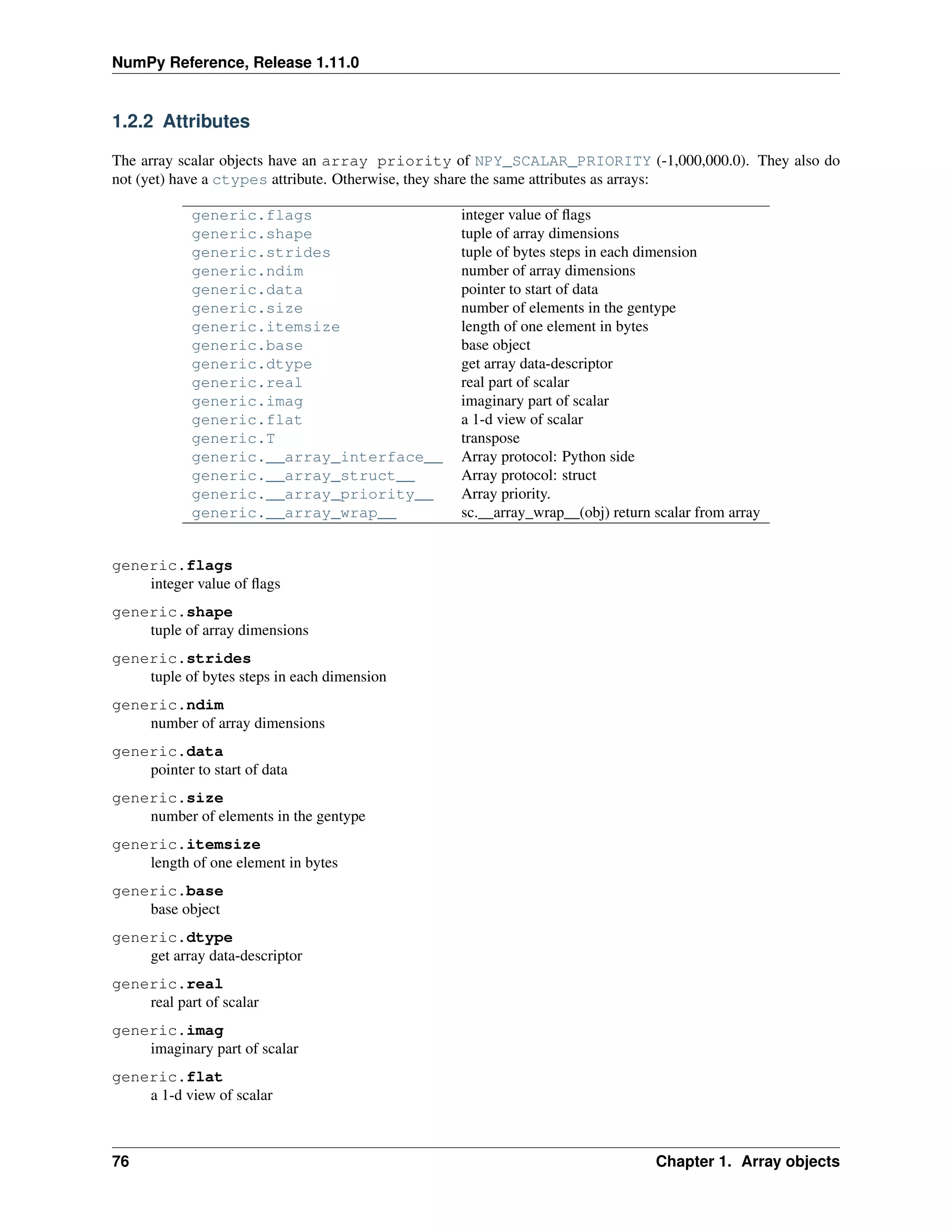
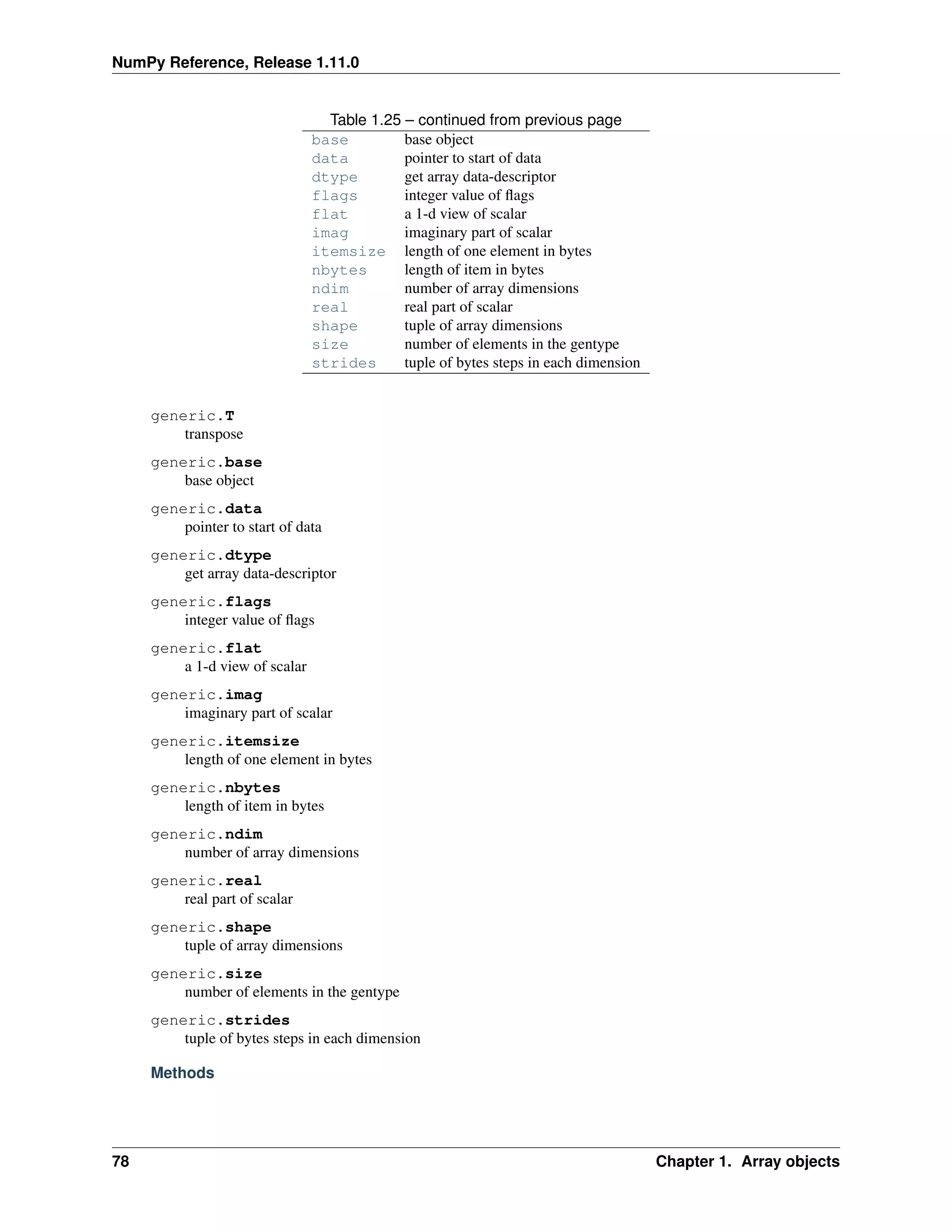
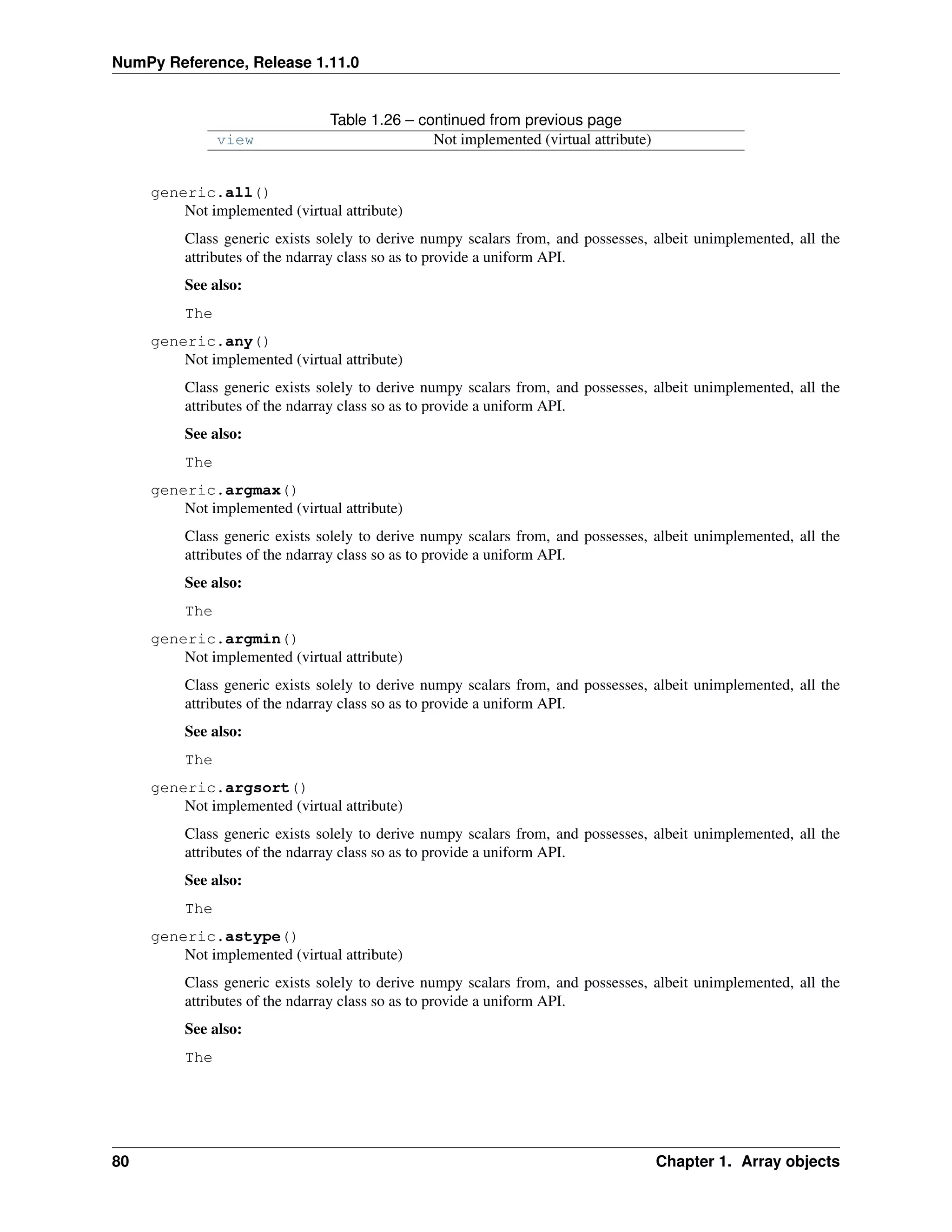
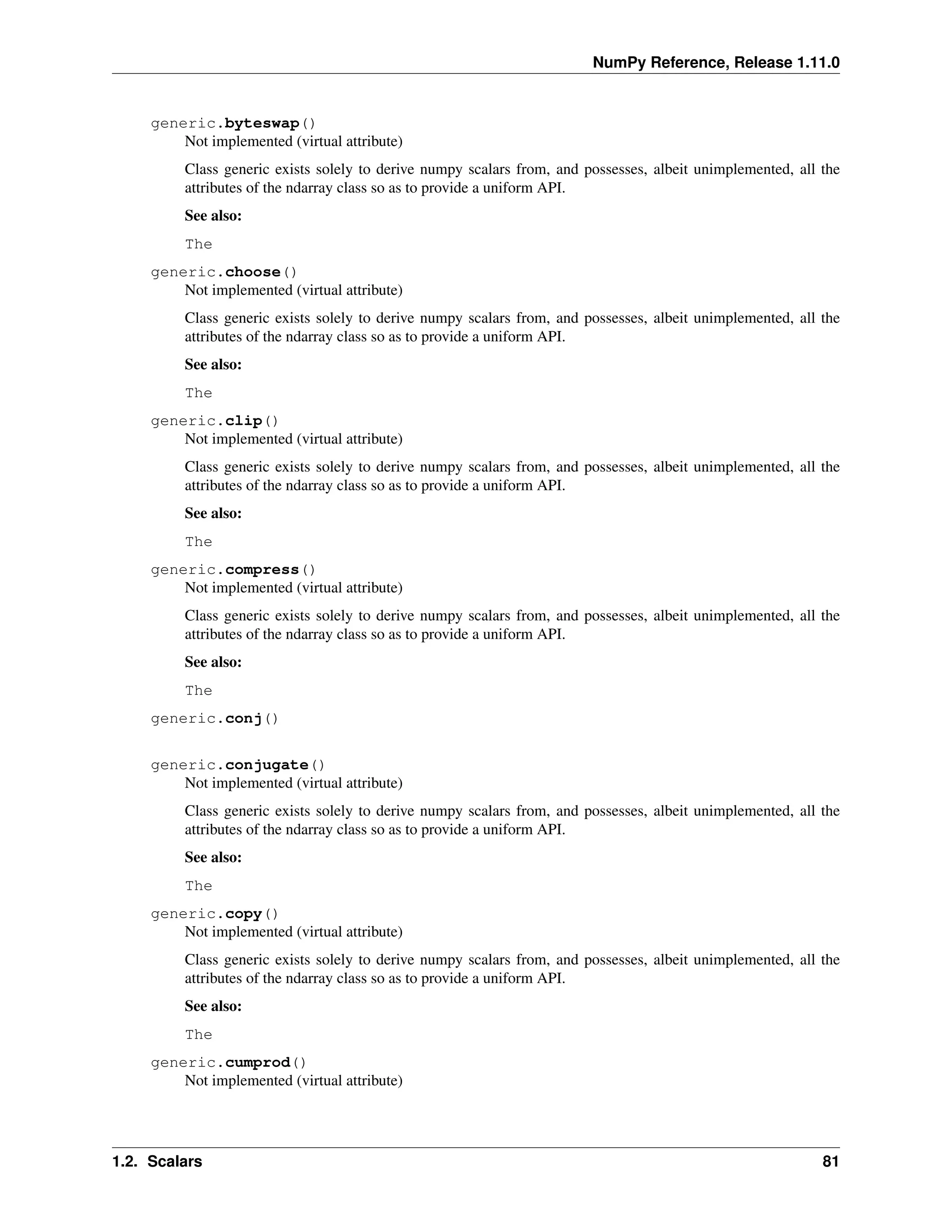
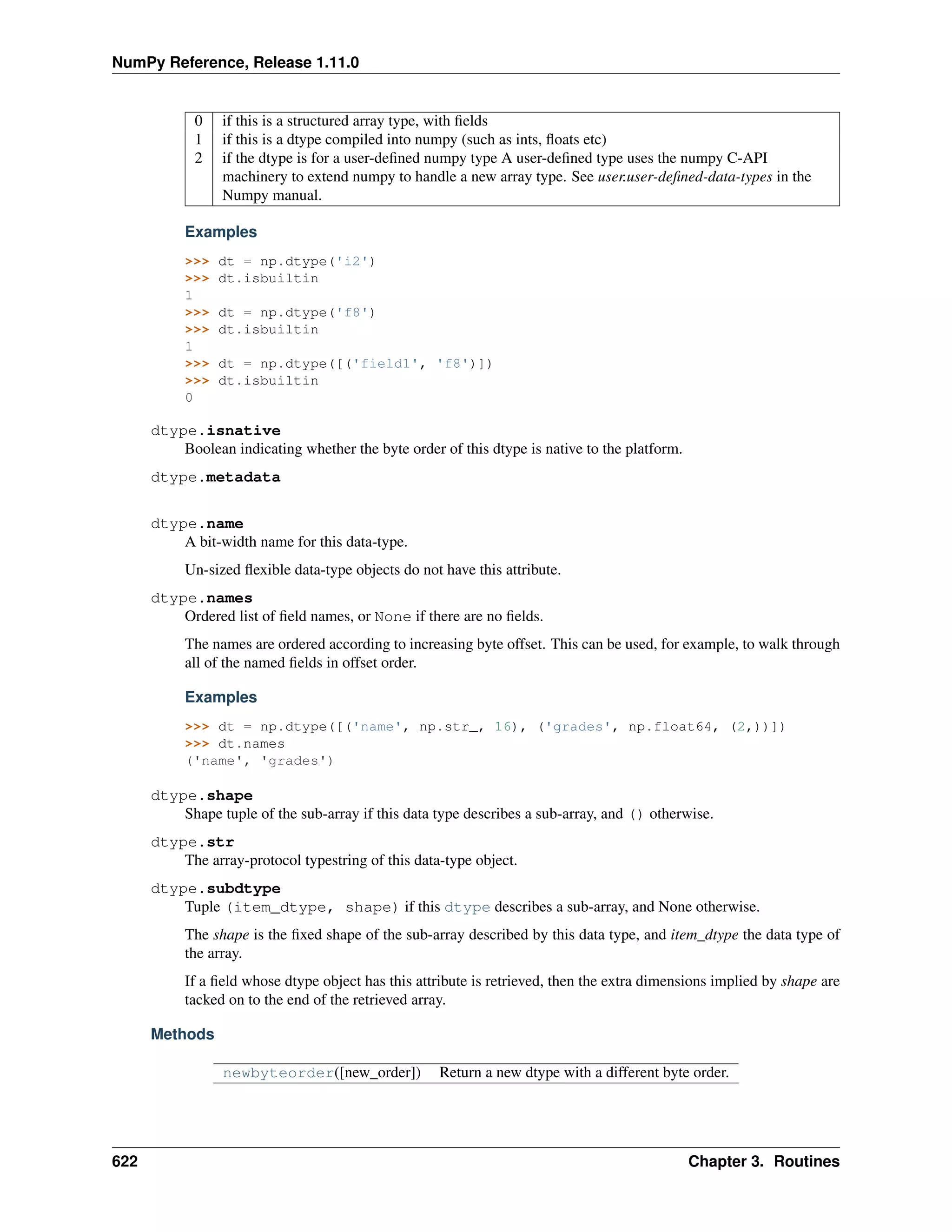
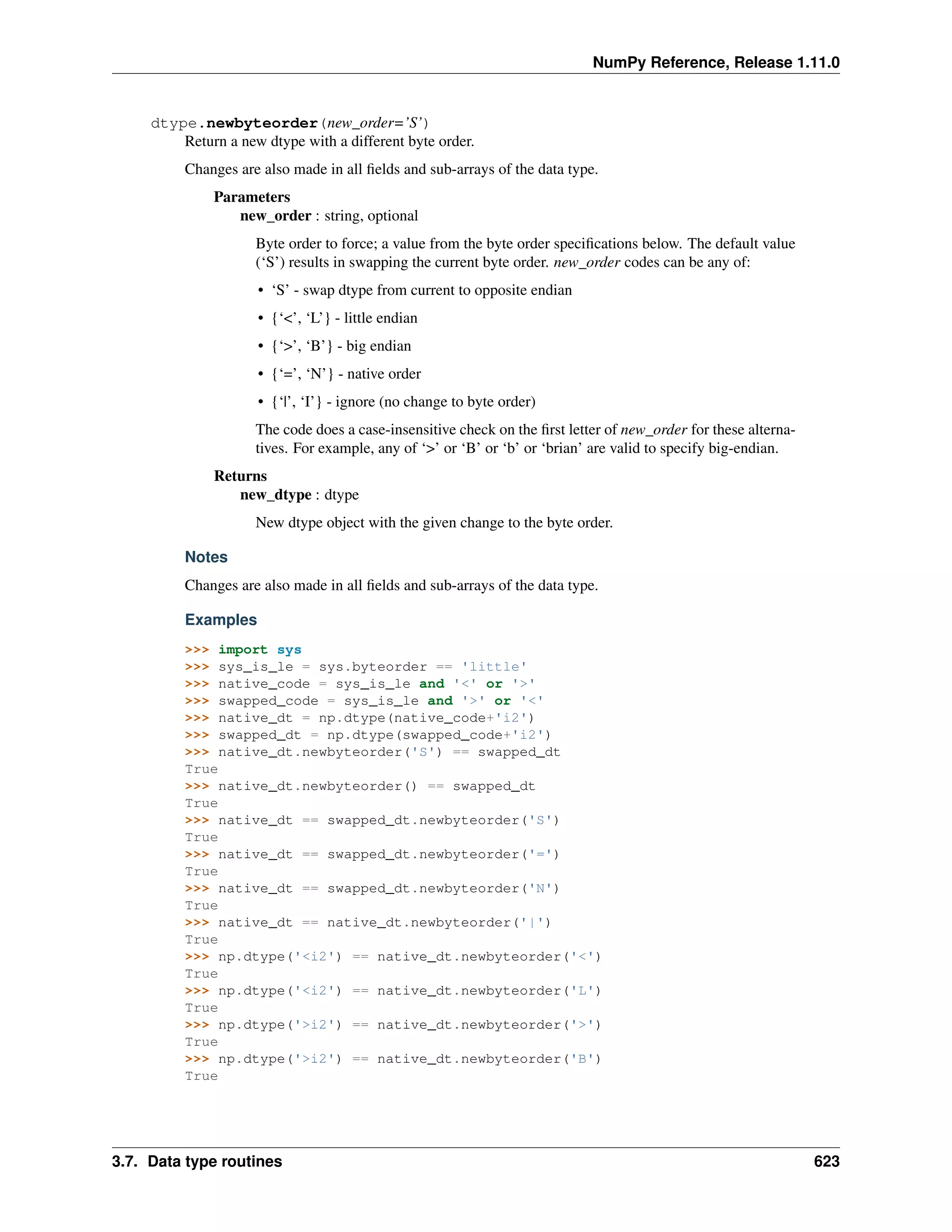
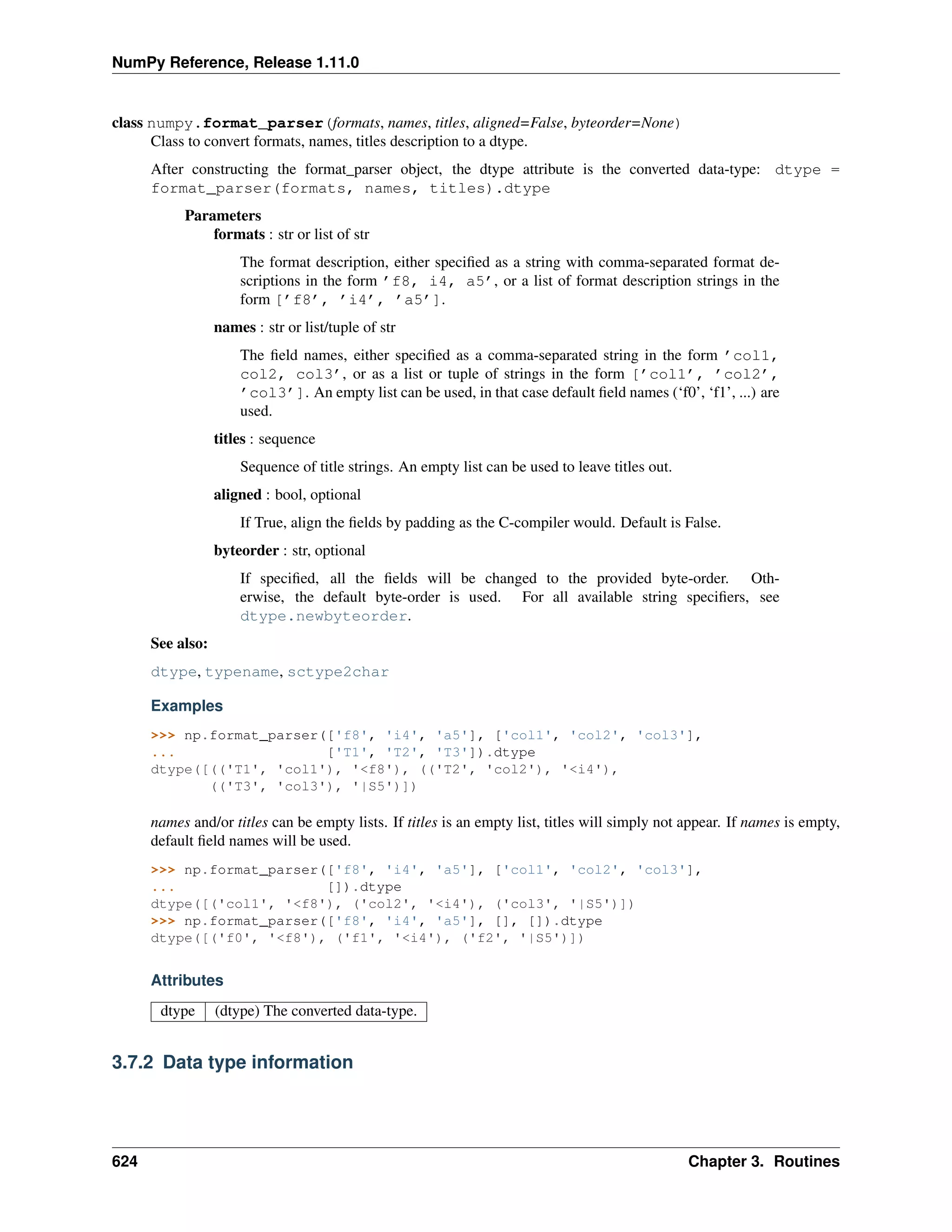
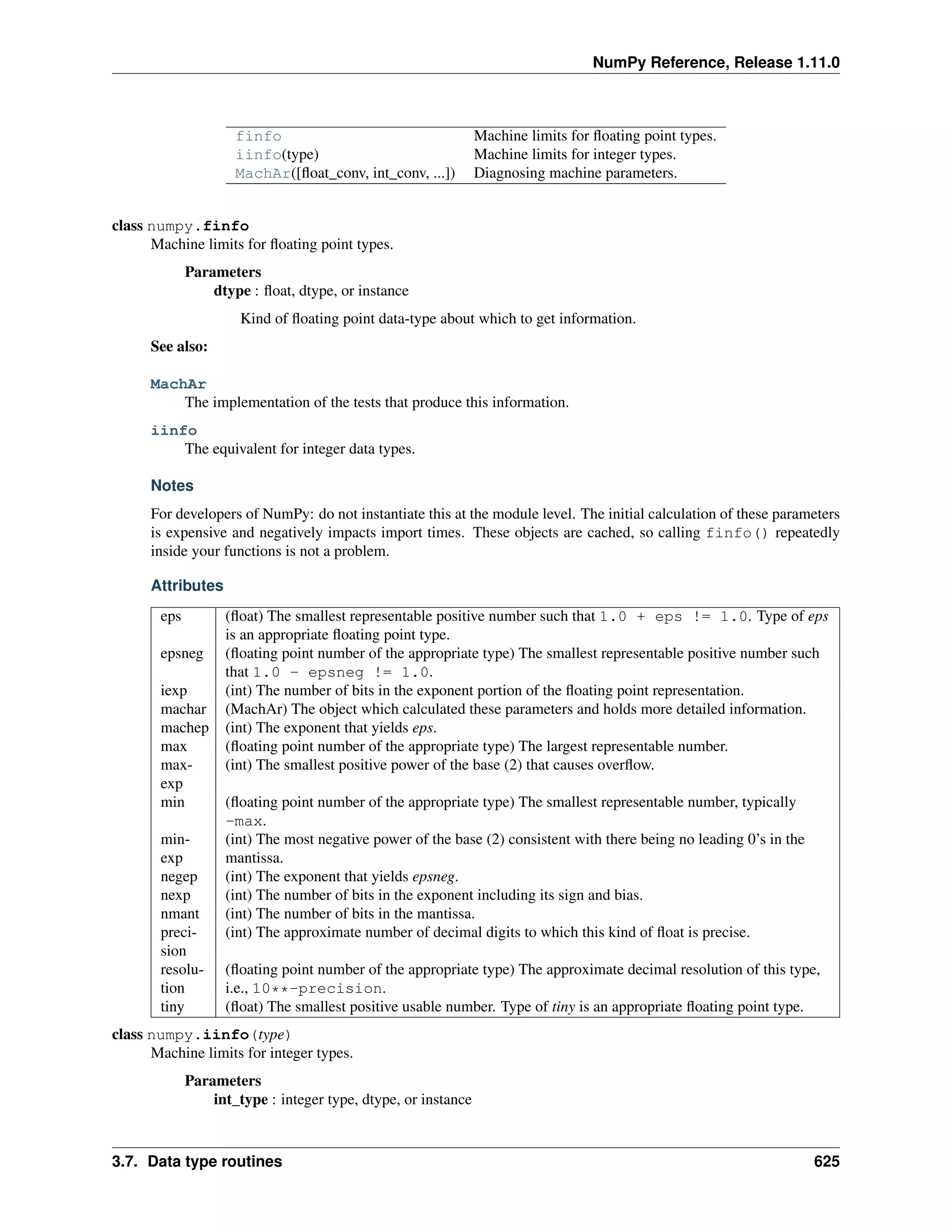
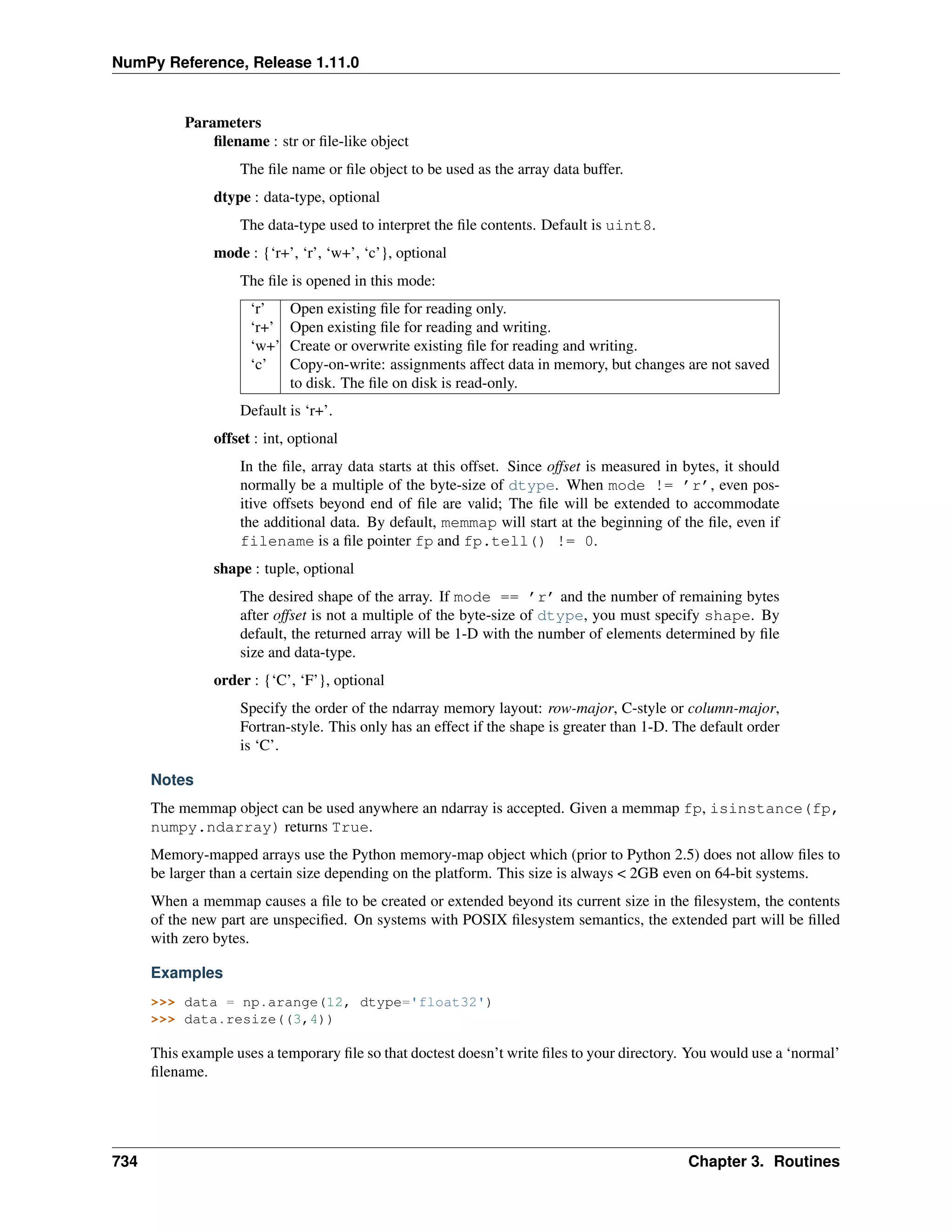
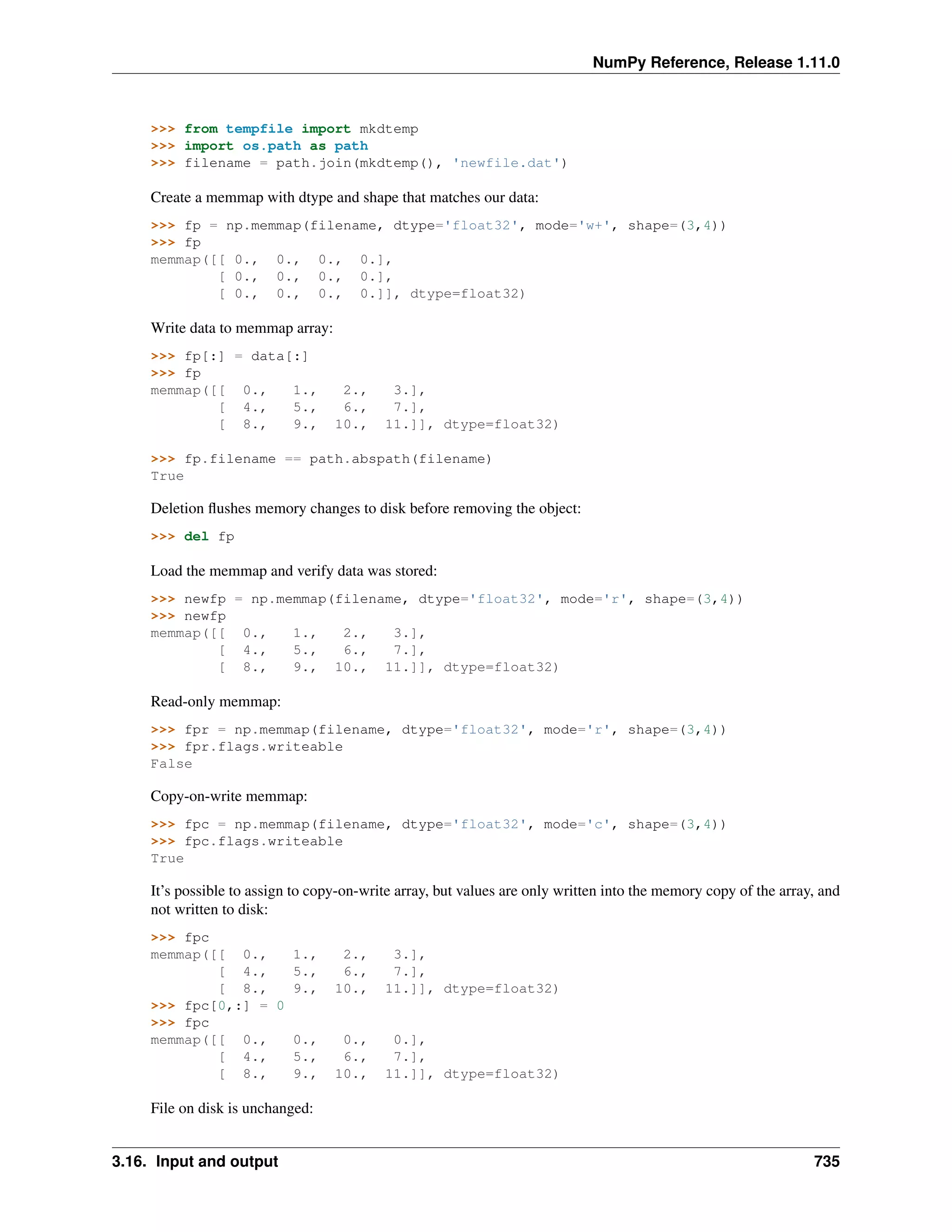
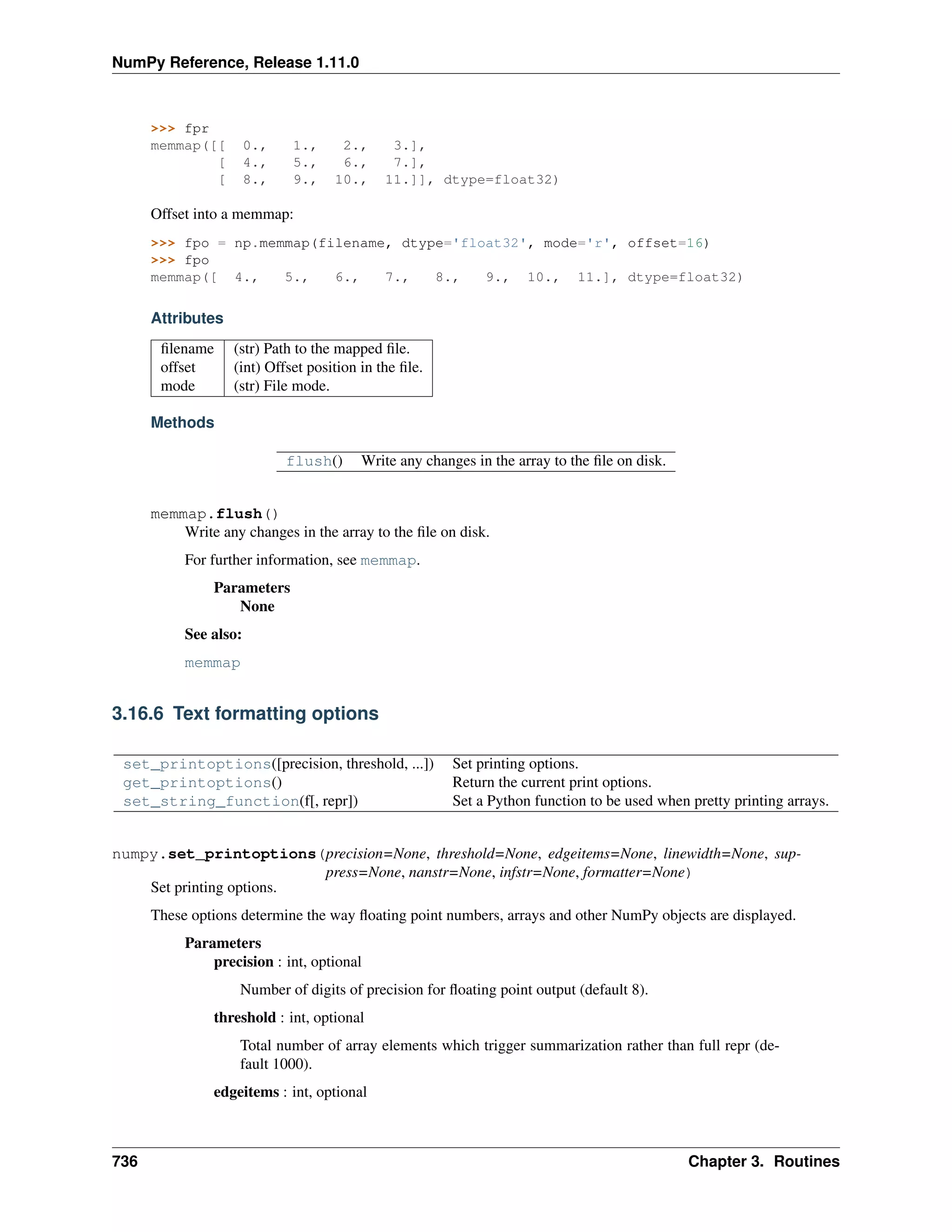
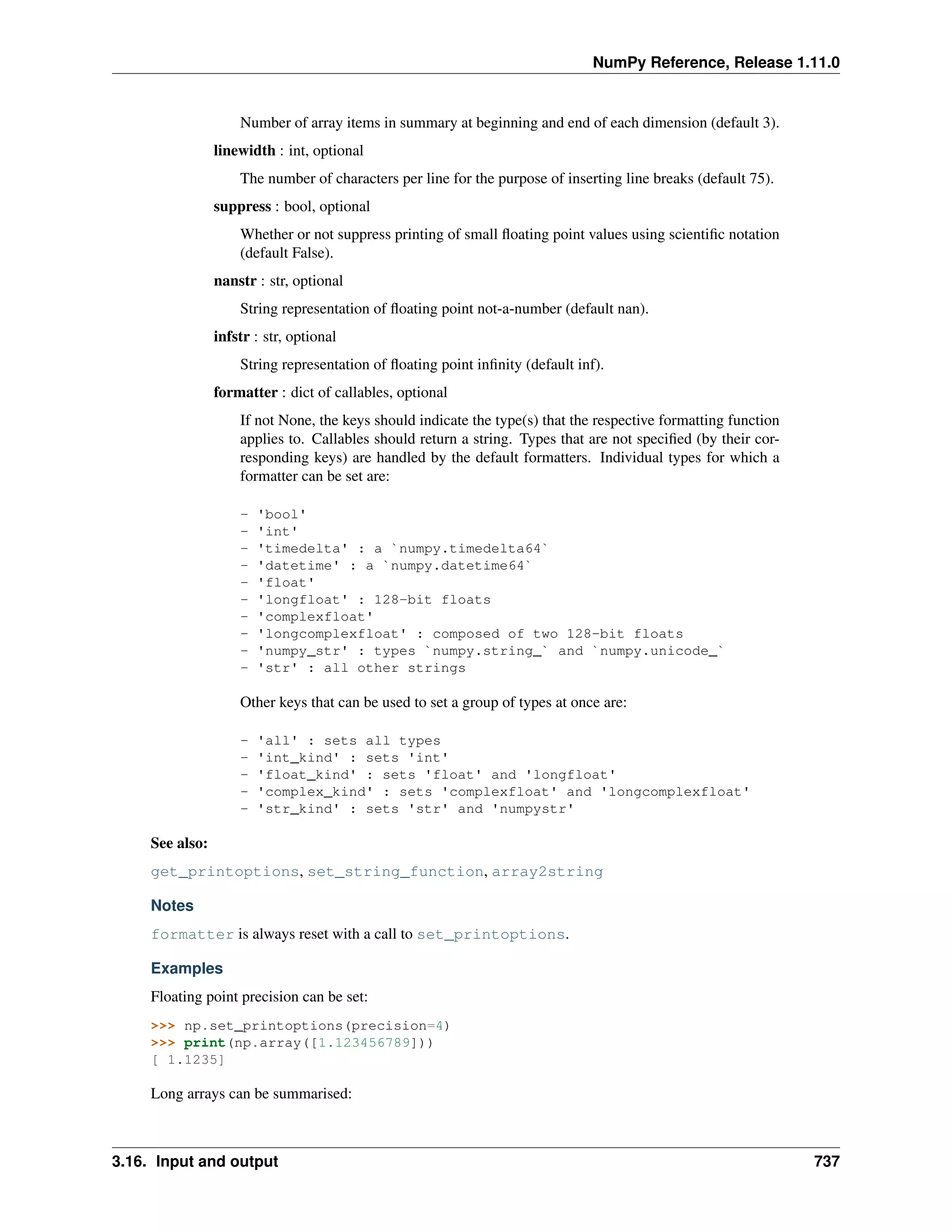
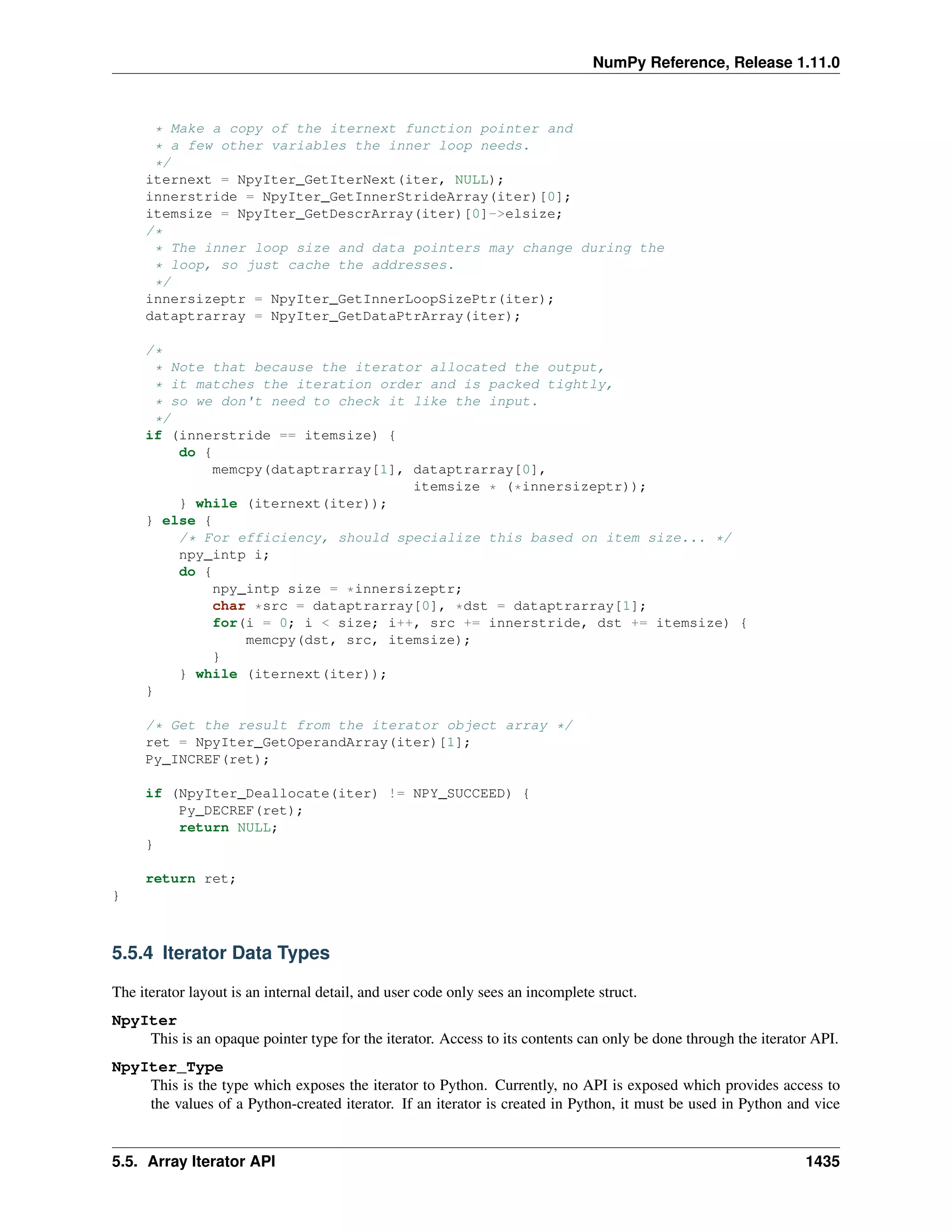
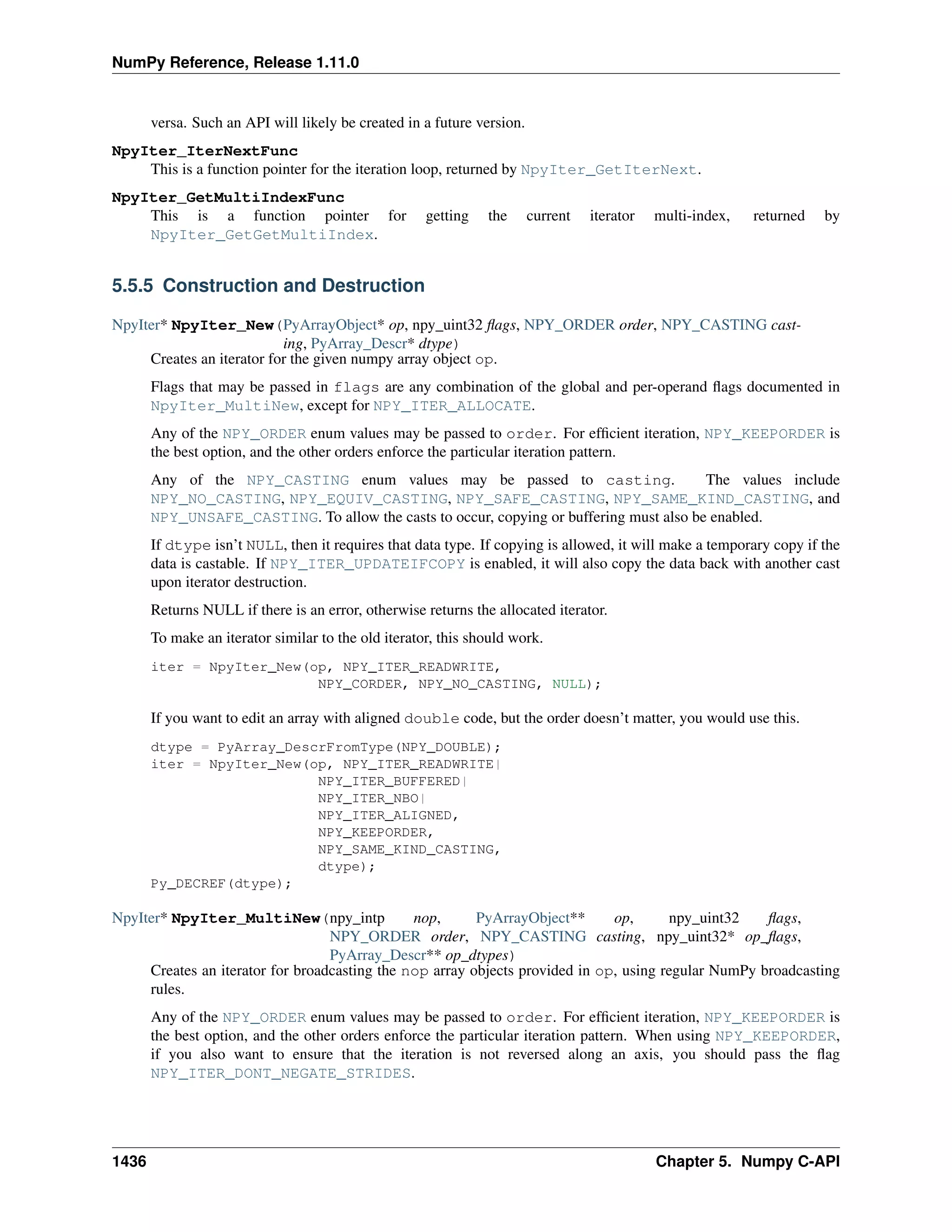
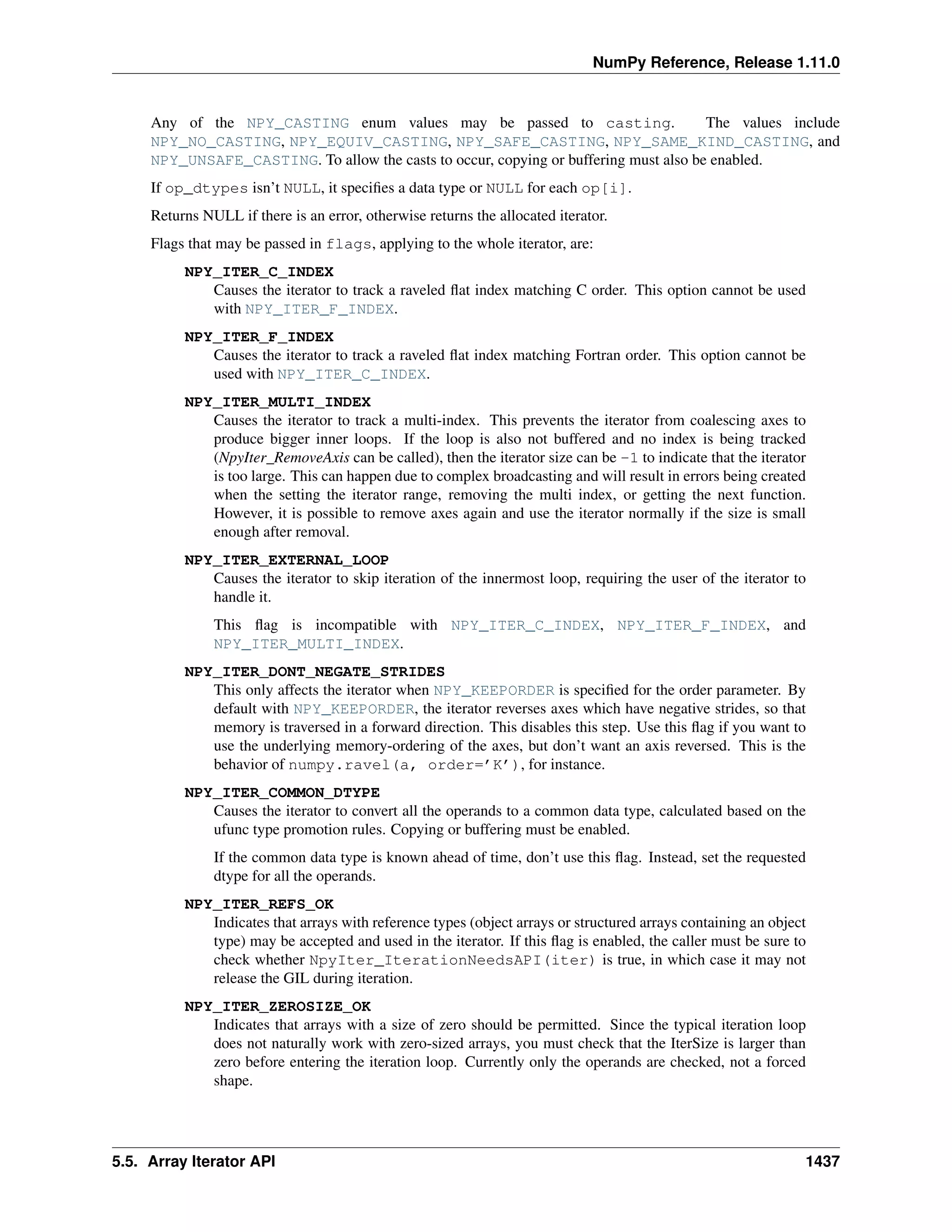
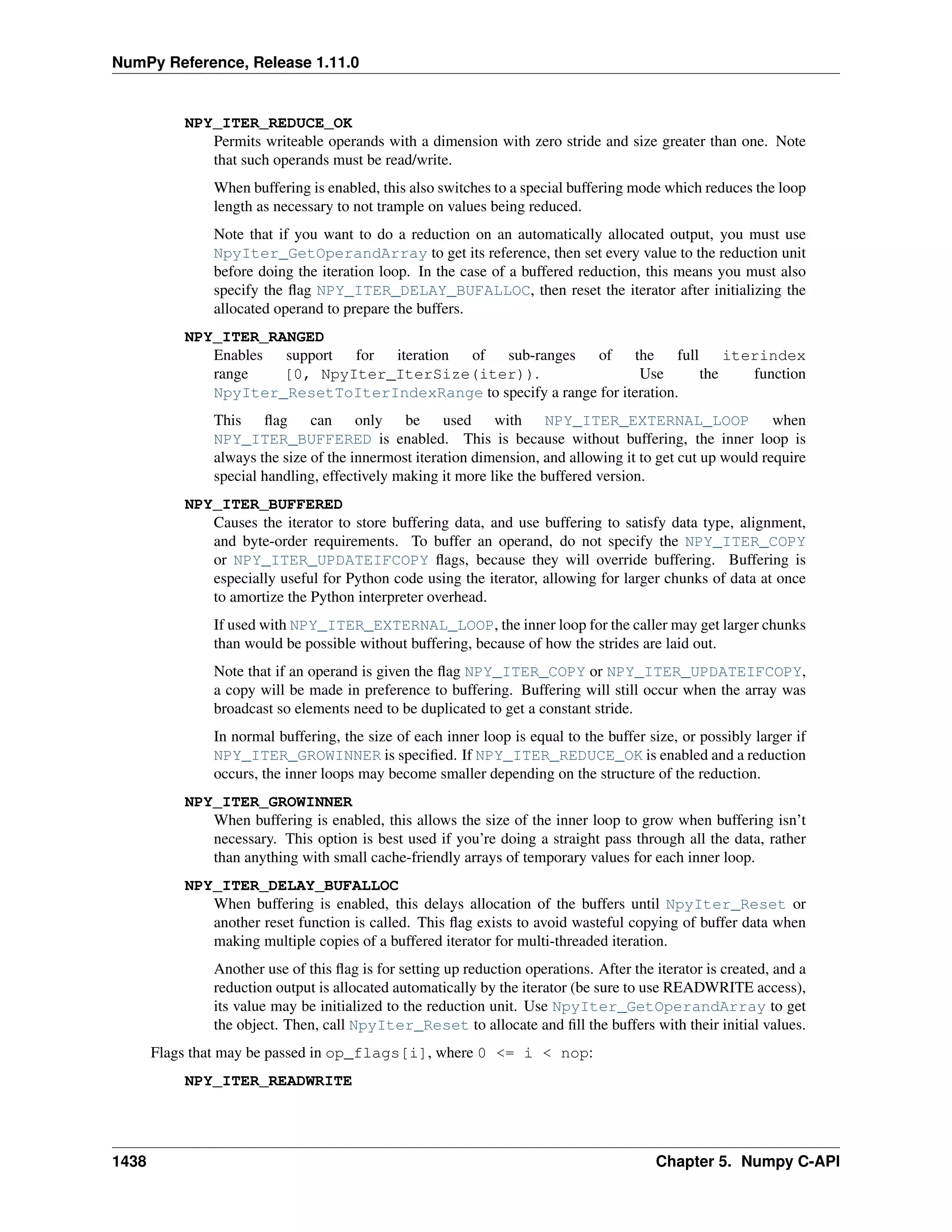
NumPy Reference
Release 1.11.0
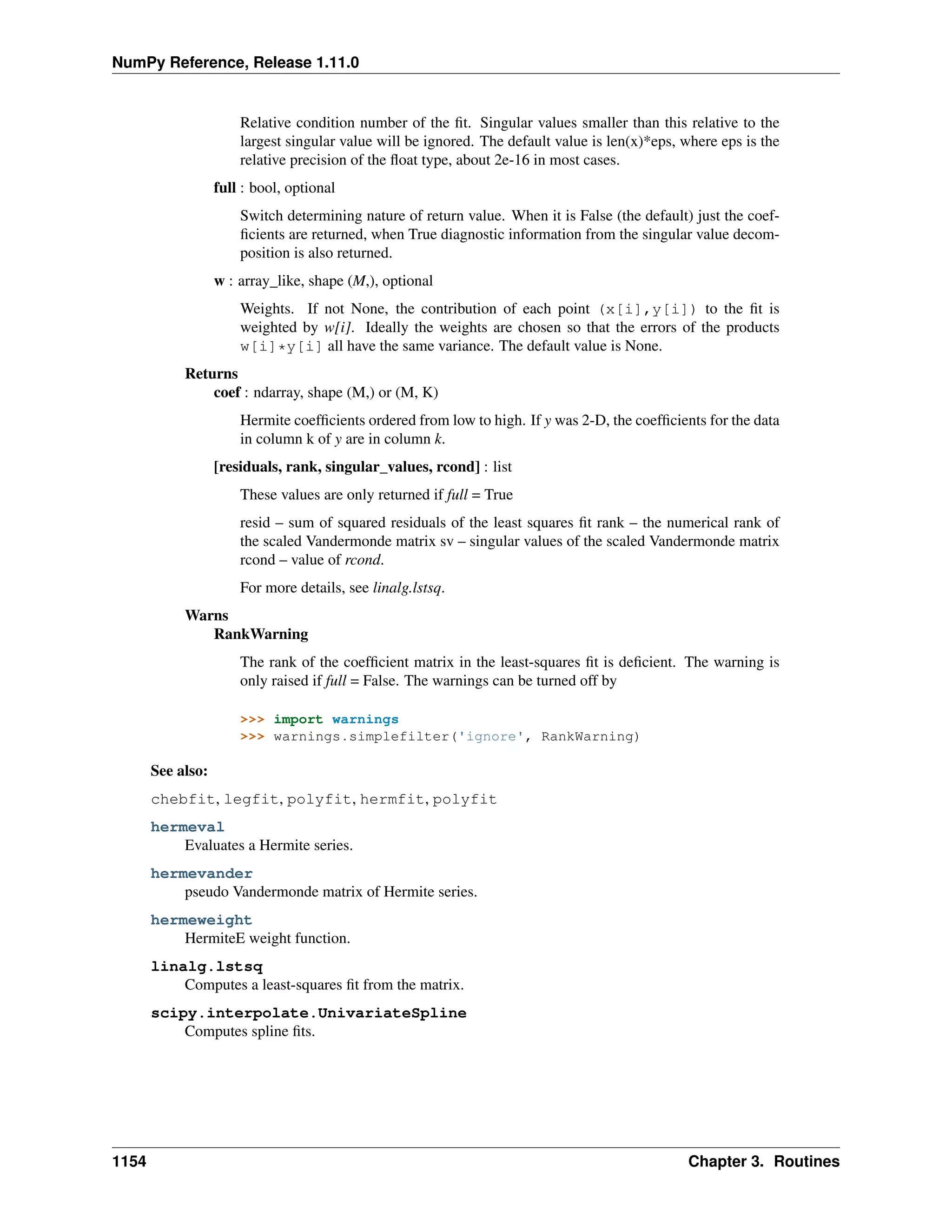
Written by the NumPy community
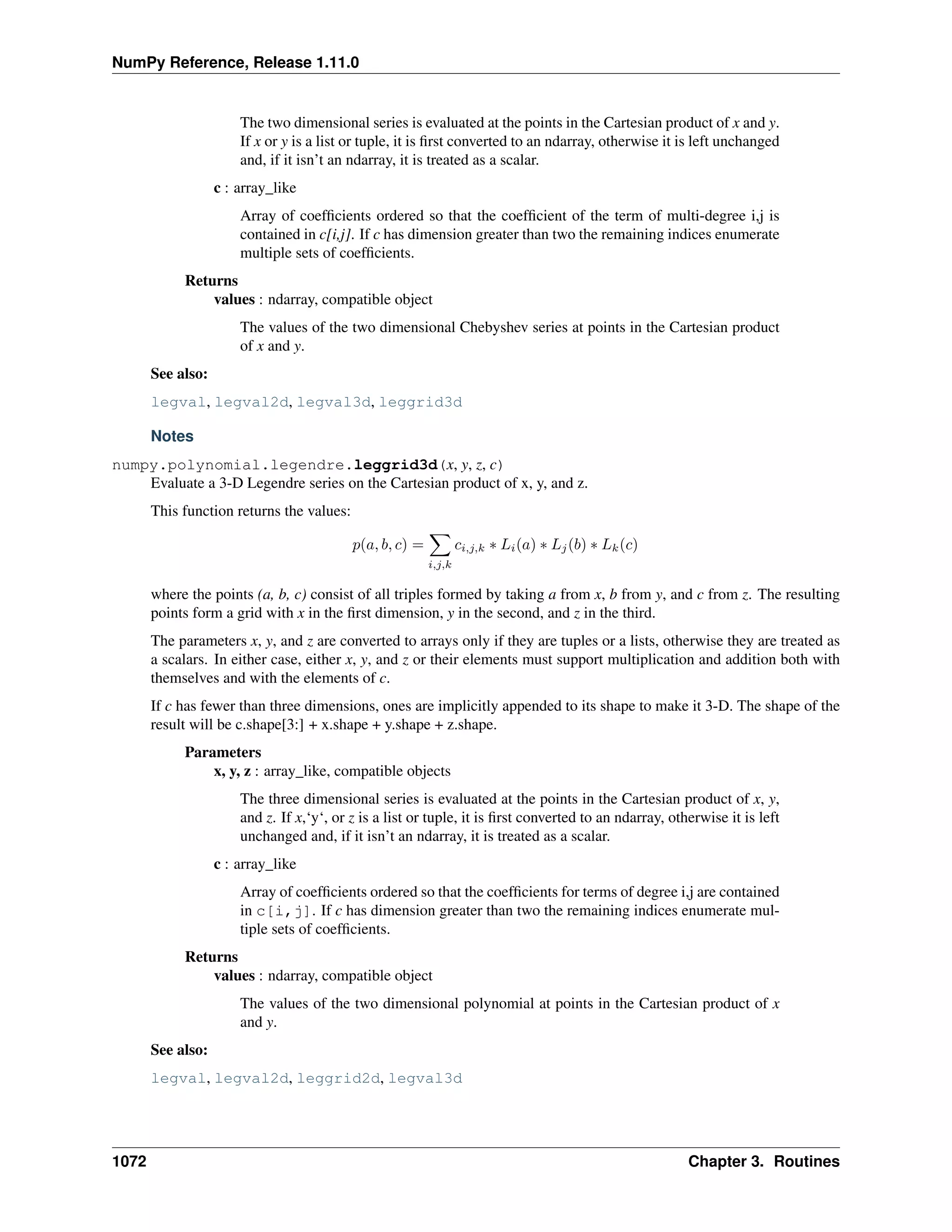
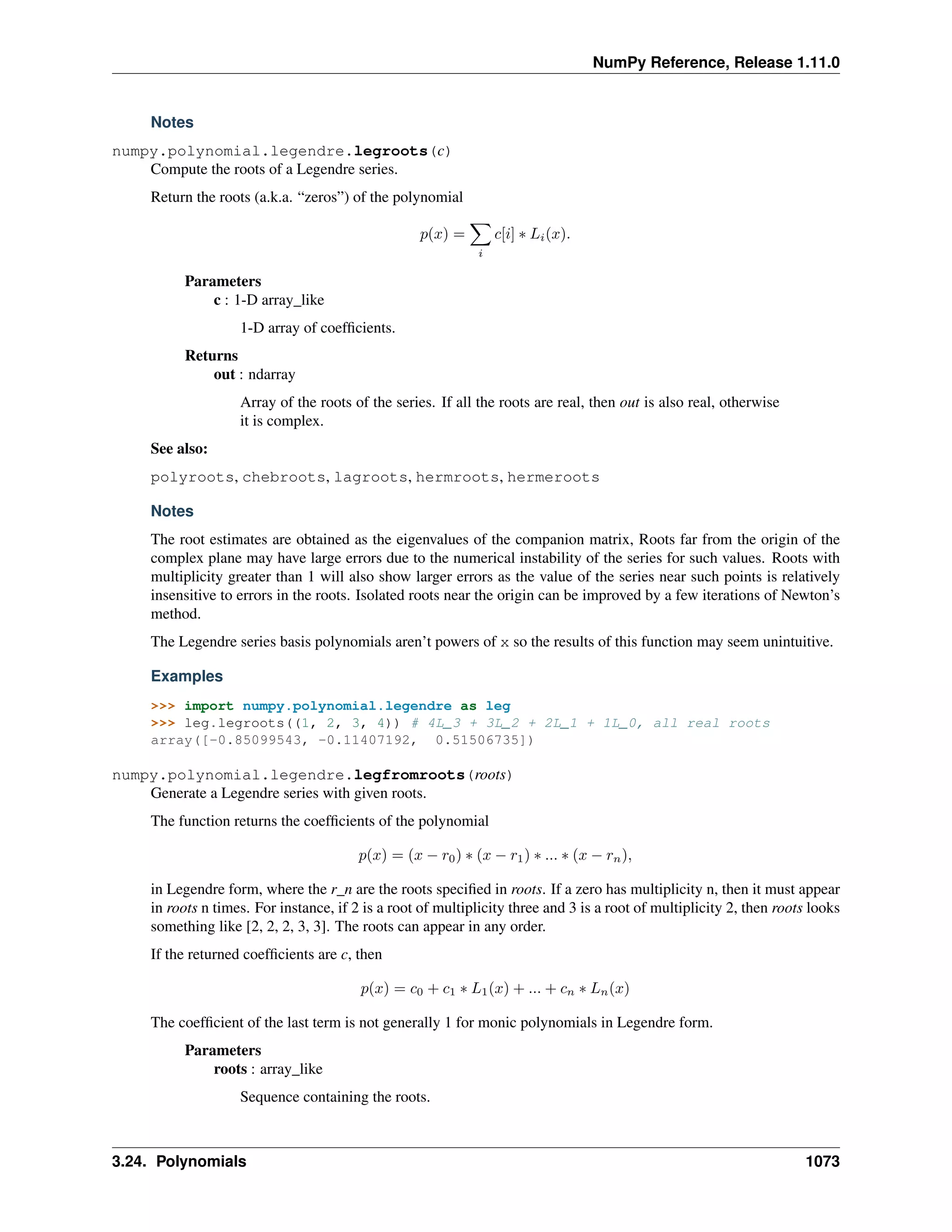
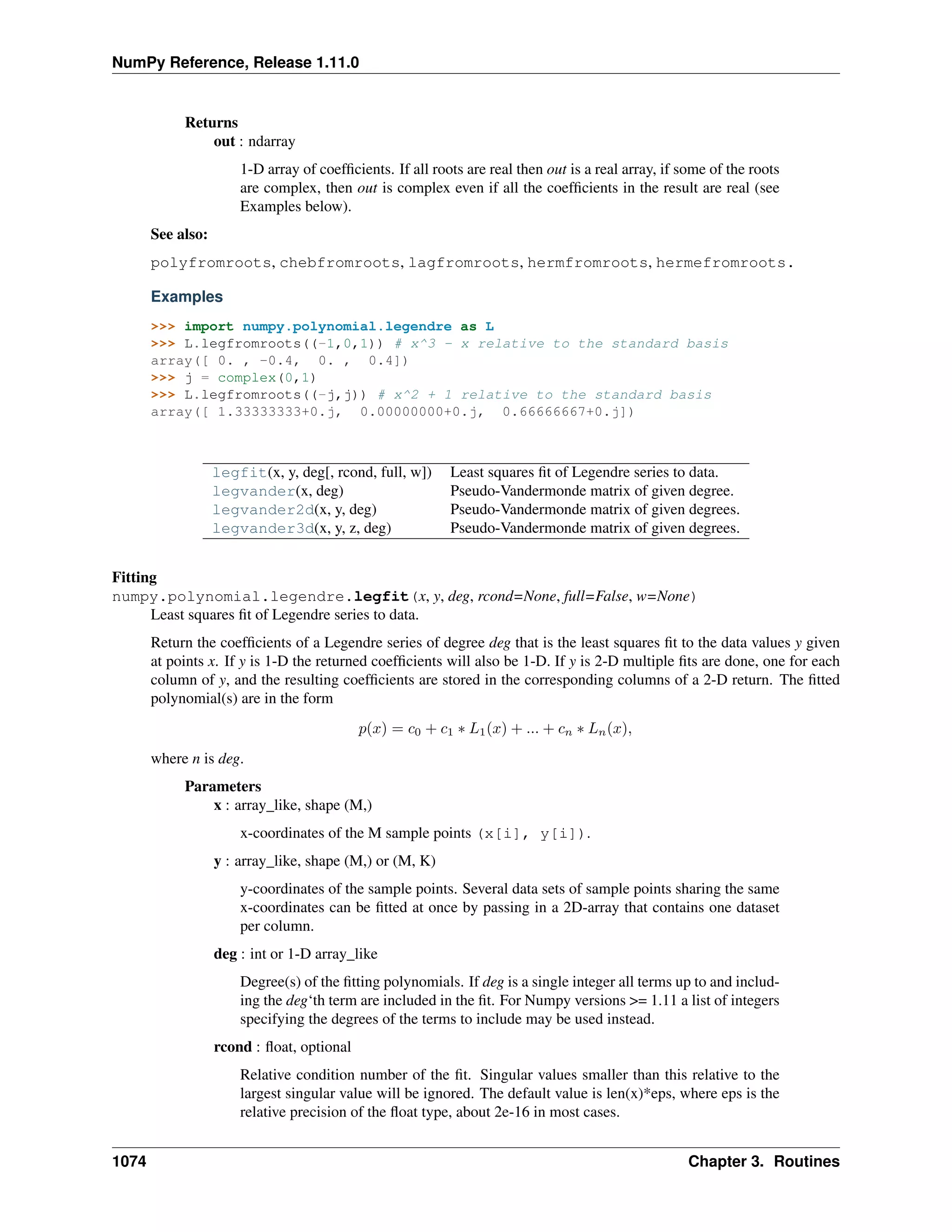
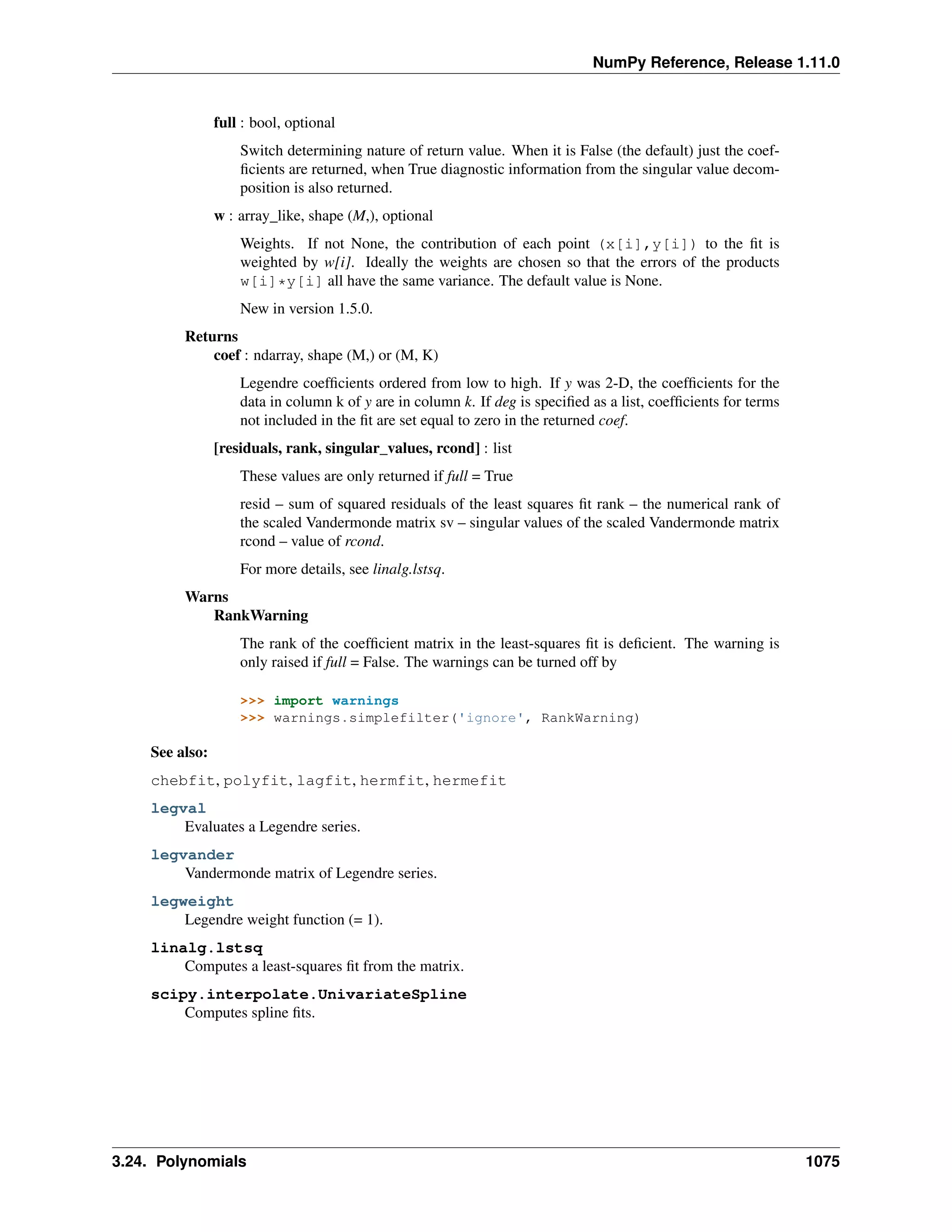
May 29, 2016
CONTENTS
1 Array objects 3
1.1 The N-dimensional array (ndarray) . . . . . . . . . . . . . . . . . . . . . . . . . . . . . . . . . . 3
1.2 Scalars . . . . . . . . . . . . . . . . . . . . . . . . . . . . . . . . . . . . . . . . . . . . . . . . . . 72
1.3 Data type objects (dtype) . . . . . . . . . . . . . . . . . . . . . . . . . . . . . . . . . . . . . . . . 89
1.4 Indexing . . . . . . . . . . . . . . . . . . . . . . . . . . . . . . . . . . . . . . . . . . . . . . . . . 104
1.5 Iterating Over Arrays . . . . . . . . . . . . . . . . . . . . . . . . . . . . . . . . . . . . . . . . . . . 111
1.6 Standard array subclasses . . . . . . . . . . . . . . . . . . . . . . . . . . . . . . . . . . . . . . . . 122
1.7 Masked arrays . . . . . . . . . . . . . . . . . . . . . . . . . . . . . . . . . . . . . . . . . . . . . . 247
1.8 The Array Interface . . . . . . . . . . . . . . . . . . . . . . . . . . . . . . . . . . . . . . . . . . . 439
1.9 Datetimes and Timedeltas . . . . . . . . . . . . . . . . . . . . . . . . . . . . . . . . . . . . . . . . 444
2 Universal functions (ufunc) 453
2.1 Broadcasting . . . . . . . . . . . . . . . . . . . . . . . . . . . . . . . . . . . . . . . . . . . . . . . 453
2.2 Output type determination . . . . . . . . . . . . . . . . . . . . . . . . . . . . . . . . . . . . . . . . 454
2.3 Use of internal buffers . . . . . . . . . . . . . . . . . . . . . . . . . . . . . . . . . . . . . . . . . . 454
2.4 Error handling . . . . . . . . . . . . . . . . . . . . . . . . . . . . . . . . . . . . . . . . . . . . . . 454
2.5 Casting Rules . . . . . . . . . . . . . . . . . . . . . . . . . . . . . . . . . . . . . . . . . . . . . . . 457
2.6 Overriding Ufunc behavior . . . . . . . . . . . . . . . . . . . . . . . . . . . . . . . . . . . . . . . . 459
2.7 ufunc . . . . . . . . . . . . . . . . . . . . . . . . . . . . . . . . . . . . . . . . . . . . . . . . . . 459
2.8 Available ufuncs . . . . . . . . . . . . . . . . . . . . . . . . . . . . . . . . . . . . . . . . . . . . . 469
3 Routines 473
3.1 Array creation routines . . . . . . . . . . . . . . . . . . . . . . . . . . . . . . . . . . . . . . . . . . 473
3.2 Array manipulation routines . . . . . . . . . . . . . . . . . . . . . . . . . . . . . . . . . . . . . . . 510
3.3 Binary operations . . . . . . . . . . . . . . . . . . . . . . . . . . . . . . . . . . . . . . . . . . . . . 554
3.4 String operations . . . . . . . . . . . . . . . . . . . . . . . . . . . . . . . . . . . . . . . . . . . . . 562
3.5 C-Types Foreign Function Interface (numpy.ctypeslib) . . . . . . . . . . . . . . . . . . . . . . 607
3.6 Datetime Support Functions . . . . . . . . . . . . . . . . . . . . . . . . . . . . . . . . . . . . . . . 609
3.7 Data type routines . . . . . . . . . . . . . . . . . . . . . . . . . . . . . . . . . . . . . . . . . . . . 614
3.8 Optionally Scipy-accelerated routines (numpy.dual) . . . . . . . . . . . . . . . . . . . . . . . . . 632
3.9 Mathematical functions with automatic domain (numpy.emath) . . . . . . . . . . . . . . . . . . . 633
3.10 Floating point error handling . . . . . . . . . . . . . . . . . . . . . . . . . . . . . . . . . . . . . . . 634
3.11 Discrete Fourier Transform (numpy.fft) . . . . . . . . . . . . . . . . . . . . . . . . . . . . . . . 640
3.12 Financial functions . . . . . . . . . . . . . . . . . . . . . . . . . . . . . . . . . . . . . . . . . . . . 664
3.13 Functional programming . . . . . . . . . . . . . . . . . . . . . . . . . . . . . . . . . . . . . . . . . 674
3.14 Numpy-specific help functions . . . . . . . . . . . . . . . . . . . . . . . . . . . . . . . . . . . . . . 679
3.15 Indexing routines . . . . . . . . . . . . . . . . . . . . . . . . . . . . . . . . . . . . . . . . . . . . . 682
3.16 Input and output . . . . . . . . . . . . . . . . . . . . . . . . . . . . . . . . . . . . . . . . . . . . . 716
3.17 Linear algebra (numpy.linalg) . . . . . . . . . . . . . . . . . . . . . . . . . . . . . . . . . . . 743
3.18 Logic functions . . . . . . . . . . . . . . . . . . . . . . . . . . . . . . . . . . . . . . . . . . . . . . 780
3.19 Masked array operations . . . . . . . . . . . . . . . . . . . . . . . . . . . . . . . . . . . . . . . . . 798
i
3.20 Mathematical functions . . . . . . . . . . . . . . . . . . . . . . . . . . . . . . . . . . . . . . . . . 925
3.21 Matrix library (numpy.matlib) . . . . . . . . . . . . . . . . . . . . . . . . . . . . . . . . . . . . 992
3.22 Miscellaneous routines . . . . . . . . . . . . . . . . . . . . . . . . . . . . . . . . . . . . . . . . . . 997
3.23 Padding Arrays . . . . . . . . . . . . . . . . . . . . . . . . . . . . . . . . . . . . . . . . . . . . . . 1001
3.24 Polynomials . . . . . . . . . . . . . . . . . . . . . . . . . . . . . . . . . . . . . . . . . . . . . . . 1004
3.25 Random sampling (numpy.random) . . . . . . . . . . . . . . . . . . . . . . . . . . . . . . . . . 1180
3.26 Set routines . . . . . . . . . . . . . . . . . . . . . . . . . . . . . . . . . . . . . . . . . . . . . . . . 1280
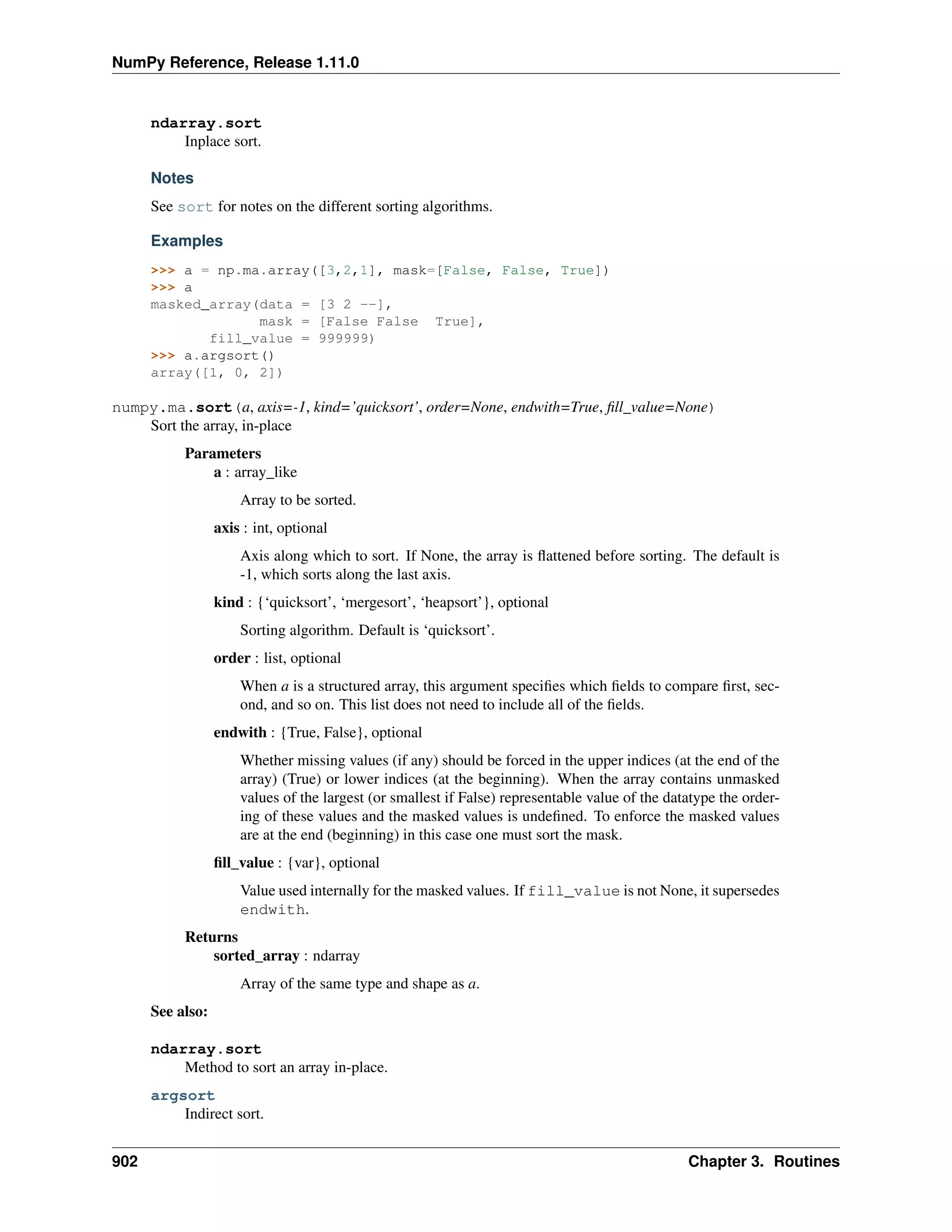
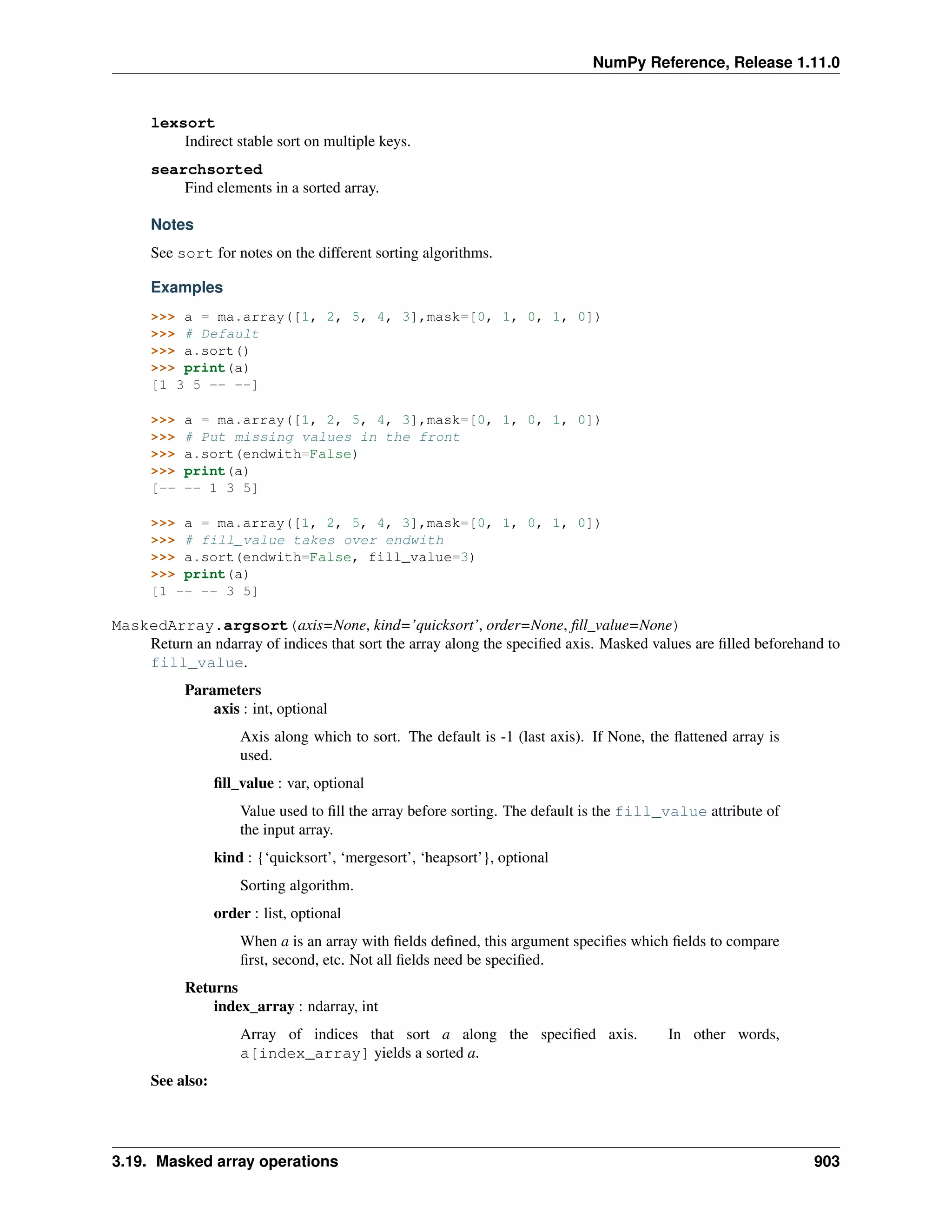
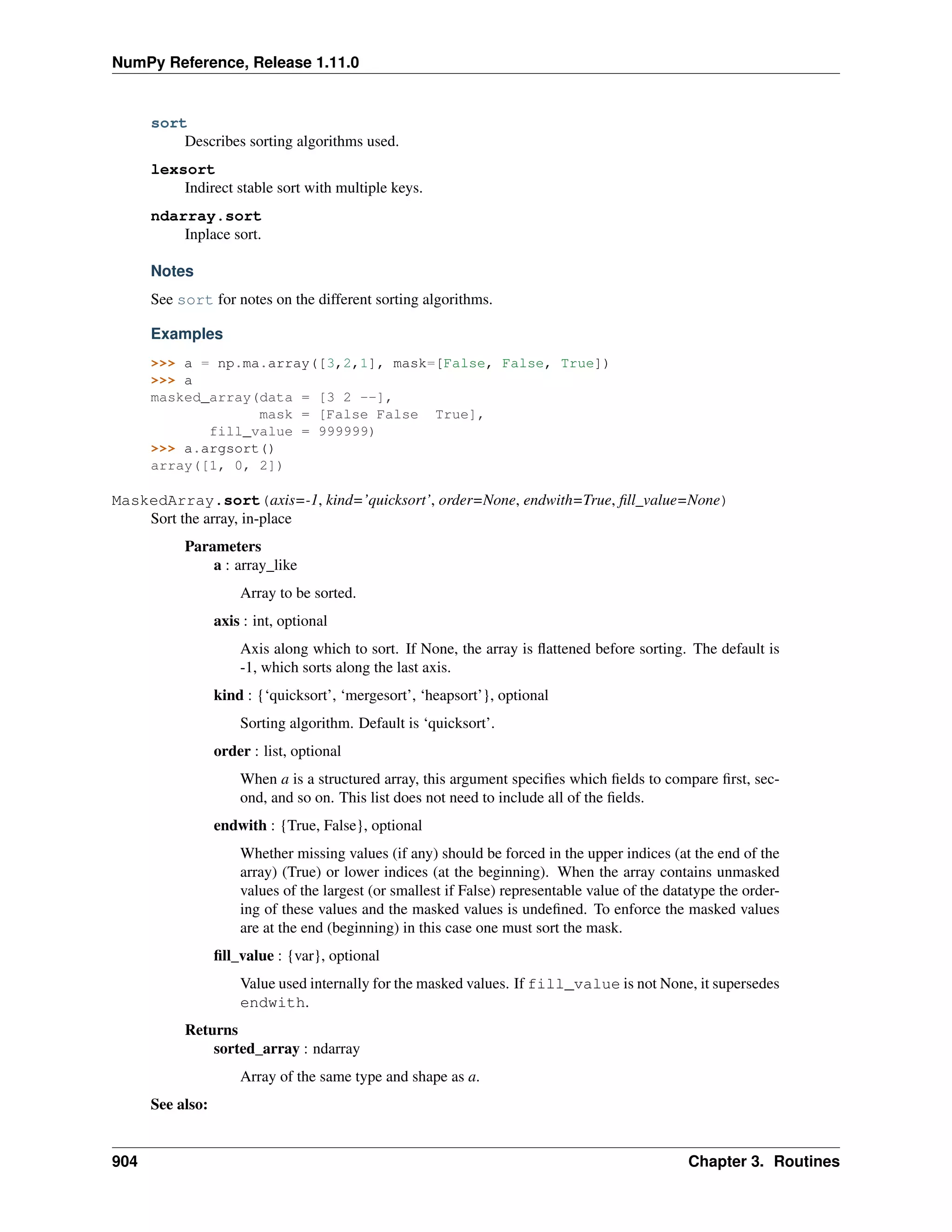
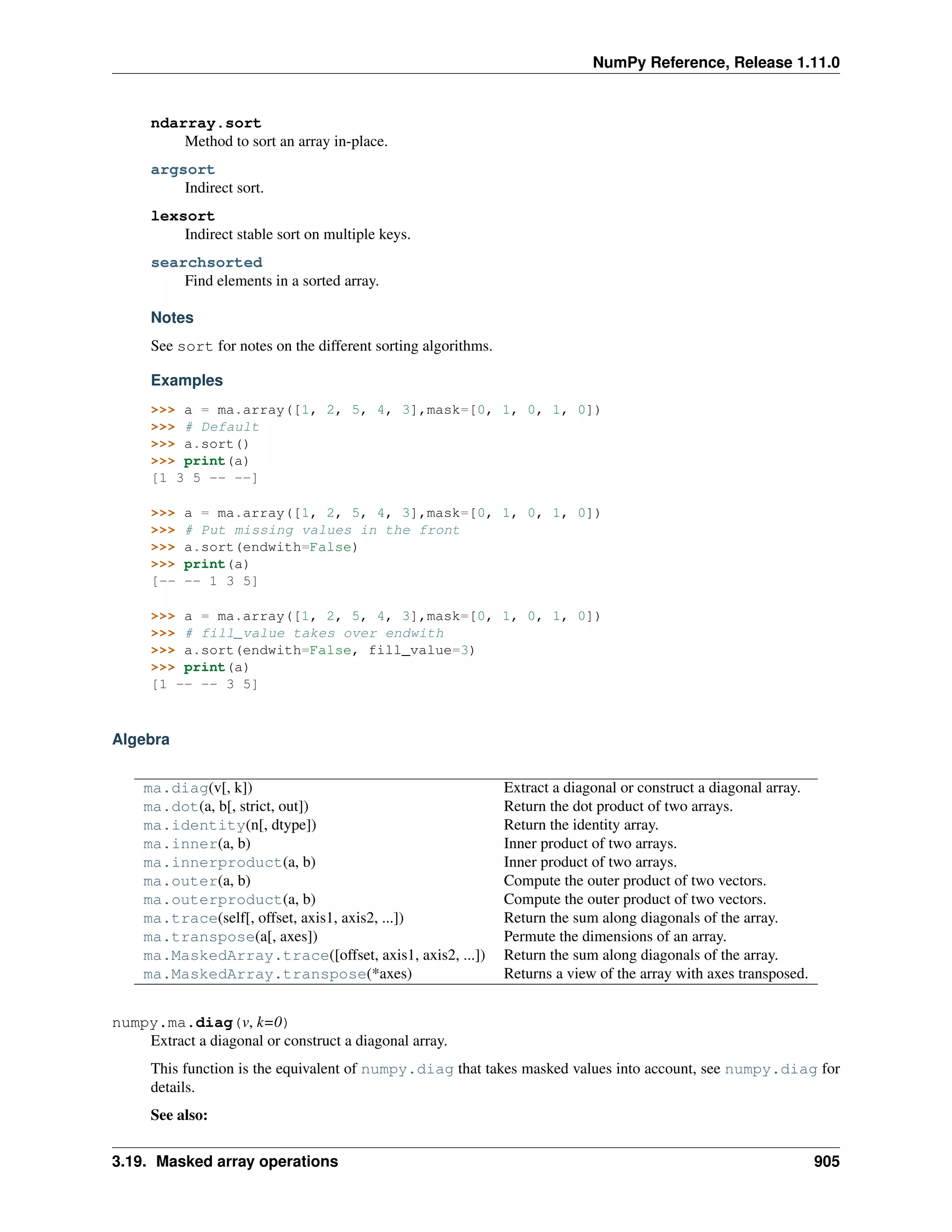
3.27 Sorting, searching, and counting . . . . . . . . . . . . . . . . . . . . . . . . . . . . . . . . . . . . . 1285
3.28 Statistics . . . . . . . . . . . . . . . . . . . . . . . . . . . . . . . . . . . . . . . . . . . . . . . . . 1302
3.29 Test Support (numpy.testing) . . . . . . . . . . . . . . . . . . . . . . . . . . . . . . . . . . . . 1337
3.30 Window functions . . . . . . . . . . . . . . . . . . . . . . . . . . . . . . . . . . . . . . . . . . . . 1350
4 Packaging (numpy.distutils) 1359
4.1 Modules in numpy.distutils . . . . . . . . . . . . . . . . . . . . . . . . . . . . . . . . . . . . 1359
4.2 Building Installable C libraries . . . . . . . . . . . . . . . . . . . . . . . . . . . . . . . . . . . . . . 1370
4.3 Conversion of .src files . . . . . . . . . . . . . . . . . . . . . . . . . . . . . . . . . . . . . . . . 1371
5 Numpy C-API 1373
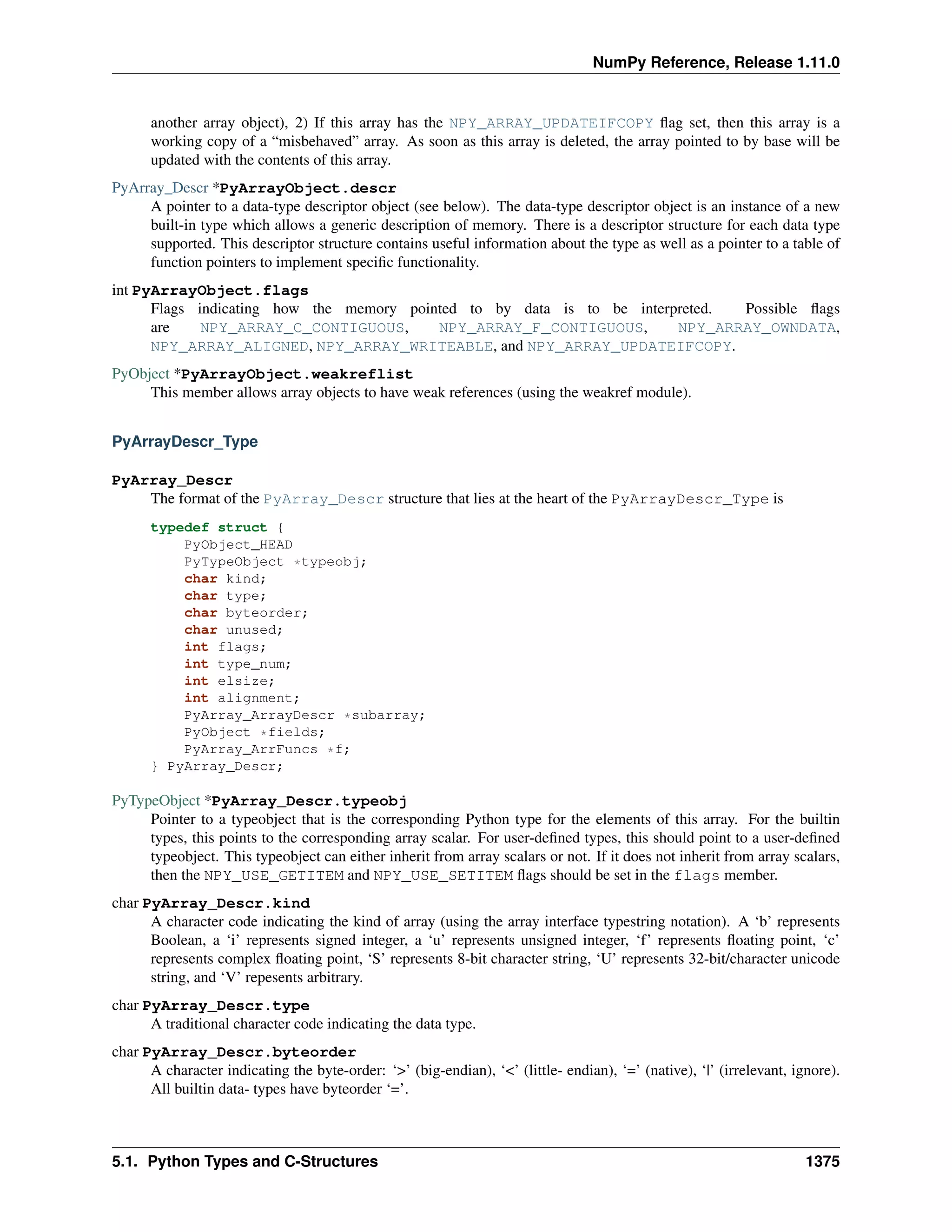
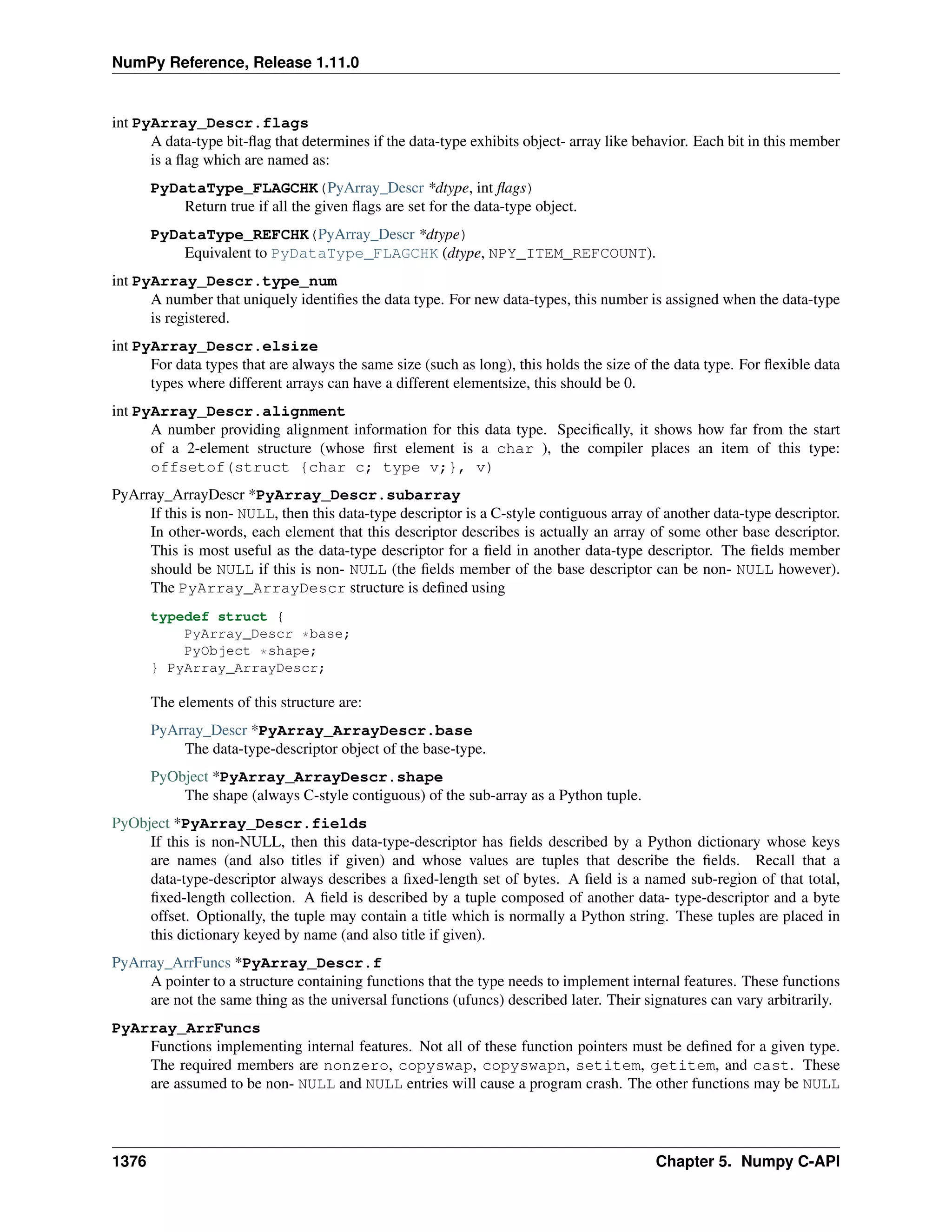
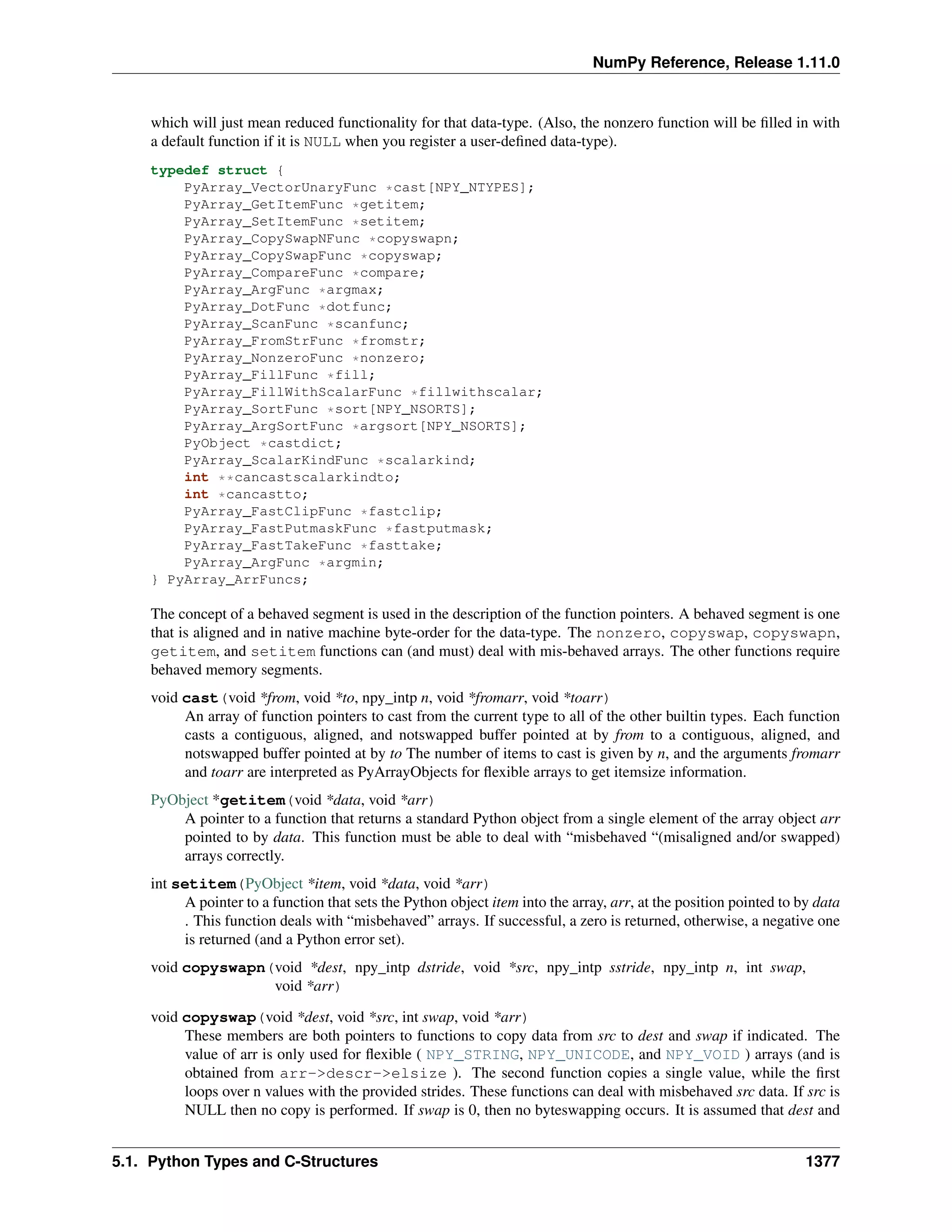
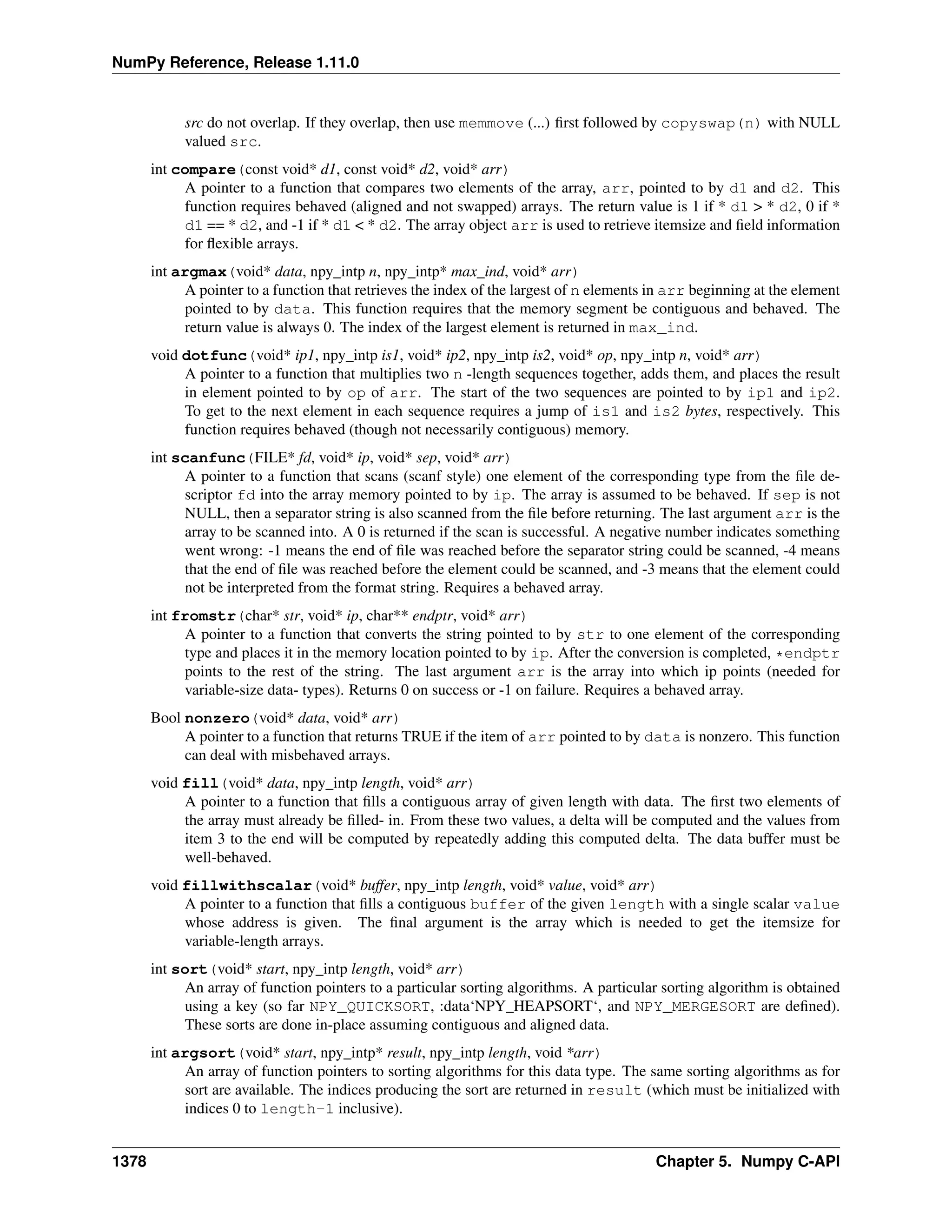
5.1 Python Types and C-Structures . . . . . . . . . . . . . . . . . . . . . . . . . . . . . . . . . . . . . 1373
5.2 System configuration . . . . . . . . . . . . . . . . . . . . . . . . . . . . . . . . . . . . . . . . . . . 1386
5.3 Data Type API . . . . . . . . . . . . . . . . . . . . . . . . . . . . . . . . . . . . . . . . . . . . . . 1387
5.4 Array API . . . . . . . . . . . . . . . . . . . . . . . . . . . . . . . . . . . . . . . . . . . . . . . . 1392
5.5 Array Iterator API . . . . . . . . . . . . . . . . . . . . . . . . . . . . . . . . . . . . . . . . . . . . 1432
5.6 UFunc API . . . . . . . . . . . . . . . . . . . . . . . . . . . . . . . . . . . . . . . . . . . . . . . . 1449
5.7 Generalized Universal Function API . . . . . . . . . . . . . . . . . . . . . . . . . . . . . . . . . . . 1455
5.8 Numpy core libraries . . . . . . . . . . . . . . . . . . . . . . . . . . . . . . . . . . . . . . . . . . . 1458
5.9 C API Deprecations . . . . . . . . . . . . . . . . . . . . . . . . . . . . . . . . . . . . . . . . . . . 1463
6 Numpy internals 1465
6.1 Numpy C Code Explanations . . . . . . . . . . . . . . . . . . . . . . . . . . . . . . . . . . . . . . 1465
6.2 Internal organization of numpy arrays . . . . . . . . . . . . . . . . . . . . . . . . . . . . . . . . . . 1472
6.3 Multidimensional Array Indexing Order Issues . . . . . . . . . . . . . . . . . . . . . . . . . . . . . 1472
7 Numpy and SWIG 1475
7.1 Numpy.i: a SWIG Interface File for NumPy . . . . . . . . . . . . . . . . . . . . . . . . . . . . . . . 1475
7.2 Testing the numpy.i Typemaps . . . . . . . . . . . . . . . . . . . . . . . . . . . . . . . . . . . . . . 1490
8 Acknowledgements 1493
Bibliography 1495
Index 1505
ii
NumPy Reference, Release 1.11.0
Release
1.11
Date
May 29, 2016
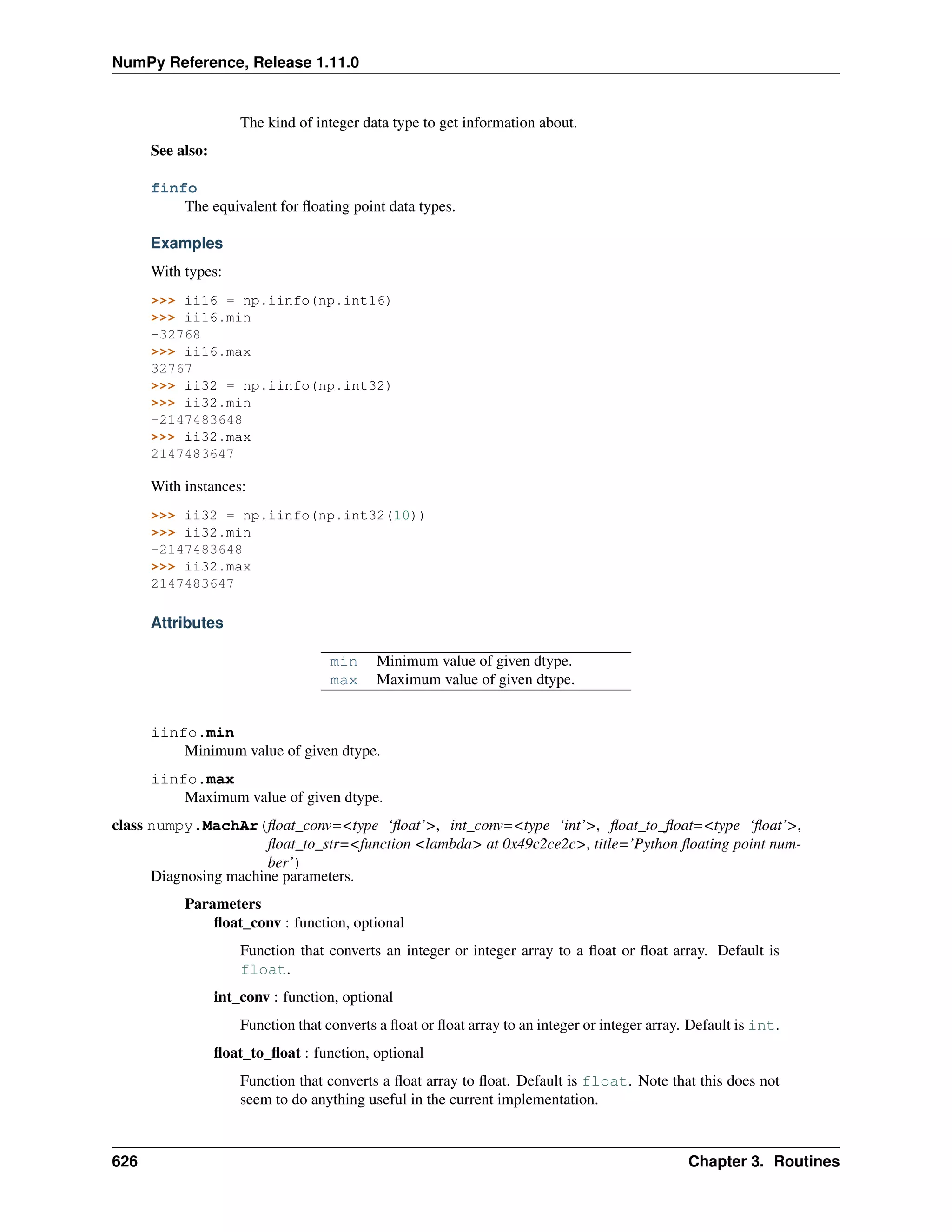
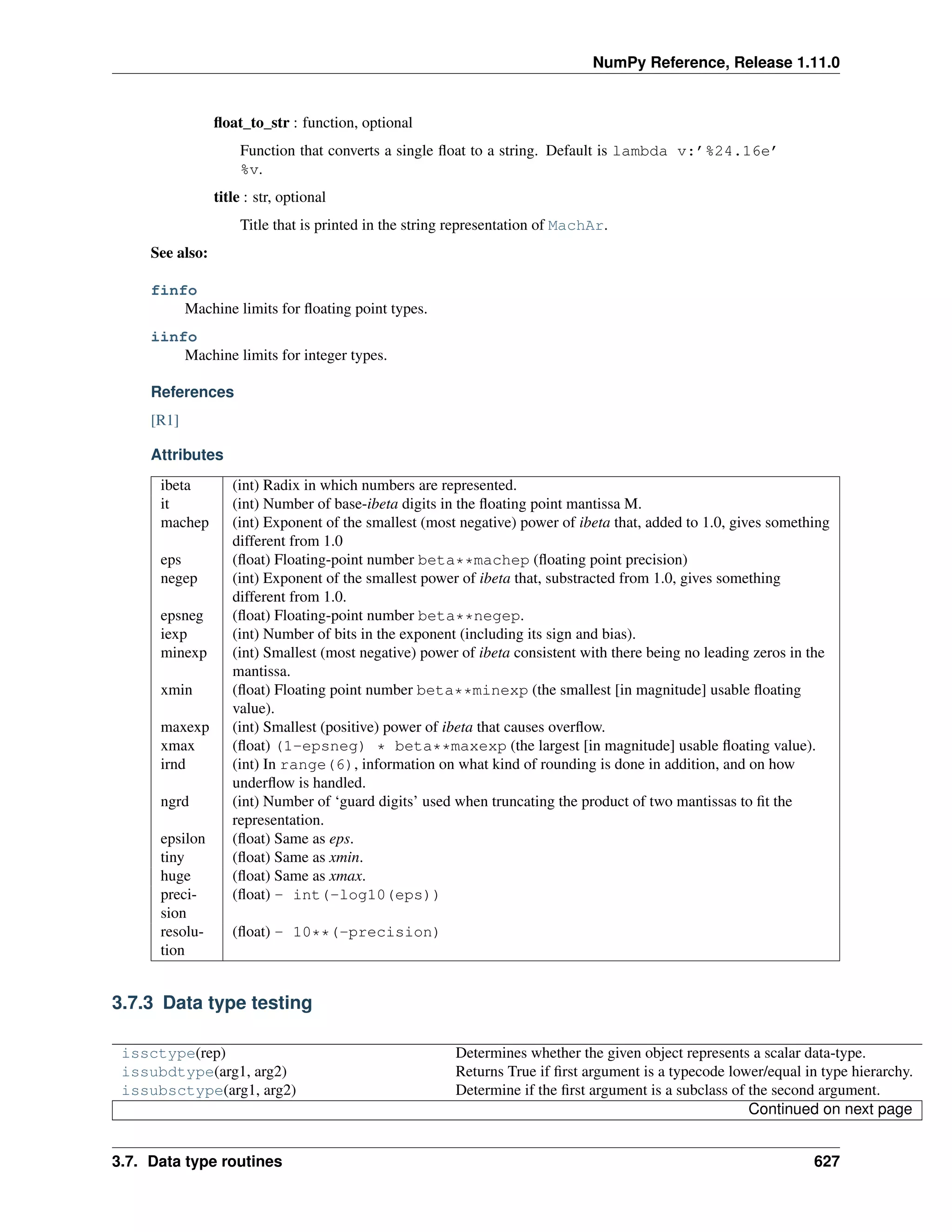
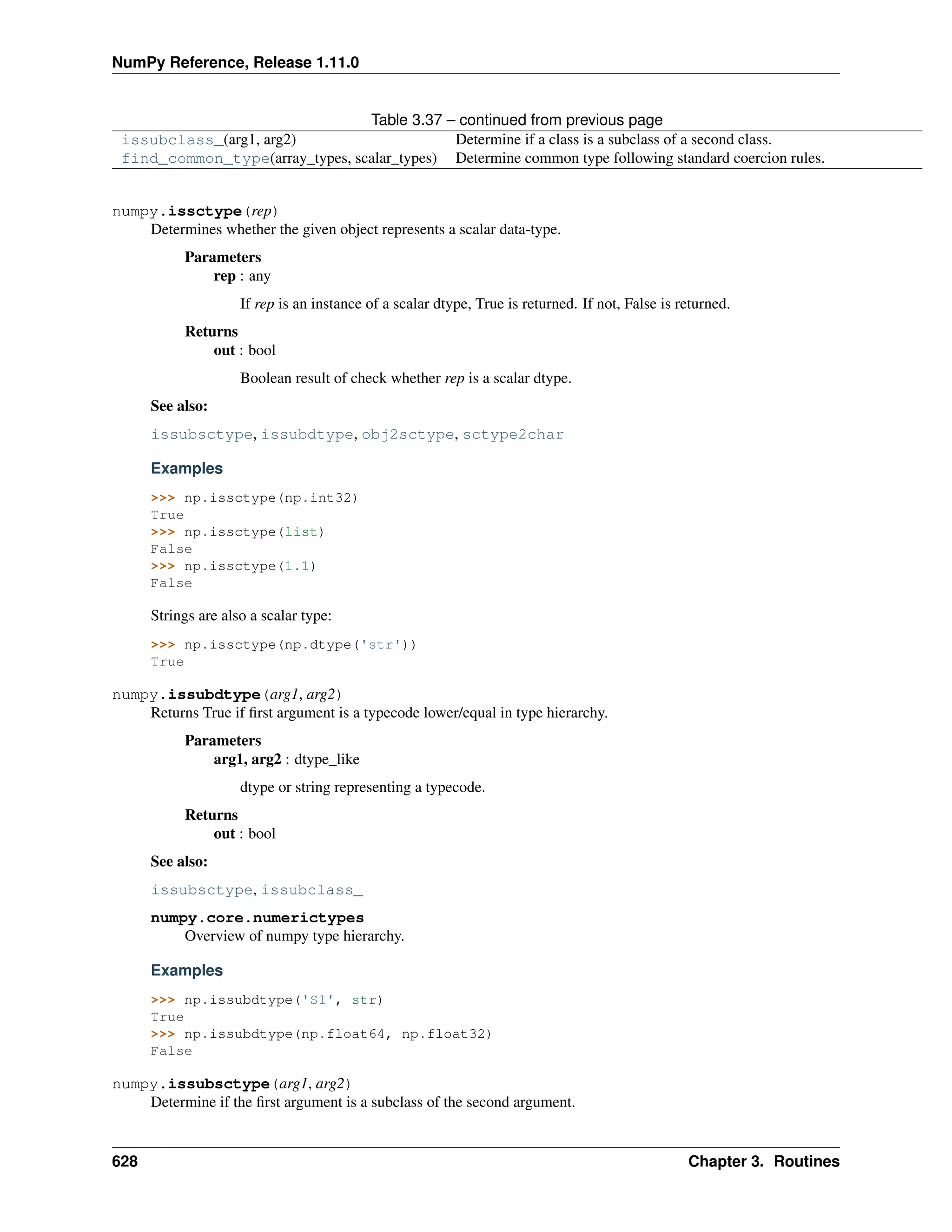
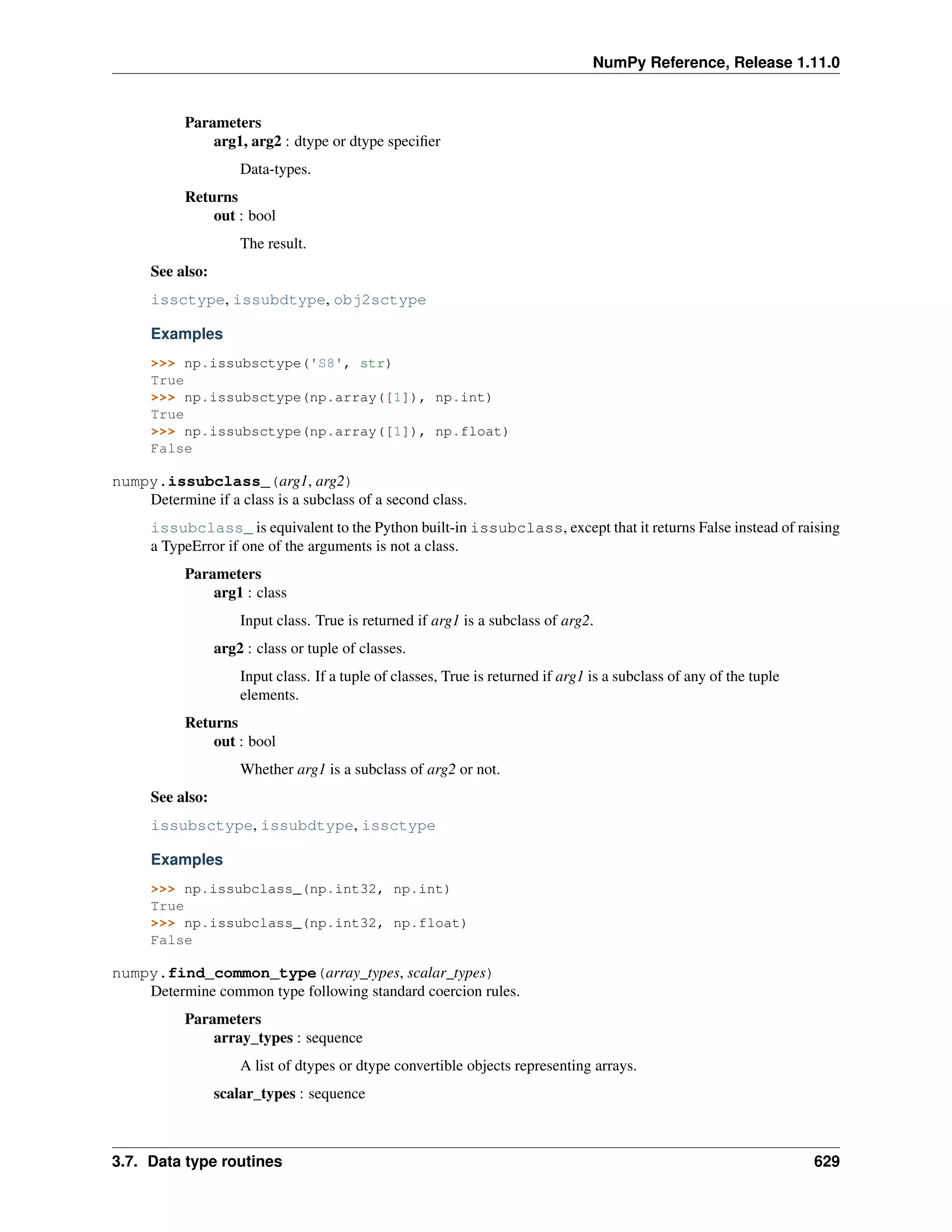
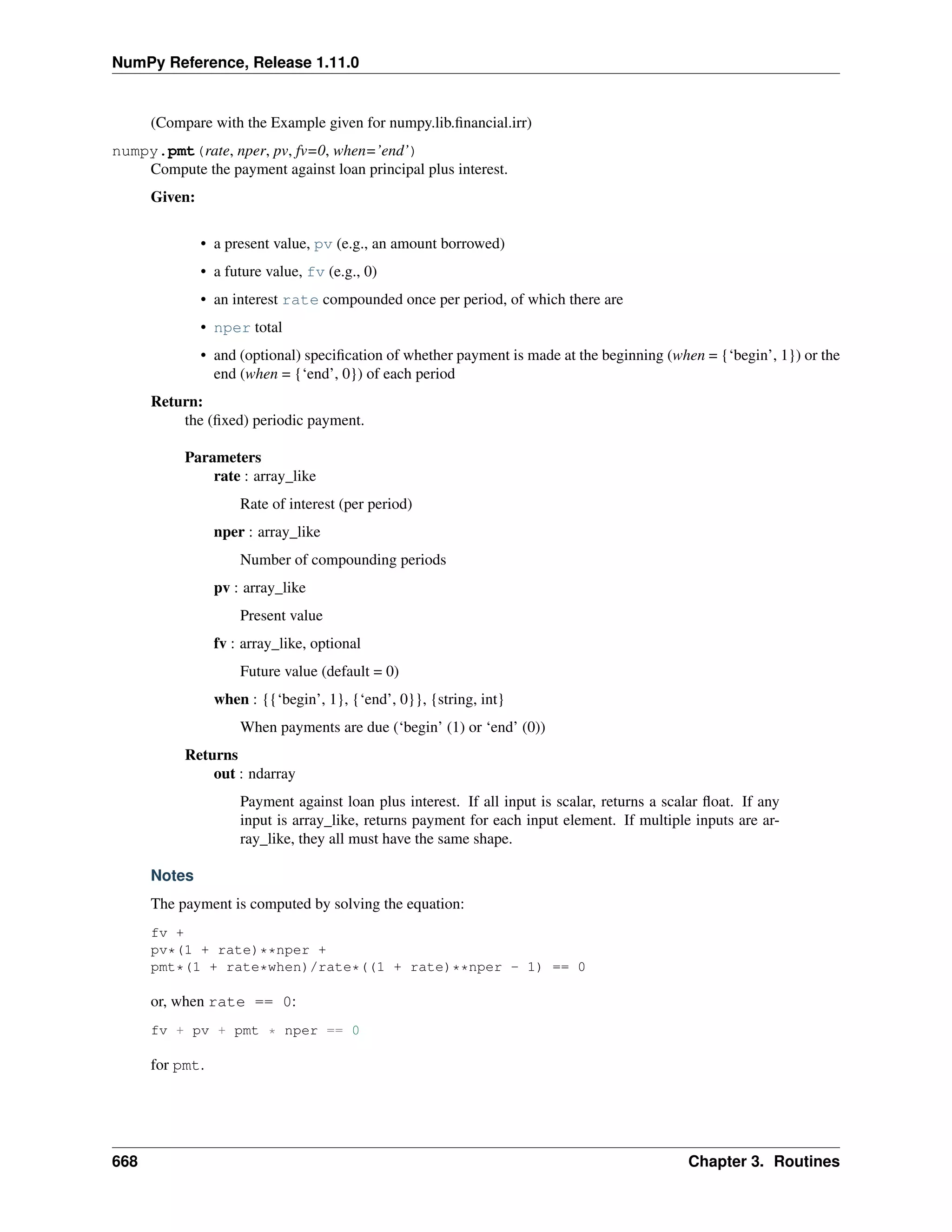
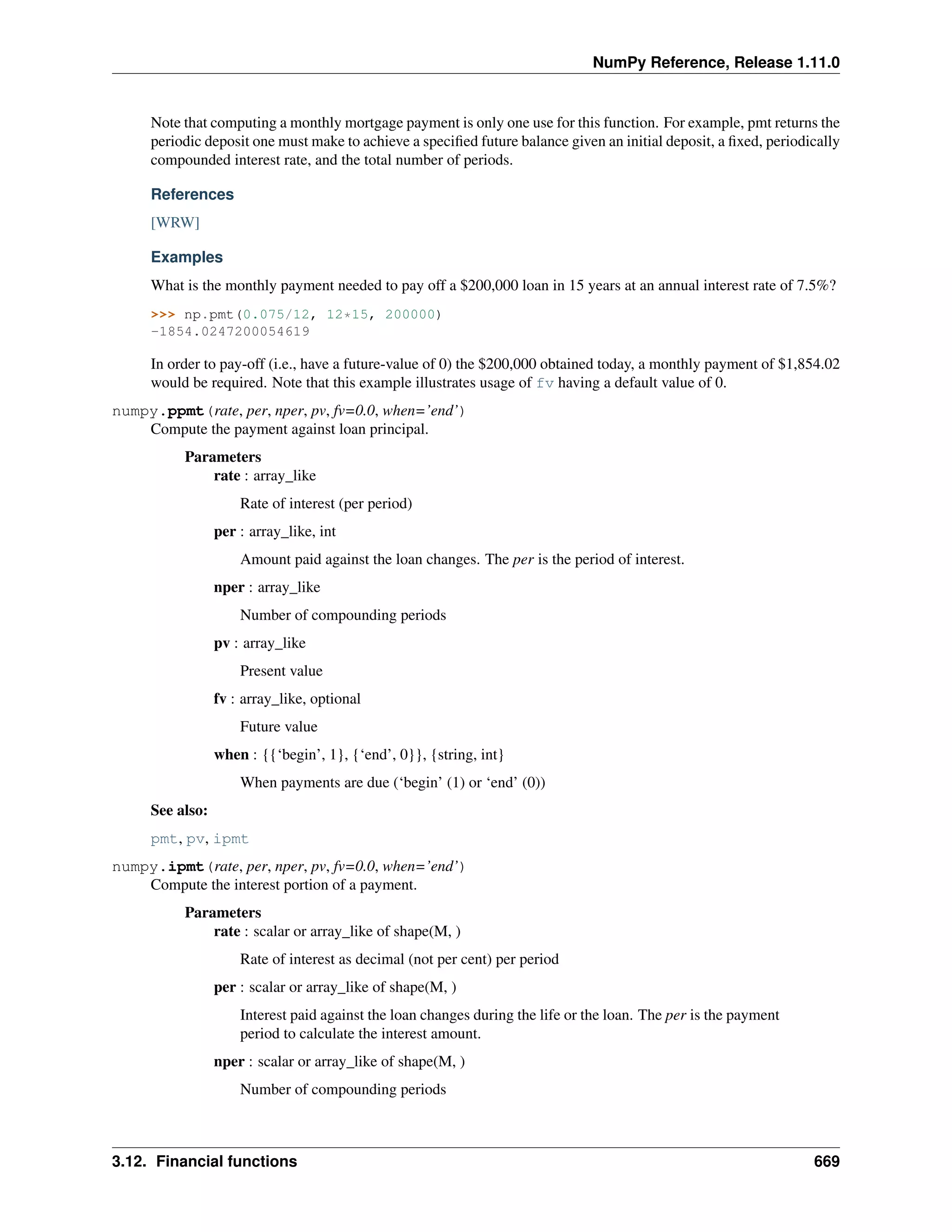
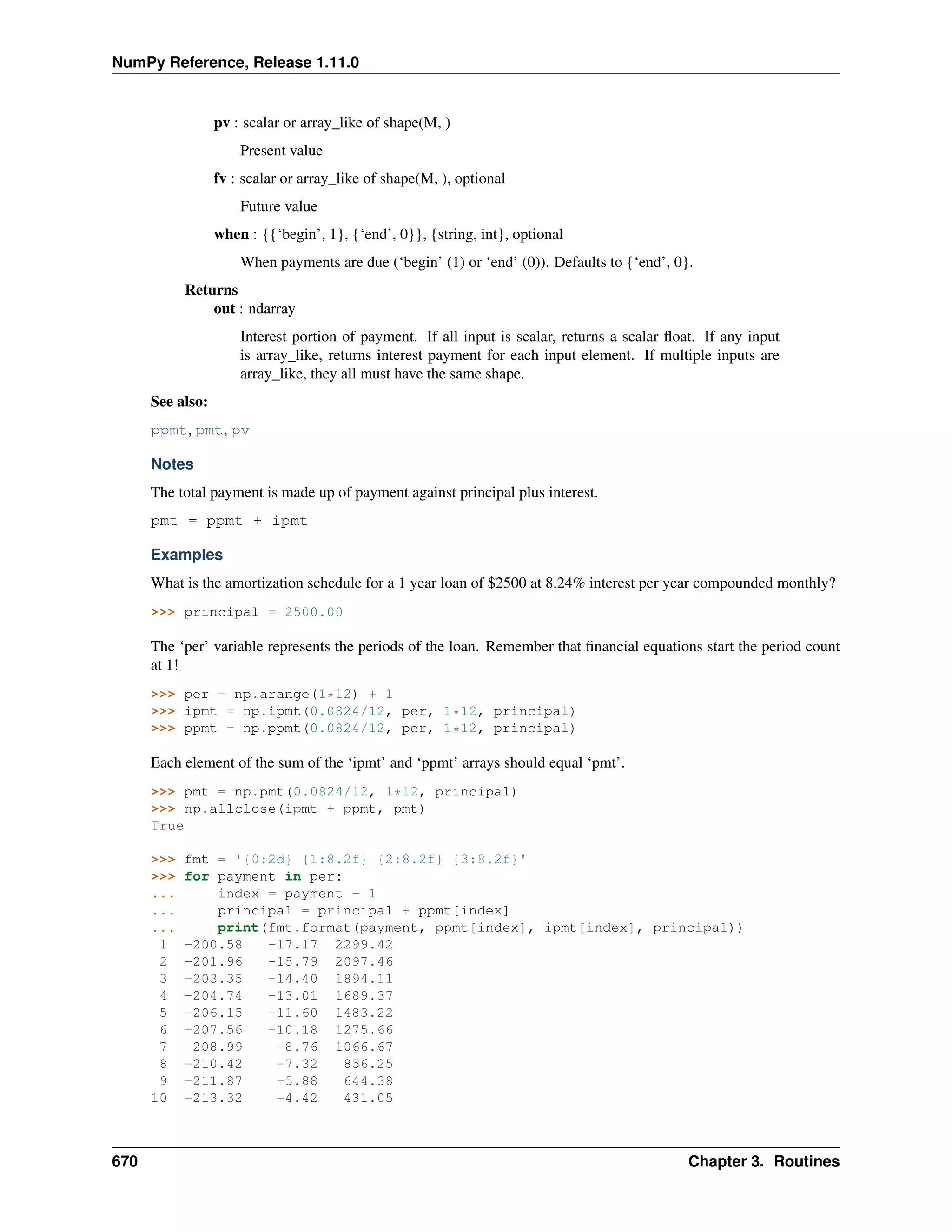
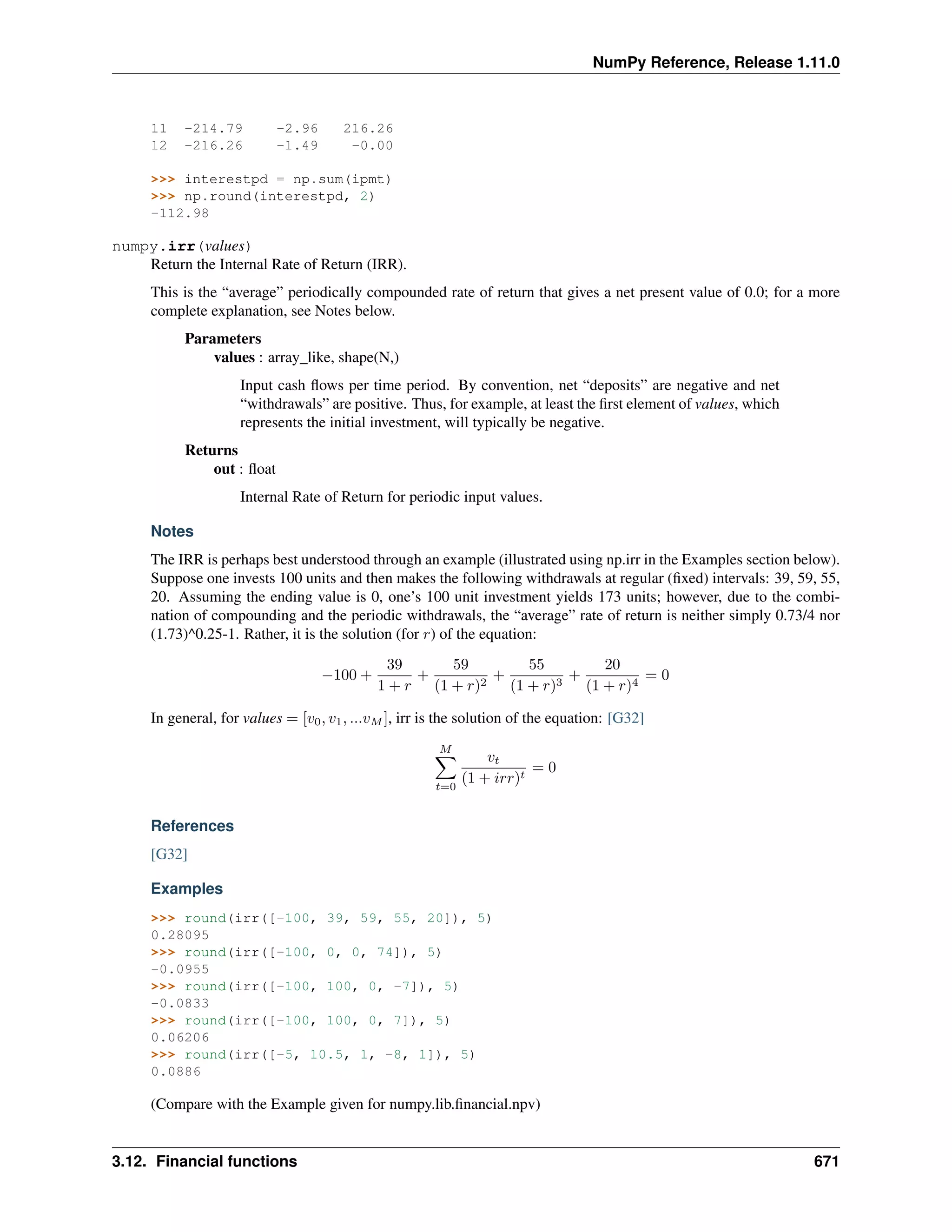
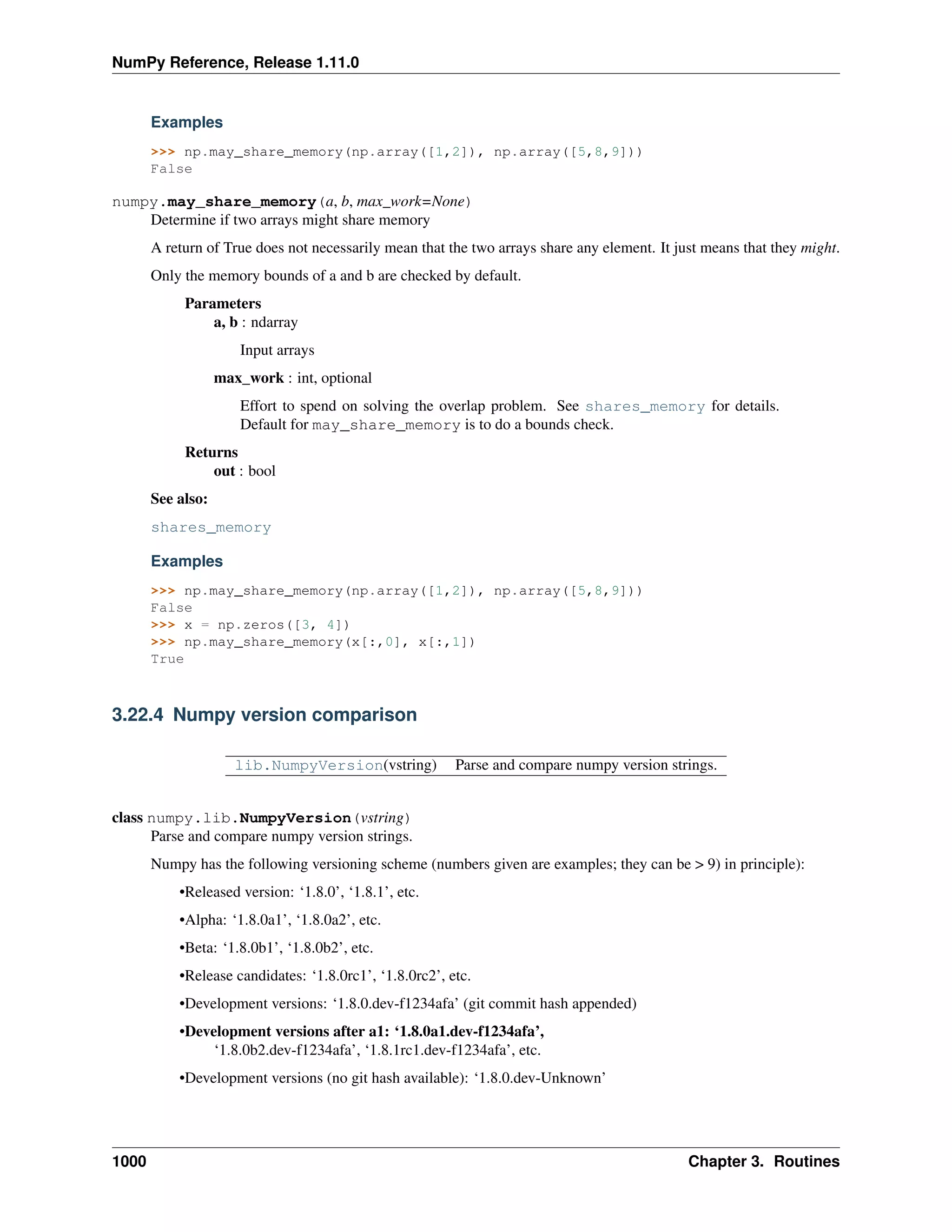
This reference manual details functions, modules, and objects included in Numpy, describing what they are and what
they do. For learning how to use NumPy, see also user.
CONTENTS 1
NumPy Reference, Release 1.11.0
2 CONTENTS
CHAPTER
ONE
ARRAY OBJECTS
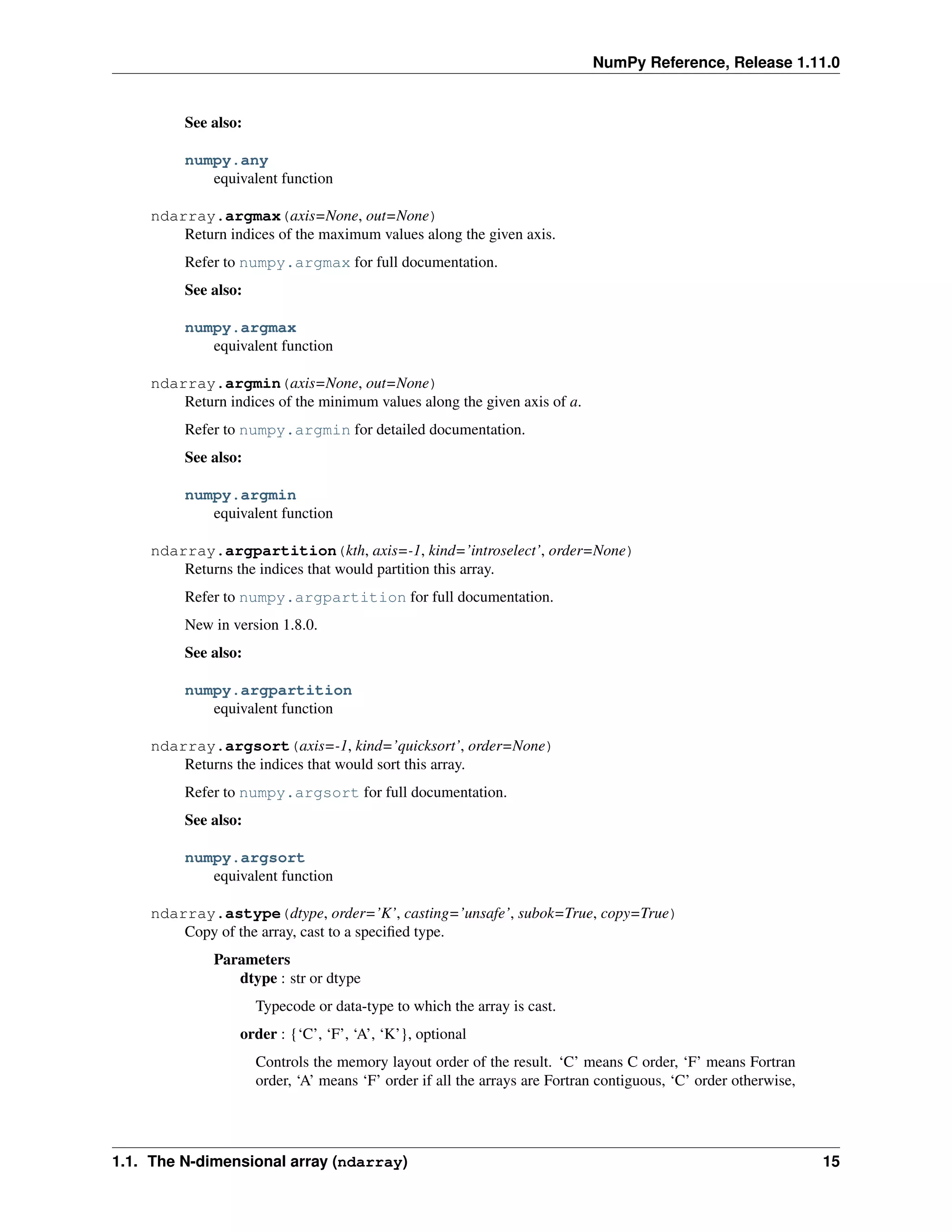
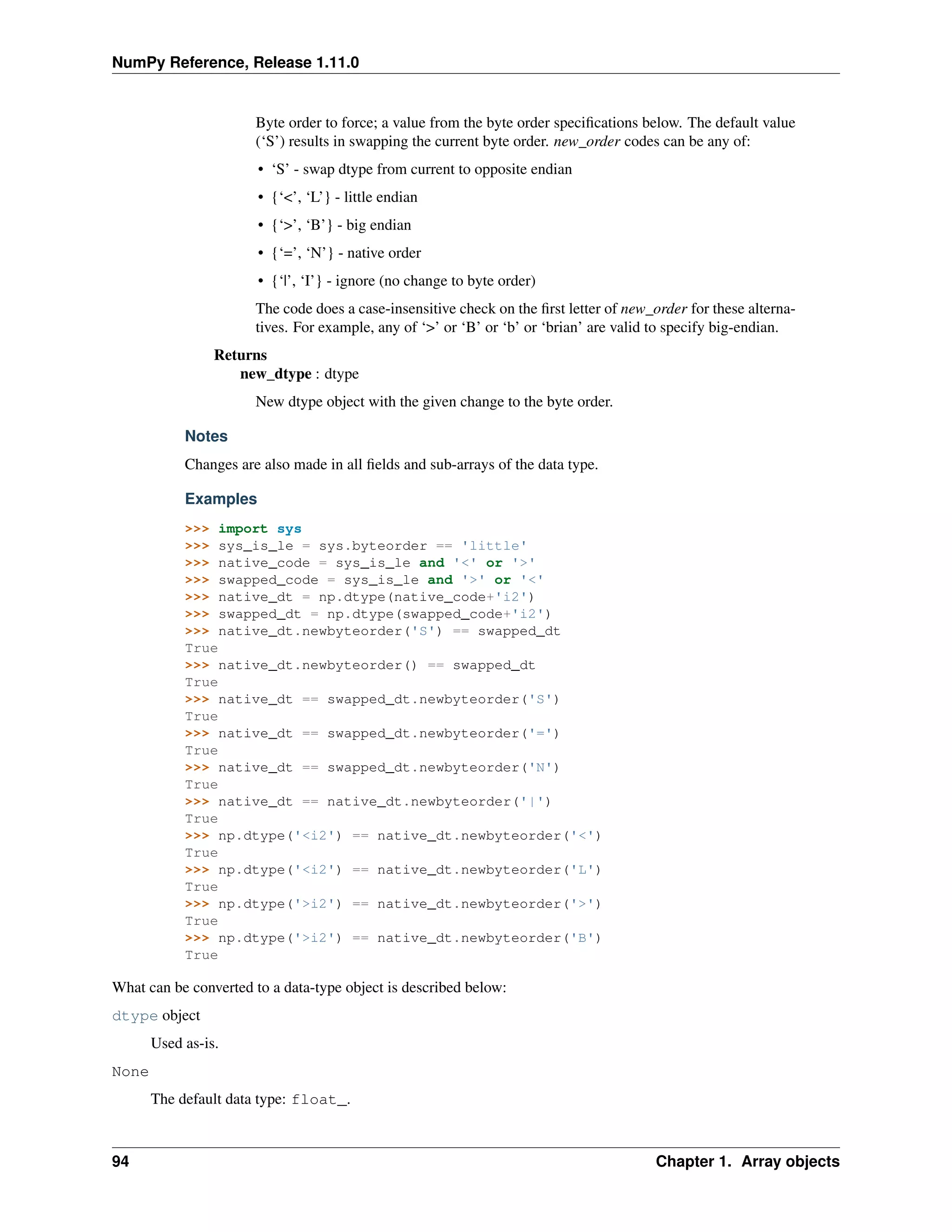
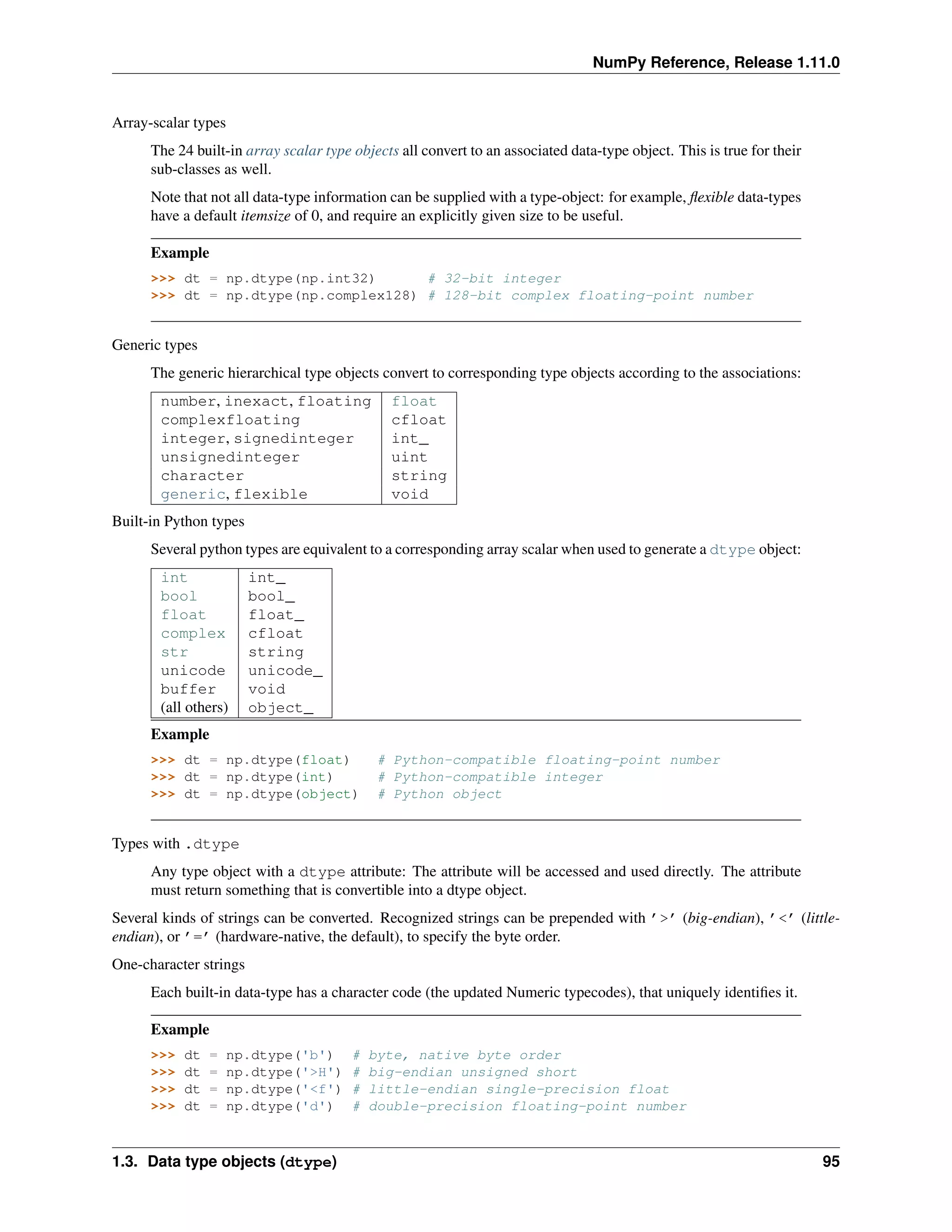
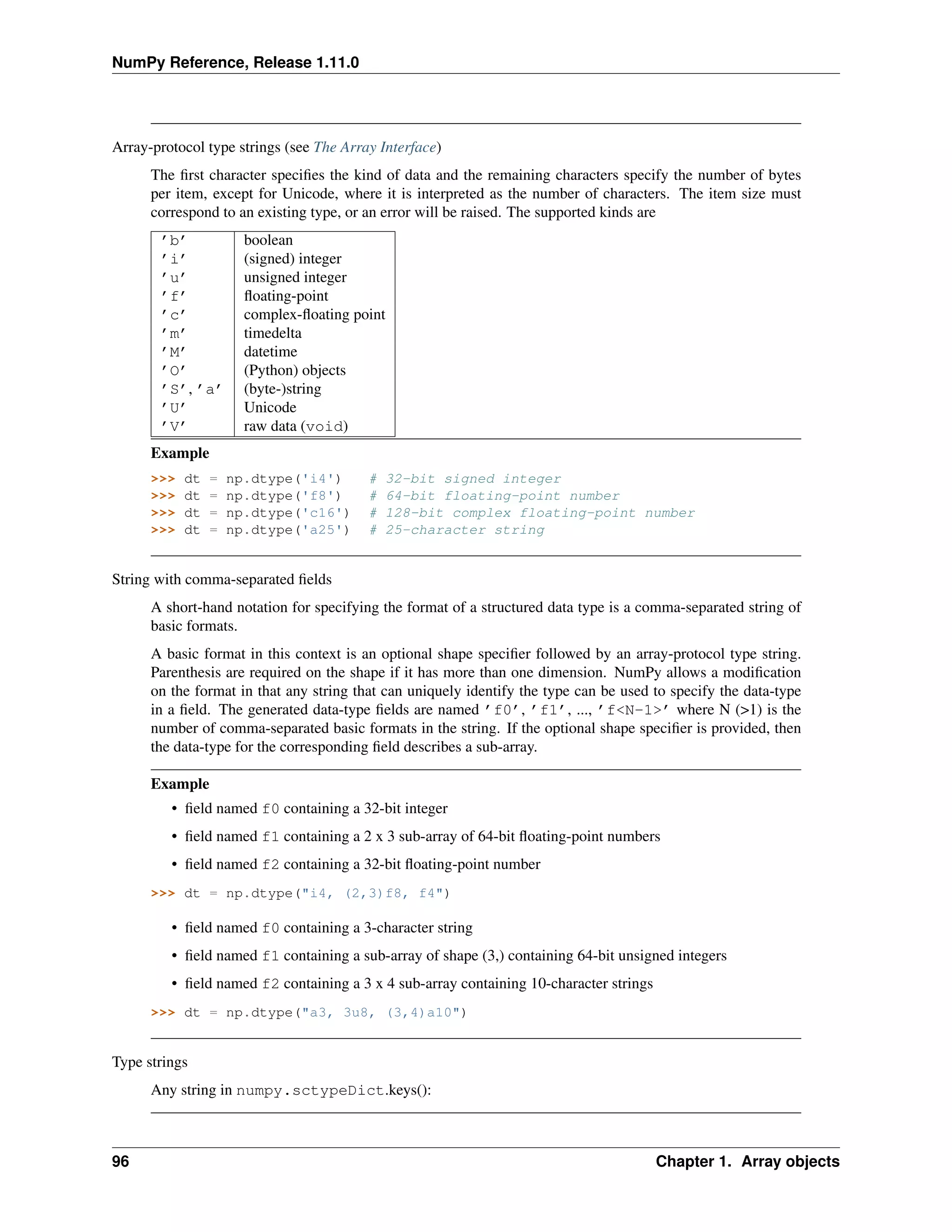
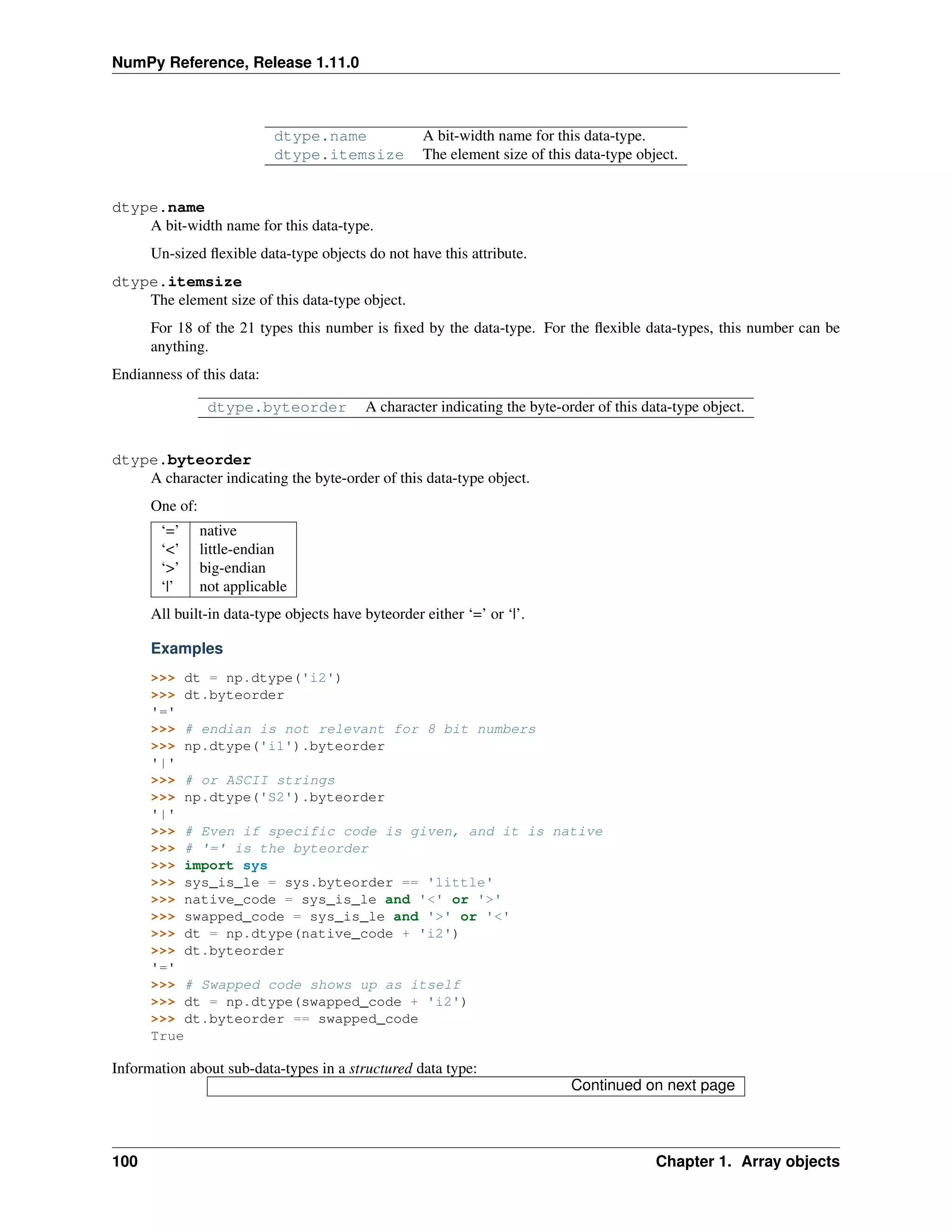
NumPy provides an N-dimensional array type, the ndarray, which describes a collection of “items” of the same type.
The items can be indexed using for example N integers.
All ndarrays are homogenous: every item takes up the same size block of memory, and all blocks are interpreted in
exactly the same way. How each item in the array is to be interpreted is specified by a separate data-type object, one
of which is associated with every array. In addition to basic types (integers, floats, etc.), the data type objects can also
represent data structures.
An item extracted from an array, e.g., by indexing, is represented by a Python object whose type is one of the array
scalar types built in Numpy. The array scalars allow easy manipulation of also more complicated arrangements of
data.
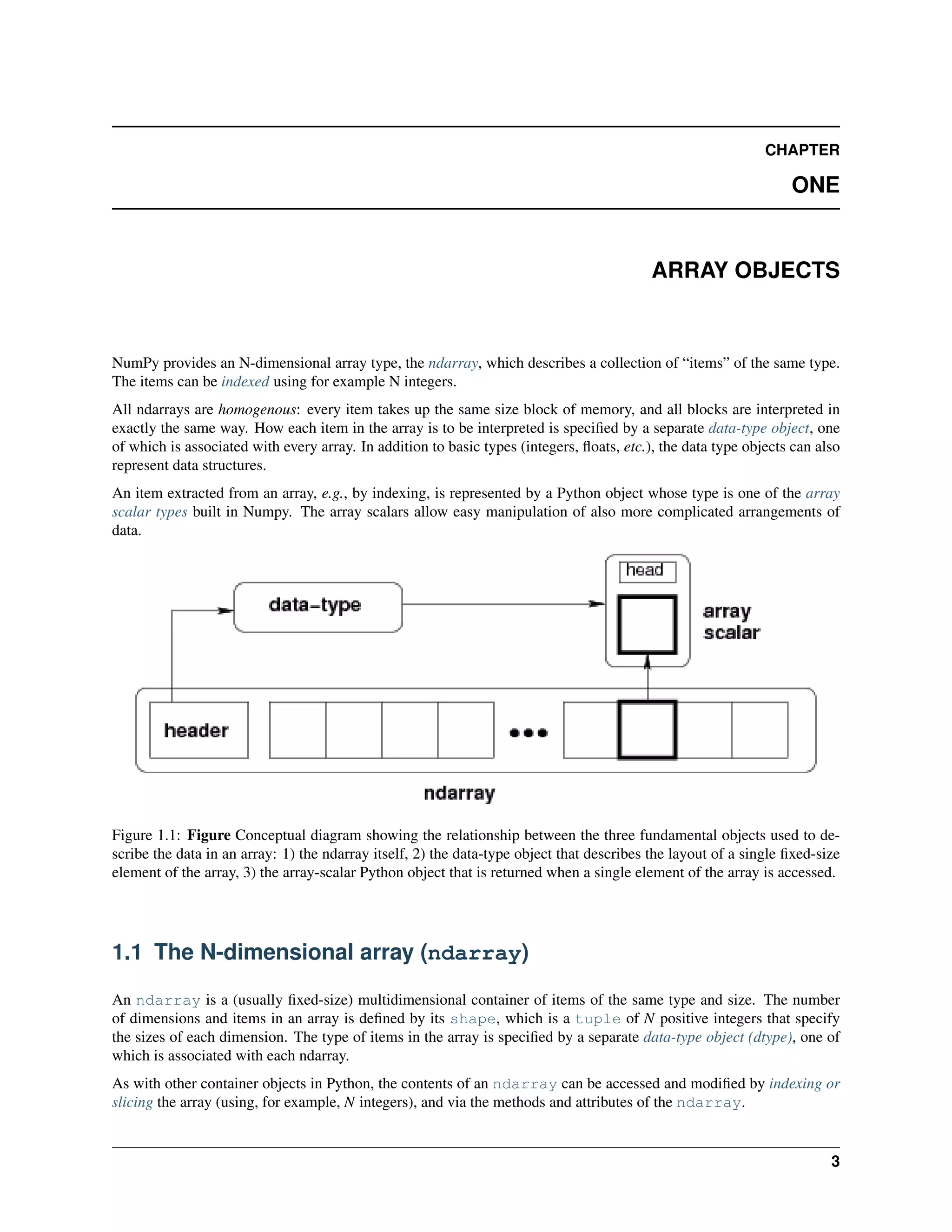
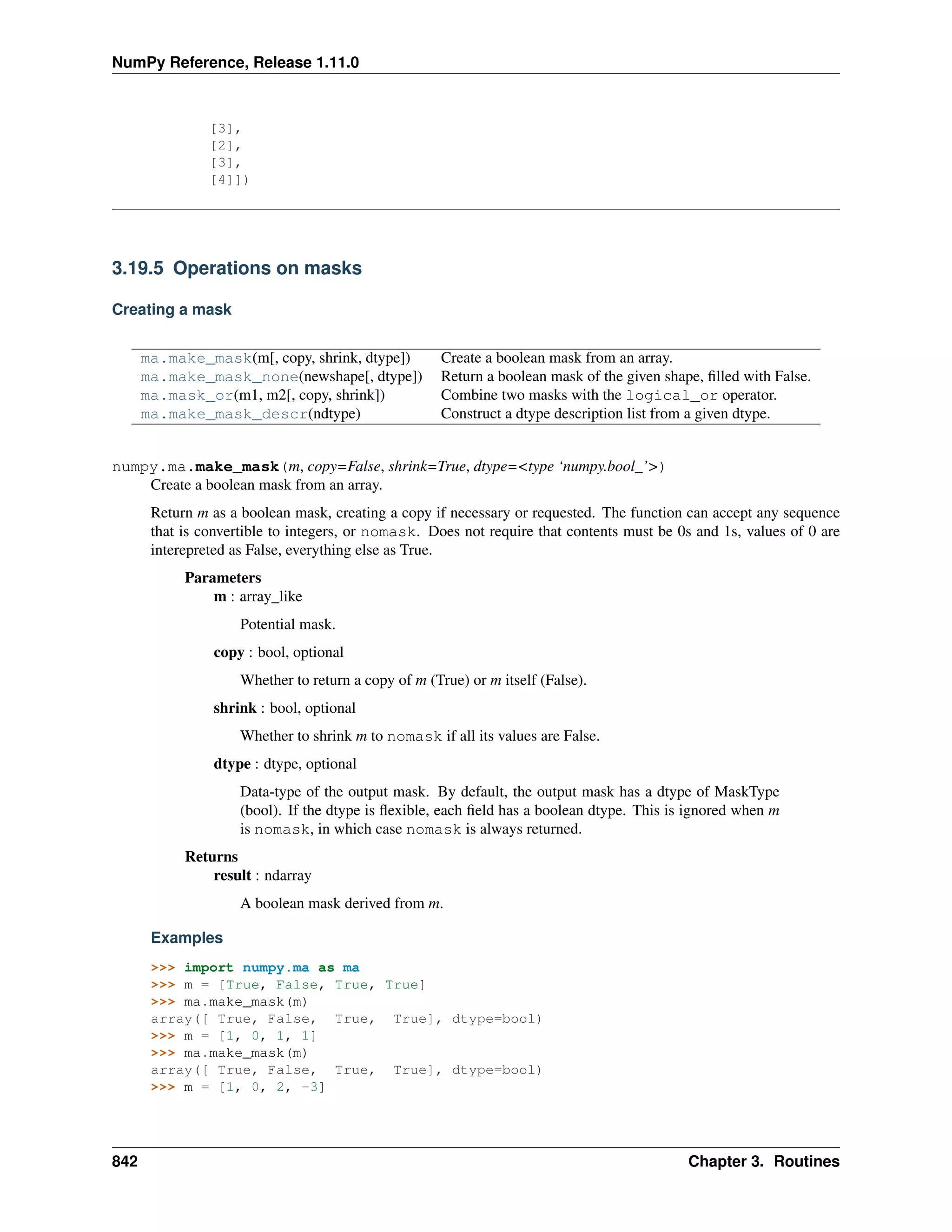
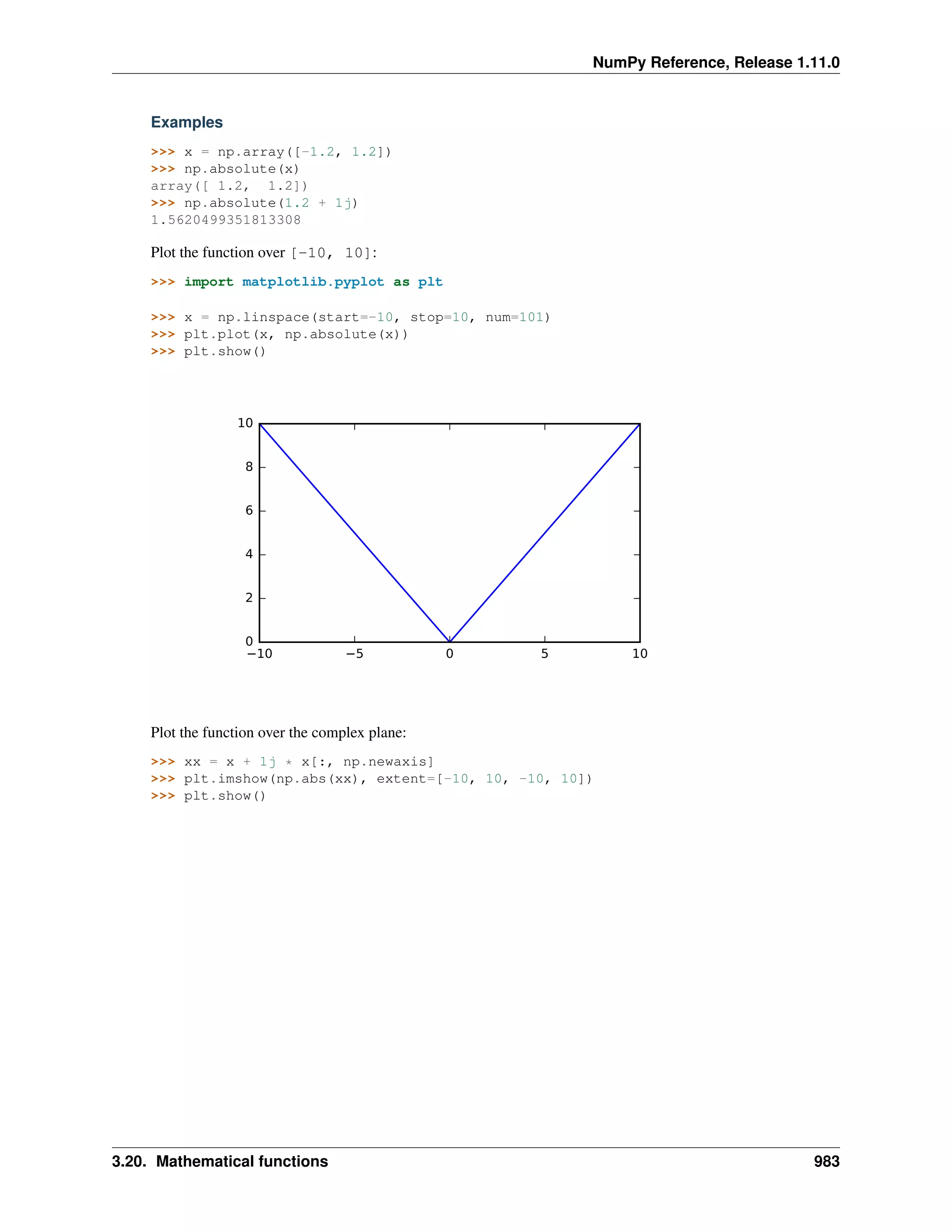
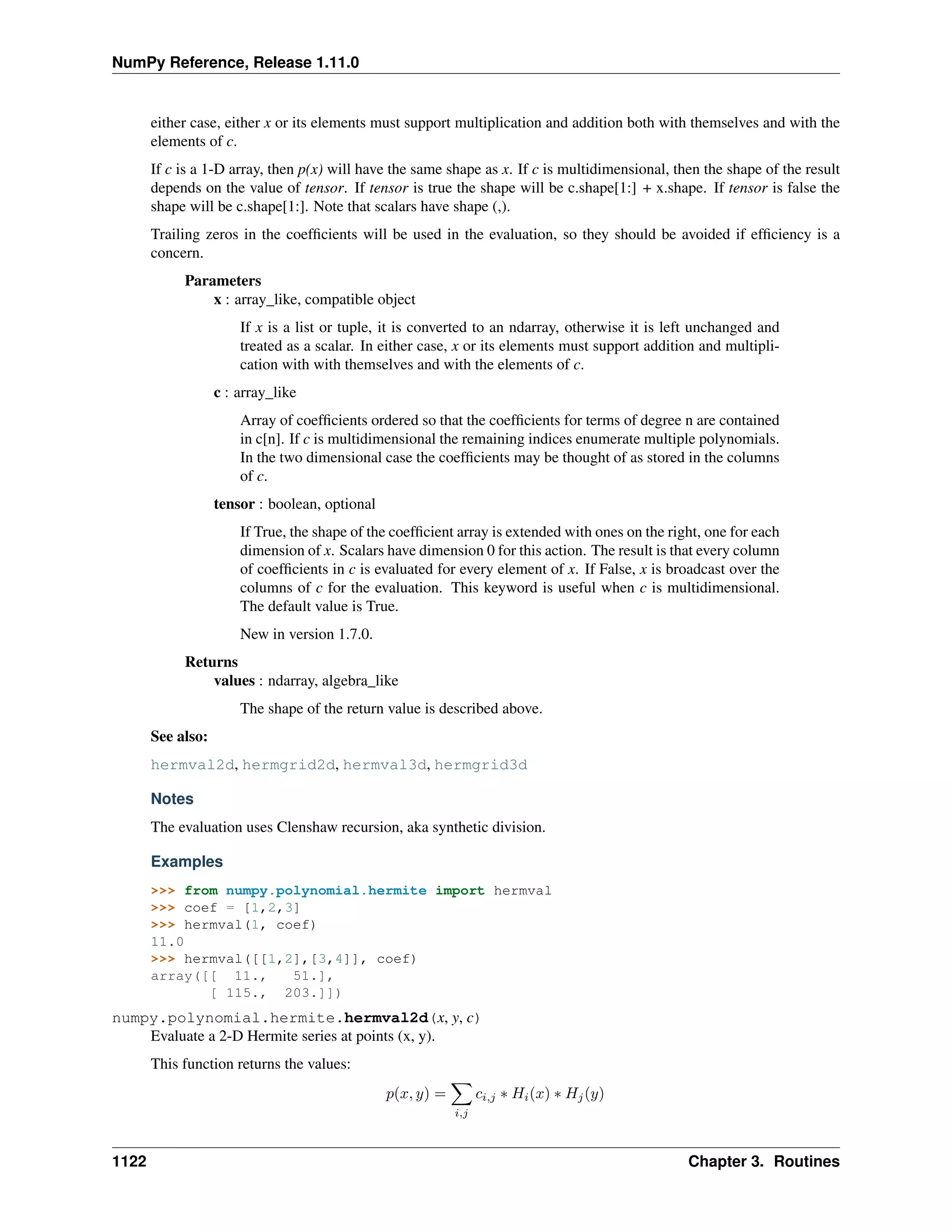
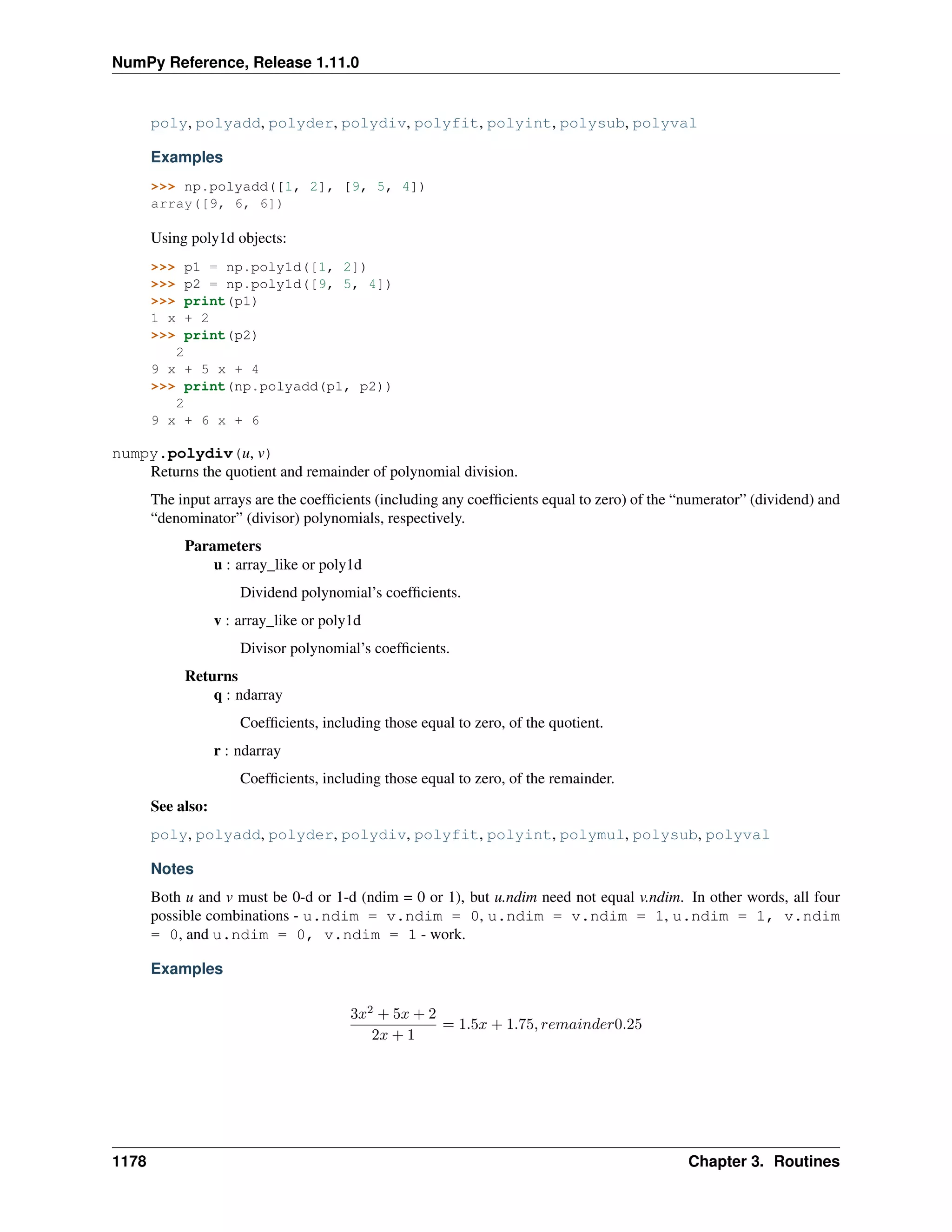
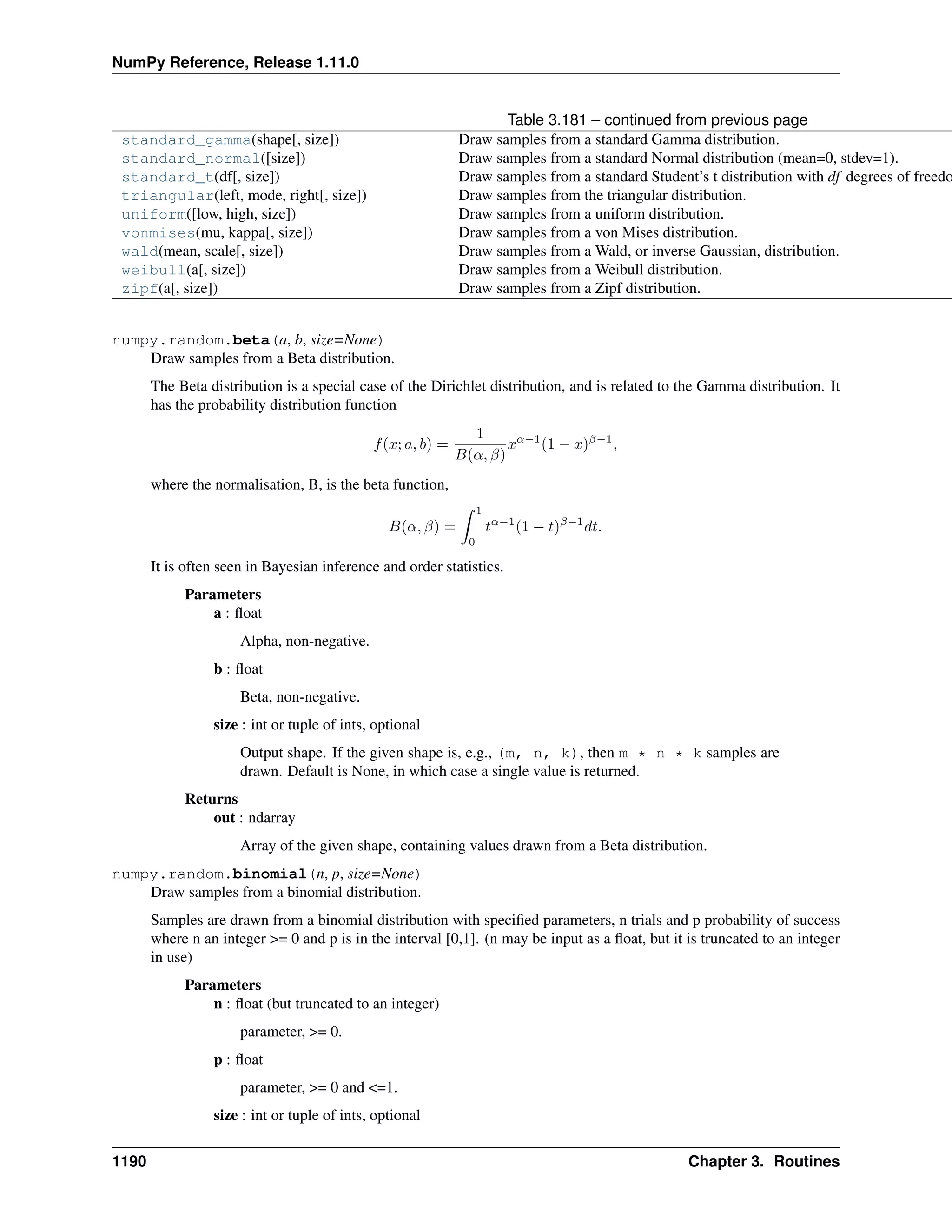
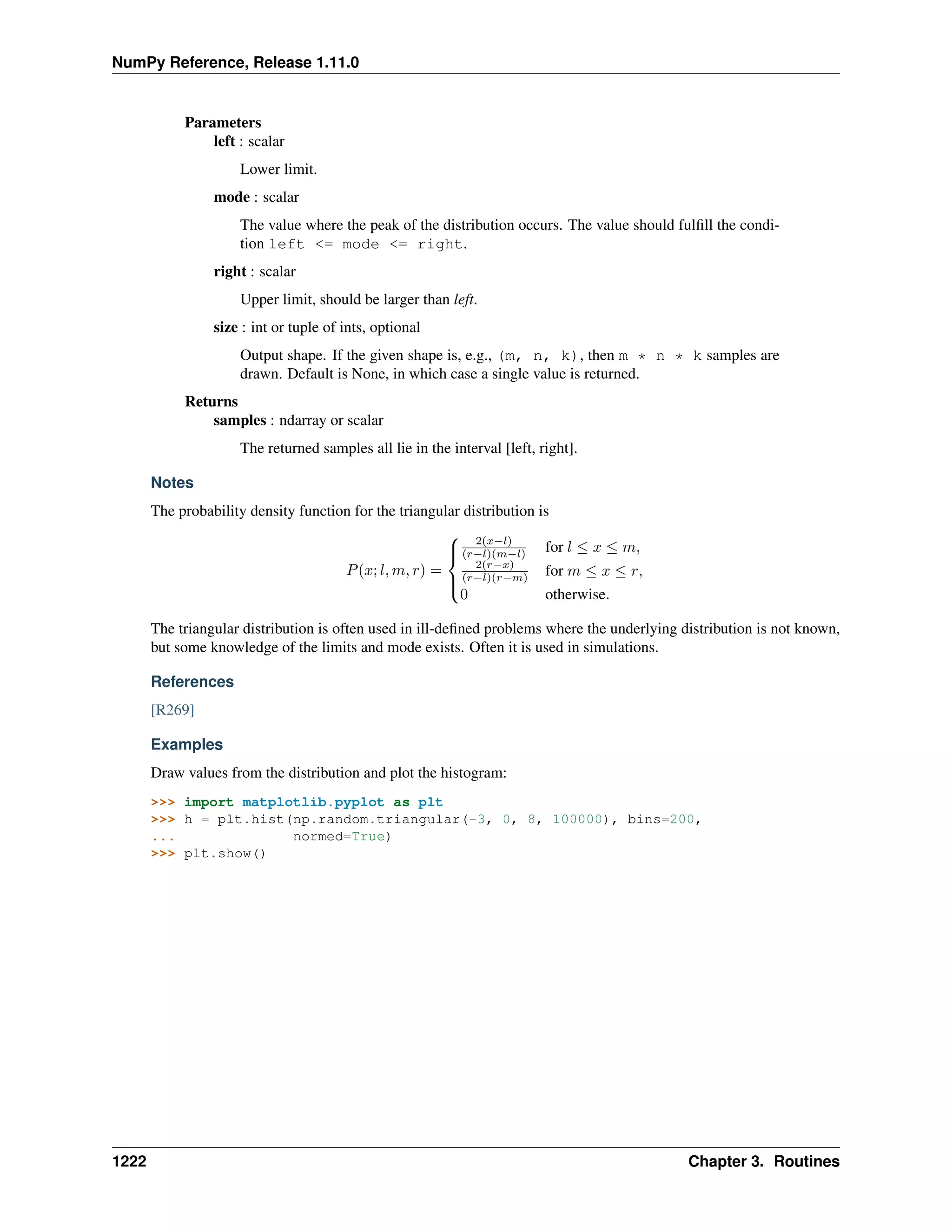
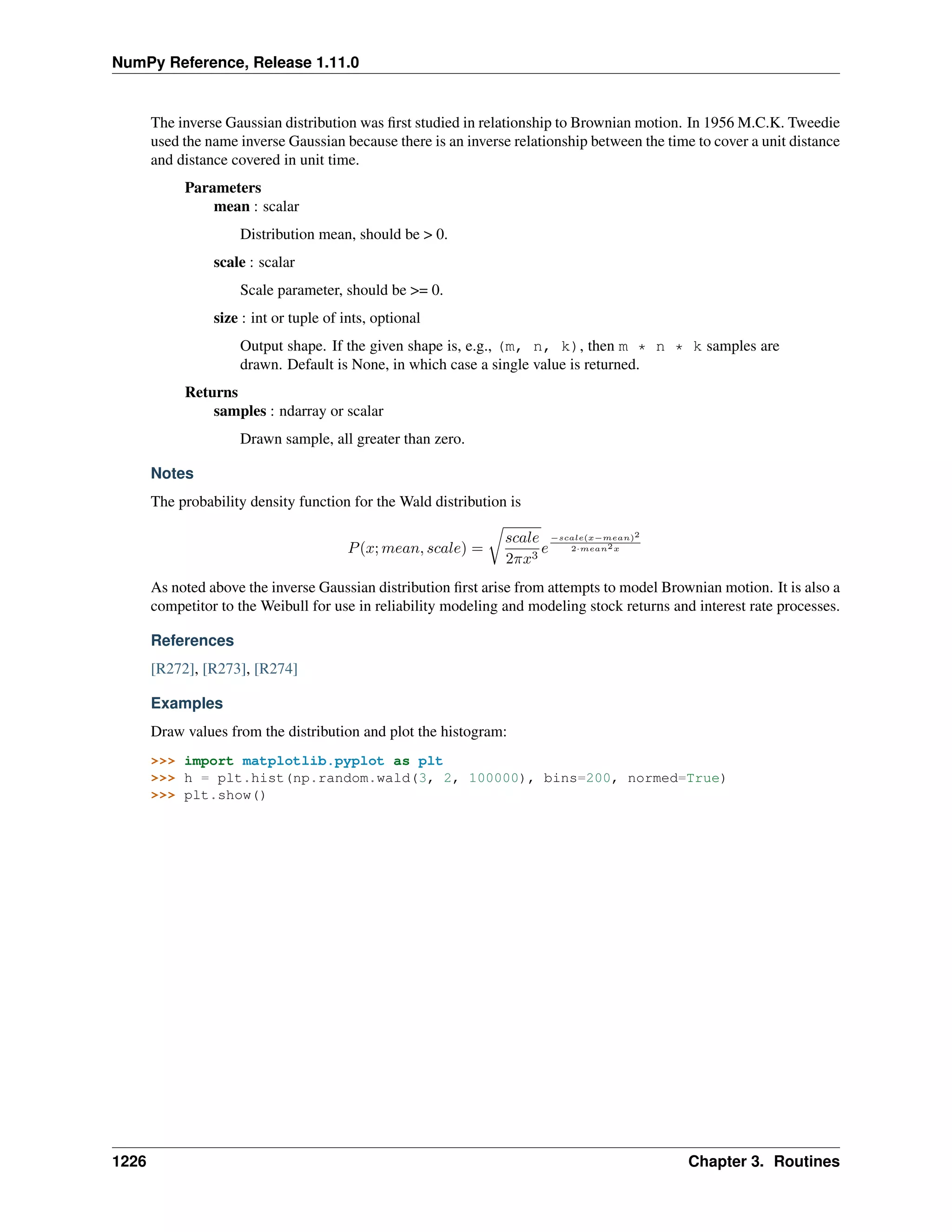
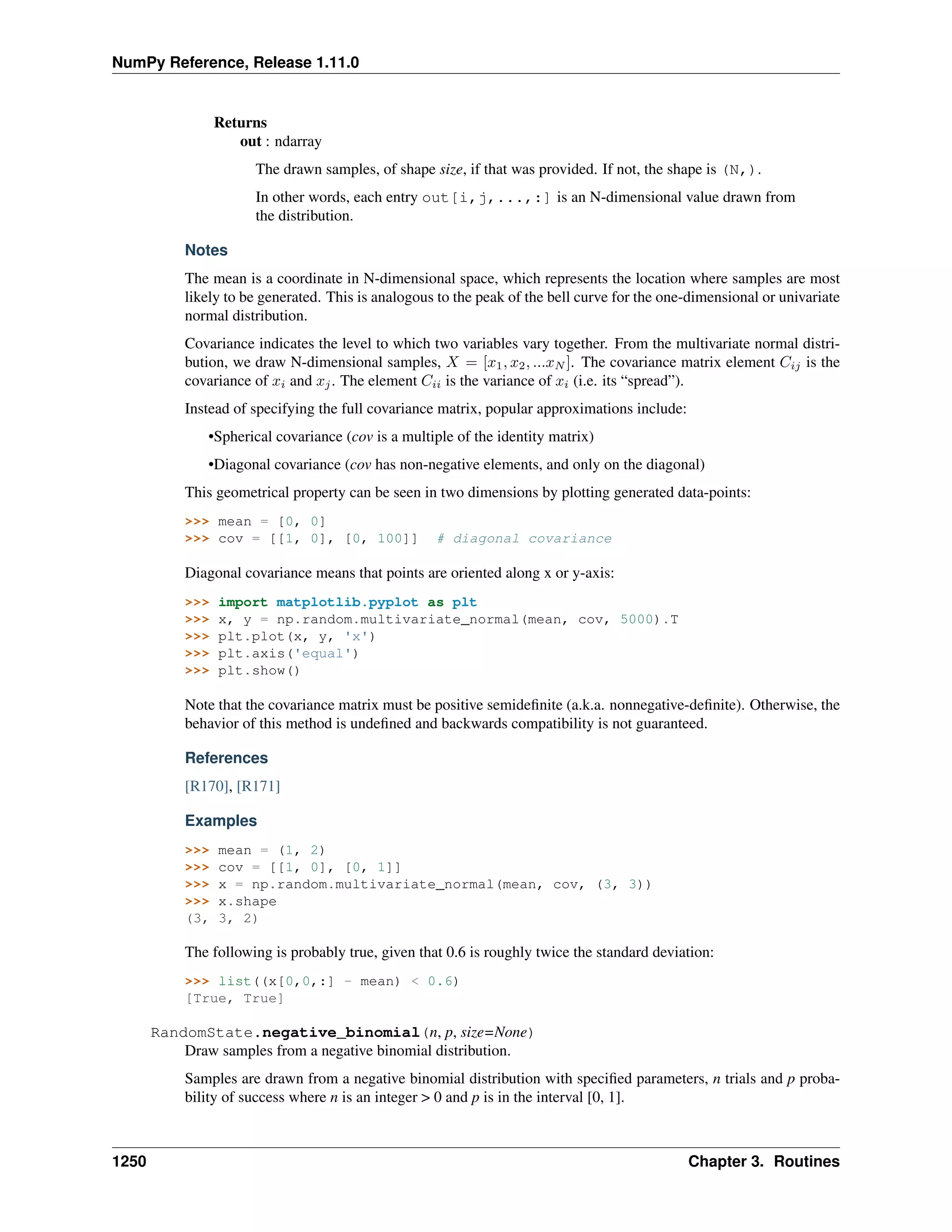
Figure 1.1: Figure Conceptual diagram showing the relationship between the three fundamental objects used to de-
scribe the data in an array: 1) the ndarray itself, 2) the data-type object that describes the layout of a single fixed-size
element of the array, 3) the array-scalar Python object that is returned when a single element of the array is accessed.
1.1 The N-dimensional array (ndarray)
An ndarray is a (usually fixed-size) multidimensional container of items of the same type and size. The number
of dimensions and items in an array is defined by its shape, which is a tuple of N positive integers that specify
the sizes of each dimension. The type of items in the array is specified by a separate data-type object (dtype), one of
which is associated with each ndarray.
As with other container objects in Python, the contents of an ndarray can be accessed and modified by indexing or
slicing the array (using, for example, N integers), and via the methods and attributes of the ndarray.
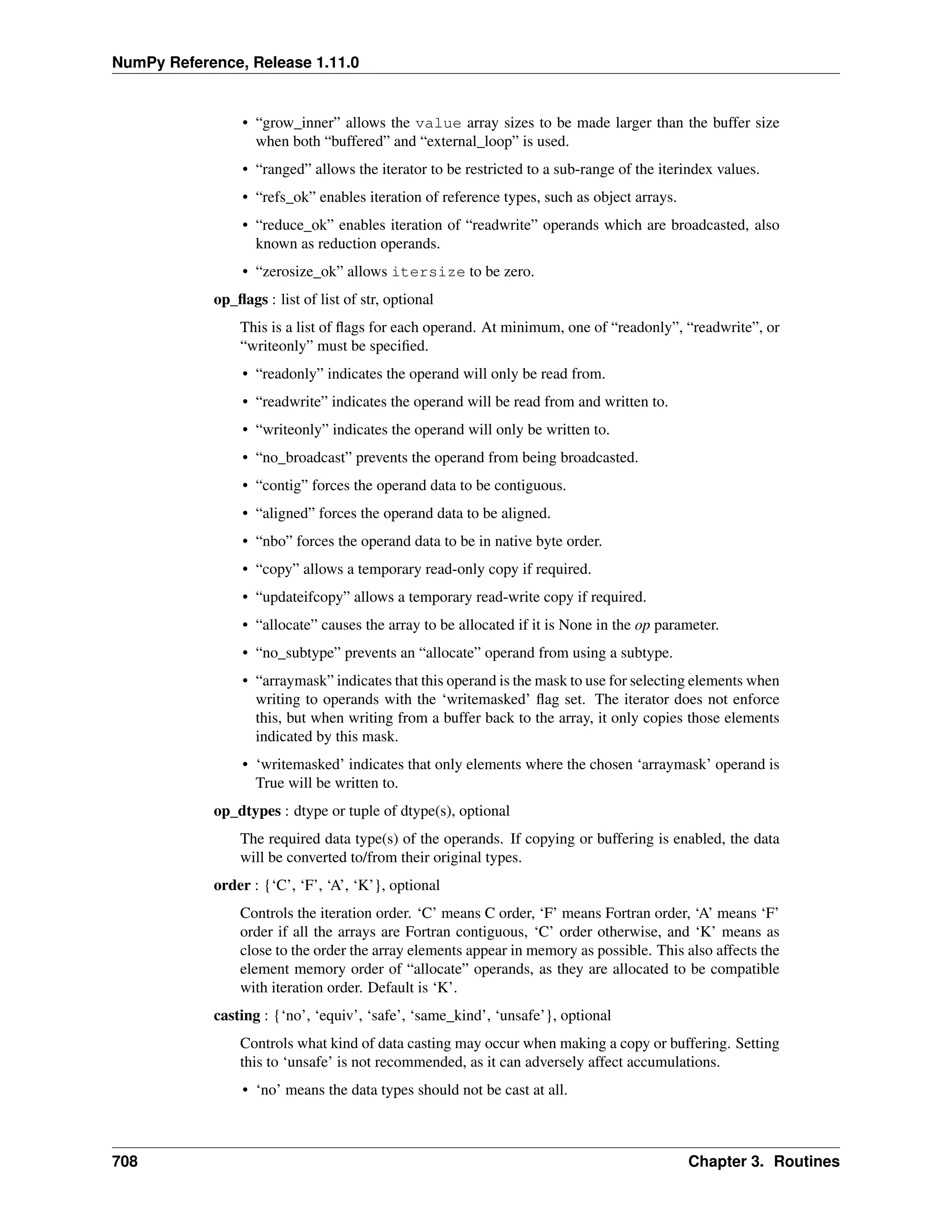
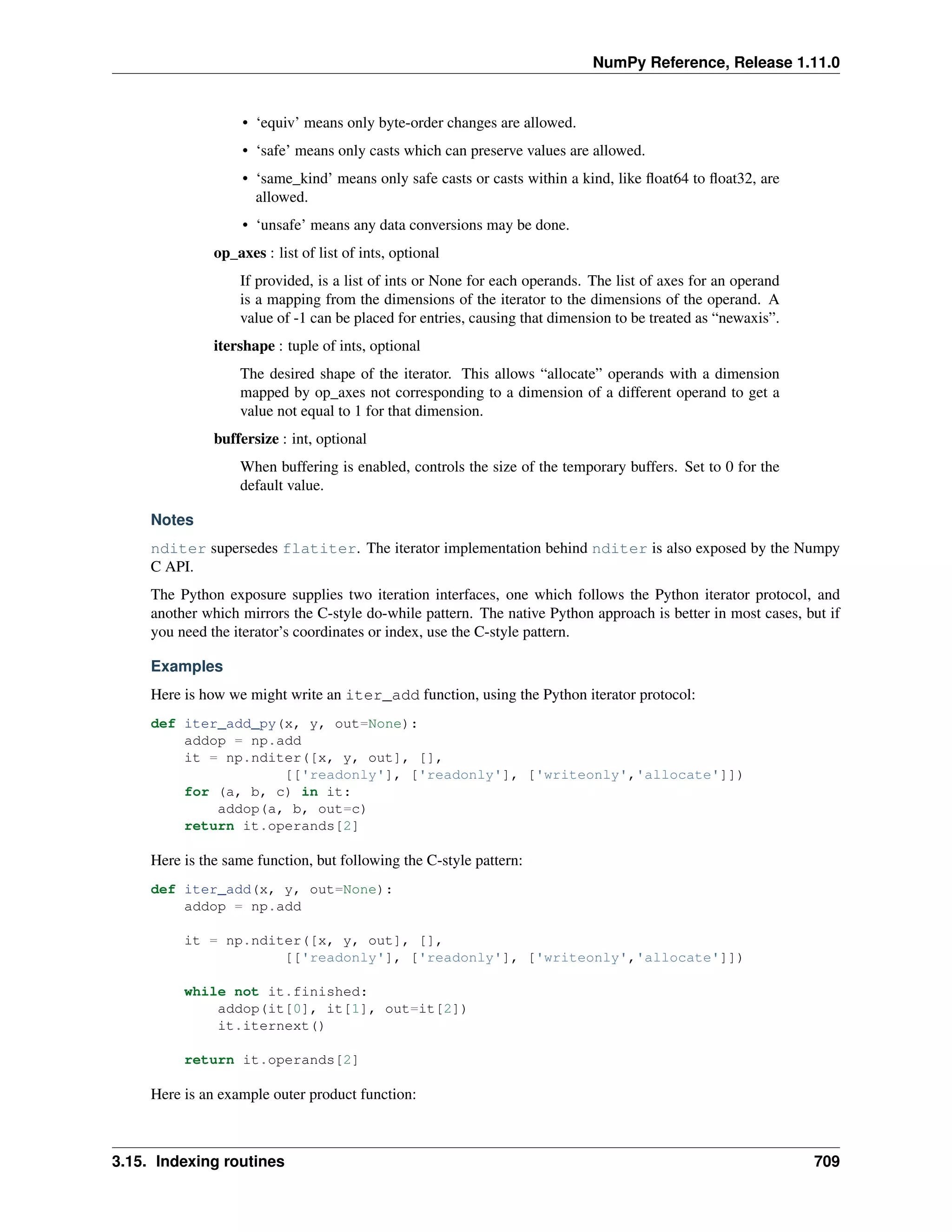
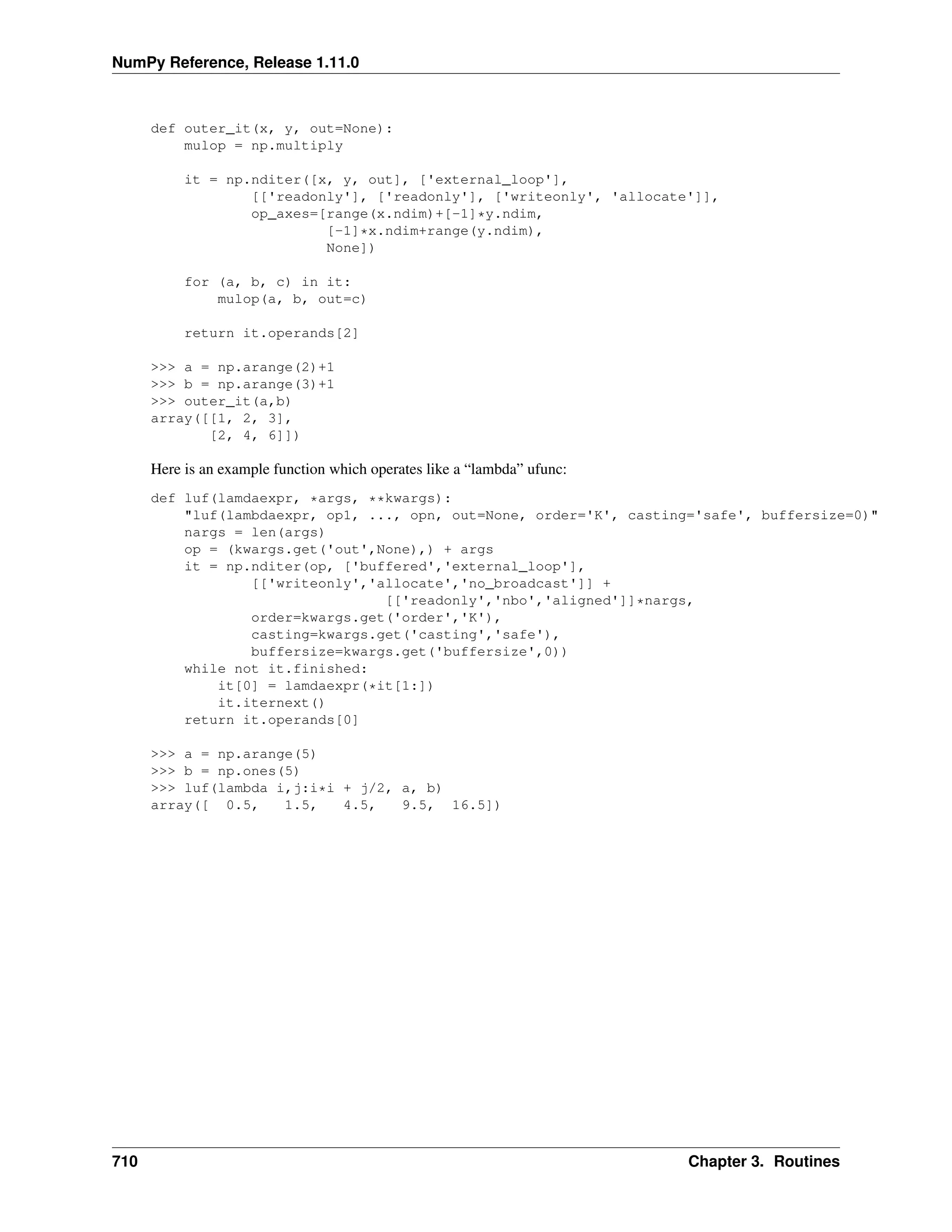
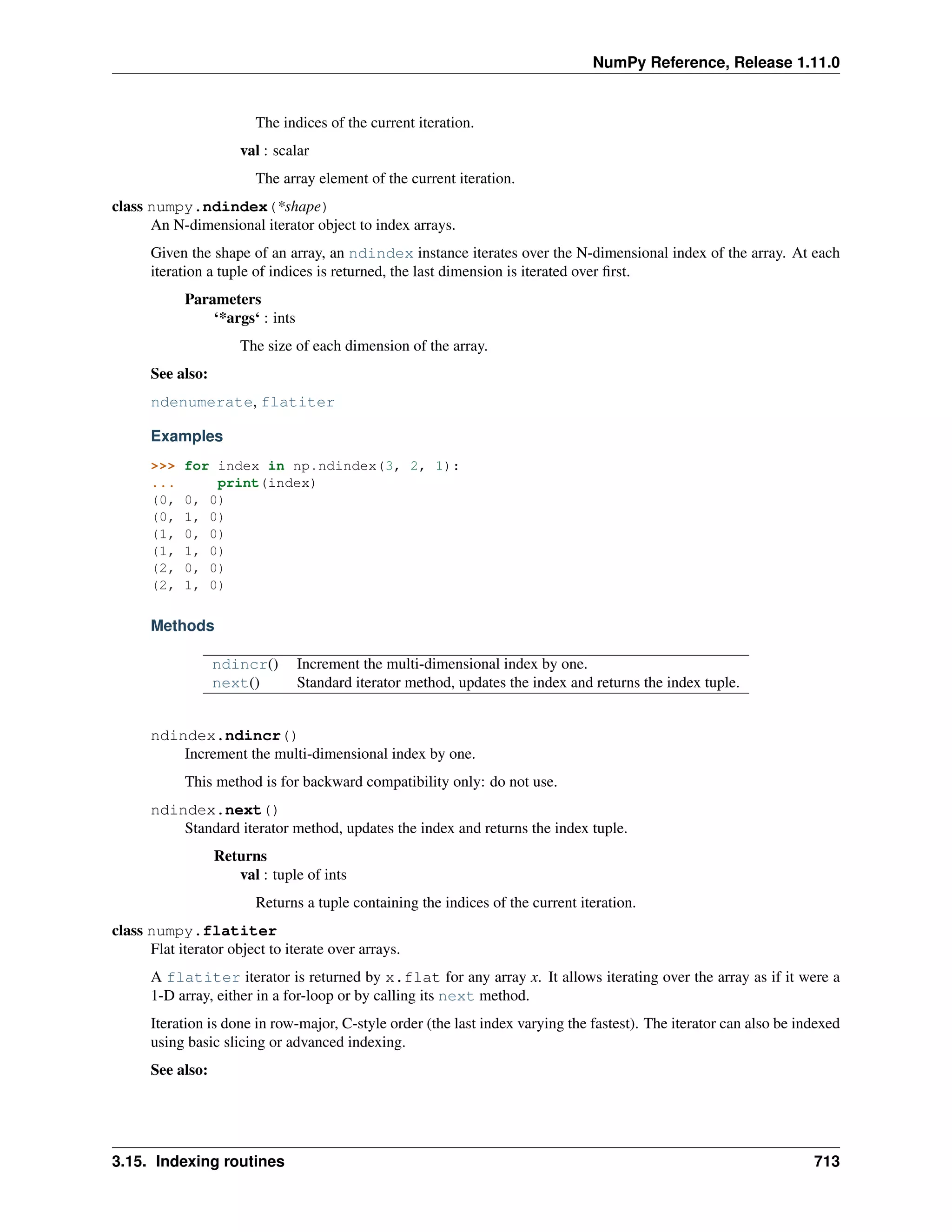
3
NumPy Reference, Release 1.11.0
Different ndarrays can share the same data, so that changes made in one ndarray may be visible in another. That
is, an ndarray can be a “view” to another ndarray, and the data it is referring to is taken care of by the “base” ndarray.
ndarrays can also be views to memory owned by Python strings or objects implementing the buffer or array
interfaces.
Example
A 2-dimensional array of size 2 x 3, composed of 4-byte integer elements:
>>> x = np.array([[1, 2, 3], [4, 5, 6]], np.int32)
>>> type(x)
<type 'numpy.ndarray'>
>>> x.shape
(2, 3)
>>> x.dtype
dtype('int32')
The array can be indexed using Python container-like syntax:
>>> # The element of x in the *second* row, *third* column, namely, 6.
>>> x[1, 2]
For example slicing can produce views of the array:
>>> y = x[:,1]
>>> y
array([2, 5])
>>> y[0] = 9 # this also changes the corresponding element in x
>>> y
array([9, 5])
>>> x
array([[1, 9, 3],
[4, 5, 6]])
1.1.1 Constructing arrays
New arrays can be constructed using the routines detailed in Array creation routines, and also by using the low-level
ndarray constructor:
ndarray An array object represents a multidimensional, homogeneous array of fixed-size items.
class numpy.ndarray
An array object represents a multidimensional, homogeneous array of fixed-size items. An associated data-type
object describes the format of each element in the array (its byte-order, how many bytes it occupies in memory,
whether it is an integer, a floating point number, or something else, etc.)
Arrays should be constructed using array, zeros or empty (refer to the See Also section below). The
parameters given here refer to a low-level method (ndarray(...)) for instantiating an array.
For more information, refer to the numpy module and examine the the methods and attributes of an array.
Parameters
(for the __new__ method; see Notes below)
shape : tuple of ints
Shape of created array.
4 Chapter 1. Array objects
NumPy Reference, Release 1.11.0
dtype : data-type, optional
Any object that can be interpreted as a numpy data type.
buffer : object exposing buffer interface, optional
Used to fill the array with data.
offset : int, optional
Offset of array data in buffer.
strides : tuple of ints, optional
Strides of data in memory.
order : {‘C’, ‘F’}, optional
Row-major (C-style) or column-major (Fortran-style) order.
See also:
array
Construct an array.
zeros
Create an array, each element of which is zero.
empty
Create an array, but leave its allocated memory unchanged (i.e., it contains “garbage”).
dtype
Create a data-type.
Notes
There are two modes of creating an array using __new__:
1.If buffer is None, then only shape, dtype, and order are used.
2.If buffer is an object exposing the buffer interface, then all keywords are interpreted.
No __init__ method is needed because the array is fully initialized after the __new__ method.
Examples
These examples illustrate the low-level ndarray constructor. Refer to the See Also section above for easier
ways of constructing an ndarray.
First mode, buffer is None:
>>> np.ndarray(shape=(2,2), dtype=float, order='F')
array([[ -1.13698227e+002, 4.25087011e-303],
[ 2.88528414e-306, 3.27025015e-309]]) #random
Second mode:
>>> np.ndarray((2,), buffer=np.array([1,2,3]),
... offset=np.int_().itemsize,
... dtype=int) # offset = 1*itemsize, i.e. skip first element
array([2, 3])
Attributes
1.1. The N-dimensional array (ndarray) 5
NumPy Reference, Release 1.11.0
T Same as self.transpose(), except that self is returned if self.ndim < 2.
data Python buffer object pointing to the start of the array’s data.
dtype Data-type of the array’s elements.
flags Information about the memory layout of the array.
flat A 1-D iterator over the array.
imag The imaginary part of the array.
real The real part of the array.
size Number of elements in the array.
itemsize Length of one array element in bytes.
nbytes Total bytes consumed by the elements of the array.
ndim Number of array dimensions.
shape Tuple of array dimensions.
strides Tuple of bytes to step in each dimension when traversing an array.
ctypes An object to simplify the interaction of the array with the ctypes module.
base Base object if memory is from some other object.
ndarray.T
Same as self.transpose(), except that self is returned if self.ndim < 2.
Examples
>>> x = np.array([[1.,2.],[3.,4.]])
>>> x
array([[ 1., 2.],
[ 3., 4.]])
>>> x.T
array([[ 1., 3.],
[ 2., 4.]])
>>> x = np.array([1.,2.,3.,4.])
>>> x
array([ 1., 2., 3., 4.])
>>> x.T
array([ 1., 2., 3., 4.])
ndarray.data
Python buffer object pointing to the start of the array’s data.
ndarray.dtype
Data-type of the array’s elements.
Parameters
None
Returns
d : numpy dtype object
See also:
numpy.dtype
Examples
>>> x
array([[0, 1],
[2, 3]])
>>> x.dtype
dtype('int32')
6 Chapter 1. Array objects
NumPy Reference, Release 1.11.0
>>> type(x.dtype)
<type 'numpy.dtype'>
ndarray.flags
Information about the memory layout of the array.
Notes
The flags object can be accessed dictionary-like (as in a.flags[’WRITEABLE’]), or by using low-
ercased attribute names (as in a.flags.writeable). Short flag names are only supported in dictionary
access.
Only the UPDATEIFCOPY, WRITEABLE, and ALIGNED flags can be changed by the user, via direct
assignment to the attribute or dictionary entry, or by calling ndarray.setflags.
The array flags cannot be set arbitrarily:
•UPDATEIFCOPY can only be set False.
•ALIGNED can only be set True if the data is truly aligned.
•WRITEABLE can only be set True if the array owns its own memory or the ultimate owner of the
memory exposes a writeable buffer interface or is a string.
Arrays can be both C-style and Fortran-style contiguous simultaneously. This is clear for 1-dimensional
arrays, but can also be true for higher dimensional arrays.
Even for contiguous arrays a stride for a given dimension arr.strides[dim] may be arbi-
trary if arr.shape[dim] == 1 or the array has no elements. It does not generally hold that
self.strides[-1] == self.itemsize for C-style contiguous arrays or self.strides[0]
== self.itemsize for Fortran-style contiguous arrays is true.
1.1. The N-dimensional array (ndarray) 7
NumPy Reference, Release 1.11.0
Attributes
C_CONTIGUOUS
(C)
The data is in a single, C-style contiguous segment.
F_CONTIGUOUS
(F)
The data is in a single, Fortran-style contiguous segment.
OWN-
DATA
(O)
The array owns the memory it uses or borrows it from another object.
WRITE-
ABLE
(W)
The data area can be written to. Setting this to False locks the data, making it read-only.
A view (slice, etc.) inherits WRITEABLE from its base array at creation time, but a
view of a writeable array may be subsequently locked while the base array remains
writeable. (The opposite is not true, in that a view of a locked array may not be made
writeable. However, currently, locking a base object does not lock any views that
already reference it, so under that circumstance it is possible to alter the contents of a
locked array via a previously created writeable view onto it.) Attempting to change a
non-writeable array raises a RuntimeError exception.
ALIGNED
(A)
The data and all elements are aligned appropriately for the hardware.
UP-
DATEIF-
COPY
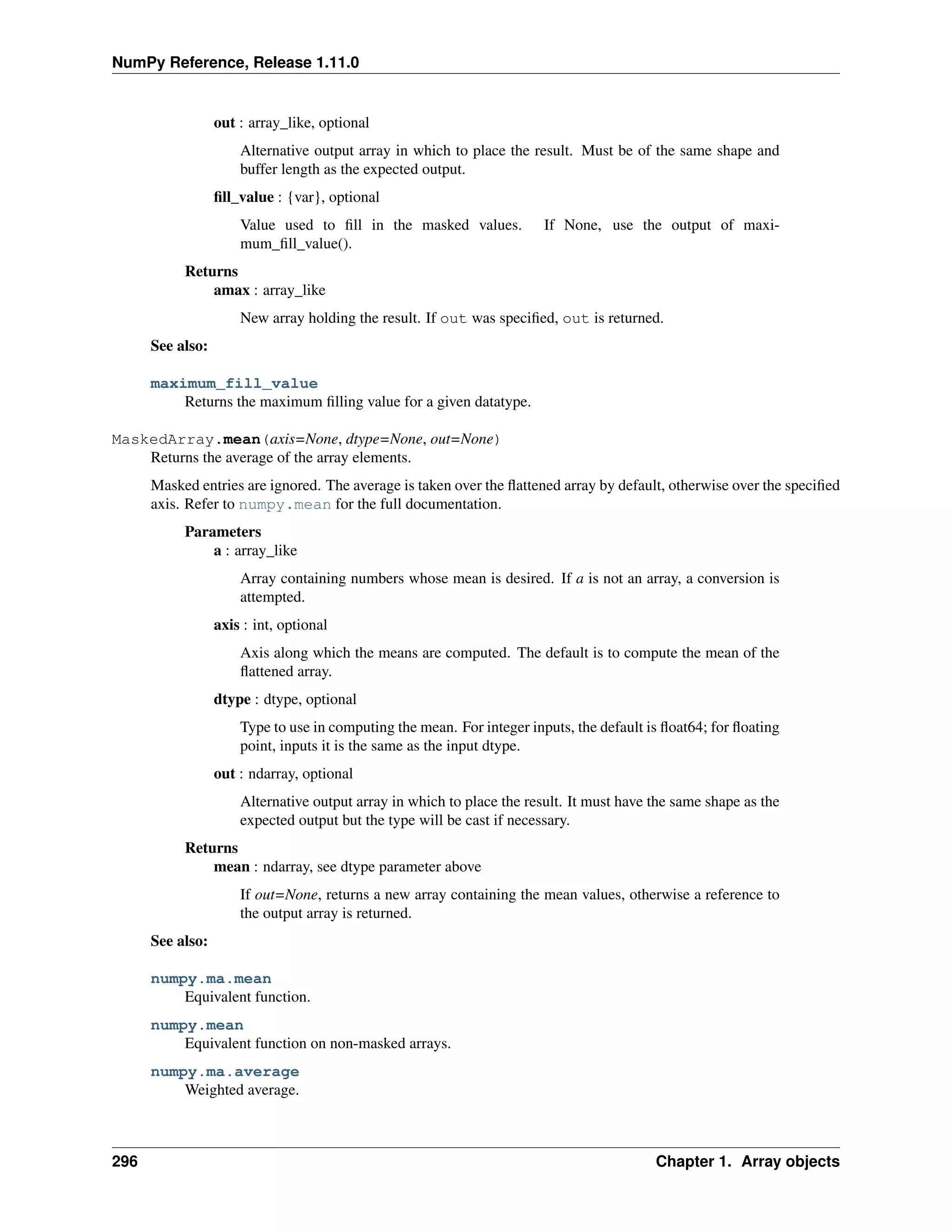
(U)
This array is a copy of some other array. When this array is deallocated, the base array
will be updated with the contents of this array.
FNC F_CONTIGUOUS and not C_CONTIGUOUS.
FORC F_CONTIGUOUS or C_CONTIGUOUS (one-segment test).
BEHAVED
(B)
ALIGNED and WRITEABLE.
CARRAY
(CA)
BEHAVED and C_CONTIGUOUS.
FARRAY
(FA)
BEHAVED and F_CONTIGUOUS and not C_CONTIGUOUS.
ndarray.flat
A 1-D iterator over the array.
This is a numpy.flatiter instance, which acts similarly to, but is not a subclass of, Python’s built-in
iterator object.
See also:
flatten
Return a copy of the array collapsed into one dimension.
flatiter
Examples
>>> x = np.arange(1, 7).reshape(2, 3)
>>> x
array([[1, 2, 3],
[4, 5, 6]])
>>> x.flat[3]
4
>>> x.T
array([[1, 4],
[2, 5],
[3, 6]])
8 Chapter 1. Array objects
NumPy Reference, Release 1.11.0
>>> x.T.flat[3]
5
>>> type(x.flat)
<type 'numpy.flatiter'>
An assignment example:
>>> x.flat = 3; x
array([[3, 3, 3],
[3, 3, 3]])
>>> x.flat[[1,4]] = 1; x
array([[3, 1, 3],
[3, 1, 3]])
ndarray.imag
The imaginary part of the array.
Examples
>>> x = np.sqrt([1+0j, 0+1j])
>>> x.imag
array([ 0. , 0.70710678])
>>> x.imag.dtype
dtype('float64')
ndarray.real
The real part of the array.
See also:
numpy.real
equivalent function
Examples
>>> x = np.sqrt([1+0j, 0+1j])
>>> x.real
array([ 1. , 0.70710678])
>>> x.real.dtype
dtype('float64')
ndarray.size
Number of elements in the array.
Equivalent to np.prod(a.shape), i.e., the product of the array’s dimensions.
Examples
>>> x = np.zeros((3, 5, 2), dtype=np.complex128)
>>> x.size
30
>>> np.prod(x.shape)
30
ndarray.itemsize
Length of one array element in bytes.
1.1. The N-dimensional array (ndarray) 9
NumPy Reference, Release 1.11.0
Examples
>>> x = np.array([1,2,3], dtype=np.float64)
>>> x.itemsize
8
>>> x = np.array([1,2,3], dtype=np.complex128)
>>> x.itemsize
16
ndarray.nbytes
Total bytes consumed by the elements of the array.
Notes
Does not include memory consumed by non-element attributes of the array object.
Examples
>>> x = np.zeros((3,5,2), dtype=np.complex128)
>>> x.nbytes
480
>>> np.prod(x.shape) * x.itemsize
480
ndarray.ndim
Number of array dimensions.
Examples
>>> x = np.array([1, 2, 3])
>>> x.ndim
1
>>> y = np.zeros((2, 3, 4))
>>> y.ndim
3
ndarray.shape
Tuple of array dimensions.
Notes
May be used to “reshape” the array, as long as this would not require a change in the total number of
elements
Examples
>>> x = np.array([1, 2, 3, 4])
>>> x.shape
(4,)
>>> y = np.zeros((2, 3, 4))
>>> y.shape
(2, 3, 4)
>>> y.shape = (3, 8)
>>> y
array([[ 0., 0., 0., 0., 0., 0., 0., 0.],
[ 0., 0., 0., 0., 0., 0., 0., 0.],
[ 0., 0., 0., 0., 0., 0., 0., 0.]])
>>> y.shape = (3, 6)
Traceback (most recent call last):
10 Chapter 1. Array objects
NumPy Reference, Release 1.11.0
File "<stdin>", line 1, in <module>
ValueError: total size of new array must be unchanged
ndarray.strides
Tuple of bytes to step in each dimension when traversing an array.
The byte offset of element (i[0], i[1], ..., i[n]) in an array a is:
offset = sum(np.array(i) * a.strides)
A more detailed explanation of strides can be found in the “ndarray.rst” file in the NumPy reference guide.
See also:
numpy.lib.stride_tricks.as_strided
Notes
Imagine an array of 32-bit integers (each 4 bytes):
x = np.array([[0, 1, 2, 3, 4],
[5, 6, 7, 8, 9]], dtype=np.int32)
This array is stored in memory as 40 bytes, one after the other (known as a contiguous block of memory).
The strides of an array tell us how many bytes we have to skip in memory to move to the next position
along a certain axis. For example, we have to skip 4 bytes (1 value) to move to the next column, but 20
bytes (5 values) to get to the same position in the next row. As such, the strides for the array x will be
(20, 4).
Examples
>>> y = np.reshape(np.arange(2*3*4), (2,3,4))
>>> y
array([[[ 0, 1, 2, 3],
[ 4, 5, 6, 7],
[ 8, 9, 10, 11]],
[[12, 13, 14, 15],
[16, 17, 18, 19],
[20, 21, 22, 23]]])
>>> y.strides
(48, 16, 4)
>>> y[1,1,1]
17
>>> offset=sum(y.strides * np.array((1,1,1)))
>>> offset/y.itemsize
17
>>> x = np.reshape(np.arange(5*6*7*8), (5,6,7,8)).transpose(2,3,1,0)
>>> x.strides
(32, 4, 224, 1344)
>>> i = np.array([3,5,2,2])
>>> offset = sum(i * x.strides)
>>> x[3,5,2,2]
813
>>> offset / x.itemsize
813
ndarray.ctypes
An object to simplify the interaction of the array with the ctypes module.
1.1. The N-dimensional array (ndarray) 11
NumPy Reference, Release 1.11.0
This attribute creates an object that makes it easier to use arrays when calling shared libraries with the
ctypes module. The returned object has, among others, data, shape, and strides attributes (see Notes
below) which themselves return ctypes objects that can be used as arguments to a shared library.
Parameters
None
Returns
c : Python object
Possessing attributes data, shape, strides, etc.
See also:
numpy.ctypeslib
Notes
Below are the public attributes of this object which were documented in “Guide to NumPy” (we have
omitted undocumented public attributes, as well as documented private attributes):
•data: A pointer to the memory area of the array as a Python integer. This memory area may contain
data that is not aligned, or not in correct byte-order. The memory area may not even be writeable.
The array flags and data-type of this array should be respected when passing this attribute to arbitrary
C-code to avoid trouble that can include Python crashing. User Beware! The value of this attribute is
exactly the same as self._array_interface_[’data’][0].
•shape (c_intp*self.ndim): A ctypes array of length self.ndim where the basetype is the C-integer
corresponding to dtype(‘p’) on this platform. This base-type could be c_int, c_long, or c_longlong
depending on the platform. The c_intp type is defined accordingly in numpy.ctypeslib. The ctypes
array contains the shape of the underlying array.
•strides (c_intp*self.ndim): A ctypes array of length self.ndim where the basetype is the same as for
the shape attribute. This ctypes array contains the strides information from the underlying array.
This strides information is important for showing how many bytes must be jumped to get to the next
element in the array.
•data_as(obj): Return the data pointer cast to a particular c-types object. For example, calling
self._as_parameter_ is equivalent to self.data_as(ctypes.c_void_p). Perhaps you want to use the data
as a pointer to a ctypes array of floating-point data: self.data_as(ctypes.POINTER(ctypes.c_double)).
•shape_as(obj): Return the shape tuple as an array of some other c-types type. For example:
self.shape_as(ctypes.c_short).
•strides_as(obj): Return the strides tuple as an array of some other c-types type. For example:
self.strides_as(ctypes.c_longlong).
Be careful using the ctypes attribute - especially on temporary arrays or arrays constructed on the fly. For
example, calling (a+b).ctypes.data_as(ctypes.c_void_p) returns a pointer to memory that
is invalid because the array created as (a+b) is deallocated before the next Python statement. You can avoid
this problem using either c=a+b or ct=(a+b).ctypes. In the latter case, ct will hold a reference to
the array until ct is deleted or re-assigned.
If the ctypes module is not available, then the ctypes attribute of array objects still returns something useful,
but ctypes objects are not returned and errors may be raised instead. In particular, the object will still have
the as parameter attribute which will return an integer equal to the data attribute.
Examples
>>> import ctypes
>>> x
12 Chapter 1. Array objects
NumPy Reference, Release 1.11.0
array([[0, 1],
[2, 3]])
>>> x.ctypes.data
30439712
>>> x.ctypes.data_as(ctypes.POINTER(ctypes.c_long))
<ctypes.LP_c_long object at 0x01F01300>
>>> x.ctypes.data_as(ctypes.POINTER(ctypes.c_long)).contents
c_long(0)
>>> x.ctypes.data_as(ctypes.POINTER(ctypes.c_longlong)).contents
c_longlong(4294967296L)
>>> x.ctypes.shape
<numpy.core._internal.c_long_Array_2 object at 0x01FFD580>
>>> x.ctypes.shape_as(ctypes.c_long)
<numpy.core._internal.c_long_Array_2 object at 0x01FCE620>
>>> x.ctypes.strides
<numpy.core._internal.c_long_Array_2 object at 0x01FCE620>
>>> x.ctypes.strides_as(ctypes.c_longlong)
<numpy.core._internal.c_longlong_Array_2 object at 0x01F01300>
ndarray.base
Base object if memory is from some other object.
Examples
The base of an array that owns its memory is None:
>>> x = np.array([1,2,3,4])
>>> x.base is None
True
Slicing creates a view, whose memory is shared with x:
>>> y = x[2:]
>>> y.base is x
True
Methods
all([axis, out, keepdims]) Returns True if all elements evaluate to True.
any([axis, out, keepdims]) Returns True if any of the elements of a evaluate to True.
argmax([axis, out]) Return indices of the maximum values along the given axis.
argmin([axis, out]) Return indices of the minimum values along the given axis of a.
argpartition(kth[, axis, kind, order]) Returns the indices that would partition this array.
argsort([axis, kind, order]) Returns the indices that would sort this array.
astype(dtype[, order, casting, subok, copy]) Copy of the array, cast to a specified type.
byteswap(inplace) Swap the bytes of the array elements
choose(choices[, out, mode]) Use an index array to construct a new array from a set of choices.
clip([min, max, out]) Return an array whose values are limited to [min, max].
compress(condition[, axis, out]) Return selected slices of this array along given axis.
conj() Complex-conjugate all elements.
conjugate() Return the complex conjugate, element-wise.
copy([order]) Return a copy of the array.
cumprod([axis, dtype, out]) Return the cumulative product of the elements along the given axis.
cumsum([axis, dtype, out]) Return the cumulative sum of the elements along the given axis.
diagonal([offset, axis1, axis2]) Return specified diagonals.
dot(b[, out]) Dot product of two arrays.
1.1. The N-dimensional array (ndarray) 13
NumPy Reference, Release 1.11.0
Table 1.3 – continued from previous page
dump(file) Dump a pickle of the array to the specified file.
dumps() Returns the pickle of the array as a string.
fill(value) Fill the array with a scalar value.
flatten([order]) Return a copy of the array collapsed into one dimension.
getfield(dtype[, offset]) Returns a field of the given array as a certain type.
item(*args) Copy an element of an array to a standard Python scalar and return it.
itemset(*args) Insert scalar into an array (scalar is cast to array’s dtype, if possible)
max([axis, out]) Return the maximum along a given axis.
mean([axis, dtype, out, keepdims]) Returns the average of the array elements along given axis.
min([axis, out, keepdims]) Return the minimum along a given axis.
newbyteorder([new_order]) Return the array with the same data viewed with a different byte order.
nonzero() Return the indices of the elements that are non-zero.
partition(kth[, axis, kind, order]) Rearranges the elements in the array in such a way that value of the element in kth po
prod([axis, dtype, out, keepdims]) Return the product of the array elements over the given axis
ptp([axis, out]) Peak to peak (maximum - minimum) value along a given axis.
put(indices, values[, mode]) Set a.flat[n] = values[n] for all n in indices.
ravel([order]) Return a flattened array.
repeat(repeats[, axis]) Repeat elements of an array.
reshape(shape[, order]) Returns an array containing the same data with a new shape.
resize(new_shape[, refcheck]) Change shape and size of array in-place.
round([decimals, out]) Return a with each element rounded to the given number of decimals.
searchsorted(v[, side, sorter]) Find indices where elements of v should be inserted in a to maintain order.
setfield(val, dtype[, offset]) Put a value into a specified place in a field defined by a data-type.
setflags([write, align, uic]) Set array flags WRITEABLE, ALIGNED, and UPDATEIFCOPY, respectively.
sort([axis, kind, order]) Sort an array, in-place.
squeeze([axis]) Remove single-dimensional entries from the shape of a.
std([axis, dtype, out, ddof, keepdims]) Returns the standard deviation of the array elements along given axis.
sum([axis, dtype, out, keepdims]) Return the sum of the array elements over the given axis.
swapaxes(axis1, axis2) Return a view of the array with axis1 and axis2 interchanged.
take(indices[, axis, out, mode]) Return an array formed from the elements of a at the given indices.
tobytes([order]) Construct Python bytes containing the raw data bytes in the array.
tofile(fid[, sep, format]) Write array to a file as text or binary (default).
tolist() Return the array as a (possibly nested) list.
tostring([order]) Construct Python bytes containing the raw data bytes in the array.
trace([offset, axis1, axis2, dtype, out]) Return the sum along diagonals of the array.
transpose(*axes) Returns a view of the array with axes transposed.
var([axis, dtype, out, ddof, keepdims]) Returns the variance of the array elements, along given axis.
view([dtype, type]) New view of array with the same data.
ndarray.all(axis=None, out=None, keepdims=False)
Returns True if all elements evaluate to True.
Refer to numpy.all for full documentation.
See also:
numpy.all
equivalent function
ndarray.any(axis=None, out=None, keepdims=False)
Returns True if any of the elements of a evaluate to True.
Refer to numpy.any for full documentation.
14 Chapter 1. Array objects
NumPy Reference, Release 1.11.0
See also:
numpy.any
equivalent function
ndarray.argmax(axis=None, out=None)
Return indices of the maximum values along the given axis.
Refer to numpy.argmax for full documentation.
See also:
numpy.argmax
equivalent function
ndarray.argmin(axis=None, out=None)
Return indices of the minimum values along the given axis of a.
Refer to numpy.argmin for detailed documentation.
See also:
numpy.argmin
equivalent function
ndarray.argpartition(kth, axis=-1, kind=’introselect’, order=None)
Returns the indices that would partition this array.
Refer to numpy.argpartition for full documentation.
New in version 1.8.0.
See also:
numpy.argpartition
equivalent function
ndarray.argsort(axis=-1, kind=’quicksort’, order=None)
Returns the indices that would sort this array.
Refer to numpy.argsort for full documentation.
See also:
numpy.argsort
equivalent function
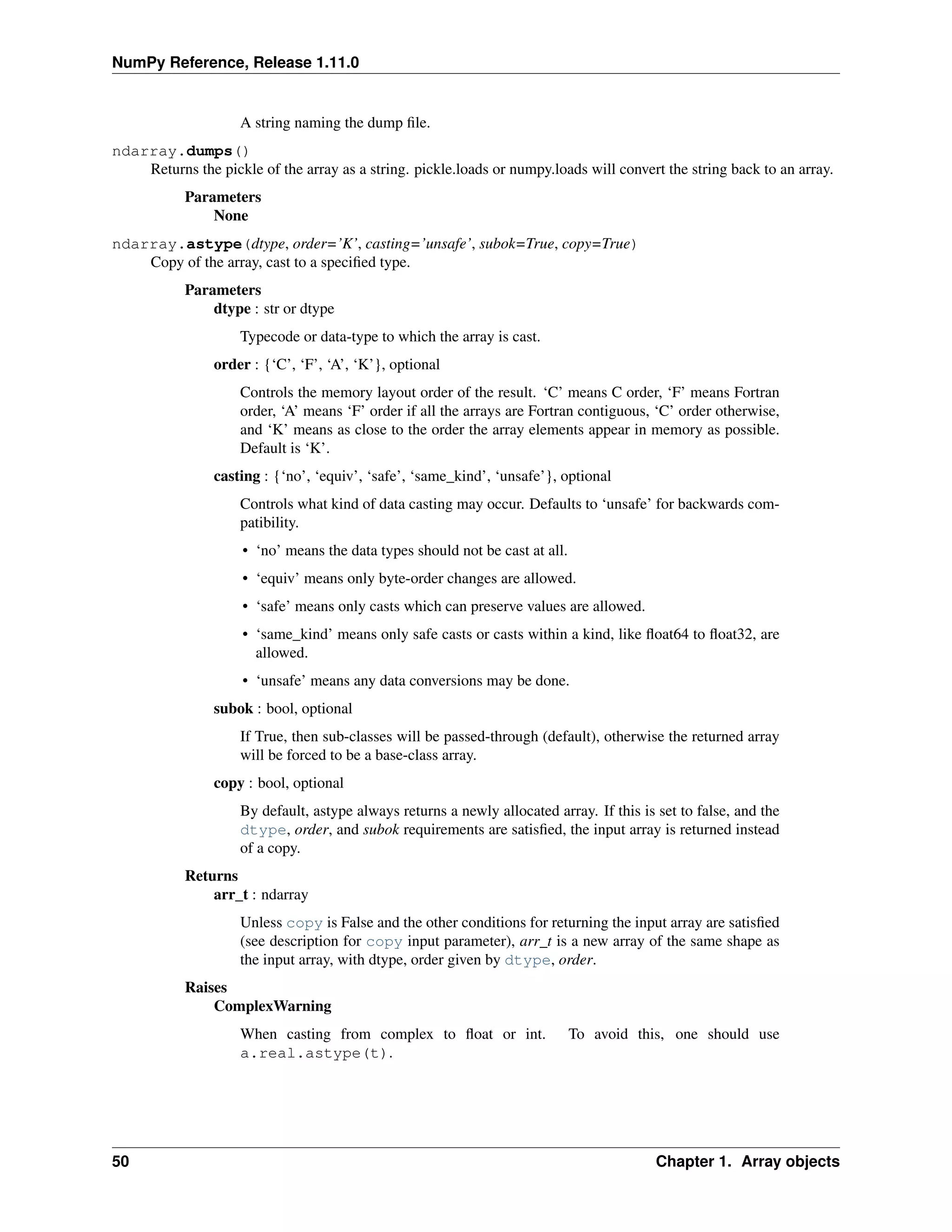
ndarray.astype(dtype, order=’K’, casting=’unsafe’, subok=True, copy=True)
Copy of the array, cast to a specified type.
Parameters
dtype : str or dtype
Typecode or data-type to which the array is cast.
order : {‘C’, ‘F’, ‘A’, ‘K’}, optional
Controls the memory layout order of the result. ‘C’ means C order, ‘F’ means Fortran
order, ‘A’ means ‘F’ order if all the arrays are Fortran contiguous, ‘C’ order otherwise,
1.1. The N-dimensional array (ndarray) 15
NumPy Reference, Release 1.11.0
and ‘K’ means as close to the order the array elements appear in memory as possible.
Default is ‘K’.
casting : {‘no’, ‘equiv’, ‘safe’, ‘same_kind’, ‘unsafe’}, optional
Controls what kind of data casting may occur. Defaults to ‘unsafe’ for backwards com-
patibility.
• ‘no’ means the data types should not be cast at all.
• ‘equiv’ means only byte-order changes are allowed.
• ‘safe’ means only casts which can preserve values are allowed.
• ‘same_kind’ means only safe casts or casts within a kind, like float64 to float32, are
allowed.
• ‘unsafe’ means any data conversions may be done.
subok : bool, optional
If True, then sub-classes will be passed-through (default), otherwise the returned array
will be forced to be a base-class array.
copy : bool, optional
By default, astype always returns a newly allocated array. If this is set to false, and the
dtype, order, and subok requirements are satisfied, the input array is returned instead
of a copy.
Returns
arr_t : ndarray
Unless copy is False and the other conditions for returning the input array are satisfied
(see description for copy input parameter), arr_t is a new array of the same shape as
the input array, with dtype, order given by dtype, order.
Raises
ComplexWarning
When casting from complex to float or int. To avoid this, one should use
a.real.astype(t).
Notes
Starting in NumPy 1.9, astype method now returns an error if the string dtype to cast to is not long enough
in ‘safe’ casting mode to hold the max value of integer/float array that is being casted. Previously the
casting was allowed even if the result was truncated.
Examples
>>> x = np.array([1, 2, 2.5])
>>> x
array([ 1. , 2. , 2.5])
>>> x.astype(int)
array([1, 2, 2])
ndarray.byteswap(inplace)
Swap the bytes of the array elements
Toggle between low-endian and big-endian data representation by returning a byteswapped array, option-
ally swapped in-place.
16 Chapter 1. Array objects
NumPy Reference, Release 1.11.0
Parameters
inplace : bool, optional
If True, swap bytes in-place, default is False.
Returns
out : ndarray
The byteswapped array. If inplace is True, this is a view to self.
Examples
>>> A = np.array([1, 256, 8755], dtype=np.int16)
>>> map(hex, A)
['0x1', '0x100', '0x2233']
>>> A.byteswap(True)
array([ 256, 1, 13090], dtype=int16)
>>> map(hex, A)
['0x100', '0x1', '0x3322']
Arrays of strings are not swapped
>>> A = np.array(['ceg', 'fac'])
>>> A.byteswap()
array(['ceg', 'fac'],
dtype='|S3')
ndarray.choose(choices, out=None, mode=’raise’)
Use an index array to construct a new array from a set of choices.
Refer to numpy.choose for full documentation.
See also:
numpy.choose
equivalent function
ndarray.clip(min=None, max=None, out=None)
Return an array whose values are limited to [min, max]. One of max or min must be given.
Refer to numpy.clip for full documentation.
See also:
numpy.clip
equivalent function
ndarray.compress(condition, axis=None, out=None)
Return selected slices of this array along given axis.
Refer to numpy.compress for full documentation.
See also:
numpy.compress
equivalent function
ndarray.conj()
Complex-conjugate all elements.
Refer to numpy.conjugate for full documentation.
1.1. The N-dimensional array (ndarray) 17
NumPy Reference, Release 1.11.0
See also:
numpy.conjugate
equivalent function
ndarray.conjugate()
Return the complex conjugate, element-wise.
Refer to numpy.conjugate for full documentation.
See also:
numpy.conjugate
equivalent function
ndarray.copy(order=’C’)
Return a copy of the array.
Parameters
order : {‘C’, ‘F’, ‘A’, ‘K’}, optional
Controls the memory layout of the copy. ‘C’ means C-order, ‘F’ means F-order, ‘A’
means ‘F’ if a is Fortran contiguous, ‘C’ otherwise. ‘K’ means match the layout of a as
closely as possible. (Note that this function and :func:numpy.copy are very similar, but
have different default values for their order= arguments.)
See also:
numpy.copy, numpy.copyto
Examples
>>> x = np.array([[1,2,3],[4,5,6]], order='F')
>>> y = x.copy()
>>> x.fill(0)
>>> x
array([[0, 0, 0],
[0, 0, 0]])
>>> y
array([[1, 2, 3],
[4, 5, 6]])
>>> y.flags['C_CONTIGUOUS']
True
ndarray.cumprod(axis=None, dtype=None, out=None)
Return the cumulative product of the elements along the given axis.
Refer to numpy.cumprod for full documentation.
See also:
numpy.cumprod
equivalent function
18 Chapter 1. Array objects
NumPy Reference, Release 1.11.0
ndarray.cumsum(axis=None, dtype=None, out=None)
Return the cumulative sum of the elements along the given axis.
Refer to numpy.cumsum for full documentation.
See also:
numpy.cumsum
equivalent function
ndarray.diagonal(offset=0, axis1=0, axis2=1)
Return specified diagonals. In NumPy 1.9 the returned array is a read-only view instead of a copy as in
previous NumPy versions. In a future version the read-only restriction will be removed.
Refer to numpy.diagonal for full documentation.
See also:
numpy.diagonal
equivalent function
ndarray.dot(b, out=None)
Dot product of two arrays.
Refer to numpy.dot for full documentation.
See also:
numpy.dot
equivalent function
Examples
>>> a = np.eye(2)
>>> b = np.ones((2, 2)) * 2
>>> a.dot(b)
array([[ 2., 2.],
[ 2., 2.]])
This array method can be conveniently chained:
>>> a.dot(b).dot(b)
array([[ 8., 8.],
[ 8., 8.]])
ndarray.dump(file)
Dump a pickle of the array to the specified file. The array can be read back with pickle.load or numpy.load.
Parameters
file : str
A string naming the dump file.
ndarray.dumps()
Returns the pickle of the array as a string. pickle.loads or numpy.loads will convert the string back to an
array.
Parameters
None
1.1. The N-dimensional array (ndarray) 19
NumPy Reference, Release 1.11.0
ndarray.fill(value)
Fill the array with a scalar value.
Parameters
value : scalar
All elements of a will be assigned this value.
Examples
>>> a = np.array([1, 2])
>>> a.fill(0)
>>> a
array([0, 0])
>>> a = np.empty(2)
>>> a.fill(1)
>>> a
array([ 1., 1.])
ndarray.flatten(order=’C’)
Return a copy of the array collapsed into one dimension.
Parameters
order : {‘C’, ‘F’, ‘A’, ‘K’}, optional
‘C’ means to flatten in row-major (C-style) order. ‘F’ means to flatten in column-major
(Fortran- style) order. ‘A’ means to flatten in column-major order if a is Fortran con-
tiguous in memory, row-major order otherwise. ‘K’ means to flatten a in the order the
elements occur in memory. The default is ‘C’.
Returns
y : ndarray
A copy of the input array, flattened to one dimension.
See also:
ravel
Return a flattened array.
flat
A 1-D flat iterator over the array.
Examples
>>> a = np.array([[1,2], [3,4]])
>>> a.flatten()
array([1, 2, 3, 4])
>>> a.flatten('F')
array([1, 3, 2, 4])
ndarray.getfield(dtype, offset=0)
Returns a field of the given array as a certain type.
A field is a view of the array data with a given data-type. The values in the view are determined by the
given type and the offset into the current array in bytes. The offset needs to be such that the view dtype fits
in the array dtype; for example an array of dtype complex128 has 16-byte elements. If taking a view with
a 32-bit integer (4 bytes), the offset needs to be between 0 and 12 bytes.
Parameters
dtype : str or dtype
20 Chapter 1. Array objects
NumPy Reference, Release 1.11.0
The data type of the view. The dtype size of the view can not be larger than that of the
array itself.
offset : int
Number of bytes to skip before beginning the element view.
Examples
>>> x = np.diag([1.+1.j]*2)
>>> x[1, 1] = 2 + 4.j
>>> x
array([[ 1.+1.j, 0.+0.j],
[ 0.+0.j, 2.+4.j]])
>>> x.getfield(np.float64)
array([[ 1., 0.],
[ 0., 2.]])
By choosing an offset of 8 bytes we can select the complex part of the array for our view:
>>> x.getfield(np.float64, offset=8)
array([[ 1., 0.],
[ 0., 4.]])
ndarray.item(*args)
Copy an element of an array to a standard Python scalar and return it.
Parameters
*args : Arguments (variable number and type)
• none: in this case, the method only works for arrays with one element (a.size == 1), which
element is copied into a standard Python scalar object and returned.
• int_type: this argument is interpreted as a flat index into the array, specifying which ele-
ment to copy and return.
• tuple of int_types: functions as does a single int_type argument, except that the argument
is interpreted as an nd-index into the array.
Returns
z : Standard Python scalar object
A copy of the specified element of the array as a suitable Python scalar
Notes
When the data type of a is longdouble or clongdouble, item() returns a scalar array object because there is
no available Python scalar that would not lose information. Void arrays return a buffer object for item(),
unless fields are defined, in which case a tuple is returned.
item is very similar to a[args], except, instead of an array scalar, a standard Python scalar is returned.
This can be useful for speeding up access to elements of the array and doing arithmetic on elements of the
array using Python’s optimized math.
Examples
>>> x = np.random.randint(9, size=(3, 3))
>>> x
array([[3, 1, 7],
[2, 8, 3],
[8, 5, 3]])
>>> x.item(3)
1.1. The N-dimensional array (ndarray) 21
NumPy Reference, Release 1.11.0
2
>>> x.item(7)
5
>>> x.item((0, 1))
1
>>> x.item((2, 2))
3
ndarray.itemset(*args)
Insert scalar into an array (scalar is cast to array’s dtype, if possible)
There must be at least 1 argument, and define the last argument as item. Then, a.itemset(*args) is
equivalent to but faster than a[args] = item. The item should be a scalar value and args must select
a single item in the array a.
Parameters
*args : Arguments
If one argument: a scalar, only used in case a is of size 1. If two arguments: the last
argument is the value to be set and must be a scalar, the first argument specifies a single
array element location. It is either an int or a tuple.
Notes
Compared to indexing syntax, itemset provides some speed increase for placing a scalar into a particular
location in an ndarray, if you must do this. However, generally this is discouraged: among other
problems, it complicates the appearance of the code. Also, when using itemset (and item) inside a
loop, be sure to assign the methods to a local variable to avoid the attribute look-up at each loop iteration.
Examples
>>> x = np.random.randint(9, size=(3, 3))
>>> x
array([[3, 1, 7],
[2, 8, 3],
[8, 5, 3]])
>>> x.itemset(4, 0)
>>> x.itemset((2, 2), 9)
>>> x
array([[3, 1, 7],
[2, 0, 3],
[8, 5, 9]])
ndarray.max(axis=None, out=None)
Return the maximum along a given axis.
Refer to numpy.amax for full documentation.
See also:
numpy.amax
equivalent function
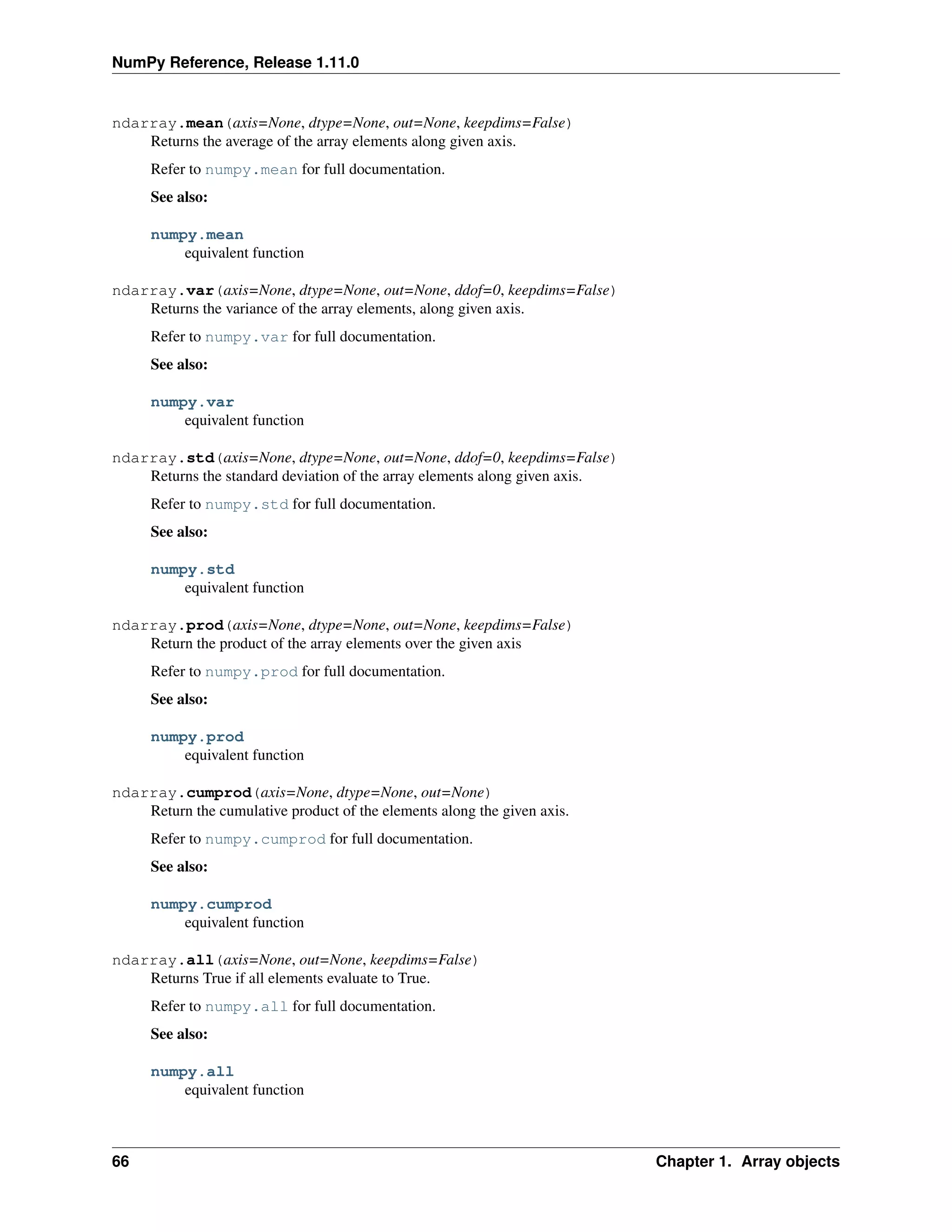
ndarray.mean(axis=None, dtype=None, out=None, keepdims=False)
Returns the average of the array elements along given axis.
Refer to numpy.mean for full documentation.
See also:
22 Chapter 1. Array objects
NumPy Reference, Release 1.11.0
numpy.mean
equivalent function
ndarray.min(axis=None, out=None, keepdims=False)
Return the minimum along a given axis.
Refer to numpy.amin for full documentation.
See also:
numpy.amin
equivalent function
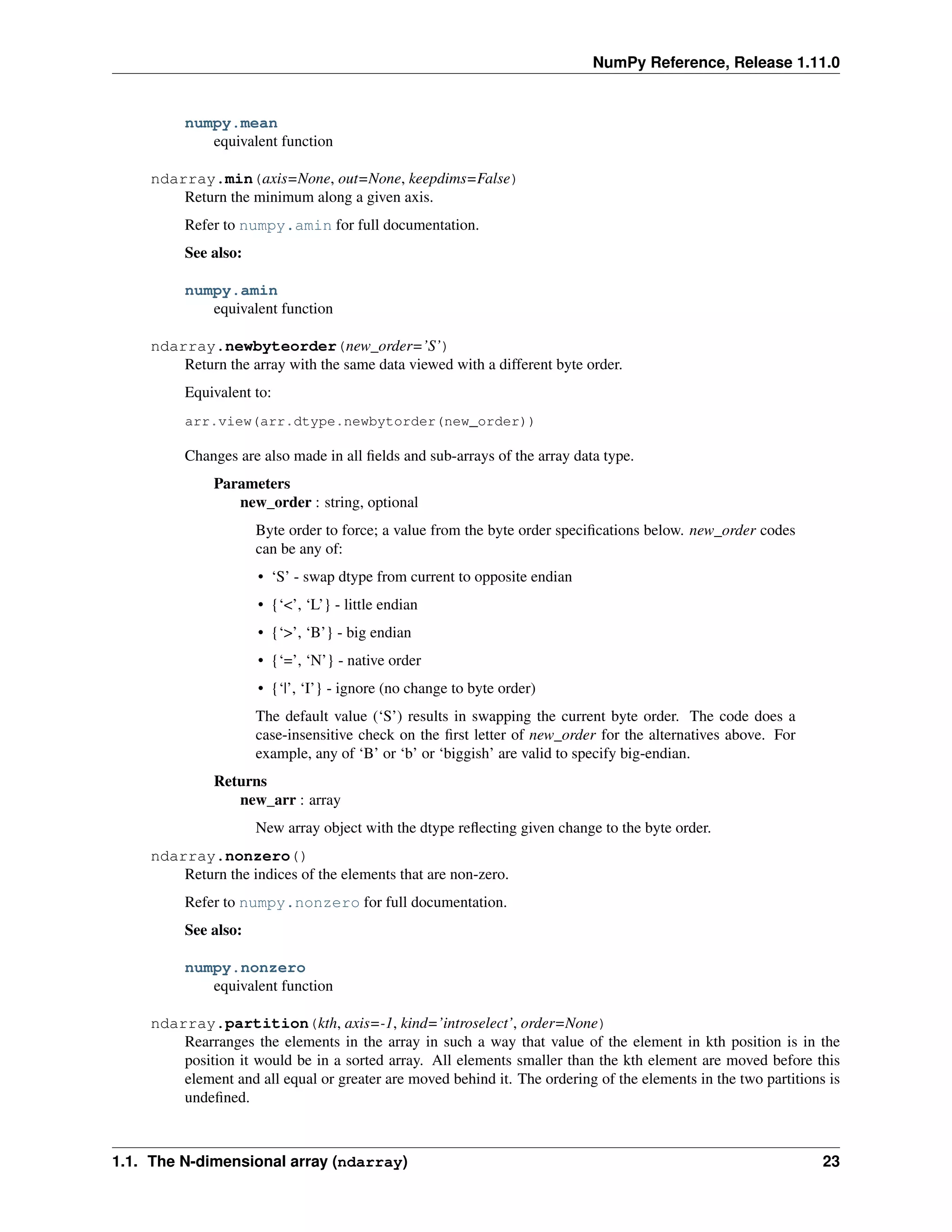
ndarray.newbyteorder(new_order=’S’)
Return the array with the same data viewed with a different byte order.
Equivalent to:
arr.view(arr.dtype.newbytorder(new_order))
Changes are also made in all fields and sub-arrays of the array data type.
Parameters
new_order : string, optional
Byte order to force; a value from the byte order specifications below. new_order codes
can be any of:
• ‘S’ - swap dtype from current to opposite endian
• {‘<’, ‘L’} - little endian
• {‘>’, ‘B’} - big endian
• {‘=’, ‘N’} - native order
• {‘|’, ‘I’} - ignore (no change to byte order)
The default value (‘S’) results in swapping the current byte order. The code does a
case-insensitive check on the first letter of new_order for the alternatives above. For
example, any of ‘B’ or ‘b’ or ‘biggish’ are valid to specify big-endian.
Returns
new_arr : array
New array object with the dtype reflecting given change to the byte order.
ndarray.nonzero()
Return the indices of the elements that are non-zero.
Refer to numpy.nonzero for full documentation.
See also:
numpy.nonzero
equivalent function
ndarray.partition(kth, axis=-1, kind=’introselect’, order=None)
Rearranges the elements in the array in such a way that value of the element in kth position is in the
position it would be in a sorted array. All elements smaller than the kth element are moved before this
element and all equal or greater are moved behind it. The ordering of the elements in the two partitions is
undefined.
1.1. The N-dimensional array (ndarray) 23
NumPy Reference, Release 1.11.0
New in version 1.8.0.
Parameters
kth : int or sequence of ints
Element index to partition by. The kth element value will be in its final sorted position
and all smaller elements will be moved before it and all equal or greater elements behind
it. The order all elements in the partitions is undefined. If provided with a sequence of
kth it will partition all elements indexed by kth of them into their sorted position at once.
axis : int, optional
Axis along which to sort. Default is -1, which means sort along the last axis.
kind : {‘introselect’}, optional
Selection algorithm. Default is ‘introselect’.
order : str or list of str, optional
When a is an array with fields defined, this argument specifies which fields to compare
first, second, etc. A single field can be specified as a string, and not all fields need be
specified, but unspecified fields will still be used, in the order in which they come up in
the dtype, to break ties.
See also:
numpy.partition
Return a parititioned copy of an array.
argpartition
Indirect partition.
sort
Full sort.
Notes
See np.partition for notes on the different algorithms.
Examples
>>> a = np.array([3, 4, 2, 1])
>>> a.partition(a, 3)
>>> a
array([2, 1, 3, 4])
>>> a.partition((1, 3))
array([1, 2, 3, 4])
ndarray.prod(axis=None, dtype=None, out=None, keepdims=False)
Return the product of the array elements over the given axis
Refer to numpy.prod for full documentation.
See also:
numpy.prod
equivalent function
24 Chapter 1. Array objects
NumPy Reference, Release 1.11.0
ndarray.ptp(axis=None, out=None)
Peak to peak (maximum - minimum) value along a given axis.
Refer to numpy.ptp for full documentation.
See also:
numpy.ptp
equivalent function
ndarray.put(indices, values, mode=’raise’)
Set a.flat[n] = values[n] for all n in indices.
Refer to numpy.put for full documentation.
See also:
numpy.put
equivalent function
ndarray.ravel([order ])
Return a flattened array.
Refer to numpy.ravel for full documentation.
See also:
numpy.ravel
equivalent function
ndarray.flat
a flat iterator on the array.
ndarray.repeat(repeats, axis=None)
Repeat elements of an array.
Refer to numpy.repeat for full documentation.
See also:
numpy.repeat
equivalent function
ndarray.reshape(shape, order=’C’)
Returns an array containing the same data with a new shape.
Refer to numpy.reshape for full documentation.
See also:
numpy.reshape
equivalent function
ndarray.resize(new_shape, refcheck=True)
Change shape and size of array in-place.
Parameters
new_shape : tuple of ints, or n ints
Shape of resized array.
1.1. The N-dimensional array (ndarray) 25
NumPy Reference, Release 1.11.0
refcheck : bool, optional
If False, reference count will not be checked. Default is True.
Returns
None
Raises
ValueError
If a does not own its own data or references or views to it exist, and the data memory
must be changed.
SystemError
If the order keyword argument is specified. This behaviour is a bug in NumPy.
See also:
resize
Return a new array with the specified shape.
Notes
This reallocates space for the data area if necessary.
Only contiguous arrays (data elements consecutive in memory) can be resized.
The purpose of the reference count check is to make sure you do not use this array as a buffer for another
Python object and then reallocate the memory. However, reference counts can increase in other ways so if
you are sure that you have not shared the memory for this array with another Python object, then you may
safely set refcheck to False.
Examples
Shrinking an array: array is flattened (in the order that the data are stored in memory), resized, and re-
shaped:
>>> a = np.array([[0, 1], [2, 3]], order='C')
>>> a.resize((2, 1))
>>> a
array([[0],
[1]])
>>> a = np.array([[0, 1], [2, 3]], order='F')
>>> a.resize((2, 1))
>>> a
array([[0],
[2]])
Enlarging an array: as above, but missing entries are filled with zeros:
>>> b = np.array([[0, 1], [2, 3]])
>>> b.resize(2, 3) # new_shape parameter doesn't have to be a tuple
>>> b
array([[0, 1, 2],
[3, 0, 0]])
Referencing an array prevents resizing...
26 Chapter 1. Array objects
NumPy Reference, Release 1.11.0
>>> c = a
>>> a.resize((1, 1))
Traceback (most recent call last):
...
ValueError: cannot resize an array that has been referenced ...
Unless refcheck is False:
>>> a.resize((1, 1), refcheck=False)
>>> a
array([[0]])
>>> c
array([[0]])
ndarray.round(decimals=0, out=None)
Return a with each element rounded to the given number of decimals.
Refer to numpy.around for full documentation.
See also:
numpy.around
equivalent function
ndarray.searchsorted(v, side=’left’, sorter=None)
Find indices where elements of v should be inserted in a to maintain order.
For full documentation, see numpy.searchsorted
See also:
numpy.searchsorted
equivalent function
ndarray.setfield(val, dtype, offset=0)
Put a value into a specified place in a field defined by a data-type.
Place val into a‘s field defined by dtype and beginning offset bytes into the field.
Parameters
val : object
Value to be placed in field.
dtype : dtype object
Data-type of the field in which to place val.
offset : int, optional
The number of bytes into the field at which to place val.
Returns
None
See also:
getfield
1.1. The N-dimensional array (ndarray) 27
NumPy Reference, Release 1.11.0
Examples
>>> x = np.eye(3)
>>> x.getfield(np.float64)
array([[ 1., 0., 0.],
[ 0., 1., 0.],
[ 0., 0., 1.]])
>>> x.setfield(3, np.int32)
>>> x.getfield(np.int32)
array([[3, 3, 3],
[3, 3, 3],
[3, 3, 3]])
>>> x
array([[ 1.00000000e+000, 1.48219694e-323, 1.48219694e-323],
[ 1.48219694e-323, 1.00000000e+000, 1.48219694e-323],
[ 1.48219694e-323, 1.48219694e-323, 1.00000000e+000]])
>>> x.setfield(np.eye(3), np.int32)
>>> x
array([[ 1., 0., 0.],
[ 0., 1., 0.],
[ 0., 0., 1.]])
ndarray.setflags(write=None, align=None, uic=None)
Set array flags WRITEABLE, ALIGNED, and UPDATEIFCOPY, respectively.
These Boolean-valued flags affect how numpy interprets the memory area used by a (see Notes below).
The ALIGNED flag can only be set to True if the data is actually aligned according to the type. The
UPDATEIFCOPY flag can never be set to True. The flag WRITEABLE can only be set to True if the array
owns its own memory, or the ultimate owner of the memory exposes a writeable buffer interface, or is a
string. (The exception for string is made so that unpickling can be done without copying memory.)
Parameters
write : bool, optional
Describes whether or not a can be written to.
align : bool, optional
Describes whether or not a is aligned properly for its type.
uic : bool, optional
Describes whether or not a is a copy of another “base” array.
Notes
Array flags provide information about how the memory area used for the array is to be interpreted. There
are 6 Boolean flags in use, only three of which can be changed by the user: UPDATEIFCOPY, WRITE-
ABLE, and ALIGNED.
WRITEABLE (W) the data area can be written to;
ALIGNED (A) the data and strides are aligned appropriately for the hardware (as determined by the com-
piler);
UPDATEIFCOPY (U) this array is a copy of some other array (referenced by .base). When this array is
deallocated, the base array will be updated with the contents of this array.
All flags can be accessed using their first (upper case) letter as well as the full name.
28 Chapter 1. Array objects
NumPy Reference, Release 1.11.0
Examples
>>> y
array([[3, 1, 7],
[2, 0, 0],
[8, 5, 9]])
>>> y.flags
C_CONTIGUOUS : True
F_CONTIGUOUS : False
OWNDATA : True
WRITEABLE : True
ALIGNED : True
UPDATEIFCOPY : False
>>> y.setflags(write=0, align=0)
>>> y.flags
C_CONTIGUOUS : True
F_CONTIGUOUS : False
OWNDATA : True
WRITEABLE : False
ALIGNED : False
UPDATEIFCOPY : False
>>> y.setflags(uic=1)
Traceback (most recent call last):
File "<stdin>", line 1, in <module>
ValueError: cannot set UPDATEIFCOPY flag to True
ndarray.sort(axis=-1, kind=’quicksort’, order=None)
Sort an array, in-place.
Parameters
axis : int, optional
Axis along which to sort. Default is -1, which means sort along the last axis.
kind : {‘quicksort’, ‘mergesort’, ‘heapsort’}, optional
Sorting algorithm. Default is ‘quicksort’.
order : str or list of str, optional
When a is an array with fields defined, this argument specifies which fields to compare
first, second, etc. A single field can be specified as a string, and not all fields need be
specified, but unspecified fields will still be used, in the order in which they come up in
the dtype, to break ties.
See also:
numpy.sort
Return a sorted copy of an array.
argsort
Indirect sort.
lexsort
Indirect stable sort on multiple keys.
searchsorted
Find elements in sorted array.
partition
Partial sort.
1.1. The N-dimensional array (ndarray) 29
NumPy Reference, Release 1.11.0
Notes
See sort for notes on the different sorting algorithms.
Examples
>>> a = np.array([[1,4], [3,1]])
>>> a.sort(axis=1)
>>> a
array([[1, 4],
[1, 3]])
>>> a.sort(axis=0)
>>> a
array([[1, 3],
[1, 4]])
Use the order keyword to specify a field to use when sorting a structured array:
>>> a = np.array([('a', 2), ('c', 1)], dtype=[('x', 'S1'), ('y', int)])
>>> a.sort(order='y')
>>> a
array([('c', 1), ('a', 2)],
dtype=[('x', '|S1'), ('y', '<i4')])
ndarray.squeeze(axis=None)
Remove single-dimensional entries from the shape of a.
Refer to numpy.squeeze for full documentation.
See also:
numpy.squeeze
equivalent function
ndarray.std(axis=None, dtype=None, out=None, ddof=0, keepdims=False)
Returns the standard deviation of the array elements along given axis.
Refer to numpy.std for full documentation.
See also:
numpy.std
equivalent function
ndarray.sum(axis=None, dtype=None, out=None, keepdims=False)
Return the sum of the array elements over the given axis.
Refer to numpy.sum for full documentation.
See also:
numpy.sum
equivalent function
ndarray.swapaxes(axis1, axis2)
Return a view of the array with axis1 and axis2 interchanged.
Refer to numpy.swapaxes for full documentation.
See also:
30 Chapter 1. Array objects
NumPy Reference, Release 1.11.0
numpy.swapaxes
equivalent function
ndarray.take(indices, axis=None, out=None, mode=’raise’)
Return an array formed from the elements of a at the given indices.
Refer to numpy.take for full documentation.
See also:
numpy.take
equivalent function
ndarray.tobytes(order=’C’)
Construct Python bytes containing the raw data bytes in the array.
Constructs Python bytes showing a copy of the raw contents of data memory. The bytes object can be
produced in either ‘C’ or ‘Fortran’, or ‘Any’ order (the default is ‘C’-order). ‘Any’ order means C-order
unless the F_CONTIGUOUS flag in the array is set, in which case it means ‘Fortran’ order.
New in version 1.9.0.
Parameters
order : {‘C’, ‘F’, None}, optional
Order of the data for multidimensional arrays: C, Fortran, or the same as for the original
array.
Returns
s : bytes
Python bytes exhibiting a copy of a‘s raw data.
Examples
>>> x = np.array([[0, 1], [2, 3]])
>>> x.tobytes()
b'x00x00x00x00x01x00x00x00x02x00x00x00x03x00x00x00'
>>> x.tobytes('C') == x.tobytes()
True
>>> x.tobytes('F')
b'x00x00x00x00x02x00x00x00x01x00x00x00x03x00x00x00'
ndarray.tofile(fid, sep=”“, format=”%s”)
Write array to a file as text or binary (default).
Data is always written in ‘C’ order, independent of the order of a. The data produced by this method can
be recovered using the function fromfile().
Parameters
fid : file or str
An open file object, or a string containing a filename.
sep : str
Separator between array items for text output. If “” (empty), a binary file is written,
equivalent to file.write(a.tobytes()).
format : str
Format string for text file output. Each entry in the array is formatted to text by first
converting it to the closest Python type, and then using “format” % item.
1.1. The N-dimensional array (ndarray) 31
NumPy Reference, Release 1.11.0
Notes
This is a convenience function for quick storage of array data. Information on endianness and precision
is lost, so this method is not a good choice for files intended to archive data or transport data between
machines with different endianness. Some of these problems can be overcome by outputting the data as
text files, at the expense of speed and file size.
ndarray.tolist()
Return the array as a (possibly nested) list.
Return a copy of the array data as a (nested) Python list. Data items are converted to the nearest compatible
Python type.
Parameters
none
Returns
y : list
The possibly nested list of array elements.
Notes
The array may be recreated, a = np.array(a.tolist()).
Examples
>>> a = np.array([1, 2])
>>> a.tolist()
[1, 2]
>>> a = np.array([[1, 2], [3, 4]])
>>> list(a)
[array([1, 2]), array([3, 4])]
>>> a.tolist()
[[1, 2], [3, 4]]
ndarray.tostring(order=’C’)
Construct Python bytes containing the raw data bytes in the array.
Constructs Python bytes showing a copy of the raw contents of data memory. The bytes object can be
produced in either ‘C’ or ‘Fortran’, or ‘Any’ order (the default is ‘C’-order). ‘Any’ order means C-order
unless the F_CONTIGUOUS flag in the array is set, in which case it means ‘Fortran’ order.
This function is a compatibility alias for tobytes. Despite its name it returns bytes not strings.
Parameters
order : {‘C’, ‘F’, None}, optional
Order of the data for multidimensional arrays: C, Fortran, or the same as for the original
array.
Returns
s : bytes
Python bytes exhibiting a copy of a‘s raw data.
Examples
>>> x = np.array([[0, 1], [2, 3]])
>>> x.tobytes()
b'x00x00x00x00x01x00x00x00x02x00x00x00x03x00x00x00'
>>> x.tobytes('C') == x.tobytes()
True
32 Chapter 1. Array objects
NumPy Reference, Release 1.11.0
>>> x.tobytes('F')
b'x00x00x00x00x02x00x00x00x01x00x00x00x03x00x00x00'
ndarray.trace(offset=0, axis1=0, axis2=1, dtype=None, out=None)
Return the sum along diagonals of the array.
Refer to numpy.trace for full documentation.
See also:
numpy.trace
equivalent function
ndarray.transpose(*axes)
Returns a view of the array with axes transposed.
For a 1-D array, this has no effect. (To change between column and row vectors, first cast the 1-D ar-
ray into a matrix object.) For a 2-D array, this is the usual matrix transpose. For an n-D array, if axes
are given, their order indicates how the axes are permuted (see Examples). If axes are not provided
and a.shape = (i[0], i[1], ... i[n-2], i[n-1]), then a.transpose().shape
= (i[n-1], i[n-2], ... i[1], i[0]).
Parameters
axes : None, tuple of ints, or n ints
• None or no argument: reverses the order of the axes.
• tuple of ints: i in the j-th place in the tuple means a‘s i-th axis becomes a.transpose()‘s
j-th axis.
• n ints: same as an n-tuple of the same ints (this form is intended simply as a “convenience”
alternative to the tuple form)
Returns
out : ndarray
View of a, with axes suitably permuted.
See also:
ndarray.T
Array property returning the array transposed.
Examples
>>> a = np.array([[1, 2], [3, 4]])
>>> a
array([[1, 2],
[3, 4]])
>>> a.transpose()
array([[1, 3],
[2, 4]])
>>> a.transpose((1, 0))
array([[1, 3],
[2, 4]])
>>> a.transpose(1, 0)
array([[1, 3],
[2, 4]])
1.1. The N-dimensional array (ndarray) 33
NumPy Reference, Release 1.11.0
ndarray.var(axis=None, dtype=None, out=None, ddof=0, keepdims=False)
Returns the variance of the array elements, along given axis.
Refer to numpy.var for full documentation.
See also:
numpy.var
equivalent function
ndarray.view(dtype=None, type=None)
New view of array with the same data.
Parameters
dtype : data-type or ndarray sub-class, optional
Data-type descriptor of the returned view, e.g., float32 or int16. The default, None,
results in the view having the same data-type as a. This argument can also be specified
as an ndarray sub-class, which then specifies the type of the returned object (this is
equivalent to setting the type parameter).
type : Python type, optional
Type of the returned view, e.g., ndarray or matrix. Again, the default None results in
type preservation.
Notes
a.view() is used two different ways:
a.view(some_dtype) or a.view(dtype=some_dtype) constructs a view of the array’s memory
with a different data-type. This can cause a reinterpretation of the bytes of memory.
a.view(ndarray_subclass) or a.view(type=ndarray_subclass) just returns an instance
of ndarray_subclass that looks at the same array (same shape, dtype, etc.) This does not cause a reinter-
pretation of the memory.
For a.view(some_dtype), if some_dtype has a different number of bytes per entry than the pre-
vious dtype (for example, converting a regular array to a structured array), then the behavior of the view
cannot be predicted just from the superficial appearance of a (shown by print(a)). It also depends on
exactly how a is stored in memory. Therefore if a is C-ordered versus fortran-ordered, versus defined as a
slice or transpose, etc., the view may give different results.
Examples
>>> x = np.array([(1, 2)], dtype=[('a', np.int8), ('b', np.int8)])
Viewing array data using a different type and dtype:
>>> y = x.view(dtype=np.int16, type=np.matrix)
>>> y
matrix([[513]], dtype=int16)
>>> print(type(y))
<class 'numpy.matrixlib.defmatrix.matrix'>
Creating a view on a structured array so it can be used in calculations
>>> x = np.array([(1, 2),(3,4)], dtype=[('a', np.int8), ('b', np.int8)])
>>> xv = x.view(dtype=np.int8).reshape(-1,2)
>>> xv
array([[1, 2],
34 Chapter 1. Array objects
NumPy Reference, Release 1.11.0
[3, 4]], dtype=int8)
>>> xv.mean(0)
array([ 2., 3.])
Making changes to the view changes the underlying array
>>> xv[0,1] = 20
>>> print(x)
[(1, 20) (3, 4)]
Using a view to convert an array to a recarray:
>>> z = x.view(np.recarray)
>>> z.a
array([1], dtype=int8)
Views share data:
>>> x[0] = (9, 10)
>>> z[0]
(9, 10)
Views that change the dtype size (bytes per entry) should normally be avoided on arrays defined by slices,
transposes, fortran-ordering, etc.:
>>> x = np.array([[1,2,3],[4,5,6]], dtype=np.int16)
>>> y = x[:, 0:2]
>>> y
array([[1, 2],
[4, 5]], dtype=int16)
>>> y.view(dtype=[('width', np.int16), ('length', np.int16)])
Traceback (most recent call last):
File "<stdin>", line 1, in <module>
ValueError: new type not compatible with array.
>>> z = y.copy()
>>> z.view(dtype=[('width', np.int16), ('length', np.int16)])
array([[(1, 2)],
[(4, 5)]], dtype=[('width', '<i2'), ('length', '<i2')])
1.1.2 Indexing arrays
Arrays can be indexed using an extended Python slicing syntax, array[selection]. Similar syntax is also used
for accessing fields in a structured array.
See also:
Array Indexing.
1.1.3 Internal memory layout of an ndarray
An instance of class ndarray consists of a contiguous one-dimensional segment of computer memory (owned by the
array, or by some other object), combined with an indexing scheme that maps N integers into the location of an item
in the block. The ranges in which the indices can vary is specified by the shape of the array. How many bytes each
item takes and how the bytes are interpreted is defined by the data-type object associated with the array.
A segment of memory is inherently 1-dimensional, and there are many different schemes for arranging the items of
an N-dimensional array in a 1-dimensional block. Numpy is flexible, and ndarray objects can accommodate any
1.1. The N-dimensional array (ndarray) 35
NumPy Reference, Release 1.11.0
strided indexing scheme. In a strided scheme, the N-dimensional index (𝑛0, 𝑛1, ..., 𝑛𝑁−1) corresponds to the offset
(in bytes):
𝑛offset =
𝑁−1
∑︁
𝑘=0
𝑠𝑘𝑛𝑘
from the beginning of the memory block associated with the array. Here, 𝑠𝑘 are integers which specify the strides
of the array. The column-major order (used, for example, in the Fortran language and in Matlab) and row-major order
(used in C) schemes are just specific kinds of strided scheme, and correspond to memory that can be addressed by the
strides:
𝑠column
𝑘 =
𝑘−1
∏︁
𝑗=0
𝑑𝑗, 𝑠row
𝑘 =
𝑁−1
∏︁
𝑗=𝑘+1
𝑑𝑗.
where 𝑑𝑗 = self.itemsize * self.shape[j].
Both the C and Fortran orders are contiguous, i.e., single-segment, memory layouts, in which every part of the memory
block can be accessed by some combination of the indices.
While a C-style and Fortran-style contiguous array, which has the corresponding flags set, can be addressed with the
above strides, the actual strides may be different. This can happen in two cases:
1. If self.shape[k] == 1 then for any legal index index[k] == 0. This means that in the formula for
the offset 𝑛𝑘 = 0 and thus 𝑠𝑘𝑛𝑘 = 0 and the value of 𝑠𝑘 = self.strides[k] is arbitrary.
2. If an array has no elements (self.size == 0) there is no legal index and the strides are never used. Any
array with no elements may be considered C-style and Fortran-style contiguous.
Point 1. means that self‘‘and ‘‘self.squeeze() always have the same contiguity and aligned flags value.
This also means that even a high dimensional array could be C-style and Fortran-style contiguous at the same time.
An array is considered aligned if the memory offsets for all elements and the base offset itself is a multiple of
self.itemsize.
Note: Points (1) and (2) are not yet applied by default. Beginning with Numpy 1.8.0, they are applied consistently
only if the environment variable NPY_RELAXED_STRIDES_CHECKING=1 was defined when NumPy was built.
Eventually this will become the default.
You can check whether this option was enabled when your NumPy was built by looking at the value of
np.ones((10,1), order=’C’).flags.f_contiguous. If this is True, then your NumPy has relaxed
strides checking enabled.
Warning: It does not generally hold that self.strides[-1] == self.itemsize for C-style contiguous
arrays or self.strides[0] == self.itemsize for Fortran-style contiguous arrays is true.
Data in new ndarrays is in the row-major (C) order, unless otherwise specified, but, for example, basic array slicing
often produces views in a different scheme.
Note: Several algorithms in NumPy work on arbitrarily strided arrays. However, some algorithms require single-
segment arrays. When an irregularly strided array is passed in to such algorithms, a copy is automatically made.
1.1.4 Array attributes
Array attributes reflect information that is intrinsic to the array itself. Generally, accessing an array through its at-
tributes allows you to get and sometimes set intrinsic properties of the array without creating a new array. The exposed
attributes are the core parts of an array and only some of them can be reset meaningfully without creating a new array.
Information on each attribute is given below.
36 Chapter 1. Array objects
NumPy Reference, Release 1.11.0
Memory layout
The following attributes contain information about the memory layout of the array:
ndarray.flags Information about the memory layout of the array.
ndarray.shape Tuple of array dimensions.
ndarray.strides Tuple of bytes to step in each dimension when traversing an array.
ndarray.ndim Number of array dimensions.
ndarray.data Python buffer object pointing to the start of the array’s data.
ndarray.size Number of elements in the array.
ndarray.itemsize Length of one array element in bytes.
ndarray.nbytes Total bytes consumed by the elements of the array.
ndarray.base Base object if memory is from some other object.
ndarray.flags
Information about the memory layout of the array.
Notes
The flags object can be accessed dictionary-like (as in a.flags[’WRITEABLE’]), or by using lowercased
attribute names (as in a.flags.writeable). Short flag names are only supported in dictionary access.
Only the UPDATEIFCOPY, WRITEABLE, and ALIGNED flags can be changed by the user, via direct assign-
ment to the attribute or dictionary entry, or by calling ndarray.setflags.
The array flags cannot be set arbitrarily:
•UPDATEIFCOPY can only be set False.
•ALIGNED can only be set True if the data is truly aligned.
•WRITEABLE can only be set True if the array owns its own memory or the ultimate owner of the memory
exposes a writeable buffer interface or is a string.
Arrays can be both C-style and Fortran-style contiguous simultaneously. This is clear for 1-dimensional arrays,
but can also be true for higher dimensional arrays.
Even for contiguous arrays a stride for a given dimension arr.strides[dim] may be arbi-
trary if arr.shape[dim] == 1 or the array has no elements. It does not generally hold that
self.strides[-1] == self.itemsize for C-style contiguous arrays or self.strides[0] ==
self.itemsize for Fortran-style contiguous arrays is true.
1.1. The N-dimensional array (ndarray) 37
NumPy Reference, Release 1.11.0
Attributes
C_CONTIGUOUS
(C)
The data is in a single, C-style contiguous segment.
F_CONTIGUOUS
(F)
The data is in a single, Fortran-style contiguous segment.
OWNDATA
(O)
The array owns the memory it uses or borrows it from another object.
WRITE-
ABLE
(W)
The data area can be written to. Setting this to False locks the data, making it read-only. A
view (slice, etc.) inherits WRITEABLE from its base array at creation time, but a view of a
writeable array may be subsequently locked while the base array remains writeable. (The
opposite is not true, in that a view of a locked array may not be made writeable. However,
currently, locking a base object does not lock any views that already reference it, so under
that circumstance it is possible to alter the contents of a locked array via a previously
created writeable view onto it.) Attempting to change a non-writeable array raises a
RuntimeError exception.
ALIGNED
(A)
The data and all elements are aligned appropriately for the hardware.
UPDATEIF-
COPY
(U)
This array is a copy of some other array. When this array is deallocated, the base array will
be updated with the contents of this array.
FNC F_CONTIGUOUS and not C_CONTIGUOUS.
FORC F_CONTIGUOUS or C_CONTIGUOUS (one-segment test).
BEHAVED
(B)
ALIGNED and WRITEABLE.
CARRAY
(CA)
BEHAVED and C_CONTIGUOUS.
FARRAY
(FA)
BEHAVED and F_CONTIGUOUS and not C_CONTIGUOUS.
ndarray.shape
Tuple of array dimensions.
Notes
May be used to “reshape” the array, as long as this would not require a change in the total number of elements
Examples
>>> x = np.array([1, 2, 3, 4])
>>> x.shape
(4,)
>>> y = np.zeros((2, 3, 4))
>>> y.shape
(2, 3, 4)
>>> y.shape = (3, 8)
>>> y
array([[ 0., 0., 0., 0., 0., 0., 0., 0.],
[ 0., 0., 0., 0., 0., 0., 0., 0.],
[ 0., 0., 0., 0., 0., 0., 0., 0.]])
>>> y.shape = (3, 6)
Traceback (most recent call last):
File "<stdin>", line 1, in <module>
ValueError: total size of new array must be unchanged
ndarray.strides
Tuple of bytes to step in each dimension when traversing an array.
38 Chapter 1. Array objects
NumPy Reference, Release 1.11.0
The byte offset of element (i[0], i[1], ..., i[n]) in an array a is:
offset = sum(np.array(i) * a.strides)
A more detailed explanation of strides can be found in the “ndarray.rst” file in the NumPy reference guide.
See also:
numpy.lib.stride_tricks.as_strided
Notes
Imagine an array of 32-bit integers (each 4 bytes):
x = np.array([[0, 1, 2, 3, 4],
[5, 6, 7, 8, 9]], dtype=np.int32)
This array is stored in memory as 40 bytes, one after the other (known as a contiguous block of memory). The
strides of an array tell us how many bytes we have to skip in memory to move to the next position along a certain
axis. For example, we have to skip 4 bytes (1 value) to move to the next column, but 20 bytes (5 values) to get
to the same position in the next row. As such, the strides for the array x will be (20, 4).
Examples
>>> y = np.reshape(np.arange(2*3*4), (2,3,4))
>>> y
array([[[ 0, 1, 2, 3],
[ 4, 5, 6, 7],
[ 8, 9, 10, 11]],
[[12, 13, 14, 15],
[16, 17, 18, 19],
[20, 21, 22, 23]]])
>>> y.strides
(48, 16, 4)
>>> y[1,1,1]
17
>>> offset=sum(y.strides * np.array((1,1,1)))
>>> offset/y.itemsize
17
>>> x = np.reshape(np.arange(5*6*7*8), (5,6,7,8)).transpose(2,3,1,0)
>>> x.strides
(32, 4, 224, 1344)
>>> i = np.array([3,5,2,2])
>>> offset = sum(i * x.strides)
>>> x[3,5,2,2]
813
>>> offset / x.itemsize
813
ndarray.ndim
Number of array dimensions.
Examples
>>> x = np.array([1, 2, 3])
>>> x.ndim
1
>>> y = np.zeros((2, 3, 4))
>>> y.ndim
3
1.1. The N-dimensional array (ndarray) 39
NumPy Reference, Release 1.11.0
ndarray.data
Python buffer object pointing to the start of the array’s data.
ndarray.size
Number of elements in the array.
Equivalent to np.prod(a.shape), i.e., the product of the array’s dimensions.
Examples
>>> x = np.zeros((3, 5, 2), dtype=np.complex128)
>>> x.size
30
>>> np.prod(x.shape)
30
ndarray.itemsize
Length of one array element in bytes.
Examples
>>> x = np.array([1,2,3], dtype=np.float64)
>>> x.itemsize
8
>>> x = np.array([1,2,3], dtype=np.complex128)
>>> x.itemsize
16
ndarray.nbytes
Total bytes consumed by the elements of the array.
Notes
Does not include memory consumed by non-element attributes of the array object.
Examples
>>> x = np.zeros((3,5,2), dtype=np.complex128)
>>> x.nbytes
480
>>> np.prod(x.shape) * x.itemsize
480
ndarray.base
Base object if memory is from some other object.
Examples
The base of an array that owns its memory is None:
>>> x = np.array([1,2,3,4])
>>> x.base is None
True
Slicing creates a view, whose memory is shared with x:
>>> y = x[2:]
>>> y.base is x
True
40 Chapter 1. Array objects
NumPy Reference, Release 1.11.0
Data type
See also:
Data type objects
The data type object associated with the array can be found in the dtype attribute:
ndarray.dtype Data-type of the array’s elements.
ndarray.dtype
Data-type of the array’s elements.
Parameters
None
Returns
d : numpy dtype object
See also:
numpy.dtype
Examples
>>> x
array([[0, 1],
[2, 3]])
>>> x.dtype
dtype('int32')
>>> type(x.dtype)
<type 'numpy.dtype'>
Other attributes
ndarray.T Same as self.transpose(), except that self is returned if self.ndim < 2.
ndarray.real The real part of the array.
ndarray.imag The imaginary part of the array.
ndarray.flat A 1-D iterator over the array.
ndarray.ctypes An object to simplify the interaction of the array with the ctypes module.
ndarray.T
Same as self.transpose(), except that self is returned if self.ndim < 2.
Examples
>>> x = np.array([[1.,2.],[3.,4.]])
>>> x
array([[ 1., 2.],
[ 3., 4.]])
>>> x.T
array([[ 1., 3.],
[ 2., 4.]])
>>> x = np.array([1.,2.,3.,4.])
>>> x
array([ 1., 2., 3., 4.])
1.1. The N-dimensional array (ndarray) 41
NumPy Reference, Release 1.11.0
>>> x.T
array([ 1., 2., 3., 4.])
ndarray.real
The real part of the array.
See also:
numpy.real
equivalent function
Examples
>>> x = np.sqrt([1+0j, 0+1j])
>>> x.real
array([ 1. , 0.70710678])
>>> x.real.dtype
dtype('float64')
ndarray.imag
The imaginary part of the array.
Examples
>>> x = np.sqrt([1+0j, 0+1j])
>>> x.imag
array([ 0. , 0.70710678])
>>> x.imag.dtype
dtype('float64')
ndarray.flat
A 1-D iterator over the array.
This is a numpy.flatiter instance, which acts similarly to, but is not a subclass of, Python’s built-in iterator
object.
See also:
flatten
Return a copy of the array collapsed into one dimension.
flatiter
Examples
>>> x = np.arange(1, 7).reshape(2, 3)
>>> x
array([[1, 2, 3],
[4, 5, 6]])
>>> x.flat[3]
4
>>> x.T
array([[1, 4],
[2, 5],
[3, 6]])
>>> x.T.flat[3]
5
>>> type(x.flat)
<type 'numpy.flatiter'>
42 Chapter 1. Array objects
NumPy Reference, Release 1.11.0
An assignment example:
>>> x.flat = 3; x
array([[3, 3, 3],
[3, 3, 3]])
>>> x.flat[[1,4]] = 1; x
array([[3, 1, 3],
[3, 1, 3]])
ndarray.ctypes
An object to simplify the interaction of the array with the ctypes module.
This attribute creates an object that makes it easier to use arrays when calling shared libraries with the ctypes
module. The returned object has, among others, data, shape, and strides attributes (see Notes below) which
themselves return ctypes objects that can be used as arguments to a shared library.
Parameters
None
Returns
c : Python object
Possessing attributes data, shape, strides, etc.
See also:
numpy.ctypeslib
Notes
Below are the public attributes of this object which were documented in “Guide to NumPy” (we have omitted
undocumented public attributes, as well as documented private attributes):
•data: A pointer to the memory area of the array as a Python integer. This memory area may contain data
that is not aligned, or not in correct byte-order. The memory area may not even be writeable. The array
flags and data-type of this array should be respected when passing this attribute to arbitrary C-code to avoid
trouble that can include Python crashing. User Beware! The value of this attribute is exactly the same as
self._array_interface_[’data’][0].
•shape (c_intp*self.ndim): A ctypes array of length self.ndim where the basetype is the C-integer corre-
sponding to dtype(‘p’) on this platform. This base-type could be c_int, c_long, or c_longlong depending
on the platform. The c_intp type is defined accordingly in numpy.ctypeslib. The ctypes array contains the
shape of the underlying array.
•strides (c_intp*self.ndim): A ctypes array of length self.ndim where the basetype is the same as for the
shape attribute. This ctypes array contains the strides information from the underlying array. This strides
information is important for showing how many bytes must be jumped to get to the next element in the
array.
•data_as(obj): Return the data pointer cast to a particular c-types object. For example, calling
self._as_parameter_ is equivalent to self.data_as(ctypes.c_void_p). Perhaps you want to use the data as
a pointer to a ctypes array of floating-point data: self.data_as(ctypes.POINTER(ctypes.c_double)).
•shape_as(obj): Return the shape tuple as an array of some other c-types type. For example:
self.shape_as(ctypes.c_short).
•strides_as(obj): Return the strides tuple as an array of some other c-types type. For example:
self.strides_as(ctypes.c_longlong).
Be careful using the ctypes attribute - especially on temporary arrays or arrays constructed on the fly. For
example, calling (a+b).ctypes.data_as(ctypes.c_void_p) returns a pointer to memory that is
invalid because the array created as (a+b) is deallocated before the next Python statement. You can avoid this
1.1. The N-dimensional array (ndarray) 43
NumPy Reference, Release 1.11.0
problem using either c=a+b or ct=(a+b).ctypes. In the latter case, ct will hold a reference to the array
until ct is deleted or re-assigned.
If the ctypes module is not available, then the ctypes attribute of array objects still returns something useful, but
ctypes objects are not returned and errors may be raised instead. In particular, the object will still have the as
parameter attribute which will return an integer equal to the data attribute.
Examples
>>> import ctypes
>>> x
array([[0, 1],
[2, 3]])
>>> x.ctypes.data
30439712
>>> x.ctypes.data_as(ctypes.POINTER(ctypes.c_long))
<ctypes.LP_c_long object at 0x01F01300>
>>> x.ctypes.data_as(ctypes.POINTER(ctypes.c_long)).contents
c_long(0)
>>> x.ctypes.data_as(ctypes.POINTER(ctypes.c_longlong)).contents
c_longlong(4294967296L)
>>> x.ctypes.shape
<numpy.core._internal.c_long_Array_2 object at 0x01FFD580>
>>> x.ctypes.shape_as(ctypes.c_long)
<numpy.core._internal.c_long_Array_2 object at 0x01FCE620>
>>> x.ctypes.strides
<numpy.core._internal.c_long_Array_2 object at 0x01FCE620>
>>> x.ctypes.strides_as(ctypes.c_longlong)
<numpy.core._internal.c_longlong_Array_2 object at 0x01F01300>
Array interface
See also:
The Array Interface.
__array_interface__ Python-side of the array interface
__array_struct__ C-side of the array interface
ctypes foreign function interface
ndarray.ctypes An object to simplify the interaction of the array with the ctypes module.
ndarray.ctypes
An object to simplify the interaction of the array with the ctypes module.
This attribute creates an object that makes it easier to use arrays when calling shared libraries with the ctypes
module. The returned object has, among others, data, shape, and strides attributes (see Notes below) which
themselves return ctypes objects that can be used as arguments to a shared library.
Parameters
None
Returns
c : Python object
44 Chapter 1. Array objects
NumPy Reference, Release 1.11.0
Possessing attributes data, shape, strides, etc.
See also:
numpy.ctypeslib
Notes
Below are the public attributes of this object which were documented in “Guide to NumPy” (we have omitted
undocumented public attributes, as well as documented private attributes):
•data: A pointer to the memory area of the array as a Python integer. This memory area may contain data
that is not aligned, or not in correct byte-order. The memory area may not even be writeable. The array
flags and data-type of this array should be respected when passing this attribute to arbitrary C-code to avoid
trouble that can include Python crashing. User Beware! The value of this attribute is exactly the same as
self._array_interface_[’data’][0].
•shape (c_intp*self.ndim): A ctypes array of length self.ndim where the basetype is the C-integer corre-
sponding to dtype(‘p’) on this platform. This base-type could be c_int, c_long, or c_longlong depending
on the platform. The c_intp type is defined accordingly in numpy.ctypeslib. The ctypes array contains the
shape of the underlying array.
•strides (c_intp*self.ndim): A ctypes array of length self.ndim where the basetype is the same as for the
shape attribute. This ctypes array contains the strides information from the underlying array. This strides
information is important for showing how many bytes must be jumped to get to the next element in the
array.
•data_as(obj): Return the data pointer cast to a particular c-types object. For example, calling
self._as_parameter_ is equivalent to self.data_as(ctypes.c_void_p). Perhaps you want to use the data as
a pointer to a ctypes array of floating-point data: self.data_as(ctypes.POINTER(ctypes.c_double)).
•shape_as(obj): Return the shape tuple as an array of some other c-types type. For example:
self.shape_as(ctypes.c_short).
•strides_as(obj): Return the strides tuple as an array of some other c-types type. For example:
self.strides_as(ctypes.c_longlong).
Be careful using the ctypes attribute - especially on temporary arrays or arrays constructed on the fly. For
example, calling (a+b).ctypes.data_as(ctypes.c_void_p) returns a pointer to memory that is
invalid because the array created as (a+b) is deallocated before the next Python statement. You can avoid this
problem using either c=a+b or ct=(a+b).ctypes. In the latter case, ct will hold a reference to the array
until ct is deleted or re-assigned.
If the ctypes module is not available, then the ctypes attribute of array objects still returns something useful, but
ctypes objects are not returned and errors may be raised instead. In particular, the object will still have the as
parameter attribute which will return an integer equal to the data attribute.
Examples
>>> import ctypes
>>> x
array([[0, 1],
[2, 3]])
>>> x.ctypes.data
30439712
>>> x.ctypes.data_as(ctypes.POINTER(ctypes.c_long))
<ctypes.LP_c_long object at 0x01F01300>
>>> x.ctypes.data_as(ctypes.POINTER(ctypes.c_long)).contents
c_long(0)
>>> x.ctypes.data_as(ctypes.POINTER(ctypes.c_longlong)).contents
c_longlong(4294967296L)
1.1. The N-dimensional array (ndarray) 45
NumPy Reference, Release 1.11.0
>>> x.ctypes.shape
<numpy.core._internal.c_long_Array_2 object at 0x01FFD580>
>>> x.ctypes.shape_as(ctypes.c_long)
<numpy.core._internal.c_long_Array_2 object at 0x01FCE620>
>>> x.ctypes.strides
<numpy.core._internal.c_long_Array_2 object at 0x01FCE620>
>>> x.ctypes.strides_as(ctypes.c_longlong)
<numpy.core._internal.c_longlong_Array_2 object at 0x01F01300>
1.1.5 Array methods
An ndarray object has many methods which operate on or with the array in some fashion, typically returning an
array result. These methods are briefly explained below. (Each method’s docstring has a more complete description.)
For the following methods there are also corresponding functions in numpy: all, any, argmax, argmin,
argpartition, argsort, choose, clip, compress, copy, cumprod, cumsum, diagonal, imag,
max, mean, min, nonzero, partition, prod, ptp, put, ravel, real, repeat, reshape, round,
searchsorted, sort, squeeze, std, sum, swapaxes, take, trace, transpose, var.
Array conversion
ndarray.item(*args) Copy an element of an array to a standard Python scalar and return it.
ndarray.tolist() Return the array as a (possibly nested) list.
ndarray.itemset(*args) Insert scalar into an array (scalar is cast to array’s dtype, if possible)
ndarray.tostring([order]) Construct Python bytes containing the raw data bytes in the array.
ndarray.tobytes([order]) Construct Python bytes containing the raw data bytes in the array.
ndarray.tofile(fid[, sep, format]) Write array to a file as text or binary (default).
ndarray.dump(file) Dump a pickle of the array to the specified file.
ndarray.dumps() Returns the pickle of the array as a string.
ndarray.astype(dtype[, order, casting, ...]) Copy of the array, cast to a specified type.
ndarray.byteswap(inplace) Swap the bytes of the array elements
ndarray.copy([order]) Return a copy of the array.
ndarray.view([dtype, type]) New view of array with the same data.
ndarray.getfield(dtype[, offset]) Returns a field of the given array as a certain type.
ndarray.setflags([write, align, uic]) Set array flags WRITEABLE, ALIGNED, and UPDATEIFCOPY, respectively.
ndarray.fill(value) Fill the array with a scalar value.
ndarray.item(*args)
Copy an element of an array to a standard Python scalar and return it.
Parameters
*args : Arguments (variable number and type)
• none: in this case, the method only works for arrays with one element (a.size == 1), which
element is copied into a standard Python scalar object and returned.
• int_type: this argument is interpreted as a flat index into the array, specifying which element
to copy and return.
• tuple of int_types: functions as does a single int_type argument, except that the argument is
interpreted as an nd-index into the array.
Returns
z : Standard Python scalar object
46 Chapter 1. Array objects
NumPy Reference, Release 1.11.0
A copy of the specified element of the array as a suitable Python scalar
Notes
When the data type of a is longdouble or clongdouble, item() returns a scalar array object because there is no
available Python scalar that would not lose information. Void arrays return a buffer object for item(), unless
fields are defined, in which case a tuple is returned.
item is very similar to a[args], except, instead of an array scalar, a standard Python scalar is returned. This can
be useful for speeding up access to elements of the array and doing arithmetic on elements of the array using
Python’s optimized math.
Examples
>>> x = np.random.randint(9, size=(3, 3))
>>> x
array([[3, 1, 7],
[2, 8, 3],
[8, 5, 3]])
>>> x.item(3)
2
>>> x.item(7)
5
>>> x.item((0, 1))
1
>>> x.item((2, 2))
3
ndarray.tolist()
Return the array as a (possibly nested) list.
Return a copy of the array data as a (nested) Python list. Data items are converted to the nearest compatible
Python type.
Parameters
none
Returns
y : list
The possibly nested list of array elements.
Notes
The array may be recreated, a = np.array(a.tolist()).
Examples
>>> a = np.array([1, 2])
>>> a.tolist()
[1, 2]
>>> a = np.array([[1, 2], [3, 4]])
>>> list(a)
[array([1, 2]), array([3, 4])]
>>> a.tolist()
[[1, 2], [3, 4]]
ndarray.itemset(*args)
Insert scalar into an array (scalar is cast to array’s dtype, if possible)
1.1. The N-dimensional array (ndarray) 47
NumPy Reference, Release 1.11.0
There must be at least 1 argument, and define the last argument as item. Then, a.itemset(*args) is
equivalent to but faster than a[args] = item. The item should be a scalar value and args must select a
single item in the array a.
Parameters
*args : Arguments
If one argument: a scalar, only used in case a is of size 1. If two arguments: the last
argument is the value to be set and must be a scalar, the first argument specifies a single
array element location. It is either an int or a tuple.
Notes
Compared to indexing syntax, itemset provides some speed increase for placing a scalar into a particular
location in an ndarray, if you must do this. However, generally this is discouraged: among other problems,
it complicates the appearance of the code. Also, when using itemset (and item) inside a loop, be sure to
assign the methods to a local variable to avoid the attribute look-up at each loop iteration.
Examples
>>> x = np.random.randint(9, size=(3, 3))
>>> x
array([[3, 1, 7],
[2, 8, 3],
[8, 5, 3]])
>>> x.itemset(4, 0)
>>> x.itemset((2, 2), 9)
>>> x
array([[3, 1, 7],
[2, 0, 3],
[8, 5, 9]])
ndarray.tostring(order=’C’)
Construct Python bytes containing the raw data bytes in the array.
Constructs Python bytes showing a copy of the raw contents of data memory. The bytes object can be produced
in either ‘C’ or ‘Fortran’, or ‘Any’ order (the default is ‘C’-order). ‘Any’ order means C-order unless the
F_CONTIGUOUS flag in the array is set, in which case it means ‘Fortran’ order.
This function is a compatibility alias for tobytes. Despite its name it returns bytes not strings.
Parameters
order : {‘C’, ‘F’, None}, optional
Order of the data for multidimensional arrays: C, Fortran, or the same as for the original
array.
Returns
s : bytes
Python bytes exhibiting a copy of a‘s raw data.
Examples
>>> x = np.array([[0, 1], [2, 3]])
>>> x.tobytes()
b'x00x00x00x00x01x00x00x00x02x00x00x00x03x00x00x00'
>>> x.tobytes('C') == x.tobytes()
True
>>> x.tobytes('F')
b'x00x00x00x00x02x00x00x00x01x00x00x00x03x00x00x00'
48 Chapter 1. Array objects
NumPy Reference, Release 1.11.0
ndarray.tobytes(order=’C’)
Construct Python bytes containing the raw data bytes in the array.
Constructs Python bytes showing a copy of the raw contents of data memory. The bytes object can be produced
in either ‘C’ or ‘Fortran’, or ‘Any’ order (the default is ‘C’-order). ‘Any’ order means C-order unless the
F_CONTIGUOUS flag in the array is set, in which case it means ‘Fortran’ order.
New in version 1.9.0.
Parameters
order : {‘C’, ‘F’, None}, optional
Order of the data for multidimensional arrays: C, Fortran, or the same as for the original
array.
Returns
s : bytes
Python bytes exhibiting a copy of a‘s raw data.
Examples
>>> x = np.array([[0, 1], [2, 3]])
>>> x.tobytes()
b'x00x00x00x00x01x00x00x00x02x00x00x00x03x00x00x00'
>>> x.tobytes('C') == x.tobytes()
True
>>> x.tobytes('F')
b'x00x00x00x00x02x00x00x00x01x00x00x00x03x00x00x00'
ndarray.tofile(fid, sep=”“, format=”%s”)
Write array to a file as text or binary (default).
Data is always written in ‘C’ order, independent of the order of a. The data produced by this method can be
recovered using the function fromfile().
Parameters
fid : file or str
An open file object, or a string containing a filename.
sep : str
Separator between array items for text output. If “” (empty), a binary file is written,
equivalent to file.write(a.tobytes()).
format : str
Format string for text file output. Each entry in the array is formatted to text by first
converting it to the closest Python type, and then using “format” % item.
Notes
This is a convenience function for quick storage of array data. Information on endianness and precision is lost,
so this method is not a good choice for files intended to archive data or transport data between machines with
different endianness. Some of these problems can be overcome by outputting the data as text files, at the expense
of speed and file size.
ndarray.dump(file)
Dump a pickle of the array to the specified file. The array can be read back with pickle.load or numpy.load.
Parameters
file : str
1.1. The N-dimensional array (ndarray) 49
NumPy Reference, Release 1.11.0
A string naming the dump file.
ndarray.dumps()
Returns the pickle of the array as a string. pickle.loads or numpy.loads will convert the string back to an array.
Parameters
None
ndarray.astype(dtype, order=’K’, casting=’unsafe’, subok=True, copy=True)
Copy of the array, cast to a specified type.
Parameters
dtype : str or dtype
Typecode or data-type to which the array is cast.
order : {‘C’, ‘F’, ‘A’, ‘K’}, optional
Controls the memory layout order of the result. ‘C’ means C order, ‘F’ means Fortran
order, ‘A’ means ‘F’ order if all the arrays are Fortran contiguous, ‘C’ order otherwise,
and ‘K’ means as close to the order the array elements appear in memory as possible.
Default is ‘K’.
casting : {‘no’, ‘equiv’, ‘safe’, ‘same_kind’, ‘unsafe’}, optional
Controls what kind of data casting may occur. Defaults to ‘unsafe’ for backwards com-
patibility.
• ‘no’ means the data types should not be cast at all.
• ‘equiv’ means only byte-order changes are allowed.
• ‘safe’ means only casts which can preserve values are allowed.
• ‘same_kind’ means only safe casts or casts within a kind, like float64 to float32, are
allowed.
• ‘unsafe’ means any data conversions may be done.
subok : bool, optional
If True, then sub-classes will be passed-through (default), otherwise the returned array
will be forced to be a base-class array.
copy : bool, optional
By default, astype always returns a newly allocated array. If this is set to false, and the
dtype, order, and subok requirements are satisfied, the input array is returned instead
of a copy.
Returns
arr_t : ndarray
Unless copy is False and the other conditions for returning the input array are satisfied
(see description for copy input parameter), arr_t is a new array of the same shape as
the input array, with dtype, order given by dtype, order.
Raises
ComplexWarning
When casting from complex to float or int. To avoid this, one should use
a.real.astype(t).
50 Chapter 1. Array objects
NumPy Reference, Release 1.11.0
Notes
Starting in NumPy 1.9, astype method now returns an error if the string dtype to cast to is not long enough in
‘safe’ casting mode to hold the max value of integer/float array that is being casted. Previously the casting was
allowed even if the result was truncated.
Examples
>>> x = np.array([1, 2, 2.5])
>>> x
array([ 1. , 2. , 2.5])
>>> x.astype(int)
array([1, 2, 2])
ndarray.byteswap(inplace)
Swap the bytes of the array elements
Toggle between low-endian and big-endian data representation by returning a byteswapped array, optionally
swapped in-place.
Parameters
inplace : bool, optional
If True, swap bytes in-place, default is False.
Returns
out : ndarray
The byteswapped array. If inplace is True, this is a view to self.
Examples
>>> A = np.array([1, 256, 8755], dtype=np.int16)
>>> map(hex, A)
['0x1', '0x100', '0x2233']
>>> A.byteswap(True)
array([ 256, 1, 13090], dtype=int16)
>>> map(hex, A)
['0x100', '0x1', '0x3322']
Arrays of strings are not swapped
>>> A = np.array(['ceg', 'fac'])
>>> A.byteswap()
array(['ceg', 'fac'],
dtype='|S3')
ndarray.copy(order=’C’)
Return a copy of the array.
Parameters
order : {‘C’, ‘F’, ‘A’, ‘K’}, optional
Controls the memory layout of the copy. ‘C’ means C-order, ‘F’ means F-order, ‘A’
means ‘F’ if a is Fortran contiguous, ‘C’ otherwise. ‘K’ means match the layout of a as
closely as possible. (Note that this function and :func:numpy.copy are very similar, but
have different default values for their order= arguments.)
See also:
numpy.copy, numpy.copyto
1.1. The N-dimensional array (ndarray) 51
NumPy Reference, Release 1.11.0
Examples
>>> x = np.array([[1,2,3],[4,5,6]], order='F')
>>> y = x.copy()
>>> x.fill(0)
>>> x
array([[0, 0, 0],
[0, 0, 0]])
>>> y
array([[1, 2, 3],
[4, 5, 6]])
>>> y.flags['C_CONTIGUOUS']
True
ndarray.view(dtype=None, type=None)
New view of array with the same data.
Parameters
dtype : data-type or ndarray sub-class, optional
Data-type descriptor of the returned view, e.g., float32 or int16. The default, None,
results in the view having the same data-type as a. This argument can also be specified
as an ndarray sub-class, which then specifies the type of the returned object (this is
equivalent to setting the type parameter).
type : Python type, optional
Type of the returned view, e.g., ndarray or matrix. Again, the default None results in
type preservation.
Notes
a.view() is used two different ways:
a.view(some_dtype) or a.view(dtype=some_dtype) constructs a view of the array’s memory with
a different data-type. This can cause a reinterpretation of the bytes of memory.
a.view(ndarray_subclass) or a.view(type=ndarray_subclass) just returns an instance of
ndarray_subclass that looks at the same array (same shape, dtype, etc.) This does not cause a reinterpretation
of the memory.
For a.view(some_dtype), if some_dtype has a different number of bytes per entry than the previous
dtype (for example, converting a regular array to a structured array), then the behavior of the view cannot be
predicted just from the superficial appearance of a (shown by print(a)). It also depends on exactly how a
is stored in memory. Therefore if a is C-ordered versus fortran-ordered, versus defined as a slice or transpose,
etc., the view may give different results.
Examples
>>> x = np.array([(1, 2)], dtype=[('a', np.int8), ('b', np.int8)])
Viewing array data using a different type and dtype:
>>> y = x.view(dtype=np.int16, type=np.matrix)
>>> y
matrix([[513]], dtype=int16)
52 Chapter 1. Array objects
NumPy Reference, Release 1.11.0
>>> print(type(y))
<class 'numpy.matrixlib.defmatrix.matrix'>
Creating a view on a structured array so it can be used in calculations
>>> x = np.array([(1, 2),(3,4)], dtype=[('a', np.int8), ('b', np.int8)])
>>> xv = x.view(dtype=np.int8).reshape(-1,2)
>>> xv
array([[1, 2],
[3, 4]], dtype=int8)
>>> xv.mean(0)
array([ 2., 3.])
Making changes to the view changes the underlying array
>>> xv[0,1] = 20
>>> print(x)
[(1, 20) (3, 4)]
Using a view to convert an array to a recarray:
>>> z = x.view(np.recarray)
>>> z.a
array([1], dtype=int8)
Views share data:
>>> x[0] = (9, 10)
>>> z[0]
(9, 10)
Views that change the dtype size (bytes per entry) should normally be avoided on arrays defined by slices,
transposes, fortran-ordering, etc.:
>>> x = np.array([[1,2,3],[4,5,6]], dtype=np.int16)
>>> y = x[:, 0:2]
>>> y
array([[1, 2],
[4, 5]], dtype=int16)
>>> y.view(dtype=[('width', np.int16), ('length', np.int16)])
Traceback (most recent call last):
File "<stdin>", line 1, in <module>
ValueError: new type not compatible with array.
>>> z = y.copy()
>>> z.view(dtype=[('width', np.int16), ('length', np.int16)])
array([[(1, 2)],
[(4, 5)]], dtype=[('width', '<i2'), ('length', '<i2')])
ndarray.getfield(dtype, offset=0)
Returns a field of the given array as a certain type.
A field is a view of the array data with a given data-type. The values in the view are determined by the given
type and the offset into the current array in bytes. The offset needs to be such that the view dtype fits in the array
dtype; for example an array of dtype complex128 has 16-byte elements. If taking a view with a 32-bit integer (4
bytes), the offset needs to be between 0 and 12 bytes.
Parameters
dtype : str or dtype
The data type of the view. The dtype size of the view can not be larger than that of the
array itself.
1.1. The N-dimensional array (ndarray) 53
NumPy Reference, Release 1.11.0
offset : int
Number of bytes to skip before beginning the element view.
Examples
>>> x = np.diag([1.+1.j]*2)
>>> x[1, 1] = 2 + 4.j
>>> x
array([[ 1.+1.j, 0.+0.j],
[ 0.+0.j, 2.+4.j]])
>>> x.getfield(np.float64)
array([[ 1., 0.],
[ 0., 2.]])
By choosing an offset of 8 bytes we can select the complex part of the array for our view:
>>> x.getfield(np.float64, offset=8)
array([[ 1., 0.],
[ 0., 4.]])
ndarray.setflags(write=None, align=None, uic=None)
Set array flags WRITEABLE, ALIGNED, and UPDATEIFCOPY, respectively.
These Boolean-valued flags affect how numpy interprets the memory area used by a (see Notes below). The
ALIGNED flag can only be set to True if the data is actually aligned according to the type. The UPDATEIF-
COPY flag can never be set to True. The flag WRITEABLE can only be set to True if the array owns its own
memory, or the ultimate owner of the memory exposes a writeable buffer interface, or is a string. (The exception
for string is made so that unpickling can be done without copying memory.)
Parameters
write : bool, optional
Describes whether or not a can be written to.
align : bool, optional
Describes whether or not a is aligned properly for its type.
uic : bool, optional
Describes whether or not a is a copy of another “base” array.
Notes
Array flags provide information about how the memory area used for the array is to be interpreted. There are
6 Boolean flags in use, only three of which can be changed by the user: UPDATEIFCOPY, WRITEABLE, and
ALIGNED.
WRITEABLE (W) the data area can be written to;
ALIGNED (A) the data and strides are aligned appropriately for the hardware (as determined by the compiler);
UPDATEIFCOPY (U) this array is a copy of some other array (referenced by .base). When this array is deallo-
cated, the base array will be updated with the contents of this array.
All flags can be accessed using their first (upper case) letter as well as the full name.
Examples
>>> y
array([[3, 1, 7],
[2, 0, 0],
54 Chapter 1. Array objects
NumPy Reference, Release 1.11.0
[8, 5, 9]])
>>> y.flags
C_CONTIGUOUS : True
F_CONTIGUOUS : False
OWNDATA : True
WRITEABLE : True
ALIGNED : True
UPDATEIFCOPY : False
>>> y.setflags(write=0, align=0)
>>> y.flags
C_CONTIGUOUS : True
F_CONTIGUOUS : False
OWNDATA : True
WRITEABLE : False
ALIGNED : False
UPDATEIFCOPY : False
>>> y.setflags(uic=1)
Traceback (most recent call last):
File "<stdin>", line 1, in <module>
ValueError: cannot set UPDATEIFCOPY flag to True
ndarray.fill(value)
Fill the array with a scalar value.
Parameters
value : scalar
All elements of a will be assigned this value.
Examples
>>> a = np.array([1, 2])
>>> a.fill(0)
>>> a
array([0, 0])
>>> a = np.empty(2)
>>> a.fill(1)
>>> a
array([ 1., 1.])
Shape manipulation
For reshape, resize, and transpose, the single tuple argument may be replaced with n integers which will be interpreted
as an n-tuple.
ndarray.reshape(shape[, order]) Returns an array containing the same data with a new shape.
ndarray.resize(new_shape[, refcheck]) Change shape and size of array in-place.
ndarray.transpose(*axes) Returns a view of the array with axes transposed.
ndarray.swapaxes(axis1, axis2) Return a view of the array with axis1 and axis2 interchanged.
ndarray.flatten([order]) Return a copy of the array collapsed into one dimension.
ndarray.ravel([order]) Return a flattened array.
ndarray.squeeze([axis]) Remove single-dimensional entries from the shape of a.
ndarray.reshape(shape, order=’C’)
Returns an array containing the same data with a new shape.
1.1. The N-dimensional array (ndarray) 55
NumPy Reference, Release 1.11.0
Refer to numpy.reshape for full documentation.
See also:
numpy.reshape
equivalent function
ndarray.resize(new_shape, refcheck=True)
Change shape and size of array in-place.
Parameters
new_shape : tuple of ints, or n ints
Shape of resized array.
refcheck : bool, optional
If False, reference count will not be checked. Default is True.
Returns
None
Raises
ValueError
If a does not own its own data or references or views to it exist, and the data memory
must be changed.
SystemError
If the order keyword argument is specified. This behaviour is a bug in NumPy.
See also:
resize
Return a new array with the specified shape.
Notes
This reallocates space for the data area if necessary.
Only contiguous arrays (data elements consecutive in memory) can be resized.
The purpose of the reference count check is to make sure you do not use this array as a buffer for another Python
object and then reallocate the memory. However, reference counts can increase in other ways so if you are sure
that you have not shared the memory for this array with another Python object, then you may safely set refcheck
to False.
Examples
Shrinking an array: array is flattened (in the order that the data are stored in memory), resized, and reshaped:
>>> a = np.array([[0, 1], [2, 3]], order='C')
>>> a.resize((2, 1))
>>> a
array([[0],
[1]])
>>> a = np.array([[0, 1], [2, 3]], order='F')
>>> a.resize((2, 1))
>>> a
array([[0],
[2]])
56 Chapter 1. Array objects
NumPy Reference, Release 1.11.0
Enlarging an array: as above, but missing entries are filled with zeros:
>>> b = np.array([[0, 1], [2, 3]])
>>> b.resize(2, 3) # new_shape parameter doesn't have to be a tuple
>>> b
array([[0, 1, 2],
[3, 0, 0]])
Referencing an array prevents resizing...
>>> c = a
>>> a.resize((1, 1))
Traceback (most recent call last):
...
ValueError: cannot resize an array that has been referenced ...
Unless refcheck is False:
>>> a.resize((1, 1), refcheck=False)
>>> a
array([[0]])
>>> c
array([[0]])
ndarray.transpose(*axes)
Returns a view of the array with axes transposed.
For a 1-D array, this has no effect. (To change between column and row vectors, first cast the 1-D array into a ma-
trix object.) For a 2-D array, this is the usual matrix transpose. For an n-D array, if axes are given, their order in-
dicates how the axes are permuted (see Examples). If axes are not provided and a.shape = (i[0], i[1],
... i[n-2], i[n-1]), then a.transpose().shape = (i[n-1], i[n-2], ... i[1],
i[0]).
Parameters
axes : None, tuple of ints, or n ints
• None or no argument: reverses the order of the axes.
• tuple of ints: i in the j-th place in the tuple means a‘s i-th axis becomes a.transpose()‘s j-th
axis.
• n ints: same as an n-tuple of the same ints (this form is intended simply as a “convenience”
alternative to the tuple form)
Returns
out : ndarray
View of a, with axes suitably permuted.
See also:
ndarray.T
Array property returning the array transposed.
Examples
>>> a = np.array([[1, 2], [3, 4]])
>>> a
array([[1, 2],
[3, 4]])
>>> a.transpose()
1.1. The N-dimensional array (ndarray) 57
NumPy Reference, Release 1.11.0
array([[1, 3],
[2, 4]])
>>> a.transpose((1, 0))
array([[1, 3],
[2, 4]])
>>> a.transpose(1, 0)
array([[1, 3],
[2, 4]])
ndarray.swapaxes(axis1, axis2)
Return a view of the array with axis1 and axis2 interchanged.
Refer to numpy.swapaxes for full documentation.
See also:
numpy.swapaxes
equivalent function
ndarray.flatten(order=’C’)
Return a copy of the array collapsed into one dimension.
Parameters
order : {‘C’, ‘F’, ‘A’, ‘K’}, optional
‘C’ means to flatten in row-major (C-style) order. ‘F’ means to flatten in column-major
(Fortran- style) order. ‘A’ means to flatten in column-major order if a is Fortran con-
tiguous in memory, row-major order otherwise. ‘K’ means to flatten a in the order the
elements occur in memory. The default is ‘C’.
Returns
y : ndarray
A copy of the input array, flattened to one dimension.
See also:
ravel
Return a flattened array.
flat
A 1-D flat iterator over the array.
Examples
>>> a = np.array([[1,2], [3,4]])
>>> a.flatten()
array([1, 2, 3, 4])
>>> a.flatten('F')
array([1, 3, 2, 4])
ndarray.ravel([order ])
Return a flattened array.
Refer to numpy.ravel for full documentation.
See also:
numpy.ravel
equivalent function
58 Chapter 1. Array objects
NumPy Reference, Release 1.11.0
ndarray.flat
a flat iterator on the array.
ndarray.squeeze(axis=None)
Remove single-dimensional entries from the shape of a.
Refer to numpy.squeeze for full documentation.
See also:
numpy.squeeze
equivalent function
Item selection and manipulation
For array methods that take an axis keyword, it defaults to None. If axis is None, then the array is treated as a 1-D
array. Any other value for axis represents the dimension along which the operation should proceed.
ndarray.take(indices[, axis, out, mode]) Return an array formed from the elements of a at the given indices.
ndarray.put(indices, values[, mode]) Set a.flat[n] = values[n] for all n in indices.
ndarray.repeat(repeats[, axis]) Repeat elements of an array.
ndarray.choose(choices[, out, mode]) Use an index array to construct a new array from a set of choices.
ndarray.sort([axis, kind, order]) Sort an array, in-place.
ndarray.argsort([axis, kind, order]) Returns the indices that would sort this array.
ndarray.partition(kth[, axis, kind, order]) Rearranges the elements in the array in such a way that value of the element i
ndarray.argpartition(kth[, axis, kind, order]) Returns the indices that would partition this array.
ndarray.searchsorted(v[, side, sorter]) Find indices where elements of v should be inserted in a to maintain order.
ndarray.nonzero() Return the indices of the elements that are non-zero.
ndarray.compress(condition[, axis, out]) Return selected slices of this array along given axis.
ndarray.diagonal([offset, axis1, axis2]) Return specified diagonals.
ndarray.take(indices, axis=None, out=None, mode=’raise’)
Return an array formed from the elements of a at the given indices.
Refer to numpy.take for full documentation.
See also:
numpy.take
equivalent function
ndarray.put(indices, values, mode=’raise’)
Set a.flat[n] = values[n] for all n in indices.
Refer to numpy.put for full documentation.
See also:
numpy.put
equivalent function
ndarray.repeat(repeats, axis=None)
Repeat elements of an array.
Refer to numpy.repeat for full documentation.
See also:
1.1. The N-dimensional array (ndarray) 59
NumPy Reference, Release 1.11.0
numpy.repeat
equivalent function
ndarray.choose(choices, out=None, mode=’raise’)
Use an index array to construct a new array from a set of choices.
Refer to numpy.choose for full documentation.
See also:
numpy.choose
equivalent function
ndarray.sort(axis=-1, kind=’quicksort’, order=None)
Sort an array, in-place.
Parameters
axis : int, optional
Axis along which to sort. Default is -1, which means sort along the last axis.
kind : {‘quicksort’, ‘mergesort’, ‘heapsort’}, optional
Sorting algorithm. Default is ‘quicksort’.
order : str or list of str, optional
When a is an array with fields defined, this argument specifies which fields to compare
first, second, etc. A single field can be specified as a string, and not all fields need be
specified, but unspecified fields will still be used, in the order in which they come up in
the dtype, to break ties.
See also:
numpy.sort
Return a sorted copy of an array.
argsort
Indirect sort.
lexsort
Indirect stable sort on multiple keys.
searchsorted
Find elements in sorted array.
partition
Partial sort.
Notes
See sort for notes on the different sorting algorithms.
Examples
>>> a = np.array([[1,4], [3,1]])
>>> a.sort(axis=1)
>>> a
array([[1, 4],
[1, 3]])
>>> a.sort(axis=0)
>>> a
60 Chapter 1. Array objects
NumPy Reference, Release 1.11.0
array([[1, 3],
[1, 4]])
Use the order keyword to specify a field to use when sorting a structured array:
>>> a = np.array([('a', 2), ('c', 1)], dtype=[('x', 'S1'), ('y', int)])
>>> a.sort(order='y')
>>> a
array([('c', 1), ('a', 2)],
dtype=[('x', '|S1'), ('y', '<i4')])
ndarray.argsort(axis=-1, kind=’quicksort’, order=None)
Returns the indices that would sort this array.
Refer to numpy.argsort for full documentation.
See also:
numpy.argsort
equivalent function
ndarray.partition(kth, axis=-1, kind=’introselect’, order=None)
Rearranges the elements in the array in such a way that value of the element in kth position is in the position
it would be in a sorted array. All elements smaller than the kth element are moved before this element and all
equal or greater are moved behind it. The ordering of the elements in the two partitions is undefined.
New in version 1.8.0.
Parameters
kth : int or sequence of ints
Element index to partition by. The kth element value will be in its final sorted position
and all smaller elements will be moved before it and all equal or greater elements behind
it. The order all elements in the partitions is undefined. If provided with a sequence of
kth it will partition all elements indexed by kth of them into their sorted position at once.
axis : int, optional
Axis along which to sort. Default is -1, which means sort along the last axis.
kind : {‘introselect’}, optional
Selection algorithm. Default is ‘introselect’.
order : str or list of str, optional
When a is an array with fields defined, this argument specifies which fields to compare
first, second, etc. A single field can be specified as a string, and not all fields need be
specified, but unspecified fields will still be used, in the order in which they come up in
the dtype, to break ties.
See also:
numpy.partition
Return a parititioned copy of an array.
argpartition
Indirect partition.
sort
Full sort.
1.1. The N-dimensional array (ndarray) 61
NumPy Reference, Release 1.11.0
Notes
See np.partition for notes on the different algorithms.
Examples
>>> a = np.array([3, 4, 2, 1])
>>> a.partition(a, 3)
>>> a
array([2, 1, 3, 4])
>>> a.partition((1, 3))
array([1, 2, 3, 4])
ndarray.argpartition(kth, axis=-1, kind=’introselect’, order=None)
Returns the indices that would partition this array.
Refer to numpy.argpartition for full documentation.
New in version 1.8.0.
See also:
numpy.argpartition
equivalent function
ndarray.searchsorted(v, side=’left’, sorter=None)
Find indices where elements of v should be inserted in a to maintain order.
For full documentation, see numpy.searchsorted
See also:
numpy.searchsorted
equivalent function
ndarray.nonzero()
Return the indices of the elements that are non-zero.
Refer to numpy.nonzero for full documentation.
See also:
numpy.nonzero
equivalent function
ndarray.compress(condition, axis=None, out=None)
Return selected slices of this array along given axis.
Refer to numpy.compress for full documentation.
See also:
numpy.compress
equivalent function
ndarray.diagonal(offset=0, axis1=0, axis2=1)
Return specified diagonals. In NumPy 1.9 the returned array is a read-only view instead of a copy as in previous
NumPy versions. In a future version the read-only restriction will be removed.
Refer to numpy.diagonal for full documentation.
62 Chapter 1. Array objects
NumPy Reference, Release 1.11.0
See also:
numpy.diagonal
equivalent function
Calculation
Many of these methods take an argument named axis. In such cases,
• If axis is None (the default), the array is treated as a 1-D array and the operation is performed over the entire
array. This behavior is also the default if self is a 0-dimensional array or array scalar. (An array scalar is
an instance of the types/classes float32, float64, etc., whereas a 0-dimensional array is an ndarray instance
containing precisely one array scalar.)
• If axis is an integer, then the operation is done over the given axis (for each 1-D subarray that can be created
along the given axis).
Example of the axis argument
A 3-dimensional array of size 3 x 3 x 3, summed over each of its three axes
>>> x
array([[[ 0, 1, 2],
[ 3, 4, 5],
[ 6, 7, 8]],
[[ 9, 10, 11],
[12, 13, 14],
[15, 16, 17]],
[[18, 19, 20],
[21, 22, 23],
[24, 25, 26]]])
>>> x.sum(axis=0)
array([[27, 30, 33],
[36, 39, 42],
[45, 48, 51]])
>>> # for sum, axis is the first keyword, so we may omit it,
>>> # specifying only its value
>>> x.sum(0), x.sum(1), x.sum(2)
(array([[27, 30, 33],
[36, 39, 42],
[45, 48, 51]]),
array([[ 9, 12, 15],
[36, 39, 42],
[63, 66, 69]]),
array([[ 3, 12, 21],
[30, 39, 48],
[57, 66, 75]]))
The parameter dtype specifies the data type over which a reduction operation (like summing) should take place. The
default reduce data type is the same as the data type of self. To avoid overflow, it can be useful to perform the reduction
using a larger data type.
For several methods, an optional out argument can also be provided and the result will be placed into the output array
given. The out argument must be an ndarray and have the same number of elements. It can have a different data
type in which case casting will be performed.
ndarray.argmax([axis, out]) Return indices of the maximum values along the given axis.
Continued on next page
1.1. The N-dimensional array (ndarray) 63
NumPy Reference, Release 1.11.0
Table 1.11 – continued from previous page
ndarray.min([axis, out, keepdims]) Return the minimum along a given axis.
ndarray.argmin([axis, out]) Return indices of the minimum values along the given axis of a.
ndarray.ptp([axis, out]) Peak to peak (maximum - minimum) value along a given axis.
ndarray.clip([min, max, out]) Return an array whose values are limited to [min, max].
ndarray.conj() Complex-conjugate all elements.
ndarray.round([decimals, out]) Return a with each element rounded to the given number of decimals.
ndarray.trace([offset, axis1, axis2, dtype, out]) Return the sum along diagonals of the array.
ndarray.sum([axis, dtype, out, keepdims]) Return the sum of the array elements over the given axis.
ndarray.cumsum([axis, dtype, out]) Return the cumulative sum of the elements along the given axis.
ndarray.mean([axis, dtype, out, keepdims]) Returns the average of the array elements along given axis.
ndarray.var([axis, dtype, out, ddof, keepdims]) Returns the variance of the array elements, along given axis.
ndarray.std([axis, dtype, out, ddof, keepdims]) Returns the standard deviation of the array elements along given axis.
ndarray.prod([axis, dtype, out, keepdims]) Return the product of the array elements over the given axis
ndarray.cumprod([axis, dtype, out]) Return the cumulative product of the elements along the given axis.
ndarray.all([axis, out, keepdims]) Returns True if all elements evaluate to True.
ndarray.any([axis, out, keepdims]) Returns True if any of the elements of a evaluate to True.
ndarray.argmax(axis=None, out=None)
Return indices of the maximum values along the given axis.
Refer to numpy.argmax for full documentation.
See also:
numpy.argmax
equivalent function
ndarray.min(axis=None, out=None, keepdims=False)
Return the minimum along a given axis.
Refer to numpy.amin for full documentation.
See also:
numpy.amin
equivalent function
ndarray.argmin(axis=None, out=None)
Return indices of the minimum values along the given axis of a.
Refer to numpy.argmin for detailed documentation.
See also:
numpy.argmin
equivalent function
ndarray.ptp(axis=None, out=None)
Peak to peak (maximum - minimum) value along a given axis.
Refer to numpy.ptp for full documentation.
See also:
numpy.ptp
equivalent function
64 Chapter 1. Array objects
NumPy Reference, Release 1.11.0
ndarray.clip(min=None, max=None, out=None)
Return an array whose values are limited to [min, max]. One of max or min must be given.
Refer to numpy.clip for full documentation.
See also:
numpy.clip
equivalent function
ndarray.conj()
Complex-conjugate all elements.
Refer to numpy.conjugate for full documentation.
See also:
numpy.conjugate
equivalent function
ndarray.round(decimals=0, out=None)
Return a with each element rounded to the given number of decimals.
Refer to numpy.around for full documentation.
See also:
numpy.around
equivalent function
ndarray.trace(offset=0, axis1=0, axis2=1, dtype=None, out=None)
Return the sum along diagonals of the array.
Refer to numpy.trace for full documentation.
See also:
numpy.trace
equivalent function
ndarray.sum(axis=None, dtype=None, out=None, keepdims=False)
Return the sum of the array elements over the given axis.
Refer to numpy.sum for full documentation.
See also:
numpy.sum
equivalent function
ndarray.cumsum(axis=None, dtype=None, out=None)
Return the cumulative sum of the elements along the given axis.
Refer to numpy.cumsum for full documentation.
See also:
numpy.cumsum
equivalent function
1.1. The N-dimensional array (ndarray) 65
NumPy Reference, Release 1.11.0
ndarray.mean(axis=None, dtype=None, out=None, keepdims=False)
Returns the average of the array elements along given axis.
Refer to numpy.mean for full documentation.
See also:
numpy.mean
equivalent function
ndarray.var(axis=None, dtype=None, out=None, ddof=0, keepdims=False)
Returns the variance of the array elements, along given axis.
Refer to numpy.var for full documentation.
See also:
numpy.var
equivalent function
ndarray.std(axis=None, dtype=None, out=None, ddof=0, keepdims=False)
Returns the standard deviation of the array elements along given axis.
Refer to numpy.std for full documentation.
See also:
numpy.std
equivalent function
ndarray.prod(axis=None, dtype=None, out=None, keepdims=False)
Return the product of the array elements over the given axis
Refer to numpy.prod for full documentation.
See also:
numpy.prod
equivalent function
ndarray.cumprod(axis=None, dtype=None, out=None)
Return the cumulative product of the elements along the given axis.
Refer to numpy.cumprod for full documentation.
See also:
numpy.cumprod
equivalent function
ndarray.all(axis=None, out=None, keepdims=False)
Returns True if all elements evaluate to True.
Refer to numpy.all for full documentation.
See also:
numpy.all
equivalent function
66 Chapter 1. Array objects
NumPy Reference, Release 1.11.0
ndarray.any(axis=None, out=None, keepdims=False)
Returns True if any of the elements of a evaluate to True.
Refer to numpy.any for full documentation.
See also:
numpy.any
equivalent function
1.1.6 Arithmetic, matrix multiplication, and comparison operations
Arithmetic and comparison operations on ndarrays are defined as element-wise operations, and generally yield
ndarray objects as results.
Each of the arithmetic operations (+, -, *, /, //, %, divmod(), ** or pow(), <<, >>, &, ^, |, ~) and the
comparisons (==, <, >, <=, >=, !=) is equivalent to the corresponding universal function (or ufunc for short) in
Numpy. For more information, see the section on Universal Functions.
Comparison operators:
ndarray.__lt__ x.__lt__(y) <==> x<y
ndarray.__le__ x.__le__(y) <==> x<=y
ndarray.__gt__ x.__gt__(y) <==> x>y
ndarray.__ge__ x.__ge__(y) <==> x>=y
ndarray.__eq__ x.__eq__(y) <==> x==y
ndarray.__ne__ x.__ne__(y) <==> x!=y
ndarray.__lt__
x.__lt__(y) <==> x<y
ndarray.__le__
x.__le__(y) <==> x<=y
ndarray.__gt__
x.__gt__(y) <==> x>y
ndarray.__ge__
x.__ge__(y) <==> x>=y
ndarray.__eq__
x.__eq__(y) <==> x==y
ndarray.__ne__
x.__ne__(y) <==> x!=y
Truth value of an array (bool):
ndarray.__nonzero__ x.__nonzero__() <==> x != 0
ndarray.__nonzero__
x.__nonzero__() <==> x != 0
Note: Truth-value testing of an array invokes ndarray.__nonzero__, which raises an error if the number of
elements in the the array is larger than 1, because the truth value of such arrays is ambiguous. Use .any() and
.all() instead to be clear about what is meant in such cases. (If the number of elements is 0, the array evaluates to
False.)
1.1. The N-dimensional array (ndarray) 67
NumPy Reference, Release 1.11.0
Unary operations:
ndarray.__neg__ x.__neg__() <==> -x
ndarray.__pos__ x.__pos__() <==> +x
ndarray.__abs__() <==> abs(x)
ndarray.__invert__ x.__invert__() <==> ~x
ndarray.__neg__
x.__neg__() <==> -x
ndarray.__pos__
x.__pos__() <==> +x
ndarray.__abs__() <==> abs(x)
ndarray.__invert__
x.__invert__() <==> ~x
Arithmetic:
ndarray.__add__ x.__add__(y) <==> x+y
ndarray.__sub__ x.__sub__(y) <==> x-y
ndarray.__mul__ x.__mul__(y) <==> x*y
ndarray.__div__ x.__div__(y) <==> x/y
ndarray.__truediv__ x.__truediv__(y) <==> x/y
ndarray.__floordiv__ x.__floordiv__(y) <==> x//y
ndarray.__mod__ x.__mod__(y) <==> x%y
ndarray.__divmod__(y) <==> divmod(x, y)
ndarray.__pow__(y[, z]) <==> pow(x, y[, z])
ndarray.__lshift__ x.__lshift__(y) <==> x<<y
ndarray.__rshift__ x.__rshift__(y) <==> x>>y
ndarray.__and__ x.__and__(y) <==> x&y
ndarray.__or__ x.__or__(y) <==> x|y
ndarray.__xor__ x.__xor__(y) <==> x^y
ndarray.__add__
x.__add__(y) <==> x+y
ndarray.__sub__
x.__sub__(y) <==> x-y
ndarray.__mul__
x.__mul__(y) <==> x*y
ndarray.__div__
x.__div__(y) <==> x/y
ndarray.__truediv__
x.__truediv__(y) <==> x/y
ndarray.__floordiv__
x.__floordiv__(y) <==> x//y
ndarray.__mod__
x.__mod__(y) <==> x%y
68 Chapter 1. Array objects
NumPy Reference, Release 1.11.0
ndarray.__divmod__(y) <==> divmod(x, y)
ndarray.__pow__(y[, z]) <==> pow(x, y[, z])
ndarray.__lshift__
x.__lshift__(y) <==> x<<y
ndarray.__rshift__
x.__rshift__(y) <==> x>>y
ndarray.__and__
x.__and__(y) <==> x&y
ndarray.__or__
x.__or__(y) <==> x|y
ndarray.__xor__
x.__xor__(y) <==> x^y
Note:
• Any third argument to pow is silently ignored, as the underlying ufunc takes only two arguments.
• The three division operators are all defined; div is active by default, truediv is active when __future__
division is in effect.
• Because ndarray is a built-in type (written in C), the __r{op}__ special methods are not directly defined.
• The functions called to implement many arithmetic special methods for arrays can be modified using
set_numeric_ops.
Arithmetic, in-place:
ndarray.__iadd__ x.__iadd__(y) <==> x+=y
ndarray.__isub__ x.__isub__(y) <==> x-=y
ndarray.__imul__ x.__imul__(y) <==> x*=y
ndarray.__idiv__ x.__idiv__(y) <==> x/=y
ndarray.__itruediv__ x.__itruediv__(y) <==> x/y
ndarray.__ifloordiv__ x.__ifloordiv__(y) <==> x//y
ndarray.__imod__ x.__imod__(y) <==> x%=y
ndarray.__ipow__ x.__ipow__(y) <==> x**=y
ndarray.__ilshift__ x.__ilshift__(y) <==> x<<=y
ndarray.__irshift__ x.__irshift__(y) <==> x>>=y
ndarray.__iand__ x.__iand__(y) <==> x&=y
ndarray.__ior__ x.__ior__(y) <==> x|=y
ndarray.__ixor__ x.__ixor__(y) <==> x^=y
ndarray.__iadd__
x.__iadd__(y) <==> x+=y
ndarray.__isub__
x.__isub__(y) <==> x-=y
ndarray.__imul__
x.__imul__(y) <==> x*=y
ndarray.__idiv__
x.__idiv__(y) <==> x/=y
1.1. The N-dimensional array (ndarray) 69
NumPy Reference, Release 1.11.0
ndarray.__itruediv__
x.__itruediv__(y) <==> x/y
ndarray.__ifloordiv__
x.__ifloordiv__(y) <==> x//y
ndarray.__imod__
x.__imod__(y) <==> x%=y
ndarray.__ipow__
x.__ipow__(y) <==> x**=y
ndarray.__ilshift__
x.__ilshift__(y) <==> x<<=y
ndarray.__irshift__
x.__irshift__(y) <==> x>>=y
ndarray.__iand__
x.__iand__(y) <==> x&=y
ndarray.__ior__
x.__ior__(y) <==> x|=y
ndarray.__ixor__
x.__ixor__(y) <==> x^=y
Warning: In place operations will perform the calculation using the precision decided by the data type of the
two operands, but will silently downcast the result (if necessary) so it can fit back into the array. Therefore,
for mixed precision calculations, A {op}= B can be different than A = A {op} B. For example, suppose a =
ones((3,3)). Then, a += 3j is different than a = a + 3j: while they both perform the same computation,
a += 3 casts the result to fit back in a, whereas a = a + 3j re-binds the name a to the result.
Matrix Multiplication:
ndarray.__matmul__
Note: Matrix operators @ and @= were introduced in Python 3.5 following PEP465. Numpy 1.10 has a preliminary
implementation of @ for testing purposes. Further documentation can be found in the matmul documentation.
1.1.7 Special methods
For standard library functions:
ndarray.__copy__([order]) Return a copy of the array.
ndarray.__deepcopy__(() -> Deep copy of array.) Used if copy.deepcopy is called on an array.
ndarray.__reduce__() For pickling.
ndarray.__setstate__(version, shape, dtype, ...) For unpickling.
ndarray.__copy__([order ])
Return a copy of the array.
Parameters
order : {‘C’, ‘F’, ‘A’}, optional
70 Chapter 1. Array objects
NumPy Reference, Release 1.11.0
If order is ‘C’ (False) then the result is contiguous (default). If order is ‘Fortran’ (True)
then the result has fortran order. If order is ‘Any’ (None) then the result has fortran
order only if the array already is in fortran order.
ndarray.__deepcopy__() → Deep copy of array.
Used if copy.deepcopy is called on an array.
ndarray.__reduce__()
For pickling.
ndarray.__setstate__(version, shape, dtype, isfortran, rawdata)
For unpickling.
Parameters
version : int
optional pickle version. If omitted defaults to 0.
shape : tuple
dtype : data-type
isFortran : bool
rawdata : string or list
a binary string with the data (or a list if ‘a’ is an object array)
Basic customization:
ndarray.__new__((S, ...)
ndarray.__array__(...) Returns either a new reference to self if dtype is not given or a new array of provided data type
ndarray.__array_wrap__(...)
static ndarray.__new__(S, ...) → a new object with type S, a subtype of T
ndarray.__array__(|dtype) → reference if type unchanged, copy otherwise.
Returns either a new reference to self if dtype is not given or a new array of provided data type if dtype is
different from the current dtype of the array.
ndarray.__array_wrap__(obj) → Object of same type as ndarray object a.
Container customization: (see Indexing)
ndarray.__len__() <==> len(x)
ndarray.__getitem__ x.__getitem__(y) <==> x[y]
ndarray.__setitem__ x.__setitem__(i, y) <==> x[i]=y
ndarray.__getslice__ x.__getslice__(i, j) <==> x[i:j]
ndarray.__setslice__ x.__setslice__(i, j, y) <==> x[i:j]=y
ndarray.__contains__ x.__contains__(y) <==> y in x
ndarray.__len__() <==> len(x)
ndarray.__getitem__
x.__getitem__(y) <==> x[y]
ndarray.__setitem__
x.__setitem__(i, y) <==> x[i]=y
1.1. The N-dimensional array (ndarray) 71
NumPy Reference, Release 1.11.0
ndarray.__getslice__
x.__getslice__(i, j) <==> x[i:j]
Use of negative indices is not supported.
ndarray.__setslice__
x.__setslice__(i, j, y) <==> x[i:j]=y
Use of negative indices is not supported.
ndarray.__contains__
x.__contains__(y) <==> y in x
Conversion; the operations complex, int, long, float, oct, and hex. They work only on arrays that have one
element in them and return the appropriate scalar.
ndarray.__int__() <==> int(x)
ndarray.__long__() <==> long(x)
ndarray.__float__() <==> float(x)
ndarray.__oct__() <==> oct(x)
ndarray.__hex__() <==> hex(x)
ndarray.__int__() <==> int(x)
ndarray.__long__() <==> long(x)
ndarray.__float__() <==> float(x)
ndarray.__oct__() <==> oct(x)
ndarray.__hex__() <==> hex(x)
String representations:
ndarray.__str__() <==> str(x)
ndarray.__repr__() <==> repr(x)
ndarray.__str__() <==> str(x)
ndarray.__repr__() <==> repr(x)
1.2 Scalars
Python defines only one type of a particular data class (there is only one integer type, one floating-point type, etc.).
This can be convenient in applications that don’t need to be concerned with all the ways data can be represented in a
computer. For scientific computing, however, more control is often needed.
In NumPy, there are 24 new fundamental Python types to describe different types of scalars. These type descriptors
are mostly based on the types available in the C language that CPython is written in, with several additional types
compatible with Python’s types.
72 Chapter 1. Array objects
NumPy Reference, Release 1.11.0
Array scalars have the same attributes and methods as ndarrays. 1
This allows one to treat items of an array partly
on the same footing as arrays, smoothing out rough edges that result when mixing scalar and array operations.
Array scalars live in a hierarchy (see the Figure below) of data types. They can be detected using the hierarchy:
For example, isinstance(val, np.generic) will return True if val is an array scalar object. Alternatively,
what kind of array scalar is present can be determined using other members of the data type hierarchy. Thus, for
example isinstance(val, np.complexfloating) will return True if val is a complex valued type, while
isinstance(val, np.flexible) will return true if val is one of the flexible itemsize array types (string,
unicode, void).
Figure 1.2: Figure: Hierarchy of type objects representing the array data types. Not shown are the two integer types
intp and uintp which just point to the integer type that holds a pointer for the platform. All the number types can
be obtained using bit-width names as well.
1.2.1 Built-in scalar types
The built-in scalar types are shown below. Along with their (mostly) C-derived names, the integer, float, and complex
data-types are also available using a bit-width convention so that an array of the right size can always be ensured (e.g.
int8, float64, complex128). Two aliases (intp and uintp) pointing to the integer type that is sufficiently
1 However, array scalars are immutable, so none of the array scalar attributes are settable.
1.2. Scalars 73
NumPy Reference, Release 1.11.0
large to hold a C pointer are also provided. The C-like names are associated with character codes, which are shown in
the table. Use of the character codes, however, is discouraged.
Some of the scalar types are essentially equivalent to fundamental Python types and therefore inherit from them as
well as from the generic array scalar type:
Array scalar type Related Python type
int_ IntType (Python 2 only)
float_ FloatType
complex_ ComplexType
str_ StringType
unicode_ UnicodeType
The bool_ data type is very similar to the Python BooleanType but does not inherit from it because Python’s
BooleanType does not allow itself to be inherited from, and on the C-level the size of the actual bool data is not the
same as a Python Boolean scalar.
Warning: The bool_ type is not a subclass of the int_ type (the bool_ is not even a number type). This is
different than Python’s default implementation of bool as a sub-class of int.
Warning: The int_ type does not inherit from the int built-in under Python 3, because type int is no longer
a fixed-width integer type.
Tip: The default data type in Numpy is float_.
In the tables below, platform? means that the type may not be available on all platforms. Compatibility with
different C or Python types is indicated: two types are compatible if their data is of the same size and interpreted in
the same way.
Booleans:
Type Remarks Character code
bool_ compatible: Python bool ’?’
bool8 8 bits
Integers:
byte compatible: C char ’b’
short compatible: C short ’h’
intc compatible: C int ’i’
int_ compatible: Python int ’l’
longlong compatible: C long long ’q’
intp large enough to fit a pointer ’p’
int8 8 bits
int16 16 bits
int32 32 bits
int64 64 bits
Unsigned integers:
74 Chapter 1. Array objects
NumPy Reference, Release 1.11.0
ubyte compatible: C unsigned char ’B’
ushort compatible: C unsigned short ’H’
uintc compatible: C unsigned int ’I’
uint compatible: Python int ’L’
ulonglong compatible: C long long ’Q’
uintp large enough to fit a pointer ’P’
uint8 8 bits
uint16 16 bits
uint32 32 bits
uint64 64 bits
Floating-point numbers:
half ’e’
single compatible: C float ’f’
double compatible: C double
float_ compatible: Python float ’d’
longfloat compatible: C long float ’g’
float16 16 bits
float32 32 bits
float64 64 bits
float96 96 bits, platform?
float128 128 bits, platform?
Complex floating-point numbers:
csingle ’F’
complex_ compatible: Python complex ’D’
clongfloat ’G’
complex64 two 32-bit floats
complex128 two 64-bit floats
complex192 two 96-bit floats, platform?
complex256 two 128-bit floats, platform?
Any Python object:
object_ any Python object ’O’
Note: The data actually stored in object arrays (i.e., arrays having dtype object_) are references to Python objects,
not the objects themselves. Hence, object arrays behave more like usual Python lists, in the sense that their contents
need not be of the same Python type.
The object type is also special because an array containing object_ items does not return an object_ object on
item access, but instead returns the actual object that the array item refers to.
The following data types are flexible. They have no predefined size: the data they describe can be of different length
in different arrays. (In the character codes # is an integer denoting how many elements the data type consists of.)
str_ compatible: Python str ’S#’
unicode_ compatible: Python unicode ’U#’
void ’V#’
Warning: Numeric Compatibility: If you used old typecode characters in your Numeric code (which was never
recommended), you will need to change some of them to the new characters. In particular, the needed changes
are c -> S1, b -> B, 1 -> b, s -> h, w -> H, and u -> I. These changes make the type character
convention more consistent with other Python modules such as the struct module.
1.2. Scalars 75
NumPy Reference, Release 1.11.0
1.2.2 Attributes
The array scalar objects have an array priority of NPY_SCALAR_PRIORITY (-1,000,000.0). They also do
not (yet) have a ctypes attribute. Otherwise, they share the same attributes as arrays:
generic.flags integer value of flags
generic.shape tuple of array dimensions
generic.strides tuple of bytes steps in each dimension
generic.ndim number of array dimensions
generic.data pointer to start of data
generic.size number of elements in the gentype
generic.itemsize length of one element in bytes
generic.base base object
generic.dtype get array data-descriptor
generic.real real part of scalar
generic.imag imaginary part of scalar
generic.flat a 1-d view of scalar
generic.T transpose
generic.__array_interface__ Array protocol: Python side
generic.__array_struct__ Array protocol: struct
generic.__array_priority__ Array priority.
generic.__array_wrap__ sc.__array_wrap__(obj) return scalar from array
generic.flags
integer value of flags
generic.shape
tuple of array dimensions
generic.strides
tuple of bytes steps in each dimension
generic.ndim
number of array dimensions
generic.data
pointer to start of data
generic.size
number of elements in the gentype
generic.itemsize
length of one element in bytes
generic.base
base object
generic.dtype
get array data-descriptor
generic.real
real part of scalar
generic.imag
imaginary part of scalar
generic.flat
a 1-d view of scalar
76 Chapter 1. Array objects
NumPy Reference, Release 1.11.0
generic.T
transpose
generic.__array_interface__
Array protocol: Python side
generic.__array_struct__
Array protocol: struct
generic.__array_priority__
Array priority.
generic.__array_wrap__()
sc.__array_wrap__(obj) return scalar from array
1.2.3 Indexing
See also:
Indexing, Data type objects (dtype)
Array scalars can be indexed like 0-dimensional arrays: if x is an array scalar,
• x[()] returns a 0-dimensional ndarray
• x[’field-name’] returns the array scalar in the field field-name. (x can have fields, for example, when it
corresponds to a structured data type.)
1.2.4 Methods
Array scalars have exactly the same methods as arrays. The default behavior of these methods is to internally convert
the scalar to an equivalent 0-dimensional array and to call the corresponding array method. In addition, math operations
on array scalars are defined so that the same hardware flags are set and used to interpret the results as for ufunc, so that
the error state used for ufuncs also carries over to the math on array scalars.
The exceptions to the above rules are given below:
generic Base class for numpy scalar types.
generic.__array__ sc.__array__(|type) return 0-dim array
generic.__array_wrap__ sc.__array_wrap__(obj) return scalar from array
generic.squeeze Not implemented (virtual attribute)
generic.byteswap Not implemented (virtual attribute)
generic.__reduce__
generic.__setstate__
generic.setflags Not implemented (virtual attribute)
class numpy.generic
Base class for numpy scalar types.
Class from which most (all?) numpy scalar types are derived. For consistency, exposes the same API as
ndarray, despite many consequent attributes being either “get-only,” or completely irrelevant. This is the
class from which it is strongly suggested users should derive custom scalar types.
Attributes
T transpose
Continued on next page
1.2. Scalars 77
NumPy Reference, Release 1.11.0
Table 1.25 – continued from previous page
base base object
data pointer to start of data
dtype get array data-descriptor
flags integer value of flags
flat a 1-d view of scalar
imag imaginary part of scalar
itemsize length of one element in bytes
nbytes length of item in bytes
ndim number of array dimensions
real real part of scalar
shape tuple of array dimensions
size number of elements in the gentype
strides tuple of bytes steps in each dimension
generic.T
transpose
generic.base
base object
generic.data
pointer to start of data
generic.dtype
get array data-descriptor
generic.flags
integer value of flags
generic.flat
a 1-d view of scalar
generic.imag
imaginary part of scalar
generic.itemsize
length of one element in bytes
generic.nbytes
length of item in bytes
generic.ndim
number of array dimensions
generic.real
real part of scalar
generic.shape
tuple of array dimensions
generic.size
number of elements in the gentype
generic.strides
tuple of bytes steps in each dimension
Methods
78 Chapter 1. Array objects
NumPy Reference, Release 1.11.0
all Not implemented (virtual attribute)
any Not implemented (virtual attribute)
argmax Not implemented (virtual attribute)
argmin Not implemented (virtual attribute)
argsort Not implemented (virtual attribute)
astype Not implemented (virtual attribute)
byteswap Not implemented (virtual attribute)
choose Not implemented (virtual attribute)
clip Not implemented (virtual attribute)
compress Not implemented (virtual attribute)
conj
conjugate Not implemented (virtual attribute)
copy Not implemented (virtual attribute)
cumprod Not implemented (virtual attribute)
cumsum Not implemented (virtual attribute)
diagonal Not implemented (virtual attribute)
dump Not implemented (virtual attribute)
dumps Not implemented (virtual attribute)
fill Not implemented (virtual attribute)
flatten Not implemented (virtual attribute)
getfield Not implemented (virtual attribute)
item Not implemented (virtual attribute)
itemset Not implemented (virtual attribute)
max Not implemented (virtual attribute)
mean Not implemented (virtual attribute)
min Not implemented (virtual attribute)
newbyteorder([new_order]) Return a new dtype with a different byte order.
nonzero Not implemented (virtual attribute)
prod Not implemented (virtual attribute)
ptp Not implemented (virtual attribute)
put Not implemented (virtual attribute)
ravel Not implemented (virtual attribute)
repeat Not implemented (virtual attribute)
reshape Not implemented (virtual attribute)
resize Not implemented (virtual attribute)
round Not implemented (virtual attribute)
searchsorted Not implemented (virtual attribute)
setfield Not implemented (virtual attribute)
setflags Not implemented (virtual attribute)
sort Not implemented (virtual attribute)
squeeze Not implemented (virtual attribute)
std Not implemented (virtual attribute)
sum Not implemented (virtual attribute)
swapaxes Not implemented (virtual attribute)
take Not implemented (virtual attribute)
tobytes
tofile Not implemented (virtual attribute)
tolist Not implemented (virtual attribute)
tostring Not implemented (virtual attribute)
trace Not implemented (virtual attribute)
transpose Not implemented (virtual attribute)
var Not implemented (virtual attribute)
Continued on next page
1.2. Scalars 79
NumPy Reference, Release 1.11.0
Table 1.26 – continued from previous page
view Not implemented (virtual attribute)
generic.all()
Not implemented (virtual attribute)
Class generic exists solely to derive numpy scalars from, and possesses, albeit unimplemented, all the
attributes of the ndarray class so as to provide a uniform API.
See also:
The
generic.any()
Not implemented (virtual attribute)
Class generic exists solely to derive numpy scalars from, and possesses, albeit unimplemented, all the
attributes of the ndarray class so as to provide a uniform API.
See also:
The
generic.argmax()
Not implemented (virtual attribute)
Class generic exists solely to derive numpy scalars from, and possesses, albeit unimplemented, all the
attributes of the ndarray class so as to provide a uniform API.
See also:
The
generic.argmin()
Not implemented (virtual attribute)
Class generic exists solely to derive numpy scalars from, and possesses, albeit unimplemented, all the
attributes of the ndarray class so as to provide a uniform API.
See also:
The
generic.argsort()
Not implemented (virtual attribute)
Class generic exists solely to derive numpy scalars from, and possesses, albeit unimplemented, all the
attributes of the ndarray class so as to provide a uniform API.
See also:
The
generic.astype()
Not implemented (virtual attribute)
Class generic exists solely to derive numpy scalars from, and possesses, albeit unimplemented, all the
attributes of the ndarray class so as to provide a uniform API.
See also:
The
80 Chapter 1. Array objects
NumPy Reference, Release 1.11.0
generic.byteswap()
Not implemented (virtual attribute)
Class generic exists solely to derive numpy scalars from, and possesses, albeit unimplemented, all the
attributes of the ndarray class so as to provide a uniform API.
See also:
The
generic.choose()
Not implemented (virtual attribute)
Class generic exists solely to derive numpy scalars from, and possesses, albeit unimplemented, all the
attributes of the ndarray class so as to provide a uniform API.
See also:
The
generic.clip()
Not implemented (virtual attribute)
Class generic exists solely to derive numpy scalars from, and possesses, albeit unimplemented, all the
attributes of the ndarray class so as to provide a uniform API.
See also:
The
generic.compress()
Not implemented (virtual attribute)
Class generic exists solely to derive numpy scalars from, and possesses, albeit unimplemented, all the
attributes of the ndarray class so as to provide a uniform API.
See also:
The
generic.conj()
generic.conjugate()
Not implemented (virtual attribute)
Class generic exists solely to derive numpy scalars from, and possesses, albeit unimplemented, all the
attributes of the ndarray class so as to provide a uniform API.
See also:
The
generic.copy()
Not implemented (virtual attribute)
Class generic exists solely to derive numpy scalars from, and possesses, albeit unimplemented, all the
attributes of the ndarray class so as to provide a uniform API.
See also:
The
generic.cumprod()
Not implemented (virtual attribute)
1.2. Scalars 81
NumPy Reference, Release 1.11.0
Class generic exists solely to derive numpy scalars from, and possesses, albeit unimplemented, all the
attributes of the ndarray class so as to provide a uniform API.
See also:
The
generic.cumsum()
Not implemented (virtual attribute)
Class generic exists solely to derive numpy scalars from, and possesses, albeit unimplemented, all the
attributes of the ndarray class so as to provide a uniform API.
See also:
The
generic.diagonal()
Not implemented (virtual attribute)
Class generic exists solely to derive numpy scalars from, and possesses, albeit unimplemented, all the
attributes of the ndarray class so as to provide a uniform API.
See also:
The
generic.dump()
Not implemented (virtual attribute)
Class generic exists solely to derive numpy scalars from, and possesses, albeit unimplemented, all the
attributes of the ndarray class so as to provide a uniform API.
See also:
The
generic.dumps()
Not implemented (virtual attribute)
Class generic exists solely to derive numpy scalars from, and possesses, albeit unimplemented, all the
attributes of the ndarray class so as to provide a uniform API.
See also:
The
generic.fill()
Not implemented (virtual attribute)
Class generic exists solely to derive numpy scalars from, and possesses, albeit unimplemented, all the
attributes of the ndarray class so as to provide a uniform API.
See also:
The
generic.flatten()
Not implemented (virtual attribute)
Class generic exists solely to derive numpy scalars from, and possesses, albeit unimplemented, all the
attributes of the ndarray class so as to provide a uniform API.
See also:
The
82 Chapter 1. Array objects
NumPy Reference, Release 1.11.0
generic.getfield()
Not implemented (virtual attribute)
Class generic exists solely to derive numpy scalars from, and possesses, albeit unimplemented, all the
attributes of the ndarray class so as to provide a uniform API.
See also:
The
generic.item()
Not implemented (virtual attribute)
Class generic exists solely to derive numpy scalars from, and possesses, albeit unimplemented, all the
attributes of the ndarray class so as to provide a uniform API.
See also:
The
generic.itemset()
Not implemented (virtual attribute)
Class generic exists solely to derive numpy scalars from, and possesses, albeit unimplemented, all the
attributes of the ndarray class so as to provide a uniform API.
See also:
The
generic.max()
Not implemented (virtual attribute)
Class generic exists solely to derive numpy scalars from, and possesses, albeit unimplemented, all the
attributes of the ndarray class so as to provide a uniform API.
See also:
The
generic.mean()
Not implemented (virtual attribute)
Class generic exists solely to derive numpy scalars from, and possesses, albeit unimplemented, all the
attributes of the ndarray class so as to provide a uniform API.
See also:
The
generic.min()
Not implemented (virtual attribute)
Class generic exists solely to derive numpy scalars from, and possesses, albeit unimplemented, all the
attributes of the ndarray class so as to provide a uniform API.
See also:
The
generic.newbyteorder(new_order=’S’)
Return a new dtype with a different byte order.
Changes are also made in all fields and sub-arrays of the data type.
The new_order code can be any from the following:
1.2. Scalars 83
NumPy Reference, Release 1.11.0
•‘S’ - swap dtype from current to opposite endian
•{‘<’, ‘L’} - little endian
•{‘>’, ‘B’} - big endian
•{‘=’, ‘N’} - native order
•{‘|’, ‘I’} - ignore (no change to byte order)
Parameters
new_order : str, optional
Byte order to force; a value from the byte order specifications above. The default value
(‘S’) results in swapping the current byte order. The code does a case-insensitive check
on the first letter of new_order for the alternatives above. For example, any of ‘B’ or ‘b’
or ‘biggish’ are valid to specify big-endian.
Returns
new_dtype : dtype
New dtype object with the given change to the byte order.
generic.nonzero()
Not implemented (virtual attribute)
Class generic exists solely to derive numpy scalars from, and possesses, albeit unimplemented, all the
attributes of the ndarray class so as to provide a uniform API.
See also:
The
generic.prod()
Not implemented (virtual attribute)
Class generic exists solely to derive numpy scalars from, and possesses, albeit unimplemented, all the
attributes of the ndarray class so as to provide a uniform API.
See also:
The
generic.ptp()
Not implemented (virtual attribute)
Class generic exists solely to derive numpy scalars from, and possesses, albeit unimplemented, all the
attributes of the ndarray class so as to provide a uniform API.
See also:
The
generic.put()
Not implemented (virtual attribute)
Class generic exists solely to derive numpy scalars from, and possesses, albeit unimplemented, all the
attributes of the ndarray class so as to provide a uniform API.
See also:
The
84 Chapter 1. Array objects
NumPy Reference, Release 1.11.0
generic.ravel()
Not implemented (virtual attribute)
Class generic exists solely to derive numpy scalars from, and possesses, albeit unimplemented, all the
attributes of the ndarray class so as to provide a uniform API.
See also:
The
generic.repeat()
Not implemented (virtual attribute)
Class generic exists solely to derive numpy scalars from, and possesses, albeit unimplemented, all the
attributes of the ndarray class so as to provide a uniform API.
See also:
The
generic.reshape()
Not implemented (virtual attribute)
Class generic exists solely to derive numpy scalars from, and possesses, albeit unimplemented, all the
attributes of the ndarray class so as to provide a uniform API.
See also:
The
generic.resize()
Not implemented (virtual attribute)
Class generic exists solely to derive numpy scalars from, and possesses, albeit unimplemented, all the
attributes of the ndarray class so as to provide a uniform API.
See also:
The
generic.round()
Not implemented (virtual attribute)
Class generic exists solely to derive numpy scalars from, and possesses, albeit unimplemented, all the
attributes of the ndarray class so as to provide a uniform API.
See also:
The
generic.searchsorted()
Not implemented (virtual attribute)
Class generic exists solely to derive numpy scalars from, and possesses, albeit unimplemented, all the
attributes of the ndarray class so as to provide a uniform API.
See also:
The
generic.setfield()
Not implemented (virtual attribute)
Class generic exists solely to derive numpy scalars from, and possesses, albeit unimplemented, all the
attributes of the ndarray class so as to provide a uniform API.
See also:
1.2. Scalars 85
NumPy Reference, Release 1.11.0
The
generic.setflags()
Not implemented (virtual attribute)
Class generic exists solely to derive numpy scalars from, and possesses, albeit unimplemented, all the
attributes of the ndarray class so as to provide a uniform API.
See also:
The
generic.sort()
Not implemented (virtual attribute)
Class generic exists solely to derive numpy scalars from, and possesses, albeit unimplemented, all the
attributes of the ndarray class so as to provide a uniform API.
See also:
The
generic.squeeze()
Not implemented (virtual attribute)
Class generic exists solely to derive numpy scalars from, and possesses, albeit unimplemented, all the
attributes of the ndarray class so as to provide a uniform API.
See also:
The
generic.std()
Not implemented (virtual attribute)
Class generic exists solely to derive numpy scalars from, and possesses, albeit unimplemented, all the
attributes of the ndarray class so as to provide a uniform API.
See also:
The
generic.sum()
Not implemented (virtual attribute)
Class generic exists solely to derive numpy scalars from, and possesses, albeit unimplemented, all the
attributes of the ndarray class so as to provide a uniform API.
See also:
The
generic.swapaxes()
Not implemented (virtual attribute)
Class generic exists solely to derive numpy scalars from, and possesses, albeit unimplemented, all the
attributes of the ndarray class so as to provide a uniform API.
See also:
The
generic.take()
Not implemented (virtual attribute)
Class generic exists solely to derive numpy scalars from, and possesses, albeit unimplemented, all the
attributes of the ndarray class so as to provide a uniform API.
86 Chapter 1. Array objects
NumPy Reference, Release 1.11.0
See also:
The
generic.tobytes()
generic.tofile()
Not implemented (virtual attribute)
Class generic exists solely to derive numpy scalars from, and possesses, albeit unimplemented, all the
attributes of the ndarray class so as to provide a uniform API.
See also:
The
generic.tolist()
Not implemented (virtual attribute)
Class generic exists solely to derive numpy scalars from, and possesses, albeit unimplemented, all the
attributes of the ndarray class so as to provide a uniform API.
See also:
The
generic.tostring()
Not implemented (virtual attribute)
Class generic exists solely to derive numpy scalars from, and possesses, albeit unimplemented, all the
attributes of the ndarray class so as to provide a uniform API.
See also:
The
generic.trace()
Not implemented (virtual attribute)
Class generic exists solely to derive numpy scalars from, and possesses, albeit unimplemented, all the
attributes of the ndarray class so as to provide a uniform API.
See also:
The
generic.transpose()
Not implemented (virtual attribute)
Class generic exists solely to derive numpy scalars from, and possesses, albeit unimplemented, all the
attributes of the ndarray class so as to provide a uniform API.
See also:
The
generic.var()
Not implemented (virtual attribute)
Class generic exists solely to derive numpy scalars from, and possesses, albeit unimplemented, all the
attributes of the ndarray class so as to provide a uniform API.
See also:
The
1.2. Scalars 87
NumPy Reference, Release 1.11.0
generic.view()
Not implemented (virtual attribute)
Class generic exists solely to derive numpy scalars from, and possesses, albeit unimplemented, all the
attributes of the ndarray class so as to provide a uniform API.
See also:
The
generic.__array__()
sc.__array__(|type) return 0-dim array
generic.__array_wrap__()
sc.__array_wrap__(obj) return scalar from array
generic.squeeze()
Not implemented (virtual attribute)
Class generic exists solely to derive numpy scalars from, and possesses, albeit unimplemented, all the attributes
of the ndarray class so as to provide a uniform API.
See also:
The
generic.byteswap()
Not implemented (virtual attribute)
Class generic exists solely to derive numpy scalars from, and possesses, albeit unimplemented, all the attributes
of the ndarray class so as to provide a uniform API.
See also:
The
generic.__reduce__()
generic.__setstate__()
generic.setflags()
Not implemented (virtual attribute)
Class generic exists solely to derive numpy scalars from, and possesses, albeit unimplemented, all the attributes
of the ndarray class so as to provide a uniform API.
See also:
The
1.2.5 Defining new types
There are two ways to effectively define a new array scalar type (apart from composing structured types dtypes from
the built-in scalar types): One way is to simply subclass the ndarray and overwrite the methods of interest. This will
work to a degree, but internally certain behaviors are fixed by the data type of the array. To fully customize the data
type of an array you need to define a new data-type, and register it with NumPy. Such new types can only be defined
in C, using the Numpy C-API.
88 Chapter 1. Array objects
NumPy Reference, Release 1.11.0
1.3 Data type objects (dtype)
A data type object (an instance of numpy.dtype class) describes how the bytes in the fixed-size block of memory
corresponding to an array item should be interpreted. It describes the following aspects of the data:
1. Type of the data (integer, float, Python object, etc.)
2. Size of the data (how many bytes is in e.g. the integer)
3. Byte order of the data (little-endian or big-endian)
4. If the data type is structured, an aggregate of other data types, (e.g., describing an array item consisting of an
integer and a float),
(a) what are the names of the “fields” of the structure, by which they can be accessed,
(b) what is the data-type of each field, and
(c) which part of the memory block each field takes.
5. If the data type is a sub-array, what is its shape and data type.
To describe the type of scalar data, there are several built-in scalar types in Numpy for various precision of integers,
floating-point numbers, etc. An item extracted from an array, e.g., by indexing, will be a Python object whose type is
the scalar type associated with the data type of the array.
Note that the scalar types are not dtype objects, even though they can be used in place of one whenever a data type
specification is needed in Numpy.
Structured data types are formed by creating a data type whose fields contain other data types. Each field has a name
by which it can be accessed. The parent data type should be of sufficient size to contain all its fields; the parent is
nearly always based on the void type which allows an arbitrary item size. Structured data types may also contain
nested structured sub-array data types in their fields.
Finally, a data type can describe items that are themselves arrays of items of another data type. These sub-arrays must,
however, be of a fixed size.
If an array is created using a data-type describing a sub-array, the dimensions of the sub-array are appended to the
shape of the array when the array is created. Sub-arrays in a field of a structured type behave differently, see Field
Access.
Sub-arrays always have a C-contiguous memory layout.
Example
A simple data type containing a 32-bit big-endian integer: (see Specifying and constructing data types for details on
construction)
>>> dt = np.dtype('>i4')
>>> dt.byteorder
'>'
>>> dt.itemsize
4
>>> dt.name
'int32'
>>> dt.type is np.int32
True
The corresponding array scalar type is int32.
Example
1.3. Data type objects (dtype) 89
NumPy Reference, Release 1.11.0
A structured data type containing a 16-character string (in field ‘name’) and a sub-array of two 64-bit floating-point
number (in field ‘grades’):
>>> dt = np.dtype([('name', np.str_, 16), ('grades', np.float64, (2,))])
>>> dt['name']
dtype('|S16')
>>> dt['grades']
dtype(('float64',(2,)))
Items of an array of this data type are wrapped in an array scalar type that also has two fields:
>>> x = np.array([('Sarah', (8.0, 7.0)), ('John', (6.0, 7.0))], dtype=dt)
>>> x[1]
('John', [6.0, 7.0])
>>> x[1]['grades']
array([ 6., 7.])
>>> type(x[1])
<type 'numpy.void'>
>>> type(x[1]['grades'])
<type 'numpy.ndarray'>
1.3.1 Specifying and constructing data types
Whenever a data-type is required in a NumPy function or method, either a dtype object or something that can be
converted to one can be supplied. Such conversions are done by the dtype constructor:
dtype Create a data type object.
class numpy.dtype
Create a data type object.
A numpy array is homogeneous, and contains elements described by a dtype object. A dtype object can be
constructed from different combinations of fundamental numeric types.
Parameters
obj
Object to be converted to a data type object.
align : bool, optional
Add padding to the fields to match what a C compiler would output for a similar C-
struct. Can be True only if obj is a dictionary or a comma-separated string. If a struct
dtype is being created, this also sets a sticky alignment flag isalignedstruct.
copy : bool, optional
Make a new copy of the data-type object. If False, the result may just be a reference
to a built-in data-type object.
See also:
result_type
Examples
Using array-scalar type:
90 Chapter 1. Array objects
NumPy Reference, Release 1.11.0
>>> np.dtype(np.int16)
dtype('int16')
Structured type, one field name ‘f1’, containing int16:
>>> np.dtype([('f1', np.int16)])
dtype([('f1', '<i2')])
Structured type, one field named ‘f1’, in itself containing a structured type with one field:
>>> np.dtype([('f1', [('f1', np.int16)])])
dtype([('f1', [('f1', '<i2')])])
Structured type, two fields: the first field contains an unsigned int, the second an int32:
>>> np.dtype([('f1', np.uint), ('f2', np.int32)])
dtype([('f1', '<u4'), ('f2', '<i4')])
Using array-protocol type strings:
>>> np.dtype([('a','f8'),('b','S10')])
dtype([('a', '<f8'), ('b', '|S10')])
Using comma-separated field formats. The shape is (2,3):
>>> np.dtype("i4, (2,3)f8")
dtype([('f0', '<i4'), ('f1', '<f8', (2, 3))])
Using tuples. int is a fixed type, 3 the field’s shape. void is a flexible type, here of size 10:
>>> np.dtype([('hello',(np.int,3)),('world',np.void,10)])
dtype([('hello', '<i4', 3), ('world', '|V10')])
Subdivide int16 into 2 int8‘s, called x and y. 0 and 1 are the offsets in bytes:
>>> np.dtype((np.int16, {'x':(np.int8,0), 'y':(np.int8,1)}))
dtype(('<i2', [('x', '|i1'), ('y', '|i1')]))
Using dictionaries. Two fields named ‘gender’ and ‘age’:
>>> np.dtype({'names':['gender','age'], 'formats':['S1',np.uint8]})
dtype([('gender', '|S1'), ('age', '|u1')])
Offsets in bytes, here 0 and 25:
>>> np.dtype({'surname':('S25',0),'age':(np.uint8,25)})
dtype([('surname', '|S25'), ('age', '|u1')])
Attributes
base
descr Array-interface compliant full description of the data-type.
fields Dictionary of named fields defined for this data type, or None.
hasobject Boolean indicating whether this dtype contains any reference-counted objects in any fields or sub-dtypes.
isalignedstruct Boolean indicating whether the dtype is a struct which maintains field alignment.
isbuiltin Integer indicating how this dtype relates to the built-in dtypes.
isnative Boolean indicating whether the byte order of this dtype is native to the platform.
metadata
Continued on next page
1.3. Data type objects (dtype) 91
NumPy Reference, Release 1.11.0
Table 1.28 – continued from previous page
name A bit-width name for this data-type.
names Ordered list of field names, or None if there are no fields.
shape Shape tuple of the sub-array if this data type describes a sub-array, and () otherwise.
str The array-protocol typestring of this data-type object.
subdtype Tuple (item_dtype, shape) if this dtype describes a sub-array, and None otherwise.
dtype.base
dtype.descr
Array-interface compliant full description of the data-type.
The format is that required by the ‘descr’ key in the __array_interface__ attribute.
dtype.fields
Dictionary of named fields defined for this data type, or None.
The dictionary is indexed by keys that are the names of the fields. Each entry in the dictionary is a tuple
fully describing the field:
(dtype, offset[, title])
If present, the optional title can be any object (if it is a string or unicode then it will also be a key in
the fields dictionary, otherwise it’s meta-data). Notice also that the first two elements of the tuple can be
passed directly as arguments to the ndarray.getfield and ndarray.setfield methods.
See also:
ndarray.getfield, ndarray.setfield
Examples
>>> dt = np.dtype([('name', np.str_, 16), ('grades', np.float64, (2,))])
>>> print(dt.fields)
{'grades': (dtype(('float64',(2,))), 16), 'name': (dtype('|S16'), 0)}
dtype.hasobject
Boolean indicating whether this dtype contains any reference-counted objects in any fields or sub-dtypes.
Recall that what is actually in the ndarray memory representing the Python object is the memory address
of that object (a pointer). Special handling may be required, and this attribute is useful for distinguishing
data types that may contain arbitrary Python objects and data-types that won’t.
dtype.isalignedstruct
Boolean indicating whether the dtype is a struct which maintains field alignment. This flag is sticky, so
when combining multiple structs together, it is preserved and produces new dtypes which are also aligned.
dtype.isbuiltin
Integer indicating how this dtype relates to the built-in dtypes.
Read-only.
0 if this is a structured array type, with fields
1 if this is a dtype compiled into numpy (such as ints, floats etc)
2 if the dtype is for a user-defined numpy type A user-defined type uses the numpy C-API
machinery to extend numpy to handle a new array type. See user.user-defined-data-types in the
Numpy manual.
92 Chapter 1. Array objects
NumPy Reference, Release 1.11.0
Examples
>>> dt = np.dtype('i2')
>>> dt.isbuiltin
1
>>> dt = np.dtype('f8')
>>> dt.isbuiltin
1
>>> dt = np.dtype([('field1', 'f8')])
>>> dt.isbuiltin
0
dtype.isnative
Boolean indicating whether the byte order of this dtype is native to the platform.
dtype.metadata
dtype.name
A bit-width name for this data-type.
Un-sized flexible data-type objects do not have this attribute.
dtype.names
Ordered list of field names, or None if there are no fields.
The names are ordered according to increasing byte offset. This can be used, for example, to walk through
all of the named fields in offset order.
Examples
>>> dt = np.dtype([('name', np.str_, 16), ('grades', np.float64, (2,))])
>>> dt.names
('name', 'grades')
dtype.shape
Shape tuple of the sub-array if this data type describes a sub-array, and () otherwise.
dtype.str
The array-protocol typestring of this data-type object.
dtype.subdtype
Tuple (item_dtype, shape) if this dtype describes a sub-array, and None otherwise.
The shape is the fixed shape of the sub-array described by this data type, and item_dtype the data type of
the array.
If a field whose dtype object has this attribute is retrieved, then the extra dimensions implied by shape are
tacked on to the end of the retrieved array.
Methods
newbyteorder([new_order]) Return a new dtype with a different byte order.
dtype.newbyteorder(new_order=’S’)
Return a new dtype with a different byte order.
Changes are also made in all fields and sub-arrays of the data type.
Parameters
new_order : string, optional
1.3. Data type objects (dtype) 93
NumPy Reference, Release 1.11.0
Byte order to force; a value from the byte order specifications below. The default value
(‘S’) results in swapping the current byte order. new_order codes can be any of:
• ‘S’ - swap dtype from current to opposite endian
• {‘<’, ‘L’} - little endian
• {‘>’, ‘B’} - big endian
• {‘=’, ‘N’} - native order
• {‘|’, ‘I’} - ignore (no change to byte order)
The code does a case-insensitive check on the first letter of new_order for these alterna-
tives. For example, any of ‘>’ or ‘B’ or ‘b’ or ‘brian’ are valid to specify big-endian.
Returns
new_dtype : dtype
New dtype object with the given change to the byte order.
Notes
Changes are also made in all fields and sub-arrays of the data type.
Examples
>>> import sys
>>> sys_is_le = sys.byteorder == 'little'
>>> native_code = sys_is_le and '<' or '>'
>>> swapped_code = sys_is_le and '>' or '<'
>>> native_dt = np.dtype(native_code+'i2')
>>> swapped_dt = np.dtype(swapped_code+'i2')
>>> native_dt.newbyteorder('S') == swapped_dt
True
>>> native_dt.newbyteorder() == swapped_dt
True
>>> native_dt == swapped_dt.newbyteorder('S')
True
>>> native_dt == swapped_dt.newbyteorder('=')
True
>>> native_dt == swapped_dt.newbyteorder('N')
True
>>> native_dt == native_dt.newbyteorder('|')
True
>>> np.dtype('<i2') == native_dt.newbyteorder('<')
True
>>> np.dtype('<i2') == native_dt.newbyteorder('L')
True
>>> np.dtype('>i2') == native_dt.newbyteorder('>')
True
>>> np.dtype('>i2') == native_dt.newbyteorder('B')
True
What can be converted to a data-type object is described below:
dtype object
Used as-is.
None
The default data type: float_.
94 Chapter 1. Array objects
NumPy Reference, Release 1.11.0
Array-scalar types
The 24 built-in array scalar type objects all convert to an associated data-type object. This is true for their
sub-classes as well.
Note that not all data-type information can be supplied with a type-object: for example, flexible data-types
have a default itemsize of 0, and require an explicitly given size to be useful.
Example
>>> dt = np.dtype(np.int32) # 32-bit integer
>>> dt = np.dtype(np.complex128) # 128-bit complex floating-point number
Generic types
The generic hierarchical type objects convert to corresponding type objects according to the associations:
number, inexact, floating float
complexfloating cfloat
integer, signedinteger int_
unsignedinteger uint
character string
generic, flexible void
Built-in Python types
Several python types are equivalent to a corresponding array scalar when used to generate a dtype object:
int int_
bool bool_
float float_
complex cfloat
str string
unicode unicode_
buffer void
(all others) object_
Example
>>> dt = np.dtype(float) # Python-compatible floating-point number
>>> dt = np.dtype(int) # Python-compatible integer
>>> dt = np.dtype(object) # Python object
Types with .dtype
Any type object with a dtype attribute: The attribute will be accessed and used directly. The attribute
must return something that is convertible into a dtype object.
Several kinds of strings can be converted. Recognized strings can be prepended with ’>’ (big-endian), ’<’ (little-
endian), or ’=’ (hardware-native, the default), to specify the byte order.
One-character strings
Each built-in data-type has a character code (the updated Numeric typecodes), that uniquely identifies it.
Example
>>> dt = np.dtype('b') # byte, native byte order
>>> dt = np.dtype('>H') # big-endian unsigned short
>>> dt = np.dtype('<f') # little-endian single-precision float
>>> dt = np.dtype('d') # double-precision floating-point number
1.3. Data type objects (dtype) 95
NumPy Reference, Release 1.11.0
Array-protocol type strings (see The Array Interface)
The first character specifies the kind of data and the remaining characters specify the number of bytes
per item, except for Unicode, where it is interpreted as the number of characters. The item size must
correspond to an existing type, or an error will be raised. The supported kinds are
’b’ boolean
’i’ (signed) integer
’u’ unsigned integer
’f’ floating-point
’c’ complex-floating point
’m’ timedelta
’M’ datetime
’O’ (Python) objects
’S’, ’a’ (byte-)string
’U’ Unicode
’V’ raw data (void)
Example
>>> dt = np.dtype('i4') # 32-bit signed integer
>>> dt = np.dtype('f8') # 64-bit floating-point number
>>> dt = np.dtype('c16') # 128-bit complex floating-point number
>>> dt = np.dtype('a25') # 25-character string
String with comma-separated fields
A short-hand notation for specifying the format of a structured data type is a comma-separated string of
basic formats.
A basic format in this context is an optional shape specifier followed by an array-protocol type string.
Parenthesis are required on the shape if it has more than one dimension. NumPy allows a modification
on the format in that any string that can uniquely identify the type can be used to specify the data-type
in a field. The generated data-type fields are named ’f0’, ’f1’, ..., ’f<N-1>’ where N (>1) is the
number of comma-separated basic formats in the string. If the optional shape specifier is provided, then
the data-type for the corresponding field describes a sub-array.
Example
• field named f0 containing a 32-bit integer
• field named f1 containing a 2 x 3 sub-array of 64-bit floating-point numbers
• field named f2 containing a 32-bit floating-point number
>>> dt = np.dtype("i4, (2,3)f8, f4")
• field named f0 containing a 3-character string
• field named f1 containing a sub-array of shape (3,) containing 64-bit unsigned integers
• field named f2 containing a 3 x 4 sub-array containing 10-character strings
>>> dt = np.dtype("a3, 3u8, (3,4)a10")
Type strings
Any string in numpy.sctypeDict.keys():
96 Chapter 1. Array objects
NumPy Reference, Release 1.11.0
Example
>>> dt = np.dtype('uint32') # 32-bit unsigned integer
>>> dt = np.dtype('Float64') # 64-bit floating-point number
(flexible_dtype, itemsize)
The first argument must be an object that is converted to a zero-sized flexible data-type object, the second
argument is an integer providing the desired itemsize.
Example
>>> dt = np.dtype((void, 10)) # 10-byte wide data block
>>> dt = np.dtype((str, 35)) # 35-character string
>>> dt = np.dtype(('U', 10)) # 10-character unicode string
(fixed_dtype, shape)
The first argument is any object that can be converted into a fixed-size data-type object. The second
argument is the desired shape of this type. If the shape parameter is 1, then the data-type object is
equivalent to fixed dtype. If shape is a tuple, then the new dtype defines a sub-array of the given shape.
Example
>>> dt = np.dtype((np.int32, (2,2))) # 2 x 2 integer sub-array
>>> dt = np.dtype(('S10', 1)) # 10-character string
>>> dt = np.dtype(('i4, (2,3)f8, f4', (2,3))) # 2 x 3 structured sub-array
[(field_name, field_dtype, field_shape), ...]
obj should be a list of fields where each field is described by a tuple of length 2 or 3. (Equivalent to the
descr item in the __array_interface__ attribute.)
The first element, field_name, is the field name (if this is ’’ then a standard field name, ’f#’, is as-
signed). The field name may also be a 2-tuple of strings where the first string is either a “title” (which
may be any string or unicode string) or meta-data for the field which can be any object, and the second
string is the “name” which must be a valid Python identifier.
The second element, field_dtype, can be anything that can be interpreted as a data-type.
The optional third element field_shape contains the shape if this field represents an array of the data-type
in the second element. Note that a 3-tuple with a third argument equal to 1 is equivalent to a 2-tuple.
This style does not accept align in the dtype constructor as it is assumed that all of the memory is
accounted for by the array interface description.
Example
Data-type with fields big (big-endian 32-bit integer) and little (little-endian 32-bit integer):
>>> dt = np.dtype([('big', '>i4'), ('little', '<i4')])
Data-type with fields R, G, B, A, each being an unsigned 8-bit integer:
>>> dt = np.dtype([('R','u1'), ('G','u1'), ('B','u1'), ('A','u1')])
{’names’: ..., ’formats’: ..., ’offsets’: ..., ’titles’: ..., ’itemsize’:
...}
1.3. Data type objects (dtype) 97
NumPy Reference, Release 1.11.0
This style has two required and three optional keys. The names and formats keys are required. Their
respective values are equal-length lists with the field names and the field formats. The field names must
be strings and the field formats can be any object accepted by dtype constructor.
When the optional keys offsets and titles are provided, their values must each be lists of the same length
as the names and formats lists. The offsets value is a list of byte offsets (integers) for each field, while the
titles value is a list of titles for each field (None can be used if no title is desired for that field). The titles
can be any string or unicode object and will add another entry to the fields dictionary keyed by the
title and referencing the same field tuple which will contain the title as an additional tuple member.
The itemsize key allows the total size of the dtype to be set, and must be an integer large enough so all the
fields are within the dtype. If the dtype being constructed is aligned, the itemsize must also be divisible
by the struct alignment.
Example
Data type with fields r, g, b, a, each being a 8-bit unsigned integer:
>>> dt = np.dtype({'names': ['r','g','b','a'],
... 'formats': [uint8, uint8, uint8, uint8]})
Data type with fields r and b (with the given titles), both being 8-bit unsigned integers, the first at byte
position 0 from the start of the field and the second at position 2:
>>> dt = np.dtype({'names': ['r','b'], 'formats': ['u1', 'u1'],
... 'offsets': [0, 2],
... 'titles': ['Red pixel', 'Blue pixel']})
{’field1’: ..., ’field2’: ..., ...}
This usage is discouraged, because it is ambiguous with the other dict-based construction method. If you
have a field called ‘names’ and a field called ‘formats’ there will be a conflict.
This style allows passing in the fields attribute of a data-type object.
obj should contain string or unicode keys that refer to (data-type, offset) or (data-type,
offset, title) tuples.
Example
Data type containing field col1 (10-character string at byte position 0), col2 (32-bit float at byte posi-
tion 10), and col3 (integers at byte position 14):
>>> dt = np.dtype({'col1': ('S10', 0), 'col2': (float32, 10),
'col3': (int, 14)})
(base_dtype, new_dtype)
In NumPy 1.7 and later, this form allows base_dtype to be interpreted as a structured dtype. Arrays
created with this dtype will have underlying dtype base_dtype but will have fields and flags taken from
new_dtype. This is useful for creating custom structured dtypes, as done in record arrays.
This form also makes it possible to specify struct dtypes with overlapping fields, functioning like the
‘union’ type in C. This usage is discouraged, however, and the union mechanism is preferred.
Both arguments must be convertible to data-type objects with the same total size. .. admonition:: Example
32-bit integer, whose first two bytes are interpreted as an integer via field real, and the fol-
lowing two bytes via field imag.
98 Chapter 1. Array objects
NumPy Reference, Release 1.11.0
>>> dt = np.dtype((np.int32,{'real':(np.int16, 0),'imag':(np.int16, 2)})
32-bit integer, which is interpreted as consisting of a sub-array of shape (4,) containing 8-bit
integers:
>>> dt = np.dtype((np.int32, (np.int8, 4)))
32-bit integer, containing fields r, g, b, a that interpret the 4 bytes in the integer as four
unsigned integers:
>>> dt = np.dtype(('i4', [('r','u1'),('g','u1'),('b','u1'),('a','u1')]))
1.3.2 dtype
Numpy data type descriptions are instances of the dtype class.
Attributes
The type of the data is described by the following dtype attributes:
dtype.type The type object used to instantiate a scalar of this data-type.
dtype.kind A character code (one of ‘biufcmMOSUV’) identifying the general kind of data.
dtype.char A unique character code for each of the 21 different built-in types.
dtype.num A unique number for each of the 21 different built-in types.
dtype.str The array-protocol typestring of this data-type object.
dtype.type
The type object used to instantiate a scalar of this data-type.
dtype.kind
A character code (one of ‘biufcmMOSUV’) identifying the general kind of data.
b boolean
i signed integer
u unsigned integer
f floating-point
c complex floating-point
m timedelta
M datetime
O object
S (byte-)string
U Unicode
V void
dtype.char
A unique character code for each of the 21 different built-in types.
dtype.num
A unique number for each of the 21 different built-in types.
These are roughly ordered from least-to-most precision.
dtype.str
The array-protocol typestring of this data-type object.
Size of the data is in turn described by:
1.3. Data type objects (dtype) 99
NumPy Reference, Release 1.11.0
dtype.name A bit-width name for this data-type.
dtype.itemsize The element size of this data-type object.
dtype.name
A bit-width name for this data-type.
Un-sized flexible data-type objects do not have this attribute.
dtype.itemsize
The element size of this data-type object.
For 18 of the 21 types this number is fixed by the data-type. For the flexible data-types, this number can be
anything.
Endianness of this data:
dtype.byteorder A character indicating the byte-order of this data-type object.
dtype.byteorder
A character indicating the byte-order of this data-type object.
One of:
‘=’ native
‘<’ little-endian
‘>’ big-endian
‘|’ not applicable
All built-in data-type objects have byteorder either ‘=’ or ‘|’.
Examples
>>> dt = np.dtype('i2')
>>> dt.byteorder
'='
>>> # endian is not relevant for 8 bit numbers
>>> np.dtype('i1').byteorder
'|'
>>> # or ASCII strings
>>> np.dtype('S2').byteorder
'|'
>>> # Even if specific code is given, and it is native
>>> # '=' is the byteorder
>>> import sys
>>> sys_is_le = sys.byteorder == 'little'
>>> native_code = sys_is_le and '<' or '>'
>>> swapped_code = sys_is_le and '>' or '<'
>>> dt = np.dtype(native_code + 'i2')
>>> dt.byteorder
'='
>>> # Swapped code shows up as itself
>>> dt = np.dtype(swapped_code + 'i2')
>>> dt.byteorder == swapped_code
True
Information about sub-data-types in a structured data type:
Continued on next page
100 Chapter 1. Array objects
NumPy Reference, Release 1.11.0
Table 1.33 – continued from previous page
dtype.fields Dictionary of named fields defined for this data type, or None.
dtype.names Ordered list of field names, or None if there are no fields.
dtype.fields
Dictionary of named fields defined for this data type, or None.
The dictionary is indexed by keys that are the names of the fields. Each entry in the dictionary is a tuple fully
describing the field:
(dtype, offset[, title])
If present, the optional title can be any object (if it is a string or unicode then it will also be a key in the fields
dictionary, otherwise it’s meta-data). Notice also that the first two elements of the tuple can be passed directly
as arguments to the ndarray.getfield and ndarray.setfield methods.
See also:
ndarray.getfield, ndarray.setfield
Examples
>>> dt = np.dtype([('name', np.str_, 16), ('grades', np.float64, (2,))])
>>> print(dt.fields)
{'grades': (dtype(('float64',(2,))), 16), 'name': (dtype('|S16'), 0)}
dtype.names
Ordered list of field names, or None if there are no fields.
The names are ordered according to increasing byte offset. This can be used, for example, to walk through all
of the named fields in offset order.
Examples
>>> dt = np.dtype([('name', np.str_, 16), ('grades', np.float64, (2,))])
>>> dt.names
('name', 'grades')
For data types that describe sub-arrays:
dtype.subdtype Tuple (item_dtype, shape) if this dtype describes a sub-array, and None otherwise.
dtype.shape Shape tuple of the sub-array if this data type describes a sub-array, and () otherwise.
dtype.subdtype
Tuple (item_dtype, shape) if this dtype describes a sub-array, and None otherwise.
The shape is the fixed shape of the sub-array described by this data type, and item_dtype the data type of the
array.
If a field whose dtype object has this attribute is retrieved, then the extra dimensions implied by shape are tacked
on to the end of the retrieved array.
dtype.shape
Shape tuple of the sub-array if this data type describes a sub-array, and () otherwise.
Attributes providing additional information:
1.3. Data type objects (dtype) 101
NumPy Reference, Release 1.11.0
dtype.hasobject Boolean indicating whether this dtype contains any reference-counted objects in any fields or sub-dtypes.
dtype.flags Bit-flags describing how this data type is to be interpreted.
dtype.isbuiltin Integer indicating how this dtype relates to the built-in dtypes.
dtype.isnative Boolean indicating whether the byte order of this dtype is native to the platform.
dtype.descr Array-interface compliant full description of the data-type.
dtype.alignment The required alignment (bytes) of this data-type according to the compiler.
dtype.hasobject
Boolean indicating whether this dtype contains any reference-counted objects in any fields or sub-dtypes.
Recall that what is actually in the ndarray memory representing the Python object is the memory address of that
object (a pointer). Special handling may be required, and this attribute is useful for distinguishing data types
that may contain arbitrary Python objects and data-types that won’t.
dtype.flags
Bit-flags describing how this data type is to be interpreted.
Bit-masks are in numpy.core.multiarray as the constants ITEM_HASOBJECT, LIST_PICKLE,
ITEM_IS_POINTER, NEEDS_INIT, NEEDS_PYAPI, USE_GETITEM, USE_SETITEM. A full explanation of
these flags is in C-API documentation; they are largely useful for user-defined data-types.
dtype.isbuiltin
Integer indicating how this dtype relates to the built-in dtypes.
Read-only.
0 if this is a structured array type, with fields
1 if this is a dtype compiled into numpy (such as ints, floats etc)
2 if the dtype is for a user-defined numpy type A user-defined type uses the numpy C-API machinery to
extend numpy to handle a new array type. See user.user-defined-data-types in the Numpy manual.
Examples
>>> dt = np.dtype('i2')
>>> dt.isbuiltin
1
>>> dt = np.dtype('f8')
>>> dt.isbuiltin
1
>>> dt = np.dtype([('field1', 'f8')])
>>> dt.isbuiltin
0
dtype.isnative
Boolean indicating whether the byte order of this dtype is native to the platform.
dtype.descr
Array-interface compliant full description of the data-type.
The format is that required by the ‘descr’ key in the __array_interface__ attribute.
dtype.alignment
The required alignment (bytes) of this data-type according to the compiler.
More information is available in the C-API section of the manual.
102 Chapter 1. Array objects
NumPy Reference, Release 1.11.0
Methods
Data types have the following method for changing the byte order:
dtype.newbyteorder([new_order]) Return a new dtype with a different byte order.
dtype.newbyteorder(new_order=’S’)
Return a new dtype with a different byte order.
Changes are also made in all fields and sub-arrays of the data type.
Parameters
new_order : string, optional
Byte order to force; a value from the byte order specifications below. The default value
(‘S’) results in swapping the current byte order. new_order codes can be any of:
• ‘S’ - swap dtype from current to opposite endian
• {‘<’, ‘L’} - little endian
• {‘>’, ‘B’} - big endian
• {‘=’, ‘N’} - native order
• {‘|’, ‘I’} - ignore (no change to byte order)
The code does a case-insensitive check on the first letter of new_order for these alter-
natives. For example, any of ‘>’ or ‘B’ or ‘b’ or ‘brian’ are valid to specify big-endian.
Returns
new_dtype : dtype
New dtype object with the given change to the byte order.
Notes
Changes are also made in all fields and sub-arrays of the data type.
Examples
>>> import sys
>>> sys_is_le = sys.byteorder == 'little'
>>> native_code = sys_is_le and '<' or '>'
>>> swapped_code = sys_is_le and '>' or '<'
>>> native_dt = np.dtype(native_code+'i2')
>>> swapped_dt = np.dtype(swapped_code+'i2')
>>> native_dt.newbyteorder('S') == swapped_dt
True
>>> native_dt.newbyteorder() == swapped_dt
True
>>> native_dt == swapped_dt.newbyteorder('S')
True
>>> native_dt == swapped_dt.newbyteorder('=')
True
>>> native_dt == swapped_dt.newbyteorder('N')
True
>>> native_dt == native_dt.newbyteorder('|')
True
>>> np.dtype('<i2') == native_dt.newbyteorder('<')
True
1.3. Data type objects (dtype) 103
NumPy Reference, Release 1.11.0
>>> np.dtype('<i2') == native_dt.newbyteorder('L')
True
>>> np.dtype('>i2') == native_dt.newbyteorder('>')
True
>>> np.dtype('>i2') == native_dt.newbyteorder('B')
True
The following methods implement the pickle protocol:
dtype.__reduce__
dtype.__setstate__
dtype.__reduce__()
dtype.__setstate__()
1.4 Indexing
ndarrays can be indexed using the standard Python x[obj] syntax, where x is the array and obj the selection.
There are three kinds of indexing available: field access, basic slicing, advanced indexing. Which one occurs depends
on obj.
Note: In Python, x[(exp1, exp2, ..., expN)] is equivalent to x[exp1, exp2, ..., expN]; the
latter is just syntactic sugar for the former.
1.4.1 Basic Slicing and Indexing
Basic slicing extends Python’s basic concept of slicing to N dimensions. Basic slicing occurs when obj is a slice
object (constructed by start:stop:step notation inside of brackets), an integer, or a tuple of slice objects and
integers. Ellipsis and newaxis objects can be interspersed with these as well. In order to remain backward
compatible with a common usage in Numeric, basic slicing is also initiated if the selection object is any non-ndarray
sequence (such as a list) containing slice objects, the Ellipsis object, or the newaxis object, but not for
integer arrays or other embedded sequences.
The simplest case of indexing with N integers returns an array scalar representing the corresponding item. As in
Python, all indices are zero-based: for the i-th index 𝑛𝑖, the valid range is 0 ≤ 𝑛𝑖 < 𝑑𝑖 where 𝑑𝑖 is the i-th element of
the shape of the array. Negative indices are interpreted as counting from the end of the array (i.e., if 𝑛𝑖 < 0, it means
𝑛𝑖 + 𝑑𝑖).
All arrays generated by basic slicing are always views of the original array.
The standard rules of sequence slicing apply to basic slicing on a per-dimension basis (including using a step index).
Some useful concepts to remember include:
• The basic slice syntax is i:j:k where i is the starting index, j is the stopping index, and k is the step (𝑘 ̸= 0).
This selects the m elements (in the corresponding dimension) with index values i, i + k, ..., i + (m - 1) k where
𝑚 = 𝑞 + (𝑟 ̸= 0) and q and r are the quotient and remainder obtained by dividing j - i by k: j - i = q k + r, so
that i + (m - 1) k < j.
Example
104 Chapter 1. Array objects
NumPy Reference, Release 1.11.0
>>> x = np.array([0, 1, 2, 3, 4, 5, 6, 7, 8, 9])
>>> x[1:7:2]
array([1, 3, 5])
• Negative i and j are interpreted as n + i and n + j where n is the number of elements in the corresponding
dimension. Negative k makes stepping go towards smaller indices.
Example
>>> x[-2:10]
array([8, 9])
>>> x[-3:3:-1]
array([7, 6, 5, 4])
• Assume n is the number of elements in the dimension being sliced. Then, if i is not given it defaults to 0 for k >
0 and n - 1 for k < 0 . If j is not given it defaults to n for k > 0 and -1 for k < 0 . If k is not given it defaults to 1.
Note that :: is the same as : and means select all indices along this axis.
Example
>>> x[5:]
array([5, 6, 7, 8, 9])
• If the number of objects in the selection tuple is less than N , then : is assumed for any subsequent dimensions.
Example
>>> x = np.array([[[1],[2],[3]], [[4],[5],[6]]])
>>> x.shape
(2, 3, 1)
>>> x[1:2]
array([[[4],
[5],
[6]]])
• Ellipsis expand to the number of : objects needed to make a selection tuple of the same length as x.ndim.
There may only be a single ellipsis present.
Example
>>> x[...,0]
array([[1, 2, 3],
[4, 5, 6]])
• Each newaxis object in the selection tuple serves to expand the dimensions of the resulting selection by one
unit-length dimension. The added dimension is the position of the newaxis object in the selection tuple.
Example
>>> x[:,np.newaxis,:,:].shape
(2, 1, 3, 1)
• An integer, i, returns the same values as i:i+1 except the dimensionality of the returned object is reduced by 1.
In particular, a selection tuple with the p-th element an integer (and all other entries :) returns the corresponding
1.4. Indexing 105
NumPy Reference, Release 1.11.0
sub-array with dimension N - 1. If N = 1 then the returned object is an array scalar. These objects are explained
in Scalars.
• If the selection tuple has all entries : except the p-th entry which is a slice object i:j:k, then the returned
array has dimension N formed by concatenating the sub-arrays returned by integer indexing of elements i, i+k,
..., i + (m - 1) k < j,
• Basic slicing with more than one non-: entry in the slicing tuple, acts like repeated application of slicing using
a single non-: entry, where the non-: entries are successively taken (with all other non-: entries replaced by
:). Thus, x[ind1,...,ind2,:] acts like x[ind1][...,ind2,:] under basic slicing.
Warning: The above is not true for advanced indexing.
• You may use slicing to set values in the array, but (unlike lists) you can never grow the array. The size of the
value to be set in x[obj] = value must be (broadcastable) to the same shape as x[obj].
Note: Remember that a slicing tuple can always be constructed as obj and used in the x[obj] notation. Slice objects
can be used in the construction in place of the [start:stop:step] notation. For example, x[1:10:5,::-1]
can also be implemented as obj = (slice(1,10,5), slice(None,None,-1)); x[obj] . This can be
useful for constructing generic code that works on arrays of arbitrary dimension.
numpy.newaxis
The newaxis object can be used in all slicing operations to create an axis of length one. :const: newaxis is
an alias for ‘None’, and ‘None’ can be used in place of this with the same result.
1.4.2 Advanced Indexing
Advanced indexing is triggered when the selection object, obj, is a non-tuple sequence object, an ndarray (of data
type integer or bool), or a tuple with at least one sequence object or ndarray (of data type integer or bool). There are
two types of advanced indexing: integer and Boolean.
Advanced indexing always returns a copy of the data (contrast with basic slicing that returns a view).
Warning: The definition of advanced indexing means that x[(1,2,3),] is fundamentally different than
x[(1,2,3)]. The latter is equivalent to x[1,2,3] which will trigger basic selection while the former will
trigger advanced indexing. Be sure to understand why this occurs.
Also recognize that x[[1,2,3]] will trigger advanced indexing, whereas x[[1,2,slice(None)]] will
trigger basic slicing.
Integer array indexing
Integer array indexing allows selection of arbitrary items in the array based on their N-dimensional index. Each integer
array represents a number of indexes into that dimension.
Purely integer array indexing
When the index consists of as many integer arrays as the array being indexed has dimensions, the indexing is straight
forward, but different from slicing.
Advanced indexes always are broadcast and iterated as one:
result[i_1, ..., i_M] == x[ind_1[i_1, ..., i_M], ind_2[i_1, ..., i_M],
..., ind_N[i_1, ..., i_M]]
106 Chapter 1. Array objects
NumPy Reference, Release 1.11.0
Note that the result shape is identical to the (broadcast) indexing array shapes ind_1, ..., ind_N.
Example
From each row, a specific element should be selected. The row index is just [0, 1, 2] and the column index
specifies the element to choose for the corresponding row, here [0, 1, 0]. Using both together the task can be
solved using advanced indexing:
>>> x = np.array([[1, 2], [3, 4], [5, 6]])
>>> x[[0, 1, 2], [0, 1, 0]]
array([1, 4, 5])
To achieve a behaviour similar to the basic slicing above, broadcasting can be used. The function ix_ can help with
this broadcasting. This is best understood with an example.
Example
From a 4x3 array the corner elements should be selected using advanced indexing. Thus all elements for which the
column is one of [0, 2] and the row is one of [0, 3] need to be selected. To use advanced indexing one needs to
select all elements explicitly. Using the method explained previously one could write:
>>> x = array([[ 0, 1, 2],
... [ 3, 4, 5],
... [ 6, 7, 8],
... [ 9, 10, 11]])
>>> rows = np.array([[0, 0],
... [3, 3]], dtype=np.intp)
>>> columns = np.array([[0, 2],
... [0, 2]], dtype=np.intp)
>>> x[rows, columns]
array([[ 0, 2],
[ 9, 11]])
However, since the indexing arrays above just repeat themselves, broadcasting can be used (compare operations such
as rows[:, np.newaxis] + columns) to simplify this:
>>> rows = np.array([0, 3], dtype=np.intp)
>>> columns = np.array([0, 2], dtype=np.intp)
>>> rows[:, np.newaxis]
array([[0],
[3]])
>>> x[rows[:, np.newaxis], columns]
array([[ 0, 2],
[ 9, 11]])
This broadcasting can also be achieved using the function ix_:
>>> x[np.ix_(rows, columns)]
array([[ 0, 2],
[ 9, 11]])
Note that without the np.ix_ call, only the diagonal elements would be selected, as was used in the previous example.
This difference is the most important thing to remember about indexing with multiple advanced indexes.
Combining advanced and basic indexing
When there is at least one slice (:), ellipsis (...) or np.newaxis in the index (or the array has more dimensions
than there are advanced indexes), then the behaviour can be more complicated. It is like concatenating the indexing
result for each advanced index element
1.4. Indexing 107
NumPy Reference, Release 1.11.0
In the simplest case, there is only a single advanced index. A single advanced index can for example replace a slice and
the result array will be the same, however, it is a copy and may have a different memory layout. A slice is preferable
when it is possible.
Example
>>> x[1:2, 1:3]
array([[4, 5]])
>>> x[1:2, [1, 2]]
array([[4, 5]])
The easiest way to understand the situation may be to think in terms of the result shape. There are two parts to
the indexing operation, the subspace defined by the basic indexing (excluding integers) and the subspace from the
advanced indexing part. Two cases of index combination need to be distinguished:
• The advanced indexes are separated by a slice, ellipsis or newaxis. For example x[arr1, :, arr2].
• The advanced indexes are all next to each other. For example x[..., arr1, arr2, :] but not x[arr1,
:, 1] since 1 is an advanced index in this regard.
In the first case, the dimensions resulting from the advanced indexing operation come first in the result array, and the
subspace dimensions after that. In the second case, the dimensions from the advanced indexing operations are inserted
into the result array at the same spot as they were in the initial array (the latter logic is what makes simple advanced
indexing behave just like slicing).
Example
Suppose x.shape is (10,20,30) and ind is a (2,3,4)-shaped indexing intp array, then result =
x[...,ind,:] has shape (10,2,3,4,30) because the (20,)-shaped subspace has been replaced with a (2,3,4)-shaped
broadcasted indexing subspace. If we let i, j, k loop over the (2,3,4)-shaped subspace then result[...,i,j,k,:]
= x[...,ind[i,j,k],:]. This example produces the same result as x.take(ind, axis=-2).
Example
Let x.shape be (10,20,30,40,50) and suppose ind_1 and ind_2 can be broadcast to the shape (2,3,4). Then
x[:,ind_1,ind_2] has shape (10,2,3,4,40,50) because the (20,30)-shaped subspace from X has been replaced
with the (2,3,4) subspace from the indices. However, x[:,ind_1,:,ind_2] has shape (2,3,4,10,30,50) because
there is no unambiguous place to drop in the indexing subspace, thus it is tacked-on to the beginning. It is always
possible to use .transpose() to move the subspace anywhere desired. Note that this example cannot be replicated
using take.
Boolean array indexing
This advanced indexing occurs when obj is an array object of Boolean type, such as may be returned from comparison
operators. A single boolean index array is practically identical to x[obj.nonzero()] where, as described above,
obj.nonzero() returns a tuple (of length obj.ndim) of integer index arrays showing the True elements of obj.
However, it is faster when obj.shape == x.shape.
If obj.ndim == x.ndim, x[obj] returns a 1-dimensional array filled with the elements of x corresponding to
the True values of obj. The search order will be row-major, C-style. If obj has True values at entries that are outside
of the bounds of x, then an index error will be raised. If obj is smaller than x it is identical to filling it with False.
Example
A common use case for this is filtering for desired element values. For example one may wish to select all entries from
an array which are not NaN:
108 Chapter 1. Array objects
NumPy Reference, Release 1.11.0
>>> x = np.array([[1., 2.], [np.nan, 3.], [np.nan, np.nan]])
>>> x[~np.isnan(x)]
array([ 1., 2., 3.])
Or wish to add a constant to all negative elements:
>>> x = np.array([1., -1., -2., 3])
>>> x[x < 0] += 20
>>> x
array([ 1., 19., 18., 3.])
In general if an index includes a Boolean array, the result will be identical to inserting obj.nonzero() into the
same position and using the integer array indexing mechanism described above. x[ind_1, boolean_array,
ind_2] is equivalent to x[(ind_1,) + boolean_array.nonzero() + (ind_2,)].
If there is only one Boolean array and no integer indexing array present, this is straight forward. Care must only be
taken to make sure that the boolean index has exactly as many dimensions as it is supposed to work with.
Example
From an array, select all rows which sum up to less or equal two:
>>> x = np.array([[0, 1], [1, 1], [2, 2]])
>>> rowsum = x.sum(-1)
>>> x[rowsum <= 2, :]
array([[0, 1],
[1, 1]])
But if rowsum would have two dimensions as well:
>>> rowsum = x.sum(-1, keepdims=True)
>>> rowsum.shape
(3, 1)
>>> x[rowsum <= 2, :] # fails
IndexError: too many indices
>>> x[rowsum <= 2]
array([0, 1])
The last one giving only the first elements because of the extra dimension. Compare rowsum.nonzero() to
understand this example.
Combining multiple Boolean indexing arrays or a Boolean with an integer indexing array can best be understood with
the obj.nonzero() analogy. The function ix_ also supports boolean arrays and will work without any surprises.
Example
Use boolean indexing to select all rows adding up to an even number. At the same time columns 0 and 2 should be
selected with an advanced integer index. Using the ix_ function this can be done with:
>>> x = array([[ 0, 1, 2],
... [ 3, 4, 5],
... [ 6, 7, 8],
... [ 9, 10, 11]])
>>> rows = (x.sum(-1) % 2) == 0
>>> rows
array([False, True, False, True], dtype=bool)
>>> columns = [0, 2]
>>> x[np.ix_(rows, columns)]
1.4. Indexing 109
NumPy Reference, Release 1.11.0
array([[ 3, 5],
[ 9, 11]])
Without the np.ix_ call or only the diagonal elements would be selected.
Or without np.ix_ (compare the integer array examples):
>>> rows = rows.nonzero()[0]
>>> x[rows[:, np.newaxis], columns]
array([[ 3, 5],
[ 9, 11]])
1.4.3 Detailed notes
These are some detailed notes, which are not of importance for day to day indexing (in no particular order):
• The native NumPy indexing type is intp and may differ from the default integer array type. intp is the
smallest data type sufficient to safely index any array; for advanced indexing it may be faster than other types.
• For advanced assignments, there is in general no guarantee for the iteration order. This means that if an element
is set more than once, it is not possible to predict the final result.
• An empty (tuple) index is a full scalar index into a zero dimensional array. x[()] returns a scalar if x is zero
dimensional and a view otherwise. On the other hand x[...] always returns a view.
• If a zero dimensional array is present in the index and it is a full integer index the result will be a scalar and not
a zero dimensional array. (Advanced indexing is not triggered.)
• When an ellipsis (...) is present but has no size (i.e. replaces zero :) the result will still always be an array. A
view if no advanced index is present, otherwise a copy.
• the nonzero equivalence for Boolean arrays does not hold for zero dimensional boolean arrays.
• When the result of an advanced indexing operation has no elements but an individual index is out of bounds,
whether or not an IndexError is raised is undefined (e.g. x[[], [123]] with 123 being out of bounds).
• When a casting error occurs during assignment (for example updating a numerical array using a sequence of
strings), the array being assigned to may end up in an unpredictable partially updated state. However, if any
other error (such as an out of bounds index) occurs, the array will remain unchanged.
• The memory layout of an advanced indexing result is optimized for each indexing operation and no particular
memory order can be assumed.
• When using a subclass (especially one which manipulates its shape), the default ndarray.__setitem__
behaviour will call __getitem__ for basic indexing but not for advanced indexing. For such a subclass it
may be preferable to call ndarray.__setitem__ with a base class ndarray view on the data. This must be
done if the subclasses __getitem__ does not return views.
1.4.4 Field Access
See also:
Data type objects (dtype), Scalars
If the ndarray object is a structured array the fields of the array can be accessed by indexing the array with strings,
dictionary-like.
110 Chapter 1. Array objects
NumPy Reference, Release 1.11.0
Indexing x[’field-name’] returns a new view to the array, which is of the same shape as x (except when the field
is a sub-array) but of data type x.dtype[’field-name’] and contains only the part of the data in the specified
field. Also record array scalars can be “indexed” this way.
Indexing into a structured array can also be done with a list of field names, e.g.
x[[’field-name1’,’field-name2’]]. Currently this returns a new array containing a copy of the
values in the fields specified in the list. As of NumPy 1.7, returning a copy is being deprecated in favor of
returning a view. A copy will continue to be returned for now, but a FutureWarning will be issued when writing
to the copy. If you depend on the current behavior, then we suggest copying the returned array explicitly, i.e. use
x[[’field-name1’,’field-name2’]].copy(). This will work with both past and future versions of NumPy.
If the accessed field is a sub-array, the dimensions of the sub-array are appended to the shape of the result.
Example
>>> x = np.zeros((2,2), dtype=[('a', np.int32), ('b', np.float64, (3,3))])
>>> x['a'].shape
(2, 2)
>>> x['a'].dtype
dtype('int32')
>>> x['b'].shape
(2, 2, 3, 3)
>>> x['b'].dtype
dtype('float64')
1.4.5 Flat Iterator indexing
x.flat returns an iterator that will iterate over the entire array (in C-contiguous style with the last index varying
the fastest). This iterator object can also be indexed using basic slicing or advanced indexing as long as the selection
object is not a tuple. This should be clear from the fact that x.flat is a 1-dimensional view. It can be used for integer
indexing with 1-dimensional C-style-flat indices. The shape of any returned array is therefore the shape of the integer
indexing object.
1.5 Iterating Over Arrays
The iterator object nditer, introduced in NumPy 1.6, provides many flexible ways to visit all the elements of one
or more arrays in a systematic fashion. This page introduces some basic ways to use the object for computations on
arrays in Python, then concludes with how one can accelerate the inner loop in Cython. Since the Python exposure of
nditer is a relatively straightforward mapping of the C array iterator API, these ideas will also provide help working
with array iteration from C or C++.
1.5.1 Single Array Iteration
The most basic task that can be done with the nditer is to visit every element of an array. Each element is provided
one by one using the standard Python iterator interface.
Example
>>> a = np.arange(6).reshape(2,3)
>>> for x in np.nditer(a):
... print x,
...
0 1 2 3 4 5
1.5. Iterating Over Arrays 111
NumPy Reference, Release 1.11.0
An important thing to be aware of for this iteration is that the order is chosen to match the memory layout of the array
instead of using a standard C or Fortran ordering. This is done for access efficiency, reflecting the idea that by default
one simply wants to visit each element without concern for a particular ordering. We can see this by iterating over the
transpose of our previous array, compared to taking a copy of that transpose in C order.
Example
>>> a = np.arange(6).reshape(2,3)
>>> for x in np.nditer(a.T):
... print x,
...
0 1 2 3 4 5
>>> for x in np.nditer(a.T.copy(order='C')):
... print x,
...
0 3 1 4 2 5
The elements of both a and a.T get traversed in the same order, namely the order they are stored in memory, whereas
the elements of a.T.copy(order=’C’) get visited in a different order because they have been put into a different memory
layout.
Controlling Iteration Order
There are times when it is important to visit the elements of an array in a specific order, irrespective of the layout of the
elements in memory. The nditer object provides an order parameter to control this aspect of iteration. The default,
having the behavior described above, is order=’K’ to keep the existing order. This can be overridden with order=’C’
for C order and order=’F’ for Fortran order.
Example
>>> a = np.arange(6).reshape(2,3)
>>> for x in np.nditer(a, order='F'):
... print x,
...
0 3 1 4 2 5
>>> for x in np.nditer(a.T, order='C'):
... print x,
...
0 3 1 4 2 5
Modifying Array Values
By default, the nditer treats the input array as a read-only object. To modify the array elements, you must specify
either read-write or write-only mode. This is controlled with per-operand flags.
Regular assignment in Python simply changes a reference in the local or global variable dictionary instead of modifying
an existing variable in place. This means that simply assigning to x will not place the value into the element of the
array, but rather switch x from being an array element reference to being a reference to the value you assigned. To
actually modify the element of the array, x should be indexed with the ellipsis.
Example
112 Chapter 1. Array objects
NumPy Reference, Release 1.11.0
>>> a = np.arange(6).reshape(2,3)
>>> a
array([[0, 1, 2],
[3, 4, 5]])
>>> for x in np.nditer(a, op_flags=['readwrite']):
... x[...] = 2 * x
...
>>> a
array([[ 0, 2, 4],
[ 6, 8, 10]])
Using an External Loop
In all the examples so far, the elements of a are provided by the iterator one at a time, because all the looping logic is
internal to the iterator. While this is simple and convenient, it is not very efficient. A better approach is to move the
one-dimensional innermost loop into your code, external to the iterator. This way, NumPy’s vectorized operations can
be used on larger chunks of the elements being visited.
The nditer will try to provide chunks that are as large as possible to the inner loop. By forcing ‘C’ and ‘F’ order,
we get different external loop sizes. This mode is enabled by specifying an iterator flag.
Observe that with the default of keeping native memory order, the iterator is able to provide a single one-dimensional
chunk, whereas when forcing Fortran order, it has to provide three chunks of two elements each.
Example
>>> a = np.arange(6).reshape(2,3)
>>> for x in np.nditer(a, flags=['external_loop']):
... print x,
...
[0 1 2 3 4 5]
>>> for x in np.nditer(a, flags=['external_loop'], order='F'):
... print x,
...
[0 3] [1 4] [2 5]
Tracking an Index or Multi-Index
During iteration, you may want to use the index of the current element in a computation. For example, you may want
to visit the elements of an array in memory order, but use a C-order, Fortran-order, or multidimensional index to look
up values in a different array.
The Python iterator protocol doesn’t have a natural way to query these additional values from the iterator, so we
introduce an alternate syntax for iterating with an nditer. This syntax explicitly works with the iterator object itself,
so its properties are readily accessible during iteration. With this looping construct, the current value is accessible by
indexing into the iterator, and the index being tracked is the property index or multi_index depending on what was
requested.
The Python interactive interpreter unfortunately prints out the values of expressions inside the while loop during each
iteration of the loop. We have modified the output in the examples using this looping construct in order to be more
readable.
Example
1.5. Iterating Over Arrays 113
NumPy Reference, Release 1.11.0
>>> a = np.arange(6).reshape(2,3)
>>> it = np.nditer(a, flags=['f_index'])
>>> while not it.finished:
... print "%d <%d>" % (it[0], it.index),
... it.iternext()
...
0 <0> 1 <2> 2 <4> 3 <1> 4 <3> 5 <5>
>>> it = np.nditer(a, flags=['multi_index'])
>>> while not it.finished:
... print "%d <%s>" % (it[0], it.multi_index),
... it.iternext()
...
0 <(0, 0)> 1 <(0, 1)> 2 <(0, 2)> 3 <(1, 0)> 4 <(1, 1)> 5 <(1, 2)>
>>> it = np.nditer(a, flags=['multi_index'], op_flags=['writeonly'])
>>> while not it.finished:
... it[0] = it.multi_index[1] - it.multi_index[0]
... it.iternext()
...
>>> a
array([[ 0, 1, 2],
[-1, 0, 1]])
Tracking an index or multi-index is incompatible with using an external loop, because it requires a different index
value per element. If you try to combine these flags, the nditer object will raise an exception
Example
>>> a = np.zeros((2,3))
>>> it = np.nditer(a, flags=['c_index', 'external_loop'])
Traceback (most recent call last):
File "<stdin>", line 1, in <module>
ValueError: Iterator flag EXTERNAL_LOOP cannot be used if an index or multi-index is being tracked
Buffering the Array Elements
When forcing an iteration order, we observed that the external loop option may provide the elements in smaller chunks
because the elements can’t be visited in the appropriate order with a constant stride. When writing C code, this is
generally fine, however in pure Python code this can cause a significant reduction in performance.
By enabling buffering mode, the chunks provided by the iterator to the inner loop can be made larger, significantly
reducing the overhead of the Python interpreter. In the example forcing Fortran iteration order, the inner loop gets to
see all the elements in one go when buffering is enabled.
Example
>>> a = np.arange(6).reshape(2,3)
>>> for x in np.nditer(a, flags=['external_loop'], order='F'):
... print x,
...
[0 3] [1 4] [2 5]
>>> for x in np.nditer(a, flags=['external_loop','buffered'], order='F'):
... print x,
114 Chapter 1. Array objects
NumPy Reference, Release 1.11.0
...
[0 3 1 4 2 5]
Iterating as a Specific Data Type
There are times when it is necessary to treat an array as a different data type than it is stored as. For instance, one
may want to do all computations on 64-bit floats, even if the arrays being manipulated are 32-bit floats. Except when
writing low-level C code, it’s generally better to let the iterator handle the copying or buffering instead of casting the
data type yourself in the inner loop.
There are two mechanisms which allow this to be done, temporary copies and buffering mode. With temporary copies,
a copy of the entire array is made with the new data type, then iteration is done in the copy. Write access is permitted
through a mode which updates the original array after all the iteration is complete. The major drawback of temporary
copies is that the temporary copy may consume a large amount of memory, particularly if the iteration data type has a
larger itemsize than the original one.
Buffering mode mitigates the memory usage issue and is more cache-friendly than making temporary copies. Except
for special cases, where the whole array is needed at once outside the iterator, buffering is recommended over tem-
porary copying. Within NumPy, buffering is used by the ufuncs and other functions to support flexible inputs with
minimal memory overhead.
In our examples, we will treat the input array with a complex data type, so that we can take square roots of negative
numbers. Without enabling copies or buffering mode, the iterator will raise an exception if the data type doesn’t match
precisely.
Example
>>> a = np.arange(6).reshape(2,3) - 3
>>> for x in np.nditer(a, op_dtypes=['complex128']):
... print np.sqrt(x),
...
Traceback (most recent call last):
File "<stdin>", line 1, in <module>
TypeError: Iterator operand required copying or buffering, but neither copying nor buffering was enab
In copying mode, ‘copy’ is specified as a per-operand flag. This is done to provide control in a per-operand fashion.
Buffering mode is specified as an iterator flag.
Example
>>> a = np.arange(6).reshape(2,3) - 3
>>> for x in np.nditer(a, op_flags=['readonly','copy'],
... op_dtypes=['complex128']):
... print np.sqrt(x),
...
1.73205080757j 1.41421356237j 1j 0j (1+0j) (1.41421356237+0j)
>>> for x in np.nditer(a, flags=['buffered'], op_dtypes=['complex128']):
... print np.sqrt(x),
...
1.73205080757j 1.41421356237j 1j 0j (1+0j) (1.41421356237+0j)
The iterator uses NumPy’s casting rules to determine whether a specific conversion is permitted. By default, it enforces
‘safe’ casting. This means, for example, that it will raise an exception if you try to treat a 64-bit float array as a 32-bit
1.5. Iterating Over Arrays 115
NumPy Reference, Release 1.11.0
float array. In many cases, the rule ‘same_kind’ is the most reasonable rule to use, since it will allow conversion from
64 to 32-bit float, but not from float to int or from complex to float.
Example
>>> a = np.arange(6.)
>>> for x in np.nditer(a, flags=['buffered'], op_dtypes=['float32']):
... print x,
...
Traceback (most recent call last):
File "<stdin>", line 1, in <module>
TypeError: Iterator operand 0 dtype could not be cast from dtype('float64') to dtype('float32') accor
>>> for x in np.nditer(a, flags=['buffered'], op_dtypes=['float32'],
... casting='same_kind'):
... print x,
...
0.0 1.0 2.0 3.0 4.0 5.0
>>> for x in np.nditer(a, flags=['buffered'], op_dtypes=['int32'], casting='same_kind'):
... print x,
...
Traceback (most recent call last):
File "<stdin>", line 1, in <module>
TypeError: Iterator operand 0 dtype could not be cast from dtype('float64') to dtype('int32') accordi
One thing to watch out for is conversions back to the original data type when using a read-write or write-only operand.
A common case is to implement the inner loop in terms of 64-bit floats, and use ‘same_kind’ casting to allow the other
floating-point types to be processed as well. While in read-only mode, an integer array could be provided, read-write
mode will raise an exception because conversion back to the array would violate the casting rule.
Example
>>> a = np.arange(6)
>>> for x in np.nditer(a, flags=['buffered'], op_flags=['readwrite'],
... op_dtypes=['float64'], casting='same_kind'):
... x[...] = x / 2.0
...
Traceback (most recent call last):
File "<stdin>", line 2, in <module>
TypeError: Iterator requested dtype could not be cast from dtype('float64') to dtype('int64'), the op
1.5.2 Broadcasting Array Iteration
NumPy has a set of rules for dealing with arrays that have differing shapes which are applied whenever functions take
multiple operands which combine element-wise. This is called broadcasting. The nditer object can apply these
rules for you when you need to write such a function.
As an example, we print out the result of broadcasting a one and a two dimensional array together.
Example
>>> a = np.arange(3)
>>> b = np.arange(6).reshape(2,3)
>>> for x, y in np.nditer([a,b]):
... print "%d:%d" % (x,y),
116 Chapter 1. Array objects
NumPy Reference, Release 1.11.0
...
0:0 1:1 2:2 0:3 1:4 2:5
When a broadcasting error occurs, the iterator raises an exception which includes the input shapes to help diagnose
the problem.
Example
>>> a = np.arange(2)
>>> b = np.arange(6).reshape(2,3)
>>> for x, y in np.nditer([a,b]):
... print "%d:%d" % (x,y),
...
Traceback (most recent call last):
File "<stdin>", line 1, in <module>
ValueError: operands could not be broadcast together with shapes (2) (2,3)
Iterator-Allocated Output Arrays
A common case in NumPy functions is to have outputs allocated based on the broadcasting of the input, and addition-
ally have an optional parameter called ‘out’ where the result will be placed when it is provided. The nditer object
provides a convenient idiom that makes it very easy to support this mechanism.
We’ll show how this works by creating a function square which squares its input. Let’s start with a minimal function
definition excluding ‘out’ parameter support.
Example
>>> def square(a):
... it = np.nditer([a, None])
... for x, y in it:
... y[...] = x*x
... return it.operands[1]
...
>>> square([1,2,3])
array([1, 4, 9])
By default, the nditer uses the flags ‘allocate’ and ‘writeonly’ for operands that are passed in as None. This means
we were able to provide just the two operands to the iterator, and it handled the rest.
When adding the ‘out’ parameter, we have to explicitly provide those flags, because if someone passes in an array as
‘out’, the iterator will default to ‘readonly’, and our inner loop would fail. The reason ‘readonly’ is the default for input
arrays is to prevent confusion about unintentionally triggering a reduction operation. If the default were ‘readwrite’,
any broadcasting operation would also trigger a reduction, a topic which is covered later in this document.
While we’re at it, let’s also introduce the ‘no_broadcast’ flag, which will prevent the output from being broadcast.
This is important, because we only want one input value for each output. Aggregating more than one input value
is a reduction operation which requires special handling. It would already raise an error because reductions must
be explicitly enabled in an iterator flag, but the error message that results from disabling broadcasting is much more
understandable for end-users. To see how to generalize the square function to a reduction, look at the sum of squares
function in the section about Cython.
For completeness, we’ll also add the ‘external_loop’ and ‘buffered’ flags, as these are what you will typically want for
performance reasons.
1.5. Iterating Over Arrays 117
NumPy Reference, Release 1.11.0
Example
>>> def square(a, out=None):
... it = np.nditer([a, out],
... flags = ['external_loop', 'buffered'],
... op_flags = [['readonly'],
... ['writeonly', 'allocate', 'no_broadcast']])
... for x, y in it:
... y[...] = x*x
... return it.operands[1]
...
>>> square([1,2,3])
array([1, 4, 9])
>>> b = np.zeros((3,))
>>> square([1,2,3], out=b)
array([ 1., 4., 9.])
>>> b
array([ 1., 4., 9.])
>>> square(np.arange(6).reshape(2,3), out=b)
Traceback (most recent call last):
File "<stdin>", line 1, in <module>
File "<stdin>", line 4, in square
ValueError: non-broadcastable output operand with shape (3) doesn't match the broadcast shape (2,3)
Outer Product Iteration
Any binary operation can be extended to an array operation in an outer product fashion like in outer, and the nditer
object provides a way to accomplish this by explicitly mapping the axes of the operands. It is also possible to do this
with newaxis indexing, but we will show you how to directly use the nditer op_axes parameter to accomplish this
with no intermediate views.
We’ll do a simple outer product, placing the dimensions of the first operand before the dimensions of the second
operand. The op_axes parameter needs one list of axes for each operand, and provides a mapping from the iterator’s
axes to the axes of the operand.
Suppose the first operand is one dimensional and the second operand is two dimensional. The iterator will have three
dimensions, so op_axes will have two 3-element lists. The first list picks out the one axis of the first operand, and is
-1 for the rest of the iterator axes, with a final result of [0, -1, -1]. The second list picks out the two axes of the second
operand, but shouldn’t overlap with the axes picked out in the first operand. Its list is [-1, 0, 1]. The output operand
maps onto the iterator axes in the standard manner, so we can provide None instead of constructing another list.
The operation in the inner loop is a straightforward multiplication. Everything to do with the outer product is handled
by the iterator setup.
Example
>>> a = np.arange(3)
>>> b = np.arange(8).reshape(2,4)
>>> it = np.nditer([a, b, None], flags=['external_loop'],
... op_axes=[[0, -1, -1], [-1, 0, 1], None])
>>> for x, y, z in it:
... z[...] = x*y
...
>>> it.operands[2]
118 Chapter 1. Array objects
NumPy Reference, Release 1.11.0
array([[[ 0, 0, 0, 0],
[ 0, 0, 0, 0]],
[[ 0, 1, 2, 3],
[ 4, 5, 6, 7]],
[[ 0, 2, 4, 6],
[ 8, 10, 12, 14]]])
Reduction Iteration
Whenever a writeable operand has fewer elements than the full iteration space, that operand is undergoing a reduction.
The nditer object requires that any reduction operand be flagged as read-write, and only allows reductions when
‘reduce_ok’ is provided as an iterator flag.
For a simple example, consider taking the sum of all elements in an array.
Example
>>> a = np.arange(24).reshape(2,3,4)
>>> b = np.array(0)
>>> for x, y in np.nditer([a, b], flags=['reduce_ok', 'external_loop'],
... op_flags=[['readonly'], ['readwrite']]):
... y[...] += x
...
>>> b
array(276)
>>> np.sum(a)
276
Things are a little bit more tricky when combining reduction and allocated operands. Before iteration is started, any
reduction operand must be initialized to its starting values. Here’s how we can do this, taking sums along the last axis
of a.
Example
>>> a = np.arange(24).reshape(2,3,4)
>>> it = np.nditer([a, None], flags=['reduce_ok', 'external_loop'],
... op_flags=[['readonly'], ['readwrite', 'allocate']],
... op_axes=[None, [0,1,-1]])
>>> it.operands[1][...] = 0
>>> for x, y in it:
... y[...] += x
...
>>> it.operands[1]
array([[ 6, 22, 38],
[54, 70, 86]])
>>> np.sum(a, axis=2)
array([[ 6, 22, 38],
[54, 70, 86]])
To do buffered reduction requires yet another adjustment during the setup. Normally the iterator construction involves
copying the first buffer of data from the readable arrays into the buffer. Any reduction operand is readable, so it may
be read into a buffer. Unfortunately, initialization of the operand after this buffering operation is complete will not be
reflected in the buffer that the iteration starts with, and garbage results will be produced.
The iterator flag “delay_bufalloc” is there to allow iterator-allocated reduction operands to exist together with buffer-
1.5. Iterating Over Arrays 119
NumPy Reference, Release 1.11.0
ing. When this flag is set, the iterator will leave its buffers uninitialized until it receives a reset, after which it will be
ready for regular iteration. Here’s how the previous example looks if we also enable buffering.
Example
>>> a = np.arange(24).reshape(2,3,4)
>>> it = np.nditer([a, None], flags=['reduce_ok', 'external_loop',
... 'buffered', 'delay_bufalloc'],
... op_flags=[['readonly'], ['readwrite', 'allocate']],
... op_axes=[None, [0,1,-1]])
>>> it.operands[1][...] = 0
>>> it.reset()
>>> for x, y in it:
... y[...] += x
...
>>> it.operands[1]
array([[ 6, 22, 38],
[54, 70, 86]])
1.5.3 Putting the Inner Loop in Cython
Those who want really good performance out of their low level operations should strongly consider directly using the
iteration API provided in C, but for those who are not comfortable with C or C++, Cython is a good middle ground with
reasonable performance tradeoffs. For the nditer object, this means letting the iterator take care of broadcasting,
dtype conversion, and buffering, while giving the inner loop to Cython.
For our example, we’ll create a sum of squares function. To start, let’s implement this function in straightforward
Python. We want to support an ‘axis’ parameter similar to the numpy sum function, so we will need to construct a list
for the op_axes parameter. Here’s how this looks.
Example
>>> def axis_to_axeslist(axis, ndim):
... if axis is None:
... return [-1] * ndim
... else:
... if type(axis) is not tuple:
... axis = (axis,)
... axeslist = [1] * ndim
... for i in axis:
... axeslist[i] = -1
... ax = 0
... for i in range(ndim):
... if axeslist[i] != -1:
... axeslist[i] = ax
... ax += 1
... return axeslist
...
>>> def sum_squares_py(arr, axis=None, out=None):
... axeslist = axis_to_axeslist(axis, arr.ndim)
... it = np.nditer([arr, out], flags=['reduce_ok', 'external_loop',
... 'buffered', 'delay_bufalloc'],
... op_flags=[['readonly'], ['readwrite', 'allocate']],
... op_axes=[None, axeslist],
... op_dtypes=['float64', 'float64'])
... it.operands[1][...] = 0
... it.reset()
120 Chapter 1. Array objects
NumPy Reference, Release 1.11.0
... for x, y in it:
... y[...] += x*x
... return it.operands[1]
...
>>> a = np.arange(6).reshape(2,3)
>>> sum_squares_py(a)
array(55.0)
>>> sum_squares_py(a, axis=-1)
array([ 5., 50.])
To Cython-ize this function, we replace the inner loop (y[...] += x*x) with Cython code that’s specialized for the float64
dtype. With the ‘external_loop’ flag enabled, the arrays provided to the inner loop will always be one-dimensional, so
very little checking needs to be done.
Here’s the listing of sum_squares.pyx:
import numpy as np
cimport numpy as np
cimport cython
def axis_to_axeslist(axis, ndim):
if axis is None:
return [-1] * ndim
else:
if type(axis) is not tuple:
axis = (axis,)
axeslist = [1] * ndim
for i in axis:
axeslist[i] = -1
ax = 0
for i in range(ndim):
if axeslist[i] != -1:
axeslist[i] = ax
ax += 1
return axeslist
@cython.boundscheck(False)
def sum_squares_cy(arr, axis=None, out=None):
cdef np.ndarray[double] x
cdef np.ndarray[double] y
cdef int size
cdef double value
axeslist = axis_to_axeslist(axis, arr.ndim)
it = np.nditer([arr, out], flags=['reduce_ok', 'external_loop',
'buffered', 'delay_bufalloc'],
op_flags=[['readonly'], ['readwrite', 'allocate']],
op_axes=[None, axeslist],
op_dtypes=['float64', 'float64'])
it.operands[1][...] = 0
it.reset()
for xarr, yarr in it:
x = xarr
y = yarr
size = x.shape[0]
for i in range(size):
value = x[i]
y[i] = y[i] + value * value
1.5. Iterating Over Arrays 121
NumPy Reference, Release 1.11.0
return it.operands[1]
On this machine, building the .pyx file into a module looked like the following, but you may have to find some Cython
tutorials to tell you the specifics for your system configuration.:
$ cython sum_squares.pyx
$ gcc -shared -pthread -fPIC -fwrapv -O2 -Wall -I/usr/include/python2.7 -fno-strict-aliasing -o sum_s
Running this from the Python interpreter produces the same answers as our native Python/NumPy code did.
Example
>>> from sum_squares import sum_squares_cy
>>> a = np.arange(6).reshape(2,3)
>>> sum_squares_cy(a)
array(55.0)
>>> sum_squares_cy(a, axis=-1)
array([ 5., 50.])
Doing a little timing in IPython shows that the reduced overhead and memory allocation of the Cython inner loop is
providing a very nice speedup over both the straightforward Python code and an expression using NumPy’s built-in
sum function.:
>>> a = np.random.rand(1000,1000)
>>> timeit sum_squares_py(a, axis=-1)
10 loops, best of 3: 37.1 ms per loop
>>> timeit np.sum(a*a, axis=-1)
10 loops, best of 3: 20.9 ms per loop
>>> timeit sum_squares_cy(a, axis=-1)
100 loops, best of 3: 11.8 ms per loop
>>> np.all(sum_squares_cy(a, axis=-1) == np.sum(a*a, axis=-1))
True
>>> np.all(sum_squares_py(a, axis=-1) == np.sum(a*a, axis=-1))
True
1.6 Standard array subclasses
The ndarray in NumPy is a “new-style” Python built-in-type. Therefore, it can be inherited from (in Python or in
C) if desired. Therefore, it can form a foundation for many useful classes. Often whether to sub-class the array object
or to simply use the core array component as an internal part of a new class is a difficult decision, and can be simply a
matter of choice. NumPy has several tools for simplifying how your new object interacts with other array objects, and
so the choice may not be significant in the end. One way to simplify the question is by asking yourself if the object
you are interested in can be replaced as a single array or does it really require two or more arrays at its core.
Note that asarray always returns the base-class ndarray. If you are confident that your use of the array object can
handle any subclass of an ndarray, then asanyarray can be used to allow subclasses to propagate more cleanly
through your subroutine. In principal a subclass could redefine any aspect of the array and therefore, under strict
guidelines, asanyarray would rarely be useful. However, most subclasses of the array object will not redefine
certain aspects of the array object such as the buffer interface, or the attributes of the array. One important example,
122 Chapter 1. Array objects
NumPy Reference, Release 1.11.0
however, of why your subroutine may not be able to handle an arbitrary subclass of an array is that matrices redefine
the “*” operator to be matrix-multiplication, rather than element-by-element multiplication.
1.6.1 Special attributes and methods
See also:
Subclassing ndarray
Numpy provides several hooks that classes can customize:
class.__numpy_ufunc__(ufunc, method, i, inputs, **kwargs)
New in version 1.11.
Any class (ndarray subclass or not) can define this method to override behavior of Numpy’s ufuncs. This works
quite similarly to Python’s __mul__ and other binary operation routines.
•ufunc is the ufunc object that was called.
•method is a string indicating which Ufunc method was called (one of "__call__", "reduce",
"reduceat", "accumulate", "outer", "inner").
•i is the index of self in inputs.
•inputs is a tuple of the input arguments to the ufunc
•kwargs is a dictionary containing the optional input arguments of the ufunc. The out argument is always
contained in kwargs, if given. See the discussion in Universal functions (ufunc) for details.
The method should return either the result of the operation, or NotImplemented if the operation requested
is not implemented.
If one of the arguments has a __numpy_ufunc__ method, it is executed instead of the ufunc. If more
than one of the input arguments implements __numpy_ufunc__, they are tried in the order: subclasses
before superclasses, otherwise left to right. The first routine returning something else than NotImplemented
determines the result. If all of the __numpy_ufunc__ operations return NotImplemented, a TypeError
is raised.
If an ndarray subclass defines the __numpy_ufunc__ method, this disables the __array_wrap__,
__array_prepare__, __array_priority__ mechanism described below.
Note: In addition to ufuncs, __numpy_ufunc__ also overrides the behavior of numpy.dot even though it
is not an Ufunc.
Note: If you also define right-hand binary operator override methods (such as __rmul__) or comparison
operations (such as __gt__) in your class, they take precedence over the __numpy_ufunc__ mechanism
when resolving results of binary operations (such as ndarray_obj * your_obj).
The technical special case is: ndarray.__mul__ returns NotImplemented if the other object is not a
subclass of ndarray, and defines both __numpy_ufunc__ and __rmul__. Similar exception applies for
the other operations than multiplication.
In such a case, when computing a binary operation such as ndarray_obj * your_obj, your
__numpy_ufunc__ method will not be called. Instead, the execution passes on to your right-hand
__rmul__ operation, as per standard Python operator override rules.
Similar special case applies to in-place operations: If you define __rmul__, then ndarray_obj *=
your_obj will not call your __numpy_ufunc__ implementation. Instead, the default Python behavior
ndarray_obj = ndarray_obj * your_obj occurs.
1.6. Standard array subclasses 123
NumPy Reference, Release 1.11.0
Note that the above discussion applies only to Python’s builtin binary operation mechanism.
np.multiply(ndarray_obj, your_obj) always calls only your __numpy_ufunc__, as expected.
class.__array_finalize__(obj)
This method is called whenever the system internally allocates a new array from obj, where obj is a subclass
(subtype) of the ndarray. It can be used to change attributes of self after construction (so as to ensure
a 2-d matrix for example), or to update meta-information from the “parent.” Subclasses inherit a default
implementation of this method that does nothing.
class.__array_prepare__(array, context=None)
At the beginning of every ufunc, this method is called on the input object with the highest array priority, or the
output object if one was specified. The output array is passed in and whatever is returned is passed to the ufunc.
Subclasses inherit a default implementation of this method which simply returns the output array unmodified.
Subclasses may opt to use this method to transform the output array into an instance of the subclass and update
metadata before returning the array to the ufunc for computation.
class.__array_wrap__(array, context=None)
At the end of every ufunc, this method is called on the input object with the highest array priority, or the output
object if one was specified. The ufunc-computed array is passed in and whatever is returned is passed to the
user. Subclasses inherit a default implementation of this method, which transforms the array into a new instance
of the object’s class. Subclasses may opt to use this method to transform the output array into an instance of the
subclass and update metadata before returning the array to the user.
class.__array_priority__
The value of this attribute is used to determine what type of object to return in situations where there is more
than one possibility for the Python type of the returned object. Subclasses inherit a default value of 0.0 for this
attribute.
class.__array__([dtype])
If a class (ndarray subclass or not) having the __array__ method is used as the output object of an ufunc,
results will be written to the object returned by __array__. Similar conversion is done on input arrays.
1.6.2 Matrix objects
matrix objects inherit from the ndarray and therefore, they have the same attributes and methods of ndarrays. There
are six important differences of matrix objects, however, that may lead to unexpected results when you use matrices
but expect them to act like arrays:
1. Matrix objects can be created using a string notation to allow Matlab-style syntax where spaces separate columns
and semicolons (‘;’) separate rows.
2. Matrix objects are always two-dimensional. This has far-reaching implications, in that m.ravel() is still two-
dimensional (with a 1 in the first dimension) and item selection returns two-dimensional objects so that sequence
behavior is fundamentally different than arrays.
3. Matrix objects over-ride multiplication to be matrix-multiplication. Make sure you understand this for func-
tions that you may want to receive matrices. Especially in light of the fact that asanyarray(m) returns a
matrix when m is a matrix.
4. Matrix objects over-ride power to be matrix raised to a power. The same warning about using power inside a
function that uses asanyarray(...) to get an array object holds for this fact.
5. The default __array_priority__ of matrix objects is 10.0, and therefore mixed operations with ndarrays always
produce matrices.
6. Matrices have special attributes which make calculations easier. These are
Continued on next page
124 Chapter 1. Array objects
NumPy Reference, Release 1.11.0
Table 1.38 – continued from previous page
matrix.T Returns the transpose of the matrix.
matrix.H Returns the (complex) conjugate transpose of self.
matrix.I Returns the (multiplicative) inverse of invertible self.
matrix.A Return self as an ndarray object.
matrix.T
Returns the transpose of the matrix.
Does not conjugate! For the complex conjugate transpose, use .H.
Parameters
None
Returns
ret : matrix object
The (non-conjugated) transpose of the matrix.
See also:
transpose, getH
Examples
>>> m = np.matrix('[1, 2; 3, 4]')
>>> m
matrix([[1, 2],
[3, 4]])
>>> m.getT()
matrix([[1, 3],
[2, 4]])
matrix.H
Returns the (complex) conjugate transpose of self.
Equivalent to np.transpose(self) if self is real-valued.
Parameters
None
Returns
ret : matrix object
complex conjugate transpose of self
Examples
>>> x = np.matrix(np.arange(12).reshape((3,4)))
>>> z = x - 1j*x; z
matrix([[ 0. +0.j, 1. -1.j, 2. -2.j, 3. -3.j],
[ 4. -4.j, 5. -5.j, 6. -6.j, 7. -7.j],
[ 8. -8.j, 9. -9.j, 10.-10.j, 11.-11.j]])
>>> z.getH()
matrix([[ 0. +0.j, 4. +4.j, 8. +8.j],
[ 1. +1.j, 5. +5.j, 9. +9.j],
[ 2. +2.j, 6. +6.j, 10.+10.j],
[ 3. +3.j, 7. +7.j, 11.+11.j]])
1.6. Standard array subclasses 125
NumPy Reference, Release 1.11.0
matrix.I
Returns the (multiplicative) inverse of invertible self.
Parameters
None
Returns
ret : matrix object
If self is non-singular, ret is such that ret * self == self * ret ==
np.matrix(np.eye(self[0,:].size) all return True.
Raises
numpy.linalg.LinAlgError: Singular matrix
If self is singular.
See also:
linalg.inv
Examples
>>> m = np.matrix('[1, 2; 3, 4]'); m
matrix([[1, 2],
[3, 4]])
>>> m.getI()
matrix([[-2. , 1. ],
[ 1.5, -0.5]])
>>> m.getI() * m
matrix([[ 1., 0.],
[ 0., 1.]])
matrix.A
Return self as an ndarray object.
Equivalent to np.asarray(self).
Parameters
None
Returns
ret : ndarray
self as an ndarray
Examples
>>> x = np.matrix(np.arange(12).reshape((3,4))); x
matrix([[ 0, 1, 2, 3],
[ 4, 5, 6, 7],
[ 8, 9, 10, 11]])
>>> x.getA()
array([[ 0, 1, 2, 3],
[ 4, 5, 6, 7],
[ 8, 9, 10, 11]])
Warning: Matrix objects over-ride multiplication, ‘*’, and power, ‘**’, to be matrix-multiplication and matrix
power, respectively. If your subroutine can accept sub-classes and you do not convert to base- class arrays, then
you must use the ufuncs multiply and power to be sure that you are performing the correct operation for all inputs.
126 Chapter 1. Array objects
NumPy Reference, Release 1.11.0
The matrix class is a Python subclass of the ndarray and can be used as a reference for how to construct your own
subclass of the ndarray. Matrices can be created from other matrices, strings, and anything else that can be converted
to an ndarray . The name “mat “is an alias for “matrix “in NumPy.
matrix Returns a matrix from an array-like object, or from a string of data.
asmatrix(data[, dtype]) Interpret the input as a matrix.
bmat(obj[, ldict, gdict]) Build a matrix object from a string, nested sequence, or array.
class numpy.matrix
Returns a matrix from an array-like object, or from a string of data. A matrix is a specialized 2-D array that
retains its 2-D nature through operations. It has certain special operators, such as * (matrix multiplication) and
** (matrix power).
Parameters
data : array_like or string
If data is a string, it is interpreted as a matrix with commas or spaces separating
columns, and semicolons separating rows.
dtype : data-type
Data-type of the output matrix.
copy : bool
If data is already an ndarray, then this flag determines whether the data is copied
(the default), or whether a view is constructed.
See also:
array
Examples
>>> a = np.matrix('1 2; 3 4')
>>> print(a)
[[1 2]
[3 4]]
>>> np.matrix([[1, 2], [3, 4]])
matrix([[1, 2],
[3, 4]])
Attributes
A Return self as an ndarray object.
A1 Return self as a flattened ndarray.
H Returns the (complex) conjugate transpose of self.
I Returns the (multiplicative) inverse of invertible self.
T Returns the transpose of the matrix.
base Base object if memory is from some other object.
ctypes An object to simplify the interaction of the array with the ctypes module.
data Python buffer object pointing to the start of the array’s data.
dtype Data-type of the array’s elements.
flags Information about the memory layout of the array.
flat A 1-D iterator over the array.
imag The imaginary part of the array.
Continued on next page
1.6. Standard array subclasses 127
NumPy Reference, Release 1.11.0
Table 1.40 – continued from previous page
itemsize Length of one array element in bytes.
nbytes Total bytes consumed by the elements of the array.
ndim Number of array dimensions.
real The real part of the array.
shape Tuple of array dimensions.
size Number of elements in the array.
strides Tuple of bytes to step in each dimension when traversing an array.
matrix.A
Return self as an ndarray object.
Equivalent to np.asarray(self).
Parameters
None
Returns
ret : ndarray
self as an ndarray
Examples
>>> x = np.matrix(np.arange(12).reshape((3,4))); x
matrix([[ 0, 1, 2, 3],
[ 4, 5, 6, 7],
[ 8, 9, 10, 11]])
>>> x.getA()
array([[ 0, 1, 2, 3],
[ 4, 5, 6, 7],
[ 8, 9, 10, 11]])
matrix.A1
Return self as a flattened ndarray.
Equivalent to np.asarray(x).ravel()
Parameters
None
Returns
ret : ndarray
self, 1-D, as an ndarray
Examples
>>> x = np.matrix(np.arange(12).reshape((3,4))); x
matrix([[ 0, 1, 2, 3],
[ 4, 5, 6, 7],
[ 8, 9, 10, 11]])
>>> x.getA1()
array([ 0, 1, 2, 3, 4, 5, 6, 7, 8, 9, 10, 11])
matrix.H
Returns the (complex) conjugate transpose of self.
Equivalent to np.transpose(self) if self is real-valued.
128 Chapter 1. Array objects
NumPy Reference, Release 1.11.0
Parameters
None
Returns
ret : matrix object
complex conjugate transpose of self
Examples
>>> x = np.matrix(np.arange(12).reshape((3,4)))
>>> z = x - 1j*x; z
matrix([[ 0. +0.j, 1. -1.j, 2. -2.j, 3. -3.j],
[ 4. -4.j, 5. -5.j, 6. -6.j, 7. -7.j],
[ 8. -8.j, 9. -9.j, 10.-10.j, 11.-11.j]])
>>> z.getH()
matrix([[ 0. +0.j, 4. +4.j, 8. +8.j],
[ 1. +1.j, 5. +5.j, 9. +9.j],
[ 2. +2.j, 6. +6.j, 10.+10.j],
[ 3. +3.j, 7. +7.j, 11.+11.j]])
matrix.I
Returns the (multiplicative) inverse of invertible self.
Parameters
None
Returns
ret : matrix object
If self is non-singular, ret is such that ret * self == self * ret ==
np.matrix(np.eye(self[0,:].size) all return True.
Raises
numpy.linalg.LinAlgError: Singular matrix
If self is singular.
See also:
linalg.inv
Examples
>>> m = np.matrix('[1, 2; 3, 4]'); m
matrix([[1, 2],
[3, 4]])
>>> m.getI()
matrix([[-2. , 1. ],
[ 1.5, -0.5]])
>>> m.getI() * m
matrix([[ 1., 0.],
[ 0., 1.]])
matrix.T
Returns the transpose of the matrix.
Does not conjugate! For the complex conjugate transpose, use .H.
Parameters
None
1.6. Standard array subclasses 129
NumPy Reference, Release 1.11.0
Returns
ret : matrix object
The (non-conjugated) transpose of the matrix.
See also:
transpose, getH
Examples
>>> m = np.matrix('[1, 2; 3, 4]')
>>> m
matrix([[1, 2],
[3, 4]])
>>> m.getT()
matrix([[1, 3],
[2, 4]])
matrix.base
Base object if memory is from some other object.
Examples
The base of an array that owns its memory is None:
>>> x = np.array([1,2,3,4])
>>> x.base is None
True
Slicing creates a view, whose memory is shared with x:
>>> y = x[2:]
>>> y.base is x
True
matrix.ctypes
An object to simplify the interaction of the array with the ctypes module.
This attribute creates an object that makes it easier to use arrays when calling shared libraries with the
ctypes module. The returned object has, among others, data, shape, and strides attributes (see Notes
below) which themselves return ctypes objects that can be used as arguments to a shared library.
Parameters
None
Returns
c : Python object
Possessing attributes data, shape, strides, etc.
See also:
numpy.ctypeslib
Notes
Below are the public attributes of this object which were documented in “Guide to NumPy” (we have
omitted undocumented public attributes, as well as documented private attributes):
•data: A pointer to the memory area of the array as a Python integer. This memory area may contain
data that is not aligned, or not in correct byte-order. The memory area may not even be writeable.
The array flags and data-type of this array should be respected when passing this attribute to arbitrary
130 Chapter 1. Array objects
NumPy Reference, Release 1.11.0
C-code to avoid trouble that can include Python crashing. User Beware! The value of this attribute is
exactly the same as self._array_interface_[’data’][0].
•shape (c_intp*self.ndim): A ctypes array of length self.ndim where the basetype is the C-integer
corresponding to dtype(‘p’) on this platform. This base-type could be c_int, c_long, or c_longlong
depending on the platform. The c_intp type is defined accordingly in numpy.ctypeslib. The ctypes
array contains the shape of the underlying array.
•strides (c_intp*self.ndim): A ctypes array of length self.ndim where the basetype is the same as for
the shape attribute. This ctypes array contains the strides information from the underlying array.
This strides information is important for showing how many bytes must be jumped to get to the next
element in the array.
•data_as(obj): Return the data pointer cast to a particular c-types object. For example, calling
self._as_parameter_ is equivalent to self.data_as(ctypes.c_void_p). Perhaps you want to use the data
as a pointer to a ctypes array of floating-point data: self.data_as(ctypes.POINTER(ctypes.c_double)).
•shape_as(obj): Return the shape tuple as an array of some other c-types type. For example:
self.shape_as(ctypes.c_short).
•strides_as(obj): Return the strides tuple as an array of some other c-types type. For example:
self.strides_as(ctypes.c_longlong).
Be careful using the ctypes attribute - especially on temporary arrays or arrays constructed on the fly. For
example, calling (a+b).ctypes.data_as(ctypes.c_void_p) returns a pointer to memory that
is invalid because the array created as (a+b) is deallocated before the next Python statement. You can avoid
this problem using either c=a+b or ct=(a+b).ctypes. In the latter case, ct will hold a reference to
the array until ct is deleted or re-assigned.
If the ctypes module is not available, then the ctypes attribute of array objects still returns something useful,
but ctypes objects are not returned and errors may be raised instead. In particular, the object will still have
the as parameter attribute which will return an integer equal to the data attribute.
Examples
>>> import ctypes
>>> x
array([[0, 1],
[2, 3]])
>>> x.ctypes.data
30439712
>>> x.ctypes.data_as(ctypes.POINTER(ctypes.c_long))
<ctypes.LP_c_long object at 0x01F01300>
>>> x.ctypes.data_as(ctypes.POINTER(ctypes.c_long)).contents
c_long(0)
>>> x.ctypes.data_as(ctypes.POINTER(ctypes.c_longlong)).contents
c_longlong(4294967296L)
>>> x.ctypes.shape
<numpy.core._internal.c_long_Array_2 object at 0x01FFD580>
>>> x.ctypes.shape_as(ctypes.c_long)
<numpy.core._internal.c_long_Array_2 object at 0x01FCE620>
>>> x.ctypes.strides
<numpy.core._internal.c_long_Array_2 object at 0x01FCE620>
>>> x.ctypes.strides_as(ctypes.c_longlong)
<numpy.core._internal.c_longlong_Array_2 object at 0x01F01300>
matrix.data
Python buffer object pointing to the start of the array’s data.
1.6. Standard array subclasses 131
NumPy Reference, Release 1.11.0
matrix.dtype
Data-type of the array’s elements.
Parameters
None
Returns
d : numpy dtype object
See also:
numpy.dtype
Examples
>>> x
array([[0, 1],
[2, 3]])
>>> x.dtype
dtype('int32')
>>> type(x.dtype)
<type 'numpy.dtype'>
matrix.flags
Information about the memory layout of the array.
Notes
The flags object can be accessed dictionary-like (as in a.flags[’WRITEABLE’]), or by using low-
ercased attribute names (as in a.flags.writeable). Short flag names are only supported in dictionary
access.
Only the UPDATEIFCOPY, WRITEABLE, and ALIGNED flags can be changed by the user, via direct
assignment to the attribute or dictionary entry, or by calling ndarray.setflags.
The array flags cannot be set arbitrarily:
•UPDATEIFCOPY can only be set False.
•ALIGNED can only be set True if the data is truly aligned.
•WRITEABLE can only be set True if the array owns its own memory or the ultimate owner of the
memory exposes a writeable buffer interface or is a string.
Arrays can be both C-style and Fortran-style contiguous simultaneously. This is clear for 1-dimensional
arrays, but can also be true for higher dimensional arrays.
Even for contiguous arrays a stride for a given dimension arr.strides[dim] may be arbi-
trary if arr.shape[dim] == 1 or the array has no elements. It does not generally hold that
self.strides[-1] == self.itemsize for C-style contiguous arrays or self.strides[0]
== self.itemsize for Fortran-style contiguous arrays is true.
132 Chapter 1. Array objects
NumPy Reference, Release 1.11.0
Attributes
C_CONTIGUOUS
(C)
The data is in a single, C-style contiguous segment.
F_CONTIGUOUS
(F)
The data is in a single, Fortran-style contiguous segment.
OWN-
DATA
(O)
The array owns the memory it uses or borrows it from another object.
WRITE-
ABLE
(W)
The data area can be written to. Setting this to False locks the data, making it read-only.
A view (slice, etc.) inherits WRITEABLE from its base array at creation time, but a
view of a writeable array may be subsequently locked while the base array remains
writeable. (The opposite is not true, in that a view of a locked array may not be made
writeable. However, currently, locking a base object does not lock any views that
already reference it, so under that circumstance it is possible to alter the contents of a
locked array via a previously created writeable view onto it.) Attempting to change a
non-writeable array raises a RuntimeError exception.
ALIGNED
(A)
The data and all elements are aligned appropriately for the hardware.
UP-
DATEIF-
COPY
(U)
This array is a copy of some other array. When this array is deallocated, the base array
will be updated with the contents of this array.
FNC F_CONTIGUOUS and not C_CONTIGUOUS.
FORC F_CONTIGUOUS or C_CONTIGUOUS (one-segment test).
BEHAVED
(B)
ALIGNED and WRITEABLE.
CARRAY
(CA)
BEHAVED and C_CONTIGUOUS.
FARRAY
(FA)
BEHAVED and F_CONTIGUOUS and not C_CONTIGUOUS.
matrix.flat
A 1-D iterator over the array.
This is a numpy.flatiter instance, which acts similarly to, but is not a subclass of, Python’s built-in
iterator object.
See also:
flatten
Return a copy of the array collapsed into one dimension.
flatiter
Examples
>>> x = np.arange(1, 7).reshape(2, 3)
>>> x
array([[1, 2, 3],
[4, 5, 6]])
>>> x.flat[3]
4
>>> x.T
array([[1, 4],
[2, 5],
[3, 6]])
1.6. Standard array subclasses 133
NumPy Reference, Release 1.11.0
>>> x.T.flat[3]
5
>>> type(x.flat)
<type 'numpy.flatiter'>
An assignment example:
>>> x.flat = 3; x
array([[3, 3, 3],
[3, 3, 3]])
>>> x.flat[[1,4]] = 1; x
array([[3, 1, 3],
[3, 1, 3]])
matrix.imag
The imaginary part of the array.
Examples
>>> x = np.sqrt([1+0j, 0+1j])
>>> x.imag
array([ 0. , 0.70710678])
>>> x.imag.dtype
dtype('float64')
matrix.itemsize
Length of one array element in bytes.
Examples
>>> x = np.array([1,2,3], dtype=np.float64)
>>> x.itemsize
8
>>> x = np.array([1,2,3], dtype=np.complex128)
>>> x.itemsize
16
matrix.nbytes
Total bytes consumed by the elements of the array.
Notes
Does not include memory consumed by non-element attributes of the array object.
Examples
>>> x = np.zeros((3,5,2), dtype=np.complex128)
>>> x.nbytes
480
>>> np.prod(x.shape) * x.itemsize
480
matrix.ndim
Number of array dimensions.
Examples
>>> x = np.array([1, 2, 3])
>>> x.ndim
1
134 Chapter 1. Array objects
NumPy Reference, Release 1.11.0
>>> y = np.zeros((2, 3, 4))
>>> y.ndim
3
matrix.real
The real part of the array.
See also:
numpy.real
equivalent function
Examples
>>> x = np.sqrt([1+0j, 0+1j])
>>> x.real
array([ 1. , 0.70710678])
>>> x.real.dtype
dtype('float64')
matrix.shape
Tuple of array dimensions.
Notes
May be used to “reshape” the array, as long as this would not require a change in the total number of
elements
Examples
>>> x = np.array([1, 2, 3, 4])
>>> x.shape
(4,)
>>> y = np.zeros((2, 3, 4))
>>> y.shape
(2, 3, 4)
>>> y.shape = (3, 8)
>>> y
array([[ 0., 0., 0., 0., 0., 0., 0., 0.],
[ 0., 0., 0., 0., 0., 0., 0., 0.],
[ 0., 0., 0., 0., 0., 0., 0., 0.]])
>>> y.shape = (3, 6)
Traceback (most recent call last):
File "<stdin>", line 1, in <module>
ValueError: total size of new array must be unchanged
matrix.size
Number of elements in the array.
Equivalent to np.prod(a.shape), i.e., the product of the array’s dimensions.
Examples
>>> x = np.zeros((3, 5, 2), dtype=np.complex128)
>>> x.size
30
>>> np.prod(x.shape)
30
1.6. Standard array subclasses 135
NumPy Reference, Release 1.11.0
matrix.strides
Tuple of bytes to step in each dimension when traversing an array.
The byte offset of element (i[0], i[1], ..., i[n]) in an array a is:
offset = sum(np.array(i) * a.strides)
A more detailed explanation of strides can be found in the “ndarray.rst” file in the NumPy reference guide.
See also:
numpy.lib.stride_tricks.as_strided
Notes
Imagine an array of 32-bit integers (each 4 bytes):
x = np.array([[0, 1, 2, 3, 4],
[5, 6, 7, 8, 9]], dtype=np.int32)
This array is stored in memory as 40 bytes, one after the other (known as a contiguous block of memory).
The strides of an array tell us how many bytes we have to skip in memory to move to the next position
along a certain axis. For example, we have to skip 4 bytes (1 value) to move to the next column, but 20
bytes (5 values) to get to the same position in the next row. As such, the strides for the array x will be
(20, 4).
Examples
>>> y = np.reshape(np.arange(2*3*4), (2,3,4))
>>> y
array([[[ 0, 1, 2, 3],
[ 4, 5, 6, 7],
[ 8, 9, 10, 11]],
[[12, 13, 14, 15],
[16, 17, 18, 19],
[20, 21, 22, 23]]])
>>> y.strides
(48, 16, 4)
>>> y[1,1,1]
17
>>> offset=sum(y.strides * np.array((1,1,1)))
>>> offset/y.itemsize
17
>>> x = np.reshape(np.arange(5*6*7*8), (5,6,7,8)).transpose(2,3,1,0)
>>> x.strides
(32, 4, 224, 1344)
>>> i = np.array([3,5,2,2])
>>> offset = sum(i * x.strides)
>>> x[3,5,2,2]
813
>>> offset / x.itemsize
813
Methods
all([axis, out]) Test whether all matrix elements along a given axis evaluate to True.
any([axis, out]) Test whether any array element along a given axis evaluates to True.
argmax([axis, out]) Indexes of the maximum values along an axis.
136 Chapter 1. Array objects
NumPy Reference, Release 1.11.0
Table 1.41 – continued from previous page
argmin([axis, out]) Indexes of the minimum values along an axis.
argpartition(kth[, axis, kind, order]) Returns the indices that would partition this array.
argsort([axis, kind, order]) Returns the indices that would sort this array.
astype(dtype[, order, casting, subok, copy]) Copy of the array, cast to a specified type.
byteswap(inplace) Swap the bytes of the array elements
choose(choices[, out, mode]) Use an index array to construct a new array from a set of choices.
clip([min, max, out]) Return an array whose values are limited to [min, max].
compress(condition[, axis, out]) Return selected slices of this array along given axis.
conj() Complex-conjugate all elements.
conjugate() Return the complex conjugate, element-wise.
copy([order]) Return a copy of the array.
cumprod([axis, dtype, out]) Return the cumulative product of the elements along the given axis.
cumsum([axis, dtype, out]) Return the cumulative sum of the elements along the given axis.
diagonal([offset, axis1, axis2]) Return specified diagonals.
dot(b[, out]) Dot product of two arrays.
dump(file) Dump a pickle of the array to the specified file.
dumps() Returns the pickle of the array as a string.
fill(value) Fill the array with a scalar value.
flatten([order]) Return a flattened copy of the matrix.
getA() Return self as an ndarray object.
getA1() Return self as a flattened ndarray.
getH() Returns the (complex) conjugate transpose of self.
getI() Returns the (multiplicative) inverse of invertible self.
getT() Returns the transpose of the matrix.
getfield(dtype[, offset]) Returns a field of the given array as a certain type.
item(*args) Copy an element of an array to a standard Python scalar and return it.
itemset(*args) Insert scalar into an array (scalar is cast to array’s dtype, if possible)
max([axis, out]) Return the maximum value along an axis.
mean([axis, dtype, out]) Returns the average of the matrix elements along the given axis.
min([axis, out]) Return the minimum value along an axis.
newbyteorder([new_order]) Return the array with the same data viewed with a different byte order.
nonzero() Return the indices of the elements that are non-zero.
partition(kth[, axis, kind, order]) Rearranges the elements in the array in such a way that value of the element in kth po
prod([axis, dtype, out]) Return the product of the array elements over the given axis.
ptp([axis, out]) Peak-to-peak (maximum - minimum) value along the given axis.
put(indices, values[, mode]) Set a.flat[n] = values[n] for all n in indices.
ravel([order]) Return a flattened matrix.
repeat(repeats[, axis]) Repeat elements of an array.
reshape(shape[, order]) Returns an array containing the same data with a new shape.
resize(new_shape[, refcheck]) Change shape and size of array in-place.
round([decimals, out]) Return a with each element rounded to the given number of decimals.
searchsorted(v[, side, sorter]) Find indices where elements of v should be inserted in a to maintain order.
setfield(val, dtype[, offset]) Put a value into a specified place in a field defined by a data-type.
setflags([write, align, uic]) Set array flags WRITEABLE, ALIGNED, and UPDATEIFCOPY, respectively.
sort([axis, kind, order]) Sort an array, in-place.
squeeze([axis]) Return a possibly reshaped matrix.
std([axis, dtype, out, ddof]) Return the standard deviation of the array elements along the given axis.
sum([axis, dtype, out]) Returns the sum of the matrix elements, along the given axis.
swapaxes(axis1, axis2) Return a view of the array with axis1 and axis2 interchanged.
take(indices[, axis, out, mode]) Return an array formed from the elements of a at the given indices.
tobytes([order]) Construct Python bytes containing the raw data bytes in the array.
tofile(fid[, sep, format]) Write array to a file as text or binary (default).
1.6. Standard array subclasses 137
NumPy Reference, Release 1.11.0
Table 1.41 – continued from previous page
tolist() Return the matrix as a (possibly nested) list.
tostring([order]) Construct Python bytes containing the raw data bytes in the array.
trace([offset, axis1, axis2, dtype, out]) Return the sum along diagonals of the array.
transpose(*axes) Returns a view of the array with axes transposed.
var([axis, dtype, out, ddof]) Returns the variance of the matrix elements, along the given axis.
view([dtype, type]) New view of array with the same data.
matrix.all(axis=None, out=None)
Test whether all matrix elements along a given axis evaluate to True.
Parameters
See ‘numpy.all‘ for complete descriptions
See also:
numpy.all
Notes
This is the same as ndarray.all, but it returns a matrix object.
Examples
>>> x = np.matrix(np.arange(12).reshape((3,4))); x
matrix([[ 0, 1, 2, 3],
[ 4, 5, 6, 7],
[ 8, 9, 10, 11]])
>>> y = x[0]; y
matrix([[0, 1, 2, 3]])
>>> (x == y)
matrix([[ True, True, True, True],
[False, False, False, False],
[False, False, False, False]], dtype=bool)
>>> (x == y).all()
False
>>> (x == y).all(0)
matrix([[False, False, False, False]], dtype=bool)
>>> (x == y).all(1)
matrix([[ True],
[False],
[False]], dtype=bool)
matrix.any(axis=None, out=None)
Test whether any array element along a given axis evaluates to True.
Refer to numpy.any for full documentation.
Parameters
axis : int, optional
Axis along which logical OR is performed
out : ndarray, optional
Output to existing array instead of creating new one, must have same shape as expected
output
Returns
any : bool, ndarray
138 Chapter 1. Array objects
NumPy Reference, Release 1.11.0
Returns a single bool if axis is None; otherwise, returns ndarray
matrix.argmax(axis=None, out=None)
Indexes of the maximum values along an axis.
Return the indexes of the first occurrences of the maximum values along the specified axis. If axis is None,
the index is for the flattened matrix.
Parameters
See ‘numpy.argmax‘ for complete descriptions
See also:
numpy.argmax
Notes
This is the same as ndarray.argmax, but returns a matrix object where ndarray.argmax would
return an ndarray.
Examples
>>> x = np.matrix(np.arange(12).reshape((3,4))); x
matrix([[ 0, 1, 2, 3],
[ 4, 5, 6, 7],
[ 8, 9, 10, 11]])
>>> x.argmax()
11
>>> x.argmax(0)
matrix([[2, 2, 2, 2]])
>>> x.argmax(1)
matrix([[3],
[3],
[3]])
matrix.argmin(axis=None, out=None)
Indexes of the minimum values along an axis.
Return the indexes of the first occurrences of the minimum values along the specified axis. If axis is None,
the index is for the flattened matrix.
Parameters
See ‘numpy.argmin‘ for complete descriptions.
See also:
numpy.argmin
Notes
This is the same as ndarray.argmin, but returns a matrix object where ndarray.argmin would
return an ndarray.
Examples
>>> x = -np.matrix(np.arange(12).reshape((3,4))); x
matrix([[ 0, -1, -2, -3],
[ -4, -5, -6, -7],
[ -8, -9, -10, -11]])
>>> x.argmin()
11
>>> x.argmin(0)
1.6. Standard array subclasses 139
NumPy Reference, Release 1.11.0
matrix([[2, 2, 2, 2]])
>>> x.argmin(1)
matrix([[3],
[3],
[3]])
matrix.argpartition(kth, axis=-1, kind=’introselect’, order=None)
Returns the indices that would partition this array.
Refer to numpy.argpartition for full documentation.
New in version 1.8.0.
See also:
numpy.argpartition
equivalent function
matrix.argsort(axis=-1, kind=’quicksort’, order=None)
Returns the indices that would sort this array.
Refer to numpy.argsort for full documentation.
See also:
numpy.argsort
equivalent function
matrix.astype(dtype, order=’K’, casting=’unsafe’, subok=True, copy=True)
Copy of the array, cast to a specified type.
Parameters
dtype : str or dtype
Typecode or data-type to which the array is cast.
order : {‘C’, ‘F’, ‘A’, ‘K’}, optional
Controls the memory layout order of the result. ‘C’ means C order, ‘F’ means Fortran
order, ‘A’ means ‘F’ order if all the arrays are Fortran contiguous, ‘C’ order otherwise,
and ‘K’ means as close to the order the array elements appear in memory as possible.
Default is ‘K’.
casting : {‘no’, ‘equiv’, ‘safe’, ‘same_kind’, ‘unsafe’}, optional
Controls what kind of data casting may occur. Defaults to ‘unsafe’ for backwards com-
patibility.
• ‘no’ means the data types should not be cast at all.
• ‘equiv’ means only byte-order changes are allowed.
• ‘safe’ means only casts which can preserve values are allowed.
• ‘same_kind’ means only safe casts or casts within a kind, like float64 to float32, are
allowed.
• ‘unsafe’ means any data conversions may be done.
subok : bool, optional
If True, then sub-classes will be passed-through (default), otherwise the returned array
will be forced to be a base-class array.
140 Chapter 1. Array objects
NumPy Reference, Release 1.11.0
copy : bool, optional
By default, astype always returns a newly allocated array. If this is set to false, and the
dtype, order, and subok requirements are satisfied, the input array is returned instead
of a copy.
Returns
arr_t : ndarray
Unless copy is False and the other conditions for returning the input array are satisfied
(see description for copy input parameter), arr_t is a new array of the same shape as
the input array, with dtype, order given by dtype, order.
Raises
ComplexWarning
When casting from complex to float or int. To avoid this, one should use
a.real.astype(t).
Notes
Starting in NumPy 1.9, astype method now returns an error if the string dtype to cast to is not long enough
in ‘safe’ casting mode to hold the max value of integer/float array that is being casted. Previously the
casting was allowed even if the result was truncated.
Examples
>>> x = np.array([1, 2, 2.5])
>>> x
array([ 1. , 2. , 2.5])
>>> x.astype(int)
array([1, 2, 2])
matrix.byteswap(inplace)
Swap the bytes of the array elements
Toggle between low-endian and big-endian data representation by returning a byteswapped array, option-
ally swapped in-place.
Parameters
inplace : bool, optional
If True, swap bytes in-place, default is False.
Returns
out : ndarray
The byteswapped array. If inplace is True, this is a view to self.
Examples
>>> A = np.array([1, 256, 8755], dtype=np.int16)
>>> map(hex, A)
['0x1', '0x100', '0x2233']
>>> A.byteswap(True)
array([ 256, 1, 13090], dtype=int16)
>>> map(hex, A)
['0x100', '0x1', '0x3322']
Arrays of strings are not swapped
1.6. Standard array subclasses 141
NumPy Reference, Release 1.11.0
>>> A = np.array(['ceg', 'fac'])
>>> A.byteswap()
array(['ceg', 'fac'],
dtype='|S3')
matrix.choose(choices, out=None, mode=’raise’)
Use an index array to construct a new array from a set of choices.
Refer to numpy.choose for full documentation.
See also:
numpy.choose
equivalent function
matrix.clip(min=None, max=None, out=None)
Return an array whose values are limited to [min, max]. One of max or min must be given.
Refer to numpy.clip for full documentation.
See also:
numpy.clip
equivalent function
matrix.compress(condition, axis=None, out=None)
Return selected slices of this array along given axis.
Refer to numpy.compress for full documentation.
See also:
numpy.compress
equivalent function
matrix.conj()
Complex-conjugate all elements.
Refer to numpy.conjugate for full documentation.
See also:
numpy.conjugate
equivalent function
matrix.conjugate()
Return the complex conjugate, element-wise.
Refer to numpy.conjugate for full documentation.
See also:
numpy.conjugate
equivalent function
matrix.copy(order=’C’)
Return a copy of the array.
142 Chapter 1. Array objects
NumPy Reference, Release 1.11.0
Parameters
order : {‘C’, ‘F’, ‘A’, ‘K’}, optional
Controls the memory layout of the copy. ‘C’ means C-order, ‘F’ means F-order, ‘A’
means ‘F’ if a is Fortran contiguous, ‘C’ otherwise. ‘K’ means match the layout of a as
closely as possible. (Note that this function and :func:numpy.copy are very similar, but
have different default values for their order= arguments.)
See also:
numpy.copy, numpy.copyto
Examples
>>> x = np.array([[1,2,3],[4,5,6]], order='F')
>>> y = x.copy()
>>> x.fill(0)
>>> x
array([[0, 0, 0],
[0, 0, 0]])
>>> y
array([[1, 2, 3],
[4, 5, 6]])
>>> y.flags['C_CONTIGUOUS']
True
matrix.cumprod(axis=None, dtype=None, out=None)
Return the cumulative product of the elements along the given axis.
Refer to numpy.cumprod for full documentation.
See also:
numpy.cumprod
equivalent function
matrix.cumsum(axis=None, dtype=None, out=None)
Return the cumulative sum of the elements along the given axis.
Refer to numpy.cumsum for full documentation.
See also:
numpy.cumsum
equivalent function
matrix.diagonal(offset=0, axis1=0, axis2=1)
Return specified diagonals. In NumPy 1.9 the returned array is a read-only view instead of a copy as in
previous NumPy versions. In a future version the read-only restriction will be removed.
Refer to numpy.diagonal for full documentation.
See also:
numpy.diagonal
equivalent function
1.6. Standard array subclasses 143
NumPy Reference, Release 1.11.0
matrix.dot(b, out=None)
Dot product of two arrays.
Refer to numpy.dot for full documentation.
See also:
numpy.dot
equivalent function
Examples
>>> a = np.eye(2)
>>> b = np.ones((2, 2)) * 2
>>> a.dot(b)
array([[ 2., 2.],
[ 2., 2.]])
This array method can be conveniently chained:
>>> a.dot(b).dot(b)
array([[ 8., 8.],
[ 8., 8.]])
matrix.dump(file)
Dump a pickle of the array to the specified file. The array can be read back with pickle.load or numpy.load.
Parameters
file : str
A string naming the dump file.
matrix.dumps()
Returns the pickle of the array as a string. pickle.loads or numpy.loads will convert the string back to an
array.
Parameters
None
matrix.fill(value)
Fill the array with a scalar value.
Parameters
value : scalar
All elements of a will be assigned this value.
Examples
>>> a = np.array([1, 2])
>>> a.fill(0)
>>> a
array([0, 0])
>>> a = np.empty(2)
>>> a.fill(1)
>>> a
array([ 1., 1.])
matrix.flatten(order=’C’)
Return a flattened copy of the matrix.
All N elements of the matrix are placed into a single row.
144 Chapter 1. Array objects
NumPy Reference, Release 1.11.0
Parameters
order : {‘C’, ‘F’, ‘A’, ‘K’}, optional
‘C’ means to flatten in row-major (C-style) order. ‘F’ means to flatten in column-major
(Fortran-style) order. ‘A’ means to flatten in column-major order if m is Fortran con-
tiguous in memory, row-major order otherwise. ‘K’ means to flatten m in the order the
elements occur in memory. The default is ‘C’.
Returns
y : matrix
A copy of the matrix, flattened to a (1, N) matrix where N is the number of elements in
the original matrix.
See also:
ravel
Return a flattened array.
flat
A 1-D flat iterator over the matrix.
Examples
>>> m = np.matrix([[1,2], [3,4]])
>>> m.flatten()
matrix([[1, 2, 3, 4]])
>>> m.flatten('F')
matrix([[1, 3, 2, 4]])
matrix.getA()
Return self as an ndarray object.
Equivalent to np.asarray(self).
Parameters
None
Returns
ret : ndarray
self as an ndarray
Examples
>>> x = np.matrix(np.arange(12).reshape((3,4))); x
matrix([[ 0, 1, 2, 3],
[ 4, 5, 6, 7],
[ 8, 9, 10, 11]])
>>> x.getA()
array([[ 0, 1, 2, 3],
[ 4, 5, 6, 7],
[ 8, 9, 10, 11]])
matrix.getA1()
Return self as a flattened ndarray.
Equivalent to np.asarray(x).ravel()
Parameters
None
1.6. Standard array subclasses 145
NumPy Reference, Release 1.11.0
Returns
ret : ndarray
self, 1-D, as an ndarray
Examples
>>> x = np.matrix(np.arange(12).reshape((3,4))); x
matrix([[ 0, 1, 2, 3],
[ 4, 5, 6, 7],
[ 8, 9, 10, 11]])
>>> x.getA1()
array([ 0, 1, 2, 3, 4, 5, 6, 7, 8, 9, 10, 11])
matrix.getH()
Returns the (complex) conjugate transpose of self.
Equivalent to np.transpose(self) if self is real-valued.
Parameters
None
Returns
ret : matrix object
complex conjugate transpose of self
Examples
>>> x = np.matrix(np.arange(12).reshape((3,4)))
>>> z = x - 1j*x; z
matrix([[ 0. +0.j, 1. -1.j, 2. -2.j, 3. -3.j],
[ 4. -4.j, 5. -5.j, 6. -6.j, 7. -7.j],
[ 8. -8.j, 9. -9.j, 10.-10.j, 11.-11.j]])
>>> z.getH()
matrix([[ 0. +0.j, 4. +4.j, 8. +8.j],
[ 1. +1.j, 5. +5.j, 9. +9.j],
[ 2. +2.j, 6. +6.j, 10.+10.j],
[ 3. +3.j, 7. +7.j, 11.+11.j]])
matrix.getI()
Returns the (multiplicative) inverse of invertible self.
Parameters
None
Returns
ret : matrix object
If self is non-singular, ret is such that ret * self == self * ret ==
np.matrix(np.eye(self[0,:].size) all return True.
Raises
numpy.linalg.LinAlgError: Singular matrix
If self is singular.
See also:
linalg.inv
146 Chapter 1. Array objects
NumPy Reference, Release 1.11.0
Examples
>>> m = np.matrix('[1, 2; 3, 4]'); m
matrix([[1, 2],
[3, 4]])
>>> m.getI()
matrix([[-2. , 1. ],
[ 1.5, -0.5]])
>>> m.getI() * m
matrix([[ 1., 0.],
[ 0., 1.]])
matrix.getT()
Returns the transpose of the matrix.
Does not conjugate! For the complex conjugate transpose, use .H.
Parameters
None
Returns
ret : matrix object
The (non-conjugated) transpose of the matrix.
See also:
transpose, getH
Examples
>>> m = np.matrix('[1, 2; 3, 4]')
>>> m
matrix([[1, 2],
[3, 4]])
>>> m.getT()
matrix([[1, 3],
[2, 4]])
matrix.getfield(dtype, offset=0)
Returns a field of the given array as a certain type.
A field is a view of the array data with a given data-type. The values in the view are determined by the
given type and the offset into the current array in bytes. The offset needs to be such that the view dtype fits
in the array dtype; for example an array of dtype complex128 has 16-byte elements. If taking a view with
a 32-bit integer (4 bytes), the offset needs to be between 0 and 12 bytes.
Parameters
dtype : str or dtype
The data type of the view. The dtype size of the view can not be larger than that of the
array itself.
offset : int
Number of bytes to skip before beginning the element view.
Examples
>>> x = np.diag([1.+1.j]*2)
>>> x[1, 1] = 2 + 4.j
>>> x
array([[ 1.+1.j, 0.+0.j],
1.6. Standard array subclasses 147
NumPy Reference, Release 1.11.0
[ 0.+0.j, 2.+4.j]])
>>> x.getfield(np.float64)
array([[ 1., 0.],
[ 0., 2.]])
By choosing an offset of 8 bytes we can select the complex part of the array for our view:
>>> x.getfield(np.float64, offset=8)
array([[ 1., 0.],
[ 0., 4.]])
matrix.item(*args)
Copy an element of an array to a standard Python scalar and return it.
Parameters
*args : Arguments (variable number and type)
• none: in this case, the method only works for arrays with one element (a.size == 1), which
element is copied into a standard Python scalar object and returned.
• int_type: this argument is interpreted as a flat index into the array, specifying which ele-
ment to copy and return.
• tuple of int_types: functions as does a single int_type argument, except that the argument
is interpreted as an nd-index into the array.
Returns
z : Standard Python scalar object
A copy of the specified element of the array as a suitable Python scalar
Notes
When the data type of a is longdouble or clongdouble, item() returns a scalar array object because there is
no available Python scalar that would not lose information. Void arrays return a buffer object for item(),
unless fields are defined, in which case a tuple is returned.
item is very similar to a[args], except, instead of an array scalar, a standard Python scalar is returned.
This can be useful for speeding up access to elements of the array and doing arithmetic on elements of the
array using Python’s optimized math.
Examples
>>> x = np.random.randint(9, size=(3, 3))
>>> x
array([[3, 1, 7],
[2, 8, 3],
[8, 5, 3]])
>>> x.item(3)
2
>>> x.item(7)
5
>>> x.item((0, 1))
1
>>> x.item((2, 2))
3
matrix.itemset(*args)
Insert scalar into an array (scalar is cast to array’s dtype, if possible)
148 Chapter 1. Array objects
NumPy Reference, Release 1.11.0
There must be at least 1 argument, and define the last argument as item. Then, a.itemset(*args) is
equivalent to but faster than a[args] = item. The item should be a scalar value and args must select
a single item in the array a.
Parameters
*args : Arguments
If one argument: a scalar, only used in case a is of size 1. If two arguments: the last
argument is the value to be set and must be a scalar, the first argument specifies a single
array element location. It is either an int or a tuple.
Notes
Compared to indexing syntax, itemset provides some speed increase for placing a scalar into a particular
location in an ndarray, if you must do this. However, generally this is discouraged: among other
problems, it complicates the appearance of the code. Also, when using itemset (and item) inside a
loop, be sure to assign the methods to a local variable to avoid the attribute look-up at each loop iteration.
Examples
>>> x = np.random.randint(9, size=(3, 3))
>>> x
array([[3, 1, 7],
[2, 8, 3],
[8, 5, 3]])
>>> x.itemset(4, 0)
>>> x.itemset((2, 2), 9)
>>> x
array([[3, 1, 7],
[2, 0, 3],
[8, 5, 9]])
matrix.max(axis=None, out=None)
Return the maximum value along an axis.
Parameters
See ‘amax‘ for complete descriptions
See also:
amax, ndarray.max
Notes
This is the same as ndarray.max, but returns a matrix object where ndarray.max would return an
ndarray.
Examples
>>> x = np.matrix(np.arange(12).reshape((3,4))); x
matrix([[ 0, 1, 2, 3],
[ 4, 5, 6, 7],
[ 8, 9, 10, 11]])
>>> x.max()
11
>>> x.max(0)
matrix([[ 8, 9, 10, 11]])
>>> x.max(1)
matrix([[ 3],
[ 7],
[11]])
1.6. Standard array subclasses 149
NumPy Reference, Release 1.11.0
matrix.mean(axis=None, dtype=None, out=None)
Returns the average of the matrix elements along the given axis.
Refer to numpy.mean for full documentation.
See also:
numpy.mean
Notes
Same as ndarray.mean except that, where that returns an ndarray, this returns a matrix object.
Examples
>>> x = np.matrix(np.arange(12).reshape((3, 4)))
>>> x
matrix([[ 0, 1, 2, 3],
[ 4, 5, 6, 7],
[ 8, 9, 10, 11]])
>>> x.mean()
5.5
>>> x.mean(0)
matrix([[ 4., 5., 6., 7.]])
>>> x.mean(1)
matrix([[ 1.5],
[ 5.5],
[ 9.5]])
matrix.min(axis=None, out=None)
Return the minimum value along an axis.
Parameters
See ‘amin‘ for complete descriptions.
See also:
amin, ndarray.min
Notes
This is the same as ndarray.min, but returns a matrix object where ndarray.min would return an
ndarray.
Examples
>>> x = -np.matrix(np.arange(12).reshape((3,4))); x
matrix([[ 0, -1, -2, -3],
[ -4, -5, -6, -7],
[ -8, -9, -10, -11]])
>>> x.min()
-11
>>> x.min(0)
matrix([[ -8, -9, -10, -11]])
>>> x.min(1)
matrix([[ -3],
[ -7],
[-11]])
150 Chapter 1. Array objects
NumPy Reference, Release 1.11.0
matrix.newbyteorder(new_order=’S’)
Return the array with the same data viewed with a different byte order.
Equivalent to:
arr.view(arr.dtype.newbytorder(new_order))
Changes are also made in all fields and sub-arrays of the array data type.
Parameters
new_order : string, optional
Byte order to force; a value from the byte order specifications below. new_order codes
can be any of:
• ‘S’ - swap dtype from current to opposite endian
• {‘<’, ‘L’} - little endian
• {‘>’, ‘B’} - big endian
• {‘=’, ‘N’} - native order
• {‘|’, ‘I’} - ignore (no change to byte order)
The default value (‘S’) results in swapping the current byte order. The code does a
case-insensitive check on the first letter of new_order for the alternatives above. For
example, any of ‘B’ or ‘b’ or ‘biggish’ are valid to specify big-endian.
Returns
new_arr : array
New array object with the dtype reflecting given change to the byte order.
matrix.nonzero()
Return the indices of the elements that are non-zero.
Refer to numpy.nonzero for full documentation.
See also:
numpy.nonzero
equivalent function
matrix.partition(kth, axis=-1, kind=’introselect’, order=None)
Rearranges the elements in the array in such a way that value of the element in kth position is in the
position it would be in a sorted array. All elements smaller than the kth element are moved before this
element and all equal or greater are moved behind it. The ordering of the elements in the two partitions is
undefined.
New in version 1.8.0.
Parameters
kth : int or sequence of ints
Element index to partition by. The kth element value will be in its final sorted position
and all smaller elements will be moved before it and all equal or greater elements behind
it. The order all elements in the partitions is undefined. If provided with a sequence of
kth it will partition all elements indexed by kth of them into their sorted position at once.
axis : int, optional
Axis along which to sort. Default is -1, which means sort along the last axis.
1.6. Standard array subclasses 151
NumPy Reference, Release 1.11.0
kind : {‘introselect’}, optional
Selection algorithm. Default is ‘introselect’.
order : str or list of str, optional
When a is an array with fields defined, this argument specifies which fields to compare
first, second, etc. A single field can be specified as a string, and not all fields need be
specified, but unspecified fields will still be used, in the order in which they come up in
the dtype, to break ties.
See also:
numpy.partition
Return a parititioned copy of an array.
argpartition
Indirect partition.
sort
Full sort.
Notes
See np.partition for notes on the different algorithms.
Examples
>>> a = np.array([3, 4, 2, 1])
>>> a.partition(a, 3)
>>> a
array([2, 1, 3, 4])
>>> a.partition((1, 3))
array([1, 2, 3, 4])
matrix.prod(axis=None, dtype=None, out=None)
Return the product of the array elements over the given axis.
Refer to prod for full documentation.
See also:
prod, ndarray.prod
Notes
Same as ndarray.prod, except, where that returns an ndarray, this returns a matrix object instead.
Examples
>>> x = np.matrix(np.arange(12).reshape((3,4))); x
matrix([[ 0, 1, 2, 3],
[ 4, 5, 6, 7],
[ 8, 9, 10, 11]])
>>> x.prod()
0
>>> x.prod(0)
matrix([[ 0, 45, 120, 231]])
>>> x.prod(1)
matrix([[ 0],
152 Chapter 1. Array objects
NumPy Reference, Release 1.11.0
[ 840],
[7920]])
matrix.ptp(axis=None, out=None)
Peak-to-peak (maximum - minimum) value along the given axis.
Refer to numpy.ptp for full documentation.
See also:
numpy.ptp
Notes
Same as ndarray.ptp, except, where that would return an ndarray object, this returns a matrix
object.
Examples
>>> x = np.matrix(np.arange(12).reshape((3,4))); x
matrix([[ 0, 1, 2, 3],
[ 4, 5, 6, 7],
[ 8, 9, 10, 11]])
>>> x.ptp()
11
>>> x.ptp(0)
matrix([[8, 8, 8, 8]])
>>> x.ptp(1)
matrix([[3],
[3],
[3]])
matrix.put(indices, values, mode=’raise’)
Set a.flat[n] = values[n] for all n in indices.
Refer to numpy.put for full documentation.
See also:
numpy.put
equivalent function
matrix.ravel(order=’C’)
Return a flattened matrix.
Refer to numpy.ravel for more documentation.
Parameters
order : {‘C’, ‘F’, ‘A’, ‘K’}, optional
The elements of m are read using this index order. ‘C’ means to index the elements
in C-like order, with the last axis index changing fastest, back to the first axis index
changing slowest. ‘F’ means to index the elements in Fortran-like index order, with the
first index changing fastest, and the last index changing slowest. Note that the ‘C’ and
‘F’ options take no account of the memory layout of the underlying array, and only refer
to the order of axis indexing. ‘A’ means to read the elements in Fortran-like index order
if m is Fortran contiguous in memory, C-like order otherwise. ‘K’ means to read the
elements in the order they occur in memory, except for reversing the data when strides
are negative. By default, ‘C’ index order is used.
1.6. Standard array subclasses 153
NumPy Reference, Release 1.11.0
Returns
ret : matrix
Return the matrix flattened to shape (1, N) where N is the number of elements in the
original matrix. A copy is made only if necessary.
See also:
matrix.flatten
returns a similar output matrix but always a copy
matrix.flat
a flat iterator on the array.
numpy.ravel
related function which returns an ndarray
matrix.repeat(repeats, axis=None)
Repeat elements of an array.
Refer to numpy.repeat for full documentation.
See also:
numpy.repeat
equivalent function
matrix.reshape(shape, order=’C’)
Returns an array containing the same data with a new shape.
Refer to numpy.reshape for full documentation.
See also:
numpy.reshape
equivalent function
matrix.resize(new_shape, refcheck=True)
Change shape and size of array in-place.
Parameters
new_shape : tuple of ints, or n ints
Shape of resized array.
refcheck : bool, optional
If False, reference count will not be checked. Default is True.
Returns
None
Raises
ValueError
If a does not own its own data or references or views to it exist, and the data memory
must be changed.
SystemError
If the order keyword argument is specified. This behaviour is a bug in NumPy.
See also:
154 Chapter 1. Array objects
NumPy Reference, Release 1.11.0
resize
Return a new array with the specified shape.
Notes
This reallocates space for the data area if necessary.
Only contiguous arrays (data elements consecutive in memory) can be resized.
The purpose of the reference count check is to make sure you do not use this array as a buffer for another
Python object and then reallocate the memory. However, reference counts can increase in other ways so if
you are sure that you have not shared the memory for this array with another Python object, then you may
safely set refcheck to False.
Examples
Shrinking an array: array is flattened (in the order that the data are stored in memory), resized, and re-
shaped:
>>> a = np.array([[0, 1], [2, 3]], order='C')
>>> a.resize((2, 1))
>>> a
array([[0],
[1]])
>>> a = np.array([[0, 1], [2, 3]], order='F')
>>> a.resize((2, 1))
>>> a
array([[0],
[2]])
Enlarging an array: as above, but missing entries are filled with zeros:
>>> b = np.array([[0, 1], [2, 3]])
>>> b.resize(2, 3) # new_shape parameter doesn't have to be a tuple
>>> b
array([[0, 1, 2],
[3, 0, 0]])
Referencing an array prevents resizing...
>>> c = a
>>> a.resize((1, 1))
Traceback (most recent call last):
...
ValueError: cannot resize an array that has been referenced ...
Unless refcheck is False:
>>> a.resize((1, 1), refcheck=False)
>>> a
array([[0]])
>>> c
array([[0]])
matrix.round(decimals=0, out=None)
Return a with each element rounded to the given number of decimals.
Refer to numpy.around for full documentation.
See also:
1.6. Standard array subclasses 155
NumPy Reference, Release 1.11.0
numpy.around
equivalent function
matrix.searchsorted(v, side=’left’, sorter=None)
Find indices where elements of v should be inserted in a to maintain order.
For full documentation, see numpy.searchsorted
See also:
numpy.searchsorted
equivalent function
matrix.setfield(val, dtype, offset=0)
Put a value into a specified place in a field defined by a data-type.
Place val into a‘s field defined by dtype and beginning offset bytes into the field.
Parameters
val : object
Value to be placed in field.
dtype : dtype object
Data-type of the field in which to place val.
offset : int, optional
The number of bytes into the field at which to place val.
Returns
None
See also:
getfield
Examples
>>> x = np.eye(3)
>>> x.getfield(np.float64)
array([[ 1., 0., 0.],
[ 0., 1., 0.],
[ 0., 0., 1.]])
>>> x.setfield(3, np.int32)
>>> x.getfield(np.int32)
array([[3, 3, 3],
[3, 3, 3],
[3, 3, 3]])
>>> x
array([[ 1.00000000e+000, 1.48219694e-323, 1.48219694e-323],
[ 1.48219694e-323, 1.00000000e+000, 1.48219694e-323],
[ 1.48219694e-323, 1.48219694e-323, 1.00000000e+000]])
>>> x.setfield(np.eye(3), np.int32)
>>> x
array([[ 1., 0., 0.],
[ 0., 1., 0.],
[ 0., 0., 1.]])
matrix.setflags(write=None, align=None, uic=None)
Set array flags WRITEABLE, ALIGNED, and UPDATEIFCOPY, respectively.
156 Chapter 1. Array objects
NumPy Reference, Release 1.11.0
These Boolean-valued flags affect how numpy interprets the memory area used by a (see Notes below).
The ALIGNED flag can only be set to True if the data is actually aligned according to the type. The
UPDATEIFCOPY flag can never be set to True. The flag WRITEABLE can only be set to True if the array
owns its own memory, or the ultimate owner of the memory exposes a writeable buffer interface, or is a
string. (The exception for string is made so that unpickling can be done without copying memory.)
Parameters
write : bool, optional
Describes whether or not a can be written to.
align : bool, optional
Describes whether or not a is aligned properly for its type.
uic : bool, optional
Describes whether or not a is a copy of another “base” array.
Notes
Array flags provide information about how the memory area used for the array is to be interpreted. There
are 6 Boolean flags in use, only three of which can be changed by the user: UPDATEIFCOPY, WRITE-
ABLE, and ALIGNED.
WRITEABLE (W) the data area can be written to;
ALIGNED (A) the data and strides are aligned appropriately for the hardware (as determined by the com-
piler);
UPDATEIFCOPY (U) this array is a copy of some other array (referenced by .base). When this array is
deallocated, the base array will be updated with the contents of this array.
All flags can be accessed using their first (upper case) letter as well as the full name.
Examples
>>> y
array([[3, 1, 7],
[2, 0, 0],
[8, 5, 9]])
>>> y.flags
C_CONTIGUOUS : True
F_CONTIGUOUS : False
OWNDATA : True
WRITEABLE : True
ALIGNED : True
UPDATEIFCOPY : False
>>> y.setflags(write=0, align=0)
>>> y.flags
C_CONTIGUOUS : True
F_CONTIGUOUS : False
OWNDATA : True
WRITEABLE : False
ALIGNED : False
UPDATEIFCOPY : False
>>> y.setflags(uic=1)
Traceback (most recent call last):
File "<stdin>", line 1, in <module>
ValueError: cannot set UPDATEIFCOPY flag to True
1.6. Standard array subclasses 157
NumPy Reference, Release 1.11.0
matrix.sort(axis=-1, kind=’quicksort’, order=None)
Sort an array, in-place.
Parameters
axis : int, optional
Axis along which to sort. Default is -1, which means sort along the last axis.
kind : {‘quicksort’, ‘mergesort’, ‘heapsort’}, optional
Sorting algorithm. Default is ‘quicksort’.
order : str or list of str, optional
When a is an array with fields defined, this argument specifies which fields to compare
first, second, etc. A single field can be specified as a string, and not all fields need be
specified, but unspecified fields will still be used, in the order in which they come up in
the dtype, to break ties.
See also:
numpy.sort
Return a sorted copy of an array.
argsort
Indirect sort.
lexsort
Indirect stable sort on multiple keys.
searchsorted
Find elements in sorted array.
partition
Partial sort.
Notes
See sort for notes on the different sorting algorithms.
Examples
>>> a = np.array([[1,4], [3,1]])
>>> a.sort(axis=1)
>>> a
array([[1, 4],
[1, 3]])
>>> a.sort(axis=0)
>>> a
array([[1, 3],
[1, 4]])
Use the order keyword to specify a field to use when sorting a structured array:
>>> a = np.array([('a', 2), ('c', 1)], dtype=[('x', 'S1'), ('y', int)])
>>> a.sort(order='y')
>>> a
array([('c', 1), ('a', 2)],
dtype=[('x', '|S1'), ('y', '<i4')])
matrix.squeeze(axis=None)
Return a possibly reshaped matrix.
158 Chapter 1. Array objects
NumPy Reference, Release 1.11.0
Refer to numpy.squeeze for more documentation.
Parameters
axis : None or int or tuple of ints, optional
Selects a subset of the single-dimensional entries in the shape. If an axis is selected with
shape entry greater than one, an error is raised.
Returns
squeezed : matrix
The matrix, but as a (1, N) matrix if it had shape (N, 1).
See also:
numpy.squeeze
related function
Notes
If m has a single column then that column is returned as the single row of a matrix. Otherwise m is returned.
The returned matrix is always either m itself or a view into m. Supplying an axis keyword argument will
not affect the returned matrix but it may cause an error to be raised.
Examples
>>> c = np.matrix([[1], [2]])
>>> c
matrix([[1],
[2]])
>>> c.squeeze()
matrix([[1, 2]])
>>> r = c.T
>>> r
matrix([[1, 2]])
>>> r.squeeze()
matrix([[1, 2]])
>>> m = np.matrix([[1, 2], [3, 4]])
>>> m.squeeze()
matrix([[1, 2],
[3, 4]])
matrix.std(axis=None, dtype=None, out=None, ddof=0)
Return the standard deviation of the array elements along the given axis.
Refer to numpy.std for full documentation.
See also:
numpy.std
Notes
This is the same as ndarray.std, except that where an ndarray would be returned, a matrix object
is returned instead.
Examples
>>> x = np.matrix(np.arange(12).reshape((3, 4)))
>>> x
matrix([[ 0, 1, 2, 3],
[ 4, 5, 6, 7],
1.6. Standard array subclasses 159
NumPy Reference, Release 1.11.0
[ 8, 9, 10, 11]])
>>> x.std()
3.4520525295346629
>>> x.std(0)
matrix([[ 3.26598632, 3.26598632, 3.26598632, 3.26598632]])
>>> x.std(1)
matrix([[ 1.11803399],
[ 1.11803399],
[ 1.11803399]])
matrix.sum(axis=None, dtype=None, out=None)
Returns the sum of the matrix elements, along the given axis.
Refer to numpy.sum for full documentation.
See also:
numpy.sum
Notes
This is the same as ndarray.sum, except that where an ndarray would be returned, a matrix object
is returned instead.
Examples
>>> x = np.matrix([[1, 2], [4, 3]])
>>> x.sum()
10
>>> x.sum(axis=1)
matrix([[3],
[7]])
>>> x.sum(axis=1, dtype='float')
matrix([[ 3.],
[ 7.]])
>>> out = np.zeros((1, 2), dtype='float')
>>> x.sum(axis=1, dtype='float', out=out)
matrix([[ 3.],
[ 7.]])
matrix.swapaxes(axis1, axis2)
Return a view of the array with axis1 and axis2 interchanged.
Refer to numpy.swapaxes for full documentation.
See also:
numpy.swapaxes
equivalent function
matrix.take(indices, axis=None, out=None, mode=’raise’)
Return an array formed from the elements of a at the given indices.
Refer to numpy.take for full documentation.
See also:
numpy.take
equivalent function
160 Chapter 1. Array objects
NumPy Reference, Release 1.11.0
matrix.tobytes(order=’C’)
Construct Python bytes containing the raw data bytes in the array.
Constructs Python bytes showing a copy of the raw contents of data memory. The bytes object can be
produced in either ‘C’ or ‘Fortran’, or ‘Any’ order (the default is ‘C’-order). ‘Any’ order means C-order
unless the F_CONTIGUOUS flag in the array is set, in which case it means ‘Fortran’ order.
New in version 1.9.0.
Parameters
order : {‘C’, ‘F’, None}, optional
Order of the data for multidimensional arrays: C, Fortran, or the same as for the original
array.
Returns
s : bytes
Python bytes exhibiting a copy of a‘s raw data.
Examples
>>> x = np.array([[0, 1], [2, 3]])
>>> x.tobytes()
b'x00x00x00x00x01x00x00x00x02x00x00x00x03x00x00x00'
>>> x.tobytes('C') == x.tobytes()
True
>>> x.tobytes('F')
b'x00x00x00x00x02x00x00x00x01x00x00x00x03x00x00x00'
matrix.tofile(fid, sep=”“, format=”%s”)
Write array to a file as text or binary (default).
Data is always written in ‘C’ order, independent of the order of a. The data produced by this method can
be recovered using the function fromfile().
Parameters
fid : file or str
An open file object, or a string containing a filename.
sep : str
Separator between array items for text output. If “” (empty), a binary file is written,
equivalent to file.write(a.tobytes()).
format : str
Format string for text file output. Each entry in the array is formatted to text by first
converting it to the closest Python type, and then using “format” % item.
Notes
This is a convenience function for quick storage of array data. Information on endianness and precision
is lost, so this method is not a good choice for files intended to archive data or transport data between
machines with different endianness. Some of these problems can be overcome by outputting the data as
text files, at the expense of speed and file size.
matrix.tolist()
Return the matrix as a (possibly nested) list.
See ndarray.tolist for full documentation.
See also:
1.6. Standard array subclasses 161
NumPy Reference, Release 1.11.0
ndarray.tolist
Examples
>>> x = np.matrix(np.arange(12).reshape((3,4))); x
matrix([[ 0, 1, 2, 3],
[ 4, 5, 6, 7],
[ 8, 9, 10, 11]])
>>> x.tolist()
[[0, 1, 2, 3], [4, 5, 6, 7], [8, 9, 10, 11]]
matrix.tostring(order=’C’)
Construct Python bytes containing the raw data bytes in the array.
Constructs Python bytes showing a copy of the raw contents of data memory. The bytes object can be
produced in either ‘C’ or ‘Fortran’, or ‘Any’ order (the default is ‘C’-order). ‘Any’ order means C-order
unless the F_CONTIGUOUS flag in the array is set, in which case it means ‘Fortran’ order.
This function is a compatibility alias for tobytes. Despite its name it returns bytes not strings.
Parameters
order : {‘C’, ‘F’, None}, optional
Order of the data for multidimensional arrays: C, Fortran, or the same as for the original
array.
Returns
s : bytes
Python bytes exhibiting a copy of a‘s raw data.
Examples
>>> x = np.array([[0, 1], [2, 3]])
>>> x.tobytes()
b'x00x00x00x00x01x00x00x00x02x00x00x00x03x00x00x00'
>>> x.tobytes('C') == x.tobytes()
True
>>> x.tobytes('F')
b'x00x00x00x00x02x00x00x00x01x00x00x00x03x00x00x00'
matrix.trace(offset=0, axis1=0, axis2=1, dtype=None, out=None)
Return the sum along diagonals of the array.
Refer to numpy.trace for full documentation.
See also:
numpy.trace
equivalent function
matrix.transpose(*axes)
Returns a view of the array with axes transposed.
For a 1-D array, this has no effect. (To change between column and row vectors, first cast the 1-D ar-
ray into a matrix object.) For a 2-D array, this is the usual matrix transpose. For an n-D array, if axes
are given, their order indicates how the axes are permuted (see Examples). If axes are not provided
and a.shape = (i[0], i[1], ... i[n-2], i[n-1]), then a.transpose().shape
= (i[n-1], i[n-2], ... i[1], i[0]).
162 Chapter 1. Array objects
NumPy Reference, Release 1.11.0
Parameters
axes : None, tuple of ints, or n ints
• None or no argument: reverses the order of the axes.
• tuple of ints: i in the j-th place in the tuple means a‘s i-th axis becomes a.transpose()‘s
j-th axis.
• n ints: same as an n-tuple of the same ints (this form is intended simply as a “convenience”
alternative to the tuple form)
Returns
out : ndarray
View of a, with axes suitably permuted.
See also:
ndarray.T
Array property returning the array transposed.
Examples
>>> a = np.array([[1, 2], [3, 4]])
>>> a
array([[1, 2],
[3, 4]])
>>> a.transpose()
array([[1, 3],
[2, 4]])
>>> a.transpose((1, 0))
array([[1, 3],
[2, 4]])
>>> a.transpose(1, 0)
array([[1, 3],
[2, 4]])
matrix.var(axis=None, dtype=None, out=None, ddof=0)
Returns the variance of the matrix elements, along the given axis.
Refer to numpy.var for full documentation.
See also:
numpy.var
Notes
This is the same as ndarray.var, except that where an ndarray would be returned, a matrix object
is returned instead.
Examples
>>> x = np.matrix(np.arange(12).reshape((3, 4)))
>>> x
matrix([[ 0, 1, 2, 3],
[ 4, 5, 6, 7],
[ 8, 9, 10, 11]])
>>> x.var()
11.916666666666666
>>> x.var(0)
matrix([[ 10.66666667, 10.66666667, 10.66666667, 10.66666667]])
1.6. Standard array subclasses 163
NumPy Reference, Release 1.11.0
>>> x.var(1)
matrix([[ 1.25],
[ 1.25],
[ 1.25]])
matrix.view(dtype=None, type=None)
New view of array with the same data.
Parameters
dtype : data-type or ndarray sub-class, optional
Data-type descriptor of the returned view, e.g., float32 or int16. The default, None,
results in the view having the same data-type as a. This argument can also be specified
as an ndarray sub-class, which then specifies the type of the returned object (this is
equivalent to setting the type parameter).
type : Python type, optional
Type of the returned view, e.g., ndarray or matrix. Again, the default None results in
type preservation.
Notes
a.view() is used two different ways:
a.view(some_dtype) or a.view(dtype=some_dtype) constructs a view of the array’s memory
with a different data-type. This can cause a reinterpretation of the bytes of memory.
a.view(ndarray_subclass) or a.view(type=ndarray_subclass) just returns an instance
of ndarray_subclass that looks at the same array (same shape, dtype, etc.) This does not cause a reinter-
pretation of the memory.
For a.view(some_dtype), if some_dtype has a different number of bytes per entry than the pre-
vious dtype (for example, converting a regular array to a structured array), then the behavior of the view
cannot be predicted just from the superficial appearance of a (shown by print(a)). It also depends on
exactly how a is stored in memory. Therefore if a is C-ordered versus fortran-ordered, versus defined as a
slice or transpose, etc., the view may give different results.
Examples
>>> x = np.array([(1, 2)], dtype=[('a', np.int8), ('b', np.int8)])
Viewing array data using a different type and dtype:
>>> y = x.view(dtype=np.int16, type=np.matrix)
>>> y
matrix([[513]], dtype=int16)
>>> print(type(y))
<class 'numpy.matrixlib.defmatrix.matrix'>
Creating a view on a structured array so it can be used in calculations
>>> x = np.array([(1, 2),(3,4)], dtype=[('a', np.int8), ('b', np.int8)])
>>> xv = x.view(dtype=np.int8).reshape(-1,2)
>>> xv
array([[1, 2],
[3, 4]], dtype=int8)
>>> xv.mean(0)
array([ 2., 3.])
Making changes to the view changes the underlying array
164 Chapter 1. Array objects
NumPy Reference, Release 1.11.0
>>> xv[0,1] = 20
>>> print(x)
[(1, 20) (3, 4)]
Using a view to convert an array to a recarray:
>>> z = x.view(np.recarray)
>>> z.a
array([1], dtype=int8)
Views share data:
>>> x[0] = (9, 10)
>>> z[0]
(9, 10)
Views that change the dtype size (bytes per entry) should normally be avoided on arrays defined by slices,
transposes, fortran-ordering, etc.:
>>> x = np.array([[1,2,3],[4,5,6]], dtype=np.int16)
>>> y = x[:, 0:2]
>>> y
array([[1, 2],
[4, 5]], dtype=int16)
>>> y.view(dtype=[('width', np.int16), ('length', np.int16)])
Traceback (most recent call last):
File "<stdin>", line 1, in <module>
ValueError: new type not compatible with array.
>>> z = y.copy()
>>> z.view(dtype=[('width', np.int16), ('length', np.int16)])
array([[(1, 2)],
[(4, 5)]], dtype=[('width', '<i2'), ('length', '<i2')])
numpy.asmatrix(data, dtype=None)
Interpret the input as a matrix.
Unlike matrix, asmatrix does not make a copy if the input is already a matrix or an ndarray. Equivalent to
matrix(data, copy=False).
Parameters
data : array_like
Input data.
dtype : data-type
Data-type of the output matrix.
Returns
mat : matrix
data interpreted as a matrix.
Examples
>>> x = np.array([[1, 2], [3, 4]])
>>> m = np.asmatrix(x)
>>> x[0,0] = 5
1.6. Standard array subclasses 165
NumPy Reference, Release 1.11.0
>>> m
matrix([[5, 2],
[3, 4]])
numpy.bmat(obj, ldict=None, gdict=None)
Build a matrix object from a string, nested sequence, or array.
Parameters
obj : str or array_like
Input data. Names of variables in the current scope may be referenced, even if obj is a
string.
ldict : dict, optional
A dictionary that replaces local operands in current frame. Ignored if obj is not a string
or gdict is None.
gdict : dict, optional
A dictionary that replaces global operands in current frame. Ignored if obj is not a
string.
Returns
out : matrix
Returns a matrix object, which is a specialized 2-D array.
See also:
matrix
Examples
>>> A = np.mat('1 1; 1 1')
>>> B = np.mat('2 2; 2 2')
>>> C = np.mat('3 4; 5 6')
>>> D = np.mat('7 8; 9 0')
All the following expressions construct the same block matrix:
>>> np.bmat([[A, B], [C, D]])
matrix([[1, 1, 2, 2],
[1, 1, 2, 2],
[3, 4, 7, 8],
[5, 6, 9, 0]])
>>> np.bmat(np.r_[np.c_[A, B], np.c_[C, D]])
matrix([[1, 1, 2, 2],
[1, 1, 2, 2],
[3, 4, 7, 8],
[5, 6, 9, 0]])
>>> np.bmat('A,B; C,D')
matrix([[1, 1, 2, 2],
[1, 1, 2, 2],
[3, 4, 7, 8],
[5, 6, 9, 0]])
Example 1: Matrix creation from a string
>>> a=mat('1 2 3; 4 5 3')
>>> print (a*a.T).I
166 Chapter 1. Array objects
NumPy Reference, Release 1.11.0
[[ 0.2924 -0.1345]
[-0.1345 0.0819]]
Example 2: Matrix creation from nested sequence
>>> mat([[1,5,10],[1.0,3,4j]])
matrix([[ 1.+0.j, 5.+0.j, 10.+0.j],
[ 1.+0.j, 3.+0.j, 0.+4.j]])
Example 3: Matrix creation from an array
>>> mat(random.rand(3,3)).T
matrix([[ 0.7699, 0.7922, 0.3294],
[ 0.2792, 0.0101, 0.9219],
[ 0.3398, 0.7571, 0.8197]])
1.6.3 Memory-mapped file arrays
Memory-mapped files are useful for reading and/or modifying small segments of a large file with regular layout,
without reading the entire file into memory. A simple subclass of the ndarray uses a memory-mapped file for the data
buffer of the array. For small files, the over-head of reading the entire file into memory is typically not significant,
however for large files using memory mapping can save considerable resources.
Memory-mapped-file arrays have one additional method (besides those they inherit from the ndarray): .flush()
which must be called manually by the user to ensure that any changes to the array actually get written to disk.
memmap Create a memory-map to an array stored in a binary file on disk.
memmap.flush() Write any changes in the array to the file on disk.
class numpy.memmap
Create a memory-map to an array stored in a binary file on disk.
Memory-mapped files are used for accessing small segments of large files on disk, without reading the entire
file into memory. Numpy’s memmap’s are array-like objects. This differs from Python’s mmap module, which
uses file-like objects.
This subclass of ndarray has some unpleasant interactions with some operations, because it doesn’t quite fit
properly as a subclass. An alternative to using this subclass is to create the mmap object yourself, then create an
ndarray with ndarray.__new__ directly, passing the object created in its ‘buffer=’ parameter.
This class may at some point be turned into a factory function which returns a view into an mmap buffer.
Delete the memmap instance to close.
Parameters
filename : str or file-like object
The file name or file object to be used as the array data buffer.
dtype : data-type, optional
The data-type used to interpret the file contents. Default is uint8.
mode : {‘r+’, ‘r’, ‘w+’, ‘c’}, optional
The file is opened in this mode:
1.6. Standard array subclasses 167
NumPy Reference, Release 1.11.0
‘r’ Open existing file for reading only.
‘r+’ Open existing file for reading and writing.
‘w+’ Create or overwrite existing file for reading and writing.
‘c’ Copy-on-write: assignments affect data in memory, but changes are not saved
to disk. The file on disk is read-only.
Default is ‘r+’.
offset : int, optional
In the file, array data starts at this offset. Since offset is measured in bytes, it should
normally be a multiple of the byte-size of dtype. When mode != ’r’, even pos-
itive offsets beyond end of file are valid; The file will be extended to accommodate
the additional data. By default, memmap will start at the beginning of the file, even if
filename is a file pointer fp and fp.tell() != 0.
shape : tuple, optional
The desired shape of the array. If mode == ’r’ and the number of remaining bytes
after offset is not a multiple of the byte-size of dtype, you must specify shape. By
default, the returned array will be 1-D with the number of elements determined by file
size and data-type.
order : {‘C’, ‘F’}, optional
Specify the order of the ndarray memory layout: row-major, C-style or column-major,
Fortran-style. This only has an effect if the shape is greater than 1-D. The default order
is ‘C’.
Notes
The memmap object can be used anywhere an ndarray is accepted. Given a memmap fp, isinstance(fp,
numpy.ndarray) returns True.
Memory-mapped arrays use the Python memory-map object which (prior to Python 2.5) does not allow files to
be larger than a certain size depending on the platform. This size is always < 2GB even on 64-bit systems.
When a memmap causes a file to be created or extended beyond its current size in the filesystem, the contents
of the new part are unspecified. On systems with POSIX filesystem semantics, the extended part will be filled
with zero bytes.
Examples
>>> data = np.arange(12, dtype='float32')
>>> data.resize((3,4))
This example uses a temporary file so that doctest doesn’t write files to your directory. You would use a ‘normal’
filename.
>>> from tempfile import mkdtemp
>>> import os.path as path
>>> filename = path.join(mkdtemp(), 'newfile.dat')
Create a memmap with dtype and shape that matches our data:
>>> fp = np.memmap(filename, dtype='float32', mode='w+', shape=(3,4))
>>> fp
memmap([[ 0., 0., 0., 0.],
[ 0., 0., 0., 0.],
[ 0., 0., 0., 0.]], dtype=float32)
168 Chapter 1. Array objects
NumPy Reference, Release 1.11.0
Write data to memmap array:
>>> fp[:] = data[:]
>>> fp
memmap([[ 0., 1., 2., 3.],
[ 4., 5., 6., 7.],
[ 8., 9., 10., 11.]], dtype=float32)
>>> fp.filename == path.abspath(filename)
True
Deletion flushes memory changes to disk before removing the object:
>>> del fp
Load the memmap and verify data was stored:
>>> newfp = np.memmap(filename, dtype='float32', mode='r', shape=(3,4))
>>> newfp
memmap([[ 0., 1., 2., 3.],
[ 4., 5., 6., 7.],
[ 8., 9., 10., 11.]], dtype=float32)
Read-only memmap:
>>> fpr = np.memmap(filename, dtype='float32', mode='r', shape=(3,4))
>>> fpr.flags.writeable
False
Copy-on-write memmap:
>>> fpc = np.memmap(filename, dtype='float32', mode='c', shape=(3,4))
>>> fpc.flags.writeable
True
It’s possible to assign to copy-on-write array, but values are only written into the memory copy of the array, and
not written to disk:
>>> fpc
memmap([[ 0., 1., 2., 3.],
[ 4., 5., 6., 7.],
[ 8., 9., 10., 11.]], dtype=float32)
>>> fpc[0,:] = 0
>>> fpc
memmap([[ 0., 0., 0., 0.],
[ 4., 5., 6., 7.],
[ 8., 9., 10., 11.]], dtype=float32)
File on disk is unchanged:
>>> fpr
memmap([[ 0., 1., 2., 3.],
[ 4., 5., 6., 7.],
[ 8., 9., 10., 11.]], dtype=float32)
Offset into a memmap:
>>> fpo = np.memmap(filename, dtype='float32', mode='r', offset=16)
>>> fpo
memmap([ 4., 5., 6., 7., 8., 9., 10., 11.], dtype=float32)
1.6. Standard array subclasses 169
NumPy Reference, Release 1.11.0
Attributes
filename (str) Path to the mapped file.
offset (int) Offset position in the file.
mode (str) File mode.
Methods
flush() Write any changes in the array to the file on disk.
memmap.flush()
Write any changes in the array to the file on disk.
For further information, see memmap.
Parameters
None
See also:
memmap
memmap.flush()
Write any changes in the array to the file on disk.
For further information, see memmap.
Parameters
None
See also:
memmap
Example:
>>> a = memmap('newfile.dat', dtype=float, mode='w+', shape=1000)
>>> a[10] = 10.0
>>> a[30] = 30.0
>>> del a
>>> b = fromfile('newfile.dat', dtype=float)
>>> print b[10], b[30]
10.0 30.0
>>> a = memmap('newfile.dat', dtype=float)
>>> print a[10], a[30]
10.0 30.0
1.6.4 Character arrays (numpy.char)
See also:
Creating character arrays (numpy.char)
Note: The chararray class exists for backwards compatibility with Numarray, it is not recommended for new
development. Starting from numpy 1.4, if one needs arrays of strings, it is recommended to use arrays of dtype
object_, string_ or unicode_, and use the free functions in the numpy.char module for fast vectorized
string operations.
170 Chapter 1. Array objects
NumPy Reference, Release 1.11.0
These are enhanced arrays of either string_ type or unicode_ type. These arrays inherit from the ndarray,
but specially-define the operations +, *, and % on a (broadcasting) element-by-element basis. These operations are
not available on the standard ndarray of character type. In addition, the chararray has all of the standard
string (and unicode) methods, executing them on an element-by-element basis. Perhaps the easiest way to create
a chararray is to use self.view(chararray) where self is an ndarray of str or unicode data-type. However, a
chararray can also be created using the numpy.chararray constructor, or via the numpy.char.array function:
chararray Provides a convenient view on arrays of string and unicode values.
core.defchararray.array(obj[, itemsize, ...]) Create a chararray.
class numpy.chararray
Provides a convenient view on arrays of string and unicode values.
Note: The chararray class exists for backwards compatibility with Numarray, it is not recommended for
new development. Starting from numpy 1.4, if one needs arrays of strings, it is recommended to use arrays of
dtype object_, string_ or unicode_, and use the free functions in the numpy.char module for fast
vectorized string operations.
Versus a regular Numpy array of type str or unicode, this class adds the following functionality:
1.values automatically have whitespace removed from the end when indexed
2.comparison operators automatically remove whitespace from the end when comparing values
3.vectorized string operations are provided as methods (e.g. endswith) and infix operators (e.g. "+",
"*", "%")
chararrays should be created using numpy.char.array or numpy.char.asarray, rather than this con-
structor directly.
This constructor creates the array, using buffer (with offset and strides) if it is not None. If buffer
is None, then constructs a new array with strides in “C order”, unless both len(shape) >= 2 and
order=’Fortran’, in which case strides is in “Fortran order”.
Parameters
shape : tuple
Shape of the array.
itemsize : int, optional
Length of each array element, in number of characters. Default is 1.
unicode : bool, optional
Are the array elements of type unicode (True) or string (False). Default is False.
buffer : int, optional
Memory address of the start of the array data. Default is None, in which case a new
array is created.
offset : int, optional
Fixed stride displacement from the beginning of an axis? Default is 0. Needs to be >=0.
strides : array_like of ints, optional
Strides for the array (see ndarray.strides for full description). Default is None.
order : {‘C’, ‘F’}, optional
1.6. Standard array subclasses 171
NumPy Reference, Release 1.11.0
The order in which the array data is stored in memory: ‘C’ -> “row major” order (the
default), ‘F’ -> “column major” (Fortran) order.
Examples
>>> charar = np.chararray((3, 3))
>>> charar[:] = 'a'
>>> charar
chararray([['a', 'a', 'a'],
['a', 'a', 'a'],
['a', 'a', 'a']],
dtype='|S1')
>>> charar = np.chararray(charar.shape, itemsize=5)
>>> charar[:] = 'abc'
>>> charar
chararray([['abc', 'abc', 'abc'],
['abc', 'abc', 'abc'],
['abc', 'abc', 'abc']],
dtype='|S5')
Attributes
T Same as self.transpose(), except that self is returned if self.ndim < 2.
base Base object if memory is from some other object.
ctypes An object to simplify the interaction of the array with the ctypes module.
data Python buffer object pointing to the start of the array’s data.
dtype Data-type of the array’s elements.
flags Information about the memory layout of the array.
flat A 1-D iterator over the array.
imag The imaginary part of the array.
itemsize Length of one array element in bytes.
nbytes Total bytes consumed by the elements of the array.
ndim Number of array dimensions.
real The real part of the array.
shape Tuple of array dimensions.
size Number of elements in the array.
strides Tuple of bytes to step in each dimension when traversing an array.
chararray.T
Same as self.transpose(), except that self is returned if self.ndim < 2.
Examples
>>> x = np.array([[1.,2.],[3.,4.]])
>>> x
array([[ 1., 2.],
[ 3., 4.]])
>>> x.T
array([[ 1., 3.],
[ 2., 4.]])
>>> x = np.array([1.,2.,3.,4.])
>>> x
array([ 1., 2., 3., 4.])
>>> x.T
array([ 1., 2., 3., 4.])
172 Chapter 1. Array objects
NumPy Reference, Release 1.11.0
chararray.base
Base object if memory is from some other object.
Examples
The base of an array that owns its memory is None:
>>> x = np.array([1,2,3,4])
>>> x.base is None
True
Slicing creates a view, whose memory is shared with x:
>>> y = x[2:]
>>> y.base is x
True
chararray.ctypes
An object to simplify the interaction of the array with the ctypes module.
This attribute creates an object that makes it easier to use arrays when calling shared libraries with the
ctypes module. The returned object has, among others, data, shape, and strides attributes (see Notes
below) which themselves return ctypes objects that can be used as arguments to a shared library.
Parameters
None
Returns
c : Python object
Possessing attributes data, shape, strides, etc.
See also:
numpy.ctypeslib
Notes
Below are the public attributes of this object which were documented in “Guide to NumPy” (we have
omitted undocumented public attributes, as well as documented private attributes):
•data: A pointer to the memory area of the array as a Python integer. This memory area may contain
data that is not aligned, or not in correct byte-order. The memory area may not even be writeable.
The array flags and data-type of this array should be respected when passing this attribute to arbitrary
C-code to avoid trouble that can include Python crashing. User Beware! The value of this attribute is
exactly the same as self._array_interface_[’data’][0].
•shape (c_intp*self.ndim): A ctypes array of length self.ndim where the basetype is the C-integer
corresponding to dtype(‘p’) on this platform. This base-type could be c_int, c_long, or c_longlong
depending on the platform. The c_intp type is defined accordingly in numpy.ctypeslib. The ctypes
array contains the shape of the underlying array.
•strides (c_intp*self.ndim): A ctypes array of length self.ndim where the basetype is the same as for
the shape attribute. This ctypes array contains the strides information from the underlying array.
This strides information is important for showing how many bytes must be jumped to get to the next
element in the array.
•data_as(obj): Return the data pointer cast to a particular c-types object. For example, calling
self._as_parameter_ is equivalent to self.data_as(ctypes.c_void_p). Perhaps you want to use the data
as a pointer to a ctypes array of floating-point data: self.data_as(ctypes.POINTER(ctypes.c_double)).
1.6. Standard array subclasses 173
NumPy Reference, Release 1.11.0
•shape_as(obj): Return the shape tuple as an array of some other c-types type. For example:
self.shape_as(ctypes.c_short).
•strides_as(obj): Return the strides tuple as an array of some other c-types type. For example:
self.strides_as(ctypes.c_longlong).
Be careful using the ctypes attribute - especially on temporary arrays or arrays constructed on the fly. For
example, calling (a+b).ctypes.data_as(ctypes.c_void_p) returns a pointer to memory that
is invalid because the array created as (a+b) is deallocated before the next Python statement. You can avoid
this problem using either c=a+b or ct=(a+b).ctypes. In the latter case, ct will hold a reference to
the array until ct is deleted or re-assigned.
If the ctypes module is not available, then the ctypes attribute of array objects still returns something useful,
but ctypes objects are not returned and errors may be raised instead. In particular, the object will still have
the as parameter attribute which will return an integer equal to the data attribute.
Examples
>>> import ctypes
>>> x
array([[0, 1],
[2, 3]])
>>> x.ctypes.data
30439712
>>> x.ctypes.data_as(ctypes.POINTER(ctypes.c_long))
<ctypes.LP_c_long object at 0x01F01300>
>>> x.ctypes.data_as(ctypes.POINTER(ctypes.c_long)).contents
c_long(0)
>>> x.ctypes.data_as(ctypes.POINTER(ctypes.c_longlong)).contents
c_longlong(4294967296L)
>>> x.ctypes.shape
<numpy.core._internal.c_long_Array_2 object at 0x01FFD580>
>>> x.ctypes.shape_as(ctypes.c_long)
<numpy.core._internal.c_long_Array_2 object at 0x01FCE620>
>>> x.ctypes.strides
<numpy.core._internal.c_long_Array_2 object at 0x01FCE620>
>>> x.ctypes.strides_as(ctypes.c_longlong)
<numpy.core._internal.c_longlong_Array_2 object at 0x01F01300>
chararray.data
Python buffer object pointing to the start of the array’s data.
chararray.dtype
Data-type of the array’s elements.
Parameters
None
Returns
d : numpy dtype object
See also:
numpy.dtype
Examples
>>> x
array([[0, 1],
[2, 3]])
>>> x.dtype
174 Chapter 1. Array objects
NumPy Reference, Release 1.11.0
dtype('int32')
>>> type(x.dtype)
<type 'numpy.dtype'>
chararray.flags
Information about the memory layout of the array.
Notes
The flags object can be accessed dictionary-like (as in a.flags[’WRITEABLE’]), or by using low-
ercased attribute names (as in a.flags.writeable). Short flag names are only supported in dictionary
access.
Only the UPDATEIFCOPY, WRITEABLE, and ALIGNED flags can be changed by the user, via direct
assignment to the attribute or dictionary entry, or by calling ndarray.setflags.
The array flags cannot be set arbitrarily:
•UPDATEIFCOPY can only be set False.
•ALIGNED can only be set True if the data is truly aligned.
•WRITEABLE can only be set True if the array owns its own memory or the ultimate owner of the
memory exposes a writeable buffer interface or is a string.
Arrays can be both C-style and Fortran-style contiguous simultaneously. This is clear for 1-dimensional
arrays, but can also be true for higher dimensional arrays.
Even for contiguous arrays a stride for a given dimension arr.strides[dim] may be arbi-
trary if arr.shape[dim] == 1 or the array has no elements. It does not generally hold that
self.strides[-1] == self.itemsize for C-style contiguous arrays or self.strides[0]
== self.itemsize for Fortran-style contiguous arrays is true.
1.6. Standard array subclasses 175
NumPy Reference, Release 1.11.0
Attributes
C_CONTIGUOUS
(C)
The data is in a single, C-style contiguous segment.
F_CONTIGUOUS
(F)
The data is in a single, Fortran-style contiguous segment.
OWN-
DATA
(O)
The array owns the memory it uses or borrows it from another object.
WRITE-
ABLE
(W)
The data area can be written to. Setting this to False locks the data, making it read-only.
A view (slice, etc.) inherits WRITEABLE from its base array at creation time, but a
view of a writeable array may be subsequently locked while the base array remains
writeable. (The opposite is not true, in that a view of a locked array may not be made
writeable. However, currently, locking a base object does not lock any views that
already reference it, so under that circumstance it is possible to alter the contents of a
locked array via a previously created writeable view onto it.) Attempting to change a
non-writeable array raises a RuntimeError exception.
ALIGNED
(A)
The data and all elements are aligned appropriately for the hardware.
UP-
DATEIF-
COPY
(U)
This array is a copy of some other array. When this array is deallocated, the base array
will be updated with the contents of this array.
FNC F_CONTIGUOUS and not C_CONTIGUOUS.
FORC F_CONTIGUOUS or C_CONTIGUOUS (one-segment test).
BEHAVED
(B)
ALIGNED and WRITEABLE.
CARRAY
(CA)
BEHAVED and C_CONTIGUOUS.
FARRAY
(FA)
BEHAVED and F_CONTIGUOUS and not C_CONTIGUOUS.
chararray.flat
A 1-D iterator over the array.
This is a numpy.flatiter instance, which acts similarly to, but is not a subclass of, Python’s built-in
iterator object.
See also:
flatten
Return a copy of the array collapsed into one dimension.
flatiter
Examples
>>> x = np.arange(1, 7).reshape(2, 3)
>>> x
array([[1, 2, 3],
[4, 5, 6]])
>>> x.flat[3]
4
>>> x.T
array([[1, 4],
[2, 5],
[3, 6]])
176 Chapter 1. Array objects
NumPy Reference, Release 1.11.0
>>> x.T.flat[3]
5
>>> type(x.flat)
<type 'numpy.flatiter'>
An assignment example:
>>> x.flat = 3; x
array([[3, 3, 3],
[3, 3, 3]])
>>> x.flat[[1,4]] = 1; x
array([[3, 1, 3],
[3, 1, 3]])
chararray.imag
The imaginary part of the array.
Examples
>>> x = np.sqrt([1+0j, 0+1j])
>>> x.imag
array([ 0. , 0.70710678])
>>> x.imag.dtype
dtype('float64')
chararray.itemsize
Length of one array element in bytes.
Examples
>>> x = np.array([1,2,3], dtype=np.float64)
>>> x.itemsize
8
>>> x = np.array([1,2,3], dtype=np.complex128)
>>> x.itemsize
16
chararray.nbytes
Total bytes consumed by the elements of the array.
Notes
Does not include memory consumed by non-element attributes of the array object.
Examples
>>> x = np.zeros((3,5,2), dtype=np.complex128)
>>> x.nbytes
480
>>> np.prod(x.shape) * x.itemsize
480
chararray.ndim
Number of array dimensions.
Examples
>>> x = np.array([1, 2, 3])
>>> x.ndim
1
1.6. Standard array subclasses 177
NumPy Reference, Release 1.11.0
>>> y = np.zeros((2, 3, 4))
>>> y.ndim
3
chararray.real
The real part of the array.
See also:
numpy.real
equivalent function
Examples
>>> x = np.sqrt([1+0j, 0+1j])
>>> x.real
array([ 1. , 0.70710678])
>>> x.real.dtype
dtype('float64')
chararray.shape
Tuple of array dimensions.
Notes
May be used to “reshape” the array, as long as this would not require a change in the total number of
elements
Examples
>>> x = np.array([1, 2, 3, 4])
>>> x.shape
(4,)
>>> y = np.zeros((2, 3, 4))
>>> y.shape
(2, 3, 4)
>>> y.shape = (3, 8)
>>> y
array([[ 0., 0., 0., 0., 0., 0., 0., 0.],
[ 0., 0., 0., 0., 0., 0., 0., 0.],
[ 0., 0., 0., 0., 0., 0., 0., 0.]])
>>> y.shape = (3, 6)
Traceback (most recent call last):
File "<stdin>", line 1, in <module>
ValueError: total size of new array must be unchanged
chararray.size
Number of elements in the array.
Equivalent to np.prod(a.shape), i.e., the product of the array’s dimensions.
Examples
>>> x = np.zeros((3, 5, 2), dtype=np.complex128)
>>> x.size
30
>>> np.prod(x.shape)
30
178 Chapter 1. Array objects
NumPy Reference, Release 1.11.0
chararray.strides
Tuple of bytes to step in each dimension when traversing an array.
The byte offset of element (i[0], i[1], ..., i[n]) in an array a is:
offset = sum(np.array(i) * a.strides)
A more detailed explanation of strides can be found in the “ndarray.rst” file in the NumPy reference guide.
See also:
numpy.lib.stride_tricks.as_strided
Notes
Imagine an array of 32-bit integers (each 4 bytes):
x = np.array([[0, 1, 2, 3, 4],
[5, 6, 7, 8, 9]], dtype=np.int32)
This array is stored in memory as 40 bytes, one after the other (known as a contiguous block of memory).
The strides of an array tell us how many bytes we have to skip in memory to move to the next position
along a certain axis. For example, we have to skip 4 bytes (1 value) to move to the next column, but 20
bytes (5 values) to get to the same position in the next row. As such, the strides for the array x will be
(20, 4).
Examples
>>> y = np.reshape(np.arange(2*3*4), (2,3,4))
>>> y
array([[[ 0, 1, 2, 3],
[ 4, 5, 6, 7],
[ 8, 9, 10, 11]],
[[12, 13, 14, 15],
[16, 17, 18, 19],
[20, 21, 22, 23]]])
>>> y.strides
(48, 16, 4)
>>> y[1,1,1]
17
>>> offset=sum(y.strides * np.array((1,1,1)))
>>> offset/y.itemsize
17
>>> x = np.reshape(np.arange(5*6*7*8), (5,6,7,8)).transpose(2,3,1,0)
>>> x.strides
(32, 4, 224, 1344)
>>> i = np.array([3,5,2,2])
>>> offset = sum(i * x.strides)
>>> x[3,5,2,2]
813
>>> offset / x.itemsize
813
Methods
astype(dtype[, order, casting, subok, copy]) Copy of the array, cast to a specified type.
copy([order]) Return a copy of the array.
count(sub[, start, end]) Returns an array with the number of non-overlapping occurrences of substring sub in
1.6. Standard array subclasses 179
NumPy Reference, Release 1.11.0
Table 1.46 – continued
decode([encoding, errors]) Calls str.decode element-wise.
dump(file) Dump a pickle of the array to the specified file.
dumps() Returns the pickle of the array as a string.
encode([encoding, errors]) Calls str.encode element-wise.
endswith(suffix[, start, end]) Returns a boolean array which is True where the string element in self ends with suffi
expandtabs([tabsize]) Return a copy of each string element where all tab characters are replaced by one or m
fill(value) Fill the array with a scalar value.
find(sub[, start, end]) For each element, return the lowest index in the string where substring sub is found.
flatten([order]) Return a copy of the array collapsed into one dimension.
getfield(dtype[, offset]) Returns a field of the given array as a certain type.
index(sub[, start, end]) Like find, but raises ValueError when the substring is not found.
isalnum() Returns true for each element if all characters in the string are alphanumeric and there
isalpha() Returns true for each element if all characters in the string are alphabetic and there is
isdecimal() For each element in self, return True if there are only decimal characters in the elemen
isdigit() Returns true for each element if all characters in the string are digits and there is at lea
islower() Returns true for each element if all cased characters in the string are lowercase and th
isnumeric() For each element in self, return True if there are only numeric characters in the eleme
isspace() Returns true for each element if there are only whitespace characters in the string and
istitle() Returns true for each element if the element is a titlecased string and there is at least o
isupper() Returns true for each element if all cased characters in the string are uppercase and th
item(*args) Copy an element of an array to a standard Python scalar and return it.
join(seq) Return a string which is the concatenation of the strings in the sequence seq.
ljust(width[, fillchar]) Return an array with the elements of self left-justified in a string of length width.
lower() Return an array with the elements of self converted to lowercase.
lstrip([chars]) For each element in self, return a copy with the leading characters removed.
nonzero() Return the indices of the elements that are non-zero.
put(indices, values[, mode]) Set a.flat[n] = values[n] for all n in indices.
ravel([order]) Return a flattened array.
repeat(repeats[, axis]) Repeat elements of an array.
replace(old, new[, count]) For each element in self, return a copy of the string with all occurrences of substring o
reshape(shape[, order]) Returns an array containing the same data with a new shape.
resize(new_shape[, refcheck]) Change shape and size of array in-place.
rfind(sub[, start, end]) For each element in self, return the highest index in the string where substring sub is f
rindex(sub[, start, end]) Like rfind, but raises ValueError when the substring sub is not found.
rjust(width[, fillchar]) Return an array with the elements of self right-justified in a string of length width.
rsplit([sep, maxsplit]) For each element in self, return a list of the words in the string, using sep as the delim
rstrip([chars]) For each element in self, return a copy with the trailing characters removed.
searchsorted(v[, side, sorter]) Find indices where elements of v should be inserted in a to maintain order.
setfield(val, dtype[, offset]) Put a value into a specified place in a field defined by a data-type.
setflags([write, align, uic]) Set array flags WRITEABLE, ALIGNED, and UPDATEIFCOPY, respectively.
sort([axis, kind, order]) Sort an array, in-place.
split([sep, maxsplit]) For each element in self, return a list of the words in the string, using sep as the delim
splitlines([keepends]) For each element in self, return a list of the lines in the element, breaking at line boun
squeeze([axis]) Remove single-dimensional entries from the shape of a.
startswith(prefix[, start, end]) Returns a boolean array which is True where the string element in self starts with pre
strip([chars]) For each element in self, return a copy with the leading and trailing characters remove
swapaxes(axis1, axis2) Return a view of the array with axis1 and axis2 interchanged.
swapcase() For each element in self, return a copy of the string with uppercase characters convert
take(indices[, axis, out, mode]) Return an array formed from the elements of a at the given indices.
title() For each element in self, return a titlecased version of the string: words start with upp
tofile(fid[, sep, format]) Write array to a file as text or binary (default).
tolist() Return the array as a (possibly nested) list.
180 Chapter 1. Array objects
NumPy Reference, Release 1.11.0
Table 1.46 – continued
tostring([order]) Construct Python bytes containing the raw data bytes in the array.
translate(table[, deletechars]) For each element in self, return a copy of the string where all characters occurring in t
transpose(*axes) Returns a view of the array with axes transposed.
upper() Return an array with the elements of self converted to uppercase.
view([dtype, type]) New view of array with the same data.
zfill(width) Return the numeric string left-filled with zeros in a string of length width.
chararray.astype(dtype, order=’K’, casting=’unsafe’, subok=True, copy=True)
Copy of the array, cast to a specified type.
Parameters
dtype : str or dtype
Typecode or data-type to which the array is cast.
order : {‘C’, ‘F’, ‘A’, ‘K’}, optional
Controls the memory layout order of the result. ‘C’ means C order, ‘F’ means Fortran
order, ‘A’ means ‘F’ order if all the arrays are Fortran contiguous, ‘C’ order otherwise,
and ‘K’ means as close to the order the array elements appear in memory as possible.
Default is ‘K’.
casting : {‘no’, ‘equiv’, ‘safe’, ‘same_kind’, ‘unsafe’}, optional
Controls what kind of data casting may occur. Defaults to ‘unsafe’ for backwards com-
patibility.
• ‘no’ means the data types should not be cast at all.
• ‘equiv’ means only byte-order changes are allowed.
• ‘safe’ means only casts which can preserve values are allowed.
• ‘same_kind’ means only safe casts or casts within a kind, like float64 to float32, are
allowed.
• ‘unsafe’ means any data conversions may be done.
subok : bool, optional
If True, then sub-classes will be passed-through (default), otherwise the returned array
will be forced to be a base-class array.
copy : bool, optional
By default, astype always returns a newly allocated array. If this is set to false, and the
dtype, order, and subok requirements are satisfied, the input array is returned instead
of a copy.
Returns
arr_t : ndarray
Unless copy is False and the other conditions for returning the input array are satisfied
(see description for copy input parameter), arr_t is a new array of the same shape as
the input array, with dtype, order given by dtype, order.
Raises
ComplexWarning
When casting from complex to float or int. To avoid this, one should use
a.real.astype(t).
1.6. Standard array subclasses 181
NumPy Reference, Release 1.11.0
Notes
Starting in NumPy 1.9, astype method now returns an error if the string dtype to cast to is not long enough
in ‘safe’ casting mode to hold the max value of integer/float array that is being casted. Previously the
casting was allowed even if the result was truncated.
Examples
>>> x = np.array([1, 2, 2.5])
>>> x
array([ 1. , 2. , 2.5])
>>> x.astype(int)
array([1, 2, 2])
chararray.copy(order=’C’)
Return a copy of the array.
Parameters
order : {‘C’, ‘F’, ‘A’, ‘K’}, optional
Controls the memory layout of the copy. ‘C’ means C-order, ‘F’ means F-order, ‘A’
means ‘F’ if a is Fortran contiguous, ‘C’ otherwise. ‘K’ means match the layout of a as
closely as possible. (Note that this function and :func:numpy.copy are very similar, but
have different default values for their order= arguments.)
See also:
numpy.copy, numpy.copyto
Examples
>>> x = np.array([[1,2,3],[4,5,6]], order='F')
>>> y = x.copy()
>>> x.fill(0)
>>> x
array([[0, 0, 0],
[0, 0, 0]])
>>> y
array([[1, 2, 3],
[4, 5, 6]])
>>> y.flags['C_CONTIGUOUS']
True
chararray.count(sub, start=0, end=None)
Returns an array with the number of non-overlapping occurrences of substring sub in the range [start,
end].
See also:
char.count
chararray.decode(encoding=None, errors=None)
Calls str.decode element-wise.
See also:
182 Chapter 1. Array objects
NumPy Reference, Release 1.11.0
char.decode
chararray.dump(file)
Dump a pickle of the array to the specified file. The array can be read back with pickle.load or numpy.load.
Parameters
file : str
A string naming the dump file.
chararray.dumps()
Returns the pickle of the array as a string. pickle.loads or numpy.loads will convert the string back to an
array.
Parameters
None
chararray.encode(encoding=None, errors=None)
Calls str.encode element-wise.
See also:
char.encode
chararray.endswith(suffix, start=0, end=None)
Returns a boolean array which is True where the string element in self ends with suffix, otherwise False.
See also:
char.endswith
chararray.expandtabs(tabsize=8)
Return a copy of each string element where all tab characters are replaced by one or more spaces.
See also:
char.expandtabs
chararray.fill(value)
Fill the array with a scalar value.
Parameters
value : scalar
All elements of a will be assigned this value.
Examples
>>> a = np.array([1, 2])
>>> a.fill(0)
>>> a
array([0, 0])
>>> a = np.empty(2)
>>> a.fill(1)
>>> a
array([ 1., 1.])
chararray.find(sub, start=0, end=None)
For each element, return the lowest index in the string where substring sub is found.
See also:
char.find
1.6. Standard array subclasses 183
NumPy Reference, Release 1.11.0
chararray.flatten(order=’C’)
Return a copy of the array collapsed into one dimension.
Parameters
order : {‘C’, ‘F’, ‘A’, ‘K’}, optional
‘C’ means to flatten in row-major (C-style) order. ‘F’ means to flatten in column-major
(Fortran- style) order. ‘A’ means to flatten in column-major order if a is Fortran con-
tiguous in memory, row-major order otherwise. ‘K’ means to flatten a in the order the
elements occur in memory. The default is ‘C’.
Returns
y : ndarray
A copy of the input array, flattened to one dimension.
See also:
ravel
Return a flattened array.
flat
A 1-D flat iterator over the array.
Examples
>>> a = np.array([[1,2], [3,4]])
>>> a.flatten()
array([1, 2, 3, 4])
>>> a.flatten('F')
array([1, 3, 2, 4])
chararray.getfield(dtype, offset=0)
Returns a field of the given array as a certain type.
A field is a view of the array data with a given data-type. The values in the view are determined by the
given type and the offset into the current array in bytes. The offset needs to be such that the view dtype fits
in the array dtype; for example an array of dtype complex128 has 16-byte elements. If taking a view with
a 32-bit integer (4 bytes), the offset needs to be between 0 and 12 bytes.
Parameters
dtype : str or dtype
The data type of the view. The dtype size of the view can not be larger than that of the
array itself.
offset : int
Number of bytes to skip before beginning the element view.
Examples
>>> x = np.diag([1.+1.j]*2)
>>> x[1, 1] = 2 + 4.j
>>> x
array([[ 1.+1.j, 0.+0.j],
[ 0.+0.j, 2.+4.j]])
>>> x.getfield(np.float64)
array([[ 1., 0.],
[ 0., 2.]])
184 Chapter 1. Array objects
NumPy Reference, Release 1.11.0
By choosing an offset of 8 bytes we can select the complex part of the array for our view:
>>> x.getfield(np.float64, offset=8)
array([[ 1., 0.],
[ 0., 4.]])
chararray.index(sub, start=0, end=None)
Like find, but raises ValueError when the substring is not found.
See also:
char.index
chararray.isalnum()
Returns true for each element if all characters in the string are alphanumeric and there is at least one
character, false otherwise.
See also:
char.isalnum
chararray.isalpha()
Returns true for each element if all characters in the string are alphabetic and there is at least one character,
false otherwise.
See also:
char.isalpha
chararray.isdecimal()
For each element in self, return True if there are only decimal characters in the element.
See also:
char.isdecimal
chararray.isdigit()
Returns true for each element if all characters in the string are digits and there is at least one character,
false otherwise.
See also:
char.isdigit
chararray.islower()
Returns true for each element if all cased characters in the string are lowercase and there is at least one
cased character, false otherwise.
See also:
char.islower
chararray.isnumeric()
For each element in self, return True if there are only numeric characters in the element.
See also:
char.isnumeric
chararray.isspace()
Returns true for each element if there are only whitespace characters in the string and there is at least one
character, false otherwise.
See also:
char.isspace
1.6. Standard array subclasses 185
NumPy Reference, Release 1.11.0
chararray.istitle()
Returns true for each element if the element is a titlecased string and there is at least one character, false
otherwise.
See also:
char.istitle
chararray.isupper()
Returns true for each element if all cased characters in the string are uppercase and there is at least one
character, false otherwise.
See also:
char.isupper
chararray.item(*args)
Copy an element of an array to a standard Python scalar and return it.
Parameters
*args : Arguments (variable number and type)
• none: in this case, the method only works for arrays with one element (a.size == 1), which
element is copied into a standard Python scalar object and returned.
• int_type: this argument is interpreted as a flat index into the array, specifying which ele-
ment to copy and return.
• tuple of int_types: functions as does a single int_type argument, except that the argument
is interpreted as an nd-index into the array.
Returns
z : Standard Python scalar object
A copy of the specified element of the array as a suitable Python scalar
Notes
When the data type of a is longdouble or clongdouble, item() returns a scalar array object because there is
no available Python scalar that would not lose information. Void arrays return a buffer object for item(),
unless fields are defined, in which case a tuple is returned.
item is very similar to a[args], except, instead of an array scalar, a standard Python scalar is returned.
This can be useful for speeding up access to elements of the array and doing arithmetic on elements of the
array using Python’s optimized math.
Examples
>>> x = np.random.randint(9, size=(3, 3))
>>> x
array([[3, 1, 7],
[2, 8, 3],
[8, 5, 3]])
>>> x.item(3)
2
>>> x.item(7)
5
>>> x.item((0, 1))
1
>>> x.item((2, 2))
3
186 Chapter 1. Array objects
NumPy Reference, Release 1.11.0
chararray.join(seq)
Return a string which is the concatenation of the strings in the sequence seq.
See also:
char.join
chararray.ljust(width, fillchar=’ ‘)
Return an array with the elements of self left-justified in a string of length width.
See also:
char.ljust
chararray.lower()
Return an array with the elements of self converted to lowercase.
See also:
char.lower
chararray.lstrip(chars=None)
For each element in self, return a copy with the leading characters removed.
See also:
char.lstrip
chararray.nonzero()
Return the indices of the elements that are non-zero.
Refer to numpy.nonzero for full documentation.
See also:
numpy.nonzero
equivalent function
chararray.put(indices, values, mode=’raise’)
Set a.flat[n] = values[n] for all n in indices.
Refer to numpy.put for full documentation.
See also:
numpy.put
equivalent function
chararray.ravel([order ])
Return a flattened array.
Refer to numpy.ravel for full documentation.
See also:
numpy.ravel
equivalent function
ndarray.flat
a flat iterator on the array.
1.6. Standard array subclasses 187
NumPy Reference, Release 1.11.0
chararray.repeat(repeats, axis=None)
Repeat elements of an array.
Refer to numpy.repeat for full documentation.
See also:
numpy.repeat
equivalent function
chararray.replace(old, new, count=None)
For each element in self, return a copy of the string with all occurrences of substring old replaced by new.
See also:
char.replace
chararray.reshape(shape, order=’C’)
Returns an array containing the same data with a new shape.
Refer to numpy.reshape for full documentation.
See also:
numpy.reshape
equivalent function
chararray.resize(new_shape, refcheck=True)
Change shape and size of array in-place.
Parameters
new_shape : tuple of ints, or n ints
Shape of resized array.
refcheck : bool, optional
If False, reference count will not be checked. Default is True.
Returns
None
Raises
ValueError
If a does not own its own data or references or views to it exist, and the data memory
must be changed.
SystemError
If the order keyword argument is specified. This behaviour is a bug in NumPy.
See also:
resize
Return a new array with the specified shape.
Notes
This reallocates space for the data area if necessary.
Only contiguous arrays (data elements consecutive in memory) can be resized.
188 Chapter 1. Array objects
NumPy Reference, Release 1.11.0
The purpose of the reference count check is to make sure you do not use this array as a buffer for another
Python object and then reallocate the memory. However, reference counts can increase in other ways so if
you are sure that you have not shared the memory for this array with another Python object, then you may
safely set refcheck to False.
Examples
Shrinking an array: array is flattened (in the order that the data are stored in memory), resized, and re-
shaped:
>>> a = np.array([[0, 1], [2, 3]], order='C')
>>> a.resize((2, 1))
>>> a
array([[0],
[1]])
>>> a = np.array([[0, 1], [2, 3]], order='F')
>>> a.resize((2, 1))
>>> a
array([[0],
[2]])
Enlarging an array: as above, but missing entries are filled with zeros:
>>> b = np.array([[0, 1], [2, 3]])
>>> b.resize(2, 3) # new_shape parameter doesn't have to be a tuple
>>> b
array([[0, 1, 2],
[3, 0, 0]])
Referencing an array prevents resizing...
>>> c = a
>>> a.resize((1, 1))
Traceback (most recent call last):
...
ValueError: cannot resize an array that has been referenced ...
Unless refcheck is False:
>>> a.resize((1, 1), refcheck=False)
>>> a
array([[0]])
>>> c
array([[0]])
chararray.rfind(sub, start=0, end=None)
For each element in self, return the highest index in the string where substring sub is found, such that sub
is contained within [start, end].
See also:
char.rfind
chararray.rindex(sub, start=0, end=None)
Like rfind, but raises ValueError when the substring sub is not found.
See also:
char.rindex
1.6. Standard array subclasses 189
NumPy Reference, Release 1.11.0
chararray.rjust(width, fillchar=’ ‘)
Return an array with the elements of self right-justified in a string of length width.
See also:
char.rjust
chararray.rsplit(sep=None, maxsplit=None)
For each element in self, return a list of the words in the string, using sep as the delimiter string.
See also:
char.rsplit
chararray.rstrip(chars=None)
For each element in self, return a copy with the trailing characters removed.
See also:
char.rstrip
chararray.searchsorted(v, side=’left’, sorter=None)
Find indices where elements of v should be inserted in a to maintain order.
For full documentation, see numpy.searchsorted
See also:
numpy.searchsorted
equivalent function
chararray.setfield(val, dtype, offset=0)
Put a value into a specified place in a field defined by a data-type.
Place val into a‘s field defined by dtype and beginning offset bytes into the field.
Parameters
val : object
Value to be placed in field.
dtype : dtype object
Data-type of the field in which to place val.
offset : int, optional
The number of bytes into the field at which to place val.
Returns
None
See also:
getfield
Examples
>>> x = np.eye(3)
>>> x.getfield(np.float64)
array([[ 1., 0., 0.],
[ 0., 1., 0.],
[ 0., 0., 1.]])
>>> x.setfield(3, np.int32)
>>> x.getfield(np.int32)
190 Chapter 1. Array objects
NumPy Reference, Release 1.11.0
array([[3, 3, 3],
[3, 3, 3],
[3, 3, 3]])
>>> x
array([[ 1.00000000e+000, 1.48219694e-323, 1.48219694e-323],
[ 1.48219694e-323, 1.00000000e+000, 1.48219694e-323],
[ 1.48219694e-323, 1.48219694e-323, 1.00000000e+000]])
>>> x.setfield(np.eye(3), np.int32)
>>> x
array([[ 1., 0., 0.],
[ 0., 1., 0.],
[ 0., 0., 1.]])
chararray.setflags(write=None, align=None, uic=None)
Set array flags WRITEABLE, ALIGNED, and UPDATEIFCOPY, respectively.
These Boolean-valued flags affect how numpy interprets the memory area used by a (see Notes below).
The ALIGNED flag can only be set to True if the data is actually aligned according to the type. The
UPDATEIFCOPY flag can never be set to True. The flag WRITEABLE can only be set to True if the array
owns its own memory, or the ultimate owner of the memory exposes a writeable buffer interface, or is a
string. (The exception for string is made so that unpickling can be done without copying memory.)
Parameters
write : bool, optional
Describes whether or not a can be written to.
align : bool, optional
Describes whether or not a is aligned properly for its type.
uic : bool, optional
Describes whether or not a is a copy of another “base” array.
Notes
Array flags provide information about how the memory area used for the array is to be interpreted. There
are 6 Boolean flags in use, only three of which can be changed by the user: UPDATEIFCOPY, WRITE-
ABLE, and ALIGNED.
WRITEABLE (W) the data area can be written to;
ALIGNED (A) the data and strides are aligned appropriately for the hardware (as determined by the com-
piler);
UPDATEIFCOPY (U) this array is a copy of some other array (referenced by .base). When this array is
deallocated, the base array will be updated with the contents of this array.
All flags can be accessed using their first (upper case) letter as well as the full name.
Examples
>>> y
array([[3, 1, 7],
[2, 0, 0],
[8, 5, 9]])
>>> y.flags
C_CONTIGUOUS : True
F_CONTIGUOUS : False
OWNDATA : True
WRITEABLE : True
1.6. Standard array subclasses 191
NumPy Reference, Release 1.11.0
ALIGNED : True
UPDATEIFCOPY : False
>>> y.setflags(write=0, align=0)
>>> y.flags
C_CONTIGUOUS : True
F_CONTIGUOUS : False
OWNDATA : True
WRITEABLE : False
ALIGNED : False
UPDATEIFCOPY : False
>>> y.setflags(uic=1)
Traceback (most recent call last):
File "<stdin>", line 1, in <module>
ValueError: cannot set UPDATEIFCOPY flag to True
chararray.sort(axis=-1, kind=’quicksort’, order=None)
Sort an array, in-place.
Parameters
axis : int, optional
Axis along which to sort. Default is -1, which means sort along the last axis.
kind : {‘quicksort’, ‘mergesort’, ‘heapsort’}, optional
Sorting algorithm. Default is ‘quicksort’.
order : str or list of str, optional
When a is an array with fields defined, this argument specifies which fields to compare
first, second, etc. A single field can be specified as a string, and not all fields need be
specified, but unspecified fields will still be used, in the order in which they come up in
the dtype, to break ties.
See also:
numpy.sort
Return a sorted copy of an array.
argsort
Indirect sort.
lexsort
Indirect stable sort on multiple keys.
searchsorted
Find elements in sorted array.
partition
Partial sort.
Notes
See sort for notes on the different sorting algorithms.
Examples
>>> a = np.array([[1,4], [3,1]])
>>> a.sort(axis=1)
>>> a
array([[1, 4],
[1, 3]])
192 Chapter 1. Array objects
NumPy Reference, Release 1.11.0
>>> a.sort(axis=0)
>>> a
array([[1, 3],
[1, 4]])
Use the order keyword to specify a field to use when sorting a structured array:
>>> a = np.array([('a', 2), ('c', 1)], dtype=[('x', 'S1'), ('y', int)])
>>> a.sort(order='y')
>>> a
array([('c', 1), ('a', 2)],
dtype=[('x', '|S1'), ('y', '<i4')])
chararray.split(sep=None, maxsplit=None)
For each element in self, return a list of the words in the string, using sep as the delimiter string.
See also:
char.split
chararray.splitlines(keepends=None)
For each element in self, return a list of the lines in the element, breaking at line boundaries.
See also:
char.splitlines
chararray.squeeze(axis=None)
Remove single-dimensional entries from the shape of a.
Refer to numpy.squeeze for full documentation.
See also:
numpy.squeeze
equivalent function
chararray.startswith(prefix, start=0, end=None)
Returns a boolean array which is True where the string element in self starts with prefix, otherwise False.
See also:
char.startswith
chararray.strip(chars=None)
For each element in self, return a copy with the leading and trailing characters removed.
See also:
char.strip
chararray.swapaxes(axis1, axis2)
Return a view of the array with axis1 and axis2 interchanged.
Refer to numpy.swapaxes for full documentation.
See also:
numpy.swapaxes
equivalent function
1.6. Standard array subclasses 193
NumPy Reference, Release 1.11.0
chararray.swapcase()
For each element in self, return a copy of the string with uppercase characters converted to lowercase and
vice versa.
See also:
char.swapcase
chararray.take(indices, axis=None, out=None, mode=’raise’)
Return an array formed from the elements of a at the given indices.
Refer to numpy.take for full documentation.
See also:
numpy.take
equivalent function
chararray.title()
For each element in self, return a titlecased version of the string: words start with uppercase characters, all
remaining cased characters are lowercase.
See also:
char.title
chararray.tofile(fid, sep=”“, format=”%s”)
Write array to a file as text or binary (default).
Data is always written in ‘C’ order, independent of the order of a. The data produced by this method can
be recovered using the function fromfile().
Parameters
fid : file or str
An open file object, or a string containing a filename.
sep : str
Separator between array items for text output. If “” (empty), a binary file is written,
equivalent to file.write(a.tobytes()).
format : str
Format string for text file output. Each entry in the array is formatted to text by first
converting it to the closest Python type, and then using “format” % item.
Notes
This is a convenience function for quick storage of array data. Information on endianness and precision
is lost, so this method is not a good choice for files intended to archive data or transport data between
machines with different endianness. Some of these problems can be overcome by outputting the data as
text files, at the expense of speed and file size.
chararray.tolist()
Return the array as a (possibly nested) list.
Return a copy of the array data as a (nested) Python list. Data items are converted to the nearest compatible
Python type.
Parameters
none
194 Chapter 1. Array objects
NumPy Reference, Release 1.11.0
Returns
y : list
The possibly nested list of array elements.
Notes
The array may be recreated, a = np.array(a.tolist()).
Examples
>>> a = np.array([1, 2])
>>> a.tolist()
[1, 2]
>>> a = np.array([[1, 2], [3, 4]])
>>> list(a)
[array([1, 2]), array([3, 4])]
>>> a.tolist()
[[1, 2], [3, 4]]
chararray.tostring(order=’C’)
Construct Python bytes containing the raw data bytes in the array.
Constructs Python bytes showing a copy of the raw contents of data memory. The bytes object can be
produced in either ‘C’ or ‘Fortran’, or ‘Any’ order (the default is ‘C’-order). ‘Any’ order means C-order
unless the F_CONTIGUOUS flag in the array is set, in which case it means ‘Fortran’ order.
This function is a compatibility alias for tobytes. Despite its name it returns bytes not strings.
Parameters
order : {‘C’, ‘F’, None}, optional
Order of the data for multidimensional arrays: C, Fortran, or the same as for the original
array.
Returns
s : bytes
Python bytes exhibiting a copy of a‘s raw data.
Examples
>>> x = np.array([[0, 1], [2, 3]])
>>> x.tobytes()
b'x00x00x00x00x01x00x00x00x02x00x00x00x03x00x00x00'
>>> x.tobytes('C') == x.tobytes()
True
>>> x.tobytes('F')
b'x00x00x00x00x02x00x00x00x01x00x00x00x03x00x00x00'
chararray.translate(table, deletechars=None)
For each element in self, return a copy of the string where all characters occurring in the optional argument
deletechars are removed, and the remaining characters have been mapped through the given translation
table.
See also:
char.translate
chararray.transpose(*axes)
Returns a view of the array with axes transposed.
1.6. Standard array subclasses 195
NumPy Reference, Release 1.11.0
For a 1-D array, this has no effect. (To change between column and row vectors, first cast the 1-D ar-
ray into a matrix object.) For a 2-D array, this is the usual matrix transpose. For an n-D array, if axes
are given, their order indicates how the axes are permuted (see Examples). If axes are not provided
and a.shape = (i[0], i[1], ... i[n-2], i[n-1]), then a.transpose().shape
= (i[n-1], i[n-2], ... i[1], i[0]).
Parameters
axes : None, tuple of ints, or n ints
• None or no argument: reverses the order of the axes.
• tuple of ints: i in the j-th place in the tuple means a‘s i-th axis becomes a.transpose()‘s
j-th axis.
• n ints: same as an n-tuple of the same ints (this form is intended simply as a “convenience”
alternative to the tuple form)
Returns
out : ndarray
View of a, with axes suitably permuted.
See also:
ndarray.T
Array property returning the array transposed.
Examples
>>> a = np.array([[1, 2], [3, 4]])
>>> a
array([[1, 2],
[3, 4]])
>>> a.transpose()
array([[1, 3],
[2, 4]])
>>> a.transpose((1, 0))
array([[1, 3],
[2, 4]])
>>> a.transpose(1, 0)
array([[1, 3],
[2, 4]])
chararray.upper()
Return an array with the elements of self converted to uppercase.
See also:
char.upper
chararray.view(dtype=None, type=None)
New view of array with the same data.
Parameters
dtype : data-type or ndarray sub-class, optional
Data-type descriptor of the returned view, e.g., float32 or int16. The default, None,
results in the view having the same data-type as a. This argument can also be specified
as an ndarray sub-class, which then specifies the type of the returned object (this is
equivalent to setting the type parameter).
type : Python type, optional
196 Chapter 1. Array objects
NumPy Reference, Release 1.11.0
Type of the returned view, e.g., ndarray or matrix. Again, the default None results in
type preservation.
Notes
a.view() is used two different ways:
a.view(some_dtype) or a.view(dtype=some_dtype) constructs a view of the array’s memory
with a different data-type. This can cause a reinterpretation of the bytes of memory.
a.view(ndarray_subclass) or a.view(type=ndarray_subclass) just returns an instance
of ndarray_subclass that looks at the same array (same shape, dtype, etc.) This does not cause a reinter-
pretation of the memory.
For a.view(some_dtype), if some_dtype has a different number of bytes per entry than the pre-
vious dtype (for example, converting a regular array to a structured array), then the behavior of the view
cannot be predicted just from the superficial appearance of a (shown by print(a)). It also depends on
exactly how a is stored in memory. Therefore if a is C-ordered versus fortran-ordered, versus defined as a
slice or transpose, etc., the view may give different results.
Examples
>>> x = np.array([(1, 2)], dtype=[('a', np.int8), ('b', np.int8)])
Viewing array data using a different type and dtype:
>>> y = x.view(dtype=np.int16, type=np.matrix)
>>> y
matrix([[513]], dtype=int16)
>>> print(type(y))
<class 'numpy.matrixlib.defmatrix.matrix'>
Creating a view on a structured array so it can be used in calculations
>>> x = np.array([(1, 2),(3,4)], dtype=[('a', np.int8), ('b', np.int8)])
>>> xv = x.view(dtype=np.int8).reshape(-1,2)
>>> xv
array([[1, 2],
[3, 4]], dtype=int8)
>>> xv.mean(0)
array([ 2., 3.])
Making changes to the view changes the underlying array
>>> xv[0,1] = 20
>>> print(x)
[(1, 20) (3, 4)]
Using a view to convert an array to a recarray:
>>> z = x.view(np.recarray)
>>> z.a
array([1], dtype=int8)
Views share data:
>>> x[0] = (9, 10)
>>> z[0]
(9, 10)
1.6. Standard array subclasses 197
NumPy Reference, Release 1.11.0
Views that change the dtype size (bytes per entry) should normally be avoided on arrays defined by slices,
transposes, fortran-ordering, etc.:
>>> x = np.array([[1,2,3],[4,5,6]], dtype=np.int16)
>>> y = x[:, 0:2]
>>> y
array([[1, 2],
[4, 5]], dtype=int16)
>>> y.view(dtype=[('width', np.int16), ('length', np.int16)])
Traceback (most recent call last):
File "<stdin>", line 1, in <module>
ValueError: new type not compatible with array.
>>> z = y.copy()
>>> z.view(dtype=[('width', np.int16), ('length', np.int16)])
array([[(1, 2)],
[(4, 5)]], dtype=[('width', '<i2'), ('length', '<i2')])
chararray.zfill(width)
Return the numeric string left-filled with zeros in a string of length width.
See also:
char.zfill
argsort
numpy.core.defchararray.array(obj, itemsize=None, copy=True, unicode=None, order=None)
Create a chararray.
Note: This class is provided for numarray backward-compatibility. New code (not concerned with numarray
compatibility) should use arrays of type string_ or unicode_ and use the free functions in numpy.char
for fast vectorized string operations instead.
Versus a regular Numpy array of type str or unicode, this class adds the following functionality:
1.values automatically have whitespace removed from the end when indexed
2.comparison operators automatically remove whitespace from the end when comparing values
3.vectorized string operations are provided as methods (e.g. str.endswith) and infix operators (e.g. +, *,
%)
Parameters
obj : array of str or unicode-like
itemsize : int, optional
itemsize is the number of characters per scalar in the resulting array. If itemsize is
None, and obj is an object array or a Python list, the itemsize will be automatically
determined. If itemsize is provided and obj is of type str or unicode, then the obj string
will be chunked into itemsize pieces.
copy : bool, optional
If true (default), then the object is copied. Otherwise, a copy will only be made if
__array__ returns a copy, if obj is a nested sequence, or if a copy is needed to satisfy
any of the other requirements (itemsize, unicode, order, etc.).
unicode : bool, optional
When true, the resulting chararray can contain Unicode characters, when false only
8-bit characters. If unicode is None and obj is one of the following:
198 Chapter 1. Array objects
NumPy Reference, Release 1.11.0
• a chararray,
• an ndarray of type str or unicode
• a Python str or unicode object,
then the unicode setting of the output array will be automatically determined.
order : {‘C’, ‘F’, ‘A’}, optional
Specify the order of the array. If order is ‘C’ (default), then the array will be in C-
contiguous order (last-index varies the fastest). If order is ‘F’, then the returned array
will be in Fortran-contiguous order (first-index varies the fastest). If order is ‘A’, then
the returned array may be in any order (either C-, Fortran-contiguous, or even discon-
tiguous).
Another difference with the standard ndarray of str data-type is that the chararray inherits the feature introduced by
Numarray that white-space at the end of any element in the array will be ignored on item retrieval and comparison
operations.
1.6.5 Record arrays (numpy.rec)
See also:
Creating record arrays (numpy.rec), Data type routines, Data type objects (dtype).
Numpy provides the recarray class which allows accessing the fields of a structured array as attributes, and a
corresponding scalar data type object record.
recarray Construct an ndarray that allows field access using attributes.
record A data-type scalar that allows field access as attribute lookup.
class numpy.recarray
Construct an ndarray that allows field access using attributes.
Arrays may have a data-types containing fields, analogous to columns in a spread sheet. An example is [(x,
int), (y, float)], where each entry in the array is a pair of (int, float). Normally, these attributes
are accessed using dictionary lookups such as arr[’x’] and arr[’y’]. Record arrays allow the fields to be
accessed as members of the array, using arr.x and arr.y.
Parameters
shape : tuple
Shape of output array.
dtype : data-type, optional
The desired data-type. By default, the data-type is determined from formats, names,
titles, aligned and byteorder.
formats : list of data-types, optional
A list containing the data-types for the different columns, e.g. [’i4’, ’f8’,
’i4’]. formats does not support the new convention of using types directly, i.e.
(int, float, int). Note that formats must be a list, not a tuple. Given that
formats is somewhat limited, we recommend specifying dtype instead.
names : tuple of str, optional
The name of each column, e.g. (’x’, ’y’, ’z’).
1.6. Standard array subclasses 199
NumPy Reference, Release 1.11.0
buf : buffer, optional
By default, a new array is created of the given shape and data-type. If buf is specified
and is an object exposing the buffer interface, the array will use the memory from the
existing buffer. In this case, the offset and strides keywords are available.
Returns
rec : recarray
Empty array of the given shape and type.
Other Parameters
titles : tuple of str, optional
Aliases for column names. For example, if names were (’x’, ’y’, ’z’) and
titles is (’x_coordinate’, ’y_coordinate’, ’z_coordinate’), then
arr[’x’] is equivalent to both arr.x and arr.x_coordinate.
byteorder : {‘<’, ‘>’, ‘=’}, optional
Byte-order for all fields.
aligned : bool, optional
Align the fields in memory as the C-compiler would.
strides : tuple of ints, optional
Buffer (buf) is interpreted according to these strides (strides define how many bytes
each array element, row, column, etc. occupy in memory).
offset : int, optional
Start reading buffer (buf) from this offset onwards.
order : {‘C’, ‘F’}, optional
Row-major (C-style) or column-major (Fortran-style) order.
See also:
rec.fromrecords
Construct a record array from data.
record
fundamental data-type for recarray.
format_parser
determine a data-type from formats, names, titles.
Notes
This constructor can be compared to empty: it creates a new record array but does not fill it with data. To create
a record array from data, use one of the following methods:
1.Create a standard ndarray and convert it to a record array, using arr.view(np.recarray)
2.Use the buf keyword.
3.Use np.rec.fromrecords.
200 Chapter 1. Array objects
NumPy Reference, Release 1.11.0
Examples
Create an array with two fields, x and y:
>>> x = np.array([(1.0, 2), (3.0, 4)], dtype=[('x', float), ('y', int)])
>>> x
array([(1.0, 2), (3.0, 4)],
dtype=[('x', '<f8'), ('y', '<i4')])
>>> x['x']
array([ 1., 3.])
View the array as a record array:
>>> x = x.view(np.recarray)
>>> x.x
array([ 1., 3.])
>>> x.y
array([2, 4])
Create a new, empty record array:
>>> np.recarray((2,),
... dtype=[('x', int), ('y', float), ('z', int)])
rec.array([(-1073741821, 1.2249118382103472e-301, 24547520),
(3471280, 1.2134086255804012e-316, 0)],
dtype=[('x', '<i4'), ('y', '<f8'), ('z', '<i4')])
Attributes
T Same as self.transpose(), except that self is returned if self.ndim < 2.
base Base object if memory is from some other object.
ctypes An object to simplify the interaction of the array with the ctypes module.
data Python buffer object pointing to the start of the array’s data.
dtype Data-type of the array’s elements.
flags Information about the memory layout of the array.
flat A 1-D iterator over the array.
imag The imaginary part of the array.
itemsize Length of one array element in bytes.
nbytes Total bytes consumed by the elements of the array.
ndim Number of array dimensions.
real The real part of the array.
shape Tuple of array dimensions.
size Number of elements in the array.
strides Tuple of bytes to step in each dimension when traversing an array.
recarray.T
Same as self.transpose(), except that self is returned if self.ndim < 2.
Examples
>>> x = np.array([[1.,2.],[3.,4.]])
>>> x
array([[ 1., 2.],
[ 3., 4.]])
1.6. Standard array subclasses 201
NumPy Reference, Release 1.11.0
>>> x.T
array([[ 1., 3.],
[ 2., 4.]])
>>> x = np.array([1.,2.,3.,4.])
>>> x
array([ 1., 2., 3., 4.])
>>> x.T
array([ 1., 2., 3., 4.])
recarray.base
Base object if memory is from some other object.
Examples
The base of an array that owns its memory is None:
>>> x = np.array([1,2,3,4])
>>> x.base is None
True
Slicing creates a view, whose memory is shared with x:
>>> y = x[2:]
>>> y.base is x
True
recarray.ctypes
An object to simplify the interaction of the array with the ctypes module.
This attribute creates an object that makes it easier to use arrays when calling shared libraries with the
ctypes module. The returned object has, among others, data, shape, and strides attributes (see Notes
below) which themselves return ctypes objects that can be used as arguments to a shared library.
Parameters
None
Returns
c : Python object
Possessing attributes data, shape, strides, etc.
See also:
numpy.ctypeslib
Notes
Below are the public attributes of this object which were documented in “Guide to NumPy” (we have
omitted undocumented public attributes, as well as documented private attributes):
•data: A pointer to the memory area of the array as a Python integer. This memory area may contain
data that is not aligned, or not in correct byte-order. The memory area may not even be writeable.
The array flags and data-type of this array should be respected when passing this attribute to arbitrary
C-code to avoid trouble that can include Python crashing. User Beware! The value of this attribute is
exactly the same as self._array_interface_[’data’][0].
•shape (c_intp*self.ndim): A ctypes array of length self.ndim where the basetype is the C-integer
corresponding to dtype(‘p’) on this platform. This base-type could be c_int, c_long, or c_longlong
depending on the platform. The c_intp type is defined accordingly in numpy.ctypeslib. The ctypes
array contains the shape of the underlying array.
202 Chapter 1. Array objects
NumPy Reference, Release 1.11.0
•strides (c_intp*self.ndim): A ctypes array of length self.ndim where the basetype is the same as for
the shape attribute. This ctypes array contains the strides information from the underlying array.
This strides information is important for showing how many bytes must be jumped to get to the next
element in the array.
•data_as(obj): Return the data pointer cast to a particular c-types object. For example, calling
self._as_parameter_ is equivalent to self.data_as(ctypes.c_void_p). Perhaps you want to use the data
as a pointer to a ctypes array of floating-point data: self.data_as(ctypes.POINTER(ctypes.c_double)).
•shape_as(obj): Return the shape tuple as an array of some other c-types type. For example:
self.shape_as(ctypes.c_short).
•strides_as(obj): Return the strides tuple as an array of some other c-types type. For example:
self.strides_as(ctypes.c_longlong).
Be careful using the ctypes attribute - especially on temporary arrays or arrays constructed on the fly. For
example, calling (a+b).ctypes.data_as(ctypes.c_void_p) returns a pointer to memory that
is invalid because the array created as (a+b) is deallocated before the next Python statement. You can avoid
this problem using either c=a+b or ct=(a+b).ctypes. In the latter case, ct will hold a reference to
the array until ct is deleted or re-assigned.
If the ctypes module is not available, then the ctypes attribute of array objects still returns something useful,
but ctypes objects are not returned and errors may be raised instead. In particular, the object will still have
the as parameter attribute which will return an integer equal to the data attribute.
Examples
>>> import ctypes
>>> x
array([[0, 1],
[2, 3]])
>>> x.ctypes.data
30439712
>>> x.ctypes.data_as(ctypes.POINTER(ctypes.c_long))
<ctypes.LP_c_long object at 0x01F01300>
>>> x.ctypes.data_as(ctypes.POINTER(ctypes.c_long)).contents
c_long(0)
>>> x.ctypes.data_as(ctypes.POINTER(ctypes.c_longlong)).contents
c_longlong(4294967296L)
>>> x.ctypes.shape
<numpy.core._internal.c_long_Array_2 object at 0x01FFD580>
>>> x.ctypes.shape_as(ctypes.c_long)
<numpy.core._internal.c_long_Array_2 object at 0x01FCE620>
>>> x.ctypes.strides
<numpy.core._internal.c_long_Array_2 object at 0x01FCE620>
>>> x.ctypes.strides_as(ctypes.c_longlong)
<numpy.core._internal.c_longlong_Array_2 object at 0x01F01300>
recarray.data
Python buffer object pointing to the start of the array’s data.
recarray.dtype
Data-type of the array’s elements.
Parameters
None
Returns
d : numpy dtype object
See also:
1.6. Standard array subclasses 203
NumPy Reference, Release 1.11.0
numpy.dtype
Examples
>>> x
array([[0, 1],
[2, 3]])
>>> x.dtype
dtype('int32')
>>> type(x.dtype)
<type 'numpy.dtype'>
recarray.flags
Information about the memory layout of the array.
Notes
The flags object can be accessed dictionary-like (as in a.flags[’WRITEABLE’]), or by using low-
ercased attribute names (as in a.flags.writeable). Short flag names are only supported in dictionary
access.
Only the UPDATEIFCOPY, WRITEABLE, and ALIGNED flags can be changed by the user, via direct
assignment to the attribute or dictionary entry, or by calling ndarray.setflags.
The array flags cannot be set arbitrarily:
•UPDATEIFCOPY can only be set False.
•ALIGNED can only be set True if the data is truly aligned.
•WRITEABLE can only be set True if the array owns its own memory or the ultimate owner of the
memory exposes a writeable buffer interface or is a string.
Arrays can be both C-style and Fortran-style contiguous simultaneously. This is clear for 1-dimensional
arrays, but can also be true for higher dimensional arrays.
Even for contiguous arrays a stride for a given dimension arr.strides[dim] may be arbi-
trary if arr.shape[dim] == 1 or the array has no elements. It does not generally hold that
self.strides[-1] == self.itemsize for C-style contiguous arrays or self.strides[0]
== self.itemsize for Fortran-style contiguous arrays is true.
204 Chapter 1. Array objects
NumPy Reference, Release 1.11.0
Attributes
C_CONTIGUOUS
(C)
The data is in a single, C-style contiguous segment.
F_CONTIGUOUS
(F)
The data is in a single, Fortran-style contiguous segment.
OWN-
DATA
(O)
The array owns the memory it uses or borrows it from another object.
WRITE-
ABLE
(W)
The data area can be written to. Setting this to False locks the data, making it read-only.
A view (slice, etc.) inherits WRITEABLE from its base array at creation time, but a
view of a writeable array may be subsequently locked while the base array remains
writeable. (The opposite is not true, in that a view of a locked array may not be made
writeable. However, currently, locking a base object does not lock any views that
already reference it, so under that circumstance it is possible to alter the contents of a
locked array via a previously created writeable view onto it.) Attempting to change a
non-writeable array raises a RuntimeError exception.
ALIGNED
(A)
The data and all elements are aligned appropriately for the hardware.
UP-
DATEIF-
COPY
(U)
This array is a copy of some other array. When this array is deallocated, the base array
will be updated with the contents of this array.
FNC F_CONTIGUOUS and not C_CONTIGUOUS.
FORC F_CONTIGUOUS or C_CONTIGUOUS (one-segment test).
BEHAVED
(B)
ALIGNED and WRITEABLE.
CARRAY
(CA)
BEHAVED and C_CONTIGUOUS.
FARRAY
(FA)
BEHAVED and F_CONTIGUOUS and not C_CONTIGUOUS.
recarray.flat
A 1-D iterator over the array.
This is a numpy.flatiter instance, which acts similarly to, but is not a subclass of, Python’s built-in
iterator object.
See also:
flatten
Return a copy of the array collapsed into one dimension.
flatiter
Examples
>>> x = np.arange(1, 7).reshape(2, 3)
>>> x
array([[1, 2, 3],
[4, 5, 6]])
>>> x.flat[3]
4
>>> x.T
array([[1, 4],
[2, 5],
[3, 6]])
1.6. Standard array subclasses 205
NumPy Reference, Release 1.11.0
>>> x.T.flat[3]
5
>>> type(x.flat)
<type 'numpy.flatiter'>
An assignment example:
>>> x.flat = 3; x
array([[3, 3, 3],
[3, 3, 3]])
>>> x.flat[[1,4]] = 1; x
array([[3, 1, 3],
[3, 1, 3]])
recarray.imag
The imaginary part of the array.
Examples
>>> x = np.sqrt([1+0j, 0+1j])
>>> x.imag
array([ 0. , 0.70710678])
>>> x.imag.dtype
dtype('float64')
recarray.itemsize
Length of one array element in bytes.
Examples
>>> x = np.array([1,2,3], dtype=np.float64)
>>> x.itemsize
8
>>> x = np.array([1,2,3], dtype=np.complex128)
>>> x.itemsize
16
recarray.nbytes
Total bytes consumed by the elements of the array.
Notes
Does not include memory consumed by non-element attributes of the array object.
Examples
>>> x = np.zeros((3,5,2), dtype=np.complex128)
>>> x.nbytes
480
>>> np.prod(x.shape) * x.itemsize
480
recarray.ndim
Number of array dimensions.
Examples
>>> x = np.array([1, 2, 3])
>>> x.ndim
1
206 Chapter 1. Array objects
NumPy Reference, Release 1.11.0
>>> y = np.zeros((2, 3, 4))
>>> y.ndim
3
recarray.real
The real part of the array.
See also:
numpy.real
equivalent function
Examples
>>> x = np.sqrt([1+0j, 0+1j])
>>> x.real
array([ 1. , 0.70710678])
>>> x.real.dtype
dtype('float64')
recarray.shape
Tuple of array dimensions.
Notes
May be used to “reshape” the array, as long as this would not require a change in the total number of
elements
Examples
>>> x = np.array([1, 2, 3, 4])
>>> x.shape
(4,)
>>> y = np.zeros((2, 3, 4))
>>> y.shape
(2, 3, 4)
>>> y.shape = (3, 8)
>>> y
array([[ 0., 0., 0., 0., 0., 0., 0., 0.],
[ 0., 0., 0., 0., 0., 0., 0., 0.],
[ 0., 0., 0., 0., 0., 0., 0., 0.]])
>>> y.shape = (3, 6)
Traceback (most recent call last):
File "<stdin>", line 1, in <module>
ValueError: total size of new array must be unchanged
recarray.size
Number of elements in the array.
Equivalent to np.prod(a.shape), i.e., the product of the array’s dimensions.
Examples
>>> x = np.zeros((3, 5, 2), dtype=np.complex128)
>>> x.size
30
>>> np.prod(x.shape)
30
1.6. Standard array subclasses 207
NumPy Reference, Release 1.11.0
recarray.strides
Tuple of bytes to step in each dimension when traversing an array.
The byte offset of element (i[0], i[1], ..., i[n]) in an array a is:
offset = sum(np.array(i) * a.strides)
A more detailed explanation of strides can be found in the “ndarray.rst” file in the NumPy reference guide.
See also:
numpy.lib.stride_tricks.as_strided
Notes
Imagine an array of 32-bit integers (each 4 bytes):
x = np.array([[0, 1, 2, 3, 4],
[5, 6, 7, 8, 9]], dtype=np.int32)
This array is stored in memory as 40 bytes, one after the other (known as a contiguous block of memory).
The strides of an array tell us how many bytes we have to skip in memory to move to the next position
along a certain axis. For example, we have to skip 4 bytes (1 value) to move to the next column, but 20
bytes (5 values) to get to the same position in the next row. As such, the strides for the array x will be
(20, 4).
Examples
>>> y = np.reshape(np.arange(2*3*4), (2,3,4))
>>> y
array([[[ 0, 1, 2, 3],
[ 4, 5, 6, 7],
[ 8, 9, 10, 11]],
[[12, 13, 14, 15],
[16, 17, 18, 19],
[20, 21, 22, 23]]])
>>> y.strides
(48, 16, 4)
>>> y[1,1,1]
17
>>> offset=sum(y.strides * np.array((1,1,1)))
>>> offset/y.itemsize
17
>>> x = np.reshape(np.arange(5*6*7*8), (5,6,7,8)).transpose(2,3,1,0)
>>> x.strides
(32, 4, 224, 1344)
>>> i = np.array([3,5,2,2])
>>> offset = sum(i * x.strides)
>>> x[3,5,2,2]
813
>>> offset / x.itemsize
813
Methods
all([axis, out, keepdims]) Returns True if all elements evaluate to True.
any([axis, out, keepdims]) Returns True if any of the elements of a evaluate to True.
argmax([axis, out]) Return indices of the maximum values along the given axis.
208 Chapter 1. Array objects
NumPy Reference, Release 1.11.0
Table 1.49 – continued from previous page
argmin([axis, out]) Return indices of the minimum values along the given axis of a.
argpartition(kth[, axis, kind, order]) Returns the indices that would partition this array.
argsort([axis, kind, order]) Returns the indices that would sort this array.
astype(dtype[, order, casting, subok, copy]) Copy of the array, cast to a specified type.
byteswap(inplace) Swap the bytes of the array elements
choose(choices[, out, mode]) Use an index array to construct a new array from a set of choices.
clip([min, max, out]) Return an array whose values are limited to [min, max].
compress(condition[, axis, out]) Return selected slices of this array along given axis.
conj() Complex-conjugate all elements.
conjugate() Return the complex conjugate, element-wise.
copy([order]) Return a copy of the array.
cumprod([axis, dtype, out]) Return the cumulative product of the elements along the given axis.
cumsum([axis, dtype, out]) Return the cumulative sum of the elements along the given axis.
diagonal([offset, axis1, axis2]) Return specified diagonals.
dot(b[, out]) Dot product of two arrays.
dump(file) Dump a pickle of the array to the specified file.
dumps() Returns the pickle of the array as a string.
field(attr[, val])
fill(value) Fill the array with a scalar value.
flatten([order]) Return a copy of the array collapsed into one dimension.
getfield(dtype[, offset]) Returns a field of the given array as a certain type.
item(*args) Copy an element of an array to a standard Python scalar and return it.
itemset(*args) Insert scalar into an array (scalar is cast to array’s dtype, if possible)
max([axis, out]) Return the maximum along a given axis.
mean([axis, dtype, out, keepdims]) Returns the average of the array elements along given axis.
min([axis, out, keepdims]) Return the minimum along a given axis.
newbyteorder([new_order]) Return the array with the same data viewed with a different byte order.
nonzero() Return the indices of the elements that are non-zero.
partition(kth[, axis, kind, order]) Rearranges the elements in the array in such a way that value of the element in kth po
prod([axis, dtype, out, keepdims]) Return the product of the array elements over the given axis
ptp([axis, out]) Peak to peak (maximum - minimum) value along a given axis.
put(indices, values[, mode]) Set a.flat[n] = values[n] for all n in indices.
ravel([order]) Return a flattened array.
repeat(repeats[, axis]) Repeat elements of an array.
reshape(shape[, order]) Returns an array containing the same data with a new shape.
resize(new_shape[, refcheck]) Change shape and size of array in-place.
round([decimals, out]) Return a with each element rounded to the given number of decimals.
searchsorted(v[, side, sorter]) Find indices where elements of v should be inserted in a to maintain order.
setfield(val, dtype[, offset]) Put a value into a specified place in a field defined by a data-type.
setflags([write, align, uic]) Set array flags WRITEABLE, ALIGNED, and UPDATEIFCOPY, respectively.
sort([axis, kind, order]) Sort an array, in-place.
squeeze([axis]) Remove single-dimensional entries from the shape of a.
std([axis, dtype, out, ddof, keepdims]) Returns the standard deviation of the array elements along given axis.
sum([axis, dtype, out, keepdims]) Return the sum of the array elements over the given axis.
swapaxes(axis1, axis2) Return a view of the array with axis1 and axis2 interchanged.
take(indices[, axis, out, mode]) Return an array formed from the elements of a at the given indices.
tobytes([order]) Construct Python bytes containing the raw data bytes in the array.
tofile(fid[, sep, format]) Write array to a file as text or binary (default).
tolist() Return the array as a (possibly nested) list.
tostring([order]) Construct Python bytes containing the raw data bytes in the array.
trace([offset, axis1, axis2, dtype, out]) Return the sum along diagonals of the array.
transpose(*axes) Returns a view of the array with axes transposed.
1.6. Standard array subclasses 209
NumPy Reference, Release 1.11.0
Table 1.49 – continued from previous page
var([axis, dtype, out, ddof, keepdims]) Returns the variance of the array elements, along given axis.
view([dtype, type]) New view of array with the same data.
recarray.all(axis=None, out=None, keepdims=False)
Returns True if all elements evaluate to True.
Refer to numpy.all for full documentation.
See also:
numpy.all
equivalent function
recarray.any(axis=None, out=None, keepdims=False)
Returns True if any of the elements of a evaluate to True.
Refer to numpy.any for full documentation.
See also:
numpy.any
equivalent function
recarray.argmax(axis=None, out=None)
Return indices of the maximum values along the given axis.
Refer to numpy.argmax for full documentation.
See also:
numpy.argmax
equivalent function
recarray.argmin(axis=None, out=None)
Return indices of the minimum values along the given axis of a.
Refer to numpy.argmin for detailed documentation.
See also:
numpy.argmin
equivalent function
recarray.argpartition(kth, axis=-1, kind=’introselect’, order=None)
Returns the indices that would partition this array.
Refer to numpy.argpartition for full documentation.
New in version 1.8.0.
See also:
numpy.argpartition
equivalent function
210 Chapter 1. Array objects
NumPy Reference, Release 1.11.0
recarray.argsort(axis=-1, kind=’quicksort’, order=None)
Returns the indices that would sort this array.
Refer to numpy.argsort for full documentation.
See also:
numpy.argsort
equivalent function
recarray.astype(dtype, order=’K’, casting=’unsafe’, subok=True, copy=True)
Copy of the array, cast to a specified type.
Parameters
dtype : str or dtype
Typecode or data-type to which the array is cast.
order : {‘C’, ‘F’, ‘A’, ‘K’}, optional
Controls the memory layout order of the result. ‘C’ means C order, ‘F’ means Fortran
order, ‘A’ means ‘F’ order if all the arrays are Fortran contiguous, ‘C’ order otherwise,
and ‘K’ means as close to the order the array elements appear in memory as possible.
Default is ‘K’.
casting : {‘no’, ‘equiv’, ‘safe’, ‘same_kind’, ‘unsafe’}, optional
Controls what kind of data casting may occur. Defaults to ‘unsafe’ for backwards com-
patibility.
• ‘no’ means the data types should not be cast at all.
• ‘equiv’ means only byte-order changes are allowed.
• ‘safe’ means only casts which can preserve values are allowed.
• ‘same_kind’ means only safe casts or casts within a kind, like float64 to float32, are
allowed.
• ‘unsafe’ means any data conversions may be done.
subok : bool, optional
If True, then sub-classes will be passed-through (default), otherwise the returned array
will be forced to be a base-class array.
copy : bool, optional
By default, astype always returns a newly allocated array. If this is set to false, and the
dtype, order, and subok requirements are satisfied, the input array is returned instead
of a copy.
Returns
arr_t : ndarray
Unless copy is False and the other conditions for returning the input array are satisfied
(see description for copy input parameter), arr_t is a new array of the same shape as
the input array, with dtype, order given by dtype, order.
Raises
ComplexWarning
When casting from complex to float or int. To avoid this, one should use
a.real.astype(t).
1.6. Standard array subclasses 211
NumPy Reference, Release 1.11.0
Notes
Starting in NumPy 1.9, astype method now returns an error if the string dtype to cast to is not long enough
in ‘safe’ casting mode to hold the max value of integer/float array that is being casted. Previously the
casting was allowed even if the result was truncated.
Examples
>>> x = np.array([1, 2, 2.5])
>>> x
array([ 1. , 2. , 2.5])
>>> x.astype(int)
array([1, 2, 2])
recarray.byteswap(inplace)
Swap the bytes of the array elements
Toggle between low-endian and big-endian data representation by returning a byteswapped array, option-
ally swapped in-place.
Parameters
inplace : bool, optional
If True, swap bytes in-place, default is False.
Returns
out : ndarray
The byteswapped array. If inplace is True, this is a view to self.
Examples
>>> A = np.array([1, 256, 8755], dtype=np.int16)
>>> map(hex, A)
['0x1', '0x100', '0x2233']
>>> A.byteswap(True)
array([ 256, 1, 13090], dtype=int16)
>>> map(hex, A)
['0x100', '0x1', '0x3322']
Arrays of strings are not swapped
>>> A = np.array(['ceg', 'fac'])
>>> A.byteswap()
array(['ceg', 'fac'],
dtype='|S3')
recarray.choose(choices, out=None, mode=’raise’)
Use an index array to construct a new array from a set of choices.
Refer to numpy.choose for full documentation.
See also:
numpy.choose
equivalent function
recarray.clip(min=None, max=None, out=None)
Return an array whose values are limited to [min, max]. One of max or min must be given.
Refer to numpy.clip for full documentation.
212 Chapter 1. Array objects
NumPy Reference, Release 1.11.0
See also:
numpy.clip
equivalent function
recarray.compress(condition, axis=None, out=None)
Return selected slices of this array along given axis.
Refer to numpy.compress for full documentation.
See also:
numpy.compress
equivalent function
recarray.conj()
Complex-conjugate all elements.
Refer to numpy.conjugate for full documentation.
See also:
numpy.conjugate
equivalent function
recarray.conjugate()
Return the complex conjugate, element-wise.
Refer to numpy.conjugate for full documentation.
See also:
numpy.conjugate
equivalent function
recarray.copy(order=’C’)
Return a copy of the array.
Parameters
order : {‘C’, ‘F’, ‘A’, ‘K’}, optional
Controls the memory layout of the copy. ‘C’ means C-order, ‘F’ means F-order, ‘A’
means ‘F’ if a is Fortran contiguous, ‘C’ otherwise. ‘K’ means match the layout of a as
closely as possible. (Note that this function and :func:numpy.copy are very similar, but
have different default values for their order= arguments.)
See also:
numpy.copy, numpy.copyto
Examples
>>> x = np.array([[1,2,3],[4,5,6]], order='F')
>>> y = x.copy()
>>> x.fill(0)
1.6. Standard array subclasses 213
NumPy Reference, Release 1.11.0
>>> x
array([[0, 0, 0],
[0, 0, 0]])
>>> y
array([[1, 2, 3],
[4, 5, 6]])
>>> y.flags['C_CONTIGUOUS']
True
recarray.cumprod(axis=None, dtype=None, out=None)
Return the cumulative product of the elements along the given axis.
Refer to numpy.cumprod for full documentation.
See also:
numpy.cumprod
equivalent function
recarray.cumsum(axis=None, dtype=None, out=None)
Return the cumulative sum of the elements along the given axis.
Refer to numpy.cumsum for full documentation.
See also:
numpy.cumsum
equivalent function
recarray.diagonal(offset=0, axis1=0, axis2=1)
Return specified diagonals. In NumPy 1.9 the returned array is a read-only view instead of a copy as in
previous NumPy versions. In a future version the read-only restriction will be removed.
Refer to numpy.diagonal for full documentation.
See also:
numpy.diagonal
equivalent function
recarray.dot(b, out=None)
Dot product of two arrays.
Refer to numpy.dot for full documentation.
See also:
numpy.dot
equivalent function
Examples
>>> a = np.eye(2)
>>> b = np.ones((2, 2)) * 2
>>> a.dot(b)
array([[ 2., 2.],
[ 2., 2.]])
214 Chapter 1. Array objects
NumPy Reference, Release 1.11.0
This array method can be conveniently chained:
>>> a.dot(b).dot(b)
array([[ 8., 8.],
[ 8., 8.]])
recarray.dump(file)
Dump a pickle of the array to the specified file. The array can be read back with pickle.load or numpy.load.
Parameters
file : str
A string naming the dump file.
recarray.dumps()
Returns the pickle of the array as a string. pickle.loads or numpy.loads will convert the string back to an
array.
Parameters
None
recarray.field(attr, val=None)
recarray.fill(value)
Fill the array with a scalar value.
Parameters
value : scalar
All elements of a will be assigned this value.
Examples
>>> a = np.array([1, 2])
>>> a.fill(0)
>>> a
array([0, 0])
>>> a = np.empty(2)
>>> a.fill(1)
>>> a
array([ 1., 1.])
recarray.flatten(order=’C’)
Return a copy of the array collapsed into one dimension.
Parameters
order : {‘C’, ‘F’, ‘A’, ‘K’}, optional
‘C’ means to flatten in row-major (C-style) order. ‘F’ means to flatten in column-major
(Fortran- style) order. ‘A’ means to flatten in column-major order if a is Fortran con-
tiguous in memory, row-major order otherwise. ‘K’ means to flatten a in the order the
elements occur in memory. The default is ‘C’.
Returns
y : ndarray
A copy of the input array, flattened to one dimension.
See also:
ravel
Return a flattened array.
1.6. Standard array subclasses 215
NumPy Reference, Release 1.11.0
flat
A 1-D flat iterator over the array.
Examples
>>> a = np.array([[1,2], [3,4]])
>>> a.flatten()
array([1, 2, 3, 4])
>>> a.flatten('F')
array([1, 3, 2, 4])
recarray.getfield(dtype, offset=0)
Returns a field of the given array as a certain type.
A field is a view of the array data with a given data-type. The values in the view are determined by the
given type and the offset into the current array in bytes. The offset needs to be such that the view dtype fits
in the array dtype; for example an array of dtype complex128 has 16-byte elements. If taking a view with
a 32-bit integer (4 bytes), the offset needs to be between 0 and 12 bytes.
Parameters
dtype : str or dtype
The data type of the view. The dtype size of the view can not be larger than that of the
array itself.
offset : int
Number of bytes to skip before beginning the element view.
Examples
>>> x = np.diag([1.+1.j]*2)
>>> x[1, 1] = 2 + 4.j
>>> x
array([[ 1.+1.j, 0.+0.j],
[ 0.+0.j, 2.+4.j]])
>>> x.getfield(np.float64)
array([[ 1., 0.],
[ 0., 2.]])
By choosing an offset of 8 bytes we can select the complex part of the array for our view:
>>> x.getfield(np.float64, offset=8)
array([[ 1., 0.],
[ 0., 4.]])
recarray.item(*args)
Copy an element of an array to a standard Python scalar and return it.
Parameters
*args : Arguments (variable number and type)
• none: in this case, the method only works for arrays with one element (a.size == 1), which
element is copied into a standard Python scalar object and returned.
• int_type: this argument is interpreted as a flat index into the array, specifying which ele-
ment to copy and return.
• tuple of int_types: functions as does a single int_type argument, except that the argument
is interpreted as an nd-index into the array.
216 Chapter 1. Array objects
NumPy Reference, Release 1.11.0
Returns
z : Standard Python scalar object
A copy of the specified element of the array as a suitable Python scalar
Notes
When the data type of a is longdouble or clongdouble, item() returns a scalar array object because there is
no available Python scalar that would not lose information. Void arrays return a buffer object for item(),
unless fields are defined, in which case a tuple is returned.
item is very similar to a[args], except, instead of an array scalar, a standard Python scalar is returned.
This can be useful for speeding up access to elements of the array and doing arithmetic on elements of the
array using Python’s optimized math.
Examples
>>> x = np.random.randint(9, size=(3, 3))
>>> x
array([[3, 1, 7],
[2, 8, 3],
[8, 5, 3]])
>>> x.item(3)
2
>>> x.item(7)
5
>>> x.item((0, 1))
1
>>> x.item((2, 2))
3
recarray.itemset(*args)
Insert scalar into an array (scalar is cast to array’s dtype, if possible)
There must be at least 1 argument, and define the last argument as item. Then, a.itemset(*args) is
equivalent to but faster than a[args] = item. The item should be a scalar value and args must select
a single item in the array a.
Parameters
*args : Arguments
If one argument: a scalar, only used in case a is of size 1. If two arguments: the last
argument is the value to be set and must be a scalar, the first argument specifies a single
array element location. It is either an int or a tuple.
Notes
Compared to indexing syntax, itemset provides some speed increase for placing a scalar into a particular
location in an ndarray, if you must do this. However, generally this is discouraged: among other
problems, it complicates the appearance of the code. Also, when using itemset (and item) inside a
loop, be sure to assign the methods to a local variable to avoid the attribute look-up at each loop iteration.
Examples
>>> x = np.random.randint(9, size=(3, 3))
>>> x
array([[3, 1, 7],
[2, 8, 3],
[8, 5, 3]])
>>> x.itemset(4, 0)
1.6. Standard array subclasses 217
NumPy Reference, Release 1.11.0
>>> x.itemset((2, 2), 9)
>>> x
array([[3, 1, 7],
[2, 0, 3],
[8, 5, 9]])
recarray.max(axis=None, out=None)
Return the maximum along a given axis.
Refer to numpy.amax for full documentation.
See also:
numpy.amax
equivalent function
recarray.mean(axis=None, dtype=None, out=None, keepdims=False)
Returns the average of the array elements along given axis.
Refer to numpy.mean for full documentation.
See also:
numpy.mean
equivalent function
recarray.min(axis=None, out=None, keepdims=False)
Return the minimum along a given axis.
Refer to numpy.amin for full documentation.
See also:
numpy.amin
equivalent function
recarray.newbyteorder(new_order=’S’)
Return the array with the same data viewed with a different byte order.
Equivalent to:
arr.view(arr.dtype.newbytorder(new_order))
Changes are also made in all fields and sub-arrays of the array data type.
Parameters
new_order : string, optional
Byte order to force; a value from the byte order specifications below. new_order codes
can be any of:
• ‘S’ - swap dtype from current to opposite endian
• {‘<’, ‘L’} - little endian
• {‘>’, ‘B’} - big endian
• {‘=’, ‘N’} - native order
• {‘|’, ‘I’} - ignore (no change to byte order)
218 Chapter 1. Array objects
NumPy Reference, Release 1.11.0
The default value (‘S’) results in swapping the current byte order. The code does a
case-insensitive check on the first letter of new_order for the alternatives above. For
example, any of ‘B’ or ‘b’ or ‘biggish’ are valid to specify big-endian.
Returns
new_arr : array
New array object with the dtype reflecting given change to the byte order.
recarray.nonzero()
Return the indices of the elements that are non-zero.
Refer to numpy.nonzero for full documentation.
See also:
numpy.nonzero
equivalent function
recarray.partition(kth, axis=-1, kind=’introselect’, order=None)
Rearranges the elements in the array in such a way that value of the element in kth position is in the
position it would be in a sorted array. All elements smaller than the kth element are moved before this
element and all equal or greater are moved behind it. The ordering of the elements in the two partitions is
undefined.
New in version 1.8.0.
Parameters
kth : int or sequence of ints
Element index to partition by. The kth element value will be in its final sorted position
and all smaller elements will be moved before it and all equal or greater elements behind
it. The order all elements in the partitions is undefined. If provided with a sequence of
kth it will partition all elements indexed by kth of them into their sorted position at once.
axis : int, optional
Axis along which to sort. Default is -1, which means sort along the last axis.
kind : {‘introselect’}, optional
Selection algorithm. Default is ‘introselect’.
order : str or list of str, optional
When a is an array with fields defined, this argument specifies which fields to compare
first, second, etc. A single field can be specified as a string, and not all fields need be
specified, but unspecified fields will still be used, in the order in which they come up in
the dtype, to break ties.
See also:
numpy.partition
Return a parititioned copy of an array.
argpartition
Indirect partition.
sort
Full sort.
1.6. Standard array subclasses 219
NumPy Reference, Release 1.11.0
Notes
See np.partition for notes on the different algorithms.
Examples
>>> a = np.array([3, 4, 2, 1])
>>> a.partition(a, 3)
>>> a
array([2, 1, 3, 4])
>>> a.partition((1, 3))
array([1, 2, 3, 4])
recarray.prod(axis=None, dtype=None, out=None, keepdims=False)
Return the product of the array elements over the given axis
Refer to numpy.prod for full documentation.
See also:
numpy.prod
equivalent function
recarray.ptp(axis=None, out=None)
Peak to peak (maximum - minimum) value along a given axis.
Refer to numpy.ptp for full documentation.
See also:
numpy.ptp
equivalent function
recarray.put(indices, values, mode=’raise’)
Set a.flat[n] = values[n] for all n in indices.
Refer to numpy.put for full documentation.
See also:
numpy.put
equivalent function
recarray.ravel([order ])
Return a flattened array.
Refer to numpy.ravel for full documentation.
See also:
numpy.ravel
equivalent function
ndarray.flat
a flat iterator on the array.
recarray.repeat(repeats, axis=None)
Repeat elements of an array.
Refer to numpy.repeat for full documentation.
220 Chapter 1. Array objects
NumPy Reference, Release 1.11.0
See also:
numpy.repeat
equivalent function
recarray.reshape(shape, order=’C’)
Returns an array containing the same data with a new shape.
Refer to numpy.reshape for full documentation.
See also:
numpy.reshape
equivalent function
recarray.resize(new_shape, refcheck=True)
Change shape and size of array in-place.
Parameters
new_shape : tuple of ints, or n ints
Shape of resized array.
refcheck : bool, optional
If False, reference count will not be checked. Default is True.
Returns
None
Raises
ValueError
If a does not own its own data or references or views to it exist, and the data memory
must be changed.
SystemError
If the order keyword argument is specified. This behaviour is a bug in NumPy.
See also:
resize
Return a new array with the specified shape.
Notes
This reallocates space for the data area if necessary.
Only contiguous arrays (data elements consecutive in memory) can be resized.
The purpose of the reference count check is to make sure you do not use this array as a buffer for another
Python object and then reallocate the memory. However, reference counts can increase in other ways so if
you are sure that you have not shared the memory for this array with another Python object, then you may
safely set refcheck to False.
Examples
Shrinking an array: array is flattened (in the order that the data are stored in memory), resized, and re-
shaped:
1.6. Standard array subclasses 221
NumPy Reference, Release 1.11.0
>>> a = np.array([[0, 1], [2, 3]], order='C')
>>> a.resize((2, 1))
>>> a
array([[0],
[1]])
>>> a = np.array([[0, 1], [2, 3]], order='F')
>>> a.resize((2, 1))
>>> a
array([[0],
[2]])
Enlarging an array: as above, but missing entries are filled with zeros:
>>> b = np.array([[0, 1], [2, 3]])
>>> b.resize(2, 3) # new_shape parameter doesn't have to be a tuple
>>> b
array([[0, 1, 2],
[3, 0, 0]])
Referencing an array prevents resizing...
>>> c = a
>>> a.resize((1, 1))
Traceback (most recent call last):
...
ValueError: cannot resize an array that has been referenced ...
Unless refcheck is False:
>>> a.resize((1, 1), refcheck=False)
>>> a
array([[0]])
>>> c
array([[0]])
recarray.round(decimals=0, out=None)
Return a with each element rounded to the given number of decimals.
Refer to numpy.around for full documentation.
See also:
numpy.around
equivalent function
recarray.searchsorted(v, side=’left’, sorter=None)
Find indices where elements of v should be inserted in a to maintain order.
For full documentation, see numpy.searchsorted
See also:
numpy.searchsorted
equivalent function
recarray.setfield(val, dtype, offset=0)
Put a value into a specified place in a field defined by a data-type.
Place val into a‘s field defined by dtype and beginning offset bytes into the field.
222 Chapter 1. Array objects
NumPy Reference, Release 1.11.0
Parameters
val : object
Value to be placed in field.
dtype : dtype object
Data-type of the field in which to place val.
offset : int, optional
The number of bytes into the field at which to place val.
Returns
None
See also:
getfield
Examples
>>> x = np.eye(3)
>>> x.getfield(np.float64)
array([[ 1., 0., 0.],
[ 0., 1., 0.],
[ 0., 0., 1.]])
>>> x.setfield(3, np.int32)
>>> x.getfield(np.int32)
array([[3, 3, 3],
[3, 3, 3],
[3, 3, 3]])
>>> x
array([[ 1.00000000e+000, 1.48219694e-323, 1.48219694e-323],
[ 1.48219694e-323, 1.00000000e+000, 1.48219694e-323],
[ 1.48219694e-323, 1.48219694e-323, 1.00000000e+000]])
>>> x.setfield(np.eye(3), np.int32)
>>> x
array([[ 1., 0., 0.],
[ 0., 1., 0.],
[ 0., 0., 1.]])
recarray.setflags(write=None, align=None, uic=None)
Set array flags WRITEABLE, ALIGNED, and UPDATEIFCOPY, respectively.
These Boolean-valued flags affect how numpy interprets the memory area used by a (see Notes below).
The ALIGNED flag can only be set to True if the data is actually aligned according to the type. The
UPDATEIFCOPY flag can never be set to True. The flag WRITEABLE can only be set to True if the array
owns its own memory, or the ultimate owner of the memory exposes a writeable buffer interface, or is a
string. (The exception for string is made so that unpickling can be done without copying memory.)
Parameters
write : bool, optional
Describes whether or not a can be written to.
align : bool, optional
Describes whether or not a is aligned properly for its type.
uic : bool, optional
Describes whether or not a is a copy of another “base” array.
1.6. Standard array subclasses 223
NumPy Reference, Release 1.11.0
Notes
Array flags provide information about how the memory area used for the array is to be interpreted. There
are 6 Boolean flags in use, only three of which can be changed by the user: UPDATEIFCOPY, WRITE-
ABLE, and ALIGNED.
WRITEABLE (W) the data area can be written to;
ALIGNED (A) the data and strides are aligned appropriately for the hardware (as determined by the com-
piler);
UPDATEIFCOPY (U) this array is a copy of some other array (referenced by .base). When this array is
deallocated, the base array will be updated with the contents of this array.
All flags can be accessed using their first (upper case) letter as well as the full name.
Examples
>>> y
array([[3, 1, 7],
[2, 0, 0],
[8, 5, 9]])
>>> y.flags
C_CONTIGUOUS : True
F_CONTIGUOUS : False
OWNDATA : True
WRITEABLE : True
ALIGNED : True
UPDATEIFCOPY : False
>>> y.setflags(write=0, align=0)
>>> y.flags
C_CONTIGUOUS : True
F_CONTIGUOUS : False
OWNDATA : True
WRITEABLE : False
ALIGNED : False
UPDATEIFCOPY : False
>>> y.setflags(uic=1)
Traceback (most recent call last):
File "<stdin>", line 1, in <module>
ValueError: cannot set UPDATEIFCOPY flag to True
recarray.sort(axis=-1, kind=’quicksort’, order=None)
Sort an array, in-place.
Parameters
axis : int, optional
Axis along which to sort. Default is -1, which means sort along the last axis.
kind : {‘quicksort’, ‘mergesort’, ‘heapsort’}, optional
Sorting algorithm. Default is ‘quicksort’.
order : str or list of str, optional
When a is an array with fields defined, this argument specifies which fields to compare
first, second, etc. A single field can be specified as a string, and not all fields need be
specified, but unspecified fields will still be used, in the order in which they come up in
the dtype, to break ties.
See also:
224 Chapter 1. Array objects
NumPy Reference, Release 1.11.0
numpy.sort
Return a sorted copy of an array.
argsort
Indirect sort.
lexsort
Indirect stable sort on multiple keys.
searchsorted
Find elements in sorted array.
partition
Partial sort.
Notes
See sort for notes on the different sorting algorithms.
Examples
>>> a = np.array([[1,4], [3,1]])
>>> a.sort(axis=1)
>>> a
array([[1, 4],
[1, 3]])
>>> a.sort(axis=0)
>>> a
array([[1, 3],
[1, 4]])
Use the order keyword to specify a field to use when sorting a structured array:
>>> a = np.array([('a', 2), ('c', 1)], dtype=[('x', 'S1'), ('y', int)])
>>> a.sort(order='y')
>>> a
array([('c', 1), ('a', 2)],
dtype=[('x', '|S1'), ('y', '<i4')])
recarray.squeeze(axis=None)
Remove single-dimensional entries from the shape of a.
Refer to numpy.squeeze for full documentation.
See also:
numpy.squeeze
equivalent function
recarray.std(axis=None, dtype=None, out=None, ddof=0, keepdims=False)
Returns the standard deviation of the array elements along given axis.
Refer to numpy.std for full documentation.
See also:
numpy.std
equivalent function
1.6. Standard array subclasses 225
NumPy Reference, Release 1.11.0
recarray.sum(axis=None, dtype=None, out=None, keepdims=False)
Return the sum of the array elements over the given axis.
Refer to numpy.sum for full documentation.
See also:
numpy.sum
equivalent function
recarray.swapaxes(axis1, axis2)
Return a view of the array with axis1 and axis2 interchanged.
Refer to numpy.swapaxes for full documentation.
See also:
numpy.swapaxes
equivalent function
recarray.take(indices, axis=None, out=None, mode=’raise’)
Return an array formed from the elements of a at the given indices.
Refer to numpy.take for full documentation.
See also:
numpy.take
equivalent function
recarray.tobytes(order=’C’)
Construct Python bytes containing the raw data bytes in the array.
Constructs Python bytes showing a copy of the raw contents of data memory. The bytes object can be
produced in either ‘C’ or ‘Fortran’, or ‘Any’ order (the default is ‘C’-order). ‘Any’ order means C-order
unless the F_CONTIGUOUS flag in the array is set, in which case it means ‘Fortran’ order.
New in version 1.9.0.
Parameters
order : {‘C’, ‘F’, None}, optional
Order of the data for multidimensional arrays: C, Fortran, or the same as for the original
array.
Returns
s : bytes
Python bytes exhibiting a copy of a‘s raw data.
Examples
>>> x = np.array([[0, 1], [2, 3]])
>>> x.tobytes()
b'x00x00x00x00x01x00x00x00x02x00x00x00x03x00x00x00'
>>> x.tobytes('C') == x.tobytes()
True
>>> x.tobytes('F')
b'x00x00x00x00x02x00x00x00x01x00x00x00x03x00x00x00'
226 Chapter 1. Array objects
NumPy Reference, Release 1.11.0
recarray.tofile(fid, sep=”“, format=”%s”)
Write array to a file as text or binary (default).
Data is always written in ‘C’ order, independent of the order of a. The data produced by this method can
be recovered using the function fromfile().
Parameters
fid : file or str
An open file object, or a string containing a filename.
sep : str
Separator between array items for text output. If “” (empty), a binary file is written,
equivalent to file.write(a.tobytes()).
format : str
Format string for text file output. Each entry in the array is formatted to text by first
converting it to the closest Python type, and then using “format” % item.
Notes
This is a convenience function for quick storage of array data. Information on endianness and precision
is lost, so this method is not a good choice for files intended to archive data or transport data between
machines with different endianness. Some of these problems can be overcome by outputting the data as
text files, at the expense of speed and file size.
recarray.tolist()
Return the array as a (possibly nested) list.
Return a copy of the array data as a (nested) Python list. Data items are converted to the nearest compatible
Python type.
Parameters
none
Returns
y : list
The possibly nested list of array elements.
Notes
The array may be recreated, a = np.array(a.tolist()).
Examples
>>> a = np.array([1, 2])
>>> a.tolist()
[1, 2]
>>> a = np.array([[1, 2], [3, 4]])
>>> list(a)
[array([1, 2]), array([3, 4])]
>>> a.tolist()
[[1, 2], [3, 4]]
recarray.tostring(order=’C’)
Construct Python bytes containing the raw data bytes in the array.
Constructs Python bytes showing a copy of the raw contents of data memory. The bytes object can be
produced in either ‘C’ or ‘Fortran’, or ‘Any’ order (the default is ‘C’-order). ‘Any’ order means C-order
unless the F_CONTIGUOUS flag in the array is set, in which case it means ‘Fortran’ order.
1.6. Standard array subclasses 227
NumPy Reference, Release 1.11.0
This function is a compatibility alias for tobytes. Despite its name it returns bytes not strings.
Parameters
order : {‘C’, ‘F’, None}, optional
Order of the data for multidimensional arrays: C, Fortran, or the same as for the original
array.
Returns
s : bytes
Python bytes exhibiting a copy of a‘s raw data.
Examples
>>> x = np.array([[0, 1], [2, 3]])
>>> x.tobytes()
b'x00x00x00x00x01x00x00x00x02x00x00x00x03x00x00x00'
>>> x.tobytes('C') == x.tobytes()
True
>>> x.tobytes('F')
b'x00x00x00x00x02x00x00x00x01x00x00x00x03x00x00x00'
recarray.trace(offset=0, axis1=0, axis2=1, dtype=None, out=None)
Return the sum along diagonals of the array.
Refer to numpy.trace for full documentation.
See also:
numpy.trace
equivalent function
recarray.transpose(*axes)
Returns a view of the array with axes transposed.
For a 1-D array, this has no effect. (To change between column and row vectors, first cast the 1-D ar-
ray into a matrix object.) For a 2-D array, this is the usual matrix transpose. For an n-D array, if axes
are given, their order indicates how the axes are permuted (see Examples). If axes are not provided
and a.shape = (i[0], i[1], ... i[n-2], i[n-1]), then a.transpose().shape
= (i[n-1], i[n-2], ... i[1], i[0]).
Parameters
axes : None, tuple of ints, or n ints
• None or no argument: reverses the order of the axes.
• tuple of ints: i in the j-th place in the tuple means a‘s i-th axis becomes a.transpose()‘s
j-th axis.
• n ints: same as an n-tuple of the same ints (this form is intended simply as a “convenience”
alternative to the tuple form)
Returns
out : ndarray
View of a, with axes suitably permuted.
See also:
ndarray.T
Array property returning the array transposed.
228 Chapter 1. Array objects
NumPy Reference, Release 1.11.0
Examples
>>> a = np.array([[1, 2], [3, 4]])
>>> a
array([[1, 2],
[3, 4]])
>>> a.transpose()
array([[1, 3],
[2, 4]])
>>> a.transpose((1, 0))
array([[1, 3],
[2, 4]])
>>> a.transpose(1, 0)
array([[1, 3],
[2, 4]])
recarray.var(axis=None, dtype=None, out=None, ddof=0, keepdims=False)
Returns the variance of the array elements, along given axis.
Refer to numpy.var for full documentation.
See also:
numpy.var
equivalent function
recarray.view(dtype=None, type=None)
New view of array with the same data.
Parameters
dtype : data-type or ndarray sub-class, optional
Data-type descriptor of the returned view, e.g., float32 or int16. The default, None,
results in the view having the same data-type as a. This argument can also be specified
as an ndarray sub-class, which then specifies the type of the returned object (this is
equivalent to setting the type parameter).
type : Python type, optional
Type of the returned view, e.g., ndarray or matrix. Again, the default None results in
type preservation.
Notes
a.view() is used two different ways:
a.view(some_dtype) or a.view(dtype=some_dtype) constructs a view of the array’s memory
with a different data-type. This can cause a reinterpretation of the bytes of memory.
a.view(ndarray_subclass) or a.view(type=ndarray_subclass) just returns an instance
of ndarray_subclass that looks at the same array (same shape, dtype, etc.) This does not cause a reinter-
pretation of the memory.
For a.view(some_dtype), if some_dtype has a different number of bytes per entry than the pre-
vious dtype (for example, converting a regular array to a structured array), then the behavior of the view
cannot be predicted just from the superficial appearance of a (shown by print(a)). It also depends on
exactly how a is stored in memory. Therefore if a is C-ordered versus fortran-ordered, versus defined as a
slice or transpose, etc., the view may give different results.
1.6. Standard array subclasses 229
NumPy Reference, Release 1.11.0
Examples
>>> x = np.array([(1, 2)], dtype=[('a', np.int8), ('b', np.int8)])
Viewing array data using a different type and dtype:
>>> y = x.view(dtype=np.int16, type=np.matrix)
>>> y
matrix([[513]], dtype=int16)
>>> print(type(y))
<class 'numpy.matrixlib.defmatrix.matrix'>
Creating a view on a structured array so it can be used in calculations
>>> x = np.array([(1, 2),(3,4)], dtype=[('a', np.int8), ('b', np.int8)])
>>> xv = x.view(dtype=np.int8).reshape(-1,2)
>>> xv
array([[1, 2],
[3, 4]], dtype=int8)
>>> xv.mean(0)
array([ 2., 3.])
Making changes to the view changes the underlying array
>>> xv[0,1] = 20
>>> print(x)
[(1, 20) (3, 4)]
Using a view to convert an array to a recarray:
>>> z = x.view(np.recarray)
>>> z.a
array([1], dtype=int8)
Views share data:
>>> x[0] = (9, 10)
>>> z[0]
(9, 10)
Views that change the dtype size (bytes per entry) should normally be avoided on arrays defined by slices,
transposes, fortran-ordering, etc.:
>>> x = np.array([[1,2,3],[4,5,6]], dtype=np.int16)
>>> y = x[:, 0:2]
>>> y
array([[1, 2],
[4, 5]], dtype=int16)
>>> y.view(dtype=[('width', np.int16), ('length', np.int16)])
Traceback (most recent call last):
File "<stdin>", line 1, in <module>
ValueError: new type not compatible with array.
>>> z = y.copy()
>>> z.view(dtype=[('width', np.int16), ('length', np.int16)])
array([[(1, 2)],
[(4, 5)]], dtype=[('width', '<i2'), ('length', '<i2')])
class numpy.record
A data-type scalar that allows field access as attribute lookup.
230 Chapter 1. Array objects
NumPy Reference, Release 1.11.0
Attributes
1.6. Standard array subclasses 231
NumPy Reference, Release 1.11.0
T transpose
base base object
data pointer to start of data
dtype dtype object
flags integer value of flags
flat a 1-d view of scalar
imag imaginary part of scalar
itemsize length of one element in bytes
nbytes length of item in bytes
ndim number of array dimensions
real real part of scalar
shape tuple of array dimensions
size number of elements in the gentype
strides tuple of bytes steps in each dimension
record.T
transpose
record.base
base object
record.data
pointer to start of data
record.dtype
dtype object
record.flags
integer value of flags
record.flat
a 1-d view of scalar
record.imag
imaginary part of scalar
record.itemsize
length of one element in bytes
record.nbytes
length of item in bytes
record.ndim
number of array dimensions
record.real
real part of scalar
record.shape
tuple of array dimensions
record.size
number of elements in the gentype
record.strides
tuple of bytes steps in each dimension
Methods
232 Chapter 1. Array objects
NumPy Reference, Release 1.11.0
all Not implemented (virtual attribute)
any Not implemented (virtual attribute)
argmax Not implemented (virtual attribute)
argmin Not implemented (virtual attribute)
argsort Not implemented (virtual attribute)
astype Not implemented (virtual attribute)
byteswap Not implemented (virtual attribute)
choose Not implemented (virtual attribute)
clip Not implemented (virtual attribute)
compress Not implemented (virtual attribute)
conj
conjugate Not implemented (virtual attribute)
copy Not implemented (virtual attribute)
cumprod Not implemented (virtual attribute)
cumsum Not implemented (virtual attribute)
diagonal Not implemented (virtual attribute)
dump Not implemented (virtual attribute)
dumps Not implemented (virtual attribute)
fill Not implemented (virtual attribute)
flatten Not implemented (virtual attribute)
getfield
item Not implemented (virtual attribute)
itemset Not implemented (virtual attribute)
max Not implemented (virtual attribute)
mean Not implemented (virtual attribute)
min Not implemented (virtual attribute)
newbyteorder([new_order]) Return a new dtype with a different byte order.
nonzero Not implemented (virtual attribute)
pprint() Pretty-print all fields.
prod Not implemented (virtual attribute)
ptp Not implemented (virtual attribute)
put Not implemented (virtual attribute)
ravel Not implemented (virtual attribute)
repeat Not implemented (virtual attribute)
reshape Not implemented (virtual attribute)
resize Not implemented (virtual attribute)
round Not implemented (virtual attribute)
searchsorted Not implemented (virtual attribute)
setfield
setflags Not implemented (virtual attribute)
sort Not implemented (virtual attribute)
squeeze Not implemented (virtual attribute)
std Not implemented (virtual attribute)
sum Not implemented (virtual attribute)
swapaxes Not implemented (virtual attribute)
take Not implemented (virtual attribute)
tobytes
tofile Not implemented (virtual attribute)
tolist Not implemented (virtual attribute)
tostring Not implemented (virtual attribute)
trace Not implemented (virtual attribute)
transpose Not implemented (virtual attribute)
Continued on next page
1.6. Standard array subclasses 233
NumPy Reference, Release 1.11.0
Table 1.51 – continued from previous page
var Not implemented (virtual attribute)
view Not implemented (virtual attribute)
record.all()
Not implemented (virtual attribute)
Class generic exists solely to derive numpy scalars from, and possesses, albeit unimplemented, all the
attributes of the ndarray class so as to provide a uniform API.
See also:
The
record.any()
Not implemented (virtual attribute)
Class generic exists solely to derive numpy scalars from, and possesses, albeit unimplemented, all the
attributes of the ndarray class so as to provide a uniform API.
See also:
The
record.argmax()
Not implemented (virtual attribute)
Class generic exists solely to derive numpy scalars from, and possesses, albeit unimplemented, all the
attributes of the ndarray class so as to provide a uniform API.
See also:
The
record.argmin()
Not implemented (virtual attribute)
Class generic exists solely to derive numpy scalars from, and possesses, albeit unimplemented, all the
attributes of the ndarray class so as to provide a uniform API.
See also:
The
record.argsort()
Not implemented (virtual attribute)
Class generic exists solely to derive numpy scalars from, and possesses, albeit unimplemented, all the
attributes of the ndarray class so as to provide a uniform API.
See also:
The
record.astype()
Not implemented (virtual attribute)
Class generic exists solely to derive numpy scalars from, and possesses, albeit unimplemented, all the
attributes of the ndarray class so as to provide a uniform API.
See also:
The
234 Chapter 1. Array objects
NumPy Reference, Release 1.11.0
record.byteswap()
Not implemented (virtual attribute)
Class generic exists solely to derive numpy scalars from, and possesses, albeit unimplemented, all the
attributes of the ndarray class so as to provide a uniform API.
See also:
The
record.choose()
Not implemented (virtual attribute)
Class generic exists solely to derive numpy scalars from, and possesses, albeit unimplemented, all the
attributes of the ndarray class so as to provide a uniform API.
See also:
The
record.clip()
Not implemented (virtual attribute)
Class generic exists solely to derive numpy scalars from, and possesses, albeit unimplemented, all the
attributes of the ndarray class so as to provide a uniform API.
See also:
The
record.compress()
Not implemented (virtual attribute)
Class generic exists solely to derive numpy scalars from, and possesses, albeit unimplemented, all the
attributes of the ndarray class so as to provide a uniform API.
See also:
The
record.conj()
record.conjugate()
Not implemented (virtual attribute)
Class generic exists solely to derive numpy scalars from, and possesses, albeit unimplemented, all the
attributes of the ndarray class so as to provide a uniform API.
See also:
The
record.copy()
Not implemented (virtual attribute)
Class generic exists solely to derive numpy scalars from, and possesses, albeit unimplemented, all the
attributes of the ndarray class so as to provide a uniform API.
See also:
The
record.cumprod()
Not implemented (virtual attribute)
1.6. Standard array subclasses 235
NumPy Reference, Release 1.11.0
Class generic exists solely to derive numpy scalars from, and possesses, albeit unimplemented, all the
attributes of the ndarray class so as to provide a uniform API.
See also:
The
record.cumsum()
Not implemented (virtual attribute)
Class generic exists solely to derive numpy scalars from, and possesses, albeit unimplemented, all the
attributes of the ndarray class so as to provide a uniform API.
See also:
The
record.diagonal()
Not implemented (virtual attribute)
Class generic exists solely to derive numpy scalars from, and possesses, albeit unimplemented, all the
attributes of the ndarray class so as to provide a uniform API.
See also:
The
record.dump()
Not implemented (virtual attribute)
Class generic exists solely to derive numpy scalars from, and possesses, albeit unimplemented, all the
attributes of the ndarray class so as to provide a uniform API.
See also:
The
record.dumps()
Not implemented (virtual attribute)
Class generic exists solely to derive numpy scalars from, and possesses, albeit unimplemented, all the
attributes of the ndarray class so as to provide a uniform API.
See also:
The
record.fill()
Not implemented (virtual attribute)
Class generic exists solely to derive numpy scalars from, and possesses, albeit unimplemented, all the
attributes of the ndarray class so as to provide a uniform API.
See also:
The
record.flatten()
Not implemented (virtual attribute)
Class generic exists solely to derive numpy scalars from, and possesses, albeit unimplemented, all the
attributes of the ndarray class so as to provide a uniform API.
See also:
The
236 Chapter 1. Array objects
NumPy Reference, Release 1.11.0
record.getfield()
record.item()
Not implemented (virtual attribute)
Class generic exists solely to derive numpy scalars from, and possesses, albeit unimplemented, all the
attributes of the ndarray class so as to provide a uniform API.
See also:
The
record.itemset()
Not implemented (virtual attribute)
Class generic exists solely to derive numpy scalars from, and possesses, albeit unimplemented, all the
attributes of the ndarray class so as to provide a uniform API.
See also:
The
record.max()
Not implemented (virtual attribute)
Class generic exists solely to derive numpy scalars from, and possesses, albeit unimplemented, all the
attributes of the ndarray class so as to provide a uniform API.
See also:
The
record.mean()
Not implemented (virtual attribute)
Class generic exists solely to derive numpy scalars from, and possesses, albeit unimplemented, all the
attributes of the ndarray class so as to provide a uniform API.
See also:
The
record.min()
Not implemented (virtual attribute)
Class generic exists solely to derive numpy scalars from, and possesses, albeit unimplemented, all the
attributes of the ndarray class so as to provide a uniform API.
See also:
The
record.newbyteorder(new_order=’S’)
Return a new dtype with a different byte order.
Changes are also made in all fields and sub-arrays of the data type.
The new_order code can be any from the following:
•‘S’ - swap dtype from current to opposite endian
•{‘<’, ‘L’} - little endian
•{‘>’, ‘B’} - big endian
•{‘=’, ‘N’} - native order
1.6. Standard array subclasses 237
NumPy Reference, Release 1.11.0
•{‘|’, ‘I’} - ignore (no change to byte order)
Parameters
new_order : str, optional
Byte order to force; a value from the byte order specifications above. The default value
(‘S’) results in swapping the current byte order. The code does a case-insensitive check
on the first letter of new_order for the alternatives above. For example, any of ‘B’ or ‘b’
or ‘biggish’ are valid to specify big-endian.
Returns
new_dtype : dtype
New dtype object with the given change to the byte order.
record.nonzero()
Not implemented (virtual attribute)
Class generic exists solely to derive numpy scalars from, and possesses, albeit unimplemented, all the
attributes of the ndarray class so as to provide a uniform API.
See also:
The
record.pprint()
Pretty-print all fields.
record.prod()
Not implemented (virtual attribute)
Class generic exists solely to derive numpy scalars from, and possesses, albeit unimplemented, all the
attributes of the ndarray class so as to provide a uniform API.
See also:
The
record.ptp()
Not implemented (virtual attribute)
Class generic exists solely to derive numpy scalars from, and possesses, albeit unimplemented, all the
attributes of the ndarray class so as to provide a uniform API.
See also:
The
record.put()
Not implemented (virtual attribute)
Class generic exists solely to derive numpy scalars from, and possesses, albeit unimplemented, all the
attributes of the ndarray class so as to provide a uniform API.
See also:
The
record.ravel()
Not implemented (virtual attribute)
Class generic exists solely to derive numpy scalars from, and possesses, albeit unimplemented, all the
attributes of the ndarray class so as to provide a uniform API.
See also:
238 Chapter 1. Array objects
NumPy Reference, Release 1.11.0
The
record.repeat()
Not implemented (virtual attribute)
Class generic exists solely to derive numpy scalars from, and possesses, albeit unimplemented, all the
attributes of the ndarray class so as to provide a uniform API.
See also:
The
record.reshape()
Not implemented (virtual attribute)
Class generic exists solely to derive numpy scalars from, and possesses, albeit unimplemented, all the
attributes of the ndarray class so as to provide a uniform API.
See also:
The
record.resize()
Not implemented (virtual attribute)
Class generic exists solely to derive numpy scalars from, and possesses, albeit unimplemented, all the
attributes of the ndarray class so as to provide a uniform API.
See also:
The
record.round()
Not implemented (virtual attribute)
Class generic exists solely to derive numpy scalars from, and possesses, albeit unimplemented, all the
attributes of the ndarray class so as to provide a uniform API.
See also:
The
record.searchsorted()
Not implemented (virtual attribute)
Class generic exists solely to derive numpy scalars from, and possesses, albeit unimplemented, all the
attributes of the ndarray class so as to provide a uniform API.
See also:
The
record.setfield()
record.setflags()
Not implemented (virtual attribute)
Class generic exists solely to derive numpy scalars from, and possesses, albeit unimplemented, all the
attributes of the ndarray class so as to provide a uniform API.
See also:
The
1.6. Standard array subclasses 239
NumPy Reference, Release 1.11.0
record.sort()
Not implemented (virtual attribute)
Class generic exists solely to derive numpy scalars from, and possesses, albeit unimplemented, all the
attributes of the ndarray class so as to provide a uniform API.
See also:
The
record.squeeze()
Not implemented (virtual attribute)
Class generic exists solely to derive numpy scalars from, and possesses, albeit unimplemented, all the
attributes of the ndarray class so as to provide a uniform API.
See also:
The
record.std()
Not implemented (virtual attribute)
Class generic exists solely to derive numpy scalars from, and possesses, albeit unimplemented, all the
attributes of the ndarray class so as to provide a uniform API.
See also:
The
record.sum()
Not implemented (virtual attribute)
Class generic exists solely to derive numpy scalars from, and possesses, albeit unimplemented, all the
attributes of the ndarray class so as to provide a uniform API.
See also:
The
record.swapaxes()
Not implemented (virtual attribute)
Class generic exists solely to derive numpy scalars from, and possesses, albeit unimplemented, all the
attributes of the ndarray class so as to provide a uniform API.
See also:
The
record.take()
Not implemented (virtual attribute)
Class generic exists solely to derive numpy scalars from, and possesses, albeit unimplemented, all the
attributes of the ndarray class so as to provide a uniform API.
See also:
The
record.tobytes()
record.tofile()
Not implemented (virtual attribute)
240 Chapter 1. Array objects
NumPy Reference, Release 1.11.0
Class generic exists solely to derive numpy scalars from, and possesses, albeit unimplemented, all the
attributes of the ndarray class so as to provide a uniform API.
See also:
The
record.tolist()
Not implemented (virtual attribute)
Class generic exists solely to derive numpy scalars from, and possesses, albeit unimplemented, all the
attributes of the ndarray class so as to provide a uniform API.
See also:
The
record.tostring()
Not implemented (virtual attribute)
Class generic exists solely to derive numpy scalars from, and possesses, albeit unimplemented, all the
attributes of the ndarray class so as to provide a uniform API.
See also:
The
record.trace()
Not implemented (virtual attribute)
Class generic exists solely to derive numpy scalars from, and possesses, albeit unimplemented, all the
attributes of the ndarray class so as to provide a uniform API.
See also:
The
record.transpose()
Not implemented (virtual attribute)
Class generic exists solely to derive numpy scalars from, and possesses, albeit unimplemented, all the
attributes of the ndarray class so as to provide a uniform API.
See also:
The
record.var()
Not implemented (virtual attribute)
Class generic exists solely to derive numpy scalars from, and possesses, albeit unimplemented, all the
attributes of the ndarray class so as to provide a uniform API.
See also:
The
record.view()
Not implemented (virtual attribute)
Class generic exists solely to derive numpy scalars from, and possesses, albeit unimplemented, all the
attributes of the ndarray class so as to provide a uniform API.
See also:
The
1.6. Standard array subclasses 241
NumPy Reference, Release 1.11.0
1.6.6 Masked arrays (numpy.ma)
See also:
Masked arrays
1.6.7 Standard container class
For backward compatibility and as a standard “container “class, the UserArray from Numeric has been brought over to
NumPy and named numpy.lib.user_array.container The container class is a Python class whose self.array
attribute is an ndarray. Multiple inheritance is probably easier with numpy.lib.user_array.container than with the
ndarray itself and so it is included by default. It is not documented here beyond mentioning its existence because you
are encouraged to use the ndarray class directly if you can.
numpy.lib.user_array.container(data[, ...]) Standard container-class for easy multiple-inheritance.
class numpy.lib.user_array.container(data, dtype=None, copy=True)
Standard container-class for easy multiple-inheritance.
Methods
copy
tostring
byteswap
astype
1.6.8 Array Iterators
Iterators are a powerful concept for array processing. Essentially, iterators implement a generalized for-loop. If myiter
is an iterator object, then the Python code:
for val in myiter:
...
some code involving val
...
calls val = myiter.next() repeatedly until StopIteration is raised by the iterator. There are several ways
to iterate over an array that may be useful: default iteration, flat iteration, and 𝑁-dimensional enumeration.
Default iteration
The default iterator of an ndarray object is the default Python iterator of a sequence type. Thus, when the array object
itself is used as an iterator. The default behavior is equivalent to:
for i in range(arr.shape[0]):
val = arr[i]
This default iterator selects a sub-array of dimension 𝑁 − 1 from the array. This can be a useful construct for defining
recursive algorithms. To loop over the entire array requires 𝑁 for-loops.
>>> a = arange(24).reshape(3,2,4)+10
>>> for val in a:
... print 'item:', val
item: [[10 11 12 13]
242 Chapter 1. Array objects
NumPy Reference, Release 1.11.0
[14 15 16 17]]
item: [[18 19 20 21]
[22 23 24 25]]
item: [[26 27 28 29]
[30 31 32 33]]
Flat iteration
ndarray.flat A 1-D iterator over the array.
ndarray.flat
A 1-D iterator over the array.
This is a numpy.flatiter instance, which acts similarly to, but is not a subclass of, Python’s built-in iterator
object.
See also:
flatten
Return a copy of the array collapsed into one dimension.
flatiter
Examples
>>> x = np.arange(1, 7).reshape(2, 3)
>>> x
array([[1, 2, 3],
[4, 5, 6]])
>>> x.flat[3]
4
>>> x.T
array([[1, 4],
[2, 5],
[3, 6]])
>>> x.T.flat[3]
5
>>> type(x.flat)
<type 'numpy.flatiter'>
An assignment example:
>>> x.flat = 3; x
array([[3, 3, 3],
[3, 3, 3]])
>>> x.flat[[1,4]] = 1; x
array([[3, 1, 3],
[3, 1, 3]])
As mentioned previously, the flat attribute of ndarray objects returns an iterator that will cycle over the entire array in
C-style contiguous order.
>>> for i, val in enumerate(a.flat):
... if i%5 == 0: print i, val
0 10
5 15
1.6. Standard array subclasses 243
NumPy Reference, Release 1.11.0
10 20
15 25
20 30
Here, I’ve used the built-in enumerate iterator to return the iterator index as well as the value.
N-dimensional enumeration
ndenumerate(arr) Multidimensional index iterator.
class numpy.ndenumerate(arr)
Multidimensional index iterator.
Return an iterator yielding pairs of array coordinates and values.
Parameters
arr : ndarray
Input array.
See also:
ndindex, flatiter
Examples
>>> a = np.array([[1, 2], [3, 4]])
>>> for index, x in np.ndenumerate(a):
... print(index, x)
(0, 0) 1
(0, 1) 2
(1, 0) 3
(1, 1) 4
Methods
next() Standard iterator method, returns the index tuple and array value.
ndenumerate.next()
Standard iterator method, returns the index tuple and array value.
Returns
coords : tuple of ints
The indices of the current iteration.
val : scalar
The array element of the current iteration.
Sometimes it may be useful to get the N-dimensional index while iterating. The ndenumerate iterator can achieve this.
>>> for i, val in ndenumerate(a):
... if sum(i)%5 == 0: print i, val
(0, 0, 0) 10
(1, 1, 3) 25
(2, 0, 3) 29
(2, 1, 2) 32
244 Chapter 1. Array objects
NumPy Reference, Release 1.11.0
Iterator for broadcasting
broadcast Produce an object that mimics broadcasting.
class numpy.broadcast
Produce an object that mimics broadcasting.
Parameters
in1, in2, ... : array_like
Input parameters.
Returns
b : broadcast object
Broadcast the input parameters against one another, and return an object that encapsu-
lates the result. Amongst others, it has shape and nd properties, and may be used as
an iterator.
Examples
Manually adding two vectors, using broadcasting:
>>> x = np.array([[1], [2], [3]])
>>> y = np.array([4, 5, 6])
>>> b = np.broadcast(x, y)
>>> out = np.empty(b.shape)
>>> out.flat = [u+v for (u,v) in b]
>>> out
array([[ 5., 6., 7.],
[ 6., 7., 8.],
[ 7., 8., 9.]])
Compare against built-in broadcasting:
>>> x + y
array([[5, 6, 7],
[6, 7, 8],
[7, 8, 9]])
Attributes
index current index in broadcasted result
iters tuple of iterators along self‘s “components.”
shape Shape of broadcasted result.
size Total size of broadcasted result.
broadcast.index
current index in broadcasted result
Examples
>>> x = np.array([[1], [2], [3]])
>>> y = np.array([4, 5, 6])
>>> b = np.broadcast(x, y)
>>> b.index
1.6. Standard array subclasses 245
NumPy Reference, Release 1.11.0
0
>>> b.next(), b.next(), b.next()
((1, 4), (1, 5), (1, 6))
>>> b.index
3
broadcast.iters
tuple of iterators along self‘s “components.”
Returns a tuple of numpy.flatiter objects, one for each “component” of self.
See also:
numpy.flatiter
Examples
>>> x = np.array([1, 2, 3])
>>> y = np.array([[4], [5], [6]])
>>> b = np.broadcast(x, y)
>>> row, col = b.iters
>>> row.next(), col.next()
(1, 4)
broadcast.shape
Shape of broadcasted result.
Examples
>>> x = np.array([1, 2, 3])
>>> y = np.array([[4], [5], [6]])
>>> b = np.broadcast(x, y)
>>> b.shape
(3, 3)
broadcast.size
Total size of broadcasted result.
Examples
>>> x = np.array([1, 2, 3])
>>> y = np.array([[4], [5], [6]])
>>> b = np.broadcast(x, y)
>>> b.size
9
Methods
next x.next() -> the next value, or raise StopIteration
reset() Reset the broadcasted result’s iterator(s).
broadcast.next
x.next() -> the next value, or raise StopIteration
broadcast.reset()
Reset the broadcasted result’s iterator(s).
Parameters
None
246 Chapter 1. Array objects
NumPy Reference, Release 1.11.0
Returns
None
Examples
>>> x = np.array([1, 2, 3])
>>> y = np.array([[4], [5], [6]]
>>> b = np.broadcast(x, y)
>>> b.index
0
>>> b.next(), b.next(), b.next()
((1, 4), (2, 4), (3, 4))
>>> b.index
3
>>> b.reset()
>>> b.index
0
The general concept of broadcasting is also available from Python using the broadcast iterator. This object takes
𝑁 objects as inputs and returns an iterator that returns tuples providing each of the input sequence elements in the
broadcasted result.
>>> for val in broadcast([[1,0],[2,3]],[0,1]):
... print val
(1, 0)
(0, 1)
(2, 0)
(3, 1)
1.7 Masked arrays
Masked arrays are arrays that may have missing or invalid entries. The numpy.ma module provides a nearly work-
alike replacement for numpy that supports data arrays with masks.
1.7.1 The numpy.ma module
Rationale
Masked arrays are arrays that may have missing or invalid entries. The numpy.ma module provides a nearly work-
alike replacement for numpy that supports data arrays with masks.
What is a masked array?
In many circumstances, datasets can be incomplete or tainted by the presence of invalid data. For example, a sensor
may have failed to record a data, or recorded an invalid value. The numpy.ma module provides a convenient way to
address this issue, by introducing masked arrays.
A masked array is the combination of a standard numpy.ndarray and a mask. A mask is either nomask, indicating
that no value of the associated array is invalid, or an array of booleans that determines for each element of the associated
array whether the value is valid or not. When an element of the mask is False, the corresponding element of the
associated array is valid and is said to be unmasked. When an element of the mask is True, the corresponding element
of the associated array is said to be masked (invalid).
The package ensures that masked entries are not used in computations.
1.7. Masked arrays 247
NumPy Reference, Release 1.11.0
As an illustration, let’s consider the following dataset:
>>> import numpy as np
>>> import numpy.ma as ma
>>> x = np.array([1, 2, 3, -1, 5])
We wish to mark the fourth entry as invalid. The easiest is to create a masked array:
>>> mx = ma.masked_array(x, mask=[0, 0, 0, 1, 0])
We can now compute the mean of the dataset, without taking the invalid data into account:
>>> mx.mean()
2.75
The numpy.ma module
The main feature of the numpy.ma module is the MaskedArray class, which is a subclass of numpy.ndarray.
The class, its attributes and methods are described in more details in the MaskedArray class section.
The numpy.ma module can be used as an addition to numpy:
>>> import numpy as np
>>> import numpy.ma as ma
To create an array with the second element invalid, we would do:
>>> y = ma.array([1, 2, 3], mask = [0, 1, 0])
To create a masked array where all values close to 1.e20 are invalid, we would do:
>>> z = masked_values([1.0, 1.e20, 3.0, 4.0], 1.e20)
For a complete discussion of creation methods for masked arrays please see section Constructing masked arrays.
1.7.2 Using numpy.ma
Constructing masked arrays
There are several ways to construct a masked array.
• A first possibility is to directly invoke the MaskedArray class.
• A second possibility is to use the two masked array constructors, array and masked_array.
array(data[, dtype, copy, order, mask, ...]) An array class with possibly masked values.
masked_array alias of MaskedArray
numpy.ma.array(data, dtype=None, copy=False, order=None, mask=False, fill_value=None,
keep_mask=True, hard_mask=False, shrink=True, subok=True, ndmin=0)
An array class with possibly masked values.
Masked values of True exclude the corresponding element from any computation.
Construction:
x = MaskedArray(data, mask=nomask, dtype=None, copy=False, subok=True,
ndmin=0, fill_value=None, keep_mask=True, hard_mask=None,
248 Chapter 1. Array objects
NumPy Reference, Release 1.11.0
shrink=True, order=None)
Parameters
data : array_like
Input data.
mask : sequence, optional
Mask. Must be convertible to an array of booleans with the same shape as data. True
indicates a masked (i.e. invalid) data.
dtype : dtype, optional
Data type of the output. If dtype is None, the type of the data argument (data.dtype)
is used. If dtype is not None and different from data.dtype, a copy is performed.
copy : bool, optional
Whether to copy the input data (True), or to use a reference instead. Default is False.
subok : bool, optional
Whether to return a subclass of MaskedArray if possible (True) or a plain
MaskedArray. Default is True.
ndmin : int, optional
Minimum number of dimensions. Default is 0.
fill_value : scalar, optional
Value used to fill in the masked values when necessary. If None, a default based on the
data-type is used.
keep_mask : bool, optional
Whether to combine mask with the mask of the input data, if any (True), or to use only
mask for the output (False). Default is True.
hard_mask : bool, optional
Whether to use a hard mask or not. With a hard mask, masked values cannot be un-
masked. Default is False.
shrink : bool, optional
Whether to force compression of an empty mask. Default is True.
order : {‘C’, ‘F’, ‘A’}, optional
Specify the order of the array. If order is ‘C’, then the array will be in C-contiguous order
(last-index varies the fastest). If order is ‘F’, then the returned array will be in Fortran-
contiguous order (first-index varies the fastest). If order is ‘A’ (default), then the returned
array may be in any order (either C-, Fortran-contiguous, or even discontiguous), unless
a copy is required, in which case it will be C-contiguous.
numpy.ma.masked_array
alias of MaskedArray
• A third option is to take the view of an existing array. In that case, the mask of the view is set to nomask if the
array has no named fields, or an array of boolean with the same structure as the array otherwise.
1.7. Masked arrays 249
NumPy Reference, Release 1.11.0
>>> x = np.array([1, 2, 3])
>>> x.view(ma.MaskedArray)
masked_array(data = [1 2 3],
mask = False,
fill_value = 999999)
>>> x = np.array([(1, 1.), (2, 2.)], dtype=[('a',int), ('b', float)])
>>> x.view(ma.MaskedArray)
masked_array(data = [(1, 1.0) (2, 2.0)],
mask = [(False, False) (False, False)],
fill_value = (999999, 1e+20),
dtype = [('a', '<i4'), ('b', '<f8')])
• Yet another possibility is to use any of the following functions:
asarray(a[, dtype, order]) Convert the input to a masked array of the given data-type.
asanyarray(a[, dtype]) Convert the input to a masked array, conserving subclasses.
fix_invalid(a[, mask, copy, fill_value]) Return input with invalid data masked and replaced by a fill value.
masked_equal(x, value[, copy]) Mask an array where equal to a given value.
masked_greater(x, value[, copy]) Mask an array where greater than a given value.
masked_greater_equal(x, value[, copy]) Mask an array where greater than or equal to a given value.
masked_inside(x, v1, v2[, copy]) Mask an array inside a given interval.
masked_invalid(a[, copy]) Mask an array where invalid values occur (NaNs or infs).
masked_less(x, value[, copy]) Mask an array where less than a given value.
masked_less_equal(x, value[, copy]) Mask an array where less than or equal to a given value.
masked_not_equal(x, value[, copy]) Mask an array where not equal to a given value.
masked_object(x, value[, copy, shrink]) Mask the array x where the data are exactly equal to value.
masked_outside(x, v1, v2[, copy]) Mask an array outside a given interval.
masked_values(x, value[, rtol, atol, copy, ...]) Mask using floating point equality.
masked_where(condition, a[, copy]) Mask an array where a condition is met.
numpy.ma.asarray(a, dtype=None, order=None)
Convert the input to a masked array of the given data-type.
No copy is performed if the input is already an ndarray. If a is a subclass of MaskedArray, a base class
MaskedArray is returned.
Parameters
a : array_like
Input data, in any form that can be converted to a masked array. This includes lists, lists
of tuples, tuples, tuples of tuples, tuples of lists, ndarrays and masked arrays.
dtype : dtype, optional
By default, the data-type is inferred from the input data.
order : {‘C’, ‘F’}, optional
Whether to use row-major (‘C’) or column-major (‘FORTRAN’) memory representa-
tion. Default is ‘C’.
Returns
out : MaskedArray
Masked array interpretation of a.
See also:
250 Chapter 1. Array objects
NumPy Reference, Release 1.11.0
asanyarray
Similar to asarray, but conserves subclasses.
Examples
>>> x = np.arange(10.).reshape(2, 5)
>>> x
array([[ 0., 1., 2., 3., 4.],
[ 5., 6., 7., 8., 9.]])
>>> np.ma.asarray(x)
masked_array(data =
[[ 0. 1. 2. 3. 4.]
[ 5. 6. 7. 8. 9.]],
mask =
False,
fill_value = 1e+20)
>>> type(np.ma.asarray(x))
<class 'numpy.ma.core.MaskedArray'>
numpy.ma.asanyarray(a, dtype=None)
Convert the input to a masked array, conserving subclasses.
If a is a subclass of MaskedArray, its class is conserved. No copy is performed if the input is already
an ndarray.
Parameters
a : array_like
Input data, in any form that can be converted to an array.
dtype : dtype, optional
By default, the data-type is inferred from the input data.
order : {‘C’, ‘F’}, optional
Whether to use row-major (‘C’) or column-major (‘FORTRAN’) memory representa-
tion. Default is ‘C’.
Returns
out : MaskedArray
MaskedArray interpretation of a.
See also:
asarray
Similar to asanyarray, but does not conserve subclass.
Examples
>>> x = np.arange(10.).reshape(2, 5)
>>> x
array([[ 0., 1., 2., 3., 4.],
[ 5., 6., 7., 8., 9.]])
>>> np.ma.asanyarray(x)
masked_array(data =
[[ 0. 1. 2. 3. 4.]
[ 5. 6. 7. 8. 9.]],
mask =
False,
fill_value = 1e+20)
1.7. Masked arrays 251
NumPy Reference, Release 1.11.0
>>> type(np.ma.asanyarray(x))
<class 'numpy.ma.core.MaskedArray'>
numpy.ma.fix_invalid(a, mask=False, copy=True, fill_value=None)
Return input with invalid data masked and replaced by a fill value.
Invalid data means values of nan, inf, etc.
Parameters
a : array_like
Input array, a (subclass of) ndarray.
mask : sequence, optional
Mask. Must be convertible to an array of booleans with the same shape as data. True
indicates a masked (i.e. invalid) data.
copy : bool, optional
Whether to use a copy of a (True) or to fix a in place (False). Default is True.
fill_value : scalar, optional
Value used for fixing invalid data. Default is None, in which case the a.fill_value
is used.
Returns
b : MaskedArray
The input array with invalid entries fixed.
Notes
A copy is performed by default.
Examples
>>> x = np.ma.array([1., -1, np.nan, np.inf], mask=[1] + [0]*3)
>>> x
masked_array(data = [-- -1.0 nan inf],
mask = [ True False False False],
fill_value = 1e+20)
>>> np.ma.fix_invalid(x)
masked_array(data = [-- -1.0 -- --],
mask = [ True False True True],
fill_value = 1e+20)
>>> fixed = np.ma.fix_invalid(x)
>>> fixed.data
array([ 1.00000000e+00, -1.00000000e+00, 1.00000000e+20,
1.00000000e+20])
>>> x.data
array([ 1., -1., NaN, Inf])
numpy.ma.masked_equal(x, value, copy=True)
Mask an array where equal to a given value.
This function is a shortcut to masked_where, with condition = (x == value). For floating point arrays,
consider using masked_values(x, value).
See also:
252 Chapter 1. Array objects
NumPy Reference, Release 1.11.0
masked_where
Mask where a condition is met.
masked_values
Mask using floating point equality.
Examples
>>> import numpy.ma as ma
>>> a = np.arange(4)
>>> a
array([0, 1, 2, 3])
>>> ma.masked_equal(a, 2)
masked_array(data = [0 1 -- 3],
mask = [False False True False],
fill_value=999999)
numpy.ma.masked_greater(x, value, copy=True)
Mask an array where greater than a given value.
This function is a shortcut to masked_where, with condition = (x > value).
See also:
masked_where
Mask where a condition is met.
Examples
>>> import numpy.ma as ma
>>> a = np.arange(4)
>>> a
array([0, 1, 2, 3])
>>> ma.masked_greater(a, 2)
masked_array(data = [0 1 2 --],
mask = [False False False True],
fill_value=999999)
numpy.ma.masked_greater_equal(x, value, copy=True)
Mask an array where greater than or equal to a given value.
This function is a shortcut to masked_where, with condition = (x >= value).
See also:
masked_where
Mask where a condition is met.
Examples
>>> import numpy.ma as ma
>>> a = np.arange(4)
>>> a
array([0, 1, 2, 3])
>>> ma.masked_greater_equal(a, 2)
masked_array(data = [0 1 -- --],
mask = [False False True True],
fill_value=999999)
1.7. Masked arrays 253
NumPy Reference, Release 1.11.0
numpy.ma.masked_inside(x, v1, v2, copy=True)
Mask an array inside a given interval.
Shortcut to masked_where, where condition is True for x inside the interval [v1,v2] (v1 <= x <= v2).
The boundaries v1 and v2 can be given in either order.
See also:
masked_where
Mask where a condition is met.
Notes
The array x is prefilled with its filling value.
Examples
>>> import numpy.ma as ma
>>> x = [0.31, 1.2, 0.01, 0.2, -0.4, -1.1]
>>> ma.masked_inside(x, -0.3, 0.3)
masked_array(data = [0.31 1.2 -- -- -0.4 -1.1],
mask = [False False True True False False],
fill_value=1e+20)
The order of v1 and v2 doesn’t matter.
>>> ma.masked_inside(x, 0.3, -0.3)
masked_array(data = [0.31 1.2 -- -- -0.4 -1.1],
mask = [False False True True False False],
fill_value=1e+20)
numpy.ma.masked_invalid(a, copy=True)
Mask an array where invalid values occur (NaNs or infs).
This function is a shortcut to masked_where, with condition = ~(np.isfinite(a)). Any pre-existing mask
is conserved. Only applies to arrays with a dtype where NaNs or infs make sense (i.e. floating point types),
but accepts any array_like object.
See also:
masked_where
Mask where a condition is met.
Examples
>>> import numpy.ma as ma
>>> a = np.arange(5, dtype=np.float)
>>> a[2] = np.NaN
>>> a[3] = np.PINF
>>> a
array([ 0., 1., NaN, Inf, 4.])
>>> ma.masked_invalid(a)
masked_array(data = [0.0 1.0 -- -- 4.0],
mask = [False False True True False],
fill_value=1e+20)
numpy.ma.masked_less(x, value, copy=True)
Mask an array where less than a given value.
This function is a shortcut to masked_where, with condition = (x < value).
254 Chapter 1. Array objects
NumPy Reference, Release 1.11.0
See also:
masked_where
Mask where a condition is met.
Examples
>>> import numpy.ma as ma
>>> a = np.arange(4)
>>> a
array([0, 1, 2, 3])
>>> ma.masked_less(a, 2)
masked_array(data = [-- -- 2 3],
mask = [ True True False False],
fill_value=999999)
numpy.ma.masked_less_equal(x, value, copy=True)
Mask an array where less than or equal to a given value.
This function is a shortcut to masked_where, with condition = (x <= value).
See also:
masked_where
Mask where a condition is met.
Examples
>>> import numpy.ma as ma
>>> a = np.arange(4)
>>> a
array([0, 1, 2, 3])
>>> ma.masked_less_equal(a, 2)
masked_array(data = [-- -- -- 3],
mask = [ True True True False],
fill_value=999999)
numpy.ma.masked_not_equal(x, value, copy=True)
Mask an array where not equal to a given value.
This function is a shortcut to masked_where, with condition = (x != value).
See also:
masked_where
Mask where a condition is met.
Examples
>>> import numpy.ma as ma
>>> a = np.arange(4)
>>> a
array([0, 1, 2, 3])
>>> ma.masked_not_equal(a, 2)
masked_array(data = [-- -- 2 --],
mask = [ True True False True],
fill_value=999999)
1.7. Masked arrays 255
NumPy Reference, Release 1.11.0
numpy.ma.masked_object(x, value, copy=True, shrink=True)
Mask the array x where the data are exactly equal to value.
This function is similar to masked_values, but only suitable for object arrays: for floating point, use
masked_values instead.
Parameters
x : array_like
Array to mask
value : object
Comparison value
copy : {True, False}, optional
Whether to return a copy of x.
shrink : {True, False}, optional
Whether to collapse a mask full of False to nomask
Returns
result : MaskedArray
The result of masking x where equal to value.
See also:
masked_where
Mask where a condition is met.
masked_equal
Mask where equal to a given value (integers).
masked_values
Mask using floating point equality.
Examples
>>> import numpy.ma as ma
>>> food = np.array(['green_eggs', 'ham'], dtype=object)
>>> # don't eat spoiled food
>>> eat = ma.masked_object(food, 'green_eggs')
>>> print(eat)
[-- ham]
>>> # plain ol` ham is boring
>>> fresh_food = np.array(['cheese', 'ham', 'pineapple'], dtype=object)
>>> eat = ma.masked_object(fresh_food, 'green_eggs')
>>> print(eat)
[cheese ham pineapple]
Note that mask is set to nomask if possible.
>>> eat
masked_array(data = [cheese ham pineapple],
mask = False,
fill_value=?)
numpy.ma.masked_outside(x, v1, v2, copy=True)
Mask an array outside a given interval.
256 Chapter 1. Array objects
NumPy Reference, Release 1.11.0
Shortcut to masked_where, where condition is True for x outside the interval [v1,v2] (x < v1)|(x > v2).
The boundaries v1 and v2 can be given in either order.
See also:
masked_where
Mask where a condition is met.
Notes
The array x is prefilled with its filling value.
Examples
>>> import numpy.ma as ma
>>> x = [0.31, 1.2, 0.01, 0.2, -0.4, -1.1]
>>> ma.masked_outside(x, -0.3, 0.3)
masked_array(data = [-- -- 0.01 0.2 -- --],
mask = [ True True False False True True],
fill_value=1e+20)
The order of v1 and v2 doesn’t matter.
>>> ma.masked_outside(x, 0.3, -0.3)
masked_array(data = [-- -- 0.01 0.2 -- --],
mask = [ True True False False True True],
fill_value=1e+20)
numpy.ma.masked_values(x, value, rtol=1e-05, atol=1e-08, copy=True, shrink=True)
Mask using floating point equality.
Return a MaskedArray, masked where the data in array x are approximately equal to value, i.e. where the
following condition is True
(abs(x - value) <= atol+rtol*abs(value))
The fill_value is set to value and the mask is set to nomask if possible. For integers, consider using
masked_equal.
Parameters
x : array_like
Array to mask.
value : float
Masking value.
rtol : float, optional
Tolerance parameter.
atol : float, optional
Tolerance parameter (1e-8).
copy : bool, optional
Whether to return a copy of x.
shrink : bool, optional
Whether to collapse a mask full of False to nomask.
1.7. Masked arrays 257
NumPy Reference, Release 1.11.0
Returns
result : MaskedArray
The result of masking x where approximately equal to value.
See also:
masked_where
Mask where a condition is met.
masked_equal
Mask where equal to a given value (integers).
Examples
>>> import numpy.ma as ma
>>> x = np.array([1, 1.1, 2, 1.1, 3])
>>> ma.masked_values(x, 1.1)
masked_array(data = [1.0 -- 2.0 -- 3.0],
mask = [False True False True False],
fill_value=1.1)
Note that mask is set to nomask if possible.
>>> ma.masked_values(x, 1.5)
masked_array(data = [ 1. 1.1 2. 1.1 3. ],
mask = False,
fill_value=1.5)
For integers, the fill value will be different in general to the result of masked_equal.
>>> x = np.arange(5)
>>> x
array([0, 1, 2, 3, 4])
>>> ma.masked_values(x, 2)
masked_array(data = [0 1 -- 3 4],
mask = [False False True False False],
fill_value=2)
>>> ma.masked_equal(x, 2)
masked_array(data = [0 1 -- 3 4],
mask = [False False True False False],
fill_value=999999)
numpy.ma.masked_where(condition, a, copy=True)
Mask an array where a condition is met.
Return a as an array masked where condition is True. Any masked values of a or condition are also masked
in the output.
Parameters
condition : array_like
Masking condition. When condition tests floating point values for equality, consider
using masked_values instead.
a : array_like
Array to mask.
copy : bool
258 Chapter 1. Array objects
NumPy Reference, Release 1.11.0
If True (default) make a copy of a in the result. If False modify a in place and return a
view.
Returns
result : MaskedArray
The result of masking a where condition is True.
See also:
masked_values
Mask using floating point equality.
masked_equal
Mask where equal to a given value.
masked_not_equal
Mask where not equal to a given value.
masked_less_equal
Mask where less than or equal to a given value.
masked_greater_equal
Mask where greater than or equal to a given value.
masked_less
Mask where less than a given value.
masked_greater
Mask where greater than a given value.
masked_inside
Mask inside a given interval.
masked_outside
Mask outside a given interval.
masked_invalid
Mask invalid values (NaNs or infs).
Examples
>>> import numpy.ma as ma
>>> a = np.arange(4)
>>> a
array([0, 1, 2, 3])
>>> ma.masked_where(a <= 2, a)
masked_array(data = [-- -- -- 3],
mask = [ True True True False],
fill_value=999999)
Mask array b conditional on a.
>>> b = ['a', 'b', 'c', 'd']
>>> ma.masked_where(a == 2, b)
masked_array(data = [a b -- d],
mask = [False False True False],
fill_value=N/A)
Effect of the copy argument.
1.7. Masked arrays 259
NumPy Reference, Release 1.11.0
>>> c = ma.masked_where(a <= 2, a)
>>> c
masked_array(data = [-- -- -- 3],
mask = [ True True True False],
fill_value=999999)
>>> c[0] = 99
>>> c
masked_array(data = [99 -- -- 3],
mask = [False True True False],
fill_value=999999)
>>> a
array([0, 1, 2, 3])
>>> c = ma.masked_where(a <= 2, a, copy=False)
>>> c[0] = 99
>>> c
masked_array(data = [99 -- -- 3],
mask = [False True True False],
fill_value=999999)
>>> a
array([99, 1, 2, 3])
When condition or a contain masked values.
>>> a = np.arange(4)
>>> a = ma.masked_where(a == 2, a)
>>> a
masked_array(data = [0 1 -- 3],
mask = [False False True False],
fill_value=999999)
>>> b = np.arange(4)
>>> b = ma.masked_where(b == 0, b)
>>> b
masked_array(data = [-- 1 2 3],
mask = [ True False False False],
fill_value=999999)
>>> ma.masked_where(a == 3, b)
masked_array(data = [-- 1 -- --],
mask = [ True False True True],
fill_value=999999)
Accessing the data
The underlying data of a masked array can be accessed in several ways:
• through the data attribute. The output is a view of the array as a numpy.ndarray or one of its subclasses,
depending on the type of the underlying data at the masked array creation.
• through the __array__ method. The output is then a numpy.ndarray.
• by directly taking a view of the masked array as a numpy.ndarray or one of its subclass (which is actually
what using the data attribute does).
• by using the getdata function.
None of these methods is completely satisfactory if some entries have been marked as invalid. As a general rule,
where a representation of the array is required without any masked entries, it is recommended to fill the array with the
filled method.
260 Chapter 1. Array objects
NumPy Reference, Release 1.11.0
Accessing the mask
The mask of a masked array is accessible through its mask attribute. We must keep in mind that a True entry in the
mask indicates an invalid data.
Another possibility is to use the getmask and getmaskarray functions. getmask(x) outputs the mask of x if
x is a masked array, and the special value nomask otherwise. getmaskarray(x) outputs the mask of x if x is a
masked array. If x has no invalid entry or is not a masked array, the function outputs a boolean array of False with
as many elements as x.
Accessing only the valid entries
To retrieve only the valid entries, we can use the inverse of the mask as an index. The inverse of the mask can be
calculated with the numpy.logical_not function or simply with the ~ operator:
>>> x = ma.array([[1, 2], [3, 4]], mask=[[0, 1], [1, 0]])
>>> x[~x.mask]
masked_array(data = [1 4],
mask = [False False],
fill_value = 999999)
Another way to retrieve the valid data is to use the compressed method, which returns a one-dimensional ndarray
(or one of its subclasses, depending on the value of the baseclass attribute):
>>> x.compressed()
array([1, 4])
Note that the output of compressed is always 1D.
Modifying the mask
Masking an entry
The recommended way to mark one or several specific entries of a masked array as invalid is to assign the special
value masked to them:
>>> x = ma.array([1, 2, 3])
>>> x[0] = ma.masked
>>> x
masked_array(data = [-- 2 3],
mask = [ True False False],
fill_value = 999999)
>>> y = ma.array([[1, 2, 3], [4, 5, 6], [7, 8, 9]])
>>> y[(0, 1, 2), (1, 2, 0)] = ma.masked
>>> y
masked_array(data =
[[1 -- 3]
[4 5 --]
[-- 8 9]],
mask =
[[False True False]
[False False True]
[ True False False]],
fill_value = 999999)
>>> z = ma.array([1, 2, 3, 4])
>>> z[:-2] = ma.masked
>>> z
1.7. Masked arrays 261
NumPy Reference, Release 1.11.0
masked_array(data = [-- -- 3 4],
mask = [ True True False False],
fill_value = 999999)
A second possibility is to modify the mask directly, but this usage is discouraged.
Note: When creating a new masked array with a simple, non-structured datatype, the mask is initially set to the
special value nomask, that corresponds roughly to the boolean False. Trying to set an element of nomask will fail
with a TypeError exception, as a boolean does not support item assignment.
All the entries of an array can be masked at once by assigning True to the mask:
>>> x = ma.array([1, 2, 3], mask=[0, 0, 1])
>>> x.mask = True
>>> x
masked_array(data = [-- -- --],
mask = [ True True True],
fill_value = 999999)
Finally, specific entries can be masked and/or unmasked by assigning to the mask a sequence of booleans:
>>> x = ma.array([1, 2, 3])
>>> x.mask = [0, 1, 0]
>>> x
masked_array(data = [1 -- 3],
mask = [False True False],
fill_value = 999999)
Unmasking an entry
To unmask one or several specific entries, we can just assign one or several new valid values to them:
>>> x = ma.array([1, 2, 3], mask=[0, 0, 1])
>>> x
masked_array(data = [1 2 --],
mask = [False False True],
fill_value = 999999)
>>> x[-1] = 5
>>> x
masked_array(data = [1 2 5],
mask = [False False False],
fill_value = 999999)
Note: Unmasking an entry by direct assignment will silently fail if the masked array has a hard mask, as shown by
the hardmask attribute. This feature was introduced to prevent overwriting the mask. To force the unmasking of an
entry where the array has a hard mask, the mask must first to be softened using the soften_mask method before the
allocation. It can be re-hardened with harden_mask:
>>> x = ma.array([1, 2, 3], mask=[0, 0, 1], hard_mask=True)
>>> x
masked_array(data = [1 2 --],
mask = [False False True],
fill_value = 999999)
>>> x[-1] = 5
>>> x
masked_array(data = [1 2 --],
mask = [False False True],
fill_value = 999999)
262 Chapter 1. Array objects
NumPy Reference, Release 1.11.0
>>> x.soften_mask()
>>> x[-1] = 5
>>> x
masked_array(data = [1 2 5],
mask = [False False False],
fill_value = 999999)
>>> x.harden_mask()
To unmask all masked entries of a masked array (provided the mask isn’t a hard mask), the simplest solution is to
assign the constant nomask to the mask:
>>> x = ma.array([1, 2, 3], mask=[0, 0, 1])
>>> x
masked_array(data = [1 2 --],
mask = [False False True],
fill_value = 999999)
>>> x.mask = ma.nomask
>>> x
masked_array(data = [1 2 3],
mask = [False False False],
fill_value = 999999)
Indexing and slicing
As a MaskedArray is a subclass of numpy.ndarray, it inherits its mechanisms for indexing and slicing.
When accessing a single entry of a masked array with no named fields, the output is either a scalar (if the corresponding
entry of the mask is False) or the special value masked (if the corresponding entry of the mask is True):
>>> x = ma.array([1, 2, 3], mask=[0, 0, 1])
>>> x[0]
1
>>> x[-1]
masked_array(data = --,
mask = True,
fill_value = 1e+20)
>>> x[-1] is ma.masked
True
If the masked array has named fields, accessing a single entry returns a numpy.void object if none of the fields are
masked, or a 0d masked array with the same dtype as the initial array if at least one of the fields is masked.
>>> y = ma.masked_array([(1,2), (3, 4)],
... mask=[(0, 0), (0, 1)],
... dtype=[('a', int), ('b', int)])
>>> y[0]
(1, 2)
>>> y[-1]
masked_array(data = (3, --),
mask = (False, True),
fill_value = (999999, 999999),
dtype = [('a', '<i4'), ('b', '<i4')])
When accessing a slice, the output is a masked array whose data attribute is a view of the original data, and whose
mask is either nomask (if there was no invalid entries in the original array) or a copy of the corresponding slice of the
original mask. The copy is required to avoid propagation of any modification of the mask to the original.
1.7. Masked arrays 263
NumPy Reference, Release 1.11.0
>>> x = ma.array([1, 2, 3, 4, 5], mask=[0, 1, 0, 0, 1])
>>> mx = x[:3]
>>> mx
masked_array(data = [1 -- 3],
mask = [False True False],
fill_value = 999999)
>>> mx[1] = -1
>>> mx
masked_array(data = [1 -1 3],
mask = [False True False],
fill_value = 999999)
>>> x.mask
array([False, True, False, False, True], dtype=bool)
>>> x.data
array([ 1, -1, 3, 4, 5])
Accessing a field of a masked array with structured datatype returns a MaskedArray.
Operations on masked arrays
Arithmetic and comparison operations are supported by masked arrays. As much as possible, invalid entries of a
masked array are not processed, meaning that the corresponding data entries should be the same before and after the
operation.
Warning: We need to stress that this behavior may not be systematic, that masked data may be affected by the
operation in some cases and therefore users should not rely on this data remaining unchanged.
The numpy.ma module comes with a specific implementation of most ufuncs. Unary and binary functions that have a
validity domain (such as log or divide) return the masked constant whenever the input is masked or falls outside
the validity domain:
>>> ma.log([-1, 0, 1, 2])
masked_array(data = [-- -- 0.0 0.69314718056],
mask = [ True True False False],
fill_value = 1e+20)
Masked arrays also support standard numpy ufuncs. The output is then a masked array. The result of a unary ufunc is
masked wherever the input is masked. The result of a binary ufunc is masked wherever any of the input is masked. If
the ufunc also returns the optional context output (a 3-element tuple containing the name of the ufunc, its arguments
and its domain), the context is processed and entries of the output masked array are masked wherever the corresponding
input fall outside the validity domain:
>>> x = ma.array([-1, 1, 0, 2, 3], mask=[0, 0, 0, 0, 1])
>>> np.log(x)
masked_array(data = [-- -- 0.0 0.69314718056 --],
mask = [ True True False False True],
fill_value = 1e+20)
1.7.3 Examples
Data with a given value representing missing data
Let’s consider a list of elements, x, where values of -9999. represent missing data. We wish to compute the average
value of the data and the vector of anomalies (deviations from the average):
264 Chapter 1. Array objects
NumPy Reference, Release 1.11.0
>>> import numpy.ma as ma
>>> x = [0.,1.,-9999.,3.,4.]
>>> mx = ma.masked_values (x, -9999.)
>>> print mx.mean()
2.0
>>> print mx - mx.mean()
[-2.0 -1.0 -- 1.0 2.0]
>>> print mx.anom()
[-2.0 -1.0 -- 1.0 2.0]
Filling in the missing data
Suppose now that we wish to print that same data, but with the missing values replaced by the average value.
>>> print mx.filled(mx.mean())
[ 0. 1. 2. 3. 4.]
Numerical operations
Numerical operations can be easily performed without worrying about missing values, dividing by zero, square roots
of negative numbers, etc.:
>>> import numpy as np, numpy.ma as ma
>>> x = ma.array([1., -1., 3., 4., 5., 6.], mask=[0,0,0,0,1,0])
>>> y = ma.array([1., 2., 0., 4., 5., 6.], mask=[0,0,0,0,0,1])
>>> print np.sqrt(x/y)
[1.0 -- -- 1.0 -- --]
Four values of the output are invalid: the first one comes from taking the square root of a negative number, the second
from the division by zero, and the last two where the inputs were masked.
Ignoring extreme values
Let’s consider an array d of random floats between 0 and 1. We wish to compute the average of the values of d while
ignoring any data outside the range [0.1, 0.9]:
>>> print ma.masked_outside(d, 0.1, 0.9).mean()
1.7.4 Constants of the numpy.ma module
In addition to the MaskedArray class, the numpy.ma module defines several constants.
numpy.ma.masked
The masked constant is a special case of MaskedArray, with a float datatype and a null shape. It is used to
test whether a specific entry of a masked array is masked, or to mask one or several entries of a masked array:
>>> x = ma.array([1, 2, 3], mask=[0, 1, 0])
>>> x[1] is ma.masked
True
>>> x[-1] = ma.masked
>>> x
masked_array(data = [1 -- --],
mask = [False True True],
fill_value = 999999)
1.7. Masked arrays 265
NumPy Reference, Release 1.11.0
numpy.ma.nomask
Value indicating that a masked array has no invalid entry. nomask is used internally to speed up computations
when the mask is not needed.
numpy.ma.masked_print_options
String used in lieu of missing data when a masked array is printed. By default, this string is ’--’.
1.7.5 The MaskedArray class
class numpy.ma.MaskedArray
A subclass of ndarray designed to manipulate numerical arrays with missing data.
An instance of MaskedArray can be thought as the combination of several elements:
• The data, as a regular numpy.ndarray of any shape or datatype (the data).
• A boolean mask with the same shape as the data, where a True value indicates that the corresponding element
of the data is invalid. The special value nomask is also acceptable for arrays without named fields, and indicates
that no data is invalid.
• A fill_value, a value that may be used to replace the invalid entries in order to return a standard
numpy.ndarray.
Attributes and properties of masked arrays
See also:
Array Attributes
MaskedArray.data
Returns the underlying data, as a view of the masked array. If the underlying data is a subclass of
numpy.ndarray, it is returned as such.
>>> x = ma.array(np.matrix([[1, 2], [3, 4]]), mask=[[0, 1], [1, 0]])
>>> x.data
matrix([[1, 2],
[3, 4]])
The type of the data can be accessed through the baseclass attribute.
MaskedArray.mask
Returns the underlying mask, as an array with the same shape and structure as the data, but where all fields are
atomically booleans. A value of True indicates an invalid entry.
MaskedArray.recordmask
Returns the mask of the array if it has no named fields. For structured arrays, returns a ndarray of booleans
where entries are True if all the fields are masked, False otherwise:
>>> x = ma.array([(1, 1), (2, 2), (3, 3), (4, 4), (5, 5)],
... mask=[(0, 0), (1, 0), (1, 1), (0, 1), (0, 0)],
... dtype=[('a', int), ('b', int)])
>>> x.recordmask
array([False, False, True, False, False], dtype=bool)
MaskedArray.fill_value
Returns the value used to fill the invalid entries of a masked array. The value is either a scalar (if the masked
array has no named fields), or a 0-D ndarray with the same dtype as the masked array if it has named fields.
266 Chapter 1. Array objects
NumPy Reference, Release 1.11.0
The default filling value depends on the datatype of the array:
datatype default
bool True
int 999999
float 1.e20
complex 1.e20+0j
object ‘?’
string ‘N/A’
MaskedArray.baseclass
Returns the class of the underlying data.
>>> x = ma.array(np.matrix([[1, 2], [3, 4]]), mask=[[0, 0], [1, 0]])
>>> x.baseclass
<class 'numpy.matrixlib.defmatrix.matrix'>
MaskedArray.sharedmask
Returns whether the mask of the array is shared between several masked arrays. If this is the case, any modifi-
cation to the mask of one array will be propagated to the others.
MaskedArray.hardmask
Returns whether the mask is hard (True) or soft (False). When the mask is hard, masked entries cannot be
unmasked.
As MaskedArray is a subclass of ndarray, a masked array also inherits all the attributes and properties of a
ndarray instance.
MaskedArray.base Base object if memory is from some other object.
MaskedArray.ctypes An object to simplify the interaction of the array with the ctypes module.
MaskedArray.dtype Data-type of the array’s elements.
MaskedArray.flags Information about the memory layout of the array.
MaskedArray.itemsize Length of one array element in bytes.
MaskedArray.nbytes Total bytes consumed by the elements of the array.
MaskedArray.ndim Number of array dimensions.
MaskedArray.shape Tuple of array dimensions.
MaskedArray.size Number of elements in the array.
MaskedArray.strides Tuple of bytes to step in each dimension when traversing an array.
MaskedArray.imag Imaginary part.
MaskedArray.real Real part
MaskedArray.flat Flat version of the array.
MaskedArray.__array_priority__
MaskedArray.base
Base object if memory is from some other object.
Examples
The base of an array that owns its memory is None:
>>> x = np.array([1,2,3,4])
>>> x.base is None
True
Slicing creates a view, whose memory is shared with x:
>>> y = x[2:]
>>> y.base is x
1.7. Masked arrays 267
NumPy Reference, Release 1.11.0
True
MaskedArray.ctypes
An object to simplify the interaction of the array with the ctypes module.
This attribute creates an object that makes it easier to use arrays when calling shared libraries with the ctypes
module. The returned object has, among others, data, shape, and strides attributes (see Notes below) which
themselves return ctypes objects that can be used as arguments to a shared library.
Parameters
None
Returns
c : Python object
Possessing attributes data, shape, strides, etc.
See also:
numpy.ctypeslib
Notes
Below are the public attributes of this object which were documented in “Guide to NumPy” (we have omitted
undocumented public attributes, as well as documented private attributes):
•data: A pointer to the memory area of the array as a Python integer. This memory area may contain data
that is not aligned, or not in correct byte-order. The memory area may not even be writeable. The array
flags and data-type of this array should be respected when passing this attribute to arbitrary C-code to avoid
trouble that can include Python crashing. User Beware! The value of this attribute is exactly the same as
self._array_interface_[’data’][0].
•shape (c_intp*self.ndim): A ctypes array of length self.ndim where the basetype is the C-integer corre-
sponding to dtype(‘p’) on this platform. This base-type could be c_int, c_long, or c_longlong depending
on the platform. The c_intp type is defined accordingly in numpy.ctypeslib. The ctypes array contains the
shape of the underlying array.
•strides (c_intp*self.ndim): A ctypes array of length self.ndim where the basetype is the same as for the
shape attribute. This ctypes array contains the strides information from the underlying array. This strides
information is important for showing how many bytes must be jumped to get to the next element in the
array.
•data_as(obj): Return the data pointer cast to a particular c-types object. For example, calling
self._as_parameter_ is equivalent to self.data_as(ctypes.c_void_p). Perhaps you want to use the data as
a pointer to a ctypes array of floating-point data: self.data_as(ctypes.POINTER(ctypes.c_double)).
•shape_as(obj): Return the shape tuple as an array of some other c-types type. For example:
self.shape_as(ctypes.c_short).
•strides_as(obj): Return the strides tuple as an array of some other c-types type. For example:
self.strides_as(ctypes.c_longlong).
Be careful using the ctypes attribute - especially on temporary arrays or arrays constructed on the fly. For
example, calling (a+b).ctypes.data_as(ctypes.c_void_p) returns a pointer to memory that is
invalid because the array created as (a+b) is deallocated before the next Python statement. You can avoid this
problem using either c=a+b or ct=(a+b).ctypes. In the latter case, ct will hold a reference to the array
until ct is deleted or re-assigned.
If the ctypes module is not available, then the ctypes attribute of array objects still returns something useful, but
ctypes objects are not returned and errors may be raised instead. In particular, the object will still have the as
parameter attribute which will return an integer equal to the data attribute.
268 Chapter 1. Array objects
NumPy Reference, Release 1.11.0
Examples
>>> import ctypes
>>> x
array([[0, 1],
[2, 3]])
>>> x.ctypes.data
30439712
>>> x.ctypes.data_as(ctypes.POINTER(ctypes.c_long))
<ctypes.LP_c_long object at 0x01F01300>
>>> x.ctypes.data_as(ctypes.POINTER(ctypes.c_long)).contents
c_long(0)
>>> x.ctypes.data_as(ctypes.POINTER(ctypes.c_longlong)).contents
c_longlong(4294967296L)
>>> x.ctypes.shape
<numpy.core._internal.c_long_Array_2 object at 0x01FFD580>
>>> x.ctypes.shape_as(ctypes.c_long)
<numpy.core._internal.c_long_Array_2 object at 0x01FCE620>
>>> x.ctypes.strides
<numpy.core._internal.c_long_Array_2 object at 0x01FCE620>
>>> x.ctypes.strides_as(ctypes.c_longlong)
<numpy.core._internal.c_longlong_Array_2 object at 0x01F01300>
MaskedArray.dtype
Data-type of the array’s elements.
Parameters
None
Returns
d : numpy dtype object
See also:
numpy.dtype
Examples
>>> x
array([[0, 1],
[2, 3]])
>>> x.dtype
dtype('int32')
>>> type(x.dtype)
<type 'numpy.dtype'>
MaskedArray.flags
Information about the memory layout of the array.
Notes
The flags object can be accessed dictionary-like (as in a.flags[’WRITEABLE’]), or by using lowercased
attribute names (as in a.flags.writeable). Short flag names are only supported in dictionary access.
Only the UPDATEIFCOPY, WRITEABLE, and ALIGNED flags can be changed by the user, via direct assign-
ment to the attribute or dictionary entry, or by calling ndarray.setflags.
The array flags cannot be set arbitrarily:
•UPDATEIFCOPY can only be set False.
•ALIGNED can only be set True if the data is truly aligned.
1.7. Masked arrays 269
NumPy Reference, Release 1.11.0
•WRITEABLE can only be set True if the array owns its own memory or the ultimate owner of the memory
exposes a writeable buffer interface or is a string.
Arrays can be both C-style and Fortran-style contiguous simultaneously. This is clear for 1-dimensional arrays,
but can also be true for higher dimensional arrays.
Even for contiguous arrays a stride for a given dimension arr.strides[dim] may be arbi-
trary if arr.shape[dim] == 1 or the array has no elements. It does not generally hold that
self.strides[-1] == self.itemsize for C-style contiguous arrays or self.strides[0] ==
self.itemsize for Fortran-style contiguous arrays is true.
Attributes
C_CONTIGUOUS
(C)
The data is in a single, C-style contiguous segment.
F_CONTIGUOUS
(F)
The data is in a single, Fortran-style contiguous segment.
OWNDATA
(O)
The array owns the memory it uses or borrows it from another object.
WRITE-
ABLE
(W)
The data area can be written to. Setting this to False locks the data, making it read-only. A
view (slice, etc.) inherits WRITEABLE from its base array at creation time, but a view of a
writeable array may be subsequently locked while the base array remains writeable. (The
opposite is not true, in that a view of a locked array may not be made writeable. However,
currently, locking a base object does not lock any views that already reference it, so under
that circumstance it is possible to alter the contents of a locked array via a previously
created writeable view onto it.) Attempting to change a non-writeable array raises a
RuntimeError exception.
ALIGNED
(A)
The data and all elements are aligned appropriately for the hardware.
UPDATEIF-
COPY
(U)
This array is a copy of some other array. When this array is deallocated, the base array will
be updated with the contents of this array.
FNC F_CONTIGUOUS and not C_CONTIGUOUS.
FORC F_CONTIGUOUS or C_CONTIGUOUS (one-segment test).
BEHAVED
(B)
ALIGNED and WRITEABLE.
CARRAY
(CA)
BEHAVED and C_CONTIGUOUS.
FARRAY
(FA)
BEHAVED and F_CONTIGUOUS and not C_CONTIGUOUS.
MaskedArray.itemsize
Length of one array element in bytes.
Examples
>>> x = np.array([1,2,3], dtype=np.float64)
>>> x.itemsize
8
>>> x = np.array([1,2,3], dtype=np.complex128)
>>> x.itemsize
16
MaskedArray.nbytes
Total bytes consumed by the elements of the array.
270 Chapter 1. Array objects
NumPy Reference, Release 1.11.0
Notes
Does not include memory consumed by non-element attributes of the array object.
Examples
>>> x = np.zeros((3,5,2), dtype=np.complex128)
>>> x.nbytes
480
>>> np.prod(x.shape) * x.itemsize
480
MaskedArray.ndim
Number of array dimensions.
Examples
>>> x = np.array([1, 2, 3])
>>> x.ndim
1
>>> y = np.zeros((2, 3, 4))
>>> y.ndim
3
MaskedArray.shape
Tuple of array dimensions.
Notes
May be used to “reshape” the array, as long as this would not require a change in the total number of elements
Examples
>>> x = np.array([1, 2, 3, 4])
>>> x.shape
(4,)
>>> y = np.zeros((2, 3, 4))
>>> y.shape
(2, 3, 4)
>>> y.shape = (3, 8)
>>> y
array([[ 0., 0., 0., 0., 0., 0., 0., 0.],
[ 0., 0., 0., 0., 0., 0., 0., 0.],
[ 0., 0., 0., 0., 0., 0., 0., 0.]])
>>> y.shape = (3, 6)
Traceback (most recent call last):
File "<stdin>", line 1, in <module>
ValueError: total size of new array must be unchanged
MaskedArray.size
Number of elements in the array.
Equivalent to np.prod(a.shape), i.e., the product of the array’s dimensions.
Examples
>>> x = np.zeros((3, 5, 2), dtype=np.complex128)
>>> x.size
30
>>> np.prod(x.shape)
30
1.7. Masked arrays 271
NumPy Reference, Release 1.11.0
MaskedArray.strides
Tuple of bytes to step in each dimension when traversing an array.
The byte offset of element (i[0], i[1], ..., i[n]) in an array a is:
offset = sum(np.array(i) * a.strides)
A more detailed explanation of strides can be found in the “ndarray.rst” file in the NumPy reference guide.
See also:
numpy.lib.stride_tricks.as_strided
Notes
Imagine an array of 32-bit integers (each 4 bytes):
x = np.array([[0, 1, 2, 3, 4],
[5, 6, 7, 8, 9]], dtype=np.int32)
This array is stored in memory as 40 bytes, one after the other (known as a contiguous block of memory). The
strides of an array tell us how many bytes we have to skip in memory to move to the next position along a certain
axis. For example, we have to skip 4 bytes (1 value) to move to the next column, but 20 bytes (5 values) to get
to the same position in the next row. As such, the strides for the array x will be (20, 4).
Examples
>>> y = np.reshape(np.arange(2*3*4), (2,3,4))
>>> y
array([[[ 0, 1, 2, 3],
[ 4, 5, 6, 7],
[ 8, 9, 10, 11]],
[[12, 13, 14, 15],
[16, 17, 18, 19],
[20, 21, 22, 23]]])
>>> y.strides
(48, 16, 4)
>>> y[1,1,1]
17
>>> offset=sum(y.strides * np.array((1,1,1)))
>>> offset/y.itemsize
17
>>> x = np.reshape(np.arange(5*6*7*8), (5,6,7,8)).transpose(2,3,1,0)
>>> x.strides
(32, 4, 224, 1344)
>>> i = np.array([3,5,2,2])
>>> offset = sum(i * x.strides)
>>> x[3,5,2,2]
813
>>> offset / x.itemsize
813
MaskedArray.imag
Imaginary part.
MaskedArray.real
Real part
MaskedArray.flat
Flat version of the array.
272 Chapter 1. Array objects
NumPy Reference, Release 1.11.0
MaskedArray.__array_priority__ = 15
1.7.6 MaskedArray methods
See also:
Array methods
Conversion
MaskedArray.__float__() Convert to float.
MaskedArray.__hex__() <==> hex(x)
MaskedArray.__int__() Convert to int.
MaskedArray.__long__() <==> long(x)
MaskedArray.__oct__() <==> oct(x)
MaskedArray.view([dtype, type]) New view of array with the same data.
MaskedArray.astype(newtype) Returns a copy of the MaskedArray cast to given newtype.
MaskedArray.byteswap(inplace) Swap the bytes of the array elements
MaskedArray.compressed() Return all the non-masked data as a 1-D array.
MaskedArray.filled([fill_value]) Return a copy of self, with masked values filled with a given value.
MaskedArray.tofile(fid[, sep, format]) Save a masked array to a file in binary format.
MaskedArray.toflex() Transforms a masked array into a flexible-type array.
MaskedArray.tolist([fill_value]) Return the data portion of the masked array as a hierarchical Python list.
MaskedArray.torecords() Transforms a masked array into a flexible-type array.
MaskedArray.tostring([fill_value, order]) This function is a compatibility alias for tobytes.
MaskedArray.tobytes([fill_value, order]) Return the array data as a string containing the raw bytes in the array.
MaskedArray.__float__()
Convert to float.
MaskedArray.__hex__() <==> hex(x)
MaskedArray.__int__()
Convert to int.
MaskedArray.__long__() <==> long(x)
MaskedArray.__oct__() <==> oct(x)
MaskedArray.view(dtype=None, type=None)
New view of array with the same data.
Parameters
dtype : data-type or ndarray sub-class, optional
Data-type descriptor of the returned view, e.g., float32 or int16. The default, None,
results in the view having the same data-type as a. This argument can also be specified
as an ndarray sub-class, which then specifies the type of the returned object (this is
equivalent to setting the type parameter).
type : Python type, optional
1.7. Masked arrays 273
NumPy Reference, Release 1.11.0
Type of the returned view, e.g., ndarray or matrix. Again, the default None results in
type preservation.
Notes
a.view() is used two different ways:
a.view(some_dtype) or a.view(dtype=some_dtype) constructs a view of the array’s memory with
a different data-type. This can cause a reinterpretation of the bytes of memory.
a.view(ndarray_subclass) or a.view(type=ndarray_subclass) just returns an instance of
ndarray_subclass that looks at the same array (same shape, dtype, etc.) This does not cause a reinterpretation
of the memory.
For a.view(some_dtype), if some_dtype has a different number of bytes per entry than the previous
dtype (for example, converting a regular array to a structured array), then the behavior of the view cannot be
predicted just from the superficial appearance of a (shown by print(a)). It also depends on exactly how a
is stored in memory. Therefore if a is C-ordered versus fortran-ordered, versus defined as a slice or transpose,
etc., the view may give different results.
Examples
>>> x = np.array([(1, 2)], dtype=[('a', np.int8), ('b', np.int8)])
Viewing array data using a different type and dtype:
>>> y = x.view(dtype=np.int16, type=np.matrix)
>>> y
matrix([[513]], dtype=int16)
>>> print(type(y))
<class 'numpy.matrixlib.defmatrix.matrix'>
Creating a view on a structured array so it can be used in calculations
>>> x = np.array([(1, 2),(3,4)], dtype=[('a', np.int8), ('b', np.int8)])
>>> xv = x.view(dtype=np.int8).reshape(-1,2)
>>> xv
array([[1, 2],
[3, 4]], dtype=int8)
>>> xv.mean(0)
array([ 2., 3.])
Making changes to the view changes the underlying array
>>> xv[0,1] = 20
>>> print(x)
[(1, 20) (3, 4)]
Using a view to convert an array to a recarray:
>>> z = x.view(np.recarray)
>>> z.a
array([1], dtype=int8)
Views share data:
>>> x[0] = (9, 10)
>>> z[0]
(9, 10)
274 Chapter 1. Array objects
NumPy Reference, Release 1.11.0
Views that change the dtype size (bytes per entry) should normally be avoided on arrays defined by slices,
transposes, fortran-ordering, etc.:
>>> x = np.array([[1,2,3],[4,5,6]], dtype=np.int16)
>>> y = x[:, 0:2]
>>> y
array([[1, 2],
[4, 5]], dtype=int16)
>>> y.view(dtype=[('width', np.int16), ('length', np.int16)])
Traceback (most recent call last):
File "<stdin>", line 1, in <module>
ValueError: new type not compatible with array.
>>> z = y.copy()
>>> z.view(dtype=[('width', np.int16), ('length', np.int16)])
array([[(1, 2)],
[(4, 5)]], dtype=[('width', '<i2'), ('length', '<i2')])
MaskedArray.astype(newtype)
Returns a copy of the MaskedArray cast to given newtype.
Returns
output : MaskedArray
A copy of self cast to input newtype. The returned record shape matches self.shape.
Examples
>>> x = np.ma.array([[1,2,3.1],[4,5,6],[7,8,9]], mask=[0] + [1,0]*4)
>>> print(x)
[[1.0 -- 3.1]
[-- 5.0 --]
[7.0 -- 9.0]]
>>> print(x.astype(int32))
[[1 -- 3]
[-- 5 --]
[7 -- 9]]
MaskedArray.byteswap(inplace)
Swap the bytes of the array elements
Toggle between low-endian and big-endian data representation by returning a byteswapped array, optionally
swapped in-place.
Parameters
inplace : bool, optional
If True, swap bytes in-place, default is False.
Returns
out : ndarray
The byteswapped array. If inplace is True, this is a view to self.
Examples
>>> A = np.array([1, 256, 8755], dtype=np.int16)
>>> map(hex, A)
['0x1', '0x100', '0x2233']
>>> A.byteswap(True)
array([ 256, 1, 13090], dtype=int16)
1.7. Masked arrays 275
NumPy Reference, Release 1.11.0
>>> map(hex, A)
['0x100', '0x1', '0x3322']
Arrays of strings are not swapped
>>> A = np.array(['ceg', 'fac'])
>>> A.byteswap()
array(['ceg', 'fac'],
dtype='|S3')
MaskedArray.compressed()
Return all the non-masked data as a 1-D array.
Returns
data : ndarray
A new ndarray holding the non-masked data is returned.
Notes
The result is not a MaskedArray!
Examples
>>> x = np.ma.array(np.arange(5), mask=[0]*2 + [1]*3)
>>> x.compressed()
array([0, 1])
>>> type(x.compressed())
<type 'numpy.ndarray'>
MaskedArray.filled(fill_value=None)
Return a copy of self, with masked values filled with a given value. However, if there are no masked values to
fill, self will be returned instead as an ndarray.
Parameters
fill_value : scalar, optional
The value to use for invalid entries (None by default). If None, the fill_value
attribute of the array is used instead.
Returns
filled_array : ndarray
A copy of self with invalid entries replaced by fill_value (be it the function argument
or the attribute of self), or self itself as an ndarray if there are no invalid entries to
be replaced.
Notes
The result is not a MaskedArray!
Examples
>>> x = np.ma.array([1,2,3,4,5], mask=[0,0,1,0,1], fill_value=-999)
>>> x.filled()
array([1, 2, -999, 4, -999])
>>> type(x.filled())
<type 'numpy.ndarray'>
Subclassing is preserved. This means that if the data part of the masked array is a matrix, filled returns a
matrix:
276 Chapter 1. Array objects
NumPy Reference, Release 1.11.0
>>> x = np.ma.array(np.matrix([[1, 2], [3, 4]]), mask=[[0, 1], [1, 0]])
>>> x.filled()
matrix([[ 1, 999999],
[999999, 4]])
MaskedArray.tofile(fid, sep=’‘, format=’%s’)
Save a masked array to a file in binary format.
Warning: This function is not implemented yet.
Raises
NotImplementedError
When tofile is called.
MaskedArray.toflex()
Transforms a masked array into a flexible-type array.
The flexible type array that is returned will have two fields:
•the _data field stores the _data part of the array.
•the _mask field stores the _mask part of the array.
Parameters
None
Returns
record : ndarray
A new flexible-type ndarray with two fields: the first element containing a value, the
second element containing the corresponding mask boolean. The returned record shape
matches self.shape.
Notes
A side-effect of transforming a masked array into a flexible ndarray is that meta information (fill_value,
...) will be lost.
Examples
>>> x = np.ma.array([[1,2,3],[4,5,6],[7,8,9]], mask=[0] + [1,0]*4)
>>> print(x)
[[1 -- 3]
[-- 5 --]
[7 -- 9]]
>>> print(x.toflex())
[[(1, False) (2, True) (3, False)]
[(4, True) (5, False) (6, True)]
[(7, False) (8, True) (9, False)]]
MaskedArray.tolist(fill_value=None)
Return the data portion of the masked array as a hierarchical Python list.
Data items are converted to the nearest compatible Python type. Masked values are converted to fill_value.
If fill_value is None, the corresponding entries in the output list will be None.
Parameters
fill_value : scalar, optional
The value to use for invalid entries. Default is None.
1.7. Masked arrays 277
NumPy Reference, Release 1.11.0
Returns
result : list
The Python list representation of the masked array.
Examples
>>> x = np.ma.array([[1,2,3], [4,5,6], [7,8,9]], mask=[0] + [1,0]*4)
>>> x.tolist()
[[1, None, 3], [None, 5, None], [7, None, 9]]
>>> x.tolist(-999)
[[1, -999, 3], [-999, 5, -999], [7, -999, 9]]
MaskedArray.torecords()
Transforms a masked array into a flexible-type array.
The flexible type array that is returned will have two fields:
•the _data field stores the _data part of the array.
•the _mask field stores the _mask part of the array.
Parameters
None
Returns
record : ndarray
A new flexible-type ndarray with two fields: the first element containing a value, the
second element containing the corresponding mask boolean. The returned record shape
matches self.shape.
Notes
A side-effect of transforming a masked array into a flexible ndarray is that meta information (fill_value,
...) will be lost.
Examples
>>> x = np.ma.array([[1,2,3],[4,5,6],[7,8,9]], mask=[0] + [1,0]*4)
>>> print(x)
[[1 -- 3]
[-- 5 --]
[7 -- 9]]
>>> print(x.toflex())
[[(1, False) (2, True) (3, False)]
[(4, True) (5, False) (6, True)]
[(7, False) (8, True) (9, False)]]
MaskedArray.tostring(fill_value=None, order=’C’)
This function is a compatibility alias for tobytes. Despite its name it returns bytes not strings.
MaskedArray.tobytes(fill_value=None, order=’C’)
Return the array data as a string containing the raw bytes in the array.
The array is filled with a fill value before the string conversion.
New in version 1.9.0.
Parameters
fill_value : scalar, optional
278 Chapter 1. Array objects
NumPy Reference, Release 1.11.0
Value used to fill in the masked values. Deafult is None, in which case
MaskedArray.fill_value is used.
order : {‘C’,’F’,’A’}, optional
Order of the data item in the copy. Default is ‘C’.
• ‘C’ – C order (row major).
• ‘F’ – Fortran order (column major).
• ‘A’ – Any, current order of array.
• None – Same as ‘A’.
See also:
ndarray.tobytes, tolist, tofile
Notes
As for ndarray.tobytes, information about the shape, dtype, etc., but also about fill_value, will be lost.
Examples
>>> x = np.ma.array(np.array([[1, 2], [3, 4]]), mask=[[0, 1], [1, 0]])
>>> x.tobytes()
'x01x00x00x00?Bx0fx00?Bx0fx00x04x00x00x00'
Shape manipulation
For reshape, resize, and transpose, the single tuple argument may be replaced with n integers which will be interpreted
as an n-tuple.
MaskedArray.flatten([order]) Return a copy of the array collapsed into one dimension.
MaskedArray.ravel([order]) Returns a 1D version of self, as a view.
MaskedArray.reshape(*s, **kwargs) Give a new shape to the array without changing its data.
MaskedArray.resize(newshape[, refcheck, order])
MaskedArray.squeeze([axis]) Remove single-dimensional entries from the shape of a.
MaskedArray.swapaxes(axis1, axis2) Return a view of the array with axis1 and axis2 interchanged.
MaskedArray.transpose(*axes) Returns a view of the array with axes transposed.
MaskedArray.T
MaskedArray.flatten(order=’C’)
Return a copy of the array collapsed into one dimension.
Parameters
order : {‘C’, ‘F’, ‘A’, ‘K’}, optional
‘C’ means to flatten in row-major (C-style) order. ‘F’ means to flatten in column-major
(Fortran- style) order. ‘A’ means to flatten in column-major order if a is Fortran con-
tiguous in memory, row-major order otherwise. ‘K’ means to flatten a in the order the
elements occur in memory. The default is ‘C’.
Returns
y : ndarray
A copy of the input array, flattened to one dimension.
See also:
1.7. Masked arrays 279
NumPy Reference, Release 1.11.0
ravel
Return a flattened array.
flat
A 1-D flat iterator over the array.
Examples
>>> a = np.array([[1,2], [3,4]])
>>> a.flatten()
array([1, 2, 3, 4])
>>> a.flatten('F')
array([1, 3, 2, 4])
MaskedArray.ravel(order=’C’)
Returns a 1D version of self, as a view.
Parameters
order : {‘C’, ‘F’, ‘A’, ‘K’}, optional
The elements of a are read using this index order. ‘C’ means to index the elements
in C-like order, with the last axis index changing fastest, back to the first axis index
changing slowest. ‘F’ means to index the elements in Fortran-like index order, with the
first index changing fastest, and the last index changing slowest. Note that the ‘C’ and
‘F’ options take no account of the memory layout of the underlying array, and only refer
to the order of axis indexing. ‘A’ means to read the elements in Fortran-like index order
if m is Fortran contiguous in memory, C-like order otherwise. ‘K’ means to read the
elements in the order they occur in memory, except for reversing the data when strides
are negative. By default, ‘C’ index order is used.
Returns
MaskedArray
Output view is of shape (self.size,) (or
(np.ma.product(self.shape),)).
Examples
>>> x = np.ma.array([[1,2,3],[4,5,6],[7,8,9]], mask=[0] + [1,0]*4)
>>> print(x)
[[1 -- 3]
[-- 5 --]
[7 -- 9]]
>>> print(x.ravel())
[1 -- 3 -- 5 -- 7 -- 9]
MaskedArray.reshape(*s, **kwargs)
Give a new shape to the array without changing its data.
Returns a masked array containing the same data, but with a new shape. The result is a view on the original
array; if this is not possible, a ValueError is raised.
Parameters
shape : int or tuple of ints
The new shape should be compatible with the original shape. If an integer is supplied,
then the result will be a 1-D array of that length.
order : {‘C’, ‘F’}, optional
280 Chapter 1. Array objects
NumPy Reference, Release 1.11.0
Determines whether the array data should be viewed as in C (row-major) or FORTRAN
(column-major) order.
Returns
reshaped_array : array
A new view on the array.
See also:
reshape
Equivalent function in the masked array module.
numpy.ndarray.reshape
Equivalent method on ndarray object.
numpy.reshape
Equivalent function in the NumPy module.
Notes
The reshaping operation cannot guarantee that a copy will not be made, to modify the shape in place, use
a.shape = s
Examples
>>> x = np.ma.array([[1,2],[3,4]], mask=[1,0,0,1])
>>> print(x)
[[-- 2]
[3 --]]
>>> x = x.reshape((4,1))
>>> print(x)
[[--]
[2]
[3]
[--]]
MaskedArray.resize(newshape, refcheck=True, order=False)
Warning: This method does nothing, except raise a ValueError exception. A masked array does not own
its data and therefore cannot safely be resized in place. Use the numpy.ma.resize function instead.
This method is difficult to implement safely and may be deprecated in future releases of NumPy.
MaskedArray.squeeze(axis=None)
Remove single-dimensional entries from the shape of a.
Refer to numpy.squeeze for full documentation.
See also:
numpy.squeeze
equivalent function
MaskedArray.swapaxes(axis1, axis2)
Return a view of the array with axis1 and axis2 interchanged.
Refer to numpy.swapaxes for full documentation.
See also:
1.7. Masked arrays 281
NumPy Reference, Release 1.11.0
numpy.swapaxes
equivalent function
MaskedArray.transpose(*axes)
Returns a view of the array with axes transposed.
For a 1-D array, this has no effect. (To change between column and row vectors, first cast the 1-D array into a ma-
trix object.) For a 2-D array, this is the usual matrix transpose. For an n-D array, if axes are given, their order in-
dicates how the axes are permuted (see Examples). If axes are not provided and a.shape = (i[0], i[1],
... i[n-2], i[n-1]), then a.transpose().shape = (i[n-1], i[n-2], ... i[1],
i[0]).
Parameters
axes : None, tuple of ints, or n ints
• None or no argument: reverses the order of the axes.
• tuple of ints: i in the j-th place in the tuple means a‘s i-th axis becomes a.transpose()‘s j-th
axis.
• n ints: same as an n-tuple of the same ints (this form is intended simply as a “convenience”
alternative to the tuple form)
Returns
out : ndarray
View of a, with axes suitably permuted.
See also:
ndarray.T
Array property returning the array transposed.
Examples
>>> a = np.array([[1, 2], [3, 4]])
>>> a
array([[1, 2],
[3, 4]])
>>> a.transpose()
array([[1, 3],
[2, 4]])
>>> a.transpose((1, 0))
array([[1, 3],
[2, 4]])
>>> a.transpose(1, 0)
array([[1, 3],
[2, 4]])
MaskedArray.T
Item selection and manipulation
For array methods that take an axis keyword, it defaults to None. If axis is None, then the array is treated as a 1-D
array. Any other value for axis represents the dimension along which the operation should proceed.
MaskedArray.argmax([axis, fill_value, out]) Returns array of indices of the maximum values along the given axis.
Continued on next page
282 Chapter 1. Array objects
NumPy Reference, Release 1.11.0
Table 1.64 – continued from previous page
MaskedArray.argmin([axis, fill_value, out]) Return array of indices to the minimum values along the given axis.
MaskedArray.argsort([axis, kind, order, ...]) Return an ndarray of indices that sort the array along the specified axis.
MaskedArray.choose(choices[, out, mode]) Use an index array to construct a new array from a set of choices.
MaskedArray.compress(condition[, axis, out]) Return a where condition is True.
MaskedArray.diagonal([offset, axis1, axis2]) Return specified diagonals.
MaskedArray.fill(value) Fill the array with a scalar value.
MaskedArray.item(*args) Copy an element of an array to a standard Python scalar and return it.
MaskedArray.nonzero() Return the indices of unmasked elements that are not zero.
MaskedArray.put(indices, values[, mode]) Set storage-indexed locations to corresponding values.
MaskedArray.repeat(repeats[, axis]) Repeat elements of an array.
MaskedArray.searchsorted(v[, side, sorter]) Find indices where elements of v should be inserted in a to maintain order.
MaskedArray.sort([axis, kind, order, ...]) Sort the array, in-place
MaskedArray.take(indices[, axis, out, mode])
MaskedArray.argmax(axis=None, fill_value=None, out=None)
Returns array of indices of the maximum values along the given axis. Masked values are treated as if they had
the value fill_value.
Parameters
axis : {None, integer}
If None, the index is into the flattened array, otherwise along the specified axis
fill_value : {var}, optional
Value used to fill in the masked values. If None, the output of maxi-
mum_fill_value(self._data) is used instead.
out : {None, array}, optional
Array into which the result can be placed. Its type is preserved and it must be of the
right shape to hold the output.
Returns
index_array : {integer_array}
Examples
>>> a = np.arange(6).reshape(2,3)
>>> a.argmax()
5
>>> a.argmax(0)
array([1, 1, 1])
>>> a.argmax(1)
array([2, 2])
MaskedArray.argmin(axis=None, fill_value=None, out=None)
Return array of indices to the minimum values along the given axis.
Parameters
axis : {None, integer}
If None, the index is into the flattened array, otherwise along the specified axis
fill_value : {var}, optional
Value used to fill in the masked values. If None, the output of mini-
mum_fill_value(self._data) is used instead.
out : {None, array}, optional
1.7. Masked arrays 283
NumPy Reference, Release 1.11.0
Array into which the result can be placed. Its type is preserved and it must be of the
right shape to hold the output.
Returns
ndarray or scalar
If multi-dimension input, returns a new ndarray of indices to the minimum values along
the given axis. Otherwise, returns a scalar of index to the minimum values along the
given axis.
Examples
>>> x = np.ma.array(arange(4), mask=[1,1,0,0])
>>> x.shape = (2,2)
>>> print(x)
[[-- --]
[2 3]]
>>> print(x.argmin(axis=0, fill_value=-1))
[0 0]
>>> print(x.argmin(axis=0, fill_value=9))
[1 1]
MaskedArray.argsort(axis=None, kind=’quicksort’, order=None, fill_value=None)
Return an ndarray of indices that sort the array along the specified axis. Masked values are filled beforehand to
fill_value.
Parameters
axis : int, optional
Axis along which to sort. The default is -1 (last axis). If None, the flattened array is
used.
fill_value : var, optional
Value used to fill the array before sorting. The default is the fill_value attribute of
the input array.
kind : {‘quicksort’, ‘mergesort’, ‘heapsort’}, optional
Sorting algorithm.
order : list, optional
When a is an array with fields defined, this argument specifies which fields to compare
first, second, etc. Not all fields need be specified.
Returns
index_array : ndarray, int
Array of indices that sort a along the specified axis. In other words,
a[index_array] yields a sorted a.
See also:
sort
Describes sorting algorithms used.
lexsort
Indirect stable sort with multiple keys.
ndarray.sort
Inplace sort.
284 Chapter 1. Array objects
NumPy Reference, Release 1.11.0
Notes
See sort for notes on the different sorting algorithms.
Examples
>>> a = np.ma.array([3,2,1], mask=[False, False, True])
>>> a
masked_array(data = [3 2 --],
mask = [False False True],
fill_value = 999999)
>>> a.argsort()
array([1, 0, 2])
MaskedArray.choose(choices, out=None, mode=’raise’)
Use an index array to construct a new array from a set of choices.
Refer to numpy.choose for full documentation.
See also:
numpy.choose
equivalent function
MaskedArray.compress(condition, axis=None, out=None)
Return a where condition is True.
If condition is a MaskedArray, missing values are considered as False.
Parameters
condition : var
Boolean 1-d array selecting which entries to return. If len(condition) is less than the
size of a along the axis, then output is truncated to length of condition array.
axis : {None, int}, optional
Axis along which the operation must be performed.
out : {None, ndarray}, optional
Alternative output array in which to place the result. It must have the same shape as the
expected output but the type will be cast if necessary.
Returns
result : MaskedArray
A MaskedArray object.
Notes
Please note the difference with compressed ! The output of compress has a mask, the output of
compressed does not.
Examples
>>> x = np.ma.array([[1,2,3],[4,5,6],[7,8,9]], mask=[0] + [1,0]*4)
>>> print(x)
[[1 -- 3]
[-- 5 --]
[7 -- 9]]
>>> x.compress([1, 0, 1])
masked_array(data = [1 3],
1.7. Masked arrays 285
NumPy Reference, Release 1.11.0
mask = [False False],
fill_value=999999)
>>> x.compress([1, 0, 1], axis=1)
masked_array(data =
[[1 3]
[-- --]
[7 9]],
mask =
[[False False]
[ True True]
[False False]],
fill_value=999999)
MaskedArray.diagonal(offset=0, axis1=0, axis2=1)
Return specified diagonals. In NumPy 1.9 the returned array is a read-only view instead of a copy as in previous
NumPy versions. In a future version the read-only restriction will be removed.
Refer to numpy.diagonal for full documentation.
See also:
numpy.diagonal
equivalent function
MaskedArray.fill(value)
Fill the array with a scalar value.
Parameters
value : scalar
All elements of a will be assigned this value.
Examples
>>> a = np.array([1, 2])
>>> a.fill(0)
>>> a
array([0, 0])
>>> a = np.empty(2)
>>> a.fill(1)
>>> a
array([ 1., 1.])
MaskedArray.item(*args)
Copy an element of an array to a standard Python scalar and return it.
Parameters
*args : Arguments (variable number and type)
• none: in this case, the method only works for arrays with one element (a.size == 1), which
element is copied into a standard Python scalar object and returned.
• int_type: this argument is interpreted as a flat index into the array, specifying which element
to copy and return.
• tuple of int_types: functions as does a single int_type argument, except that the argument is
interpreted as an nd-index into the array.
Returns
z : Standard Python scalar object
286 Chapter 1. Array objects
NumPy Reference, Release 1.11.0
A copy of the specified element of the array as a suitable Python scalar
Notes
When the data type of a is longdouble or clongdouble, item() returns a scalar array object because there is no
available Python scalar that would not lose information. Void arrays return a buffer object for item(), unless
fields are defined, in which case a tuple is returned.
item is very similar to a[args], except, instead of an array scalar, a standard Python scalar is returned. This can
be useful for speeding up access to elements of the array and doing arithmetic on elements of the array using
Python’s optimized math.
Examples
>>> x = np.random.randint(9, size=(3, 3))
>>> x
array([[3, 1, 7],
[2, 8, 3],
[8, 5, 3]])
>>> x.item(3)
2
>>> x.item(7)
5
>>> x.item((0, 1))
1
>>> x.item((2, 2))
3
MaskedArray.nonzero()
Return the indices of unmasked elements that are not zero.
Returns a tuple of arrays, one for each dimension, containing the indices of the non-zero elements in that
dimension. The corresponding non-zero values can be obtained with:
a[a.nonzero()]
To group the indices by element, rather than dimension, use instead:
np.transpose(a.nonzero())
The result of this is always a 2d array, with a row for each non-zero element.
Parameters
None
Returns
tuple_of_arrays : tuple
Indices of elements that are non-zero.
See also:
numpy.nonzero
Function operating on ndarrays.
flatnonzero
Return indices that are non-zero in the flattened version of the input array.
ndarray.nonzero
Equivalent ndarray method.
1.7. Masked arrays 287
NumPy Reference, Release 1.11.0
count_nonzero
Counts the number of non-zero elements in the input array.
Examples
>>> import numpy.ma as ma
>>> x = ma.array(np.eye(3))
>>> x
masked_array(data =
[[ 1. 0. 0.]
[ 0. 1. 0.]
[ 0. 0. 1.]],
mask =
False,
fill_value=1e+20)
>>> x.nonzero()
(array([0, 1, 2]), array([0, 1, 2]))
Masked elements are ignored.
>>> x[1, 1] = ma.masked
>>> x
masked_array(data =
[[1.0 0.0 0.0]
[0.0 -- 0.0]
[0.0 0.0 1.0]],
mask =
[[False False False]
[False True False]
[False False False]],
fill_value=1e+20)
>>> x.nonzero()
(array([0, 2]), array([0, 2]))
Indices can also be grouped by element.
>>> np.transpose(x.nonzero())
array([[0, 0],
[2, 2]])
A common use for nonzero is to find the indices of an array, where a condition is True. Given an array a, the
condition a > 3 is a boolean array and since False is interpreted as 0, ma.nonzero(a > 3) yields the indices of the
a where the condition is true.
>>> a = ma.array([[1,2,3],[4,5,6],[7,8,9]])
>>> a > 3
masked_array(data =
[[False False False]
[ True True True]
[ True True True]],
mask =
False,
fill_value=999999)
>>> ma.nonzero(a > 3)
(array([1, 1, 1, 2, 2, 2]), array([0, 1, 2, 0, 1, 2]))
The nonzero method of the condition array can also be called.
288 Chapter 1. Array objects
NumPy Reference, Release 1.11.0
>>> (a > 3).nonzero()
(array([1, 1, 1, 2, 2, 2]), array([0, 1, 2, 0, 1, 2]))
MaskedArray.put(indices, values, mode=’raise’)
Set storage-indexed locations to corresponding values.
Sets self._data.flat[n] = values[n] for each n in indices. If values is shorter than indices then it will repeat. If
values has some masked values, the initial mask is updated in consequence, else the corresponding values are
unmasked.
Parameters
indices : 1-D array_like
Target indices, interpreted as integers.
values : array_like
Values to place in self._data copy at target indices.
mode : {‘raise’, ‘wrap’, ‘clip’}, optional
Specifies how out-of-bounds indices will behave. ‘raise’ : raise an error. ‘wrap’ : wrap
around. ‘clip’ : clip to the range.
Notes
values can be a scalar or length 1 array.
Examples
>>> x = np.ma.array([[1,2,3],[4,5,6],[7,8,9]], mask=[0] + [1,0]*4)
>>> print(x)
[[1 -- 3]
[-- 5 --]
[7 -- 9]]
>>> x.put([0,4,8],[10,20,30])
>>> print(x)
[[10 -- 3]
[-- 20 --]
[7 -- 30]]
>>> x.put(4,999)
>>> print(x)
[[10 -- 3]
[-- 999 --]
[7 -- 30]]
MaskedArray.repeat(repeats, axis=None)
Repeat elements of an array.
Refer to numpy.repeat for full documentation.
See also:
numpy.repeat
equivalent function
MaskedArray.searchsorted(v, side=’left’, sorter=None)
Find indices where elements of v should be inserted in a to maintain order.
For full documentation, see numpy.searchsorted
1.7. Masked arrays 289
NumPy Reference, Release 1.11.0
See also:
numpy.searchsorted
equivalent function
MaskedArray.sort(axis=-1, kind=’quicksort’, order=None, endwith=True, fill_value=None)
Sort the array, in-place
Parameters
a : array_like
Array to be sorted.
axis : int, optional
Axis along which to sort. If None, the array is flattened before sorting. The default is
-1, which sorts along the last axis.
kind : {‘quicksort’, ‘mergesort’, ‘heapsort’}, optional
Sorting algorithm. Default is ‘quicksort’.
order : list, optional
When a is a structured array, this argument specifies which fields to compare first, sec-
ond, and so on. This list does not need to include all of the fields.
endwith : {True, False}, optional
Whether missing values (if any) should be forced in the upper indices (at the end of the
array) (True) or lower indices (at the beginning). When the array contains unmasked
values of the largest (or smallest if False) representable value of the datatype the order-
ing of these values and the masked values is undefined. To enforce the masked values
are at the end (beginning) in this case one must sort the mask.
fill_value : {var}, optional
Value used internally for the masked values. If fill_value is not None, it supersedes
endwith.
Returns
sorted_array : ndarray
Array of the same type and shape as a.
See also:
ndarray.sort
Method to sort an array in-place.
argsort
Indirect sort.
lexsort
Indirect stable sort on multiple keys.
searchsorted
Find elements in a sorted array.
Notes
See sort for notes on the different sorting algorithms.
290 Chapter 1. Array objects
NumPy Reference, Release 1.11.0
Examples
>>> a = ma.array([1, 2, 5, 4, 3],mask=[0, 1, 0, 1, 0])
>>> # Default
>>> a.sort()
>>> print(a)
[1 3 5 -- --]
>>> a = ma.array([1, 2, 5, 4, 3],mask=[0, 1, 0, 1, 0])
>>> # Put missing values in the front
>>> a.sort(endwith=False)
>>> print(a)
[-- -- 1 3 5]
>>> a = ma.array([1, 2, 5, 4, 3],mask=[0, 1, 0, 1, 0])
>>> # fill_value takes over endwith
>>> a.sort(endwith=False, fill_value=3)
>>> print(a)
[1 -- -- 3 5]
MaskedArray.take(indices, axis=None, out=None, mode=’raise’)
Pickling and copy
MaskedArray.copy([order]) Return a copy of the array.
MaskedArray.dump(file) Dump a pickle of the array to the specified file.
MaskedArray.dumps() Returns the pickle of the array as a string.
MaskedArray.copy(order=’C’)
Return a copy of the array.
Parameters
order : {‘C’, ‘F’, ‘A’, ‘K’}, optional
Controls the memory layout of the copy. ‘C’ means C-order, ‘F’ means F-order, ‘A’
means ‘F’ if a is Fortran contiguous, ‘C’ otherwise. ‘K’ means match the layout of a as
closely as possible. (Note that this function and :func:numpy.copy are very similar, but
have different default values for their order= arguments.)
See also:
numpy.copy, numpy.copyto
Examples
>>> x = np.array([[1,2,3],[4,5,6]], order='F')
>>> y = x.copy()
>>> x.fill(0)
>>> x
array([[0, 0, 0],
[0, 0, 0]])
1.7. Masked arrays 291
NumPy Reference, Release 1.11.0
>>> y
array([[1, 2, 3],
[4, 5, 6]])
>>> y.flags['C_CONTIGUOUS']
True
MaskedArray.dump(file)
Dump a pickle of the array to the specified file. The array can be read back with pickle.load or numpy.load.
Parameters
file : str
A string naming the dump file.
MaskedArray.dumps()
Returns the pickle of the array as a string. pickle.loads or numpy.loads will convert the string back to an array.
Parameters
None
Calculations
MaskedArray.all([axis, out]) Check if all of the elements of a are true.
MaskedArray.anom([axis, dtype]) Compute the anomalies (deviations from the arithmetic mean) along the given ax
MaskedArray.any([axis, out]) Check if any of the elements of a are true.
MaskedArray.clip([min, max, out]) Return an array whose values are limited to [min, max].
MaskedArray.conj() Complex-conjugate all elements.
MaskedArray.conjugate() Return the complex conjugate, element-wise.
MaskedArray.cumprod([axis, dtype, out]) Return the cumulative product of the elements along the given axis.
MaskedArray.cumsum([axis, dtype, out]) Return the cumulative sum of the elements along the given axis.
MaskedArray.max([axis, out, fill_value]) Return the maximum along a given axis.
MaskedArray.mean([axis, dtype, out]) Returns the average of the array elements.
MaskedArray.min([axis, out, fill_value]) Return the minimum along a given axis.
MaskedArray.prod([axis, dtype, out]) Return the product of the array elements over the given axis.
MaskedArray.product([axis, dtype, out]) Return the product of the array elements over the given axis.
MaskedArray.ptp([axis, out, fill_value]) Return (maximum - minimum) along the the given dimension (i.e.
MaskedArray.round([decimals, out]) Return a with each element rounded to the given number of decimals.
MaskedArray.std([axis, dtype, out, ddof]) Compute the standard deviation along the specified axis.
MaskedArray.sum([axis, dtype, out]) Return the sum of the array elements over the given axis.
MaskedArray.trace([offset, axis1, axis2, ...]) Return the sum along diagonals of the array.
MaskedArray.var([axis, dtype, out, ddof]) Compute the variance along the specified axis.
MaskedArray.all(axis=None, out=None)
Check if all of the elements of a are true.
Performs a logical_and over the given axis and returns the result. Masked values are considered as True
during computation. For convenience, the output array is masked where ALL the values along the current axis
are masked: if the output would have been a scalar and that all the values are masked, then the output is masked.
Parameters
axis : {None, integer}
Axis to perform the operation over. If None, perform over flattened array.
out : {None, array}, optional
292 Chapter 1. Array objects
NumPy Reference, Release 1.11.0
Array into which the result can be placed. Its type is preserved and it must be of the
right shape to hold the output.
See also:
all
equivalent function
Examples
>>> np.ma.array([1,2,3]).all()
True
>>> a = np.ma.array([1,2,3], mask=True)
>>> (a.all() is np.ma.masked)
True
MaskedArray.anom(axis=None, dtype=None)
Compute the anomalies (deviations from the arithmetic mean) along the given axis.
Returns an array of anomalies, with the same shape as the input and where the arithmetic mean is computed
along the given axis.
Parameters
axis : int, optional
Axis over which the anomalies are taken. The default is to use the mean of the flattened
array as reference.
dtype : dtype, optional
Type to use in computing the variance. For arrays of integer type
the default is float32; for arrays of float types it is the same as the array type.
See also:
mean
Compute the mean of the array.
Examples
>>> a = np.ma.array([1,2,3])
>>> a.anom()
masked_array(data = [-1. 0. 1.],
mask = False,
fill_value = 1e+20)
MaskedArray.any(axis=None, out=None)
Check if any of the elements of a are true.
Performs a logical_or over the given axis and returns the result. Masked values are considered as False during
computation.
Parameters
axis : {None, integer}
Axis to perform the operation over. If None, perform over flattened array and return a
scalar.
out : {None, array}, optional
Array into which the result can be placed. Its type is preserved and it must be of the
right shape to hold the output.
1.7. Masked arrays 293
NumPy Reference, Release 1.11.0
See also:
any
equivalent function
MaskedArray.clip(min=None, max=None, out=None)
Return an array whose values are limited to [min, max]. One of max or min must be given.
Refer to numpy.clip for full documentation.
See also:
numpy.clip
equivalent function
MaskedArray.conj()
Complex-conjugate all elements.
Refer to numpy.conjugate for full documentation.
See also:
numpy.conjugate
equivalent function
MaskedArray.conjugate()
Return the complex conjugate, element-wise.
Refer to numpy.conjugate for full documentation.
See also:
numpy.conjugate
equivalent function
MaskedArray.cumprod(axis=None, dtype=None, out=None)
Return the cumulative product of the elements along the given axis. The cumulative product is taken over the
flattened array by default, otherwise over the specified axis.
Masked values are set to 1 internally during the computation. However, their position is saved, and the result
will be masked at the same locations.
Parameters
axis : {None, -1, int}, optional
Axis along which the product is computed. The default (axis = None) is to compute
over the flattened array.
dtype : {None, dtype}, optional
Determines the type of the returned array and of the accumulator where the elements
are multiplied. If dtype has the value None and the type of a is an integer type
of precision less than the default platform integer, then the default platform integer
precision is used. Otherwise, the dtype is the same as that of a.
out : ndarray, optional
Alternative output array in which to place the result. It must have the same shape and
buffer length as the expected output but the type will be cast if necessary.
294 Chapter 1. Array objects
NumPy Reference, Release 1.11.0
Returns
cumprod : ndarray
A new array holding the result is returned unless out is specified, in which case a refer-
ence to out is returned.
Notes
The mask is lost if out is not a valid MaskedArray !
Arithmetic is modular when using integer types, and no error is raised on overflow.
MaskedArray.cumsum(axis=None, dtype=None, out=None)
Return the cumulative sum of the elements along the given axis. The cumulative sum is calculated over the
flattened array by default, otherwise over the specified axis.
Masked values are set to 0 internally during the computation. However, their position is saved, and the result
will be masked at the same locations.
Parameters
axis : {None, -1, int}, optional
Axis along which the sum is computed. The default (axis = None) is to compute over
the flattened array. axis may be negative, in which case it counts from the last to the
first axis.
dtype : {None, dtype}, optional
Type of the returned array and of the accumulator in which the elements are summed. If
dtype is not specified, it defaults to the dtype of a, unless a has an integer dtype with a
precision less than that of the default platform integer. In that case, the default platform
integer is used.
out : ndarray, optional
Alternative output array in which to place the result. It must have the same shape and
buffer length as the expected output but the type will be cast if necessary.
Returns
cumsum : ndarray.
A new array holding the result is returned unless out is specified, in which case a
reference to out is returned.
Notes
The mask is lost if out is not a valid MaskedArray !
Arithmetic is modular when using integer types, and no error is raised on overflow.
Examples
>>> marr = np.ma.array(np.arange(10), mask=[0,0,0,1,1,1,0,0,0,0])
>>> print(marr.cumsum())
[0 1 3 -- -- -- 9 16 24 33]
MaskedArray.max(axis=None, out=None, fill_value=None)
Return the maximum along a given axis.
Parameters
axis : {None, int}, optional
Axis along which to operate. By default, axis is None and the flattened input is used.
1.7. Masked arrays 295
NumPy Reference, Release 1.11.0
out : array_like, optional
Alternative output array in which to place the result. Must be of the same shape and
buffer length as the expected output.
fill_value : {var}, optional
Value used to fill in the masked values. If None, use the output of maxi-
mum_fill_value().
Returns
amax : array_like
New array holding the result. If out was specified, out is returned.
See also:
maximum_fill_value
Returns the maximum filling value for a given datatype.
MaskedArray.mean(axis=None, dtype=None, out=None)
Returns the average of the array elements.
Masked entries are ignored. The average is taken over the flattened array by default, otherwise over the specified
axis. Refer to numpy.mean for the full documentation.
Parameters
a : array_like
Array containing numbers whose mean is desired. If a is not an array, a conversion is
attempted.
axis : int, optional
Axis along which the means are computed. The default is to compute the mean of the
flattened array.
dtype : dtype, optional
Type to use in computing the mean. For integer inputs, the default is float64; for floating
point, inputs it is the same as the input dtype.
out : ndarray, optional
Alternative output array in which to place the result. It must have the same shape as the
expected output but the type will be cast if necessary.
Returns
mean : ndarray, see dtype parameter above
If out=None, returns a new array containing the mean values, otherwise a reference to
the output array is returned.
See also:
numpy.ma.mean
Equivalent function.
numpy.mean
Equivalent function on non-masked arrays.
numpy.ma.average
Weighted average.
296 Chapter 1. Array objects
NumPy Reference, Release 1.11.0
Examples
>>> a = np.ma.array([1,2,3], mask=[False, False, True])
>>> a
masked_array(data = [1 2 --],
mask = [False False True],
fill_value = 999999)
>>> a.mean()
1.5
MaskedArray.min(axis=None, out=None, fill_value=None)
Return the minimum along a given axis.
Parameters
axis : {None, int}, optional
Axis along which to operate. By default, axis is None and the flattened input is used.
out : array_like, optional
Alternative output array in which to place the result. Must be of the same shape and
buffer length as the expected output.
fill_value : {var}, optional
Value used to fill in the masked values. If None, use the output of
minimum_fill_value.
Returns
amin : array_like
New array holding the result. If out was specified, out is returned.
See also:
minimum_fill_value
Returns the minimum filling value for a given datatype.
MaskedArray.prod(axis=None, dtype=None, out=None)
Return the product of the array elements over the given axis. Masked elements are set to 1 internally for
computation.
Parameters
axis : {None, int}, optional
Axis over which the product is taken. If None is used, then the product is over all the
array elements.
dtype : {None, dtype}, optional
Determines the type of the returned array and of the accumulator where the elements are
multiplied. If dtype has the value None and the type of a is an integer type of precision
less than the default platform integer, then the default platform integer precision is used.
Otherwise, the dtype is the same as that of a.
out : {None, array}, optional
Alternative output array in which to place the result. It must have the same shape as the
expected output but the type will be cast if necessary.
Returns
product_along_axis : {array, scalar}, see dtype parameter above.
1.7. Masked arrays 297
NumPy Reference, Release 1.11.0
Returns an array whose shape is the same as a with the specified axis removed. Returns
a 0d array when a is 1d or axis=None. Returns a reference to the specified output array
if specified.
See also:
prod
equivalent function
Notes
Arithmetic is modular when using integer types, and no error is raised on overflow.
Examples
>>> np.prod([1.,2.])
2.0
>>> np.prod([1.,2.], dtype=np.int32)
2
>>> np.prod([[1.,2.],[3.,4.]])
24.0
>>> np.prod([[1.,2.],[3.,4.]], axis=1)
array([ 2., 12.])
MaskedArray.product(axis=None, dtype=None, out=None)
Return the product of the array elements over the given axis. Masked elements are set to 1 internally for
computation.
Parameters
axis : {None, int}, optional
Axis over which the product is taken. If None is used, then the product is over all the
array elements.
dtype : {None, dtype}, optional
Determines the type of the returned array and of the accumulator where the elements are
multiplied. If dtype has the value None and the type of a is an integer type of precision
less than the default platform integer, then the default platform integer precision is used.
Otherwise, the dtype is the same as that of a.
out : {None, array}, optional
Alternative output array in which to place the result. It must have the same shape as the
expected output but the type will be cast if necessary.
Returns
product_along_axis : {array, scalar}, see dtype parameter above.
Returns an array whose shape is the same as a with the specified axis removed. Returns
a 0d array when a is 1d or axis=None. Returns a reference to the specified output array
if specified.
See also:
prod
equivalent function
Notes
Arithmetic is modular when using integer types, and no error is raised on overflow.
298 Chapter 1. Array objects
NumPy Reference, Release 1.11.0
Examples
>>> np.prod([1.,2.])
2.0
>>> np.prod([1.,2.], dtype=np.int32)
2
>>> np.prod([[1.,2.],[3.,4.]])
24.0
>>> np.prod([[1.,2.],[3.,4.]], axis=1)
array([ 2., 12.])
MaskedArray.ptp(axis=None, out=None, fill_value=None)
Return (maximum - minimum) along the the given dimension (i.e. peak-to-peak value).
Parameters
axis : {None, int}, optional
Axis along which to find the peaks. If None (default) the flattened array is used.
out : {None, array_like}, optional
Alternative output array in which to place the result. It must have the same shape and
buffer length as the expected output but the type will be cast if necessary.
fill_value : {var}, optional
Value used to fill in the masked values.
Returns
ptp : ndarray.
A new array holding the result, unless out was specified, in which case a reference to
out is returned.
MaskedArray.round(decimals=0, out=None)
Return a with each element rounded to the given number of decimals.
Refer to numpy.around for full documentation.
See also:
numpy.around
equivalent function
MaskedArray.std(axis=None, dtype=None, out=None, ddof=0)
Compute the standard deviation along the specified axis.
Returns the standard deviation, a measure of the spread of a distribution, of the array elements. The standard
deviation is computed for the flattened array by default, otherwise over the specified axis.
Parameters
a : array_like
Calculate the standard deviation of these values.
axis : None or int or tuple of ints, optional
Axis or axes along which the standard deviation is computed. The default is to compute
the standard deviation of the flattened array.
If this is a tuple of ints, a standard deviation is performed over multiple axes, instead of
a single axis or all the axes as before.
dtype : dtype, optional
1.7. Masked arrays 299
NumPy Reference, Release 1.11.0
Type to use in computing the standard deviation. For arrays of integer type the default
is float64, for arrays of float types it is the same as the array type.
out : ndarray, optional
Alternative output array in which to place the result. It must have the same shape as the
expected output but the type (of the calculated values) will be cast if necessary.
ddof : int, optional
Means Delta Degrees of Freedom. The divisor used in calculations is N - ddof,
where N represents the number of elements. By default ddof is zero.
keepdims : bool, optional
If this is set to True, the axes which are reduced are left in the result as dimensions with
size one. With this option, the result will broadcast correctly against the original arr.
Returns
standard_deviation : ndarray, see dtype parameter above.
If out is None, return a new array containing the standard deviation, otherwise return a
reference to the output array.
See also:
var, mean, nanmean, nanstd, nanvar
numpy.doc.ufuncs
Section “Output arguments”
Notes
The standard deviation is the square root of the average of the squared deviations from the mean, i.e., std =
sqrt(mean(abs(x - x.mean())**2)).
The average squared deviation is normally calculated as x.sum() / N, where N = len(x). If, however,
ddof is specified, the divisor N - ddof is used instead. In standard statistical practice, ddof=1 provides an
unbiased estimator of the variance of the infinite population. ddof=0 provides a maximum likelihood estimate
of the variance for normally distributed variables. The standard deviation computed in this function is the
square root of the estimated variance, so even with ddof=1, it will not be an unbiased estimate of the standard
deviation per se.
Note that, for complex numbers, std takes the absolute value before squaring, so that the result is always real
and nonnegative.
For floating-point input, the std is computed using the same precision the input has. Depending on the input
data, this can cause the results to be inaccurate, especially for float32 (see example below). Specifying a higher-
accuracy accumulator using the dtype keyword can alleviate this issue.
Examples
>>> a = np.array([[1, 2], [3, 4]])
>>> np.std(a)
1.1180339887498949
>>> np.std(a, axis=0)
array([ 1., 1.])
>>> np.std(a, axis=1)
array([ 0.5, 0.5])
In single precision, std() can be inaccurate:
300 Chapter 1. Array objects
NumPy Reference, Release 1.11.0
>>> a = np.zeros((2, 512*512), dtype=np.float32)
>>> a[0, :] = 1.0
>>> a[1, :] = 0.1
>>> np.std(a)
0.45000005
Computing the standard deviation in float64 is more accurate:
>>> np.std(a, dtype=np.float64)
0.44999999925494177
MaskedArray.sum(axis=None, dtype=None, out=None)
Return the sum of the array elements over the given axis. Masked elements are set to 0 internally.
Parameters
axis : {None, -1, int}, optional
Axis along which the sum is computed. The default (axis = None) is to compute over
the flattened array.
dtype : {None, dtype}, optional
Determines the type of the returned array and of the accumulator where the elements
are summed. If dtype has the value None and the type of a is an integer type of precision
less than the default platform integer, then the default platform integer precision is used.
Otherwise, the dtype is the same as that of a.
out : {None, ndarray}, optional
Alternative output array in which to place the result. It must have the same shape and
buffer length as the expected output but the type will be cast if necessary.
Returns
sum_along_axis : MaskedArray or scalar
An array with the same shape as self, with the specified axis removed. If self is a 0-d
array, or if axis is None, a scalar is returned. If an output array is specified, a reference
to out is returned.
Examples
>>> x = np.ma.array([[1,2,3],[4,5,6],[7,8,9]], mask=[0] + [1,0]*4)
>>> print(x)
[[1 -- 3]
[-- 5 --]
[7 -- 9]]
>>> print(x.sum())
25
>>> print(x.sum(axis=1))
[4 5 16]
>>> print(x.sum(axis=0))
[8 5 12]
>>> print(type(x.sum(axis=0, dtype=np.int64)[0]))
<type 'numpy.int64'>
MaskedArray.trace(offset=0, axis1=0, axis2=1, dtype=None, out=None)
Return the sum along diagonals of the array.
Refer to numpy.trace for full documentation.
See also:
1.7. Masked arrays 301
NumPy Reference, Release 1.11.0
numpy.trace
equivalent function
MaskedArray.var(axis=None, dtype=None, out=None, ddof=0)
Compute the variance along the specified axis.
Returns the variance of the array elements, a measure of the spread of a distribution. The variance is computed
for the flattened array by default, otherwise over the specified axis.
Parameters
a : array_like
Array containing numbers whose variance is desired. If a is not an array, a conversion
is attempted.
axis : None or int or tuple of ints, optional
Axis or axes along which the variance is computed. The default is to compute the
variance of the flattened array.
If this is a tuple of ints, a variance is performed over multiple axes, instead of a single
axis or all the axes as before.
dtype : data-type, optional
Type to use in computing the variance. For arrays of integer type the default is float32;
for arrays of float types it is the same as the array type.
out : ndarray, optional
Alternate output array in which to place the result. It must have the same shape as the
expected output, but the type is cast if necessary.
ddof : int, optional
“Delta Degrees of Freedom”: the divisor used in the calculation is N - ddof, where
N represents the number of elements. By default ddof is zero.
keepdims : bool, optional
If this is set to True, the axes which are reduced are left in the result as dimensions with
size one. With this option, the result will broadcast correctly against the original arr.
Returns
variance : ndarray, see dtype parameter above
If out=None, returns a new array containing the variance; otherwise, a reference to
the output array is returned.
See also:
std, mean, nanmean, nanstd, nanvar
numpy.doc.ufuncs
Section “Output arguments”
Notes
The variance is the average of the squared deviations from the mean, i.e., var = mean(abs(x -
x.mean())**2).
The mean is normally calculated as x.sum() / N, where N = len(x). If, however, ddof is specified, the
divisor N - ddof is used instead. In standard statistical practice, ddof=1 provides an unbiased estimator
302 Chapter 1. Array objects
NumPy Reference, Release 1.11.0
of the variance of a hypothetical infinite population. ddof=0 provides a maximum likelihood estimate of the
variance for normally distributed variables.
Note that for complex numbers, the absolute value is taken before squaring, so that the result is always real and
nonnegative.
For floating-point input, the variance is computed using the same precision the input has. Depending on the
input data, this can cause the results to be inaccurate, especially for float32 (see example below). Specifying a
higher-accuracy accumulator using the dtype keyword can alleviate this issue.
Examples
>>> a = np.array([[1, 2], [3, 4]])
>>> np.var(a)
1.25
>>> np.var(a, axis=0)
array([ 1., 1.])
>>> np.var(a, axis=1)
array([ 0.25, 0.25])
In single precision, var() can be inaccurate:
>>> a = np.zeros((2, 512*512), dtype=np.float32)
>>> a[0, :] = 1.0
>>> a[1, :] = 0.1
>>> np.var(a)
0.20250003
Computing the variance in float64 is more accurate:
>>> np.var(a, dtype=np.float64)
0.20249999932944759
>>> ((1-0.55)**2 + (0.1-0.55)**2)/2
0.2025
Arithmetic and comparison operations
Comparison operators:
MaskedArray.__lt__ x.__lt__(y) <==> x<y
MaskedArray.__le__ x.__le__(y) <==> x<=y
MaskedArray.__gt__ x.__gt__(y) <==> x>y
MaskedArray.__ge__ x.__ge__(y) <==> x>=y
MaskedArray.__eq__(other) Check whether other equals self elementwise.
MaskedArray.__ne__(other) Check whether other doesn’t equal self elementwise
MaskedArray.__lt__
x.__lt__(y) <==> x<y
MaskedArray.__le__
x.__le__(y) <==> x<=y
MaskedArray.__gt__
x.__gt__(y) <==> x>y
MaskedArray.__ge__
x.__ge__(y) <==> x>=y
1.7. Masked arrays 303
NumPy Reference, Release 1.11.0
MaskedArray.__eq__(other)
Check whether other equals self elementwise.
MaskedArray.__ne__(other)
Check whether other doesn’t equal self elementwise
Truth value of an array (bool):
MaskedArray.__nonzero__ x.__nonzero__() <==> x != 0
MaskedArray.__nonzero__
x.__nonzero__() <==> x != 0
Arithmetic:
MaskedArray.__abs__() <==> abs(x)
MaskedArray.__add__(other) Add self to other, and return a new masked array.
MaskedArray.__radd__(other) Add other to self, and return a new masked array.
MaskedArray.__sub__(other) Subtract other from self, and return a new masked array.
MaskedArray.__rsub__(other) Subtract self from other, and return a new masked array.
MaskedArray.__mul__(other) Multiply self by other, and return a new masked array.
MaskedArray.__rmul__(other) Multiply other by self, and return a new masked array.
MaskedArray.__div__(other) Divide other into self, and return a new masked array.
MaskedArray.__rdiv__ x.__rdiv__(y) <==> y/x
MaskedArray.__truediv__(other) Divide other into self, and return a new masked array.
MaskedArray.__rtruediv__(other) Divide self into other, and return a new masked array.
MaskedArray.__floordiv__(other) Divide other into self, and return a new masked array.
MaskedArray.__rfloordiv__(other) Divide self into other, and return a new masked array.
MaskedArray.__mod__ x.__mod__(y) <==> x%y
MaskedArray.__rmod__ x.__rmod__(y) <==> y%x
MaskedArray.__divmod__(y) <==> divmod(x, y)
MaskedArray.__rdivmod__(y) <==> divmod(y, x)
MaskedArray.__pow__(other) Raise self to the power other, masking the potential NaNs/Infs
MaskedArray.__rpow__(other) Raise other to the power self, masking the potential NaNs/Infs
MaskedArray.__lshift__ x.__lshift__(y) <==> x<<y
MaskedArray.__rlshift__ x.__rlshift__(y) <==> y<<x
MaskedArray.__rshift__ x.__rshift__(y) <==> x>>y
MaskedArray.__rrshift__ x.__rrshift__(y) <==> y>>x
MaskedArray.__and__ x.__and__(y) <==> x&y
MaskedArray.__rand__ x.__rand__(y) <==> y&x
MaskedArray.__or__ x.__or__(y) <==> x|y
MaskedArray.__ror__ x.__ror__(y) <==> y|x
MaskedArray.__xor__ x.__xor__(y) <==> x^y
MaskedArray.__rxor__ x.__rxor__(y) <==> y^x
MaskedArray.__abs__() <==> abs(x)
MaskedArray.__add__(other)
Add self to other, and return a new masked array.
MaskedArray.__radd__(other)
Add other to self, and return a new masked array.
304 Chapter 1. Array objects
NumPy Reference, Release 1.11.0
MaskedArray.__sub__(other)
Subtract other from self, and return a new masked array.
MaskedArray.__rsub__(other)
Subtract self from other, and return a new masked array.
MaskedArray.__mul__(other)
Multiply self by other, and return a new masked array.
MaskedArray.__rmul__(other)
Multiply other by self, and return a new masked array.
MaskedArray.__div__(other)
Divide other into self, and return a new masked array.
MaskedArray.__rdiv__
x.__rdiv__(y) <==> y/x
MaskedArray.__truediv__(other)
Divide other into self, and return a new masked array.
MaskedArray.__rtruediv__(other)
Divide self into other, and return a new masked array.
MaskedArray.__floordiv__(other)
Divide other into self, and return a new masked array.
MaskedArray.__rfloordiv__(other)
Divide self into other, and return a new masked array.
MaskedArray.__mod__
x.__mod__(y) <==> x%y
MaskedArray.__rmod__
x.__rmod__(y) <==> y%x
MaskedArray.__divmod__(y) <==> divmod(x, y)
MaskedArray.__rdivmod__(y) <==> divmod(y, x)
MaskedArray.__pow__(other)
Raise self to the power other, masking the potential NaNs/Infs
MaskedArray.__rpow__(other)
Raise other to the power self, masking the potential NaNs/Infs
MaskedArray.__lshift__
x.__lshift__(y) <==> x<<y
MaskedArray.__rlshift__
x.__rlshift__(y) <==> y<<x
MaskedArray.__rshift__
x.__rshift__(y) <==> x>>y
MaskedArray.__rrshift__
x.__rrshift__(y) <==> y>>x
MaskedArray.__and__
x.__and__(y) <==> x&y
1.7. Masked arrays 305
NumPy Reference, Release 1.11.0
MaskedArray.__rand__
x.__rand__(y) <==> y&x
MaskedArray.__or__
x.__or__(y) <==> x|y
MaskedArray.__ror__
x.__ror__(y) <==> y|x
MaskedArray.__xor__
x.__xor__(y) <==> x^y
MaskedArray.__rxor__
x.__rxor__(y) <==> y^x
Arithmetic, in-place:
MaskedArray.__iadd__(other) Add other to self in-place.
MaskedArray.__isub__(other) Subtract other from self in-place.
MaskedArray.__imul__(other) Multiply self by other in-place.
MaskedArray.__idiv__(other) Divide self by other in-place.
MaskedArray.__itruediv__(other) True divide self by other in-place.
MaskedArray.__ifloordiv__(other) Floor divide self by other in-place.
MaskedArray.__imod__ x.__imod__(y) <==> x%=y
MaskedArray.__ipow__(other) Raise self to the power other, in place.
MaskedArray.__ilshift__ x.__ilshift__(y) <==> x<<=y
MaskedArray.__irshift__ x.__irshift__(y) <==> x>>=y
MaskedArray.__iand__ x.__iand__(y) <==> x&=y
MaskedArray.__ior__ x.__ior__(y) <==> x|=y
MaskedArray.__ixor__ x.__ixor__(y) <==> x^=y
MaskedArray.__iadd__(other)
Add other to self in-place.
MaskedArray.__isub__(other)
Subtract other from self in-place.
MaskedArray.__imul__(other)
Multiply self by other in-place.
MaskedArray.__idiv__(other)
Divide self by other in-place.
MaskedArray.__itruediv__(other)
True divide self by other in-place.
MaskedArray.__ifloordiv__(other)
Floor divide self by other in-place.
MaskedArray.__imod__
x.__imod__(y) <==> x%=y
MaskedArray.__ipow__(other)
Raise self to the power other, in place.
MaskedArray.__ilshift__
x.__ilshift__(y) <==> x<<=y
MaskedArray.__irshift__
x.__irshift__(y) <==> x>>=y
306 Chapter 1. Array objects
NumPy Reference, Release 1.11.0
MaskedArray.__iand__
x.__iand__(y) <==> x&=y
MaskedArray.__ior__
x.__ior__(y) <==> x|=y
MaskedArray.__ixor__
x.__ixor__(y) <==> x^=y
Representation
MaskedArray.__repr__() Literal string representation.
MaskedArray.__str__() String representation.
MaskedArray.ids() Return the addresses of the data and mask areas.
MaskedArray.iscontiguous() Return a boolean indicating whether the data is contiguous.
MaskedArray.__repr__()
Literal string representation.
MaskedArray.__str__()
String representation.
MaskedArray.ids()
Return the addresses of the data and mask areas.
Parameters
None
Examples
>>> x = np.ma.array([1, 2, 3], mask=[0, 1, 1])
>>> x.ids()
(166670640, 166659832)
If the array has no mask, the address of nomask is returned. This address is typically not close to the data in
memory:
>>> x = np.ma.array([1, 2, 3])
>>> x.ids()
(166691080, 3083169284L)
MaskedArray.iscontiguous()
Return a boolean indicating whether the data is contiguous.
Parameters
None
Examples
>>> x = np.ma.array([1, 2, 3])
>>> x.iscontiguous()
True
iscontiguous returns one of the flags of the masked array:
>>> x.flags
C_CONTIGUOUS : True
F_CONTIGUOUS : True
1.7. Masked arrays 307
NumPy Reference, Release 1.11.0
OWNDATA : False
WRITEABLE : True
ALIGNED : True
UPDATEIFCOPY : False
Special methods
For standard library functions:
MaskedArray.__copy__([order]) Return a copy of the array.
MaskedArray.__deepcopy__([memo])
MaskedArray.__getstate__() Return the internal state of the masked array, for pickling purposes.
MaskedArray.__reduce__() Return a 3-tuple for pickling a MaskedArray.
MaskedArray.__setstate__(state) Restore the internal state of the masked array, for pickling purposes.
MaskedArray.__copy__([order ])
Return a copy of the array.
Parameters
order : {‘C’, ‘F’, ‘A’}, optional
If order is ‘C’ (False) then the result is contiguous (default). If order is ‘Fortran’ (True)
then the result has fortran order. If order is ‘Any’ (None) then the result has fortran
order only if the array already is in fortran order.
MaskedArray.__deepcopy__(memo=None)
MaskedArray.__getstate__()
Return the internal state of the masked array, for pickling purposes.
MaskedArray.__reduce__()
Return a 3-tuple for pickling a MaskedArray.
MaskedArray.__setstate__(state)
Restore the internal state of the masked array, for pickling purposes. state is typically the output of the
__getstate__ output, and is a 5-tuple:
•class name
•a tuple giving the shape of the data
•a typecode for the data
•a binary string for the data
•a binary string for the mask.
Basic customization:
MaskedArray.__new__([data, mask, dtype, ...]) Create a new masked array from scratch.
MaskedArray.__array__(...) Returns either a new reference to self if dtype is not given or a new array of p
MaskedArray.__array_wrap__(obj[, context]) Special hook for ufuncs.
static MaskedArray.__new__(data=None, mask=False, dtype=None, copy=False, subok=True,
ndmin=0, fill_value=None, keep_mask=True, hard_mask=None,
shrink=True, order=None, **options)
Create a new masked array from scratch.
308 Chapter 1. Array objects
NumPy Reference, Release 1.11.0
Notes
A masked array can also be created by taking a .view(MaskedArray).
MaskedArray.__array__(|dtype) → reference if type unchanged, copy otherwise.
Returns either a new reference to self if dtype is not given or a new array of provided data type if dtype is
different from the current dtype of the array.
MaskedArray.__array_wrap__(obj, context=None)
Special hook for ufuncs.
Wraps the numpy array and sets the mask according to context.
Container customization: (see Indexing)
MaskedArray.__len__() <==> len(x)
MaskedArray.__getitem__(indx) x.__getitem__(y) <==> x[y]
MaskedArray.__setitem__(indx, value) x.__setitem__(i, y) <==> x[i]=y
MaskedArray.__delitem__ x.__delitem__(y) <==> del x[y]
MaskedArray.__getslice__(i, j) x.__getslice__(i, j) <==> x[i:j]
MaskedArray.__setslice__(i, j, value) x.__setslice__(i, j, value) <==> x[i:j]=value
MaskedArray.__contains__ x.__contains__(y) <==> y in x
MaskedArray.__len__() <==> len(x)
MaskedArray.__getitem__(indx)
x.__getitem__(y) <==> x[y]
Return the item described by i, as a masked array.
MaskedArray.__setitem__(indx, value)
x.__setitem__(i, y) <==> x[i]=y
Set item described by index. If value is masked, masks those locations.
MaskedArray.__delitem__
x.__delitem__(y) <==> del x[y]
MaskedArray.__getslice__(i, j)
x.__getslice__(i, j) <==> x[i:j]
Return the slice described by (i, j). The use of negative indices is not supported.
MaskedArray.__setslice__(i, j, value)
x.__setslice__(i, j, value) <==> x[i:j]=value
Set the slice (i,j) of a to value. If value is masked, mask those locations.
MaskedArray.__contains__
x.__contains__(y) <==> y in x
Specific methods
Handling the mask
The following methods can be used to access information about the mask or to manipulate the mask.
MaskedArray.__setmask__(mask[, copy]) Set the mask.
Continued on next page
1.7. Masked arrays 309
NumPy Reference, Release 1.11.0
Table 1.75 – continued from previous page
MaskedArray.harden_mask() Force the mask to hard.
MaskedArray.soften_mask() Force the mask to soft.
MaskedArray.unshare_mask() Copy the mask and set the sharedmask flag to False.
MaskedArray.shrink_mask() Reduce a mask to nomask when possible.
MaskedArray.__setmask__(mask, copy=False)
Set the mask.
MaskedArray.harden_mask()
Force the mask to hard.
Whether the mask of a masked array is hard or soft is determined by its hardmask property. harden_mask
sets hardmask to True.
See also:
hardmask
MaskedArray.soften_mask()
Force the mask to soft.
Whether the mask of a masked array is hard or soft is determined by its hardmask property. soften_mask
sets hardmask to False.
See also:
hardmask
MaskedArray.unshare_mask()
Copy the mask and set the sharedmask flag to False.
Whether the mask is shared between masked arrays can be seen from the sharedmask property.
unshare_mask ensures the mask is not shared. A copy of the mask is only made if it was shared.
See also:
sharedmask
MaskedArray.shrink_mask()
Reduce a mask to nomask when possible.
Parameters
None
Returns
None
Examples
>>> x = np.ma.array([[1,2 ], [3, 4]], mask=[0]*4)
>>> x.mask
array([[False, False],
[False, False]], dtype=bool)
>>> x.shrink_mask()
>>> x.mask
False
Handling the fill_value
MaskedArray.get_fill_value() Return the filling value of the masked array.
Continued on next page
310 Chapter 1. Array objects
NumPy Reference, Release 1.11.0
Table 1.76 – continued from previous page
MaskedArray.set_fill_value([value]) Set the filling value of the masked array.
MaskedArray.get_fill_value()
Return the filling value of the masked array.
Returns
fill_value : scalar
The filling value.
Examples
>>> for dt in [np.int32, np.int64, np.float64, np.complex128]:
... np.ma.array([0, 1], dtype=dt).get_fill_value()
...
999999
999999
1e+20
(1e+20+0j)
>>> x = np.ma.array([0, 1.], fill_value=-np.inf)
>>> x.get_fill_value()
-inf
MaskedArray.set_fill_value(value=None)
Set the filling value of the masked array.
Parameters
value : scalar, optional
The new filling value. Default is None, in which case a default based on the data type
is used.
See also:
ma.set_fill_value
Equivalent function.
Examples
>>> x = np.ma.array([0, 1.], fill_value=-np.inf)
>>> x.fill_value
-inf
>>> x.set_fill_value(np.pi)
>>> x.fill_value
3.1415926535897931
Reset to default:
>>> x.set_fill_value()
>>> x.fill_value
1e+20
Counting the missing elements
MaskedArray.count([axis]) Count the non-masked elements of the array along the given axis.
1.7. Masked arrays 311
NumPy Reference, Release 1.11.0
MaskedArray.count(axis=None)
Count the non-masked elements of the array along the given axis.
Parameters
axis : int, optional
Axis along which to count the non-masked elements. If axis is None, all non-masked
elements are counted.
Returns
result : int or ndarray
If axis is None, an integer count is returned. When axis is not None, an array with shape
determined by the lengths of the remaining axes, is returned.
See also:
count_masked
Count masked elements in array or along a given axis.
Examples
>>> import numpy.ma as ma
>>> a = ma.arange(6).reshape((2, 3))
>>> a[1, :] = ma.masked
>>> a
masked_array(data =
[[0 1 2]
[-- -- --]],
mask =
[[False False False]
[ True True True]],
fill_value = 999999)
>>> a.count()
3
When the axis keyword is specified an array of appropriate size is returned.
>>> a.count(axis=0)
array([1, 1, 1])
>>> a.count(axis=1)
array([3, 0])
1.7.7 Masked array operations
Constants
ma.MaskType alias of bool_
numpy.ma.MaskType
alias of bool_
Creation
From existing data
312 Chapter 1. Array objects
NumPy Reference, Release 1.11.0
ma.masked_array alias of MaskedArray
ma.array(data[, dtype, copy, order, mask, ...]) An array class with possibly masked values.
ma.copy(self, *args, **params) a.copy(order=) Return a copy of the array.
ma.frombuffer(buffer[, dtype, count, offset]) Interpret a buffer as a 1-dimensional array.
ma.fromfunction(function, shape, **kwargs) Construct an array by executing a function over each coordinate.
ma.MaskedArray.copy([order]) Return a copy of the array.
numpy.ma.masked_array
alias of MaskedArray
numpy.ma.array(data, dtype=None, copy=False, order=None, mask=False, fill_value=None,
keep_mask=True, hard_mask=False, shrink=True, subok=True, ndmin=0)
An array class with possibly masked values.
Masked values of True exclude the corresponding element from any computation.
Construction:
x = MaskedArray(data, mask=nomask, dtype=None, copy=False, subok=True,
ndmin=0, fill_value=None, keep_mask=True, hard_mask=None,
shrink=True, order=None)
Parameters
data : array_like
Input data.
mask : sequence, optional
Mask. Must be convertible to an array of booleans with the same shape as data. True
indicates a masked (i.e. invalid) data.
dtype : dtype, optional
Data type of the output. If dtype is None, the type of the data argument (data.dtype)
is used. If dtype is not None and different from data.dtype, a copy is performed.
copy : bool, optional
Whether to copy the input data (True), or to use a reference instead. Default is False.
subok : bool, optional
Whether to return a subclass of MaskedArray if possible (True) or a plain
MaskedArray. Default is True.
ndmin : int, optional
Minimum number of dimensions. Default is 0.
fill_value : scalar, optional
Value used to fill in the masked values when necessary. If None, a default based on the
data-type is used.
keep_mask : bool, optional
Whether to combine mask with the mask of the input data, if any (True), or to use only
mask for the output (False). Default is True.
hard_mask : bool, optional
1.7. Masked arrays 313
NumPy Reference, Release 1.11.0
Whether to use a hard mask or not. With a hard mask, masked values cannot be un-
masked. Default is False.
shrink : bool, optional
Whether to force compression of an empty mask. Default is True.
order : {‘C’, ‘F’, ‘A’}, optional
Specify the order of the array. If order is ‘C’, then the array will be in C-contiguous
order (last-index varies the fastest). If order is ‘F’, then the returned array will be in
Fortran-contiguous order (first-index varies the fastest). If order is ‘A’ (default), then
the returned array may be in any order (either C-, Fortran-contiguous, or even discon-
tiguous), unless a copy is required, in which case it will be C-contiguous.
numpy.ma.copy(self, *args, **params) a.copy(order=’C’) = <numpy.ma.core._frommethod instance at
0x52b58f2c>
Return a copy of the array.
Parameters
order : {‘C’, ‘F’, ‘A’, ‘K’}, optional
Controls the memory layout of the copy. ‘C’ means C-order, ‘F’ means F-order, ‘A’
means ‘F’ if a is Fortran contiguous, ‘C’ otherwise. ‘K’ means match the layout of a as
closely as possible. (Note that this function and :func:numpy.copy are very similar, but
have different default values for their order= arguments.)
Examples
>>> x = np.array([[1,2,3],[4,5,6]], order='F')
>>> y = x.copy()
>>> x.fill(0)
>>> x
array([[0, 0, 0],
[0, 0, 0]])
>>> y
array([[1, 2, 3],
[4, 5, 6]])
>>> y.flags['C_CONTIGUOUS']
True
numpy.ma.frombuffer(buffer, dtype=float, count=-1, offset=0) = <numpy.ma.core._convert2ma in-
stance at 0x52b6264c>
Interpret a buffer as a 1-dimensional array.
Parameters
buffer : buffer_like
An object that exposes the buffer interface.
dtype : data-type, optional
Data-type of the returned array; default: float.
count : int, optional
314 Chapter 1. Array objects
NumPy Reference, Release 1.11.0
Number of items to read. -1 means all data in the buffer.
offset : int, optional
Start reading the buffer from this offset; default: 0.
Notes
If the buffer has data that is not in machine byte-order, this should be specified as part of the data-type, e.g.:
>>> dt = np.dtype(int)
>>> dt = dt.newbyteorder('>')
>>> np.frombuffer(buf, dtype=dt)
The data of the resulting array will not be byteswapped, but will be interpreted correctly.
Examples
>>> s = 'hello world'
>>> np.frombuffer(s, dtype='S1', count=5, offset=6)
array(['w', 'o', 'r', 'l', 'd'],
dtype='|S1')
numpy.ma.fromfunction(function, shape, **kwargs) = <numpy.ma.core._convert2ma instance at
0x52b6266c>
Construct an array by executing a function over each coordinate.
The resulting array therefore has a value fn(x, y, z) at coordinate (x, y, z).
Parameters
function : callable
The function is called with N parameters, where N is the rank of shape. Each param-
eter represents the coordinates of the array varying along a specific axis. For example,
if shape were (2, 2), then the parameters in turn be (0, 0), (0, 1), (1, 0), (1, 1).
shape : (N,) tuple of ints
Shape of the output array, which also determines the shape of the coordinate arrays
passed to function.
dtype : data-type, optional
Data-type of the coordinate arrays passed to function. By default, dtype is float.
Returns
fromfunction : any
The result of the call to function is passed back directly. Therefore the shape of
fromfunction is completely determined by function. If function returns a scalar
value, the shape of fromfunction would match the shape parameter.
See also:
indices, meshgrid
Notes
Keywords other than dtype are passed to function.
Examples
1.7. Masked arrays 315
NumPy Reference, Release 1.11.0
>>> np.fromfunction(lambda i, j: i == j, (3, 3), dtype=int)
array([[ True, False, False],
[False, True, False],
[False, False, True]], dtype=bool)
>>> np.fromfunction(lambda i, j: i + j, (3, 3), dtype=int)
array([[0, 1, 2],
[1, 2, 3],
[2, 3, 4]])
MaskedArray.copy(order=’C’)
Return a copy of the array.
Parameters
order : {‘C’, ‘F’, ‘A’, ‘K’}, optional
Controls the memory layout of the copy. ‘C’ means C-order, ‘F’ means F-order, ‘A’
means ‘F’ if a is Fortran contiguous, ‘C’ otherwise. ‘K’ means match the layout of a as
closely as possible. (Note that this function and :func:numpy.copy are very similar, but
have different default values for their order= arguments.)
See also:
numpy.copy, numpy.copyto
Examples
>>> x = np.array([[1,2,3],[4,5,6]], order='F')
>>> y = x.copy()
>>> x.fill(0)
>>> x
array([[0, 0, 0],
[0, 0, 0]])
>>> y
array([[1, 2, 3],
[4, 5, 6]])
>>> y.flags['C_CONTIGUOUS']
True
Ones and zeros
ma.empty(shape[, dtype, order]) Return a new array of given shape and type, without initializing entries.
ma.empty_like(a[, dtype, order, subok]) Return a new array with the same shape and type as a given array.
ma.masked_all(shape[, dtype]) Empty masked array with all elements masked.
ma.masked_all_like(arr) Empty masked array with the properties of an existing array.
ma.ones(shape[, dtype, order]) Return a new array of given shape and type, filled with ones.
ma.zeros(shape[, dtype, order]) Return a new array of given shape and type, filled with zeros.
numpy.ma.empty(shape, dtype=float, order=’C’) = <numpy.ma.core._convert2ma instance at
0x52b625ec>
Return a new array of given shape and type, without initializing entries.
Parameters
316 Chapter 1. Array objects
NumPy Reference, Release 1.11.0
shape : int or tuple of int
Shape of the empty array
dtype : data-type, optional
Desired output data-type.
order : {‘C’, ‘F’}, optional
Whether to store multi-dimensional data in row-major (C-style) or column-major
(Fortran-style) order in memory.
Returns
out : ndarray
Array of uninitialized (arbitrary) data of the given shape, dtype, and order. Object arrays
will be initialized to None.
See also:
empty_like, zeros, ones
Notes
empty, unlike zeros, does not set the array values to zero, and may therefore be marginally faster. On the
other hand, it requires the user to manually set all the values in the array, and should be used with caution.
Examples
>>> np.empty([2, 2])
array([[ -9.74499359e+001, 6.69583040e-309],
[ 2.13182611e-314, 3.06959433e-309]]) #random
>>> np.empty([2, 2], dtype=int)
array([[-1073741821, -1067949133],
[ 496041986, 19249760]]) #random
numpy.ma.empty_like(a, dtype=None, order=’K’, subok=True) = <numpy.ma.core._convert2ma in-
stance at 0x52b6262c>
Return a new array with the same shape and type as a given array.
Parameters
a : array_like
The shape and data-type of a define these same attributes of the returned array.
dtype : data-type, optional
Overrides the data type of the result.
New in version 1.6.0.
order : {‘C’, ‘F’, ‘A’, or ‘K’}, optional
Overrides the memory layout of the result. ‘C’ means C-order, ‘F’ means F-order, ‘A’
means ‘F’ if a is Fortran contiguous, ‘C’ otherwise. ‘K’ means match the layout of a
as closely as possible.
New in version 1.6.0.
subok : bool, optional.
If True, then the newly created array will use the sub-class type of ‘a’, otherwise it will
be a base-class array. Defaults to True.
1.7. Masked arrays 317
NumPy Reference, Release 1.11.0
Returns
out : ndarray
Array of uninitialized (arbitrary) data with the same shape and type as a.
See also:
ones_like
Return an array of ones with shape and type of input.
zeros_like
Return an array of zeros with shape and type of input.
empty
Return a new uninitialized array.
ones
Return a new array setting values to one.
zeros
Return a new array setting values to zero.
Notes
This function does not initialize the returned array; to do that use zeros_like or ones_like instead. It may be
marginally faster than the functions that do set the array values.
Examples
>>> a = ([1,2,3], [4,5,6]) # a is array-like
>>> np.empty_like(a)
array([[-1073741821, -1073741821, 3], #random
[ 0, 0, -1073741821]])
>>> a = np.array([[1., 2., 3.],[4.,5.,6.]])
>>> np.empty_like(a)
array([[ -2.00000715e+000, 1.48219694e-323, -2.00000572e+000],#random
[ 4.38791518e-305, -2.00000715e+000, 4.17269252e-309]])
numpy.ma.masked_all(shape, dtype=<type ‘float’>)
Empty masked array with all elements masked.
Return an empty masked array of the given shape and dtype, where all the data are masked.
Parameters
shape : tuple
Shape of the required MaskedArray.
dtype : dtype, optional
Data type of the output.
Returns
a : MaskedArray
A masked array with all data masked.
See also:
masked_all_like
Empty masked array modelled on an existing array.
318 Chapter 1. Array objects
NumPy Reference, Release 1.11.0
Examples
>>> import numpy.ma as ma
>>> ma.masked_all((3, 3))
masked_array(data =
[[-- -- --]
[-- -- --]
[-- -- --]],
mask =
[[ True True True]
[ True True True]
[ True True True]],
fill_value=1e+20)
The dtype parameter defines the underlying data type.
>>> a = ma.masked_all((3, 3))
>>> a.dtype
dtype('float64')
>>> a = ma.masked_all((3, 3), dtype=np.int32)
>>> a.dtype
dtype('int32')
numpy.ma.masked_all_like(arr)
Empty masked array with the properties of an existing array.
Return an empty masked array of the same shape and dtype as the array arr, where all the data are masked.
Parameters
arr : ndarray
An array describing the shape and dtype of the required MaskedArray.
Returns
a : MaskedArray
A masked array with all data masked.
Raises
AttributeError
If arr doesn’t have a shape attribute (i.e. not an ndarray)
See also:
masked_all
Empty masked array with all elements masked.
Examples
>>> import numpy.ma as ma
>>> arr = np.zeros((2, 3), dtype=np.float32)
>>> arr
array([[ 0., 0., 0.],
[ 0., 0., 0.]], dtype=float32)
>>> ma.masked_all_like(arr)
masked_array(data =
[[-- -- --]
[-- -- --]],
mask =
[[ True True True]
1.7. Masked arrays 319
NumPy Reference, Release 1.11.0
[ True True True]],
fill_value=1e+20)
The dtype of the masked array matches the dtype of arr.
>>> arr.dtype
dtype('float32')
>>> ma.masked_all_like(arr).dtype
dtype('float32')
numpy.ma.ones(shape, dtype=None, order=’C’) = <numpy.ma.core._convert2ma instance at
0x52b6270c>
Return a new array of given shape and type, filled with ones.
Parameters
shape : int or sequence of ints
Shape of the new array, e.g., (2, 3) or 2.
dtype : data-type, optional
The desired data-type for the array, e.g., numpy.int8. Default is numpy.float64.
order : {‘C’, ‘F’}, optional
Whether to store multidimensional data in C- or Fortran-contiguous (row- or column-
wise) order in memory.
Returns
out : ndarray
Array of ones with the given shape, dtype, and order.
See also:
zeros, ones_like
Examples
>>> np.ones(5)
array([ 1., 1., 1., 1., 1.])
>>> np.ones((5,), dtype=np.int)
array([1, 1, 1, 1, 1])
>>> np.ones((2, 1))
array([[ 1.],
[ 1.]])
>>> s = (2,2)
>>> np.ones(s)
array([[ 1., 1.],
[ 1., 1.]])
numpy.ma.zeros(shape, dtype=float, order=’C’) = <numpy.ma.core._convert2ma instance at
0x52b6278c>
Return a new array of given shape and type, filled with zeros.
Parameters
shape : int or sequence of ints
Shape of the new array, e.g., (2, 3) or 2.
dtype : data-type, optional
320 Chapter 1. Array objects
NumPy Reference, Release 1.11.0
The desired data-type for the array, e.g., numpy.int8. Default is numpy.float64.
order : {‘C’, ‘F’}, optional
Whether to store multidimensional data in C- or Fortran-contiguous (row- or column-
wise) order in memory.
Returns
out : ndarray
Array of zeros with the given shape, dtype, and order.
See also:
zeros_like
Return an array of zeros with shape and type of input.
ones_like
Return an array of ones with shape and type of input.
empty_like
Return an empty array with shape and type of input.
ones
Return a new array setting values to one.
empty
Return a new uninitialized array.
Examples
>>> np.zeros(5)
array([ 0., 0., 0., 0., 0.])
>>> np.zeros((5,), dtype=np.int)
array([0, 0, 0, 0, 0])
>>> np.zeros((2, 1))
array([[ 0.],
[ 0.]])
>>> s = (2,2)
>>> np.zeros(s)
array([[ 0., 0.],
[ 0., 0.]])
>>> np.zeros((2,), dtype=[('x', 'i4'), ('y', 'i4')]) # custom dtype
array([(0, 0), (0, 0)],
dtype=[('x', '<i4'), ('y', '<i4')])
Inspecting the array
ma.all(self[, axis, out]) Check if all of the elements of a are true.
ma.any(self[, axis, out]) Check if any of the elements of a are true.
ma.count(a[, axis]) Count the non-masked elements of the array along the given axis.
ma.count_masked(arr[, axis]) Count the number of masked elements along the given axis.
Continued on next page
1.7. Masked arrays 321
NumPy Reference, Release 1.11.0
Table 1.81 – continued from previous page
ma.getmask(a) Return the mask of a masked array, or nomask.
ma.getmaskarray(arr) Return the mask of a masked array, or full boolean array of False.
ma.getdata(a[, subok]) Return the data of a masked array as an ndarray.
ma.nonzero(self) Return the indices of unmasked elements that are not zero.
ma.shape(obj) Return the shape of an array.
ma.size(obj[, axis]) Return the number of elements along a given axis.
ma.is_masked(x) Determine whether input has masked values.
ma.is_mask(m) Return True if m is a valid, standard mask.
ma.MaskedArray.data Return the current data, as a view of the original underlying data.
ma.MaskedArray.mask Mask
ma.MaskedArray.recordmask Return the mask of the records.
ma.MaskedArray.all([axis, out]) Check if all of the elements of a are true.
ma.MaskedArray.any([axis, out]) Check if any of the elements of a are true.
ma.MaskedArray.count([axis]) Count the non-masked elements of the array along the given axis.
ma.MaskedArray.nonzero() Return the indices of unmasked elements that are not zero.
ma.shape(obj) Return the shape of an array.
ma.size(obj[, axis]) Return the number of elements along a given axis.
numpy.ma.all(self, axis=None, out=None) = <numpy.ma.core._frommethod instance at 0x52b58ccc>
Check if all of the elements of a are true.
Performs a logical_and over the given axis and returns the result. Masked values are considered as True
during computation. For convenience, the output array is masked where ALL the values along the current axis
are masked: if the output would have been a scalar and that all the values are masked, then the output is masked.
Parameters
axis : {None, integer}
Axis to perform the operation over. If None, perform over flattened array.
out : {None, array}, optional
Array into which the result can be placed. Its type is preserved and it must be of the
right shape to hold the output.
See also:
all
equivalent function
Examples
>>> np.ma.array([1,2,3]).all()
True
>>> a = np.ma.array([1,2,3], mask=True)
>>> (a.all() is np.ma.masked)
True
numpy.ma.any(self, axis=None, out=None) = <numpy.ma.core._frommethod instance at 0x52b58dec>
Check if any of the elements of a are true.
Performs a logical_or over the given axis and returns the result. Masked values are considered as False during
computation.
Parameters
axis : {None, integer}
322 Chapter 1. Array objects
NumPy Reference, Release 1.11.0
Axis to perform the operation over. If None, perform over flattened array and return a
scalar.
out : {None, array}, optional
Array into which the result can be placed. Its type is preserved and it must be of the
right shape to hold the output.
See also:
any
equivalent function
numpy.ma.count(a, axis=None)
Count the non-masked elements of the array along the given axis.
Parameters
axis : int, optional
Axis along which to count the non-masked elements. If axis is None, all non-masked
elements are counted.
Returns
result : int or ndarray
If axis is None, an integer count is returned. When axis is not None, an array with shape
determined by the lengths of the remaining axes, is returned.
See also:
count_masked
Count masked elements in array or along a given axis.
Examples
>>> import numpy.ma as ma
>>> a = ma.arange(6).reshape((2, 3))
>>> a[1, :] = ma.masked
>>> a
masked_array(data =
[[0 1 2]
[-- -- --]],
mask =
[[False False False]
[ True True True]],
fill_value = 999999)
>>> a.count()
3
When the axis keyword is specified an array of appropriate size is returned.
>>> a.count(axis=0)
array([1, 1, 1])
>>> a.count(axis=1)
array([3, 0])
numpy.ma.count_masked(arr, axis=None)
Count the number of masked elements along the given axis.
Parameters
arr : array_like
1.7. Masked arrays 323
NumPy Reference, Release 1.11.0
An array with (possibly) masked elements.
axis : int, optional
Axis along which to count. If None (default), a flattened version of the array is used.
Returns
count : int, ndarray
The total number of masked elements (axis=None) or the number of masked elements
along each slice of the given axis.
See also:
MaskedArray.count
Count non-masked elements.
Examples
>>> import numpy.ma as ma
>>> a = np.arange(9).reshape((3,3))
>>> a = ma.array(a)
>>> a[1, 0] = ma.masked
>>> a[1, 2] = ma.masked
>>> a[2, 1] = ma.masked
>>> a
masked_array(data =
[[0 1 2]
[-- 4 --]
[6 -- 8]],
mask =
[[False False False]
[ True False True]
[False True False]],
fill_value=999999)
>>> ma.count_masked(a)
3
When the axis keyword is used an array is returned.
>>> ma.count_masked(a, axis=0)
array([1, 1, 1])
>>> ma.count_masked(a, axis=1)
array([0, 2, 1])
numpy.ma.getmask(a)
Return the mask of a masked array, or nomask.
Return the mask of a as an ndarray if a is a MaskedArray and the mask is not nomask, else return nomask.
To guarantee a full array of booleans of the same shape as a, use getmaskarray.
Parameters
a : array_like
Input MaskedArray for which the mask is required.
See also:
getdata
Return the data of a masked array as an ndarray.
324 Chapter 1. Array objects
NumPy Reference, Release 1.11.0
getmaskarray
Return the mask of a masked array, or full array of False.
Examples
>>> import numpy.ma as ma
>>> a = ma.masked_equal([[1,2],[3,4]], 2)
>>> a
masked_array(data =
[[1 --]
[3 4]],
mask =
[[False True]
[False False]],
fill_value=999999)
>>> ma.getmask(a)
array([[False, True],
[False, False]], dtype=bool)
Equivalently use the MaskedArray mask attribute.
>>> a.mask
array([[False, True],
[False, False]], dtype=bool)
Result when mask == nomask
>>> b = ma.masked_array([[1,2],[3,4]])
>>> b
masked_array(data =
[[1 2]
[3 4]],
mask =
False,
fill_value=999999)
>>> ma.nomask
False
>>> ma.getmask(b) == ma.nomask
True
>>> b.mask == ma.nomask
True
numpy.ma.getmaskarray(arr)
Return the mask of a masked array, or full boolean array of False.
Return the mask of arr as an ndarray if arr is a MaskedArray and the mask is not nomask, else return a full
boolean array of False of the same shape as arr.
Parameters
arr : array_like
Input MaskedArray for which the mask is required.
See also:
getmask
Return the mask of a masked array, or nomask.
getdata
Return the data of a masked array as an ndarray.
1.7. Masked arrays 325
NumPy Reference, Release 1.11.0
Examples
>>> import numpy.ma as ma
>>> a = ma.masked_equal([[1,2],[3,4]], 2)
>>> a
masked_array(data =
[[1 --]
[3 4]],
mask =
[[False True]
[False False]],
fill_value=999999)
>>> ma.getmaskarray(a)
array([[False, True],
[False, False]], dtype=bool)
Result when mask == nomask
>>> b = ma.masked_array([[1,2],[3,4]])
>>> b
masked_array(data =
[[1 2]
[3 4]],
mask =
False,
fill_value=999999)
>>> >ma.getmaskarray(b)
array([[False, False],
[False, False]], dtype=bool)
numpy.ma.getdata(a, subok=True)
Return the data of a masked array as an ndarray.
Return the data of a (if any) as an ndarray if a is a MaskedArray, else return a as a ndarray or subclass
(depending on subok) if not.
Parameters
a : array_like
Input MaskedArray, alternatively a ndarray or a subclass thereof.
subok : bool
Whether to force the output to be a pure ndarray (False) or to return a subclass of ndarray
if appropriate (True, default).
See also:
getmask
Return the mask of a masked array, or nomask.
getmaskarray
Return the mask of a masked array, or full array of False.
Examples
>>> import numpy.ma as ma
>>> a = ma.masked_equal([[1,2],[3,4]], 2)
>>> a
masked_array(data =
[[1 --]
326 Chapter 1. Array objects
NumPy Reference, Release 1.11.0
[3 4]],
mask =
[[False True]
[False False]],
fill_value=999999)
>>> ma.getdata(a)
array([[1, 2],
[3, 4]])
Equivalently use the MaskedArray data attribute.
>>> a.data
array([[1, 2],
[3, 4]])
numpy.ma.nonzero(self) = <numpy.ma.core._frommethod instance at 0x52b6208c>
Return the indices of unmasked elements that are not zero.
Returns a tuple of arrays, one for each dimension, containing the indices of the non-zero elements in that
dimension. The corresponding non-zero values can be obtained with:
a[a.nonzero()]
To group the indices by element, rather than dimension, use instead:
np.transpose(a.nonzero())
The result of this is always a 2d array, with a row for each non-zero element.
Parameters
None
Returns
tuple_of_arrays : tuple
Indices of elements that are non-zero.
See also:
numpy.nonzero
Function operating on ndarrays.
flatnonzero
Return indices that are non-zero in the flattened version of the input array.
ndarray.nonzero
Equivalent ndarray method.
count_nonzero
Counts the number of non-zero elements in the input array.
Examples
>>> import numpy.ma as ma
>>> x = ma.array(np.eye(3))
>>> x
masked_array(data =
[[ 1. 0. 0.]
[ 0. 1. 0.]
[ 0. 0. 1.]],
mask =
1.7. Masked arrays 327
NumPy Reference, Release 1.11.0
False,
fill_value=1e+20)
>>> x.nonzero()
(array([0, 1, 2]), array([0, 1, 2]))
Masked elements are ignored.
>>> x[1, 1] = ma.masked
>>> x
masked_array(data =
[[1.0 0.0 0.0]
[0.0 -- 0.0]
[0.0 0.0 1.0]],
mask =
[[False False False]
[False True False]
[False False False]],
fill_value=1e+20)
>>> x.nonzero()
(array([0, 2]), array([0, 2]))
Indices can also be grouped by element.
>>> np.transpose(x.nonzero())
array([[0, 0],
[2, 2]])
A common use for nonzero is to find the indices of an array, where a condition is True. Given an array a, the
condition a > 3 is a boolean array and since False is interpreted as 0, ma.nonzero(a > 3) yields the indices of the
a where the condition is true.
>>> a = ma.array([[1,2,3],[4,5,6],[7,8,9]])
>>> a > 3
masked_array(data =
[[False False False]
[ True True True]
[ True True True]],
mask =
False,
fill_value=999999)
>>> ma.nonzero(a > 3)
(array([1, 1, 1, 2, 2, 2]), array([0, 1, 2, 0, 1, 2]))
The nonzero method of the condition array can also be called.
>>> (a > 3).nonzero()
(array([1, 1, 1, 2, 2, 2]), array([0, 1, 2, 0, 1, 2]))
numpy.ma.shape(obj)
Return the shape of an array.
Parameters
a : array_like
Input array.
Returns
shape : tuple of ints
The elements of the shape tuple give the lengths of the corresponding array dimensions.
328 Chapter 1. Array objects
NumPy Reference, Release 1.11.0
See also:
alen
ndarray.shape
Equivalent array method.
Examples
>>> np.shape(np.eye(3))
(3, 3)
>>> np.shape([[1, 2]])
(1, 2)
>>> np.shape([0])
(1,)
>>> np.shape(0)
()
>>> a = np.array([(1, 2), (3, 4)], dtype=[('x', 'i4'), ('y', 'i4')])
>>> np.shape(a)
(2,)
>>> a.shape
(2,)
numpy.ma.size(obj, axis=None)
Return the number of elements along a given axis.
Parameters
a : array_like
Input data.
axis : int, optional
Axis along which the elements are counted. By default, give the total number of ele-
ments.
Returns
element_count : int
Number of elements along the specified axis.
See also:
shape
dimensions of array
ndarray.shape
dimensions of array
ndarray.size
number of elements in array
Examples
>>> a = np.array([[1,2,3],[4,5,6]])
>>> np.size(a)
6
>>> np.size(a,1)
3
>>> np.size(a,0)
2
1.7. Masked arrays 329
NumPy Reference, Release 1.11.0
numpy.ma.is_masked(x)
Determine whether input has masked values.
Accepts any object as input, but always returns False unless the input is a MaskedArray containing masked
values.
Parameters
x : array_like
Array to check for masked values.
Returns
result : bool
True if x is a MaskedArray with masked values, False otherwise.
Examples
>>> import numpy.ma as ma
>>> x = ma.masked_equal([0, 1, 0, 2, 3], 0)
>>> x
masked_array(data = [-- 1 -- 2 3],
mask = [ True False True False False],
fill_value=999999)
>>> ma.is_masked(x)
True
>>> x = ma.masked_equal([0, 1, 0, 2, 3], 42)
>>> x
masked_array(data = [0 1 0 2 3],
mask = False,
fill_value=999999)
>>> ma.is_masked(x)
False
Always returns False if x isn’t a MaskedArray.
>>> x = [False, True, False]
>>> ma.is_masked(x)
False
>>> x = 'a string'
>>> ma.is_masked(x)
False
numpy.ma.is_mask(m)
Return True if m is a valid, standard mask.
This function does not check the contents of the input, only that the type is MaskType. In particular, this function
returns False if the mask has a flexible dtype.
Parameters
m : array_like
Array to test.
Returns
result : bool
True if m.dtype.type is MaskType, False otherwise.
See also:
isMaskedArray
Test whether input is an instance of MaskedArray.
330 Chapter 1. Array objects
NumPy Reference, Release 1.11.0
Examples
>>> import numpy.ma as ma
>>> m = ma.masked_equal([0, 1, 0, 2, 3], 0)
>>> m
masked_array(data = [-- 1 -- 2 3],
mask = [ True False True False False],
fill_value=999999)
>>> ma.is_mask(m)
False
>>> ma.is_mask(m.mask)
True
Input must be an ndarray (or have similar attributes) for it to be considered a valid mask.
>>> m = [False, True, False]
>>> ma.is_mask(m)
False
>>> m = np.array([False, True, False])
>>> m
array([False, True, False], dtype=bool)
>>> ma.is_mask(m)
True
Arrays with complex dtypes don’t return True.
>>> dtype = np.dtype({'names':['monty', 'pithon'],
'formats':[np.bool, np.bool]})
>>> dtype
dtype([('monty', '|b1'), ('pithon', '|b1')])
>>> m = np.array([(True, False), (False, True), (True, False)],
dtype=dtype)
>>> m
array([(True, False), (False, True), (True, False)],
dtype=[('monty', '|b1'), ('pithon', '|b1')])
>>> ma.is_mask(m)
False
MaskedArray.data
Return the current data, as a view of the original underlying data.
MaskedArray.mask
Mask
MaskedArray.recordmask
Return the mask of the records.
A record is masked when all the fields are masked.
MaskedArray.all(axis=None, out=None)
Check if all of the elements of a are true.
Performs a logical_and over the given axis and returns the result. Masked values are considered as True
during computation. For convenience, the output array is masked where ALL the values along the current axis
are masked: if the output would have been a scalar and that all the values are masked, then the output is masked.
Parameters
axis : {None, integer}
Axis to perform the operation over. If None, perform over flattened array.
out : {None, array}, optional
1.7. Masked arrays 331
NumPy Reference, Release 1.11.0
Array into which the result can be placed. Its type is preserved and it must be of the
right shape to hold the output.
See also:
all
equivalent function
Examples
>>> np.ma.array([1,2,3]).all()
True
>>> a = np.ma.array([1,2,3], mask=True)
>>> (a.all() is np.ma.masked)
True
MaskedArray.any(axis=None, out=None)
Check if any of the elements of a are true.
Performs a logical_or over the given axis and returns the result. Masked values are considered as False during
computation.
Parameters
axis : {None, integer}
Axis to perform the operation over. If None, perform over flattened array and return a
scalar.
out : {None, array}, optional
Array into which the result can be placed. Its type is preserved and it must be of the
right shape to hold the output.
See also:
any
equivalent function
MaskedArray.count(axis=None)
Count the non-masked elements of the array along the given axis.
Parameters
axis : int, optional
Axis along which to count the non-masked elements. If axis is None, all non-masked
elements are counted.
Returns
result : int or ndarray
If axis is None, an integer count is returned. When axis is not None, an array with shape
determined by the lengths of the remaining axes, is returned.
See also:
count_masked
Count masked elements in array or along a given axis.
332 Chapter 1. Array objects
NumPy Reference, Release 1.11.0
Examples
>>> import numpy.ma as ma
>>> a = ma.arange(6).reshape((2, 3))
>>> a[1, :] = ma.masked
>>> a
masked_array(data =
[[0 1 2]
[-- -- --]],
mask =
[[False False False]
[ True True True]],
fill_value = 999999)
>>> a.count()
3
When the axis keyword is specified an array of appropriate size is returned.
>>> a.count(axis=0)
array([1, 1, 1])
>>> a.count(axis=1)
array([3, 0])
MaskedArray.nonzero()
Return the indices of unmasked elements that are not zero.
Returns a tuple of arrays, one for each dimension, containing the indices of the non-zero elements in that
dimension. The corresponding non-zero values can be obtained with:
a[a.nonzero()]
To group the indices by element, rather than dimension, use instead:
np.transpose(a.nonzero())
The result of this is always a 2d array, with a row for each non-zero element.
Parameters
None
Returns
tuple_of_arrays : tuple
Indices of elements that are non-zero.
See also:
numpy.nonzero
Function operating on ndarrays.
flatnonzero
Return indices that are non-zero in the flattened version of the input array.
ndarray.nonzero
Equivalent ndarray method.
count_nonzero
Counts the number of non-zero elements in the input array.
1.7. Masked arrays 333
NumPy Reference, Release 1.11.0
Examples
>>> import numpy.ma as ma
>>> x = ma.array(np.eye(3))
>>> x
masked_array(data =
[[ 1. 0. 0.]
[ 0. 1. 0.]
[ 0. 0. 1.]],
mask =
False,
fill_value=1e+20)
>>> x.nonzero()
(array([0, 1, 2]), array([0, 1, 2]))
Masked elements are ignored.
>>> x[1, 1] = ma.masked
>>> x
masked_array(data =
[[1.0 0.0 0.0]
[0.0 -- 0.0]
[0.0 0.0 1.0]],
mask =
[[False False False]
[False True False]
[False False False]],
fill_value=1e+20)
>>> x.nonzero()
(array([0, 2]), array([0, 2]))
Indices can also be grouped by element.
>>> np.transpose(x.nonzero())
array([[0, 0],
[2, 2]])
A common use for nonzero is to find the indices of an array, where a condition is True. Given an array a, the
condition a > 3 is a boolean array and since False is interpreted as 0, ma.nonzero(a > 3) yields the indices of the
a where the condition is true.
>>> a = ma.array([[1,2,3],[4,5,6],[7,8,9]])
>>> a > 3
masked_array(data =
[[False False False]
[ True True True]
[ True True True]],
mask =
False,
fill_value=999999)
>>> ma.nonzero(a > 3)
(array([1, 1, 1, 2, 2, 2]), array([0, 1, 2, 0, 1, 2]))
The nonzero method of the condition array can also be called.
>>> (a > 3).nonzero()
(array([1, 1, 1, 2, 2, 2]), array([0, 1, 2, 0, 1, 2]))
numpy.ma.shape(obj)
Return the shape of an array.
334 Chapter 1. Array objects
NumPy Reference, Release 1.11.0
Parameters
a : array_like
Input array.
Returns
shape : tuple of ints
The elements of the shape tuple give the lengths of the corresponding array dimensions.
See also:
alen
ndarray.shape
Equivalent array method.
Examples
>>> np.shape(np.eye(3))
(3, 3)
>>> np.shape([[1, 2]])
(1, 2)
>>> np.shape([0])
(1,)
>>> np.shape(0)
()
>>> a = np.array([(1, 2), (3, 4)], dtype=[('x', 'i4'), ('y', 'i4')])
>>> np.shape(a)
(2,)
>>> a.shape
(2,)
numpy.ma.size(obj, axis=None)
Return the number of elements along a given axis.
Parameters
a : array_like
Input data.
axis : int, optional
Axis along which the elements are counted. By default, give the total number of ele-
ments.
Returns
element_count : int
Number of elements along the specified axis.
See also:
shape
dimensions of array
ndarray.shape
dimensions of array
ndarray.size
number of elements in array
1.7. Masked arrays 335
NumPy Reference, Release 1.11.0
Examples
>>> a = np.array([[1,2,3],[4,5,6]])
>>> np.size(a)
6
>>> np.size(a,1)
3
>>> np.size(a,0)
2
Manipulating a MaskedArray
Changing the shape
ma.ravel(self[, order]) Returns a 1D version of self, as a view.
ma.reshape(a, new_shape[, order]) Returns an array containing the same data with a new shape.
ma.resize(x, new_shape) Return a new masked array with the specified size and shape.
ma.MaskedArray.flatten([order]) Return a copy of the array collapsed into one dimension.
ma.MaskedArray.ravel([order]) Returns a 1D version of self, as a view.
ma.MaskedArray.reshape(*s, **kwargs) Give a new shape to the array without changing its data.
ma.MaskedArray.resize(newshape[, refcheck, ...])
numpy.ma.ravel(self, order=’C’) = <numpy.ma.core._frommethod instance at 0x52b621ac>
Returns a 1D version of self, as a view.
Parameters
order : {‘C’, ‘F’, ‘A’, ‘K’}, optional
The elements of a are read using this index order. ‘C’ means to index the elements
in C-like order, with the last axis index changing fastest, back to the first axis index
changing slowest. ‘F’ means to index the elements in Fortran-like index order, with the
first index changing fastest, and the last index changing slowest. Note that the ‘C’ and
‘F’ options take no account of the memory layout of the underlying array, and only refer
to the order of axis indexing. ‘A’ means to read the elements in Fortran-like index order
if m is Fortran contiguous in memory, C-like order otherwise. ‘K’ means to read the
elements in the order they occur in memory, except for reversing the data when strides
are negative. By default, ‘C’ index order is used.
Returns
MaskedArray
Output view is of shape (self.size,) (or
(np.ma.product(self.shape),)).
Examples
>>> x = np.ma.array([[1,2,3],[4,5,6],[7,8,9]], mask=[0] + [1,0]*4)
>>> print(x)
[[1 -- 3]
[-- 5 --]
[7 -- 9]]
>>> print(x.ravel())
[1 -- 3 -- 5 -- 7 -- 9]
336 Chapter 1. Array objects
NumPy Reference, Release 1.11.0
numpy.ma.reshape(a, new_shape, order=’C’)
Returns an array containing the same data with a new shape.
Refer to MaskedArray.reshape for full documentation.
See also:
MaskedArray.reshape
equivalent function
numpy.ma.resize(x, new_shape)
Return a new masked array with the specified size and shape.
This is the masked equivalent of the numpy.resize function. The new array is filled with repeated copies of
x (in the order that the data are stored in memory). If x is masked, the new array will be masked, and the new
mask will be a repetition of the old one.
See also:
numpy.resize
Equivalent function in the top level NumPy module.
Examples
>>> import numpy.ma as ma
>>> a = ma.array([[1, 2] ,[3, 4]])
>>> a[0, 1] = ma.masked
>>> a
masked_array(data =
[[1 --]
[3 4]],
mask =
[[False True]
[False False]],
fill_value = 999999)
>>> np.resize(a, (3, 3))
array([[1, 2, 3],
[4, 1, 2],
[3, 4, 1]])
>>> ma.resize(a, (3, 3))
masked_array(data =
[[1 -- 3]
[4 1 --]
[3 4 1]],
mask =
[[False True False]
[False False True]
[False False False]],
fill_value = 999999)
A MaskedArray is always returned, regardless of the input type.
>>> a = np.array([[1, 2] ,[3, 4]])
>>> ma.resize(a, (3, 3))
masked_array(data =
[[1 2 3]
[4 1 2]
[3 4 1]],
mask =
1.7. Masked arrays 337
NumPy Reference, Release 1.11.0
False,
fill_value = 999999)
MaskedArray.flatten(order=’C’)
Return a copy of the array collapsed into one dimension.
Parameters
order : {‘C’, ‘F’, ‘A’, ‘K’}, optional
‘C’ means to flatten in row-major (C-style) order. ‘F’ means to flatten in column-major
(Fortran- style) order. ‘A’ means to flatten in column-major order if a is Fortran con-
tiguous in memory, row-major order otherwise. ‘K’ means to flatten a in the order the
elements occur in memory. The default is ‘C’.
Returns
y : ndarray
A copy of the input array, flattened to one dimension.
See also:
ravel
Return a flattened array.
flat
A 1-D flat iterator over the array.
Examples
>>> a = np.array([[1,2], [3,4]])
>>> a.flatten()
array([1, 2, 3, 4])
>>> a.flatten('F')
array([1, 3, 2, 4])
MaskedArray.ravel(order=’C’)
Returns a 1D version of self, as a view.
Parameters
order : {‘C’, ‘F’, ‘A’, ‘K’}, optional
The elements of a are read using this index order. ‘C’ means to index the elements
in C-like order, with the last axis index changing fastest, back to the first axis index
changing slowest. ‘F’ means to index the elements in Fortran-like index order, with the
first index changing fastest, and the last index changing slowest. Note that the ‘C’ and
‘F’ options take no account of the memory layout of the underlying array, and only refer
to the order of axis indexing. ‘A’ means to read the elements in Fortran-like index order
if m is Fortran contiguous in memory, C-like order otherwise. ‘K’ means to read the
elements in the order they occur in memory, except for reversing the data when strides
are negative. By default, ‘C’ index order is used.
Returns
MaskedArray
Output view is of shape (self.size,) (or
(np.ma.product(self.shape),)).
338 Chapter 1. Array objects
NumPy Reference, Release 1.11.0
Examples
>>> x = np.ma.array([[1,2,3],[4,5,6],[7,8,9]], mask=[0] + [1,0]*4)
>>> print(x)
[[1 -- 3]
[-- 5 --]
[7 -- 9]]
>>> print(x.ravel())
[1 -- 3 -- 5 -- 7 -- 9]
MaskedArray.reshape(*s, **kwargs)
Give a new shape to the array without changing its data.
Returns a masked array containing the same data, but with a new shape. The result is a view on the original
array; if this is not possible, a ValueError is raised.
Parameters
shape : int or tuple of ints
The new shape should be compatible with the original shape. If an integer is supplied,
then the result will be a 1-D array of that length.
order : {‘C’, ‘F’}, optional
Determines whether the array data should be viewed as in C (row-major) or FORTRAN
(column-major) order.
Returns
reshaped_array : array
A new view on the array.
See also:
reshape
Equivalent function in the masked array module.
numpy.ndarray.reshape
Equivalent method on ndarray object.
numpy.reshape
Equivalent function in the NumPy module.
Notes
The reshaping operation cannot guarantee that a copy will not be made, to modify the shape in place, use
a.shape = s
Examples
>>> x = np.ma.array([[1,2],[3,4]], mask=[1,0,0,1])
>>> print(x)
[[-- 2]
[3 --]]
>>> x = x.reshape((4,1))
>>> print(x)
[[--]
[2]
[3]
[--]]
1.7. Masked arrays 339
NumPy Reference, Release 1.11.0
MaskedArray.resize(newshape, refcheck=True, order=False)
Warning: This method does nothing, except raise a ValueError exception. A masked array does not own
its data and therefore cannot safely be resized in place. Use the numpy.ma.resize function instead.
This method is difficult to implement safely and may be deprecated in future releases of NumPy.
Modifying axes
ma.swapaxes(self, *args, ...) Return a view of the array with axis1 and axis2 interchanged.
ma.transpose(a[, axes]) Permute the dimensions of an array.
ma.MaskedArray.swapaxes(axis1, axis2) Return a view of the array with axis1 and axis2 interchanged.
ma.MaskedArray.transpose(*axes) Returns a view of the array with axes transposed.
numpy.ma.swapaxes(self, *args, **params) a.swapaxes(axis1, axis2) = <numpy.ma.core._frommethod
instance at 0x52b6232c>
Return a view of the array with axis1 and axis2 interchanged.
Refer to numpy.swapaxes for full documentation.
See also:
numpy.swapaxes
equivalent function
numpy.ma.transpose(a, axes=None)
Permute the dimensions of an array.
This function is exactly equivalent to numpy.transpose.
See also:
numpy.transpose
Equivalent function in top-level NumPy module.
Examples
>>> import numpy.ma as ma
>>> x = ma.arange(4).reshape((2,2))
>>> x[1, 1] = ma.masked
>>>> x
masked_array(data =
[[0 1]
[2 --]],
mask =
[[False False]
[False True]],
fill_value = 999999)
>>> ma.transpose(x)
masked_array(data =
[[0 2]
[1 --]],
mask =
[[False False]
[False True]],
fill_value = 999999)
340 Chapter 1. Array objects
NumPy Reference, Release 1.11.0
MaskedArray.swapaxes(axis1, axis2)
Return a view of the array with axis1 and axis2 interchanged.
Refer to numpy.swapaxes for full documentation.
See also:
numpy.swapaxes
equivalent function
MaskedArray.transpose(*axes)
Returns a view of the array with axes transposed.
For a 1-D array, this has no effect. (To change between column and row vectors, first cast the 1-D array into a ma-
trix object.) For a 2-D array, this is the usual matrix transpose. For an n-D array, if axes are given, their order in-
dicates how the axes are permuted (see Examples). If axes are not provided and a.shape = (i[0], i[1],
... i[n-2], i[n-1]), then a.transpose().shape = (i[n-1], i[n-2], ... i[1],
i[0]).
Parameters
axes : None, tuple of ints, or n ints
• None or no argument: reverses the order of the axes.
• tuple of ints: i in the j-th place in the tuple means a‘s i-th axis becomes a.transpose()‘s j-th
axis.
• n ints: same as an n-tuple of the same ints (this form is intended simply as a “convenience”
alternative to the tuple form)
Returns
out : ndarray
View of a, with axes suitably permuted.
See also:
ndarray.T
Array property returning the array transposed.
Examples
>>> a = np.array([[1, 2], [3, 4]])
>>> a
array([[1, 2],
[3, 4]])
>>> a.transpose()
array([[1, 3],
[2, 4]])
>>> a.transpose((1, 0))
array([[1, 3],
[2, 4]])
>>> a.transpose(1, 0)
array([[1, 3],
[2, 4]])
Changing the number of dimensions
ma.atleast_1d(*arys) Convert inputs to arrays with at least one dimension.
Continued on next page
1.7. Masked arrays 341
NumPy Reference, Release 1.11.0
Table 1.84 – continued from previous page
ma.atleast_2d(*arys) View inputs as arrays with at least two dimensions.
ma.atleast_3d(*arys) View inputs as arrays with at least three dimensions.
ma.expand_dims(x, axis) Expand the shape of an array.
ma.squeeze(a[, axis]) Remove single-dimensional entries from the shape of an array.
ma.MaskedArray.squeeze([axis]) Remove single-dimensional entries from the shape of a.
ma.column_stack(tup) Stack 1-D arrays as columns into a 2-D array.
ma.concatenate(arrays[, axis]) Concatenate a sequence of arrays along the given axis.
ma.dstack(tup) Stack arrays in sequence depth wise (along third axis).
ma.hstack(tup) Stack arrays in sequence horizontally (column wise).
ma.hsplit(ary, indices_or_sections) Split an array into multiple sub-arrays horizontally (column-wise).
ma.mr_ Translate slice objects to concatenation along the first axis.
ma.row_stack(tup) Stack arrays in sequence vertically (row wise).
ma.vstack(tup) Stack arrays in sequence vertically (row wise).
numpy.ma.atleast_1d(*arys) = <numpy.ma.extras._fromnxfunction instance at 0x52b62f0c>
Convert inputs to arrays with at least one dimension.
Scalar inputs are converted to 1-dimensional arrays, whilst higher-dimensional inputs are preserved.
Parameters
arys1, arys2, ... : array_like
One or more input arrays.
Returns
ret : ndarray
An array, or sequence of arrays, each with a.ndim >= 1. Copies are made only if
necessary.
Notes
The function is applied to both the _data and the _mask, if any.
Examples
>>> np.atleast_1d(1.0)
array([ 1.])
>>> x = np.arange(9.0).reshape(3,3)
>>> np.atleast_1d(x)
array([[ 0., 1., 2.],
[ 3., 4., 5.],
[ 6., 7., 8.]])
>>> np.atleast_1d(x) is x
True
>>> np.atleast_1d(1, [3, 4])
[array([1]), array([3, 4])]
numpy.ma.atleast_2d(*arys) = <numpy.ma.extras._fromnxfunction instance at 0x52b62fcc>
View inputs as arrays with at least two dimensions.
342 Chapter 1. Array objects
NumPy Reference, Release 1.11.0
Parameters
arys1, arys2, ... : array_like
One or more array-like sequences. Non-array inputs are converted to arrays. Arrays
that already have two or more dimensions are preserved.
Returns
res, res2, ... : ndarray
An array, or tuple of arrays, each with a.ndim >= 2. Copies are avoided where
possible, and views with two or more dimensions are returned.
Notes
The function is applied to both the _data and the _mask, if any.
Examples
>>> np.atleast_2d(3.0)
array([[ 3.]])
>>> x = np.arange(3.0)
>>> np.atleast_2d(x)
array([[ 0., 1., 2.]])
>>> np.atleast_2d(x).base is x
True
>>> np.atleast_2d(1, [1, 2], [[1, 2]])
[array([[1]]), array([[1, 2]]), array([[1, 2]])]
numpy.ma.atleast_3d(*arys) = <numpy.ma.extras._fromnxfunction instance at 0x52b62fec>
View inputs as arrays with at least three dimensions.
Parameters
arys1, arys2, ... : array_like
One or more array-like sequences. Non-array inputs are converted to arrays. Arrays
that already have three or more dimensions are preserved.
Returns
res1, res2, ... : ndarray
An array, or tuple of arrays, each with a.ndim >= 3. Copies are avoided where
possible, and views with three or more dimensions are returned. For example, a 1-D
array of shape (N,) becomes a view of shape (1, N, 1), and a 2-D array of shape
(M, N) becomes a view of shape (M, N, 1).
Notes
The function is applied to both the _data and the _mask, if any.
Examples
>>> np.atleast_3d(3.0)
array([[[ 3.]]])
>>> x = np.arange(3.0)
>>> np.atleast_3d(x).shape
(1, 3, 1)
1.7. Masked arrays 343
NumPy Reference, Release 1.11.0
>>> x = np.arange(12.0).reshape(4,3)
>>> np.atleast_3d(x).shape
(4, 3, 1)
>>> np.atleast_3d(x).base is x
True
>>> for arr in np.atleast_3d([1, 2], [[1, 2]], [[[1, 2]]]):
... print(arr, arr.shape)
...
[[[1]
[2]]] (1, 2, 1)
[[[1]
[2]]] (1, 2, 1)
[[[1 2]]] (1, 1, 2)
numpy.ma.expand_dims(x, axis)
Expand the shape of an array.
Expands the shape of the array by including a new axis before the one specified by the axis parameter. This
function behaves the same as numpy.expand_dims but preserves masked elements.
See also:
numpy.expand_dims
Equivalent function in top-level NumPy module.
Examples
>>> import numpy.ma as ma
>>> x = ma.array([1, 2, 4])
>>> x[1] = ma.masked
>>> x
masked_array(data = [1 -- 4],
mask = [False True False],
fill_value = 999999)
>>> np.expand_dims(x, axis=0)
array([[1, 2, 4]])
>>> ma.expand_dims(x, axis=0)
masked_array(data =
[[1 -- 4]],
mask =
[[False True False]],
fill_value = 999999)
The same result can be achieved using slicing syntax with np.newaxis.
>>> x[np.newaxis, :]
masked_array(data =
[[1 -- 4]],
mask =
[[False True False]],
fill_value = 999999)
numpy.ma.squeeze(a, axis=None)
Remove single-dimensional entries from the shape of an array.
Parameters
a : array_like
Input data.
344 Chapter 1. Array objects
NumPy Reference, Release 1.11.0
axis : None or int or tuple of ints, optional
New in version 1.7.0.
Selects a subset of the single-dimensional entries in the shape. If an axis is selected with
shape entry greater than one, an error is raised.
Returns
squeezed : ndarray
The input array, but with all or a subset of the dimensions of length 1 removed. This is
always a itself or a view into a.
Examples
>>> x = np.array([[[0], [1], [2]]])
>>> x.shape
(1, 3, 1)
>>> np.squeeze(x).shape
(3,)
>>> np.squeeze(x, axis=(2,)).shape
(1, 3)
MaskedArray.squeeze(axis=None)
Remove single-dimensional entries from the shape of a.
Refer to numpy.squeeze for full documentation.
See also:
numpy.squeeze
equivalent function
numpy.ma.column_stack(tup) = <numpy.ma.extras._fromnxfunction instance at 0x52b6910c>
Stack 1-D arrays as columns into a 2-D array.
Take a sequence of 1-D arrays and stack them as columns to make a single 2-D array. 2-D arrays are
stacked as-is, just like with hstack. 1-D arrays are turned into 2-D columns first.
Parameters
tup : sequence of 1-D or 2-D arrays.
Arrays to stack. All of them must have the same first dimension.
Returns
stacked : 2-D array
The array formed by stacking the given arrays.
Notes
The function is applied to both the _data and the _mask, if any.
Examples
>>> a = np.array((1,2,3))
>>> b = np.array((2,3,4))
>>> np.column_stack((a,b))
array([[1, 2],
1.7. Masked arrays 345
NumPy Reference, Release 1.11.0
[2, 3],
[3, 4]])
numpy.ma.concatenate(arrays, axis=0)
Concatenate a sequence of arrays along the given axis.
Parameters
arrays : sequence of array_like
The arrays must have the same shape, except in the dimension corresponding to axis
(the first, by default).
axis : int, optional
The axis along which the arrays will be joined. Default is 0.
Returns
result : MaskedArray
The concatenated array with any masked entries preserved.
See also:
numpy.concatenate
Equivalent function in the top-level NumPy module.
Examples
>>> import numpy.ma as ma
>>> a = ma.arange(3)
>>> a[1] = ma.masked
>>> b = ma.arange(2, 5)
>>> a
masked_array(data = [0 -- 2],
mask = [False True False],
fill_value = 999999)
>>> b
masked_array(data = [2 3 4],
mask = False,
fill_value = 999999)
>>> ma.concatenate([a, b])
masked_array(data = [0 -- 2 2 3 4],
mask = [False True False False False False],
fill_value = 999999)
numpy.ma.dstack(tup) = <numpy.ma.extras._fromnxfunction instance at 0x52b6912c>
Stack arrays in sequence depth wise (along third axis).
Takes a sequence of arrays and stack them along the third axis to make a single array. Rebuilds
arrays divided by dsplit. This is a simple way to stack 2D arrays (images) into a single 3D array for
processing.
Parameters
tup : sequence of arrays
Arrays to stack. All of them must have the same shape along all but the third axis.
Returns
stacked : ndarray
346 Chapter 1. Array objects
NumPy Reference, Release 1.11.0
The array formed by stacking the given arrays.
See also:
stack
Join a sequence of arrays along a new axis.
vstack
Stack along first axis.
hstack
Stack along second axis.
concatenate
Join a sequence of arrays along an existing axis.
dsplit
Split array along third axis.
Notes
The function is applied to both the _data and the _mask, if any.
Examples
>>> a = np.array((1,2,3))
>>> b = np.array((2,3,4))
>>> np.dstack((a,b))
array([[[1, 2],
[2, 3],
[3, 4]]])
>>> a = np.array([[1],[2],[3]])
>>> b = np.array([[2],[3],[4]])
>>> np.dstack((a,b))
array([[[1, 2]],
[[2, 3]],
[[3, 4]]])
numpy.ma.hstack(tup) = <numpy.ma.extras._fromnxfunction instance at 0x52b690cc>
Stack arrays in sequence horizontally (column wise).
Take a sequence of arrays and stack them horizontally to make a single array. Rebuild arrays divided
by hsplit.
Parameters
tup : sequence of ndarrays
All arrays must have the same shape along all but the second axis.
Returns
stacked : ndarray
The array formed by stacking the given arrays.
See also:
stack
Join a sequence of arrays along a new axis.
1.7. Masked arrays 347
NumPy Reference, Release 1.11.0
vstack
Stack arrays in sequence vertically (row wise).
dstack
Stack arrays in sequence depth wise (along third axis).
concatenate
Join a sequence of arrays along an existing axis.
hsplit
Split array along second axis.
Notes
The function is applied to both the _data and the _mask, if any.
Examples
>>> a = np.array((1,2,3))
>>> b = np.array((2,3,4))
>>> np.hstack((a,b))
array([1, 2, 3, 2, 3, 4])
>>> a = np.array([[1],[2],[3]])
>>> b = np.array([[2],[3],[4]])
>>> np.hstack((a,b))
array([[1, 2],
[2, 3],
[3, 4]])
numpy.ma.hsplit(ary, indices_or_sections) = <numpy.ma.extras._fromnxfunction instance at
0x52b6918c>
Split an array into multiple sub-arrays horizontally (column-wise).
Please refer to the split documentation. hsplit is equivalent to split with axis=1, the array is
always split along the second axis regardless of the array dimension.
See also:
split
Split an array into multiple sub-arrays of equal size.
Notes
The function is applied to both the _data and the _mask, if any.
Examples
>>> x = np.arange(16.0).reshape(4, 4)
>>> x
array([[ 0., 1., 2., 3.],
[ 4., 5., 6., 7.],
[ 8., 9., 10., 11.],
[ 12., 13., 14., 15.]])
>>> np.hsplit(x, 2)
[array([[ 0., 1.],
[ 4., 5.],
[ 8., 9.],
[ 12., 13.]]),
array([[ 2., 3.],
[ 6., 7.],
348 Chapter 1. Array objects
NumPy Reference, Release 1.11.0
[ 10., 11.],
[ 14., 15.]])]
>>> np.hsplit(x, np.array([3, 6]))
[array([[ 0., 1., 2.],
[ 4., 5., 6.],
[ 8., 9., 10.],
[ 12., 13., 14.]]),
array([[ 3.],
[ 7.],
[ 11.],
[ 15.]]),
array([], dtype=float64)]
With a higher dimensional array the split is still along the second axis.
>>> x = np.arange(8.0).reshape(2, 2, 2)
>>> x
array([[[ 0., 1.],
[ 2., 3.]],
[[ 4., 5.],
[ 6., 7.]]])
>>> np.hsplit(x, 2)
[array([[[ 0., 1.]],
[[ 4., 5.]]]),
array([[[ 2., 3.]],
[[ 6., 7.]]])]
numpy.ma.mr_ = <numpy.ma.extras.mr_class object at 0x52b692ec>
Translate slice objects to concatenation along the first axis.
This is the masked array version of lib.index_tricks.RClass.
See also:
lib.index_tricks.RClass
Examples
>>> np.ma.mr_[np.ma.array([1,2,3]), 0, 0, np.ma.array([4,5,6])]
array([1, 2, 3, 0, 0, 4, 5, 6])
numpy.ma.row_stack(tup) = <numpy.ma.extras._fromnxfunction instance at 0x52b6906c>
Stack arrays in sequence vertically (row wise).
Take a sequence of arrays and stack them vertically to make a single array. Rebuild arrays divided
by vsplit.
Parameters
tup : sequence of ndarrays
Tuple containing arrays to be stacked. The arrays must have the same shape along all
but the first axis.
Returns
stacked : ndarray
The array formed by stacking the given arrays.
See also:
1.7. Masked arrays 349
NumPy Reference, Release 1.11.0
stack
Join a sequence of arrays along a new axis.
hstack
Stack arrays in sequence horizontally (column wise).
dstack
Stack arrays in sequence depth wise (along third dimension).
concatenate
Join a sequence of arrays along an existing axis.
vsplit
Split array into a list of multiple sub-arrays vertically.
Notes
The function is applied to both the _data and the _mask, if any.
Examples
>>> a = np.array([1, 2, 3])
>>> b = np.array([2, 3, 4])
>>> np.vstack((a,b))
array([[1, 2, 3],
[2, 3, 4]])
>>> a = np.array([[1], [2], [3]])
>>> b = np.array([[2], [3], [4]])
>>> np.vstack((a,b))
array([[1],
[2],
[3],
[2],
[3],
[4]])
numpy.ma.vstack(tup) = <numpy.ma.extras._fromnxfunction instance at 0x52b6906c>
Stack arrays in sequence vertically (row wise).
Take a sequence of arrays and stack them vertically to make a single array. Rebuild arrays divided
by vsplit.
Parameters
tup : sequence of ndarrays
Tuple containing arrays to be stacked. The arrays must have the same shape along all
but the first axis.
Returns
stacked : ndarray
The array formed by stacking the given arrays.
See also:
stack
Join a sequence of arrays along a new axis.
350 Chapter 1. Array objects
NumPy Reference, Release 1.11.0
hstack
Stack arrays in sequence horizontally (column wise).
dstack
Stack arrays in sequence depth wise (along third dimension).
concatenate
Join a sequence of arrays along an existing axis.
vsplit
Split array into a list of multiple sub-arrays vertically.
Notes
The function is applied to both the _data and the _mask, if any.
Examples
>>> a = np.array([1, 2, 3])
>>> b = np.array([2, 3, 4])
>>> np.vstack((a,b))
array([[1, 2, 3],
[2, 3, 4]])
>>> a = np.array([[1], [2], [3]])
>>> b = np.array([[2], [3], [4]])
>>> np.vstack((a,b))
array([[1],
[2],
[3],
[2],
[3],
[4]])
Joining arrays
ma.column_stack(tup) Stack 1-D arrays as columns into a 2-D array.
ma.concatenate(arrays[, axis]) Concatenate a sequence of arrays along the given axis.
ma.append(a, b[, axis]) Append values to the end of an array.
ma.dstack(tup) Stack arrays in sequence depth wise (along third axis).
ma.hstack(tup) Stack arrays in sequence horizontally (column wise).
ma.vstack(tup) Stack arrays in sequence vertically (row wise).
numpy.ma.column_stack(tup) = <numpy.ma.extras._fromnxfunction instance at 0x52b6910c>
Stack 1-D arrays as columns into a 2-D array.
Take a sequence of 1-D arrays and stack them as columns to make a single 2-D array. 2-D arrays are
stacked as-is, just like with hstack. 1-D arrays are turned into 2-D columns first.
Parameters
tup : sequence of 1-D or 2-D arrays.
Arrays to stack. All of them must have the same first dimension.
Returns
stacked : 2-D array
1.7. Masked arrays 351
NumPy Reference, Release 1.11.0
The array formed by stacking the given arrays.
Notes
The function is applied to both the _data and the _mask, if any.
Examples
>>> a = np.array((1,2,3))
>>> b = np.array((2,3,4))
>>> np.column_stack((a,b))
array([[1, 2],
[2, 3],
[3, 4]])
numpy.ma.concatenate(arrays, axis=0)
Concatenate a sequence of arrays along the given axis.
Parameters
arrays : sequence of array_like
The arrays must have the same shape, except in the dimension corresponding to axis
(the first, by default).
axis : int, optional
The axis along which the arrays will be joined. Default is 0.
Returns
result : MaskedArray
The concatenated array with any masked entries preserved.
See also:
numpy.concatenate
Equivalent function in the top-level NumPy module.
Examples
>>> import numpy.ma as ma
>>> a = ma.arange(3)
>>> a[1] = ma.masked
>>> b = ma.arange(2, 5)
>>> a
masked_array(data = [0 -- 2],
mask = [False True False],
fill_value = 999999)
>>> b
masked_array(data = [2 3 4],
mask = False,
fill_value = 999999)
>>> ma.concatenate([a, b])
masked_array(data = [0 -- 2 2 3 4],
mask = [False True False False False False],
fill_value = 999999)
numpy.ma.append(a, b, axis=None)
Append values to the end of an array.
New in version 1.9.0.
352 Chapter 1. Array objects
NumPy Reference, Release 1.11.0
Parameters
a : array_like
Values are appended to a copy of this array.
b : array_like
These values are appended to a copy of a. It must be of the correct shape (the same
shape as a, excluding axis). If axis is not specified, b can be any shape and will be
flattened before use.
axis : int, optional
The axis along which v are appended. If axis is not given, both a and b are flattened
before use.
Returns
append : MaskedArray
A copy of a with b appended to axis. Note that append does not occur in-place: a new
array is allocated and filled. If axis is None, the result is a flattened array.
See also:
numpy.append
Equivalent function in the top-level NumPy module.
Examples
>>> import numpy.ma as ma
>>> a = ma.masked_values([1, 2, 3], 2)
>>> b = ma.masked_values([[4, 5, 6], [7, 8, 9]], 7)
>>> print(ma.append(a, b))
[1 -- 3 4 5 6 -- 8 9]
numpy.ma.dstack(tup) = <numpy.ma.extras._fromnxfunction instance at 0x52b6912c>
Stack arrays in sequence depth wise (along third axis).
Takes a sequence of arrays and stack them along the third axis to make a single array. Rebuilds
arrays divided by dsplit. This is a simple way to stack 2D arrays (images) into a single 3D array for
processing.
Parameters
tup : sequence of arrays
Arrays to stack. All of them must have the same shape along all but the third axis.
Returns
stacked : ndarray
The array formed by stacking the given arrays.
See also:
stack
Join a sequence of arrays along a new axis.
vstack
Stack along first axis.
1.7. Masked arrays 353
NumPy Reference, Release 1.11.0
hstack
Stack along second axis.
concatenate
Join a sequence of arrays along an existing axis.
dsplit
Split array along third axis.
Notes
The function is applied to both the _data and the _mask, if any.
Examples
>>> a = np.array((1,2,3))
>>> b = np.array((2,3,4))
>>> np.dstack((a,b))
array([[[1, 2],
[2, 3],
[3, 4]]])
>>> a = np.array([[1],[2],[3]])
>>> b = np.array([[2],[3],[4]])
>>> np.dstack((a,b))
array([[[1, 2]],
[[2, 3]],
[[3, 4]]])
numpy.ma.hstack(tup) = <numpy.ma.extras._fromnxfunction instance at 0x52b690cc>
Stack arrays in sequence horizontally (column wise).
Take a sequence of arrays and stack them horizontally to make a single array. Rebuild arrays divided
by hsplit.
Parameters
tup : sequence of ndarrays
All arrays must have the same shape along all but the second axis.
Returns
stacked : ndarray
The array formed by stacking the given arrays.
See also:
stack
Join a sequence of arrays along a new axis.
vstack
Stack arrays in sequence vertically (row wise).
dstack
Stack arrays in sequence depth wise (along third axis).
concatenate
Join a sequence of arrays along an existing axis.
354 Chapter 1. Array objects
NumPy Reference, Release 1.11.0
hsplit
Split array along second axis.
Notes
The function is applied to both the _data and the _mask, if any.
Examples
>>> a = np.array((1,2,3))
>>> b = np.array((2,3,4))
>>> np.hstack((a,b))
array([1, 2, 3, 2, 3, 4])
>>> a = np.array([[1],[2],[3]])
>>> b = np.array([[2],[3],[4]])
>>> np.hstack((a,b))
array([[1, 2],
[2, 3],
[3, 4]])
numpy.ma.vstack(tup) = <numpy.ma.extras._fromnxfunction instance at 0x52b6906c>
Stack arrays in sequence vertically (row wise).
Take a sequence of arrays and stack them vertically to make a single array. Rebuild arrays divided
by vsplit.
Parameters
tup : sequence of ndarrays
Tuple containing arrays to be stacked. The arrays must have the same shape along all
but the first axis.
Returns
stacked : ndarray
The array formed by stacking the given arrays.
See also:
stack
Join a sequence of arrays along a new axis.
hstack
Stack arrays in sequence horizontally (column wise).
dstack
Stack arrays in sequence depth wise (along third dimension).
concatenate
Join a sequence of arrays along an existing axis.
vsplit
Split array into a list of multiple sub-arrays vertically.
Notes
The function is applied to both the _data and the _mask, if any.
1.7. Masked arrays 355
NumPy Reference, Release 1.11.0
Examples
>>> a = np.array([1, 2, 3])
>>> b = np.array([2, 3, 4])
>>> np.vstack((a,b))
array([[1, 2, 3],
[2, 3, 4]])
>>> a = np.array([[1], [2], [3]])
>>> b = np.array([[2], [3], [4]])
>>> np.vstack((a,b))
array([[1],
[2],
[3],
[2],
[3],
[4]])
Operations on masks
Creating a mask
ma.make_mask(m[, copy, shrink, dtype]) Create a boolean mask from an array.
ma.make_mask_none(newshape[, dtype]) Return a boolean mask of the given shape, filled with False.
ma.mask_or(m1, m2[, copy, shrink]) Combine two masks with the logical_or operator.
ma.make_mask_descr(ndtype) Construct a dtype description list from a given dtype.
numpy.ma.make_mask(m, copy=False, shrink=True, dtype=<type ‘numpy.bool_’>)
Create a boolean mask from an array.
Return m as a boolean mask, creating a copy if necessary or requested. The function can accept any sequence
that is convertible to integers, or nomask. Does not require that contents must be 0s and 1s, values of 0 are
interepreted as False, everything else as True.
Parameters
m : array_like
Potential mask.
copy : bool, optional
Whether to return a copy of m (True) or m itself (False).
shrink : bool, optional
Whether to shrink m to nomask if all its values are False.
dtype : dtype, optional
Data-type of the output mask. By default, the output mask has a dtype of MaskType
(bool). If the dtype is flexible, each field has a boolean dtype. This is ignored when m
is nomask, in which case nomask is always returned.
Returns
result : ndarray
A boolean mask derived from m.
356 Chapter 1. Array objects
NumPy Reference, Release 1.11.0
Examples
>>> import numpy.ma as ma
>>> m = [True, False, True, True]
>>> ma.make_mask(m)
array([ True, False, True, True], dtype=bool)
>>> m = [1, 0, 1, 1]
>>> ma.make_mask(m)
array([ True, False, True, True], dtype=bool)
>>> m = [1, 0, 2, -3]
>>> ma.make_mask(m)
array([ True, False, True, True], dtype=bool)
Effect of the shrink parameter.
>>> m = np.zeros(4)
>>> m
array([ 0., 0., 0., 0.])
>>> ma.make_mask(m)
False
>>> ma.make_mask(m, shrink=False)
array([False, False, False, False], dtype=bool)
Using a flexible dtype.
>>> m = [1, 0, 1, 1]
>>> n = [0, 1, 0, 0]
>>> arr = []
>>> for man, mouse in zip(m, n):
... arr.append((man, mouse))
>>> arr
[(1, 0), (0, 1), (1, 0), (1, 0)]
>>> dtype = np.dtype({'names':['man', 'mouse'],
'formats':[np.int, np.int]})
>>> arr = np.array(arr, dtype=dtype)
>>> arr
array([(1, 0), (0, 1), (1, 0), (1, 0)],
dtype=[('man', '<i4'), ('mouse', '<i4')])
>>> ma.make_mask(arr, dtype=dtype)
array([(True, False), (False, True), (True, False), (True, False)],
dtype=[('man', '|b1'), ('mouse', '|b1')])
numpy.ma.make_mask_none(newshape, dtype=None)
Return a boolean mask of the given shape, filled with False.
This function returns a boolean ndarray with all entries False, that can be used in common mask manipulations.
If a complex dtype is specified, the type of each field is converted to a boolean type.
Parameters
newshape : tuple
A tuple indicating the shape of the mask.
dtype : {None, dtype}, optional
If None, use a MaskType instance. Otherwise, use a new datatype with the same fields
as dtype, converted to boolean types.
Returns
result : ndarray
An ndarray of appropriate shape and dtype, filled with False.
1.7. Masked arrays 357
NumPy Reference, Release 1.11.0
See also:
make_mask
Create a boolean mask from an array.
make_mask_descr
Construct a dtype description list from a given dtype.
Examples
>>> import numpy.ma as ma
>>> ma.make_mask_none((3,))
array([False, False, False], dtype=bool)
Defining a more complex dtype.
>>> dtype = np.dtype({'names':['foo', 'bar'],
'formats':[np.float32, np.int]})
>>> dtype
dtype([('foo', '<f4'), ('bar', '<i4')])
>>> ma.make_mask_none((3,), dtype=dtype)
array([(False, False), (False, False), (False, False)],
dtype=[('foo', '|b1'), ('bar', '|b1')])
numpy.ma.mask_or(m1, m2, copy=False, shrink=True)
Combine two masks with the logical_or operator.
The result may be a view on m1 or m2 if the other is nomask (i.e. False).
Parameters
m1, m2 : array_like
Input masks.
copy : bool, optional
If copy is False and one of the inputs is nomask, return a view of the other input mask.
Defaults to False.
shrink : bool, optional
Whether to shrink the output to nomask if all its values are False. Defaults to True.
Returns
mask : output mask
The result masks values that are masked in either m1 or m2.
Raises
ValueError
If m1 and m2 have different flexible dtypes.
Examples
>>> m1 = np.ma.make_mask([0, 1, 1, 0])
>>> m2 = np.ma.make_mask([1, 0, 0, 0])
>>> np.ma.mask_or(m1, m2)
array([ True, True, True, False], dtype=bool)
numpy.ma.make_mask_descr(ndtype)
Construct a dtype description list from a given dtype.
358 Chapter 1. Array objects
NumPy Reference, Release 1.11.0
Returns a new dtype object, with the type of all fields in ndtype to a boolean type. Field names are not altered.
Parameters
ndtype : dtype
The dtype to convert.
Returns
result : dtype
A dtype that looks like ndtype, the type of all fields is boolean.
Examples
>>> import numpy.ma as ma
>>> dtype = np.dtype({'names':['foo', 'bar'],
'formats':[np.float32, np.int]})
>>> dtype
dtype([('foo', '<f4'), ('bar', '<i4')])
>>> ma.make_mask_descr(dtype)
dtype([('foo', '|b1'), ('bar', '|b1')])
>>> ma.make_mask_descr(np.float32)
<type 'numpy.bool_'>
Accessing a mask
ma.getmask(a) Return the mask of a masked array, or nomask.
ma.getmaskarray(arr) Return the mask of a masked array, or full boolean array of False.
ma.masked_array.mask Mask
numpy.ma.getmask(a)
Return the mask of a masked array, or nomask.
Return the mask of a as an ndarray if a is a MaskedArray and the mask is not nomask, else return nomask.
To guarantee a full array of booleans of the same shape as a, use getmaskarray.
Parameters
a : array_like
Input MaskedArray for which the mask is required.
See also:
getdata
Return the data of a masked array as an ndarray.
getmaskarray
Return the mask of a masked array, or full array of False.
Examples
>>> import numpy.ma as ma
>>> a = ma.masked_equal([[1,2],[3,4]], 2)
>>> a
masked_array(data =
[[1 --]
[3 4]],
mask =
[[False True]
1.7. Masked arrays 359
NumPy Reference, Release 1.11.0
[False False]],
fill_value=999999)
>>> ma.getmask(a)
array([[False, True],
[False, False]], dtype=bool)
Equivalently use the MaskedArray mask attribute.
>>> a.mask
array([[False, True],
[False, False]], dtype=bool)
Result when mask == nomask
>>> b = ma.masked_array([[1,2],[3,4]])
>>> b
masked_array(data =
[[1 2]
[3 4]],
mask =
False,
fill_value=999999)
>>> ma.nomask
False
>>> ma.getmask(b) == ma.nomask
True
>>> b.mask == ma.nomask
True
numpy.ma.getmaskarray(arr)
Return the mask of a masked array, or full boolean array of False.
Return the mask of arr as an ndarray if arr is a MaskedArray and the mask is not nomask, else return a full
boolean array of False of the same shape as arr.
Parameters
arr : array_like
Input MaskedArray for which the mask is required.
See also:
getmask
Return the mask of a masked array, or nomask.
getdata
Return the data of a masked array as an ndarray.
Examples
>>> import numpy.ma as ma
>>> a = ma.masked_equal([[1,2],[3,4]], 2)
>>> a
masked_array(data =
[[1 --]
[3 4]],
mask =
[[False True]
[False False]],
fill_value=999999)
360 Chapter 1. Array objects
NumPy Reference, Release 1.11.0
>>> ma.getmaskarray(a)
array([[False, True],
[False, False]], dtype=bool)
Result when mask == nomask
>>> b = ma.masked_array([[1,2],[3,4]])
>>> b
masked_array(data =
[[1 2]
[3 4]],
mask =
False,
fill_value=999999)
>>> >ma.getmaskarray(b)
array([[False, False],
[False, False]], dtype=bool)
masked_array.mask
Mask
Finding masked data
ma.flatnotmasked_contiguous(a) Find contiguous unmasked data in a masked array along the given axis.
ma.flatnotmasked_edges(a) Find the indices of the first and last unmasked values.
ma.notmasked_contiguous(a[, axis]) Find contiguous unmasked data in a masked array along the given axis.
ma.notmasked_edges(a[, axis]) Find the indices of the first and last unmasked values along an axis.
ma.clump_masked(a) Returns a list of slices corresponding to the masked clumps of a 1-D array.
ma.clump_unmasked(a) Return list of slices corresponding to the unmasked clumps of a 1-D array.
numpy.ma.flatnotmasked_contiguous(a)
Find contiguous unmasked data in a masked array along the given axis.
Parameters
a : narray
The input array.
Returns
slice_list : list
A sorted sequence of slices (start index, end index).
See also:
flatnotmasked_edges, notmasked_contiguous, notmasked_edges, clump_masked,
clump_unmasked
Notes
Only accepts 2-D arrays at most.
Examples
>>> a = np.ma.arange(10)
>>> np.ma.flatnotmasked_contiguous(a)
slice(0, 10, None)
1.7. Masked arrays 361
NumPy Reference, Release 1.11.0
>>> mask = (a < 3) | (a > 8) | (a == 5)
>>> a[mask] = np.ma.masked
>>> np.array(a[~a.mask])
array([3, 4, 6, 7, 8])
>>> np.ma.flatnotmasked_contiguous(a)
[slice(3, 5, None), slice(6, 9, None)]
>>> a[:] = np.ma.masked
>>> print(np.ma.flatnotmasked_edges(a))
None
numpy.ma.flatnotmasked_edges(a)
Find the indices of the first and last unmasked values.
Expects a 1-D MaskedArray, returns None if all values are masked.
Parameters
a : array_like
Input 1-D MaskedArray
Returns
edges : ndarray or None
The indices of first and last non-masked value in the array. Returns None if all values
are masked.
See also:
flatnotmasked_contiguous, notmasked_contiguous, notmasked_edges, clump_masked,
clump_unmasked
Notes
Only accepts 1-D arrays.
Examples
>>> a = np.ma.arange(10)
>>> flatnotmasked_edges(a)
[0,-1]
>>> mask = (a < 3) | (a > 8) | (a == 5)
>>> a[mask] = np.ma.masked
>>> np.array(a[~a.mask])
array([3, 4, 6, 7, 8])
>>> flatnotmasked_edges(a)
array([3, 8])
>>> a[:] = np.ma.masked
>>> print(flatnotmasked_edges(ma))
None
numpy.ma.notmasked_contiguous(a, axis=None)
Find contiguous unmasked data in a masked array along the given axis.
Parameters
a : array_like
The input array.
362 Chapter 1. Array objects
NumPy Reference, Release 1.11.0
axis : int, optional
Axis along which to perform the operation. If None (default), applies to a flattened
version of the array.
Returns
endpoints : list
A list of slices (start and end indexes) of unmasked indexes in the array.
See also:
flatnotmasked_edges, flatnotmasked_contiguous, notmasked_edges, clump_masked,
clump_unmasked
Notes
Only accepts 2-D arrays at most.
Examples
>>> a = np.arange(9).reshape((3, 3))
>>> mask = np.zeros_like(a)
>>> mask[1:, 1:] = 1
>>> ma = np.ma.array(a, mask=mask)
>>> np.array(ma[~ma.mask])
array([0, 1, 2, 3, 6])
>>> np.ma.notmasked_contiguous(ma)
[slice(0, 4, None), slice(6, 7, None)]
numpy.ma.notmasked_edges(a, axis=None)
Find the indices of the first and last unmasked values along an axis.
If all values are masked, return None. Otherwise, return a list of two tuples, corresponding to the indices of the
first and last unmasked values respectively.
Parameters
a : array_like
The input array.
axis : int, optional
Axis along which to perform the operation. If None (default), applies to a flattened
version of the array.
Returns
edges : ndarray or list
An array of start and end indexes if there are any masked data in the array. If there are
no masked data in the array, edges is a list of the first and last index.
See also:
flatnotmasked_contiguous, flatnotmasked_edges, notmasked_contiguous,
clump_masked, clump_unmasked
Examples
>>> a = np.arange(9).reshape((3, 3))
>>> m = np.zeros_like(a)
>>> m[1:, 1:] = 1
1.7. Masked arrays 363
NumPy Reference, Release 1.11.0
>>> am = np.ma.array(a, mask=m)
>>> np.array(am[~am.mask])
array([0, 1, 2, 3, 6])
>>> np.ma.notmasked_edges(ma)
array([0, 6])
numpy.ma.clump_masked(a)
Returns a list of slices corresponding to the masked clumps of a 1-D array. (A “clump” is defined as a contiguous
region of the array).
Parameters
a : ndarray
A one-dimensional masked array.
Returns
slices : list of slice
The list of slices, one for each continuous region of masked elements in a.
See also:
flatnotmasked_edges, flatnotmasked_contiguous, notmasked_edges,
notmasked_contiguous, clump_unmasked
Notes
New in version 1.4.0.
Examples
>>> a = np.ma.masked_array(np.arange(10))
>>> a[[0, 1, 2, 6, 8, 9]] = np.ma.masked
>>> np.ma.clump_masked(a)
[slice(0, 3, None), slice(6, 7, None), slice(8, 10, None)]
numpy.ma.clump_unmasked(a)
Return list of slices corresponding to the unmasked clumps of a 1-D array. (A “clump” is defined as a contiguous
region of the array).
Parameters
a : ndarray
A one-dimensional masked array.
Returns
slices : list of slice
The list of slices, one for each continuous region of unmasked elements in a.
See also:
flatnotmasked_edges, flatnotmasked_contiguous, notmasked_edges,
notmasked_contiguous, clump_masked
Notes
New in version 1.4.0.
364 Chapter 1. Array objects
NumPy Reference, Release 1.11.0
Examples
>>> a = np.ma.masked_array(np.arange(10))
>>> a[[0, 1, 2, 6, 8, 9]] = np.ma.masked
>>> np.ma.clump_unmasked(a)
[slice(3, 6, None), slice(7, 8, None)]
Modifying a mask
ma.mask_cols(a[, axis]) Mask columns of a 2D array that contain masked values.
ma.mask_or(m1, m2[, copy, shrink]) Combine two masks with the logical_or operator.
ma.mask_rowcols(a[, axis]) Mask rows and/or columns of a 2D array that contain masked values.
ma.mask_rows(a[, axis]) Mask rows of a 2D array that contain masked values.
ma.harden_mask(self) Force the mask to hard.
ma.soften_mask(self) Force the mask to soft.
ma.MaskedArray.harden_mask() Force the mask to hard.
ma.MaskedArray.soften_mask() Force the mask to soft.
ma.MaskedArray.shrink_mask() Reduce a mask to nomask when possible.
ma.MaskedArray.unshare_mask() Copy the mask and set the sharedmask flag to False.
numpy.ma.mask_cols(a, axis=None)
Mask columns of a 2D array that contain masked values.
This function is a shortcut to mask_rowcols with axis equal to 1.
See also:
mask_rowcols
Mask rows and/or columns of a 2D array.
masked_where
Mask where a condition is met.
Examples
>>> import numpy.ma as ma
>>> a = np.zeros((3, 3), dtype=np.int)
>>> a[1, 1] = 1
>>> a
array([[0, 0, 0],
[0, 1, 0],
[0, 0, 0]])
>>> a = ma.masked_equal(a, 1)
>>> a
masked_array(data =
[[0 0 0]
[0 -- 0]
[0 0 0]],
mask =
[[False False False]
[False True False]
[False False False]],
fill_value=999999)
>>> ma.mask_cols(a)
masked_array(data =
[[0 -- 0]
[0 -- 0]
1.7. Masked arrays 365
NumPy Reference, Release 1.11.0
[0 -- 0]],
mask =
[[False True False]
[False True False]
[False True False]],
fill_value=999999)
numpy.ma.mask_or(m1, m2, copy=False, shrink=True)
Combine two masks with the logical_or operator.
The result may be a view on m1 or m2 if the other is nomask (i.e. False).
Parameters
m1, m2 : array_like
Input masks.
copy : bool, optional
If copy is False and one of the inputs is nomask, return a view of the other input mask.
Defaults to False.
shrink : bool, optional
Whether to shrink the output to nomask if all its values are False. Defaults to True.
Returns
mask : output mask
The result masks values that are masked in either m1 or m2.
Raises
ValueError
If m1 and m2 have different flexible dtypes.
Examples
>>> m1 = np.ma.make_mask([0, 1, 1, 0])
>>> m2 = np.ma.make_mask([1, 0, 0, 0])
>>> np.ma.mask_or(m1, m2)
array([ True, True, True, False], dtype=bool)
numpy.ma.mask_rowcols(a, axis=None)
Mask rows and/or columns of a 2D array that contain masked values.
Mask whole rows and/or columns of a 2D array that contain masked values. The masking behavior is selected
using the axis parameter.
•If axis is None, rows and columns are masked.
•If axis is 0, only rows are masked.
•If axis is 1 or -1, only columns are masked.
Parameters
a : array_like, MaskedArray
The array to mask. If not a MaskedArray instance (or if no array elements are masked).
The result is a MaskedArray with mask set to nomask (False). Must be a 2D array.
axis : int, optional
366 Chapter 1. Array objects
NumPy Reference, Release 1.11.0
Axis along which to perform the operation. If None, applies to a flattened version of the
array.
Returns
a : MaskedArray
A modified version of the input array, masked depending on the value of the axis pa-
rameter.
Raises
NotImplementedError
If input array a is not 2D.
See also:
mask_rows
Mask rows of a 2D array that contain masked values.
mask_cols
Mask cols of a 2D array that contain masked values.
masked_where
Mask where a condition is met.
Notes
The input array’s mask is modified by this function.
Examples
>>> import numpy.ma as ma
>>> a = np.zeros((3, 3), dtype=np.int)
>>> a[1, 1] = 1
>>> a
array([[0, 0, 0],
[0, 1, 0],
[0, 0, 0]])
>>> a = ma.masked_equal(a, 1)
>>> a
masked_array(data =
[[0 0 0]
[0 -- 0]
[0 0 0]],
mask =
[[False False False]
[False True False]
[False False False]],
fill_value=999999)
>>> ma.mask_rowcols(a)
masked_array(data =
[[0 -- 0]
[-- -- --]
[0 -- 0]],
mask =
[[False True False]
[ True True True]
[False True False]],
fill_value=999999)
1.7. Masked arrays 367
NumPy Reference, Release 1.11.0
numpy.ma.mask_rows(a, axis=None)
Mask rows of a 2D array that contain masked values.
This function is a shortcut to mask_rowcols with axis equal to 0.
See also:
mask_rowcols
Mask rows and/or columns of a 2D array.
masked_where
Mask where a condition is met.
Examples
>>> import numpy.ma as ma
>>> a = np.zeros((3, 3), dtype=np.int)
>>> a[1, 1] = 1
>>> a
array([[0, 0, 0],
[0, 1, 0],
[0, 0, 0]])
>>> a = ma.masked_equal(a, 1)
>>> a
masked_array(data =
[[0 0 0]
[0 -- 0]
[0 0 0]],
mask =
[[False False False]
[False True False]
[False False False]],
fill_value=999999)
>>> ma.mask_rows(a)
masked_array(data =
[[0 0 0]
[-- -- --]
[0 0 0]],
mask =
[[False False False]
[ True True True]
[False False False]],
fill_value=999999)
numpy.ma.harden_mask(self) = <numpy.ma.core._frommethod instance at 0x52b58f6c>
Force the mask to hard.
Whether the mask of a masked array is hard or soft is determined by its hardmask property. harden_mask
sets hardmask to True.
See also:
hardmask
numpy.ma.soften_mask(self) = <numpy.ma.core._frommethod instance at 0x52b6220c>
Force the mask to soft.
Whether the mask of a masked array is hard or soft is determined by its hardmask property. soften_mask
sets hardmask to False.
See also:
368 Chapter 1. Array objects
NumPy Reference, Release 1.11.0
hardmask
MaskedArray.harden_mask()
Force the mask to hard.
Whether the mask of a masked array is hard or soft is determined by its hardmask property. harden_mask
sets hardmask to True.
See also:
hardmask
MaskedArray.soften_mask()
Force the mask to soft.
Whether the mask of a masked array is hard or soft is determined by its hardmask property. soften_mask
sets hardmask to False.
See also:
hardmask
MaskedArray.shrink_mask()
Reduce a mask to nomask when possible.
Parameters
None
Returns
None
Examples
>>> x = np.ma.array([[1,2 ], [3, 4]], mask=[0]*4)
>>> x.mask
array([[False, False],
[False, False]], dtype=bool)
>>> x.shrink_mask()
>>> x.mask
False
MaskedArray.unshare_mask()
Copy the mask and set the sharedmask flag to False.
Whether the mask is shared between masked arrays can be seen from the sharedmask property.
unshare_mask ensures the mask is not shared. A copy of the mask is only made if it was shared.
See also:
sharedmask
Conversion operations
> to a masked array
ma.asarray(a[, dtype, order]) Convert the input to a masked array of the given data-type.
ma.asanyarray(a[, dtype]) Convert the input to a masked array, conserving subclasses.
ma.fix_invalid(a[, mask, copy, fill_value]) Return input with invalid data masked and replaced by a fill value.
ma.masked_equal(x, value[, copy]) Mask an array where equal to a given value.
Continued on next page
1.7. Masked arrays 369
NumPy Reference, Release 1.11.0
Table 1.90 – continued from previous page
ma.masked_greater(x, value[, copy]) Mask an array where greater than a given value.
ma.masked_greater_equal(x, value[, copy]) Mask an array where greater than or equal to a given value.
ma.masked_inside(x, v1, v2[, copy]) Mask an array inside a given interval.
ma.masked_invalid(a[, copy]) Mask an array where invalid values occur (NaNs or infs).
ma.masked_less(x, value[, copy]) Mask an array where less than a given value.
ma.masked_less_equal(x, value[, copy]) Mask an array where less than or equal to a given value.
ma.masked_not_equal(x, value[, copy]) Mask an array where not equal to a given value.
ma.masked_object(x, value[, copy, shrink]) Mask the array x where the data are exactly equal to value.
ma.masked_outside(x, v1, v2[, copy]) Mask an array outside a given interval.
ma.masked_values(x, value[, rtol, atol, ...]) Mask using floating point equality.
ma.masked_where(condition, a[, copy]) Mask an array where a condition is met.
numpy.ma.asarray(a, dtype=None, order=None)
Convert the input to a masked array of the given data-type.
No copy is performed if the input is already an ndarray. If a is a subclass of MaskedArray, a base class
MaskedArray is returned.
Parameters
a : array_like
Input data, in any form that can be converted to a masked array. This includes lists, lists
of tuples, tuples, tuples of tuples, tuples of lists, ndarrays and masked arrays.
dtype : dtype, optional
By default, the data-type is inferred from the input data.
order : {‘C’, ‘F’}, optional
Whether to use row-major (‘C’) or column-major (‘FORTRAN’) memory representa-
tion. Default is ‘C’.
Returns
out : MaskedArray
Masked array interpretation of a.
See also:
asanyarray
Similar to asarray, but conserves subclasses.
Examples
>>> x = np.arange(10.).reshape(2, 5)
>>> x
array([[ 0., 1., 2., 3., 4.],
[ 5., 6., 7., 8., 9.]])
>>> np.ma.asarray(x)
masked_array(data =
[[ 0. 1. 2. 3. 4.]
[ 5. 6. 7. 8. 9.]],
mask =
False,
fill_value = 1e+20)
>>> type(np.ma.asarray(x))
<class 'numpy.ma.core.MaskedArray'>
370 Chapter 1. Array objects
NumPy Reference, Release 1.11.0
numpy.ma.asanyarray(a, dtype=None)
Convert the input to a masked array, conserving subclasses.
If a is a subclass of MaskedArray, its class is conserved. No copy is performed if the input is already an
ndarray.
Parameters
a : array_like
Input data, in any form that can be converted to an array.
dtype : dtype, optional
By default, the data-type is inferred from the input data.
order : {‘C’, ‘F’}, optional
Whether to use row-major (‘C’) or column-major (‘FORTRAN’) memory representa-
tion. Default is ‘C’.
Returns
out : MaskedArray
MaskedArray interpretation of a.
See also:
asarray
Similar to asanyarray, but does not conserve subclass.
Examples
>>> x = np.arange(10.).reshape(2, 5)
>>> x
array([[ 0., 1., 2., 3., 4.],
[ 5., 6., 7., 8., 9.]])
>>> np.ma.asanyarray(x)
masked_array(data =
[[ 0. 1. 2. 3. 4.]
[ 5. 6. 7. 8. 9.]],
mask =
False,
fill_value = 1e+20)
>>> type(np.ma.asanyarray(x))
<class 'numpy.ma.core.MaskedArray'>
numpy.ma.fix_invalid(a, mask=False, copy=True, fill_value=None)
Return input with invalid data masked and replaced by a fill value.
Invalid data means values of nan, inf, etc.
Parameters
a : array_like
Input array, a (subclass of) ndarray.
mask : sequence, optional
Mask. Must be convertible to an array of booleans with the same shape as data. True
indicates a masked (i.e. invalid) data.
copy : bool, optional
Whether to use a copy of a (True) or to fix a in place (False). Default is True.
1.7. Masked arrays 371
NumPy Reference, Release 1.11.0
fill_value : scalar, optional
Value used for fixing invalid data. Default is None, in which case the a.fill_value
is used.
Returns
b : MaskedArray
The input array with invalid entries fixed.
Notes
A copy is performed by default.
Examples
>>> x = np.ma.array([1., -1, np.nan, np.inf], mask=[1] + [0]*3)
>>> x
masked_array(data = [-- -1.0 nan inf],
mask = [ True False False False],
fill_value = 1e+20)
>>> np.ma.fix_invalid(x)
masked_array(data = [-- -1.0 -- --],
mask = [ True False True True],
fill_value = 1e+20)
>>> fixed = np.ma.fix_invalid(x)
>>> fixed.data
array([ 1.00000000e+00, -1.00000000e+00, 1.00000000e+20,
1.00000000e+20])
>>> x.data
array([ 1., -1., NaN, Inf])
numpy.ma.masked_equal(x, value, copy=True)
Mask an array where equal to a given value.
This function is a shortcut to masked_where, with condition = (x == value). For floating point arrays, consider
using masked_values(x, value).
See also:
masked_where
Mask where a condition is met.
masked_values
Mask using floating point equality.
Examples
>>> import numpy.ma as ma
>>> a = np.arange(4)
>>> a
array([0, 1, 2, 3])
>>> ma.masked_equal(a, 2)
masked_array(data = [0 1 -- 3],
mask = [False False True False],
fill_value=999999)
numpy.ma.masked_greater(x, value, copy=True)
Mask an array where greater than a given value.
372 Chapter 1. Array objects
NumPy Reference, Release 1.11.0
This function is a shortcut to masked_where, with condition = (x > value).
See also:
masked_where
Mask where a condition is met.
Examples
>>> import numpy.ma as ma
>>> a = np.arange(4)
>>> a
array([0, 1, 2, 3])
>>> ma.masked_greater(a, 2)
masked_array(data = [0 1 2 --],
mask = [False False False True],
fill_value=999999)
numpy.ma.masked_greater_equal(x, value, copy=True)
Mask an array where greater than or equal to a given value.
This function is a shortcut to masked_where, with condition = (x >= value).
See also:
masked_where
Mask where a condition is met.
Examples
>>> import numpy.ma as ma
>>> a = np.arange(4)
>>> a
array([0, 1, 2, 3])
>>> ma.masked_greater_equal(a, 2)
masked_array(data = [0 1 -- --],
mask = [False False True True],
fill_value=999999)
numpy.ma.masked_inside(x, v1, v2, copy=True)
Mask an array inside a given interval.
Shortcut to masked_where, where condition is True for x inside the interval [v1,v2] (v1 <= x <= v2). The
boundaries v1 and v2 can be given in either order.
See also:
masked_where
Mask where a condition is met.
Notes
The array x is prefilled with its filling value.
Examples
>>> import numpy.ma as ma
>>> x = [0.31, 1.2, 0.01, 0.2, -0.4, -1.1]
>>> ma.masked_inside(x, -0.3, 0.3)
masked_array(data = [0.31 1.2 -- -- -0.4 -1.1],
1.7. Masked arrays 373
NumPy Reference, Release 1.11.0
mask = [False False True True False False],
fill_value=1e+20)
The order of v1 and v2 doesn’t matter.
>>> ma.masked_inside(x, 0.3, -0.3)
masked_array(data = [0.31 1.2 -- -- -0.4 -1.1],
mask = [False False True True False False],
fill_value=1e+20)
numpy.ma.masked_invalid(a, copy=True)
Mask an array where invalid values occur (NaNs or infs).
This function is a shortcut to masked_where, with condition = ~(np.isfinite(a)). Any pre-existing mask is
conserved. Only applies to arrays with a dtype where NaNs or infs make sense (i.e. floating point types), but
accepts any array_like object.
See also:
masked_where
Mask where a condition is met.
Examples
>>> import numpy.ma as ma
>>> a = np.arange(5, dtype=np.float)
>>> a[2] = np.NaN
>>> a[3] = np.PINF
>>> a
array([ 0., 1., NaN, Inf, 4.])
>>> ma.masked_invalid(a)
masked_array(data = [0.0 1.0 -- -- 4.0],
mask = [False False True True False],
fill_value=1e+20)
numpy.ma.masked_less(x, value, copy=True)
Mask an array where less than a given value.
This function is a shortcut to masked_where, with condition = (x < value).
See also:
masked_where
Mask where a condition is met.
Examples
>>> import numpy.ma as ma
>>> a = np.arange(4)
>>> a
array([0, 1, 2, 3])
>>> ma.masked_less(a, 2)
masked_array(data = [-- -- 2 3],
mask = [ True True False False],
fill_value=999999)
numpy.ma.masked_less_equal(x, value, copy=True)
Mask an array where less than or equal to a given value.
This function is a shortcut to masked_where, with condition = (x <= value).
374 Chapter 1. Array objects
NumPy Reference, Release 1.11.0
See also:
masked_where
Mask where a condition is met.
Examples
>>> import numpy.ma as ma
>>> a = np.arange(4)
>>> a
array([0, 1, 2, 3])
>>> ma.masked_less_equal(a, 2)
masked_array(data = [-- -- -- 3],
mask = [ True True True False],
fill_value=999999)
numpy.ma.masked_not_equal(x, value, copy=True)
Mask an array where not equal to a given value.
This function is a shortcut to masked_where, with condition = (x != value).
See also:
masked_where
Mask where a condition is met.
Examples
>>> import numpy.ma as ma
>>> a = np.arange(4)
>>> a
array([0, 1, 2, 3])
>>> ma.masked_not_equal(a, 2)
masked_array(data = [-- -- 2 --],
mask = [ True True False True],
fill_value=999999)
numpy.ma.masked_object(x, value, copy=True, shrink=True)
Mask the array x where the data are exactly equal to value.
This function is similar to masked_values, but only suitable for object arrays: for floating point, use
masked_values instead.
Parameters
x : array_like
Array to mask
value : object
Comparison value
copy : {True, False}, optional
Whether to return a copy of x.
shrink : {True, False}, optional
Whether to collapse a mask full of False to nomask
Returns
result : MaskedArray
1.7. Masked arrays 375
NumPy Reference, Release 1.11.0
The result of masking x where equal to value.
See also:
masked_where
Mask where a condition is met.
masked_equal
Mask where equal to a given value (integers).
masked_values
Mask using floating point equality.
Examples
>>> import numpy.ma as ma
>>> food = np.array(['green_eggs', 'ham'], dtype=object)
>>> # don't eat spoiled food
>>> eat = ma.masked_object(food, 'green_eggs')
>>> print(eat)
[-- ham]
>>> # plain ol` ham is boring
>>> fresh_food = np.array(['cheese', 'ham', 'pineapple'], dtype=object)
>>> eat = ma.masked_object(fresh_food, 'green_eggs')
>>> print(eat)
[cheese ham pineapple]
Note that mask is set to nomask if possible.
>>> eat
masked_array(data = [cheese ham pineapple],
mask = False,
fill_value=?)
numpy.ma.masked_outside(x, v1, v2, copy=True)
Mask an array outside a given interval.
Shortcut to masked_where, where condition is True for x outside the interval [v1,v2] (x < v1)|(x > v2). The
boundaries v1 and v2 can be given in either order.
See also:
masked_where
Mask where a condition is met.
Notes
The array x is prefilled with its filling value.
Examples
>>> import numpy.ma as ma
>>> x = [0.31, 1.2, 0.01, 0.2, -0.4, -1.1]
>>> ma.masked_outside(x, -0.3, 0.3)
masked_array(data = [-- -- 0.01 0.2 -- --],
mask = [ True True False False True True],
fill_value=1e+20)
The order of v1 and v2 doesn’t matter.
376 Chapter 1. Array objects
NumPy Reference, Release 1.11.0
>>> ma.masked_outside(x, 0.3, -0.3)
masked_array(data = [-- -- 0.01 0.2 -- --],
mask = [ True True False False True True],
fill_value=1e+20)
numpy.ma.masked_values(x, value, rtol=1e-05, atol=1e-08, copy=True, shrink=True)
Mask using floating point equality.
Return a MaskedArray, masked where the data in array x are approximately equal to value, i.e. where the
following condition is True
(abs(x - value) <= atol+rtol*abs(value))
The fill_value is set to value and the mask is set to nomask if possible. For integers, consider using
masked_equal.
Parameters
x : array_like
Array to mask.
value : float
Masking value.
rtol : float, optional
Tolerance parameter.
atol : float, optional
Tolerance parameter (1e-8).
copy : bool, optional
Whether to return a copy of x.
shrink : bool, optional
Whether to collapse a mask full of False to nomask.
Returns
result : MaskedArray
The result of masking x where approximately equal to value.
See also:
masked_where
Mask where a condition is met.
masked_equal
Mask where equal to a given value (integers).
Examples
>>> import numpy.ma as ma
>>> x = np.array([1, 1.1, 2, 1.1, 3])
>>> ma.masked_values(x, 1.1)
masked_array(data = [1.0 -- 2.0 -- 3.0],
mask = [False True False True False],
fill_value=1.1)
Note that mask is set to nomask if possible.
1.7. Masked arrays 377
NumPy Reference, Release 1.11.0
>>> ma.masked_values(x, 1.5)
masked_array(data = [ 1. 1.1 2. 1.1 3. ],
mask = False,
fill_value=1.5)
For integers, the fill value will be different in general to the result of masked_equal.
>>> x = np.arange(5)
>>> x
array([0, 1, 2, 3, 4])
>>> ma.masked_values(x, 2)
masked_array(data = [0 1 -- 3 4],
mask = [False False True False False],
fill_value=2)
>>> ma.masked_equal(x, 2)
masked_array(data = [0 1 -- 3 4],
mask = [False False True False False],
fill_value=999999)
numpy.ma.masked_where(condition, a, copy=True)
Mask an array where a condition is met.
Return a as an array masked where condition is True. Any masked values of a or condition are also masked in
the output.
Parameters
condition : array_like
Masking condition. When condition tests floating point values for equality, consider
using masked_values instead.
a : array_like
Array to mask.
copy : bool
If True (default) make a copy of a in the result. If False modify a in place and return a
view.
Returns
result : MaskedArray
The result of masking a where condition is True.
See also:
masked_values
Mask using floating point equality.
masked_equal
Mask where equal to a given value.
masked_not_equal
Mask where not equal to a given value.
masked_less_equal
Mask where less than or equal to a given value.
masked_greater_equal
Mask where greater than or equal to a given value.
378 Chapter 1. Array objects
NumPy Reference, Release 1.11.0
masked_less
Mask where less than a given value.
masked_greater
Mask where greater than a given value.
masked_inside
Mask inside a given interval.
masked_outside
Mask outside a given interval.
masked_invalid
Mask invalid values (NaNs or infs).
Examples
>>> import numpy.ma as ma
>>> a = np.arange(4)
>>> a
array([0, 1, 2, 3])
>>> ma.masked_where(a <= 2, a)
masked_array(data = [-- -- -- 3],
mask = [ True True True False],
fill_value=999999)
Mask array b conditional on a.
>>> b = ['a', 'b', 'c', 'd']
>>> ma.masked_where(a == 2, b)
masked_array(data = [a b -- d],
mask = [False False True False],
fill_value=N/A)
Effect of the copy argument.
>>> c = ma.masked_where(a <= 2, a)
>>> c
masked_array(data = [-- -- -- 3],
mask = [ True True True False],
fill_value=999999)
>>> c[0] = 99
>>> c
masked_array(data = [99 -- -- 3],
mask = [False True True False],
fill_value=999999)
>>> a
array([0, 1, 2, 3])
>>> c = ma.masked_where(a <= 2, a, copy=False)
>>> c[0] = 99
>>> c
masked_array(data = [99 -- -- 3],
mask = [False True True False],
fill_value=999999)
>>> a
array([99, 1, 2, 3])
When condition or a contain masked values.
1.7. Masked arrays 379
NumPy Reference, Release 1.11.0
>>> a = np.arange(4)
>>> a = ma.masked_where(a == 2, a)
>>> a
masked_array(data = [0 1 -- 3],
mask = [False False True False],
fill_value=999999)
>>> b = np.arange(4)
>>> b = ma.masked_where(b == 0, b)
>>> b
masked_array(data = [-- 1 2 3],
mask = [ True False False False],
fill_value=999999)
>>> ma.masked_where(a == 3, b)
masked_array(data = [-- 1 -- --],
mask = [ True False True True],
fill_value=999999)
> to a ndarray
ma.compress_cols(a) Suppress whole columns of a 2-D array that contain masked values.
ma.compress_rowcols(x[, axis]) Suppress the rows and/or columns of a 2-D array that contain masked values.
ma.compress_rows(a) Suppress whole rows of a 2-D array that contain masked values.
ma.compressed(x) Return all the non-masked data as a 1-D array.
ma.filled(a[, fill_value]) Return input as an array with masked data replaced by a fill value.
ma.MaskedArray.compressed() Return all the non-masked data as a 1-D array.
ma.MaskedArray.filled([fill_value]) Return a copy of self, with masked values filled with a given value.
numpy.ma.compress_cols(a)
Suppress whole columns of a 2-D array that contain masked values.
This is equivalent to np.ma.compress_rowcols(a, 1), see extras.compress_rowcols for de-
tails.
See also:
extras.compress_rowcols
numpy.ma.compress_rowcols(x, axis=None)
Suppress the rows and/or columns of a 2-D array that contain masked values.
The suppression behavior is selected with the axis parameter.
•If axis is None, both rows and columns are suppressed.
•If axis is 0, only rows are suppressed.
•If axis is 1 or -1, only columns are suppressed.
Parameters
x : array_like, MaskedArray
The array to operate on. If not a MaskedArray instance (or if no array elements are
masked), x is interpreted as a MaskedArray with mask set to nomask. Must be a 2D
array.
axis : int, optional
Axis along which to perform the operation. Default is None.
380 Chapter 1. Array objects
NumPy Reference, Release 1.11.0
Returns
compressed_array : ndarray
The compressed array.
Examples
>>> x = np.ma.array(np.arange(9).reshape(3, 3), mask=[[1, 0, 0],
... [1, 0, 0],
... [0, 0, 0]])
>>> x
masked_array(data =
[[-- 1 2]
[-- 4 5]
[6 7 8]],
mask =
[[ True False False]
[ True False False]
[False False False]],
fill_value = 999999)
>>> np.ma.compress_rowcols(x)
array([[7, 8]])
>>> np.ma.compress_rowcols(x, 0)
array([[6, 7, 8]])
>>> np.ma.compress_rowcols(x, 1)
array([[1, 2],
[4, 5],
[7, 8]])
numpy.ma.compress_rows(a)
Suppress whole rows of a 2-D array that contain masked values.
This is equivalent to np.ma.compress_rowcols(a, 0), see extras.compress_rowcols for de-
tails.
See also:
extras.compress_rowcols
numpy.ma.compressed(x)
Return all the non-masked data as a 1-D array.
This function is equivalent to calling the “compressed” method of a MaskedArray, see
MaskedArray.compressed for details.
See also:
MaskedArray.compressed
Equivalent method.
numpy.ma.filled(a, fill_value=None)
Return input as an array with masked data replaced by a fill value.
If a is not a MaskedArray, a itself is returned. If a is a MaskedArray and fill_value is None, fill_value is
set to a.fill_value.
Parameters
a : MaskedArray or array_like
An input object.
1.7. Masked arrays 381
NumPy Reference, Release 1.11.0
fill_value : scalar, optional
Filling value. Default is None.
Returns
a : ndarray
The filled array.
See also:
compressed
Examples
>>> x = np.ma.array(np.arange(9).reshape(3, 3), mask=[[1, 0, 0],
... [1, 0, 0],
... [0, 0, 0]])
>>> x.filled()
array([[999999, 1, 2],
[999999, 4, 5],
[ 6, 7, 8]])
MaskedArray.compressed()
Return all the non-masked data as a 1-D array.
Returns
data : ndarray
A new ndarray holding the non-masked data is returned.
Notes
The result is not a MaskedArray!
Examples
>>> x = np.ma.array(np.arange(5), mask=[0]*2 + [1]*3)
>>> x.compressed()
array([0, 1])
>>> type(x.compressed())
<type 'numpy.ndarray'>
MaskedArray.filled(fill_value=None)
Return a copy of self, with masked values filled with a given value. However, if there are no masked values to
fill, self will be returned instead as an ndarray.
Parameters
fill_value : scalar, optional
The value to use for invalid entries (None by default). If None, the fill_value
attribute of the array is used instead.
Returns
filled_array : ndarray
A copy of self with invalid entries replaced by fill_value (be it the function argument
or the attribute of self), or self itself as an ndarray if there are no invalid entries to
be replaced.
Notes
The result is not a MaskedArray!
382 Chapter 1. Array objects
NumPy Reference, Release 1.11.0
Examples
>>> x = np.ma.array([1,2,3,4,5], mask=[0,0,1,0,1], fill_value=-999)
>>> x.filled()
array([1, 2, -999, 4, -999])
>>> type(x.filled())
<type 'numpy.ndarray'>
Subclassing is preserved. This means that if the data part of the masked array is a matrix, filled returns a
matrix:
>>> x = np.ma.array(np.matrix([[1, 2], [3, 4]]), mask=[[0, 1], [1, 0]])
>>> x.filled()
matrix([[ 1, 999999],
[999999, 4]])
> to another object
ma.MaskedArray.tofile(fid[, sep, format]) Save a masked array to a file in binary format.
ma.MaskedArray.tolist([fill_value]) Return the data portion of the masked array as a hierarchical Python list.
ma.MaskedArray.torecords() Transforms a masked array into a flexible-type array.
ma.MaskedArray.tobytes([fill_value, order]) Return the array data as a string containing the raw bytes in the array.
MaskedArray.tofile(fid, sep=’‘, format=’%s’)
Save a masked array to a file in binary format.
Warning: This function is not implemented yet.
Raises
NotImplementedError
When tofile is called.
MaskedArray.tolist(fill_value=None)
Return the data portion of the masked array as a hierarchical Python list.
Data items are converted to the nearest compatible Python type. Masked values are converted to fill_value.
If fill_value is None, the corresponding entries in the output list will be None.
Parameters
fill_value : scalar, optional
The value to use for invalid entries. Default is None.
Returns
result : list
The Python list representation of the masked array.
Examples
>>> x = np.ma.array([[1,2,3], [4,5,6], [7,8,9]], mask=[0] + [1,0]*4)
>>> x.tolist()
[[1, None, 3], [None, 5, None], [7, None, 9]]
>>> x.tolist(-999)
[[1, -999, 3], [-999, 5, -999], [7, -999, 9]]
MaskedArray.torecords()
Transforms a masked array into a flexible-type array.
1.7. Masked arrays 383
NumPy Reference, Release 1.11.0
The flexible type array that is returned will have two fields:
•the _data field stores the _data part of the array.
•the _mask field stores the _mask part of the array.
Parameters
None
Returns
record : ndarray
A new flexible-type ndarray with two fields: the first element containing a value, the
second element containing the corresponding mask boolean. The returned record shape
matches self.shape.
Notes
A side-effect of transforming a masked array into a flexible ndarray is that meta information (fill_value,
...) will be lost.
Examples
>>> x = np.ma.array([[1,2,3],[4,5,6],[7,8,9]], mask=[0] + [1,0]*4)
>>> print(x)
[[1 -- 3]
[-- 5 --]
[7 -- 9]]
>>> print(x.toflex())
[[(1, False) (2, True) (3, False)]
[(4, True) (5, False) (6, True)]
[(7, False) (8, True) (9, False)]]
MaskedArray.tobytes(fill_value=None, order=’C’)
Return the array data as a string containing the raw bytes in the array.
The array is filled with a fill value before the string conversion.
New in version 1.9.0.
Parameters
fill_value : scalar, optional
Value used to fill in the masked values. Deafult is None, in which case
MaskedArray.fill_value is used.
order : {‘C’,’F’,’A’}, optional
Order of the data item in the copy. Default is ‘C’.
• ‘C’ – C order (row major).
• ‘F’ – Fortran order (column major).
• ‘A’ – Any, current order of array.
• None – Same as ‘A’.
See also:
ndarray.tobytes, tolist, tofile
384 Chapter 1. Array objects
NumPy Reference, Release 1.11.0
Notes
As for ndarray.tobytes, information about the shape, dtype, etc., but also about fill_value, will be lost.
Examples
>>> x = np.ma.array(np.array([[1, 2], [3, 4]]), mask=[[0, 1], [1, 0]])
>>> x.tobytes()
'x01x00x00x00?Bx0fx00?Bx0fx00x04x00x00x00'
Pickling and unpickling
ma.dump(a, F) Pickle a masked array to a file.
ma.dumps(a) Return a string corresponding to the pickling of a masked array.
ma.load(F) Wrapper around cPickle.load which accepts either a file-like object or a filename.
ma.loads(strg) Load a pickle from the current string.
numpy.ma.dump(a, F)
Pickle a masked array to a file.
This is a wrapper around cPickle.dump.
Parameters
a : MaskedArray
The array to be pickled.
F : str or file-like object
The file to pickle a to. If a string, the full path to the file.
numpy.ma.dumps(a)
Return a string corresponding to the pickling of a masked array.
This is a wrapper around cPickle.dumps.
Parameters
a : MaskedArray
The array for which the string representation of the pickle is returned.
numpy.ma.load(F)
Wrapper around cPickle.load which accepts either a file-like object or a filename.
Parameters
F : str or file
The file or file name to load.
See also:
dump
Pickle an array
Notes
This is different from numpy.load, which does not use cPickle but loads the NumPy binary .npy format.
numpy.ma.loads(strg)
Load a pickle from the current string.
The result of cPickle.loads(strg) is returned.
1.7. Masked arrays 385
NumPy Reference, Release 1.11.0
Parameters
strg : str
The string to load.
See also:
dumps
Return a string corresponding to the pickling of a masked array.
Filling a masked array
ma.common_fill_value(a, b) Return the common filling value of two masked arrays, if any.
ma.default_fill_value(obj) Return the default fill value for the argument object.
ma.maximum_fill_value(obj) Return the minimum value that can be represented by the dtype of an object.
ma.set_fill_value(a, fill_value) Set the filling value of a, if a is a masked array.
ma.MaskedArray.get_fill_value() Return the filling value of the masked array.
ma.MaskedArray.set_fill_value([value]) Set the filling value of the masked array.
ma.MaskedArray.fill_value Filling value.
numpy.ma.common_fill_value(a, b)
Return the common filling value of two masked arrays, if any.
If a.fill_value == b.fill_value, return the fill value, otherwise return None.
Parameters
a, b : MaskedArray
The masked arrays for which to compare fill values.
Returns
fill_value : scalar or None
The common fill value, or None.
Examples
>>> x = np.ma.array([0, 1.], fill_value=3)
>>> y = np.ma.array([0, 1.], fill_value=3)
>>> np.ma.common_fill_value(x, y)
3.0
numpy.ma.default_fill_value(obj)
Return the default fill value for the argument object.
The default filling value depends on the datatype of the input array or the type of the input scalar:
datatype default
bool True
int 999999
float 1.e20
complex 1.e20+0j
object ‘?’
string ‘N/A’
Parameters
obj : ndarray, dtype or scalar
386 Chapter 1. Array objects
NumPy Reference, Release 1.11.0
The array data-type or scalar for which the default fill value is returned.
Returns
fill_value : scalar
The default fill value.
Examples
>>> np.ma.default_fill_value(1)
999999
>>> np.ma.default_fill_value(np.array([1.1, 2., np.pi]))
1e+20
>>> np.ma.default_fill_value(np.dtype(complex))
(1e+20+0j)
numpy.ma.maximum_fill_value(obj)
Return the minimum value that can be represented by the dtype of an object.
This function is useful for calculating a fill value suitable for taking the maximum of an array with a given dtype.
Parameters
obj : {ndarray, dtype}
An object that can be queried for it’s numeric type.
Returns
val : scalar
The minimum representable value.
Raises
TypeError
If obj isn’t a suitable numeric type.
See also:
minimum_fill_value
The inverse function.
set_fill_value
Set the filling value of a masked array.
MaskedArray.fill_value
Return current fill value.
Examples
>>> import numpy.ma as ma
>>> a = np.int8()
>>> ma.maximum_fill_value(a)
-128
>>> a = np.int32()
>>> ma.maximum_fill_value(a)
-2147483648
An array of numeric data can also be passed.
>>> a = np.array([1, 2, 3], dtype=np.int8)
>>> ma.maximum_fill_value(a)
-128
>>> a = np.array([1, 2, 3], dtype=np.float32)
1.7. Masked arrays 387
NumPy Reference, Release 1.11.0
>>> ma.maximum_fill_value(a)
-inf
numpy.ma.maximum_fill_value(obj)
Return the minimum value that can be represented by the dtype of an object.
This function is useful for calculating a fill value suitable for taking the maximum of an array with a given dtype.
Parameters
obj : {ndarray, dtype}
An object that can be queried for it’s numeric type.
Returns
val : scalar
The minimum representable value.
Raises
TypeError
If obj isn’t a suitable numeric type.
See also:
minimum_fill_value
The inverse function.
set_fill_value
Set the filling value of a masked array.
MaskedArray.fill_value
Return current fill value.
Examples
>>> import numpy.ma as ma
>>> a = np.int8()
>>> ma.maximum_fill_value(a)
-128
>>> a = np.int32()
>>> ma.maximum_fill_value(a)
-2147483648
An array of numeric data can also be passed.
>>> a = np.array([1, 2, 3], dtype=np.int8)
>>> ma.maximum_fill_value(a)
-128
>>> a = np.array([1, 2, 3], dtype=np.float32)
>>> ma.maximum_fill_value(a)
-inf
numpy.ma.set_fill_value(a, fill_value)
Set the filling value of a, if a is a masked array.
This function changes the fill value of the masked array a in place. If a is not a masked array, the function
returns silently, without doing anything.
Parameters
a : array_like
Input array.
388 Chapter 1. Array objects
NumPy Reference, Release 1.11.0
fill_value : dtype
Filling value. A consistency test is performed to make sure the value is compatible with
the dtype of a.
Returns
None
Nothing returned by this function.
See also:
maximum_fill_value
Return the default fill value for a dtype.
MaskedArray.fill_value
Return current fill value.
MaskedArray.set_fill_value
Equivalent method.
Examples
>>> import numpy.ma as ma
>>> a = np.arange(5)
>>> a
array([0, 1, 2, 3, 4])
>>> a = ma.masked_where(a < 3, a)
>>> a
masked_array(data = [-- -- -- 3 4],
mask = [ True True True False False],
fill_value=999999)
>>> ma.set_fill_value(a, -999)
>>> a
masked_array(data = [-- -- -- 3 4],
mask = [ True True True False False],
fill_value=-999)
Nothing happens if a is not a masked array.
>>> a = range(5)
>>> a
[0, 1, 2, 3, 4]
>>> ma.set_fill_value(a, 100)
>>> a
[0, 1, 2, 3, 4]
>>> a = np.arange(5)
>>> a
array([0, 1, 2, 3, 4])
>>> ma.set_fill_value(a, 100)
>>> a
array([0, 1, 2, 3, 4])
MaskedArray.get_fill_value()
Return the filling value of the masked array.
Returns
fill_value : scalar
The filling value.
1.7. Masked arrays 389
NumPy Reference, Release 1.11.0
Examples
>>> for dt in [np.int32, np.int64, np.float64, np.complex128]:
... np.ma.array([0, 1], dtype=dt).get_fill_value()
...
999999
999999
1e+20
(1e+20+0j)
>>> x = np.ma.array([0, 1.], fill_value=-np.inf)
>>> x.get_fill_value()
-inf
MaskedArray.set_fill_value(value=None)
Set the filling value of the masked array.
Parameters
value : scalar, optional
The new filling value. Default is None, in which case a default based on the data type
is used.
See also:
ma.set_fill_value
Equivalent function.
Examples
>>> x = np.ma.array([0, 1.], fill_value=-np.inf)
>>> x.fill_value
-inf
>>> x.set_fill_value(np.pi)
>>> x.fill_value
3.1415926535897931
Reset to default:
>>> x.set_fill_value()
>>> x.fill_value
1e+20
MaskedArray.fill_value
Filling value.
Masked arrays arithmetics
Arithmetics
ma.anom(self[, axis, dtype]) Compute the anomalies (deviations from the arithmetic mean) along the given a
ma.anomalies(self[, axis, dtype]) Compute the anomalies (deviations from the arithmetic mean) along the given a
ma.average(a[, axis, weights, returned]) Return the weighted average of array over the given axis.
ma.conjugate(x[, out]) Return the complex conjugate, element-wise.
ma.corrcoef(x[, y, rowvar, bias, ...]) Return Pearson product-moment correlation coefficients.
Continued on next pa
390 Chapter 1. Array objects
NumPy Reference, Release 1.11.0
Table 1.95 – continued from previous page
ma.cov(x[, y, rowvar, bias, allow_masked, ddof]) Estimate the covariance matrix.
ma.cumsum(self[, axis, dtype, out]) Return the cumulative sum of the elements along the given axis.
ma.cumprod(self[, axis, dtype, out]) Return the cumulative product of the elements along the given axis.
ma.mean(self[, axis, dtype, out]) Returns the average of the array elements.
ma.median(a[, axis, out, overwrite_input]) Compute the median along the specified axis.
ma.power(a, b[, third]) Returns element-wise base array raised to power from second array.
ma.prod(self[, axis, dtype, out]) Return the product of the array elements over the given axis.
ma.std(self[, axis, dtype, out, ddof]) Compute the standard deviation along the specified axis.
ma.sum(self[, axis, dtype, out]) Return the sum of the array elements over the given axis.
ma.var(self[, axis, dtype, out, ddof]) Compute the variance along the specified axis.
ma.MaskedArray.anom([axis, dtype]) Compute the anomalies (deviations from the arithmetic mean) along the given a
ma.MaskedArray.cumprod([axis, dtype, out]) Return the cumulative product of the elements along the given axis.
ma.MaskedArray.cumsum([axis, dtype, out]) Return the cumulative sum of the elements along the given axis.
ma.MaskedArray.mean([axis, dtype, out]) Returns the average of the array elements.
ma.MaskedArray.prod([axis, dtype, out]) Return the product of the array elements over the given axis.
ma.MaskedArray.std([axis, dtype, out, ddof]) Compute the standard deviation along the specified axis.
ma.MaskedArray.sum([axis, dtype, out]) Return the sum of the array elements over the given axis.
ma.MaskedArray.var([axis, dtype, out, ddof]) Compute the variance along the specified axis.
numpy.ma.anom(self, axis=None, dtype=None) = <numpy.ma.core._frommethod instance at
0x52b58dac>
Compute the anomalies (deviations from the arithmetic mean) along the given axis.
Returns an array of anomalies, with the same shape as the input and where the arithmetic mean is computed
along the given axis.
Parameters
axis : int, optional
Axis over which the anomalies are taken. The default is to use the mean of the flattened
array as reference.
dtype : dtype, optional
Type to use in computing the variance. For arrays of integer type
the default is float32; for arrays of float types it is the same as the array type.
See also:
mean
Compute the mean of the array.
Examples
>>> a = np.ma.array([1,2,3])
>>> a.anom()
masked_array(data = [-1. 0. 1.],
mask = False,
fill_value = 1e+20)
numpy.ma.anomalies(self, axis=None, dtype=None) = <numpy.ma.core._frommethod instance at
0x52b58dac>
Compute the anomalies (deviations from the arithmetic mean) along the given axis.
Returns an array of anomalies, with the same shape as the input and where the arithmetic mean is computed
along the given axis.
1.7. Masked arrays 391
NumPy Reference, Release 1.11.0
Parameters
axis : int, optional
Axis over which the anomalies are taken. The default is to use the mean of the flattened
array as reference.
dtype : dtype, optional
Type to use in computing the variance. For arrays of integer type
the default is float32; for arrays of float types it is the same as the array type.
See also:
mean
Compute the mean of the array.
Examples
>>> a = np.ma.array([1,2,3])
>>> a.anom()
masked_array(data = [-1. 0. 1.],
mask = False,
fill_value = 1e+20)
numpy.ma.average(a, axis=None, weights=None, returned=False)
Return the weighted average of array over the given axis.
Parameters
a : array_like
Data to be averaged. Masked entries are not taken into account in the computation.
axis : int, optional
Axis along which the average is computed. The default is to compute the average of the
flattened array.
weights : array_like, optional
The importance that each element has in the computation of the average. The weights
array can either be 1-D (in which case its length must be the size of a along the given
axis) or of the same shape as a. If weights=None, then all data in a are assumed to
have a weight equal to one. If weights is complex, the imaginary parts are ignored.
returned : bool, optional
Flag indicating whether a tuple (result, sum of weights) should be returned
as output (True), or just the result (False). Default is False.
Returns
average, [sum_of_weights] : (tuple of) scalar or MaskedArray
The average along the specified axis. When returned is True, return a tuple with the
average as the first element and the sum of the weights as the second element. The
return type is np.float64 if a is of integer type and floats smaller than float64, or the
input data-type, otherwise. If returned, sum_of_weights is always float64.
Examples
>>> a = np.ma.array([1., 2., 3., 4.], mask=[False, False, True, True])
>>> np.ma.average(a, weights=[3, 1, 0, 0])
1.25
392 Chapter 1. Array objects
NumPy Reference, Release 1.11.0
>>> x = np.ma.arange(6.).reshape(3, 2)
>>> print(x)
[[ 0. 1.]
[ 2. 3.]
[ 4. 5.]]
>>> avg, sumweights = np.ma.average(x, axis=0, weights=[1, 2, 3],
... returned=True)
>>> print(avg)
[2.66666666667 3.66666666667]
numpy.ma.conjugate(x[, out ]) = <numpy.ma.core._MaskedUnaryOperation instance at
0x52b5150c>
Return the complex conjugate, element-wise.
The complex conjugate of a complex number is obtained by changing the sign of its imaginary part.
Parameters
x : array_like
Input value.
Returns
y : ndarray
The complex conjugate of x, with same dtype as y.
Examples
>>> np.conjugate(1+2j)
(1-2j)
>>> x = np.eye(2) + 1j * np.eye(2)
>>> np.conjugate(x)
array([[ 1.-1.j, 0.-0.j],
[ 0.-0.j, 1.-1.j]])
numpy.ma.corrcoef(x, y=None, rowvar=True, bias=<class numpy._NoValue at 0x40a1fe3c>, al-
low_masked=True, ddof=<class numpy._NoValue at 0x40a1fe3c>)
Return Pearson product-moment correlation coefficients.
Except for the handling of missing data this function does the same as numpy.corrcoef. For more details
and examples, see numpy.corrcoef.
Parameters
x : array_like
A 1-D or 2-D array containing multiple variables and observations. Each row of x
represents a variable, and each column a single observation of all those variables. Also
see rowvar below.
y : array_like, optional
An additional set of variables and observations. y has the same shape as x.
rowvar : bool, optional
If rowvar is True (default), then each row represents a variable, with observations in the
columns. Otherwise, the relationship is transposed: each column represents a variable,
while the rows contain observations.
bias : _NoValue, optional
1.7. Masked arrays 393
NumPy Reference, Release 1.11.0
Has no effect, do not use.
Deprecated since version 1.10.0.
allow_masked : bool, optional
If True, masked values are propagated pair-wise: if a value is masked in x, the corre-
sponding value is masked in y. If False, raises an exception. Because bias is deprecated,
this argument needs to be treated as keyword only to avoid a warning.
ddof : _NoValue, optional
Has no effect, do not use.
Deprecated since version 1.10.0.
See also:
numpy.corrcoef
Equivalent function in top-level NumPy module.
cov
Estimate the covariance matrix.
Notes
This function accepts but discards arguments bias and ddof. This is for backwards compatibility with previous
versions of this function. These arguments had no effect on the return values of the function and can be safely
ignored in this and previous versions of numpy.
numpy.ma.cov(x, y=None, rowvar=True, bias=False, allow_masked=True, ddof=None)
Estimate the covariance matrix.
Except for the handling of missing data this function does the same as numpy.cov. For more details and
examples, see numpy.cov.
By default, masked values are recognized as such. If x and y have the same shape, a common mask is allocated:
if x[i,j] is masked, then y[i,j] will also be masked. Setting allow_masked to False will raise an exception
if values are missing in either of the input arrays.
Parameters
x : array_like
A 1-D or 2-D array containing multiple variables and observations. Each row of x
represents a variable, and each column a single observation of all those variables. Also
see rowvar below.
y : array_like, optional
An additional set of variables and observations. y has the same form as x.
rowvar : bool, optional
If rowvar is True (default), then each row represents a variable, with observations in the
columns. Otherwise, the relationship is transposed: each column represents a variable,
while the rows contain observations.
bias : bool, optional
Default normalization (False) is by (N-1), where N is the number of observations given
(unbiased estimate). If bias is True, then normalization is by N. This keyword can be
overridden by the keyword ddof in numpy versions >= 1.5.
allow_masked : bool, optional
394 Chapter 1. Array objects
NumPy Reference, Release 1.11.0
If True, masked values are propagated pair-wise: if a value is masked in x, the cor-
responding value is masked in y. If False, raises a ValueError exception when some
values are missing.
ddof : {None, int}, optional
If not None normalization is by (N - ddof), where N is the number of observations;
this overrides the value implied by bias. The default value is None.
New in version 1.5.
Raises
ValueError
Raised if some values are missing and allow_masked is False.
See also:
numpy.cov
numpy.ma.cumsum(self, axis=None, dtype=None, out=None) = <numpy.ma.core._frommethod instance
at 0x52b58eec>
Return the cumulative sum of the elements along the given axis. The cumulative sum is calculated over the
flattened array by default, otherwise over the specified axis.
Masked values are set to 0 internally during the computation. However, their position is saved, and the result
will be masked at the same locations.
Parameters
axis : {None, -1, int}, optional
Axis along which the sum is computed. The default (axis = None) is to compute over
the flattened array. axis may be negative, in which case it counts from the last to the
first axis.
dtype : {None, dtype}, optional
Type of the returned array and of the accumulator in which the elements are summed. If
dtype is not specified, it defaults to the dtype of a, unless a has an integer dtype with a
precision less than that of the default platform integer. In that case, the default platform
integer is used.
out : ndarray, optional
Alternative output array in which to place the result. It must have the same shape and
buffer length as the expected output but the type will be cast if necessary.
Returns
cumsum : ndarray.
A new array holding the result is returned unless out is specified, in which case a
reference to out is returned.
Notes
The mask is lost if out is not a valid MaskedArray !
Arithmetic is modular when using integer types, and no error is raised on overflow.
Examples
>>> marr = np.ma.array(np.arange(10), mask=[0,0,0,1,1,1,0,0,0,0])
>>> print(marr.cumsum())
[0 1 3 -- -- -- 9 16 24 33]
1.7. Masked arrays 395
NumPy Reference, Release 1.11.0
numpy.ma.cumprod(self, axis=None, dtype=None, out=None) = <numpy.ma.core._frommethod in-
stance at 0x52b58e8c>
Return the cumulative product of the elements along the given axis. The cumulative product is taken over the
flattened array by default, otherwise over the specified axis.
Masked values are set to 1 internally during the computation. However, their position is saved, and the result
will be masked at the same locations.
Parameters
axis : {None, -1, int}, optional
Axis along which the product is computed. The default (axis = None) is to compute
over the flattened array.
dtype : {None, dtype}, optional
Determines the type of the returned array and of the accumulator where the elements
are multiplied. If dtype has the value None and the type of a is an integer type
of precision less than the default platform integer, then the default platform integer
precision is used. Otherwise, the dtype is the same as that of a.
out : ndarray, optional
Alternative output array in which to place the result. It must have the same shape and
buffer length as the expected output but the type will be cast if necessary.
Returns
cumprod : ndarray
A new array holding the result is returned unless out is specified, in which case a refer-
ence to out is returned.
Notes
The mask is lost if out is not a valid MaskedArray !
Arithmetic is modular when using integer types, and no error is raised on overflow.
numpy.ma.mean(self, axis=None, dtype=None, out=None) = <numpy.ma.core._frommethod instance at
0x52b6202c>
Returns the average of the array elements.
Masked entries are ignored. The average is taken over the flattened array by default, otherwise over the specified
axis. Refer to numpy.mean for the full documentation.
Parameters
a : array_like
Array containing numbers whose mean is desired. If a is not an array, a conversion is
attempted.
axis : int, optional
Axis along which the means are computed. The default is to compute the mean of the
flattened array.
dtype : dtype, optional
Type to use in computing the mean. For integer inputs, the default is float64; for floating
point, inputs it is the same as the input dtype.
out : ndarray, optional
Alternative output array in which to place the result. It must have the same shape as the
expected output but the type will be cast if necessary.
396 Chapter 1. Array objects
NumPy Reference, Release 1.11.0
Returns
mean : ndarray, see dtype parameter above
If out=None, returns a new array containing the mean values, otherwise a reference to
the output array is returned.
See also:
numpy.ma.mean
Equivalent function.
numpy.mean
Equivalent function on non-masked arrays.
numpy.ma.average
Weighted average.
Examples
>>> a = np.ma.array([1,2,3], mask=[False, False, True])
>>> a
masked_array(data = [1 2 --],
mask = [False False True],
fill_value = 999999)
>>> a.mean()
1.5
numpy.ma.median(a, axis=None, out=None, overwrite_input=False)
Compute the median along the specified axis.
Returns the median of the array elements.
Parameters
a : array_like
Input array or object that can be converted to an array.
axis : int, optional
Axis along which the medians are computed. The default (None) is to compute the
median along a flattened version of the array.
out : ndarray, optional
Alternative output array in which to place the result. It must have the same shape and
buffer length as the expected output but the type will be cast if necessary.
overwrite_input : bool, optional
If True, then allow use of memory of input array (a) for calculations. The input array
will be modified by the call to median. This will save memory when you do not need to
preserve the contents of the input array. Treat the input as undefined, but it will probably
be fully or partially sorted. Default is False. Note that, if overwrite_input is True, and
the input is not already an ndarray, an error will be raised.
Returns
median : ndarray
A new array holding the result is returned unless out is specified, in which case a refer-
ence to out is returned. Return data-type is float64 for integers and floats smaller than
float64, or the input data-type, otherwise.
1.7. Masked arrays 397
NumPy Reference, Release 1.11.0
See also:
mean
Notes
Given a vector V with N non masked values, the median of V is the middle value of a sorted copy of V (Vs) - i.e.
Vs[(N-1)/2], when N is odd, or {Vs[N/2 - 1] + Vs[N/2]}/2 when N is even.
Examples
>>> x = np.ma.array(np.arange(8), mask=[0]*4 + [1]*4)
>>> np.ma.median(x)
1.5
>>> x = np.ma.array(np.arange(10).reshape(2, 5), mask=[0]*6 + [1]*4)
>>> np.ma.median(x)
2.5
>>> np.ma.median(x, axis=-1, overwrite_input=True)
masked_array(data = [ 2. 5.],
mask = False,
fill_value = 1e+20)
numpy.ma.power(a, b, third=None)
Returns element-wise base array raised to power from second array.
This is the masked array version of numpy.power. For details see numpy.power.
See also:
numpy.power
Notes
The out argument to numpy.power is not supported, third has to be None.
numpy.ma.prod(self, axis=None, dtype=None, out=None) = <numpy.ma.core._frommethod instance at
0x52b6206c>
Return the product of the array elements over the given axis. Masked elements are set to 1 internally for
computation.
Parameters
axis : {None, int}, optional
Axis over which the product is taken. If None is used, then the product is over all the
array elements.
dtype : {None, dtype}, optional
Determines the type of the returned array and of the accumulator where the elements are
multiplied. If dtype has the value None and the type of a is an integer type of precision
less than the default platform integer, then the default platform integer precision is used.
Otherwise, the dtype is the same as that of a.
out : {None, array}, optional
Alternative output array in which to place the result. It must have the same shape as the
expected output but the type will be cast if necessary.
Returns
product_along_axis : {array, scalar}, see dtype parameter above.
398 Chapter 1. Array objects
NumPy Reference, Release 1.11.0
Returns an array whose shape is the same as a with the specified axis removed. Returns
a 0d array when a is 1d or axis=None. Returns a reference to the specified output array
if specified.
See also:
prod
equivalent function
Notes
Arithmetic is modular when using integer types, and no error is raised on overflow.
Examples
>>> np.prod([1.,2.])
2.0
>>> np.prod([1.,2.], dtype=np.int32)
2
>>> np.prod([[1.,2.],[3.,4.]])
24.0
>>> np.prod([[1.,2.],[3.,4.]], axis=1)
array([ 2., 12.])
numpy.ma.std(self, axis=None, dtype=None, out=None, ddof=0) = <numpy.ma.core._frommethod in-
stance at 0x52b6224c>
Compute the standard deviation along the specified axis.
Returns the standard deviation, a measure of the spread of a distribution, of the array elements. The standard
deviation is computed for the flattened array by default, otherwise over the specified axis.
Parameters
a : array_like
Calculate the standard deviation of these values.
axis : None or int or tuple of ints, optional
Axis or axes along which the standard deviation is computed. The default is to compute
the standard deviation of the flattened array.
If this is a tuple of ints, a standard deviation is performed over multiple axes, instead of
a single axis or all the axes as before.
dtype : dtype, optional
Type to use in computing the standard deviation. For arrays of integer type the default
is float64, for arrays of float types it is the same as the array type.
out : ndarray, optional
Alternative output array in which to place the result. It must have the same shape as the
expected output but the type (of the calculated values) will be cast if necessary.
ddof : int, optional
Means Delta Degrees of Freedom. The divisor used in calculations is N - ddof,
where N represents the number of elements. By default ddof is zero.
keepdims : bool, optional
If this is set to True, the axes which are reduced are left in the result as dimensions with
size one. With this option, the result will broadcast correctly against the original arr.
1.7. Masked arrays 399
NumPy Reference, Release 1.11.0
Returns
standard_deviation : ndarray, see dtype parameter above.
If out is None, return a new array containing the standard deviation, otherwise return a
reference to the output array.
See also:
var, mean, nanmean, nanstd, nanvar
numpy.doc.ufuncs
Section “Output arguments”
Notes
The standard deviation is the square root of the average of the squared deviations from the mean, i.e., std =
sqrt(mean(abs(x - x.mean())**2)).
The average squared deviation is normally calculated as x.sum() / N, where N = len(x). If, however,
ddof is specified, the divisor N - ddof is used instead. In standard statistical practice, ddof=1 provides an
unbiased estimator of the variance of the infinite population. ddof=0 provides a maximum likelihood estimate
of the variance for normally distributed variables. The standard deviation computed in this function is the
square root of the estimated variance, so even with ddof=1, it will not be an unbiased estimate of the standard
deviation per se.
Note that, for complex numbers, std takes the absolute value before squaring, so that the result is always real
and nonnegative.
For floating-point input, the std is computed using the same precision the input has. Depending on the input
data, this can cause the results to be inaccurate, especially for float32 (see example below). Specifying a higher-
accuracy accumulator using the dtype keyword can alleviate this issue.
Examples
>>> a = np.array([[1, 2], [3, 4]])
>>> np.std(a)
1.1180339887498949
>>> np.std(a, axis=0)
array([ 1., 1.])
>>> np.std(a, axis=1)
array([ 0.5, 0.5])
In single precision, std() can be inaccurate:
>>> a = np.zeros((2, 512*512), dtype=np.float32)
>>> a[0, :] = 1.0
>>> a[1, :] = 0.1
>>> np.std(a)
0.45000005
Computing the standard deviation in float64 is more accurate:
>>> np.std(a, dtype=np.float64)
0.44999999925494177
numpy.ma.sum(self, axis=None, dtype=None, out=None) = <numpy.ma.core._frommethod instance at
0x52b6230c>
Return the sum of the array elements over the given axis. Masked elements are set to 0 internally.
Parameters
axis : {None, -1, int}, optional
400 Chapter 1. Array objects
NumPy Reference, Release 1.11.0
Axis along which the sum is computed. The default (axis = None) is to compute over
the flattened array.
dtype : {None, dtype}, optional
Determines the type of the returned array and of the accumulator where the elements
are summed. If dtype has the value None and the type of a is an integer type of precision
less than the default platform integer, then the default platform integer precision is used.
Otherwise, the dtype is the same as that of a.
out : {None, ndarray}, optional
Alternative output array in which to place the result. It must have the same shape and
buffer length as the expected output but the type will be cast if necessary.
Returns
sum_along_axis : MaskedArray or scalar
An array with the same shape as self, with the specified axis removed. If self is a 0-d
array, or if axis is None, a scalar is returned. If an output array is specified, a reference
to out is returned.
Examples
>>> x = np.ma.array([[1,2,3],[4,5,6],[7,8,9]], mask=[0] + [1,0]*4)
>>> print(x)
[[1 -- 3]
[-- 5 --]
[7 -- 9]]
>>> print(x.sum())
25
>>> print(x.sum(axis=1))
[4 5 16]
>>> print(x.sum(axis=0))
[8 5 12]
>>> print(type(x.sum(axis=0, dtype=np.int64)[0]))
<type 'numpy.int64'>
numpy.ma.var(self, axis=None, dtype=None, out=None, ddof=0) = <numpy.ma.core._frommethod in-
stance at 0x52b623ec>
Compute the variance along the specified axis.
Returns the variance of the array elements, a measure of the spread of a distribution. The variance is computed
for the flattened array by default, otherwise over the specified axis.
Parameters
a : array_like
Array containing numbers whose variance is desired. If a is not an array, a conversion
is attempted.
axis : None or int or tuple of ints, optional
Axis or axes along which the variance is computed. The default is to compute the
variance of the flattened array.
If this is a tuple of ints, a variance is performed over multiple axes, instead of a single
axis or all the axes as before.
dtype : data-type, optional
Type to use in computing the variance. For arrays of integer type the default is float32;
for arrays of float types it is the same as the array type.
1.7. Masked arrays 401
NumPy Reference, Release 1.11.0
out : ndarray, optional
Alternate output array in which to place the result. It must have the same shape as the
expected output, but the type is cast if necessary.
ddof : int, optional
“Delta Degrees of Freedom”: the divisor used in the calculation is N - ddof, where
N represents the number of elements. By default ddof is zero.
keepdims : bool, optional
If this is set to True, the axes which are reduced are left in the result as dimensions with
size one. With this option, the result will broadcast correctly against the original arr.
Returns
variance : ndarray, see dtype parameter above
If out=None, returns a new array containing the variance; otherwise, a reference to
the output array is returned.
See also:
std, mean, nanmean, nanstd, nanvar
numpy.doc.ufuncs
Section “Output arguments”
Notes
The variance is the average of the squared deviations from the mean, i.e., var = mean(abs(x -
x.mean())**2).
The mean is normally calculated as x.sum() / N, where N = len(x). If, however, ddof is specified, the
divisor N - ddof is used instead. In standard statistical practice, ddof=1 provides an unbiased estimator
of the variance of a hypothetical infinite population. ddof=0 provides a maximum likelihood estimate of the
variance for normally distributed variables.
Note that for complex numbers, the absolute value is taken before squaring, so that the result is always real and
nonnegative.
For floating-point input, the variance is computed using the same precision the input has. Depending on the
input data, this can cause the results to be inaccurate, especially for float32 (see example below). Specifying a
higher-accuracy accumulator using the dtype keyword can alleviate this issue.
Examples
>>> a = np.array([[1, 2], [3, 4]])
>>> np.var(a)
1.25
>>> np.var(a, axis=0)
array([ 1., 1.])
>>> np.var(a, axis=1)
array([ 0.25, 0.25])
In single precision, var() can be inaccurate:
>>> a = np.zeros((2, 512*512), dtype=np.float32)
>>> a[0, :] = 1.0
>>> a[1, :] = 0.1
>>> np.var(a)
0.20250003
402 Chapter 1. Array objects
NumPy Reference, Release 1.11.0
Computing the variance in float64 is more accurate:
>>> np.var(a, dtype=np.float64)
0.20249999932944759
>>> ((1-0.55)**2 + (0.1-0.55)**2)/2
0.2025
MaskedArray.anom(axis=None, dtype=None)
Compute the anomalies (deviations from the arithmetic mean) along the given axis.
Returns an array of anomalies, with the same shape as the input and where the arithmetic mean is computed
along the given axis.
Parameters
axis : int, optional
Axis over which the anomalies are taken. The default is to use the mean of the flattened
array as reference.
dtype : dtype, optional
Type to use in computing the variance. For arrays of integer type
the default is float32; for arrays of float types it is the same as the array type.
See also:
mean
Compute the mean of the array.
Examples
>>> a = np.ma.array([1,2,3])
>>> a.anom()
masked_array(data = [-1. 0. 1.],
mask = False,
fill_value = 1e+20)
MaskedArray.cumprod(axis=None, dtype=None, out=None)
Return the cumulative product of the elements along the given axis. The cumulative product is taken over the
flattened array by default, otherwise over the specified axis.
Masked values are set to 1 internally during the computation. However, their position is saved, and the result
will be masked at the same locations.
Parameters
axis : {None, -1, int}, optional
Axis along which the product is computed. The default (axis = None) is to compute
over the flattened array.
dtype : {None, dtype}, optional
Determines the type of the returned array and of the accumulator where the elements
are multiplied. If dtype has the value None and the type of a is an integer type
of precision less than the default platform integer, then the default platform integer
precision is used. Otherwise, the dtype is the same as that of a.
out : ndarray, optional
Alternative output array in which to place the result. It must have the same shape and
buffer length as the expected output but the type will be cast if necessary.
1.7. Masked arrays 403
NumPy Reference, Release 1.11.0
Returns
cumprod : ndarray
A new array holding the result is returned unless out is specified, in which case a refer-
ence to out is returned.
Notes
The mask is lost if out is not a valid MaskedArray !
Arithmetic is modular when using integer types, and no error is raised on overflow.
MaskedArray.cumsum(axis=None, dtype=None, out=None)
Return the cumulative sum of the elements along the given axis. The cumulative sum is calculated over the
flattened array by default, otherwise over the specified axis.
Masked values are set to 0 internally during the computation. However, their position is saved, and the result
will be masked at the same locations.
Parameters
axis : {None, -1, int}, optional
Axis along which the sum is computed. The default (axis = None) is to compute over
the flattened array. axis may be negative, in which case it counts from the last to the
first axis.
dtype : {None, dtype}, optional
Type of the returned array and of the accumulator in which the elements are summed. If
dtype is not specified, it defaults to the dtype of a, unless a has an integer dtype with a
precision less than that of the default platform integer. In that case, the default platform
integer is used.
out : ndarray, optional
Alternative output array in which to place the result. It must have the same shape and
buffer length as the expected output but the type will be cast if necessary.
Returns
cumsum : ndarray.
A new array holding the result is returned unless out is specified, in which case a
reference to out is returned.
Notes
The mask is lost if out is not a valid MaskedArray !
Arithmetic is modular when using integer types, and no error is raised on overflow.
Examples
>>> marr = np.ma.array(np.arange(10), mask=[0,0,0,1,1,1,0,0,0,0])
>>> print(marr.cumsum())
[0 1 3 -- -- -- 9 16 24 33]
MaskedArray.mean(axis=None, dtype=None, out=None)
Returns the average of the array elements.
Masked entries are ignored. The average is taken over the flattened array by default, otherwise over the specified
axis. Refer to numpy.mean for the full documentation.
Parameters
a : array_like
404 Chapter 1. Array objects
NumPy Reference, Release 1.11.0
Array containing numbers whose mean is desired. If a is not an array, a conversion is
attempted.
axis : int, optional
Axis along which the means are computed. The default is to compute the mean of the
flattened array.
dtype : dtype, optional
Type to use in computing the mean. For integer inputs, the default is float64; for floating
point, inputs it is the same as the input dtype.
out : ndarray, optional
Alternative output array in which to place the result. It must have the same shape as the
expected output but the type will be cast if necessary.
Returns
mean : ndarray, see dtype parameter above
If out=None, returns a new array containing the mean values, otherwise a reference to
the output array is returned.
See also:
numpy.ma.mean
Equivalent function.
numpy.mean
Equivalent function on non-masked arrays.
numpy.ma.average
Weighted average.
Examples
>>> a = np.ma.array([1,2,3], mask=[False, False, True])
>>> a
masked_array(data = [1 2 --],
mask = [False False True],
fill_value = 999999)
>>> a.mean()
1.5
MaskedArray.prod(axis=None, dtype=None, out=None)
Return the product of the array elements over the given axis. Masked elements are set to 1 internally for
computation.
Parameters
axis : {None, int}, optional
Axis over which the product is taken. If None is used, then the product is over all the
array elements.
dtype : {None, dtype}, optional
Determines the type of the returned array and of the accumulator where the elements are
multiplied. If dtype has the value None and the type of a is an integer type of precision
less than the default platform integer, then the default platform integer precision is used.
Otherwise, the dtype is the same as that of a.
out : {None, array}, optional
1.7. Masked arrays 405
NumPy Reference, Release 1.11.0
Alternative output array in which to place the result. It must have the same shape as the
expected output but the type will be cast if necessary.
Returns
product_along_axis : {array, scalar}, see dtype parameter above.
Returns an array whose shape is the same as a with the specified axis removed. Returns
a 0d array when a is 1d or axis=None. Returns a reference to the specified output array
if specified.
See also:
prod
equivalent function
Notes
Arithmetic is modular when using integer types, and no error is raised on overflow.
Examples
>>> np.prod([1.,2.])
2.0
>>> np.prod([1.,2.], dtype=np.int32)
2
>>> np.prod([[1.,2.],[3.,4.]])
24.0
>>> np.prod([[1.,2.],[3.,4.]], axis=1)
array([ 2., 12.])
MaskedArray.std(axis=None, dtype=None, out=None, ddof=0)
Compute the standard deviation along the specified axis.
Returns the standard deviation, a measure of the spread of a distribution, of the array elements. The standard
deviation is computed for the flattened array by default, otherwise over the specified axis.
Parameters
a : array_like
Calculate the standard deviation of these values.
axis : None or int or tuple of ints, optional
Axis or axes along which the standard deviation is computed. The default is to compute
the standard deviation of the flattened array.
If this is a tuple of ints, a standard deviation is performed over multiple axes, instead of
a single axis or all the axes as before.
dtype : dtype, optional
Type to use in computing the standard deviation. For arrays of integer type the default
is float64, for arrays of float types it is the same as the array type.
out : ndarray, optional
Alternative output array in which to place the result. It must have the same shape as the
expected output but the type (of the calculated values) will be cast if necessary.
ddof : int, optional
Means Delta Degrees of Freedom. The divisor used in calculations is N - ddof,
where N represents the number of elements. By default ddof is zero.
406 Chapter 1. Array objects
NumPy Reference, Release 1.11.0
keepdims : bool, optional
If this is set to True, the axes which are reduced are left in the result as dimensions with
size one. With this option, the result will broadcast correctly against the original arr.
Returns
standard_deviation : ndarray, see dtype parameter above.
If out is None, return a new array containing the standard deviation, otherwise return a
reference to the output array.
See also:
var, mean, nanmean, nanstd, nanvar
numpy.doc.ufuncs
Section “Output arguments”
Notes
The standard deviation is the square root of the average of the squared deviations from the mean, i.e., std =
sqrt(mean(abs(x - x.mean())**2)).
The average squared deviation is normally calculated as x.sum() / N, where N = len(x). If, however,
ddof is specified, the divisor N - ddof is used instead. In standard statistical practice, ddof=1 provides an
unbiased estimator of the variance of the infinite population. ddof=0 provides a maximum likelihood estimate
of the variance for normally distributed variables. The standard deviation computed in this function is the
square root of the estimated variance, so even with ddof=1, it will not be an unbiased estimate of the standard
deviation per se.
Note that, for complex numbers, std takes the absolute value before squaring, so that the result is always real
and nonnegative.
For floating-point input, the std is computed using the same precision the input has. Depending on the input
data, this can cause the results to be inaccurate, especially for float32 (see example below). Specifying a higher-
accuracy accumulator using the dtype keyword can alleviate this issue.
Examples
>>> a = np.array([[1, 2], [3, 4]])
>>> np.std(a)
1.1180339887498949
>>> np.std(a, axis=0)
array([ 1., 1.])
>>> np.std(a, axis=1)
array([ 0.5, 0.5])
In single precision, std() can be inaccurate:
>>> a = np.zeros((2, 512*512), dtype=np.float32)
>>> a[0, :] = 1.0
>>> a[1, :] = 0.1
>>> np.std(a)
0.45000005
Computing the standard deviation in float64 is more accurate:
>>> np.std(a, dtype=np.float64)
0.44999999925494177
MaskedArray.sum(axis=None, dtype=None, out=None)
Return the sum of the array elements over the given axis. Masked elements are set to 0 internally.
1.7. Masked arrays 407
NumPy Reference, Release 1.11.0
Parameters
axis : {None, -1, int}, optional
Axis along which the sum is computed. The default (axis = None) is to compute over
the flattened array.
dtype : {None, dtype}, optional
Determines the type of the returned array and of the accumulator where the elements
are summed. If dtype has the value None and the type of a is an integer type of precision
less than the default platform integer, then the default platform integer precision is used.
Otherwise, the dtype is the same as that of a.
out : {None, ndarray}, optional
Alternative output array in which to place the result. It must have the same shape and
buffer length as the expected output but the type will be cast if necessary.
Returns
sum_along_axis : MaskedArray or scalar
An array with the same shape as self, with the specified axis removed. If self is a 0-d
array, or if axis is None, a scalar is returned. If an output array is specified, a reference
to out is returned.
Examples
>>> x = np.ma.array([[1,2,3],[4,5,6],[7,8,9]], mask=[0] + [1,0]*4)
>>> print(x)
[[1 -- 3]
[-- 5 --]
[7 -- 9]]
>>> print(x.sum())
25
>>> print(x.sum(axis=1))
[4 5 16]
>>> print(x.sum(axis=0))
[8 5 12]
>>> print(type(x.sum(axis=0, dtype=np.int64)[0]))
<type 'numpy.int64'>
MaskedArray.var(axis=None, dtype=None, out=None, ddof=0)
Compute the variance along the specified axis.
Returns the variance of the array elements, a measure of the spread of a distribution. The variance is computed
for the flattened array by default, otherwise over the specified axis.
Parameters
a : array_like
Array containing numbers whose variance is desired. If a is not an array, a conversion
is attempted.
axis : None or int or tuple of ints, optional
Axis or axes along which the variance is computed. The default is to compute the
variance of the flattened array.
If this is a tuple of ints, a variance is performed over multiple axes, instead of a single
axis or all the axes as before.
dtype : data-type, optional
408 Chapter 1. Array objects
NumPy Reference, Release 1.11.0
Type to use in computing the variance. For arrays of integer type the default is float32;
for arrays of float types it is the same as the array type.
out : ndarray, optional
Alternate output array in which to place the result. It must have the same shape as the
expected output, but the type is cast if necessary.
ddof : int, optional
“Delta Degrees of Freedom”: the divisor used in the calculation is N - ddof, where
N represents the number of elements. By default ddof is zero.
keepdims : bool, optional
If this is set to True, the axes which are reduced are left in the result as dimensions with
size one. With this option, the result will broadcast correctly against the original arr.
Returns
variance : ndarray, see dtype parameter above
If out=None, returns a new array containing the variance; otherwise, a reference to
the output array is returned.
See also:
std, mean, nanmean, nanstd, nanvar
numpy.doc.ufuncs
Section “Output arguments”
Notes
The variance is the average of the squared deviations from the mean, i.e., var = mean(abs(x -
x.mean())**2).
The mean is normally calculated as x.sum() / N, where N = len(x). If, however, ddof is specified, the
divisor N - ddof is used instead. In standard statistical practice, ddof=1 provides an unbiased estimator
of the variance of a hypothetical infinite population. ddof=0 provides a maximum likelihood estimate of the
variance for normally distributed variables.
Note that for complex numbers, the absolute value is taken before squaring, so that the result is always real and
nonnegative.
For floating-point input, the variance is computed using the same precision the input has. Depending on the
input data, this can cause the results to be inaccurate, especially for float32 (see example below). Specifying a
higher-accuracy accumulator using the dtype keyword can alleviate this issue.
Examples
>>> a = np.array([[1, 2], [3, 4]])
>>> np.var(a)
1.25
>>> np.var(a, axis=0)
array([ 1., 1.])
>>> np.var(a, axis=1)
array([ 0.25, 0.25])
In single precision, var() can be inaccurate:
>>> a = np.zeros((2, 512*512), dtype=np.float32)
>>> a[0, :] = 1.0
>>> a[1, :] = 0.1
1.7. Masked arrays 409
NumPy Reference, Release 1.11.0
>>> np.var(a)
0.20250003
Computing the variance in float64 is more accurate:
>>> np.var(a, dtype=np.float64)
0.20249999932944759
>>> ((1-0.55)**2 + (0.1-0.55)**2)/2
0.2025
Minimum/maximum
ma.argmax(a[, axis, fill_value]) Returns array of indices of the maximum values along the given axis.
ma.argmin(a[, axis, fill_value]) Return array of indices to the minimum values along the given axis.
ma.max(obj[, axis, out, fill_value]) Return the maximum along a given axis.
ma.min(obj[, axis, out, fill_value]) Return the minimum along a given axis.
ma.ptp(obj[, axis, out, fill_value]) Return (maximum - minimum) along the the given dimension (i.e.
ma.MaskedArray.argmax([axis, fill_value, out]) Returns array of indices of the maximum values along the given axis.
ma.MaskedArray.argmin([axis, fill_value, out]) Return array of indices to the minimum values along the given axis.
ma.MaskedArray.max([axis, out, fill_value]) Return the maximum along a given axis.
ma.MaskedArray.min([axis, out, fill_value]) Return the minimum along a given axis.
ma.MaskedArray.ptp([axis, out, fill_value]) Return (maximum - minimum) along the the given dimension (i.e.
numpy.ma.argmax(a, axis=None, fill_value=None)
Returns array of indices of the maximum values along the given axis. Masked values are treated as if they had
the value fill_value.
Parameters
axis : {None, integer}
If None, the index is into the flattened array, otherwise along the specified axis
fill_value : {var}, optional
Value used to fill in the masked values. If None, the output of maxi-
mum_fill_value(self._data) is used instead.
out : {None, array}, optional
Array into which the result can be placed. Its type is preserved and it must be of the
right shape to hold the output.
Returns
index_array : {integer_array}
Examples
>>> a = np.arange(6).reshape(2,3)
>>> a.argmax()
5
>>> a.argmax(0)
array([1, 1, 1])
>>> a.argmax(1)
array([2, 2])
numpy.ma.argmin(a, axis=None, fill_value=None)
Return array of indices to the minimum values along the given axis.
410 Chapter 1. Array objects
NumPy Reference, Release 1.11.0
Parameters
axis : {None, integer}
If None, the index is into the flattened array, otherwise along the specified axis
fill_value : {var}, optional
Value used to fill in the masked values. If None, the output of mini-
mum_fill_value(self._data) is used instead.
out : {None, array}, optional
Array into which the result can be placed. Its type is preserved and it must be of the
right shape to hold the output.
Returns
ndarray or scalar
If multi-dimension input, returns a new ndarray of indices to the minimum values along
the given axis. Otherwise, returns a scalar of index to the minimum values along the
given axis.
Examples
>>> x = np.ma.array(arange(4), mask=[1,1,0,0])
>>> x.shape = (2,2)
>>> print(x)
[[-- --]
[2 3]]
>>> print(x.argmin(axis=0, fill_value=-1))
[0 0]
>>> print(x.argmin(axis=0, fill_value=9))
[1 1]
numpy.ma.max(obj, axis=None, out=None, fill_value=None)
Return the maximum along a given axis.
Parameters
axis : {None, int}, optional
Axis along which to operate. By default, axis is None and the flattened input is used.
out : array_like, optional
Alternative output array in which to place the result. Must be of the same shape and
buffer length as the expected output.
fill_value : {var}, optional
Value used to fill in the masked values. If None, use the output of maxi-
mum_fill_value().
Returns
amax : array_like
New array holding the result. If out was specified, out is returned.
See also:
maximum_fill_value
Returns the maximum filling value for a given datatype.
1.7. Masked arrays 411
NumPy Reference, Release 1.11.0
numpy.ma.min(obj, axis=None, out=None, fill_value=None)
Return the minimum along a given axis.
Parameters
axis : {None, int}, optional
Axis along which to operate. By default, axis is None and the flattened input is used.
out : array_like, optional
Alternative output array in which to place the result. Must be of the same shape and
buffer length as the expected output.
fill_value : {var}, optional
Value used to fill in the masked values. If None, use the output of
minimum_fill_value.
Returns
amin : array_like
New array holding the result. If out was specified, out is returned.
See also:
minimum_fill_value
Returns the minimum filling value for a given datatype.
numpy.ma.ptp(obj, axis=None, out=None, fill_value=None)
Return (maximum - minimum) along the the given dimension (i.e. peak-to-peak value).
Parameters
axis : {None, int}, optional
Axis along which to find the peaks. If None (default) the flattened array is used.
out : {None, array_like}, optional
Alternative output array in which to place the result. It must have the same shape and
buffer length as the expected output but the type will be cast if necessary.
fill_value : {var}, optional
Value used to fill in the masked values.
Returns
ptp : ndarray.
A new array holding the result, unless out was specified, in which case a reference to
out is returned.
MaskedArray.argmax(axis=None, fill_value=None, out=None)
Returns array of indices of the maximum values along the given axis. Masked values are treated as if they had
the value fill_value.
Parameters
axis : {None, integer}
If None, the index is into the flattened array, otherwise along the specified axis
fill_value : {var}, optional
Value used to fill in the masked values. If None, the output of maxi-
mum_fill_value(self._data) is used instead.
412 Chapter 1. Array objects
NumPy Reference, Release 1.11.0
out : {None, array}, optional
Array into which the result can be placed. Its type is preserved and it must be of the
right shape to hold the output.
Returns
index_array : {integer_array}
Examples
>>> a = np.arange(6).reshape(2,3)
>>> a.argmax()
5
>>> a.argmax(0)
array([1, 1, 1])
>>> a.argmax(1)
array([2, 2])
MaskedArray.argmin(axis=None, fill_value=None, out=None)
Return array of indices to the minimum values along the given axis.
Parameters
axis : {None, integer}
If None, the index is into the flattened array, otherwise along the specified axis
fill_value : {var}, optional
Value used to fill in the masked values. If None, the output of mini-
mum_fill_value(self._data) is used instead.
out : {None, array}, optional
Array into which the result can be placed. Its type is preserved and it must be of the
right shape to hold the output.
Returns
ndarray or scalar
If multi-dimension input, returns a new ndarray of indices to the minimum values along
the given axis. Otherwise, returns a scalar of index to the minimum values along the
given axis.
Examples
>>> x = np.ma.array(arange(4), mask=[1,1,0,0])
>>> x.shape = (2,2)
>>> print(x)
[[-- --]
[2 3]]
>>> print(x.argmin(axis=0, fill_value=-1))
[0 0]
>>> print(x.argmin(axis=0, fill_value=9))
[1 1]
MaskedArray.max(axis=None, out=None, fill_value=None)
Return the maximum along a given axis.
Parameters
axis : {None, int}, optional
Axis along which to operate. By default, axis is None and the flattened input is used.
1.7. Masked arrays 413
NumPy Reference, Release 1.11.0
out : array_like, optional
Alternative output array in which to place the result. Must be of the same shape and
buffer length as the expected output.
fill_value : {var}, optional
Value used to fill in the masked values. If None, use the output of maxi-
mum_fill_value().
Returns
amax : array_like
New array holding the result. If out was specified, out is returned.
See also:
maximum_fill_value
Returns the maximum filling value for a given datatype.
MaskedArray.min(axis=None, out=None, fill_value=None)
Return the minimum along a given axis.
Parameters
axis : {None, int}, optional
Axis along which to operate. By default, axis is None and the flattened input is used.
out : array_like, optional
Alternative output array in which to place the result. Must be of the same shape and
buffer length as the expected output.
fill_value : {var}, optional
Value used to fill in the masked values. If None, use the output of
minimum_fill_value.
Returns
amin : array_like
New array holding the result. If out was specified, out is returned.
See also:
minimum_fill_value
Returns the minimum filling value for a given datatype.
MaskedArray.ptp(axis=None, out=None, fill_value=None)
Return (maximum - minimum) along the the given dimension (i.e. peak-to-peak value).
Parameters
axis : {None, int}, optional
Axis along which to find the peaks. If None (default) the flattened array is used.
out : {None, array_like}, optional
Alternative output array in which to place the result. It must have the same shape and
buffer length as the expected output but the type will be cast if necessary.
fill_value : {var}, optional
Value used to fill in the masked values.
414 Chapter 1. Array objects
NumPy Reference, Release 1.11.0
Returns
ptp : ndarray.
A new array holding the result, unless out was specified, in which case a reference to
out is returned.
Sorting
ma.argsort(a[, axis, kind, order, fill_value]) Return an ndarray of indices that sort the array along the specified axis.
ma.sort(a[, axis, kind, order, endwith, ...]) Sort the array, in-place
ma.MaskedArray.argsort([axis, kind, order, ...]) Return an ndarray of indices that sort the array along the specified axis.
ma.MaskedArray.sort([axis, kind, order, ...]) Sort the array, in-place
numpy.ma.argsort(a, axis=None, kind=’quicksort’, order=None, fill_value=None)
Return an ndarray of indices that sort the array along the specified axis. Masked values are filled beforehand to
fill_value.
Parameters
axis : int, optional
Axis along which to sort. The default is -1 (last axis). If None, the flattened array is
used.
fill_value : var, optional
Value used to fill the array before sorting. The default is the fill_value attribute of the
input array.
kind : {‘quicksort’, ‘mergesort’, ‘heapsort’}, optional
Sorting algorithm.
order : list, optional
When a is an array with fields defined, this argument specifies which fields to compare
first, second, etc. Not all fields need be specified.
Returns
index_array : ndarray, int
Array of indices that sort a along the specified axis. In other words,
a[index_array] yields a sorted a.
See also:
sort
Describes sorting algorithms used.
lexsort
Indirect stable sort with multiple keys.
ndarray.sort
Inplace sort.
Notes
See sort for notes on the different sorting algorithms.
1.7. Masked arrays 415
NumPy Reference, Release 1.11.0
Examples
>>> a = np.ma.array([3,2,1], mask=[False, False, True])
>>> a
masked_array(data = [3 2 --],
mask = [False False True],
fill_value = 999999)
>>> a.argsort()
array([1, 0, 2])
numpy.ma.sort(a, axis=-1, kind=’quicksort’, order=None, endwith=True, fill_value=None)
Sort the array, in-place
Parameters
a : array_like
Array to be sorted.
axis : int, optional
Axis along which to sort. If None, the array is flattened before sorting. The default is
-1, which sorts along the last axis.
kind : {‘quicksort’, ‘mergesort’, ‘heapsort’}, optional
Sorting algorithm. Default is ‘quicksort’.
order : list, optional
When a is a structured array, this argument specifies which fields to compare first, sec-
ond, and so on. This list does not need to include all of the fields.
endwith : {True, False}, optional
Whether missing values (if any) should be forced in the upper indices (at the end of the
array) (True) or lower indices (at the beginning). When the array contains unmasked
values of the largest (or smallest if False) representable value of the datatype the order-
ing of these values and the masked values is undefined. To enforce the masked values
are at the end (beginning) in this case one must sort the mask.
fill_value : {var}, optional
Value used internally for the masked values. If fill_value is not None, it supersedes
endwith.
Returns
sorted_array : ndarray
Array of the same type and shape as a.
See also:
ndarray.sort
Method to sort an array in-place.
argsort
Indirect sort.
lexsort
Indirect stable sort on multiple keys.
searchsorted
Find elements in a sorted array.
416 Chapter 1. Array objects
NumPy Reference, Release 1.11.0
Notes
See sort for notes on the different sorting algorithms.
Examples
>>> a = ma.array([1, 2, 5, 4, 3],mask=[0, 1, 0, 1, 0])
>>> # Default
>>> a.sort()
>>> print(a)
[1 3 5 -- --]
>>> a = ma.array([1, 2, 5, 4, 3],mask=[0, 1, 0, 1, 0])
>>> # Put missing values in the front
>>> a.sort(endwith=False)
>>> print(a)
[-- -- 1 3 5]
>>> a = ma.array([1, 2, 5, 4, 3],mask=[0, 1, 0, 1, 0])
>>> # fill_value takes over endwith
>>> a.sort(endwith=False, fill_value=3)
>>> print(a)
[1 -- -- 3 5]
MaskedArray.argsort(axis=None, kind=’quicksort’, order=None, fill_value=None)
Return an ndarray of indices that sort the array along the specified axis. Masked values are filled beforehand to
fill_value.
Parameters
axis : int, optional
Axis along which to sort. The default is -1 (last axis). If None, the flattened array is
used.
fill_value : var, optional
Value used to fill the array before sorting. The default is the fill_value attribute of
the input array.
kind : {‘quicksort’, ‘mergesort’, ‘heapsort’}, optional
Sorting algorithm.
order : list, optional
When a is an array with fields defined, this argument specifies which fields to compare
first, second, etc. Not all fields need be specified.
Returns
index_array : ndarray, int
Array of indices that sort a along the specified axis. In other words,
a[index_array] yields a sorted a.
See also:
sort
Describes sorting algorithms used.
lexsort
Indirect stable sort with multiple keys.
1.7. Masked arrays 417
NumPy Reference, Release 1.11.0
ndarray.sort
Inplace sort.
Notes
See sort for notes on the different sorting algorithms.
Examples
>>> a = np.ma.array([3,2,1], mask=[False, False, True])
>>> a
masked_array(data = [3 2 --],
mask = [False False True],
fill_value = 999999)
>>> a.argsort()
array([1, 0, 2])
MaskedArray.sort(axis=-1, kind=’quicksort’, order=None, endwith=True, fill_value=None)
Sort the array, in-place
Parameters
a : array_like
Array to be sorted.
axis : int, optional
Axis along which to sort. If None, the array is flattened before sorting. The default is
-1, which sorts along the last axis.
kind : {‘quicksort’, ‘mergesort’, ‘heapsort’}, optional
Sorting algorithm. Default is ‘quicksort’.
order : list, optional
When a is a structured array, this argument specifies which fields to compare first, sec-
ond, and so on. This list does not need to include all of the fields.
endwith : {True, False}, optional
Whether missing values (if any) should be forced in the upper indices (at the end of the
array) (True) or lower indices (at the beginning). When the array contains unmasked
values of the largest (or smallest if False) representable value of the datatype the order-
ing of these values and the masked values is undefined. To enforce the masked values
are at the end (beginning) in this case one must sort the mask.
fill_value : {var}, optional
Value used internally for the masked values. If fill_value is not None, it supersedes
endwith.
Returns
sorted_array : ndarray
Array of the same type and shape as a.
See also:
ndarray.sort
Method to sort an array in-place.
argsort
Indirect sort.
418 Chapter 1. Array objects
NumPy Reference, Release 1.11.0
lexsort
Indirect stable sort on multiple keys.
searchsorted
Find elements in a sorted array.
Notes
See sort for notes on the different sorting algorithms.
Examples
>>> a = ma.array([1, 2, 5, 4, 3],mask=[0, 1, 0, 1, 0])
>>> # Default
>>> a.sort()
>>> print(a)
[1 3 5 -- --]
>>> a = ma.array([1, 2, 5, 4, 3],mask=[0, 1, 0, 1, 0])
>>> # Put missing values in the front
>>> a.sort(endwith=False)
>>> print(a)
[-- -- 1 3 5]
>>> a = ma.array([1, 2, 5, 4, 3],mask=[0, 1, 0, 1, 0])
>>> # fill_value takes over endwith
>>> a.sort(endwith=False, fill_value=3)
>>> print(a)
[1 -- -- 3 5]
Algebra
ma.diag(v[, k]) Extract a diagonal or construct a diagonal array.
ma.dot(a, b[, strict, out]) Return the dot product of two arrays.
ma.identity(n[, dtype]) Return the identity array.
ma.inner(a, b) Inner product of two arrays.
ma.innerproduct(a, b) Inner product of two arrays.
ma.outer(a, b) Compute the outer product of two vectors.
ma.outerproduct(a, b) Compute the outer product of two vectors.
ma.trace(self[, offset, axis1, axis2, ...]) Return the sum along diagonals of the array.
ma.transpose(a[, axes]) Permute the dimensions of an array.
ma.MaskedArray.trace([offset, axis1, axis2, ...]) Return the sum along diagonals of the array.
ma.MaskedArray.transpose(*axes) Returns a view of the array with axes transposed.
numpy.ma.diag(v, k=0)
Extract a diagonal or construct a diagonal array.
This function is the equivalent of numpy.diag that takes masked values into account, see numpy.diag for
details.
See also:
numpy.diag
Equivalent function for ndarrays.
numpy.ma.dot(a, b, strict=False, out=None)
Return the dot product of two arrays.
1.7. Masked arrays 419
NumPy Reference, Release 1.11.0
This function is the equivalent of numpy.dot that takes masked values into account. Note that strict and out
are in different position than in the method version. In order to maintain compatibility with the corresponding
method, it is recommended that the optional arguments be treated as keyword only. At some point that may be
mandatory.
Note: Works only with 2-D arrays at the moment.
Parameters
a, b : masked_array_like
Inputs arrays.
strict : bool, optional
Whether masked data are propagated (True) or set to 0 (False) for the computation.
Default is False. Propagating the mask means that if a masked value appears in a row
or column, the whole row or column is considered masked.
out : masked_array, optional
Output argument. This must have the exact kind that would be returned if it was not
used. In particular, it must have the right type, must be C-contiguous, and its dtype
must be the dtype that would be returned for dot(a,b). This is a performance feature.
Therefore, if these conditions are not met, an exception is raised, instead of attempting
to be flexible.
New in version 1.10.2.
See also:
numpy.dot
Equivalent function for ndarrays.
Examples
>>> a = ma.array([[1, 2, 3], [4, 5, 6]], mask=[[1, 0, 0], [0, 0, 0]])
>>> b = ma.array([[1, 2], [3, 4], [5, 6]], mask=[[1, 0], [0, 0], [0, 0]])
>>> np.ma.dot(a, b)
masked_array(data =
[[21 26]
[45 64]],
mask =
[[False False]
[False False]],
fill_value = 999999)
>>> np.ma.dot(a, b, strict=True)
masked_array(data =
[[-- --]
[-- 64]],
mask =
[[ True True]
[ True False]],
fill_value = 999999)
numpy.ma.identity(n, dtype=None) = <numpy.ma.core._convert2ma instance at 0x52b626ac>
Return the identity array.
The identity array is a square array with ones on the main diagonal.
420 Chapter 1. Array objects
NumPy Reference, Release 1.11.0
Parameters
n : int
Number of rows (and columns) in n x n output.
dtype : data-type, optional
Data-type of the output. Defaults to float.
Returns
out : ndarray
n x n array with its main diagonal set to one, and all other elements 0.
Examples
>>> np.identity(3)
array([[ 1., 0., 0.],
[ 0., 1., 0.],
[ 0., 0., 1.]])
numpy.ma.inner(a, b)
Inner product of two arrays.
Ordinary inner product of vectors for 1-D arrays (without complex conjugation), in higher dimensions a sum
product over the last axes.
Parameters
a, b : array_like
If a and b are nonscalar, their last dimensions must match.
Returns
out : ndarray
out.shape = a.shape[:-1] + b.shape[:-1]
Raises
ValueError
If the last dimension of a and b has different size.
See also:
tensordot
Sum products over arbitrary axes.
dot
Generalised matrix product, using second last dimension of b.
einsum
Einstein summation convention.
Notes
Masked values are replaced by 0.
Examples
Ordinary inner product for vectors:
1.7. Masked arrays 421
NumPy Reference, Release 1.11.0
>>> a = np.array([1,2,3])
>>> b = np.array([0,1,0])
>>> np.inner(a, b)
2
A multidimensional example:
>>> a = np.arange(24).reshape((2,3,4))
>>> b = np.arange(4)
>>> np.inner(a, b)
array([[ 14, 38, 62],
[ 86, 110, 134]])
An example where b is a scalar:
>>> np.inner(np.eye(2), 7)
array([[ 7., 0.],
[ 0., 7.]])
numpy.ma.innerproduct(a, b)
Inner product of two arrays.
Ordinary inner product of vectors for 1-D arrays (without complex conjugation), in higher dimensions a sum
product over the last axes.
Parameters
a, b : array_like
If a and b are nonscalar, their last dimensions must match.
Returns
out : ndarray
out.shape = a.shape[:-1] + b.shape[:-1]
Raises
ValueError
If the last dimension of a and b has different size.
See also:
tensordot
Sum products over arbitrary axes.
dot
Generalised matrix product, using second last dimension of b.
einsum
Einstein summation convention.
Notes
Masked values are replaced by 0.
Examples
Ordinary inner product for vectors:
>>> a = np.array([1,2,3])
>>> b = np.array([0,1,0])
>>> np.inner(a, b)
2
422 Chapter 1. Array objects
NumPy Reference, Release 1.11.0
A multidimensional example:
>>> a = np.arange(24).reshape((2,3,4))
>>> b = np.arange(4)
>>> np.inner(a, b)
array([[ 14, 38, 62],
[ 86, 110, 134]])
An example where b is a scalar:
>>> np.inner(np.eye(2), 7)
array([[ 7., 0.],
[ 0., 7.]])
numpy.ma.outer(a, b)
Compute the outer product of two vectors.
Given two vectors, a = [a0, a1, ..., aM] and b = [b0, b1, ..., bN], the outer product [R50]
is:
[[a0*b0 a0*b1 ... a0*bN ]
[a1*b0 .
[ ... .
[aM*b0 aM*bN ]]
Parameters
a : (M,) array_like
First input vector. Input is flattened if not already 1-dimensional.
b : (N,) array_like
Second input vector. Input is flattened if not already 1-dimensional.
out : (M, N) ndarray, optional
A location where the result is stored
New in version 1.9.0.
Returns
out : (M, N) ndarray
out[i, j] = a[i] * b[j]
See also:
inner, einsum
Notes
Masked values are replaced by 0.
References
[R50]
Examples
Make a (very coarse) grid for computing a Mandelbrot set:
1.7. Masked arrays 423
NumPy Reference, Release 1.11.0
>>> rl = np.outer(np.ones((5,)), np.linspace(-2, 2, 5))
>>> rl
array([[-2., -1., 0., 1., 2.],
[-2., -1., 0., 1., 2.],
[-2., -1., 0., 1., 2.],
[-2., -1., 0., 1., 2.],
[-2., -1., 0., 1., 2.]])
>>> im = np.outer(1j*np.linspace(2, -2, 5), np.ones((5,)))
>>> im
array([[ 0.+2.j, 0.+2.j, 0.+2.j, 0.+2.j, 0.+2.j],
[ 0.+1.j, 0.+1.j, 0.+1.j, 0.+1.j, 0.+1.j],
[ 0.+0.j, 0.+0.j, 0.+0.j, 0.+0.j, 0.+0.j],
[ 0.-1.j, 0.-1.j, 0.-1.j, 0.-1.j, 0.-1.j],
[ 0.-2.j, 0.-2.j, 0.-2.j, 0.-2.j, 0.-2.j]])
>>> grid = rl + im
>>> grid
array([[-2.+2.j, -1.+2.j, 0.+2.j, 1.+2.j, 2.+2.j],
[-2.+1.j, -1.+1.j, 0.+1.j, 1.+1.j, 2.+1.j],
[-2.+0.j, -1.+0.j, 0.+0.j, 1.+0.j, 2.+0.j],
[-2.-1.j, -1.-1.j, 0.-1.j, 1.-1.j, 2.-1.j],
[-2.-2.j, -1.-2.j, 0.-2.j, 1.-2.j, 2.-2.j]])
An example using a “vector” of letters:
>>> x = np.array(['a', 'b', 'c'], dtype=object)
>>> np.outer(x, [1, 2, 3])
array([[a, aa, aaa],
[b, bb, bbb],
[c, cc, ccc]], dtype=object)
numpy.ma.outerproduct(a, b)
Compute the outer product of two vectors.
Given two vectors, a = [a0, a1, ..., aM] and b = [b0, b1, ..., bN], the outer product [R51]
is:
[[a0*b0 a0*b1 ... a0*bN ]
[a1*b0 .
[ ... .
[aM*b0 aM*bN ]]
Parameters
a : (M,) array_like
First input vector. Input is flattened if not already 1-dimensional.
b : (N,) array_like
Second input vector. Input is flattened if not already 1-dimensional.
out : (M, N) ndarray, optional
A location where the result is stored
New in version 1.9.0.
Returns
out : (M, N) ndarray
out[i, j] = a[i] * b[j]
424 Chapter 1. Array objects
NumPy Reference, Release 1.11.0
See also:
inner, einsum
Notes
Masked values are replaced by 0.
References
[R51]
Examples
Make a (very coarse) grid for computing a Mandelbrot set:
>>> rl = np.outer(np.ones((5,)), np.linspace(-2, 2, 5))
>>> rl
array([[-2., -1., 0., 1., 2.],
[-2., -1., 0., 1., 2.],
[-2., -1., 0., 1., 2.],
[-2., -1., 0., 1., 2.],
[-2., -1., 0., 1., 2.]])
>>> im = np.outer(1j*np.linspace(2, -2, 5), np.ones((5,)))
>>> im
array([[ 0.+2.j, 0.+2.j, 0.+2.j, 0.+2.j, 0.+2.j],
[ 0.+1.j, 0.+1.j, 0.+1.j, 0.+1.j, 0.+1.j],
[ 0.+0.j, 0.+0.j, 0.+0.j, 0.+0.j, 0.+0.j],
[ 0.-1.j, 0.-1.j, 0.-1.j, 0.-1.j, 0.-1.j],
[ 0.-2.j, 0.-2.j, 0.-2.j, 0.-2.j, 0.-2.j]])
>>> grid = rl + im
>>> grid
array([[-2.+2.j, -1.+2.j, 0.+2.j, 1.+2.j, 2.+2.j],
[-2.+1.j, -1.+1.j, 0.+1.j, 1.+1.j, 2.+1.j],
[-2.+0.j, -1.+0.j, 0.+0.j, 1.+0.j, 2.+0.j],
[-2.-1.j, -1.-1.j, 0.-1.j, 1.-1.j, 2.-1.j],
[-2.-2.j, -1.-2.j, 0.-2.j, 1.-2.j, 2.-2.j]])
An example using a “vector” of letters:
>>> x = np.array(['a', 'b', 'c'], dtype=object)
>>> np.outer(x, [1, 2, 3])
array([[a, aa, aaa],
[b, bb, bbb],
[c, cc, ccc]], dtype=object)
numpy.ma.trace(self, offset=0, axis1=0, axis2=1, dtype=None, out=None) a.trace(offset=0, axis1=0,
axis2=1, dtype=None, out=None) = <numpy.ma.core._frommethod instance at
0x52b6228c>
Return the sum along diagonals of the array.
Refer to numpy.trace for full documentation.
See also:
numpy.trace
equivalent function
numpy.ma.transpose(a, axes=None)
Permute the dimensions of an array.
1.7. Masked arrays 425
NumPy Reference, Release 1.11.0
This function is exactly equivalent to numpy.transpose.
See also:
numpy.transpose
Equivalent function in top-level NumPy module.
Examples
>>> import numpy.ma as ma
>>> x = ma.arange(4).reshape((2,2))
>>> x[1, 1] = ma.masked
>>>> x
masked_array(data =
[[0 1]
[2 --]],
mask =
[[False False]
[False True]],
fill_value = 999999)
>>> ma.transpose(x)
masked_array(data =
[[0 2]
[1 --]],
mask =
[[False False]
[False True]],
fill_value = 999999)
MaskedArray.trace(offset=0, axis1=0, axis2=1, dtype=None, out=None)
Return the sum along diagonals of the array.
Refer to numpy.trace for full documentation.
See also:
numpy.trace
equivalent function
MaskedArray.transpose(*axes)
Returns a view of the array with axes transposed.
For a 1-D array, this has no effect. (To change between column and row vectors, first cast the 1-D array into a ma-
trix object.) For a 2-D array, this is the usual matrix transpose. For an n-D array, if axes are given, their order in-
dicates how the axes are permuted (see Examples). If axes are not provided and a.shape = (i[0], i[1],
... i[n-2], i[n-1]), then a.transpose().shape = (i[n-1], i[n-2], ... i[1],
i[0]).
Parameters
axes : None, tuple of ints, or n ints
• None or no argument: reverses the order of the axes.
• tuple of ints: i in the j-th place in the tuple means a‘s i-th axis becomes a.transpose()‘s j-th
axis.
• n ints: same as an n-tuple of the same ints (this form is intended simply as a “convenience”
alternative to the tuple form)
Returns
out : ndarray
426 Chapter 1. Array objects
NumPy Reference, Release 1.11.0
View of a, with axes suitably permuted.
See also:
ndarray.T
Array property returning the array transposed.
Examples
>>> a = np.array([[1, 2], [3, 4]])
>>> a
array([[1, 2],
[3, 4]])
>>> a.transpose()
array([[1, 3],
[2, 4]])
>>> a.transpose((1, 0))
array([[1, 3],
[2, 4]])
>>> a.transpose(1, 0)
array([[1, 3],
[2, 4]])
Polynomial fit
ma.vander(x[, n]) Generate a Vandermonde matrix.
ma.polyfit(x, y, deg[, rcond, full, w, cov]) Least squares polynomial fit.
numpy.ma.vander(x, n=None)
Generate a Vandermonde matrix.
The columns of the output matrix are powers of the input vector. The order of the powers is determined by the
increasing boolean argument. Specifically, when increasing is False, the i-th output column is the input vector
raised element-wise to the power of N - i - 1. Such a matrix with a geometric progression in each row is
named for Alexandre- Theophile Vandermonde.
Parameters
x : array_like
1-D input array.
N : int, optional
Number of columns in the output. If N is not specified, a square array is returned (N =
len(x)).
increasing : bool, optional
Order of the powers of the columns. If True, the powers increase from left to right, if
False (the default) they are reversed.
New in version 1.9.0.
Returns
out : ndarray
Vandermonde matrix. If increasing is False, the first column is x^(N-1), the second
x^(N-2) and so forth. If increasing is True, the columns are x^0, x^1, ...,
x^(N-1).
1.7. Masked arrays 427
NumPy Reference, Release 1.11.0
See also:
polynomial.polynomial.polyvander
Notes
Masked values in the input array result in rows of zeros.
Examples
>>> x = np.array([1, 2, 3, 5])
>>> N = 3
>>> np.vander(x, N)
array([[ 1, 1, 1],
[ 4, 2, 1],
[ 9, 3, 1],
[25, 5, 1]])
>>> np.column_stack([x**(N-1-i) for i in range(N)])
array([[ 1, 1, 1],
[ 4, 2, 1],
[ 9, 3, 1],
[25, 5, 1]])
>>> x = np.array([1, 2, 3, 5])
>>> np.vander(x)
array([[ 1, 1, 1, 1],
[ 8, 4, 2, 1],
[ 27, 9, 3, 1],
[125, 25, 5, 1]])
>>> np.vander(x, increasing=True)
array([[ 1, 1, 1, 1],
[ 1, 2, 4, 8],
[ 1, 3, 9, 27],
[ 1, 5, 25, 125]])
The determinant of a square Vandermonde matrix is the product of the differences between the values of the
input vector:
>>> np.linalg.det(np.vander(x))
48.000000000000043
>>> (5-3)*(5-2)*(5-1)*(3-2)*(3-1)*(2-1)
48
numpy.ma.polyfit(x, y, deg, rcond=None, full=False, w=None, cov=False)
Least squares polynomial fit.
Fit a polynomial p(x) = p[0] * x**deg + ... + p[deg] of degree deg to points (x, y). Returns a
vector of coefficients p that minimises the squared error.
Parameters
x : array_like, shape (M,)
x-coordinates of the M sample points (x[i], y[i]).
y : array_like, shape (M,) or (M, K)
y-coordinates of the sample points. Several data sets of sample points sharing the same
x-coordinates can be fitted at once by passing in a 2D-array that contains one dataset
per column.
deg : int
428 Chapter 1. Array objects
NumPy Reference, Release 1.11.0
Degree of the fitting polynomial
rcond : float, optional
Relative condition number of the fit. Singular values smaller than this relative to the
largest singular value will be ignored. The default value is len(x)*eps, where eps is the
relative precision of the float type, about 2e-16 in most cases.
full : bool, optional
Switch determining nature of return value. When it is False (the default) just the coef-
ficients are returned, when True diagnostic information from the singular value decom-
position is also returned.
w : array_like, shape (M,), optional
Weights to apply to the y-coordinates of the sample points. For gaussian uncertainties,
use 1/sigma (not 1/sigma**2).
cov : bool, optional
Return the estimate and the covariance matrix of the estimate If full is True, then cov is
not returned.
Returns
p : ndarray, shape (M,) or (M, K)
Polynomial coefficients, highest power first. If y was 2-D, the coefficients for k-th data
set are in p[:,k].
residuals, rank, singular_values, rcond :
Present only if full = True. Residuals of the least-squares fit, the effective rank of the
scaled Vandermonde coefficient matrix, its singular values, and the specified value of
rcond. For more details, see linalg.lstsq.
V : ndarray, shape (M,M) or (M,M,K)
Present only if full = False and cov‘=True. The covariance matrix of the polynomial
coefficient estimates. The diagonal of this matrix are the variance estimates for each
coefficient. If y is a 2-D array, then the covariance matrix for the ‘k-th data set are in
V[:,:,k]
Warns
RankWarning
The rank of the coefficient matrix in the least-squares fit is deficient. The warning is
only raised if full = False.
The warnings can be turned off by
>>> import warnings
>>> warnings.simplefilter('ignore', np.RankWarning)
See also:
polyval
Compute polynomial values.
linalg.lstsq
Computes a least-squares fit.
scipy.interpolate.UnivariateSpline
Computes spline fits.
1.7. Masked arrays 429
NumPy Reference, Release 1.11.0
Notes
Any masked values in x is propagated in y, and vice-versa.
References
[R52], [R53]
Examples
>>> x = np.array([0.0, 1.0, 2.0, 3.0, 4.0, 5.0])
>>> y = np.array([0.0, 0.8, 0.9, 0.1, -0.8, -1.0])
>>> z = np.polyfit(x, y, 3)
>>> z
array([ 0.08703704, -0.81349206, 1.69312169, -0.03968254])
It is convenient to use poly1d objects for dealing with polynomials:
>>> p = np.poly1d(z)
>>> p(0.5)
0.6143849206349179
>>> p(3.5)
-0.34732142857143039
>>> p(10)
22.579365079365115
High-order polynomials may oscillate wildly:
>>> p30 = np.poly1d(np.polyfit(x, y, 30))
/... RankWarning: Polyfit may be poorly conditioned...
>>> p30(4)
-0.80000000000000204
>>> p30(5)
-0.99999999999999445
>>> p30(4.5)
-0.10547061179440398
Illustration:
>>> import matplotlib.pyplot as plt
>>> xp = np.linspace(-2, 6, 100)
>>> _ = plt.plot(x, y, '.', xp, p(xp), '-', xp, p30(xp), '--')
>>> plt.ylim(-2,2)
(-2, 2)
>>> plt.show()
430 Chapter 1. Array objects
NumPy Reference, Release 1.11.0
2 1 0 1 2 3 4 5 6
2.0
1.5
1.0
0.5
0.0
0.5
1.0
1.5
2.0
Clipping and rounding
ma.around Round an array to the given number of decimals.
ma.clip(a, a_min, a_max[, out]) Clip (limit) the values in an array.
ma.round(a[, decimals, out]) Return a copy of a, rounded to ‘decimals’ places.
ma.MaskedArray.clip([min, max, out]) Return an array whose values are limited to [min, max].
ma.MaskedArray.round([decimals, out]) Return a with each element rounded to the given number of decimals.
numpy.ma.around = <numpy.ma.core._MaskedUnaryOperation instance at 0x52b5184c>
Round an array to the given number of decimals.
Refer to around for full documentation.
See also:
around
equivalent function
numpy.ma.clip(a, a_min, a_max, out=None)
Clip (limit) the values in an array.
Given an interval, values outside the interval are clipped to the interval edges. For example, if an interval of
[0, 1] is specified, values smaller than 0 become 0, and values larger than 1 become 1.
Parameters
a : array_like
Array containing elements to clip.
a_min : scalar or array_like
Minimum value.
a_max : scalar or array_like
Maximum value. If a_min or a_max are array_like, then they will be broadcasted to the
shape of a.
out : ndarray, optional
1.7. Masked arrays 431
NumPy Reference, Release 1.11.0
The results will be placed in this array. It may be the input array for in-place clipping.
out must be of the right shape to hold the output. Its type is preserved.
Returns
clipped_array : ndarray
An array with the elements of a, but where values < a_min are replaced with a_min, and
those > a_max with a_max.
See also:
numpy.doc.ufuncs
Section “Output arguments”
Examples
>>> a = np.arange(10)
>>> np.clip(a, 1, 8)
array([1, 1, 2, 3, 4, 5, 6, 7, 8, 8])
>>> a
array([0, 1, 2, 3, 4, 5, 6, 7, 8, 9])
>>> np.clip(a, 3, 6, out=a)
array([3, 3, 3, 3, 4, 5, 6, 6, 6, 6])
>>> a = np.arange(10)
>>> a
array([0, 1, 2, 3, 4, 5, 6, 7, 8, 9])
>>> np.clip(a, [3,4,1,1,1,4,4,4,4,4], 8)
array([3, 4, 2, 3, 4, 5, 6, 7, 8, 8])
numpy.ma.round(a, decimals=0, out=None)
Return a copy of a, rounded to ‘decimals’ places.
When ‘decimals’ is negative, it specifies the number of positions to the left of the decimal point. The real and
imaginary parts of complex numbers are rounded separately. Nothing is done if the array is not of float type and
‘decimals’ is greater than or equal to 0.
Parameters
decimals : int
Number of decimals to round to. May be negative.
out : array_like
Existing array to use for output. If not given, returns a default copy of a.
Notes
If out is given and does not have a mask attribute, the mask of a is lost!
MaskedArray.clip(min=None, max=None, out=None)
Return an array whose values are limited to [min, max]. One of max or min must be given.
Refer to numpy.clip for full documentation.
See also:
numpy.clip
equivalent function
MaskedArray.round(decimals=0, out=None)
Return a with each element rounded to the given number of decimals.
432 Chapter 1. Array objects
NumPy Reference, Release 1.11.0
Refer to numpy.around for full documentation.
See also:
numpy.around
equivalent function
Miscellanea
ma.allequal(a, b[, fill_value]) Return True if all entries of a and b are equal, using fill_value as a truth value whe
ma.allclose(a, b[, masked_equal, rtol, atol]) Returns True if two arrays are element-wise equal within a tolerance.
ma.apply_along_axis(func1d, axis, arr, ...) Apply a function to 1-D slices along the given axis.
ma.arange([start,] stop[, step,][, dtype]) Return evenly spaced values within a given interval.
ma.choose(indices, choices[, out, mode]) Use an index array to construct a new array from a set of choices.
ma.ediff1d(arr[, to_end, to_begin]) Compute the differences between consecutive elements of an array.
ma.indices(dimensions[, dtype]) Return an array representing the indices of a grid.
ma.where(condition[, x, y]) Return a masked array with elements from x or y, depending on condition.
numpy.ma.allequal(a, b, fill_value=True)
Return True if all entries of a and b are equal, using fill_value as a truth value where either or both are masked.
Parameters
a, b : array_like
Input arrays to compare.
fill_value : bool, optional
Whether masked values in a or b are considered equal (True) or not (False).
Returns
y : bool
Returns True if the two arrays are equal within the given tolerance, False otherwise. If
either array contains NaN, then False is returned.
See also:
all, any, numpy.ma.allclose
Examples
>>> a = ma.array([1e10, 1e-7, 42.0], mask=[0, 0, 1])
>>> a
masked_array(data = [10000000000.0 1e-07 --],
mask = [False False True],
fill_value=1e+20)
>>> b = array([1e10, 1e-7, -42.0])
>>> b
array([ 1.00000000e+10, 1.00000000e-07, -4.20000000e+01])
>>> ma.allequal(a, b, fill_value=False)
False
>>> ma.allequal(a, b)
True
numpy.ma.allclose(a, b, masked_equal=True, rtol=1e-05, atol=1e-08)
Returns True if two arrays are element-wise equal within a tolerance.
1.7. Masked arrays 433
NumPy Reference, Release 1.11.0
This function is equivalent to allclose except that masked values are treated as equal (default) or unequal,
depending on the masked_equal argument.
Parameters
a, b : array_like
Input arrays to compare.
masked_equal : bool, optional
Whether masked values in a and b are considered equal (True) or not (False). They are
considered equal by default.
rtol : float, optional
Relative tolerance. The relative difference is equal to rtol * b. Default is 1e-5.
atol : float, optional
Absolute tolerance. The absolute difference is equal to atol. Default is 1e-8.
Returns
y : bool
Returns True if the two arrays are equal within the given tolerance, False otherwise. If
either array contains NaN, then False is returned.
See also:
all, any
numpy.allclose
the non-masked allclose.
Notes
If the following equation is element-wise True, then allclose returns True:
absolute(`a` - `b`) <= (`atol` + `rtol` * absolute(`b`))
Return True if all elements of a and b are equal subject to given tolerances.
Examples
>>> a = ma.array([1e10, 1e-7, 42.0], mask=[0, 0, 1])
>>> a
masked_array(data = [10000000000.0 1e-07 --],
mask = [False False True],
fill_value = 1e+20)
>>> b = ma.array([1e10, 1e-8, -42.0], mask=[0, 0, 1])
>>> ma.allclose(a, b)
False
>>> a = ma.array([1e10, 1e-8, 42.0], mask=[0, 0, 1])
>>> b = ma.array([1.00001e10, 1e-9, -42.0], mask=[0, 0, 1])
>>> ma.allclose(a, b)
True
>>> ma.allclose(a, b, masked_equal=False)
False
Masked values are not compared directly.
434 Chapter 1. Array objects
NumPy Reference, Release 1.11.0
>>> a = ma.array([1e10, 1e-8, 42.0], mask=[0, 0, 1])
>>> b = ma.array([1.00001e10, 1e-9, 42.0], mask=[0, 0, 1])
>>> ma.allclose(a, b)
True
>>> ma.allclose(a, b, masked_equal=False)
False
numpy.ma.apply_along_axis(func1d, axis, arr, *args, **kwargs)
Apply a function to 1-D slices along the given axis.
Execute func1d(a, *args) where func1d operates on 1-D arrays and a is a 1-D slice of arr along axis.
Parameters
func1d : function
This function should accept 1-D arrays. It is applied to 1-D slices of arr along the
specified axis.
axis : integer
Axis along which arr is sliced.
arr : ndarray
Input array.
args : any
Additional arguments to func1d.
kwargs: any
Additional named arguments to func1d.
New in version 1.9.0.
Returns
apply_along_axis : ndarray
The output array. The shape of outarr is identical to the shape of arr, except along the
axis dimension, where the length of outarr is equal to the size of the return value of
func1d. If func1d returns a scalar outarr will have one fewer dimensions than arr.
See also:
apply_over_axes
Apply a function repeatedly over multiple axes.
Examples
>>> def my_func(a):
... """Average first and last element of a 1-D array"""
... return (a[0] + a[-1]) * 0.5
>>> b = np.array([[1,2,3], [4,5,6], [7,8,9]])
>>> np.apply_along_axis(my_func, 0, b)
array([ 4., 5., 6.])
>>> np.apply_along_axis(my_func, 1, b)
array([ 2., 5., 8.])
For a function that doesn’t return a scalar, the number of dimensions in outarr is the same as arr.
1.7. Masked arrays 435
NumPy Reference, Release 1.11.0
>>> b = np.array([[8,1,7], [4,3,9], [5,2,6]])
>>> np.apply_along_axis(sorted, 1, b)
array([[1, 7, 8],
[3, 4, 9],
[2, 5, 6]])
numpy.ma.arange([start ], stop[, step], dtype=None) = <numpy.ma.core._convert2ma instance at
0x52b6254c>
Return evenly spaced values within a given interval.
Values are generated within the half-open interval [start, stop) (in other words, the interval including
start but excluding stop). For integer arguments the function is equivalent to the Python built-in range function,
but returns an ndarray rather than a list.
When using a non-integer step, such as 0.1, the results will often not be consistent. It is better to use linspace
for these cases.
Parameters
start : number, optional
Start of interval. The interval includes this value. The default start value is 0.
stop : number
End of interval. The interval does not include this value, except in some cases where
step is not an integer and floating point round-off affects the length of out.
step : number, optional
Spacing between values. For any output out, this is the distance between two adjacent
values, out[i+1] - out[i]. The default step size is 1. If step is specified, start
must also be given.
dtype : dtype
The type of the output array. If dtype is not given, infer the data type from the other
input arguments.
Returns
arange : ndarray
Array of evenly spaced values.
For floating point arguments, the length of the result is ceil((stop -
start)/step). Because of floating point overflow, this rule may result in the last
element of out being greater than stop.
See also:
linspace
Evenly spaced numbers with careful handling of endpoints.
ogrid
Arrays of evenly spaced numbers in N-dimensions.
mgrid
Grid-shaped arrays of evenly spaced numbers in N-dimensions.
Examples
>>> np.arange(3)
array([0, 1, 2])
>>> np.arange(3.0)
436 Chapter 1. Array objects
NumPy Reference, Release 1.11.0
array([ 0., 1., 2.])
>>> np.arange(3,7)
array([3, 4, 5, 6])
>>> np.arange(3,7,2)
array([3, 5])
numpy.ma.choose(indices, choices, out=None, mode=’raise’)
Use an index array to construct a new array from a set of choices.
Given an array of integers and a set of n choice arrays, this method will create a new array that merges each of
the choice arrays. Where a value in a is i, the new array will have the value that choices[i] contains in the same
place.
Parameters
a : ndarray of ints
This array must contain integers in [0, n-1], where n is the number of choices.
choices : sequence of arrays
Choice arrays. The index array and all of the choices should be broadcastable to the
same shape.
out : array, optional
If provided, the result will be inserted into this array. It should be of the appropriate
shape and dtype.
mode : {‘raise’, ‘wrap’, ‘clip’}, optional
Specifies how out-of-bounds indices will behave.
• ‘raise’ : raise an error
• ‘wrap’ : wrap around
• ‘clip’ : clip to the range
Returns
merged_array : array
See also:
choose
equivalent function
Examples
>>> choice = np.array([[1,1,1], [2,2,2], [3,3,3]])
>>> a = np.array([2, 1, 0])
>>> np.ma.choose(a, choice)
masked_array(data = [3 2 1],
mask = False,
fill_value=999999)
numpy.ma.ediff1d(arr, to_end=None, to_begin=None)
Compute the differences between consecutive elements of an array.
This function is the equivalent of numpy.ediff1d that takes masked values into account, see
numpy.ediff1d for details.
See also:
1.7. Masked arrays 437
NumPy Reference, Release 1.11.0
numpy.ediff1d
Equivalent function for ndarrays.
numpy.ma.indices(dimensions, dtype=<type ‘int’>)
Return an array representing the indices of a grid.
Compute an array where the subarrays contain index values 0,1,... varying only along the corresponding axis.
Parameters
dimensions : sequence of ints
The shape of the grid.
dtype : dtype, optional
Data type of the result.
Returns
grid : ndarray
The array of grid indices, grid.shape = (len(dimensions),) +
tuple(dimensions).
See also:
mgrid, meshgrid
Notes
The output shape is obtained by prepending the number of dimensions in front of the tuple of dimensions, i.e. if
dimensions is a tuple (r0, ..., rN-1) of length N, the output shape is (N,r0,...,rN-1).
The subarrays grid[k] contains the N-D array of indices along the k-th axis. Explicitly:
grid[k,i0,i1,...,iN-1] = ik
Examples
>>> grid = np.indices((2, 3))
>>> grid.shape
(2, 2, 3)
>>> grid[0] # row indices
array([[0, 0, 0],
[1, 1, 1]])
>>> grid[1] # column indices
array([[0, 1, 2],
[0, 1, 2]])
The indices can be used as an index into an array.
>>> x = np.arange(20).reshape(5, 4)
>>> row, col = np.indices((2, 3))
>>> x[row, col]
array([[0, 1, 2],
[4, 5, 6]])
Note that it would be more straightforward in the above example to extract the required elements directly with
x[:2, :3].
numpy.ma.where(condition, x=<class numpy._NoValue at 0x40a1fe3c>, y=<class numpy._NoValue at
0x40a1fe3c>)
Return a masked array with elements from x or y, depending on condition.
438 Chapter 1. Array objects
NumPy Reference, Release 1.11.0
Returns a masked array, shaped like condition, where the elements are from x when condition is True, and from
y otherwise. If neither x nor y are given, the function returns a tuple of indices where condition is True (the
result of condition.nonzero()).
Parameters
condition : array_like, bool
The condition to meet. For each True element, yield the corresponding element from x,
otherwise from y.
x, y : array_like, optional
Values from which to choose. x and y need to have the same shape as condition, or be
broadcast-able to that shape.
Returns
out : MaskedArray or tuple of ndarrays
The resulting masked array if x and y were given, otherwise the result of
condition.nonzero().
See also:
numpy.where
Equivalent function in the top-level NumPy module.
Examples
>>> x = np.ma.array(np.arange(9.).reshape(3, 3), mask=[[0, 1, 0],
... [1, 0, 1],
... [0, 1, 0]])
>>> print(x)
[[0.0 -- 2.0]
[-- 4.0 --]
[6.0 -- 8.0]]
>>> np.ma.where(x > 5) # return the indices where x > 5
(array([2, 2]), array([0, 2]))
>>> print(np.ma.where(x > 5, x, -3.1416))
[[-3.1416 -- -3.1416]
[-- -3.1416 --]
[6.0 -- 8.0]]
1.8 The Array Interface
Note: This page describes the numpy-specific API for accessing the contents of a numpy array from other C exten-
sions. PEP 3118 – The Revised Buffer Protocol introduces similar, standardized API to Python 2.6 and
3.0 for any extension module to use. Cython‘s buffer array support uses the PEP 3118 API; see the Cython numpy
tutorial. Cython provides a way to write code that supports the buffer protocol with Python versions older than 2.6
because it has a backward-compatible implementation utilizing the array interface described here.
version
3
The array interface (sometimes called array protocol) was created in 2005 as a means for array-like Python objects to
re-use each other’s data buffers intelligently whenever possible. The homogeneous N-dimensional array interface is
a default mechanism for objects to share N-dimensional array memory and information. The interface consists of a
1.8. The Array Interface 439
NumPy Reference, Release 1.11.0
Python-side and a C-side using two attributes. Objects wishing to be considered an N-dimensional array in application
code should support at least one of these attributes. Objects wishing to support an N-dimensional array in application
code should look for at least one of these attributes and use the information provided appropriately.
This interface describes homogeneous arrays in the sense that each item of the array has the same “type”. This type
can be very simple or it can be a quite arbitrary and complicated C-like structure.
There are two ways to use the interface: A Python side and a C-side. Both are separate attributes.
1.8.1 Python side
This approach to the interface consists of the object having an __array_interface__ attribute.
__array_interface__
A dictionary of items (3 required and 5 optional). The optional keys in the dictionary have implied defaults if
they are not provided.
The keys are:
shape (required)
Tuple whose elements are the array size in each dimension. Each entry is an integer (a Python int or
long). Note that these integers could be larger than the platform “int” or “long” could hold (a Python
int is a C long). It is up to the code using this attribute to handle this appropriately; either by raising
an error when overflow is possible, or by using Py_LONG_LONG as the C type for the shapes.
typestr (required)
A string providing the basic type of the homogenous array The basic string format consists of 3 parts:
a character describing the byteorder of the data (<: little-endian, >: big-endian, |: not-relevant), a
character code giving the basic type of the array, and an integer providing the number of bytes the
type uses.
The basic type character codes are:
t Bit field (following integer gives the number of bits in the bit field).
b Boolean (integer type where all values are only True or False)
i Integer
u Unsigned integer
f Floating point
c Complex floating point
m Timedelta
M Datetime
O Object (i.e. the memory contains a pointer to PyObject)
S String (fixed-length sequence of char)
U Unicode (fixed-length sequence of Py_UNICODE)
V Other (void * – each item is a fixed-size chunk of memory)
descr (optional)
A list of tuples providing a more detailed description of the memory layout for each item in the
homogeneous array. Each tuple in the list has two or three elements. Normally, this attribute would
be used when typestr is V[0-9]+, but this is not a requirement. The only requirement is that the
number of bytes represented in the typestr key is the same as the total number of bytes represented
here. The idea is to support descriptions of C-like structs that make up array elements. The elements
of each tuple in the list are
1.A string providing a name associated with this portion of the datatype. This could also be a tuple
of (’full name’, ’basic_name’) where basic name would be a valid Python variable
name representing the full name of the field.
440 Chapter 1. Array objects
NumPy Reference, Release 1.11.0
2.Either a basic-type description string as in typestr or another list (for nested structured types)
3.An optional shape tuple providing how many times this part of the structure should be repeated.
No repeats are assumed if this is not given. Very complicated structures can be described using
this generic interface. Notice, however, that each element of the array is still of the same data-
type. Some examples of using this interface are given below.
Default: [(’’, typestr)]
data (optional)
A 2-tuple whose first argument is an integer (a long integer if necessary) that points to the data-area
storing the array contents. This pointer must point to the first element of data (in other words any
offset is always ignored in this case). The second entry in the tuple is a read-only flag (true means
the data area is read-only).
This attribute can also be an object exposing the buffer interface which will be used to share
the data. If this key is not present (or returns None), then memory sharing will be done through the
buffer interface of the object itself. In this case, the offset key can be used to indicate the start of the
buffer. A reference to the object exposing the array interface must be stored by the new object if the
memory area is to be secured.
Default: None
strides (optional)
Either None to indicate a C-style contiguous array or a Tuple of strides which provides the number of
bytes needed to jump to the next array element in the corresponding dimension. Each entry must be
an integer (a Python int or long). As with shape, the values may be larger than can be represented
by a C “int” or “long”; the calling code should handle this appropiately, either by raising an error, or
by using Py_LONG_LONG in C. The default is None which implies a C-style contiguous memory
buffer. In this model, the last dimension of the array varies the fastest. For example, the default
strides tuple for an object whose array entries are 8 bytes long and whose shape is (10,20,30) would
be (4800, 240, 8)
Default: None (C-style contiguous)
mask (optional)
None or an object exposing the array interface. All elements of the mask array should be interpreted
only as true or not true indicating which elements of this array are valid. The shape of this object
should be “broadcastable” to the shape of the original array.
Default: None (All array values are valid)
offset (optional)
An integer offset into the array data region. This can only be used when data is None or returns a
buffer object.
Default: 0.
version (required)
An integer showing the version of the interface (i.e. 3 for this version). Be careful not to use this to
invalidate objects exposing future versions of the interface.
1.8.2 C-struct access
This approach to the array interface allows for faster access to an array using only one attribute lookup and a well-
defined C-structure.
1.8. The Array Interface 441
NumPy Reference, Release 1.11.0
__array_struct__
A :c:type: PyCObject whose voidptr member contains a pointer to a filled PyArrayInterface structure.
Memory for the structure is dynamically created and the PyCObject is also created with an appropriate
destructor so the retriever of this attribute simply has to apply Py_DECREF to the object returned by this
attribute when it is finished. Also, either the data needs to be copied out, or a reference to the object exposing
this attribute must be held to ensure the data is not freed. Objects exposing the __array_struct__ interface
must also not reallocate their memory if other objects are referencing them.
The PyArrayInterface structure is defined in numpy/ndarrayobject.h as:
typedef struct {
int two; /* contains the integer 2 -- simple sanity check */
int nd; /* number of dimensions */
char typekind; /* kind in array --- character code of typestr */
int itemsize; /* size of each element */
int flags; /* flags indicating how the data should be interpreted */
/* must set ARR_HAS_DESCR bit to validate descr */
Py_intptr_t *shape; /* A length-nd array of shape information */
Py_intptr_t *strides; /* A length-nd array of stride information */
void *data; /* A pointer to the first element of the array */
PyObject *descr; /* NULL or data-description (same as descr key
of __array_interface__) -- must set ARR_HAS_DESCR
flag or this will be ignored. */
} PyArrayInterface;
The flags member may consist of 5 bits showing how the data should be interpreted and one bit showing how
the Interface should be interpreted. The data-bits are CONTIGUOUS (0x1), FORTRAN (0x2), ALIGNED (0x100),
NOTSWAPPED (0x200), and WRITEABLE (0x400). A final flag ARR_HAS_DESCR (0x800) indicates whether or not
this structure has the arrdescr field. The field should not be accessed unless this flag is present.
New since June 16, 2006:
In the past most implementations used the “desc” member of the PyCObject itself (do not confuse this with the
“descr” member of the PyArrayInterface structure above — they are two separate things) to hold the pointer to
the object exposing the interface. This is now an explicit part of the interface. Be sure to own a reference to the object
when the PyCObject is created using PyCObject_FromVoidPtrAndDesc.
1.8.3 Type description examples
For clarity it is useful to provide some examples of the type description and corresponding __array_interface__
‘descr’ entries. Thanks to Scott Gilbert for these examples:
In every case, the ‘descr’ key is optional, but of course provides more information which may be important for various
applications:
* Float data
typestr == '>f4'
descr == [('','>f4')]
* Complex double
typestr == '>c8'
descr == [('real','>f4'), ('imag','>f4')]
* RGB Pixel data
typestr == '|V3'
descr == [('r','|u1'), ('g','|u1'), ('b','|u1')]
442 Chapter 1. Array objects
NumPy Reference, Release 1.11.0
* Mixed endian (weird but could happen).
typestr == '|V8' (or '>u8')
descr == [('big','>i4'), ('little','<i4')]
* Nested structure
struct {
int ival;
struct {
unsigned short sval;
unsigned char bval;
unsigned char cval;
} sub;
}
typestr == '|V8' (or '<u8' if you want)
descr == [('ival','<i4'), ('sub', [('sval','<u2'), ('bval','|u1'), ('cval','|u1') ]) ]
* Nested array
struct {
int ival;
double data[16*4];
}
typestr == '|V516'
descr == [('ival','>i4'), ('data','>f8',(16,4))]
* Padded structure
struct {
int ival;
double dval;
}
typestr == '|V16'
descr == [('ival','>i4'),('','|V4'),('dval','>f8')]
It should be clear that any structured type could be described using this interface.
1.8.4 Differences with Array interface (Version 2)
The version 2 interface was very similar. The differences were largely aesthetic. In particular:
1. The PyArrayInterface structure had no descr member at the end (and therefore no flag ARR_HAS_DESCR)
2. The desc member of the PyCObject returned from __array_struct__ was not specified. Usually, it was the object
exposing the array (so that a reference to it could be kept and destroyed when the C-object was destroyed). Now
it must be a tuple whose first element is a string with “PyArrayInterface Version #” and whose second element
is the object exposing the array.
3. The tuple returned from __array_interface__[’data’] used to be a hex-string (now it is an integer or a long
integer).
4. There was no __array_interface__ attribute instead all of the keys (except for version) in the __array_interface__
dictionary were their own attribute: Thus to obtain the Python-side information you had to access separately the
attributes:
• __array_data__
• __array_shape__
• __array_strides__
• __array_typestr__
1.8. The Array Interface 443
NumPy Reference, Release 1.11.0
• __array_descr__
• __array_offset__
• __array_mask__
1.9 Datetimes and Timedeltas
New in version 1.7.0.
Starting in NumPy 1.7, there are core array data types which natively support datetime functionality. The data type is
called “datetime64”, so named because “datetime” is already taken by the datetime library included in Python.
Note: The datetime API is experimental in 1.7.0, and may undergo changes in future versions of NumPy.
1.9.1 Basic Datetimes
The most basic way to create datetimes is from strings in ISO 8601 date or datetime format. The unit for internal
storage is automatically selected from the form of the string, and can be either a date unit or a time unit. The date
units are years (‘Y’), months (‘M’), weeks (‘W’), and days (‘D’), while the time units are hours (‘h’), minutes (‘m’),
seconds (‘s’), milliseconds (‘ms’), and some additional SI-prefix seconds-based units.
Example
A simple ISO date:
>>> np.datetime64('2005-02-25')
numpy.datetime64('2005-02-25')
Using months for the unit:
>>> np.datetime64('2005-02')
numpy.datetime64('2005-02')
Specifying just the month, but forcing a ‘days’ unit:
>>> np.datetime64('2005-02', 'D')
numpy.datetime64('2005-02-01')
From a date and time:
>>> np.datetime64('2005-02-25T03:30')
numpy.datetime64('2005-02-25T03:30')
When creating an array of datetimes from a string, it is still possible to automatically select the unit from the inputs,
by using the datetime type with generic units.
Example
>>> np.array(['2007-07-13', '2006-01-13', '2010-08-13'], dtype='datetime64')
array(['2007-07-13', '2006-01-13', '2010-08-13'], dtype='datetime64[D]')
>>> np.array(['2001-01-01T12:00', '2002-02-03T13:56:03.172'], dtype='datetime64')
array(['2001-01-01T12:00:00.000-0600', '2002-02-03T13:56:03.172-0600'], dtype='datetime64[ms]')
444 Chapter 1. Array objects
NumPy Reference, Release 1.11.0
The datetime type works with many common NumPy functions, for example arange can be used to generate ranges
of dates.
Example
All the dates for one month:
>>> np.arange('2005-02', '2005-03', dtype='datetime64[D]')
array(['2005-02-01', '2005-02-02', '2005-02-03', '2005-02-04',
'2005-02-05', '2005-02-06', '2005-02-07', '2005-02-08',
'2005-02-09', '2005-02-10', '2005-02-11', '2005-02-12',
'2005-02-13', '2005-02-14', '2005-02-15', '2005-02-16',
'2005-02-17', '2005-02-18', '2005-02-19', '2005-02-20',
'2005-02-21', '2005-02-22', '2005-02-23', '2005-02-24',
'2005-02-25', '2005-02-26', '2005-02-27', '2005-02-28'],
dtype='datetime64[D]')
The datetime object represents a single moment in time. If two datetimes have different units, they may still be
representing the same moment of time, and converting from a bigger unit like months to a smaller unit like days is
considered a ‘safe’ cast because the moment of time is still being represented exactly.
Example
>>> np.datetime64('2005') == np.datetime64('2005-01-01')
True
>>> np.datetime64('2010-03-14T15Z') == np.datetime64('2010-03-14T15:00:00.00Z')
True
1.9.2 Datetime and Timedelta Arithmetic
NumPy allows the subtraction of two Datetime values, an operation which produces a number with a time unit.
Because NumPy doesn’t have a physical quantities system in its core, the timedelta64 data type was created to com-
plement datetime64.
Datetimes and Timedeltas work together to provide ways for simple datetime calculations.
Example
>>> np.datetime64('2009-01-01') - np.datetime64('2008-01-01')
numpy.timedelta64(366,'D')
>>> np.datetime64('2009') + np.timedelta64(20, 'D')
numpy.datetime64('2009-01-21')
>>> np.datetime64('2011-06-15T00:00') + np.timedelta64(12, 'h')
numpy.datetime64('2011-06-15T12:00-0500')
>>> np.timedelta64(1,'W') / np.timedelta64(1,'D')
7.0
There are two Timedelta units (‘Y’, years and ‘M’, months) which are treated specially, because how much time they
represent changes depending on when they are used. While a timedelta day unit is equivalent to 24 hours, there is no
way to convert a month unit into days, because different months have different numbers of days.
1.9. Datetimes and Timedeltas 445
NumPy Reference, Release 1.11.0
Example
>>> a = np.timedelta64(1, 'Y')
>>> np.timedelta64(a, 'M')
numpy.timedelta64(12,'M')
>>> np.timedelta64(a, 'D')
Traceback (most recent call last):
File "<stdin>", line 1, in <module>
TypeError: Cannot cast NumPy timedelta64 scalar from metadata [Y] to [D] according to the rule 'same_
1.9.3 Datetime Units
The Datetime and Timedelta data types support a large number of time units, as well as generic units which can be
coerced into any of the other units based on input data.
Datetimes are always stored based on POSIX time (though having a TAI mode which allows for accounting of leap-
seconds is proposed), with a epoch of 1970-01-01T00:00Z. This means the supported dates are always a symmetric
interval around the epoch, called “time span” in the table below.
The length of the span is the range of a 64-bit integer times the length of the date or unit. For example, the time span
for ‘W’ (week) is exactly 7 times longer than the time span for ‘D’ (day), and the time span for ‘D’ (day) is exactly 24
times longer than the time span for ‘h’ (hour).
Here are the date units:
Code Meaning Time span (relative) Time span (absolute)
Y year +/- 9.2e18 years [9.2e18 BC, 9.2e18 AD]
M month +/- 7.6e17 years [7.6e17 BC, 7.6e17 AD]
W week +/- 1.7e17 years [1.7e17 BC, 1.7e17 AD]
D day +/- 2.5e16 years [2.5e16 BC, 2.5e16 AD]
And here are the time units:
Code Meaning Time span (relative) Time span (absolute)
h hour +/- 1.0e15 years [1.0e15 BC, 1.0e15 AD]
m minute +/- 1.7e13 years [1.7e13 BC, 1.7e13 AD]
s second +/- 2.9e12 years [ 2.9e9 BC, 2.9e9 AD]
ms millisecond +/- 2.9e9 years [ 2.9e6 BC, 2.9e6 AD]
us microsecond +/- 2.9e6 years [290301 BC, 294241 AD]
ns nanosecond +/- 292 years [ 1678 AD, 2262 AD]
ps picosecond +/- 106 days [ 1969 AD, 1970 AD]
fs femtosecond +/- 2.6 hours [ 1969 AD, 1970 AD]
as attosecond +/- 9.2 seconds [ 1969 AD, 1970 AD]
1.9.4 Business Day Functionality
To allow the datetime to be used in contexts where only certain days of the week are valid, NumPy includes a set of
“busday” (business day) functions.
The default for busday functions is that the only valid days are Monday through Friday (the usual business days). The
implementation is based on a “weekmask” containing 7 Boolean flags to indicate valid days; custom weekmasks are
possible that specify other sets of valid days.
The “busday” functions can additionally check a list of “holiday” dates, specific dates that are not valid days.
The function busday_offset allows you to apply offsets specified in business days to datetimes with a unit of ‘D’
(day).
446 Chapter 1. Array objects
NumPy Reference, Release 1.11.0
Example
>>> np.busday_offset('2011-06-23', 1)
numpy.datetime64('2011-06-24')
>>> np.busday_offset('2011-06-23', 2)
numpy.datetime64('2011-06-27')
When an input date falls on the weekend or a holiday, busday_offset first applies a rule to roll the date to a valid
business day, then applies the offset. The default rule is ‘raise’, which simply raises an exception. The rules most
typically used are ‘forward’ and ‘backward’.
Example
>>> np.busday_offset('2011-06-25', 2)
Traceback (most recent call last):
File "<stdin>", line 1, in <module>
ValueError: Non-business day date in busday_offset
>>> np.busday_offset('2011-06-25', 0, roll='forward')
numpy.datetime64('2011-06-27')
>>> np.busday_offset('2011-06-25', 2, roll='forward')
numpy.datetime64('2011-06-29')
>>> np.busday_offset('2011-06-25', 0, roll='backward')
numpy.datetime64('2011-06-24')
>>> np.busday_offset('2011-06-25', 2, roll='backward')
numpy.datetime64('2011-06-28')
In some cases, an appropriate use of the roll and the offset is necessary to get a desired answer.
Example
The first business day on or after a date:
>>> np.busday_offset('2011-03-20', 0, roll='forward')
numpy.datetime64('2011-03-21','D')
>>> np.busday_offset('2011-03-22', 0, roll='forward')
numpy.datetime64('2011-03-22','D')
The first business day strictly after a date:
>>> np.busday_offset('2011-03-20', 1, roll='backward')
numpy.datetime64('2011-03-21','D')
>>> np.busday_offset('2011-03-22', 1, roll='backward')
numpy.datetime64('2011-03-23','D')
The function is also useful for computing some kinds of days like holidays. In Canada and the U.S., Mother’s day is
on the second Sunday in May, which can be computed with a custom weekmask.
Example
>>> np.busday_offset('2012-05', 1, roll='forward', weekmask='Sun')
numpy.datetime64('2012-05-13','D')
1.9. Datetimes and Timedeltas 447
NumPy Reference, Release 1.11.0
When performance is important for manipulating many business dates with one particular choice of weekmask and
holidays, there is an object busdaycalendar which stores the data necessary in an optimized form.
np.is_busday():
To test a datetime64 value to see if it is a valid day, use is_busday.
Example
>>> np.is_busday(np.datetime64('2011-07-15')) # a Friday
True
>>> np.is_busday(np.datetime64('2011-07-16')) # a Saturday
False
>>> np.is_busday(np.datetime64('2011-07-16'), weekmask="Sat Sun")
True
>>> a = np.arange(np.datetime64('2011-07-11'), np.datetime64('2011-07-18'))
>>> np.is_busday(a)
array([ True, True, True, True, True, False, False], dtype='bool')
np.busday_count():
To find how many valid days there are in a specified range of datetime64 dates, use busday_count:
Example
>>> np.busday_count(np.datetime64('2011-07-11'), np.datetime64('2011-07-18'))
5
>>> np.busday_count(np.datetime64('2011-07-18'), np.datetime64('2011-07-11'))
-5
If you have an array of datetime64 day values, and you want a count of how many of them are valid dates, you can do
this:
Example
>>> a = np.arange(np.datetime64('2011-07-11'), np.datetime64('2011-07-18'))
>>> np.count_nonzero(np.is_busday(a))
5
Custom Weekmasks
Here are several examples of custom weekmask values. These examples specify the “busday” default of Monday
through Friday being valid days.
Some examples:
# Positional sequences; positions are Monday through Sunday.
# Length of the sequence must be exactly 7.
weekmask = [1, 1, 1, 1, 1, 0, 0]
# list or other sequence; 0 == invalid day, 1 == valid day
weekmask = "1111100"
# string '0' == invalid day, '1' == valid day
448 Chapter 1. Array objects
NumPy Reference, Release 1.11.0
# string abbreviations from this list: Mon Tue Wed Thu Fri Sat Sun
weekmask = "Mon Tue Wed Thu Fri"
# any amount of whitespace is allowed; abbreviations are case-sensitive.
weekmask = "MonTue Wed ThutFri"
1.9.5 Changes with NumPy 1.11
In prior versions of NumPy, the datetime64 type always stored times in UTC. By default, creating a datetime64 object
from a string or printing it would convert from or to local time:
# old behavior
>>>> np.datetime64('2000-01-01T00:00:00')
numpy.datetime64('2000-01-01T00:00:00-0800') # note the timezone offset -08:00
A concensus of datetime64 users agreed that this behavior is undesirable and at odds with how datetime64 is usu-
ally used (e.g., by pandas_). For most use cases, a timezone naive datetime type is preferred, similar to the
datetime.datetime type in the Python standard library. Accordingly, datetime64 no longer assumes that in-
put is in local time, nor does it print local times:
>>>> np.datetime64('2000-01-01T00:00:00')
numpy.datetime64('2000-01-01T00:00:00')
For backwards compatibility, datetime64 still parses timezone offsets, which it handles by converting to UTC. How-
ever, the resulting datetime is timezone naive:
>>> np.datetime64('2000-01-01T00:00:00-08')
DeprecationWarning: parsing timezone aware datetimes is deprecated; this will raise an error in the f
numpy.datetime64('2000-01-01T08:00:00')
As a corollary to this change, we no longer prohibit casting between datetimes with date units and datetimes with
timeunits. With timezone naive datetimes, the rule for casting from dates to times is no longer ambiguous.
pandas_: http://pandas.pydata.org
1.9.6 Differences Between 1.6 and 1.7 Datetimes
The NumPy 1.6 release includes a more primitive datetime data type than 1.7. This section documents many of the
changes that have taken place.
String Parsing
The datetime string parser in NumPy 1.6 is very liberal in what it accepts, and silently allows invalid input without
raising errors. The parser in NumPy 1.7 is quite strict about only accepting ISO 8601 dates, with a few convenience
extensions. 1.6 always creates microsecond (us) units by default, whereas 1.7 detects a unit based on the format of the
string. Here is a comparison.:
# NumPy 1.6.1
>>> np.datetime64('1979-03-22')
1979-03-22 00:00:00
# NumPy 1.7.0
>>> np.datetime64('1979-03-22')
numpy.datetime64('1979-03-22')
# NumPy 1.6.1, unit default microseconds
>>> np.datetime64('1979-03-22').dtype
1.9. Datetimes and Timedeltas 449
NumPy Reference, Release 1.11.0
dtype('datetime64[us]')
# NumPy 1.7.0, unit of days detected from string
>>> np.datetime64('1979-03-22').dtype
dtype('<M8[D]')
# NumPy 1.6.1, ignores invalid part of string
>>> np.datetime64('1979-03-2corruptedstring')
1979-03-02 00:00:00
# NumPy 1.7.0, raises error for invalid input
>>> np.datetime64('1979-03-2corruptedstring')
Traceback (most recent call last):
File "<stdin>", line 1, in <module>
ValueError: Error parsing datetime string "1979-03-2corruptedstring" at position 8
# NumPy 1.6.1, 'nat' produces today's date
>>> np.datetime64('nat')
2012-04-30 00:00:00
# NumPy 1.7.0, 'nat' produces not-a-time
>>> np.datetime64('nat')
numpy.datetime64('NaT')
# NumPy 1.6.1, 'garbage' produces today's date
>>> np.datetime64('garbage')
2012-04-30 00:00:00
# NumPy 1.7.0, 'garbage' raises an exception
>>> np.datetime64('garbage')
Traceback (most recent call last):
File "<stdin>", line 1, in <module>
ValueError: Error parsing datetime string "garbage" at position 0
# NumPy 1.6.1, can't specify unit in scalar constructor
>>> np.datetime64('1979-03-22T19:00', 'h')
Traceback (most recent call last):
File "<stdin>", line 1, in <module>
TypeError: function takes at most 1 argument (2 given)
# NumPy 1.7.0, unit in scalar constructor
>>> np.datetime64('1979-03-22T19:00', 'h')
numpy.datetime64('1979-03-22T19:00-0500','h')
# NumPy 1.6.1, reads ISO 8601 strings w/o TZ as UTC
>>> np.array(['1979-03-22T19:00'], dtype='M8[h]')
array([1979-03-22 19:00:00], dtype=datetime64[h])
# NumPy 1.7.0, reads ISO 8601 strings w/o TZ as local (ISO specifies this)
>>> np.array(['1979-03-22T19:00'], dtype='M8[h]')
array(['1979-03-22T19-0500'], dtype='datetime64[h]')
# NumPy 1.6.1, doesn't parse all ISO 8601 strings correctly
>>> np.array(['1979-03-22T12'], dtype='M8[h]')
array([1979-03-22 00:00:00], dtype=datetime64[h])
>>> np.array(['1979-03-22T12:00'], dtype='M8[h]')
array([1979-03-22 12:00:00], dtype=datetime64[h])
# NumPy 1.7.0, handles this case correctly
>>> np.array(['1979-03-22T12'], dtype='M8[h]')
array(['1979-03-22T12-0500'], dtype='datetime64[h]')
>>> np.array(['1979-03-22T12:00'], dtype='M8[h]')
array(['1979-03-22T12-0500'], dtype='datetime64[h]')
450 Chapter 1. Array objects
NumPy Reference, Release 1.11.0
Unit Conversion
The 1.6 implementation of datetime does not convert between units correctly.:
# NumPy 1.6.1, the representation value is untouched
>>> np.array(['1979-03-22'], dtype='M8[D]')
array([1979-03-22 00:00:00], dtype=datetime64[D])
>>> np.array(['1979-03-22'], dtype='M8[D]').astype('M8[M]')
array([2250-08-01 00:00:00], dtype=datetime64[M])
# NumPy 1.7.0, the representation is scaled accordingly
>>> np.array(['1979-03-22'], dtype='M8[D]')
array(['1979-03-22'], dtype='datetime64[D]')
>>> np.array(['1979-03-22'], dtype='M8[D]').astype('M8[M]')
array(['1979-03'], dtype='datetime64[M]')
Datetime Arithmetic
The 1.6 implementation of datetime only works correctly for a small subset of arithmetic operations. Here we show
some simple cases.:
# NumPy 1.6.1, produces invalid results if units are incompatible
>>> a = np.array(['1979-03-22T12'], dtype='M8[h]')
>>> b = np.array([3*60], dtype='m8[m]')
>>> a + b
array([1970-01-01 00:00:00.080988], dtype=datetime64[us])
# NumPy 1.7.0, promotes to higher-resolution unit
>>> a = np.array(['1979-03-22T12'], dtype='M8[h]')
>>> b = np.array([3*60], dtype='m8[m]')
>>> a + b
array(['1979-03-22T15:00-0500'], dtype='datetime64[m]')
# NumPy 1.6.1, arithmetic works if everything is microseconds
>>> a = np.array(['1979-03-22T12:00'], dtype='M8[us]')
>>> b = np.array([3*60*60*1000000], dtype='m8[us]')
>>> a + b
array([1979-03-22 15:00:00], dtype=datetime64[us])
# NumPy 1.7.0
>>> a = np.array(['1979-03-22T12:00'], dtype='M8[us]')
>>> b = np.array([3*60*60*1000000], dtype='m8[us]')
>>> a + b
array(['1979-03-22T15:00:00.000000-0500'], dtype='datetime64[us]')
1.9. Datetimes and Timedeltas 451
NumPy Reference, Release 1.11.0
452 Chapter 1. Array objects
CHAPTER
TWO
UNIVERSAL FUNCTIONS (UFUNC)
A universal function (or ufunc for short) is a function that operates on ndarrays in an element-by-element fashion,
supporting array broadcasting, type casting, and several other standard features. That is, a ufunc is a “vectorized”
wrapper for a function that takes a fixed number of scalar inputs and produces a fixed number of scalar outputs.
In Numpy, universal functions are instances of the numpy.ufunc class. Many of the built-in functions are imple-
mented in compiled C code, but ufunc instances can also be produced using the frompyfunc factory function.
2.1 Broadcasting
Each universal function takes array inputs and produces array outputs by performing the core function element-wise
on the inputs. Standard broadcasting rules are applied so that inputs not sharing exactly the same shapes can still be
usefully operated on. Broadcasting can be understood by four rules:
1. All input arrays with ndim smaller than the input array of largest ndim, have 1’s prepended to their shapes.
2. The size in each dimension of the output shape is the maximum of all the input sizes in that dimension.
3. An input can be used in the calculation if its size in a particular dimension either matches the output size in that
dimension, or has value exactly 1.
4. If an input has a dimension size of 1 in its shape, the first data entry in that dimension will be used for all
calculations along that dimension. In other words, the stepping machinery of the ufunc will simply not step
along that dimension (the stride will be 0 for that dimension).
Broadcasting is used throughout NumPy to decide how to handle disparately shaped arrays; for example, all arith-
metic operations (+, -, *, ...) between ndarrays broadcast the arrays before operation. A set of arrays is called
“broadcastable” to the same shape if the above rules produce a valid result, i.e., one of the following is true:
1. The arrays all have exactly the same shape.
2. The arrays all have the same number of dimensions and the length of each dimensions is either a common length
or 1.
3. The arrays that have too few dimensions can have their shapes prepended with a dimension of length 1 to satisfy
property 2.
Example
If a.shape is (5,1), b.shape is (1,6), c.shape is (6,) and d.shape is () so that d is a scalar, then a, b, c, and d
are all broadcastable to dimension (5,6); and
• a acts like a (5,6) array where a[:,0] is broadcast to the other columns,
• b acts like a (5,6) array where b[0,:] is broadcast to the other rows,
• c acts like a (1,6) array and therefore like a (5,6) array where c[:] is broadcast to every row, and finally,
453
NumPy Reference, Release 1.11.0
• d acts like a (5,6) array where the single value is repeated.
2.2 Output type determination
The output of the ufunc (and its methods) is not necessarily an ndarray, if all input arguments are not ndarrays.
All output arrays will be passed to the __array_prepare__ and __array_wrap__ methods of the in-
put (besides ndarrays, and scalars) that defines it and has the highest __array_priority__ of any other
input to the universal function. The default __array_priority__ of the ndarray is 0.0, and the default
__array_priority__ of a subtype is 1.0. Matrices have __array_priority__ equal to 10.0.
All ufuncs can also take output arguments. If necessary, output will be cast to the data-type(s) of the provided output
array(s). If a class with an __array__ method is used for the output, results will be written to the object returned
by __array__. Then, if the class also has an __array_prepare__ method, it is called so metadata may be
determined based on the context of the ufunc (the context consisting of the ufunc itself, the arguments passed to
the ufunc, and the ufunc domain.) The array object returned by __array_prepare__ is passed to the ufunc for
computation. Finally, if the class also has an __array_wrap__ method, the returned ndarray result will be
passed to that method just before passing control back to the caller.
2.3 Use of internal buffers
Internally, buffers are used for misaligned data, swapped data, and data that has to be converted from one data type to
another. The size of internal buffers is settable on a per-thread basis. There can be up to 2(𝑛inputs + 𝑛outputs) buffers
of the specified size created to handle the data from all the inputs and outputs of a ufunc. The default size of a buffer is
10,000 elements. Whenever buffer-based calculation would be needed, but all input arrays are smaller than the buffer
size, those misbehaved or incorrectly-typed arrays will be copied before the calculation proceeds. Adjusting the size of
the buffer may therefore alter the speed at which ufunc calculations of various sorts are completed. A simple interface
for setting this variable is accessible using the function
setbufsize(size) Set the size of the buffer used in ufuncs.
numpy.setbufsize(size)
Set the size of the buffer used in ufuncs.
Parameters
size : int
Size of buffer.
2.4 Error handling
Universal functions can trip special floating-point status registers in your hardware (such as divide-by-zero). If avail-
able on your platform, these registers will be regularly checked during calculation. Error handling is controlled on a
per-thread basis, and can be configured using the functions
seterr([all, divide, over, under, invalid]) Set how floating-point errors are handled.
seterrcall(func) Set the floating-point error callback function or log object.
numpy.seterr(all=None, divide=None, over=None, under=None, invalid=None)
454 Chapter 2. Universal functions (ufunc)
NumPy Reference, Release 1.11.0
Set how floating-point errors are handled.
Note that operations on integer scalar types (such as int16) are handled like floating point, and are affected by
these settings.
Parameters
all : {‘ignore’, ‘warn’, ‘raise’, ‘call’, ‘print’, ‘log’}, optional
Set treatment for all types of floating-point errors at once:
• ignore: Take no action when the exception occurs.
• warn: Print a RuntimeWarning (via the Python warnings module).
• raise: Raise a FloatingPointError.
• call: Call a function specified using the seterrcall function.
• print: Print a warning directly to stdout.
• log: Record error in a Log object specified by seterrcall.
The default is not to change the current behavior.
divide : {‘ignore’, ‘warn’, ‘raise’, ‘call’, ‘print’, ‘log’}, optional
Treatment for division by zero.
over : {‘ignore’, ‘warn’, ‘raise’, ‘call’, ‘print’, ‘log’}, optional
Treatment for floating-point overflow.
under : {‘ignore’, ‘warn’, ‘raise’, ‘call’, ‘print’, ‘log’}, optional
Treatment for floating-point underflow.
invalid : {‘ignore’, ‘warn’, ‘raise’, ‘call’, ‘print’, ‘log’}, optional
Treatment for invalid floating-point operation.
Returns
old_settings : dict
Dictionary containing the old settings.
See also:
seterrcall
Set a callback function for the ‘call’ mode.
geterr, geterrcall, errstate
Notes
The floating-point exceptions are defined in the IEEE 754 standard [1]:
•Division by zero: infinite result obtained from finite numbers.
•Overflow: result too large to be expressed.
•Underflow: result so close to zero that some precision was lost.
•Invalid operation: result is not an expressible number, typically indicates that a NaN was produced.
2.4. Error handling 455
NumPy Reference, Release 1.11.0
Examples
>>> old_settings = np.seterr(all='ignore') #seterr to known value
>>> np.seterr(over='raise')
{'over': 'ignore', 'divide': 'ignore', 'invalid': 'ignore',
'under': 'ignore'}
>>> np.seterr(**old_settings) # reset to default
{'over': 'raise', 'divide': 'ignore', 'invalid': 'ignore', 'under': 'ignore'}
>>> np.int16(32000) * np.int16(3)
30464
>>> old_settings = np.seterr(all='warn', over='raise')
>>> np.int16(32000) * np.int16(3)
Traceback (most recent call last):
File "<stdin>", line 1, in <module>
FloatingPointError: overflow encountered in short_scalars
>>> old_settings = np.seterr(all='print')
>>> np.geterr()
{'over': 'print', 'divide': 'print', 'invalid': 'print', 'under': 'print'}
>>> np.int16(32000) * np.int16(3)
Warning: overflow encountered in short_scalars
30464
numpy.seterrcall(func)
Set the floating-point error callback function or log object.
There are two ways to capture floating-point error messages. The first is to set the error-handler to ‘call’, using
seterr. Then, set the function to call using this function.
The second is to set the error-handler to ‘log’, using seterr. Floating-point errors then trigger a call to the
‘write’ method of the provided object.
Parameters
func : callable f(err, flag) or object with write method
Function to call upon floating-point errors (‘call’-mode) or object whose ‘write’ method
is used to log such message (‘log’-mode).
The call function takes two arguments. The first is a string describing the type of error
(such as “divide by zero”, “overflow”, “underflow”, or “invalid value”), and the second
is the status flag. The flag is a byte, whose four least-significant bits indicate the type of
error, one of “divide”, “over”, “under”, “invalid”:
[0 0 0 0 divide over under invalid]
In other words, flags = divide + 2*over + 4*under + 8*invalid.
If an object is provided, its write method should take one argument, a string.
Returns
h : callable, log instance or None
The old error handler.
See also:
seterr, geterr, geterrcall
456 Chapter 2. Universal functions (ufunc)
NumPy Reference, Release 1.11.0
Examples
Callback upon error:
>>> def err_handler(type, flag):
... print("Floating point error (%s), with flag %s" % (type, flag))
...
>>> saved_handler = np.seterrcall(err_handler)
>>> save_err = np.seterr(all='call')
>>> np.array([1, 2, 3]) / 0.0
Floating point error (divide by zero), with flag 1
array([ Inf, Inf, Inf])
>>> np.seterrcall(saved_handler)
<function err_handler at 0x...>
>>> np.seterr(**save_err)
{'over': 'call', 'divide': 'call', 'invalid': 'call', 'under': 'call'}
Log error message:
>>> class Log(object):
... def write(self, msg):
... print("LOG: %s" % msg)
...
>>> log = Log()
>>> saved_handler = np.seterrcall(log)
>>> save_err = np.seterr(all='log')
>>> np.array([1, 2, 3]) / 0.0
LOG: Warning: divide by zero encountered in divide
array([ Inf, Inf, Inf])
>>> np.seterrcall(saved_handler)
<__main__.Log object at 0x...>
>>> np.seterr(**save_err)
{'over': 'log', 'divide': 'log', 'invalid': 'log', 'under': 'log'}
2.5 Casting Rules
Note: In NumPy 1.6.0, a type promotion API was created to encapsulate the mechansim for determining output types.
See the functions result_type, promote_types, and min_scalar_type for more details.
At the core of every ufunc is a one-dimensional strided loop that implements the actual function for a specific type
combination. When a ufunc is created, it is given a static list of inner loops and a corresponding list of type signatures
over which the ufunc operates. The ufunc machinery uses this list to determine which inner loop to use for a particular
case. You can inspect the .types attribute for a particular ufunc to see which type combinations have a defined inner
loop and which output type they produce (character codes are used in said output for brevity).
Casting must be done on one or more of the inputs whenever the ufunc does not have a core loop implementation for
the input types provided. If an implementation for the input types cannot be found, then the algorithm searches for an
implementation with a type signature to which all of the inputs can be cast “safely.” The first one it finds in its internal
2.5. Casting Rules 457
NumPy Reference, Release 1.11.0
list of loops is selected and performed, after all necessary type casting. Recall that internal copies during ufuncs (even
for casting) are limited to the size of an internal buffer (which is user settable).
Note: Universal functions in NumPy are flexible enough to have mixed type signatures. Thus, for example, a universal
function could be defined that works with floating-point and integer values. See ldexp for an example.
By the above description, the casting rules are essentially implemented by the question of when a data type can be
cast “safely” to another data type. The answer to this question can be determined in Python with a function call:
can_cast(fromtype, totype). The Figure below shows the results of this call for the 24 internally supported
types on the author’s 64-bit system. You can generate this table for your system with the code given in the Figure.
Figure
Code segment showing the “can cast safely” table for a 32-bit system.
>>> def print_table(ntypes):
... print 'X',
... for char in ntypes: print char,
... print
... for row in ntypes:
... print row,
... for col in ntypes:
... print int(np.can_cast(row, col)),
... print
>>> print_table(np.typecodes['All'])
X ? b h i l q p B H I L Q P e f d g F D G S U V O M m
? 1 1 1 1 1 1 1 1 1 1 1 1 1 1 1 1 1 1 1 1 1 1 1 1 1 1
b 0 1 1 1 1 1 1 0 0 0 0 0 0 1 1 1 1 1 1 1 1 1 1 1 0 0
h 0 0 1 1 1 1 1 0 0 0 0 0 0 0 1 1 1 1 1 1 1 1 1 1 0 0
i 0 0 0 1 1 1 1 0 0 0 0 0 0 0 0 1 1 0 1 1 1 1 1 1 0 0
l 0 0 0 0 1 1 1 0 0 0 0 0 0 0 0 1 1 0 1 1 1 1 1 1 0 0
q 0 0 0 0 1 1 1 0 0 0 0 0 0 0 0 1 1 0 1 1 1 1 1 1 0 0
p 0 0 0 0 1 1 1 0 0 0 0 0 0 0 0 1 1 0 1 1 1 1 1 1 0 0
B 0 0 1 1 1 1 1 1 1 1 1 1 1 1 1 1 1 1 1 1 1 1 1 1 0 0
H 0 0 0 1 1 1 1 0 1 1 1 1 1 0 1 1 1 1 1 1 1 1 1 1 0 0
I 0 0 0 0 1 1 1 0 0 1 1 1 1 0 0 1 1 0 1 1 1 1 1 1 0 0
L 0 0 0 0 0 0 0 0 0 0 1 1 1 0 0 1 1 0 1 1 1 1 1 1 0 0
Q 0 0 0 0 0 0 0 0 0 0 1 1 1 0 0 1 1 0 1 1 1 1 1 1 0 0
P 0 0 0 0 0 0 0 0 0 0 1 1 1 0 0 1 1 0 1 1 1 1 1 1 0 0
e 0 0 0 0 0 0 0 0 0 0 0 0 0 1 1 1 1 1 1 1 1 1 1 1 0 0
f 0 0 0 0 0 0 0 0 0 0 0 0 0 0 1 1 1 1 1 1 1 1 1 1 0 0
d 0 0 0 0 0 0 0 0 0 0 0 0 0 0 0 1 1 0 1 1 1 1 1 1 0 0
g 0 0 0 0 0 0 0 0 0 0 0 0 0 0 0 0 1 0 0 1 1 1 1 1 0 0
F 0 0 0 0 0 0 0 0 0 0 0 0 0 0 0 0 0 1 1 1 1 1 1 1 0 0
D 0 0 0 0 0 0 0 0 0 0 0 0 0 0 0 0 0 0 1 1 1 1 1 1 0 0
G 0 0 0 0 0 0 0 0 0 0 0 0 0 0 0 0 0 0 0 1 1 1 1 1 0 0
S 0 0 0 0 0 0 0 0 0 0 0 0 0 0 0 0 0 0 0 0 1 1 1 1 0 0
U 0 0 0 0 0 0 0 0 0 0 0 0 0 0 0 0 0 0 0 0 0 1 1 1 0 0
V 0 0 0 0 0 0 0 0 0 0 0 0 0 0 0 0 0 0 0 0 0 0 1 1 0 0
O 0 0 0 0 0 0 0 0 0 0 0 0 0 0 0 0 0 0 0 0 0 0 1 1 0 0
M 0 0 0 0 0 0 0 0 0 0 0 0 0 0 0 0 0 0 0 0 0 0 0 0 1 0
m 0 0 0 0 0 0 0 0 0 0 0 0 0 0 0 0 0 0 0 0 0 0 0 0 0 1
You should note that, while included in the table for completeness, the ‘S’, ‘U’, and ‘V’ types cannot be operated on
by ufuncs. Also, note that on a 32-bit system the integer types may have different sizes, resulting in a slightly altered
table.
Mixed scalar-array operations use a different set of casting rules that ensure that a scalar cannot “upcast” an array
458 Chapter 2. Universal functions (ufunc)
NumPy Reference, Release 1.11.0
unless the scalar is of a fundamentally different kind of data (i.e., under a different hierarchy in the data-type hierarchy)
than the array. This rule enables you to use scalar constants in your code (which, as Python types, are interpreted
accordingly in ufuncs) without worrying about whether the precision of the scalar constant will cause upcasting on
your large (small precision) array.
2.6 Overriding Ufunc behavior
Classes (including ndarray subclasses) can override how ufuncs act on them by defining certain special methods. For
details, see Standard array subclasses.
2.7 ufunc
2.7.1 Optional keyword arguments
All ufuncs take optional keyword arguments. Most of these represent advanced usage and will not typically be used.
out
New in version 1.6.
The first output can be provided as either a positional or a keyword parameter. Keyword ‘out’ arguments
are incompatible with positional ones.
..versionadded:: 1.10
The ‘out’ keyword argument is expected to be a tuple with one entry per output (which can be None for
arrays to be allocated by the ufunc). For ufuncs with a single output, passing a single array (instead of a
tuple holding a single array) is also valid.
Passing a single array in the ‘out’ keyword argument to a ufunc with multiple outputs is deprecated, and
will raise a warning in numpy 1.10, and an error in a future release.
where
New in version 1.7.
Accepts a boolean array which is broadcast together with the operands. Values of True indicate to calculate
the ufunc at that position, values of False indicate to leave the value in the output alone.
casting
New in version 1.6.
May be ‘no’, ‘equiv’, ‘safe’, ‘same_kind’, or ‘unsafe’. See can_cast for explanations of the parameter
values.
Provides a policy for what kind of casting is permitted. For compatibility with previous versions of
NumPy, this defaults to ‘unsafe’ for numpy < 1.7. In numpy 1.7 a transition to ‘same_kind’ was begun
where ufuncs produce a DeprecationWarning for calls which are allowed under the ‘unsafe’ rules, but not
under the ‘same_kind’ rules. From numpy 1.10 and onwards, the default is ‘same_kind’.
order
New in version 1.6.
2.6. Overriding Ufunc behavior 459
NumPy Reference, Release 1.11.0
Specifies the calculation iteration order/memory layout of the output array. Defaults to ‘K’. ‘C’ means
the output should be C-contiguous, ‘F’ means F-contiguous, ‘A’ means F-contiguous if the inputs are F-
contiguous and not also not C-contiguous, C-contiguous otherwise, and ‘K’ means to match the element
ordering of the inputs as closely as possible.
dtype
New in version 1.6.
Overrides the dtype of the calculation and output arrays. Similar to signature.
subok
New in version 1.6.
Defaults to true. If set to false, the output will always be a strict array, not a subtype.
signature
Either a data-type, a tuple of data-types, or a special signature string indicating the input and output
types of a ufunc. This argument allows you to provide a specific signature for the 1-d loop to use in
the underlying calculation. If the loop specified does not exist for the ufunc, then a TypeError is raised.
Normally, a suitable loop is found automatically by comparing the input types with what is available and
searching for a loop with data-types to which all inputs can be cast safely. This keyword argument lets
you bypass that search and choose a particular loop. A list of available signatures is provided by the
types attribute of the ufunc object. For backwards compatibility this argument can also be provided as
sig, although the long form is preferred.
extobj
a list of length 1, 2, or 3 specifying the ufunc buffer-size, the error mode integer, and the error call-
back function. Normally, these values are looked up in a thread-specific dictionary. Passing them here
circumvents that look up and uses the low-level specification provided for the error mode. This may be
useful, for example, as an optimization for calculations requiring many ufunc calls on small arrays in a
loop.
2.7.2 Attributes
There are some informational attributes that universal functions possess. None of the attributes can be set.
__doc__ A docstring for each ufunc. The first part of the docstring is dynamically generated from the number of
outputs, the name, and the number of inputs. The second part of the docstring is provided at creation
time and stored with the ufunc.
__name__
The name of the ufunc.
ufunc.nin The number of inputs.
ufunc.nout The number of outputs.
ufunc.nargs The number of arguments.
ufunc.ntypes The number of types.
ufunc.types Returns a list with types grouped input->output.
ufunc.identity The identity value.
ufunc.nin
The number of inputs.
Data attribute containing the number of arguments the ufunc treats as input.
460 Chapter 2. Universal functions (ufunc)
NumPy Reference, Release 1.11.0
Examples
>>> np.add.nin
2
>>> np.multiply.nin
2
>>> np.power.nin
2
>>> np.exp.nin
1
ufunc.nout
The number of outputs.
Data attribute containing the number of arguments the ufunc treats as output.
Notes
Since all ufuncs can take output arguments, this will always be (at least) 1.
Examples
>>> np.add.nout
1
>>> np.multiply.nout
1
>>> np.power.nout
1
>>> np.exp.nout
1
ufunc.nargs
The number of arguments.
Data attribute containing the number of arguments the ufunc takes, including optional ones.
Notes
Typically this value will be one more than what you might expect because all ufuncs take the optional “out”
argument.
Examples
>>> np.add.nargs
3
>>> np.multiply.nargs
3
>>> np.power.nargs
3
>>> np.exp.nargs
2
ufunc.ntypes
The number of types.
The number of numerical NumPy types - of which there are 18 total - on which the ufunc can operate.
See also:
numpy.ufunc.types
2.7. ufunc 461
NumPy Reference, Release 1.11.0
Examples
>>> np.add.ntypes
18
>>> np.multiply.ntypes
18
>>> np.power.ntypes
17
>>> np.exp.ntypes
7
>>> np.remainder.ntypes
14
ufunc.types
Returns a list with types grouped input->output.
Data attribute listing the data-type “Domain-Range” groupings the ufunc can deliver. The data-types are given
using the character codes.
See also:
numpy.ufunc.ntypes
Examples
>>> np.add.types
['??->?', 'bb->b', 'BB->B', 'hh->h', 'HH->H', 'ii->i', 'II->I', 'll->l',
'LL->L', 'qq->q', 'QQ->Q', 'ff->f', 'dd->d', 'gg->g', 'FF->F', 'DD->D',
'GG->G', 'OO->O']
>>> np.multiply.types
['??->?', 'bb->b', 'BB->B', 'hh->h', 'HH->H', 'ii->i', 'II->I', 'll->l',
'LL->L', 'qq->q', 'QQ->Q', 'ff->f', 'dd->d', 'gg->g', 'FF->F', 'DD->D',
'GG->G', 'OO->O']
>>> np.power.types
['bb->b', 'BB->B', 'hh->h', 'HH->H', 'ii->i', 'II->I', 'll->l', 'LL->L',
'qq->q', 'QQ->Q', 'ff->f', 'dd->d', 'gg->g', 'FF->F', 'DD->D', 'GG->G',
'OO->O']
>>> np.exp.types
['f->f', 'd->d', 'g->g', 'F->F', 'D->D', 'G->G', 'O->O']
>>> np.remainder.types
['bb->b', 'BB->B', 'hh->h', 'HH->H', 'ii->i', 'II->I', 'll->l', 'LL->L',
'qq->q', 'QQ->Q', 'ff->f', 'dd->d', 'gg->g', 'OO->O']
ufunc.identity
The identity value.
Data attribute containing the identity element for the ufunc, if it has one. If it does not, the attribute value is
None.
Examples
>>> np.add.identity
0
>>> np.multiply.identity
1
>>> np.power.identity
1
462 Chapter 2. Universal functions (ufunc)
NumPy Reference, Release 1.11.0
>>> print(np.exp.identity)
None
2.7.3 Methods
All ufuncs have four methods. However, these methods only make sense on ufuncs that take two input arguments
and return one output argument. Attempting to call these methods on other ufuncs will cause a ValueError. The
reduce-like methods all take an axis keyword and a dtype keyword, and the arrays must all have dimension >= 1.
The axis keyword specifies the axis of the array over which the reduction will take place and may be negative, but
must be an integer. The dtype keyword allows you to manage a very common problem that arises when naively using
{op}.reduce. Sometimes you may have an array of a certain data type and wish to add up all of its elements, but the
result does not fit into the data type of the array. This commonly happens if you have an array of single-byte integers.
The dtype keyword allows you to alter the data type over which the reduction takes place (and therefore the type of
the output). Thus, you can ensure that the output is a data type with precision large enough to handle your output.
The responsibility of altering the reduce type is mostly up to you. There is one exception: if no dtype is given for a
reduction on the “add” or “multiply” operations, then if the input type is an integer (or Boolean) data-type and smaller
than the size of the int_ data type, it will be internally upcast to the int_ (or uint) data-type.
Ufuncs also have a fifth method that allows in place operations to be performed using fancy indexing. No buffering
is used on the dimensions where fancy indexing is used, so the fancy index can list an item more than once and the
operation will be performed on the result of the previous operation for that item.
ufunc.reduce(a[, axis, dtype, out, keepdims]) Reduces a‘s dimension by one, by applying ufunc along one axis.
ufunc.accumulate(array[, axis, dtype, out]) Accumulate the result of applying the operator to all elements.
ufunc.reduceat(a, indices[, axis, dtype, out]) Performs a (local) reduce with specified slices over a single axis.
ufunc.outer(A, B) Apply the ufunc op to all pairs (a, b) with a in A and b in B.
ufunc.at(a, indices[, b]) Performs unbuffered in place operation on operand ‘a’ for elements specified by ‘
ufunc.reduce(a, axis=0, dtype=None, out=None, keepdims=False)
Reduces a‘s dimension by one, by applying ufunc along one axis.
Let 𝑎.𝑠ℎ𝑎𝑝𝑒 = (𝑁0, ..., 𝑁𝑖, ..., 𝑁𝑀−1). Then 𝑢𝑓𝑢𝑛𝑐.𝑟𝑒𝑑𝑢𝑐𝑒(𝑎, 𝑎𝑥𝑖𝑠 = 𝑖)[𝑘0, .., 𝑘𝑖−1, 𝑘𝑖+1, .., 𝑘𝑀−1] = the
result of iterating j over 𝑟𝑎𝑛𝑔𝑒(𝑁𝑖), cumulatively applying ufunc to each 𝑎[𝑘0, .., 𝑘𝑖−1, 𝑗, 𝑘𝑖+1, .., 𝑘𝑀−1]. For a
one-dimensional array, reduce produces results equivalent to:
r = op.identity # op = ufunc
for i in range(len(A)):
r = op(r, A[i])
return r
For example, add.reduce() is equivalent to sum().
Parameters
a : array_like
The array to act on.
axis : None or int or tuple of ints, optional
Axis or axes along which a reduction is performed. The default (axis = 0) is perform
a reduction over the first dimension of the input array. axis may be negative, in which
case it counts from the last to the first axis.
New in version 1.7.0.
If this is None, a reduction is performed over all the axes. If this is a tuple of ints,
a reduction is performed on multiple axes, instead of a single axis or all the axes as
2.7. ufunc 463
NumPy Reference, Release 1.11.0
before.
For operations which are either not commutative or not associative, doing a reduction
over multiple axes is not well-defined. The ufuncs do not currently raise an exception
in this case, but will likely do so in the future.
dtype : data-type code, optional
The type used to represent the intermediate results. Defaults to the data-type of the
output array if this is provided, or the data-type of the input array if no output array is
provided.
out : ndarray, optional
A location into which the result is stored. If not provided, a freshly-allocated array is
returned.
keepdims : bool, optional
If this is set to True, the axes which are reduced are left in the result as dimensions with
size one. With this option, the result will broadcast correctly against the original arr.
New in version 1.7.0.
Returns
r : ndarray
The reduced array. If out was supplied, r is a reference to it.
Examples
>>> np.multiply.reduce([2,3,5])
30
A multi-dimensional array example:
>>> X = np.arange(8).reshape((2,2,2))
>>> X
array([[[0, 1],
[2, 3]],
[[4, 5],
[6, 7]]])
>>> np.add.reduce(X, 0)
array([[ 4, 6],
[ 8, 10]])
>>> np.add.reduce(X) # confirm: default axis value is 0
array([[ 4, 6],
[ 8, 10]])
>>> np.add.reduce(X, 1)
array([[ 2, 4],
[10, 12]])
>>> np.add.reduce(X, 2)
array([[ 1, 5],
[ 9, 13]])
ufunc.accumulate(array, axis=0, dtype=None, out=None)
Accumulate the result of applying the operator to all elements.
For a one-dimensional array, accumulate produces results equivalent to:
r = np.empty(len(A))
t = op.identity # op = the ufunc being applied to A's elements
for i in range(len(A)):
464 Chapter 2. Universal functions (ufunc)
NumPy Reference, Release 1.11.0
t = op(t, A[i])
r[i] = t
return r
For example, add.accumulate() is equivalent to np.cumsum().
For a multi-dimensional array, accumulate is applied along only one axis (axis zero by default; see Examples
below) so repeated use is necessary if one wants to accumulate over multiple axes.
Parameters
array : array_like
The array to act on.
axis : int, optional
The axis along which to apply the accumulation; default is zero.
dtype : data-type code, optional
The data-type used to represent the intermediate results. Defaults to the data-type of the
output array if such is provided, or the the data-type of the input array if no output array
is provided.
out : ndarray, optional
A location into which the result is stored. If not provided a freshly-allocated array is
returned.
Returns
r : ndarray
The accumulated values. If out was supplied, r is a reference to out.
Examples
1-D array examples:
>>> np.add.accumulate([2, 3, 5])
array([ 2, 5, 10])
>>> np.multiply.accumulate([2, 3, 5])
array([ 2, 6, 30])
2-D array examples:
>>> I = np.eye(2)
>>> I
array([[ 1., 0.],
[ 0., 1.]])
Accumulate along axis 0 (rows), down columns:
>>> np.add.accumulate(I, 0)
array([[ 1., 0.],
[ 1., 1.]])
>>> np.add.accumulate(I) # no axis specified = axis zero
array([[ 1., 0.],
[ 1., 1.]])
Accumulate along axis 1 (columns), through rows:
2.7. ufunc 465
NumPy Reference, Release 1.11.0
>>> np.add.accumulate(I, 1)
array([[ 1., 1.],
[ 0., 1.]])
ufunc.reduceat(a, indices, axis=0, dtype=None, out=None)
Performs a (local) reduce with specified slices over a single axis.
For i in range(len(indices)), reduceat computes ufunc.reduce(a[indices[i]:indices[i+1]]),
which becomes the i-th generalized “row” parallel to axis in the final result (i.e., in a 2-D array, for example, if
axis = 0, it becomes the i-th row, but if axis = 1, it becomes the i-th column). There are three exceptions to this:
•when i = len(indices) - 1 (so for the last index), indices[i+1] = a.shape[axis].
•if indices[i] >= indices[i + 1], the i-th generalized “row” is simply a[indices[i]].
•if indices[i] >= len(a) or indices[i] < 0, an error is raised.
The shape of the output depends on the size of indices, and may be larger than a (this happens if
len(indices) > a.shape[axis]).
Parameters
a : array_like
The array to act on.
indices : array_like
Paired indices, comma separated (not colon), specifying slices to reduce.
axis : int, optional
The axis along which to apply the reduceat.
dtype : data-type code, optional
The type used to represent the intermediate results. Defaults to the data type of the
output array if this is provided, or the data type of the input array if no output array is
provided.
out : ndarray, optional
A location into which the result is stored. If not provided a freshly-allocated array is
returned.
Returns
r : ndarray
The reduced values. If out was supplied, r is a reference to out.
Notes
A descriptive example:
If a is 1-D, the function ufunc.accumulate(a) is the same as ufunc.reduceat(a, indices)[::2]
where indices is range(len(array) - 1) with a zero placed in every other element: indices =
zeros(2 * len(a) - 1), indices[1::2] = range(1, len(a)).
Don’t be fooled by this attribute’s name: reduceat(a) is not necessarily smaller than a.
Examples
To take the running sum of four successive values:
>>> np.add.reduceat(np.arange(8),[0,4, 1,5, 2,6, 3,7])[::2]
array([ 6, 10, 14, 18])
466 Chapter 2. Universal functions (ufunc)
NumPy Reference, Release 1.11.0
A 2-D example:
>>> x = np.linspace(0, 15, 16).reshape(4,4)
>>> x
array([[ 0., 1., 2., 3.],
[ 4., 5., 6., 7.],
[ 8., 9., 10., 11.],
[ 12., 13., 14., 15.]])
# reduce such that the result has the following five rows:
# [row1 + row2 + row3]
# [row4]
# [row2]
# [row3]
# [row1 + row2 + row3 + row4]
>>> np.add.reduceat(x, [0, 3, 1, 2, 0])
array([[ 12., 15., 18., 21.],
[ 12., 13., 14., 15.],
[ 4., 5., 6., 7.],
[ 8., 9., 10., 11.],
[ 24., 28., 32., 36.]])
# reduce such that result has the following two columns:
# [col1 * col2 * col3, col4]
>>> np.multiply.reduceat(x, [0, 3], 1)
array([[ 0., 3.],
[ 120., 7.],
[ 720., 11.],
[ 2184., 15.]])
ufunc.outer(A, B)
Apply the ufunc op to all pairs (a, b) with a in A and b in B.
Let M = A.ndim, N = B.ndim. Then the result, C, of op.outer(A, B) is an array of dimension M + N
such that:
𝐶[𝑖0, ..., 𝑖𝑀−1, 𝑗0, ..., 𝑗𝑁−1] = 𝑜𝑝(𝐴[𝑖0, ..., 𝑖𝑀−1], 𝐵[𝑗0, ..., 𝑗𝑁−1])
For A and B one-dimensional, this is equivalent to:
r = empty(len(A),len(B))
for i in range(len(A)):
for j in range(len(B)):
r[i,j] = op(A[i], B[j]) # op = ufunc in question
Parameters
A : array_like
First array
B : array_like
Second array
Returns
r : ndarray
Output array
2.7. ufunc 467
NumPy Reference, Release 1.11.0
See also:
numpy.outer
Examples
>>> np.multiply.outer([1, 2, 3], [4, 5, 6])
array([[ 4, 5, 6],
[ 8, 10, 12],
[12, 15, 18]])
A multi-dimensional example:
>>> A = np.array([[1, 2, 3], [4, 5, 6]])
>>> A.shape
(2, 3)
>>> B = np.array([[1, 2, 3, 4]])
>>> B.shape
(1, 4)
>>> C = np.multiply.outer(A, B)
>>> C.shape; C
(2, 3, 1, 4)
array([[[[ 1, 2, 3, 4]],
[[ 2, 4, 6, 8]],
[[ 3, 6, 9, 12]]],
[[[ 4, 8, 12, 16]],
[[ 5, 10, 15, 20]],
[[ 6, 12, 18, 24]]]])
ufunc.at(a, indices, b=None)
Performs unbuffered in place operation on operand ‘a’ for elements specified by ‘indices’. For addition ufunc,
this method is equivalent to a[indices] += b, except that results are accumulated for elements that are indexed
more than once. For example, a[[0,0]] += 1 will only increment the first element once because of buffering,
whereas add.at(a, [0,0], 1) will increment the first element twice.
New in version 1.8.0.
Parameters
a : array_like
The array to perform in place operation on.
indices : array_like or tuple
Array like index object or slice object for indexing into first operand. If first operand has
multiple dimensions, indices can be a tuple of array like index objects or slice objects.
b : array_like
Second operand for ufuncs requiring two operands. Operand must be broadcastable
over first operand after indexing or slicing.
Examples
Set items 0 and 1 to their negative values:
>>> a = np.array([1, 2, 3, 4])
>>> np.negative.at(a, [0, 1])
>>> print(a)
array([-1, -2, 3, 4])
Increment items 0 and 1, and increment item 2 twice:
468 Chapter 2. Universal functions (ufunc)
NumPy Reference, Release 1.11.0
>>> a = np.array([1, 2, 3, 4])
>>> np.add.at(a, [0, 1, 2, 2], 1)
>>> print(a)
array([2, 3, 5, 4])
Add items 0 and 1 in first array to second array, and store results in first array:
>>> a = np.array([1, 2, 3, 4])
>>> b = np.array([1, 2])
>>> np.add.at(a, [0, 1], b)
>>> print(a)
array([2, 4, 3, 4])
Warning: A reduce-like operation on an array with a data-type that has a range “too small” to handle the result
will silently wrap. One should use dtype to increase the size of the data-type over which reduction takes place.
2.8 Available ufuncs
There are currently more than 60 universal functions defined in numpy on one or more types, covering a wide variety
of operations. Some of these ufuncs are called automatically on arrays when the relevant infix notation is used (e.g.,
add(a, b) is called internally when a + b is written and a or b is an ndarray). Nevertheless, you may still want
to use the ufunc call in order to use the optional output argument(s) to place the output(s) in an object (or objects) of
your choice.
Recall that each ufunc operates element-by-element. Therefore, each ufunc will be described as if acting on a set of
scalar inputs to return a set of scalar outputs.
Note: The ufunc still returns its output(s) even if you use the optional output argument(s).
2.8.1 Math operations
add(x1, x2[, out]) Add arguments element-wise.
subtract(x1, x2[, out]) Subtract arguments, element-wise.
multiply(x1, x2[, out]) Multiply arguments element-wise.
divide(x1, x2[, out]) Divide arguments element-wise.
logaddexp(x1, x2[, out]) Logarithm of the sum of exponentiations of the inputs.
logaddexp2(x1, x2[, out]) Logarithm of the sum of exponentiations of the inputs in base-2.
true_divide(x1, x2[, out]) Returns a true division of the inputs, element-wise.
floor_divide(x1, x2[, out]) Return the largest integer smaller or equal to the division of the inputs.
negative(x[, out]) Numerical negative, element-wise.
power(x1, x2[, out]) First array elements raised to powers from second array, element-wise.
remainder(x1, x2[, out]) Return element-wise remainder of division.
mod(x1, x2[, out]) Return element-wise remainder of division.
fmod(x1, x2[, out]) Return the element-wise remainder of division.
absolute(x[, out]) Calculate the absolute value element-wise.
rint(x[, out]) Round elements of the array to the nearest integer.
sign(x[, out]) Returns an element-wise indication of the sign of a number.
conj(x[, out]) Return the complex conjugate, element-wise.
exp(x[, out]) Calculate the exponential of all elements in the input array.
exp2(x[, out]) Calculate 2**p for all p in the input array.
Continued on next page
2.8. Available ufuncs 469
NumPy Reference, Release 1.11.0
Table 2.5 – continued from previous page
log(x[, out]) Natural logarithm, element-wise.
log2(x[, out]) Base-2 logarithm of x.
log10(x[, out]) Return the base 10 logarithm of the input array, element-wise.
expm1(x[, out]) Calculate exp(x) - 1 for all elements in the array.
log1p(x[, out]) Return the natural logarithm of one plus the input array, element-wise.
sqrt(x[, out]) Return the positive square-root of an array, element-wise.
square(x[, out]) Return the element-wise square of the input.
reciprocal(x[, out]) Return the reciprocal of the argument, element-wise.
ones_like(a[, dtype, order, subok]) Return an array of ones with the same shape and type as a given array.
Tip: The optional output arguments can be used to help you save memory for large calculations. If your arrays are
large, complicated expressions can take longer than absolutely necessary due to the creation and (later) destruction of
temporary calculation spaces. For example, the expression G = a * b + c is equivalent to t1 = A * B; G =
T1 + C; del t1. It will be more quickly executed as G = A * B; add(G, C, G) which is the same as G
= A * B; G += C.
2.8.2 Trigonometric functions
All trigonometric functions use radians when an angle is called for. The ratio of degrees to radians is 180∘
/𝜋.
sin(x[, out]) Trigonometric sine, element-wise.
cos(x[, out]) Cosine element-wise.
tan(x[, out]) Compute tangent element-wise.
arcsin(x[, out]) Inverse sine, element-wise.
arccos(x[, out]) Trigonometric inverse cosine, element-wise.
arctan(x[, out]) Trigonometric inverse tangent, element-wise.
arctan2(x1, x2[, out]) Element-wise arc tangent of x1/x2 choosing the quadrant correctly.
hypot(x1, x2[, out]) Given the “legs” of a right triangle, return its hypotenuse.
sinh(x[, out]) Hyperbolic sine, element-wise.
cosh(x[, out]) Hyperbolic cosine, element-wise.
tanh(x[, out]) Compute hyperbolic tangent element-wise.
arcsinh(x[, out]) Inverse hyperbolic sine element-wise.
arccosh(x[, out]) Inverse hyperbolic cosine, element-wise.
arctanh(x[, out]) Inverse hyperbolic tangent element-wise.
deg2rad(x[, out]) Convert angles from degrees to radians.
rad2deg(x[, out]) Convert angles from radians to degrees.
2.8.3 Bit-twiddling functions
These function all require integer arguments and they manipulate the bit-pattern of those arguments.
bitwise_and(x1, x2[, out]) Compute the bit-wise AND of two arrays element-wise.
bitwise_or(x1, x2[, out]) Compute the bit-wise OR of two arrays element-wise.
bitwise_xor(x1, x2[, out]) Compute the bit-wise XOR of two arrays element-wise.
invert(x[, out]) Compute bit-wise inversion, or bit-wise NOT, element-wise.
left_shift(x1, x2[, out]) Shift the bits of an integer to the left.
right_shift(x1, x2[, out]) Shift the bits of an integer to the right.
470 Chapter 2. Universal functions (ufunc)
NumPy Reference, Release 1.11.0
2.8.4 Comparison functions
greater(x1, x2[, out]) Return the truth value of (x1 > x2) element-wise.
greater_equal(x1, x2[, out]) Return the truth value of (x1 >= x2) element-wise.
less(x1, x2[, out]) Return the truth value of (x1 < x2) element-wise.
less_equal(x1, x2[, out]) Return the truth value of (x1 =< x2) element-wise.
not_equal(x1, x2[, out]) Return (x1 != x2) element-wise.
equal(x1, x2[, out]) Return (x1 == x2) element-wise.
Warning: Do not use the Python keywords and and or to combine logical array expressions. These keywords
will test the truth value of the entire array (not element-by-element as you might expect). Use the bitwise operators
& and | instead.
logical_and(x1, x2[, out]) Compute the truth value of x1 AND x2 element-wise.
logical_or(x1, x2[, out]) Compute the truth value of x1 OR x2 element-wise.
logical_xor(x1, x2[, out]) Compute the truth value of x1 XOR x2, element-wise.
logical_not(x[, out]) Compute the truth value of NOT x element-wise.
Warning: The bit-wise operators & and | are the proper way to perform element-by-element array comparisons.
Be sure you understand the operator precedence: (a > 2) & (a < 5) is the proper syntax because a > 2
& a < 5 will result in an error due to the fact that 2 & a is evaluated first.
maximum(x1, x2[, out]) Element-wise maximum of array elements.
Tip: The Python function max() will find the maximum over a one-dimensional array, but it will do so using a
slower sequence interface. The reduce method of the maximum ufunc is much faster. Also, the max() method will
not give answers you might expect for arrays with greater than one dimension. The reduce method of minimum also
allows you to compute a total minimum over an array.
minimum(x1, x2[, out]) Element-wise minimum of array elements.
Warning: the behavior of maximum(a, b) is different than that of max(a, b). As a ufunc, maximum(a,
b) performs an element-by-element comparison of a and b and chooses each element of the result according to
which element in the two arrays is larger. In contrast, max(a, b) treats the objects a and b as a whole, looks at
the (total) truth value of a > b and uses it to return either a or b (as a whole). A similar difference exists between
minimum(a, b) and min(a, b).
fmax(x1, x2[, out]) Element-wise maximum of array elements.
fmin(x1, x2[, out]) Element-wise minimum of array elements.
2.8.5 Floating functions
Recall that all of these functions work element-by-element over an array, returning an array output. The description
details only a single operation.
Continued on next page
2.8. Available ufuncs 471
NumPy Reference, Release 1.11.0
Table 2.13 – continued from previous page
isreal(x) Returns a bool array, where True if input element is real.
iscomplex(x) Returns a bool array, where True if input element is complex.
isfinite(x[, out]) Test element-wise for finiteness (not infinity or not Not a Number).
isinf(x[, out]) Test element-wise for positive or negative infinity.
isnan(x[, out]) Test element-wise for NaN and return result as a boolean array.
signbit(x[, out]) Returns element-wise True where signbit is set (less than zero).
copysign(x1, x2[, out]) Change the sign of x1 to that of x2, element-wise.
nextafter(x1, x2[, out]) Return the next floating-point value after x1 towards x2, element-wise.
modf(x[, out1, out2]) Return the fractional and integral parts of an array, element-wise.
ldexp(x1, x2[, out]) Returns x1 * 2**x2, element-wise.
frexp(x[, out1, out2]) Decompose the elements of x into mantissa and twos exponent.
fmod(x1, x2[, out]) Return the element-wise remainder of division.
floor(x[, out]) Return the floor of the input, element-wise.
ceil(x[, out]) Return the ceiling of the input, element-wise.
trunc(x[, out]) Return the truncated value of the input, element-wise.
472 Chapter 2. Universal functions (ufunc)
CHAPTER
THREE
ROUTINES
In this chapter routine docstrings are presented, grouped by functionality. Many docstrings contain example code,
which demonstrates basic usage of the routine. The examples assume that NumPy is imported with:
>>> import numpy as np
A convenient way to execute examples is the %doctest_mode mode of IPython, which allows for pasting of multi-
line examples and preserves indentation.
3.1 Array creation routines
See also:
Array creation
3.1.1 Ones and zeros
empty(shape[, dtype, order]) Return a new array of given shape and type, without initializing entries.
empty_like(a[, dtype, order, subok]) Return a new array with the same shape and type as a given array.
eye(N[, M, k, dtype]) Return a 2-D array with ones on the diagonal and zeros elsewhere.
identity(n[, dtype]) Return the identity array.
ones(shape[, dtype, order]) Return a new array of given shape and type, filled with ones.
ones_like(a[, dtype, order, subok]) Return an array of ones with the same shape and type as a given array.
zeros(shape[, dtype, order]) Return a new array of given shape and type, filled with zeros.
zeros_like(a[, dtype, order, subok]) Return an array of zeros with the same shape and type as a given array.
full(shape, fill_value[, dtype, order]) Return a new array of given shape and type, filled with fill_value.
full_like(a, fill_value[, dtype, order, subok]) Return a full array with the same shape and type as a given array.
numpy.empty(shape, dtype=float, order=’C’)
Return a new array of given shape and type, without initializing entries.
Parameters
shape : int or tuple of int
Shape of the empty array
dtype : data-type, optional
Desired output data-type.
order : {‘C’, ‘F’}, optional
473
NumPy Reference, Release 1.11.0
Whether to store multi-dimensional data in row-major (C-style) or column-major
(Fortran-style) order in memory.
Returns
out : ndarray
Array of uninitialized (arbitrary) data of the given shape, dtype, and order. Object arrays
will be initialized to None.
See also:
empty_like, zeros, ones
Notes
empty, unlike zeros, does not set the array values to zero, and may therefore be marginally faster. On the
other hand, it requires the user to manually set all the values in the array, and should be used with caution.
Examples
>>> np.empty([2, 2])
array([[ -9.74499359e+001, 6.69583040e-309],
[ 2.13182611e-314, 3.06959433e-309]]) #random
>>> np.empty([2, 2], dtype=int)
array([[-1073741821, -1067949133],
[ 496041986, 19249760]]) #random
numpy.empty_like(a, dtype=None, order=’K’, subok=True)
Return a new array with the same shape and type as a given array.
Parameters
a : array_like
The shape and data-type of a define these same attributes of the returned array.
dtype : data-type, optional
Overrides the data type of the result.
New in version 1.6.0.
order : {‘C’, ‘F’, ‘A’, or ‘K’}, optional
Overrides the memory layout of the result. ‘C’ means C-order, ‘F’ means F-order, ‘A’
means ‘F’ if a is Fortran contiguous, ‘C’ otherwise. ‘K’ means match the layout of a
as closely as possible.
New in version 1.6.0.
subok : bool, optional.
If True, then the newly created array will use the sub-class type of ‘a’, otherwise it will
be a base-class array. Defaults to True.
Returns
out : ndarray
Array of uninitialized (arbitrary) data with the same shape and type as a.
See also:
ones_like
Return an array of ones with shape and type of input.
474 Chapter 3. Routines
NumPy Reference, Release 1.11.0
zeros_like
Return an array of zeros with shape and type of input.
empty
Return a new uninitialized array.
ones
Return a new array setting values to one.
zeros
Return a new array setting values to zero.
Notes
This function does not initialize the returned array; to do that use zeros_like or ones_like instead. It
may be marginally faster than the functions that do set the array values.
Examples
>>> a = ([1,2,3], [4,5,6]) # a is array-like
>>> np.empty_like(a)
array([[-1073741821, -1073741821, 3], #random
[ 0, 0, -1073741821]])
>>> a = np.array([[1., 2., 3.],[4.,5.,6.]])
>>> np.empty_like(a)
array([[ -2.00000715e+000, 1.48219694e-323, -2.00000572e+000],#random
[ 4.38791518e-305, -2.00000715e+000, 4.17269252e-309]])
numpy.eye(N, M=None, k=0, dtype=<type ‘float’>)
Return a 2-D array with ones on the diagonal and zeros elsewhere.
Parameters
N : int
Number of rows in the output.
M : int, optional
Number of columns in the output. If None, defaults to N.
k : int, optional
Index of the diagonal: 0 (the default) refers to the main diagonal, a positive value refers
to an upper diagonal, and a negative value to a lower diagonal.
dtype : data-type, optional
Data-type of the returned array.
Returns
I : ndarray of shape (N,M)
An array where all elements are equal to zero, except for the k-th diagonal, whose values
are equal to one.
See also:
identity
(almost) equivalent function
diag
diagonal 2-D array from a 1-D array specified by the user.
3.1. Array creation routines 475
NumPy Reference, Release 1.11.0
Examples
>>> np.eye(2, dtype=int)
array([[1, 0],
[0, 1]])
>>> np.eye(3, k=1)
array([[ 0., 1., 0.],
[ 0., 0., 1.],
[ 0., 0., 0.]])
numpy.identity(n, dtype=None)
Return the identity array.
The identity array is a square array with ones on the main diagonal.
Parameters
n : int
Number of rows (and columns) in n x n output.
dtype : data-type, optional
Data-type of the output. Defaults to float.
Returns
out : ndarray
n x n array with its main diagonal set to one, and all other elements 0.
Examples
>>> np.identity(3)
array([[ 1., 0., 0.],
[ 0., 1., 0.],
[ 0., 0., 1.]])
numpy.ones(shape, dtype=None, order=’C’)
Return a new array of given shape and type, filled with ones.
Parameters
shape : int or sequence of ints
Shape of the new array, e.g., (2, 3) or 2.
dtype : data-type, optional
The desired data-type for the array, e.g., numpy.int8. Default is numpy.float64.
order : {‘C’, ‘F’}, optional
Whether to store multidimensional data in C- or Fortran-contiguous (row- or column-
wise) order in memory.
Returns
out : ndarray
Array of ones with the given shape, dtype, and order.
See also:
zeros, ones_like
476 Chapter 3. Routines
NumPy Reference, Release 1.11.0
Examples
>>> np.ones(5)
array([ 1., 1., 1., 1., 1.])
>>> np.ones((5,), dtype=np.int)
array([1, 1, 1, 1, 1])
>>> np.ones((2, 1))
array([[ 1.],
[ 1.]])
>>> s = (2,2)
>>> np.ones(s)
array([[ 1., 1.],
[ 1., 1.]])
numpy.ones_like(a, dtype=None, order=’K’, subok=True)
Return an array of ones with the same shape and type as a given array.
Parameters
a : array_like
The shape and data-type of a define these same attributes of the returned array.
dtype : data-type, optional
Overrides the data type of the result.
New in version 1.6.0.
order : {‘C’, ‘F’, ‘A’, or ‘K’}, optional
Overrides the memory layout of the result. ‘C’ means C-order, ‘F’ means F-order, ‘A’
means ‘F’ if a is Fortran contiguous, ‘C’ otherwise. ‘K’ means match the layout of a as
closely as possible.
New in version 1.6.0.
subok : bool, optional.
If True, then the newly created array will use the sub-class type of ‘a’, otherwise it will
be a base-class array. Defaults to True.
Returns
out : ndarray
Array of ones with the same shape and type as a.
See also:
zeros_like
Return an array of zeros with shape and type of input.
empty_like
Return an empty array with shape and type of input.
zeros
Return a new array setting values to zero.
ones
Return a new array setting values to one.
3.1. Array creation routines 477
NumPy Reference, Release 1.11.0
empty
Return a new uninitialized array.
Examples
>>> x = np.arange(6)
>>> x = x.reshape((2, 3))
>>> x
array([[0, 1, 2],
[3, 4, 5]])
>>> np.ones_like(x)
array([[1, 1, 1],
[1, 1, 1]])
>>> y = np.arange(3, dtype=np.float)
>>> y
array([ 0., 1., 2.])
>>> np.ones_like(y)
array([ 1., 1., 1.])
numpy.zeros(shape, dtype=float, order=’C’)
Return a new array of given shape and type, filled with zeros.
Parameters
shape : int or sequence of ints
Shape of the new array, e.g., (2, 3) or 2.
dtype : data-type, optional
The desired data-type for the array, e.g., numpy.int8. Default is numpy.float64.
order : {‘C’, ‘F’}, optional
Whether to store multidimensional data in C- or Fortran-contiguous (row- or column-
wise) order in memory.
Returns
out : ndarray
Array of zeros with the given shape, dtype, and order.
See also:
zeros_like
Return an array of zeros with shape and type of input.
ones_like
Return an array of ones with shape and type of input.
empty_like
Return an empty array with shape and type of input.
ones
Return a new array setting values to one.
empty
Return a new uninitialized array.
478 Chapter 3. Routines
NumPy Reference, Release 1.11.0
Examples
>>> np.zeros(5)
array([ 0., 0., 0., 0., 0.])
>>> np.zeros((5,), dtype=np.int)
array([0, 0, 0, 0, 0])
>>> np.zeros((2, 1))
array([[ 0.],
[ 0.]])
>>> s = (2,2)
>>> np.zeros(s)
array([[ 0., 0.],
[ 0., 0.]])
>>> np.zeros((2,), dtype=[('x', 'i4'), ('y', 'i4')]) # custom dtype
array([(0, 0), (0, 0)],
dtype=[('x', '<i4'), ('y', '<i4')])
numpy.zeros_like(a, dtype=None, order=’K’, subok=True)
Return an array of zeros with the same shape and type as a given array.
Parameters
a : array_like
The shape and data-type of a define these same attributes of the returned array.
dtype : data-type, optional
Overrides the data type of the result.
New in version 1.6.0.
order : {‘C’, ‘F’, ‘A’, or ‘K’}, optional
Overrides the memory layout of the result. ‘C’ means C-order, ‘F’ means F-order, ‘A’
means ‘F’ if a is Fortran contiguous, ‘C’ otherwise. ‘K’ means match the layout of a as
closely as possible.
New in version 1.6.0.
subok : bool, optional.
If True, then the newly created array will use the sub-class type of ‘a’, otherwise it will
be a base-class array. Defaults to True.
Returns
out : ndarray
Array of zeros with the same shape and type as a.
See also:
ones_like
Return an array of ones with shape and type of input.
empty_like
Return an empty array with shape and type of input.
zeros
Return a new array setting values to zero.
3.1. Array creation routines 479
NumPy Reference, Release 1.11.0
ones
Return a new array setting values to one.
empty
Return a new uninitialized array.
Examples
>>> x = np.arange(6)
>>> x = x.reshape((2, 3))
>>> x
array([[0, 1, 2],
[3, 4, 5]])
>>> np.zeros_like(x)
array([[0, 0, 0],
[0, 0, 0]])
>>> y = np.arange(3, dtype=np.float)
>>> y
array([ 0., 1., 2.])
>>> np.zeros_like(y)
array([ 0., 0., 0.])
numpy.full(shape, fill_value, dtype=None, order=’C’)
Return a new array of given shape and type, filled with fill_value.
Parameters
shape : int or sequence of ints
Shape of the new array, e.g., (2, 3) or 2.
fill_value : scalar
Fill value.
dtype : data-type, optional
The desired data-type for the array, e.g., np.int8. Default is float, but will change to
np.array(fill_value).dtype in a future release.
order : {‘C’, ‘F’}, optional
Whether to store multidimensional data in C- or Fortran-contiguous (row- or column-
wise) order in memory.
Returns
out : ndarray
Array of fill_value with the given shape, dtype, and order.
See also:
zeros_like
Return an array of zeros with shape and type of input.
ones_like
Return an array of ones with shape and type of input.
empty_like
Return an empty array with shape and type of input.
full_like
Fill an array with shape and type of input.
480 Chapter 3. Routines
NumPy Reference, Release 1.11.0
zeros
Return a new array setting values to zero.
ones
Return a new array setting values to one.
empty
Return a new uninitialized array.
Examples
>>> np.full((2, 2), np.inf)
array([[ inf, inf],
[ inf, inf]])
>>> np.full((2, 2), 10, dtype=np.int)
array([[10, 10],
[10, 10]])
numpy.full_like(a, fill_value, dtype=None, order=’K’, subok=True)
Return a full array with the same shape and type as a given array.
Parameters
a : array_like
The shape and data-type of a define these same attributes of the returned array.
fill_value : scalar
Fill value.
dtype : data-type, optional
Overrides the data type of the result.
order : {‘C’, ‘F’, ‘A’, or ‘K’}, optional
Overrides the memory layout of the result. ‘C’ means C-order, ‘F’ means F-order, ‘A’
means ‘F’ if a is Fortran contiguous, ‘C’ otherwise. ‘K’ means match the layout of a as
closely as possible.
subok : bool, optional.
If True, then the newly created array will use the sub-class type of ‘a’, otherwise it will
be a base-class array. Defaults to True.
Returns
out : ndarray
Array of fill_value with the same shape and type as a.
See also:
zeros_like
Return an array of zeros with shape and type of input.
ones_like
Return an array of ones with shape and type of input.
empty_like
Return an empty array with shape and type of input.
zeros
Return a new array setting values to zero.
3.1. Array creation routines 481
NumPy Reference, Release 1.11.0
ones
Return a new array setting values to one.
empty
Return a new uninitialized array.
full
Fill a new array.
Examples
>>> x = np.arange(6, dtype=np.int)
>>> np.full_like(x, 1)
array([1, 1, 1, 1, 1, 1])
>>> np.full_like(x, 0.1)
array([0, 0, 0, 0, 0, 0])
>>> np.full_like(x, 0.1, dtype=np.double)
array([ 0.1, 0.1, 0.1, 0.1, 0.1, 0.1])
>>> np.full_like(x, np.nan, dtype=np.double)
array([ nan, nan, nan, nan, nan, nan])
>>> y = np.arange(6, dtype=np.double)
>>> np.full_like(y, 0.1)
array([ 0.1, 0.1, 0.1, 0.1, 0.1, 0.1])
3.1.2 From existing data
array(object[, dtype, copy, order, subok, ndmin]) Create an array.
asarray(a[, dtype, order]) Convert the input to an array.
asanyarray(a[, dtype, order]) Convert the input to an ndarray, but pass ndarray subclasses through.
ascontiguousarray(a[, dtype]) Return a contiguous array in memory (C order).
asmatrix(data[, dtype]) Interpret the input as a matrix.
copy(a[, order]) Return an array copy of the given object.
frombuffer(buffer[, dtype, count, offset]) Interpret a buffer as a 1-dimensional array.
fromfile(file[, dtype, count, sep]) Construct an array from data in a text or binary file.
fromfunction(function, shape, **kwargs) Construct an array by executing a function over each coordinate.
fromiter(iterable, dtype[, count]) Create a new 1-dimensional array from an iterable object.
fromstring(string[, dtype, count, sep]) A new 1-D array initialized from raw binary or text data in a string.
loadtxt(fname[, dtype, comments, delimiter, ...]) Load data from a text file.
numpy.array(object, dtype=None, copy=True, order=None, subok=False, ndmin=0)
Create an array.
Parameters
object : array_like
An array, any object exposing the array interface, an object whose __array__ method
returns an array, or any (nested) sequence.
dtype : data-type, optional
The desired data-type for the array. If not given, then the type will be determined as the
minimum type required to hold the objects in the sequence. This argument can only be
used to ‘upcast’ the array. For downcasting, use the .astype(t) method.
copy : bool, optional
482 Chapter 3. Routines
NumPy Reference, Release 1.11.0
If true (default), then the object is copied. Otherwise, a copy will only be made if
__array__ returns a copy, if obj is a nested sequence, or if a copy is needed to satisfy
any of the other requirements (dtype, order, etc.).
order : {‘C’, ‘F’, ‘A’}, optional
Specify the order of the array. If order is ‘C’, then the array will be in C-contiguous
order (last-index varies the fastest). If order is ‘F’, then the returned array will be in
Fortran-contiguous order (first-index varies the fastest). If order is ‘A’ (default), then
the returned array may be in any order (either C-, Fortran-contiguous, or even discon-
tiguous), unless a copy is required, in which case it will be C-contiguous.
subok : bool, optional
If True, then sub-classes will be passed-through, otherwise the returned array will be
forced to be a base-class array (default).
ndmin : int, optional
Specifies the minimum number of dimensions that the resulting array should have. Ones
will be pre-pended to the shape as needed to meet this requirement.
Returns
out : ndarray
An array object satisfying the specified requirements.
See also:
empty, empty_like, zeros, zeros_like, ones, ones_like, fill
Examples
>>> np.array([1, 2, 3])
array([1, 2, 3])
Upcasting:
>>> np.array([1, 2, 3.0])
array([ 1., 2., 3.])
More than one dimension:
>>> np.array([[1, 2], [3, 4]])
array([[1, 2],
[3, 4]])
Minimum dimensions 2:
>>> np.array([1, 2, 3], ndmin=2)
array([[1, 2, 3]])
Type provided:
>>> np.array([1, 2, 3], dtype=complex)
array([ 1.+0.j, 2.+0.j, 3.+0.j])
Data-type consisting of more than one element:
>>> x = np.array([(1,2),(3,4)],dtype=[('a','<i4'),('b','<i4')])
>>> x['a']
array([1, 3])
3.1. Array creation routines 483
NumPy Reference, Release 1.11.0
Creating an array from sub-classes:
>>> np.array(np.mat('1 2; 3 4'))
array([[1, 2],
[3, 4]])
>>> np.array(np.mat('1 2; 3 4'), subok=True)
matrix([[1, 2],
[3, 4]])
numpy.asarray(a, dtype=None, order=None)
Convert the input to an array.
Parameters
a : array_like
Input data, in any form that can be converted to an array. This includes lists, lists of
tuples, tuples, tuples of tuples, tuples of lists and ndarrays.
dtype : data-type, optional
By default, the data-type is inferred from the input data.
order : {‘C’, ‘F’}, optional
Whether to use row-major (C-style) or column-major (Fortran-style) memory represen-
tation. Defaults to ‘C’.
Returns
out : ndarray
Array interpretation of a. No copy is performed if the input is already an ndarray. If a
is a subclass of ndarray, a base class ndarray is returned.
See also:
asanyarray
Similar function which passes through subclasses.
ascontiguousarray
Convert input to a contiguous array.
asfarray
Convert input to a floating point ndarray.
asfortranarray
Convert input to an ndarray with column-major memory order.
asarray_chkfinite
Similar function which checks input for NaNs and Infs.
fromiter
Create an array from an iterator.
fromfunction
Construct an array by executing a function on grid positions.
Examples
Convert a list into an array:
484 Chapter 3. Routines
NumPy Reference, Release 1.11.0
>>> a = [1, 2]
>>> np.asarray(a)
array([1, 2])
Existing arrays are not copied:
>>> a = np.array([1, 2])
>>> np.asarray(a) is a
True
If dtype is set, array is copied only if dtype does not match:
>>> a = np.array([1, 2], dtype=np.float32)
>>> np.asarray(a, dtype=np.float32) is a
True
>>> np.asarray(a, dtype=np.float64) is a
False
Contrary to asanyarray, ndarray subclasses are not passed through:
>>> issubclass(np.matrix, np.ndarray)
True
>>> a = np.matrix([[1, 2]])
>>> np.asarray(a) is a
False
>>> np.asanyarray(a) is a
True
numpy.asanyarray(a, dtype=None, order=None)
Convert the input to an ndarray, but pass ndarray subclasses through.
Parameters
a : array_like
Input data, in any form that can be converted to an array. This includes scalars, lists,
lists of tuples, tuples, tuples of tuples, tuples of lists, and ndarrays.
dtype : data-type, optional
By default, the data-type is inferred from the input data.
order : {‘C’, ‘F’}, optional
Whether to use row-major (C-style) or column-major (Fortran-style) memory represen-
tation. Defaults to ‘C’.
Returns
out : ndarray or an ndarray subclass
Array interpretation of a. If a is an ndarray or a subclass of ndarray, it is returned as-is
and no copy is performed.
See also:
asarray
Similar function which always returns ndarrays.
ascontiguousarray
Convert input to a contiguous array.
asfarray
Convert input to a floating point ndarray.
3.1. Array creation routines 485
NumPy Reference, Release 1.11.0
asfortranarray
Convert input to an ndarray with column-major memory order.
asarray_chkfinite
Similar function which checks input for NaNs and Infs.
fromiter
Create an array from an iterator.
fromfunction
Construct an array by executing a function on grid positions.
Examples
Convert a list into an array:
>>> a = [1, 2]
>>> np.asanyarray(a)
array([1, 2])
Instances of ndarray subclasses are passed through as-is:
>>> a = np.matrix([1, 2])
>>> np.asanyarray(a) is a
True
numpy.ascontiguousarray(a, dtype=None)
Return a contiguous array in memory (C order).
Parameters
a : array_like
Input array.
dtype : str or dtype object, optional
Data-type of returned array.
Returns
out : ndarray
Contiguous array of same shape and content as a, with type dtype if specified.
See also:
asfortranarray
Convert input to an ndarray with column-major memory order.
require
Return an ndarray that satisfies requirements.
ndarray.flags
Information about the memory layout of the array.
Examples
>>> x = np.arange(6).reshape(2,3)
>>> np.ascontiguousarray(x, dtype=np.float32)
array([[ 0., 1., 2.],
[ 3., 4., 5.]], dtype=float32)
>>> x.flags['C_CONTIGUOUS']
True
486 Chapter 3. Routines
NumPy Reference, Release 1.11.0
numpy.asmatrix(data, dtype=None)
Interpret the input as a matrix.
Unlike matrix, asmatrix does not make a copy if the input is already a matrix or an ndarray. Equivalent to
matrix(data, copy=False).
Parameters
data : array_like
Input data.
dtype : data-type
Data-type of the output matrix.
Returns
mat : matrix
data interpreted as a matrix.
Examples
>>> x = np.array([[1, 2], [3, 4]])
>>> m = np.asmatrix(x)
>>> x[0,0] = 5
>>> m
matrix([[5, 2],
[3, 4]])
numpy.copy(a, order=’K’)
Return an array copy of the given object.
Parameters
a : array_like
Input data.
order : {‘C’, ‘F’, ‘A’, ‘K’}, optional
Controls the memory layout of the copy. ‘C’ means C-order, ‘F’ means F-order, ‘A’
means ‘F’ if a is Fortran contiguous, ‘C’ otherwise. ‘K’ means match the layout of a
as closely as possible. (Note that this function and :meth:ndarray.copy are very similar,
but have different default values for their order= arguments.)
Returns
arr : ndarray
Array interpretation of a.
Notes
This is equivalent to
>>> np.array(a, copy=True)
Examples
Create an array x, with a reference y and a copy z:
3.1. Array creation routines 487
NumPy Reference, Release 1.11.0
>>> x = np.array([1, 2, 3])
>>> y = x
>>> z = np.copy(x)
Note that, when we modify x, y changes, but not z:
>>> x[0] = 10
>>> x[0] == y[0]
True
>>> x[0] == z[0]
False
numpy.frombuffer(buffer, dtype=float, count=-1, offset=0)
Interpret a buffer as a 1-dimensional array.
Parameters
buffer : buffer_like
An object that exposes the buffer interface.
dtype : data-type, optional
Data-type of the returned array; default: float.
count : int, optional
Number of items to read. -1 means all data in the buffer.
offset : int, optional
Start reading the buffer from this offset; default: 0.
Notes
If the buffer has data that is not in machine byte-order, this should be specified as part of the data-type, e.g.:
>>> dt = np.dtype(int)
>>> dt = dt.newbyteorder('>')
>>> np.frombuffer(buf, dtype=dt)
The data of the resulting array will not be byteswapped, but will be interpreted correctly.
Examples
>>> s = 'hello world'
>>> np.frombuffer(s, dtype='S1', count=5, offset=6)
array(['w', 'o', 'r', 'l', 'd'],
dtype='|S1')
numpy.fromfile(file, dtype=float, count=-1, sep=’‘)
Construct an array from data in a text or binary file.
A highly efficient way of reading binary data with a known data-type, as well as parsing simply formatted text
files. Data written using the tofile method can be read using this function.
Parameters
file : file or str
Open file object or filename.
dtype : data-type
Data type of the returned array. For binary files, it is used to determine the size and
byte-order of the items in the file.
488 Chapter 3. Routines
NumPy Reference, Release 1.11.0
count : int
Number of items to read. -1 means all items (i.e., the complete file).
sep : str
Separator between items if file is a text file. Empty (“”) separator means the file should
be treated as binary. Spaces (” ”) in the separator match zero or more whitespace char-
acters. A separator consisting only of spaces must match at least one whitespace.
See also:
load, save, ndarray.tofile
loadtxt
More flexible way of loading data from a text file.
Notes
Do not rely on the combination of tofile and fromfile for data storage, as the binary files generated are are
not platform independent. In particular, no byte-order or data-type information is saved. Data can be stored in
the platform independent .npy format using save and load instead.
Examples
Construct an ndarray:
>>> dt = np.dtype([('time', [('min', int), ('sec', int)]),
... ('temp', float)])
>>> x = np.zeros((1,), dtype=dt)
>>> x['time']['min'] = 10; x['temp'] = 98.25
>>> x
array([((10, 0), 98.25)],
dtype=[('time', [('min', '<i4'), ('sec', '<i4')]), ('temp', '<f8')])
Save the raw data to disk:
>>> import os
>>> fname = os.tmpnam()
>>> x.tofile(fname)
Read the raw data from disk:
>>> np.fromfile(fname, dtype=dt)
array([((10, 0), 98.25)],
dtype=[('time', [('min', '<i4'), ('sec', '<i4')]), ('temp', '<f8')])
The recommended way to store and load data:
>>> np.save(fname, x)
>>> np.load(fname + '.npy')
array([((10, 0), 98.25)],
dtype=[('time', [('min', '<i4'), ('sec', '<i4')]), ('temp', '<f8')])
numpy.fromfunction(function, shape, **kwargs)
Construct an array by executing a function over each coordinate.
The resulting array therefore has a value fn(x, y, z) at coordinate (x, y, z).
Parameters
function : callable
3.1. Array creation routines 489
NumPy Reference, Release 1.11.0
The function is called with N parameters, where N is the rank of shape. Each param-
eter represents the coordinates of the array varying along a specific axis. For example,
if shape were (2, 2), then the parameters in turn be (0, 0), (0, 1), (1, 0), (1, 1).
shape : (N,) tuple of ints
Shape of the output array, which also determines the shape of the coordinate arrays
passed to function.
dtype : data-type, optional
Data-type of the coordinate arrays passed to function. By default, dtype is float.
Returns
fromfunction : any
The result of the call to function is passed back directly. Therefore the shape of
fromfunction is completely determined by function. If function returns a scalar
value, the shape of fromfunction would match the shape parameter.
See also:
indices, meshgrid
Notes
Keywords other than dtype are passed to function.
Examples
>>> np.fromfunction(lambda i, j: i == j, (3, 3), dtype=int)
array([[ True, False, False],
[False, True, False],
[False, False, True]], dtype=bool)
>>> np.fromfunction(lambda i, j: i + j, (3, 3), dtype=int)
array([[0, 1, 2],
[1, 2, 3],
[2, 3, 4]])
numpy.fromiter(iterable, dtype, count=-1)
Create a new 1-dimensional array from an iterable object.
Parameters
iterable : iterable object
An iterable object providing data for the array.
dtype : data-type
The data-type of the returned array.
count : int, optional
The number of items to read from iterable. The default is -1, which means all data is
read.
Returns
out : ndarray
The output array.
490 Chapter 3. Routines
NumPy Reference, Release 1.11.0
Notes
Specify count to improve performance. It allows fromiter to pre-allocate the output array, instead of resizing
it on demand.
Examples
>>> iterable = (x*x for x in range(5))
>>> np.fromiter(iterable, np.float)
array([ 0., 1., 4., 9., 16.])
numpy.fromstring(string, dtype=float, count=-1, sep=’‘)
A new 1-D array initialized from raw binary or text data in a string.
Parameters
string : str
A string containing the data.
dtype : data-type, optional
The data type of the array; default: float. For binary input data, the data must be in
exactly this format.
count : int, optional
Read this number of dtype elements from the data. If this is negative (the default), the
count will be determined from the length of the data.
sep : str, optional
If not provided or, equivalently, the empty string, the data will be interpreted as binary
data; otherwise, as ASCII text with decimal numbers. Also in this latter case, this
argument is interpreted as the string separating numbers in the data; extra whitespace
between elements is also ignored.
Returns
arr : ndarray
The constructed array.
Raises
ValueError
If the string is not the correct size to satisfy the requested dtype and count.
See also:
frombuffer, fromfile, fromiter
Examples
>>> np.fromstring('x01x02', dtype=np.uint8)
array([1, 2], dtype=uint8)
>>> np.fromstring('1 2', dtype=int, sep=' ')
array([1, 2])
>>> np.fromstring('1, 2', dtype=int, sep=',')
array([1, 2])
>>> np.fromstring('x01x02x03x04x05', dtype=np.uint8, count=3)
array([1, 2, 3], dtype=uint8)
numpy.loadtxt(fname, dtype=<type ‘float’>, comments=’#’, delimiter=None, converters=None,
skiprows=0, usecols=None, unpack=False, ndmin=0)
Load data from a text file.
3.1. Array creation routines 491
NumPy Reference, Release 1.11.0
Each row in the text file must have the same number of values.
Parameters
fname : file or str
File, filename, or generator to read. If the filename extension is .gz or .bz2, the file
is first decompressed. Note that generators should return byte strings for Python 3k.
dtype : data-type, optional
Data-type of the resulting array; default: float. If this is a structured data-type, the
resulting array will be 1-dimensional, and each row will be interpreted as an element of
the array. In this case, the number of columns used must match the number of fields in
the data-type.
comments : str or sequence, optional
The characters or list of characters used to indicate the start of a comment; default: ‘#’.
delimiter : str, optional
The string used to separate values. By default, this is any whitespace.
converters : dict, optional
A dictionary mapping column number to a function that will convert that col-
umn to a float. E.g., if column 0 is a date string: converters = {0:
datestr2num}. Converters can also be used to provide a default value for
missing data (but see also genfromtxt): converters = {3: lambda s:
float(s.strip() or 0)}. Default: None.
skiprows : int, optional
Skip the first skiprows lines; default: 0.
usecols : sequence, optional
Which columns to read, with 0 being the first. For example, usecols = (1,4,5)
will extract the 2nd, 5th and 6th columns. The default, None, results in all columns
being read.
unpack : bool, optional
If True, the returned array is transposed, so that arguments may be unpacked using
x, y, z = loadtxt(...). When used with a structured data-type, arrays are
returned for each field. Default is False.
ndmin : int, optional
The returned array will have at least ndmin dimensions. Otherwise mono-dimensional
axes will be squeezed. Legal values: 0 (default), 1 or 2.
New in version 1.6.0.
Returns
out : ndarray
Data read from the text file.
See also:
load, fromstring, fromregex
genfromtxt
Load data with missing values handled as specified.
492 Chapter 3. Routines
NumPy Reference, Release 1.11.0
scipy.io.loadmat
reads MATLAB data files
Notes
This function aims to be a fast reader for simply formatted files. The genfromtxt function provides more
sophisticated handling of, e.g., lines with missing values.
New in version 1.10.0.
The strings produced by the Python float.hex method can be used as input for floats.
Examples
>>> from io import StringIO # StringIO behaves like a file object
>>> c = StringIO("0 1n2 3")
>>> np.loadtxt(c)
array([[ 0., 1.],
[ 2., 3.]])
>>> d = StringIO("M 21 72nF 35 58")
>>> np.loadtxt(d, dtype={'names': ('gender', 'age', 'weight'),
... 'formats': ('S1', 'i4', 'f4')})
array([('M', 21, 72.0), ('F', 35, 58.0)],
dtype=[('gender', '|S1'), ('age', '<i4'), ('weight', '<f4')])
>>> c = StringIO("1,0,2n3,0,4")
>>> x, y = np.loadtxt(c, delimiter=',', usecols=(0, 2), unpack=True)
>>> x
array([ 1., 3.])
>>> y
array([ 2., 4.])
3.1.3 Creating record arrays (numpy.rec)
Note: numpy.rec is the preferred alias for numpy.core.records.
core.records.array(obj[, dtype, shape, ...]) Construct a record array from a wide-variety of objects.
core.records.fromarrays(arrayList[, dtype, ...]) create a record array from a (flat) list of arrays
core.records.fromrecords(recList[, dtype, ...]) create a recarray from a list of records in text form
core.records.fromstring(datastring[, dtype, ...]) create a (read-only) record array from binary data contained in
core.records.fromfile(fd[, dtype, shape, ...]) Create an array from binary file data
numpy.core.records.array(obj, dtype=None, shape=None, offset=0, strides=None, formats=None,
names=None, titles=None, aligned=False, byteorder=None, copy=True)
Construct a record array from a wide-variety of objects.
numpy.core.records.fromarrays(arrayList, dtype=None, shape=None, formats=None,
names=None, titles=None, aligned=False, byteorder=None)
create a record array from a (flat) list of arrays
>>> x1=np.array([1,2,3,4])
>>> x2=np.array(['a','dd','xyz','12'])
>>> x3=np.array([1.1,2,3,4])
>>> r = np.core.records.fromarrays([x1,x2,x3],names='a,b,c')
>>> print(r[1])
3.1. Array creation routines 493
NumPy Reference, Release 1.11.0
(2, 'dd', 2.0)
>>> x1[1]=34
>>> r.a
array([1, 2, 3, 4])
numpy.core.records.fromrecords(recList, dtype=None, shape=None, formats=None,
names=None, titles=None, aligned=False, byteorder=None)
create a recarray from a list of records in text form
The data in the same field can be heterogeneous, they will be promoted to the highest data type. This
method is intended for creating smaller record arrays. If used to create large array without formats
defined
r=fromrecords([(2,3.,’abc’)]*100000)
it can be slow.
If formats is None, then this will auto-detect formats. Use list of tuples rather than list of lists for
faster processing.
>>> r=np.core.records.fromrecords([(456,'dbe',1.2),(2,'de',1.3)],
... names='col1,col2,col3')
>>> print(r[0])
(456, 'dbe', 1.2)
>>> r.col1
array([456, 2])
>>> r.col2
array(['dbe', 'de'],
dtype='|S3')
>>> import pickle
>>> print(pickle.loads(pickle.dumps(r)))
[(456, 'dbe', 1.2) (2, 'de', 1.3)]
numpy.core.records.fromstring(datastring, dtype=None, shape=None, offset=0, formats=None,
names=None, titles=None, aligned=False, byteorder=None)
create a (read-only) record array from binary data contained in a string
numpy.core.records.fromfile(fd, dtype=None, shape=None, offset=0, formats=None,
names=None, titles=None, aligned=False, byteorder=None)
Create an array from binary file data
If file is a string then that file is opened, else it is assumed to be a file object.
>>> from tempfile import TemporaryFile
>>> a = np.empty(10,dtype='f8,i4,a5')
>>> a[5] = (0.5,10,'abcde')
>>>
>>> fd=TemporaryFile()
>>> a = a.newbyteorder('<')
>>> a.tofile(fd)
>>>
>>> fd.seek(0)
>>> r=np.core.records.fromfile(fd, formats='f8,i4,a5', shape=10,
... byteorder='<')
>>> print(r[5])
(0.5, 10, 'abcde')
>>> r.shape
(10,)
494 Chapter 3. Routines
NumPy Reference, Release 1.11.0
3.1.4 Creating character arrays (numpy.char)
Note: numpy.char is the preferred alias for numpy.core.defchararray.
core.defchararray.array(obj[, itemsize, ...]) Create a chararray.
core.defchararray.asarray(obj[, itemsize, ...]) Convert the input to a chararray, copying the data only if necessary.
numpy.core.defchararray.array(obj, itemsize=None, copy=True, unicode=None, order=None)
Create a chararray.
Note: This class is provided for numarray backward-compatibility. New code (not concerned with numarray
compatibility) should use arrays of type string_ or unicode_ and use the free functions in numpy.char
for fast vectorized string operations instead.
Versus a regular Numpy array of type str or unicode, this class adds the following functionality:
1.values automatically have whitespace removed from the end when indexed
2.comparison operators automatically remove whitespace from the end when comparing values
3.vectorized string operations are provided as methods (e.g. str.endswith) and infix operators (e.g. +, *,
%)
Parameters
obj : array of str or unicode-like
itemsize : int, optional
itemsize is the number of characters per scalar in the resulting array. If itemsize is
None, and obj is an object array or a Python list, the itemsize will be automatically
determined. If itemsize is provided and obj is of type str or unicode, then the obj string
will be chunked into itemsize pieces.
copy : bool, optional
If true (default), then the object is copied. Otherwise, a copy will only be made if
__array__ returns a copy, if obj is a nested sequence, or if a copy is needed to satisfy
any of the other requirements (itemsize, unicode, order, etc.).
unicode : bool, optional
When true, the resulting chararray can contain Unicode characters, when false only
8-bit characters. If unicode is None and obj is one of the following:
• a chararray,
• an ndarray of type str or unicode
• a Python str or unicode object,
then the unicode setting of the output array will be automatically determined.
order : {‘C’, ‘F’, ‘A’}, optional
Specify the order of the array. If order is ‘C’ (default), then the array will be in C-
contiguous order (last-index varies the fastest). If order is ‘F’, then the returned array
will be in Fortran-contiguous order (first-index varies the fastest). If order is ‘A’, then
the returned array may be in any order (either C-, Fortran-contiguous, or even discon-
tiguous).
3.1. Array creation routines 495
NumPy Reference, Release 1.11.0
numpy.core.defchararray.asarray(obj, itemsize=None, unicode=None, order=None)
Convert the input to a chararray, copying the data only if necessary.
Versus a regular Numpy array of type str or unicode, this class adds the following functionality:
1.values automatically have whitespace removed from the end when indexed
2.comparison operators automatically remove whitespace from the end when comparing values
3.vectorized string operations are provided as methods (e.g. str.endswith) and infix operators (e.g. +,
*,‘‘%‘‘)
Parameters
obj : array of str or unicode-like
itemsize : int, optional
itemsize is the number of characters per scalar in the resulting array. If itemsize is
None, and obj is an object array or a Python list, the itemsize will be automatically
determined. If itemsize is provided and obj is of type str or unicode, then the obj string
will be chunked into itemsize pieces.
unicode : bool, optional
When true, the resulting chararray can contain Unicode characters, when false only
8-bit characters. If unicode is None and obj is one of the following:
• a chararray,
• an ndarray of type str or ‘unicode‘
• a Python str or unicode object,
then the unicode setting of the output array will be automatically determined.
order : {‘C’, ‘F’}, optional
Specify the order of the array. If order is ‘C’ (default), then the array will be in C-
contiguous order (last-index varies the fastest). If order is ‘F’, then the returned array
will be in Fortran-contiguous order (first-index varies the fastest).
3.1.5 Numerical ranges
arange([start,] stop[, step,][, dtype]) Return evenly spaced values within a given interval.
linspace(start, stop[, num, endpoint, ...]) Return evenly spaced numbers over a specified interval.
logspace(start, stop[, num, endpoint, base, ...]) Return numbers spaced evenly on a log scale.
meshgrid(*xi, **kwargs) Return coordinate matrices from coordinate vectors.
mgrid nd_grid instance which returns a dense multi-dimensional “meshgrid”.
ogrid nd_grid instance which returns an open multi-dimensional “meshgrid”.
numpy.arange([start ], stop[, step], dtype=None)
Return evenly spaced values within a given interval.
Values are generated within the half-open interval [start, stop) (in other words, the interval including
start but excluding stop). For integer arguments the function is equivalent to the Python built-in range function,
but returns an ndarray rather than a list.
When using a non-integer step, such as 0.1, the results will often not be consistent. It is better to use linspace
for these cases.
496 Chapter 3. Routines
NumPy Reference, Release 1.11.0
Parameters
start : number, optional
Start of interval. The interval includes this value. The default start value is 0.
stop : number
End of interval. The interval does not include this value, except in some cases where
step is not an integer and floating point round-off affects the length of out.
step : number, optional
Spacing between values. For any output out, this is the distance between two adjacent
values, out[i+1] - out[i]. The default step size is 1. If step is specified, start
must also be given.
dtype : dtype
The type of the output array. If dtype is not given, infer the data type from the other
input arguments.
Returns
arange : ndarray
Array of evenly spaced values.
For floating point arguments, the length of the result is ceil((stop -
start)/step). Because of floating point overflow, this rule may result in the last
element of out being greater than stop.
See also:
linspace
Evenly spaced numbers with careful handling of endpoints.
ogrid
Arrays of evenly spaced numbers in N-dimensions.
mgrid
Grid-shaped arrays of evenly spaced numbers in N-dimensions.
Examples
>>> np.arange(3)
array([0, 1, 2])
>>> np.arange(3.0)
array([ 0., 1., 2.])
>>> np.arange(3,7)
array([3, 4, 5, 6])
>>> np.arange(3,7,2)
array([3, 5])
numpy.linspace(start, stop, num=50, endpoint=True, retstep=False, dtype=None)
Return evenly spaced numbers over a specified interval.
Returns num evenly spaced samples, calculated over the interval [start, stop].
The endpoint of the interval can optionally be excluded.
Parameters
start : scalar
The starting value of the sequence.
3.1. Array creation routines 497
NumPy Reference, Release 1.11.0
stop : scalar
The end value of the sequence, unless endpoint is set to False. In that case, the sequence
consists of all but the last of num + 1 evenly spaced samples, so that stop is excluded.
Note that the step size changes when endpoint is False.
num : int, optional
Number of samples to generate. Default is 50. Must be non-negative.
endpoint : bool, optional
If True, stop is the last sample. Otherwise, it is not included. Default is True.
retstep : bool, optional
If True, return (samples, step), where step is the spacing between samples.
dtype : dtype, optional
The type of the output array. If dtype is not given, infer the data type from the other
input arguments.
New in version 1.9.0.
Returns
samples : ndarray
There are num equally spaced samples in the closed interval [start, stop] or
the half-open interval [start, stop) (depending on whether endpoint is True or
False).
step : float
Only returned if retstep is True
Size of spacing between samples.
See also:
arange
Similar to linspace, but uses a step size (instead of the number of samples).
logspace
Samples uniformly distributed in log space.
Examples
>>> np.linspace(2.0, 3.0, num=5)
array([ 2. , 2.25, 2.5 , 2.75, 3. ])
>>> np.linspace(2.0, 3.0, num=5, endpoint=False)
array([ 2. , 2.2, 2.4, 2.6, 2.8])
>>> np.linspace(2.0, 3.0, num=5, retstep=True)
(array([ 2. , 2.25, 2.5 , 2.75, 3. ]), 0.25)
Graphical illustration:
>>> import matplotlib.pyplot as plt
>>> N = 8
>>> y = np.zeros(N)
>>> x1 = np.linspace(0, 10, N, endpoint=True)
>>> x2 = np.linspace(0, 10, N, endpoint=False)
>>> plt.plot(x1, y, 'o')
[<matplotlib.lines.Line2D object at 0x...>]
498 Chapter 3. Routines
NumPy Reference, Release 1.11.0
>>> plt.plot(x2, y + 0.5, 'o')
[<matplotlib.lines.Line2D object at 0x...>]
>>> plt.ylim([-0.5, 1])
(-0.5, 1)
>>> plt.show()
0 2 4 6 8 10
0.4
0.2
0.0
0.2
0.4
0.6
0.8
1.0
numpy.logspace(start, stop, num=50, endpoint=True, base=10.0, dtype=None)
Return numbers spaced evenly on a log scale.
In linear space, the sequence starts at base ** start (base to the power of start) and ends with base **
stop (see endpoint below).
Parameters
start : float
base ** start is the starting value of the sequence.
stop : float
base ** stop is the final value of the sequence, unless endpoint is False. In that
case, num + 1 values are spaced over the interval in log-space, of which all but the
last (a sequence of length num) are returned.
num : integer, optional
Number of samples to generate. Default is 50.
endpoint : boolean, optional
If true, stop is the last sample. Otherwise, it is not included. Default is True.
base : float, optional
The base of the log space. The step size between the elements in ln(samples) /
ln(base) (or log_base(samples)) is uniform. Default is 10.0.
dtype : dtype
The type of the output array. If dtype is not given, infer the data type from the other
input arguments.
3.1. Array creation routines 499
NumPy Reference, Release 1.11.0
Returns
samples : ndarray
num samples, equally spaced on a log scale.
See also:
arange
Similar to linspace, with the step size specified instead of the number of samples. Note that, when used
with a float endpoint, the endpoint may or may not be included.
linspace
Similar to logspace, but with the samples uniformly distributed in linear space, instead of log space.
Notes
Logspace is equivalent to the code
>>> y = np.linspace(start, stop, num=num, endpoint=endpoint)
...
>>> power(base, y).astype(dtype)
...
Examples
>>> np.logspace(2.0, 3.0, num=4)
array([ 100. , 215.443469 , 464.15888336, 1000. ])
>>> np.logspace(2.0, 3.0, num=4, endpoint=False)
array([ 100. , 177.827941 , 316.22776602, 562.34132519])
>>> np.logspace(2.0, 3.0, num=4, base=2.0)
array([ 4. , 5.0396842 , 6.34960421, 8. ])
Graphical illustration:
>>> import matplotlib.pyplot as plt
>>> N = 10
>>> x1 = np.logspace(0.1, 1, N, endpoint=True)
>>> x2 = np.logspace(0.1, 1, N, endpoint=False)
>>> y = np.zeros(N)
>>> plt.plot(x1, y, 'o')
[<matplotlib.lines.Line2D object at 0x...>]
>>> plt.plot(x2, y + 0.5, 'o')
[<matplotlib.lines.Line2D object at 0x...>]
>>> plt.ylim([-0.5, 1])
(-0.5, 1)
>>> plt.show()
500 Chapter 3. Routines
NumPy Reference, Release 1.11.0
1 2 3 4 5 6 7 8 9 10
0.4
0.2
0.0
0.2
0.4
0.6
0.8
1.0
numpy.meshgrid(*xi, **kwargs)
Return coordinate matrices from coordinate vectors.
Make N-D coordinate arrays for vectorized evaluations of N-D scalar/vector fields over N-D grids, given one-
dimensional coordinate arrays x1, x2,..., xn.
Changed in version 1.9: 1-D and 0-D cases are allowed.
Parameters
x1, x2,..., xn : array_like
1-D arrays representing the coordinates of a grid.
indexing : {‘xy’, ‘ij’}, optional
Cartesian (‘xy’, default) or matrix (‘ij’) indexing of output. See Notes for more details.
New in version 1.7.0.
sparse : bool, optional
If True a sparse grid is returned in order to conserve memory. Default is False.
New in version 1.7.0.
copy : bool, optional
If False, a view into the original arrays are returned in order to conserve memory. De-
fault is True. Please note that sparse=False, copy=False will likely return
non-contiguous arrays. Furthermore, more than one element of a broadcast array may
refer to a single memory location. If you need to write to the arrays, make copies first.
New in version 1.7.0.
Returns
X1, X2,..., XN : ndarray
For vectors x1, x2,..., ‘xn’ with lengths Ni=len(xi) , return (N1, N2,
N3,...Nn) shaped arrays if indexing=’ij’ or (N2, N1, N3,...Nn) shaped ar-
rays if indexing=’xy’ with the elements of xi repeated to fill the matrix along the first
dimension for x1, the second for x2 and so on.
See also:
3.1. Array creation routines 501
NumPy Reference, Release 1.11.0
index_tricks.mgrid
Construct a multi-dimensional “meshgrid” using indexing notation.
index_tricks.ogrid
Construct an open multi-dimensional “meshgrid” using indexing notation.
Notes
This function supports both indexing conventions through the indexing keyword argument. Giving the string ‘ij’
returns a meshgrid with matrix indexing, while ‘xy’ returns a meshgrid with Cartesian indexing. In the 2-D case
with inputs of length M and N, the outputs are of shape (N, M) for ‘xy’ indexing and (M, N) for ‘ij’ indexing.
In the 3-D case with inputs of length M, N and P, outputs are of shape (N, M, P) for ‘xy’ indexing and (M, N, P)
for ‘ij’ indexing. The difference is illustrated by the following code snippet:
xv, yv = meshgrid(x, y, sparse=False, indexing='ij')
for i in range(nx):
for j in range(ny):
# treat xv[i,j], yv[i,j]
xv, yv = meshgrid(x, y, sparse=False, indexing='xy')
for i in range(nx):
for j in range(ny):
# treat xv[j,i], yv[j,i]
In the 1-D and 0-D case, the indexing and sparse keywords have no effect.
Examples
>>> nx, ny = (3, 2)
>>> x = np.linspace(0, 1, nx)
>>> y = np.linspace(0, 1, ny)
>>> xv, yv = meshgrid(x, y)
>>> xv
array([[ 0. , 0.5, 1. ],
[ 0. , 0.5, 1. ]])
>>> yv
array([[ 0., 0., 0.],
[ 1., 1., 1.]])
>>> xv, yv = meshgrid(x, y, sparse=True) # make sparse output arrays
>>> xv
array([[ 0. , 0.5, 1. ]])
>>> yv
array([[ 0.],
[ 1.]])
meshgrid is very useful to evaluate functions on a grid.
>>> x = np.arange(-5, 5, 0.1)
>>> y = np.arange(-5, 5, 0.1)
>>> xx, yy = meshgrid(x, y, sparse=True)
>>> z = np.sin(xx**2 + yy**2) / (xx**2 + yy**2)
>>> h = plt.contourf(x,y,z)
numpy.mgrid = <numpy.lib.index_tricks.nd_grid object at 0x49cad28c>
nd_grid instance which returns a dense multi-dimensional “meshgrid”.
An instance of numpy.lib.index_tricks.nd_grid which returns an dense (or fleshed out) mesh-grid
when indexed, so that each returned argument has the same shape. The dimensions and number of the output
arrays are equal to the number of indexing dimensions. If the step length is not a complex number, then the stop
is not inclusive.
502 Chapter 3. Routines
NumPy Reference, Release 1.11.0
However, if the step length is a complex number (e.g. 5j), then the integer part of its magnitude is interpreted
as specifying the number of points to create between the start and stop values, where the stop value is inclusive.
Returns
mesh-grid ndarrays all of the same dimensions
See also:
numpy.lib.index_tricks.nd_grid
class of ogrid and mgrid objects
ogrid
like mgrid but returns open (not fleshed out) mesh grids
r_
array concatenator
Examples
>>> np.mgrid[0:5,0:5]
array([[[0, 0, 0, 0, 0],
[1, 1, 1, 1, 1],
[2, 2, 2, 2, 2],
[3, 3, 3, 3, 3],
[4, 4, 4, 4, 4]],
[[0, 1, 2, 3, 4],
[0, 1, 2, 3, 4],
[0, 1, 2, 3, 4],
[0, 1, 2, 3, 4],
[0, 1, 2, 3, 4]]])
>>> np.mgrid[-1:1:5j]
array([-1. , -0.5, 0. , 0.5, 1. ])
numpy.ogrid = <numpy.lib.index_tricks.nd_grid object at 0x49cad2ec>
nd_grid instance which returns an open multi-dimensional “meshgrid”.
An instance of numpy.lib.index_tricks.nd_grid which returns an open (i.e. not fleshed out) mesh-
grid when indexed, so that only one dimension of each returned array is greater than 1. The dimension and
number of the output arrays are equal to the number of indexing dimensions. If the step length is not a complex
number, then the stop is not inclusive.
However, if the step length is a complex number (e.g. 5j), then the integer part of its magnitude is interpreted
as specifying the number of points to create between the start and stop values, where the stop value is inclusive.
Returns
mesh-grid ndarrays with only one dimension ̸= 1
See also:
np.lib.index_tricks.nd_grid
class of ogrid and mgrid objects
mgrid
like ogrid but returns dense (or fleshed out) mesh grids
r_
array concatenator
3.1. Array creation routines 503
NumPy Reference, Release 1.11.0
Examples
>>> from numpy import ogrid
>>> ogrid[-1:1:5j]
array([-1. , -0.5, 0. , 0.5, 1. ])
>>> ogrid[0:5,0:5]
[array([[0],
[1],
[2],
[3],
[4]]), array([[0, 1, 2, 3, 4]])]
3.1.6 Building matrices
diag(v[, k]) Extract a diagonal or construct a diagonal array.
diagflat(v[, k]) Create a two-dimensional array with the flattened input as a diagonal.
tri(N[, M, k, dtype]) An array with ones at and below the given diagonal and zeros elsewhere.
tril(m[, k]) Lower triangle of an array.
triu(m[, k]) Upper triangle of an array.
vander(x[, N, increasing]) Generate a Vandermonde matrix.
numpy.diag(v, k=0)
Extract a diagonal or construct a diagonal array.
See the more detailed documentation for numpy.diagonal if you use this function to extract a diagonal and
wish to write to the resulting array; whether it returns a copy or a view depends on what version of numpy you
are using.
Parameters
v : array_like
If v is a 2-D array, return a copy of its k-th diagonal. If v is a 1-D array, return a 2-D
array with v on the k-th diagonal.
k : int, optional
Diagonal in question. The default is 0. Use k>0 for diagonals above the main diagonal,
and k<0 for diagonals below the main diagonal.
Returns
out : ndarray
The extracted diagonal or constructed diagonal array.
See also:
diagonal
Return specified diagonals.
diagflat
Create a 2-D array with the flattened input as a diagonal.
trace
Sum along diagonals.
triu
Upper triangle of an array.
504 Chapter 3. Routines
NumPy Reference, Release 1.11.0
tril
Lower triangle of an array.
Examples
>>> x = np.arange(9).reshape((3,3))
>>> x
array([[0, 1, 2],
[3, 4, 5],
[6, 7, 8]])
>>> np.diag(x)
array([0, 4, 8])
>>> np.diag(x, k=1)
array([1, 5])
>>> np.diag(x, k=-1)
array([3, 7])
>>> np.diag(np.diag(x))
array([[0, 0, 0],
[0, 4, 0],
[0, 0, 8]])
numpy.diagflat(v, k=0)
Create a two-dimensional array with the flattened input as a diagonal.
Parameters
v : array_like
Input data, which is flattened and set as the k-th diagonal of the output.
k : int, optional
Diagonal to set; 0, the default, corresponds to the “main” diagonal, a positive (negative)
k giving the number of the diagonal above (below) the main.
Returns
out : ndarray
The 2-D output array.
See also:
diag
MATLAB work-alike for 1-D and 2-D arrays.
diagonal
Return specified diagonals.
trace
Sum along diagonals.
Examples
>>> np.diagflat([[1,2], [3,4]])
array([[1, 0, 0, 0],
[0, 2, 0, 0],
[0, 0, 3, 0],
[0, 0, 0, 4]])
3.1. Array creation routines 505
NumPy Reference, Release 1.11.0
>>> np.diagflat([1,2], 1)
array([[0, 1, 0],
[0, 0, 2],
[0, 0, 0]])
numpy.tri(N, M=None, k=0, dtype=<type ‘float’>)
An array with ones at and below the given diagonal and zeros elsewhere.
Parameters
N : int
Number of rows in the array.
M : int, optional
Number of columns in the array. By default, M is taken equal to N.
k : int, optional
The sub-diagonal at and below which the array is filled. k = 0 is the main diagonal,
while k < 0 is below it, and k > 0 is above. The default is 0.
dtype : dtype, optional
Data type of the returned array. The default is float.
Returns
tri : ndarray of shape (N, M)
Array with its lower triangle filled with ones and zero elsewhere; in other words
T[i,j] == 1 for i <= j + k, 0 otherwise.
Examples
>>> np.tri(3, 5, 2, dtype=int)
array([[1, 1, 1, 0, 0],
[1, 1, 1, 1, 0],
[1, 1, 1, 1, 1]])
>>> np.tri(3, 5, -1)
array([[ 0., 0., 0., 0., 0.],
[ 1., 0., 0., 0., 0.],
[ 1., 1., 0., 0., 0.]])
numpy.tril(m, k=0)
Lower triangle of an array.
Return a copy of an array with elements above the k-th diagonal zeroed.
Parameters
m : array_like, shape (M, N)
Input array.
k : int, optional
Diagonal above which to zero elements. k = 0 (the default) is the main diagonal, k < 0
is below it and k > 0 is above.
Returns
tril : ndarray, shape (M, N)
Lower triangle of m, of same shape and data-type as m.
506 Chapter 3. Routines
NumPy Reference, Release 1.11.0
See also:
triu
same thing, only for the upper triangle
Examples
>>> np.tril([[1,2,3],[4,5,6],[7,8,9],[10,11,12]], -1)
array([[ 0, 0, 0],
[ 4, 0, 0],
[ 7, 8, 0],
[10, 11, 12]])
numpy.triu(m, k=0)
Upper triangle of an array.
Return a copy of a matrix with the elements below the k-th diagonal zeroed.
Please refer to the documentation for tril for further details.
See also:
tril
lower triangle of an array
Examples
>>> np.triu([[1,2,3],[4,5,6],[7,8,9],[10,11,12]], -1)
array([[ 1, 2, 3],
[ 4, 5, 6],
[ 0, 8, 9],
[ 0, 0, 12]])
numpy.vander(x, N=None, increasing=False)
Generate a Vandermonde matrix.
The columns of the output matrix are powers of the input vector. The order of the powers is determined by the
increasing boolean argument. Specifically, when increasing is False, the i-th output column is the input vector
raised element-wise to the power of N - i - 1. Such a matrix with a geometric progression in each row is
named for Alexandre- Theophile Vandermonde.
Parameters
x : array_like
1-D input array.
N : int, optional
Number of columns in the output. If N is not specified, a square array is returned (N =
len(x)).
increasing : bool, optional
Order of the powers of the columns. If True, the powers increase from left to right, if
False (the default) they are reversed.
New in version 1.9.0.
Returns
out : ndarray
3.1. Array creation routines 507
NumPy Reference, Release 1.11.0
Vandermonde matrix. If increasing is False, the first column is x^(N-1), the second
x^(N-2) and so forth. If increasing is True, the columns are x^0, x^1, ...,
x^(N-1).
See also:
polynomial.polynomial.polyvander
Examples
>>> x = np.array([1, 2, 3, 5])
>>> N = 3
>>> np.vander(x, N)
array([[ 1, 1, 1],
[ 4, 2, 1],
[ 9, 3, 1],
[25, 5, 1]])
>>> np.column_stack([x**(N-1-i) for i in range(N)])
array([[ 1, 1, 1],
[ 4, 2, 1],
[ 9, 3, 1],
[25, 5, 1]])
>>> x = np.array([1, 2, 3, 5])
>>> np.vander(x)
array([[ 1, 1, 1, 1],
[ 8, 4, 2, 1],
[ 27, 9, 3, 1],
[125, 25, 5, 1]])
>>> np.vander(x, increasing=True)
array([[ 1, 1, 1, 1],
[ 1, 2, 4, 8],
[ 1, 3, 9, 27],
[ 1, 5, 25, 125]])
The determinant of a square Vandermonde matrix is the product of the differences between the values of the
input vector:
>>> np.linalg.det(np.vander(x))
48.000000000000043
>>> (5-3)*(5-2)*(5-1)*(3-2)*(3-1)*(2-1)
48
3.1.7 The Matrix class
mat(data[, dtype]) Interpret the input as a matrix.
bmat(obj[, ldict, gdict]) Build a matrix object from a string, nested sequence, or array.
numpy.mat(data, dtype=None)
Interpret the input as a matrix.
Unlike matrix, asmatrix does not make a copy if the input is already a matrix or an ndarray. Equivalent to
matrix(data, copy=False).
Parameters
data : array_like
508 Chapter 3. Routines
NumPy Reference, Release 1.11.0
Input data.
dtype : data-type
Data-type of the output matrix.
Returns
mat : matrix
data interpreted as a matrix.
Examples
>>> x = np.array([[1, 2], [3, 4]])
>>> m = np.asmatrix(x)
>>> x[0,0] = 5
>>> m
matrix([[5, 2],
[3, 4]])
numpy.bmat(obj, ldict=None, gdict=None)
Build a matrix object from a string, nested sequence, or array.
Parameters
obj : str or array_like
Input data. Names of variables in the current scope may be referenced, even if obj is a
string.
ldict : dict, optional
A dictionary that replaces local operands in current frame. Ignored if obj is not a string
or gdict is None.
gdict : dict, optional
A dictionary that replaces global operands in current frame. Ignored if obj is not a
string.
Returns
out : matrix
Returns a matrix object, which is a specialized 2-D array.
See also:
matrix
Examples
>>> A = np.mat('1 1; 1 1')
>>> B = np.mat('2 2; 2 2')
>>> C = np.mat('3 4; 5 6')
>>> D = np.mat('7 8; 9 0')
All the following expressions construct the same block matrix:
>>> np.bmat([[A, B], [C, D]])
matrix([[1, 1, 2, 2],
[1, 1, 2, 2],
[3, 4, 7, 8],
3.1. Array creation routines 509
NumPy Reference, Release 1.11.0
[5, 6, 9, 0]])
>>> np.bmat(np.r_[np.c_[A, B], np.c_[C, D]])
matrix([[1, 1, 2, 2],
[1, 1, 2, 2],
[3, 4, 7, 8],
[5, 6, 9, 0]])
>>> np.bmat('A,B; C,D')
matrix([[1, 1, 2, 2],
[1, 1, 2, 2],
[3, 4, 7, 8],
[5, 6, 9, 0]])
3.2 Array manipulation routines
3.2.1 Basic operations
copyto(dst, src[, casting, where]) Copies values from one array to another, broadcasting as necessary.
numpy.copyto(dst, src, casting=’same_kind’, where=None)
Copies values from one array to another, broadcasting as necessary.
Raises a TypeError if the casting rule is violated, and if where is provided, it selects which elements to copy.
New in version 1.7.0.
Parameters
dst : ndarray
The array into which values are copied.
src : array_like
The array from which values are copied.
casting : {‘no’, ‘equiv’, ‘safe’, ‘same_kind’, ‘unsafe’}, optional
Controls what kind of data casting may occur when copying.
• ‘no’ means the data types should not be cast at all.
• ‘equiv’ means only byte-order changes are allowed.
• ‘safe’ means only casts which can preserve values are allowed.
• ‘same_kind’ means only safe casts or casts within a kind, like float64 to float32, are
allowed.
• ‘unsafe’ means any data conversions may be done.
where : array_like of bool, optional
A boolean array which is broadcasted to match the dimensions of dst, and selects ele-
ments to copy from src to dst wherever it contains the value True.
3.2.2 Changing array shape
510 Chapter 3. Routines
NumPy Reference, Release 1.11.0
reshape(a, newshape[, order]) Gives a new shape to an array without changing its data.
ravel(a[, order]) Return a contiguous flattened array.
ndarray.flat A 1-D iterator over the array.
ndarray.flatten([order]) Return a copy of the array collapsed into one dimension.
numpy.reshape(a, newshape, order=’C’)
Gives a new shape to an array without changing its data.
Parameters
a : array_like
Array to be reshaped.
newshape : int or tuple of ints
The new shape should be compatible with the original shape. If an integer, then the
result will be a 1-D array of that length. One shape dimension can be -1. In this case,
the value is inferred from the length of the array and remaining dimensions.
order : {‘C’, ‘F’, ‘A’}, optional
Read the elements of a using this index order, and place the elements into the reshaped
array using this index order. ‘C’ means to read / write the elements using C-like index
order, with the last axis index changing fastest, back to the first axis index changing
slowest. ‘F’ means to read / write the elements using Fortran-like index order, with the
first index changing fastest, and the last index changing slowest. Note that the ‘C’ and
‘F’ options take no account of the memory layout of the underlying array, and only refer
to the order of indexing. ‘A’ means to read / write the elements in Fortran-like index
order if a is Fortran contiguous in memory, C-like order otherwise.
Returns
reshaped_array : ndarray
This will be a new view object if possible; otherwise, it will be a copy. Note there is no
guarantee of the memory layout (C- or Fortran- contiguous) of the returned array.
See also:
ndarray.reshape
Equivalent method.
Notes
It is not always possible to change the shape of an array without copying the data. If you want an error to be
raise if the data is copied, you should assign the new shape to the shape attribute of the array:
>>> a = np.zeros((10, 2))
# A transpose make the array non-contiguous
>>> b = a.T
# Taking a view makes it possible to modify the shape without modifying
# the initial object.
>>> c = b.view()
>>> c.shape = (20)
AttributeError: incompatible shape for a non-contiguous array
The order keyword gives the index ordering both for fetching the values from a, and then placing the values into
the output array. For example, let’s say you have an array:
3.2. Array manipulation routines 511
NumPy Reference, Release 1.11.0
>>> a = np.arange(6).reshape((3, 2))
>>> a
array([[0, 1],
[2, 3],
[4, 5]])
You can think of reshaping as first raveling the array (using the given index order), then inserting the elements
from the raveled array into the new array using the same kind of index ordering as was used for the raveling.
>>> np.reshape(a, (2, 3)) # C-like index ordering
array([[0, 1, 2],
[3, 4, 5]])
>>> np.reshape(np.ravel(a), (2, 3)) # equivalent to C ravel then C reshape
array([[0, 1, 2],
[3, 4, 5]])
>>> np.reshape(a, (2, 3), order='F') # Fortran-like index ordering
array([[0, 4, 3],
[2, 1, 5]])
>>> np.reshape(np.ravel(a, order='F'), (2, 3), order='F')
array([[0, 4, 3],
[2, 1, 5]])
Examples
>>> a = np.array([[1,2,3], [4,5,6]])
>>> np.reshape(a, 6)
array([1, 2, 3, 4, 5, 6])
>>> np.reshape(a, 6, order='F')
array([1, 4, 2, 5, 3, 6])
>>> np.reshape(a, (3,-1)) # the unspecified value is inferred to be 2
array([[1, 2],
[3, 4],
[5, 6]])
numpy.ravel(a, order=’C’)
Return a contiguous flattened array.
A 1-D array, containing the elements of the input, is returned. A copy is made only if needed.
As of NumPy 1.10, the returned array will have the same type as the input array. (for example, a masked array
will be returned for a masked array input)
Parameters
a : array_like
Input array. The elements in a are read in the order specified by order, and packed as a
1-D array.
order : {‘C’,’F’, ‘A’, ‘K’}, optional
The elements of a are read using this index order. ‘C’ means to index the elements in
row-major, C-style order, with the last axis index changing fastest, back to the first axis
index changing slowest. ‘F’ means to index the elements in column-major, Fortran-style
order, with the first index changing fastest, and the last index changing slowest. Note
that the ‘C’ and ‘F’ options take no account of the memory layout of the underlying
array, and only refer to the order of axis indexing. ‘A’ means to read the elements in
Fortran-like index order if a is Fortran contiguous in memory, C-like order otherwise.
‘K’ means to read the elements in the order they occur in memory, except for reversing
the data when strides are negative. By default, ‘C’ index order is used.
512 Chapter 3. Routines
NumPy Reference, Release 1.11.0
Returns
y : array_like
If a is a matrix, y is a 1-D ndarray, otherwise y is an array of the same subtype as a. The
shape of the returned array is (a.size,). Matrices are special cased for backward
compatibility.
See also:
ndarray.flat
1-D iterator over an array.
ndarray.flatten
1-D array copy of the elements of an array in row-major order.
ndarray.reshape
Change the shape of an array without changing its data.
Notes
In row-major, C-style order, in two dimensions, the row index varies the slowest, and the column index the
quickest. This can be generalized to multiple dimensions, where row-major order implies that the index along
the first axis varies slowest, and the index along the last quickest. The opposite holds for column-major, Fortran-
style index ordering.
When a view is desired in as many cases as possible, arr.reshape(-1) may be preferable.
Examples
It is equivalent to reshape(-1, order=order).
>>> x = np.array([[1, 2, 3], [4, 5, 6]])
>>> print(np.ravel(x))
[1 2 3 4 5 6]
>>> print(x.reshape(-1))
[1 2 3 4 5 6]
>>> print(np.ravel(x, order='F'))
[1 4 2 5 3 6]
When order is ‘A’, it will preserve the array’s ‘C’ or ‘F’ ordering:
>>> print(np.ravel(x.T))
[1 4 2 5 3 6]
>>> print(np.ravel(x.T, order='A'))
[1 2 3 4 5 6]
When order is ‘K’, it will preserve orderings that are neither ‘C’ nor ‘F’, but won’t reverse axes:
>>> a = np.arange(3)[::-1]; a
array([2, 1, 0])
>>> a.ravel(order='C')
array([2, 1, 0])
>>> a.ravel(order='K')
array([2, 1, 0])
>>> a = np.arange(12).reshape(2,3,2).swapaxes(1,2); a
array([[[ 0, 2, 4],
[ 1, 3, 5]],
[[ 6, 8, 10],
3.2. Array manipulation routines 513
NumPy Reference, Release 1.11.0
[ 7, 9, 11]]])
>>> a.ravel(order='C')
array([ 0, 2, 4, 1, 3, 5, 6, 8, 10, 7, 9, 11])
>>> a.ravel(order='K')
array([ 0, 1, 2, 3, 4, 5, 6, 7, 8, 9, 10, 11])
ndarray.flat
A 1-D iterator over the array.
This is a numpy.flatiter instance, which acts similarly to, but is not a subclass of, Python’s built-in iterator
object.
See also:
flatten
Return a copy of the array collapsed into one dimension.
flatiter
Examples
>>> x = np.arange(1, 7).reshape(2, 3)
>>> x
array([[1, 2, 3],
[4, 5, 6]])
>>> x.flat[3]
4
>>> x.T
array([[1, 4],
[2, 5],
[3, 6]])
>>> x.T.flat[3]
5
>>> type(x.flat)
<type 'numpy.flatiter'>
An assignment example:
>>> x.flat = 3; x
array([[3, 3, 3],
[3, 3, 3]])
>>> x.flat[[1,4]] = 1; x
array([[3, 1, 3],
[3, 1, 3]])
ndarray.flatten(order=’C’)
Return a copy of the array collapsed into one dimension.
Parameters
order : {‘C’, ‘F’, ‘A’, ‘K’}, optional
‘C’ means to flatten in row-major (C-style) order. ‘F’ means to flatten in column-major
(Fortran- style) order. ‘A’ means to flatten in column-major order if a is Fortran con-
tiguous in memory, row-major order otherwise. ‘K’ means to flatten a in the order the
elements occur in memory. The default is ‘C’.
Returns
y : ndarray
A copy of the input array, flattened to one dimension.
514 Chapter 3. Routines
NumPy Reference, Release 1.11.0
See also:
ravel
Return a flattened array.
flat
A 1-D flat iterator over the array.
Examples
>>> a = np.array([[1,2], [3,4]])
>>> a.flatten()
array([1, 2, 3, 4])
>>> a.flatten('F')
array([1, 3, 2, 4])
3.2.3 Transpose-like operations
moveaxis(a, source, destination) Move axes of an array to new positions.
rollaxis(a, axis[, start]) Roll the specified axis backwards, until it lies in a given position.
swapaxes(a, axis1, axis2) Interchange two axes of an array.
ndarray.T Same as self.transpose(), except that self is returned if self.ndim < 2.
transpose(a[, axes]) Permute the dimensions of an array.
numpy.moveaxis(a, source, destination)
Move axes of an array to new positions.
Other axes remain in their original order.
Parameters
a : np.ndarray
The array whose axes should be reordered.
source : int or sequence of int
Original positions of the axes to move. These must be unique.
destination : int or sequence of int
Destination positions for each of the original axes. These must also be unique.
Returns
result : np.ndarray
Array with moved axes. This array is a view of the input array.
See also:
transpose
Permute the dimensions of an array.
swapaxes
Interchange two axes of an array.
3.2. Array manipulation routines 515
NumPy Reference, Release 1.11.0
Examples
>>> x = np.zeros((3, 4, 5))
>>> np.moveaxis(x, 0, -1).shape
(4, 5, 3)
>>> np.moveaxis(x, -1, 0).shape
(5, 3, 4)
These all achieve the same result:
>>> np.transpose(x).shape
(5, 4, 3)
>>> np.swapaxis(x, 0, -1).shape
(5, 4, 3)
>>> np.moveaxis(x, [0, 1], [-1, -2]).shape
(5, 4, 3)
>>> np.moveaxis(x, [0, 1, 2], [-1, -2, -3]).shape
(5, 4, 3)
numpy.rollaxis(a, axis, start=0)
Roll the specified axis backwards, until it lies in a given position.
Parameters
a : ndarray
Input array.
axis : int
The axis to roll backwards. The positions of the other axes do not change relative to one
another.
start : int, optional
The axis is rolled until it lies before this position. The default, 0, results in a “complete”
roll.
Returns
res : ndarray
For Numpy >= 1.10 a view of a is always returned. For earlier Numpy versions a view
of a is returned only if the order of the axes is changed, otherwise the input array is
returned.
See also:
moveaxis
Move array axes to new positions.
roll
Roll the elements of an array by a number of positions along a given axis.
Examples
>>> a = np.ones((3,4,5,6))
>>> np.rollaxis(a, 3, 1).shape
(3, 6, 4, 5)
>>> np.rollaxis(a, 2).shape
(5, 3, 4, 6)
>>> np.rollaxis(a, 1, 4).shape
(3, 5, 6, 4)
516 Chapter 3. Routines
NumPy Reference, Release 1.11.0
numpy.swapaxes(a, axis1, axis2)
Interchange two axes of an array.
Parameters
a : array_like
Input array.
axis1 : int
First axis.
axis2 : int
Second axis.
Returns
a_swapped : ndarray
For Numpy >= 1.10, if a is an ndarray, then a view of a is returned; otherwise a new
array is created. For earlier Numpy versions a view of a is returned only if the order of
the axes is changed, otherwise the input array is returned.
Examples
>>> x = np.array([[1,2,3]])
>>> np.swapaxes(x,0,1)
array([[1],
[2],
[3]])
>>> x = np.array([[[0,1],[2,3]],[[4,5],[6,7]]])
>>> x
array([[[0, 1],
[2, 3]],
[[4, 5],
[6, 7]]])
>>> np.swapaxes(x,0,2)
array([[[0, 4],
[2, 6]],
[[1, 5],
[3, 7]]])
ndarray.T
Same as self.transpose(), except that self is returned if self.ndim < 2.
Examples
>>> x = np.array([[1.,2.],[3.,4.]])
>>> x
array([[ 1., 2.],
[ 3., 4.]])
>>> x.T
array([[ 1., 3.],
[ 2., 4.]])
>>> x = np.array([1.,2.,3.,4.])
>>> x
array([ 1., 2., 3., 4.])
>>> x.T
array([ 1., 2., 3., 4.])
3.2. Array manipulation routines 517
NumPy Reference, Release 1.11.0
numpy.transpose(a, axes=None)
Permute the dimensions of an array.
Parameters
a : array_like
Input array.
axes : list of ints, optional
By default, reverse the dimensions, otherwise permute the axes according to the values
given.
Returns
p : ndarray
a with its axes permuted. A view is returned whenever possible.
See also:
moveaxis, argsort
Notes
Use transpose(a, argsort(axes)) to invert the transposition of tensors when using the axes keyword argument.
Transposing a 1-D array returns an unchanged view of the original array.
Examples
>>> x = np.arange(4).reshape((2,2))
>>> x
array([[0, 1],
[2, 3]])
>>> np.transpose(x)
array([[0, 2],
[1, 3]])
>>> x = np.ones((1, 2, 3))
>>> np.transpose(x, (1, 0, 2)).shape
(2, 1, 3)
3.2.4 Changing number of dimensions
atleast_1d(*arys) Convert inputs to arrays with at least one dimension.
atleast_2d(*arys) View inputs as arrays with at least two dimensions.
atleast_3d(*arys) View inputs as arrays with at least three dimensions.
broadcast Produce an object that mimics broadcasting.
broadcast_to(array, shape[, subok]) Broadcast an array to a new shape.
broadcast_arrays(*args, **kwargs) Broadcast any number of arrays against each other.
expand_dims(a, axis) Expand the shape of an array.
squeeze(a[, axis]) Remove single-dimensional entries from the shape of an array.
numpy.atleast_1d(*arys)
Convert inputs to arrays with at least one dimension.
Scalar inputs are converted to 1-dimensional arrays, whilst higher-dimensional inputs are preserved.
518 Chapter 3. Routines
NumPy Reference, Release 1.11.0
Parameters
arys1, arys2, ... : array_like
One or more input arrays.
Returns
ret : ndarray
An array, or sequence of arrays, each with a.ndim >= 1. Copies are made only if
necessary.
See also:
atleast_2d, atleast_3d
Examples
>>> np.atleast_1d(1.0)
array([ 1.])
>>> x = np.arange(9.0).reshape(3,3)
>>> np.atleast_1d(x)
array([[ 0., 1., 2.],
[ 3., 4., 5.],
[ 6., 7., 8.]])
>>> np.atleast_1d(x) is x
True
>>> np.atleast_1d(1, [3, 4])
[array([1]), array([3, 4])]
numpy.atleast_2d(*arys)
View inputs as arrays with at least two dimensions.
Parameters
arys1, arys2, ... : array_like
One or more array-like sequences. Non-array inputs are converted to arrays. Arrays
that already have two or more dimensions are preserved.
Returns
res, res2, ... : ndarray
An array, or tuple of arrays, each with a.ndim >= 2. Copies are avoided where
possible, and views with two or more dimensions are returned.
See also:
atleast_1d, atleast_3d
Examples
>>> np.atleast_2d(3.0)
array([[ 3.]])
>>> x = np.arange(3.0)
>>> np.atleast_2d(x)
array([[ 0., 1., 2.]])
>>> np.atleast_2d(x).base is x
True
3.2. Array manipulation routines 519
NumPy Reference, Release 1.11.0
>>> np.atleast_2d(1, [1, 2], [[1, 2]])
[array([[1]]), array([[1, 2]]), array([[1, 2]])]
numpy.atleast_3d(*arys)
View inputs as arrays with at least three dimensions.
Parameters
arys1, arys2, ... : array_like
One or more array-like sequences. Non-array inputs are converted to arrays. Arrays
that already have three or more dimensions are preserved.
Returns
res1, res2, ... : ndarray
An array, or tuple of arrays, each with a.ndim >= 3. Copies are avoided where
possible, and views with three or more dimensions are returned. For example, a 1-D
array of shape (N,) becomes a view of shape (1, N, 1), and a 2-D array of shape
(M, N) becomes a view of shape (M, N, 1).
See also:
atleast_1d, atleast_2d
Examples
>>> np.atleast_3d(3.0)
array([[[ 3.]]])
>>> x = np.arange(3.0)
>>> np.atleast_3d(x).shape
(1, 3, 1)
>>> x = np.arange(12.0).reshape(4,3)
>>> np.atleast_3d(x).shape
(4, 3, 1)
>>> np.atleast_3d(x).base is x
True
>>> for arr in np.atleast_3d([1, 2], [[1, 2]], [[[1, 2]]]):
... print(arr, arr.shape)
...
[[[1]
[2]]] (1, 2, 1)
[[[1]
[2]]] (1, 2, 1)
[[[1 2]]] (1, 1, 2)
class numpy.broadcast
Produce an object that mimics broadcasting.
Parameters
in1, in2, ... : array_like
Input parameters.
Returns
b : broadcast object
Broadcast the input parameters against one another, and return an object that encapsu-
lates the result. Amongst others, it has shape and nd properties, and may be used as
520 Chapter 3. Routines
NumPy Reference, Release 1.11.0
an iterator.
Examples
Manually adding two vectors, using broadcasting:
>>> x = np.array([[1], [2], [3]])
>>> y = np.array([4, 5, 6])
>>> b = np.broadcast(x, y)
>>> out = np.empty(b.shape)
>>> out.flat = [u+v for (u,v) in b]
>>> out
array([[ 5., 6., 7.],
[ 6., 7., 8.],
[ 7., 8., 9.]])
Compare against built-in broadcasting:
>>> x + y
array([[5, 6, 7],
[6, 7, 8],
[7, 8, 9]])
Attributes
index current index in broadcasted result
iters tuple of iterators along self‘s “components.”
shape Shape of broadcasted result.
size Total size of broadcasted result.
broadcast.index
current index in broadcasted result
Examples
>>> x = np.array([[1], [2], [3]])
>>> y = np.array([4, 5, 6])
>>> b = np.broadcast(x, y)
>>> b.index
0
>>> b.next(), b.next(), b.next()
((1, 4), (1, 5), (1, 6))
>>> b.index
3
broadcast.iters
tuple of iterators along self‘s “components.”
Returns a tuple of numpy.flatiter objects, one for each “component” of self.
See also:
numpy.flatiter
Examples
>>> x = np.array([1, 2, 3])
>>> y = np.array([[4], [5], [6]])
3.2. Array manipulation routines 521
NumPy Reference, Release 1.11.0
>>> b = np.broadcast(x, y)
>>> row, col = b.iters
>>> row.next(), col.next()
(1, 4)
broadcast.shape
Shape of broadcasted result.
Examples
>>> x = np.array([1, 2, 3])
>>> y = np.array([[4], [5], [6]])
>>> b = np.broadcast(x, y)
>>> b.shape
(3, 3)
broadcast.size
Total size of broadcasted result.
Examples
>>> x = np.array([1, 2, 3])
>>> y = np.array([[4], [5], [6]])
>>> b = np.broadcast(x, y)
>>> b.size
9
Methods
next x.next() -> the next value, or raise StopIteration
reset() Reset the broadcasted result’s iterator(s).
broadcast.next
x.next() -> the next value, or raise StopIteration
broadcast.reset()
Reset the broadcasted result’s iterator(s).
Parameters
None
Returns
None
Examples
>>> x = np.array([1, 2, 3])
>>> y = np.array([[4], [5], [6]]
>>> b = np.broadcast(x, y)
>>> b.index
0
>>> b.next(), b.next(), b.next()
((1, 4), (2, 4), (3, 4))
>>> b.index
3
>>> b.reset()
>>> b.index
0
522 Chapter 3. Routines
NumPy Reference, Release 1.11.0
numpy.broadcast_to(array, shape, subok=False)
Broadcast an array to a new shape.
Parameters
array : array_like
The array to broadcast.
shape : tuple
The shape of the desired array.
subok : bool, optional
If True, then sub-classes will be passed-through, otherwise the returned array will be
forced to be a base-class array (default).
Returns
broadcast : array
A readonly view on the original array with the given shape. It is typically not contigu-
ous. Furthermore, more than one element of a broadcasted array may refer to a single
memory location.
Raises
ValueError
If the array is not compatible with the new shape according to NumPy’s broadcasting
rules.
Notes
New in version 1.10.0.
Examples
>>> x = np.array([1, 2, 3])
>>> np.broadcast_to(x, (3, 3))
array([[1, 2, 3],
[1, 2, 3],
[1, 2, 3]])
numpy.broadcast_arrays(*args, **kwargs)
Broadcast any number of arrays against each other.
Parameters
‘*args‘ : array_likes
The arrays to broadcast.
subok : bool, optional
If True, then sub-classes will be passed-through, otherwise the returned arrays will be
forced to be a base-class array (default).
Returns
broadcasted : list of arrays
These arrays are views on the original arrays. They are typically not contiguous. Fur-
thermore, more than one element of a broadcasted array may refer to a single memory
location. If you need to write to the arrays, make copies first.
3.2. Array manipulation routines 523
NumPy Reference, Release 1.11.0
Examples
>>> x = np.array([[1,2,3]])
>>> y = np.array([[1],[2],[3]])
>>> np.broadcast_arrays(x, y)
[array([[1, 2, 3],
[1, 2, 3],
[1, 2, 3]]), array([[1, 1, 1],
[2, 2, 2],
[3, 3, 3]])]
Here is a useful idiom for getting contiguous copies instead of non-contiguous views.
>>> [np.array(a) for a in np.broadcast_arrays(x, y)]
[array([[1, 2, 3],
[1, 2, 3],
[1, 2, 3]]), array([[1, 1, 1],
[2, 2, 2],
[3, 3, 3]])]
numpy.expand_dims(a, axis)
Expand the shape of an array.
Insert a new axis, corresponding to a given position in the array shape.
Parameters
a : array_like
Input array.
axis : int
Position (amongst axes) where new axis is to be inserted.
Returns
res : ndarray
Output array. The number of dimensions is one greater than that of the input array.
See also:
doc.indexing, atleast_1d, atleast_2d, atleast_3d
Examples
>>> x = np.array([1,2])
>>> x.shape
(2,)
The following is equivalent to x[np.newaxis,:] or x[np.newaxis]:
>>> y = np.expand_dims(x, axis=0)
>>> y
array([[1, 2]])
>>> y.shape
(1, 2)
>>> y = np.expand_dims(x, axis=1) # Equivalent to x[:,newaxis]
>>> y
array([[1],
[2]])
>>> y.shape
(2, 1)
524 Chapter 3. Routines
NumPy Reference, Release 1.11.0
Note that some examples may use None instead of np.newaxis. These are the same objects:
>>> np.newaxis is None
True
numpy.squeeze(a, axis=None)
Remove single-dimensional entries from the shape of an array.
Parameters
a : array_like
Input data.
axis : None or int or tuple of ints, optional
New in version 1.7.0.
Selects a subset of the single-dimensional entries in the shape. If an axis is selected with
shape entry greater than one, an error is raised.
Returns
squeezed : ndarray
The input array, but with all or a subset of the dimensions of length 1 removed. This is
always a itself or a view into a.
Examples
>>> x = np.array([[[0], [1], [2]]])
>>> x.shape
(1, 3, 1)
>>> np.squeeze(x).shape
(3,)
>>> np.squeeze(x, axis=(2,)).shape
(1, 3)
3.2.5 Changing kind of array
asarray(a[, dtype, order]) Convert the input to an array.
asanyarray(a[, dtype, order]) Convert the input to an ndarray, but pass ndarray subclasses through.
asmatrix(data[, dtype]) Interpret the input as a matrix.
asfarray(a[, dtype]) Return an array converted to a float type.
asfortranarray(a[, dtype]) Return an array laid out in Fortran order in memory.
ascontiguousarray(a[, dtype]) Return a contiguous array in memory (C order).
asarray_chkfinite(a[, dtype, order]) Convert the input to an array, checking for NaNs or Infs.
asscalar(a) Convert an array of size 1 to its scalar equivalent.
require(a[, dtype, requirements]) Return an ndarray of the provided type that satisfies requirements.
numpy.asarray(a, dtype=None, order=None)
Convert the input to an array.
Parameters
a : array_like
Input data, in any form that can be converted to an array. This includes lists, lists of
tuples, tuples, tuples of tuples, tuples of lists and ndarrays.
dtype : data-type, optional
3.2. Array manipulation routines 525
NumPy Reference, Release 1.11.0
By default, the data-type is inferred from the input data.
order : {‘C’, ‘F’}, optional
Whether to use row-major (C-style) or column-major (Fortran-style) memory represen-
tation. Defaults to ‘C’.
Returns
out : ndarray
Array interpretation of a. No copy is performed if the input is already an ndarray. If a
is a subclass of ndarray, a base class ndarray is returned.
See also:
asanyarray
Similar function which passes through subclasses.
ascontiguousarray
Convert input to a contiguous array.
asfarray
Convert input to a floating point ndarray.
asfortranarray
Convert input to an ndarray with column-major memory order.
asarray_chkfinite
Similar function which checks input for NaNs and Infs.
fromiter
Create an array from an iterator.
fromfunction
Construct an array by executing a function on grid positions.
Examples
Convert a list into an array:
>>> a = [1, 2]
>>> np.asarray(a)
array([1, 2])
Existing arrays are not copied:
>>> a = np.array([1, 2])
>>> np.asarray(a) is a
True
If dtype is set, array is copied only if dtype does not match:
>>> a = np.array([1, 2], dtype=np.float32)
>>> np.asarray(a, dtype=np.float32) is a
True
>>> np.asarray(a, dtype=np.float64) is a
False
Contrary to asanyarray, ndarray subclasses are not passed through:
>>> issubclass(np.matrix, np.ndarray)
True
>>> a = np.matrix([[1, 2]])
526 Chapter 3. Routines
NumPy Reference, Release 1.11.0
>>> np.asarray(a) is a
False
>>> np.asanyarray(a) is a
True
numpy.asanyarray(a, dtype=None, order=None)
Convert the input to an ndarray, but pass ndarray subclasses through.
Parameters
a : array_like
Input data, in any form that can be converted to an array. This includes scalars, lists,
lists of tuples, tuples, tuples of tuples, tuples of lists, and ndarrays.
dtype : data-type, optional
By default, the data-type is inferred from the input data.
order : {‘C’, ‘F’}, optional
Whether to use row-major (C-style) or column-major (Fortran-style) memory represen-
tation. Defaults to ‘C’.
Returns
out : ndarray or an ndarray subclass
Array interpretation of a. If a is an ndarray or a subclass of ndarray, it is returned as-is
and no copy is performed.
See also:
asarray
Similar function which always returns ndarrays.
ascontiguousarray
Convert input to a contiguous array.
asfarray
Convert input to a floating point ndarray.
asfortranarray
Convert input to an ndarray with column-major memory order.
asarray_chkfinite
Similar function which checks input for NaNs and Infs.
fromiter
Create an array from an iterator.
fromfunction
Construct an array by executing a function on grid positions.
Examples
Convert a list into an array:
>>> a = [1, 2]
>>> np.asanyarray(a)
array([1, 2])
Instances of ndarray subclasses are passed through as-is:
3.2. Array manipulation routines 527
NumPy Reference, Release 1.11.0
>>> a = np.matrix([1, 2])
>>> np.asanyarray(a) is a
True
numpy.asmatrix(data, dtype=None)
Interpret the input as a matrix.
Unlike matrix, asmatrix does not make a copy if the input is already a matrix or an ndarray. Equivalent to
matrix(data, copy=False).
Parameters
data : array_like
Input data.
dtype : data-type
Data-type of the output matrix.
Returns
mat : matrix
data interpreted as a matrix.
Examples
>>> x = np.array([[1, 2], [3, 4]])
>>> m = np.asmatrix(x)
>>> x[0,0] = 5
>>> m
matrix([[5, 2],
[3, 4]])
numpy.asfarray(a, dtype=<type ‘numpy.float64’>)
Return an array converted to a float type.
Parameters
a : array_like
The input array.
dtype : str or dtype object, optional
Float type code to coerce input array a. If dtype is one of the ‘int’ dtypes, it is replaced
with float64.
Returns
out : ndarray
The input a as a float ndarray.
Examples
>>> np.asfarray([2, 3])
array([ 2., 3.])
>>> np.asfarray([2, 3], dtype='float')
array([ 2., 3.])
>>> np.asfarray([2, 3], dtype='int8')
array([ 2., 3.])
528 Chapter 3. Routines
NumPy Reference, Release 1.11.0
numpy.asfortranarray(a, dtype=None)
Return an array laid out in Fortran order in memory.
Parameters
a : array_like
Input array.
dtype : str or dtype object, optional
By default, the data-type is inferred from the input data.
Returns
out : ndarray
The input a in Fortran, or column-major, order.
See also:
ascontiguousarray
Convert input to a contiguous (C order) array.
asanyarray
Convert input to an ndarray with either row or column-major memory order.
require
Return an ndarray that satisfies requirements.
ndarray.flags
Information about the memory layout of the array.
Examples
>>> x = np.arange(6).reshape(2,3)
>>> y = np.asfortranarray(x)
>>> x.flags['F_CONTIGUOUS']
False
>>> y.flags['F_CONTIGUOUS']
True
numpy.ascontiguousarray(a, dtype=None)
Return a contiguous array in memory (C order).
Parameters
a : array_like
Input array.
dtype : str or dtype object, optional
Data-type of returned array.
Returns
out : ndarray
Contiguous array of same shape and content as a, with type dtype if specified.
See also:
asfortranarray
Convert input to an ndarray with column-major memory order.
require
Return an ndarray that satisfies requirements.
3.2. Array manipulation routines 529
NumPy Reference, Release 1.11.0
ndarray.flags
Information about the memory layout of the array.
Examples
>>> x = np.arange(6).reshape(2,3)
>>> np.ascontiguousarray(x, dtype=np.float32)
array([[ 0., 1., 2.],
[ 3., 4., 5.]], dtype=float32)
>>> x.flags['C_CONTIGUOUS']
True
numpy.asarray_chkfinite(a, dtype=None, order=None)
Convert the input to an array, checking for NaNs or Infs.
Parameters
a : array_like
Input data, in any form that can be converted to an array. This includes lists, lists of
tuples, tuples, tuples of tuples, tuples of lists and ndarrays. Success requires no NaNs
or Infs.
dtype : data-type, optional
By default, the data-type is inferred from the input data.
order : {‘C’, ‘F’}, optional
Whether to use row-major (C-style) or column-major (Fortran-style) memory represen-
tation. Defaults to ‘C’.
Returns
out : ndarray
Array interpretation of a. No copy is performed if the input is already an ndarray. If a
is a subclass of ndarray, a base class ndarray is returned.
Raises
ValueError
Raises ValueError if a contains NaN (Not a Number) or Inf (Infinity).
See also:
asarray
Create and array.
asanyarray
Similar function which passes through subclasses.
ascontiguousarray
Convert input to a contiguous array.
asfarray
Convert input to a floating point ndarray.
asfortranarray
Convert input to an ndarray with column-major memory order.
fromiter
Create an array from an iterator.
fromfunction
Construct an array by executing a function on grid positions.
530 Chapter 3. Routines
NumPy Reference, Release 1.11.0
Examples
Convert a list into an array. If all elements are finite asarray_chkfinite is identical to asarray.
>>> a = [1, 2]
>>> np.asarray_chkfinite(a, dtype=float)
array([1., 2.])
Raises ValueError if array_like contains Nans or Infs.
>>> a = [1, 2, np.inf]
>>> try:
... np.asarray_chkfinite(a)
... except ValueError:
... print('ValueError')
...
ValueError
numpy.asscalar(a)
Convert an array of size 1 to its scalar equivalent.
Parameters
a : ndarray
Input array of size 1.
Returns
out : scalar
Scalar representation of a. The output data type is the same type returned by the input’s
item method.
Examples
>>> np.asscalar(np.array([24]))
24
numpy.require(a, dtype=None, requirements=None)
Return an ndarray of the provided type that satisfies requirements.
This function is useful to be sure that an array with the correct flags is returned for passing to compiled code
(perhaps through ctypes).
Parameters
a : array_like
The object to be converted to a type-and-requirement-satisfying array.
dtype : data-type
The required data-type. If None preserve the current dtype. If your application requires
the data to be in native byteorder, include a byteorder specification as a part of the dtype
specification.
requirements : str or list of str
The requirements list can be any of the following
• ‘F_CONTIGUOUS’ (‘F’) - ensure a Fortran-contiguous array
• ‘C_CONTIGUOUS’ (‘C’) - ensure a C-contiguous array
• ‘ALIGNED’ (‘A’) - ensure a data-type aligned array
• ‘WRITEABLE’ (‘W’) - ensure a writable array
3.2. Array manipulation routines 531
NumPy Reference, Release 1.11.0
• ‘OWNDATA’ (‘O’) - ensure an array that owns its own data
• ‘ENSUREARRAY’, (‘E’) - ensure a base array, instead of a subclass
See also:
asarray
Convert input to an ndarray.
asanyarray
Convert to an ndarray, but pass through ndarray subclasses.
ascontiguousarray
Convert input to a contiguous array.
asfortranarray
Convert input to an ndarray with column-major memory order.
ndarray.flags
Information about the memory layout of the array.
Notes
The returned array will be guaranteed to have the listed requirements by making a copy if needed.
Examples
>>> x = np.arange(6).reshape(2,3)
>>> x.flags
C_CONTIGUOUS : True
F_CONTIGUOUS : False
OWNDATA : False
WRITEABLE : True
ALIGNED : True
UPDATEIFCOPY : False
>>> y = np.require(x, dtype=np.float32, requirements=['A', 'O', 'W', 'F'])
>>> y.flags
C_CONTIGUOUS : False
F_CONTIGUOUS : True
OWNDATA : True
WRITEABLE : True
ALIGNED : True
UPDATEIFCOPY : False
3.2.6 Joining arrays
concatenate((a1, a2, ...)[, axis]) Join a sequence of arrays along an existing axis.
stack(arrays[, axis]) Join a sequence of arrays along a new axis.
column_stack(tup) Stack 1-D arrays as columns into a 2-D array.
dstack(tup) Stack arrays in sequence depth wise (along third axis).
hstack(tup) Stack arrays in sequence horizontally (column wise).
vstack(tup) Stack arrays in sequence vertically (row wise).
numpy.concatenate((a1, a2, ...), axis=0)
Join a sequence of arrays along an existing axis.
Parameters
532 Chapter 3. Routines
NumPy Reference, Release 1.11.0
a1, a2, ... : sequence of array_like
The arrays must have the same shape, except in the dimension corresponding to axis
(the first, by default).
axis : int, optional
The axis along which the arrays will be joined. Default is 0.
Returns
res : ndarray
The concatenated array.
See also:
ma.concatenate
Concatenate function that preserves input masks.
array_split
Split an array into multiple sub-arrays of equal or near-equal size.
split
Split array into a list of multiple sub-arrays of equal size.
hsplit
Split array into multiple sub-arrays horizontally (column wise)
vsplit
Split array into multiple sub-arrays vertically (row wise)
dsplit
Split array into multiple sub-arrays along the 3rd axis (depth).
stack
Stack a sequence of arrays along a new axis.
hstack
Stack arrays in sequence horizontally (column wise)
vstack
Stack arrays in sequence vertically (row wise)
dstack
Stack arrays in sequence depth wise (along third dimension)
Notes
When one or more of the arrays to be concatenated is a MaskedArray, this function will return a MaskedArray
object instead of an ndarray, but the input masks are not preserved. In cases where a MaskedArray is expected
as input, use the ma.concatenate function from the masked array module instead.
Examples
>>> a = np.array([[1, 2], [3, 4]])
>>> b = np.array([[5, 6]])
>>> np.concatenate((a, b), axis=0)
array([[1, 2],
[3, 4],
[5, 6]])
>>> np.concatenate((a, b.T), axis=1)
array([[1, 2, 5],
[3, 4, 6]])
3.2. Array manipulation routines 533
NumPy Reference, Release 1.11.0
This function will not preserve masking of MaskedArray inputs.
>>> a = np.ma.arange(3)
>>> a[1] = np.ma.masked
>>> b = np.arange(2, 5)
>>> a
masked_array(data = [0 -- 2],
mask = [False True False],
fill_value = 999999)
>>> b
array([2, 3, 4])
>>> np.concatenate([a, b])
masked_array(data = [0 1 2 2 3 4],
mask = False,
fill_value = 999999)
>>> np.ma.concatenate([a, b])
masked_array(data = [0 -- 2 2 3 4],
mask = [False True False False False False],
fill_value = 999999)
numpy.stack(arrays, axis=0)
Join a sequence of arrays along a new axis.
The axis parameter specifies the index of the new axis in the dimensions of the result. For example, if axis=0
it will be the first dimension and if axis=-1 it will be the last dimension.
New in version 1.10.0.
Parameters
arrays : sequence of array_like
Each array must have the same shape.
axis : int, optional
The axis in the result array along which the input arrays are stacked.
Returns
stacked : ndarray
The stacked array has one more dimension than the input arrays.
See also:
concatenate
Join a sequence of arrays along an existing axis.
split
Split array into a list of multiple sub-arrays of equal size.
Examples
>>> arrays = [np.random.randn(3, 4) for _ in range(10)]
>>> np.stack(arrays, axis=0).shape
(10, 3, 4)
>>> np.stack(arrays, axis=1).shape
(3, 10, 4)
>>> np.stack(arrays, axis=2).shape
(3, 4, 10)
534 Chapter 3. Routines
NumPy Reference, Release 1.11.0
>>> a = np.array([1, 2, 3])
>>> b = np.array([2, 3, 4])
>>> np.stack((a, b))
array([[1, 2, 3],
[2, 3, 4]])
>>> np.stack((a, b), axis=-1)
array([[1, 2],
[2, 3],
[3, 4]])
numpy.column_stack(tup)
Stack 1-D arrays as columns into a 2-D array.
Take a sequence of 1-D arrays and stack them as columns to make a single 2-D array. 2-D arrays are stacked
as-is, just like with hstack. 1-D arrays are turned into 2-D columns first.
Parameters
tup : sequence of 1-D or 2-D arrays.
Arrays to stack. All of them must have the same first dimension.
Returns
stacked : 2-D array
The array formed by stacking the given arrays.
See also:
hstack, vstack, concatenate
Examples
>>> a = np.array((1,2,3))
>>> b = np.array((2,3,4))
>>> np.column_stack((a,b))
array([[1, 2],
[2, 3],
[3, 4]])
numpy.dstack(tup)
Stack arrays in sequence depth wise (along third axis).
Takes a sequence of arrays and stack them along the third axis to make a single array. Rebuilds arrays divided
by dsplit. This is a simple way to stack 2D arrays (images) into a single 3D array for processing.
Parameters
tup : sequence of arrays
Arrays to stack. All of them must have the same shape along all but the third axis.
Returns
stacked : ndarray
The array formed by stacking the given arrays.
See also:
stack
Join a sequence of arrays along a new axis.
vstack
Stack along first axis.
3.2. Array manipulation routines 535
NumPy Reference, Release 1.11.0
hstack
Stack along second axis.
concatenate
Join a sequence of arrays along an existing axis.
dsplit
Split array along third axis.
Notes
Equivalent to np.concatenate(tup, axis=2).
Examples
>>> a = np.array((1,2,3))
>>> b = np.array((2,3,4))
>>> np.dstack((a,b))
array([[[1, 2],
[2, 3],
[3, 4]]])
>>> a = np.array([[1],[2],[3]])
>>> b = np.array([[2],[3],[4]])
>>> np.dstack((a,b))
array([[[1, 2]],
[[2, 3]],
[[3, 4]]])
numpy.hstack(tup)
Stack arrays in sequence horizontally (column wise).
Take a sequence of arrays and stack them horizontally to make a single array. Rebuild arrays divided by
hsplit.
Parameters
tup : sequence of ndarrays
All arrays must have the same shape along all but the second axis.
Returns
stacked : ndarray
The array formed by stacking the given arrays.
See also:
stack
Join a sequence of arrays along a new axis.
vstack
Stack arrays in sequence vertically (row wise).
dstack
Stack arrays in sequence depth wise (along third axis).
concatenate
Join a sequence of arrays along an existing axis.
hsplit
Split array along second axis.
536 Chapter 3. Routines
NumPy Reference, Release 1.11.0
Notes
Equivalent to np.concatenate(tup, axis=1)
Examples
>>> a = np.array((1,2,3))
>>> b = np.array((2,3,4))
>>> np.hstack((a,b))
array([1, 2, 3, 2, 3, 4])
>>> a = np.array([[1],[2],[3]])
>>> b = np.array([[2],[3],[4]])
>>> np.hstack((a,b))
array([[1, 2],
[2, 3],
[3, 4]])
numpy.vstack(tup)
Stack arrays in sequence vertically (row wise).
Take a sequence of arrays and stack them vertically to make a single array. Rebuild arrays divided by vsplit.
Parameters
tup : sequence of ndarrays
Tuple containing arrays to be stacked. The arrays must have the same shape along all
but the first axis.
Returns
stacked : ndarray
The array formed by stacking the given arrays.
See also:
stack
Join a sequence of arrays along a new axis.
hstack
Stack arrays in sequence horizontally (column wise).
dstack
Stack arrays in sequence depth wise (along third dimension).
concatenate
Join a sequence of arrays along an existing axis.
vsplit
Split array into a list of multiple sub-arrays vertically.
Notes
Equivalent to np.concatenate(tup, axis=0) if tup contains arrays that are at least 2-dimensional.
Examples
>>> a = np.array([1, 2, 3])
>>> b = np.array([2, 3, 4])
>>> np.vstack((a,b))
array([[1, 2, 3],
[2, 3, 4]])
3.2. Array manipulation routines 537
NumPy Reference, Release 1.11.0
>>> a = np.array([[1], [2], [3]])
>>> b = np.array([[2], [3], [4]])
>>> np.vstack((a,b))
array([[1],
[2],
[3],
[2],
[3],
[4]])
3.2.7 Splitting arrays
split(ary, indices_or_sections[, axis]) Split an array into multiple sub-arrays.
array_split(ary, indices_or_sections[, axis]) Split an array into multiple sub-arrays.
dsplit(ary, indices_or_sections) Split array into multiple sub-arrays along the 3rd axis (depth).
hsplit(ary, indices_or_sections) Split an array into multiple sub-arrays horizontally (column-wise).
vsplit(ary, indices_or_sections) Split an array into multiple sub-arrays vertically (row-wise).
numpy.split(ary, indices_or_sections, axis=0)
Split an array into multiple sub-arrays.
Parameters
ary : ndarray
Array to be divided into sub-arrays.
indices_or_sections : int or 1-D array
If indices_or_sections is an integer, N, the array will be divided into N equal arrays
along axis. If such a split is not possible, an error is raised.
If indices_or_sections is a 1-D array of sorted integers, the entries indicate where along
axis the array is split. For example, [2, 3] would, for axis=0, result in
• ary[:2]
• ary[2:3]
• ary[3:]
If an index exceeds the dimension of the array along axis, an empty sub-array is returned
correspondingly.
axis : int, optional
The axis along which to split, default is 0.
Returns
sub-arrays : list of ndarrays
A list of sub-arrays.
Raises
ValueError
If indices_or_sections is given as an integer, but a split does not result in equal division.
See also:
538 Chapter 3. Routines
NumPy Reference, Release 1.11.0
array_split
Split an array into multiple sub-arrays of equal or near-equal size. Does not raise an exception if an equal
division cannot be made.
hsplit
Split array into multiple sub-arrays horizontally (column-wise).
vsplit
Split array into multiple sub-arrays vertically (row wise).
dsplit
Split array into multiple sub-arrays along the 3rd axis (depth).
concatenate
Join a sequence of arrays along an existing axis.
stack
Join a sequence of arrays along a new axis.
hstack
Stack arrays in sequence horizontally (column wise).
vstack
Stack arrays in sequence vertically (row wise).
dstack
Stack arrays in sequence depth wise (along third dimension).
Examples
>>> x = np.arange(9.0)
>>> np.split(x, 3)
[array([ 0., 1., 2.]), array([ 3., 4., 5.]), array([ 6., 7., 8.])]
>>> x = np.arange(8.0)
>>> np.split(x, [3, 5, 6, 10])
[array([ 0., 1., 2.]),
array([ 3., 4.]),
array([ 5.]),
array([ 6., 7.]),
array([], dtype=float64)]
numpy.array_split(ary, indices_or_sections, axis=0)
Split an array into multiple sub-arrays.
Please refer to the split documentation. The only difference between these functions is that array_split
allows indices_or_sections to be an integer that does not equally divide the axis.
See also:
split
Split array into multiple sub-arrays of equal size.
Examples
>>> x = np.arange(8.0)
>>> np.array_split(x, 3)
[array([ 0., 1., 2.]), array([ 3., 4., 5.]), array([ 6., 7.])]
numpy.dsplit(ary, indices_or_sections)
Split array into multiple sub-arrays along the 3rd axis (depth).
3.2. Array manipulation routines 539
NumPy Reference, Release 1.11.0
Please refer to the split documentation. dsplit is equivalent to split with axis=2, the array is always
split along the third axis provided the array dimension is greater than or equal to 3.
See also:
split
Split an array into multiple sub-arrays of equal size.
Examples
>>> x = np.arange(16.0).reshape(2, 2, 4)
>>> x
array([[[ 0., 1., 2., 3.],
[ 4., 5., 6., 7.]],
[[ 8., 9., 10., 11.],
[ 12., 13., 14., 15.]]])
>>> np.dsplit(x, 2)
[array([[[ 0., 1.],
[ 4., 5.]],
[[ 8., 9.],
[ 12., 13.]]]),
array([[[ 2., 3.],
[ 6., 7.]],
[[ 10., 11.],
[ 14., 15.]]])]
>>> np.dsplit(x, np.array([3, 6]))
[array([[[ 0., 1., 2.],
[ 4., 5., 6.]],
[[ 8., 9., 10.],
[ 12., 13., 14.]]]),
array([[[ 3.],
[ 7.]],
[[ 11.],
[ 15.]]]),
array([], dtype=float64)]
numpy.hsplit(ary, indices_or_sections)
Split an array into multiple sub-arrays horizontally (column-wise).
Please refer to the split documentation. hsplit is equivalent to split with axis=1, the array is always
split along the second axis regardless of the array dimension.
See also:
split
Split an array into multiple sub-arrays of equal size.
Examples
>>> x = np.arange(16.0).reshape(4, 4)
>>> x
array([[ 0., 1., 2., 3.],
[ 4., 5., 6., 7.],
[ 8., 9., 10., 11.],
[ 12., 13., 14., 15.]])
>>> np.hsplit(x, 2)
[array([[ 0., 1.],
[ 4., 5.],
[ 8., 9.],
540 Chapter 3. Routines
NumPy Reference, Release 1.11.0
[ 12., 13.]]),
array([[ 2., 3.],
[ 6., 7.],
[ 10., 11.],
[ 14., 15.]])]
>>> np.hsplit(x, np.array([3, 6]))
[array([[ 0., 1., 2.],
[ 4., 5., 6.],
[ 8., 9., 10.],
[ 12., 13., 14.]]),
array([[ 3.],
[ 7.],
[ 11.],
[ 15.]]),
array([], dtype=float64)]
With a higher dimensional array the split is still along the second axis.
>>> x = np.arange(8.0).reshape(2, 2, 2)
>>> x
array([[[ 0., 1.],
[ 2., 3.]],
[[ 4., 5.],
[ 6., 7.]]])
>>> np.hsplit(x, 2)
[array([[[ 0., 1.]],
[[ 4., 5.]]]),
array([[[ 2., 3.]],
[[ 6., 7.]]])]
numpy.vsplit(ary, indices_or_sections)
Split an array into multiple sub-arrays vertically (row-wise).
Please refer to the split documentation. vsplit is equivalent to split with axis=0 (default), the array is
always split along the first axis regardless of the array dimension.
See also:
split
Split an array into multiple sub-arrays of equal size.
Examples
>>> x = np.arange(16.0).reshape(4, 4)
>>> x
array([[ 0., 1., 2., 3.],
[ 4., 5., 6., 7.],
[ 8., 9., 10., 11.],
[ 12., 13., 14., 15.]])
>>> np.vsplit(x, 2)
[array([[ 0., 1., 2., 3.],
[ 4., 5., 6., 7.]]),
array([[ 8., 9., 10., 11.],
[ 12., 13., 14., 15.]])]
>>> np.vsplit(x, np.array([3, 6]))
[array([[ 0., 1., 2., 3.],
[ 4., 5., 6., 7.],
[ 8., 9., 10., 11.]]),
3.2. Array manipulation routines 541
NumPy Reference, Release 1.11.0
array([[ 12., 13., 14., 15.]]),
array([], dtype=float64)]
With a higher dimensional array the split is still along the first axis.
>>> x = np.arange(8.0).reshape(2, 2, 2)
>>> x
array([[[ 0., 1.],
[ 2., 3.]],
[[ 4., 5.],
[ 6., 7.]]])
>>> np.vsplit(x, 2)
[array([[[ 0., 1.],
[ 2., 3.]]]),
array([[[ 4., 5.],
[ 6., 7.]]])]
3.2.8 Tiling arrays
tile(A, reps) Construct an array by repeating A the number of times given by reps.
repeat(a, repeats[, axis]) Repeat elements of an array.
numpy.tile(A, reps)
Construct an array by repeating A the number of times given by reps.
If reps has length d, the result will have dimension of max(d, A.ndim).
If A.ndim < d, A is promoted to be d-dimensional by prepending new axes. So a shape (3,) array is promoted
to (1, 3) for 2-D replication, or shape (1, 1, 3) for 3-D replication. If this is not the desired behavior, promote A
to d-dimensions manually before calling this function.
If A.ndim > d, reps is promoted to A.ndim by pre-pending 1’s to it. Thus for an A of shape (2, 3, 4, 5), a reps
of (2, 2) is treated as (1, 1, 2, 2).
Note : Although tile may be used for broadcasting, it is strongly recommended to use numpy’s broadcasting
operations and functions.
Parameters
A : array_like
The input array.
reps : array_like
The number of repetitions of A along each axis.
Returns
c : ndarray
The tiled output array.
See also:
repeat
Repeat elements of an array.
broadcast_to
Broadcast an array to a new shape
542 Chapter 3. Routines
NumPy Reference, Release 1.11.0
Examples
>>> a = np.array([0, 1, 2])
>>> np.tile(a, 2)
array([0, 1, 2, 0, 1, 2])
>>> np.tile(a, (2, 2))
array([[0, 1, 2, 0, 1, 2],
[0, 1, 2, 0, 1, 2]])
>>> np.tile(a, (2, 1, 2))
array([[[0, 1, 2, 0, 1, 2]],
[[0, 1, 2, 0, 1, 2]]])
>>> b = np.array([[1, 2], [3, 4]])
>>> np.tile(b, 2)
array([[1, 2, 1, 2],
[3, 4, 3, 4]])
>>> np.tile(b, (2, 1))
array([[1, 2],
[3, 4],
[1, 2],
[3, 4]])
>>> c = np.array([1,2,3,4])
>>> np.tile(c,(4,1))
array([[1, 2, 3, 4],
[1, 2, 3, 4],
[1, 2, 3, 4],
[1, 2, 3, 4]])
numpy.repeat(a, repeats, axis=None)
Repeat elements of an array.
Parameters
a : array_like
Input array.
repeats : int or array of ints
The number of repetitions for each element. repeats is broadcasted to fit the shape of
the given axis.
axis : int, optional
The axis along which to repeat values. By default, use the flattened input array, and
return a flat output array.
Returns
repeated_array : ndarray
Output array which has the same shape as a, except along the given axis.
See also:
tile
Tile an array.
Examples
>>> x = np.array([[1,2],[3,4]])
>>> np.repeat(x, 2)
3.2. Array manipulation routines 543
NumPy Reference, Release 1.11.0
array([1, 1, 2, 2, 3, 3, 4, 4])
>>> np.repeat(x, 3, axis=1)
array([[1, 1, 1, 2, 2, 2],
[3, 3, 3, 4, 4, 4]])
>>> np.repeat(x, [1, 2], axis=0)
array([[1, 2],
[3, 4],
[3, 4]])
3.2.9 Adding and removing elements
delete(arr, obj[, axis]) Return a new array with sub-arrays along an axis deleted.
insert(arr, obj, values[, axis]) Insert values along the given axis before the given indices.
append(arr, values[, axis]) Append values to the end of an array.
resize(a, new_shape) Return a new array with the specified shape.
trim_zeros(filt[, trim]) Trim the leading and/or trailing zeros from a 1-D array or sequence.
unique(ar[, return_index, return_inverse, ...]) Find the unique elements of an array.
numpy.delete(arr, obj, axis=None)
Return a new array with sub-arrays along an axis deleted. For a one dimensional array, this returns those entries
not returned by arr[obj].
Parameters
arr : array_like
Input array.
obj : slice, int or array of ints
Indicate which sub-arrays to remove.
axis : int, optional
The axis along which to delete the subarray defined by obj. If axis is None, obj is
applied to the flattened array.
Returns
out : ndarray
A copy of arr with the elements specified by obj removed. Note that delete does not
occur in-place. If axis is None, out is a flattened array.
See also:
insert
Insert elements into an array.
append
Append elements at the end of an array.
Notes
Often it is preferable to use a boolean mask. For example:
>>> mask = np.ones(len(arr), dtype=bool)
>>> mask[[0,2,4]] = False
>>> result = arr[mask,...]
544 Chapter 3. Routines
NumPy Reference, Release 1.11.0
Is equivalent to np.delete(arr, [0,2,4], axis=0), but allows further use of mask.
Examples
>>> arr = np.array([[1,2,3,4], [5,6,7,8], [9,10,11,12]])
>>> arr
array([[ 1, 2, 3, 4],
[ 5, 6, 7, 8],
[ 9, 10, 11, 12]])
>>> np.delete(arr, 1, 0)
array([[ 1, 2, 3, 4],
[ 9, 10, 11, 12]])
>>> np.delete(arr, np.s_[::2], 1)
array([[ 2, 4],
[ 6, 8],
[10, 12]])
>>> np.delete(arr, [1,3,5], None)
array([ 1, 3, 5, 7, 8, 9, 10, 11, 12])
numpy.insert(arr, obj, values, axis=None)
Insert values along the given axis before the given indices.
Parameters
arr : array_like
Input array.
obj : int, slice or sequence of ints
Object that defines the index or indices before which values is inserted.
New in version 1.8.0.
Support for multiple insertions when obj is a single scalar or a sequence with one ele-
ment (similar to calling insert multiple times).
values : array_like
Values to insert into arr. If the type of values is different from that of arr, values is
converted to the type of arr. values should be shaped so that arr[...,obj,...]
= values is legal.
axis : int, optional
Axis along which to insert values. If axis is None then arr is flattened first.
Returns
out : ndarray
A copy of arr with values inserted. Note that insert does not occur in-place: a new
array is returned. If axis is None, out is a flattened array.
See also:
append
Append elements at the end of an array.
concatenate
Join a sequence of arrays along an existing axis.
delete
Delete elements from an array.
3.2. Array manipulation routines 545
NumPy Reference, Release 1.11.0
Notes
Note that for higher dimensional inserts obj=0 behaves very different from obj=[0] just like arr[:,0,:] = values
is different from arr[:,[0],:] = values.
Examples
>>> a = np.array([[1, 1], [2, 2], [3, 3]])
>>> a
array([[1, 1],
[2, 2],
[3, 3]])
>>> np.insert(a, 1, 5)
array([1, 5, 1, 2, 2, 3, 3])
>>> np.insert(a, 1, 5, axis=1)
array([[1, 5, 1],
[2, 5, 2],
[3, 5, 3]])
Difference between sequence and scalars:
>>> np.insert(a, [1], [[1],[2],[3]], axis=1)
array([[1, 1, 1],
[2, 2, 2],
[3, 3, 3]])
>>> np.array_equal(np.insert(a, 1, [1, 2, 3], axis=1),
... np.insert(a, [1], [[1],[2],[3]], axis=1))
True
>>> b = a.flatten()
>>> b
array([1, 1, 2, 2, 3, 3])
>>> np.insert(b, [2, 2], [5, 6])
array([1, 1, 5, 6, 2, 2, 3, 3])
>>> np.insert(b, slice(2, 4), [5, 6])
array([1, 1, 5, 2, 6, 2, 3, 3])
>>> np.insert(b, [2, 2], [7.13, False]) # type casting
array([1, 1, 7, 0, 2, 2, 3, 3])
>>> x = np.arange(8).reshape(2, 4)
>>> idx = (1, 3)
>>> np.insert(x, idx, 999, axis=1)
array([[ 0, 999, 1, 2, 999, 3],
[ 4, 999, 5, 6, 999, 7]])
numpy.append(arr, values, axis=None)
Append values to the end of an array.
Parameters
arr : array_like
Values are appended to a copy of this array.
values : array_like
These values are appended to a copy of arr. It must be of the correct shape (the same
shape as arr, excluding axis). If axis is not specified, values can be any shape and will
be flattened before use.
546 Chapter 3. Routines
NumPy Reference, Release 1.11.0
axis : int, optional
The axis along which values are appended. If axis is not given, both arr and values are
flattened before use.
Returns
append : ndarray
A copy of arr with values appended to axis. Note that append does not occur in-place:
a new array is allocated and filled. If axis is None, out is a flattened array.
See also:
insert
Insert elements into an array.
delete
Delete elements from an array.
Examples
>>> np.append([1, 2, 3], [[4, 5, 6], [7, 8, 9]])
array([1, 2, 3, 4, 5, 6, 7, 8, 9])
When axis is specified, values must have the correct shape.
>>> np.append([[1, 2, 3], [4, 5, 6]], [[7, 8, 9]], axis=0)
array([[1, 2, 3],
[4, 5, 6],
[7, 8, 9]])
>>> np.append([[1, 2, 3], [4, 5, 6]], [7, 8, 9], axis=0)
Traceback (most recent call last):
...
ValueError: arrays must have same number of dimensions
numpy.resize(a, new_shape)
Return a new array with the specified shape.
If the new array is larger than the original array, then the new array is filled with repeated copies of a. Note that
this behavior is different from a.resize(new_shape) which fills with zeros instead of repeated copies of a.
Parameters
a : array_like
Array to be resized.
new_shape : int or tuple of int
Shape of resized array.
Returns
reshaped_array : ndarray
The new array is formed from the data in the old array, repeated if necessary to fill out
the required number of elements. The data are repeated in the order that they are stored
in memory.
See also:
ndarray.resize
resize an array in-place.
3.2. Array manipulation routines 547
NumPy Reference, Release 1.11.0
Examples
>>> a=np.array([[0,1],[2,3]])
>>> np.resize(a,(2,3))
array([[0, 1, 2],
[3, 0, 1]])
>>> np.resize(a,(1,4))
array([[0, 1, 2, 3]])
>>> np.resize(a,(2,4))
array([[0, 1, 2, 3],
[0, 1, 2, 3]])
numpy.trim_zeros(filt, trim=’fb’)
Trim the leading and/or trailing zeros from a 1-D array or sequence.
Parameters
filt : 1-D array or sequence
Input array.
trim : str, optional
A string with ‘f’ representing trim from front and ‘b’ to trim from back. Default is ‘fb’,
trim zeros from both front and back of the array.
Returns
trimmed : 1-D array or sequence
The result of trimming the input. The input data type is preserved.
Examples
>>> a = np.array((0, 0, 0, 1, 2, 3, 0, 2, 1, 0))
>>> np.trim_zeros(a)
array([1, 2, 3, 0, 2, 1])
>>> np.trim_zeros(a, 'b')
array([0, 0, 0, 1, 2, 3, 0, 2, 1])
The input data type is preserved, list/tuple in means list/tuple out.
>>> np.trim_zeros([0, 1, 2, 0])
[1, 2]
numpy.unique(ar, return_index=False, return_inverse=False, return_counts=False)
Find the unique elements of an array.
Returns the sorted unique elements of an array. There are three optional outputs in addition to the unique ele-
ments: the indices of the input array that give the unique values, the indices of the unique array that reconstruct
the input array, and the number of times each unique value comes up in the input array.
Parameters
ar : array_like
Input array. This will be flattened if it is not already 1-D.
return_index : bool, optional
If True, also return the indices of ar that result in the unique array.
return_inverse : bool, optional
If True, also return the indices of the unique array that can be used to reconstruct ar.
548 Chapter 3. Routines
NumPy Reference, Release 1.11.0
return_counts : bool, optional
If True, also return the number of times each unique value comes up in ar.
New in version 1.9.0.
Returns
unique : ndarray
The sorted unique values.
unique_indices : ndarray, optional
The indices of the first occurrences of the unique values in the (flattened) original array.
Only provided if return_index is True.
unique_inverse : ndarray, optional
The indices to reconstruct the (flattened) original array from the unique array. Only
provided if return_inverse is True.
unique_counts : ndarray, optional
The number of times each of the unique values comes up in the original array. Only
provided if return_counts is True.
New in version 1.9.0.
See also:
numpy.lib.arraysetops
Module with a number of other functions for performing set operations on arrays.
Examples
>>> np.unique([1, 1, 2, 2, 3, 3])
array([1, 2, 3])
>>> a = np.array([[1, 1], [2, 3]])
>>> np.unique(a)
array([1, 2, 3])
Return the indices of the original array that give the unique values:
>>> a = np.array(['a', 'b', 'b', 'c', 'a'])
>>> u, indices = np.unique(a, return_index=True)
>>> u
array(['a', 'b', 'c'],
dtype='|S1')
>>> indices
array([0, 1, 3])
>>> a[indices]
array(['a', 'b', 'c'],
dtype='|S1')
Reconstruct the input array from the unique values:
>>> a = np.array([1, 2, 6, 4, 2, 3, 2])
>>> u, indices = np.unique(a, return_inverse=True)
>>> u
array([1, 2, 3, 4, 6])
>>> indices
array([0, 1, 4, 3, 1, 2, 1])
3.2. Array manipulation routines 549
NumPy Reference, Release 1.11.0
>>> u[indices]
array([1, 2, 6, 4, 2, 3, 2])
3.2.10 Rearranging elements
fliplr(m) Flip array in the left/right direction.
flipud(m) Flip array in the up/down direction.
reshape(a, newshape[, order]) Gives a new shape to an array without changing its data.
roll(a, shift[, axis]) Roll array elements along a given axis.
rot90(m[, k]) Rotate an array by 90 degrees in the counter-clockwise direction.
numpy.fliplr(m)
Flip array in the left/right direction.
Flip the entries in each row in the left/right direction. Columns are preserved, but appear in a different order
than before.
Parameters
m : array_like
Input array, must be at least 2-D.
Returns
f : ndarray
A view of m with the columns reversed. Since a view is returned, this operation is 𝒪(1).
See also:
flipud
Flip array in the up/down direction.
rot90
Rotate array counterclockwise.
Notes
Equivalent to A[:,::-1]. Requires the array to be at least 2-D.
Examples
>>> A = np.diag([1.,2.,3.])
>>> A
array([[ 1., 0., 0.],
[ 0., 2., 0.],
[ 0., 0., 3.]])
>>> np.fliplr(A)
array([[ 0., 0., 1.],
[ 0., 2., 0.],
[ 3., 0., 0.]])
>>> A = np.random.randn(2,3,5)
>>> np.all(np.fliplr(A)==A[:,::-1,...])
True
numpy.flipud(m)
Flip array in the up/down direction.
550 Chapter 3. Routines
NumPy Reference, Release 1.11.0
Flip the entries in each column in the up/down direction. Rows are preserved, but appear in a different order
than before.
Parameters
m : array_like
Input array.
Returns
out : array_like
A view of m with the rows reversed. Since a view is returned, this operation is 𝒪(1).
See also:
fliplr
Flip array in the left/right direction.
rot90
Rotate array counterclockwise.
Notes
Equivalent to A[::-1,...]. Does not require the array to be two-dimensional.
Examples
>>> A = np.diag([1.0, 2, 3])
>>> A
array([[ 1., 0., 0.],
[ 0., 2., 0.],
[ 0., 0., 3.]])
>>> np.flipud(A)
array([[ 0., 0., 3.],
[ 0., 2., 0.],
[ 1., 0., 0.]])
>>> A = np.random.randn(2,3,5)
>>> np.all(np.flipud(A)==A[::-1,...])
True
>>> np.flipud([1,2])
array([2, 1])
numpy.reshape(a, newshape, order=’C’)
Gives a new shape to an array without changing its data.
Parameters
a : array_like
Array to be reshaped.
newshape : int or tuple of ints
The new shape should be compatible with the original shape. If an integer, then the
result will be a 1-D array of that length. One shape dimension can be -1. In this case,
the value is inferred from the length of the array and remaining dimensions.
order : {‘C’, ‘F’, ‘A’}, optional
Read the elements of a using this index order, and place the elements into the reshaped
array using this index order. ‘C’ means to read / write the elements using C-like index
3.2. Array manipulation routines 551
NumPy Reference, Release 1.11.0
order, with the last axis index changing fastest, back to the first axis index changing
slowest. ‘F’ means to read / write the elements using Fortran-like index order, with the
first index changing fastest, and the last index changing slowest. Note that the ‘C’ and
‘F’ options take no account of the memory layout of the underlying array, and only refer
to the order of indexing. ‘A’ means to read / write the elements in Fortran-like index
order if a is Fortran contiguous in memory, C-like order otherwise.
Returns
reshaped_array : ndarray
This will be a new view object if possible; otherwise, it will be a copy. Note there is no
guarantee of the memory layout (C- or Fortran- contiguous) of the returned array.
See also:
ndarray.reshape
Equivalent method.
Notes
It is not always possible to change the shape of an array without copying the data. If you want an error to be
raise if the data is copied, you should assign the new shape to the shape attribute of the array:
>>> a = np.zeros((10, 2))
# A transpose make the array non-contiguous
>>> b = a.T
# Taking a view makes it possible to modify the shape without modifying
# the initial object.
>>> c = b.view()
>>> c.shape = (20)
AttributeError: incompatible shape for a non-contiguous array
The order keyword gives the index ordering both for fetching the values from a, and then placing the values into
the output array. For example, let’s say you have an array:
>>> a = np.arange(6).reshape((3, 2))
>>> a
array([[0, 1],
[2, 3],
[4, 5]])
You can think of reshaping as first raveling the array (using the given index order), then inserting the elements
from the raveled array into the new array using the same kind of index ordering as was used for the raveling.
>>> np.reshape(a, (2, 3)) # C-like index ordering
array([[0, 1, 2],
[3, 4, 5]])
>>> np.reshape(np.ravel(a), (2, 3)) # equivalent to C ravel then C reshape
array([[0, 1, 2],
[3, 4, 5]])
>>> np.reshape(a, (2, 3), order='F') # Fortran-like index ordering
array([[0, 4, 3],
[2, 1, 5]])
>>> np.reshape(np.ravel(a, order='F'), (2, 3), order='F')
array([[0, 4, 3],
[2, 1, 5]])
552 Chapter 3. Routines
NumPy Reference, Release 1.11.0
Examples
>>> a = np.array([[1,2,3], [4,5,6]])
>>> np.reshape(a, 6)
array([1, 2, 3, 4, 5, 6])
>>> np.reshape(a, 6, order='F')
array([1, 4, 2, 5, 3, 6])
>>> np.reshape(a, (3,-1)) # the unspecified value is inferred to be 2
array([[1, 2],
[3, 4],
[5, 6]])
numpy.roll(a, shift, axis=None)
Roll array elements along a given axis.
Elements that roll beyond the last position are re-introduced at the first.
Parameters
a : array_like
Input array.
shift : int
The number of places by which elements are shifted.
axis : int, optional
The axis along which elements are shifted. By default, the array is flattened before
shifting, after which the original shape is restored.
Returns
res : ndarray
Output array, with the same shape as a.
See also:
rollaxis
Roll the specified axis backwards, until it lies in a given position.
Examples
>>> x = np.arange(10)
>>> np.roll(x, 2)
array([8, 9, 0, 1, 2, 3, 4, 5, 6, 7])
>>> x2 = np.reshape(x, (2,5))
>>> x2
array([[0, 1, 2, 3, 4],
[5, 6, 7, 8, 9]])
>>> np.roll(x2, 1)
array([[9, 0, 1, 2, 3],
[4, 5, 6, 7, 8]])
>>> np.roll(x2, 1, axis=0)
array([[5, 6, 7, 8, 9],
[0, 1, 2, 3, 4]])
>>> np.roll(x2, 1, axis=1)
array([[4, 0, 1, 2, 3],
[9, 5, 6, 7, 8]])
3.2. Array manipulation routines 553
NumPy Reference, Release 1.11.0
numpy.rot90(m, k=1)
Rotate an array by 90 degrees in the counter-clockwise direction.
The first two dimensions are rotated; therefore, the array must be at least 2-D.
Parameters
m : array_like
Array of two or more dimensions.
k : integer
Number of times the array is rotated by 90 degrees.
Returns
y : ndarray
Rotated array.
See also:
fliplr
Flip an array horizontally.
flipud
Flip an array vertically.
Examples
>>> m = np.array([[1,2],[3,4]], int)
>>> m
array([[1, 2],
[3, 4]])
>>> np.rot90(m)
array([[2, 4],
[1, 3]])
>>> np.rot90(m, 2)
array([[4, 3],
[2, 1]])
3.3 Binary operations
3.3.1 Elementwise bit operations
bitwise_and(x1, x2[, out]) Compute the bit-wise AND of two arrays element-wise.
bitwise_or(x1, x2[, out]) Compute the bit-wise OR of two arrays element-wise.
bitwise_xor(x1, x2[, out]) Compute the bit-wise XOR of two arrays element-wise.
invert(x[, out]) Compute bit-wise inversion, or bit-wise NOT, element-wise.
left_shift(x1, x2[, out]) Shift the bits of an integer to the left.
right_shift(x1, x2[, out]) Shift the bits of an integer to the right.
numpy.bitwise_and(x1, x2[, out ]) = <ufunc ‘bitwise_and’>
Compute the bit-wise AND of two arrays element-wise.
Computes the bit-wise AND of the underlying binary representation of the integers in the input arrays. This
ufunc implements the C/Python operator &.
554 Chapter 3. Routines
NumPy Reference, Release 1.11.0
Parameters
x1, x2 : array_like
Only integer and boolean types are handled.
Returns
out : array_like
Result.
See also:
logical_and, bitwise_or, bitwise_xor
binary_repr
Return the binary representation of the input number as a string.
Examples
The number 13 is represented by 00001101. Likewise, 17 is represented by 00010001. The bit-wise AND
of 13 and 17 is therefore 000000001, or 1:
>>> np.bitwise_and(13, 17)
1
>>> np.bitwise_and(14, 13)
12
>>> np.binary_repr(12)
'1100'
>>> np.bitwise_and([14,3], 13)
array([12, 1])
>>> np.bitwise_and([11,7], [4,25])
array([0, 1])
>>> np.bitwise_and(np.array([2,5,255]), np.array([3,14,16]))
array([ 2, 4, 16])
>>> np.bitwise_and([True, True], [False, True])
array([False, True], dtype=bool)
numpy.bitwise_or(x1, x2[, out ]) = <ufunc ‘bitwise_or’>
Compute the bit-wise OR of two arrays element-wise.
Computes the bit-wise OR of the underlying binary representation of the integers in the input arrays. This ufunc
implements the C/Python operator |.
Parameters
x1, x2 : array_like
Only integer and boolean types are handled.
out : ndarray, optional
Array into which the output is placed. Its type is preserved and it must be of the right
shape to hold the output. See doc.ufuncs.
Returns
out : array_like
Result.
See also:
logical_or, bitwise_and, bitwise_xor
3.3. Binary operations 555
NumPy Reference, Release 1.11.0
binary_repr
Return the binary representation of the input number as a string.
Examples
The number 13 has the binaray representation 00001101. Likewise, 16 is represented by 00010000. The
bit-wise OR of 13 and 16 is then 000111011, or 29:
>>> np.bitwise_or(13, 16)
29
>>> np.binary_repr(29)
'11101'
>>> np.bitwise_or(32, 2)
34
>>> np.bitwise_or([33, 4], 1)
array([33, 5])
>>> np.bitwise_or([33, 4], [1, 2])
array([33, 6])
>>> np.bitwise_or(np.array([2, 5, 255]), np.array([4, 4, 4]))
array([ 6, 5, 255])
>>> np.array([2, 5, 255]) | np.array([4, 4, 4])
array([ 6, 5, 255])
>>> np.bitwise_or(np.array([2, 5, 255, 2147483647L], dtype=np.int32),
... np.array([4, 4, 4, 2147483647L], dtype=np.int32))
array([ 6, 5, 255, 2147483647])
>>> np.bitwise_or([True, True], [False, True])
array([ True, True], dtype=bool)
numpy.bitwise_xor(x1, x2[, out ]) = <ufunc ‘bitwise_xor’>
Compute the bit-wise XOR of two arrays element-wise.
Computes the bit-wise XOR of the underlying binary representation of the integers in the input arrays. This
ufunc implements the C/Python operator ^.
Parameters
x1, x2 : array_like
Only integer and boolean types are handled.
Returns
out : array_like
Result.
See also:
logical_xor, bitwise_and, bitwise_or
binary_repr
Return the binary representation of the input number as a string.
Examples
The number 13 is represented by 00001101. Likewise, 17 is represented by 00010001. The bit-wise XOR
of 13 and 17 is therefore 00011100, or 28:
>>> np.bitwise_xor(13, 17)
28
>>> np.binary_repr(28)
'11100'
556 Chapter 3. Routines
NumPy Reference, Release 1.11.0
>>> np.bitwise_xor(31, 5)
26
>>> np.bitwise_xor([31,3], 5)
array([26, 6])
>>> np.bitwise_xor([31,3], [5,6])
array([26, 5])
>>> np.bitwise_xor([True, True], [False, True])
array([ True, False], dtype=bool)
numpy.invert(x[, out ]) = <ufunc ‘invert’>
Compute bit-wise inversion, or bit-wise NOT, element-wise.
Computes the bit-wise NOT of the underlying binary representation of the integers in the input arrays. This
ufunc implements the C/Python operator ~.
For signed integer inputs, the two’s complement is returned. In a two’s-complement system negative numbers
are represented by the two’s complement of the absolute value. This is the most common method of representing
signed integers on computers [R32]. A N-bit two’s-complement system can represent every integer in the range
−2𝑁−1
to +2𝑁−1
− 1.
Parameters
x1 : array_like
Only integer and boolean types are handled.
Returns
out : array_like
Result.
See also:
bitwise_and, bitwise_or, bitwise_xor, logical_not
binary_repr
Return the binary representation of the input number as a string.
Notes
bitwise_not is an alias for invert:
>>> np.bitwise_not is np.invert
True
References
[R32]
Examples
We’ve seen that 13 is represented by 00001101. The invert or bit-wise NOT of 13 is then:
>>> np.invert(np.array([13], dtype=uint8))
array([242], dtype=uint8)
>>> np.binary_repr(x, width=8)
'00001101'
>>> np.binary_repr(242, width=8)
'11110010'
The result depends on the bit-width:
3.3. Binary operations 557
NumPy Reference, Release 1.11.0
>>> np.invert(np.array([13], dtype=uint16))
array([65522], dtype=uint16)
>>> np.binary_repr(x, width=16)
'0000000000001101'
>>> np.binary_repr(65522, width=16)
'1111111111110010'
When using signed integer types the result is the two’s complement of the result for the unsigned type:
>>> np.invert(np.array([13], dtype=int8))
array([-14], dtype=int8)
>>> np.binary_repr(-14, width=8)
'11110010'
Booleans are accepted as well:
>>> np.invert(array([True, False]))
array([False, True], dtype=bool)
numpy.left_shift(x1, x2[, out ]) = <ufunc ‘left_shift’>
Shift the bits of an integer to the left.
Bits are shifted to the left by appending x2 0s at the right of x1. Since the internal representation of numbers is
in binary format, this operation is equivalent to multiplying x1 by 2**x2.
Parameters
x1 : array_like of integer type
Input values.
x2 : array_like of integer type
Number of zeros to append to x1. Has to be non-negative.
Returns
out : array of integer type
Return x1 with bits shifted x2 times to the left.
See also:
right_shift
Shift the bits of an integer to the right.
binary_repr
Return the binary representation of the input number as a string.
Examples
>>> np.binary_repr(5)
'101'
>>> np.left_shift(5, 2)
20
>>> np.binary_repr(20)
'10100'
>>> np.left_shift(5, [1,2,3])
array([10, 20, 40])
numpy.right_shift(x1, x2[, out ]) = <ufunc ‘right_shift’>
Shift the bits of an integer to the right.
558 Chapter 3. Routines
NumPy Reference, Release 1.11.0
Bits are shifted to the right x2. Because the internal representation of numbers is in binary format, this operation
is equivalent to dividing x1 by 2**x2.
Parameters
x1 : array_like, int
Input values.
x2 : array_like, int
Number of bits to remove at the right of x1.
Returns
out : ndarray, int
Return x1 with bits shifted x2 times to the right.
See also:
left_shift
Shift the bits of an integer to the left.
binary_repr
Return the binary representation of the input number as a string.
Examples
>>> np.binary_repr(10)
'1010'
>>> np.right_shift(10, 1)
5
>>> np.binary_repr(5)
'101'
>>> np.right_shift(10, [1,2,3])
array([5, 2, 1])
3.3.2 Bit packing
packbits(myarray[, axis]) Packs the elements of a binary-valued array into bits in a uint8 array.
unpackbits(myarray[, axis]) Unpacks elements of a uint8 array into a binary-valued output array.
numpy.packbits(myarray, axis=None)
Packs the elements of a binary-valued array into bits in a uint8 array.
The result is padded to full bytes by inserting zero bits at the end.
Parameters
myarray : array_like
An integer type array whose elements should be packed to bits.
axis : int, optional
The dimension over which bit-packing is done. None implies packing the flattened
array.
Returns
packed : ndarray
3.3. Binary operations 559
NumPy Reference, Release 1.11.0
Array of type uint8 whose elements represent bits corresponding to the logical (0 or
nonzero) value of the input elements. The shape of packed has the same number of
dimensions as the input (unless axis is None, in which case the output is 1-D).
See also:
unpackbits
Unpacks elements of a uint8 array into a binary-valued output array.
Examples
>>> a = np.array([[[1,0,1],
... [0,1,0]],
... [[1,1,0],
... [0,0,1]]])
>>> b = np.packbits(a, axis=-1)
>>> b
array([[[160],[64]],[[192],[32]]], dtype=uint8)
Note that in binary 160 = 1010 0000, 64 = 0100 0000, 192 = 1100 0000, and 32 = 0010 0000.
numpy.unpackbits(myarray, axis=None)
Unpacks elements of a uint8 array into a binary-valued output array.
Each element of myarray represents a bit-field that should be unpacked into a binary-valued output array. The
shape of the output array is either 1-D (if axis is None) or the same shape as the input array with unpacking done
along the axis specified.
Parameters
myarray : ndarray, uint8 type
Input array.
axis : int, optional
Unpacks along this axis.
Returns
unpacked : ndarray, uint8 type
The elements are binary-valued (0 or 1).
See also:
packbits
Packs the elements of a binary-valued array into bits in a uint8 array.
Examples
>>> a = np.array([[2], [7], [23]], dtype=np.uint8)
>>> a
array([[ 2],
[ 7],
[23]], dtype=uint8)
>>> b = np.unpackbits(a, axis=1)
>>> b
array([[0, 0, 0, 0, 0, 0, 1, 0],
[0, 0, 0, 0, 0, 1, 1, 1],
[0, 0, 0, 1, 0, 1, 1, 1]], dtype=uint8)
560 Chapter 3. Routines
NumPy Reference, Release 1.11.0
3.3.3 Output formatting
binary_repr(num[, width]) Return the binary representation of the input number as a string.
numpy.binary_repr(num, width=None)
Return the binary representation of the input number as a string.
For negative numbers, if width is not given, a minus sign is added to the front. If width is given, the two’s
complement of the number is returned, with respect to that width.
In a two’s-complement system negative numbers are represented by the two’s complement of the absolute
value. This is the most common method of representing signed integers on computers [R16]. A N-bit two’s-
complement system can represent every integer in the range −2𝑁−1
to +2𝑁−1
− 1.
Parameters
num : int
Only an integer decimal number can be used.
width : int, optional
The length of the returned string if num is positive, the length of the two’s complement
if num is negative.
Returns
bin : str
Binary representation of num or two’s complement of num.
See also:
base_repr
Return a string representation of a number in the given base system.
Notes
binary_repr is equivalent to using base_repr with base 2, but about 25x faster.
References
[R16]
Examples
>>> np.binary_repr(3)
'11'
>>> np.binary_repr(-3)
'-11'
>>> np.binary_repr(3, width=4)
'0011'
The two’s complement is returned when the input number is negative and width is specified:
>>> np.binary_repr(-3, width=4)
'1101'
3.3. Binary operations 561
NumPy Reference, Release 1.11.0
3.4 String operations
This module provides a set of vectorized string operations for arrays of type numpy.string_ or
numpy.unicode_. All of them are based on the string methods in the Python standard library.
3.4.1 String operations
add(x1, x2) Return element-wise string concatenation for two arrays of str or unicode.
multiply(a, i) Return (a * i), that is string multiple concatenation, element-wise.
mod(a, values) Return (a % i), that is pre-Python 2.6 string formatting (iterpolation), element-wise for a pair o
capitalize(a) Return a copy of a with only the first character of each element capitalized.
center(a, width[, fillchar]) Return a copy of a with its elements centered in a string of length width.
decode(a[, encoding, errors]) Calls str.decode element-wise.
encode(a[, encoding, errors]) Calls str.encode element-wise.
join(sep, seq) Return a string which is the concatenation of the strings in the sequence seq.
ljust(a, width[, fillchar]) Return an array with the elements of a left-justified in a string of length width.
lower(a) Return an array with the elements converted to lowercase.
lstrip(a[, chars]) For each element in a, return a copy with the leading characters removed.
partition(a, sep) Partition each element in a around sep.
replace(a, old, new[, count]) For each element in a, return a copy of the string with all occurrences of substring old replaced
rjust(a, width[, fillchar]) Return an array with the elements of a right-justified in a string of length width.
rpartition(a, sep) Partition (split) each element around the right-most separator.
rsplit(a[, sep, maxsplit]) For each element in a, return a list of the words in the string, using sep as the delimiter string.
rstrip(a[, chars]) For each element in a, return a copy with the trailing characters removed.
split(a[, sep, maxsplit]) For each element in a, return a list of the words in the string, using sep as the delimiter string.
splitlines(a[, keepends]) For each element in a, return a list of the lines in the element, breaking at line boundaries.
strip(a[, chars]) For each element in a, return a copy with the leading and trailing characters removed.
swapcase(a) Return element-wise a copy of the string with uppercase characters converted to lowercase and
title(a) Return element-wise title cased version of string or unicode.
translate(a, table[, deletechars]) For each element in a, return a copy of the string where all characters occurring in the optional
upper(a) Return an array with the elements converted to uppercase.
zfill(a, width) Return the numeric string left-filled with zeros
numpy.core.defchararray.add(x1, x2)
Return element-wise string concatenation for two arrays of str or unicode.
Arrays x1 and x2 must have the same shape.
Parameters
x1 : array_like of str or unicode
Input array.
x2 : array_like of str or unicode
Input array.
Returns
add : ndarray
Output array of string_ or unicode_, depending on input types of the same shape
as x1 and x2.
numpy.core.defchararray.multiply(a, i)
Return (a * i), that is string multiple concatenation, element-wise.
562 Chapter 3. Routines
NumPy Reference, Release 1.11.0
Values in i of less than 0 are treated as 0 (which yields an empty string).
Parameters
a : array_like of str or unicode
i : array_like of ints
Returns
out : ndarray
Output array of str or unicode, depending on input types
numpy.core.defchararray.mod(a, values)
Return (a % i), that is pre-Python 2.6 string formatting (iterpolation), element-wise for a pair of array_likes of
str or unicode.
Parameters
a : array_like of str or unicode
values : array_like of values
These values will be element-wise interpolated into the string.
Returns
out : ndarray
Output array of str or unicode, depending on input types
See also:
str.__mod__
numpy.core.defchararray.capitalize(a)
Return a copy of a with only the first character of each element capitalized.
Calls str.capitalize element-wise.
For 8-bit strings, this method is locale-dependent.
Parameters
a : array_like of str or unicode
Input array of strings to capitalize.
Returns
out : ndarray
Output array of str or unicode, depending on input types
See also:
str.capitalize
Examples
>>> c = np.array(['a1b2','1b2a','b2a1','2a1b'],'S4'); c
array(['a1b2', '1b2a', 'b2a1', '2a1b'],
dtype='|S4')
>>> np.char.capitalize(c)
array(['A1b2', '1b2a', 'B2a1', '2a1b'],
dtype='|S4')
numpy.core.defchararray.center(a, width, fillchar=’ ‘)
Return a copy of a with its elements centered in a string of length width.
Calls str.center element-wise.
3.4. String operations 563
NumPy Reference, Release 1.11.0
Parameters
a : array_like of str or unicode
width : int
The length of the resulting strings
fillchar : str or unicode, optional
The padding character to use (default is space).
Returns
out : ndarray
Output array of str or unicode, depending on input types
See also:
str.center
numpy.core.defchararray.decode(a, encoding=None, errors=None)
Calls str.decode element-wise.
The set of available codecs comes from the Python standard library, and may be extended at runtime. For more
information, see the codecs module.
Parameters
a : array_like of str or unicode
encoding : str, optional
The name of an encoding
errors : str, optional
Specifies how to handle encoding errors
Returns
out : ndarray
See also:
str.decode
Notes
The type of the result will depend on the encoding specified.
Examples
>>> c = np.array(['aAaAaA', ' aA ', 'abBABba'])
>>> c
array(['aAaAaA', ' aA ', 'abBABba'],
dtype='|S7')
>>> np.char.encode(c, encoding='cp037')
array(['x81xc1x81xc1x81xc1', '@@x81xc1@@',
'x81x82xc2xc1xc2x82x81'],
dtype='|S7')
numpy.core.defchararray.encode(a, encoding=None, errors=None)
Calls str.encode element-wise.
The set of available codecs comes from the Python standard library, and may be extended at runtime. For more
information, see the codecs module.
564 Chapter 3. Routines
NumPy Reference, Release 1.11.0
Parameters
a : array_like of str or unicode
encoding : str, optional
The name of an encoding
errors : str, optional
Specifies how to handle encoding errors
Returns
out : ndarray
See also:
str.encode
Notes
The type of the result will depend on the encoding specified.
numpy.core.defchararray.join(sep, seq)
Return a string which is the concatenation of the strings in the sequence seq.
Calls str.join element-wise.
Parameters
sep : array_like of str or unicode
seq : array_like of str or unicode
Returns
out : ndarray
Output array of str or unicode, depending on input types
See also:
str.join
numpy.core.defchararray.ljust(a, width, fillchar=’ ‘)
Return an array with the elements of a left-justified in a string of length width.
Calls str.ljust element-wise.
Parameters
a : array_like of str or unicode
width : int
The length of the resulting strings
fillchar : str or unicode, optional
The character to use for padding
Returns
out : ndarray
Output array of str or unicode, depending on input type
See also:
str.ljust
3.4. String operations 565
NumPy Reference, Release 1.11.0
numpy.core.defchararray.lower(a)
Return an array with the elements converted to lowercase.
Call str.lower element-wise.
For 8-bit strings, this method is locale-dependent.
Parameters
a : array_like, {str, unicode}
Input array.
Returns
out : ndarray, {str, unicode}
Output array of str or unicode, depending on input type
See also:
str.lower
Examples
>>> c = np.array(['A1B C', '1BCA', 'BCA1']); c
array(['A1B C', '1BCA', 'BCA1'],
dtype='|S5')
>>> np.char.lower(c)
array(['a1b c', '1bca', 'bca1'],
dtype='|S5')
numpy.core.defchararray.lstrip(a, chars=None)
For each element in a, return a copy with the leading characters removed.
Calls str.lstrip element-wise.
Parameters
a : array-like, {str, unicode}
Input array.
chars : {str, unicode}, optional
The chars argument is a string specifying the set of characters to be removed. If omitted
or None, the chars argument defaults to removing whitespace. The chars argument is
not a prefix; rather, all combinations of its values are stripped.
Returns
out : ndarray, {str, unicode}
Output array of str or unicode, depending on input type
See also:
str.lstrip
Examples
>>> c = np.array(['aAaAaA', ' aA ', 'abBABba'])
>>> c
array(['aAaAaA', ' aA ', 'abBABba'],
dtype='|S7')
The ‘a’ variable is unstripped from c[1] because whitespace leading.
566 Chapter 3. Routines
NumPy Reference, Release 1.11.0
>>> np.char.lstrip(c, 'a')
array(['AaAaA', ' aA ', 'bBABba'],
dtype='|S7')
>>> np.char.lstrip(c, 'A') # leaves c unchanged
array(['aAaAaA', ' aA ', 'abBABba'],
dtype='|S7')
>>> (np.char.lstrip(c, ' ') == np.char.lstrip(c, '')).all()
... # XXX: is this a regression? this line now returns False
... # np.char.lstrip(c,'') does not modify c at all.
True
>>> (np.char.lstrip(c, ' ') == np.char.lstrip(c, None)).all()
True
numpy.core.defchararray.partition(a, sep)
Partition each element in a around sep.
Calls str.partition element-wise.
For each element in a, split the element as the first occurrence of sep, and return 3 strings containing the part
before the separator, the separator itself, and the part after the separator. If the separator is not found, return 3
strings containing the string itself, followed by two empty strings.
Parameters
a : array_like, {str, unicode}
Input array
sep : {str, unicode}
Separator to split each string element in a.
Returns
out : ndarray, {str, unicode}
Output array of str or unicode, depending on input type. The output array will have an
extra dimension with 3 elements per input element.
See also:
str.partition
numpy.core.defchararray.replace(a, old, new, count=None)
For each element in a, return a copy of the string with all occurrences of substring old replaced by new.
Calls str.replace element-wise.
Parameters
a : array-like of str or unicode
old, new : str or unicode
count : int, optional
If the optional argument count is given, only the first count occurrences are replaced.
Returns
out : ndarray
Output array of str or unicode, depending on input type
See also:
str.replace
3.4. String operations 567
NumPy Reference, Release 1.11.0
numpy.core.defchararray.rjust(a, width, fillchar=’ ‘)
Return an array with the elements of a right-justified in a string of length width.
Calls str.rjust element-wise.
Parameters
a : array_like of str or unicode
width : int
The length of the resulting strings
fillchar : str or unicode, optional
The character to use for padding
Returns
out : ndarray
Output array of str or unicode, depending on input type
See also:
str.rjust
numpy.core.defchararray.rpartition(a, sep)
Partition (split) each element around the right-most separator.
Calls str.rpartition element-wise.
For each element in a, split the element as the last occurrence of sep, and return 3 strings containing the part
before the separator, the separator itself, and the part after the separator. If the separator is not found, return 3
strings containing the string itself, followed by two empty strings.
Parameters
a : array_like of str or unicode
Input array
sep : str or unicode
Right-most separator to split each element in array.
Returns
out : ndarray
Output array of string or unicode, depending on input type. The output array will have
an extra dimension with 3 elements per input element.
See also:
str.rpartition
numpy.core.defchararray.rsplit(a, sep=None, maxsplit=None)
For each element in a, return a list of the words in the string, using sep as the delimiter string.
Calls str.rsplit element-wise.
Except for splitting from the right, rsplit behaves like split.
Parameters
a : array_like of str or unicode
sep : str or unicode, optional
If sep is not specified or None, any whitespace string is a separator.
maxsplit : int, optional
568 Chapter 3. Routines
NumPy Reference, Release 1.11.0
If maxsplit is given, at most maxsplit splits are done, the rightmost ones.
Returns
out : ndarray
Array of list objects
See also:
str.rsplit, split
numpy.core.defchararray.rstrip(a, chars=None)
For each element in a, return a copy with the trailing characters removed.
Calls str.rstrip element-wise.
Parameters
a : array-like of str or unicode
chars : str or unicode, optional
The chars argument is a string specifying the set of characters to be removed. If omitted
or None, the chars argument defaults to removing whitespace. The chars argument is
not a suffix; rather, all combinations of its values are stripped.
Returns
out : ndarray
Output array of str or unicode, depending on input type
See also:
str.rstrip
Examples
>>> c = np.array(['aAaAaA', 'abBABba'], dtype='S7'); c
array(['aAaAaA', 'abBABba'],
dtype='|S7')
>>> np.char.rstrip(c, 'a')
array(['aAaAaA', 'abBABb'],
dtype='|S7')
>>> np.char.rstrip(c, 'A')
array(['aAaAa', 'abBABba'],
dtype='|S7')
numpy.core.defchararray.split(a, sep=None, maxsplit=None)
For each element in a, return a list of the words in the string, using sep as the delimiter string.
Calls str.rsplit element-wise.
Parameters
a : array_like of str or unicode
sep : str or unicode, optional
If sep is not specified or None, any whitespace string is a separator.
maxsplit : int, optional
If maxsplit is given, at most maxsplit splits are done.
Returns
out : ndarray
Array of list objects
3.4. String operations 569
NumPy Reference, Release 1.11.0
See also:
str.split, rsplit
numpy.core.defchararray.splitlines(a, keepends=None)
For each element in a, return a list of the lines in the element, breaking at line boundaries.
Calls str.splitlines element-wise.
Parameters
a : array_like of str or unicode
keepends : bool, optional
Line breaks are not included in the resulting list unless keepends is given and true.
Returns
out : ndarray
Array of list objects
See also:
str.splitlines
numpy.core.defchararray.strip(a, chars=None)
For each element in a, return a copy with the leading and trailing characters removed.
Calls str.rstrip element-wise.
Parameters
a : array-like of str or unicode
chars : str or unicode, optional
The chars argument is a string specifying the set of characters to be removed. If omitted
or None, the chars argument defaults to removing whitespace. The chars argument is
not a prefix or suffix; rather, all combinations of its values are stripped.
Returns
out : ndarray
Output array of str or unicode, depending on input type
See also:
str.strip
Examples
>>> c = np.array(['aAaAaA', ' aA ', 'abBABba'])
>>> c
array(['aAaAaA', ' aA ', 'abBABba'],
dtype='|S7')
>>> np.char.strip(c)
array(['aAaAaA', 'aA', 'abBABba'],
dtype='|S7')
>>> np.char.strip(c, 'a') # 'a' unstripped from c[1] because whitespace leads
array(['AaAaA', ' aA ', 'bBABb'],
dtype='|S7')
>>> np.char.strip(c, 'A') # 'A' unstripped from c[1] because (unprinted) ws trails
array(['aAaAa', ' aA ', 'abBABba'],
dtype='|S7')
570 Chapter 3. Routines
NumPy Reference, Release 1.11.0
numpy.core.defchararray.swapcase(a)
Return element-wise a copy of the string with uppercase characters converted to lowercase and vice versa.
Calls str.swapcase element-wise.
For 8-bit strings, this method is locale-dependent.
Parameters
a : array_like, {str, unicode}
Input array.
Returns
out : ndarray, {str, unicode}
Output array of str or unicode, depending on input type
See also:
str.swapcase
Examples
>>> c=np.array(['a1B c','1b Ca','b Ca1','cA1b'],'S5'); c
array(['a1B c', '1b Ca', 'b Ca1', 'cA1b'],
dtype='|S5')
>>> np.char.swapcase(c)
array(['A1b C', '1B cA', 'B cA1', 'Ca1B'],
dtype='|S5')
numpy.core.defchararray.title(a)
Return element-wise title cased version of string or unicode.
Title case words start with uppercase characters, all remaining cased characters are lowercase.
Calls str.title element-wise.
For 8-bit strings, this method is locale-dependent.
Parameters
a : array_like, {str, unicode}
Input array.
Returns
out : ndarray
Output array of str or unicode, depending on input type
See also:
str.title
Examples
>>> c=np.array(['a1b c','1b ca','b ca1','ca1b'],'S5'); c
array(['a1b c', '1b ca', 'b ca1', 'ca1b'],
dtype='|S5')
>>> np.char.title(c)
array(['A1B C', '1B Ca', 'B Ca1', 'Ca1B'],
dtype='|S5')
numpy.core.defchararray.translate(a, table, deletechars=None)
For each element in a, return a copy of the string where all characters occurring in the optional argument
deletechars are removed, and the remaining characters have been mapped through the given translation table.
3.4. String operations 571
NumPy Reference, Release 1.11.0
Calls str.translate element-wise.
Parameters
a : array-like of str or unicode
table : str of length 256
deletechars : str
Returns
out : ndarray
Output array of str or unicode, depending on input type
See also:
str.translate
numpy.core.defchararray.upper(a)
Return an array with the elements converted to uppercase.
Calls str.upper element-wise.
For 8-bit strings, this method is locale-dependent.
Parameters
a : array_like, {str, unicode}
Input array.
Returns
out : ndarray, {str, unicode}
Output array of str or unicode, depending on input type
See also:
str.upper
Examples
>>> c = np.array(['a1b c', '1bca', 'bca1']); c
array(['a1b c', '1bca', 'bca1'],
dtype='|S5')
>>> np.char.upper(c)
array(['A1B C', '1BCA', 'BCA1'],
dtype='|S5')
numpy.core.defchararray.zfill(a, width)
Return the numeric string left-filled with zeros
Calls str.zfill element-wise.
Parameters
a : array_like, {str, unicode}
Input array.
width : int
Width of string to left-fill elements in a.
Returns
out : ndarray, {str, unicode}
Output array of str or unicode, depending on input type
572 Chapter 3. Routines
NumPy Reference, Release 1.11.0
See also:
str.zfill
3.4.2 Comparison
Unlike the standard numpy comparison operators, the ones in the char module strip trailing whitespace characters
before performing the comparison.
equal(x1, x2) Return (x1 == x2) element-wise.
not_equal(x1, x2) Return (x1 != x2) element-wise.
greater_equal(x1, x2) Return (x1 >= x2) element-wise.
less_equal(x1, x2) Return (x1 <= x2) element-wise.
greater(x1, x2) Return (x1 > x2) element-wise.
less(x1, x2) Return (x1 < x2) element-wise.
numpy.core.defchararray.equal(x1, x2)
Return (x1 == x2) element-wise.
Unlike numpy.equal, this comparison is performed by first stripping whitespace characters from the end of
the string. This behavior is provided for backward-compatibility with numarray.
Parameters
x1, x2 : array_like of str or unicode
Input arrays of the same shape.
Returns
out : ndarray or bool
Output array of bools, or a single bool if x1 and x2 are scalars.
See also:
not_equal, greater_equal, less_equal, greater, less
numpy.core.defchararray.not_equal(x1, x2)
Return (x1 != x2) element-wise.
Unlike numpy.not_equal, this comparison is performed by first stripping whitespace characters from the
end of the string. This behavior is provided for backward-compatibility with numarray.
Parameters
x1, x2 : array_like of str or unicode
Input arrays of the same shape.
Returns
out : ndarray or bool
Output array of bools, or a single bool if x1 and x2 are scalars.
See also:
equal, greater_equal, less_equal, greater, less
numpy.core.defchararray.greater_equal(x1, x2)
Return (x1 >= x2) element-wise.
Unlike numpy.greater_equal, this comparison is performed by first stripping whitespace characters from
the end of the string. This behavior is provided for backward-compatibility with numarray.
3.4. String operations 573
NumPy Reference, Release 1.11.0
Parameters
x1, x2 : array_like of str or unicode
Input arrays of the same shape.
Returns
out : ndarray or bool
Output array of bools, or a single bool if x1 and x2 are scalars.
See also:
equal, not_equal, less_equal, greater, less
numpy.core.defchararray.less_equal(x1, x2)
Return (x1 <= x2) element-wise.
Unlike numpy.less_equal, this comparison is performed by first stripping whitespace characters from the
end of the string. This behavior is provided for backward-compatibility with numarray.
Parameters
x1, x2 : array_like of str or unicode
Input arrays of the same shape.
Returns
out : ndarray or bool
Output array of bools, or a single bool if x1 and x2 are scalars.
See also:
equal, not_equal, greater_equal, greater, less
numpy.core.defchararray.greater(x1, x2)
Return (x1 > x2) element-wise.
Unlike numpy.greater, this comparison is performed by first stripping whitespace characters from the end
of the string. This behavior is provided for backward-compatibility with numarray.
Parameters
x1, x2 : array_like of str or unicode
Input arrays of the same shape.
Returns
out : ndarray or bool
Output array of bools, or a single bool if x1 and x2 are scalars.
See also:
equal, not_equal, greater_equal, less_equal, less
numpy.core.defchararray.less(x1, x2)
Return (x1 < x2) element-wise.
Unlike numpy.greater, this comparison is performed by first stripping whitespace characters from the end
of the string. This behavior is provided for backward-compatibility with numarray.
Parameters
x1, x2 : array_like of str or unicode
Input arrays of the same shape.
Returns
out : ndarray or bool
574 Chapter 3. Routines
NumPy Reference, Release 1.11.0
Output array of bools, or a single bool if x1 and x2 are scalars.
See also:
equal, not_equal, greater_equal, less_equal, greater
3.4.3 String information
count(a, sub[, start, end]) Returns an array with the number of non-overlapping occurrences of substring sub in the range
find(a, sub[, start, end]) For each element, return the lowest index in the string where substring sub is found.
index(a, sub[, start, end]) Like find, but raises ValueError when the substring is not found.
isalpha(a) Returns true for each element if all characters in the string are alphabetic and there is at least o
isdecimal(a) For each element, return True if there are only decimal characters in the element.
isdigit(a) Returns true for each element if all characters in the string are digits and there is at least one ch
islower(a) Returns true for each element if all cased characters in the string are lowercase and there is at l
isnumeric(a) For each element, return True if there are only numeric characters in the element.
isspace(a) Returns true for each element if there are only whitespace characters in the string and there is a
istitle(a) Returns true for each element if the element is a titlecased string and there is at least one chara
isupper(a) Returns true for each element if all cased characters in the string are uppercase and there is at l
rfind(a, sub[, start, end]) For each element in a, return the highest index in the string where substring sub is found, such
rindex(a, sub[, start, end]) Like rfind, but raises ValueError when the substring sub is not found.
startswith(a, prefix[, start, end]) Returns a boolean array which is True where the string element in a starts with prefix, otherwis
numpy.core.defchararray.count(a, sub, start=0, end=None)
Returns an array with the number of non-overlapping occurrences of substring sub in the range [start, end].
Calls str.count element-wise.
Parameters
a : array_like of str or unicode
sub : str or unicode
The substring to search for.
start, end : int, optional
Optional arguments start and end are interpreted as slice notation to specify the range
in which to count.
Returns
out : ndarray
Output array of ints.
See also:
str.count
Examples
>>> c = np.array(['aAaAaA', ' aA ', 'abBABba'])
>>> c
array(['aAaAaA', ' aA ', 'abBABba'],
dtype='|S7')
>>> np.char.count(c, 'A')
array([3, 1, 1])
>>> np.char.count(c, 'aA')
array([3, 1, 0])
3.4. String operations 575
NumPy Reference, Release 1.11.0
>>> np.char.count(c, 'A', start=1, end=4)
array([2, 1, 1])
>>> np.char.count(c, 'A', start=1, end=3)
array([1, 0, 0])
numpy.core.defchararray.find(a, sub, start=0, end=None)
For each element, return the lowest index in the string where substring sub is found.
Calls str.find element-wise.
For each element, return the lowest index in the string where substring sub is found, such that sub is contained
in the range [start, end].
Parameters
a : array_like of str or unicode
sub : str or unicode
start, end : int, optional
Optional arguments start and end are interpreted as in slice notation.
Returns
out : ndarray or int
Output array of ints. Returns -1 if sub is not found.
See also:
str.find
numpy.core.defchararray.index(a, sub, start=0, end=None)
Like find, but raises ValueError when the substring is not found.
Calls str.index element-wise.
Parameters
a : array_like of str or unicode
sub : str or unicode
start, end : int, optional
Returns
out : ndarray
Output array of ints. Returns -1 if sub is not found.
See also:
find, str.find
numpy.core.defchararray.isalpha(a)
Returns true for each element if all characters in the string are alphabetic and there is at least one character,
false otherwise.
Calls str.isalpha element-wise.
For 8-bit strings, this method is locale-dependent.
Parameters
a : array_like of str or unicode
Returns
out : ndarray
576 Chapter 3. Routines
NumPy Reference, Release 1.11.0
Output array of bools
See also:
str.isalpha
numpy.core.defchararray.isdecimal(a)
For each element, return True if there are only decimal characters in the element.
Calls unicode.isdecimal element-wise.
Decimal characters include digit characters, and all characters that that can be used to form decimal-radix
numbers, e.g. U+0660, ARABIC-INDIC DIGIT ZERO.
Parameters
a : array_like, unicode
Input array.
Returns
out : ndarray, bool
Array of booleans identical in shape to a.
See also:
unicode.isdecimal
numpy.core.defchararray.isdigit(a)
Returns true for each element if all characters in the string are digits and there is at least one character, false
otherwise.
Calls str.isdigit element-wise.
For 8-bit strings, this method is locale-dependent.
Parameters
a : array_like of str or unicode
Returns
out : ndarray
Output array of bools
See also:
str.isdigit
numpy.core.defchararray.islower(a)
Returns true for each element if all cased characters in the string are lowercase and there is at least one cased
character, false otherwise.
Calls str.islower element-wise.
For 8-bit strings, this method is locale-dependent.
Parameters
a : array_like of str or unicode
Returns
out : ndarray
Output array of bools
See also:
str.islower
3.4. String operations 577
NumPy Reference, Release 1.11.0
numpy.core.defchararray.isnumeric(a)
For each element, return True if there are only numeric characters in the element.
Calls unicode.isnumeric element-wise.
Numeric characters include digit characters, and all characters that have the Unicode numeric value property,
e.g. U+2155, VULGAR FRACTION ONE FIFTH.
Parameters
a : array_like, unicode
Input array.
Returns
out : ndarray, bool
Array of booleans of same shape as a.
See also:
unicode.isnumeric
numpy.core.defchararray.isspace(a)
Returns true for each element if there are only whitespace characters in the string and there is at least one
character, false otherwise.
Calls str.isspace element-wise.
For 8-bit strings, this method is locale-dependent.
Parameters
a : array_like of str or unicode
Returns
out : ndarray
Output array of bools
See also:
str.isspace
numpy.core.defchararray.istitle(a)
Returns true for each element if the element is a titlecased string and there is at least one character, false
otherwise.
Call str.istitle element-wise.
For 8-bit strings, this method is locale-dependent.
Parameters
a : array_like of str or unicode
Returns
out : ndarray
Output array of bools
See also:
str.istitle
numpy.core.defchararray.isupper(a)
Returns true for each element if all cased characters in the string are uppercase and there is at least one character,
false otherwise.
Call str.isupper element-wise.
578 Chapter 3. Routines
NumPy Reference, Release 1.11.0
For 8-bit strings, this method is locale-dependent.
Parameters
a : array_like of str or unicode
Returns
out : ndarray
Output array of bools
See also:
str.isupper
numpy.core.defchararray.rfind(a, sub, start=0, end=None)
For each element in a, return the highest index in the string where substring sub is found, such that sub is
contained within [start, end].
Calls str.rfind element-wise.
Parameters
a : array-like of str or unicode
sub : str or unicode
start, end : int, optional
Optional arguments start and end are interpreted as in slice notation.
Returns
out : ndarray
Output array of ints. Return -1 on failure.
See also:
str.rfind
numpy.core.defchararray.rindex(a, sub, start=0, end=None)
Like rfind, but raises ValueError when the substring sub is not found.
Calls str.rindex element-wise.
Parameters
a : array-like of str or unicode
sub : str or unicode
start, end : int, optional
Returns
out : ndarray
Output array of ints.
See also:
rfind, str.rindex
numpy.core.defchararray.startswith(a, prefix, start=0, end=None)
Returns a boolean array which is True where the string element in a starts with prefix, otherwise False.
Calls str.startswith element-wise.
Parameters
a : array_like of str or unicode
prefix : str
3.4. String operations 579
NumPy Reference, Release 1.11.0
start, end : int, optional
With optional start, test beginning at that position. With optional end, stop comparing
at that position.
Returns
out : ndarray
Array of booleans
See also:
str.startswith
3.4.4 Convenience class
chararray Provides a convenient view on arrays of string and unicode values.
class numpy.core.defchararray.chararray
Provides a convenient view on arrays of string and unicode values.
Note: The chararray class exists for backwards compatibility with Numarray, it is not recommended for
new development. Starting from numpy 1.4, if one needs arrays of strings, it is recommended to use arrays of
dtype object_, string_ or unicode_, and use the free functions in the numpy.char module for fast
vectorized string operations.
Versus a regular Numpy array of type str or unicode, this class adds the following functionality:
1.values automatically have whitespace removed from the end when indexed
2.comparison operators automatically remove whitespace from the end when comparing values
3.vectorized string operations are provided as methods (e.g. endswith) and infix operators (e.g. "+",
"*", "%")
chararrays should be created using numpy.char.array or numpy.char.asarray, rather than this con-
structor directly.
This constructor creates the array, using buffer (with offset and strides) if it is not None. If buffer
is None, then constructs a new array with strides in “C order”, unless both len(shape) >= 2 and
order=’Fortran’, in which case strides is in “Fortran order”.
Parameters
shape : tuple
Shape of the array.
itemsize : int, optional
Length of each array element, in number of characters. Default is 1.
unicode : bool, optional
Are the array elements of type unicode (True) or string (False). Default is False.
buffer : int, optional
Memory address of the start of the array data. Default is None, in which case a new
array is created.
offset : int, optional
580 Chapter 3. Routines
NumPy Reference, Release 1.11.0
Fixed stride displacement from the beginning of an axis? Default is 0. Needs to be >=0.
strides : array_like of ints, optional
Strides for the array (see ndarray.strides for full description). Default is None.
order : {‘C’, ‘F’}, optional
The order in which the array data is stored in memory: ‘C’ -> “row major” order (the
default), ‘F’ -> “column major” (Fortran) order.
Examples
>>> charar = np.chararray((3, 3))
>>> charar[:] = 'a'
>>> charar
chararray([['a', 'a', 'a'],
['a', 'a', 'a'],
['a', 'a', 'a']],
dtype='|S1')
>>> charar = np.chararray(charar.shape, itemsize=5)
>>> charar[:] = 'abc'
>>> charar
chararray([['abc', 'abc', 'abc'],
['abc', 'abc', 'abc'],
['abc', 'abc', 'abc']],
dtype='|S5')
Attributes
T Same as self.transpose(), except that self is returned if self.ndim < 2.
base Base object if memory is from some other object.
ctypes An object to simplify the interaction of the array with the ctypes module.
data Python buffer object pointing to the start of the array’s data.
dtype Data-type of the array’s elements.
flags Information about the memory layout of the array.
flat A 1-D iterator over the array.
imag The imaginary part of the array.
itemsize Length of one array element in bytes.
nbytes Total bytes consumed by the elements of the array.
ndim Number of array dimensions.
real The real part of the array.
shape Tuple of array dimensions.
size Number of elements in the array.
strides Tuple of bytes to step in each dimension when traversing an array.
chararray.T
Same as self.transpose(), except that self is returned if self.ndim < 2.
Examples
>>> x = np.array([[1.,2.],[3.,4.]])
>>> x
array([[ 1., 2.],
[ 3., 4.]])
>>> x.T
3.4. String operations 581
NumPy Reference, Release 1.11.0
array([[ 1., 3.],
[ 2., 4.]])
>>> x = np.array([1.,2.,3.,4.])
>>> x
array([ 1., 2., 3., 4.])
>>> x.T
array([ 1., 2., 3., 4.])
chararray.base
Base object if memory is from some other object.
Examples
The base of an array that owns its memory is None:
>>> x = np.array([1,2,3,4])
>>> x.base is None
True
Slicing creates a view, whose memory is shared with x:
>>> y = x[2:]
>>> y.base is x
True
chararray.ctypes
An object to simplify the interaction of the array with the ctypes module.
This attribute creates an object that makes it easier to use arrays when calling shared libraries with the
ctypes module. The returned object has, among others, data, shape, and strides attributes (see Notes
below) which themselves return ctypes objects that can be used as arguments to a shared library.
Parameters
None
Returns
c : Python object
Possessing attributes data, shape, strides, etc.
See also:
numpy.ctypeslib
Notes
Below are the public attributes of this object which were documented in “Guide to NumPy” (we have
omitted undocumented public attributes, as well as documented private attributes):
•data: A pointer to the memory area of the array as a Python integer. This memory area may contain
data that is not aligned, or not in correct byte-order. The memory area may not even be writeable.
The array flags and data-type of this array should be respected when passing this attribute to arbitrary
C-code to avoid trouble that can include Python crashing. User Beware! The value of this attribute is
exactly the same as self._array_interface_[’data’][0].
•shape (c_intp*self.ndim): A ctypes array of length self.ndim where the basetype is the C-integer
corresponding to dtype(‘p’) on this platform. This base-type could be c_int, c_long, or c_longlong
depending on the platform. The c_intp type is defined accordingly in numpy.ctypeslib. The ctypes
array contains the shape of the underlying array.
•strides (c_intp*self.ndim): A ctypes array of length self.ndim where the basetype is the same as for
the shape attribute. This ctypes array contains the strides information from the underlying array.
582 Chapter 3. Routines
NumPy Reference, Release 1.11.0
This strides information is important for showing how many bytes must be jumped to get to the next
element in the array.
•data_as(obj): Return the data pointer cast to a particular c-types object. For example, calling
self._as_parameter_ is equivalent to self.data_as(ctypes.c_void_p). Perhaps you want to use the data
as a pointer to a ctypes array of floating-point data: self.data_as(ctypes.POINTER(ctypes.c_double)).
•shape_as(obj): Return the shape tuple as an array of some other c-types type. For example:
self.shape_as(ctypes.c_short).
•strides_as(obj): Return the strides tuple as an array of some other c-types type. For example:
self.strides_as(ctypes.c_longlong).
Be careful using the ctypes attribute - especially on temporary arrays or arrays constructed on the fly. For
example, calling (a+b).ctypes.data_as(ctypes.c_void_p) returns a pointer to memory that
is invalid because the array created as (a+b) is deallocated before the next Python statement. You can avoid
this problem using either c=a+b or ct=(a+b).ctypes. In the latter case, ct will hold a reference to
the array until ct is deleted or re-assigned.
If the ctypes module is not available, then the ctypes attribute of array objects still returns something useful,
but ctypes objects are not returned and errors may be raised instead. In particular, the object will still have
the as parameter attribute which will return an integer equal to the data attribute.
Examples
>>> import ctypes
>>> x
array([[0, 1],
[2, 3]])
>>> x.ctypes.data
30439712
>>> x.ctypes.data_as(ctypes.POINTER(ctypes.c_long))
<ctypes.LP_c_long object at 0x01F01300>
>>> x.ctypes.data_as(ctypes.POINTER(ctypes.c_long)).contents
c_long(0)
>>> x.ctypes.data_as(ctypes.POINTER(ctypes.c_longlong)).contents
c_longlong(4294967296L)
>>> x.ctypes.shape
<numpy.core._internal.c_long_Array_2 object at 0x01FFD580>
>>> x.ctypes.shape_as(ctypes.c_long)
<numpy.core._internal.c_long_Array_2 object at 0x01FCE620>
>>> x.ctypes.strides
<numpy.core._internal.c_long_Array_2 object at 0x01FCE620>
>>> x.ctypes.strides_as(ctypes.c_longlong)
<numpy.core._internal.c_longlong_Array_2 object at 0x01F01300>
chararray.data
Python buffer object pointing to the start of the array’s data.
chararray.dtype
Data-type of the array’s elements.
Parameters
None
Returns
d : numpy dtype object
See also:
numpy.dtype
3.4. String operations 583
NumPy Reference, Release 1.11.0
Examples
>>> x
array([[0, 1],
[2, 3]])
>>> x.dtype
dtype('int32')
>>> type(x.dtype)
<type 'numpy.dtype'>
chararray.flags
Information about the memory layout of the array.
Notes
The flags object can be accessed dictionary-like (as in a.flags[’WRITEABLE’]), or by using low-
ercased attribute names (as in a.flags.writeable). Short flag names are only supported in dictionary
access.
Only the UPDATEIFCOPY, WRITEABLE, and ALIGNED flags can be changed by the user, via direct
assignment to the attribute or dictionary entry, or by calling ndarray.setflags.
The array flags cannot be set arbitrarily:
•UPDATEIFCOPY can only be set False.
•ALIGNED can only be set True if the data is truly aligned.
•WRITEABLE can only be set True if the array owns its own memory or the ultimate owner of the
memory exposes a writeable buffer interface or is a string.
Arrays can be both C-style and Fortran-style contiguous simultaneously. This is clear for 1-dimensional
arrays, but can also be true for higher dimensional arrays.
Even for contiguous arrays a stride for a given dimension arr.strides[dim] may be arbi-
trary if arr.shape[dim] == 1 or the array has no elements. It does not generally hold that
self.strides[-1] == self.itemsize for C-style contiguous arrays or self.strides[0]
== self.itemsize for Fortran-style contiguous arrays is true.
584 Chapter 3. Routines
NumPy Reference, Release 1.11.0
Attributes
C_CONTIGUOUS
(C)
The data is in a single, C-style contiguous segment.
F_CONTIGUOUS
(F)
The data is in a single, Fortran-style contiguous segment.
OWN-
DATA
(O)
The array owns the memory it uses or borrows it from another object.
WRITE-
ABLE
(W)
The data area can be written to. Setting this to False locks the data, making it read-only.
A view (slice, etc.) inherits WRITEABLE from its base array at creation time, but a
view of a writeable array may be subsequently locked while the base array remains
writeable. (The opposite is not true, in that a view of a locked array may not be made
writeable. However, currently, locking a base object does not lock any views that
already reference it, so under that circumstance it is possible to alter the contents of a
locked array via a previously created writeable view onto it.) Attempting to change a
non-writeable array raises a RuntimeError exception.
ALIGNED
(A)
The data and all elements are aligned appropriately for the hardware.
UP-
DATEIF-
COPY
(U)
This array is a copy of some other array. When this array is deallocated, the base array
will be updated with the contents of this array.
FNC F_CONTIGUOUS and not C_CONTIGUOUS.
FORC F_CONTIGUOUS or C_CONTIGUOUS (one-segment test).
BEHAVED
(B)
ALIGNED and WRITEABLE.
CARRAY
(CA)
BEHAVED and C_CONTIGUOUS.
FARRAY
(FA)
BEHAVED and F_CONTIGUOUS and not C_CONTIGUOUS.
chararray.flat
A 1-D iterator over the array.
This is a numpy.flatiter instance, which acts similarly to, but is not a subclass of, Python’s built-in
iterator object.
See also:
flatten
Return a copy of the array collapsed into one dimension.
flatiter
Examples
>>> x = np.arange(1, 7).reshape(2, 3)
>>> x
array([[1, 2, 3],
[4, 5, 6]])
>>> x.flat[3]
4
>>> x.T
array([[1, 4],
[2, 5],
[3, 6]])
3.4. String operations 585
NumPy Reference, Release 1.11.0
>>> x.T.flat[3]
5
>>> type(x.flat)
<type 'numpy.flatiter'>
An assignment example:
>>> x.flat = 3; x
array([[3, 3, 3],
[3, 3, 3]])
>>> x.flat[[1,4]] = 1; x
array([[3, 1, 3],
[3, 1, 3]])
chararray.imag
The imaginary part of the array.
Examples
>>> x = np.sqrt([1+0j, 0+1j])
>>> x.imag
array([ 0. , 0.70710678])
>>> x.imag.dtype
dtype('float64')
chararray.itemsize
Length of one array element in bytes.
Examples
>>> x = np.array([1,2,3], dtype=np.float64)
>>> x.itemsize
8
>>> x = np.array([1,2,3], dtype=np.complex128)
>>> x.itemsize
16
chararray.nbytes
Total bytes consumed by the elements of the array.
Notes
Does not include memory consumed by non-element attributes of the array object.
Examples
>>> x = np.zeros((3,5,2), dtype=np.complex128)
>>> x.nbytes
480
>>> np.prod(x.shape) * x.itemsize
480
chararray.ndim
Number of array dimensions.
Examples
>>> x = np.array([1, 2, 3])
>>> x.ndim
1
586 Chapter 3. Routines
NumPy Reference, Release 1.11.0
>>> y = np.zeros((2, 3, 4))
>>> y.ndim
3
chararray.real
The real part of the array.
See also:
numpy.real
equivalent function
Examples
>>> x = np.sqrt([1+0j, 0+1j])
>>> x.real
array([ 1. , 0.70710678])
>>> x.real.dtype
dtype('float64')
chararray.shape
Tuple of array dimensions.
Notes
May be used to “reshape” the array, as long as this would not require a change in the total number of
elements
Examples
>>> x = np.array([1, 2, 3, 4])
>>> x.shape
(4,)
>>> y = np.zeros((2, 3, 4))
>>> y.shape
(2, 3, 4)
>>> y.shape = (3, 8)
>>> y
array([[ 0., 0., 0., 0., 0., 0., 0., 0.],
[ 0., 0., 0., 0., 0., 0., 0., 0.],
[ 0., 0., 0., 0., 0., 0., 0., 0.]])
>>> y.shape = (3, 6)
Traceback (most recent call last):
File "<stdin>", line 1, in <module>
ValueError: total size of new array must be unchanged
chararray.size
Number of elements in the array.
Equivalent to np.prod(a.shape), i.e., the product of the array’s dimensions.
Examples
>>> x = np.zeros((3, 5, 2), dtype=np.complex128)
>>> x.size
30
>>> np.prod(x.shape)
30
3.4. String operations 587
NumPy Reference, Release 1.11.0
chararray.strides
Tuple of bytes to step in each dimension when traversing an array.
The byte offset of element (i[0], i[1], ..., i[n]) in an array a is:
offset = sum(np.array(i) * a.strides)
A more detailed explanation of strides can be found in the “ndarray.rst” file in the NumPy reference guide.
See also:
numpy.lib.stride_tricks.as_strided
Notes
Imagine an array of 32-bit integers (each 4 bytes):
x = np.array([[0, 1, 2, 3, 4],
[5, 6, 7, 8, 9]], dtype=np.int32)
This array is stored in memory as 40 bytes, one after the other (known as a contiguous block of memory).
The strides of an array tell us how many bytes we have to skip in memory to move to the next position
along a certain axis. For example, we have to skip 4 bytes (1 value) to move to the next column, but 20
bytes (5 values) to get to the same position in the next row. As such, the strides for the array x will be
(20, 4).
Examples
>>> y = np.reshape(np.arange(2*3*4), (2,3,4))
>>> y
array([[[ 0, 1, 2, 3],
[ 4, 5, 6, 7],
[ 8, 9, 10, 11]],
[[12, 13, 14, 15],
[16, 17, 18, 19],
[20, 21, 22, 23]]])
>>> y.strides
(48, 16, 4)
>>> y[1,1,1]
17
>>> offset=sum(y.strides * np.array((1,1,1)))
>>> offset/y.itemsize
17
>>> x = np.reshape(np.arange(5*6*7*8), (5,6,7,8)).transpose(2,3,1,0)
>>> x.strides
(32, 4, 224, 1344)
>>> i = np.array([3,5,2,2])
>>> offset = sum(i * x.strides)
>>> x[3,5,2,2]
813
>>> offset / x.itemsize
813
Methods
astype(dtype[, order, casting, subok, copy]) Copy of the array, cast to a specified type.
copy([order]) Return a copy of the array.
count(sub[, start, end]) Returns an array with the number of non-overlapping occurrences of substring sub in
588 Chapter 3. Routines
NumPy Reference, Release 1.11.0
Table 3.28 – continued
decode([encoding, errors]) Calls str.decode element-wise.
dump(file) Dump a pickle of the array to the specified file.
dumps() Returns the pickle of the array as a string.
encode([encoding, errors]) Calls str.encode element-wise.
endswith(suffix[, start, end]) Returns a boolean array which is True where the string element in self ends with suffi
expandtabs([tabsize]) Return a copy of each string element where all tab characters are replaced by one or m
fill(value) Fill the array with a scalar value.
find(sub[, start, end]) For each element, return the lowest index in the string where substring sub is found.
flatten([order]) Return a copy of the array collapsed into one dimension.
getfield(dtype[, offset]) Returns a field of the given array as a certain type.
index(sub[, start, end]) Like find, but raises ValueError when the substring is not found.
isalnum() Returns true for each element if all characters in the string are alphanumeric and there
isalpha() Returns true for each element if all characters in the string are alphabetic and there is
isdecimal() For each element in self, return True if there are only decimal characters in the elemen
isdigit() Returns true for each element if all characters in the string are digits and there is at lea
islower() Returns true for each element if all cased characters in the string are lowercase and th
isnumeric() For each element in self, return True if there are only numeric characters in the eleme
isspace() Returns true for each element if there are only whitespace characters in the string and
istitle() Returns true for each element if the element is a titlecased string and there is at least o
isupper() Returns true for each element if all cased characters in the string are uppercase and th
item(*args) Copy an element of an array to a standard Python scalar and return it.
join(seq) Return a string which is the concatenation of the strings in the sequence seq.
ljust(width[, fillchar]) Return an array with the elements of self left-justified in a string of length width.
lower() Return an array with the elements of self converted to lowercase.
lstrip([chars]) For each element in self, return a copy with the leading characters removed.
nonzero() Return the indices of the elements that are non-zero.
put(indices, values[, mode]) Set a.flat[n] = values[n] for all n in indices.
ravel([order]) Return a flattened array.
repeat(repeats[, axis]) Repeat elements of an array.
replace(old, new[, count]) For each element in self, return a copy of the string with all occurrences of substring o
reshape(shape[, order]) Returns an array containing the same data with a new shape.
resize(new_shape[, refcheck]) Change shape and size of array in-place.
rfind(sub[, start, end]) For each element in self, return the highest index in the string where substring sub is f
rindex(sub[, start, end]) Like rfind, but raises ValueError when the substring sub is not found.
rjust(width[, fillchar]) Return an array with the elements of self right-justified in a string of length width.
rsplit([sep, maxsplit]) For each element in self, return a list of the words in the string, using sep as the delim
rstrip([chars]) For each element in self, return a copy with the trailing characters removed.
searchsorted(v[, side, sorter]) Find indices where elements of v should be inserted in a to maintain order.
setfield(val, dtype[, offset]) Put a value into a specified place in a field defined by a data-type.
setflags([write, align, uic]) Set array flags WRITEABLE, ALIGNED, and UPDATEIFCOPY, respectively.
sort([axis, kind, order]) Sort an array, in-place.
split([sep, maxsplit]) For each element in self, return a list of the words in the string, using sep as the delim
splitlines([keepends]) For each element in self, return a list of the lines in the element, breaking at line boun
squeeze([axis]) Remove single-dimensional entries from the shape of a.
startswith(prefix[, start, end]) Returns a boolean array which is True where the string element in self starts with pre
strip([chars]) For each element in self, return a copy with the leading and trailing characters remove
swapaxes(axis1, axis2) Return a view of the array with axis1 and axis2 interchanged.
swapcase() For each element in self, return a copy of the string with uppercase characters convert
take(indices[, axis, out, mode]) Return an array formed from the elements of a at the given indices.
title() For each element in self, return a titlecased version of the string: words start with upp
tofile(fid[, sep, format]) Write array to a file as text or binary (default).
tolist() Return the array as a (possibly nested) list.
3.4. String operations 589
NumPy Reference, Release 1.11.0
Table 3.28 – continued
tostring([order]) Construct Python bytes containing the raw data bytes in the array.
translate(table[, deletechars]) For each element in self, return a copy of the string where all characters occurring in t
transpose(*axes) Returns a view of the array with axes transposed.
upper() Return an array with the elements of self converted to uppercase.
view([dtype, type]) New view of array with the same data.
zfill(width) Return the numeric string left-filled with zeros in a string of length width.
chararray.astype(dtype, order=’K’, casting=’unsafe’, subok=True, copy=True)
Copy of the array, cast to a specified type.
Parameters
dtype : str or dtype
Typecode or data-type to which the array is cast.
order : {‘C’, ‘F’, ‘A’, ‘K’}, optional
Controls the memory layout order of the result. ‘C’ means C order, ‘F’ means Fortran
order, ‘A’ means ‘F’ order if all the arrays are Fortran contiguous, ‘C’ order otherwise,
and ‘K’ means as close to the order the array elements appear in memory as possible.
Default is ‘K’.
casting : {‘no’, ‘equiv’, ‘safe’, ‘same_kind’, ‘unsafe’}, optional
Controls what kind of data casting may occur. Defaults to ‘unsafe’ for backwards com-
patibility.
• ‘no’ means the data types should not be cast at all.
• ‘equiv’ means only byte-order changes are allowed.
• ‘safe’ means only casts which can preserve values are allowed.
• ‘same_kind’ means only safe casts or casts within a kind, like float64 to float32, are
allowed.
• ‘unsafe’ means any data conversions may be done.
subok : bool, optional
If True, then sub-classes will be passed-through (default), otherwise the returned array
will be forced to be a base-class array.
copy : bool, optional
By default, astype always returns a newly allocated array. If this is set to false, and the
dtype, order, and subok requirements are satisfied, the input array is returned instead
of a copy.
Returns
arr_t : ndarray
Unless copy is False and the other conditions for returning the input array are satisfied
(see description for copy input parameter), arr_t is a new array of the same shape as
the input array, with dtype, order given by dtype, order.
Raises
ComplexWarning
When casting from complex to float or int. To avoid this, one should use
a.real.astype(t).
590 Chapter 3. Routines
NumPy Reference, Release 1.11.0
Notes
Starting in NumPy 1.9, astype method now returns an error if the string dtype to cast to is not long enough
in ‘safe’ casting mode to hold the max value of integer/float array that is being casted. Previously the
casting was allowed even if the result was truncated.
Examples
>>> x = np.array([1, 2, 2.5])
>>> x
array([ 1. , 2. , 2.5])
>>> x.astype(int)
array([1, 2, 2])
chararray.copy(order=’C’)
Return a copy of the array.
Parameters
order : {‘C’, ‘F’, ‘A’, ‘K’}, optional
Controls the memory layout of the copy. ‘C’ means C-order, ‘F’ means F-order, ‘A’
means ‘F’ if a is Fortran contiguous, ‘C’ otherwise. ‘K’ means match the layout of a as
closely as possible. (Note that this function and :func:numpy.copy are very similar, but
have different default values for their order= arguments.)
See also:
numpy.copy, numpy.copyto
Examples
>>> x = np.array([[1,2,3],[4,5,6]], order='F')
>>> y = x.copy()
>>> x.fill(0)
>>> x
array([[0, 0, 0],
[0, 0, 0]])
>>> y
array([[1, 2, 3],
[4, 5, 6]])
>>> y.flags['C_CONTIGUOUS']
True
chararray.count(sub, start=0, end=None)
Returns an array with the number of non-overlapping occurrences of substring sub in the range [start,
end].
See also:
char.count
chararray.decode(encoding=None, errors=None)
Calls str.decode element-wise.
See also:
3.4. String operations 591
NumPy Reference, Release 1.11.0
char.decode
chararray.dump(file)
Dump a pickle of the array to the specified file. The array can be read back with pickle.load or numpy.load.
Parameters
file : str
A string naming the dump file.
chararray.dumps()
Returns the pickle of the array as a string. pickle.loads or numpy.loads will convert the string back to an
array.
Parameters
None
chararray.encode(encoding=None, errors=None)
Calls str.encode element-wise.
See also:
char.encode
chararray.endswith(suffix, start=0, end=None)
Returns a boolean array which is True where the string element in self ends with suffix, otherwise False.
See also:
char.endswith
chararray.expandtabs(tabsize=8)
Return a copy of each string element where all tab characters are replaced by one or more spaces.
See also:
char.expandtabs
chararray.fill(value)
Fill the array with a scalar value.
Parameters
value : scalar
All elements of a will be assigned this value.
Examples
>>> a = np.array([1, 2])
>>> a.fill(0)
>>> a
array([0, 0])
>>> a = np.empty(2)
>>> a.fill(1)
>>> a
array([ 1., 1.])
chararray.find(sub, start=0, end=None)
For each element, return the lowest index in the string where substring sub is found.
See also:
char.find
592 Chapter 3. Routines
NumPy Reference, Release 1.11.0
chararray.flatten(order=’C’)
Return a copy of the array collapsed into one dimension.
Parameters
order : {‘C’, ‘F’, ‘A’, ‘K’}, optional
‘C’ means to flatten in row-major (C-style) order. ‘F’ means to flatten in column-major
(Fortran- style) order. ‘A’ means to flatten in column-major order if a is Fortran con-
tiguous in memory, row-major order otherwise. ‘K’ means to flatten a in the order the
elements occur in memory. The default is ‘C’.
Returns
y : ndarray
A copy of the input array, flattened to one dimension.
See also:
ravel
Return a flattened array.
flat
A 1-D flat iterator over the array.
Examples
>>> a = np.array([[1,2], [3,4]])
>>> a.flatten()
array([1, 2, 3, 4])
>>> a.flatten('F')
array([1, 3, 2, 4])
chararray.getfield(dtype, offset=0)
Returns a field of the given array as a certain type.
A field is a view of the array data with a given data-type. The values in the view are determined by the
given type and the offset into the current array in bytes. The offset needs to be such that the view dtype fits
in the array dtype; for example an array of dtype complex128 has 16-byte elements. If taking a view with
a 32-bit integer (4 bytes), the offset needs to be between 0 and 12 bytes.
Parameters
dtype : str or dtype
The data type of the view. The dtype size of the view can not be larger than that of the
array itself.
offset : int
Number of bytes to skip before beginning the element view.
Examples
>>> x = np.diag([1.+1.j]*2)
>>> x[1, 1] = 2 + 4.j
>>> x
array([[ 1.+1.j, 0.+0.j],
[ 0.+0.j, 2.+4.j]])
>>> x.getfield(np.float64)
array([[ 1., 0.],
[ 0., 2.]])
3.4. String operations 593
NumPy Reference, Release 1.11.0
By choosing an offset of 8 bytes we can select the complex part of the array for our view:
>>> x.getfield(np.float64, offset=8)
array([[ 1., 0.],
[ 0., 4.]])
chararray.index(sub, start=0, end=None)
Like find, but raises ValueError when the substring is not found.
See also:
char.index
chararray.isalnum()
Returns true for each element if all characters in the string are alphanumeric and there is at least one
character, false otherwise.
See also:
char.isalnum
chararray.isalpha()
Returns true for each element if all characters in the string are alphabetic and there is at least one character,
false otherwise.
See also:
char.isalpha
chararray.isdecimal()
For each element in self, return True if there are only decimal characters in the element.
See also:
char.isdecimal
chararray.isdigit()
Returns true for each element if all characters in the string are digits and there is at least one character,
false otherwise.
See also:
char.isdigit
chararray.islower()
Returns true for each element if all cased characters in the string are lowercase and there is at least one
cased character, false otherwise.
See also:
char.islower
chararray.isnumeric()
For each element in self, return True if there are only numeric characters in the element.
See also:
char.isnumeric
chararray.isspace()
Returns true for each element if there are only whitespace characters in the string and there is at least one
character, false otherwise.
See also:
char.isspace
594 Chapter 3. Routines
NumPy Reference, Release 1.11.0
chararray.istitle()
Returns true for each element if the element is a titlecased string and there is at least one character, false
otherwise.
See also:
char.istitle
chararray.isupper()
Returns true for each element if all cased characters in the string are uppercase and there is at least one
character, false otherwise.
See also:
char.isupper
chararray.item(*args)
Copy an element of an array to a standard Python scalar and return it.
Parameters
*args : Arguments (variable number and type)
• none: in this case, the method only works for arrays with one element (a.size == 1), which
element is copied into a standard Python scalar object and returned.
• int_type: this argument is interpreted as a flat index into the array, specifying which ele-
ment to copy and return.
• tuple of int_types: functions as does a single int_type argument, except that the argument
is interpreted as an nd-index into the array.
Returns
z : Standard Python scalar object
A copy of the specified element of the array as a suitable Python scalar
Notes
When the data type of a is longdouble or clongdouble, item() returns a scalar array object because there is
no available Python scalar that would not lose information. Void arrays return a buffer object for item(),
unless fields are defined, in which case a tuple is returned.
item is very similar to a[args], except, instead of an array scalar, a standard Python scalar is returned.
This can be useful for speeding up access to elements of the array and doing arithmetic on elements of the
array using Python’s optimized math.
Examples
>>> x = np.random.randint(9, size=(3, 3))
>>> x
array([[3, 1, 7],
[2, 8, 3],
[8, 5, 3]])
>>> x.item(3)
2
>>> x.item(7)
5
>>> x.item((0, 1))
1
>>> x.item((2, 2))
3
3.4. String operations 595
NumPy Reference, Release 1.11.0
chararray.join(seq)
Return a string which is the concatenation of the strings in the sequence seq.
See also:
char.join
chararray.ljust(width, fillchar=’ ‘)
Return an array with the elements of self left-justified in a string of length width.
See also:
char.ljust
chararray.lower()
Return an array with the elements of self converted to lowercase.
See also:
char.lower
chararray.lstrip(chars=None)
For each element in self, return a copy with the leading characters removed.
See also:
char.lstrip
chararray.nonzero()
Return the indices of the elements that are non-zero.
Refer to numpy.nonzero for full documentation.
See also:
numpy.nonzero
equivalent function
chararray.put(indices, values, mode=’raise’)
Set a.flat[n] = values[n] for all n in indices.
Refer to numpy.put for full documentation.
See also:
numpy.put
equivalent function
chararray.ravel([order ])
Return a flattened array.
Refer to numpy.ravel for full documentation.
See also:
numpy.ravel
equivalent function
ndarray.flat
a flat iterator on the array.
596 Chapter 3. Routines
NumPy Reference, Release 1.11.0
chararray.repeat(repeats, axis=None)
Repeat elements of an array.
Refer to numpy.repeat for full documentation.
See also:
numpy.repeat
equivalent function
chararray.replace(old, new, count=None)
For each element in self, return a copy of the string with all occurrences of substring old replaced by new.
See also:
char.replace
chararray.reshape(shape, order=’C’)
Returns an array containing the same data with a new shape.
Refer to numpy.reshape for full documentation.
See also:
numpy.reshape
equivalent function
chararray.resize(new_shape, refcheck=True)
Change shape and size of array in-place.
Parameters
new_shape : tuple of ints, or n ints
Shape of resized array.
refcheck : bool, optional
If False, reference count will not be checked. Default is True.
Returns
None
Raises
ValueError
If a does not own its own data or references or views to it exist, and the data memory
must be changed.
SystemError
If the order keyword argument is specified. This behaviour is a bug in NumPy.
See also:
resize
Return a new array with the specified shape.
Notes
This reallocates space for the data area if necessary.
Only contiguous arrays (data elements consecutive in memory) can be resized.
3.4. String operations 597
NumPy Reference, Release 1.11.0
The purpose of the reference count check is to make sure you do not use this array as a buffer for another
Python object and then reallocate the memory. However, reference counts can increase in other ways so if
you are sure that you have not shared the memory for this array with another Python object, then you may
safely set refcheck to False.
Examples
Shrinking an array: array is flattened (in the order that the data are stored in memory), resized, and re-
shaped:
>>> a = np.array([[0, 1], [2, 3]], order='C')
>>> a.resize((2, 1))
>>> a
array([[0],
[1]])
>>> a = np.array([[0, 1], [2, 3]], order='F')
>>> a.resize((2, 1))
>>> a
array([[0],
[2]])
Enlarging an array: as above, but missing entries are filled with zeros:
>>> b = np.array([[0, 1], [2, 3]])
>>> b.resize(2, 3) # new_shape parameter doesn't have to be a tuple
>>> b
array([[0, 1, 2],
[3, 0, 0]])
Referencing an array prevents resizing...
>>> c = a
>>> a.resize((1, 1))
Traceback (most recent call last):
...
ValueError: cannot resize an array that has been referenced ...
Unless refcheck is False:
>>> a.resize((1, 1), refcheck=False)
>>> a
array([[0]])
>>> c
array([[0]])
chararray.rfind(sub, start=0, end=None)
For each element in self, return the highest index in the string where substring sub is found, such that sub
is contained within [start, end].
See also:
char.rfind
chararray.rindex(sub, start=0, end=None)
Like rfind, but raises ValueError when the substring sub is not found.
See also:
char.rindex
598 Chapter 3. Routines
NumPy Reference, Release 1.11.0
chararray.rjust(width, fillchar=’ ‘)
Return an array with the elements of self right-justified in a string of length width.
See also:
char.rjust
chararray.rsplit(sep=None, maxsplit=None)
For each element in self, return a list of the words in the string, using sep as the delimiter string.
See also:
char.rsplit
chararray.rstrip(chars=None)
For each element in self, return a copy with the trailing characters removed.
See also:
char.rstrip
chararray.searchsorted(v, side=’left’, sorter=None)
Find indices where elements of v should be inserted in a to maintain order.
For full documentation, see numpy.searchsorted
See also:
numpy.searchsorted
equivalent function
chararray.setfield(val, dtype, offset=0)
Put a value into a specified place in a field defined by a data-type.
Place val into a‘s field defined by dtype and beginning offset bytes into the field.
Parameters
val : object
Value to be placed in field.
dtype : dtype object
Data-type of the field in which to place val.
offset : int, optional
The number of bytes into the field at which to place val.
Returns
None
See also:
getfield
Examples
>>> x = np.eye(3)
>>> x.getfield(np.float64)
array([[ 1., 0., 0.],
[ 0., 1., 0.],
[ 0., 0., 1.]])
>>> x.setfield(3, np.int32)
>>> x.getfield(np.int32)
3.4. String operations 599
NumPy Reference, Release 1.11.0
array([[3, 3, 3],
[3, 3, 3],
[3, 3, 3]])
>>> x
array([[ 1.00000000e+000, 1.48219694e-323, 1.48219694e-323],
[ 1.48219694e-323, 1.00000000e+000, 1.48219694e-323],
[ 1.48219694e-323, 1.48219694e-323, 1.00000000e+000]])
>>> x.setfield(np.eye(3), np.int32)
>>> x
array([[ 1., 0., 0.],
[ 0., 1., 0.],
[ 0., 0., 1.]])
chararray.setflags(write=None, align=None, uic=None)
Set array flags WRITEABLE, ALIGNED, and UPDATEIFCOPY, respectively.
These Boolean-valued flags affect how numpy interprets the memory area used by a (see Notes below).
The ALIGNED flag can only be set to True if the data is actually aligned according to the type. The
UPDATEIFCOPY flag can never be set to True. The flag WRITEABLE can only be set to True if the array
owns its own memory, or the ultimate owner of the memory exposes a writeable buffer interface, or is a
string. (The exception for string is made so that unpickling can be done without copying memory.)
Parameters
write : bool, optional
Describes whether or not a can be written to.
align : bool, optional
Describes whether or not a is aligned properly for its type.
uic : bool, optional
Describes whether or not a is a copy of another “base” array.
Notes
Array flags provide information about how the memory area used for the array is to be interpreted. There
are 6 Boolean flags in use, only three of which can be changed by the user: UPDATEIFCOPY, WRITE-
ABLE, and ALIGNED.
WRITEABLE (W) the data area can be written to;
ALIGNED (A) the data and strides are aligned appropriately for the hardware (as determined by the com-
piler);
UPDATEIFCOPY (U) this array is a copy of some other array (referenced by .base). When this array is
deallocated, the base array will be updated with the contents of this array.
All flags can be accessed using their first (upper case) letter as well as the full name.
Examples
>>> y
array([[3, 1, 7],
[2, 0, 0],
[8, 5, 9]])
>>> y.flags
C_CONTIGUOUS : True
F_CONTIGUOUS : False
OWNDATA : True
WRITEABLE : True
600 Chapter 3. Routines
NumPy Reference, Release 1.11.0
ALIGNED : True
UPDATEIFCOPY : False
>>> y.setflags(write=0, align=0)
>>> y.flags
C_CONTIGUOUS : True
F_CONTIGUOUS : False
OWNDATA : True
WRITEABLE : False
ALIGNED : False
UPDATEIFCOPY : False
>>> y.setflags(uic=1)
Traceback (most recent call last):
File "<stdin>", line 1, in <module>
ValueError: cannot set UPDATEIFCOPY flag to True
chararray.sort(axis=-1, kind=’quicksort’, order=None)
Sort an array, in-place.
Parameters
axis : int, optional
Axis along which to sort. Default is -1, which means sort along the last axis.
kind : {‘quicksort’, ‘mergesort’, ‘heapsort’}, optional
Sorting algorithm. Default is ‘quicksort’.
order : str or list of str, optional
When a is an array with fields defined, this argument specifies which fields to compare
first, second, etc. A single field can be specified as a string, and not all fields need be
specified, but unspecified fields will still be used, in the order in which they come up in
the dtype, to break ties.
See also:
numpy.sort
Return a sorted copy of an array.
argsort
Indirect sort.
lexsort
Indirect stable sort on multiple keys.
searchsorted
Find elements in sorted array.
partition
Partial sort.
Notes
See sort for notes on the different sorting algorithms.
Examples
>>> a = np.array([[1,4], [3,1]])
>>> a.sort(axis=1)
>>> a
array([[1, 4],
[1, 3]])
3.4. String operations 601
NumPy Reference, Release 1.11.0
>>> a.sort(axis=0)
>>> a
array([[1, 3],
[1, 4]])
Use the order keyword to specify a field to use when sorting a structured array:
>>> a = np.array([('a', 2), ('c', 1)], dtype=[('x', 'S1'), ('y', int)])
>>> a.sort(order='y')
>>> a
array([('c', 1), ('a', 2)],
dtype=[('x', '|S1'), ('y', '<i4')])
chararray.split(sep=None, maxsplit=None)
For each element in self, return a list of the words in the string, using sep as the delimiter string.
See also:
char.split
chararray.splitlines(keepends=None)
For each element in self, return a list of the lines in the element, breaking at line boundaries.
See also:
char.splitlines
chararray.squeeze(axis=None)
Remove single-dimensional entries from the shape of a.
Refer to numpy.squeeze for full documentation.
See also:
numpy.squeeze
equivalent function
chararray.startswith(prefix, start=0, end=None)
Returns a boolean array which is True where the string element in self starts with prefix, otherwise False.
See also:
char.startswith
chararray.strip(chars=None)
For each element in self, return a copy with the leading and trailing characters removed.
See also:
char.strip
chararray.swapaxes(axis1, axis2)
Return a view of the array with axis1 and axis2 interchanged.
Refer to numpy.swapaxes for full documentation.
See also:
numpy.swapaxes
equivalent function
602 Chapter 3. Routines
NumPy Reference, Release 1.11.0
chararray.swapcase()
For each element in self, return a copy of the string with uppercase characters converted to lowercase and
vice versa.
See also:
char.swapcase
chararray.take(indices, axis=None, out=None, mode=’raise’)
Return an array formed from the elements of a at the given indices.
Refer to numpy.take for full documentation.
See also:
numpy.take
equivalent function
chararray.title()
For each element in self, return a titlecased version of the string: words start with uppercase characters, all
remaining cased characters are lowercase.
See also:
char.title
chararray.tofile(fid, sep=”“, format=”%s”)
Write array to a file as text or binary (default).
Data is always written in ‘C’ order, independent of the order of a. The data produced by this method can
be recovered using the function fromfile().
Parameters
fid : file or str
An open file object, or a string containing a filename.
sep : str
Separator between array items for text output. If “” (empty), a binary file is written,
equivalent to file.write(a.tobytes()).
format : str
Format string for text file output. Each entry in the array is formatted to text by first
converting it to the closest Python type, and then using “format” % item.
Notes
This is a convenience function for quick storage of array data. Information on endianness and precision
is lost, so this method is not a good choice for files intended to archive data or transport data between
machines with different endianness. Some of these problems can be overcome by outputting the data as
text files, at the expense of speed and file size.
chararray.tolist()
Return the array as a (possibly nested) list.
Return a copy of the array data as a (nested) Python list. Data items are converted to the nearest compatible
Python type.
Parameters
none
3.4. String operations 603
NumPy Reference, Release 1.11.0
Returns
y : list
The possibly nested list of array elements.
Notes
The array may be recreated, a = np.array(a.tolist()).
Examples
>>> a = np.array([1, 2])
>>> a.tolist()
[1, 2]
>>> a = np.array([[1, 2], [3, 4]])
>>> list(a)
[array([1, 2]), array([3, 4])]
>>> a.tolist()
[[1, 2], [3, 4]]
chararray.tostring(order=’C’)
Construct Python bytes containing the raw data bytes in the array.
Constructs Python bytes showing a copy of the raw contents of data memory. The bytes object can be
produced in either ‘C’ or ‘Fortran’, or ‘Any’ order (the default is ‘C’-order). ‘Any’ order means C-order
unless the F_CONTIGUOUS flag in the array is set, in which case it means ‘Fortran’ order.
This function is a compatibility alias for tobytes. Despite its name it returns bytes not strings.
Parameters
order : {‘C’, ‘F’, None}, optional
Order of the data for multidimensional arrays: C, Fortran, or the same as for the original
array.
Returns
s : bytes
Python bytes exhibiting a copy of a‘s raw data.
Examples
>>> x = np.array([[0, 1], [2, 3]])
>>> x.tobytes()
b'x00x00x00x00x01x00x00x00x02x00x00x00x03x00x00x00'
>>> x.tobytes('C') == x.tobytes()
True
>>> x.tobytes('F')
b'x00x00x00x00x02x00x00x00x01x00x00x00x03x00x00x00'
chararray.translate(table, deletechars=None)
For each element in self, return a copy of the string where all characters occurring in the optional argument
deletechars are removed, and the remaining characters have been mapped through the given translation
table.
See also:
char.translate
chararray.transpose(*axes)
Returns a view of the array with axes transposed.
604 Chapter 3. Routines
NumPy Reference, Release 1.11.0
For a 1-D array, this has no effect. (To change between column and row vectors, first cast the 1-D ar-
ray into a matrix object.) For a 2-D array, this is the usual matrix transpose. For an n-D array, if axes
are given, their order indicates how the axes are permuted (see Examples). If axes are not provided
and a.shape = (i[0], i[1], ... i[n-2], i[n-1]), then a.transpose().shape
= (i[n-1], i[n-2], ... i[1], i[0]).
Parameters
axes : None, tuple of ints, or n ints
• None or no argument: reverses the order of the axes.
• tuple of ints: i in the j-th place in the tuple means a‘s i-th axis becomes a.transpose()‘s
j-th axis.
• n ints: same as an n-tuple of the same ints (this form is intended simply as a “convenience”
alternative to the tuple form)
Returns
out : ndarray
View of a, with axes suitably permuted.
See also:
ndarray.T
Array property returning the array transposed.
Examples
>>> a = np.array([[1, 2], [3, 4]])
>>> a
array([[1, 2],
[3, 4]])
>>> a.transpose()
array([[1, 3],
[2, 4]])
>>> a.transpose((1, 0))
array([[1, 3],
[2, 4]])
>>> a.transpose(1, 0)
array([[1, 3],
[2, 4]])
chararray.upper()
Return an array with the elements of self converted to uppercase.
See also:
char.upper
chararray.view(dtype=None, type=None)
New view of array with the same data.
Parameters
dtype : data-type or ndarray sub-class, optional
Data-type descriptor of the returned view, e.g., float32 or int16. The default, None,
results in the view having the same data-type as a. This argument can also be specified
as an ndarray sub-class, which then specifies the type of the returned object (this is
equivalent to setting the type parameter).
type : Python type, optional
3.4. String operations 605
NumPy Reference, Release 1.11.0
Type of the returned view, e.g., ndarray or matrix. Again, the default None results in
type preservation.
Notes
a.view() is used two different ways:
a.view(some_dtype) or a.view(dtype=some_dtype) constructs a view of the array’s memory
with a different data-type. This can cause a reinterpretation of the bytes of memory.
a.view(ndarray_subclass) or a.view(type=ndarray_subclass) just returns an instance
of ndarray_subclass that looks at the same array (same shape, dtype, etc.) This does not cause a reinter-
pretation of the memory.
For a.view(some_dtype), if some_dtype has a different number of bytes per entry than the pre-
vious dtype (for example, converting a regular array to a structured array), then the behavior of the view
cannot be predicted just from the superficial appearance of a (shown by print(a)). It also depends on
exactly how a is stored in memory. Therefore if a is C-ordered versus fortran-ordered, versus defined as a
slice or transpose, etc., the view may give different results.
Examples
>>> x = np.array([(1, 2)], dtype=[('a', np.int8), ('b', np.int8)])
Viewing array data using a different type and dtype:
>>> y = x.view(dtype=np.int16, type=np.matrix)
>>> y
matrix([[513]], dtype=int16)
>>> print(type(y))
<class 'numpy.matrixlib.defmatrix.matrix'>
Creating a view on a structured array so it can be used in calculations
>>> x = np.array([(1, 2),(3,4)], dtype=[('a', np.int8), ('b', np.int8)])
>>> xv = x.view(dtype=np.int8).reshape(-1,2)
>>> xv
array([[1, 2],
[3, 4]], dtype=int8)
>>> xv.mean(0)
array([ 2., 3.])
Making changes to the view changes the underlying array
>>> xv[0,1] = 20
>>> print(x)
[(1, 20) (3, 4)]
Using a view to convert an array to a recarray:
>>> z = x.view(np.recarray)
>>> z.a
array([1], dtype=int8)
Views share data:
>>> x[0] = (9, 10)
>>> z[0]
(9, 10)
606 Chapter 3. Routines
NumPy Reference, Release 1.11.0
Views that change the dtype size (bytes per entry) should normally be avoided on arrays defined by slices,
transposes, fortran-ordering, etc.:
>>> x = np.array([[1,2,3],[4,5,6]], dtype=np.int16)
>>> y = x[:, 0:2]
>>> y
array([[1, 2],
[4, 5]], dtype=int16)
>>> y.view(dtype=[('width', np.int16), ('length', np.int16)])
Traceback (most recent call last):
File "<stdin>", line 1, in <module>
ValueError: new type not compatible with array.
>>> z = y.copy()
>>> z.view(dtype=[('width', np.int16), ('length', np.int16)])
array([[(1, 2)],
[(4, 5)]], dtype=[('width', '<i2'), ('length', '<i2')])
chararray.zfill(width)
Return the numeric string left-filled with zeros in a string of length width.
See also:
char.zfill
argsort
3.5 C-Types Foreign Function Interface (numpy.ctypeslib)
numpy.ctypeslib.as_array(obj, shape=None)
Create a numpy array from a ctypes array or a ctypes POINTER. The numpy array shares the memory with the
ctypes object.
The size parameter must be given if converting from a ctypes POINTER. The size parameter is ignored if
converting from a ctypes array
numpy.ctypeslib.as_ctypes(obj)
Create and return a ctypes object from a numpy array. Actually anything that exposes the __array_interface__
is accepted.
numpy.ctypeslib.ctypes_load_library(*args, **kwds)
ctypes_load_library is deprecated, use load_library instead!
It is possible to load a library using >>> lib = ctypes.cdll[<full_path_name>]
But there are cross-platform considerations, such as library file extensions, plus the fact Windows will just load
the first library it finds with that name. Numpy supplies the load_library function as a convenience.
Parameters
libname : str
Name of the library, which can have ‘lib’ as a prefix, but without an extension.
loader_path : str
Where the library can be found.
Returns
ctypes.cdll[libpath] : library object
A ctypes library object
3.5. C-Types Foreign Function Interface (numpy.ctypeslib) 607
NumPy Reference, Release 1.11.0
Raises
OSError
If there is no library with the expected extension, or the library is defective and cannot
be loaded.
numpy.ctypeslib.load_library(libname, loader_path)
It is possible to load a library using >>> lib = ctypes.cdll[<full_path_name>]
But there are cross-platform considerations, such as library file extensions, plus the fact Windows will just load
the first library it finds with that name. Numpy supplies the load_library function as a convenience.
Parameters
libname : str
Name of the library, which can have ‘lib’ as a prefix, but without an extension.
loader_path : str
Where the library can be found.
Returns
ctypes.cdll[libpath] : library object
A ctypes library object
Raises
OSError
If there is no library with the expected extension, or the library is defective and cannot
be loaded.
numpy.ctypeslib.ndpointer(dtype=None, ndim=None, shape=None, flags=None)
Array-checking restype/argtypes.
An ndpointer instance is used to describe an ndarray in restypes and argtypes specifications. This approach
is more flexible than using, for example, POINTER(c_double), since several restrictions can be specified,
which are verified upon calling the ctypes function. These include data type, number of dimensions, shape and
flags. If a given array does not satisfy the specified restrictions, a TypeError is raised.
Parameters
dtype : data-type, optional
Array data-type.
ndim : int, optional
Number of array dimensions.
shape : tuple of ints, optional
Array shape.
flags : str or tuple of str
Array flags; may be one or more of:
• C_CONTIGUOUS / C / CONTIGUOUS
• F_CONTIGUOUS / F / FORTRAN
• OWNDATA / O
• WRITEABLE / W
• ALIGNED / A
608 Chapter 3. Routines
NumPy Reference, Release 1.11.0
• UPDATEIFCOPY / U
Returns
klass : ndpointer type object
A type object, which is an _ndtpr instance containing dtype, ndim, shape and flags
information.
Raises
TypeError
If a given array does not satisfy the specified restrictions.
Examples
>>> clib.somefunc.argtypes = [np.ctypeslib.ndpointer(dtype=np.float64,
... ndim=1,
... flags='C_CONTIGUOUS')]
...
>>> clib.somefunc(np.array([1, 2, 3], dtype=np.float64))
...
3.6 Datetime Support Functions
3.6.1 Business Day Functions
busdaycalendar A business day calendar object that efficiently stores information defining valid days
is_busday(dates[, weekmask, holidays, ...]) Calculates which of the given dates are valid days, and which are not.
busday_offset(dates, offsets[, roll, ...]) First adjusts the date to fall on a valid day according to the roll rule, then applies o
busday_count(begindates, enddates[, ...]) Counts the number of valid days between begindates and enddates, not including the
class numpy.busdaycalendar
A business day calendar object that efficiently stores information defining valid days for the busday family of
functions.
The default valid days are Monday through Friday (“business days”). A busdaycalendar object can be specified
with any set of weekly valid days, plus an optional “holiday” dates that always will be invalid.
Once a busdaycalendar object is created, the weekmask and holidays cannot be modified.
New in version 1.7.0.
Parameters
weekmask : str or array_like of bool, optional
A seven-element array indicating which of Monday through Sunday are valid days.
May be specified as a length-seven list or array, like [1,1,1,1,1,0,0]; a length-seven
string, like ‘1111100’; or a string like “Mon Tue Wed Thu Fri”, made up of 3-character
abbreviations for weekdays, optionally separated by white space. Valid abbreviations
are: Mon Tue Wed Thu Fri Sat Sun
holidays : array_like of datetime64[D], optional
An array of dates to consider as invalid dates, no matter which weekday they fall upon.
Holiday dates may be specified in any order, and NaT (not-a-time) dates are ignored.
This list is saved in a normalized form that is suited for fast calculations of valid days.
3.6. Datetime Support Functions 609
NumPy Reference, Release 1.11.0
Returns
out : busdaycalendar
A business day calendar object containing the specified weekmask and holidays values.
See also:
is_busday
Returns a boolean array indicating valid days.
busday_offset
Applies an offset counted in valid days.
busday_count
Counts how many valid days are in a half-open date range.
Examples
>>> # Some important days in July
... bdd = np.busdaycalendar(
... holidays=['2011-07-01', '2011-07-04', '2011-07-17'])
>>> # Default is Monday to Friday weekdays
... bdd.weekmask
array([ True, True, True, True, True, False, False], dtype='bool')
>>> # Any holidays already on the weekend are removed
... bdd.holidays
array(['2011-07-01', '2011-07-04'], dtype='datetime64[D]')
Attributes
weekmask A copy of the seven-element boolean mask indicating valid days.
holidays A copy of the holiday array indicating additional invalid days.
busdaycalendar.weekmask
A copy of the seven-element boolean mask indicating valid days.
busdaycalendar.holidays
A copy of the holiday array indicating additional invalid days.
Note: once a busdaycalendar object is created, you cannot modify the
weekmask or holidays. The attributes return copies of internal data.
numpy.is_busday(dates, weekmask=‘1111100’, holidays=None, busdaycal=None, out=None)
Calculates which of the given dates are valid days, and which are not.
New in version 1.7.0.
Parameters
dates : array_like of datetime64[D]
The array of dates to process.
weekmask : str or array_like of bool, optional
A seven-element array indicating which of Monday through Sunday are valid days.
May be specified as a length-seven list or array, like [1,1,1,1,1,0,0]; a length-seven
string, like ‘1111100’; or a string like “Mon Tue Wed Thu Fri”, made up of 3-character
abbreviations for weekdays, optionally separated by white space. Valid abbreviations
are: Mon Tue Wed Thu Fri Sat Sun
610 Chapter 3. Routines
NumPy Reference, Release 1.11.0
holidays : array_like of datetime64[D], optional
An array of dates to consider as invalid dates. They may be specified in any order, and
NaT (not-a-time) dates are ignored. This list is saved in a normalized form that is suited
for fast calculations of valid days.
busdaycal : busdaycalendar, optional
A busdaycalendar object which specifies the valid days. If this parameter is pro-
vided, neither weekmask nor holidays may be provided.
out : array of bool, optional
If provided, this array is filled with the result.
Returns
out : array of bool
An array with the same shape as dates, containing True for each valid day, and False
for each invalid day.
See also:
busdaycalendar
An object that specifies a custom set of valid days.
busday_offset
Applies an offset counted in valid days.
busday_count
Counts how many valid days are in a half-open date range.
Examples
>>> # The weekdays are Friday, Saturday, and Monday
... np.is_busday(['2011-07-01', '2011-07-02', '2011-07-18'],
... holidays=['2011-07-01', '2011-07-04', '2011-07-17'])
array([False, False, True], dtype='bool')
numpy.busday_offset(dates, offsets, roll=’raise’, weekmask=‘1111100’, holidays=None, busday-
cal=None, out=None)
First adjusts the date to fall on a valid day according to the roll rule, then applies offsets to the given dates
counted in valid days.
New in version 1.7.0.
Parameters
dates : array_like of datetime64[D]
The array of dates to process.
offsets : array_like of int
The array of offsets, which is broadcast with dates.
roll : {‘raise’, ‘nat’, ‘forward’, ‘following’, ‘backward’, ‘preceding’, ‘modifiedfollowing’,
‘modifiedpreceding’}, optional
How to treat dates that do not fall on a valid day. The default is ‘raise’.
• ‘raise’ means to raise an exception for an invalid day.
• ‘nat’ means to return a NaT (not-a-time) for an invalid day.
• ‘forward’ and ‘following’ mean to take the first valid day later in time.
3.6. Datetime Support Functions 611
NumPy Reference, Release 1.11.0
• ‘backward’ and ‘preceding’ mean to take the first valid day earlier in time.
• ‘modifiedfollowing’ means to take the first valid day later in time unless it is across a
Month boundary, in which case to take the first valid day earlier in time.
• ‘modifiedpreceding’ means to take the first valid day earlier in time unless it is across
a Month boundary, in which case to take the first valid day later in time.
weekmask : str or array_like of bool, optional
A seven-element array indicating which of Monday through Sunday are valid days.
May be specified as a length-seven list or array, like [1,1,1,1,1,0,0]; a length-seven
string, like ‘1111100’; or a string like “Mon Tue Wed Thu Fri”, made up of 3-character
abbreviations for weekdays, optionally separated by white space. Valid abbreviations
are: Mon Tue Wed Thu Fri Sat Sun
holidays : array_like of datetime64[D], optional
An array of dates to consider as invalid dates. They may be specified in any order, and
NaT (not-a-time) dates are ignored. This list is saved in a normalized form that is suited
for fast calculations of valid days.
busdaycal : busdaycalendar, optional
A busdaycalendar object which specifies the valid days. If this parameter is pro-
vided, neither weekmask nor holidays may be provided.
out : array of datetime64[D], optional
If provided, this array is filled with the result.
Returns
out : array of datetime64[D]
An array with a shape from broadcasting dates and offsets together, containing
the dates with offsets applied.
See also:
busdaycalendar
An object that specifies a custom set of valid days.
is_busday
Returns a boolean array indicating valid days.
busday_count
Counts how many valid days are in a half-open date range.
Examples
>>> # First business day in October 2011 (not accounting for holidays)
... np.busday_offset('2011-10', 0, roll='forward')
numpy.datetime64('2011-10-03','D')
>>> # Last business day in February 2012 (not accounting for holidays)
... np.busday_offset('2012-03', -1, roll='forward')
numpy.datetime64('2012-02-29','D')
>>> # Third Wednesday in January 2011
... np.busday_offset('2011-01', 2, roll='forward', weekmask='Wed')
numpy.datetime64('2011-01-19','D')
>>> # 2012 Mother's Day in Canada and the U.S.
... np.busday_offset('2012-05', 1, roll='forward', weekmask='Sun')
numpy.datetime64('2012-05-13','D')
612 Chapter 3. Routines
NumPy Reference, Release 1.11.0
>>> # First business day on or after a date
... np.busday_offset('2011-03-20', 0, roll='forward')
numpy.datetime64('2011-03-21','D')
>>> np.busday_offset('2011-03-22', 0, roll='forward')
numpy.datetime64('2011-03-22','D')
>>> # First business day after a date
... np.busday_offset('2011-03-20', 1, roll='backward')
numpy.datetime64('2011-03-21','D')
>>> np.busday_offset('2011-03-22', 1, roll='backward')
numpy.datetime64('2011-03-23','D')
numpy.busday_count(begindates, enddates, weekmask=‘1111100’, holidays=[], busdaycal=None,
out=None)
Counts the number of valid days between begindates and enddates, not including the day of enddates.
If enddates specifies a date value that is earlier than the corresponding begindates date value, the count
will be negative.
New in version 1.7.0.
Parameters
begindates : array_like of datetime64[D]
The array of the first dates for counting.
enddates : array_like of datetime64[D]
The array of the end dates for counting, which are excluded from the count themselves.
weekmask : str or array_like of bool, optional
A seven-element array indicating which of Monday through Sunday are valid days.
May be specified as a length-seven list or array, like [1,1,1,1,1,0,0]; a length-seven
string, like ‘1111100’; or a string like “Mon Tue Wed Thu Fri”, made up of 3-character
abbreviations for weekdays, optionally separated by white space. Valid abbreviations
are: Mon Tue Wed Thu Fri Sat Sun
holidays : array_like of datetime64[D], optional
An array of dates to consider as invalid dates. They may be specified in any order, and
NaT (not-a-time) dates are ignored. This list is saved in a normalized form that is suited
for fast calculations of valid days.
busdaycal : busdaycalendar, optional
A busdaycalendar object which specifies the valid days. If this parameter is pro-
vided, neither weekmask nor holidays may be provided.
out : array of int, optional
If provided, this array is filled with the result.
Returns
out : array of int
An array with a shape from broadcasting begindates and enddates together, con-
taining the number of valid days between the begin and end dates.
See also:
busdaycalendar
An object that specifies a custom set of valid days.
3.6. Datetime Support Functions 613
NumPy Ref
numpy-ref-1.11.0.pdf

numpy-ref-1.11.0.pdf

  • 1.
    NumPy Reference Release 1.11.0 Writtenby the NumPy community May 29, 2016
  • 3.
    CONTENTS 1 Array objects3 1.1 The N-dimensional array (ndarray) . . . . . . . . . . . . . . . . . . . . . . . . . . . . . . . . . . 3 1.2 Scalars . . . . . . . . . . . . . . . . . . . . . . . . . . . . . . . . . . . . . . . . . . . . . . . . . . 72 1.3 Data type objects (dtype) . . . . . . . . . . . . . . . . . . . . . . . . . . . . . . . . . . . . . . . . 89 1.4 Indexing . . . . . . . . . . . . . . . . . . . . . . . . . . . . . . . . . . . . . . . . . . . . . . . . . 104 1.5 Iterating Over Arrays . . . . . . . . . . . . . . . . . . . . . . . . . . . . . . . . . . . . . . . . . . . 111 1.6 Standard array subclasses . . . . . . . . . . . . . . . . . . . . . . . . . . . . . . . . . . . . . . . . 122 1.7 Masked arrays . . . . . . . . . . . . . . . . . . . . . . . . . . . . . . . . . . . . . . . . . . . . . . 247 1.8 The Array Interface . . . . . . . . . . . . . . . . . . . . . . . . . . . . . . . . . . . . . . . . . . . 439 1.9 Datetimes and Timedeltas . . . . . . . . . . . . . . . . . . . . . . . . . . . . . . . . . . . . . . . . 444 2 Universal functions (ufunc) 453 2.1 Broadcasting . . . . . . . . . . . . . . . . . . . . . . . . . . . . . . . . . . . . . . . . . . . . . . . 453 2.2 Output type determination . . . . . . . . . . . . . . . . . . . . . . . . . . . . . . . . . . . . . . . . 454 2.3 Use of internal buffers . . . . . . . . . . . . . . . . . . . . . . . . . . . . . . . . . . . . . . . . . . 454 2.4 Error handling . . . . . . . . . . . . . . . . . . . . . . . . . . . . . . . . . . . . . . . . . . . . . . 454 2.5 Casting Rules . . . . . . . . . . . . . . . . . . . . . . . . . . . . . . . . . . . . . . . . . . . . . . . 457 2.6 Overriding Ufunc behavior . . . . . . . . . . . . . . . . . . . . . . . . . . . . . . . . . . . . . . . . 459 2.7 ufunc . . . . . . . . . . . . . . . . . . . . . . . . . . . . . . . . . . . . . . . . . . . . . . . . . . 459 2.8 Available ufuncs . . . . . . . . . . . . . . . . . . . . . . . . . . . . . . . . . . . . . . . . . . . . . 469 3 Routines 473 3.1 Array creation routines . . . . . . . . . . . . . . . . . . . . . . . . . . . . . . . . . . . . . . . . . . 473 3.2 Array manipulation routines . . . . . . . . . . . . . . . . . . . . . . . . . . . . . . . . . . . . . . . 510 3.3 Binary operations . . . . . . . . . . . . . . . . . . . . . . . . . . . . . . . . . . . . . . . . . . . . . 554 3.4 String operations . . . . . . . . . . . . . . . . . . . . . . . . . . . . . . . . . . . . . . . . . . . . . 562 3.5 C-Types Foreign Function Interface (numpy.ctypeslib) . . . . . . . . . . . . . . . . . . . . . . 607 3.6 Datetime Support Functions . . . . . . . . . . . . . . . . . . . . . . . . . . . . . . . . . . . . . . . 609 3.7 Data type routines . . . . . . . . . . . . . . . . . . . . . . . . . . . . . . . . . . . . . . . . . . . . 614 3.8 Optionally Scipy-accelerated routines (numpy.dual) . . . . . . . . . . . . . . . . . . . . . . . . . 632 3.9 Mathematical functions with automatic domain (numpy.emath) . . . . . . . . . . . . . . . . . . . 633 3.10 Floating point error handling . . . . . . . . . . . . . . . . . . . . . . . . . . . . . . . . . . . . . . . 634 3.11 Discrete Fourier Transform (numpy.fft) . . . . . . . . . . . . . . . . . . . . . . . . . . . . . . . 640 3.12 Financial functions . . . . . . . . . . . . . . . . . . . . . . . . . . . . . . . . . . . . . . . . . . . . 664 3.13 Functional programming . . . . . . . . . . . . . . . . . . . . . . . . . . . . . . . . . . . . . . . . . 674 3.14 Numpy-specific help functions . . . . . . . . . . . . . . . . . . . . . . . . . . . . . . . . . . . . . . 679 3.15 Indexing routines . . . . . . . . . . . . . . . . . . . . . . . . . . . . . . . . . . . . . . . . . . . . . 682 3.16 Input and output . . . . . . . . . . . . . . . . . . . . . . . . . . . . . . . . . . . . . . . . . . . . . 716 3.17 Linear algebra (numpy.linalg) . . . . . . . . . . . . . . . . . . . . . . . . . . . . . . . . . . . 743 3.18 Logic functions . . . . . . . . . . . . . . . . . . . . . . . . . . . . . . . . . . . . . . . . . . . . . . 780 3.19 Masked array operations . . . . . . . . . . . . . . . . . . . . . . . . . . . . . . . . . . . . . . . . . 798 i
  • 4.
    3.20 Mathematical functions. . . . . . . . . . . . . . . . . . . . . . . . . . . . . . . . . . . . . . . . . 925 3.21 Matrix library (numpy.matlib) . . . . . . . . . . . . . . . . . . . . . . . . . . . . . . . . . . . . 992 3.22 Miscellaneous routines . . . . . . . . . . . . . . . . . . . . . . . . . . . . . . . . . . . . . . . . . . 997 3.23 Padding Arrays . . . . . . . . . . . . . . . . . . . . . . . . . . . . . . . . . . . . . . . . . . . . . . 1001 3.24 Polynomials . . . . . . . . . . . . . . . . . . . . . . . . . . . . . . . . . . . . . . . . . . . . . . . 1004 3.25 Random sampling (numpy.random) . . . . . . . . . . . . . . . . . . . . . . . . . . . . . . . . . 1180 3.26 Set routines . . . . . . . . . . . . . . . . . . . . . . . . . . . . . . . . . . . . . . . . . . . . . . . . 1280 3.27 Sorting, searching, and counting . . . . . . . . . . . . . . . . . . . . . . . . . . . . . . . . . . . . . 1285 3.28 Statistics . . . . . . . . . . . . . . . . . . . . . . . . . . . . . . . . . . . . . . . . . . . . . . . . . 1302 3.29 Test Support (numpy.testing) . . . . . . . . . . . . . . . . . . . . . . . . . . . . . . . . . . . . 1337 3.30 Window functions . . . . . . . . . . . . . . . . . . . . . . . . . . . . . . . . . . . . . . . . . . . . 1350 4 Packaging (numpy.distutils) 1359 4.1 Modules in numpy.distutils . . . . . . . . . . . . . . . . . . . . . . . . . . . . . . . . . . . . 1359 4.2 Building Installable C libraries . . . . . . . . . . . . . . . . . . . . . . . . . . . . . . . . . . . . . . 1370 4.3 Conversion of .src files . . . . . . . . . . . . . . . . . . . . . . . . . . . . . . . . . . . . . . . . 1371 5 Numpy C-API 1373 5.1 Python Types and C-Structures . . . . . . . . . . . . . . . . . . . . . . . . . . . . . . . . . . . . . 1373 5.2 System configuration . . . . . . . . . . . . . . . . . . . . . . . . . . . . . . . . . . . . . . . . . . . 1386 5.3 Data Type API . . . . . . . . . . . . . . . . . . . . . . . . . . . . . . . . . . . . . . . . . . . . . . 1387 5.4 Array API . . . . . . . . . . . . . . . . . . . . . . . . . . . . . . . . . . . . . . . . . . . . . . . . 1392 5.5 Array Iterator API . . . . . . . . . . . . . . . . . . . . . . . . . . . . . . . . . . . . . . . . . . . . 1432 5.6 UFunc API . . . . . . . . . . . . . . . . . . . . . . . . . . . . . . . . . . . . . . . . . . . . . . . . 1449 5.7 Generalized Universal Function API . . . . . . . . . . . . . . . . . . . . . . . . . . . . . . . . . . . 1455 5.8 Numpy core libraries . . . . . . . . . . . . . . . . . . . . . . . . . . . . . . . . . . . . . . . . . . . 1458 5.9 C API Deprecations . . . . . . . . . . . . . . . . . . . . . . . . . . . . . . . . . . . . . . . . . . . 1463 6 Numpy internals 1465 6.1 Numpy C Code Explanations . . . . . . . . . . . . . . . . . . . . . . . . . . . . . . . . . . . . . . 1465 6.2 Internal organization of numpy arrays . . . . . . . . . . . . . . . . . . . . . . . . . . . . . . . . . . 1472 6.3 Multidimensional Array Indexing Order Issues . . . . . . . . . . . . . . . . . . . . . . . . . . . . . 1472 7 Numpy and SWIG 1475 7.1 Numpy.i: a SWIG Interface File for NumPy . . . . . . . . . . . . . . . . . . . . . . . . . . . . . . . 1475 7.2 Testing the numpy.i Typemaps . . . . . . . . . . . . . . . . . . . . . . . . . . . . . . . . . . . . . . 1490 8 Acknowledgements 1493 Bibliography 1495 Index 1505 ii
  • 5.
    NumPy Reference, Release1.11.0 Release 1.11 Date May 29, 2016 This reference manual details functions, modules, and objects included in Numpy, describing what they are and what they do. For learning how to use NumPy, see also user. CONTENTS 1
  • 6.
    NumPy Reference, Release1.11.0 2 CONTENTS
  • 7.
    CHAPTER ONE ARRAY OBJECTS NumPy providesan N-dimensional array type, the ndarray, which describes a collection of “items” of the same type. The items can be indexed using for example N integers. All ndarrays are homogenous: every item takes up the same size block of memory, and all blocks are interpreted in exactly the same way. How each item in the array is to be interpreted is specified by a separate data-type object, one of which is associated with every array. In addition to basic types (integers, floats, etc.), the data type objects can also represent data structures. An item extracted from an array, e.g., by indexing, is represented by a Python object whose type is one of the array scalar types built in Numpy. The array scalars allow easy manipulation of also more complicated arrangements of data. Figure 1.1: Figure Conceptual diagram showing the relationship between the three fundamental objects used to de- scribe the data in an array: 1) the ndarray itself, 2) the data-type object that describes the layout of a single fixed-size element of the array, 3) the array-scalar Python object that is returned when a single element of the array is accessed. 1.1 The N-dimensional array (ndarray) An ndarray is a (usually fixed-size) multidimensional container of items of the same type and size. The number of dimensions and items in an array is defined by its shape, which is a tuple of N positive integers that specify the sizes of each dimension. The type of items in the array is specified by a separate data-type object (dtype), one of which is associated with each ndarray. As with other container objects in Python, the contents of an ndarray can be accessed and modified by indexing or slicing the array (using, for example, N integers), and via the methods and attributes of the ndarray. 3
  • 8.
    NumPy Reference, Release1.11.0 Different ndarrays can share the same data, so that changes made in one ndarray may be visible in another. That is, an ndarray can be a “view” to another ndarray, and the data it is referring to is taken care of by the “base” ndarray. ndarrays can also be views to memory owned by Python strings or objects implementing the buffer or array interfaces. Example A 2-dimensional array of size 2 x 3, composed of 4-byte integer elements: >>> x = np.array([[1, 2, 3], [4, 5, 6]], np.int32) >>> type(x) <type 'numpy.ndarray'> >>> x.shape (2, 3) >>> x.dtype dtype('int32') The array can be indexed using Python container-like syntax: >>> # The element of x in the *second* row, *third* column, namely, 6. >>> x[1, 2] For example slicing can produce views of the array: >>> y = x[:,1] >>> y array([2, 5]) >>> y[0] = 9 # this also changes the corresponding element in x >>> y array([9, 5]) >>> x array([[1, 9, 3], [4, 5, 6]]) 1.1.1 Constructing arrays New arrays can be constructed using the routines detailed in Array creation routines, and also by using the low-level ndarray constructor: ndarray An array object represents a multidimensional, homogeneous array of fixed-size items. class numpy.ndarray An array object represents a multidimensional, homogeneous array of fixed-size items. An associated data-type object describes the format of each element in the array (its byte-order, how many bytes it occupies in memory, whether it is an integer, a floating point number, or something else, etc.) Arrays should be constructed using array, zeros or empty (refer to the See Also section below). The parameters given here refer to a low-level method (ndarray(...)) for instantiating an array. For more information, refer to the numpy module and examine the the methods and attributes of an array. Parameters (for the __new__ method; see Notes below) shape : tuple of ints Shape of created array. 4 Chapter 1. Array objects
  • 9.
    NumPy Reference, Release1.11.0 dtype : data-type, optional Any object that can be interpreted as a numpy data type. buffer : object exposing buffer interface, optional Used to fill the array with data. offset : int, optional Offset of array data in buffer. strides : tuple of ints, optional Strides of data in memory. order : {‘C’, ‘F’}, optional Row-major (C-style) or column-major (Fortran-style) order. See also: array Construct an array. zeros Create an array, each element of which is zero. empty Create an array, but leave its allocated memory unchanged (i.e., it contains “garbage”). dtype Create a data-type. Notes There are two modes of creating an array using __new__: 1.If buffer is None, then only shape, dtype, and order are used. 2.If buffer is an object exposing the buffer interface, then all keywords are interpreted. No __init__ method is needed because the array is fully initialized after the __new__ method. Examples These examples illustrate the low-level ndarray constructor. Refer to the See Also section above for easier ways of constructing an ndarray. First mode, buffer is None: >>> np.ndarray(shape=(2,2), dtype=float, order='F') array([[ -1.13698227e+002, 4.25087011e-303], [ 2.88528414e-306, 3.27025015e-309]]) #random Second mode: >>> np.ndarray((2,), buffer=np.array([1,2,3]), ... offset=np.int_().itemsize, ... dtype=int) # offset = 1*itemsize, i.e. skip first element array([2, 3]) Attributes 1.1. The N-dimensional array (ndarray) 5
  • 10.
    NumPy Reference, Release1.11.0 T Same as self.transpose(), except that self is returned if self.ndim < 2. data Python buffer object pointing to the start of the array’s data. dtype Data-type of the array’s elements. flags Information about the memory layout of the array. flat A 1-D iterator over the array. imag The imaginary part of the array. real The real part of the array. size Number of elements in the array. itemsize Length of one array element in bytes. nbytes Total bytes consumed by the elements of the array. ndim Number of array dimensions. shape Tuple of array dimensions. strides Tuple of bytes to step in each dimension when traversing an array. ctypes An object to simplify the interaction of the array with the ctypes module. base Base object if memory is from some other object. ndarray.T Same as self.transpose(), except that self is returned if self.ndim < 2. Examples >>> x = np.array([[1.,2.],[3.,4.]]) >>> x array([[ 1., 2.], [ 3., 4.]]) >>> x.T array([[ 1., 3.], [ 2., 4.]]) >>> x = np.array([1.,2.,3.,4.]) >>> x array([ 1., 2., 3., 4.]) >>> x.T array([ 1., 2., 3., 4.]) ndarray.data Python buffer object pointing to the start of the array’s data. ndarray.dtype Data-type of the array’s elements. Parameters None Returns d : numpy dtype object See also: numpy.dtype Examples >>> x array([[0, 1], [2, 3]]) >>> x.dtype dtype('int32') 6 Chapter 1. Array objects
  • 11.
    NumPy Reference, Release1.11.0 >>> type(x.dtype) <type 'numpy.dtype'> ndarray.flags Information about the memory layout of the array. Notes The flags object can be accessed dictionary-like (as in a.flags[’WRITEABLE’]), or by using low- ercased attribute names (as in a.flags.writeable). Short flag names are only supported in dictionary access. Only the UPDATEIFCOPY, WRITEABLE, and ALIGNED flags can be changed by the user, via direct assignment to the attribute or dictionary entry, or by calling ndarray.setflags. The array flags cannot be set arbitrarily: •UPDATEIFCOPY can only be set False. •ALIGNED can only be set True if the data is truly aligned. •WRITEABLE can only be set True if the array owns its own memory or the ultimate owner of the memory exposes a writeable buffer interface or is a string. Arrays can be both C-style and Fortran-style contiguous simultaneously. This is clear for 1-dimensional arrays, but can also be true for higher dimensional arrays. Even for contiguous arrays a stride for a given dimension arr.strides[dim] may be arbi- trary if arr.shape[dim] == 1 or the array has no elements. It does not generally hold that self.strides[-1] == self.itemsize for C-style contiguous arrays or self.strides[0] == self.itemsize for Fortran-style contiguous arrays is true. 1.1. The N-dimensional array (ndarray) 7
  • 12.
    NumPy Reference, Release1.11.0 Attributes C_CONTIGUOUS (C) The data is in a single, C-style contiguous segment. F_CONTIGUOUS (F) The data is in a single, Fortran-style contiguous segment. OWN- DATA (O) The array owns the memory it uses or borrows it from another object. WRITE- ABLE (W) The data area can be written to. Setting this to False locks the data, making it read-only. A view (slice, etc.) inherits WRITEABLE from its base array at creation time, but a view of a writeable array may be subsequently locked while the base array remains writeable. (The opposite is not true, in that a view of a locked array may not be made writeable. However, currently, locking a base object does not lock any views that already reference it, so under that circumstance it is possible to alter the contents of a locked array via a previously created writeable view onto it.) Attempting to change a non-writeable array raises a RuntimeError exception. ALIGNED (A) The data and all elements are aligned appropriately for the hardware. UP- DATEIF- COPY (U) This array is a copy of some other array. When this array is deallocated, the base array will be updated with the contents of this array. FNC F_CONTIGUOUS and not C_CONTIGUOUS. FORC F_CONTIGUOUS or C_CONTIGUOUS (one-segment test). BEHAVED (B) ALIGNED and WRITEABLE. CARRAY (CA) BEHAVED and C_CONTIGUOUS. FARRAY (FA) BEHAVED and F_CONTIGUOUS and not C_CONTIGUOUS. ndarray.flat A 1-D iterator over the array. This is a numpy.flatiter instance, which acts similarly to, but is not a subclass of, Python’s built-in iterator object. See also: flatten Return a copy of the array collapsed into one dimension. flatiter Examples >>> x = np.arange(1, 7).reshape(2, 3) >>> x array([[1, 2, 3], [4, 5, 6]]) >>> x.flat[3] 4 >>> x.T array([[1, 4], [2, 5], [3, 6]]) 8 Chapter 1. Array objects
  • 13.
    NumPy Reference, Release1.11.0 >>> x.T.flat[3] 5 >>> type(x.flat) <type 'numpy.flatiter'> An assignment example: >>> x.flat = 3; x array([[3, 3, 3], [3, 3, 3]]) >>> x.flat[[1,4]] = 1; x array([[3, 1, 3], [3, 1, 3]]) ndarray.imag The imaginary part of the array. Examples >>> x = np.sqrt([1+0j, 0+1j]) >>> x.imag array([ 0. , 0.70710678]) >>> x.imag.dtype dtype('float64') ndarray.real The real part of the array. See also: numpy.real equivalent function Examples >>> x = np.sqrt([1+0j, 0+1j]) >>> x.real array([ 1. , 0.70710678]) >>> x.real.dtype dtype('float64') ndarray.size Number of elements in the array. Equivalent to np.prod(a.shape), i.e., the product of the array’s dimensions. Examples >>> x = np.zeros((3, 5, 2), dtype=np.complex128) >>> x.size 30 >>> np.prod(x.shape) 30 ndarray.itemsize Length of one array element in bytes. 1.1. The N-dimensional array (ndarray) 9
  • 14.
    NumPy Reference, Release1.11.0 Examples >>> x = np.array([1,2,3], dtype=np.float64) >>> x.itemsize 8 >>> x = np.array([1,2,3], dtype=np.complex128) >>> x.itemsize 16 ndarray.nbytes Total bytes consumed by the elements of the array. Notes Does not include memory consumed by non-element attributes of the array object. Examples >>> x = np.zeros((3,5,2), dtype=np.complex128) >>> x.nbytes 480 >>> np.prod(x.shape) * x.itemsize 480 ndarray.ndim Number of array dimensions. Examples >>> x = np.array([1, 2, 3]) >>> x.ndim 1 >>> y = np.zeros((2, 3, 4)) >>> y.ndim 3 ndarray.shape Tuple of array dimensions. Notes May be used to “reshape” the array, as long as this would not require a change in the total number of elements Examples >>> x = np.array([1, 2, 3, 4]) >>> x.shape (4,) >>> y = np.zeros((2, 3, 4)) >>> y.shape (2, 3, 4) >>> y.shape = (3, 8) >>> y array([[ 0., 0., 0., 0., 0., 0., 0., 0.], [ 0., 0., 0., 0., 0., 0., 0., 0.], [ 0., 0., 0., 0., 0., 0., 0., 0.]]) >>> y.shape = (3, 6) Traceback (most recent call last): 10 Chapter 1. Array objects
  • 15.
    NumPy Reference, Release1.11.0 File "<stdin>", line 1, in <module> ValueError: total size of new array must be unchanged ndarray.strides Tuple of bytes to step in each dimension when traversing an array. The byte offset of element (i[0], i[1], ..., i[n]) in an array a is: offset = sum(np.array(i) * a.strides) A more detailed explanation of strides can be found in the “ndarray.rst” file in the NumPy reference guide. See also: numpy.lib.stride_tricks.as_strided Notes Imagine an array of 32-bit integers (each 4 bytes): x = np.array([[0, 1, 2, 3, 4], [5, 6, 7, 8, 9]], dtype=np.int32) This array is stored in memory as 40 bytes, one after the other (known as a contiguous block of memory). The strides of an array tell us how many bytes we have to skip in memory to move to the next position along a certain axis. For example, we have to skip 4 bytes (1 value) to move to the next column, but 20 bytes (5 values) to get to the same position in the next row. As such, the strides for the array x will be (20, 4). Examples >>> y = np.reshape(np.arange(2*3*4), (2,3,4)) >>> y array([[[ 0, 1, 2, 3], [ 4, 5, 6, 7], [ 8, 9, 10, 11]], [[12, 13, 14, 15], [16, 17, 18, 19], [20, 21, 22, 23]]]) >>> y.strides (48, 16, 4) >>> y[1,1,1] 17 >>> offset=sum(y.strides * np.array((1,1,1))) >>> offset/y.itemsize 17 >>> x = np.reshape(np.arange(5*6*7*8), (5,6,7,8)).transpose(2,3,1,0) >>> x.strides (32, 4, 224, 1344) >>> i = np.array([3,5,2,2]) >>> offset = sum(i * x.strides) >>> x[3,5,2,2] 813 >>> offset / x.itemsize 813 ndarray.ctypes An object to simplify the interaction of the array with the ctypes module. 1.1. The N-dimensional array (ndarray) 11
  • 16.
    NumPy Reference, Release1.11.0 This attribute creates an object that makes it easier to use arrays when calling shared libraries with the ctypes module. The returned object has, among others, data, shape, and strides attributes (see Notes below) which themselves return ctypes objects that can be used as arguments to a shared library. Parameters None Returns c : Python object Possessing attributes data, shape, strides, etc. See also: numpy.ctypeslib Notes Below are the public attributes of this object which were documented in “Guide to NumPy” (we have omitted undocumented public attributes, as well as documented private attributes): •data: A pointer to the memory area of the array as a Python integer. This memory area may contain data that is not aligned, or not in correct byte-order. The memory area may not even be writeable. The array flags and data-type of this array should be respected when passing this attribute to arbitrary C-code to avoid trouble that can include Python crashing. User Beware! The value of this attribute is exactly the same as self._array_interface_[’data’][0]. •shape (c_intp*self.ndim): A ctypes array of length self.ndim where the basetype is the C-integer corresponding to dtype(‘p’) on this platform. This base-type could be c_int, c_long, or c_longlong depending on the platform. The c_intp type is defined accordingly in numpy.ctypeslib. The ctypes array contains the shape of the underlying array. •strides (c_intp*self.ndim): A ctypes array of length self.ndim where the basetype is the same as for the shape attribute. This ctypes array contains the strides information from the underlying array. This strides information is important for showing how many bytes must be jumped to get to the next element in the array. •data_as(obj): Return the data pointer cast to a particular c-types object. For example, calling self._as_parameter_ is equivalent to self.data_as(ctypes.c_void_p). Perhaps you want to use the data as a pointer to a ctypes array of floating-point data: self.data_as(ctypes.POINTER(ctypes.c_double)). •shape_as(obj): Return the shape tuple as an array of some other c-types type. For example: self.shape_as(ctypes.c_short). •strides_as(obj): Return the strides tuple as an array of some other c-types type. For example: self.strides_as(ctypes.c_longlong). Be careful using the ctypes attribute - especially on temporary arrays or arrays constructed on the fly. For example, calling (a+b).ctypes.data_as(ctypes.c_void_p) returns a pointer to memory that is invalid because the array created as (a+b) is deallocated before the next Python statement. You can avoid this problem using either c=a+b or ct=(a+b).ctypes. In the latter case, ct will hold a reference to the array until ct is deleted or re-assigned. If the ctypes module is not available, then the ctypes attribute of array objects still returns something useful, but ctypes objects are not returned and errors may be raised instead. In particular, the object will still have the as parameter attribute which will return an integer equal to the data attribute. Examples >>> import ctypes >>> x 12 Chapter 1. Array objects
  • 17.
    NumPy Reference, Release1.11.0 array([[0, 1], [2, 3]]) >>> x.ctypes.data 30439712 >>> x.ctypes.data_as(ctypes.POINTER(ctypes.c_long)) <ctypes.LP_c_long object at 0x01F01300> >>> x.ctypes.data_as(ctypes.POINTER(ctypes.c_long)).contents c_long(0) >>> x.ctypes.data_as(ctypes.POINTER(ctypes.c_longlong)).contents c_longlong(4294967296L) >>> x.ctypes.shape <numpy.core._internal.c_long_Array_2 object at 0x01FFD580> >>> x.ctypes.shape_as(ctypes.c_long) <numpy.core._internal.c_long_Array_2 object at 0x01FCE620> >>> x.ctypes.strides <numpy.core._internal.c_long_Array_2 object at 0x01FCE620> >>> x.ctypes.strides_as(ctypes.c_longlong) <numpy.core._internal.c_longlong_Array_2 object at 0x01F01300> ndarray.base Base object if memory is from some other object. Examples The base of an array that owns its memory is None: >>> x = np.array([1,2,3,4]) >>> x.base is None True Slicing creates a view, whose memory is shared with x: >>> y = x[2:] >>> y.base is x True Methods all([axis, out, keepdims]) Returns True if all elements evaluate to True. any([axis, out, keepdims]) Returns True if any of the elements of a evaluate to True. argmax([axis, out]) Return indices of the maximum values along the given axis. argmin([axis, out]) Return indices of the minimum values along the given axis of a. argpartition(kth[, axis, kind, order]) Returns the indices that would partition this array. argsort([axis, kind, order]) Returns the indices that would sort this array. astype(dtype[, order, casting, subok, copy]) Copy of the array, cast to a specified type. byteswap(inplace) Swap the bytes of the array elements choose(choices[, out, mode]) Use an index array to construct a new array from a set of choices. clip([min, max, out]) Return an array whose values are limited to [min, max]. compress(condition[, axis, out]) Return selected slices of this array along given axis. conj() Complex-conjugate all elements. conjugate() Return the complex conjugate, element-wise. copy([order]) Return a copy of the array. cumprod([axis, dtype, out]) Return the cumulative product of the elements along the given axis. cumsum([axis, dtype, out]) Return the cumulative sum of the elements along the given axis. diagonal([offset, axis1, axis2]) Return specified diagonals. dot(b[, out]) Dot product of two arrays. 1.1. The N-dimensional array (ndarray) 13
  • 18.
    NumPy Reference, Release1.11.0 Table 1.3 – continued from previous page dump(file) Dump a pickle of the array to the specified file. dumps() Returns the pickle of the array as a string. fill(value) Fill the array with a scalar value. flatten([order]) Return a copy of the array collapsed into one dimension. getfield(dtype[, offset]) Returns a field of the given array as a certain type. item(*args) Copy an element of an array to a standard Python scalar and return it. itemset(*args) Insert scalar into an array (scalar is cast to array’s dtype, if possible) max([axis, out]) Return the maximum along a given axis. mean([axis, dtype, out, keepdims]) Returns the average of the array elements along given axis. min([axis, out, keepdims]) Return the minimum along a given axis. newbyteorder([new_order]) Return the array with the same data viewed with a different byte order. nonzero() Return the indices of the elements that are non-zero. partition(kth[, axis, kind, order]) Rearranges the elements in the array in such a way that value of the element in kth po prod([axis, dtype, out, keepdims]) Return the product of the array elements over the given axis ptp([axis, out]) Peak to peak (maximum - minimum) value along a given axis. put(indices, values[, mode]) Set a.flat[n] = values[n] for all n in indices. ravel([order]) Return a flattened array. repeat(repeats[, axis]) Repeat elements of an array. reshape(shape[, order]) Returns an array containing the same data with a new shape. resize(new_shape[, refcheck]) Change shape and size of array in-place. round([decimals, out]) Return a with each element rounded to the given number of decimals. searchsorted(v[, side, sorter]) Find indices where elements of v should be inserted in a to maintain order. setfield(val, dtype[, offset]) Put a value into a specified place in a field defined by a data-type. setflags([write, align, uic]) Set array flags WRITEABLE, ALIGNED, and UPDATEIFCOPY, respectively. sort([axis, kind, order]) Sort an array, in-place. squeeze([axis]) Remove single-dimensional entries from the shape of a. std([axis, dtype, out, ddof, keepdims]) Returns the standard deviation of the array elements along given axis. sum([axis, dtype, out, keepdims]) Return the sum of the array elements over the given axis. swapaxes(axis1, axis2) Return a view of the array with axis1 and axis2 interchanged. take(indices[, axis, out, mode]) Return an array formed from the elements of a at the given indices. tobytes([order]) Construct Python bytes containing the raw data bytes in the array. tofile(fid[, sep, format]) Write array to a file as text or binary (default). tolist() Return the array as a (possibly nested) list. tostring([order]) Construct Python bytes containing the raw data bytes in the array. trace([offset, axis1, axis2, dtype, out]) Return the sum along diagonals of the array. transpose(*axes) Returns a view of the array with axes transposed. var([axis, dtype, out, ddof, keepdims]) Returns the variance of the array elements, along given axis. view([dtype, type]) New view of array with the same data. ndarray.all(axis=None, out=None, keepdims=False) Returns True if all elements evaluate to True. Refer to numpy.all for full documentation. See also: numpy.all equivalent function ndarray.any(axis=None, out=None, keepdims=False) Returns True if any of the elements of a evaluate to True. Refer to numpy.any for full documentation. 14 Chapter 1. Array objects
  • 19.
    NumPy Reference, Release1.11.0 See also: numpy.any equivalent function ndarray.argmax(axis=None, out=None) Return indices of the maximum values along the given axis. Refer to numpy.argmax for full documentation. See also: numpy.argmax equivalent function ndarray.argmin(axis=None, out=None) Return indices of the minimum values along the given axis of a. Refer to numpy.argmin for detailed documentation. See also: numpy.argmin equivalent function ndarray.argpartition(kth, axis=-1, kind=’introselect’, order=None) Returns the indices that would partition this array. Refer to numpy.argpartition for full documentation. New in version 1.8.0. See also: numpy.argpartition equivalent function ndarray.argsort(axis=-1, kind=’quicksort’, order=None) Returns the indices that would sort this array. Refer to numpy.argsort for full documentation. See also: numpy.argsort equivalent function ndarray.astype(dtype, order=’K’, casting=’unsafe’, subok=True, copy=True) Copy of the array, cast to a specified type. Parameters dtype : str or dtype Typecode or data-type to which the array is cast. order : {‘C’, ‘F’, ‘A’, ‘K’}, optional Controls the memory layout order of the result. ‘C’ means C order, ‘F’ means Fortran order, ‘A’ means ‘F’ order if all the arrays are Fortran contiguous, ‘C’ order otherwise, 1.1. The N-dimensional array (ndarray) 15
  • 20.
    NumPy Reference, Release1.11.0 and ‘K’ means as close to the order the array elements appear in memory as possible. Default is ‘K’. casting : {‘no’, ‘equiv’, ‘safe’, ‘same_kind’, ‘unsafe’}, optional Controls what kind of data casting may occur. Defaults to ‘unsafe’ for backwards com- patibility. • ‘no’ means the data types should not be cast at all. • ‘equiv’ means only byte-order changes are allowed. • ‘safe’ means only casts which can preserve values are allowed. • ‘same_kind’ means only safe casts or casts within a kind, like float64 to float32, are allowed. • ‘unsafe’ means any data conversions may be done. subok : bool, optional If True, then sub-classes will be passed-through (default), otherwise the returned array will be forced to be a base-class array. copy : bool, optional By default, astype always returns a newly allocated array. If this is set to false, and the dtype, order, and subok requirements are satisfied, the input array is returned instead of a copy. Returns arr_t : ndarray Unless copy is False and the other conditions for returning the input array are satisfied (see description for copy input parameter), arr_t is a new array of the same shape as the input array, with dtype, order given by dtype, order. Raises ComplexWarning When casting from complex to float or int. To avoid this, one should use a.real.astype(t). Notes Starting in NumPy 1.9, astype method now returns an error if the string dtype to cast to is not long enough in ‘safe’ casting mode to hold the max value of integer/float array that is being casted. Previously the casting was allowed even if the result was truncated. Examples >>> x = np.array([1, 2, 2.5]) >>> x array([ 1. , 2. , 2.5]) >>> x.astype(int) array([1, 2, 2]) ndarray.byteswap(inplace) Swap the bytes of the array elements Toggle between low-endian and big-endian data representation by returning a byteswapped array, option- ally swapped in-place. 16 Chapter 1. Array objects
  • 21.
    NumPy Reference, Release1.11.0 Parameters inplace : bool, optional If True, swap bytes in-place, default is False. Returns out : ndarray The byteswapped array. If inplace is True, this is a view to self. Examples >>> A = np.array([1, 256, 8755], dtype=np.int16) >>> map(hex, A) ['0x1', '0x100', '0x2233'] >>> A.byteswap(True) array([ 256, 1, 13090], dtype=int16) >>> map(hex, A) ['0x100', '0x1', '0x3322'] Arrays of strings are not swapped >>> A = np.array(['ceg', 'fac']) >>> A.byteswap() array(['ceg', 'fac'], dtype='|S3') ndarray.choose(choices, out=None, mode=’raise’) Use an index array to construct a new array from a set of choices. Refer to numpy.choose for full documentation. See also: numpy.choose equivalent function ndarray.clip(min=None, max=None, out=None) Return an array whose values are limited to [min, max]. One of max or min must be given. Refer to numpy.clip for full documentation. See also: numpy.clip equivalent function ndarray.compress(condition, axis=None, out=None) Return selected slices of this array along given axis. Refer to numpy.compress for full documentation. See also: numpy.compress equivalent function ndarray.conj() Complex-conjugate all elements. Refer to numpy.conjugate for full documentation. 1.1. The N-dimensional array (ndarray) 17
  • 22.
    NumPy Reference, Release1.11.0 See also: numpy.conjugate equivalent function ndarray.conjugate() Return the complex conjugate, element-wise. Refer to numpy.conjugate for full documentation. See also: numpy.conjugate equivalent function ndarray.copy(order=’C’) Return a copy of the array. Parameters order : {‘C’, ‘F’, ‘A’, ‘K’}, optional Controls the memory layout of the copy. ‘C’ means C-order, ‘F’ means F-order, ‘A’ means ‘F’ if a is Fortran contiguous, ‘C’ otherwise. ‘K’ means match the layout of a as closely as possible. (Note that this function and :func:numpy.copy are very similar, but have different default values for their order= arguments.) See also: numpy.copy, numpy.copyto Examples >>> x = np.array([[1,2,3],[4,5,6]], order='F') >>> y = x.copy() >>> x.fill(0) >>> x array([[0, 0, 0], [0, 0, 0]]) >>> y array([[1, 2, 3], [4, 5, 6]]) >>> y.flags['C_CONTIGUOUS'] True ndarray.cumprod(axis=None, dtype=None, out=None) Return the cumulative product of the elements along the given axis. Refer to numpy.cumprod for full documentation. See also: numpy.cumprod equivalent function 18 Chapter 1. Array objects
  • 23.
    NumPy Reference, Release1.11.0 ndarray.cumsum(axis=None, dtype=None, out=None) Return the cumulative sum of the elements along the given axis. Refer to numpy.cumsum for full documentation. See also: numpy.cumsum equivalent function ndarray.diagonal(offset=0, axis1=0, axis2=1) Return specified diagonals. In NumPy 1.9 the returned array is a read-only view instead of a copy as in previous NumPy versions. In a future version the read-only restriction will be removed. Refer to numpy.diagonal for full documentation. See also: numpy.diagonal equivalent function ndarray.dot(b, out=None) Dot product of two arrays. Refer to numpy.dot for full documentation. See also: numpy.dot equivalent function Examples >>> a = np.eye(2) >>> b = np.ones((2, 2)) * 2 >>> a.dot(b) array([[ 2., 2.], [ 2., 2.]]) This array method can be conveniently chained: >>> a.dot(b).dot(b) array([[ 8., 8.], [ 8., 8.]]) ndarray.dump(file) Dump a pickle of the array to the specified file. The array can be read back with pickle.load or numpy.load. Parameters file : str A string naming the dump file. ndarray.dumps() Returns the pickle of the array as a string. pickle.loads or numpy.loads will convert the string back to an array. Parameters None 1.1. The N-dimensional array (ndarray) 19
  • 24.
    NumPy Reference, Release1.11.0 ndarray.fill(value) Fill the array with a scalar value. Parameters value : scalar All elements of a will be assigned this value. Examples >>> a = np.array([1, 2]) >>> a.fill(0) >>> a array([0, 0]) >>> a = np.empty(2) >>> a.fill(1) >>> a array([ 1., 1.]) ndarray.flatten(order=’C’) Return a copy of the array collapsed into one dimension. Parameters order : {‘C’, ‘F’, ‘A’, ‘K’}, optional ‘C’ means to flatten in row-major (C-style) order. ‘F’ means to flatten in column-major (Fortran- style) order. ‘A’ means to flatten in column-major order if a is Fortran con- tiguous in memory, row-major order otherwise. ‘K’ means to flatten a in the order the elements occur in memory. The default is ‘C’. Returns y : ndarray A copy of the input array, flattened to one dimension. See also: ravel Return a flattened array. flat A 1-D flat iterator over the array. Examples >>> a = np.array([[1,2], [3,4]]) >>> a.flatten() array([1, 2, 3, 4]) >>> a.flatten('F') array([1, 3, 2, 4]) ndarray.getfield(dtype, offset=0) Returns a field of the given array as a certain type. A field is a view of the array data with a given data-type. The values in the view are determined by the given type and the offset into the current array in bytes. The offset needs to be such that the view dtype fits in the array dtype; for example an array of dtype complex128 has 16-byte elements. If taking a view with a 32-bit integer (4 bytes), the offset needs to be between 0 and 12 bytes. Parameters dtype : str or dtype 20 Chapter 1. Array objects
  • 25.
    NumPy Reference, Release1.11.0 The data type of the view. The dtype size of the view can not be larger than that of the array itself. offset : int Number of bytes to skip before beginning the element view. Examples >>> x = np.diag([1.+1.j]*2) >>> x[1, 1] = 2 + 4.j >>> x array([[ 1.+1.j, 0.+0.j], [ 0.+0.j, 2.+4.j]]) >>> x.getfield(np.float64) array([[ 1., 0.], [ 0., 2.]]) By choosing an offset of 8 bytes we can select the complex part of the array for our view: >>> x.getfield(np.float64, offset=8) array([[ 1., 0.], [ 0., 4.]]) ndarray.item(*args) Copy an element of an array to a standard Python scalar and return it. Parameters *args : Arguments (variable number and type) • none: in this case, the method only works for arrays with one element (a.size == 1), which element is copied into a standard Python scalar object and returned. • int_type: this argument is interpreted as a flat index into the array, specifying which ele- ment to copy and return. • tuple of int_types: functions as does a single int_type argument, except that the argument is interpreted as an nd-index into the array. Returns z : Standard Python scalar object A copy of the specified element of the array as a suitable Python scalar Notes When the data type of a is longdouble or clongdouble, item() returns a scalar array object because there is no available Python scalar that would not lose information. Void arrays return a buffer object for item(), unless fields are defined, in which case a tuple is returned. item is very similar to a[args], except, instead of an array scalar, a standard Python scalar is returned. This can be useful for speeding up access to elements of the array and doing arithmetic on elements of the array using Python’s optimized math. Examples >>> x = np.random.randint(9, size=(3, 3)) >>> x array([[3, 1, 7], [2, 8, 3], [8, 5, 3]]) >>> x.item(3) 1.1. The N-dimensional array (ndarray) 21
  • 26.
    NumPy Reference, Release1.11.0 2 >>> x.item(7) 5 >>> x.item((0, 1)) 1 >>> x.item((2, 2)) 3 ndarray.itemset(*args) Insert scalar into an array (scalar is cast to array’s dtype, if possible) There must be at least 1 argument, and define the last argument as item. Then, a.itemset(*args) is equivalent to but faster than a[args] = item. The item should be a scalar value and args must select a single item in the array a. Parameters *args : Arguments If one argument: a scalar, only used in case a is of size 1. If two arguments: the last argument is the value to be set and must be a scalar, the first argument specifies a single array element location. It is either an int or a tuple. Notes Compared to indexing syntax, itemset provides some speed increase for placing a scalar into a particular location in an ndarray, if you must do this. However, generally this is discouraged: among other problems, it complicates the appearance of the code. Also, when using itemset (and item) inside a loop, be sure to assign the methods to a local variable to avoid the attribute look-up at each loop iteration. Examples >>> x = np.random.randint(9, size=(3, 3)) >>> x array([[3, 1, 7], [2, 8, 3], [8, 5, 3]]) >>> x.itemset(4, 0) >>> x.itemset((2, 2), 9) >>> x array([[3, 1, 7], [2, 0, 3], [8, 5, 9]]) ndarray.max(axis=None, out=None) Return the maximum along a given axis. Refer to numpy.amax for full documentation. See also: numpy.amax equivalent function ndarray.mean(axis=None, dtype=None, out=None, keepdims=False) Returns the average of the array elements along given axis. Refer to numpy.mean for full documentation. See also: 22 Chapter 1. Array objects
  • 27.
    NumPy Reference, Release1.11.0 numpy.mean equivalent function ndarray.min(axis=None, out=None, keepdims=False) Return the minimum along a given axis. Refer to numpy.amin for full documentation. See also: numpy.amin equivalent function ndarray.newbyteorder(new_order=’S’) Return the array with the same data viewed with a different byte order. Equivalent to: arr.view(arr.dtype.newbytorder(new_order)) Changes are also made in all fields and sub-arrays of the array data type. Parameters new_order : string, optional Byte order to force; a value from the byte order specifications below. new_order codes can be any of: • ‘S’ - swap dtype from current to opposite endian • {‘<’, ‘L’} - little endian • {‘>’, ‘B’} - big endian • {‘=’, ‘N’} - native order • {‘|’, ‘I’} - ignore (no change to byte order) The default value (‘S’) results in swapping the current byte order. The code does a case-insensitive check on the first letter of new_order for the alternatives above. For example, any of ‘B’ or ‘b’ or ‘biggish’ are valid to specify big-endian. Returns new_arr : array New array object with the dtype reflecting given change to the byte order. ndarray.nonzero() Return the indices of the elements that are non-zero. Refer to numpy.nonzero for full documentation. See also: numpy.nonzero equivalent function ndarray.partition(kth, axis=-1, kind=’introselect’, order=None) Rearranges the elements in the array in such a way that value of the element in kth position is in the position it would be in a sorted array. All elements smaller than the kth element are moved before this element and all equal or greater are moved behind it. The ordering of the elements in the two partitions is undefined. 1.1. The N-dimensional array (ndarray) 23
  • 28.
    NumPy Reference, Release1.11.0 New in version 1.8.0. Parameters kth : int or sequence of ints Element index to partition by. The kth element value will be in its final sorted position and all smaller elements will be moved before it and all equal or greater elements behind it. The order all elements in the partitions is undefined. If provided with a sequence of kth it will partition all elements indexed by kth of them into their sorted position at once. axis : int, optional Axis along which to sort. Default is -1, which means sort along the last axis. kind : {‘introselect’}, optional Selection algorithm. Default is ‘introselect’. order : str or list of str, optional When a is an array with fields defined, this argument specifies which fields to compare first, second, etc. A single field can be specified as a string, and not all fields need be specified, but unspecified fields will still be used, in the order in which they come up in the dtype, to break ties. See also: numpy.partition Return a parititioned copy of an array. argpartition Indirect partition. sort Full sort. Notes See np.partition for notes on the different algorithms. Examples >>> a = np.array([3, 4, 2, 1]) >>> a.partition(a, 3) >>> a array([2, 1, 3, 4]) >>> a.partition((1, 3)) array([1, 2, 3, 4]) ndarray.prod(axis=None, dtype=None, out=None, keepdims=False) Return the product of the array elements over the given axis Refer to numpy.prod for full documentation. See also: numpy.prod equivalent function 24 Chapter 1. Array objects
  • 29.
    NumPy Reference, Release1.11.0 ndarray.ptp(axis=None, out=None) Peak to peak (maximum - minimum) value along a given axis. Refer to numpy.ptp for full documentation. See also: numpy.ptp equivalent function ndarray.put(indices, values, mode=’raise’) Set a.flat[n] = values[n] for all n in indices. Refer to numpy.put for full documentation. See also: numpy.put equivalent function ndarray.ravel([order ]) Return a flattened array. Refer to numpy.ravel for full documentation. See also: numpy.ravel equivalent function ndarray.flat a flat iterator on the array. ndarray.repeat(repeats, axis=None) Repeat elements of an array. Refer to numpy.repeat for full documentation. See also: numpy.repeat equivalent function ndarray.reshape(shape, order=’C’) Returns an array containing the same data with a new shape. Refer to numpy.reshape for full documentation. See also: numpy.reshape equivalent function ndarray.resize(new_shape, refcheck=True) Change shape and size of array in-place. Parameters new_shape : tuple of ints, or n ints Shape of resized array. 1.1. The N-dimensional array (ndarray) 25
  • 30.
    NumPy Reference, Release1.11.0 refcheck : bool, optional If False, reference count will not be checked. Default is True. Returns None Raises ValueError If a does not own its own data or references or views to it exist, and the data memory must be changed. SystemError If the order keyword argument is specified. This behaviour is a bug in NumPy. See also: resize Return a new array with the specified shape. Notes This reallocates space for the data area if necessary. Only contiguous arrays (data elements consecutive in memory) can be resized. The purpose of the reference count check is to make sure you do not use this array as a buffer for another Python object and then reallocate the memory. However, reference counts can increase in other ways so if you are sure that you have not shared the memory for this array with another Python object, then you may safely set refcheck to False. Examples Shrinking an array: array is flattened (in the order that the data are stored in memory), resized, and re- shaped: >>> a = np.array([[0, 1], [2, 3]], order='C') >>> a.resize((2, 1)) >>> a array([[0], [1]]) >>> a = np.array([[0, 1], [2, 3]], order='F') >>> a.resize((2, 1)) >>> a array([[0], [2]]) Enlarging an array: as above, but missing entries are filled with zeros: >>> b = np.array([[0, 1], [2, 3]]) >>> b.resize(2, 3) # new_shape parameter doesn't have to be a tuple >>> b array([[0, 1, 2], [3, 0, 0]]) Referencing an array prevents resizing... 26 Chapter 1. Array objects
  • 31.
    NumPy Reference, Release1.11.0 >>> c = a >>> a.resize((1, 1)) Traceback (most recent call last): ... ValueError: cannot resize an array that has been referenced ... Unless refcheck is False: >>> a.resize((1, 1), refcheck=False) >>> a array([[0]]) >>> c array([[0]]) ndarray.round(decimals=0, out=None) Return a with each element rounded to the given number of decimals. Refer to numpy.around for full documentation. See also: numpy.around equivalent function ndarray.searchsorted(v, side=’left’, sorter=None) Find indices where elements of v should be inserted in a to maintain order. For full documentation, see numpy.searchsorted See also: numpy.searchsorted equivalent function ndarray.setfield(val, dtype, offset=0) Put a value into a specified place in a field defined by a data-type. Place val into a‘s field defined by dtype and beginning offset bytes into the field. Parameters val : object Value to be placed in field. dtype : dtype object Data-type of the field in which to place val. offset : int, optional The number of bytes into the field at which to place val. Returns None See also: getfield 1.1. The N-dimensional array (ndarray) 27
  • 32.
    NumPy Reference, Release1.11.0 Examples >>> x = np.eye(3) >>> x.getfield(np.float64) array([[ 1., 0., 0.], [ 0., 1., 0.], [ 0., 0., 1.]]) >>> x.setfield(3, np.int32) >>> x.getfield(np.int32) array([[3, 3, 3], [3, 3, 3], [3, 3, 3]]) >>> x array([[ 1.00000000e+000, 1.48219694e-323, 1.48219694e-323], [ 1.48219694e-323, 1.00000000e+000, 1.48219694e-323], [ 1.48219694e-323, 1.48219694e-323, 1.00000000e+000]]) >>> x.setfield(np.eye(3), np.int32) >>> x array([[ 1., 0., 0.], [ 0., 1., 0.], [ 0., 0., 1.]]) ndarray.setflags(write=None, align=None, uic=None) Set array flags WRITEABLE, ALIGNED, and UPDATEIFCOPY, respectively. These Boolean-valued flags affect how numpy interprets the memory area used by a (see Notes below). The ALIGNED flag can only be set to True if the data is actually aligned according to the type. The UPDATEIFCOPY flag can never be set to True. The flag WRITEABLE can only be set to True if the array owns its own memory, or the ultimate owner of the memory exposes a writeable buffer interface, or is a string. (The exception for string is made so that unpickling can be done without copying memory.) Parameters write : bool, optional Describes whether or not a can be written to. align : bool, optional Describes whether or not a is aligned properly for its type. uic : bool, optional Describes whether or not a is a copy of another “base” array. Notes Array flags provide information about how the memory area used for the array is to be interpreted. There are 6 Boolean flags in use, only three of which can be changed by the user: UPDATEIFCOPY, WRITE- ABLE, and ALIGNED. WRITEABLE (W) the data area can be written to; ALIGNED (A) the data and strides are aligned appropriately for the hardware (as determined by the com- piler); UPDATEIFCOPY (U) this array is a copy of some other array (referenced by .base). When this array is deallocated, the base array will be updated with the contents of this array. All flags can be accessed using their first (upper case) letter as well as the full name. 28 Chapter 1. Array objects
  • 33.
    NumPy Reference, Release1.11.0 Examples >>> y array([[3, 1, 7], [2, 0, 0], [8, 5, 9]]) >>> y.flags C_CONTIGUOUS : True F_CONTIGUOUS : False OWNDATA : True WRITEABLE : True ALIGNED : True UPDATEIFCOPY : False >>> y.setflags(write=0, align=0) >>> y.flags C_CONTIGUOUS : True F_CONTIGUOUS : False OWNDATA : True WRITEABLE : False ALIGNED : False UPDATEIFCOPY : False >>> y.setflags(uic=1) Traceback (most recent call last): File "<stdin>", line 1, in <module> ValueError: cannot set UPDATEIFCOPY flag to True ndarray.sort(axis=-1, kind=’quicksort’, order=None) Sort an array, in-place. Parameters axis : int, optional Axis along which to sort. Default is -1, which means sort along the last axis. kind : {‘quicksort’, ‘mergesort’, ‘heapsort’}, optional Sorting algorithm. Default is ‘quicksort’. order : str or list of str, optional When a is an array with fields defined, this argument specifies which fields to compare first, second, etc. A single field can be specified as a string, and not all fields need be specified, but unspecified fields will still be used, in the order in which they come up in the dtype, to break ties. See also: numpy.sort Return a sorted copy of an array. argsort Indirect sort. lexsort Indirect stable sort on multiple keys. searchsorted Find elements in sorted array. partition Partial sort. 1.1. The N-dimensional array (ndarray) 29
  • 34.
    NumPy Reference, Release1.11.0 Notes See sort for notes on the different sorting algorithms. Examples >>> a = np.array([[1,4], [3,1]]) >>> a.sort(axis=1) >>> a array([[1, 4], [1, 3]]) >>> a.sort(axis=0) >>> a array([[1, 3], [1, 4]]) Use the order keyword to specify a field to use when sorting a structured array: >>> a = np.array([('a', 2), ('c', 1)], dtype=[('x', 'S1'), ('y', int)]) >>> a.sort(order='y') >>> a array([('c', 1), ('a', 2)], dtype=[('x', '|S1'), ('y', '<i4')]) ndarray.squeeze(axis=None) Remove single-dimensional entries from the shape of a. Refer to numpy.squeeze for full documentation. See also: numpy.squeeze equivalent function ndarray.std(axis=None, dtype=None, out=None, ddof=0, keepdims=False) Returns the standard deviation of the array elements along given axis. Refer to numpy.std for full documentation. See also: numpy.std equivalent function ndarray.sum(axis=None, dtype=None, out=None, keepdims=False) Return the sum of the array elements over the given axis. Refer to numpy.sum for full documentation. See also: numpy.sum equivalent function ndarray.swapaxes(axis1, axis2) Return a view of the array with axis1 and axis2 interchanged. Refer to numpy.swapaxes for full documentation. See also: 30 Chapter 1. Array objects
  • 35.
    NumPy Reference, Release1.11.0 numpy.swapaxes equivalent function ndarray.take(indices, axis=None, out=None, mode=’raise’) Return an array formed from the elements of a at the given indices. Refer to numpy.take for full documentation. See also: numpy.take equivalent function ndarray.tobytes(order=’C’) Construct Python bytes containing the raw data bytes in the array. Constructs Python bytes showing a copy of the raw contents of data memory. The bytes object can be produced in either ‘C’ or ‘Fortran’, or ‘Any’ order (the default is ‘C’-order). ‘Any’ order means C-order unless the F_CONTIGUOUS flag in the array is set, in which case it means ‘Fortran’ order. New in version 1.9.0. Parameters order : {‘C’, ‘F’, None}, optional Order of the data for multidimensional arrays: C, Fortran, or the same as for the original array. Returns s : bytes Python bytes exhibiting a copy of a‘s raw data. Examples >>> x = np.array([[0, 1], [2, 3]]) >>> x.tobytes() b'x00x00x00x00x01x00x00x00x02x00x00x00x03x00x00x00' >>> x.tobytes('C') == x.tobytes() True >>> x.tobytes('F') b'x00x00x00x00x02x00x00x00x01x00x00x00x03x00x00x00' ndarray.tofile(fid, sep=”“, format=”%s”) Write array to a file as text or binary (default). Data is always written in ‘C’ order, independent of the order of a. The data produced by this method can be recovered using the function fromfile(). Parameters fid : file or str An open file object, or a string containing a filename. sep : str Separator between array items for text output. If “” (empty), a binary file is written, equivalent to file.write(a.tobytes()). format : str Format string for text file output. Each entry in the array is formatted to text by first converting it to the closest Python type, and then using “format” % item. 1.1. The N-dimensional array (ndarray) 31
  • 36.
    NumPy Reference, Release1.11.0 Notes This is a convenience function for quick storage of array data. Information on endianness and precision is lost, so this method is not a good choice for files intended to archive data or transport data between machines with different endianness. Some of these problems can be overcome by outputting the data as text files, at the expense of speed and file size. ndarray.tolist() Return the array as a (possibly nested) list. Return a copy of the array data as a (nested) Python list. Data items are converted to the nearest compatible Python type. Parameters none Returns y : list The possibly nested list of array elements. Notes The array may be recreated, a = np.array(a.tolist()). Examples >>> a = np.array([1, 2]) >>> a.tolist() [1, 2] >>> a = np.array([[1, 2], [3, 4]]) >>> list(a) [array([1, 2]), array([3, 4])] >>> a.tolist() [[1, 2], [3, 4]] ndarray.tostring(order=’C’) Construct Python bytes containing the raw data bytes in the array. Constructs Python bytes showing a copy of the raw contents of data memory. The bytes object can be produced in either ‘C’ or ‘Fortran’, or ‘Any’ order (the default is ‘C’-order). ‘Any’ order means C-order unless the F_CONTIGUOUS flag in the array is set, in which case it means ‘Fortran’ order. This function is a compatibility alias for tobytes. Despite its name it returns bytes not strings. Parameters order : {‘C’, ‘F’, None}, optional Order of the data for multidimensional arrays: C, Fortran, or the same as for the original array. Returns s : bytes Python bytes exhibiting a copy of a‘s raw data. Examples >>> x = np.array([[0, 1], [2, 3]]) >>> x.tobytes() b'x00x00x00x00x01x00x00x00x02x00x00x00x03x00x00x00' >>> x.tobytes('C') == x.tobytes() True 32 Chapter 1. Array objects
  • 37.
    NumPy Reference, Release1.11.0 >>> x.tobytes('F') b'x00x00x00x00x02x00x00x00x01x00x00x00x03x00x00x00' ndarray.trace(offset=0, axis1=0, axis2=1, dtype=None, out=None) Return the sum along diagonals of the array. Refer to numpy.trace for full documentation. See also: numpy.trace equivalent function ndarray.transpose(*axes) Returns a view of the array with axes transposed. For a 1-D array, this has no effect. (To change between column and row vectors, first cast the 1-D ar- ray into a matrix object.) For a 2-D array, this is the usual matrix transpose. For an n-D array, if axes are given, their order indicates how the axes are permuted (see Examples). If axes are not provided and a.shape = (i[0], i[1], ... i[n-2], i[n-1]), then a.transpose().shape = (i[n-1], i[n-2], ... i[1], i[0]). Parameters axes : None, tuple of ints, or n ints • None or no argument: reverses the order of the axes. • tuple of ints: i in the j-th place in the tuple means a‘s i-th axis becomes a.transpose()‘s j-th axis. • n ints: same as an n-tuple of the same ints (this form is intended simply as a “convenience” alternative to the tuple form) Returns out : ndarray View of a, with axes suitably permuted. See also: ndarray.T Array property returning the array transposed. Examples >>> a = np.array([[1, 2], [3, 4]]) >>> a array([[1, 2], [3, 4]]) >>> a.transpose() array([[1, 3], [2, 4]]) >>> a.transpose((1, 0)) array([[1, 3], [2, 4]]) >>> a.transpose(1, 0) array([[1, 3], [2, 4]]) 1.1. The N-dimensional array (ndarray) 33
  • 38.
    NumPy Reference, Release1.11.0 ndarray.var(axis=None, dtype=None, out=None, ddof=0, keepdims=False) Returns the variance of the array elements, along given axis. Refer to numpy.var for full documentation. See also: numpy.var equivalent function ndarray.view(dtype=None, type=None) New view of array with the same data. Parameters dtype : data-type or ndarray sub-class, optional Data-type descriptor of the returned view, e.g., float32 or int16. The default, None, results in the view having the same data-type as a. This argument can also be specified as an ndarray sub-class, which then specifies the type of the returned object (this is equivalent to setting the type parameter). type : Python type, optional Type of the returned view, e.g., ndarray or matrix. Again, the default None results in type preservation. Notes a.view() is used two different ways: a.view(some_dtype) or a.view(dtype=some_dtype) constructs a view of the array’s memory with a different data-type. This can cause a reinterpretation of the bytes of memory. a.view(ndarray_subclass) or a.view(type=ndarray_subclass) just returns an instance of ndarray_subclass that looks at the same array (same shape, dtype, etc.) This does not cause a reinter- pretation of the memory. For a.view(some_dtype), if some_dtype has a different number of bytes per entry than the pre- vious dtype (for example, converting a regular array to a structured array), then the behavior of the view cannot be predicted just from the superficial appearance of a (shown by print(a)). It also depends on exactly how a is stored in memory. Therefore if a is C-ordered versus fortran-ordered, versus defined as a slice or transpose, etc., the view may give different results. Examples >>> x = np.array([(1, 2)], dtype=[('a', np.int8), ('b', np.int8)]) Viewing array data using a different type and dtype: >>> y = x.view(dtype=np.int16, type=np.matrix) >>> y matrix([[513]], dtype=int16) >>> print(type(y)) <class 'numpy.matrixlib.defmatrix.matrix'> Creating a view on a structured array so it can be used in calculations >>> x = np.array([(1, 2),(3,4)], dtype=[('a', np.int8), ('b', np.int8)]) >>> xv = x.view(dtype=np.int8).reshape(-1,2) >>> xv array([[1, 2], 34 Chapter 1. Array objects
  • 39.
    NumPy Reference, Release1.11.0 [3, 4]], dtype=int8) >>> xv.mean(0) array([ 2., 3.]) Making changes to the view changes the underlying array >>> xv[0,1] = 20 >>> print(x) [(1, 20) (3, 4)] Using a view to convert an array to a recarray: >>> z = x.view(np.recarray) >>> z.a array([1], dtype=int8) Views share data: >>> x[0] = (9, 10) >>> z[0] (9, 10) Views that change the dtype size (bytes per entry) should normally be avoided on arrays defined by slices, transposes, fortran-ordering, etc.: >>> x = np.array([[1,2,3],[4,5,6]], dtype=np.int16) >>> y = x[:, 0:2] >>> y array([[1, 2], [4, 5]], dtype=int16) >>> y.view(dtype=[('width', np.int16), ('length', np.int16)]) Traceback (most recent call last): File "<stdin>", line 1, in <module> ValueError: new type not compatible with array. >>> z = y.copy() >>> z.view(dtype=[('width', np.int16), ('length', np.int16)]) array([[(1, 2)], [(4, 5)]], dtype=[('width', '<i2'), ('length', '<i2')]) 1.1.2 Indexing arrays Arrays can be indexed using an extended Python slicing syntax, array[selection]. Similar syntax is also used for accessing fields in a structured array. See also: Array Indexing. 1.1.3 Internal memory layout of an ndarray An instance of class ndarray consists of a contiguous one-dimensional segment of computer memory (owned by the array, or by some other object), combined with an indexing scheme that maps N integers into the location of an item in the block. The ranges in which the indices can vary is specified by the shape of the array. How many bytes each item takes and how the bytes are interpreted is defined by the data-type object associated with the array. A segment of memory is inherently 1-dimensional, and there are many different schemes for arranging the items of an N-dimensional array in a 1-dimensional block. Numpy is flexible, and ndarray objects can accommodate any 1.1. The N-dimensional array (ndarray) 35
  • 40.
    NumPy Reference, Release1.11.0 strided indexing scheme. In a strided scheme, the N-dimensional index (𝑛0, 𝑛1, ..., 𝑛𝑁−1) corresponds to the offset (in bytes): 𝑛offset = 𝑁−1 ∑︁ 𝑘=0 𝑠𝑘𝑛𝑘 from the beginning of the memory block associated with the array. Here, 𝑠𝑘 are integers which specify the strides of the array. The column-major order (used, for example, in the Fortran language and in Matlab) and row-major order (used in C) schemes are just specific kinds of strided scheme, and correspond to memory that can be addressed by the strides: 𝑠column 𝑘 = 𝑘−1 ∏︁ 𝑗=0 𝑑𝑗, 𝑠row 𝑘 = 𝑁−1 ∏︁ 𝑗=𝑘+1 𝑑𝑗. where 𝑑𝑗 = self.itemsize * self.shape[j]. Both the C and Fortran orders are contiguous, i.e., single-segment, memory layouts, in which every part of the memory block can be accessed by some combination of the indices. While a C-style and Fortran-style contiguous array, which has the corresponding flags set, can be addressed with the above strides, the actual strides may be different. This can happen in two cases: 1. If self.shape[k] == 1 then for any legal index index[k] == 0. This means that in the formula for the offset 𝑛𝑘 = 0 and thus 𝑠𝑘𝑛𝑘 = 0 and the value of 𝑠𝑘 = self.strides[k] is arbitrary. 2. If an array has no elements (self.size == 0) there is no legal index and the strides are never used. Any array with no elements may be considered C-style and Fortran-style contiguous. Point 1. means that self‘‘and ‘‘self.squeeze() always have the same contiguity and aligned flags value. This also means that even a high dimensional array could be C-style and Fortran-style contiguous at the same time. An array is considered aligned if the memory offsets for all elements and the base offset itself is a multiple of self.itemsize. Note: Points (1) and (2) are not yet applied by default. Beginning with Numpy 1.8.0, they are applied consistently only if the environment variable NPY_RELAXED_STRIDES_CHECKING=1 was defined when NumPy was built. Eventually this will become the default. You can check whether this option was enabled when your NumPy was built by looking at the value of np.ones((10,1), order=’C’).flags.f_contiguous. If this is True, then your NumPy has relaxed strides checking enabled. Warning: It does not generally hold that self.strides[-1] == self.itemsize for C-style contiguous arrays or self.strides[0] == self.itemsize for Fortran-style contiguous arrays is true. Data in new ndarrays is in the row-major (C) order, unless otherwise specified, but, for example, basic array slicing often produces views in a different scheme. Note: Several algorithms in NumPy work on arbitrarily strided arrays. However, some algorithms require single- segment arrays. When an irregularly strided array is passed in to such algorithms, a copy is automatically made. 1.1.4 Array attributes Array attributes reflect information that is intrinsic to the array itself. Generally, accessing an array through its at- tributes allows you to get and sometimes set intrinsic properties of the array without creating a new array. The exposed attributes are the core parts of an array and only some of them can be reset meaningfully without creating a new array. Information on each attribute is given below. 36 Chapter 1. Array objects
  • 41.
    NumPy Reference, Release1.11.0 Memory layout The following attributes contain information about the memory layout of the array: ndarray.flags Information about the memory layout of the array. ndarray.shape Tuple of array dimensions. ndarray.strides Tuple of bytes to step in each dimension when traversing an array. ndarray.ndim Number of array dimensions. ndarray.data Python buffer object pointing to the start of the array’s data. ndarray.size Number of elements in the array. ndarray.itemsize Length of one array element in bytes. ndarray.nbytes Total bytes consumed by the elements of the array. ndarray.base Base object if memory is from some other object. ndarray.flags Information about the memory layout of the array. Notes The flags object can be accessed dictionary-like (as in a.flags[’WRITEABLE’]), or by using lowercased attribute names (as in a.flags.writeable). Short flag names are only supported in dictionary access. Only the UPDATEIFCOPY, WRITEABLE, and ALIGNED flags can be changed by the user, via direct assign- ment to the attribute or dictionary entry, or by calling ndarray.setflags. The array flags cannot be set arbitrarily: •UPDATEIFCOPY can only be set False. •ALIGNED can only be set True if the data is truly aligned. •WRITEABLE can only be set True if the array owns its own memory or the ultimate owner of the memory exposes a writeable buffer interface or is a string. Arrays can be both C-style and Fortran-style contiguous simultaneously. This is clear for 1-dimensional arrays, but can also be true for higher dimensional arrays. Even for contiguous arrays a stride for a given dimension arr.strides[dim] may be arbi- trary if arr.shape[dim] == 1 or the array has no elements. It does not generally hold that self.strides[-1] == self.itemsize for C-style contiguous arrays or self.strides[0] == self.itemsize for Fortran-style contiguous arrays is true. 1.1. The N-dimensional array (ndarray) 37
  • 42.
    NumPy Reference, Release1.11.0 Attributes C_CONTIGUOUS (C) The data is in a single, C-style contiguous segment. F_CONTIGUOUS (F) The data is in a single, Fortran-style contiguous segment. OWNDATA (O) The array owns the memory it uses or borrows it from another object. WRITE- ABLE (W) The data area can be written to. Setting this to False locks the data, making it read-only. A view (slice, etc.) inherits WRITEABLE from its base array at creation time, but a view of a writeable array may be subsequently locked while the base array remains writeable. (The opposite is not true, in that a view of a locked array may not be made writeable. However, currently, locking a base object does not lock any views that already reference it, so under that circumstance it is possible to alter the contents of a locked array via a previously created writeable view onto it.) Attempting to change a non-writeable array raises a RuntimeError exception. ALIGNED (A) The data and all elements are aligned appropriately for the hardware. UPDATEIF- COPY (U) This array is a copy of some other array. When this array is deallocated, the base array will be updated with the contents of this array. FNC F_CONTIGUOUS and not C_CONTIGUOUS. FORC F_CONTIGUOUS or C_CONTIGUOUS (one-segment test). BEHAVED (B) ALIGNED and WRITEABLE. CARRAY (CA) BEHAVED and C_CONTIGUOUS. FARRAY (FA) BEHAVED and F_CONTIGUOUS and not C_CONTIGUOUS. ndarray.shape Tuple of array dimensions. Notes May be used to “reshape” the array, as long as this would not require a change in the total number of elements Examples >>> x = np.array([1, 2, 3, 4]) >>> x.shape (4,) >>> y = np.zeros((2, 3, 4)) >>> y.shape (2, 3, 4) >>> y.shape = (3, 8) >>> y array([[ 0., 0., 0., 0., 0., 0., 0., 0.], [ 0., 0., 0., 0., 0., 0., 0., 0.], [ 0., 0., 0., 0., 0., 0., 0., 0.]]) >>> y.shape = (3, 6) Traceback (most recent call last): File "<stdin>", line 1, in <module> ValueError: total size of new array must be unchanged ndarray.strides Tuple of bytes to step in each dimension when traversing an array. 38 Chapter 1. Array objects
  • 43.
    NumPy Reference, Release1.11.0 The byte offset of element (i[0], i[1], ..., i[n]) in an array a is: offset = sum(np.array(i) * a.strides) A more detailed explanation of strides can be found in the “ndarray.rst” file in the NumPy reference guide. See also: numpy.lib.stride_tricks.as_strided Notes Imagine an array of 32-bit integers (each 4 bytes): x = np.array([[0, 1, 2, 3, 4], [5, 6, 7, 8, 9]], dtype=np.int32) This array is stored in memory as 40 bytes, one after the other (known as a contiguous block of memory). The strides of an array tell us how many bytes we have to skip in memory to move to the next position along a certain axis. For example, we have to skip 4 bytes (1 value) to move to the next column, but 20 bytes (5 values) to get to the same position in the next row. As such, the strides for the array x will be (20, 4). Examples >>> y = np.reshape(np.arange(2*3*4), (2,3,4)) >>> y array([[[ 0, 1, 2, 3], [ 4, 5, 6, 7], [ 8, 9, 10, 11]], [[12, 13, 14, 15], [16, 17, 18, 19], [20, 21, 22, 23]]]) >>> y.strides (48, 16, 4) >>> y[1,1,1] 17 >>> offset=sum(y.strides * np.array((1,1,1))) >>> offset/y.itemsize 17 >>> x = np.reshape(np.arange(5*6*7*8), (5,6,7,8)).transpose(2,3,1,0) >>> x.strides (32, 4, 224, 1344) >>> i = np.array([3,5,2,2]) >>> offset = sum(i * x.strides) >>> x[3,5,2,2] 813 >>> offset / x.itemsize 813 ndarray.ndim Number of array dimensions. Examples >>> x = np.array([1, 2, 3]) >>> x.ndim 1 >>> y = np.zeros((2, 3, 4)) >>> y.ndim 3 1.1. The N-dimensional array (ndarray) 39
  • 44.
    NumPy Reference, Release1.11.0 ndarray.data Python buffer object pointing to the start of the array’s data. ndarray.size Number of elements in the array. Equivalent to np.prod(a.shape), i.e., the product of the array’s dimensions. Examples >>> x = np.zeros((3, 5, 2), dtype=np.complex128) >>> x.size 30 >>> np.prod(x.shape) 30 ndarray.itemsize Length of one array element in bytes. Examples >>> x = np.array([1,2,3], dtype=np.float64) >>> x.itemsize 8 >>> x = np.array([1,2,3], dtype=np.complex128) >>> x.itemsize 16 ndarray.nbytes Total bytes consumed by the elements of the array. Notes Does not include memory consumed by non-element attributes of the array object. Examples >>> x = np.zeros((3,5,2), dtype=np.complex128) >>> x.nbytes 480 >>> np.prod(x.shape) * x.itemsize 480 ndarray.base Base object if memory is from some other object. Examples The base of an array that owns its memory is None: >>> x = np.array([1,2,3,4]) >>> x.base is None True Slicing creates a view, whose memory is shared with x: >>> y = x[2:] >>> y.base is x True 40 Chapter 1. Array objects
  • 45.
    NumPy Reference, Release1.11.0 Data type See also: Data type objects The data type object associated with the array can be found in the dtype attribute: ndarray.dtype Data-type of the array’s elements. ndarray.dtype Data-type of the array’s elements. Parameters None Returns d : numpy dtype object See also: numpy.dtype Examples >>> x array([[0, 1], [2, 3]]) >>> x.dtype dtype('int32') >>> type(x.dtype) <type 'numpy.dtype'> Other attributes ndarray.T Same as self.transpose(), except that self is returned if self.ndim < 2. ndarray.real The real part of the array. ndarray.imag The imaginary part of the array. ndarray.flat A 1-D iterator over the array. ndarray.ctypes An object to simplify the interaction of the array with the ctypes module. ndarray.T Same as self.transpose(), except that self is returned if self.ndim < 2. Examples >>> x = np.array([[1.,2.],[3.,4.]]) >>> x array([[ 1., 2.], [ 3., 4.]]) >>> x.T array([[ 1., 3.], [ 2., 4.]]) >>> x = np.array([1.,2.,3.,4.]) >>> x array([ 1., 2., 3., 4.]) 1.1. The N-dimensional array (ndarray) 41
  • 46.
    NumPy Reference, Release1.11.0 >>> x.T array([ 1., 2., 3., 4.]) ndarray.real The real part of the array. See also: numpy.real equivalent function Examples >>> x = np.sqrt([1+0j, 0+1j]) >>> x.real array([ 1. , 0.70710678]) >>> x.real.dtype dtype('float64') ndarray.imag The imaginary part of the array. Examples >>> x = np.sqrt([1+0j, 0+1j]) >>> x.imag array([ 0. , 0.70710678]) >>> x.imag.dtype dtype('float64') ndarray.flat A 1-D iterator over the array. This is a numpy.flatiter instance, which acts similarly to, but is not a subclass of, Python’s built-in iterator object. See also: flatten Return a copy of the array collapsed into one dimension. flatiter Examples >>> x = np.arange(1, 7).reshape(2, 3) >>> x array([[1, 2, 3], [4, 5, 6]]) >>> x.flat[3] 4 >>> x.T array([[1, 4], [2, 5], [3, 6]]) >>> x.T.flat[3] 5 >>> type(x.flat) <type 'numpy.flatiter'> 42 Chapter 1. Array objects
  • 47.
    NumPy Reference, Release1.11.0 An assignment example: >>> x.flat = 3; x array([[3, 3, 3], [3, 3, 3]]) >>> x.flat[[1,4]] = 1; x array([[3, 1, 3], [3, 1, 3]]) ndarray.ctypes An object to simplify the interaction of the array with the ctypes module. This attribute creates an object that makes it easier to use arrays when calling shared libraries with the ctypes module. The returned object has, among others, data, shape, and strides attributes (see Notes below) which themselves return ctypes objects that can be used as arguments to a shared library. Parameters None Returns c : Python object Possessing attributes data, shape, strides, etc. See also: numpy.ctypeslib Notes Below are the public attributes of this object which were documented in “Guide to NumPy” (we have omitted undocumented public attributes, as well as documented private attributes): •data: A pointer to the memory area of the array as a Python integer. This memory area may contain data that is not aligned, or not in correct byte-order. The memory area may not even be writeable. The array flags and data-type of this array should be respected when passing this attribute to arbitrary C-code to avoid trouble that can include Python crashing. User Beware! The value of this attribute is exactly the same as self._array_interface_[’data’][0]. •shape (c_intp*self.ndim): A ctypes array of length self.ndim where the basetype is the C-integer corre- sponding to dtype(‘p’) on this platform. This base-type could be c_int, c_long, or c_longlong depending on the platform. The c_intp type is defined accordingly in numpy.ctypeslib. The ctypes array contains the shape of the underlying array. •strides (c_intp*self.ndim): A ctypes array of length self.ndim where the basetype is the same as for the shape attribute. This ctypes array contains the strides information from the underlying array. This strides information is important for showing how many bytes must be jumped to get to the next element in the array. •data_as(obj): Return the data pointer cast to a particular c-types object. For example, calling self._as_parameter_ is equivalent to self.data_as(ctypes.c_void_p). Perhaps you want to use the data as a pointer to a ctypes array of floating-point data: self.data_as(ctypes.POINTER(ctypes.c_double)). •shape_as(obj): Return the shape tuple as an array of some other c-types type. For example: self.shape_as(ctypes.c_short). •strides_as(obj): Return the strides tuple as an array of some other c-types type. For example: self.strides_as(ctypes.c_longlong). Be careful using the ctypes attribute - especially on temporary arrays or arrays constructed on the fly. For example, calling (a+b).ctypes.data_as(ctypes.c_void_p) returns a pointer to memory that is invalid because the array created as (a+b) is deallocated before the next Python statement. You can avoid this 1.1. The N-dimensional array (ndarray) 43
  • 48.
    NumPy Reference, Release1.11.0 problem using either c=a+b or ct=(a+b).ctypes. In the latter case, ct will hold a reference to the array until ct is deleted or re-assigned. If the ctypes module is not available, then the ctypes attribute of array objects still returns something useful, but ctypes objects are not returned and errors may be raised instead. In particular, the object will still have the as parameter attribute which will return an integer equal to the data attribute. Examples >>> import ctypes >>> x array([[0, 1], [2, 3]]) >>> x.ctypes.data 30439712 >>> x.ctypes.data_as(ctypes.POINTER(ctypes.c_long)) <ctypes.LP_c_long object at 0x01F01300> >>> x.ctypes.data_as(ctypes.POINTER(ctypes.c_long)).contents c_long(0) >>> x.ctypes.data_as(ctypes.POINTER(ctypes.c_longlong)).contents c_longlong(4294967296L) >>> x.ctypes.shape <numpy.core._internal.c_long_Array_2 object at 0x01FFD580> >>> x.ctypes.shape_as(ctypes.c_long) <numpy.core._internal.c_long_Array_2 object at 0x01FCE620> >>> x.ctypes.strides <numpy.core._internal.c_long_Array_2 object at 0x01FCE620> >>> x.ctypes.strides_as(ctypes.c_longlong) <numpy.core._internal.c_longlong_Array_2 object at 0x01F01300> Array interface See also: The Array Interface. __array_interface__ Python-side of the array interface __array_struct__ C-side of the array interface ctypes foreign function interface ndarray.ctypes An object to simplify the interaction of the array with the ctypes module. ndarray.ctypes An object to simplify the interaction of the array with the ctypes module. This attribute creates an object that makes it easier to use arrays when calling shared libraries with the ctypes module. The returned object has, among others, data, shape, and strides attributes (see Notes below) which themselves return ctypes objects that can be used as arguments to a shared library. Parameters None Returns c : Python object 44 Chapter 1. Array objects
  • 49.
    NumPy Reference, Release1.11.0 Possessing attributes data, shape, strides, etc. See also: numpy.ctypeslib Notes Below are the public attributes of this object which were documented in “Guide to NumPy” (we have omitted undocumented public attributes, as well as documented private attributes): •data: A pointer to the memory area of the array as a Python integer. This memory area may contain data that is not aligned, or not in correct byte-order. The memory area may not even be writeable. The array flags and data-type of this array should be respected when passing this attribute to arbitrary C-code to avoid trouble that can include Python crashing. User Beware! The value of this attribute is exactly the same as self._array_interface_[’data’][0]. •shape (c_intp*self.ndim): A ctypes array of length self.ndim where the basetype is the C-integer corre- sponding to dtype(‘p’) on this platform. This base-type could be c_int, c_long, or c_longlong depending on the platform. The c_intp type is defined accordingly in numpy.ctypeslib. The ctypes array contains the shape of the underlying array. •strides (c_intp*self.ndim): A ctypes array of length self.ndim where the basetype is the same as for the shape attribute. This ctypes array contains the strides information from the underlying array. This strides information is important for showing how many bytes must be jumped to get to the next element in the array. •data_as(obj): Return the data pointer cast to a particular c-types object. For example, calling self._as_parameter_ is equivalent to self.data_as(ctypes.c_void_p). Perhaps you want to use the data as a pointer to a ctypes array of floating-point data: self.data_as(ctypes.POINTER(ctypes.c_double)). •shape_as(obj): Return the shape tuple as an array of some other c-types type. For example: self.shape_as(ctypes.c_short). •strides_as(obj): Return the strides tuple as an array of some other c-types type. For example: self.strides_as(ctypes.c_longlong). Be careful using the ctypes attribute - especially on temporary arrays or arrays constructed on the fly. For example, calling (a+b).ctypes.data_as(ctypes.c_void_p) returns a pointer to memory that is invalid because the array created as (a+b) is deallocated before the next Python statement. You can avoid this problem using either c=a+b or ct=(a+b).ctypes. In the latter case, ct will hold a reference to the array until ct is deleted or re-assigned. If the ctypes module is not available, then the ctypes attribute of array objects still returns something useful, but ctypes objects are not returned and errors may be raised instead. In particular, the object will still have the as parameter attribute which will return an integer equal to the data attribute. Examples >>> import ctypes >>> x array([[0, 1], [2, 3]]) >>> x.ctypes.data 30439712 >>> x.ctypes.data_as(ctypes.POINTER(ctypes.c_long)) <ctypes.LP_c_long object at 0x01F01300> >>> x.ctypes.data_as(ctypes.POINTER(ctypes.c_long)).contents c_long(0) >>> x.ctypes.data_as(ctypes.POINTER(ctypes.c_longlong)).contents c_longlong(4294967296L) 1.1. The N-dimensional array (ndarray) 45
  • 50.
    NumPy Reference, Release1.11.0 >>> x.ctypes.shape <numpy.core._internal.c_long_Array_2 object at 0x01FFD580> >>> x.ctypes.shape_as(ctypes.c_long) <numpy.core._internal.c_long_Array_2 object at 0x01FCE620> >>> x.ctypes.strides <numpy.core._internal.c_long_Array_2 object at 0x01FCE620> >>> x.ctypes.strides_as(ctypes.c_longlong) <numpy.core._internal.c_longlong_Array_2 object at 0x01F01300> 1.1.5 Array methods An ndarray object has many methods which operate on or with the array in some fashion, typically returning an array result. These methods are briefly explained below. (Each method’s docstring has a more complete description.) For the following methods there are also corresponding functions in numpy: all, any, argmax, argmin, argpartition, argsort, choose, clip, compress, copy, cumprod, cumsum, diagonal, imag, max, mean, min, nonzero, partition, prod, ptp, put, ravel, real, repeat, reshape, round, searchsorted, sort, squeeze, std, sum, swapaxes, take, trace, transpose, var. Array conversion ndarray.item(*args) Copy an element of an array to a standard Python scalar and return it. ndarray.tolist() Return the array as a (possibly nested) list. ndarray.itemset(*args) Insert scalar into an array (scalar is cast to array’s dtype, if possible) ndarray.tostring([order]) Construct Python bytes containing the raw data bytes in the array. ndarray.tobytes([order]) Construct Python bytes containing the raw data bytes in the array. ndarray.tofile(fid[, sep, format]) Write array to a file as text or binary (default). ndarray.dump(file) Dump a pickle of the array to the specified file. ndarray.dumps() Returns the pickle of the array as a string. ndarray.astype(dtype[, order, casting, ...]) Copy of the array, cast to a specified type. ndarray.byteswap(inplace) Swap the bytes of the array elements ndarray.copy([order]) Return a copy of the array. ndarray.view([dtype, type]) New view of array with the same data. ndarray.getfield(dtype[, offset]) Returns a field of the given array as a certain type. ndarray.setflags([write, align, uic]) Set array flags WRITEABLE, ALIGNED, and UPDATEIFCOPY, respectively. ndarray.fill(value) Fill the array with a scalar value. ndarray.item(*args) Copy an element of an array to a standard Python scalar and return it. Parameters *args : Arguments (variable number and type) • none: in this case, the method only works for arrays with one element (a.size == 1), which element is copied into a standard Python scalar object and returned. • int_type: this argument is interpreted as a flat index into the array, specifying which element to copy and return. • tuple of int_types: functions as does a single int_type argument, except that the argument is interpreted as an nd-index into the array. Returns z : Standard Python scalar object 46 Chapter 1. Array objects
  • 51.
    NumPy Reference, Release1.11.0 A copy of the specified element of the array as a suitable Python scalar Notes When the data type of a is longdouble or clongdouble, item() returns a scalar array object because there is no available Python scalar that would not lose information. Void arrays return a buffer object for item(), unless fields are defined, in which case a tuple is returned. item is very similar to a[args], except, instead of an array scalar, a standard Python scalar is returned. This can be useful for speeding up access to elements of the array and doing arithmetic on elements of the array using Python’s optimized math. Examples >>> x = np.random.randint(9, size=(3, 3)) >>> x array([[3, 1, 7], [2, 8, 3], [8, 5, 3]]) >>> x.item(3) 2 >>> x.item(7) 5 >>> x.item((0, 1)) 1 >>> x.item((2, 2)) 3 ndarray.tolist() Return the array as a (possibly nested) list. Return a copy of the array data as a (nested) Python list. Data items are converted to the nearest compatible Python type. Parameters none Returns y : list The possibly nested list of array elements. Notes The array may be recreated, a = np.array(a.tolist()). Examples >>> a = np.array([1, 2]) >>> a.tolist() [1, 2] >>> a = np.array([[1, 2], [3, 4]]) >>> list(a) [array([1, 2]), array([3, 4])] >>> a.tolist() [[1, 2], [3, 4]] ndarray.itemset(*args) Insert scalar into an array (scalar is cast to array’s dtype, if possible) 1.1. The N-dimensional array (ndarray) 47
  • 52.
    NumPy Reference, Release1.11.0 There must be at least 1 argument, and define the last argument as item. Then, a.itemset(*args) is equivalent to but faster than a[args] = item. The item should be a scalar value and args must select a single item in the array a. Parameters *args : Arguments If one argument: a scalar, only used in case a is of size 1. If two arguments: the last argument is the value to be set and must be a scalar, the first argument specifies a single array element location. It is either an int or a tuple. Notes Compared to indexing syntax, itemset provides some speed increase for placing a scalar into a particular location in an ndarray, if you must do this. However, generally this is discouraged: among other problems, it complicates the appearance of the code. Also, when using itemset (and item) inside a loop, be sure to assign the methods to a local variable to avoid the attribute look-up at each loop iteration. Examples >>> x = np.random.randint(9, size=(3, 3)) >>> x array([[3, 1, 7], [2, 8, 3], [8, 5, 3]]) >>> x.itemset(4, 0) >>> x.itemset((2, 2), 9) >>> x array([[3, 1, 7], [2, 0, 3], [8, 5, 9]]) ndarray.tostring(order=’C’) Construct Python bytes containing the raw data bytes in the array. Constructs Python bytes showing a copy of the raw contents of data memory. The bytes object can be produced in either ‘C’ or ‘Fortran’, or ‘Any’ order (the default is ‘C’-order). ‘Any’ order means C-order unless the F_CONTIGUOUS flag in the array is set, in which case it means ‘Fortran’ order. This function is a compatibility alias for tobytes. Despite its name it returns bytes not strings. Parameters order : {‘C’, ‘F’, None}, optional Order of the data for multidimensional arrays: C, Fortran, or the same as for the original array. Returns s : bytes Python bytes exhibiting a copy of a‘s raw data. Examples >>> x = np.array([[0, 1], [2, 3]]) >>> x.tobytes() b'x00x00x00x00x01x00x00x00x02x00x00x00x03x00x00x00' >>> x.tobytes('C') == x.tobytes() True >>> x.tobytes('F') b'x00x00x00x00x02x00x00x00x01x00x00x00x03x00x00x00' 48 Chapter 1. Array objects
  • 53.
    NumPy Reference, Release1.11.0 ndarray.tobytes(order=’C’) Construct Python bytes containing the raw data bytes in the array. Constructs Python bytes showing a copy of the raw contents of data memory. The bytes object can be produced in either ‘C’ or ‘Fortran’, or ‘Any’ order (the default is ‘C’-order). ‘Any’ order means C-order unless the F_CONTIGUOUS flag in the array is set, in which case it means ‘Fortran’ order. New in version 1.9.0. Parameters order : {‘C’, ‘F’, None}, optional Order of the data for multidimensional arrays: C, Fortran, or the same as for the original array. Returns s : bytes Python bytes exhibiting a copy of a‘s raw data. Examples >>> x = np.array([[0, 1], [2, 3]]) >>> x.tobytes() b'x00x00x00x00x01x00x00x00x02x00x00x00x03x00x00x00' >>> x.tobytes('C') == x.tobytes() True >>> x.tobytes('F') b'x00x00x00x00x02x00x00x00x01x00x00x00x03x00x00x00' ndarray.tofile(fid, sep=”“, format=”%s”) Write array to a file as text or binary (default). Data is always written in ‘C’ order, independent of the order of a. The data produced by this method can be recovered using the function fromfile(). Parameters fid : file or str An open file object, or a string containing a filename. sep : str Separator between array items for text output. If “” (empty), a binary file is written, equivalent to file.write(a.tobytes()). format : str Format string for text file output. Each entry in the array is formatted to text by first converting it to the closest Python type, and then using “format” % item. Notes This is a convenience function for quick storage of array data. Information on endianness and precision is lost, so this method is not a good choice for files intended to archive data or transport data between machines with different endianness. Some of these problems can be overcome by outputting the data as text files, at the expense of speed and file size. ndarray.dump(file) Dump a pickle of the array to the specified file. The array can be read back with pickle.load or numpy.load. Parameters file : str 1.1. The N-dimensional array (ndarray) 49
  • 54.
    NumPy Reference, Release1.11.0 A string naming the dump file. ndarray.dumps() Returns the pickle of the array as a string. pickle.loads or numpy.loads will convert the string back to an array. Parameters None ndarray.astype(dtype, order=’K’, casting=’unsafe’, subok=True, copy=True) Copy of the array, cast to a specified type. Parameters dtype : str or dtype Typecode or data-type to which the array is cast. order : {‘C’, ‘F’, ‘A’, ‘K’}, optional Controls the memory layout order of the result. ‘C’ means C order, ‘F’ means Fortran order, ‘A’ means ‘F’ order if all the arrays are Fortran contiguous, ‘C’ order otherwise, and ‘K’ means as close to the order the array elements appear in memory as possible. Default is ‘K’. casting : {‘no’, ‘equiv’, ‘safe’, ‘same_kind’, ‘unsafe’}, optional Controls what kind of data casting may occur. Defaults to ‘unsafe’ for backwards com- patibility. • ‘no’ means the data types should not be cast at all. • ‘equiv’ means only byte-order changes are allowed. • ‘safe’ means only casts which can preserve values are allowed. • ‘same_kind’ means only safe casts or casts within a kind, like float64 to float32, are allowed. • ‘unsafe’ means any data conversions may be done. subok : bool, optional If True, then sub-classes will be passed-through (default), otherwise the returned array will be forced to be a base-class array. copy : bool, optional By default, astype always returns a newly allocated array. If this is set to false, and the dtype, order, and subok requirements are satisfied, the input array is returned instead of a copy. Returns arr_t : ndarray Unless copy is False and the other conditions for returning the input array are satisfied (see description for copy input parameter), arr_t is a new array of the same shape as the input array, with dtype, order given by dtype, order. Raises ComplexWarning When casting from complex to float or int. To avoid this, one should use a.real.astype(t). 50 Chapter 1. Array objects
  • 55.
    NumPy Reference, Release1.11.0 Notes Starting in NumPy 1.9, astype method now returns an error if the string dtype to cast to is not long enough in ‘safe’ casting mode to hold the max value of integer/float array that is being casted. Previously the casting was allowed even if the result was truncated. Examples >>> x = np.array([1, 2, 2.5]) >>> x array([ 1. , 2. , 2.5]) >>> x.astype(int) array([1, 2, 2]) ndarray.byteswap(inplace) Swap the bytes of the array elements Toggle between low-endian and big-endian data representation by returning a byteswapped array, optionally swapped in-place. Parameters inplace : bool, optional If True, swap bytes in-place, default is False. Returns out : ndarray The byteswapped array. If inplace is True, this is a view to self. Examples >>> A = np.array([1, 256, 8755], dtype=np.int16) >>> map(hex, A) ['0x1', '0x100', '0x2233'] >>> A.byteswap(True) array([ 256, 1, 13090], dtype=int16) >>> map(hex, A) ['0x100', '0x1', '0x3322'] Arrays of strings are not swapped >>> A = np.array(['ceg', 'fac']) >>> A.byteswap() array(['ceg', 'fac'], dtype='|S3') ndarray.copy(order=’C’) Return a copy of the array. Parameters order : {‘C’, ‘F’, ‘A’, ‘K’}, optional Controls the memory layout of the copy. ‘C’ means C-order, ‘F’ means F-order, ‘A’ means ‘F’ if a is Fortran contiguous, ‘C’ otherwise. ‘K’ means match the layout of a as closely as possible. (Note that this function and :func:numpy.copy are very similar, but have different default values for their order= arguments.) See also: numpy.copy, numpy.copyto 1.1. The N-dimensional array (ndarray) 51
  • 56.
    NumPy Reference, Release1.11.0 Examples >>> x = np.array([[1,2,3],[4,5,6]], order='F') >>> y = x.copy() >>> x.fill(0) >>> x array([[0, 0, 0], [0, 0, 0]]) >>> y array([[1, 2, 3], [4, 5, 6]]) >>> y.flags['C_CONTIGUOUS'] True ndarray.view(dtype=None, type=None) New view of array with the same data. Parameters dtype : data-type or ndarray sub-class, optional Data-type descriptor of the returned view, e.g., float32 or int16. The default, None, results in the view having the same data-type as a. This argument can also be specified as an ndarray sub-class, which then specifies the type of the returned object (this is equivalent to setting the type parameter). type : Python type, optional Type of the returned view, e.g., ndarray or matrix. Again, the default None results in type preservation. Notes a.view() is used two different ways: a.view(some_dtype) or a.view(dtype=some_dtype) constructs a view of the array’s memory with a different data-type. This can cause a reinterpretation of the bytes of memory. a.view(ndarray_subclass) or a.view(type=ndarray_subclass) just returns an instance of ndarray_subclass that looks at the same array (same shape, dtype, etc.) This does not cause a reinterpretation of the memory. For a.view(some_dtype), if some_dtype has a different number of bytes per entry than the previous dtype (for example, converting a regular array to a structured array), then the behavior of the view cannot be predicted just from the superficial appearance of a (shown by print(a)). It also depends on exactly how a is stored in memory. Therefore if a is C-ordered versus fortran-ordered, versus defined as a slice or transpose, etc., the view may give different results. Examples >>> x = np.array([(1, 2)], dtype=[('a', np.int8), ('b', np.int8)]) Viewing array data using a different type and dtype: >>> y = x.view(dtype=np.int16, type=np.matrix) >>> y matrix([[513]], dtype=int16) 52 Chapter 1. Array objects
  • 57.
    NumPy Reference, Release1.11.0 >>> print(type(y)) <class 'numpy.matrixlib.defmatrix.matrix'> Creating a view on a structured array so it can be used in calculations >>> x = np.array([(1, 2),(3,4)], dtype=[('a', np.int8), ('b', np.int8)]) >>> xv = x.view(dtype=np.int8).reshape(-1,2) >>> xv array([[1, 2], [3, 4]], dtype=int8) >>> xv.mean(0) array([ 2., 3.]) Making changes to the view changes the underlying array >>> xv[0,1] = 20 >>> print(x) [(1, 20) (3, 4)] Using a view to convert an array to a recarray: >>> z = x.view(np.recarray) >>> z.a array([1], dtype=int8) Views share data: >>> x[0] = (9, 10) >>> z[0] (9, 10) Views that change the dtype size (bytes per entry) should normally be avoided on arrays defined by slices, transposes, fortran-ordering, etc.: >>> x = np.array([[1,2,3],[4,5,6]], dtype=np.int16) >>> y = x[:, 0:2] >>> y array([[1, 2], [4, 5]], dtype=int16) >>> y.view(dtype=[('width', np.int16), ('length', np.int16)]) Traceback (most recent call last): File "<stdin>", line 1, in <module> ValueError: new type not compatible with array. >>> z = y.copy() >>> z.view(dtype=[('width', np.int16), ('length', np.int16)]) array([[(1, 2)], [(4, 5)]], dtype=[('width', '<i2'), ('length', '<i2')]) ndarray.getfield(dtype, offset=0) Returns a field of the given array as a certain type. A field is a view of the array data with a given data-type. The values in the view are determined by the given type and the offset into the current array in bytes. The offset needs to be such that the view dtype fits in the array dtype; for example an array of dtype complex128 has 16-byte elements. If taking a view with a 32-bit integer (4 bytes), the offset needs to be between 0 and 12 bytes. Parameters dtype : str or dtype The data type of the view. The dtype size of the view can not be larger than that of the array itself. 1.1. The N-dimensional array (ndarray) 53
  • 58.
    NumPy Reference, Release1.11.0 offset : int Number of bytes to skip before beginning the element view. Examples >>> x = np.diag([1.+1.j]*2) >>> x[1, 1] = 2 + 4.j >>> x array([[ 1.+1.j, 0.+0.j], [ 0.+0.j, 2.+4.j]]) >>> x.getfield(np.float64) array([[ 1., 0.], [ 0., 2.]]) By choosing an offset of 8 bytes we can select the complex part of the array for our view: >>> x.getfield(np.float64, offset=8) array([[ 1., 0.], [ 0., 4.]]) ndarray.setflags(write=None, align=None, uic=None) Set array flags WRITEABLE, ALIGNED, and UPDATEIFCOPY, respectively. These Boolean-valued flags affect how numpy interprets the memory area used by a (see Notes below). The ALIGNED flag can only be set to True if the data is actually aligned according to the type. The UPDATEIF- COPY flag can never be set to True. The flag WRITEABLE can only be set to True if the array owns its own memory, or the ultimate owner of the memory exposes a writeable buffer interface, or is a string. (The exception for string is made so that unpickling can be done without copying memory.) Parameters write : bool, optional Describes whether or not a can be written to. align : bool, optional Describes whether or not a is aligned properly for its type. uic : bool, optional Describes whether or not a is a copy of another “base” array. Notes Array flags provide information about how the memory area used for the array is to be interpreted. There are 6 Boolean flags in use, only three of which can be changed by the user: UPDATEIFCOPY, WRITEABLE, and ALIGNED. WRITEABLE (W) the data area can be written to; ALIGNED (A) the data and strides are aligned appropriately for the hardware (as determined by the compiler); UPDATEIFCOPY (U) this array is a copy of some other array (referenced by .base). When this array is deallo- cated, the base array will be updated with the contents of this array. All flags can be accessed using their first (upper case) letter as well as the full name. Examples >>> y array([[3, 1, 7], [2, 0, 0], 54 Chapter 1. Array objects
  • 59.
    NumPy Reference, Release1.11.0 [8, 5, 9]]) >>> y.flags C_CONTIGUOUS : True F_CONTIGUOUS : False OWNDATA : True WRITEABLE : True ALIGNED : True UPDATEIFCOPY : False >>> y.setflags(write=0, align=0) >>> y.flags C_CONTIGUOUS : True F_CONTIGUOUS : False OWNDATA : True WRITEABLE : False ALIGNED : False UPDATEIFCOPY : False >>> y.setflags(uic=1) Traceback (most recent call last): File "<stdin>", line 1, in <module> ValueError: cannot set UPDATEIFCOPY flag to True ndarray.fill(value) Fill the array with a scalar value. Parameters value : scalar All elements of a will be assigned this value. Examples >>> a = np.array([1, 2]) >>> a.fill(0) >>> a array([0, 0]) >>> a = np.empty(2) >>> a.fill(1) >>> a array([ 1., 1.]) Shape manipulation For reshape, resize, and transpose, the single tuple argument may be replaced with n integers which will be interpreted as an n-tuple. ndarray.reshape(shape[, order]) Returns an array containing the same data with a new shape. ndarray.resize(new_shape[, refcheck]) Change shape and size of array in-place. ndarray.transpose(*axes) Returns a view of the array with axes transposed. ndarray.swapaxes(axis1, axis2) Return a view of the array with axis1 and axis2 interchanged. ndarray.flatten([order]) Return a copy of the array collapsed into one dimension. ndarray.ravel([order]) Return a flattened array. ndarray.squeeze([axis]) Remove single-dimensional entries from the shape of a. ndarray.reshape(shape, order=’C’) Returns an array containing the same data with a new shape. 1.1. The N-dimensional array (ndarray) 55
  • 60.
    NumPy Reference, Release1.11.0 Refer to numpy.reshape for full documentation. See also: numpy.reshape equivalent function ndarray.resize(new_shape, refcheck=True) Change shape and size of array in-place. Parameters new_shape : tuple of ints, or n ints Shape of resized array. refcheck : bool, optional If False, reference count will not be checked. Default is True. Returns None Raises ValueError If a does not own its own data or references or views to it exist, and the data memory must be changed. SystemError If the order keyword argument is specified. This behaviour is a bug in NumPy. See also: resize Return a new array with the specified shape. Notes This reallocates space for the data area if necessary. Only contiguous arrays (data elements consecutive in memory) can be resized. The purpose of the reference count check is to make sure you do not use this array as a buffer for another Python object and then reallocate the memory. However, reference counts can increase in other ways so if you are sure that you have not shared the memory for this array with another Python object, then you may safely set refcheck to False. Examples Shrinking an array: array is flattened (in the order that the data are stored in memory), resized, and reshaped: >>> a = np.array([[0, 1], [2, 3]], order='C') >>> a.resize((2, 1)) >>> a array([[0], [1]]) >>> a = np.array([[0, 1], [2, 3]], order='F') >>> a.resize((2, 1)) >>> a array([[0], [2]]) 56 Chapter 1. Array objects
  • 61.
    NumPy Reference, Release1.11.0 Enlarging an array: as above, but missing entries are filled with zeros: >>> b = np.array([[0, 1], [2, 3]]) >>> b.resize(2, 3) # new_shape parameter doesn't have to be a tuple >>> b array([[0, 1, 2], [3, 0, 0]]) Referencing an array prevents resizing... >>> c = a >>> a.resize((1, 1)) Traceback (most recent call last): ... ValueError: cannot resize an array that has been referenced ... Unless refcheck is False: >>> a.resize((1, 1), refcheck=False) >>> a array([[0]]) >>> c array([[0]]) ndarray.transpose(*axes) Returns a view of the array with axes transposed. For a 1-D array, this has no effect. (To change between column and row vectors, first cast the 1-D array into a ma- trix object.) For a 2-D array, this is the usual matrix transpose. For an n-D array, if axes are given, their order in- dicates how the axes are permuted (see Examples). If axes are not provided and a.shape = (i[0], i[1], ... i[n-2], i[n-1]), then a.transpose().shape = (i[n-1], i[n-2], ... i[1], i[0]). Parameters axes : None, tuple of ints, or n ints • None or no argument: reverses the order of the axes. • tuple of ints: i in the j-th place in the tuple means a‘s i-th axis becomes a.transpose()‘s j-th axis. • n ints: same as an n-tuple of the same ints (this form is intended simply as a “convenience” alternative to the tuple form) Returns out : ndarray View of a, with axes suitably permuted. See also: ndarray.T Array property returning the array transposed. Examples >>> a = np.array([[1, 2], [3, 4]]) >>> a array([[1, 2], [3, 4]]) >>> a.transpose() 1.1. The N-dimensional array (ndarray) 57
  • 62.
    NumPy Reference, Release1.11.0 array([[1, 3], [2, 4]]) >>> a.transpose((1, 0)) array([[1, 3], [2, 4]]) >>> a.transpose(1, 0) array([[1, 3], [2, 4]]) ndarray.swapaxes(axis1, axis2) Return a view of the array with axis1 and axis2 interchanged. Refer to numpy.swapaxes for full documentation. See also: numpy.swapaxes equivalent function ndarray.flatten(order=’C’) Return a copy of the array collapsed into one dimension. Parameters order : {‘C’, ‘F’, ‘A’, ‘K’}, optional ‘C’ means to flatten in row-major (C-style) order. ‘F’ means to flatten in column-major (Fortran- style) order. ‘A’ means to flatten in column-major order if a is Fortran con- tiguous in memory, row-major order otherwise. ‘K’ means to flatten a in the order the elements occur in memory. The default is ‘C’. Returns y : ndarray A copy of the input array, flattened to one dimension. See also: ravel Return a flattened array. flat A 1-D flat iterator over the array. Examples >>> a = np.array([[1,2], [3,4]]) >>> a.flatten() array([1, 2, 3, 4]) >>> a.flatten('F') array([1, 3, 2, 4]) ndarray.ravel([order ]) Return a flattened array. Refer to numpy.ravel for full documentation. See also: numpy.ravel equivalent function 58 Chapter 1. Array objects
  • 63.
    NumPy Reference, Release1.11.0 ndarray.flat a flat iterator on the array. ndarray.squeeze(axis=None) Remove single-dimensional entries from the shape of a. Refer to numpy.squeeze for full documentation. See also: numpy.squeeze equivalent function Item selection and manipulation For array methods that take an axis keyword, it defaults to None. If axis is None, then the array is treated as a 1-D array. Any other value for axis represents the dimension along which the operation should proceed. ndarray.take(indices[, axis, out, mode]) Return an array formed from the elements of a at the given indices. ndarray.put(indices, values[, mode]) Set a.flat[n] = values[n] for all n in indices. ndarray.repeat(repeats[, axis]) Repeat elements of an array. ndarray.choose(choices[, out, mode]) Use an index array to construct a new array from a set of choices. ndarray.sort([axis, kind, order]) Sort an array, in-place. ndarray.argsort([axis, kind, order]) Returns the indices that would sort this array. ndarray.partition(kth[, axis, kind, order]) Rearranges the elements in the array in such a way that value of the element i ndarray.argpartition(kth[, axis, kind, order]) Returns the indices that would partition this array. ndarray.searchsorted(v[, side, sorter]) Find indices where elements of v should be inserted in a to maintain order. ndarray.nonzero() Return the indices of the elements that are non-zero. ndarray.compress(condition[, axis, out]) Return selected slices of this array along given axis. ndarray.diagonal([offset, axis1, axis2]) Return specified diagonals. ndarray.take(indices, axis=None, out=None, mode=’raise’) Return an array formed from the elements of a at the given indices. Refer to numpy.take for full documentation. See also: numpy.take equivalent function ndarray.put(indices, values, mode=’raise’) Set a.flat[n] = values[n] for all n in indices. Refer to numpy.put for full documentation. See also: numpy.put equivalent function ndarray.repeat(repeats, axis=None) Repeat elements of an array. Refer to numpy.repeat for full documentation. See also: 1.1. The N-dimensional array (ndarray) 59
  • 64.
    NumPy Reference, Release1.11.0 numpy.repeat equivalent function ndarray.choose(choices, out=None, mode=’raise’) Use an index array to construct a new array from a set of choices. Refer to numpy.choose for full documentation. See also: numpy.choose equivalent function ndarray.sort(axis=-1, kind=’quicksort’, order=None) Sort an array, in-place. Parameters axis : int, optional Axis along which to sort. Default is -1, which means sort along the last axis. kind : {‘quicksort’, ‘mergesort’, ‘heapsort’}, optional Sorting algorithm. Default is ‘quicksort’. order : str or list of str, optional When a is an array with fields defined, this argument specifies which fields to compare first, second, etc. A single field can be specified as a string, and not all fields need be specified, but unspecified fields will still be used, in the order in which they come up in the dtype, to break ties. See also: numpy.sort Return a sorted copy of an array. argsort Indirect sort. lexsort Indirect stable sort on multiple keys. searchsorted Find elements in sorted array. partition Partial sort. Notes See sort for notes on the different sorting algorithms. Examples >>> a = np.array([[1,4], [3,1]]) >>> a.sort(axis=1) >>> a array([[1, 4], [1, 3]]) >>> a.sort(axis=0) >>> a 60 Chapter 1. Array objects
  • 65.
    NumPy Reference, Release1.11.0 array([[1, 3], [1, 4]]) Use the order keyword to specify a field to use when sorting a structured array: >>> a = np.array([('a', 2), ('c', 1)], dtype=[('x', 'S1'), ('y', int)]) >>> a.sort(order='y') >>> a array([('c', 1), ('a', 2)], dtype=[('x', '|S1'), ('y', '<i4')]) ndarray.argsort(axis=-1, kind=’quicksort’, order=None) Returns the indices that would sort this array. Refer to numpy.argsort for full documentation. See also: numpy.argsort equivalent function ndarray.partition(kth, axis=-1, kind=’introselect’, order=None) Rearranges the elements in the array in such a way that value of the element in kth position is in the position it would be in a sorted array. All elements smaller than the kth element are moved before this element and all equal or greater are moved behind it. The ordering of the elements in the two partitions is undefined. New in version 1.8.0. Parameters kth : int or sequence of ints Element index to partition by. The kth element value will be in its final sorted position and all smaller elements will be moved before it and all equal or greater elements behind it. The order all elements in the partitions is undefined. If provided with a sequence of kth it will partition all elements indexed by kth of them into their sorted position at once. axis : int, optional Axis along which to sort. Default is -1, which means sort along the last axis. kind : {‘introselect’}, optional Selection algorithm. Default is ‘introselect’. order : str or list of str, optional When a is an array with fields defined, this argument specifies which fields to compare first, second, etc. A single field can be specified as a string, and not all fields need be specified, but unspecified fields will still be used, in the order in which they come up in the dtype, to break ties. See also: numpy.partition Return a parititioned copy of an array. argpartition Indirect partition. sort Full sort. 1.1. The N-dimensional array (ndarray) 61
  • 66.
    NumPy Reference, Release1.11.0 Notes See np.partition for notes on the different algorithms. Examples >>> a = np.array([3, 4, 2, 1]) >>> a.partition(a, 3) >>> a array([2, 1, 3, 4]) >>> a.partition((1, 3)) array([1, 2, 3, 4]) ndarray.argpartition(kth, axis=-1, kind=’introselect’, order=None) Returns the indices that would partition this array. Refer to numpy.argpartition for full documentation. New in version 1.8.0. See also: numpy.argpartition equivalent function ndarray.searchsorted(v, side=’left’, sorter=None) Find indices where elements of v should be inserted in a to maintain order. For full documentation, see numpy.searchsorted See also: numpy.searchsorted equivalent function ndarray.nonzero() Return the indices of the elements that are non-zero. Refer to numpy.nonzero for full documentation. See also: numpy.nonzero equivalent function ndarray.compress(condition, axis=None, out=None) Return selected slices of this array along given axis. Refer to numpy.compress for full documentation. See also: numpy.compress equivalent function ndarray.diagonal(offset=0, axis1=0, axis2=1) Return specified diagonals. In NumPy 1.9 the returned array is a read-only view instead of a copy as in previous NumPy versions. In a future version the read-only restriction will be removed. Refer to numpy.diagonal for full documentation. 62 Chapter 1. Array objects
  • 67.
    NumPy Reference, Release1.11.0 See also: numpy.diagonal equivalent function Calculation Many of these methods take an argument named axis. In such cases, • If axis is None (the default), the array is treated as a 1-D array and the operation is performed over the entire array. This behavior is also the default if self is a 0-dimensional array or array scalar. (An array scalar is an instance of the types/classes float32, float64, etc., whereas a 0-dimensional array is an ndarray instance containing precisely one array scalar.) • If axis is an integer, then the operation is done over the given axis (for each 1-D subarray that can be created along the given axis). Example of the axis argument A 3-dimensional array of size 3 x 3 x 3, summed over each of its three axes >>> x array([[[ 0, 1, 2], [ 3, 4, 5], [ 6, 7, 8]], [[ 9, 10, 11], [12, 13, 14], [15, 16, 17]], [[18, 19, 20], [21, 22, 23], [24, 25, 26]]]) >>> x.sum(axis=0) array([[27, 30, 33], [36, 39, 42], [45, 48, 51]]) >>> # for sum, axis is the first keyword, so we may omit it, >>> # specifying only its value >>> x.sum(0), x.sum(1), x.sum(2) (array([[27, 30, 33], [36, 39, 42], [45, 48, 51]]), array([[ 9, 12, 15], [36, 39, 42], [63, 66, 69]]), array([[ 3, 12, 21], [30, 39, 48], [57, 66, 75]])) The parameter dtype specifies the data type over which a reduction operation (like summing) should take place. The default reduce data type is the same as the data type of self. To avoid overflow, it can be useful to perform the reduction using a larger data type. For several methods, an optional out argument can also be provided and the result will be placed into the output array given. The out argument must be an ndarray and have the same number of elements. It can have a different data type in which case casting will be performed. ndarray.argmax([axis, out]) Return indices of the maximum values along the given axis. Continued on next page 1.1. The N-dimensional array (ndarray) 63
  • 68.
    NumPy Reference, Release1.11.0 Table 1.11 – continued from previous page ndarray.min([axis, out, keepdims]) Return the minimum along a given axis. ndarray.argmin([axis, out]) Return indices of the minimum values along the given axis of a. ndarray.ptp([axis, out]) Peak to peak (maximum - minimum) value along a given axis. ndarray.clip([min, max, out]) Return an array whose values are limited to [min, max]. ndarray.conj() Complex-conjugate all elements. ndarray.round([decimals, out]) Return a with each element rounded to the given number of decimals. ndarray.trace([offset, axis1, axis2, dtype, out]) Return the sum along diagonals of the array. ndarray.sum([axis, dtype, out, keepdims]) Return the sum of the array elements over the given axis. ndarray.cumsum([axis, dtype, out]) Return the cumulative sum of the elements along the given axis. ndarray.mean([axis, dtype, out, keepdims]) Returns the average of the array elements along given axis. ndarray.var([axis, dtype, out, ddof, keepdims]) Returns the variance of the array elements, along given axis. ndarray.std([axis, dtype, out, ddof, keepdims]) Returns the standard deviation of the array elements along given axis. ndarray.prod([axis, dtype, out, keepdims]) Return the product of the array elements over the given axis ndarray.cumprod([axis, dtype, out]) Return the cumulative product of the elements along the given axis. ndarray.all([axis, out, keepdims]) Returns True if all elements evaluate to True. ndarray.any([axis, out, keepdims]) Returns True if any of the elements of a evaluate to True. ndarray.argmax(axis=None, out=None) Return indices of the maximum values along the given axis. Refer to numpy.argmax for full documentation. See also: numpy.argmax equivalent function ndarray.min(axis=None, out=None, keepdims=False) Return the minimum along a given axis. Refer to numpy.amin for full documentation. See also: numpy.amin equivalent function ndarray.argmin(axis=None, out=None) Return indices of the minimum values along the given axis of a. Refer to numpy.argmin for detailed documentation. See also: numpy.argmin equivalent function ndarray.ptp(axis=None, out=None) Peak to peak (maximum - minimum) value along a given axis. Refer to numpy.ptp for full documentation. See also: numpy.ptp equivalent function 64 Chapter 1. Array objects
  • 69.
    NumPy Reference, Release1.11.0 ndarray.clip(min=None, max=None, out=None) Return an array whose values are limited to [min, max]. One of max or min must be given. Refer to numpy.clip for full documentation. See also: numpy.clip equivalent function ndarray.conj() Complex-conjugate all elements. Refer to numpy.conjugate for full documentation. See also: numpy.conjugate equivalent function ndarray.round(decimals=0, out=None) Return a with each element rounded to the given number of decimals. Refer to numpy.around for full documentation. See also: numpy.around equivalent function ndarray.trace(offset=0, axis1=0, axis2=1, dtype=None, out=None) Return the sum along diagonals of the array. Refer to numpy.trace for full documentation. See also: numpy.trace equivalent function ndarray.sum(axis=None, dtype=None, out=None, keepdims=False) Return the sum of the array elements over the given axis. Refer to numpy.sum for full documentation. See also: numpy.sum equivalent function ndarray.cumsum(axis=None, dtype=None, out=None) Return the cumulative sum of the elements along the given axis. Refer to numpy.cumsum for full documentation. See also: numpy.cumsum equivalent function 1.1. The N-dimensional array (ndarray) 65
  • 70.
    NumPy Reference, Release1.11.0 ndarray.mean(axis=None, dtype=None, out=None, keepdims=False) Returns the average of the array elements along given axis. Refer to numpy.mean for full documentation. See also: numpy.mean equivalent function ndarray.var(axis=None, dtype=None, out=None, ddof=0, keepdims=False) Returns the variance of the array elements, along given axis. Refer to numpy.var for full documentation. See also: numpy.var equivalent function ndarray.std(axis=None, dtype=None, out=None, ddof=0, keepdims=False) Returns the standard deviation of the array elements along given axis. Refer to numpy.std for full documentation. See also: numpy.std equivalent function ndarray.prod(axis=None, dtype=None, out=None, keepdims=False) Return the product of the array elements over the given axis Refer to numpy.prod for full documentation. See also: numpy.prod equivalent function ndarray.cumprod(axis=None, dtype=None, out=None) Return the cumulative product of the elements along the given axis. Refer to numpy.cumprod for full documentation. See also: numpy.cumprod equivalent function ndarray.all(axis=None, out=None, keepdims=False) Returns True if all elements evaluate to True. Refer to numpy.all for full documentation. See also: numpy.all equivalent function 66 Chapter 1. Array objects
  • 71.
    NumPy Reference, Release1.11.0 ndarray.any(axis=None, out=None, keepdims=False) Returns True if any of the elements of a evaluate to True. Refer to numpy.any for full documentation. See also: numpy.any equivalent function 1.1.6 Arithmetic, matrix multiplication, and comparison operations Arithmetic and comparison operations on ndarrays are defined as element-wise operations, and generally yield ndarray objects as results. Each of the arithmetic operations (+, -, *, /, //, %, divmod(), ** or pow(), <<, >>, &, ^, |, ~) and the comparisons (==, <, >, <=, >=, !=) is equivalent to the corresponding universal function (or ufunc for short) in Numpy. For more information, see the section on Universal Functions. Comparison operators: ndarray.__lt__ x.__lt__(y) <==> x<y ndarray.__le__ x.__le__(y) <==> x<=y ndarray.__gt__ x.__gt__(y) <==> x>y ndarray.__ge__ x.__ge__(y) <==> x>=y ndarray.__eq__ x.__eq__(y) <==> x==y ndarray.__ne__ x.__ne__(y) <==> x!=y ndarray.__lt__ x.__lt__(y) <==> x<y ndarray.__le__ x.__le__(y) <==> x<=y ndarray.__gt__ x.__gt__(y) <==> x>y ndarray.__ge__ x.__ge__(y) <==> x>=y ndarray.__eq__ x.__eq__(y) <==> x==y ndarray.__ne__ x.__ne__(y) <==> x!=y Truth value of an array (bool): ndarray.__nonzero__ x.__nonzero__() <==> x != 0 ndarray.__nonzero__ x.__nonzero__() <==> x != 0 Note: Truth-value testing of an array invokes ndarray.__nonzero__, which raises an error if the number of elements in the the array is larger than 1, because the truth value of such arrays is ambiguous. Use .any() and .all() instead to be clear about what is meant in such cases. (If the number of elements is 0, the array evaluates to False.) 1.1. The N-dimensional array (ndarray) 67
  • 72.
    NumPy Reference, Release1.11.0 Unary operations: ndarray.__neg__ x.__neg__() <==> -x ndarray.__pos__ x.__pos__() <==> +x ndarray.__abs__() <==> abs(x) ndarray.__invert__ x.__invert__() <==> ~x ndarray.__neg__ x.__neg__() <==> -x ndarray.__pos__ x.__pos__() <==> +x ndarray.__abs__() <==> abs(x) ndarray.__invert__ x.__invert__() <==> ~x Arithmetic: ndarray.__add__ x.__add__(y) <==> x+y ndarray.__sub__ x.__sub__(y) <==> x-y ndarray.__mul__ x.__mul__(y) <==> x*y ndarray.__div__ x.__div__(y) <==> x/y ndarray.__truediv__ x.__truediv__(y) <==> x/y ndarray.__floordiv__ x.__floordiv__(y) <==> x//y ndarray.__mod__ x.__mod__(y) <==> x%y ndarray.__divmod__(y) <==> divmod(x, y) ndarray.__pow__(y[, z]) <==> pow(x, y[, z]) ndarray.__lshift__ x.__lshift__(y) <==> x<<y ndarray.__rshift__ x.__rshift__(y) <==> x>>y ndarray.__and__ x.__and__(y) <==> x&y ndarray.__or__ x.__or__(y) <==> x|y ndarray.__xor__ x.__xor__(y) <==> x^y ndarray.__add__ x.__add__(y) <==> x+y ndarray.__sub__ x.__sub__(y) <==> x-y ndarray.__mul__ x.__mul__(y) <==> x*y ndarray.__div__ x.__div__(y) <==> x/y ndarray.__truediv__ x.__truediv__(y) <==> x/y ndarray.__floordiv__ x.__floordiv__(y) <==> x//y ndarray.__mod__ x.__mod__(y) <==> x%y 68 Chapter 1. Array objects
  • 73.
    NumPy Reference, Release1.11.0 ndarray.__divmod__(y) <==> divmod(x, y) ndarray.__pow__(y[, z]) <==> pow(x, y[, z]) ndarray.__lshift__ x.__lshift__(y) <==> x<<y ndarray.__rshift__ x.__rshift__(y) <==> x>>y ndarray.__and__ x.__and__(y) <==> x&y ndarray.__or__ x.__or__(y) <==> x|y ndarray.__xor__ x.__xor__(y) <==> x^y Note: • Any third argument to pow is silently ignored, as the underlying ufunc takes only two arguments. • The three division operators are all defined; div is active by default, truediv is active when __future__ division is in effect. • Because ndarray is a built-in type (written in C), the __r{op}__ special methods are not directly defined. • The functions called to implement many arithmetic special methods for arrays can be modified using set_numeric_ops. Arithmetic, in-place: ndarray.__iadd__ x.__iadd__(y) <==> x+=y ndarray.__isub__ x.__isub__(y) <==> x-=y ndarray.__imul__ x.__imul__(y) <==> x*=y ndarray.__idiv__ x.__idiv__(y) <==> x/=y ndarray.__itruediv__ x.__itruediv__(y) <==> x/y ndarray.__ifloordiv__ x.__ifloordiv__(y) <==> x//y ndarray.__imod__ x.__imod__(y) <==> x%=y ndarray.__ipow__ x.__ipow__(y) <==> x**=y ndarray.__ilshift__ x.__ilshift__(y) <==> x<<=y ndarray.__irshift__ x.__irshift__(y) <==> x>>=y ndarray.__iand__ x.__iand__(y) <==> x&=y ndarray.__ior__ x.__ior__(y) <==> x|=y ndarray.__ixor__ x.__ixor__(y) <==> x^=y ndarray.__iadd__ x.__iadd__(y) <==> x+=y ndarray.__isub__ x.__isub__(y) <==> x-=y ndarray.__imul__ x.__imul__(y) <==> x*=y ndarray.__idiv__ x.__idiv__(y) <==> x/=y 1.1. The N-dimensional array (ndarray) 69
  • 74.
    NumPy Reference, Release1.11.0 ndarray.__itruediv__ x.__itruediv__(y) <==> x/y ndarray.__ifloordiv__ x.__ifloordiv__(y) <==> x//y ndarray.__imod__ x.__imod__(y) <==> x%=y ndarray.__ipow__ x.__ipow__(y) <==> x**=y ndarray.__ilshift__ x.__ilshift__(y) <==> x<<=y ndarray.__irshift__ x.__irshift__(y) <==> x>>=y ndarray.__iand__ x.__iand__(y) <==> x&=y ndarray.__ior__ x.__ior__(y) <==> x|=y ndarray.__ixor__ x.__ixor__(y) <==> x^=y Warning: In place operations will perform the calculation using the precision decided by the data type of the two operands, but will silently downcast the result (if necessary) so it can fit back into the array. Therefore, for mixed precision calculations, A {op}= B can be different than A = A {op} B. For example, suppose a = ones((3,3)). Then, a += 3j is different than a = a + 3j: while they both perform the same computation, a += 3 casts the result to fit back in a, whereas a = a + 3j re-binds the name a to the result. Matrix Multiplication: ndarray.__matmul__ Note: Matrix operators @ and @= were introduced in Python 3.5 following PEP465. Numpy 1.10 has a preliminary implementation of @ for testing purposes. Further documentation can be found in the matmul documentation. 1.1.7 Special methods For standard library functions: ndarray.__copy__([order]) Return a copy of the array. ndarray.__deepcopy__(() -> Deep copy of array.) Used if copy.deepcopy is called on an array. ndarray.__reduce__() For pickling. ndarray.__setstate__(version, shape, dtype, ...) For unpickling. ndarray.__copy__([order ]) Return a copy of the array. Parameters order : {‘C’, ‘F’, ‘A’}, optional 70 Chapter 1. Array objects
  • 75.
    NumPy Reference, Release1.11.0 If order is ‘C’ (False) then the result is contiguous (default). If order is ‘Fortran’ (True) then the result has fortran order. If order is ‘Any’ (None) then the result has fortran order only if the array already is in fortran order. ndarray.__deepcopy__() → Deep copy of array. Used if copy.deepcopy is called on an array. ndarray.__reduce__() For pickling. ndarray.__setstate__(version, shape, dtype, isfortran, rawdata) For unpickling. Parameters version : int optional pickle version. If omitted defaults to 0. shape : tuple dtype : data-type isFortran : bool rawdata : string or list a binary string with the data (or a list if ‘a’ is an object array) Basic customization: ndarray.__new__((S, ...) ndarray.__array__(...) Returns either a new reference to self if dtype is not given or a new array of provided data type ndarray.__array_wrap__(...) static ndarray.__new__(S, ...) → a new object with type S, a subtype of T ndarray.__array__(|dtype) → reference if type unchanged, copy otherwise. Returns either a new reference to self if dtype is not given or a new array of provided data type if dtype is different from the current dtype of the array. ndarray.__array_wrap__(obj) → Object of same type as ndarray object a. Container customization: (see Indexing) ndarray.__len__() <==> len(x) ndarray.__getitem__ x.__getitem__(y) <==> x[y] ndarray.__setitem__ x.__setitem__(i, y) <==> x[i]=y ndarray.__getslice__ x.__getslice__(i, j) <==> x[i:j] ndarray.__setslice__ x.__setslice__(i, j, y) <==> x[i:j]=y ndarray.__contains__ x.__contains__(y) <==> y in x ndarray.__len__() <==> len(x) ndarray.__getitem__ x.__getitem__(y) <==> x[y] ndarray.__setitem__ x.__setitem__(i, y) <==> x[i]=y 1.1. The N-dimensional array (ndarray) 71
  • 76.
    NumPy Reference, Release1.11.0 ndarray.__getslice__ x.__getslice__(i, j) <==> x[i:j] Use of negative indices is not supported. ndarray.__setslice__ x.__setslice__(i, j, y) <==> x[i:j]=y Use of negative indices is not supported. ndarray.__contains__ x.__contains__(y) <==> y in x Conversion; the operations complex, int, long, float, oct, and hex. They work only on arrays that have one element in them and return the appropriate scalar. ndarray.__int__() <==> int(x) ndarray.__long__() <==> long(x) ndarray.__float__() <==> float(x) ndarray.__oct__() <==> oct(x) ndarray.__hex__() <==> hex(x) ndarray.__int__() <==> int(x) ndarray.__long__() <==> long(x) ndarray.__float__() <==> float(x) ndarray.__oct__() <==> oct(x) ndarray.__hex__() <==> hex(x) String representations: ndarray.__str__() <==> str(x) ndarray.__repr__() <==> repr(x) ndarray.__str__() <==> str(x) ndarray.__repr__() <==> repr(x) 1.2 Scalars Python defines only one type of a particular data class (there is only one integer type, one floating-point type, etc.). This can be convenient in applications that don’t need to be concerned with all the ways data can be represented in a computer. For scientific computing, however, more control is often needed. In NumPy, there are 24 new fundamental Python types to describe different types of scalars. These type descriptors are mostly based on the types available in the C language that CPython is written in, with several additional types compatible with Python’s types. 72 Chapter 1. Array objects
  • 77.
    NumPy Reference, Release1.11.0 Array scalars have the same attributes and methods as ndarrays. 1 This allows one to treat items of an array partly on the same footing as arrays, smoothing out rough edges that result when mixing scalar and array operations. Array scalars live in a hierarchy (see the Figure below) of data types. They can be detected using the hierarchy: For example, isinstance(val, np.generic) will return True if val is an array scalar object. Alternatively, what kind of array scalar is present can be determined using other members of the data type hierarchy. Thus, for example isinstance(val, np.complexfloating) will return True if val is a complex valued type, while isinstance(val, np.flexible) will return true if val is one of the flexible itemsize array types (string, unicode, void). Figure 1.2: Figure: Hierarchy of type objects representing the array data types. Not shown are the two integer types intp and uintp which just point to the integer type that holds a pointer for the platform. All the number types can be obtained using bit-width names as well. 1.2.1 Built-in scalar types The built-in scalar types are shown below. Along with their (mostly) C-derived names, the integer, float, and complex data-types are also available using a bit-width convention so that an array of the right size can always be ensured (e.g. int8, float64, complex128). Two aliases (intp and uintp) pointing to the integer type that is sufficiently 1 However, array scalars are immutable, so none of the array scalar attributes are settable. 1.2. Scalars 73
  • 78.
    NumPy Reference, Release1.11.0 large to hold a C pointer are also provided. The C-like names are associated with character codes, which are shown in the table. Use of the character codes, however, is discouraged. Some of the scalar types are essentially equivalent to fundamental Python types and therefore inherit from them as well as from the generic array scalar type: Array scalar type Related Python type int_ IntType (Python 2 only) float_ FloatType complex_ ComplexType str_ StringType unicode_ UnicodeType The bool_ data type is very similar to the Python BooleanType but does not inherit from it because Python’s BooleanType does not allow itself to be inherited from, and on the C-level the size of the actual bool data is not the same as a Python Boolean scalar. Warning: The bool_ type is not a subclass of the int_ type (the bool_ is not even a number type). This is different than Python’s default implementation of bool as a sub-class of int. Warning: The int_ type does not inherit from the int built-in under Python 3, because type int is no longer a fixed-width integer type. Tip: The default data type in Numpy is float_. In the tables below, platform? means that the type may not be available on all platforms. Compatibility with different C or Python types is indicated: two types are compatible if their data is of the same size and interpreted in the same way. Booleans: Type Remarks Character code bool_ compatible: Python bool ’?’ bool8 8 bits Integers: byte compatible: C char ’b’ short compatible: C short ’h’ intc compatible: C int ’i’ int_ compatible: Python int ’l’ longlong compatible: C long long ’q’ intp large enough to fit a pointer ’p’ int8 8 bits int16 16 bits int32 32 bits int64 64 bits Unsigned integers: 74 Chapter 1. Array objects
  • 79.
    NumPy Reference, Release1.11.0 ubyte compatible: C unsigned char ’B’ ushort compatible: C unsigned short ’H’ uintc compatible: C unsigned int ’I’ uint compatible: Python int ’L’ ulonglong compatible: C long long ’Q’ uintp large enough to fit a pointer ’P’ uint8 8 bits uint16 16 bits uint32 32 bits uint64 64 bits Floating-point numbers: half ’e’ single compatible: C float ’f’ double compatible: C double float_ compatible: Python float ’d’ longfloat compatible: C long float ’g’ float16 16 bits float32 32 bits float64 64 bits float96 96 bits, platform? float128 128 bits, platform? Complex floating-point numbers: csingle ’F’ complex_ compatible: Python complex ’D’ clongfloat ’G’ complex64 two 32-bit floats complex128 two 64-bit floats complex192 two 96-bit floats, platform? complex256 two 128-bit floats, platform? Any Python object: object_ any Python object ’O’ Note: The data actually stored in object arrays (i.e., arrays having dtype object_) are references to Python objects, not the objects themselves. Hence, object arrays behave more like usual Python lists, in the sense that their contents need not be of the same Python type. The object type is also special because an array containing object_ items does not return an object_ object on item access, but instead returns the actual object that the array item refers to. The following data types are flexible. They have no predefined size: the data they describe can be of different length in different arrays. (In the character codes # is an integer denoting how many elements the data type consists of.) str_ compatible: Python str ’S#’ unicode_ compatible: Python unicode ’U#’ void ’V#’ Warning: Numeric Compatibility: If you used old typecode characters in your Numeric code (which was never recommended), you will need to change some of them to the new characters. In particular, the needed changes are c -> S1, b -> B, 1 -> b, s -> h, w -> H, and u -> I. These changes make the type character convention more consistent with other Python modules such as the struct module. 1.2. Scalars 75
  • 80.
    NumPy Reference, Release1.11.0 1.2.2 Attributes The array scalar objects have an array priority of NPY_SCALAR_PRIORITY (-1,000,000.0). They also do not (yet) have a ctypes attribute. Otherwise, they share the same attributes as arrays: generic.flags integer value of flags generic.shape tuple of array dimensions generic.strides tuple of bytes steps in each dimension generic.ndim number of array dimensions generic.data pointer to start of data generic.size number of elements in the gentype generic.itemsize length of one element in bytes generic.base base object generic.dtype get array data-descriptor generic.real real part of scalar generic.imag imaginary part of scalar generic.flat a 1-d view of scalar generic.T transpose generic.__array_interface__ Array protocol: Python side generic.__array_struct__ Array protocol: struct generic.__array_priority__ Array priority. generic.__array_wrap__ sc.__array_wrap__(obj) return scalar from array generic.flags integer value of flags generic.shape tuple of array dimensions generic.strides tuple of bytes steps in each dimension generic.ndim number of array dimensions generic.data pointer to start of data generic.size number of elements in the gentype generic.itemsize length of one element in bytes generic.base base object generic.dtype get array data-descriptor generic.real real part of scalar generic.imag imaginary part of scalar generic.flat a 1-d view of scalar 76 Chapter 1. Array objects
  • 81.
    NumPy Reference, Release1.11.0 generic.T transpose generic.__array_interface__ Array protocol: Python side generic.__array_struct__ Array protocol: struct generic.__array_priority__ Array priority. generic.__array_wrap__() sc.__array_wrap__(obj) return scalar from array 1.2.3 Indexing See also: Indexing, Data type objects (dtype) Array scalars can be indexed like 0-dimensional arrays: if x is an array scalar, • x[()] returns a 0-dimensional ndarray • x[’field-name’] returns the array scalar in the field field-name. (x can have fields, for example, when it corresponds to a structured data type.) 1.2.4 Methods Array scalars have exactly the same methods as arrays. The default behavior of these methods is to internally convert the scalar to an equivalent 0-dimensional array and to call the corresponding array method. In addition, math operations on array scalars are defined so that the same hardware flags are set and used to interpret the results as for ufunc, so that the error state used for ufuncs also carries over to the math on array scalars. The exceptions to the above rules are given below: generic Base class for numpy scalar types. generic.__array__ sc.__array__(|type) return 0-dim array generic.__array_wrap__ sc.__array_wrap__(obj) return scalar from array generic.squeeze Not implemented (virtual attribute) generic.byteswap Not implemented (virtual attribute) generic.__reduce__ generic.__setstate__ generic.setflags Not implemented (virtual attribute) class numpy.generic Base class for numpy scalar types. Class from which most (all?) numpy scalar types are derived. For consistency, exposes the same API as ndarray, despite many consequent attributes being either “get-only,” or completely irrelevant. This is the class from which it is strongly suggested users should derive custom scalar types. Attributes T transpose Continued on next page 1.2. Scalars 77
  • 82.
    NumPy Reference, Release1.11.0 Table 1.25 – continued from previous page base base object data pointer to start of data dtype get array data-descriptor flags integer value of flags flat a 1-d view of scalar imag imaginary part of scalar itemsize length of one element in bytes nbytes length of item in bytes ndim number of array dimensions real real part of scalar shape tuple of array dimensions size number of elements in the gentype strides tuple of bytes steps in each dimension generic.T transpose generic.base base object generic.data pointer to start of data generic.dtype get array data-descriptor generic.flags integer value of flags generic.flat a 1-d view of scalar generic.imag imaginary part of scalar generic.itemsize length of one element in bytes generic.nbytes length of item in bytes generic.ndim number of array dimensions generic.real real part of scalar generic.shape tuple of array dimensions generic.size number of elements in the gentype generic.strides tuple of bytes steps in each dimension Methods 78 Chapter 1. Array objects
  • 83.
    NumPy Reference, Release1.11.0 all Not implemented (virtual attribute) any Not implemented (virtual attribute) argmax Not implemented (virtual attribute) argmin Not implemented (virtual attribute) argsort Not implemented (virtual attribute) astype Not implemented (virtual attribute) byteswap Not implemented (virtual attribute) choose Not implemented (virtual attribute) clip Not implemented (virtual attribute) compress Not implemented (virtual attribute) conj conjugate Not implemented (virtual attribute) copy Not implemented (virtual attribute) cumprod Not implemented (virtual attribute) cumsum Not implemented (virtual attribute) diagonal Not implemented (virtual attribute) dump Not implemented (virtual attribute) dumps Not implemented (virtual attribute) fill Not implemented (virtual attribute) flatten Not implemented (virtual attribute) getfield Not implemented (virtual attribute) item Not implemented (virtual attribute) itemset Not implemented (virtual attribute) max Not implemented (virtual attribute) mean Not implemented (virtual attribute) min Not implemented (virtual attribute) newbyteorder([new_order]) Return a new dtype with a different byte order. nonzero Not implemented (virtual attribute) prod Not implemented (virtual attribute) ptp Not implemented (virtual attribute) put Not implemented (virtual attribute) ravel Not implemented (virtual attribute) repeat Not implemented (virtual attribute) reshape Not implemented (virtual attribute) resize Not implemented (virtual attribute) round Not implemented (virtual attribute) searchsorted Not implemented (virtual attribute) setfield Not implemented (virtual attribute) setflags Not implemented (virtual attribute) sort Not implemented (virtual attribute) squeeze Not implemented (virtual attribute) std Not implemented (virtual attribute) sum Not implemented (virtual attribute) swapaxes Not implemented (virtual attribute) take Not implemented (virtual attribute) tobytes tofile Not implemented (virtual attribute) tolist Not implemented (virtual attribute) tostring Not implemented (virtual attribute) trace Not implemented (virtual attribute) transpose Not implemented (virtual attribute) var Not implemented (virtual attribute) Continued on next page 1.2. Scalars 79
  • 84.
    NumPy Reference, Release1.11.0 Table 1.26 – continued from previous page view Not implemented (virtual attribute) generic.all() Not implemented (virtual attribute) Class generic exists solely to derive numpy scalars from, and possesses, albeit unimplemented, all the attributes of the ndarray class so as to provide a uniform API. See also: The generic.any() Not implemented (virtual attribute) Class generic exists solely to derive numpy scalars from, and possesses, albeit unimplemented, all the attributes of the ndarray class so as to provide a uniform API. See also: The generic.argmax() Not implemented (virtual attribute) Class generic exists solely to derive numpy scalars from, and possesses, albeit unimplemented, all the attributes of the ndarray class so as to provide a uniform API. See also: The generic.argmin() Not implemented (virtual attribute) Class generic exists solely to derive numpy scalars from, and possesses, albeit unimplemented, all the attributes of the ndarray class so as to provide a uniform API. See also: The generic.argsort() Not implemented (virtual attribute) Class generic exists solely to derive numpy scalars from, and possesses, albeit unimplemented, all the attributes of the ndarray class so as to provide a uniform API. See also: The generic.astype() Not implemented (virtual attribute) Class generic exists solely to derive numpy scalars from, and possesses, albeit unimplemented, all the attributes of the ndarray class so as to provide a uniform API. See also: The 80 Chapter 1. Array objects
  • 85.
    NumPy Reference, Release1.11.0 generic.byteswap() Not implemented (virtual attribute) Class generic exists solely to derive numpy scalars from, and possesses, albeit unimplemented, all the attributes of the ndarray class so as to provide a uniform API. See also: The generic.choose() Not implemented (virtual attribute) Class generic exists solely to derive numpy scalars from, and possesses, albeit unimplemented, all the attributes of the ndarray class so as to provide a uniform API. See also: The generic.clip() Not implemented (virtual attribute) Class generic exists solely to derive numpy scalars from, and possesses, albeit unimplemented, all the attributes of the ndarray class so as to provide a uniform API. See also: The generic.compress() Not implemented (virtual attribute) Class generic exists solely to derive numpy scalars from, and possesses, albeit unimplemented, all the attributes of the ndarray class so as to provide a uniform API. See also: The generic.conj() generic.conjugate() Not implemented (virtual attribute) Class generic exists solely to derive numpy scalars from, and possesses, albeit unimplemented, all the attributes of the ndarray class so as to provide a uniform API. See also: The generic.copy() Not implemented (virtual attribute) Class generic exists solely to derive numpy scalars from, and possesses, albeit unimplemented, all the attributes of the ndarray class so as to provide a uniform API. See also: The generic.cumprod() Not implemented (virtual attribute) 1.2. Scalars 81
  • 86.
    NumPy Reference, Release1.11.0 Class generic exists solely to derive numpy scalars from, and possesses, albeit unimplemented, all the attributes of the ndarray class so as to provide a uniform API. See also: The generic.cumsum() Not implemented (virtual attribute) Class generic exists solely to derive numpy scalars from, and possesses, albeit unimplemented, all the attributes of the ndarray class so as to provide a uniform API. See also: The generic.diagonal() Not implemented (virtual attribute) Class generic exists solely to derive numpy scalars from, and possesses, albeit unimplemented, all the attributes of the ndarray class so as to provide a uniform API. See also: The generic.dump() Not implemented (virtual attribute) Class generic exists solely to derive numpy scalars from, and possesses, albeit unimplemented, all the attributes of the ndarray class so as to provide a uniform API. See also: The generic.dumps() Not implemented (virtual attribute) Class generic exists solely to derive numpy scalars from, and possesses, albeit unimplemented, all the attributes of the ndarray class so as to provide a uniform API. See also: The generic.fill() Not implemented (virtual attribute) Class generic exists solely to derive numpy scalars from, and possesses, albeit unimplemented, all the attributes of the ndarray class so as to provide a uniform API. See also: The generic.flatten() Not implemented (virtual attribute) Class generic exists solely to derive numpy scalars from, and possesses, albeit unimplemented, all the attributes of the ndarray class so as to provide a uniform API. See also: The 82 Chapter 1. Array objects
  • 87.
    NumPy Reference, Release1.11.0 generic.getfield() Not implemented (virtual attribute) Class generic exists solely to derive numpy scalars from, and possesses, albeit unimplemented, all the attributes of the ndarray class so as to provide a uniform API. See also: The generic.item() Not implemented (virtual attribute) Class generic exists solely to derive numpy scalars from, and possesses, albeit unimplemented, all the attributes of the ndarray class so as to provide a uniform API. See also: The generic.itemset() Not implemented (virtual attribute) Class generic exists solely to derive numpy scalars from, and possesses, albeit unimplemented, all the attributes of the ndarray class so as to provide a uniform API. See also: The generic.max() Not implemented (virtual attribute) Class generic exists solely to derive numpy scalars from, and possesses, albeit unimplemented, all the attributes of the ndarray class so as to provide a uniform API. See also: The generic.mean() Not implemented (virtual attribute) Class generic exists solely to derive numpy scalars from, and possesses, albeit unimplemented, all the attributes of the ndarray class so as to provide a uniform API. See also: The generic.min() Not implemented (virtual attribute) Class generic exists solely to derive numpy scalars from, and possesses, albeit unimplemented, all the attributes of the ndarray class so as to provide a uniform API. See also: The generic.newbyteorder(new_order=’S’) Return a new dtype with a different byte order. Changes are also made in all fields and sub-arrays of the data type. The new_order code can be any from the following: 1.2. Scalars 83
  • 88.
    NumPy Reference, Release1.11.0 •‘S’ - swap dtype from current to opposite endian •{‘<’, ‘L’} - little endian •{‘>’, ‘B’} - big endian •{‘=’, ‘N’} - native order •{‘|’, ‘I’} - ignore (no change to byte order) Parameters new_order : str, optional Byte order to force; a value from the byte order specifications above. The default value (‘S’) results in swapping the current byte order. The code does a case-insensitive check on the first letter of new_order for the alternatives above. For example, any of ‘B’ or ‘b’ or ‘biggish’ are valid to specify big-endian. Returns new_dtype : dtype New dtype object with the given change to the byte order. generic.nonzero() Not implemented (virtual attribute) Class generic exists solely to derive numpy scalars from, and possesses, albeit unimplemented, all the attributes of the ndarray class so as to provide a uniform API. See also: The generic.prod() Not implemented (virtual attribute) Class generic exists solely to derive numpy scalars from, and possesses, albeit unimplemented, all the attributes of the ndarray class so as to provide a uniform API. See also: The generic.ptp() Not implemented (virtual attribute) Class generic exists solely to derive numpy scalars from, and possesses, albeit unimplemented, all the attributes of the ndarray class so as to provide a uniform API. See also: The generic.put() Not implemented (virtual attribute) Class generic exists solely to derive numpy scalars from, and possesses, albeit unimplemented, all the attributes of the ndarray class so as to provide a uniform API. See also: The 84 Chapter 1. Array objects
  • 89.
    NumPy Reference, Release1.11.0 generic.ravel() Not implemented (virtual attribute) Class generic exists solely to derive numpy scalars from, and possesses, albeit unimplemented, all the attributes of the ndarray class so as to provide a uniform API. See also: The generic.repeat() Not implemented (virtual attribute) Class generic exists solely to derive numpy scalars from, and possesses, albeit unimplemented, all the attributes of the ndarray class so as to provide a uniform API. See also: The generic.reshape() Not implemented (virtual attribute) Class generic exists solely to derive numpy scalars from, and possesses, albeit unimplemented, all the attributes of the ndarray class so as to provide a uniform API. See also: The generic.resize() Not implemented (virtual attribute) Class generic exists solely to derive numpy scalars from, and possesses, albeit unimplemented, all the attributes of the ndarray class so as to provide a uniform API. See also: The generic.round() Not implemented (virtual attribute) Class generic exists solely to derive numpy scalars from, and possesses, albeit unimplemented, all the attributes of the ndarray class so as to provide a uniform API. See also: The generic.searchsorted() Not implemented (virtual attribute) Class generic exists solely to derive numpy scalars from, and possesses, albeit unimplemented, all the attributes of the ndarray class so as to provide a uniform API. See also: The generic.setfield() Not implemented (virtual attribute) Class generic exists solely to derive numpy scalars from, and possesses, albeit unimplemented, all the attributes of the ndarray class so as to provide a uniform API. See also: 1.2. Scalars 85
  • 90.
    NumPy Reference, Release1.11.0 The generic.setflags() Not implemented (virtual attribute) Class generic exists solely to derive numpy scalars from, and possesses, albeit unimplemented, all the attributes of the ndarray class so as to provide a uniform API. See also: The generic.sort() Not implemented (virtual attribute) Class generic exists solely to derive numpy scalars from, and possesses, albeit unimplemented, all the attributes of the ndarray class so as to provide a uniform API. See also: The generic.squeeze() Not implemented (virtual attribute) Class generic exists solely to derive numpy scalars from, and possesses, albeit unimplemented, all the attributes of the ndarray class so as to provide a uniform API. See also: The generic.std() Not implemented (virtual attribute) Class generic exists solely to derive numpy scalars from, and possesses, albeit unimplemented, all the attributes of the ndarray class so as to provide a uniform API. See also: The generic.sum() Not implemented (virtual attribute) Class generic exists solely to derive numpy scalars from, and possesses, albeit unimplemented, all the attributes of the ndarray class so as to provide a uniform API. See also: The generic.swapaxes() Not implemented (virtual attribute) Class generic exists solely to derive numpy scalars from, and possesses, albeit unimplemented, all the attributes of the ndarray class so as to provide a uniform API. See also: The generic.take() Not implemented (virtual attribute) Class generic exists solely to derive numpy scalars from, and possesses, albeit unimplemented, all the attributes of the ndarray class so as to provide a uniform API. 86 Chapter 1. Array objects
  • 91.
    NumPy Reference, Release1.11.0 See also: The generic.tobytes() generic.tofile() Not implemented (virtual attribute) Class generic exists solely to derive numpy scalars from, and possesses, albeit unimplemented, all the attributes of the ndarray class so as to provide a uniform API. See also: The generic.tolist() Not implemented (virtual attribute) Class generic exists solely to derive numpy scalars from, and possesses, albeit unimplemented, all the attributes of the ndarray class so as to provide a uniform API. See also: The generic.tostring() Not implemented (virtual attribute) Class generic exists solely to derive numpy scalars from, and possesses, albeit unimplemented, all the attributes of the ndarray class so as to provide a uniform API. See also: The generic.trace() Not implemented (virtual attribute) Class generic exists solely to derive numpy scalars from, and possesses, albeit unimplemented, all the attributes of the ndarray class so as to provide a uniform API. See also: The generic.transpose() Not implemented (virtual attribute) Class generic exists solely to derive numpy scalars from, and possesses, albeit unimplemented, all the attributes of the ndarray class so as to provide a uniform API. See also: The generic.var() Not implemented (virtual attribute) Class generic exists solely to derive numpy scalars from, and possesses, albeit unimplemented, all the attributes of the ndarray class so as to provide a uniform API. See also: The 1.2. Scalars 87
  • 92.
    NumPy Reference, Release1.11.0 generic.view() Not implemented (virtual attribute) Class generic exists solely to derive numpy scalars from, and possesses, albeit unimplemented, all the attributes of the ndarray class so as to provide a uniform API. See also: The generic.__array__() sc.__array__(|type) return 0-dim array generic.__array_wrap__() sc.__array_wrap__(obj) return scalar from array generic.squeeze() Not implemented (virtual attribute) Class generic exists solely to derive numpy scalars from, and possesses, albeit unimplemented, all the attributes of the ndarray class so as to provide a uniform API. See also: The generic.byteswap() Not implemented (virtual attribute) Class generic exists solely to derive numpy scalars from, and possesses, albeit unimplemented, all the attributes of the ndarray class so as to provide a uniform API. See also: The generic.__reduce__() generic.__setstate__() generic.setflags() Not implemented (virtual attribute) Class generic exists solely to derive numpy scalars from, and possesses, albeit unimplemented, all the attributes of the ndarray class so as to provide a uniform API. See also: The 1.2.5 Defining new types There are two ways to effectively define a new array scalar type (apart from composing structured types dtypes from the built-in scalar types): One way is to simply subclass the ndarray and overwrite the methods of interest. This will work to a degree, but internally certain behaviors are fixed by the data type of the array. To fully customize the data type of an array you need to define a new data-type, and register it with NumPy. Such new types can only be defined in C, using the Numpy C-API. 88 Chapter 1. Array objects
  • 93.
    NumPy Reference, Release1.11.0 1.3 Data type objects (dtype) A data type object (an instance of numpy.dtype class) describes how the bytes in the fixed-size block of memory corresponding to an array item should be interpreted. It describes the following aspects of the data: 1. Type of the data (integer, float, Python object, etc.) 2. Size of the data (how many bytes is in e.g. the integer) 3. Byte order of the data (little-endian or big-endian) 4. If the data type is structured, an aggregate of other data types, (e.g., describing an array item consisting of an integer and a float), (a) what are the names of the “fields” of the structure, by which they can be accessed, (b) what is the data-type of each field, and (c) which part of the memory block each field takes. 5. If the data type is a sub-array, what is its shape and data type. To describe the type of scalar data, there are several built-in scalar types in Numpy for various precision of integers, floating-point numbers, etc. An item extracted from an array, e.g., by indexing, will be a Python object whose type is the scalar type associated with the data type of the array. Note that the scalar types are not dtype objects, even though they can be used in place of one whenever a data type specification is needed in Numpy. Structured data types are formed by creating a data type whose fields contain other data types. Each field has a name by which it can be accessed. The parent data type should be of sufficient size to contain all its fields; the parent is nearly always based on the void type which allows an arbitrary item size. Structured data types may also contain nested structured sub-array data types in their fields. Finally, a data type can describe items that are themselves arrays of items of another data type. These sub-arrays must, however, be of a fixed size. If an array is created using a data-type describing a sub-array, the dimensions of the sub-array are appended to the shape of the array when the array is created. Sub-arrays in a field of a structured type behave differently, see Field Access. Sub-arrays always have a C-contiguous memory layout. Example A simple data type containing a 32-bit big-endian integer: (see Specifying and constructing data types for details on construction) >>> dt = np.dtype('>i4') >>> dt.byteorder '>' >>> dt.itemsize 4 >>> dt.name 'int32' >>> dt.type is np.int32 True The corresponding array scalar type is int32. Example 1.3. Data type objects (dtype) 89
  • 94.
    NumPy Reference, Release1.11.0 A structured data type containing a 16-character string (in field ‘name’) and a sub-array of two 64-bit floating-point number (in field ‘grades’): >>> dt = np.dtype([('name', np.str_, 16), ('grades', np.float64, (2,))]) >>> dt['name'] dtype('|S16') >>> dt['grades'] dtype(('float64',(2,))) Items of an array of this data type are wrapped in an array scalar type that also has two fields: >>> x = np.array([('Sarah', (8.0, 7.0)), ('John', (6.0, 7.0))], dtype=dt) >>> x[1] ('John', [6.0, 7.0]) >>> x[1]['grades'] array([ 6., 7.]) >>> type(x[1]) <type 'numpy.void'> >>> type(x[1]['grades']) <type 'numpy.ndarray'> 1.3.1 Specifying and constructing data types Whenever a data-type is required in a NumPy function or method, either a dtype object or something that can be converted to one can be supplied. Such conversions are done by the dtype constructor: dtype Create a data type object. class numpy.dtype Create a data type object. A numpy array is homogeneous, and contains elements described by a dtype object. A dtype object can be constructed from different combinations of fundamental numeric types. Parameters obj Object to be converted to a data type object. align : bool, optional Add padding to the fields to match what a C compiler would output for a similar C- struct. Can be True only if obj is a dictionary or a comma-separated string. If a struct dtype is being created, this also sets a sticky alignment flag isalignedstruct. copy : bool, optional Make a new copy of the data-type object. If False, the result may just be a reference to a built-in data-type object. See also: result_type Examples Using array-scalar type: 90 Chapter 1. Array objects
  • 95.
    NumPy Reference, Release1.11.0 >>> np.dtype(np.int16) dtype('int16') Structured type, one field name ‘f1’, containing int16: >>> np.dtype([('f1', np.int16)]) dtype([('f1', '<i2')]) Structured type, one field named ‘f1’, in itself containing a structured type with one field: >>> np.dtype([('f1', [('f1', np.int16)])]) dtype([('f1', [('f1', '<i2')])]) Structured type, two fields: the first field contains an unsigned int, the second an int32: >>> np.dtype([('f1', np.uint), ('f2', np.int32)]) dtype([('f1', '<u4'), ('f2', '<i4')]) Using array-protocol type strings: >>> np.dtype([('a','f8'),('b','S10')]) dtype([('a', '<f8'), ('b', '|S10')]) Using comma-separated field formats. The shape is (2,3): >>> np.dtype("i4, (2,3)f8") dtype([('f0', '<i4'), ('f1', '<f8', (2, 3))]) Using tuples. int is a fixed type, 3 the field’s shape. void is a flexible type, here of size 10: >>> np.dtype([('hello',(np.int,3)),('world',np.void,10)]) dtype([('hello', '<i4', 3), ('world', '|V10')]) Subdivide int16 into 2 int8‘s, called x and y. 0 and 1 are the offsets in bytes: >>> np.dtype((np.int16, {'x':(np.int8,0), 'y':(np.int8,1)})) dtype(('<i2', [('x', '|i1'), ('y', '|i1')])) Using dictionaries. Two fields named ‘gender’ and ‘age’: >>> np.dtype({'names':['gender','age'], 'formats':['S1',np.uint8]}) dtype([('gender', '|S1'), ('age', '|u1')]) Offsets in bytes, here 0 and 25: >>> np.dtype({'surname':('S25',0),'age':(np.uint8,25)}) dtype([('surname', '|S25'), ('age', '|u1')]) Attributes base descr Array-interface compliant full description of the data-type. fields Dictionary of named fields defined for this data type, or None. hasobject Boolean indicating whether this dtype contains any reference-counted objects in any fields or sub-dtypes. isalignedstruct Boolean indicating whether the dtype is a struct which maintains field alignment. isbuiltin Integer indicating how this dtype relates to the built-in dtypes. isnative Boolean indicating whether the byte order of this dtype is native to the platform. metadata Continued on next page 1.3. Data type objects (dtype) 91
  • 96.
    NumPy Reference, Release1.11.0 Table 1.28 – continued from previous page name A bit-width name for this data-type. names Ordered list of field names, or None if there are no fields. shape Shape tuple of the sub-array if this data type describes a sub-array, and () otherwise. str The array-protocol typestring of this data-type object. subdtype Tuple (item_dtype, shape) if this dtype describes a sub-array, and None otherwise. dtype.base dtype.descr Array-interface compliant full description of the data-type. The format is that required by the ‘descr’ key in the __array_interface__ attribute. dtype.fields Dictionary of named fields defined for this data type, or None. The dictionary is indexed by keys that are the names of the fields. Each entry in the dictionary is a tuple fully describing the field: (dtype, offset[, title]) If present, the optional title can be any object (if it is a string or unicode then it will also be a key in the fields dictionary, otherwise it’s meta-data). Notice also that the first two elements of the tuple can be passed directly as arguments to the ndarray.getfield and ndarray.setfield methods. See also: ndarray.getfield, ndarray.setfield Examples >>> dt = np.dtype([('name', np.str_, 16), ('grades', np.float64, (2,))]) >>> print(dt.fields) {'grades': (dtype(('float64',(2,))), 16), 'name': (dtype('|S16'), 0)} dtype.hasobject Boolean indicating whether this dtype contains any reference-counted objects in any fields or sub-dtypes. Recall that what is actually in the ndarray memory representing the Python object is the memory address of that object (a pointer). Special handling may be required, and this attribute is useful for distinguishing data types that may contain arbitrary Python objects and data-types that won’t. dtype.isalignedstruct Boolean indicating whether the dtype is a struct which maintains field alignment. This flag is sticky, so when combining multiple structs together, it is preserved and produces new dtypes which are also aligned. dtype.isbuiltin Integer indicating how this dtype relates to the built-in dtypes. Read-only. 0 if this is a structured array type, with fields 1 if this is a dtype compiled into numpy (such as ints, floats etc) 2 if the dtype is for a user-defined numpy type A user-defined type uses the numpy C-API machinery to extend numpy to handle a new array type. See user.user-defined-data-types in the Numpy manual. 92 Chapter 1. Array objects
  • 97.
    NumPy Reference, Release1.11.0 Examples >>> dt = np.dtype('i2') >>> dt.isbuiltin 1 >>> dt = np.dtype('f8') >>> dt.isbuiltin 1 >>> dt = np.dtype([('field1', 'f8')]) >>> dt.isbuiltin 0 dtype.isnative Boolean indicating whether the byte order of this dtype is native to the platform. dtype.metadata dtype.name A bit-width name for this data-type. Un-sized flexible data-type objects do not have this attribute. dtype.names Ordered list of field names, or None if there are no fields. The names are ordered according to increasing byte offset. This can be used, for example, to walk through all of the named fields in offset order. Examples >>> dt = np.dtype([('name', np.str_, 16), ('grades', np.float64, (2,))]) >>> dt.names ('name', 'grades') dtype.shape Shape tuple of the sub-array if this data type describes a sub-array, and () otherwise. dtype.str The array-protocol typestring of this data-type object. dtype.subdtype Tuple (item_dtype, shape) if this dtype describes a sub-array, and None otherwise. The shape is the fixed shape of the sub-array described by this data type, and item_dtype the data type of the array. If a field whose dtype object has this attribute is retrieved, then the extra dimensions implied by shape are tacked on to the end of the retrieved array. Methods newbyteorder([new_order]) Return a new dtype with a different byte order. dtype.newbyteorder(new_order=’S’) Return a new dtype with a different byte order. Changes are also made in all fields and sub-arrays of the data type. Parameters new_order : string, optional 1.3. Data type objects (dtype) 93
  • 98.
    NumPy Reference, Release1.11.0 Byte order to force; a value from the byte order specifications below. The default value (‘S’) results in swapping the current byte order. new_order codes can be any of: • ‘S’ - swap dtype from current to opposite endian • {‘<’, ‘L’} - little endian • {‘>’, ‘B’} - big endian • {‘=’, ‘N’} - native order • {‘|’, ‘I’} - ignore (no change to byte order) The code does a case-insensitive check on the first letter of new_order for these alterna- tives. For example, any of ‘>’ or ‘B’ or ‘b’ or ‘brian’ are valid to specify big-endian. Returns new_dtype : dtype New dtype object with the given change to the byte order. Notes Changes are also made in all fields and sub-arrays of the data type. Examples >>> import sys >>> sys_is_le = sys.byteorder == 'little' >>> native_code = sys_is_le and '<' or '>' >>> swapped_code = sys_is_le and '>' or '<' >>> native_dt = np.dtype(native_code+'i2') >>> swapped_dt = np.dtype(swapped_code+'i2') >>> native_dt.newbyteorder('S') == swapped_dt True >>> native_dt.newbyteorder() == swapped_dt True >>> native_dt == swapped_dt.newbyteorder('S') True >>> native_dt == swapped_dt.newbyteorder('=') True >>> native_dt == swapped_dt.newbyteorder('N') True >>> native_dt == native_dt.newbyteorder('|') True >>> np.dtype('<i2') == native_dt.newbyteorder('<') True >>> np.dtype('<i2') == native_dt.newbyteorder('L') True >>> np.dtype('>i2') == native_dt.newbyteorder('>') True >>> np.dtype('>i2') == native_dt.newbyteorder('B') True What can be converted to a data-type object is described below: dtype object Used as-is. None The default data type: float_. 94 Chapter 1. Array objects
  • 99.
    NumPy Reference, Release1.11.0 Array-scalar types The 24 built-in array scalar type objects all convert to an associated data-type object. This is true for their sub-classes as well. Note that not all data-type information can be supplied with a type-object: for example, flexible data-types have a default itemsize of 0, and require an explicitly given size to be useful. Example >>> dt = np.dtype(np.int32) # 32-bit integer >>> dt = np.dtype(np.complex128) # 128-bit complex floating-point number Generic types The generic hierarchical type objects convert to corresponding type objects according to the associations: number, inexact, floating float complexfloating cfloat integer, signedinteger int_ unsignedinteger uint character string generic, flexible void Built-in Python types Several python types are equivalent to a corresponding array scalar when used to generate a dtype object: int int_ bool bool_ float float_ complex cfloat str string unicode unicode_ buffer void (all others) object_ Example >>> dt = np.dtype(float) # Python-compatible floating-point number >>> dt = np.dtype(int) # Python-compatible integer >>> dt = np.dtype(object) # Python object Types with .dtype Any type object with a dtype attribute: The attribute will be accessed and used directly. The attribute must return something that is convertible into a dtype object. Several kinds of strings can be converted. Recognized strings can be prepended with ’>’ (big-endian), ’<’ (little- endian), or ’=’ (hardware-native, the default), to specify the byte order. One-character strings Each built-in data-type has a character code (the updated Numeric typecodes), that uniquely identifies it. Example >>> dt = np.dtype('b') # byte, native byte order >>> dt = np.dtype('>H') # big-endian unsigned short >>> dt = np.dtype('<f') # little-endian single-precision float >>> dt = np.dtype('d') # double-precision floating-point number 1.3. Data type objects (dtype) 95
  • 100.
    NumPy Reference, Release1.11.0 Array-protocol type strings (see The Array Interface) The first character specifies the kind of data and the remaining characters specify the number of bytes per item, except for Unicode, where it is interpreted as the number of characters. The item size must correspond to an existing type, or an error will be raised. The supported kinds are ’b’ boolean ’i’ (signed) integer ’u’ unsigned integer ’f’ floating-point ’c’ complex-floating point ’m’ timedelta ’M’ datetime ’O’ (Python) objects ’S’, ’a’ (byte-)string ’U’ Unicode ’V’ raw data (void) Example >>> dt = np.dtype('i4') # 32-bit signed integer >>> dt = np.dtype('f8') # 64-bit floating-point number >>> dt = np.dtype('c16') # 128-bit complex floating-point number >>> dt = np.dtype('a25') # 25-character string String with comma-separated fields A short-hand notation for specifying the format of a structured data type is a comma-separated string of basic formats. A basic format in this context is an optional shape specifier followed by an array-protocol type string. Parenthesis are required on the shape if it has more than one dimension. NumPy allows a modification on the format in that any string that can uniquely identify the type can be used to specify the data-type in a field. The generated data-type fields are named ’f0’, ’f1’, ..., ’f<N-1>’ where N (>1) is the number of comma-separated basic formats in the string. If the optional shape specifier is provided, then the data-type for the corresponding field describes a sub-array. Example • field named f0 containing a 32-bit integer • field named f1 containing a 2 x 3 sub-array of 64-bit floating-point numbers • field named f2 containing a 32-bit floating-point number >>> dt = np.dtype("i4, (2,3)f8, f4") • field named f0 containing a 3-character string • field named f1 containing a sub-array of shape (3,) containing 64-bit unsigned integers • field named f2 containing a 3 x 4 sub-array containing 10-character strings >>> dt = np.dtype("a3, 3u8, (3,4)a10") Type strings Any string in numpy.sctypeDict.keys(): 96 Chapter 1. Array objects
  • 101.
    NumPy Reference, Release1.11.0 Example >>> dt = np.dtype('uint32') # 32-bit unsigned integer >>> dt = np.dtype('Float64') # 64-bit floating-point number (flexible_dtype, itemsize) The first argument must be an object that is converted to a zero-sized flexible data-type object, the second argument is an integer providing the desired itemsize. Example >>> dt = np.dtype((void, 10)) # 10-byte wide data block >>> dt = np.dtype((str, 35)) # 35-character string >>> dt = np.dtype(('U', 10)) # 10-character unicode string (fixed_dtype, shape) The first argument is any object that can be converted into a fixed-size data-type object. The second argument is the desired shape of this type. If the shape parameter is 1, then the data-type object is equivalent to fixed dtype. If shape is a tuple, then the new dtype defines a sub-array of the given shape. Example >>> dt = np.dtype((np.int32, (2,2))) # 2 x 2 integer sub-array >>> dt = np.dtype(('S10', 1)) # 10-character string >>> dt = np.dtype(('i4, (2,3)f8, f4', (2,3))) # 2 x 3 structured sub-array [(field_name, field_dtype, field_shape), ...] obj should be a list of fields where each field is described by a tuple of length 2 or 3. (Equivalent to the descr item in the __array_interface__ attribute.) The first element, field_name, is the field name (if this is ’’ then a standard field name, ’f#’, is as- signed). The field name may also be a 2-tuple of strings where the first string is either a “title” (which may be any string or unicode string) or meta-data for the field which can be any object, and the second string is the “name” which must be a valid Python identifier. The second element, field_dtype, can be anything that can be interpreted as a data-type. The optional third element field_shape contains the shape if this field represents an array of the data-type in the second element. Note that a 3-tuple with a third argument equal to 1 is equivalent to a 2-tuple. This style does not accept align in the dtype constructor as it is assumed that all of the memory is accounted for by the array interface description. Example Data-type with fields big (big-endian 32-bit integer) and little (little-endian 32-bit integer): >>> dt = np.dtype([('big', '>i4'), ('little', '<i4')]) Data-type with fields R, G, B, A, each being an unsigned 8-bit integer: >>> dt = np.dtype([('R','u1'), ('G','u1'), ('B','u1'), ('A','u1')]) {’names’: ..., ’formats’: ..., ’offsets’: ..., ’titles’: ..., ’itemsize’: ...} 1.3. Data type objects (dtype) 97
  • 102.
    NumPy Reference, Release1.11.0 This style has two required and three optional keys. The names and formats keys are required. Their respective values are equal-length lists with the field names and the field formats. The field names must be strings and the field formats can be any object accepted by dtype constructor. When the optional keys offsets and titles are provided, their values must each be lists of the same length as the names and formats lists. The offsets value is a list of byte offsets (integers) for each field, while the titles value is a list of titles for each field (None can be used if no title is desired for that field). The titles can be any string or unicode object and will add another entry to the fields dictionary keyed by the title and referencing the same field tuple which will contain the title as an additional tuple member. The itemsize key allows the total size of the dtype to be set, and must be an integer large enough so all the fields are within the dtype. If the dtype being constructed is aligned, the itemsize must also be divisible by the struct alignment. Example Data type with fields r, g, b, a, each being a 8-bit unsigned integer: >>> dt = np.dtype({'names': ['r','g','b','a'], ... 'formats': [uint8, uint8, uint8, uint8]}) Data type with fields r and b (with the given titles), both being 8-bit unsigned integers, the first at byte position 0 from the start of the field and the second at position 2: >>> dt = np.dtype({'names': ['r','b'], 'formats': ['u1', 'u1'], ... 'offsets': [0, 2], ... 'titles': ['Red pixel', 'Blue pixel']}) {’field1’: ..., ’field2’: ..., ...} This usage is discouraged, because it is ambiguous with the other dict-based construction method. If you have a field called ‘names’ and a field called ‘formats’ there will be a conflict. This style allows passing in the fields attribute of a data-type object. obj should contain string or unicode keys that refer to (data-type, offset) or (data-type, offset, title) tuples. Example Data type containing field col1 (10-character string at byte position 0), col2 (32-bit float at byte posi- tion 10), and col3 (integers at byte position 14): >>> dt = np.dtype({'col1': ('S10', 0), 'col2': (float32, 10), 'col3': (int, 14)}) (base_dtype, new_dtype) In NumPy 1.7 and later, this form allows base_dtype to be interpreted as a structured dtype. Arrays created with this dtype will have underlying dtype base_dtype but will have fields and flags taken from new_dtype. This is useful for creating custom structured dtypes, as done in record arrays. This form also makes it possible to specify struct dtypes with overlapping fields, functioning like the ‘union’ type in C. This usage is discouraged, however, and the union mechanism is preferred. Both arguments must be convertible to data-type objects with the same total size. .. admonition:: Example 32-bit integer, whose first two bytes are interpreted as an integer via field real, and the fol- lowing two bytes via field imag. 98 Chapter 1. Array objects
  • 103.
    NumPy Reference, Release1.11.0 >>> dt = np.dtype((np.int32,{'real':(np.int16, 0),'imag':(np.int16, 2)}) 32-bit integer, which is interpreted as consisting of a sub-array of shape (4,) containing 8-bit integers: >>> dt = np.dtype((np.int32, (np.int8, 4))) 32-bit integer, containing fields r, g, b, a that interpret the 4 bytes in the integer as four unsigned integers: >>> dt = np.dtype(('i4', [('r','u1'),('g','u1'),('b','u1'),('a','u1')])) 1.3.2 dtype Numpy data type descriptions are instances of the dtype class. Attributes The type of the data is described by the following dtype attributes: dtype.type The type object used to instantiate a scalar of this data-type. dtype.kind A character code (one of ‘biufcmMOSUV’) identifying the general kind of data. dtype.char A unique character code for each of the 21 different built-in types. dtype.num A unique number for each of the 21 different built-in types. dtype.str The array-protocol typestring of this data-type object. dtype.type The type object used to instantiate a scalar of this data-type. dtype.kind A character code (one of ‘biufcmMOSUV’) identifying the general kind of data. b boolean i signed integer u unsigned integer f floating-point c complex floating-point m timedelta M datetime O object S (byte-)string U Unicode V void dtype.char A unique character code for each of the 21 different built-in types. dtype.num A unique number for each of the 21 different built-in types. These are roughly ordered from least-to-most precision. dtype.str The array-protocol typestring of this data-type object. Size of the data is in turn described by: 1.3. Data type objects (dtype) 99
  • 104.
    NumPy Reference, Release1.11.0 dtype.name A bit-width name for this data-type. dtype.itemsize The element size of this data-type object. dtype.name A bit-width name for this data-type. Un-sized flexible data-type objects do not have this attribute. dtype.itemsize The element size of this data-type object. For 18 of the 21 types this number is fixed by the data-type. For the flexible data-types, this number can be anything. Endianness of this data: dtype.byteorder A character indicating the byte-order of this data-type object. dtype.byteorder A character indicating the byte-order of this data-type object. One of: ‘=’ native ‘<’ little-endian ‘>’ big-endian ‘|’ not applicable All built-in data-type objects have byteorder either ‘=’ or ‘|’. Examples >>> dt = np.dtype('i2') >>> dt.byteorder '=' >>> # endian is not relevant for 8 bit numbers >>> np.dtype('i1').byteorder '|' >>> # or ASCII strings >>> np.dtype('S2').byteorder '|' >>> # Even if specific code is given, and it is native >>> # '=' is the byteorder >>> import sys >>> sys_is_le = sys.byteorder == 'little' >>> native_code = sys_is_le and '<' or '>' >>> swapped_code = sys_is_le and '>' or '<' >>> dt = np.dtype(native_code + 'i2') >>> dt.byteorder '=' >>> # Swapped code shows up as itself >>> dt = np.dtype(swapped_code + 'i2') >>> dt.byteorder == swapped_code True Information about sub-data-types in a structured data type: Continued on next page 100 Chapter 1. Array objects
  • 105.
    NumPy Reference, Release1.11.0 Table 1.33 – continued from previous page dtype.fields Dictionary of named fields defined for this data type, or None. dtype.names Ordered list of field names, or None if there are no fields. dtype.fields Dictionary of named fields defined for this data type, or None. The dictionary is indexed by keys that are the names of the fields. Each entry in the dictionary is a tuple fully describing the field: (dtype, offset[, title]) If present, the optional title can be any object (if it is a string or unicode then it will also be a key in the fields dictionary, otherwise it’s meta-data). Notice also that the first two elements of the tuple can be passed directly as arguments to the ndarray.getfield and ndarray.setfield methods. See also: ndarray.getfield, ndarray.setfield Examples >>> dt = np.dtype([('name', np.str_, 16), ('grades', np.float64, (2,))]) >>> print(dt.fields) {'grades': (dtype(('float64',(2,))), 16), 'name': (dtype('|S16'), 0)} dtype.names Ordered list of field names, or None if there are no fields. The names are ordered according to increasing byte offset. This can be used, for example, to walk through all of the named fields in offset order. Examples >>> dt = np.dtype([('name', np.str_, 16), ('grades', np.float64, (2,))]) >>> dt.names ('name', 'grades') For data types that describe sub-arrays: dtype.subdtype Tuple (item_dtype, shape) if this dtype describes a sub-array, and None otherwise. dtype.shape Shape tuple of the sub-array if this data type describes a sub-array, and () otherwise. dtype.subdtype Tuple (item_dtype, shape) if this dtype describes a sub-array, and None otherwise. The shape is the fixed shape of the sub-array described by this data type, and item_dtype the data type of the array. If a field whose dtype object has this attribute is retrieved, then the extra dimensions implied by shape are tacked on to the end of the retrieved array. dtype.shape Shape tuple of the sub-array if this data type describes a sub-array, and () otherwise. Attributes providing additional information: 1.3. Data type objects (dtype) 101
  • 106.
    NumPy Reference, Release1.11.0 dtype.hasobject Boolean indicating whether this dtype contains any reference-counted objects in any fields or sub-dtypes. dtype.flags Bit-flags describing how this data type is to be interpreted. dtype.isbuiltin Integer indicating how this dtype relates to the built-in dtypes. dtype.isnative Boolean indicating whether the byte order of this dtype is native to the platform. dtype.descr Array-interface compliant full description of the data-type. dtype.alignment The required alignment (bytes) of this data-type according to the compiler. dtype.hasobject Boolean indicating whether this dtype contains any reference-counted objects in any fields or sub-dtypes. Recall that what is actually in the ndarray memory representing the Python object is the memory address of that object (a pointer). Special handling may be required, and this attribute is useful for distinguishing data types that may contain arbitrary Python objects and data-types that won’t. dtype.flags Bit-flags describing how this data type is to be interpreted. Bit-masks are in numpy.core.multiarray as the constants ITEM_HASOBJECT, LIST_PICKLE, ITEM_IS_POINTER, NEEDS_INIT, NEEDS_PYAPI, USE_GETITEM, USE_SETITEM. A full explanation of these flags is in C-API documentation; they are largely useful for user-defined data-types. dtype.isbuiltin Integer indicating how this dtype relates to the built-in dtypes. Read-only. 0 if this is a structured array type, with fields 1 if this is a dtype compiled into numpy (such as ints, floats etc) 2 if the dtype is for a user-defined numpy type A user-defined type uses the numpy C-API machinery to extend numpy to handle a new array type. See user.user-defined-data-types in the Numpy manual. Examples >>> dt = np.dtype('i2') >>> dt.isbuiltin 1 >>> dt = np.dtype('f8') >>> dt.isbuiltin 1 >>> dt = np.dtype([('field1', 'f8')]) >>> dt.isbuiltin 0 dtype.isnative Boolean indicating whether the byte order of this dtype is native to the platform. dtype.descr Array-interface compliant full description of the data-type. The format is that required by the ‘descr’ key in the __array_interface__ attribute. dtype.alignment The required alignment (bytes) of this data-type according to the compiler. More information is available in the C-API section of the manual. 102 Chapter 1. Array objects
  • 107.
    NumPy Reference, Release1.11.0 Methods Data types have the following method for changing the byte order: dtype.newbyteorder([new_order]) Return a new dtype with a different byte order. dtype.newbyteorder(new_order=’S’) Return a new dtype with a different byte order. Changes are also made in all fields and sub-arrays of the data type. Parameters new_order : string, optional Byte order to force; a value from the byte order specifications below. The default value (‘S’) results in swapping the current byte order. new_order codes can be any of: • ‘S’ - swap dtype from current to opposite endian • {‘<’, ‘L’} - little endian • {‘>’, ‘B’} - big endian • {‘=’, ‘N’} - native order • {‘|’, ‘I’} - ignore (no change to byte order) The code does a case-insensitive check on the first letter of new_order for these alter- natives. For example, any of ‘>’ or ‘B’ or ‘b’ or ‘brian’ are valid to specify big-endian. Returns new_dtype : dtype New dtype object with the given change to the byte order. Notes Changes are also made in all fields and sub-arrays of the data type. Examples >>> import sys >>> sys_is_le = sys.byteorder == 'little' >>> native_code = sys_is_le and '<' or '>' >>> swapped_code = sys_is_le and '>' or '<' >>> native_dt = np.dtype(native_code+'i2') >>> swapped_dt = np.dtype(swapped_code+'i2') >>> native_dt.newbyteorder('S') == swapped_dt True >>> native_dt.newbyteorder() == swapped_dt True >>> native_dt == swapped_dt.newbyteorder('S') True >>> native_dt == swapped_dt.newbyteorder('=') True >>> native_dt == swapped_dt.newbyteorder('N') True >>> native_dt == native_dt.newbyteorder('|') True >>> np.dtype('<i2') == native_dt.newbyteorder('<') True 1.3. Data type objects (dtype) 103
  • 108.
    NumPy Reference, Release1.11.0 >>> np.dtype('<i2') == native_dt.newbyteorder('L') True >>> np.dtype('>i2') == native_dt.newbyteorder('>') True >>> np.dtype('>i2') == native_dt.newbyteorder('B') True The following methods implement the pickle protocol: dtype.__reduce__ dtype.__setstate__ dtype.__reduce__() dtype.__setstate__() 1.4 Indexing ndarrays can be indexed using the standard Python x[obj] syntax, where x is the array and obj the selection. There are three kinds of indexing available: field access, basic slicing, advanced indexing. Which one occurs depends on obj. Note: In Python, x[(exp1, exp2, ..., expN)] is equivalent to x[exp1, exp2, ..., expN]; the latter is just syntactic sugar for the former. 1.4.1 Basic Slicing and Indexing Basic slicing extends Python’s basic concept of slicing to N dimensions. Basic slicing occurs when obj is a slice object (constructed by start:stop:step notation inside of brackets), an integer, or a tuple of slice objects and integers. Ellipsis and newaxis objects can be interspersed with these as well. In order to remain backward compatible with a common usage in Numeric, basic slicing is also initiated if the selection object is any non-ndarray sequence (such as a list) containing slice objects, the Ellipsis object, or the newaxis object, but not for integer arrays or other embedded sequences. The simplest case of indexing with N integers returns an array scalar representing the corresponding item. As in Python, all indices are zero-based: for the i-th index 𝑛𝑖, the valid range is 0 ≤ 𝑛𝑖 < 𝑑𝑖 where 𝑑𝑖 is the i-th element of the shape of the array. Negative indices are interpreted as counting from the end of the array (i.e., if 𝑛𝑖 < 0, it means 𝑛𝑖 + 𝑑𝑖). All arrays generated by basic slicing are always views of the original array. The standard rules of sequence slicing apply to basic slicing on a per-dimension basis (including using a step index). Some useful concepts to remember include: • The basic slice syntax is i:j:k where i is the starting index, j is the stopping index, and k is the step (𝑘 ̸= 0). This selects the m elements (in the corresponding dimension) with index values i, i + k, ..., i + (m - 1) k where 𝑚 = 𝑞 + (𝑟 ̸= 0) and q and r are the quotient and remainder obtained by dividing j - i by k: j - i = q k + r, so that i + (m - 1) k < j. Example 104 Chapter 1. Array objects
  • 109.
    NumPy Reference, Release1.11.0 >>> x = np.array([0, 1, 2, 3, 4, 5, 6, 7, 8, 9]) >>> x[1:7:2] array([1, 3, 5]) • Negative i and j are interpreted as n + i and n + j where n is the number of elements in the corresponding dimension. Negative k makes stepping go towards smaller indices. Example >>> x[-2:10] array([8, 9]) >>> x[-3:3:-1] array([7, 6, 5, 4]) • Assume n is the number of elements in the dimension being sliced. Then, if i is not given it defaults to 0 for k > 0 and n - 1 for k < 0 . If j is not given it defaults to n for k > 0 and -1 for k < 0 . If k is not given it defaults to 1. Note that :: is the same as : and means select all indices along this axis. Example >>> x[5:] array([5, 6, 7, 8, 9]) • If the number of objects in the selection tuple is less than N , then : is assumed for any subsequent dimensions. Example >>> x = np.array([[[1],[2],[3]], [[4],[5],[6]]]) >>> x.shape (2, 3, 1) >>> x[1:2] array([[[4], [5], [6]]]) • Ellipsis expand to the number of : objects needed to make a selection tuple of the same length as x.ndim. There may only be a single ellipsis present. Example >>> x[...,0] array([[1, 2, 3], [4, 5, 6]]) • Each newaxis object in the selection tuple serves to expand the dimensions of the resulting selection by one unit-length dimension. The added dimension is the position of the newaxis object in the selection tuple. Example >>> x[:,np.newaxis,:,:].shape (2, 1, 3, 1) • An integer, i, returns the same values as i:i+1 except the dimensionality of the returned object is reduced by 1. In particular, a selection tuple with the p-th element an integer (and all other entries :) returns the corresponding 1.4. Indexing 105
  • 110.
    NumPy Reference, Release1.11.0 sub-array with dimension N - 1. If N = 1 then the returned object is an array scalar. These objects are explained in Scalars. • If the selection tuple has all entries : except the p-th entry which is a slice object i:j:k, then the returned array has dimension N formed by concatenating the sub-arrays returned by integer indexing of elements i, i+k, ..., i + (m - 1) k < j, • Basic slicing with more than one non-: entry in the slicing tuple, acts like repeated application of slicing using a single non-: entry, where the non-: entries are successively taken (with all other non-: entries replaced by :). Thus, x[ind1,...,ind2,:] acts like x[ind1][...,ind2,:] under basic slicing. Warning: The above is not true for advanced indexing. • You may use slicing to set values in the array, but (unlike lists) you can never grow the array. The size of the value to be set in x[obj] = value must be (broadcastable) to the same shape as x[obj]. Note: Remember that a slicing tuple can always be constructed as obj and used in the x[obj] notation. Slice objects can be used in the construction in place of the [start:stop:step] notation. For example, x[1:10:5,::-1] can also be implemented as obj = (slice(1,10,5), slice(None,None,-1)); x[obj] . This can be useful for constructing generic code that works on arrays of arbitrary dimension. numpy.newaxis The newaxis object can be used in all slicing operations to create an axis of length one. :const: newaxis is an alias for ‘None’, and ‘None’ can be used in place of this with the same result. 1.4.2 Advanced Indexing Advanced indexing is triggered when the selection object, obj, is a non-tuple sequence object, an ndarray (of data type integer or bool), or a tuple with at least one sequence object or ndarray (of data type integer or bool). There are two types of advanced indexing: integer and Boolean. Advanced indexing always returns a copy of the data (contrast with basic slicing that returns a view). Warning: The definition of advanced indexing means that x[(1,2,3),] is fundamentally different than x[(1,2,3)]. The latter is equivalent to x[1,2,3] which will trigger basic selection while the former will trigger advanced indexing. Be sure to understand why this occurs. Also recognize that x[[1,2,3]] will trigger advanced indexing, whereas x[[1,2,slice(None)]] will trigger basic slicing. Integer array indexing Integer array indexing allows selection of arbitrary items in the array based on their N-dimensional index. Each integer array represents a number of indexes into that dimension. Purely integer array indexing When the index consists of as many integer arrays as the array being indexed has dimensions, the indexing is straight forward, but different from slicing. Advanced indexes always are broadcast and iterated as one: result[i_1, ..., i_M] == x[ind_1[i_1, ..., i_M], ind_2[i_1, ..., i_M], ..., ind_N[i_1, ..., i_M]] 106 Chapter 1. Array objects
  • 111.
    NumPy Reference, Release1.11.0 Note that the result shape is identical to the (broadcast) indexing array shapes ind_1, ..., ind_N. Example From each row, a specific element should be selected. The row index is just [0, 1, 2] and the column index specifies the element to choose for the corresponding row, here [0, 1, 0]. Using both together the task can be solved using advanced indexing: >>> x = np.array([[1, 2], [3, 4], [5, 6]]) >>> x[[0, 1, 2], [0, 1, 0]] array([1, 4, 5]) To achieve a behaviour similar to the basic slicing above, broadcasting can be used. The function ix_ can help with this broadcasting. This is best understood with an example. Example From a 4x3 array the corner elements should be selected using advanced indexing. Thus all elements for which the column is one of [0, 2] and the row is one of [0, 3] need to be selected. To use advanced indexing one needs to select all elements explicitly. Using the method explained previously one could write: >>> x = array([[ 0, 1, 2], ... [ 3, 4, 5], ... [ 6, 7, 8], ... [ 9, 10, 11]]) >>> rows = np.array([[0, 0], ... [3, 3]], dtype=np.intp) >>> columns = np.array([[0, 2], ... [0, 2]], dtype=np.intp) >>> x[rows, columns] array([[ 0, 2], [ 9, 11]]) However, since the indexing arrays above just repeat themselves, broadcasting can be used (compare operations such as rows[:, np.newaxis] + columns) to simplify this: >>> rows = np.array([0, 3], dtype=np.intp) >>> columns = np.array([0, 2], dtype=np.intp) >>> rows[:, np.newaxis] array([[0], [3]]) >>> x[rows[:, np.newaxis], columns] array([[ 0, 2], [ 9, 11]]) This broadcasting can also be achieved using the function ix_: >>> x[np.ix_(rows, columns)] array([[ 0, 2], [ 9, 11]]) Note that without the np.ix_ call, only the diagonal elements would be selected, as was used in the previous example. This difference is the most important thing to remember about indexing with multiple advanced indexes. Combining advanced and basic indexing When there is at least one slice (:), ellipsis (...) or np.newaxis in the index (or the array has more dimensions than there are advanced indexes), then the behaviour can be more complicated. It is like concatenating the indexing result for each advanced index element 1.4. Indexing 107
  • 112.
    NumPy Reference, Release1.11.0 In the simplest case, there is only a single advanced index. A single advanced index can for example replace a slice and the result array will be the same, however, it is a copy and may have a different memory layout. A slice is preferable when it is possible. Example >>> x[1:2, 1:3] array([[4, 5]]) >>> x[1:2, [1, 2]] array([[4, 5]]) The easiest way to understand the situation may be to think in terms of the result shape. There are two parts to the indexing operation, the subspace defined by the basic indexing (excluding integers) and the subspace from the advanced indexing part. Two cases of index combination need to be distinguished: • The advanced indexes are separated by a slice, ellipsis or newaxis. For example x[arr1, :, arr2]. • The advanced indexes are all next to each other. For example x[..., arr1, arr2, :] but not x[arr1, :, 1] since 1 is an advanced index in this regard. In the first case, the dimensions resulting from the advanced indexing operation come first in the result array, and the subspace dimensions after that. In the second case, the dimensions from the advanced indexing operations are inserted into the result array at the same spot as they were in the initial array (the latter logic is what makes simple advanced indexing behave just like slicing). Example Suppose x.shape is (10,20,30) and ind is a (2,3,4)-shaped indexing intp array, then result = x[...,ind,:] has shape (10,2,3,4,30) because the (20,)-shaped subspace has been replaced with a (2,3,4)-shaped broadcasted indexing subspace. If we let i, j, k loop over the (2,3,4)-shaped subspace then result[...,i,j,k,:] = x[...,ind[i,j,k],:]. This example produces the same result as x.take(ind, axis=-2). Example Let x.shape be (10,20,30,40,50) and suppose ind_1 and ind_2 can be broadcast to the shape (2,3,4). Then x[:,ind_1,ind_2] has shape (10,2,3,4,40,50) because the (20,30)-shaped subspace from X has been replaced with the (2,3,4) subspace from the indices. However, x[:,ind_1,:,ind_2] has shape (2,3,4,10,30,50) because there is no unambiguous place to drop in the indexing subspace, thus it is tacked-on to the beginning. It is always possible to use .transpose() to move the subspace anywhere desired. Note that this example cannot be replicated using take. Boolean array indexing This advanced indexing occurs when obj is an array object of Boolean type, such as may be returned from comparison operators. A single boolean index array is practically identical to x[obj.nonzero()] where, as described above, obj.nonzero() returns a tuple (of length obj.ndim) of integer index arrays showing the True elements of obj. However, it is faster when obj.shape == x.shape. If obj.ndim == x.ndim, x[obj] returns a 1-dimensional array filled with the elements of x corresponding to the True values of obj. The search order will be row-major, C-style. If obj has True values at entries that are outside of the bounds of x, then an index error will be raised. If obj is smaller than x it is identical to filling it with False. Example A common use case for this is filtering for desired element values. For example one may wish to select all entries from an array which are not NaN: 108 Chapter 1. Array objects
  • 113.
    NumPy Reference, Release1.11.0 >>> x = np.array([[1., 2.], [np.nan, 3.], [np.nan, np.nan]]) >>> x[~np.isnan(x)] array([ 1., 2., 3.]) Or wish to add a constant to all negative elements: >>> x = np.array([1., -1., -2., 3]) >>> x[x < 0] += 20 >>> x array([ 1., 19., 18., 3.]) In general if an index includes a Boolean array, the result will be identical to inserting obj.nonzero() into the same position and using the integer array indexing mechanism described above. x[ind_1, boolean_array, ind_2] is equivalent to x[(ind_1,) + boolean_array.nonzero() + (ind_2,)]. If there is only one Boolean array and no integer indexing array present, this is straight forward. Care must only be taken to make sure that the boolean index has exactly as many dimensions as it is supposed to work with. Example From an array, select all rows which sum up to less or equal two: >>> x = np.array([[0, 1], [1, 1], [2, 2]]) >>> rowsum = x.sum(-1) >>> x[rowsum <= 2, :] array([[0, 1], [1, 1]]) But if rowsum would have two dimensions as well: >>> rowsum = x.sum(-1, keepdims=True) >>> rowsum.shape (3, 1) >>> x[rowsum <= 2, :] # fails IndexError: too many indices >>> x[rowsum <= 2] array([0, 1]) The last one giving only the first elements because of the extra dimension. Compare rowsum.nonzero() to understand this example. Combining multiple Boolean indexing arrays or a Boolean with an integer indexing array can best be understood with the obj.nonzero() analogy. The function ix_ also supports boolean arrays and will work without any surprises. Example Use boolean indexing to select all rows adding up to an even number. At the same time columns 0 and 2 should be selected with an advanced integer index. Using the ix_ function this can be done with: >>> x = array([[ 0, 1, 2], ... [ 3, 4, 5], ... [ 6, 7, 8], ... [ 9, 10, 11]]) >>> rows = (x.sum(-1) % 2) == 0 >>> rows array([False, True, False, True], dtype=bool) >>> columns = [0, 2] >>> x[np.ix_(rows, columns)] 1.4. Indexing 109
  • 114.
    NumPy Reference, Release1.11.0 array([[ 3, 5], [ 9, 11]]) Without the np.ix_ call or only the diagonal elements would be selected. Or without np.ix_ (compare the integer array examples): >>> rows = rows.nonzero()[0] >>> x[rows[:, np.newaxis], columns] array([[ 3, 5], [ 9, 11]]) 1.4.3 Detailed notes These are some detailed notes, which are not of importance for day to day indexing (in no particular order): • The native NumPy indexing type is intp and may differ from the default integer array type. intp is the smallest data type sufficient to safely index any array; for advanced indexing it may be faster than other types. • For advanced assignments, there is in general no guarantee for the iteration order. This means that if an element is set more than once, it is not possible to predict the final result. • An empty (tuple) index is a full scalar index into a zero dimensional array. x[()] returns a scalar if x is zero dimensional and a view otherwise. On the other hand x[...] always returns a view. • If a zero dimensional array is present in the index and it is a full integer index the result will be a scalar and not a zero dimensional array. (Advanced indexing is not triggered.) • When an ellipsis (...) is present but has no size (i.e. replaces zero :) the result will still always be an array. A view if no advanced index is present, otherwise a copy. • the nonzero equivalence for Boolean arrays does not hold for zero dimensional boolean arrays. • When the result of an advanced indexing operation has no elements but an individual index is out of bounds, whether or not an IndexError is raised is undefined (e.g. x[[], [123]] with 123 being out of bounds). • When a casting error occurs during assignment (for example updating a numerical array using a sequence of strings), the array being assigned to may end up in an unpredictable partially updated state. However, if any other error (such as an out of bounds index) occurs, the array will remain unchanged. • The memory layout of an advanced indexing result is optimized for each indexing operation and no particular memory order can be assumed. • When using a subclass (especially one which manipulates its shape), the default ndarray.__setitem__ behaviour will call __getitem__ for basic indexing but not for advanced indexing. For such a subclass it may be preferable to call ndarray.__setitem__ with a base class ndarray view on the data. This must be done if the subclasses __getitem__ does not return views. 1.4.4 Field Access See also: Data type objects (dtype), Scalars If the ndarray object is a structured array the fields of the array can be accessed by indexing the array with strings, dictionary-like. 110 Chapter 1. Array objects
  • 115.
    NumPy Reference, Release1.11.0 Indexing x[’field-name’] returns a new view to the array, which is of the same shape as x (except when the field is a sub-array) but of data type x.dtype[’field-name’] and contains only the part of the data in the specified field. Also record array scalars can be “indexed” this way. Indexing into a structured array can also be done with a list of field names, e.g. x[[’field-name1’,’field-name2’]]. Currently this returns a new array containing a copy of the values in the fields specified in the list. As of NumPy 1.7, returning a copy is being deprecated in favor of returning a view. A copy will continue to be returned for now, but a FutureWarning will be issued when writing to the copy. If you depend on the current behavior, then we suggest copying the returned array explicitly, i.e. use x[[’field-name1’,’field-name2’]].copy(). This will work with both past and future versions of NumPy. If the accessed field is a sub-array, the dimensions of the sub-array are appended to the shape of the result. Example >>> x = np.zeros((2,2), dtype=[('a', np.int32), ('b', np.float64, (3,3))]) >>> x['a'].shape (2, 2) >>> x['a'].dtype dtype('int32') >>> x['b'].shape (2, 2, 3, 3) >>> x['b'].dtype dtype('float64') 1.4.5 Flat Iterator indexing x.flat returns an iterator that will iterate over the entire array (in C-contiguous style with the last index varying the fastest). This iterator object can also be indexed using basic slicing or advanced indexing as long as the selection object is not a tuple. This should be clear from the fact that x.flat is a 1-dimensional view. It can be used for integer indexing with 1-dimensional C-style-flat indices. The shape of any returned array is therefore the shape of the integer indexing object. 1.5 Iterating Over Arrays The iterator object nditer, introduced in NumPy 1.6, provides many flexible ways to visit all the elements of one or more arrays in a systematic fashion. This page introduces some basic ways to use the object for computations on arrays in Python, then concludes with how one can accelerate the inner loop in Cython. Since the Python exposure of nditer is a relatively straightforward mapping of the C array iterator API, these ideas will also provide help working with array iteration from C or C++. 1.5.1 Single Array Iteration The most basic task that can be done with the nditer is to visit every element of an array. Each element is provided one by one using the standard Python iterator interface. Example >>> a = np.arange(6).reshape(2,3) >>> for x in np.nditer(a): ... print x, ... 0 1 2 3 4 5 1.5. Iterating Over Arrays 111
  • 116.
    NumPy Reference, Release1.11.0 An important thing to be aware of for this iteration is that the order is chosen to match the memory layout of the array instead of using a standard C or Fortran ordering. This is done for access efficiency, reflecting the idea that by default one simply wants to visit each element without concern for a particular ordering. We can see this by iterating over the transpose of our previous array, compared to taking a copy of that transpose in C order. Example >>> a = np.arange(6).reshape(2,3) >>> for x in np.nditer(a.T): ... print x, ... 0 1 2 3 4 5 >>> for x in np.nditer(a.T.copy(order='C')): ... print x, ... 0 3 1 4 2 5 The elements of both a and a.T get traversed in the same order, namely the order they are stored in memory, whereas the elements of a.T.copy(order=’C’) get visited in a different order because they have been put into a different memory layout. Controlling Iteration Order There are times when it is important to visit the elements of an array in a specific order, irrespective of the layout of the elements in memory. The nditer object provides an order parameter to control this aspect of iteration. The default, having the behavior described above, is order=’K’ to keep the existing order. This can be overridden with order=’C’ for C order and order=’F’ for Fortran order. Example >>> a = np.arange(6).reshape(2,3) >>> for x in np.nditer(a, order='F'): ... print x, ... 0 3 1 4 2 5 >>> for x in np.nditer(a.T, order='C'): ... print x, ... 0 3 1 4 2 5 Modifying Array Values By default, the nditer treats the input array as a read-only object. To modify the array elements, you must specify either read-write or write-only mode. This is controlled with per-operand flags. Regular assignment in Python simply changes a reference in the local or global variable dictionary instead of modifying an existing variable in place. This means that simply assigning to x will not place the value into the element of the array, but rather switch x from being an array element reference to being a reference to the value you assigned. To actually modify the element of the array, x should be indexed with the ellipsis. Example 112 Chapter 1. Array objects
  • 117.
    NumPy Reference, Release1.11.0 >>> a = np.arange(6).reshape(2,3) >>> a array([[0, 1, 2], [3, 4, 5]]) >>> for x in np.nditer(a, op_flags=['readwrite']): ... x[...] = 2 * x ... >>> a array([[ 0, 2, 4], [ 6, 8, 10]]) Using an External Loop In all the examples so far, the elements of a are provided by the iterator one at a time, because all the looping logic is internal to the iterator. While this is simple and convenient, it is not very efficient. A better approach is to move the one-dimensional innermost loop into your code, external to the iterator. This way, NumPy’s vectorized operations can be used on larger chunks of the elements being visited. The nditer will try to provide chunks that are as large as possible to the inner loop. By forcing ‘C’ and ‘F’ order, we get different external loop sizes. This mode is enabled by specifying an iterator flag. Observe that with the default of keeping native memory order, the iterator is able to provide a single one-dimensional chunk, whereas when forcing Fortran order, it has to provide three chunks of two elements each. Example >>> a = np.arange(6).reshape(2,3) >>> for x in np.nditer(a, flags=['external_loop']): ... print x, ... [0 1 2 3 4 5] >>> for x in np.nditer(a, flags=['external_loop'], order='F'): ... print x, ... [0 3] [1 4] [2 5] Tracking an Index or Multi-Index During iteration, you may want to use the index of the current element in a computation. For example, you may want to visit the elements of an array in memory order, but use a C-order, Fortran-order, or multidimensional index to look up values in a different array. The Python iterator protocol doesn’t have a natural way to query these additional values from the iterator, so we introduce an alternate syntax for iterating with an nditer. This syntax explicitly works with the iterator object itself, so its properties are readily accessible during iteration. With this looping construct, the current value is accessible by indexing into the iterator, and the index being tracked is the property index or multi_index depending on what was requested. The Python interactive interpreter unfortunately prints out the values of expressions inside the while loop during each iteration of the loop. We have modified the output in the examples using this looping construct in order to be more readable. Example 1.5. Iterating Over Arrays 113
  • 118.
    NumPy Reference, Release1.11.0 >>> a = np.arange(6).reshape(2,3) >>> it = np.nditer(a, flags=['f_index']) >>> while not it.finished: ... print "%d <%d>" % (it[0], it.index), ... it.iternext() ... 0 <0> 1 <2> 2 <4> 3 <1> 4 <3> 5 <5> >>> it = np.nditer(a, flags=['multi_index']) >>> while not it.finished: ... print "%d <%s>" % (it[0], it.multi_index), ... it.iternext() ... 0 <(0, 0)> 1 <(0, 1)> 2 <(0, 2)> 3 <(1, 0)> 4 <(1, 1)> 5 <(1, 2)> >>> it = np.nditer(a, flags=['multi_index'], op_flags=['writeonly']) >>> while not it.finished: ... it[0] = it.multi_index[1] - it.multi_index[0] ... it.iternext() ... >>> a array([[ 0, 1, 2], [-1, 0, 1]]) Tracking an index or multi-index is incompatible with using an external loop, because it requires a different index value per element. If you try to combine these flags, the nditer object will raise an exception Example >>> a = np.zeros((2,3)) >>> it = np.nditer(a, flags=['c_index', 'external_loop']) Traceback (most recent call last): File "<stdin>", line 1, in <module> ValueError: Iterator flag EXTERNAL_LOOP cannot be used if an index or multi-index is being tracked Buffering the Array Elements When forcing an iteration order, we observed that the external loop option may provide the elements in smaller chunks because the elements can’t be visited in the appropriate order with a constant stride. When writing C code, this is generally fine, however in pure Python code this can cause a significant reduction in performance. By enabling buffering mode, the chunks provided by the iterator to the inner loop can be made larger, significantly reducing the overhead of the Python interpreter. In the example forcing Fortran iteration order, the inner loop gets to see all the elements in one go when buffering is enabled. Example >>> a = np.arange(6).reshape(2,3) >>> for x in np.nditer(a, flags=['external_loop'], order='F'): ... print x, ... [0 3] [1 4] [2 5] >>> for x in np.nditer(a, flags=['external_loop','buffered'], order='F'): ... print x, 114 Chapter 1. Array objects
  • 119.
    NumPy Reference, Release1.11.0 ... [0 3 1 4 2 5] Iterating as a Specific Data Type There are times when it is necessary to treat an array as a different data type than it is stored as. For instance, one may want to do all computations on 64-bit floats, even if the arrays being manipulated are 32-bit floats. Except when writing low-level C code, it’s generally better to let the iterator handle the copying or buffering instead of casting the data type yourself in the inner loop. There are two mechanisms which allow this to be done, temporary copies and buffering mode. With temporary copies, a copy of the entire array is made with the new data type, then iteration is done in the copy. Write access is permitted through a mode which updates the original array after all the iteration is complete. The major drawback of temporary copies is that the temporary copy may consume a large amount of memory, particularly if the iteration data type has a larger itemsize than the original one. Buffering mode mitigates the memory usage issue and is more cache-friendly than making temporary copies. Except for special cases, where the whole array is needed at once outside the iterator, buffering is recommended over tem- porary copying. Within NumPy, buffering is used by the ufuncs and other functions to support flexible inputs with minimal memory overhead. In our examples, we will treat the input array with a complex data type, so that we can take square roots of negative numbers. Without enabling copies or buffering mode, the iterator will raise an exception if the data type doesn’t match precisely. Example >>> a = np.arange(6).reshape(2,3) - 3 >>> for x in np.nditer(a, op_dtypes=['complex128']): ... print np.sqrt(x), ... Traceback (most recent call last): File "<stdin>", line 1, in <module> TypeError: Iterator operand required copying or buffering, but neither copying nor buffering was enab In copying mode, ‘copy’ is specified as a per-operand flag. This is done to provide control in a per-operand fashion. Buffering mode is specified as an iterator flag. Example >>> a = np.arange(6).reshape(2,3) - 3 >>> for x in np.nditer(a, op_flags=['readonly','copy'], ... op_dtypes=['complex128']): ... print np.sqrt(x), ... 1.73205080757j 1.41421356237j 1j 0j (1+0j) (1.41421356237+0j) >>> for x in np.nditer(a, flags=['buffered'], op_dtypes=['complex128']): ... print np.sqrt(x), ... 1.73205080757j 1.41421356237j 1j 0j (1+0j) (1.41421356237+0j) The iterator uses NumPy’s casting rules to determine whether a specific conversion is permitted. By default, it enforces ‘safe’ casting. This means, for example, that it will raise an exception if you try to treat a 64-bit float array as a 32-bit 1.5. Iterating Over Arrays 115
  • 120.
    NumPy Reference, Release1.11.0 float array. In many cases, the rule ‘same_kind’ is the most reasonable rule to use, since it will allow conversion from 64 to 32-bit float, but not from float to int or from complex to float. Example >>> a = np.arange(6.) >>> for x in np.nditer(a, flags=['buffered'], op_dtypes=['float32']): ... print x, ... Traceback (most recent call last): File "<stdin>", line 1, in <module> TypeError: Iterator operand 0 dtype could not be cast from dtype('float64') to dtype('float32') accor >>> for x in np.nditer(a, flags=['buffered'], op_dtypes=['float32'], ... casting='same_kind'): ... print x, ... 0.0 1.0 2.0 3.0 4.0 5.0 >>> for x in np.nditer(a, flags=['buffered'], op_dtypes=['int32'], casting='same_kind'): ... print x, ... Traceback (most recent call last): File "<stdin>", line 1, in <module> TypeError: Iterator operand 0 dtype could not be cast from dtype('float64') to dtype('int32') accordi One thing to watch out for is conversions back to the original data type when using a read-write or write-only operand. A common case is to implement the inner loop in terms of 64-bit floats, and use ‘same_kind’ casting to allow the other floating-point types to be processed as well. While in read-only mode, an integer array could be provided, read-write mode will raise an exception because conversion back to the array would violate the casting rule. Example >>> a = np.arange(6) >>> for x in np.nditer(a, flags=['buffered'], op_flags=['readwrite'], ... op_dtypes=['float64'], casting='same_kind'): ... x[...] = x / 2.0 ... Traceback (most recent call last): File "<stdin>", line 2, in <module> TypeError: Iterator requested dtype could not be cast from dtype('float64') to dtype('int64'), the op 1.5.2 Broadcasting Array Iteration NumPy has a set of rules for dealing with arrays that have differing shapes which are applied whenever functions take multiple operands which combine element-wise. This is called broadcasting. The nditer object can apply these rules for you when you need to write such a function. As an example, we print out the result of broadcasting a one and a two dimensional array together. Example >>> a = np.arange(3) >>> b = np.arange(6).reshape(2,3) >>> for x, y in np.nditer([a,b]): ... print "%d:%d" % (x,y), 116 Chapter 1. Array objects
  • 121.
    NumPy Reference, Release1.11.0 ... 0:0 1:1 2:2 0:3 1:4 2:5 When a broadcasting error occurs, the iterator raises an exception which includes the input shapes to help diagnose the problem. Example >>> a = np.arange(2) >>> b = np.arange(6).reshape(2,3) >>> for x, y in np.nditer([a,b]): ... print "%d:%d" % (x,y), ... Traceback (most recent call last): File "<stdin>", line 1, in <module> ValueError: operands could not be broadcast together with shapes (2) (2,3) Iterator-Allocated Output Arrays A common case in NumPy functions is to have outputs allocated based on the broadcasting of the input, and addition- ally have an optional parameter called ‘out’ where the result will be placed when it is provided. The nditer object provides a convenient idiom that makes it very easy to support this mechanism. We’ll show how this works by creating a function square which squares its input. Let’s start with a minimal function definition excluding ‘out’ parameter support. Example >>> def square(a): ... it = np.nditer([a, None]) ... for x, y in it: ... y[...] = x*x ... return it.operands[1] ... >>> square([1,2,3]) array([1, 4, 9]) By default, the nditer uses the flags ‘allocate’ and ‘writeonly’ for operands that are passed in as None. This means we were able to provide just the two operands to the iterator, and it handled the rest. When adding the ‘out’ parameter, we have to explicitly provide those flags, because if someone passes in an array as ‘out’, the iterator will default to ‘readonly’, and our inner loop would fail. The reason ‘readonly’ is the default for input arrays is to prevent confusion about unintentionally triggering a reduction operation. If the default were ‘readwrite’, any broadcasting operation would also trigger a reduction, a topic which is covered later in this document. While we’re at it, let’s also introduce the ‘no_broadcast’ flag, which will prevent the output from being broadcast. This is important, because we only want one input value for each output. Aggregating more than one input value is a reduction operation which requires special handling. It would already raise an error because reductions must be explicitly enabled in an iterator flag, but the error message that results from disabling broadcasting is much more understandable for end-users. To see how to generalize the square function to a reduction, look at the sum of squares function in the section about Cython. For completeness, we’ll also add the ‘external_loop’ and ‘buffered’ flags, as these are what you will typically want for performance reasons. 1.5. Iterating Over Arrays 117
  • 122.
    NumPy Reference, Release1.11.0 Example >>> def square(a, out=None): ... it = np.nditer([a, out], ... flags = ['external_loop', 'buffered'], ... op_flags = [['readonly'], ... ['writeonly', 'allocate', 'no_broadcast']]) ... for x, y in it: ... y[...] = x*x ... return it.operands[1] ... >>> square([1,2,3]) array([1, 4, 9]) >>> b = np.zeros((3,)) >>> square([1,2,3], out=b) array([ 1., 4., 9.]) >>> b array([ 1., 4., 9.]) >>> square(np.arange(6).reshape(2,3), out=b) Traceback (most recent call last): File "<stdin>", line 1, in <module> File "<stdin>", line 4, in square ValueError: non-broadcastable output operand with shape (3) doesn't match the broadcast shape (2,3) Outer Product Iteration Any binary operation can be extended to an array operation in an outer product fashion like in outer, and the nditer object provides a way to accomplish this by explicitly mapping the axes of the operands. It is also possible to do this with newaxis indexing, but we will show you how to directly use the nditer op_axes parameter to accomplish this with no intermediate views. We’ll do a simple outer product, placing the dimensions of the first operand before the dimensions of the second operand. The op_axes parameter needs one list of axes for each operand, and provides a mapping from the iterator’s axes to the axes of the operand. Suppose the first operand is one dimensional and the second operand is two dimensional. The iterator will have three dimensions, so op_axes will have two 3-element lists. The first list picks out the one axis of the first operand, and is -1 for the rest of the iterator axes, with a final result of [0, -1, -1]. The second list picks out the two axes of the second operand, but shouldn’t overlap with the axes picked out in the first operand. Its list is [-1, 0, 1]. The output operand maps onto the iterator axes in the standard manner, so we can provide None instead of constructing another list. The operation in the inner loop is a straightforward multiplication. Everything to do with the outer product is handled by the iterator setup. Example >>> a = np.arange(3) >>> b = np.arange(8).reshape(2,4) >>> it = np.nditer([a, b, None], flags=['external_loop'], ... op_axes=[[0, -1, -1], [-1, 0, 1], None]) >>> for x, y, z in it: ... z[...] = x*y ... >>> it.operands[2] 118 Chapter 1. Array objects
  • 123.
    NumPy Reference, Release1.11.0 array([[[ 0, 0, 0, 0], [ 0, 0, 0, 0]], [[ 0, 1, 2, 3], [ 4, 5, 6, 7]], [[ 0, 2, 4, 6], [ 8, 10, 12, 14]]]) Reduction Iteration Whenever a writeable operand has fewer elements than the full iteration space, that operand is undergoing a reduction. The nditer object requires that any reduction operand be flagged as read-write, and only allows reductions when ‘reduce_ok’ is provided as an iterator flag. For a simple example, consider taking the sum of all elements in an array. Example >>> a = np.arange(24).reshape(2,3,4) >>> b = np.array(0) >>> for x, y in np.nditer([a, b], flags=['reduce_ok', 'external_loop'], ... op_flags=[['readonly'], ['readwrite']]): ... y[...] += x ... >>> b array(276) >>> np.sum(a) 276 Things are a little bit more tricky when combining reduction and allocated operands. Before iteration is started, any reduction operand must be initialized to its starting values. Here’s how we can do this, taking sums along the last axis of a. Example >>> a = np.arange(24).reshape(2,3,4) >>> it = np.nditer([a, None], flags=['reduce_ok', 'external_loop'], ... op_flags=[['readonly'], ['readwrite', 'allocate']], ... op_axes=[None, [0,1,-1]]) >>> it.operands[1][...] = 0 >>> for x, y in it: ... y[...] += x ... >>> it.operands[1] array([[ 6, 22, 38], [54, 70, 86]]) >>> np.sum(a, axis=2) array([[ 6, 22, 38], [54, 70, 86]]) To do buffered reduction requires yet another adjustment during the setup. Normally the iterator construction involves copying the first buffer of data from the readable arrays into the buffer. Any reduction operand is readable, so it may be read into a buffer. Unfortunately, initialization of the operand after this buffering operation is complete will not be reflected in the buffer that the iteration starts with, and garbage results will be produced. The iterator flag “delay_bufalloc” is there to allow iterator-allocated reduction operands to exist together with buffer- 1.5. Iterating Over Arrays 119
  • 124.
    NumPy Reference, Release1.11.0 ing. When this flag is set, the iterator will leave its buffers uninitialized until it receives a reset, after which it will be ready for regular iteration. Here’s how the previous example looks if we also enable buffering. Example >>> a = np.arange(24).reshape(2,3,4) >>> it = np.nditer([a, None], flags=['reduce_ok', 'external_loop', ... 'buffered', 'delay_bufalloc'], ... op_flags=[['readonly'], ['readwrite', 'allocate']], ... op_axes=[None, [0,1,-1]]) >>> it.operands[1][...] = 0 >>> it.reset() >>> for x, y in it: ... y[...] += x ... >>> it.operands[1] array([[ 6, 22, 38], [54, 70, 86]]) 1.5.3 Putting the Inner Loop in Cython Those who want really good performance out of their low level operations should strongly consider directly using the iteration API provided in C, but for those who are not comfortable with C or C++, Cython is a good middle ground with reasonable performance tradeoffs. For the nditer object, this means letting the iterator take care of broadcasting, dtype conversion, and buffering, while giving the inner loop to Cython. For our example, we’ll create a sum of squares function. To start, let’s implement this function in straightforward Python. We want to support an ‘axis’ parameter similar to the numpy sum function, so we will need to construct a list for the op_axes parameter. Here’s how this looks. Example >>> def axis_to_axeslist(axis, ndim): ... if axis is None: ... return [-1] * ndim ... else: ... if type(axis) is not tuple: ... axis = (axis,) ... axeslist = [1] * ndim ... for i in axis: ... axeslist[i] = -1 ... ax = 0 ... for i in range(ndim): ... if axeslist[i] != -1: ... axeslist[i] = ax ... ax += 1 ... return axeslist ... >>> def sum_squares_py(arr, axis=None, out=None): ... axeslist = axis_to_axeslist(axis, arr.ndim) ... it = np.nditer([arr, out], flags=['reduce_ok', 'external_loop', ... 'buffered', 'delay_bufalloc'], ... op_flags=[['readonly'], ['readwrite', 'allocate']], ... op_axes=[None, axeslist], ... op_dtypes=['float64', 'float64']) ... it.operands[1][...] = 0 ... it.reset() 120 Chapter 1. Array objects
  • 125.
    NumPy Reference, Release1.11.0 ... for x, y in it: ... y[...] += x*x ... return it.operands[1] ... >>> a = np.arange(6).reshape(2,3) >>> sum_squares_py(a) array(55.0) >>> sum_squares_py(a, axis=-1) array([ 5., 50.]) To Cython-ize this function, we replace the inner loop (y[...] += x*x) with Cython code that’s specialized for the float64 dtype. With the ‘external_loop’ flag enabled, the arrays provided to the inner loop will always be one-dimensional, so very little checking needs to be done. Here’s the listing of sum_squares.pyx: import numpy as np cimport numpy as np cimport cython def axis_to_axeslist(axis, ndim): if axis is None: return [-1] * ndim else: if type(axis) is not tuple: axis = (axis,) axeslist = [1] * ndim for i in axis: axeslist[i] = -1 ax = 0 for i in range(ndim): if axeslist[i] != -1: axeslist[i] = ax ax += 1 return axeslist @cython.boundscheck(False) def sum_squares_cy(arr, axis=None, out=None): cdef np.ndarray[double] x cdef np.ndarray[double] y cdef int size cdef double value axeslist = axis_to_axeslist(axis, arr.ndim) it = np.nditer([arr, out], flags=['reduce_ok', 'external_loop', 'buffered', 'delay_bufalloc'], op_flags=[['readonly'], ['readwrite', 'allocate']], op_axes=[None, axeslist], op_dtypes=['float64', 'float64']) it.operands[1][...] = 0 it.reset() for xarr, yarr in it: x = xarr y = yarr size = x.shape[0] for i in range(size): value = x[i] y[i] = y[i] + value * value 1.5. Iterating Over Arrays 121
  • 126.
    NumPy Reference, Release1.11.0 return it.operands[1] On this machine, building the .pyx file into a module looked like the following, but you may have to find some Cython tutorials to tell you the specifics for your system configuration.: $ cython sum_squares.pyx $ gcc -shared -pthread -fPIC -fwrapv -O2 -Wall -I/usr/include/python2.7 -fno-strict-aliasing -o sum_s Running this from the Python interpreter produces the same answers as our native Python/NumPy code did. Example >>> from sum_squares import sum_squares_cy >>> a = np.arange(6).reshape(2,3) >>> sum_squares_cy(a) array(55.0) >>> sum_squares_cy(a, axis=-1) array([ 5., 50.]) Doing a little timing in IPython shows that the reduced overhead and memory allocation of the Cython inner loop is providing a very nice speedup over both the straightforward Python code and an expression using NumPy’s built-in sum function.: >>> a = np.random.rand(1000,1000) >>> timeit sum_squares_py(a, axis=-1) 10 loops, best of 3: 37.1 ms per loop >>> timeit np.sum(a*a, axis=-1) 10 loops, best of 3: 20.9 ms per loop >>> timeit sum_squares_cy(a, axis=-1) 100 loops, best of 3: 11.8 ms per loop >>> np.all(sum_squares_cy(a, axis=-1) == np.sum(a*a, axis=-1)) True >>> np.all(sum_squares_py(a, axis=-1) == np.sum(a*a, axis=-1)) True 1.6 Standard array subclasses The ndarray in NumPy is a “new-style” Python built-in-type. Therefore, it can be inherited from (in Python or in C) if desired. Therefore, it can form a foundation for many useful classes. Often whether to sub-class the array object or to simply use the core array component as an internal part of a new class is a difficult decision, and can be simply a matter of choice. NumPy has several tools for simplifying how your new object interacts with other array objects, and so the choice may not be significant in the end. One way to simplify the question is by asking yourself if the object you are interested in can be replaced as a single array or does it really require two or more arrays at its core. Note that asarray always returns the base-class ndarray. If you are confident that your use of the array object can handle any subclass of an ndarray, then asanyarray can be used to allow subclasses to propagate more cleanly through your subroutine. In principal a subclass could redefine any aspect of the array and therefore, under strict guidelines, asanyarray would rarely be useful. However, most subclasses of the array object will not redefine certain aspects of the array object such as the buffer interface, or the attributes of the array. One important example, 122 Chapter 1. Array objects
  • 127.
    NumPy Reference, Release1.11.0 however, of why your subroutine may not be able to handle an arbitrary subclass of an array is that matrices redefine the “*” operator to be matrix-multiplication, rather than element-by-element multiplication. 1.6.1 Special attributes and methods See also: Subclassing ndarray Numpy provides several hooks that classes can customize: class.__numpy_ufunc__(ufunc, method, i, inputs, **kwargs) New in version 1.11. Any class (ndarray subclass or not) can define this method to override behavior of Numpy’s ufuncs. This works quite similarly to Python’s __mul__ and other binary operation routines. •ufunc is the ufunc object that was called. •method is a string indicating which Ufunc method was called (one of "__call__", "reduce", "reduceat", "accumulate", "outer", "inner"). •i is the index of self in inputs. •inputs is a tuple of the input arguments to the ufunc •kwargs is a dictionary containing the optional input arguments of the ufunc. The out argument is always contained in kwargs, if given. See the discussion in Universal functions (ufunc) for details. The method should return either the result of the operation, or NotImplemented if the operation requested is not implemented. If one of the arguments has a __numpy_ufunc__ method, it is executed instead of the ufunc. If more than one of the input arguments implements __numpy_ufunc__, they are tried in the order: subclasses before superclasses, otherwise left to right. The first routine returning something else than NotImplemented determines the result. If all of the __numpy_ufunc__ operations return NotImplemented, a TypeError is raised. If an ndarray subclass defines the __numpy_ufunc__ method, this disables the __array_wrap__, __array_prepare__, __array_priority__ mechanism described below. Note: In addition to ufuncs, __numpy_ufunc__ also overrides the behavior of numpy.dot even though it is not an Ufunc. Note: If you also define right-hand binary operator override methods (such as __rmul__) or comparison operations (such as __gt__) in your class, they take precedence over the __numpy_ufunc__ mechanism when resolving results of binary operations (such as ndarray_obj * your_obj). The technical special case is: ndarray.__mul__ returns NotImplemented if the other object is not a subclass of ndarray, and defines both __numpy_ufunc__ and __rmul__. Similar exception applies for the other operations than multiplication. In such a case, when computing a binary operation such as ndarray_obj * your_obj, your __numpy_ufunc__ method will not be called. Instead, the execution passes on to your right-hand __rmul__ operation, as per standard Python operator override rules. Similar special case applies to in-place operations: If you define __rmul__, then ndarray_obj *= your_obj will not call your __numpy_ufunc__ implementation. Instead, the default Python behavior ndarray_obj = ndarray_obj * your_obj occurs. 1.6. Standard array subclasses 123
  • 128.
    NumPy Reference, Release1.11.0 Note that the above discussion applies only to Python’s builtin binary operation mechanism. np.multiply(ndarray_obj, your_obj) always calls only your __numpy_ufunc__, as expected. class.__array_finalize__(obj) This method is called whenever the system internally allocates a new array from obj, where obj is a subclass (subtype) of the ndarray. It can be used to change attributes of self after construction (so as to ensure a 2-d matrix for example), or to update meta-information from the “parent.” Subclasses inherit a default implementation of this method that does nothing. class.__array_prepare__(array, context=None) At the beginning of every ufunc, this method is called on the input object with the highest array priority, or the output object if one was specified. The output array is passed in and whatever is returned is passed to the ufunc. Subclasses inherit a default implementation of this method which simply returns the output array unmodified. Subclasses may opt to use this method to transform the output array into an instance of the subclass and update metadata before returning the array to the ufunc for computation. class.__array_wrap__(array, context=None) At the end of every ufunc, this method is called on the input object with the highest array priority, or the output object if one was specified. The ufunc-computed array is passed in and whatever is returned is passed to the user. Subclasses inherit a default implementation of this method, which transforms the array into a new instance of the object’s class. Subclasses may opt to use this method to transform the output array into an instance of the subclass and update metadata before returning the array to the user. class.__array_priority__ The value of this attribute is used to determine what type of object to return in situations where there is more than one possibility for the Python type of the returned object. Subclasses inherit a default value of 0.0 for this attribute. class.__array__([dtype]) If a class (ndarray subclass or not) having the __array__ method is used as the output object of an ufunc, results will be written to the object returned by __array__. Similar conversion is done on input arrays. 1.6.2 Matrix objects matrix objects inherit from the ndarray and therefore, they have the same attributes and methods of ndarrays. There are six important differences of matrix objects, however, that may lead to unexpected results when you use matrices but expect them to act like arrays: 1. Matrix objects can be created using a string notation to allow Matlab-style syntax where spaces separate columns and semicolons (‘;’) separate rows. 2. Matrix objects are always two-dimensional. This has far-reaching implications, in that m.ravel() is still two- dimensional (with a 1 in the first dimension) and item selection returns two-dimensional objects so that sequence behavior is fundamentally different than arrays. 3. Matrix objects over-ride multiplication to be matrix-multiplication. Make sure you understand this for func- tions that you may want to receive matrices. Especially in light of the fact that asanyarray(m) returns a matrix when m is a matrix. 4. Matrix objects over-ride power to be matrix raised to a power. The same warning about using power inside a function that uses asanyarray(...) to get an array object holds for this fact. 5. The default __array_priority__ of matrix objects is 10.0, and therefore mixed operations with ndarrays always produce matrices. 6. Matrices have special attributes which make calculations easier. These are Continued on next page 124 Chapter 1. Array objects
  • 129.
    NumPy Reference, Release1.11.0 Table 1.38 – continued from previous page matrix.T Returns the transpose of the matrix. matrix.H Returns the (complex) conjugate transpose of self. matrix.I Returns the (multiplicative) inverse of invertible self. matrix.A Return self as an ndarray object. matrix.T Returns the transpose of the matrix. Does not conjugate! For the complex conjugate transpose, use .H. Parameters None Returns ret : matrix object The (non-conjugated) transpose of the matrix. See also: transpose, getH Examples >>> m = np.matrix('[1, 2; 3, 4]') >>> m matrix([[1, 2], [3, 4]]) >>> m.getT() matrix([[1, 3], [2, 4]]) matrix.H Returns the (complex) conjugate transpose of self. Equivalent to np.transpose(self) if self is real-valued. Parameters None Returns ret : matrix object complex conjugate transpose of self Examples >>> x = np.matrix(np.arange(12).reshape((3,4))) >>> z = x - 1j*x; z matrix([[ 0. +0.j, 1. -1.j, 2. -2.j, 3. -3.j], [ 4. -4.j, 5. -5.j, 6. -6.j, 7. -7.j], [ 8. -8.j, 9. -9.j, 10.-10.j, 11.-11.j]]) >>> z.getH() matrix([[ 0. +0.j, 4. +4.j, 8. +8.j], [ 1. +1.j, 5. +5.j, 9. +9.j], [ 2. +2.j, 6. +6.j, 10.+10.j], [ 3. +3.j, 7. +7.j, 11.+11.j]]) 1.6. Standard array subclasses 125
  • 130.
    NumPy Reference, Release1.11.0 matrix.I Returns the (multiplicative) inverse of invertible self. Parameters None Returns ret : matrix object If self is non-singular, ret is such that ret * self == self * ret == np.matrix(np.eye(self[0,:].size) all return True. Raises numpy.linalg.LinAlgError: Singular matrix If self is singular. See also: linalg.inv Examples >>> m = np.matrix('[1, 2; 3, 4]'); m matrix([[1, 2], [3, 4]]) >>> m.getI() matrix([[-2. , 1. ], [ 1.5, -0.5]]) >>> m.getI() * m matrix([[ 1., 0.], [ 0., 1.]]) matrix.A Return self as an ndarray object. Equivalent to np.asarray(self). Parameters None Returns ret : ndarray self as an ndarray Examples >>> x = np.matrix(np.arange(12).reshape((3,4))); x matrix([[ 0, 1, 2, 3], [ 4, 5, 6, 7], [ 8, 9, 10, 11]]) >>> x.getA() array([[ 0, 1, 2, 3], [ 4, 5, 6, 7], [ 8, 9, 10, 11]]) Warning: Matrix objects over-ride multiplication, ‘*’, and power, ‘**’, to be matrix-multiplication and matrix power, respectively. If your subroutine can accept sub-classes and you do not convert to base- class arrays, then you must use the ufuncs multiply and power to be sure that you are performing the correct operation for all inputs. 126 Chapter 1. Array objects
  • 131.
    NumPy Reference, Release1.11.0 The matrix class is a Python subclass of the ndarray and can be used as a reference for how to construct your own subclass of the ndarray. Matrices can be created from other matrices, strings, and anything else that can be converted to an ndarray . The name “mat “is an alias for “matrix “in NumPy. matrix Returns a matrix from an array-like object, or from a string of data. asmatrix(data[, dtype]) Interpret the input as a matrix. bmat(obj[, ldict, gdict]) Build a matrix object from a string, nested sequence, or array. class numpy.matrix Returns a matrix from an array-like object, or from a string of data. A matrix is a specialized 2-D array that retains its 2-D nature through operations. It has certain special operators, such as * (matrix multiplication) and ** (matrix power). Parameters data : array_like or string If data is a string, it is interpreted as a matrix with commas or spaces separating columns, and semicolons separating rows. dtype : data-type Data-type of the output matrix. copy : bool If data is already an ndarray, then this flag determines whether the data is copied (the default), or whether a view is constructed. See also: array Examples >>> a = np.matrix('1 2; 3 4') >>> print(a) [[1 2] [3 4]] >>> np.matrix([[1, 2], [3, 4]]) matrix([[1, 2], [3, 4]]) Attributes A Return self as an ndarray object. A1 Return self as a flattened ndarray. H Returns the (complex) conjugate transpose of self. I Returns the (multiplicative) inverse of invertible self. T Returns the transpose of the matrix. base Base object if memory is from some other object. ctypes An object to simplify the interaction of the array with the ctypes module. data Python buffer object pointing to the start of the array’s data. dtype Data-type of the array’s elements. flags Information about the memory layout of the array. flat A 1-D iterator over the array. imag The imaginary part of the array. Continued on next page 1.6. Standard array subclasses 127
  • 132.
    NumPy Reference, Release1.11.0 Table 1.40 – continued from previous page itemsize Length of one array element in bytes. nbytes Total bytes consumed by the elements of the array. ndim Number of array dimensions. real The real part of the array. shape Tuple of array dimensions. size Number of elements in the array. strides Tuple of bytes to step in each dimension when traversing an array. matrix.A Return self as an ndarray object. Equivalent to np.asarray(self). Parameters None Returns ret : ndarray self as an ndarray Examples >>> x = np.matrix(np.arange(12).reshape((3,4))); x matrix([[ 0, 1, 2, 3], [ 4, 5, 6, 7], [ 8, 9, 10, 11]]) >>> x.getA() array([[ 0, 1, 2, 3], [ 4, 5, 6, 7], [ 8, 9, 10, 11]]) matrix.A1 Return self as a flattened ndarray. Equivalent to np.asarray(x).ravel() Parameters None Returns ret : ndarray self, 1-D, as an ndarray Examples >>> x = np.matrix(np.arange(12).reshape((3,4))); x matrix([[ 0, 1, 2, 3], [ 4, 5, 6, 7], [ 8, 9, 10, 11]]) >>> x.getA1() array([ 0, 1, 2, 3, 4, 5, 6, 7, 8, 9, 10, 11]) matrix.H Returns the (complex) conjugate transpose of self. Equivalent to np.transpose(self) if self is real-valued. 128 Chapter 1. Array objects
  • 133.
    NumPy Reference, Release1.11.0 Parameters None Returns ret : matrix object complex conjugate transpose of self Examples >>> x = np.matrix(np.arange(12).reshape((3,4))) >>> z = x - 1j*x; z matrix([[ 0. +0.j, 1. -1.j, 2. -2.j, 3. -3.j], [ 4. -4.j, 5. -5.j, 6. -6.j, 7. -7.j], [ 8. -8.j, 9. -9.j, 10.-10.j, 11.-11.j]]) >>> z.getH() matrix([[ 0. +0.j, 4. +4.j, 8. +8.j], [ 1. +1.j, 5. +5.j, 9. +9.j], [ 2. +2.j, 6. +6.j, 10.+10.j], [ 3. +3.j, 7. +7.j, 11.+11.j]]) matrix.I Returns the (multiplicative) inverse of invertible self. Parameters None Returns ret : matrix object If self is non-singular, ret is such that ret * self == self * ret == np.matrix(np.eye(self[0,:].size) all return True. Raises numpy.linalg.LinAlgError: Singular matrix If self is singular. See also: linalg.inv Examples >>> m = np.matrix('[1, 2; 3, 4]'); m matrix([[1, 2], [3, 4]]) >>> m.getI() matrix([[-2. , 1. ], [ 1.5, -0.5]]) >>> m.getI() * m matrix([[ 1., 0.], [ 0., 1.]]) matrix.T Returns the transpose of the matrix. Does not conjugate! For the complex conjugate transpose, use .H. Parameters None 1.6. Standard array subclasses 129
  • 134.
    NumPy Reference, Release1.11.0 Returns ret : matrix object The (non-conjugated) transpose of the matrix. See also: transpose, getH Examples >>> m = np.matrix('[1, 2; 3, 4]') >>> m matrix([[1, 2], [3, 4]]) >>> m.getT() matrix([[1, 3], [2, 4]]) matrix.base Base object if memory is from some other object. Examples The base of an array that owns its memory is None: >>> x = np.array([1,2,3,4]) >>> x.base is None True Slicing creates a view, whose memory is shared with x: >>> y = x[2:] >>> y.base is x True matrix.ctypes An object to simplify the interaction of the array with the ctypes module. This attribute creates an object that makes it easier to use arrays when calling shared libraries with the ctypes module. The returned object has, among others, data, shape, and strides attributes (see Notes below) which themselves return ctypes objects that can be used as arguments to a shared library. Parameters None Returns c : Python object Possessing attributes data, shape, strides, etc. See also: numpy.ctypeslib Notes Below are the public attributes of this object which were documented in “Guide to NumPy” (we have omitted undocumented public attributes, as well as documented private attributes): •data: A pointer to the memory area of the array as a Python integer. This memory area may contain data that is not aligned, or not in correct byte-order. The memory area may not even be writeable. The array flags and data-type of this array should be respected when passing this attribute to arbitrary 130 Chapter 1. Array objects
  • 135.
    NumPy Reference, Release1.11.0 C-code to avoid trouble that can include Python crashing. User Beware! The value of this attribute is exactly the same as self._array_interface_[’data’][0]. •shape (c_intp*self.ndim): A ctypes array of length self.ndim where the basetype is the C-integer corresponding to dtype(‘p’) on this platform. This base-type could be c_int, c_long, or c_longlong depending on the platform. The c_intp type is defined accordingly in numpy.ctypeslib. The ctypes array contains the shape of the underlying array. •strides (c_intp*self.ndim): A ctypes array of length self.ndim where the basetype is the same as for the shape attribute. This ctypes array contains the strides information from the underlying array. This strides information is important for showing how many bytes must be jumped to get to the next element in the array. •data_as(obj): Return the data pointer cast to a particular c-types object. For example, calling self._as_parameter_ is equivalent to self.data_as(ctypes.c_void_p). Perhaps you want to use the data as a pointer to a ctypes array of floating-point data: self.data_as(ctypes.POINTER(ctypes.c_double)). •shape_as(obj): Return the shape tuple as an array of some other c-types type. For example: self.shape_as(ctypes.c_short). •strides_as(obj): Return the strides tuple as an array of some other c-types type. For example: self.strides_as(ctypes.c_longlong). Be careful using the ctypes attribute - especially on temporary arrays or arrays constructed on the fly. For example, calling (a+b).ctypes.data_as(ctypes.c_void_p) returns a pointer to memory that is invalid because the array created as (a+b) is deallocated before the next Python statement. You can avoid this problem using either c=a+b or ct=(a+b).ctypes. In the latter case, ct will hold a reference to the array until ct is deleted or re-assigned. If the ctypes module is not available, then the ctypes attribute of array objects still returns something useful, but ctypes objects are not returned and errors may be raised instead. In particular, the object will still have the as parameter attribute which will return an integer equal to the data attribute. Examples >>> import ctypes >>> x array([[0, 1], [2, 3]]) >>> x.ctypes.data 30439712 >>> x.ctypes.data_as(ctypes.POINTER(ctypes.c_long)) <ctypes.LP_c_long object at 0x01F01300> >>> x.ctypes.data_as(ctypes.POINTER(ctypes.c_long)).contents c_long(0) >>> x.ctypes.data_as(ctypes.POINTER(ctypes.c_longlong)).contents c_longlong(4294967296L) >>> x.ctypes.shape <numpy.core._internal.c_long_Array_2 object at 0x01FFD580> >>> x.ctypes.shape_as(ctypes.c_long) <numpy.core._internal.c_long_Array_2 object at 0x01FCE620> >>> x.ctypes.strides <numpy.core._internal.c_long_Array_2 object at 0x01FCE620> >>> x.ctypes.strides_as(ctypes.c_longlong) <numpy.core._internal.c_longlong_Array_2 object at 0x01F01300> matrix.data Python buffer object pointing to the start of the array’s data. 1.6. Standard array subclasses 131
  • 136.
    NumPy Reference, Release1.11.0 matrix.dtype Data-type of the array’s elements. Parameters None Returns d : numpy dtype object See also: numpy.dtype Examples >>> x array([[0, 1], [2, 3]]) >>> x.dtype dtype('int32') >>> type(x.dtype) <type 'numpy.dtype'> matrix.flags Information about the memory layout of the array. Notes The flags object can be accessed dictionary-like (as in a.flags[’WRITEABLE’]), or by using low- ercased attribute names (as in a.flags.writeable). Short flag names are only supported in dictionary access. Only the UPDATEIFCOPY, WRITEABLE, and ALIGNED flags can be changed by the user, via direct assignment to the attribute or dictionary entry, or by calling ndarray.setflags. The array flags cannot be set arbitrarily: •UPDATEIFCOPY can only be set False. •ALIGNED can only be set True if the data is truly aligned. •WRITEABLE can only be set True if the array owns its own memory or the ultimate owner of the memory exposes a writeable buffer interface or is a string. Arrays can be both C-style and Fortran-style contiguous simultaneously. This is clear for 1-dimensional arrays, but can also be true for higher dimensional arrays. Even for contiguous arrays a stride for a given dimension arr.strides[dim] may be arbi- trary if arr.shape[dim] == 1 or the array has no elements. It does not generally hold that self.strides[-1] == self.itemsize for C-style contiguous arrays or self.strides[0] == self.itemsize for Fortran-style contiguous arrays is true. 132 Chapter 1. Array objects
  • 137.
    NumPy Reference, Release1.11.0 Attributes C_CONTIGUOUS (C) The data is in a single, C-style contiguous segment. F_CONTIGUOUS (F) The data is in a single, Fortran-style contiguous segment. OWN- DATA (O) The array owns the memory it uses or borrows it from another object. WRITE- ABLE (W) The data area can be written to. Setting this to False locks the data, making it read-only. A view (slice, etc.) inherits WRITEABLE from its base array at creation time, but a view of a writeable array may be subsequently locked while the base array remains writeable. (The opposite is not true, in that a view of a locked array may not be made writeable. However, currently, locking a base object does not lock any views that already reference it, so under that circumstance it is possible to alter the contents of a locked array via a previously created writeable view onto it.) Attempting to change a non-writeable array raises a RuntimeError exception. ALIGNED (A) The data and all elements are aligned appropriately for the hardware. UP- DATEIF- COPY (U) This array is a copy of some other array. When this array is deallocated, the base array will be updated with the contents of this array. FNC F_CONTIGUOUS and not C_CONTIGUOUS. FORC F_CONTIGUOUS or C_CONTIGUOUS (one-segment test). BEHAVED (B) ALIGNED and WRITEABLE. CARRAY (CA) BEHAVED and C_CONTIGUOUS. FARRAY (FA) BEHAVED and F_CONTIGUOUS and not C_CONTIGUOUS. matrix.flat A 1-D iterator over the array. This is a numpy.flatiter instance, which acts similarly to, but is not a subclass of, Python’s built-in iterator object. See also: flatten Return a copy of the array collapsed into one dimension. flatiter Examples >>> x = np.arange(1, 7).reshape(2, 3) >>> x array([[1, 2, 3], [4, 5, 6]]) >>> x.flat[3] 4 >>> x.T array([[1, 4], [2, 5], [3, 6]]) 1.6. Standard array subclasses 133
  • 138.
    NumPy Reference, Release1.11.0 >>> x.T.flat[3] 5 >>> type(x.flat) <type 'numpy.flatiter'> An assignment example: >>> x.flat = 3; x array([[3, 3, 3], [3, 3, 3]]) >>> x.flat[[1,4]] = 1; x array([[3, 1, 3], [3, 1, 3]]) matrix.imag The imaginary part of the array. Examples >>> x = np.sqrt([1+0j, 0+1j]) >>> x.imag array([ 0. , 0.70710678]) >>> x.imag.dtype dtype('float64') matrix.itemsize Length of one array element in bytes. Examples >>> x = np.array([1,2,3], dtype=np.float64) >>> x.itemsize 8 >>> x = np.array([1,2,3], dtype=np.complex128) >>> x.itemsize 16 matrix.nbytes Total bytes consumed by the elements of the array. Notes Does not include memory consumed by non-element attributes of the array object. Examples >>> x = np.zeros((3,5,2), dtype=np.complex128) >>> x.nbytes 480 >>> np.prod(x.shape) * x.itemsize 480 matrix.ndim Number of array dimensions. Examples >>> x = np.array([1, 2, 3]) >>> x.ndim 1 134 Chapter 1. Array objects
  • 139.
    NumPy Reference, Release1.11.0 >>> y = np.zeros((2, 3, 4)) >>> y.ndim 3 matrix.real The real part of the array. See also: numpy.real equivalent function Examples >>> x = np.sqrt([1+0j, 0+1j]) >>> x.real array([ 1. , 0.70710678]) >>> x.real.dtype dtype('float64') matrix.shape Tuple of array dimensions. Notes May be used to “reshape” the array, as long as this would not require a change in the total number of elements Examples >>> x = np.array([1, 2, 3, 4]) >>> x.shape (4,) >>> y = np.zeros((2, 3, 4)) >>> y.shape (2, 3, 4) >>> y.shape = (3, 8) >>> y array([[ 0., 0., 0., 0., 0., 0., 0., 0.], [ 0., 0., 0., 0., 0., 0., 0., 0.], [ 0., 0., 0., 0., 0., 0., 0., 0.]]) >>> y.shape = (3, 6) Traceback (most recent call last): File "<stdin>", line 1, in <module> ValueError: total size of new array must be unchanged matrix.size Number of elements in the array. Equivalent to np.prod(a.shape), i.e., the product of the array’s dimensions. Examples >>> x = np.zeros((3, 5, 2), dtype=np.complex128) >>> x.size 30 >>> np.prod(x.shape) 30 1.6. Standard array subclasses 135
  • 140.
    NumPy Reference, Release1.11.0 matrix.strides Tuple of bytes to step in each dimension when traversing an array. The byte offset of element (i[0], i[1], ..., i[n]) in an array a is: offset = sum(np.array(i) * a.strides) A more detailed explanation of strides can be found in the “ndarray.rst” file in the NumPy reference guide. See also: numpy.lib.stride_tricks.as_strided Notes Imagine an array of 32-bit integers (each 4 bytes): x = np.array([[0, 1, 2, 3, 4], [5, 6, 7, 8, 9]], dtype=np.int32) This array is stored in memory as 40 bytes, one after the other (known as a contiguous block of memory). The strides of an array tell us how many bytes we have to skip in memory to move to the next position along a certain axis. For example, we have to skip 4 bytes (1 value) to move to the next column, but 20 bytes (5 values) to get to the same position in the next row. As such, the strides for the array x will be (20, 4). Examples >>> y = np.reshape(np.arange(2*3*4), (2,3,4)) >>> y array([[[ 0, 1, 2, 3], [ 4, 5, 6, 7], [ 8, 9, 10, 11]], [[12, 13, 14, 15], [16, 17, 18, 19], [20, 21, 22, 23]]]) >>> y.strides (48, 16, 4) >>> y[1,1,1] 17 >>> offset=sum(y.strides * np.array((1,1,1))) >>> offset/y.itemsize 17 >>> x = np.reshape(np.arange(5*6*7*8), (5,6,7,8)).transpose(2,3,1,0) >>> x.strides (32, 4, 224, 1344) >>> i = np.array([3,5,2,2]) >>> offset = sum(i * x.strides) >>> x[3,5,2,2] 813 >>> offset / x.itemsize 813 Methods all([axis, out]) Test whether all matrix elements along a given axis evaluate to True. any([axis, out]) Test whether any array element along a given axis evaluates to True. argmax([axis, out]) Indexes of the maximum values along an axis. 136 Chapter 1. Array objects
  • 141.
    NumPy Reference, Release1.11.0 Table 1.41 – continued from previous page argmin([axis, out]) Indexes of the minimum values along an axis. argpartition(kth[, axis, kind, order]) Returns the indices that would partition this array. argsort([axis, kind, order]) Returns the indices that would sort this array. astype(dtype[, order, casting, subok, copy]) Copy of the array, cast to a specified type. byteswap(inplace) Swap the bytes of the array elements choose(choices[, out, mode]) Use an index array to construct a new array from a set of choices. clip([min, max, out]) Return an array whose values are limited to [min, max]. compress(condition[, axis, out]) Return selected slices of this array along given axis. conj() Complex-conjugate all elements. conjugate() Return the complex conjugate, element-wise. copy([order]) Return a copy of the array. cumprod([axis, dtype, out]) Return the cumulative product of the elements along the given axis. cumsum([axis, dtype, out]) Return the cumulative sum of the elements along the given axis. diagonal([offset, axis1, axis2]) Return specified diagonals. dot(b[, out]) Dot product of two arrays. dump(file) Dump a pickle of the array to the specified file. dumps() Returns the pickle of the array as a string. fill(value) Fill the array with a scalar value. flatten([order]) Return a flattened copy of the matrix. getA() Return self as an ndarray object. getA1() Return self as a flattened ndarray. getH() Returns the (complex) conjugate transpose of self. getI() Returns the (multiplicative) inverse of invertible self. getT() Returns the transpose of the matrix. getfield(dtype[, offset]) Returns a field of the given array as a certain type. item(*args) Copy an element of an array to a standard Python scalar and return it. itemset(*args) Insert scalar into an array (scalar is cast to array’s dtype, if possible) max([axis, out]) Return the maximum value along an axis. mean([axis, dtype, out]) Returns the average of the matrix elements along the given axis. min([axis, out]) Return the minimum value along an axis. newbyteorder([new_order]) Return the array with the same data viewed with a different byte order. nonzero() Return the indices of the elements that are non-zero. partition(kth[, axis, kind, order]) Rearranges the elements in the array in such a way that value of the element in kth po prod([axis, dtype, out]) Return the product of the array elements over the given axis. ptp([axis, out]) Peak-to-peak (maximum - minimum) value along the given axis. put(indices, values[, mode]) Set a.flat[n] = values[n] for all n in indices. ravel([order]) Return a flattened matrix. repeat(repeats[, axis]) Repeat elements of an array. reshape(shape[, order]) Returns an array containing the same data with a new shape. resize(new_shape[, refcheck]) Change shape and size of array in-place. round([decimals, out]) Return a with each element rounded to the given number of decimals. searchsorted(v[, side, sorter]) Find indices where elements of v should be inserted in a to maintain order. setfield(val, dtype[, offset]) Put a value into a specified place in a field defined by a data-type. setflags([write, align, uic]) Set array flags WRITEABLE, ALIGNED, and UPDATEIFCOPY, respectively. sort([axis, kind, order]) Sort an array, in-place. squeeze([axis]) Return a possibly reshaped matrix. std([axis, dtype, out, ddof]) Return the standard deviation of the array elements along the given axis. sum([axis, dtype, out]) Returns the sum of the matrix elements, along the given axis. swapaxes(axis1, axis2) Return a view of the array with axis1 and axis2 interchanged. take(indices[, axis, out, mode]) Return an array formed from the elements of a at the given indices. tobytes([order]) Construct Python bytes containing the raw data bytes in the array. tofile(fid[, sep, format]) Write array to a file as text or binary (default). 1.6. Standard array subclasses 137
  • 142.
    NumPy Reference, Release1.11.0 Table 1.41 – continued from previous page tolist() Return the matrix as a (possibly nested) list. tostring([order]) Construct Python bytes containing the raw data bytes in the array. trace([offset, axis1, axis2, dtype, out]) Return the sum along diagonals of the array. transpose(*axes) Returns a view of the array with axes transposed. var([axis, dtype, out, ddof]) Returns the variance of the matrix elements, along the given axis. view([dtype, type]) New view of array with the same data. matrix.all(axis=None, out=None) Test whether all matrix elements along a given axis evaluate to True. Parameters See ‘numpy.all‘ for complete descriptions See also: numpy.all Notes This is the same as ndarray.all, but it returns a matrix object. Examples >>> x = np.matrix(np.arange(12).reshape((3,4))); x matrix([[ 0, 1, 2, 3], [ 4, 5, 6, 7], [ 8, 9, 10, 11]]) >>> y = x[0]; y matrix([[0, 1, 2, 3]]) >>> (x == y) matrix([[ True, True, True, True], [False, False, False, False], [False, False, False, False]], dtype=bool) >>> (x == y).all() False >>> (x == y).all(0) matrix([[False, False, False, False]], dtype=bool) >>> (x == y).all(1) matrix([[ True], [False], [False]], dtype=bool) matrix.any(axis=None, out=None) Test whether any array element along a given axis evaluates to True. Refer to numpy.any for full documentation. Parameters axis : int, optional Axis along which logical OR is performed out : ndarray, optional Output to existing array instead of creating new one, must have same shape as expected output Returns any : bool, ndarray 138 Chapter 1. Array objects
  • 143.
    NumPy Reference, Release1.11.0 Returns a single bool if axis is None; otherwise, returns ndarray matrix.argmax(axis=None, out=None) Indexes of the maximum values along an axis. Return the indexes of the first occurrences of the maximum values along the specified axis. If axis is None, the index is for the flattened matrix. Parameters See ‘numpy.argmax‘ for complete descriptions See also: numpy.argmax Notes This is the same as ndarray.argmax, but returns a matrix object where ndarray.argmax would return an ndarray. Examples >>> x = np.matrix(np.arange(12).reshape((3,4))); x matrix([[ 0, 1, 2, 3], [ 4, 5, 6, 7], [ 8, 9, 10, 11]]) >>> x.argmax() 11 >>> x.argmax(0) matrix([[2, 2, 2, 2]]) >>> x.argmax(1) matrix([[3], [3], [3]]) matrix.argmin(axis=None, out=None) Indexes of the minimum values along an axis. Return the indexes of the first occurrences of the minimum values along the specified axis. If axis is None, the index is for the flattened matrix. Parameters See ‘numpy.argmin‘ for complete descriptions. See also: numpy.argmin Notes This is the same as ndarray.argmin, but returns a matrix object where ndarray.argmin would return an ndarray. Examples >>> x = -np.matrix(np.arange(12).reshape((3,4))); x matrix([[ 0, -1, -2, -3], [ -4, -5, -6, -7], [ -8, -9, -10, -11]]) >>> x.argmin() 11 >>> x.argmin(0) 1.6. Standard array subclasses 139
  • 144.
    NumPy Reference, Release1.11.0 matrix([[2, 2, 2, 2]]) >>> x.argmin(1) matrix([[3], [3], [3]]) matrix.argpartition(kth, axis=-1, kind=’introselect’, order=None) Returns the indices that would partition this array. Refer to numpy.argpartition for full documentation. New in version 1.8.0. See also: numpy.argpartition equivalent function matrix.argsort(axis=-1, kind=’quicksort’, order=None) Returns the indices that would sort this array. Refer to numpy.argsort for full documentation. See also: numpy.argsort equivalent function matrix.astype(dtype, order=’K’, casting=’unsafe’, subok=True, copy=True) Copy of the array, cast to a specified type. Parameters dtype : str or dtype Typecode or data-type to which the array is cast. order : {‘C’, ‘F’, ‘A’, ‘K’}, optional Controls the memory layout order of the result. ‘C’ means C order, ‘F’ means Fortran order, ‘A’ means ‘F’ order if all the arrays are Fortran contiguous, ‘C’ order otherwise, and ‘K’ means as close to the order the array elements appear in memory as possible. Default is ‘K’. casting : {‘no’, ‘equiv’, ‘safe’, ‘same_kind’, ‘unsafe’}, optional Controls what kind of data casting may occur. Defaults to ‘unsafe’ for backwards com- patibility. • ‘no’ means the data types should not be cast at all. • ‘equiv’ means only byte-order changes are allowed. • ‘safe’ means only casts which can preserve values are allowed. • ‘same_kind’ means only safe casts or casts within a kind, like float64 to float32, are allowed. • ‘unsafe’ means any data conversions may be done. subok : bool, optional If True, then sub-classes will be passed-through (default), otherwise the returned array will be forced to be a base-class array. 140 Chapter 1. Array objects
  • 145.
    NumPy Reference, Release1.11.0 copy : bool, optional By default, astype always returns a newly allocated array. If this is set to false, and the dtype, order, and subok requirements are satisfied, the input array is returned instead of a copy. Returns arr_t : ndarray Unless copy is False and the other conditions for returning the input array are satisfied (see description for copy input parameter), arr_t is a new array of the same shape as the input array, with dtype, order given by dtype, order. Raises ComplexWarning When casting from complex to float or int. To avoid this, one should use a.real.astype(t). Notes Starting in NumPy 1.9, astype method now returns an error if the string dtype to cast to is not long enough in ‘safe’ casting mode to hold the max value of integer/float array that is being casted. Previously the casting was allowed even if the result was truncated. Examples >>> x = np.array([1, 2, 2.5]) >>> x array([ 1. , 2. , 2.5]) >>> x.astype(int) array([1, 2, 2]) matrix.byteswap(inplace) Swap the bytes of the array elements Toggle between low-endian and big-endian data representation by returning a byteswapped array, option- ally swapped in-place. Parameters inplace : bool, optional If True, swap bytes in-place, default is False. Returns out : ndarray The byteswapped array. If inplace is True, this is a view to self. Examples >>> A = np.array([1, 256, 8755], dtype=np.int16) >>> map(hex, A) ['0x1', '0x100', '0x2233'] >>> A.byteswap(True) array([ 256, 1, 13090], dtype=int16) >>> map(hex, A) ['0x100', '0x1', '0x3322'] Arrays of strings are not swapped 1.6. Standard array subclasses 141
  • 146.
    NumPy Reference, Release1.11.0 >>> A = np.array(['ceg', 'fac']) >>> A.byteswap() array(['ceg', 'fac'], dtype='|S3') matrix.choose(choices, out=None, mode=’raise’) Use an index array to construct a new array from a set of choices. Refer to numpy.choose for full documentation. See also: numpy.choose equivalent function matrix.clip(min=None, max=None, out=None) Return an array whose values are limited to [min, max]. One of max or min must be given. Refer to numpy.clip for full documentation. See also: numpy.clip equivalent function matrix.compress(condition, axis=None, out=None) Return selected slices of this array along given axis. Refer to numpy.compress for full documentation. See also: numpy.compress equivalent function matrix.conj() Complex-conjugate all elements. Refer to numpy.conjugate for full documentation. See also: numpy.conjugate equivalent function matrix.conjugate() Return the complex conjugate, element-wise. Refer to numpy.conjugate for full documentation. See also: numpy.conjugate equivalent function matrix.copy(order=’C’) Return a copy of the array. 142 Chapter 1. Array objects
  • 147.
    NumPy Reference, Release1.11.0 Parameters order : {‘C’, ‘F’, ‘A’, ‘K’}, optional Controls the memory layout of the copy. ‘C’ means C-order, ‘F’ means F-order, ‘A’ means ‘F’ if a is Fortran contiguous, ‘C’ otherwise. ‘K’ means match the layout of a as closely as possible. (Note that this function and :func:numpy.copy are very similar, but have different default values for their order= arguments.) See also: numpy.copy, numpy.copyto Examples >>> x = np.array([[1,2,3],[4,5,6]], order='F') >>> y = x.copy() >>> x.fill(0) >>> x array([[0, 0, 0], [0, 0, 0]]) >>> y array([[1, 2, 3], [4, 5, 6]]) >>> y.flags['C_CONTIGUOUS'] True matrix.cumprod(axis=None, dtype=None, out=None) Return the cumulative product of the elements along the given axis. Refer to numpy.cumprod for full documentation. See also: numpy.cumprod equivalent function matrix.cumsum(axis=None, dtype=None, out=None) Return the cumulative sum of the elements along the given axis. Refer to numpy.cumsum for full documentation. See also: numpy.cumsum equivalent function matrix.diagonal(offset=0, axis1=0, axis2=1) Return specified diagonals. In NumPy 1.9 the returned array is a read-only view instead of a copy as in previous NumPy versions. In a future version the read-only restriction will be removed. Refer to numpy.diagonal for full documentation. See also: numpy.diagonal equivalent function 1.6. Standard array subclasses 143
  • 148.
    NumPy Reference, Release1.11.0 matrix.dot(b, out=None) Dot product of two arrays. Refer to numpy.dot for full documentation. See also: numpy.dot equivalent function Examples >>> a = np.eye(2) >>> b = np.ones((2, 2)) * 2 >>> a.dot(b) array([[ 2., 2.], [ 2., 2.]]) This array method can be conveniently chained: >>> a.dot(b).dot(b) array([[ 8., 8.], [ 8., 8.]]) matrix.dump(file) Dump a pickle of the array to the specified file. The array can be read back with pickle.load or numpy.load. Parameters file : str A string naming the dump file. matrix.dumps() Returns the pickle of the array as a string. pickle.loads or numpy.loads will convert the string back to an array. Parameters None matrix.fill(value) Fill the array with a scalar value. Parameters value : scalar All elements of a will be assigned this value. Examples >>> a = np.array([1, 2]) >>> a.fill(0) >>> a array([0, 0]) >>> a = np.empty(2) >>> a.fill(1) >>> a array([ 1., 1.]) matrix.flatten(order=’C’) Return a flattened copy of the matrix. All N elements of the matrix are placed into a single row. 144 Chapter 1. Array objects
  • 149.
    NumPy Reference, Release1.11.0 Parameters order : {‘C’, ‘F’, ‘A’, ‘K’}, optional ‘C’ means to flatten in row-major (C-style) order. ‘F’ means to flatten in column-major (Fortran-style) order. ‘A’ means to flatten in column-major order if m is Fortran con- tiguous in memory, row-major order otherwise. ‘K’ means to flatten m in the order the elements occur in memory. The default is ‘C’. Returns y : matrix A copy of the matrix, flattened to a (1, N) matrix where N is the number of elements in the original matrix. See also: ravel Return a flattened array. flat A 1-D flat iterator over the matrix. Examples >>> m = np.matrix([[1,2], [3,4]]) >>> m.flatten() matrix([[1, 2, 3, 4]]) >>> m.flatten('F') matrix([[1, 3, 2, 4]]) matrix.getA() Return self as an ndarray object. Equivalent to np.asarray(self). Parameters None Returns ret : ndarray self as an ndarray Examples >>> x = np.matrix(np.arange(12).reshape((3,4))); x matrix([[ 0, 1, 2, 3], [ 4, 5, 6, 7], [ 8, 9, 10, 11]]) >>> x.getA() array([[ 0, 1, 2, 3], [ 4, 5, 6, 7], [ 8, 9, 10, 11]]) matrix.getA1() Return self as a flattened ndarray. Equivalent to np.asarray(x).ravel() Parameters None 1.6. Standard array subclasses 145
  • 150.
    NumPy Reference, Release1.11.0 Returns ret : ndarray self, 1-D, as an ndarray Examples >>> x = np.matrix(np.arange(12).reshape((3,4))); x matrix([[ 0, 1, 2, 3], [ 4, 5, 6, 7], [ 8, 9, 10, 11]]) >>> x.getA1() array([ 0, 1, 2, 3, 4, 5, 6, 7, 8, 9, 10, 11]) matrix.getH() Returns the (complex) conjugate transpose of self. Equivalent to np.transpose(self) if self is real-valued. Parameters None Returns ret : matrix object complex conjugate transpose of self Examples >>> x = np.matrix(np.arange(12).reshape((3,4))) >>> z = x - 1j*x; z matrix([[ 0. +0.j, 1. -1.j, 2. -2.j, 3. -3.j], [ 4. -4.j, 5. -5.j, 6. -6.j, 7. -7.j], [ 8. -8.j, 9. -9.j, 10.-10.j, 11.-11.j]]) >>> z.getH() matrix([[ 0. +0.j, 4. +4.j, 8. +8.j], [ 1. +1.j, 5. +5.j, 9. +9.j], [ 2. +2.j, 6. +6.j, 10.+10.j], [ 3. +3.j, 7. +7.j, 11.+11.j]]) matrix.getI() Returns the (multiplicative) inverse of invertible self. Parameters None Returns ret : matrix object If self is non-singular, ret is such that ret * self == self * ret == np.matrix(np.eye(self[0,:].size) all return True. Raises numpy.linalg.LinAlgError: Singular matrix If self is singular. See also: linalg.inv 146 Chapter 1. Array objects
  • 151.
    NumPy Reference, Release1.11.0 Examples >>> m = np.matrix('[1, 2; 3, 4]'); m matrix([[1, 2], [3, 4]]) >>> m.getI() matrix([[-2. , 1. ], [ 1.5, -0.5]]) >>> m.getI() * m matrix([[ 1., 0.], [ 0., 1.]]) matrix.getT() Returns the transpose of the matrix. Does not conjugate! For the complex conjugate transpose, use .H. Parameters None Returns ret : matrix object The (non-conjugated) transpose of the matrix. See also: transpose, getH Examples >>> m = np.matrix('[1, 2; 3, 4]') >>> m matrix([[1, 2], [3, 4]]) >>> m.getT() matrix([[1, 3], [2, 4]]) matrix.getfield(dtype, offset=0) Returns a field of the given array as a certain type. A field is a view of the array data with a given data-type. The values in the view are determined by the given type and the offset into the current array in bytes. The offset needs to be such that the view dtype fits in the array dtype; for example an array of dtype complex128 has 16-byte elements. If taking a view with a 32-bit integer (4 bytes), the offset needs to be between 0 and 12 bytes. Parameters dtype : str or dtype The data type of the view. The dtype size of the view can not be larger than that of the array itself. offset : int Number of bytes to skip before beginning the element view. Examples >>> x = np.diag([1.+1.j]*2) >>> x[1, 1] = 2 + 4.j >>> x array([[ 1.+1.j, 0.+0.j], 1.6. Standard array subclasses 147
  • 152.
    NumPy Reference, Release1.11.0 [ 0.+0.j, 2.+4.j]]) >>> x.getfield(np.float64) array([[ 1., 0.], [ 0., 2.]]) By choosing an offset of 8 bytes we can select the complex part of the array for our view: >>> x.getfield(np.float64, offset=8) array([[ 1., 0.], [ 0., 4.]]) matrix.item(*args) Copy an element of an array to a standard Python scalar and return it. Parameters *args : Arguments (variable number and type) • none: in this case, the method only works for arrays with one element (a.size == 1), which element is copied into a standard Python scalar object and returned. • int_type: this argument is interpreted as a flat index into the array, specifying which ele- ment to copy and return. • tuple of int_types: functions as does a single int_type argument, except that the argument is interpreted as an nd-index into the array. Returns z : Standard Python scalar object A copy of the specified element of the array as a suitable Python scalar Notes When the data type of a is longdouble or clongdouble, item() returns a scalar array object because there is no available Python scalar that would not lose information. Void arrays return a buffer object for item(), unless fields are defined, in which case a tuple is returned. item is very similar to a[args], except, instead of an array scalar, a standard Python scalar is returned. This can be useful for speeding up access to elements of the array and doing arithmetic on elements of the array using Python’s optimized math. Examples >>> x = np.random.randint(9, size=(3, 3)) >>> x array([[3, 1, 7], [2, 8, 3], [8, 5, 3]]) >>> x.item(3) 2 >>> x.item(7) 5 >>> x.item((0, 1)) 1 >>> x.item((2, 2)) 3 matrix.itemset(*args) Insert scalar into an array (scalar is cast to array’s dtype, if possible) 148 Chapter 1. Array objects
  • 153.
    NumPy Reference, Release1.11.0 There must be at least 1 argument, and define the last argument as item. Then, a.itemset(*args) is equivalent to but faster than a[args] = item. The item should be a scalar value and args must select a single item in the array a. Parameters *args : Arguments If one argument: a scalar, only used in case a is of size 1. If two arguments: the last argument is the value to be set and must be a scalar, the first argument specifies a single array element location. It is either an int or a tuple. Notes Compared to indexing syntax, itemset provides some speed increase for placing a scalar into a particular location in an ndarray, if you must do this. However, generally this is discouraged: among other problems, it complicates the appearance of the code. Also, when using itemset (and item) inside a loop, be sure to assign the methods to a local variable to avoid the attribute look-up at each loop iteration. Examples >>> x = np.random.randint(9, size=(3, 3)) >>> x array([[3, 1, 7], [2, 8, 3], [8, 5, 3]]) >>> x.itemset(4, 0) >>> x.itemset((2, 2), 9) >>> x array([[3, 1, 7], [2, 0, 3], [8, 5, 9]]) matrix.max(axis=None, out=None) Return the maximum value along an axis. Parameters See ‘amax‘ for complete descriptions See also: amax, ndarray.max Notes This is the same as ndarray.max, but returns a matrix object where ndarray.max would return an ndarray. Examples >>> x = np.matrix(np.arange(12).reshape((3,4))); x matrix([[ 0, 1, 2, 3], [ 4, 5, 6, 7], [ 8, 9, 10, 11]]) >>> x.max() 11 >>> x.max(0) matrix([[ 8, 9, 10, 11]]) >>> x.max(1) matrix([[ 3], [ 7], [11]]) 1.6. Standard array subclasses 149
  • 154.
    NumPy Reference, Release1.11.0 matrix.mean(axis=None, dtype=None, out=None) Returns the average of the matrix elements along the given axis. Refer to numpy.mean for full documentation. See also: numpy.mean Notes Same as ndarray.mean except that, where that returns an ndarray, this returns a matrix object. Examples >>> x = np.matrix(np.arange(12).reshape((3, 4))) >>> x matrix([[ 0, 1, 2, 3], [ 4, 5, 6, 7], [ 8, 9, 10, 11]]) >>> x.mean() 5.5 >>> x.mean(0) matrix([[ 4., 5., 6., 7.]]) >>> x.mean(1) matrix([[ 1.5], [ 5.5], [ 9.5]]) matrix.min(axis=None, out=None) Return the minimum value along an axis. Parameters See ‘amin‘ for complete descriptions. See also: amin, ndarray.min Notes This is the same as ndarray.min, but returns a matrix object where ndarray.min would return an ndarray. Examples >>> x = -np.matrix(np.arange(12).reshape((3,4))); x matrix([[ 0, -1, -2, -3], [ -4, -5, -6, -7], [ -8, -9, -10, -11]]) >>> x.min() -11 >>> x.min(0) matrix([[ -8, -9, -10, -11]]) >>> x.min(1) matrix([[ -3], [ -7], [-11]]) 150 Chapter 1. Array objects
  • 155.
    NumPy Reference, Release1.11.0 matrix.newbyteorder(new_order=’S’) Return the array with the same data viewed with a different byte order. Equivalent to: arr.view(arr.dtype.newbytorder(new_order)) Changes are also made in all fields and sub-arrays of the array data type. Parameters new_order : string, optional Byte order to force; a value from the byte order specifications below. new_order codes can be any of: • ‘S’ - swap dtype from current to opposite endian • {‘<’, ‘L’} - little endian • {‘>’, ‘B’} - big endian • {‘=’, ‘N’} - native order • {‘|’, ‘I’} - ignore (no change to byte order) The default value (‘S’) results in swapping the current byte order. The code does a case-insensitive check on the first letter of new_order for the alternatives above. For example, any of ‘B’ or ‘b’ or ‘biggish’ are valid to specify big-endian. Returns new_arr : array New array object with the dtype reflecting given change to the byte order. matrix.nonzero() Return the indices of the elements that are non-zero. Refer to numpy.nonzero for full documentation. See also: numpy.nonzero equivalent function matrix.partition(kth, axis=-1, kind=’introselect’, order=None) Rearranges the elements in the array in such a way that value of the element in kth position is in the position it would be in a sorted array. All elements smaller than the kth element are moved before this element and all equal or greater are moved behind it. The ordering of the elements in the two partitions is undefined. New in version 1.8.0. Parameters kth : int or sequence of ints Element index to partition by. The kth element value will be in its final sorted position and all smaller elements will be moved before it and all equal or greater elements behind it. The order all elements in the partitions is undefined. If provided with a sequence of kth it will partition all elements indexed by kth of them into their sorted position at once. axis : int, optional Axis along which to sort. Default is -1, which means sort along the last axis. 1.6. Standard array subclasses 151
  • 156.
    NumPy Reference, Release1.11.0 kind : {‘introselect’}, optional Selection algorithm. Default is ‘introselect’. order : str or list of str, optional When a is an array with fields defined, this argument specifies which fields to compare first, second, etc. A single field can be specified as a string, and not all fields need be specified, but unspecified fields will still be used, in the order in which they come up in the dtype, to break ties. See also: numpy.partition Return a parititioned copy of an array. argpartition Indirect partition. sort Full sort. Notes See np.partition for notes on the different algorithms. Examples >>> a = np.array([3, 4, 2, 1]) >>> a.partition(a, 3) >>> a array([2, 1, 3, 4]) >>> a.partition((1, 3)) array([1, 2, 3, 4]) matrix.prod(axis=None, dtype=None, out=None) Return the product of the array elements over the given axis. Refer to prod for full documentation. See also: prod, ndarray.prod Notes Same as ndarray.prod, except, where that returns an ndarray, this returns a matrix object instead. Examples >>> x = np.matrix(np.arange(12).reshape((3,4))); x matrix([[ 0, 1, 2, 3], [ 4, 5, 6, 7], [ 8, 9, 10, 11]]) >>> x.prod() 0 >>> x.prod(0) matrix([[ 0, 45, 120, 231]]) >>> x.prod(1) matrix([[ 0], 152 Chapter 1. Array objects
  • 157.
    NumPy Reference, Release1.11.0 [ 840], [7920]]) matrix.ptp(axis=None, out=None) Peak-to-peak (maximum - minimum) value along the given axis. Refer to numpy.ptp for full documentation. See also: numpy.ptp Notes Same as ndarray.ptp, except, where that would return an ndarray object, this returns a matrix object. Examples >>> x = np.matrix(np.arange(12).reshape((3,4))); x matrix([[ 0, 1, 2, 3], [ 4, 5, 6, 7], [ 8, 9, 10, 11]]) >>> x.ptp() 11 >>> x.ptp(0) matrix([[8, 8, 8, 8]]) >>> x.ptp(1) matrix([[3], [3], [3]]) matrix.put(indices, values, mode=’raise’) Set a.flat[n] = values[n] for all n in indices. Refer to numpy.put for full documentation. See also: numpy.put equivalent function matrix.ravel(order=’C’) Return a flattened matrix. Refer to numpy.ravel for more documentation. Parameters order : {‘C’, ‘F’, ‘A’, ‘K’}, optional The elements of m are read using this index order. ‘C’ means to index the elements in C-like order, with the last axis index changing fastest, back to the first axis index changing slowest. ‘F’ means to index the elements in Fortran-like index order, with the first index changing fastest, and the last index changing slowest. Note that the ‘C’ and ‘F’ options take no account of the memory layout of the underlying array, and only refer to the order of axis indexing. ‘A’ means to read the elements in Fortran-like index order if m is Fortran contiguous in memory, C-like order otherwise. ‘K’ means to read the elements in the order they occur in memory, except for reversing the data when strides are negative. By default, ‘C’ index order is used. 1.6. Standard array subclasses 153
  • 158.
    NumPy Reference, Release1.11.0 Returns ret : matrix Return the matrix flattened to shape (1, N) where N is the number of elements in the original matrix. A copy is made only if necessary. See also: matrix.flatten returns a similar output matrix but always a copy matrix.flat a flat iterator on the array. numpy.ravel related function which returns an ndarray matrix.repeat(repeats, axis=None) Repeat elements of an array. Refer to numpy.repeat for full documentation. See also: numpy.repeat equivalent function matrix.reshape(shape, order=’C’) Returns an array containing the same data with a new shape. Refer to numpy.reshape for full documentation. See also: numpy.reshape equivalent function matrix.resize(new_shape, refcheck=True) Change shape and size of array in-place. Parameters new_shape : tuple of ints, or n ints Shape of resized array. refcheck : bool, optional If False, reference count will not be checked. Default is True. Returns None Raises ValueError If a does not own its own data or references or views to it exist, and the data memory must be changed. SystemError If the order keyword argument is specified. This behaviour is a bug in NumPy. See also: 154 Chapter 1. Array objects
  • 159.
    NumPy Reference, Release1.11.0 resize Return a new array with the specified shape. Notes This reallocates space for the data area if necessary. Only contiguous arrays (data elements consecutive in memory) can be resized. The purpose of the reference count check is to make sure you do not use this array as a buffer for another Python object and then reallocate the memory. However, reference counts can increase in other ways so if you are sure that you have not shared the memory for this array with another Python object, then you may safely set refcheck to False. Examples Shrinking an array: array is flattened (in the order that the data are stored in memory), resized, and re- shaped: >>> a = np.array([[0, 1], [2, 3]], order='C') >>> a.resize((2, 1)) >>> a array([[0], [1]]) >>> a = np.array([[0, 1], [2, 3]], order='F') >>> a.resize((2, 1)) >>> a array([[0], [2]]) Enlarging an array: as above, but missing entries are filled with zeros: >>> b = np.array([[0, 1], [2, 3]]) >>> b.resize(2, 3) # new_shape parameter doesn't have to be a tuple >>> b array([[0, 1, 2], [3, 0, 0]]) Referencing an array prevents resizing... >>> c = a >>> a.resize((1, 1)) Traceback (most recent call last): ... ValueError: cannot resize an array that has been referenced ... Unless refcheck is False: >>> a.resize((1, 1), refcheck=False) >>> a array([[0]]) >>> c array([[0]]) matrix.round(decimals=0, out=None) Return a with each element rounded to the given number of decimals. Refer to numpy.around for full documentation. See also: 1.6. Standard array subclasses 155
  • 160.
    NumPy Reference, Release1.11.0 numpy.around equivalent function matrix.searchsorted(v, side=’left’, sorter=None) Find indices where elements of v should be inserted in a to maintain order. For full documentation, see numpy.searchsorted See also: numpy.searchsorted equivalent function matrix.setfield(val, dtype, offset=0) Put a value into a specified place in a field defined by a data-type. Place val into a‘s field defined by dtype and beginning offset bytes into the field. Parameters val : object Value to be placed in field. dtype : dtype object Data-type of the field in which to place val. offset : int, optional The number of bytes into the field at which to place val. Returns None See also: getfield Examples >>> x = np.eye(3) >>> x.getfield(np.float64) array([[ 1., 0., 0.], [ 0., 1., 0.], [ 0., 0., 1.]]) >>> x.setfield(3, np.int32) >>> x.getfield(np.int32) array([[3, 3, 3], [3, 3, 3], [3, 3, 3]]) >>> x array([[ 1.00000000e+000, 1.48219694e-323, 1.48219694e-323], [ 1.48219694e-323, 1.00000000e+000, 1.48219694e-323], [ 1.48219694e-323, 1.48219694e-323, 1.00000000e+000]]) >>> x.setfield(np.eye(3), np.int32) >>> x array([[ 1., 0., 0.], [ 0., 1., 0.], [ 0., 0., 1.]]) matrix.setflags(write=None, align=None, uic=None) Set array flags WRITEABLE, ALIGNED, and UPDATEIFCOPY, respectively. 156 Chapter 1. Array objects
  • 161.
    NumPy Reference, Release1.11.0 These Boolean-valued flags affect how numpy interprets the memory area used by a (see Notes below). The ALIGNED flag can only be set to True if the data is actually aligned according to the type. The UPDATEIFCOPY flag can never be set to True. The flag WRITEABLE can only be set to True if the array owns its own memory, or the ultimate owner of the memory exposes a writeable buffer interface, or is a string. (The exception for string is made so that unpickling can be done without copying memory.) Parameters write : bool, optional Describes whether or not a can be written to. align : bool, optional Describes whether or not a is aligned properly for its type. uic : bool, optional Describes whether or not a is a copy of another “base” array. Notes Array flags provide information about how the memory area used for the array is to be interpreted. There are 6 Boolean flags in use, only three of which can be changed by the user: UPDATEIFCOPY, WRITE- ABLE, and ALIGNED. WRITEABLE (W) the data area can be written to; ALIGNED (A) the data and strides are aligned appropriately for the hardware (as determined by the com- piler); UPDATEIFCOPY (U) this array is a copy of some other array (referenced by .base). When this array is deallocated, the base array will be updated with the contents of this array. All flags can be accessed using their first (upper case) letter as well as the full name. Examples >>> y array([[3, 1, 7], [2, 0, 0], [8, 5, 9]]) >>> y.flags C_CONTIGUOUS : True F_CONTIGUOUS : False OWNDATA : True WRITEABLE : True ALIGNED : True UPDATEIFCOPY : False >>> y.setflags(write=0, align=0) >>> y.flags C_CONTIGUOUS : True F_CONTIGUOUS : False OWNDATA : True WRITEABLE : False ALIGNED : False UPDATEIFCOPY : False >>> y.setflags(uic=1) Traceback (most recent call last): File "<stdin>", line 1, in <module> ValueError: cannot set UPDATEIFCOPY flag to True 1.6. Standard array subclasses 157
  • 162.
    NumPy Reference, Release1.11.0 matrix.sort(axis=-1, kind=’quicksort’, order=None) Sort an array, in-place. Parameters axis : int, optional Axis along which to sort. Default is -1, which means sort along the last axis. kind : {‘quicksort’, ‘mergesort’, ‘heapsort’}, optional Sorting algorithm. Default is ‘quicksort’. order : str or list of str, optional When a is an array with fields defined, this argument specifies which fields to compare first, second, etc. A single field can be specified as a string, and not all fields need be specified, but unspecified fields will still be used, in the order in which they come up in the dtype, to break ties. See also: numpy.sort Return a sorted copy of an array. argsort Indirect sort. lexsort Indirect stable sort on multiple keys. searchsorted Find elements in sorted array. partition Partial sort. Notes See sort for notes on the different sorting algorithms. Examples >>> a = np.array([[1,4], [3,1]]) >>> a.sort(axis=1) >>> a array([[1, 4], [1, 3]]) >>> a.sort(axis=0) >>> a array([[1, 3], [1, 4]]) Use the order keyword to specify a field to use when sorting a structured array: >>> a = np.array([('a', 2), ('c', 1)], dtype=[('x', 'S1'), ('y', int)]) >>> a.sort(order='y') >>> a array([('c', 1), ('a', 2)], dtype=[('x', '|S1'), ('y', '<i4')]) matrix.squeeze(axis=None) Return a possibly reshaped matrix. 158 Chapter 1. Array objects
  • 163.
    NumPy Reference, Release1.11.0 Refer to numpy.squeeze for more documentation. Parameters axis : None or int or tuple of ints, optional Selects a subset of the single-dimensional entries in the shape. If an axis is selected with shape entry greater than one, an error is raised. Returns squeezed : matrix The matrix, but as a (1, N) matrix if it had shape (N, 1). See also: numpy.squeeze related function Notes If m has a single column then that column is returned as the single row of a matrix. Otherwise m is returned. The returned matrix is always either m itself or a view into m. Supplying an axis keyword argument will not affect the returned matrix but it may cause an error to be raised. Examples >>> c = np.matrix([[1], [2]]) >>> c matrix([[1], [2]]) >>> c.squeeze() matrix([[1, 2]]) >>> r = c.T >>> r matrix([[1, 2]]) >>> r.squeeze() matrix([[1, 2]]) >>> m = np.matrix([[1, 2], [3, 4]]) >>> m.squeeze() matrix([[1, 2], [3, 4]]) matrix.std(axis=None, dtype=None, out=None, ddof=0) Return the standard deviation of the array elements along the given axis. Refer to numpy.std for full documentation. See also: numpy.std Notes This is the same as ndarray.std, except that where an ndarray would be returned, a matrix object is returned instead. Examples >>> x = np.matrix(np.arange(12).reshape((3, 4))) >>> x matrix([[ 0, 1, 2, 3], [ 4, 5, 6, 7], 1.6. Standard array subclasses 159
  • 164.
    NumPy Reference, Release1.11.0 [ 8, 9, 10, 11]]) >>> x.std() 3.4520525295346629 >>> x.std(0) matrix([[ 3.26598632, 3.26598632, 3.26598632, 3.26598632]]) >>> x.std(1) matrix([[ 1.11803399], [ 1.11803399], [ 1.11803399]]) matrix.sum(axis=None, dtype=None, out=None) Returns the sum of the matrix elements, along the given axis. Refer to numpy.sum for full documentation. See also: numpy.sum Notes This is the same as ndarray.sum, except that where an ndarray would be returned, a matrix object is returned instead. Examples >>> x = np.matrix([[1, 2], [4, 3]]) >>> x.sum() 10 >>> x.sum(axis=1) matrix([[3], [7]]) >>> x.sum(axis=1, dtype='float') matrix([[ 3.], [ 7.]]) >>> out = np.zeros((1, 2), dtype='float') >>> x.sum(axis=1, dtype='float', out=out) matrix([[ 3.], [ 7.]]) matrix.swapaxes(axis1, axis2) Return a view of the array with axis1 and axis2 interchanged. Refer to numpy.swapaxes for full documentation. See also: numpy.swapaxes equivalent function matrix.take(indices, axis=None, out=None, mode=’raise’) Return an array formed from the elements of a at the given indices. Refer to numpy.take for full documentation. See also: numpy.take equivalent function 160 Chapter 1. Array objects
  • 165.
    NumPy Reference, Release1.11.0 matrix.tobytes(order=’C’) Construct Python bytes containing the raw data bytes in the array. Constructs Python bytes showing a copy of the raw contents of data memory. The bytes object can be produced in either ‘C’ or ‘Fortran’, or ‘Any’ order (the default is ‘C’-order). ‘Any’ order means C-order unless the F_CONTIGUOUS flag in the array is set, in which case it means ‘Fortran’ order. New in version 1.9.0. Parameters order : {‘C’, ‘F’, None}, optional Order of the data for multidimensional arrays: C, Fortran, or the same as for the original array. Returns s : bytes Python bytes exhibiting a copy of a‘s raw data. Examples >>> x = np.array([[0, 1], [2, 3]]) >>> x.tobytes() b'x00x00x00x00x01x00x00x00x02x00x00x00x03x00x00x00' >>> x.tobytes('C') == x.tobytes() True >>> x.tobytes('F') b'x00x00x00x00x02x00x00x00x01x00x00x00x03x00x00x00' matrix.tofile(fid, sep=”“, format=”%s”) Write array to a file as text or binary (default). Data is always written in ‘C’ order, independent of the order of a. The data produced by this method can be recovered using the function fromfile(). Parameters fid : file or str An open file object, or a string containing a filename. sep : str Separator between array items for text output. If “” (empty), a binary file is written, equivalent to file.write(a.tobytes()). format : str Format string for text file output. Each entry in the array is formatted to text by first converting it to the closest Python type, and then using “format” % item. Notes This is a convenience function for quick storage of array data. Information on endianness and precision is lost, so this method is not a good choice for files intended to archive data or transport data between machines with different endianness. Some of these problems can be overcome by outputting the data as text files, at the expense of speed and file size. matrix.tolist() Return the matrix as a (possibly nested) list. See ndarray.tolist for full documentation. See also: 1.6. Standard array subclasses 161
  • 166.
    NumPy Reference, Release1.11.0 ndarray.tolist Examples >>> x = np.matrix(np.arange(12).reshape((3,4))); x matrix([[ 0, 1, 2, 3], [ 4, 5, 6, 7], [ 8, 9, 10, 11]]) >>> x.tolist() [[0, 1, 2, 3], [4, 5, 6, 7], [8, 9, 10, 11]] matrix.tostring(order=’C’) Construct Python bytes containing the raw data bytes in the array. Constructs Python bytes showing a copy of the raw contents of data memory. The bytes object can be produced in either ‘C’ or ‘Fortran’, or ‘Any’ order (the default is ‘C’-order). ‘Any’ order means C-order unless the F_CONTIGUOUS flag in the array is set, in which case it means ‘Fortran’ order. This function is a compatibility alias for tobytes. Despite its name it returns bytes not strings. Parameters order : {‘C’, ‘F’, None}, optional Order of the data for multidimensional arrays: C, Fortran, or the same as for the original array. Returns s : bytes Python bytes exhibiting a copy of a‘s raw data. Examples >>> x = np.array([[0, 1], [2, 3]]) >>> x.tobytes() b'x00x00x00x00x01x00x00x00x02x00x00x00x03x00x00x00' >>> x.tobytes('C') == x.tobytes() True >>> x.tobytes('F') b'x00x00x00x00x02x00x00x00x01x00x00x00x03x00x00x00' matrix.trace(offset=0, axis1=0, axis2=1, dtype=None, out=None) Return the sum along diagonals of the array. Refer to numpy.trace for full documentation. See also: numpy.trace equivalent function matrix.transpose(*axes) Returns a view of the array with axes transposed. For a 1-D array, this has no effect. (To change between column and row vectors, first cast the 1-D ar- ray into a matrix object.) For a 2-D array, this is the usual matrix transpose. For an n-D array, if axes are given, their order indicates how the axes are permuted (see Examples). If axes are not provided and a.shape = (i[0], i[1], ... i[n-2], i[n-1]), then a.transpose().shape = (i[n-1], i[n-2], ... i[1], i[0]). 162 Chapter 1. Array objects
  • 167.
    NumPy Reference, Release1.11.0 Parameters axes : None, tuple of ints, or n ints • None or no argument: reverses the order of the axes. • tuple of ints: i in the j-th place in the tuple means a‘s i-th axis becomes a.transpose()‘s j-th axis. • n ints: same as an n-tuple of the same ints (this form is intended simply as a “convenience” alternative to the tuple form) Returns out : ndarray View of a, with axes suitably permuted. See also: ndarray.T Array property returning the array transposed. Examples >>> a = np.array([[1, 2], [3, 4]]) >>> a array([[1, 2], [3, 4]]) >>> a.transpose() array([[1, 3], [2, 4]]) >>> a.transpose((1, 0)) array([[1, 3], [2, 4]]) >>> a.transpose(1, 0) array([[1, 3], [2, 4]]) matrix.var(axis=None, dtype=None, out=None, ddof=0) Returns the variance of the matrix elements, along the given axis. Refer to numpy.var for full documentation. See also: numpy.var Notes This is the same as ndarray.var, except that where an ndarray would be returned, a matrix object is returned instead. Examples >>> x = np.matrix(np.arange(12).reshape((3, 4))) >>> x matrix([[ 0, 1, 2, 3], [ 4, 5, 6, 7], [ 8, 9, 10, 11]]) >>> x.var() 11.916666666666666 >>> x.var(0) matrix([[ 10.66666667, 10.66666667, 10.66666667, 10.66666667]]) 1.6. Standard array subclasses 163
  • 168.
    NumPy Reference, Release1.11.0 >>> x.var(1) matrix([[ 1.25], [ 1.25], [ 1.25]]) matrix.view(dtype=None, type=None) New view of array with the same data. Parameters dtype : data-type or ndarray sub-class, optional Data-type descriptor of the returned view, e.g., float32 or int16. The default, None, results in the view having the same data-type as a. This argument can also be specified as an ndarray sub-class, which then specifies the type of the returned object (this is equivalent to setting the type parameter). type : Python type, optional Type of the returned view, e.g., ndarray or matrix. Again, the default None results in type preservation. Notes a.view() is used two different ways: a.view(some_dtype) or a.view(dtype=some_dtype) constructs a view of the array’s memory with a different data-type. This can cause a reinterpretation of the bytes of memory. a.view(ndarray_subclass) or a.view(type=ndarray_subclass) just returns an instance of ndarray_subclass that looks at the same array (same shape, dtype, etc.) This does not cause a reinter- pretation of the memory. For a.view(some_dtype), if some_dtype has a different number of bytes per entry than the pre- vious dtype (for example, converting a regular array to a structured array), then the behavior of the view cannot be predicted just from the superficial appearance of a (shown by print(a)). It also depends on exactly how a is stored in memory. Therefore if a is C-ordered versus fortran-ordered, versus defined as a slice or transpose, etc., the view may give different results. Examples >>> x = np.array([(1, 2)], dtype=[('a', np.int8), ('b', np.int8)]) Viewing array data using a different type and dtype: >>> y = x.view(dtype=np.int16, type=np.matrix) >>> y matrix([[513]], dtype=int16) >>> print(type(y)) <class 'numpy.matrixlib.defmatrix.matrix'> Creating a view on a structured array so it can be used in calculations >>> x = np.array([(1, 2),(3,4)], dtype=[('a', np.int8), ('b', np.int8)]) >>> xv = x.view(dtype=np.int8).reshape(-1,2) >>> xv array([[1, 2], [3, 4]], dtype=int8) >>> xv.mean(0) array([ 2., 3.]) Making changes to the view changes the underlying array 164 Chapter 1. Array objects
  • 169.
    NumPy Reference, Release1.11.0 >>> xv[0,1] = 20 >>> print(x) [(1, 20) (3, 4)] Using a view to convert an array to a recarray: >>> z = x.view(np.recarray) >>> z.a array([1], dtype=int8) Views share data: >>> x[0] = (9, 10) >>> z[0] (9, 10) Views that change the dtype size (bytes per entry) should normally be avoided on arrays defined by slices, transposes, fortran-ordering, etc.: >>> x = np.array([[1,2,3],[4,5,6]], dtype=np.int16) >>> y = x[:, 0:2] >>> y array([[1, 2], [4, 5]], dtype=int16) >>> y.view(dtype=[('width', np.int16), ('length', np.int16)]) Traceback (most recent call last): File "<stdin>", line 1, in <module> ValueError: new type not compatible with array. >>> z = y.copy() >>> z.view(dtype=[('width', np.int16), ('length', np.int16)]) array([[(1, 2)], [(4, 5)]], dtype=[('width', '<i2'), ('length', '<i2')]) numpy.asmatrix(data, dtype=None) Interpret the input as a matrix. Unlike matrix, asmatrix does not make a copy if the input is already a matrix or an ndarray. Equivalent to matrix(data, copy=False). Parameters data : array_like Input data. dtype : data-type Data-type of the output matrix. Returns mat : matrix data interpreted as a matrix. Examples >>> x = np.array([[1, 2], [3, 4]]) >>> m = np.asmatrix(x) >>> x[0,0] = 5 1.6. Standard array subclasses 165
  • 170.
    NumPy Reference, Release1.11.0 >>> m matrix([[5, 2], [3, 4]]) numpy.bmat(obj, ldict=None, gdict=None) Build a matrix object from a string, nested sequence, or array. Parameters obj : str or array_like Input data. Names of variables in the current scope may be referenced, even if obj is a string. ldict : dict, optional A dictionary that replaces local operands in current frame. Ignored if obj is not a string or gdict is None. gdict : dict, optional A dictionary that replaces global operands in current frame. Ignored if obj is not a string. Returns out : matrix Returns a matrix object, which is a specialized 2-D array. See also: matrix Examples >>> A = np.mat('1 1; 1 1') >>> B = np.mat('2 2; 2 2') >>> C = np.mat('3 4; 5 6') >>> D = np.mat('7 8; 9 0') All the following expressions construct the same block matrix: >>> np.bmat([[A, B], [C, D]]) matrix([[1, 1, 2, 2], [1, 1, 2, 2], [3, 4, 7, 8], [5, 6, 9, 0]]) >>> np.bmat(np.r_[np.c_[A, B], np.c_[C, D]]) matrix([[1, 1, 2, 2], [1, 1, 2, 2], [3, 4, 7, 8], [5, 6, 9, 0]]) >>> np.bmat('A,B; C,D') matrix([[1, 1, 2, 2], [1, 1, 2, 2], [3, 4, 7, 8], [5, 6, 9, 0]]) Example 1: Matrix creation from a string >>> a=mat('1 2 3; 4 5 3') >>> print (a*a.T).I 166 Chapter 1. Array objects
  • 171.
    NumPy Reference, Release1.11.0 [[ 0.2924 -0.1345] [-0.1345 0.0819]] Example 2: Matrix creation from nested sequence >>> mat([[1,5,10],[1.0,3,4j]]) matrix([[ 1.+0.j, 5.+0.j, 10.+0.j], [ 1.+0.j, 3.+0.j, 0.+4.j]]) Example 3: Matrix creation from an array >>> mat(random.rand(3,3)).T matrix([[ 0.7699, 0.7922, 0.3294], [ 0.2792, 0.0101, 0.9219], [ 0.3398, 0.7571, 0.8197]]) 1.6.3 Memory-mapped file arrays Memory-mapped files are useful for reading and/or modifying small segments of a large file with regular layout, without reading the entire file into memory. A simple subclass of the ndarray uses a memory-mapped file for the data buffer of the array. For small files, the over-head of reading the entire file into memory is typically not significant, however for large files using memory mapping can save considerable resources. Memory-mapped-file arrays have one additional method (besides those they inherit from the ndarray): .flush() which must be called manually by the user to ensure that any changes to the array actually get written to disk. memmap Create a memory-map to an array stored in a binary file on disk. memmap.flush() Write any changes in the array to the file on disk. class numpy.memmap Create a memory-map to an array stored in a binary file on disk. Memory-mapped files are used for accessing small segments of large files on disk, without reading the entire file into memory. Numpy’s memmap’s are array-like objects. This differs from Python’s mmap module, which uses file-like objects. This subclass of ndarray has some unpleasant interactions with some operations, because it doesn’t quite fit properly as a subclass. An alternative to using this subclass is to create the mmap object yourself, then create an ndarray with ndarray.__new__ directly, passing the object created in its ‘buffer=’ parameter. This class may at some point be turned into a factory function which returns a view into an mmap buffer. Delete the memmap instance to close. Parameters filename : str or file-like object The file name or file object to be used as the array data buffer. dtype : data-type, optional The data-type used to interpret the file contents. Default is uint8. mode : {‘r+’, ‘r’, ‘w+’, ‘c’}, optional The file is opened in this mode: 1.6. Standard array subclasses 167
  • 172.
    NumPy Reference, Release1.11.0 ‘r’ Open existing file for reading only. ‘r+’ Open existing file for reading and writing. ‘w+’ Create or overwrite existing file for reading and writing. ‘c’ Copy-on-write: assignments affect data in memory, but changes are not saved to disk. The file on disk is read-only. Default is ‘r+’. offset : int, optional In the file, array data starts at this offset. Since offset is measured in bytes, it should normally be a multiple of the byte-size of dtype. When mode != ’r’, even pos- itive offsets beyond end of file are valid; The file will be extended to accommodate the additional data. By default, memmap will start at the beginning of the file, even if filename is a file pointer fp and fp.tell() != 0. shape : tuple, optional The desired shape of the array. If mode == ’r’ and the number of remaining bytes after offset is not a multiple of the byte-size of dtype, you must specify shape. By default, the returned array will be 1-D with the number of elements determined by file size and data-type. order : {‘C’, ‘F’}, optional Specify the order of the ndarray memory layout: row-major, C-style or column-major, Fortran-style. This only has an effect if the shape is greater than 1-D. The default order is ‘C’. Notes The memmap object can be used anywhere an ndarray is accepted. Given a memmap fp, isinstance(fp, numpy.ndarray) returns True. Memory-mapped arrays use the Python memory-map object which (prior to Python 2.5) does not allow files to be larger than a certain size depending on the platform. This size is always < 2GB even on 64-bit systems. When a memmap causes a file to be created or extended beyond its current size in the filesystem, the contents of the new part are unspecified. On systems with POSIX filesystem semantics, the extended part will be filled with zero bytes. Examples >>> data = np.arange(12, dtype='float32') >>> data.resize((3,4)) This example uses a temporary file so that doctest doesn’t write files to your directory. You would use a ‘normal’ filename. >>> from tempfile import mkdtemp >>> import os.path as path >>> filename = path.join(mkdtemp(), 'newfile.dat') Create a memmap with dtype and shape that matches our data: >>> fp = np.memmap(filename, dtype='float32', mode='w+', shape=(3,4)) >>> fp memmap([[ 0., 0., 0., 0.], [ 0., 0., 0., 0.], [ 0., 0., 0., 0.]], dtype=float32) 168 Chapter 1. Array objects
  • 173.
    NumPy Reference, Release1.11.0 Write data to memmap array: >>> fp[:] = data[:] >>> fp memmap([[ 0., 1., 2., 3.], [ 4., 5., 6., 7.], [ 8., 9., 10., 11.]], dtype=float32) >>> fp.filename == path.abspath(filename) True Deletion flushes memory changes to disk before removing the object: >>> del fp Load the memmap and verify data was stored: >>> newfp = np.memmap(filename, dtype='float32', mode='r', shape=(3,4)) >>> newfp memmap([[ 0., 1., 2., 3.], [ 4., 5., 6., 7.], [ 8., 9., 10., 11.]], dtype=float32) Read-only memmap: >>> fpr = np.memmap(filename, dtype='float32', mode='r', shape=(3,4)) >>> fpr.flags.writeable False Copy-on-write memmap: >>> fpc = np.memmap(filename, dtype='float32', mode='c', shape=(3,4)) >>> fpc.flags.writeable True It’s possible to assign to copy-on-write array, but values are only written into the memory copy of the array, and not written to disk: >>> fpc memmap([[ 0., 1., 2., 3.], [ 4., 5., 6., 7.], [ 8., 9., 10., 11.]], dtype=float32) >>> fpc[0,:] = 0 >>> fpc memmap([[ 0., 0., 0., 0.], [ 4., 5., 6., 7.], [ 8., 9., 10., 11.]], dtype=float32) File on disk is unchanged: >>> fpr memmap([[ 0., 1., 2., 3.], [ 4., 5., 6., 7.], [ 8., 9., 10., 11.]], dtype=float32) Offset into a memmap: >>> fpo = np.memmap(filename, dtype='float32', mode='r', offset=16) >>> fpo memmap([ 4., 5., 6., 7., 8., 9., 10., 11.], dtype=float32) 1.6. Standard array subclasses 169
  • 174.
    NumPy Reference, Release1.11.0 Attributes filename (str) Path to the mapped file. offset (int) Offset position in the file. mode (str) File mode. Methods flush() Write any changes in the array to the file on disk. memmap.flush() Write any changes in the array to the file on disk. For further information, see memmap. Parameters None See also: memmap memmap.flush() Write any changes in the array to the file on disk. For further information, see memmap. Parameters None See also: memmap Example: >>> a = memmap('newfile.dat', dtype=float, mode='w+', shape=1000) >>> a[10] = 10.0 >>> a[30] = 30.0 >>> del a >>> b = fromfile('newfile.dat', dtype=float) >>> print b[10], b[30] 10.0 30.0 >>> a = memmap('newfile.dat', dtype=float) >>> print a[10], a[30] 10.0 30.0 1.6.4 Character arrays (numpy.char) See also: Creating character arrays (numpy.char) Note: The chararray class exists for backwards compatibility with Numarray, it is not recommended for new development. Starting from numpy 1.4, if one needs arrays of strings, it is recommended to use arrays of dtype object_, string_ or unicode_, and use the free functions in the numpy.char module for fast vectorized string operations. 170 Chapter 1. Array objects
  • 175.
    NumPy Reference, Release1.11.0 These are enhanced arrays of either string_ type or unicode_ type. These arrays inherit from the ndarray, but specially-define the operations +, *, and % on a (broadcasting) element-by-element basis. These operations are not available on the standard ndarray of character type. In addition, the chararray has all of the standard string (and unicode) methods, executing them on an element-by-element basis. Perhaps the easiest way to create a chararray is to use self.view(chararray) where self is an ndarray of str or unicode data-type. However, a chararray can also be created using the numpy.chararray constructor, or via the numpy.char.array function: chararray Provides a convenient view on arrays of string and unicode values. core.defchararray.array(obj[, itemsize, ...]) Create a chararray. class numpy.chararray Provides a convenient view on arrays of string and unicode values. Note: The chararray class exists for backwards compatibility with Numarray, it is not recommended for new development. Starting from numpy 1.4, if one needs arrays of strings, it is recommended to use arrays of dtype object_, string_ or unicode_, and use the free functions in the numpy.char module for fast vectorized string operations. Versus a regular Numpy array of type str or unicode, this class adds the following functionality: 1.values automatically have whitespace removed from the end when indexed 2.comparison operators automatically remove whitespace from the end when comparing values 3.vectorized string operations are provided as methods (e.g. endswith) and infix operators (e.g. "+", "*", "%") chararrays should be created using numpy.char.array or numpy.char.asarray, rather than this con- structor directly. This constructor creates the array, using buffer (with offset and strides) if it is not None. If buffer is None, then constructs a new array with strides in “C order”, unless both len(shape) >= 2 and order=’Fortran’, in which case strides is in “Fortran order”. Parameters shape : tuple Shape of the array. itemsize : int, optional Length of each array element, in number of characters. Default is 1. unicode : bool, optional Are the array elements of type unicode (True) or string (False). Default is False. buffer : int, optional Memory address of the start of the array data. Default is None, in which case a new array is created. offset : int, optional Fixed stride displacement from the beginning of an axis? Default is 0. Needs to be >=0. strides : array_like of ints, optional Strides for the array (see ndarray.strides for full description). Default is None. order : {‘C’, ‘F’}, optional 1.6. Standard array subclasses 171
  • 176.
    NumPy Reference, Release1.11.0 The order in which the array data is stored in memory: ‘C’ -> “row major” order (the default), ‘F’ -> “column major” (Fortran) order. Examples >>> charar = np.chararray((3, 3)) >>> charar[:] = 'a' >>> charar chararray([['a', 'a', 'a'], ['a', 'a', 'a'], ['a', 'a', 'a']], dtype='|S1') >>> charar = np.chararray(charar.shape, itemsize=5) >>> charar[:] = 'abc' >>> charar chararray([['abc', 'abc', 'abc'], ['abc', 'abc', 'abc'], ['abc', 'abc', 'abc']], dtype='|S5') Attributes T Same as self.transpose(), except that self is returned if self.ndim < 2. base Base object if memory is from some other object. ctypes An object to simplify the interaction of the array with the ctypes module. data Python buffer object pointing to the start of the array’s data. dtype Data-type of the array’s elements. flags Information about the memory layout of the array. flat A 1-D iterator over the array. imag The imaginary part of the array. itemsize Length of one array element in bytes. nbytes Total bytes consumed by the elements of the array. ndim Number of array dimensions. real The real part of the array. shape Tuple of array dimensions. size Number of elements in the array. strides Tuple of bytes to step in each dimension when traversing an array. chararray.T Same as self.transpose(), except that self is returned if self.ndim < 2. Examples >>> x = np.array([[1.,2.],[3.,4.]]) >>> x array([[ 1., 2.], [ 3., 4.]]) >>> x.T array([[ 1., 3.], [ 2., 4.]]) >>> x = np.array([1.,2.,3.,4.]) >>> x array([ 1., 2., 3., 4.]) >>> x.T array([ 1., 2., 3., 4.]) 172 Chapter 1. Array objects
  • 177.
    NumPy Reference, Release1.11.0 chararray.base Base object if memory is from some other object. Examples The base of an array that owns its memory is None: >>> x = np.array([1,2,3,4]) >>> x.base is None True Slicing creates a view, whose memory is shared with x: >>> y = x[2:] >>> y.base is x True chararray.ctypes An object to simplify the interaction of the array with the ctypes module. This attribute creates an object that makes it easier to use arrays when calling shared libraries with the ctypes module. The returned object has, among others, data, shape, and strides attributes (see Notes below) which themselves return ctypes objects that can be used as arguments to a shared library. Parameters None Returns c : Python object Possessing attributes data, shape, strides, etc. See also: numpy.ctypeslib Notes Below are the public attributes of this object which were documented in “Guide to NumPy” (we have omitted undocumented public attributes, as well as documented private attributes): •data: A pointer to the memory area of the array as a Python integer. This memory area may contain data that is not aligned, or not in correct byte-order. The memory area may not even be writeable. The array flags and data-type of this array should be respected when passing this attribute to arbitrary C-code to avoid trouble that can include Python crashing. User Beware! The value of this attribute is exactly the same as self._array_interface_[’data’][0]. •shape (c_intp*self.ndim): A ctypes array of length self.ndim where the basetype is the C-integer corresponding to dtype(‘p’) on this platform. This base-type could be c_int, c_long, or c_longlong depending on the platform. The c_intp type is defined accordingly in numpy.ctypeslib. The ctypes array contains the shape of the underlying array. •strides (c_intp*self.ndim): A ctypes array of length self.ndim where the basetype is the same as for the shape attribute. This ctypes array contains the strides information from the underlying array. This strides information is important for showing how many bytes must be jumped to get to the next element in the array. •data_as(obj): Return the data pointer cast to a particular c-types object. For example, calling self._as_parameter_ is equivalent to self.data_as(ctypes.c_void_p). Perhaps you want to use the data as a pointer to a ctypes array of floating-point data: self.data_as(ctypes.POINTER(ctypes.c_double)). 1.6. Standard array subclasses 173
  • 178.
    NumPy Reference, Release1.11.0 •shape_as(obj): Return the shape tuple as an array of some other c-types type. For example: self.shape_as(ctypes.c_short). •strides_as(obj): Return the strides tuple as an array of some other c-types type. For example: self.strides_as(ctypes.c_longlong). Be careful using the ctypes attribute - especially on temporary arrays or arrays constructed on the fly. For example, calling (a+b).ctypes.data_as(ctypes.c_void_p) returns a pointer to memory that is invalid because the array created as (a+b) is deallocated before the next Python statement. You can avoid this problem using either c=a+b or ct=(a+b).ctypes. In the latter case, ct will hold a reference to the array until ct is deleted or re-assigned. If the ctypes module is not available, then the ctypes attribute of array objects still returns something useful, but ctypes objects are not returned and errors may be raised instead. In particular, the object will still have the as parameter attribute which will return an integer equal to the data attribute. Examples >>> import ctypes >>> x array([[0, 1], [2, 3]]) >>> x.ctypes.data 30439712 >>> x.ctypes.data_as(ctypes.POINTER(ctypes.c_long)) <ctypes.LP_c_long object at 0x01F01300> >>> x.ctypes.data_as(ctypes.POINTER(ctypes.c_long)).contents c_long(0) >>> x.ctypes.data_as(ctypes.POINTER(ctypes.c_longlong)).contents c_longlong(4294967296L) >>> x.ctypes.shape <numpy.core._internal.c_long_Array_2 object at 0x01FFD580> >>> x.ctypes.shape_as(ctypes.c_long) <numpy.core._internal.c_long_Array_2 object at 0x01FCE620> >>> x.ctypes.strides <numpy.core._internal.c_long_Array_2 object at 0x01FCE620> >>> x.ctypes.strides_as(ctypes.c_longlong) <numpy.core._internal.c_longlong_Array_2 object at 0x01F01300> chararray.data Python buffer object pointing to the start of the array’s data. chararray.dtype Data-type of the array’s elements. Parameters None Returns d : numpy dtype object See also: numpy.dtype Examples >>> x array([[0, 1], [2, 3]]) >>> x.dtype 174 Chapter 1. Array objects
  • 179.
    NumPy Reference, Release1.11.0 dtype('int32') >>> type(x.dtype) <type 'numpy.dtype'> chararray.flags Information about the memory layout of the array. Notes The flags object can be accessed dictionary-like (as in a.flags[’WRITEABLE’]), or by using low- ercased attribute names (as in a.flags.writeable). Short flag names are only supported in dictionary access. Only the UPDATEIFCOPY, WRITEABLE, and ALIGNED flags can be changed by the user, via direct assignment to the attribute or dictionary entry, or by calling ndarray.setflags. The array flags cannot be set arbitrarily: •UPDATEIFCOPY can only be set False. •ALIGNED can only be set True if the data is truly aligned. •WRITEABLE can only be set True if the array owns its own memory or the ultimate owner of the memory exposes a writeable buffer interface or is a string. Arrays can be both C-style and Fortran-style contiguous simultaneously. This is clear for 1-dimensional arrays, but can also be true for higher dimensional arrays. Even for contiguous arrays a stride for a given dimension arr.strides[dim] may be arbi- trary if arr.shape[dim] == 1 or the array has no elements. It does not generally hold that self.strides[-1] == self.itemsize for C-style contiguous arrays or self.strides[0] == self.itemsize for Fortran-style contiguous arrays is true. 1.6. Standard array subclasses 175
  • 180.
    NumPy Reference, Release1.11.0 Attributes C_CONTIGUOUS (C) The data is in a single, C-style contiguous segment. F_CONTIGUOUS (F) The data is in a single, Fortran-style contiguous segment. OWN- DATA (O) The array owns the memory it uses or borrows it from another object. WRITE- ABLE (W) The data area can be written to. Setting this to False locks the data, making it read-only. A view (slice, etc.) inherits WRITEABLE from its base array at creation time, but a view of a writeable array may be subsequently locked while the base array remains writeable. (The opposite is not true, in that a view of a locked array may not be made writeable. However, currently, locking a base object does not lock any views that already reference it, so under that circumstance it is possible to alter the contents of a locked array via a previously created writeable view onto it.) Attempting to change a non-writeable array raises a RuntimeError exception. ALIGNED (A) The data and all elements are aligned appropriately for the hardware. UP- DATEIF- COPY (U) This array is a copy of some other array. When this array is deallocated, the base array will be updated with the contents of this array. FNC F_CONTIGUOUS and not C_CONTIGUOUS. FORC F_CONTIGUOUS or C_CONTIGUOUS (one-segment test). BEHAVED (B) ALIGNED and WRITEABLE. CARRAY (CA) BEHAVED and C_CONTIGUOUS. FARRAY (FA) BEHAVED and F_CONTIGUOUS and not C_CONTIGUOUS. chararray.flat A 1-D iterator over the array. This is a numpy.flatiter instance, which acts similarly to, but is not a subclass of, Python’s built-in iterator object. See also: flatten Return a copy of the array collapsed into one dimension. flatiter Examples >>> x = np.arange(1, 7).reshape(2, 3) >>> x array([[1, 2, 3], [4, 5, 6]]) >>> x.flat[3] 4 >>> x.T array([[1, 4], [2, 5], [3, 6]]) 176 Chapter 1. Array objects
  • 181.
    NumPy Reference, Release1.11.0 >>> x.T.flat[3] 5 >>> type(x.flat) <type 'numpy.flatiter'> An assignment example: >>> x.flat = 3; x array([[3, 3, 3], [3, 3, 3]]) >>> x.flat[[1,4]] = 1; x array([[3, 1, 3], [3, 1, 3]]) chararray.imag The imaginary part of the array. Examples >>> x = np.sqrt([1+0j, 0+1j]) >>> x.imag array([ 0. , 0.70710678]) >>> x.imag.dtype dtype('float64') chararray.itemsize Length of one array element in bytes. Examples >>> x = np.array([1,2,3], dtype=np.float64) >>> x.itemsize 8 >>> x = np.array([1,2,3], dtype=np.complex128) >>> x.itemsize 16 chararray.nbytes Total bytes consumed by the elements of the array. Notes Does not include memory consumed by non-element attributes of the array object. Examples >>> x = np.zeros((3,5,2), dtype=np.complex128) >>> x.nbytes 480 >>> np.prod(x.shape) * x.itemsize 480 chararray.ndim Number of array dimensions. Examples >>> x = np.array([1, 2, 3]) >>> x.ndim 1 1.6. Standard array subclasses 177
  • 182.
    NumPy Reference, Release1.11.0 >>> y = np.zeros((2, 3, 4)) >>> y.ndim 3 chararray.real The real part of the array. See also: numpy.real equivalent function Examples >>> x = np.sqrt([1+0j, 0+1j]) >>> x.real array([ 1. , 0.70710678]) >>> x.real.dtype dtype('float64') chararray.shape Tuple of array dimensions. Notes May be used to “reshape” the array, as long as this would not require a change in the total number of elements Examples >>> x = np.array([1, 2, 3, 4]) >>> x.shape (4,) >>> y = np.zeros((2, 3, 4)) >>> y.shape (2, 3, 4) >>> y.shape = (3, 8) >>> y array([[ 0., 0., 0., 0., 0., 0., 0., 0.], [ 0., 0., 0., 0., 0., 0., 0., 0.], [ 0., 0., 0., 0., 0., 0., 0., 0.]]) >>> y.shape = (3, 6) Traceback (most recent call last): File "<stdin>", line 1, in <module> ValueError: total size of new array must be unchanged chararray.size Number of elements in the array. Equivalent to np.prod(a.shape), i.e., the product of the array’s dimensions. Examples >>> x = np.zeros((3, 5, 2), dtype=np.complex128) >>> x.size 30 >>> np.prod(x.shape) 30 178 Chapter 1. Array objects
  • 183.
    NumPy Reference, Release1.11.0 chararray.strides Tuple of bytes to step in each dimension when traversing an array. The byte offset of element (i[0], i[1], ..., i[n]) in an array a is: offset = sum(np.array(i) * a.strides) A more detailed explanation of strides can be found in the “ndarray.rst” file in the NumPy reference guide. See also: numpy.lib.stride_tricks.as_strided Notes Imagine an array of 32-bit integers (each 4 bytes): x = np.array([[0, 1, 2, 3, 4], [5, 6, 7, 8, 9]], dtype=np.int32) This array is stored in memory as 40 bytes, one after the other (known as a contiguous block of memory). The strides of an array tell us how many bytes we have to skip in memory to move to the next position along a certain axis. For example, we have to skip 4 bytes (1 value) to move to the next column, but 20 bytes (5 values) to get to the same position in the next row. As such, the strides for the array x will be (20, 4). Examples >>> y = np.reshape(np.arange(2*3*4), (2,3,4)) >>> y array([[[ 0, 1, 2, 3], [ 4, 5, 6, 7], [ 8, 9, 10, 11]], [[12, 13, 14, 15], [16, 17, 18, 19], [20, 21, 22, 23]]]) >>> y.strides (48, 16, 4) >>> y[1,1,1] 17 >>> offset=sum(y.strides * np.array((1,1,1))) >>> offset/y.itemsize 17 >>> x = np.reshape(np.arange(5*6*7*8), (5,6,7,8)).transpose(2,3,1,0) >>> x.strides (32, 4, 224, 1344) >>> i = np.array([3,5,2,2]) >>> offset = sum(i * x.strides) >>> x[3,5,2,2] 813 >>> offset / x.itemsize 813 Methods astype(dtype[, order, casting, subok, copy]) Copy of the array, cast to a specified type. copy([order]) Return a copy of the array. count(sub[, start, end]) Returns an array with the number of non-overlapping occurrences of substring sub in 1.6. Standard array subclasses 179
  • 184.
    NumPy Reference, Release1.11.0 Table 1.46 – continued decode([encoding, errors]) Calls str.decode element-wise. dump(file) Dump a pickle of the array to the specified file. dumps() Returns the pickle of the array as a string. encode([encoding, errors]) Calls str.encode element-wise. endswith(suffix[, start, end]) Returns a boolean array which is True where the string element in self ends with suffi expandtabs([tabsize]) Return a copy of each string element where all tab characters are replaced by one or m fill(value) Fill the array with a scalar value. find(sub[, start, end]) For each element, return the lowest index in the string where substring sub is found. flatten([order]) Return a copy of the array collapsed into one dimension. getfield(dtype[, offset]) Returns a field of the given array as a certain type. index(sub[, start, end]) Like find, but raises ValueError when the substring is not found. isalnum() Returns true for each element if all characters in the string are alphanumeric and there isalpha() Returns true for each element if all characters in the string are alphabetic and there is isdecimal() For each element in self, return True if there are only decimal characters in the elemen isdigit() Returns true for each element if all characters in the string are digits and there is at lea islower() Returns true for each element if all cased characters in the string are lowercase and th isnumeric() For each element in self, return True if there are only numeric characters in the eleme isspace() Returns true for each element if there are only whitespace characters in the string and istitle() Returns true for each element if the element is a titlecased string and there is at least o isupper() Returns true for each element if all cased characters in the string are uppercase and th item(*args) Copy an element of an array to a standard Python scalar and return it. join(seq) Return a string which is the concatenation of the strings in the sequence seq. ljust(width[, fillchar]) Return an array with the elements of self left-justified in a string of length width. lower() Return an array with the elements of self converted to lowercase. lstrip([chars]) For each element in self, return a copy with the leading characters removed. nonzero() Return the indices of the elements that are non-zero. put(indices, values[, mode]) Set a.flat[n] = values[n] for all n in indices. ravel([order]) Return a flattened array. repeat(repeats[, axis]) Repeat elements of an array. replace(old, new[, count]) For each element in self, return a copy of the string with all occurrences of substring o reshape(shape[, order]) Returns an array containing the same data with a new shape. resize(new_shape[, refcheck]) Change shape and size of array in-place. rfind(sub[, start, end]) For each element in self, return the highest index in the string where substring sub is f rindex(sub[, start, end]) Like rfind, but raises ValueError when the substring sub is not found. rjust(width[, fillchar]) Return an array with the elements of self right-justified in a string of length width. rsplit([sep, maxsplit]) For each element in self, return a list of the words in the string, using sep as the delim rstrip([chars]) For each element in self, return a copy with the trailing characters removed. searchsorted(v[, side, sorter]) Find indices where elements of v should be inserted in a to maintain order. setfield(val, dtype[, offset]) Put a value into a specified place in a field defined by a data-type. setflags([write, align, uic]) Set array flags WRITEABLE, ALIGNED, and UPDATEIFCOPY, respectively. sort([axis, kind, order]) Sort an array, in-place. split([sep, maxsplit]) For each element in self, return a list of the words in the string, using sep as the delim splitlines([keepends]) For each element in self, return a list of the lines in the element, breaking at line boun squeeze([axis]) Remove single-dimensional entries from the shape of a. startswith(prefix[, start, end]) Returns a boolean array which is True where the string element in self starts with pre strip([chars]) For each element in self, return a copy with the leading and trailing characters remove swapaxes(axis1, axis2) Return a view of the array with axis1 and axis2 interchanged. swapcase() For each element in self, return a copy of the string with uppercase characters convert take(indices[, axis, out, mode]) Return an array formed from the elements of a at the given indices. title() For each element in self, return a titlecased version of the string: words start with upp tofile(fid[, sep, format]) Write array to a file as text or binary (default). tolist() Return the array as a (possibly nested) list. 180 Chapter 1. Array objects
  • 185.
    NumPy Reference, Release1.11.0 Table 1.46 – continued tostring([order]) Construct Python bytes containing the raw data bytes in the array. translate(table[, deletechars]) For each element in self, return a copy of the string where all characters occurring in t transpose(*axes) Returns a view of the array with axes transposed. upper() Return an array with the elements of self converted to uppercase. view([dtype, type]) New view of array with the same data. zfill(width) Return the numeric string left-filled with zeros in a string of length width. chararray.astype(dtype, order=’K’, casting=’unsafe’, subok=True, copy=True) Copy of the array, cast to a specified type. Parameters dtype : str or dtype Typecode or data-type to which the array is cast. order : {‘C’, ‘F’, ‘A’, ‘K’}, optional Controls the memory layout order of the result. ‘C’ means C order, ‘F’ means Fortran order, ‘A’ means ‘F’ order if all the arrays are Fortran contiguous, ‘C’ order otherwise, and ‘K’ means as close to the order the array elements appear in memory as possible. Default is ‘K’. casting : {‘no’, ‘equiv’, ‘safe’, ‘same_kind’, ‘unsafe’}, optional Controls what kind of data casting may occur. Defaults to ‘unsafe’ for backwards com- patibility. • ‘no’ means the data types should not be cast at all. • ‘equiv’ means only byte-order changes are allowed. • ‘safe’ means only casts which can preserve values are allowed. • ‘same_kind’ means only safe casts or casts within a kind, like float64 to float32, are allowed. • ‘unsafe’ means any data conversions may be done. subok : bool, optional If True, then sub-classes will be passed-through (default), otherwise the returned array will be forced to be a base-class array. copy : bool, optional By default, astype always returns a newly allocated array. If this is set to false, and the dtype, order, and subok requirements are satisfied, the input array is returned instead of a copy. Returns arr_t : ndarray Unless copy is False and the other conditions for returning the input array are satisfied (see description for copy input parameter), arr_t is a new array of the same shape as the input array, with dtype, order given by dtype, order. Raises ComplexWarning When casting from complex to float or int. To avoid this, one should use a.real.astype(t). 1.6. Standard array subclasses 181
  • 186.
    NumPy Reference, Release1.11.0 Notes Starting in NumPy 1.9, astype method now returns an error if the string dtype to cast to is not long enough in ‘safe’ casting mode to hold the max value of integer/float array that is being casted. Previously the casting was allowed even if the result was truncated. Examples >>> x = np.array([1, 2, 2.5]) >>> x array([ 1. , 2. , 2.5]) >>> x.astype(int) array([1, 2, 2]) chararray.copy(order=’C’) Return a copy of the array. Parameters order : {‘C’, ‘F’, ‘A’, ‘K’}, optional Controls the memory layout of the copy. ‘C’ means C-order, ‘F’ means F-order, ‘A’ means ‘F’ if a is Fortran contiguous, ‘C’ otherwise. ‘K’ means match the layout of a as closely as possible. (Note that this function and :func:numpy.copy are very similar, but have different default values for their order= arguments.) See also: numpy.copy, numpy.copyto Examples >>> x = np.array([[1,2,3],[4,5,6]], order='F') >>> y = x.copy() >>> x.fill(0) >>> x array([[0, 0, 0], [0, 0, 0]]) >>> y array([[1, 2, 3], [4, 5, 6]]) >>> y.flags['C_CONTIGUOUS'] True chararray.count(sub, start=0, end=None) Returns an array with the number of non-overlapping occurrences of substring sub in the range [start, end]. See also: char.count chararray.decode(encoding=None, errors=None) Calls str.decode element-wise. See also: 182 Chapter 1. Array objects
  • 187.
    NumPy Reference, Release1.11.0 char.decode chararray.dump(file) Dump a pickle of the array to the specified file. The array can be read back with pickle.load or numpy.load. Parameters file : str A string naming the dump file. chararray.dumps() Returns the pickle of the array as a string. pickle.loads or numpy.loads will convert the string back to an array. Parameters None chararray.encode(encoding=None, errors=None) Calls str.encode element-wise. See also: char.encode chararray.endswith(suffix, start=0, end=None) Returns a boolean array which is True where the string element in self ends with suffix, otherwise False. See also: char.endswith chararray.expandtabs(tabsize=8) Return a copy of each string element where all tab characters are replaced by one or more spaces. See also: char.expandtabs chararray.fill(value) Fill the array with a scalar value. Parameters value : scalar All elements of a will be assigned this value. Examples >>> a = np.array([1, 2]) >>> a.fill(0) >>> a array([0, 0]) >>> a = np.empty(2) >>> a.fill(1) >>> a array([ 1., 1.]) chararray.find(sub, start=0, end=None) For each element, return the lowest index in the string where substring sub is found. See also: char.find 1.6. Standard array subclasses 183
  • 188.
    NumPy Reference, Release1.11.0 chararray.flatten(order=’C’) Return a copy of the array collapsed into one dimension. Parameters order : {‘C’, ‘F’, ‘A’, ‘K’}, optional ‘C’ means to flatten in row-major (C-style) order. ‘F’ means to flatten in column-major (Fortran- style) order. ‘A’ means to flatten in column-major order if a is Fortran con- tiguous in memory, row-major order otherwise. ‘K’ means to flatten a in the order the elements occur in memory. The default is ‘C’. Returns y : ndarray A copy of the input array, flattened to one dimension. See also: ravel Return a flattened array. flat A 1-D flat iterator over the array. Examples >>> a = np.array([[1,2], [3,4]]) >>> a.flatten() array([1, 2, 3, 4]) >>> a.flatten('F') array([1, 3, 2, 4]) chararray.getfield(dtype, offset=0) Returns a field of the given array as a certain type. A field is a view of the array data with a given data-type. The values in the view are determined by the given type and the offset into the current array in bytes. The offset needs to be such that the view dtype fits in the array dtype; for example an array of dtype complex128 has 16-byte elements. If taking a view with a 32-bit integer (4 bytes), the offset needs to be between 0 and 12 bytes. Parameters dtype : str or dtype The data type of the view. The dtype size of the view can not be larger than that of the array itself. offset : int Number of bytes to skip before beginning the element view. Examples >>> x = np.diag([1.+1.j]*2) >>> x[1, 1] = 2 + 4.j >>> x array([[ 1.+1.j, 0.+0.j], [ 0.+0.j, 2.+4.j]]) >>> x.getfield(np.float64) array([[ 1., 0.], [ 0., 2.]]) 184 Chapter 1. Array objects
  • 189.
    NumPy Reference, Release1.11.0 By choosing an offset of 8 bytes we can select the complex part of the array for our view: >>> x.getfield(np.float64, offset=8) array([[ 1., 0.], [ 0., 4.]]) chararray.index(sub, start=0, end=None) Like find, but raises ValueError when the substring is not found. See also: char.index chararray.isalnum() Returns true for each element if all characters in the string are alphanumeric and there is at least one character, false otherwise. See also: char.isalnum chararray.isalpha() Returns true for each element if all characters in the string are alphabetic and there is at least one character, false otherwise. See also: char.isalpha chararray.isdecimal() For each element in self, return True if there are only decimal characters in the element. See also: char.isdecimal chararray.isdigit() Returns true for each element if all characters in the string are digits and there is at least one character, false otherwise. See also: char.isdigit chararray.islower() Returns true for each element if all cased characters in the string are lowercase and there is at least one cased character, false otherwise. See also: char.islower chararray.isnumeric() For each element in self, return True if there are only numeric characters in the element. See also: char.isnumeric chararray.isspace() Returns true for each element if there are only whitespace characters in the string and there is at least one character, false otherwise. See also: char.isspace 1.6. Standard array subclasses 185
  • 190.
    NumPy Reference, Release1.11.0 chararray.istitle() Returns true for each element if the element is a titlecased string and there is at least one character, false otherwise. See also: char.istitle chararray.isupper() Returns true for each element if all cased characters in the string are uppercase and there is at least one character, false otherwise. See also: char.isupper chararray.item(*args) Copy an element of an array to a standard Python scalar and return it. Parameters *args : Arguments (variable number and type) • none: in this case, the method only works for arrays with one element (a.size == 1), which element is copied into a standard Python scalar object and returned. • int_type: this argument is interpreted as a flat index into the array, specifying which ele- ment to copy and return. • tuple of int_types: functions as does a single int_type argument, except that the argument is interpreted as an nd-index into the array. Returns z : Standard Python scalar object A copy of the specified element of the array as a suitable Python scalar Notes When the data type of a is longdouble or clongdouble, item() returns a scalar array object because there is no available Python scalar that would not lose information. Void arrays return a buffer object for item(), unless fields are defined, in which case a tuple is returned. item is very similar to a[args], except, instead of an array scalar, a standard Python scalar is returned. This can be useful for speeding up access to elements of the array and doing arithmetic on elements of the array using Python’s optimized math. Examples >>> x = np.random.randint(9, size=(3, 3)) >>> x array([[3, 1, 7], [2, 8, 3], [8, 5, 3]]) >>> x.item(3) 2 >>> x.item(7) 5 >>> x.item((0, 1)) 1 >>> x.item((2, 2)) 3 186 Chapter 1. Array objects
  • 191.
    NumPy Reference, Release1.11.0 chararray.join(seq) Return a string which is the concatenation of the strings in the sequence seq. See also: char.join chararray.ljust(width, fillchar=’ ‘) Return an array with the elements of self left-justified in a string of length width. See also: char.ljust chararray.lower() Return an array with the elements of self converted to lowercase. See also: char.lower chararray.lstrip(chars=None) For each element in self, return a copy with the leading characters removed. See also: char.lstrip chararray.nonzero() Return the indices of the elements that are non-zero. Refer to numpy.nonzero for full documentation. See also: numpy.nonzero equivalent function chararray.put(indices, values, mode=’raise’) Set a.flat[n] = values[n] for all n in indices. Refer to numpy.put for full documentation. See also: numpy.put equivalent function chararray.ravel([order ]) Return a flattened array. Refer to numpy.ravel for full documentation. See also: numpy.ravel equivalent function ndarray.flat a flat iterator on the array. 1.6. Standard array subclasses 187
  • 192.
    NumPy Reference, Release1.11.0 chararray.repeat(repeats, axis=None) Repeat elements of an array. Refer to numpy.repeat for full documentation. See also: numpy.repeat equivalent function chararray.replace(old, new, count=None) For each element in self, return a copy of the string with all occurrences of substring old replaced by new. See also: char.replace chararray.reshape(shape, order=’C’) Returns an array containing the same data with a new shape. Refer to numpy.reshape for full documentation. See also: numpy.reshape equivalent function chararray.resize(new_shape, refcheck=True) Change shape and size of array in-place. Parameters new_shape : tuple of ints, or n ints Shape of resized array. refcheck : bool, optional If False, reference count will not be checked. Default is True. Returns None Raises ValueError If a does not own its own data or references or views to it exist, and the data memory must be changed. SystemError If the order keyword argument is specified. This behaviour is a bug in NumPy. See also: resize Return a new array with the specified shape. Notes This reallocates space for the data area if necessary. Only contiguous arrays (data elements consecutive in memory) can be resized. 188 Chapter 1. Array objects
  • 193.
    NumPy Reference, Release1.11.0 The purpose of the reference count check is to make sure you do not use this array as a buffer for another Python object and then reallocate the memory. However, reference counts can increase in other ways so if you are sure that you have not shared the memory for this array with another Python object, then you may safely set refcheck to False. Examples Shrinking an array: array is flattened (in the order that the data are stored in memory), resized, and re- shaped: >>> a = np.array([[0, 1], [2, 3]], order='C') >>> a.resize((2, 1)) >>> a array([[0], [1]]) >>> a = np.array([[0, 1], [2, 3]], order='F') >>> a.resize((2, 1)) >>> a array([[0], [2]]) Enlarging an array: as above, but missing entries are filled with zeros: >>> b = np.array([[0, 1], [2, 3]]) >>> b.resize(2, 3) # new_shape parameter doesn't have to be a tuple >>> b array([[0, 1, 2], [3, 0, 0]]) Referencing an array prevents resizing... >>> c = a >>> a.resize((1, 1)) Traceback (most recent call last): ... ValueError: cannot resize an array that has been referenced ... Unless refcheck is False: >>> a.resize((1, 1), refcheck=False) >>> a array([[0]]) >>> c array([[0]]) chararray.rfind(sub, start=0, end=None) For each element in self, return the highest index in the string where substring sub is found, such that sub is contained within [start, end]. See also: char.rfind chararray.rindex(sub, start=0, end=None) Like rfind, but raises ValueError when the substring sub is not found. See also: char.rindex 1.6. Standard array subclasses 189
  • 194.
    NumPy Reference, Release1.11.0 chararray.rjust(width, fillchar=’ ‘) Return an array with the elements of self right-justified in a string of length width. See also: char.rjust chararray.rsplit(sep=None, maxsplit=None) For each element in self, return a list of the words in the string, using sep as the delimiter string. See also: char.rsplit chararray.rstrip(chars=None) For each element in self, return a copy with the trailing characters removed. See also: char.rstrip chararray.searchsorted(v, side=’left’, sorter=None) Find indices where elements of v should be inserted in a to maintain order. For full documentation, see numpy.searchsorted See also: numpy.searchsorted equivalent function chararray.setfield(val, dtype, offset=0) Put a value into a specified place in a field defined by a data-type. Place val into a‘s field defined by dtype and beginning offset bytes into the field. Parameters val : object Value to be placed in field. dtype : dtype object Data-type of the field in which to place val. offset : int, optional The number of bytes into the field at which to place val. Returns None See also: getfield Examples >>> x = np.eye(3) >>> x.getfield(np.float64) array([[ 1., 0., 0.], [ 0., 1., 0.], [ 0., 0., 1.]]) >>> x.setfield(3, np.int32) >>> x.getfield(np.int32) 190 Chapter 1. Array objects
  • 195.
    NumPy Reference, Release1.11.0 array([[3, 3, 3], [3, 3, 3], [3, 3, 3]]) >>> x array([[ 1.00000000e+000, 1.48219694e-323, 1.48219694e-323], [ 1.48219694e-323, 1.00000000e+000, 1.48219694e-323], [ 1.48219694e-323, 1.48219694e-323, 1.00000000e+000]]) >>> x.setfield(np.eye(3), np.int32) >>> x array([[ 1., 0., 0.], [ 0., 1., 0.], [ 0., 0., 1.]]) chararray.setflags(write=None, align=None, uic=None) Set array flags WRITEABLE, ALIGNED, and UPDATEIFCOPY, respectively. These Boolean-valued flags affect how numpy interprets the memory area used by a (see Notes below). The ALIGNED flag can only be set to True if the data is actually aligned according to the type. The UPDATEIFCOPY flag can never be set to True. The flag WRITEABLE can only be set to True if the array owns its own memory, or the ultimate owner of the memory exposes a writeable buffer interface, or is a string. (The exception for string is made so that unpickling can be done without copying memory.) Parameters write : bool, optional Describes whether or not a can be written to. align : bool, optional Describes whether or not a is aligned properly for its type. uic : bool, optional Describes whether or not a is a copy of another “base” array. Notes Array flags provide information about how the memory area used for the array is to be interpreted. There are 6 Boolean flags in use, only three of which can be changed by the user: UPDATEIFCOPY, WRITE- ABLE, and ALIGNED. WRITEABLE (W) the data area can be written to; ALIGNED (A) the data and strides are aligned appropriately for the hardware (as determined by the com- piler); UPDATEIFCOPY (U) this array is a copy of some other array (referenced by .base). When this array is deallocated, the base array will be updated with the contents of this array. All flags can be accessed using their first (upper case) letter as well as the full name. Examples >>> y array([[3, 1, 7], [2, 0, 0], [8, 5, 9]]) >>> y.flags C_CONTIGUOUS : True F_CONTIGUOUS : False OWNDATA : True WRITEABLE : True 1.6. Standard array subclasses 191
  • 196.
    NumPy Reference, Release1.11.0 ALIGNED : True UPDATEIFCOPY : False >>> y.setflags(write=0, align=0) >>> y.flags C_CONTIGUOUS : True F_CONTIGUOUS : False OWNDATA : True WRITEABLE : False ALIGNED : False UPDATEIFCOPY : False >>> y.setflags(uic=1) Traceback (most recent call last): File "<stdin>", line 1, in <module> ValueError: cannot set UPDATEIFCOPY flag to True chararray.sort(axis=-1, kind=’quicksort’, order=None) Sort an array, in-place. Parameters axis : int, optional Axis along which to sort. Default is -1, which means sort along the last axis. kind : {‘quicksort’, ‘mergesort’, ‘heapsort’}, optional Sorting algorithm. Default is ‘quicksort’. order : str or list of str, optional When a is an array with fields defined, this argument specifies which fields to compare first, second, etc. A single field can be specified as a string, and not all fields need be specified, but unspecified fields will still be used, in the order in which they come up in the dtype, to break ties. See also: numpy.sort Return a sorted copy of an array. argsort Indirect sort. lexsort Indirect stable sort on multiple keys. searchsorted Find elements in sorted array. partition Partial sort. Notes See sort for notes on the different sorting algorithms. Examples >>> a = np.array([[1,4], [3,1]]) >>> a.sort(axis=1) >>> a array([[1, 4], [1, 3]]) 192 Chapter 1. Array objects
  • 197.
    NumPy Reference, Release1.11.0 >>> a.sort(axis=0) >>> a array([[1, 3], [1, 4]]) Use the order keyword to specify a field to use when sorting a structured array: >>> a = np.array([('a', 2), ('c', 1)], dtype=[('x', 'S1'), ('y', int)]) >>> a.sort(order='y') >>> a array([('c', 1), ('a', 2)], dtype=[('x', '|S1'), ('y', '<i4')]) chararray.split(sep=None, maxsplit=None) For each element in self, return a list of the words in the string, using sep as the delimiter string. See also: char.split chararray.splitlines(keepends=None) For each element in self, return a list of the lines in the element, breaking at line boundaries. See also: char.splitlines chararray.squeeze(axis=None) Remove single-dimensional entries from the shape of a. Refer to numpy.squeeze for full documentation. See also: numpy.squeeze equivalent function chararray.startswith(prefix, start=0, end=None) Returns a boolean array which is True where the string element in self starts with prefix, otherwise False. See also: char.startswith chararray.strip(chars=None) For each element in self, return a copy with the leading and trailing characters removed. See also: char.strip chararray.swapaxes(axis1, axis2) Return a view of the array with axis1 and axis2 interchanged. Refer to numpy.swapaxes for full documentation. See also: numpy.swapaxes equivalent function 1.6. Standard array subclasses 193
  • 198.
    NumPy Reference, Release1.11.0 chararray.swapcase() For each element in self, return a copy of the string with uppercase characters converted to lowercase and vice versa. See also: char.swapcase chararray.take(indices, axis=None, out=None, mode=’raise’) Return an array formed from the elements of a at the given indices. Refer to numpy.take for full documentation. See also: numpy.take equivalent function chararray.title() For each element in self, return a titlecased version of the string: words start with uppercase characters, all remaining cased characters are lowercase. See also: char.title chararray.tofile(fid, sep=”“, format=”%s”) Write array to a file as text or binary (default). Data is always written in ‘C’ order, independent of the order of a. The data produced by this method can be recovered using the function fromfile(). Parameters fid : file or str An open file object, or a string containing a filename. sep : str Separator between array items for text output. If “” (empty), a binary file is written, equivalent to file.write(a.tobytes()). format : str Format string for text file output. Each entry in the array is formatted to text by first converting it to the closest Python type, and then using “format” % item. Notes This is a convenience function for quick storage of array data. Information on endianness and precision is lost, so this method is not a good choice for files intended to archive data or transport data between machines with different endianness. Some of these problems can be overcome by outputting the data as text files, at the expense of speed and file size. chararray.tolist() Return the array as a (possibly nested) list. Return a copy of the array data as a (nested) Python list. Data items are converted to the nearest compatible Python type. Parameters none 194 Chapter 1. Array objects
  • 199.
    NumPy Reference, Release1.11.0 Returns y : list The possibly nested list of array elements. Notes The array may be recreated, a = np.array(a.tolist()). Examples >>> a = np.array([1, 2]) >>> a.tolist() [1, 2] >>> a = np.array([[1, 2], [3, 4]]) >>> list(a) [array([1, 2]), array([3, 4])] >>> a.tolist() [[1, 2], [3, 4]] chararray.tostring(order=’C’) Construct Python bytes containing the raw data bytes in the array. Constructs Python bytes showing a copy of the raw contents of data memory. The bytes object can be produced in either ‘C’ or ‘Fortran’, or ‘Any’ order (the default is ‘C’-order). ‘Any’ order means C-order unless the F_CONTIGUOUS flag in the array is set, in which case it means ‘Fortran’ order. This function is a compatibility alias for tobytes. Despite its name it returns bytes not strings. Parameters order : {‘C’, ‘F’, None}, optional Order of the data for multidimensional arrays: C, Fortran, or the same as for the original array. Returns s : bytes Python bytes exhibiting a copy of a‘s raw data. Examples >>> x = np.array([[0, 1], [2, 3]]) >>> x.tobytes() b'x00x00x00x00x01x00x00x00x02x00x00x00x03x00x00x00' >>> x.tobytes('C') == x.tobytes() True >>> x.tobytes('F') b'x00x00x00x00x02x00x00x00x01x00x00x00x03x00x00x00' chararray.translate(table, deletechars=None) For each element in self, return a copy of the string where all characters occurring in the optional argument deletechars are removed, and the remaining characters have been mapped through the given translation table. See also: char.translate chararray.transpose(*axes) Returns a view of the array with axes transposed. 1.6. Standard array subclasses 195
  • 200.
    NumPy Reference, Release1.11.0 For a 1-D array, this has no effect. (To change between column and row vectors, first cast the 1-D ar- ray into a matrix object.) For a 2-D array, this is the usual matrix transpose. For an n-D array, if axes are given, their order indicates how the axes are permuted (see Examples). If axes are not provided and a.shape = (i[0], i[1], ... i[n-2], i[n-1]), then a.transpose().shape = (i[n-1], i[n-2], ... i[1], i[0]). Parameters axes : None, tuple of ints, or n ints • None or no argument: reverses the order of the axes. • tuple of ints: i in the j-th place in the tuple means a‘s i-th axis becomes a.transpose()‘s j-th axis. • n ints: same as an n-tuple of the same ints (this form is intended simply as a “convenience” alternative to the tuple form) Returns out : ndarray View of a, with axes suitably permuted. See also: ndarray.T Array property returning the array transposed. Examples >>> a = np.array([[1, 2], [3, 4]]) >>> a array([[1, 2], [3, 4]]) >>> a.transpose() array([[1, 3], [2, 4]]) >>> a.transpose((1, 0)) array([[1, 3], [2, 4]]) >>> a.transpose(1, 0) array([[1, 3], [2, 4]]) chararray.upper() Return an array with the elements of self converted to uppercase. See also: char.upper chararray.view(dtype=None, type=None) New view of array with the same data. Parameters dtype : data-type or ndarray sub-class, optional Data-type descriptor of the returned view, e.g., float32 or int16. The default, None, results in the view having the same data-type as a. This argument can also be specified as an ndarray sub-class, which then specifies the type of the returned object (this is equivalent to setting the type parameter). type : Python type, optional 196 Chapter 1. Array objects
  • 201.
    NumPy Reference, Release1.11.0 Type of the returned view, e.g., ndarray or matrix. Again, the default None results in type preservation. Notes a.view() is used two different ways: a.view(some_dtype) or a.view(dtype=some_dtype) constructs a view of the array’s memory with a different data-type. This can cause a reinterpretation of the bytes of memory. a.view(ndarray_subclass) or a.view(type=ndarray_subclass) just returns an instance of ndarray_subclass that looks at the same array (same shape, dtype, etc.) This does not cause a reinter- pretation of the memory. For a.view(some_dtype), if some_dtype has a different number of bytes per entry than the pre- vious dtype (for example, converting a regular array to a structured array), then the behavior of the view cannot be predicted just from the superficial appearance of a (shown by print(a)). It also depends on exactly how a is stored in memory. Therefore if a is C-ordered versus fortran-ordered, versus defined as a slice or transpose, etc., the view may give different results. Examples >>> x = np.array([(1, 2)], dtype=[('a', np.int8), ('b', np.int8)]) Viewing array data using a different type and dtype: >>> y = x.view(dtype=np.int16, type=np.matrix) >>> y matrix([[513]], dtype=int16) >>> print(type(y)) <class 'numpy.matrixlib.defmatrix.matrix'> Creating a view on a structured array so it can be used in calculations >>> x = np.array([(1, 2),(3,4)], dtype=[('a', np.int8), ('b', np.int8)]) >>> xv = x.view(dtype=np.int8).reshape(-1,2) >>> xv array([[1, 2], [3, 4]], dtype=int8) >>> xv.mean(0) array([ 2., 3.]) Making changes to the view changes the underlying array >>> xv[0,1] = 20 >>> print(x) [(1, 20) (3, 4)] Using a view to convert an array to a recarray: >>> z = x.view(np.recarray) >>> z.a array([1], dtype=int8) Views share data: >>> x[0] = (9, 10) >>> z[0] (9, 10) 1.6. Standard array subclasses 197
  • 202.
    NumPy Reference, Release1.11.0 Views that change the dtype size (bytes per entry) should normally be avoided on arrays defined by slices, transposes, fortran-ordering, etc.: >>> x = np.array([[1,2,3],[4,5,6]], dtype=np.int16) >>> y = x[:, 0:2] >>> y array([[1, 2], [4, 5]], dtype=int16) >>> y.view(dtype=[('width', np.int16), ('length', np.int16)]) Traceback (most recent call last): File "<stdin>", line 1, in <module> ValueError: new type not compatible with array. >>> z = y.copy() >>> z.view(dtype=[('width', np.int16), ('length', np.int16)]) array([[(1, 2)], [(4, 5)]], dtype=[('width', '<i2'), ('length', '<i2')]) chararray.zfill(width) Return the numeric string left-filled with zeros in a string of length width. See also: char.zfill argsort numpy.core.defchararray.array(obj, itemsize=None, copy=True, unicode=None, order=None) Create a chararray. Note: This class is provided for numarray backward-compatibility. New code (not concerned with numarray compatibility) should use arrays of type string_ or unicode_ and use the free functions in numpy.char for fast vectorized string operations instead. Versus a regular Numpy array of type str or unicode, this class adds the following functionality: 1.values automatically have whitespace removed from the end when indexed 2.comparison operators automatically remove whitespace from the end when comparing values 3.vectorized string operations are provided as methods (e.g. str.endswith) and infix operators (e.g. +, *, %) Parameters obj : array of str or unicode-like itemsize : int, optional itemsize is the number of characters per scalar in the resulting array. If itemsize is None, and obj is an object array or a Python list, the itemsize will be automatically determined. If itemsize is provided and obj is of type str or unicode, then the obj string will be chunked into itemsize pieces. copy : bool, optional If true (default), then the object is copied. Otherwise, a copy will only be made if __array__ returns a copy, if obj is a nested sequence, or if a copy is needed to satisfy any of the other requirements (itemsize, unicode, order, etc.). unicode : bool, optional When true, the resulting chararray can contain Unicode characters, when false only 8-bit characters. If unicode is None and obj is one of the following: 198 Chapter 1. Array objects
  • 203.
    NumPy Reference, Release1.11.0 • a chararray, • an ndarray of type str or unicode • a Python str or unicode object, then the unicode setting of the output array will be automatically determined. order : {‘C’, ‘F’, ‘A’}, optional Specify the order of the array. If order is ‘C’ (default), then the array will be in C- contiguous order (last-index varies the fastest). If order is ‘F’, then the returned array will be in Fortran-contiguous order (first-index varies the fastest). If order is ‘A’, then the returned array may be in any order (either C-, Fortran-contiguous, or even discon- tiguous). Another difference with the standard ndarray of str data-type is that the chararray inherits the feature introduced by Numarray that white-space at the end of any element in the array will be ignored on item retrieval and comparison operations. 1.6.5 Record arrays (numpy.rec) See also: Creating record arrays (numpy.rec), Data type routines, Data type objects (dtype). Numpy provides the recarray class which allows accessing the fields of a structured array as attributes, and a corresponding scalar data type object record. recarray Construct an ndarray that allows field access using attributes. record A data-type scalar that allows field access as attribute lookup. class numpy.recarray Construct an ndarray that allows field access using attributes. Arrays may have a data-types containing fields, analogous to columns in a spread sheet. An example is [(x, int), (y, float)], where each entry in the array is a pair of (int, float). Normally, these attributes are accessed using dictionary lookups such as arr[’x’] and arr[’y’]. Record arrays allow the fields to be accessed as members of the array, using arr.x and arr.y. Parameters shape : tuple Shape of output array. dtype : data-type, optional The desired data-type. By default, the data-type is determined from formats, names, titles, aligned and byteorder. formats : list of data-types, optional A list containing the data-types for the different columns, e.g. [’i4’, ’f8’, ’i4’]. formats does not support the new convention of using types directly, i.e. (int, float, int). Note that formats must be a list, not a tuple. Given that formats is somewhat limited, we recommend specifying dtype instead. names : tuple of str, optional The name of each column, e.g. (’x’, ’y’, ’z’). 1.6. Standard array subclasses 199
  • 204.
    NumPy Reference, Release1.11.0 buf : buffer, optional By default, a new array is created of the given shape and data-type. If buf is specified and is an object exposing the buffer interface, the array will use the memory from the existing buffer. In this case, the offset and strides keywords are available. Returns rec : recarray Empty array of the given shape and type. Other Parameters titles : tuple of str, optional Aliases for column names. For example, if names were (’x’, ’y’, ’z’) and titles is (’x_coordinate’, ’y_coordinate’, ’z_coordinate’), then arr[’x’] is equivalent to both arr.x and arr.x_coordinate. byteorder : {‘<’, ‘>’, ‘=’}, optional Byte-order for all fields. aligned : bool, optional Align the fields in memory as the C-compiler would. strides : tuple of ints, optional Buffer (buf) is interpreted according to these strides (strides define how many bytes each array element, row, column, etc. occupy in memory). offset : int, optional Start reading buffer (buf) from this offset onwards. order : {‘C’, ‘F’}, optional Row-major (C-style) or column-major (Fortran-style) order. See also: rec.fromrecords Construct a record array from data. record fundamental data-type for recarray. format_parser determine a data-type from formats, names, titles. Notes This constructor can be compared to empty: it creates a new record array but does not fill it with data. To create a record array from data, use one of the following methods: 1.Create a standard ndarray and convert it to a record array, using arr.view(np.recarray) 2.Use the buf keyword. 3.Use np.rec.fromrecords. 200 Chapter 1. Array objects
  • 205.
    NumPy Reference, Release1.11.0 Examples Create an array with two fields, x and y: >>> x = np.array([(1.0, 2), (3.0, 4)], dtype=[('x', float), ('y', int)]) >>> x array([(1.0, 2), (3.0, 4)], dtype=[('x', '<f8'), ('y', '<i4')]) >>> x['x'] array([ 1., 3.]) View the array as a record array: >>> x = x.view(np.recarray) >>> x.x array([ 1., 3.]) >>> x.y array([2, 4]) Create a new, empty record array: >>> np.recarray((2,), ... dtype=[('x', int), ('y', float), ('z', int)]) rec.array([(-1073741821, 1.2249118382103472e-301, 24547520), (3471280, 1.2134086255804012e-316, 0)], dtype=[('x', '<i4'), ('y', '<f8'), ('z', '<i4')]) Attributes T Same as self.transpose(), except that self is returned if self.ndim < 2. base Base object if memory is from some other object. ctypes An object to simplify the interaction of the array with the ctypes module. data Python buffer object pointing to the start of the array’s data. dtype Data-type of the array’s elements. flags Information about the memory layout of the array. flat A 1-D iterator over the array. imag The imaginary part of the array. itemsize Length of one array element in bytes. nbytes Total bytes consumed by the elements of the array. ndim Number of array dimensions. real The real part of the array. shape Tuple of array dimensions. size Number of elements in the array. strides Tuple of bytes to step in each dimension when traversing an array. recarray.T Same as self.transpose(), except that self is returned if self.ndim < 2. Examples >>> x = np.array([[1.,2.],[3.,4.]]) >>> x array([[ 1., 2.], [ 3., 4.]]) 1.6. Standard array subclasses 201
  • 206.
    NumPy Reference, Release1.11.0 >>> x.T array([[ 1., 3.], [ 2., 4.]]) >>> x = np.array([1.,2.,3.,4.]) >>> x array([ 1., 2., 3., 4.]) >>> x.T array([ 1., 2., 3., 4.]) recarray.base Base object if memory is from some other object. Examples The base of an array that owns its memory is None: >>> x = np.array([1,2,3,4]) >>> x.base is None True Slicing creates a view, whose memory is shared with x: >>> y = x[2:] >>> y.base is x True recarray.ctypes An object to simplify the interaction of the array with the ctypes module. This attribute creates an object that makes it easier to use arrays when calling shared libraries with the ctypes module. The returned object has, among others, data, shape, and strides attributes (see Notes below) which themselves return ctypes objects that can be used as arguments to a shared library. Parameters None Returns c : Python object Possessing attributes data, shape, strides, etc. See also: numpy.ctypeslib Notes Below are the public attributes of this object which were documented in “Guide to NumPy” (we have omitted undocumented public attributes, as well as documented private attributes): •data: A pointer to the memory area of the array as a Python integer. This memory area may contain data that is not aligned, or not in correct byte-order. The memory area may not even be writeable. The array flags and data-type of this array should be respected when passing this attribute to arbitrary C-code to avoid trouble that can include Python crashing. User Beware! The value of this attribute is exactly the same as self._array_interface_[’data’][0]. •shape (c_intp*self.ndim): A ctypes array of length self.ndim where the basetype is the C-integer corresponding to dtype(‘p’) on this platform. This base-type could be c_int, c_long, or c_longlong depending on the platform. The c_intp type is defined accordingly in numpy.ctypeslib. The ctypes array contains the shape of the underlying array. 202 Chapter 1. Array objects
  • 207.
    NumPy Reference, Release1.11.0 •strides (c_intp*self.ndim): A ctypes array of length self.ndim where the basetype is the same as for the shape attribute. This ctypes array contains the strides information from the underlying array. This strides information is important for showing how many bytes must be jumped to get to the next element in the array. •data_as(obj): Return the data pointer cast to a particular c-types object. For example, calling self._as_parameter_ is equivalent to self.data_as(ctypes.c_void_p). Perhaps you want to use the data as a pointer to a ctypes array of floating-point data: self.data_as(ctypes.POINTER(ctypes.c_double)). •shape_as(obj): Return the shape tuple as an array of some other c-types type. For example: self.shape_as(ctypes.c_short). •strides_as(obj): Return the strides tuple as an array of some other c-types type. For example: self.strides_as(ctypes.c_longlong). Be careful using the ctypes attribute - especially on temporary arrays or arrays constructed on the fly. For example, calling (a+b).ctypes.data_as(ctypes.c_void_p) returns a pointer to memory that is invalid because the array created as (a+b) is deallocated before the next Python statement. You can avoid this problem using either c=a+b or ct=(a+b).ctypes. In the latter case, ct will hold a reference to the array until ct is deleted or re-assigned. If the ctypes module is not available, then the ctypes attribute of array objects still returns something useful, but ctypes objects are not returned and errors may be raised instead. In particular, the object will still have the as parameter attribute which will return an integer equal to the data attribute. Examples >>> import ctypes >>> x array([[0, 1], [2, 3]]) >>> x.ctypes.data 30439712 >>> x.ctypes.data_as(ctypes.POINTER(ctypes.c_long)) <ctypes.LP_c_long object at 0x01F01300> >>> x.ctypes.data_as(ctypes.POINTER(ctypes.c_long)).contents c_long(0) >>> x.ctypes.data_as(ctypes.POINTER(ctypes.c_longlong)).contents c_longlong(4294967296L) >>> x.ctypes.shape <numpy.core._internal.c_long_Array_2 object at 0x01FFD580> >>> x.ctypes.shape_as(ctypes.c_long) <numpy.core._internal.c_long_Array_2 object at 0x01FCE620> >>> x.ctypes.strides <numpy.core._internal.c_long_Array_2 object at 0x01FCE620> >>> x.ctypes.strides_as(ctypes.c_longlong) <numpy.core._internal.c_longlong_Array_2 object at 0x01F01300> recarray.data Python buffer object pointing to the start of the array’s data. recarray.dtype Data-type of the array’s elements. Parameters None Returns d : numpy dtype object See also: 1.6. Standard array subclasses 203
  • 208.
    NumPy Reference, Release1.11.0 numpy.dtype Examples >>> x array([[0, 1], [2, 3]]) >>> x.dtype dtype('int32') >>> type(x.dtype) <type 'numpy.dtype'> recarray.flags Information about the memory layout of the array. Notes The flags object can be accessed dictionary-like (as in a.flags[’WRITEABLE’]), or by using low- ercased attribute names (as in a.flags.writeable). Short flag names are only supported in dictionary access. Only the UPDATEIFCOPY, WRITEABLE, and ALIGNED flags can be changed by the user, via direct assignment to the attribute or dictionary entry, or by calling ndarray.setflags. The array flags cannot be set arbitrarily: •UPDATEIFCOPY can only be set False. •ALIGNED can only be set True if the data is truly aligned. •WRITEABLE can only be set True if the array owns its own memory or the ultimate owner of the memory exposes a writeable buffer interface or is a string. Arrays can be both C-style and Fortran-style contiguous simultaneously. This is clear for 1-dimensional arrays, but can also be true for higher dimensional arrays. Even for contiguous arrays a stride for a given dimension arr.strides[dim] may be arbi- trary if arr.shape[dim] == 1 or the array has no elements. It does not generally hold that self.strides[-1] == self.itemsize for C-style contiguous arrays or self.strides[0] == self.itemsize for Fortran-style contiguous arrays is true. 204 Chapter 1. Array objects
  • 209.
    NumPy Reference, Release1.11.0 Attributes C_CONTIGUOUS (C) The data is in a single, C-style contiguous segment. F_CONTIGUOUS (F) The data is in a single, Fortran-style contiguous segment. OWN- DATA (O) The array owns the memory it uses or borrows it from another object. WRITE- ABLE (W) The data area can be written to. Setting this to False locks the data, making it read-only. A view (slice, etc.) inherits WRITEABLE from its base array at creation time, but a view of a writeable array may be subsequently locked while the base array remains writeable. (The opposite is not true, in that a view of a locked array may not be made writeable. However, currently, locking a base object does not lock any views that already reference it, so under that circumstance it is possible to alter the contents of a locked array via a previously created writeable view onto it.) Attempting to change a non-writeable array raises a RuntimeError exception. ALIGNED (A) The data and all elements are aligned appropriately for the hardware. UP- DATEIF- COPY (U) This array is a copy of some other array. When this array is deallocated, the base array will be updated with the contents of this array. FNC F_CONTIGUOUS and not C_CONTIGUOUS. FORC F_CONTIGUOUS or C_CONTIGUOUS (one-segment test). BEHAVED (B) ALIGNED and WRITEABLE. CARRAY (CA) BEHAVED and C_CONTIGUOUS. FARRAY (FA) BEHAVED and F_CONTIGUOUS and not C_CONTIGUOUS. recarray.flat A 1-D iterator over the array. This is a numpy.flatiter instance, which acts similarly to, but is not a subclass of, Python’s built-in iterator object. See also: flatten Return a copy of the array collapsed into one dimension. flatiter Examples >>> x = np.arange(1, 7).reshape(2, 3) >>> x array([[1, 2, 3], [4, 5, 6]]) >>> x.flat[3] 4 >>> x.T array([[1, 4], [2, 5], [3, 6]]) 1.6. Standard array subclasses 205
  • 210.
    NumPy Reference, Release1.11.0 >>> x.T.flat[3] 5 >>> type(x.flat) <type 'numpy.flatiter'> An assignment example: >>> x.flat = 3; x array([[3, 3, 3], [3, 3, 3]]) >>> x.flat[[1,4]] = 1; x array([[3, 1, 3], [3, 1, 3]]) recarray.imag The imaginary part of the array. Examples >>> x = np.sqrt([1+0j, 0+1j]) >>> x.imag array([ 0. , 0.70710678]) >>> x.imag.dtype dtype('float64') recarray.itemsize Length of one array element in bytes. Examples >>> x = np.array([1,2,3], dtype=np.float64) >>> x.itemsize 8 >>> x = np.array([1,2,3], dtype=np.complex128) >>> x.itemsize 16 recarray.nbytes Total bytes consumed by the elements of the array. Notes Does not include memory consumed by non-element attributes of the array object. Examples >>> x = np.zeros((3,5,2), dtype=np.complex128) >>> x.nbytes 480 >>> np.prod(x.shape) * x.itemsize 480 recarray.ndim Number of array dimensions. Examples >>> x = np.array([1, 2, 3]) >>> x.ndim 1 206 Chapter 1. Array objects
  • 211.
    NumPy Reference, Release1.11.0 >>> y = np.zeros((2, 3, 4)) >>> y.ndim 3 recarray.real The real part of the array. See also: numpy.real equivalent function Examples >>> x = np.sqrt([1+0j, 0+1j]) >>> x.real array([ 1. , 0.70710678]) >>> x.real.dtype dtype('float64') recarray.shape Tuple of array dimensions. Notes May be used to “reshape” the array, as long as this would not require a change in the total number of elements Examples >>> x = np.array([1, 2, 3, 4]) >>> x.shape (4,) >>> y = np.zeros((2, 3, 4)) >>> y.shape (2, 3, 4) >>> y.shape = (3, 8) >>> y array([[ 0., 0., 0., 0., 0., 0., 0., 0.], [ 0., 0., 0., 0., 0., 0., 0., 0.], [ 0., 0., 0., 0., 0., 0., 0., 0.]]) >>> y.shape = (3, 6) Traceback (most recent call last): File "<stdin>", line 1, in <module> ValueError: total size of new array must be unchanged recarray.size Number of elements in the array. Equivalent to np.prod(a.shape), i.e., the product of the array’s dimensions. Examples >>> x = np.zeros((3, 5, 2), dtype=np.complex128) >>> x.size 30 >>> np.prod(x.shape) 30 1.6. Standard array subclasses 207
  • 212.
    NumPy Reference, Release1.11.0 recarray.strides Tuple of bytes to step in each dimension when traversing an array. The byte offset of element (i[0], i[1], ..., i[n]) in an array a is: offset = sum(np.array(i) * a.strides) A more detailed explanation of strides can be found in the “ndarray.rst” file in the NumPy reference guide. See also: numpy.lib.stride_tricks.as_strided Notes Imagine an array of 32-bit integers (each 4 bytes): x = np.array([[0, 1, 2, 3, 4], [5, 6, 7, 8, 9]], dtype=np.int32) This array is stored in memory as 40 bytes, one after the other (known as a contiguous block of memory). The strides of an array tell us how many bytes we have to skip in memory to move to the next position along a certain axis. For example, we have to skip 4 bytes (1 value) to move to the next column, but 20 bytes (5 values) to get to the same position in the next row. As such, the strides for the array x will be (20, 4). Examples >>> y = np.reshape(np.arange(2*3*4), (2,3,4)) >>> y array([[[ 0, 1, 2, 3], [ 4, 5, 6, 7], [ 8, 9, 10, 11]], [[12, 13, 14, 15], [16, 17, 18, 19], [20, 21, 22, 23]]]) >>> y.strides (48, 16, 4) >>> y[1,1,1] 17 >>> offset=sum(y.strides * np.array((1,1,1))) >>> offset/y.itemsize 17 >>> x = np.reshape(np.arange(5*6*7*8), (5,6,7,8)).transpose(2,3,1,0) >>> x.strides (32, 4, 224, 1344) >>> i = np.array([3,5,2,2]) >>> offset = sum(i * x.strides) >>> x[3,5,2,2] 813 >>> offset / x.itemsize 813 Methods all([axis, out, keepdims]) Returns True if all elements evaluate to True. any([axis, out, keepdims]) Returns True if any of the elements of a evaluate to True. argmax([axis, out]) Return indices of the maximum values along the given axis. 208 Chapter 1. Array objects
  • 213.
    NumPy Reference, Release1.11.0 Table 1.49 – continued from previous page argmin([axis, out]) Return indices of the minimum values along the given axis of a. argpartition(kth[, axis, kind, order]) Returns the indices that would partition this array. argsort([axis, kind, order]) Returns the indices that would sort this array. astype(dtype[, order, casting, subok, copy]) Copy of the array, cast to a specified type. byteswap(inplace) Swap the bytes of the array elements choose(choices[, out, mode]) Use an index array to construct a new array from a set of choices. clip([min, max, out]) Return an array whose values are limited to [min, max]. compress(condition[, axis, out]) Return selected slices of this array along given axis. conj() Complex-conjugate all elements. conjugate() Return the complex conjugate, element-wise. copy([order]) Return a copy of the array. cumprod([axis, dtype, out]) Return the cumulative product of the elements along the given axis. cumsum([axis, dtype, out]) Return the cumulative sum of the elements along the given axis. diagonal([offset, axis1, axis2]) Return specified diagonals. dot(b[, out]) Dot product of two arrays. dump(file) Dump a pickle of the array to the specified file. dumps() Returns the pickle of the array as a string. field(attr[, val]) fill(value) Fill the array with a scalar value. flatten([order]) Return a copy of the array collapsed into one dimension. getfield(dtype[, offset]) Returns a field of the given array as a certain type. item(*args) Copy an element of an array to a standard Python scalar and return it. itemset(*args) Insert scalar into an array (scalar is cast to array’s dtype, if possible) max([axis, out]) Return the maximum along a given axis. mean([axis, dtype, out, keepdims]) Returns the average of the array elements along given axis. min([axis, out, keepdims]) Return the minimum along a given axis. newbyteorder([new_order]) Return the array with the same data viewed with a different byte order. nonzero() Return the indices of the elements that are non-zero. partition(kth[, axis, kind, order]) Rearranges the elements in the array in such a way that value of the element in kth po prod([axis, dtype, out, keepdims]) Return the product of the array elements over the given axis ptp([axis, out]) Peak to peak (maximum - minimum) value along a given axis. put(indices, values[, mode]) Set a.flat[n] = values[n] for all n in indices. ravel([order]) Return a flattened array. repeat(repeats[, axis]) Repeat elements of an array. reshape(shape[, order]) Returns an array containing the same data with a new shape. resize(new_shape[, refcheck]) Change shape and size of array in-place. round([decimals, out]) Return a with each element rounded to the given number of decimals. searchsorted(v[, side, sorter]) Find indices where elements of v should be inserted in a to maintain order. setfield(val, dtype[, offset]) Put a value into a specified place in a field defined by a data-type. setflags([write, align, uic]) Set array flags WRITEABLE, ALIGNED, and UPDATEIFCOPY, respectively. sort([axis, kind, order]) Sort an array, in-place. squeeze([axis]) Remove single-dimensional entries from the shape of a. std([axis, dtype, out, ddof, keepdims]) Returns the standard deviation of the array elements along given axis. sum([axis, dtype, out, keepdims]) Return the sum of the array elements over the given axis. swapaxes(axis1, axis2) Return a view of the array with axis1 and axis2 interchanged. take(indices[, axis, out, mode]) Return an array formed from the elements of a at the given indices. tobytes([order]) Construct Python bytes containing the raw data bytes in the array. tofile(fid[, sep, format]) Write array to a file as text or binary (default). tolist() Return the array as a (possibly nested) list. tostring([order]) Construct Python bytes containing the raw data bytes in the array. trace([offset, axis1, axis2, dtype, out]) Return the sum along diagonals of the array. transpose(*axes) Returns a view of the array with axes transposed. 1.6. Standard array subclasses 209
  • 214.
    NumPy Reference, Release1.11.0 Table 1.49 – continued from previous page var([axis, dtype, out, ddof, keepdims]) Returns the variance of the array elements, along given axis. view([dtype, type]) New view of array with the same data. recarray.all(axis=None, out=None, keepdims=False) Returns True if all elements evaluate to True. Refer to numpy.all for full documentation. See also: numpy.all equivalent function recarray.any(axis=None, out=None, keepdims=False) Returns True if any of the elements of a evaluate to True. Refer to numpy.any for full documentation. See also: numpy.any equivalent function recarray.argmax(axis=None, out=None) Return indices of the maximum values along the given axis. Refer to numpy.argmax for full documentation. See also: numpy.argmax equivalent function recarray.argmin(axis=None, out=None) Return indices of the minimum values along the given axis of a. Refer to numpy.argmin for detailed documentation. See also: numpy.argmin equivalent function recarray.argpartition(kth, axis=-1, kind=’introselect’, order=None) Returns the indices that would partition this array. Refer to numpy.argpartition for full documentation. New in version 1.8.0. See also: numpy.argpartition equivalent function 210 Chapter 1. Array objects
  • 215.
    NumPy Reference, Release1.11.0 recarray.argsort(axis=-1, kind=’quicksort’, order=None) Returns the indices that would sort this array. Refer to numpy.argsort for full documentation. See also: numpy.argsort equivalent function recarray.astype(dtype, order=’K’, casting=’unsafe’, subok=True, copy=True) Copy of the array, cast to a specified type. Parameters dtype : str or dtype Typecode or data-type to which the array is cast. order : {‘C’, ‘F’, ‘A’, ‘K’}, optional Controls the memory layout order of the result. ‘C’ means C order, ‘F’ means Fortran order, ‘A’ means ‘F’ order if all the arrays are Fortran contiguous, ‘C’ order otherwise, and ‘K’ means as close to the order the array elements appear in memory as possible. Default is ‘K’. casting : {‘no’, ‘equiv’, ‘safe’, ‘same_kind’, ‘unsafe’}, optional Controls what kind of data casting may occur. Defaults to ‘unsafe’ for backwards com- patibility. • ‘no’ means the data types should not be cast at all. • ‘equiv’ means only byte-order changes are allowed. • ‘safe’ means only casts which can preserve values are allowed. • ‘same_kind’ means only safe casts or casts within a kind, like float64 to float32, are allowed. • ‘unsafe’ means any data conversions may be done. subok : bool, optional If True, then sub-classes will be passed-through (default), otherwise the returned array will be forced to be a base-class array. copy : bool, optional By default, astype always returns a newly allocated array. If this is set to false, and the dtype, order, and subok requirements are satisfied, the input array is returned instead of a copy. Returns arr_t : ndarray Unless copy is False and the other conditions for returning the input array are satisfied (see description for copy input parameter), arr_t is a new array of the same shape as the input array, with dtype, order given by dtype, order. Raises ComplexWarning When casting from complex to float or int. To avoid this, one should use a.real.astype(t). 1.6. Standard array subclasses 211
  • 216.
    NumPy Reference, Release1.11.0 Notes Starting in NumPy 1.9, astype method now returns an error if the string dtype to cast to is not long enough in ‘safe’ casting mode to hold the max value of integer/float array that is being casted. Previously the casting was allowed even if the result was truncated. Examples >>> x = np.array([1, 2, 2.5]) >>> x array([ 1. , 2. , 2.5]) >>> x.astype(int) array([1, 2, 2]) recarray.byteswap(inplace) Swap the bytes of the array elements Toggle between low-endian and big-endian data representation by returning a byteswapped array, option- ally swapped in-place. Parameters inplace : bool, optional If True, swap bytes in-place, default is False. Returns out : ndarray The byteswapped array. If inplace is True, this is a view to self. Examples >>> A = np.array([1, 256, 8755], dtype=np.int16) >>> map(hex, A) ['0x1', '0x100', '0x2233'] >>> A.byteswap(True) array([ 256, 1, 13090], dtype=int16) >>> map(hex, A) ['0x100', '0x1', '0x3322'] Arrays of strings are not swapped >>> A = np.array(['ceg', 'fac']) >>> A.byteswap() array(['ceg', 'fac'], dtype='|S3') recarray.choose(choices, out=None, mode=’raise’) Use an index array to construct a new array from a set of choices. Refer to numpy.choose for full documentation. See also: numpy.choose equivalent function recarray.clip(min=None, max=None, out=None) Return an array whose values are limited to [min, max]. One of max or min must be given. Refer to numpy.clip for full documentation. 212 Chapter 1. Array objects
  • 217.
    NumPy Reference, Release1.11.0 See also: numpy.clip equivalent function recarray.compress(condition, axis=None, out=None) Return selected slices of this array along given axis. Refer to numpy.compress for full documentation. See also: numpy.compress equivalent function recarray.conj() Complex-conjugate all elements. Refer to numpy.conjugate for full documentation. See also: numpy.conjugate equivalent function recarray.conjugate() Return the complex conjugate, element-wise. Refer to numpy.conjugate for full documentation. See also: numpy.conjugate equivalent function recarray.copy(order=’C’) Return a copy of the array. Parameters order : {‘C’, ‘F’, ‘A’, ‘K’}, optional Controls the memory layout of the copy. ‘C’ means C-order, ‘F’ means F-order, ‘A’ means ‘F’ if a is Fortran contiguous, ‘C’ otherwise. ‘K’ means match the layout of a as closely as possible. (Note that this function and :func:numpy.copy are very similar, but have different default values for their order= arguments.) See also: numpy.copy, numpy.copyto Examples >>> x = np.array([[1,2,3],[4,5,6]], order='F') >>> y = x.copy() >>> x.fill(0) 1.6. Standard array subclasses 213
  • 218.
    NumPy Reference, Release1.11.0 >>> x array([[0, 0, 0], [0, 0, 0]]) >>> y array([[1, 2, 3], [4, 5, 6]]) >>> y.flags['C_CONTIGUOUS'] True recarray.cumprod(axis=None, dtype=None, out=None) Return the cumulative product of the elements along the given axis. Refer to numpy.cumprod for full documentation. See also: numpy.cumprod equivalent function recarray.cumsum(axis=None, dtype=None, out=None) Return the cumulative sum of the elements along the given axis. Refer to numpy.cumsum for full documentation. See also: numpy.cumsum equivalent function recarray.diagonal(offset=0, axis1=0, axis2=1) Return specified diagonals. In NumPy 1.9 the returned array is a read-only view instead of a copy as in previous NumPy versions. In a future version the read-only restriction will be removed. Refer to numpy.diagonal for full documentation. See also: numpy.diagonal equivalent function recarray.dot(b, out=None) Dot product of two arrays. Refer to numpy.dot for full documentation. See also: numpy.dot equivalent function Examples >>> a = np.eye(2) >>> b = np.ones((2, 2)) * 2 >>> a.dot(b) array([[ 2., 2.], [ 2., 2.]]) 214 Chapter 1. Array objects
  • 219.
    NumPy Reference, Release1.11.0 This array method can be conveniently chained: >>> a.dot(b).dot(b) array([[ 8., 8.], [ 8., 8.]]) recarray.dump(file) Dump a pickle of the array to the specified file. The array can be read back with pickle.load or numpy.load. Parameters file : str A string naming the dump file. recarray.dumps() Returns the pickle of the array as a string. pickle.loads or numpy.loads will convert the string back to an array. Parameters None recarray.field(attr, val=None) recarray.fill(value) Fill the array with a scalar value. Parameters value : scalar All elements of a will be assigned this value. Examples >>> a = np.array([1, 2]) >>> a.fill(0) >>> a array([0, 0]) >>> a = np.empty(2) >>> a.fill(1) >>> a array([ 1., 1.]) recarray.flatten(order=’C’) Return a copy of the array collapsed into one dimension. Parameters order : {‘C’, ‘F’, ‘A’, ‘K’}, optional ‘C’ means to flatten in row-major (C-style) order. ‘F’ means to flatten in column-major (Fortran- style) order. ‘A’ means to flatten in column-major order if a is Fortran con- tiguous in memory, row-major order otherwise. ‘K’ means to flatten a in the order the elements occur in memory. The default is ‘C’. Returns y : ndarray A copy of the input array, flattened to one dimension. See also: ravel Return a flattened array. 1.6. Standard array subclasses 215
  • 220.
    NumPy Reference, Release1.11.0 flat A 1-D flat iterator over the array. Examples >>> a = np.array([[1,2], [3,4]]) >>> a.flatten() array([1, 2, 3, 4]) >>> a.flatten('F') array([1, 3, 2, 4]) recarray.getfield(dtype, offset=0) Returns a field of the given array as a certain type. A field is a view of the array data with a given data-type. The values in the view are determined by the given type and the offset into the current array in bytes. The offset needs to be such that the view dtype fits in the array dtype; for example an array of dtype complex128 has 16-byte elements. If taking a view with a 32-bit integer (4 bytes), the offset needs to be between 0 and 12 bytes. Parameters dtype : str or dtype The data type of the view. The dtype size of the view can not be larger than that of the array itself. offset : int Number of bytes to skip before beginning the element view. Examples >>> x = np.diag([1.+1.j]*2) >>> x[1, 1] = 2 + 4.j >>> x array([[ 1.+1.j, 0.+0.j], [ 0.+0.j, 2.+4.j]]) >>> x.getfield(np.float64) array([[ 1., 0.], [ 0., 2.]]) By choosing an offset of 8 bytes we can select the complex part of the array for our view: >>> x.getfield(np.float64, offset=8) array([[ 1., 0.], [ 0., 4.]]) recarray.item(*args) Copy an element of an array to a standard Python scalar and return it. Parameters *args : Arguments (variable number and type) • none: in this case, the method only works for arrays with one element (a.size == 1), which element is copied into a standard Python scalar object and returned. • int_type: this argument is interpreted as a flat index into the array, specifying which ele- ment to copy and return. • tuple of int_types: functions as does a single int_type argument, except that the argument is interpreted as an nd-index into the array. 216 Chapter 1. Array objects
  • 221.
    NumPy Reference, Release1.11.0 Returns z : Standard Python scalar object A copy of the specified element of the array as a suitable Python scalar Notes When the data type of a is longdouble or clongdouble, item() returns a scalar array object because there is no available Python scalar that would not lose information. Void arrays return a buffer object for item(), unless fields are defined, in which case a tuple is returned. item is very similar to a[args], except, instead of an array scalar, a standard Python scalar is returned. This can be useful for speeding up access to elements of the array and doing arithmetic on elements of the array using Python’s optimized math. Examples >>> x = np.random.randint(9, size=(3, 3)) >>> x array([[3, 1, 7], [2, 8, 3], [8, 5, 3]]) >>> x.item(3) 2 >>> x.item(7) 5 >>> x.item((0, 1)) 1 >>> x.item((2, 2)) 3 recarray.itemset(*args) Insert scalar into an array (scalar is cast to array’s dtype, if possible) There must be at least 1 argument, and define the last argument as item. Then, a.itemset(*args) is equivalent to but faster than a[args] = item. The item should be a scalar value and args must select a single item in the array a. Parameters *args : Arguments If one argument: a scalar, only used in case a is of size 1. If two arguments: the last argument is the value to be set and must be a scalar, the first argument specifies a single array element location. It is either an int or a tuple. Notes Compared to indexing syntax, itemset provides some speed increase for placing a scalar into a particular location in an ndarray, if you must do this. However, generally this is discouraged: among other problems, it complicates the appearance of the code. Also, when using itemset (and item) inside a loop, be sure to assign the methods to a local variable to avoid the attribute look-up at each loop iteration. Examples >>> x = np.random.randint(9, size=(3, 3)) >>> x array([[3, 1, 7], [2, 8, 3], [8, 5, 3]]) >>> x.itemset(4, 0) 1.6. Standard array subclasses 217
  • 222.
    NumPy Reference, Release1.11.0 >>> x.itemset((2, 2), 9) >>> x array([[3, 1, 7], [2, 0, 3], [8, 5, 9]]) recarray.max(axis=None, out=None) Return the maximum along a given axis. Refer to numpy.amax for full documentation. See also: numpy.amax equivalent function recarray.mean(axis=None, dtype=None, out=None, keepdims=False) Returns the average of the array elements along given axis. Refer to numpy.mean for full documentation. See also: numpy.mean equivalent function recarray.min(axis=None, out=None, keepdims=False) Return the minimum along a given axis. Refer to numpy.amin for full documentation. See also: numpy.amin equivalent function recarray.newbyteorder(new_order=’S’) Return the array with the same data viewed with a different byte order. Equivalent to: arr.view(arr.dtype.newbytorder(new_order)) Changes are also made in all fields and sub-arrays of the array data type. Parameters new_order : string, optional Byte order to force; a value from the byte order specifications below. new_order codes can be any of: • ‘S’ - swap dtype from current to opposite endian • {‘<’, ‘L’} - little endian • {‘>’, ‘B’} - big endian • {‘=’, ‘N’} - native order • {‘|’, ‘I’} - ignore (no change to byte order) 218 Chapter 1. Array objects
  • 223.
    NumPy Reference, Release1.11.0 The default value (‘S’) results in swapping the current byte order. The code does a case-insensitive check on the first letter of new_order for the alternatives above. For example, any of ‘B’ or ‘b’ or ‘biggish’ are valid to specify big-endian. Returns new_arr : array New array object with the dtype reflecting given change to the byte order. recarray.nonzero() Return the indices of the elements that are non-zero. Refer to numpy.nonzero for full documentation. See also: numpy.nonzero equivalent function recarray.partition(kth, axis=-1, kind=’introselect’, order=None) Rearranges the elements in the array in such a way that value of the element in kth position is in the position it would be in a sorted array. All elements smaller than the kth element are moved before this element and all equal or greater are moved behind it. The ordering of the elements in the two partitions is undefined. New in version 1.8.0. Parameters kth : int or sequence of ints Element index to partition by. The kth element value will be in its final sorted position and all smaller elements will be moved before it and all equal or greater elements behind it. The order all elements in the partitions is undefined. If provided with a sequence of kth it will partition all elements indexed by kth of them into their sorted position at once. axis : int, optional Axis along which to sort. Default is -1, which means sort along the last axis. kind : {‘introselect’}, optional Selection algorithm. Default is ‘introselect’. order : str or list of str, optional When a is an array with fields defined, this argument specifies which fields to compare first, second, etc. A single field can be specified as a string, and not all fields need be specified, but unspecified fields will still be used, in the order in which they come up in the dtype, to break ties. See also: numpy.partition Return a parititioned copy of an array. argpartition Indirect partition. sort Full sort. 1.6. Standard array subclasses 219
  • 224.
    NumPy Reference, Release1.11.0 Notes See np.partition for notes on the different algorithms. Examples >>> a = np.array([3, 4, 2, 1]) >>> a.partition(a, 3) >>> a array([2, 1, 3, 4]) >>> a.partition((1, 3)) array([1, 2, 3, 4]) recarray.prod(axis=None, dtype=None, out=None, keepdims=False) Return the product of the array elements over the given axis Refer to numpy.prod for full documentation. See also: numpy.prod equivalent function recarray.ptp(axis=None, out=None) Peak to peak (maximum - minimum) value along a given axis. Refer to numpy.ptp for full documentation. See also: numpy.ptp equivalent function recarray.put(indices, values, mode=’raise’) Set a.flat[n] = values[n] for all n in indices. Refer to numpy.put for full documentation. See also: numpy.put equivalent function recarray.ravel([order ]) Return a flattened array. Refer to numpy.ravel for full documentation. See also: numpy.ravel equivalent function ndarray.flat a flat iterator on the array. recarray.repeat(repeats, axis=None) Repeat elements of an array. Refer to numpy.repeat for full documentation. 220 Chapter 1. Array objects
  • 225.
    NumPy Reference, Release1.11.0 See also: numpy.repeat equivalent function recarray.reshape(shape, order=’C’) Returns an array containing the same data with a new shape. Refer to numpy.reshape for full documentation. See also: numpy.reshape equivalent function recarray.resize(new_shape, refcheck=True) Change shape and size of array in-place. Parameters new_shape : tuple of ints, or n ints Shape of resized array. refcheck : bool, optional If False, reference count will not be checked. Default is True. Returns None Raises ValueError If a does not own its own data or references or views to it exist, and the data memory must be changed. SystemError If the order keyword argument is specified. This behaviour is a bug in NumPy. See also: resize Return a new array with the specified shape. Notes This reallocates space for the data area if necessary. Only contiguous arrays (data elements consecutive in memory) can be resized. The purpose of the reference count check is to make sure you do not use this array as a buffer for another Python object and then reallocate the memory. However, reference counts can increase in other ways so if you are sure that you have not shared the memory for this array with another Python object, then you may safely set refcheck to False. Examples Shrinking an array: array is flattened (in the order that the data are stored in memory), resized, and re- shaped: 1.6. Standard array subclasses 221
  • 226.
    NumPy Reference, Release1.11.0 >>> a = np.array([[0, 1], [2, 3]], order='C') >>> a.resize((2, 1)) >>> a array([[0], [1]]) >>> a = np.array([[0, 1], [2, 3]], order='F') >>> a.resize((2, 1)) >>> a array([[0], [2]]) Enlarging an array: as above, but missing entries are filled with zeros: >>> b = np.array([[0, 1], [2, 3]]) >>> b.resize(2, 3) # new_shape parameter doesn't have to be a tuple >>> b array([[0, 1, 2], [3, 0, 0]]) Referencing an array prevents resizing... >>> c = a >>> a.resize((1, 1)) Traceback (most recent call last): ... ValueError: cannot resize an array that has been referenced ... Unless refcheck is False: >>> a.resize((1, 1), refcheck=False) >>> a array([[0]]) >>> c array([[0]]) recarray.round(decimals=0, out=None) Return a with each element rounded to the given number of decimals. Refer to numpy.around for full documentation. See also: numpy.around equivalent function recarray.searchsorted(v, side=’left’, sorter=None) Find indices where elements of v should be inserted in a to maintain order. For full documentation, see numpy.searchsorted See also: numpy.searchsorted equivalent function recarray.setfield(val, dtype, offset=0) Put a value into a specified place in a field defined by a data-type. Place val into a‘s field defined by dtype and beginning offset bytes into the field. 222 Chapter 1. Array objects
  • 227.
    NumPy Reference, Release1.11.0 Parameters val : object Value to be placed in field. dtype : dtype object Data-type of the field in which to place val. offset : int, optional The number of bytes into the field at which to place val. Returns None See also: getfield Examples >>> x = np.eye(3) >>> x.getfield(np.float64) array([[ 1., 0., 0.], [ 0., 1., 0.], [ 0., 0., 1.]]) >>> x.setfield(3, np.int32) >>> x.getfield(np.int32) array([[3, 3, 3], [3, 3, 3], [3, 3, 3]]) >>> x array([[ 1.00000000e+000, 1.48219694e-323, 1.48219694e-323], [ 1.48219694e-323, 1.00000000e+000, 1.48219694e-323], [ 1.48219694e-323, 1.48219694e-323, 1.00000000e+000]]) >>> x.setfield(np.eye(3), np.int32) >>> x array([[ 1., 0., 0.], [ 0., 1., 0.], [ 0., 0., 1.]]) recarray.setflags(write=None, align=None, uic=None) Set array flags WRITEABLE, ALIGNED, and UPDATEIFCOPY, respectively. These Boolean-valued flags affect how numpy interprets the memory area used by a (see Notes below). The ALIGNED flag can only be set to True if the data is actually aligned according to the type. The UPDATEIFCOPY flag can never be set to True. The flag WRITEABLE can only be set to True if the array owns its own memory, or the ultimate owner of the memory exposes a writeable buffer interface, or is a string. (The exception for string is made so that unpickling can be done without copying memory.) Parameters write : bool, optional Describes whether or not a can be written to. align : bool, optional Describes whether or not a is aligned properly for its type. uic : bool, optional Describes whether or not a is a copy of another “base” array. 1.6. Standard array subclasses 223
  • 228.
    NumPy Reference, Release1.11.0 Notes Array flags provide information about how the memory area used for the array is to be interpreted. There are 6 Boolean flags in use, only three of which can be changed by the user: UPDATEIFCOPY, WRITE- ABLE, and ALIGNED. WRITEABLE (W) the data area can be written to; ALIGNED (A) the data and strides are aligned appropriately for the hardware (as determined by the com- piler); UPDATEIFCOPY (U) this array is a copy of some other array (referenced by .base). When this array is deallocated, the base array will be updated with the contents of this array. All flags can be accessed using their first (upper case) letter as well as the full name. Examples >>> y array([[3, 1, 7], [2, 0, 0], [8, 5, 9]]) >>> y.flags C_CONTIGUOUS : True F_CONTIGUOUS : False OWNDATA : True WRITEABLE : True ALIGNED : True UPDATEIFCOPY : False >>> y.setflags(write=0, align=0) >>> y.flags C_CONTIGUOUS : True F_CONTIGUOUS : False OWNDATA : True WRITEABLE : False ALIGNED : False UPDATEIFCOPY : False >>> y.setflags(uic=1) Traceback (most recent call last): File "<stdin>", line 1, in <module> ValueError: cannot set UPDATEIFCOPY flag to True recarray.sort(axis=-1, kind=’quicksort’, order=None) Sort an array, in-place. Parameters axis : int, optional Axis along which to sort. Default is -1, which means sort along the last axis. kind : {‘quicksort’, ‘mergesort’, ‘heapsort’}, optional Sorting algorithm. Default is ‘quicksort’. order : str or list of str, optional When a is an array with fields defined, this argument specifies which fields to compare first, second, etc. A single field can be specified as a string, and not all fields need be specified, but unspecified fields will still be used, in the order in which they come up in the dtype, to break ties. See also: 224 Chapter 1. Array objects
  • 229.
    NumPy Reference, Release1.11.0 numpy.sort Return a sorted copy of an array. argsort Indirect sort. lexsort Indirect stable sort on multiple keys. searchsorted Find elements in sorted array. partition Partial sort. Notes See sort for notes on the different sorting algorithms. Examples >>> a = np.array([[1,4], [3,1]]) >>> a.sort(axis=1) >>> a array([[1, 4], [1, 3]]) >>> a.sort(axis=0) >>> a array([[1, 3], [1, 4]]) Use the order keyword to specify a field to use when sorting a structured array: >>> a = np.array([('a', 2), ('c', 1)], dtype=[('x', 'S1'), ('y', int)]) >>> a.sort(order='y') >>> a array([('c', 1), ('a', 2)], dtype=[('x', '|S1'), ('y', '<i4')]) recarray.squeeze(axis=None) Remove single-dimensional entries from the shape of a. Refer to numpy.squeeze for full documentation. See also: numpy.squeeze equivalent function recarray.std(axis=None, dtype=None, out=None, ddof=0, keepdims=False) Returns the standard deviation of the array elements along given axis. Refer to numpy.std for full documentation. See also: numpy.std equivalent function 1.6. Standard array subclasses 225
  • 230.
    NumPy Reference, Release1.11.0 recarray.sum(axis=None, dtype=None, out=None, keepdims=False) Return the sum of the array elements over the given axis. Refer to numpy.sum for full documentation. See also: numpy.sum equivalent function recarray.swapaxes(axis1, axis2) Return a view of the array with axis1 and axis2 interchanged. Refer to numpy.swapaxes for full documentation. See also: numpy.swapaxes equivalent function recarray.take(indices, axis=None, out=None, mode=’raise’) Return an array formed from the elements of a at the given indices. Refer to numpy.take for full documentation. See also: numpy.take equivalent function recarray.tobytes(order=’C’) Construct Python bytes containing the raw data bytes in the array. Constructs Python bytes showing a copy of the raw contents of data memory. The bytes object can be produced in either ‘C’ or ‘Fortran’, or ‘Any’ order (the default is ‘C’-order). ‘Any’ order means C-order unless the F_CONTIGUOUS flag in the array is set, in which case it means ‘Fortran’ order. New in version 1.9.0. Parameters order : {‘C’, ‘F’, None}, optional Order of the data for multidimensional arrays: C, Fortran, or the same as for the original array. Returns s : bytes Python bytes exhibiting a copy of a‘s raw data. Examples >>> x = np.array([[0, 1], [2, 3]]) >>> x.tobytes() b'x00x00x00x00x01x00x00x00x02x00x00x00x03x00x00x00' >>> x.tobytes('C') == x.tobytes() True >>> x.tobytes('F') b'x00x00x00x00x02x00x00x00x01x00x00x00x03x00x00x00' 226 Chapter 1. Array objects
  • 231.
    NumPy Reference, Release1.11.0 recarray.tofile(fid, sep=”“, format=”%s”) Write array to a file as text or binary (default). Data is always written in ‘C’ order, independent of the order of a. The data produced by this method can be recovered using the function fromfile(). Parameters fid : file or str An open file object, or a string containing a filename. sep : str Separator between array items for text output. If “” (empty), a binary file is written, equivalent to file.write(a.tobytes()). format : str Format string for text file output. Each entry in the array is formatted to text by first converting it to the closest Python type, and then using “format” % item. Notes This is a convenience function for quick storage of array data. Information on endianness and precision is lost, so this method is not a good choice for files intended to archive data or transport data between machines with different endianness. Some of these problems can be overcome by outputting the data as text files, at the expense of speed and file size. recarray.tolist() Return the array as a (possibly nested) list. Return a copy of the array data as a (nested) Python list. Data items are converted to the nearest compatible Python type. Parameters none Returns y : list The possibly nested list of array elements. Notes The array may be recreated, a = np.array(a.tolist()). Examples >>> a = np.array([1, 2]) >>> a.tolist() [1, 2] >>> a = np.array([[1, 2], [3, 4]]) >>> list(a) [array([1, 2]), array([3, 4])] >>> a.tolist() [[1, 2], [3, 4]] recarray.tostring(order=’C’) Construct Python bytes containing the raw data bytes in the array. Constructs Python bytes showing a copy of the raw contents of data memory. The bytes object can be produced in either ‘C’ or ‘Fortran’, or ‘Any’ order (the default is ‘C’-order). ‘Any’ order means C-order unless the F_CONTIGUOUS flag in the array is set, in which case it means ‘Fortran’ order. 1.6. Standard array subclasses 227
  • 232.
    NumPy Reference, Release1.11.0 This function is a compatibility alias for tobytes. Despite its name it returns bytes not strings. Parameters order : {‘C’, ‘F’, None}, optional Order of the data for multidimensional arrays: C, Fortran, or the same as for the original array. Returns s : bytes Python bytes exhibiting a copy of a‘s raw data. Examples >>> x = np.array([[0, 1], [2, 3]]) >>> x.tobytes() b'x00x00x00x00x01x00x00x00x02x00x00x00x03x00x00x00' >>> x.tobytes('C') == x.tobytes() True >>> x.tobytes('F') b'x00x00x00x00x02x00x00x00x01x00x00x00x03x00x00x00' recarray.trace(offset=0, axis1=0, axis2=1, dtype=None, out=None) Return the sum along diagonals of the array. Refer to numpy.trace for full documentation. See also: numpy.trace equivalent function recarray.transpose(*axes) Returns a view of the array with axes transposed. For a 1-D array, this has no effect. (To change between column and row vectors, first cast the 1-D ar- ray into a matrix object.) For a 2-D array, this is the usual matrix transpose. For an n-D array, if axes are given, their order indicates how the axes are permuted (see Examples). If axes are not provided and a.shape = (i[0], i[1], ... i[n-2], i[n-1]), then a.transpose().shape = (i[n-1], i[n-2], ... i[1], i[0]). Parameters axes : None, tuple of ints, or n ints • None or no argument: reverses the order of the axes. • tuple of ints: i in the j-th place in the tuple means a‘s i-th axis becomes a.transpose()‘s j-th axis. • n ints: same as an n-tuple of the same ints (this form is intended simply as a “convenience” alternative to the tuple form) Returns out : ndarray View of a, with axes suitably permuted. See also: ndarray.T Array property returning the array transposed. 228 Chapter 1. Array objects
  • 233.
    NumPy Reference, Release1.11.0 Examples >>> a = np.array([[1, 2], [3, 4]]) >>> a array([[1, 2], [3, 4]]) >>> a.transpose() array([[1, 3], [2, 4]]) >>> a.transpose((1, 0)) array([[1, 3], [2, 4]]) >>> a.transpose(1, 0) array([[1, 3], [2, 4]]) recarray.var(axis=None, dtype=None, out=None, ddof=0, keepdims=False) Returns the variance of the array elements, along given axis. Refer to numpy.var for full documentation. See also: numpy.var equivalent function recarray.view(dtype=None, type=None) New view of array with the same data. Parameters dtype : data-type or ndarray sub-class, optional Data-type descriptor of the returned view, e.g., float32 or int16. The default, None, results in the view having the same data-type as a. This argument can also be specified as an ndarray sub-class, which then specifies the type of the returned object (this is equivalent to setting the type parameter). type : Python type, optional Type of the returned view, e.g., ndarray or matrix. Again, the default None results in type preservation. Notes a.view() is used two different ways: a.view(some_dtype) or a.view(dtype=some_dtype) constructs a view of the array’s memory with a different data-type. This can cause a reinterpretation of the bytes of memory. a.view(ndarray_subclass) or a.view(type=ndarray_subclass) just returns an instance of ndarray_subclass that looks at the same array (same shape, dtype, etc.) This does not cause a reinter- pretation of the memory. For a.view(some_dtype), if some_dtype has a different number of bytes per entry than the pre- vious dtype (for example, converting a regular array to a structured array), then the behavior of the view cannot be predicted just from the superficial appearance of a (shown by print(a)). It also depends on exactly how a is stored in memory. Therefore if a is C-ordered versus fortran-ordered, versus defined as a slice or transpose, etc., the view may give different results. 1.6. Standard array subclasses 229
  • 234.
    NumPy Reference, Release1.11.0 Examples >>> x = np.array([(1, 2)], dtype=[('a', np.int8), ('b', np.int8)]) Viewing array data using a different type and dtype: >>> y = x.view(dtype=np.int16, type=np.matrix) >>> y matrix([[513]], dtype=int16) >>> print(type(y)) <class 'numpy.matrixlib.defmatrix.matrix'> Creating a view on a structured array so it can be used in calculations >>> x = np.array([(1, 2),(3,4)], dtype=[('a', np.int8), ('b', np.int8)]) >>> xv = x.view(dtype=np.int8).reshape(-1,2) >>> xv array([[1, 2], [3, 4]], dtype=int8) >>> xv.mean(0) array([ 2., 3.]) Making changes to the view changes the underlying array >>> xv[0,1] = 20 >>> print(x) [(1, 20) (3, 4)] Using a view to convert an array to a recarray: >>> z = x.view(np.recarray) >>> z.a array([1], dtype=int8) Views share data: >>> x[0] = (9, 10) >>> z[0] (9, 10) Views that change the dtype size (bytes per entry) should normally be avoided on arrays defined by slices, transposes, fortran-ordering, etc.: >>> x = np.array([[1,2,3],[4,5,6]], dtype=np.int16) >>> y = x[:, 0:2] >>> y array([[1, 2], [4, 5]], dtype=int16) >>> y.view(dtype=[('width', np.int16), ('length', np.int16)]) Traceback (most recent call last): File "<stdin>", line 1, in <module> ValueError: new type not compatible with array. >>> z = y.copy() >>> z.view(dtype=[('width', np.int16), ('length', np.int16)]) array([[(1, 2)], [(4, 5)]], dtype=[('width', '<i2'), ('length', '<i2')]) class numpy.record A data-type scalar that allows field access as attribute lookup. 230 Chapter 1. Array objects
  • 235.
    NumPy Reference, Release1.11.0 Attributes 1.6. Standard array subclasses 231
  • 236.
    NumPy Reference, Release1.11.0 T transpose base base object data pointer to start of data dtype dtype object flags integer value of flags flat a 1-d view of scalar imag imaginary part of scalar itemsize length of one element in bytes nbytes length of item in bytes ndim number of array dimensions real real part of scalar shape tuple of array dimensions size number of elements in the gentype strides tuple of bytes steps in each dimension record.T transpose record.base base object record.data pointer to start of data record.dtype dtype object record.flags integer value of flags record.flat a 1-d view of scalar record.imag imaginary part of scalar record.itemsize length of one element in bytes record.nbytes length of item in bytes record.ndim number of array dimensions record.real real part of scalar record.shape tuple of array dimensions record.size number of elements in the gentype record.strides tuple of bytes steps in each dimension Methods 232 Chapter 1. Array objects
  • 237.
    NumPy Reference, Release1.11.0 all Not implemented (virtual attribute) any Not implemented (virtual attribute) argmax Not implemented (virtual attribute) argmin Not implemented (virtual attribute) argsort Not implemented (virtual attribute) astype Not implemented (virtual attribute) byteswap Not implemented (virtual attribute) choose Not implemented (virtual attribute) clip Not implemented (virtual attribute) compress Not implemented (virtual attribute) conj conjugate Not implemented (virtual attribute) copy Not implemented (virtual attribute) cumprod Not implemented (virtual attribute) cumsum Not implemented (virtual attribute) diagonal Not implemented (virtual attribute) dump Not implemented (virtual attribute) dumps Not implemented (virtual attribute) fill Not implemented (virtual attribute) flatten Not implemented (virtual attribute) getfield item Not implemented (virtual attribute) itemset Not implemented (virtual attribute) max Not implemented (virtual attribute) mean Not implemented (virtual attribute) min Not implemented (virtual attribute) newbyteorder([new_order]) Return a new dtype with a different byte order. nonzero Not implemented (virtual attribute) pprint() Pretty-print all fields. prod Not implemented (virtual attribute) ptp Not implemented (virtual attribute) put Not implemented (virtual attribute) ravel Not implemented (virtual attribute) repeat Not implemented (virtual attribute) reshape Not implemented (virtual attribute) resize Not implemented (virtual attribute) round Not implemented (virtual attribute) searchsorted Not implemented (virtual attribute) setfield setflags Not implemented (virtual attribute) sort Not implemented (virtual attribute) squeeze Not implemented (virtual attribute) std Not implemented (virtual attribute) sum Not implemented (virtual attribute) swapaxes Not implemented (virtual attribute) take Not implemented (virtual attribute) tobytes tofile Not implemented (virtual attribute) tolist Not implemented (virtual attribute) tostring Not implemented (virtual attribute) trace Not implemented (virtual attribute) transpose Not implemented (virtual attribute) Continued on next page 1.6. Standard array subclasses 233
  • 238.
    NumPy Reference, Release1.11.0 Table 1.51 – continued from previous page var Not implemented (virtual attribute) view Not implemented (virtual attribute) record.all() Not implemented (virtual attribute) Class generic exists solely to derive numpy scalars from, and possesses, albeit unimplemented, all the attributes of the ndarray class so as to provide a uniform API. See also: The record.any() Not implemented (virtual attribute) Class generic exists solely to derive numpy scalars from, and possesses, albeit unimplemented, all the attributes of the ndarray class so as to provide a uniform API. See also: The record.argmax() Not implemented (virtual attribute) Class generic exists solely to derive numpy scalars from, and possesses, albeit unimplemented, all the attributes of the ndarray class so as to provide a uniform API. See also: The record.argmin() Not implemented (virtual attribute) Class generic exists solely to derive numpy scalars from, and possesses, albeit unimplemented, all the attributes of the ndarray class so as to provide a uniform API. See also: The record.argsort() Not implemented (virtual attribute) Class generic exists solely to derive numpy scalars from, and possesses, albeit unimplemented, all the attributes of the ndarray class so as to provide a uniform API. See also: The record.astype() Not implemented (virtual attribute) Class generic exists solely to derive numpy scalars from, and possesses, albeit unimplemented, all the attributes of the ndarray class so as to provide a uniform API. See also: The 234 Chapter 1. Array objects
  • 239.
    NumPy Reference, Release1.11.0 record.byteswap() Not implemented (virtual attribute) Class generic exists solely to derive numpy scalars from, and possesses, albeit unimplemented, all the attributes of the ndarray class so as to provide a uniform API. See also: The record.choose() Not implemented (virtual attribute) Class generic exists solely to derive numpy scalars from, and possesses, albeit unimplemented, all the attributes of the ndarray class so as to provide a uniform API. See also: The record.clip() Not implemented (virtual attribute) Class generic exists solely to derive numpy scalars from, and possesses, albeit unimplemented, all the attributes of the ndarray class so as to provide a uniform API. See also: The record.compress() Not implemented (virtual attribute) Class generic exists solely to derive numpy scalars from, and possesses, albeit unimplemented, all the attributes of the ndarray class so as to provide a uniform API. See also: The record.conj() record.conjugate() Not implemented (virtual attribute) Class generic exists solely to derive numpy scalars from, and possesses, albeit unimplemented, all the attributes of the ndarray class so as to provide a uniform API. See also: The record.copy() Not implemented (virtual attribute) Class generic exists solely to derive numpy scalars from, and possesses, albeit unimplemented, all the attributes of the ndarray class so as to provide a uniform API. See also: The record.cumprod() Not implemented (virtual attribute) 1.6. Standard array subclasses 235
  • 240.
    NumPy Reference, Release1.11.0 Class generic exists solely to derive numpy scalars from, and possesses, albeit unimplemented, all the attributes of the ndarray class so as to provide a uniform API. See also: The record.cumsum() Not implemented (virtual attribute) Class generic exists solely to derive numpy scalars from, and possesses, albeit unimplemented, all the attributes of the ndarray class so as to provide a uniform API. See also: The record.diagonal() Not implemented (virtual attribute) Class generic exists solely to derive numpy scalars from, and possesses, albeit unimplemented, all the attributes of the ndarray class so as to provide a uniform API. See also: The record.dump() Not implemented (virtual attribute) Class generic exists solely to derive numpy scalars from, and possesses, albeit unimplemented, all the attributes of the ndarray class so as to provide a uniform API. See also: The record.dumps() Not implemented (virtual attribute) Class generic exists solely to derive numpy scalars from, and possesses, albeit unimplemented, all the attributes of the ndarray class so as to provide a uniform API. See also: The record.fill() Not implemented (virtual attribute) Class generic exists solely to derive numpy scalars from, and possesses, albeit unimplemented, all the attributes of the ndarray class so as to provide a uniform API. See also: The record.flatten() Not implemented (virtual attribute) Class generic exists solely to derive numpy scalars from, and possesses, albeit unimplemented, all the attributes of the ndarray class so as to provide a uniform API. See also: The 236 Chapter 1. Array objects
  • 241.
    NumPy Reference, Release1.11.0 record.getfield() record.item() Not implemented (virtual attribute) Class generic exists solely to derive numpy scalars from, and possesses, albeit unimplemented, all the attributes of the ndarray class so as to provide a uniform API. See also: The record.itemset() Not implemented (virtual attribute) Class generic exists solely to derive numpy scalars from, and possesses, albeit unimplemented, all the attributes of the ndarray class so as to provide a uniform API. See also: The record.max() Not implemented (virtual attribute) Class generic exists solely to derive numpy scalars from, and possesses, albeit unimplemented, all the attributes of the ndarray class so as to provide a uniform API. See also: The record.mean() Not implemented (virtual attribute) Class generic exists solely to derive numpy scalars from, and possesses, albeit unimplemented, all the attributes of the ndarray class so as to provide a uniform API. See also: The record.min() Not implemented (virtual attribute) Class generic exists solely to derive numpy scalars from, and possesses, albeit unimplemented, all the attributes of the ndarray class so as to provide a uniform API. See also: The record.newbyteorder(new_order=’S’) Return a new dtype with a different byte order. Changes are also made in all fields and sub-arrays of the data type. The new_order code can be any from the following: •‘S’ - swap dtype from current to opposite endian •{‘<’, ‘L’} - little endian •{‘>’, ‘B’} - big endian •{‘=’, ‘N’} - native order 1.6. Standard array subclasses 237
  • 242.
    NumPy Reference, Release1.11.0 •{‘|’, ‘I’} - ignore (no change to byte order) Parameters new_order : str, optional Byte order to force; a value from the byte order specifications above. The default value (‘S’) results in swapping the current byte order. The code does a case-insensitive check on the first letter of new_order for the alternatives above. For example, any of ‘B’ or ‘b’ or ‘biggish’ are valid to specify big-endian. Returns new_dtype : dtype New dtype object with the given change to the byte order. record.nonzero() Not implemented (virtual attribute) Class generic exists solely to derive numpy scalars from, and possesses, albeit unimplemented, all the attributes of the ndarray class so as to provide a uniform API. See also: The record.pprint() Pretty-print all fields. record.prod() Not implemented (virtual attribute) Class generic exists solely to derive numpy scalars from, and possesses, albeit unimplemented, all the attributes of the ndarray class so as to provide a uniform API. See also: The record.ptp() Not implemented (virtual attribute) Class generic exists solely to derive numpy scalars from, and possesses, albeit unimplemented, all the attributes of the ndarray class so as to provide a uniform API. See also: The record.put() Not implemented (virtual attribute) Class generic exists solely to derive numpy scalars from, and possesses, albeit unimplemented, all the attributes of the ndarray class so as to provide a uniform API. See also: The record.ravel() Not implemented (virtual attribute) Class generic exists solely to derive numpy scalars from, and possesses, albeit unimplemented, all the attributes of the ndarray class so as to provide a uniform API. See also: 238 Chapter 1. Array objects
  • 243.
    NumPy Reference, Release1.11.0 The record.repeat() Not implemented (virtual attribute) Class generic exists solely to derive numpy scalars from, and possesses, albeit unimplemented, all the attributes of the ndarray class so as to provide a uniform API. See also: The record.reshape() Not implemented (virtual attribute) Class generic exists solely to derive numpy scalars from, and possesses, albeit unimplemented, all the attributes of the ndarray class so as to provide a uniform API. See also: The record.resize() Not implemented (virtual attribute) Class generic exists solely to derive numpy scalars from, and possesses, albeit unimplemented, all the attributes of the ndarray class so as to provide a uniform API. See also: The record.round() Not implemented (virtual attribute) Class generic exists solely to derive numpy scalars from, and possesses, albeit unimplemented, all the attributes of the ndarray class so as to provide a uniform API. See also: The record.searchsorted() Not implemented (virtual attribute) Class generic exists solely to derive numpy scalars from, and possesses, albeit unimplemented, all the attributes of the ndarray class so as to provide a uniform API. See also: The record.setfield() record.setflags() Not implemented (virtual attribute) Class generic exists solely to derive numpy scalars from, and possesses, albeit unimplemented, all the attributes of the ndarray class so as to provide a uniform API. See also: The 1.6. Standard array subclasses 239
  • 244.
    NumPy Reference, Release1.11.0 record.sort() Not implemented (virtual attribute) Class generic exists solely to derive numpy scalars from, and possesses, albeit unimplemented, all the attributes of the ndarray class so as to provide a uniform API. See also: The record.squeeze() Not implemented (virtual attribute) Class generic exists solely to derive numpy scalars from, and possesses, albeit unimplemented, all the attributes of the ndarray class so as to provide a uniform API. See also: The record.std() Not implemented (virtual attribute) Class generic exists solely to derive numpy scalars from, and possesses, albeit unimplemented, all the attributes of the ndarray class so as to provide a uniform API. See also: The record.sum() Not implemented (virtual attribute) Class generic exists solely to derive numpy scalars from, and possesses, albeit unimplemented, all the attributes of the ndarray class so as to provide a uniform API. See also: The record.swapaxes() Not implemented (virtual attribute) Class generic exists solely to derive numpy scalars from, and possesses, albeit unimplemented, all the attributes of the ndarray class so as to provide a uniform API. See also: The record.take() Not implemented (virtual attribute) Class generic exists solely to derive numpy scalars from, and possesses, albeit unimplemented, all the attributes of the ndarray class so as to provide a uniform API. See also: The record.tobytes() record.tofile() Not implemented (virtual attribute) 240 Chapter 1. Array objects
  • 245.
    NumPy Reference, Release1.11.0 Class generic exists solely to derive numpy scalars from, and possesses, albeit unimplemented, all the attributes of the ndarray class so as to provide a uniform API. See also: The record.tolist() Not implemented (virtual attribute) Class generic exists solely to derive numpy scalars from, and possesses, albeit unimplemented, all the attributes of the ndarray class so as to provide a uniform API. See also: The record.tostring() Not implemented (virtual attribute) Class generic exists solely to derive numpy scalars from, and possesses, albeit unimplemented, all the attributes of the ndarray class so as to provide a uniform API. See also: The record.trace() Not implemented (virtual attribute) Class generic exists solely to derive numpy scalars from, and possesses, albeit unimplemented, all the attributes of the ndarray class so as to provide a uniform API. See also: The record.transpose() Not implemented (virtual attribute) Class generic exists solely to derive numpy scalars from, and possesses, albeit unimplemented, all the attributes of the ndarray class so as to provide a uniform API. See also: The record.var() Not implemented (virtual attribute) Class generic exists solely to derive numpy scalars from, and possesses, albeit unimplemented, all the attributes of the ndarray class so as to provide a uniform API. See also: The record.view() Not implemented (virtual attribute) Class generic exists solely to derive numpy scalars from, and possesses, albeit unimplemented, all the attributes of the ndarray class so as to provide a uniform API. See also: The 1.6. Standard array subclasses 241
  • 246.
    NumPy Reference, Release1.11.0 1.6.6 Masked arrays (numpy.ma) See also: Masked arrays 1.6.7 Standard container class For backward compatibility and as a standard “container “class, the UserArray from Numeric has been brought over to NumPy and named numpy.lib.user_array.container The container class is a Python class whose self.array attribute is an ndarray. Multiple inheritance is probably easier with numpy.lib.user_array.container than with the ndarray itself and so it is included by default. It is not documented here beyond mentioning its existence because you are encouraged to use the ndarray class directly if you can. numpy.lib.user_array.container(data[, ...]) Standard container-class for easy multiple-inheritance. class numpy.lib.user_array.container(data, dtype=None, copy=True) Standard container-class for easy multiple-inheritance. Methods copy tostring byteswap astype 1.6.8 Array Iterators Iterators are a powerful concept for array processing. Essentially, iterators implement a generalized for-loop. If myiter is an iterator object, then the Python code: for val in myiter: ... some code involving val ... calls val = myiter.next() repeatedly until StopIteration is raised by the iterator. There are several ways to iterate over an array that may be useful: default iteration, flat iteration, and 𝑁-dimensional enumeration. Default iteration The default iterator of an ndarray object is the default Python iterator of a sequence type. Thus, when the array object itself is used as an iterator. The default behavior is equivalent to: for i in range(arr.shape[0]): val = arr[i] This default iterator selects a sub-array of dimension 𝑁 − 1 from the array. This can be a useful construct for defining recursive algorithms. To loop over the entire array requires 𝑁 for-loops. >>> a = arange(24).reshape(3,2,4)+10 >>> for val in a: ... print 'item:', val item: [[10 11 12 13] 242 Chapter 1. Array objects
  • 247.
    NumPy Reference, Release1.11.0 [14 15 16 17]] item: [[18 19 20 21] [22 23 24 25]] item: [[26 27 28 29] [30 31 32 33]] Flat iteration ndarray.flat A 1-D iterator over the array. ndarray.flat A 1-D iterator over the array. This is a numpy.flatiter instance, which acts similarly to, but is not a subclass of, Python’s built-in iterator object. See also: flatten Return a copy of the array collapsed into one dimension. flatiter Examples >>> x = np.arange(1, 7).reshape(2, 3) >>> x array([[1, 2, 3], [4, 5, 6]]) >>> x.flat[3] 4 >>> x.T array([[1, 4], [2, 5], [3, 6]]) >>> x.T.flat[3] 5 >>> type(x.flat) <type 'numpy.flatiter'> An assignment example: >>> x.flat = 3; x array([[3, 3, 3], [3, 3, 3]]) >>> x.flat[[1,4]] = 1; x array([[3, 1, 3], [3, 1, 3]]) As mentioned previously, the flat attribute of ndarray objects returns an iterator that will cycle over the entire array in C-style contiguous order. >>> for i, val in enumerate(a.flat): ... if i%5 == 0: print i, val 0 10 5 15 1.6. Standard array subclasses 243
  • 248.
    NumPy Reference, Release1.11.0 10 20 15 25 20 30 Here, I’ve used the built-in enumerate iterator to return the iterator index as well as the value. N-dimensional enumeration ndenumerate(arr) Multidimensional index iterator. class numpy.ndenumerate(arr) Multidimensional index iterator. Return an iterator yielding pairs of array coordinates and values. Parameters arr : ndarray Input array. See also: ndindex, flatiter Examples >>> a = np.array([[1, 2], [3, 4]]) >>> for index, x in np.ndenumerate(a): ... print(index, x) (0, 0) 1 (0, 1) 2 (1, 0) 3 (1, 1) 4 Methods next() Standard iterator method, returns the index tuple and array value. ndenumerate.next() Standard iterator method, returns the index tuple and array value. Returns coords : tuple of ints The indices of the current iteration. val : scalar The array element of the current iteration. Sometimes it may be useful to get the N-dimensional index while iterating. The ndenumerate iterator can achieve this. >>> for i, val in ndenumerate(a): ... if sum(i)%5 == 0: print i, val (0, 0, 0) 10 (1, 1, 3) 25 (2, 0, 3) 29 (2, 1, 2) 32 244 Chapter 1. Array objects
  • 249.
    NumPy Reference, Release1.11.0 Iterator for broadcasting broadcast Produce an object that mimics broadcasting. class numpy.broadcast Produce an object that mimics broadcasting. Parameters in1, in2, ... : array_like Input parameters. Returns b : broadcast object Broadcast the input parameters against one another, and return an object that encapsu- lates the result. Amongst others, it has shape and nd properties, and may be used as an iterator. Examples Manually adding two vectors, using broadcasting: >>> x = np.array([[1], [2], [3]]) >>> y = np.array([4, 5, 6]) >>> b = np.broadcast(x, y) >>> out = np.empty(b.shape) >>> out.flat = [u+v for (u,v) in b] >>> out array([[ 5., 6., 7.], [ 6., 7., 8.], [ 7., 8., 9.]]) Compare against built-in broadcasting: >>> x + y array([[5, 6, 7], [6, 7, 8], [7, 8, 9]]) Attributes index current index in broadcasted result iters tuple of iterators along self‘s “components.” shape Shape of broadcasted result. size Total size of broadcasted result. broadcast.index current index in broadcasted result Examples >>> x = np.array([[1], [2], [3]]) >>> y = np.array([4, 5, 6]) >>> b = np.broadcast(x, y) >>> b.index 1.6. Standard array subclasses 245
  • 250.
    NumPy Reference, Release1.11.0 0 >>> b.next(), b.next(), b.next() ((1, 4), (1, 5), (1, 6)) >>> b.index 3 broadcast.iters tuple of iterators along self‘s “components.” Returns a tuple of numpy.flatiter objects, one for each “component” of self. See also: numpy.flatiter Examples >>> x = np.array([1, 2, 3]) >>> y = np.array([[4], [5], [6]]) >>> b = np.broadcast(x, y) >>> row, col = b.iters >>> row.next(), col.next() (1, 4) broadcast.shape Shape of broadcasted result. Examples >>> x = np.array([1, 2, 3]) >>> y = np.array([[4], [5], [6]]) >>> b = np.broadcast(x, y) >>> b.shape (3, 3) broadcast.size Total size of broadcasted result. Examples >>> x = np.array([1, 2, 3]) >>> y = np.array([[4], [5], [6]]) >>> b = np.broadcast(x, y) >>> b.size 9 Methods next x.next() -> the next value, or raise StopIteration reset() Reset the broadcasted result’s iterator(s). broadcast.next x.next() -> the next value, or raise StopIteration broadcast.reset() Reset the broadcasted result’s iterator(s). Parameters None 246 Chapter 1. Array objects
  • 251.
    NumPy Reference, Release1.11.0 Returns None Examples >>> x = np.array([1, 2, 3]) >>> y = np.array([[4], [5], [6]] >>> b = np.broadcast(x, y) >>> b.index 0 >>> b.next(), b.next(), b.next() ((1, 4), (2, 4), (3, 4)) >>> b.index 3 >>> b.reset() >>> b.index 0 The general concept of broadcasting is also available from Python using the broadcast iterator. This object takes 𝑁 objects as inputs and returns an iterator that returns tuples providing each of the input sequence elements in the broadcasted result. >>> for val in broadcast([[1,0],[2,3]],[0,1]): ... print val (1, 0) (0, 1) (2, 0) (3, 1) 1.7 Masked arrays Masked arrays are arrays that may have missing or invalid entries. The numpy.ma module provides a nearly work- alike replacement for numpy that supports data arrays with masks. 1.7.1 The numpy.ma module Rationale Masked arrays are arrays that may have missing or invalid entries. The numpy.ma module provides a nearly work- alike replacement for numpy that supports data arrays with masks. What is a masked array? In many circumstances, datasets can be incomplete or tainted by the presence of invalid data. For example, a sensor may have failed to record a data, or recorded an invalid value. The numpy.ma module provides a convenient way to address this issue, by introducing masked arrays. A masked array is the combination of a standard numpy.ndarray and a mask. A mask is either nomask, indicating that no value of the associated array is invalid, or an array of booleans that determines for each element of the associated array whether the value is valid or not. When an element of the mask is False, the corresponding element of the associated array is valid and is said to be unmasked. When an element of the mask is True, the corresponding element of the associated array is said to be masked (invalid). The package ensures that masked entries are not used in computations. 1.7. Masked arrays 247
  • 252.
    NumPy Reference, Release1.11.0 As an illustration, let’s consider the following dataset: >>> import numpy as np >>> import numpy.ma as ma >>> x = np.array([1, 2, 3, -1, 5]) We wish to mark the fourth entry as invalid. The easiest is to create a masked array: >>> mx = ma.masked_array(x, mask=[0, 0, 0, 1, 0]) We can now compute the mean of the dataset, without taking the invalid data into account: >>> mx.mean() 2.75 The numpy.ma module The main feature of the numpy.ma module is the MaskedArray class, which is a subclass of numpy.ndarray. The class, its attributes and methods are described in more details in the MaskedArray class section. The numpy.ma module can be used as an addition to numpy: >>> import numpy as np >>> import numpy.ma as ma To create an array with the second element invalid, we would do: >>> y = ma.array([1, 2, 3], mask = [0, 1, 0]) To create a masked array where all values close to 1.e20 are invalid, we would do: >>> z = masked_values([1.0, 1.e20, 3.0, 4.0], 1.e20) For a complete discussion of creation methods for masked arrays please see section Constructing masked arrays. 1.7.2 Using numpy.ma Constructing masked arrays There are several ways to construct a masked array. • A first possibility is to directly invoke the MaskedArray class. • A second possibility is to use the two masked array constructors, array and masked_array. array(data[, dtype, copy, order, mask, ...]) An array class with possibly masked values. masked_array alias of MaskedArray numpy.ma.array(data, dtype=None, copy=False, order=None, mask=False, fill_value=None, keep_mask=True, hard_mask=False, shrink=True, subok=True, ndmin=0) An array class with possibly masked values. Masked values of True exclude the corresponding element from any computation. Construction: x = MaskedArray(data, mask=nomask, dtype=None, copy=False, subok=True, ndmin=0, fill_value=None, keep_mask=True, hard_mask=None, 248 Chapter 1. Array objects
  • 253.
    NumPy Reference, Release1.11.0 shrink=True, order=None) Parameters data : array_like Input data. mask : sequence, optional Mask. Must be convertible to an array of booleans with the same shape as data. True indicates a masked (i.e. invalid) data. dtype : dtype, optional Data type of the output. If dtype is None, the type of the data argument (data.dtype) is used. If dtype is not None and different from data.dtype, a copy is performed. copy : bool, optional Whether to copy the input data (True), or to use a reference instead. Default is False. subok : bool, optional Whether to return a subclass of MaskedArray if possible (True) or a plain MaskedArray. Default is True. ndmin : int, optional Minimum number of dimensions. Default is 0. fill_value : scalar, optional Value used to fill in the masked values when necessary. If None, a default based on the data-type is used. keep_mask : bool, optional Whether to combine mask with the mask of the input data, if any (True), or to use only mask for the output (False). Default is True. hard_mask : bool, optional Whether to use a hard mask or not. With a hard mask, masked values cannot be un- masked. Default is False. shrink : bool, optional Whether to force compression of an empty mask. Default is True. order : {‘C’, ‘F’, ‘A’}, optional Specify the order of the array. If order is ‘C’, then the array will be in C-contiguous order (last-index varies the fastest). If order is ‘F’, then the returned array will be in Fortran- contiguous order (first-index varies the fastest). If order is ‘A’ (default), then the returned array may be in any order (either C-, Fortran-contiguous, or even discontiguous), unless a copy is required, in which case it will be C-contiguous. numpy.ma.masked_array alias of MaskedArray • A third option is to take the view of an existing array. In that case, the mask of the view is set to nomask if the array has no named fields, or an array of boolean with the same structure as the array otherwise. 1.7. Masked arrays 249
  • 254.
    NumPy Reference, Release1.11.0 >>> x = np.array([1, 2, 3]) >>> x.view(ma.MaskedArray) masked_array(data = [1 2 3], mask = False, fill_value = 999999) >>> x = np.array([(1, 1.), (2, 2.)], dtype=[('a',int), ('b', float)]) >>> x.view(ma.MaskedArray) masked_array(data = [(1, 1.0) (2, 2.0)], mask = [(False, False) (False, False)], fill_value = (999999, 1e+20), dtype = [('a', '<i4'), ('b', '<f8')]) • Yet another possibility is to use any of the following functions: asarray(a[, dtype, order]) Convert the input to a masked array of the given data-type. asanyarray(a[, dtype]) Convert the input to a masked array, conserving subclasses. fix_invalid(a[, mask, copy, fill_value]) Return input with invalid data masked and replaced by a fill value. masked_equal(x, value[, copy]) Mask an array where equal to a given value. masked_greater(x, value[, copy]) Mask an array where greater than a given value. masked_greater_equal(x, value[, copy]) Mask an array where greater than or equal to a given value. masked_inside(x, v1, v2[, copy]) Mask an array inside a given interval. masked_invalid(a[, copy]) Mask an array where invalid values occur (NaNs or infs). masked_less(x, value[, copy]) Mask an array where less than a given value. masked_less_equal(x, value[, copy]) Mask an array where less than or equal to a given value. masked_not_equal(x, value[, copy]) Mask an array where not equal to a given value. masked_object(x, value[, copy, shrink]) Mask the array x where the data are exactly equal to value. masked_outside(x, v1, v2[, copy]) Mask an array outside a given interval. masked_values(x, value[, rtol, atol, copy, ...]) Mask using floating point equality. masked_where(condition, a[, copy]) Mask an array where a condition is met. numpy.ma.asarray(a, dtype=None, order=None) Convert the input to a masked array of the given data-type. No copy is performed if the input is already an ndarray. If a is a subclass of MaskedArray, a base class MaskedArray is returned. Parameters a : array_like Input data, in any form that can be converted to a masked array. This includes lists, lists of tuples, tuples, tuples of tuples, tuples of lists, ndarrays and masked arrays. dtype : dtype, optional By default, the data-type is inferred from the input data. order : {‘C’, ‘F’}, optional Whether to use row-major (‘C’) or column-major (‘FORTRAN’) memory representa- tion. Default is ‘C’. Returns out : MaskedArray Masked array interpretation of a. See also: 250 Chapter 1. Array objects
  • 255.
    NumPy Reference, Release1.11.0 asanyarray Similar to asarray, but conserves subclasses. Examples >>> x = np.arange(10.).reshape(2, 5) >>> x array([[ 0., 1., 2., 3., 4.], [ 5., 6., 7., 8., 9.]]) >>> np.ma.asarray(x) masked_array(data = [[ 0. 1. 2. 3. 4.] [ 5. 6. 7. 8. 9.]], mask = False, fill_value = 1e+20) >>> type(np.ma.asarray(x)) <class 'numpy.ma.core.MaskedArray'> numpy.ma.asanyarray(a, dtype=None) Convert the input to a masked array, conserving subclasses. If a is a subclass of MaskedArray, its class is conserved. No copy is performed if the input is already an ndarray. Parameters a : array_like Input data, in any form that can be converted to an array. dtype : dtype, optional By default, the data-type is inferred from the input data. order : {‘C’, ‘F’}, optional Whether to use row-major (‘C’) or column-major (‘FORTRAN’) memory representa- tion. Default is ‘C’. Returns out : MaskedArray MaskedArray interpretation of a. See also: asarray Similar to asanyarray, but does not conserve subclass. Examples >>> x = np.arange(10.).reshape(2, 5) >>> x array([[ 0., 1., 2., 3., 4.], [ 5., 6., 7., 8., 9.]]) >>> np.ma.asanyarray(x) masked_array(data = [[ 0. 1. 2. 3. 4.] [ 5. 6. 7. 8. 9.]], mask = False, fill_value = 1e+20) 1.7. Masked arrays 251
  • 256.
    NumPy Reference, Release1.11.0 >>> type(np.ma.asanyarray(x)) <class 'numpy.ma.core.MaskedArray'> numpy.ma.fix_invalid(a, mask=False, copy=True, fill_value=None) Return input with invalid data masked and replaced by a fill value. Invalid data means values of nan, inf, etc. Parameters a : array_like Input array, a (subclass of) ndarray. mask : sequence, optional Mask. Must be convertible to an array of booleans with the same shape as data. True indicates a masked (i.e. invalid) data. copy : bool, optional Whether to use a copy of a (True) or to fix a in place (False). Default is True. fill_value : scalar, optional Value used for fixing invalid data. Default is None, in which case the a.fill_value is used. Returns b : MaskedArray The input array with invalid entries fixed. Notes A copy is performed by default. Examples >>> x = np.ma.array([1., -1, np.nan, np.inf], mask=[1] + [0]*3) >>> x masked_array(data = [-- -1.0 nan inf], mask = [ True False False False], fill_value = 1e+20) >>> np.ma.fix_invalid(x) masked_array(data = [-- -1.0 -- --], mask = [ True False True True], fill_value = 1e+20) >>> fixed = np.ma.fix_invalid(x) >>> fixed.data array([ 1.00000000e+00, -1.00000000e+00, 1.00000000e+20, 1.00000000e+20]) >>> x.data array([ 1., -1., NaN, Inf]) numpy.ma.masked_equal(x, value, copy=True) Mask an array where equal to a given value. This function is a shortcut to masked_where, with condition = (x == value). For floating point arrays, consider using masked_values(x, value). See also: 252 Chapter 1. Array objects
  • 257.
    NumPy Reference, Release1.11.0 masked_where Mask where a condition is met. masked_values Mask using floating point equality. Examples >>> import numpy.ma as ma >>> a = np.arange(4) >>> a array([0, 1, 2, 3]) >>> ma.masked_equal(a, 2) masked_array(data = [0 1 -- 3], mask = [False False True False], fill_value=999999) numpy.ma.masked_greater(x, value, copy=True) Mask an array where greater than a given value. This function is a shortcut to masked_where, with condition = (x > value). See also: masked_where Mask where a condition is met. Examples >>> import numpy.ma as ma >>> a = np.arange(4) >>> a array([0, 1, 2, 3]) >>> ma.masked_greater(a, 2) masked_array(data = [0 1 2 --], mask = [False False False True], fill_value=999999) numpy.ma.masked_greater_equal(x, value, copy=True) Mask an array where greater than or equal to a given value. This function is a shortcut to masked_where, with condition = (x >= value). See also: masked_where Mask where a condition is met. Examples >>> import numpy.ma as ma >>> a = np.arange(4) >>> a array([0, 1, 2, 3]) >>> ma.masked_greater_equal(a, 2) masked_array(data = [0 1 -- --], mask = [False False True True], fill_value=999999) 1.7. Masked arrays 253
  • 258.
    NumPy Reference, Release1.11.0 numpy.ma.masked_inside(x, v1, v2, copy=True) Mask an array inside a given interval. Shortcut to masked_where, where condition is True for x inside the interval [v1,v2] (v1 <= x <= v2). The boundaries v1 and v2 can be given in either order. See also: masked_where Mask where a condition is met. Notes The array x is prefilled with its filling value. Examples >>> import numpy.ma as ma >>> x = [0.31, 1.2, 0.01, 0.2, -0.4, -1.1] >>> ma.masked_inside(x, -0.3, 0.3) masked_array(data = [0.31 1.2 -- -- -0.4 -1.1], mask = [False False True True False False], fill_value=1e+20) The order of v1 and v2 doesn’t matter. >>> ma.masked_inside(x, 0.3, -0.3) masked_array(data = [0.31 1.2 -- -- -0.4 -1.1], mask = [False False True True False False], fill_value=1e+20) numpy.ma.masked_invalid(a, copy=True) Mask an array where invalid values occur (NaNs or infs). This function is a shortcut to masked_where, with condition = ~(np.isfinite(a)). Any pre-existing mask is conserved. Only applies to arrays with a dtype where NaNs or infs make sense (i.e. floating point types), but accepts any array_like object. See also: masked_where Mask where a condition is met. Examples >>> import numpy.ma as ma >>> a = np.arange(5, dtype=np.float) >>> a[2] = np.NaN >>> a[3] = np.PINF >>> a array([ 0., 1., NaN, Inf, 4.]) >>> ma.masked_invalid(a) masked_array(data = [0.0 1.0 -- -- 4.0], mask = [False False True True False], fill_value=1e+20) numpy.ma.masked_less(x, value, copy=True) Mask an array where less than a given value. This function is a shortcut to masked_where, with condition = (x < value). 254 Chapter 1. Array objects
  • 259.
    NumPy Reference, Release1.11.0 See also: masked_where Mask where a condition is met. Examples >>> import numpy.ma as ma >>> a = np.arange(4) >>> a array([0, 1, 2, 3]) >>> ma.masked_less(a, 2) masked_array(data = [-- -- 2 3], mask = [ True True False False], fill_value=999999) numpy.ma.masked_less_equal(x, value, copy=True) Mask an array where less than or equal to a given value. This function is a shortcut to masked_where, with condition = (x <= value). See also: masked_where Mask where a condition is met. Examples >>> import numpy.ma as ma >>> a = np.arange(4) >>> a array([0, 1, 2, 3]) >>> ma.masked_less_equal(a, 2) masked_array(data = [-- -- -- 3], mask = [ True True True False], fill_value=999999) numpy.ma.masked_not_equal(x, value, copy=True) Mask an array where not equal to a given value. This function is a shortcut to masked_where, with condition = (x != value). See also: masked_where Mask where a condition is met. Examples >>> import numpy.ma as ma >>> a = np.arange(4) >>> a array([0, 1, 2, 3]) >>> ma.masked_not_equal(a, 2) masked_array(data = [-- -- 2 --], mask = [ True True False True], fill_value=999999) 1.7. Masked arrays 255
  • 260.
    NumPy Reference, Release1.11.0 numpy.ma.masked_object(x, value, copy=True, shrink=True) Mask the array x where the data are exactly equal to value. This function is similar to masked_values, but only suitable for object arrays: for floating point, use masked_values instead. Parameters x : array_like Array to mask value : object Comparison value copy : {True, False}, optional Whether to return a copy of x. shrink : {True, False}, optional Whether to collapse a mask full of False to nomask Returns result : MaskedArray The result of masking x where equal to value. See also: masked_where Mask where a condition is met. masked_equal Mask where equal to a given value (integers). masked_values Mask using floating point equality. Examples >>> import numpy.ma as ma >>> food = np.array(['green_eggs', 'ham'], dtype=object) >>> # don't eat spoiled food >>> eat = ma.masked_object(food, 'green_eggs') >>> print(eat) [-- ham] >>> # plain ol` ham is boring >>> fresh_food = np.array(['cheese', 'ham', 'pineapple'], dtype=object) >>> eat = ma.masked_object(fresh_food, 'green_eggs') >>> print(eat) [cheese ham pineapple] Note that mask is set to nomask if possible. >>> eat masked_array(data = [cheese ham pineapple], mask = False, fill_value=?) numpy.ma.masked_outside(x, v1, v2, copy=True) Mask an array outside a given interval. 256 Chapter 1. Array objects
  • 261.
    NumPy Reference, Release1.11.0 Shortcut to masked_where, where condition is True for x outside the interval [v1,v2] (x < v1)|(x > v2). The boundaries v1 and v2 can be given in either order. See also: masked_where Mask where a condition is met. Notes The array x is prefilled with its filling value. Examples >>> import numpy.ma as ma >>> x = [0.31, 1.2, 0.01, 0.2, -0.4, -1.1] >>> ma.masked_outside(x, -0.3, 0.3) masked_array(data = [-- -- 0.01 0.2 -- --], mask = [ True True False False True True], fill_value=1e+20) The order of v1 and v2 doesn’t matter. >>> ma.masked_outside(x, 0.3, -0.3) masked_array(data = [-- -- 0.01 0.2 -- --], mask = [ True True False False True True], fill_value=1e+20) numpy.ma.masked_values(x, value, rtol=1e-05, atol=1e-08, copy=True, shrink=True) Mask using floating point equality. Return a MaskedArray, masked where the data in array x are approximately equal to value, i.e. where the following condition is True (abs(x - value) <= atol+rtol*abs(value)) The fill_value is set to value and the mask is set to nomask if possible. For integers, consider using masked_equal. Parameters x : array_like Array to mask. value : float Masking value. rtol : float, optional Tolerance parameter. atol : float, optional Tolerance parameter (1e-8). copy : bool, optional Whether to return a copy of x. shrink : bool, optional Whether to collapse a mask full of False to nomask. 1.7. Masked arrays 257
  • 262.
    NumPy Reference, Release1.11.0 Returns result : MaskedArray The result of masking x where approximately equal to value. See also: masked_where Mask where a condition is met. masked_equal Mask where equal to a given value (integers). Examples >>> import numpy.ma as ma >>> x = np.array([1, 1.1, 2, 1.1, 3]) >>> ma.masked_values(x, 1.1) masked_array(data = [1.0 -- 2.0 -- 3.0], mask = [False True False True False], fill_value=1.1) Note that mask is set to nomask if possible. >>> ma.masked_values(x, 1.5) masked_array(data = [ 1. 1.1 2. 1.1 3. ], mask = False, fill_value=1.5) For integers, the fill value will be different in general to the result of masked_equal. >>> x = np.arange(5) >>> x array([0, 1, 2, 3, 4]) >>> ma.masked_values(x, 2) masked_array(data = [0 1 -- 3 4], mask = [False False True False False], fill_value=2) >>> ma.masked_equal(x, 2) masked_array(data = [0 1 -- 3 4], mask = [False False True False False], fill_value=999999) numpy.ma.masked_where(condition, a, copy=True) Mask an array where a condition is met. Return a as an array masked where condition is True. Any masked values of a or condition are also masked in the output. Parameters condition : array_like Masking condition. When condition tests floating point values for equality, consider using masked_values instead. a : array_like Array to mask. copy : bool 258 Chapter 1. Array objects
  • 263.
    NumPy Reference, Release1.11.0 If True (default) make a copy of a in the result. If False modify a in place and return a view. Returns result : MaskedArray The result of masking a where condition is True. See also: masked_values Mask using floating point equality. masked_equal Mask where equal to a given value. masked_not_equal Mask where not equal to a given value. masked_less_equal Mask where less than or equal to a given value. masked_greater_equal Mask where greater than or equal to a given value. masked_less Mask where less than a given value. masked_greater Mask where greater than a given value. masked_inside Mask inside a given interval. masked_outside Mask outside a given interval. masked_invalid Mask invalid values (NaNs or infs). Examples >>> import numpy.ma as ma >>> a = np.arange(4) >>> a array([0, 1, 2, 3]) >>> ma.masked_where(a <= 2, a) masked_array(data = [-- -- -- 3], mask = [ True True True False], fill_value=999999) Mask array b conditional on a. >>> b = ['a', 'b', 'c', 'd'] >>> ma.masked_where(a == 2, b) masked_array(data = [a b -- d], mask = [False False True False], fill_value=N/A) Effect of the copy argument. 1.7. Masked arrays 259
  • 264.
    NumPy Reference, Release1.11.0 >>> c = ma.masked_where(a <= 2, a) >>> c masked_array(data = [-- -- -- 3], mask = [ True True True False], fill_value=999999) >>> c[0] = 99 >>> c masked_array(data = [99 -- -- 3], mask = [False True True False], fill_value=999999) >>> a array([0, 1, 2, 3]) >>> c = ma.masked_where(a <= 2, a, copy=False) >>> c[0] = 99 >>> c masked_array(data = [99 -- -- 3], mask = [False True True False], fill_value=999999) >>> a array([99, 1, 2, 3]) When condition or a contain masked values. >>> a = np.arange(4) >>> a = ma.masked_where(a == 2, a) >>> a masked_array(data = [0 1 -- 3], mask = [False False True False], fill_value=999999) >>> b = np.arange(4) >>> b = ma.masked_where(b == 0, b) >>> b masked_array(data = [-- 1 2 3], mask = [ True False False False], fill_value=999999) >>> ma.masked_where(a == 3, b) masked_array(data = [-- 1 -- --], mask = [ True False True True], fill_value=999999) Accessing the data The underlying data of a masked array can be accessed in several ways: • through the data attribute. The output is a view of the array as a numpy.ndarray or one of its subclasses, depending on the type of the underlying data at the masked array creation. • through the __array__ method. The output is then a numpy.ndarray. • by directly taking a view of the masked array as a numpy.ndarray or one of its subclass (which is actually what using the data attribute does). • by using the getdata function. None of these methods is completely satisfactory if some entries have been marked as invalid. As a general rule, where a representation of the array is required without any masked entries, it is recommended to fill the array with the filled method. 260 Chapter 1. Array objects
  • 265.
    NumPy Reference, Release1.11.0 Accessing the mask The mask of a masked array is accessible through its mask attribute. We must keep in mind that a True entry in the mask indicates an invalid data. Another possibility is to use the getmask and getmaskarray functions. getmask(x) outputs the mask of x if x is a masked array, and the special value nomask otherwise. getmaskarray(x) outputs the mask of x if x is a masked array. If x has no invalid entry or is not a masked array, the function outputs a boolean array of False with as many elements as x. Accessing only the valid entries To retrieve only the valid entries, we can use the inverse of the mask as an index. The inverse of the mask can be calculated with the numpy.logical_not function or simply with the ~ operator: >>> x = ma.array([[1, 2], [3, 4]], mask=[[0, 1], [1, 0]]) >>> x[~x.mask] masked_array(data = [1 4], mask = [False False], fill_value = 999999) Another way to retrieve the valid data is to use the compressed method, which returns a one-dimensional ndarray (or one of its subclasses, depending on the value of the baseclass attribute): >>> x.compressed() array([1, 4]) Note that the output of compressed is always 1D. Modifying the mask Masking an entry The recommended way to mark one or several specific entries of a masked array as invalid is to assign the special value masked to them: >>> x = ma.array([1, 2, 3]) >>> x[0] = ma.masked >>> x masked_array(data = [-- 2 3], mask = [ True False False], fill_value = 999999) >>> y = ma.array([[1, 2, 3], [4, 5, 6], [7, 8, 9]]) >>> y[(0, 1, 2), (1, 2, 0)] = ma.masked >>> y masked_array(data = [[1 -- 3] [4 5 --] [-- 8 9]], mask = [[False True False] [False False True] [ True False False]], fill_value = 999999) >>> z = ma.array([1, 2, 3, 4]) >>> z[:-2] = ma.masked >>> z 1.7. Masked arrays 261
  • 266.
    NumPy Reference, Release1.11.0 masked_array(data = [-- -- 3 4], mask = [ True True False False], fill_value = 999999) A second possibility is to modify the mask directly, but this usage is discouraged. Note: When creating a new masked array with a simple, non-structured datatype, the mask is initially set to the special value nomask, that corresponds roughly to the boolean False. Trying to set an element of nomask will fail with a TypeError exception, as a boolean does not support item assignment. All the entries of an array can be masked at once by assigning True to the mask: >>> x = ma.array([1, 2, 3], mask=[0, 0, 1]) >>> x.mask = True >>> x masked_array(data = [-- -- --], mask = [ True True True], fill_value = 999999) Finally, specific entries can be masked and/or unmasked by assigning to the mask a sequence of booleans: >>> x = ma.array([1, 2, 3]) >>> x.mask = [0, 1, 0] >>> x masked_array(data = [1 -- 3], mask = [False True False], fill_value = 999999) Unmasking an entry To unmask one or several specific entries, we can just assign one or several new valid values to them: >>> x = ma.array([1, 2, 3], mask=[0, 0, 1]) >>> x masked_array(data = [1 2 --], mask = [False False True], fill_value = 999999) >>> x[-1] = 5 >>> x masked_array(data = [1 2 5], mask = [False False False], fill_value = 999999) Note: Unmasking an entry by direct assignment will silently fail if the masked array has a hard mask, as shown by the hardmask attribute. This feature was introduced to prevent overwriting the mask. To force the unmasking of an entry where the array has a hard mask, the mask must first to be softened using the soften_mask method before the allocation. It can be re-hardened with harden_mask: >>> x = ma.array([1, 2, 3], mask=[0, 0, 1], hard_mask=True) >>> x masked_array(data = [1 2 --], mask = [False False True], fill_value = 999999) >>> x[-1] = 5 >>> x masked_array(data = [1 2 --], mask = [False False True], fill_value = 999999) 262 Chapter 1. Array objects
  • 267.
    NumPy Reference, Release1.11.0 >>> x.soften_mask() >>> x[-1] = 5 >>> x masked_array(data = [1 2 5], mask = [False False False], fill_value = 999999) >>> x.harden_mask() To unmask all masked entries of a masked array (provided the mask isn’t a hard mask), the simplest solution is to assign the constant nomask to the mask: >>> x = ma.array([1, 2, 3], mask=[0, 0, 1]) >>> x masked_array(data = [1 2 --], mask = [False False True], fill_value = 999999) >>> x.mask = ma.nomask >>> x masked_array(data = [1 2 3], mask = [False False False], fill_value = 999999) Indexing and slicing As a MaskedArray is a subclass of numpy.ndarray, it inherits its mechanisms for indexing and slicing. When accessing a single entry of a masked array with no named fields, the output is either a scalar (if the corresponding entry of the mask is False) or the special value masked (if the corresponding entry of the mask is True): >>> x = ma.array([1, 2, 3], mask=[0, 0, 1]) >>> x[0] 1 >>> x[-1] masked_array(data = --, mask = True, fill_value = 1e+20) >>> x[-1] is ma.masked True If the masked array has named fields, accessing a single entry returns a numpy.void object if none of the fields are masked, or a 0d masked array with the same dtype as the initial array if at least one of the fields is masked. >>> y = ma.masked_array([(1,2), (3, 4)], ... mask=[(0, 0), (0, 1)], ... dtype=[('a', int), ('b', int)]) >>> y[0] (1, 2) >>> y[-1] masked_array(data = (3, --), mask = (False, True), fill_value = (999999, 999999), dtype = [('a', '<i4'), ('b', '<i4')]) When accessing a slice, the output is a masked array whose data attribute is a view of the original data, and whose mask is either nomask (if there was no invalid entries in the original array) or a copy of the corresponding slice of the original mask. The copy is required to avoid propagation of any modification of the mask to the original. 1.7. Masked arrays 263
  • 268.
    NumPy Reference, Release1.11.0 >>> x = ma.array([1, 2, 3, 4, 5], mask=[0, 1, 0, 0, 1]) >>> mx = x[:3] >>> mx masked_array(data = [1 -- 3], mask = [False True False], fill_value = 999999) >>> mx[1] = -1 >>> mx masked_array(data = [1 -1 3], mask = [False True False], fill_value = 999999) >>> x.mask array([False, True, False, False, True], dtype=bool) >>> x.data array([ 1, -1, 3, 4, 5]) Accessing a field of a masked array with structured datatype returns a MaskedArray. Operations on masked arrays Arithmetic and comparison operations are supported by masked arrays. As much as possible, invalid entries of a masked array are not processed, meaning that the corresponding data entries should be the same before and after the operation. Warning: We need to stress that this behavior may not be systematic, that masked data may be affected by the operation in some cases and therefore users should not rely on this data remaining unchanged. The numpy.ma module comes with a specific implementation of most ufuncs. Unary and binary functions that have a validity domain (such as log or divide) return the masked constant whenever the input is masked or falls outside the validity domain: >>> ma.log([-1, 0, 1, 2]) masked_array(data = [-- -- 0.0 0.69314718056], mask = [ True True False False], fill_value = 1e+20) Masked arrays also support standard numpy ufuncs. The output is then a masked array. The result of a unary ufunc is masked wherever the input is masked. The result of a binary ufunc is masked wherever any of the input is masked. If the ufunc also returns the optional context output (a 3-element tuple containing the name of the ufunc, its arguments and its domain), the context is processed and entries of the output masked array are masked wherever the corresponding input fall outside the validity domain: >>> x = ma.array([-1, 1, 0, 2, 3], mask=[0, 0, 0, 0, 1]) >>> np.log(x) masked_array(data = [-- -- 0.0 0.69314718056 --], mask = [ True True False False True], fill_value = 1e+20) 1.7.3 Examples Data with a given value representing missing data Let’s consider a list of elements, x, where values of -9999. represent missing data. We wish to compute the average value of the data and the vector of anomalies (deviations from the average): 264 Chapter 1. Array objects
  • 269.
    NumPy Reference, Release1.11.0 >>> import numpy.ma as ma >>> x = [0.,1.,-9999.,3.,4.] >>> mx = ma.masked_values (x, -9999.) >>> print mx.mean() 2.0 >>> print mx - mx.mean() [-2.0 -1.0 -- 1.0 2.0] >>> print mx.anom() [-2.0 -1.0 -- 1.0 2.0] Filling in the missing data Suppose now that we wish to print that same data, but with the missing values replaced by the average value. >>> print mx.filled(mx.mean()) [ 0. 1. 2. 3. 4.] Numerical operations Numerical operations can be easily performed without worrying about missing values, dividing by zero, square roots of negative numbers, etc.: >>> import numpy as np, numpy.ma as ma >>> x = ma.array([1., -1., 3., 4., 5., 6.], mask=[0,0,0,0,1,0]) >>> y = ma.array([1., 2., 0., 4., 5., 6.], mask=[0,0,0,0,0,1]) >>> print np.sqrt(x/y) [1.0 -- -- 1.0 -- --] Four values of the output are invalid: the first one comes from taking the square root of a negative number, the second from the division by zero, and the last two where the inputs were masked. Ignoring extreme values Let’s consider an array d of random floats between 0 and 1. We wish to compute the average of the values of d while ignoring any data outside the range [0.1, 0.9]: >>> print ma.masked_outside(d, 0.1, 0.9).mean() 1.7.4 Constants of the numpy.ma module In addition to the MaskedArray class, the numpy.ma module defines several constants. numpy.ma.masked The masked constant is a special case of MaskedArray, with a float datatype and a null shape. It is used to test whether a specific entry of a masked array is masked, or to mask one or several entries of a masked array: >>> x = ma.array([1, 2, 3], mask=[0, 1, 0]) >>> x[1] is ma.masked True >>> x[-1] = ma.masked >>> x masked_array(data = [1 -- --], mask = [False True True], fill_value = 999999) 1.7. Masked arrays 265
  • 270.
    NumPy Reference, Release1.11.0 numpy.ma.nomask Value indicating that a masked array has no invalid entry. nomask is used internally to speed up computations when the mask is not needed. numpy.ma.masked_print_options String used in lieu of missing data when a masked array is printed. By default, this string is ’--’. 1.7.5 The MaskedArray class class numpy.ma.MaskedArray A subclass of ndarray designed to manipulate numerical arrays with missing data. An instance of MaskedArray can be thought as the combination of several elements: • The data, as a regular numpy.ndarray of any shape or datatype (the data). • A boolean mask with the same shape as the data, where a True value indicates that the corresponding element of the data is invalid. The special value nomask is also acceptable for arrays without named fields, and indicates that no data is invalid. • A fill_value, a value that may be used to replace the invalid entries in order to return a standard numpy.ndarray. Attributes and properties of masked arrays See also: Array Attributes MaskedArray.data Returns the underlying data, as a view of the masked array. If the underlying data is a subclass of numpy.ndarray, it is returned as such. >>> x = ma.array(np.matrix([[1, 2], [3, 4]]), mask=[[0, 1], [1, 0]]) >>> x.data matrix([[1, 2], [3, 4]]) The type of the data can be accessed through the baseclass attribute. MaskedArray.mask Returns the underlying mask, as an array with the same shape and structure as the data, but where all fields are atomically booleans. A value of True indicates an invalid entry. MaskedArray.recordmask Returns the mask of the array if it has no named fields. For structured arrays, returns a ndarray of booleans where entries are True if all the fields are masked, False otherwise: >>> x = ma.array([(1, 1), (2, 2), (3, 3), (4, 4), (5, 5)], ... mask=[(0, 0), (1, 0), (1, 1), (0, 1), (0, 0)], ... dtype=[('a', int), ('b', int)]) >>> x.recordmask array([False, False, True, False, False], dtype=bool) MaskedArray.fill_value Returns the value used to fill the invalid entries of a masked array. The value is either a scalar (if the masked array has no named fields), or a 0-D ndarray with the same dtype as the masked array if it has named fields. 266 Chapter 1. Array objects
  • 271.
    NumPy Reference, Release1.11.0 The default filling value depends on the datatype of the array: datatype default bool True int 999999 float 1.e20 complex 1.e20+0j object ‘?’ string ‘N/A’ MaskedArray.baseclass Returns the class of the underlying data. >>> x = ma.array(np.matrix([[1, 2], [3, 4]]), mask=[[0, 0], [1, 0]]) >>> x.baseclass <class 'numpy.matrixlib.defmatrix.matrix'> MaskedArray.sharedmask Returns whether the mask of the array is shared between several masked arrays. If this is the case, any modifi- cation to the mask of one array will be propagated to the others. MaskedArray.hardmask Returns whether the mask is hard (True) or soft (False). When the mask is hard, masked entries cannot be unmasked. As MaskedArray is a subclass of ndarray, a masked array also inherits all the attributes and properties of a ndarray instance. MaskedArray.base Base object if memory is from some other object. MaskedArray.ctypes An object to simplify the interaction of the array with the ctypes module. MaskedArray.dtype Data-type of the array’s elements. MaskedArray.flags Information about the memory layout of the array. MaskedArray.itemsize Length of one array element in bytes. MaskedArray.nbytes Total bytes consumed by the elements of the array. MaskedArray.ndim Number of array dimensions. MaskedArray.shape Tuple of array dimensions. MaskedArray.size Number of elements in the array. MaskedArray.strides Tuple of bytes to step in each dimension when traversing an array. MaskedArray.imag Imaginary part. MaskedArray.real Real part MaskedArray.flat Flat version of the array. MaskedArray.__array_priority__ MaskedArray.base Base object if memory is from some other object. Examples The base of an array that owns its memory is None: >>> x = np.array([1,2,3,4]) >>> x.base is None True Slicing creates a view, whose memory is shared with x: >>> y = x[2:] >>> y.base is x 1.7. Masked arrays 267
  • 272.
    NumPy Reference, Release1.11.0 True MaskedArray.ctypes An object to simplify the interaction of the array with the ctypes module. This attribute creates an object that makes it easier to use arrays when calling shared libraries with the ctypes module. The returned object has, among others, data, shape, and strides attributes (see Notes below) which themselves return ctypes objects that can be used as arguments to a shared library. Parameters None Returns c : Python object Possessing attributes data, shape, strides, etc. See also: numpy.ctypeslib Notes Below are the public attributes of this object which were documented in “Guide to NumPy” (we have omitted undocumented public attributes, as well as documented private attributes): •data: A pointer to the memory area of the array as a Python integer. This memory area may contain data that is not aligned, or not in correct byte-order. The memory area may not even be writeable. The array flags and data-type of this array should be respected when passing this attribute to arbitrary C-code to avoid trouble that can include Python crashing. User Beware! The value of this attribute is exactly the same as self._array_interface_[’data’][0]. •shape (c_intp*self.ndim): A ctypes array of length self.ndim where the basetype is the C-integer corre- sponding to dtype(‘p’) on this platform. This base-type could be c_int, c_long, or c_longlong depending on the platform. The c_intp type is defined accordingly in numpy.ctypeslib. The ctypes array contains the shape of the underlying array. •strides (c_intp*self.ndim): A ctypes array of length self.ndim where the basetype is the same as for the shape attribute. This ctypes array contains the strides information from the underlying array. This strides information is important for showing how many bytes must be jumped to get to the next element in the array. •data_as(obj): Return the data pointer cast to a particular c-types object. For example, calling self._as_parameter_ is equivalent to self.data_as(ctypes.c_void_p). Perhaps you want to use the data as a pointer to a ctypes array of floating-point data: self.data_as(ctypes.POINTER(ctypes.c_double)). •shape_as(obj): Return the shape tuple as an array of some other c-types type. For example: self.shape_as(ctypes.c_short). •strides_as(obj): Return the strides tuple as an array of some other c-types type. For example: self.strides_as(ctypes.c_longlong). Be careful using the ctypes attribute - especially on temporary arrays or arrays constructed on the fly. For example, calling (a+b).ctypes.data_as(ctypes.c_void_p) returns a pointer to memory that is invalid because the array created as (a+b) is deallocated before the next Python statement. You can avoid this problem using either c=a+b or ct=(a+b).ctypes. In the latter case, ct will hold a reference to the array until ct is deleted or re-assigned. If the ctypes module is not available, then the ctypes attribute of array objects still returns something useful, but ctypes objects are not returned and errors may be raised instead. In particular, the object will still have the as parameter attribute which will return an integer equal to the data attribute. 268 Chapter 1. Array objects
  • 273.
    NumPy Reference, Release1.11.0 Examples >>> import ctypes >>> x array([[0, 1], [2, 3]]) >>> x.ctypes.data 30439712 >>> x.ctypes.data_as(ctypes.POINTER(ctypes.c_long)) <ctypes.LP_c_long object at 0x01F01300> >>> x.ctypes.data_as(ctypes.POINTER(ctypes.c_long)).contents c_long(0) >>> x.ctypes.data_as(ctypes.POINTER(ctypes.c_longlong)).contents c_longlong(4294967296L) >>> x.ctypes.shape <numpy.core._internal.c_long_Array_2 object at 0x01FFD580> >>> x.ctypes.shape_as(ctypes.c_long) <numpy.core._internal.c_long_Array_2 object at 0x01FCE620> >>> x.ctypes.strides <numpy.core._internal.c_long_Array_2 object at 0x01FCE620> >>> x.ctypes.strides_as(ctypes.c_longlong) <numpy.core._internal.c_longlong_Array_2 object at 0x01F01300> MaskedArray.dtype Data-type of the array’s elements. Parameters None Returns d : numpy dtype object See also: numpy.dtype Examples >>> x array([[0, 1], [2, 3]]) >>> x.dtype dtype('int32') >>> type(x.dtype) <type 'numpy.dtype'> MaskedArray.flags Information about the memory layout of the array. Notes The flags object can be accessed dictionary-like (as in a.flags[’WRITEABLE’]), or by using lowercased attribute names (as in a.flags.writeable). Short flag names are only supported in dictionary access. Only the UPDATEIFCOPY, WRITEABLE, and ALIGNED flags can be changed by the user, via direct assign- ment to the attribute or dictionary entry, or by calling ndarray.setflags. The array flags cannot be set arbitrarily: •UPDATEIFCOPY can only be set False. •ALIGNED can only be set True if the data is truly aligned. 1.7. Masked arrays 269
  • 274.
    NumPy Reference, Release1.11.0 •WRITEABLE can only be set True if the array owns its own memory or the ultimate owner of the memory exposes a writeable buffer interface or is a string. Arrays can be both C-style and Fortran-style contiguous simultaneously. This is clear for 1-dimensional arrays, but can also be true for higher dimensional arrays. Even for contiguous arrays a stride for a given dimension arr.strides[dim] may be arbi- trary if arr.shape[dim] == 1 or the array has no elements. It does not generally hold that self.strides[-1] == self.itemsize for C-style contiguous arrays or self.strides[0] == self.itemsize for Fortran-style contiguous arrays is true. Attributes C_CONTIGUOUS (C) The data is in a single, C-style contiguous segment. F_CONTIGUOUS (F) The data is in a single, Fortran-style contiguous segment. OWNDATA (O) The array owns the memory it uses or borrows it from another object. WRITE- ABLE (W) The data area can be written to. Setting this to False locks the data, making it read-only. A view (slice, etc.) inherits WRITEABLE from its base array at creation time, but a view of a writeable array may be subsequently locked while the base array remains writeable. (The opposite is not true, in that a view of a locked array may not be made writeable. However, currently, locking a base object does not lock any views that already reference it, so under that circumstance it is possible to alter the contents of a locked array via a previously created writeable view onto it.) Attempting to change a non-writeable array raises a RuntimeError exception. ALIGNED (A) The data and all elements are aligned appropriately for the hardware. UPDATEIF- COPY (U) This array is a copy of some other array. When this array is deallocated, the base array will be updated with the contents of this array. FNC F_CONTIGUOUS and not C_CONTIGUOUS. FORC F_CONTIGUOUS or C_CONTIGUOUS (one-segment test). BEHAVED (B) ALIGNED and WRITEABLE. CARRAY (CA) BEHAVED and C_CONTIGUOUS. FARRAY (FA) BEHAVED and F_CONTIGUOUS and not C_CONTIGUOUS. MaskedArray.itemsize Length of one array element in bytes. Examples >>> x = np.array([1,2,3], dtype=np.float64) >>> x.itemsize 8 >>> x = np.array([1,2,3], dtype=np.complex128) >>> x.itemsize 16 MaskedArray.nbytes Total bytes consumed by the elements of the array. 270 Chapter 1. Array objects
  • 275.
    NumPy Reference, Release1.11.0 Notes Does not include memory consumed by non-element attributes of the array object. Examples >>> x = np.zeros((3,5,2), dtype=np.complex128) >>> x.nbytes 480 >>> np.prod(x.shape) * x.itemsize 480 MaskedArray.ndim Number of array dimensions. Examples >>> x = np.array([1, 2, 3]) >>> x.ndim 1 >>> y = np.zeros((2, 3, 4)) >>> y.ndim 3 MaskedArray.shape Tuple of array dimensions. Notes May be used to “reshape” the array, as long as this would not require a change in the total number of elements Examples >>> x = np.array([1, 2, 3, 4]) >>> x.shape (4,) >>> y = np.zeros((2, 3, 4)) >>> y.shape (2, 3, 4) >>> y.shape = (3, 8) >>> y array([[ 0., 0., 0., 0., 0., 0., 0., 0.], [ 0., 0., 0., 0., 0., 0., 0., 0.], [ 0., 0., 0., 0., 0., 0., 0., 0.]]) >>> y.shape = (3, 6) Traceback (most recent call last): File "<stdin>", line 1, in <module> ValueError: total size of new array must be unchanged MaskedArray.size Number of elements in the array. Equivalent to np.prod(a.shape), i.e., the product of the array’s dimensions. Examples >>> x = np.zeros((3, 5, 2), dtype=np.complex128) >>> x.size 30 >>> np.prod(x.shape) 30 1.7. Masked arrays 271
  • 276.
    NumPy Reference, Release1.11.0 MaskedArray.strides Tuple of bytes to step in each dimension when traversing an array. The byte offset of element (i[0], i[1], ..., i[n]) in an array a is: offset = sum(np.array(i) * a.strides) A more detailed explanation of strides can be found in the “ndarray.rst” file in the NumPy reference guide. See also: numpy.lib.stride_tricks.as_strided Notes Imagine an array of 32-bit integers (each 4 bytes): x = np.array([[0, 1, 2, 3, 4], [5, 6, 7, 8, 9]], dtype=np.int32) This array is stored in memory as 40 bytes, one after the other (known as a contiguous block of memory). The strides of an array tell us how many bytes we have to skip in memory to move to the next position along a certain axis. For example, we have to skip 4 bytes (1 value) to move to the next column, but 20 bytes (5 values) to get to the same position in the next row. As such, the strides for the array x will be (20, 4). Examples >>> y = np.reshape(np.arange(2*3*4), (2,3,4)) >>> y array([[[ 0, 1, 2, 3], [ 4, 5, 6, 7], [ 8, 9, 10, 11]], [[12, 13, 14, 15], [16, 17, 18, 19], [20, 21, 22, 23]]]) >>> y.strides (48, 16, 4) >>> y[1,1,1] 17 >>> offset=sum(y.strides * np.array((1,1,1))) >>> offset/y.itemsize 17 >>> x = np.reshape(np.arange(5*6*7*8), (5,6,7,8)).transpose(2,3,1,0) >>> x.strides (32, 4, 224, 1344) >>> i = np.array([3,5,2,2]) >>> offset = sum(i * x.strides) >>> x[3,5,2,2] 813 >>> offset / x.itemsize 813 MaskedArray.imag Imaginary part. MaskedArray.real Real part MaskedArray.flat Flat version of the array. 272 Chapter 1. Array objects
  • 277.
    NumPy Reference, Release1.11.0 MaskedArray.__array_priority__ = 15 1.7.6 MaskedArray methods See also: Array methods Conversion MaskedArray.__float__() Convert to float. MaskedArray.__hex__() <==> hex(x) MaskedArray.__int__() Convert to int. MaskedArray.__long__() <==> long(x) MaskedArray.__oct__() <==> oct(x) MaskedArray.view([dtype, type]) New view of array with the same data. MaskedArray.astype(newtype) Returns a copy of the MaskedArray cast to given newtype. MaskedArray.byteswap(inplace) Swap the bytes of the array elements MaskedArray.compressed() Return all the non-masked data as a 1-D array. MaskedArray.filled([fill_value]) Return a copy of self, with masked values filled with a given value. MaskedArray.tofile(fid[, sep, format]) Save a masked array to a file in binary format. MaskedArray.toflex() Transforms a masked array into a flexible-type array. MaskedArray.tolist([fill_value]) Return the data portion of the masked array as a hierarchical Python list. MaskedArray.torecords() Transforms a masked array into a flexible-type array. MaskedArray.tostring([fill_value, order]) This function is a compatibility alias for tobytes. MaskedArray.tobytes([fill_value, order]) Return the array data as a string containing the raw bytes in the array. MaskedArray.__float__() Convert to float. MaskedArray.__hex__() <==> hex(x) MaskedArray.__int__() Convert to int. MaskedArray.__long__() <==> long(x) MaskedArray.__oct__() <==> oct(x) MaskedArray.view(dtype=None, type=None) New view of array with the same data. Parameters dtype : data-type or ndarray sub-class, optional Data-type descriptor of the returned view, e.g., float32 or int16. The default, None, results in the view having the same data-type as a. This argument can also be specified as an ndarray sub-class, which then specifies the type of the returned object (this is equivalent to setting the type parameter). type : Python type, optional 1.7. Masked arrays 273
  • 278.
    NumPy Reference, Release1.11.0 Type of the returned view, e.g., ndarray or matrix. Again, the default None results in type preservation. Notes a.view() is used two different ways: a.view(some_dtype) or a.view(dtype=some_dtype) constructs a view of the array’s memory with a different data-type. This can cause a reinterpretation of the bytes of memory. a.view(ndarray_subclass) or a.view(type=ndarray_subclass) just returns an instance of ndarray_subclass that looks at the same array (same shape, dtype, etc.) This does not cause a reinterpretation of the memory. For a.view(some_dtype), if some_dtype has a different number of bytes per entry than the previous dtype (for example, converting a regular array to a structured array), then the behavior of the view cannot be predicted just from the superficial appearance of a (shown by print(a)). It also depends on exactly how a is stored in memory. Therefore if a is C-ordered versus fortran-ordered, versus defined as a slice or transpose, etc., the view may give different results. Examples >>> x = np.array([(1, 2)], dtype=[('a', np.int8), ('b', np.int8)]) Viewing array data using a different type and dtype: >>> y = x.view(dtype=np.int16, type=np.matrix) >>> y matrix([[513]], dtype=int16) >>> print(type(y)) <class 'numpy.matrixlib.defmatrix.matrix'> Creating a view on a structured array so it can be used in calculations >>> x = np.array([(1, 2),(3,4)], dtype=[('a', np.int8), ('b', np.int8)]) >>> xv = x.view(dtype=np.int8).reshape(-1,2) >>> xv array([[1, 2], [3, 4]], dtype=int8) >>> xv.mean(0) array([ 2., 3.]) Making changes to the view changes the underlying array >>> xv[0,1] = 20 >>> print(x) [(1, 20) (3, 4)] Using a view to convert an array to a recarray: >>> z = x.view(np.recarray) >>> z.a array([1], dtype=int8) Views share data: >>> x[0] = (9, 10) >>> z[0] (9, 10) 274 Chapter 1. Array objects
  • 279.
    NumPy Reference, Release1.11.0 Views that change the dtype size (bytes per entry) should normally be avoided on arrays defined by slices, transposes, fortran-ordering, etc.: >>> x = np.array([[1,2,3],[4,5,6]], dtype=np.int16) >>> y = x[:, 0:2] >>> y array([[1, 2], [4, 5]], dtype=int16) >>> y.view(dtype=[('width', np.int16), ('length', np.int16)]) Traceback (most recent call last): File "<stdin>", line 1, in <module> ValueError: new type not compatible with array. >>> z = y.copy() >>> z.view(dtype=[('width', np.int16), ('length', np.int16)]) array([[(1, 2)], [(4, 5)]], dtype=[('width', '<i2'), ('length', '<i2')]) MaskedArray.astype(newtype) Returns a copy of the MaskedArray cast to given newtype. Returns output : MaskedArray A copy of self cast to input newtype. The returned record shape matches self.shape. Examples >>> x = np.ma.array([[1,2,3.1],[4,5,6],[7,8,9]], mask=[0] + [1,0]*4) >>> print(x) [[1.0 -- 3.1] [-- 5.0 --] [7.0 -- 9.0]] >>> print(x.astype(int32)) [[1 -- 3] [-- 5 --] [7 -- 9]] MaskedArray.byteswap(inplace) Swap the bytes of the array elements Toggle between low-endian and big-endian data representation by returning a byteswapped array, optionally swapped in-place. Parameters inplace : bool, optional If True, swap bytes in-place, default is False. Returns out : ndarray The byteswapped array. If inplace is True, this is a view to self. Examples >>> A = np.array([1, 256, 8755], dtype=np.int16) >>> map(hex, A) ['0x1', '0x100', '0x2233'] >>> A.byteswap(True) array([ 256, 1, 13090], dtype=int16) 1.7. Masked arrays 275
  • 280.
    NumPy Reference, Release1.11.0 >>> map(hex, A) ['0x100', '0x1', '0x3322'] Arrays of strings are not swapped >>> A = np.array(['ceg', 'fac']) >>> A.byteswap() array(['ceg', 'fac'], dtype='|S3') MaskedArray.compressed() Return all the non-masked data as a 1-D array. Returns data : ndarray A new ndarray holding the non-masked data is returned. Notes The result is not a MaskedArray! Examples >>> x = np.ma.array(np.arange(5), mask=[0]*2 + [1]*3) >>> x.compressed() array([0, 1]) >>> type(x.compressed()) <type 'numpy.ndarray'> MaskedArray.filled(fill_value=None) Return a copy of self, with masked values filled with a given value. However, if there are no masked values to fill, self will be returned instead as an ndarray. Parameters fill_value : scalar, optional The value to use for invalid entries (None by default). If None, the fill_value attribute of the array is used instead. Returns filled_array : ndarray A copy of self with invalid entries replaced by fill_value (be it the function argument or the attribute of self), or self itself as an ndarray if there are no invalid entries to be replaced. Notes The result is not a MaskedArray! Examples >>> x = np.ma.array([1,2,3,4,5], mask=[0,0,1,0,1], fill_value=-999) >>> x.filled() array([1, 2, -999, 4, -999]) >>> type(x.filled()) <type 'numpy.ndarray'> Subclassing is preserved. This means that if the data part of the masked array is a matrix, filled returns a matrix: 276 Chapter 1. Array objects
  • 281.
    NumPy Reference, Release1.11.0 >>> x = np.ma.array(np.matrix([[1, 2], [3, 4]]), mask=[[0, 1], [1, 0]]) >>> x.filled() matrix([[ 1, 999999], [999999, 4]]) MaskedArray.tofile(fid, sep=’‘, format=’%s’) Save a masked array to a file in binary format. Warning: This function is not implemented yet. Raises NotImplementedError When tofile is called. MaskedArray.toflex() Transforms a masked array into a flexible-type array. The flexible type array that is returned will have two fields: •the _data field stores the _data part of the array. •the _mask field stores the _mask part of the array. Parameters None Returns record : ndarray A new flexible-type ndarray with two fields: the first element containing a value, the second element containing the corresponding mask boolean. The returned record shape matches self.shape. Notes A side-effect of transforming a masked array into a flexible ndarray is that meta information (fill_value, ...) will be lost. Examples >>> x = np.ma.array([[1,2,3],[4,5,6],[7,8,9]], mask=[0] + [1,0]*4) >>> print(x) [[1 -- 3] [-- 5 --] [7 -- 9]] >>> print(x.toflex()) [[(1, False) (2, True) (3, False)] [(4, True) (5, False) (6, True)] [(7, False) (8, True) (9, False)]] MaskedArray.tolist(fill_value=None) Return the data portion of the masked array as a hierarchical Python list. Data items are converted to the nearest compatible Python type. Masked values are converted to fill_value. If fill_value is None, the corresponding entries in the output list will be None. Parameters fill_value : scalar, optional The value to use for invalid entries. Default is None. 1.7. Masked arrays 277
  • 282.
    NumPy Reference, Release1.11.0 Returns result : list The Python list representation of the masked array. Examples >>> x = np.ma.array([[1,2,3], [4,5,6], [7,8,9]], mask=[0] + [1,0]*4) >>> x.tolist() [[1, None, 3], [None, 5, None], [7, None, 9]] >>> x.tolist(-999) [[1, -999, 3], [-999, 5, -999], [7, -999, 9]] MaskedArray.torecords() Transforms a masked array into a flexible-type array. The flexible type array that is returned will have two fields: •the _data field stores the _data part of the array. •the _mask field stores the _mask part of the array. Parameters None Returns record : ndarray A new flexible-type ndarray with two fields: the first element containing a value, the second element containing the corresponding mask boolean. The returned record shape matches self.shape. Notes A side-effect of transforming a masked array into a flexible ndarray is that meta information (fill_value, ...) will be lost. Examples >>> x = np.ma.array([[1,2,3],[4,5,6],[7,8,9]], mask=[0] + [1,0]*4) >>> print(x) [[1 -- 3] [-- 5 --] [7 -- 9]] >>> print(x.toflex()) [[(1, False) (2, True) (3, False)] [(4, True) (5, False) (6, True)] [(7, False) (8, True) (9, False)]] MaskedArray.tostring(fill_value=None, order=’C’) This function is a compatibility alias for tobytes. Despite its name it returns bytes not strings. MaskedArray.tobytes(fill_value=None, order=’C’) Return the array data as a string containing the raw bytes in the array. The array is filled with a fill value before the string conversion. New in version 1.9.0. Parameters fill_value : scalar, optional 278 Chapter 1. Array objects
  • 283.
    NumPy Reference, Release1.11.0 Value used to fill in the masked values. Deafult is None, in which case MaskedArray.fill_value is used. order : {‘C’,’F’,’A’}, optional Order of the data item in the copy. Default is ‘C’. • ‘C’ – C order (row major). • ‘F’ – Fortran order (column major). • ‘A’ – Any, current order of array. • None – Same as ‘A’. See also: ndarray.tobytes, tolist, tofile Notes As for ndarray.tobytes, information about the shape, dtype, etc., but also about fill_value, will be lost. Examples >>> x = np.ma.array(np.array([[1, 2], [3, 4]]), mask=[[0, 1], [1, 0]]) >>> x.tobytes() 'x01x00x00x00?Bx0fx00?Bx0fx00x04x00x00x00' Shape manipulation For reshape, resize, and transpose, the single tuple argument may be replaced with n integers which will be interpreted as an n-tuple. MaskedArray.flatten([order]) Return a copy of the array collapsed into one dimension. MaskedArray.ravel([order]) Returns a 1D version of self, as a view. MaskedArray.reshape(*s, **kwargs) Give a new shape to the array without changing its data. MaskedArray.resize(newshape[, refcheck, order]) MaskedArray.squeeze([axis]) Remove single-dimensional entries from the shape of a. MaskedArray.swapaxes(axis1, axis2) Return a view of the array with axis1 and axis2 interchanged. MaskedArray.transpose(*axes) Returns a view of the array with axes transposed. MaskedArray.T MaskedArray.flatten(order=’C’) Return a copy of the array collapsed into one dimension. Parameters order : {‘C’, ‘F’, ‘A’, ‘K’}, optional ‘C’ means to flatten in row-major (C-style) order. ‘F’ means to flatten in column-major (Fortran- style) order. ‘A’ means to flatten in column-major order if a is Fortran con- tiguous in memory, row-major order otherwise. ‘K’ means to flatten a in the order the elements occur in memory. The default is ‘C’. Returns y : ndarray A copy of the input array, flattened to one dimension. See also: 1.7. Masked arrays 279
  • 284.
    NumPy Reference, Release1.11.0 ravel Return a flattened array. flat A 1-D flat iterator over the array. Examples >>> a = np.array([[1,2], [3,4]]) >>> a.flatten() array([1, 2, 3, 4]) >>> a.flatten('F') array([1, 3, 2, 4]) MaskedArray.ravel(order=’C’) Returns a 1D version of self, as a view. Parameters order : {‘C’, ‘F’, ‘A’, ‘K’}, optional The elements of a are read using this index order. ‘C’ means to index the elements in C-like order, with the last axis index changing fastest, back to the first axis index changing slowest. ‘F’ means to index the elements in Fortran-like index order, with the first index changing fastest, and the last index changing slowest. Note that the ‘C’ and ‘F’ options take no account of the memory layout of the underlying array, and only refer to the order of axis indexing. ‘A’ means to read the elements in Fortran-like index order if m is Fortran contiguous in memory, C-like order otherwise. ‘K’ means to read the elements in the order they occur in memory, except for reversing the data when strides are negative. By default, ‘C’ index order is used. Returns MaskedArray Output view is of shape (self.size,) (or (np.ma.product(self.shape),)). Examples >>> x = np.ma.array([[1,2,3],[4,5,6],[7,8,9]], mask=[0] + [1,0]*4) >>> print(x) [[1 -- 3] [-- 5 --] [7 -- 9]] >>> print(x.ravel()) [1 -- 3 -- 5 -- 7 -- 9] MaskedArray.reshape(*s, **kwargs) Give a new shape to the array without changing its data. Returns a masked array containing the same data, but with a new shape. The result is a view on the original array; if this is not possible, a ValueError is raised. Parameters shape : int or tuple of ints The new shape should be compatible with the original shape. If an integer is supplied, then the result will be a 1-D array of that length. order : {‘C’, ‘F’}, optional 280 Chapter 1. Array objects
  • 285.
    NumPy Reference, Release1.11.0 Determines whether the array data should be viewed as in C (row-major) or FORTRAN (column-major) order. Returns reshaped_array : array A new view on the array. See also: reshape Equivalent function in the masked array module. numpy.ndarray.reshape Equivalent method on ndarray object. numpy.reshape Equivalent function in the NumPy module. Notes The reshaping operation cannot guarantee that a copy will not be made, to modify the shape in place, use a.shape = s Examples >>> x = np.ma.array([[1,2],[3,4]], mask=[1,0,0,1]) >>> print(x) [[-- 2] [3 --]] >>> x = x.reshape((4,1)) >>> print(x) [[--] [2] [3] [--]] MaskedArray.resize(newshape, refcheck=True, order=False) Warning: This method does nothing, except raise a ValueError exception. A masked array does not own its data and therefore cannot safely be resized in place. Use the numpy.ma.resize function instead. This method is difficult to implement safely and may be deprecated in future releases of NumPy. MaskedArray.squeeze(axis=None) Remove single-dimensional entries from the shape of a. Refer to numpy.squeeze for full documentation. See also: numpy.squeeze equivalent function MaskedArray.swapaxes(axis1, axis2) Return a view of the array with axis1 and axis2 interchanged. Refer to numpy.swapaxes for full documentation. See also: 1.7. Masked arrays 281
  • 286.
    NumPy Reference, Release1.11.0 numpy.swapaxes equivalent function MaskedArray.transpose(*axes) Returns a view of the array with axes transposed. For a 1-D array, this has no effect. (To change between column and row vectors, first cast the 1-D array into a ma- trix object.) For a 2-D array, this is the usual matrix transpose. For an n-D array, if axes are given, their order in- dicates how the axes are permuted (see Examples). If axes are not provided and a.shape = (i[0], i[1], ... i[n-2], i[n-1]), then a.transpose().shape = (i[n-1], i[n-2], ... i[1], i[0]). Parameters axes : None, tuple of ints, or n ints • None or no argument: reverses the order of the axes. • tuple of ints: i in the j-th place in the tuple means a‘s i-th axis becomes a.transpose()‘s j-th axis. • n ints: same as an n-tuple of the same ints (this form is intended simply as a “convenience” alternative to the tuple form) Returns out : ndarray View of a, with axes suitably permuted. See also: ndarray.T Array property returning the array transposed. Examples >>> a = np.array([[1, 2], [3, 4]]) >>> a array([[1, 2], [3, 4]]) >>> a.transpose() array([[1, 3], [2, 4]]) >>> a.transpose((1, 0)) array([[1, 3], [2, 4]]) >>> a.transpose(1, 0) array([[1, 3], [2, 4]]) MaskedArray.T Item selection and manipulation For array methods that take an axis keyword, it defaults to None. If axis is None, then the array is treated as a 1-D array. Any other value for axis represents the dimension along which the operation should proceed. MaskedArray.argmax([axis, fill_value, out]) Returns array of indices of the maximum values along the given axis. Continued on next page 282 Chapter 1. Array objects
  • 287.
    NumPy Reference, Release1.11.0 Table 1.64 – continued from previous page MaskedArray.argmin([axis, fill_value, out]) Return array of indices to the minimum values along the given axis. MaskedArray.argsort([axis, kind, order, ...]) Return an ndarray of indices that sort the array along the specified axis. MaskedArray.choose(choices[, out, mode]) Use an index array to construct a new array from a set of choices. MaskedArray.compress(condition[, axis, out]) Return a where condition is True. MaskedArray.diagonal([offset, axis1, axis2]) Return specified diagonals. MaskedArray.fill(value) Fill the array with a scalar value. MaskedArray.item(*args) Copy an element of an array to a standard Python scalar and return it. MaskedArray.nonzero() Return the indices of unmasked elements that are not zero. MaskedArray.put(indices, values[, mode]) Set storage-indexed locations to corresponding values. MaskedArray.repeat(repeats[, axis]) Repeat elements of an array. MaskedArray.searchsorted(v[, side, sorter]) Find indices where elements of v should be inserted in a to maintain order. MaskedArray.sort([axis, kind, order, ...]) Sort the array, in-place MaskedArray.take(indices[, axis, out, mode]) MaskedArray.argmax(axis=None, fill_value=None, out=None) Returns array of indices of the maximum values along the given axis. Masked values are treated as if they had the value fill_value. Parameters axis : {None, integer} If None, the index is into the flattened array, otherwise along the specified axis fill_value : {var}, optional Value used to fill in the masked values. If None, the output of maxi- mum_fill_value(self._data) is used instead. out : {None, array}, optional Array into which the result can be placed. Its type is preserved and it must be of the right shape to hold the output. Returns index_array : {integer_array} Examples >>> a = np.arange(6).reshape(2,3) >>> a.argmax() 5 >>> a.argmax(0) array([1, 1, 1]) >>> a.argmax(1) array([2, 2]) MaskedArray.argmin(axis=None, fill_value=None, out=None) Return array of indices to the minimum values along the given axis. Parameters axis : {None, integer} If None, the index is into the flattened array, otherwise along the specified axis fill_value : {var}, optional Value used to fill in the masked values. If None, the output of mini- mum_fill_value(self._data) is used instead. out : {None, array}, optional 1.7. Masked arrays 283
  • 288.
    NumPy Reference, Release1.11.0 Array into which the result can be placed. Its type is preserved and it must be of the right shape to hold the output. Returns ndarray or scalar If multi-dimension input, returns a new ndarray of indices to the minimum values along the given axis. Otherwise, returns a scalar of index to the minimum values along the given axis. Examples >>> x = np.ma.array(arange(4), mask=[1,1,0,0]) >>> x.shape = (2,2) >>> print(x) [[-- --] [2 3]] >>> print(x.argmin(axis=0, fill_value=-1)) [0 0] >>> print(x.argmin(axis=0, fill_value=9)) [1 1] MaskedArray.argsort(axis=None, kind=’quicksort’, order=None, fill_value=None) Return an ndarray of indices that sort the array along the specified axis. Masked values are filled beforehand to fill_value. Parameters axis : int, optional Axis along which to sort. The default is -1 (last axis). If None, the flattened array is used. fill_value : var, optional Value used to fill the array before sorting. The default is the fill_value attribute of the input array. kind : {‘quicksort’, ‘mergesort’, ‘heapsort’}, optional Sorting algorithm. order : list, optional When a is an array with fields defined, this argument specifies which fields to compare first, second, etc. Not all fields need be specified. Returns index_array : ndarray, int Array of indices that sort a along the specified axis. In other words, a[index_array] yields a sorted a. See also: sort Describes sorting algorithms used. lexsort Indirect stable sort with multiple keys. ndarray.sort Inplace sort. 284 Chapter 1. Array objects
  • 289.
    NumPy Reference, Release1.11.0 Notes See sort for notes on the different sorting algorithms. Examples >>> a = np.ma.array([3,2,1], mask=[False, False, True]) >>> a masked_array(data = [3 2 --], mask = [False False True], fill_value = 999999) >>> a.argsort() array([1, 0, 2]) MaskedArray.choose(choices, out=None, mode=’raise’) Use an index array to construct a new array from a set of choices. Refer to numpy.choose for full documentation. See also: numpy.choose equivalent function MaskedArray.compress(condition, axis=None, out=None) Return a where condition is True. If condition is a MaskedArray, missing values are considered as False. Parameters condition : var Boolean 1-d array selecting which entries to return. If len(condition) is less than the size of a along the axis, then output is truncated to length of condition array. axis : {None, int}, optional Axis along which the operation must be performed. out : {None, ndarray}, optional Alternative output array in which to place the result. It must have the same shape as the expected output but the type will be cast if necessary. Returns result : MaskedArray A MaskedArray object. Notes Please note the difference with compressed ! The output of compress has a mask, the output of compressed does not. Examples >>> x = np.ma.array([[1,2,3],[4,5,6],[7,8,9]], mask=[0] + [1,0]*4) >>> print(x) [[1 -- 3] [-- 5 --] [7 -- 9]] >>> x.compress([1, 0, 1]) masked_array(data = [1 3], 1.7. Masked arrays 285
  • 290.
    NumPy Reference, Release1.11.0 mask = [False False], fill_value=999999) >>> x.compress([1, 0, 1], axis=1) masked_array(data = [[1 3] [-- --] [7 9]], mask = [[False False] [ True True] [False False]], fill_value=999999) MaskedArray.diagonal(offset=0, axis1=0, axis2=1) Return specified diagonals. In NumPy 1.9 the returned array is a read-only view instead of a copy as in previous NumPy versions. In a future version the read-only restriction will be removed. Refer to numpy.diagonal for full documentation. See also: numpy.diagonal equivalent function MaskedArray.fill(value) Fill the array with a scalar value. Parameters value : scalar All elements of a will be assigned this value. Examples >>> a = np.array([1, 2]) >>> a.fill(0) >>> a array([0, 0]) >>> a = np.empty(2) >>> a.fill(1) >>> a array([ 1., 1.]) MaskedArray.item(*args) Copy an element of an array to a standard Python scalar and return it. Parameters *args : Arguments (variable number and type) • none: in this case, the method only works for arrays with one element (a.size == 1), which element is copied into a standard Python scalar object and returned. • int_type: this argument is interpreted as a flat index into the array, specifying which element to copy and return. • tuple of int_types: functions as does a single int_type argument, except that the argument is interpreted as an nd-index into the array. Returns z : Standard Python scalar object 286 Chapter 1. Array objects
  • 291.
    NumPy Reference, Release1.11.0 A copy of the specified element of the array as a suitable Python scalar Notes When the data type of a is longdouble or clongdouble, item() returns a scalar array object because there is no available Python scalar that would not lose information. Void arrays return a buffer object for item(), unless fields are defined, in which case a tuple is returned. item is very similar to a[args], except, instead of an array scalar, a standard Python scalar is returned. This can be useful for speeding up access to elements of the array and doing arithmetic on elements of the array using Python’s optimized math. Examples >>> x = np.random.randint(9, size=(3, 3)) >>> x array([[3, 1, 7], [2, 8, 3], [8, 5, 3]]) >>> x.item(3) 2 >>> x.item(7) 5 >>> x.item((0, 1)) 1 >>> x.item((2, 2)) 3 MaskedArray.nonzero() Return the indices of unmasked elements that are not zero. Returns a tuple of arrays, one for each dimension, containing the indices of the non-zero elements in that dimension. The corresponding non-zero values can be obtained with: a[a.nonzero()] To group the indices by element, rather than dimension, use instead: np.transpose(a.nonzero()) The result of this is always a 2d array, with a row for each non-zero element. Parameters None Returns tuple_of_arrays : tuple Indices of elements that are non-zero. See also: numpy.nonzero Function operating on ndarrays. flatnonzero Return indices that are non-zero in the flattened version of the input array. ndarray.nonzero Equivalent ndarray method. 1.7. Masked arrays 287
  • 292.
    NumPy Reference, Release1.11.0 count_nonzero Counts the number of non-zero elements in the input array. Examples >>> import numpy.ma as ma >>> x = ma.array(np.eye(3)) >>> x masked_array(data = [[ 1. 0. 0.] [ 0. 1. 0.] [ 0. 0. 1.]], mask = False, fill_value=1e+20) >>> x.nonzero() (array([0, 1, 2]), array([0, 1, 2])) Masked elements are ignored. >>> x[1, 1] = ma.masked >>> x masked_array(data = [[1.0 0.0 0.0] [0.0 -- 0.0] [0.0 0.0 1.0]], mask = [[False False False] [False True False] [False False False]], fill_value=1e+20) >>> x.nonzero() (array([0, 2]), array([0, 2])) Indices can also be grouped by element. >>> np.transpose(x.nonzero()) array([[0, 0], [2, 2]]) A common use for nonzero is to find the indices of an array, where a condition is True. Given an array a, the condition a > 3 is a boolean array and since False is interpreted as 0, ma.nonzero(a > 3) yields the indices of the a where the condition is true. >>> a = ma.array([[1,2,3],[4,5,6],[7,8,9]]) >>> a > 3 masked_array(data = [[False False False] [ True True True] [ True True True]], mask = False, fill_value=999999) >>> ma.nonzero(a > 3) (array([1, 1, 1, 2, 2, 2]), array([0, 1, 2, 0, 1, 2])) The nonzero method of the condition array can also be called. 288 Chapter 1. Array objects
  • 293.
    NumPy Reference, Release1.11.0 >>> (a > 3).nonzero() (array([1, 1, 1, 2, 2, 2]), array([0, 1, 2, 0, 1, 2])) MaskedArray.put(indices, values, mode=’raise’) Set storage-indexed locations to corresponding values. Sets self._data.flat[n] = values[n] for each n in indices. If values is shorter than indices then it will repeat. If values has some masked values, the initial mask is updated in consequence, else the corresponding values are unmasked. Parameters indices : 1-D array_like Target indices, interpreted as integers. values : array_like Values to place in self._data copy at target indices. mode : {‘raise’, ‘wrap’, ‘clip’}, optional Specifies how out-of-bounds indices will behave. ‘raise’ : raise an error. ‘wrap’ : wrap around. ‘clip’ : clip to the range. Notes values can be a scalar or length 1 array. Examples >>> x = np.ma.array([[1,2,3],[4,5,6],[7,8,9]], mask=[0] + [1,0]*4) >>> print(x) [[1 -- 3] [-- 5 --] [7 -- 9]] >>> x.put([0,4,8],[10,20,30]) >>> print(x) [[10 -- 3] [-- 20 --] [7 -- 30]] >>> x.put(4,999) >>> print(x) [[10 -- 3] [-- 999 --] [7 -- 30]] MaskedArray.repeat(repeats, axis=None) Repeat elements of an array. Refer to numpy.repeat for full documentation. See also: numpy.repeat equivalent function MaskedArray.searchsorted(v, side=’left’, sorter=None) Find indices where elements of v should be inserted in a to maintain order. For full documentation, see numpy.searchsorted 1.7. Masked arrays 289
  • 294.
    NumPy Reference, Release1.11.0 See also: numpy.searchsorted equivalent function MaskedArray.sort(axis=-1, kind=’quicksort’, order=None, endwith=True, fill_value=None) Sort the array, in-place Parameters a : array_like Array to be sorted. axis : int, optional Axis along which to sort. If None, the array is flattened before sorting. The default is -1, which sorts along the last axis. kind : {‘quicksort’, ‘mergesort’, ‘heapsort’}, optional Sorting algorithm. Default is ‘quicksort’. order : list, optional When a is a structured array, this argument specifies which fields to compare first, sec- ond, and so on. This list does not need to include all of the fields. endwith : {True, False}, optional Whether missing values (if any) should be forced in the upper indices (at the end of the array) (True) or lower indices (at the beginning). When the array contains unmasked values of the largest (or smallest if False) representable value of the datatype the order- ing of these values and the masked values is undefined. To enforce the masked values are at the end (beginning) in this case one must sort the mask. fill_value : {var}, optional Value used internally for the masked values. If fill_value is not None, it supersedes endwith. Returns sorted_array : ndarray Array of the same type and shape as a. See also: ndarray.sort Method to sort an array in-place. argsort Indirect sort. lexsort Indirect stable sort on multiple keys. searchsorted Find elements in a sorted array. Notes See sort for notes on the different sorting algorithms. 290 Chapter 1. Array objects
  • 295.
    NumPy Reference, Release1.11.0 Examples >>> a = ma.array([1, 2, 5, 4, 3],mask=[0, 1, 0, 1, 0]) >>> # Default >>> a.sort() >>> print(a) [1 3 5 -- --] >>> a = ma.array([1, 2, 5, 4, 3],mask=[0, 1, 0, 1, 0]) >>> # Put missing values in the front >>> a.sort(endwith=False) >>> print(a) [-- -- 1 3 5] >>> a = ma.array([1, 2, 5, 4, 3],mask=[0, 1, 0, 1, 0]) >>> # fill_value takes over endwith >>> a.sort(endwith=False, fill_value=3) >>> print(a) [1 -- -- 3 5] MaskedArray.take(indices, axis=None, out=None, mode=’raise’) Pickling and copy MaskedArray.copy([order]) Return a copy of the array. MaskedArray.dump(file) Dump a pickle of the array to the specified file. MaskedArray.dumps() Returns the pickle of the array as a string. MaskedArray.copy(order=’C’) Return a copy of the array. Parameters order : {‘C’, ‘F’, ‘A’, ‘K’}, optional Controls the memory layout of the copy. ‘C’ means C-order, ‘F’ means F-order, ‘A’ means ‘F’ if a is Fortran contiguous, ‘C’ otherwise. ‘K’ means match the layout of a as closely as possible. (Note that this function and :func:numpy.copy are very similar, but have different default values for their order= arguments.) See also: numpy.copy, numpy.copyto Examples >>> x = np.array([[1,2,3],[4,5,6]], order='F') >>> y = x.copy() >>> x.fill(0) >>> x array([[0, 0, 0], [0, 0, 0]]) 1.7. Masked arrays 291
  • 296.
    NumPy Reference, Release1.11.0 >>> y array([[1, 2, 3], [4, 5, 6]]) >>> y.flags['C_CONTIGUOUS'] True MaskedArray.dump(file) Dump a pickle of the array to the specified file. The array can be read back with pickle.load or numpy.load. Parameters file : str A string naming the dump file. MaskedArray.dumps() Returns the pickle of the array as a string. pickle.loads or numpy.loads will convert the string back to an array. Parameters None Calculations MaskedArray.all([axis, out]) Check if all of the elements of a are true. MaskedArray.anom([axis, dtype]) Compute the anomalies (deviations from the arithmetic mean) along the given ax MaskedArray.any([axis, out]) Check if any of the elements of a are true. MaskedArray.clip([min, max, out]) Return an array whose values are limited to [min, max]. MaskedArray.conj() Complex-conjugate all elements. MaskedArray.conjugate() Return the complex conjugate, element-wise. MaskedArray.cumprod([axis, dtype, out]) Return the cumulative product of the elements along the given axis. MaskedArray.cumsum([axis, dtype, out]) Return the cumulative sum of the elements along the given axis. MaskedArray.max([axis, out, fill_value]) Return the maximum along a given axis. MaskedArray.mean([axis, dtype, out]) Returns the average of the array elements. MaskedArray.min([axis, out, fill_value]) Return the minimum along a given axis. MaskedArray.prod([axis, dtype, out]) Return the product of the array elements over the given axis. MaskedArray.product([axis, dtype, out]) Return the product of the array elements over the given axis. MaskedArray.ptp([axis, out, fill_value]) Return (maximum - minimum) along the the given dimension (i.e. MaskedArray.round([decimals, out]) Return a with each element rounded to the given number of decimals. MaskedArray.std([axis, dtype, out, ddof]) Compute the standard deviation along the specified axis. MaskedArray.sum([axis, dtype, out]) Return the sum of the array elements over the given axis. MaskedArray.trace([offset, axis1, axis2, ...]) Return the sum along diagonals of the array. MaskedArray.var([axis, dtype, out, ddof]) Compute the variance along the specified axis. MaskedArray.all(axis=None, out=None) Check if all of the elements of a are true. Performs a logical_and over the given axis and returns the result. Masked values are considered as True during computation. For convenience, the output array is masked where ALL the values along the current axis are masked: if the output would have been a scalar and that all the values are masked, then the output is masked. Parameters axis : {None, integer} Axis to perform the operation over. If None, perform over flattened array. out : {None, array}, optional 292 Chapter 1. Array objects
  • 297.
    NumPy Reference, Release1.11.0 Array into which the result can be placed. Its type is preserved and it must be of the right shape to hold the output. See also: all equivalent function Examples >>> np.ma.array([1,2,3]).all() True >>> a = np.ma.array([1,2,3], mask=True) >>> (a.all() is np.ma.masked) True MaskedArray.anom(axis=None, dtype=None) Compute the anomalies (deviations from the arithmetic mean) along the given axis. Returns an array of anomalies, with the same shape as the input and where the arithmetic mean is computed along the given axis. Parameters axis : int, optional Axis over which the anomalies are taken. The default is to use the mean of the flattened array as reference. dtype : dtype, optional Type to use in computing the variance. For arrays of integer type the default is float32; for arrays of float types it is the same as the array type. See also: mean Compute the mean of the array. Examples >>> a = np.ma.array([1,2,3]) >>> a.anom() masked_array(data = [-1. 0. 1.], mask = False, fill_value = 1e+20) MaskedArray.any(axis=None, out=None) Check if any of the elements of a are true. Performs a logical_or over the given axis and returns the result. Masked values are considered as False during computation. Parameters axis : {None, integer} Axis to perform the operation over. If None, perform over flattened array and return a scalar. out : {None, array}, optional Array into which the result can be placed. Its type is preserved and it must be of the right shape to hold the output. 1.7. Masked arrays 293
  • 298.
    NumPy Reference, Release1.11.0 See also: any equivalent function MaskedArray.clip(min=None, max=None, out=None) Return an array whose values are limited to [min, max]. One of max or min must be given. Refer to numpy.clip for full documentation. See also: numpy.clip equivalent function MaskedArray.conj() Complex-conjugate all elements. Refer to numpy.conjugate for full documentation. See also: numpy.conjugate equivalent function MaskedArray.conjugate() Return the complex conjugate, element-wise. Refer to numpy.conjugate for full documentation. See also: numpy.conjugate equivalent function MaskedArray.cumprod(axis=None, dtype=None, out=None) Return the cumulative product of the elements along the given axis. The cumulative product is taken over the flattened array by default, otherwise over the specified axis. Masked values are set to 1 internally during the computation. However, their position is saved, and the result will be masked at the same locations. Parameters axis : {None, -1, int}, optional Axis along which the product is computed. The default (axis = None) is to compute over the flattened array. dtype : {None, dtype}, optional Determines the type of the returned array and of the accumulator where the elements are multiplied. If dtype has the value None and the type of a is an integer type of precision less than the default platform integer, then the default platform integer precision is used. Otherwise, the dtype is the same as that of a. out : ndarray, optional Alternative output array in which to place the result. It must have the same shape and buffer length as the expected output but the type will be cast if necessary. 294 Chapter 1. Array objects
  • 299.
    NumPy Reference, Release1.11.0 Returns cumprod : ndarray A new array holding the result is returned unless out is specified, in which case a refer- ence to out is returned. Notes The mask is lost if out is not a valid MaskedArray ! Arithmetic is modular when using integer types, and no error is raised on overflow. MaskedArray.cumsum(axis=None, dtype=None, out=None) Return the cumulative sum of the elements along the given axis. The cumulative sum is calculated over the flattened array by default, otherwise over the specified axis. Masked values are set to 0 internally during the computation. However, their position is saved, and the result will be masked at the same locations. Parameters axis : {None, -1, int}, optional Axis along which the sum is computed. The default (axis = None) is to compute over the flattened array. axis may be negative, in which case it counts from the last to the first axis. dtype : {None, dtype}, optional Type of the returned array and of the accumulator in which the elements are summed. If dtype is not specified, it defaults to the dtype of a, unless a has an integer dtype with a precision less than that of the default platform integer. In that case, the default platform integer is used. out : ndarray, optional Alternative output array in which to place the result. It must have the same shape and buffer length as the expected output but the type will be cast if necessary. Returns cumsum : ndarray. A new array holding the result is returned unless out is specified, in which case a reference to out is returned. Notes The mask is lost if out is not a valid MaskedArray ! Arithmetic is modular when using integer types, and no error is raised on overflow. Examples >>> marr = np.ma.array(np.arange(10), mask=[0,0,0,1,1,1,0,0,0,0]) >>> print(marr.cumsum()) [0 1 3 -- -- -- 9 16 24 33] MaskedArray.max(axis=None, out=None, fill_value=None) Return the maximum along a given axis. Parameters axis : {None, int}, optional Axis along which to operate. By default, axis is None and the flattened input is used. 1.7. Masked arrays 295
  • 300.
    NumPy Reference, Release1.11.0 out : array_like, optional Alternative output array in which to place the result. Must be of the same shape and buffer length as the expected output. fill_value : {var}, optional Value used to fill in the masked values. If None, use the output of maxi- mum_fill_value(). Returns amax : array_like New array holding the result. If out was specified, out is returned. See also: maximum_fill_value Returns the maximum filling value for a given datatype. MaskedArray.mean(axis=None, dtype=None, out=None) Returns the average of the array elements. Masked entries are ignored. The average is taken over the flattened array by default, otherwise over the specified axis. Refer to numpy.mean for the full documentation. Parameters a : array_like Array containing numbers whose mean is desired. If a is not an array, a conversion is attempted. axis : int, optional Axis along which the means are computed. The default is to compute the mean of the flattened array. dtype : dtype, optional Type to use in computing the mean. For integer inputs, the default is float64; for floating point, inputs it is the same as the input dtype. out : ndarray, optional Alternative output array in which to place the result. It must have the same shape as the expected output but the type will be cast if necessary. Returns mean : ndarray, see dtype parameter above If out=None, returns a new array containing the mean values, otherwise a reference to the output array is returned. See also: numpy.ma.mean Equivalent function. numpy.mean Equivalent function on non-masked arrays. numpy.ma.average Weighted average. 296 Chapter 1. Array objects
  • 301.
    NumPy Reference, Release1.11.0 Examples >>> a = np.ma.array([1,2,3], mask=[False, False, True]) >>> a masked_array(data = [1 2 --], mask = [False False True], fill_value = 999999) >>> a.mean() 1.5 MaskedArray.min(axis=None, out=None, fill_value=None) Return the minimum along a given axis. Parameters axis : {None, int}, optional Axis along which to operate. By default, axis is None and the flattened input is used. out : array_like, optional Alternative output array in which to place the result. Must be of the same shape and buffer length as the expected output. fill_value : {var}, optional Value used to fill in the masked values. If None, use the output of minimum_fill_value. Returns amin : array_like New array holding the result. If out was specified, out is returned. See also: minimum_fill_value Returns the minimum filling value for a given datatype. MaskedArray.prod(axis=None, dtype=None, out=None) Return the product of the array elements over the given axis. Masked elements are set to 1 internally for computation. Parameters axis : {None, int}, optional Axis over which the product is taken. If None is used, then the product is over all the array elements. dtype : {None, dtype}, optional Determines the type of the returned array and of the accumulator where the elements are multiplied. If dtype has the value None and the type of a is an integer type of precision less than the default platform integer, then the default platform integer precision is used. Otherwise, the dtype is the same as that of a. out : {None, array}, optional Alternative output array in which to place the result. It must have the same shape as the expected output but the type will be cast if necessary. Returns product_along_axis : {array, scalar}, see dtype parameter above. 1.7. Masked arrays 297
  • 302.
    NumPy Reference, Release1.11.0 Returns an array whose shape is the same as a with the specified axis removed. Returns a 0d array when a is 1d or axis=None. Returns a reference to the specified output array if specified. See also: prod equivalent function Notes Arithmetic is modular when using integer types, and no error is raised on overflow. Examples >>> np.prod([1.,2.]) 2.0 >>> np.prod([1.,2.], dtype=np.int32) 2 >>> np.prod([[1.,2.],[3.,4.]]) 24.0 >>> np.prod([[1.,2.],[3.,4.]], axis=1) array([ 2., 12.]) MaskedArray.product(axis=None, dtype=None, out=None) Return the product of the array elements over the given axis. Masked elements are set to 1 internally for computation. Parameters axis : {None, int}, optional Axis over which the product is taken. If None is used, then the product is over all the array elements. dtype : {None, dtype}, optional Determines the type of the returned array and of the accumulator where the elements are multiplied. If dtype has the value None and the type of a is an integer type of precision less than the default platform integer, then the default platform integer precision is used. Otherwise, the dtype is the same as that of a. out : {None, array}, optional Alternative output array in which to place the result. It must have the same shape as the expected output but the type will be cast if necessary. Returns product_along_axis : {array, scalar}, see dtype parameter above. Returns an array whose shape is the same as a with the specified axis removed. Returns a 0d array when a is 1d or axis=None. Returns a reference to the specified output array if specified. See also: prod equivalent function Notes Arithmetic is modular when using integer types, and no error is raised on overflow. 298 Chapter 1. Array objects
  • 303.
    NumPy Reference, Release1.11.0 Examples >>> np.prod([1.,2.]) 2.0 >>> np.prod([1.,2.], dtype=np.int32) 2 >>> np.prod([[1.,2.],[3.,4.]]) 24.0 >>> np.prod([[1.,2.],[3.,4.]], axis=1) array([ 2., 12.]) MaskedArray.ptp(axis=None, out=None, fill_value=None) Return (maximum - minimum) along the the given dimension (i.e. peak-to-peak value). Parameters axis : {None, int}, optional Axis along which to find the peaks. If None (default) the flattened array is used. out : {None, array_like}, optional Alternative output array in which to place the result. It must have the same shape and buffer length as the expected output but the type will be cast if necessary. fill_value : {var}, optional Value used to fill in the masked values. Returns ptp : ndarray. A new array holding the result, unless out was specified, in which case a reference to out is returned. MaskedArray.round(decimals=0, out=None) Return a with each element rounded to the given number of decimals. Refer to numpy.around for full documentation. See also: numpy.around equivalent function MaskedArray.std(axis=None, dtype=None, out=None, ddof=0) Compute the standard deviation along the specified axis. Returns the standard deviation, a measure of the spread of a distribution, of the array elements. The standard deviation is computed for the flattened array by default, otherwise over the specified axis. Parameters a : array_like Calculate the standard deviation of these values. axis : None or int or tuple of ints, optional Axis or axes along which the standard deviation is computed. The default is to compute the standard deviation of the flattened array. If this is a tuple of ints, a standard deviation is performed over multiple axes, instead of a single axis or all the axes as before. dtype : dtype, optional 1.7. Masked arrays 299
  • 304.
    NumPy Reference, Release1.11.0 Type to use in computing the standard deviation. For arrays of integer type the default is float64, for arrays of float types it is the same as the array type. out : ndarray, optional Alternative output array in which to place the result. It must have the same shape as the expected output but the type (of the calculated values) will be cast if necessary. ddof : int, optional Means Delta Degrees of Freedom. The divisor used in calculations is N - ddof, where N represents the number of elements. By default ddof is zero. keepdims : bool, optional If this is set to True, the axes which are reduced are left in the result as dimensions with size one. With this option, the result will broadcast correctly against the original arr. Returns standard_deviation : ndarray, see dtype parameter above. If out is None, return a new array containing the standard deviation, otherwise return a reference to the output array. See also: var, mean, nanmean, nanstd, nanvar numpy.doc.ufuncs Section “Output arguments” Notes The standard deviation is the square root of the average of the squared deviations from the mean, i.e., std = sqrt(mean(abs(x - x.mean())**2)). The average squared deviation is normally calculated as x.sum() / N, where N = len(x). If, however, ddof is specified, the divisor N - ddof is used instead. In standard statistical practice, ddof=1 provides an unbiased estimator of the variance of the infinite population. ddof=0 provides a maximum likelihood estimate of the variance for normally distributed variables. The standard deviation computed in this function is the square root of the estimated variance, so even with ddof=1, it will not be an unbiased estimate of the standard deviation per se. Note that, for complex numbers, std takes the absolute value before squaring, so that the result is always real and nonnegative. For floating-point input, the std is computed using the same precision the input has. Depending on the input data, this can cause the results to be inaccurate, especially for float32 (see example below). Specifying a higher- accuracy accumulator using the dtype keyword can alleviate this issue. Examples >>> a = np.array([[1, 2], [3, 4]]) >>> np.std(a) 1.1180339887498949 >>> np.std(a, axis=0) array([ 1., 1.]) >>> np.std(a, axis=1) array([ 0.5, 0.5]) In single precision, std() can be inaccurate: 300 Chapter 1. Array objects
  • 305.
    NumPy Reference, Release1.11.0 >>> a = np.zeros((2, 512*512), dtype=np.float32) >>> a[0, :] = 1.0 >>> a[1, :] = 0.1 >>> np.std(a) 0.45000005 Computing the standard deviation in float64 is more accurate: >>> np.std(a, dtype=np.float64) 0.44999999925494177 MaskedArray.sum(axis=None, dtype=None, out=None) Return the sum of the array elements over the given axis. Masked elements are set to 0 internally. Parameters axis : {None, -1, int}, optional Axis along which the sum is computed. The default (axis = None) is to compute over the flattened array. dtype : {None, dtype}, optional Determines the type of the returned array and of the accumulator where the elements are summed. If dtype has the value None and the type of a is an integer type of precision less than the default platform integer, then the default platform integer precision is used. Otherwise, the dtype is the same as that of a. out : {None, ndarray}, optional Alternative output array in which to place the result. It must have the same shape and buffer length as the expected output but the type will be cast if necessary. Returns sum_along_axis : MaskedArray or scalar An array with the same shape as self, with the specified axis removed. If self is a 0-d array, or if axis is None, a scalar is returned. If an output array is specified, a reference to out is returned. Examples >>> x = np.ma.array([[1,2,3],[4,5,6],[7,8,9]], mask=[0] + [1,0]*4) >>> print(x) [[1 -- 3] [-- 5 --] [7 -- 9]] >>> print(x.sum()) 25 >>> print(x.sum(axis=1)) [4 5 16] >>> print(x.sum(axis=0)) [8 5 12] >>> print(type(x.sum(axis=0, dtype=np.int64)[0])) <type 'numpy.int64'> MaskedArray.trace(offset=0, axis1=0, axis2=1, dtype=None, out=None) Return the sum along diagonals of the array. Refer to numpy.trace for full documentation. See also: 1.7. Masked arrays 301
  • 306.
    NumPy Reference, Release1.11.0 numpy.trace equivalent function MaskedArray.var(axis=None, dtype=None, out=None, ddof=0) Compute the variance along the specified axis. Returns the variance of the array elements, a measure of the spread of a distribution. The variance is computed for the flattened array by default, otherwise over the specified axis. Parameters a : array_like Array containing numbers whose variance is desired. If a is not an array, a conversion is attempted. axis : None or int or tuple of ints, optional Axis or axes along which the variance is computed. The default is to compute the variance of the flattened array. If this is a tuple of ints, a variance is performed over multiple axes, instead of a single axis or all the axes as before. dtype : data-type, optional Type to use in computing the variance. For arrays of integer type the default is float32; for arrays of float types it is the same as the array type. out : ndarray, optional Alternate output array in which to place the result. It must have the same shape as the expected output, but the type is cast if necessary. ddof : int, optional “Delta Degrees of Freedom”: the divisor used in the calculation is N - ddof, where N represents the number of elements. By default ddof is zero. keepdims : bool, optional If this is set to True, the axes which are reduced are left in the result as dimensions with size one. With this option, the result will broadcast correctly against the original arr. Returns variance : ndarray, see dtype parameter above If out=None, returns a new array containing the variance; otherwise, a reference to the output array is returned. See also: std, mean, nanmean, nanstd, nanvar numpy.doc.ufuncs Section “Output arguments” Notes The variance is the average of the squared deviations from the mean, i.e., var = mean(abs(x - x.mean())**2). The mean is normally calculated as x.sum() / N, where N = len(x). If, however, ddof is specified, the divisor N - ddof is used instead. In standard statistical practice, ddof=1 provides an unbiased estimator 302 Chapter 1. Array objects
  • 307.
    NumPy Reference, Release1.11.0 of the variance of a hypothetical infinite population. ddof=0 provides a maximum likelihood estimate of the variance for normally distributed variables. Note that for complex numbers, the absolute value is taken before squaring, so that the result is always real and nonnegative. For floating-point input, the variance is computed using the same precision the input has. Depending on the input data, this can cause the results to be inaccurate, especially for float32 (see example below). Specifying a higher-accuracy accumulator using the dtype keyword can alleviate this issue. Examples >>> a = np.array([[1, 2], [3, 4]]) >>> np.var(a) 1.25 >>> np.var(a, axis=0) array([ 1., 1.]) >>> np.var(a, axis=1) array([ 0.25, 0.25]) In single precision, var() can be inaccurate: >>> a = np.zeros((2, 512*512), dtype=np.float32) >>> a[0, :] = 1.0 >>> a[1, :] = 0.1 >>> np.var(a) 0.20250003 Computing the variance in float64 is more accurate: >>> np.var(a, dtype=np.float64) 0.20249999932944759 >>> ((1-0.55)**2 + (0.1-0.55)**2)/2 0.2025 Arithmetic and comparison operations Comparison operators: MaskedArray.__lt__ x.__lt__(y) <==> x<y MaskedArray.__le__ x.__le__(y) <==> x<=y MaskedArray.__gt__ x.__gt__(y) <==> x>y MaskedArray.__ge__ x.__ge__(y) <==> x>=y MaskedArray.__eq__(other) Check whether other equals self elementwise. MaskedArray.__ne__(other) Check whether other doesn’t equal self elementwise MaskedArray.__lt__ x.__lt__(y) <==> x<y MaskedArray.__le__ x.__le__(y) <==> x<=y MaskedArray.__gt__ x.__gt__(y) <==> x>y MaskedArray.__ge__ x.__ge__(y) <==> x>=y 1.7. Masked arrays 303
  • 308.
    NumPy Reference, Release1.11.0 MaskedArray.__eq__(other) Check whether other equals self elementwise. MaskedArray.__ne__(other) Check whether other doesn’t equal self elementwise Truth value of an array (bool): MaskedArray.__nonzero__ x.__nonzero__() <==> x != 0 MaskedArray.__nonzero__ x.__nonzero__() <==> x != 0 Arithmetic: MaskedArray.__abs__() <==> abs(x) MaskedArray.__add__(other) Add self to other, and return a new masked array. MaskedArray.__radd__(other) Add other to self, and return a new masked array. MaskedArray.__sub__(other) Subtract other from self, and return a new masked array. MaskedArray.__rsub__(other) Subtract self from other, and return a new masked array. MaskedArray.__mul__(other) Multiply self by other, and return a new masked array. MaskedArray.__rmul__(other) Multiply other by self, and return a new masked array. MaskedArray.__div__(other) Divide other into self, and return a new masked array. MaskedArray.__rdiv__ x.__rdiv__(y) <==> y/x MaskedArray.__truediv__(other) Divide other into self, and return a new masked array. MaskedArray.__rtruediv__(other) Divide self into other, and return a new masked array. MaskedArray.__floordiv__(other) Divide other into self, and return a new masked array. MaskedArray.__rfloordiv__(other) Divide self into other, and return a new masked array. MaskedArray.__mod__ x.__mod__(y) <==> x%y MaskedArray.__rmod__ x.__rmod__(y) <==> y%x MaskedArray.__divmod__(y) <==> divmod(x, y) MaskedArray.__rdivmod__(y) <==> divmod(y, x) MaskedArray.__pow__(other) Raise self to the power other, masking the potential NaNs/Infs MaskedArray.__rpow__(other) Raise other to the power self, masking the potential NaNs/Infs MaskedArray.__lshift__ x.__lshift__(y) <==> x<<y MaskedArray.__rlshift__ x.__rlshift__(y) <==> y<<x MaskedArray.__rshift__ x.__rshift__(y) <==> x>>y MaskedArray.__rrshift__ x.__rrshift__(y) <==> y>>x MaskedArray.__and__ x.__and__(y) <==> x&y MaskedArray.__rand__ x.__rand__(y) <==> y&x MaskedArray.__or__ x.__or__(y) <==> x|y MaskedArray.__ror__ x.__ror__(y) <==> y|x MaskedArray.__xor__ x.__xor__(y) <==> x^y MaskedArray.__rxor__ x.__rxor__(y) <==> y^x MaskedArray.__abs__() <==> abs(x) MaskedArray.__add__(other) Add self to other, and return a new masked array. MaskedArray.__radd__(other) Add other to self, and return a new masked array. 304 Chapter 1. Array objects
  • 309.
    NumPy Reference, Release1.11.0 MaskedArray.__sub__(other) Subtract other from self, and return a new masked array. MaskedArray.__rsub__(other) Subtract self from other, and return a new masked array. MaskedArray.__mul__(other) Multiply self by other, and return a new masked array. MaskedArray.__rmul__(other) Multiply other by self, and return a new masked array. MaskedArray.__div__(other) Divide other into self, and return a new masked array. MaskedArray.__rdiv__ x.__rdiv__(y) <==> y/x MaskedArray.__truediv__(other) Divide other into self, and return a new masked array. MaskedArray.__rtruediv__(other) Divide self into other, and return a new masked array. MaskedArray.__floordiv__(other) Divide other into self, and return a new masked array. MaskedArray.__rfloordiv__(other) Divide self into other, and return a new masked array. MaskedArray.__mod__ x.__mod__(y) <==> x%y MaskedArray.__rmod__ x.__rmod__(y) <==> y%x MaskedArray.__divmod__(y) <==> divmod(x, y) MaskedArray.__rdivmod__(y) <==> divmod(y, x) MaskedArray.__pow__(other) Raise self to the power other, masking the potential NaNs/Infs MaskedArray.__rpow__(other) Raise other to the power self, masking the potential NaNs/Infs MaskedArray.__lshift__ x.__lshift__(y) <==> x<<y MaskedArray.__rlshift__ x.__rlshift__(y) <==> y<<x MaskedArray.__rshift__ x.__rshift__(y) <==> x>>y MaskedArray.__rrshift__ x.__rrshift__(y) <==> y>>x MaskedArray.__and__ x.__and__(y) <==> x&y 1.7. Masked arrays 305
  • 310.
    NumPy Reference, Release1.11.0 MaskedArray.__rand__ x.__rand__(y) <==> y&x MaskedArray.__or__ x.__or__(y) <==> x|y MaskedArray.__ror__ x.__ror__(y) <==> y|x MaskedArray.__xor__ x.__xor__(y) <==> x^y MaskedArray.__rxor__ x.__rxor__(y) <==> y^x Arithmetic, in-place: MaskedArray.__iadd__(other) Add other to self in-place. MaskedArray.__isub__(other) Subtract other from self in-place. MaskedArray.__imul__(other) Multiply self by other in-place. MaskedArray.__idiv__(other) Divide self by other in-place. MaskedArray.__itruediv__(other) True divide self by other in-place. MaskedArray.__ifloordiv__(other) Floor divide self by other in-place. MaskedArray.__imod__ x.__imod__(y) <==> x%=y MaskedArray.__ipow__(other) Raise self to the power other, in place. MaskedArray.__ilshift__ x.__ilshift__(y) <==> x<<=y MaskedArray.__irshift__ x.__irshift__(y) <==> x>>=y MaskedArray.__iand__ x.__iand__(y) <==> x&=y MaskedArray.__ior__ x.__ior__(y) <==> x|=y MaskedArray.__ixor__ x.__ixor__(y) <==> x^=y MaskedArray.__iadd__(other) Add other to self in-place. MaskedArray.__isub__(other) Subtract other from self in-place. MaskedArray.__imul__(other) Multiply self by other in-place. MaskedArray.__idiv__(other) Divide self by other in-place. MaskedArray.__itruediv__(other) True divide self by other in-place. MaskedArray.__ifloordiv__(other) Floor divide self by other in-place. MaskedArray.__imod__ x.__imod__(y) <==> x%=y MaskedArray.__ipow__(other) Raise self to the power other, in place. MaskedArray.__ilshift__ x.__ilshift__(y) <==> x<<=y MaskedArray.__irshift__ x.__irshift__(y) <==> x>>=y 306 Chapter 1. Array objects
  • 311.
    NumPy Reference, Release1.11.0 MaskedArray.__iand__ x.__iand__(y) <==> x&=y MaskedArray.__ior__ x.__ior__(y) <==> x|=y MaskedArray.__ixor__ x.__ixor__(y) <==> x^=y Representation MaskedArray.__repr__() Literal string representation. MaskedArray.__str__() String representation. MaskedArray.ids() Return the addresses of the data and mask areas. MaskedArray.iscontiguous() Return a boolean indicating whether the data is contiguous. MaskedArray.__repr__() Literal string representation. MaskedArray.__str__() String representation. MaskedArray.ids() Return the addresses of the data and mask areas. Parameters None Examples >>> x = np.ma.array([1, 2, 3], mask=[0, 1, 1]) >>> x.ids() (166670640, 166659832) If the array has no mask, the address of nomask is returned. This address is typically not close to the data in memory: >>> x = np.ma.array([1, 2, 3]) >>> x.ids() (166691080, 3083169284L) MaskedArray.iscontiguous() Return a boolean indicating whether the data is contiguous. Parameters None Examples >>> x = np.ma.array([1, 2, 3]) >>> x.iscontiguous() True iscontiguous returns one of the flags of the masked array: >>> x.flags C_CONTIGUOUS : True F_CONTIGUOUS : True 1.7. Masked arrays 307
  • 312.
    NumPy Reference, Release1.11.0 OWNDATA : False WRITEABLE : True ALIGNED : True UPDATEIFCOPY : False Special methods For standard library functions: MaskedArray.__copy__([order]) Return a copy of the array. MaskedArray.__deepcopy__([memo]) MaskedArray.__getstate__() Return the internal state of the masked array, for pickling purposes. MaskedArray.__reduce__() Return a 3-tuple for pickling a MaskedArray. MaskedArray.__setstate__(state) Restore the internal state of the masked array, for pickling purposes. MaskedArray.__copy__([order ]) Return a copy of the array. Parameters order : {‘C’, ‘F’, ‘A’}, optional If order is ‘C’ (False) then the result is contiguous (default). If order is ‘Fortran’ (True) then the result has fortran order. If order is ‘Any’ (None) then the result has fortran order only if the array already is in fortran order. MaskedArray.__deepcopy__(memo=None) MaskedArray.__getstate__() Return the internal state of the masked array, for pickling purposes. MaskedArray.__reduce__() Return a 3-tuple for pickling a MaskedArray. MaskedArray.__setstate__(state) Restore the internal state of the masked array, for pickling purposes. state is typically the output of the __getstate__ output, and is a 5-tuple: •class name •a tuple giving the shape of the data •a typecode for the data •a binary string for the data •a binary string for the mask. Basic customization: MaskedArray.__new__([data, mask, dtype, ...]) Create a new masked array from scratch. MaskedArray.__array__(...) Returns either a new reference to self if dtype is not given or a new array of p MaskedArray.__array_wrap__(obj[, context]) Special hook for ufuncs. static MaskedArray.__new__(data=None, mask=False, dtype=None, copy=False, subok=True, ndmin=0, fill_value=None, keep_mask=True, hard_mask=None, shrink=True, order=None, **options) Create a new masked array from scratch. 308 Chapter 1. Array objects
  • 313.
    NumPy Reference, Release1.11.0 Notes A masked array can also be created by taking a .view(MaskedArray). MaskedArray.__array__(|dtype) → reference if type unchanged, copy otherwise. Returns either a new reference to self if dtype is not given or a new array of provided data type if dtype is different from the current dtype of the array. MaskedArray.__array_wrap__(obj, context=None) Special hook for ufuncs. Wraps the numpy array and sets the mask according to context. Container customization: (see Indexing) MaskedArray.__len__() <==> len(x) MaskedArray.__getitem__(indx) x.__getitem__(y) <==> x[y] MaskedArray.__setitem__(indx, value) x.__setitem__(i, y) <==> x[i]=y MaskedArray.__delitem__ x.__delitem__(y) <==> del x[y] MaskedArray.__getslice__(i, j) x.__getslice__(i, j) <==> x[i:j] MaskedArray.__setslice__(i, j, value) x.__setslice__(i, j, value) <==> x[i:j]=value MaskedArray.__contains__ x.__contains__(y) <==> y in x MaskedArray.__len__() <==> len(x) MaskedArray.__getitem__(indx) x.__getitem__(y) <==> x[y] Return the item described by i, as a masked array. MaskedArray.__setitem__(indx, value) x.__setitem__(i, y) <==> x[i]=y Set item described by index. If value is masked, masks those locations. MaskedArray.__delitem__ x.__delitem__(y) <==> del x[y] MaskedArray.__getslice__(i, j) x.__getslice__(i, j) <==> x[i:j] Return the slice described by (i, j). The use of negative indices is not supported. MaskedArray.__setslice__(i, j, value) x.__setslice__(i, j, value) <==> x[i:j]=value Set the slice (i,j) of a to value. If value is masked, mask those locations. MaskedArray.__contains__ x.__contains__(y) <==> y in x Specific methods Handling the mask The following methods can be used to access information about the mask or to manipulate the mask. MaskedArray.__setmask__(mask[, copy]) Set the mask. Continued on next page 1.7. Masked arrays 309
  • 314.
    NumPy Reference, Release1.11.0 Table 1.75 – continued from previous page MaskedArray.harden_mask() Force the mask to hard. MaskedArray.soften_mask() Force the mask to soft. MaskedArray.unshare_mask() Copy the mask and set the sharedmask flag to False. MaskedArray.shrink_mask() Reduce a mask to nomask when possible. MaskedArray.__setmask__(mask, copy=False) Set the mask. MaskedArray.harden_mask() Force the mask to hard. Whether the mask of a masked array is hard or soft is determined by its hardmask property. harden_mask sets hardmask to True. See also: hardmask MaskedArray.soften_mask() Force the mask to soft. Whether the mask of a masked array is hard or soft is determined by its hardmask property. soften_mask sets hardmask to False. See also: hardmask MaskedArray.unshare_mask() Copy the mask and set the sharedmask flag to False. Whether the mask is shared between masked arrays can be seen from the sharedmask property. unshare_mask ensures the mask is not shared. A copy of the mask is only made if it was shared. See also: sharedmask MaskedArray.shrink_mask() Reduce a mask to nomask when possible. Parameters None Returns None Examples >>> x = np.ma.array([[1,2 ], [3, 4]], mask=[0]*4) >>> x.mask array([[False, False], [False, False]], dtype=bool) >>> x.shrink_mask() >>> x.mask False Handling the fill_value MaskedArray.get_fill_value() Return the filling value of the masked array. Continued on next page 310 Chapter 1. Array objects
  • 315.
    NumPy Reference, Release1.11.0 Table 1.76 – continued from previous page MaskedArray.set_fill_value([value]) Set the filling value of the masked array. MaskedArray.get_fill_value() Return the filling value of the masked array. Returns fill_value : scalar The filling value. Examples >>> for dt in [np.int32, np.int64, np.float64, np.complex128]: ... np.ma.array([0, 1], dtype=dt).get_fill_value() ... 999999 999999 1e+20 (1e+20+0j) >>> x = np.ma.array([0, 1.], fill_value=-np.inf) >>> x.get_fill_value() -inf MaskedArray.set_fill_value(value=None) Set the filling value of the masked array. Parameters value : scalar, optional The new filling value. Default is None, in which case a default based on the data type is used. See also: ma.set_fill_value Equivalent function. Examples >>> x = np.ma.array([0, 1.], fill_value=-np.inf) >>> x.fill_value -inf >>> x.set_fill_value(np.pi) >>> x.fill_value 3.1415926535897931 Reset to default: >>> x.set_fill_value() >>> x.fill_value 1e+20 Counting the missing elements MaskedArray.count([axis]) Count the non-masked elements of the array along the given axis. 1.7. Masked arrays 311
  • 316.
    NumPy Reference, Release1.11.0 MaskedArray.count(axis=None) Count the non-masked elements of the array along the given axis. Parameters axis : int, optional Axis along which to count the non-masked elements. If axis is None, all non-masked elements are counted. Returns result : int or ndarray If axis is None, an integer count is returned. When axis is not None, an array with shape determined by the lengths of the remaining axes, is returned. See also: count_masked Count masked elements in array or along a given axis. Examples >>> import numpy.ma as ma >>> a = ma.arange(6).reshape((2, 3)) >>> a[1, :] = ma.masked >>> a masked_array(data = [[0 1 2] [-- -- --]], mask = [[False False False] [ True True True]], fill_value = 999999) >>> a.count() 3 When the axis keyword is specified an array of appropriate size is returned. >>> a.count(axis=0) array([1, 1, 1]) >>> a.count(axis=1) array([3, 0]) 1.7.7 Masked array operations Constants ma.MaskType alias of bool_ numpy.ma.MaskType alias of bool_ Creation From existing data 312 Chapter 1. Array objects
  • 317.
    NumPy Reference, Release1.11.0 ma.masked_array alias of MaskedArray ma.array(data[, dtype, copy, order, mask, ...]) An array class with possibly masked values. ma.copy(self, *args, **params) a.copy(order=) Return a copy of the array. ma.frombuffer(buffer[, dtype, count, offset]) Interpret a buffer as a 1-dimensional array. ma.fromfunction(function, shape, **kwargs) Construct an array by executing a function over each coordinate. ma.MaskedArray.copy([order]) Return a copy of the array. numpy.ma.masked_array alias of MaskedArray numpy.ma.array(data, dtype=None, copy=False, order=None, mask=False, fill_value=None, keep_mask=True, hard_mask=False, shrink=True, subok=True, ndmin=0) An array class with possibly masked values. Masked values of True exclude the corresponding element from any computation. Construction: x = MaskedArray(data, mask=nomask, dtype=None, copy=False, subok=True, ndmin=0, fill_value=None, keep_mask=True, hard_mask=None, shrink=True, order=None) Parameters data : array_like Input data. mask : sequence, optional Mask. Must be convertible to an array of booleans with the same shape as data. True indicates a masked (i.e. invalid) data. dtype : dtype, optional Data type of the output. If dtype is None, the type of the data argument (data.dtype) is used. If dtype is not None and different from data.dtype, a copy is performed. copy : bool, optional Whether to copy the input data (True), or to use a reference instead. Default is False. subok : bool, optional Whether to return a subclass of MaskedArray if possible (True) or a plain MaskedArray. Default is True. ndmin : int, optional Minimum number of dimensions. Default is 0. fill_value : scalar, optional Value used to fill in the masked values when necessary. If None, a default based on the data-type is used. keep_mask : bool, optional Whether to combine mask with the mask of the input data, if any (True), or to use only mask for the output (False). Default is True. hard_mask : bool, optional 1.7. Masked arrays 313
  • 318.
    NumPy Reference, Release1.11.0 Whether to use a hard mask or not. With a hard mask, masked values cannot be un- masked. Default is False. shrink : bool, optional Whether to force compression of an empty mask. Default is True. order : {‘C’, ‘F’, ‘A’}, optional Specify the order of the array. If order is ‘C’, then the array will be in C-contiguous order (last-index varies the fastest). If order is ‘F’, then the returned array will be in Fortran-contiguous order (first-index varies the fastest). If order is ‘A’ (default), then the returned array may be in any order (either C-, Fortran-contiguous, or even discon- tiguous), unless a copy is required, in which case it will be C-contiguous. numpy.ma.copy(self, *args, **params) a.copy(order=’C’) = <numpy.ma.core._frommethod instance at 0x52b58f2c> Return a copy of the array. Parameters order : {‘C’, ‘F’, ‘A’, ‘K’}, optional Controls the memory layout of the copy. ‘C’ means C-order, ‘F’ means F-order, ‘A’ means ‘F’ if a is Fortran contiguous, ‘C’ otherwise. ‘K’ means match the layout of a as closely as possible. (Note that this function and :func:numpy.copy are very similar, but have different default values for their order= arguments.) Examples >>> x = np.array([[1,2,3],[4,5,6]], order='F') >>> y = x.copy() >>> x.fill(0) >>> x array([[0, 0, 0], [0, 0, 0]]) >>> y array([[1, 2, 3], [4, 5, 6]]) >>> y.flags['C_CONTIGUOUS'] True numpy.ma.frombuffer(buffer, dtype=float, count=-1, offset=0) = <numpy.ma.core._convert2ma in- stance at 0x52b6264c> Interpret a buffer as a 1-dimensional array. Parameters buffer : buffer_like An object that exposes the buffer interface. dtype : data-type, optional Data-type of the returned array; default: float. count : int, optional 314 Chapter 1. Array objects
  • 319.
    NumPy Reference, Release1.11.0 Number of items to read. -1 means all data in the buffer. offset : int, optional Start reading the buffer from this offset; default: 0. Notes If the buffer has data that is not in machine byte-order, this should be specified as part of the data-type, e.g.: >>> dt = np.dtype(int) >>> dt = dt.newbyteorder('>') >>> np.frombuffer(buf, dtype=dt) The data of the resulting array will not be byteswapped, but will be interpreted correctly. Examples >>> s = 'hello world' >>> np.frombuffer(s, dtype='S1', count=5, offset=6) array(['w', 'o', 'r', 'l', 'd'], dtype='|S1') numpy.ma.fromfunction(function, shape, **kwargs) = <numpy.ma.core._convert2ma instance at 0x52b6266c> Construct an array by executing a function over each coordinate. The resulting array therefore has a value fn(x, y, z) at coordinate (x, y, z). Parameters function : callable The function is called with N parameters, where N is the rank of shape. Each param- eter represents the coordinates of the array varying along a specific axis. For example, if shape were (2, 2), then the parameters in turn be (0, 0), (0, 1), (1, 0), (1, 1). shape : (N,) tuple of ints Shape of the output array, which also determines the shape of the coordinate arrays passed to function. dtype : data-type, optional Data-type of the coordinate arrays passed to function. By default, dtype is float. Returns fromfunction : any The result of the call to function is passed back directly. Therefore the shape of fromfunction is completely determined by function. If function returns a scalar value, the shape of fromfunction would match the shape parameter. See also: indices, meshgrid Notes Keywords other than dtype are passed to function. Examples 1.7. Masked arrays 315
  • 320.
    NumPy Reference, Release1.11.0 >>> np.fromfunction(lambda i, j: i == j, (3, 3), dtype=int) array([[ True, False, False], [False, True, False], [False, False, True]], dtype=bool) >>> np.fromfunction(lambda i, j: i + j, (3, 3), dtype=int) array([[0, 1, 2], [1, 2, 3], [2, 3, 4]]) MaskedArray.copy(order=’C’) Return a copy of the array. Parameters order : {‘C’, ‘F’, ‘A’, ‘K’}, optional Controls the memory layout of the copy. ‘C’ means C-order, ‘F’ means F-order, ‘A’ means ‘F’ if a is Fortran contiguous, ‘C’ otherwise. ‘K’ means match the layout of a as closely as possible. (Note that this function and :func:numpy.copy are very similar, but have different default values for their order= arguments.) See also: numpy.copy, numpy.copyto Examples >>> x = np.array([[1,2,3],[4,5,6]], order='F') >>> y = x.copy() >>> x.fill(0) >>> x array([[0, 0, 0], [0, 0, 0]]) >>> y array([[1, 2, 3], [4, 5, 6]]) >>> y.flags['C_CONTIGUOUS'] True Ones and zeros ma.empty(shape[, dtype, order]) Return a new array of given shape and type, without initializing entries. ma.empty_like(a[, dtype, order, subok]) Return a new array with the same shape and type as a given array. ma.masked_all(shape[, dtype]) Empty masked array with all elements masked. ma.masked_all_like(arr) Empty masked array with the properties of an existing array. ma.ones(shape[, dtype, order]) Return a new array of given shape and type, filled with ones. ma.zeros(shape[, dtype, order]) Return a new array of given shape and type, filled with zeros. numpy.ma.empty(shape, dtype=float, order=’C’) = <numpy.ma.core._convert2ma instance at 0x52b625ec> Return a new array of given shape and type, without initializing entries. Parameters 316 Chapter 1. Array objects
  • 321.
    NumPy Reference, Release1.11.0 shape : int or tuple of int Shape of the empty array dtype : data-type, optional Desired output data-type. order : {‘C’, ‘F’}, optional Whether to store multi-dimensional data in row-major (C-style) or column-major (Fortran-style) order in memory. Returns out : ndarray Array of uninitialized (arbitrary) data of the given shape, dtype, and order. Object arrays will be initialized to None. See also: empty_like, zeros, ones Notes empty, unlike zeros, does not set the array values to zero, and may therefore be marginally faster. On the other hand, it requires the user to manually set all the values in the array, and should be used with caution. Examples >>> np.empty([2, 2]) array([[ -9.74499359e+001, 6.69583040e-309], [ 2.13182611e-314, 3.06959433e-309]]) #random >>> np.empty([2, 2], dtype=int) array([[-1073741821, -1067949133], [ 496041986, 19249760]]) #random numpy.ma.empty_like(a, dtype=None, order=’K’, subok=True) = <numpy.ma.core._convert2ma in- stance at 0x52b6262c> Return a new array with the same shape and type as a given array. Parameters a : array_like The shape and data-type of a define these same attributes of the returned array. dtype : data-type, optional Overrides the data type of the result. New in version 1.6.0. order : {‘C’, ‘F’, ‘A’, or ‘K’}, optional Overrides the memory layout of the result. ‘C’ means C-order, ‘F’ means F-order, ‘A’ means ‘F’ if a is Fortran contiguous, ‘C’ otherwise. ‘K’ means match the layout of a as closely as possible. New in version 1.6.0. subok : bool, optional. If True, then the newly created array will use the sub-class type of ‘a’, otherwise it will be a base-class array. Defaults to True. 1.7. Masked arrays 317
  • 322.
    NumPy Reference, Release1.11.0 Returns out : ndarray Array of uninitialized (arbitrary) data with the same shape and type as a. See also: ones_like Return an array of ones with shape and type of input. zeros_like Return an array of zeros with shape and type of input. empty Return a new uninitialized array. ones Return a new array setting values to one. zeros Return a new array setting values to zero. Notes This function does not initialize the returned array; to do that use zeros_like or ones_like instead. It may be marginally faster than the functions that do set the array values. Examples >>> a = ([1,2,3], [4,5,6]) # a is array-like >>> np.empty_like(a) array([[-1073741821, -1073741821, 3], #random [ 0, 0, -1073741821]]) >>> a = np.array([[1., 2., 3.],[4.,5.,6.]]) >>> np.empty_like(a) array([[ -2.00000715e+000, 1.48219694e-323, -2.00000572e+000],#random [ 4.38791518e-305, -2.00000715e+000, 4.17269252e-309]]) numpy.ma.masked_all(shape, dtype=<type ‘float’>) Empty masked array with all elements masked. Return an empty masked array of the given shape and dtype, where all the data are masked. Parameters shape : tuple Shape of the required MaskedArray. dtype : dtype, optional Data type of the output. Returns a : MaskedArray A masked array with all data masked. See also: masked_all_like Empty masked array modelled on an existing array. 318 Chapter 1. Array objects
  • 323.
    NumPy Reference, Release1.11.0 Examples >>> import numpy.ma as ma >>> ma.masked_all((3, 3)) masked_array(data = [[-- -- --] [-- -- --] [-- -- --]], mask = [[ True True True] [ True True True] [ True True True]], fill_value=1e+20) The dtype parameter defines the underlying data type. >>> a = ma.masked_all((3, 3)) >>> a.dtype dtype('float64') >>> a = ma.masked_all((3, 3), dtype=np.int32) >>> a.dtype dtype('int32') numpy.ma.masked_all_like(arr) Empty masked array with the properties of an existing array. Return an empty masked array of the same shape and dtype as the array arr, where all the data are masked. Parameters arr : ndarray An array describing the shape and dtype of the required MaskedArray. Returns a : MaskedArray A masked array with all data masked. Raises AttributeError If arr doesn’t have a shape attribute (i.e. not an ndarray) See also: masked_all Empty masked array with all elements masked. Examples >>> import numpy.ma as ma >>> arr = np.zeros((2, 3), dtype=np.float32) >>> arr array([[ 0., 0., 0.], [ 0., 0., 0.]], dtype=float32) >>> ma.masked_all_like(arr) masked_array(data = [[-- -- --] [-- -- --]], mask = [[ True True True] 1.7. Masked arrays 319
  • 324.
    NumPy Reference, Release1.11.0 [ True True True]], fill_value=1e+20) The dtype of the masked array matches the dtype of arr. >>> arr.dtype dtype('float32') >>> ma.masked_all_like(arr).dtype dtype('float32') numpy.ma.ones(shape, dtype=None, order=’C’) = <numpy.ma.core._convert2ma instance at 0x52b6270c> Return a new array of given shape and type, filled with ones. Parameters shape : int or sequence of ints Shape of the new array, e.g., (2, 3) or 2. dtype : data-type, optional The desired data-type for the array, e.g., numpy.int8. Default is numpy.float64. order : {‘C’, ‘F’}, optional Whether to store multidimensional data in C- or Fortran-contiguous (row- or column- wise) order in memory. Returns out : ndarray Array of ones with the given shape, dtype, and order. See also: zeros, ones_like Examples >>> np.ones(5) array([ 1., 1., 1., 1., 1.]) >>> np.ones((5,), dtype=np.int) array([1, 1, 1, 1, 1]) >>> np.ones((2, 1)) array([[ 1.], [ 1.]]) >>> s = (2,2) >>> np.ones(s) array([[ 1., 1.], [ 1., 1.]]) numpy.ma.zeros(shape, dtype=float, order=’C’) = <numpy.ma.core._convert2ma instance at 0x52b6278c> Return a new array of given shape and type, filled with zeros. Parameters shape : int or sequence of ints Shape of the new array, e.g., (2, 3) or 2. dtype : data-type, optional 320 Chapter 1. Array objects
  • 325.
    NumPy Reference, Release1.11.0 The desired data-type for the array, e.g., numpy.int8. Default is numpy.float64. order : {‘C’, ‘F’}, optional Whether to store multidimensional data in C- or Fortran-contiguous (row- or column- wise) order in memory. Returns out : ndarray Array of zeros with the given shape, dtype, and order. See also: zeros_like Return an array of zeros with shape and type of input. ones_like Return an array of ones with shape and type of input. empty_like Return an empty array with shape and type of input. ones Return a new array setting values to one. empty Return a new uninitialized array. Examples >>> np.zeros(5) array([ 0., 0., 0., 0., 0.]) >>> np.zeros((5,), dtype=np.int) array([0, 0, 0, 0, 0]) >>> np.zeros((2, 1)) array([[ 0.], [ 0.]]) >>> s = (2,2) >>> np.zeros(s) array([[ 0., 0.], [ 0., 0.]]) >>> np.zeros((2,), dtype=[('x', 'i4'), ('y', 'i4')]) # custom dtype array([(0, 0), (0, 0)], dtype=[('x', '<i4'), ('y', '<i4')]) Inspecting the array ma.all(self[, axis, out]) Check if all of the elements of a are true. ma.any(self[, axis, out]) Check if any of the elements of a are true. ma.count(a[, axis]) Count the non-masked elements of the array along the given axis. ma.count_masked(arr[, axis]) Count the number of masked elements along the given axis. Continued on next page 1.7. Masked arrays 321
  • 326.
    NumPy Reference, Release1.11.0 Table 1.81 – continued from previous page ma.getmask(a) Return the mask of a masked array, or nomask. ma.getmaskarray(arr) Return the mask of a masked array, or full boolean array of False. ma.getdata(a[, subok]) Return the data of a masked array as an ndarray. ma.nonzero(self) Return the indices of unmasked elements that are not zero. ma.shape(obj) Return the shape of an array. ma.size(obj[, axis]) Return the number of elements along a given axis. ma.is_masked(x) Determine whether input has masked values. ma.is_mask(m) Return True if m is a valid, standard mask. ma.MaskedArray.data Return the current data, as a view of the original underlying data. ma.MaskedArray.mask Mask ma.MaskedArray.recordmask Return the mask of the records. ma.MaskedArray.all([axis, out]) Check if all of the elements of a are true. ma.MaskedArray.any([axis, out]) Check if any of the elements of a are true. ma.MaskedArray.count([axis]) Count the non-masked elements of the array along the given axis. ma.MaskedArray.nonzero() Return the indices of unmasked elements that are not zero. ma.shape(obj) Return the shape of an array. ma.size(obj[, axis]) Return the number of elements along a given axis. numpy.ma.all(self, axis=None, out=None) = <numpy.ma.core._frommethod instance at 0x52b58ccc> Check if all of the elements of a are true. Performs a logical_and over the given axis and returns the result. Masked values are considered as True during computation. For convenience, the output array is masked where ALL the values along the current axis are masked: if the output would have been a scalar and that all the values are masked, then the output is masked. Parameters axis : {None, integer} Axis to perform the operation over. If None, perform over flattened array. out : {None, array}, optional Array into which the result can be placed. Its type is preserved and it must be of the right shape to hold the output. See also: all equivalent function Examples >>> np.ma.array([1,2,3]).all() True >>> a = np.ma.array([1,2,3], mask=True) >>> (a.all() is np.ma.masked) True numpy.ma.any(self, axis=None, out=None) = <numpy.ma.core._frommethod instance at 0x52b58dec> Check if any of the elements of a are true. Performs a logical_or over the given axis and returns the result. Masked values are considered as False during computation. Parameters axis : {None, integer} 322 Chapter 1. Array objects
  • 327.
    NumPy Reference, Release1.11.0 Axis to perform the operation over. If None, perform over flattened array and return a scalar. out : {None, array}, optional Array into which the result can be placed. Its type is preserved and it must be of the right shape to hold the output. See also: any equivalent function numpy.ma.count(a, axis=None) Count the non-masked elements of the array along the given axis. Parameters axis : int, optional Axis along which to count the non-masked elements. If axis is None, all non-masked elements are counted. Returns result : int or ndarray If axis is None, an integer count is returned. When axis is not None, an array with shape determined by the lengths of the remaining axes, is returned. See also: count_masked Count masked elements in array or along a given axis. Examples >>> import numpy.ma as ma >>> a = ma.arange(6).reshape((2, 3)) >>> a[1, :] = ma.masked >>> a masked_array(data = [[0 1 2] [-- -- --]], mask = [[False False False] [ True True True]], fill_value = 999999) >>> a.count() 3 When the axis keyword is specified an array of appropriate size is returned. >>> a.count(axis=0) array([1, 1, 1]) >>> a.count(axis=1) array([3, 0]) numpy.ma.count_masked(arr, axis=None) Count the number of masked elements along the given axis. Parameters arr : array_like 1.7. Masked arrays 323
  • 328.
    NumPy Reference, Release1.11.0 An array with (possibly) masked elements. axis : int, optional Axis along which to count. If None (default), a flattened version of the array is used. Returns count : int, ndarray The total number of masked elements (axis=None) or the number of masked elements along each slice of the given axis. See also: MaskedArray.count Count non-masked elements. Examples >>> import numpy.ma as ma >>> a = np.arange(9).reshape((3,3)) >>> a = ma.array(a) >>> a[1, 0] = ma.masked >>> a[1, 2] = ma.masked >>> a[2, 1] = ma.masked >>> a masked_array(data = [[0 1 2] [-- 4 --] [6 -- 8]], mask = [[False False False] [ True False True] [False True False]], fill_value=999999) >>> ma.count_masked(a) 3 When the axis keyword is used an array is returned. >>> ma.count_masked(a, axis=0) array([1, 1, 1]) >>> ma.count_masked(a, axis=1) array([0, 2, 1]) numpy.ma.getmask(a) Return the mask of a masked array, or nomask. Return the mask of a as an ndarray if a is a MaskedArray and the mask is not nomask, else return nomask. To guarantee a full array of booleans of the same shape as a, use getmaskarray. Parameters a : array_like Input MaskedArray for which the mask is required. See also: getdata Return the data of a masked array as an ndarray. 324 Chapter 1. Array objects
  • 329.
    NumPy Reference, Release1.11.0 getmaskarray Return the mask of a masked array, or full array of False. Examples >>> import numpy.ma as ma >>> a = ma.masked_equal([[1,2],[3,4]], 2) >>> a masked_array(data = [[1 --] [3 4]], mask = [[False True] [False False]], fill_value=999999) >>> ma.getmask(a) array([[False, True], [False, False]], dtype=bool) Equivalently use the MaskedArray mask attribute. >>> a.mask array([[False, True], [False, False]], dtype=bool) Result when mask == nomask >>> b = ma.masked_array([[1,2],[3,4]]) >>> b masked_array(data = [[1 2] [3 4]], mask = False, fill_value=999999) >>> ma.nomask False >>> ma.getmask(b) == ma.nomask True >>> b.mask == ma.nomask True numpy.ma.getmaskarray(arr) Return the mask of a masked array, or full boolean array of False. Return the mask of arr as an ndarray if arr is a MaskedArray and the mask is not nomask, else return a full boolean array of False of the same shape as arr. Parameters arr : array_like Input MaskedArray for which the mask is required. See also: getmask Return the mask of a masked array, or nomask. getdata Return the data of a masked array as an ndarray. 1.7. Masked arrays 325
  • 330.
    NumPy Reference, Release1.11.0 Examples >>> import numpy.ma as ma >>> a = ma.masked_equal([[1,2],[3,4]], 2) >>> a masked_array(data = [[1 --] [3 4]], mask = [[False True] [False False]], fill_value=999999) >>> ma.getmaskarray(a) array([[False, True], [False, False]], dtype=bool) Result when mask == nomask >>> b = ma.masked_array([[1,2],[3,4]]) >>> b masked_array(data = [[1 2] [3 4]], mask = False, fill_value=999999) >>> >ma.getmaskarray(b) array([[False, False], [False, False]], dtype=bool) numpy.ma.getdata(a, subok=True) Return the data of a masked array as an ndarray. Return the data of a (if any) as an ndarray if a is a MaskedArray, else return a as a ndarray or subclass (depending on subok) if not. Parameters a : array_like Input MaskedArray, alternatively a ndarray or a subclass thereof. subok : bool Whether to force the output to be a pure ndarray (False) or to return a subclass of ndarray if appropriate (True, default). See also: getmask Return the mask of a masked array, or nomask. getmaskarray Return the mask of a masked array, or full array of False. Examples >>> import numpy.ma as ma >>> a = ma.masked_equal([[1,2],[3,4]], 2) >>> a masked_array(data = [[1 --] 326 Chapter 1. Array objects
  • 331.
    NumPy Reference, Release1.11.0 [3 4]], mask = [[False True] [False False]], fill_value=999999) >>> ma.getdata(a) array([[1, 2], [3, 4]]) Equivalently use the MaskedArray data attribute. >>> a.data array([[1, 2], [3, 4]]) numpy.ma.nonzero(self) = <numpy.ma.core._frommethod instance at 0x52b6208c> Return the indices of unmasked elements that are not zero. Returns a tuple of arrays, one for each dimension, containing the indices of the non-zero elements in that dimension. The corresponding non-zero values can be obtained with: a[a.nonzero()] To group the indices by element, rather than dimension, use instead: np.transpose(a.nonzero()) The result of this is always a 2d array, with a row for each non-zero element. Parameters None Returns tuple_of_arrays : tuple Indices of elements that are non-zero. See also: numpy.nonzero Function operating on ndarrays. flatnonzero Return indices that are non-zero in the flattened version of the input array. ndarray.nonzero Equivalent ndarray method. count_nonzero Counts the number of non-zero elements in the input array. Examples >>> import numpy.ma as ma >>> x = ma.array(np.eye(3)) >>> x masked_array(data = [[ 1. 0. 0.] [ 0. 1. 0.] [ 0. 0. 1.]], mask = 1.7. Masked arrays 327
  • 332.
    NumPy Reference, Release1.11.0 False, fill_value=1e+20) >>> x.nonzero() (array([0, 1, 2]), array([0, 1, 2])) Masked elements are ignored. >>> x[1, 1] = ma.masked >>> x masked_array(data = [[1.0 0.0 0.0] [0.0 -- 0.0] [0.0 0.0 1.0]], mask = [[False False False] [False True False] [False False False]], fill_value=1e+20) >>> x.nonzero() (array([0, 2]), array([0, 2])) Indices can also be grouped by element. >>> np.transpose(x.nonzero()) array([[0, 0], [2, 2]]) A common use for nonzero is to find the indices of an array, where a condition is True. Given an array a, the condition a > 3 is a boolean array and since False is interpreted as 0, ma.nonzero(a > 3) yields the indices of the a where the condition is true. >>> a = ma.array([[1,2,3],[4,5,6],[7,8,9]]) >>> a > 3 masked_array(data = [[False False False] [ True True True] [ True True True]], mask = False, fill_value=999999) >>> ma.nonzero(a > 3) (array([1, 1, 1, 2, 2, 2]), array([0, 1, 2, 0, 1, 2])) The nonzero method of the condition array can also be called. >>> (a > 3).nonzero() (array([1, 1, 1, 2, 2, 2]), array([0, 1, 2, 0, 1, 2])) numpy.ma.shape(obj) Return the shape of an array. Parameters a : array_like Input array. Returns shape : tuple of ints The elements of the shape tuple give the lengths of the corresponding array dimensions. 328 Chapter 1. Array objects
  • 333.
    NumPy Reference, Release1.11.0 See also: alen ndarray.shape Equivalent array method. Examples >>> np.shape(np.eye(3)) (3, 3) >>> np.shape([[1, 2]]) (1, 2) >>> np.shape([0]) (1,) >>> np.shape(0) () >>> a = np.array([(1, 2), (3, 4)], dtype=[('x', 'i4'), ('y', 'i4')]) >>> np.shape(a) (2,) >>> a.shape (2,) numpy.ma.size(obj, axis=None) Return the number of elements along a given axis. Parameters a : array_like Input data. axis : int, optional Axis along which the elements are counted. By default, give the total number of ele- ments. Returns element_count : int Number of elements along the specified axis. See also: shape dimensions of array ndarray.shape dimensions of array ndarray.size number of elements in array Examples >>> a = np.array([[1,2,3],[4,5,6]]) >>> np.size(a) 6 >>> np.size(a,1) 3 >>> np.size(a,0) 2 1.7. Masked arrays 329
  • 334.
    NumPy Reference, Release1.11.0 numpy.ma.is_masked(x) Determine whether input has masked values. Accepts any object as input, but always returns False unless the input is a MaskedArray containing masked values. Parameters x : array_like Array to check for masked values. Returns result : bool True if x is a MaskedArray with masked values, False otherwise. Examples >>> import numpy.ma as ma >>> x = ma.masked_equal([0, 1, 0, 2, 3], 0) >>> x masked_array(data = [-- 1 -- 2 3], mask = [ True False True False False], fill_value=999999) >>> ma.is_masked(x) True >>> x = ma.masked_equal([0, 1, 0, 2, 3], 42) >>> x masked_array(data = [0 1 0 2 3], mask = False, fill_value=999999) >>> ma.is_masked(x) False Always returns False if x isn’t a MaskedArray. >>> x = [False, True, False] >>> ma.is_masked(x) False >>> x = 'a string' >>> ma.is_masked(x) False numpy.ma.is_mask(m) Return True if m is a valid, standard mask. This function does not check the contents of the input, only that the type is MaskType. In particular, this function returns False if the mask has a flexible dtype. Parameters m : array_like Array to test. Returns result : bool True if m.dtype.type is MaskType, False otherwise. See also: isMaskedArray Test whether input is an instance of MaskedArray. 330 Chapter 1. Array objects
  • 335.
    NumPy Reference, Release1.11.0 Examples >>> import numpy.ma as ma >>> m = ma.masked_equal([0, 1, 0, 2, 3], 0) >>> m masked_array(data = [-- 1 -- 2 3], mask = [ True False True False False], fill_value=999999) >>> ma.is_mask(m) False >>> ma.is_mask(m.mask) True Input must be an ndarray (or have similar attributes) for it to be considered a valid mask. >>> m = [False, True, False] >>> ma.is_mask(m) False >>> m = np.array([False, True, False]) >>> m array([False, True, False], dtype=bool) >>> ma.is_mask(m) True Arrays with complex dtypes don’t return True. >>> dtype = np.dtype({'names':['monty', 'pithon'], 'formats':[np.bool, np.bool]}) >>> dtype dtype([('monty', '|b1'), ('pithon', '|b1')]) >>> m = np.array([(True, False), (False, True), (True, False)], dtype=dtype) >>> m array([(True, False), (False, True), (True, False)], dtype=[('monty', '|b1'), ('pithon', '|b1')]) >>> ma.is_mask(m) False MaskedArray.data Return the current data, as a view of the original underlying data. MaskedArray.mask Mask MaskedArray.recordmask Return the mask of the records. A record is masked when all the fields are masked. MaskedArray.all(axis=None, out=None) Check if all of the elements of a are true. Performs a logical_and over the given axis and returns the result. Masked values are considered as True during computation. For convenience, the output array is masked where ALL the values along the current axis are masked: if the output would have been a scalar and that all the values are masked, then the output is masked. Parameters axis : {None, integer} Axis to perform the operation over. If None, perform over flattened array. out : {None, array}, optional 1.7. Masked arrays 331
  • 336.
    NumPy Reference, Release1.11.0 Array into which the result can be placed. Its type is preserved and it must be of the right shape to hold the output. See also: all equivalent function Examples >>> np.ma.array([1,2,3]).all() True >>> a = np.ma.array([1,2,3], mask=True) >>> (a.all() is np.ma.masked) True MaskedArray.any(axis=None, out=None) Check if any of the elements of a are true. Performs a logical_or over the given axis and returns the result. Masked values are considered as False during computation. Parameters axis : {None, integer} Axis to perform the operation over. If None, perform over flattened array and return a scalar. out : {None, array}, optional Array into which the result can be placed. Its type is preserved and it must be of the right shape to hold the output. See also: any equivalent function MaskedArray.count(axis=None) Count the non-masked elements of the array along the given axis. Parameters axis : int, optional Axis along which to count the non-masked elements. If axis is None, all non-masked elements are counted. Returns result : int or ndarray If axis is None, an integer count is returned. When axis is not None, an array with shape determined by the lengths of the remaining axes, is returned. See also: count_masked Count masked elements in array or along a given axis. 332 Chapter 1. Array objects
  • 337.
    NumPy Reference, Release1.11.0 Examples >>> import numpy.ma as ma >>> a = ma.arange(6).reshape((2, 3)) >>> a[1, :] = ma.masked >>> a masked_array(data = [[0 1 2] [-- -- --]], mask = [[False False False] [ True True True]], fill_value = 999999) >>> a.count() 3 When the axis keyword is specified an array of appropriate size is returned. >>> a.count(axis=0) array([1, 1, 1]) >>> a.count(axis=1) array([3, 0]) MaskedArray.nonzero() Return the indices of unmasked elements that are not zero. Returns a tuple of arrays, one for each dimension, containing the indices of the non-zero elements in that dimension. The corresponding non-zero values can be obtained with: a[a.nonzero()] To group the indices by element, rather than dimension, use instead: np.transpose(a.nonzero()) The result of this is always a 2d array, with a row for each non-zero element. Parameters None Returns tuple_of_arrays : tuple Indices of elements that are non-zero. See also: numpy.nonzero Function operating on ndarrays. flatnonzero Return indices that are non-zero in the flattened version of the input array. ndarray.nonzero Equivalent ndarray method. count_nonzero Counts the number of non-zero elements in the input array. 1.7. Masked arrays 333
  • 338.
    NumPy Reference, Release1.11.0 Examples >>> import numpy.ma as ma >>> x = ma.array(np.eye(3)) >>> x masked_array(data = [[ 1. 0. 0.] [ 0. 1. 0.] [ 0. 0. 1.]], mask = False, fill_value=1e+20) >>> x.nonzero() (array([0, 1, 2]), array([0, 1, 2])) Masked elements are ignored. >>> x[1, 1] = ma.masked >>> x masked_array(data = [[1.0 0.0 0.0] [0.0 -- 0.0] [0.0 0.0 1.0]], mask = [[False False False] [False True False] [False False False]], fill_value=1e+20) >>> x.nonzero() (array([0, 2]), array([0, 2])) Indices can also be grouped by element. >>> np.transpose(x.nonzero()) array([[0, 0], [2, 2]]) A common use for nonzero is to find the indices of an array, where a condition is True. Given an array a, the condition a > 3 is a boolean array and since False is interpreted as 0, ma.nonzero(a > 3) yields the indices of the a where the condition is true. >>> a = ma.array([[1,2,3],[4,5,6],[7,8,9]]) >>> a > 3 masked_array(data = [[False False False] [ True True True] [ True True True]], mask = False, fill_value=999999) >>> ma.nonzero(a > 3) (array([1, 1, 1, 2, 2, 2]), array([0, 1, 2, 0, 1, 2])) The nonzero method of the condition array can also be called. >>> (a > 3).nonzero() (array([1, 1, 1, 2, 2, 2]), array([0, 1, 2, 0, 1, 2])) numpy.ma.shape(obj) Return the shape of an array. 334 Chapter 1. Array objects
  • 339.
    NumPy Reference, Release1.11.0 Parameters a : array_like Input array. Returns shape : tuple of ints The elements of the shape tuple give the lengths of the corresponding array dimensions. See also: alen ndarray.shape Equivalent array method. Examples >>> np.shape(np.eye(3)) (3, 3) >>> np.shape([[1, 2]]) (1, 2) >>> np.shape([0]) (1,) >>> np.shape(0) () >>> a = np.array([(1, 2), (3, 4)], dtype=[('x', 'i4'), ('y', 'i4')]) >>> np.shape(a) (2,) >>> a.shape (2,) numpy.ma.size(obj, axis=None) Return the number of elements along a given axis. Parameters a : array_like Input data. axis : int, optional Axis along which the elements are counted. By default, give the total number of ele- ments. Returns element_count : int Number of elements along the specified axis. See also: shape dimensions of array ndarray.shape dimensions of array ndarray.size number of elements in array 1.7. Masked arrays 335
  • 340.
    NumPy Reference, Release1.11.0 Examples >>> a = np.array([[1,2,3],[4,5,6]]) >>> np.size(a) 6 >>> np.size(a,1) 3 >>> np.size(a,0) 2 Manipulating a MaskedArray Changing the shape ma.ravel(self[, order]) Returns a 1D version of self, as a view. ma.reshape(a, new_shape[, order]) Returns an array containing the same data with a new shape. ma.resize(x, new_shape) Return a new masked array with the specified size and shape. ma.MaskedArray.flatten([order]) Return a copy of the array collapsed into one dimension. ma.MaskedArray.ravel([order]) Returns a 1D version of self, as a view. ma.MaskedArray.reshape(*s, **kwargs) Give a new shape to the array without changing its data. ma.MaskedArray.resize(newshape[, refcheck, ...]) numpy.ma.ravel(self, order=’C’) = <numpy.ma.core._frommethod instance at 0x52b621ac> Returns a 1D version of self, as a view. Parameters order : {‘C’, ‘F’, ‘A’, ‘K’}, optional The elements of a are read using this index order. ‘C’ means to index the elements in C-like order, with the last axis index changing fastest, back to the first axis index changing slowest. ‘F’ means to index the elements in Fortran-like index order, with the first index changing fastest, and the last index changing slowest. Note that the ‘C’ and ‘F’ options take no account of the memory layout of the underlying array, and only refer to the order of axis indexing. ‘A’ means to read the elements in Fortran-like index order if m is Fortran contiguous in memory, C-like order otherwise. ‘K’ means to read the elements in the order they occur in memory, except for reversing the data when strides are negative. By default, ‘C’ index order is used. Returns MaskedArray Output view is of shape (self.size,) (or (np.ma.product(self.shape),)). Examples >>> x = np.ma.array([[1,2,3],[4,5,6],[7,8,9]], mask=[0] + [1,0]*4) >>> print(x) [[1 -- 3] [-- 5 --] [7 -- 9]] >>> print(x.ravel()) [1 -- 3 -- 5 -- 7 -- 9] 336 Chapter 1. Array objects
  • 341.
    NumPy Reference, Release1.11.0 numpy.ma.reshape(a, new_shape, order=’C’) Returns an array containing the same data with a new shape. Refer to MaskedArray.reshape for full documentation. See also: MaskedArray.reshape equivalent function numpy.ma.resize(x, new_shape) Return a new masked array with the specified size and shape. This is the masked equivalent of the numpy.resize function. The new array is filled with repeated copies of x (in the order that the data are stored in memory). If x is masked, the new array will be masked, and the new mask will be a repetition of the old one. See also: numpy.resize Equivalent function in the top level NumPy module. Examples >>> import numpy.ma as ma >>> a = ma.array([[1, 2] ,[3, 4]]) >>> a[0, 1] = ma.masked >>> a masked_array(data = [[1 --] [3 4]], mask = [[False True] [False False]], fill_value = 999999) >>> np.resize(a, (3, 3)) array([[1, 2, 3], [4, 1, 2], [3, 4, 1]]) >>> ma.resize(a, (3, 3)) masked_array(data = [[1 -- 3] [4 1 --] [3 4 1]], mask = [[False True False] [False False True] [False False False]], fill_value = 999999) A MaskedArray is always returned, regardless of the input type. >>> a = np.array([[1, 2] ,[3, 4]]) >>> ma.resize(a, (3, 3)) masked_array(data = [[1 2 3] [4 1 2] [3 4 1]], mask = 1.7. Masked arrays 337
  • 342.
    NumPy Reference, Release1.11.0 False, fill_value = 999999) MaskedArray.flatten(order=’C’) Return a copy of the array collapsed into one dimension. Parameters order : {‘C’, ‘F’, ‘A’, ‘K’}, optional ‘C’ means to flatten in row-major (C-style) order. ‘F’ means to flatten in column-major (Fortran- style) order. ‘A’ means to flatten in column-major order if a is Fortran con- tiguous in memory, row-major order otherwise. ‘K’ means to flatten a in the order the elements occur in memory. The default is ‘C’. Returns y : ndarray A copy of the input array, flattened to one dimension. See also: ravel Return a flattened array. flat A 1-D flat iterator over the array. Examples >>> a = np.array([[1,2], [3,4]]) >>> a.flatten() array([1, 2, 3, 4]) >>> a.flatten('F') array([1, 3, 2, 4]) MaskedArray.ravel(order=’C’) Returns a 1D version of self, as a view. Parameters order : {‘C’, ‘F’, ‘A’, ‘K’}, optional The elements of a are read using this index order. ‘C’ means to index the elements in C-like order, with the last axis index changing fastest, back to the first axis index changing slowest. ‘F’ means to index the elements in Fortran-like index order, with the first index changing fastest, and the last index changing slowest. Note that the ‘C’ and ‘F’ options take no account of the memory layout of the underlying array, and only refer to the order of axis indexing. ‘A’ means to read the elements in Fortran-like index order if m is Fortran contiguous in memory, C-like order otherwise. ‘K’ means to read the elements in the order they occur in memory, except for reversing the data when strides are negative. By default, ‘C’ index order is used. Returns MaskedArray Output view is of shape (self.size,) (or (np.ma.product(self.shape),)). 338 Chapter 1. Array objects
  • 343.
    NumPy Reference, Release1.11.0 Examples >>> x = np.ma.array([[1,2,3],[4,5,6],[7,8,9]], mask=[0] + [1,0]*4) >>> print(x) [[1 -- 3] [-- 5 --] [7 -- 9]] >>> print(x.ravel()) [1 -- 3 -- 5 -- 7 -- 9] MaskedArray.reshape(*s, **kwargs) Give a new shape to the array without changing its data. Returns a masked array containing the same data, but with a new shape. The result is a view on the original array; if this is not possible, a ValueError is raised. Parameters shape : int or tuple of ints The new shape should be compatible with the original shape. If an integer is supplied, then the result will be a 1-D array of that length. order : {‘C’, ‘F’}, optional Determines whether the array data should be viewed as in C (row-major) or FORTRAN (column-major) order. Returns reshaped_array : array A new view on the array. See also: reshape Equivalent function in the masked array module. numpy.ndarray.reshape Equivalent method on ndarray object. numpy.reshape Equivalent function in the NumPy module. Notes The reshaping operation cannot guarantee that a copy will not be made, to modify the shape in place, use a.shape = s Examples >>> x = np.ma.array([[1,2],[3,4]], mask=[1,0,0,1]) >>> print(x) [[-- 2] [3 --]] >>> x = x.reshape((4,1)) >>> print(x) [[--] [2] [3] [--]] 1.7. Masked arrays 339
  • 344.
    NumPy Reference, Release1.11.0 MaskedArray.resize(newshape, refcheck=True, order=False) Warning: This method does nothing, except raise a ValueError exception. A masked array does not own its data and therefore cannot safely be resized in place. Use the numpy.ma.resize function instead. This method is difficult to implement safely and may be deprecated in future releases of NumPy. Modifying axes ma.swapaxes(self, *args, ...) Return a view of the array with axis1 and axis2 interchanged. ma.transpose(a[, axes]) Permute the dimensions of an array. ma.MaskedArray.swapaxes(axis1, axis2) Return a view of the array with axis1 and axis2 interchanged. ma.MaskedArray.transpose(*axes) Returns a view of the array with axes transposed. numpy.ma.swapaxes(self, *args, **params) a.swapaxes(axis1, axis2) = <numpy.ma.core._frommethod instance at 0x52b6232c> Return a view of the array with axis1 and axis2 interchanged. Refer to numpy.swapaxes for full documentation. See also: numpy.swapaxes equivalent function numpy.ma.transpose(a, axes=None) Permute the dimensions of an array. This function is exactly equivalent to numpy.transpose. See also: numpy.transpose Equivalent function in top-level NumPy module. Examples >>> import numpy.ma as ma >>> x = ma.arange(4).reshape((2,2)) >>> x[1, 1] = ma.masked >>>> x masked_array(data = [[0 1] [2 --]], mask = [[False False] [False True]], fill_value = 999999) >>> ma.transpose(x) masked_array(data = [[0 2] [1 --]], mask = [[False False] [False True]], fill_value = 999999) 340 Chapter 1. Array objects
  • 345.
    NumPy Reference, Release1.11.0 MaskedArray.swapaxes(axis1, axis2) Return a view of the array with axis1 and axis2 interchanged. Refer to numpy.swapaxes for full documentation. See also: numpy.swapaxes equivalent function MaskedArray.transpose(*axes) Returns a view of the array with axes transposed. For a 1-D array, this has no effect. (To change between column and row vectors, first cast the 1-D array into a ma- trix object.) For a 2-D array, this is the usual matrix transpose. For an n-D array, if axes are given, their order in- dicates how the axes are permuted (see Examples). If axes are not provided and a.shape = (i[0], i[1], ... i[n-2], i[n-1]), then a.transpose().shape = (i[n-1], i[n-2], ... i[1], i[0]). Parameters axes : None, tuple of ints, or n ints • None or no argument: reverses the order of the axes. • tuple of ints: i in the j-th place in the tuple means a‘s i-th axis becomes a.transpose()‘s j-th axis. • n ints: same as an n-tuple of the same ints (this form is intended simply as a “convenience” alternative to the tuple form) Returns out : ndarray View of a, with axes suitably permuted. See also: ndarray.T Array property returning the array transposed. Examples >>> a = np.array([[1, 2], [3, 4]]) >>> a array([[1, 2], [3, 4]]) >>> a.transpose() array([[1, 3], [2, 4]]) >>> a.transpose((1, 0)) array([[1, 3], [2, 4]]) >>> a.transpose(1, 0) array([[1, 3], [2, 4]]) Changing the number of dimensions ma.atleast_1d(*arys) Convert inputs to arrays with at least one dimension. Continued on next page 1.7. Masked arrays 341
  • 346.
    NumPy Reference, Release1.11.0 Table 1.84 – continued from previous page ma.atleast_2d(*arys) View inputs as arrays with at least two dimensions. ma.atleast_3d(*arys) View inputs as arrays with at least three dimensions. ma.expand_dims(x, axis) Expand the shape of an array. ma.squeeze(a[, axis]) Remove single-dimensional entries from the shape of an array. ma.MaskedArray.squeeze([axis]) Remove single-dimensional entries from the shape of a. ma.column_stack(tup) Stack 1-D arrays as columns into a 2-D array. ma.concatenate(arrays[, axis]) Concatenate a sequence of arrays along the given axis. ma.dstack(tup) Stack arrays in sequence depth wise (along third axis). ma.hstack(tup) Stack arrays in sequence horizontally (column wise). ma.hsplit(ary, indices_or_sections) Split an array into multiple sub-arrays horizontally (column-wise). ma.mr_ Translate slice objects to concatenation along the first axis. ma.row_stack(tup) Stack arrays in sequence vertically (row wise). ma.vstack(tup) Stack arrays in sequence vertically (row wise). numpy.ma.atleast_1d(*arys) = <numpy.ma.extras._fromnxfunction instance at 0x52b62f0c> Convert inputs to arrays with at least one dimension. Scalar inputs are converted to 1-dimensional arrays, whilst higher-dimensional inputs are preserved. Parameters arys1, arys2, ... : array_like One or more input arrays. Returns ret : ndarray An array, or sequence of arrays, each with a.ndim >= 1. Copies are made only if necessary. Notes The function is applied to both the _data and the _mask, if any. Examples >>> np.atleast_1d(1.0) array([ 1.]) >>> x = np.arange(9.0).reshape(3,3) >>> np.atleast_1d(x) array([[ 0., 1., 2.], [ 3., 4., 5.], [ 6., 7., 8.]]) >>> np.atleast_1d(x) is x True >>> np.atleast_1d(1, [3, 4]) [array([1]), array([3, 4])] numpy.ma.atleast_2d(*arys) = <numpy.ma.extras._fromnxfunction instance at 0x52b62fcc> View inputs as arrays with at least two dimensions. 342 Chapter 1. Array objects
  • 347.
    NumPy Reference, Release1.11.0 Parameters arys1, arys2, ... : array_like One or more array-like sequences. Non-array inputs are converted to arrays. Arrays that already have two or more dimensions are preserved. Returns res, res2, ... : ndarray An array, or tuple of arrays, each with a.ndim >= 2. Copies are avoided where possible, and views with two or more dimensions are returned. Notes The function is applied to both the _data and the _mask, if any. Examples >>> np.atleast_2d(3.0) array([[ 3.]]) >>> x = np.arange(3.0) >>> np.atleast_2d(x) array([[ 0., 1., 2.]]) >>> np.atleast_2d(x).base is x True >>> np.atleast_2d(1, [1, 2], [[1, 2]]) [array([[1]]), array([[1, 2]]), array([[1, 2]])] numpy.ma.atleast_3d(*arys) = <numpy.ma.extras._fromnxfunction instance at 0x52b62fec> View inputs as arrays with at least three dimensions. Parameters arys1, arys2, ... : array_like One or more array-like sequences. Non-array inputs are converted to arrays. Arrays that already have three or more dimensions are preserved. Returns res1, res2, ... : ndarray An array, or tuple of arrays, each with a.ndim >= 3. Copies are avoided where possible, and views with three or more dimensions are returned. For example, a 1-D array of shape (N,) becomes a view of shape (1, N, 1), and a 2-D array of shape (M, N) becomes a view of shape (M, N, 1). Notes The function is applied to both the _data and the _mask, if any. Examples >>> np.atleast_3d(3.0) array([[[ 3.]]]) >>> x = np.arange(3.0) >>> np.atleast_3d(x).shape (1, 3, 1) 1.7. Masked arrays 343
  • 348.
    NumPy Reference, Release1.11.0 >>> x = np.arange(12.0).reshape(4,3) >>> np.atleast_3d(x).shape (4, 3, 1) >>> np.atleast_3d(x).base is x True >>> for arr in np.atleast_3d([1, 2], [[1, 2]], [[[1, 2]]]): ... print(arr, arr.shape) ... [[[1] [2]]] (1, 2, 1) [[[1] [2]]] (1, 2, 1) [[[1 2]]] (1, 1, 2) numpy.ma.expand_dims(x, axis) Expand the shape of an array. Expands the shape of the array by including a new axis before the one specified by the axis parameter. This function behaves the same as numpy.expand_dims but preserves masked elements. See also: numpy.expand_dims Equivalent function in top-level NumPy module. Examples >>> import numpy.ma as ma >>> x = ma.array([1, 2, 4]) >>> x[1] = ma.masked >>> x masked_array(data = [1 -- 4], mask = [False True False], fill_value = 999999) >>> np.expand_dims(x, axis=0) array([[1, 2, 4]]) >>> ma.expand_dims(x, axis=0) masked_array(data = [[1 -- 4]], mask = [[False True False]], fill_value = 999999) The same result can be achieved using slicing syntax with np.newaxis. >>> x[np.newaxis, :] masked_array(data = [[1 -- 4]], mask = [[False True False]], fill_value = 999999) numpy.ma.squeeze(a, axis=None) Remove single-dimensional entries from the shape of an array. Parameters a : array_like Input data. 344 Chapter 1. Array objects
  • 349.
    NumPy Reference, Release1.11.0 axis : None or int or tuple of ints, optional New in version 1.7.0. Selects a subset of the single-dimensional entries in the shape. If an axis is selected with shape entry greater than one, an error is raised. Returns squeezed : ndarray The input array, but with all or a subset of the dimensions of length 1 removed. This is always a itself or a view into a. Examples >>> x = np.array([[[0], [1], [2]]]) >>> x.shape (1, 3, 1) >>> np.squeeze(x).shape (3,) >>> np.squeeze(x, axis=(2,)).shape (1, 3) MaskedArray.squeeze(axis=None) Remove single-dimensional entries from the shape of a. Refer to numpy.squeeze for full documentation. See also: numpy.squeeze equivalent function numpy.ma.column_stack(tup) = <numpy.ma.extras._fromnxfunction instance at 0x52b6910c> Stack 1-D arrays as columns into a 2-D array. Take a sequence of 1-D arrays and stack them as columns to make a single 2-D array. 2-D arrays are stacked as-is, just like with hstack. 1-D arrays are turned into 2-D columns first. Parameters tup : sequence of 1-D or 2-D arrays. Arrays to stack. All of them must have the same first dimension. Returns stacked : 2-D array The array formed by stacking the given arrays. Notes The function is applied to both the _data and the _mask, if any. Examples >>> a = np.array((1,2,3)) >>> b = np.array((2,3,4)) >>> np.column_stack((a,b)) array([[1, 2], 1.7. Masked arrays 345
  • 350.
    NumPy Reference, Release1.11.0 [2, 3], [3, 4]]) numpy.ma.concatenate(arrays, axis=0) Concatenate a sequence of arrays along the given axis. Parameters arrays : sequence of array_like The arrays must have the same shape, except in the dimension corresponding to axis (the first, by default). axis : int, optional The axis along which the arrays will be joined. Default is 0. Returns result : MaskedArray The concatenated array with any masked entries preserved. See also: numpy.concatenate Equivalent function in the top-level NumPy module. Examples >>> import numpy.ma as ma >>> a = ma.arange(3) >>> a[1] = ma.masked >>> b = ma.arange(2, 5) >>> a masked_array(data = [0 -- 2], mask = [False True False], fill_value = 999999) >>> b masked_array(data = [2 3 4], mask = False, fill_value = 999999) >>> ma.concatenate([a, b]) masked_array(data = [0 -- 2 2 3 4], mask = [False True False False False False], fill_value = 999999) numpy.ma.dstack(tup) = <numpy.ma.extras._fromnxfunction instance at 0x52b6912c> Stack arrays in sequence depth wise (along third axis). Takes a sequence of arrays and stack them along the third axis to make a single array. Rebuilds arrays divided by dsplit. This is a simple way to stack 2D arrays (images) into a single 3D array for processing. Parameters tup : sequence of arrays Arrays to stack. All of them must have the same shape along all but the third axis. Returns stacked : ndarray 346 Chapter 1. Array objects
  • 351.
    NumPy Reference, Release1.11.0 The array formed by stacking the given arrays. See also: stack Join a sequence of arrays along a new axis. vstack Stack along first axis. hstack Stack along second axis. concatenate Join a sequence of arrays along an existing axis. dsplit Split array along third axis. Notes The function is applied to both the _data and the _mask, if any. Examples >>> a = np.array((1,2,3)) >>> b = np.array((2,3,4)) >>> np.dstack((a,b)) array([[[1, 2], [2, 3], [3, 4]]]) >>> a = np.array([[1],[2],[3]]) >>> b = np.array([[2],[3],[4]]) >>> np.dstack((a,b)) array([[[1, 2]], [[2, 3]], [[3, 4]]]) numpy.ma.hstack(tup) = <numpy.ma.extras._fromnxfunction instance at 0x52b690cc> Stack arrays in sequence horizontally (column wise). Take a sequence of arrays and stack them horizontally to make a single array. Rebuild arrays divided by hsplit. Parameters tup : sequence of ndarrays All arrays must have the same shape along all but the second axis. Returns stacked : ndarray The array formed by stacking the given arrays. See also: stack Join a sequence of arrays along a new axis. 1.7. Masked arrays 347
  • 352.
    NumPy Reference, Release1.11.0 vstack Stack arrays in sequence vertically (row wise). dstack Stack arrays in sequence depth wise (along third axis). concatenate Join a sequence of arrays along an existing axis. hsplit Split array along second axis. Notes The function is applied to both the _data and the _mask, if any. Examples >>> a = np.array((1,2,3)) >>> b = np.array((2,3,4)) >>> np.hstack((a,b)) array([1, 2, 3, 2, 3, 4]) >>> a = np.array([[1],[2],[3]]) >>> b = np.array([[2],[3],[4]]) >>> np.hstack((a,b)) array([[1, 2], [2, 3], [3, 4]]) numpy.ma.hsplit(ary, indices_or_sections) = <numpy.ma.extras._fromnxfunction instance at 0x52b6918c> Split an array into multiple sub-arrays horizontally (column-wise). Please refer to the split documentation. hsplit is equivalent to split with axis=1, the array is always split along the second axis regardless of the array dimension. See also: split Split an array into multiple sub-arrays of equal size. Notes The function is applied to both the _data and the _mask, if any. Examples >>> x = np.arange(16.0).reshape(4, 4) >>> x array([[ 0., 1., 2., 3.], [ 4., 5., 6., 7.], [ 8., 9., 10., 11.], [ 12., 13., 14., 15.]]) >>> np.hsplit(x, 2) [array([[ 0., 1.], [ 4., 5.], [ 8., 9.], [ 12., 13.]]), array([[ 2., 3.], [ 6., 7.], 348 Chapter 1. Array objects
  • 353.
    NumPy Reference, Release1.11.0 [ 10., 11.], [ 14., 15.]])] >>> np.hsplit(x, np.array([3, 6])) [array([[ 0., 1., 2.], [ 4., 5., 6.], [ 8., 9., 10.], [ 12., 13., 14.]]), array([[ 3.], [ 7.], [ 11.], [ 15.]]), array([], dtype=float64)] With a higher dimensional array the split is still along the second axis. >>> x = np.arange(8.0).reshape(2, 2, 2) >>> x array([[[ 0., 1.], [ 2., 3.]], [[ 4., 5.], [ 6., 7.]]]) >>> np.hsplit(x, 2) [array([[[ 0., 1.]], [[ 4., 5.]]]), array([[[ 2., 3.]], [[ 6., 7.]]])] numpy.ma.mr_ = <numpy.ma.extras.mr_class object at 0x52b692ec> Translate slice objects to concatenation along the first axis. This is the masked array version of lib.index_tricks.RClass. See also: lib.index_tricks.RClass Examples >>> np.ma.mr_[np.ma.array([1,2,3]), 0, 0, np.ma.array([4,5,6])] array([1, 2, 3, 0, 0, 4, 5, 6]) numpy.ma.row_stack(tup) = <numpy.ma.extras._fromnxfunction instance at 0x52b6906c> Stack arrays in sequence vertically (row wise). Take a sequence of arrays and stack them vertically to make a single array. Rebuild arrays divided by vsplit. Parameters tup : sequence of ndarrays Tuple containing arrays to be stacked. The arrays must have the same shape along all but the first axis. Returns stacked : ndarray The array formed by stacking the given arrays. See also: 1.7. Masked arrays 349
  • 354.
    NumPy Reference, Release1.11.0 stack Join a sequence of arrays along a new axis. hstack Stack arrays in sequence horizontally (column wise). dstack Stack arrays in sequence depth wise (along third dimension). concatenate Join a sequence of arrays along an existing axis. vsplit Split array into a list of multiple sub-arrays vertically. Notes The function is applied to both the _data and the _mask, if any. Examples >>> a = np.array([1, 2, 3]) >>> b = np.array([2, 3, 4]) >>> np.vstack((a,b)) array([[1, 2, 3], [2, 3, 4]]) >>> a = np.array([[1], [2], [3]]) >>> b = np.array([[2], [3], [4]]) >>> np.vstack((a,b)) array([[1], [2], [3], [2], [3], [4]]) numpy.ma.vstack(tup) = <numpy.ma.extras._fromnxfunction instance at 0x52b6906c> Stack arrays in sequence vertically (row wise). Take a sequence of arrays and stack them vertically to make a single array. Rebuild arrays divided by vsplit. Parameters tup : sequence of ndarrays Tuple containing arrays to be stacked. The arrays must have the same shape along all but the first axis. Returns stacked : ndarray The array formed by stacking the given arrays. See also: stack Join a sequence of arrays along a new axis. 350 Chapter 1. Array objects
  • 355.
    NumPy Reference, Release1.11.0 hstack Stack arrays in sequence horizontally (column wise). dstack Stack arrays in sequence depth wise (along third dimension). concatenate Join a sequence of arrays along an existing axis. vsplit Split array into a list of multiple sub-arrays vertically. Notes The function is applied to both the _data and the _mask, if any. Examples >>> a = np.array([1, 2, 3]) >>> b = np.array([2, 3, 4]) >>> np.vstack((a,b)) array([[1, 2, 3], [2, 3, 4]]) >>> a = np.array([[1], [2], [3]]) >>> b = np.array([[2], [3], [4]]) >>> np.vstack((a,b)) array([[1], [2], [3], [2], [3], [4]]) Joining arrays ma.column_stack(tup) Stack 1-D arrays as columns into a 2-D array. ma.concatenate(arrays[, axis]) Concatenate a sequence of arrays along the given axis. ma.append(a, b[, axis]) Append values to the end of an array. ma.dstack(tup) Stack arrays in sequence depth wise (along third axis). ma.hstack(tup) Stack arrays in sequence horizontally (column wise). ma.vstack(tup) Stack arrays in sequence vertically (row wise). numpy.ma.column_stack(tup) = <numpy.ma.extras._fromnxfunction instance at 0x52b6910c> Stack 1-D arrays as columns into a 2-D array. Take a sequence of 1-D arrays and stack them as columns to make a single 2-D array. 2-D arrays are stacked as-is, just like with hstack. 1-D arrays are turned into 2-D columns first. Parameters tup : sequence of 1-D or 2-D arrays. Arrays to stack. All of them must have the same first dimension. Returns stacked : 2-D array 1.7. Masked arrays 351
  • 356.
    NumPy Reference, Release1.11.0 The array formed by stacking the given arrays. Notes The function is applied to both the _data and the _mask, if any. Examples >>> a = np.array((1,2,3)) >>> b = np.array((2,3,4)) >>> np.column_stack((a,b)) array([[1, 2], [2, 3], [3, 4]]) numpy.ma.concatenate(arrays, axis=0) Concatenate a sequence of arrays along the given axis. Parameters arrays : sequence of array_like The arrays must have the same shape, except in the dimension corresponding to axis (the first, by default). axis : int, optional The axis along which the arrays will be joined. Default is 0. Returns result : MaskedArray The concatenated array with any masked entries preserved. See also: numpy.concatenate Equivalent function in the top-level NumPy module. Examples >>> import numpy.ma as ma >>> a = ma.arange(3) >>> a[1] = ma.masked >>> b = ma.arange(2, 5) >>> a masked_array(data = [0 -- 2], mask = [False True False], fill_value = 999999) >>> b masked_array(data = [2 3 4], mask = False, fill_value = 999999) >>> ma.concatenate([a, b]) masked_array(data = [0 -- 2 2 3 4], mask = [False True False False False False], fill_value = 999999) numpy.ma.append(a, b, axis=None) Append values to the end of an array. New in version 1.9.0. 352 Chapter 1. Array objects
  • 357.
    NumPy Reference, Release1.11.0 Parameters a : array_like Values are appended to a copy of this array. b : array_like These values are appended to a copy of a. It must be of the correct shape (the same shape as a, excluding axis). If axis is not specified, b can be any shape and will be flattened before use. axis : int, optional The axis along which v are appended. If axis is not given, both a and b are flattened before use. Returns append : MaskedArray A copy of a with b appended to axis. Note that append does not occur in-place: a new array is allocated and filled. If axis is None, the result is a flattened array. See also: numpy.append Equivalent function in the top-level NumPy module. Examples >>> import numpy.ma as ma >>> a = ma.masked_values([1, 2, 3], 2) >>> b = ma.masked_values([[4, 5, 6], [7, 8, 9]], 7) >>> print(ma.append(a, b)) [1 -- 3 4 5 6 -- 8 9] numpy.ma.dstack(tup) = <numpy.ma.extras._fromnxfunction instance at 0x52b6912c> Stack arrays in sequence depth wise (along third axis). Takes a sequence of arrays and stack them along the third axis to make a single array. Rebuilds arrays divided by dsplit. This is a simple way to stack 2D arrays (images) into a single 3D array for processing. Parameters tup : sequence of arrays Arrays to stack. All of them must have the same shape along all but the third axis. Returns stacked : ndarray The array formed by stacking the given arrays. See also: stack Join a sequence of arrays along a new axis. vstack Stack along first axis. 1.7. Masked arrays 353
  • 358.
    NumPy Reference, Release1.11.0 hstack Stack along second axis. concatenate Join a sequence of arrays along an existing axis. dsplit Split array along third axis. Notes The function is applied to both the _data and the _mask, if any. Examples >>> a = np.array((1,2,3)) >>> b = np.array((2,3,4)) >>> np.dstack((a,b)) array([[[1, 2], [2, 3], [3, 4]]]) >>> a = np.array([[1],[2],[3]]) >>> b = np.array([[2],[3],[4]]) >>> np.dstack((a,b)) array([[[1, 2]], [[2, 3]], [[3, 4]]]) numpy.ma.hstack(tup) = <numpy.ma.extras._fromnxfunction instance at 0x52b690cc> Stack arrays in sequence horizontally (column wise). Take a sequence of arrays and stack them horizontally to make a single array. Rebuild arrays divided by hsplit. Parameters tup : sequence of ndarrays All arrays must have the same shape along all but the second axis. Returns stacked : ndarray The array formed by stacking the given arrays. See also: stack Join a sequence of arrays along a new axis. vstack Stack arrays in sequence vertically (row wise). dstack Stack arrays in sequence depth wise (along third axis). concatenate Join a sequence of arrays along an existing axis. 354 Chapter 1. Array objects
  • 359.
    NumPy Reference, Release1.11.0 hsplit Split array along second axis. Notes The function is applied to both the _data and the _mask, if any. Examples >>> a = np.array((1,2,3)) >>> b = np.array((2,3,4)) >>> np.hstack((a,b)) array([1, 2, 3, 2, 3, 4]) >>> a = np.array([[1],[2],[3]]) >>> b = np.array([[2],[3],[4]]) >>> np.hstack((a,b)) array([[1, 2], [2, 3], [3, 4]]) numpy.ma.vstack(tup) = <numpy.ma.extras._fromnxfunction instance at 0x52b6906c> Stack arrays in sequence vertically (row wise). Take a sequence of arrays and stack them vertically to make a single array. Rebuild arrays divided by vsplit. Parameters tup : sequence of ndarrays Tuple containing arrays to be stacked. The arrays must have the same shape along all but the first axis. Returns stacked : ndarray The array formed by stacking the given arrays. See also: stack Join a sequence of arrays along a new axis. hstack Stack arrays in sequence horizontally (column wise). dstack Stack arrays in sequence depth wise (along third dimension). concatenate Join a sequence of arrays along an existing axis. vsplit Split array into a list of multiple sub-arrays vertically. Notes The function is applied to both the _data and the _mask, if any. 1.7. Masked arrays 355
  • 360.
    NumPy Reference, Release1.11.0 Examples >>> a = np.array([1, 2, 3]) >>> b = np.array([2, 3, 4]) >>> np.vstack((a,b)) array([[1, 2, 3], [2, 3, 4]]) >>> a = np.array([[1], [2], [3]]) >>> b = np.array([[2], [3], [4]]) >>> np.vstack((a,b)) array([[1], [2], [3], [2], [3], [4]]) Operations on masks Creating a mask ma.make_mask(m[, copy, shrink, dtype]) Create a boolean mask from an array. ma.make_mask_none(newshape[, dtype]) Return a boolean mask of the given shape, filled with False. ma.mask_or(m1, m2[, copy, shrink]) Combine two masks with the logical_or operator. ma.make_mask_descr(ndtype) Construct a dtype description list from a given dtype. numpy.ma.make_mask(m, copy=False, shrink=True, dtype=<type ‘numpy.bool_’>) Create a boolean mask from an array. Return m as a boolean mask, creating a copy if necessary or requested. The function can accept any sequence that is convertible to integers, or nomask. Does not require that contents must be 0s and 1s, values of 0 are interepreted as False, everything else as True. Parameters m : array_like Potential mask. copy : bool, optional Whether to return a copy of m (True) or m itself (False). shrink : bool, optional Whether to shrink m to nomask if all its values are False. dtype : dtype, optional Data-type of the output mask. By default, the output mask has a dtype of MaskType (bool). If the dtype is flexible, each field has a boolean dtype. This is ignored when m is nomask, in which case nomask is always returned. Returns result : ndarray A boolean mask derived from m. 356 Chapter 1. Array objects
  • 361.
    NumPy Reference, Release1.11.0 Examples >>> import numpy.ma as ma >>> m = [True, False, True, True] >>> ma.make_mask(m) array([ True, False, True, True], dtype=bool) >>> m = [1, 0, 1, 1] >>> ma.make_mask(m) array([ True, False, True, True], dtype=bool) >>> m = [1, 0, 2, -3] >>> ma.make_mask(m) array([ True, False, True, True], dtype=bool) Effect of the shrink parameter. >>> m = np.zeros(4) >>> m array([ 0., 0., 0., 0.]) >>> ma.make_mask(m) False >>> ma.make_mask(m, shrink=False) array([False, False, False, False], dtype=bool) Using a flexible dtype. >>> m = [1, 0, 1, 1] >>> n = [0, 1, 0, 0] >>> arr = [] >>> for man, mouse in zip(m, n): ... arr.append((man, mouse)) >>> arr [(1, 0), (0, 1), (1, 0), (1, 0)] >>> dtype = np.dtype({'names':['man', 'mouse'], 'formats':[np.int, np.int]}) >>> arr = np.array(arr, dtype=dtype) >>> arr array([(1, 0), (0, 1), (1, 0), (1, 0)], dtype=[('man', '<i4'), ('mouse', '<i4')]) >>> ma.make_mask(arr, dtype=dtype) array([(True, False), (False, True), (True, False), (True, False)], dtype=[('man', '|b1'), ('mouse', '|b1')]) numpy.ma.make_mask_none(newshape, dtype=None) Return a boolean mask of the given shape, filled with False. This function returns a boolean ndarray with all entries False, that can be used in common mask manipulations. If a complex dtype is specified, the type of each field is converted to a boolean type. Parameters newshape : tuple A tuple indicating the shape of the mask. dtype : {None, dtype}, optional If None, use a MaskType instance. Otherwise, use a new datatype with the same fields as dtype, converted to boolean types. Returns result : ndarray An ndarray of appropriate shape and dtype, filled with False. 1.7. Masked arrays 357
  • 362.
    NumPy Reference, Release1.11.0 See also: make_mask Create a boolean mask from an array. make_mask_descr Construct a dtype description list from a given dtype. Examples >>> import numpy.ma as ma >>> ma.make_mask_none((3,)) array([False, False, False], dtype=bool) Defining a more complex dtype. >>> dtype = np.dtype({'names':['foo', 'bar'], 'formats':[np.float32, np.int]}) >>> dtype dtype([('foo', '<f4'), ('bar', '<i4')]) >>> ma.make_mask_none((3,), dtype=dtype) array([(False, False), (False, False), (False, False)], dtype=[('foo', '|b1'), ('bar', '|b1')]) numpy.ma.mask_or(m1, m2, copy=False, shrink=True) Combine two masks with the logical_or operator. The result may be a view on m1 or m2 if the other is nomask (i.e. False). Parameters m1, m2 : array_like Input masks. copy : bool, optional If copy is False and one of the inputs is nomask, return a view of the other input mask. Defaults to False. shrink : bool, optional Whether to shrink the output to nomask if all its values are False. Defaults to True. Returns mask : output mask The result masks values that are masked in either m1 or m2. Raises ValueError If m1 and m2 have different flexible dtypes. Examples >>> m1 = np.ma.make_mask([0, 1, 1, 0]) >>> m2 = np.ma.make_mask([1, 0, 0, 0]) >>> np.ma.mask_or(m1, m2) array([ True, True, True, False], dtype=bool) numpy.ma.make_mask_descr(ndtype) Construct a dtype description list from a given dtype. 358 Chapter 1. Array objects
  • 363.
    NumPy Reference, Release1.11.0 Returns a new dtype object, with the type of all fields in ndtype to a boolean type. Field names are not altered. Parameters ndtype : dtype The dtype to convert. Returns result : dtype A dtype that looks like ndtype, the type of all fields is boolean. Examples >>> import numpy.ma as ma >>> dtype = np.dtype({'names':['foo', 'bar'], 'formats':[np.float32, np.int]}) >>> dtype dtype([('foo', '<f4'), ('bar', '<i4')]) >>> ma.make_mask_descr(dtype) dtype([('foo', '|b1'), ('bar', '|b1')]) >>> ma.make_mask_descr(np.float32) <type 'numpy.bool_'> Accessing a mask ma.getmask(a) Return the mask of a masked array, or nomask. ma.getmaskarray(arr) Return the mask of a masked array, or full boolean array of False. ma.masked_array.mask Mask numpy.ma.getmask(a) Return the mask of a masked array, or nomask. Return the mask of a as an ndarray if a is a MaskedArray and the mask is not nomask, else return nomask. To guarantee a full array of booleans of the same shape as a, use getmaskarray. Parameters a : array_like Input MaskedArray for which the mask is required. See also: getdata Return the data of a masked array as an ndarray. getmaskarray Return the mask of a masked array, or full array of False. Examples >>> import numpy.ma as ma >>> a = ma.masked_equal([[1,2],[3,4]], 2) >>> a masked_array(data = [[1 --] [3 4]], mask = [[False True] 1.7. Masked arrays 359
  • 364.
    NumPy Reference, Release1.11.0 [False False]], fill_value=999999) >>> ma.getmask(a) array([[False, True], [False, False]], dtype=bool) Equivalently use the MaskedArray mask attribute. >>> a.mask array([[False, True], [False, False]], dtype=bool) Result when mask == nomask >>> b = ma.masked_array([[1,2],[3,4]]) >>> b masked_array(data = [[1 2] [3 4]], mask = False, fill_value=999999) >>> ma.nomask False >>> ma.getmask(b) == ma.nomask True >>> b.mask == ma.nomask True numpy.ma.getmaskarray(arr) Return the mask of a masked array, or full boolean array of False. Return the mask of arr as an ndarray if arr is a MaskedArray and the mask is not nomask, else return a full boolean array of False of the same shape as arr. Parameters arr : array_like Input MaskedArray for which the mask is required. See also: getmask Return the mask of a masked array, or nomask. getdata Return the data of a masked array as an ndarray. Examples >>> import numpy.ma as ma >>> a = ma.masked_equal([[1,2],[3,4]], 2) >>> a masked_array(data = [[1 --] [3 4]], mask = [[False True] [False False]], fill_value=999999) 360 Chapter 1. Array objects
  • 365.
    NumPy Reference, Release1.11.0 >>> ma.getmaskarray(a) array([[False, True], [False, False]], dtype=bool) Result when mask == nomask >>> b = ma.masked_array([[1,2],[3,4]]) >>> b masked_array(data = [[1 2] [3 4]], mask = False, fill_value=999999) >>> >ma.getmaskarray(b) array([[False, False], [False, False]], dtype=bool) masked_array.mask Mask Finding masked data ma.flatnotmasked_contiguous(a) Find contiguous unmasked data in a masked array along the given axis. ma.flatnotmasked_edges(a) Find the indices of the first and last unmasked values. ma.notmasked_contiguous(a[, axis]) Find contiguous unmasked data in a masked array along the given axis. ma.notmasked_edges(a[, axis]) Find the indices of the first and last unmasked values along an axis. ma.clump_masked(a) Returns a list of slices corresponding to the masked clumps of a 1-D array. ma.clump_unmasked(a) Return list of slices corresponding to the unmasked clumps of a 1-D array. numpy.ma.flatnotmasked_contiguous(a) Find contiguous unmasked data in a masked array along the given axis. Parameters a : narray The input array. Returns slice_list : list A sorted sequence of slices (start index, end index). See also: flatnotmasked_edges, notmasked_contiguous, notmasked_edges, clump_masked, clump_unmasked Notes Only accepts 2-D arrays at most. Examples >>> a = np.ma.arange(10) >>> np.ma.flatnotmasked_contiguous(a) slice(0, 10, None) 1.7. Masked arrays 361
  • 366.
    NumPy Reference, Release1.11.0 >>> mask = (a < 3) | (a > 8) | (a == 5) >>> a[mask] = np.ma.masked >>> np.array(a[~a.mask]) array([3, 4, 6, 7, 8]) >>> np.ma.flatnotmasked_contiguous(a) [slice(3, 5, None), slice(6, 9, None)] >>> a[:] = np.ma.masked >>> print(np.ma.flatnotmasked_edges(a)) None numpy.ma.flatnotmasked_edges(a) Find the indices of the first and last unmasked values. Expects a 1-D MaskedArray, returns None if all values are masked. Parameters a : array_like Input 1-D MaskedArray Returns edges : ndarray or None The indices of first and last non-masked value in the array. Returns None if all values are masked. See also: flatnotmasked_contiguous, notmasked_contiguous, notmasked_edges, clump_masked, clump_unmasked Notes Only accepts 1-D arrays. Examples >>> a = np.ma.arange(10) >>> flatnotmasked_edges(a) [0,-1] >>> mask = (a < 3) | (a > 8) | (a == 5) >>> a[mask] = np.ma.masked >>> np.array(a[~a.mask]) array([3, 4, 6, 7, 8]) >>> flatnotmasked_edges(a) array([3, 8]) >>> a[:] = np.ma.masked >>> print(flatnotmasked_edges(ma)) None numpy.ma.notmasked_contiguous(a, axis=None) Find contiguous unmasked data in a masked array along the given axis. Parameters a : array_like The input array. 362 Chapter 1. Array objects
  • 367.
    NumPy Reference, Release1.11.0 axis : int, optional Axis along which to perform the operation. If None (default), applies to a flattened version of the array. Returns endpoints : list A list of slices (start and end indexes) of unmasked indexes in the array. See also: flatnotmasked_edges, flatnotmasked_contiguous, notmasked_edges, clump_masked, clump_unmasked Notes Only accepts 2-D arrays at most. Examples >>> a = np.arange(9).reshape((3, 3)) >>> mask = np.zeros_like(a) >>> mask[1:, 1:] = 1 >>> ma = np.ma.array(a, mask=mask) >>> np.array(ma[~ma.mask]) array([0, 1, 2, 3, 6]) >>> np.ma.notmasked_contiguous(ma) [slice(0, 4, None), slice(6, 7, None)] numpy.ma.notmasked_edges(a, axis=None) Find the indices of the first and last unmasked values along an axis. If all values are masked, return None. Otherwise, return a list of two tuples, corresponding to the indices of the first and last unmasked values respectively. Parameters a : array_like The input array. axis : int, optional Axis along which to perform the operation. If None (default), applies to a flattened version of the array. Returns edges : ndarray or list An array of start and end indexes if there are any masked data in the array. If there are no masked data in the array, edges is a list of the first and last index. See also: flatnotmasked_contiguous, flatnotmasked_edges, notmasked_contiguous, clump_masked, clump_unmasked Examples >>> a = np.arange(9).reshape((3, 3)) >>> m = np.zeros_like(a) >>> m[1:, 1:] = 1 1.7. Masked arrays 363
  • 368.
    NumPy Reference, Release1.11.0 >>> am = np.ma.array(a, mask=m) >>> np.array(am[~am.mask]) array([0, 1, 2, 3, 6]) >>> np.ma.notmasked_edges(ma) array([0, 6]) numpy.ma.clump_masked(a) Returns a list of slices corresponding to the masked clumps of a 1-D array. (A “clump” is defined as a contiguous region of the array). Parameters a : ndarray A one-dimensional masked array. Returns slices : list of slice The list of slices, one for each continuous region of masked elements in a. See also: flatnotmasked_edges, flatnotmasked_contiguous, notmasked_edges, notmasked_contiguous, clump_unmasked Notes New in version 1.4.0. Examples >>> a = np.ma.masked_array(np.arange(10)) >>> a[[0, 1, 2, 6, 8, 9]] = np.ma.masked >>> np.ma.clump_masked(a) [slice(0, 3, None), slice(6, 7, None), slice(8, 10, None)] numpy.ma.clump_unmasked(a) Return list of slices corresponding to the unmasked clumps of a 1-D array. (A “clump” is defined as a contiguous region of the array). Parameters a : ndarray A one-dimensional masked array. Returns slices : list of slice The list of slices, one for each continuous region of unmasked elements in a. See also: flatnotmasked_edges, flatnotmasked_contiguous, notmasked_edges, notmasked_contiguous, clump_masked Notes New in version 1.4.0. 364 Chapter 1. Array objects
  • 369.
    NumPy Reference, Release1.11.0 Examples >>> a = np.ma.masked_array(np.arange(10)) >>> a[[0, 1, 2, 6, 8, 9]] = np.ma.masked >>> np.ma.clump_unmasked(a) [slice(3, 6, None), slice(7, 8, None)] Modifying a mask ma.mask_cols(a[, axis]) Mask columns of a 2D array that contain masked values. ma.mask_or(m1, m2[, copy, shrink]) Combine two masks with the logical_or operator. ma.mask_rowcols(a[, axis]) Mask rows and/or columns of a 2D array that contain masked values. ma.mask_rows(a[, axis]) Mask rows of a 2D array that contain masked values. ma.harden_mask(self) Force the mask to hard. ma.soften_mask(self) Force the mask to soft. ma.MaskedArray.harden_mask() Force the mask to hard. ma.MaskedArray.soften_mask() Force the mask to soft. ma.MaskedArray.shrink_mask() Reduce a mask to nomask when possible. ma.MaskedArray.unshare_mask() Copy the mask and set the sharedmask flag to False. numpy.ma.mask_cols(a, axis=None) Mask columns of a 2D array that contain masked values. This function is a shortcut to mask_rowcols with axis equal to 1. See also: mask_rowcols Mask rows and/or columns of a 2D array. masked_where Mask where a condition is met. Examples >>> import numpy.ma as ma >>> a = np.zeros((3, 3), dtype=np.int) >>> a[1, 1] = 1 >>> a array([[0, 0, 0], [0, 1, 0], [0, 0, 0]]) >>> a = ma.masked_equal(a, 1) >>> a masked_array(data = [[0 0 0] [0 -- 0] [0 0 0]], mask = [[False False False] [False True False] [False False False]], fill_value=999999) >>> ma.mask_cols(a) masked_array(data = [[0 -- 0] [0 -- 0] 1.7. Masked arrays 365
  • 370.
    NumPy Reference, Release1.11.0 [0 -- 0]], mask = [[False True False] [False True False] [False True False]], fill_value=999999) numpy.ma.mask_or(m1, m2, copy=False, shrink=True) Combine two masks with the logical_or operator. The result may be a view on m1 or m2 if the other is nomask (i.e. False). Parameters m1, m2 : array_like Input masks. copy : bool, optional If copy is False and one of the inputs is nomask, return a view of the other input mask. Defaults to False. shrink : bool, optional Whether to shrink the output to nomask if all its values are False. Defaults to True. Returns mask : output mask The result masks values that are masked in either m1 or m2. Raises ValueError If m1 and m2 have different flexible dtypes. Examples >>> m1 = np.ma.make_mask([0, 1, 1, 0]) >>> m2 = np.ma.make_mask([1, 0, 0, 0]) >>> np.ma.mask_or(m1, m2) array([ True, True, True, False], dtype=bool) numpy.ma.mask_rowcols(a, axis=None) Mask rows and/or columns of a 2D array that contain masked values. Mask whole rows and/or columns of a 2D array that contain masked values. The masking behavior is selected using the axis parameter. •If axis is None, rows and columns are masked. •If axis is 0, only rows are masked. •If axis is 1 or -1, only columns are masked. Parameters a : array_like, MaskedArray The array to mask. If not a MaskedArray instance (or if no array elements are masked). The result is a MaskedArray with mask set to nomask (False). Must be a 2D array. axis : int, optional 366 Chapter 1. Array objects
  • 371.
    NumPy Reference, Release1.11.0 Axis along which to perform the operation. If None, applies to a flattened version of the array. Returns a : MaskedArray A modified version of the input array, masked depending on the value of the axis pa- rameter. Raises NotImplementedError If input array a is not 2D. See also: mask_rows Mask rows of a 2D array that contain masked values. mask_cols Mask cols of a 2D array that contain masked values. masked_where Mask where a condition is met. Notes The input array’s mask is modified by this function. Examples >>> import numpy.ma as ma >>> a = np.zeros((3, 3), dtype=np.int) >>> a[1, 1] = 1 >>> a array([[0, 0, 0], [0, 1, 0], [0, 0, 0]]) >>> a = ma.masked_equal(a, 1) >>> a masked_array(data = [[0 0 0] [0 -- 0] [0 0 0]], mask = [[False False False] [False True False] [False False False]], fill_value=999999) >>> ma.mask_rowcols(a) masked_array(data = [[0 -- 0] [-- -- --] [0 -- 0]], mask = [[False True False] [ True True True] [False True False]], fill_value=999999) 1.7. Masked arrays 367
  • 372.
    NumPy Reference, Release1.11.0 numpy.ma.mask_rows(a, axis=None) Mask rows of a 2D array that contain masked values. This function is a shortcut to mask_rowcols with axis equal to 0. See also: mask_rowcols Mask rows and/or columns of a 2D array. masked_where Mask where a condition is met. Examples >>> import numpy.ma as ma >>> a = np.zeros((3, 3), dtype=np.int) >>> a[1, 1] = 1 >>> a array([[0, 0, 0], [0, 1, 0], [0, 0, 0]]) >>> a = ma.masked_equal(a, 1) >>> a masked_array(data = [[0 0 0] [0 -- 0] [0 0 0]], mask = [[False False False] [False True False] [False False False]], fill_value=999999) >>> ma.mask_rows(a) masked_array(data = [[0 0 0] [-- -- --] [0 0 0]], mask = [[False False False] [ True True True] [False False False]], fill_value=999999) numpy.ma.harden_mask(self) = <numpy.ma.core._frommethod instance at 0x52b58f6c> Force the mask to hard. Whether the mask of a masked array is hard or soft is determined by its hardmask property. harden_mask sets hardmask to True. See also: hardmask numpy.ma.soften_mask(self) = <numpy.ma.core._frommethod instance at 0x52b6220c> Force the mask to soft. Whether the mask of a masked array is hard or soft is determined by its hardmask property. soften_mask sets hardmask to False. See also: 368 Chapter 1. Array objects
  • 373.
    NumPy Reference, Release1.11.0 hardmask MaskedArray.harden_mask() Force the mask to hard. Whether the mask of a masked array is hard or soft is determined by its hardmask property. harden_mask sets hardmask to True. See also: hardmask MaskedArray.soften_mask() Force the mask to soft. Whether the mask of a masked array is hard or soft is determined by its hardmask property. soften_mask sets hardmask to False. See also: hardmask MaskedArray.shrink_mask() Reduce a mask to nomask when possible. Parameters None Returns None Examples >>> x = np.ma.array([[1,2 ], [3, 4]], mask=[0]*4) >>> x.mask array([[False, False], [False, False]], dtype=bool) >>> x.shrink_mask() >>> x.mask False MaskedArray.unshare_mask() Copy the mask and set the sharedmask flag to False. Whether the mask is shared between masked arrays can be seen from the sharedmask property. unshare_mask ensures the mask is not shared. A copy of the mask is only made if it was shared. See also: sharedmask Conversion operations > to a masked array ma.asarray(a[, dtype, order]) Convert the input to a masked array of the given data-type. ma.asanyarray(a[, dtype]) Convert the input to a masked array, conserving subclasses. ma.fix_invalid(a[, mask, copy, fill_value]) Return input with invalid data masked and replaced by a fill value. ma.masked_equal(x, value[, copy]) Mask an array where equal to a given value. Continued on next page 1.7. Masked arrays 369
  • 374.
    NumPy Reference, Release1.11.0 Table 1.90 – continued from previous page ma.masked_greater(x, value[, copy]) Mask an array where greater than a given value. ma.masked_greater_equal(x, value[, copy]) Mask an array where greater than or equal to a given value. ma.masked_inside(x, v1, v2[, copy]) Mask an array inside a given interval. ma.masked_invalid(a[, copy]) Mask an array where invalid values occur (NaNs or infs). ma.masked_less(x, value[, copy]) Mask an array where less than a given value. ma.masked_less_equal(x, value[, copy]) Mask an array where less than or equal to a given value. ma.masked_not_equal(x, value[, copy]) Mask an array where not equal to a given value. ma.masked_object(x, value[, copy, shrink]) Mask the array x where the data are exactly equal to value. ma.masked_outside(x, v1, v2[, copy]) Mask an array outside a given interval. ma.masked_values(x, value[, rtol, atol, ...]) Mask using floating point equality. ma.masked_where(condition, a[, copy]) Mask an array where a condition is met. numpy.ma.asarray(a, dtype=None, order=None) Convert the input to a masked array of the given data-type. No copy is performed if the input is already an ndarray. If a is a subclass of MaskedArray, a base class MaskedArray is returned. Parameters a : array_like Input data, in any form that can be converted to a masked array. This includes lists, lists of tuples, tuples, tuples of tuples, tuples of lists, ndarrays and masked arrays. dtype : dtype, optional By default, the data-type is inferred from the input data. order : {‘C’, ‘F’}, optional Whether to use row-major (‘C’) or column-major (‘FORTRAN’) memory representa- tion. Default is ‘C’. Returns out : MaskedArray Masked array interpretation of a. See also: asanyarray Similar to asarray, but conserves subclasses. Examples >>> x = np.arange(10.).reshape(2, 5) >>> x array([[ 0., 1., 2., 3., 4.], [ 5., 6., 7., 8., 9.]]) >>> np.ma.asarray(x) masked_array(data = [[ 0. 1. 2. 3. 4.] [ 5. 6. 7. 8. 9.]], mask = False, fill_value = 1e+20) >>> type(np.ma.asarray(x)) <class 'numpy.ma.core.MaskedArray'> 370 Chapter 1. Array objects
  • 375.
    NumPy Reference, Release1.11.0 numpy.ma.asanyarray(a, dtype=None) Convert the input to a masked array, conserving subclasses. If a is a subclass of MaskedArray, its class is conserved. No copy is performed if the input is already an ndarray. Parameters a : array_like Input data, in any form that can be converted to an array. dtype : dtype, optional By default, the data-type is inferred from the input data. order : {‘C’, ‘F’}, optional Whether to use row-major (‘C’) or column-major (‘FORTRAN’) memory representa- tion. Default is ‘C’. Returns out : MaskedArray MaskedArray interpretation of a. See also: asarray Similar to asanyarray, but does not conserve subclass. Examples >>> x = np.arange(10.).reshape(2, 5) >>> x array([[ 0., 1., 2., 3., 4.], [ 5., 6., 7., 8., 9.]]) >>> np.ma.asanyarray(x) masked_array(data = [[ 0. 1. 2. 3. 4.] [ 5. 6. 7. 8. 9.]], mask = False, fill_value = 1e+20) >>> type(np.ma.asanyarray(x)) <class 'numpy.ma.core.MaskedArray'> numpy.ma.fix_invalid(a, mask=False, copy=True, fill_value=None) Return input with invalid data masked and replaced by a fill value. Invalid data means values of nan, inf, etc. Parameters a : array_like Input array, a (subclass of) ndarray. mask : sequence, optional Mask. Must be convertible to an array of booleans with the same shape as data. True indicates a masked (i.e. invalid) data. copy : bool, optional Whether to use a copy of a (True) or to fix a in place (False). Default is True. 1.7. Masked arrays 371
  • 376.
    NumPy Reference, Release1.11.0 fill_value : scalar, optional Value used for fixing invalid data. Default is None, in which case the a.fill_value is used. Returns b : MaskedArray The input array with invalid entries fixed. Notes A copy is performed by default. Examples >>> x = np.ma.array([1., -1, np.nan, np.inf], mask=[1] + [0]*3) >>> x masked_array(data = [-- -1.0 nan inf], mask = [ True False False False], fill_value = 1e+20) >>> np.ma.fix_invalid(x) masked_array(data = [-- -1.0 -- --], mask = [ True False True True], fill_value = 1e+20) >>> fixed = np.ma.fix_invalid(x) >>> fixed.data array([ 1.00000000e+00, -1.00000000e+00, 1.00000000e+20, 1.00000000e+20]) >>> x.data array([ 1., -1., NaN, Inf]) numpy.ma.masked_equal(x, value, copy=True) Mask an array where equal to a given value. This function is a shortcut to masked_where, with condition = (x == value). For floating point arrays, consider using masked_values(x, value). See also: masked_where Mask where a condition is met. masked_values Mask using floating point equality. Examples >>> import numpy.ma as ma >>> a = np.arange(4) >>> a array([0, 1, 2, 3]) >>> ma.masked_equal(a, 2) masked_array(data = [0 1 -- 3], mask = [False False True False], fill_value=999999) numpy.ma.masked_greater(x, value, copy=True) Mask an array where greater than a given value. 372 Chapter 1. Array objects
  • 377.
    NumPy Reference, Release1.11.0 This function is a shortcut to masked_where, with condition = (x > value). See also: masked_where Mask where a condition is met. Examples >>> import numpy.ma as ma >>> a = np.arange(4) >>> a array([0, 1, 2, 3]) >>> ma.masked_greater(a, 2) masked_array(data = [0 1 2 --], mask = [False False False True], fill_value=999999) numpy.ma.masked_greater_equal(x, value, copy=True) Mask an array where greater than or equal to a given value. This function is a shortcut to masked_where, with condition = (x >= value). See also: masked_where Mask where a condition is met. Examples >>> import numpy.ma as ma >>> a = np.arange(4) >>> a array([0, 1, 2, 3]) >>> ma.masked_greater_equal(a, 2) masked_array(data = [0 1 -- --], mask = [False False True True], fill_value=999999) numpy.ma.masked_inside(x, v1, v2, copy=True) Mask an array inside a given interval. Shortcut to masked_where, where condition is True for x inside the interval [v1,v2] (v1 <= x <= v2). The boundaries v1 and v2 can be given in either order. See also: masked_where Mask where a condition is met. Notes The array x is prefilled with its filling value. Examples >>> import numpy.ma as ma >>> x = [0.31, 1.2, 0.01, 0.2, -0.4, -1.1] >>> ma.masked_inside(x, -0.3, 0.3) masked_array(data = [0.31 1.2 -- -- -0.4 -1.1], 1.7. Masked arrays 373
  • 378.
    NumPy Reference, Release1.11.0 mask = [False False True True False False], fill_value=1e+20) The order of v1 and v2 doesn’t matter. >>> ma.masked_inside(x, 0.3, -0.3) masked_array(data = [0.31 1.2 -- -- -0.4 -1.1], mask = [False False True True False False], fill_value=1e+20) numpy.ma.masked_invalid(a, copy=True) Mask an array where invalid values occur (NaNs or infs). This function is a shortcut to masked_where, with condition = ~(np.isfinite(a)). Any pre-existing mask is conserved. Only applies to arrays with a dtype where NaNs or infs make sense (i.e. floating point types), but accepts any array_like object. See also: masked_where Mask where a condition is met. Examples >>> import numpy.ma as ma >>> a = np.arange(5, dtype=np.float) >>> a[2] = np.NaN >>> a[3] = np.PINF >>> a array([ 0., 1., NaN, Inf, 4.]) >>> ma.masked_invalid(a) masked_array(data = [0.0 1.0 -- -- 4.0], mask = [False False True True False], fill_value=1e+20) numpy.ma.masked_less(x, value, copy=True) Mask an array where less than a given value. This function is a shortcut to masked_where, with condition = (x < value). See also: masked_where Mask where a condition is met. Examples >>> import numpy.ma as ma >>> a = np.arange(4) >>> a array([0, 1, 2, 3]) >>> ma.masked_less(a, 2) masked_array(data = [-- -- 2 3], mask = [ True True False False], fill_value=999999) numpy.ma.masked_less_equal(x, value, copy=True) Mask an array where less than or equal to a given value. This function is a shortcut to masked_where, with condition = (x <= value). 374 Chapter 1. Array objects
  • 379.
    NumPy Reference, Release1.11.0 See also: masked_where Mask where a condition is met. Examples >>> import numpy.ma as ma >>> a = np.arange(4) >>> a array([0, 1, 2, 3]) >>> ma.masked_less_equal(a, 2) masked_array(data = [-- -- -- 3], mask = [ True True True False], fill_value=999999) numpy.ma.masked_not_equal(x, value, copy=True) Mask an array where not equal to a given value. This function is a shortcut to masked_where, with condition = (x != value). See also: masked_where Mask where a condition is met. Examples >>> import numpy.ma as ma >>> a = np.arange(4) >>> a array([0, 1, 2, 3]) >>> ma.masked_not_equal(a, 2) masked_array(data = [-- -- 2 --], mask = [ True True False True], fill_value=999999) numpy.ma.masked_object(x, value, copy=True, shrink=True) Mask the array x where the data are exactly equal to value. This function is similar to masked_values, but only suitable for object arrays: for floating point, use masked_values instead. Parameters x : array_like Array to mask value : object Comparison value copy : {True, False}, optional Whether to return a copy of x. shrink : {True, False}, optional Whether to collapse a mask full of False to nomask Returns result : MaskedArray 1.7. Masked arrays 375
  • 380.
    NumPy Reference, Release1.11.0 The result of masking x where equal to value. See also: masked_where Mask where a condition is met. masked_equal Mask where equal to a given value (integers). masked_values Mask using floating point equality. Examples >>> import numpy.ma as ma >>> food = np.array(['green_eggs', 'ham'], dtype=object) >>> # don't eat spoiled food >>> eat = ma.masked_object(food, 'green_eggs') >>> print(eat) [-- ham] >>> # plain ol` ham is boring >>> fresh_food = np.array(['cheese', 'ham', 'pineapple'], dtype=object) >>> eat = ma.masked_object(fresh_food, 'green_eggs') >>> print(eat) [cheese ham pineapple] Note that mask is set to nomask if possible. >>> eat masked_array(data = [cheese ham pineapple], mask = False, fill_value=?) numpy.ma.masked_outside(x, v1, v2, copy=True) Mask an array outside a given interval. Shortcut to masked_where, where condition is True for x outside the interval [v1,v2] (x < v1)|(x > v2). The boundaries v1 and v2 can be given in either order. See also: masked_where Mask where a condition is met. Notes The array x is prefilled with its filling value. Examples >>> import numpy.ma as ma >>> x = [0.31, 1.2, 0.01, 0.2, -0.4, -1.1] >>> ma.masked_outside(x, -0.3, 0.3) masked_array(data = [-- -- 0.01 0.2 -- --], mask = [ True True False False True True], fill_value=1e+20) The order of v1 and v2 doesn’t matter. 376 Chapter 1. Array objects
  • 381.
    NumPy Reference, Release1.11.0 >>> ma.masked_outside(x, 0.3, -0.3) masked_array(data = [-- -- 0.01 0.2 -- --], mask = [ True True False False True True], fill_value=1e+20) numpy.ma.masked_values(x, value, rtol=1e-05, atol=1e-08, copy=True, shrink=True) Mask using floating point equality. Return a MaskedArray, masked where the data in array x are approximately equal to value, i.e. where the following condition is True (abs(x - value) <= atol+rtol*abs(value)) The fill_value is set to value and the mask is set to nomask if possible. For integers, consider using masked_equal. Parameters x : array_like Array to mask. value : float Masking value. rtol : float, optional Tolerance parameter. atol : float, optional Tolerance parameter (1e-8). copy : bool, optional Whether to return a copy of x. shrink : bool, optional Whether to collapse a mask full of False to nomask. Returns result : MaskedArray The result of masking x where approximately equal to value. See also: masked_where Mask where a condition is met. masked_equal Mask where equal to a given value (integers). Examples >>> import numpy.ma as ma >>> x = np.array([1, 1.1, 2, 1.1, 3]) >>> ma.masked_values(x, 1.1) masked_array(data = [1.0 -- 2.0 -- 3.0], mask = [False True False True False], fill_value=1.1) Note that mask is set to nomask if possible. 1.7. Masked arrays 377
  • 382.
    NumPy Reference, Release1.11.0 >>> ma.masked_values(x, 1.5) masked_array(data = [ 1. 1.1 2. 1.1 3. ], mask = False, fill_value=1.5) For integers, the fill value will be different in general to the result of masked_equal. >>> x = np.arange(5) >>> x array([0, 1, 2, 3, 4]) >>> ma.masked_values(x, 2) masked_array(data = [0 1 -- 3 4], mask = [False False True False False], fill_value=2) >>> ma.masked_equal(x, 2) masked_array(data = [0 1 -- 3 4], mask = [False False True False False], fill_value=999999) numpy.ma.masked_where(condition, a, copy=True) Mask an array where a condition is met. Return a as an array masked where condition is True. Any masked values of a or condition are also masked in the output. Parameters condition : array_like Masking condition. When condition tests floating point values for equality, consider using masked_values instead. a : array_like Array to mask. copy : bool If True (default) make a copy of a in the result. If False modify a in place and return a view. Returns result : MaskedArray The result of masking a where condition is True. See also: masked_values Mask using floating point equality. masked_equal Mask where equal to a given value. masked_not_equal Mask where not equal to a given value. masked_less_equal Mask where less than or equal to a given value. masked_greater_equal Mask where greater than or equal to a given value. 378 Chapter 1. Array objects
  • 383.
    NumPy Reference, Release1.11.0 masked_less Mask where less than a given value. masked_greater Mask where greater than a given value. masked_inside Mask inside a given interval. masked_outside Mask outside a given interval. masked_invalid Mask invalid values (NaNs or infs). Examples >>> import numpy.ma as ma >>> a = np.arange(4) >>> a array([0, 1, 2, 3]) >>> ma.masked_where(a <= 2, a) masked_array(data = [-- -- -- 3], mask = [ True True True False], fill_value=999999) Mask array b conditional on a. >>> b = ['a', 'b', 'c', 'd'] >>> ma.masked_where(a == 2, b) masked_array(data = [a b -- d], mask = [False False True False], fill_value=N/A) Effect of the copy argument. >>> c = ma.masked_where(a <= 2, a) >>> c masked_array(data = [-- -- -- 3], mask = [ True True True False], fill_value=999999) >>> c[0] = 99 >>> c masked_array(data = [99 -- -- 3], mask = [False True True False], fill_value=999999) >>> a array([0, 1, 2, 3]) >>> c = ma.masked_where(a <= 2, a, copy=False) >>> c[0] = 99 >>> c masked_array(data = [99 -- -- 3], mask = [False True True False], fill_value=999999) >>> a array([99, 1, 2, 3]) When condition or a contain masked values. 1.7. Masked arrays 379
  • 384.
    NumPy Reference, Release1.11.0 >>> a = np.arange(4) >>> a = ma.masked_where(a == 2, a) >>> a masked_array(data = [0 1 -- 3], mask = [False False True False], fill_value=999999) >>> b = np.arange(4) >>> b = ma.masked_where(b == 0, b) >>> b masked_array(data = [-- 1 2 3], mask = [ True False False False], fill_value=999999) >>> ma.masked_where(a == 3, b) masked_array(data = [-- 1 -- --], mask = [ True False True True], fill_value=999999) > to a ndarray ma.compress_cols(a) Suppress whole columns of a 2-D array that contain masked values. ma.compress_rowcols(x[, axis]) Suppress the rows and/or columns of a 2-D array that contain masked values. ma.compress_rows(a) Suppress whole rows of a 2-D array that contain masked values. ma.compressed(x) Return all the non-masked data as a 1-D array. ma.filled(a[, fill_value]) Return input as an array with masked data replaced by a fill value. ma.MaskedArray.compressed() Return all the non-masked data as a 1-D array. ma.MaskedArray.filled([fill_value]) Return a copy of self, with masked values filled with a given value. numpy.ma.compress_cols(a) Suppress whole columns of a 2-D array that contain masked values. This is equivalent to np.ma.compress_rowcols(a, 1), see extras.compress_rowcols for de- tails. See also: extras.compress_rowcols numpy.ma.compress_rowcols(x, axis=None) Suppress the rows and/or columns of a 2-D array that contain masked values. The suppression behavior is selected with the axis parameter. •If axis is None, both rows and columns are suppressed. •If axis is 0, only rows are suppressed. •If axis is 1 or -1, only columns are suppressed. Parameters x : array_like, MaskedArray The array to operate on. If not a MaskedArray instance (or if no array elements are masked), x is interpreted as a MaskedArray with mask set to nomask. Must be a 2D array. axis : int, optional Axis along which to perform the operation. Default is None. 380 Chapter 1. Array objects
  • 385.
    NumPy Reference, Release1.11.0 Returns compressed_array : ndarray The compressed array. Examples >>> x = np.ma.array(np.arange(9).reshape(3, 3), mask=[[1, 0, 0], ... [1, 0, 0], ... [0, 0, 0]]) >>> x masked_array(data = [[-- 1 2] [-- 4 5] [6 7 8]], mask = [[ True False False] [ True False False] [False False False]], fill_value = 999999) >>> np.ma.compress_rowcols(x) array([[7, 8]]) >>> np.ma.compress_rowcols(x, 0) array([[6, 7, 8]]) >>> np.ma.compress_rowcols(x, 1) array([[1, 2], [4, 5], [7, 8]]) numpy.ma.compress_rows(a) Suppress whole rows of a 2-D array that contain masked values. This is equivalent to np.ma.compress_rowcols(a, 0), see extras.compress_rowcols for de- tails. See also: extras.compress_rowcols numpy.ma.compressed(x) Return all the non-masked data as a 1-D array. This function is equivalent to calling the “compressed” method of a MaskedArray, see MaskedArray.compressed for details. See also: MaskedArray.compressed Equivalent method. numpy.ma.filled(a, fill_value=None) Return input as an array with masked data replaced by a fill value. If a is not a MaskedArray, a itself is returned. If a is a MaskedArray and fill_value is None, fill_value is set to a.fill_value. Parameters a : MaskedArray or array_like An input object. 1.7. Masked arrays 381
  • 386.
    NumPy Reference, Release1.11.0 fill_value : scalar, optional Filling value. Default is None. Returns a : ndarray The filled array. See also: compressed Examples >>> x = np.ma.array(np.arange(9).reshape(3, 3), mask=[[1, 0, 0], ... [1, 0, 0], ... [0, 0, 0]]) >>> x.filled() array([[999999, 1, 2], [999999, 4, 5], [ 6, 7, 8]]) MaskedArray.compressed() Return all the non-masked data as a 1-D array. Returns data : ndarray A new ndarray holding the non-masked data is returned. Notes The result is not a MaskedArray! Examples >>> x = np.ma.array(np.arange(5), mask=[0]*2 + [1]*3) >>> x.compressed() array([0, 1]) >>> type(x.compressed()) <type 'numpy.ndarray'> MaskedArray.filled(fill_value=None) Return a copy of self, with masked values filled with a given value. However, if there are no masked values to fill, self will be returned instead as an ndarray. Parameters fill_value : scalar, optional The value to use for invalid entries (None by default). If None, the fill_value attribute of the array is used instead. Returns filled_array : ndarray A copy of self with invalid entries replaced by fill_value (be it the function argument or the attribute of self), or self itself as an ndarray if there are no invalid entries to be replaced. Notes The result is not a MaskedArray! 382 Chapter 1. Array objects
  • 387.
    NumPy Reference, Release1.11.0 Examples >>> x = np.ma.array([1,2,3,4,5], mask=[0,0,1,0,1], fill_value=-999) >>> x.filled() array([1, 2, -999, 4, -999]) >>> type(x.filled()) <type 'numpy.ndarray'> Subclassing is preserved. This means that if the data part of the masked array is a matrix, filled returns a matrix: >>> x = np.ma.array(np.matrix([[1, 2], [3, 4]]), mask=[[0, 1], [1, 0]]) >>> x.filled() matrix([[ 1, 999999], [999999, 4]]) > to another object ma.MaskedArray.tofile(fid[, sep, format]) Save a masked array to a file in binary format. ma.MaskedArray.tolist([fill_value]) Return the data portion of the masked array as a hierarchical Python list. ma.MaskedArray.torecords() Transforms a masked array into a flexible-type array. ma.MaskedArray.tobytes([fill_value, order]) Return the array data as a string containing the raw bytes in the array. MaskedArray.tofile(fid, sep=’‘, format=’%s’) Save a masked array to a file in binary format. Warning: This function is not implemented yet. Raises NotImplementedError When tofile is called. MaskedArray.tolist(fill_value=None) Return the data portion of the masked array as a hierarchical Python list. Data items are converted to the nearest compatible Python type. Masked values are converted to fill_value. If fill_value is None, the corresponding entries in the output list will be None. Parameters fill_value : scalar, optional The value to use for invalid entries. Default is None. Returns result : list The Python list representation of the masked array. Examples >>> x = np.ma.array([[1,2,3], [4,5,6], [7,8,9]], mask=[0] + [1,0]*4) >>> x.tolist() [[1, None, 3], [None, 5, None], [7, None, 9]] >>> x.tolist(-999) [[1, -999, 3], [-999, 5, -999], [7, -999, 9]] MaskedArray.torecords() Transforms a masked array into a flexible-type array. 1.7. Masked arrays 383
  • 388.
    NumPy Reference, Release1.11.0 The flexible type array that is returned will have two fields: •the _data field stores the _data part of the array. •the _mask field stores the _mask part of the array. Parameters None Returns record : ndarray A new flexible-type ndarray with two fields: the first element containing a value, the second element containing the corresponding mask boolean. The returned record shape matches self.shape. Notes A side-effect of transforming a masked array into a flexible ndarray is that meta information (fill_value, ...) will be lost. Examples >>> x = np.ma.array([[1,2,3],[4,5,6],[7,8,9]], mask=[0] + [1,0]*4) >>> print(x) [[1 -- 3] [-- 5 --] [7 -- 9]] >>> print(x.toflex()) [[(1, False) (2, True) (3, False)] [(4, True) (5, False) (6, True)] [(7, False) (8, True) (9, False)]] MaskedArray.tobytes(fill_value=None, order=’C’) Return the array data as a string containing the raw bytes in the array. The array is filled with a fill value before the string conversion. New in version 1.9.0. Parameters fill_value : scalar, optional Value used to fill in the masked values. Deafult is None, in which case MaskedArray.fill_value is used. order : {‘C’,’F’,’A’}, optional Order of the data item in the copy. Default is ‘C’. • ‘C’ – C order (row major). • ‘F’ – Fortran order (column major). • ‘A’ – Any, current order of array. • None – Same as ‘A’. See also: ndarray.tobytes, tolist, tofile 384 Chapter 1. Array objects
  • 389.
    NumPy Reference, Release1.11.0 Notes As for ndarray.tobytes, information about the shape, dtype, etc., but also about fill_value, will be lost. Examples >>> x = np.ma.array(np.array([[1, 2], [3, 4]]), mask=[[0, 1], [1, 0]]) >>> x.tobytes() 'x01x00x00x00?Bx0fx00?Bx0fx00x04x00x00x00' Pickling and unpickling ma.dump(a, F) Pickle a masked array to a file. ma.dumps(a) Return a string corresponding to the pickling of a masked array. ma.load(F) Wrapper around cPickle.load which accepts either a file-like object or a filename. ma.loads(strg) Load a pickle from the current string. numpy.ma.dump(a, F) Pickle a masked array to a file. This is a wrapper around cPickle.dump. Parameters a : MaskedArray The array to be pickled. F : str or file-like object The file to pickle a to. If a string, the full path to the file. numpy.ma.dumps(a) Return a string corresponding to the pickling of a masked array. This is a wrapper around cPickle.dumps. Parameters a : MaskedArray The array for which the string representation of the pickle is returned. numpy.ma.load(F) Wrapper around cPickle.load which accepts either a file-like object or a filename. Parameters F : str or file The file or file name to load. See also: dump Pickle an array Notes This is different from numpy.load, which does not use cPickle but loads the NumPy binary .npy format. numpy.ma.loads(strg) Load a pickle from the current string. The result of cPickle.loads(strg) is returned. 1.7. Masked arrays 385
  • 390.
    NumPy Reference, Release1.11.0 Parameters strg : str The string to load. See also: dumps Return a string corresponding to the pickling of a masked array. Filling a masked array ma.common_fill_value(a, b) Return the common filling value of two masked arrays, if any. ma.default_fill_value(obj) Return the default fill value for the argument object. ma.maximum_fill_value(obj) Return the minimum value that can be represented by the dtype of an object. ma.maximum_fill_value(obj) Return the minimum value that can be represented by the dtype of an object. ma.set_fill_value(a, fill_value) Set the filling value of a, if a is a masked array. ma.MaskedArray.get_fill_value() Return the filling value of the masked array. ma.MaskedArray.set_fill_value([value]) Set the filling value of the masked array. ma.MaskedArray.fill_value Filling value. numpy.ma.common_fill_value(a, b) Return the common filling value of two masked arrays, if any. If a.fill_value == b.fill_value, return the fill value, otherwise return None. Parameters a, b : MaskedArray The masked arrays for which to compare fill values. Returns fill_value : scalar or None The common fill value, or None. Examples >>> x = np.ma.array([0, 1.], fill_value=3) >>> y = np.ma.array([0, 1.], fill_value=3) >>> np.ma.common_fill_value(x, y) 3.0 numpy.ma.default_fill_value(obj) Return the default fill value for the argument object. The default filling value depends on the datatype of the input array or the type of the input scalar: datatype default bool True int 999999 float 1.e20 complex 1.e20+0j object ‘?’ string ‘N/A’ Parameters obj : ndarray, dtype or scalar 386 Chapter 1. Array objects
  • 391.
    NumPy Reference, Release1.11.0 The array data-type or scalar for which the default fill value is returned. Returns fill_value : scalar The default fill value. Examples >>> np.ma.default_fill_value(1) 999999 >>> np.ma.default_fill_value(np.array([1.1, 2., np.pi])) 1e+20 >>> np.ma.default_fill_value(np.dtype(complex)) (1e+20+0j) numpy.ma.maximum_fill_value(obj) Return the minimum value that can be represented by the dtype of an object. This function is useful for calculating a fill value suitable for taking the maximum of an array with a given dtype. Parameters obj : {ndarray, dtype} An object that can be queried for it’s numeric type. Returns val : scalar The minimum representable value. Raises TypeError If obj isn’t a suitable numeric type. See also: minimum_fill_value The inverse function. set_fill_value Set the filling value of a masked array. MaskedArray.fill_value Return current fill value. Examples >>> import numpy.ma as ma >>> a = np.int8() >>> ma.maximum_fill_value(a) -128 >>> a = np.int32() >>> ma.maximum_fill_value(a) -2147483648 An array of numeric data can also be passed. >>> a = np.array([1, 2, 3], dtype=np.int8) >>> ma.maximum_fill_value(a) -128 >>> a = np.array([1, 2, 3], dtype=np.float32) 1.7. Masked arrays 387
  • 392.
    NumPy Reference, Release1.11.0 >>> ma.maximum_fill_value(a) -inf numpy.ma.maximum_fill_value(obj) Return the minimum value that can be represented by the dtype of an object. This function is useful for calculating a fill value suitable for taking the maximum of an array with a given dtype. Parameters obj : {ndarray, dtype} An object that can be queried for it’s numeric type. Returns val : scalar The minimum representable value. Raises TypeError If obj isn’t a suitable numeric type. See also: minimum_fill_value The inverse function. set_fill_value Set the filling value of a masked array. MaskedArray.fill_value Return current fill value. Examples >>> import numpy.ma as ma >>> a = np.int8() >>> ma.maximum_fill_value(a) -128 >>> a = np.int32() >>> ma.maximum_fill_value(a) -2147483648 An array of numeric data can also be passed. >>> a = np.array([1, 2, 3], dtype=np.int8) >>> ma.maximum_fill_value(a) -128 >>> a = np.array([1, 2, 3], dtype=np.float32) >>> ma.maximum_fill_value(a) -inf numpy.ma.set_fill_value(a, fill_value) Set the filling value of a, if a is a masked array. This function changes the fill value of the masked array a in place. If a is not a masked array, the function returns silently, without doing anything. Parameters a : array_like Input array. 388 Chapter 1. Array objects
  • 393.
    NumPy Reference, Release1.11.0 fill_value : dtype Filling value. A consistency test is performed to make sure the value is compatible with the dtype of a. Returns None Nothing returned by this function. See also: maximum_fill_value Return the default fill value for a dtype. MaskedArray.fill_value Return current fill value. MaskedArray.set_fill_value Equivalent method. Examples >>> import numpy.ma as ma >>> a = np.arange(5) >>> a array([0, 1, 2, 3, 4]) >>> a = ma.masked_where(a < 3, a) >>> a masked_array(data = [-- -- -- 3 4], mask = [ True True True False False], fill_value=999999) >>> ma.set_fill_value(a, -999) >>> a masked_array(data = [-- -- -- 3 4], mask = [ True True True False False], fill_value=-999) Nothing happens if a is not a masked array. >>> a = range(5) >>> a [0, 1, 2, 3, 4] >>> ma.set_fill_value(a, 100) >>> a [0, 1, 2, 3, 4] >>> a = np.arange(5) >>> a array([0, 1, 2, 3, 4]) >>> ma.set_fill_value(a, 100) >>> a array([0, 1, 2, 3, 4]) MaskedArray.get_fill_value() Return the filling value of the masked array. Returns fill_value : scalar The filling value. 1.7. Masked arrays 389
  • 394.
    NumPy Reference, Release1.11.0 Examples >>> for dt in [np.int32, np.int64, np.float64, np.complex128]: ... np.ma.array([0, 1], dtype=dt).get_fill_value() ... 999999 999999 1e+20 (1e+20+0j) >>> x = np.ma.array([0, 1.], fill_value=-np.inf) >>> x.get_fill_value() -inf MaskedArray.set_fill_value(value=None) Set the filling value of the masked array. Parameters value : scalar, optional The new filling value. Default is None, in which case a default based on the data type is used. See also: ma.set_fill_value Equivalent function. Examples >>> x = np.ma.array([0, 1.], fill_value=-np.inf) >>> x.fill_value -inf >>> x.set_fill_value(np.pi) >>> x.fill_value 3.1415926535897931 Reset to default: >>> x.set_fill_value() >>> x.fill_value 1e+20 MaskedArray.fill_value Filling value. Masked arrays arithmetics Arithmetics ma.anom(self[, axis, dtype]) Compute the anomalies (deviations from the arithmetic mean) along the given a ma.anomalies(self[, axis, dtype]) Compute the anomalies (deviations from the arithmetic mean) along the given a ma.average(a[, axis, weights, returned]) Return the weighted average of array over the given axis. ma.conjugate(x[, out]) Return the complex conjugate, element-wise. ma.corrcoef(x[, y, rowvar, bias, ...]) Return Pearson product-moment correlation coefficients. Continued on next pa 390 Chapter 1. Array objects
  • 395.
    NumPy Reference, Release1.11.0 Table 1.95 – continued from previous page ma.cov(x[, y, rowvar, bias, allow_masked, ddof]) Estimate the covariance matrix. ma.cumsum(self[, axis, dtype, out]) Return the cumulative sum of the elements along the given axis. ma.cumprod(self[, axis, dtype, out]) Return the cumulative product of the elements along the given axis. ma.mean(self[, axis, dtype, out]) Returns the average of the array elements. ma.median(a[, axis, out, overwrite_input]) Compute the median along the specified axis. ma.power(a, b[, third]) Returns element-wise base array raised to power from second array. ma.prod(self[, axis, dtype, out]) Return the product of the array elements over the given axis. ma.std(self[, axis, dtype, out, ddof]) Compute the standard deviation along the specified axis. ma.sum(self[, axis, dtype, out]) Return the sum of the array elements over the given axis. ma.var(self[, axis, dtype, out, ddof]) Compute the variance along the specified axis. ma.MaskedArray.anom([axis, dtype]) Compute the anomalies (deviations from the arithmetic mean) along the given a ma.MaskedArray.cumprod([axis, dtype, out]) Return the cumulative product of the elements along the given axis. ma.MaskedArray.cumsum([axis, dtype, out]) Return the cumulative sum of the elements along the given axis. ma.MaskedArray.mean([axis, dtype, out]) Returns the average of the array elements. ma.MaskedArray.prod([axis, dtype, out]) Return the product of the array elements over the given axis. ma.MaskedArray.std([axis, dtype, out, ddof]) Compute the standard deviation along the specified axis. ma.MaskedArray.sum([axis, dtype, out]) Return the sum of the array elements over the given axis. ma.MaskedArray.var([axis, dtype, out, ddof]) Compute the variance along the specified axis. numpy.ma.anom(self, axis=None, dtype=None) = <numpy.ma.core._frommethod instance at 0x52b58dac> Compute the anomalies (deviations from the arithmetic mean) along the given axis. Returns an array of anomalies, with the same shape as the input and where the arithmetic mean is computed along the given axis. Parameters axis : int, optional Axis over which the anomalies are taken. The default is to use the mean of the flattened array as reference. dtype : dtype, optional Type to use in computing the variance. For arrays of integer type the default is float32; for arrays of float types it is the same as the array type. See also: mean Compute the mean of the array. Examples >>> a = np.ma.array([1,2,3]) >>> a.anom() masked_array(data = [-1. 0. 1.], mask = False, fill_value = 1e+20) numpy.ma.anomalies(self, axis=None, dtype=None) = <numpy.ma.core._frommethod instance at 0x52b58dac> Compute the anomalies (deviations from the arithmetic mean) along the given axis. Returns an array of anomalies, with the same shape as the input and where the arithmetic mean is computed along the given axis. 1.7. Masked arrays 391
  • 396.
    NumPy Reference, Release1.11.0 Parameters axis : int, optional Axis over which the anomalies are taken. The default is to use the mean of the flattened array as reference. dtype : dtype, optional Type to use in computing the variance. For arrays of integer type the default is float32; for arrays of float types it is the same as the array type. See also: mean Compute the mean of the array. Examples >>> a = np.ma.array([1,2,3]) >>> a.anom() masked_array(data = [-1. 0. 1.], mask = False, fill_value = 1e+20) numpy.ma.average(a, axis=None, weights=None, returned=False) Return the weighted average of array over the given axis. Parameters a : array_like Data to be averaged. Masked entries are not taken into account in the computation. axis : int, optional Axis along which the average is computed. The default is to compute the average of the flattened array. weights : array_like, optional The importance that each element has in the computation of the average. The weights array can either be 1-D (in which case its length must be the size of a along the given axis) or of the same shape as a. If weights=None, then all data in a are assumed to have a weight equal to one. If weights is complex, the imaginary parts are ignored. returned : bool, optional Flag indicating whether a tuple (result, sum of weights) should be returned as output (True), or just the result (False). Default is False. Returns average, [sum_of_weights] : (tuple of) scalar or MaskedArray The average along the specified axis. When returned is True, return a tuple with the average as the first element and the sum of the weights as the second element. The return type is np.float64 if a is of integer type and floats smaller than float64, or the input data-type, otherwise. If returned, sum_of_weights is always float64. Examples >>> a = np.ma.array([1., 2., 3., 4.], mask=[False, False, True, True]) >>> np.ma.average(a, weights=[3, 1, 0, 0]) 1.25 392 Chapter 1. Array objects
  • 397.
    NumPy Reference, Release1.11.0 >>> x = np.ma.arange(6.).reshape(3, 2) >>> print(x) [[ 0. 1.] [ 2. 3.] [ 4. 5.]] >>> avg, sumweights = np.ma.average(x, axis=0, weights=[1, 2, 3], ... returned=True) >>> print(avg) [2.66666666667 3.66666666667] numpy.ma.conjugate(x[, out ]) = <numpy.ma.core._MaskedUnaryOperation instance at 0x52b5150c> Return the complex conjugate, element-wise. The complex conjugate of a complex number is obtained by changing the sign of its imaginary part. Parameters x : array_like Input value. Returns y : ndarray The complex conjugate of x, with same dtype as y. Examples >>> np.conjugate(1+2j) (1-2j) >>> x = np.eye(2) + 1j * np.eye(2) >>> np.conjugate(x) array([[ 1.-1.j, 0.-0.j], [ 0.-0.j, 1.-1.j]]) numpy.ma.corrcoef(x, y=None, rowvar=True, bias=<class numpy._NoValue at 0x40a1fe3c>, al- low_masked=True, ddof=<class numpy._NoValue at 0x40a1fe3c>) Return Pearson product-moment correlation coefficients. Except for the handling of missing data this function does the same as numpy.corrcoef. For more details and examples, see numpy.corrcoef. Parameters x : array_like A 1-D or 2-D array containing multiple variables and observations. Each row of x represents a variable, and each column a single observation of all those variables. Also see rowvar below. y : array_like, optional An additional set of variables and observations. y has the same shape as x. rowvar : bool, optional If rowvar is True (default), then each row represents a variable, with observations in the columns. Otherwise, the relationship is transposed: each column represents a variable, while the rows contain observations. bias : _NoValue, optional 1.7. Masked arrays 393
  • 398.
    NumPy Reference, Release1.11.0 Has no effect, do not use. Deprecated since version 1.10.0. allow_masked : bool, optional If True, masked values are propagated pair-wise: if a value is masked in x, the corre- sponding value is masked in y. If False, raises an exception. Because bias is deprecated, this argument needs to be treated as keyword only to avoid a warning. ddof : _NoValue, optional Has no effect, do not use. Deprecated since version 1.10.0. See also: numpy.corrcoef Equivalent function in top-level NumPy module. cov Estimate the covariance matrix. Notes This function accepts but discards arguments bias and ddof. This is for backwards compatibility with previous versions of this function. These arguments had no effect on the return values of the function and can be safely ignored in this and previous versions of numpy. numpy.ma.cov(x, y=None, rowvar=True, bias=False, allow_masked=True, ddof=None) Estimate the covariance matrix. Except for the handling of missing data this function does the same as numpy.cov. For more details and examples, see numpy.cov. By default, masked values are recognized as such. If x and y have the same shape, a common mask is allocated: if x[i,j] is masked, then y[i,j] will also be masked. Setting allow_masked to False will raise an exception if values are missing in either of the input arrays. Parameters x : array_like A 1-D or 2-D array containing multiple variables and observations. Each row of x represents a variable, and each column a single observation of all those variables. Also see rowvar below. y : array_like, optional An additional set of variables and observations. y has the same form as x. rowvar : bool, optional If rowvar is True (default), then each row represents a variable, with observations in the columns. Otherwise, the relationship is transposed: each column represents a variable, while the rows contain observations. bias : bool, optional Default normalization (False) is by (N-1), where N is the number of observations given (unbiased estimate). If bias is True, then normalization is by N. This keyword can be overridden by the keyword ddof in numpy versions >= 1.5. allow_masked : bool, optional 394 Chapter 1. Array objects
  • 399.
    NumPy Reference, Release1.11.0 If True, masked values are propagated pair-wise: if a value is masked in x, the cor- responding value is masked in y. If False, raises a ValueError exception when some values are missing. ddof : {None, int}, optional If not None normalization is by (N - ddof), where N is the number of observations; this overrides the value implied by bias. The default value is None. New in version 1.5. Raises ValueError Raised if some values are missing and allow_masked is False. See also: numpy.cov numpy.ma.cumsum(self, axis=None, dtype=None, out=None) = <numpy.ma.core._frommethod instance at 0x52b58eec> Return the cumulative sum of the elements along the given axis. The cumulative sum is calculated over the flattened array by default, otherwise over the specified axis. Masked values are set to 0 internally during the computation. However, their position is saved, and the result will be masked at the same locations. Parameters axis : {None, -1, int}, optional Axis along which the sum is computed. The default (axis = None) is to compute over the flattened array. axis may be negative, in which case it counts from the last to the first axis. dtype : {None, dtype}, optional Type of the returned array and of the accumulator in which the elements are summed. If dtype is not specified, it defaults to the dtype of a, unless a has an integer dtype with a precision less than that of the default platform integer. In that case, the default platform integer is used. out : ndarray, optional Alternative output array in which to place the result. It must have the same shape and buffer length as the expected output but the type will be cast if necessary. Returns cumsum : ndarray. A new array holding the result is returned unless out is specified, in which case a reference to out is returned. Notes The mask is lost if out is not a valid MaskedArray ! Arithmetic is modular when using integer types, and no error is raised on overflow. Examples >>> marr = np.ma.array(np.arange(10), mask=[0,0,0,1,1,1,0,0,0,0]) >>> print(marr.cumsum()) [0 1 3 -- -- -- 9 16 24 33] 1.7. Masked arrays 395
  • 400.
    NumPy Reference, Release1.11.0 numpy.ma.cumprod(self, axis=None, dtype=None, out=None) = <numpy.ma.core._frommethod in- stance at 0x52b58e8c> Return the cumulative product of the elements along the given axis. The cumulative product is taken over the flattened array by default, otherwise over the specified axis. Masked values are set to 1 internally during the computation. However, their position is saved, and the result will be masked at the same locations. Parameters axis : {None, -1, int}, optional Axis along which the product is computed. The default (axis = None) is to compute over the flattened array. dtype : {None, dtype}, optional Determines the type of the returned array and of the accumulator where the elements are multiplied. If dtype has the value None and the type of a is an integer type of precision less than the default platform integer, then the default platform integer precision is used. Otherwise, the dtype is the same as that of a. out : ndarray, optional Alternative output array in which to place the result. It must have the same shape and buffer length as the expected output but the type will be cast if necessary. Returns cumprod : ndarray A new array holding the result is returned unless out is specified, in which case a refer- ence to out is returned. Notes The mask is lost if out is not a valid MaskedArray ! Arithmetic is modular when using integer types, and no error is raised on overflow. numpy.ma.mean(self, axis=None, dtype=None, out=None) = <numpy.ma.core._frommethod instance at 0x52b6202c> Returns the average of the array elements. Masked entries are ignored. The average is taken over the flattened array by default, otherwise over the specified axis. Refer to numpy.mean for the full documentation. Parameters a : array_like Array containing numbers whose mean is desired. If a is not an array, a conversion is attempted. axis : int, optional Axis along which the means are computed. The default is to compute the mean of the flattened array. dtype : dtype, optional Type to use in computing the mean. For integer inputs, the default is float64; for floating point, inputs it is the same as the input dtype. out : ndarray, optional Alternative output array in which to place the result. It must have the same shape as the expected output but the type will be cast if necessary. 396 Chapter 1. Array objects
  • 401.
    NumPy Reference, Release1.11.0 Returns mean : ndarray, see dtype parameter above If out=None, returns a new array containing the mean values, otherwise a reference to the output array is returned. See also: numpy.ma.mean Equivalent function. numpy.mean Equivalent function on non-masked arrays. numpy.ma.average Weighted average. Examples >>> a = np.ma.array([1,2,3], mask=[False, False, True]) >>> a masked_array(data = [1 2 --], mask = [False False True], fill_value = 999999) >>> a.mean() 1.5 numpy.ma.median(a, axis=None, out=None, overwrite_input=False) Compute the median along the specified axis. Returns the median of the array elements. Parameters a : array_like Input array or object that can be converted to an array. axis : int, optional Axis along which the medians are computed. The default (None) is to compute the median along a flattened version of the array. out : ndarray, optional Alternative output array in which to place the result. It must have the same shape and buffer length as the expected output but the type will be cast if necessary. overwrite_input : bool, optional If True, then allow use of memory of input array (a) for calculations. The input array will be modified by the call to median. This will save memory when you do not need to preserve the contents of the input array. Treat the input as undefined, but it will probably be fully or partially sorted. Default is False. Note that, if overwrite_input is True, and the input is not already an ndarray, an error will be raised. Returns median : ndarray A new array holding the result is returned unless out is specified, in which case a refer- ence to out is returned. Return data-type is float64 for integers and floats smaller than float64, or the input data-type, otherwise. 1.7. Masked arrays 397
  • 402.
    NumPy Reference, Release1.11.0 See also: mean Notes Given a vector V with N non masked values, the median of V is the middle value of a sorted copy of V (Vs) - i.e. Vs[(N-1)/2], when N is odd, or {Vs[N/2 - 1] + Vs[N/2]}/2 when N is even. Examples >>> x = np.ma.array(np.arange(8), mask=[0]*4 + [1]*4) >>> np.ma.median(x) 1.5 >>> x = np.ma.array(np.arange(10).reshape(2, 5), mask=[0]*6 + [1]*4) >>> np.ma.median(x) 2.5 >>> np.ma.median(x, axis=-1, overwrite_input=True) masked_array(data = [ 2. 5.], mask = False, fill_value = 1e+20) numpy.ma.power(a, b, third=None) Returns element-wise base array raised to power from second array. This is the masked array version of numpy.power. For details see numpy.power. See also: numpy.power Notes The out argument to numpy.power is not supported, third has to be None. numpy.ma.prod(self, axis=None, dtype=None, out=None) = <numpy.ma.core._frommethod instance at 0x52b6206c> Return the product of the array elements over the given axis. Masked elements are set to 1 internally for computation. Parameters axis : {None, int}, optional Axis over which the product is taken. If None is used, then the product is over all the array elements. dtype : {None, dtype}, optional Determines the type of the returned array and of the accumulator where the elements are multiplied. If dtype has the value None and the type of a is an integer type of precision less than the default platform integer, then the default platform integer precision is used. Otherwise, the dtype is the same as that of a. out : {None, array}, optional Alternative output array in which to place the result. It must have the same shape as the expected output but the type will be cast if necessary. Returns product_along_axis : {array, scalar}, see dtype parameter above. 398 Chapter 1. Array objects
  • 403.
    NumPy Reference, Release1.11.0 Returns an array whose shape is the same as a with the specified axis removed. Returns a 0d array when a is 1d or axis=None. Returns a reference to the specified output array if specified. See also: prod equivalent function Notes Arithmetic is modular when using integer types, and no error is raised on overflow. Examples >>> np.prod([1.,2.]) 2.0 >>> np.prod([1.,2.], dtype=np.int32) 2 >>> np.prod([[1.,2.],[3.,4.]]) 24.0 >>> np.prod([[1.,2.],[3.,4.]], axis=1) array([ 2., 12.]) numpy.ma.std(self, axis=None, dtype=None, out=None, ddof=0) = <numpy.ma.core._frommethod in- stance at 0x52b6224c> Compute the standard deviation along the specified axis. Returns the standard deviation, a measure of the spread of a distribution, of the array elements. The standard deviation is computed for the flattened array by default, otherwise over the specified axis. Parameters a : array_like Calculate the standard deviation of these values. axis : None or int or tuple of ints, optional Axis or axes along which the standard deviation is computed. The default is to compute the standard deviation of the flattened array. If this is a tuple of ints, a standard deviation is performed over multiple axes, instead of a single axis or all the axes as before. dtype : dtype, optional Type to use in computing the standard deviation. For arrays of integer type the default is float64, for arrays of float types it is the same as the array type. out : ndarray, optional Alternative output array in which to place the result. It must have the same shape as the expected output but the type (of the calculated values) will be cast if necessary. ddof : int, optional Means Delta Degrees of Freedom. The divisor used in calculations is N - ddof, where N represents the number of elements. By default ddof is zero. keepdims : bool, optional If this is set to True, the axes which are reduced are left in the result as dimensions with size one. With this option, the result will broadcast correctly against the original arr. 1.7. Masked arrays 399
  • 404.
    NumPy Reference, Release1.11.0 Returns standard_deviation : ndarray, see dtype parameter above. If out is None, return a new array containing the standard deviation, otherwise return a reference to the output array. See also: var, mean, nanmean, nanstd, nanvar numpy.doc.ufuncs Section “Output arguments” Notes The standard deviation is the square root of the average of the squared deviations from the mean, i.e., std = sqrt(mean(abs(x - x.mean())**2)). The average squared deviation is normally calculated as x.sum() / N, where N = len(x). If, however, ddof is specified, the divisor N - ddof is used instead. In standard statistical practice, ddof=1 provides an unbiased estimator of the variance of the infinite population. ddof=0 provides a maximum likelihood estimate of the variance for normally distributed variables. The standard deviation computed in this function is the square root of the estimated variance, so even with ddof=1, it will not be an unbiased estimate of the standard deviation per se. Note that, for complex numbers, std takes the absolute value before squaring, so that the result is always real and nonnegative. For floating-point input, the std is computed using the same precision the input has. Depending on the input data, this can cause the results to be inaccurate, especially for float32 (see example below). Specifying a higher- accuracy accumulator using the dtype keyword can alleviate this issue. Examples >>> a = np.array([[1, 2], [3, 4]]) >>> np.std(a) 1.1180339887498949 >>> np.std(a, axis=0) array([ 1., 1.]) >>> np.std(a, axis=1) array([ 0.5, 0.5]) In single precision, std() can be inaccurate: >>> a = np.zeros((2, 512*512), dtype=np.float32) >>> a[0, :] = 1.0 >>> a[1, :] = 0.1 >>> np.std(a) 0.45000005 Computing the standard deviation in float64 is more accurate: >>> np.std(a, dtype=np.float64) 0.44999999925494177 numpy.ma.sum(self, axis=None, dtype=None, out=None) = <numpy.ma.core._frommethod instance at 0x52b6230c> Return the sum of the array elements over the given axis. Masked elements are set to 0 internally. Parameters axis : {None, -1, int}, optional 400 Chapter 1. Array objects
  • 405.
    NumPy Reference, Release1.11.0 Axis along which the sum is computed. The default (axis = None) is to compute over the flattened array. dtype : {None, dtype}, optional Determines the type of the returned array and of the accumulator where the elements are summed. If dtype has the value None and the type of a is an integer type of precision less than the default platform integer, then the default platform integer precision is used. Otherwise, the dtype is the same as that of a. out : {None, ndarray}, optional Alternative output array in which to place the result. It must have the same shape and buffer length as the expected output but the type will be cast if necessary. Returns sum_along_axis : MaskedArray or scalar An array with the same shape as self, with the specified axis removed. If self is a 0-d array, or if axis is None, a scalar is returned. If an output array is specified, a reference to out is returned. Examples >>> x = np.ma.array([[1,2,3],[4,5,6],[7,8,9]], mask=[0] + [1,0]*4) >>> print(x) [[1 -- 3] [-- 5 --] [7 -- 9]] >>> print(x.sum()) 25 >>> print(x.sum(axis=1)) [4 5 16] >>> print(x.sum(axis=0)) [8 5 12] >>> print(type(x.sum(axis=0, dtype=np.int64)[0])) <type 'numpy.int64'> numpy.ma.var(self, axis=None, dtype=None, out=None, ddof=0) = <numpy.ma.core._frommethod in- stance at 0x52b623ec> Compute the variance along the specified axis. Returns the variance of the array elements, a measure of the spread of a distribution. The variance is computed for the flattened array by default, otherwise over the specified axis. Parameters a : array_like Array containing numbers whose variance is desired. If a is not an array, a conversion is attempted. axis : None or int or tuple of ints, optional Axis or axes along which the variance is computed. The default is to compute the variance of the flattened array. If this is a tuple of ints, a variance is performed over multiple axes, instead of a single axis or all the axes as before. dtype : data-type, optional Type to use in computing the variance. For arrays of integer type the default is float32; for arrays of float types it is the same as the array type. 1.7. Masked arrays 401
  • 406.
    NumPy Reference, Release1.11.0 out : ndarray, optional Alternate output array in which to place the result. It must have the same shape as the expected output, but the type is cast if necessary. ddof : int, optional “Delta Degrees of Freedom”: the divisor used in the calculation is N - ddof, where N represents the number of elements. By default ddof is zero. keepdims : bool, optional If this is set to True, the axes which are reduced are left in the result as dimensions with size one. With this option, the result will broadcast correctly against the original arr. Returns variance : ndarray, see dtype parameter above If out=None, returns a new array containing the variance; otherwise, a reference to the output array is returned. See also: std, mean, nanmean, nanstd, nanvar numpy.doc.ufuncs Section “Output arguments” Notes The variance is the average of the squared deviations from the mean, i.e., var = mean(abs(x - x.mean())**2). The mean is normally calculated as x.sum() / N, where N = len(x). If, however, ddof is specified, the divisor N - ddof is used instead. In standard statistical practice, ddof=1 provides an unbiased estimator of the variance of a hypothetical infinite population. ddof=0 provides a maximum likelihood estimate of the variance for normally distributed variables. Note that for complex numbers, the absolute value is taken before squaring, so that the result is always real and nonnegative. For floating-point input, the variance is computed using the same precision the input has. Depending on the input data, this can cause the results to be inaccurate, especially for float32 (see example below). Specifying a higher-accuracy accumulator using the dtype keyword can alleviate this issue. Examples >>> a = np.array([[1, 2], [3, 4]]) >>> np.var(a) 1.25 >>> np.var(a, axis=0) array([ 1., 1.]) >>> np.var(a, axis=1) array([ 0.25, 0.25]) In single precision, var() can be inaccurate: >>> a = np.zeros((2, 512*512), dtype=np.float32) >>> a[0, :] = 1.0 >>> a[1, :] = 0.1 >>> np.var(a) 0.20250003 402 Chapter 1. Array objects
  • 407.
    NumPy Reference, Release1.11.0 Computing the variance in float64 is more accurate: >>> np.var(a, dtype=np.float64) 0.20249999932944759 >>> ((1-0.55)**2 + (0.1-0.55)**2)/2 0.2025 MaskedArray.anom(axis=None, dtype=None) Compute the anomalies (deviations from the arithmetic mean) along the given axis. Returns an array of anomalies, with the same shape as the input and where the arithmetic mean is computed along the given axis. Parameters axis : int, optional Axis over which the anomalies are taken. The default is to use the mean of the flattened array as reference. dtype : dtype, optional Type to use in computing the variance. For arrays of integer type the default is float32; for arrays of float types it is the same as the array type. See also: mean Compute the mean of the array. Examples >>> a = np.ma.array([1,2,3]) >>> a.anom() masked_array(data = [-1. 0. 1.], mask = False, fill_value = 1e+20) MaskedArray.cumprod(axis=None, dtype=None, out=None) Return the cumulative product of the elements along the given axis. The cumulative product is taken over the flattened array by default, otherwise over the specified axis. Masked values are set to 1 internally during the computation. However, their position is saved, and the result will be masked at the same locations. Parameters axis : {None, -1, int}, optional Axis along which the product is computed. The default (axis = None) is to compute over the flattened array. dtype : {None, dtype}, optional Determines the type of the returned array and of the accumulator where the elements are multiplied. If dtype has the value None and the type of a is an integer type of precision less than the default platform integer, then the default platform integer precision is used. Otherwise, the dtype is the same as that of a. out : ndarray, optional Alternative output array in which to place the result. It must have the same shape and buffer length as the expected output but the type will be cast if necessary. 1.7. Masked arrays 403
  • 408.
    NumPy Reference, Release1.11.0 Returns cumprod : ndarray A new array holding the result is returned unless out is specified, in which case a refer- ence to out is returned. Notes The mask is lost if out is not a valid MaskedArray ! Arithmetic is modular when using integer types, and no error is raised on overflow. MaskedArray.cumsum(axis=None, dtype=None, out=None) Return the cumulative sum of the elements along the given axis. The cumulative sum is calculated over the flattened array by default, otherwise over the specified axis. Masked values are set to 0 internally during the computation. However, their position is saved, and the result will be masked at the same locations. Parameters axis : {None, -1, int}, optional Axis along which the sum is computed. The default (axis = None) is to compute over the flattened array. axis may be negative, in which case it counts from the last to the first axis. dtype : {None, dtype}, optional Type of the returned array and of the accumulator in which the elements are summed. If dtype is not specified, it defaults to the dtype of a, unless a has an integer dtype with a precision less than that of the default platform integer. In that case, the default platform integer is used. out : ndarray, optional Alternative output array in which to place the result. It must have the same shape and buffer length as the expected output but the type will be cast if necessary. Returns cumsum : ndarray. A new array holding the result is returned unless out is specified, in which case a reference to out is returned. Notes The mask is lost if out is not a valid MaskedArray ! Arithmetic is modular when using integer types, and no error is raised on overflow. Examples >>> marr = np.ma.array(np.arange(10), mask=[0,0,0,1,1,1,0,0,0,0]) >>> print(marr.cumsum()) [0 1 3 -- -- -- 9 16 24 33] MaskedArray.mean(axis=None, dtype=None, out=None) Returns the average of the array elements. Masked entries are ignored. The average is taken over the flattened array by default, otherwise over the specified axis. Refer to numpy.mean for the full documentation. Parameters a : array_like 404 Chapter 1. Array objects
  • 409.
    NumPy Reference, Release1.11.0 Array containing numbers whose mean is desired. If a is not an array, a conversion is attempted. axis : int, optional Axis along which the means are computed. The default is to compute the mean of the flattened array. dtype : dtype, optional Type to use in computing the mean. For integer inputs, the default is float64; for floating point, inputs it is the same as the input dtype. out : ndarray, optional Alternative output array in which to place the result. It must have the same shape as the expected output but the type will be cast if necessary. Returns mean : ndarray, see dtype parameter above If out=None, returns a new array containing the mean values, otherwise a reference to the output array is returned. See also: numpy.ma.mean Equivalent function. numpy.mean Equivalent function on non-masked arrays. numpy.ma.average Weighted average. Examples >>> a = np.ma.array([1,2,3], mask=[False, False, True]) >>> a masked_array(data = [1 2 --], mask = [False False True], fill_value = 999999) >>> a.mean() 1.5 MaskedArray.prod(axis=None, dtype=None, out=None) Return the product of the array elements over the given axis. Masked elements are set to 1 internally for computation. Parameters axis : {None, int}, optional Axis over which the product is taken. If None is used, then the product is over all the array elements. dtype : {None, dtype}, optional Determines the type of the returned array and of the accumulator where the elements are multiplied. If dtype has the value None and the type of a is an integer type of precision less than the default platform integer, then the default platform integer precision is used. Otherwise, the dtype is the same as that of a. out : {None, array}, optional 1.7. Masked arrays 405
  • 410.
    NumPy Reference, Release1.11.0 Alternative output array in which to place the result. It must have the same shape as the expected output but the type will be cast if necessary. Returns product_along_axis : {array, scalar}, see dtype parameter above. Returns an array whose shape is the same as a with the specified axis removed. Returns a 0d array when a is 1d or axis=None. Returns a reference to the specified output array if specified. See also: prod equivalent function Notes Arithmetic is modular when using integer types, and no error is raised on overflow. Examples >>> np.prod([1.,2.]) 2.0 >>> np.prod([1.,2.], dtype=np.int32) 2 >>> np.prod([[1.,2.],[3.,4.]]) 24.0 >>> np.prod([[1.,2.],[3.,4.]], axis=1) array([ 2., 12.]) MaskedArray.std(axis=None, dtype=None, out=None, ddof=0) Compute the standard deviation along the specified axis. Returns the standard deviation, a measure of the spread of a distribution, of the array elements. The standard deviation is computed for the flattened array by default, otherwise over the specified axis. Parameters a : array_like Calculate the standard deviation of these values. axis : None or int or tuple of ints, optional Axis or axes along which the standard deviation is computed. The default is to compute the standard deviation of the flattened array. If this is a tuple of ints, a standard deviation is performed over multiple axes, instead of a single axis or all the axes as before. dtype : dtype, optional Type to use in computing the standard deviation. For arrays of integer type the default is float64, for arrays of float types it is the same as the array type. out : ndarray, optional Alternative output array in which to place the result. It must have the same shape as the expected output but the type (of the calculated values) will be cast if necessary. ddof : int, optional Means Delta Degrees of Freedom. The divisor used in calculations is N - ddof, where N represents the number of elements. By default ddof is zero. 406 Chapter 1. Array objects
  • 411.
    NumPy Reference, Release1.11.0 keepdims : bool, optional If this is set to True, the axes which are reduced are left in the result as dimensions with size one. With this option, the result will broadcast correctly against the original arr. Returns standard_deviation : ndarray, see dtype parameter above. If out is None, return a new array containing the standard deviation, otherwise return a reference to the output array. See also: var, mean, nanmean, nanstd, nanvar numpy.doc.ufuncs Section “Output arguments” Notes The standard deviation is the square root of the average of the squared deviations from the mean, i.e., std = sqrt(mean(abs(x - x.mean())**2)). The average squared deviation is normally calculated as x.sum() / N, where N = len(x). If, however, ddof is specified, the divisor N - ddof is used instead. In standard statistical practice, ddof=1 provides an unbiased estimator of the variance of the infinite population. ddof=0 provides a maximum likelihood estimate of the variance for normally distributed variables. The standard deviation computed in this function is the square root of the estimated variance, so even with ddof=1, it will not be an unbiased estimate of the standard deviation per se. Note that, for complex numbers, std takes the absolute value before squaring, so that the result is always real and nonnegative. For floating-point input, the std is computed using the same precision the input has. Depending on the input data, this can cause the results to be inaccurate, especially for float32 (see example below). Specifying a higher- accuracy accumulator using the dtype keyword can alleviate this issue. Examples >>> a = np.array([[1, 2], [3, 4]]) >>> np.std(a) 1.1180339887498949 >>> np.std(a, axis=0) array([ 1., 1.]) >>> np.std(a, axis=1) array([ 0.5, 0.5]) In single precision, std() can be inaccurate: >>> a = np.zeros((2, 512*512), dtype=np.float32) >>> a[0, :] = 1.0 >>> a[1, :] = 0.1 >>> np.std(a) 0.45000005 Computing the standard deviation in float64 is more accurate: >>> np.std(a, dtype=np.float64) 0.44999999925494177 MaskedArray.sum(axis=None, dtype=None, out=None) Return the sum of the array elements over the given axis. Masked elements are set to 0 internally. 1.7. Masked arrays 407
  • 412.
    NumPy Reference, Release1.11.0 Parameters axis : {None, -1, int}, optional Axis along which the sum is computed. The default (axis = None) is to compute over the flattened array. dtype : {None, dtype}, optional Determines the type of the returned array and of the accumulator where the elements are summed. If dtype has the value None and the type of a is an integer type of precision less than the default platform integer, then the default platform integer precision is used. Otherwise, the dtype is the same as that of a. out : {None, ndarray}, optional Alternative output array in which to place the result. It must have the same shape and buffer length as the expected output but the type will be cast if necessary. Returns sum_along_axis : MaskedArray or scalar An array with the same shape as self, with the specified axis removed. If self is a 0-d array, or if axis is None, a scalar is returned. If an output array is specified, a reference to out is returned. Examples >>> x = np.ma.array([[1,2,3],[4,5,6],[7,8,9]], mask=[0] + [1,0]*4) >>> print(x) [[1 -- 3] [-- 5 --] [7 -- 9]] >>> print(x.sum()) 25 >>> print(x.sum(axis=1)) [4 5 16] >>> print(x.sum(axis=0)) [8 5 12] >>> print(type(x.sum(axis=0, dtype=np.int64)[0])) <type 'numpy.int64'> MaskedArray.var(axis=None, dtype=None, out=None, ddof=0) Compute the variance along the specified axis. Returns the variance of the array elements, a measure of the spread of a distribution. The variance is computed for the flattened array by default, otherwise over the specified axis. Parameters a : array_like Array containing numbers whose variance is desired. If a is not an array, a conversion is attempted. axis : None or int or tuple of ints, optional Axis or axes along which the variance is computed. The default is to compute the variance of the flattened array. If this is a tuple of ints, a variance is performed over multiple axes, instead of a single axis or all the axes as before. dtype : data-type, optional 408 Chapter 1. Array objects
  • 413.
    NumPy Reference, Release1.11.0 Type to use in computing the variance. For arrays of integer type the default is float32; for arrays of float types it is the same as the array type. out : ndarray, optional Alternate output array in which to place the result. It must have the same shape as the expected output, but the type is cast if necessary. ddof : int, optional “Delta Degrees of Freedom”: the divisor used in the calculation is N - ddof, where N represents the number of elements. By default ddof is zero. keepdims : bool, optional If this is set to True, the axes which are reduced are left in the result as dimensions with size one. With this option, the result will broadcast correctly against the original arr. Returns variance : ndarray, see dtype parameter above If out=None, returns a new array containing the variance; otherwise, a reference to the output array is returned. See also: std, mean, nanmean, nanstd, nanvar numpy.doc.ufuncs Section “Output arguments” Notes The variance is the average of the squared deviations from the mean, i.e., var = mean(abs(x - x.mean())**2). The mean is normally calculated as x.sum() / N, where N = len(x). If, however, ddof is specified, the divisor N - ddof is used instead. In standard statistical practice, ddof=1 provides an unbiased estimator of the variance of a hypothetical infinite population. ddof=0 provides a maximum likelihood estimate of the variance for normally distributed variables. Note that for complex numbers, the absolute value is taken before squaring, so that the result is always real and nonnegative. For floating-point input, the variance is computed using the same precision the input has. Depending on the input data, this can cause the results to be inaccurate, especially for float32 (see example below). Specifying a higher-accuracy accumulator using the dtype keyword can alleviate this issue. Examples >>> a = np.array([[1, 2], [3, 4]]) >>> np.var(a) 1.25 >>> np.var(a, axis=0) array([ 1., 1.]) >>> np.var(a, axis=1) array([ 0.25, 0.25]) In single precision, var() can be inaccurate: >>> a = np.zeros((2, 512*512), dtype=np.float32) >>> a[0, :] = 1.0 >>> a[1, :] = 0.1 1.7. Masked arrays 409
  • 414.
    NumPy Reference, Release1.11.0 >>> np.var(a) 0.20250003 Computing the variance in float64 is more accurate: >>> np.var(a, dtype=np.float64) 0.20249999932944759 >>> ((1-0.55)**2 + (0.1-0.55)**2)/2 0.2025 Minimum/maximum ma.argmax(a[, axis, fill_value]) Returns array of indices of the maximum values along the given axis. ma.argmin(a[, axis, fill_value]) Return array of indices to the minimum values along the given axis. ma.max(obj[, axis, out, fill_value]) Return the maximum along a given axis. ma.min(obj[, axis, out, fill_value]) Return the minimum along a given axis. ma.ptp(obj[, axis, out, fill_value]) Return (maximum - minimum) along the the given dimension (i.e. ma.MaskedArray.argmax([axis, fill_value, out]) Returns array of indices of the maximum values along the given axis. ma.MaskedArray.argmin([axis, fill_value, out]) Return array of indices to the minimum values along the given axis. ma.MaskedArray.max([axis, out, fill_value]) Return the maximum along a given axis. ma.MaskedArray.min([axis, out, fill_value]) Return the minimum along a given axis. ma.MaskedArray.ptp([axis, out, fill_value]) Return (maximum - minimum) along the the given dimension (i.e. numpy.ma.argmax(a, axis=None, fill_value=None) Returns array of indices of the maximum values along the given axis. Masked values are treated as if they had the value fill_value. Parameters axis : {None, integer} If None, the index is into the flattened array, otherwise along the specified axis fill_value : {var}, optional Value used to fill in the masked values. If None, the output of maxi- mum_fill_value(self._data) is used instead. out : {None, array}, optional Array into which the result can be placed. Its type is preserved and it must be of the right shape to hold the output. Returns index_array : {integer_array} Examples >>> a = np.arange(6).reshape(2,3) >>> a.argmax() 5 >>> a.argmax(0) array([1, 1, 1]) >>> a.argmax(1) array([2, 2]) numpy.ma.argmin(a, axis=None, fill_value=None) Return array of indices to the minimum values along the given axis. 410 Chapter 1. Array objects
  • 415.
    NumPy Reference, Release1.11.0 Parameters axis : {None, integer} If None, the index is into the flattened array, otherwise along the specified axis fill_value : {var}, optional Value used to fill in the masked values. If None, the output of mini- mum_fill_value(self._data) is used instead. out : {None, array}, optional Array into which the result can be placed. Its type is preserved and it must be of the right shape to hold the output. Returns ndarray or scalar If multi-dimension input, returns a new ndarray of indices to the minimum values along the given axis. Otherwise, returns a scalar of index to the minimum values along the given axis. Examples >>> x = np.ma.array(arange(4), mask=[1,1,0,0]) >>> x.shape = (2,2) >>> print(x) [[-- --] [2 3]] >>> print(x.argmin(axis=0, fill_value=-1)) [0 0] >>> print(x.argmin(axis=0, fill_value=9)) [1 1] numpy.ma.max(obj, axis=None, out=None, fill_value=None) Return the maximum along a given axis. Parameters axis : {None, int}, optional Axis along which to operate. By default, axis is None and the flattened input is used. out : array_like, optional Alternative output array in which to place the result. Must be of the same shape and buffer length as the expected output. fill_value : {var}, optional Value used to fill in the masked values. If None, use the output of maxi- mum_fill_value(). Returns amax : array_like New array holding the result. If out was specified, out is returned. See also: maximum_fill_value Returns the maximum filling value for a given datatype. 1.7. Masked arrays 411
  • 416.
    NumPy Reference, Release1.11.0 numpy.ma.min(obj, axis=None, out=None, fill_value=None) Return the minimum along a given axis. Parameters axis : {None, int}, optional Axis along which to operate. By default, axis is None and the flattened input is used. out : array_like, optional Alternative output array in which to place the result. Must be of the same shape and buffer length as the expected output. fill_value : {var}, optional Value used to fill in the masked values. If None, use the output of minimum_fill_value. Returns amin : array_like New array holding the result. If out was specified, out is returned. See also: minimum_fill_value Returns the minimum filling value for a given datatype. numpy.ma.ptp(obj, axis=None, out=None, fill_value=None) Return (maximum - minimum) along the the given dimension (i.e. peak-to-peak value). Parameters axis : {None, int}, optional Axis along which to find the peaks. If None (default) the flattened array is used. out : {None, array_like}, optional Alternative output array in which to place the result. It must have the same shape and buffer length as the expected output but the type will be cast if necessary. fill_value : {var}, optional Value used to fill in the masked values. Returns ptp : ndarray. A new array holding the result, unless out was specified, in which case a reference to out is returned. MaskedArray.argmax(axis=None, fill_value=None, out=None) Returns array of indices of the maximum values along the given axis. Masked values are treated as if they had the value fill_value. Parameters axis : {None, integer} If None, the index is into the flattened array, otherwise along the specified axis fill_value : {var}, optional Value used to fill in the masked values. If None, the output of maxi- mum_fill_value(self._data) is used instead. 412 Chapter 1. Array objects
  • 417.
    NumPy Reference, Release1.11.0 out : {None, array}, optional Array into which the result can be placed. Its type is preserved and it must be of the right shape to hold the output. Returns index_array : {integer_array} Examples >>> a = np.arange(6).reshape(2,3) >>> a.argmax() 5 >>> a.argmax(0) array([1, 1, 1]) >>> a.argmax(1) array([2, 2]) MaskedArray.argmin(axis=None, fill_value=None, out=None) Return array of indices to the minimum values along the given axis. Parameters axis : {None, integer} If None, the index is into the flattened array, otherwise along the specified axis fill_value : {var}, optional Value used to fill in the masked values. If None, the output of mini- mum_fill_value(self._data) is used instead. out : {None, array}, optional Array into which the result can be placed. Its type is preserved and it must be of the right shape to hold the output. Returns ndarray or scalar If multi-dimension input, returns a new ndarray of indices to the minimum values along the given axis. Otherwise, returns a scalar of index to the minimum values along the given axis. Examples >>> x = np.ma.array(arange(4), mask=[1,1,0,0]) >>> x.shape = (2,2) >>> print(x) [[-- --] [2 3]] >>> print(x.argmin(axis=0, fill_value=-1)) [0 0] >>> print(x.argmin(axis=0, fill_value=9)) [1 1] MaskedArray.max(axis=None, out=None, fill_value=None) Return the maximum along a given axis. Parameters axis : {None, int}, optional Axis along which to operate. By default, axis is None and the flattened input is used. 1.7. Masked arrays 413
  • 418.
    NumPy Reference, Release1.11.0 out : array_like, optional Alternative output array in which to place the result. Must be of the same shape and buffer length as the expected output. fill_value : {var}, optional Value used to fill in the masked values. If None, use the output of maxi- mum_fill_value(). Returns amax : array_like New array holding the result. If out was specified, out is returned. See also: maximum_fill_value Returns the maximum filling value for a given datatype. MaskedArray.min(axis=None, out=None, fill_value=None) Return the minimum along a given axis. Parameters axis : {None, int}, optional Axis along which to operate. By default, axis is None and the flattened input is used. out : array_like, optional Alternative output array in which to place the result. Must be of the same shape and buffer length as the expected output. fill_value : {var}, optional Value used to fill in the masked values. If None, use the output of minimum_fill_value. Returns amin : array_like New array holding the result. If out was specified, out is returned. See also: minimum_fill_value Returns the minimum filling value for a given datatype. MaskedArray.ptp(axis=None, out=None, fill_value=None) Return (maximum - minimum) along the the given dimension (i.e. peak-to-peak value). Parameters axis : {None, int}, optional Axis along which to find the peaks. If None (default) the flattened array is used. out : {None, array_like}, optional Alternative output array in which to place the result. It must have the same shape and buffer length as the expected output but the type will be cast if necessary. fill_value : {var}, optional Value used to fill in the masked values. 414 Chapter 1. Array objects
  • 419.
    NumPy Reference, Release1.11.0 Returns ptp : ndarray. A new array holding the result, unless out was specified, in which case a reference to out is returned. Sorting ma.argsort(a[, axis, kind, order, fill_value]) Return an ndarray of indices that sort the array along the specified axis. ma.sort(a[, axis, kind, order, endwith, ...]) Sort the array, in-place ma.MaskedArray.argsort([axis, kind, order, ...]) Return an ndarray of indices that sort the array along the specified axis. ma.MaskedArray.sort([axis, kind, order, ...]) Sort the array, in-place numpy.ma.argsort(a, axis=None, kind=’quicksort’, order=None, fill_value=None) Return an ndarray of indices that sort the array along the specified axis. Masked values are filled beforehand to fill_value. Parameters axis : int, optional Axis along which to sort. The default is -1 (last axis). If None, the flattened array is used. fill_value : var, optional Value used to fill the array before sorting. The default is the fill_value attribute of the input array. kind : {‘quicksort’, ‘mergesort’, ‘heapsort’}, optional Sorting algorithm. order : list, optional When a is an array with fields defined, this argument specifies which fields to compare first, second, etc. Not all fields need be specified. Returns index_array : ndarray, int Array of indices that sort a along the specified axis. In other words, a[index_array] yields a sorted a. See also: sort Describes sorting algorithms used. lexsort Indirect stable sort with multiple keys. ndarray.sort Inplace sort. Notes See sort for notes on the different sorting algorithms. 1.7. Masked arrays 415
  • 420.
    NumPy Reference, Release1.11.0 Examples >>> a = np.ma.array([3,2,1], mask=[False, False, True]) >>> a masked_array(data = [3 2 --], mask = [False False True], fill_value = 999999) >>> a.argsort() array([1, 0, 2]) numpy.ma.sort(a, axis=-1, kind=’quicksort’, order=None, endwith=True, fill_value=None) Sort the array, in-place Parameters a : array_like Array to be sorted. axis : int, optional Axis along which to sort. If None, the array is flattened before sorting. The default is -1, which sorts along the last axis. kind : {‘quicksort’, ‘mergesort’, ‘heapsort’}, optional Sorting algorithm. Default is ‘quicksort’. order : list, optional When a is a structured array, this argument specifies which fields to compare first, sec- ond, and so on. This list does not need to include all of the fields. endwith : {True, False}, optional Whether missing values (if any) should be forced in the upper indices (at the end of the array) (True) or lower indices (at the beginning). When the array contains unmasked values of the largest (or smallest if False) representable value of the datatype the order- ing of these values and the masked values is undefined. To enforce the masked values are at the end (beginning) in this case one must sort the mask. fill_value : {var}, optional Value used internally for the masked values. If fill_value is not None, it supersedes endwith. Returns sorted_array : ndarray Array of the same type and shape as a. See also: ndarray.sort Method to sort an array in-place. argsort Indirect sort. lexsort Indirect stable sort on multiple keys. searchsorted Find elements in a sorted array. 416 Chapter 1. Array objects
  • 421.
    NumPy Reference, Release1.11.0 Notes See sort for notes on the different sorting algorithms. Examples >>> a = ma.array([1, 2, 5, 4, 3],mask=[0, 1, 0, 1, 0]) >>> # Default >>> a.sort() >>> print(a) [1 3 5 -- --] >>> a = ma.array([1, 2, 5, 4, 3],mask=[0, 1, 0, 1, 0]) >>> # Put missing values in the front >>> a.sort(endwith=False) >>> print(a) [-- -- 1 3 5] >>> a = ma.array([1, 2, 5, 4, 3],mask=[0, 1, 0, 1, 0]) >>> # fill_value takes over endwith >>> a.sort(endwith=False, fill_value=3) >>> print(a) [1 -- -- 3 5] MaskedArray.argsort(axis=None, kind=’quicksort’, order=None, fill_value=None) Return an ndarray of indices that sort the array along the specified axis. Masked values are filled beforehand to fill_value. Parameters axis : int, optional Axis along which to sort. The default is -1 (last axis). If None, the flattened array is used. fill_value : var, optional Value used to fill the array before sorting. The default is the fill_value attribute of the input array. kind : {‘quicksort’, ‘mergesort’, ‘heapsort’}, optional Sorting algorithm. order : list, optional When a is an array with fields defined, this argument specifies which fields to compare first, second, etc. Not all fields need be specified. Returns index_array : ndarray, int Array of indices that sort a along the specified axis. In other words, a[index_array] yields a sorted a. See also: sort Describes sorting algorithms used. lexsort Indirect stable sort with multiple keys. 1.7. Masked arrays 417
  • 422.
    NumPy Reference, Release1.11.0 ndarray.sort Inplace sort. Notes See sort for notes on the different sorting algorithms. Examples >>> a = np.ma.array([3,2,1], mask=[False, False, True]) >>> a masked_array(data = [3 2 --], mask = [False False True], fill_value = 999999) >>> a.argsort() array([1, 0, 2]) MaskedArray.sort(axis=-1, kind=’quicksort’, order=None, endwith=True, fill_value=None) Sort the array, in-place Parameters a : array_like Array to be sorted. axis : int, optional Axis along which to sort. If None, the array is flattened before sorting. The default is -1, which sorts along the last axis. kind : {‘quicksort’, ‘mergesort’, ‘heapsort’}, optional Sorting algorithm. Default is ‘quicksort’. order : list, optional When a is a structured array, this argument specifies which fields to compare first, sec- ond, and so on. This list does not need to include all of the fields. endwith : {True, False}, optional Whether missing values (if any) should be forced in the upper indices (at the end of the array) (True) or lower indices (at the beginning). When the array contains unmasked values of the largest (or smallest if False) representable value of the datatype the order- ing of these values and the masked values is undefined. To enforce the masked values are at the end (beginning) in this case one must sort the mask. fill_value : {var}, optional Value used internally for the masked values. If fill_value is not None, it supersedes endwith. Returns sorted_array : ndarray Array of the same type and shape as a. See also: ndarray.sort Method to sort an array in-place. argsort Indirect sort. 418 Chapter 1. Array objects
  • 423.
    NumPy Reference, Release1.11.0 lexsort Indirect stable sort on multiple keys. searchsorted Find elements in a sorted array. Notes See sort for notes on the different sorting algorithms. Examples >>> a = ma.array([1, 2, 5, 4, 3],mask=[0, 1, 0, 1, 0]) >>> # Default >>> a.sort() >>> print(a) [1 3 5 -- --] >>> a = ma.array([1, 2, 5, 4, 3],mask=[0, 1, 0, 1, 0]) >>> # Put missing values in the front >>> a.sort(endwith=False) >>> print(a) [-- -- 1 3 5] >>> a = ma.array([1, 2, 5, 4, 3],mask=[0, 1, 0, 1, 0]) >>> # fill_value takes over endwith >>> a.sort(endwith=False, fill_value=3) >>> print(a) [1 -- -- 3 5] Algebra ma.diag(v[, k]) Extract a diagonal or construct a diagonal array. ma.dot(a, b[, strict, out]) Return the dot product of two arrays. ma.identity(n[, dtype]) Return the identity array. ma.inner(a, b) Inner product of two arrays. ma.innerproduct(a, b) Inner product of two arrays. ma.outer(a, b) Compute the outer product of two vectors. ma.outerproduct(a, b) Compute the outer product of two vectors. ma.trace(self[, offset, axis1, axis2, ...]) Return the sum along diagonals of the array. ma.transpose(a[, axes]) Permute the dimensions of an array. ma.MaskedArray.trace([offset, axis1, axis2, ...]) Return the sum along diagonals of the array. ma.MaskedArray.transpose(*axes) Returns a view of the array with axes transposed. numpy.ma.diag(v, k=0) Extract a diagonal or construct a diagonal array. This function is the equivalent of numpy.diag that takes masked values into account, see numpy.diag for details. See also: numpy.diag Equivalent function for ndarrays. numpy.ma.dot(a, b, strict=False, out=None) Return the dot product of two arrays. 1.7. Masked arrays 419
  • 424.
    NumPy Reference, Release1.11.0 This function is the equivalent of numpy.dot that takes masked values into account. Note that strict and out are in different position than in the method version. In order to maintain compatibility with the corresponding method, it is recommended that the optional arguments be treated as keyword only. At some point that may be mandatory. Note: Works only with 2-D arrays at the moment. Parameters a, b : masked_array_like Inputs arrays. strict : bool, optional Whether masked data are propagated (True) or set to 0 (False) for the computation. Default is False. Propagating the mask means that if a masked value appears in a row or column, the whole row or column is considered masked. out : masked_array, optional Output argument. This must have the exact kind that would be returned if it was not used. In particular, it must have the right type, must be C-contiguous, and its dtype must be the dtype that would be returned for dot(a,b). This is a performance feature. Therefore, if these conditions are not met, an exception is raised, instead of attempting to be flexible. New in version 1.10.2. See also: numpy.dot Equivalent function for ndarrays. Examples >>> a = ma.array([[1, 2, 3], [4, 5, 6]], mask=[[1, 0, 0], [0, 0, 0]]) >>> b = ma.array([[1, 2], [3, 4], [5, 6]], mask=[[1, 0], [0, 0], [0, 0]]) >>> np.ma.dot(a, b) masked_array(data = [[21 26] [45 64]], mask = [[False False] [False False]], fill_value = 999999) >>> np.ma.dot(a, b, strict=True) masked_array(data = [[-- --] [-- 64]], mask = [[ True True] [ True False]], fill_value = 999999) numpy.ma.identity(n, dtype=None) = <numpy.ma.core._convert2ma instance at 0x52b626ac> Return the identity array. The identity array is a square array with ones on the main diagonal. 420 Chapter 1. Array objects
  • 425.
    NumPy Reference, Release1.11.0 Parameters n : int Number of rows (and columns) in n x n output. dtype : data-type, optional Data-type of the output. Defaults to float. Returns out : ndarray n x n array with its main diagonal set to one, and all other elements 0. Examples >>> np.identity(3) array([[ 1., 0., 0.], [ 0., 1., 0.], [ 0., 0., 1.]]) numpy.ma.inner(a, b) Inner product of two arrays. Ordinary inner product of vectors for 1-D arrays (without complex conjugation), in higher dimensions a sum product over the last axes. Parameters a, b : array_like If a and b are nonscalar, their last dimensions must match. Returns out : ndarray out.shape = a.shape[:-1] + b.shape[:-1] Raises ValueError If the last dimension of a and b has different size. See also: tensordot Sum products over arbitrary axes. dot Generalised matrix product, using second last dimension of b. einsum Einstein summation convention. Notes Masked values are replaced by 0. Examples Ordinary inner product for vectors: 1.7. Masked arrays 421
  • 426.
    NumPy Reference, Release1.11.0 >>> a = np.array([1,2,3]) >>> b = np.array([0,1,0]) >>> np.inner(a, b) 2 A multidimensional example: >>> a = np.arange(24).reshape((2,3,4)) >>> b = np.arange(4) >>> np.inner(a, b) array([[ 14, 38, 62], [ 86, 110, 134]]) An example where b is a scalar: >>> np.inner(np.eye(2), 7) array([[ 7., 0.], [ 0., 7.]]) numpy.ma.innerproduct(a, b) Inner product of two arrays. Ordinary inner product of vectors for 1-D arrays (without complex conjugation), in higher dimensions a sum product over the last axes. Parameters a, b : array_like If a and b are nonscalar, their last dimensions must match. Returns out : ndarray out.shape = a.shape[:-1] + b.shape[:-1] Raises ValueError If the last dimension of a and b has different size. See also: tensordot Sum products over arbitrary axes. dot Generalised matrix product, using second last dimension of b. einsum Einstein summation convention. Notes Masked values are replaced by 0. Examples Ordinary inner product for vectors: >>> a = np.array([1,2,3]) >>> b = np.array([0,1,0]) >>> np.inner(a, b) 2 422 Chapter 1. Array objects
  • 427.
    NumPy Reference, Release1.11.0 A multidimensional example: >>> a = np.arange(24).reshape((2,3,4)) >>> b = np.arange(4) >>> np.inner(a, b) array([[ 14, 38, 62], [ 86, 110, 134]]) An example where b is a scalar: >>> np.inner(np.eye(2), 7) array([[ 7., 0.], [ 0., 7.]]) numpy.ma.outer(a, b) Compute the outer product of two vectors. Given two vectors, a = [a0, a1, ..., aM] and b = [b0, b1, ..., bN], the outer product [R50] is: [[a0*b0 a0*b1 ... a0*bN ] [a1*b0 . [ ... . [aM*b0 aM*bN ]] Parameters a : (M,) array_like First input vector. Input is flattened if not already 1-dimensional. b : (N,) array_like Second input vector. Input is flattened if not already 1-dimensional. out : (M, N) ndarray, optional A location where the result is stored New in version 1.9.0. Returns out : (M, N) ndarray out[i, j] = a[i] * b[j] See also: inner, einsum Notes Masked values are replaced by 0. References [R50] Examples Make a (very coarse) grid for computing a Mandelbrot set: 1.7. Masked arrays 423
  • 428.
    NumPy Reference, Release1.11.0 >>> rl = np.outer(np.ones((5,)), np.linspace(-2, 2, 5)) >>> rl array([[-2., -1., 0., 1., 2.], [-2., -1., 0., 1., 2.], [-2., -1., 0., 1., 2.], [-2., -1., 0., 1., 2.], [-2., -1., 0., 1., 2.]]) >>> im = np.outer(1j*np.linspace(2, -2, 5), np.ones((5,))) >>> im array([[ 0.+2.j, 0.+2.j, 0.+2.j, 0.+2.j, 0.+2.j], [ 0.+1.j, 0.+1.j, 0.+1.j, 0.+1.j, 0.+1.j], [ 0.+0.j, 0.+0.j, 0.+0.j, 0.+0.j, 0.+0.j], [ 0.-1.j, 0.-1.j, 0.-1.j, 0.-1.j, 0.-1.j], [ 0.-2.j, 0.-2.j, 0.-2.j, 0.-2.j, 0.-2.j]]) >>> grid = rl + im >>> grid array([[-2.+2.j, -1.+2.j, 0.+2.j, 1.+2.j, 2.+2.j], [-2.+1.j, -1.+1.j, 0.+1.j, 1.+1.j, 2.+1.j], [-2.+0.j, -1.+0.j, 0.+0.j, 1.+0.j, 2.+0.j], [-2.-1.j, -1.-1.j, 0.-1.j, 1.-1.j, 2.-1.j], [-2.-2.j, -1.-2.j, 0.-2.j, 1.-2.j, 2.-2.j]]) An example using a “vector” of letters: >>> x = np.array(['a', 'b', 'c'], dtype=object) >>> np.outer(x, [1, 2, 3]) array([[a, aa, aaa], [b, bb, bbb], [c, cc, ccc]], dtype=object) numpy.ma.outerproduct(a, b) Compute the outer product of two vectors. Given two vectors, a = [a0, a1, ..., aM] and b = [b0, b1, ..., bN], the outer product [R51] is: [[a0*b0 a0*b1 ... a0*bN ] [a1*b0 . [ ... . [aM*b0 aM*bN ]] Parameters a : (M,) array_like First input vector. Input is flattened if not already 1-dimensional. b : (N,) array_like Second input vector. Input is flattened if not already 1-dimensional. out : (M, N) ndarray, optional A location where the result is stored New in version 1.9.0. Returns out : (M, N) ndarray out[i, j] = a[i] * b[j] 424 Chapter 1. Array objects
  • 429.
    NumPy Reference, Release1.11.0 See also: inner, einsum Notes Masked values are replaced by 0. References [R51] Examples Make a (very coarse) grid for computing a Mandelbrot set: >>> rl = np.outer(np.ones((5,)), np.linspace(-2, 2, 5)) >>> rl array([[-2., -1., 0., 1., 2.], [-2., -1., 0., 1., 2.], [-2., -1., 0., 1., 2.], [-2., -1., 0., 1., 2.], [-2., -1., 0., 1., 2.]]) >>> im = np.outer(1j*np.linspace(2, -2, 5), np.ones((5,))) >>> im array([[ 0.+2.j, 0.+2.j, 0.+2.j, 0.+2.j, 0.+2.j], [ 0.+1.j, 0.+1.j, 0.+1.j, 0.+1.j, 0.+1.j], [ 0.+0.j, 0.+0.j, 0.+0.j, 0.+0.j, 0.+0.j], [ 0.-1.j, 0.-1.j, 0.-1.j, 0.-1.j, 0.-1.j], [ 0.-2.j, 0.-2.j, 0.-2.j, 0.-2.j, 0.-2.j]]) >>> grid = rl + im >>> grid array([[-2.+2.j, -1.+2.j, 0.+2.j, 1.+2.j, 2.+2.j], [-2.+1.j, -1.+1.j, 0.+1.j, 1.+1.j, 2.+1.j], [-2.+0.j, -1.+0.j, 0.+0.j, 1.+0.j, 2.+0.j], [-2.-1.j, -1.-1.j, 0.-1.j, 1.-1.j, 2.-1.j], [-2.-2.j, -1.-2.j, 0.-2.j, 1.-2.j, 2.-2.j]]) An example using a “vector” of letters: >>> x = np.array(['a', 'b', 'c'], dtype=object) >>> np.outer(x, [1, 2, 3]) array([[a, aa, aaa], [b, bb, bbb], [c, cc, ccc]], dtype=object) numpy.ma.trace(self, offset=0, axis1=0, axis2=1, dtype=None, out=None) a.trace(offset=0, axis1=0, axis2=1, dtype=None, out=None) = <numpy.ma.core._frommethod instance at 0x52b6228c> Return the sum along diagonals of the array. Refer to numpy.trace for full documentation. See also: numpy.trace equivalent function numpy.ma.transpose(a, axes=None) Permute the dimensions of an array. 1.7. Masked arrays 425
  • 430.
    NumPy Reference, Release1.11.0 This function is exactly equivalent to numpy.transpose. See also: numpy.transpose Equivalent function in top-level NumPy module. Examples >>> import numpy.ma as ma >>> x = ma.arange(4).reshape((2,2)) >>> x[1, 1] = ma.masked >>>> x masked_array(data = [[0 1] [2 --]], mask = [[False False] [False True]], fill_value = 999999) >>> ma.transpose(x) masked_array(data = [[0 2] [1 --]], mask = [[False False] [False True]], fill_value = 999999) MaskedArray.trace(offset=0, axis1=0, axis2=1, dtype=None, out=None) Return the sum along diagonals of the array. Refer to numpy.trace for full documentation. See also: numpy.trace equivalent function MaskedArray.transpose(*axes) Returns a view of the array with axes transposed. For a 1-D array, this has no effect. (To change between column and row vectors, first cast the 1-D array into a ma- trix object.) For a 2-D array, this is the usual matrix transpose. For an n-D array, if axes are given, their order in- dicates how the axes are permuted (see Examples). If axes are not provided and a.shape = (i[0], i[1], ... i[n-2], i[n-1]), then a.transpose().shape = (i[n-1], i[n-2], ... i[1], i[0]). Parameters axes : None, tuple of ints, or n ints • None or no argument: reverses the order of the axes. • tuple of ints: i in the j-th place in the tuple means a‘s i-th axis becomes a.transpose()‘s j-th axis. • n ints: same as an n-tuple of the same ints (this form is intended simply as a “convenience” alternative to the tuple form) Returns out : ndarray 426 Chapter 1. Array objects
  • 431.
    NumPy Reference, Release1.11.0 View of a, with axes suitably permuted. See also: ndarray.T Array property returning the array transposed. Examples >>> a = np.array([[1, 2], [3, 4]]) >>> a array([[1, 2], [3, 4]]) >>> a.transpose() array([[1, 3], [2, 4]]) >>> a.transpose((1, 0)) array([[1, 3], [2, 4]]) >>> a.transpose(1, 0) array([[1, 3], [2, 4]]) Polynomial fit ma.vander(x[, n]) Generate a Vandermonde matrix. ma.polyfit(x, y, deg[, rcond, full, w, cov]) Least squares polynomial fit. numpy.ma.vander(x, n=None) Generate a Vandermonde matrix. The columns of the output matrix are powers of the input vector. The order of the powers is determined by the increasing boolean argument. Specifically, when increasing is False, the i-th output column is the input vector raised element-wise to the power of N - i - 1. Such a matrix with a geometric progression in each row is named for Alexandre- Theophile Vandermonde. Parameters x : array_like 1-D input array. N : int, optional Number of columns in the output. If N is not specified, a square array is returned (N = len(x)). increasing : bool, optional Order of the powers of the columns. If True, the powers increase from left to right, if False (the default) they are reversed. New in version 1.9.0. Returns out : ndarray Vandermonde matrix. If increasing is False, the first column is x^(N-1), the second x^(N-2) and so forth. If increasing is True, the columns are x^0, x^1, ..., x^(N-1). 1.7. Masked arrays 427
  • 432.
    NumPy Reference, Release1.11.0 See also: polynomial.polynomial.polyvander Notes Masked values in the input array result in rows of zeros. Examples >>> x = np.array([1, 2, 3, 5]) >>> N = 3 >>> np.vander(x, N) array([[ 1, 1, 1], [ 4, 2, 1], [ 9, 3, 1], [25, 5, 1]]) >>> np.column_stack([x**(N-1-i) for i in range(N)]) array([[ 1, 1, 1], [ 4, 2, 1], [ 9, 3, 1], [25, 5, 1]]) >>> x = np.array([1, 2, 3, 5]) >>> np.vander(x) array([[ 1, 1, 1, 1], [ 8, 4, 2, 1], [ 27, 9, 3, 1], [125, 25, 5, 1]]) >>> np.vander(x, increasing=True) array([[ 1, 1, 1, 1], [ 1, 2, 4, 8], [ 1, 3, 9, 27], [ 1, 5, 25, 125]]) The determinant of a square Vandermonde matrix is the product of the differences between the values of the input vector: >>> np.linalg.det(np.vander(x)) 48.000000000000043 >>> (5-3)*(5-2)*(5-1)*(3-2)*(3-1)*(2-1) 48 numpy.ma.polyfit(x, y, deg, rcond=None, full=False, w=None, cov=False) Least squares polynomial fit. Fit a polynomial p(x) = p[0] * x**deg + ... + p[deg] of degree deg to points (x, y). Returns a vector of coefficients p that minimises the squared error. Parameters x : array_like, shape (M,) x-coordinates of the M sample points (x[i], y[i]). y : array_like, shape (M,) or (M, K) y-coordinates of the sample points. Several data sets of sample points sharing the same x-coordinates can be fitted at once by passing in a 2D-array that contains one dataset per column. deg : int 428 Chapter 1. Array objects
  • 433.
    NumPy Reference, Release1.11.0 Degree of the fitting polynomial rcond : float, optional Relative condition number of the fit. Singular values smaller than this relative to the largest singular value will be ignored. The default value is len(x)*eps, where eps is the relative precision of the float type, about 2e-16 in most cases. full : bool, optional Switch determining nature of return value. When it is False (the default) just the coef- ficients are returned, when True diagnostic information from the singular value decom- position is also returned. w : array_like, shape (M,), optional Weights to apply to the y-coordinates of the sample points. For gaussian uncertainties, use 1/sigma (not 1/sigma**2). cov : bool, optional Return the estimate and the covariance matrix of the estimate If full is True, then cov is not returned. Returns p : ndarray, shape (M,) or (M, K) Polynomial coefficients, highest power first. If y was 2-D, the coefficients for k-th data set are in p[:,k]. residuals, rank, singular_values, rcond : Present only if full = True. Residuals of the least-squares fit, the effective rank of the scaled Vandermonde coefficient matrix, its singular values, and the specified value of rcond. For more details, see linalg.lstsq. V : ndarray, shape (M,M) or (M,M,K) Present only if full = False and cov‘=True. The covariance matrix of the polynomial coefficient estimates. The diagonal of this matrix are the variance estimates for each coefficient. If y is a 2-D array, then the covariance matrix for the ‘k-th data set are in V[:,:,k] Warns RankWarning The rank of the coefficient matrix in the least-squares fit is deficient. The warning is only raised if full = False. The warnings can be turned off by >>> import warnings >>> warnings.simplefilter('ignore', np.RankWarning) See also: polyval Compute polynomial values. linalg.lstsq Computes a least-squares fit. scipy.interpolate.UnivariateSpline Computes spline fits. 1.7. Masked arrays 429
  • 434.
    NumPy Reference, Release1.11.0 Notes Any masked values in x is propagated in y, and vice-versa. References [R52], [R53] Examples >>> x = np.array([0.0, 1.0, 2.0, 3.0, 4.0, 5.0]) >>> y = np.array([0.0, 0.8, 0.9, 0.1, -0.8, -1.0]) >>> z = np.polyfit(x, y, 3) >>> z array([ 0.08703704, -0.81349206, 1.69312169, -0.03968254]) It is convenient to use poly1d objects for dealing with polynomials: >>> p = np.poly1d(z) >>> p(0.5) 0.6143849206349179 >>> p(3.5) -0.34732142857143039 >>> p(10) 22.579365079365115 High-order polynomials may oscillate wildly: >>> p30 = np.poly1d(np.polyfit(x, y, 30)) /... RankWarning: Polyfit may be poorly conditioned... >>> p30(4) -0.80000000000000204 >>> p30(5) -0.99999999999999445 >>> p30(4.5) -0.10547061179440398 Illustration: >>> import matplotlib.pyplot as plt >>> xp = np.linspace(-2, 6, 100) >>> _ = plt.plot(x, y, '.', xp, p(xp), '-', xp, p30(xp), '--') >>> plt.ylim(-2,2) (-2, 2) >>> plt.show() 430 Chapter 1. Array objects
  • 435.
    NumPy Reference, Release1.11.0 2 1 0 1 2 3 4 5 6 2.0 1.5 1.0 0.5 0.0 0.5 1.0 1.5 2.0 Clipping and rounding ma.around Round an array to the given number of decimals. ma.clip(a, a_min, a_max[, out]) Clip (limit) the values in an array. ma.round(a[, decimals, out]) Return a copy of a, rounded to ‘decimals’ places. ma.MaskedArray.clip([min, max, out]) Return an array whose values are limited to [min, max]. ma.MaskedArray.round([decimals, out]) Return a with each element rounded to the given number of decimals. numpy.ma.around = <numpy.ma.core._MaskedUnaryOperation instance at 0x52b5184c> Round an array to the given number of decimals. Refer to around for full documentation. See also: around equivalent function numpy.ma.clip(a, a_min, a_max, out=None) Clip (limit) the values in an array. Given an interval, values outside the interval are clipped to the interval edges. For example, if an interval of [0, 1] is specified, values smaller than 0 become 0, and values larger than 1 become 1. Parameters a : array_like Array containing elements to clip. a_min : scalar or array_like Minimum value. a_max : scalar or array_like Maximum value. If a_min or a_max are array_like, then they will be broadcasted to the shape of a. out : ndarray, optional 1.7. Masked arrays 431
  • 436.
    NumPy Reference, Release1.11.0 The results will be placed in this array. It may be the input array for in-place clipping. out must be of the right shape to hold the output. Its type is preserved. Returns clipped_array : ndarray An array with the elements of a, but where values < a_min are replaced with a_min, and those > a_max with a_max. See also: numpy.doc.ufuncs Section “Output arguments” Examples >>> a = np.arange(10) >>> np.clip(a, 1, 8) array([1, 1, 2, 3, 4, 5, 6, 7, 8, 8]) >>> a array([0, 1, 2, 3, 4, 5, 6, 7, 8, 9]) >>> np.clip(a, 3, 6, out=a) array([3, 3, 3, 3, 4, 5, 6, 6, 6, 6]) >>> a = np.arange(10) >>> a array([0, 1, 2, 3, 4, 5, 6, 7, 8, 9]) >>> np.clip(a, [3,4,1,1,1,4,4,4,4,4], 8) array([3, 4, 2, 3, 4, 5, 6, 7, 8, 8]) numpy.ma.round(a, decimals=0, out=None) Return a copy of a, rounded to ‘decimals’ places. When ‘decimals’ is negative, it specifies the number of positions to the left of the decimal point. The real and imaginary parts of complex numbers are rounded separately. Nothing is done if the array is not of float type and ‘decimals’ is greater than or equal to 0. Parameters decimals : int Number of decimals to round to. May be negative. out : array_like Existing array to use for output. If not given, returns a default copy of a. Notes If out is given and does not have a mask attribute, the mask of a is lost! MaskedArray.clip(min=None, max=None, out=None) Return an array whose values are limited to [min, max]. One of max or min must be given. Refer to numpy.clip for full documentation. See also: numpy.clip equivalent function MaskedArray.round(decimals=0, out=None) Return a with each element rounded to the given number of decimals. 432 Chapter 1. Array objects
  • 437.
    NumPy Reference, Release1.11.0 Refer to numpy.around for full documentation. See also: numpy.around equivalent function Miscellanea ma.allequal(a, b[, fill_value]) Return True if all entries of a and b are equal, using fill_value as a truth value whe ma.allclose(a, b[, masked_equal, rtol, atol]) Returns True if two arrays are element-wise equal within a tolerance. ma.apply_along_axis(func1d, axis, arr, ...) Apply a function to 1-D slices along the given axis. ma.arange([start,] stop[, step,][, dtype]) Return evenly spaced values within a given interval. ma.choose(indices, choices[, out, mode]) Use an index array to construct a new array from a set of choices. ma.ediff1d(arr[, to_end, to_begin]) Compute the differences between consecutive elements of an array. ma.indices(dimensions[, dtype]) Return an array representing the indices of a grid. ma.where(condition[, x, y]) Return a masked array with elements from x or y, depending on condition. numpy.ma.allequal(a, b, fill_value=True) Return True if all entries of a and b are equal, using fill_value as a truth value where either or both are masked. Parameters a, b : array_like Input arrays to compare. fill_value : bool, optional Whether masked values in a or b are considered equal (True) or not (False). Returns y : bool Returns True if the two arrays are equal within the given tolerance, False otherwise. If either array contains NaN, then False is returned. See also: all, any, numpy.ma.allclose Examples >>> a = ma.array([1e10, 1e-7, 42.0], mask=[0, 0, 1]) >>> a masked_array(data = [10000000000.0 1e-07 --], mask = [False False True], fill_value=1e+20) >>> b = array([1e10, 1e-7, -42.0]) >>> b array([ 1.00000000e+10, 1.00000000e-07, -4.20000000e+01]) >>> ma.allequal(a, b, fill_value=False) False >>> ma.allequal(a, b) True numpy.ma.allclose(a, b, masked_equal=True, rtol=1e-05, atol=1e-08) Returns True if two arrays are element-wise equal within a tolerance. 1.7. Masked arrays 433
  • 438.
    NumPy Reference, Release1.11.0 This function is equivalent to allclose except that masked values are treated as equal (default) or unequal, depending on the masked_equal argument. Parameters a, b : array_like Input arrays to compare. masked_equal : bool, optional Whether masked values in a and b are considered equal (True) or not (False). They are considered equal by default. rtol : float, optional Relative tolerance. The relative difference is equal to rtol * b. Default is 1e-5. atol : float, optional Absolute tolerance. The absolute difference is equal to atol. Default is 1e-8. Returns y : bool Returns True if the two arrays are equal within the given tolerance, False otherwise. If either array contains NaN, then False is returned. See also: all, any numpy.allclose the non-masked allclose. Notes If the following equation is element-wise True, then allclose returns True: absolute(`a` - `b`) <= (`atol` + `rtol` * absolute(`b`)) Return True if all elements of a and b are equal subject to given tolerances. Examples >>> a = ma.array([1e10, 1e-7, 42.0], mask=[0, 0, 1]) >>> a masked_array(data = [10000000000.0 1e-07 --], mask = [False False True], fill_value = 1e+20) >>> b = ma.array([1e10, 1e-8, -42.0], mask=[0, 0, 1]) >>> ma.allclose(a, b) False >>> a = ma.array([1e10, 1e-8, 42.0], mask=[0, 0, 1]) >>> b = ma.array([1.00001e10, 1e-9, -42.0], mask=[0, 0, 1]) >>> ma.allclose(a, b) True >>> ma.allclose(a, b, masked_equal=False) False Masked values are not compared directly. 434 Chapter 1. Array objects
  • 439.
    NumPy Reference, Release1.11.0 >>> a = ma.array([1e10, 1e-8, 42.0], mask=[0, 0, 1]) >>> b = ma.array([1.00001e10, 1e-9, 42.0], mask=[0, 0, 1]) >>> ma.allclose(a, b) True >>> ma.allclose(a, b, masked_equal=False) False numpy.ma.apply_along_axis(func1d, axis, arr, *args, **kwargs) Apply a function to 1-D slices along the given axis. Execute func1d(a, *args) where func1d operates on 1-D arrays and a is a 1-D slice of arr along axis. Parameters func1d : function This function should accept 1-D arrays. It is applied to 1-D slices of arr along the specified axis. axis : integer Axis along which arr is sliced. arr : ndarray Input array. args : any Additional arguments to func1d. kwargs: any Additional named arguments to func1d. New in version 1.9.0. Returns apply_along_axis : ndarray The output array. The shape of outarr is identical to the shape of arr, except along the axis dimension, where the length of outarr is equal to the size of the return value of func1d. If func1d returns a scalar outarr will have one fewer dimensions than arr. See also: apply_over_axes Apply a function repeatedly over multiple axes. Examples >>> def my_func(a): ... """Average first and last element of a 1-D array""" ... return (a[0] + a[-1]) * 0.5 >>> b = np.array([[1,2,3], [4,5,6], [7,8,9]]) >>> np.apply_along_axis(my_func, 0, b) array([ 4., 5., 6.]) >>> np.apply_along_axis(my_func, 1, b) array([ 2., 5., 8.]) For a function that doesn’t return a scalar, the number of dimensions in outarr is the same as arr. 1.7. Masked arrays 435
  • 440.
    NumPy Reference, Release1.11.0 >>> b = np.array([[8,1,7], [4,3,9], [5,2,6]]) >>> np.apply_along_axis(sorted, 1, b) array([[1, 7, 8], [3, 4, 9], [2, 5, 6]]) numpy.ma.arange([start ], stop[, step], dtype=None) = <numpy.ma.core._convert2ma instance at 0x52b6254c> Return evenly spaced values within a given interval. Values are generated within the half-open interval [start, stop) (in other words, the interval including start but excluding stop). For integer arguments the function is equivalent to the Python built-in range function, but returns an ndarray rather than a list. When using a non-integer step, such as 0.1, the results will often not be consistent. It is better to use linspace for these cases. Parameters start : number, optional Start of interval. The interval includes this value. The default start value is 0. stop : number End of interval. The interval does not include this value, except in some cases where step is not an integer and floating point round-off affects the length of out. step : number, optional Spacing between values. For any output out, this is the distance between two adjacent values, out[i+1] - out[i]. The default step size is 1. If step is specified, start must also be given. dtype : dtype The type of the output array. If dtype is not given, infer the data type from the other input arguments. Returns arange : ndarray Array of evenly spaced values. For floating point arguments, the length of the result is ceil((stop - start)/step). Because of floating point overflow, this rule may result in the last element of out being greater than stop. See also: linspace Evenly spaced numbers with careful handling of endpoints. ogrid Arrays of evenly spaced numbers in N-dimensions. mgrid Grid-shaped arrays of evenly spaced numbers in N-dimensions. Examples >>> np.arange(3) array([0, 1, 2]) >>> np.arange(3.0) 436 Chapter 1. Array objects
  • 441.
    NumPy Reference, Release1.11.0 array([ 0., 1., 2.]) >>> np.arange(3,7) array([3, 4, 5, 6]) >>> np.arange(3,7,2) array([3, 5]) numpy.ma.choose(indices, choices, out=None, mode=’raise’) Use an index array to construct a new array from a set of choices. Given an array of integers and a set of n choice arrays, this method will create a new array that merges each of the choice arrays. Where a value in a is i, the new array will have the value that choices[i] contains in the same place. Parameters a : ndarray of ints This array must contain integers in [0, n-1], where n is the number of choices. choices : sequence of arrays Choice arrays. The index array and all of the choices should be broadcastable to the same shape. out : array, optional If provided, the result will be inserted into this array. It should be of the appropriate shape and dtype. mode : {‘raise’, ‘wrap’, ‘clip’}, optional Specifies how out-of-bounds indices will behave. • ‘raise’ : raise an error • ‘wrap’ : wrap around • ‘clip’ : clip to the range Returns merged_array : array See also: choose equivalent function Examples >>> choice = np.array([[1,1,1], [2,2,2], [3,3,3]]) >>> a = np.array([2, 1, 0]) >>> np.ma.choose(a, choice) masked_array(data = [3 2 1], mask = False, fill_value=999999) numpy.ma.ediff1d(arr, to_end=None, to_begin=None) Compute the differences between consecutive elements of an array. This function is the equivalent of numpy.ediff1d that takes masked values into account, see numpy.ediff1d for details. See also: 1.7. Masked arrays 437
  • 442.
    NumPy Reference, Release1.11.0 numpy.ediff1d Equivalent function for ndarrays. numpy.ma.indices(dimensions, dtype=<type ‘int’>) Return an array representing the indices of a grid. Compute an array where the subarrays contain index values 0,1,... varying only along the corresponding axis. Parameters dimensions : sequence of ints The shape of the grid. dtype : dtype, optional Data type of the result. Returns grid : ndarray The array of grid indices, grid.shape = (len(dimensions),) + tuple(dimensions). See also: mgrid, meshgrid Notes The output shape is obtained by prepending the number of dimensions in front of the tuple of dimensions, i.e. if dimensions is a tuple (r0, ..., rN-1) of length N, the output shape is (N,r0,...,rN-1). The subarrays grid[k] contains the N-D array of indices along the k-th axis. Explicitly: grid[k,i0,i1,...,iN-1] = ik Examples >>> grid = np.indices((2, 3)) >>> grid.shape (2, 2, 3) >>> grid[0] # row indices array([[0, 0, 0], [1, 1, 1]]) >>> grid[1] # column indices array([[0, 1, 2], [0, 1, 2]]) The indices can be used as an index into an array. >>> x = np.arange(20).reshape(5, 4) >>> row, col = np.indices((2, 3)) >>> x[row, col] array([[0, 1, 2], [4, 5, 6]]) Note that it would be more straightforward in the above example to extract the required elements directly with x[:2, :3]. numpy.ma.where(condition, x=<class numpy._NoValue at 0x40a1fe3c>, y=<class numpy._NoValue at 0x40a1fe3c>) Return a masked array with elements from x or y, depending on condition. 438 Chapter 1. Array objects
  • 443.
    NumPy Reference, Release1.11.0 Returns a masked array, shaped like condition, where the elements are from x when condition is True, and from y otherwise. If neither x nor y are given, the function returns a tuple of indices where condition is True (the result of condition.nonzero()). Parameters condition : array_like, bool The condition to meet. For each True element, yield the corresponding element from x, otherwise from y. x, y : array_like, optional Values from which to choose. x and y need to have the same shape as condition, or be broadcast-able to that shape. Returns out : MaskedArray or tuple of ndarrays The resulting masked array if x and y were given, otherwise the result of condition.nonzero(). See also: numpy.where Equivalent function in the top-level NumPy module. Examples >>> x = np.ma.array(np.arange(9.).reshape(3, 3), mask=[[0, 1, 0], ... [1, 0, 1], ... [0, 1, 0]]) >>> print(x) [[0.0 -- 2.0] [-- 4.0 --] [6.0 -- 8.0]] >>> np.ma.where(x > 5) # return the indices where x > 5 (array([2, 2]), array([0, 2])) >>> print(np.ma.where(x > 5, x, -3.1416)) [[-3.1416 -- -3.1416] [-- -3.1416 --] [6.0 -- 8.0]] 1.8 The Array Interface Note: This page describes the numpy-specific API for accessing the contents of a numpy array from other C exten- sions. PEP 3118 – The Revised Buffer Protocol introduces similar, standardized API to Python 2.6 and 3.0 for any extension module to use. Cython‘s buffer array support uses the PEP 3118 API; see the Cython numpy tutorial. Cython provides a way to write code that supports the buffer protocol with Python versions older than 2.6 because it has a backward-compatible implementation utilizing the array interface described here. version 3 The array interface (sometimes called array protocol) was created in 2005 as a means for array-like Python objects to re-use each other’s data buffers intelligently whenever possible. The homogeneous N-dimensional array interface is a default mechanism for objects to share N-dimensional array memory and information. The interface consists of a 1.8. The Array Interface 439
  • 444.
    NumPy Reference, Release1.11.0 Python-side and a C-side using two attributes. Objects wishing to be considered an N-dimensional array in application code should support at least one of these attributes. Objects wishing to support an N-dimensional array in application code should look for at least one of these attributes and use the information provided appropriately. This interface describes homogeneous arrays in the sense that each item of the array has the same “type”. This type can be very simple or it can be a quite arbitrary and complicated C-like structure. There are two ways to use the interface: A Python side and a C-side. Both are separate attributes. 1.8.1 Python side This approach to the interface consists of the object having an __array_interface__ attribute. __array_interface__ A dictionary of items (3 required and 5 optional). The optional keys in the dictionary have implied defaults if they are not provided. The keys are: shape (required) Tuple whose elements are the array size in each dimension. Each entry is an integer (a Python int or long). Note that these integers could be larger than the platform “int” or “long” could hold (a Python int is a C long). It is up to the code using this attribute to handle this appropriately; either by raising an error when overflow is possible, or by using Py_LONG_LONG as the C type for the shapes. typestr (required) A string providing the basic type of the homogenous array The basic string format consists of 3 parts: a character describing the byteorder of the data (<: little-endian, >: big-endian, |: not-relevant), a character code giving the basic type of the array, and an integer providing the number of bytes the type uses. The basic type character codes are: t Bit field (following integer gives the number of bits in the bit field). b Boolean (integer type where all values are only True or False) i Integer u Unsigned integer f Floating point c Complex floating point m Timedelta M Datetime O Object (i.e. the memory contains a pointer to PyObject) S String (fixed-length sequence of char) U Unicode (fixed-length sequence of Py_UNICODE) V Other (void * – each item is a fixed-size chunk of memory) descr (optional) A list of tuples providing a more detailed description of the memory layout for each item in the homogeneous array. Each tuple in the list has two or three elements. Normally, this attribute would be used when typestr is V[0-9]+, but this is not a requirement. The only requirement is that the number of bytes represented in the typestr key is the same as the total number of bytes represented here. The idea is to support descriptions of C-like structs that make up array elements. The elements of each tuple in the list are 1.A string providing a name associated with this portion of the datatype. This could also be a tuple of (’full name’, ’basic_name’) where basic name would be a valid Python variable name representing the full name of the field. 440 Chapter 1. Array objects
  • 445.
    NumPy Reference, Release1.11.0 2.Either a basic-type description string as in typestr or another list (for nested structured types) 3.An optional shape tuple providing how many times this part of the structure should be repeated. No repeats are assumed if this is not given. Very complicated structures can be described using this generic interface. Notice, however, that each element of the array is still of the same data- type. Some examples of using this interface are given below. Default: [(’’, typestr)] data (optional) A 2-tuple whose first argument is an integer (a long integer if necessary) that points to the data-area storing the array contents. This pointer must point to the first element of data (in other words any offset is always ignored in this case). The second entry in the tuple is a read-only flag (true means the data area is read-only). This attribute can also be an object exposing the buffer interface which will be used to share the data. If this key is not present (or returns None), then memory sharing will be done through the buffer interface of the object itself. In this case, the offset key can be used to indicate the start of the buffer. A reference to the object exposing the array interface must be stored by the new object if the memory area is to be secured. Default: None strides (optional) Either None to indicate a C-style contiguous array or a Tuple of strides which provides the number of bytes needed to jump to the next array element in the corresponding dimension. Each entry must be an integer (a Python int or long). As with shape, the values may be larger than can be represented by a C “int” or “long”; the calling code should handle this appropiately, either by raising an error, or by using Py_LONG_LONG in C. The default is None which implies a C-style contiguous memory buffer. In this model, the last dimension of the array varies the fastest. For example, the default strides tuple for an object whose array entries are 8 bytes long and whose shape is (10,20,30) would be (4800, 240, 8) Default: None (C-style contiguous) mask (optional) None or an object exposing the array interface. All elements of the mask array should be interpreted only as true or not true indicating which elements of this array are valid. The shape of this object should be “broadcastable” to the shape of the original array. Default: None (All array values are valid) offset (optional) An integer offset into the array data region. This can only be used when data is None or returns a buffer object. Default: 0. version (required) An integer showing the version of the interface (i.e. 3 for this version). Be careful not to use this to invalidate objects exposing future versions of the interface. 1.8.2 C-struct access This approach to the array interface allows for faster access to an array using only one attribute lookup and a well- defined C-structure. 1.8. The Array Interface 441
  • 446.
    NumPy Reference, Release1.11.0 __array_struct__ A :c:type: PyCObject whose voidptr member contains a pointer to a filled PyArrayInterface structure. Memory for the structure is dynamically created and the PyCObject is also created with an appropriate destructor so the retriever of this attribute simply has to apply Py_DECREF to the object returned by this attribute when it is finished. Also, either the data needs to be copied out, or a reference to the object exposing this attribute must be held to ensure the data is not freed. Objects exposing the __array_struct__ interface must also not reallocate their memory if other objects are referencing them. The PyArrayInterface structure is defined in numpy/ndarrayobject.h as: typedef struct { int two; /* contains the integer 2 -- simple sanity check */ int nd; /* number of dimensions */ char typekind; /* kind in array --- character code of typestr */ int itemsize; /* size of each element */ int flags; /* flags indicating how the data should be interpreted */ /* must set ARR_HAS_DESCR bit to validate descr */ Py_intptr_t *shape; /* A length-nd array of shape information */ Py_intptr_t *strides; /* A length-nd array of stride information */ void *data; /* A pointer to the first element of the array */ PyObject *descr; /* NULL or data-description (same as descr key of __array_interface__) -- must set ARR_HAS_DESCR flag or this will be ignored. */ } PyArrayInterface; The flags member may consist of 5 bits showing how the data should be interpreted and one bit showing how the Interface should be interpreted. The data-bits are CONTIGUOUS (0x1), FORTRAN (0x2), ALIGNED (0x100), NOTSWAPPED (0x200), and WRITEABLE (0x400). A final flag ARR_HAS_DESCR (0x800) indicates whether or not this structure has the arrdescr field. The field should not be accessed unless this flag is present. New since June 16, 2006: In the past most implementations used the “desc” member of the PyCObject itself (do not confuse this with the “descr” member of the PyArrayInterface structure above — they are two separate things) to hold the pointer to the object exposing the interface. This is now an explicit part of the interface. Be sure to own a reference to the object when the PyCObject is created using PyCObject_FromVoidPtrAndDesc. 1.8.3 Type description examples For clarity it is useful to provide some examples of the type description and corresponding __array_interface__ ‘descr’ entries. Thanks to Scott Gilbert for these examples: In every case, the ‘descr’ key is optional, but of course provides more information which may be important for various applications: * Float data typestr == '>f4' descr == [('','>f4')] * Complex double typestr == '>c8' descr == [('real','>f4'), ('imag','>f4')] * RGB Pixel data typestr == '|V3' descr == [('r','|u1'), ('g','|u1'), ('b','|u1')] 442 Chapter 1. Array objects
  • 447.
    NumPy Reference, Release1.11.0 * Mixed endian (weird but could happen). typestr == '|V8' (or '>u8') descr == [('big','>i4'), ('little','<i4')] * Nested structure struct { int ival; struct { unsigned short sval; unsigned char bval; unsigned char cval; } sub; } typestr == '|V8' (or '<u8' if you want) descr == [('ival','<i4'), ('sub', [('sval','<u2'), ('bval','|u1'), ('cval','|u1') ]) ] * Nested array struct { int ival; double data[16*4]; } typestr == '|V516' descr == [('ival','>i4'), ('data','>f8',(16,4))] * Padded structure struct { int ival; double dval; } typestr == '|V16' descr == [('ival','>i4'),('','|V4'),('dval','>f8')] It should be clear that any structured type could be described using this interface. 1.8.4 Differences with Array interface (Version 2) The version 2 interface was very similar. The differences were largely aesthetic. In particular: 1. The PyArrayInterface structure had no descr member at the end (and therefore no flag ARR_HAS_DESCR) 2. The desc member of the PyCObject returned from __array_struct__ was not specified. Usually, it was the object exposing the array (so that a reference to it could be kept and destroyed when the C-object was destroyed). Now it must be a tuple whose first element is a string with “PyArrayInterface Version #” and whose second element is the object exposing the array. 3. The tuple returned from __array_interface__[’data’] used to be a hex-string (now it is an integer or a long integer). 4. There was no __array_interface__ attribute instead all of the keys (except for version) in the __array_interface__ dictionary were their own attribute: Thus to obtain the Python-side information you had to access separately the attributes: • __array_data__ • __array_shape__ • __array_strides__ • __array_typestr__ 1.8. The Array Interface 443
  • 448.
    NumPy Reference, Release1.11.0 • __array_descr__ • __array_offset__ • __array_mask__ 1.9 Datetimes and Timedeltas New in version 1.7.0. Starting in NumPy 1.7, there are core array data types which natively support datetime functionality. The data type is called “datetime64”, so named because “datetime” is already taken by the datetime library included in Python. Note: The datetime API is experimental in 1.7.0, and may undergo changes in future versions of NumPy. 1.9.1 Basic Datetimes The most basic way to create datetimes is from strings in ISO 8601 date or datetime format. The unit for internal storage is automatically selected from the form of the string, and can be either a date unit or a time unit. The date units are years (‘Y’), months (‘M’), weeks (‘W’), and days (‘D’), while the time units are hours (‘h’), minutes (‘m’), seconds (‘s’), milliseconds (‘ms’), and some additional SI-prefix seconds-based units. Example A simple ISO date: >>> np.datetime64('2005-02-25') numpy.datetime64('2005-02-25') Using months for the unit: >>> np.datetime64('2005-02') numpy.datetime64('2005-02') Specifying just the month, but forcing a ‘days’ unit: >>> np.datetime64('2005-02', 'D') numpy.datetime64('2005-02-01') From a date and time: >>> np.datetime64('2005-02-25T03:30') numpy.datetime64('2005-02-25T03:30') When creating an array of datetimes from a string, it is still possible to automatically select the unit from the inputs, by using the datetime type with generic units. Example >>> np.array(['2007-07-13', '2006-01-13', '2010-08-13'], dtype='datetime64') array(['2007-07-13', '2006-01-13', '2010-08-13'], dtype='datetime64[D]') >>> np.array(['2001-01-01T12:00', '2002-02-03T13:56:03.172'], dtype='datetime64') array(['2001-01-01T12:00:00.000-0600', '2002-02-03T13:56:03.172-0600'], dtype='datetime64[ms]') 444 Chapter 1. Array objects
  • 449.
    NumPy Reference, Release1.11.0 The datetime type works with many common NumPy functions, for example arange can be used to generate ranges of dates. Example All the dates for one month: >>> np.arange('2005-02', '2005-03', dtype='datetime64[D]') array(['2005-02-01', '2005-02-02', '2005-02-03', '2005-02-04', '2005-02-05', '2005-02-06', '2005-02-07', '2005-02-08', '2005-02-09', '2005-02-10', '2005-02-11', '2005-02-12', '2005-02-13', '2005-02-14', '2005-02-15', '2005-02-16', '2005-02-17', '2005-02-18', '2005-02-19', '2005-02-20', '2005-02-21', '2005-02-22', '2005-02-23', '2005-02-24', '2005-02-25', '2005-02-26', '2005-02-27', '2005-02-28'], dtype='datetime64[D]') The datetime object represents a single moment in time. If two datetimes have different units, they may still be representing the same moment of time, and converting from a bigger unit like months to a smaller unit like days is considered a ‘safe’ cast because the moment of time is still being represented exactly. Example >>> np.datetime64('2005') == np.datetime64('2005-01-01') True >>> np.datetime64('2010-03-14T15Z') == np.datetime64('2010-03-14T15:00:00.00Z') True 1.9.2 Datetime and Timedelta Arithmetic NumPy allows the subtraction of two Datetime values, an operation which produces a number with a time unit. Because NumPy doesn’t have a physical quantities system in its core, the timedelta64 data type was created to com- plement datetime64. Datetimes and Timedeltas work together to provide ways for simple datetime calculations. Example >>> np.datetime64('2009-01-01') - np.datetime64('2008-01-01') numpy.timedelta64(366,'D') >>> np.datetime64('2009') + np.timedelta64(20, 'D') numpy.datetime64('2009-01-21') >>> np.datetime64('2011-06-15T00:00') + np.timedelta64(12, 'h') numpy.datetime64('2011-06-15T12:00-0500') >>> np.timedelta64(1,'W') / np.timedelta64(1,'D') 7.0 There are two Timedelta units (‘Y’, years and ‘M’, months) which are treated specially, because how much time they represent changes depending on when they are used. While a timedelta day unit is equivalent to 24 hours, there is no way to convert a month unit into days, because different months have different numbers of days. 1.9. Datetimes and Timedeltas 445
  • 450.
    NumPy Reference, Release1.11.0 Example >>> a = np.timedelta64(1, 'Y') >>> np.timedelta64(a, 'M') numpy.timedelta64(12,'M') >>> np.timedelta64(a, 'D') Traceback (most recent call last): File "<stdin>", line 1, in <module> TypeError: Cannot cast NumPy timedelta64 scalar from metadata [Y] to [D] according to the rule 'same_ 1.9.3 Datetime Units The Datetime and Timedelta data types support a large number of time units, as well as generic units which can be coerced into any of the other units based on input data. Datetimes are always stored based on POSIX time (though having a TAI mode which allows for accounting of leap- seconds is proposed), with a epoch of 1970-01-01T00:00Z. This means the supported dates are always a symmetric interval around the epoch, called “time span” in the table below. The length of the span is the range of a 64-bit integer times the length of the date or unit. For example, the time span for ‘W’ (week) is exactly 7 times longer than the time span for ‘D’ (day), and the time span for ‘D’ (day) is exactly 24 times longer than the time span for ‘h’ (hour). Here are the date units: Code Meaning Time span (relative) Time span (absolute) Y year +/- 9.2e18 years [9.2e18 BC, 9.2e18 AD] M month +/- 7.6e17 years [7.6e17 BC, 7.6e17 AD] W week +/- 1.7e17 years [1.7e17 BC, 1.7e17 AD] D day +/- 2.5e16 years [2.5e16 BC, 2.5e16 AD] And here are the time units: Code Meaning Time span (relative) Time span (absolute) h hour +/- 1.0e15 years [1.0e15 BC, 1.0e15 AD] m minute +/- 1.7e13 years [1.7e13 BC, 1.7e13 AD] s second +/- 2.9e12 years [ 2.9e9 BC, 2.9e9 AD] ms millisecond +/- 2.9e9 years [ 2.9e6 BC, 2.9e6 AD] us microsecond +/- 2.9e6 years [290301 BC, 294241 AD] ns nanosecond +/- 292 years [ 1678 AD, 2262 AD] ps picosecond +/- 106 days [ 1969 AD, 1970 AD] fs femtosecond +/- 2.6 hours [ 1969 AD, 1970 AD] as attosecond +/- 9.2 seconds [ 1969 AD, 1970 AD] 1.9.4 Business Day Functionality To allow the datetime to be used in contexts where only certain days of the week are valid, NumPy includes a set of “busday” (business day) functions. The default for busday functions is that the only valid days are Monday through Friday (the usual business days). The implementation is based on a “weekmask” containing 7 Boolean flags to indicate valid days; custom weekmasks are possible that specify other sets of valid days. The “busday” functions can additionally check a list of “holiday” dates, specific dates that are not valid days. The function busday_offset allows you to apply offsets specified in business days to datetimes with a unit of ‘D’ (day). 446 Chapter 1. Array objects
  • 451.
    NumPy Reference, Release1.11.0 Example >>> np.busday_offset('2011-06-23', 1) numpy.datetime64('2011-06-24') >>> np.busday_offset('2011-06-23', 2) numpy.datetime64('2011-06-27') When an input date falls on the weekend or a holiday, busday_offset first applies a rule to roll the date to a valid business day, then applies the offset. The default rule is ‘raise’, which simply raises an exception. The rules most typically used are ‘forward’ and ‘backward’. Example >>> np.busday_offset('2011-06-25', 2) Traceback (most recent call last): File "<stdin>", line 1, in <module> ValueError: Non-business day date in busday_offset >>> np.busday_offset('2011-06-25', 0, roll='forward') numpy.datetime64('2011-06-27') >>> np.busday_offset('2011-06-25', 2, roll='forward') numpy.datetime64('2011-06-29') >>> np.busday_offset('2011-06-25', 0, roll='backward') numpy.datetime64('2011-06-24') >>> np.busday_offset('2011-06-25', 2, roll='backward') numpy.datetime64('2011-06-28') In some cases, an appropriate use of the roll and the offset is necessary to get a desired answer. Example The first business day on or after a date: >>> np.busday_offset('2011-03-20', 0, roll='forward') numpy.datetime64('2011-03-21','D') >>> np.busday_offset('2011-03-22', 0, roll='forward') numpy.datetime64('2011-03-22','D') The first business day strictly after a date: >>> np.busday_offset('2011-03-20', 1, roll='backward') numpy.datetime64('2011-03-21','D') >>> np.busday_offset('2011-03-22', 1, roll='backward') numpy.datetime64('2011-03-23','D') The function is also useful for computing some kinds of days like holidays. In Canada and the U.S., Mother’s day is on the second Sunday in May, which can be computed with a custom weekmask. Example >>> np.busday_offset('2012-05', 1, roll='forward', weekmask='Sun') numpy.datetime64('2012-05-13','D') 1.9. Datetimes and Timedeltas 447
  • 452.
    NumPy Reference, Release1.11.0 When performance is important for manipulating many business dates with one particular choice of weekmask and holidays, there is an object busdaycalendar which stores the data necessary in an optimized form. np.is_busday(): To test a datetime64 value to see if it is a valid day, use is_busday. Example >>> np.is_busday(np.datetime64('2011-07-15')) # a Friday True >>> np.is_busday(np.datetime64('2011-07-16')) # a Saturday False >>> np.is_busday(np.datetime64('2011-07-16'), weekmask="Sat Sun") True >>> a = np.arange(np.datetime64('2011-07-11'), np.datetime64('2011-07-18')) >>> np.is_busday(a) array([ True, True, True, True, True, False, False], dtype='bool') np.busday_count(): To find how many valid days there are in a specified range of datetime64 dates, use busday_count: Example >>> np.busday_count(np.datetime64('2011-07-11'), np.datetime64('2011-07-18')) 5 >>> np.busday_count(np.datetime64('2011-07-18'), np.datetime64('2011-07-11')) -5 If you have an array of datetime64 day values, and you want a count of how many of them are valid dates, you can do this: Example >>> a = np.arange(np.datetime64('2011-07-11'), np.datetime64('2011-07-18')) >>> np.count_nonzero(np.is_busday(a)) 5 Custom Weekmasks Here are several examples of custom weekmask values. These examples specify the “busday” default of Monday through Friday being valid days. Some examples: # Positional sequences; positions are Monday through Sunday. # Length of the sequence must be exactly 7. weekmask = [1, 1, 1, 1, 1, 0, 0] # list or other sequence; 0 == invalid day, 1 == valid day weekmask = "1111100" # string '0' == invalid day, '1' == valid day 448 Chapter 1. Array objects
  • 453.
    NumPy Reference, Release1.11.0 # string abbreviations from this list: Mon Tue Wed Thu Fri Sat Sun weekmask = "Mon Tue Wed Thu Fri" # any amount of whitespace is allowed; abbreviations are case-sensitive. weekmask = "MonTue Wed ThutFri" 1.9.5 Changes with NumPy 1.11 In prior versions of NumPy, the datetime64 type always stored times in UTC. By default, creating a datetime64 object from a string or printing it would convert from or to local time: # old behavior >>>> np.datetime64('2000-01-01T00:00:00') numpy.datetime64('2000-01-01T00:00:00-0800') # note the timezone offset -08:00 A concensus of datetime64 users agreed that this behavior is undesirable and at odds with how datetime64 is usu- ally used (e.g., by pandas_). For most use cases, a timezone naive datetime type is preferred, similar to the datetime.datetime type in the Python standard library. Accordingly, datetime64 no longer assumes that in- put is in local time, nor does it print local times: >>>> np.datetime64('2000-01-01T00:00:00') numpy.datetime64('2000-01-01T00:00:00') For backwards compatibility, datetime64 still parses timezone offsets, which it handles by converting to UTC. How- ever, the resulting datetime is timezone naive: >>> np.datetime64('2000-01-01T00:00:00-08') DeprecationWarning: parsing timezone aware datetimes is deprecated; this will raise an error in the f numpy.datetime64('2000-01-01T08:00:00') As a corollary to this change, we no longer prohibit casting between datetimes with date units and datetimes with timeunits. With timezone naive datetimes, the rule for casting from dates to times is no longer ambiguous. pandas_: http://pandas.pydata.org 1.9.6 Differences Between 1.6 and 1.7 Datetimes The NumPy 1.6 release includes a more primitive datetime data type than 1.7. This section documents many of the changes that have taken place. String Parsing The datetime string parser in NumPy 1.6 is very liberal in what it accepts, and silently allows invalid input without raising errors. The parser in NumPy 1.7 is quite strict about only accepting ISO 8601 dates, with a few convenience extensions. 1.6 always creates microsecond (us) units by default, whereas 1.7 detects a unit based on the format of the string. Here is a comparison.: # NumPy 1.6.1 >>> np.datetime64('1979-03-22') 1979-03-22 00:00:00 # NumPy 1.7.0 >>> np.datetime64('1979-03-22') numpy.datetime64('1979-03-22') # NumPy 1.6.1, unit default microseconds >>> np.datetime64('1979-03-22').dtype 1.9. Datetimes and Timedeltas 449
  • 454.
    NumPy Reference, Release1.11.0 dtype('datetime64[us]') # NumPy 1.7.0, unit of days detected from string >>> np.datetime64('1979-03-22').dtype dtype('<M8[D]') # NumPy 1.6.1, ignores invalid part of string >>> np.datetime64('1979-03-2corruptedstring') 1979-03-02 00:00:00 # NumPy 1.7.0, raises error for invalid input >>> np.datetime64('1979-03-2corruptedstring') Traceback (most recent call last): File "<stdin>", line 1, in <module> ValueError: Error parsing datetime string "1979-03-2corruptedstring" at position 8 # NumPy 1.6.1, 'nat' produces today's date >>> np.datetime64('nat') 2012-04-30 00:00:00 # NumPy 1.7.0, 'nat' produces not-a-time >>> np.datetime64('nat') numpy.datetime64('NaT') # NumPy 1.6.1, 'garbage' produces today's date >>> np.datetime64('garbage') 2012-04-30 00:00:00 # NumPy 1.7.0, 'garbage' raises an exception >>> np.datetime64('garbage') Traceback (most recent call last): File "<stdin>", line 1, in <module> ValueError: Error parsing datetime string "garbage" at position 0 # NumPy 1.6.1, can't specify unit in scalar constructor >>> np.datetime64('1979-03-22T19:00', 'h') Traceback (most recent call last): File "<stdin>", line 1, in <module> TypeError: function takes at most 1 argument (2 given) # NumPy 1.7.0, unit in scalar constructor >>> np.datetime64('1979-03-22T19:00', 'h') numpy.datetime64('1979-03-22T19:00-0500','h') # NumPy 1.6.1, reads ISO 8601 strings w/o TZ as UTC >>> np.array(['1979-03-22T19:00'], dtype='M8[h]') array([1979-03-22 19:00:00], dtype=datetime64[h]) # NumPy 1.7.0, reads ISO 8601 strings w/o TZ as local (ISO specifies this) >>> np.array(['1979-03-22T19:00'], dtype='M8[h]') array(['1979-03-22T19-0500'], dtype='datetime64[h]') # NumPy 1.6.1, doesn't parse all ISO 8601 strings correctly >>> np.array(['1979-03-22T12'], dtype='M8[h]') array([1979-03-22 00:00:00], dtype=datetime64[h]) >>> np.array(['1979-03-22T12:00'], dtype='M8[h]') array([1979-03-22 12:00:00], dtype=datetime64[h]) # NumPy 1.7.0, handles this case correctly >>> np.array(['1979-03-22T12'], dtype='M8[h]') array(['1979-03-22T12-0500'], dtype='datetime64[h]') >>> np.array(['1979-03-22T12:00'], dtype='M8[h]') array(['1979-03-22T12-0500'], dtype='datetime64[h]') 450 Chapter 1. Array objects
  • 455.
    NumPy Reference, Release1.11.0 Unit Conversion The 1.6 implementation of datetime does not convert between units correctly.: # NumPy 1.6.1, the representation value is untouched >>> np.array(['1979-03-22'], dtype='M8[D]') array([1979-03-22 00:00:00], dtype=datetime64[D]) >>> np.array(['1979-03-22'], dtype='M8[D]').astype('M8[M]') array([2250-08-01 00:00:00], dtype=datetime64[M]) # NumPy 1.7.0, the representation is scaled accordingly >>> np.array(['1979-03-22'], dtype='M8[D]') array(['1979-03-22'], dtype='datetime64[D]') >>> np.array(['1979-03-22'], dtype='M8[D]').astype('M8[M]') array(['1979-03'], dtype='datetime64[M]') Datetime Arithmetic The 1.6 implementation of datetime only works correctly for a small subset of arithmetic operations. Here we show some simple cases.: # NumPy 1.6.1, produces invalid results if units are incompatible >>> a = np.array(['1979-03-22T12'], dtype='M8[h]') >>> b = np.array([3*60], dtype='m8[m]') >>> a + b array([1970-01-01 00:00:00.080988], dtype=datetime64[us]) # NumPy 1.7.0, promotes to higher-resolution unit >>> a = np.array(['1979-03-22T12'], dtype='M8[h]') >>> b = np.array([3*60], dtype='m8[m]') >>> a + b array(['1979-03-22T15:00-0500'], dtype='datetime64[m]') # NumPy 1.6.1, arithmetic works if everything is microseconds >>> a = np.array(['1979-03-22T12:00'], dtype='M8[us]') >>> b = np.array([3*60*60*1000000], dtype='m8[us]') >>> a + b array([1979-03-22 15:00:00], dtype=datetime64[us]) # NumPy 1.7.0 >>> a = np.array(['1979-03-22T12:00'], dtype='M8[us]') >>> b = np.array([3*60*60*1000000], dtype='m8[us]') >>> a + b array(['1979-03-22T15:00:00.000000-0500'], dtype='datetime64[us]') 1.9. Datetimes and Timedeltas 451
  • 456.
    NumPy Reference, Release1.11.0 452 Chapter 1. Array objects
  • 457.
    CHAPTER TWO UNIVERSAL FUNCTIONS (UFUNC) Auniversal function (or ufunc for short) is a function that operates on ndarrays in an element-by-element fashion, supporting array broadcasting, type casting, and several other standard features. That is, a ufunc is a “vectorized” wrapper for a function that takes a fixed number of scalar inputs and produces a fixed number of scalar outputs. In Numpy, universal functions are instances of the numpy.ufunc class. Many of the built-in functions are imple- mented in compiled C code, but ufunc instances can also be produced using the frompyfunc factory function. 2.1 Broadcasting Each universal function takes array inputs and produces array outputs by performing the core function element-wise on the inputs. Standard broadcasting rules are applied so that inputs not sharing exactly the same shapes can still be usefully operated on. Broadcasting can be understood by four rules: 1. All input arrays with ndim smaller than the input array of largest ndim, have 1’s prepended to their shapes. 2. The size in each dimension of the output shape is the maximum of all the input sizes in that dimension. 3. An input can be used in the calculation if its size in a particular dimension either matches the output size in that dimension, or has value exactly 1. 4. If an input has a dimension size of 1 in its shape, the first data entry in that dimension will be used for all calculations along that dimension. In other words, the stepping machinery of the ufunc will simply not step along that dimension (the stride will be 0 for that dimension). Broadcasting is used throughout NumPy to decide how to handle disparately shaped arrays; for example, all arith- metic operations (+, -, *, ...) between ndarrays broadcast the arrays before operation. A set of arrays is called “broadcastable” to the same shape if the above rules produce a valid result, i.e., one of the following is true: 1. The arrays all have exactly the same shape. 2. The arrays all have the same number of dimensions and the length of each dimensions is either a common length or 1. 3. The arrays that have too few dimensions can have their shapes prepended with a dimension of length 1 to satisfy property 2. Example If a.shape is (5,1), b.shape is (1,6), c.shape is (6,) and d.shape is () so that d is a scalar, then a, b, c, and d are all broadcastable to dimension (5,6); and • a acts like a (5,6) array where a[:,0] is broadcast to the other columns, • b acts like a (5,6) array where b[0,:] is broadcast to the other rows, • c acts like a (1,6) array and therefore like a (5,6) array where c[:] is broadcast to every row, and finally, 453
  • 458.
    NumPy Reference, Release1.11.0 • d acts like a (5,6) array where the single value is repeated. 2.2 Output type determination The output of the ufunc (and its methods) is not necessarily an ndarray, if all input arguments are not ndarrays. All output arrays will be passed to the __array_prepare__ and __array_wrap__ methods of the in- put (besides ndarrays, and scalars) that defines it and has the highest __array_priority__ of any other input to the universal function. The default __array_priority__ of the ndarray is 0.0, and the default __array_priority__ of a subtype is 1.0. Matrices have __array_priority__ equal to 10.0. All ufuncs can also take output arguments. If necessary, output will be cast to the data-type(s) of the provided output array(s). If a class with an __array__ method is used for the output, results will be written to the object returned by __array__. Then, if the class also has an __array_prepare__ method, it is called so metadata may be determined based on the context of the ufunc (the context consisting of the ufunc itself, the arguments passed to the ufunc, and the ufunc domain.) The array object returned by __array_prepare__ is passed to the ufunc for computation. Finally, if the class also has an __array_wrap__ method, the returned ndarray result will be passed to that method just before passing control back to the caller. 2.3 Use of internal buffers Internally, buffers are used for misaligned data, swapped data, and data that has to be converted from one data type to another. The size of internal buffers is settable on a per-thread basis. There can be up to 2(𝑛inputs + 𝑛outputs) buffers of the specified size created to handle the data from all the inputs and outputs of a ufunc. The default size of a buffer is 10,000 elements. Whenever buffer-based calculation would be needed, but all input arrays are smaller than the buffer size, those misbehaved or incorrectly-typed arrays will be copied before the calculation proceeds. Adjusting the size of the buffer may therefore alter the speed at which ufunc calculations of various sorts are completed. A simple interface for setting this variable is accessible using the function setbufsize(size) Set the size of the buffer used in ufuncs. numpy.setbufsize(size) Set the size of the buffer used in ufuncs. Parameters size : int Size of buffer. 2.4 Error handling Universal functions can trip special floating-point status registers in your hardware (such as divide-by-zero). If avail- able on your platform, these registers will be regularly checked during calculation. Error handling is controlled on a per-thread basis, and can be configured using the functions seterr([all, divide, over, under, invalid]) Set how floating-point errors are handled. seterrcall(func) Set the floating-point error callback function or log object. numpy.seterr(all=None, divide=None, over=None, under=None, invalid=None) 454 Chapter 2. Universal functions (ufunc)
  • 459.
    NumPy Reference, Release1.11.0 Set how floating-point errors are handled. Note that operations on integer scalar types (such as int16) are handled like floating point, and are affected by these settings. Parameters all : {‘ignore’, ‘warn’, ‘raise’, ‘call’, ‘print’, ‘log’}, optional Set treatment for all types of floating-point errors at once: • ignore: Take no action when the exception occurs. • warn: Print a RuntimeWarning (via the Python warnings module). • raise: Raise a FloatingPointError. • call: Call a function specified using the seterrcall function. • print: Print a warning directly to stdout. • log: Record error in a Log object specified by seterrcall. The default is not to change the current behavior. divide : {‘ignore’, ‘warn’, ‘raise’, ‘call’, ‘print’, ‘log’}, optional Treatment for division by zero. over : {‘ignore’, ‘warn’, ‘raise’, ‘call’, ‘print’, ‘log’}, optional Treatment for floating-point overflow. under : {‘ignore’, ‘warn’, ‘raise’, ‘call’, ‘print’, ‘log’}, optional Treatment for floating-point underflow. invalid : {‘ignore’, ‘warn’, ‘raise’, ‘call’, ‘print’, ‘log’}, optional Treatment for invalid floating-point operation. Returns old_settings : dict Dictionary containing the old settings. See also: seterrcall Set a callback function for the ‘call’ mode. geterr, geterrcall, errstate Notes The floating-point exceptions are defined in the IEEE 754 standard [1]: •Division by zero: infinite result obtained from finite numbers. •Overflow: result too large to be expressed. •Underflow: result so close to zero that some precision was lost. •Invalid operation: result is not an expressible number, typically indicates that a NaN was produced. 2.4. Error handling 455
  • 460.
    NumPy Reference, Release1.11.0 Examples >>> old_settings = np.seterr(all='ignore') #seterr to known value >>> np.seterr(over='raise') {'over': 'ignore', 'divide': 'ignore', 'invalid': 'ignore', 'under': 'ignore'} >>> np.seterr(**old_settings) # reset to default {'over': 'raise', 'divide': 'ignore', 'invalid': 'ignore', 'under': 'ignore'} >>> np.int16(32000) * np.int16(3) 30464 >>> old_settings = np.seterr(all='warn', over='raise') >>> np.int16(32000) * np.int16(3) Traceback (most recent call last): File "<stdin>", line 1, in <module> FloatingPointError: overflow encountered in short_scalars >>> old_settings = np.seterr(all='print') >>> np.geterr() {'over': 'print', 'divide': 'print', 'invalid': 'print', 'under': 'print'} >>> np.int16(32000) * np.int16(3) Warning: overflow encountered in short_scalars 30464 numpy.seterrcall(func) Set the floating-point error callback function or log object. There are two ways to capture floating-point error messages. The first is to set the error-handler to ‘call’, using seterr. Then, set the function to call using this function. The second is to set the error-handler to ‘log’, using seterr. Floating-point errors then trigger a call to the ‘write’ method of the provided object. Parameters func : callable f(err, flag) or object with write method Function to call upon floating-point errors (‘call’-mode) or object whose ‘write’ method is used to log such message (‘log’-mode). The call function takes two arguments. The first is a string describing the type of error (such as “divide by zero”, “overflow”, “underflow”, or “invalid value”), and the second is the status flag. The flag is a byte, whose four least-significant bits indicate the type of error, one of “divide”, “over”, “under”, “invalid”: [0 0 0 0 divide over under invalid] In other words, flags = divide + 2*over + 4*under + 8*invalid. If an object is provided, its write method should take one argument, a string. Returns h : callable, log instance or None The old error handler. See also: seterr, geterr, geterrcall 456 Chapter 2. Universal functions (ufunc)
  • 461.
    NumPy Reference, Release1.11.0 Examples Callback upon error: >>> def err_handler(type, flag): ... print("Floating point error (%s), with flag %s" % (type, flag)) ... >>> saved_handler = np.seterrcall(err_handler) >>> save_err = np.seterr(all='call') >>> np.array([1, 2, 3]) / 0.0 Floating point error (divide by zero), with flag 1 array([ Inf, Inf, Inf]) >>> np.seterrcall(saved_handler) <function err_handler at 0x...> >>> np.seterr(**save_err) {'over': 'call', 'divide': 'call', 'invalid': 'call', 'under': 'call'} Log error message: >>> class Log(object): ... def write(self, msg): ... print("LOG: %s" % msg) ... >>> log = Log() >>> saved_handler = np.seterrcall(log) >>> save_err = np.seterr(all='log') >>> np.array([1, 2, 3]) / 0.0 LOG: Warning: divide by zero encountered in divide array([ Inf, Inf, Inf]) >>> np.seterrcall(saved_handler) <__main__.Log object at 0x...> >>> np.seterr(**save_err) {'over': 'log', 'divide': 'log', 'invalid': 'log', 'under': 'log'} 2.5 Casting Rules Note: In NumPy 1.6.0, a type promotion API was created to encapsulate the mechansim for determining output types. See the functions result_type, promote_types, and min_scalar_type for more details. At the core of every ufunc is a one-dimensional strided loop that implements the actual function for a specific type combination. When a ufunc is created, it is given a static list of inner loops and a corresponding list of type signatures over which the ufunc operates. The ufunc machinery uses this list to determine which inner loop to use for a particular case. You can inspect the .types attribute for a particular ufunc to see which type combinations have a defined inner loop and which output type they produce (character codes are used in said output for brevity). Casting must be done on one or more of the inputs whenever the ufunc does not have a core loop implementation for the input types provided. If an implementation for the input types cannot be found, then the algorithm searches for an implementation with a type signature to which all of the inputs can be cast “safely.” The first one it finds in its internal 2.5. Casting Rules 457
  • 462.
    NumPy Reference, Release1.11.0 list of loops is selected and performed, after all necessary type casting. Recall that internal copies during ufuncs (even for casting) are limited to the size of an internal buffer (which is user settable). Note: Universal functions in NumPy are flexible enough to have mixed type signatures. Thus, for example, a universal function could be defined that works with floating-point and integer values. See ldexp for an example. By the above description, the casting rules are essentially implemented by the question of when a data type can be cast “safely” to another data type. The answer to this question can be determined in Python with a function call: can_cast(fromtype, totype). The Figure below shows the results of this call for the 24 internally supported types on the author’s 64-bit system. You can generate this table for your system with the code given in the Figure. Figure Code segment showing the “can cast safely” table for a 32-bit system. >>> def print_table(ntypes): ... print 'X', ... for char in ntypes: print char, ... print ... for row in ntypes: ... print row, ... for col in ntypes: ... print int(np.can_cast(row, col)), ... print >>> print_table(np.typecodes['All']) X ? b h i l q p B H I L Q P e f d g F D G S U V O M m ? 1 1 1 1 1 1 1 1 1 1 1 1 1 1 1 1 1 1 1 1 1 1 1 1 1 1 b 0 1 1 1 1 1 1 0 0 0 0 0 0 1 1 1 1 1 1 1 1 1 1 1 0 0 h 0 0 1 1 1 1 1 0 0 0 0 0 0 0 1 1 1 1 1 1 1 1 1 1 0 0 i 0 0 0 1 1 1 1 0 0 0 0 0 0 0 0 1 1 0 1 1 1 1 1 1 0 0 l 0 0 0 0 1 1 1 0 0 0 0 0 0 0 0 1 1 0 1 1 1 1 1 1 0 0 q 0 0 0 0 1 1 1 0 0 0 0 0 0 0 0 1 1 0 1 1 1 1 1 1 0 0 p 0 0 0 0 1 1 1 0 0 0 0 0 0 0 0 1 1 0 1 1 1 1 1 1 0 0 B 0 0 1 1 1 1 1 1 1 1 1 1 1 1 1 1 1 1 1 1 1 1 1 1 0 0 H 0 0 0 1 1 1 1 0 1 1 1 1 1 0 1 1 1 1 1 1 1 1 1 1 0 0 I 0 0 0 0 1 1 1 0 0 1 1 1 1 0 0 1 1 0 1 1 1 1 1 1 0 0 L 0 0 0 0 0 0 0 0 0 0 1 1 1 0 0 1 1 0 1 1 1 1 1 1 0 0 Q 0 0 0 0 0 0 0 0 0 0 1 1 1 0 0 1 1 0 1 1 1 1 1 1 0 0 P 0 0 0 0 0 0 0 0 0 0 1 1 1 0 0 1 1 0 1 1 1 1 1 1 0 0 e 0 0 0 0 0 0 0 0 0 0 0 0 0 1 1 1 1 1 1 1 1 1 1 1 0 0 f 0 0 0 0 0 0 0 0 0 0 0 0 0 0 1 1 1 1 1 1 1 1 1 1 0 0 d 0 0 0 0 0 0 0 0 0 0 0 0 0 0 0 1 1 0 1 1 1 1 1 1 0 0 g 0 0 0 0 0 0 0 0 0 0 0 0 0 0 0 0 1 0 0 1 1 1 1 1 0 0 F 0 0 0 0 0 0 0 0 0 0 0 0 0 0 0 0 0 1 1 1 1 1 1 1 0 0 D 0 0 0 0 0 0 0 0 0 0 0 0 0 0 0 0 0 0 1 1 1 1 1 1 0 0 G 0 0 0 0 0 0 0 0 0 0 0 0 0 0 0 0 0 0 0 1 1 1 1 1 0 0 S 0 0 0 0 0 0 0 0 0 0 0 0 0 0 0 0 0 0 0 0 1 1 1 1 0 0 U 0 0 0 0 0 0 0 0 0 0 0 0 0 0 0 0 0 0 0 0 0 1 1 1 0 0 V 0 0 0 0 0 0 0 0 0 0 0 0 0 0 0 0 0 0 0 0 0 0 1 1 0 0 O 0 0 0 0 0 0 0 0 0 0 0 0 0 0 0 0 0 0 0 0 0 0 1 1 0 0 M 0 0 0 0 0 0 0 0 0 0 0 0 0 0 0 0 0 0 0 0 0 0 0 0 1 0 m 0 0 0 0 0 0 0 0 0 0 0 0 0 0 0 0 0 0 0 0 0 0 0 0 0 1 You should note that, while included in the table for completeness, the ‘S’, ‘U’, and ‘V’ types cannot be operated on by ufuncs. Also, note that on a 32-bit system the integer types may have different sizes, resulting in a slightly altered table. Mixed scalar-array operations use a different set of casting rules that ensure that a scalar cannot “upcast” an array 458 Chapter 2. Universal functions (ufunc)
  • 463.
    NumPy Reference, Release1.11.0 unless the scalar is of a fundamentally different kind of data (i.e., under a different hierarchy in the data-type hierarchy) than the array. This rule enables you to use scalar constants in your code (which, as Python types, are interpreted accordingly in ufuncs) without worrying about whether the precision of the scalar constant will cause upcasting on your large (small precision) array. 2.6 Overriding Ufunc behavior Classes (including ndarray subclasses) can override how ufuncs act on them by defining certain special methods. For details, see Standard array subclasses. 2.7 ufunc 2.7.1 Optional keyword arguments All ufuncs take optional keyword arguments. Most of these represent advanced usage and will not typically be used. out New in version 1.6. The first output can be provided as either a positional or a keyword parameter. Keyword ‘out’ arguments are incompatible with positional ones. ..versionadded:: 1.10 The ‘out’ keyword argument is expected to be a tuple with one entry per output (which can be None for arrays to be allocated by the ufunc). For ufuncs with a single output, passing a single array (instead of a tuple holding a single array) is also valid. Passing a single array in the ‘out’ keyword argument to a ufunc with multiple outputs is deprecated, and will raise a warning in numpy 1.10, and an error in a future release. where New in version 1.7. Accepts a boolean array which is broadcast together with the operands. Values of True indicate to calculate the ufunc at that position, values of False indicate to leave the value in the output alone. casting New in version 1.6. May be ‘no’, ‘equiv’, ‘safe’, ‘same_kind’, or ‘unsafe’. See can_cast for explanations of the parameter values. Provides a policy for what kind of casting is permitted. For compatibility with previous versions of NumPy, this defaults to ‘unsafe’ for numpy < 1.7. In numpy 1.7 a transition to ‘same_kind’ was begun where ufuncs produce a DeprecationWarning for calls which are allowed under the ‘unsafe’ rules, but not under the ‘same_kind’ rules. From numpy 1.10 and onwards, the default is ‘same_kind’. order New in version 1.6. 2.6. Overriding Ufunc behavior 459
  • 464.
    NumPy Reference, Release1.11.0 Specifies the calculation iteration order/memory layout of the output array. Defaults to ‘K’. ‘C’ means the output should be C-contiguous, ‘F’ means F-contiguous, ‘A’ means F-contiguous if the inputs are F- contiguous and not also not C-contiguous, C-contiguous otherwise, and ‘K’ means to match the element ordering of the inputs as closely as possible. dtype New in version 1.6. Overrides the dtype of the calculation and output arrays. Similar to signature. subok New in version 1.6. Defaults to true. If set to false, the output will always be a strict array, not a subtype. signature Either a data-type, a tuple of data-types, or a special signature string indicating the input and output types of a ufunc. This argument allows you to provide a specific signature for the 1-d loop to use in the underlying calculation. If the loop specified does not exist for the ufunc, then a TypeError is raised. Normally, a suitable loop is found automatically by comparing the input types with what is available and searching for a loop with data-types to which all inputs can be cast safely. This keyword argument lets you bypass that search and choose a particular loop. A list of available signatures is provided by the types attribute of the ufunc object. For backwards compatibility this argument can also be provided as sig, although the long form is preferred. extobj a list of length 1, 2, or 3 specifying the ufunc buffer-size, the error mode integer, and the error call- back function. Normally, these values are looked up in a thread-specific dictionary. Passing them here circumvents that look up and uses the low-level specification provided for the error mode. This may be useful, for example, as an optimization for calculations requiring many ufunc calls on small arrays in a loop. 2.7.2 Attributes There are some informational attributes that universal functions possess. None of the attributes can be set. __doc__ A docstring for each ufunc. The first part of the docstring is dynamically generated from the number of outputs, the name, and the number of inputs. The second part of the docstring is provided at creation time and stored with the ufunc. __name__ The name of the ufunc. ufunc.nin The number of inputs. ufunc.nout The number of outputs. ufunc.nargs The number of arguments. ufunc.ntypes The number of types. ufunc.types Returns a list with types grouped input->output. ufunc.identity The identity value. ufunc.nin The number of inputs. Data attribute containing the number of arguments the ufunc treats as input. 460 Chapter 2. Universal functions (ufunc)
  • 465.
    NumPy Reference, Release1.11.0 Examples >>> np.add.nin 2 >>> np.multiply.nin 2 >>> np.power.nin 2 >>> np.exp.nin 1 ufunc.nout The number of outputs. Data attribute containing the number of arguments the ufunc treats as output. Notes Since all ufuncs can take output arguments, this will always be (at least) 1. Examples >>> np.add.nout 1 >>> np.multiply.nout 1 >>> np.power.nout 1 >>> np.exp.nout 1 ufunc.nargs The number of arguments. Data attribute containing the number of arguments the ufunc takes, including optional ones. Notes Typically this value will be one more than what you might expect because all ufuncs take the optional “out” argument. Examples >>> np.add.nargs 3 >>> np.multiply.nargs 3 >>> np.power.nargs 3 >>> np.exp.nargs 2 ufunc.ntypes The number of types. The number of numerical NumPy types - of which there are 18 total - on which the ufunc can operate. See also: numpy.ufunc.types 2.7. ufunc 461
  • 466.
    NumPy Reference, Release1.11.0 Examples >>> np.add.ntypes 18 >>> np.multiply.ntypes 18 >>> np.power.ntypes 17 >>> np.exp.ntypes 7 >>> np.remainder.ntypes 14 ufunc.types Returns a list with types grouped input->output. Data attribute listing the data-type “Domain-Range” groupings the ufunc can deliver. The data-types are given using the character codes. See also: numpy.ufunc.ntypes Examples >>> np.add.types ['??->?', 'bb->b', 'BB->B', 'hh->h', 'HH->H', 'ii->i', 'II->I', 'll->l', 'LL->L', 'qq->q', 'QQ->Q', 'ff->f', 'dd->d', 'gg->g', 'FF->F', 'DD->D', 'GG->G', 'OO->O'] >>> np.multiply.types ['??->?', 'bb->b', 'BB->B', 'hh->h', 'HH->H', 'ii->i', 'II->I', 'll->l', 'LL->L', 'qq->q', 'QQ->Q', 'ff->f', 'dd->d', 'gg->g', 'FF->F', 'DD->D', 'GG->G', 'OO->O'] >>> np.power.types ['bb->b', 'BB->B', 'hh->h', 'HH->H', 'ii->i', 'II->I', 'll->l', 'LL->L', 'qq->q', 'QQ->Q', 'ff->f', 'dd->d', 'gg->g', 'FF->F', 'DD->D', 'GG->G', 'OO->O'] >>> np.exp.types ['f->f', 'd->d', 'g->g', 'F->F', 'D->D', 'G->G', 'O->O'] >>> np.remainder.types ['bb->b', 'BB->B', 'hh->h', 'HH->H', 'ii->i', 'II->I', 'll->l', 'LL->L', 'qq->q', 'QQ->Q', 'ff->f', 'dd->d', 'gg->g', 'OO->O'] ufunc.identity The identity value. Data attribute containing the identity element for the ufunc, if it has one. If it does not, the attribute value is None. Examples >>> np.add.identity 0 >>> np.multiply.identity 1 >>> np.power.identity 1 462 Chapter 2. Universal functions (ufunc)
  • 467.
    NumPy Reference, Release1.11.0 >>> print(np.exp.identity) None 2.7.3 Methods All ufuncs have four methods. However, these methods only make sense on ufuncs that take two input arguments and return one output argument. Attempting to call these methods on other ufuncs will cause a ValueError. The reduce-like methods all take an axis keyword and a dtype keyword, and the arrays must all have dimension >= 1. The axis keyword specifies the axis of the array over which the reduction will take place and may be negative, but must be an integer. The dtype keyword allows you to manage a very common problem that arises when naively using {op}.reduce. Sometimes you may have an array of a certain data type and wish to add up all of its elements, but the result does not fit into the data type of the array. This commonly happens if you have an array of single-byte integers. The dtype keyword allows you to alter the data type over which the reduction takes place (and therefore the type of the output). Thus, you can ensure that the output is a data type with precision large enough to handle your output. The responsibility of altering the reduce type is mostly up to you. There is one exception: if no dtype is given for a reduction on the “add” or “multiply” operations, then if the input type is an integer (or Boolean) data-type and smaller than the size of the int_ data type, it will be internally upcast to the int_ (or uint) data-type. Ufuncs also have a fifth method that allows in place operations to be performed using fancy indexing. No buffering is used on the dimensions where fancy indexing is used, so the fancy index can list an item more than once and the operation will be performed on the result of the previous operation for that item. ufunc.reduce(a[, axis, dtype, out, keepdims]) Reduces a‘s dimension by one, by applying ufunc along one axis. ufunc.accumulate(array[, axis, dtype, out]) Accumulate the result of applying the operator to all elements. ufunc.reduceat(a, indices[, axis, dtype, out]) Performs a (local) reduce with specified slices over a single axis. ufunc.outer(A, B) Apply the ufunc op to all pairs (a, b) with a in A and b in B. ufunc.at(a, indices[, b]) Performs unbuffered in place operation on operand ‘a’ for elements specified by ‘ ufunc.reduce(a, axis=0, dtype=None, out=None, keepdims=False) Reduces a‘s dimension by one, by applying ufunc along one axis. Let 𝑎.𝑠ℎ𝑎𝑝𝑒 = (𝑁0, ..., 𝑁𝑖, ..., 𝑁𝑀−1). Then 𝑢𝑓𝑢𝑛𝑐.𝑟𝑒𝑑𝑢𝑐𝑒(𝑎, 𝑎𝑥𝑖𝑠 = 𝑖)[𝑘0, .., 𝑘𝑖−1, 𝑘𝑖+1, .., 𝑘𝑀−1] = the result of iterating j over 𝑟𝑎𝑛𝑔𝑒(𝑁𝑖), cumulatively applying ufunc to each 𝑎[𝑘0, .., 𝑘𝑖−1, 𝑗, 𝑘𝑖+1, .., 𝑘𝑀−1]. For a one-dimensional array, reduce produces results equivalent to: r = op.identity # op = ufunc for i in range(len(A)): r = op(r, A[i]) return r For example, add.reduce() is equivalent to sum(). Parameters a : array_like The array to act on. axis : None or int or tuple of ints, optional Axis or axes along which a reduction is performed. The default (axis = 0) is perform a reduction over the first dimension of the input array. axis may be negative, in which case it counts from the last to the first axis. New in version 1.7.0. If this is None, a reduction is performed over all the axes. If this is a tuple of ints, a reduction is performed on multiple axes, instead of a single axis or all the axes as 2.7. ufunc 463
  • 468.
    NumPy Reference, Release1.11.0 before. For operations which are either not commutative or not associative, doing a reduction over multiple axes is not well-defined. The ufuncs do not currently raise an exception in this case, but will likely do so in the future. dtype : data-type code, optional The type used to represent the intermediate results. Defaults to the data-type of the output array if this is provided, or the data-type of the input array if no output array is provided. out : ndarray, optional A location into which the result is stored. If not provided, a freshly-allocated array is returned. keepdims : bool, optional If this is set to True, the axes which are reduced are left in the result as dimensions with size one. With this option, the result will broadcast correctly against the original arr. New in version 1.7.0. Returns r : ndarray The reduced array. If out was supplied, r is a reference to it. Examples >>> np.multiply.reduce([2,3,5]) 30 A multi-dimensional array example: >>> X = np.arange(8).reshape((2,2,2)) >>> X array([[[0, 1], [2, 3]], [[4, 5], [6, 7]]]) >>> np.add.reduce(X, 0) array([[ 4, 6], [ 8, 10]]) >>> np.add.reduce(X) # confirm: default axis value is 0 array([[ 4, 6], [ 8, 10]]) >>> np.add.reduce(X, 1) array([[ 2, 4], [10, 12]]) >>> np.add.reduce(X, 2) array([[ 1, 5], [ 9, 13]]) ufunc.accumulate(array, axis=0, dtype=None, out=None) Accumulate the result of applying the operator to all elements. For a one-dimensional array, accumulate produces results equivalent to: r = np.empty(len(A)) t = op.identity # op = the ufunc being applied to A's elements for i in range(len(A)): 464 Chapter 2. Universal functions (ufunc)
  • 469.
    NumPy Reference, Release1.11.0 t = op(t, A[i]) r[i] = t return r For example, add.accumulate() is equivalent to np.cumsum(). For a multi-dimensional array, accumulate is applied along only one axis (axis zero by default; see Examples below) so repeated use is necessary if one wants to accumulate over multiple axes. Parameters array : array_like The array to act on. axis : int, optional The axis along which to apply the accumulation; default is zero. dtype : data-type code, optional The data-type used to represent the intermediate results. Defaults to the data-type of the output array if such is provided, or the the data-type of the input array if no output array is provided. out : ndarray, optional A location into which the result is stored. If not provided a freshly-allocated array is returned. Returns r : ndarray The accumulated values. If out was supplied, r is a reference to out. Examples 1-D array examples: >>> np.add.accumulate([2, 3, 5]) array([ 2, 5, 10]) >>> np.multiply.accumulate([2, 3, 5]) array([ 2, 6, 30]) 2-D array examples: >>> I = np.eye(2) >>> I array([[ 1., 0.], [ 0., 1.]]) Accumulate along axis 0 (rows), down columns: >>> np.add.accumulate(I, 0) array([[ 1., 0.], [ 1., 1.]]) >>> np.add.accumulate(I) # no axis specified = axis zero array([[ 1., 0.], [ 1., 1.]]) Accumulate along axis 1 (columns), through rows: 2.7. ufunc 465
  • 470.
    NumPy Reference, Release1.11.0 >>> np.add.accumulate(I, 1) array([[ 1., 1.], [ 0., 1.]]) ufunc.reduceat(a, indices, axis=0, dtype=None, out=None) Performs a (local) reduce with specified slices over a single axis. For i in range(len(indices)), reduceat computes ufunc.reduce(a[indices[i]:indices[i+1]]), which becomes the i-th generalized “row” parallel to axis in the final result (i.e., in a 2-D array, for example, if axis = 0, it becomes the i-th row, but if axis = 1, it becomes the i-th column). There are three exceptions to this: •when i = len(indices) - 1 (so for the last index), indices[i+1] = a.shape[axis]. •if indices[i] >= indices[i + 1], the i-th generalized “row” is simply a[indices[i]]. •if indices[i] >= len(a) or indices[i] < 0, an error is raised. The shape of the output depends on the size of indices, and may be larger than a (this happens if len(indices) > a.shape[axis]). Parameters a : array_like The array to act on. indices : array_like Paired indices, comma separated (not colon), specifying slices to reduce. axis : int, optional The axis along which to apply the reduceat. dtype : data-type code, optional The type used to represent the intermediate results. Defaults to the data type of the output array if this is provided, or the data type of the input array if no output array is provided. out : ndarray, optional A location into which the result is stored. If not provided a freshly-allocated array is returned. Returns r : ndarray The reduced values. If out was supplied, r is a reference to out. Notes A descriptive example: If a is 1-D, the function ufunc.accumulate(a) is the same as ufunc.reduceat(a, indices)[::2] where indices is range(len(array) - 1) with a zero placed in every other element: indices = zeros(2 * len(a) - 1), indices[1::2] = range(1, len(a)). Don’t be fooled by this attribute’s name: reduceat(a) is not necessarily smaller than a. Examples To take the running sum of four successive values: >>> np.add.reduceat(np.arange(8),[0,4, 1,5, 2,6, 3,7])[::2] array([ 6, 10, 14, 18]) 466 Chapter 2. Universal functions (ufunc)
  • 471.
    NumPy Reference, Release1.11.0 A 2-D example: >>> x = np.linspace(0, 15, 16).reshape(4,4) >>> x array([[ 0., 1., 2., 3.], [ 4., 5., 6., 7.], [ 8., 9., 10., 11.], [ 12., 13., 14., 15.]]) # reduce such that the result has the following five rows: # [row1 + row2 + row3] # [row4] # [row2] # [row3] # [row1 + row2 + row3 + row4] >>> np.add.reduceat(x, [0, 3, 1, 2, 0]) array([[ 12., 15., 18., 21.], [ 12., 13., 14., 15.], [ 4., 5., 6., 7.], [ 8., 9., 10., 11.], [ 24., 28., 32., 36.]]) # reduce such that result has the following two columns: # [col1 * col2 * col3, col4] >>> np.multiply.reduceat(x, [0, 3], 1) array([[ 0., 3.], [ 120., 7.], [ 720., 11.], [ 2184., 15.]]) ufunc.outer(A, B) Apply the ufunc op to all pairs (a, b) with a in A and b in B. Let M = A.ndim, N = B.ndim. Then the result, C, of op.outer(A, B) is an array of dimension M + N such that: 𝐶[𝑖0, ..., 𝑖𝑀−1, 𝑗0, ..., 𝑗𝑁−1] = 𝑜𝑝(𝐴[𝑖0, ..., 𝑖𝑀−1], 𝐵[𝑗0, ..., 𝑗𝑁−1]) For A and B one-dimensional, this is equivalent to: r = empty(len(A),len(B)) for i in range(len(A)): for j in range(len(B)): r[i,j] = op(A[i], B[j]) # op = ufunc in question Parameters A : array_like First array B : array_like Second array Returns r : ndarray Output array 2.7. ufunc 467
  • 472.
    NumPy Reference, Release1.11.0 See also: numpy.outer Examples >>> np.multiply.outer([1, 2, 3], [4, 5, 6]) array([[ 4, 5, 6], [ 8, 10, 12], [12, 15, 18]]) A multi-dimensional example: >>> A = np.array([[1, 2, 3], [4, 5, 6]]) >>> A.shape (2, 3) >>> B = np.array([[1, 2, 3, 4]]) >>> B.shape (1, 4) >>> C = np.multiply.outer(A, B) >>> C.shape; C (2, 3, 1, 4) array([[[[ 1, 2, 3, 4]], [[ 2, 4, 6, 8]], [[ 3, 6, 9, 12]]], [[[ 4, 8, 12, 16]], [[ 5, 10, 15, 20]], [[ 6, 12, 18, 24]]]]) ufunc.at(a, indices, b=None) Performs unbuffered in place operation on operand ‘a’ for elements specified by ‘indices’. For addition ufunc, this method is equivalent to a[indices] += b, except that results are accumulated for elements that are indexed more than once. For example, a[[0,0]] += 1 will only increment the first element once because of buffering, whereas add.at(a, [0,0], 1) will increment the first element twice. New in version 1.8.0. Parameters a : array_like The array to perform in place operation on. indices : array_like or tuple Array like index object or slice object for indexing into first operand. If first operand has multiple dimensions, indices can be a tuple of array like index objects or slice objects. b : array_like Second operand for ufuncs requiring two operands. Operand must be broadcastable over first operand after indexing or slicing. Examples Set items 0 and 1 to their negative values: >>> a = np.array([1, 2, 3, 4]) >>> np.negative.at(a, [0, 1]) >>> print(a) array([-1, -2, 3, 4]) Increment items 0 and 1, and increment item 2 twice: 468 Chapter 2. Universal functions (ufunc)
  • 473.
    NumPy Reference, Release1.11.0 >>> a = np.array([1, 2, 3, 4]) >>> np.add.at(a, [0, 1, 2, 2], 1) >>> print(a) array([2, 3, 5, 4]) Add items 0 and 1 in first array to second array, and store results in first array: >>> a = np.array([1, 2, 3, 4]) >>> b = np.array([1, 2]) >>> np.add.at(a, [0, 1], b) >>> print(a) array([2, 4, 3, 4]) Warning: A reduce-like operation on an array with a data-type that has a range “too small” to handle the result will silently wrap. One should use dtype to increase the size of the data-type over which reduction takes place. 2.8 Available ufuncs There are currently more than 60 universal functions defined in numpy on one or more types, covering a wide variety of operations. Some of these ufuncs are called automatically on arrays when the relevant infix notation is used (e.g., add(a, b) is called internally when a + b is written and a or b is an ndarray). Nevertheless, you may still want to use the ufunc call in order to use the optional output argument(s) to place the output(s) in an object (or objects) of your choice. Recall that each ufunc operates element-by-element. Therefore, each ufunc will be described as if acting on a set of scalar inputs to return a set of scalar outputs. Note: The ufunc still returns its output(s) even if you use the optional output argument(s). 2.8.1 Math operations add(x1, x2[, out]) Add arguments element-wise. subtract(x1, x2[, out]) Subtract arguments, element-wise. multiply(x1, x2[, out]) Multiply arguments element-wise. divide(x1, x2[, out]) Divide arguments element-wise. logaddexp(x1, x2[, out]) Logarithm of the sum of exponentiations of the inputs. logaddexp2(x1, x2[, out]) Logarithm of the sum of exponentiations of the inputs in base-2. true_divide(x1, x2[, out]) Returns a true division of the inputs, element-wise. floor_divide(x1, x2[, out]) Return the largest integer smaller or equal to the division of the inputs. negative(x[, out]) Numerical negative, element-wise. power(x1, x2[, out]) First array elements raised to powers from second array, element-wise. remainder(x1, x2[, out]) Return element-wise remainder of division. mod(x1, x2[, out]) Return element-wise remainder of division. fmod(x1, x2[, out]) Return the element-wise remainder of division. absolute(x[, out]) Calculate the absolute value element-wise. rint(x[, out]) Round elements of the array to the nearest integer. sign(x[, out]) Returns an element-wise indication of the sign of a number. conj(x[, out]) Return the complex conjugate, element-wise. exp(x[, out]) Calculate the exponential of all elements in the input array. exp2(x[, out]) Calculate 2**p for all p in the input array. Continued on next page 2.8. Available ufuncs 469
  • 474.
    NumPy Reference, Release1.11.0 Table 2.5 – continued from previous page log(x[, out]) Natural logarithm, element-wise. log2(x[, out]) Base-2 logarithm of x. log10(x[, out]) Return the base 10 logarithm of the input array, element-wise. expm1(x[, out]) Calculate exp(x) - 1 for all elements in the array. log1p(x[, out]) Return the natural logarithm of one plus the input array, element-wise. sqrt(x[, out]) Return the positive square-root of an array, element-wise. square(x[, out]) Return the element-wise square of the input. reciprocal(x[, out]) Return the reciprocal of the argument, element-wise. ones_like(a[, dtype, order, subok]) Return an array of ones with the same shape and type as a given array. Tip: The optional output arguments can be used to help you save memory for large calculations. If your arrays are large, complicated expressions can take longer than absolutely necessary due to the creation and (later) destruction of temporary calculation spaces. For example, the expression G = a * b + c is equivalent to t1 = A * B; G = T1 + C; del t1. It will be more quickly executed as G = A * B; add(G, C, G) which is the same as G = A * B; G += C. 2.8.2 Trigonometric functions All trigonometric functions use radians when an angle is called for. The ratio of degrees to radians is 180∘ /𝜋. sin(x[, out]) Trigonometric sine, element-wise. cos(x[, out]) Cosine element-wise. tan(x[, out]) Compute tangent element-wise. arcsin(x[, out]) Inverse sine, element-wise. arccos(x[, out]) Trigonometric inverse cosine, element-wise. arctan(x[, out]) Trigonometric inverse tangent, element-wise. arctan2(x1, x2[, out]) Element-wise arc tangent of x1/x2 choosing the quadrant correctly. hypot(x1, x2[, out]) Given the “legs” of a right triangle, return its hypotenuse. sinh(x[, out]) Hyperbolic sine, element-wise. cosh(x[, out]) Hyperbolic cosine, element-wise. tanh(x[, out]) Compute hyperbolic tangent element-wise. arcsinh(x[, out]) Inverse hyperbolic sine element-wise. arccosh(x[, out]) Inverse hyperbolic cosine, element-wise. arctanh(x[, out]) Inverse hyperbolic tangent element-wise. deg2rad(x[, out]) Convert angles from degrees to radians. rad2deg(x[, out]) Convert angles from radians to degrees. 2.8.3 Bit-twiddling functions These function all require integer arguments and they manipulate the bit-pattern of those arguments. bitwise_and(x1, x2[, out]) Compute the bit-wise AND of two arrays element-wise. bitwise_or(x1, x2[, out]) Compute the bit-wise OR of two arrays element-wise. bitwise_xor(x1, x2[, out]) Compute the bit-wise XOR of two arrays element-wise. invert(x[, out]) Compute bit-wise inversion, or bit-wise NOT, element-wise. left_shift(x1, x2[, out]) Shift the bits of an integer to the left. right_shift(x1, x2[, out]) Shift the bits of an integer to the right. 470 Chapter 2. Universal functions (ufunc)
  • 475.
    NumPy Reference, Release1.11.0 2.8.4 Comparison functions greater(x1, x2[, out]) Return the truth value of (x1 > x2) element-wise. greater_equal(x1, x2[, out]) Return the truth value of (x1 >= x2) element-wise. less(x1, x2[, out]) Return the truth value of (x1 < x2) element-wise. less_equal(x1, x2[, out]) Return the truth value of (x1 =< x2) element-wise. not_equal(x1, x2[, out]) Return (x1 != x2) element-wise. equal(x1, x2[, out]) Return (x1 == x2) element-wise. Warning: Do not use the Python keywords and and or to combine logical array expressions. These keywords will test the truth value of the entire array (not element-by-element as you might expect). Use the bitwise operators & and | instead. logical_and(x1, x2[, out]) Compute the truth value of x1 AND x2 element-wise. logical_or(x1, x2[, out]) Compute the truth value of x1 OR x2 element-wise. logical_xor(x1, x2[, out]) Compute the truth value of x1 XOR x2, element-wise. logical_not(x[, out]) Compute the truth value of NOT x element-wise. Warning: The bit-wise operators & and | are the proper way to perform element-by-element array comparisons. Be sure you understand the operator precedence: (a > 2) & (a < 5) is the proper syntax because a > 2 & a < 5 will result in an error due to the fact that 2 & a is evaluated first. maximum(x1, x2[, out]) Element-wise maximum of array elements. Tip: The Python function max() will find the maximum over a one-dimensional array, but it will do so using a slower sequence interface. The reduce method of the maximum ufunc is much faster. Also, the max() method will not give answers you might expect for arrays with greater than one dimension. The reduce method of minimum also allows you to compute a total minimum over an array. minimum(x1, x2[, out]) Element-wise minimum of array elements. Warning: the behavior of maximum(a, b) is different than that of max(a, b). As a ufunc, maximum(a, b) performs an element-by-element comparison of a and b and chooses each element of the result according to which element in the two arrays is larger. In contrast, max(a, b) treats the objects a and b as a whole, looks at the (total) truth value of a > b and uses it to return either a or b (as a whole). A similar difference exists between minimum(a, b) and min(a, b). fmax(x1, x2[, out]) Element-wise maximum of array elements. fmin(x1, x2[, out]) Element-wise minimum of array elements. 2.8.5 Floating functions Recall that all of these functions work element-by-element over an array, returning an array output. The description details only a single operation. Continued on next page 2.8. Available ufuncs 471
  • 476.
    NumPy Reference, Release1.11.0 Table 2.13 – continued from previous page isreal(x) Returns a bool array, where True if input element is real. iscomplex(x) Returns a bool array, where True if input element is complex. isfinite(x[, out]) Test element-wise for finiteness (not infinity or not Not a Number). isinf(x[, out]) Test element-wise for positive or negative infinity. isnan(x[, out]) Test element-wise for NaN and return result as a boolean array. signbit(x[, out]) Returns element-wise True where signbit is set (less than zero). copysign(x1, x2[, out]) Change the sign of x1 to that of x2, element-wise. nextafter(x1, x2[, out]) Return the next floating-point value after x1 towards x2, element-wise. modf(x[, out1, out2]) Return the fractional and integral parts of an array, element-wise. ldexp(x1, x2[, out]) Returns x1 * 2**x2, element-wise. frexp(x[, out1, out2]) Decompose the elements of x into mantissa and twos exponent. fmod(x1, x2[, out]) Return the element-wise remainder of division. floor(x[, out]) Return the floor of the input, element-wise. ceil(x[, out]) Return the ceiling of the input, element-wise. trunc(x[, out]) Return the truncated value of the input, element-wise. 472 Chapter 2. Universal functions (ufunc)
  • 477.
    CHAPTER THREE ROUTINES In this chapterroutine docstrings are presented, grouped by functionality. Many docstrings contain example code, which demonstrates basic usage of the routine. The examples assume that NumPy is imported with: >>> import numpy as np A convenient way to execute examples is the %doctest_mode mode of IPython, which allows for pasting of multi- line examples and preserves indentation. 3.1 Array creation routines See also: Array creation 3.1.1 Ones and zeros empty(shape[, dtype, order]) Return a new array of given shape and type, without initializing entries. empty_like(a[, dtype, order, subok]) Return a new array with the same shape and type as a given array. eye(N[, M, k, dtype]) Return a 2-D array with ones on the diagonal and zeros elsewhere. identity(n[, dtype]) Return the identity array. ones(shape[, dtype, order]) Return a new array of given shape and type, filled with ones. ones_like(a[, dtype, order, subok]) Return an array of ones with the same shape and type as a given array. zeros(shape[, dtype, order]) Return a new array of given shape and type, filled with zeros. zeros_like(a[, dtype, order, subok]) Return an array of zeros with the same shape and type as a given array. full(shape, fill_value[, dtype, order]) Return a new array of given shape and type, filled with fill_value. full_like(a, fill_value[, dtype, order, subok]) Return a full array with the same shape and type as a given array. numpy.empty(shape, dtype=float, order=’C’) Return a new array of given shape and type, without initializing entries. Parameters shape : int or tuple of int Shape of the empty array dtype : data-type, optional Desired output data-type. order : {‘C’, ‘F’}, optional 473
  • 478.
    NumPy Reference, Release1.11.0 Whether to store multi-dimensional data in row-major (C-style) or column-major (Fortran-style) order in memory. Returns out : ndarray Array of uninitialized (arbitrary) data of the given shape, dtype, and order. Object arrays will be initialized to None. See also: empty_like, zeros, ones Notes empty, unlike zeros, does not set the array values to zero, and may therefore be marginally faster. On the other hand, it requires the user to manually set all the values in the array, and should be used with caution. Examples >>> np.empty([2, 2]) array([[ -9.74499359e+001, 6.69583040e-309], [ 2.13182611e-314, 3.06959433e-309]]) #random >>> np.empty([2, 2], dtype=int) array([[-1073741821, -1067949133], [ 496041986, 19249760]]) #random numpy.empty_like(a, dtype=None, order=’K’, subok=True) Return a new array with the same shape and type as a given array. Parameters a : array_like The shape and data-type of a define these same attributes of the returned array. dtype : data-type, optional Overrides the data type of the result. New in version 1.6.0. order : {‘C’, ‘F’, ‘A’, or ‘K’}, optional Overrides the memory layout of the result. ‘C’ means C-order, ‘F’ means F-order, ‘A’ means ‘F’ if a is Fortran contiguous, ‘C’ otherwise. ‘K’ means match the layout of a as closely as possible. New in version 1.6.0. subok : bool, optional. If True, then the newly created array will use the sub-class type of ‘a’, otherwise it will be a base-class array. Defaults to True. Returns out : ndarray Array of uninitialized (arbitrary) data with the same shape and type as a. See also: ones_like Return an array of ones with shape and type of input. 474 Chapter 3. Routines
  • 479.
    NumPy Reference, Release1.11.0 zeros_like Return an array of zeros with shape and type of input. empty Return a new uninitialized array. ones Return a new array setting values to one. zeros Return a new array setting values to zero. Notes This function does not initialize the returned array; to do that use zeros_like or ones_like instead. It may be marginally faster than the functions that do set the array values. Examples >>> a = ([1,2,3], [4,5,6]) # a is array-like >>> np.empty_like(a) array([[-1073741821, -1073741821, 3], #random [ 0, 0, -1073741821]]) >>> a = np.array([[1., 2., 3.],[4.,5.,6.]]) >>> np.empty_like(a) array([[ -2.00000715e+000, 1.48219694e-323, -2.00000572e+000],#random [ 4.38791518e-305, -2.00000715e+000, 4.17269252e-309]]) numpy.eye(N, M=None, k=0, dtype=<type ‘float’>) Return a 2-D array with ones on the diagonal and zeros elsewhere. Parameters N : int Number of rows in the output. M : int, optional Number of columns in the output. If None, defaults to N. k : int, optional Index of the diagonal: 0 (the default) refers to the main diagonal, a positive value refers to an upper diagonal, and a negative value to a lower diagonal. dtype : data-type, optional Data-type of the returned array. Returns I : ndarray of shape (N,M) An array where all elements are equal to zero, except for the k-th diagonal, whose values are equal to one. See also: identity (almost) equivalent function diag diagonal 2-D array from a 1-D array specified by the user. 3.1. Array creation routines 475
  • 480.
    NumPy Reference, Release1.11.0 Examples >>> np.eye(2, dtype=int) array([[1, 0], [0, 1]]) >>> np.eye(3, k=1) array([[ 0., 1., 0.], [ 0., 0., 1.], [ 0., 0., 0.]]) numpy.identity(n, dtype=None) Return the identity array. The identity array is a square array with ones on the main diagonal. Parameters n : int Number of rows (and columns) in n x n output. dtype : data-type, optional Data-type of the output. Defaults to float. Returns out : ndarray n x n array with its main diagonal set to one, and all other elements 0. Examples >>> np.identity(3) array([[ 1., 0., 0.], [ 0., 1., 0.], [ 0., 0., 1.]]) numpy.ones(shape, dtype=None, order=’C’) Return a new array of given shape and type, filled with ones. Parameters shape : int or sequence of ints Shape of the new array, e.g., (2, 3) or 2. dtype : data-type, optional The desired data-type for the array, e.g., numpy.int8. Default is numpy.float64. order : {‘C’, ‘F’}, optional Whether to store multidimensional data in C- or Fortran-contiguous (row- or column- wise) order in memory. Returns out : ndarray Array of ones with the given shape, dtype, and order. See also: zeros, ones_like 476 Chapter 3. Routines
  • 481.
    NumPy Reference, Release1.11.0 Examples >>> np.ones(5) array([ 1., 1., 1., 1., 1.]) >>> np.ones((5,), dtype=np.int) array([1, 1, 1, 1, 1]) >>> np.ones((2, 1)) array([[ 1.], [ 1.]]) >>> s = (2,2) >>> np.ones(s) array([[ 1., 1.], [ 1., 1.]]) numpy.ones_like(a, dtype=None, order=’K’, subok=True) Return an array of ones with the same shape and type as a given array. Parameters a : array_like The shape and data-type of a define these same attributes of the returned array. dtype : data-type, optional Overrides the data type of the result. New in version 1.6.0. order : {‘C’, ‘F’, ‘A’, or ‘K’}, optional Overrides the memory layout of the result. ‘C’ means C-order, ‘F’ means F-order, ‘A’ means ‘F’ if a is Fortran contiguous, ‘C’ otherwise. ‘K’ means match the layout of a as closely as possible. New in version 1.6.0. subok : bool, optional. If True, then the newly created array will use the sub-class type of ‘a’, otherwise it will be a base-class array. Defaults to True. Returns out : ndarray Array of ones with the same shape and type as a. See also: zeros_like Return an array of zeros with shape and type of input. empty_like Return an empty array with shape and type of input. zeros Return a new array setting values to zero. ones Return a new array setting values to one. 3.1. Array creation routines 477
  • 482.
    NumPy Reference, Release1.11.0 empty Return a new uninitialized array. Examples >>> x = np.arange(6) >>> x = x.reshape((2, 3)) >>> x array([[0, 1, 2], [3, 4, 5]]) >>> np.ones_like(x) array([[1, 1, 1], [1, 1, 1]]) >>> y = np.arange(3, dtype=np.float) >>> y array([ 0., 1., 2.]) >>> np.ones_like(y) array([ 1., 1., 1.]) numpy.zeros(shape, dtype=float, order=’C’) Return a new array of given shape and type, filled with zeros. Parameters shape : int or sequence of ints Shape of the new array, e.g., (2, 3) or 2. dtype : data-type, optional The desired data-type for the array, e.g., numpy.int8. Default is numpy.float64. order : {‘C’, ‘F’}, optional Whether to store multidimensional data in C- or Fortran-contiguous (row- or column- wise) order in memory. Returns out : ndarray Array of zeros with the given shape, dtype, and order. See also: zeros_like Return an array of zeros with shape and type of input. ones_like Return an array of ones with shape and type of input. empty_like Return an empty array with shape and type of input. ones Return a new array setting values to one. empty Return a new uninitialized array. 478 Chapter 3. Routines
  • 483.
    NumPy Reference, Release1.11.0 Examples >>> np.zeros(5) array([ 0., 0., 0., 0., 0.]) >>> np.zeros((5,), dtype=np.int) array([0, 0, 0, 0, 0]) >>> np.zeros((2, 1)) array([[ 0.], [ 0.]]) >>> s = (2,2) >>> np.zeros(s) array([[ 0., 0.], [ 0., 0.]]) >>> np.zeros((2,), dtype=[('x', 'i4'), ('y', 'i4')]) # custom dtype array([(0, 0), (0, 0)], dtype=[('x', '<i4'), ('y', '<i4')]) numpy.zeros_like(a, dtype=None, order=’K’, subok=True) Return an array of zeros with the same shape and type as a given array. Parameters a : array_like The shape and data-type of a define these same attributes of the returned array. dtype : data-type, optional Overrides the data type of the result. New in version 1.6.0. order : {‘C’, ‘F’, ‘A’, or ‘K’}, optional Overrides the memory layout of the result. ‘C’ means C-order, ‘F’ means F-order, ‘A’ means ‘F’ if a is Fortran contiguous, ‘C’ otherwise. ‘K’ means match the layout of a as closely as possible. New in version 1.6.0. subok : bool, optional. If True, then the newly created array will use the sub-class type of ‘a’, otherwise it will be a base-class array. Defaults to True. Returns out : ndarray Array of zeros with the same shape and type as a. See also: ones_like Return an array of ones with shape and type of input. empty_like Return an empty array with shape and type of input. zeros Return a new array setting values to zero. 3.1. Array creation routines 479
  • 484.
    NumPy Reference, Release1.11.0 ones Return a new array setting values to one. empty Return a new uninitialized array. Examples >>> x = np.arange(6) >>> x = x.reshape((2, 3)) >>> x array([[0, 1, 2], [3, 4, 5]]) >>> np.zeros_like(x) array([[0, 0, 0], [0, 0, 0]]) >>> y = np.arange(3, dtype=np.float) >>> y array([ 0., 1., 2.]) >>> np.zeros_like(y) array([ 0., 0., 0.]) numpy.full(shape, fill_value, dtype=None, order=’C’) Return a new array of given shape and type, filled with fill_value. Parameters shape : int or sequence of ints Shape of the new array, e.g., (2, 3) or 2. fill_value : scalar Fill value. dtype : data-type, optional The desired data-type for the array, e.g., np.int8. Default is float, but will change to np.array(fill_value).dtype in a future release. order : {‘C’, ‘F’}, optional Whether to store multidimensional data in C- or Fortran-contiguous (row- or column- wise) order in memory. Returns out : ndarray Array of fill_value with the given shape, dtype, and order. See also: zeros_like Return an array of zeros with shape and type of input. ones_like Return an array of ones with shape and type of input. empty_like Return an empty array with shape and type of input. full_like Fill an array with shape and type of input. 480 Chapter 3. Routines
  • 485.
    NumPy Reference, Release1.11.0 zeros Return a new array setting values to zero. ones Return a new array setting values to one. empty Return a new uninitialized array. Examples >>> np.full((2, 2), np.inf) array([[ inf, inf], [ inf, inf]]) >>> np.full((2, 2), 10, dtype=np.int) array([[10, 10], [10, 10]]) numpy.full_like(a, fill_value, dtype=None, order=’K’, subok=True) Return a full array with the same shape and type as a given array. Parameters a : array_like The shape and data-type of a define these same attributes of the returned array. fill_value : scalar Fill value. dtype : data-type, optional Overrides the data type of the result. order : {‘C’, ‘F’, ‘A’, or ‘K’}, optional Overrides the memory layout of the result. ‘C’ means C-order, ‘F’ means F-order, ‘A’ means ‘F’ if a is Fortran contiguous, ‘C’ otherwise. ‘K’ means match the layout of a as closely as possible. subok : bool, optional. If True, then the newly created array will use the sub-class type of ‘a’, otherwise it will be a base-class array. Defaults to True. Returns out : ndarray Array of fill_value with the same shape and type as a. See also: zeros_like Return an array of zeros with shape and type of input. ones_like Return an array of ones with shape and type of input. empty_like Return an empty array with shape and type of input. zeros Return a new array setting values to zero. 3.1. Array creation routines 481
  • 486.
    NumPy Reference, Release1.11.0 ones Return a new array setting values to one. empty Return a new uninitialized array. full Fill a new array. Examples >>> x = np.arange(6, dtype=np.int) >>> np.full_like(x, 1) array([1, 1, 1, 1, 1, 1]) >>> np.full_like(x, 0.1) array([0, 0, 0, 0, 0, 0]) >>> np.full_like(x, 0.1, dtype=np.double) array([ 0.1, 0.1, 0.1, 0.1, 0.1, 0.1]) >>> np.full_like(x, np.nan, dtype=np.double) array([ nan, nan, nan, nan, nan, nan]) >>> y = np.arange(6, dtype=np.double) >>> np.full_like(y, 0.1) array([ 0.1, 0.1, 0.1, 0.1, 0.1, 0.1]) 3.1.2 From existing data array(object[, dtype, copy, order, subok, ndmin]) Create an array. asarray(a[, dtype, order]) Convert the input to an array. asanyarray(a[, dtype, order]) Convert the input to an ndarray, but pass ndarray subclasses through. ascontiguousarray(a[, dtype]) Return a contiguous array in memory (C order). asmatrix(data[, dtype]) Interpret the input as a matrix. copy(a[, order]) Return an array copy of the given object. frombuffer(buffer[, dtype, count, offset]) Interpret a buffer as a 1-dimensional array. fromfile(file[, dtype, count, sep]) Construct an array from data in a text or binary file. fromfunction(function, shape, **kwargs) Construct an array by executing a function over each coordinate. fromiter(iterable, dtype[, count]) Create a new 1-dimensional array from an iterable object. fromstring(string[, dtype, count, sep]) A new 1-D array initialized from raw binary or text data in a string. loadtxt(fname[, dtype, comments, delimiter, ...]) Load data from a text file. numpy.array(object, dtype=None, copy=True, order=None, subok=False, ndmin=0) Create an array. Parameters object : array_like An array, any object exposing the array interface, an object whose __array__ method returns an array, or any (nested) sequence. dtype : data-type, optional The desired data-type for the array. If not given, then the type will be determined as the minimum type required to hold the objects in the sequence. This argument can only be used to ‘upcast’ the array. For downcasting, use the .astype(t) method. copy : bool, optional 482 Chapter 3. Routines
  • 487.
    NumPy Reference, Release1.11.0 If true (default), then the object is copied. Otherwise, a copy will only be made if __array__ returns a copy, if obj is a nested sequence, or if a copy is needed to satisfy any of the other requirements (dtype, order, etc.). order : {‘C’, ‘F’, ‘A’}, optional Specify the order of the array. If order is ‘C’, then the array will be in C-contiguous order (last-index varies the fastest). If order is ‘F’, then the returned array will be in Fortran-contiguous order (first-index varies the fastest). If order is ‘A’ (default), then the returned array may be in any order (either C-, Fortran-contiguous, or even discon- tiguous), unless a copy is required, in which case it will be C-contiguous. subok : bool, optional If True, then sub-classes will be passed-through, otherwise the returned array will be forced to be a base-class array (default). ndmin : int, optional Specifies the minimum number of dimensions that the resulting array should have. Ones will be pre-pended to the shape as needed to meet this requirement. Returns out : ndarray An array object satisfying the specified requirements. See also: empty, empty_like, zeros, zeros_like, ones, ones_like, fill Examples >>> np.array([1, 2, 3]) array([1, 2, 3]) Upcasting: >>> np.array([1, 2, 3.0]) array([ 1., 2., 3.]) More than one dimension: >>> np.array([[1, 2], [3, 4]]) array([[1, 2], [3, 4]]) Minimum dimensions 2: >>> np.array([1, 2, 3], ndmin=2) array([[1, 2, 3]]) Type provided: >>> np.array([1, 2, 3], dtype=complex) array([ 1.+0.j, 2.+0.j, 3.+0.j]) Data-type consisting of more than one element: >>> x = np.array([(1,2),(3,4)],dtype=[('a','<i4'),('b','<i4')]) >>> x['a'] array([1, 3]) 3.1. Array creation routines 483
  • 488.
    NumPy Reference, Release1.11.0 Creating an array from sub-classes: >>> np.array(np.mat('1 2; 3 4')) array([[1, 2], [3, 4]]) >>> np.array(np.mat('1 2; 3 4'), subok=True) matrix([[1, 2], [3, 4]]) numpy.asarray(a, dtype=None, order=None) Convert the input to an array. Parameters a : array_like Input data, in any form that can be converted to an array. This includes lists, lists of tuples, tuples, tuples of tuples, tuples of lists and ndarrays. dtype : data-type, optional By default, the data-type is inferred from the input data. order : {‘C’, ‘F’}, optional Whether to use row-major (C-style) or column-major (Fortran-style) memory represen- tation. Defaults to ‘C’. Returns out : ndarray Array interpretation of a. No copy is performed if the input is already an ndarray. If a is a subclass of ndarray, a base class ndarray is returned. See also: asanyarray Similar function which passes through subclasses. ascontiguousarray Convert input to a contiguous array. asfarray Convert input to a floating point ndarray. asfortranarray Convert input to an ndarray with column-major memory order. asarray_chkfinite Similar function which checks input for NaNs and Infs. fromiter Create an array from an iterator. fromfunction Construct an array by executing a function on grid positions. Examples Convert a list into an array: 484 Chapter 3. Routines
  • 489.
    NumPy Reference, Release1.11.0 >>> a = [1, 2] >>> np.asarray(a) array([1, 2]) Existing arrays are not copied: >>> a = np.array([1, 2]) >>> np.asarray(a) is a True If dtype is set, array is copied only if dtype does not match: >>> a = np.array([1, 2], dtype=np.float32) >>> np.asarray(a, dtype=np.float32) is a True >>> np.asarray(a, dtype=np.float64) is a False Contrary to asanyarray, ndarray subclasses are not passed through: >>> issubclass(np.matrix, np.ndarray) True >>> a = np.matrix([[1, 2]]) >>> np.asarray(a) is a False >>> np.asanyarray(a) is a True numpy.asanyarray(a, dtype=None, order=None) Convert the input to an ndarray, but pass ndarray subclasses through. Parameters a : array_like Input data, in any form that can be converted to an array. This includes scalars, lists, lists of tuples, tuples, tuples of tuples, tuples of lists, and ndarrays. dtype : data-type, optional By default, the data-type is inferred from the input data. order : {‘C’, ‘F’}, optional Whether to use row-major (C-style) or column-major (Fortran-style) memory represen- tation. Defaults to ‘C’. Returns out : ndarray or an ndarray subclass Array interpretation of a. If a is an ndarray or a subclass of ndarray, it is returned as-is and no copy is performed. See also: asarray Similar function which always returns ndarrays. ascontiguousarray Convert input to a contiguous array. asfarray Convert input to a floating point ndarray. 3.1. Array creation routines 485
  • 490.
    NumPy Reference, Release1.11.0 asfortranarray Convert input to an ndarray with column-major memory order. asarray_chkfinite Similar function which checks input for NaNs and Infs. fromiter Create an array from an iterator. fromfunction Construct an array by executing a function on grid positions. Examples Convert a list into an array: >>> a = [1, 2] >>> np.asanyarray(a) array([1, 2]) Instances of ndarray subclasses are passed through as-is: >>> a = np.matrix([1, 2]) >>> np.asanyarray(a) is a True numpy.ascontiguousarray(a, dtype=None) Return a contiguous array in memory (C order). Parameters a : array_like Input array. dtype : str or dtype object, optional Data-type of returned array. Returns out : ndarray Contiguous array of same shape and content as a, with type dtype if specified. See also: asfortranarray Convert input to an ndarray with column-major memory order. require Return an ndarray that satisfies requirements. ndarray.flags Information about the memory layout of the array. Examples >>> x = np.arange(6).reshape(2,3) >>> np.ascontiguousarray(x, dtype=np.float32) array([[ 0., 1., 2.], [ 3., 4., 5.]], dtype=float32) >>> x.flags['C_CONTIGUOUS'] True 486 Chapter 3. Routines
  • 491.
    NumPy Reference, Release1.11.0 numpy.asmatrix(data, dtype=None) Interpret the input as a matrix. Unlike matrix, asmatrix does not make a copy if the input is already a matrix or an ndarray. Equivalent to matrix(data, copy=False). Parameters data : array_like Input data. dtype : data-type Data-type of the output matrix. Returns mat : matrix data interpreted as a matrix. Examples >>> x = np.array([[1, 2], [3, 4]]) >>> m = np.asmatrix(x) >>> x[0,0] = 5 >>> m matrix([[5, 2], [3, 4]]) numpy.copy(a, order=’K’) Return an array copy of the given object. Parameters a : array_like Input data. order : {‘C’, ‘F’, ‘A’, ‘K’}, optional Controls the memory layout of the copy. ‘C’ means C-order, ‘F’ means F-order, ‘A’ means ‘F’ if a is Fortran contiguous, ‘C’ otherwise. ‘K’ means match the layout of a as closely as possible. (Note that this function and :meth:ndarray.copy are very similar, but have different default values for their order= arguments.) Returns arr : ndarray Array interpretation of a. Notes This is equivalent to >>> np.array(a, copy=True) Examples Create an array x, with a reference y and a copy z: 3.1. Array creation routines 487
  • 492.
    NumPy Reference, Release1.11.0 >>> x = np.array([1, 2, 3]) >>> y = x >>> z = np.copy(x) Note that, when we modify x, y changes, but not z: >>> x[0] = 10 >>> x[0] == y[0] True >>> x[0] == z[0] False numpy.frombuffer(buffer, dtype=float, count=-1, offset=0) Interpret a buffer as a 1-dimensional array. Parameters buffer : buffer_like An object that exposes the buffer interface. dtype : data-type, optional Data-type of the returned array; default: float. count : int, optional Number of items to read. -1 means all data in the buffer. offset : int, optional Start reading the buffer from this offset; default: 0. Notes If the buffer has data that is not in machine byte-order, this should be specified as part of the data-type, e.g.: >>> dt = np.dtype(int) >>> dt = dt.newbyteorder('>') >>> np.frombuffer(buf, dtype=dt) The data of the resulting array will not be byteswapped, but will be interpreted correctly. Examples >>> s = 'hello world' >>> np.frombuffer(s, dtype='S1', count=5, offset=6) array(['w', 'o', 'r', 'l', 'd'], dtype='|S1') numpy.fromfile(file, dtype=float, count=-1, sep=’‘) Construct an array from data in a text or binary file. A highly efficient way of reading binary data with a known data-type, as well as parsing simply formatted text files. Data written using the tofile method can be read using this function. Parameters file : file or str Open file object or filename. dtype : data-type Data type of the returned array. For binary files, it is used to determine the size and byte-order of the items in the file. 488 Chapter 3. Routines
  • 493.
    NumPy Reference, Release1.11.0 count : int Number of items to read. -1 means all items (i.e., the complete file). sep : str Separator between items if file is a text file. Empty (“”) separator means the file should be treated as binary. Spaces (” ”) in the separator match zero or more whitespace char- acters. A separator consisting only of spaces must match at least one whitespace. See also: load, save, ndarray.tofile loadtxt More flexible way of loading data from a text file. Notes Do not rely on the combination of tofile and fromfile for data storage, as the binary files generated are are not platform independent. In particular, no byte-order or data-type information is saved. Data can be stored in the platform independent .npy format using save and load instead. Examples Construct an ndarray: >>> dt = np.dtype([('time', [('min', int), ('sec', int)]), ... ('temp', float)]) >>> x = np.zeros((1,), dtype=dt) >>> x['time']['min'] = 10; x['temp'] = 98.25 >>> x array([((10, 0), 98.25)], dtype=[('time', [('min', '<i4'), ('sec', '<i4')]), ('temp', '<f8')]) Save the raw data to disk: >>> import os >>> fname = os.tmpnam() >>> x.tofile(fname) Read the raw data from disk: >>> np.fromfile(fname, dtype=dt) array([((10, 0), 98.25)], dtype=[('time', [('min', '<i4'), ('sec', '<i4')]), ('temp', '<f8')]) The recommended way to store and load data: >>> np.save(fname, x) >>> np.load(fname + '.npy') array([((10, 0), 98.25)], dtype=[('time', [('min', '<i4'), ('sec', '<i4')]), ('temp', '<f8')]) numpy.fromfunction(function, shape, **kwargs) Construct an array by executing a function over each coordinate. The resulting array therefore has a value fn(x, y, z) at coordinate (x, y, z). Parameters function : callable 3.1. Array creation routines 489
  • 494.
    NumPy Reference, Release1.11.0 The function is called with N parameters, where N is the rank of shape. Each param- eter represents the coordinates of the array varying along a specific axis. For example, if shape were (2, 2), then the parameters in turn be (0, 0), (0, 1), (1, 0), (1, 1). shape : (N,) tuple of ints Shape of the output array, which also determines the shape of the coordinate arrays passed to function. dtype : data-type, optional Data-type of the coordinate arrays passed to function. By default, dtype is float. Returns fromfunction : any The result of the call to function is passed back directly. Therefore the shape of fromfunction is completely determined by function. If function returns a scalar value, the shape of fromfunction would match the shape parameter. See also: indices, meshgrid Notes Keywords other than dtype are passed to function. Examples >>> np.fromfunction(lambda i, j: i == j, (3, 3), dtype=int) array([[ True, False, False], [False, True, False], [False, False, True]], dtype=bool) >>> np.fromfunction(lambda i, j: i + j, (3, 3), dtype=int) array([[0, 1, 2], [1, 2, 3], [2, 3, 4]]) numpy.fromiter(iterable, dtype, count=-1) Create a new 1-dimensional array from an iterable object. Parameters iterable : iterable object An iterable object providing data for the array. dtype : data-type The data-type of the returned array. count : int, optional The number of items to read from iterable. The default is -1, which means all data is read. Returns out : ndarray The output array. 490 Chapter 3. Routines
  • 495.
    NumPy Reference, Release1.11.0 Notes Specify count to improve performance. It allows fromiter to pre-allocate the output array, instead of resizing it on demand. Examples >>> iterable = (x*x for x in range(5)) >>> np.fromiter(iterable, np.float) array([ 0., 1., 4., 9., 16.]) numpy.fromstring(string, dtype=float, count=-1, sep=’‘) A new 1-D array initialized from raw binary or text data in a string. Parameters string : str A string containing the data. dtype : data-type, optional The data type of the array; default: float. For binary input data, the data must be in exactly this format. count : int, optional Read this number of dtype elements from the data. If this is negative (the default), the count will be determined from the length of the data. sep : str, optional If not provided or, equivalently, the empty string, the data will be interpreted as binary data; otherwise, as ASCII text with decimal numbers. Also in this latter case, this argument is interpreted as the string separating numbers in the data; extra whitespace between elements is also ignored. Returns arr : ndarray The constructed array. Raises ValueError If the string is not the correct size to satisfy the requested dtype and count. See also: frombuffer, fromfile, fromiter Examples >>> np.fromstring('x01x02', dtype=np.uint8) array([1, 2], dtype=uint8) >>> np.fromstring('1 2', dtype=int, sep=' ') array([1, 2]) >>> np.fromstring('1, 2', dtype=int, sep=',') array([1, 2]) >>> np.fromstring('x01x02x03x04x05', dtype=np.uint8, count=3) array([1, 2, 3], dtype=uint8) numpy.loadtxt(fname, dtype=<type ‘float’>, comments=’#’, delimiter=None, converters=None, skiprows=0, usecols=None, unpack=False, ndmin=0) Load data from a text file. 3.1. Array creation routines 491
  • 496.
    NumPy Reference, Release1.11.0 Each row in the text file must have the same number of values. Parameters fname : file or str File, filename, or generator to read. If the filename extension is .gz or .bz2, the file is first decompressed. Note that generators should return byte strings for Python 3k. dtype : data-type, optional Data-type of the resulting array; default: float. If this is a structured data-type, the resulting array will be 1-dimensional, and each row will be interpreted as an element of the array. In this case, the number of columns used must match the number of fields in the data-type. comments : str or sequence, optional The characters or list of characters used to indicate the start of a comment; default: ‘#’. delimiter : str, optional The string used to separate values. By default, this is any whitespace. converters : dict, optional A dictionary mapping column number to a function that will convert that col- umn to a float. E.g., if column 0 is a date string: converters = {0: datestr2num}. Converters can also be used to provide a default value for missing data (but see also genfromtxt): converters = {3: lambda s: float(s.strip() or 0)}. Default: None. skiprows : int, optional Skip the first skiprows lines; default: 0. usecols : sequence, optional Which columns to read, with 0 being the first. For example, usecols = (1,4,5) will extract the 2nd, 5th and 6th columns. The default, None, results in all columns being read. unpack : bool, optional If True, the returned array is transposed, so that arguments may be unpacked using x, y, z = loadtxt(...). When used with a structured data-type, arrays are returned for each field. Default is False. ndmin : int, optional The returned array will have at least ndmin dimensions. Otherwise mono-dimensional axes will be squeezed. Legal values: 0 (default), 1 or 2. New in version 1.6.0. Returns out : ndarray Data read from the text file. See also: load, fromstring, fromregex genfromtxt Load data with missing values handled as specified. 492 Chapter 3. Routines
  • 497.
    NumPy Reference, Release1.11.0 scipy.io.loadmat reads MATLAB data files Notes This function aims to be a fast reader for simply formatted files. The genfromtxt function provides more sophisticated handling of, e.g., lines with missing values. New in version 1.10.0. The strings produced by the Python float.hex method can be used as input for floats. Examples >>> from io import StringIO # StringIO behaves like a file object >>> c = StringIO("0 1n2 3") >>> np.loadtxt(c) array([[ 0., 1.], [ 2., 3.]]) >>> d = StringIO("M 21 72nF 35 58") >>> np.loadtxt(d, dtype={'names': ('gender', 'age', 'weight'), ... 'formats': ('S1', 'i4', 'f4')}) array([('M', 21, 72.0), ('F', 35, 58.0)], dtype=[('gender', '|S1'), ('age', '<i4'), ('weight', '<f4')]) >>> c = StringIO("1,0,2n3,0,4") >>> x, y = np.loadtxt(c, delimiter=',', usecols=(0, 2), unpack=True) >>> x array([ 1., 3.]) >>> y array([ 2., 4.]) 3.1.3 Creating record arrays (numpy.rec) Note: numpy.rec is the preferred alias for numpy.core.records. core.records.array(obj[, dtype, shape, ...]) Construct a record array from a wide-variety of objects. core.records.fromarrays(arrayList[, dtype, ...]) create a record array from a (flat) list of arrays core.records.fromrecords(recList[, dtype, ...]) create a recarray from a list of records in text form core.records.fromstring(datastring[, dtype, ...]) create a (read-only) record array from binary data contained in core.records.fromfile(fd[, dtype, shape, ...]) Create an array from binary file data numpy.core.records.array(obj, dtype=None, shape=None, offset=0, strides=None, formats=None, names=None, titles=None, aligned=False, byteorder=None, copy=True) Construct a record array from a wide-variety of objects. numpy.core.records.fromarrays(arrayList, dtype=None, shape=None, formats=None, names=None, titles=None, aligned=False, byteorder=None) create a record array from a (flat) list of arrays >>> x1=np.array([1,2,3,4]) >>> x2=np.array(['a','dd','xyz','12']) >>> x3=np.array([1.1,2,3,4]) >>> r = np.core.records.fromarrays([x1,x2,x3],names='a,b,c') >>> print(r[1]) 3.1. Array creation routines 493
  • 498.
    NumPy Reference, Release1.11.0 (2, 'dd', 2.0) >>> x1[1]=34 >>> r.a array([1, 2, 3, 4]) numpy.core.records.fromrecords(recList, dtype=None, shape=None, formats=None, names=None, titles=None, aligned=False, byteorder=None) create a recarray from a list of records in text form The data in the same field can be heterogeneous, they will be promoted to the highest data type. This method is intended for creating smaller record arrays. If used to create large array without formats defined r=fromrecords([(2,3.,’abc’)]*100000) it can be slow. If formats is None, then this will auto-detect formats. Use list of tuples rather than list of lists for faster processing. >>> r=np.core.records.fromrecords([(456,'dbe',1.2),(2,'de',1.3)], ... names='col1,col2,col3') >>> print(r[0]) (456, 'dbe', 1.2) >>> r.col1 array([456, 2]) >>> r.col2 array(['dbe', 'de'], dtype='|S3') >>> import pickle >>> print(pickle.loads(pickle.dumps(r))) [(456, 'dbe', 1.2) (2, 'de', 1.3)] numpy.core.records.fromstring(datastring, dtype=None, shape=None, offset=0, formats=None, names=None, titles=None, aligned=False, byteorder=None) create a (read-only) record array from binary data contained in a string numpy.core.records.fromfile(fd, dtype=None, shape=None, offset=0, formats=None, names=None, titles=None, aligned=False, byteorder=None) Create an array from binary file data If file is a string then that file is opened, else it is assumed to be a file object. >>> from tempfile import TemporaryFile >>> a = np.empty(10,dtype='f8,i4,a5') >>> a[5] = (0.5,10,'abcde') >>> >>> fd=TemporaryFile() >>> a = a.newbyteorder('<') >>> a.tofile(fd) >>> >>> fd.seek(0) >>> r=np.core.records.fromfile(fd, formats='f8,i4,a5', shape=10, ... byteorder='<') >>> print(r[5]) (0.5, 10, 'abcde') >>> r.shape (10,) 494 Chapter 3. Routines
  • 499.
    NumPy Reference, Release1.11.0 3.1.4 Creating character arrays (numpy.char) Note: numpy.char is the preferred alias for numpy.core.defchararray. core.defchararray.array(obj[, itemsize, ...]) Create a chararray. core.defchararray.asarray(obj[, itemsize, ...]) Convert the input to a chararray, copying the data only if necessary. numpy.core.defchararray.array(obj, itemsize=None, copy=True, unicode=None, order=None) Create a chararray. Note: This class is provided for numarray backward-compatibility. New code (not concerned with numarray compatibility) should use arrays of type string_ or unicode_ and use the free functions in numpy.char for fast vectorized string operations instead. Versus a regular Numpy array of type str or unicode, this class adds the following functionality: 1.values automatically have whitespace removed from the end when indexed 2.comparison operators automatically remove whitespace from the end when comparing values 3.vectorized string operations are provided as methods (e.g. str.endswith) and infix operators (e.g. +, *, %) Parameters obj : array of str or unicode-like itemsize : int, optional itemsize is the number of characters per scalar in the resulting array. If itemsize is None, and obj is an object array or a Python list, the itemsize will be automatically determined. If itemsize is provided and obj is of type str or unicode, then the obj string will be chunked into itemsize pieces. copy : bool, optional If true (default), then the object is copied. Otherwise, a copy will only be made if __array__ returns a copy, if obj is a nested sequence, or if a copy is needed to satisfy any of the other requirements (itemsize, unicode, order, etc.). unicode : bool, optional When true, the resulting chararray can contain Unicode characters, when false only 8-bit characters. If unicode is None and obj is one of the following: • a chararray, • an ndarray of type str or unicode • a Python str or unicode object, then the unicode setting of the output array will be automatically determined. order : {‘C’, ‘F’, ‘A’}, optional Specify the order of the array. If order is ‘C’ (default), then the array will be in C- contiguous order (last-index varies the fastest). If order is ‘F’, then the returned array will be in Fortran-contiguous order (first-index varies the fastest). If order is ‘A’, then the returned array may be in any order (either C-, Fortran-contiguous, or even discon- tiguous). 3.1. Array creation routines 495
  • 500.
    NumPy Reference, Release1.11.0 numpy.core.defchararray.asarray(obj, itemsize=None, unicode=None, order=None) Convert the input to a chararray, copying the data only if necessary. Versus a regular Numpy array of type str or unicode, this class adds the following functionality: 1.values automatically have whitespace removed from the end when indexed 2.comparison operators automatically remove whitespace from the end when comparing values 3.vectorized string operations are provided as methods (e.g. str.endswith) and infix operators (e.g. +, *,‘‘%‘‘) Parameters obj : array of str or unicode-like itemsize : int, optional itemsize is the number of characters per scalar in the resulting array. If itemsize is None, and obj is an object array or a Python list, the itemsize will be automatically determined. If itemsize is provided and obj is of type str or unicode, then the obj string will be chunked into itemsize pieces. unicode : bool, optional When true, the resulting chararray can contain Unicode characters, when false only 8-bit characters. If unicode is None and obj is one of the following: • a chararray, • an ndarray of type str or ‘unicode‘ • a Python str or unicode object, then the unicode setting of the output array will be automatically determined. order : {‘C’, ‘F’}, optional Specify the order of the array. If order is ‘C’ (default), then the array will be in C- contiguous order (last-index varies the fastest). If order is ‘F’, then the returned array will be in Fortran-contiguous order (first-index varies the fastest). 3.1.5 Numerical ranges arange([start,] stop[, step,][, dtype]) Return evenly spaced values within a given interval. linspace(start, stop[, num, endpoint, ...]) Return evenly spaced numbers over a specified interval. logspace(start, stop[, num, endpoint, base, ...]) Return numbers spaced evenly on a log scale. meshgrid(*xi, **kwargs) Return coordinate matrices from coordinate vectors. mgrid nd_grid instance which returns a dense multi-dimensional “meshgrid”. ogrid nd_grid instance which returns an open multi-dimensional “meshgrid”. numpy.arange([start ], stop[, step], dtype=None) Return evenly spaced values within a given interval. Values are generated within the half-open interval [start, stop) (in other words, the interval including start but excluding stop). For integer arguments the function is equivalent to the Python built-in range function, but returns an ndarray rather than a list. When using a non-integer step, such as 0.1, the results will often not be consistent. It is better to use linspace for these cases. 496 Chapter 3. Routines
  • 501.
    NumPy Reference, Release1.11.0 Parameters start : number, optional Start of interval. The interval includes this value. The default start value is 0. stop : number End of interval. The interval does not include this value, except in some cases where step is not an integer and floating point round-off affects the length of out. step : number, optional Spacing between values. For any output out, this is the distance between two adjacent values, out[i+1] - out[i]. The default step size is 1. If step is specified, start must also be given. dtype : dtype The type of the output array. If dtype is not given, infer the data type from the other input arguments. Returns arange : ndarray Array of evenly spaced values. For floating point arguments, the length of the result is ceil((stop - start)/step). Because of floating point overflow, this rule may result in the last element of out being greater than stop. See also: linspace Evenly spaced numbers with careful handling of endpoints. ogrid Arrays of evenly spaced numbers in N-dimensions. mgrid Grid-shaped arrays of evenly spaced numbers in N-dimensions. Examples >>> np.arange(3) array([0, 1, 2]) >>> np.arange(3.0) array([ 0., 1., 2.]) >>> np.arange(3,7) array([3, 4, 5, 6]) >>> np.arange(3,7,2) array([3, 5]) numpy.linspace(start, stop, num=50, endpoint=True, retstep=False, dtype=None) Return evenly spaced numbers over a specified interval. Returns num evenly spaced samples, calculated over the interval [start, stop]. The endpoint of the interval can optionally be excluded. Parameters start : scalar The starting value of the sequence. 3.1. Array creation routines 497
  • 502.
    NumPy Reference, Release1.11.0 stop : scalar The end value of the sequence, unless endpoint is set to False. In that case, the sequence consists of all but the last of num + 1 evenly spaced samples, so that stop is excluded. Note that the step size changes when endpoint is False. num : int, optional Number of samples to generate. Default is 50. Must be non-negative. endpoint : bool, optional If True, stop is the last sample. Otherwise, it is not included. Default is True. retstep : bool, optional If True, return (samples, step), where step is the spacing between samples. dtype : dtype, optional The type of the output array. If dtype is not given, infer the data type from the other input arguments. New in version 1.9.0. Returns samples : ndarray There are num equally spaced samples in the closed interval [start, stop] or the half-open interval [start, stop) (depending on whether endpoint is True or False). step : float Only returned if retstep is True Size of spacing between samples. See also: arange Similar to linspace, but uses a step size (instead of the number of samples). logspace Samples uniformly distributed in log space. Examples >>> np.linspace(2.0, 3.0, num=5) array([ 2. , 2.25, 2.5 , 2.75, 3. ]) >>> np.linspace(2.0, 3.0, num=5, endpoint=False) array([ 2. , 2.2, 2.4, 2.6, 2.8]) >>> np.linspace(2.0, 3.0, num=5, retstep=True) (array([ 2. , 2.25, 2.5 , 2.75, 3. ]), 0.25) Graphical illustration: >>> import matplotlib.pyplot as plt >>> N = 8 >>> y = np.zeros(N) >>> x1 = np.linspace(0, 10, N, endpoint=True) >>> x2 = np.linspace(0, 10, N, endpoint=False) >>> plt.plot(x1, y, 'o') [<matplotlib.lines.Line2D object at 0x...>] 498 Chapter 3. Routines
  • 503.
    NumPy Reference, Release1.11.0 >>> plt.plot(x2, y + 0.5, 'o') [<matplotlib.lines.Line2D object at 0x...>] >>> plt.ylim([-0.5, 1]) (-0.5, 1) >>> plt.show() 0 2 4 6 8 10 0.4 0.2 0.0 0.2 0.4 0.6 0.8 1.0 numpy.logspace(start, stop, num=50, endpoint=True, base=10.0, dtype=None) Return numbers spaced evenly on a log scale. In linear space, the sequence starts at base ** start (base to the power of start) and ends with base ** stop (see endpoint below). Parameters start : float base ** start is the starting value of the sequence. stop : float base ** stop is the final value of the sequence, unless endpoint is False. In that case, num + 1 values are spaced over the interval in log-space, of which all but the last (a sequence of length num) are returned. num : integer, optional Number of samples to generate. Default is 50. endpoint : boolean, optional If true, stop is the last sample. Otherwise, it is not included. Default is True. base : float, optional The base of the log space. The step size between the elements in ln(samples) / ln(base) (or log_base(samples)) is uniform. Default is 10.0. dtype : dtype The type of the output array. If dtype is not given, infer the data type from the other input arguments. 3.1. Array creation routines 499
  • 504.
    NumPy Reference, Release1.11.0 Returns samples : ndarray num samples, equally spaced on a log scale. See also: arange Similar to linspace, with the step size specified instead of the number of samples. Note that, when used with a float endpoint, the endpoint may or may not be included. linspace Similar to logspace, but with the samples uniformly distributed in linear space, instead of log space. Notes Logspace is equivalent to the code >>> y = np.linspace(start, stop, num=num, endpoint=endpoint) ... >>> power(base, y).astype(dtype) ... Examples >>> np.logspace(2.0, 3.0, num=4) array([ 100. , 215.443469 , 464.15888336, 1000. ]) >>> np.logspace(2.0, 3.0, num=4, endpoint=False) array([ 100. , 177.827941 , 316.22776602, 562.34132519]) >>> np.logspace(2.0, 3.0, num=4, base=2.0) array([ 4. , 5.0396842 , 6.34960421, 8. ]) Graphical illustration: >>> import matplotlib.pyplot as plt >>> N = 10 >>> x1 = np.logspace(0.1, 1, N, endpoint=True) >>> x2 = np.logspace(0.1, 1, N, endpoint=False) >>> y = np.zeros(N) >>> plt.plot(x1, y, 'o') [<matplotlib.lines.Line2D object at 0x...>] >>> plt.plot(x2, y + 0.5, 'o') [<matplotlib.lines.Line2D object at 0x...>] >>> plt.ylim([-0.5, 1]) (-0.5, 1) >>> plt.show() 500 Chapter 3. Routines
  • 505.
    NumPy Reference, Release1.11.0 1 2 3 4 5 6 7 8 9 10 0.4 0.2 0.0 0.2 0.4 0.6 0.8 1.0 numpy.meshgrid(*xi, **kwargs) Return coordinate matrices from coordinate vectors. Make N-D coordinate arrays for vectorized evaluations of N-D scalar/vector fields over N-D grids, given one- dimensional coordinate arrays x1, x2,..., xn. Changed in version 1.9: 1-D and 0-D cases are allowed. Parameters x1, x2,..., xn : array_like 1-D arrays representing the coordinates of a grid. indexing : {‘xy’, ‘ij’}, optional Cartesian (‘xy’, default) or matrix (‘ij’) indexing of output. See Notes for more details. New in version 1.7.0. sparse : bool, optional If True a sparse grid is returned in order to conserve memory. Default is False. New in version 1.7.0. copy : bool, optional If False, a view into the original arrays are returned in order to conserve memory. De- fault is True. Please note that sparse=False, copy=False will likely return non-contiguous arrays. Furthermore, more than one element of a broadcast array may refer to a single memory location. If you need to write to the arrays, make copies first. New in version 1.7.0. Returns X1, X2,..., XN : ndarray For vectors x1, x2,..., ‘xn’ with lengths Ni=len(xi) , return (N1, N2, N3,...Nn) shaped arrays if indexing=’ij’ or (N2, N1, N3,...Nn) shaped ar- rays if indexing=’xy’ with the elements of xi repeated to fill the matrix along the first dimension for x1, the second for x2 and so on. See also: 3.1. Array creation routines 501
  • 506.
    NumPy Reference, Release1.11.0 index_tricks.mgrid Construct a multi-dimensional “meshgrid” using indexing notation. index_tricks.ogrid Construct an open multi-dimensional “meshgrid” using indexing notation. Notes This function supports both indexing conventions through the indexing keyword argument. Giving the string ‘ij’ returns a meshgrid with matrix indexing, while ‘xy’ returns a meshgrid with Cartesian indexing. In the 2-D case with inputs of length M and N, the outputs are of shape (N, M) for ‘xy’ indexing and (M, N) for ‘ij’ indexing. In the 3-D case with inputs of length M, N and P, outputs are of shape (N, M, P) for ‘xy’ indexing and (M, N, P) for ‘ij’ indexing. The difference is illustrated by the following code snippet: xv, yv = meshgrid(x, y, sparse=False, indexing='ij') for i in range(nx): for j in range(ny): # treat xv[i,j], yv[i,j] xv, yv = meshgrid(x, y, sparse=False, indexing='xy') for i in range(nx): for j in range(ny): # treat xv[j,i], yv[j,i] In the 1-D and 0-D case, the indexing and sparse keywords have no effect. Examples >>> nx, ny = (3, 2) >>> x = np.linspace(0, 1, nx) >>> y = np.linspace(0, 1, ny) >>> xv, yv = meshgrid(x, y) >>> xv array([[ 0. , 0.5, 1. ], [ 0. , 0.5, 1. ]]) >>> yv array([[ 0., 0., 0.], [ 1., 1., 1.]]) >>> xv, yv = meshgrid(x, y, sparse=True) # make sparse output arrays >>> xv array([[ 0. , 0.5, 1. ]]) >>> yv array([[ 0.], [ 1.]]) meshgrid is very useful to evaluate functions on a grid. >>> x = np.arange(-5, 5, 0.1) >>> y = np.arange(-5, 5, 0.1) >>> xx, yy = meshgrid(x, y, sparse=True) >>> z = np.sin(xx**2 + yy**2) / (xx**2 + yy**2) >>> h = plt.contourf(x,y,z) numpy.mgrid = <numpy.lib.index_tricks.nd_grid object at 0x49cad28c> nd_grid instance which returns a dense multi-dimensional “meshgrid”. An instance of numpy.lib.index_tricks.nd_grid which returns an dense (or fleshed out) mesh-grid when indexed, so that each returned argument has the same shape. The dimensions and number of the output arrays are equal to the number of indexing dimensions. If the step length is not a complex number, then the stop is not inclusive. 502 Chapter 3. Routines
  • 507.
    NumPy Reference, Release1.11.0 However, if the step length is a complex number (e.g. 5j), then the integer part of its magnitude is interpreted as specifying the number of points to create between the start and stop values, where the stop value is inclusive. Returns mesh-grid ndarrays all of the same dimensions See also: numpy.lib.index_tricks.nd_grid class of ogrid and mgrid objects ogrid like mgrid but returns open (not fleshed out) mesh grids r_ array concatenator Examples >>> np.mgrid[0:5,0:5] array([[[0, 0, 0, 0, 0], [1, 1, 1, 1, 1], [2, 2, 2, 2, 2], [3, 3, 3, 3, 3], [4, 4, 4, 4, 4]], [[0, 1, 2, 3, 4], [0, 1, 2, 3, 4], [0, 1, 2, 3, 4], [0, 1, 2, 3, 4], [0, 1, 2, 3, 4]]]) >>> np.mgrid[-1:1:5j] array([-1. , -0.5, 0. , 0.5, 1. ]) numpy.ogrid = <numpy.lib.index_tricks.nd_grid object at 0x49cad2ec> nd_grid instance which returns an open multi-dimensional “meshgrid”. An instance of numpy.lib.index_tricks.nd_grid which returns an open (i.e. not fleshed out) mesh- grid when indexed, so that only one dimension of each returned array is greater than 1. The dimension and number of the output arrays are equal to the number of indexing dimensions. If the step length is not a complex number, then the stop is not inclusive. However, if the step length is a complex number (e.g. 5j), then the integer part of its magnitude is interpreted as specifying the number of points to create between the start and stop values, where the stop value is inclusive. Returns mesh-grid ndarrays with only one dimension ̸= 1 See also: np.lib.index_tricks.nd_grid class of ogrid and mgrid objects mgrid like ogrid but returns dense (or fleshed out) mesh grids r_ array concatenator 3.1. Array creation routines 503
  • 508.
    NumPy Reference, Release1.11.0 Examples >>> from numpy import ogrid >>> ogrid[-1:1:5j] array([-1. , -0.5, 0. , 0.5, 1. ]) >>> ogrid[0:5,0:5] [array([[0], [1], [2], [3], [4]]), array([[0, 1, 2, 3, 4]])] 3.1.6 Building matrices diag(v[, k]) Extract a diagonal or construct a diagonal array. diagflat(v[, k]) Create a two-dimensional array with the flattened input as a diagonal. tri(N[, M, k, dtype]) An array with ones at and below the given diagonal and zeros elsewhere. tril(m[, k]) Lower triangle of an array. triu(m[, k]) Upper triangle of an array. vander(x[, N, increasing]) Generate a Vandermonde matrix. numpy.diag(v, k=0) Extract a diagonal or construct a diagonal array. See the more detailed documentation for numpy.diagonal if you use this function to extract a diagonal and wish to write to the resulting array; whether it returns a copy or a view depends on what version of numpy you are using. Parameters v : array_like If v is a 2-D array, return a copy of its k-th diagonal. If v is a 1-D array, return a 2-D array with v on the k-th diagonal. k : int, optional Diagonal in question. The default is 0. Use k>0 for diagonals above the main diagonal, and k<0 for diagonals below the main diagonal. Returns out : ndarray The extracted diagonal or constructed diagonal array. See also: diagonal Return specified diagonals. diagflat Create a 2-D array with the flattened input as a diagonal. trace Sum along diagonals. triu Upper triangle of an array. 504 Chapter 3. Routines
  • 509.
    NumPy Reference, Release1.11.0 tril Lower triangle of an array. Examples >>> x = np.arange(9).reshape((3,3)) >>> x array([[0, 1, 2], [3, 4, 5], [6, 7, 8]]) >>> np.diag(x) array([0, 4, 8]) >>> np.diag(x, k=1) array([1, 5]) >>> np.diag(x, k=-1) array([3, 7]) >>> np.diag(np.diag(x)) array([[0, 0, 0], [0, 4, 0], [0, 0, 8]]) numpy.diagflat(v, k=0) Create a two-dimensional array with the flattened input as a diagonal. Parameters v : array_like Input data, which is flattened and set as the k-th diagonal of the output. k : int, optional Diagonal to set; 0, the default, corresponds to the “main” diagonal, a positive (negative) k giving the number of the diagonal above (below) the main. Returns out : ndarray The 2-D output array. See also: diag MATLAB work-alike for 1-D and 2-D arrays. diagonal Return specified diagonals. trace Sum along diagonals. Examples >>> np.diagflat([[1,2], [3,4]]) array([[1, 0, 0, 0], [0, 2, 0, 0], [0, 0, 3, 0], [0, 0, 0, 4]]) 3.1. Array creation routines 505
  • 510.
    NumPy Reference, Release1.11.0 >>> np.diagflat([1,2], 1) array([[0, 1, 0], [0, 0, 2], [0, 0, 0]]) numpy.tri(N, M=None, k=0, dtype=<type ‘float’>) An array with ones at and below the given diagonal and zeros elsewhere. Parameters N : int Number of rows in the array. M : int, optional Number of columns in the array. By default, M is taken equal to N. k : int, optional The sub-diagonal at and below which the array is filled. k = 0 is the main diagonal, while k < 0 is below it, and k > 0 is above. The default is 0. dtype : dtype, optional Data type of the returned array. The default is float. Returns tri : ndarray of shape (N, M) Array with its lower triangle filled with ones and zero elsewhere; in other words T[i,j] == 1 for i <= j + k, 0 otherwise. Examples >>> np.tri(3, 5, 2, dtype=int) array([[1, 1, 1, 0, 0], [1, 1, 1, 1, 0], [1, 1, 1, 1, 1]]) >>> np.tri(3, 5, -1) array([[ 0., 0., 0., 0., 0.], [ 1., 0., 0., 0., 0.], [ 1., 1., 0., 0., 0.]]) numpy.tril(m, k=0) Lower triangle of an array. Return a copy of an array with elements above the k-th diagonal zeroed. Parameters m : array_like, shape (M, N) Input array. k : int, optional Diagonal above which to zero elements. k = 0 (the default) is the main diagonal, k < 0 is below it and k > 0 is above. Returns tril : ndarray, shape (M, N) Lower triangle of m, of same shape and data-type as m. 506 Chapter 3. Routines
  • 511.
    NumPy Reference, Release1.11.0 See also: triu same thing, only for the upper triangle Examples >>> np.tril([[1,2,3],[4,5,6],[7,8,9],[10,11,12]], -1) array([[ 0, 0, 0], [ 4, 0, 0], [ 7, 8, 0], [10, 11, 12]]) numpy.triu(m, k=0) Upper triangle of an array. Return a copy of a matrix with the elements below the k-th diagonal zeroed. Please refer to the documentation for tril for further details. See also: tril lower triangle of an array Examples >>> np.triu([[1,2,3],[4,5,6],[7,8,9],[10,11,12]], -1) array([[ 1, 2, 3], [ 4, 5, 6], [ 0, 8, 9], [ 0, 0, 12]]) numpy.vander(x, N=None, increasing=False) Generate a Vandermonde matrix. The columns of the output matrix are powers of the input vector. The order of the powers is determined by the increasing boolean argument. Specifically, when increasing is False, the i-th output column is the input vector raised element-wise to the power of N - i - 1. Such a matrix with a geometric progression in each row is named for Alexandre- Theophile Vandermonde. Parameters x : array_like 1-D input array. N : int, optional Number of columns in the output. If N is not specified, a square array is returned (N = len(x)). increasing : bool, optional Order of the powers of the columns. If True, the powers increase from left to right, if False (the default) they are reversed. New in version 1.9.0. Returns out : ndarray 3.1. Array creation routines 507
  • 512.
    NumPy Reference, Release1.11.0 Vandermonde matrix. If increasing is False, the first column is x^(N-1), the second x^(N-2) and so forth. If increasing is True, the columns are x^0, x^1, ..., x^(N-1). See also: polynomial.polynomial.polyvander Examples >>> x = np.array([1, 2, 3, 5]) >>> N = 3 >>> np.vander(x, N) array([[ 1, 1, 1], [ 4, 2, 1], [ 9, 3, 1], [25, 5, 1]]) >>> np.column_stack([x**(N-1-i) for i in range(N)]) array([[ 1, 1, 1], [ 4, 2, 1], [ 9, 3, 1], [25, 5, 1]]) >>> x = np.array([1, 2, 3, 5]) >>> np.vander(x) array([[ 1, 1, 1, 1], [ 8, 4, 2, 1], [ 27, 9, 3, 1], [125, 25, 5, 1]]) >>> np.vander(x, increasing=True) array([[ 1, 1, 1, 1], [ 1, 2, 4, 8], [ 1, 3, 9, 27], [ 1, 5, 25, 125]]) The determinant of a square Vandermonde matrix is the product of the differences between the values of the input vector: >>> np.linalg.det(np.vander(x)) 48.000000000000043 >>> (5-3)*(5-2)*(5-1)*(3-2)*(3-1)*(2-1) 48 3.1.7 The Matrix class mat(data[, dtype]) Interpret the input as a matrix. bmat(obj[, ldict, gdict]) Build a matrix object from a string, nested sequence, or array. numpy.mat(data, dtype=None) Interpret the input as a matrix. Unlike matrix, asmatrix does not make a copy if the input is already a matrix or an ndarray. Equivalent to matrix(data, copy=False). Parameters data : array_like 508 Chapter 3. Routines
  • 513.
    NumPy Reference, Release1.11.0 Input data. dtype : data-type Data-type of the output matrix. Returns mat : matrix data interpreted as a matrix. Examples >>> x = np.array([[1, 2], [3, 4]]) >>> m = np.asmatrix(x) >>> x[0,0] = 5 >>> m matrix([[5, 2], [3, 4]]) numpy.bmat(obj, ldict=None, gdict=None) Build a matrix object from a string, nested sequence, or array. Parameters obj : str or array_like Input data. Names of variables in the current scope may be referenced, even if obj is a string. ldict : dict, optional A dictionary that replaces local operands in current frame. Ignored if obj is not a string or gdict is None. gdict : dict, optional A dictionary that replaces global operands in current frame. Ignored if obj is not a string. Returns out : matrix Returns a matrix object, which is a specialized 2-D array. See also: matrix Examples >>> A = np.mat('1 1; 1 1') >>> B = np.mat('2 2; 2 2') >>> C = np.mat('3 4; 5 6') >>> D = np.mat('7 8; 9 0') All the following expressions construct the same block matrix: >>> np.bmat([[A, B], [C, D]]) matrix([[1, 1, 2, 2], [1, 1, 2, 2], [3, 4, 7, 8], 3.1. Array creation routines 509
  • 514.
    NumPy Reference, Release1.11.0 [5, 6, 9, 0]]) >>> np.bmat(np.r_[np.c_[A, B], np.c_[C, D]]) matrix([[1, 1, 2, 2], [1, 1, 2, 2], [3, 4, 7, 8], [5, 6, 9, 0]]) >>> np.bmat('A,B; C,D') matrix([[1, 1, 2, 2], [1, 1, 2, 2], [3, 4, 7, 8], [5, 6, 9, 0]]) 3.2 Array manipulation routines 3.2.1 Basic operations copyto(dst, src[, casting, where]) Copies values from one array to another, broadcasting as necessary. numpy.copyto(dst, src, casting=’same_kind’, where=None) Copies values from one array to another, broadcasting as necessary. Raises a TypeError if the casting rule is violated, and if where is provided, it selects which elements to copy. New in version 1.7.0. Parameters dst : ndarray The array into which values are copied. src : array_like The array from which values are copied. casting : {‘no’, ‘equiv’, ‘safe’, ‘same_kind’, ‘unsafe’}, optional Controls what kind of data casting may occur when copying. • ‘no’ means the data types should not be cast at all. • ‘equiv’ means only byte-order changes are allowed. • ‘safe’ means only casts which can preserve values are allowed. • ‘same_kind’ means only safe casts or casts within a kind, like float64 to float32, are allowed. • ‘unsafe’ means any data conversions may be done. where : array_like of bool, optional A boolean array which is broadcasted to match the dimensions of dst, and selects ele- ments to copy from src to dst wherever it contains the value True. 3.2.2 Changing array shape 510 Chapter 3. Routines
  • 515.
    NumPy Reference, Release1.11.0 reshape(a, newshape[, order]) Gives a new shape to an array without changing its data. ravel(a[, order]) Return a contiguous flattened array. ndarray.flat A 1-D iterator over the array. ndarray.flatten([order]) Return a copy of the array collapsed into one dimension. numpy.reshape(a, newshape, order=’C’) Gives a new shape to an array without changing its data. Parameters a : array_like Array to be reshaped. newshape : int or tuple of ints The new shape should be compatible with the original shape. If an integer, then the result will be a 1-D array of that length. One shape dimension can be -1. In this case, the value is inferred from the length of the array and remaining dimensions. order : {‘C’, ‘F’, ‘A’}, optional Read the elements of a using this index order, and place the elements into the reshaped array using this index order. ‘C’ means to read / write the elements using C-like index order, with the last axis index changing fastest, back to the first axis index changing slowest. ‘F’ means to read / write the elements using Fortran-like index order, with the first index changing fastest, and the last index changing slowest. Note that the ‘C’ and ‘F’ options take no account of the memory layout of the underlying array, and only refer to the order of indexing. ‘A’ means to read / write the elements in Fortran-like index order if a is Fortran contiguous in memory, C-like order otherwise. Returns reshaped_array : ndarray This will be a new view object if possible; otherwise, it will be a copy. Note there is no guarantee of the memory layout (C- or Fortran- contiguous) of the returned array. See also: ndarray.reshape Equivalent method. Notes It is not always possible to change the shape of an array without copying the data. If you want an error to be raise if the data is copied, you should assign the new shape to the shape attribute of the array: >>> a = np.zeros((10, 2)) # A transpose make the array non-contiguous >>> b = a.T # Taking a view makes it possible to modify the shape without modifying # the initial object. >>> c = b.view() >>> c.shape = (20) AttributeError: incompatible shape for a non-contiguous array The order keyword gives the index ordering both for fetching the values from a, and then placing the values into the output array. For example, let’s say you have an array: 3.2. Array manipulation routines 511
  • 516.
    NumPy Reference, Release1.11.0 >>> a = np.arange(6).reshape((3, 2)) >>> a array([[0, 1], [2, 3], [4, 5]]) You can think of reshaping as first raveling the array (using the given index order), then inserting the elements from the raveled array into the new array using the same kind of index ordering as was used for the raveling. >>> np.reshape(a, (2, 3)) # C-like index ordering array([[0, 1, 2], [3, 4, 5]]) >>> np.reshape(np.ravel(a), (2, 3)) # equivalent to C ravel then C reshape array([[0, 1, 2], [3, 4, 5]]) >>> np.reshape(a, (2, 3), order='F') # Fortran-like index ordering array([[0, 4, 3], [2, 1, 5]]) >>> np.reshape(np.ravel(a, order='F'), (2, 3), order='F') array([[0, 4, 3], [2, 1, 5]]) Examples >>> a = np.array([[1,2,3], [4,5,6]]) >>> np.reshape(a, 6) array([1, 2, 3, 4, 5, 6]) >>> np.reshape(a, 6, order='F') array([1, 4, 2, 5, 3, 6]) >>> np.reshape(a, (3,-1)) # the unspecified value is inferred to be 2 array([[1, 2], [3, 4], [5, 6]]) numpy.ravel(a, order=’C’) Return a contiguous flattened array. A 1-D array, containing the elements of the input, is returned. A copy is made only if needed. As of NumPy 1.10, the returned array will have the same type as the input array. (for example, a masked array will be returned for a masked array input) Parameters a : array_like Input array. The elements in a are read in the order specified by order, and packed as a 1-D array. order : {‘C’,’F’, ‘A’, ‘K’}, optional The elements of a are read using this index order. ‘C’ means to index the elements in row-major, C-style order, with the last axis index changing fastest, back to the first axis index changing slowest. ‘F’ means to index the elements in column-major, Fortran-style order, with the first index changing fastest, and the last index changing slowest. Note that the ‘C’ and ‘F’ options take no account of the memory layout of the underlying array, and only refer to the order of axis indexing. ‘A’ means to read the elements in Fortran-like index order if a is Fortran contiguous in memory, C-like order otherwise. ‘K’ means to read the elements in the order they occur in memory, except for reversing the data when strides are negative. By default, ‘C’ index order is used. 512 Chapter 3. Routines
  • 517.
    NumPy Reference, Release1.11.0 Returns y : array_like If a is a matrix, y is a 1-D ndarray, otherwise y is an array of the same subtype as a. The shape of the returned array is (a.size,). Matrices are special cased for backward compatibility. See also: ndarray.flat 1-D iterator over an array. ndarray.flatten 1-D array copy of the elements of an array in row-major order. ndarray.reshape Change the shape of an array without changing its data. Notes In row-major, C-style order, in two dimensions, the row index varies the slowest, and the column index the quickest. This can be generalized to multiple dimensions, where row-major order implies that the index along the first axis varies slowest, and the index along the last quickest. The opposite holds for column-major, Fortran- style index ordering. When a view is desired in as many cases as possible, arr.reshape(-1) may be preferable. Examples It is equivalent to reshape(-1, order=order). >>> x = np.array([[1, 2, 3], [4, 5, 6]]) >>> print(np.ravel(x)) [1 2 3 4 5 6] >>> print(x.reshape(-1)) [1 2 3 4 5 6] >>> print(np.ravel(x, order='F')) [1 4 2 5 3 6] When order is ‘A’, it will preserve the array’s ‘C’ or ‘F’ ordering: >>> print(np.ravel(x.T)) [1 4 2 5 3 6] >>> print(np.ravel(x.T, order='A')) [1 2 3 4 5 6] When order is ‘K’, it will preserve orderings that are neither ‘C’ nor ‘F’, but won’t reverse axes: >>> a = np.arange(3)[::-1]; a array([2, 1, 0]) >>> a.ravel(order='C') array([2, 1, 0]) >>> a.ravel(order='K') array([2, 1, 0]) >>> a = np.arange(12).reshape(2,3,2).swapaxes(1,2); a array([[[ 0, 2, 4], [ 1, 3, 5]], [[ 6, 8, 10], 3.2. Array manipulation routines 513
  • 518.
    NumPy Reference, Release1.11.0 [ 7, 9, 11]]]) >>> a.ravel(order='C') array([ 0, 2, 4, 1, 3, 5, 6, 8, 10, 7, 9, 11]) >>> a.ravel(order='K') array([ 0, 1, 2, 3, 4, 5, 6, 7, 8, 9, 10, 11]) ndarray.flat A 1-D iterator over the array. This is a numpy.flatiter instance, which acts similarly to, but is not a subclass of, Python’s built-in iterator object. See also: flatten Return a copy of the array collapsed into one dimension. flatiter Examples >>> x = np.arange(1, 7).reshape(2, 3) >>> x array([[1, 2, 3], [4, 5, 6]]) >>> x.flat[3] 4 >>> x.T array([[1, 4], [2, 5], [3, 6]]) >>> x.T.flat[3] 5 >>> type(x.flat) <type 'numpy.flatiter'> An assignment example: >>> x.flat = 3; x array([[3, 3, 3], [3, 3, 3]]) >>> x.flat[[1,4]] = 1; x array([[3, 1, 3], [3, 1, 3]]) ndarray.flatten(order=’C’) Return a copy of the array collapsed into one dimension. Parameters order : {‘C’, ‘F’, ‘A’, ‘K’}, optional ‘C’ means to flatten in row-major (C-style) order. ‘F’ means to flatten in column-major (Fortran- style) order. ‘A’ means to flatten in column-major order if a is Fortran con- tiguous in memory, row-major order otherwise. ‘K’ means to flatten a in the order the elements occur in memory. The default is ‘C’. Returns y : ndarray A copy of the input array, flattened to one dimension. 514 Chapter 3. Routines
  • 519.
    NumPy Reference, Release1.11.0 See also: ravel Return a flattened array. flat A 1-D flat iterator over the array. Examples >>> a = np.array([[1,2], [3,4]]) >>> a.flatten() array([1, 2, 3, 4]) >>> a.flatten('F') array([1, 3, 2, 4]) 3.2.3 Transpose-like operations moveaxis(a, source, destination) Move axes of an array to new positions. rollaxis(a, axis[, start]) Roll the specified axis backwards, until it lies in a given position. swapaxes(a, axis1, axis2) Interchange two axes of an array. ndarray.T Same as self.transpose(), except that self is returned if self.ndim < 2. transpose(a[, axes]) Permute the dimensions of an array. numpy.moveaxis(a, source, destination) Move axes of an array to new positions. Other axes remain in their original order. Parameters a : np.ndarray The array whose axes should be reordered. source : int or sequence of int Original positions of the axes to move. These must be unique. destination : int or sequence of int Destination positions for each of the original axes. These must also be unique. Returns result : np.ndarray Array with moved axes. This array is a view of the input array. See also: transpose Permute the dimensions of an array. swapaxes Interchange two axes of an array. 3.2. Array manipulation routines 515
  • 520.
    NumPy Reference, Release1.11.0 Examples >>> x = np.zeros((3, 4, 5)) >>> np.moveaxis(x, 0, -1).shape (4, 5, 3) >>> np.moveaxis(x, -1, 0).shape (5, 3, 4) These all achieve the same result: >>> np.transpose(x).shape (5, 4, 3) >>> np.swapaxis(x, 0, -1).shape (5, 4, 3) >>> np.moveaxis(x, [0, 1], [-1, -2]).shape (5, 4, 3) >>> np.moveaxis(x, [0, 1, 2], [-1, -2, -3]).shape (5, 4, 3) numpy.rollaxis(a, axis, start=0) Roll the specified axis backwards, until it lies in a given position. Parameters a : ndarray Input array. axis : int The axis to roll backwards. The positions of the other axes do not change relative to one another. start : int, optional The axis is rolled until it lies before this position. The default, 0, results in a “complete” roll. Returns res : ndarray For Numpy >= 1.10 a view of a is always returned. For earlier Numpy versions a view of a is returned only if the order of the axes is changed, otherwise the input array is returned. See also: moveaxis Move array axes to new positions. roll Roll the elements of an array by a number of positions along a given axis. Examples >>> a = np.ones((3,4,5,6)) >>> np.rollaxis(a, 3, 1).shape (3, 6, 4, 5) >>> np.rollaxis(a, 2).shape (5, 3, 4, 6) >>> np.rollaxis(a, 1, 4).shape (3, 5, 6, 4) 516 Chapter 3. Routines
  • 521.
    NumPy Reference, Release1.11.0 numpy.swapaxes(a, axis1, axis2) Interchange two axes of an array. Parameters a : array_like Input array. axis1 : int First axis. axis2 : int Second axis. Returns a_swapped : ndarray For Numpy >= 1.10, if a is an ndarray, then a view of a is returned; otherwise a new array is created. For earlier Numpy versions a view of a is returned only if the order of the axes is changed, otherwise the input array is returned. Examples >>> x = np.array([[1,2,3]]) >>> np.swapaxes(x,0,1) array([[1], [2], [3]]) >>> x = np.array([[[0,1],[2,3]],[[4,5],[6,7]]]) >>> x array([[[0, 1], [2, 3]], [[4, 5], [6, 7]]]) >>> np.swapaxes(x,0,2) array([[[0, 4], [2, 6]], [[1, 5], [3, 7]]]) ndarray.T Same as self.transpose(), except that self is returned if self.ndim < 2. Examples >>> x = np.array([[1.,2.],[3.,4.]]) >>> x array([[ 1., 2.], [ 3., 4.]]) >>> x.T array([[ 1., 3.], [ 2., 4.]]) >>> x = np.array([1.,2.,3.,4.]) >>> x array([ 1., 2., 3., 4.]) >>> x.T array([ 1., 2., 3., 4.]) 3.2. Array manipulation routines 517
  • 522.
    NumPy Reference, Release1.11.0 numpy.transpose(a, axes=None) Permute the dimensions of an array. Parameters a : array_like Input array. axes : list of ints, optional By default, reverse the dimensions, otherwise permute the axes according to the values given. Returns p : ndarray a with its axes permuted. A view is returned whenever possible. See also: moveaxis, argsort Notes Use transpose(a, argsort(axes)) to invert the transposition of tensors when using the axes keyword argument. Transposing a 1-D array returns an unchanged view of the original array. Examples >>> x = np.arange(4).reshape((2,2)) >>> x array([[0, 1], [2, 3]]) >>> np.transpose(x) array([[0, 2], [1, 3]]) >>> x = np.ones((1, 2, 3)) >>> np.transpose(x, (1, 0, 2)).shape (2, 1, 3) 3.2.4 Changing number of dimensions atleast_1d(*arys) Convert inputs to arrays with at least one dimension. atleast_2d(*arys) View inputs as arrays with at least two dimensions. atleast_3d(*arys) View inputs as arrays with at least three dimensions. broadcast Produce an object that mimics broadcasting. broadcast_to(array, shape[, subok]) Broadcast an array to a new shape. broadcast_arrays(*args, **kwargs) Broadcast any number of arrays against each other. expand_dims(a, axis) Expand the shape of an array. squeeze(a[, axis]) Remove single-dimensional entries from the shape of an array. numpy.atleast_1d(*arys) Convert inputs to arrays with at least one dimension. Scalar inputs are converted to 1-dimensional arrays, whilst higher-dimensional inputs are preserved. 518 Chapter 3. Routines
  • 523.
    NumPy Reference, Release1.11.0 Parameters arys1, arys2, ... : array_like One or more input arrays. Returns ret : ndarray An array, or sequence of arrays, each with a.ndim >= 1. Copies are made only if necessary. See also: atleast_2d, atleast_3d Examples >>> np.atleast_1d(1.0) array([ 1.]) >>> x = np.arange(9.0).reshape(3,3) >>> np.atleast_1d(x) array([[ 0., 1., 2.], [ 3., 4., 5.], [ 6., 7., 8.]]) >>> np.atleast_1d(x) is x True >>> np.atleast_1d(1, [3, 4]) [array([1]), array([3, 4])] numpy.atleast_2d(*arys) View inputs as arrays with at least two dimensions. Parameters arys1, arys2, ... : array_like One or more array-like sequences. Non-array inputs are converted to arrays. Arrays that already have two or more dimensions are preserved. Returns res, res2, ... : ndarray An array, or tuple of arrays, each with a.ndim >= 2. Copies are avoided where possible, and views with two or more dimensions are returned. See also: atleast_1d, atleast_3d Examples >>> np.atleast_2d(3.0) array([[ 3.]]) >>> x = np.arange(3.0) >>> np.atleast_2d(x) array([[ 0., 1., 2.]]) >>> np.atleast_2d(x).base is x True 3.2. Array manipulation routines 519
  • 524.
    NumPy Reference, Release1.11.0 >>> np.atleast_2d(1, [1, 2], [[1, 2]]) [array([[1]]), array([[1, 2]]), array([[1, 2]])] numpy.atleast_3d(*arys) View inputs as arrays with at least three dimensions. Parameters arys1, arys2, ... : array_like One or more array-like sequences. Non-array inputs are converted to arrays. Arrays that already have three or more dimensions are preserved. Returns res1, res2, ... : ndarray An array, or tuple of arrays, each with a.ndim >= 3. Copies are avoided where possible, and views with three or more dimensions are returned. For example, a 1-D array of shape (N,) becomes a view of shape (1, N, 1), and a 2-D array of shape (M, N) becomes a view of shape (M, N, 1). See also: atleast_1d, atleast_2d Examples >>> np.atleast_3d(3.0) array([[[ 3.]]]) >>> x = np.arange(3.0) >>> np.atleast_3d(x).shape (1, 3, 1) >>> x = np.arange(12.0).reshape(4,3) >>> np.atleast_3d(x).shape (4, 3, 1) >>> np.atleast_3d(x).base is x True >>> for arr in np.atleast_3d([1, 2], [[1, 2]], [[[1, 2]]]): ... print(arr, arr.shape) ... [[[1] [2]]] (1, 2, 1) [[[1] [2]]] (1, 2, 1) [[[1 2]]] (1, 1, 2) class numpy.broadcast Produce an object that mimics broadcasting. Parameters in1, in2, ... : array_like Input parameters. Returns b : broadcast object Broadcast the input parameters against one another, and return an object that encapsu- lates the result. Amongst others, it has shape and nd properties, and may be used as 520 Chapter 3. Routines
  • 525.
    NumPy Reference, Release1.11.0 an iterator. Examples Manually adding two vectors, using broadcasting: >>> x = np.array([[1], [2], [3]]) >>> y = np.array([4, 5, 6]) >>> b = np.broadcast(x, y) >>> out = np.empty(b.shape) >>> out.flat = [u+v for (u,v) in b] >>> out array([[ 5., 6., 7.], [ 6., 7., 8.], [ 7., 8., 9.]]) Compare against built-in broadcasting: >>> x + y array([[5, 6, 7], [6, 7, 8], [7, 8, 9]]) Attributes index current index in broadcasted result iters tuple of iterators along self‘s “components.” shape Shape of broadcasted result. size Total size of broadcasted result. broadcast.index current index in broadcasted result Examples >>> x = np.array([[1], [2], [3]]) >>> y = np.array([4, 5, 6]) >>> b = np.broadcast(x, y) >>> b.index 0 >>> b.next(), b.next(), b.next() ((1, 4), (1, 5), (1, 6)) >>> b.index 3 broadcast.iters tuple of iterators along self‘s “components.” Returns a tuple of numpy.flatiter objects, one for each “component” of self. See also: numpy.flatiter Examples >>> x = np.array([1, 2, 3]) >>> y = np.array([[4], [5], [6]]) 3.2. Array manipulation routines 521
  • 526.
    NumPy Reference, Release1.11.0 >>> b = np.broadcast(x, y) >>> row, col = b.iters >>> row.next(), col.next() (1, 4) broadcast.shape Shape of broadcasted result. Examples >>> x = np.array([1, 2, 3]) >>> y = np.array([[4], [5], [6]]) >>> b = np.broadcast(x, y) >>> b.shape (3, 3) broadcast.size Total size of broadcasted result. Examples >>> x = np.array([1, 2, 3]) >>> y = np.array([[4], [5], [6]]) >>> b = np.broadcast(x, y) >>> b.size 9 Methods next x.next() -> the next value, or raise StopIteration reset() Reset the broadcasted result’s iterator(s). broadcast.next x.next() -> the next value, or raise StopIteration broadcast.reset() Reset the broadcasted result’s iterator(s). Parameters None Returns None Examples >>> x = np.array([1, 2, 3]) >>> y = np.array([[4], [5], [6]] >>> b = np.broadcast(x, y) >>> b.index 0 >>> b.next(), b.next(), b.next() ((1, 4), (2, 4), (3, 4)) >>> b.index 3 >>> b.reset() >>> b.index 0 522 Chapter 3. Routines
  • 527.
    NumPy Reference, Release1.11.0 numpy.broadcast_to(array, shape, subok=False) Broadcast an array to a new shape. Parameters array : array_like The array to broadcast. shape : tuple The shape of the desired array. subok : bool, optional If True, then sub-classes will be passed-through, otherwise the returned array will be forced to be a base-class array (default). Returns broadcast : array A readonly view on the original array with the given shape. It is typically not contigu- ous. Furthermore, more than one element of a broadcasted array may refer to a single memory location. Raises ValueError If the array is not compatible with the new shape according to NumPy’s broadcasting rules. Notes New in version 1.10.0. Examples >>> x = np.array([1, 2, 3]) >>> np.broadcast_to(x, (3, 3)) array([[1, 2, 3], [1, 2, 3], [1, 2, 3]]) numpy.broadcast_arrays(*args, **kwargs) Broadcast any number of arrays against each other. Parameters ‘*args‘ : array_likes The arrays to broadcast. subok : bool, optional If True, then sub-classes will be passed-through, otherwise the returned arrays will be forced to be a base-class array (default). Returns broadcasted : list of arrays These arrays are views on the original arrays. They are typically not contiguous. Fur- thermore, more than one element of a broadcasted array may refer to a single memory location. If you need to write to the arrays, make copies first. 3.2. Array manipulation routines 523
  • 528.
    NumPy Reference, Release1.11.0 Examples >>> x = np.array([[1,2,3]]) >>> y = np.array([[1],[2],[3]]) >>> np.broadcast_arrays(x, y) [array([[1, 2, 3], [1, 2, 3], [1, 2, 3]]), array([[1, 1, 1], [2, 2, 2], [3, 3, 3]])] Here is a useful idiom for getting contiguous copies instead of non-contiguous views. >>> [np.array(a) for a in np.broadcast_arrays(x, y)] [array([[1, 2, 3], [1, 2, 3], [1, 2, 3]]), array([[1, 1, 1], [2, 2, 2], [3, 3, 3]])] numpy.expand_dims(a, axis) Expand the shape of an array. Insert a new axis, corresponding to a given position in the array shape. Parameters a : array_like Input array. axis : int Position (amongst axes) where new axis is to be inserted. Returns res : ndarray Output array. The number of dimensions is one greater than that of the input array. See also: doc.indexing, atleast_1d, atleast_2d, atleast_3d Examples >>> x = np.array([1,2]) >>> x.shape (2,) The following is equivalent to x[np.newaxis,:] or x[np.newaxis]: >>> y = np.expand_dims(x, axis=0) >>> y array([[1, 2]]) >>> y.shape (1, 2) >>> y = np.expand_dims(x, axis=1) # Equivalent to x[:,newaxis] >>> y array([[1], [2]]) >>> y.shape (2, 1) 524 Chapter 3. Routines
  • 529.
    NumPy Reference, Release1.11.0 Note that some examples may use None instead of np.newaxis. These are the same objects: >>> np.newaxis is None True numpy.squeeze(a, axis=None) Remove single-dimensional entries from the shape of an array. Parameters a : array_like Input data. axis : None or int or tuple of ints, optional New in version 1.7.0. Selects a subset of the single-dimensional entries in the shape. If an axis is selected with shape entry greater than one, an error is raised. Returns squeezed : ndarray The input array, but with all or a subset of the dimensions of length 1 removed. This is always a itself or a view into a. Examples >>> x = np.array([[[0], [1], [2]]]) >>> x.shape (1, 3, 1) >>> np.squeeze(x).shape (3,) >>> np.squeeze(x, axis=(2,)).shape (1, 3) 3.2.5 Changing kind of array asarray(a[, dtype, order]) Convert the input to an array. asanyarray(a[, dtype, order]) Convert the input to an ndarray, but pass ndarray subclasses through. asmatrix(data[, dtype]) Interpret the input as a matrix. asfarray(a[, dtype]) Return an array converted to a float type. asfortranarray(a[, dtype]) Return an array laid out in Fortran order in memory. ascontiguousarray(a[, dtype]) Return a contiguous array in memory (C order). asarray_chkfinite(a[, dtype, order]) Convert the input to an array, checking for NaNs or Infs. asscalar(a) Convert an array of size 1 to its scalar equivalent. require(a[, dtype, requirements]) Return an ndarray of the provided type that satisfies requirements. numpy.asarray(a, dtype=None, order=None) Convert the input to an array. Parameters a : array_like Input data, in any form that can be converted to an array. This includes lists, lists of tuples, tuples, tuples of tuples, tuples of lists and ndarrays. dtype : data-type, optional 3.2. Array manipulation routines 525
  • 530.
    NumPy Reference, Release1.11.0 By default, the data-type is inferred from the input data. order : {‘C’, ‘F’}, optional Whether to use row-major (C-style) or column-major (Fortran-style) memory represen- tation. Defaults to ‘C’. Returns out : ndarray Array interpretation of a. No copy is performed if the input is already an ndarray. If a is a subclass of ndarray, a base class ndarray is returned. See also: asanyarray Similar function which passes through subclasses. ascontiguousarray Convert input to a contiguous array. asfarray Convert input to a floating point ndarray. asfortranarray Convert input to an ndarray with column-major memory order. asarray_chkfinite Similar function which checks input for NaNs and Infs. fromiter Create an array from an iterator. fromfunction Construct an array by executing a function on grid positions. Examples Convert a list into an array: >>> a = [1, 2] >>> np.asarray(a) array([1, 2]) Existing arrays are not copied: >>> a = np.array([1, 2]) >>> np.asarray(a) is a True If dtype is set, array is copied only if dtype does not match: >>> a = np.array([1, 2], dtype=np.float32) >>> np.asarray(a, dtype=np.float32) is a True >>> np.asarray(a, dtype=np.float64) is a False Contrary to asanyarray, ndarray subclasses are not passed through: >>> issubclass(np.matrix, np.ndarray) True >>> a = np.matrix([[1, 2]]) 526 Chapter 3. Routines
  • 531.
    NumPy Reference, Release1.11.0 >>> np.asarray(a) is a False >>> np.asanyarray(a) is a True numpy.asanyarray(a, dtype=None, order=None) Convert the input to an ndarray, but pass ndarray subclasses through. Parameters a : array_like Input data, in any form that can be converted to an array. This includes scalars, lists, lists of tuples, tuples, tuples of tuples, tuples of lists, and ndarrays. dtype : data-type, optional By default, the data-type is inferred from the input data. order : {‘C’, ‘F’}, optional Whether to use row-major (C-style) or column-major (Fortran-style) memory represen- tation. Defaults to ‘C’. Returns out : ndarray or an ndarray subclass Array interpretation of a. If a is an ndarray or a subclass of ndarray, it is returned as-is and no copy is performed. See also: asarray Similar function which always returns ndarrays. ascontiguousarray Convert input to a contiguous array. asfarray Convert input to a floating point ndarray. asfortranarray Convert input to an ndarray with column-major memory order. asarray_chkfinite Similar function which checks input for NaNs and Infs. fromiter Create an array from an iterator. fromfunction Construct an array by executing a function on grid positions. Examples Convert a list into an array: >>> a = [1, 2] >>> np.asanyarray(a) array([1, 2]) Instances of ndarray subclasses are passed through as-is: 3.2. Array manipulation routines 527
  • 532.
    NumPy Reference, Release1.11.0 >>> a = np.matrix([1, 2]) >>> np.asanyarray(a) is a True numpy.asmatrix(data, dtype=None) Interpret the input as a matrix. Unlike matrix, asmatrix does not make a copy if the input is already a matrix or an ndarray. Equivalent to matrix(data, copy=False). Parameters data : array_like Input data. dtype : data-type Data-type of the output matrix. Returns mat : matrix data interpreted as a matrix. Examples >>> x = np.array([[1, 2], [3, 4]]) >>> m = np.asmatrix(x) >>> x[0,0] = 5 >>> m matrix([[5, 2], [3, 4]]) numpy.asfarray(a, dtype=<type ‘numpy.float64’>) Return an array converted to a float type. Parameters a : array_like The input array. dtype : str or dtype object, optional Float type code to coerce input array a. If dtype is one of the ‘int’ dtypes, it is replaced with float64. Returns out : ndarray The input a as a float ndarray. Examples >>> np.asfarray([2, 3]) array([ 2., 3.]) >>> np.asfarray([2, 3], dtype='float') array([ 2., 3.]) >>> np.asfarray([2, 3], dtype='int8') array([ 2., 3.]) 528 Chapter 3. Routines
  • 533.
    NumPy Reference, Release1.11.0 numpy.asfortranarray(a, dtype=None) Return an array laid out in Fortran order in memory. Parameters a : array_like Input array. dtype : str or dtype object, optional By default, the data-type is inferred from the input data. Returns out : ndarray The input a in Fortran, or column-major, order. See also: ascontiguousarray Convert input to a contiguous (C order) array. asanyarray Convert input to an ndarray with either row or column-major memory order. require Return an ndarray that satisfies requirements. ndarray.flags Information about the memory layout of the array. Examples >>> x = np.arange(6).reshape(2,3) >>> y = np.asfortranarray(x) >>> x.flags['F_CONTIGUOUS'] False >>> y.flags['F_CONTIGUOUS'] True numpy.ascontiguousarray(a, dtype=None) Return a contiguous array in memory (C order). Parameters a : array_like Input array. dtype : str or dtype object, optional Data-type of returned array. Returns out : ndarray Contiguous array of same shape and content as a, with type dtype if specified. See also: asfortranarray Convert input to an ndarray with column-major memory order. require Return an ndarray that satisfies requirements. 3.2. Array manipulation routines 529
  • 534.
    NumPy Reference, Release1.11.0 ndarray.flags Information about the memory layout of the array. Examples >>> x = np.arange(6).reshape(2,3) >>> np.ascontiguousarray(x, dtype=np.float32) array([[ 0., 1., 2.], [ 3., 4., 5.]], dtype=float32) >>> x.flags['C_CONTIGUOUS'] True numpy.asarray_chkfinite(a, dtype=None, order=None) Convert the input to an array, checking for NaNs or Infs. Parameters a : array_like Input data, in any form that can be converted to an array. This includes lists, lists of tuples, tuples, tuples of tuples, tuples of lists and ndarrays. Success requires no NaNs or Infs. dtype : data-type, optional By default, the data-type is inferred from the input data. order : {‘C’, ‘F’}, optional Whether to use row-major (C-style) or column-major (Fortran-style) memory represen- tation. Defaults to ‘C’. Returns out : ndarray Array interpretation of a. No copy is performed if the input is already an ndarray. If a is a subclass of ndarray, a base class ndarray is returned. Raises ValueError Raises ValueError if a contains NaN (Not a Number) or Inf (Infinity). See also: asarray Create and array. asanyarray Similar function which passes through subclasses. ascontiguousarray Convert input to a contiguous array. asfarray Convert input to a floating point ndarray. asfortranarray Convert input to an ndarray with column-major memory order. fromiter Create an array from an iterator. fromfunction Construct an array by executing a function on grid positions. 530 Chapter 3. Routines
  • 535.
    NumPy Reference, Release1.11.0 Examples Convert a list into an array. If all elements are finite asarray_chkfinite is identical to asarray. >>> a = [1, 2] >>> np.asarray_chkfinite(a, dtype=float) array([1., 2.]) Raises ValueError if array_like contains Nans or Infs. >>> a = [1, 2, np.inf] >>> try: ... np.asarray_chkfinite(a) ... except ValueError: ... print('ValueError') ... ValueError numpy.asscalar(a) Convert an array of size 1 to its scalar equivalent. Parameters a : ndarray Input array of size 1. Returns out : scalar Scalar representation of a. The output data type is the same type returned by the input’s item method. Examples >>> np.asscalar(np.array([24])) 24 numpy.require(a, dtype=None, requirements=None) Return an ndarray of the provided type that satisfies requirements. This function is useful to be sure that an array with the correct flags is returned for passing to compiled code (perhaps through ctypes). Parameters a : array_like The object to be converted to a type-and-requirement-satisfying array. dtype : data-type The required data-type. If None preserve the current dtype. If your application requires the data to be in native byteorder, include a byteorder specification as a part of the dtype specification. requirements : str or list of str The requirements list can be any of the following • ‘F_CONTIGUOUS’ (‘F’) - ensure a Fortran-contiguous array • ‘C_CONTIGUOUS’ (‘C’) - ensure a C-contiguous array • ‘ALIGNED’ (‘A’) - ensure a data-type aligned array • ‘WRITEABLE’ (‘W’) - ensure a writable array 3.2. Array manipulation routines 531
  • 536.
    NumPy Reference, Release1.11.0 • ‘OWNDATA’ (‘O’) - ensure an array that owns its own data • ‘ENSUREARRAY’, (‘E’) - ensure a base array, instead of a subclass See also: asarray Convert input to an ndarray. asanyarray Convert to an ndarray, but pass through ndarray subclasses. ascontiguousarray Convert input to a contiguous array. asfortranarray Convert input to an ndarray with column-major memory order. ndarray.flags Information about the memory layout of the array. Notes The returned array will be guaranteed to have the listed requirements by making a copy if needed. Examples >>> x = np.arange(6).reshape(2,3) >>> x.flags C_CONTIGUOUS : True F_CONTIGUOUS : False OWNDATA : False WRITEABLE : True ALIGNED : True UPDATEIFCOPY : False >>> y = np.require(x, dtype=np.float32, requirements=['A', 'O', 'W', 'F']) >>> y.flags C_CONTIGUOUS : False F_CONTIGUOUS : True OWNDATA : True WRITEABLE : True ALIGNED : True UPDATEIFCOPY : False 3.2.6 Joining arrays concatenate((a1, a2, ...)[, axis]) Join a sequence of arrays along an existing axis. stack(arrays[, axis]) Join a sequence of arrays along a new axis. column_stack(tup) Stack 1-D arrays as columns into a 2-D array. dstack(tup) Stack arrays in sequence depth wise (along third axis). hstack(tup) Stack arrays in sequence horizontally (column wise). vstack(tup) Stack arrays in sequence vertically (row wise). numpy.concatenate((a1, a2, ...), axis=0) Join a sequence of arrays along an existing axis. Parameters 532 Chapter 3. Routines
  • 537.
    NumPy Reference, Release1.11.0 a1, a2, ... : sequence of array_like The arrays must have the same shape, except in the dimension corresponding to axis (the first, by default). axis : int, optional The axis along which the arrays will be joined. Default is 0. Returns res : ndarray The concatenated array. See also: ma.concatenate Concatenate function that preserves input masks. array_split Split an array into multiple sub-arrays of equal or near-equal size. split Split array into a list of multiple sub-arrays of equal size. hsplit Split array into multiple sub-arrays horizontally (column wise) vsplit Split array into multiple sub-arrays vertically (row wise) dsplit Split array into multiple sub-arrays along the 3rd axis (depth). stack Stack a sequence of arrays along a new axis. hstack Stack arrays in sequence horizontally (column wise) vstack Stack arrays in sequence vertically (row wise) dstack Stack arrays in sequence depth wise (along third dimension) Notes When one or more of the arrays to be concatenated is a MaskedArray, this function will return a MaskedArray object instead of an ndarray, but the input masks are not preserved. In cases where a MaskedArray is expected as input, use the ma.concatenate function from the masked array module instead. Examples >>> a = np.array([[1, 2], [3, 4]]) >>> b = np.array([[5, 6]]) >>> np.concatenate((a, b), axis=0) array([[1, 2], [3, 4], [5, 6]]) >>> np.concatenate((a, b.T), axis=1) array([[1, 2, 5], [3, 4, 6]]) 3.2. Array manipulation routines 533
  • 538.
    NumPy Reference, Release1.11.0 This function will not preserve masking of MaskedArray inputs. >>> a = np.ma.arange(3) >>> a[1] = np.ma.masked >>> b = np.arange(2, 5) >>> a masked_array(data = [0 -- 2], mask = [False True False], fill_value = 999999) >>> b array([2, 3, 4]) >>> np.concatenate([a, b]) masked_array(data = [0 1 2 2 3 4], mask = False, fill_value = 999999) >>> np.ma.concatenate([a, b]) masked_array(data = [0 -- 2 2 3 4], mask = [False True False False False False], fill_value = 999999) numpy.stack(arrays, axis=0) Join a sequence of arrays along a new axis. The axis parameter specifies the index of the new axis in the dimensions of the result. For example, if axis=0 it will be the first dimension and if axis=-1 it will be the last dimension. New in version 1.10.0. Parameters arrays : sequence of array_like Each array must have the same shape. axis : int, optional The axis in the result array along which the input arrays are stacked. Returns stacked : ndarray The stacked array has one more dimension than the input arrays. See also: concatenate Join a sequence of arrays along an existing axis. split Split array into a list of multiple sub-arrays of equal size. Examples >>> arrays = [np.random.randn(3, 4) for _ in range(10)] >>> np.stack(arrays, axis=0).shape (10, 3, 4) >>> np.stack(arrays, axis=1).shape (3, 10, 4) >>> np.stack(arrays, axis=2).shape (3, 4, 10) 534 Chapter 3. Routines
  • 539.
    NumPy Reference, Release1.11.0 >>> a = np.array([1, 2, 3]) >>> b = np.array([2, 3, 4]) >>> np.stack((a, b)) array([[1, 2, 3], [2, 3, 4]]) >>> np.stack((a, b), axis=-1) array([[1, 2], [2, 3], [3, 4]]) numpy.column_stack(tup) Stack 1-D arrays as columns into a 2-D array. Take a sequence of 1-D arrays and stack them as columns to make a single 2-D array. 2-D arrays are stacked as-is, just like with hstack. 1-D arrays are turned into 2-D columns first. Parameters tup : sequence of 1-D or 2-D arrays. Arrays to stack. All of them must have the same first dimension. Returns stacked : 2-D array The array formed by stacking the given arrays. See also: hstack, vstack, concatenate Examples >>> a = np.array((1,2,3)) >>> b = np.array((2,3,4)) >>> np.column_stack((a,b)) array([[1, 2], [2, 3], [3, 4]]) numpy.dstack(tup) Stack arrays in sequence depth wise (along third axis). Takes a sequence of arrays and stack them along the third axis to make a single array. Rebuilds arrays divided by dsplit. This is a simple way to stack 2D arrays (images) into a single 3D array for processing. Parameters tup : sequence of arrays Arrays to stack. All of them must have the same shape along all but the third axis. Returns stacked : ndarray The array formed by stacking the given arrays. See also: stack Join a sequence of arrays along a new axis. vstack Stack along first axis. 3.2. Array manipulation routines 535
  • 540.
    NumPy Reference, Release1.11.0 hstack Stack along second axis. concatenate Join a sequence of arrays along an existing axis. dsplit Split array along third axis. Notes Equivalent to np.concatenate(tup, axis=2). Examples >>> a = np.array((1,2,3)) >>> b = np.array((2,3,4)) >>> np.dstack((a,b)) array([[[1, 2], [2, 3], [3, 4]]]) >>> a = np.array([[1],[2],[3]]) >>> b = np.array([[2],[3],[4]]) >>> np.dstack((a,b)) array([[[1, 2]], [[2, 3]], [[3, 4]]]) numpy.hstack(tup) Stack arrays in sequence horizontally (column wise). Take a sequence of arrays and stack them horizontally to make a single array. Rebuild arrays divided by hsplit. Parameters tup : sequence of ndarrays All arrays must have the same shape along all but the second axis. Returns stacked : ndarray The array formed by stacking the given arrays. See also: stack Join a sequence of arrays along a new axis. vstack Stack arrays in sequence vertically (row wise). dstack Stack arrays in sequence depth wise (along third axis). concatenate Join a sequence of arrays along an existing axis. hsplit Split array along second axis. 536 Chapter 3. Routines
  • 541.
    NumPy Reference, Release1.11.0 Notes Equivalent to np.concatenate(tup, axis=1) Examples >>> a = np.array((1,2,3)) >>> b = np.array((2,3,4)) >>> np.hstack((a,b)) array([1, 2, 3, 2, 3, 4]) >>> a = np.array([[1],[2],[3]]) >>> b = np.array([[2],[3],[4]]) >>> np.hstack((a,b)) array([[1, 2], [2, 3], [3, 4]]) numpy.vstack(tup) Stack arrays in sequence vertically (row wise). Take a sequence of arrays and stack them vertically to make a single array. Rebuild arrays divided by vsplit. Parameters tup : sequence of ndarrays Tuple containing arrays to be stacked. The arrays must have the same shape along all but the first axis. Returns stacked : ndarray The array formed by stacking the given arrays. See also: stack Join a sequence of arrays along a new axis. hstack Stack arrays in sequence horizontally (column wise). dstack Stack arrays in sequence depth wise (along third dimension). concatenate Join a sequence of arrays along an existing axis. vsplit Split array into a list of multiple sub-arrays vertically. Notes Equivalent to np.concatenate(tup, axis=0) if tup contains arrays that are at least 2-dimensional. Examples >>> a = np.array([1, 2, 3]) >>> b = np.array([2, 3, 4]) >>> np.vstack((a,b)) array([[1, 2, 3], [2, 3, 4]]) 3.2. Array manipulation routines 537
  • 542.
    NumPy Reference, Release1.11.0 >>> a = np.array([[1], [2], [3]]) >>> b = np.array([[2], [3], [4]]) >>> np.vstack((a,b)) array([[1], [2], [3], [2], [3], [4]]) 3.2.7 Splitting arrays split(ary, indices_or_sections[, axis]) Split an array into multiple sub-arrays. array_split(ary, indices_or_sections[, axis]) Split an array into multiple sub-arrays. dsplit(ary, indices_or_sections) Split array into multiple sub-arrays along the 3rd axis (depth). hsplit(ary, indices_or_sections) Split an array into multiple sub-arrays horizontally (column-wise). vsplit(ary, indices_or_sections) Split an array into multiple sub-arrays vertically (row-wise). numpy.split(ary, indices_or_sections, axis=0) Split an array into multiple sub-arrays. Parameters ary : ndarray Array to be divided into sub-arrays. indices_or_sections : int or 1-D array If indices_or_sections is an integer, N, the array will be divided into N equal arrays along axis. If such a split is not possible, an error is raised. If indices_or_sections is a 1-D array of sorted integers, the entries indicate where along axis the array is split. For example, [2, 3] would, for axis=0, result in • ary[:2] • ary[2:3] • ary[3:] If an index exceeds the dimension of the array along axis, an empty sub-array is returned correspondingly. axis : int, optional The axis along which to split, default is 0. Returns sub-arrays : list of ndarrays A list of sub-arrays. Raises ValueError If indices_or_sections is given as an integer, but a split does not result in equal division. See also: 538 Chapter 3. Routines
  • 543.
    NumPy Reference, Release1.11.0 array_split Split an array into multiple sub-arrays of equal or near-equal size. Does not raise an exception if an equal division cannot be made. hsplit Split array into multiple sub-arrays horizontally (column-wise). vsplit Split array into multiple sub-arrays vertically (row wise). dsplit Split array into multiple sub-arrays along the 3rd axis (depth). concatenate Join a sequence of arrays along an existing axis. stack Join a sequence of arrays along a new axis. hstack Stack arrays in sequence horizontally (column wise). vstack Stack arrays in sequence vertically (row wise). dstack Stack arrays in sequence depth wise (along third dimension). Examples >>> x = np.arange(9.0) >>> np.split(x, 3) [array([ 0., 1., 2.]), array([ 3., 4., 5.]), array([ 6., 7., 8.])] >>> x = np.arange(8.0) >>> np.split(x, [3, 5, 6, 10]) [array([ 0., 1., 2.]), array([ 3., 4.]), array([ 5.]), array([ 6., 7.]), array([], dtype=float64)] numpy.array_split(ary, indices_or_sections, axis=0) Split an array into multiple sub-arrays. Please refer to the split documentation. The only difference between these functions is that array_split allows indices_or_sections to be an integer that does not equally divide the axis. See also: split Split array into multiple sub-arrays of equal size. Examples >>> x = np.arange(8.0) >>> np.array_split(x, 3) [array([ 0., 1., 2.]), array([ 3., 4., 5.]), array([ 6., 7.])] numpy.dsplit(ary, indices_or_sections) Split array into multiple sub-arrays along the 3rd axis (depth). 3.2. Array manipulation routines 539
  • 544.
    NumPy Reference, Release1.11.0 Please refer to the split documentation. dsplit is equivalent to split with axis=2, the array is always split along the third axis provided the array dimension is greater than or equal to 3. See also: split Split an array into multiple sub-arrays of equal size. Examples >>> x = np.arange(16.0).reshape(2, 2, 4) >>> x array([[[ 0., 1., 2., 3.], [ 4., 5., 6., 7.]], [[ 8., 9., 10., 11.], [ 12., 13., 14., 15.]]]) >>> np.dsplit(x, 2) [array([[[ 0., 1.], [ 4., 5.]], [[ 8., 9.], [ 12., 13.]]]), array([[[ 2., 3.], [ 6., 7.]], [[ 10., 11.], [ 14., 15.]]])] >>> np.dsplit(x, np.array([3, 6])) [array([[[ 0., 1., 2.], [ 4., 5., 6.]], [[ 8., 9., 10.], [ 12., 13., 14.]]]), array([[[ 3.], [ 7.]], [[ 11.], [ 15.]]]), array([], dtype=float64)] numpy.hsplit(ary, indices_or_sections) Split an array into multiple sub-arrays horizontally (column-wise). Please refer to the split documentation. hsplit is equivalent to split with axis=1, the array is always split along the second axis regardless of the array dimension. See also: split Split an array into multiple sub-arrays of equal size. Examples >>> x = np.arange(16.0).reshape(4, 4) >>> x array([[ 0., 1., 2., 3.], [ 4., 5., 6., 7.], [ 8., 9., 10., 11.], [ 12., 13., 14., 15.]]) >>> np.hsplit(x, 2) [array([[ 0., 1.], [ 4., 5.], [ 8., 9.], 540 Chapter 3. Routines
  • 545.
    NumPy Reference, Release1.11.0 [ 12., 13.]]), array([[ 2., 3.], [ 6., 7.], [ 10., 11.], [ 14., 15.]])] >>> np.hsplit(x, np.array([3, 6])) [array([[ 0., 1., 2.], [ 4., 5., 6.], [ 8., 9., 10.], [ 12., 13., 14.]]), array([[ 3.], [ 7.], [ 11.], [ 15.]]), array([], dtype=float64)] With a higher dimensional array the split is still along the second axis. >>> x = np.arange(8.0).reshape(2, 2, 2) >>> x array([[[ 0., 1.], [ 2., 3.]], [[ 4., 5.], [ 6., 7.]]]) >>> np.hsplit(x, 2) [array([[[ 0., 1.]], [[ 4., 5.]]]), array([[[ 2., 3.]], [[ 6., 7.]]])] numpy.vsplit(ary, indices_or_sections) Split an array into multiple sub-arrays vertically (row-wise). Please refer to the split documentation. vsplit is equivalent to split with axis=0 (default), the array is always split along the first axis regardless of the array dimension. See also: split Split an array into multiple sub-arrays of equal size. Examples >>> x = np.arange(16.0).reshape(4, 4) >>> x array([[ 0., 1., 2., 3.], [ 4., 5., 6., 7.], [ 8., 9., 10., 11.], [ 12., 13., 14., 15.]]) >>> np.vsplit(x, 2) [array([[ 0., 1., 2., 3.], [ 4., 5., 6., 7.]]), array([[ 8., 9., 10., 11.], [ 12., 13., 14., 15.]])] >>> np.vsplit(x, np.array([3, 6])) [array([[ 0., 1., 2., 3.], [ 4., 5., 6., 7.], [ 8., 9., 10., 11.]]), 3.2. Array manipulation routines 541
  • 546.
    NumPy Reference, Release1.11.0 array([[ 12., 13., 14., 15.]]), array([], dtype=float64)] With a higher dimensional array the split is still along the first axis. >>> x = np.arange(8.0).reshape(2, 2, 2) >>> x array([[[ 0., 1.], [ 2., 3.]], [[ 4., 5.], [ 6., 7.]]]) >>> np.vsplit(x, 2) [array([[[ 0., 1.], [ 2., 3.]]]), array([[[ 4., 5.], [ 6., 7.]]])] 3.2.8 Tiling arrays tile(A, reps) Construct an array by repeating A the number of times given by reps. repeat(a, repeats[, axis]) Repeat elements of an array. numpy.tile(A, reps) Construct an array by repeating A the number of times given by reps. If reps has length d, the result will have dimension of max(d, A.ndim). If A.ndim < d, A is promoted to be d-dimensional by prepending new axes. So a shape (3,) array is promoted to (1, 3) for 2-D replication, or shape (1, 1, 3) for 3-D replication. If this is not the desired behavior, promote A to d-dimensions manually before calling this function. If A.ndim > d, reps is promoted to A.ndim by pre-pending 1’s to it. Thus for an A of shape (2, 3, 4, 5), a reps of (2, 2) is treated as (1, 1, 2, 2). Note : Although tile may be used for broadcasting, it is strongly recommended to use numpy’s broadcasting operations and functions. Parameters A : array_like The input array. reps : array_like The number of repetitions of A along each axis. Returns c : ndarray The tiled output array. See also: repeat Repeat elements of an array. broadcast_to Broadcast an array to a new shape 542 Chapter 3. Routines
  • 547.
    NumPy Reference, Release1.11.0 Examples >>> a = np.array([0, 1, 2]) >>> np.tile(a, 2) array([0, 1, 2, 0, 1, 2]) >>> np.tile(a, (2, 2)) array([[0, 1, 2, 0, 1, 2], [0, 1, 2, 0, 1, 2]]) >>> np.tile(a, (2, 1, 2)) array([[[0, 1, 2, 0, 1, 2]], [[0, 1, 2, 0, 1, 2]]]) >>> b = np.array([[1, 2], [3, 4]]) >>> np.tile(b, 2) array([[1, 2, 1, 2], [3, 4, 3, 4]]) >>> np.tile(b, (2, 1)) array([[1, 2], [3, 4], [1, 2], [3, 4]]) >>> c = np.array([1,2,3,4]) >>> np.tile(c,(4,1)) array([[1, 2, 3, 4], [1, 2, 3, 4], [1, 2, 3, 4], [1, 2, 3, 4]]) numpy.repeat(a, repeats, axis=None) Repeat elements of an array. Parameters a : array_like Input array. repeats : int or array of ints The number of repetitions for each element. repeats is broadcasted to fit the shape of the given axis. axis : int, optional The axis along which to repeat values. By default, use the flattened input array, and return a flat output array. Returns repeated_array : ndarray Output array which has the same shape as a, except along the given axis. See also: tile Tile an array. Examples >>> x = np.array([[1,2],[3,4]]) >>> np.repeat(x, 2) 3.2. Array manipulation routines 543
  • 548.
    NumPy Reference, Release1.11.0 array([1, 1, 2, 2, 3, 3, 4, 4]) >>> np.repeat(x, 3, axis=1) array([[1, 1, 1, 2, 2, 2], [3, 3, 3, 4, 4, 4]]) >>> np.repeat(x, [1, 2], axis=0) array([[1, 2], [3, 4], [3, 4]]) 3.2.9 Adding and removing elements delete(arr, obj[, axis]) Return a new array with sub-arrays along an axis deleted. insert(arr, obj, values[, axis]) Insert values along the given axis before the given indices. append(arr, values[, axis]) Append values to the end of an array. resize(a, new_shape) Return a new array with the specified shape. trim_zeros(filt[, trim]) Trim the leading and/or trailing zeros from a 1-D array or sequence. unique(ar[, return_index, return_inverse, ...]) Find the unique elements of an array. numpy.delete(arr, obj, axis=None) Return a new array with sub-arrays along an axis deleted. For a one dimensional array, this returns those entries not returned by arr[obj]. Parameters arr : array_like Input array. obj : slice, int or array of ints Indicate which sub-arrays to remove. axis : int, optional The axis along which to delete the subarray defined by obj. If axis is None, obj is applied to the flattened array. Returns out : ndarray A copy of arr with the elements specified by obj removed. Note that delete does not occur in-place. If axis is None, out is a flattened array. See also: insert Insert elements into an array. append Append elements at the end of an array. Notes Often it is preferable to use a boolean mask. For example: >>> mask = np.ones(len(arr), dtype=bool) >>> mask[[0,2,4]] = False >>> result = arr[mask,...] 544 Chapter 3. Routines
  • 549.
    NumPy Reference, Release1.11.0 Is equivalent to np.delete(arr, [0,2,4], axis=0), but allows further use of mask. Examples >>> arr = np.array([[1,2,3,4], [5,6,7,8], [9,10,11,12]]) >>> arr array([[ 1, 2, 3, 4], [ 5, 6, 7, 8], [ 9, 10, 11, 12]]) >>> np.delete(arr, 1, 0) array([[ 1, 2, 3, 4], [ 9, 10, 11, 12]]) >>> np.delete(arr, np.s_[::2], 1) array([[ 2, 4], [ 6, 8], [10, 12]]) >>> np.delete(arr, [1,3,5], None) array([ 1, 3, 5, 7, 8, 9, 10, 11, 12]) numpy.insert(arr, obj, values, axis=None) Insert values along the given axis before the given indices. Parameters arr : array_like Input array. obj : int, slice or sequence of ints Object that defines the index or indices before which values is inserted. New in version 1.8.0. Support for multiple insertions when obj is a single scalar or a sequence with one ele- ment (similar to calling insert multiple times). values : array_like Values to insert into arr. If the type of values is different from that of arr, values is converted to the type of arr. values should be shaped so that arr[...,obj,...] = values is legal. axis : int, optional Axis along which to insert values. If axis is None then arr is flattened first. Returns out : ndarray A copy of arr with values inserted. Note that insert does not occur in-place: a new array is returned. If axis is None, out is a flattened array. See also: append Append elements at the end of an array. concatenate Join a sequence of arrays along an existing axis. delete Delete elements from an array. 3.2. Array manipulation routines 545
  • 550.
    NumPy Reference, Release1.11.0 Notes Note that for higher dimensional inserts obj=0 behaves very different from obj=[0] just like arr[:,0,:] = values is different from arr[:,[0],:] = values. Examples >>> a = np.array([[1, 1], [2, 2], [3, 3]]) >>> a array([[1, 1], [2, 2], [3, 3]]) >>> np.insert(a, 1, 5) array([1, 5, 1, 2, 2, 3, 3]) >>> np.insert(a, 1, 5, axis=1) array([[1, 5, 1], [2, 5, 2], [3, 5, 3]]) Difference between sequence and scalars: >>> np.insert(a, [1], [[1],[2],[3]], axis=1) array([[1, 1, 1], [2, 2, 2], [3, 3, 3]]) >>> np.array_equal(np.insert(a, 1, [1, 2, 3], axis=1), ... np.insert(a, [1], [[1],[2],[3]], axis=1)) True >>> b = a.flatten() >>> b array([1, 1, 2, 2, 3, 3]) >>> np.insert(b, [2, 2], [5, 6]) array([1, 1, 5, 6, 2, 2, 3, 3]) >>> np.insert(b, slice(2, 4), [5, 6]) array([1, 1, 5, 2, 6, 2, 3, 3]) >>> np.insert(b, [2, 2], [7.13, False]) # type casting array([1, 1, 7, 0, 2, 2, 3, 3]) >>> x = np.arange(8).reshape(2, 4) >>> idx = (1, 3) >>> np.insert(x, idx, 999, axis=1) array([[ 0, 999, 1, 2, 999, 3], [ 4, 999, 5, 6, 999, 7]]) numpy.append(arr, values, axis=None) Append values to the end of an array. Parameters arr : array_like Values are appended to a copy of this array. values : array_like These values are appended to a copy of arr. It must be of the correct shape (the same shape as arr, excluding axis). If axis is not specified, values can be any shape and will be flattened before use. 546 Chapter 3. Routines
  • 551.
    NumPy Reference, Release1.11.0 axis : int, optional The axis along which values are appended. If axis is not given, both arr and values are flattened before use. Returns append : ndarray A copy of arr with values appended to axis. Note that append does not occur in-place: a new array is allocated and filled. If axis is None, out is a flattened array. See also: insert Insert elements into an array. delete Delete elements from an array. Examples >>> np.append([1, 2, 3], [[4, 5, 6], [7, 8, 9]]) array([1, 2, 3, 4, 5, 6, 7, 8, 9]) When axis is specified, values must have the correct shape. >>> np.append([[1, 2, 3], [4, 5, 6]], [[7, 8, 9]], axis=0) array([[1, 2, 3], [4, 5, 6], [7, 8, 9]]) >>> np.append([[1, 2, 3], [4, 5, 6]], [7, 8, 9], axis=0) Traceback (most recent call last): ... ValueError: arrays must have same number of dimensions numpy.resize(a, new_shape) Return a new array with the specified shape. If the new array is larger than the original array, then the new array is filled with repeated copies of a. Note that this behavior is different from a.resize(new_shape) which fills with zeros instead of repeated copies of a. Parameters a : array_like Array to be resized. new_shape : int or tuple of int Shape of resized array. Returns reshaped_array : ndarray The new array is formed from the data in the old array, repeated if necessary to fill out the required number of elements. The data are repeated in the order that they are stored in memory. See also: ndarray.resize resize an array in-place. 3.2. Array manipulation routines 547
  • 552.
    NumPy Reference, Release1.11.0 Examples >>> a=np.array([[0,1],[2,3]]) >>> np.resize(a,(2,3)) array([[0, 1, 2], [3, 0, 1]]) >>> np.resize(a,(1,4)) array([[0, 1, 2, 3]]) >>> np.resize(a,(2,4)) array([[0, 1, 2, 3], [0, 1, 2, 3]]) numpy.trim_zeros(filt, trim=’fb’) Trim the leading and/or trailing zeros from a 1-D array or sequence. Parameters filt : 1-D array or sequence Input array. trim : str, optional A string with ‘f’ representing trim from front and ‘b’ to trim from back. Default is ‘fb’, trim zeros from both front and back of the array. Returns trimmed : 1-D array or sequence The result of trimming the input. The input data type is preserved. Examples >>> a = np.array((0, 0, 0, 1, 2, 3, 0, 2, 1, 0)) >>> np.trim_zeros(a) array([1, 2, 3, 0, 2, 1]) >>> np.trim_zeros(a, 'b') array([0, 0, 0, 1, 2, 3, 0, 2, 1]) The input data type is preserved, list/tuple in means list/tuple out. >>> np.trim_zeros([0, 1, 2, 0]) [1, 2] numpy.unique(ar, return_index=False, return_inverse=False, return_counts=False) Find the unique elements of an array. Returns the sorted unique elements of an array. There are three optional outputs in addition to the unique ele- ments: the indices of the input array that give the unique values, the indices of the unique array that reconstruct the input array, and the number of times each unique value comes up in the input array. Parameters ar : array_like Input array. This will be flattened if it is not already 1-D. return_index : bool, optional If True, also return the indices of ar that result in the unique array. return_inverse : bool, optional If True, also return the indices of the unique array that can be used to reconstruct ar. 548 Chapter 3. Routines
  • 553.
    NumPy Reference, Release1.11.0 return_counts : bool, optional If True, also return the number of times each unique value comes up in ar. New in version 1.9.0. Returns unique : ndarray The sorted unique values. unique_indices : ndarray, optional The indices of the first occurrences of the unique values in the (flattened) original array. Only provided if return_index is True. unique_inverse : ndarray, optional The indices to reconstruct the (flattened) original array from the unique array. Only provided if return_inverse is True. unique_counts : ndarray, optional The number of times each of the unique values comes up in the original array. Only provided if return_counts is True. New in version 1.9.0. See also: numpy.lib.arraysetops Module with a number of other functions for performing set operations on arrays. Examples >>> np.unique([1, 1, 2, 2, 3, 3]) array([1, 2, 3]) >>> a = np.array([[1, 1], [2, 3]]) >>> np.unique(a) array([1, 2, 3]) Return the indices of the original array that give the unique values: >>> a = np.array(['a', 'b', 'b', 'c', 'a']) >>> u, indices = np.unique(a, return_index=True) >>> u array(['a', 'b', 'c'], dtype='|S1') >>> indices array([0, 1, 3]) >>> a[indices] array(['a', 'b', 'c'], dtype='|S1') Reconstruct the input array from the unique values: >>> a = np.array([1, 2, 6, 4, 2, 3, 2]) >>> u, indices = np.unique(a, return_inverse=True) >>> u array([1, 2, 3, 4, 6]) >>> indices array([0, 1, 4, 3, 1, 2, 1]) 3.2. Array manipulation routines 549
  • 554.
    NumPy Reference, Release1.11.0 >>> u[indices] array([1, 2, 6, 4, 2, 3, 2]) 3.2.10 Rearranging elements fliplr(m) Flip array in the left/right direction. flipud(m) Flip array in the up/down direction. reshape(a, newshape[, order]) Gives a new shape to an array without changing its data. roll(a, shift[, axis]) Roll array elements along a given axis. rot90(m[, k]) Rotate an array by 90 degrees in the counter-clockwise direction. numpy.fliplr(m) Flip array in the left/right direction. Flip the entries in each row in the left/right direction. Columns are preserved, but appear in a different order than before. Parameters m : array_like Input array, must be at least 2-D. Returns f : ndarray A view of m with the columns reversed. Since a view is returned, this operation is 𝒪(1). See also: flipud Flip array in the up/down direction. rot90 Rotate array counterclockwise. Notes Equivalent to A[:,::-1]. Requires the array to be at least 2-D. Examples >>> A = np.diag([1.,2.,3.]) >>> A array([[ 1., 0., 0.], [ 0., 2., 0.], [ 0., 0., 3.]]) >>> np.fliplr(A) array([[ 0., 0., 1.], [ 0., 2., 0.], [ 3., 0., 0.]]) >>> A = np.random.randn(2,3,5) >>> np.all(np.fliplr(A)==A[:,::-1,...]) True numpy.flipud(m) Flip array in the up/down direction. 550 Chapter 3. Routines
  • 555.
    NumPy Reference, Release1.11.0 Flip the entries in each column in the up/down direction. Rows are preserved, but appear in a different order than before. Parameters m : array_like Input array. Returns out : array_like A view of m with the rows reversed. Since a view is returned, this operation is 𝒪(1). See also: fliplr Flip array in the left/right direction. rot90 Rotate array counterclockwise. Notes Equivalent to A[::-1,...]. Does not require the array to be two-dimensional. Examples >>> A = np.diag([1.0, 2, 3]) >>> A array([[ 1., 0., 0.], [ 0., 2., 0.], [ 0., 0., 3.]]) >>> np.flipud(A) array([[ 0., 0., 3.], [ 0., 2., 0.], [ 1., 0., 0.]]) >>> A = np.random.randn(2,3,5) >>> np.all(np.flipud(A)==A[::-1,...]) True >>> np.flipud([1,2]) array([2, 1]) numpy.reshape(a, newshape, order=’C’) Gives a new shape to an array without changing its data. Parameters a : array_like Array to be reshaped. newshape : int or tuple of ints The new shape should be compatible with the original shape. If an integer, then the result will be a 1-D array of that length. One shape dimension can be -1. In this case, the value is inferred from the length of the array and remaining dimensions. order : {‘C’, ‘F’, ‘A’}, optional Read the elements of a using this index order, and place the elements into the reshaped array using this index order. ‘C’ means to read / write the elements using C-like index 3.2. Array manipulation routines 551
  • 556.
    NumPy Reference, Release1.11.0 order, with the last axis index changing fastest, back to the first axis index changing slowest. ‘F’ means to read / write the elements using Fortran-like index order, with the first index changing fastest, and the last index changing slowest. Note that the ‘C’ and ‘F’ options take no account of the memory layout of the underlying array, and only refer to the order of indexing. ‘A’ means to read / write the elements in Fortran-like index order if a is Fortran contiguous in memory, C-like order otherwise. Returns reshaped_array : ndarray This will be a new view object if possible; otherwise, it will be a copy. Note there is no guarantee of the memory layout (C- or Fortran- contiguous) of the returned array. See also: ndarray.reshape Equivalent method. Notes It is not always possible to change the shape of an array without copying the data. If you want an error to be raise if the data is copied, you should assign the new shape to the shape attribute of the array: >>> a = np.zeros((10, 2)) # A transpose make the array non-contiguous >>> b = a.T # Taking a view makes it possible to modify the shape without modifying # the initial object. >>> c = b.view() >>> c.shape = (20) AttributeError: incompatible shape for a non-contiguous array The order keyword gives the index ordering both for fetching the values from a, and then placing the values into the output array. For example, let’s say you have an array: >>> a = np.arange(6).reshape((3, 2)) >>> a array([[0, 1], [2, 3], [4, 5]]) You can think of reshaping as first raveling the array (using the given index order), then inserting the elements from the raveled array into the new array using the same kind of index ordering as was used for the raveling. >>> np.reshape(a, (2, 3)) # C-like index ordering array([[0, 1, 2], [3, 4, 5]]) >>> np.reshape(np.ravel(a), (2, 3)) # equivalent to C ravel then C reshape array([[0, 1, 2], [3, 4, 5]]) >>> np.reshape(a, (2, 3), order='F') # Fortran-like index ordering array([[0, 4, 3], [2, 1, 5]]) >>> np.reshape(np.ravel(a, order='F'), (2, 3), order='F') array([[0, 4, 3], [2, 1, 5]]) 552 Chapter 3. Routines
  • 557.
    NumPy Reference, Release1.11.0 Examples >>> a = np.array([[1,2,3], [4,5,6]]) >>> np.reshape(a, 6) array([1, 2, 3, 4, 5, 6]) >>> np.reshape(a, 6, order='F') array([1, 4, 2, 5, 3, 6]) >>> np.reshape(a, (3,-1)) # the unspecified value is inferred to be 2 array([[1, 2], [3, 4], [5, 6]]) numpy.roll(a, shift, axis=None) Roll array elements along a given axis. Elements that roll beyond the last position are re-introduced at the first. Parameters a : array_like Input array. shift : int The number of places by which elements are shifted. axis : int, optional The axis along which elements are shifted. By default, the array is flattened before shifting, after which the original shape is restored. Returns res : ndarray Output array, with the same shape as a. See also: rollaxis Roll the specified axis backwards, until it lies in a given position. Examples >>> x = np.arange(10) >>> np.roll(x, 2) array([8, 9, 0, 1, 2, 3, 4, 5, 6, 7]) >>> x2 = np.reshape(x, (2,5)) >>> x2 array([[0, 1, 2, 3, 4], [5, 6, 7, 8, 9]]) >>> np.roll(x2, 1) array([[9, 0, 1, 2, 3], [4, 5, 6, 7, 8]]) >>> np.roll(x2, 1, axis=0) array([[5, 6, 7, 8, 9], [0, 1, 2, 3, 4]]) >>> np.roll(x2, 1, axis=1) array([[4, 0, 1, 2, 3], [9, 5, 6, 7, 8]]) 3.2. Array manipulation routines 553
  • 558.
    NumPy Reference, Release1.11.0 numpy.rot90(m, k=1) Rotate an array by 90 degrees in the counter-clockwise direction. The first two dimensions are rotated; therefore, the array must be at least 2-D. Parameters m : array_like Array of two or more dimensions. k : integer Number of times the array is rotated by 90 degrees. Returns y : ndarray Rotated array. See also: fliplr Flip an array horizontally. flipud Flip an array vertically. Examples >>> m = np.array([[1,2],[3,4]], int) >>> m array([[1, 2], [3, 4]]) >>> np.rot90(m) array([[2, 4], [1, 3]]) >>> np.rot90(m, 2) array([[4, 3], [2, 1]]) 3.3 Binary operations 3.3.1 Elementwise bit operations bitwise_and(x1, x2[, out]) Compute the bit-wise AND of two arrays element-wise. bitwise_or(x1, x2[, out]) Compute the bit-wise OR of two arrays element-wise. bitwise_xor(x1, x2[, out]) Compute the bit-wise XOR of two arrays element-wise. invert(x[, out]) Compute bit-wise inversion, or bit-wise NOT, element-wise. left_shift(x1, x2[, out]) Shift the bits of an integer to the left. right_shift(x1, x2[, out]) Shift the bits of an integer to the right. numpy.bitwise_and(x1, x2[, out ]) = <ufunc ‘bitwise_and’> Compute the bit-wise AND of two arrays element-wise. Computes the bit-wise AND of the underlying binary representation of the integers in the input arrays. This ufunc implements the C/Python operator &. 554 Chapter 3. Routines
  • 559.
    NumPy Reference, Release1.11.0 Parameters x1, x2 : array_like Only integer and boolean types are handled. Returns out : array_like Result. See also: logical_and, bitwise_or, bitwise_xor binary_repr Return the binary representation of the input number as a string. Examples The number 13 is represented by 00001101. Likewise, 17 is represented by 00010001. The bit-wise AND of 13 and 17 is therefore 000000001, or 1: >>> np.bitwise_and(13, 17) 1 >>> np.bitwise_and(14, 13) 12 >>> np.binary_repr(12) '1100' >>> np.bitwise_and([14,3], 13) array([12, 1]) >>> np.bitwise_and([11,7], [4,25]) array([0, 1]) >>> np.bitwise_and(np.array([2,5,255]), np.array([3,14,16])) array([ 2, 4, 16]) >>> np.bitwise_and([True, True], [False, True]) array([False, True], dtype=bool) numpy.bitwise_or(x1, x2[, out ]) = <ufunc ‘bitwise_or’> Compute the bit-wise OR of two arrays element-wise. Computes the bit-wise OR of the underlying binary representation of the integers in the input arrays. This ufunc implements the C/Python operator |. Parameters x1, x2 : array_like Only integer and boolean types are handled. out : ndarray, optional Array into which the output is placed. Its type is preserved and it must be of the right shape to hold the output. See doc.ufuncs. Returns out : array_like Result. See also: logical_or, bitwise_and, bitwise_xor 3.3. Binary operations 555
  • 560.
    NumPy Reference, Release1.11.0 binary_repr Return the binary representation of the input number as a string. Examples The number 13 has the binaray representation 00001101. Likewise, 16 is represented by 00010000. The bit-wise OR of 13 and 16 is then 000111011, or 29: >>> np.bitwise_or(13, 16) 29 >>> np.binary_repr(29) '11101' >>> np.bitwise_or(32, 2) 34 >>> np.bitwise_or([33, 4], 1) array([33, 5]) >>> np.bitwise_or([33, 4], [1, 2]) array([33, 6]) >>> np.bitwise_or(np.array([2, 5, 255]), np.array([4, 4, 4])) array([ 6, 5, 255]) >>> np.array([2, 5, 255]) | np.array([4, 4, 4]) array([ 6, 5, 255]) >>> np.bitwise_or(np.array([2, 5, 255, 2147483647L], dtype=np.int32), ... np.array([4, 4, 4, 2147483647L], dtype=np.int32)) array([ 6, 5, 255, 2147483647]) >>> np.bitwise_or([True, True], [False, True]) array([ True, True], dtype=bool) numpy.bitwise_xor(x1, x2[, out ]) = <ufunc ‘bitwise_xor’> Compute the bit-wise XOR of two arrays element-wise. Computes the bit-wise XOR of the underlying binary representation of the integers in the input arrays. This ufunc implements the C/Python operator ^. Parameters x1, x2 : array_like Only integer and boolean types are handled. Returns out : array_like Result. See also: logical_xor, bitwise_and, bitwise_or binary_repr Return the binary representation of the input number as a string. Examples The number 13 is represented by 00001101. Likewise, 17 is represented by 00010001. The bit-wise XOR of 13 and 17 is therefore 00011100, or 28: >>> np.bitwise_xor(13, 17) 28 >>> np.binary_repr(28) '11100' 556 Chapter 3. Routines
  • 561.
    NumPy Reference, Release1.11.0 >>> np.bitwise_xor(31, 5) 26 >>> np.bitwise_xor([31,3], 5) array([26, 6]) >>> np.bitwise_xor([31,3], [5,6]) array([26, 5]) >>> np.bitwise_xor([True, True], [False, True]) array([ True, False], dtype=bool) numpy.invert(x[, out ]) = <ufunc ‘invert’> Compute bit-wise inversion, or bit-wise NOT, element-wise. Computes the bit-wise NOT of the underlying binary representation of the integers in the input arrays. This ufunc implements the C/Python operator ~. For signed integer inputs, the two’s complement is returned. In a two’s-complement system negative numbers are represented by the two’s complement of the absolute value. This is the most common method of representing signed integers on computers [R32]. A N-bit two’s-complement system can represent every integer in the range −2𝑁−1 to +2𝑁−1 − 1. Parameters x1 : array_like Only integer and boolean types are handled. Returns out : array_like Result. See also: bitwise_and, bitwise_or, bitwise_xor, logical_not binary_repr Return the binary representation of the input number as a string. Notes bitwise_not is an alias for invert: >>> np.bitwise_not is np.invert True References [R32] Examples We’ve seen that 13 is represented by 00001101. The invert or bit-wise NOT of 13 is then: >>> np.invert(np.array([13], dtype=uint8)) array([242], dtype=uint8) >>> np.binary_repr(x, width=8) '00001101' >>> np.binary_repr(242, width=8) '11110010' The result depends on the bit-width: 3.3. Binary operations 557
  • 562.
    NumPy Reference, Release1.11.0 >>> np.invert(np.array([13], dtype=uint16)) array([65522], dtype=uint16) >>> np.binary_repr(x, width=16) '0000000000001101' >>> np.binary_repr(65522, width=16) '1111111111110010' When using signed integer types the result is the two’s complement of the result for the unsigned type: >>> np.invert(np.array([13], dtype=int8)) array([-14], dtype=int8) >>> np.binary_repr(-14, width=8) '11110010' Booleans are accepted as well: >>> np.invert(array([True, False])) array([False, True], dtype=bool) numpy.left_shift(x1, x2[, out ]) = <ufunc ‘left_shift’> Shift the bits of an integer to the left. Bits are shifted to the left by appending x2 0s at the right of x1. Since the internal representation of numbers is in binary format, this operation is equivalent to multiplying x1 by 2**x2. Parameters x1 : array_like of integer type Input values. x2 : array_like of integer type Number of zeros to append to x1. Has to be non-negative. Returns out : array of integer type Return x1 with bits shifted x2 times to the left. See also: right_shift Shift the bits of an integer to the right. binary_repr Return the binary representation of the input number as a string. Examples >>> np.binary_repr(5) '101' >>> np.left_shift(5, 2) 20 >>> np.binary_repr(20) '10100' >>> np.left_shift(5, [1,2,3]) array([10, 20, 40]) numpy.right_shift(x1, x2[, out ]) = <ufunc ‘right_shift’> Shift the bits of an integer to the right. 558 Chapter 3. Routines
  • 563.
    NumPy Reference, Release1.11.0 Bits are shifted to the right x2. Because the internal representation of numbers is in binary format, this operation is equivalent to dividing x1 by 2**x2. Parameters x1 : array_like, int Input values. x2 : array_like, int Number of bits to remove at the right of x1. Returns out : ndarray, int Return x1 with bits shifted x2 times to the right. See also: left_shift Shift the bits of an integer to the left. binary_repr Return the binary representation of the input number as a string. Examples >>> np.binary_repr(10) '1010' >>> np.right_shift(10, 1) 5 >>> np.binary_repr(5) '101' >>> np.right_shift(10, [1,2,3]) array([5, 2, 1]) 3.3.2 Bit packing packbits(myarray[, axis]) Packs the elements of a binary-valued array into bits in a uint8 array. unpackbits(myarray[, axis]) Unpacks elements of a uint8 array into a binary-valued output array. numpy.packbits(myarray, axis=None) Packs the elements of a binary-valued array into bits in a uint8 array. The result is padded to full bytes by inserting zero bits at the end. Parameters myarray : array_like An integer type array whose elements should be packed to bits. axis : int, optional The dimension over which bit-packing is done. None implies packing the flattened array. Returns packed : ndarray 3.3. Binary operations 559
  • 564.
    NumPy Reference, Release1.11.0 Array of type uint8 whose elements represent bits corresponding to the logical (0 or nonzero) value of the input elements. The shape of packed has the same number of dimensions as the input (unless axis is None, in which case the output is 1-D). See also: unpackbits Unpacks elements of a uint8 array into a binary-valued output array. Examples >>> a = np.array([[[1,0,1], ... [0,1,0]], ... [[1,1,0], ... [0,0,1]]]) >>> b = np.packbits(a, axis=-1) >>> b array([[[160],[64]],[[192],[32]]], dtype=uint8) Note that in binary 160 = 1010 0000, 64 = 0100 0000, 192 = 1100 0000, and 32 = 0010 0000. numpy.unpackbits(myarray, axis=None) Unpacks elements of a uint8 array into a binary-valued output array. Each element of myarray represents a bit-field that should be unpacked into a binary-valued output array. The shape of the output array is either 1-D (if axis is None) or the same shape as the input array with unpacking done along the axis specified. Parameters myarray : ndarray, uint8 type Input array. axis : int, optional Unpacks along this axis. Returns unpacked : ndarray, uint8 type The elements are binary-valued (0 or 1). See also: packbits Packs the elements of a binary-valued array into bits in a uint8 array. Examples >>> a = np.array([[2], [7], [23]], dtype=np.uint8) >>> a array([[ 2], [ 7], [23]], dtype=uint8) >>> b = np.unpackbits(a, axis=1) >>> b array([[0, 0, 0, 0, 0, 0, 1, 0], [0, 0, 0, 0, 0, 1, 1, 1], [0, 0, 0, 1, 0, 1, 1, 1]], dtype=uint8) 560 Chapter 3. Routines
  • 565.
    NumPy Reference, Release1.11.0 3.3.3 Output formatting binary_repr(num[, width]) Return the binary representation of the input number as a string. numpy.binary_repr(num, width=None) Return the binary representation of the input number as a string. For negative numbers, if width is not given, a minus sign is added to the front. If width is given, the two’s complement of the number is returned, with respect to that width. In a two’s-complement system negative numbers are represented by the two’s complement of the absolute value. This is the most common method of representing signed integers on computers [R16]. A N-bit two’s- complement system can represent every integer in the range −2𝑁−1 to +2𝑁−1 − 1. Parameters num : int Only an integer decimal number can be used. width : int, optional The length of the returned string if num is positive, the length of the two’s complement if num is negative. Returns bin : str Binary representation of num or two’s complement of num. See also: base_repr Return a string representation of a number in the given base system. Notes binary_repr is equivalent to using base_repr with base 2, but about 25x faster. References [R16] Examples >>> np.binary_repr(3) '11' >>> np.binary_repr(-3) '-11' >>> np.binary_repr(3, width=4) '0011' The two’s complement is returned when the input number is negative and width is specified: >>> np.binary_repr(-3, width=4) '1101' 3.3. Binary operations 561
  • 566.
    NumPy Reference, Release1.11.0 3.4 String operations This module provides a set of vectorized string operations for arrays of type numpy.string_ or numpy.unicode_. All of them are based on the string methods in the Python standard library. 3.4.1 String operations add(x1, x2) Return element-wise string concatenation for two arrays of str or unicode. multiply(a, i) Return (a * i), that is string multiple concatenation, element-wise. mod(a, values) Return (a % i), that is pre-Python 2.6 string formatting (iterpolation), element-wise for a pair o capitalize(a) Return a copy of a with only the first character of each element capitalized. center(a, width[, fillchar]) Return a copy of a with its elements centered in a string of length width. decode(a[, encoding, errors]) Calls str.decode element-wise. encode(a[, encoding, errors]) Calls str.encode element-wise. join(sep, seq) Return a string which is the concatenation of the strings in the sequence seq. ljust(a, width[, fillchar]) Return an array with the elements of a left-justified in a string of length width. lower(a) Return an array with the elements converted to lowercase. lstrip(a[, chars]) For each element in a, return a copy with the leading characters removed. partition(a, sep) Partition each element in a around sep. replace(a, old, new[, count]) For each element in a, return a copy of the string with all occurrences of substring old replaced rjust(a, width[, fillchar]) Return an array with the elements of a right-justified in a string of length width. rpartition(a, sep) Partition (split) each element around the right-most separator. rsplit(a[, sep, maxsplit]) For each element in a, return a list of the words in the string, using sep as the delimiter string. rstrip(a[, chars]) For each element in a, return a copy with the trailing characters removed. split(a[, sep, maxsplit]) For each element in a, return a list of the words in the string, using sep as the delimiter string. splitlines(a[, keepends]) For each element in a, return a list of the lines in the element, breaking at line boundaries. strip(a[, chars]) For each element in a, return a copy with the leading and trailing characters removed. swapcase(a) Return element-wise a copy of the string with uppercase characters converted to lowercase and title(a) Return element-wise title cased version of string or unicode. translate(a, table[, deletechars]) For each element in a, return a copy of the string where all characters occurring in the optional upper(a) Return an array with the elements converted to uppercase. zfill(a, width) Return the numeric string left-filled with zeros numpy.core.defchararray.add(x1, x2) Return element-wise string concatenation for two arrays of str or unicode. Arrays x1 and x2 must have the same shape. Parameters x1 : array_like of str or unicode Input array. x2 : array_like of str or unicode Input array. Returns add : ndarray Output array of string_ or unicode_, depending on input types of the same shape as x1 and x2. numpy.core.defchararray.multiply(a, i) Return (a * i), that is string multiple concatenation, element-wise. 562 Chapter 3. Routines
  • 567.
    NumPy Reference, Release1.11.0 Values in i of less than 0 are treated as 0 (which yields an empty string). Parameters a : array_like of str or unicode i : array_like of ints Returns out : ndarray Output array of str or unicode, depending on input types numpy.core.defchararray.mod(a, values) Return (a % i), that is pre-Python 2.6 string formatting (iterpolation), element-wise for a pair of array_likes of str or unicode. Parameters a : array_like of str or unicode values : array_like of values These values will be element-wise interpolated into the string. Returns out : ndarray Output array of str or unicode, depending on input types See also: str.__mod__ numpy.core.defchararray.capitalize(a) Return a copy of a with only the first character of each element capitalized. Calls str.capitalize element-wise. For 8-bit strings, this method is locale-dependent. Parameters a : array_like of str or unicode Input array of strings to capitalize. Returns out : ndarray Output array of str or unicode, depending on input types See also: str.capitalize Examples >>> c = np.array(['a1b2','1b2a','b2a1','2a1b'],'S4'); c array(['a1b2', '1b2a', 'b2a1', '2a1b'], dtype='|S4') >>> np.char.capitalize(c) array(['A1b2', '1b2a', 'B2a1', '2a1b'], dtype='|S4') numpy.core.defchararray.center(a, width, fillchar=’ ‘) Return a copy of a with its elements centered in a string of length width. Calls str.center element-wise. 3.4. String operations 563
  • 568.
    NumPy Reference, Release1.11.0 Parameters a : array_like of str or unicode width : int The length of the resulting strings fillchar : str or unicode, optional The padding character to use (default is space). Returns out : ndarray Output array of str or unicode, depending on input types See also: str.center numpy.core.defchararray.decode(a, encoding=None, errors=None) Calls str.decode element-wise. The set of available codecs comes from the Python standard library, and may be extended at runtime. For more information, see the codecs module. Parameters a : array_like of str or unicode encoding : str, optional The name of an encoding errors : str, optional Specifies how to handle encoding errors Returns out : ndarray See also: str.decode Notes The type of the result will depend on the encoding specified. Examples >>> c = np.array(['aAaAaA', ' aA ', 'abBABba']) >>> c array(['aAaAaA', ' aA ', 'abBABba'], dtype='|S7') >>> np.char.encode(c, encoding='cp037') array(['x81xc1x81xc1x81xc1', '@@x81xc1@@', 'x81x82xc2xc1xc2x82x81'], dtype='|S7') numpy.core.defchararray.encode(a, encoding=None, errors=None) Calls str.encode element-wise. The set of available codecs comes from the Python standard library, and may be extended at runtime. For more information, see the codecs module. 564 Chapter 3. Routines
  • 569.
    NumPy Reference, Release1.11.0 Parameters a : array_like of str or unicode encoding : str, optional The name of an encoding errors : str, optional Specifies how to handle encoding errors Returns out : ndarray See also: str.encode Notes The type of the result will depend on the encoding specified. numpy.core.defchararray.join(sep, seq) Return a string which is the concatenation of the strings in the sequence seq. Calls str.join element-wise. Parameters sep : array_like of str or unicode seq : array_like of str or unicode Returns out : ndarray Output array of str or unicode, depending on input types See also: str.join numpy.core.defchararray.ljust(a, width, fillchar=’ ‘) Return an array with the elements of a left-justified in a string of length width. Calls str.ljust element-wise. Parameters a : array_like of str or unicode width : int The length of the resulting strings fillchar : str or unicode, optional The character to use for padding Returns out : ndarray Output array of str or unicode, depending on input type See also: str.ljust 3.4. String operations 565
  • 570.
    NumPy Reference, Release1.11.0 numpy.core.defchararray.lower(a) Return an array with the elements converted to lowercase. Call str.lower element-wise. For 8-bit strings, this method is locale-dependent. Parameters a : array_like, {str, unicode} Input array. Returns out : ndarray, {str, unicode} Output array of str or unicode, depending on input type See also: str.lower Examples >>> c = np.array(['A1B C', '1BCA', 'BCA1']); c array(['A1B C', '1BCA', 'BCA1'], dtype='|S5') >>> np.char.lower(c) array(['a1b c', '1bca', 'bca1'], dtype='|S5') numpy.core.defchararray.lstrip(a, chars=None) For each element in a, return a copy with the leading characters removed. Calls str.lstrip element-wise. Parameters a : array-like, {str, unicode} Input array. chars : {str, unicode}, optional The chars argument is a string specifying the set of characters to be removed. If omitted or None, the chars argument defaults to removing whitespace. The chars argument is not a prefix; rather, all combinations of its values are stripped. Returns out : ndarray, {str, unicode} Output array of str or unicode, depending on input type See also: str.lstrip Examples >>> c = np.array(['aAaAaA', ' aA ', 'abBABba']) >>> c array(['aAaAaA', ' aA ', 'abBABba'], dtype='|S7') The ‘a’ variable is unstripped from c[1] because whitespace leading. 566 Chapter 3. Routines
  • 571.
    NumPy Reference, Release1.11.0 >>> np.char.lstrip(c, 'a') array(['AaAaA', ' aA ', 'bBABba'], dtype='|S7') >>> np.char.lstrip(c, 'A') # leaves c unchanged array(['aAaAaA', ' aA ', 'abBABba'], dtype='|S7') >>> (np.char.lstrip(c, ' ') == np.char.lstrip(c, '')).all() ... # XXX: is this a regression? this line now returns False ... # np.char.lstrip(c,'') does not modify c at all. True >>> (np.char.lstrip(c, ' ') == np.char.lstrip(c, None)).all() True numpy.core.defchararray.partition(a, sep) Partition each element in a around sep. Calls str.partition element-wise. For each element in a, split the element as the first occurrence of sep, and return 3 strings containing the part before the separator, the separator itself, and the part after the separator. If the separator is not found, return 3 strings containing the string itself, followed by two empty strings. Parameters a : array_like, {str, unicode} Input array sep : {str, unicode} Separator to split each string element in a. Returns out : ndarray, {str, unicode} Output array of str or unicode, depending on input type. The output array will have an extra dimension with 3 elements per input element. See also: str.partition numpy.core.defchararray.replace(a, old, new, count=None) For each element in a, return a copy of the string with all occurrences of substring old replaced by new. Calls str.replace element-wise. Parameters a : array-like of str or unicode old, new : str or unicode count : int, optional If the optional argument count is given, only the first count occurrences are replaced. Returns out : ndarray Output array of str or unicode, depending on input type See also: str.replace 3.4. String operations 567
  • 572.
    NumPy Reference, Release1.11.0 numpy.core.defchararray.rjust(a, width, fillchar=’ ‘) Return an array with the elements of a right-justified in a string of length width. Calls str.rjust element-wise. Parameters a : array_like of str or unicode width : int The length of the resulting strings fillchar : str or unicode, optional The character to use for padding Returns out : ndarray Output array of str or unicode, depending on input type See also: str.rjust numpy.core.defchararray.rpartition(a, sep) Partition (split) each element around the right-most separator. Calls str.rpartition element-wise. For each element in a, split the element as the last occurrence of sep, and return 3 strings containing the part before the separator, the separator itself, and the part after the separator. If the separator is not found, return 3 strings containing the string itself, followed by two empty strings. Parameters a : array_like of str or unicode Input array sep : str or unicode Right-most separator to split each element in array. Returns out : ndarray Output array of string or unicode, depending on input type. The output array will have an extra dimension with 3 elements per input element. See also: str.rpartition numpy.core.defchararray.rsplit(a, sep=None, maxsplit=None) For each element in a, return a list of the words in the string, using sep as the delimiter string. Calls str.rsplit element-wise. Except for splitting from the right, rsplit behaves like split. Parameters a : array_like of str or unicode sep : str or unicode, optional If sep is not specified or None, any whitespace string is a separator. maxsplit : int, optional 568 Chapter 3. Routines
  • 573.
    NumPy Reference, Release1.11.0 If maxsplit is given, at most maxsplit splits are done, the rightmost ones. Returns out : ndarray Array of list objects See also: str.rsplit, split numpy.core.defchararray.rstrip(a, chars=None) For each element in a, return a copy with the trailing characters removed. Calls str.rstrip element-wise. Parameters a : array-like of str or unicode chars : str or unicode, optional The chars argument is a string specifying the set of characters to be removed. If omitted or None, the chars argument defaults to removing whitespace. The chars argument is not a suffix; rather, all combinations of its values are stripped. Returns out : ndarray Output array of str or unicode, depending on input type See also: str.rstrip Examples >>> c = np.array(['aAaAaA', 'abBABba'], dtype='S7'); c array(['aAaAaA', 'abBABba'], dtype='|S7') >>> np.char.rstrip(c, 'a') array(['aAaAaA', 'abBABb'], dtype='|S7') >>> np.char.rstrip(c, 'A') array(['aAaAa', 'abBABba'], dtype='|S7') numpy.core.defchararray.split(a, sep=None, maxsplit=None) For each element in a, return a list of the words in the string, using sep as the delimiter string. Calls str.rsplit element-wise. Parameters a : array_like of str or unicode sep : str or unicode, optional If sep is not specified or None, any whitespace string is a separator. maxsplit : int, optional If maxsplit is given, at most maxsplit splits are done. Returns out : ndarray Array of list objects 3.4. String operations 569
  • 574.
    NumPy Reference, Release1.11.0 See also: str.split, rsplit numpy.core.defchararray.splitlines(a, keepends=None) For each element in a, return a list of the lines in the element, breaking at line boundaries. Calls str.splitlines element-wise. Parameters a : array_like of str or unicode keepends : bool, optional Line breaks are not included in the resulting list unless keepends is given and true. Returns out : ndarray Array of list objects See also: str.splitlines numpy.core.defchararray.strip(a, chars=None) For each element in a, return a copy with the leading and trailing characters removed. Calls str.rstrip element-wise. Parameters a : array-like of str or unicode chars : str or unicode, optional The chars argument is a string specifying the set of characters to be removed. If omitted or None, the chars argument defaults to removing whitespace. The chars argument is not a prefix or suffix; rather, all combinations of its values are stripped. Returns out : ndarray Output array of str or unicode, depending on input type See also: str.strip Examples >>> c = np.array(['aAaAaA', ' aA ', 'abBABba']) >>> c array(['aAaAaA', ' aA ', 'abBABba'], dtype='|S7') >>> np.char.strip(c) array(['aAaAaA', 'aA', 'abBABba'], dtype='|S7') >>> np.char.strip(c, 'a') # 'a' unstripped from c[1] because whitespace leads array(['AaAaA', ' aA ', 'bBABb'], dtype='|S7') >>> np.char.strip(c, 'A') # 'A' unstripped from c[1] because (unprinted) ws trails array(['aAaAa', ' aA ', 'abBABba'], dtype='|S7') 570 Chapter 3. Routines
  • 575.
    NumPy Reference, Release1.11.0 numpy.core.defchararray.swapcase(a) Return element-wise a copy of the string with uppercase characters converted to lowercase and vice versa. Calls str.swapcase element-wise. For 8-bit strings, this method is locale-dependent. Parameters a : array_like, {str, unicode} Input array. Returns out : ndarray, {str, unicode} Output array of str or unicode, depending on input type See also: str.swapcase Examples >>> c=np.array(['a1B c','1b Ca','b Ca1','cA1b'],'S5'); c array(['a1B c', '1b Ca', 'b Ca1', 'cA1b'], dtype='|S5') >>> np.char.swapcase(c) array(['A1b C', '1B cA', 'B cA1', 'Ca1B'], dtype='|S5') numpy.core.defchararray.title(a) Return element-wise title cased version of string or unicode. Title case words start with uppercase characters, all remaining cased characters are lowercase. Calls str.title element-wise. For 8-bit strings, this method is locale-dependent. Parameters a : array_like, {str, unicode} Input array. Returns out : ndarray Output array of str or unicode, depending on input type See also: str.title Examples >>> c=np.array(['a1b c','1b ca','b ca1','ca1b'],'S5'); c array(['a1b c', '1b ca', 'b ca1', 'ca1b'], dtype='|S5') >>> np.char.title(c) array(['A1B C', '1B Ca', 'B Ca1', 'Ca1B'], dtype='|S5') numpy.core.defchararray.translate(a, table, deletechars=None) For each element in a, return a copy of the string where all characters occurring in the optional argument deletechars are removed, and the remaining characters have been mapped through the given translation table. 3.4. String operations 571
  • 576.
    NumPy Reference, Release1.11.0 Calls str.translate element-wise. Parameters a : array-like of str or unicode table : str of length 256 deletechars : str Returns out : ndarray Output array of str or unicode, depending on input type See also: str.translate numpy.core.defchararray.upper(a) Return an array with the elements converted to uppercase. Calls str.upper element-wise. For 8-bit strings, this method is locale-dependent. Parameters a : array_like, {str, unicode} Input array. Returns out : ndarray, {str, unicode} Output array of str or unicode, depending on input type See also: str.upper Examples >>> c = np.array(['a1b c', '1bca', 'bca1']); c array(['a1b c', '1bca', 'bca1'], dtype='|S5') >>> np.char.upper(c) array(['A1B C', '1BCA', 'BCA1'], dtype='|S5') numpy.core.defchararray.zfill(a, width) Return the numeric string left-filled with zeros Calls str.zfill element-wise. Parameters a : array_like, {str, unicode} Input array. width : int Width of string to left-fill elements in a. Returns out : ndarray, {str, unicode} Output array of str or unicode, depending on input type 572 Chapter 3. Routines
  • 577.
    NumPy Reference, Release1.11.0 See also: str.zfill 3.4.2 Comparison Unlike the standard numpy comparison operators, the ones in the char module strip trailing whitespace characters before performing the comparison. equal(x1, x2) Return (x1 == x2) element-wise. not_equal(x1, x2) Return (x1 != x2) element-wise. greater_equal(x1, x2) Return (x1 >= x2) element-wise. less_equal(x1, x2) Return (x1 <= x2) element-wise. greater(x1, x2) Return (x1 > x2) element-wise. less(x1, x2) Return (x1 < x2) element-wise. numpy.core.defchararray.equal(x1, x2) Return (x1 == x2) element-wise. Unlike numpy.equal, this comparison is performed by first stripping whitespace characters from the end of the string. This behavior is provided for backward-compatibility with numarray. Parameters x1, x2 : array_like of str or unicode Input arrays of the same shape. Returns out : ndarray or bool Output array of bools, or a single bool if x1 and x2 are scalars. See also: not_equal, greater_equal, less_equal, greater, less numpy.core.defchararray.not_equal(x1, x2) Return (x1 != x2) element-wise. Unlike numpy.not_equal, this comparison is performed by first stripping whitespace characters from the end of the string. This behavior is provided for backward-compatibility with numarray. Parameters x1, x2 : array_like of str or unicode Input arrays of the same shape. Returns out : ndarray or bool Output array of bools, or a single bool if x1 and x2 are scalars. See also: equal, greater_equal, less_equal, greater, less numpy.core.defchararray.greater_equal(x1, x2) Return (x1 >= x2) element-wise. Unlike numpy.greater_equal, this comparison is performed by first stripping whitespace characters from the end of the string. This behavior is provided for backward-compatibility with numarray. 3.4. String operations 573
  • 578.
    NumPy Reference, Release1.11.0 Parameters x1, x2 : array_like of str or unicode Input arrays of the same shape. Returns out : ndarray or bool Output array of bools, or a single bool if x1 and x2 are scalars. See also: equal, not_equal, less_equal, greater, less numpy.core.defchararray.less_equal(x1, x2) Return (x1 <= x2) element-wise. Unlike numpy.less_equal, this comparison is performed by first stripping whitespace characters from the end of the string. This behavior is provided for backward-compatibility with numarray. Parameters x1, x2 : array_like of str or unicode Input arrays of the same shape. Returns out : ndarray or bool Output array of bools, or a single bool if x1 and x2 are scalars. See also: equal, not_equal, greater_equal, greater, less numpy.core.defchararray.greater(x1, x2) Return (x1 > x2) element-wise. Unlike numpy.greater, this comparison is performed by first stripping whitespace characters from the end of the string. This behavior is provided for backward-compatibility with numarray. Parameters x1, x2 : array_like of str or unicode Input arrays of the same shape. Returns out : ndarray or bool Output array of bools, or a single bool if x1 and x2 are scalars. See also: equal, not_equal, greater_equal, less_equal, less numpy.core.defchararray.less(x1, x2) Return (x1 < x2) element-wise. Unlike numpy.greater, this comparison is performed by first stripping whitespace characters from the end of the string. This behavior is provided for backward-compatibility with numarray. Parameters x1, x2 : array_like of str or unicode Input arrays of the same shape. Returns out : ndarray or bool 574 Chapter 3. Routines
  • 579.
    NumPy Reference, Release1.11.0 Output array of bools, or a single bool if x1 and x2 are scalars. See also: equal, not_equal, greater_equal, less_equal, greater 3.4.3 String information count(a, sub[, start, end]) Returns an array with the number of non-overlapping occurrences of substring sub in the range find(a, sub[, start, end]) For each element, return the lowest index in the string where substring sub is found. index(a, sub[, start, end]) Like find, but raises ValueError when the substring is not found. isalpha(a) Returns true for each element if all characters in the string are alphabetic and there is at least o isdecimal(a) For each element, return True if there are only decimal characters in the element. isdigit(a) Returns true for each element if all characters in the string are digits and there is at least one ch islower(a) Returns true for each element if all cased characters in the string are lowercase and there is at l isnumeric(a) For each element, return True if there are only numeric characters in the element. isspace(a) Returns true for each element if there are only whitespace characters in the string and there is a istitle(a) Returns true for each element if the element is a titlecased string and there is at least one chara isupper(a) Returns true for each element if all cased characters in the string are uppercase and there is at l rfind(a, sub[, start, end]) For each element in a, return the highest index in the string where substring sub is found, such rindex(a, sub[, start, end]) Like rfind, but raises ValueError when the substring sub is not found. startswith(a, prefix[, start, end]) Returns a boolean array which is True where the string element in a starts with prefix, otherwis numpy.core.defchararray.count(a, sub, start=0, end=None) Returns an array with the number of non-overlapping occurrences of substring sub in the range [start, end]. Calls str.count element-wise. Parameters a : array_like of str or unicode sub : str or unicode The substring to search for. start, end : int, optional Optional arguments start and end are interpreted as slice notation to specify the range in which to count. Returns out : ndarray Output array of ints. See also: str.count Examples >>> c = np.array(['aAaAaA', ' aA ', 'abBABba']) >>> c array(['aAaAaA', ' aA ', 'abBABba'], dtype='|S7') >>> np.char.count(c, 'A') array([3, 1, 1]) >>> np.char.count(c, 'aA') array([3, 1, 0]) 3.4. String operations 575
  • 580.
    NumPy Reference, Release1.11.0 >>> np.char.count(c, 'A', start=1, end=4) array([2, 1, 1]) >>> np.char.count(c, 'A', start=1, end=3) array([1, 0, 0]) numpy.core.defchararray.find(a, sub, start=0, end=None) For each element, return the lowest index in the string where substring sub is found. Calls str.find element-wise. For each element, return the lowest index in the string where substring sub is found, such that sub is contained in the range [start, end]. Parameters a : array_like of str or unicode sub : str or unicode start, end : int, optional Optional arguments start and end are interpreted as in slice notation. Returns out : ndarray or int Output array of ints. Returns -1 if sub is not found. See also: str.find numpy.core.defchararray.index(a, sub, start=0, end=None) Like find, but raises ValueError when the substring is not found. Calls str.index element-wise. Parameters a : array_like of str or unicode sub : str or unicode start, end : int, optional Returns out : ndarray Output array of ints. Returns -1 if sub is not found. See also: find, str.find numpy.core.defchararray.isalpha(a) Returns true for each element if all characters in the string are alphabetic and there is at least one character, false otherwise. Calls str.isalpha element-wise. For 8-bit strings, this method is locale-dependent. Parameters a : array_like of str or unicode Returns out : ndarray 576 Chapter 3. Routines
  • 581.
    NumPy Reference, Release1.11.0 Output array of bools See also: str.isalpha numpy.core.defchararray.isdecimal(a) For each element, return True if there are only decimal characters in the element. Calls unicode.isdecimal element-wise. Decimal characters include digit characters, and all characters that that can be used to form decimal-radix numbers, e.g. U+0660, ARABIC-INDIC DIGIT ZERO. Parameters a : array_like, unicode Input array. Returns out : ndarray, bool Array of booleans identical in shape to a. See also: unicode.isdecimal numpy.core.defchararray.isdigit(a) Returns true for each element if all characters in the string are digits and there is at least one character, false otherwise. Calls str.isdigit element-wise. For 8-bit strings, this method is locale-dependent. Parameters a : array_like of str or unicode Returns out : ndarray Output array of bools See also: str.isdigit numpy.core.defchararray.islower(a) Returns true for each element if all cased characters in the string are lowercase and there is at least one cased character, false otherwise. Calls str.islower element-wise. For 8-bit strings, this method is locale-dependent. Parameters a : array_like of str or unicode Returns out : ndarray Output array of bools See also: str.islower 3.4. String operations 577
  • 582.
    NumPy Reference, Release1.11.0 numpy.core.defchararray.isnumeric(a) For each element, return True if there are only numeric characters in the element. Calls unicode.isnumeric element-wise. Numeric characters include digit characters, and all characters that have the Unicode numeric value property, e.g. U+2155, VULGAR FRACTION ONE FIFTH. Parameters a : array_like, unicode Input array. Returns out : ndarray, bool Array of booleans of same shape as a. See also: unicode.isnumeric numpy.core.defchararray.isspace(a) Returns true for each element if there are only whitespace characters in the string and there is at least one character, false otherwise. Calls str.isspace element-wise. For 8-bit strings, this method is locale-dependent. Parameters a : array_like of str or unicode Returns out : ndarray Output array of bools See also: str.isspace numpy.core.defchararray.istitle(a) Returns true for each element if the element is a titlecased string and there is at least one character, false otherwise. Call str.istitle element-wise. For 8-bit strings, this method is locale-dependent. Parameters a : array_like of str or unicode Returns out : ndarray Output array of bools See also: str.istitle numpy.core.defchararray.isupper(a) Returns true for each element if all cased characters in the string are uppercase and there is at least one character, false otherwise. Call str.isupper element-wise. 578 Chapter 3. Routines
  • 583.
    NumPy Reference, Release1.11.0 For 8-bit strings, this method is locale-dependent. Parameters a : array_like of str or unicode Returns out : ndarray Output array of bools See also: str.isupper numpy.core.defchararray.rfind(a, sub, start=0, end=None) For each element in a, return the highest index in the string where substring sub is found, such that sub is contained within [start, end]. Calls str.rfind element-wise. Parameters a : array-like of str or unicode sub : str or unicode start, end : int, optional Optional arguments start and end are interpreted as in slice notation. Returns out : ndarray Output array of ints. Return -1 on failure. See also: str.rfind numpy.core.defchararray.rindex(a, sub, start=0, end=None) Like rfind, but raises ValueError when the substring sub is not found. Calls str.rindex element-wise. Parameters a : array-like of str or unicode sub : str or unicode start, end : int, optional Returns out : ndarray Output array of ints. See also: rfind, str.rindex numpy.core.defchararray.startswith(a, prefix, start=0, end=None) Returns a boolean array which is True where the string element in a starts with prefix, otherwise False. Calls str.startswith element-wise. Parameters a : array_like of str or unicode prefix : str 3.4. String operations 579
  • 584.
    NumPy Reference, Release1.11.0 start, end : int, optional With optional start, test beginning at that position. With optional end, stop comparing at that position. Returns out : ndarray Array of booleans See also: str.startswith 3.4.4 Convenience class chararray Provides a convenient view on arrays of string and unicode values. class numpy.core.defchararray.chararray Provides a convenient view on arrays of string and unicode values. Note: The chararray class exists for backwards compatibility with Numarray, it is not recommended for new development. Starting from numpy 1.4, if one needs arrays of strings, it is recommended to use arrays of dtype object_, string_ or unicode_, and use the free functions in the numpy.char module for fast vectorized string operations. Versus a regular Numpy array of type str or unicode, this class adds the following functionality: 1.values automatically have whitespace removed from the end when indexed 2.comparison operators automatically remove whitespace from the end when comparing values 3.vectorized string operations are provided as methods (e.g. endswith) and infix operators (e.g. "+", "*", "%") chararrays should be created using numpy.char.array or numpy.char.asarray, rather than this con- structor directly. This constructor creates the array, using buffer (with offset and strides) if it is not None. If buffer is None, then constructs a new array with strides in “C order”, unless both len(shape) >= 2 and order=’Fortran’, in which case strides is in “Fortran order”. Parameters shape : tuple Shape of the array. itemsize : int, optional Length of each array element, in number of characters. Default is 1. unicode : bool, optional Are the array elements of type unicode (True) or string (False). Default is False. buffer : int, optional Memory address of the start of the array data. Default is None, in which case a new array is created. offset : int, optional 580 Chapter 3. Routines
  • 585.
    NumPy Reference, Release1.11.0 Fixed stride displacement from the beginning of an axis? Default is 0. Needs to be >=0. strides : array_like of ints, optional Strides for the array (see ndarray.strides for full description). Default is None. order : {‘C’, ‘F’}, optional The order in which the array data is stored in memory: ‘C’ -> “row major” order (the default), ‘F’ -> “column major” (Fortran) order. Examples >>> charar = np.chararray((3, 3)) >>> charar[:] = 'a' >>> charar chararray([['a', 'a', 'a'], ['a', 'a', 'a'], ['a', 'a', 'a']], dtype='|S1') >>> charar = np.chararray(charar.shape, itemsize=5) >>> charar[:] = 'abc' >>> charar chararray([['abc', 'abc', 'abc'], ['abc', 'abc', 'abc'], ['abc', 'abc', 'abc']], dtype='|S5') Attributes T Same as self.transpose(), except that self is returned if self.ndim < 2. base Base object if memory is from some other object. ctypes An object to simplify the interaction of the array with the ctypes module. data Python buffer object pointing to the start of the array’s data. dtype Data-type of the array’s elements. flags Information about the memory layout of the array. flat A 1-D iterator over the array. imag The imaginary part of the array. itemsize Length of one array element in bytes. nbytes Total bytes consumed by the elements of the array. ndim Number of array dimensions. real The real part of the array. shape Tuple of array dimensions. size Number of elements in the array. strides Tuple of bytes to step in each dimension when traversing an array. chararray.T Same as self.transpose(), except that self is returned if self.ndim < 2. Examples >>> x = np.array([[1.,2.],[3.,4.]]) >>> x array([[ 1., 2.], [ 3., 4.]]) >>> x.T 3.4. String operations 581
  • 586.
    NumPy Reference, Release1.11.0 array([[ 1., 3.], [ 2., 4.]]) >>> x = np.array([1.,2.,3.,4.]) >>> x array([ 1., 2., 3., 4.]) >>> x.T array([ 1., 2., 3., 4.]) chararray.base Base object if memory is from some other object. Examples The base of an array that owns its memory is None: >>> x = np.array([1,2,3,4]) >>> x.base is None True Slicing creates a view, whose memory is shared with x: >>> y = x[2:] >>> y.base is x True chararray.ctypes An object to simplify the interaction of the array with the ctypes module. This attribute creates an object that makes it easier to use arrays when calling shared libraries with the ctypes module. The returned object has, among others, data, shape, and strides attributes (see Notes below) which themselves return ctypes objects that can be used as arguments to a shared library. Parameters None Returns c : Python object Possessing attributes data, shape, strides, etc. See also: numpy.ctypeslib Notes Below are the public attributes of this object which were documented in “Guide to NumPy” (we have omitted undocumented public attributes, as well as documented private attributes): •data: A pointer to the memory area of the array as a Python integer. This memory area may contain data that is not aligned, or not in correct byte-order. The memory area may not even be writeable. The array flags and data-type of this array should be respected when passing this attribute to arbitrary C-code to avoid trouble that can include Python crashing. User Beware! The value of this attribute is exactly the same as self._array_interface_[’data’][0]. •shape (c_intp*self.ndim): A ctypes array of length self.ndim where the basetype is the C-integer corresponding to dtype(‘p’) on this platform. This base-type could be c_int, c_long, or c_longlong depending on the platform. The c_intp type is defined accordingly in numpy.ctypeslib. The ctypes array contains the shape of the underlying array. •strides (c_intp*self.ndim): A ctypes array of length self.ndim where the basetype is the same as for the shape attribute. This ctypes array contains the strides information from the underlying array. 582 Chapter 3. Routines
  • 587.
    NumPy Reference, Release1.11.0 This strides information is important for showing how many bytes must be jumped to get to the next element in the array. •data_as(obj): Return the data pointer cast to a particular c-types object. For example, calling self._as_parameter_ is equivalent to self.data_as(ctypes.c_void_p). Perhaps you want to use the data as a pointer to a ctypes array of floating-point data: self.data_as(ctypes.POINTER(ctypes.c_double)). •shape_as(obj): Return the shape tuple as an array of some other c-types type. For example: self.shape_as(ctypes.c_short). •strides_as(obj): Return the strides tuple as an array of some other c-types type. For example: self.strides_as(ctypes.c_longlong). Be careful using the ctypes attribute - especially on temporary arrays or arrays constructed on the fly. For example, calling (a+b).ctypes.data_as(ctypes.c_void_p) returns a pointer to memory that is invalid because the array created as (a+b) is deallocated before the next Python statement. You can avoid this problem using either c=a+b or ct=(a+b).ctypes. In the latter case, ct will hold a reference to the array until ct is deleted or re-assigned. If the ctypes module is not available, then the ctypes attribute of array objects still returns something useful, but ctypes objects are not returned and errors may be raised instead. In particular, the object will still have the as parameter attribute which will return an integer equal to the data attribute. Examples >>> import ctypes >>> x array([[0, 1], [2, 3]]) >>> x.ctypes.data 30439712 >>> x.ctypes.data_as(ctypes.POINTER(ctypes.c_long)) <ctypes.LP_c_long object at 0x01F01300> >>> x.ctypes.data_as(ctypes.POINTER(ctypes.c_long)).contents c_long(0) >>> x.ctypes.data_as(ctypes.POINTER(ctypes.c_longlong)).contents c_longlong(4294967296L) >>> x.ctypes.shape <numpy.core._internal.c_long_Array_2 object at 0x01FFD580> >>> x.ctypes.shape_as(ctypes.c_long) <numpy.core._internal.c_long_Array_2 object at 0x01FCE620> >>> x.ctypes.strides <numpy.core._internal.c_long_Array_2 object at 0x01FCE620> >>> x.ctypes.strides_as(ctypes.c_longlong) <numpy.core._internal.c_longlong_Array_2 object at 0x01F01300> chararray.data Python buffer object pointing to the start of the array’s data. chararray.dtype Data-type of the array’s elements. Parameters None Returns d : numpy dtype object See also: numpy.dtype 3.4. String operations 583
  • 588.
    NumPy Reference, Release1.11.0 Examples >>> x array([[0, 1], [2, 3]]) >>> x.dtype dtype('int32') >>> type(x.dtype) <type 'numpy.dtype'> chararray.flags Information about the memory layout of the array. Notes The flags object can be accessed dictionary-like (as in a.flags[’WRITEABLE’]), or by using low- ercased attribute names (as in a.flags.writeable). Short flag names are only supported in dictionary access. Only the UPDATEIFCOPY, WRITEABLE, and ALIGNED flags can be changed by the user, via direct assignment to the attribute or dictionary entry, or by calling ndarray.setflags. The array flags cannot be set arbitrarily: •UPDATEIFCOPY can only be set False. •ALIGNED can only be set True if the data is truly aligned. •WRITEABLE can only be set True if the array owns its own memory or the ultimate owner of the memory exposes a writeable buffer interface or is a string. Arrays can be both C-style and Fortran-style contiguous simultaneously. This is clear for 1-dimensional arrays, but can also be true for higher dimensional arrays. Even for contiguous arrays a stride for a given dimension arr.strides[dim] may be arbi- trary if arr.shape[dim] == 1 or the array has no elements. It does not generally hold that self.strides[-1] == self.itemsize for C-style contiguous arrays or self.strides[0] == self.itemsize for Fortran-style contiguous arrays is true. 584 Chapter 3. Routines
  • 589.
    NumPy Reference, Release1.11.0 Attributes C_CONTIGUOUS (C) The data is in a single, C-style contiguous segment. F_CONTIGUOUS (F) The data is in a single, Fortran-style contiguous segment. OWN- DATA (O) The array owns the memory it uses or borrows it from another object. WRITE- ABLE (W) The data area can be written to. Setting this to False locks the data, making it read-only. A view (slice, etc.) inherits WRITEABLE from its base array at creation time, but a view of a writeable array may be subsequently locked while the base array remains writeable. (The opposite is not true, in that a view of a locked array may not be made writeable. However, currently, locking a base object does not lock any views that already reference it, so under that circumstance it is possible to alter the contents of a locked array via a previously created writeable view onto it.) Attempting to change a non-writeable array raises a RuntimeError exception. ALIGNED (A) The data and all elements are aligned appropriately for the hardware. UP- DATEIF- COPY (U) This array is a copy of some other array. When this array is deallocated, the base array will be updated with the contents of this array. FNC F_CONTIGUOUS and not C_CONTIGUOUS. FORC F_CONTIGUOUS or C_CONTIGUOUS (one-segment test). BEHAVED (B) ALIGNED and WRITEABLE. CARRAY (CA) BEHAVED and C_CONTIGUOUS. FARRAY (FA) BEHAVED and F_CONTIGUOUS and not C_CONTIGUOUS. chararray.flat A 1-D iterator over the array. This is a numpy.flatiter instance, which acts similarly to, but is not a subclass of, Python’s built-in iterator object. See also: flatten Return a copy of the array collapsed into one dimension. flatiter Examples >>> x = np.arange(1, 7).reshape(2, 3) >>> x array([[1, 2, 3], [4, 5, 6]]) >>> x.flat[3] 4 >>> x.T array([[1, 4], [2, 5], [3, 6]]) 3.4. String operations 585
  • 590.
    NumPy Reference, Release1.11.0 >>> x.T.flat[3] 5 >>> type(x.flat) <type 'numpy.flatiter'> An assignment example: >>> x.flat = 3; x array([[3, 3, 3], [3, 3, 3]]) >>> x.flat[[1,4]] = 1; x array([[3, 1, 3], [3, 1, 3]]) chararray.imag The imaginary part of the array. Examples >>> x = np.sqrt([1+0j, 0+1j]) >>> x.imag array([ 0. , 0.70710678]) >>> x.imag.dtype dtype('float64') chararray.itemsize Length of one array element in bytes. Examples >>> x = np.array([1,2,3], dtype=np.float64) >>> x.itemsize 8 >>> x = np.array([1,2,3], dtype=np.complex128) >>> x.itemsize 16 chararray.nbytes Total bytes consumed by the elements of the array. Notes Does not include memory consumed by non-element attributes of the array object. Examples >>> x = np.zeros((3,5,2), dtype=np.complex128) >>> x.nbytes 480 >>> np.prod(x.shape) * x.itemsize 480 chararray.ndim Number of array dimensions. Examples >>> x = np.array([1, 2, 3]) >>> x.ndim 1 586 Chapter 3. Routines
  • 591.
    NumPy Reference, Release1.11.0 >>> y = np.zeros((2, 3, 4)) >>> y.ndim 3 chararray.real The real part of the array. See also: numpy.real equivalent function Examples >>> x = np.sqrt([1+0j, 0+1j]) >>> x.real array([ 1. , 0.70710678]) >>> x.real.dtype dtype('float64') chararray.shape Tuple of array dimensions. Notes May be used to “reshape” the array, as long as this would not require a change in the total number of elements Examples >>> x = np.array([1, 2, 3, 4]) >>> x.shape (4,) >>> y = np.zeros((2, 3, 4)) >>> y.shape (2, 3, 4) >>> y.shape = (3, 8) >>> y array([[ 0., 0., 0., 0., 0., 0., 0., 0.], [ 0., 0., 0., 0., 0., 0., 0., 0.], [ 0., 0., 0., 0., 0., 0., 0., 0.]]) >>> y.shape = (3, 6) Traceback (most recent call last): File "<stdin>", line 1, in <module> ValueError: total size of new array must be unchanged chararray.size Number of elements in the array. Equivalent to np.prod(a.shape), i.e., the product of the array’s dimensions. Examples >>> x = np.zeros((3, 5, 2), dtype=np.complex128) >>> x.size 30 >>> np.prod(x.shape) 30 3.4. String operations 587
  • 592.
    NumPy Reference, Release1.11.0 chararray.strides Tuple of bytes to step in each dimension when traversing an array. The byte offset of element (i[0], i[1], ..., i[n]) in an array a is: offset = sum(np.array(i) * a.strides) A more detailed explanation of strides can be found in the “ndarray.rst” file in the NumPy reference guide. See also: numpy.lib.stride_tricks.as_strided Notes Imagine an array of 32-bit integers (each 4 bytes): x = np.array([[0, 1, 2, 3, 4], [5, 6, 7, 8, 9]], dtype=np.int32) This array is stored in memory as 40 bytes, one after the other (known as a contiguous block of memory). The strides of an array tell us how many bytes we have to skip in memory to move to the next position along a certain axis. For example, we have to skip 4 bytes (1 value) to move to the next column, but 20 bytes (5 values) to get to the same position in the next row. As such, the strides for the array x will be (20, 4). Examples >>> y = np.reshape(np.arange(2*3*4), (2,3,4)) >>> y array([[[ 0, 1, 2, 3], [ 4, 5, 6, 7], [ 8, 9, 10, 11]], [[12, 13, 14, 15], [16, 17, 18, 19], [20, 21, 22, 23]]]) >>> y.strides (48, 16, 4) >>> y[1,1,1] 17 >>> offset=sum(y.strides * np.array((1,1,1))) >>> offset/y.itemsize 17 >>> x = np.reshape(np.arange(5*6*7*8), (5,6,7,8)).transpose(2,3,1,0) >>> x.strides (32, 4, 224, 1344) >>> i = np.array([3,5,2,2]) >>> offset = sum(i * x.strides) >>> x[3,5,2,2] 813 >>> offset / x.itemsize 813 Methods astype(dtype[, order, casting, subok, copy]) Copy of the array, cast to a specified type. copy([order]) Return a copy of the array. count(sub[, start, end]) Returns an array with the number of non-overlapping occurrences of substring sub in 588 Chapter 3. Routines
  • 593.
    NumPy Reference, Release1.11.0 Table 3.28 – continued decode([encoding, errors]) Calls str.decode element-wise. dump(file) Dump a pickle of the array to the specified file. dumps() Returns the pickle of the array as a string. encode([encoding, errors]) Calls str.encode element-wise. endswith(suffix[, start, end]) Returns a boolean array which is True where the string element in self ends with suffi expandtabs([tabsize]) Return a copy of each string element where all tab characters are replaced by one or m fill(value) Fill the array with a scalar value. find(sub[, start, end]) For each element, return the lowest index in the string where substring sub is found. flatten([order]) Return a copy of the array collapsed into one dimension. getfield(dtype[, offset]) Returns a field of the given array as a certain type. index(sub[, start, end]) Like find, but raises ValueError when the substring is not found. isalnum() Returns true for each element if all characters in the string are alphanumeric and there isalpha() Returns true for each element if all characters in the string are alphabetic and there is isdecimal() For each element in self, return True if there are only decimal characters in the elemen isdigit() Returns true for each element if all characters in the string are digits and there is at lea islower() Returns true for each element if all cased characters in the string are lowercase and th isnumeric() For each element in self, return True if there are only numeric characters in the eleme isspace() Returns true for each element if there are only whitespace characters in the string and istitle() Returns true for each element if the element is a titlecased string and there is at least o isupper() Returns true for each element if all cased characters in the string are uppercase and th item(*args) Copy an element of an array to a standard Python scalar and return it. join(seq) Return a string which is the concatenation of the strings in the sequence seq. ljust(width[, fillchar]) Return an array with the elements of self left-justified in a string of length width. lower() Return an array with the elements of self converted to lowercase. lstrip([chars]) For each element in self, return a copy with the leading characters removed. nonzero() Return the indices of the elements that are non-zero. put(indices, values[, mode]) Set a.flat[n] = values[n] for all n in indices. ravel([order]) Return a flattened array. repeat(repeats[, axis]) Repeat elements of an array. replace(old, new[, count]) For each element in self, return a copy of the string with all occurrences of substring o reshape(shape[, order]) Returns an array containing the same data with a new shape. resize(new_shape[, refcheck]) Change shape and size of array in-place. rfind(sub[, start, end]) For each element in self, return the highest index in the string where substring sub is f rindex(sub[, start, end]) Like rfind, but raises ValueError when the substring sub is not found. rjust(width[, fillchar]) Return an array with the elements of self right-justified in a string of length width. rsplit([sep, maxsplit]) For each element in self, return a list of the words in the string, using sep as the delim rstrip([chars]) For each element in self, return a copy with the trailing characters removed. searchsorted(v[, side, sorter]) Find indices where elements of v should be inserted in a to maintain order. setfield(val, dtype[, offset]) Put a value into a specified place in a field defined by a data-type. setflags([write, align, uic]) Set array flags WRITEABLE, ALIGNED, and UPDATEIFCOPY, respectively. sort([axis, kind, order]) Sort an array, in-place. split([sep, maxsplit]) For each element in self, return a list of the words in the string, using sep as the delim splitlines([keepends]) For each element in self, return a list of the lines in the element, breaking at line boun squeeze([axis]) Remove single-dimensional entries from the shape of a. startswith(prefix[, start, end]) Returns a boolean array which is True where the string element in self starts with pre strip([chars]) For each element in self, return a copy with the leading and trailing characters remove swapaxes(axis1, axis2) Return a view of the array with axis1 and axis2 interchanged. swapcase() For each element in self, return a copy of the string with uppercase characters convert take(indices[, axis, out, mode]) Return an array formed from the elements of a at the given indices. title() For each element in self, return a titlecased version of the string: words start with upp tofile(fid[, sep, format]) Write array to a file as text or binary (default). tolist() Return the array as a (possibly nested) list. 3.4. String operations 589
  • 594.
    NumPy Reference, Release1.11.0 Table 3.28 – continued tostring([order]) Construct Python bytes containing the raw data bytes in the array. translate(table[, deletechars]) For each element in self, return a copy of the string where all characters occurring in t transpose(*axes) Returns a view of the array with axes transposed. upper() Return an array with the elements of self converted to uppercase. view([dtype, type]) New view of array with the same data. zfill(width) Return the numeric string left-filled with zeros in a string of length width. chararray.astype(dtype, order=’K’, casting=’unsafe’, subok=True, copy=True) Copy of the array, cast to a specified type. Parameters dtype : str or dtype Typecode or data-type to which the array is cast. order : {‘C’, ‘F’, ‘A’, ‘K’}, optional Controls the memory layout order of the result. ‘C’ means C order, ‘F’ means Fortran order, ‘A’ means ‘F’ order if all the arrays are Fortran contiguous, ‘C’ order otherwise, and ‘K’ means as close to the order the array elements appear in memory as possible. Default is ‘K’. casting : {‘no’, ‘equiv’, ‘safe’, ‘same_kind’, ‘unsafe’}, optional Controls what kind of data casting may occur. Defaults to ‘unsafe’ for backwards com- patibility. • ‘no’ means the data types should not be cast at all. • ‘equiv’ means only byte-order changes are allowed. • ‘safe’ means only casts which can preserve values are allowed. • ‘same_kind’ means only safe casts or casts within a kind, like float64 to float32, are allowed. • ‘unsafe’ means any data conversions may be done. subok : bool, optional If True, then sub-classes will be passed-through (default), otherwise the returned array will be forced to be a base-class array. copy : bool, optional By default, astype always returns a newly allocated array. If this is set to false, and the dtype, order, and subok requirements are satisfied, the input array is returned instead of a copy. Returns arr_t : ndarray Unless copy is False and the other conditions for returning the input array are satisfied (see description for copy input parameter), arr_t is a new array of the same shape as the input array, with dtype, order given by dtype, order. Raises ComplexWarning When casting from complex to float or int. To avoid this, one should use a.real.astype(t). 590 Chapter 3. Routines
  • 595.
    NumPy Reference, Release1.11.0 Notes Starting in NumPy 1.9, astype method now returns an error if the string dtype to cast to is not long enough in ‘safe’ casting mode to hold the max value of integer/float array that is being casted. Previously the casting was allowed even if the result was truncated. Examples >>> x = np.array([1, 2, 2.5]) >>> x array([ 1. , 2. , 2.5]) >>> x.astype(int) array([1, 2, 2]) chararray.copy(order=’C’) Return a copy of the array. Parameters order : {‘C’, ‘F’, ‘A’, ‘K’}, optional Controls the memory layout of the copy. ‘C’ means C-order, ‘F’ means F-order, ‘A’ means ‘F’ if a is Fortran contiguous, ‘C’ otherwise. ‘K’ means match the layout of a as closely as possible. (Note that this function and :func:numpy.copy are very similar, but have different default values for their order= arguments.) See also: numpy.copy, numpy.copyto Examples >>> x = np.array([[1,2,3],[4,5,6]], order='F') >>> y = x.copy() >>> x.fill(0) >>> x array([[0, 0, 0], [0, 0, 0]]) >>> y array([[1, 2, 3], [4, 5, 6]]) >>> y.flags['C_CONTIGUOUS'] True chararray.count(sub, start=0, end=None) Returns an array with the number of non-overlapping occurrences of substring sub in the range [start, end]. See also: char.count chararray.decode(encoding=None, errors=None) Calls str.decode element-wise. See also: 3.4. String operations 591
  • 596.
    NumPy Reference, Release1.11.0 char.decode chararray.dump(file) Dump a pickle of the array to the specified file. The array can be read back with pickle.load or numpy.load. Parameters file : str A string naming the dump file. chararray.dumps() Returns the pickle of the array as a string. pickle.loads or numpy.loads will convert the string back to an array. Parameters None chararray.encode(encoding=None, errors=None) Calls str.encode element-wise. See also: char.encode chararray.endswith(suffix, start=0, end=None) Returns a boolean array which is True where the string element in self ends with suffix, otherwise False. See also: char.endswith chararray.expandtabs(tabsize=8) Return a copy of each string element where all tab characters are replaced by one or more spaces. See also: char.expandtabs chararray.fill(value) Fill the array with a scalar value. Parameters value : scalar All elements of a will be assigned this value. Examples >>> a = np.array([1, 2]) >>> a.fill(0) >>> a array([0, 0]) >>> a = np.empty(2) >>> a.fill(1) >>> a array([ 1., 1.]) chararray.find(sub, start=0, end=None) For each element, return the lowest index in the string where substring sub is found. See also: char.find 592 Chapter 3. Routines
  • 597.
    NumPy Reference, Release1.11.0 chararray.flatten(order=’C’) Return a copy of the array collapsed into one dimension. Parameters order : {‘C’, ‘F’, ‘A’, ‘K’}, optional ‘C’ means to flatten in row-major (C-style) order. ‘F’ means to flatten in column-major (Fortran- style) order. ‘A’ means to flatten in column-major order if a is Fortran con- tiguous in memory, row-major order otherwise. ‘K’ means to flatten a in the order the elements occur in memory. The default is ‘C’. Returns y : ndarray A copy of the input array, flattened to one dimension. See also: ravel Return a flattened array. flat A 1-D flat iterator over the array. Examples >>> a = np.array([[1,2], [3,4]]) >>> a.flatten() array([1, 2, 3, 4]) >>> a.flatten('F') array([1, 3, 2, 4]) chararray.getfield(dtype, offset=0) Returns a field of the given array as a certain type. A field is a view of the array data with a given data-type. The values in the view are determined by the given type and the offset into the current array in bytes. The offset needs to be such that the view dtype fits in the array dtype; for example an array of dtype complex128 has 16-byte elements. If taking a view with a 32-bit integer (4 bytes), the offset needs to be between 0 and 12 bytes. Parameters dtype : str or dtype The data type of the view. The dtype size of the view can not be larger than that of the array itself. offset : int Number of bytes to skip before beginning the element view. Examples >>> x = np.diag([1.+1.j]*2) >>> x[1, 1] = 2 + 4.j >>> x array([[ 1.+1.j, 0.+0.j], [ 0.+0.j, 2.+4.j]]) >>> x.getfield(np.float64) array([[ 1., 0.], [ 0., 2.]]) 3.4. String operations 593
  • 598.
    NumPy Reference, Release1.11.0 By choosing an offset of 8 bytes we can select the complex part of the array for our view: >>> x.getfield(np.float64, offset=8) array([[ 1., 0.], [ 0., 4.]]) chararray.index(sub, start=0, end=None) Like find, but raises ValueError when the substring is not found. See also: char.index chararray.isalnum() Returns true for each element if all characters in the string are alphanumeric and there is at least one character, false otherwise. See also: char.isalnum chararray.isalpha() Returns true for each element if all characters in the string are alphabetic and there is at least one character, false otherwise. See also: char.isalpha chararray.isdecimal() For each element in self, return True if there are only decimal characters in the element. See also: char.isdecimal chararray.isdigit() Returns true for each element if all characters in the string are digits and there is at least one character, false otherwise. See also: char.isdigit chararray.islower() Returns true for each element if all cased characters in the string are lowercase and there is at least one cased character, false otherwise. See also: char.islower chararray.isnumeric() For each element in self, return True if there are only numeric characters in the element. See also: char.isnumeric chararray.isspace() Returns true for each element if there are only whitespace characters in the string and there is at least one character, false otherwise. See also: char.isspace 594 Chapter 3. Routines
  • 599.
    NumPy Reference, Release1.11.0 chararray.istitle() Returns true for each element if the element is a titlecased string and there is at least one character, false otherwise. See also: char.istitle chararray.isupper() Returns true for each element if all cased characters in the string are uppercase and there is at least one character, false otherwise. See also: char.isupper chararray.item(*args) Copy an element of an array to a standard Python scalar and return it. Parameters *args : Arguments (variable number and type) • none: in this case, the method only works for arrays with one element (a.size == 1), which element is copied into a standard Python scalar object and returned. • int_type: this argument is interpreted as a flat index into the array, specifying which ele- ment to copy and return. • tuple of int_types: functions as does a single int_type argument, except that the argument is interpreted as an nd-index into the array. Returns z : Standard Python scalar object A copy of the specified element of the array as a suitable Python scalar Notes When the data type of a is longdouble or clongdouble, item() returns a scalar array object because there is no available Python scalar that would not lose information. Void arrays return a buffer object for item(), unless fields are defined, in which case a tuple is returned. item is very similar to a[args], except, instead of an array scalar, a standard Python scalar is returned. This can be useful for speeding up access to elements of the array and doing arithmetic on elements of the array using Python’s optimized math. Examples >>> x = np.random.randint(9, size=(3, 3)) >>> x array([[3, 1, 7], [2, 8, 3], [8, 5, 3]]) >>> x.item(3) 2 >>> x.item(7) 5 >>> x.item((0, 1)) 1 >>> x.item((2, 2)) 3 3.4. String operations 595
  • 600.
    NumPy Reference, Release1.11.0 chararray.join(seq) Return a string which is the concatenation of the strings in the sequence seq. See also: char.join chararray.ljust(width, fillchar=’ ‘) Return an array with the elements of self left-justified in a string of length width. See also: char.ljust chararray.lower() Return an array with the elements of self converted to lowercase. See also: char.lower chararray.lstrip(chars=None) For each element in self, return a copy with the leading characters removed. See also: char.lstrip chararray.nonzero() Return the indices of the elements that are non-zero. Refer to numpy.nonzero for full documentation. See also: numpy.nonzero equivalent function chararray.put(indices, values, mode=’raise’) Set a.flat[n] = values[n] for all n in indices. Refer to numpy.put for full documentation. See also: numpy.put equivalent function chararray.ravel([order ]) Return a flattened array. Refer to numpy.ravel for full documentation. See also: numpy.ravel equivalent function ndarray.flat a flat iterator on the array. 596 Chapter 3. Routines
  • 601.
    NumPy Reference, Release1.11.0 chararray.repeat(repeats, axis=None) Repeat elements of an array. Refer to numpy.repeat for full documentation. See also: numpy.repeat equivalent function chararray.replace(old, new, count=None) For each element in self, return a copy of the string with all occurrences of substring old replaced by new. See also: char.replace chararray.reshape(shape, order=’C’) Returns an array containing the same data with a new shape. Refer to numpy.reshape for full documentation. See also: numpy.reshape equivalent function chararray.resize(new_shape, refcheck=True) Change shape and size of array in-place. Parameters new_shape : tuple of ints, or n ints Shape of resized array. refcheck : bool, optional If False, reference count will not be checked. Default is True. Returns None Raises ValueError If a does not own its own data or references or views to it exist, and the data memory must be changed. SystemError If the order keyword argument is specified. This behaviour is a bug in NumPy. See also: resize Return a new array with the specified shape. Notes This reallocates space for the data area if necessary. Only contiguous arrays (data elements consecutive in memory) can be resized. 3.4. String operations 597
  • 602.
    NumPy Reference, Release1.11.0 The purpose of the reference count check is to make sure you do not use this array as a buffer for another Python object and then reallocate the memory. However, reference counts can increase in other ways so if you are sure that you have not shared the memory for this array with another Python object, then you may safely set refcheck to False. Examples Shrinking an array: array is flattened (in the order that the data are stored in memory), resized, and re- shaped: >>> a = np.array([[0, 1], [2, 3]], order='C') >>> a.resize((2, 1)) >>> a array([[0], [1]]) >>> a = np.array([[0, 1], [2, 3]], order='F') >>> a.resize((2, 1)) >>> a array([[0], [2]]) Enlarging an array: as above, but missing entries are filled with zeros: >>> b = np.array([[0, 1], [2, 3]]) >>> b.resize(2, 3) # new_shape parameter doesn't have to be a tuple >>> b array([[0, 1, 2], [3, 0, 0]]) Referencing an array prevents resizing... >>> c = a >>> a.resize((1, 1)) Traceback (most recent call last): ... ValueError: cannot resize an array that has been referenced ... Unless refcheck is False: >>> a.resize((1, 1), refcheck=False) >>> a array([[0]]) >>> c array([[0]]) chararray.rfind(sub, start=0, end=None) For each element in self, return the highest index in the string where substring sub is found, such that sub is contained within [start, end]. See also: char.rfind chararray.rindex(sub, start=0, end=None) Like rfind, but raises ValueError when the substring sub is not found. See also: char.rindex 598 Chapter 3. Routines
  • 603.
    NumPy Reference, Release1.11.0 chararray.rjust(width, fillchar=’ ‘) Return an array with the elements of self right-justified in a string of length width. See also: char.rjust chararray.rsplit(sep=None, maxsplit=None) For each element in self, return a list of the words in the string, using sep as the delimiter string. See also: char.rsplit chararray.rstrip(chars=None) For each element in self, return a copy with the trailing characters removed. See also: char.rstrip chararray.searchsorted(v, side=’left’, sorter=None) Find indices where elements of v should be inserted in a to maintain order. For full documentation, see numpy.searchsorted See also: numpy.searchsorted equivalent function chararray.setfield(val, dtype, offset=0) Put a value into a specified place in a field defined by a data-type. Place val into a‘s field defined by dtype and beginning offset bytes into the field. Parameters val : object Value to be placed in field. dtype : dtype object Data-type of the field in which to place val. offset : int, optional The number of bytes into the field at which to place val. Returns None See also: getfield Examples >>> x = np.eye(3) >>> x.getfield(np.float64) array([[ 1., 0., 0.], [ 0., 1., 0.], [ 0., 0., 1.]]) >>> x.setfield(3, np.int32) >>> x.getfield(np.int32) 3.4. String operations 599
  • 604.
    NumPy Reference, Release1.11.0 array([[3, 3, 3], [3, 3, 3], [3, 3, 3]]) >>> x array([[ 1.00000000e+000, 1.48219694e-323, 1.48219694e-323], [ 1.48219694e-323, 1.00000000e+000, 1.48219694e-323], [ 1.48219694e-323, 1.48219694e-323, 1.00000000e+000]]) >>> x.setfield(np.eye(3), np.int32) >>> x array([[ 1., 0., 0.], [ 0., 1., 0.], [ 0., 0., 1.]]) chararray.setflags(write=None, align=None, uic=None) Set array flags WRITEABLE, ALIGNED, and UPDATEIFCOPY, respectively. These Boolean-valued flags affect how numpy interprets the memory area used by a (see Notes below). The ALIGNED flag can only be set to True if the data is actually aligned according to the type. The UPDATEIFCOPY flag can never be set to True. The flag WRITEABLE can only be set to True if the array owns its own memory, or the ultimate owner of the memory exposes a writeable buffer interface, or is a string. (The exception for string is made so that unpickling can be done without copying memory.) Parameters write : bool, optional Describes whether or not a can be written to. align : bool, optional Describes whether or not a is aligned properly for its type. uic : bool, optional Describes whether or not a is a copy of another “base” array. Notes Array flags provide information about how the memory area used for the array is to be interpreted. There are 6 Boolean flags in use, only three of which can be changed by the user: UPDATEIFCOPY, WRITE- ABLE, and ALIGNED. WRITEABLE (W) the data area can be written to; ALIGNED (A) the data and strides are aligned appropriately for the hardware (as determined by the com- piler); UPDATEIFCOPY (U) this array is a copy of some other array (referenced by .base). When this array is deallocated, the base array will be updated with the contents of this array. All flags can be accessed using their first (upper case) letter as well as the full name. Examples >>> y array([[3, 1, 7], [2, 0, 0], [8, 5, 9]]) >>> y.flags C_CONTIGUOUS : True F_CONTIGUOUS : False OWNDATA : True WRITEABLE : True 600 Chapter 3. Routines
  • 605.
    NumPy Reference, Release1.11.0 ALIGNED : True UPDATEIFCOPY : False >>> y.setflags(write=0, align=0) >>> y.flags C_CONTIGUOUS : True F_CONTIGUOUS : False OWNDATA : True WRITEABLE : False ALIGNED : False UPDATEIFCOPY : False >>> y.setflags(uic=1) Traceback (most recent call last): File "<stdin>", line 1, in <module> ValueError: cannot set UPDATEIFCOPY flag to True chararray.sort(axis=-1, kind=’quicksort’, order=None) Sort an array, in-place. Parameters axis : int, optional Axis along which to sort. Default is -1, which means sort along the last axis. kind : {‘quicksort’, ‘mergesort’, ‘heapsort’}, optional Sorting algorithm. Default is ‘quicksort’. order : str or list of str, optional When a is an array with fields defined, this argument specifies which fields to compare first, second, etc. A single field can be specified as a string, and not all fields need be specified, but unspecified fields will still be used, in the order in which they come up in the dtype, to break ties. See also: numpy.sort Return a sorted copy of an array. argsort Indirect sort. lexsort Indirect stable sort on multiple keys. searchsorted Find elements in sorted array. partition Partial sort. Notes See sort for notes on the different sorting algorithms. Examples >>> a = np.array([[1,4], [3,1]]) >>> a.sort(axis=1) >>> a array([[1, 4], [1, 3]]) 3.4. String operations 601
  • 606.
    NumPy Reference, Release1.11.0 >>> a.sort(axis=0) >>> a array([[1, 3], [1, 4]]) Use the order keyword to specify a field to use when sorting a structured array: >>> a = np.array([('a', 2), ('c', 1)], dtype=[('x', 'S1'), ('y', int)]) >>> a.sort(order='y') >>> a array([('c', 1), ('a', 2)], dtype=[('x', '|S1'), ('y', '<i4')]) chararray.split(sep=None, maxsplit=None) For each element in self, return a list of the words in the string, using sep as the delimiter string. See also: char.split chararray.splitlines(keepends=None) For each element in self, return a list of the lines in the element, breaking at line boundaries. See also: char.splitlines chararray.squeeze(axis=None) Remove single-dimensional entries from the shape of a. Refer to numpy.squeeze for full documentation. See also: numpy.squeeze equivalent function chararray.startswith(prefix, start=0, end=None) Returns a boolean array which is True where the string element in self starts with prefix, otherwise False. See also: char.startswith chararray.strip(chars=None) For each element in self, return a copy with the leading and trailing characters removed. See also: char.strip chararray.swapaxes(axis1, axis2) Return a view of the array with axis1 and axis2 interchanged. Refer to numpy.swapaxes for full documentation. See also: numpy.swapaxes equivalent function 602 Chapter 3. Routines
  • 607.
    NumPy Reference, Release1.11.0 chararray.swapcase() For each element in self, return a copy of the string with uppercase characters converted to lowercase and vice versa. See also: char.swapcase chararray.take(indices, axis=None, out=None, mode=’raise’) Return an array formed from the elements of a at the given indices. Refer to numpy.take for full documentation. See also: numpy.take equivalent function chararray.title() For each element in self, return a titlecased version of the string: words start with uppercase characters, all remaining cased characters are lowercase. See also: char.title chararray.tofile(fid, sep=”“, format=”%s”) Write array to a file as text or binary (default). Data is always written in ‘C’ order, independent of the order of a. The data produced by this method can be recovered using the function fromfile(). Parameters fid : file or str An open file object, or a string containing a filename. sep : str Separator between array items for text output. If “” (empty), a binary file is written, equivalent to file.write(a.tobytes()). format : str Format string for text file output. Each entry in the array is formatted to text by first converting it to the closest Python type, and then using “format” % item. Notes This is a convenience function for quick storage of array data. Information on endianness and precision is lost, so this method is not a good choice for files intended to archive data or transport data between machines with different endianness. Some of these problems can be overcome by outputting the data as text files, at the expense of speed and file size. chararray.tolist() Return the array as a (possibly nested) list. Return a copy of the array data as a (nested) Python list. Data items are converted to the nearest compatible Python type. Parameters none 3.4. String operations 603
  • 608.
    NumPy Reference, Release1.11.0 Returns y : list The possibly nested list of array elements. Notes The array may be recreated, a = np.array(a.tolist()). Examples >>> a = np.array([1, 2]) >>> a.tolist() [1, 2] >>> a = np.array([[1, 2], [3, 4]]) >>> list(a) [array([1, 2]), array([3, 4])] >>> a.tolist() [[1, 2], [3, 4]] chararray.tostring(order=’C’) Construct Python bytes containing the raw data bytes in the array. Constructs Python bytes showing a copy of the raw contents of data memory. The bytes object can be produced in either ‘C’ or ‘Fortran’, or ‘Any’ order (the default is ‘C’-order). ‘Any’ order means C-order unless the F_CONTIGUOUS flag in the array is set, in which case it means ‘Fortran’ order. This function is a compatibility alias for tobytes. Despite its name it returns bytes not strings. Parameters order : {‘C’, ‘F’, None}, optional Order of the data for multidimensional arrays: C, Fortran, or the same as for the original array. Returns s : bytes Python bytes exhibiting a copy of a‘s raw data. Examples >>> x = np.array([[0, 1], [2, 3]]) >>> x.tobytes() b'x00x00x00x00x01x00x00x00x02x00x00x00x03x00x00x00' >>> x.tobytes('C') == x.tobytes() True >>> x.tobytes('F') b'x00x00x00x00x02x00x00x00x01x00x00x00x03x00x00x00' chararray.translate(table, deletechars=None) For each element in self, return a copy of the string where all characters occurring in the optional argument deletechars are removed, and the remaining characters have been mapped through the given translation table. See also: char.translate chararray.transpose(*axes) Returns a view of the array with axes transposed. 604 Chapter 3. Routines
  • 609.
    NumPy Reference, Release1.11.0 For a 1-D array, this has no effect. (To change between column and row vectors, first cast the 1-D ar- ray into a matrix object.) For a 2-D array, this is the usual matrix transpose. For an n-D array, if axes are given, their order indicates how the axes are permuted (see Examples). If axes are not provided and a.shape = (i[0], i[1], ... i[n-2], i[n-1]), then a.transpose().shape = (i[n-1], i[n-2], ... i[1], i[0]). Parameters axes : None, tuple of ints, or n ints • None or no argument: reverses the order of the axes. • tuple of ints: i in the j-th place in the tuple means a‘s i-th axis becomes a.transpose()‘s j-th axis. • n ints: same as an n-tuple of the same ints (this form is intended simply as a “convenience” alternative to the tuple form) Returns out : ndarray View of a, with axes suitably permuted. See also: ndarray.T Array property returning the array transposed. Examples >>> a = np.array([[1, 2], [3, 4]]) >>> a array([[1, 2], [3, 4]]) >>> a.transpose() array([[1, 3], [2, 4]]) >>> a.transpose((1, 0)) array([[1, 3], [2, 4]]) >>> a.transpose(1, 0) array([[1, 3], [2, 4]]) chararray.upper() Return an array with the elements of self converted to uppercase. See also: char.upper chararray.view(dtype=None, type=None) New view of array with the same data. Parameters dtype : data-type or ndarray sub-class, optional Data-type descriptor of the returned view, e.g., float32 or int16. The default, None, results in the view having the same data-type as a. This argument can also be specified as an ndarray sub-class, which then specifies the type of the returned object (this is equivalent to setting the type parameter). type : Python type, optional 3.4. String operations 605
  • 610.
    NumPy Reference, Release1.11.0 Type of the returned view, e.g., ndarray or matrix. Again, the default None results in type preservation. Notes a.view() is used two different ways: a.view(some_dtype) or a.view(dtype=some_dtype) constructs a view of the array’s memory with a different data-type. This can cause a reinterpretation of the bytes of memory. a.view(ndarray_subclass) or a.view(type=ndarray_subclass) just returns an instance of ndarray_subclass that looks at the same array (same shape, dtype, etc.) This does not cause a reinter- pretation of the memory. For a.view(some_dtype), if some_dtype has a different number of bytes per entry than the pre- vious dtype (for example, converting a regular array to a structured array), then the behavior of the view cannot be predicted just from the superficial appearance of a (shown by print(a)). It also depends on exactly how a is stored in memory. Therefore if a is C-ordered versus fortran-ordered, versus defined as a slice or transpose, etc., the view may give different results. Examples >>> x = np.array([(1, 2)], dtype=[('a', np.int8), ('b', np.int8)]) Viewing array data using a different type and dtype: >>> y = x.view(dtype=np.int16, type=np.matrix) >>> y matrix([[513]], dtype=int16) >>> print(type(y)) <class 'numpy.matrixlib.defmatrix.matrix'> Creating a view on a structured array so it can be used in calculations >>> x = np.array([(1, 2),(3,4)], dtype=[('a', np.int8), ('b', np.int8)]) >>> xv = x.view(dtype=np.int8).reshape(-1,2) >>> xv array([[1, 2], [3, 4]], dtype=int8) >>> xv.mean(0) array([ 2., 3.]) Making changes to the view changes the underlying array >>> xv[0,1] = 20 >>> print(x) [(1, 20) (3, 4)] Using a view to convert an array to a recarray: >>> z = x.view(np.recarray) >>> z.a array([1], dtype=int8) Views share data: >>> x[0] = (9, 10) >>> z[0] (9, 10) 606 Chapter 3. Routines
  • 611.
    NumPy Reference, Release1.11.0 Views that change the dtype size (bytes per entry) should normally be avoided on arrays defined by slices, transposes, fortran-ordering, etc.: >>> x = np.array([[1,2,3],[4,5,6]], dtype=np.int16) >>> y = x[:, 0:2] >>> y array([[1, 2], [4, 5]], dtype=int16) >>> y.view(dtype=[('width', np.int16), ('length', np.int16)]) Traceback (most recent call last): File "<stdin>", line 1, in <module> ValueError: new type not compatible with array. >>> z = y.copy() >>> z.view(dtype=[('width', np.int16), ('length', np.int16)]) array([[(1, 2)], [(4, 5)]], dtype=[('width', '<i2'), ('length', '<i2')]) chararray.zfill(width) Return the numeric string left-filled with zeros in a string of length width. See also: char.zfill argsort 3.5 C-Types Foreign Function Interface (numpy.ctypeslib) numpy.ctypeslib.as_array(obj, shape=None) Create a numpy array from a ctypes array or a ctypes POINTER. The numpy array shares the memory with the ctypes object. The size parameter must be given if converting from a ctypes POINTER. The size parameter is ignored if converting from a ctypes array numpy.ctypeslib.as_ctypes(obj) Create and return a ctypes object from a numpy array. Actually anything that exposes the __array_interface__ is accepted. numpy.ctypeslib.ctypes_load_library(*args, **kwds) ctypes_load_library is deprecated, use load_library instead! It is possible to load a library using >>> lib = ctypes.cdll[<full_path_name>] But there are cross-platform considerations, such as library file extensions, plus the fact Windows will just load the first library it finds with that name. Numpy supplies the load_library function as a convenience. Parameters libname : str Name of the library, which can have ‘lib’ as a prefix, but without an extension. loader_path : str Where the library can be found. Returns ctypes.cdll[libpath] : library object A ctypes library object 3.5. C-Types Foreign Function Interface (numpy.ctypeslib) 607
  • 612.
    NumPy Reference, Release1.11.0 Raises OSError If there is no library with the expected extension, or the library is defective and cannot be loaded. numpy.ctypeslib.load_library(libname, loader_path) It is possible to load a library using >>> lib = ctypes.cdll[<full_path_name>] But there are cross-platform considerations, such as library file extensions, plus the fact Windows will just load the first library it finds with that name. Numpy supplies the load_library function as a convenience. Parameters libname : str Name of the library, which can have ‘lib’ as a prefix, but without an extension. loader_path : str Where the library can be found. Returns ctypes.cdll[libpath] : library object A ctypes library object Raises OSError If there is no library with the expected extension, or the library is defective and cannot be loaded. numpy.ctypeslib.ndpointer(dtype=None, ndim=None, shape=None, flags=None) Array-checking restype/argtypes. An ndpointer instance is used to describe an ndarray in restypes and argtypes specifications. This approach is more flexible than using, for example, POINTER(c_double), since several restrictions can be specified, which are verified upon calling the ctypes function. These include data type, number of dimensions, shape and flags. If a given array does not satisfy the specified restrictions, a TypeError is raised. Parameters dtype : data-type, optional Array data-type. ndim : int, optional Number of array dimensions. shape : tuple of ints, optional Array shape. flags : str or tuple of str Array flags; may be one or more of: • C_CONTIGUOUS / C / CONTIGUOUS • F_CONTIGUOUS / F / FORTRAN • OWNDATA / O • WRITEABLE / W • ALIGNED / A 608 Chapter 3. Routines
  • 613.
    NumPy Reference, Release1.11.0 • UPDATEIFCOPY / U Returns klass : ndpointer type object A type object, which is an _ndtpr instance containing dtype, ndim, shape and flags information. Raises TypeError If a given array does not satisfy the specified restrictions. Examples >>> clib.somefunc.argtypes = [np.ctypeslib.ndpointer(dtype=np.float64, ... ndim=1, ... flags='C_CONTIGUOUS')] ... >>> clib.somefunc(np.array([1, 2, 3], dtype=np.float64)) ... 3.6 Datetime Support Functions 3.6.1 Business Day Functions busdaycalendar A business day calendar object that efficiently stores information defining valid days is_busday(dates[, weekmask, holidays, ...]) Calculates which of the given dates are valid days, and which are not. busday_offset(dates, offsets[, roll, ...]) First adjusts the date to fall on a valid day according to the roll rule, then applies o busday_count(begindates, enddates[, ...]) Counts the number of valid days between begindates and enddates, not including the class numpy.busdaycalendar A business day calendar object that efficiently stores information defining valid days for the busday family of functions. The default valid days are Monday through Friday (“business days”). A busdaycalendar object can be specified with any set of weekly valid days, plus an optional “holiday” dates that always will be invalid. Once a busdaycalendar object is created, the weekmask and holidays cannot be modified. New in version 1.7.0. Parameters weekmask : str or array_like of bool, optional A seven-element array indicating which of Monday through Sunday are valid days. May be specified as a length-seven list or array, like [1,1,1,1,1,0,0]; a length-seven string, like ‘1111100’; or a string like “Mon Tue Wed Thu Fri”, made up of 3-character abbreviations for weekdays, optionally separated by white space. Valid abbreviations are: Mon Tue Wed Thu Fri Sat Sun holidays : array_like of datetime64[D], optional An array of dates to consider as invalid dates, no matter which weekday they fall upon. Holiday dates may be specified in any order, and NaT (not-a-time) dates are ignored. This list is saved in a normalized form that is suited for fast calculations of valid days. 3.6. Datetime Support Functions 609
  • 614.
    NumPy Reference, Release1.11.0 Returns out : busdaycalendar A business day calendar object containing the specified weekmask and holidays values. See also: is_busday Returns a boolean array indicating valid days. busday_offset Applies an offset counted in valid days. busday_count Counts how many valid days are in a half-open date range. Examples >>> # Some important days in July ... bdd = np.busdaycalendar( ... holidays=['2011-07-01', '2011-07-04', '2011-07-17']) >>> # Default is Monday to Friday weekdays ... bdd.weekmask array([ True, True, True, True, True, False, False], dtype='bool') >>> # Any holidays already on the weekend are removed ... bdd.holidays array(['2011-07-01', '2011-07-04'], dtype='datetime64[D]') Attributes weekmask A copy of the seven-element boolean mask indicating valid days. holidays A copy of the holiday array indicating additional invalid days. busdaycalendar.weekmask A copy of the seven-element boolean mask indicating valid days. busdaycalendar.holidays A copy of the holiday array indicating additional invalid days. Note: once a busdaycalendar object is created, you cannot modify the weekmask or holidays. The attributes return copies of internal data. numpy.is_busday(dates, weekmask=‘1111100’, holidays=None, busdaycal=None, out=None) Calculates which of the given dates are valid days, and which are not. New in version 1.7.0. Parameters dates : array_like of datetime64[D] The array of dates to process. weekmask : str or array_like of bool, optional A seven-element array indicating which of Monday through Sunday are valid days. May be specified as a length-seven list or array, like [1,1,1,1,1,0,0]; a length-seven string, like ‘1111100’; or a string like “Mon Tue Wed Thu Fri”, made up of 3-character abbreviations for weekdays, optionally separated by white space. Valid abbreviations are: Mon Tue Wed Thu Fri Sat Sun 610 Chapter 3. Routines
  • 615.
    NumPy Reference, Release1.11.0 holidays : array_like of datetime64[D], optional An array of dates to consider as invalid dates. They may be specified in any order, and NaT (not-a-time) dates are ignored. This list is saved in a normalized form that is suited for fast calculations of valid days. busdaycal : busdaycalendar, optional A busdaycalendar object which specifies the valid days. If this parameter is pro- vided, neither weekmask nor holidays may be provided. out : array of bool, optional If provided, this array is filled with the result. Returns out : array of bool An array with the same shape as dates, containing True for each valid day, and False for each invalid day. See also: busdaycalendar An object that specifies a custom set of valid days. busday_offset Applies an offset counted in valid days. busday_count Counts how many valid days are in a half-open date range. Examples >>> # The weekdays are Friday, Saturday, and Monday ... np.is_busday(['2011-07-01', '2011-07-02', '2011-07-18'], ... holidays=['2011-07-01', '2011-07-04', '2011-07-17']) array([False, False, True], dtype='bool') numpy.busday_offset(dates, offsets, roll=’raise’, weekmask=‘1111100’, holidays=None, busday- cal=None, out=None) First adjusts the date to fall on a valid day according to the roll rule, then applies offsets to the given dates counted in valid days. New in version 1.7.0. Parameters dates : array_like of datetime64[D] The array of dates to process. offsets : array_like of int The array of offsets, which is broadcast with dates. roll : {‘raise’, ‘nat’, ‘forward’, ‘following’, ‘backward’, ‘preceding’, ‘modifiedfollowing’, ‘modifiedpreceding’}, optional How to treat dates that do not fall on a valid day. The default is ‘raise’. • ‘raise’ means to raise an exception for an invalid day. • ‘nat’ means to return a NaT (not-a-time) for an invalid day. • ‘forward’ and ‘following’ mean to take the first valid day later in time. 3.6. Datetime Support Functions 611
  • 616.
    NumPy Reference, Release1.11.0 • ‘backward’ and ‘preceding’ mean to take the first valid day earlier in time. • ‘modifiedfollowing’ means to take the first valid day later in time unless it is across a Month boundary, in which case to take the first valid day earlier in time. • ‘modifiedpreceding’ means to take the first valid day earlier in time unless it is across a Month boundary, in which case to take the first valid day later in time. weekmask : str or array_like of bool, optional A seven-element array indicating which of Monday through Sunday are valid days. May be specified as a length-seven list or array, like [1,1,1,1,1,0,0]; a length-seven string, like ‘1111100’; or a string like “Mon Tue Wed Thu Fri”, made up of 3-character abbreviations for weekdays, optionally separated by white space. Valid abbreviations are: Mon Tue Wed Thu Fri Sat Sun holidays : array_like of datetime64[D], optional An array of dates to consider as invalid dates. They may be specified in any order, and NaT (not-a-time) dates are ignored. This list is saved in a normalized form that is suited for fast calculations of valid days. busdaycal : busdaycalendar, optional A busdaycalendar object which specifies the valid days. If this parameter is pro- vided, neither weekmask nor holidays may be provided. out : array of datetime64[D], optional If provided, this array is filled with the result. Returns out : array of datetime64[D] An array with a shape from broadcasting dates and offsets together, containing the dates with offsets applied. See also: busdaycalendar An object that specifies a custom set of valid days. is_busday Returns a boolean array indicating valid days. busday_count Counts how many valid days are in a half-open date range. Examples >>> # First business day in October 2011 (not accounting for holidays) ... np.busday_offset('2011-10', 0, roll='forward') numpy.datetime64('2011-10-03','D') >>> # Last business day in February 2012 (not accounting for holidays) ... np.busday_offset('2012-03', -1, roll='forward') numpy.datetime64('2012-02-29','D') >>> # Third Wednesday in January 2011 ... np.busday_offset('2011-01', 2, roll='forward', weekmask='Wed') numpy.datetime64('2011-01-19','D') >>> # 2012 Mother's Day in Canada and the U.S. ... np.busday_offset('2012-05', 1, roll='forward', weekmask='Sun') numpy.datetime64('2012-05-13','D') 612 Chapter 3. Routines
  • 617.
    NumPy Reference, Release1.11.0 >>> # First business day on or after a date ... np.busday_offset('2011-03-20', 0, roll='forward') numpy.datetime64('2011-03-21','D') >>> np.busday_offset('2011-03-22', 0, roll='forward') numpy.datetime64('2011-03-22','D') >>> # First business day after a date ... np.busday_offset('2011-03-20', 1, roll='backward') numpy.datetime64('2011-03-21','D') >>> np.busday_offset('2011-03-22', 1, roll='backward') numpy.datetime64('2011-03-23','D') numpy.busday_count(begindates, enddates, weekmask=‘1111100’, holidays=[], busdaycal=None, out=None) Counts the number of valid days between begindates and enddates, not including the day of enddates. If enddates specifies a date value that is earlier than the corresponding begindates date value, the count will be negative. New in version 1.7.0. Parameters begindates : array_like of datetime64[D] The array of the first dates for counting. enddates : array_like of datetime64[D] The array of the end dates for counting, which are excluded from the count themselves. weekmask : str or array_like of bool, optional A seven-element array indicating which of Monday through Sunday are valid days. May be specified as a length-seven list or array, like [1,1,1,1,1,0,0]; a length-seven string, like ‘1111100’; or a string like “Mon Tue Wed Thu Fri”, made up of 3-character abbreviations for weekdays, optionally separated by white space. Valid abbreviations are: Mon Tue Wed Thu Fri Sat Sun holidays : array_like of datetime64[D], optional An array of dates to consider as invalid dates. They may be specified in any order, and NaT (not-a-time) dates are ignored. This list is saved in a normalized form that is suited for fast calculations of valid days. busdaycal : busdaycalendar, optional A busdaycalendar object which specifies the valid days. If this parameter is pro- vided, neither weekmask nor holidays may be provided. out : array of int, optional If provided, this array is filled with the result. Returns out : array of int An array with a shape from broadcasting begindates and enddates together, con- taining the number of valid days between the begin and end dates. See also: busdaycalendar An object that specifies a custom set of valid days. 3.6. Datetime Support Functions 613
  • 618.