This document provides an introduction to NumPy, the fundamental package for scientific computing with Python. It discusses what NumPy is, why it is useful compared to regular Python lists, how to define arrays of different dimensions, and how to initialize, manipulate, and perform operations on NumPy arrays. Some key capabilities of NumPy include N-dimensional arrays, broadcasting functions, integration with C/C++ and Fortran code, and tools for linear algebra and Fourier transforms.
Topics
What isNumpy?
Why Numpy?
What is Array?
Dimensions in Arrays
Initialization of an Array.
4.
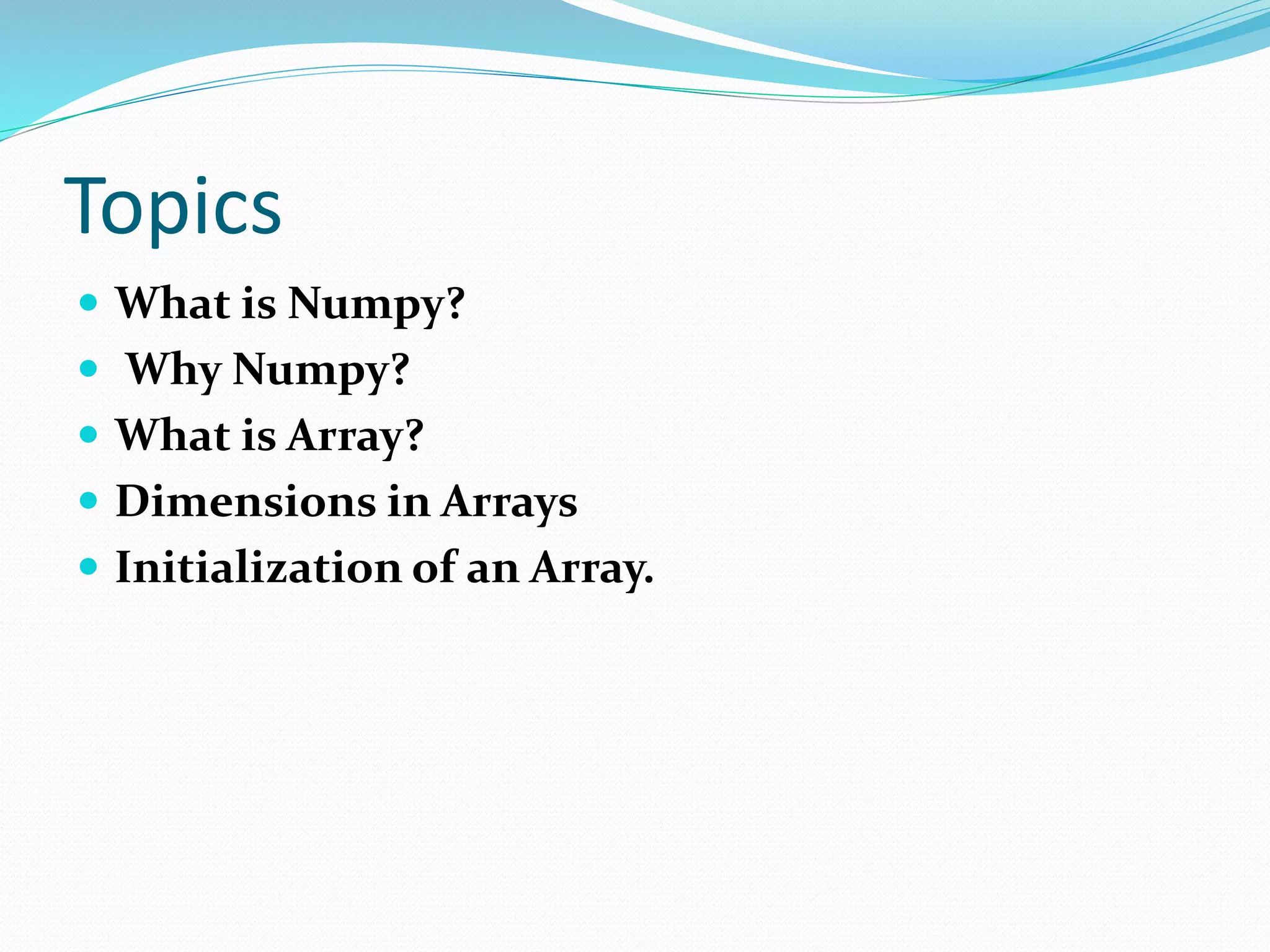
What is NumericalPython?
NumPy is the fundamental package for scientific
computing with Python.
A powerful N-dimensional array object
Sophisticated (broadcasting) functions
Tools for integrating C/C++ and Fortran code
Useful linear algebra, Fourier transform, and random
number capabilities
5.
Why NumPy?
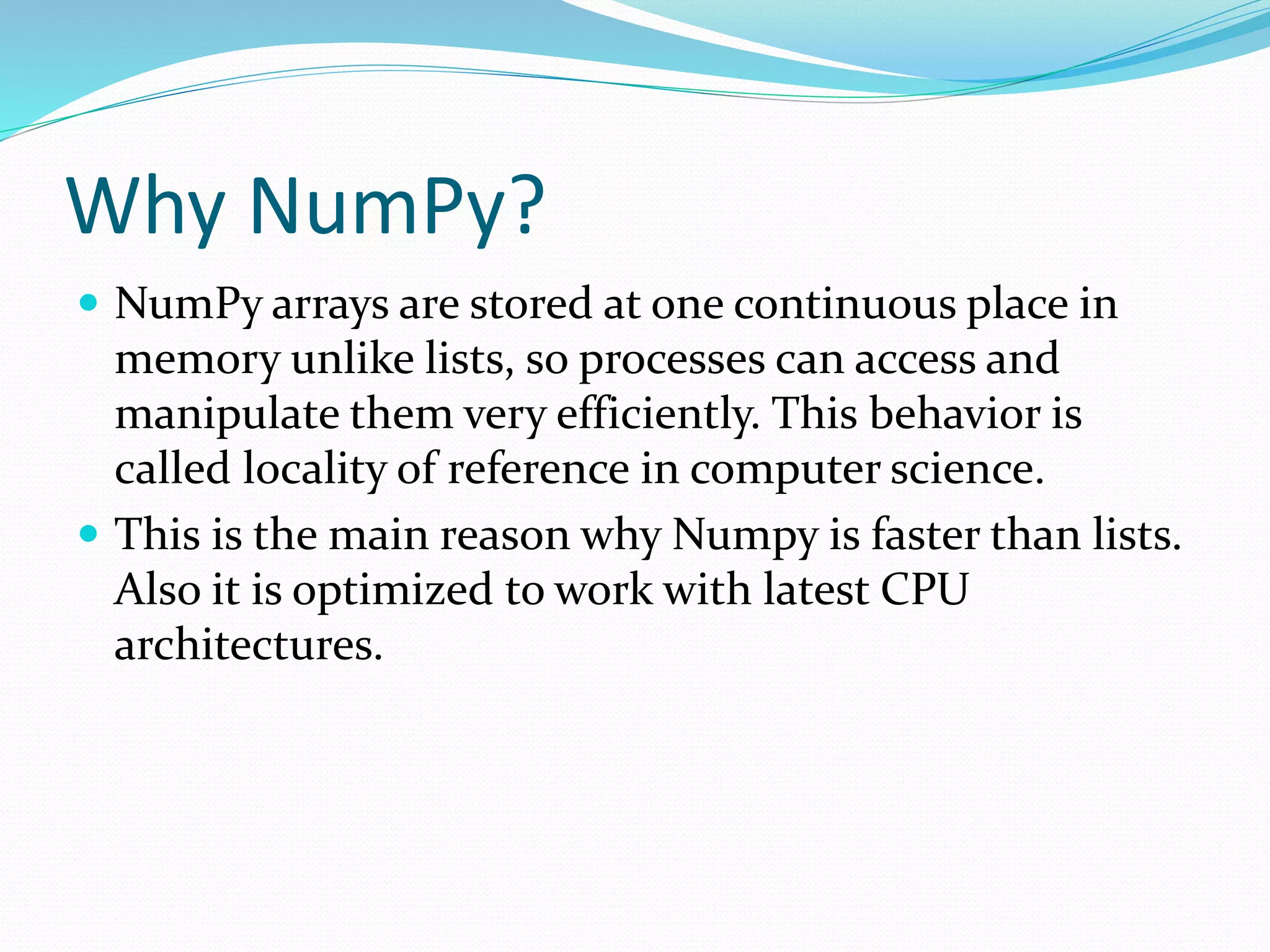
NumPyarrays are stored at one continuous place in
memory unlike lists, so processes can access and
manipulate them very efficiently. This behavior is
called locality of reference in computer science.
This is the main reason why Numpy is faster than lists.
Also it is optimized to work with latest CPU
architectures.
6.
Arrays
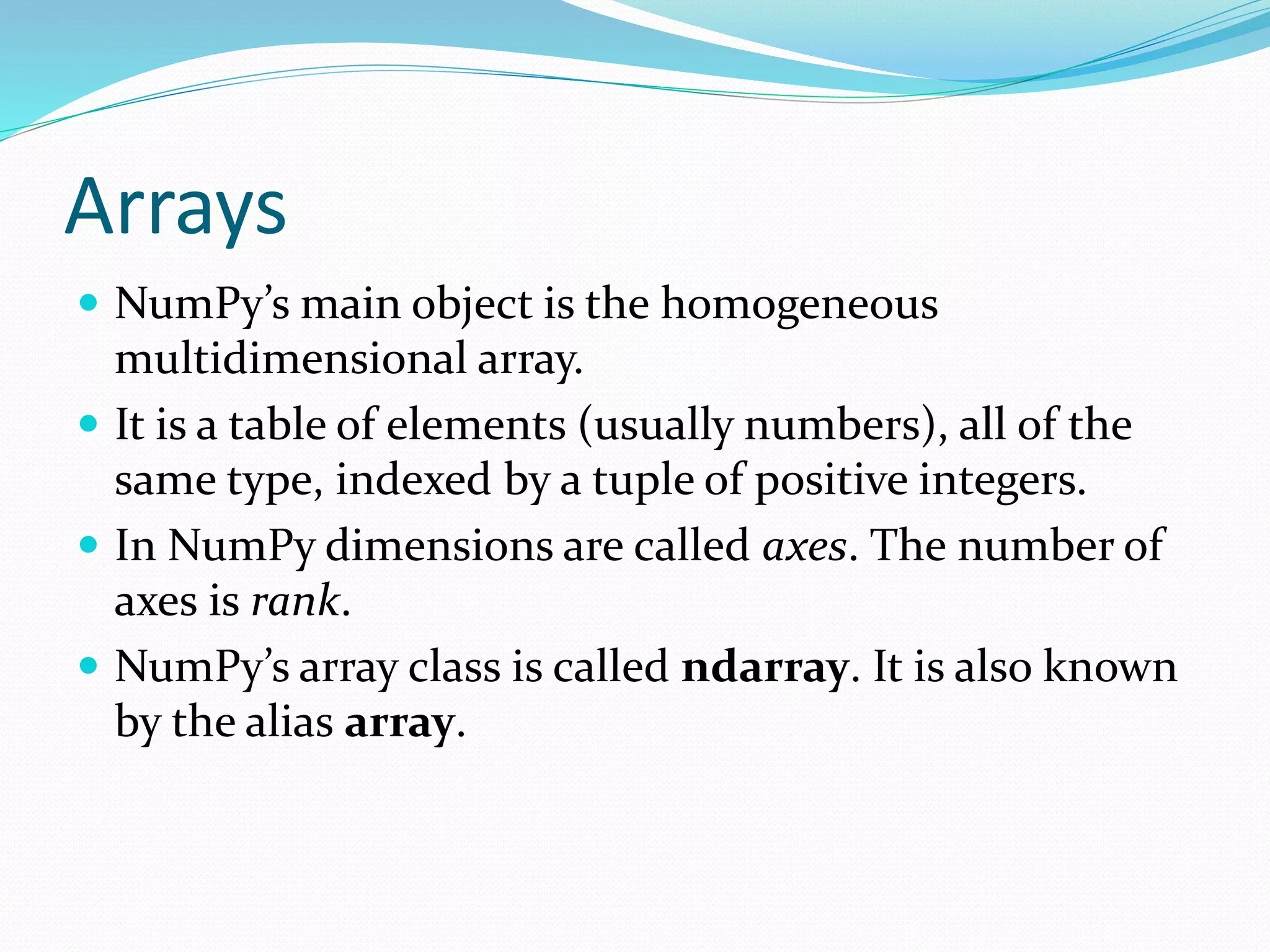
NumPy’s mainobject is the homogeneous
multidimensional array.
It is a table of elements (usually numbers), all of the
same type, indexed by a tuple of positive integers.
In NumPy dimensions are called axes. The number of
axes is rank.
NumPy’s array class is called ndarray. It is also known
by the alias array.
7.
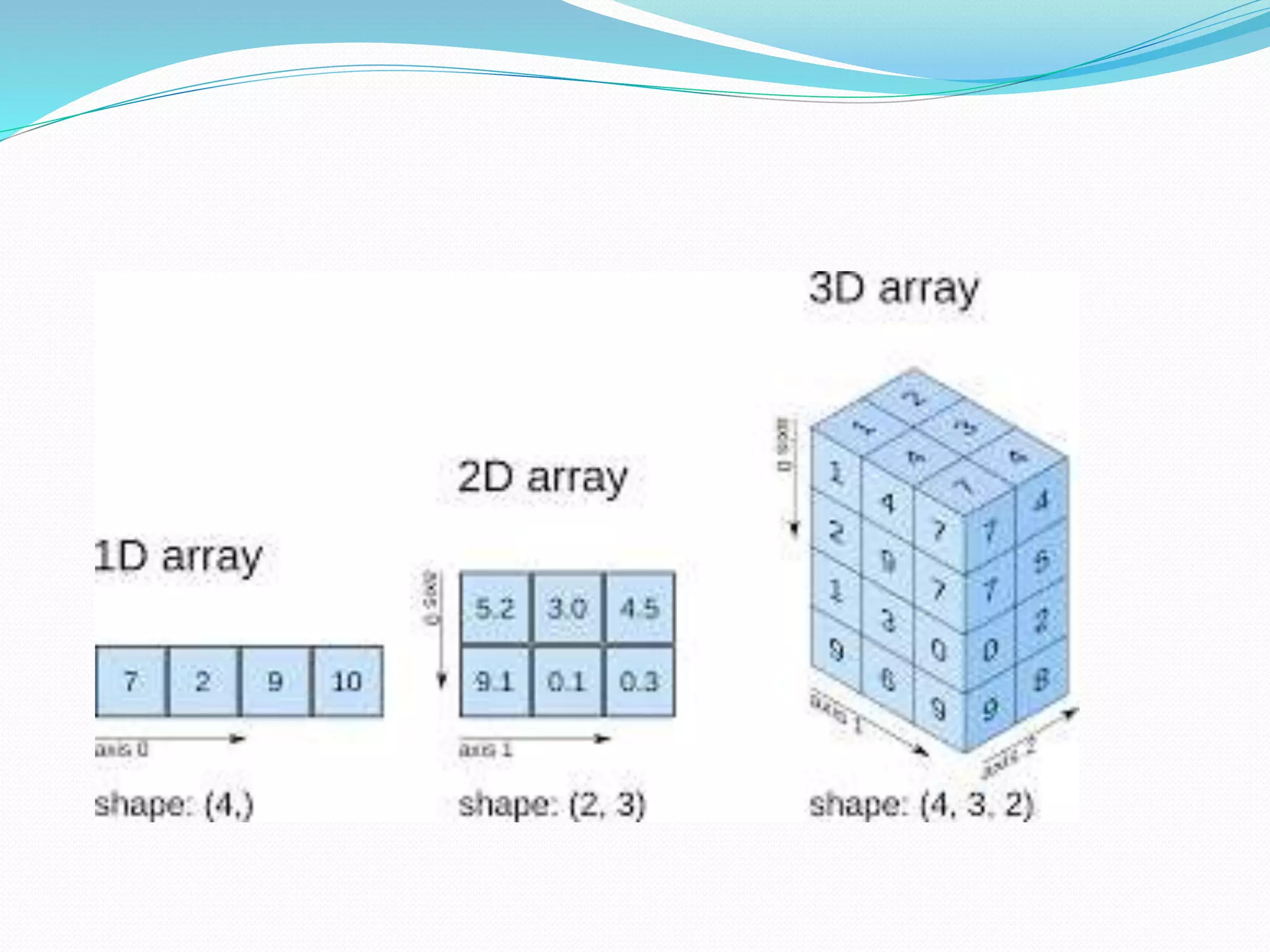
Dimensions in Arrays
A dimension in arrays is one level of array depth
1-D Arrays
An array that has 0-D arrays as its elements is called
uni-dimensional or 1-D array.These are the most
common and basic arrays.
import numpy as np
arr = np.array([1, 2, 3, 4, 5])
print(arr)
9.
2-D Arrays
Anarray that has 1-D arrays as its elements is called a
2-D array.These are often used to represent matrix or
2nd order tensors.
import numpy as np
arr = np.array([[1, 2, 3], [4, 5, 6]])
print(arr)
10.
3-D arrays
Anarray that has 2-D arrays (matrices) as its elements
is called 3-D array.These are often used to represent a
3rd order tensor.
import numpy as np
arr = np.array([[[1, 2, 3], [4, 5, 6]], [[1, 2, 3], [4, 5, 6]]])
print(arr)
11.
INITIALIZTION
np.array([1,2,3]) 1d array
np.array([(1,2,3),(4,5,6)])2d array
np.arange(start,stop,step) range array
np.linspace(0,2,9)
Add evenly spaced values btw interval to array of
length
np.zeros((1,2)) Create and array filled with zeros
np.ones((1,2)) Creates an array filled with ones
np.random.random((5,5)) Creates random array
np.empty((2,2)) Creates an empty array
12.
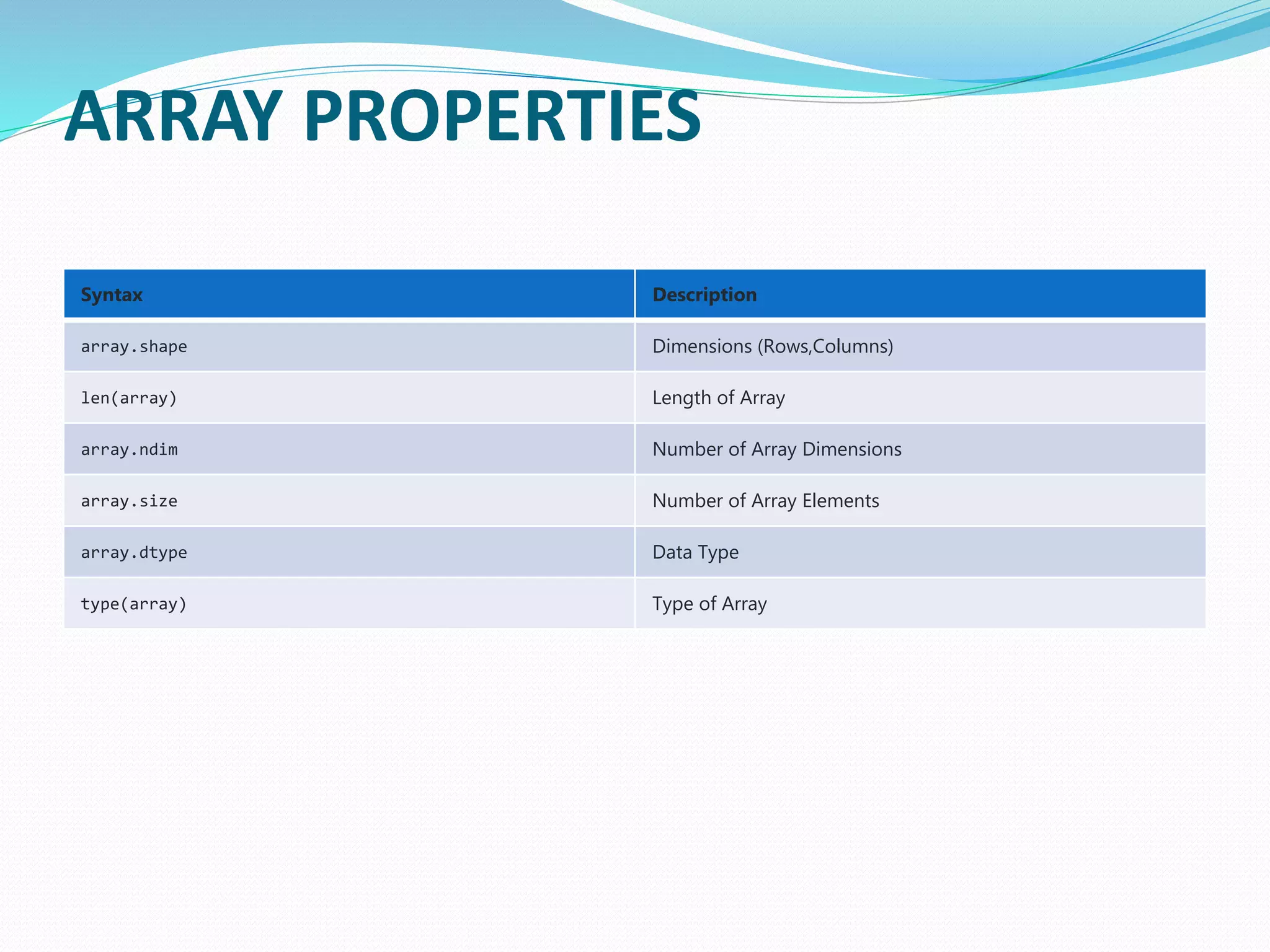
ARRAY PROPERTIES
Syntax Description
array.shapeDimensions (Rows,Columns)
len(array) Length of Array
array.ndim Number of Array Dimensions
array.size Number of Array Elements
array.dtype Data Type
type(array) Type of Array
Operations
Operator Description
np.add(x,y)
x +y
Addition
np.substract(x,y)
x – y
Subtraction
np.divide(x,y)
x / y
Division
np.multiply(x,y)
x @ y
Multiplication
np.sqrt(x) Square Root
np.sin(x) Element-wise sine
np.cos(x) Element-wise cosine
np.log(x) Element-wise natural log
np.dot(x,y) Dot product
np.roots([1,0,-4]) Roots of a given polynomial coefficients
![Dimensions in Arrays
A dimension in arrays is one level of array depth
1-D Arrays
An array that has 0-D arrays as its elements is called
uni-dimensional or 1-D array.These are the most
common and basic arrays.
import numpy as np
arr = np.array([1, 2, 3, 4, 5])
print(arr)](https://image.slidesharecdn.com/numpy-200828122621/75/Numpy-7-2048.jpg)
![2-D Arrays
An array that has 1-D arrays as its elements is called a
2-D array.These are often used to represent matrix or
2nd order tensors.
import numpy as np
arr = np.array([[1, 2, 3], [4, 5, 6]])
print(arr)](https://image.slidesharecdn.com/numpy-200828122621/75/Numpy-9-2048.jpg)
![3-D arrays
An array that has 2-D arrays (matrices) as its elements
is called 3-D array.These are often used to represent a
3rd order tensor.
import numpy as np
arr = np.array([[[1, 2, 3], [4, 5, 6]], [[1, 2, 3], [4, 5, 6]]])
print(arr)](https://image.slidesharecdn.com/numpy-200828122621/75/Numpy-10-2048.jpg)
![INITIALIZTION
np.array([1,2,3]) 1d array
np.array([(1,2,3),(4,5,6)]) 2d array
np.arange(start,stop,step) range array
np.linspace(0,2,9)
Add evenly spaced values btw interval to array of
length
np.zeros((1,2)) Create and array filled with zeros
np.ones((1,2)) Creates an array filled with ones
np.random.random((5,5)) Creates random array
np.empty((2,2)) Creates an empty array](https://image.slidesharecdn.com/numpy-200828122621/75/Numpy-11-2048.jpg)
![Operations
Operator Description
np.add(x,y)
x + y
Addition
np.substract(x,y)
x – y
Subtraction
np.divide(x,y)
x / y
Division
np.multiply(x,y)
x @ y
Multiplication
np.sqrt(x) Square Root
np.sin(x) Element-wise sine
np.cos(x) Element-wise cosine
np.log(x) Element-wise natural log
np.dot(x,y) Dot product
np.roots([1,0,-4]) Roots of a given polynomial coefficients](https://image.slidesharecdn.com/numpy-200828122621/75/Numpy-14-2048.jpg)


![Introduction to Pandas and Time Series Analysis [PyCon DE]](https://cdn.slidesharecdn.com/ss_thumbnails/introductiontopandasandtimeseriesanalysispyconde-170617163724-thumbnail.jpg?width=640&height=640&fit=bounds)


![NUMPY [Autosaved] .pptx](https://cdn.slidesharecdn.com/ss_thumbnails/numpyautosaved-240106041504-989a0cc3-thumbnail.jpg?width=640&height=640&fit=bounds)


![[DSC Europe 25] Dusan Jovicic - AI Story: From on-prem to cloud and back agai...](https://cdn.slidesharecdn.com/ss_thumbnails/8kp49m6uq22ifnbwhfnk-2-251205085715-964d11a6-thumbnail.jpg?width=640&height=640&fit=bounds)
![[DSC Europe 25] Max Talanov - Non digital NNs.pptx](https://cdn.slidesharecdn.com/ss_thumbnails/wif8tr3gtua74qvtopke-non-digital-nns-251205090438-26b0eea6-thumbnail.jpg?width=640&height=640&fit=bounds)
![[DSC Europe 25] Jim Sterne - Adopting Generative AI Capabilities Into the Ent...](https://cdn.slidesharecdn.com/ss_thumbnails/sxhpofuorcagxsaulkmt-3-251204082258-7e66bc48-thumbnail.jpg?width=640&height=640&fit=bounds)
![[DSC Europe 25] Dragana Ilic - AI for Big Data in Astronomy.pptx](https://cdn.slidesharecdn.com/ss_thumbnails/8palya86qaatvjhva1ms-2-dragana-ilic-ai-ilic-251208151906-652b819c-thumbnail.jpg?width=640&height=640&fit=bounds)

![[DSC Europe 25] Vid Stimac - Policy Parsimony: Between Oversimplifying and Ov...](https://cdn.slidesharecdn.com/ss_thumbnails/eqlepagzqp2rhg3gbluh-dsc-stimac-251120-251205090438-059e7f54-thumbnail.jpg?width=640&height=640&fit=bounds)
![[DSC Europe 25] Petar Zivanov - AI meets documents From chatbots to AI-powere...](https://cdn.slidesharecdn.com/ss_thumbnails/xer2bb6nrdc8pdpev0pc-8-251204082258-7c2fa4a1-thumbnail.jpg?width=640&height=640&fit=bounds)

![[DSC Europe 25] Marija Vlajkovic & Andrea Radonjanin - Integration of AI tool...](https://cdn.slidesharecdn.com/ss_thumbnails/qf1jrglttoc3bm8s3aop-final-integration-of-ai-tools-251208151905-394f3a6a-thumbnail.jpg?width=640&height=640&fit=bounds)


![[DSC Europe 25] Bogdan Daniel Maruneac - AI - It starts with you.pptx](https://cdn.slidesharecdn.com/ss_thumbnails/odov3snhrcqs9hx5ny2n-4-251205085715-f1daacfe-thumbnail.jpg?width=640&height=640&fit=bounds)