Note it!!
        Ching-Chieh Huang
           Po-Neng Chang
             Chen-Fu Fang
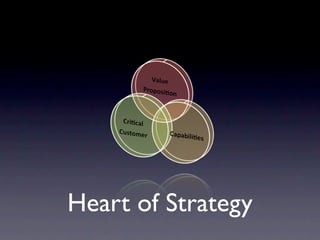
Heart of Strategy
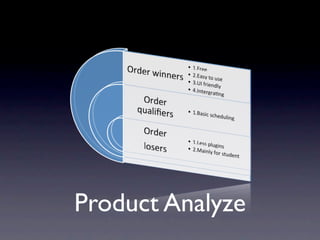
Product Analyze
Review
Our Goal
• A refine interface and friendly operation
  for iPhone users.
• Clear table design and beautiful GUI.
• Free app for students.
• More dynamic table with flexibility.
• Easy to plan your life.
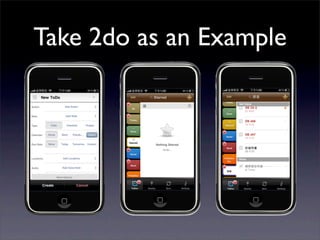
Take 2do as an Example
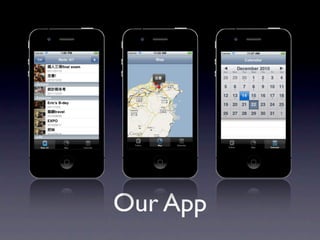
Our App
Icon
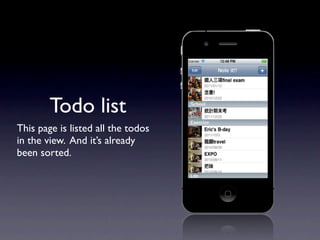
Todo list
This page is listed all the todos
in the view. And it’s already
been sorted.
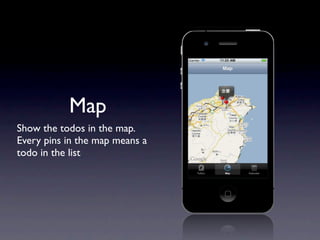
Map
Show the todos in the map.
Every pins in the map means a
todo in the list
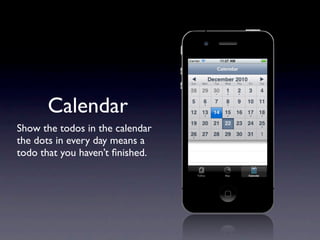
Calendar
Show the todos in the calendar
the dots in every day means a
todo that you haven’t finished.
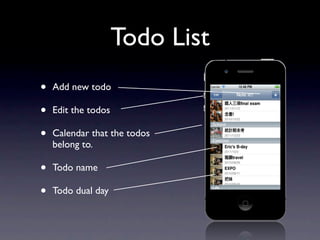
Todo List
•   Add new todo

•   Edit the todos

•   Calendar that the todos
    belong to.

•   Todo name

•   Todo dual day
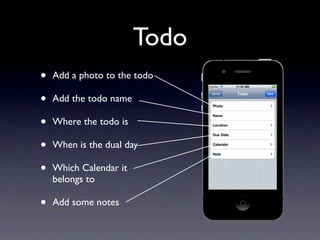
Todo
•   Add a photo to the todo

•   Add the todo name

•   Where the todo is

•   When is the dual day

•   Which Calendar it
    belongs to

•   Add some notes
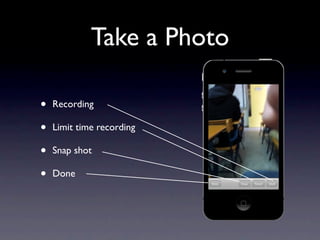
Take a Photo

•   Recording

•   Limit time recording

•   Snap shot

•   Done
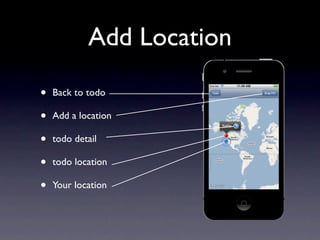
Add Location

•   Back to todo

•   Add a location

•   todo detail

•   todo location

•   Your location
Demo
Q&A

Note it

  • 1.
    Note it!! Ching-Chieh Huang Po-Neng Chang Chen-Fu Fang
  • 2.
  • 3.
  • 4.
  • 5.
    Our Goal • Arefine interface and friendly operation for iPhone users. • Clear table design and beautiful GUI. • Free app for students. • More dynamic table with flexibility. • Easy to plan your life.
  • 6.
    Take 2do asan Example
  • 7.
  • 8.
  • 9.
    Todo list This pageis listed all the todos in the view. And it’s already been sorted.
  • 10.
    Map Show the todosin the map. Every pins in the map means a todo in the list
  • 11.
    Calendar Show the todosin the calendar the dots in every day means a todo that you haven’t finished.
  • 12.
    Todo List • Add new todo • Edit the todos • Calendar that the todos belong to. • Todo name • Todo dual day
  • 13.
    Todo • Add a photo to the todo • Add the todo name • Where the todo is • When is the dual day • Which Calendar it belongs to • Add some notes
  • 14.
    Take a Photo • Recording • Limit time recording • Snap shot • Done
  • 15.
    Add Location • Back to todo • Add a location • todo detail • todo location • Your location
  • 16.
  • 17.