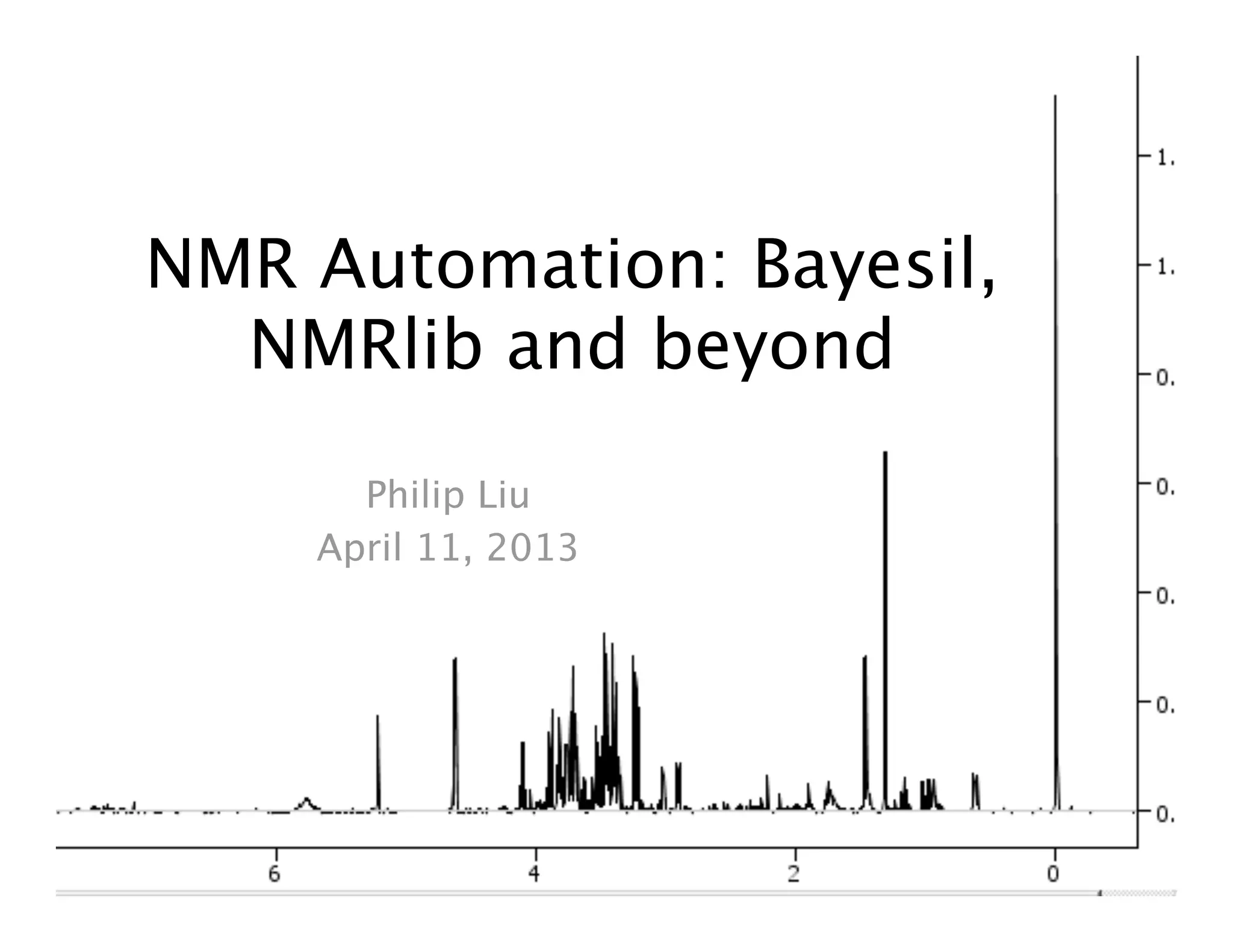
NMR Automation: Bayesil,
NMRlib and beyond
Philip Liu
April 11, 2013
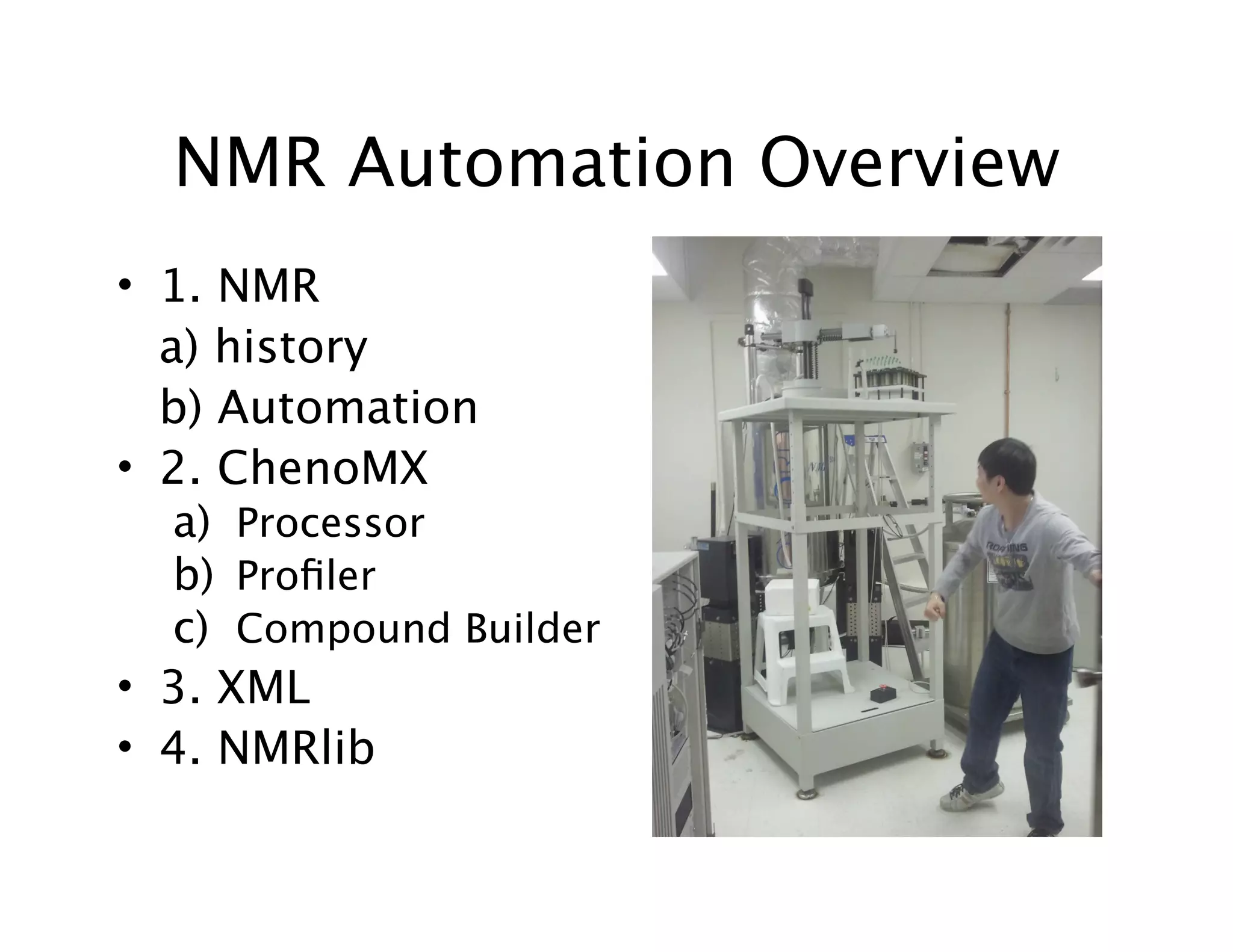
NMR Automation Overview
• 1. NMR

 a) history

 b) Automation
• 2. ChenoMX
a) Processor
b) Profiler
c) Compound Builder
• 3. XML
• 4. NMRlib
1. NMR History
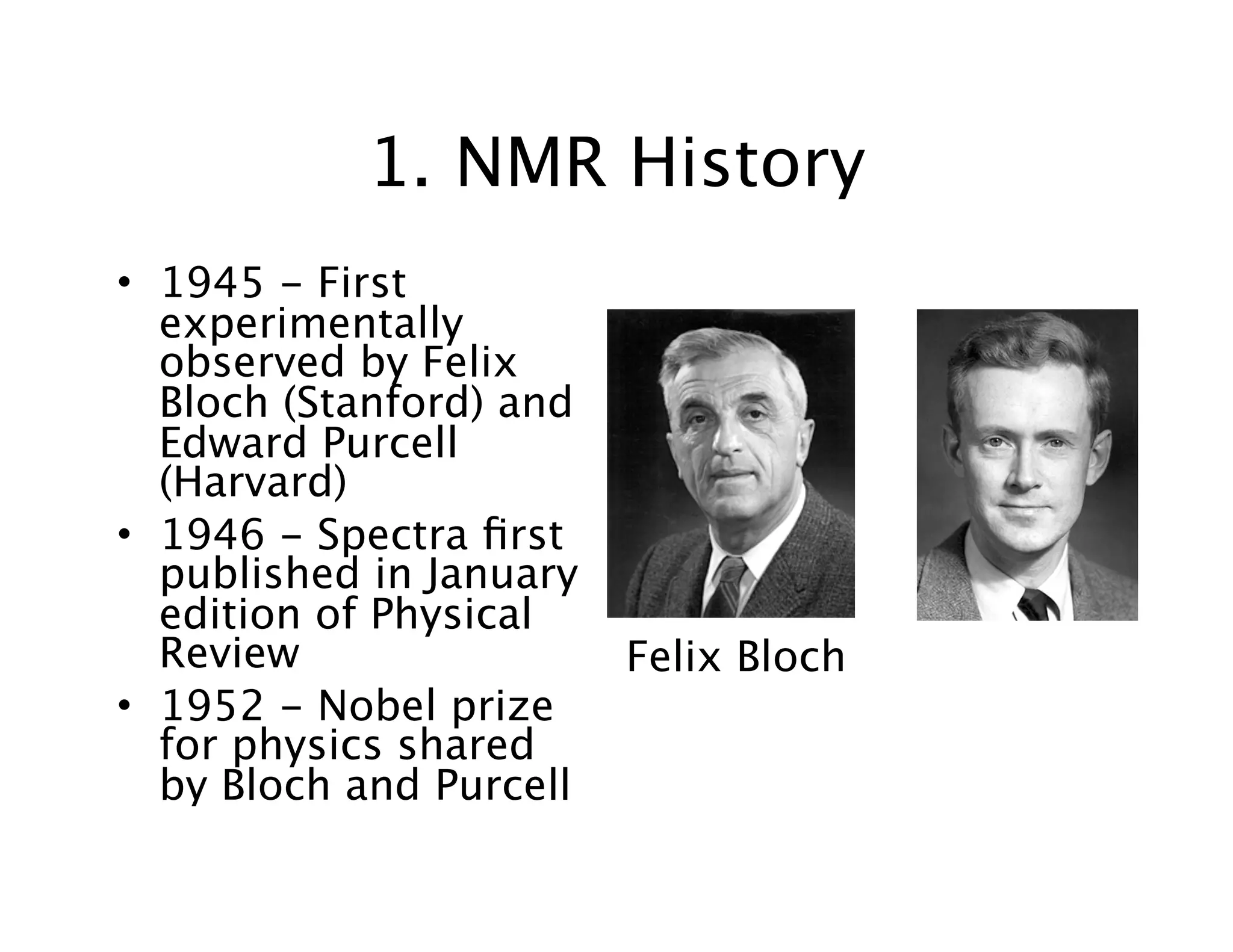
• 1945 - First
experimentally
observed by Felix
Bloch (Stanford) and
Edward Purcell
(Harvard)
• 1946 - Spectra first
published in January
edition of Physical
Review
• 1952 - Nobel prize
for physics shared
by Bloch and Purcell
Felix Bloch
NMR (Nuclear Magnetic
Resonance)
• Nuclei of atomic isotopes (1H, 13C, 31P, 15N,
29Si etc.) interact with a static magnetic field
• Magnetic field makes spin states of nuclei
differ in energy, and transitions between
energy states can be observed
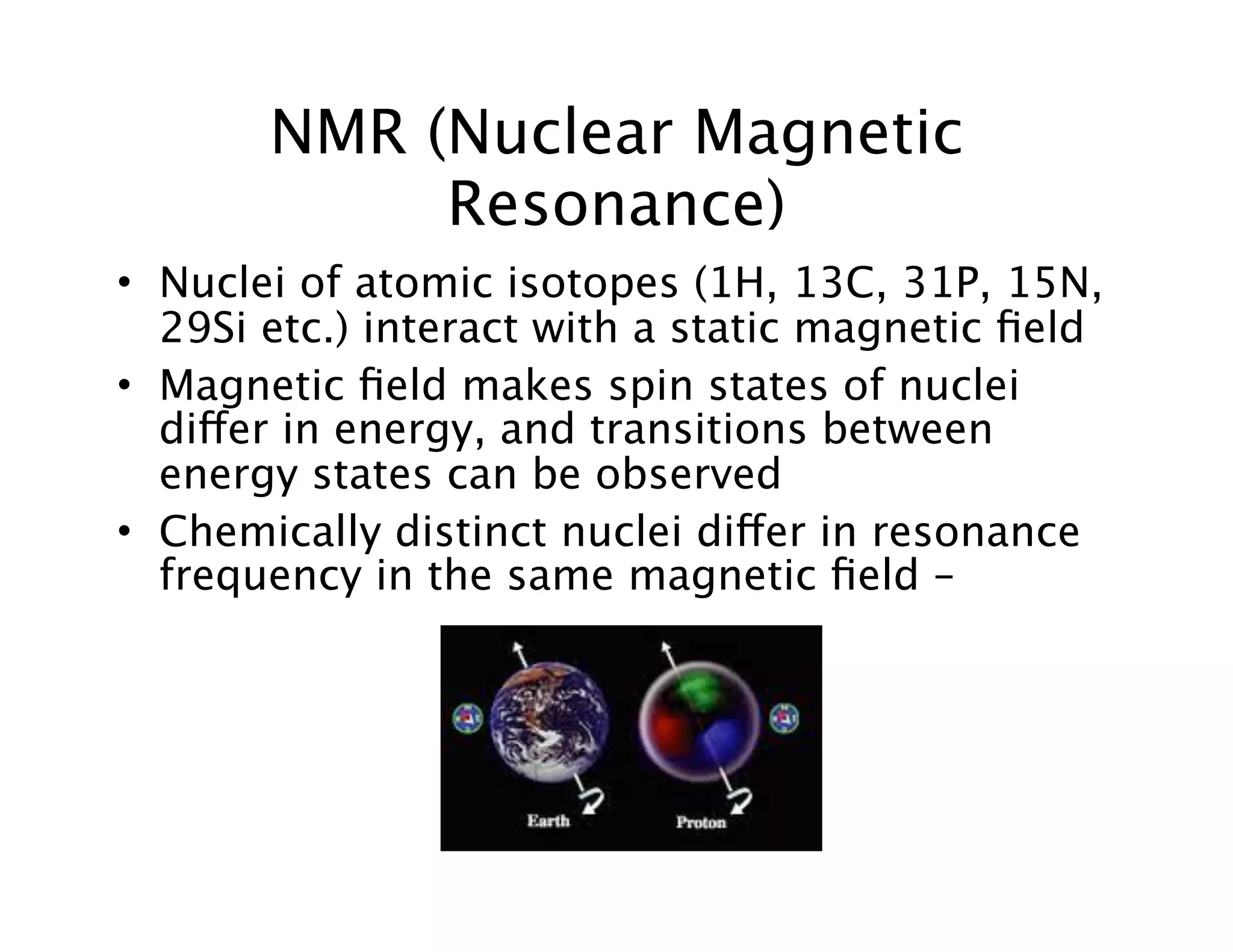
• Chemically distinct nuclei differ in resonance
frequency in the same magnetic field –
NMR
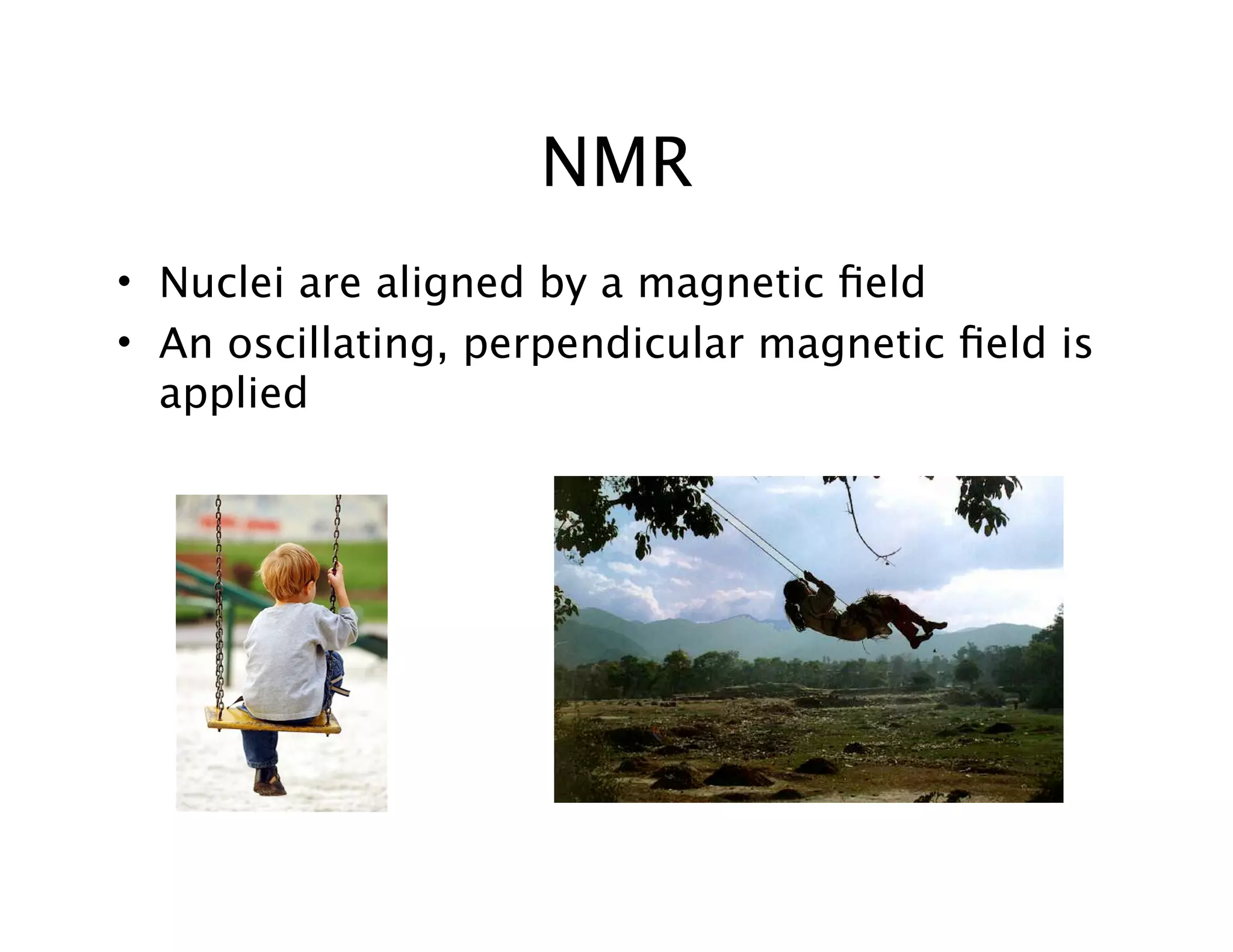
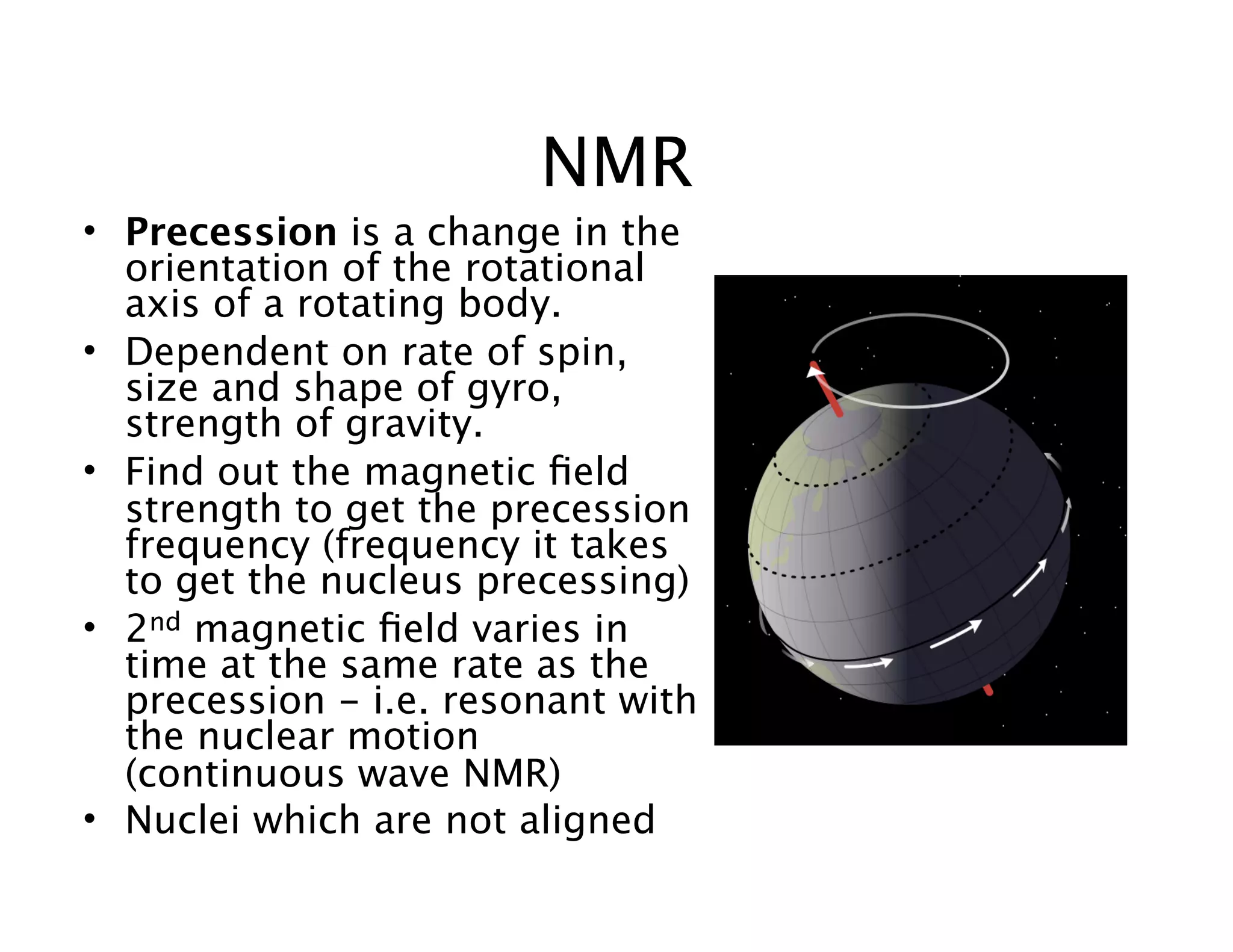
• Nuclei are aligned by a magnetic field
• An oscillating, perpendicular magnetic field is
applied
NMR
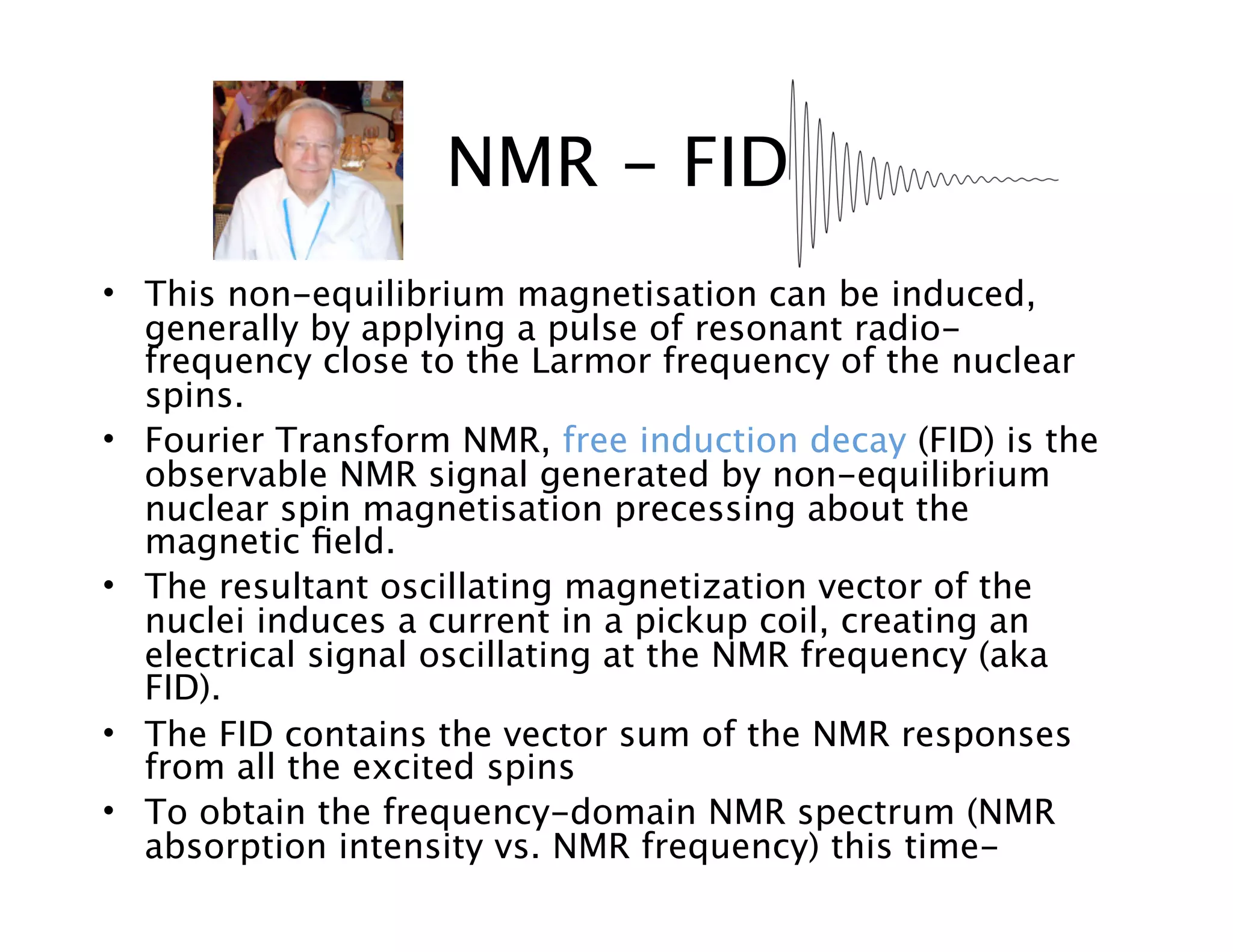
• Precession is a change in the
orientation of the rotational
axis of a rotating body.
• Dependent on rate of spin,
size and shape of gyro,
strength of gravity.
• Find out the magnetic field
strength to get the precession
frequency (frequency it takes
to get the nucleus precessing)
• 2nd magnetic field varies in
time at the same rate as the
precession - i.e. resonant with
the nuclear motion
(continuous wave NMR)
• Nuclei which are not aligned
• This non-equilibrium magnetisation can be induced,
generally by applying a pulse of resonant radio-
frequency close to the Larmor frequency of the nuclear
spins.
• Fourier Transform NMR, free induction decay (FID) is the
observable NMR signal generated by non-equilibrium
nuclear spin magnetisation precessing about the
magnetic field.
• The resultant oscillating magnetization vector of the
nuclei induces a current in a pickup coil, creating an
electrical signal oscillating at the NMR frequency (aka
FID).
• The FID contains the vector sum of the NMR responses
from all the excited spins
• To obtain the frequency-domain NMR spectrum (NMR
absorption intensity vs. NMR frequency) this time-
NMR - FID
NMR Spectra
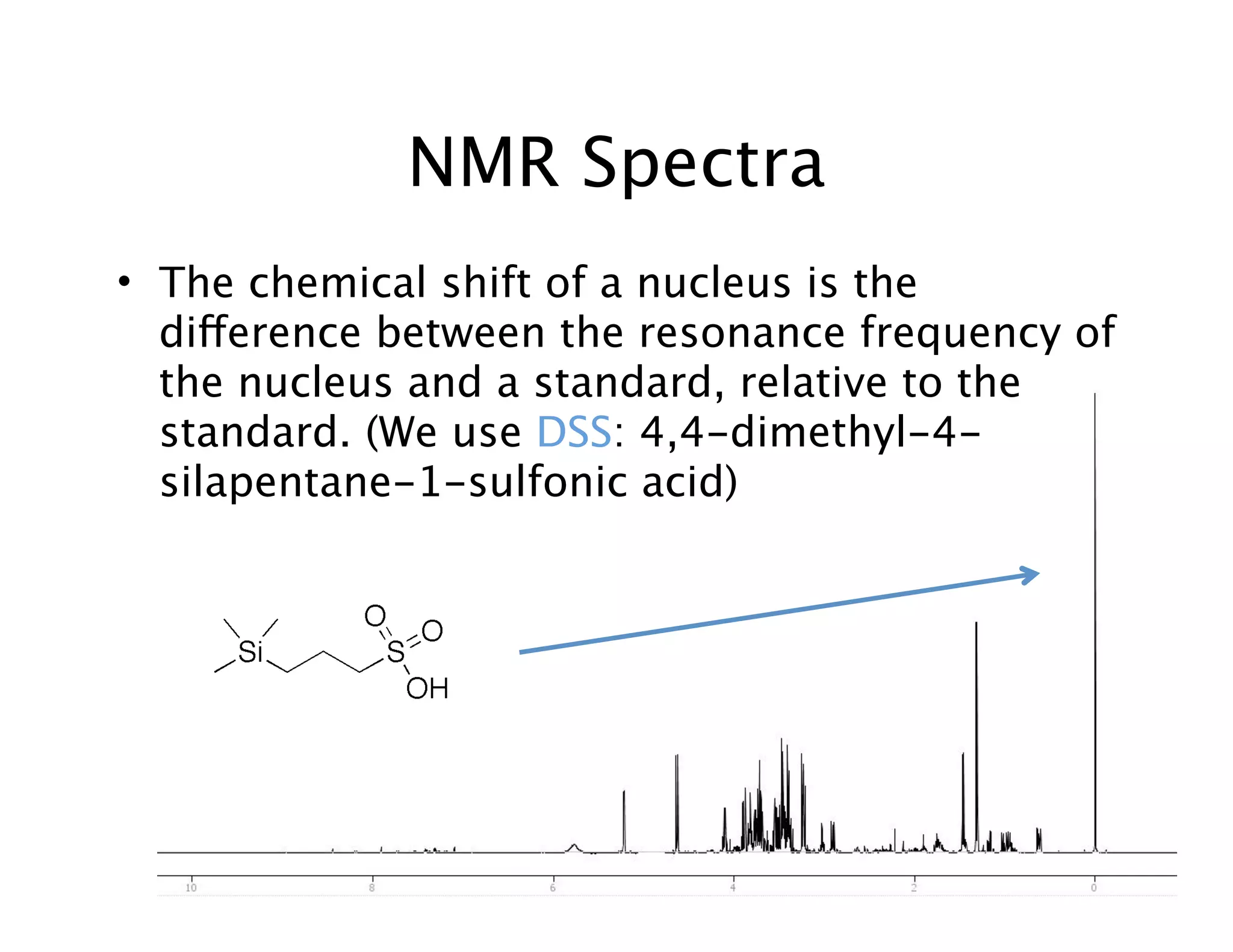
• The chemical shift of a nucleus is the
difference between the resonance frequency of
the nucleus and a standard, relative to the
standard. (We use DSS: 4,4-dimethyl-4-
silapentane-1-sulfonic acid)
NMR Automation
• Why Automation?
-time: countless hours
spent processing/
profiling spectra
-inconsistencies between
different users (user
bias)
-misidentification in
profiling
-user fatigue results in
profiling errors
NMR Automation
Automation
-time: Faster (minutes vs.
hours)
-consistent profiling
-misidentification also
consistent, can correct
and re-run spectra
(saves time – hopefully!)
-fatigue is negligible
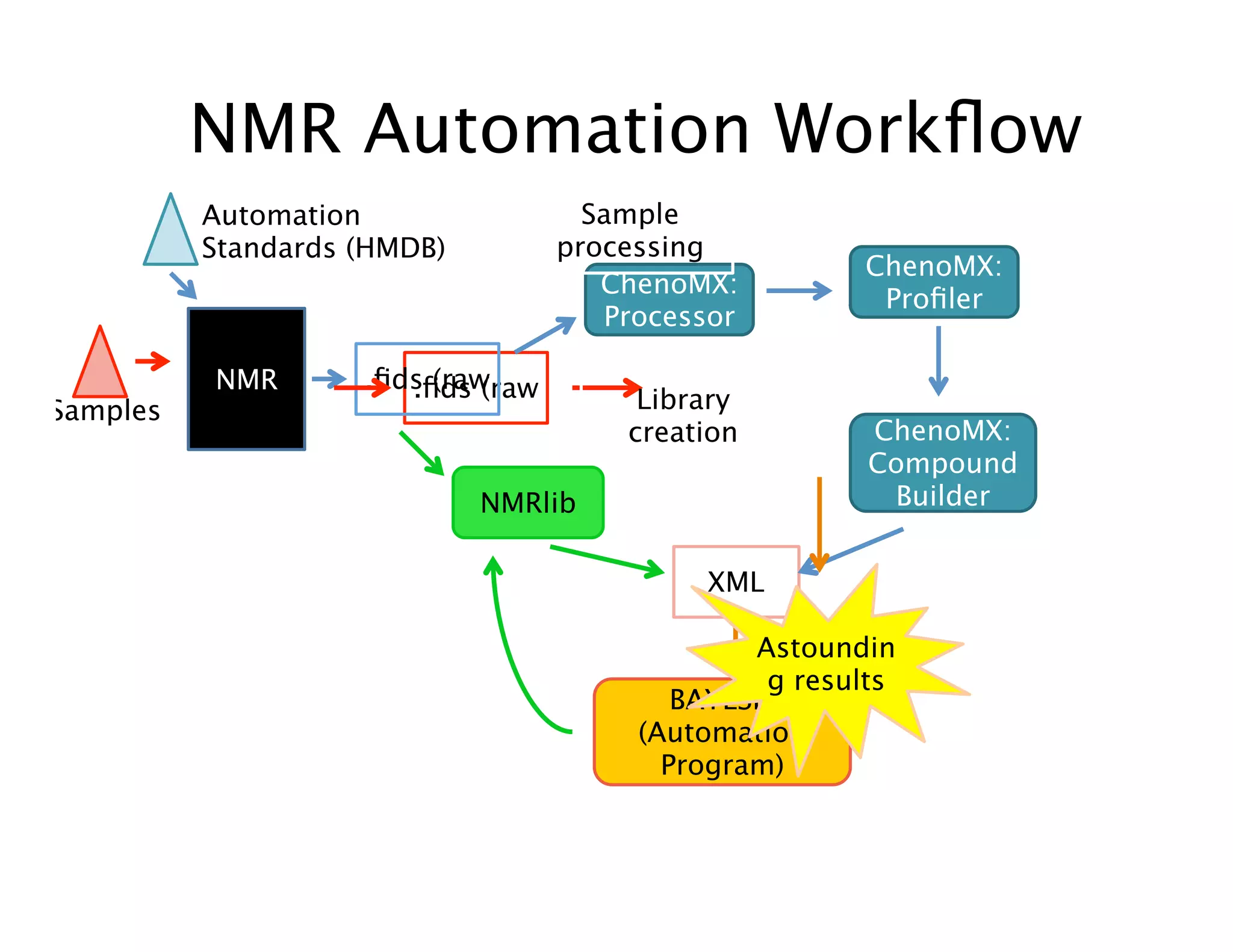
NMR Automation Workflow
ChenoMX:
Processor
NMRlib
ChenoMX:
Profiler
NMR
XML
Automation
Standards (HMDB)
Samples
BAYESIL
(Automation
Program)
.fids (raw
ChenoMX:
Compound
Builder
.fids (raw
Astoundin
g results
Library
creation
Sample
processing
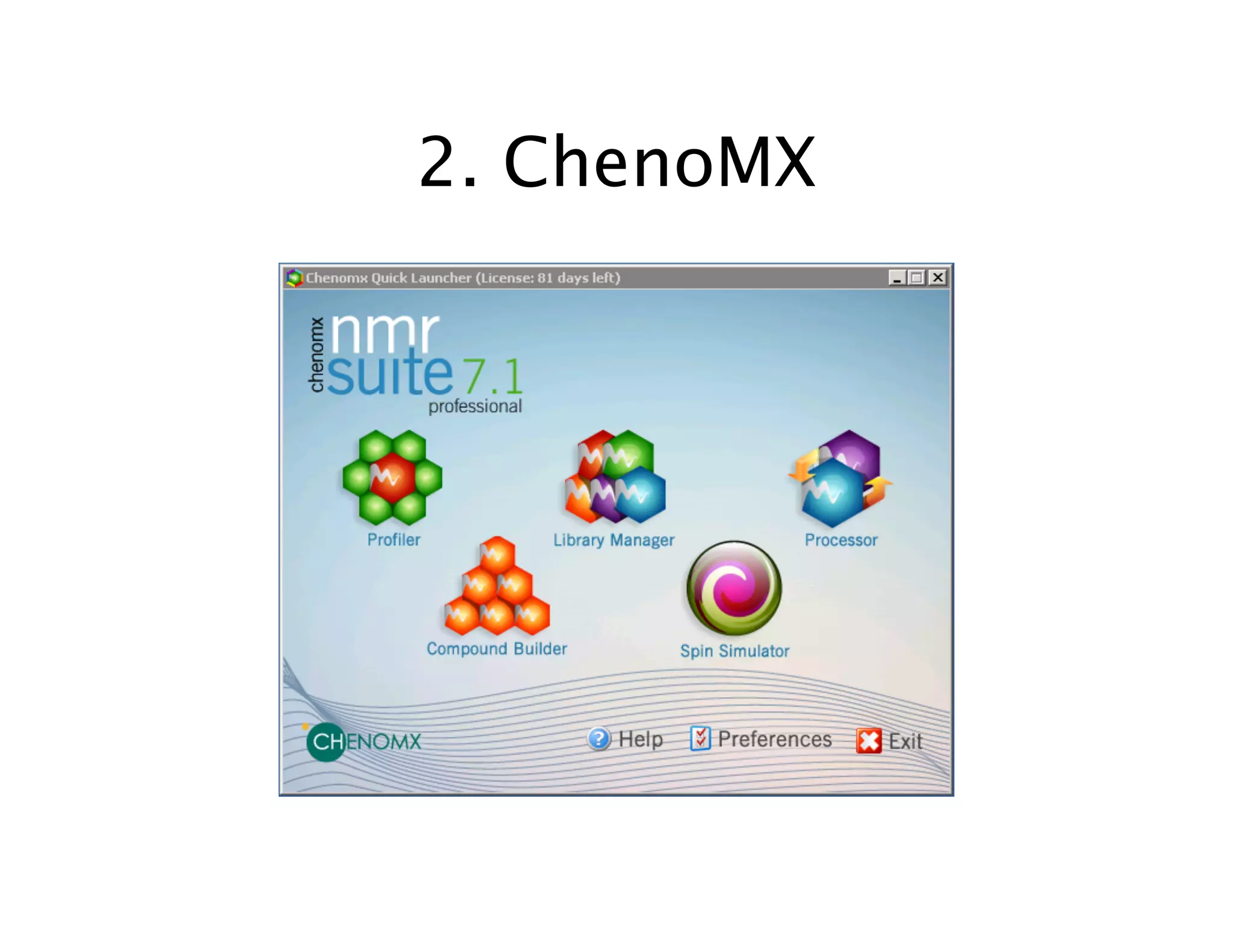
2. ChenoMX
ChenoMX Processor Overview
(Pre-processing)
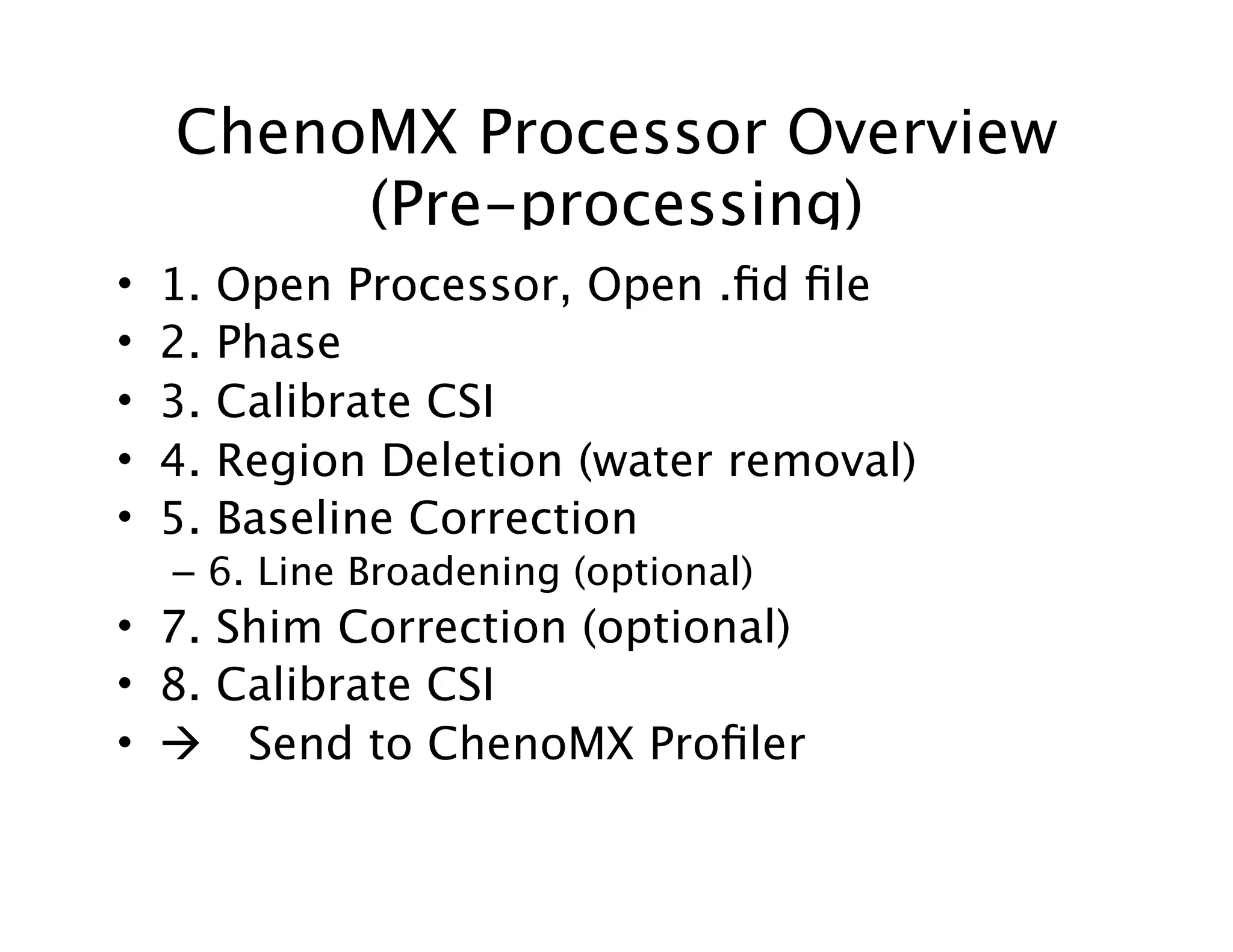
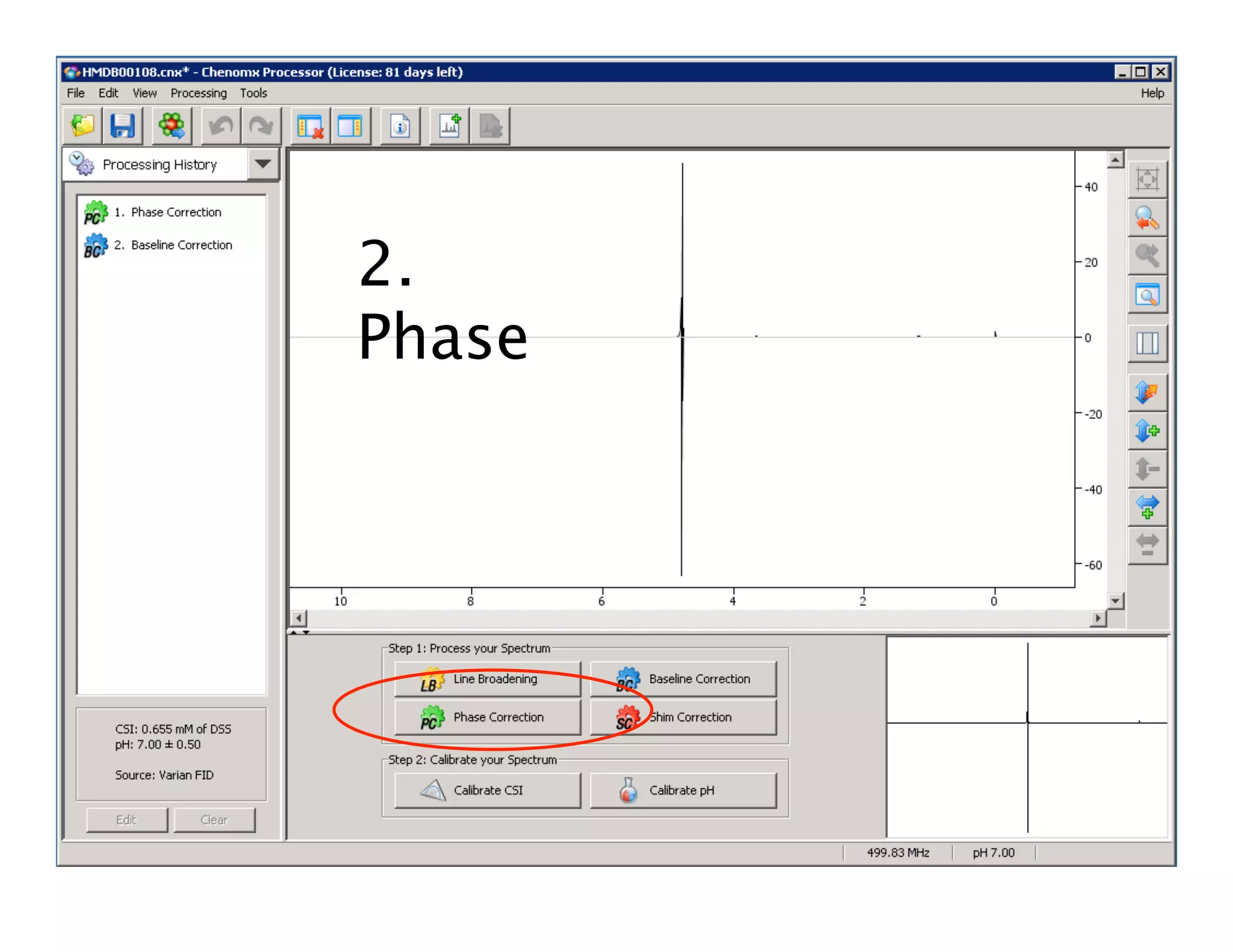
• 1. Open Processor, Open .fid file
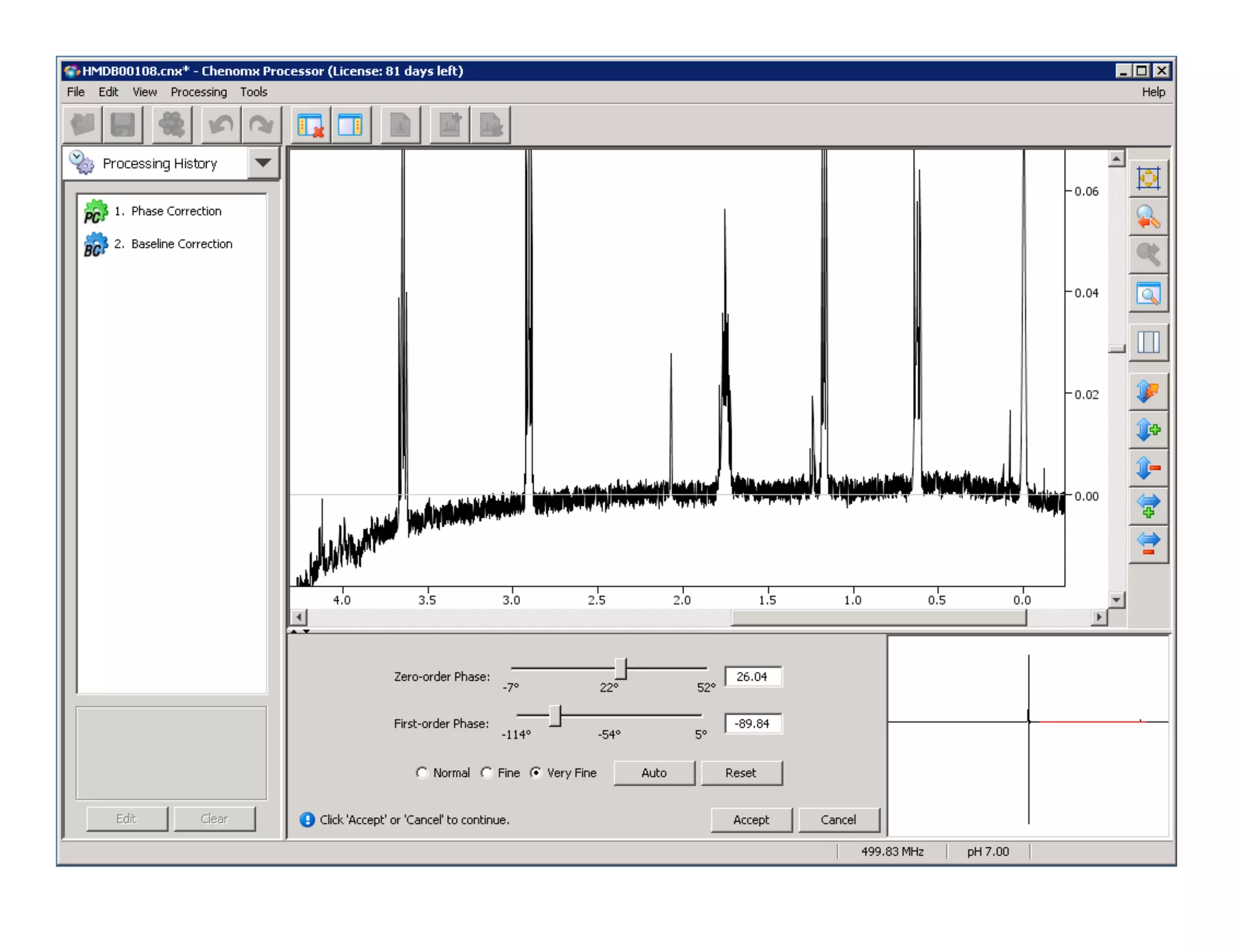
• 2. Phase
• 3. Calibrate CSI
• 4. Region Deletion (water removal)
• 5. Baseline Correction
– 6. Line Broadening (optional)
• 7. Shim Correction (optional)
• 8. Calibrate CSI
•  Send to ChenoMX Profiler
ChenoMX Processor
• Pre-processing of raw NMR files (.fid)
• .cnx files
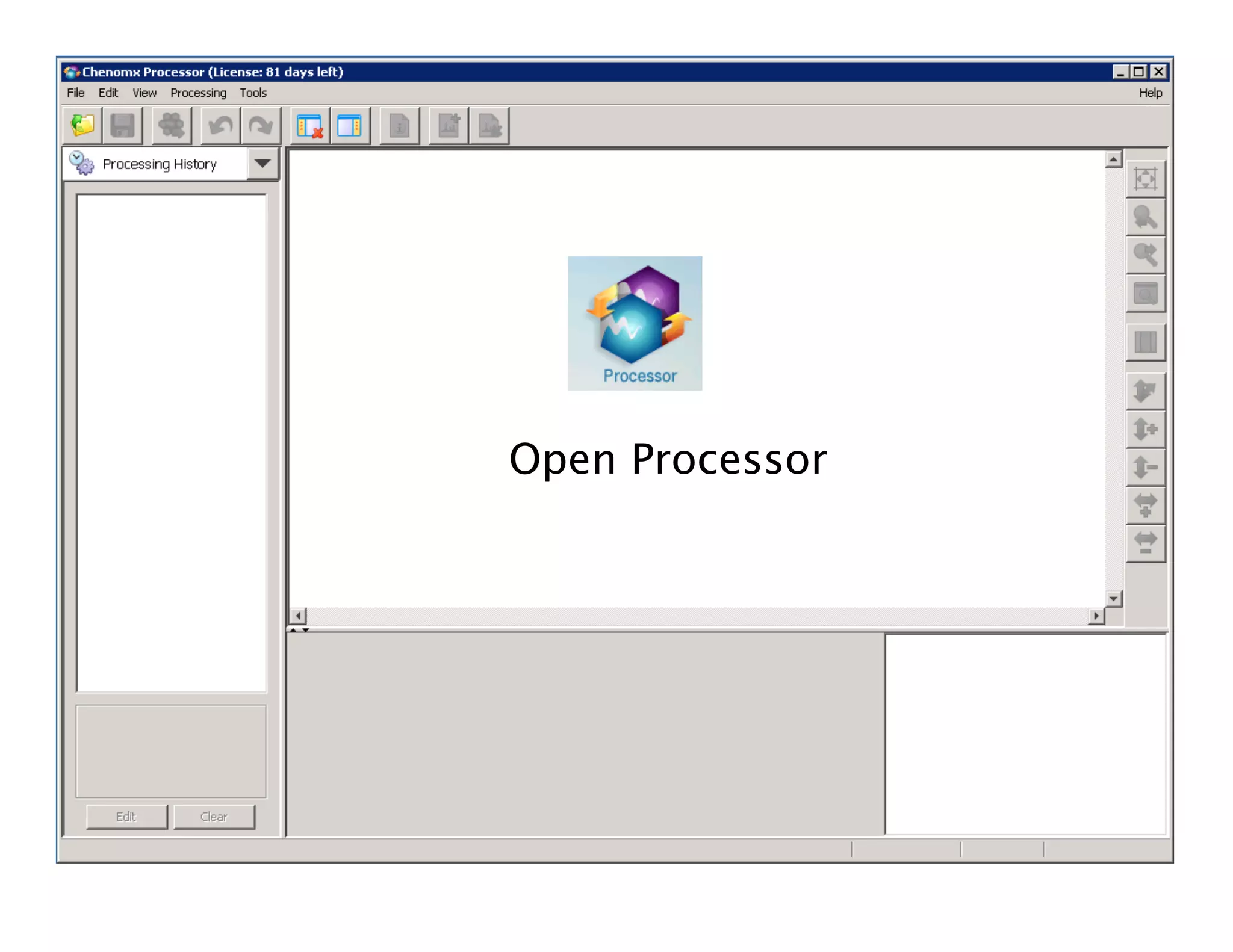
Open Processor
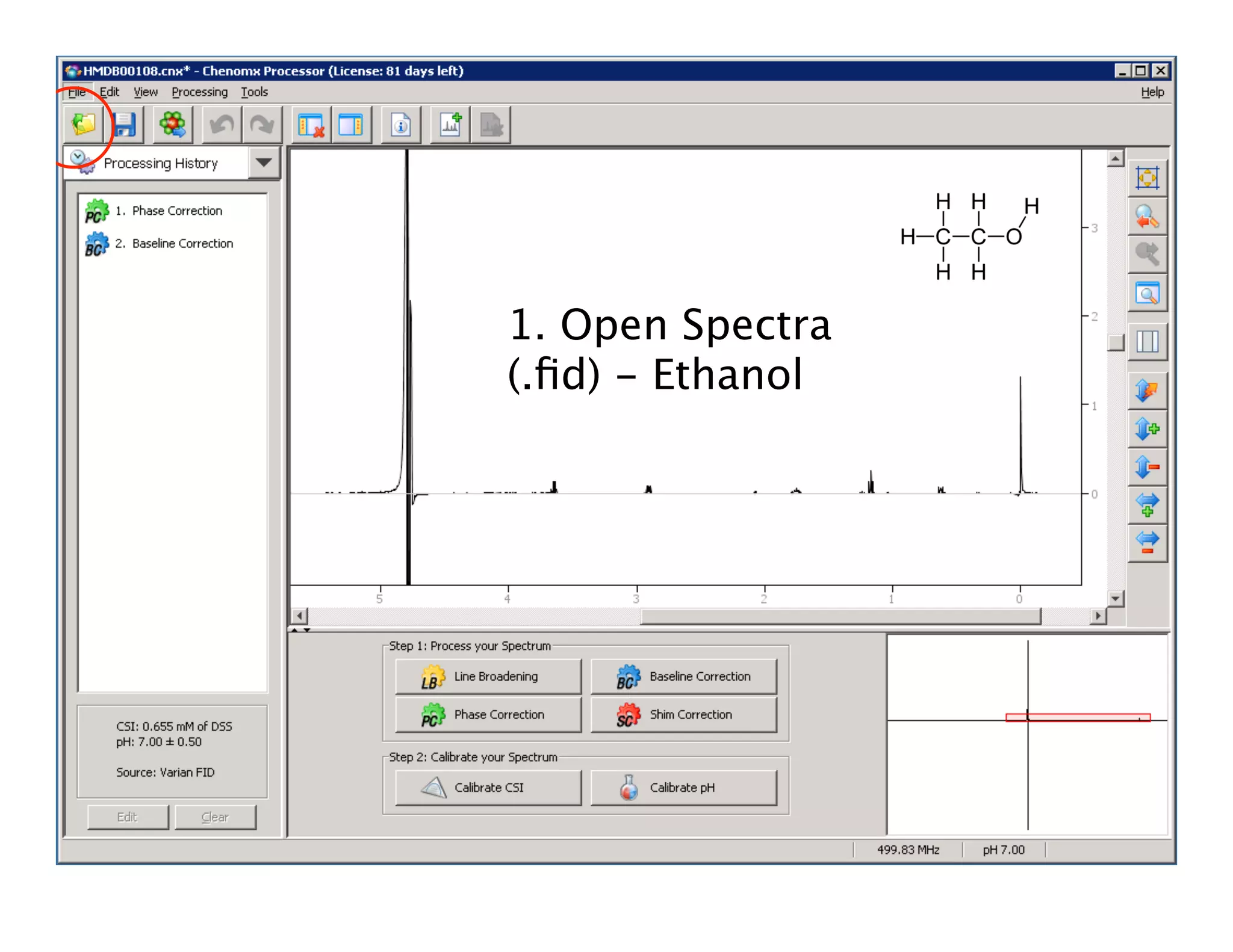
1. Open Spectra
(.fid) - Ethanol
Phasing
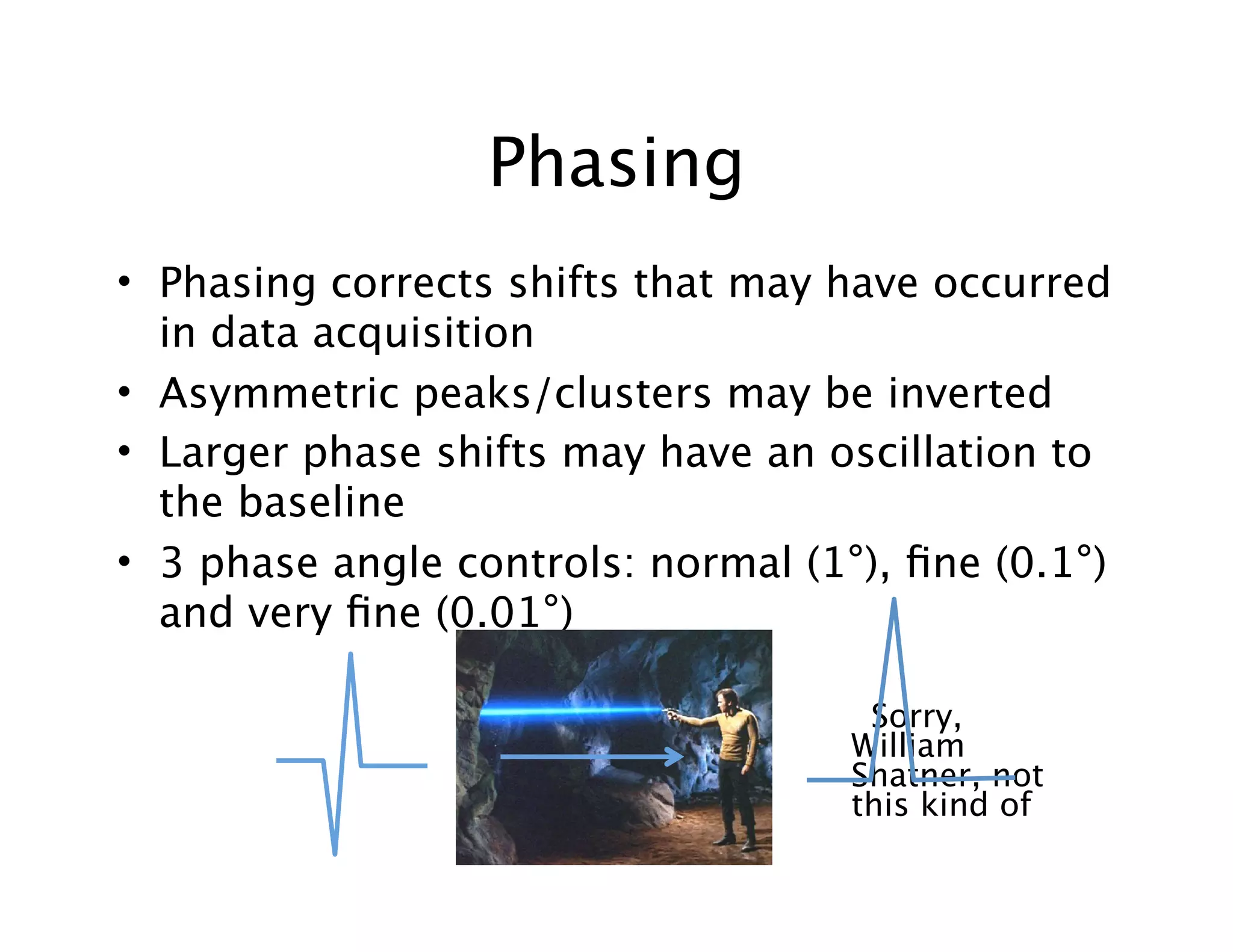
• Phasing corrects shifts that may have occurred
in data acquisition
• Asymmetric peaks/clusters may be inverted
• Larger phase shifts may have an oscillation to
the baseline
• 3 phase angle controls: normal (1°), fine (0.1°)
and very fine (0.01°)
Sorry,
William
Shatner, not
this kind of
2.
Phase
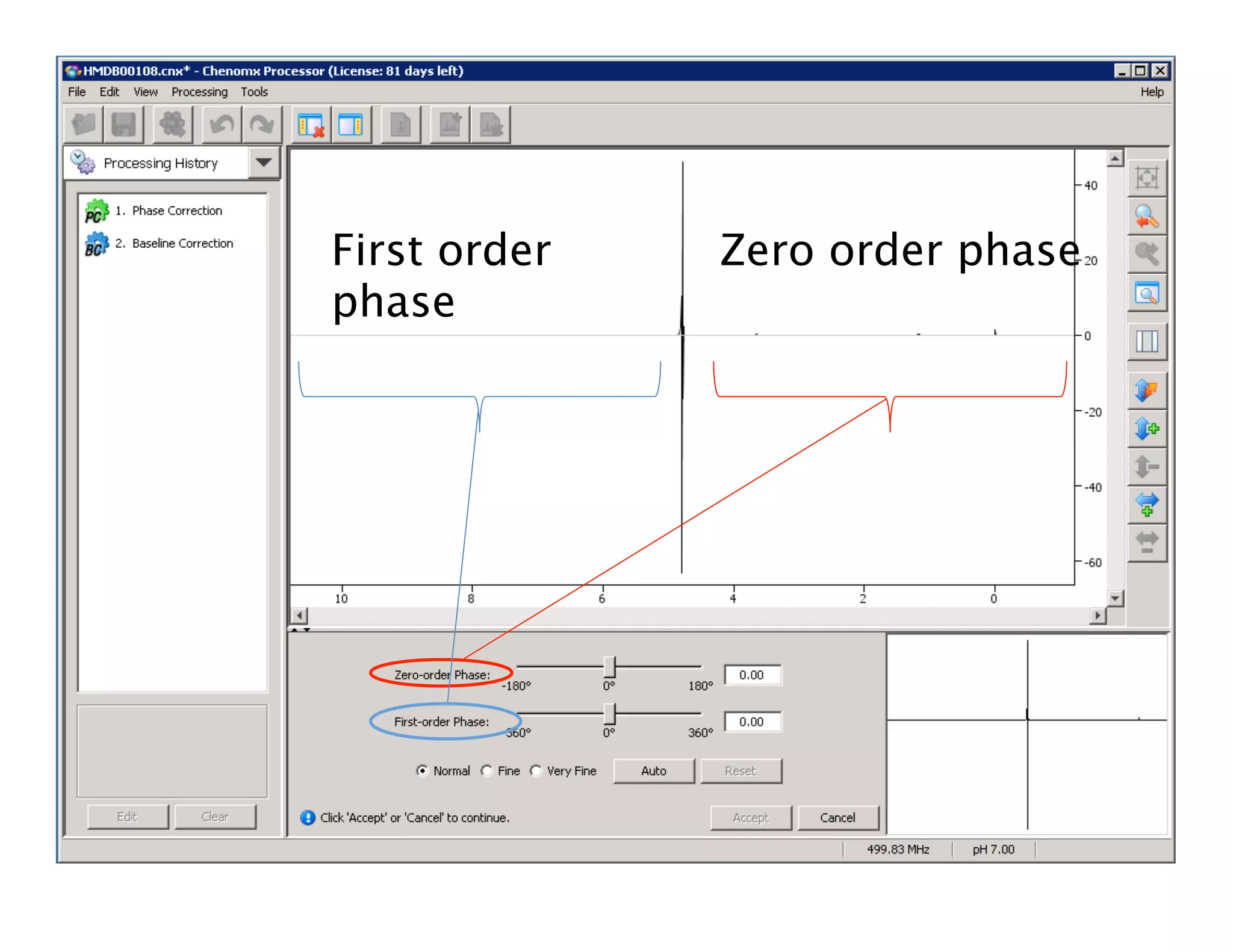
First order
phase
Zero order phase
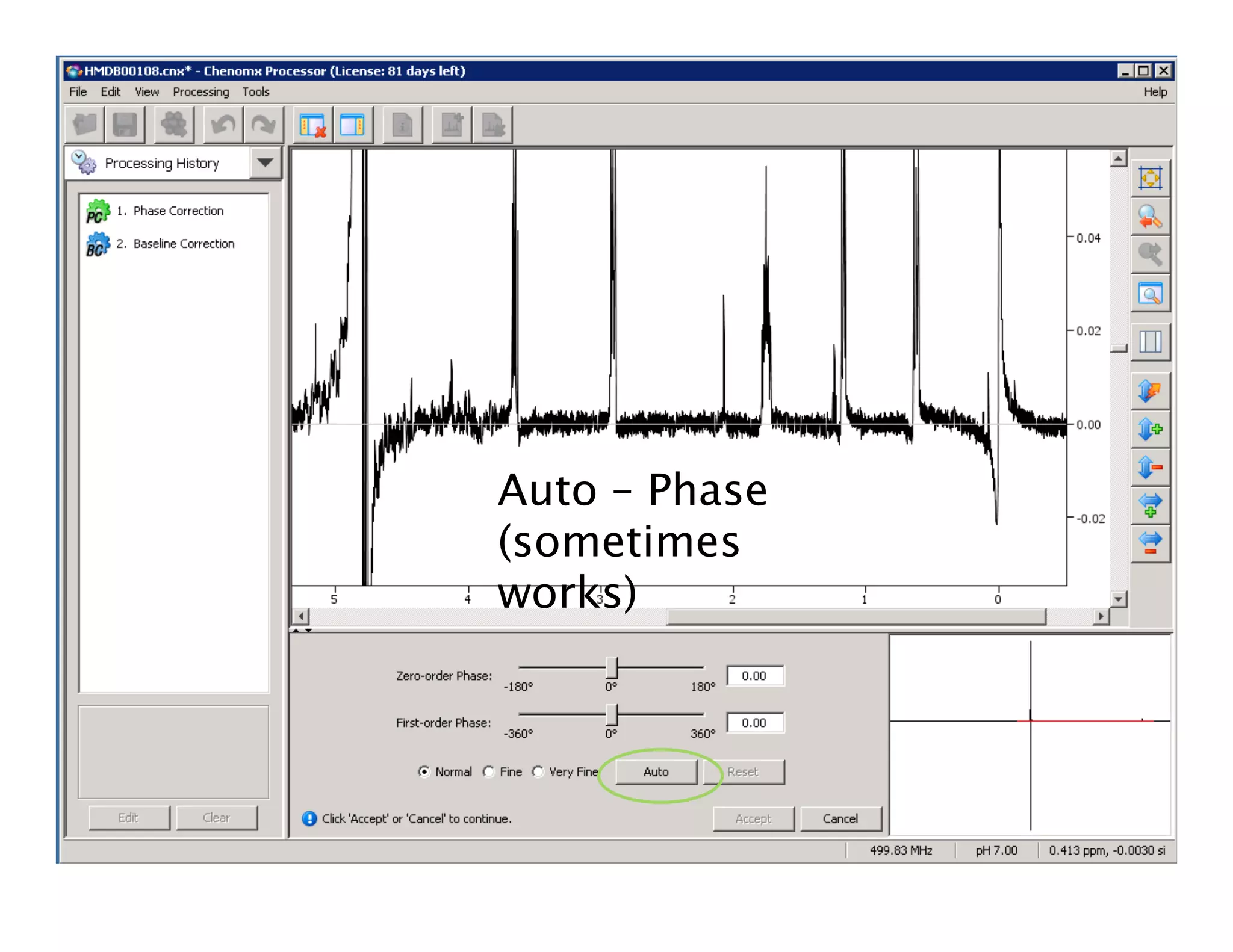
Auto – Phase
(sometimes
works)
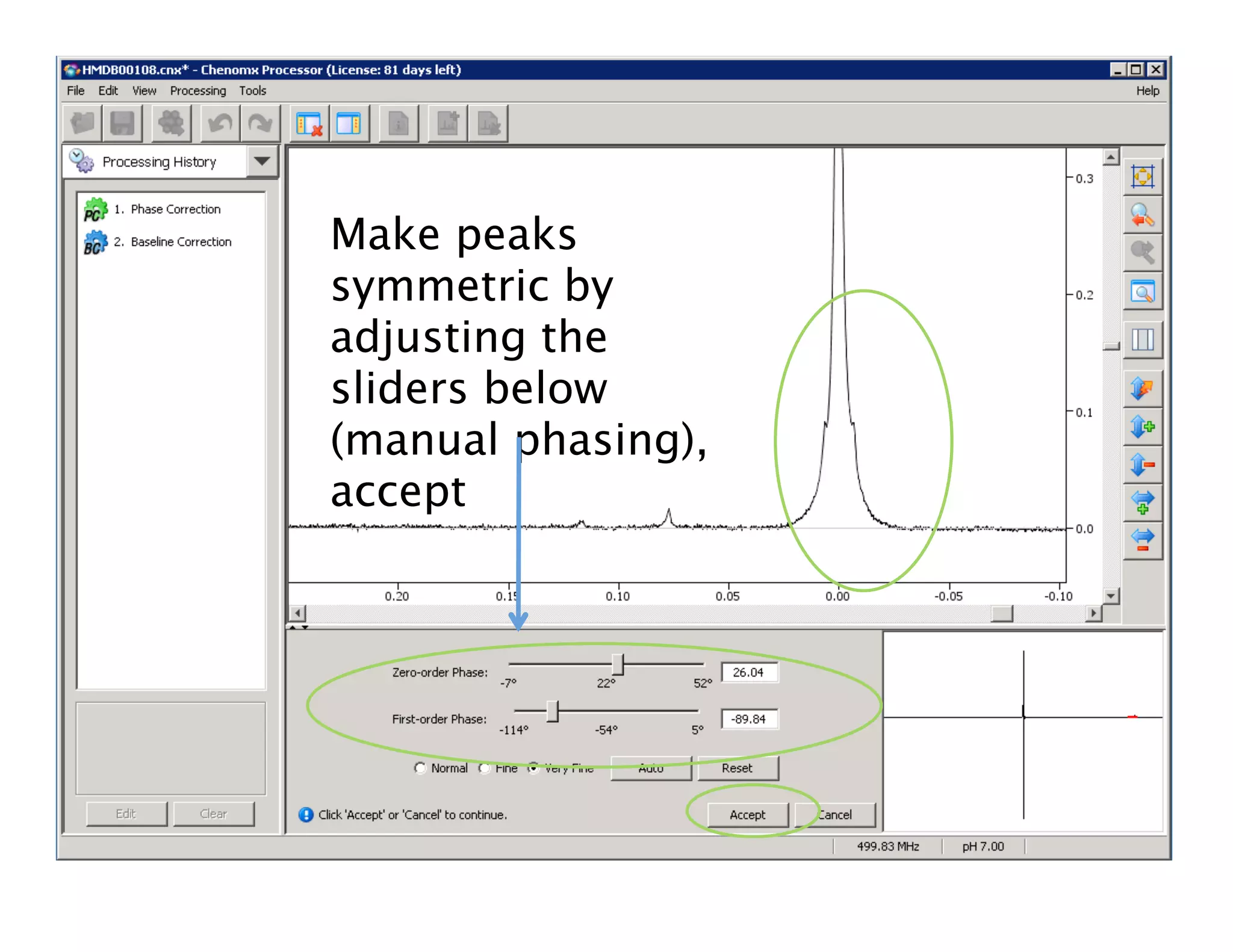
Make peaks
symmetric by
adjusting the
sliders below
(manual phasing),
accept
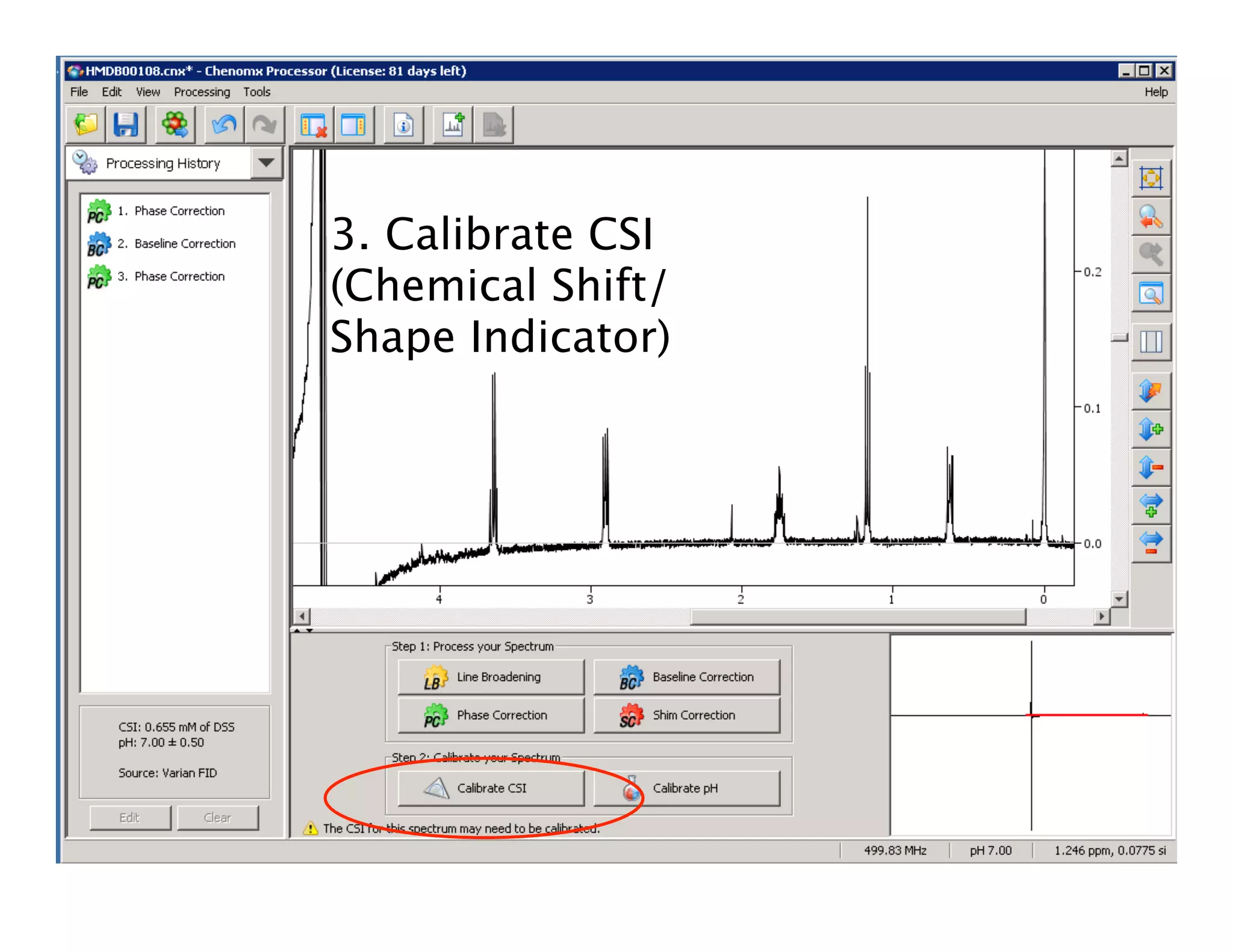
3. Calibrate CSI
(Chemical Shift/
Shape Indicator)
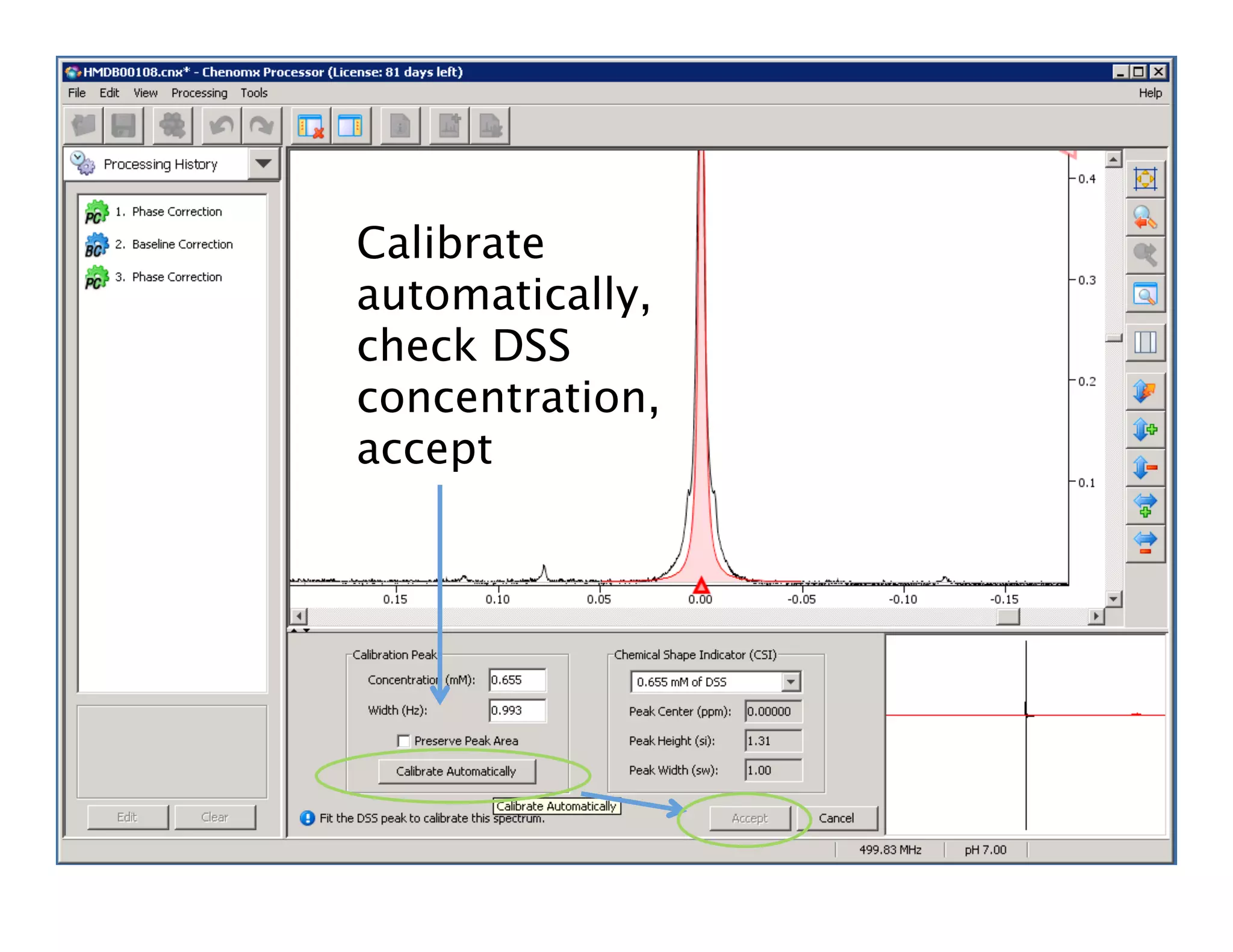
Calibrate
automatically,
check DSS
concentration,
accept
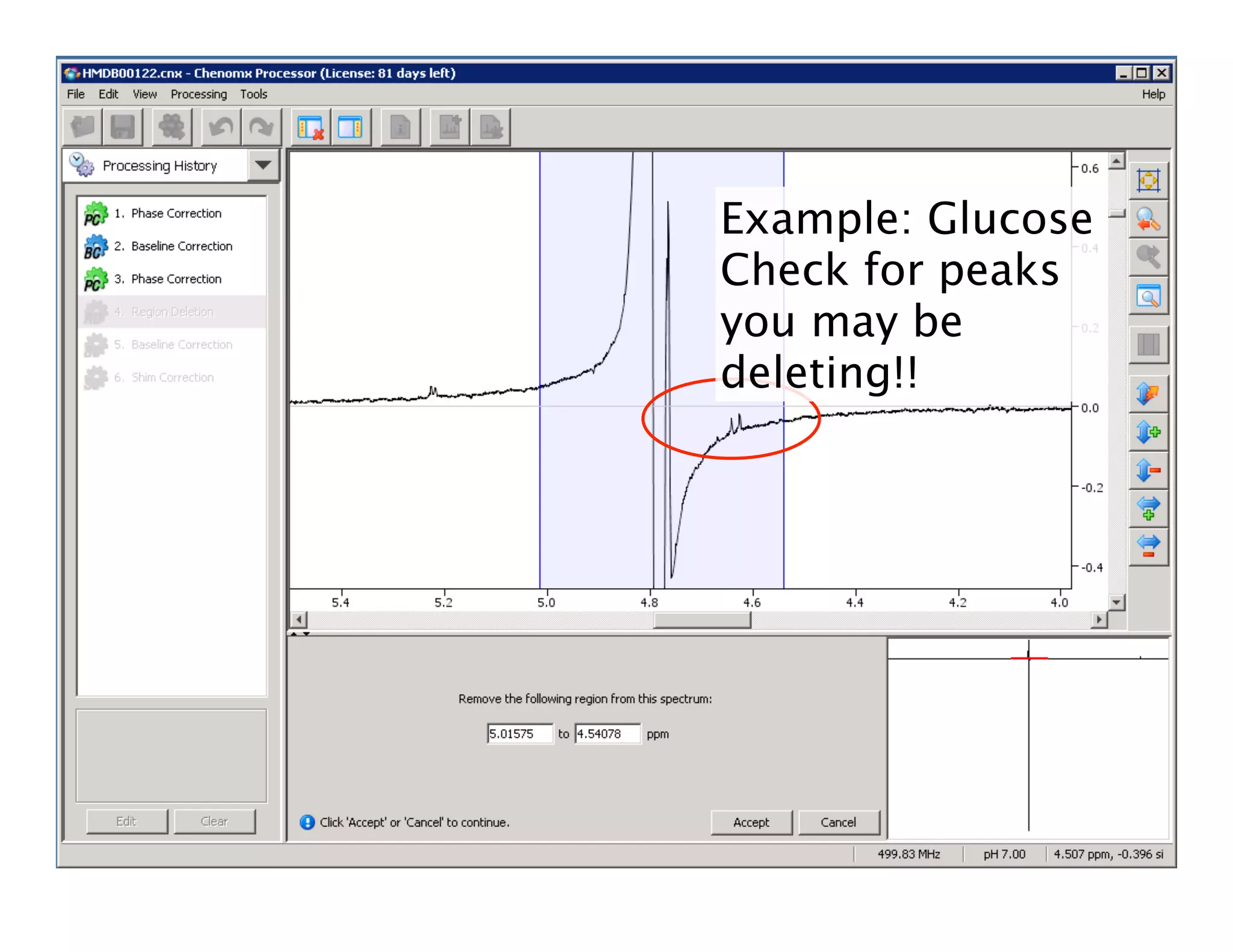
4. Region Deletion
(Water removal in
versions older than
7.0)
Example: Glucose
Check for peaks
you may be
deleting!!
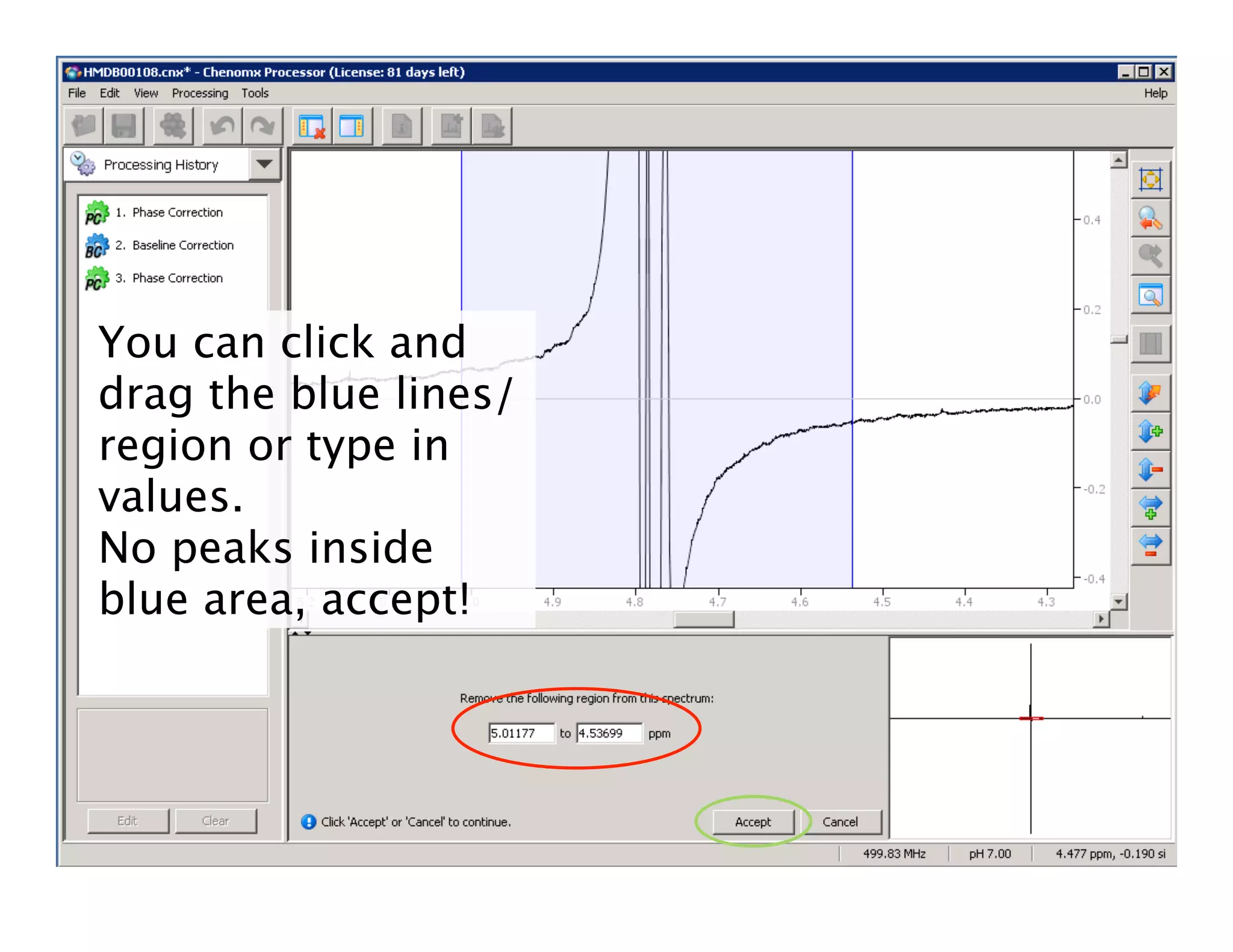
You can click and
drag the blue lines/
region or type in
values.
No peaks inside
blue area, accept!
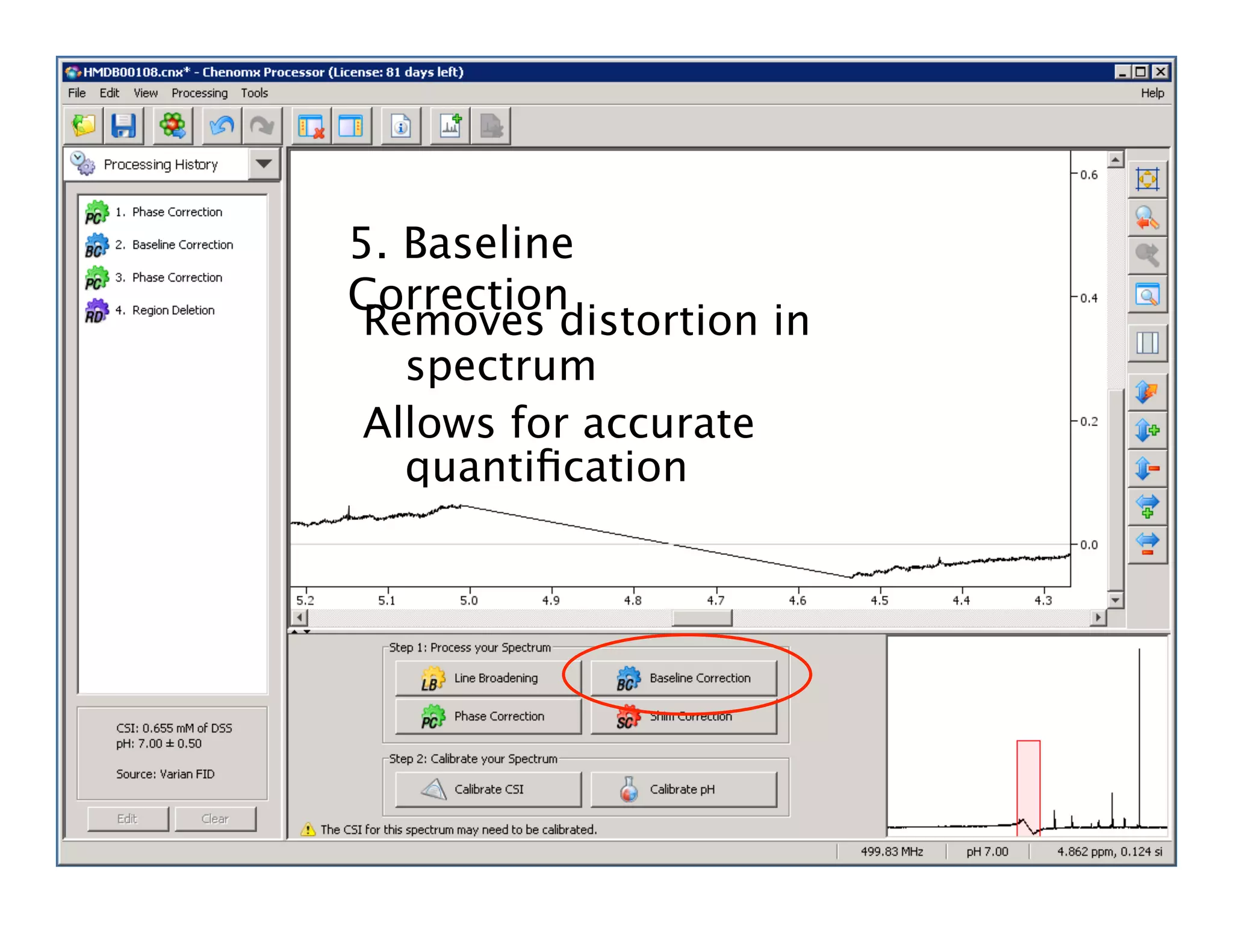
5. Baseline
Correction
Removes distortion in
spectrum
Allows for accurate
quantification
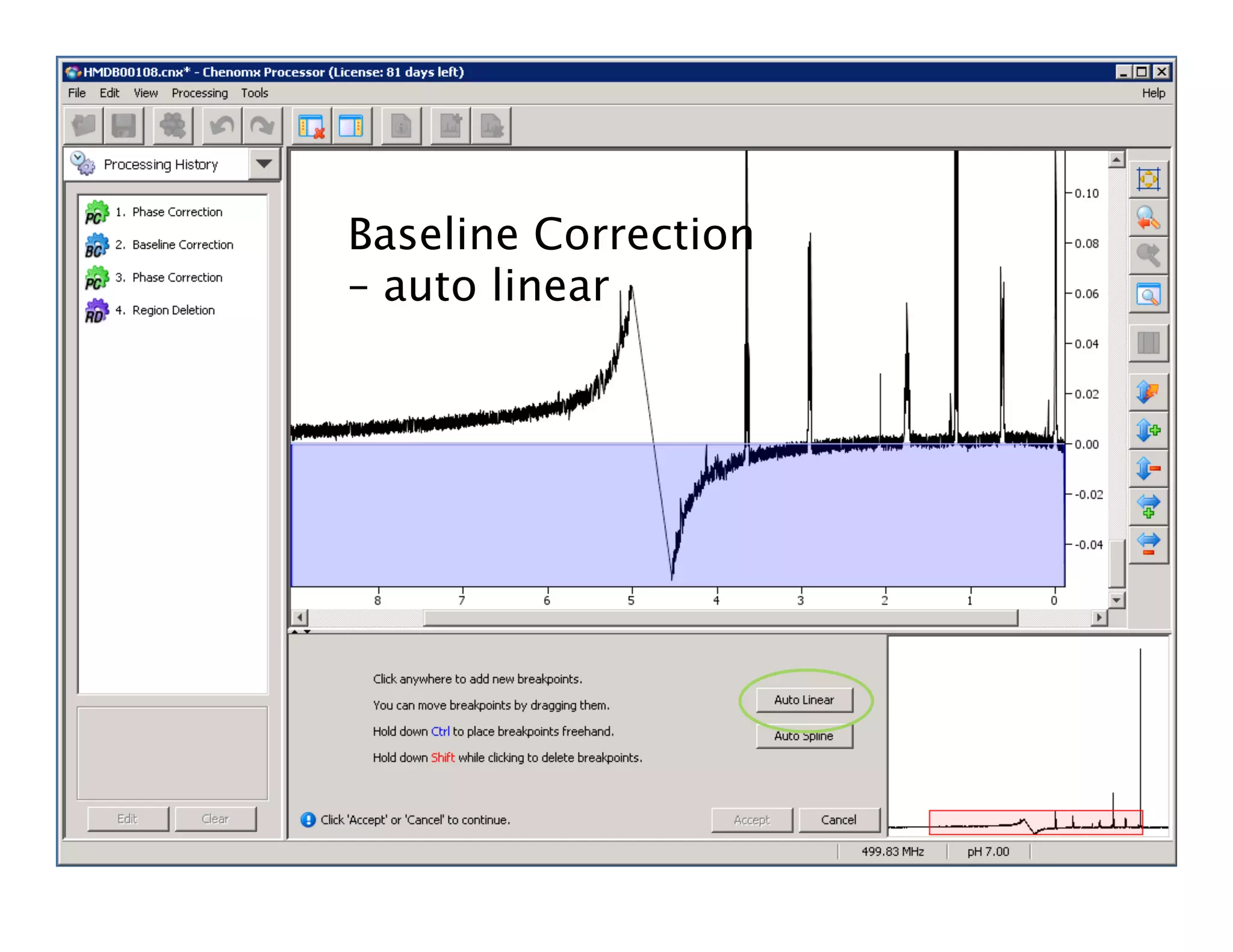
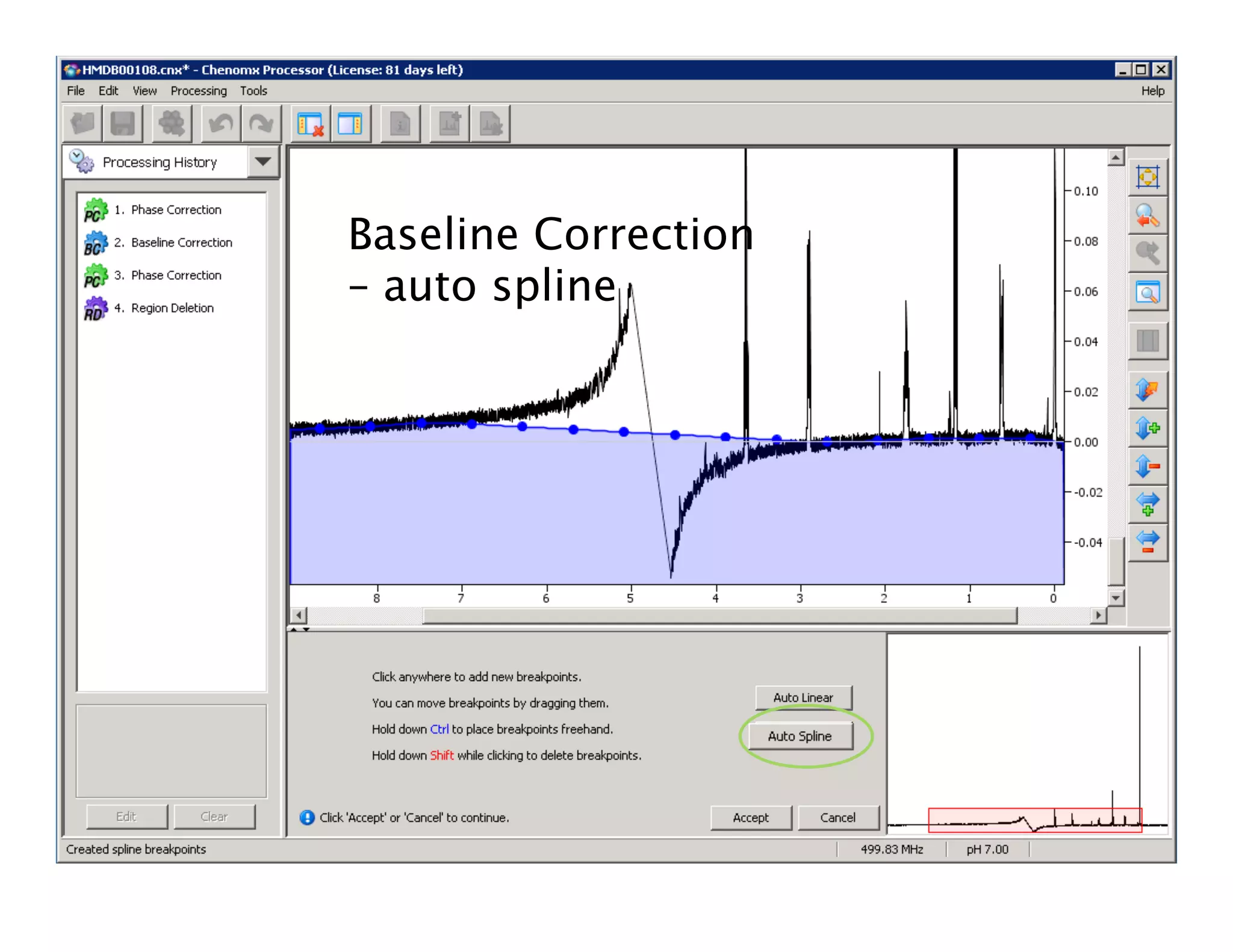
Baseline Correction
– auto linear
Baseline Correction
– auto spline
• Move blue
dots to centre
of noise,
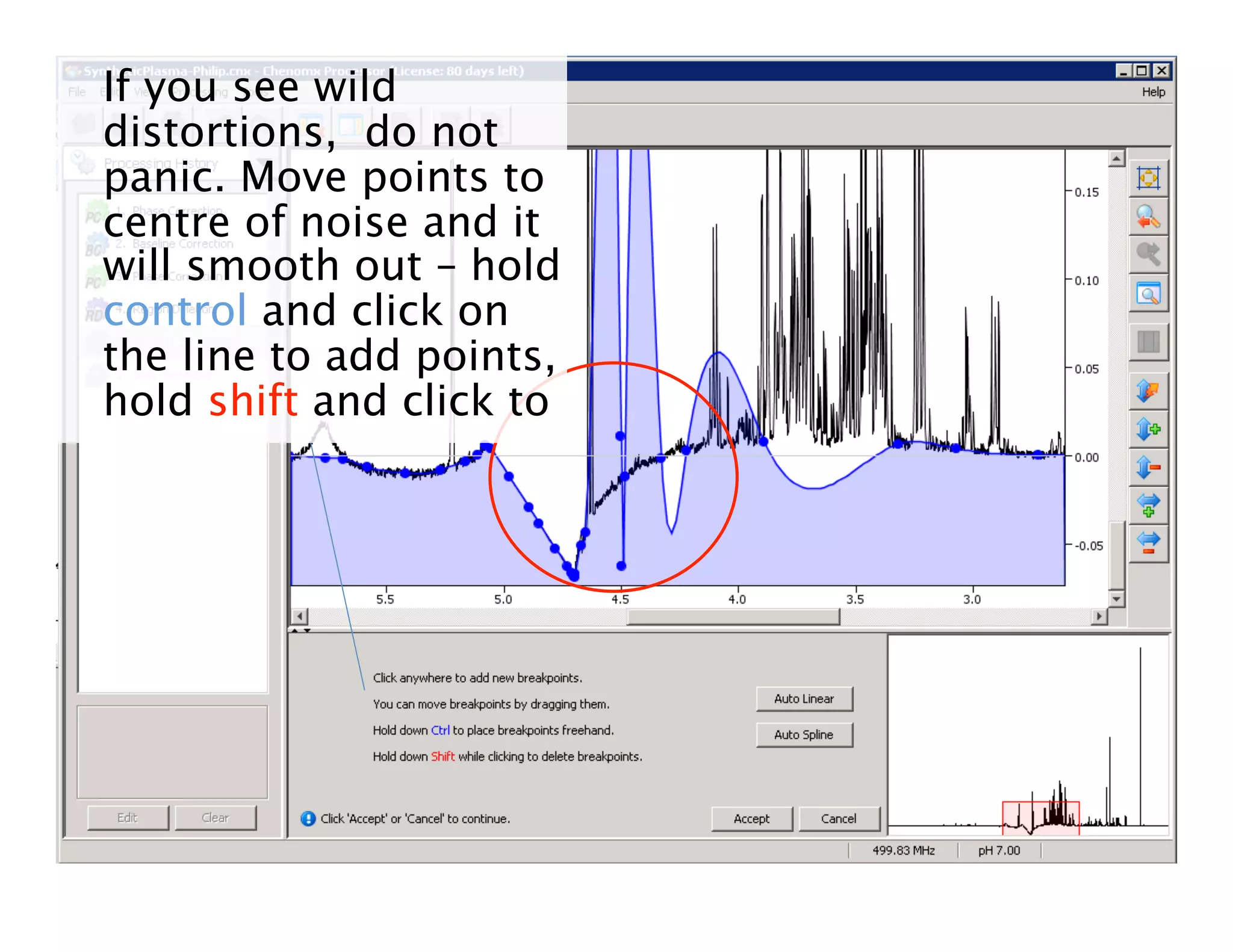
If you see wild
distortions, do not
panic. Move points to
centre of noise and it
will smooth out – hold
control and click on
the line to add points,
hold shift and click to
Line Broadening (Optional)
• Multiplies fid by an exponential
function before fid is Fourier
transformed
• Increases linewidth in spectrum and
smoothes out instrument noise
• Broader peaks, less noisy
• Without broadening – sharper peaks
but baseline may be noisy
OPTIONAL
6. Line
Line
broadening:
adjust Hz in
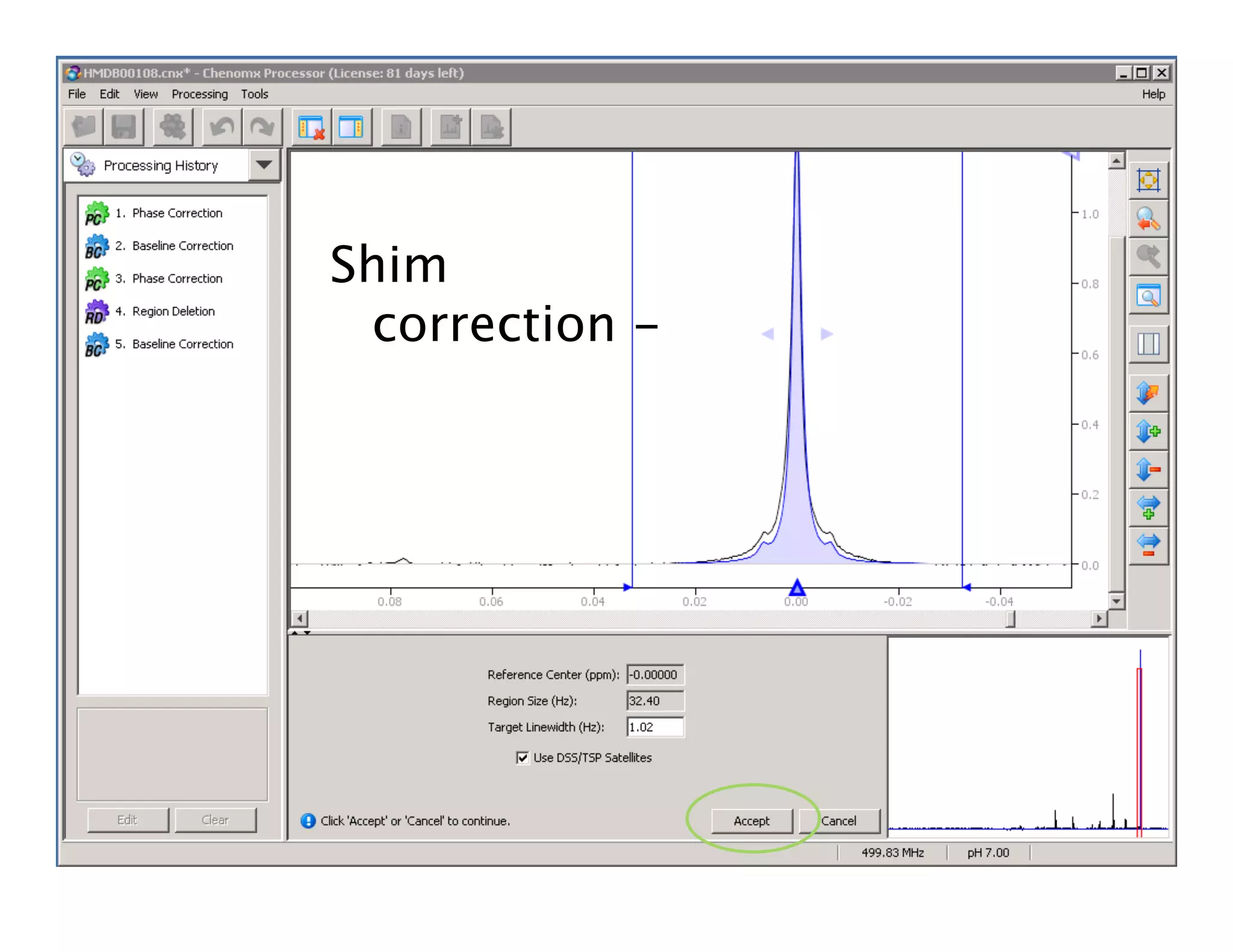
7. Shim
Correction

 Creates an ideal
spectrum,
removes
lineshape
distortions based
Shim
correction -
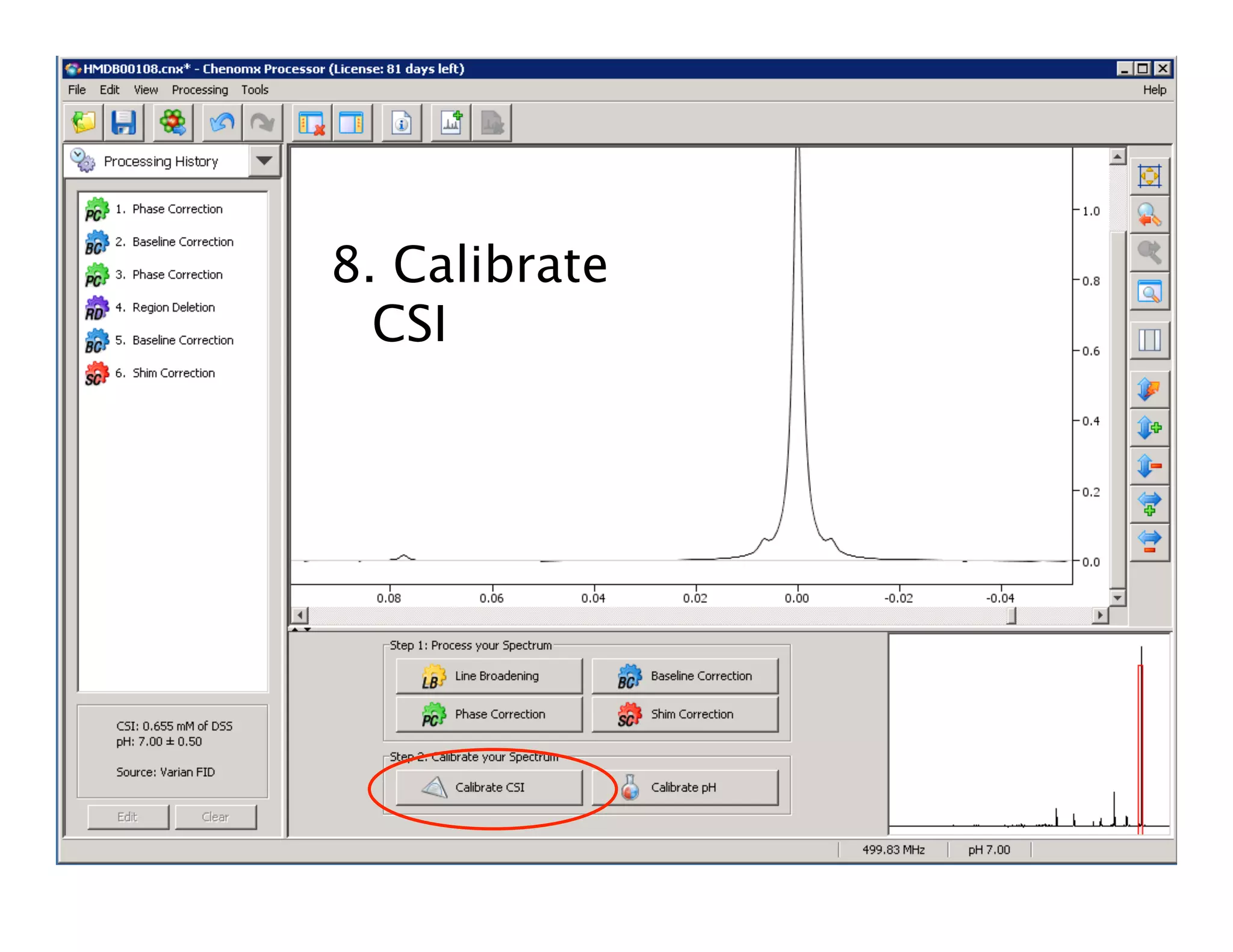
8. Calibrate
CSI
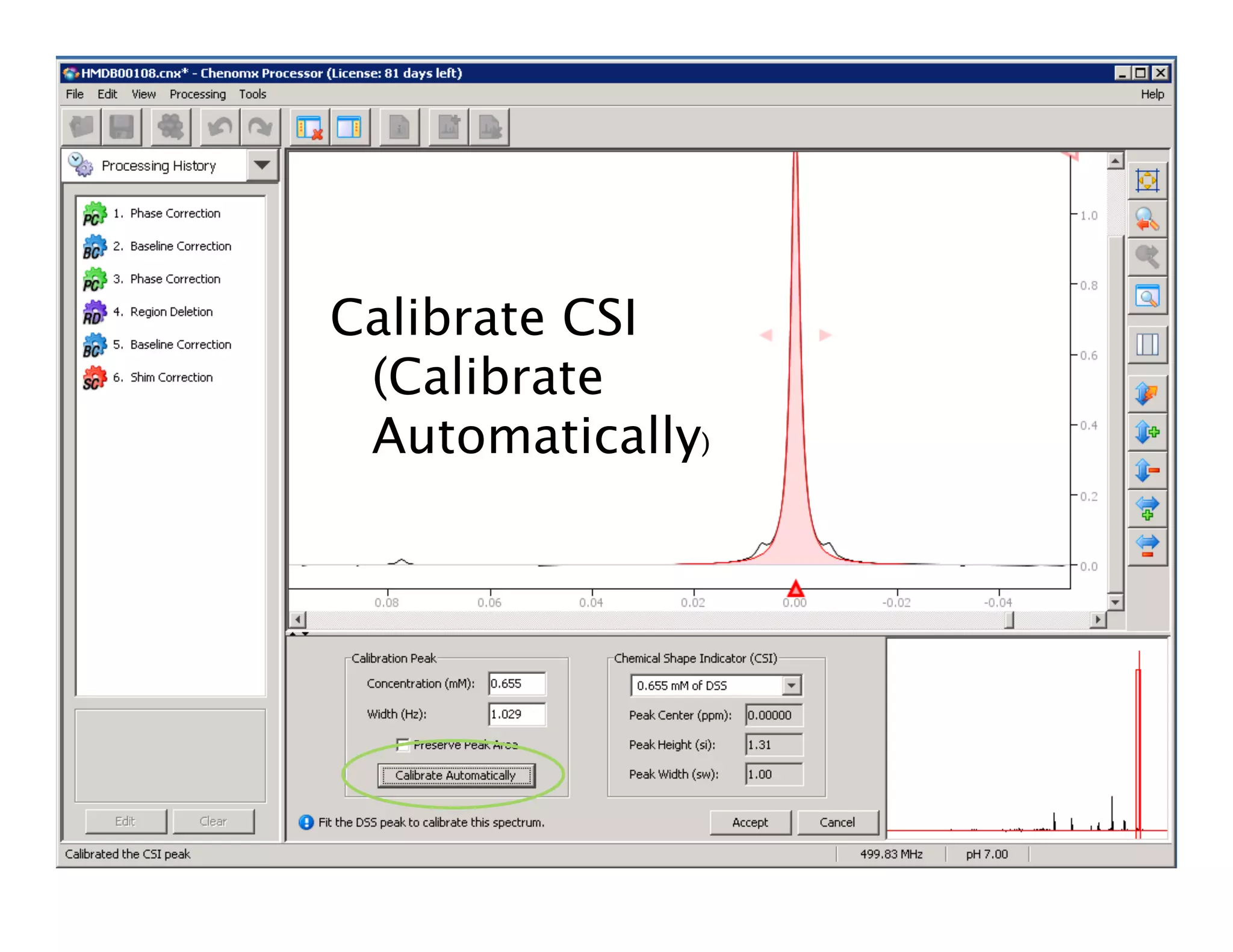
Calibrate CSI
(Calibrate
Automatically)
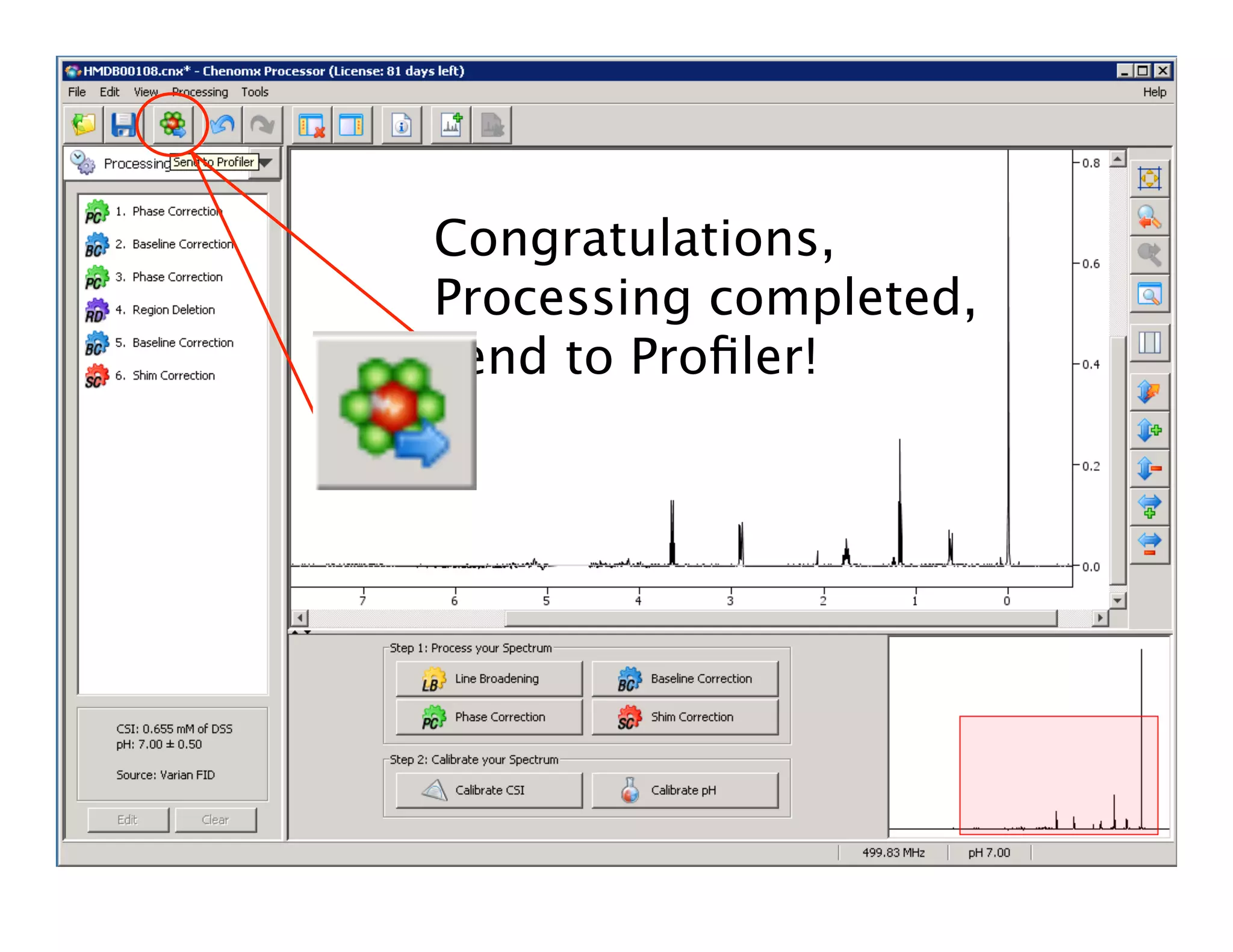
Congratulations,
Processing completed,
send to Profiler!
ChenoMX Profiler
• Compound identification
• .cnx file
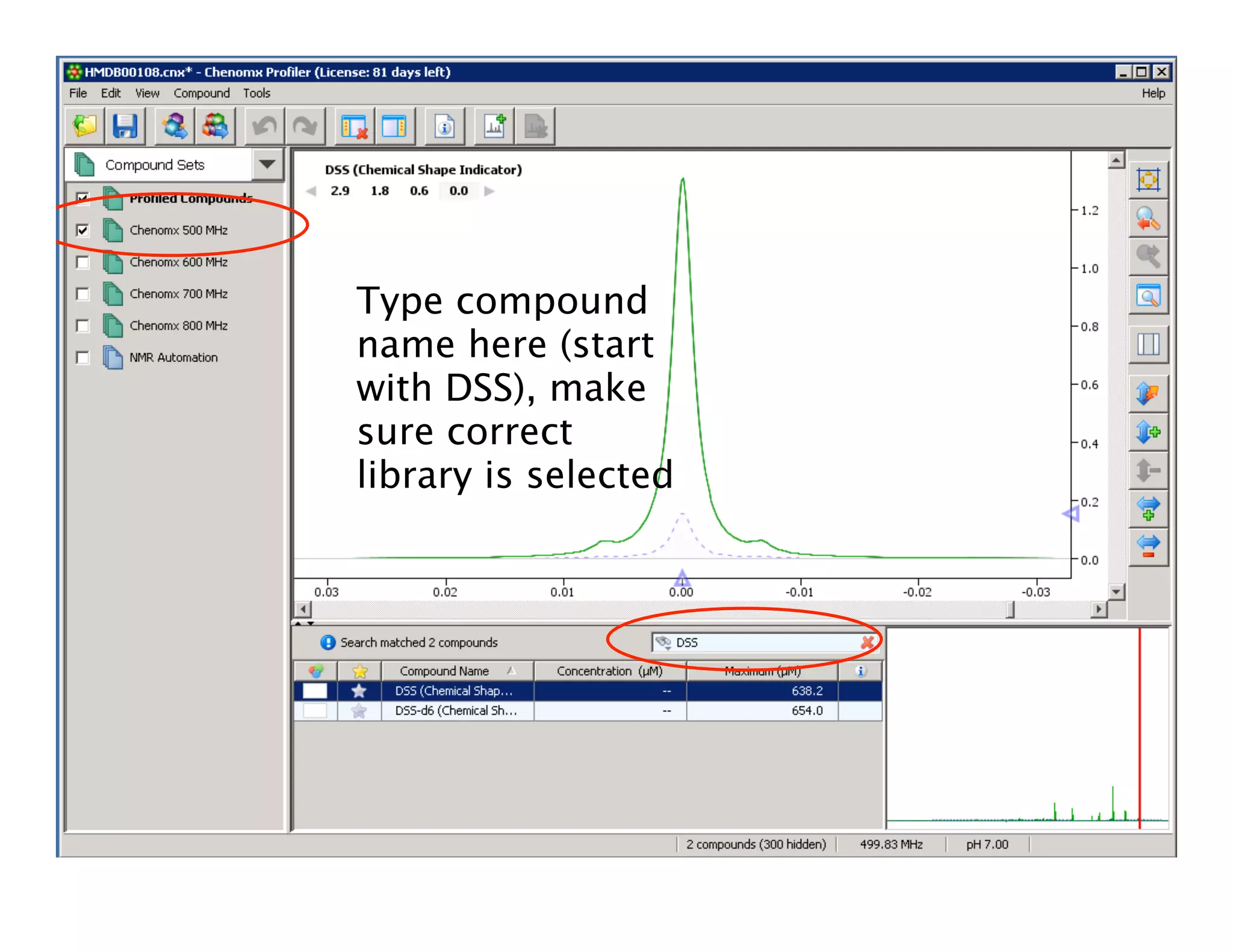
Type compound
name here (start
with DSS), make
sure correct
library is selected
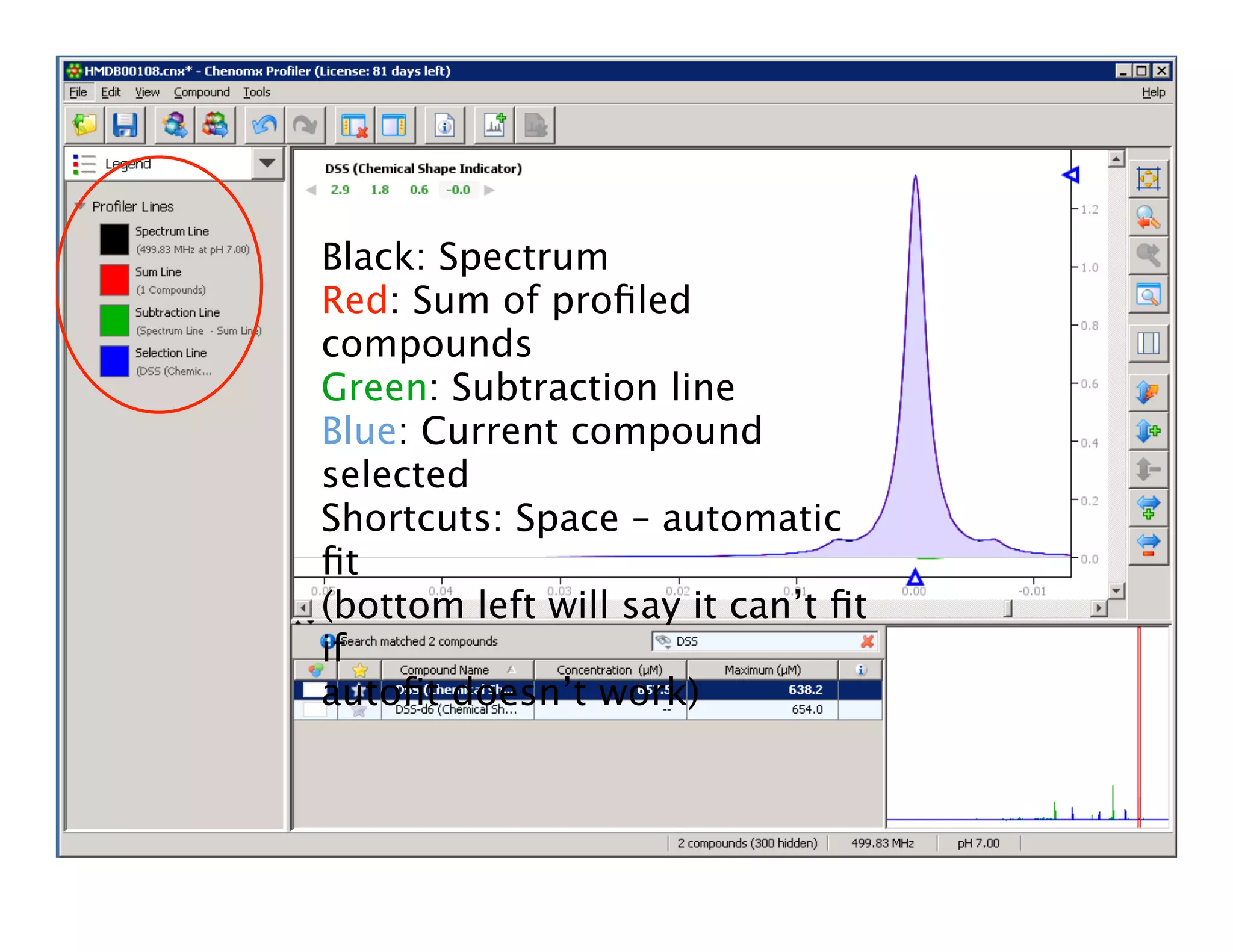
Black: Spectrum
Red: Sum of profiled
compounds
Green: Subtraction line
Blue: Current compound
selected
Shortcuts: Space – automatic
fit
(bottom left will say it can’t fit
if
autofit doesn’t work)
These numbers will go
green if there’s a good
fit (NB: will not go
green all the time even
if fit well)
Click these numbers to
view/move different
clusters
NB: Name here is the
compound selected
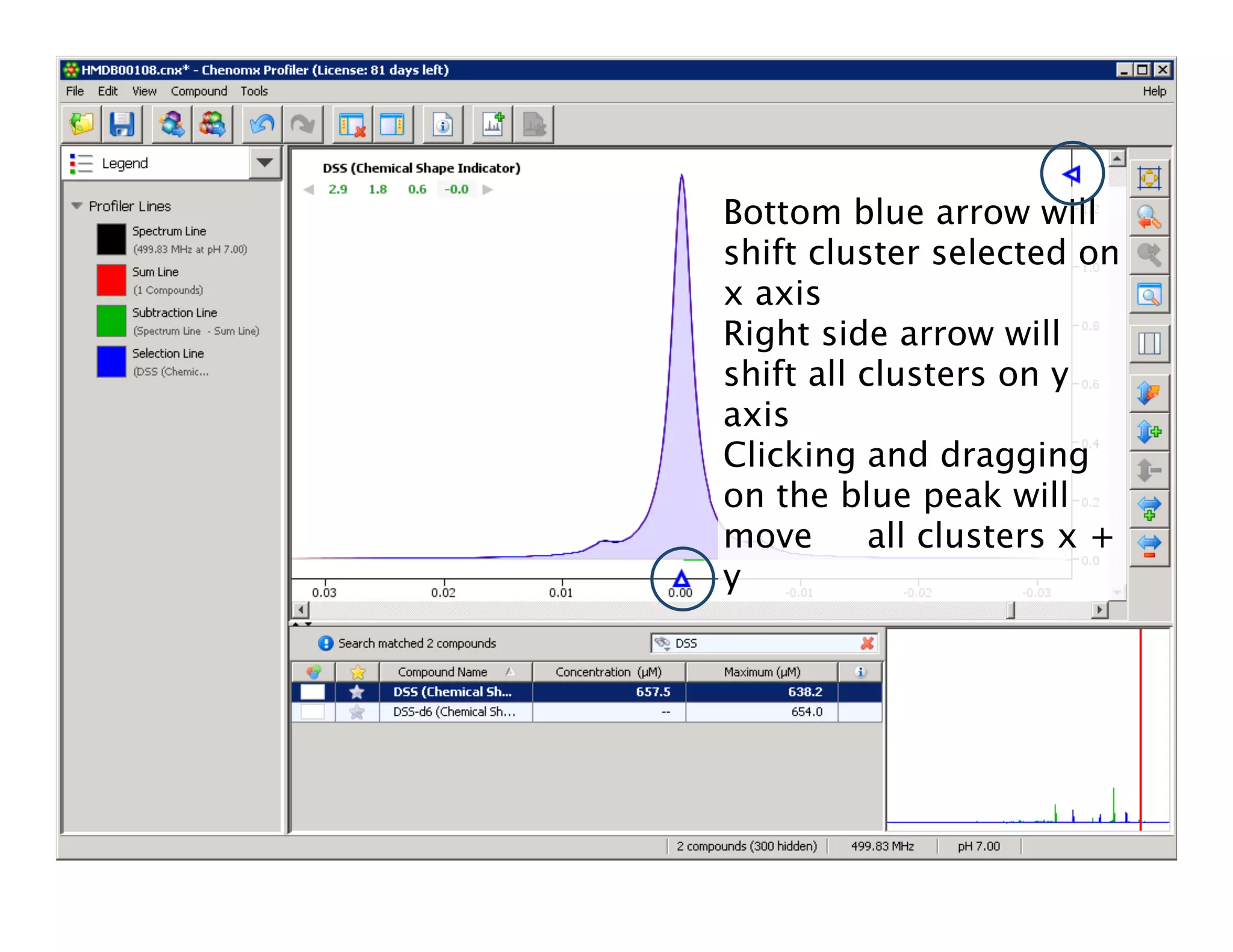
Bottom blue arrow will
shift cluster selected on
x axis
Right side arrow will
shift all clusters on y
axis
Clicking and dragging
on the blue peak will
move all clusters x +
y
Fit clusters, note
concentration of
metabolite/DSS
Compound Builder
• Creates library files for ChenoMX
• .xcpd files
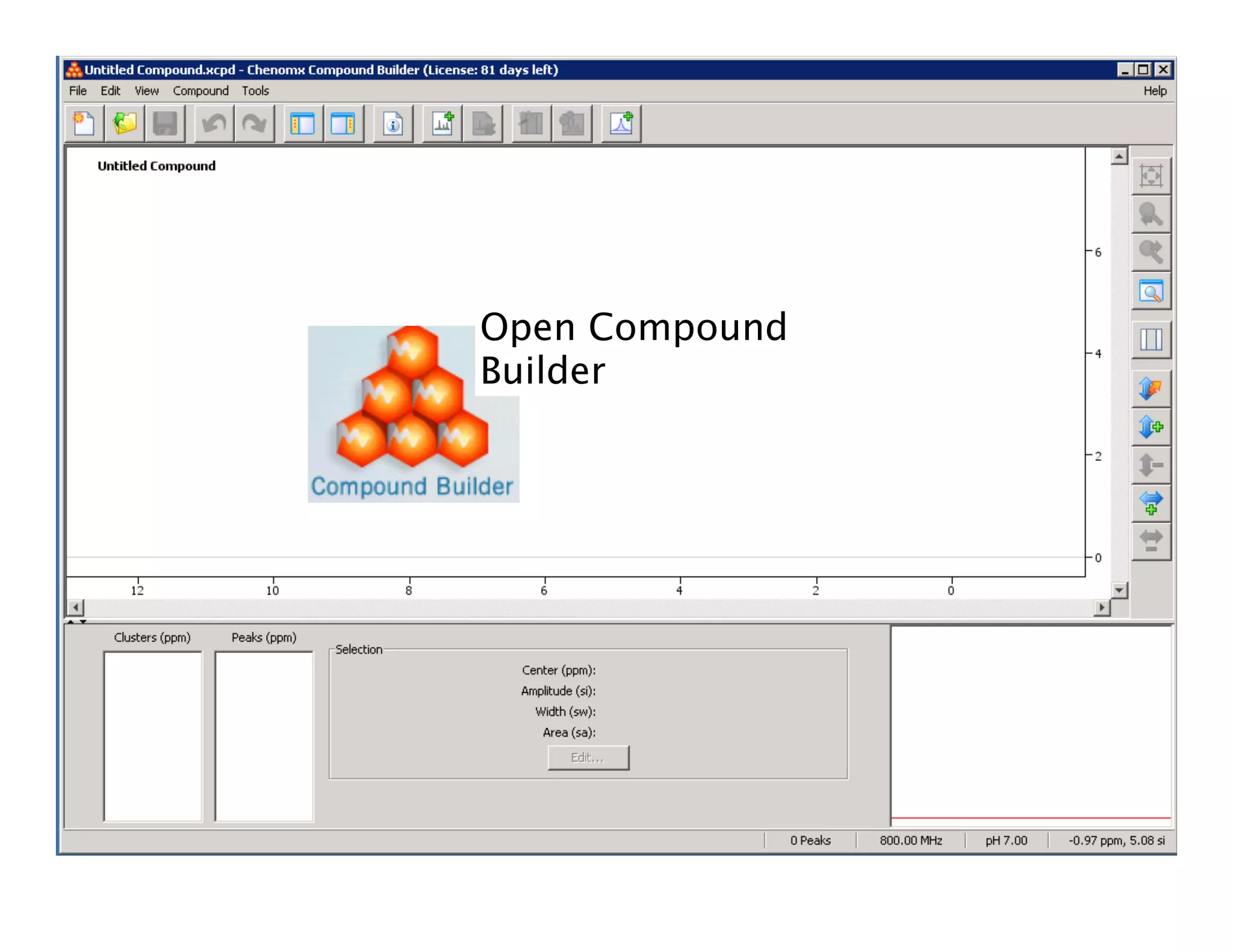
Open Compound
Builder
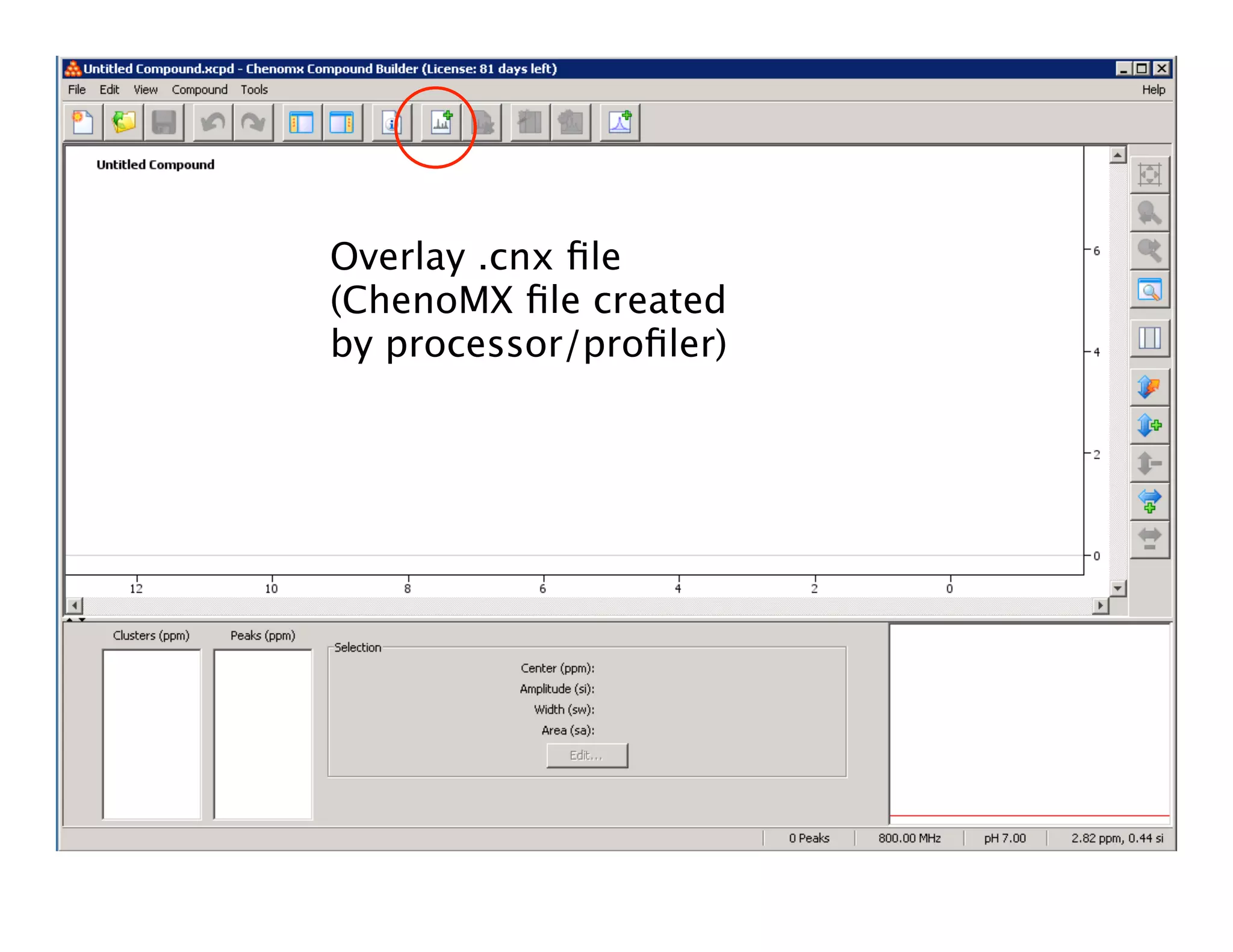
Overlay .cnx file
(ChenoMX file created
by processor/profiler)
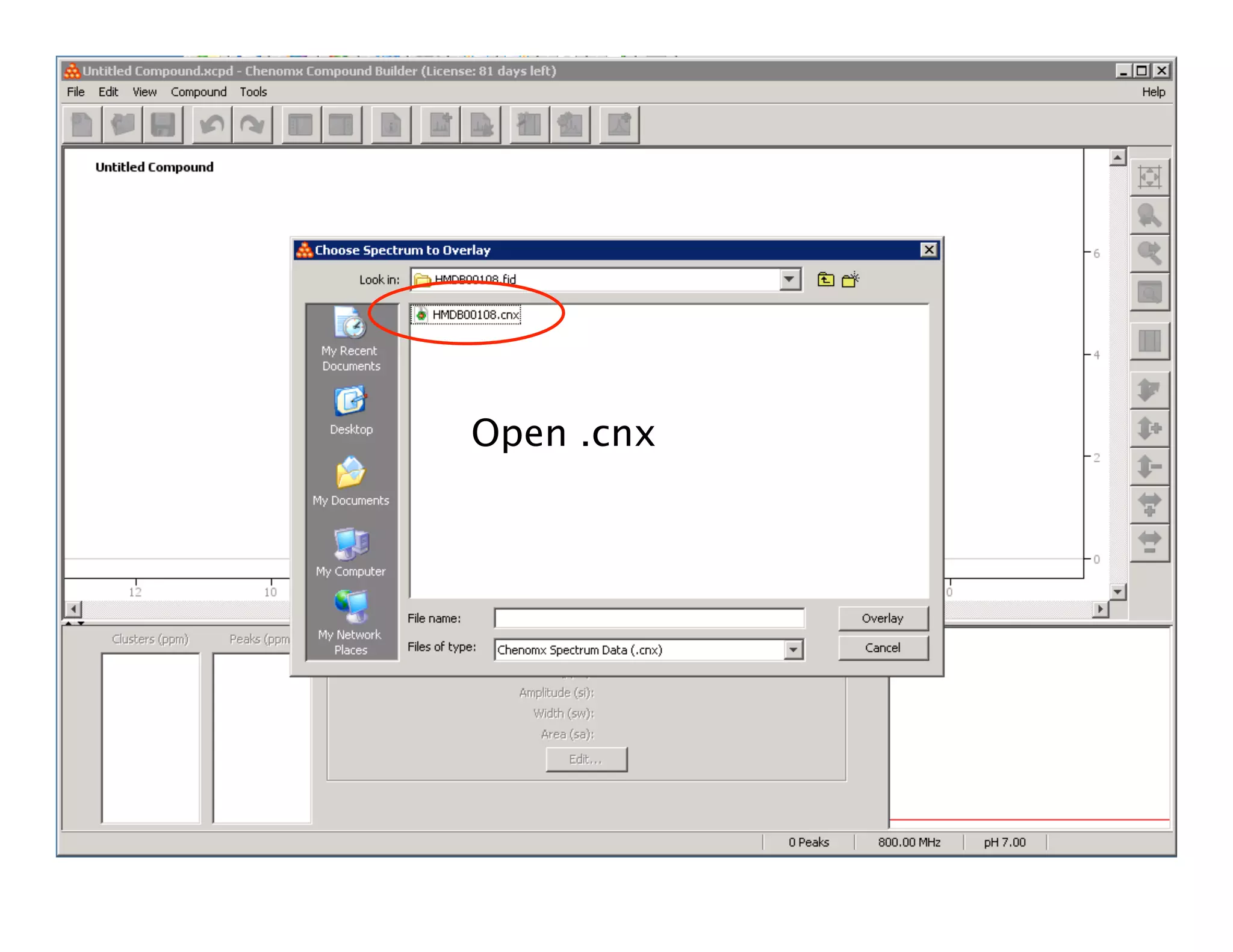
Open .cnx
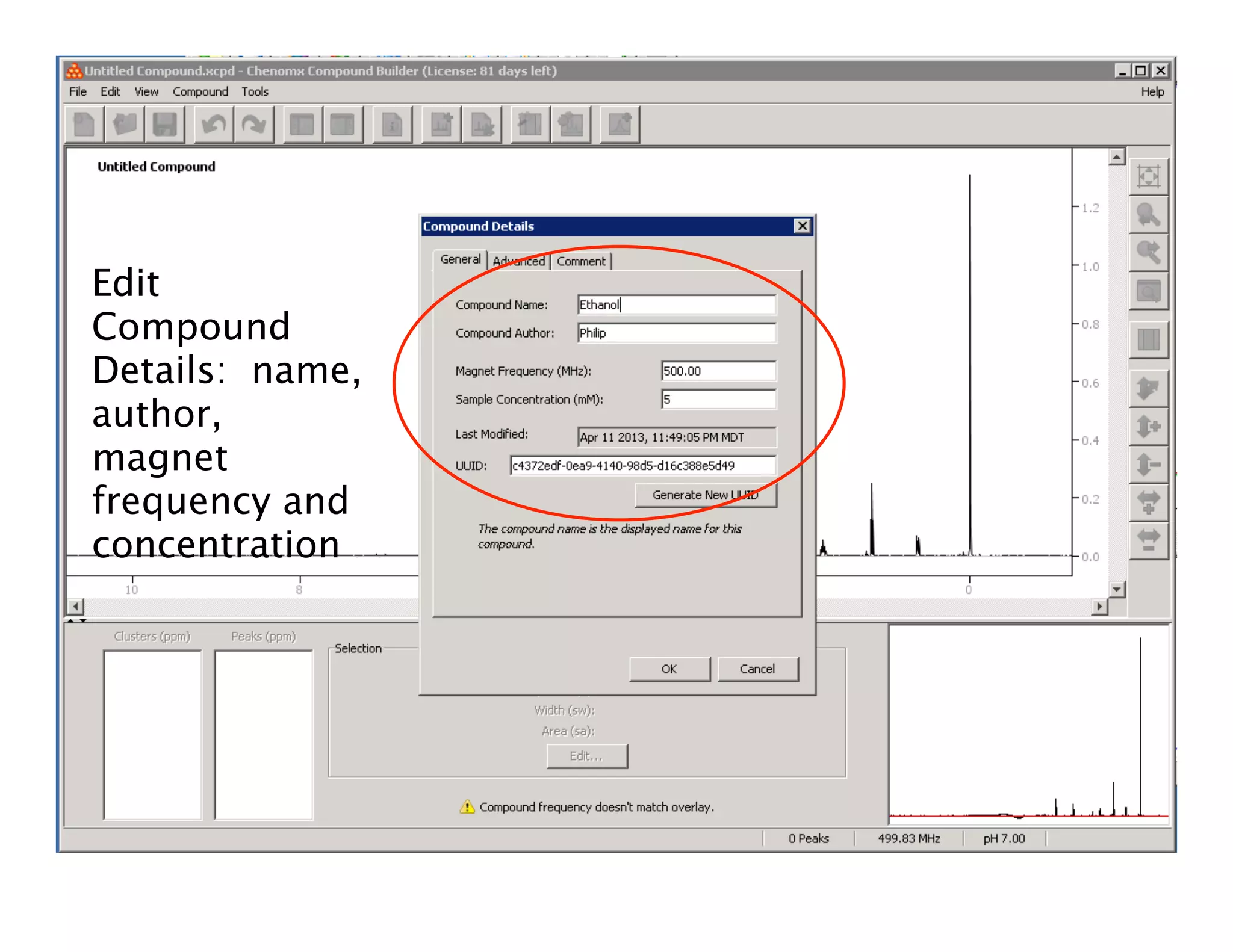
Edit
Compound
Details: name,
author,
magnet
frequency and
concentration
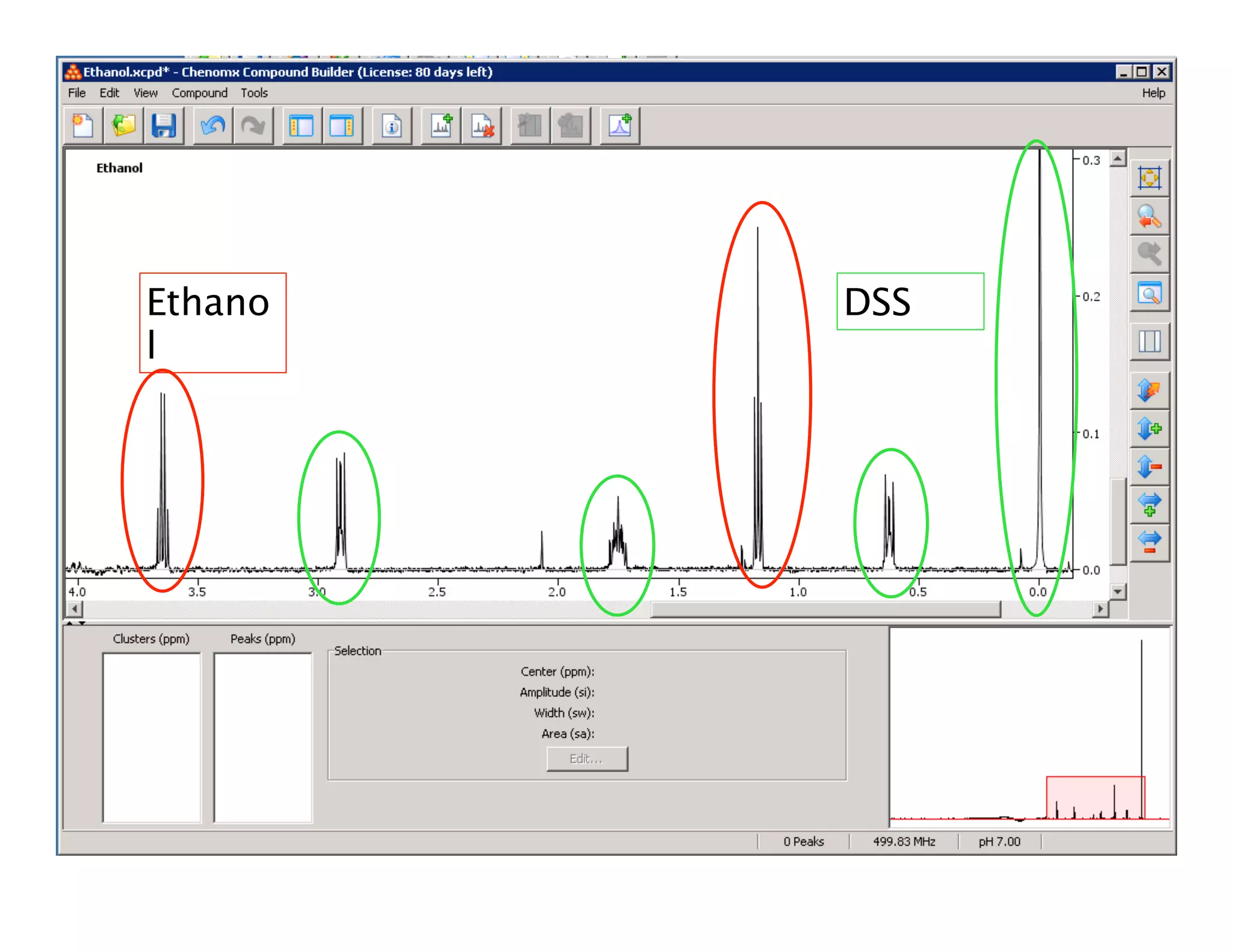
Ethano
l
DSS
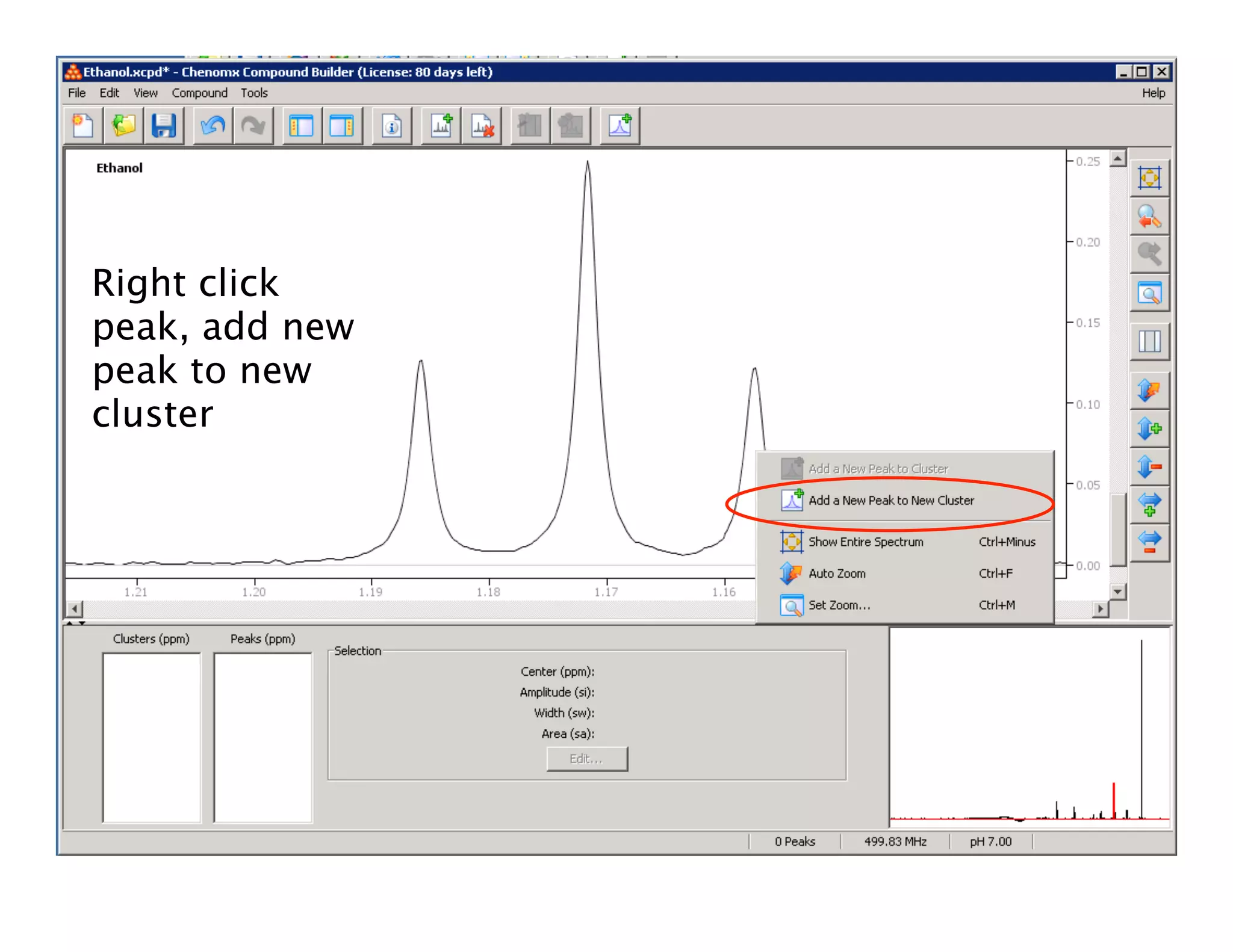
Right click
peak, add new
peak to new
cluster
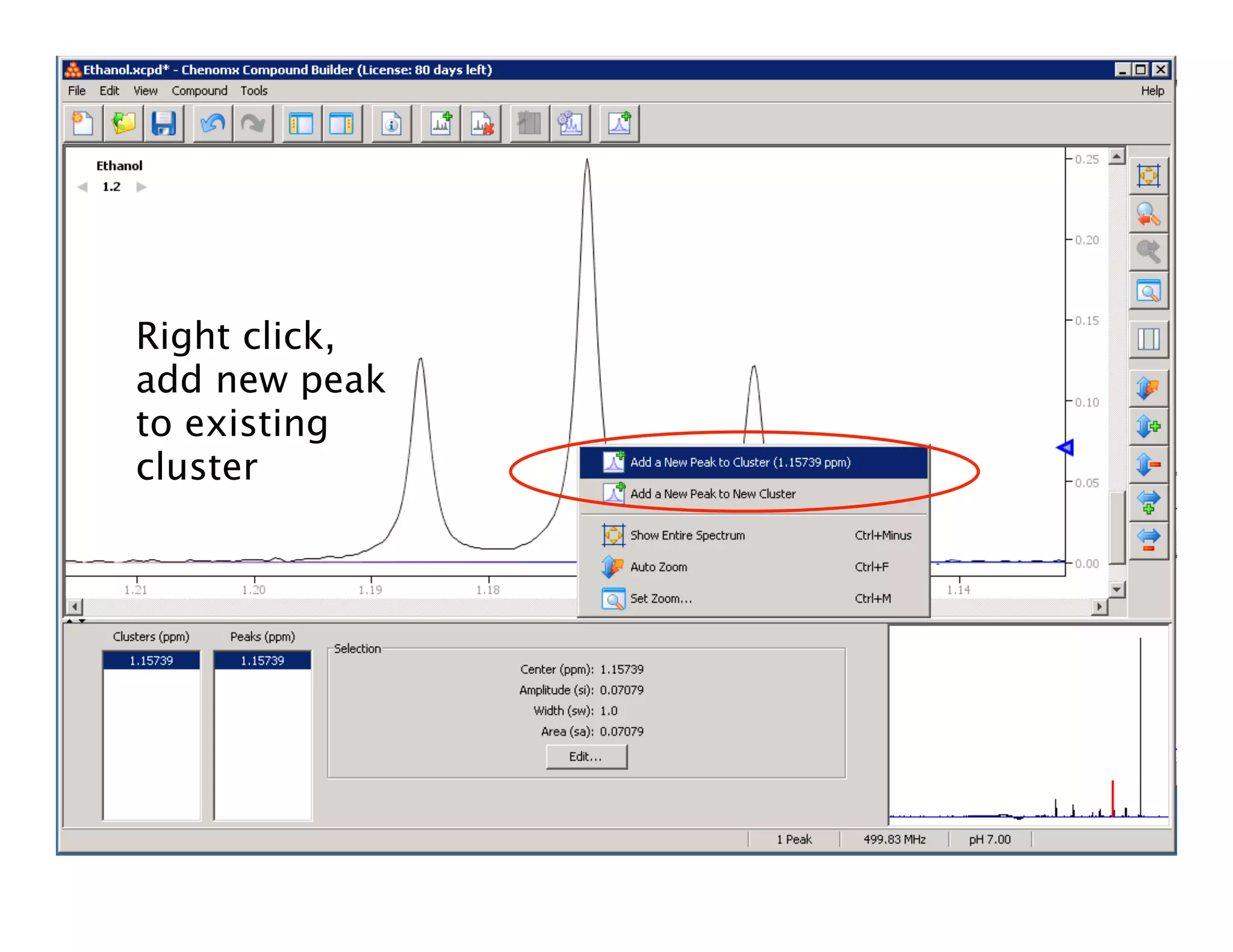
Right click,
add new peak
to existing
cluster
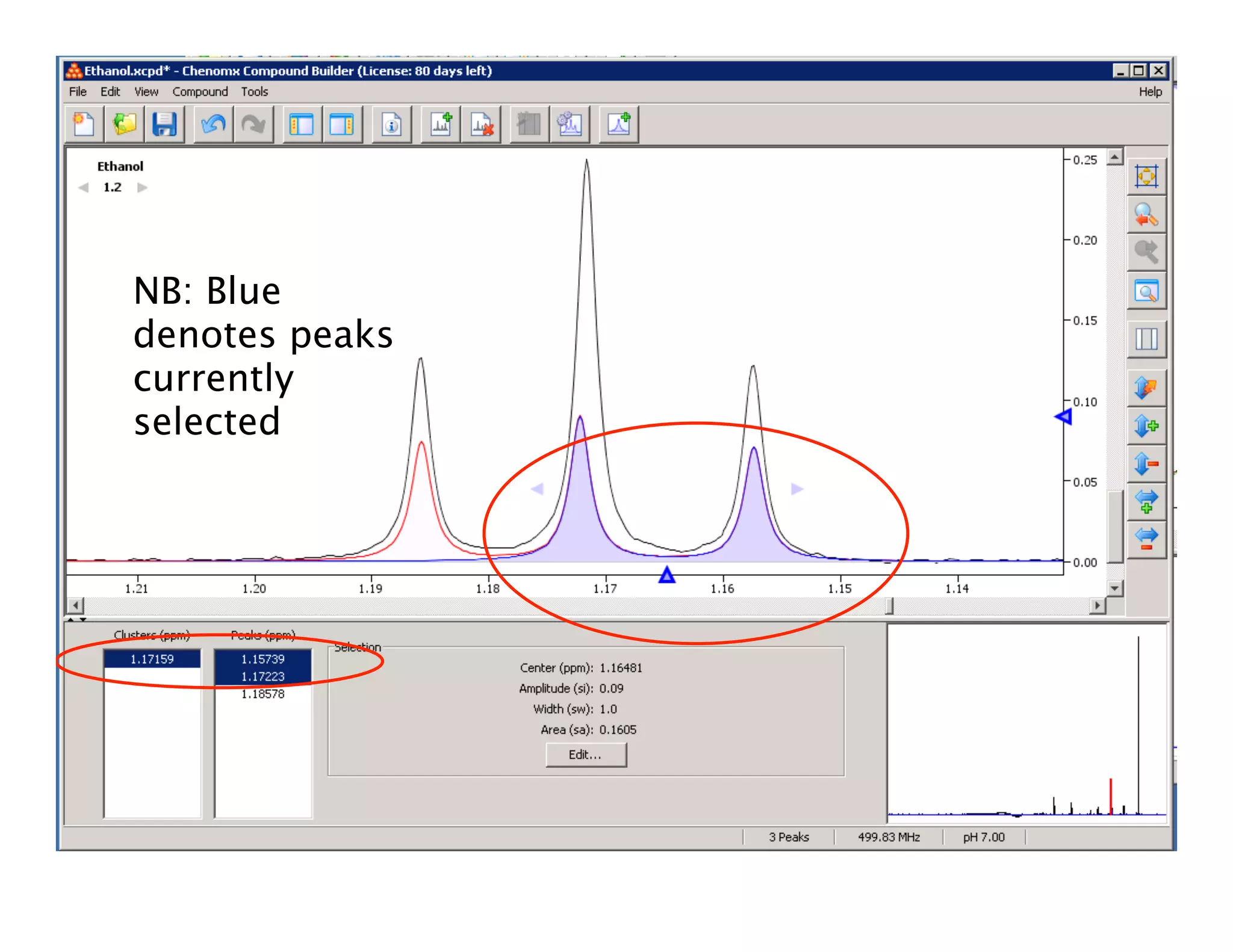
NB: Blue
denotes peaks
currently
selected
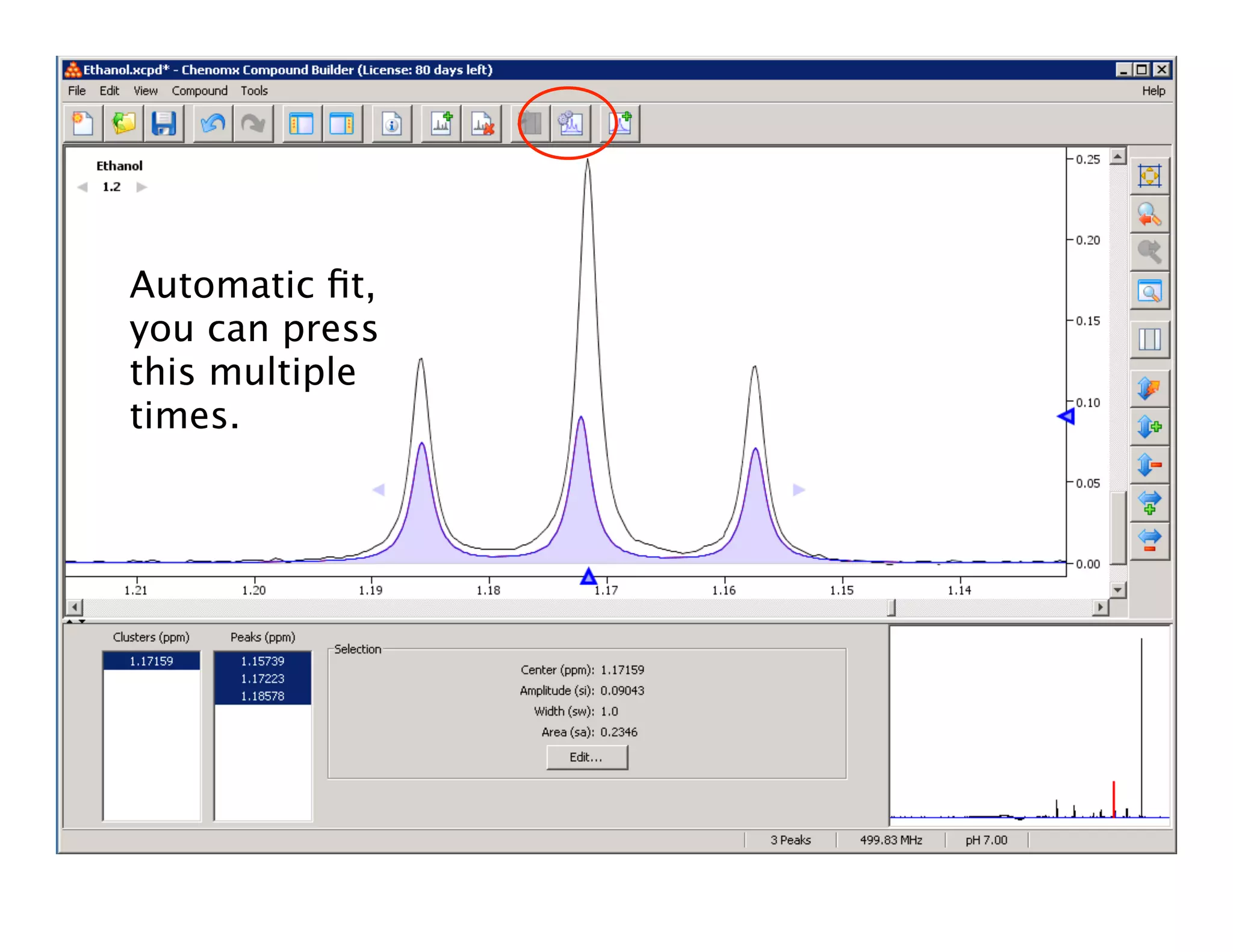
Automatic fit,
you can press
this multiple
times.
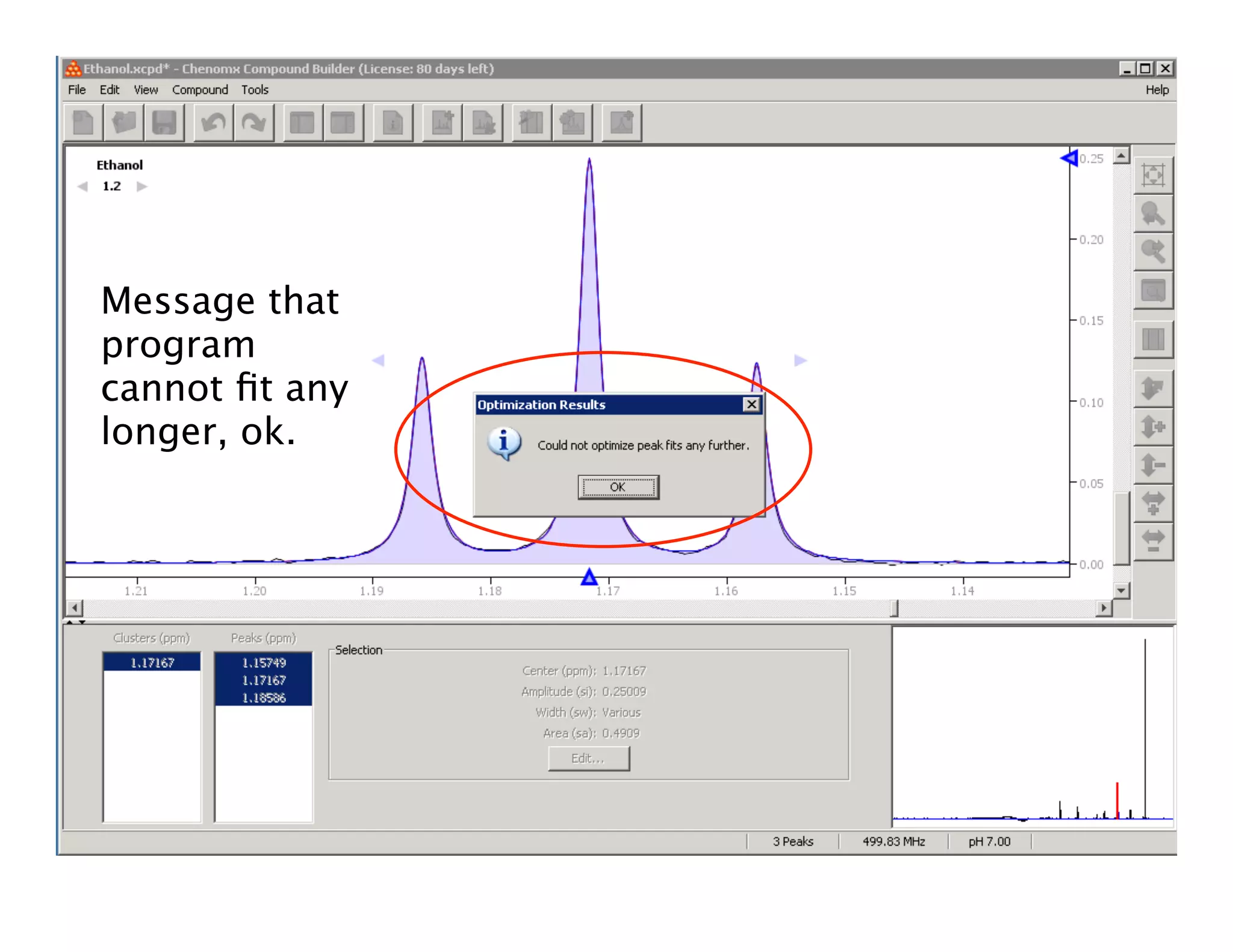
Message that
program
cannot fit any
longer, ok.
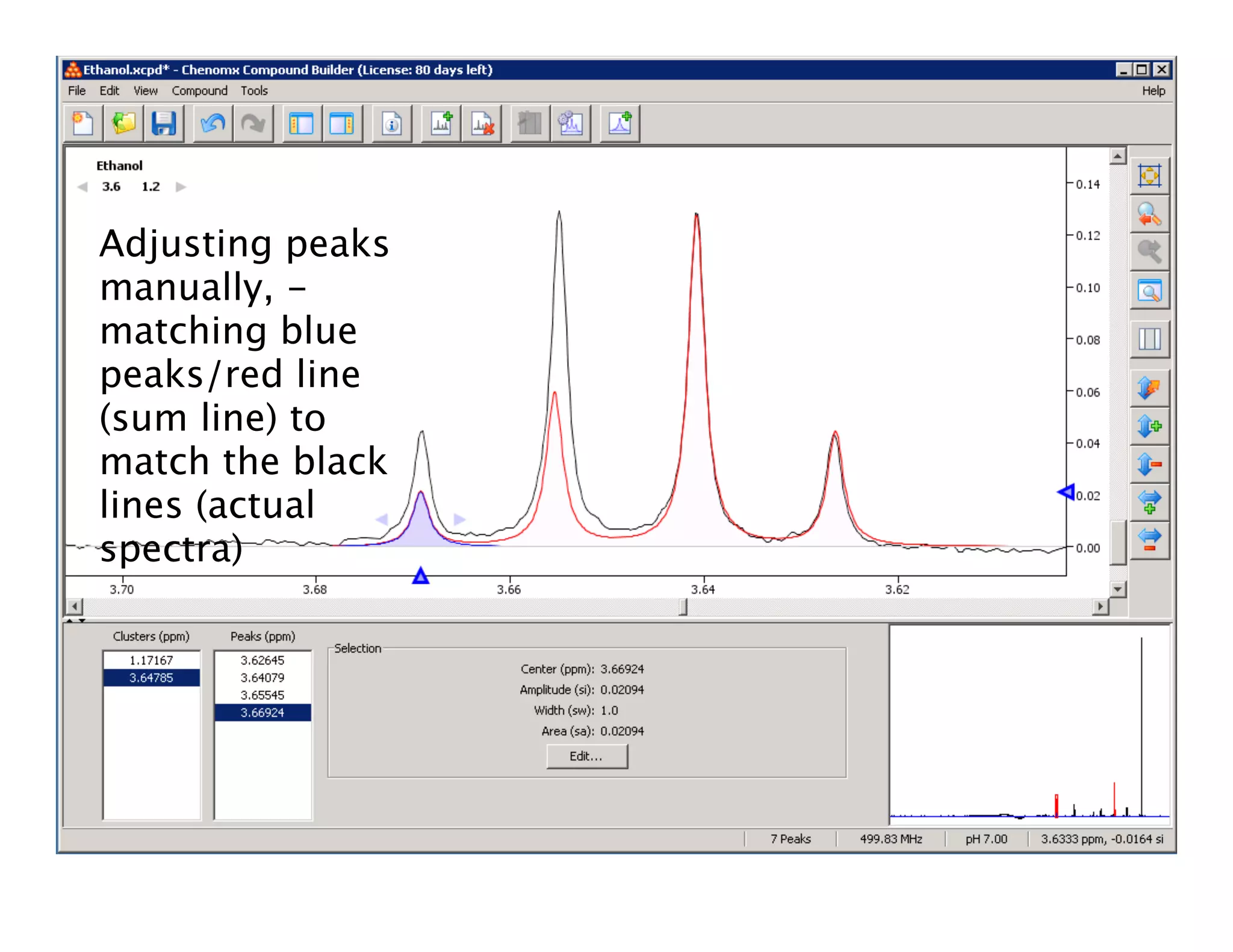
Adjusting peaks
manually, -
matching blue
peaks/red line
(sum line) to
match the black
lines (actual
spectra)
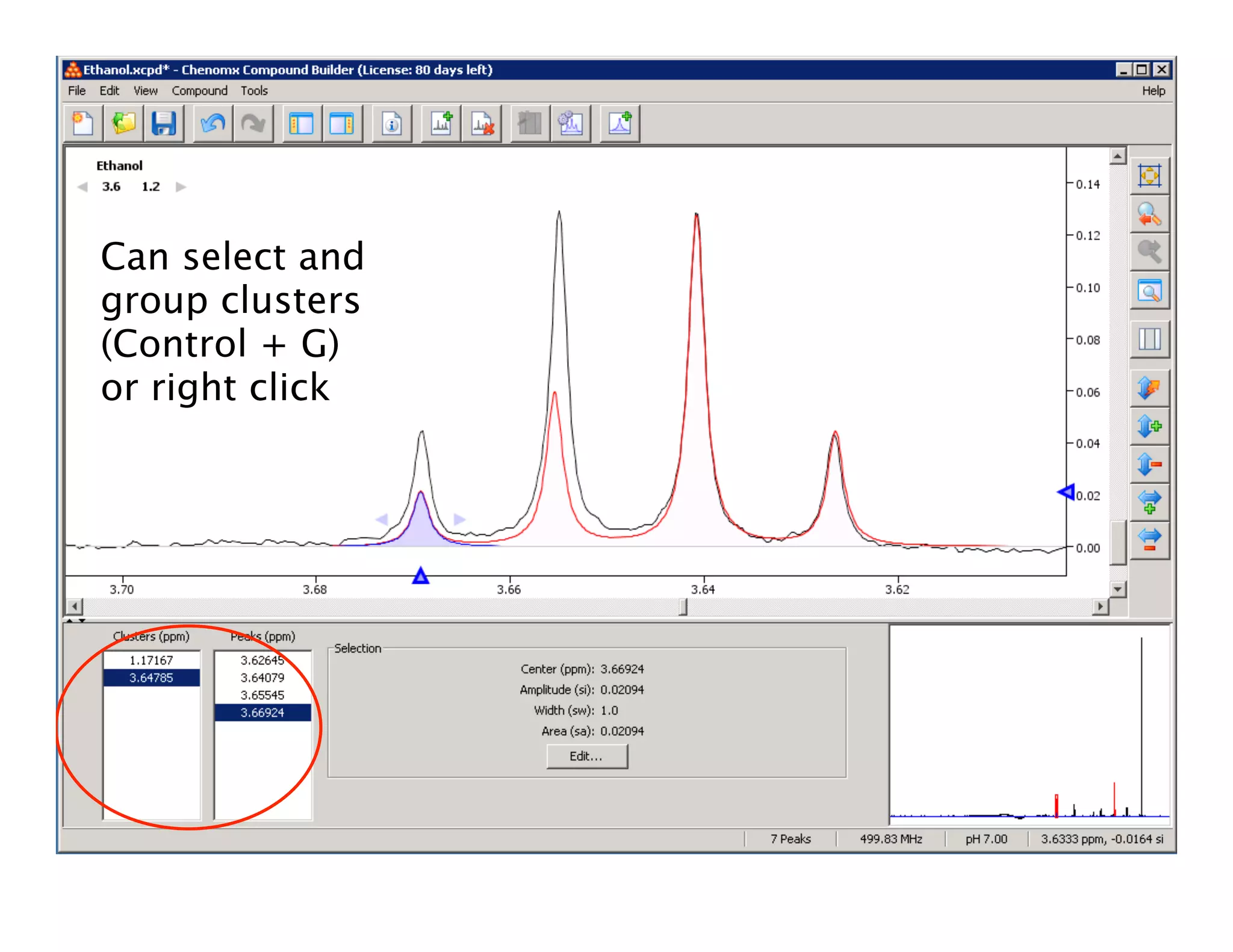
Can select and
group clusters
(Control + G)
or right click
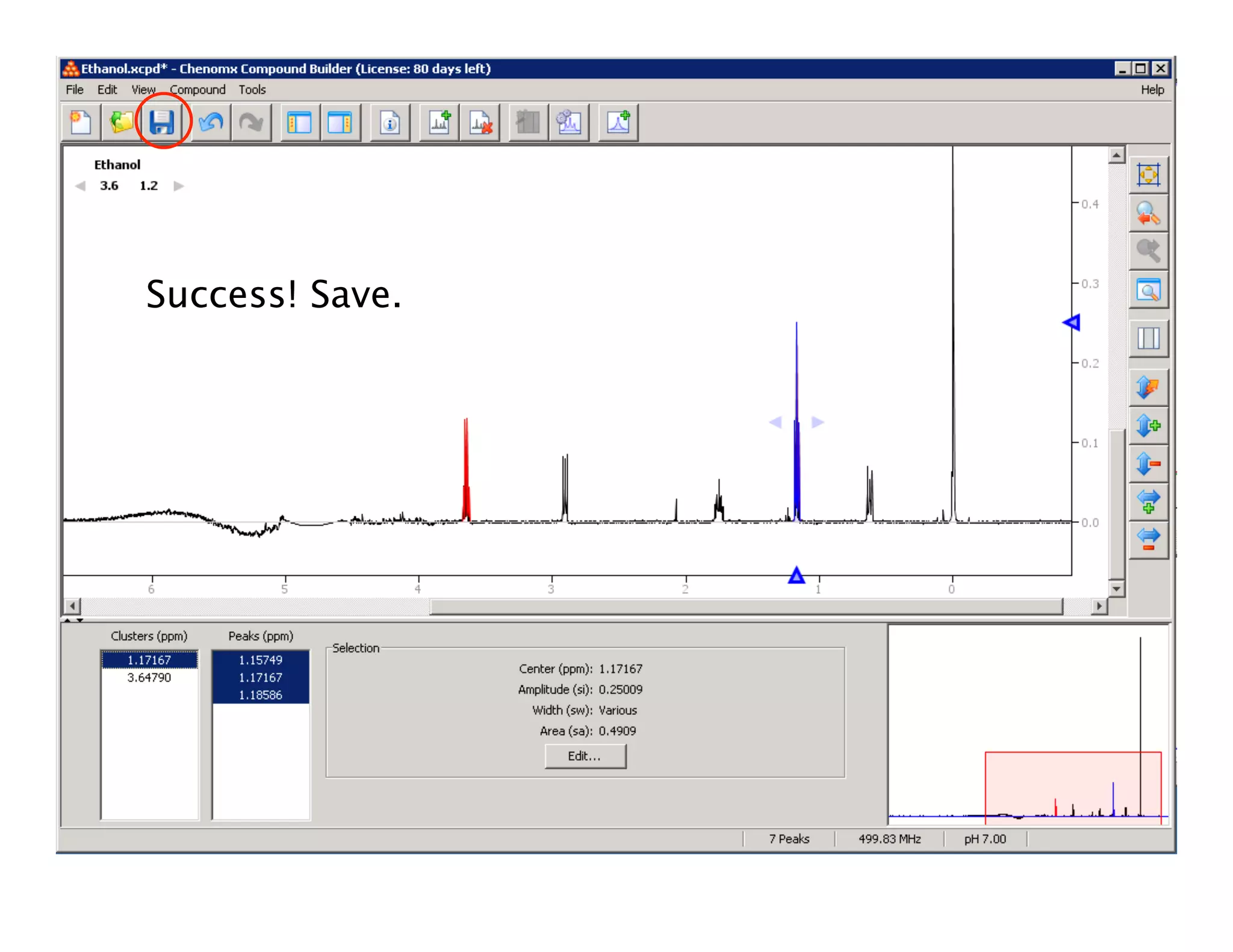
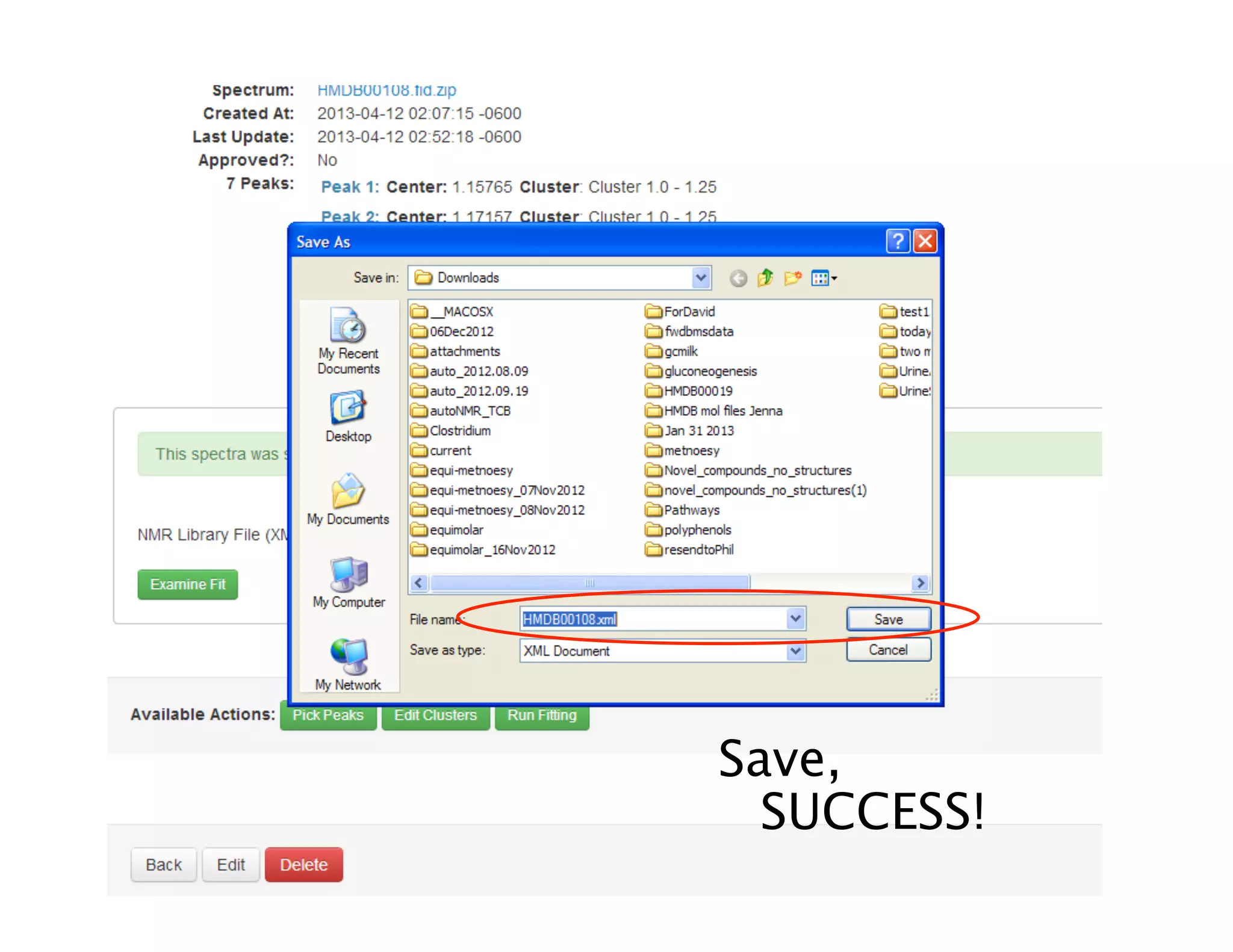
Success! Save.
3. XML
• Extensible Markup
Language (.xml files)
• A (document) markup
language is a modern
system for annotating
a document in a way
that is syntactically
distinguishable from
the text. [Wikipedia]
• Advantage: Machine
and Human readable
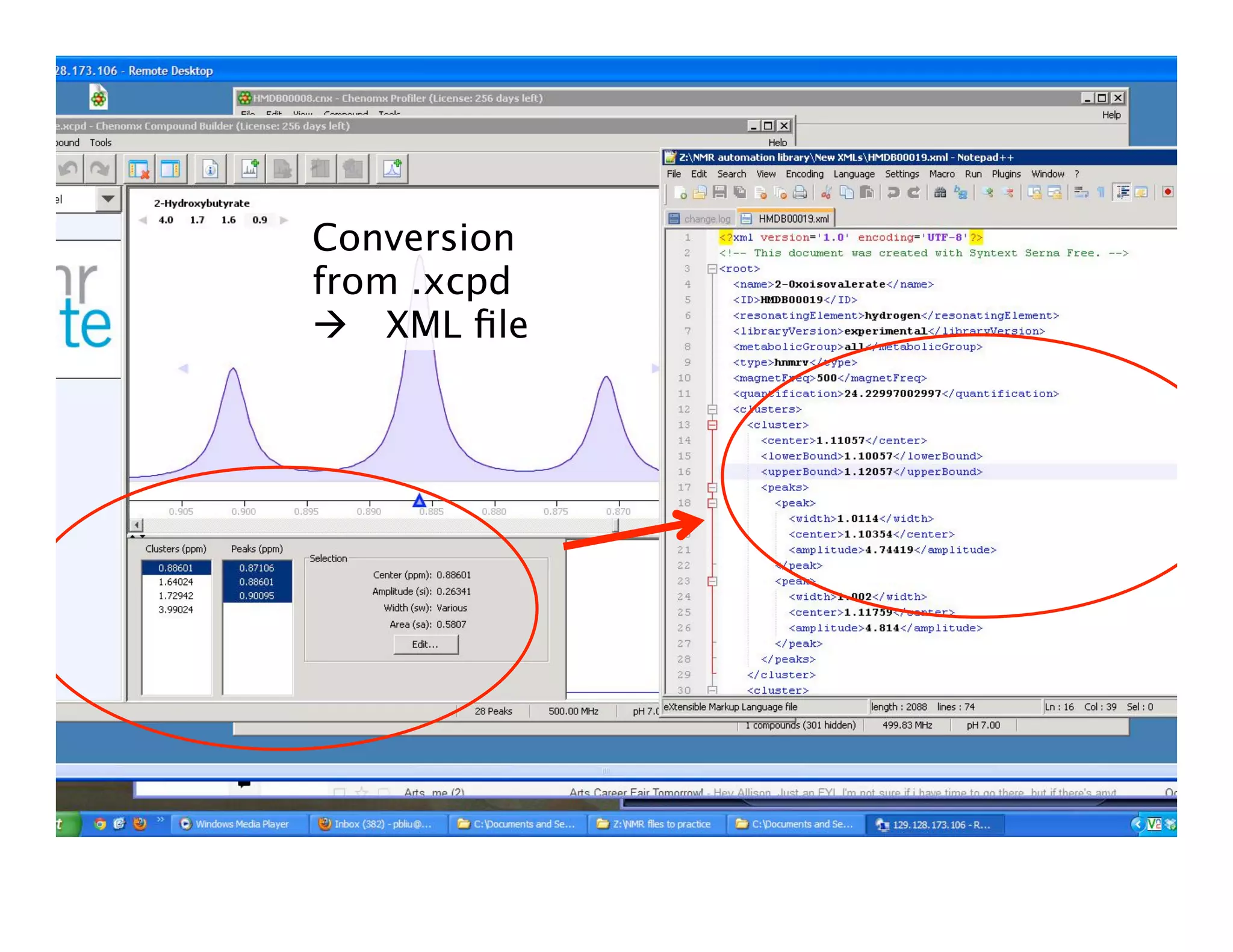
Conversion
from .xcpd
 XML file
XML
• File Header (red – edit these fields)
• <name>Ethanol</name>
• <ID>HMDB00108</ID>
• <resonatingElement>hydrogen</
resonatingElement>
• <libraryVersion>experimental</
libraryVersion>
• <metabolicGroup>all</metabolicGroup>
• <type>hnmrv</type>
• <magnetFreq>500</magnetFreq>
• <quantification>1.2863</quantification>*
More XML
• <clusters>
• <cluster>
• <center>1.17166</center>
• <lowerBound>1.17166</
lowerBound>
• <upperBound>1.17166</
upperBound>
• <peaks>
• <peak>
• <center>1.15747</center>
Bounds limit
how far the
cluster centres
can shift

 Peaks are
described by
their centres,
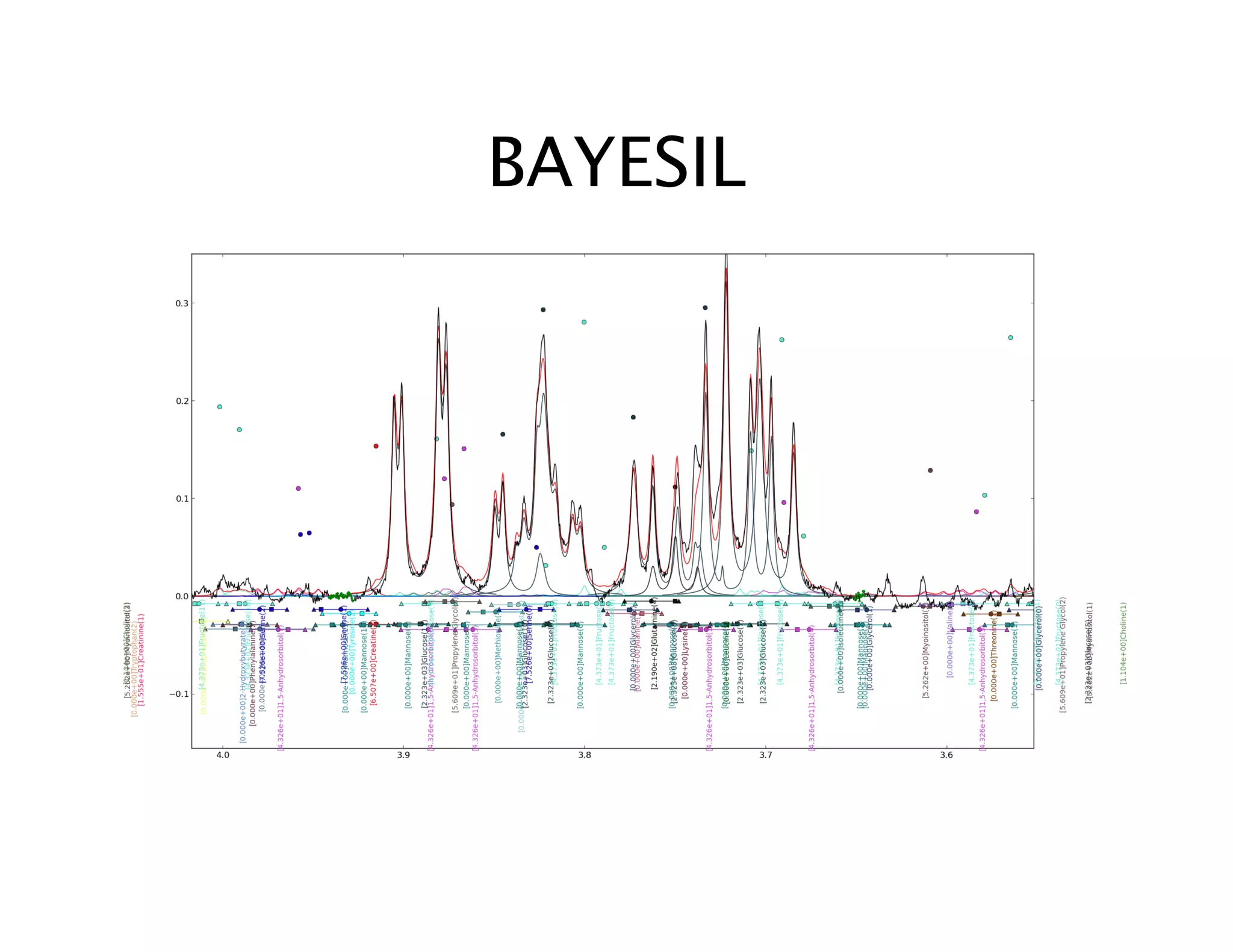
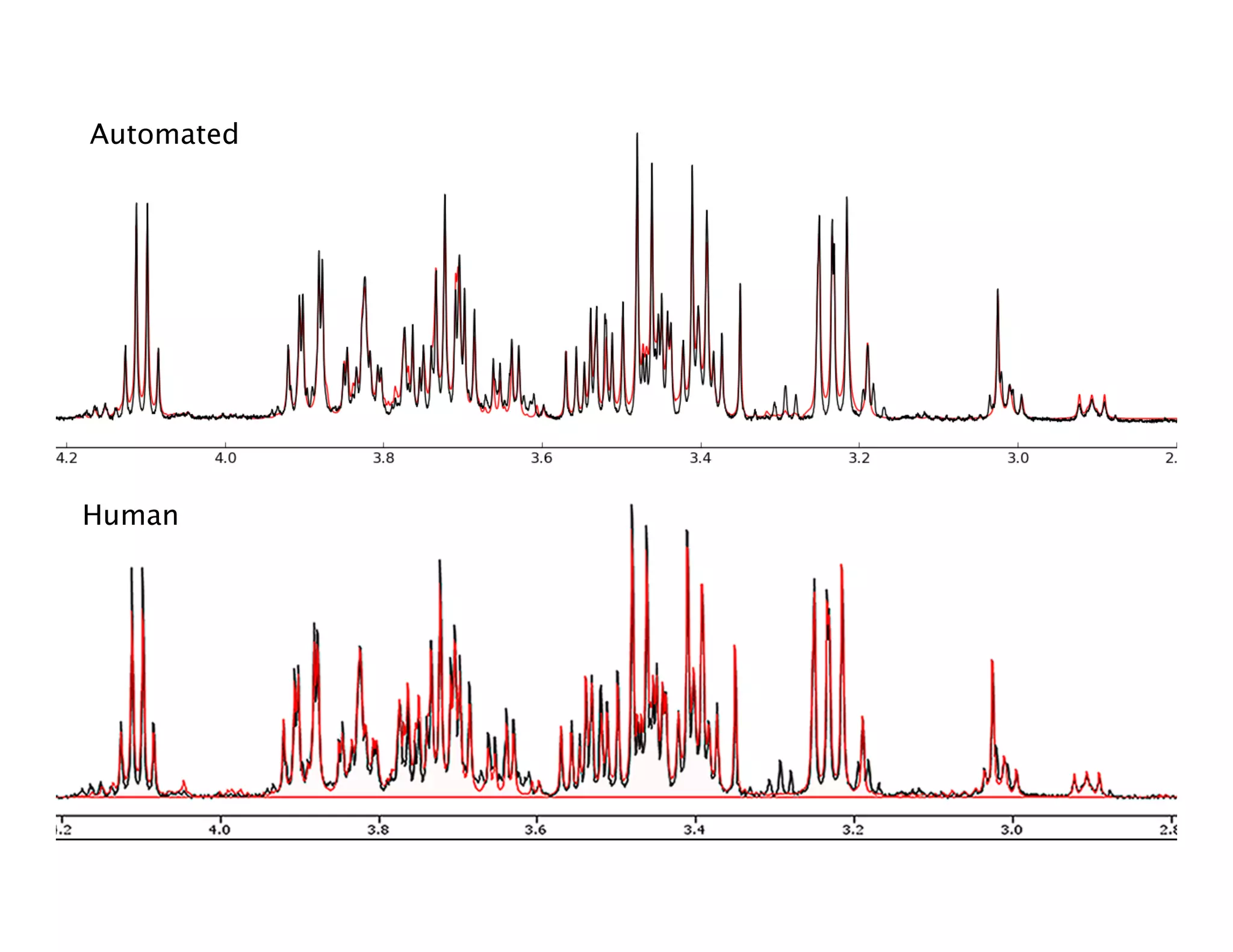
BAYESIL
• “Siamak’s Program”
• Processes NMR spectra similarly to
ChenoMX – phases, baseline corrects
etc.
• Global fit – uses area under the curve
to fit spectra
• Future improvements: UI (User
interface), flagging false positives/
negatives, concentration corrections,
BAYESIL
Automated
Human
4. NMRlib
• “Roman’s Program”
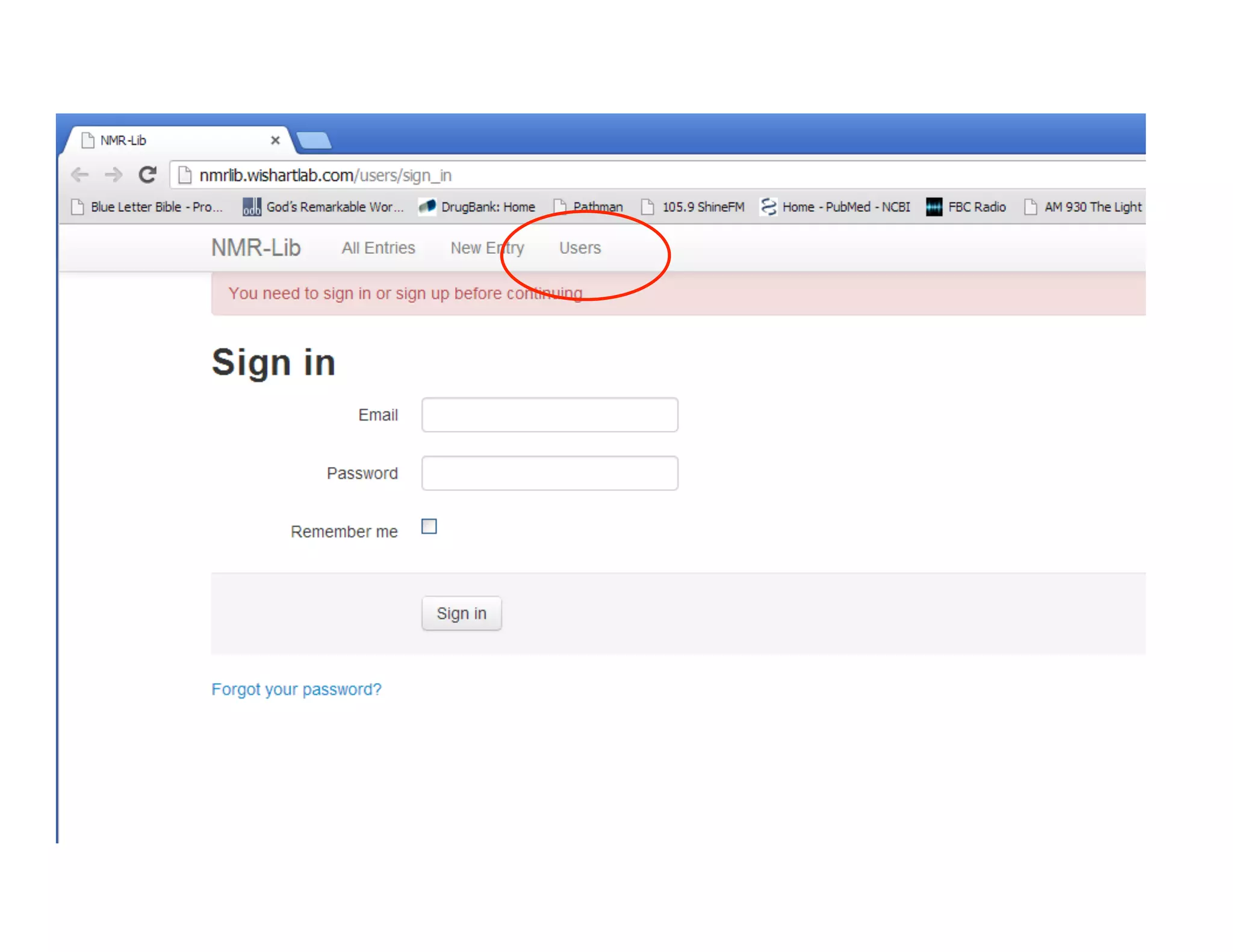
• GUI (Graphical User Interface), web
based application
(nmrlib.wishartlab.com) that uses
BAYESIL to process spectra and create
XML files
• Faster than ChenoMX approach,
eliminates typographical errors
• Doesn’t allow for overlapping peaks
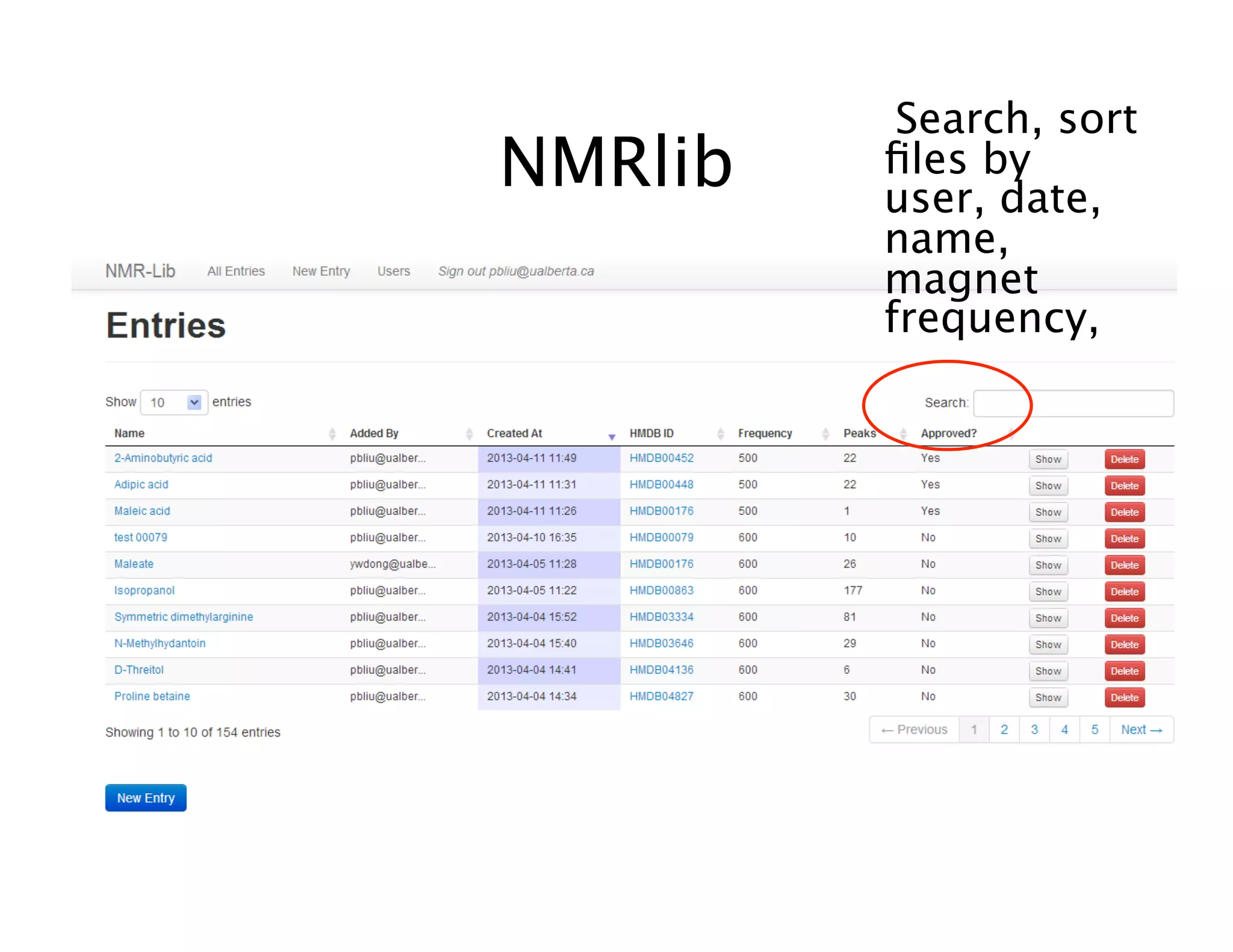
NMRlib
NMRlib
Search, sort
files by
user, date,
name,
magnet
frequency,
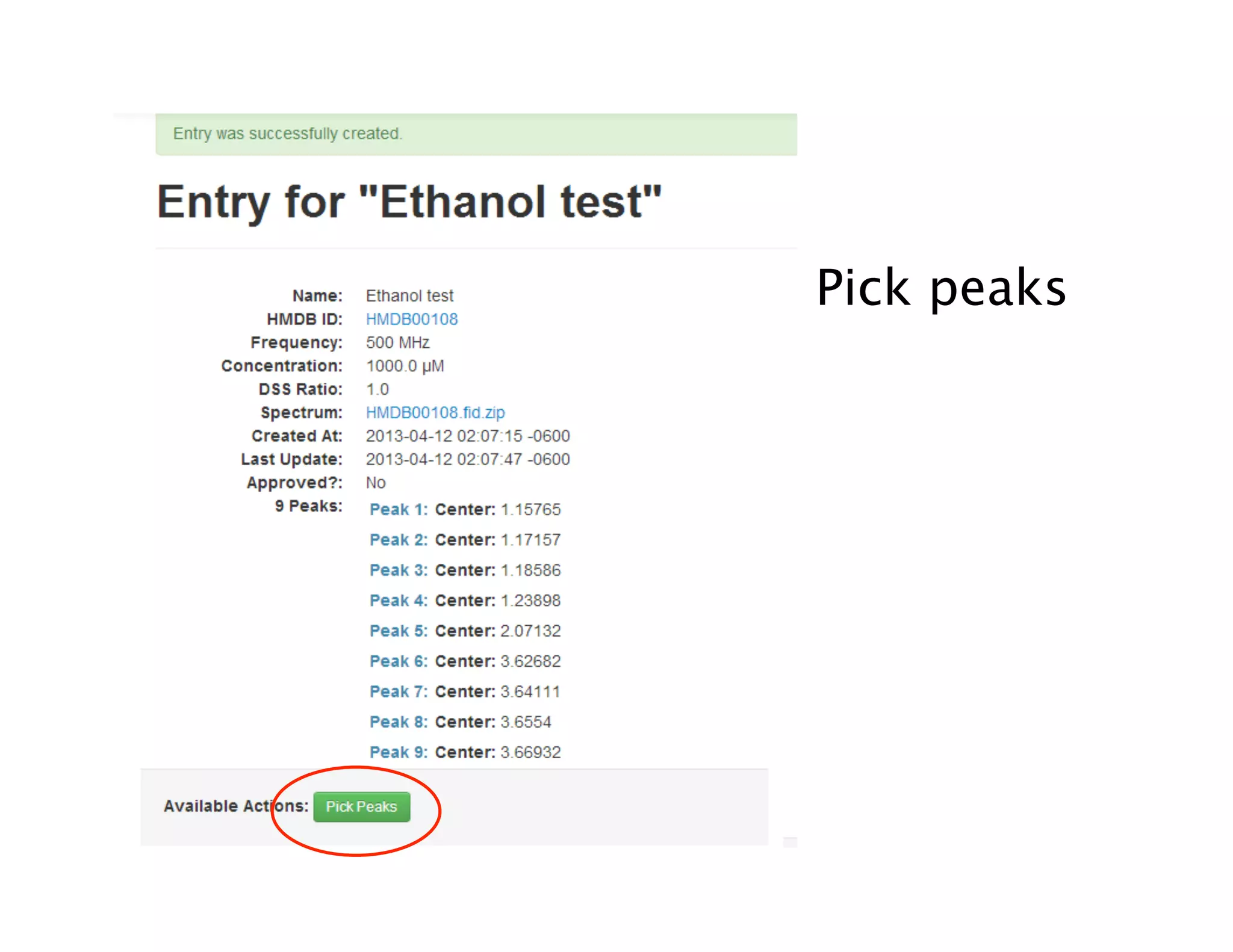
NMRlib
• Fill in fields, Name,
HMDBID, NMR Freq.
Metabolite
concentration (as
measured by
ChenoMX or
experimental), and
ratio of [metabolite]/
[DSS]
• -Spectrum files must
be .zip files and the
fid must be in a
folder named
HMDBxxxxx.fid
 eg.
NMRlib
Pick peaks
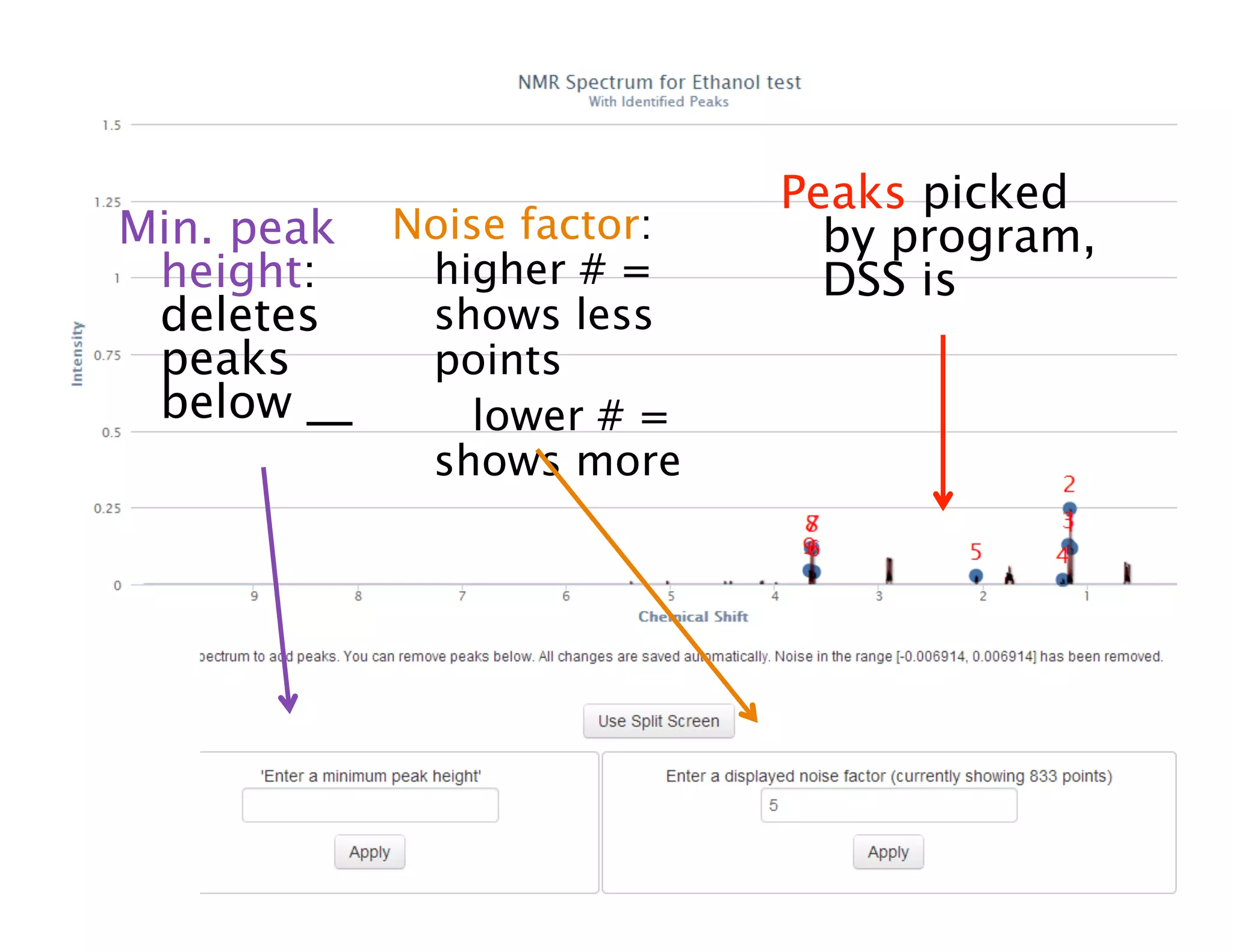
Min. peak
height:
deletes
peaks
below __
Noise factor:
higher # =
shows less
points
lower # =
shows more
Peaks picked
by program,
DSS is
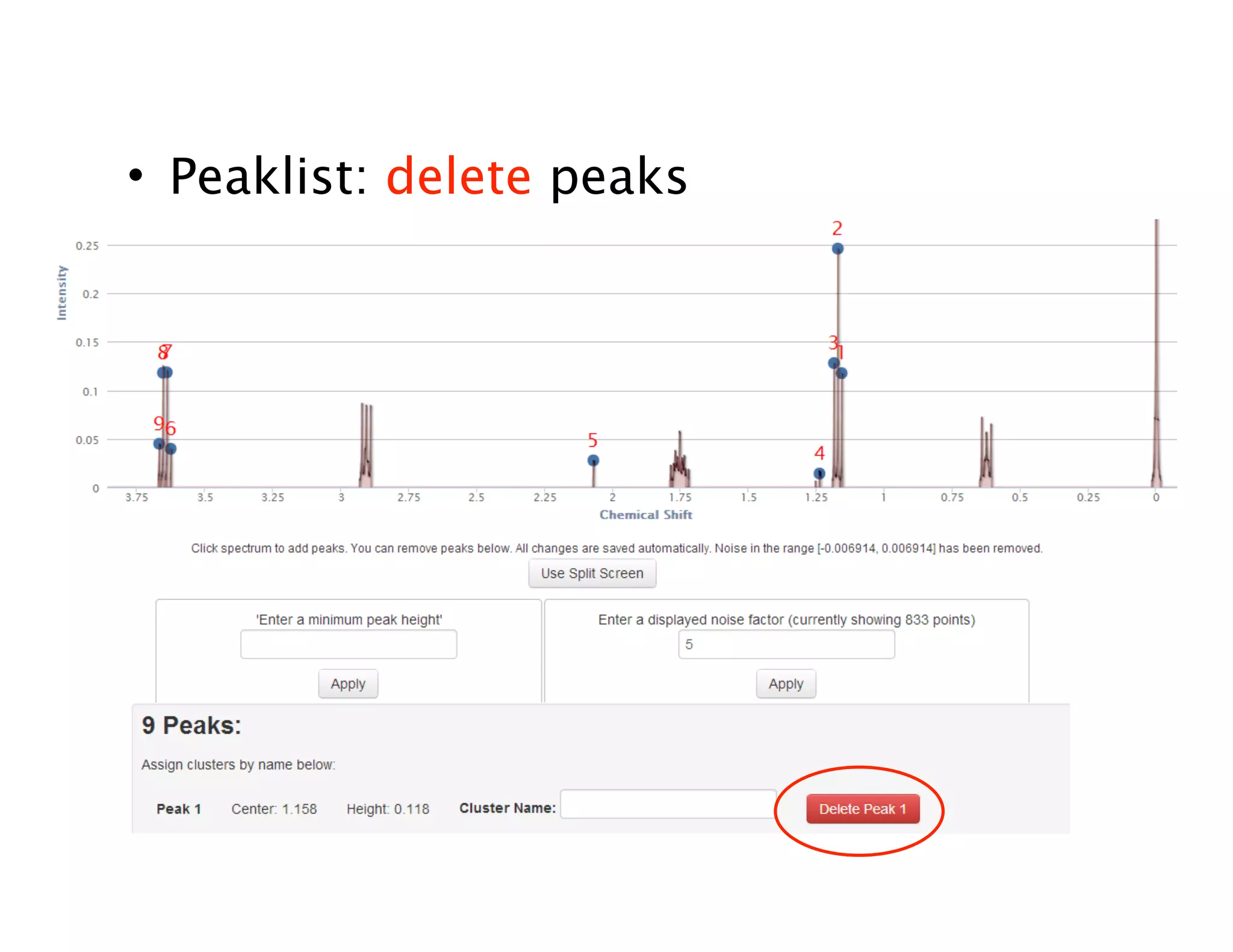
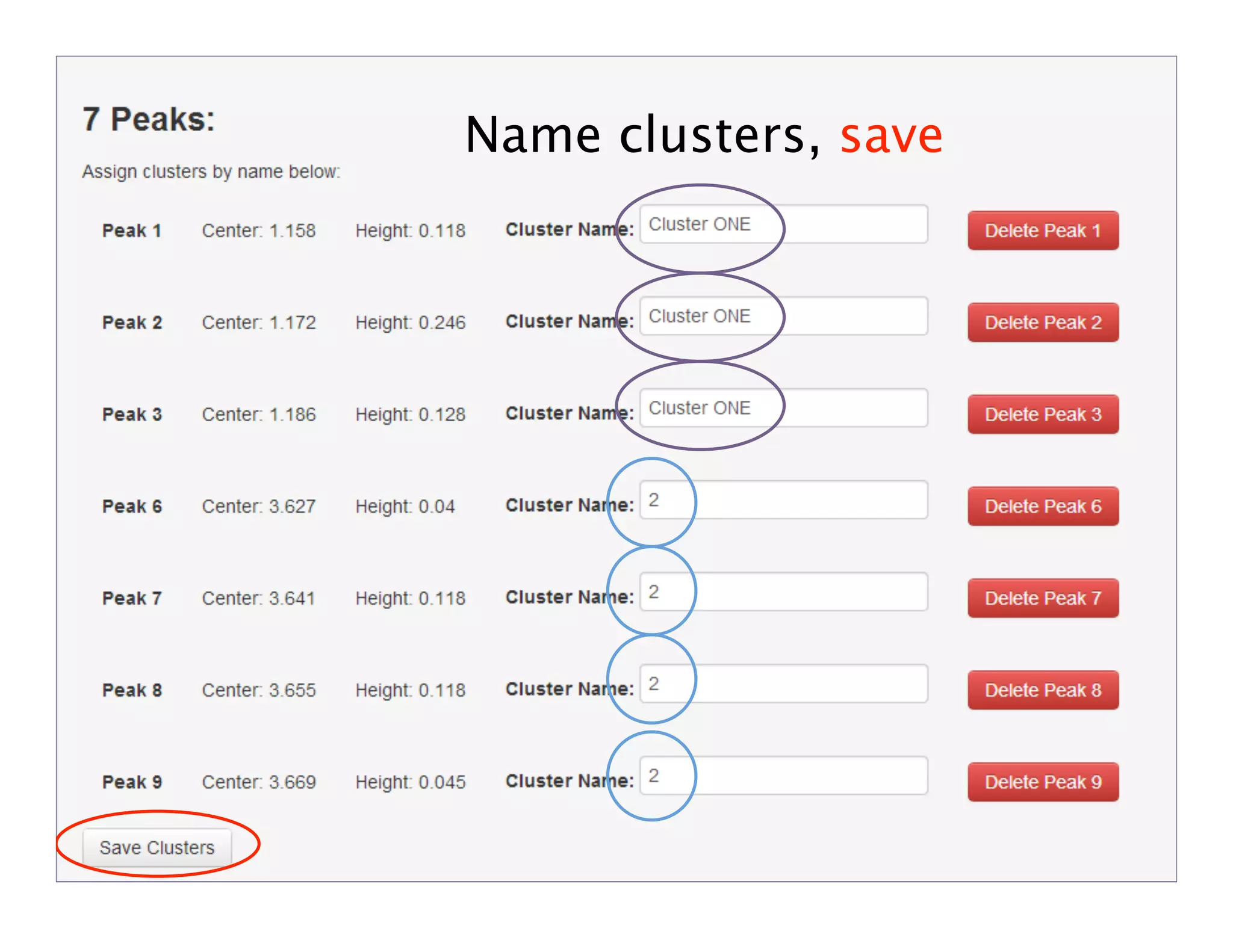
• Peaklist: delete peaks
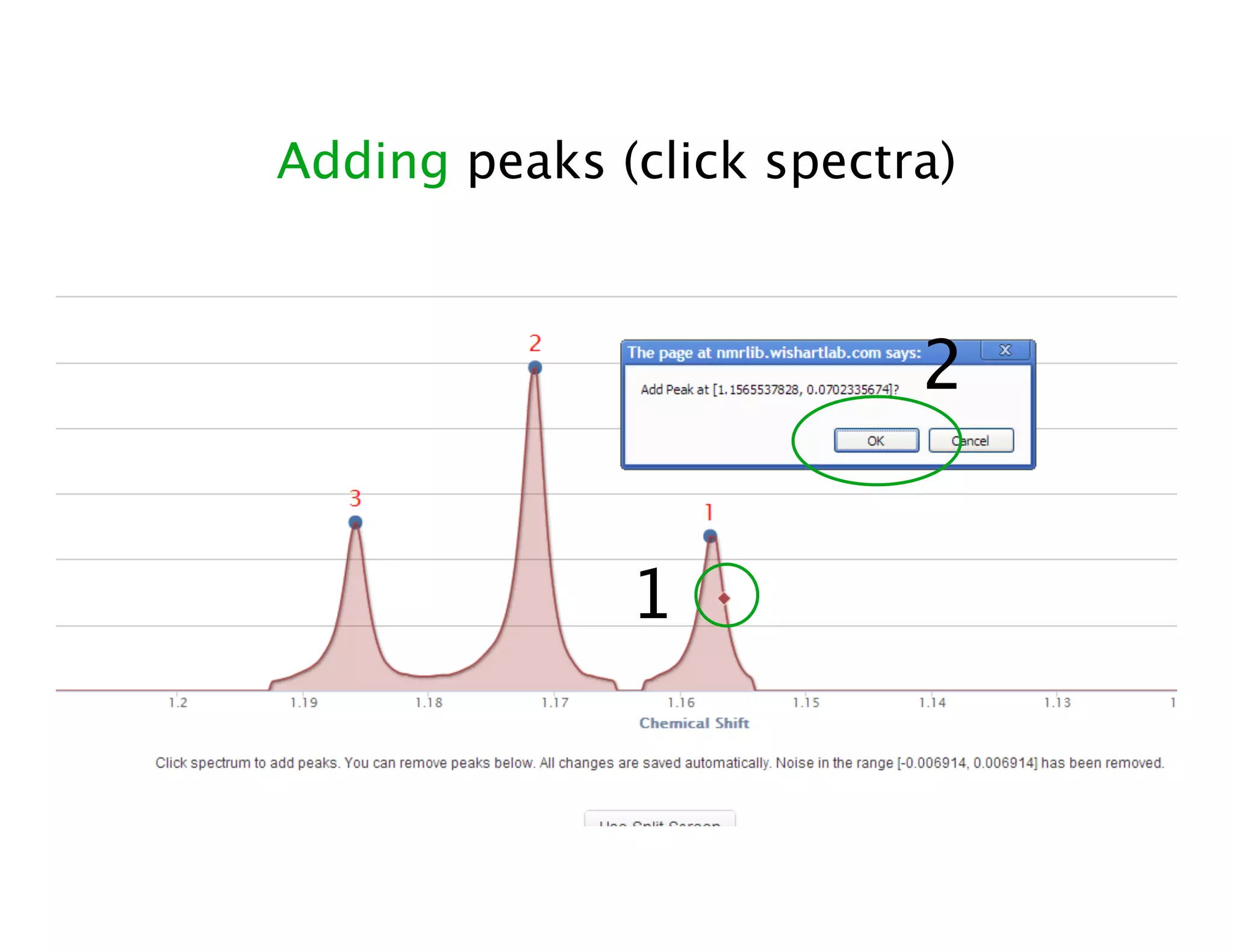
Adding peaks (click spectra)
1
2
Peak added!
Name clusters, save
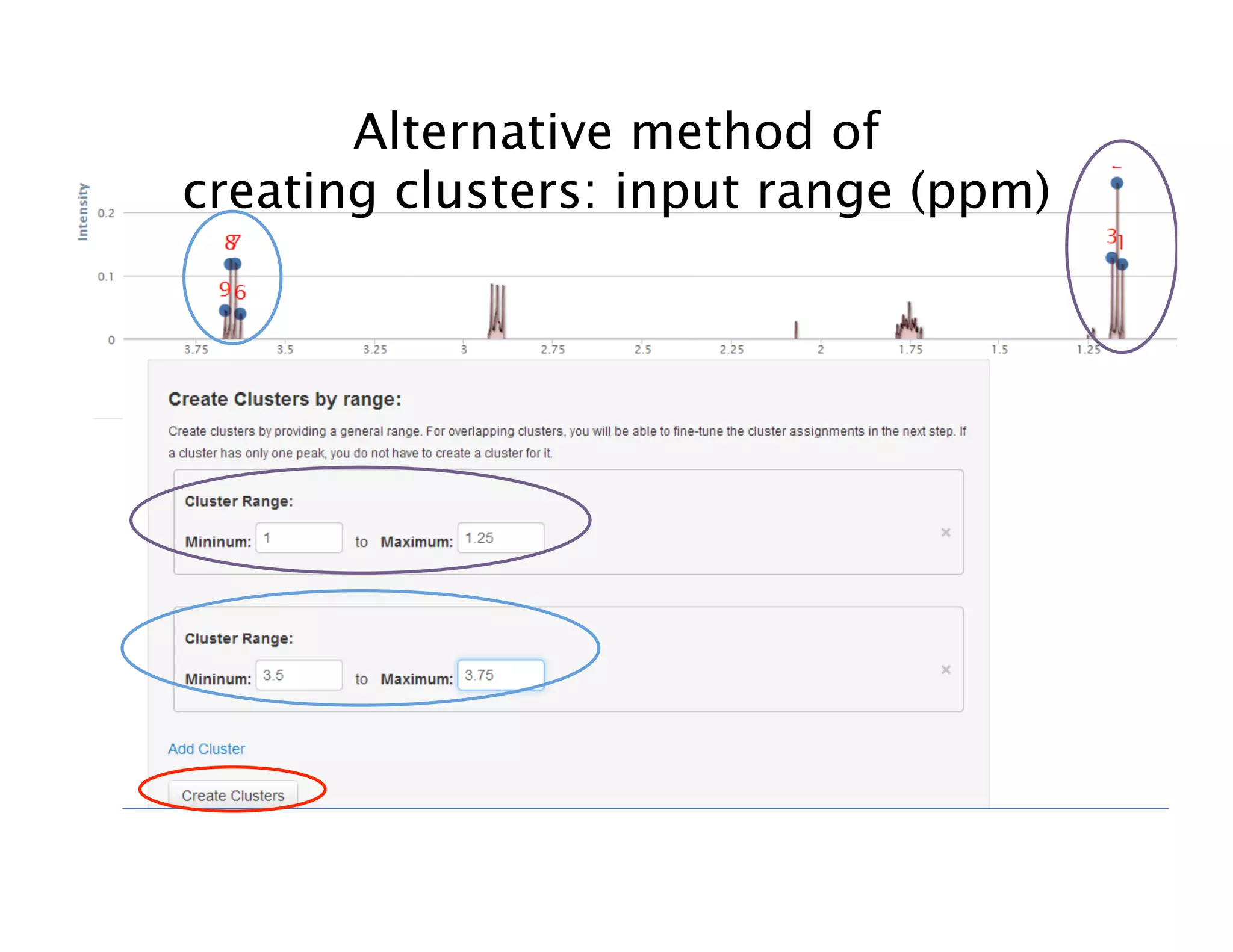
Alternative method of
creating clusters: input range (ppm)
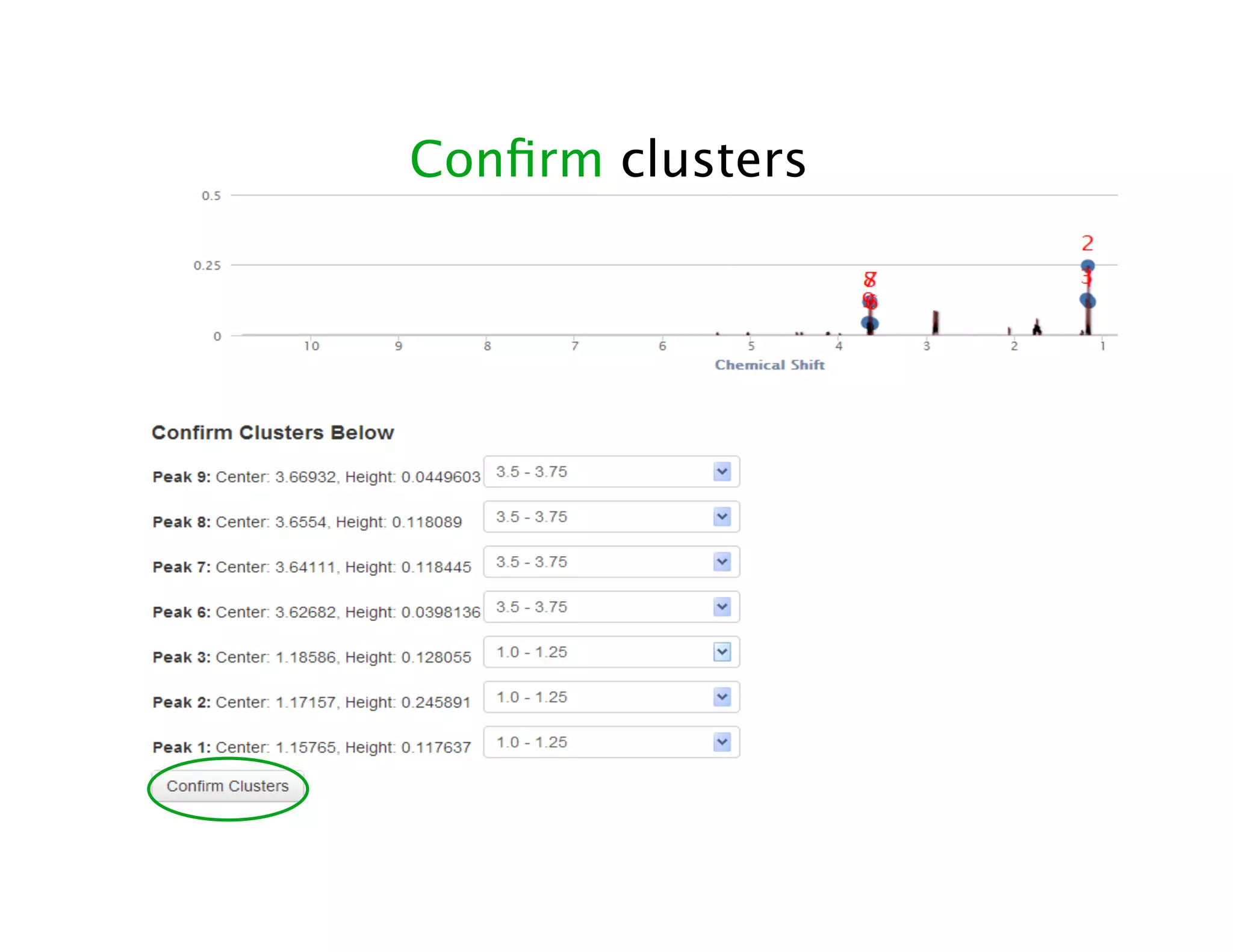
Confirm clusters
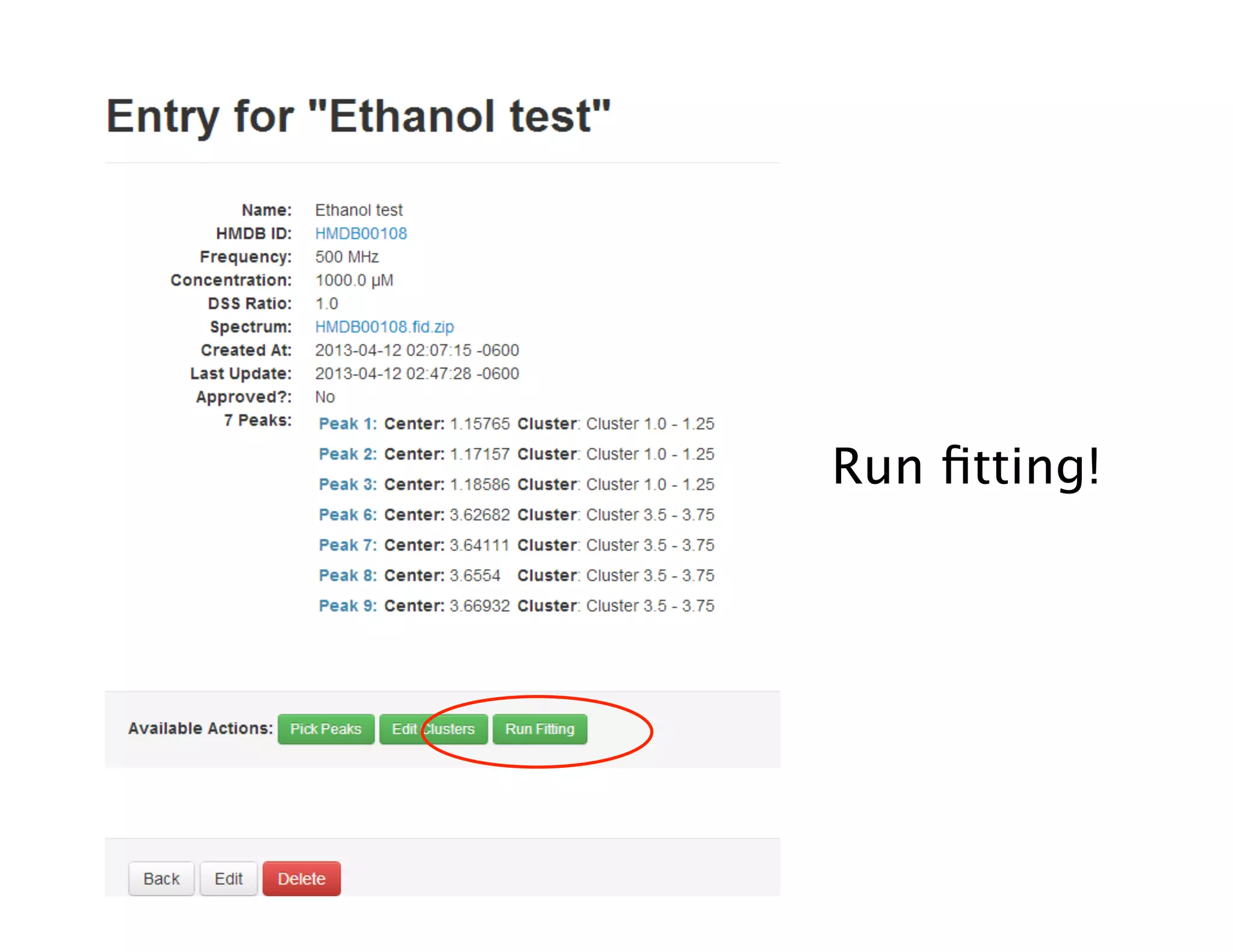
Run fitting!
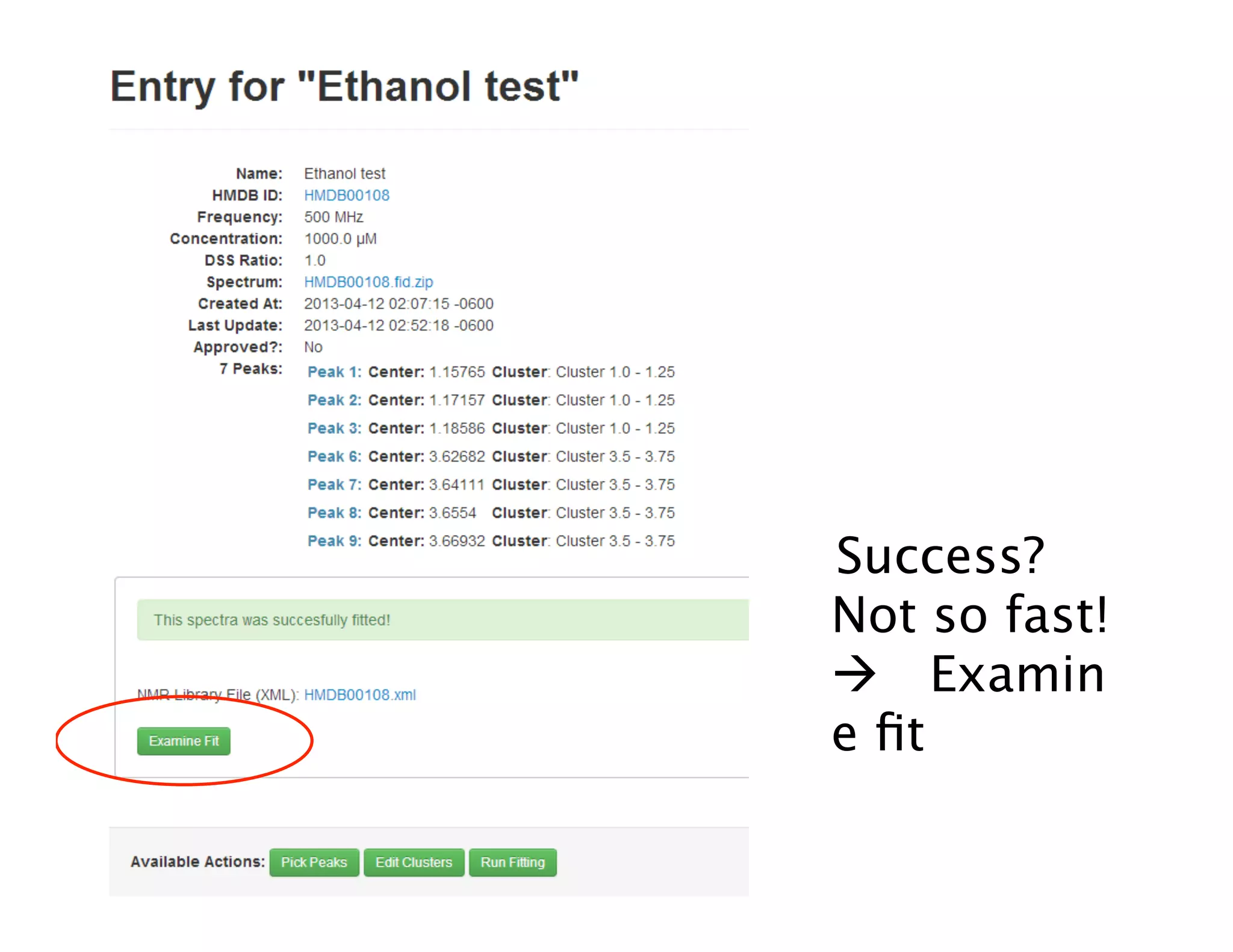
Success?
Not so fast!
 Examin
e fit
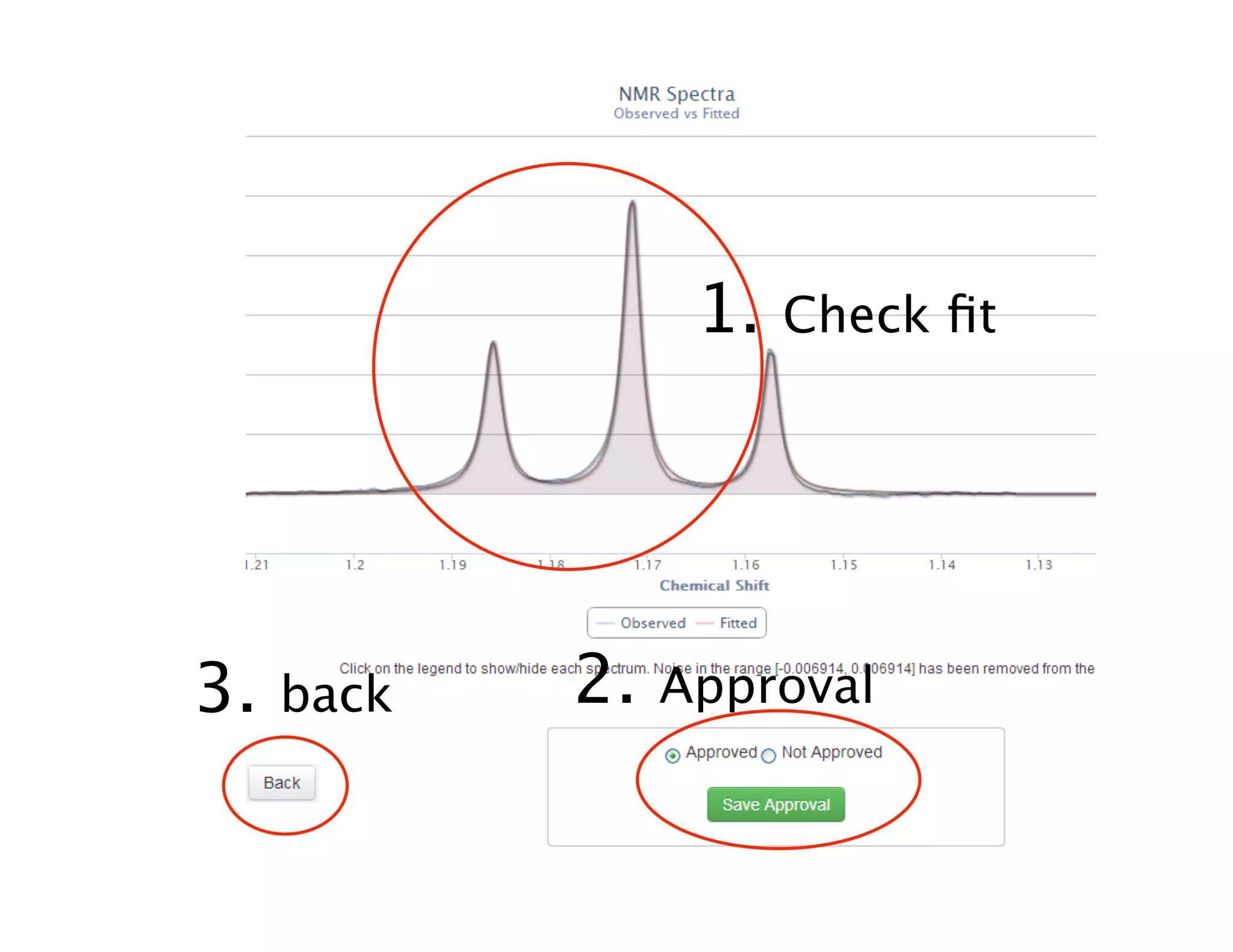
1. Check fit
2. Approval3. back
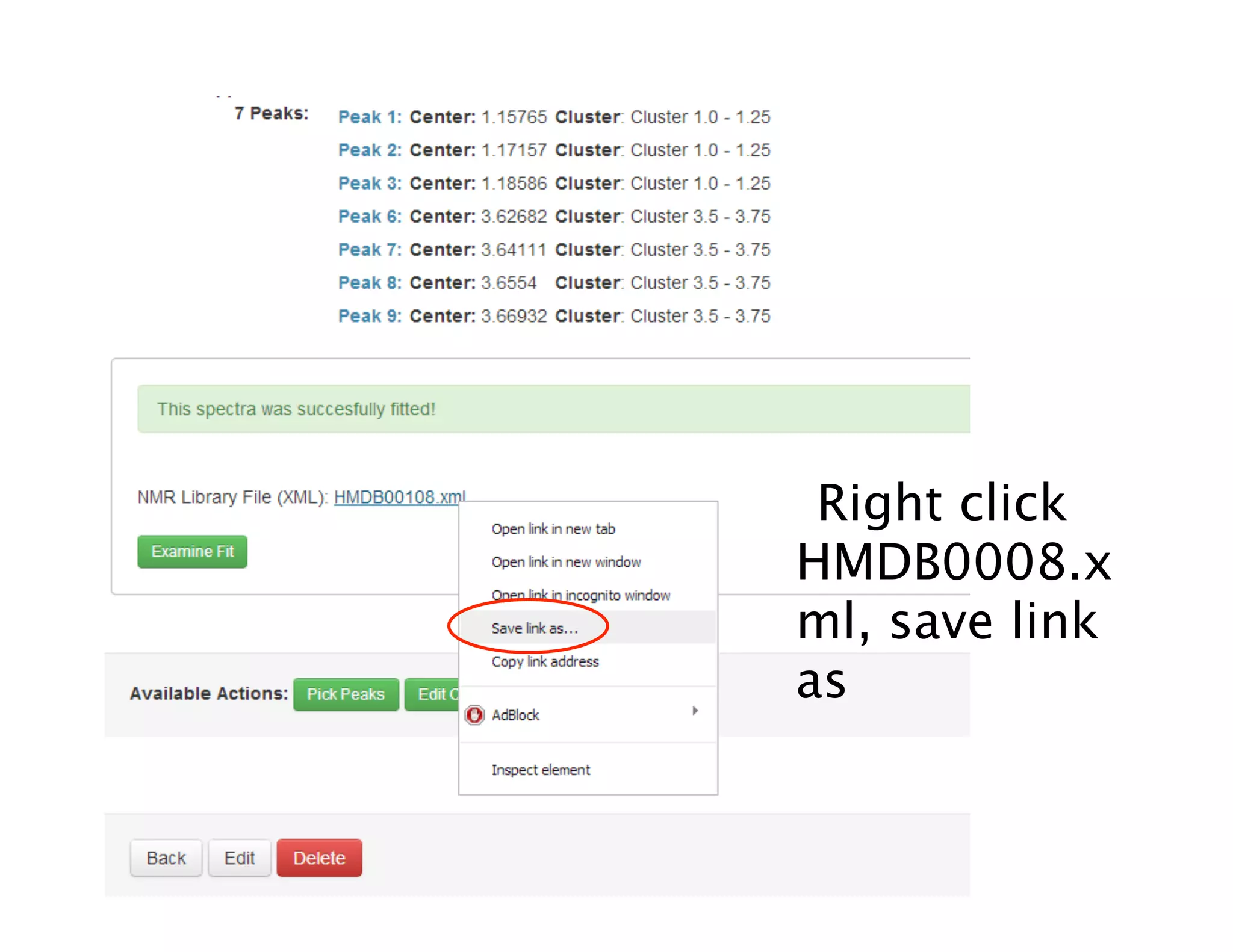
Right click
HMDB0008.x
ml, save link
as
Save,
SUCCESS!
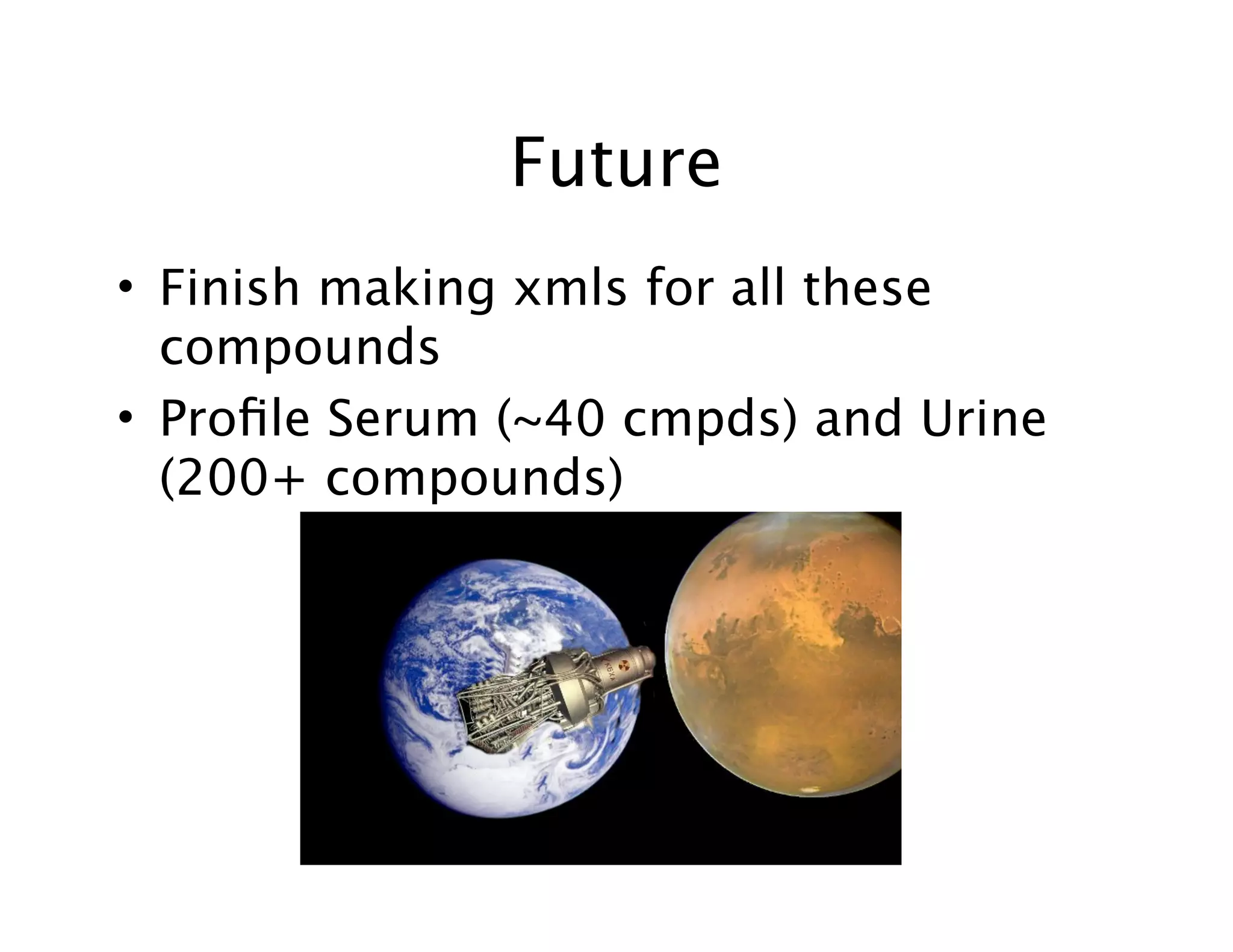
Future
• Finish making xmls for all these
compounds
• Profile Serum (~40 cmpds) and Urine
(200+ compounds)
Thank you!
(You can wake up now)
• Dr. Wishart
• Igor, Trent, Rupa, Edison
• Siamak, Roman
• Wishartlab
Questions?
References
• http://chemnmr.colorado.edu/moreinfo/whatisnmr.html
• http://www.google.ca/imgres?imgurl=http%3A%2F%2Fwww.riken.jp%2Fengn%2Fr-
world%2Finfo%2Frelease%2Fnews%2F2003%2Faug%2Fimage
%2Fefg-2.jpg&imgrefurl=http%3A%2F%2Fwww.riken.jp%2Fengn%2Fr-world%2Finfo
%2Frelease%2Fnews%2F2003%2Faug
%2Findex.html&docid=IDBu8C4qtKDVSM&tbnid=npBbvuV7tHmVLM&w=246&h=14
6&ei=mCZnUc2DB6ayigKl04GwDQ&ved=0CAUQxiAwAw&iact=ricl
• http://edwebproject.org/india/pics/swing.jpg
• http://www.abc.net.au/science/articles/2011/03/29/3175747.htm
• http://www.planetseed.com/node/15291
• http://en.wikipedia.org/wiki/File:Earth_precession.svg
• http://www.physiopro.co.za/the-head-work-behind-your-headache/#
• http://4.bp.blogspot.com/-roZe_7I5lJ4/TWxGXMuRoDI/AAAAAAAABSE/
fe5qFP_iGBw/s1600/BERTI_robot.jpg
• http://i.current.com/images/asset/900/821/06/4Fo01x.jpg
• http://i.telegraph.co.uk/multimedia/archive/00802/460-basil_802346c.jpg
• http://www.chenomx.com/support/img/page58/Chenomx%20NMR%20Suite
%207.1.pdf

NMR Automation