York Digital Library – Images Case Study Julie Allinson, SUETr Multimedia Deposits Event 30 th  March 2009
Overview A walk-through of what we did at York, bearing in mind starting from scratch we use ‘F’-for-flexible Fedora and Mura front-end short-term needs and long-term plans not just an image library
Approach Image Content Model a statement of requirements a record of decisions a design blueprint [not yet] a machine-readable ‘content model’ re-usable possibly of wider use? https://vle.york.ac.uk/bbcswebdav/xid-316149_3
Considerations Use case(s) Image types Uniqueness (preservation/access) Metadata for intended and potential usage File formats, sizes, expected delivery mechanism Access Restrictions Deposit Workflow Rights
Use Case(s) The University of York History of Art Department need digital images for teaching and research. They have no networked way of sharing image resources. They use a lot of scanned images under CLA, which need access control. They also sometimes take images and in the past got slides made of these.
But, other types of image too … Works of art Architecture or architectural features Archaeological sites, objects Archival materials Computer-generated images Photographs taken for specific purposes
Metadata Requirements Model based on VRA – image & work distinction Profile of VRA, minimal extensions Vocabularies IDs and Labels Mapping to DC
Datastreams/files Image formats accept all Preferred: open formats Convert to: JPEG/TIFF for delivery Images ‘expressions’ stored ARCHIVAL_IMAGE; FULL_IMAGE; PREVIEW_IMAGE; THUMBNAIL File sizes and resolutions maintain original size/resolution - guidelines available [soon]
Relationships Important in Fedora – RELS-EXT Currently stores collection membership Can be exploited further, e.g. to store relationships between different objects, formal content model Exploring RELS-INT for internal relationships
Workflow Specification of the deposit process Currently fairly simple Uses mapped drives (local deposit) muradora xforms Has user-facing and technical aspect Review and publish stage
Workflow – human Select object type Select collection Drop + select file Describe Save Review – record + data dictionary Publish
Access Control Requirements for access control Two main current use cases Restricted CLA Restricted public This needs Integration with LDAP/Shibboleth Access control filter to ‘talk’ to different systems Roles and role mapping RELS-INT datastream
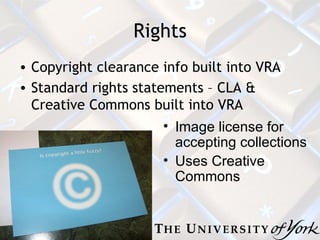
Rights Copyright clearance info built into VRA Standard rights statements – CLA & Creative Commons built into VRA Image license for accepting collections Uses Creative Commons
It’s all a work in progress To-do JHOVE for technical metadata Refining/extending workflow Access control Different types of images etc. etc.
Usefulness of ‘Content Model’ ‘ checklist’ m ight be too internal to be of wider use w hether documented or not, each aspect of the process has be thought through (with Fedora anyhow) a document helps demonstrate all the work involved n eeds regular review to keep up-to-date
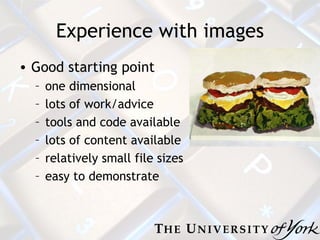
Experience with images Good starting point one dimensional lots of work/advice tools and code available lots of content available relatively small file sizes easy to demonstrate
That’s it contact  [email_address]

Multi Med03 Ja

  • 1.
    York Digital Library– Images Case Study Julie Allinson, SUETr Multimedia Deposits Event 30 th March 2009
  • 2.
    Overview A walk-throughof what we did at York, bearing in mind starting from scratch we use ‘F’-for-flexible Fedora and Mura front-end short-term needs and long-term plans not just an image library
  • 3.
    Approach Image ContentModel a statement of requirements a record of decisions a design blueprint [not yet] a machine-readable ‘content model’ re-usable possibly of wider use? https://vle.york.ac.uk/bbcswebdav/xid-316149_3
  • 4.
    Considerations Use case(s)Image types Uniqueness (preservation/access) Metadata for intended and potential usage File formats, sizes, expected delivery mechanism Access Restrictions Deposit Workflow Rights
  • 5.
    Use Case(s) TheUniversity of York History of Art Department need digital images for teaching and research. They have no networked way of sharing image resources. They use a lot of scanned images under CLA, which need access control. They also sometimes take images and in the past got slides made of these.
  • 6.
    But, other typesof image too … Works of art Architecture or architectural features Archaeological sites, objects Archival materials Computer-generated images Photographs taken for specific purposes
  • 7.
    Metadata Requirements Modelbased on VRA – image & work distinction Profile of VRA, minimal extensions Vocabularies IDs and Labels Mapping to DC
  • 8.
    Datastreams/files Image formatsaccept all Preferred: open formats Convert to: JPEG/TIFF for delivery Images ‘expressions’ stored ARCHIVAL_IMAGE; FULL_IMAGE; PREVIEW_IMAGE; THUMBNAIL File sizes and resolutions maintain original size/resolution - guidelines available [soon]
  • 9.
    Relationships Important inFedora – RELS-EXT Currently stores collection membership Can be exploited further, e.g. to store relationships between different objects, formal content model Exploring RELS-INT for internal relationships
  • 10.
    Workflow Specification ofthe deposit process Currently fairly simple Uses mapped drives (local deposit) muradora xforms Has user-facing and technical aspect Review and publish stage
  • 11.
    Workflow – humanSelect object type Select collection Drop + select file Describe Save Review – record + data dictionary Publish
  • 12.
    Access Control Requirementsfor access control Two main current use cases Restricted CLA Restricted public This needs Integration with LDAP/Shibboleth Access control filter to ‘talk’ to different systems Roles and role mapping RELS-INT datastream
  • 13.
    Rights Copyright clearanceinfo built into VRA Standard rights statements – CLA & Creative Commons built into VRA Image license for accepting collections Uses Creative Commons
  • 14.
    It’s all awork in progress To-do JHOVE for technical metadata Refining/extending workflow Access control Different types of images etc. etc.
  • 15.
    Usefulness of ‘ContentModel’ ‘ checklist’ m ight be too internal to be of wider use w hether documented or not, each aspect of the process has be thought through (with Fedora anyhow) a document helps demonstrate all the work involved n eeds regular review to keep up-to-date
  • 16.
    Experience with imagesGood starting point one dimensional lots of work/advice tools and code available lots of content available relatively small file sizes easy to demonstrate
  • 17.
    That’s it contact [email_address]