Data Weave Transformation
of MuleSoft ESB via
AnyPointStudio
 Transformation from XML
to Java
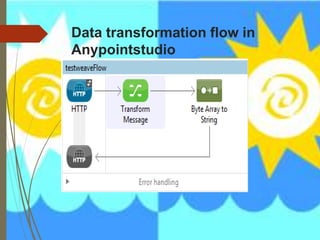
Transformation Flow
We need to transform from XML to Java with the help of Data weave
Language
Required things:
 Anypoint Studio
 xml input file.
 Mule ESB Runtime 3.7
Sample I/P XML file
<user>
<name>Srikanth</name>
<lastName>vlr</lastName>
</user>
Data transformation flow in
Anypointstudio
XML configuration file i.e. config.xml
<http:listener-config name="HTTP_Listener_Configuration"
host="0.0.0.0" port="8081" doc:name="HTTP Listener
Configuration"/>
<flow name="testweaveFlow">
<http:listener config-ref="HTTP_Listener_Configuration"
path="/" metadata:id="cab0526f-779e-427c-9a33-be44f9b12696"
doc:name="HTTP"/>
<dw:transform-message doc:name="Transform Message">
<dw:input-payload doc:sample="json.json"/>
<dw:set-payload><![CDATA[%dw 1.0
%type user = :object { class: "testweave.User" }
%output application/java
---
{
firstName: payload.user.name,
lastName: payload.user.lastName
} as :user]]></dw:set-payload>
</dw:transform-message>
<byte-array-to-string-transformer doc:name="Byte Array to
String"/>
</flow>
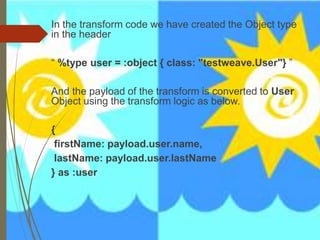
In the transform code we have created the Object type
in the header
“ %type user = :object { class: "testweave.User"} ”
And the payload of the transform is converted to User
Object using the transform logic as below.
{
firstName: payload.user.name,
lastName: payload.user.lastName
} as :user
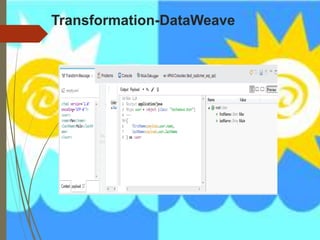
Transformation-DataWeave
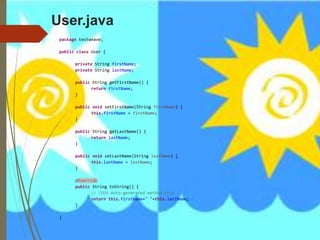
User.java
package testweave;
public class User {
private String firstName;
private String lastName;
public String getFirstName() {
return firstName;
}
public void setFirstName(String firstName) {
this.firstName = firstName;
}
public String getLastName() {
return lastName;
}
public void setLastName(String lastName) {
this.lastName = lastName;
}
@Override
public String toString() {
// TODO Auto-generated method stub
return this.firstName+" "+this.lastName;
}
}

Mulesoft xml to Java Conversion

  • 1.
    Data Weave Transformation ofMuleSoft ESB via AnyPointStudio  Transformation from XML to Java Transformation Flow
  • 2.
    We need totransform from XML to Java with the help of Data weave Language Required things:  Anypoint Studio  xml input file.  Mule ESB Runtime 3.7 Sample I/P XML file <user> <name>Srikanth</name> <lastName>vlr</lastName> </user>
  • 3.
    Data transformation flowin Anypointstudio
  • 4.
    XML configuration filei.e. config.xml <http:listener-config name="HTTP_Listener_Configuration" host="0.0.0.0" port="8081" doc:name="HTTP Listener Configuration"/> <flow name="testweaveFlow"> <http:listener config-ref="HTTP_Listener_Configuration" path="/" metadata:id="cab0526f-779e-427c-9a33-be44f9b12696" doc:name="HTTP"/> <dw:transform-message doc:name="Transform Message"> <dw:input-payload doc:sample="json.json"/> <dw:set-payload><![CDATA[%dw 1.0 %type user = :object { class: "testweave.User" } %output application/java --- { firstName: payload.user.name, lastName: payload.user.lastName } as :user]]></dw:set-payload> </dw:transform-message> <byte-array-to-string-transformer doc:name="Byte Array to String"/> </flow>
  • 5.
    In the transformcode we have created the Object type in the header “ %type user = :object { class: "testweave.User"} ” And the payload of the transform is converted to User Object using the transform logic as below. { firstName: payload.user.name, lastName: payload.user.lastName } as :user
  • 6.
  • 7.
    User.java package testweave; public classUser { private String firstName; private String lastName; public String getFirstName() { return firstName; } public void setFirstName(String firstName) { this.firstName = firstName; } public String getLastName() { return lastName; } public void setLastName(String lastName) { this.lastName = lastName; } @Override public String toString() { // TODO Auto-generated method stub return this.firstName+" "+this.lastName; } }