Modern UI Architecture
“Latest trends and technologies involved in web development”
Suresh Patidar
(2nd September 2015)
Hello!
I am Suresh Patidar
An Engineering Graduate (B.E.) in Computer Science
Have 9+ years of experience in product development
using multiple technologies.
Passionate about Architectures, Design Patterns, UI
technologies and User Experience.
Road Map
Road Map
▷ Shift from classical to modern web development
▷ Latest trends and technologies involved
▷ Challenges and Solutions of a modern web development
▷ Architecture, Frameworks and Design patterns available
▷ Coding Best Practices, Dos & Don’ts for client side
development using JavaScript & CSS
▷ Open House
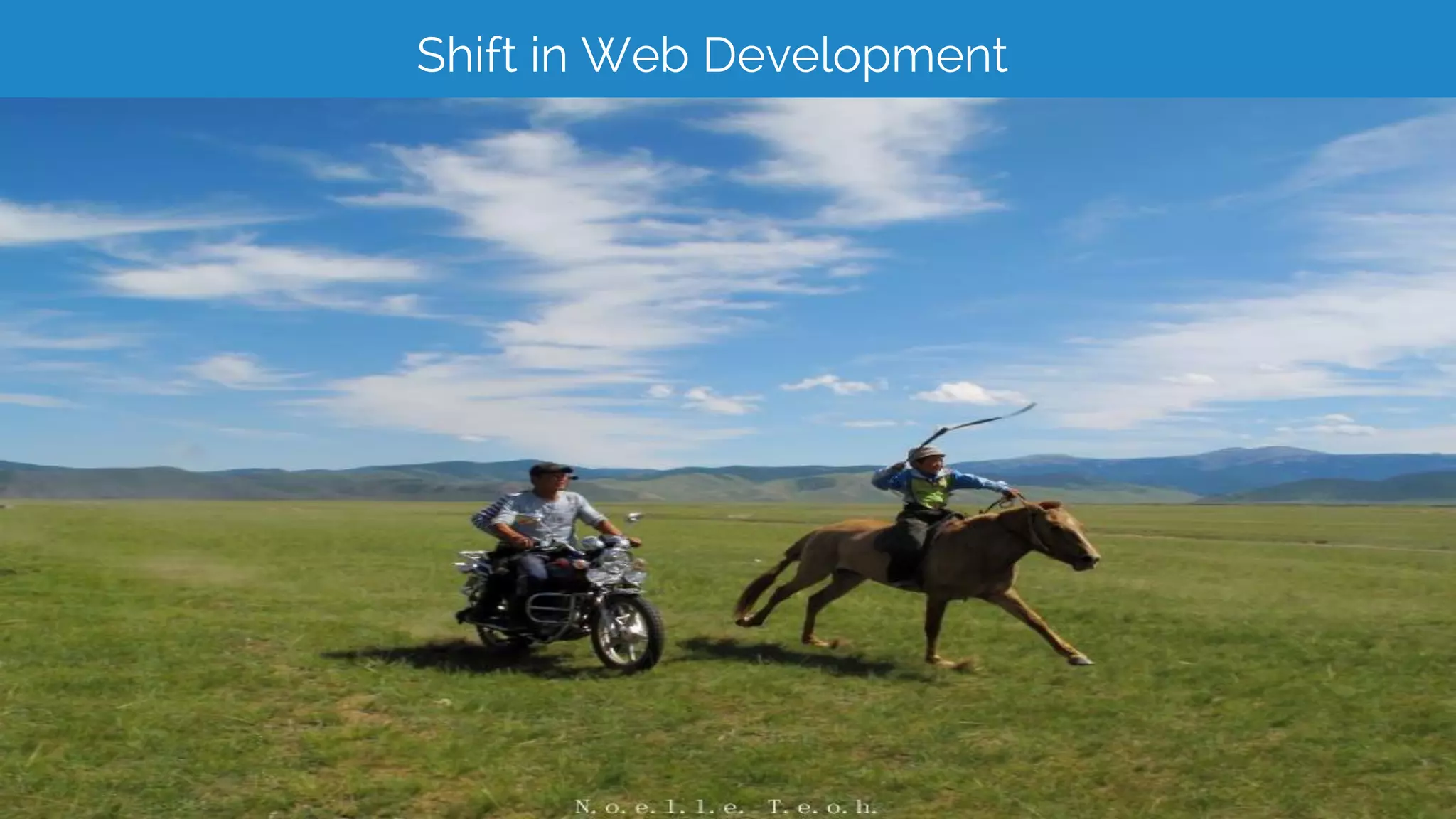
Shift in Web Development
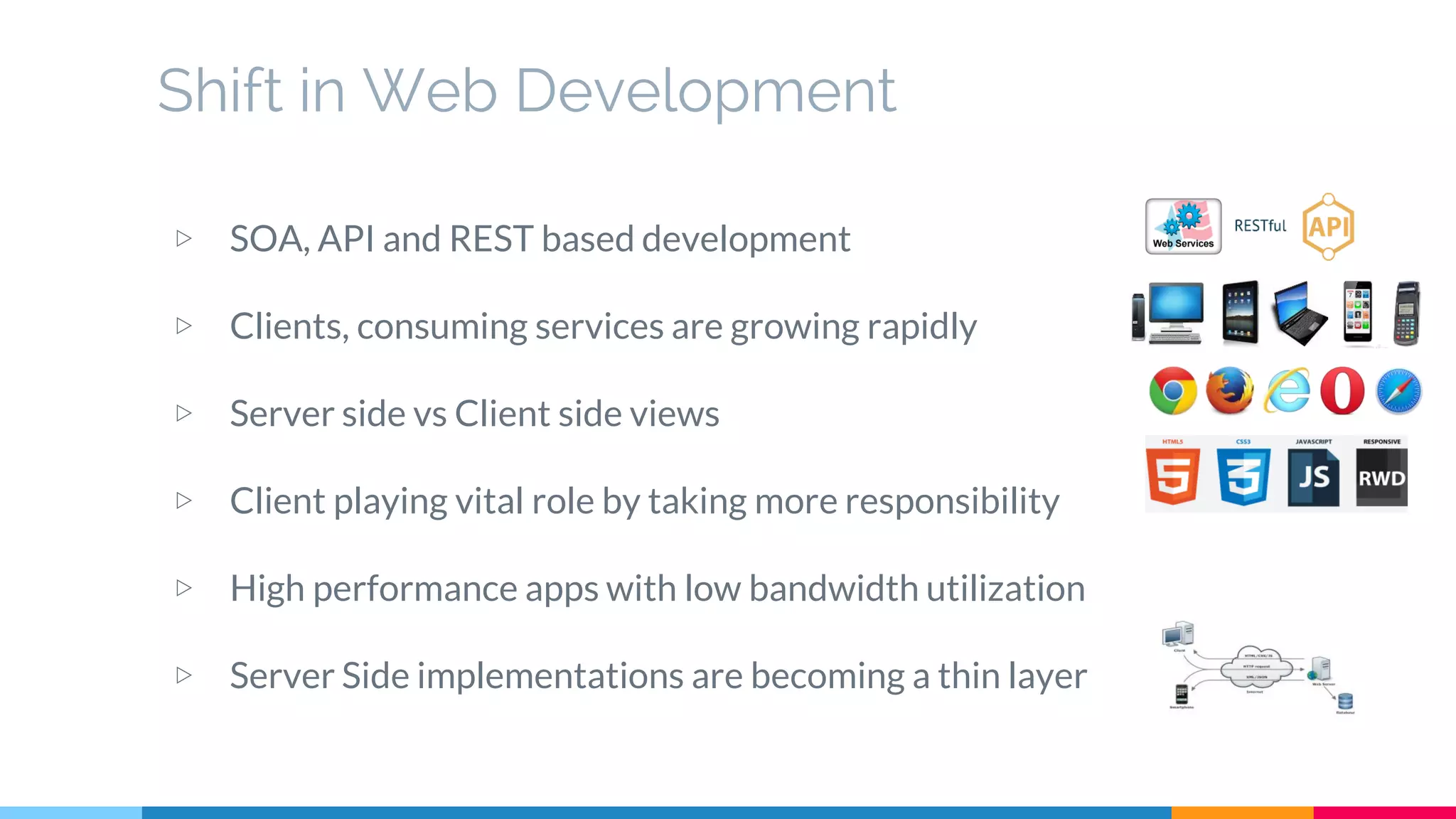
▷ SOA, API and REST based development
▷ Clients, consuming services are growing rapidly
▷ Server side vs Client side views
▷ Client playing vital role by taking more responsibility
▷ High performance apps with low bandwidth utilization
▷ Server Side implementations are becoming a thin layer
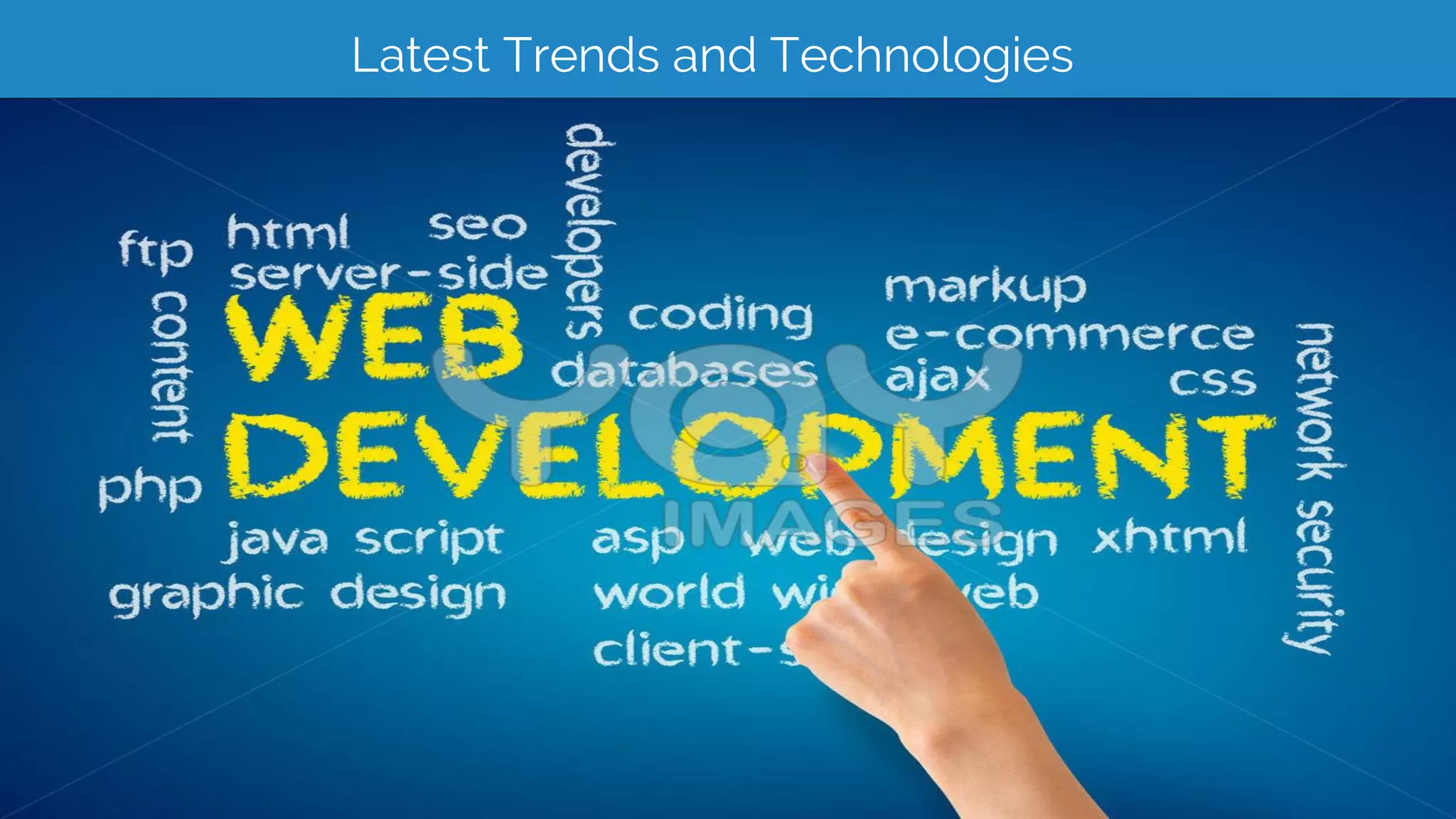
Latest Trends and Technologies
▷ Responsive Web Design (RWD)
Support multiple form factors including mobile and tablet browsers
▷ Web 2.0
Shift from expert generated content to user generated contents
▷ Rich Interactive Applications (RIA)
Shift from Static web apps to more interactive, desktop like web sites to simplify
consumer creation of contents.
▷ Ajax
Architectural shift to support RIA requirements
▷ HTML5
Websocket
Webstorage
Webworkers
Application cache
…
Latest Trends and Technologies (cont.)
▷ CSS3
Animations,Transitions
Gradients
Advanced Selectors and Media Queries
FlexBox, Border images and Multiple backgrounds
...
▷ Application testability and Unit Testing
TDD
BDD
▷ Single Page Application (SPA)
Create fluid and responsive Web apps, without constant page reloads
Challenges and Solutions
▷ Using best practices
Following time tested design patterns
Code review
Proper and enough Commenting & Logging
Discourage suppressing errors and corner cutting in development
Have clear distinction between process improvement vs process discarding
▷ The User Experience
Personalized experience to users
Utilize the analysis/study done by various independent bodies
Multilingual Support
▷ The growing size of the code at client side
Have good architecture for client side
Write code in modular fashion. Encourage reusability and loose coupling
Have clear separation of concerns
Follow “Don’t Repeat Yourself” (DRY) approach to programming
Challenges and Solutions (cont.)
▷ Hiding the differences in target platform
Platform detection for rendering features
Graceful degradation
▷ Selecting right set of Tools and Technologies
Have clear visibility on application requirements
Consider future requirements and scalability
▷ Performance and Speed
Follow asynchronous loading
Load only relevant/required information
Keep user engaged
Use minification, caching and other optimization techniques
▷ Testing, Support and Upgrade
JavaScript and CSS let you do anything
(No matter how Stupid)
The point is that we don't have
to do stupid things, just because
we can.
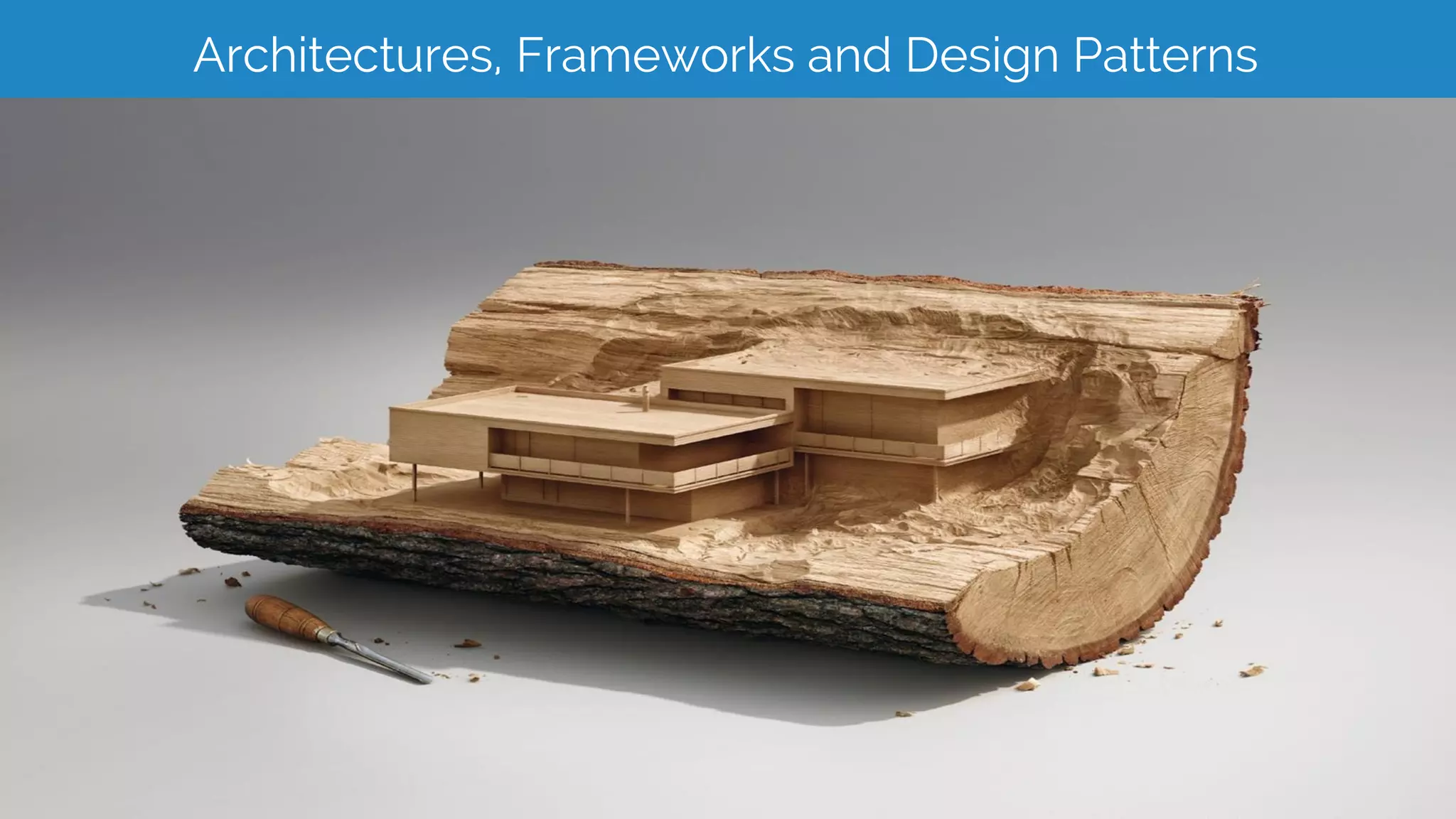
Architectures, Frameworks and Design Patterns
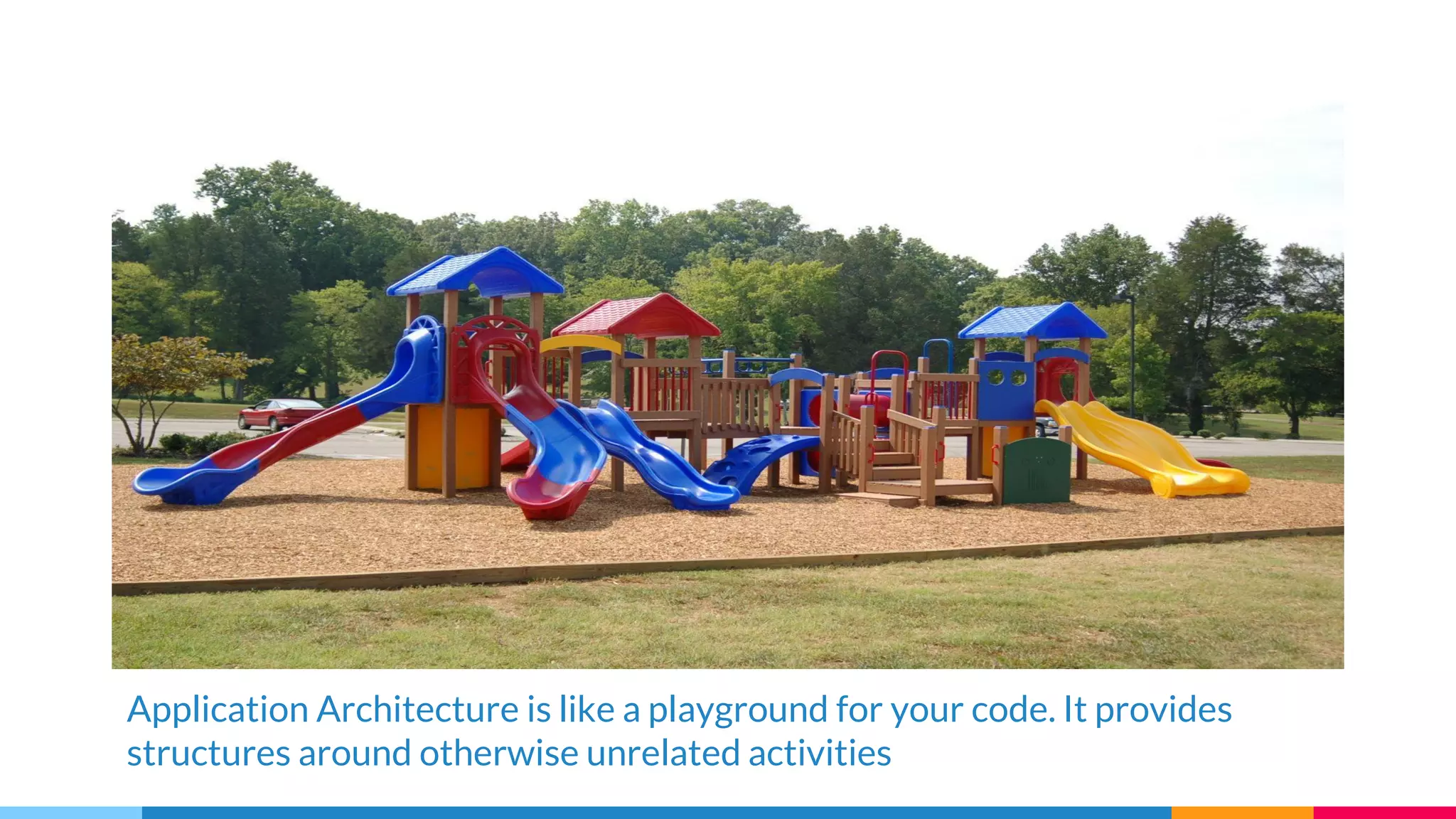
Application Architecture is like a playground for your code. It provides
structures around otherwise unrelated activities
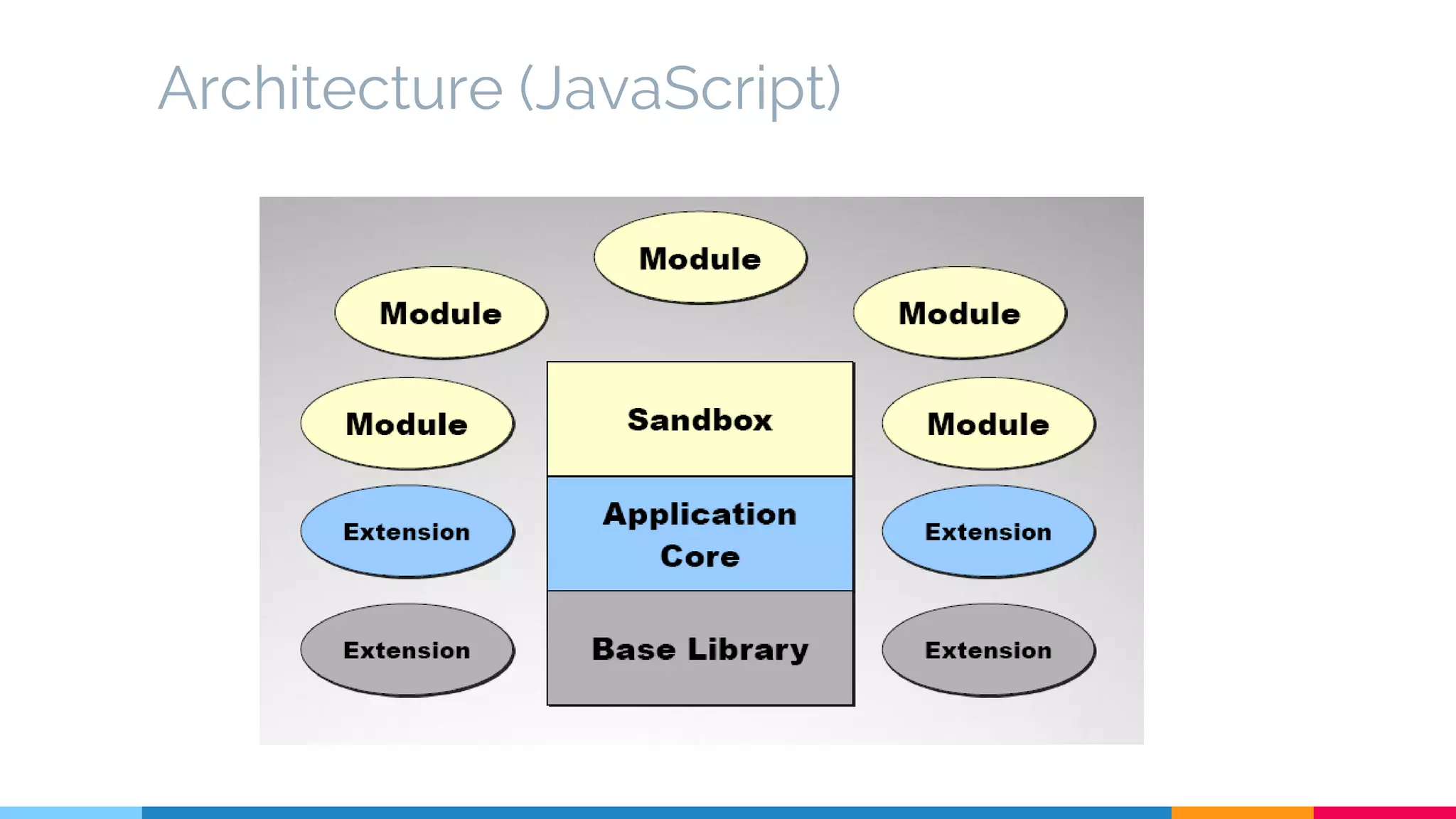
Architecture (JavaScript)
Module
module(n)
1 : a standard or unit of measurement
2 : the size of some one part taken as a unit of measure by which the proportions of an architectural composition
are regulated
3 a : any in a series of standardized units for use together: as (1) : a unit of furniture or architecture (2) : an
educational unit which covers a single subject or topic b : a usually packaged functional assembly of electronic
components for use with other such assemblies
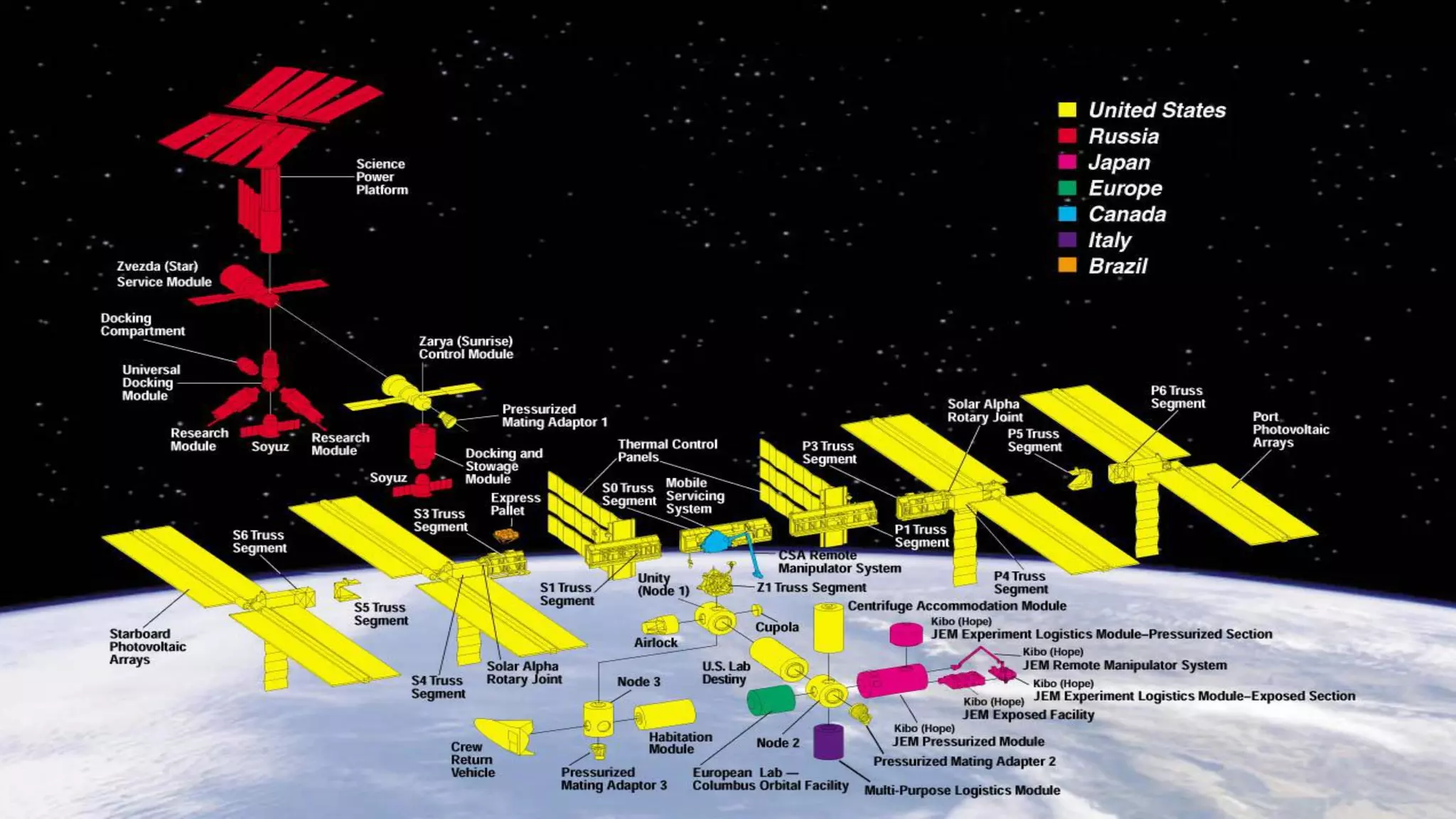
4 : an independently operable unit that is a part of the total structure of a space
vehicle
5 a : a subset of an additive group that is also a group under addition b : a mathematical set that is a commutative
group under addition and that is closed under multiplication which is distributive from the left or right or both by
elements of a ring and for which a(bx) = (ab)x or (xb)a = x(ba) or both where a and b are elements of the ring and x
belongs to the set
(Source: Merriam-Webster Dictionary)
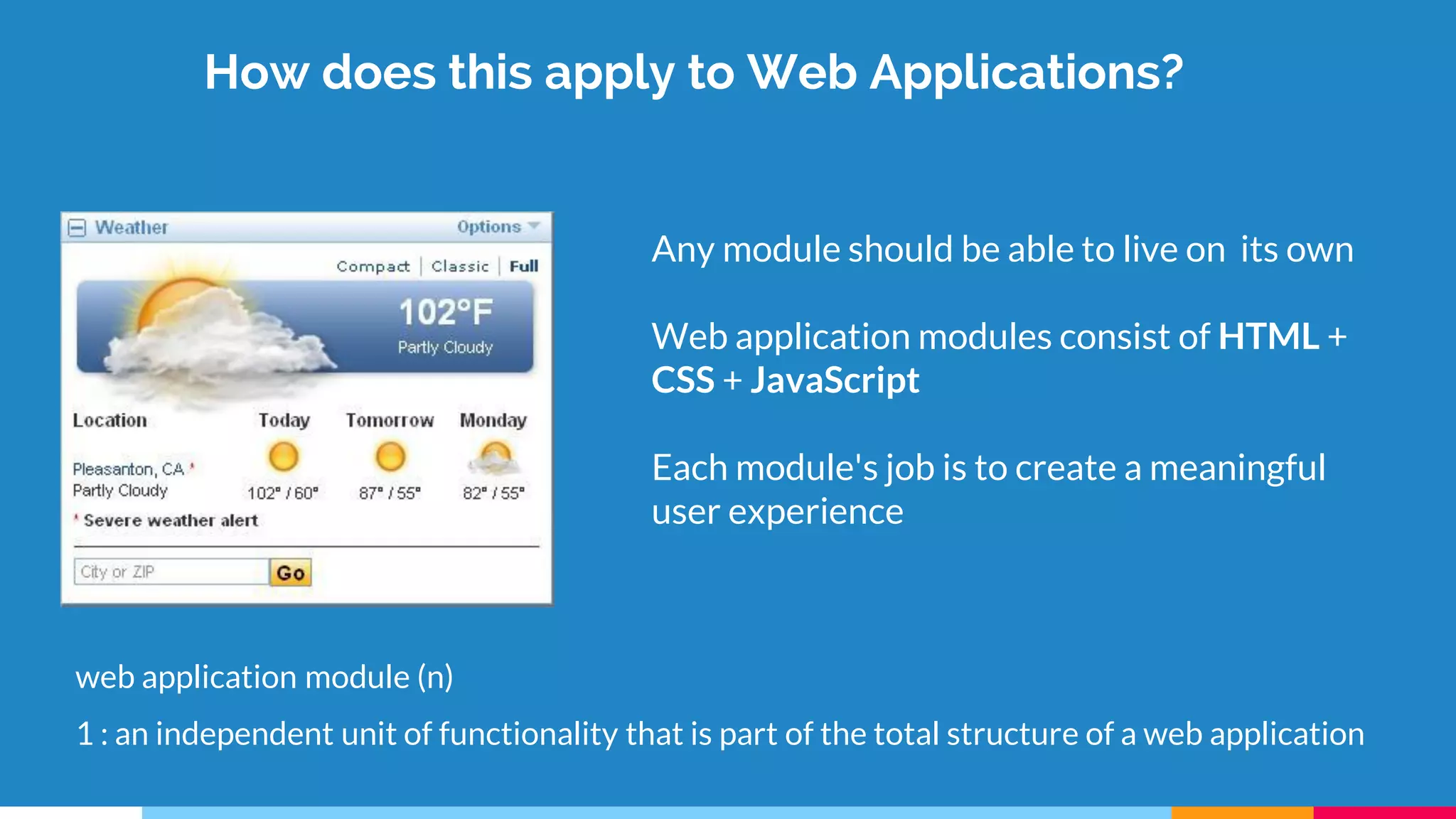
How does this apply to Web Applications?
Any module should be able to live on its own
Web application modules consist of HTML +
CSS + JavaScript
Each module's job is to create a meaningful
user experience
web application module (n)
1 : an independent unit of functionality that is part of the total structure of a web application
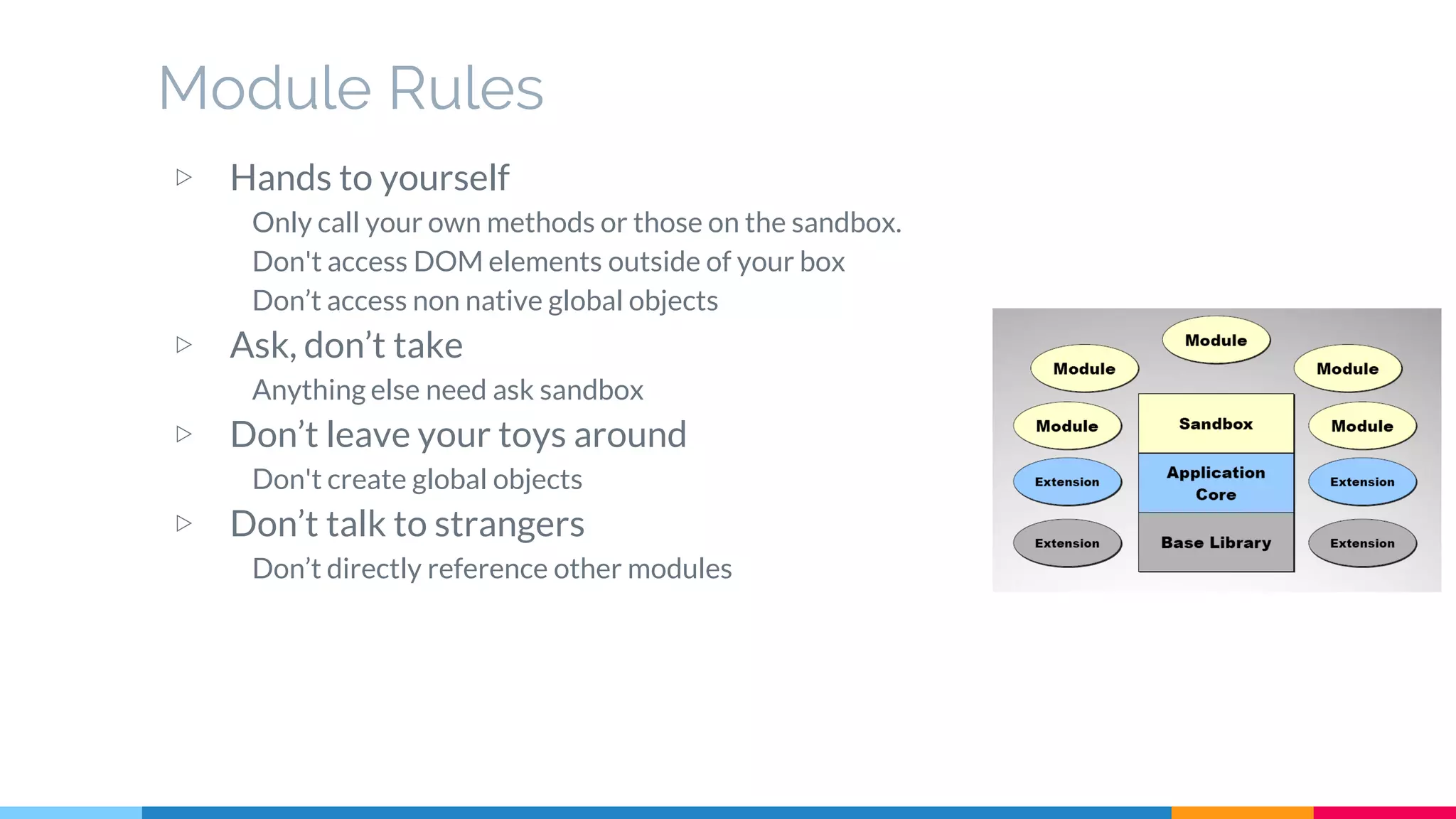
Module Rules
▷ Hands to yourself
Only call your own methods or those on the sandbox.
Don't access DOM elements outside of your box
Don’t access non native global objects
▷ Ask, don’t take
Anything else need ask sandbox
▷ Don’t leave your toys around
Don't create global objects
▷ Don’t talk to strangers
Don’t directly reference other modules
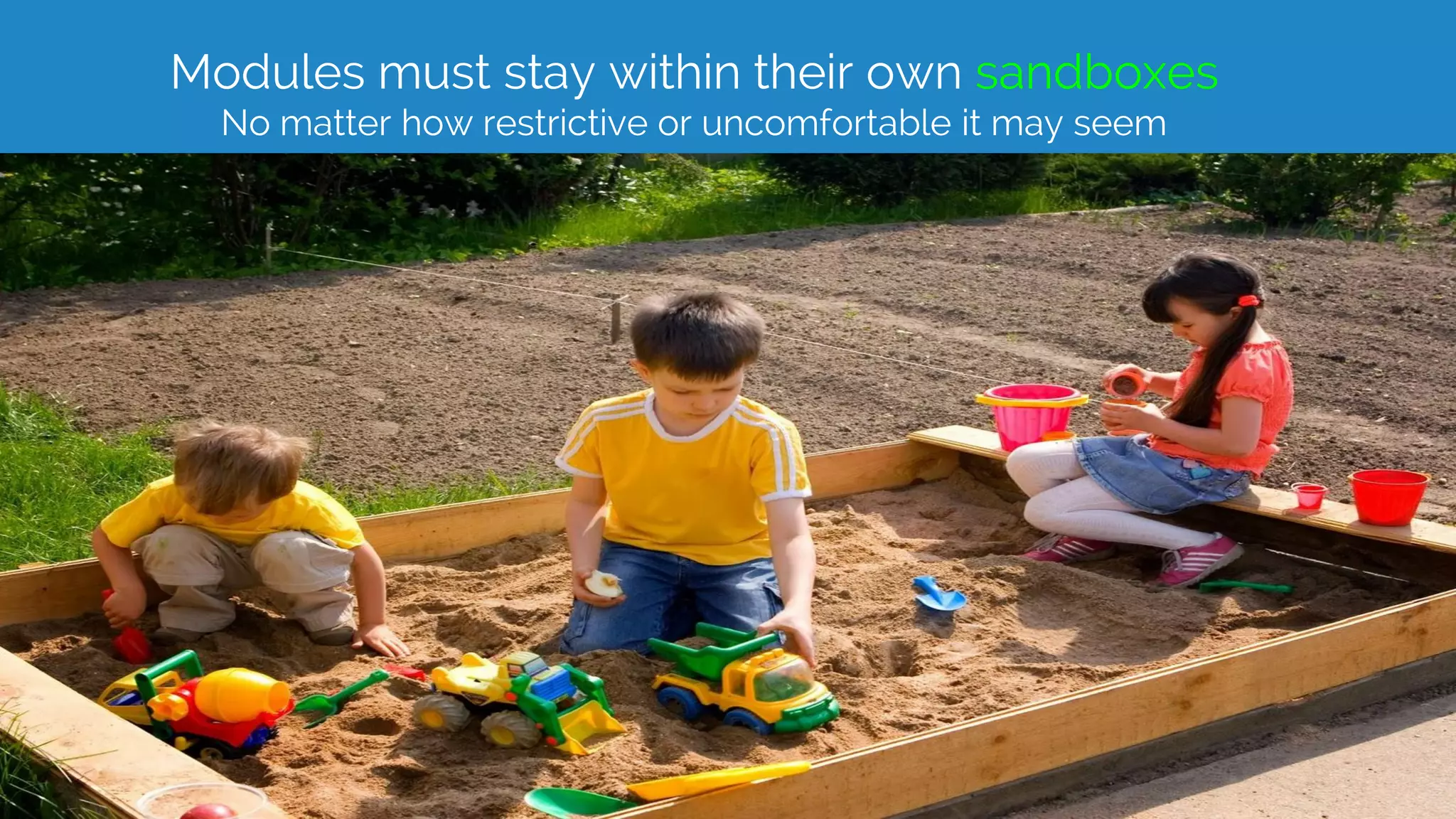
Sandbox
Modules must stay within their own sandboxes
No matter how restrictive or uncomfortable it may seem
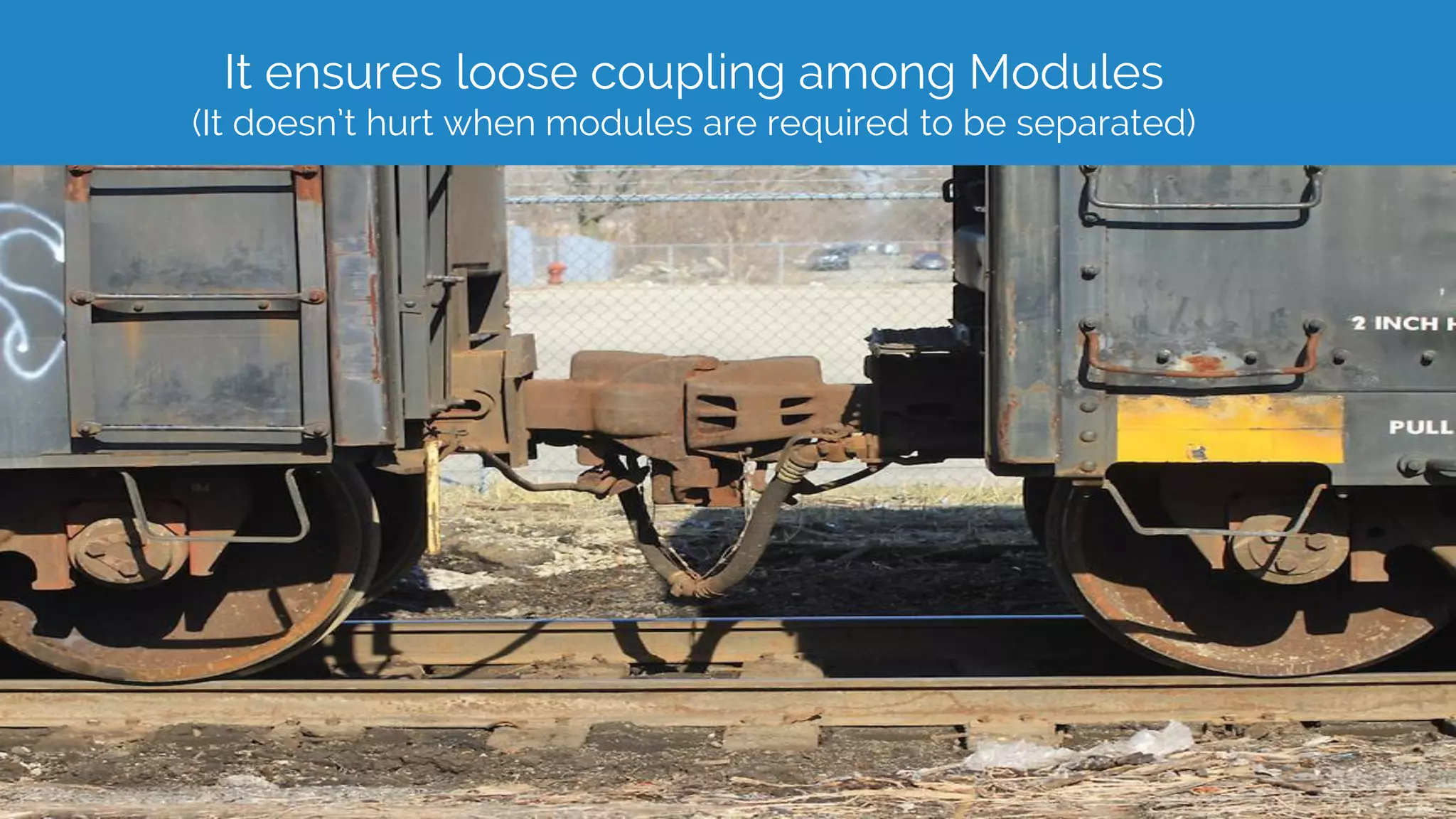
It ensures loose coupling among Modules
(It doesn’t hurt when modules are required to be separated)
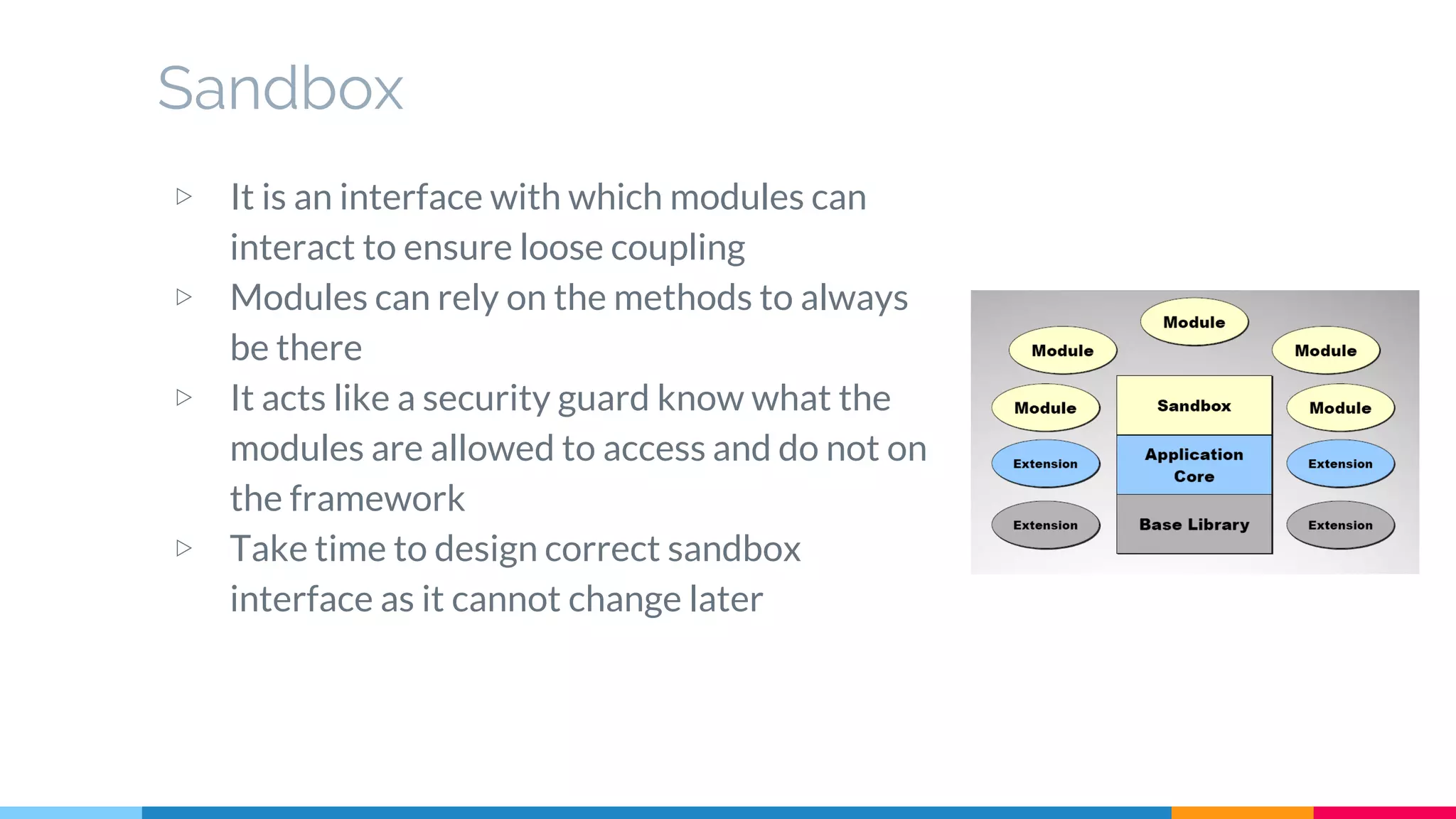
Sandbox
▷ It is an interface with which modules can
interact to ensure loose coupling
▷ Modules can rely on the methods to always
be there
▷ It acts like a security guard know what the
modules are allowed to access and do not on
the framework
▷ Take time to design correct sandbox
interface as it cannot change later
Application Core
Application Core
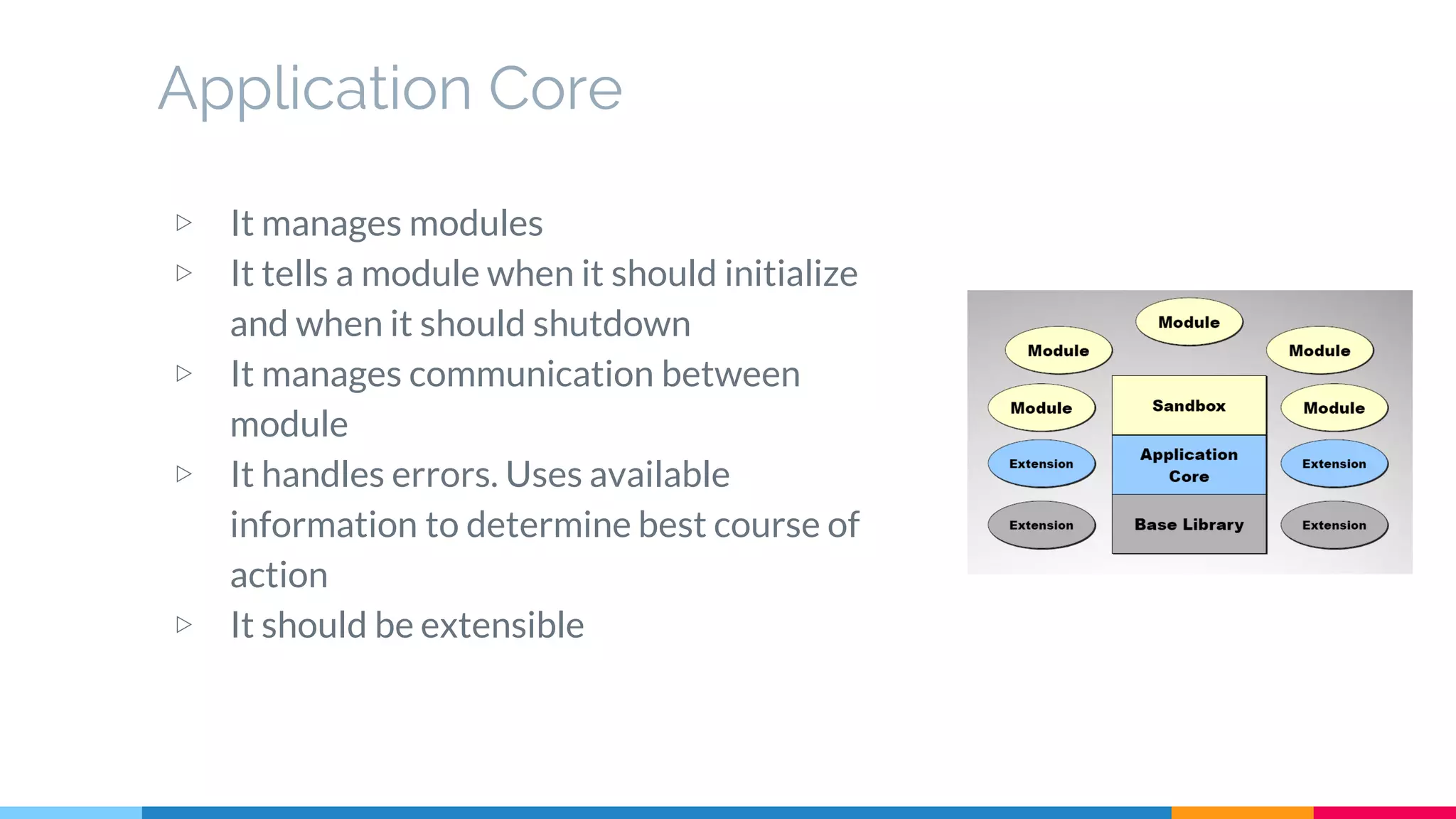
▷ It manages modules
▷ It tells a module when it should initialize
and when it should shutdown
▷ It manages communication between
module
▷ It handles errors. Uses available
information to determine best course of
action
▷ It should be extensible
Base Library
Base Library
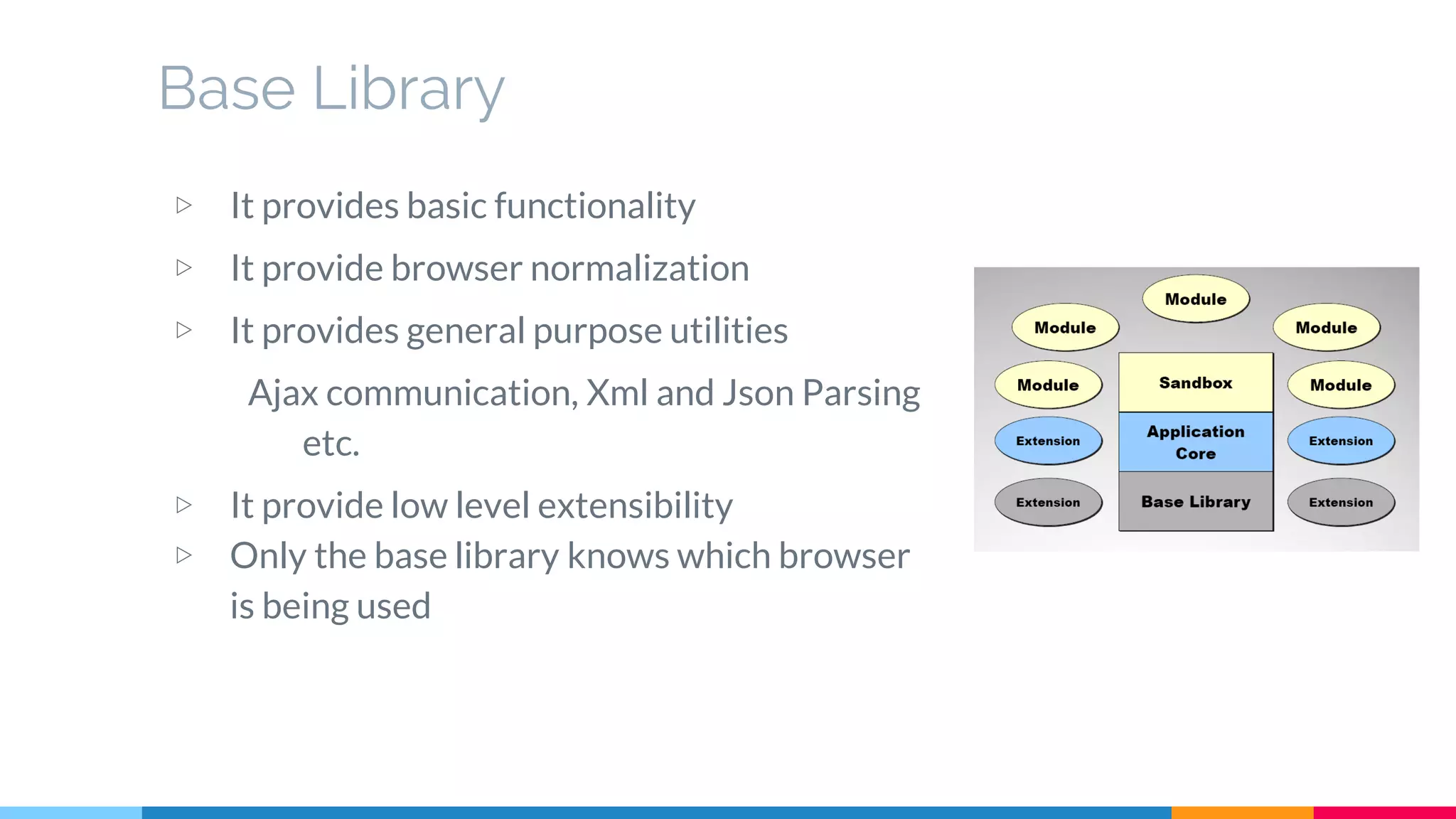
▷ It provides basic functionality
▷ It provide browser normalization
▷ It provides general purpose utilities
Ajax communication, Xml and Json Parsing
etc.
▷ It provide low level extensibility
▷ Only the base library knows which browser
is being used
Architecture (CSS)
Goals of a good CSS Architecture
▷ Predictable
Predictable CSS means our rules behave as we’d expect.
▷ Reusable
CSS rules should be abstract and decoupled enough that we
can build new components quickly from existing parts
without having to recode patterns and problems we’ve
already solved
▷ Maintainable
Adding new features shouldn’t require refactoring existing
CSS
▷ Scable
Scalable CSS means it can be easily managed by a single
person or a large engineering team
Popular Architectural Approaches
▷ DRY (Don’t Repeat Yourself) CSS
While coding css don’t repeat a property value pair
▷ OOCSS (Object Oriented CSS)
Separate structure and presentation
Separate container and content
▷ SMACSS (Scalable and Modular Architecture for CSS
It is about identifying patterns in design and codifying them.
Its core is categorization of CSS in Base, Layout, Module, State and
Theme.
Frameworks
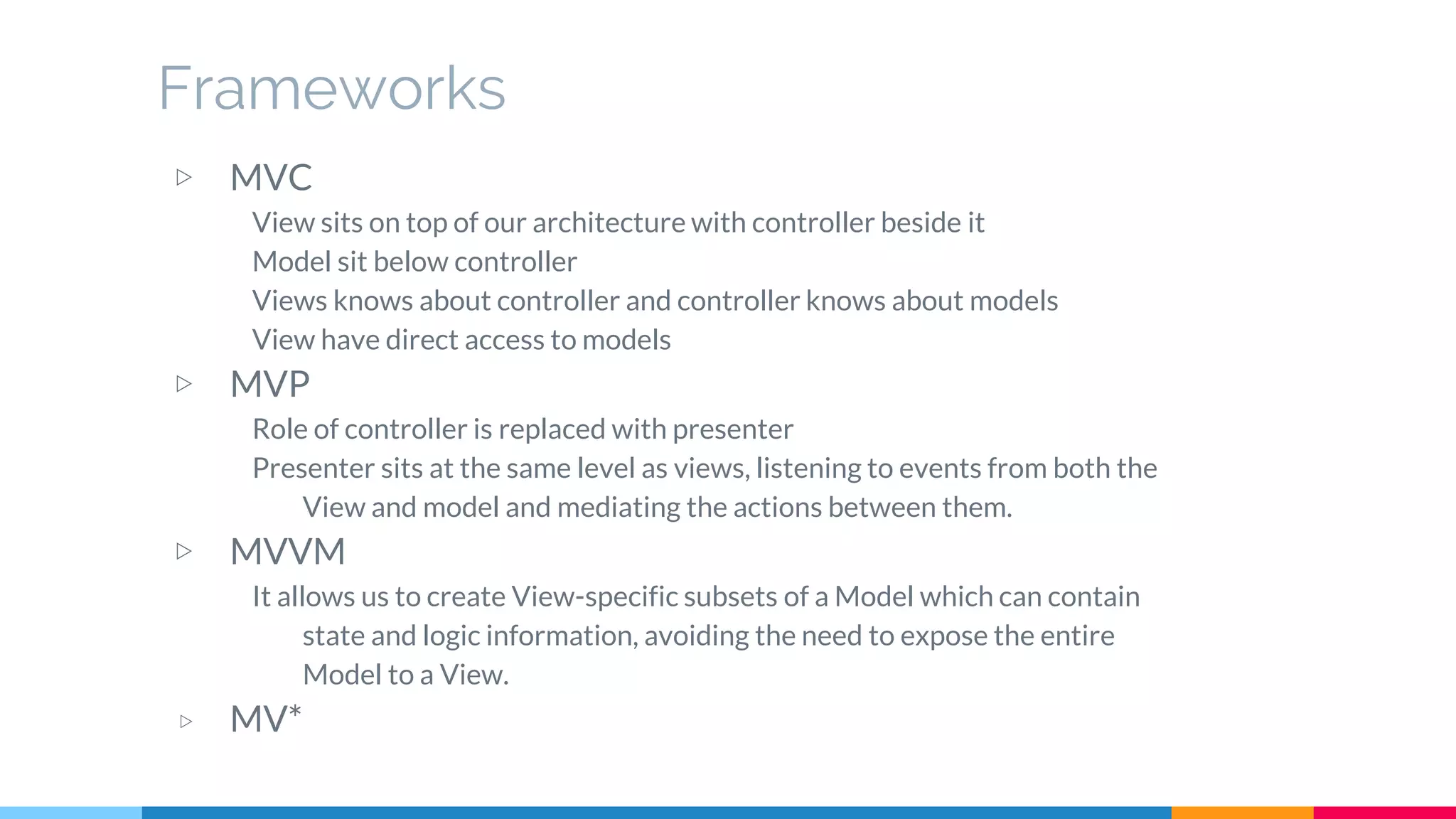
▷ MVC
View sits on top of our architecture with controller beside it
Model sit below controller
Views knows about controller and controller knows about models
View have direct access to models
▷ MVP
Role of controller is replaced with presenter
Presenter sits at the same level as views, listening to events from both the
View and model and mediating the actions between them.
▷ MVVM
It allows us to create View-specific subsets of a Model which can contain
state and logic information, avoiding the need to expose the entire
Model to a View.
▷ MV*
Frameworks (cont.)
Javascript frameworks CSS frameworks
Design Patterns
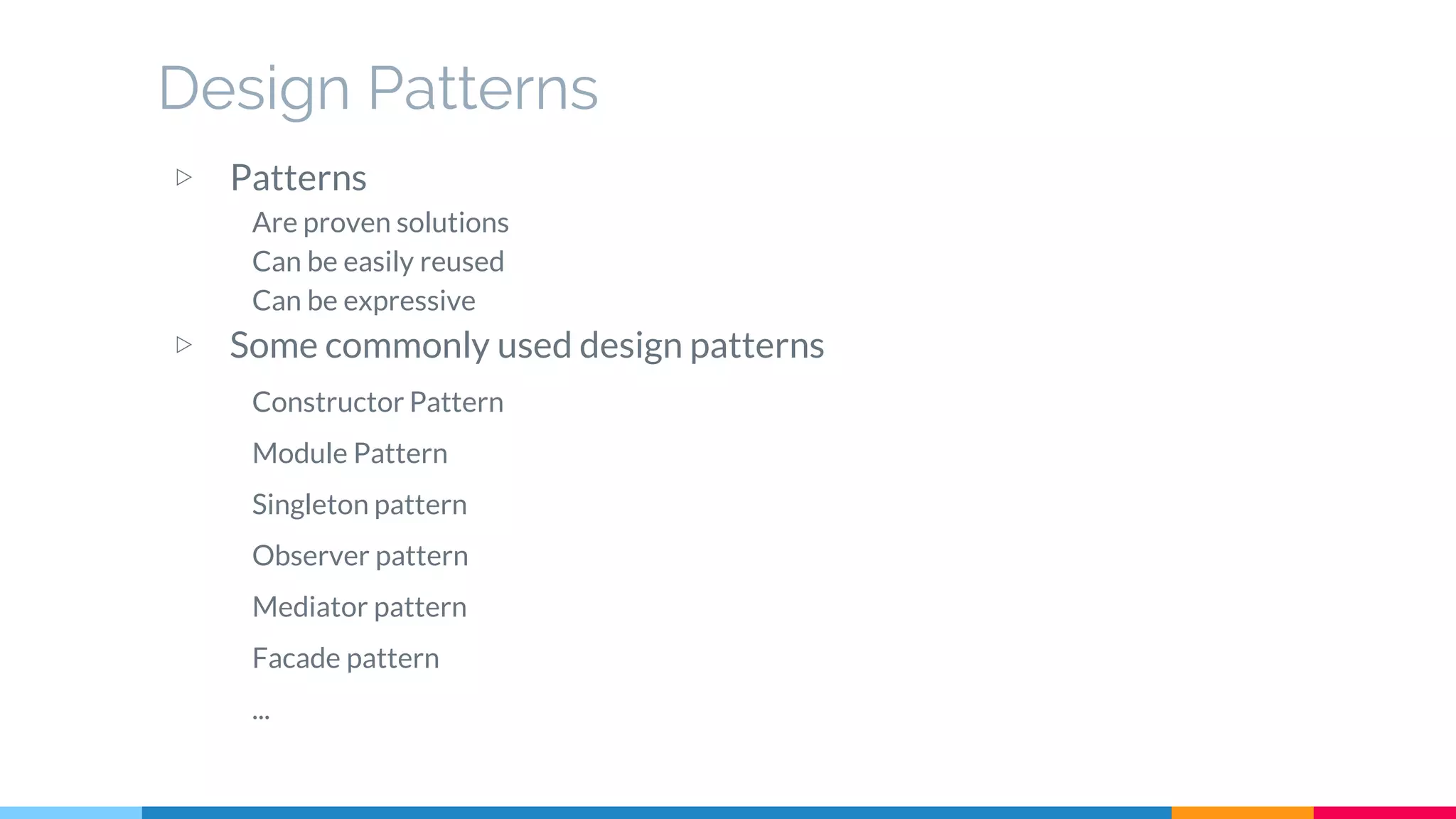
▷ Patterns
Are proven solutions
Can be easily reused
Can be expressive
▷ Some commonly used design patterns
Constructor Pattern
Module Pattern
Singleton pattern
Observer pattern
Mediator pattern
Facade pattern
...
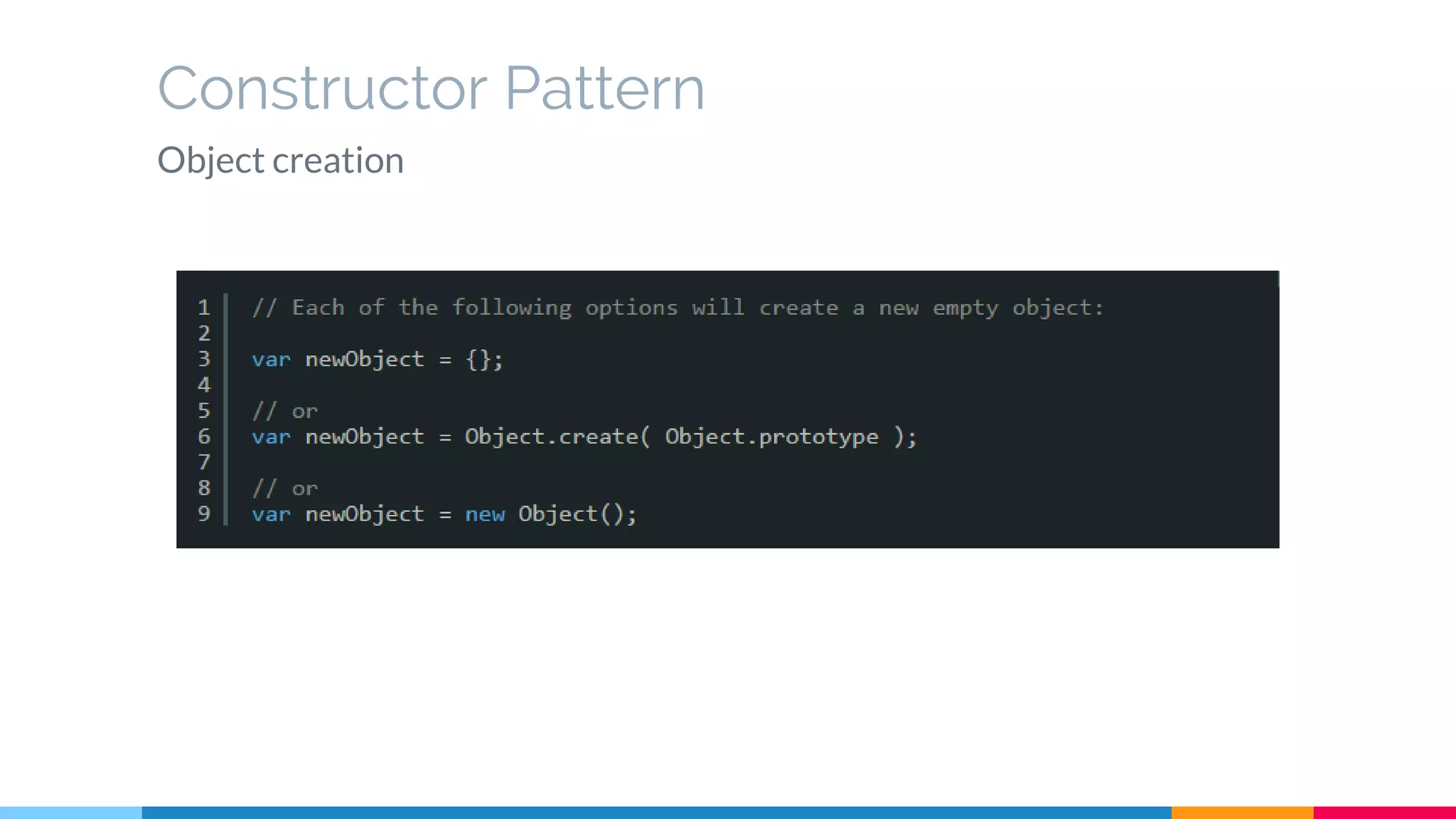
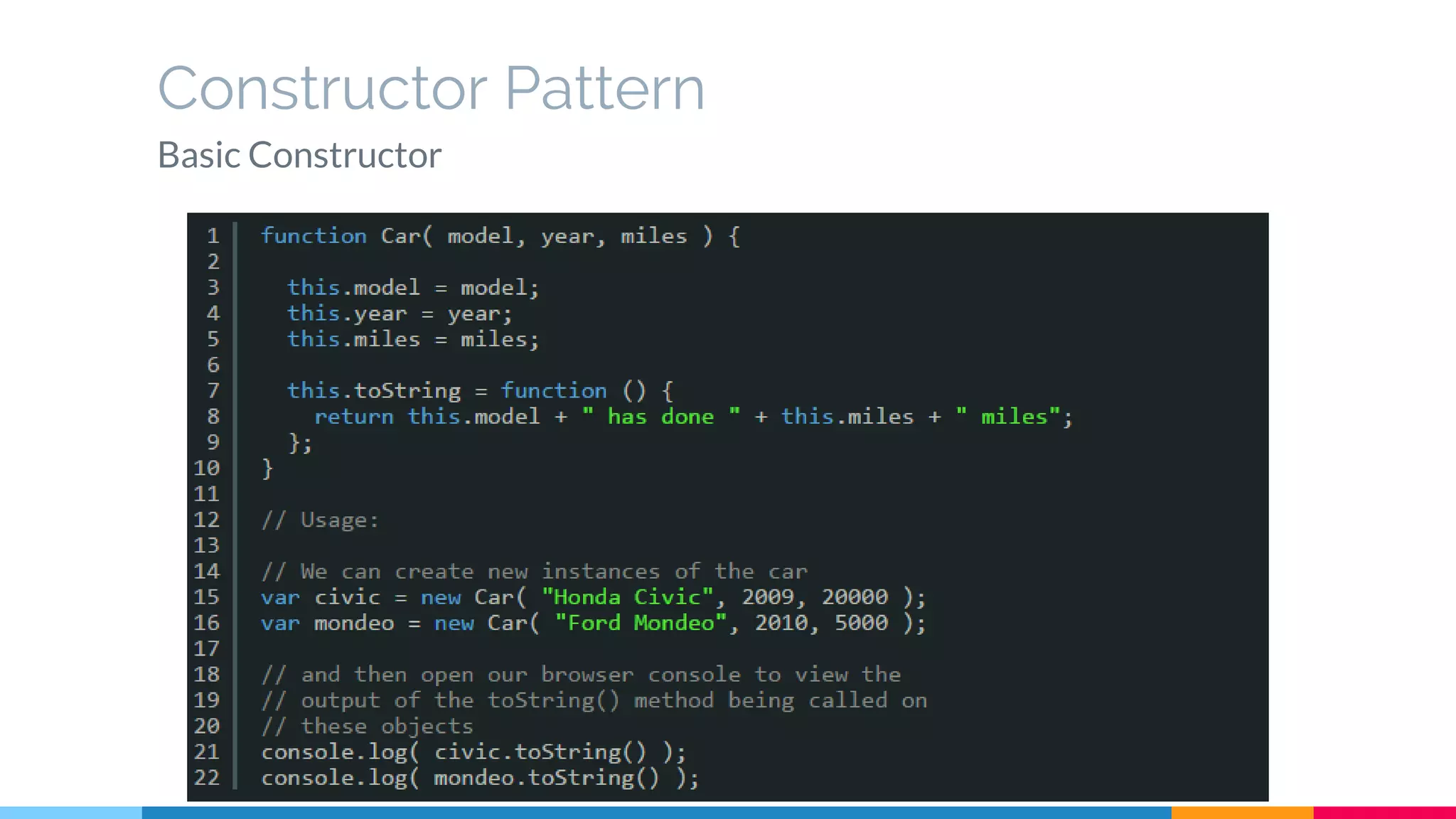
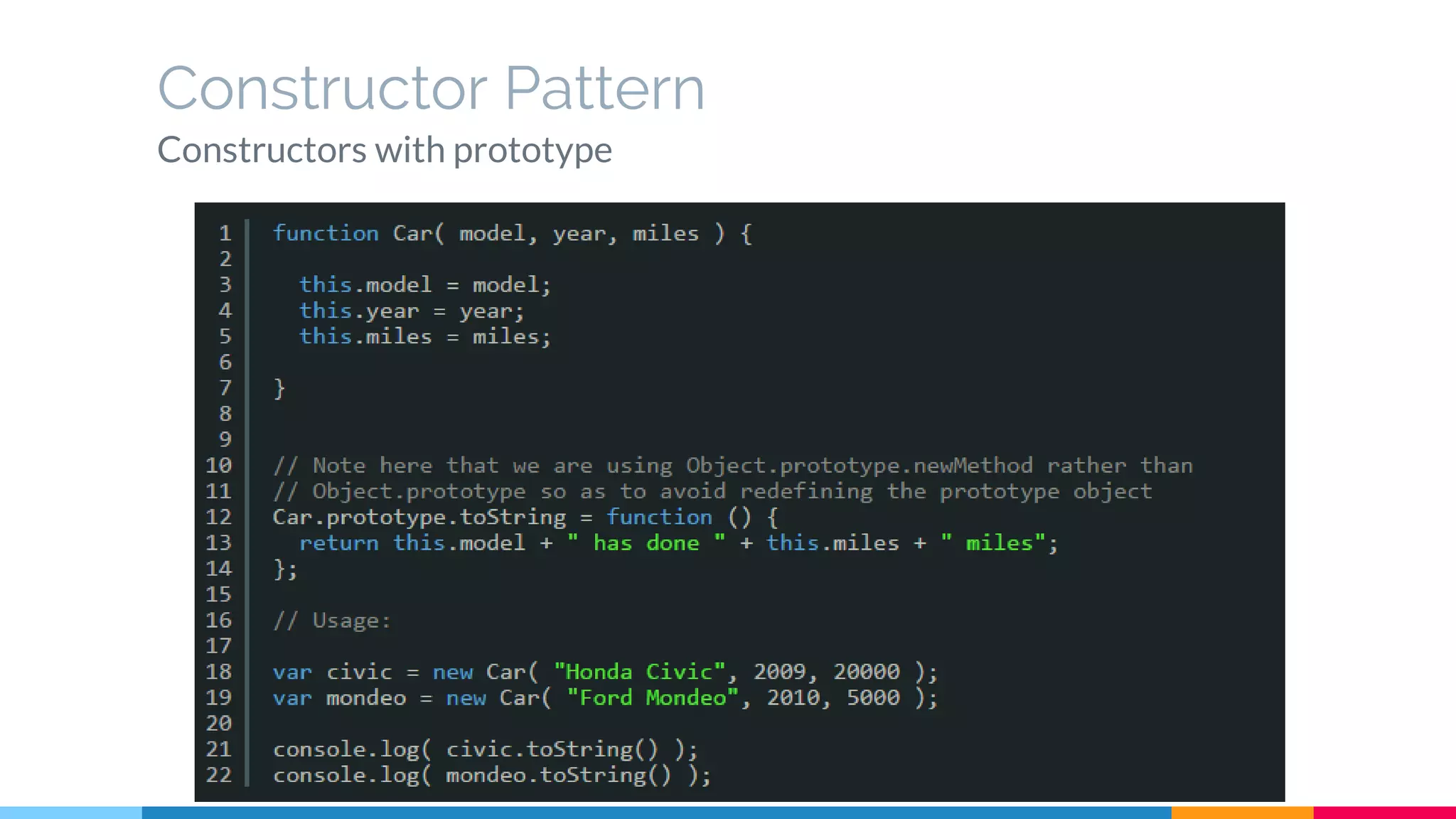
Constructor Pattern
Object creation
Constructor Pattern
Basic Constructor
Constructor Pattern
Constructors with prototype
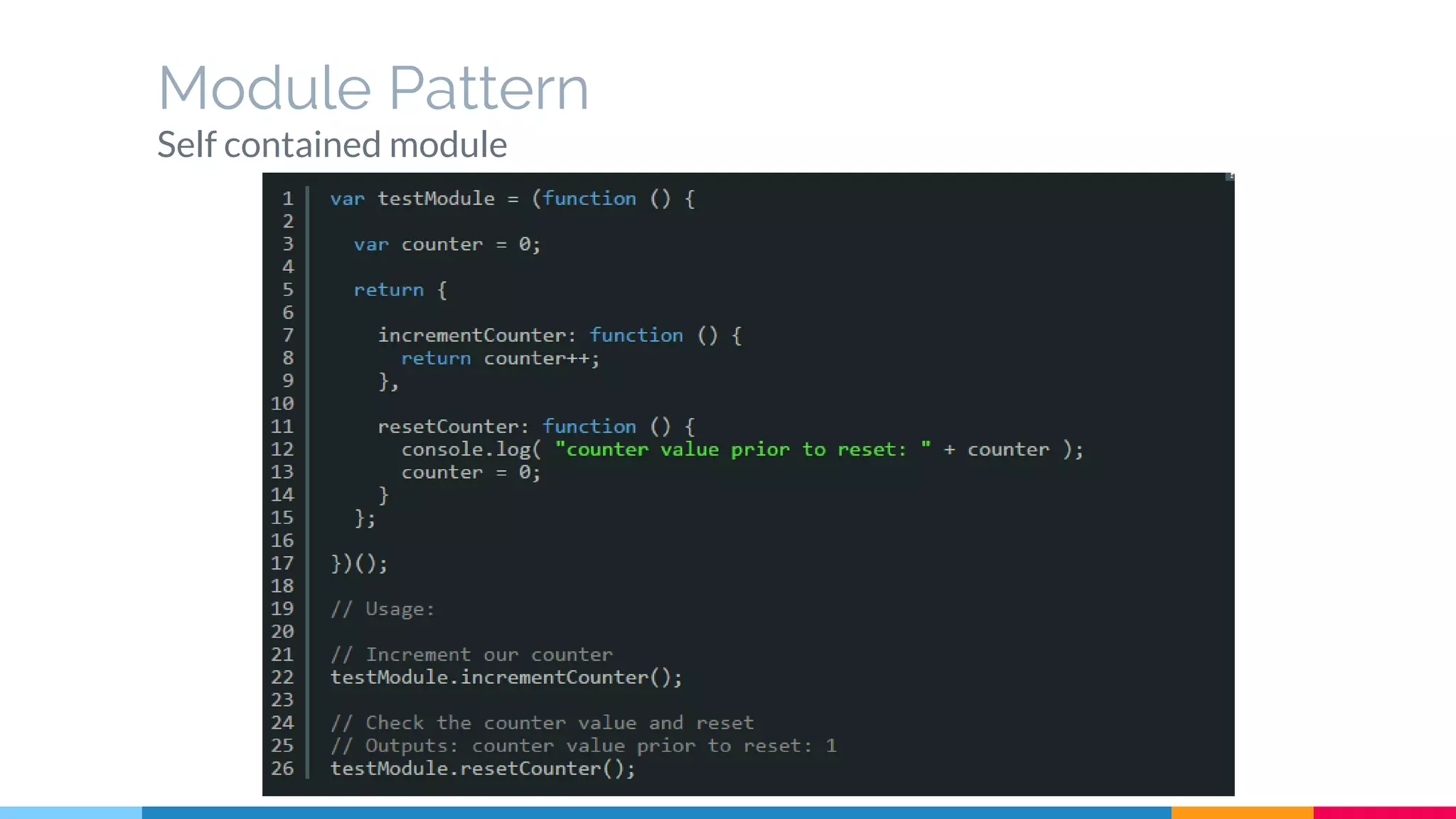
Module Pattern
Self contained module
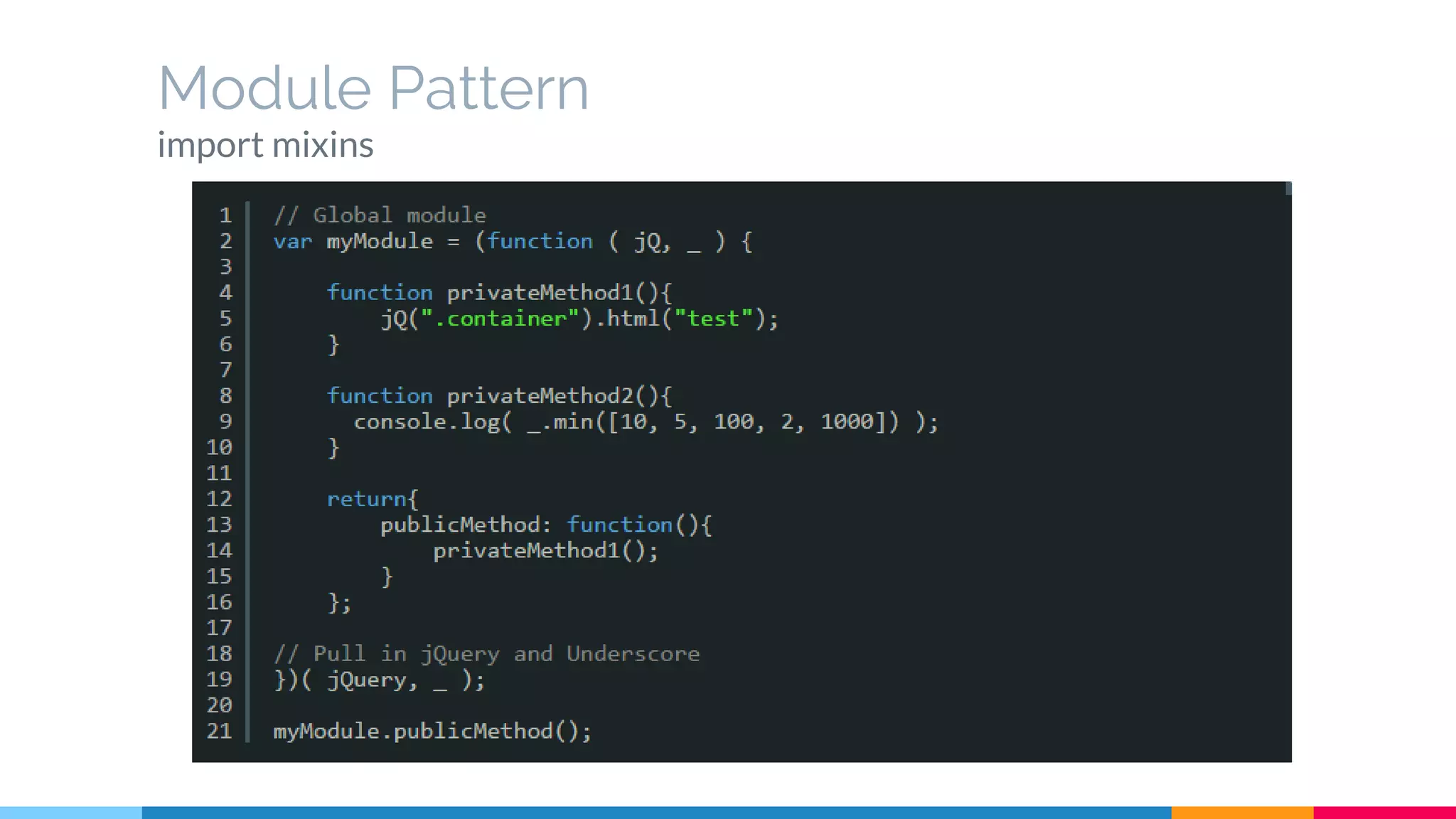
Module Pattern
import mixins
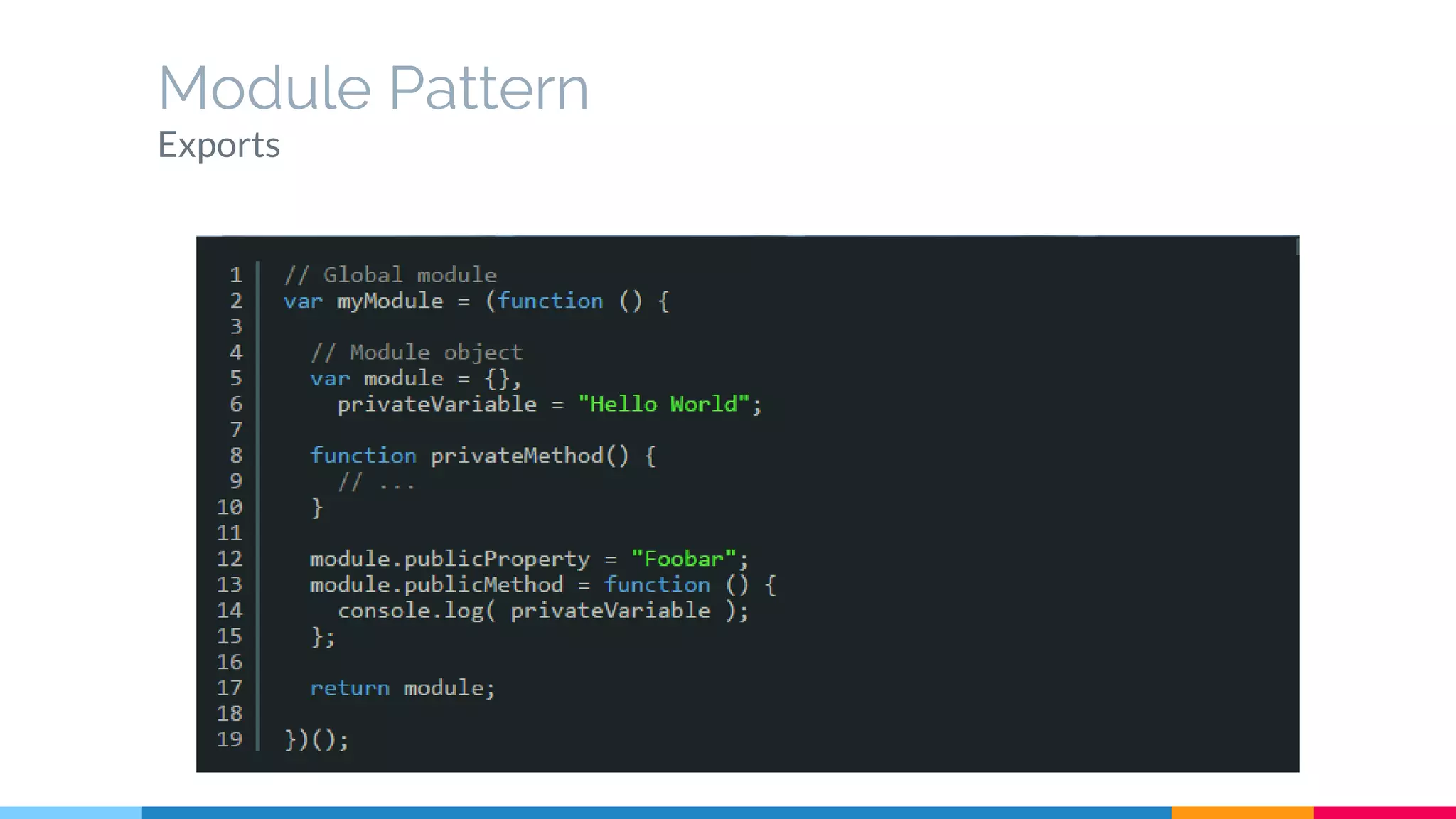
Module Pattern
Exports
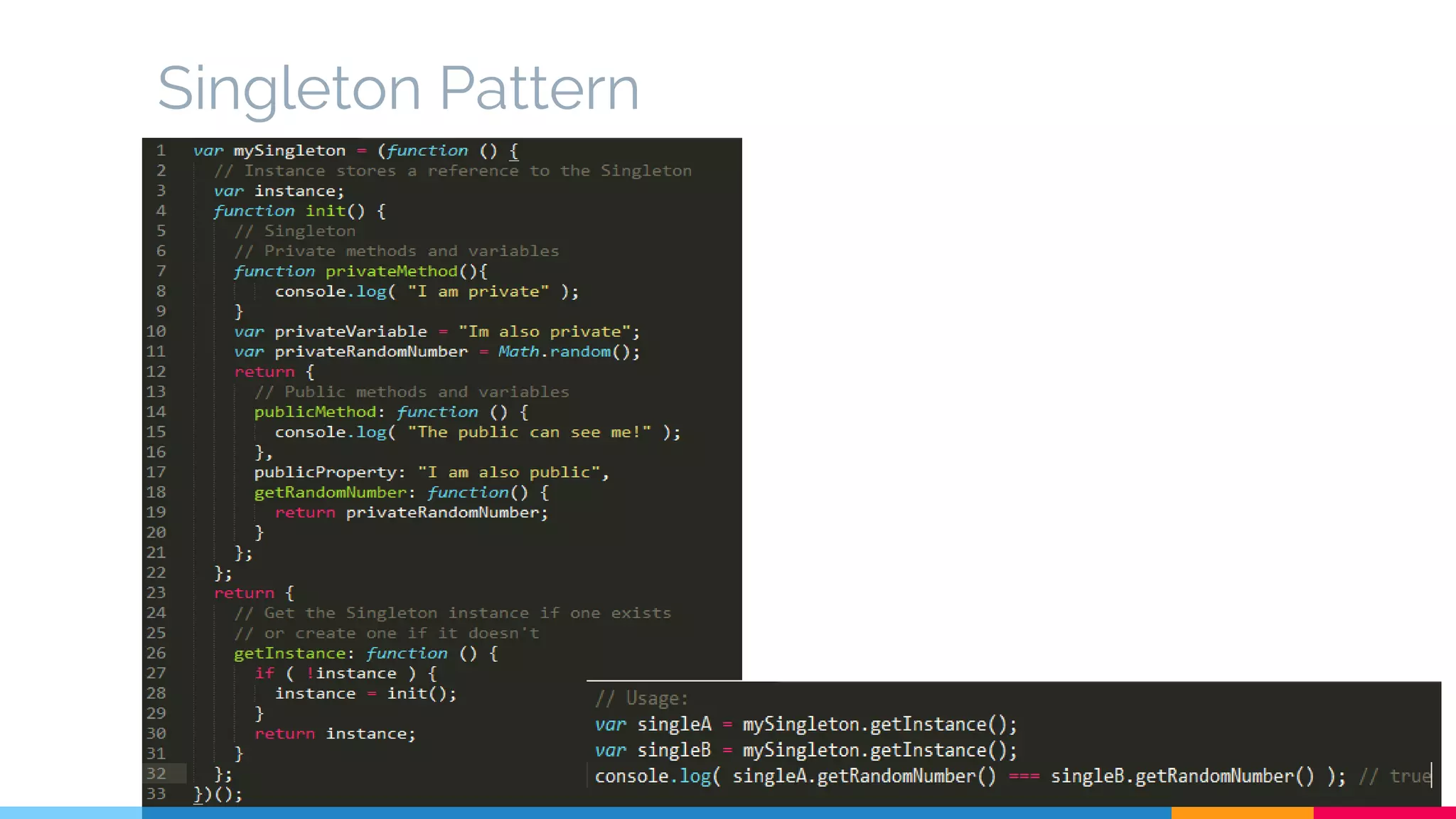
Singleton Pattern
Programming: Best Practices, Dos & Don’ts
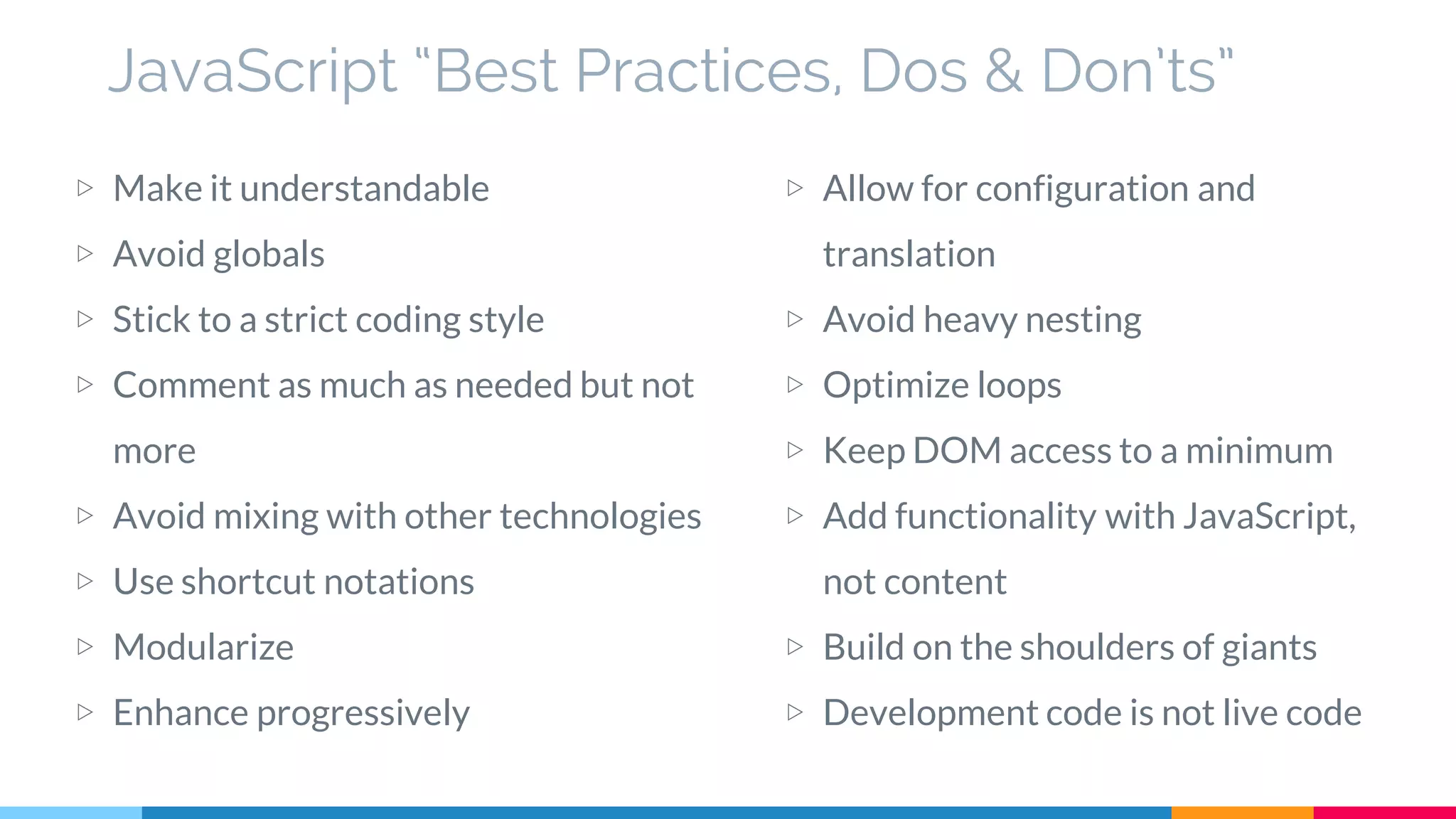
JavaScript “Best Practices, Dos & Don’ts”
▷ Make it understandable
▷ Avoid globals
▷ Stick to a strict coding style
▷ Comment as much as needed but not
more
▷ Avoid mixing with other technologies
▷ Use shortcut notations
▷ Modularize
▷ Enhance progressively
▷ Allow for configuration and
translation
▷ Avoid heavy nesting
▷ Optimize loops
▷ Keep DOM access to a minimum
▷ Add functionality with JavaScript,
not content
▷ Build on the shoulders of giants
▷ Development code is not live code
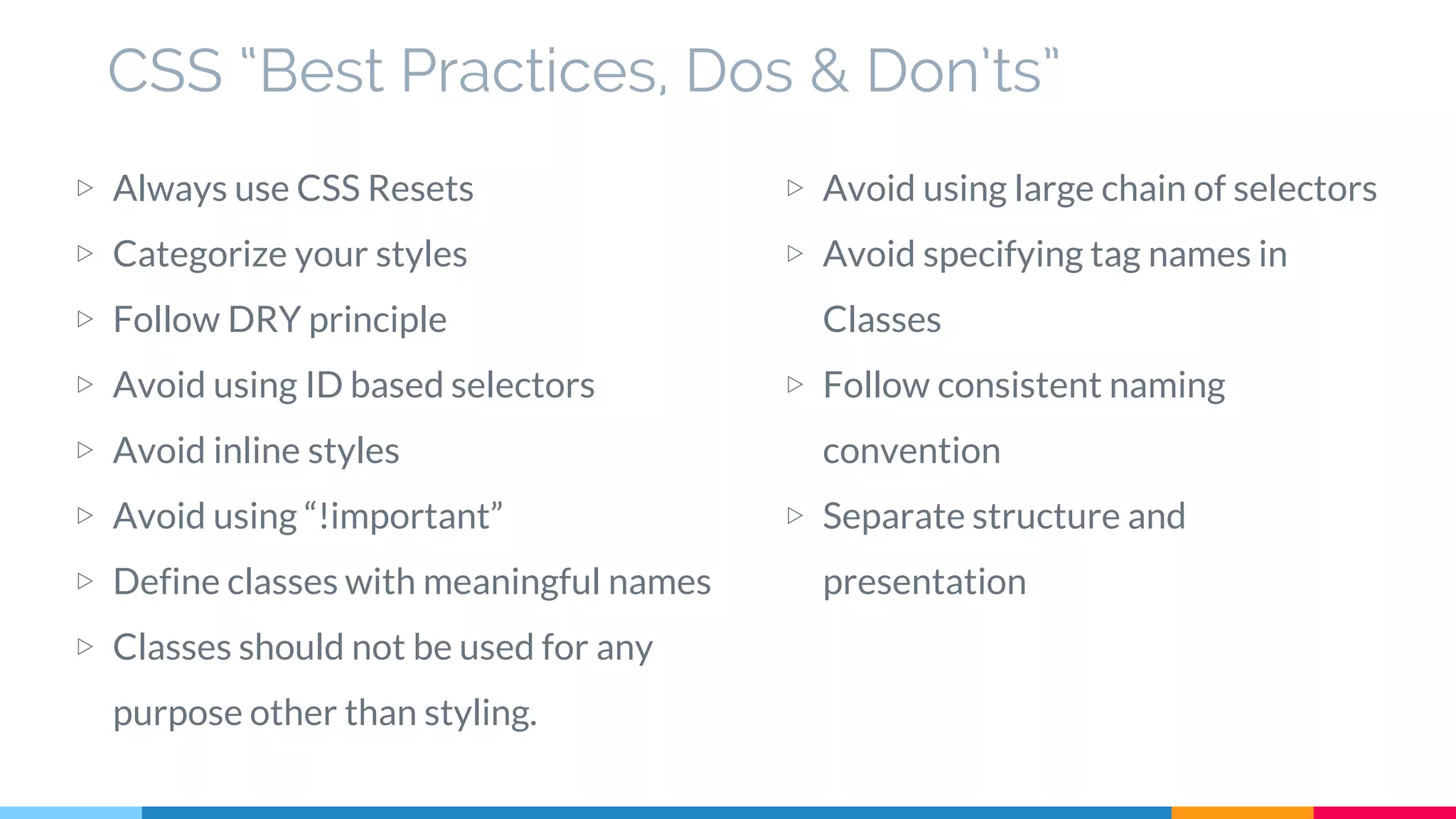
CSS “Best Practices, Dos & Don’ts”
▷ Always use CSS Resets
▷ Categorize your styles
▷ Follow DRY principle
▷ Avoid using ID based selectors
▷ Avoid inline styles
▷ Avoid using “!important”
▷ Define classes with meaningful names
▷ Classes should not be used for any
purpose other than styling.
▷ Avoid using large chain of selectors
▷ Avoid specifying tag names in
Classes
▷ Follow consistent naming
convention
▷ Separate structure and
presentation
Few things worth mentioning here
before completing the session
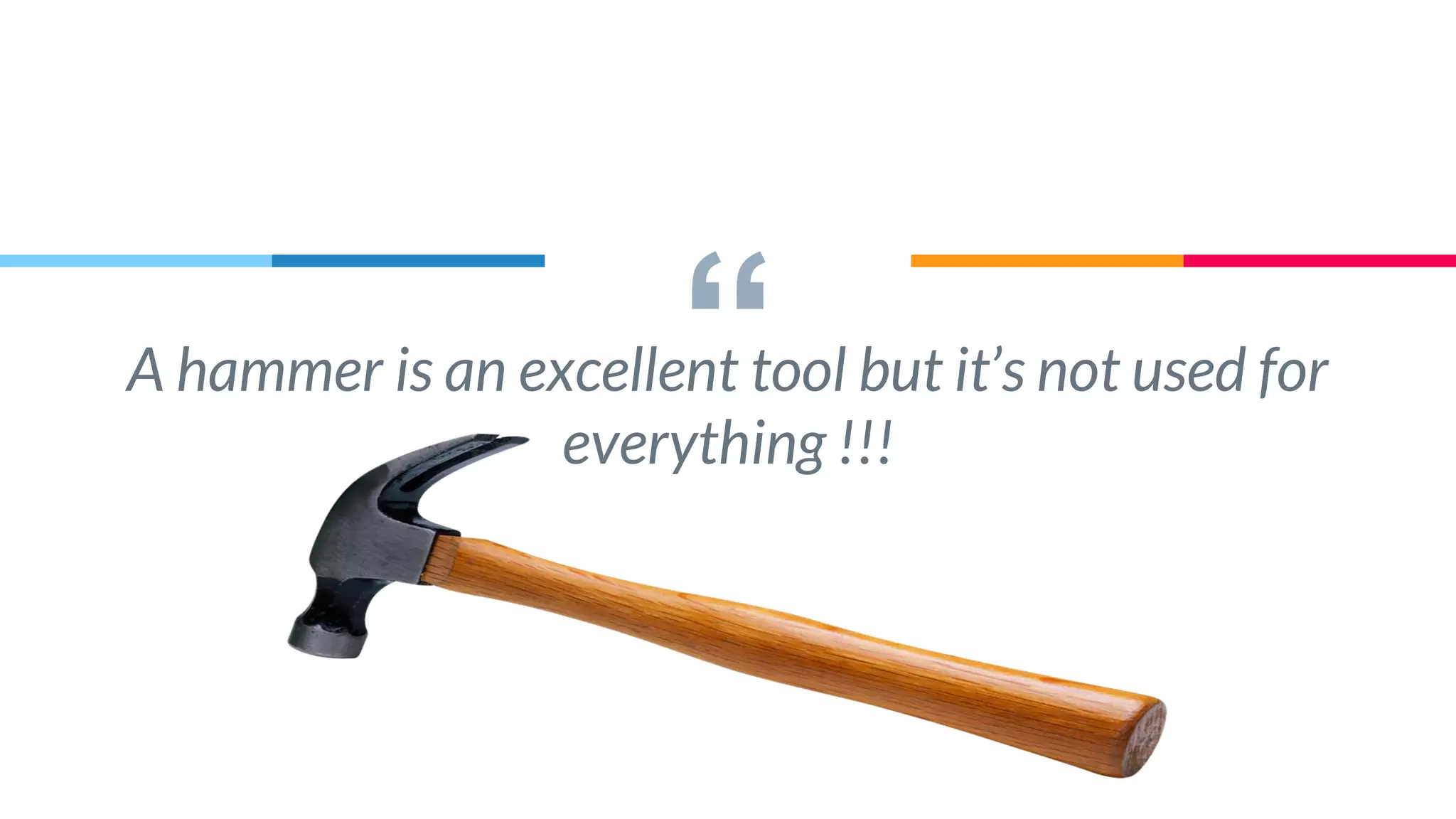
“A hammer is an excellent tool but it’s not used for
everything !!!
““The secret of building large apps is never build
large apps. Break your application into small
pieces. Then assemble those testable, bite-sized
pieces into your big application”
-Justin Mayer
““The more tied components are to each other, the
less reusable they will be, and the more difficult it
becomes to make changes to one without
accidentally affecting another”
-Rebecca Murphey
““The key is to acknowledge from start that you
have no idea how this will grow.
When you accept that you don’t know everything
you begin to design the system defensively”
-Nicholas Zakas
Modern UI Architecture_ Trends and Technologies in Web Development

Modern UI Architecture_ Trends and Technologies in Web Development

  • 1.
    Modern UI Architecture “Latesttrends and technologies involved in web development” Suresh Patidar (2nd September 2015)
  • 2.
    Hello! I am SureshPatidar An Engineering Graduate (B.E.) in Computer Science Have 9+ years of experience in product development using multiple technologies. Passionate about Architectures, Design Patterns, UI technologies and User Experience.
  • 3.
  • 4.
    Road Map ▷ Shiftfrom classical to modern web development ▷ Latest trends and technologies involved ▷ Challenges and Solutions of a modern web development ▷ Architecture, Frameworks and Design patterns available ▷ Coding Best Practices, Dos & Don’ts for client side development using JavaScript & CSS ▷ Open House
  • 5.
    Shift in WebDevelopment
  • 6.
    Shift in WebDevelopment ▷ SOA, API and REST based development ▷ Clients, consuming services are growing rapidly ▷ Server side vs Client side views ▷ Client playing vital role by taking more responsibility ▷ High performance apps with low bandwidth utilization ▷ Server Side implementations are becoming a thin layer
  • 7.
    Latest Trends andTechnologies
  • 8.
    Latest Trends andTechnologies ▷ Responsive Web Design (RWD) Support multiple form factors including mobile and tablet browsers ▷ Web 2.0 Shift from expert generated content to user generated contents ▷ Rich Interactive Applications (RIA) Shift from Static web apps to more interactive, desktop like web sites to simplify consumer creation of contents. ▷ Ajax Architectural shift to support RIA requirements ▷ HTML5 Websocket Webstorage Webworkers Application cache …
  • 9.
    Latest Trends andTechnologies (cont.) ▷ CSS3 Animations,Transitions Gradients Advanced Selectors and Media Queries FlexBox, Border images and Multiple backgrounds ... ▷ Application testability and Unit Testing TDD BDD ▷ Single Page Application (SPA) Create fluid and responsive Web apps, without constant page reloads
  • 10.
  • 11.
    Challenges and Solutions ▷Using best practices Following time tested design patterns Code review Proper and enough Commenting & Logging Discourage suppressing errors and corner cutting in development Have clear distinction between process improvement vs process discarding ▷ The User Experience Personalized experience to users Utilize the analysis/study done by various independent bodies Multilingual Support ▷ The growing size of the code at client side Have good architecture for client side Write code in modular fashion. Encourage reusability and loose coupling Have clear separation of concerns Follow “Don’t Repeat Yourself” (DRY) approach to programming
  • 12.
    Challenges and Solutions(cont.) ▷ Hiding the differences in target platform Platform detection for rendering features Graceful degradation ▷ Selecting right set of Tools and Technologies Have clear visibility on application requirements Consider future requirements and scalability ▷ Performance and Speed Follow asynchronous loading Load only relevant/required information Keep user engaged Use minification, caching and other optimization techniques ▷ Testing, Support and Upgrade
  • 13.
    JavaScript and CSSlet you do anything (No matter how Stupid) The point is that we don't have to do stupid things, just because we can.
  • 14.
  • 15.
    Application Architecture islike a playground for your code. It provides structures around otherwise unrelated activities
  • 16.
  • 17.
    Module module(n) 1 : astandard or unit of measurement 2 : the size of some one part taken as a unit of measure by which the proportions of an architectural composition are regulated 3 a : any in a series of standardized units for use together: as (1) : a unit of furniture or architecture (2) : an educational unit which covers a single subject or topic b : a usually packaged functional assembly of electronic components for use with other such assemblies 4 : an independently operable unit that is a part of the total structure of a space vehicle 5 a : a subset of an additive group that is also a group under addition b : a mathematical set that is a commutative group under addition and that is closed under multiplication which is distributive from the left or right or both by elements of a ring and for which a(bx) = (ab)x or (xb)a = x(ba) or both where a and b are elements of the ring and x belongs to the set (Source: Merriam-Webster Dictionary)
  • 20.
    How does thisapply to Web Applications? Any module should be able to live on its own Web application modules consist of HTML + CSS + JavaScript Each module's job is to create a meaningful user experience web application module (n) 1 : an independent unit of functionality that is part of the total structure of a web application
  • 21.
    Module Rules ▷ Handsto yourself Only call your own methods or those on the sandbox. Don't access DOM elements outside of your box Don’t access non native global objects ▷ Ask, don’t take Anything else need ask sandbox ▷ Don’t leave your toys around Don't create global objects ▷ Don’t talk to strangers Don’t directly reference other modules
  • 22.
  • 23.
    Modules must staywithin their own sandboxes No matter how restrictive or uncomfortable it may seem
  • 24.
    It ensures loosecoupling among Modules (It doesn’t hurt when modules are required to be separated)
  • 25.
    Sandbox ▷ It isan interface with which modules can interact to ensure loose coupling ▷ Modules can rely on the methods to always be there ▷ It acts like a security guard know what the modules are allowed to access and do not on the framework ▷ Take time to design correct sandbox interface as it cannot change later
  • 26.
  • 27.
    Application Core ▷ Itmanages modules ▷ It tells a module when it should initialize and when it should shutdown ▷ It manages communication between module ▷ It handles errors. Uses available information to determine best course of action ▷ It should be extensible
  • 28.
  • 29.
    Base Library ▷ Itprovides basic functionality ▷ It provide browser normalization ▷ It provides general purpose utilities Ajax communication, Xml and Json Parsing etc. ▷ It provide low level extensibility ▷ Only the base library knows which browser is being used
  • 30.
    Architecture (CSS) Goals ofa good CSS Architecture ▷ Predictable Predictable CSS means our rules behave as we’d expect. ▷ Reusable CSS rules should be abstract and decoupled enough that we can build new components quickly from existing parts without having to recode patterns and problems we’ve already solved ▷ Maintainable Adding new features shouldn’t require refactoring existing CSS ▷ Scable Scalable CSS means it can be easily managed by a single person or a large engineering team
  • 31.
    Popular Architectural Approaches ▷DRY (Don’t Repeat Yourself) CSS While coding css don’t repeat a property value pair ▷ OOCSS (Object Oriented CSS) Separate structure and presentation Separate container and content ▷ SMACSS (Scalable and Modular Architecture for CSS It is about identifying patterns in design and codifying them. Its core is categorization of CSS in Base, Layout, Module, State and Theme.
  • 32.
    Frameworks ▷ MVC View sitson top of our architecture with controller beside it Model sit below controller Views knows about controller and controller knows about models View have direct access to models ▷ MVP Role of controller is replaced with presenter Presenter sits at the same level as views, listening to events from both the View and model and mediating the actions between them. ▷ MVVM It allows us to create View-specific subsets of a Model which can contain state and logic information, avoiding the need to expose the entire Model to a View. ▷ MV*
  • 33.
  • 34.
    Design Patterns ▷ Patterns Areproven solutions Can be easily reused Can be expressive ▷ Some commonly used design patterns Constructor Pattern Module Pattern Singleton pattern Observer pattern Mediator pattern Facade pattern ...
  • 35.
  • 36.
  • 37.
  • 38.
  • 39.
  • 40.
  • 41.
  • 42.
  • 43.
    JavaScript “Best Practices,Dos & Don’ts” ▷ Make it understandable ▷ Avoid globals ▷ Stick to a strict coding style ▷ Comment as much as needed but not more ▷ Avoid mixing with other technologies ▷ Use shortcut notations ▷ Modularize ▷ Enhance progressively ▷ Allow for configuration and translation ▷ Avoid heavy nesting ▷ Optimize loops ▷ Keep DOM access to a minimum ▷ Add functionality with JavaScript, not content ▷ Build on the shoulders of giants ▷ Development code is not live code
  • 44.
    CSS “Best Practices,Dos & Don’ts” ▷ Always use CSS Resets ▷ Categorize your styles ▷ Follow DRY principle ▷ Avoid using ID based selectors ▷ Avoid inline styles ▷ Avoid using “!important” ▷ Define classes with meaningful names ▷ Classes should not be used for any purpose other than styling. ▷ Avoid using large chain of selectors ▷ Avoid specifying tag names in Classes ▷ Follow consistent naming convention ▷ Separate structure and presentation
  • 45.
    Few things worthmentioning here before completing the session
  • 46.
    “A hammer isan excellent tool but it’s not used for everything !!!
  • 47.
    ““The secret ofbuilding large apps is never build large apps. Break your application into small pieces. Then assemble those testable, bite-sized pieces into your big application” -Justin Mayer
  • 48.
    ““The more tiedcomponents are to each other, the less reusable they will be, and the more difficult it becomes to make changes to one without accidentally affecting another” -Rebecca Murphey
  • 49.
    ““The key isto acknowledge from start that you have no idea how this will grow. When you accept that you don’t know everything you begin to design the system defensively” -Nicholas Zakas