Angular Meetup
Angular v16, May 2023
The Rise of Angular Signals
Angular 16
"The biggest release since the initial rollout of Angular"
Yaron Biton
Misterbit CTO
Who am I?
Coding Academy
Chief Instructor
Angular 16
This release has a significant impact
on any Angular team
Let's deep dive into
how to code modern Angular apps
• Anything web, end to end projects
• Tech companies and startups
• Consulting to management and dev teams
• Available on demand coders
https://www.misterbit.co.il
• Advanced web-techs training: Angular, React,
Vue, Node, Modern architectures, etc.
• Catchup workshops for managers and leaders
• Coding Academy bootcamp
• Advanced selective training - best practices
• Hundreds of employed full-stack developers
every year
https://www.coding-academy.org
Angular 16 features
We can (finally) use self-enclosing-tags!
Becomes:
<super-duper-long-component-name [prop]="someVar">
</super-duper-long-component-name>
<super-duper-long-component-name [prop]="someVar"/>
Angular 16 features
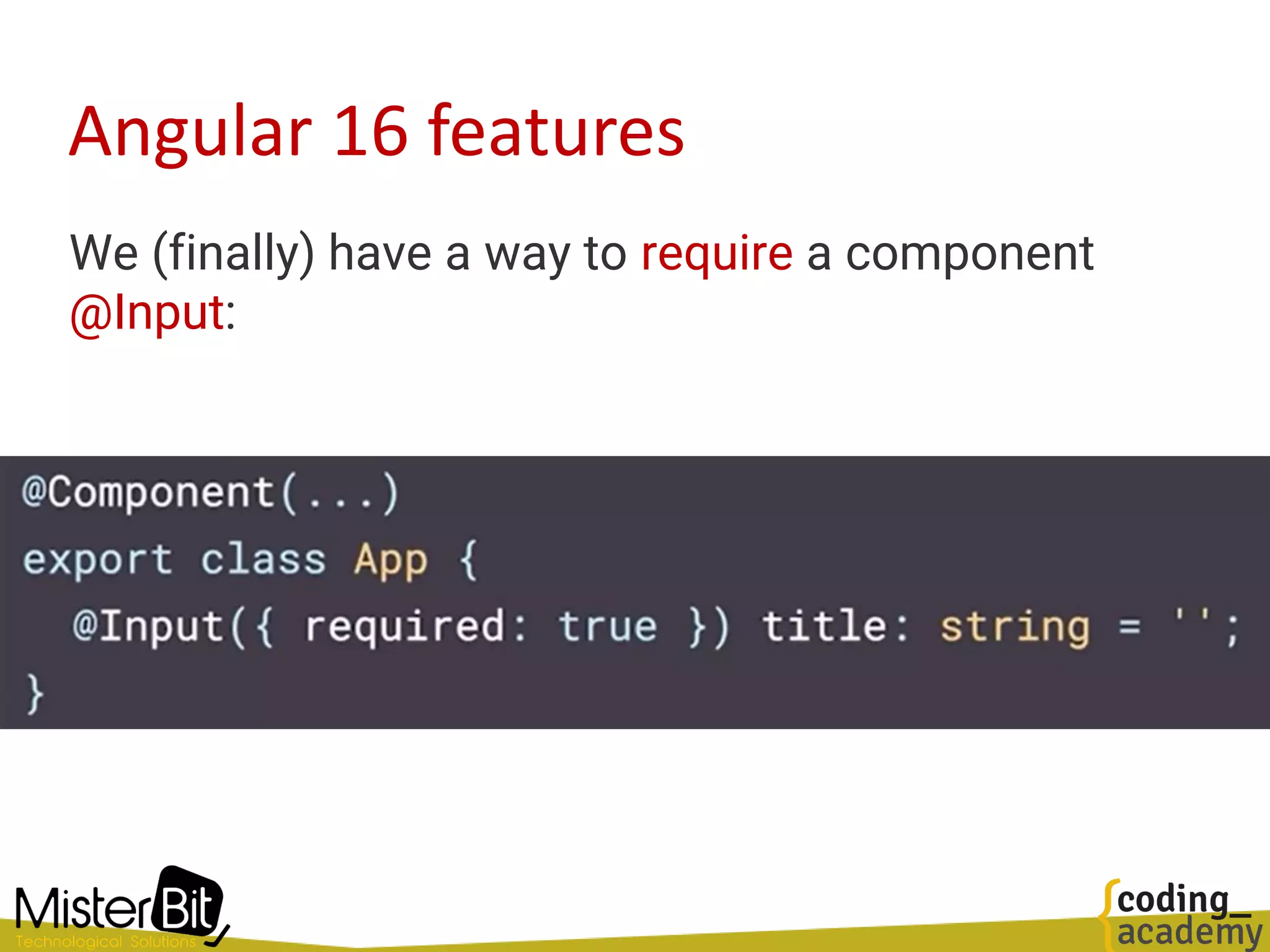
We (finally) have a way to require a component
@Input:
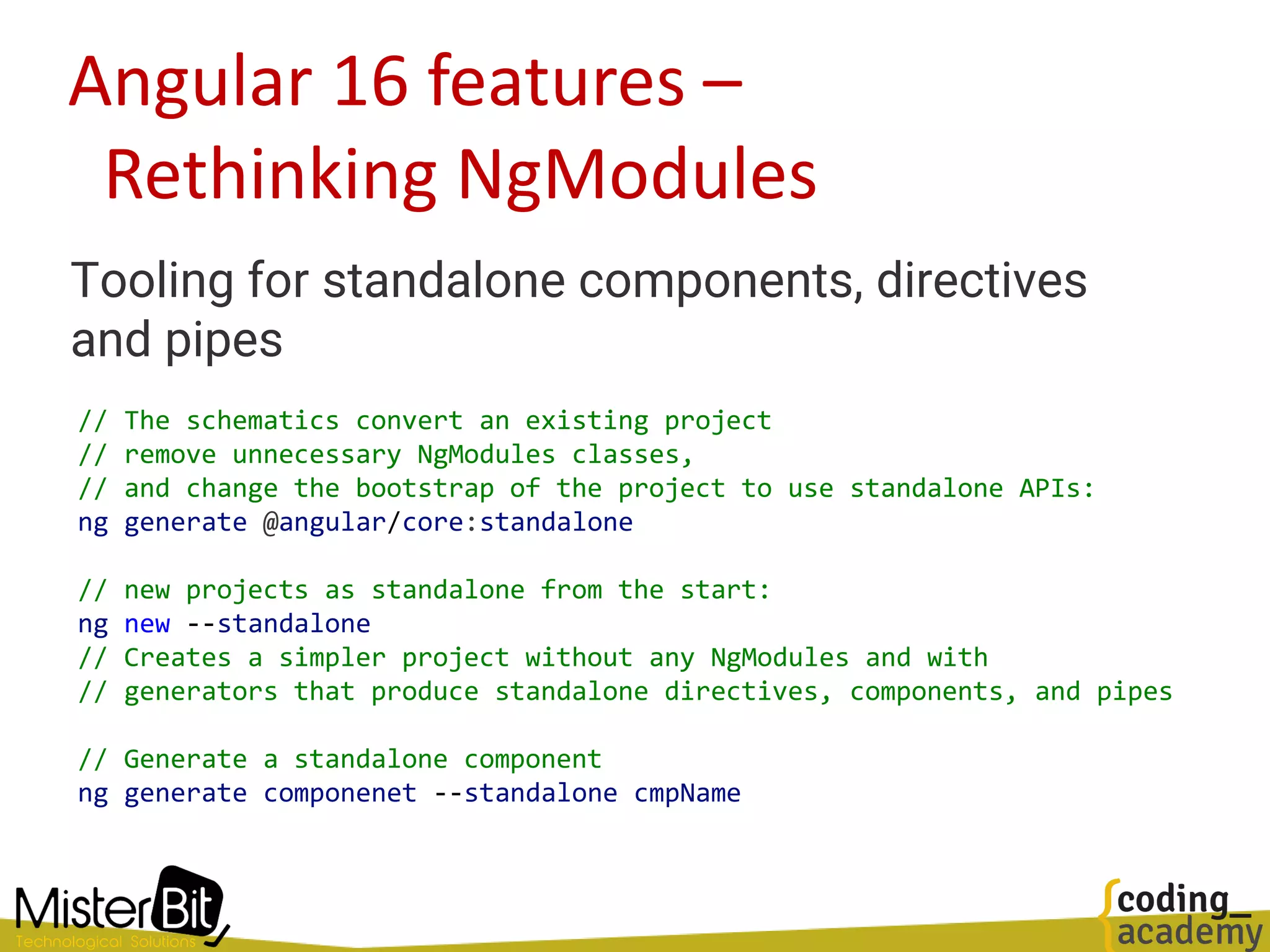
Angular 16 features –
Rethinking NgModules
Tooling for standalone components, directives
and pipes
// The schematics convert an existing project
// remove unnecessary NgModules classes,
// and change the bootstrap of the project to use standalone APIs:
ng generate @angular/core:standalone
// new projects as standalone from the start:
ng new --standalone
// Creates a simpler project without any NgModules and with
// generators that produce standalone directives, components, and pipes
// Generate a standalone component
ng generate componenet --standalone cmpName
Rethinking the CLI –
(As most modern CLIs )
> ng serve
// Vite development server!
Angular CLI is now Vite!
Rethinking Unit-Testing
Moving Angular CLI to Jest
Rethinking Reactivity
Preface
• On February 2023, Angular's team introduced
Signals to the framework with a simple pull
request.
• Since then, there have been a storm in the Angular
community about its use and benefits
• …and if it’s another rewrite of the framework
• In a model-driven web application, one of the main jobs
of the framework is synchronizing changes to the
application's data model and the UI.
• We refer to this mechanism as reactivity, and every
modern web framework has its own reactivity system.
Reactivity with Signals
Welcome Signals
• In modern Angular every piece of important data is
wrapped and used as signals
• So, signals become immediately the most basic and
important feature in Angular
Signals
• Angular Signals have an initial
value
• When executed, they return the
current value of the signal
quantity_ = signal<number>(1)
selectedCar_ = signal<Car>(null)
userMsg_ = signal({ txt: '', type: '' })
cars_ = signal<Car[]>([])
<h5> Quantity: {{ quantity_() }} </h5>
<user-msg [msg]="userMsg_()"></user-msg>
Setting Signal value
The signal function returns a WritableSignal<T>
which allow modifying the value:
// Replace the signal value
const movies_ = signal<Movie[]>([])
movies_.set([{ name: 'Fight club' }])
// Derive a new value
const someCount_ = signal<Number>(0)
someCount_.update(n => n + 1)
// Perform internal mutation of arrays and other objects
movies_.mutate(list => {
list.push({name: 'Aba Ganuv'})
})
computed values
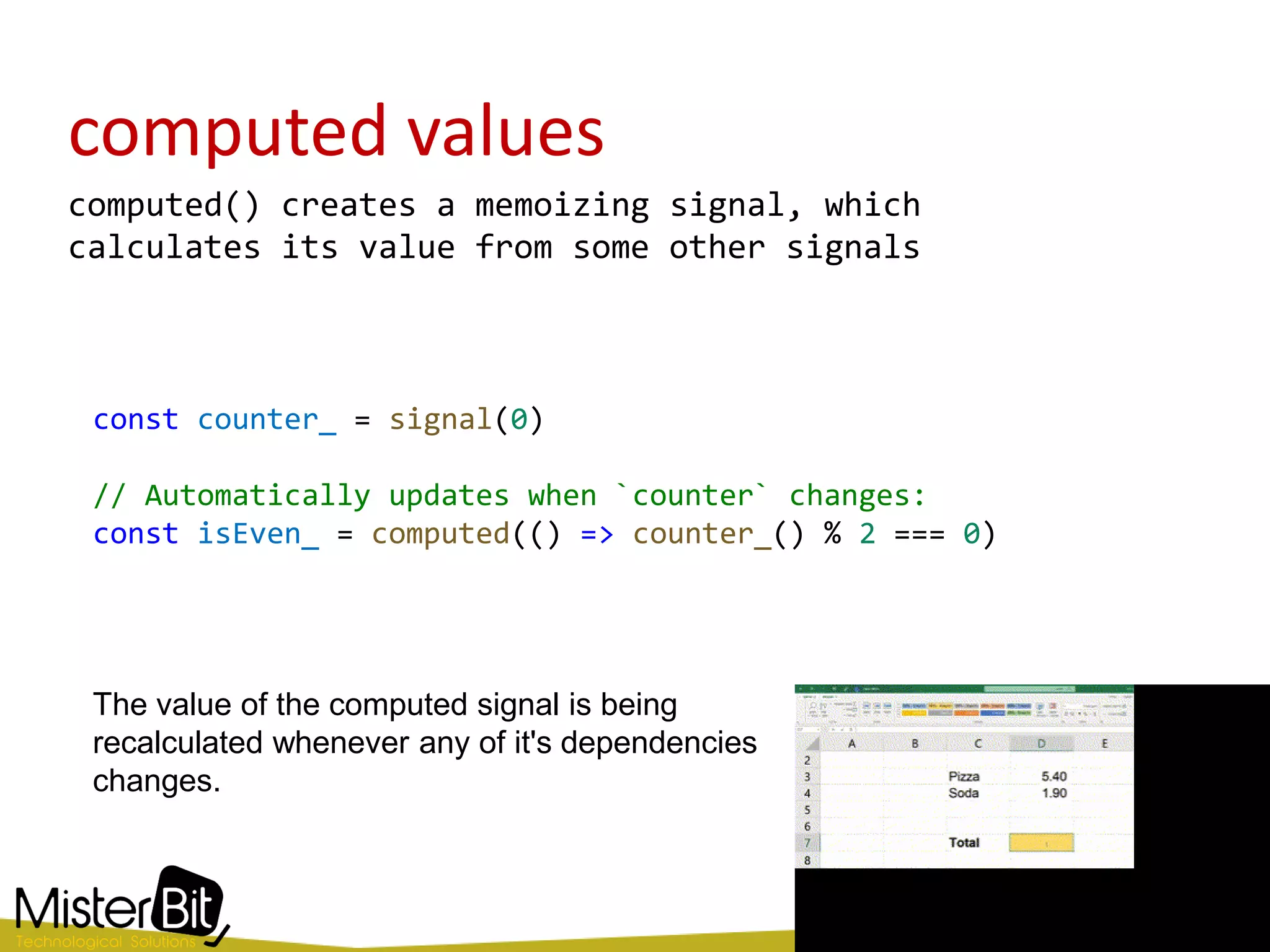
computed() creates a memoizing signal, which
calculates its value from some other signals
const counter_ = signal(0)
// Automatically updates when `counter` changes:
const isEven_ = computed(() => counter_() % 2 === 0)
The value of the computed signal is being
recalculated whenever any of it's dependencies
changes.
computed() Signal
• The computed() function returns a Signal and not a
WritableSignal, which means it cannot be manually
modified (with set, update, or mutate)
• Instead, it is updated automatically whenever one
of its dependent signals change.
export function computed<T>(
computation: () => T, equal: ValueEqualityFn<T> = defaultEquals): Signal<T>
const moviesCount_ = computed(() => movies_().length)
side effect()
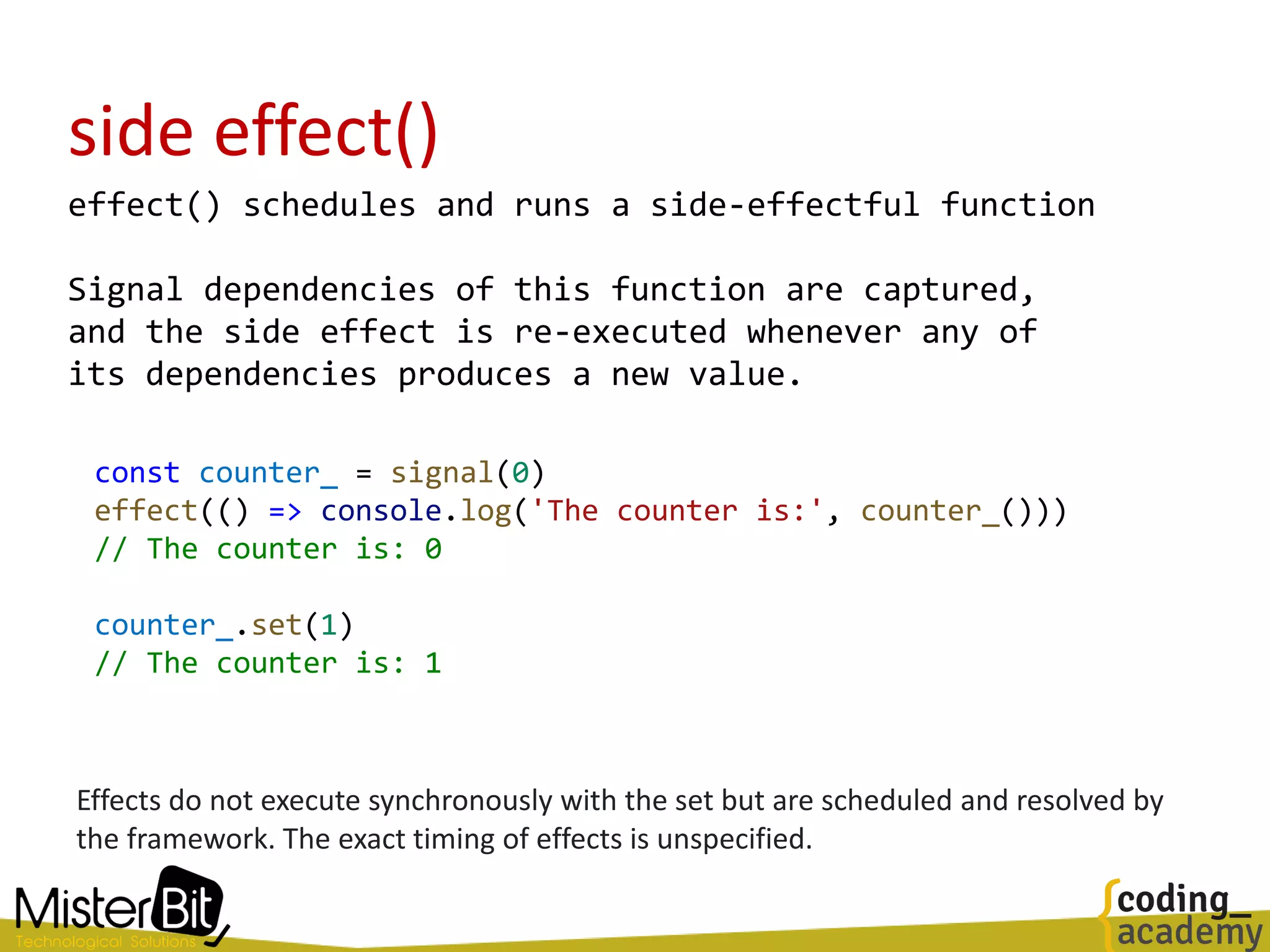
effect() schedules and runs a side-effectful function
Signal dependencies of this function are captured,
and the side effect is re-executed whenever any of
its dependencies produces a new value.
const counter_ = signal(0)
effect(() => console.log('The counter is:', counter_()))
// The counter is: 0
counter_.set(1)
// The counter is: 1
Effects do not execute synchronously with the set but are scheduled and resolved by
the framework. The exact timing of effects is unspecified.
effect() use cases
Effects are useful in specific situations.
Here are some examples:
• Performing custom rendering to a <canvas>
• Charting library, or other third party UI
library
• Keeping data in sync with window.localStorage
Demo Time
Before going deeper let's play
with some sample code
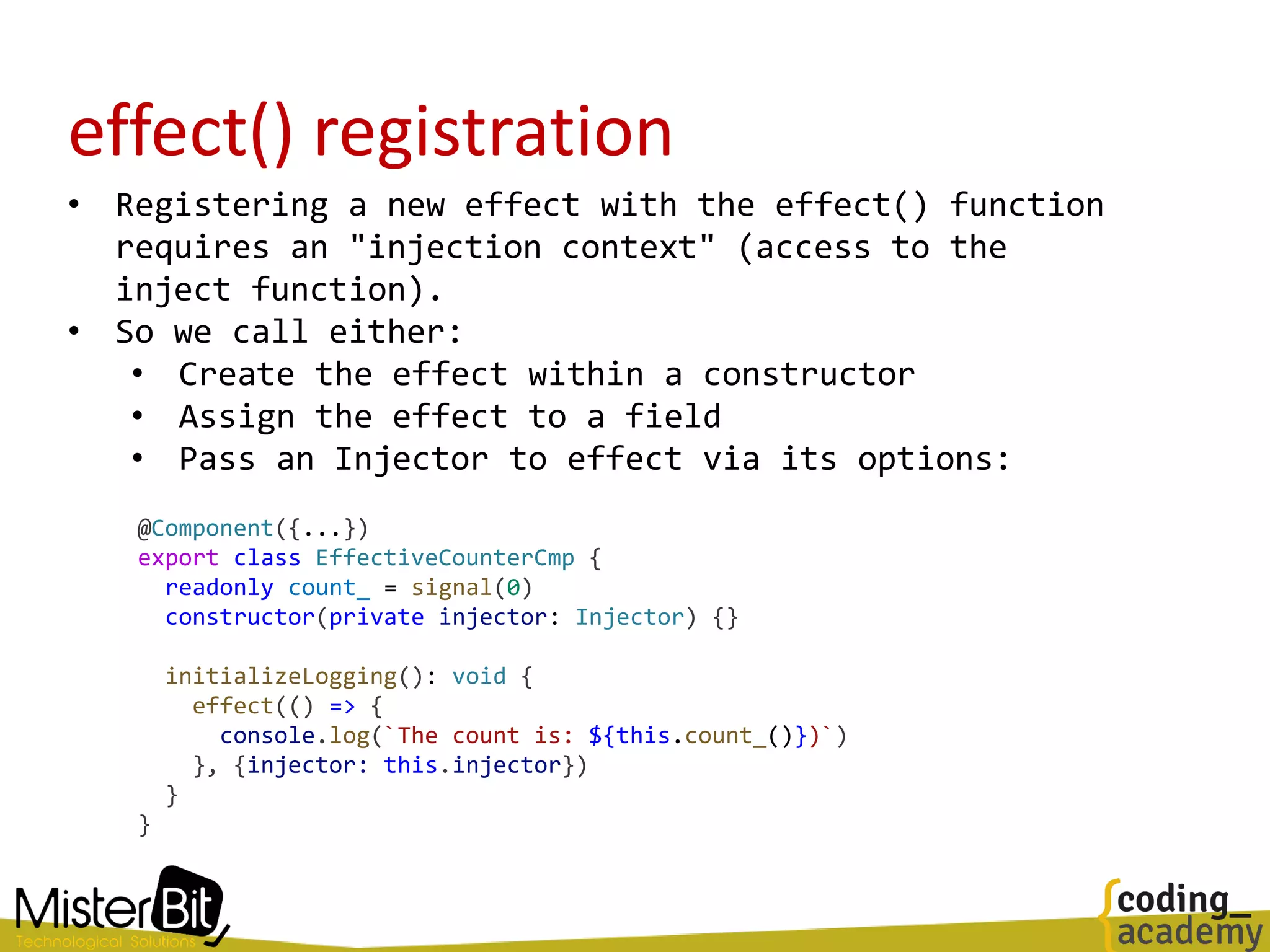
effect() registration
• Registering a new effect with the effect() function
requires an "injection context" (access to the
inject function).
• So we call either:
• Create the effect within a constructor
• Assign the effect to a field
• Pass an Injector to effect via its options:
@Component({...})
export class EffectiveCounterCmp {
readonly count_ = signal(0)
constructor(private injector: Injector) {}
initializeLogging(): void {
effect(() => {
console.log(`The count is: ${this.count_()})`)
}, {injector: this.injector})
}
}
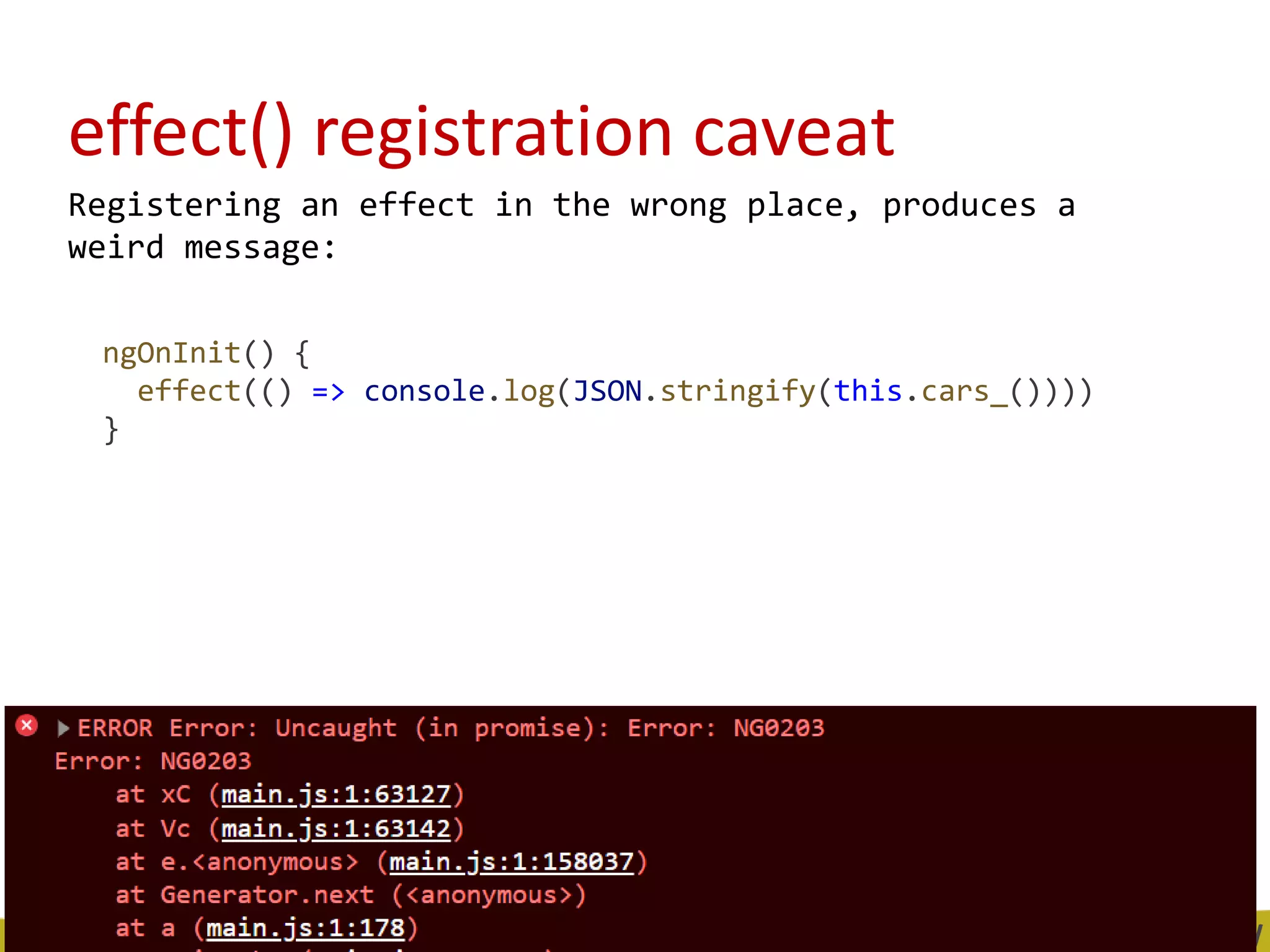
effect() registration caveat
Registering an effect in the wrong place, produces a
weird message:
ngOnInit() {
effect(() => console.log(JSON.stringify(this.cars_())))
}
Into Signals
• Signal is a reactive value and is a producer that
notify consumers(dependents) when it changes.
• Any code that has registered an interest in the
Signal’s value is tracked as dependent.
• When the Signal’s value is modified, the Signal
will notify all of its dependents, allowing them to
react to the change in the Signal’s value.
Adding dependents (consumer) to a Signal
• When we use a signal in our template, this
dependency is being added to that signal
• We can add consumers by using effect and computed
functions.
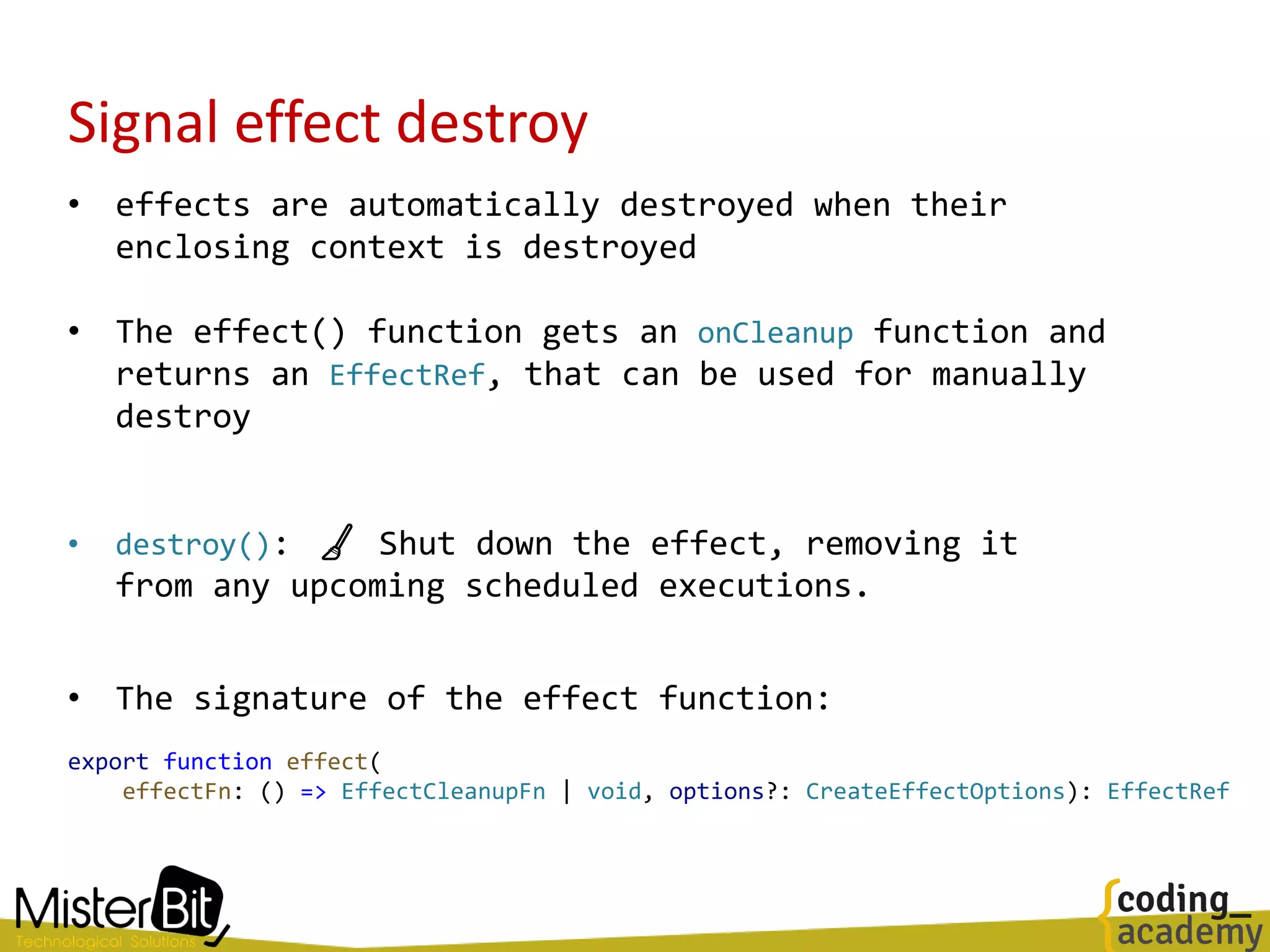
Signal effect destroy
• effects are automatically destroyed when their
enclosing context is destroyed
• The effect() function gets an onCleanup function and
returns an EffectRef, that can be used for manually
destroy
• destroy(): 🧹 Shut down the effect, removing it
from any upcoming scheduled executions.
• The signature of the effect function:
export function effect(
effectFn: () => EffectCleanupFn | void, options?: CreateEffectOptions): EffectRef
Signal equality functions
• When creating a signal, we can optionally provide
an equality function
• It will be used to check whether the new value is
actually different than the previous one
import _ from 'lodash'
const data_ = signal(['test'], {equal: _.isEqual})
// Using deep equality - signal won't trigger any updates
data_.set(['test'])
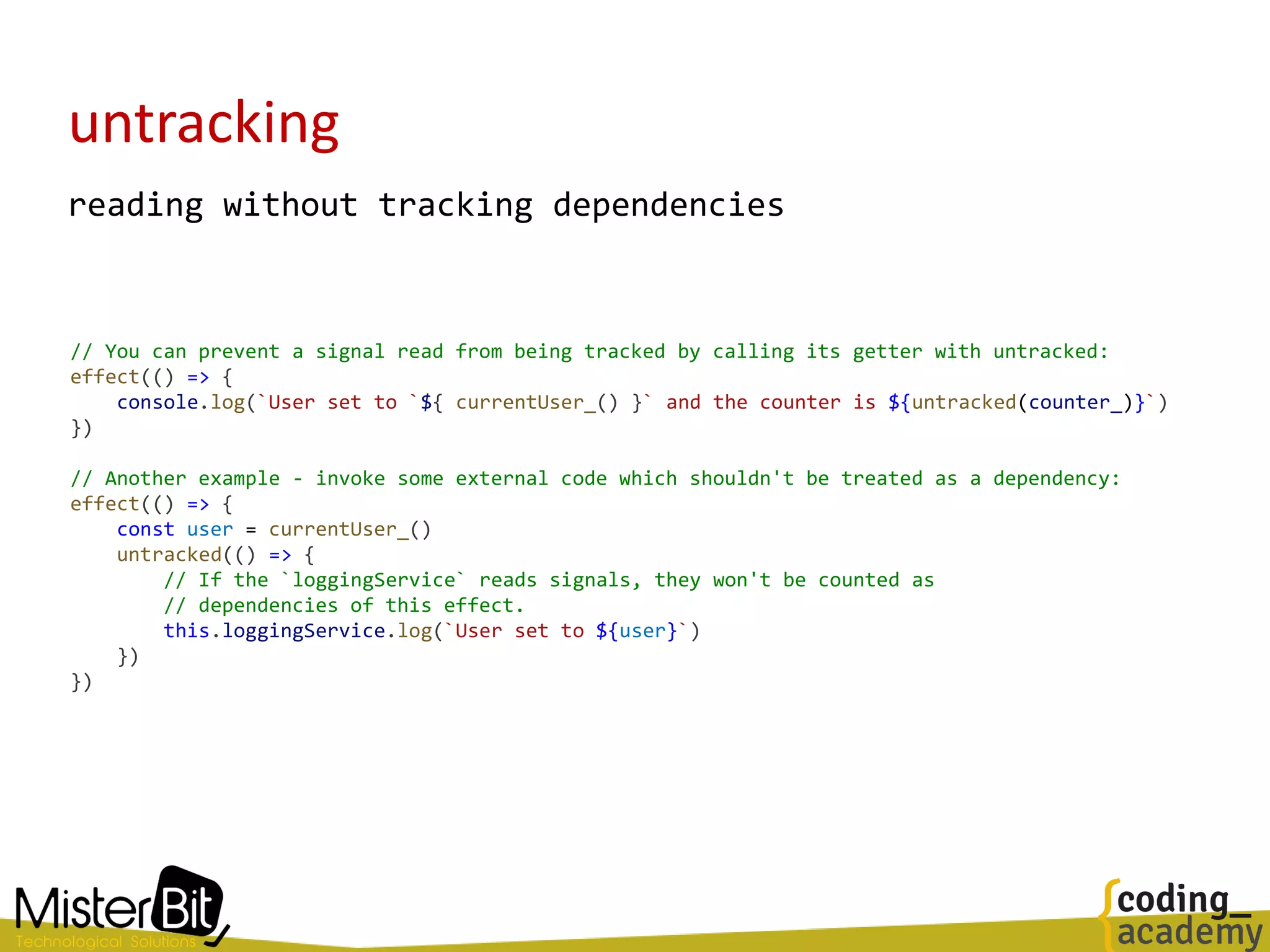
untracking
reading without tracking dependencies
// You can prevent a signal read from being tracked by calling its getter with untracked:
effect(() => {
console.log(`User set to `${ currentUser_() }` and the counter is ${untracked(counter_)}`)
})
// Another example - invoke some external code which shouldn't be treated as a dependency:
effect(() => {
const user = currentUser_()
untracked(() => {
// If the `loggingService` reads signals, they won't be counted as
// dependencies of this effect.
this.loggingService.log(`User set to ${user}`)
})
})
Into the RFC
Lets review some points
from the official docs
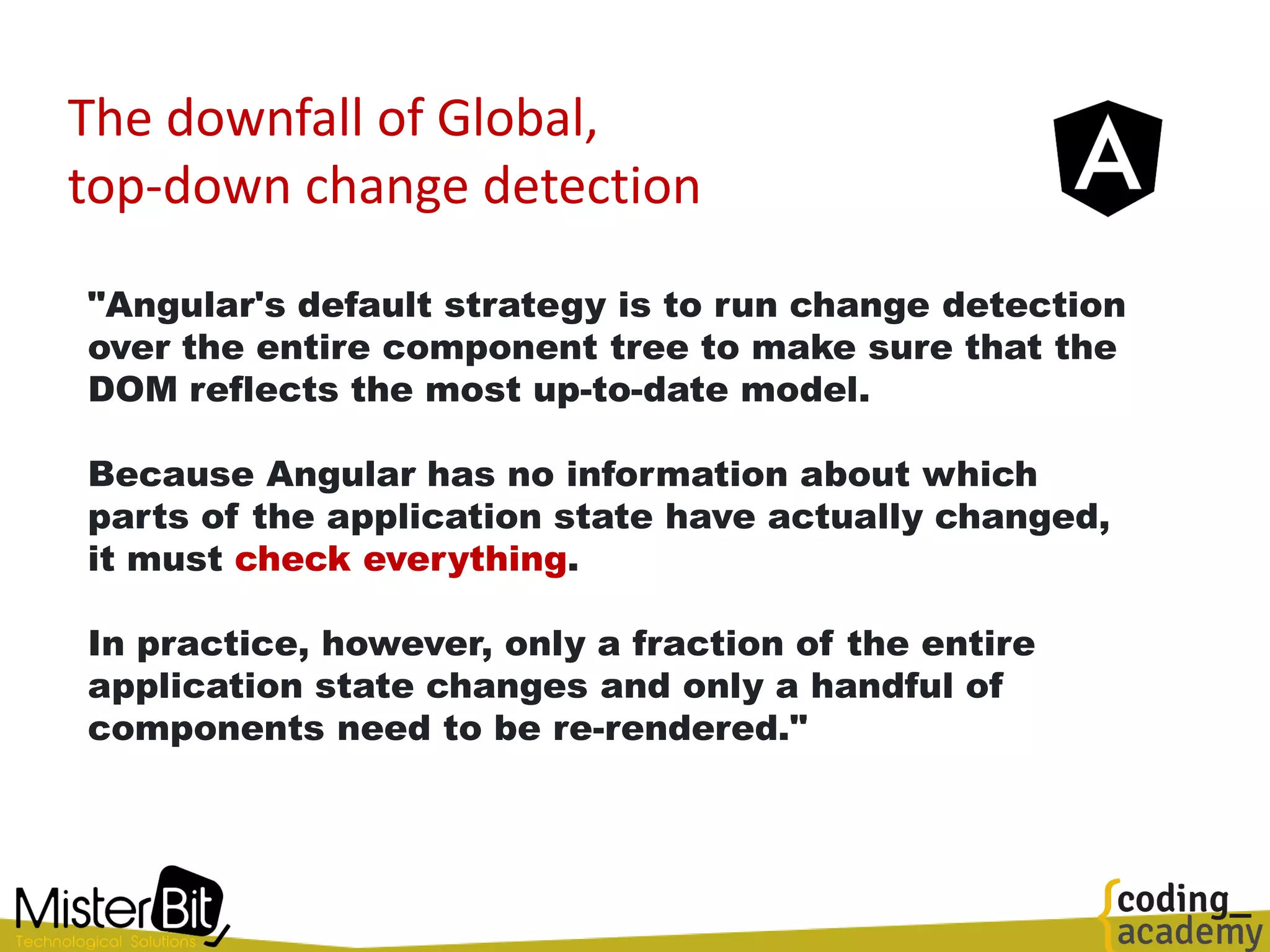
The downfall of Global,
top-down change detection
"Angular's default strategy is to run change detection
over the entire component tree to make sure that the
DOM reflects the most up-to-date model.
Because Angular has no information about which
parts of the application state have actually changed,
it must check everything.
In practice, however, only a fraction of the entire
application state changes and only a handful of
components need to be re-rendered."
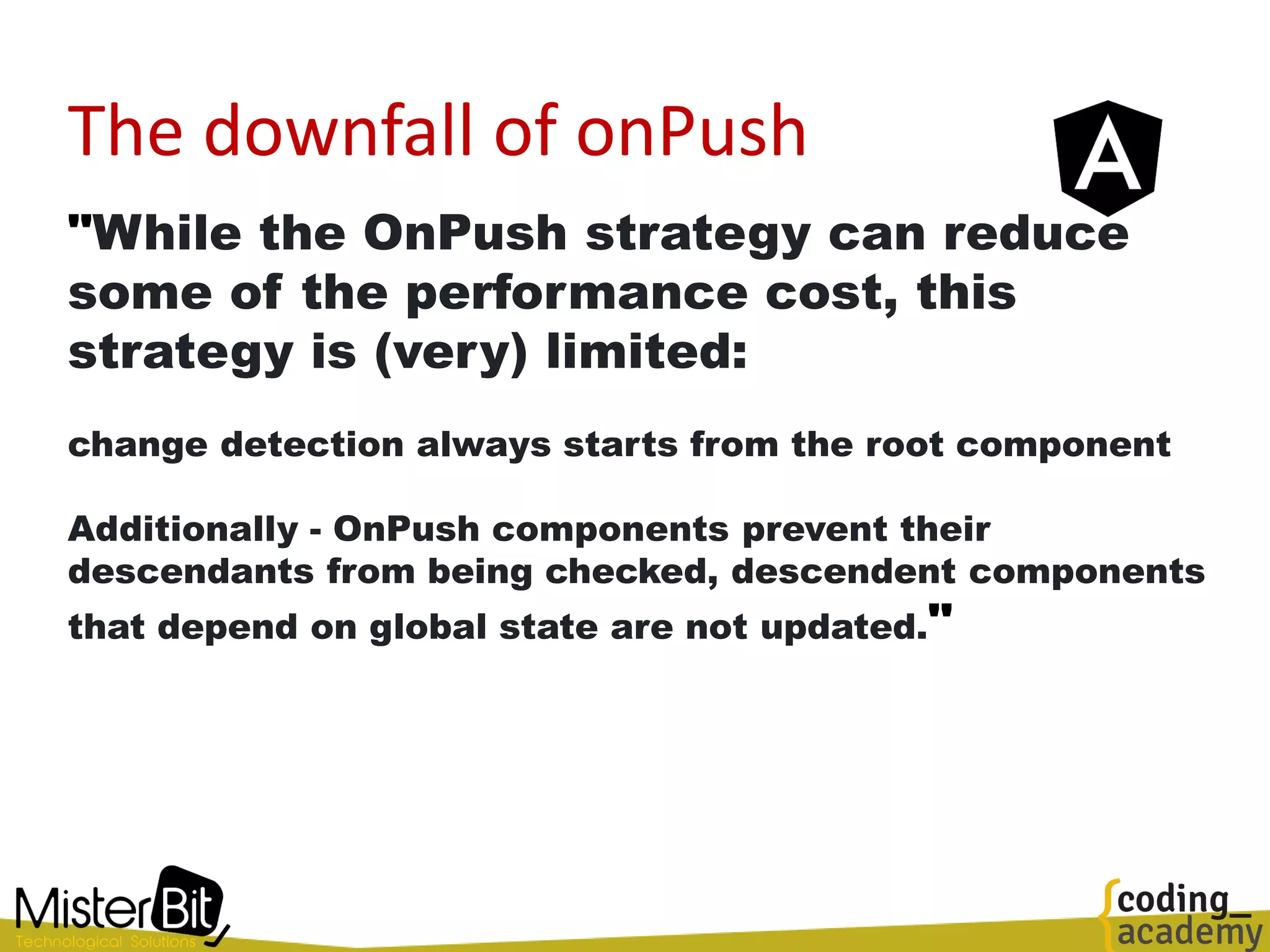
The downfall of onPush
"While the OnPush strategy can reduce
some of the performance cost, this
strategy is (very) limited:
change detection always starts from the root component
Additionally - OnPush components prevent their
descendants from being checked, descendent components
that depend on global state are not updated."
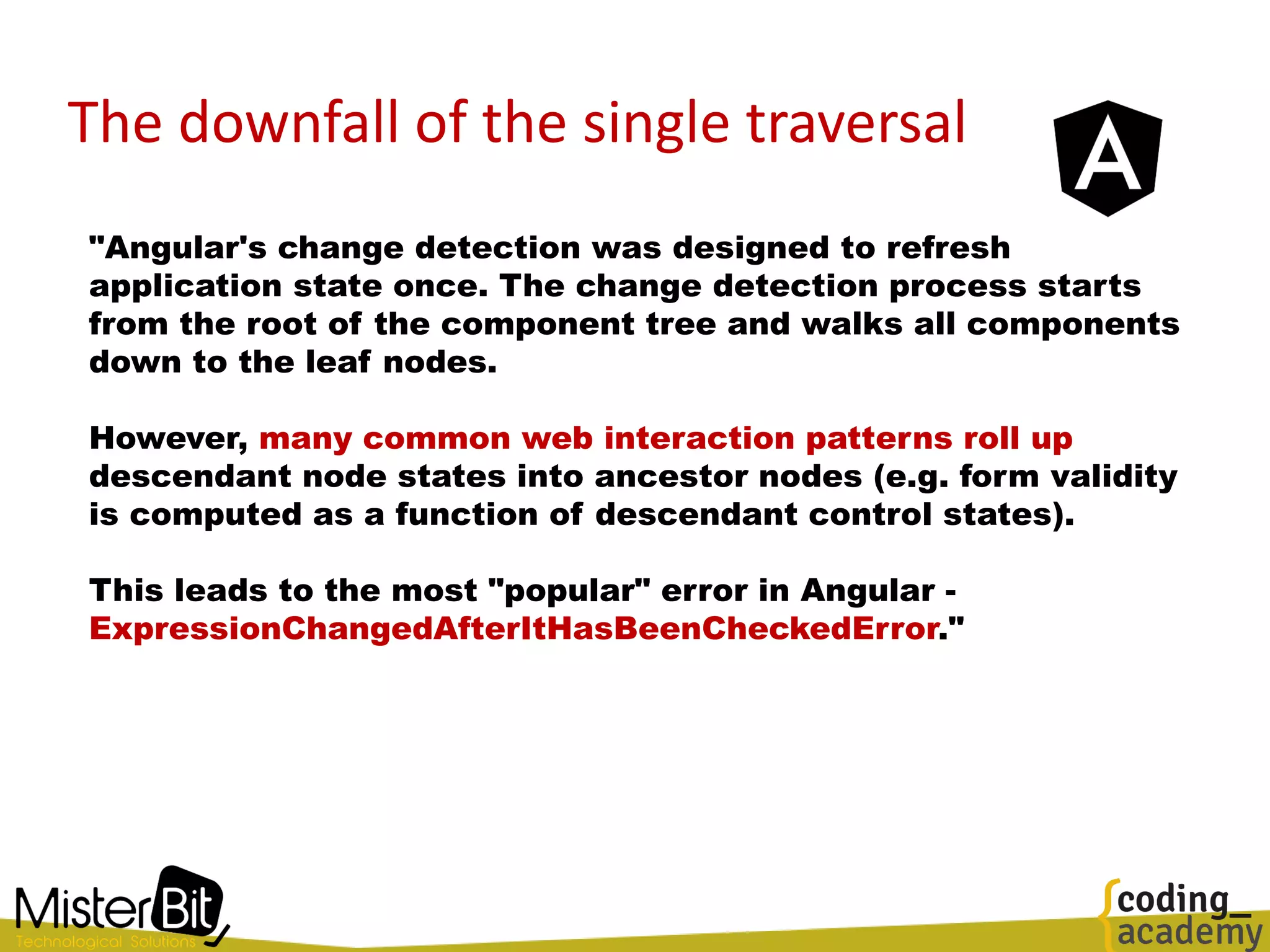
The downfall of the single traversal
"Angular's change detection was designed to refresh
application state once. The change detection process starts
from the root of the component tree and walks all components
down to the leaf nodes.
However, many common web interaction patterns roll up
descendant node states into ancestor nodes (e.g. form validity
is computed as a function of descendant control states).
This leads to the most "popular" error in Angular -
ExpressionChangedAfterItHasBeenCheckedError."
The downfall of Zone.js
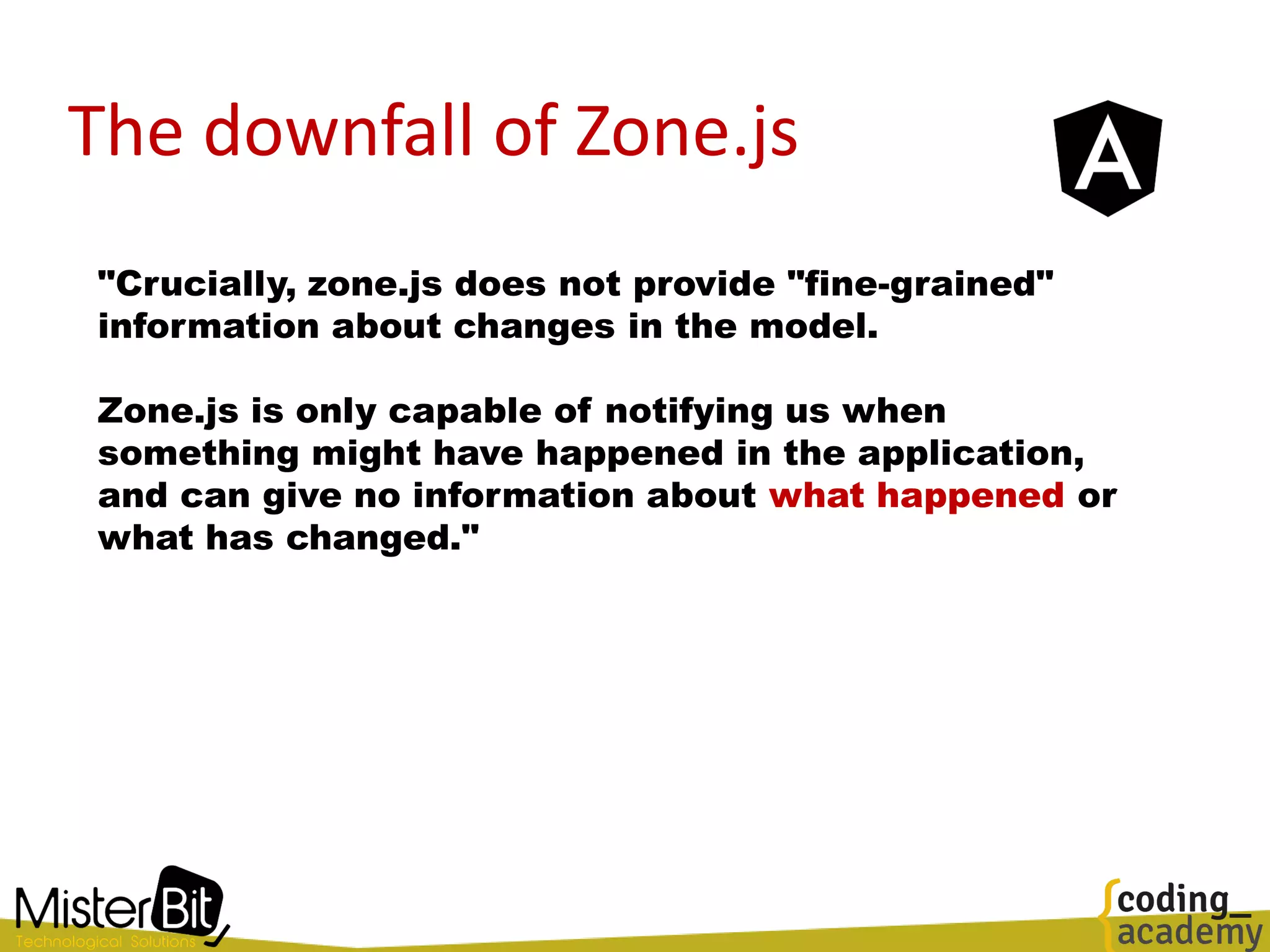
"Crucially, zone.js does not provide "fine-grained"
information about changes in the model.
Zone.js is only capable of notifying us when
something might have happened in the application,
and can give no information about what happened or
what has changed."
The downfall of Zone.js
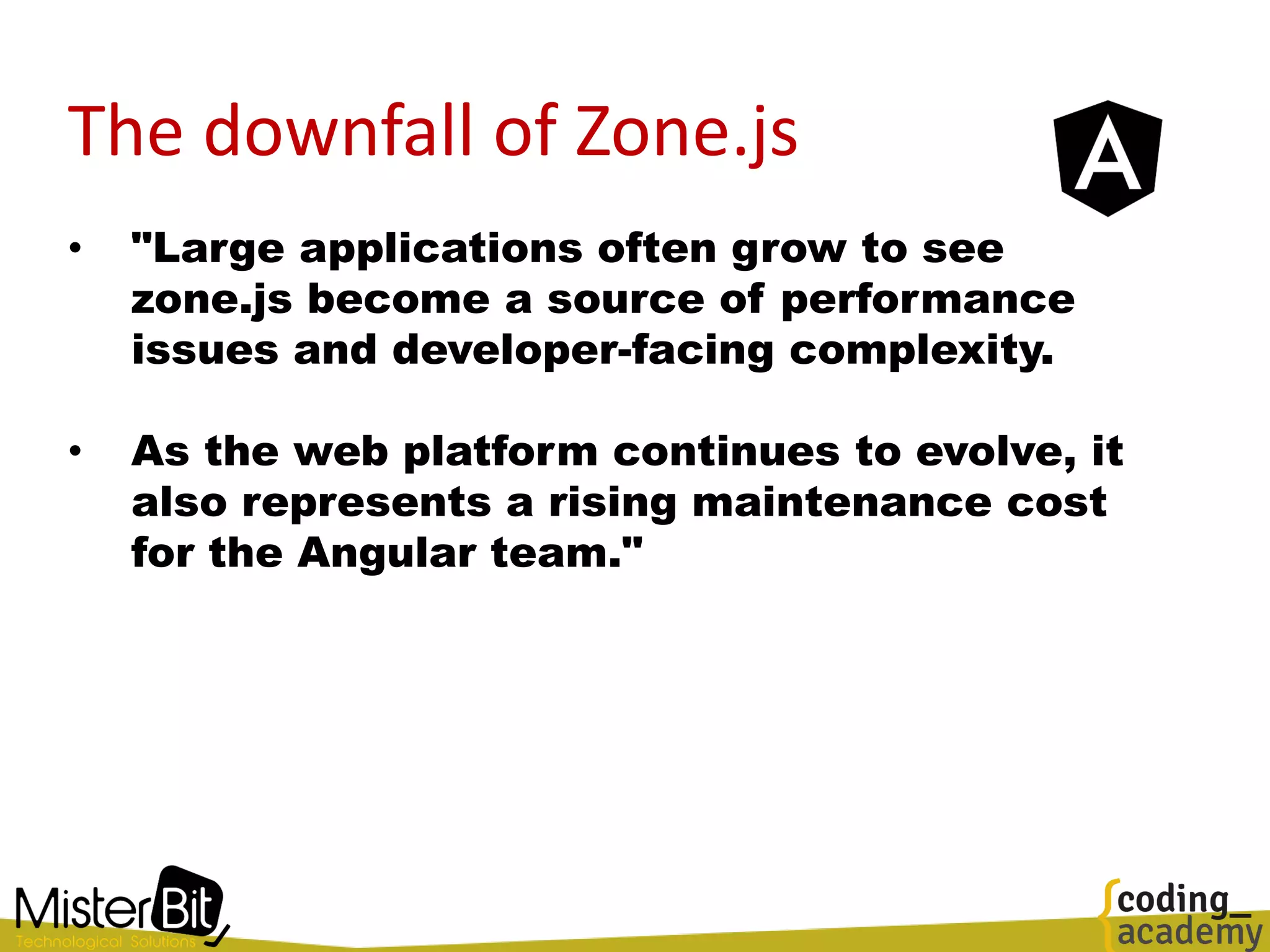
• "Large applications often grow to see
zone.js become a source of performance
issues and developer-facing complexity.
• As the web platform continues to evolve, it
also represents a rising maintenance cost
for the Angular team."
The downfall of Zone.js
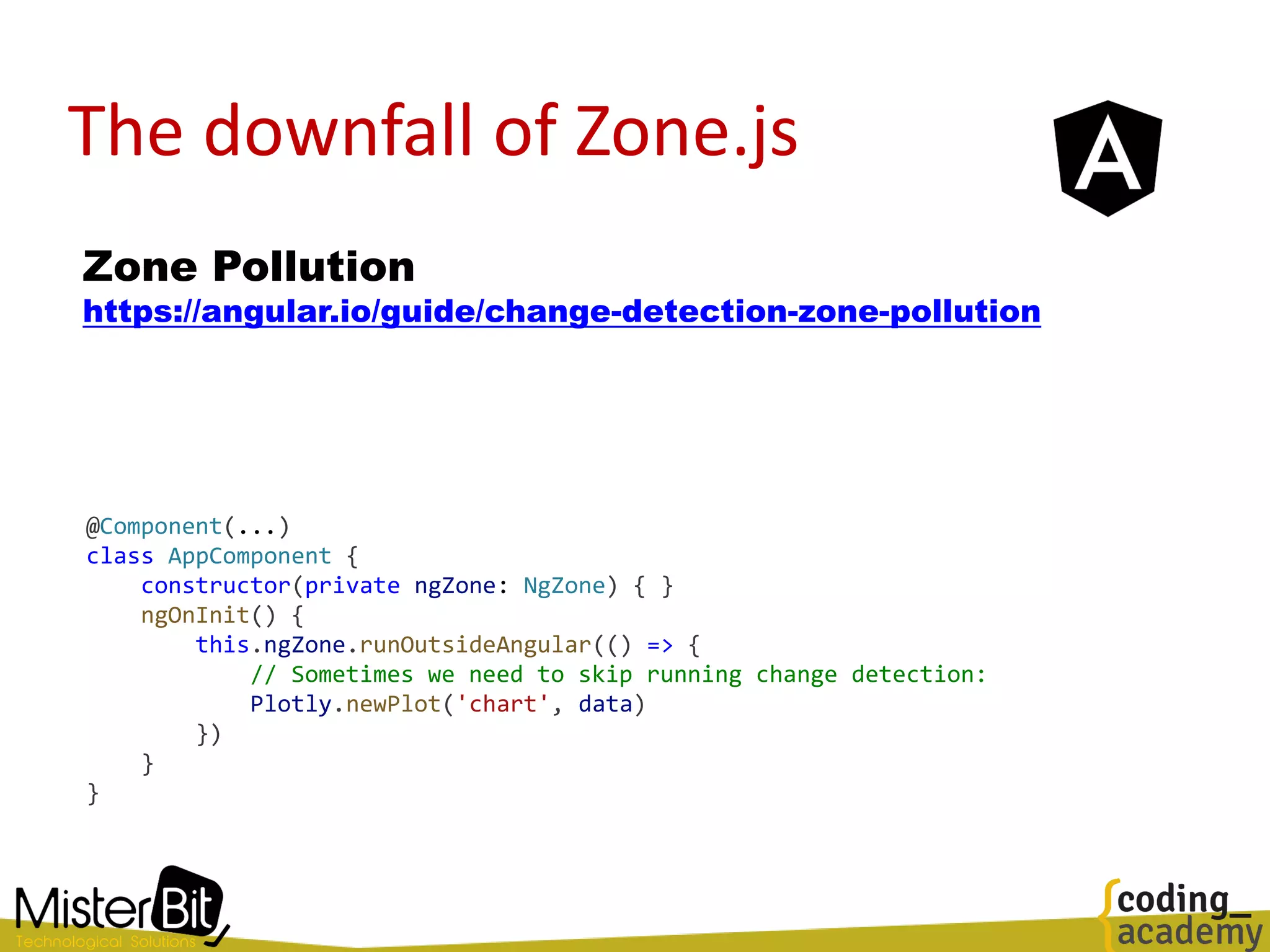
Zone Pollution
https://angular.io/guide/change-detection-zone-pollution
@Component(...)
class AppComponent {
constructor(private ngZone: NgZone) { }
ngOnInit() {
this.ngZone.runOutsideAngular(() => {
// Sometimes we need to skip running change detection:
Plotly.newPlot('chart', data)
})
}
}
The downfall of Zone.js
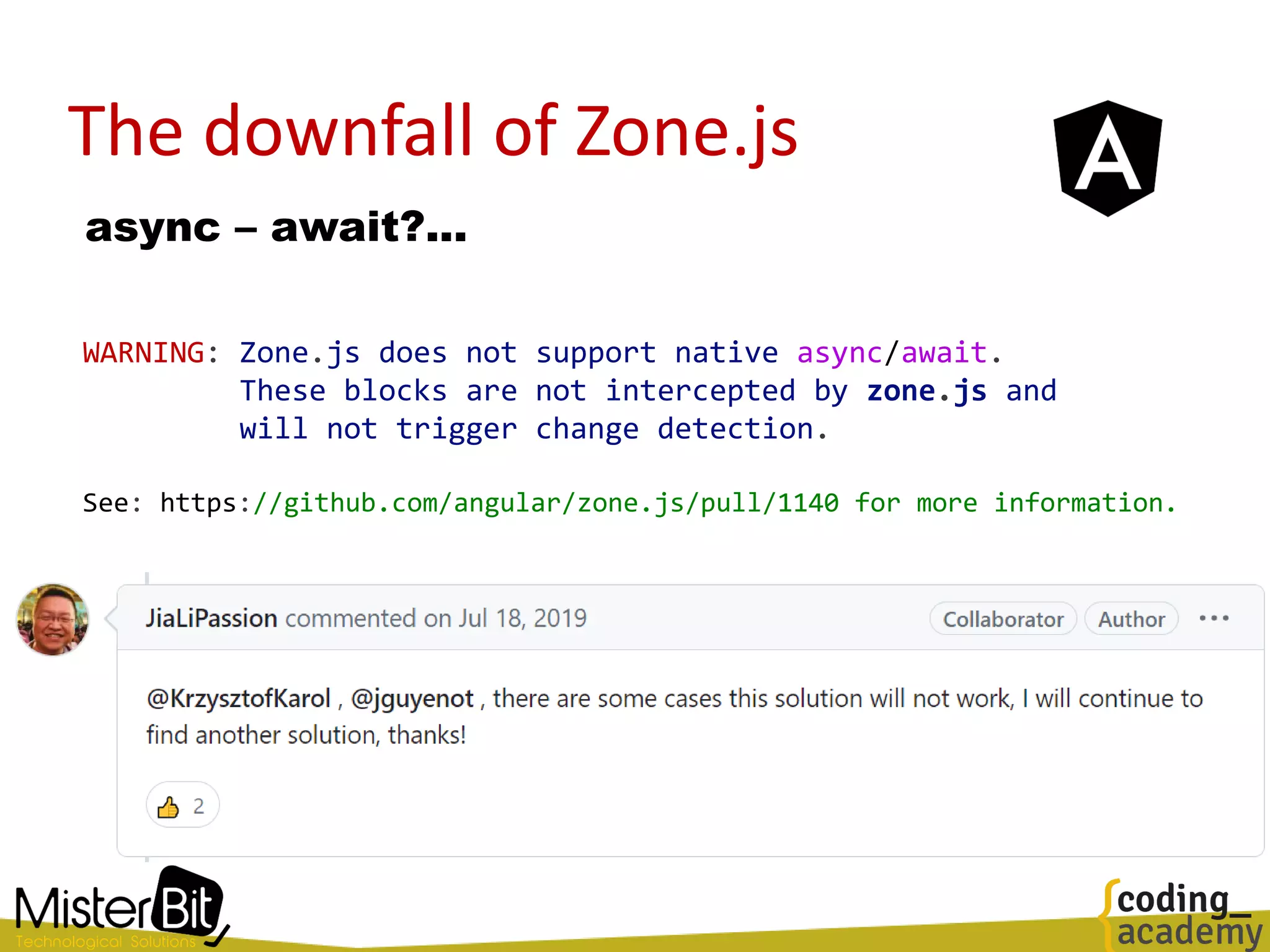
async – await?...
WARNING: Zone.js does not support native async/await.
These blocks are not intercepted by zone.js and
will not trigger change detection.
See: https://github.com/angular/zone.js/pull/1140 for more information.
What about RxJS?
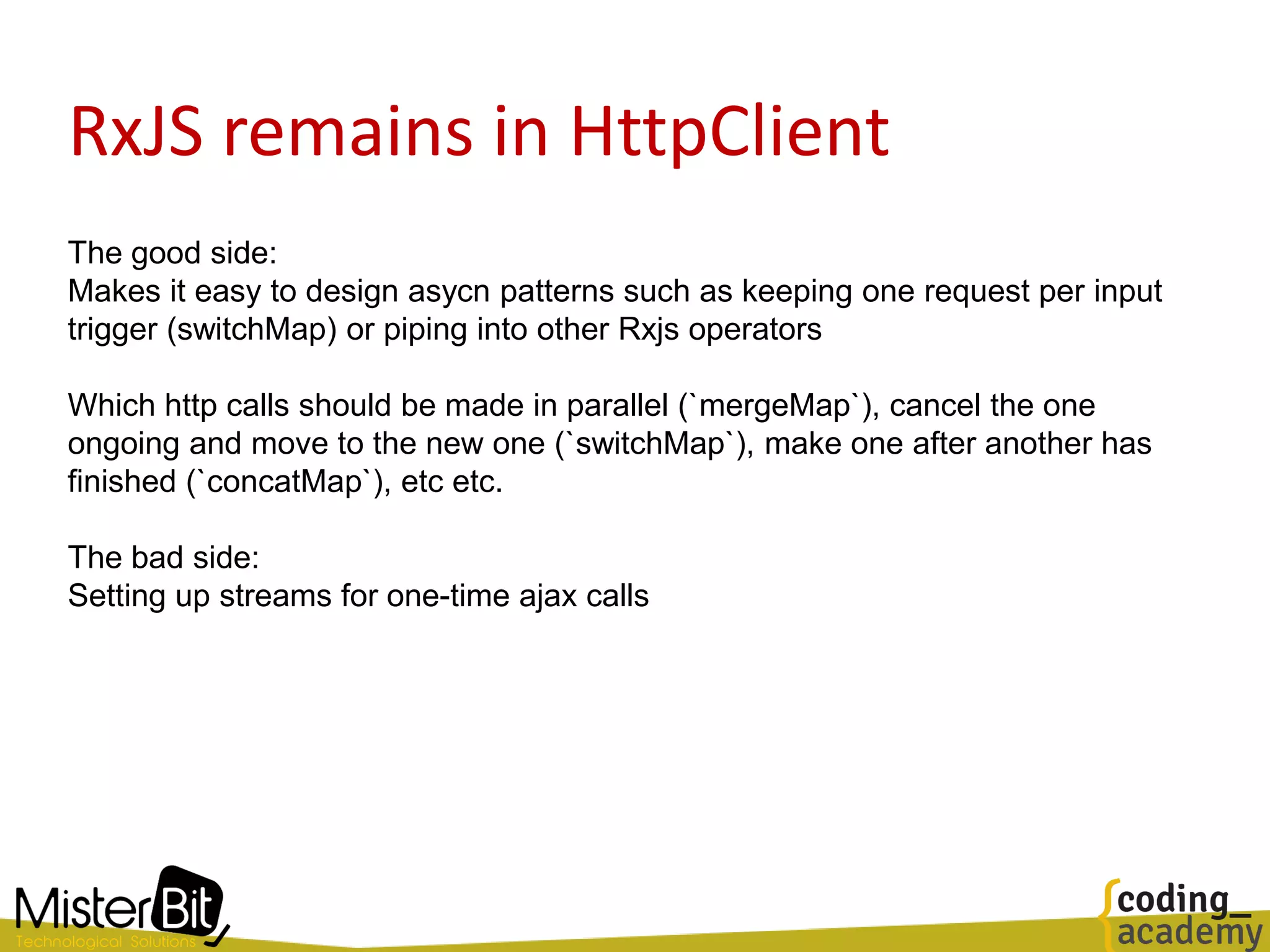
RxJS remains in HttpClient
The good side:
Makes it easy to design asycn patterns such as keeping one request per input
trigger (switchMap) or piping into other Rxjs operators
Which http calls should be made in parallel (`mergeMap`), cancel the one
ongoing and move to the new one (`switchMap`), make one after another has
finished (`concatMap`), etc etc.
The bad side:
Setting up streams for one-time ajax calls
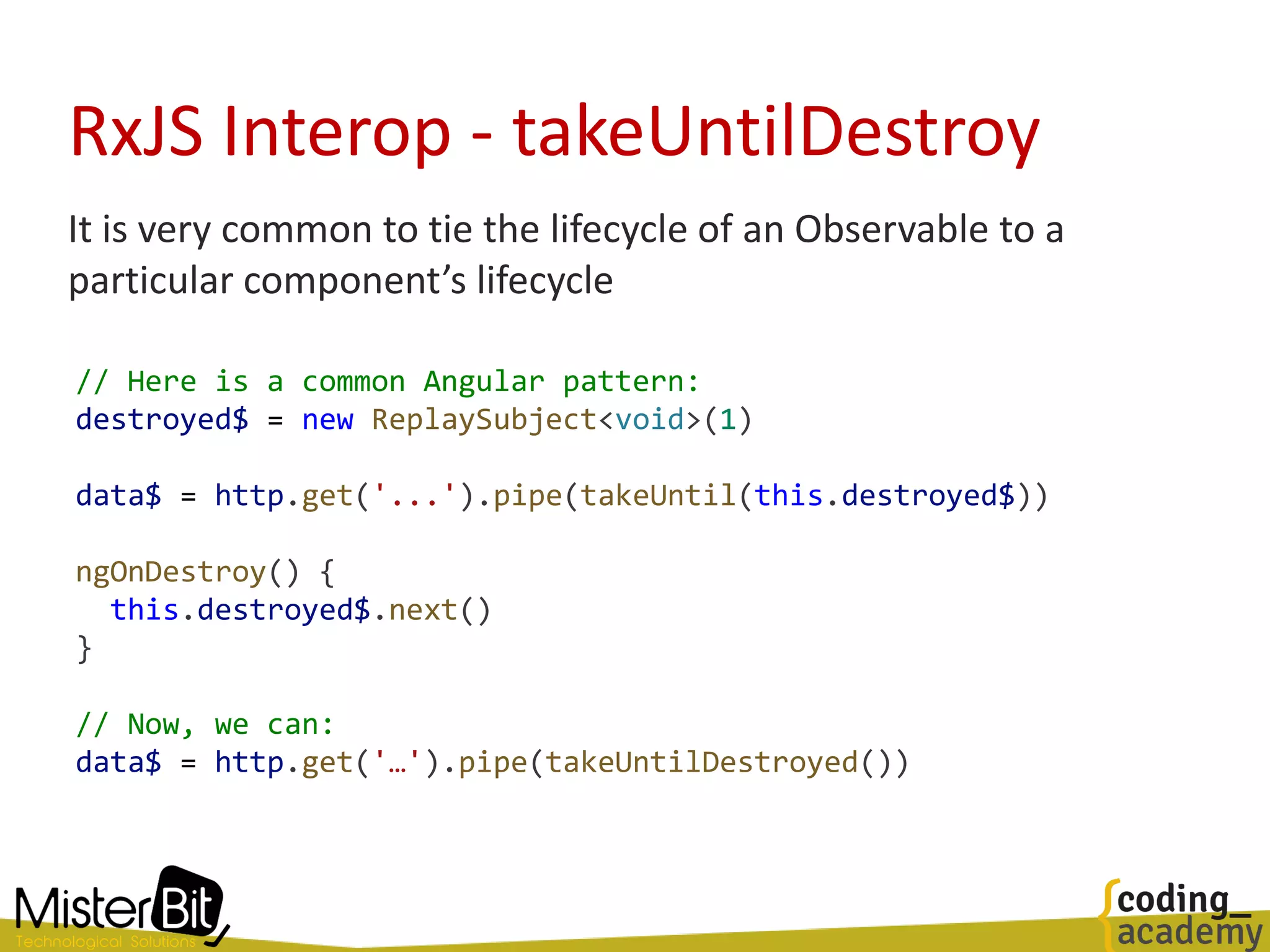
RxJS Interop - takeUntilDestroy
It is very common to tie the lifecycle of an Observable to a
particular component’s lifecycle
// Here is a common Angular pattern:
destroyed$ = new ReplaySubject<void>(1)
data$ = http.get('...').pipe(takeUntil(this.destroyed$))
ngOnDestroy() {
this.destroyed$.next()
}
// Now, we can:
data$ = http.get('…').pipe(takeUntilDestroyed())
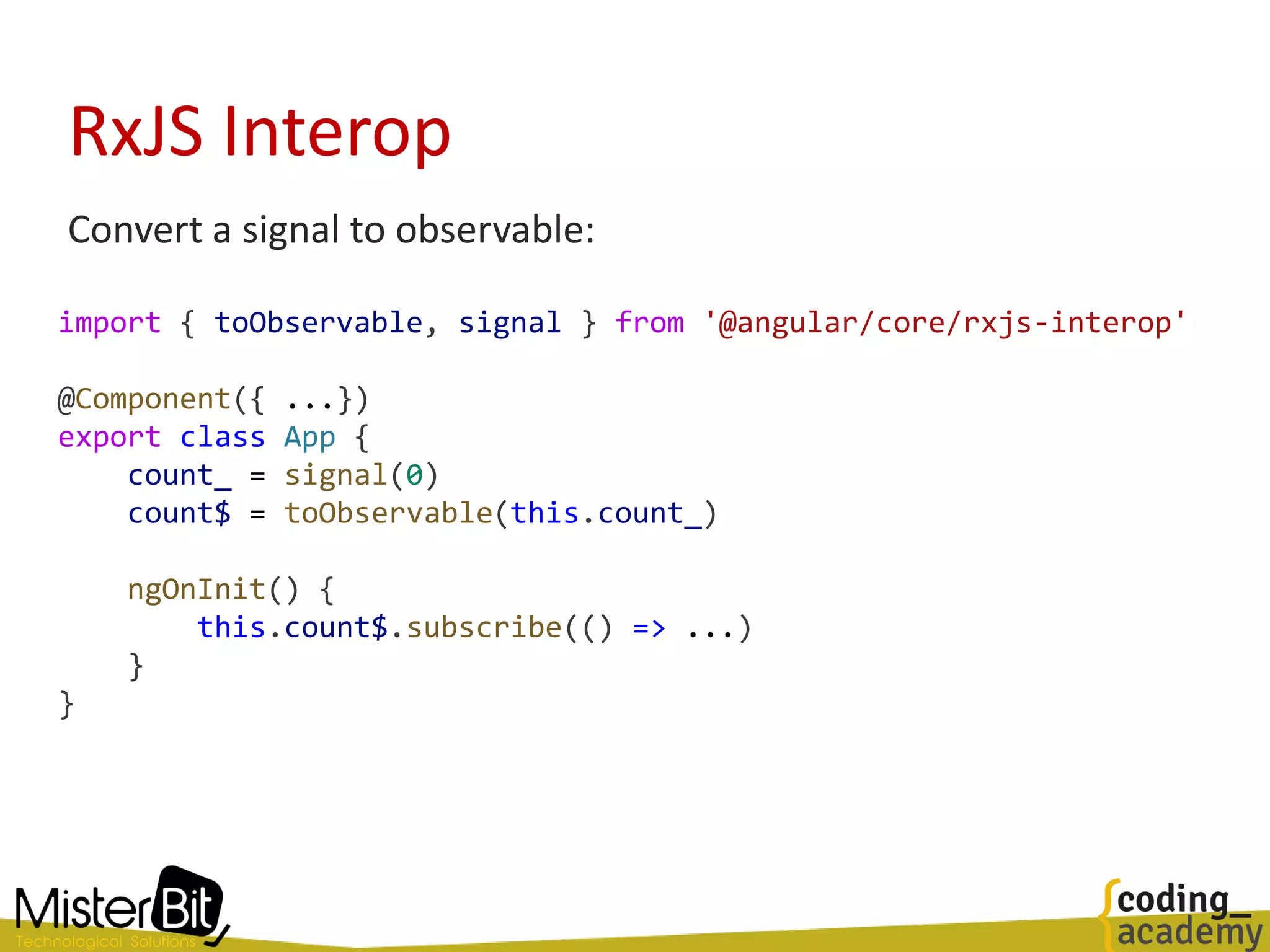
RxJS Interop
Convert a signal to observable:
import { toObservable, signal } from '@angular/core/rxjs-interop'
@Component({ ...})
export class App {
count_ = signal(0)
count$ = toObservable(this.count_)
ngOnInit() {
this.count$.subscribe(() => ...)
}
}
RxJS Interop
Convert an observable to a signal:
import { toSignal } from '@angular/core/rxjs-interop'
@Component({
template: `
<li *ngFor="let row of data_()"> {{ row }} </li>
`
})
export class App {
dataService = inject(DataService)
data_ = toSignal(this.dataService.data$, [])
}
Promise => Observable => Signal someone?
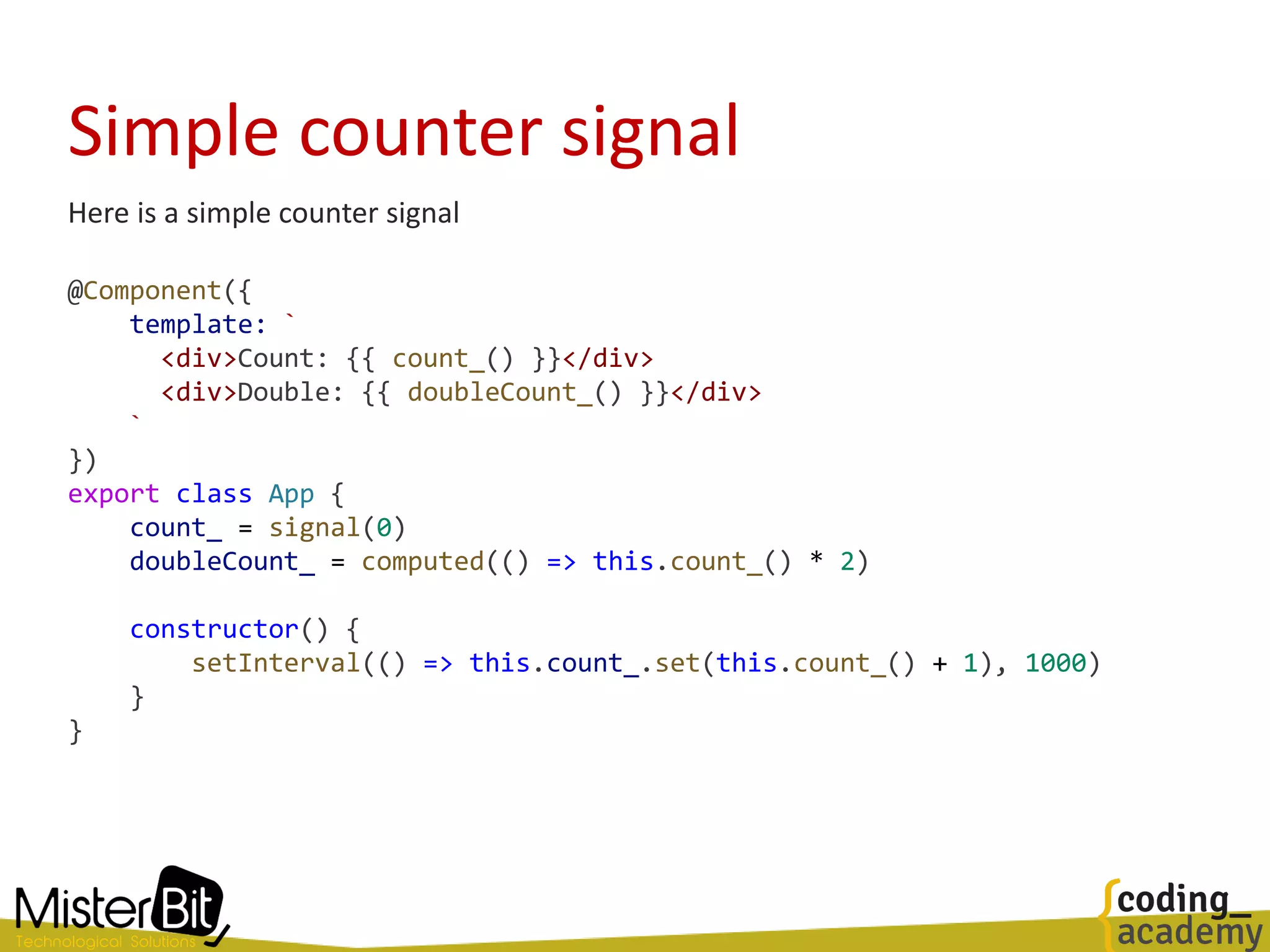
Simple counter signal
Here is a simple counter signal
@Component({
template: `
<div>Count: {{ count_() }}</div>
<div>Double: {{ doubleCount_() }}</div>
`
})
export class App {
count_ = signal(0)
doubleCount_ = computed(() => this.count_() * 2)
constructor() {
setInterval(() => this.count_.set(this.count_() + 1), 1000)
}
}
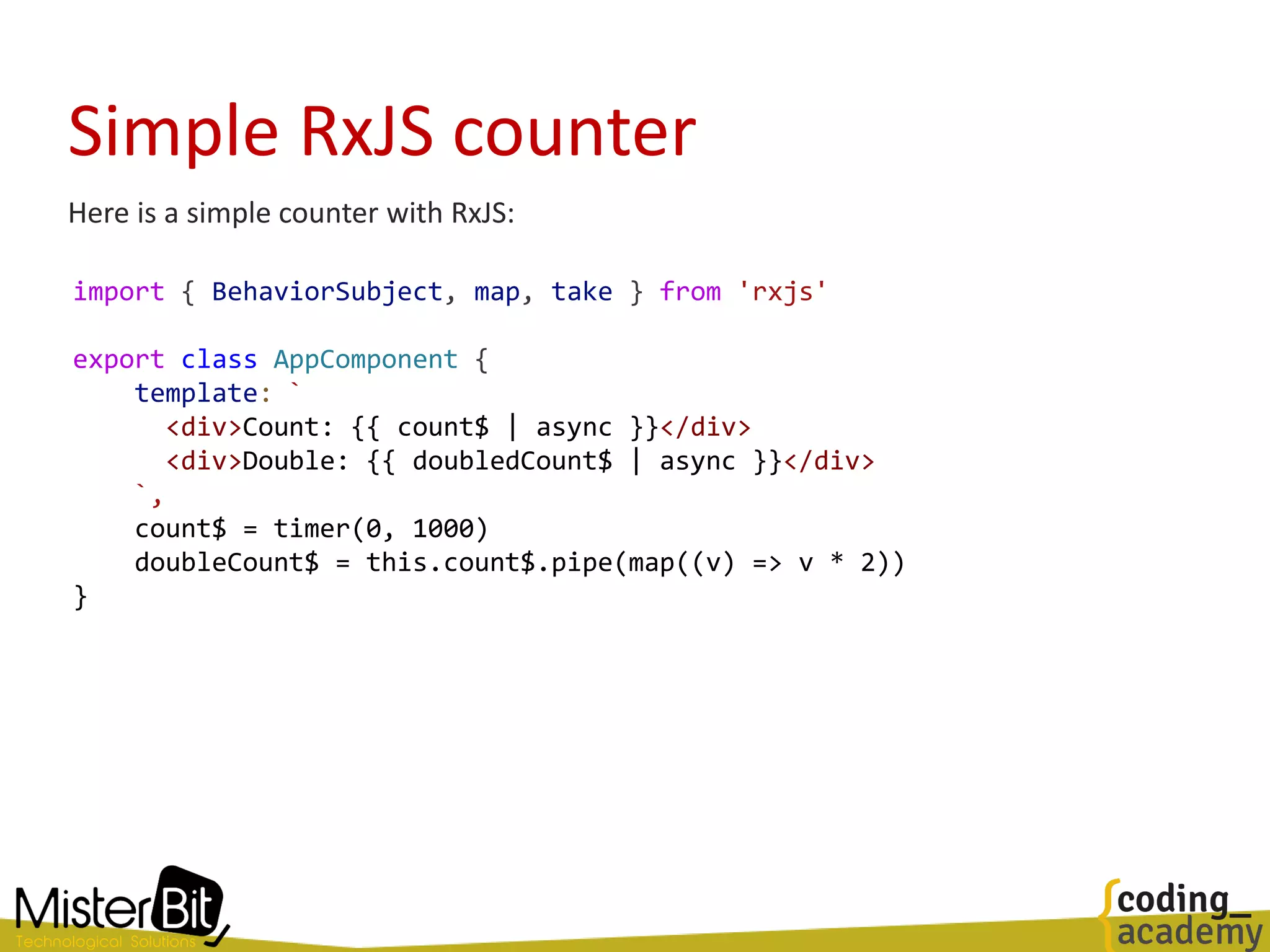
Simple RxJS counter
import { BehaviorSubject, map, take } from 'rxjs'
export class AppComponent {
template: `
<div>Count: {{ count$ | async }}</div>
<div>Double: {{ doubledCount$ | async }}</div>
`,
count$ = timer(0, 1000)
doubleCount$ = this.count$.pipe(map((v) => v * 2))
}
Here is a simple counter with RxJS:
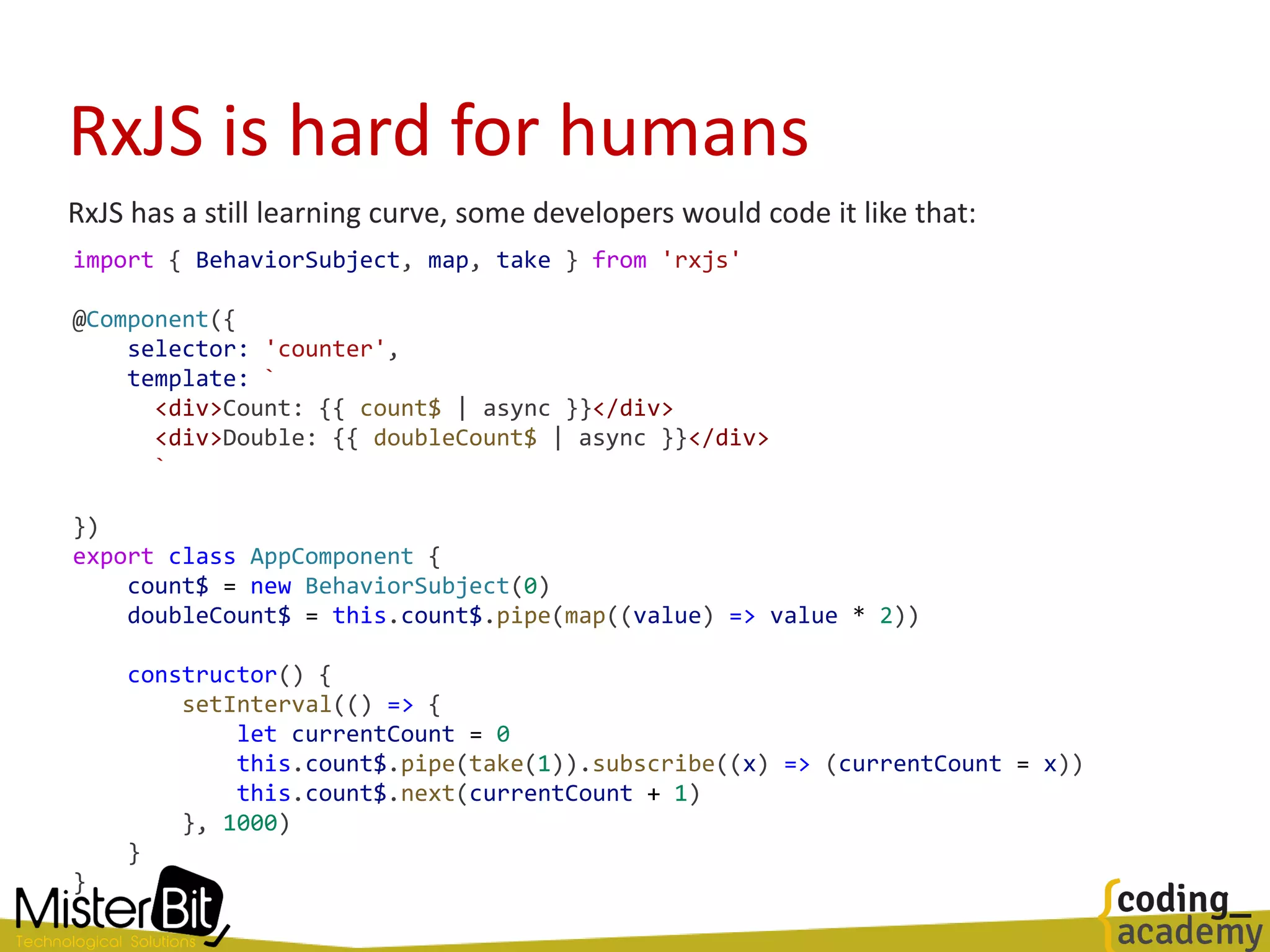
RxJS is hard for humans
RxJS has a still learning curve, some developers would code it like that:
import { BehaviorSubject, map, take } from 'rxjs'
@Component({
selector: 'counter',
template: `
<div>Count: {{ count$ | async }}</div>
<div>Double: {{ doubleCount$ | async }}</div>
`
})
export class AppComponent {
count$ = new BehaviorSubject(0)
doubleCount$ = this.count$.pipe(map((value) => value * 2))
constructor() {
setInterval(() => {
let currentCount = 0
this.count$.pipe(take(1)).subscribe((x) => (currentCount = x))
this.count$.next(currentCount + 1)
}, 1000)
}
}
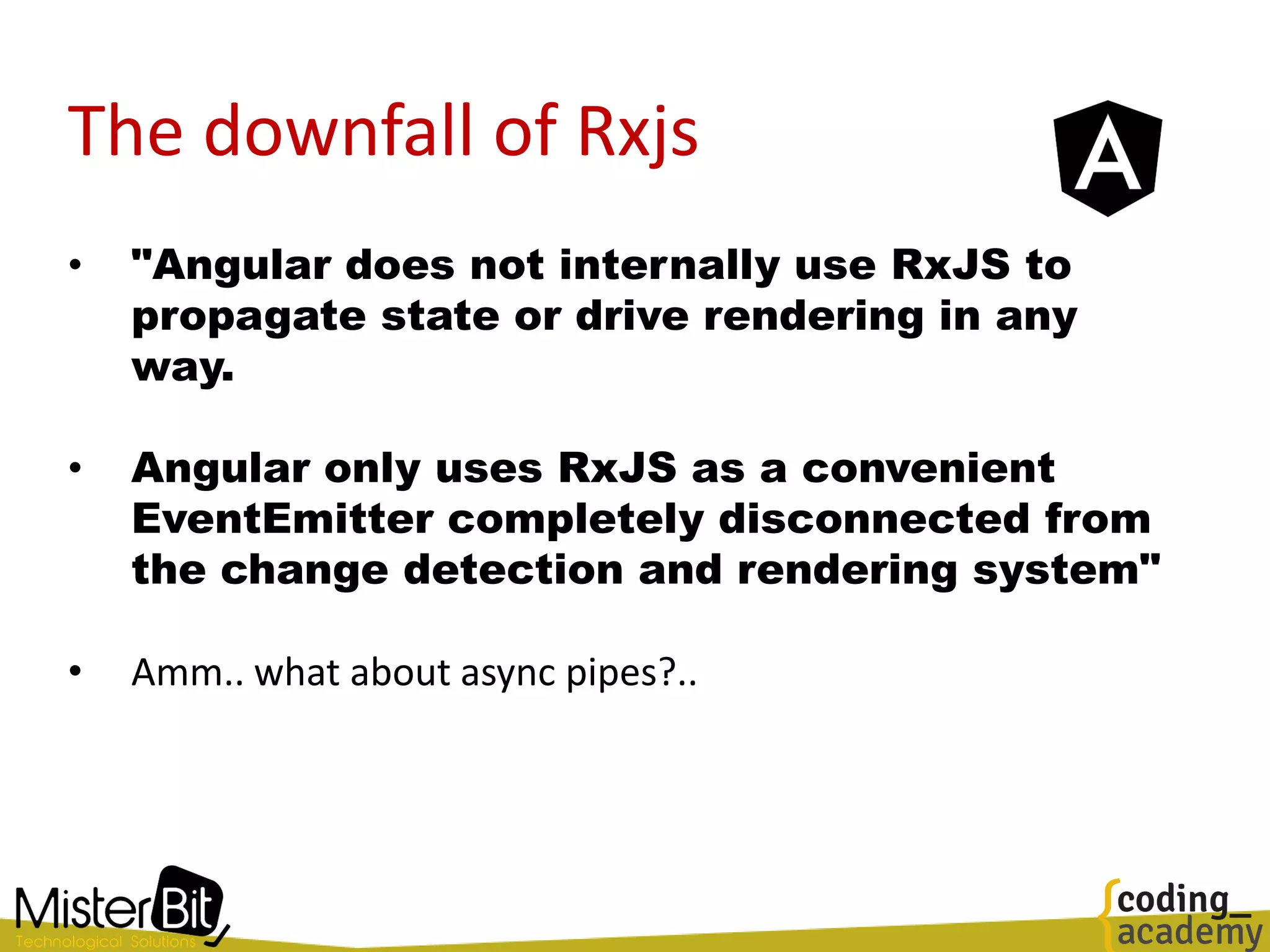
The downfall of Rxjs
• "Angular does not internally use RxJS to
propagate state or drive rendering in any
way.
• Angular only uses RxJS as a convenient
EventEmitter completely disconnected from
the change detection and rendering system"
• Amm.. what about async pipes?..
The downfall of Rxjs
RxJS is not glitch-free - It's easy to craft an example which shows this behavior:
import { BehaviorSubject, combineLatest, map } from 'rxjs'
const counter$ = new BehaviorSubject(0)
const isEven$ = counter$.pipe(map((value) => value % 2 === 0))
const message$ = combineLatest(
[counter$, isEven$],
(counter, isEven) => `${counter} is ${isEven ? 'even' : 'odd'}`
)
message$.subscribe(console.log)
counter$.next(1)
// 0 is even
// 1 is even ???
// 1 is odd
In asynchronous RxJS code, glitches are not typically an
issue because async operations naturally resolve at
different times.
Most template operations, however, are synchronous, and
inconsistent intermediate results can have drastic
consequences for the UI.
For example, an NgIf may become true before the data is
actually ready
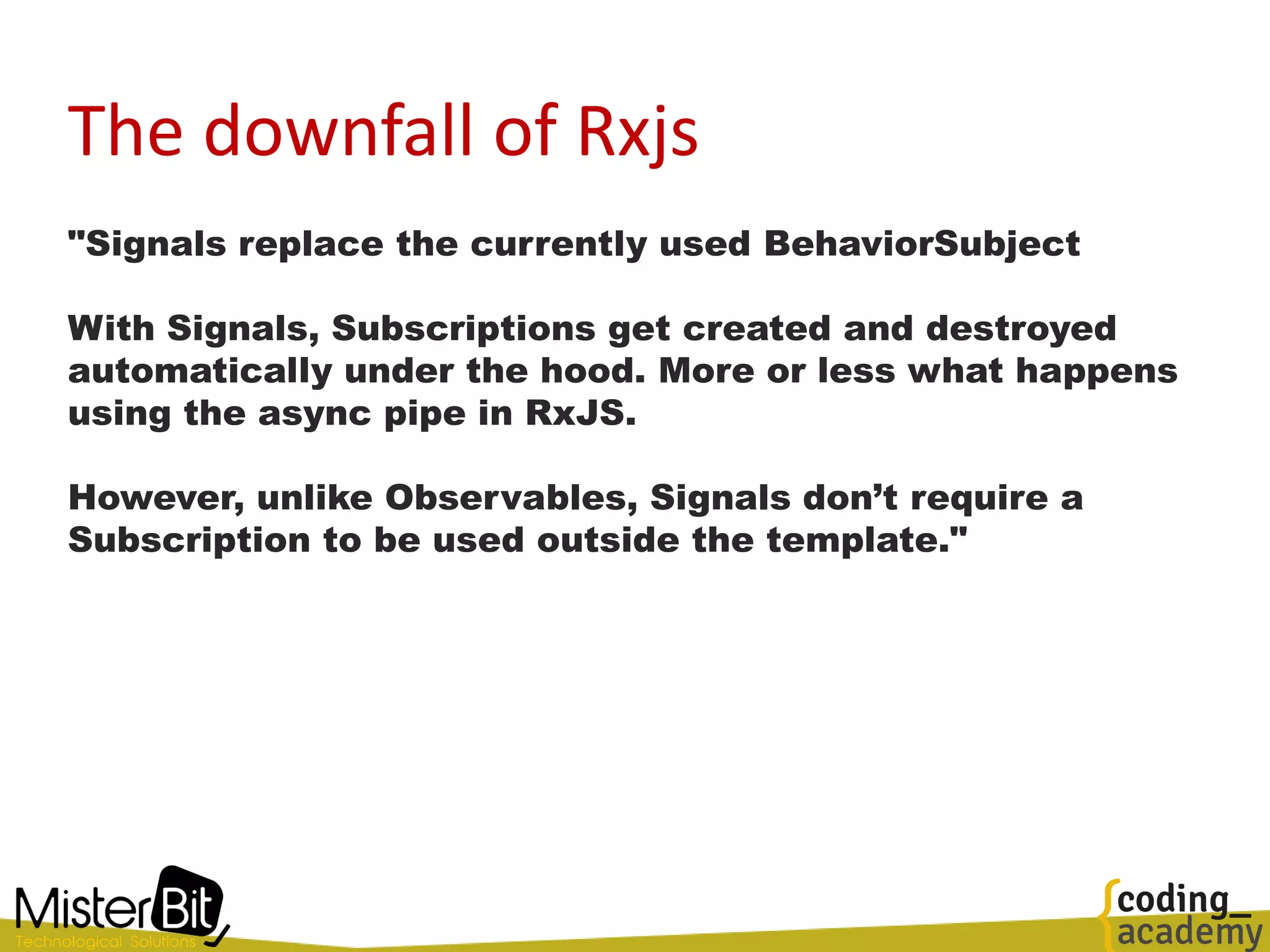
The downfall of Rxjs
"Signals replace the currently used BehaviorSubject
With Signals, Subscriptions get created and destroyed
automatically under the hood. More or less what happens
using the async pipe in RxJS.
However, unlike Observables, Signals don’t require a
Subscription to be used outside the template."
The downfall of Rxjs
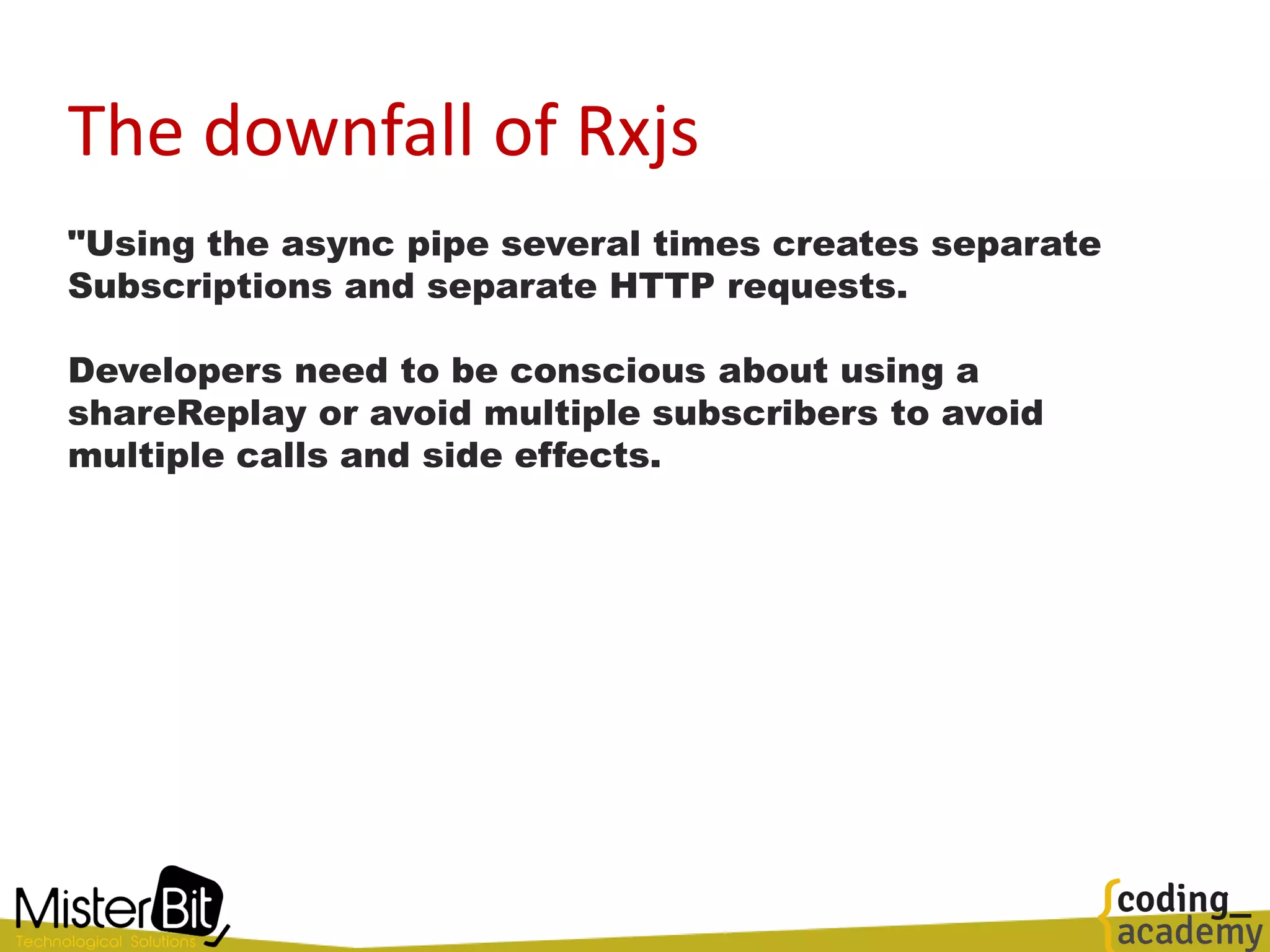
"Using the async pipe several times creates separate
Subscriptions and separate HTTP requests.
Developers need to be conscious about using a
shareReplay or avoid multiple subscribers to avoid
multiple calls and side effects.
The downfall of Immutability
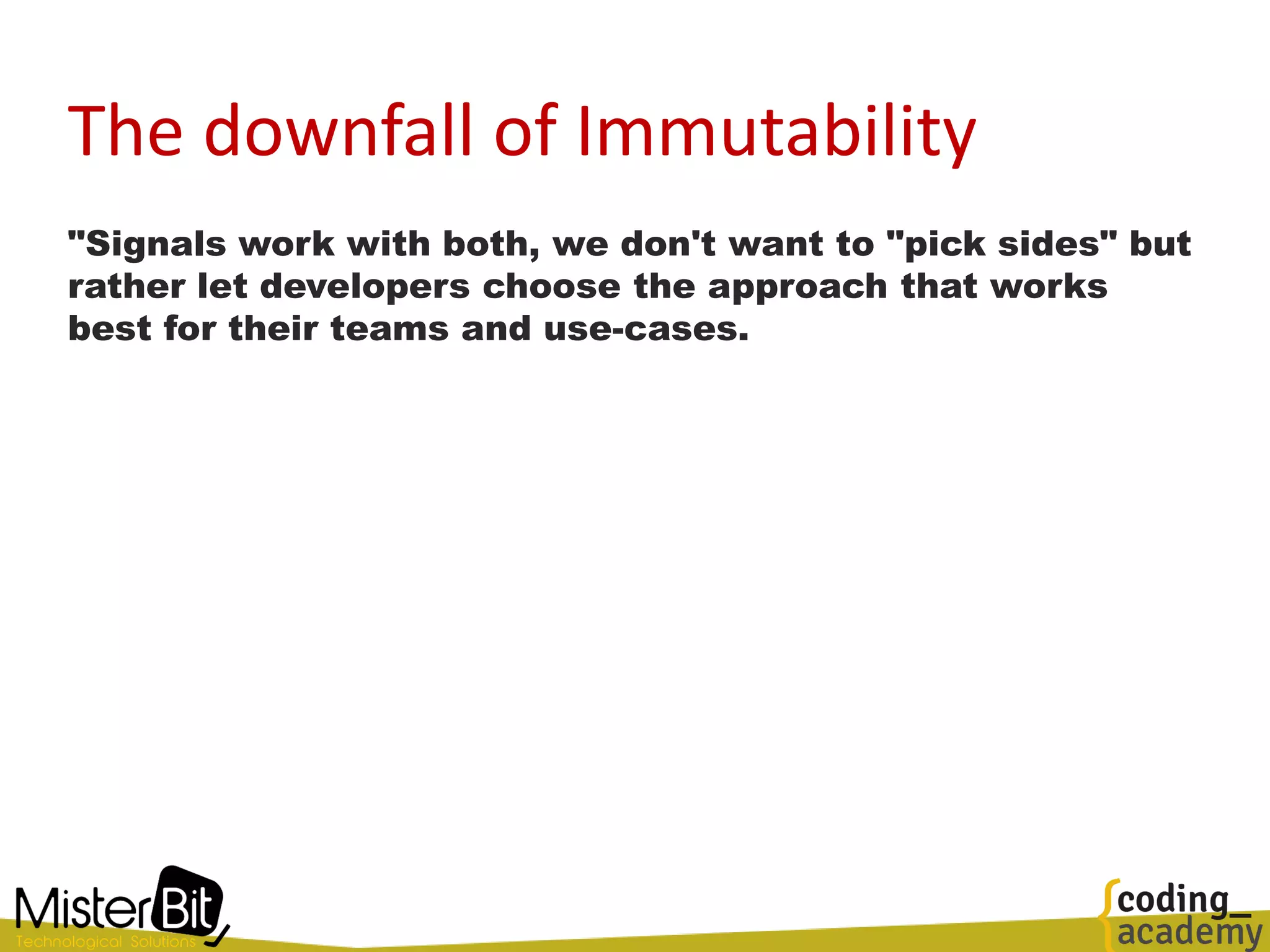
"Signals work with both, we don't want to "pick sides" but
rather let developers choose the approach that works
best for their teams and use-cases.
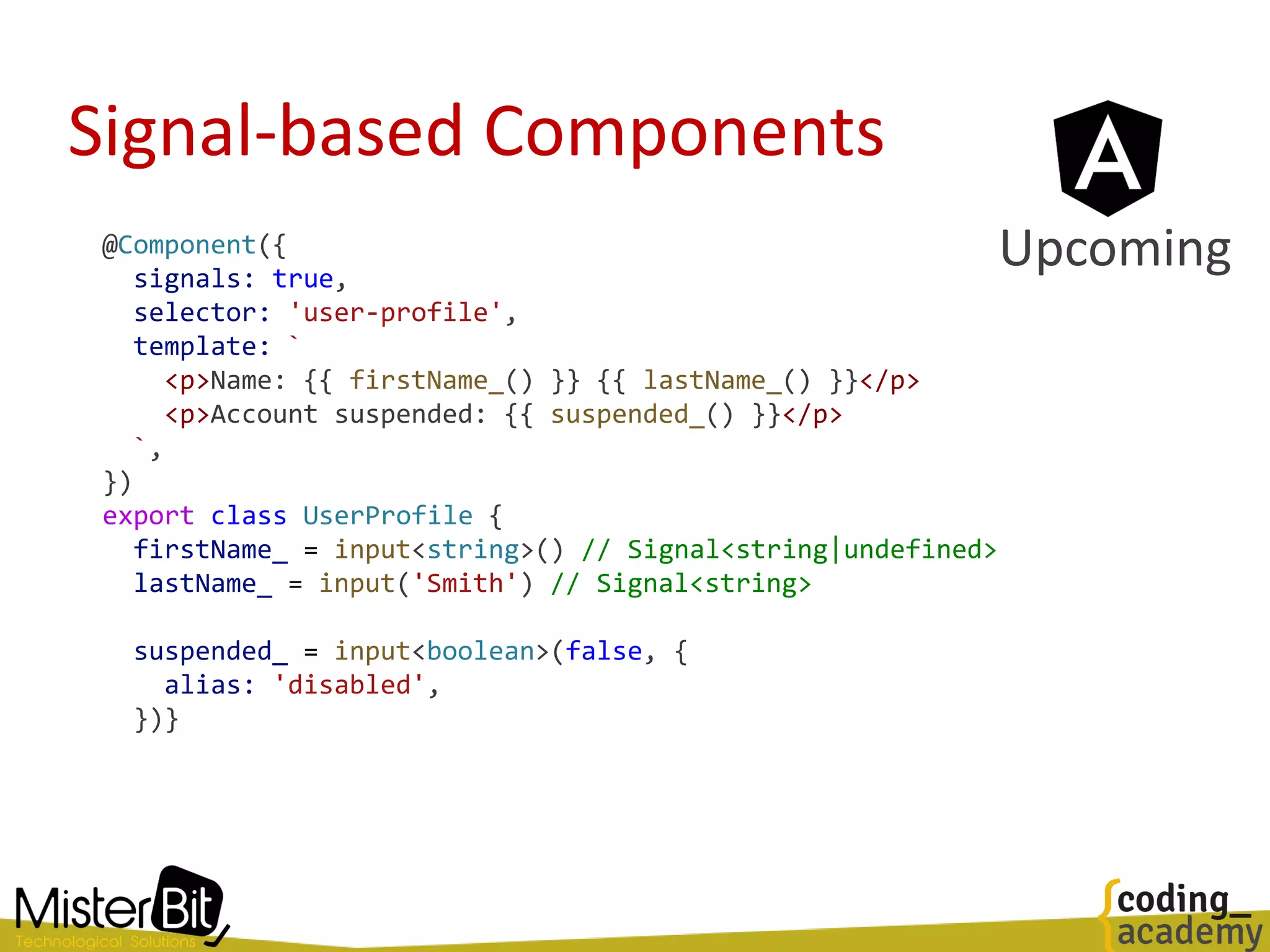
Signal-based Components
@Component({
signals: true,
selector: 'user-profile',
template: `
<p>Name: {{ firstName_() }} {{ lastName_() }}</p>
<p>Account suspended: {{ suspended_() }}</p>
`,
})
export class UserProfile {
firstName_ = input<string>() // Signal<string|undefined>
lastName_ = input('Smith') // Signal<string>
suspended_ = input<boolean>(false, {
alias: 'disabled',
})}
Upcoming
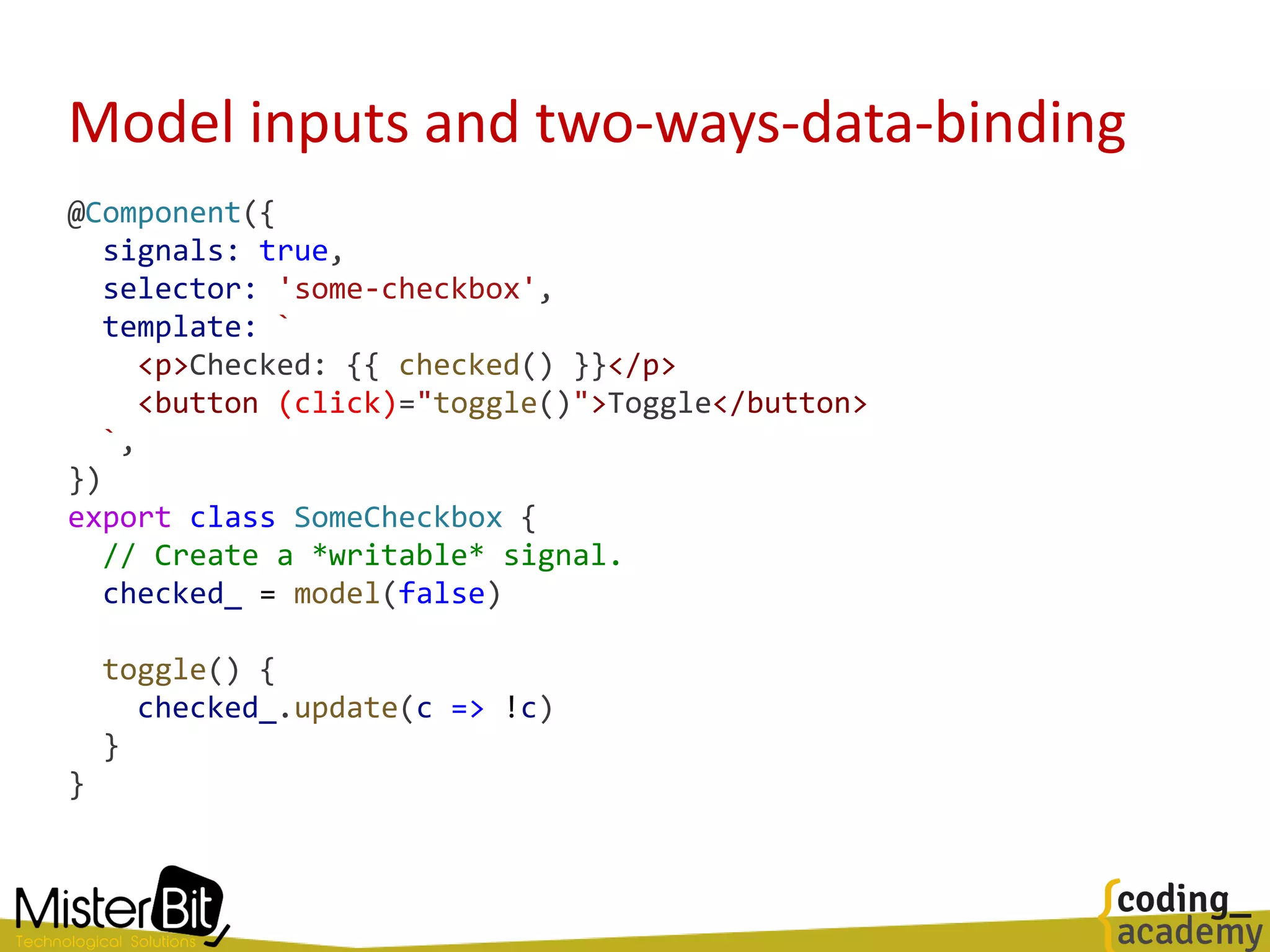
Model inputs and two-ways-data-binding
@Component({
signals: true,
selector: 'some-checkbox',
template: `
<p>Checked: {{ checked() }}</p>
<button (click)="toggle()">Toggle</button>
`,
})
export class SomeCheckbox {
// Create a *writable* signal.
checked_ = model(false)
toggle() {
checked_.update(c => !c)
}
}
Model inputs and two-ways-data-binding
@Component({
signals: true,
selector: 'some-page',
template: `
<!-- Note that the getter is *not* called here,
the raw signal is passed -->
<some-checkbox [(checked)]="isAdmin_" />
`,
})
export class SomePage {
isAdmin_ = signal(false)
}
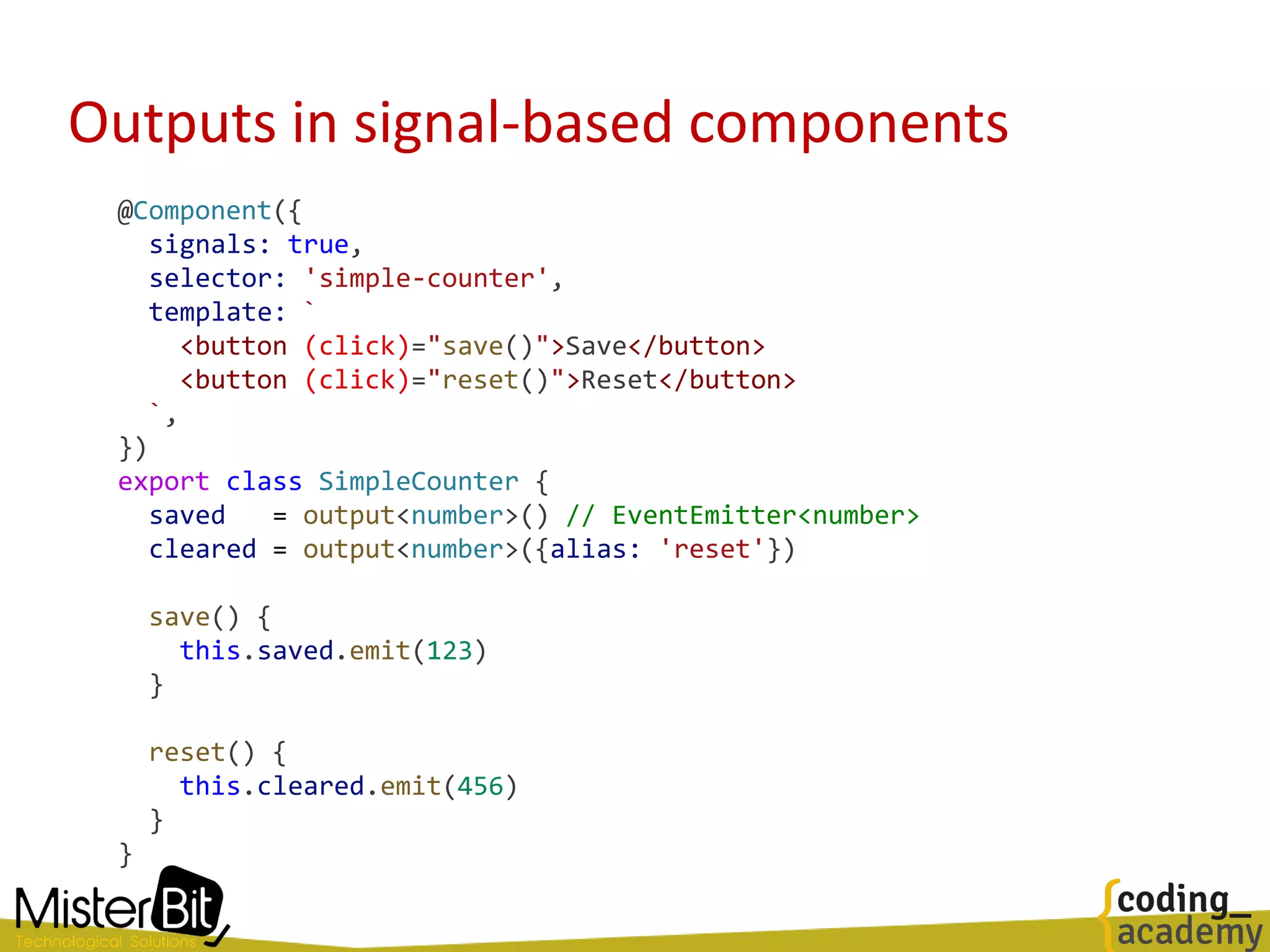
Outputs in signal-based components
@Component({
signals: true,
selector: 'simple-counter',
template: `
<button (click)="save()">Save</button>
<button (click)="reset()">Reset</button>
`,
})
export class SimpleCounter {
saved = output<number>() // EventEmitter<number>
cleared = output<number>({alias: 'reset'})
save() {
this.saved.emit(123)
}
reset() {
this.cleared.emit(456)
}
}
Signal based queries
@Component({
signals: true,
selector: 'form-field',
template: `
<field-icon *ngFor="let icon of icons()"> {{ icon }} </field-icon>
<div class="focus-outline">
<input #field>
</div>
`
})
export class FormField {
icons = viewChildren(FieldIcon) // Signal<FieldIcon[]>
input = viewChild<ElementRef>('field') // Signal<ElementRef>
someEventHandler() {
this.input().nativeElement.focus()
}
}
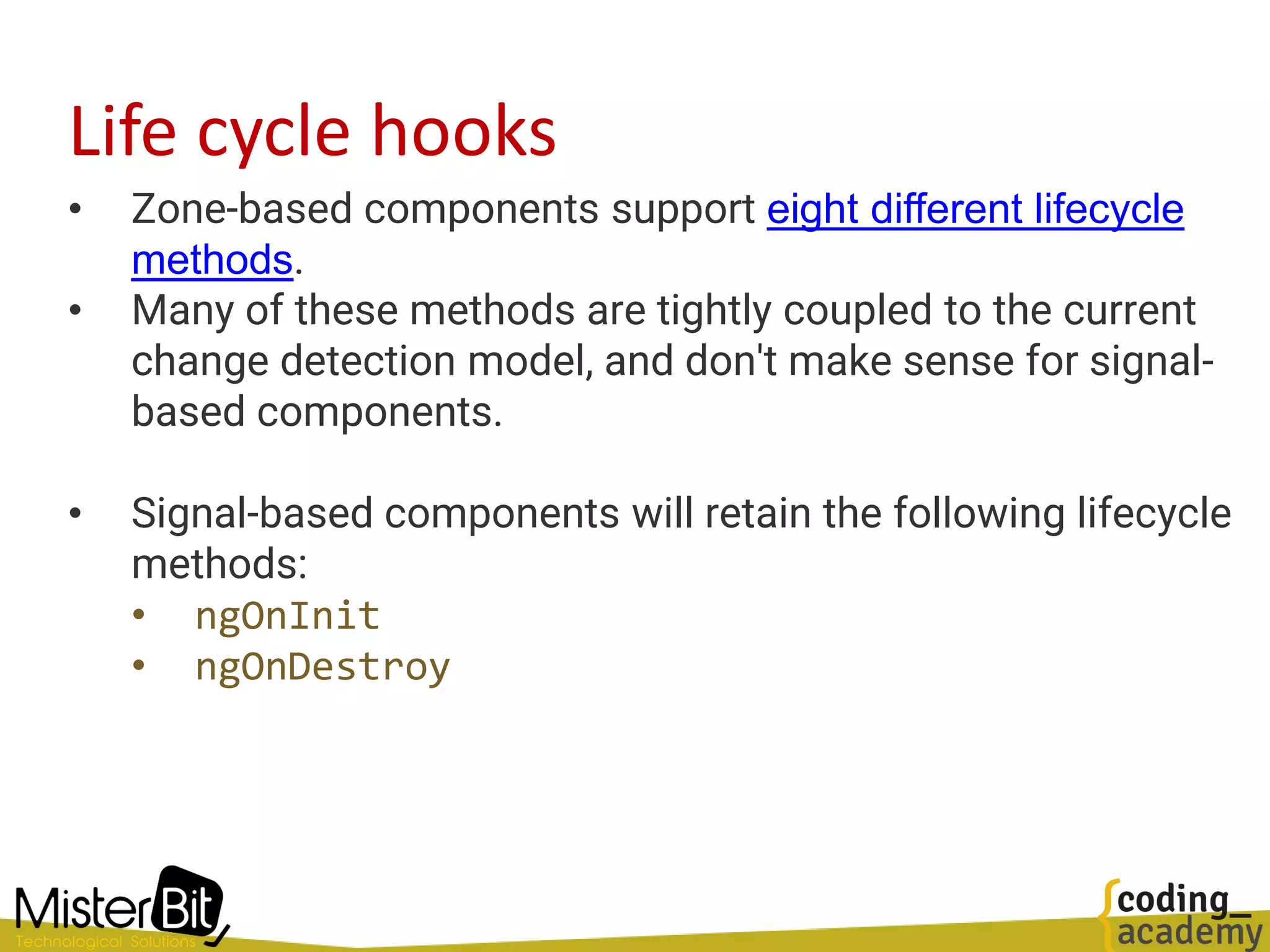
Life cycle hooks
• Zone-based components support eight different lifecycle
methods.
• Many of these methods are tightly coupled to the current
change detection model, and don't make sense for signal-
based components.
• Signal-based components will retain the following lifecycle
methods:
• ngOnInit
• ngOnDestroy
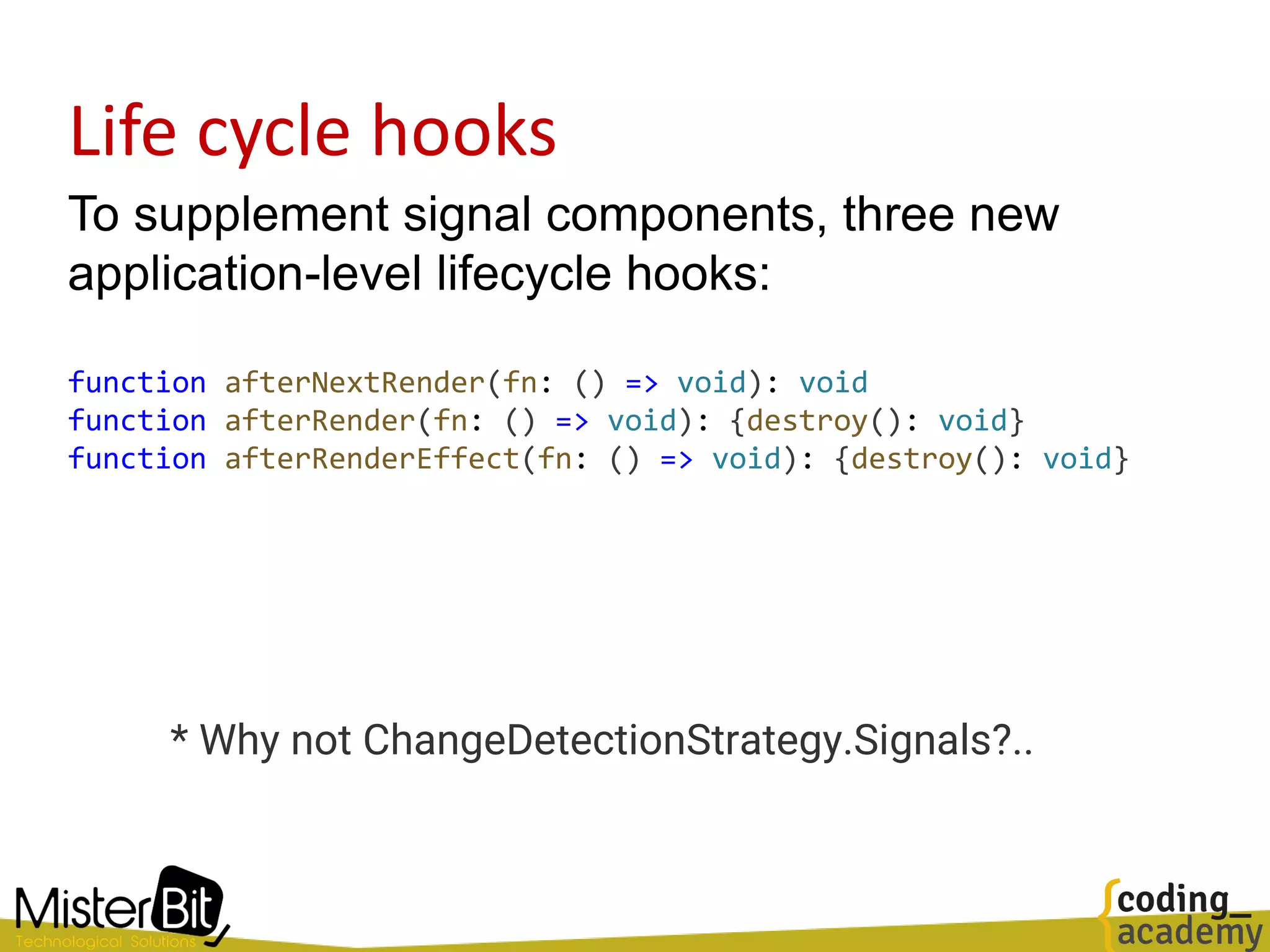
Life cycle hooks
To supplement signal components, three new
application-level lifecycle hooks:
function afterNextRender(fn: () => void): void
function afterRender(fn: () => void): {destroy(): void}
function afterRenderEffect(fn: () => void): {destroy(): void}
* Why not ChangeDetectionStrategy.Signals?..
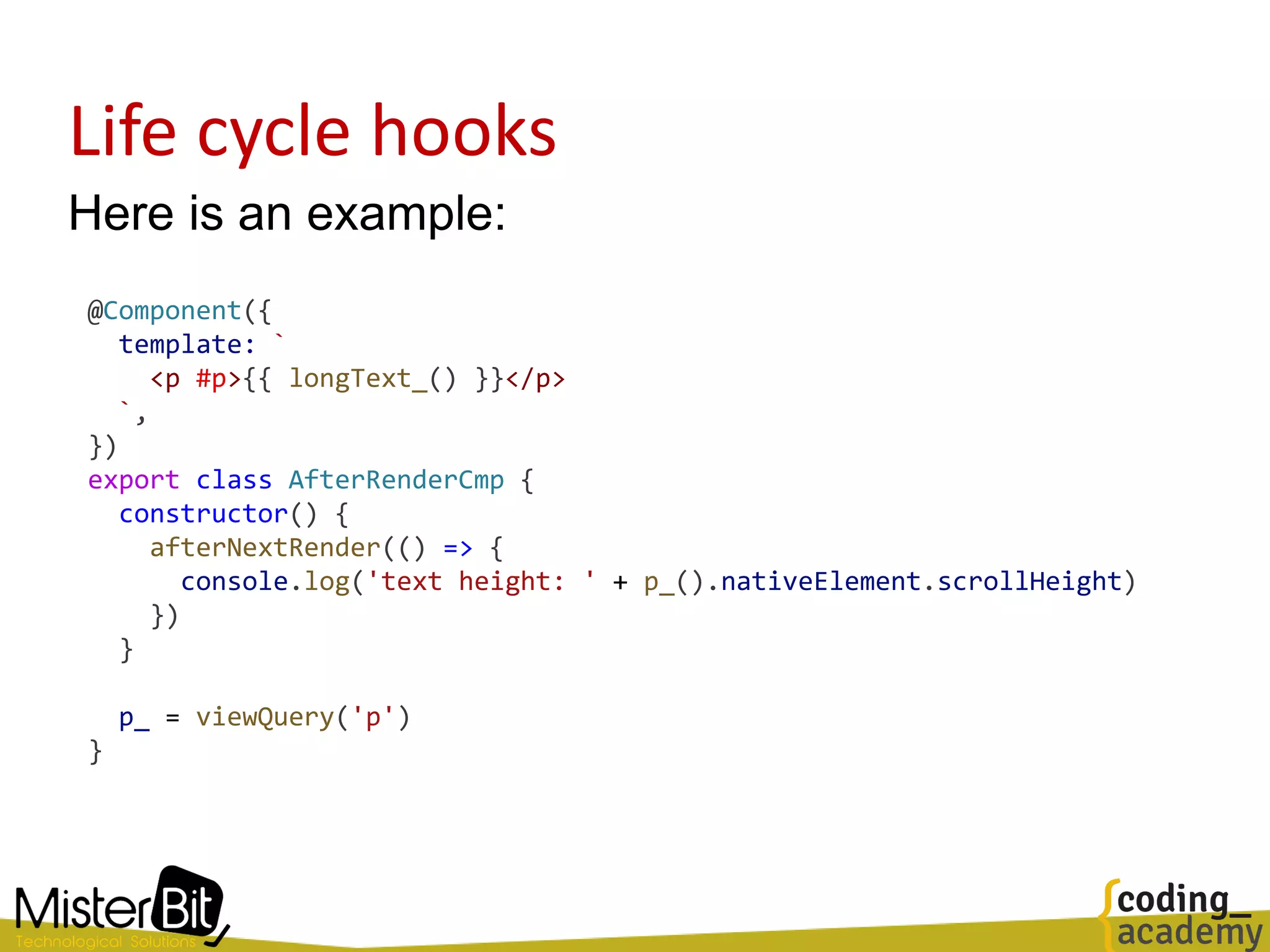
Life cycle hooks
Here is an example:
@Component({
template: `
<p #p>{{ longText_() }}</p>
`,
})
export class AfterRenderCmp {
constructor() {
afterNextRender(() => {
console.log('text height: ' + p_().nativeElement.scrollHeight)
})
}
p_ = viewQuery('p')
}
Is this another Angular rewrite?
Hmmm…. yes
The Angular team takes backwards compatibility seriously
But many things change in the surface API
Don’t rush: While many library developers will work on signal support
we gonna dance the semver for some time
Consider Microfrontends where applicable
• Available on demand coders
• Advanced web-techs training
• Consulting and workshops for leaders
Contact us:
admin@misterbit.co.il
https://www.misterbit.co.il
https://www.coding-academy.org
Know anyone that is a good fit?
send'em our way!

Angular 16 – the rise of Signals

  • 1.
    Angular Meetup Angular v16,May 2023 The Rise of Angular Signals
  • 2.
    Angular 16 "The biggestrelease since the initial rollout of Angular"
  • 3.
    Yaron Biton Misterbit CTO Whoam I? Coding Academy Chief Instructor
  • 4.
    Angular 16 This releasehas a significant impact on any Angular team Let's deep dive into how to code modern Angular apps
  • 5.
    • Anything web,end to end projects • Tech companies and startups • Consulting to management and dev teams • Available on demand coders https://www.misterbit.co.il
  • 6.
    • Advanced web-techstraining: Angular, React, Vue, Node, Modern architectures, etc. • Catchup workshops for managers and leaders • Coding Academy bootcamp • Advanced selective training - best practices • Hundreds of employed full-stack developers every year https://www.coding-academy.org
  • 7.
    Angular 16 features Wecan (finally) use self-enclosing-tags! Becomes: <super-duper-long-component-name [prop]="someVar"> </super-duper-long-component-name> <super-duper-long-component-name [prop]="someVar"/>
  • 8.
    Angular 16 features We(finally) have a way to require a component @Input:
  • 9.
    Angular 16 features– Rethinking NgModules Tooling for standalone components, directives and pipes // The schematics convert an existing project // remove unnecessary NgModules classes, // and change the bootstrap of the project to use standalone APIs: ng generate @angular/core:standalone // new projects as standalone from the start: ng new --standalone // Creates a simpler project without any NgModules and with // generators that produce standalone directives, components, and pipes // Generate a standalone component ng generate componenet --standalone cmpName
  • 10.
    Rethinking the CLI– (As most modern CLIs ) > ng serve // Vite development server! Angular CLI is now Vite!
  • 11.
  • 12.
  • 13.
    Preface • On February2023, Angular's team introduced Signals to the framework with a simple pull request. • Since then, there have been a storm in the Angular community about its use and benefits • …and if it’s another rewrite of the framework
  • 14.
    • In amodel-driven web application, one of the main jobs of the framework is synchronizing changes to the application's data model and the UI. • We refer to this mechanism as reactivity, and every modern web framework has its own reactivity system. Reactivity with Signals
  • 15.
    Welcome Signals • Inmodern Angular every piece of important data is wrapped and used as signals • So, signals become immediately the most basic and important feature in Angular
  • 16.
    Signals • Angular Signalshave an initial value • When executed, they return the current value of the signal quantity_ = signal<number>(1) selectedCar_ = signal<Car>(null) userMsg_ = signal({ txt: '', type: '' }) cars_ = signal<Car[]>([]) <h5> Quantity: {{ quantity_() }} </h5> <user-msg [msg]="userMsg_()"></user-msg>
  • 17.
    Setting Signal value Thesignal function returns a WritableSignal<T> which allow modifying the value: // Replace the signal value const movies_ = signal<Movie[]>([]) movies_.set([{ name: 'Fight club' }]) // Derive a new value const someCount_ = signal<Number>(0) someCount_.update(n => n + 1) // Perform internal mutation of arrays and other objects movies_.mutate(list => { list.push({name: 'Aba Ganuv'}) })
  • 18.
    computed values computed() createsa memoizing signal, which calculates its value from some other signals const counter_ = signal(0) // Automatically updates when `counter` changes: const isEven_ = computed(() => counter_() % 2 === 0) The value of the computed signal is being recalculated whenever any of it's dependencies changes.
  • 19.
    computed() Signal • Thecomputed() function returns a Signal and not a WritableSignal, which means it cannot be manually modified (with set, update, or mutate) • Instead, it is updated automatically whenever one of its dependent signals change. export function computed<T>( computation: () => T, equal: ValueEqualityFn<T> = defaultEquals): Signal<T> const moviesCount_ = computed(() => movies_().length)
  • 20.
    side effect() effect() schedulesand runs a side-effectful function Signal dependencies of this function are captured, and the side effect is re-executed whenever any of its dependencies produces a new value. const counter_ = signal(0) effect(() => console.log('The counter is:', counter_())) // The counter is: 0 counter_.set(1) // The counter is: 1 Effects do not execute synchronously with the set but are scheduled and resolved by the framework. The exact timing of effects is unspecified.
  • 21.
    effect() use cases Effectsare useful in specific situations. Here are some examples: • Performing custom rendering to a <canvas> • Charting library, or other third party UI library • Keeping data in sync with window.localStorage
  • 22.
    Demo Time Before goingdeeper let's play with some sample code
  • 23.
    effect() registration • Registeringa new effect with the effect() function requires an "injection context" (access to the inject function). • So we call either: • Create the effect within a constructor • Assign the effect to a field • Pass an Injector to effect via its options: @Component({...}) export class EffectiveCounterCmp { readonly count_ = signal(0) constructor(private injector: Injector) {} initializeLogging(): void { effect(() => { console.log(`The count is: ${this.count_()})`) }, {injector: this.injector}) } }
  • 24.
    effect() registration caveat Registeringan effect in the wrong place, produces a weird message: ngOnInit() { effect(() => console.log(JSON.stringify(this.cars_()))) }
  • 25.
    Into Signals • Signalis a reactive value and is a producer that notify consumers(dependents) when it changes. • Any code that has registered an interest in the Signal’s value is tracked as dependent. • When the Signal’s value is modified, the Signal will notify all of its dependents, allowing them to react to the change in the Signal’s value.
  • 26.
    Adding dependents (consumer)to a Signal • When we use a signal in our template, this dependency is being added to that signal • We can add consumers by using effect and computed functions.
  • 27.
    Signal effect destroy •effects are automatically destroyed when their enclosing context is destroyed • The effect() function gets an onCleanup function and returns an EffectRef, that can be used for manually destroy • destroy(): 🧹 Shut down the effect, removing it from any upcoming scheduled executions. • The signature of the effect function: export function effect( effectFn: () => EffectCleanupFn | void, options?: CreateEffectOptions): EffectRef
  • 28.
    Signal equality functions •When creating a signal, we can optionally provide an equality function • It will be used to check whether the new value is actually different than the previous one import _ from 'lodash' const data_ = signal(['test'], {equal: _.isEqual}) // Using deep equality - signal won't trigger any updates data_.set(['test'])
  • 29.
    untracking reading without trackingdependencies // You can prevent a signal read from being tracked by calling its getter with untracked: effect(() => { console.log(`User set to `${ currentUser_() }` and the counter is ${untracked(counter_)}`) }) // Another example - invoke some external code which shouldn't be treated as a dependency: effect(() => { const user = currentUser_() untracked(() => { // If the `loggingService` reads signals, they won't be counted as // dependencies of this effect. this.loggingService.log(`User set to ${user}`) }) })
  • 30.
    Into the RFC Letsreview some points from the official docs
  • 31.
    The downfall ofGlobal, top-down change detection "Angular's default strategy is to run change detection over the entire component tree to make sure that the DOM reflects the most up-to-date model. Because Angular has no information about which parts of the application state have actually changed, it must check everything. In practice, however, only a fraction of the entire application state changes and only a handful of components need to be re-rendered."
  • 32.
    The downfall ofonPush "While the OnPush strategy can reduce some of the performance cost, this strategy is (very) limited: change detection always starts from the root component Additionally - OnPush components prevent their descendants from being checked, descendent components that depend on global state are not updated."
  • 33.
    The downfall ofthe single traversal "Angular's change detection was designed to refresh application state once. The change detection process starts from the root of the component tree and walks all components down to the leaf nodes. However, many common web interaction patterns roll up descendant node states into ancestor nodes (e.g. form validity is computed as a function of descendant control states). This leads to the most "popular" error in Angular - ExpressionChangedAfterItHasBeenCheckedError."
  • 34.
    The downfall ofZone.js "Crucially, zone.js does not provide "fine-grained" information about changes in the model. Zone.js is only capable of notifying us when something might have happened in the application, and can give no information about what happened or what has changed."
  • 35.
    The downfall ofZone.js • "Large applications often grow to see zone.js become a source of performance issues and developer-facing complexity. • As the web platform continues to evolve, it also represents a rising maintenance cost for the Angular team."
  • 36.
    The downfall ofZone.js Zone Pollution https://angular.io/guide/change-detection-zone-pollution @Component(...) class AppComponent { constructor(private ngZone: NgZone) { } ngOnInit() { this.ngZone.runOutsideAngular(() => { // Sometimes we need to skip running change detection: Plotly.newPlot('chart', data) }) } }
  • 37.
    The downfall ofZone.js async – await?... WARNING: Zone.js does not support native async/await. These blocks are not intercepted by zone.js and will not trigger change detection. See: https://github.com/angular/zone.js/pull/1140 for more information.
  • 38.
  • 39.
    RxJS remains inHttpClient The good side: Makes it easy to design asycn patterns such as keeping one request per input trigger (switchMap) or piping into other Rxjs operators Which http calls should be made in parallel (`mergeMap`), cancel the one ongoing and move to the new one (`switchMap`), make one after another has finished (`concatMap`), etc etc. The bad side: Setting up streams for one-time ajax calls
  • 40.
    RxJS Interop -takeUntilDestroy It is very common to tie the lifecycle of an Observable to a particular component’s lifecycle // Here is a common Angular pattern: destroyed$ = new ReplaySubject<void>(1) data$ = http.get('...').pipe(takeUntil(this.destroyed$)) ngOnDestroy() { this.destroyed$.next() } // Now, we can: data$ = http.get('…').pipe(takeUntilDestroyed())
  • 41.
    RxJS Interop Convert asignal to observable: import { toObservable, signal } from '@angular/core/rxjs-interop' @Component({ ...}) export class App { count_ = signal(0) count$ = toObservable(this.count_) ngOnInit() { this.count$.subscribe(() => ...) } }
  • 42.
    RxJS Interop Convert anobservable to a signal: import { toSignal } from '@angular/core/rxjs-interop' @Component({ template: ` <li *ngFor="let row of data_()"> {{ row }} </li> ` }) export class App { dataService = inject(DataService) data_ = toSignal(this.dataService.data$, []) } Promise => Observable => Signal someone?
  • 43.
    Simple counter signal Hereis a simple counter signal @Component({ template: ` <div>Count: {{ count_() }}</div> <div>Double: {{ doubleCount_() }}</div> ` }) export class App { count_ = signal(0) doubleCount_ = computed(() => this.count_() * 2) constructor() { setInterval(() => this.count_.set(this.count_() + 1), 1000) } }
  • 44.
    Simple RxJS counter import{ BehaviorSubject, map, take } from 'rxjs' export class AppComponent { template: ` <div>Count: {{ count$ | async }}</div> <div>Double: {{ doubledCount$ | async }}</div> `, count$ = timer(0, 1000) doubleCount$ = this.count$.pipe(map((v) => v * 2)) } Here is a simple counter with RxJS:
  • 45.
    RxJS is hardfor humans RxJS has a still learning curve, some developers would code it like that: import { BehaviorSubject, map, take } from 'rxjs' @Component({ selector: 'counter', template: ` <div>Count: {{ count$ | async }}</div> <div>Double: {{ doubleCount$ | async }}</div> ` }) export class AppComponent { count$ = new BehaviorSubject(0) doubleCount$ = this.count$.pipe(map((value) => value * 2)) constructor() { setInterval(() => { let currentCount = 0 this.count$.pipe(take(1)).subscribe((x) => (currentCount = x)) this.count$.next(currentCount + 1) }, 1000) } }
  • 46.
    The downfall ofRxjs • "Angular does not internally use RxJS to propagate state or drive rendering in any way. • Angular only uses RxJS as a convenient EventEmitter completely disconnected from the change detection and rendering system" • Amm.. what about async pipes?..
  • 47.
    The downfall ofRxjs RxJS is not glitch-free - It's easy to craft an example which shows this behavior: import { BehaviorSubject, combineLatest, map } from 'rxjs' const counter$ = new BehaviorSubject(0) const isEven$ = counter$.pipe(map((value) => value % 2 === 0)) const message$ = combineLatest( [counter$, isEven$], (counter, isEven) => `${counter} is ${isEven ? 'even' : 'odd'}` ) message$.subscribe(console.log) counter$.next(1) // 0 is even // 1 is even ??? // 1 is odd In asynchronous RxJS code, glitches are not typically an issue because async operations naturally resolve at different times. Most template operations, however, are synchronous, and inconsistent intermediate results can have drastic consequences for the UI. For example, an NgIf may become true before the data is actually ready
  • 48.
    The downfall ofRxjs "Signals replace the currently used BehaviorSubject With Signals, Subscriptions get created and destroyed automatically under the hood. More or less what happens using the async pipe in RxJS. However, unlike Observables, Signals don’t require a Subscription to be used outside the template."
  • 49.
    The downfall ofRxjs "Using the async pipe several times creates separate Subscriptions and separate HTTP requests. Developers need to be conscious about using a shareReplay or avoid multiple subscribers to avoid multiple calls and side effects.
  • 50.
    The downfall ofImmutability "Signals work with both, we don't want to "pick sides" but rather let developers choose the approach that works best for their teams and use-cases.
  • 51.
    Signal-based Components @Component({ signals: true, selector:'user-profile', template: ` <p>Name: {{ firstName_() }} {{ lastName_() }}</p> <p>Account suspended: {{ suspended_() }}</p> `, }) export class UserProfile { firstName_ = input<string>() // Signal<string|undefined> lastName_ = input('Smith') // Signal<string> suspended_ = input<boolean>(false, { alias: 'disabled', })} Upcoming
  • 52.
    Model inputs andtwo-ways-data-binding @Component({ signals: true, selector: 'some-checkbox', template: ` <p>Checked: {{ checked() }}</p> <button (click)="toggle()">Toggle</button> `, }) export class SomeCheckbox { // Create a *writable* signal. checked_ = model(false) toggle() { checked_.update(c => !c) } }
  • 53.
    Model inputs andtwo-ways-data-binding @Component({ signals: true, selector: 'some-page', template: ` <!-- Note that the getter is *not* called here, the raw signal is passed --> <some-checkbox [(checked)]="isAdmin_" /> `, }) export class SomePage { isAdmin_ = signal(false) }
  • 54.
    Outputs in signal-basedcomponents @Component({ signals: true, selector: 'simple-counter', template: ` <button (click)="save()">Save</button> <button (click)="reset()">Reset</button> `, }) export class SimpleCounter { saved = output<number>() // EventEmitter<number> cleared = output<number>({alias: 'reset'}) save() { this.saved.emit(123) } reset() { this.cleared.emit(456) } }
  • 55.
    Signal based queries @Component({ signals:true, selector: 'form-field', template: ` <field-icon *ngFor="let icon of icons()"> {{ icon }} </field-icon> <div class="focus-outline"> <input #field> </div> ` }) export class FormField { icons = viewChildren(FieldIcon) // Signal<FieldIcon[]> input = viewChild<ElementRef>('field') // Signal<ElementRef> someEventHandler() { this.input().nativeElement.focus() } }
  • 56.
    Life cycle hooks •Zone-based components support eight different lifecycle methods. • Many of these methods are tightly coupled to the current change detection model, and don't make sense for signal- based components. • Signal-based components will retain the following lifecycle methods: • ngOnInit • ngOnDestroy
  • 57.
    Life cycle hooks Tosupplement signal components, three new application-level lifecycle hooks: function afterNextRender(fn: () => void): void function afterRender(fn: () => void): {destroy(): void} function afterRenderEffect(fn: () => void): {destroy(): void} * Why not ChangeDetectionStrategy.Signals?..
  • 58.
    Life cycle hooks Hereis an example: @Component({ template: ` <p #p>{{ longText_() }}</p> `, }) export class AfterRenderCmp { constructor() { afterNextRender(() => { console.log('text height: ' + p_().nativeElement.scrollHeight) }) } p_ = viewQuery('p') }
  • 59.
    Is this anotherAngular rewrite? Hmmm…. yes The Angular team takes backwards compatibility seriously But many things change in the surface API Don’t rush: While many library developers will work on signal support we gonna dance the semver for some time Consider Microfrontends where applicable
  • 60.
    • Available ondemand coders • Advanced web-techs training • Consulting and workshops for leaders Contact us: admin@misterbit.co.il https://www.misterbit.co.il https://www.coding-academy.org Know anyone that is a good fit? send'em our way!