XhtmlChop Presents

Microformats
by http://www.xhtmlchop.com
(Design to HTML / CMS)
What is Microformats?
A microformats is a web-based approach to semantic
markup which seeks to re-use existing HTML/XHTML
tags to convey metadata and other attributes in web
pages.

by www.xhtmlchop.com
What is the use of Microformats?
Using microformats within HTML code provides additional
formatting and semantic data that applications can use. For
example, applications such as web crawlers can collect
data about online resources.

by www.xhtmlchop.com
Technical overview
XHTML and HTML standards allow for the embedding and
encoding of semantics within the attributes of markup tags.
Microformats take advantage of these standards by indicating
the presence of metadata using the following attributes:
1. class
- Classname
2. rel
- relationship, description of the target address in an anchorelement (<a href=... rel=...>...</a>)
by www.xhtmlchop.com
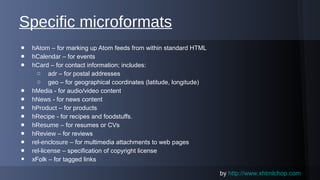
Specific microformats
•
•
•
•
•
•
•
•
•
•
•
•

hAtom – for marking up Atom feeds from within standard HTML
hCalendar – for events
hCard – for contact information; includes:
o adr – for postal addresses
o geo – for geographical coordinates (latitude, longitude)
hMedia - for audio/video content
hNews - for news content
hProduct – for products
hRecipe - for recipes and foodstuffs.
hResume – for resumes or CVs
hReview – for reviews
rel-enclosure – for multimedia attachments to web pages
rel-license – specification of copyright license
xFolk – for tagged links
by www.xhtmlchop.com
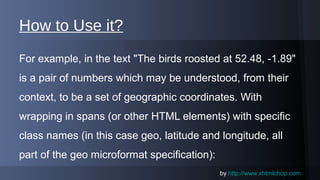
How to Use it?
For example, in the text "The birds roosted at 52.48, -1.89"
is a pair of numbers which may be understood, from their
context, to be a set of geographic coordinates. With
wrapping in spans (or other HTML elements) with specific
class names (in this case geo, latitude and longitude, all
part of the geo microformat specification):
by www.xhtmlchop.com
Example - Normal Code
The birds roosted at
<span>
<span>52.48</span>,
<span>-1.89</span>
</span>

by www.xhtmlchop.com
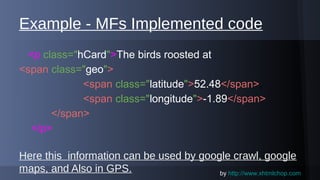
Example - MFs Implemented code
<p class="hCard">The birds roosted at
<span class="geo">
<span class="latitude">52.48</span>,
<span class="longitude">-1.89</span>
</span>
</p>
Here this information can be used by google crawl, google
by www.xhtmlchop.com
maps, and Also in GPS.
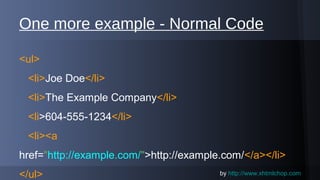
One more example - Normal Code
<ul>
<li>Joe Doe</li>
<li>The Example Company</li>
<li>604-555-1234</li>
<li><a
href="http://example.com/">http://example.com/</a></li>
</ul>

by www.xhtmlchop.com
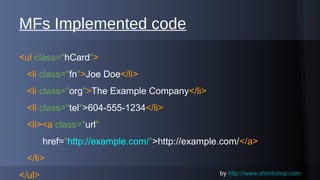
MFs Implemented code
<ul class="hCard">
<li class="fn">Joe Doe</li>
<li class="org">The Example Company</li>
<li class="tel">604-555-1234</li>
<li><a class="url"
href="http://example.com/">http://example.com/</a>
</li>
</ul>

by www.xhtmlchop.com
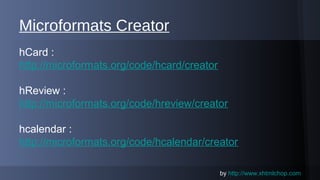
Microformats Creator
hCard :
http://microformats.org/code/hcard/creator
hReview :
http://microformats.org/code/hreview/creator
hcalendar :
http://microformats.org/code/hcalendar/creator
by www.xhtmlchop.com
Microformats site URL

http://microformats.org/

by www.xhtmlchop.com
Thank you !
by http://www.xhtmlchop.com

What is Microformats & Examples - XhtmlChop

  • 1.
  • 2.
    What is Microformats? Amicroformats is a web-based approach to semantic markup which seeks to re-use existing HTML/XHTML tags to convey metadata and other attributes in web pages. by www.xhtmlchop.com
  • 3.
    What is theuse of Microformats? Using microformats within HTML code provides additional formatting and semantic data that applications can use. For example, applications such as web crawlers can collect data about online resources. by www.xhtmlchop.com
  • 4.
    Technical overview XHTML andHTML standards allow for the embedding and encoding of semantics within the attributes of markup tags. Microformats take advantage of these standards by indicating the presence of metadata using the following attributes: 1. class - Classname 2. rel - relationship, description of the target address in an anchorelement (<a href=... rel=...>...</a>) by www.xhtmlchop.com
  • 5.
    Specific microformats • • • • • • • • • • • • hAtom –for marking up Atom feeds from within standard HTML hCalendar – for events hCard – for contact information; includes: o adr – for postal addresses o geo – for geographical coordinates (latitude, longitude) hMedia - for audio/video content hNews - for news content hProduct – for products hRecipe - for recipes and foodstuffs. hResume – for resumes or CVs hReview – for reviews rel-enclosure – for multimedia attachments to web pages rel-license – specification of copyright license xFolk – for tagged links by www.xhtmlchop.com
  • 6.
    How to Useit? For example, in the text "The birds roosted at 52.48, -1.89" is a pair of numbers which may be understood, from their context, to be a set of geographic coordinates. With wrapping in spans (or other HTML elements) with specific class names (in this case geo, latitude and longitude, all part of the geo microformat specification): by www.xhtmlchop.com
  • 7.
    Example - NormalCode The birds roosted at <span> <span>52.48</span>, <span>-1.89</span> </span> by www.xhtmlchop.com
  • 8.
    Example - MFsImplemented code <p class="hCard">The birds roosted at <span class="geo"> <span class="latitude">52.48</span>, <span class="longitude">-1.89</span> </span> </p> Here this information can be used by google crawl, google by www.xhtmlchop.com maps, and Also in GPS.
  • 9.
    One more example- Normal Code <ul> <li>Joe Doe</li> <li>The Example Company</li> <li>604-555-1234</li> <li><a href="http://example.com/">http://example.com/</a></li> </ul> by www.xhtmlchop.com
  • 10.
    MFs Implemented code <ulclass="hCard"> <li class="fn">Joe Doe</li> <li class="org">The Example Company</li> <li class="tel">604-555-1234</li> <li><a class="url" href="http://example.com/">http://example.com/</a> </li> </ul> by www.xhtmlchop.com
  • 11.
    Microformats Creator hCard : http://microformats.org/code/hcard/creator hReview: http://microformats.org/code/hreview/creator hcalendar : http://microformats.org/code/hcalendar/creator by www.xhtmlchop.com
  • 12.
  • 13.
    Thank you ! byhttp://www.xhtmlchop.com