NETWORKING COURSE
www.balujalabs.com
BALUJA INSTITUTE OF TECHNOLOGY & MANAGEMENT
Prove your expertise on Microsoft core platform skills by earning a Microsoft Certified
Solutions Associate (MCSA) certification. The Microsoft Certified Solutions Associate
(MCSA) certification is for IT professionals and developers looking to get their first
job in Microsoft technology. Whether in the cloud or on-premise, this certification
validates the core platform skills needed in an IT environment. The MCSA
certifications are a requirement to achieve our flagshipMicrosoft Certified Solutions
Expert (MCSE) and Microsoft Certified Solutions Developer (MCSD) certifications.
MCSA COURSE
www.balujalabs.com
BALUJA INSTITUTE OF TECHNOLOGY & MANAGEMENT
•
Introduction to window XP
•
Managing user accounts
•
File system
•
Administering shared folder
•
Managing data storage
•
Supporting TCP/IP
•
Overview of Active Directory service
•
Configuring Network & Internet
connection
•
Monitoring & Computer Management
•
Backing up Restoring Data
•
Network Protocol
•
Troubleshooting Desktop
•
Introduction Microsoft window server 2003
•
Terminal serving and remote Assistance
•
Window Messenger
•
User profiles
•
Different Backup Types
•
Disk Quota
•
WMI Data From Even Viewer
•
Recovering from System failure
•
Configuring disk and volume
•
Task Manager
•
Remote Desktop
•
Password Policies
MCSA COURSE
www.balujalabs.com
BALUJA INSTITUTE OF TECHNOLOGY & MANAGEMENT
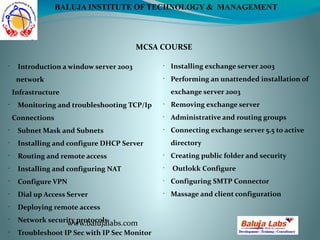
•
Introduction a window server 2003
network
Infrastructure
•
Monitoring and troubleshooting TCP/Ip
Connections
•
Subnet Mask and Subnets
•
Installing and configure DHCP Server
•
Routing and remote access
•
Installing and configuring NAT
•
Configure VPN
•
Dial up Access Server
•
Deploying remote access
•
Network security protocols
•
Troubleshoot IP Sec with IP Sec Monitor
•
Installing exchange server 2003
•
Performing an unattended installation of
exchange server 2003
•
Removing exchange server
•
Administrative and routing groups
•
Connecting exchange server 5.5 to active
directory
•
Creating public folder and security
•
Outlokk Configure
•
Configuring SMTP Connector
•
Massage and client configuration
Contact Us
Contact no. : +91-9015596280,
+91-9313565406, 011-65495934
Main Najafgarh Road, Janakpuri
A1/17, Top Floor, Opposite Metro Pillar no: 636,
New Delhi- 110058 
Email Id  :- contactus@balujalabs.com
www.balujalabs.com
BALUJA INSTITUTE OF TECHNOLOGY & MANAGEMENT

Mcsa course

  • 1.
    NETWORKING COURSE www.balujalabs.com BALUJA INSTITUTEOF TECHNOLOGY & MANAGEMENT Prove your expertise on Microsoft core platform skills by earning a Microsoft Certified Solutions Associate (MCSA) certification. The Microsoft Certified Solutions Associate (MCSA) certification is for IT professionals and developers looking to get their first job in Microsoft technology. Whether in the cloud or on-premise, this certification validates the core platform skills needed in an IT environment. The MCSA certifications are a requirement to achieve our flagshipMicrosoft Certified Solutions Expert (MCSE) and Microsoft Certified Solutions Developer (MCSD) certifications.
  • 2.
    MCSA COURSE www.balujalabs.com BALUJA INSTITUTEOF TECHNOLOGY & MANAGEMENT • Introduction to window XP • Managing user accounts • File system • Administering shared folder • Managing data storage • Supporting TCP/IP • Overview of Active Directory service • Configuring Network & Internet connection • Monitoring & Computer Management • Backing up Restoring Data • Network Protocol • Troubleshooting Desktop • Introduction Microsoft window server 2003 • Terminal serving and remote Assistance • Window Messenger • User profiles • Different Backup Types • Disk Quota • WMI Data From Even Viewer • Recovering from System failure • Configuring disk and volume • Task Manager • Remote Desktop • Password Policies
  • 3.
    MCSA COURSE www.balujalabs.com BALUJA INSTITUTEOF TECHNOLOGY & MANAGEMENT • Introduction a window server 2003 network Infrastructure • Monitoring and troubleshooting TCP/Ip Connections • Subnet Mask and Subnets • Installing and configure DHCP Server • Routing and remote access • Installing and configuring NAT • Configure VPN • Dial up Access Server • Deploying remote access • Network security protocols • Troubleshoot IP Sec with IP Sec Monitor • Installing exchange server 2003 • Performing an unattended installation of exchange server 2003 • Removing exchange server • Administrative and routing groups • Connecting exchange server 5.5 to active directory • Creating public folder and security • Outlokk Configure • Configuring SMTP Connector • Massage and client configuration
  • 4.
    Contact Us Contact no.: +91-9015596280, +91-9313565406, 011-65495934 Main Najafgarh Road, Janakpuri A1/17, Top Floor, Opposite Metro Pillar no: 636, New Delhi- 110058  Email Id  :- contactus@balujalabs.com www.balujalabs.com BALUJA INSTITUTE OF TECHNOLOGY & MANAGEMENT