How to make full use of
function of Upload Online
             By www.wise-pdf-tools.com
With the service of Upload Online, you can
upload your page flip book online instantly
after creating without FTP or other upload tool.
Then you can easy open your book through
the browser of your PC, Mac, iPhone, iPad or
Android.
There is no size limitation to your
books, even you can publish 1,000
books in the Service at the same
time.

Easy steps to use the service:
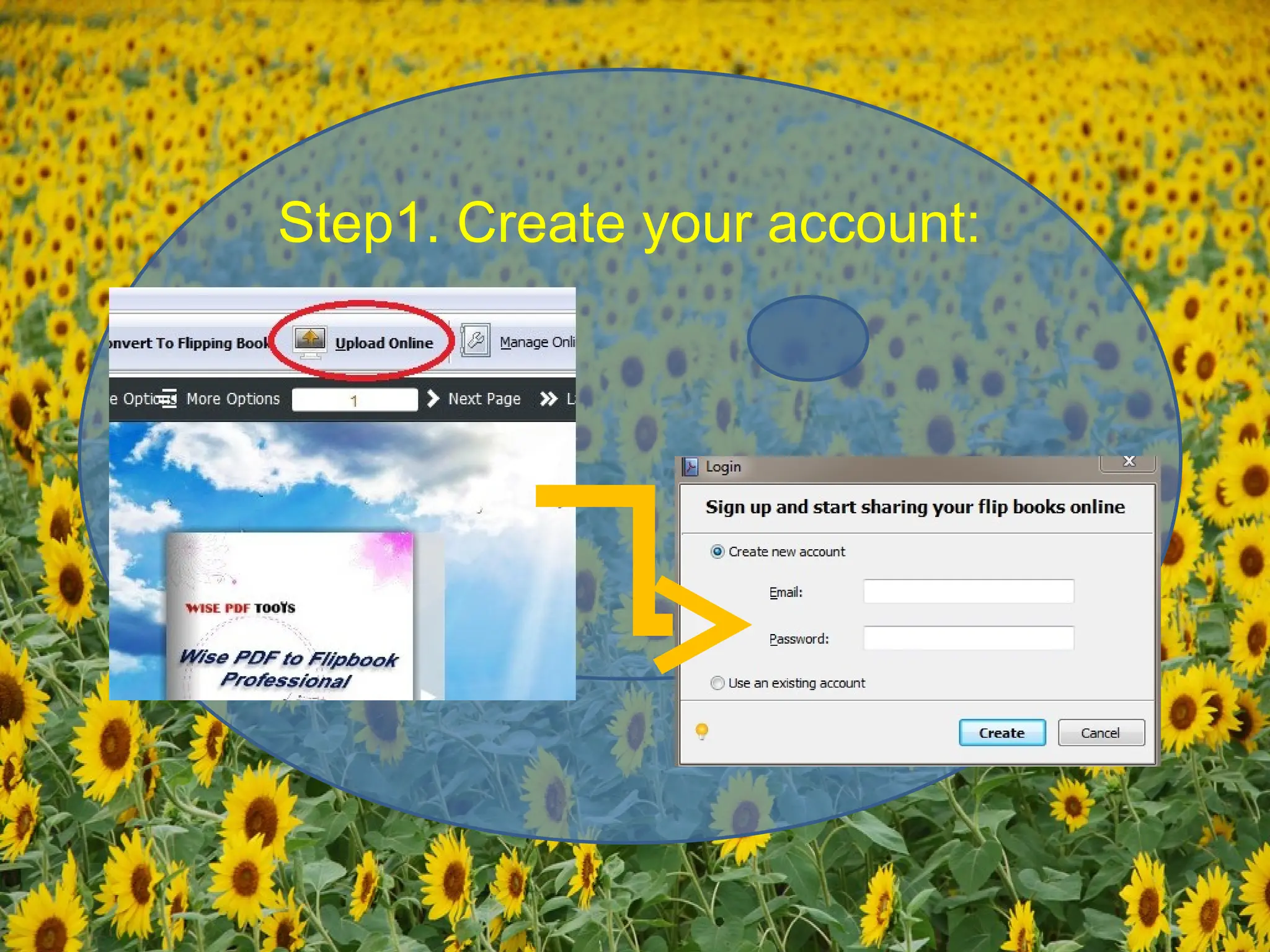
1. Create your account in the
service;
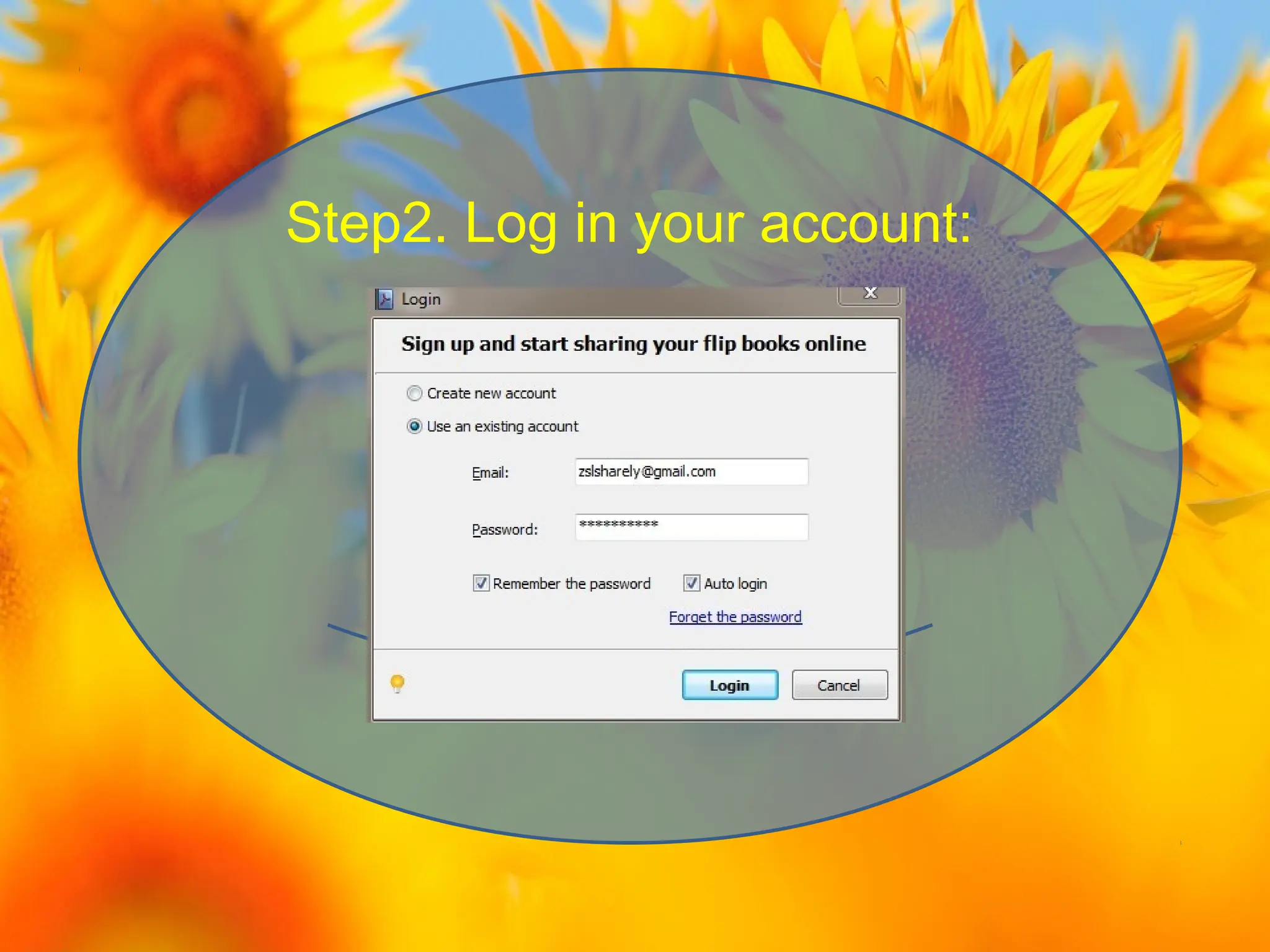
2. Sign in your Account;
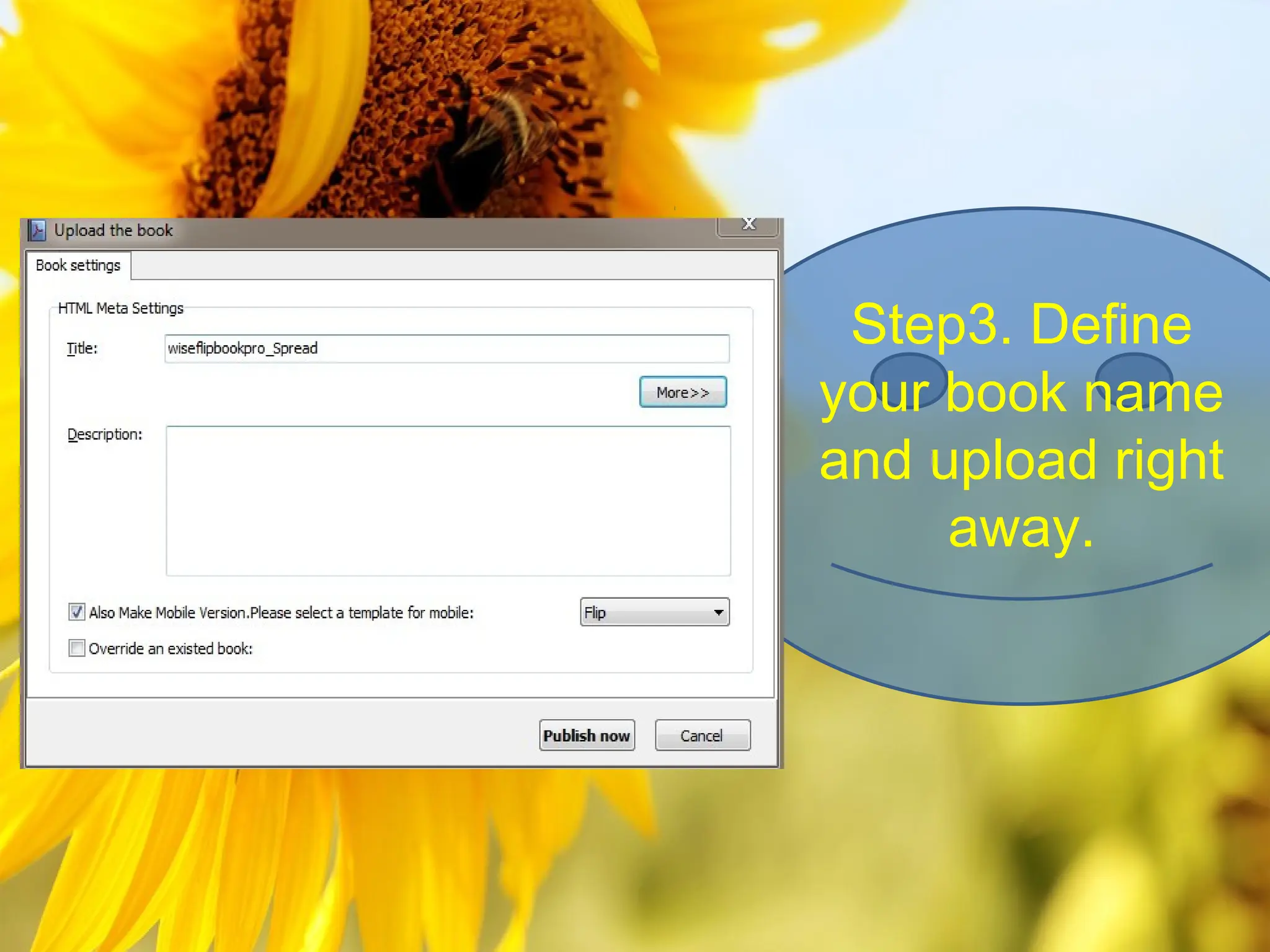
3. Define your book name and
upload right away.
Step1. Create your account:
Step2. Log in your account:
Step3. Define
your book name
and upload right
     away.
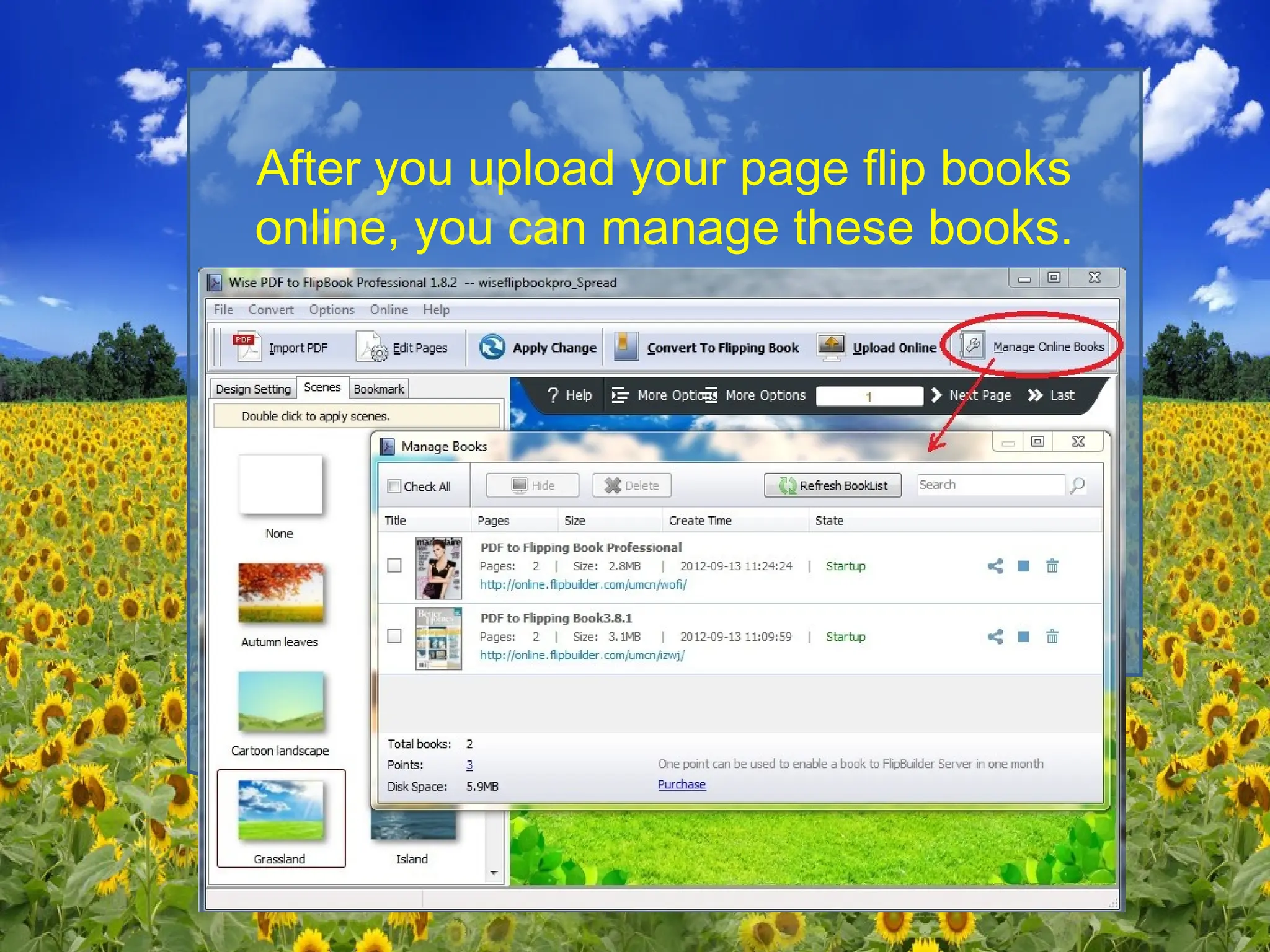
After you upload your page flip books
online, you can manage these books.
By www.wise-pdf-tools.com

Make full use of function of upload online

  • 1.
    How to makefull use of function of Upload Online By www.wise-pdf-tools.com
  • 2.
    With the serviceof Upload Online, you can upload your page flip book online instantly after creating without FTP or other upload tool. Then you can easy open your book through the browser of your PC, Mac, iPhone, iPad or Android.
  • 3.
    There is nosize limitation to your books, even you can publish 1,000 books in the Service at the same time. Easy steps to use the service: 1. Create your account in the service; 2. Sign in your Account; 3. Define your book name and upload right away.
  • 4.
  • 5.
    Step2. Log inyour account:
  • 6.
    Step3. Define your bookname and upload right away.
  • 7.
    After you uploadyour page flip books online, you can manage these books.
  • 8.