Lecture no : 6
Introduction to Computer/ Computer
Education
Mr. Muhammad Moazzam
MPhil Public Health
BSc BioMedical
University of the Lahore
Content
• Languages in computer
LANGUAGE
Human Language:
Commonly used to express Feeing
and understand other person
expression. It can be oral or
gestural kind of Communication.
DEFINITION OF COMPUTER
LANGUAGES
A computer languages are the languages by
which a user command a computer to work on
the algorithm which a user has written to get
an output.
TWO TYPES OF COMPUTER
LANGUAGES
• Low-level languages
• High-level languages
Lower Level Language
A low-level programming language is a programming language
that provides little or no abstraction from a computer's
instruction set architecture. It consists of numeric codes i.e 0 &
1. These codes are easily understandable to computer but
difficult to human. A lower level language is used in two
generations of computer.
•first generation
•second generation
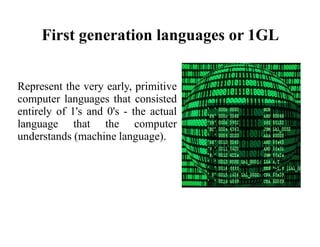
First generation languages or 1GL
Represent the very early, primitive
computer languages that consisted
entirely of 1's and 0's - the actual
language that the computer
understands (machine language).
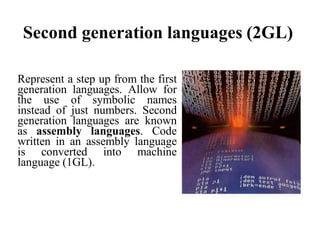
Second generation languages (2GL)
Represent a step up from the first
generation languages. Allow for
the use of symbolic names
instead of just numbers. Second
generation languages are known
as assembly languages. Code
written in an assembly language
is converted into machine
language (1GL).
CHARACTERSTICS OF
LOW LEVEL
LANGUAGES
• Direct memory management
• Little-to-no abstraction from the hardware
• Register access
• Statements usually have an obvious
correspondence with clock cycles
• Superb performance
Advantages
•Computational Speed is very fast.
•Directly understandable by computer.
Disadvantages
•Development of a program in machine language is very
time consuming
•Error correction is tedious process
HIGH LEVEL LANGUAGES
• High-level programming languages allow the
specification of a problem solution in terms closer to
those used by human beings.
• These languages were designed to make
programming far easier, less error- prone and to
remove the programmer from having to know the
details of the internal structure of a particular
computer. This language is used in third generation.
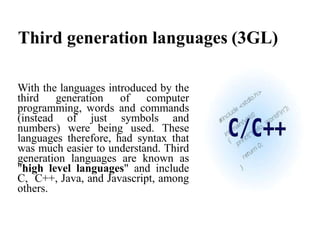
Third generation languages (3GL)
With the languages introduced by the
third generation of computer
programming, words and commands
(instead of just symbols and
numbers) were being used. These
languages therefore, had syntax that
was much easier to understand. Third
generation languages are known as
"high level languages" and include
C, C++, Java, and Javascript, among
others.
TYPES
English words, basic mathematical symbols,
punctuations:
• C,C+,C++
• PASCAL(scientist Pascal)
• Visual Basic
• LISP
• JAVA
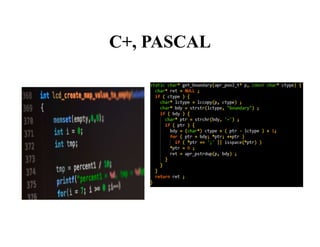
C+, PASCAL
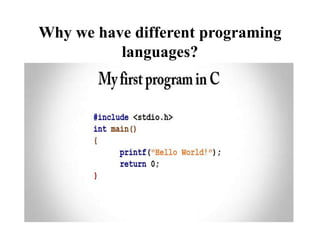
Why we have different programing
languages?
Advantages
•These are simple to adopt due to their english like
structure of statements.
•They are easy to maintain and debug.
Disadvantages
•The Program written in high level language are less efficient
as they take more execution time.
•The compiler also consumes some memory as it is required
for the translation process.
 Language translators convert programming source code into
language that the computer processor understands.
 Programming source code has various structures and
commands, but the computer processors understand only
machine language.
 Language translators are of three types: -
CompilerAssembler Interpreter
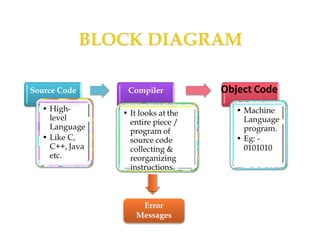
 A computer program that translates source code into object
code.
 Source code : - High-level language version of the program.
 Object code: -The resulting machine code program.
 Primary reason for compiling source code is to create an
executable program.
 It checks all kinds of limits, ranges, errors etc. before executing
it completely but the disadvantage is that when an error in a
program occurs it is difficult to pin-point its source in the
original program
Source Code
• High-
level
Language
• Like C,
C++, Java
etc.
Compiler
• It looks at the
entire piece /
program of
source code
collecting &
reorganizing
instructions.
Object Code
• Machine
Language
program.
• Eg: -
0101010
Error
Messages
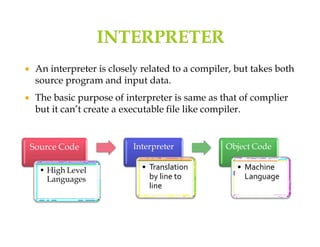
 An interpreter is closely related to a compiler, but takes both
source program and input data.
 The basic purpose of interpreter is same as that of complier
but it can’t create a executable file like compiler.
Source Code
• High Level
Languages
Interpreter
• Translation
by line to
line
Object Code
• Machine
Language
 In compiler, the program is translated completely and directly
executable version is generated. Whereas interpreter translates
each instruction, executes it and then the next instruction is
translated and this goes on until end of the program.
 It is also called as LINE INTERPRETER because it is
interpreted line by line, it is a much slower way of running a
program than one that has been compiled but is easier for
learners because the program can be stopped, modified and
rerun without time-consuming compiles.
 Interpreters however are easier to use, particularly for
beginners, since errors are immediately displayed, corrected by
the user, until the program is able to be executed
• Assembly
Language
• perform
isomorphic
(one to one
mapping)
translation
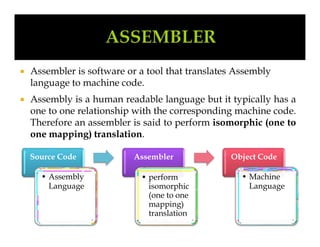
 Assembler is software or a tool that translates Assembly
language to machine code.
 Assembly is a human readable language but it typically has a
one to one relationship with the corresponding machine code.
Therefore an assembler is said to perform isomorphic (one to
one mapping) translation.
Source Code Assembler Object Code
• Machine
Language
 The translation process has two major parts.
 FIRST STEP : - To find memory locations with labels so the
relationship between symbolic names and addresses is
known when instructions are translated.
 SECOND STEP :- To translate each assembly statement by
combining the numeric equivalents of opcodes, register
specifier’s, and labels into a legal instruction
 Assembler checks each instruction for it’s correctness and
generates diagnostic message, if there are mistakes in the
program.
 Assembler directives (or pseudo instructions) provide
instructions to the assembler itself . They are not translated
into machine instructions. (e.g.: - START, ADD, SUB etc.)
Languages in computer

Languages in computer

  • 1.
    Lecture no :6 Introduction to Computer/ Computer Education Mr. Muhammad Moazzam MPhil Public Health BSc BioMedical University of the Lahore
  • 2.
  • 3.
    LANGUAGE Human Language: Commonly usedto express Feeing and understand other person expression. It can be oral or gestural kind of Communication.
  • 4.
    DEFINITION OF COMPUTER LANGUAGES Acomputer languages are the languages by which a user command a computer to work on the algorithm which a user has written to get an output. TWO TYPES OF COMPUTER LANGUAGES • Low-level languages • High-level languages
  • 5.
    Lower Level Language Alow-level programming language is a programming language that provides little or no abstraction from a computer's instruction set architecture. It consists of numeric codes i.e 0 & 1. These codes are easily understandable to computer but difficult to human. A lower level language is used in two generations of computer. •first generation •second generation
  • 6.
    First generation languagesor 1GL Represent the very early, primitive computer languages that consisted entirely of 1's and 0's - the actual language that the computer understands (machine language).
  • 7.
    Second generation languages(2GL) Represent a step up from the first generation languages. Allow for the use of symbolic names instead of just numbers. Second generation languages are known as assembly languages. Code written in an assembly language is converted into machine language (1GL).
  • 8.
    CHARACTERSTICS OF LOW LEVEL LANGUAGES •Direct memory management • Little-to-no abstraction from the hardware • Register access • Statements usually have an obvious correspondence with clock cycles • Superb performance
  • 9.
    Advantages •Computational Speed isvery fast. •Directly understandable by computer. Disadvantages •Development of a program in machine language is very time consuming •Error correction is tedious process
  • 10.
    HIGH LEVEL LANGUAGES •High-level programming languages allow the specification of a problem solution in terms closer to those used by human beings. • These languages were designed to make programming far easier, less error- prone and to remove the programmer from having to know the details of the internal structure of a particular computer. This language is used in third generation.
  • 11.
    Third generation languages(3GL) With the languages introduced by the third generation of computer programming, words and commands (instead of just symbols and numbers) were being used. These languages therefore, had syntax that was much easier to understand. Third generation languages are known as "high level languages" and include C, C++, Java, and Javascript, among others.
  • 12.
    TYPES English words, basicmathematical symbols, punctuations: • C,C+,C++ • PASCAL(scientist Pascal) • Visual Basic • LISP • JAVA
  • 13.
  • 14.
    Why we havedifferent programing languages?
  • 15.
    Advantages •These are simpleto adopt due to their english like structure of statements. •They are easy to maintain and debug. Disadvantages •The Program written in high level language are less efficient as they take more execution time. •The compiler also consumes some memory as it is required for the translation process.
  • 17.
     Language translatorsconvert programming source code into language that the computer processor understands.  Programming source code has various structures and commands, but the computer processors understand only machine language.  Language translators are of three types: - CompilerAssembler Interpreter
  • 18.
     A computerprogram that translates source code into object code.  Source code : - High-level language version of the program.  Object code: -The resulting machine code program.  Primary reason for compiling source code is to create an executable program.  It checks all kinds of limits, ranges, errors etc. before executing it completely but the disadvantage is that when an error in a program occurs it is difficult to pin-point its source in the original program
  • 19.
    Source Code • High- level Language •Like C, C++, Java etc. Compiler • It looks at the entire piece / program of source code collecting & reorganizing instructions. Object Code • Machine Language program. • Eg: - 0101010 Error Messages
  • 20.
     An interpreteris closely related to a compiler, but takes both source program and input data.  The basic purpose of interpreter is same as that of complier but it can’t create a executable file like compiler. Source Code • High Level Languages Interpreter • Translation by line to line Object Code • Machine Language
  • 21.
     In compiler,the program is translated completely and directly executable version is generated. Whereas interpreter translates each instruction, executes it and then the next instruction is translated and this goes on until end of the program.  It is also called as LINE INTERPRETER because it is interpreted line by line, it is a much slower way of running a program than one that has been compiled but is easier for learners because the program can be stopped, modified and rerun without time-consuming compiles.  Interpreters however are easier to use, particularly for beginners, since errors are immediately displayed, corrected by the user, until the program is able to be executed
  • 22.
    • Assembly Language • perform isomorphic (oneto one mapping) translation  Assembler is software or a tool that translates Assembly language to machine code.  Assembly is a human readable language but it typically has a one to one relationship with the corresponding machine code. Therefore an assembler is said to perform isomorphic (one to one mapping) translation. Source Code Assembler Object Code • Machine Language
  • 23.
     The translationprocess has two major parts.  FIRST STEP : - To find memory locations with labels so the relationship between symbolic names and addresses is known when instructions are translated.  SECOND STEP :- To translate each assembly statement by combining the numeric equivalents of opcodes, register specifier’s, and labels into a legal instruction  Assembler checks each instruction for it’s correctness and generates diagnostic message, if there are mistakes in the program.  Assembler directives (or pseudo instructions) provide instructions to the assembler itself . They are not translated into machine instructions. (e.g.: - START, ADD, SUB etc.)