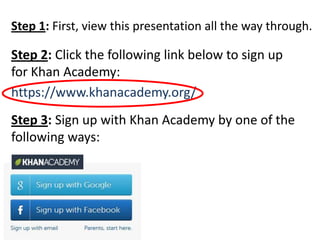
Step 1: First, view this presentation all the way through.

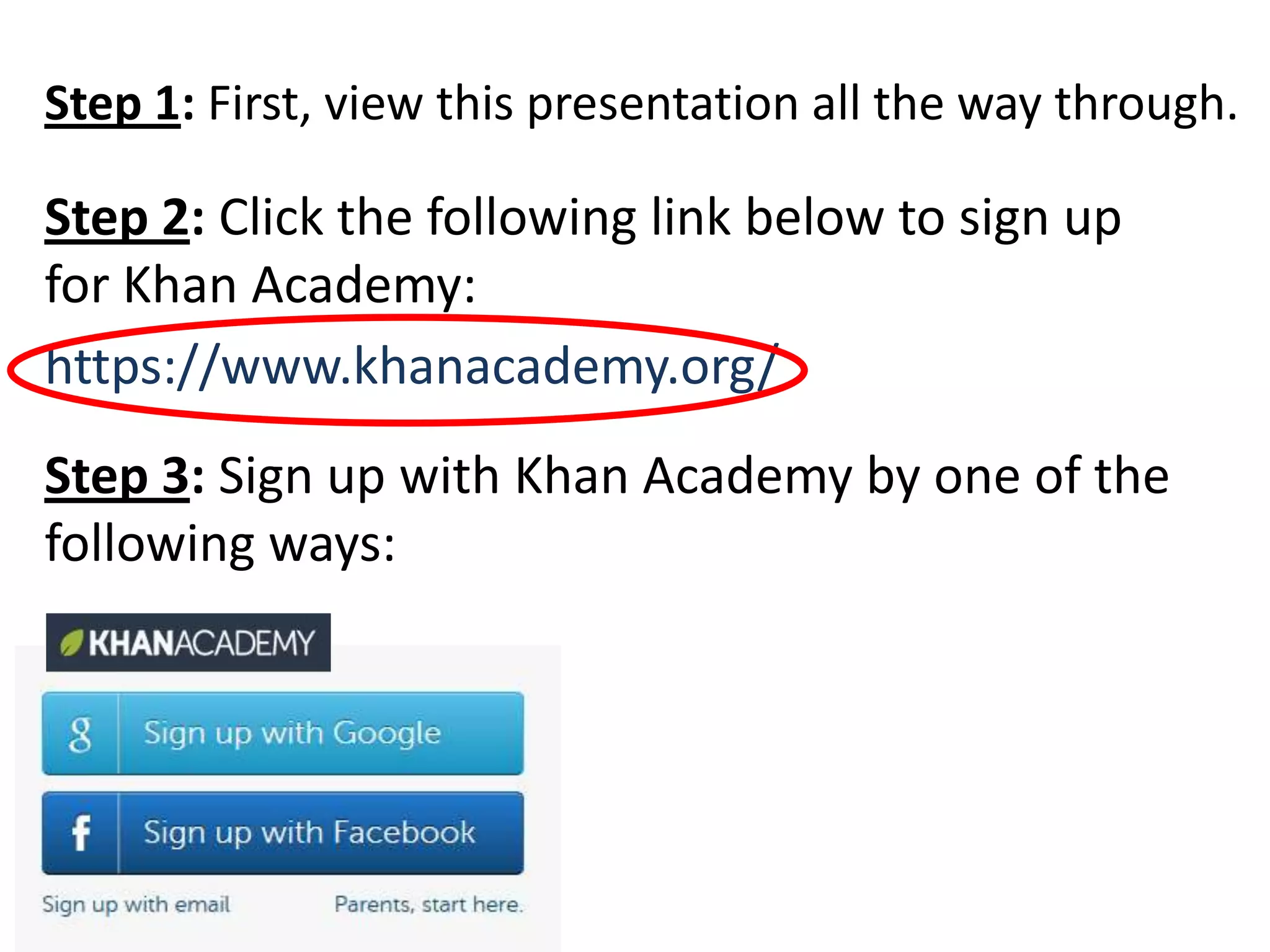
Step 2: Click the following link below to sign up
for Khan Academy:
https://www.khanacademy.org/
Step 3: Sign up with Khan Academy by one of the
following ways:
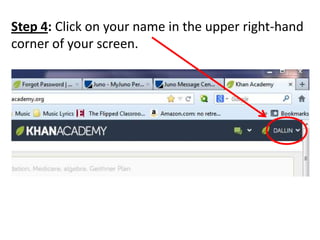
Step 4: Click on your name in the upper right-hand
corner of your screen.
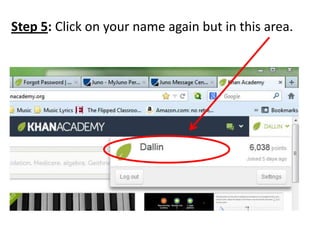
Step 5: Click on your name again but in this area.
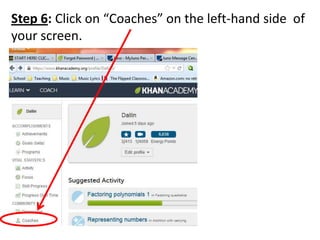
Step 6: Click on “Coaches” on the left-hand side of
your screen.
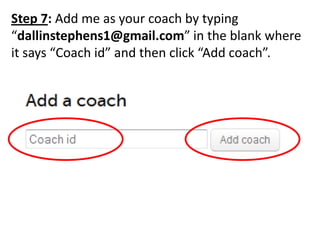
Step 7: Add me as your coach by typing
“dallinstephens1@gmail.com” in the blank where
it says “Coach id” and then click “Add coach”.
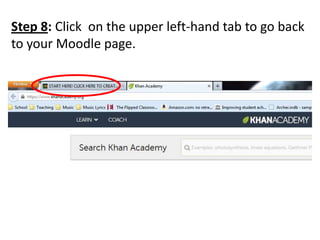
Step 8: Click on the upper left-hand tab to go back
to your Moodle page.
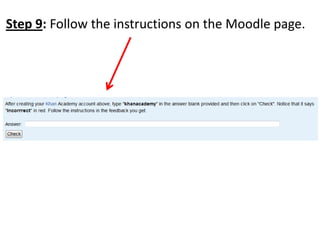
Step 9: Follow the instructions on the Moodle page.

Khan Academy Signup

  • 1.
    Step 1: First,view this presentation all the way through. Step 2: Click the following link below to sign up for Khan Academy: https://www.khanacademy.org/ Step 3: Sign up with Khan Academy by one of the following ways:
  • 2.
    Step 4: Clickon your name in the upper right-hand corner of your screen.
  • 3.
    Step 5: Clickon your name again but in this area.
  • 4.
    Step 6: Clickon “Coaches” on the left-hand side of your screen.
  • 5.
    Step 7: Addme as your coach by typing “dallinstephens1@gmail.com” in the blank where it says “Coach id” and then click “Add coach”.
  • 6.
    Step 8: Clickon the upper left-hand tab to go back to your Moodle page.
  • 7.
    Step 9: Followthe instructions on the Moodle page.